@workos/mcp-docs-server 0.1.0
This diff represents the content of publicly available package versions that have been released to one of the supported registries. The information contained in this diff is provided for informational purposes only and reflects changes between package versions as they appear in their respective public registries.
- package/.docs/organized/changelogs/workos-platform.json +277 -0
- package/.docs/organized/docs/admin-portal/_navigation.mdx +16 -0
- package/.docs/organized/docs/admin-portal/custom-branding.mdx +111 -0
- package/.docs/organized/docs/admin-portal/example-apps.mdx +46 -0
- package/.docs/organized/docs/admin-portal/index.mdx +240 -0
- package/.docs/organized/docs/audit-logs/_navigation.mdx +22 -0
- package/.docs/organized/docs/audit-logs/admin-portal.mdx +20 -0
- package/.docs/organized/docs/audit-logs/editing-events.mdx +27 -0
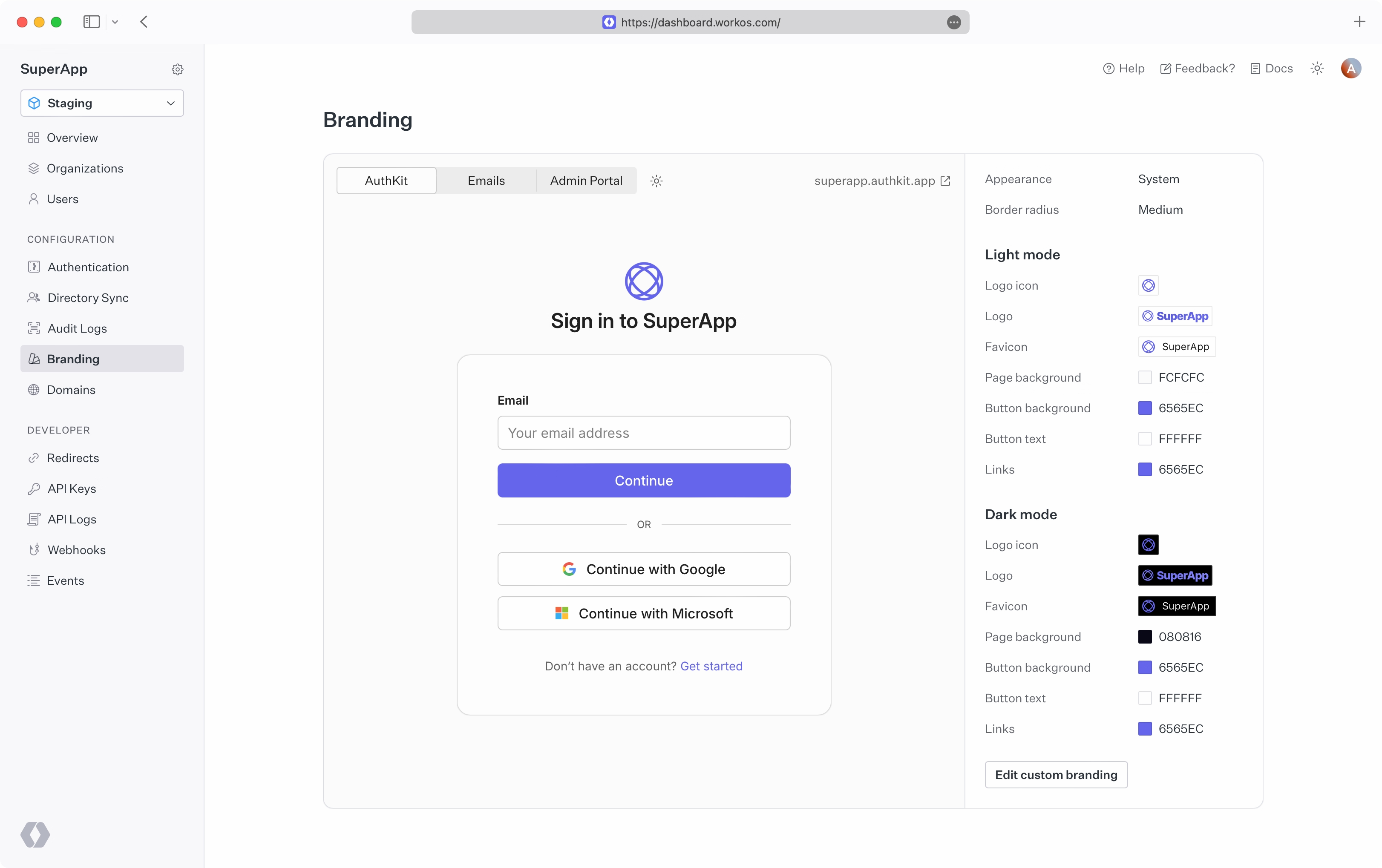
- package/.docs/organized/docs/audit-logs/exporting-events.mdx +29 -0
- package/.docs/organized/docs/audit-logs/index.mdx +110 -0
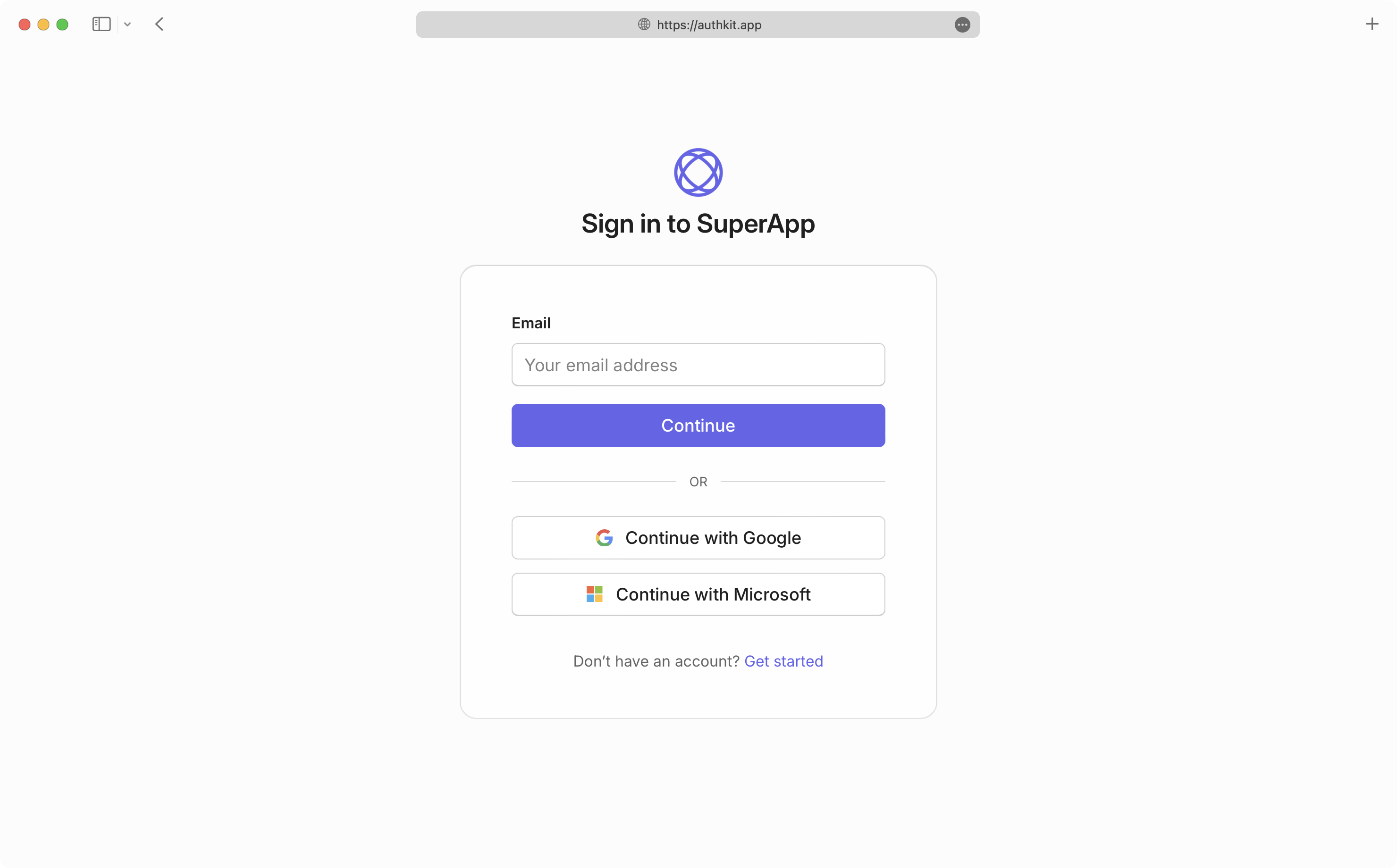
- package/.docs/organized/docs/audit-logs/log-streams.mdx +56 -0
- package/.docs/organized/docs/audit-logs/metadata-schema.mdx +21 -0
- package/.docs/organized/docs/custom-domains/_navigation.mdx +16 -0
- package/.docs/organized/docs/custom-domains/admin-portal.mdx +38 -0
- package/.docs/organized/docs/custom-domains/auth-api.mdx +59 -0
- package/.docs/organized/docs/custom-domains/authkit.mdx +36 -0
- package/.docs/organized/docs/custom-domains/email.mdx +41 -0
- package/.docs/organized/docs/custom-domains/index.mdx +19 -0
- package/.docs/organized/docs/dashboard.mdx +244 -0
- package/.docs/organized/docs/demo/_navigation.mdx +26 -0
- package/.docs/organized/docs/demo/accordion.mdx +34 -0
- package/.docs/organized/docs/demo/checklist.mdx +33 -0
- package/.docs/organized/docs/demo/code-block.mdx +185 -0
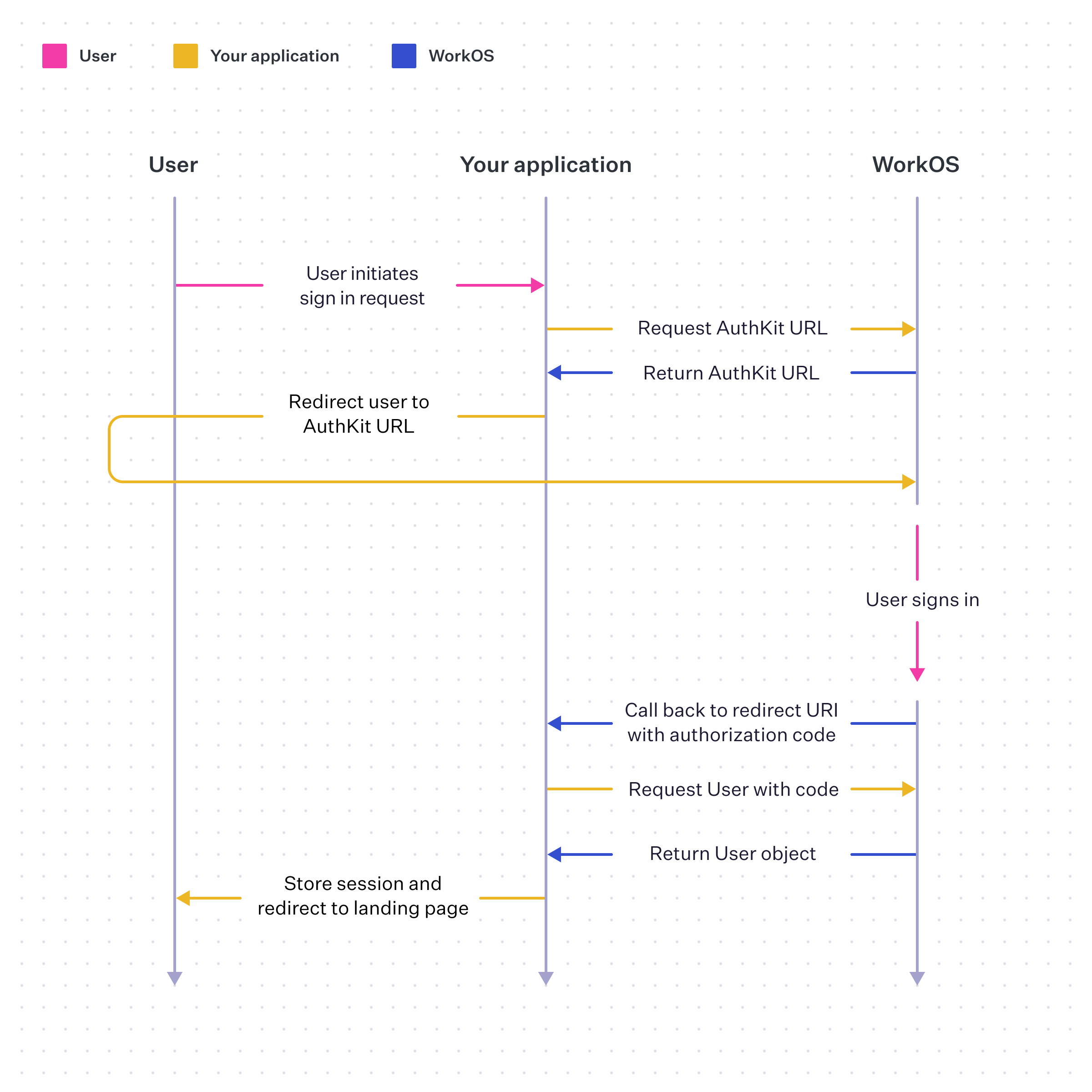
- package/.docs/organized/docs/demo/definition-list.mdx +35 -0
- package/.docs/organized/docs/demo/index.mdx +7 -0
- package/.docs/organized/docs/demo/punctuation.mdx +37 -0
- package/.docs/organized/docs/demo/replacements.mdx +26 -0
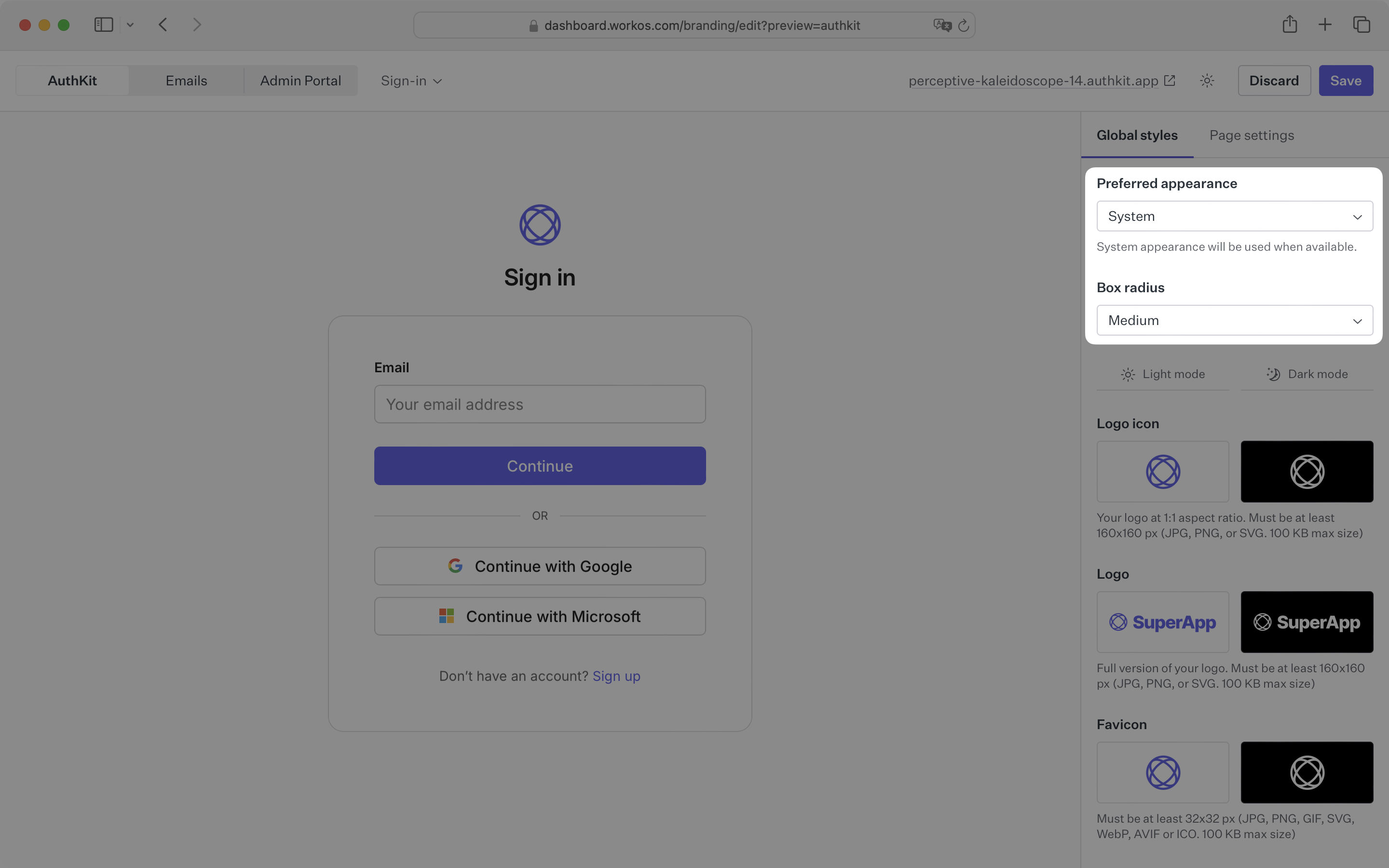
- package/.docs/organized/docs/demo/table.mdx +26 -0
- package/.docs/organized/docs/demo/tabs.mdx +17 -0
- package/.docs/organized/docs/directory-sync/_navigation.mdx +28 -0
- package/.docs/organized/docs/directory-sync/attributes.mdx +209 -0
- package/.docs/organized/docs/directory-sync/example-apps.mdx +46 -0
- package/.docs/organized/docs/directory-sync/handle-inactive-users.mdx +52 -0
- package/.docs/organized/docs/directory-sync/identity-provider-role-assignment.mdx +134 -0
- package/.docs/organized/docs/directory-sync/index.mdx +107 -0
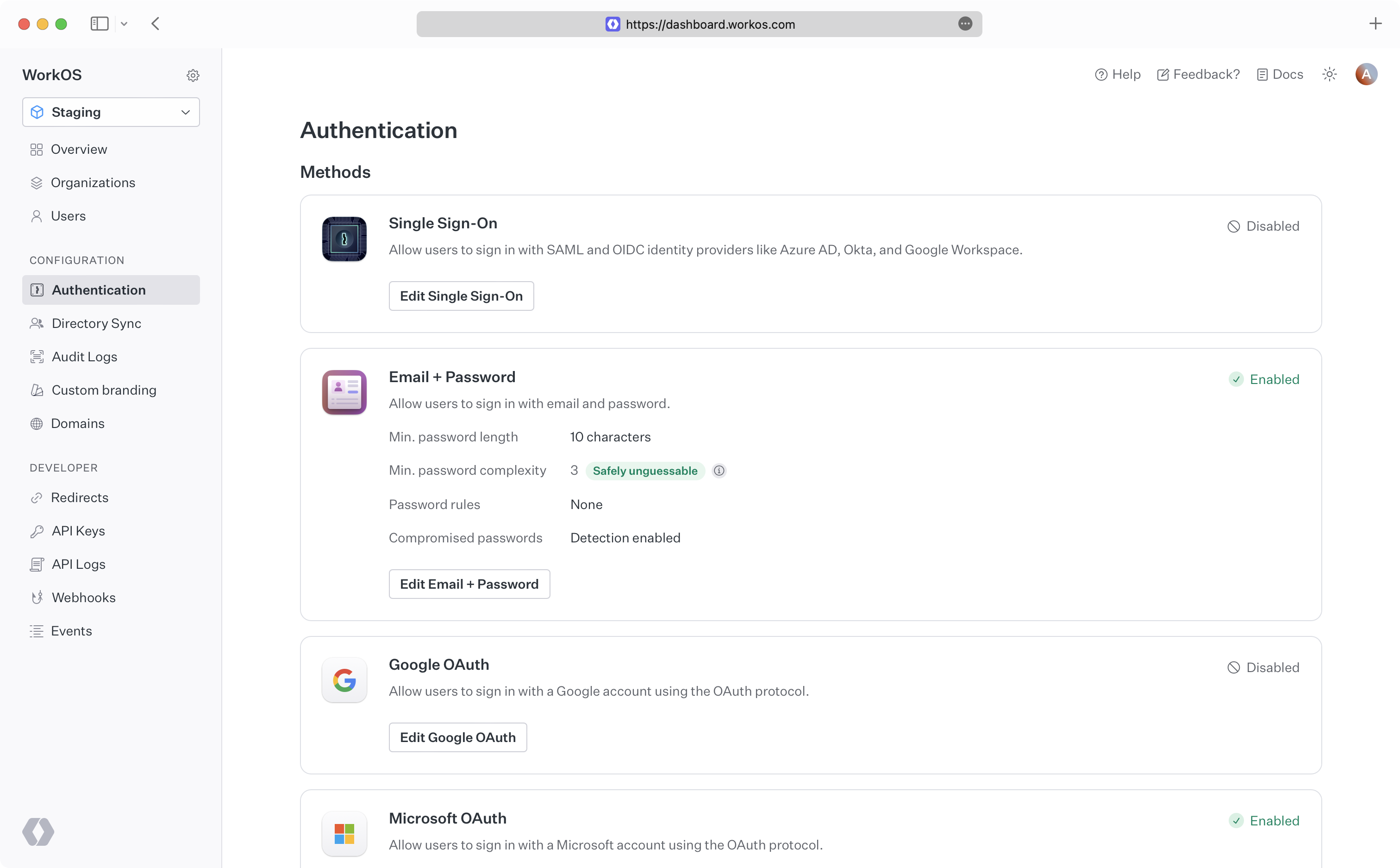
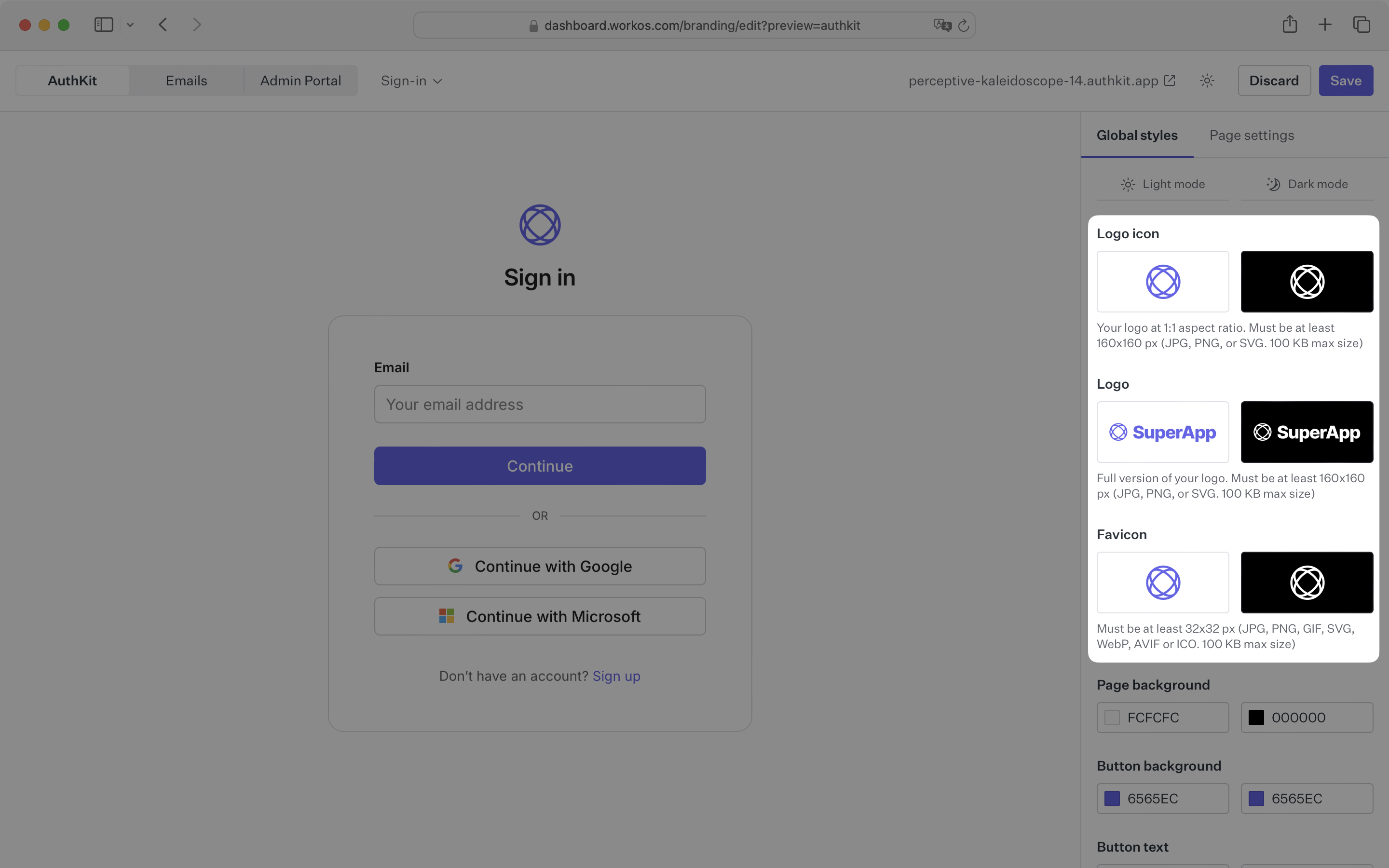
- package/.docs/organized/docs/directory-sync/quick-start.mdx +129 -0
- package/.docs/organized/docs/directory-sync/understanding-events.mdx +209 -0
- package/.docs/organized/docs/domain-verification/_navigation.mdx +10 -0
- package/.docs/organized/docs/domain-verification/api.mdx +60 -0
- package/.docs/organized/docs/domain-verification/index.mdx +67 -0
- package/.docs/organized/docs/email.mdx +109 -0
- package/.docs/organized/docs/events/_navigation.mdx +22 -0
- package/.docs/organized/docs/events/data-syncing/data-reconciliation.mdx +56 -0
- package/.docs/organized/docs/events/data-syncing/events-api.mdx +114 -0
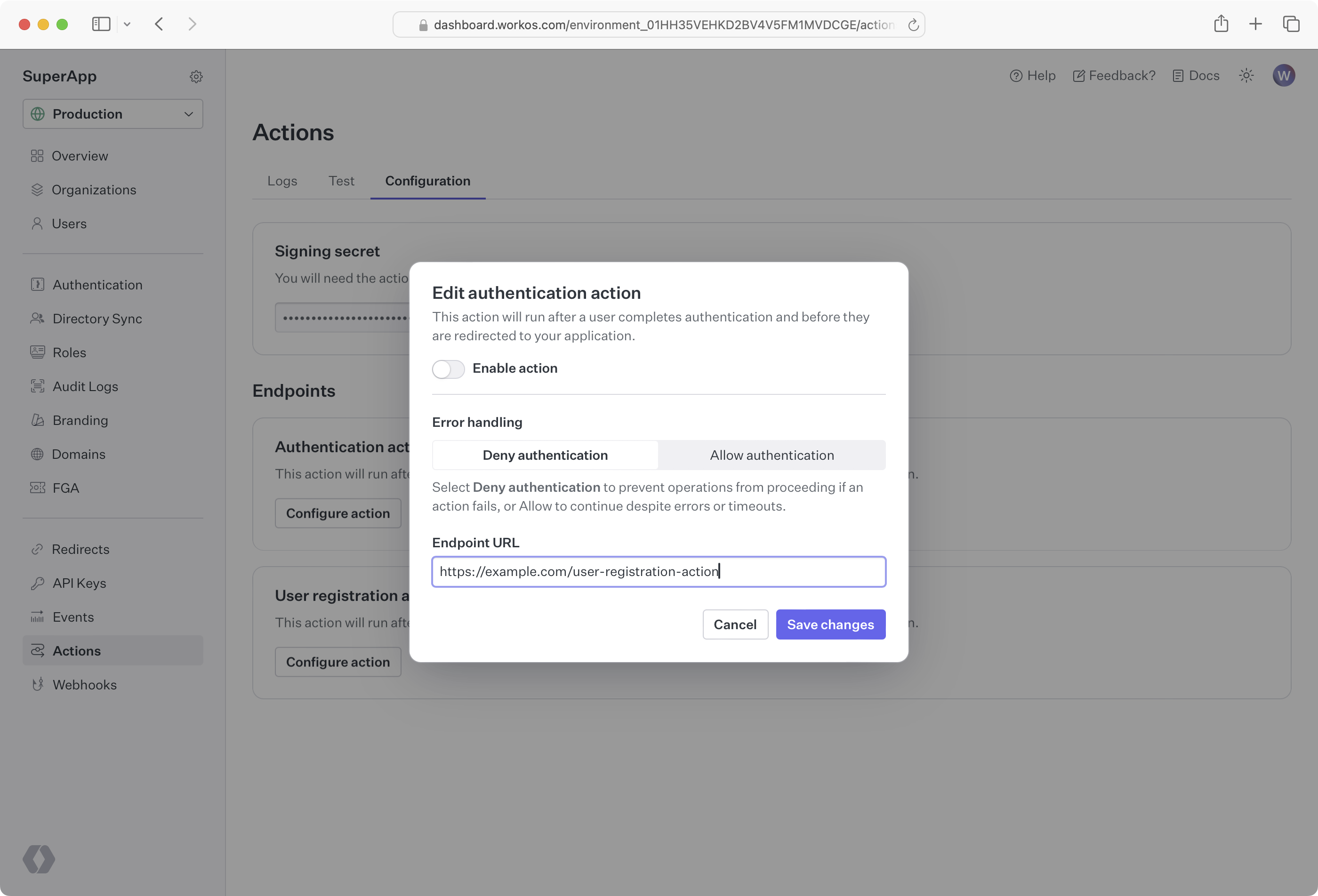
- package/.docs/organized/docs/events/data-syncing/index.mdx +66 -0
- package/.docs/organized/docs/events/data-syncing/webhooks.mdx +173 -0
- package/.docs/organized/docs/events/index.mdx +783 -0
- package/.docs/organized/docs/events/observability/datadog.mdx +76 -0
- package/.docs/organized/docs/fga/_navigation.mdx +64 -0
- package/.docs/organized/docs/fga/identity-provider-sessions.mdx +68 -0
- package/.docs/organized/docs/fga/index.mdx +60 -0
- package/.docs/organized/docs/fga/local-development.mdx +155 -0
- package/.docs/organized/docs/fga/modeling/abac.mdx +107 -0
- package/.docs/organized/docs/fga/modeling/blocklist.mdx +84 -0
- package/.docs/organized/docs/fga/modeling/conditional-roles.mdx +99 -0
- package/.docs/organized/docs/fga/modeling/custom-roles.mdx +90 -0
- package/.docs/organized/docs/fga/modeling/entitlements.mdx +127 -0
- package/.docs/organized/docs/fga/modeling/managed-service-provider.mdx +131 -0
- package/.docs/organized/docs/fga/modeling/org-roles-and-permissions.mdx +95 -0
- package/.docs/organized/docs/fga/modeling/policy-context.mdx +231 -0
- package/.docs/organized/docs/fga/modeling/public-access.mdx +61 -0
- package/.docs/organized/docs/fga/modeling/shareable-content.mdx +106 -0
- package/.docs/organized/docs/fga/modeling/superusers.mdx +74 -0
- package/.docs/organized/docs/fga/modeling/user-groups.mdx +92 -0
- package/.docs/organized/docs/fga/operations-usage.mdx +104 -0
- package/.docs/organized/docs/fga/playground.mdx +12 -0
- package/.docs/organized/docs/fga/policies.mdx +462 -0
- package/.docs/organized/docs/fga/query-language.mdx +112 -0
- package/.docs/organized/docs/fga/quick-start.mdx +174 -0
- package/.docs/organized/docs/fga/resources.mdx +92 -0
- package/.docs/organized/docs/fga/schema-management.mdx +224 -0
- package/.docs/organized/docs/fga/schema.mdx +388 -0
- package/.docs/organized/docs/fga/warrant-tokens.mdx +44 -0
- package/.docs/organized/docs/fga/warrants.mdx +92 -0
- package/.docs/organized/docs/glossary.mdx +184 -0
- package/.docs/organized/docs/integrations/_navigation.mdx +6 -0
- package/.docs/organized/docs/integrations/access-people-hr.mdx +87 -0
- package/.docs/organized/docs/integrations/adp-oidc.mdx +103 -0
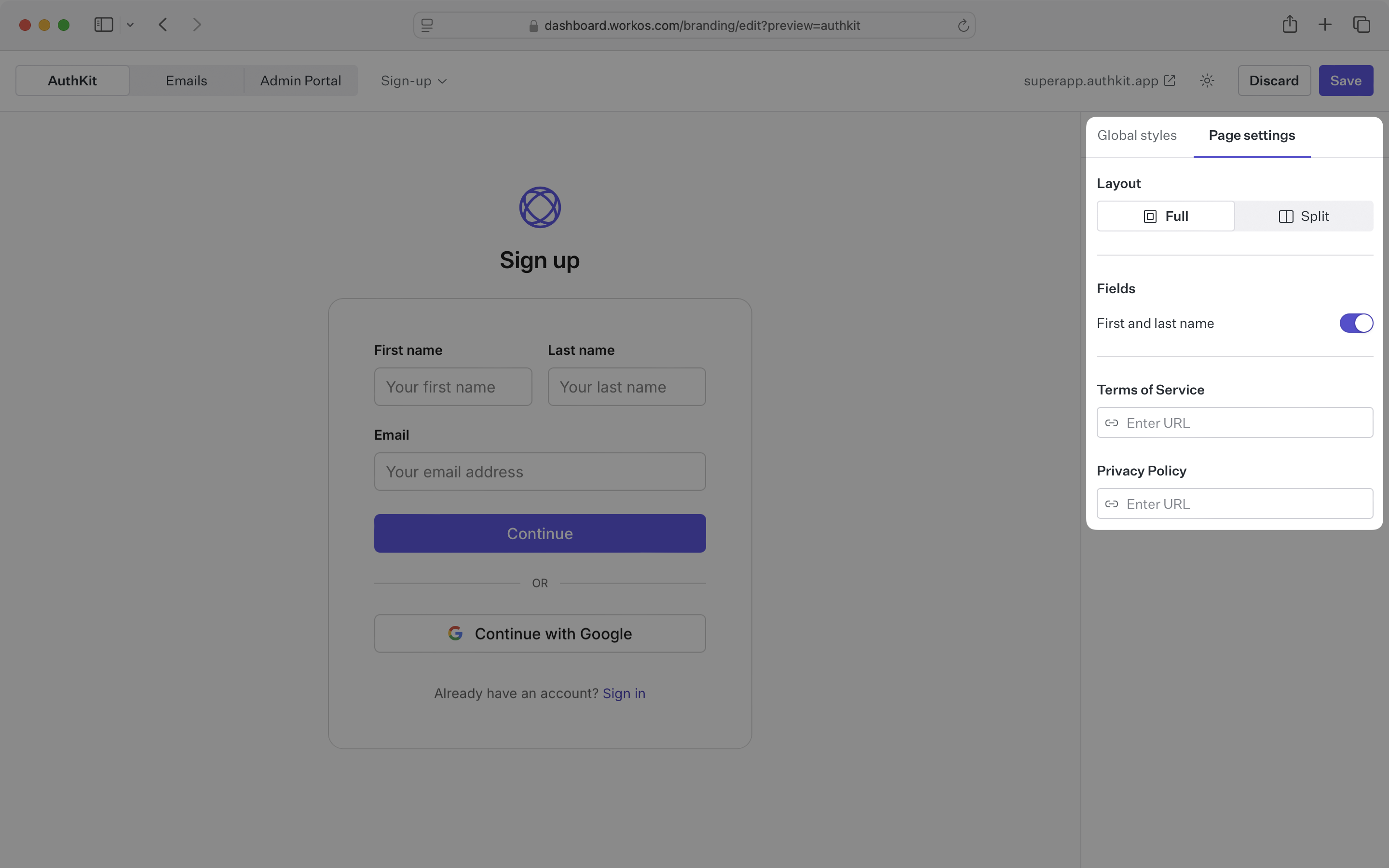
- package/.docs/organized/docs/integrations/apple.mdx +169 -0
- package/.docs/organized/docs/integrations/auth0-directory-sync.mdx +78 -0
- package/.docs/organized/docs/integrations/auth0-enterprise-connection.mdx +92 -0
- package/.docs/organized/docs/integrations/auth0-saml.mdx +81 -0
- package/.docs/organized/docs/integrations/aws-cognito.mdx +81 -0
- package/.docs/organized/docs/integrations/bamboohr.mdx +90 -0
- package/.docs/organized/docs/integrations/breathe-hr.mdx +89 -0
- package/.docs/organized/docs/integrations/bubble.mdx +129 -0
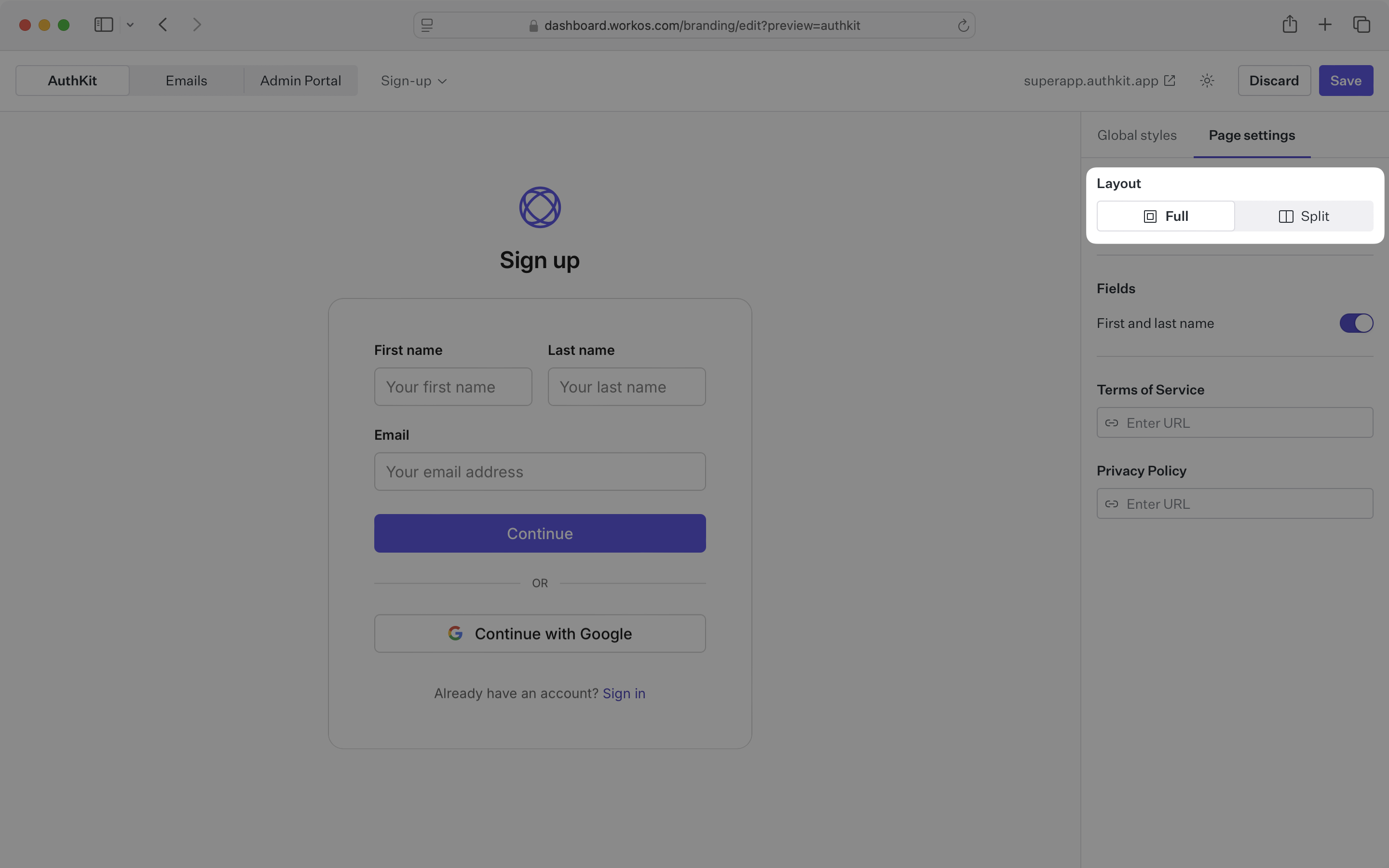
- package/.docs/organized/docs/integrations/cas-saml.mdx +65 -0
- package/.docs/organized/docs/integrations/cezanne.mdx +74 -0
- package/.docs/organized/docs/integrations/classlink-saml.mdx +100 -0
- package/.docs/organized/docs/integrations/cloudflare-saml.mdx +164 -0
- package/.docs/organized/docs/integrations/cyberark-saml.mdx +138 -0
- package/.docs/organized/docs/integrations/cyberark-scim.mdx +100 -0
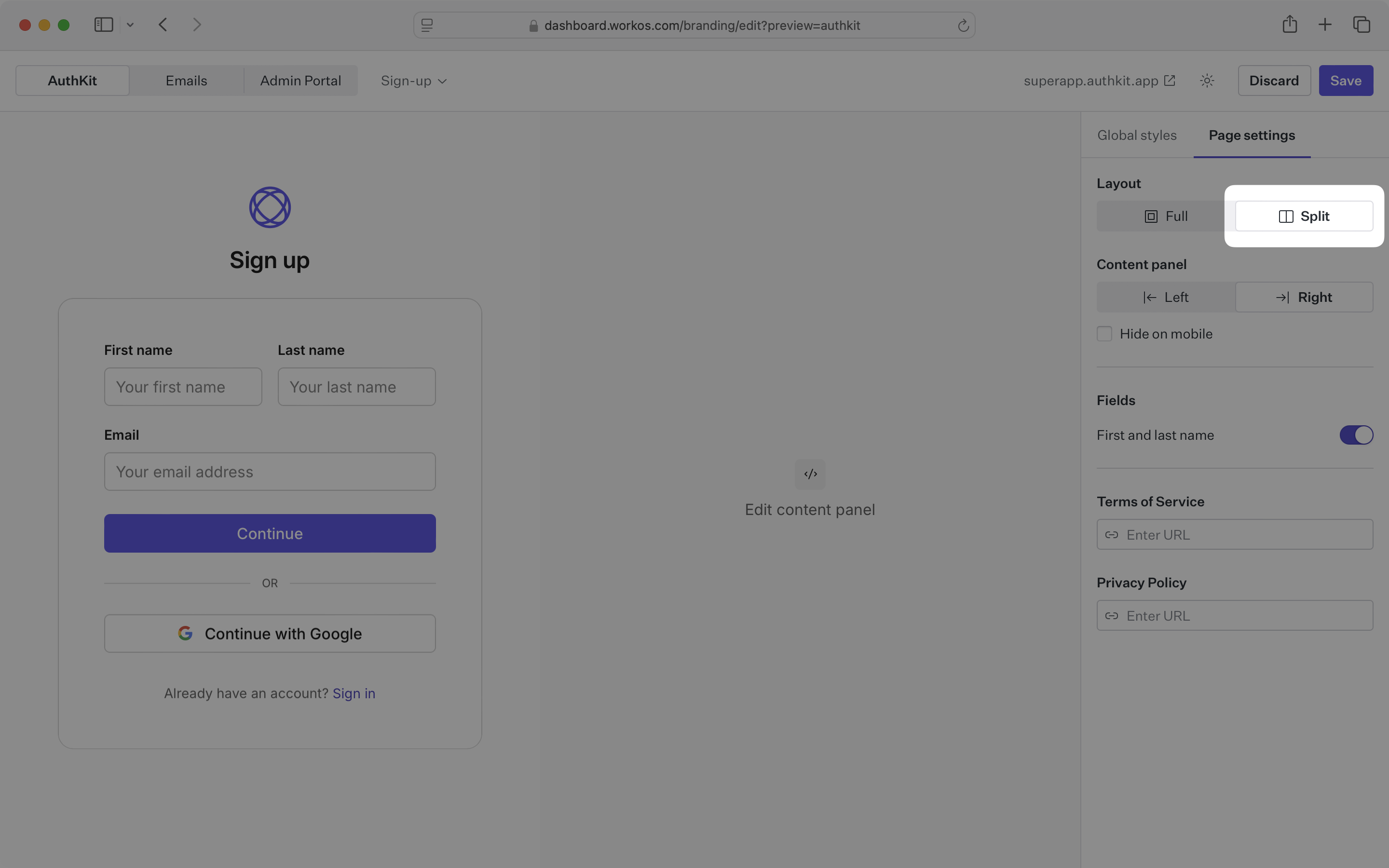
- package/.docs/organized/docs/integrations/duo-saml.mdx +127 -0
- package/.docs/organized/docs/integrations/entra-id-saml.mdx +156 -0
- package/.docs/organized/docs/integrations/entra-id-scim.mdx +218 -0
- package/.docs/organized/docs/integrations/firebase.mdx +98 -0
- package/.docs/organized/docs/integrations/fourth.mdx +66 -0
- package/.docs/organized/docs/integrations/github-oauth.mdx +85 -0
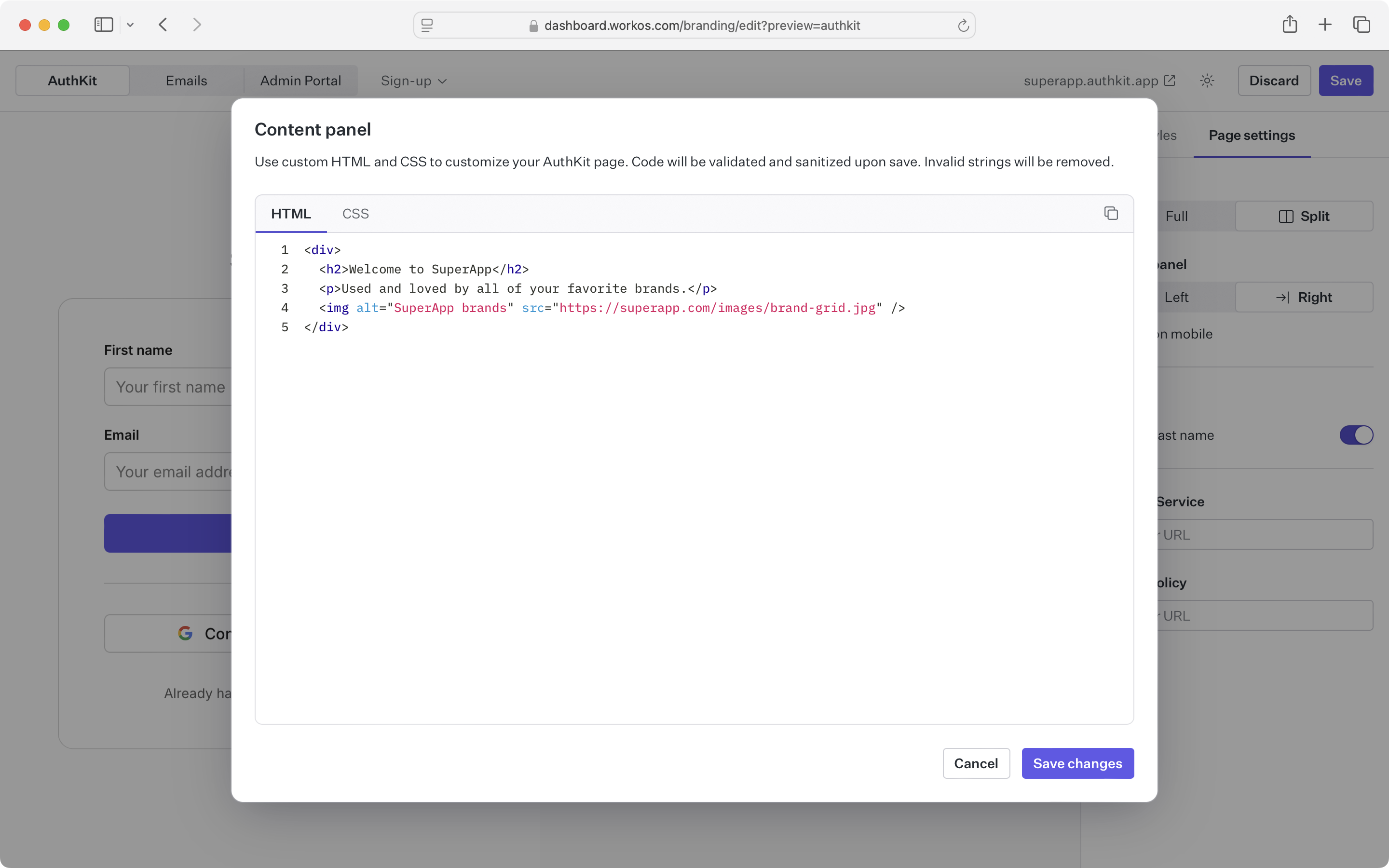
- package/.docs/organized/docs/integrations/gitlab-oauth.mdx +81 -0
- package/.docs/organized/docs/integrations/google-directory-sync.mdx +86 -0
- package/.docs/organized/docs/integrations/google-oauth.mdx +173 -0
- package/.docs/organized/docs/integrations/google-saml.mdx +135 -0
- package/.docs/organized/docs/integrations/hibob.mdx +98 -0
- package/.docs/organized/docs/integrations/jumpcloud-saml.mdx +96 -0
- package/.docs/organized/docs/integrations/jumpcloud-scim.mdx +106 -0
- package/.docs/organized/docs/integrations/keycloak-saml.mdx +128 -0
- package/.docs/organized/docs/integrations/lastpass-saml.mdx +134 -0
- package/.docs/organized/docs/integrations/linkedin-oauth.mdx +77 -0
- package/.docs/organized/docs/integrations/login-gov-oidc.mdx +103 -0
- package/.docs/organized/docs/integrations/microsoft-ad-fs-saml.mdx +96 -0
- package/.docs/organized/docs/integrations/microsoft-oauth.mdx +101 -0
- package/.docs/organized/docs/integrations/miniorange-saml.mdx +124 -0
- package/.docs/organized/docs/integrations/net-iq-saml.mdx +75 -0
- package/.docs/organized/docs/integrations/next-auth.mdx +257 -0
- package/.docs/organized/docs/integrations/oidc.mdx +64 -0
- package/.docs/organized/docs/integrations/okta-saml.mdx +144 -0
- package/.docs/organized/docs/integrations/okta-scim.mdx +210 -0
- package/.docs/organized/docs/integrations/onelogin-saml.mdx +131 -0
- package/.docs/organized/docs/integrations/onelogin-scim.mdx +150 -0
- package/.docs/organized/docs/integrations/oracle-saml.mdx +76 -0
- package/.docs/organized/docs/integrations/pingfederate-saml.mdx +103 -0
- package/.docs/organized/docs/integrations/pingfederate-scim.mdx +150 -0
- package/.docs/organized/docs/integrations/pingone-saml.mdx +86 -0
- package/.docs/organized/docs/integrations/react-native-expo.mdx +93 -0
- package/.docs/organized/docs/integrations/rippling-saml.mdx +174 -0
- package/.docs/organized/docs/integrations/rippling-scim.mdx +148 -0
- package/.docs/organized/docs/integrations/salesforce-saml.mdx +143 -0
- package/.docs/organized/docs/integrations/saml.mdx +64 -0
- package/.docs/organized/docs/integrations/scim.mdx +64 -0
- package/.docs/organized/docs/integrations/sftp.mdx +150 -0
- package/.docs/organized/docs/integrations/shibboleth-generic-saml.mdx +84 -0
- package/.docs/organized/docs/integrations/shibboleth-unsolicited-saml.mdx +84 -0
- package/.docs/organized/docs/integrations/simple-saml-php.mdx +78 -0
- package/.docs/organized/docs/integrations/slack-oauth.mdx +102 -0
- package/.docs/organized/docs/integrations/supabase.mdx +68 -0
- package/.docs/organized/docs/integrations/vmware-saml.mdx +100 -0
- package/.docs/organized/docs/integrations/workday.mdx +156 -0
- package/.docs/organized/docs/integrations/xero-oauth.mdx +83 -0
- package/.docs/organized/docs/magic-link/_navigation.mdx +16 -0
- package/.docs/organized/docs/magic-link/example-apps.mdx +46 -0
- package/.docs/organized/docs/magic-link/index.mdx +199 -0
- package/.docs/organized/docs/magic-link/launch-checklist.mdx +27 -0
- package/.docs/organized/docs/mfa/_navigation.mdx +18 -0
- package/.docs/organized/docs/mfa/example-apps.mdx +46 -0
- package/.docs/organized/docs/mfa/index.mdx +140 -0
- package/.docs/organized/docs/mfa/ux/enrollment.mdx +74 -0
- package/.docs/organized/docs/mfa/ux/sign-in.mdx +30 -0
- package/.docs/organized/docs/migrate/_navigation.mdx +6 -0
- package/.docs/organized/docs/migrate/auth0.mdx +98 -0
- package/.docs/organized/docs/migrate/aws-cognito.mdx +115 -0
- package/.docs/organized/docs/migrate/clerk.mdx +106 -0
- package/.docs/organized/docs/migrate/firebase.mdx +80 -0
- package/.docs/organized/docs/migrate/other-services.mdx +179 -0
- package/.docs/organized/docs/migrate/standalone-sso.mdx +105 -0
- package/.docs/organized/docs/on-prem-deployment.mdx +119 -0
- package/.docs/organized/docs/postman.mdx +90 -0
- package/.docs/organized/docs/reference/_navigation.mdx +527 -0
- package/.docs/organized/docs/reference/admin-portal/index.mdx +6 -0
- package/.docs/organized/docs/reference/admin-portal/portal-link/generate.mdx +268 -0
- package/.docs/organized/docs/reference/admin-portal/portal-link/index.mdx +15 -0
- package/.docs/organized/docs/reference/admin-portal/provider-icons/index.mdx +52 -0
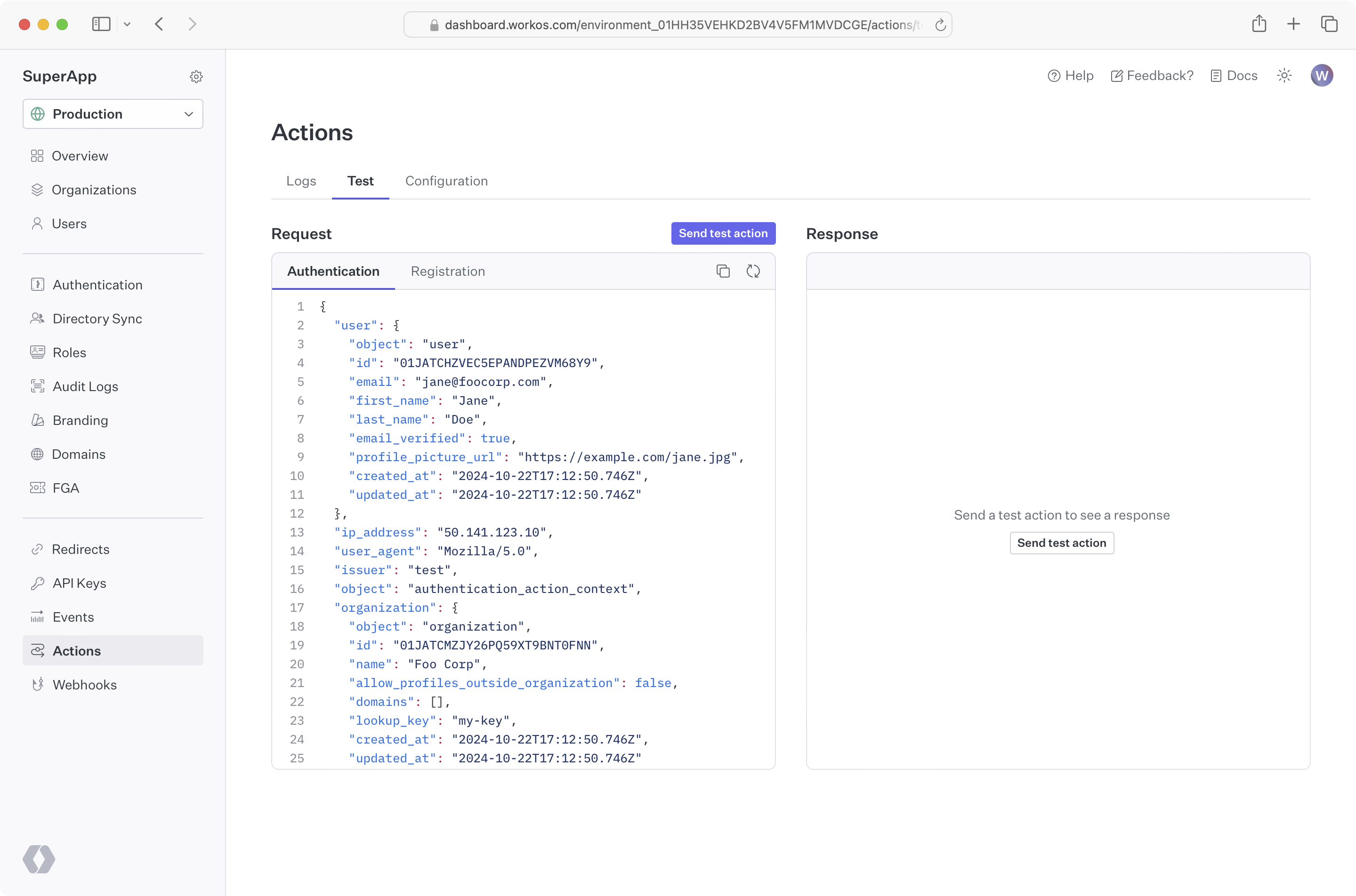
- package/.docs/organized/docs/reference/api-keys.mdx +22 -0
- package/.docs/organized/docs/reference/audit-logs/audit-log-export.mdx +239 -0
- package/.docs/organized/docs/reference/audit-logs/audit-log-schema.mdx +69 -0
- package/.docs/organized/docs/reference/audit-logs/create-event.mdx +673 -0
- package/.docs/organized/docs/reference/audit-logs/create-export.mdx +308 -0
- package/.docs/organized/docs/reference/audit-logs/create-schema.mdx +95 -0
- package/.docs/organized/docs/reference/audit-logs/get-export.mdx +117 -0
- package/.docs/organized/docs/reference/audit-logs/get-retention.mdx +34 -0
- package/.docs/organized/docs/reference/audit-logs/index.mdx +6 -0
- package/.docs/organized/docs/reference/audit-logs/list-actions.mdx +40 -0
- package/.docs/organized/docs/reference/audit-logs/list-schemas.mdx +40 -0
- package/.docs/organized/docs/reference/audit-logs/set-retention.mdx +39 -0
- package/.docs/organized/docs/reference/client-libraries.mdx +19 -0
- package/.docs/organized/docs/reference/directory-sync/directory/delete.mdx +90 -0
- package/.docs/organized/docs/reference/directory-sync/directory/get.mdx +105 -0
- package/.docs/organized/docs/reference/directory-sync/directory/index.mdx +385 -0
- package/.docs/organized/docs/reference/directory-sync/directory/list.mdx +281 -0
- package/.docs/organized/docs/reference/directory-sync/directory-group/get.mdx +105 -0
- package/.docs/organized/docs/reference/directory-sync/directory-group/index.mdx +277 -0
- package/.docs/organized/docs/reference/directory-sync/directory-group/list.mdx +295 -0
- package/.docs/organized/docs/reference/directory-sync/directory-user/get.mdx +112 -0
- package/.docs/organized/docs/reference/directory-sync/directory-user/index.mdx +470 -0
- package/.docs/organized/docs/reference/directory-sync/directory-user/list.mdx +304 -0
- package/.docs/organized/docs/reference/directory-sync/index.mdx +10 -0
- package/.docs/organized/docs/reference/domain-verification/create.mdx +38 -0
- package/.docs/organized/docs/reference/domain-verification/get.mdx +32 -0
- package/.docs/organized/docs/reference/domain-verification/index.mdx +84 -0
- package/.docs/organized/docs/reference/domain-verification/verify.mdx +36 -0
- package/.docs/organized/docs/reference/errors.mdx +30 -0
- package/.docs/organized/docs/reference/events/index.mdx +9 -0
- package/.docs/organized/docs/reference/events/list.mdx +246 -0
- package/.docs/organized/docs/reference/fga/batch-check.mdx +277 -0
- package/.docs/organized/docs/reference/fga/check.mdx +563 -0
- package/.docs/organized/docs/reference/fga/index.mdx +6 -0
- package/.docs/organized/docs/reference/fga/policy/create.mdx +27 -0
- package/.docs/organized/docs/reference/fga/policy/delete.mdx +18 -0
- package/.docs/organized/docs/reference/fga/policy/get.mdx +23 -0
- package/.docs/organized/docs/reference/fga/policy/index.mdx +52 -0
- package/.docs/organized/docs/reference/fga/policy/list.mdx +41 -0
- package/.docs/organized/docs/reference/fga/policy/update.mdx +26 -0
- package/.docs/organized/docs/reference/fga/query.mdx +375 -0
- package/.docs/organized/docs/reference/fga/resource/batch-write.mdx +175 -0
- package/.docs/organized/docs/reference/fga/resource/create.mdx +130 -0
- package/.docs/organized/docs/reference/fga/resource/delete.mdx +86 -0
- package/.docs/organized/docs/reference/fga/resource/get.mdx +88 -0
- package/.docs/organized/docs/reference/fga/resource/index.mdx +98 -0
- package/.docs/organized/docs/reference/fga/resource/list.mdx +188 -0
- package/.docs/organized/docs/reference/fga/resource/update.mdx +115 -0
- package/.docs/organized/docs/reference/fga/resource-type/apply.mdx +35 -0
- package/.docs/organized/docs/reference/fga/resource-type/create.mdx +24 -0
- package/.docs/organized/docs/reference/fga/resource-type/delete.mdx +22 -0
- package/.docs/organized/docs/reference/fga/resource-type/get.mdx +23 -0
- package/.docs/organized/docs/reference/fga/resource-type/index.mdx +68 -0
- package/.docs/organized/docs/reference/fga/resource-type/list.mdx +36 -0
- package/.docs/organized/docs/reference/fga/resource-type/update.mdx +23 -0
- package/.docs/organized/docs/reference/fga/schema/apply.mdx +42 -0
- package/.docs/organized/docs/reference/fga/schema/get.mdx +24 -0
- package/.docs/organized/docs/reference/fga/schema/index.mdx +39 -0
- package/.docs/organized/docs/reference/fga/warrant/batch-write.mdx +226 -0
- package/.docs/organized/docs/reference/fga/warrant/create.mdx +215 -0
- package/.docs/organized/docs/reference/fga/warrant/delete.mdx +212 -0
- package/.docs/organized/docs/reference/fga/warrant/index.mdx +186 -0
- package/.docs/organized/docs/reference/fga/warrant/list.mdx +282 -0
- package/.docs/organized/docs/reference/idempotency.mdx +21 -0
- package/.docs/organized/docs/reference/index.mdx +194 -0
- package/.docs/organized/docs/reference/magic-link/index.mdx +8 -0
- package/.docs/organized/docs/reference/magic-link/passwordless-session/create.mdx +268 -0
- package/.docs/organized/docs/reference/magic-link/passwordless-session/index.mdx +203 -0
- package/.docs/organized/docs/reference/magic-link/passwordless-session/send-email.mdx +158 -0
- package/.docs/organized/docs/reference/mfa/authentication-challenge.mdx +217 -0
- package/.docs/organized/docs/reference/mfa/authentication-factor.mdx +381 -0
- package/.docs/organized/docs/reference/mfa/challenge-factor.mdx +170 -0
- package/.docs/organized/docs/reference/mfa/delete-factor.mdx +93 -0
- package/.docs/organized/docs/reference/mfa/enroll-factor.mdx +241 -0
- package/.docs/organized/docs/reference/mfa/get-factor.mdx +108 -0
- package/.docs/organized/docs/reference/mfa/index.mdx +8 -0
- package/.docs/organized/docs/reference/mfa/verify-challenge.mdx +228 -0
- package/.docs/organized/docs/reference/organization/create.mdx +216 -0
- package/.docs/organized/docs/reference/organization/delete.mdx +89 -0
- package/.docs/organized/docs/reference/organization/get-by-external-id.mdx +40 -0
- package/.docs/organized/docs/reference/organization/get.mdx +104 -0
- package/.docs/organized/docs/reference/organization/index.mdx +274 -0
- package/.docs/organized/docs/reference/organization/list.mdx +258 -0
- package/.docs/organized/docs/reference/organization/update.mdx +236 -0
- package/.docs/organized/docs/reference/organization-domain.mdx +189 -0
- package/.docs/organized/docs/reference/pagination.mdx +244 -0
- package/.docs/organized/docs/reference/radar/attempts/create.mdx +115 -0
- package/.docs/organized/docs/reference/radar/attempts/index.mdx +7 -0
- package/.docs/organized/docs/reference/radar/attempts/update.mdx +34 -0
- package/.docs/organized/docs/reference/radar/index.mdx +8 -0
- package/.docs/organized/docs/reference/radar/lists/delete.mdx +36 -0
- package/.docs/organized/docs/reference/radar/lists/index.mdx +7 -0
- package/.docs/organized/docs/reference/radar/lists/update.mdx +36 -0
- package/.docs/organized/docs/reference/rate-limits.mdx +50 -0
- package/.docs/organized/docs/reference/roles/index.mdx +268 -0
- package/.docs/organized/docs/reference/roles/list-for-organization.mdx +152 -0
- package/.docs/organized/docs/reference/sso/connection/delete.mdx +89 -0
- package/.docs/organized/docs/reference/sso/connection/get.mdx +104 -0
- package/.docs/organized/docs/reference/sso/connection/index.mdx +388 -0
- package/.docs/organized/docs/reference/sso/connection/list.mdx +320 -0
- package/.docs/organized/docs/reference/sso/get-authorization-url/error-codes.mdx +28 -0
- package/.docs/organized/docs/reference/sso/get-authorization-url/index.mdx +434 -0
- package/.docs/organized/docs/reference/sso/get-authorization-url/redirect-uri.mdx +21 -0
- package/.docs/organized/docs/reference/sso/index.mdx +8 -0
- package/.docs/organized/docs/reference/sso/logout/authorize.mdx +47 -0
- package/.docs/organized/docs/reference/sso/logout/index.mdx +14 -0
- package/.docs/organized/docs/reference/sso/logout/redirect.mdx +32 -0
- package/.docs/organized/docs/reference/sso/profile/get-profile-and-token.mdx +229 -0
- package/.docs/organized/docs/reference/sso/profile/get-user-profile.mdx +127 -0
- package/.docs/organized/docs/reference/sso/profile/index.mdx +364 -0
- package/.docs/organized/docs/reference/testing.mdx +8 -0
- package/.docs/organized/docs/reference/user-management/access-token/index.mdx +13 -0
- package/.docs/organized/docs/reference/user-management/authentication/code.mdx +448 -0
- package/.docs/organized/docs/reference/user-management/authentication/email-verification.mdx +359 -0
- package/.docs/organized/docs/reference/user-management/authentication/get-authorization-url/error-codes.mdx +25 -0
- package/.docs/organized/docs/reference/user-management/authentication/get-authorization-url/index.mdx +425 -0
- package/.docs/organized/docs/reference/user-management/authentication/get-authorization-url/pkce.mdx +9 -0
- package/.docs/organized/docs/reference/user-management/authentication/get-authorization-url/redirect-uri.mdx +23 -0
- package/.docs/organized/docs/reference/user-management/authentication/index.mdx +66 -0
- package/.docs/organized/docs/reference/user-management/authentication/magic-auth.mdx +353 -0
- package/.docs/organized/docs/reference/user-management/authentication/organization-selection.mdx +349 -0
- package/.docs/organized/docs/reference/user-management/authentication/password.mdx +350 -0
- package/.docs/organized/docs/reference/user-management/authentication/refresh-and-seal-session-data.mdx +57 -0
- package/.docs/organized/docs/reference/user-management/authentication/refresh-token.mdx +381 -0
- package/.docs/organized/docs/reference/user-management/authentication/session-cookie.mdx +79 -0
- package/.docs/organized/docs/reference/user-management/authentication/totp.mdx +369 -0
- package/.docs/organized/docs/reference/user-management/authentication-errors/email-verification-required-error.mdx +42 -0
- package/.docs/organized/docs/reference/user-management/authentication-errors/index.mdx +20 -0
- package/.docs/organized/docs/reference/user-management/authentication-errors/mfa-challenge-error.mdx +44 -0
- package/.docs/organized/docs/reference/user-management/authentication-errors/mfa-enrollment-error.mdx +37 -0
- package/.docs/organized/docs/reference/user-management/authentication-errors/organization-authentication-required-error.mdx +68 -0
- package/.docs/organized/docs/reference/user-management/authentication-errors/organization-selection-error.mdx +44 -0
- package/.docs/organized/docs/reference/user-management/authentication-errors/sso-required-error.mdx +51 -0
- package/.docs/organized/docs/reference/user-management/email-verification/get.mdx +88 -0
- package/.docs/organized/docs/reference/user-management/email-verification/index.mdx +227 -0
- package/.docs/organized/docs/reference/user-management/identity/index.mdx +74 -0
- package/.docs/organized/docs/reference/user-management/identity/list.mdx +52 -0
- package/.docs/organized/docs/reference/user-management/index.mdx +13 -0
- package/.docs/organized/docs/reference/user-management/invitation/accept.mdx +39 -0
- package/.docs/organized/docs/reference/user-management/invitation/find-by-token.mdx +87 -0
- package/.docs/organized/docs/reference/user-management/invitation/get.mdx +87 -0
- package/.docs/organized/docs/reference/user-management/invitation/index.mdx +374 -0
- package/.docs/organized/docs/reference/user-management/invitation/list.mdx +247 -0
- package/.docs/organized/docs/reference/user-management/invitation/revoke.mdx +90 -0
- package/.docs/organized/docs/reference/user-management/invitation/send.mdx +230 -0
- package/.docs/organized/docs/reference/user-management/logout/get-logout-url-from-session-cookie.mdx +52 -0
- package/.docs/organized/docs/reference/user-management/logout/get-logout-url.mdx +147 -0
- package/.docs/organized/docs/reference/user-management/logout/index.mdx +26 -0
- package/.docs/organized/docs/reference/user-management/magic-auth/create.mdx +148 -0
- package/.docs/organized/docs/reference/user-management/magic-auth/get.mdx +88 -0
- package/.docs/organized/docs/reference/user-management/magic-auth/index.mdx +225 -0
- package/.docs/organized/docs/reference/user-management/mfa/authentication-challenge.mdx +194 -0
- package/.docs/organized/docs/reference/user-management/mfa/authentication-factor.mdx +324 -0
- package/.docs/organized/docs/reference/user-management/mfa/enroll-auth-factor.mdx +296 -0
- package/.docs/organized/docs/reference/user-management/mfa/index.mdx +5 -0
- package/.docs/organized/docs/reference/user-management/mfa/list-auth-factors.mdx +194 -0
- package/.docs/organized/docs/reference/user-management/organization-membership/create.mdx +155 -0
- package/.docs/organized/docs/reference/user-management/organization-membership/deactivate.mdx +106 -0
- package/.docs/organized/docs/reference/user-management/organization-membership/delete.mdx +76 -0
- package/.docs/organized/docs/reference/user-management/organization-membership/get.mdx +95 -0
- package/.docs/organized/docs/reference/user-management/organization-membership/index.mdx +265 -0
- package/.docs/organized/docs/reference/user-management/organization-membership/list.mdx +291 -0
- package/.docs/organized/docs/reference/user-management/organization-membership/reactivate.mdx +106 -0
- package/.docs/organized/docs/reference/user-management/organization-membership/update.mdx +119 -0
- package/.docs/organized/docs/reference/user-management/password-reset/create.mdx +108 -0
- package/.docs/organized/docs/reference/user-management/password-reset/get.mdx +88 -0
- package/.docs/organized/docs/reference/user-management/password-reset/index.mdx +227 -0
- package/.docs/organized/docs/reference/user-management/password-reset/reset-password.mdx +144 -0
- package/.docs/organized/docs/reference/user-management/session-helpers/authenticate.mdx +176 -0
- package/.docs/organized/docs/reference/user-management/session-helpers/get-logout-url.mdx +42 -0
- package/.docs/organized/docs/reference/user-management/session-helpers/index.mdx +14 -0
- package/.docs/organized/docs/reference/user-management/session-helpers/load-sealed-session.mdx +105 -0
- package/.docs/organized/docs/reference/user-management/session-helpers/refresh.mdx +213 -0
- package/.docs/organized/docs/reference/user-management/session-tokens/access-token.mdx +90 -0
- package/.docs/organized/docs/reference/user-management/session-tokens/index.mdx +5 -0
- package/.docs/organized/docs/reference/user-management/session-tokens/jwks.mdx +110 -0
- package/.docs/organized/docs/reference/user-management/session-tokens/refresh-token.mdx +8 -0
- package/.docs/organized/docs/reference/user-management/user/create.mdx +327 -0
- package/.docs/organized/docs/reference/user-management/user/delete.mdx +76 -0
- package/.docs/organized/docs/reference/user-management/user/get-by-external-id.mdx +39 -0
- package/.docs/organized/docs/reference/user-management/user/get.mdx +103 -0
- package/.docs/organized/docs/reference/user-management/user/index.mdx +322 -0
- package/.docs/organized/docs/reference/user-management/user/list.mdx +260 -0
- package/.docs/organized/docs/reference/user-management/user/update.mdx +344 -0
- package/.docs/organized/docs/reference/vault/index.mdx +6 -0
- package/.docs/organized/docs/reference/vault/key/create-data-key.mdx +106 -0
- package/.docs/organized/docs/reference/vault/key/decrypt-data-key.mdx +84 -0
- package/.docs/organized/docs/reference/vault/key/decrypt-data.mdx +52 -0
- package/.docs/organized/docs/reference/vault/key/encrypt-data.mdx +58 -0
- package/.docs/organized/docs/reference/vault/key/index.mdx +25 -0
- package/.docs/organized/docs/reference/vault/object/create.mdx +62 -0
- package/.docs/organized/docs/reference/vault/object/delete.mdx +75 -0
- package/.docs/organized/docs/reference/vault/object/get.mdx +50 -0
- package/.docs/organized/docs/reference/vault/object/index.mdx +174 -0
- package/.docs/organized/docs/reference/vault/object/list.mdx +105 -0
- package/.docs/organized/docs/reference/vault/object/metadata.mdx +52 -0
- package/.docs/organized/docs/reference/vault/object/update.mdx +67 -0
- package/.docs/organized/docs/reference/vault/object/version.mdx +87 -0
- package/.docs/organized/docs/reference/vault/object/versions.mdx +83 -0
- package/.docs/organized/docs/reference/widgets/get-token.mdx +185 -0
- package/.docs/organized/docs/reference/widgets/index.mdx +6 -0
- package/.docs/organized/docs/reference/workos-connect/authorize/index.mdx +75 -0
- package/.docs/organized/docs/reference/workos-connect/index.mdx +33 -0
- package/.docs/organized/docs/reference/workos-connect/introspection/index.mdx +122 -0
- package/.docs/organized/docs/reference/workos-connect/metadata/index.mdx +25 -0
- package/.docs/organized/docs/reference/workos-connect/metadata/oauth-authorization-server/index.mdx +99 -0
- package/.docs/organized/docs/reference/workos-connect/metadata/openid-configuration/index.mdx +70 -0
- package/.docs/organized/docs/reference/workos-connect/token/authorization-code-grant/access-token.mdx +53 -0
- package/.docs/organized/docs/reference/workos-connect/token/authorization-code-grant/id-token.mdx +60 -0
- package/.docs/organized/docs/reference/workos-connect/token/authorization-code-grant/index.mdx +69 -0
- package/.docs/organized/docs/reference/workos-connect/token/client-credentials-grant/access-token.mdx +46 -0
- package/.docs/organized/docs/reference/workos-connect/token/client-credentials-grant/index.mdx +56 -0
- package/.docs/organized/docs/reference/workos-connect/token/index.mdx +39 -0
- package/.docs/organized/docs/reference/workos-connect/token/refresh-token-grant.mdx +69 -0
- package/.docs/organized/docs/reference/workos-connect/userinfo/index.mdx +46 -0
- package/.docs/organized/docs/sdks/dotnet.mdx +6 -0
- package/.docs/organized/docs/sdks/elixir.mdx +6 -0
- package/.docs/organized/docs/sdks/go.mdx +6 -0
- package/.docs/organized/docs/sdks/java.mdx +9 -0
- package/.docs/organized/docs/sdks/laravel.mdx +6 -0
- package/.docs/organized/docs/sdks/node.mdx +9 -0
- package/.docs/organized/docs/sdks/php.mdx +6 -0
- package/.docs/organized/docs/sdks/python.mdx +6 -0
- package/.docs/organized/docs/sdks/ruby.mdx +9 -0
- package/.docs/organized/docs/sso/_navigation.mdx +44 -0
- package/.docs/organized/docs/sso/_sequence-diagrams/saml-protocol-security-considerations.md +59 -0
- package/.docs/organized/docs/sso/attributes.mdx +110 -0
- package/.docs/organized/docs/sso/domains.mdx +111 -0
- package/.docs/organized/docs/sso/example-apps.mdx +46 -0
- package/.docs/organized/docs/sso/identity-provider-role-assignment.mdx +113 -0
- package/.docs/organized/docs/sso/index.mdx +295 -0
- package/.docs/organized/docs/sso/it-team-faq.mdx +35 -0
- package/.docs/organized/docs/sso/jit-provisioning.mdx +101 -0
- package/.docs/organized/docs/sso/launch-checklist.mdx +71 -0
- package/.docs/organized/docs/sso/login-flows.mdx +101 -0
- package/.docs/organized/docs/sso/redirect-uris.mdx +44 -0
- package/.docs/organized/docs/sso/saml-security.mdx +122 -0
- package/.docs/organized/docs/sso/signing-certificates.mdx +121 -0
- package/.docs/organized/docs/sso/single-logout.mdx +45 -0
- package/.docs/organized/docs/sso/test-sso.mdx +73 -0
- package/.docs/organized/docs/sso/ux/sign-in.mdx +44 -0
- package/.docs/organized/docs/user-management/_navigation.mdx +87 -0
- package/.docs/organized/docs/user-management/actions.mdx +169 -0
- package/.docs/organized/docs/user-management/authkit.mdx +69 -0
- package/.docs/organized/docs/user-management/branding.mdx +143 -0
- package/.docs/organized/docs/user-management/connect.mdx +110 -0
- package/.docs/organized/docs/user-management/custom-emails.mdx +164 -0
- package/.docs/organized/docs/user-management/directory-provisioning.mdx +78 -0
- package/.docs/organized/docs/user-management/domain-verification.mdx +28 -0
- package/.docs/organized/docs/user-management/email-password.mdx +42 -0
- package/.docs/organized/docs/user-management/email-verification.mdx +29 -0
- package/.docs/organized/docs/user-management/entitlements.mdx +46 -0
- package/.docs/organized/docs/user-management/example-apps.mdx +39 -0
- package/.docs/organized/docs/user-management/identity-linking.mdx +52 -0
- package/.docs/organized/docs/user-management/impersonation.mdx +82 -0
- package/.docs/organized/docs/user-management/index.mdx +525 -0
- package/.docs/organized/docs/user-management/invitations.mdx +60 -0
- package/.docs/organized/docs/user-management/invite-only-signup.mdx +72 -0
- package/.docs/organized/docs/user-management/jit-provisioning.mdx +36 -0
- package/.docs/organized/docs/user-management/jwt-templates.mdx +278 -0
- package/.docs/organized/docs/user-management/magic-auth.mdx +36 -0
- package/.docs/organized/docs/user-management/mcp.mdx +146 -0
- package/.docs/organized/docs/user-management/metadata.mdx +119 -0
- package/.docs/organized/docs/user-management/mfa.mdx +32 -0
- package/.docs/organized/docs/user-management/migrations.mdx +20 -0
- package/.docs/organized/docs/user-management/modeling-your-app.mdx +149 -0
- package/.docs/organized/docs/user-management/organization-policies.mdx +33 -0
- package/.docs/organized/docs/user-management/overview.mdx +46 -0
- package/.docs/organized/docs/user-management/passkeys.mdx +42 -0
- package/.docs/organized/docs/user-management/radar.mdx +127 -0
- package/.docs/organized/docs/user-management/roles-and-permissions.mdx +155 -0
- package/.docs/organized/docs/user-management/sessions.mdx +101 -0
- package/.docs/organized/docs/user-management/social-login.mdx +34 -0
- package/.docs/organized/docs/user-management/sso-with-contractors.mdx +85 -0
- package/.docs/organized/docs/user-management/sso.mdx +96 -0
- package/.docs/organized/docs/user-management/users-organizations.mdx +91 -0
- package/.docs/organized/docs/user-management/widgets.mdx +190 -0
- package/.docs/organized/docs/vault/_navigation.mdx +14 -0
- package/.docs/organized/docs/vault/index.mdx +38 -0
- package/.docs/organized/docs/vault/key-context.mdx +32 -0
- package/.docs/organized/docs/vault/quick-start.mdx +82 -0
- package/README.md +252 -0
- package/dist/chunk-64GKEK6G.js +48 -0
- package/dist/chunk-64GKEK6G.js.map +1 -0
- package/dist/get-tools.d.ts +23 -0
- package/dist/get-tools.js +8 -0
- package/dist/get-tools.js.map +1 -0
- package/dist/index.d.ts +1 -0
- package/dist/index.js +552 -0
- package/dist/index.js.map +1 -0
- package/dist/prepare.d.ts +2 -0
- package/dist/prepare.js +269 -0
- package/dist/prepare.js.map +1 -0
- package/package.json +49 -0
|
@@ -0,0 +1,169 @@
|
|
|
1
|
+
---
|
|
2
|
+
title: Actions
|
|
3
|
+
description: Customize authentication flows with your own logic.
|
|
4
|
+
showNextPage: true
|
|
5
|
+
featureFlag: actions-docs
|
|
6
|
+
originalPath: .tmp-workos-clone/packages/docs/content/user-management/actions.mdx
|
|
7
|
+
---
|
|
8
|
+
|
|
9
|
+
## Introduction
|
|
10
|
+
|
|
11
|
+
Actions allow you to change the behavior of various flows within the WorkOS platform including user registration and authentication using your own custom logic.
|
|
12
|
+
|
|
13
|
+
When an action is configured for a particular request type, WorkOS synchronously calls the associated action endpoint and waits for a response that allows or denies the operation. When WorkOS calls an actions endpoint, the request includes contextual metadata such as the profile of the user performing the operation, the organization associated with the operation, or the IP address, all of which you can use for decisioning within the endpoint.
|
|
14
|
+
|
|
15
|
+
### Action types
|
|
16
|
+
|
|
17
|
+
WorkOS allows you to configure actions that execute during various user operations:
|
|
18
|
+
|
|
19
|
+
- **Authentication**: Authentication actions run after a user completes Email + Password, Magic Auth authentication, SSO, or Social Login and before they are redirected to your application.
|
|
20
|
+
- **User registration**: User registration actions run after a user attempts to register for your application using Email + Password, Magic Auth sign up, SSO, or Social Login and before they are provisioned.
|
|
21
|
+
|
|
22
|
+
## Configuring actions
|
|
23
|
+
|
|
24
|
+
To configure actions, you'll need to:
|
|
25
|
+
|
|
26
|
+
- Host an actions endpoint that receive requests from WorkOS
|
|
27
|
+
- Register your endpoints with WorkOS
|
|
28
|
+
- Implement the custom logic of your endpoint
|
|
29
|
+
- Test your endpoints
|
|
30
|
+
|
|
31
|
+
## Set up your endpoint
|
|
32
|
+
|
|
33
|
+
Create a public endpoint that WorkOS can make requests to. This endpoint should use HTTPS and should accept POST requests with the `workos-signature` header. This header is used for verifying the request's authenticity from WorkOS.
|
|
34
|
+
|
|
35
|
+
<CodeBlock>
|
|
36
|
+
<CodeBlockTab language="js" file="actions-endpoint-next" title="Next.js" />
|
|
37
|
+
<CodeBlockTab language="js" file="actions-endpoint-express" title="Express" />
|
|
38
|
+
</CodeBlock>
|
|
39
|
+
|
|
40
|
+
> WorkOS sends the header as `WorkOS-Signature`, but many web servers normalize HTTP request headers to their lowercase variants.
|
|
41
|
+
|
|
42
|
+
---
|
|
43
|
+
|
|
44
|
+
## Register your endpoint
|
|
45
|
+
|
|
46
|
+
Set the actions endpoint URL in the [WorkOS Dashboard](https://dashboard.workos.com/). Set _Enable action_ and choose **Save changes**.
|
|
47
|
+
|
|
48
|
+
|
|
49
|
+
|
|
50
|
+
### Choosing error handling behavior
|
|
51
|
+
|
|
52
|
+
Each actions endpoint must specify its error handling behavior. By default, if there is an issue reaching your endpoint or validating the response, WorkOS will deny the operation. If this is not the desired behavior for your use case, you can choose a different behavior depending on the action endpoint type; for example, for authentication actions, you can choose _Allow authentication_.
|
|
53
|
+
|
|
54
|
+
---
|
|
55
|
+
|
|
56
|
+
## Implement your endpoint
|
|
57
|
+
|
|
58
|
+
Upon receiving a request, you should respond with an `HTTP 200 OK` as well as a valid response body to signal to WorkOS that the request was successfully handled.
|
|
59
|
+
|
|
60
|
+
### (A) Validate the requests using the SDK
|
|
61
|
+
|
|
62
|
+
Before processing the request payload, verify the request was sent by WorkOS and not an unknown party.
|
|
63
|
+
|
|
64
|
+
WorkOS includes a unique signature in each actions request that it sends, allowing you to verify the authenticity of the request. In order to verify this signature, you must obtain the secret that is generated for you when you set up your actions endpoint in the WorkOS dashboard. Ensure that this secret is stored securely on your actions endpoint server as an environment variable.
|
|
65
|
+
|
|
66
|
+
The SDKs provide a method to validate the timestamp and signature of an actions. Examples using these methods are included below. The parameters are the payload (raw request body), the request header, and the actions secret.
|
|
67
|
+
|
|
68
|
+
<CodeBlock title="Actions validation">
|
|
69
|
+
<CodeBlockTab language="js" file="actions-validation-next" title="Next.js" />
|
|
70
|
+
<CodeBlockTab
|
|
71
|
+
language="js"
|
|
72
|
+
file="actions-validation-express"
|
|
73
|
+
title="Express"
|
|
74
|
+
/>
|
|
75
|
+
</CodeBlock>
|
|
76
|
+
|
|
77
|
+
There is an optional parameter, tolerance, that sets the time validation for the actions request in seconds. The SDK methods have default values for tolerance, usually 3–5 minutes.
|
|
78
|
+
|
|
79
|
+
### (B) Validate the requests manually
|
|
80
|
+
|
|
81
|
+
If implementing actions request validation yourself, you’ll need to use the following steps:
|
|
82
|
+
|
|
83
|
+
First, extract the timestamp and signature from the header. There are two values to parse from the `WorkOS-Signature` header, delimited by a `,` character.
|
|
84
|
+
|
|
85
|
+
| Key | Value |
|
|
86
|
+
| ------------------ | ----------------------------------------------------------------------------------------------- |
|
|
87
|
+
| `issued_timestamp` | The number of milliseconds since the epoch time at which the event was issued, prefixed by `t=` |
|
|
88
|
+
| `signature_hash` | The HMAC SHA256 hashed signature for the request, prefixed by `v1=` |
|
|
89
|
+
|
|
90
|
+
To avoid replay attacks, we suggest validating that the `issued_timestamp` does not differ too much from the current time.
|
|
91
|
+
|
|
92
|
+
Next, construct the expected signature. The expected signature is computed from the concatenation of:
|
|
93
|
+
|
|
94
|
+
1. `issued_timestamp`
|
|
95
|
+
2. The `.` character
|
|
96
|
+
3. The request’s body as a utf-8 decoded string
|
|
97
|
+
|
|
98
|
+
Hash the string using HMAC SHA256, using the actions secret as the key. The expected signature will be the hex digest of the hash. Finally, compare signatures to make sure the actions request is valid.
|
|
99
|
+
|
|
100
|
+
Once you’ve determined the event request is validly signed, it’s safe to use the event payload in your application’s business logic.
|
|
101
|
+
|
|
102
|
+
### Create an IP allowlist
|
|
103
|
+
|
|
104
|
+
WorkOS sends actions requests from a fixed set of IP addresses. It’s recommended to restrict access to your actions endpoint to only these IP addresses:
|
|
105
|
+
|
|
106
|
+
```plain title="WorkOS IP addresses"
|
|
107
|
+
3.217.146.166
|
|
108
|
+
23.21.184.92
|
|
109
|
+
34.204.154.149
|
|
110
|
+
44.213.245.178
|
|
111
|
+
44.215.236.82
|
|
112
|
+
50.16.203.9
|
|
113
|
+
52.1.251.34
|
|
114
|
+
52.21.49.187
|
|
115
|
+
174.129.36.47
|
|
116
|
+
```
|
|
117
|
+
|
|
118
|
+
---
|
|
119
|
+
|
|
120
|
+
## Build the endpoint response
|
|
121
|
+
|
|
122
|
+
The endpoint must respond with a signed JSON object indicating a `verdict` of `Allow` or `Deny` as well as an optional `error_message` in the event the `verdict` is `Deny`.
|
|
123
|
+
|
|
124
|
+
Based on the payload data received, you can determine whether to allow or deny the operation. Each action type receives a different payload model, so be sure to handle the appropriate data in your handler.
|
|
125
|
+
|
|
126
|
+
### (A) Respond using the SDK
|
|
127
|
+
|
|
128
|
+
The SDK provides a method to create the signed response.
|
|
129
|
+
|
|
130
|
+
<CodeBlock title="Actions response">
|
|
131
|
+
<CodeBlockTab language="js" file="actions-response-next" title="Next.js" />
|
|
132
|
+
<CodeBlockTab language="js" file="actions-response-express" title="Express" />
|
|
133
|
+
</CodeBlock>
|
|
134
|
+
|
|
135
|
+
### (B) Respond manually
|
|
136
|
+
|
|
137
|
+
If implementing the construction of the actions response yourself, you’ll need to use the following steps:
|
|
138
|
+
|
|
139
|
+
First, store the current epoch timestamp to a variable.
|
|
140
|
+
|
|
141
|
+
Next, construct the JSON response. The JSON response must contain the following:
|
|
142
|
+
|
|
143
|
+
- `timestamp`: The epoch timestamp you recorded
|
|
144
|
+
- `verdict`: Indicates whether to allow or deny the action. Allowed values: `'Allow' | 'Deny' | 'allow' | 'deny'`
|
|
145
|
+
- `error_message`: An optional, 500 character maximum string. This should only be provided with a `verdict` of `deny` or `Deny`
|
|
146
|
+
|
|
147
|
+
Next, construct the signature. The expected signature is computed from the concatenation of:
|
|
148
|
+
|
|
149
|
+
1. The current epoch timestamp
|
|
150
|
+
2. The `.` character
|
|
151
|
+
3. The JSON response body as a utf-8 encoded string
|
|
152
|
+
|
|
153
|
+
Hash the string using HMAC SHA256, using the actions secret as the key. The expected signature will be the hex digest of the hash.
|
|
154
|
+
|
|
155
|
+
Finally, the endpoint should respond with a JSON object containing the following properties:
|
|
156
|
+
|
|
157
|
+
- `object`: `'authentication_action_response' | 'user_registration_action_response'`
|
|
158
|
+
- `payload`: The JSON response you formed above
|
|
159
|
+
- `signature` The hex digest of the hash you created above
|
|
160
|
+
|
|
161
|
+
## Test your endpoint
|
|
162
|
+
|
|
163
|
+
From the dashboard, you can send test actions after configuring an endpoint. Go to the actions _Test_ tab and click the **Send test action** button.
|
|
164
|
+
|
|
165
|
+
|
|
166
|
+
|
|
167
|
+
If you would like to test against your local development environment, we recommend using a tool like [ngrok](https://ngrok.com) to create a secure tunnel to your local machine, and sending test webhooks to the public endpoint generated with ngrok. See our [blog post](https://workos.com/blog/test-workos-webhooks-locally-ngrok) to get more details on how you may want to test webhooks locally with ngrok.
|
|
168
|
+
|
|
169
|
+
---
|
|
@@ -0,0 +1,69 @@
|
|
|
1
|
+
---
|
|
2
|
+
title: AuthKit
|
|
3
|
+
description: >-
|
|
4
|
+
Customizable sign-in UI that abstracts away all of the complexity associated
|
|
5
|
+
with building secure authentication flows.
|
|
6
|
+
showNextPage: true
|
|
7
|
+
originalPath: .tmp-workos-clone/packages/docs/content/user-management/authkit.mdx
|
|
8
|
+
---
|
|
9
|
+
|
|
10
|
+
## Introduction
|
|
11
|
+
|
|
12
|
+
Implementing authentication flows that handle every possible error state and edge case across multiple identity providers can be a daunting task. AuthKit makes this easy by providing a hosted, pre-built, customizable authentication UI with automatic handling of:
|
|
13
|
+
|
|
14
|
+
- Sign up, sign in, password reset, and [email verification](/user-management/email-verification) flows.
|
|
15
|
+
- Enterprise [SSO](/user-management/sso) routing and [MFA](/user-management/mfa) enrollment.
|
|
16
|
+
- Automatic bot detection and blocking, to protect against brute force attacks.
|
|
17
|
+
- Customizable [domain](/custom-domains/authkit) and [branding](/user-management/branding).
|
|
18
|
+
|
|
19
|
+
|
|
20
|
+
|
|
21
|
+
## Authentication flow
|
|
22
|
+
|
|
23
|
+
AuthKit is conceptually similar to a [Social Login (OAuth)](/user-management/social-login) experience, but with the added benefit of being able to authenticate users with any identity provider.
|
|
24
|
+
|
|
25
|
+
AuthKit sits outside of your application code. When a user initiates a sign-in request, your application redirects them to the AuthKit URL. The user then completes the authentication process with WorkOS before being returned to the application.
|
|
26
|
+
|
|
27
|
+
Your application will exchange the resulting authorization code to retrieve an authenticated [User object](/reference/user-management/user) and handle the session.
|
|
28
|
+
|
|
29
|
+
[border=false]
|
|
30
|
+
|
|
31
|
+
> The AuthKit flow abstracts away many of the UX and WorkOS API calling concerns automatically, for more guidance on integrating with AuthKit, see the [Quick Start](/user-management) guide.
|
|
32
|
+
|
|
33
|
+
AuthKit also provides a signup flow for creating users. Available options are determined by the configured [authentication methods](/user-management/authkit/authentication-methods). If a user’s email address is associated with an SSO connection, they will automatically be redirected to sign up via their IdP.
|
|
34
|
+
|
|
35
|
+
## Authentication methods
|
|
36
|
+
|
|
37
|
+
AuthKit supports all of the authentication methods available in WorkOS User Management and will automatically adjust the available options depending on the configured methods in the _Authentication_ section of the [WorkOS Dashboard](https://dashboard.workos.com).
|
|
38
|
+
|
|
39
|
+
|
|
40
|
+
|
|
41
|
+
Email + Password authentication is enabled by default, though set up may be required to enable additional methods. See the relevant feature section for more information:
|
|
42
|
+
|
|
43
|
+
- [Single Sign-On](/user-management/sso)
|
|
44
|
+
- [Email + Password](/user-management/email-password)
|
|
45
|
+
- [Social Login](/user-management/social-login)
|
|
46
|
+
- [Multi-Factor Auth](/user-management/mfa)
|
|
47
|
+
- [Magic Auth](/user-management/magic-auth)
|
|
48
|
+
|
|
49
|
+
## Custom OAuth static scopes
|
|
50
|
+
|
|
51
|
+
AuthKit offers support for custom OAuth static scopes for both Google and Microsoft integrations. This allows you to request specific permissions when accessing user profile data from these providers. For instance, requesting access to read Google Calendar events or retrieve emails from a Microsoft account.
|
|
52
|
+
|
|
53
|
+
> This feature is currently available in a restricted preview. [Contact us](mailto:support@workos.com) for additional details.
|
|
54
|
+
|
|
55
|
+
---
|
|
56
|
+
|
|
57
|
+
## Integrating
|
|
58
|
+
|
|
59
|
+
Integration into your app is quick and easy, though the route you choose varies depending on your specific requirements:
|
|
60
|
+
|
|
61
|
+
### (A) Integrate with AuthKit
|
|
62
|
+
|
|
63
|
+
In just a few lines of code, you can add AuthKit to your app and start authenticating users. See the [quick start](/user-management) guide for more information.
|
|
64
|
+
|
|
65
|
+
### (B) Build your own authentication flows
|
|
66
|
+
|
|
67
|
+
While the hosted solution is the fastest way to get started, if you’d prefer to build and manage your own authentication UI, you can do so via the [User Management API](/reference/user-management).
|
|
68
|
+
|
|
69
|
+
Examples of building custom UI are [available on GitHub](https://github.com/workos/authkit).
|
|
@@ -0,0 +1,143 @@
|
|
|
1
|
+
---
|
|
2
|
+
title: Branding
|
|
3
|
+
description: Customize AuthKit to fit natively with your app’s unique design.
|
|
4
|
+
showNextPage: true
|
|
5
|
+
originalPath: .tmp-workos-clone/packages/docs/content/user-management/branding.mdx
|
|
6
|
+
---
|
|
7
|
+
|
|
8
|
+
## Introduction
|
|
9
|
+
|
|
10
|
+
You can customize the look and feel of AuthKit via the _Branding_ section of the [WorkOS Dashboard](https://dashboard.workos.com/branding).
|
|
11
|
+
|
|
12
|
+
The brand editor allows you to:
|
|
13
|
+
|
|
14
|
+
- Upload logos and favicons
|
|
15
|
+
- Set brand colors for buttons, links, and backgrounds
|
|
16
|
+
- Manage visual properties such as page layouts, corner radius, and dark mode appearance
|
|
17
|
+
- Include custom ad copy, images, and links to your app’s terms-of-service and privacy policy
|
|
18
|
+
|
|
19
|
+
The AuthKit preview will update in real-time as you make changes and accurately reflect the available authentication methods, giving you a clear picture of the authentication experience with AuthKit.
|
|
20
|
+
|
|
21
|
+
|
|
22
|
+
|
|
23
|
+
## Custom domains
|
|
24
|
+
|
|
25
|
+
WorkOS supports custom domains for both email and [ACS URLs](/glossary/acs-url). For for information, see the [custom domains documentation](/custom-domains).
|
|
26
|
+
|
|
27
|
+
## Appearance
|
|
28
|
+
|
|
29
|
+
AuthKit supports both light and dark mode; each brand configuration option is split across both so that they can be configured independently. You can enforce a specific appearance, or allow the user’s OS system settings to determine which to use.
|
|
30
|
+
|
|
31
|
+
The corner radius applied to UI elements can also be configured; a lower value will result in a more formal aesthetic while a higher value has a more rounded, playful feel.
|
|
32
|
+
|
|
33
|
+
|
|
34
|
+
|
|
35
|
+
## Assets
|
|
36
|
+
|
|
37
|
+
You can upload custom brand assets to display in AuthKit, transactional emails, and the [Admin Portal](/admin-portal).
|
|
38
|
+
|
|
39
|
+
|
|
40
|
+
|
|
41
|
+
There are three types of assets you can upload:
|
|
42
|
+
|
|
43
|
+
1. **Logo:** Your full size brand logo, styles vary but this would typically include the wordmark. Must be at least 160x160 px (JPG, PNG, or SVG. 100 KB max size)
|
|
44
|
+
2. **Logo icon:** A smaller, square version of the logo. This is often simply the logomark. Must be at least 160x160 px with a 1:1 aspect ratio (JPG, PNG, or SVG. 100 KB max size)
|
|
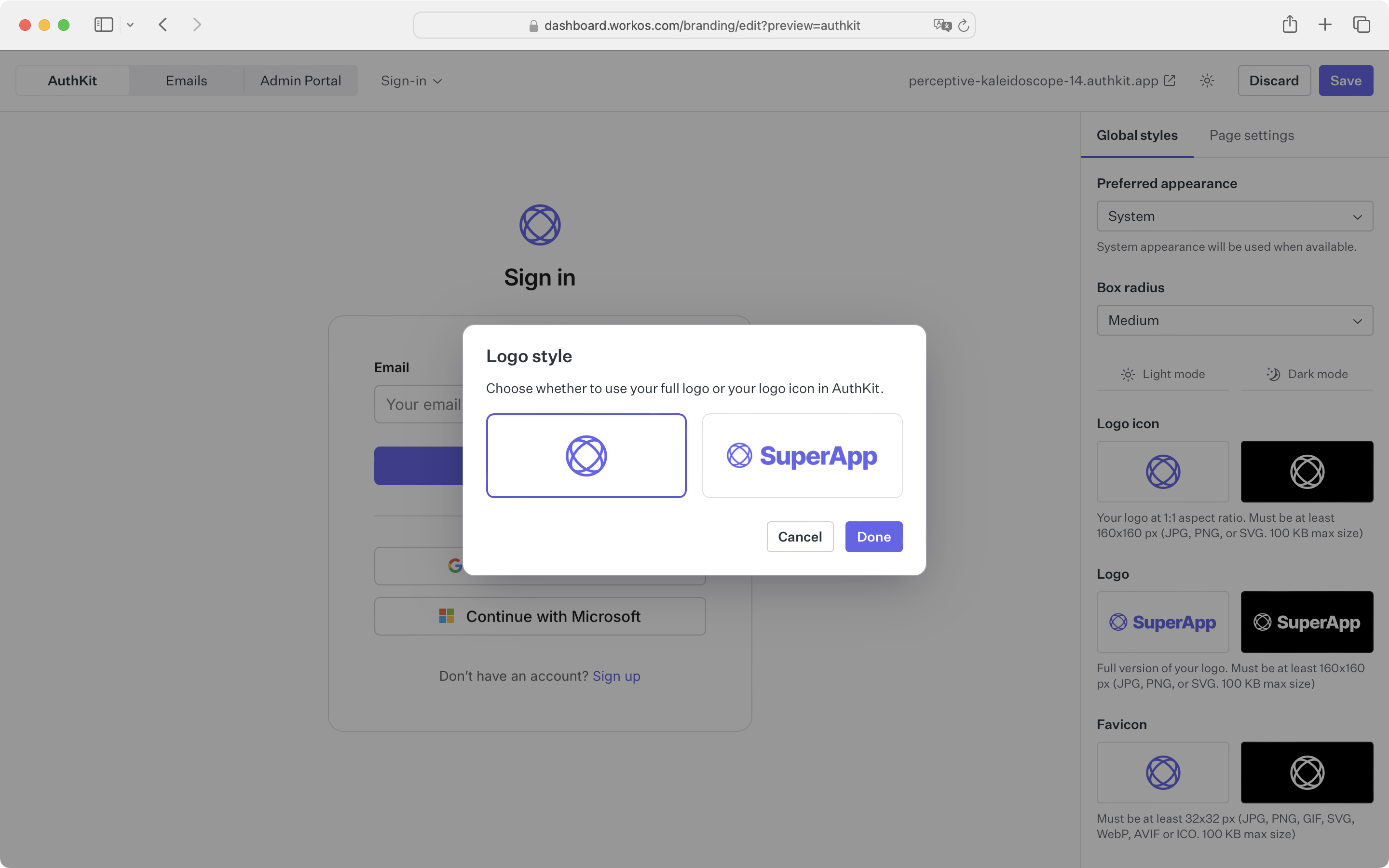
45
|
+
3. **Favicon:** A small icon that serves as branding for your website. It is often displayed in the browser tab alongside the address bar. Must be at least 32x32 px with a 1:1 aspect ratio (JPG, PNG, GIF, SVG, WebP, AVIF, or ICO. 100 KB max size)
|
|
46
|
+
|
|
47
|
+
### Logo style
|
|
48
|
+
|
|
49
|
+
Either the logo or the logo icon can be displayed in AuthKit. To select which to use, click the logo in the AuthKit preview after uploading both assets.
|
|
50
|
+
|
|
51
|
+
|
|
52
|
+
|
|
53
|
+
## Color
|
|
54
|
+
|
|
55
|
+
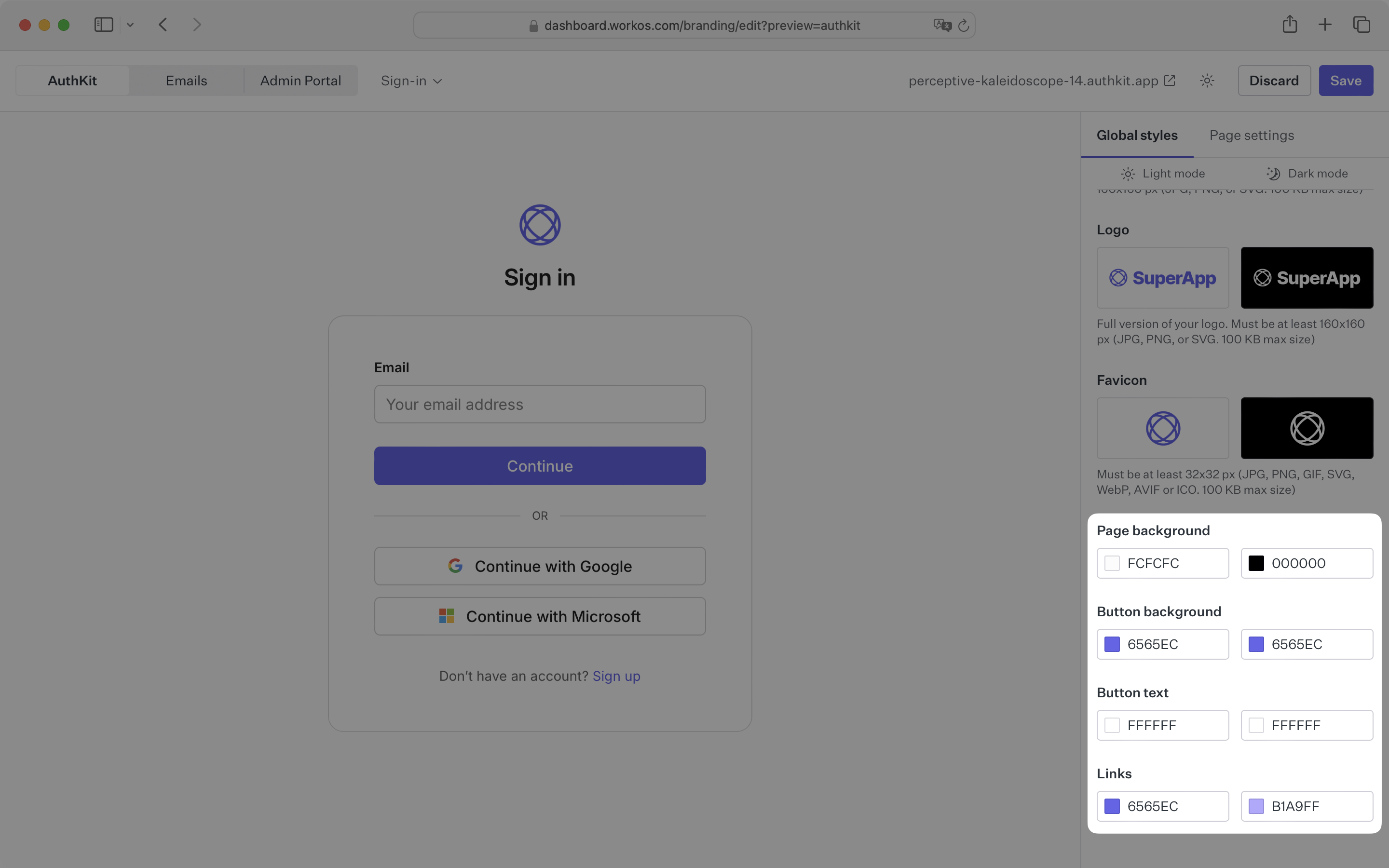
You can control four colors across light and dark mode:
|
|
56
|
+
|
|
57
|
+
- Page background color
|
|
58
|
+
- Button background colors
|
|
59
|
+
- Button text color
|
|
60
|
+
- Link color
|
|
61
|
+
|
|
62
|
+
Other colors used in the UI, like the focus outline, hover styles, or borders, are created automatically based on the four colors you provide, ensuring a consistent look and feel.
|
|
63
|
+
|
|
64
|
+
|
|
65
|
+
|
|
66
|
+
## Copy
|
|
67
|
+
|
|
68
|
+
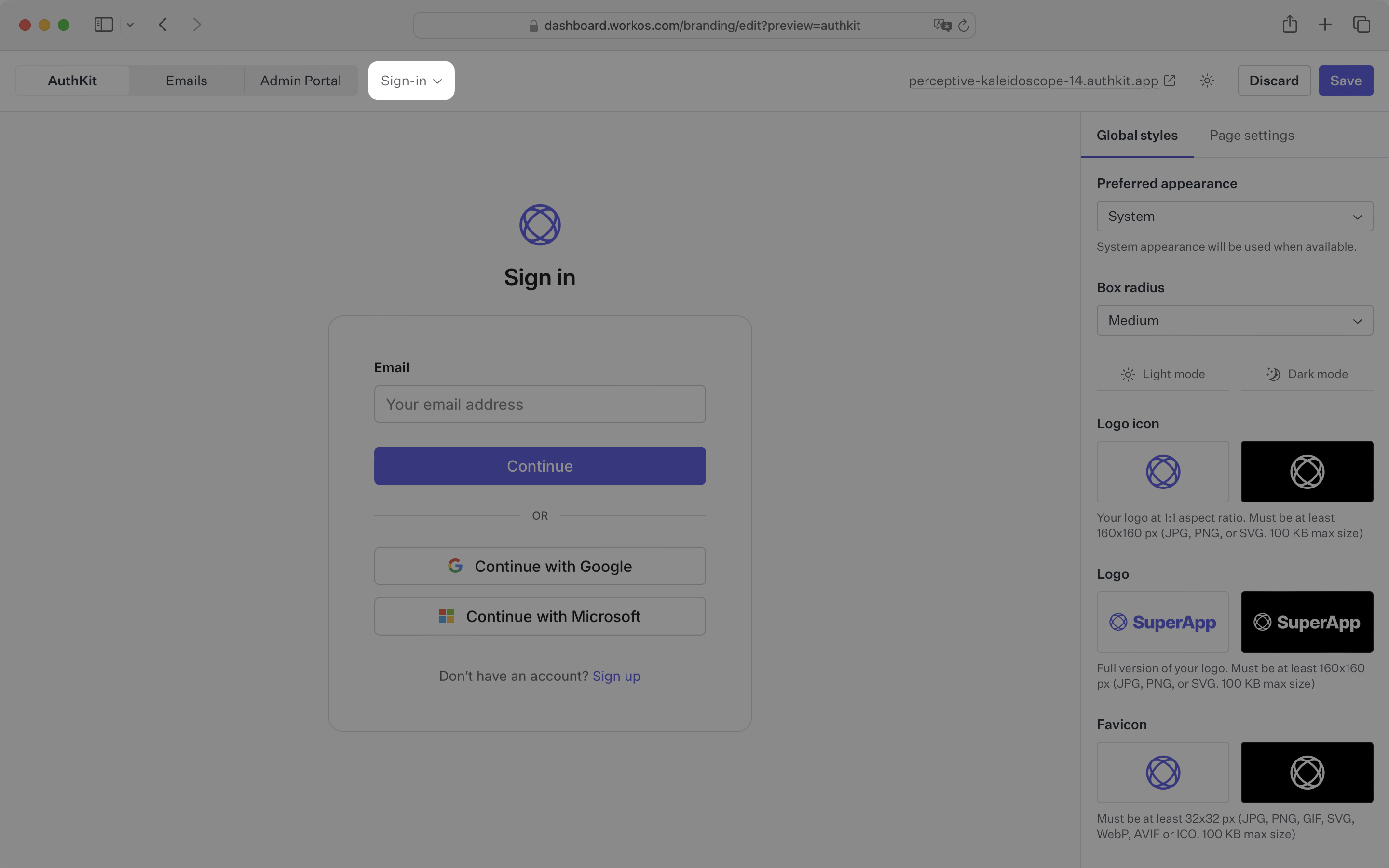
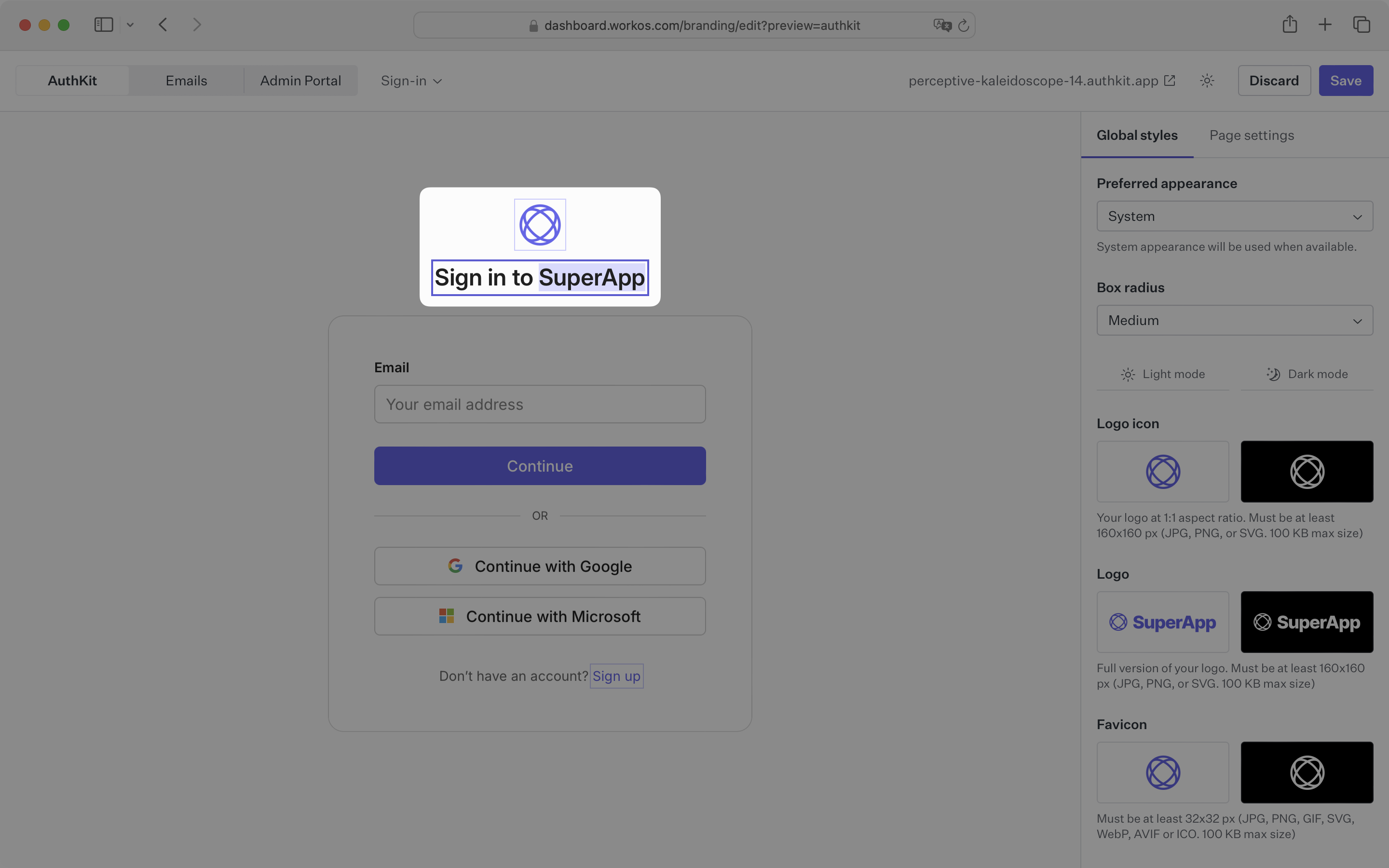
The page title and alternate action link text on AuthKit pages can be customized to fit your brand’s tone of voice. They can be edited directly inside the AuthKit preview pane.
|
|
69
|
+
|
|
70
|
+
> An _alternate action_ refers to the action a user will take to navigate between AuthKit pages. For example, if a user is on the sign-in page and they don’t have an account, the alternate action will navigate to the signup page.
|
|
71
|
+
|
|
72
|
+
Start by selecting the page you want to edit. Then, click on the text you want to change from the preview pane.
|
|
73
|
+
|
|
74
|
+
|
|
75
|
+
|
|
76
|
+
|
|
77
|
+
|
|
78
|
+
## Page settings
|
|
79
|
+
|
|
80
|
+
AuthKit pages can optionally display a link to your app’s privacy policy and/or terms-of-service. The link will then appear below the authentication form.
|
|
81
|
+
|
|
82
|
+
AuthKit also allows you to choose whether or not first name and last names are required when signing up. To toggle either of these, select the _Page Settings_ panel and update the respective field.
|
|
83
|
+
|
|
84
|
+
|
|
85
|
+
|
|
86
|
+
## Page layout
|
|
87
|
+
|
|
88
|
+
The layout for AuthKit pages can be customized to fit your brand’s needs. You can choose between a centered, one-column layout, or a two-column layout using [custom HTML and CSS](#custom-code-details-and-limitations) for the secondary column.
|
|
89
|
+
|
|
90
|
+
|
|
91
|
+
|
|
92
|
+
### Split layouts
|
|
93
|
+
|
|
94
|
+
Split page layouts allow you to add a secondary panel on AuthKit pages that can be customized with HTML and CSS. This can be used to display marketing content or decorative elements on the page.
|
|
95
|
+
|
|
96
|
+
To enable this feature, select the page you want to customize. Then, select the _Split_ layout option under _Page Settings_. The secondary panel can be displayed to the left or right of the primary panel, and optionally hidden on mobile devices.
|
|
97
|
+
|
|
98
|
+
|
|
99
|
+
|
|
100
|
+
Click on the secondary column from the preview pane. This will open a dialog where you can enter your HTML and CSS.
|
|
101
|
+
|
|
102
|
+
|
|
103
|
+
|
|
104
|
+
### Custom code details and limitations
|
|
105
|
+
|
|
106
|
+
Any HTML and CSS entered into the custom code dialog will only be applied to the secondary column of the selected page. This allows you a high level of flexibility without impacting content elsewhere on the page.
|
|
107
|
+
|
|
108
|
+
For security purposes, all code input is sanitized and stripped of any potentially harmful elements. This means that you can’t use JavaScript or any other dynamic content in your HTML. This includes `script`, `iframe`, `form`, and `object` elements—as well as inline event handlers for any elements.
|
|
109
|
+
|
|
110
|
+
For example, the following code will be sanitized from this:
|
|
111
|
+
|
|
112
|
+
```html
|
|
113
|
+
<h1 onclick="onClick()">Welcome to SuperApp</h1>
|
|
114
|
+
<script>
|
|
115
|
+
const onClick = () => alert('Warning!');
|
|
116
|
+
</script>
|
|
117
|
+
```
|
|
118
|
+
|
|
119
|
+
…to this:
|
|
120
|
+
|
|
121
|
+
```html
|
|
122
|
+
<h1>Welcome to SuperApp</h1>
|
|
123
|
+
```
|
|
124
|
+
|
|
125
|
+
HTML `style` elements will also be removed to prevent overriding any content outside of the secondary panel. All custom CSS should be entered into the CSS editor.
|
|
126
|
+
|
|
127
|
+
CSS selectors will be scoped to the secondary column via [CSS nesting](https://developer.mozilla.org/en-US/docs/Web/CSS/CSS_nesting/Using_CSS_nesting). For compatibility with older browsers, we use a light transform step to convert the nested CSS to a flat structure.
|
|
128
|
+
|
|
129
|
+
For example, the following CSS will be transformed from this:
|
|
130
|
+
|
|
131
|
+
```css
|
|
132
|
+
h1 {
|
|
133
|
+
color: var(--primary-color);
|
|
134
|
+
}
|
|
135
|
+
```
|
|
136
|
+
|
|
137
|
+
…to this:
|
|
138
|
+
|
|
139
|
+
```css
|
|
140
|
+
:where([data-hak-custom-html]) h1 {
|
|
141
|
+
color: var(--primary-color);
|
|
142
|
+
}
|
|
143
|
+
```
|
|
@@ -0,0 +1,110 @@
|
|
|
1
|
+
---
|
|
2
|
+
title: WorkOS Connect
|
|
3
|
+
description: Enable other applications to access your user's identities.
|
|
4
|
+
showNextPage: true
|
|
5
|
+
originalPath: .tmp-workos-clone/packages/docs/content/user-management/connect.mdx
|
|
6
|
+
---
|
|
7
|
+
|
|
8
|
+
## Introduction
|
|
9
|
+
|
|
10
|
+
WorkOS Connect is a set of controls and APIs that developers can use to allow different types of applications to make use of your users' identity and resources. Connect is built on top of industry-standard specifications like OAuth 2.0 and OpenID Connect in order to support many common use-cases out of the box.
|
|
11
|
+
|
|
12
|
+
## Getting started
|
|
13
|
+
|
|
14
|
+
Each Connect integration is defined as an Application, which can be created inside of the [WorkOS Dashboard](/dashboard).
|
|
15
|
+
|
|
16
|
+
When creating an application, you choose the type of integration: OAuth or Machine-to-Machine (M2M). You also choose the level of trust: first-party or third-party.
|
|
17
|
+
|
|
18
|
+
### OAuth applications
|
|
19
|
+
|
|
20
|
+
Select OAuth when clients will be web-browsers or mobile-applications and the expected subject of the authentication is a [User](/reference/user-management/user). Integrating with an OAuth application uses the underlying `authorization_code` OAuth flow which is supported by many libraries and frameworks out of the box.
|
|
21
|
+
|
|
22
|
+
Upon successful authorization, the issued tokens will contain information about the user who signed in.
|
|
23
|
+
|
|
24
|
+
### M2M applications
|
|
25
|
+
|
|
26
|
+
Select M2M when clients will be other machines, such as one of your customer's applications. Integrating with an M2M application uses the underlying `client_credentials` flow.
|
|
27
|
+
|
|
28
|
+
Unlike an OAuth application, the subject of the authorization is not an individual. Instead issued access tokens will contain an `org_id` claim which represents the customer you are granting access to via the M2M application.
|
|
29
|
+
|
|
30
|
+
A common use-case for M2M applications is using its credentials as API access credentials for specific customers and partnerships.
|
|
31
|
+
|
|
32
|
+
### First-party applications
|
|
33
|
+
|
|
34
|
+
Select first-party when the client is one that your team controls, such as supporting services that are deployed separately from your main application but still need access to your users' identities. Examples include community forums or customer support portals.
|
|
35
|
+
|
|
36
|
+
### Third-party applications
|
|
37
|
+
|
|
38
|
+
Select third-party when the client is one of your customers or partners, but you do not directly control the integrating application. For this reason, you must also associate third-party applications with an [Organization](/reference/organization) that represents the customer or partner.
|
|
39
|
+
|
|
40
|
+
A third-party _OAuth_ application will generally have a "Sign in with [your application]" button on their login page, in the same way many sites have a "Sign in with Google" button, allowing you to offer similar functionality to your customers or partners. Unlike first-party applications, your users will be prompted in AuthKit to explicitly authorize the application before their identity is shared.
|
|
41
|
+
|
|
42
|
+
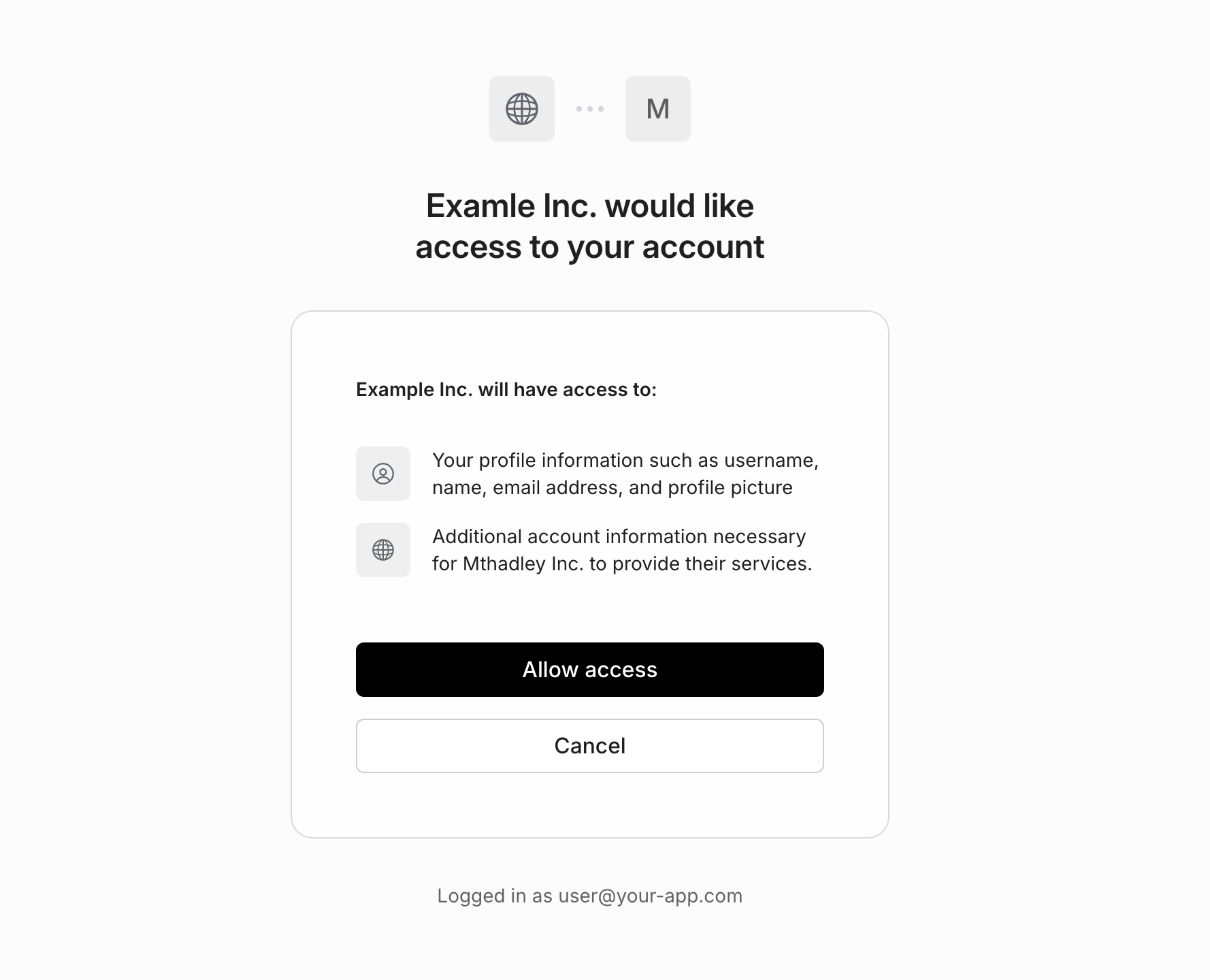
|
|
43
|
+
|
|
44
|
+
A third-party _M2M_ application will generally be a service you are authorizing to access your application's API using the access tokens obtained via the `client_credentials` flow covered below.
|
|
45
|
+
|
|
46
|
+
> Machine-to-machine applications can only be configured as third-party.
|
|
47
|
+
|
|
48
|
+
## Configuring applications
|
|
49
|
+
|
|
50
|
+
Once you've created an application, you can configure the following settings.
|
|
51
|
+
|
|
52
|
+
### Redirect URI
|
|
53
|
+
|
|
54
|
+
For OAuth applications, this is the final location users will be redirected to after successful authentication. Clients should use the [Token Endpoint](/reference/workos-connect/token) to exchange the `code` for tokens at this location.
|
|
55
|
+
|
|
56
|
+
### Name and Logo
|
|
57
|
+
|
|
58
|
+
For third-party OAuth applications, the name and logo will be displayed to your users when they are prompted to authorize access. Both light and dark-mode logos are supported.
|
|
59
|
+
|
|
60
|
+
### Credentials
|
|
61
|
+
|
|
62
|
+
Applications can have up to 5 credentials. These are only shown once upon creation and do not expire. The application `client_id` and `client_secret` from a credential can be used to authenticate to the [OAuth-based Connect APIs](/reference/workos-connect).
|
|
63
|
+
|
|
64
|
+
When sharing third-party app credentials with an external party, use a secure method — like encrypted email or file sharing — and make sure the recipient is properly authenticated.
|
|
65
|
+
|
|
66
|
+
## Authentication
|
|
67
|
+
|
|
68
|
+
When using Connect, there are two sides of the integration with each Application:
|
|
69
|
+
|
|
70
|
+
- **The requesting client**: the client (an external application) that receives Connect-issued tokens, receiving identity information and optionally using access tokens to make requests to your API.
|
|
71
|
+
- **The resource server**: the service (generally your app) that allows other clients to authenticate with the Connect-issued tokens.
|
|
72
|
+
|
|
73
|
+
In the next sections we will cover the relevant APIs for each party.
|
|
74
|
+
|
|
75
|
+
## Receiving Tokens
|
|
76
|
+
|
|
77
|
+
After an external application has been issued credentials from a Connect Application, it can receive identity and/or access tokens depending on the type of Application.
|
|
78
|
+
|
|
79
|
+
### M2M tokens
|
|
80
|
+
|
|
81
|
+
Machine-to-machine applications can use the `client_credentials` grant type with the [Token Endpoint](/reference/workos-connect/token) to obtain an `access_token` to authenticate calls to your API.
|
|
82
|
+
|
|
83
|
+
<CodeBlock
|
|
84
|
+
title="Obtain access token"
|
|
85
|
+
file="connect-client-credentials-example"
|
|
86
|
+
/>
|
|
87
|
+
|
|
88
|
+
Since machine-to-machine applications are associated with a particular organization, its issued access tokens contain an `org_id` claim that your application's API can use to control access.
|
|
89
|
+
|
|
90
|
+
### OAuth tokens
|
|
91
|
+
|
|
92
|
+
OAuth applications use the OAuth 2.0 `authorization_code` flow and also conform to the OpenID Connect (OIDC) spec, allowing external applications to receive tokens associated with a particular user.
|
|
93
|
+
|
|
94
|
+
Many OAuth and OIDC libraries support Connect applications out of the box needing only configuration:
|
|
95
|
+
|
|
96
|
+
<CodeBlock>
|
|
97
|
+
<CodeBlockTab file="connect-oauth-configuration.passport" title="Passport" />
|
|
98
|
+
<CodeBlockTab file="connect-oauth-configuration.omniauth" title="OmniAuth" />
|
|
99
|
+
</CodeBlock>
|
|
100
|
+
|
|
101
|
+
## Verifying Tokens
|
|
102
|
+
|
|
103
|
+
Your application can verify the tokens sent by external applications for the purpose of authenticating requests using the JWKS for your environment. The process is similar to validating the access token JWT provided by an AuthKit login.
|
|
104
|
+
|
|
105
|
+
<CodeBlock>
|
|
106
|
+
<CodeBlockTab file="connect-access-token-verification.oauth" title="OAuth" />
|
|
107
|
+
<CodeBlockTab file="connect-access-token-verification.m2m" title="M2M" />
|
|
108
|
+
</CodeBlock>
|
|
109
|
+
|
|
110
|
+
In addition to fast stateless verification, you can use the [Token Introspection API](/reference/workos-connect/introspection) to synchronously check whether a token is still valid.
|
|
@@ -0,0 +1,164 @@
|
|
|
1
|
+
---
|
|
2
|
+
title: Custom Emails
|
|
3
|
+
description: Learn how to send your own emails for user lifecycle events.
|
|
4
|
+
showNextPage: true
|
|
5
|
+
originalPath: .tmp-workos-clone/packages/docs/content/user-management/custom-emails.mdx
|
|
6
|
+
---
|
|
7
|
+
|
|
8
|
+
## Introduction
|
|
9
|
+
|
|
10
|
+
By default, WorkOS will send emails related to User Management for you, such as password reset and Magic Auth. If you’d like to customize email content or have more control over deliverability, you can turn off the default emails and deliver your own.
|
|
11
|
+
|
|
12
|
+
---
|
|
13
|
+
|
|
14
|
+
## Disabling default emails
|
|
15
|
+
|
|
16
|
+
To change email settings for an environment, navigate to _Authentication_ → _Emails_ and select _Configure emails_. You should have an **Admin** role for to update this setting.
|
|
17
|
+
|
|
18
|
+
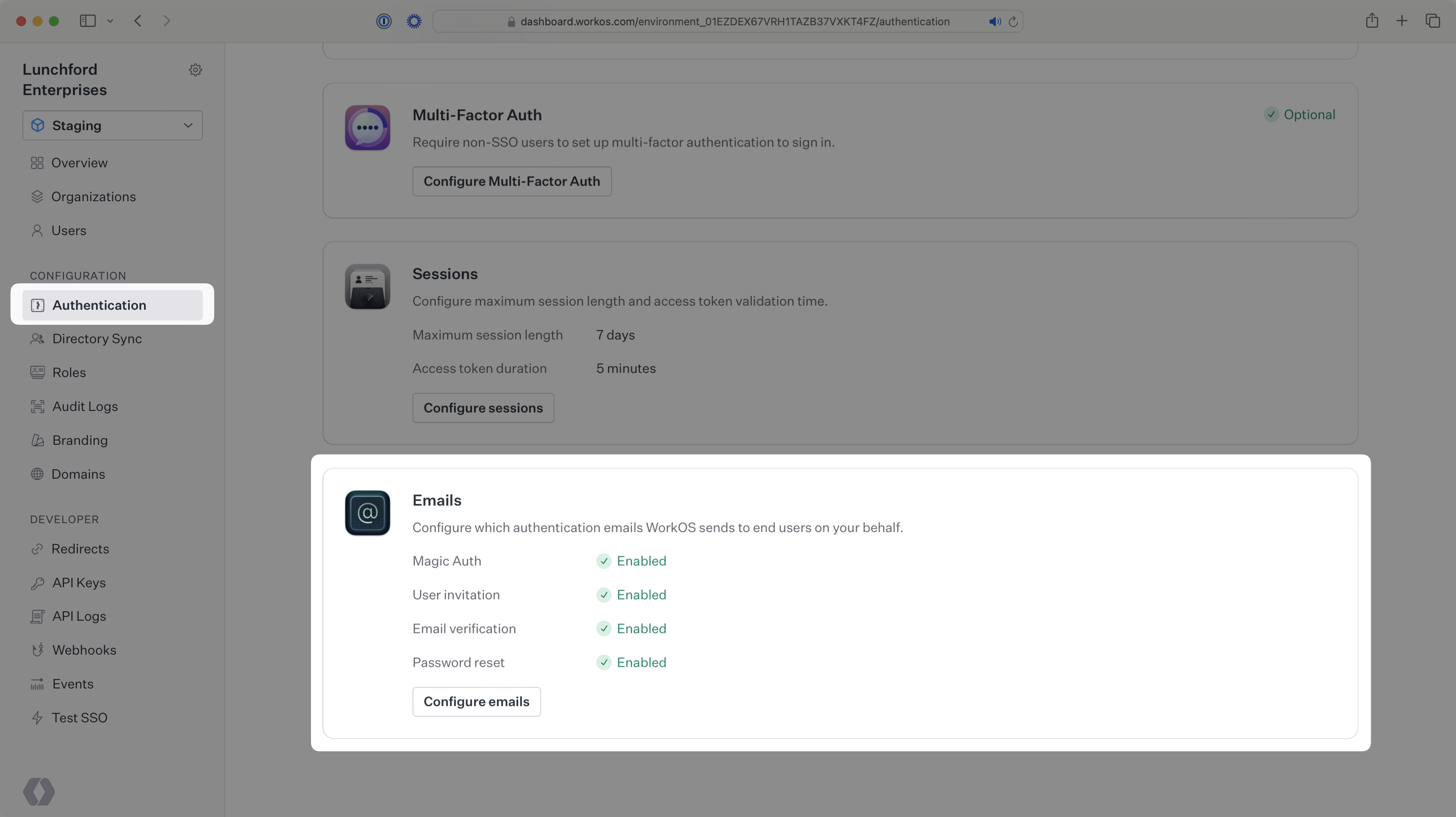
|
|
19
|
+
|
|
20
|
+
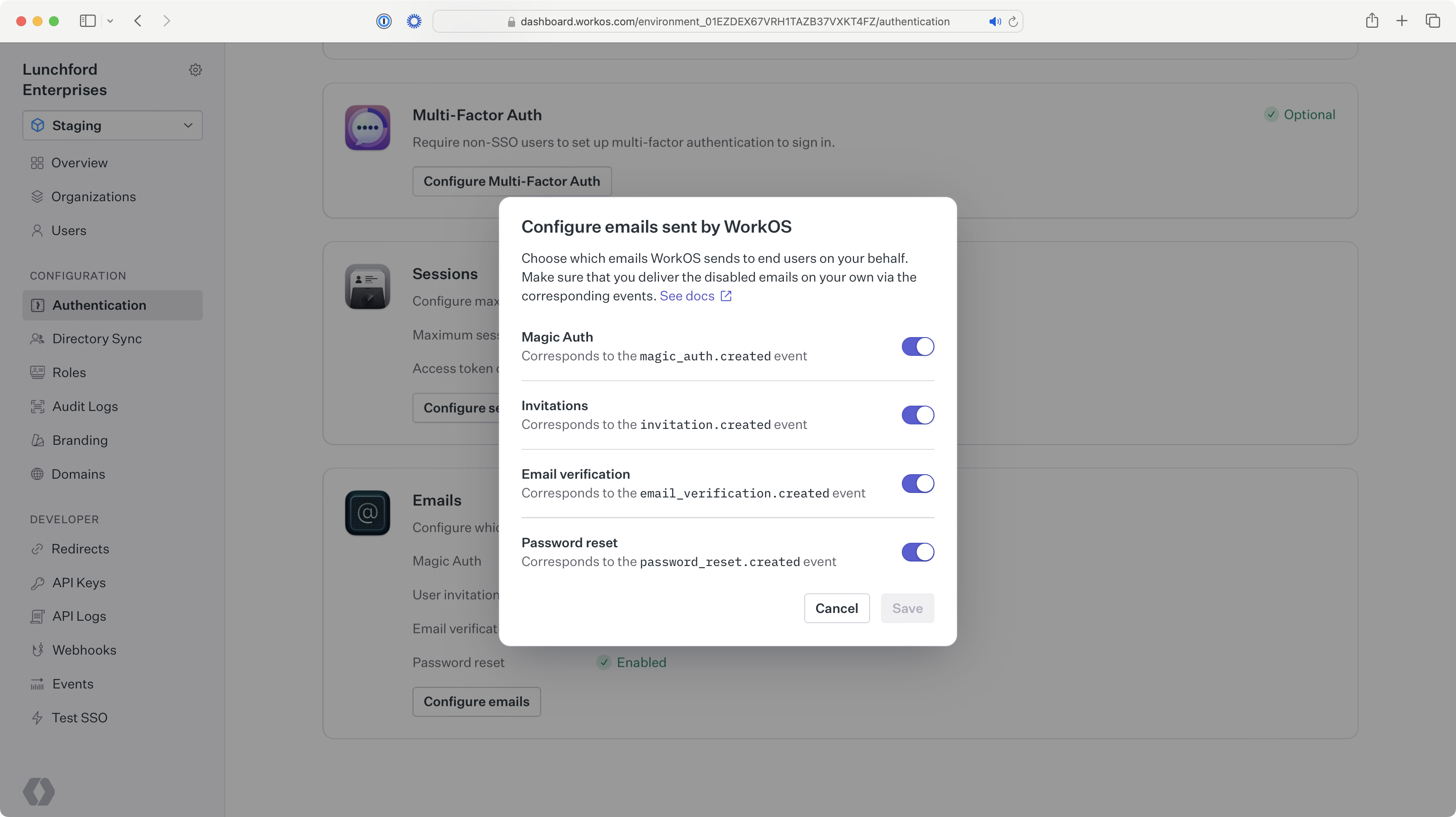
|
|
21
|
+
|
|
22
|
+
---
|
|
23
|
+
|
|
24
|
+
## Invitations
|
|
25
|
+
|
|
26
|
+
Once you've turned off the default user invitation emails, use the information below to send custom invitation emails.
|
|
27
|
+
|
|
28
|
+
**[invitation.created](/events/invitation)**
|
|
29
|
+
: Event emitted when an invitation is created, which can be consumed using the events API or webhooks.
|
|
30
|
+
|
|
31
|
+
**[Get Invitation API](/reference/user-management/invitation/get)**
|
|
32
|
+
: Used to retrieve the invitation object from the ID in the invitation created event.
|
|
33
|
+
|
|
34
|
+
**[Send Invitation API](/reference/user-management/invitation/send)**
|
|
35
|
+
: Used to create an invitation via the API without handling the invitation created event.
|
|
36
|
+
|
|
37
|
+
### Set up your user invitation URL {{ "visibility": "no-quick-nav" }}
|
|
38
|
+
|
|
39
|
+
Make sure you have the correct user invitation URL set on your _Redirects_ page. The default setting is the AuthKit URL for accepting invitations. If you are using your own authentication UI, make sure the URL path is configured on your end to capture the `invitation_token` query parameter, and [pass it into one of the authenticate methods](/reference/user-management/authentication/code).
|
|
40
|
+
|
|
41
|
+
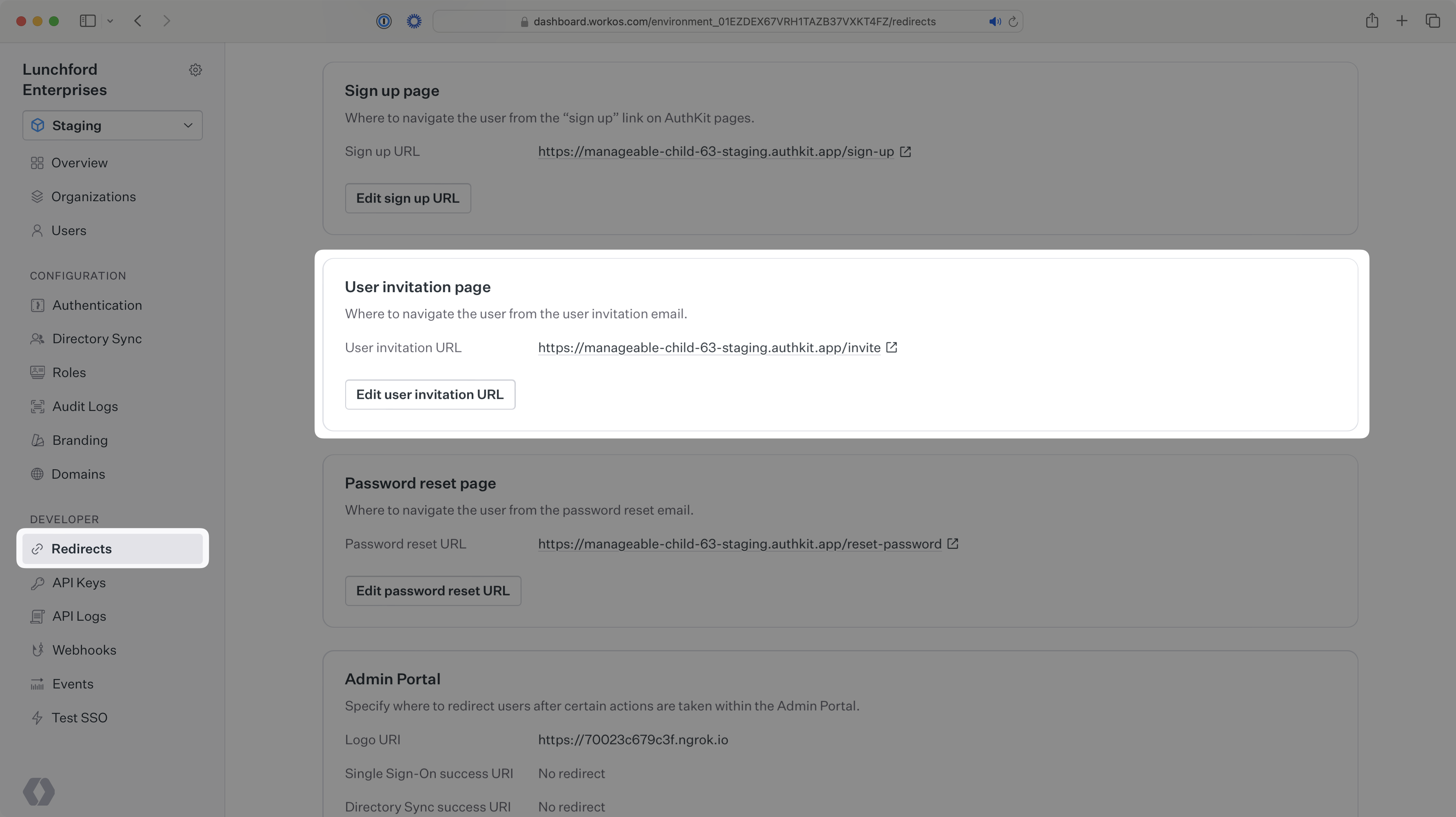
|
|
42
|
+
|
|
43
|
+
### (A) Handle manually creating invitations {{ "visibility": "no-quick-nav" }}
|
|
44
|
+
|
|
45
|
+
If you’re creating invitations using the WorkOS dashboard, you’ll need to handle `invitation.created` events using the events API or webhooks.
|
|
46
|
+
|
|
47
|
+
Due to security concerns, the events do not contain the sensitive information you’ll need to send the email. To retrieve the full invitation object with this information, use the invitation ID from the event to call the Get Invitation API.
|
|
48
|
+
|
|
49
|
+
You can skip this step if you don't plan to create the invitations manually in the dashboard.
|
|
50
|
+
|
|
51
|
+
### (B) Handle invitations created via the API {{ "visibility": "no-quick-nav" }}
|
|
52
|
+
|
|
53
|
+
If you’re creating invites via the Send Invitation API, you can send your own email using the information returned in the invitation object.
|
|
54
|
+
|
|
55
|
+
If you also plan to create invitations manually in the dashboard, you can just handle `invitation.created` events as described above.
|
|
56
|
+
|
|
57
|
+
### Send your email {{ "visibility": "no-quick-nav" }}
|
|
58
|
+
|
|
59
|
+
The recipient of the email should match the `email` attribute in the invitation object retrieved via the API. The body of the email should include a link where the user can accept the invitation. For most use cases, you can use the `accept_invitation_url` as this link.
|
|
60
|
+
|
|
61
|
+
If you are building your own authentication app, and your invitation acceptance path diverges from this pattern, you may want to construct your own URL with the `token`, rather than using the `accept_invitation_url`.
|
|
62
|
+
|
|
63
|
+
Additionally, if the invitation object contains an organization ID and/or an inviter user ID, you may want to include that information in the body of the email.
|
|
64
|
+
|
|
65
|
+
---
|
|
66
|
+
|
|
67
|
+
## Magic Auth
|
|
68
|
+
|
|
69
|
+
Once you've turned off the default Magic Auth emails, use the information below to send custom Magic Auth emails.
|
|
70
|
+
|
|
71
|
+
**[magic_auth.created](/events/magic-auth)**
|
|
72
|
+
: Event emitted when a user initiates a Magic Auth authentication, which can be consumed using the events API or webhooks.
|
|
73
|
+
|
|
74
|
+
**[Get Magic Auth API](/reference/user-management/magic-auth/get)**
|
|
75
|
+
: Used to retrieve the Magic Auth object from the ID in the Magic Auth created event.
|
|
76
|
+
|
|
77
|
+
**[Create Magic Auth API](/reference/user-management/magic-auth/create)**
|
|
78
|
+
: Used to create a Magic Auth code via the API without handling the Magic Auth created event.
|
|
79
|
+
|
|
80
|
+
### (A) Handle Magic Auth codes created via AuthKit {{ "visibility": "no-quick-nav" }}
|
|
81
|
+
|
|
82
|
+
If you are using AuthKit, you’ll need to handle `magic_auth.created` events, using the events API or webhooks.
|
|
83
|
+
|
|
84
|
+
Due to security concerns, the events do not contain the sensitive information you’ll need to send the email. To retrieve the full Magic Auth object with this information, use the Magic Auth ID from the event to call the Get Magic Auth API.
|
|
85
|
+
|
|
86
|
+
You can skip this step if you're building your own authentication app.
|
|
87
|
+
|
|
88
|
+
### (B) Handle Magic Auth codes created via the API {{ "visibility": "no-quick-nav" }}
|
|
89
|
+
|
|
90
|
+
If you’re initiating Magic Auth authentication via the Create Magic Auth API, you can send your own email using the information returned in the Magic Auth object.
|
|
91
|
+
|
|
92
|
+
### Send your email {{ "visibility": "no-quick-nav" }}
|
|
93
|
+
|
|
94
|
+
The recipient of the email should match the `email` attribute for the Magic Auth object retrieved via the API, and the email should include the `code`. Recipients will input that code into AuthKit, or your own authentication UI, to authenticate into your application via Magic Auth.
|
|
95
|
+
|
|
96
|
+
---
|
|
97
|
+
|
|
98
|
+
## Email verification
|
|
99
|
+
|
|
100
|
+
Once you've turned off the default email verification emails, use the information below to send custom email verification emails.
|
|
101
|
+
|
|
102
|
+
**[email_verification.created](/events/email-verification)**
|
|
103
|
+
: Event emitted when a user requires email verification, which can be consumed using the events API or webhooks.
|
|
104
|
+
|
|
105
|
+
**[Get Email Verification API](/reference/user-management/email-verification/get)**
|
|
106
|
+
: Used to retrieve the email verification object from the ID in the email verification created event.
|
|
107
|
+
|
|
108
|
+
**[Email Verification Required error](/reference/user-management/authentication-errors/email-verification-required-error)**
|
|
109
|
+
: Returned in the API when attempting to authenticate a user that requires email verification.
|
|
110
|
+
|
|
111
|
+
### (A) Handle email verification codes created via AuthKit {{ "visibility": "no-quick-nav" }}
|
|
112
|
+
|
|
113
|
+
If you are using AuthKit, you’ll need to handle `email_verification.created` events, using the events API or webhooks.
|
|
114
|
+
|
|
115
|
+
Due to security concerns, the events do not contain the sensitive information you’ll need to send the email. To retrieve the full email verification object with this information, use the email verification ID from the event to call the Get Email Verification API.
|
|
116
|
+
|
|
117
|
+
You can skip this step if you're building your own authentication app.
|
|
118
|
+
|
|
119
|
+
### (B) Handle email verification codes created via the API {{ "visibility": "no-quick-nav" }}
|
|
120
|
+
|
|
121
|
+
If you are using the [authentication API](/reference/user-management/authentication), an `email_verification_required` error will be returned if the user you're authenticating needs to verify their email. This error contains an `email_verification_id` that can be used to call the Get Email Verification API endpoint which returns the email verification object that contains the information needed to send the email.
|
|
122
|
+
|
|
123
|
+
### Send your email {{ "visibility": "no-quick-nav" }}
|
|
124
|
+
|
|
125
|
+
The recipient of the email should match the `email` attribute for the email verification object retrieved via the API, and the email should include the `code`. Recipients will input that code into AuthKit, or your own authentication UI, to verify their email.
|
|
126
|
+
|
|
127
|
+
---
|
|
128
|
+
|
|
129
|
+
## Password reset
|
|
130
|
+
|
|
131
|
+
Once you've turned off the default password reset emails, use the information below to send custom password reset emails.
|
|
132
|
+
|
|
133
|
+
**[password_reset.created](/events/password-reset)**
|
|
134
|
+
: Event emitted when a user requests to reset their password, which can be consumed using the events API or webhooks.
|
|
135
|
+
|
|
136
|
+
**[Get Password Reset API](/reference/user-management/password-reset/get)**
|
|
137
|
+
: Used to retrieve the password reset object from the ID in the password reset created event.
|
|
138
|
+
|
|
139
|
+
**[Create Password Reset API](/reference/user-management/password-reset/create)**
|
|
140
|
+
: Used to create a password reset object via the API without handling the password reset created event.
|
|
141
|
+
|
|
142
|
+
### Set up your password reset URL {{ "visibility": "no-quick-nav" }}
|
|
143
|
+
|
|
144
|
+
Make sure you have the correct password reset URL set on your _Redirects_ page. The default setting is the AuthKit URL for resetting passwords. If you are using your own authentication UI, make sure the URL path is configured on your end to capture the `token` query parameter, and [use it to reset the password](/reference/user-management/password-reset/reset-password).
|
|
145
|
+
|
|
146
|
+
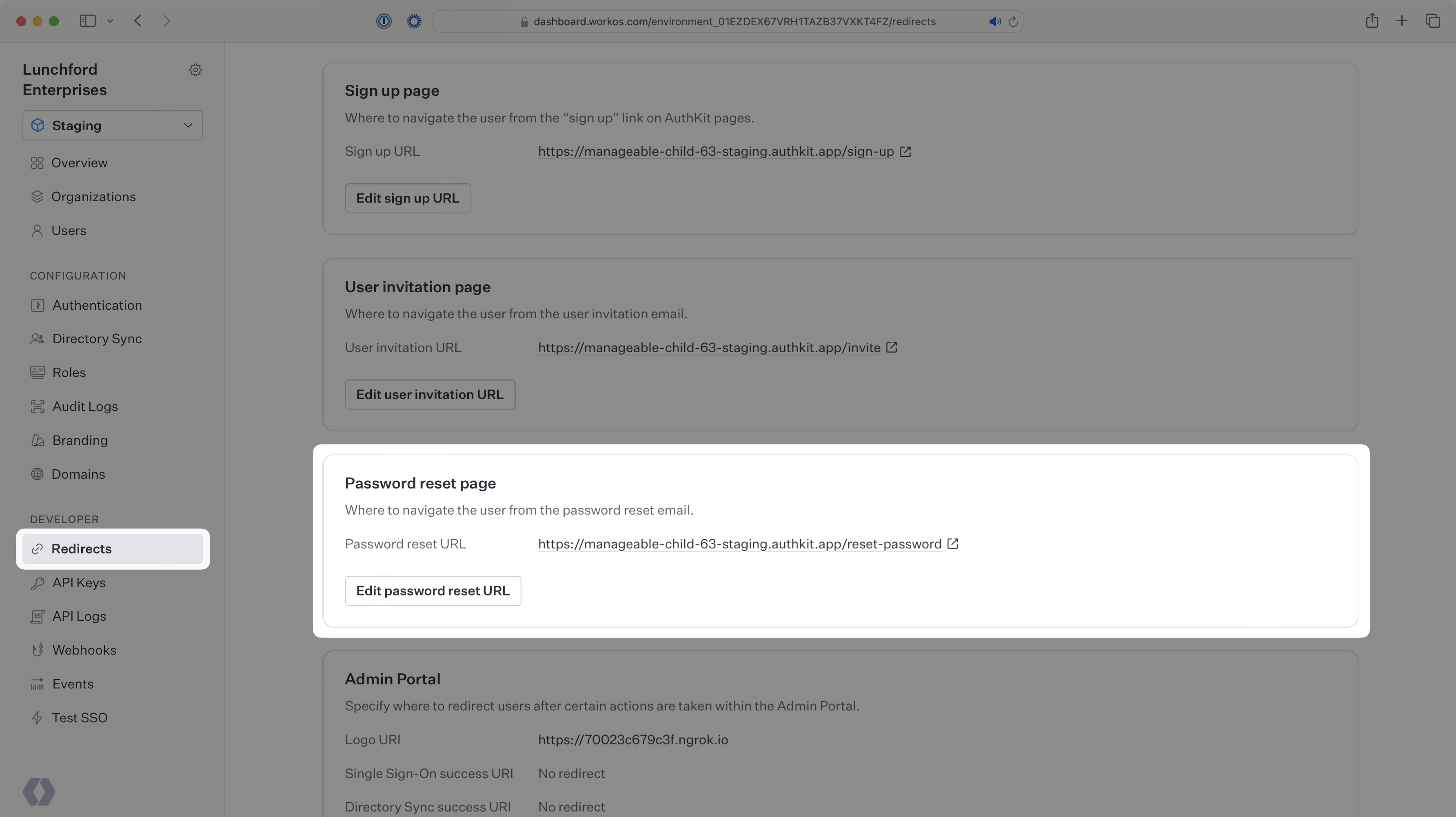
|
|
147
|
+
|
|
148
|
+
### (A) Handle password resets created via AuthKit {{ "visibility": "no-quick-nav" }}
|
|
149
|
+
|
|
150
|
+
If you are using AuthKit, you’ll need to handle `password_reset.created` events, using the events API or webhooks.
|
|
151
|
+
|
|
152
|
+
Due to security concerns, the events do not contain the sensitive information you’ll need to send the email. To retrieve the full password reset object with this information, use the password reset ID from the event to call the Get Password Reset API.
|
|
153
|
+
|
|
154
|
+
You can skip this step if you're building your own authentication app.
|
|
155
|
+
|
|
156
|
+
### (B) Handle password resets created via the API {{ "visibility": "no-quick-nav" }}
|
|
157
|
+
|
|
158
|
+
If you’re creating password resets via the Create Password Reset API, you can send your own email using the information returned in the password reset object.
|
|
159
|
+
|
|
160
|
+
### Send your email {{ "visibility": "no-quick-nav" }}
|
|
161
|
+
|
|
162
|
+
The recipient of the email should be the `email` attribute in the password reset object retrieved via the API. The body of the email should include a link where the user can reset their password. For most use cases, you can use the `password_reset_url` as this link.
|
|
163
|
+
|
|
164
|
+
If you're building your own authentication app, and your password reset path diverges from this pattern, you may want to construct your own URL with the `password_reset_token`, rather than using the `password_reset_url`.
|