@workos/mcp-docs-server 0.1.0
This diff represents the content of publicly available package versions that have been released to one of the supported registries. The information contained in this diff is provided for informational purposes only and reflects changes between package versions as they appear in their respective public registries.
- package/.docs/organized/changelogs/workos-platform.json +277 -0
- package/.docs/organized/docs/admin-portal/_navigation.mdx +16 -0
- package/.docs/organized/docs/admin-portal/custom-branding.mdx +111 -0
- package/.docs/organized/docs/admin-portal/example-apps.mdx +46 -0
- package/.docs/organized/docs/admin-portal/index.mdx +240 -0
- package/.docs/organized/docs/audit-logs/_navigation.mdx +22 -0
- package/.docs/organized/docs/audit-logs/admin-portal.mdx +20 -0
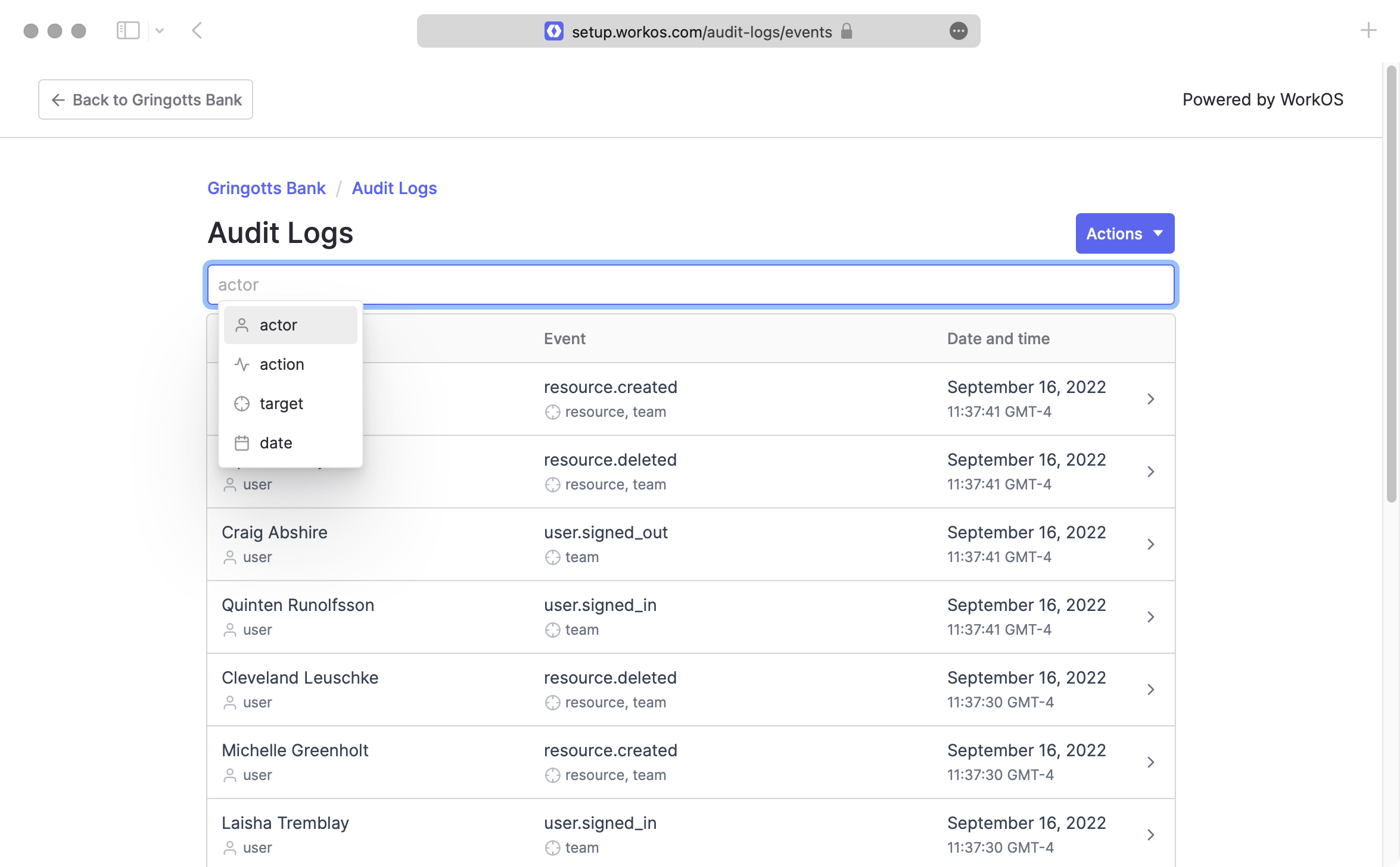
- package/.docs/organized/docs/audit-logs/editing-events.mdx +27 -0
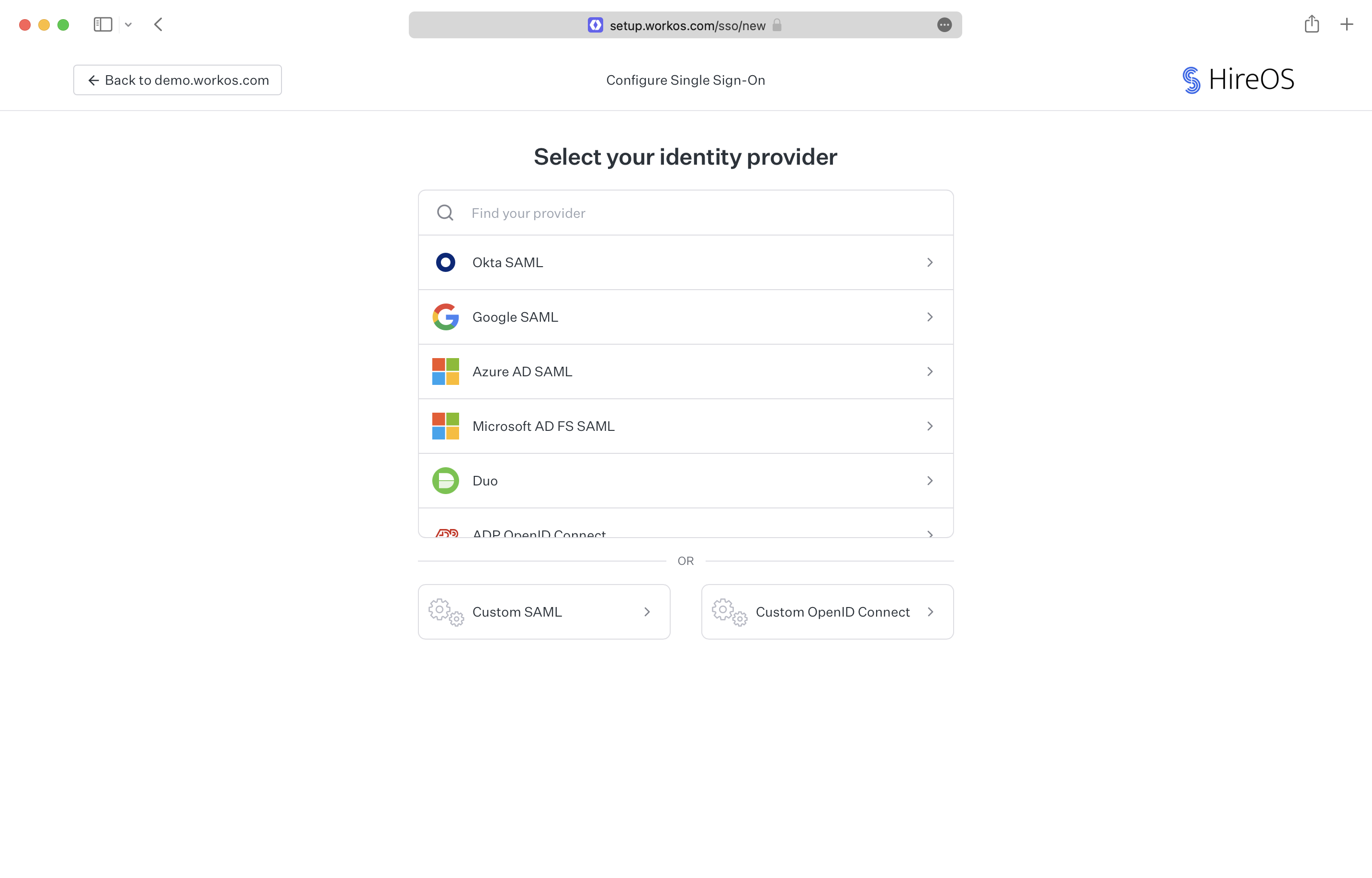
- package/.docs/organized/docs/audit-logs/exporting-events.mdx +29 -0
- package/.docs/organized/docs/audit-logs/index.mdx +110 -0
- package/.docs/organized/docs/audit-logs/log-streams.mdx +56 -0
- package/.docs/organized/docs/audit-logs/metadata-schema.mdx +21 -0
- package/.docs/organized/docs/custom-domains/_navigation.mdx +16 -0
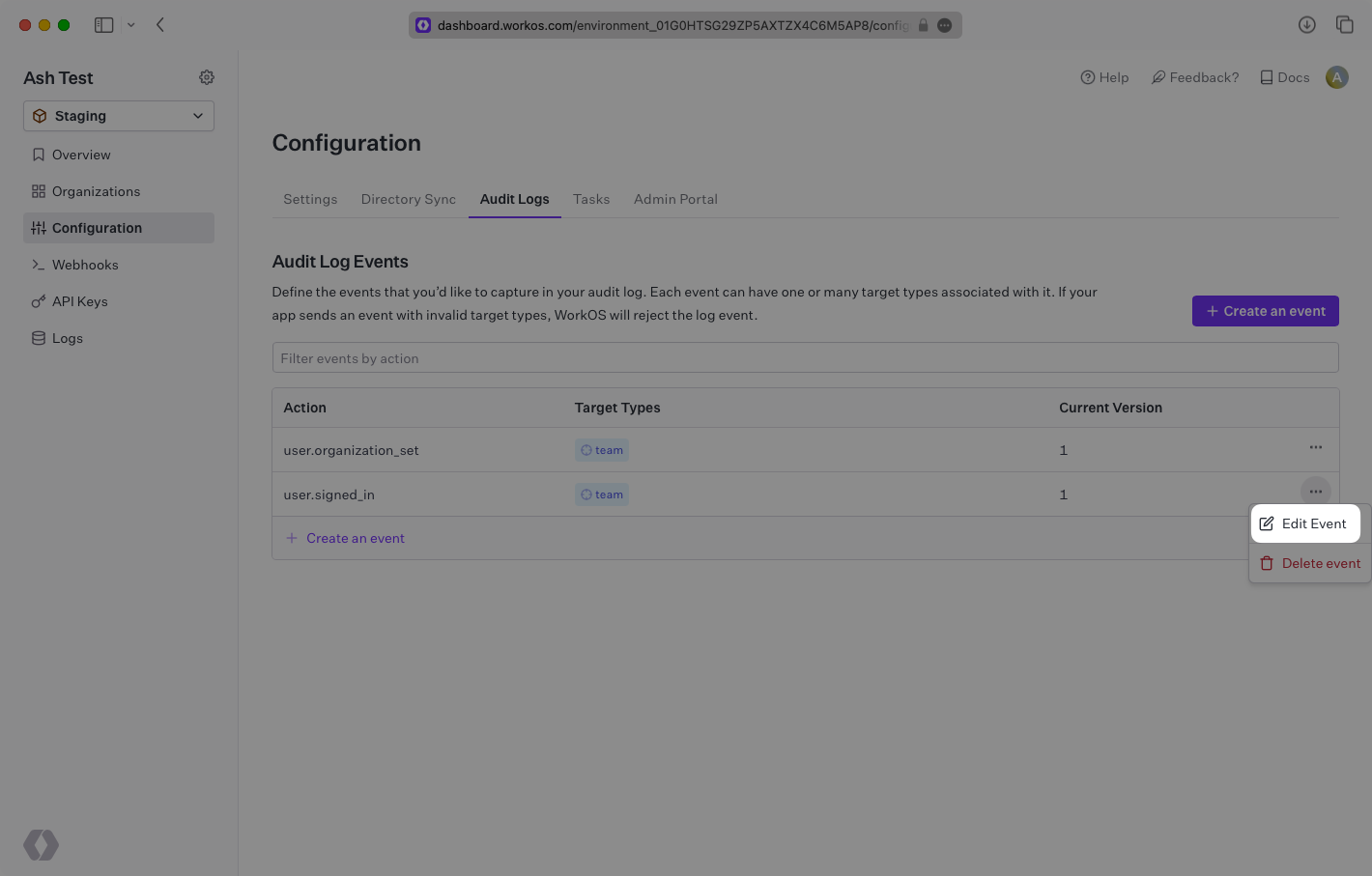
- package/.docs/organized/docs/custom-domains/admin-portal.mdx +38 -0
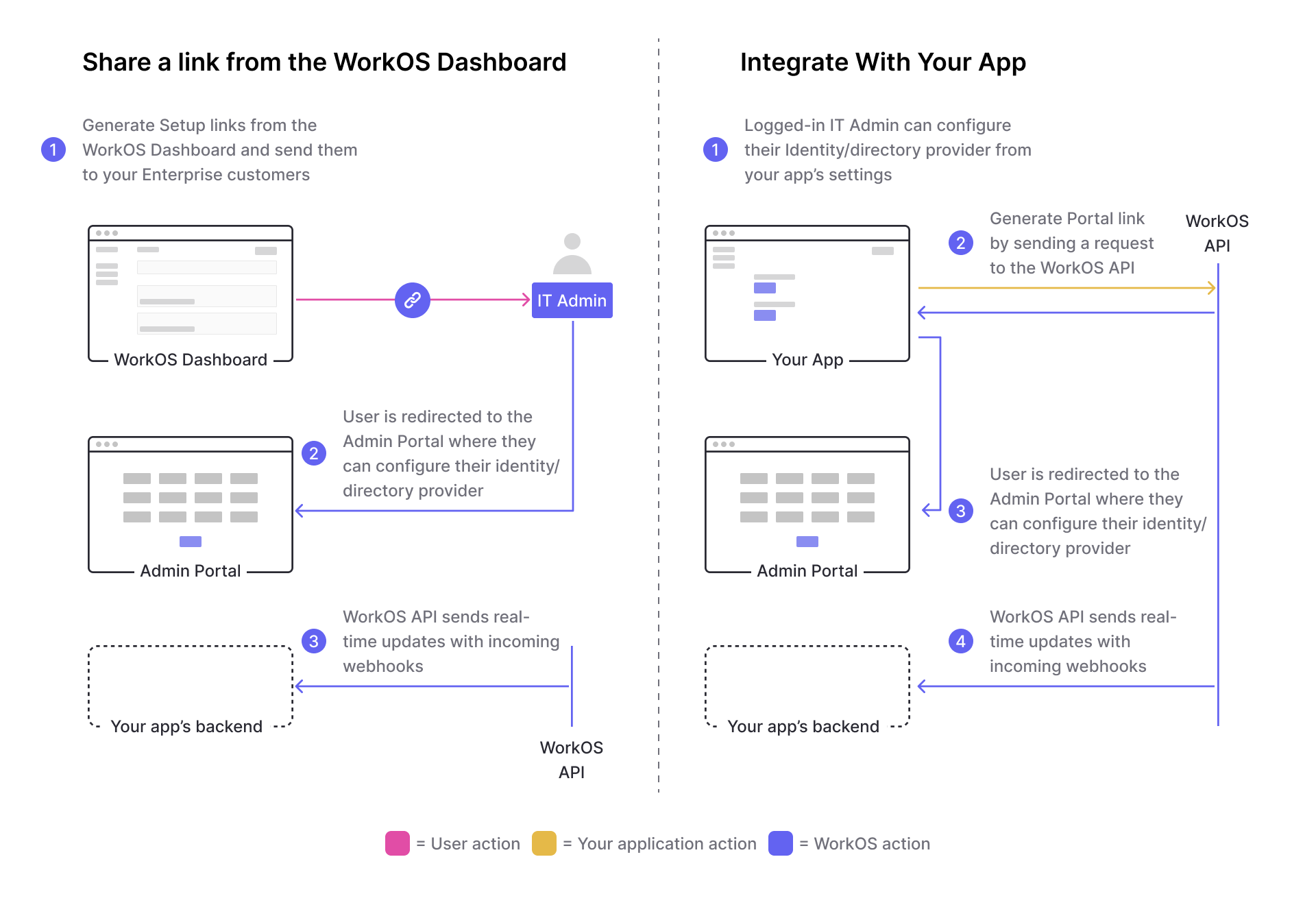
- package/.docs/organized/docs/custom-domains/auth-api.mdx +59 -0
- package/.docs/organized/docs/custom-domains/authkit.mdx +36 -0
- package/.docs/organized/docs/custom-domains/email.mdx +41 -0
- package/.docs/organized/docs/custom-domains/index.mdx +19 -0
- package/.docs/organized/docs/dashboard.mdx +244 -0
- package/.docs/organized/docs/demo/_navigation.mdx +26 -0
- package/.docs/organized/docs/demo/accordion.mdx +34 -0
- package/.docs/organized/docs/demo/checklist.mdx +33 -0
- package/.docs/organized/docs/demo/code-block.mdx +185 -0
- package/.docs/organized/docs/demo/definition-list.mdx +35 -0
- package/.docs/organized/docs/demo/index.mdx +7 -0
- package/.docs/organized/docs/demo/punctuation.mdx +37 -0
- package/.docs/organized/docs/demo/replacements.mdx +26 -0
- package/.docs/organized/docs/demo/table.mdx +26 -0
- package/.docs/organized/docs/demo/tabs.mdx +17 -0
- package/.docs/organized/docs/directory-sync/_navigation.mdx +28 -0
- package/.docs/organized/docs/directory-sync/attributes.mdx +209 -0
- package/.docs/organized/docs/directory-sync/example-apps.mdx +46 -0
- package/.docs/organized/docs/directory-sync/handle-inactive-users.mdx +52 -0
- package/.docs/organized/docs/directory-sync/identity-provider-role-assignment.mdx +134 -0
- package/.docs/organized/docs/directory-sync/index.mdx +107 -0
- package/.docs/organized/docs/directory-sync/quick-start.mdx +129 -0
- package/.docs/organized/docs/directory-sync/understanding-events.mdx +209 -0
- package/.docs/organized/docs/domain-verification/_navigation.mdx +10 -0
- package/.docs/organized/docs/domain-verification/api.mdx +60 -0
- package/.docs/organized/docs/domain-verification/index.mdx +67 -0
- package/.docs/organized/docs/email.mdx +109 -0
- package/.docs/organized/docs/events/_navigation.mdx +22 -0
- package/.docs/organized/docs/events/data-syncing/data-reconciliation.mdx +56 -0
- package/.docs/organized/docs/events/data-syncing/events-api.mdx +114 -0
- package/.docs/organized/docs/events/data-syncing/index.mdx +66 -0
- package/.docs/organized/docs/events/data-syncing/webhooks.mdx +173 -0
- package/.docs/organized/docs/events/index.mdx +783 -0
- package/.docs/organized/docs/events/observability/datadog.mdx +76 -0
- package/.docs/organized/docs/fga/_navigation.mdx +64 -0
- package/.docs/organized/docs/fga/identity-provider-sessions.mdx +68 -0
- package/.docs/organized/docs/fga/index.mdx +60 -0
- package/.docs/organized/docs/fga/local-development.mdx +155 -0
- package/.docs/organized/docs/fga/modeling/abac.mdx +107 -0
- package/.docs/organized/docs/fga/modeling/blocklist.mdx +84 -0
- package/.docs/organized/docs/fga/modeling/conditional-roles.mdx +99 -0
- package/.docs/organized/docs/fga/modeling/custom-roles.mdx +90 -0
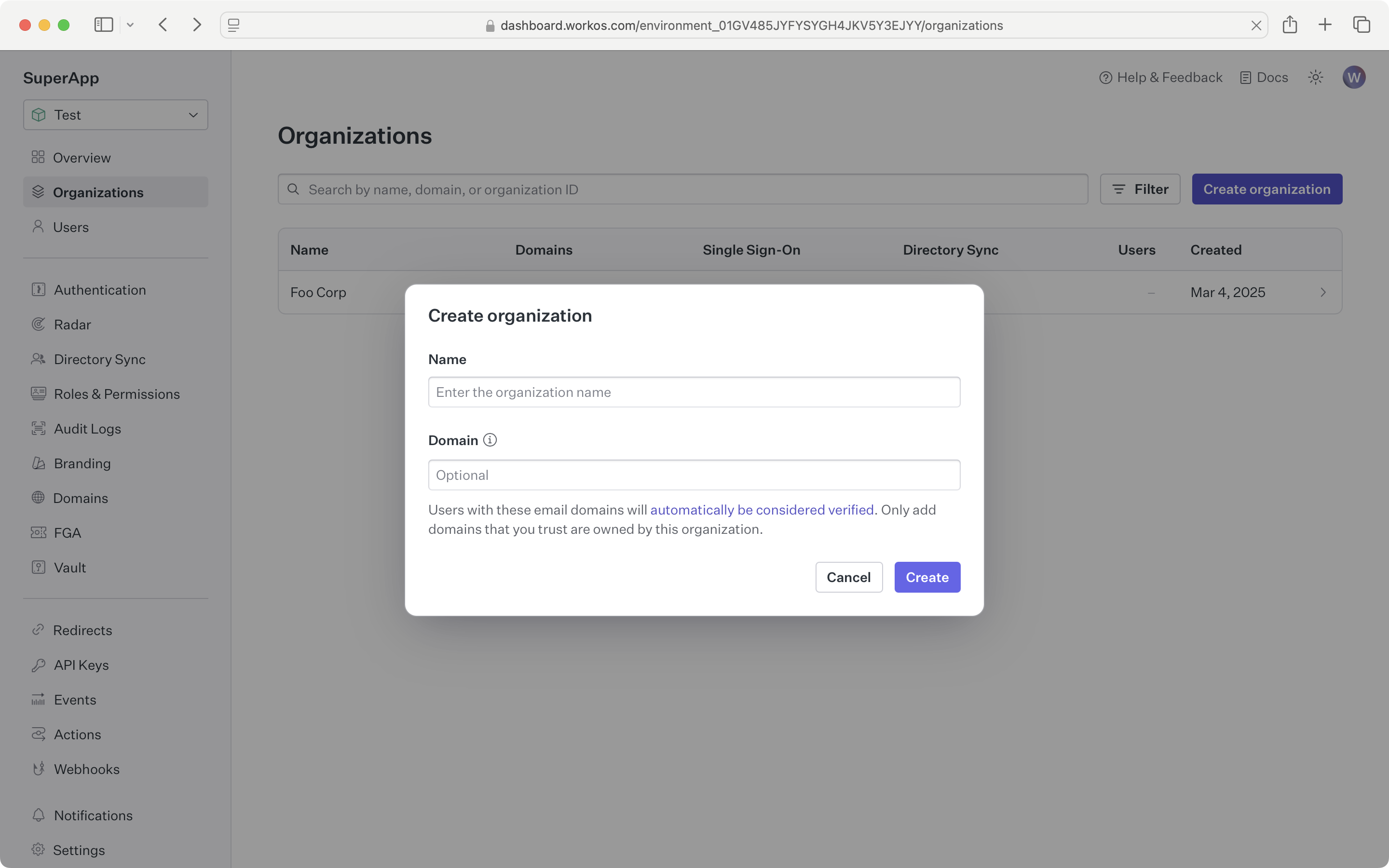
- package/.docs/organized/docs/fga/modeling/entitlements.mdx +127 -0
- package/.docs/organized/docs/fga/modeling/managed-service-provider.mdx +131 -0
- package/.docs/organized/docs/fga/modeling/org-roles-and-permissions.mdx +95 -0
- package/.docs/organized/docs/fga/modeling/policy-context.mdx +231 -0
- package/.docs/organized/docs/fga/modeling/public-access.mdx +61 -0
- package/.docs/organized/docs/fga/modeling/shareable-content.mdx +106 -0
- package/.docs/organized/docs/fga/modeling/superusers.mdx +74 -0
- package/.docs/organized/docs/fga/modeling/user-groups.mdx +92 -0
- package/.docs/organized/docs/fga/operations-usage.mdx +104 -0
- package/.docs/organized/docs/fga/playground.mdx +12 -0
- package/.docs/organized/docs/fga/policies.mdx +462 -0
- package/.docs/organized/docs/fga/query-language.mdx +112 -0
- package/.docs/organized/docs/fga/quick-start.mdx +174 -0
- package/.docs/organized/docs/fga/resources.mdx +92 -0
- package/.docs/organized/docs/fga/schema-management.mdx +224 -0
- package/.docs/organized/docs/fga/schema.mdx +388 -0
- package/.docs/organized/docs/fga/warrant-tokens.mdx +44 -0
- package/.docs/organized/docs/fga/warrants.mdx +92 -0
- package/.docs/organized/docs/glossary.mdx +184 -0
- package/.docs/organized/docs/integrations/_navigation.mdx +6 -0
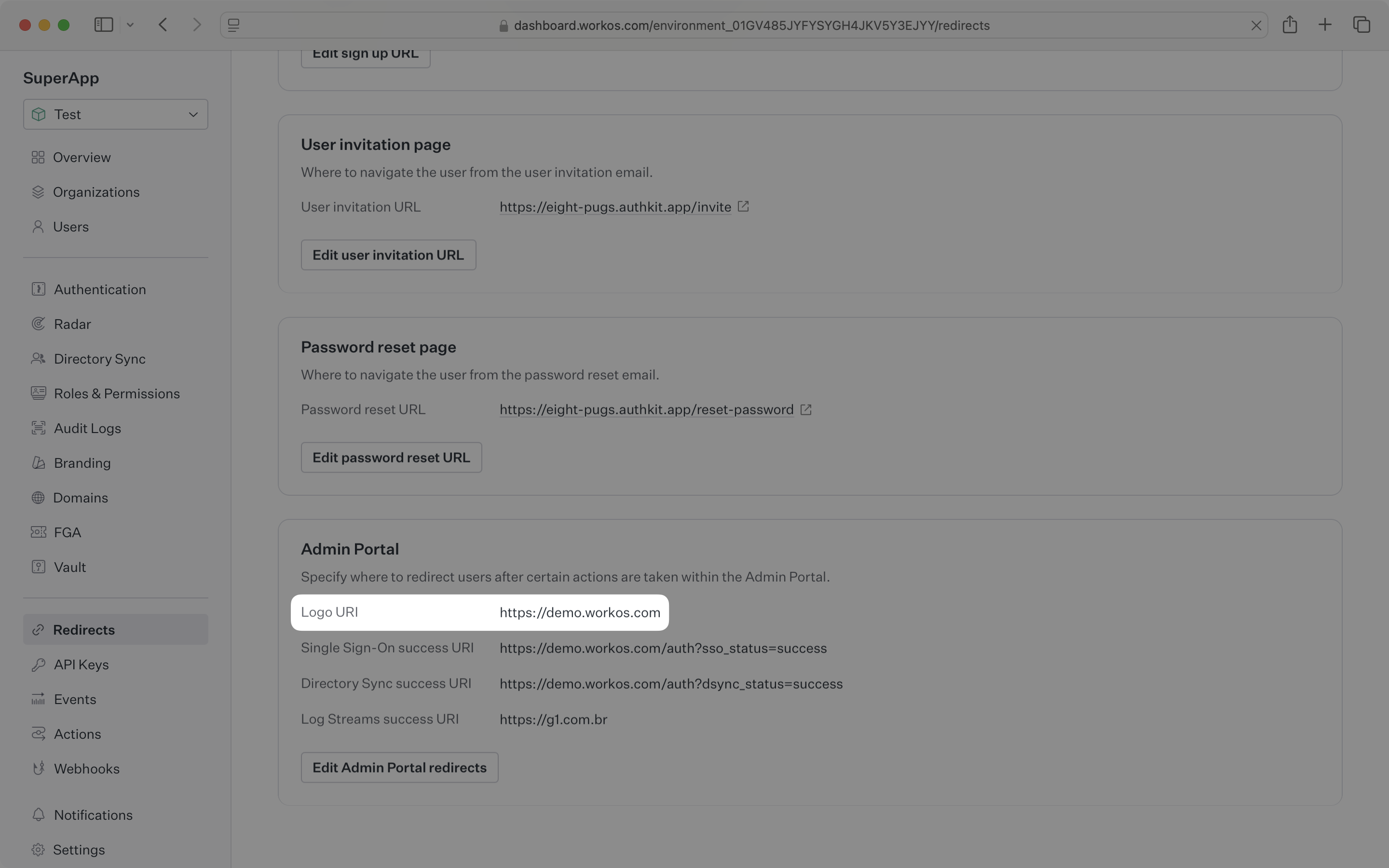
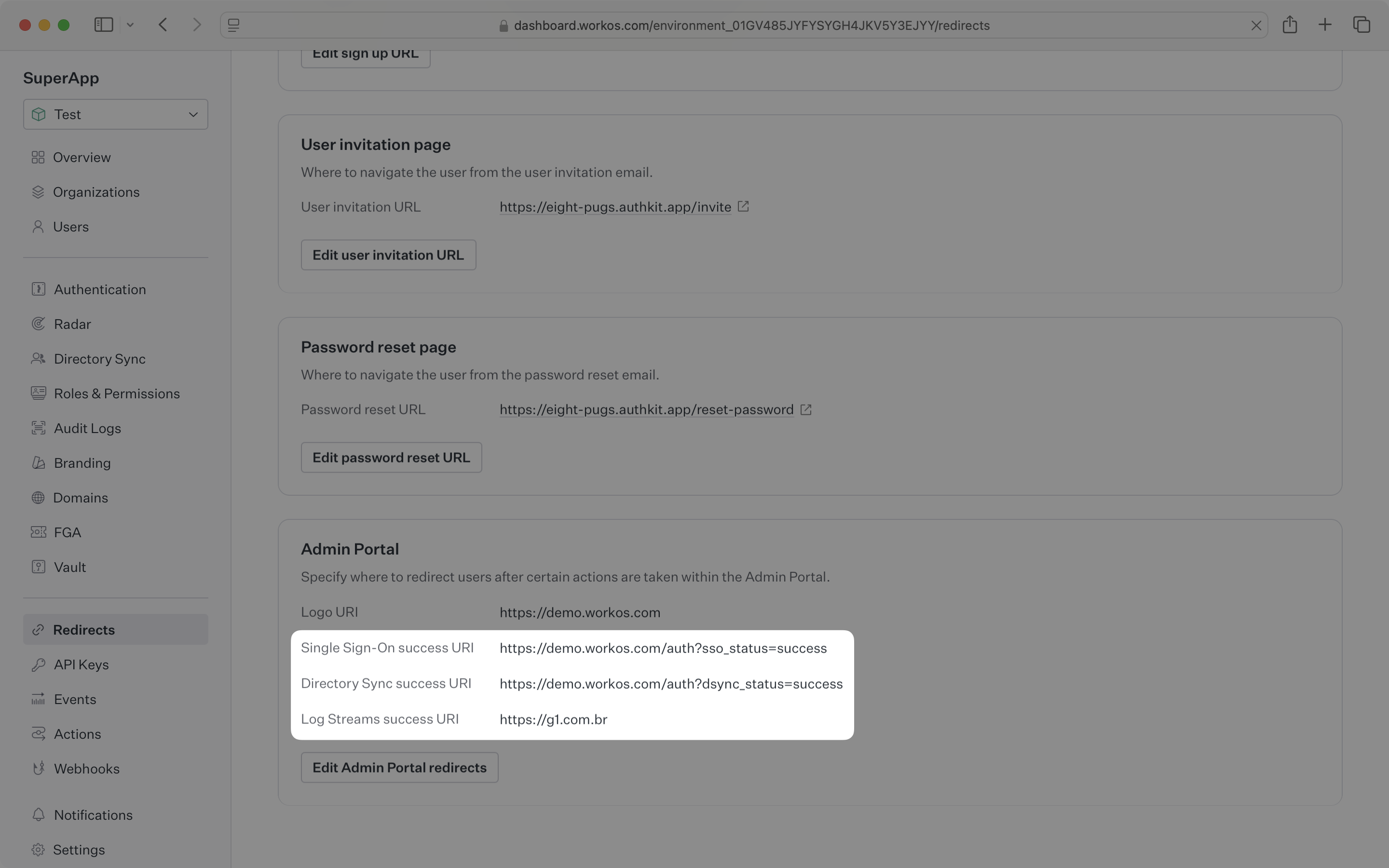
- package/.docs/organized/docs/integrations/access-people-hr.mdx +87 -0
- package/.docs/organized/docs/integrations/adp-oidc.mdx +103 -0
- package/.docs/organized/docs/integrations/apple.mdx +169 -0
- package/.docs/organized/docs/integrations/auth0-directory-sync.mdx +78 -0
- package/.docs/organized/docs/integrations/auth0-enterprise-connection.mdx +92 -0
- package/.docs/organized/docs/integrations/auth0-saml.mdx +81 -0
- package/.docs/organized/docs/integrations/aws-cognito.mdx +81 -0
- package/.docs/organized/docs/integrations/bamboohr.mdx +90 -0
- package/.docs/organized/docs/integrations/breathe-hr.mdx +89 -0
- package/.docs/organized/docs/integrations/bubble.mdx +129 -0
- package/.docs/organized/docs/integrations/cas-saml.mdx +65 -0
- package/.docs/organized/docs/integrations/cezanne.mdx +74 -0
- package/.docs/organized/docs/integrations/classlink-saml.mdx +100 -0
- package/.docs/organized/docs/integrations/cloudflare-saml.mdx +164 -0
- package/.docs/organized/docs/integrations/cyberark-saml.mdx +138 -0
- package/.docs/organized/docs/integrations/cyberark-scim.mdx +100 -0
- package/.docs/organized/docs/integrations/duo-saml.mdx +127 -0
- package/.docs/organized/docs/integrations/entra-id-saml.mdx +156 -0
- package/.docs/organized/docs/integrations/entra-id-scim.mdx +218 -0
- package/.docs/organized/docs/integrations/firebase.mdx +98 -0
- package/.docs/organized/docs/integrations/fourth.mdx +66 -0
- package/.docs/organized/docs/integrations/github-oauth.mdx +85 -0
- package/.docs/organized/docs/integrations/gitlab-oauth.mdx +81 -0
- package/.docs/organized/docs/integrations/google-directory-sync.mdx +86 -0
- package/.docs/organized/docs/integrations/google-oauth.mdx +173 -0
- package/.docs/organized/docs/integrations/google-saml.mdx +135 -0
- package/.docs/organized/docs/integrations/hibob.mdx +98 -0
- package/.docs/organized/docs/integrations/jumpcloud-saml.mdx +96 -0
- package/.docs/organized/docs/integrations/jumpcloud-scim.mdx +106 -0
- package/.docs/organized/docs/integrations/keycloak-saml.mdx +128 -0
- package/.docs/organized/docs/integrations/lastpass-saml.mdx +134 -0
- package/.docs/organized/docs/integrations/linkedin-oauth.mdx +77 -0
- package/.docs/organized/docs/integrations/login-gov-oidc.mdx +103 -0
- package/.docs/organized/docs/integrations/microsoft-ad-fs-saml.mdx +96 -0
- package/.docs/organized/docs/integrations/microsoft-oauth.mdx +101 -0
- package/.docs/organized/docs/integrations/miniorange-saml.mdx +124 -0
- package/.docs/organized/docs/integrations/net-iq-saml.mdx +75 -0
- package/.docs/organized/docs/integrations/next-auth.mdx +257 -0
- package/.docs/organized/docs/integrations/oidc.mdx +64 -0
- package/.docs/organized/docs/integrations/okta-saml.mdx +144 -0
- package/.docs/organized/docs/integrations/okta-scim.mdx +210 -0
- package/.docs/organized/docs/integrations/onelogin-saml.mdx +131 -0
- package/.docs/organized/docs/integrations/onelogin-scim.mdx +150 -0
- package/.docs/organized/docs/integrations/oracle-saml.mdx +76 -0
- package/.docs/organized/docs/integrations/pingfederate-saml.mdx +103 -0
- package/.docs/organized/docs/integrations/pingfederate-scim.mdx +150 -0
- package/.docs/organized/docs/integrations/pingone-saml.mdx +86 -0
- package/.docs/organized/docs/integrations/react-native-expo.mdx +93 -0
- package/.docs/organized/docs/integrations/rippling-saml.mdx +174 -0
- package/.docs/organized/docs/integrations/rippling-scim.mdx +148 -0
- package/.docs/organized/docs/integrations/salesforce-saml.mdx +143 -0
- package/.docs/organized/docs/integrations/saml.mdx +64 -0
- package/.docs/organized/docs/integrations/scim.mdx +64 -0
- package/.docs/organized/docs/integrations/sftp.mdx +150 -0
- package/.docs/organized/docs/integrations/shibboleth-generic-saml.mdx +84 -0
- package/.docs/organized/docs/integrations/shibboleth-unsolicited-saml.mdx +84 -0
- package/.docs/organized/docs/integrations/simple-saml-php.mdx +78 -0
- package/.docs/organized/docs/integrations/slack-oauth.mdx +102 -0
- package/.docs/organized/docs/integrations/supabase.mdx +68 -0
- package/.docs/organized/docs/integrations/vmware-saml.mdx +100 -0
- package/.docs/organized/docs/integrations/workday.mdx +156 -0
- package/.docs/organized/docs/integrations/xero-oauth.mdx +83 -0
- package/.docs/organized/docs/magic-link/_navigation.mdx +16 -0
- package/.docs/organized/docs/magic-link/example-apps.mdx +46 -0
- package/.docs/organized/docs/magic-link/index.mdx +199 -0
- package/.docs/organized/docs/magic-link/launch-checklist.mdx +27 -0
- package/.docs/organized/docs/mfa/_navigation.mdx +18 -0
- package/.docs/organized/docs/mfa/example-apps.mdx +46 -0
- package/.docs/organized/docs/mfa/index.mdx +140 -0
- package/.docs/organized/docs/mfa/ux/enrollment.mdx +74 -0
- package/.docs/organized/docs/mfa/ux/sign-in.mdx +30 -0
- package/.docs/organized/docs/migrate/_navigation.mdx +6 -0
- package/.docs/organized/docs/migrate/auth0.mdx +98 -0
- package/.docs/organized/docs/migrate/aws-cognito.mdx +115 -0
- package/.docs/organized/docs/migrate/clerk.mdx +106 -0
- package/.docs/organized/docs/migrate/firebase.mdx +80 -0
- package/.docs/organized/docs/migrate/other-services.mdx +179 -0
- package/.docs/organized/docs/migrate/standalone-sso.mdx +105 -0
- package/.docs/organized/docs/on-prem-deployment.mdx +119 -0
- package/.docs/organized/docs/postman.mdx +90 -0
- package/.docs/organized/docs/reference/_navigation.mdx +527 -0
- package/.docs/organized/docs/reference/admin-portal/index.mdx +6 -0
- package/.docs/organized/docs/reference/admin-portal/portal-link/generate.mdx +268 -0
- package/.docs/organized/docs/reference/admin-portal/portal-link/index.mdx +15 -0
- package/.docs/organized/docs/reference/admin-portal/provider-icons/index.mdx +52 -0
- package/.docs/organized/docs/reference/api-keys.mdx +22 -0
- package/.docs/organized/docs/reference/audit-logs/audit-log-export.mdx +239 -0
- package/.docs/organized/docs/reference/audit-logs/audit-log-schema.mdx +69 -0
- package/.docs/organized/docs/reference/audit-logs/create-event.mdx +673 -0
- package/.docs/organized/docs/reference/audit-logs/create-export.mdx +308 -0
- package/.docs/organized/docs/reference/audit-logs/create-schema.mdx +95 -0
- package/.docs/organized/docs/reference/audit-logs/get-export.mdx +117 -0
- package/.docs/organized/docs/reference/audit-logs/get-retention.mdx +34 -0
- package/.docs/organized/docs/reference/audit-logs/index.mdx +6 -0
- package/.docs/organized/docs/reference/audit-logs/list-actions.mdx +40 -0
- package/.docs/organized/docs/reference/audit-logs/list-schemas.mdx +40 -0
- package/.docs/organized/docs/reference/audit-logs/set-retention.mdx +39 -0
- package/.docs/organized/docs/reference/client-libraries.mdx +19 -0
- package/.docs/organized/docs/reference/directory-sync/directory/delete.mdx +90 -0
- package/.docs/organized/docs/reference/directory-sync/directory/get.mdx +105 -0
- package/.docs/organized/docs/reference/directory-sync/directory/index.mdx +385 -0
- package/.docs/organized/docs/reference/directory-sync/directory/list.mdx +281 -0
- package/.docs/organized/docs/reference/directory-sync/directory-group/get.mdx +105 -0
- package/.docs/organized/docs/reference/directory-sync/directory-group/index.mdx +277 -0
- package/.docs/organized/docs/reference/directory-sync/directory-group/list.mdx +295 -0
- package/.docs/organized/docs/reference/directory-sync/directory-user/get.mdx +112 -0
- package/.docs/organized/docs/reference/directory-sync/directory-user/index.mdx +470 -0
- package/.docs/organized/docs/reference/directory-sync/directory-user/list.mdx +304 -0
- package/.docs/organized/docs/reference/directory-sync/index.mdx +10 -0
- package/.docs/organized/docs/reference/domain-verification/create.mdx +38 -0
- package/.docs/organized/docs/reference/domain-verification/get.mdx +32 -0
- package/.docs/organized/docs/reference/domain-verification/index.mdx +84 -0
- package/.docs/organized/docs/reference/domain-verification/verify.mdx +36 -0
- package/.docs/organized/docs/reference/errors.mdx +30 -0
- package/.docs/organized/docs/reference/events/index.mdx +9 -0
- package/.docs/organized/docs/reference/events/list.mdx +246 -0
- package/.docs/organized/docs/reference/fga/batch-check.mdx +277 -0
- package/.docs/organized/docs/reference/fga/check.mdx +563 -0
- package/.docs/organized/docs/reference/fga/index.mdx +6 -0
- package/.docs/organized/docs/reference/fga/policy/create.mdx +27 -0
- package/.docs/organized/docs/reference/fga/policy/delete.mdx +18 -0
- package/.docs/organized/docs/reference/fga/policy/get.mdx +23 -0
- package/.docs/organized/docs/reference/fga/policy/index.mdx +52 -0
- package/.docs/organized/docs/reference/fga/policy/list.mdx +41 -0
- package/.docs/organized/docs/reference/fga/policy/update.mdx +26 -0
- package/.docs/organized/docs/reference/fga/query.mdx +375 -0
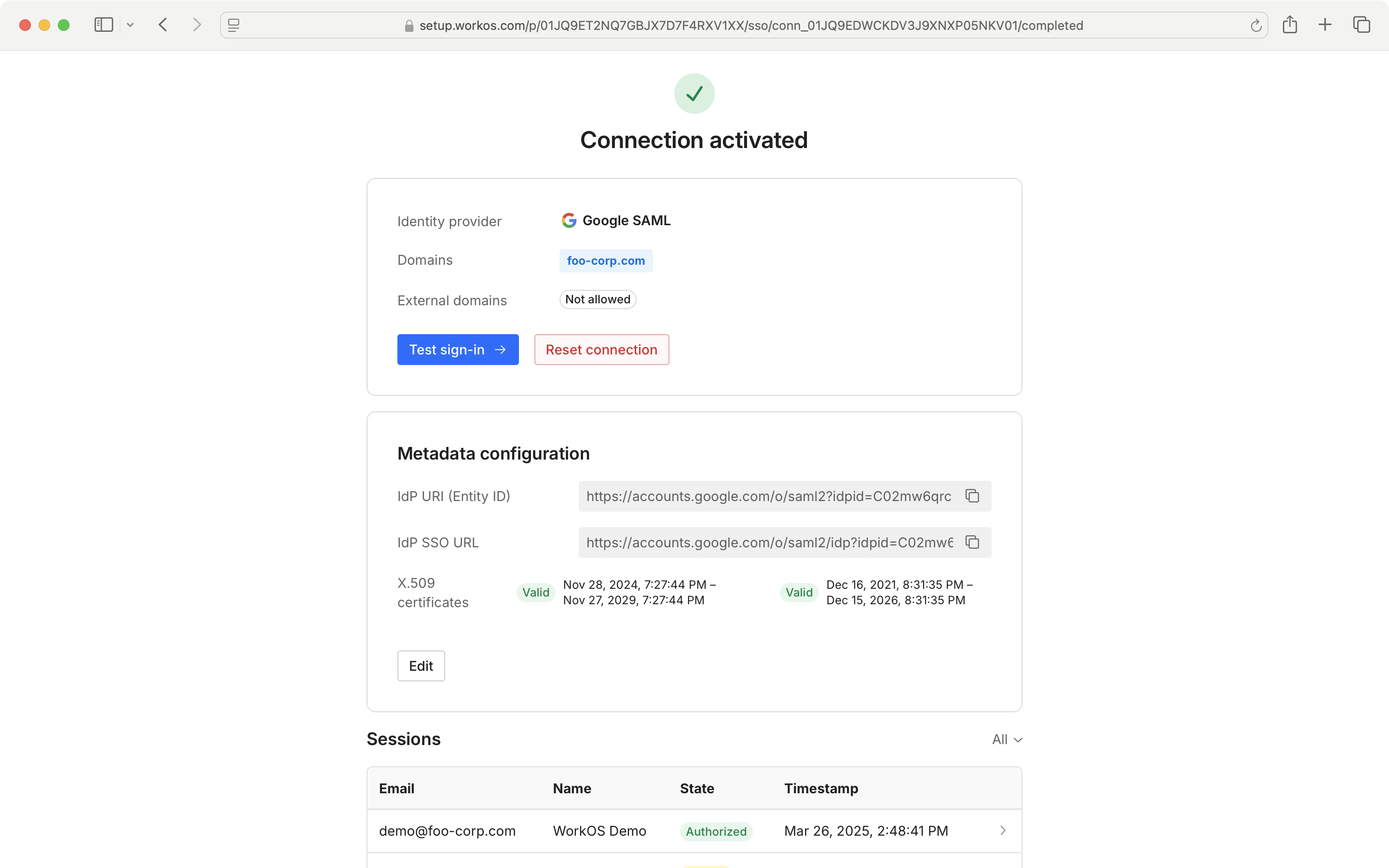
- package/.docs/organized/docs/reference/fga/resource/batch-write.mdx +175 -0
- package/.docs/organized/docs/reference/fga/resource/create.mdx +130 -0
- package/.docs/organized/docs/reference/fga/resource/delete.mdx +86 -0
- package/.docs/organized/docs/reference/fga/resource/get.mdx +88 -0
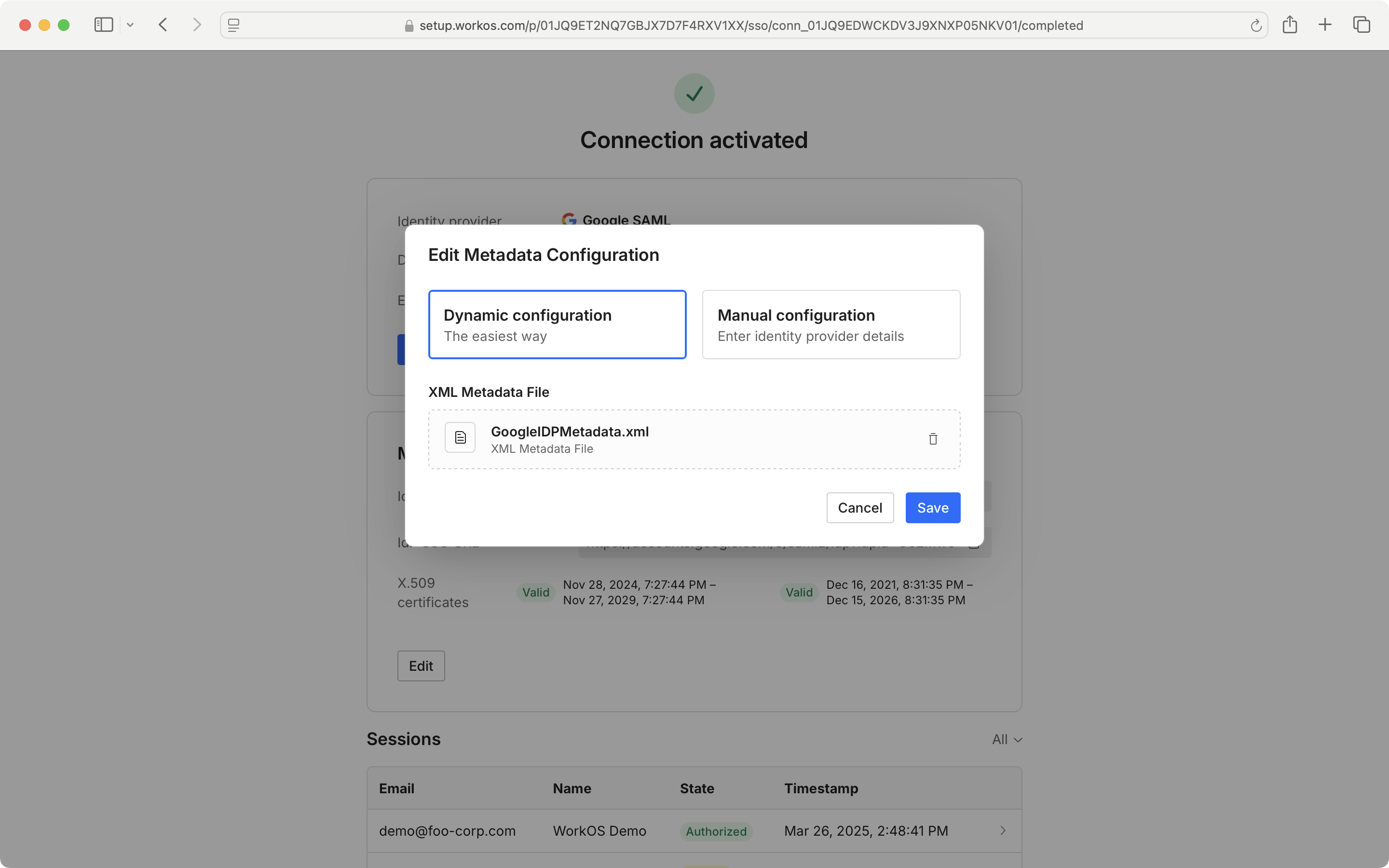
- package/.docs/organized/docs/reference/fga/resource/index.mdx +98 -0
- package/.docs/organized/docs/reference/fga/resource/list.mdx +188 -0
- package/.docs/organized/docs/reference/fga/resource/update.mdx +115 -0
- package/.docs/organized/docs/reference/fga/resource-type/apply.mdx +35 -0
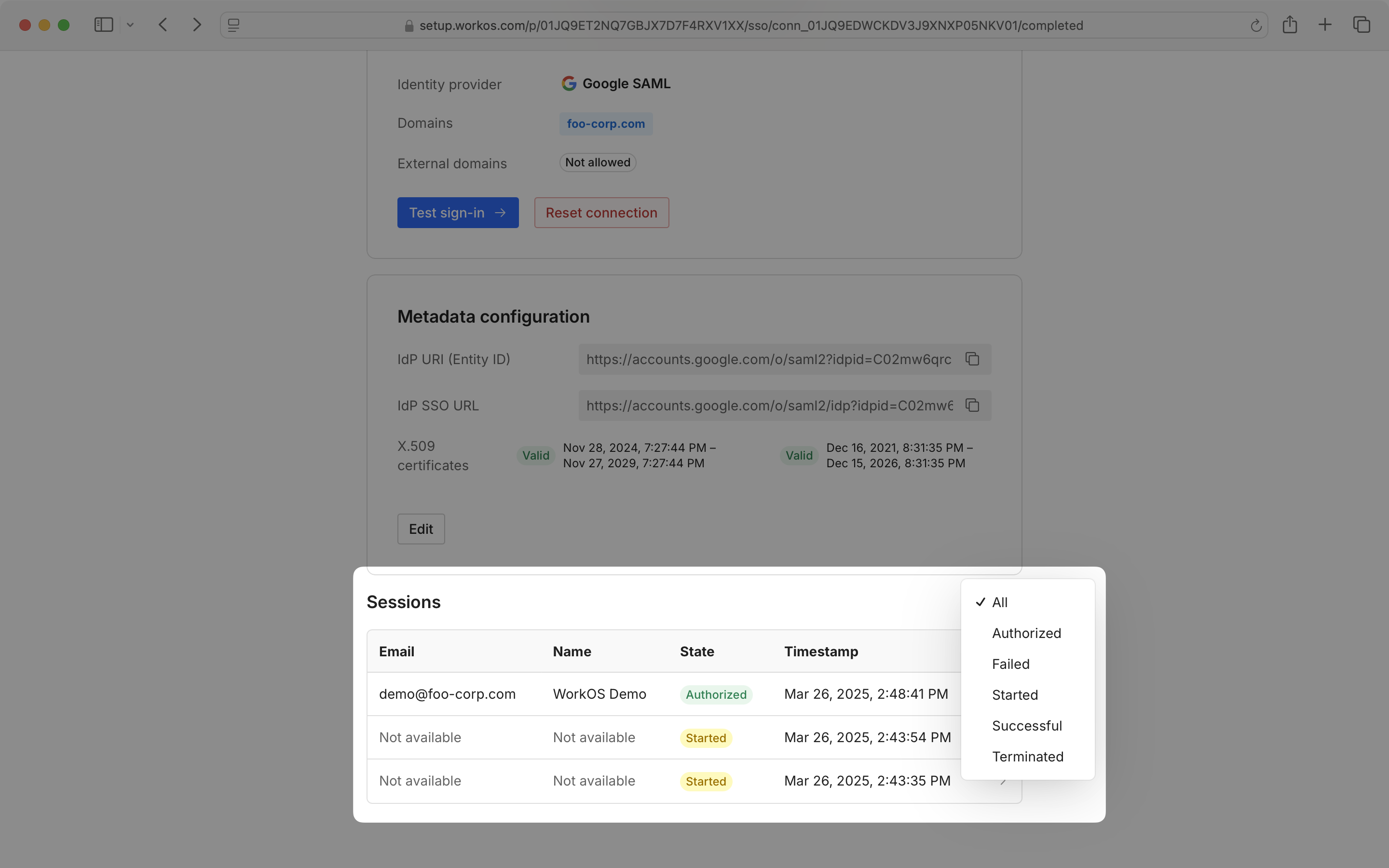
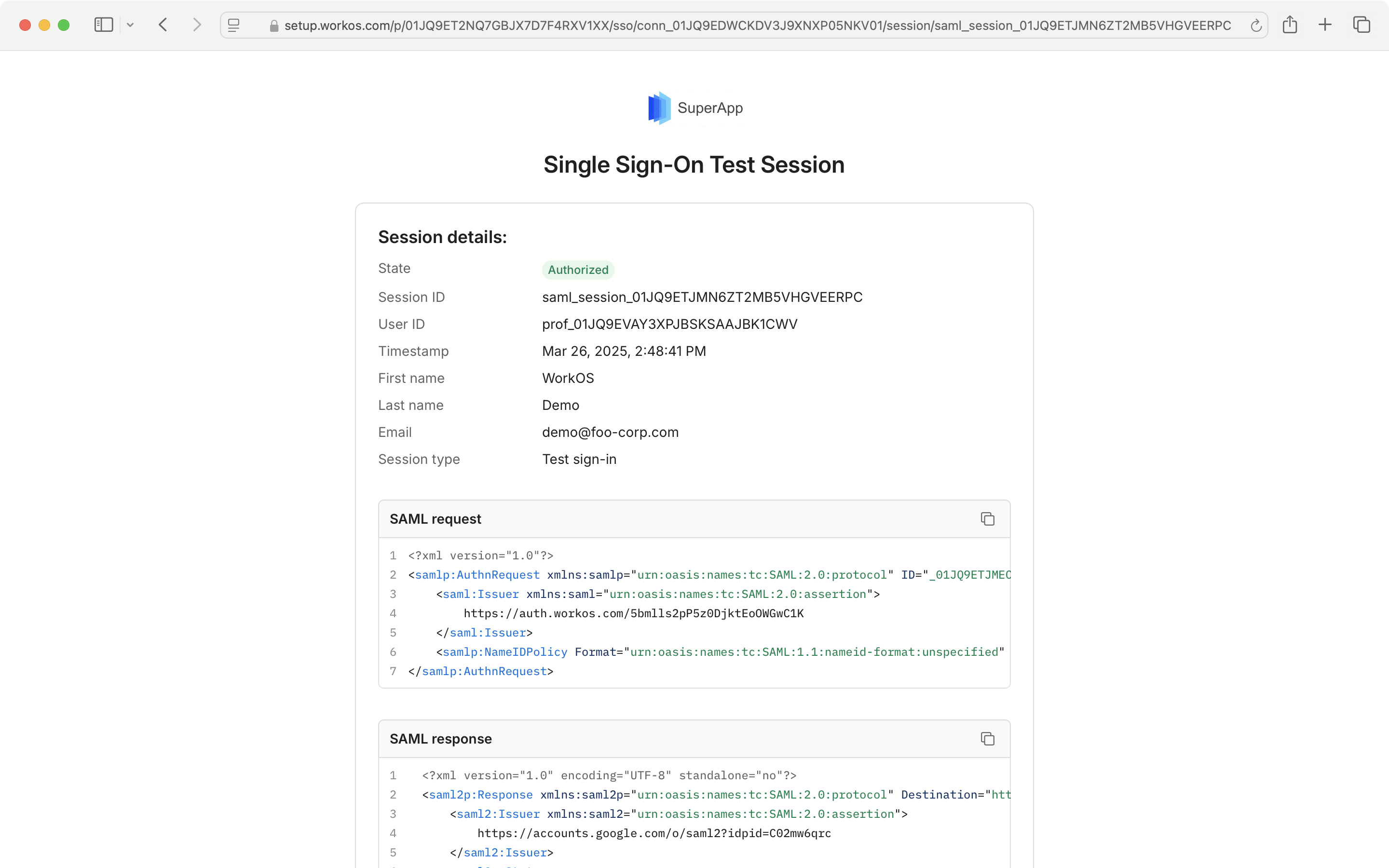
- package/.docs/organized/docs/reference/fga/resource-type/create.mdx +24 -0
- package/.docs/organized/docs/reference/fga/resource-type/delete.mdx +22 -0
- package/.docs/organized/docs/reference/fga/resource-type/get.mdx +23 -0
- package/.docs/organized/docs/reference/fga/resource-type/index.mdx +68 -0
- package/.docs/organized/docs/reference/fga/resource-type/list.mdx +36 -0
- package/.docs/organized/docs/reference/fga/resource-type/update.mdx +23 -0
- package/.docs/organized/docs/reference/fga/schema/apply.mdx +42 -0
- package/.docs/organized/docs/reference/fga/schema/get.mdx +24 -0
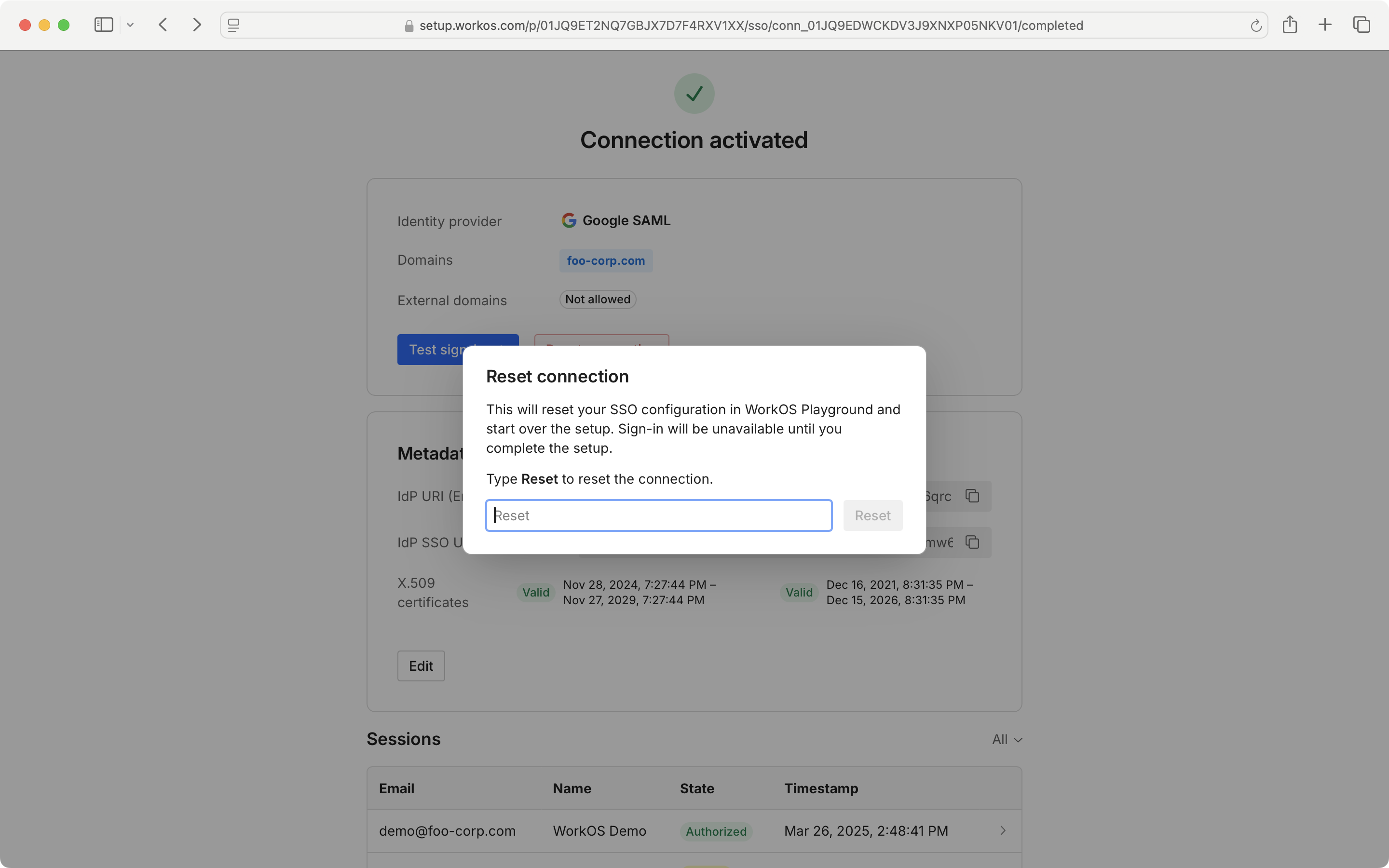
- package/.docs/organized/docs/reference/fga/schema/index.mdx +39 -0
- package/.docs/organized/docs/reference/fga/warrant/batch-write.mdx +226 -0
- package/.docs/organized/docs/reference/fga/warrant/create.mdx +215 -0
- package/.docs/organized/docs/reference/fga/warrant/delete.mdx +212 -0
- package/.docs/organized/docs/reference/fga/warrant/index.mdx +186 -0
- package/.docs/organized/docs/reference/fga/warrant/list.mdx +282 -0
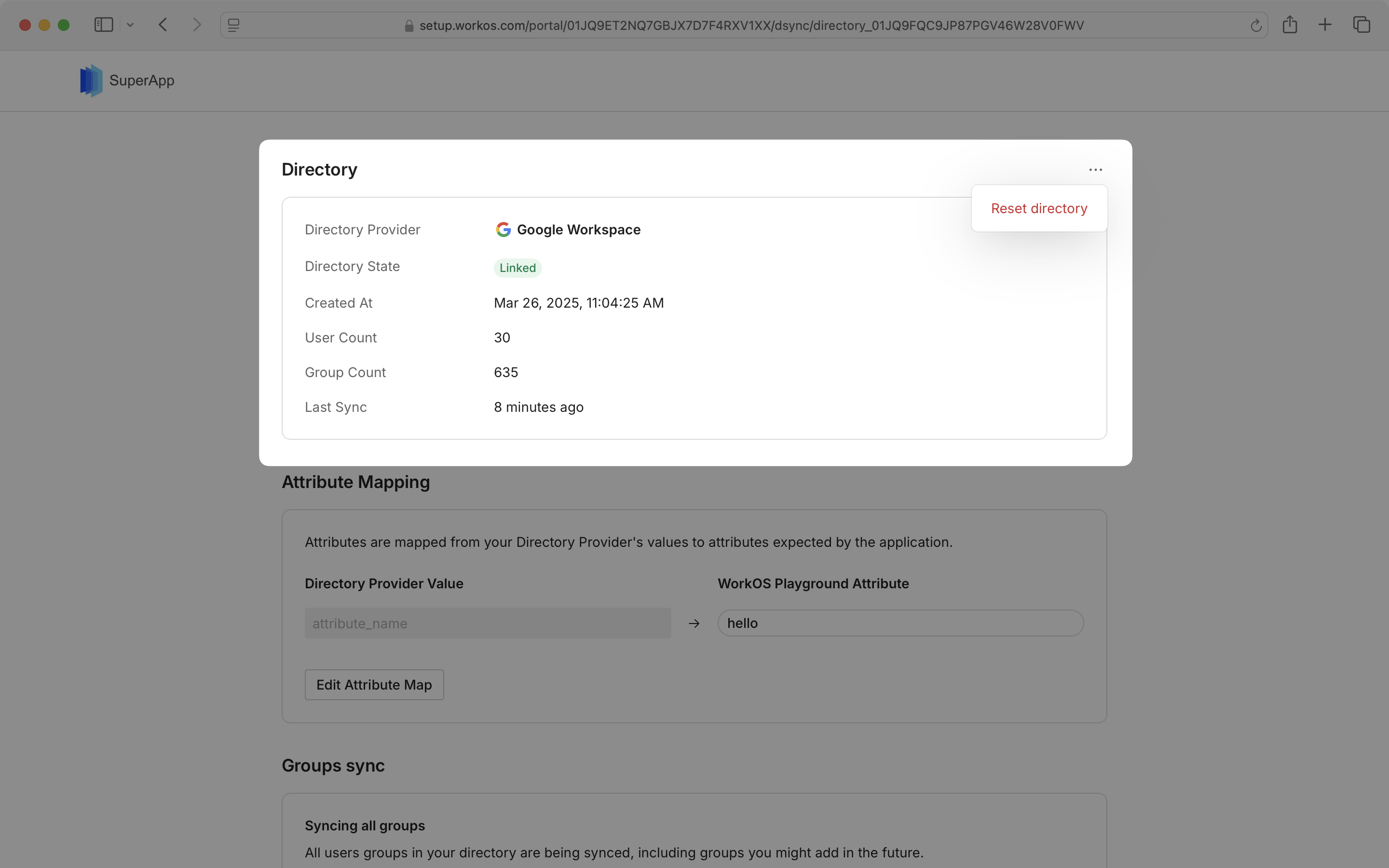
- package/.docs/organized/docs/reference/idempotency.mdx +21 -0
- package/.docs/organized/docs/reference/index.mdx +194 -0
- package/.docs/organized/docs/reference/magic-link/index.mdx +8 -0
- package/.docs/organized/docs/reference/magic-link/passwordless-session/create.mdx +268 -0
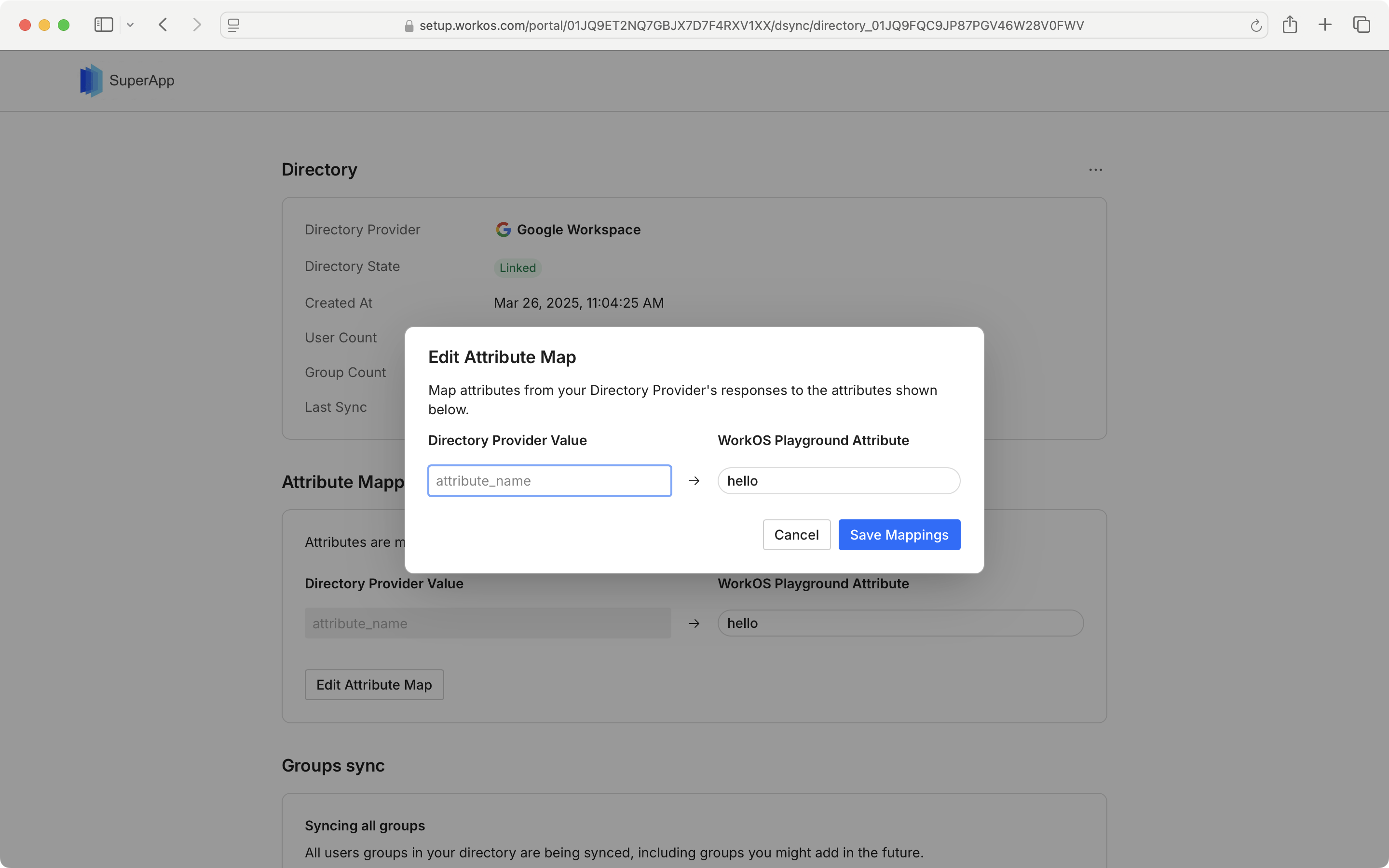
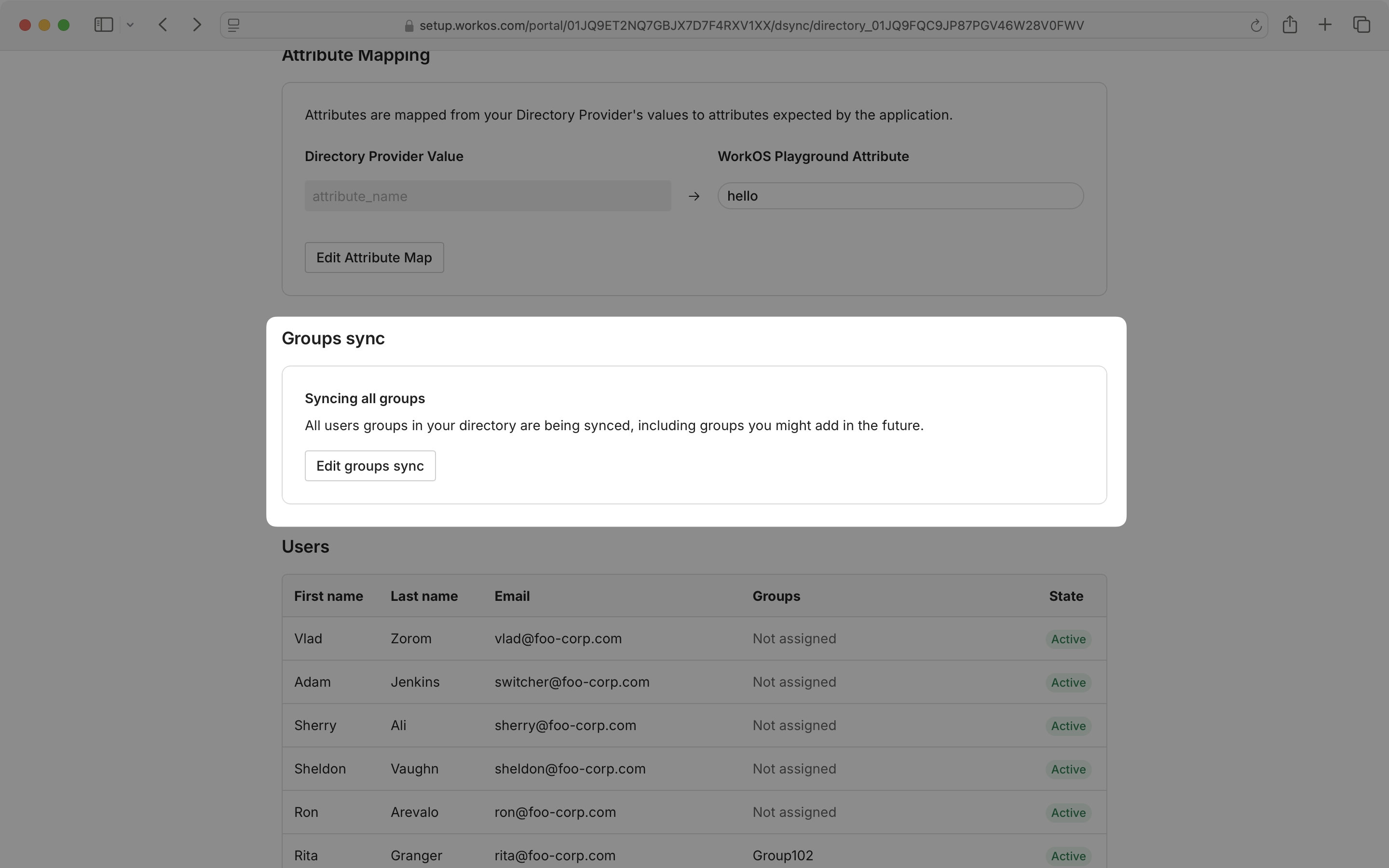
- package/.docs/organized/docs/reference/magic-link/passwordless-session/index.mdx +203 -0
- package/.docs/organized/docs/reference/magic-link/passwordless-session/send-email.mdx +158 -0
- package/.docs/organized/docs/reference/mfa/authentication-challenge.mdx +217 -0
- package/.docs/organized/docs/reference/mfa/authentication-factor.mdx +381 -0
- package/.docs/organized/docs/reference/mfa/challenge-factor.mdx +170 -0
- package/.docs/organized/docs/reference/mfa/delete-factor.mdx +93 -0
- package/.docs/organized/docs/reference/mfa/enroll-factor.mdx +241 -0
- package/.docs/organized/docs/reference/mfa/get-factor.mdx +108 -0
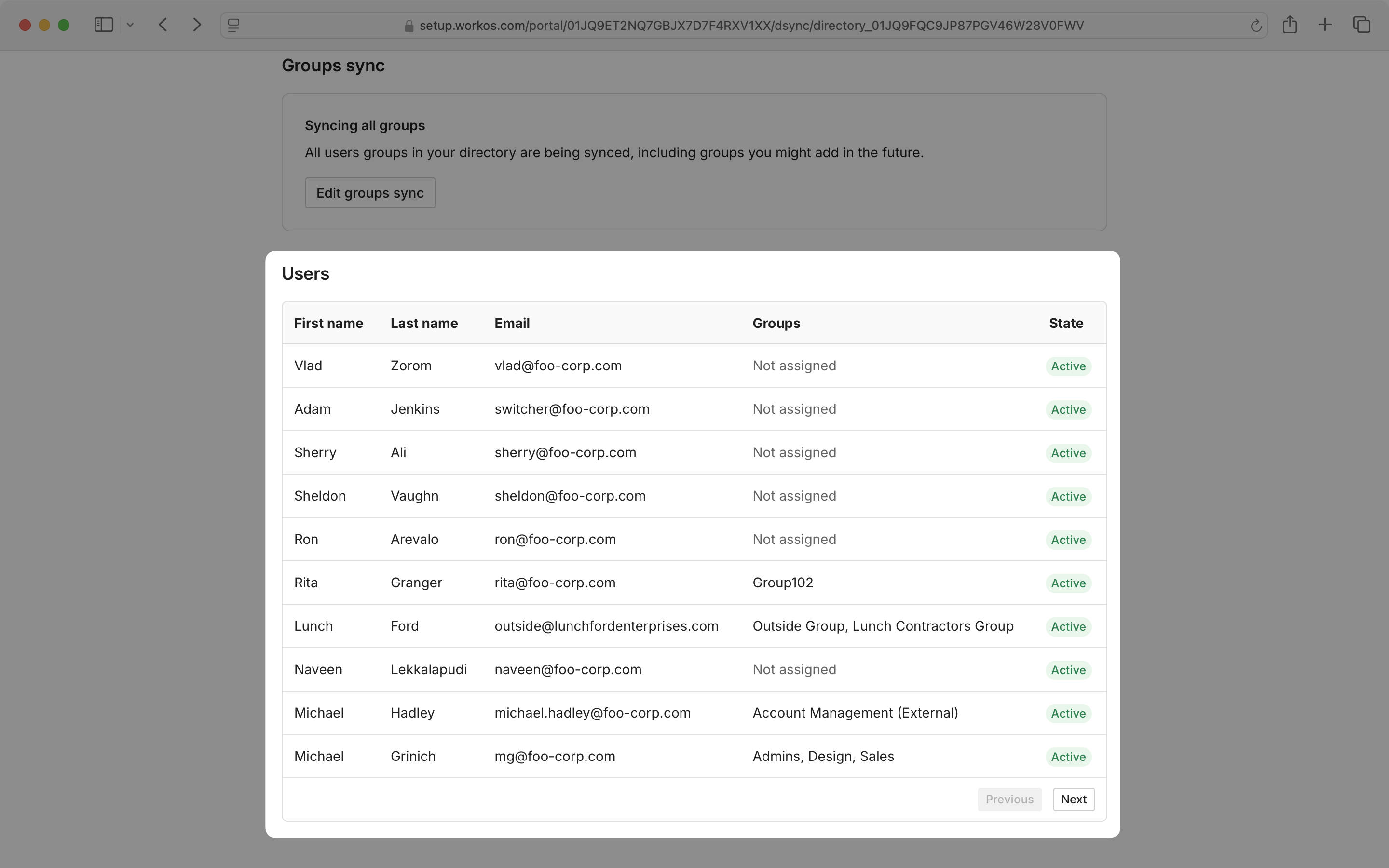
- package/.docs/organized/docs/reference/mfa/index.mdx +8 -0
- package/.docs/organized/docs/reference/mfa/verify-challenge.mdx +228 -0
- package/.docs/organized/docs/reference/organization/create.mdx +216 -0
- package/.docs/organized/docs/reference/organization/delete.mdx +89 -0
- package/.docs/organized/docs/reference/organization/get-by-external-id.mdx +40 -0
- package/.docs/organized/docs/reference/organization/get.mdx +104 -0
- package/.docs/organized/docs/reference/organization/index.mdx +274 -0
- package/.docs/organized/docs/reference/organization/list.mdx +258 -0
- package/.docs/organized/docs/reference/organization/update.mdx +236 -0
- package/.docs/organized/docs/reference/organization-domain.mdx +189 -0
- package/.docs/organized/docs/reference/pagination.mdx +244 -0
- package/.docs/organized/docs/reference/radar/attempts/create.mdx +115 -0
- package/.docs/organized/docs/reference/radar/attempts/index.mdx +7 -0
- package/.docs/organized/docs/reference/radar/attempts/update.mdx +34 -0
- package/.docs/organized/docs/reference/radar/index.mdx +8 -0
- package/.docs/organized/docs/reference/radar/lists/delete.mdx +36 -0
- package/.docs/organized/docs/reference/radar/lists/index.mdx +7 -0
- package/.docs/organized/docs/reference/radar/lists/update.mdx +36 -0
- package/.docs/organized/docs/reference/rate-limits.mdx +50 -0
- package/.docs/organized/docs/reference/roles/index.mdx +268 -0
- package/.docs/organized/docs/reference/roles/list-for-organization.mdx +152 -0
- package/.docs/organized/docs/reference/sso/connection/delete.mdx +89 -0
- package/.docs/organized/docs/reference/sso/connection/get.mdx +104 -0
- package/.docs/organized/docs/reference/sso/connection/index.mdx +388 -0
- package/.docs/organized/docs/reference/sso/connection/list.mdx +320 -0
- package/.docs/organized/docs/reference/sso/get-authorization-url/error-codes.mdx +28 -0
- package/.docs/organized/docs/reference/sso/get-authorization-url/index.mdx +434 -0
- package/.docs/organized/docs/reference/sso/get-authorization-url/redirect-uri.mdx +21 -0
- package/.docs/organized/docs/reference/sso/index.mdx +8 -0
- package/.docs/organized/docs/reference/sso/logout/authorize.mdx +47 -0
- package/.docs/organized/docs/reference/sso/logout/index.mdx +14 -0
- package/.docs/organized/docs/reference/sso/logout/redirect.mdx +32 -0
- package/.docs/organized/docs/reference/sso/profile/get-profile-and-token.mdx +229 -0
- package/.docs/organized/docs/reference/sso/profile/get-user-profile.mdx +127 -0
- package/.docs/organized/docs/reference/sso/profile/index.mdx +364 -0
- package/.docs/organized/docs/reference/testing.mdx +8 -0
- package/.docs/organized/docs/reference/user-management/access-token/index.mdx +13 -0
- package/.docs/organized/docs/reference/user-management/authentication/code.mdx +448 -0
- package/.docs/organized/docs/reference/user-management/authentication/email-verification.mdx +359 -0
- package/.docs/organized/docs/reference/user-management/authentication/get-authorization-url/error-codes.mdx +25 -0
- package/.docs/organized/docs/reference/user-management/authentication/get-authorization-url/index.mdx +425 -0
- package/.docs/organized/docs/reference/user-management/authentication/get-authorization-url/pkce.mdx +9 -0
- package/.docs/organized/docs/reference/user-management/authentication/get-authorization-url/redirect-uri.mdx +23 -0
- package/.docs/organized/docs/reference/user-management/authentication/index.mdx +66 -0
- package/.docs/organized/docs/reference/user-management/authentication/magic-auth.mdx +353 -0
- package/.docs/organized/docs/reference/user-management/authentication/organization-selection.mdx +349 -0
- package/.docs/organized/docs/reference/user-management/authentication/password.mdx +350 -0
- package/.docs/organized/docs/reference/user-management/authentication/refresh-and-seal-session-data.mdx +57 -0
- package/.docs/organized/docs/reference/user-management/authentication/refresh-token.mdx +381 -0
- package/.docs/organized/docs/reference/user-management/authentication/session-cookie.mdx +79 -0
- package/.docs/organized/docs/reference/user-management/authentication/totp.mdx +369 -0
- package/.docs/organized/docs/reference/user-management/authentication-errors/email-verification-required-error.mdx +42 -0
- package/.docs/organized/docs/reference/user-management/authentication-errors/index.mdx +20 -0
- package/.docs/organized/docs/reference/user-management/authentication-errors/mfa-challenge-error.mdx +44 -0
- package/.docs/organized/docs/reference/user-management/authentication-errors/mfa-enrollment-error.mdx +37 -0
- package/.docs/organized/docs/reference/user-management/authentication-errors/organization-authentication-required-error.mdx +68 -0
- package/.docs/organized/docs/reference/user-management/authentication-errors/organization-selection-error.mdx +44 -0
- package/.docs/organized/docs/reference/user-management/authentication-errors/sso-required-error.mdx +51 -0
- package/.docs/organized/docs/reference/user-management/email-verification/get.mdx +88 -0
- package/.docs/organized/docs/reference/user-management/email-verification/index.mdx +227 -0
- package/.docs/organized/docs/reference/user-management/identity/index.mdx +74 -0
- package/.docs/organized/docs/reference/user-management/identity/list.mdx +52 -0
- package/.docs/organized/docs/reference/user-management/index.mdx +13 -0
- package/.docs/organized/docs/reference/user-management/invitation/accept.mdx +39 -0
- package/.docs/organized/docs/reference/user-management/invitation/find-by-token.mdx +87 -0
- package/.docs/organized/docs/reference/user-management/invitation/get.mdx +87 -0
- package/.docs/organized/docs/reference/user-management/invitation/index.mdx +374 -0
- package/.docs/organized/docs/reference/user-management/invitation/list.mdx +247 -0
- package/.docs/organized/docs/reference/user-management/invitation/revoke.mdx +90 -0
- package/.docs/organized/docs/reference/user-management/invitation/send.mdx +230 -0
- package/.docs/organized/docs/reference/user-management/logout/get-logout-url-from-session-cookie.mdx +52 -0
- package/.docs/organized/docs/reference/user-management/logout/get-logout-url.mdx +147 -0
- package/.docs/organized/docs/reference/user-management/logout/index.mdx +26 -0
- package/.docs/organized/docs/reference/user-management/magic-auth/create.mdx +148 -0
- package/.docs/organized/docs/reference/user-management/magic-auth/get.mdx +88 -0
- package/.docs/organized/docs/reference/user-management/magic-auth/index.mdx +225 -0
- package/.docs/organized/docs/reference/user-management/mfa/authentication-challenge.mdx +194 -0
- package/.docs/organized/docs/reference/user-management/mfa/authentication-factor.mdx +324 -0
- package/.docs/organized/docs/reference/user-management/mfa/enroll-auth-factor.mdx +296 -0
- package/.docs/organized/docs/reference/user-management/mfa/index.mdx +5 -0
- package/.docs/organized/docs/reference/user-management/mfa/list-auth-factors.mdx +194 -0
- package/.docs/organized/docs/reference/user-management/organization-membership/create.mdx +155 -0
- package/.docs/organized/docs/reference/user-management/organization-membership/deactivate.mdx +106 -0
- package/.docs/organized/docs/reference/user-management/organization-membership/delete.mdx +76 -0
- package/.docs/organized/docs/reference/user-management/organization-membership/get.mdx +95 -0
- package/.docs/organized/docs/reference/user-management/organization-membership/index.mdx +265 -0
- package/.docs/organized/docs/reference/user-management/organization-membership/list.mdx +291 -0
- package/.docs/organized/docs/reference/user-management/organization-membership/reactivate.mdx +106 -0
- package/.docs/organized/docs/reference/user-management/organization-membership/update.mdx +119 -0
- package/.docs/organized/docs/reference/user-management/password-reset/create.mdx +108 -0
- package/.docs/organized/docs/reference/user-management/password-reset/get.mdx +88 -0
- package/.docs/organized/docs/reference/user-management/password-reset/index.mdx +227 -0
- package/.docs/organized/docs/reference/user-management/password-reset/reset-password.mdx +144 -0
- package/.docs/organized/docs/reference/user-management/session-helpers/authenticate.mdx +176 -0
- package/.docs/organized/docs/reference/user-management/session-helpers/get-logout-url.mdx +42 -0
- package/.docs/organized/docs/reference/user-management/session-helpers/index.mdx +14 -0
- package/.docs/organized/docs/reference/user-management/session-helpers/load-sealed-session.mdx +105 -0
- package/.docs/organized/docs/reference/user-management/session-helpers/refresh.mdx +213 -0
- package/.docs/organized/docs/reference/user-management/session-tokens/access-token.mdx +90 -0
- package/.docs/organized/docs/reference/user-management/session-tokens/index.mdx +5 -0
- package/.docs/organized/docs/reference/user-management/session-tokens/jwks.mdx +110 -0
- package/.docs/organized/docs/reference/user-management/session-tokens/refresh-token.mdx +8 -0
- package/.docs/organized/docs/reference/user-management/user/create.mdx +327 -0
- package/.docs/organized/docs/reference/user-management/user/delete.mdx +76 -0
- package/.docs/organized/docs/reference/user-management/user/get-by-external-id.mdx +39 -0
- package/.docs/organized/docs/reference/user-management/user/get.mdx +103 -0
- package/.docs/organized/docs/reference/user-management/user/index.mdx +322 -0
- package/.docs/organized/docs/reference/user-management/user/list.mdx +260 -0
- package/.docs/organized/docs/reference/user-management/user/update.mdx +344 -0
- package/.docs/organized/docs/reference/vault/index.mdx +6 -0
- package/.docs/organized/docs/reference/vault/key/create-data-key.mdx +106 -0
- package/.docs/organized/docs/reference/vault/key/decrypt-data-key.mdx +84 -0
- package/.docs/organized/docs/reference/vault/key/decrypt-data.mdx +52 -0
- package/.docs/organized/docs/reference/vault/key/encrypt-data.mdx +58 -0
- package/.docs/organized/docs/reference/vault/key/index.mdx +25 -0
- package/.docs/organized/docs/reference/vault/object/create.mdx +62 -0
- package/.docs/organized/docs/reference/vault/object/delete.mdx +75 -0
- package/.docs/organized/docs/reference/vault/object/get.mdx +50 -0
- package/.docs/organized/docs/reference/vault/object/index.mdx +174 -0
- package/.docs/organized/docs/reference/vault/object/list.mdx +105 -0
- package/.docs/organized/docs/reference/vault/object/metadata.mdx +52 -0
- package/.docs/organized/docs/reference/vault/object/update.mdx +67 -0
- package/.docs/organized/docs/reference/vault/object/version.mdx +87 -0
- package/.docs/organized/docs/reference/vault/object/versions.mdx +83 -0
- package/.docs/organized/docs/reference/widgets/get-token.mdx +185 -0
- package/.docs/organized/docs/reference/widgets/index.mdx +6 -0
- package/.docs/organized/docs/reference/workos-connect/authorize/index.mdx +75 -0
- package/.docs/organized/docs/reference/workos-connect/index.mdx +33 -0
- package/.docs/organized/docs/reference/workos-connect/introspection/index.mdx +122 -0
- package/.docs/organized/docs/reference/workos-connect/metadata/index.mdx +25 -0
- package/.docs/organized/docs/reference/workos-connect/metadata/oauth-authorization-server/index.mdx +99 -0
- package/.docs/organized/docs/reference/workos-connect/metadata/openid-configuration/index.mdx +70 -0
- package/.docs/organized/docs/reference/workos-connect/token/authorization-code-grant/access-token.mdx +53 -0
- package/.docs/organized/docs/reference/workos-connect/token/authorization-code-grant/id-token.mdx +60 -0
- package/.docs/organized/docs/reference/workos-connect/token/authorization-code-grant/index.mdx +69 -0
- package/.docs/organized/docs/reference/workos-connect/token/client-credentials-grant/access-token.mdx +46 -0
- package/.docs/organized/docs/reference/workos-connect/token/client-credentials-grant/index.mdx +56 -0
- package/.docs/organized/docs/reference/workos-connect/token/index.mdx +39 -0
- package/.docs/organized/docs/reference/workos-connect/token/refresh-token-grant.mdx +69 -0
- package/.docs/organized/docs/reference/workos-connect/userinfo/index.mdx +46 -0
- package/.docs/organized/docs/sdks/dotnet.mdx +6 -0
- package/.docs/organized/docs/sdks/elixir.mdx +6 -0
- package/.docs/organized/docs/sdks/go.mdx +6 -0
- package/.docs/organized/docs/sdks/java.mdx +9 -0
- package/.docs/organized/docs/sdks/laravel.mdx +6 -0
- package/.docs/organized/docs/sdks/node.mdx +9 -0
- package/.docs/organized/docs/sdks/php.mdx +6 -0
- package/.docs/organized/docs/sdks/python.mdx +6 -0
- package/.docs/organized/docs/sdks/ruby.mdx +9 -0
- package/.docs/organized/docs/sso/_navigation.mdx +44 -0
- package/.docs/organized/docs/sso/_sequence-diagrams/saml-protocol-security-considerations.md +59 -0
- package/.docs/organized/docs/sso/attributes.mdx +110 -0
- package/.docs/organized/docs/sso/domains.mdx +111 -0
- package/.docs/organized/docs/sso/example-apps.mdx +46 -0
- package/.docs/organized/docs/sso/identity-provider-role-assignment.mdx +113 -0
- package/.docs/organized/docs/sso/index.mdx +295 -0
- package/.docs/organized/docs/sso/it-team-faq.mdx +35 -0
- package/.docs/organized/docs/sso/jit-provisioning.mdx +101 -0
- package/.docs/organized/docs/sso/launch-checklist.mdx +71 -0
- package/.docs/organized/docs/sso/login-flows.mdx +101 -0
- package/.docs/organized/docs/sso/redirect-uris.mdx +44 -0
- package/.docs/organized/docs/sso/saml-security.mdx +122 -0
- package/.docs/organized/docs/sso/signing-certificates.mdx +121 -0
- package/.docs/organized/docs/sso/single-logout.mdx +45 -0
- package/.docs/organized/docs/sso/test-sso.mdx +73 -0
- package/.docs/organized/docs/sso/ux/sign-in.mdx +44 -0
- package/.docs/organized/docs/user-management/_navigation.mdx +87 -0
- package/.docs/organized/docs/user-management/actions.mdx +169 -0
- package/.docs/organized/docs/user-management/authkit.mdx +69 -0
- package/.docs/organized/docs/user-management/branding.mdx +143 -0
- package/.docs/organized/docs/user-management/connect.mdx +110 -0
- package/.docs/organized/docs/user-management/custom-emails.mdx +164 -0
- package/.docs/organized/docs/user-management/directory-provisioning.mdx +78 -0
- package/.docs/organized/docs/user-management/domain-verification.mdx +28 -0
- package/.docs/organized/docs/user-management/email-password.mdx +42 -0
- package/.docs/organized/docs/user-management/email-verification.mdx +29 -0
- package/.docs/organized/docs/user-management/entitlements.mdx +46 -0
- package/.docs/organized/docs/user-management/example-apps.mdx +39 -0
- package/.docs/organized/docs/user-management/identity-linking.mdx +52 -0
- package/.docs/organized/docs/user-management/impersonation.mdx +82 -0
- package/.docs/organized/docs/user-management/index.mdx +525 -0
- package/.docs/organized/docs/user-management/invitations.mdx +60 -0
- package/.docs/organized/docs/user-management/invite-only-signup.mdx +72 -0
- package/.docs/organized/docs/user-management/jit-provisioning.mdx +36 -0
- package/.docs/organized/docs/user-management/jwt-templates.mdx +278 -0
- package/.docs/organized/docs/user-management/magic-auth.mdx +36 -0
- package/.docs/organized/docs/user-management/mcp.mdx +146 -0
- package/.docs/organized/docs/user-management/metadata.mdx +119 -0
- package/.docs/organized/docs/user-management/mfa.mdx +32 -0
- package/.docs/organized/docs/user-management/migrations.mdx +20 -0
- package/.docs/organized/docs/user-management/modeling-your-app.mdx +149 -0
- package/.docs/organized/docs/user-management/organization-policies.mdx +33 -0
- package/.docs/organized/docs/user-management/overview.mdx +46 -0
- package/.docs/organized/docs/user-management/passkeys.mdx +42 -0
- package/.docs/organized/docs/user-management/radar.mdx +127 -0
- package/.docs/organized/docs/user-management/roles-and-permissions.mdx +155 -0
- package/.docs/organized/docs/user-management/sessions.mdx +101 -0
- package/.docs/organized/docs/user-management/social-login.mdx +34 -0
- package/.docs/organized/docs/user-management/sso-with-contractors.mdx +85 -0
- package/.docs/organized/docs/user-management/sso.mdx +96 -0
- package/.docs/organized/docs/user-management/users-organizations.mdx +91 -0
- package/.docs/organized/docs/user-management/widgets.mdx +190 -0
- package/.docs/organized/docs/vault/_navigation.mdx +14 -0
- package/.docs/organized/docs/vault/index.mdx +38 -0
- package/.docs/organized/docs/vault/key-context.mdx +32 -0
- package/.docs/organized/docs/vault/quick-start.mdx +82 -0
- package/README.md +252 -0
- package/dist/chunk-64GKEK6G.js +48 -0
- package/dist/chunk-64GKEK6G.js.map +1 -0
- package/dist/get-tools.d.ts +23 -0
- package/dist/get-tools.js +8 -0
- package/dist/get-tools.js.map +1 -0
- package/dist/index.d.ts +1 -0
- package/dist/index.js +552 -0
- package/dist/index.js.map +1 -0
- package/dist/prepare.d.ts +2 -0
- package/dist/prepare.js +269 -0
- package/dist/prepare.js.map +1 -0
- package/package.json +49 -0
|
@@ -0,0 +1,240 @@
|
|
|
1
|
+
---
|
|
2
|
+
title: Admin Portal
|
|
3
|
+
description: "A first-class Single\_Sign-On and\_Directory\_Sync onboarding experience\_for\_organization admins."
|
|
4
|
+
showNextPage: true
|
|
5
|
+
originalPath: .tmp-workos-clone/packages/docs/content/admin-portal/index.mdx
|
|
6
|
+
---
|
|
7
|
+
|
|
8
|
+
## Introduction
|
|
9
|
+
|
|
10
|
+
The Admin Portal provides an out-of-the-box UI for IT admins to configure SSO and Directory Sync Connections. Designed to remove friction, custom walk-through documentation for each Identity Provider means that organization admins can onboard their organizations without high-touch support from your team. Easy to integrate and fully maintained and hosted by WorkOS, the Admin Portal makes the SSO and Directory Sync setup process simple, fast, and secure.
|
|
11
|
+
|
|
12
|
+
|
|
13
|
+
|
|
14
|
+
## Workflow Options
|
|
15
|
+
|
|
16
|
+
There are two main workflows for initiating an Admin Portal session for IT admins. You can either share a link to the Admin Portal from the WorkOS Dashboard, or you can seamlessly integrate Admin Portal into your application through WorkOS SDKs or APIs.
|
|
17
|
+
|
|
18
|
+
|
|
19
|
+
|
|
20
|
+
If you want to provide an IT admin with a link to the Admin Portal, in a email for example, then you would need to create that link in the WorkOS Dashboard.
|
|
21
|
+
|
|
22
|
+
However, if you are adding a button to open the Admin Portal from within your application, then you would need to use the API.
|
|
23
|
+
|
|
24
|
+
| Workflow | Use cases | Security | Return URL and Success URLs |
|
|
25
|
+
| ------------------------------- | :--------------------------- | :------------------------------------------------------------------------------- | :----------------------------------------------------------------------------------------------------------------------------------------- |
|
|
26
|
+
| Share a link from the dashboard | Setup only | Can be revoked; Automatically revoked on setup completion; Expires after 30 days | Not applicable |
|
|
27
|
+
| Generate a link via the API | Setup and post-configuration | Can not be revoked; Expires after 5 minutes | Can be configured on the [Redirects](https://dashboard.workos.com/redirects) page in the dashboard or specified as a parameter for the API |
|
|
28
|
+
|
|
29
|
+
---
|
|
30
|
+
|
|
31
|
+
## Before getting started
|
|
32
|
+
|
|
33
|
+
To get the most out of these guides, you’ll need:
|
|
34
|
+
|
|
35
|
+
- A [WorkOS account](https://dashboard.workos.com/)
|
|
36
|
+
|
|
37
|
+
## API object definitions
|
|
38
|
+
|
|
39
|
+
[Connection](/reference/sso/connection)
|
|
40
|
+
: Represents the method by which users of an organization sign in to your application.
|
|
41
|
+
|
|
42
|
+
[Organization](/reference/organization)
|
|
43
|
+
: Describes an organization whose users sign in with a SSO Connection, or whose users are synced with a Directory Sync Connection.
|
|
44
|
+
|
|
45
|
+
[Portal Link](/reference/admin-portal/portal-link)
|
|
46
|
+
: A temporary link to initiate an Admin Portal session.
|
|
47
|
+
|
|
48
|
+
## (A) Setup Link from WorkOS Dashboard
|
|
49
|
+
|
|
50
|
+
The Admin Portal Setup Link gives your customer access to a guided configuration experience through our Admin Portal. It instructs them how to configure their Identity or Directory Provider. If successfully configured, no other action is required and you’ll see an Active connection appear under the Organization.
|
|
51
|
+
|
|
52
|
+
First decide whether your customer will be configuring an Identity Provider, a Directory Provider OR both. Once you generate a link, the customer will have access for 30 days or until configured.
|
|
53
|
+
|
|
54
|
+
You’ll need a [WorkOS Dashboard account](https://dashboard.workos.com/) to create an organization that will represent the enterprise you are onboarding.
|
|
55
|
+
|
|
56
|
+
### Create Organization
|
|
57
|
+
|
|
58
|
+
Sign in to your WorkOS Dashboard account and create a new Organization.
|
|
59
|
+
|
|
60
|
+
|
|
61
|
+
|
|
62
|
+
### Generate a Setup Link
|
|
63
|
+
|
|
64
|
+
Click the “Invite Admin” button, select the features to include and then click “Next." Enter the email of the IT admin for the organization to automatically send them a setup link, or click "Copy setup link." Only one link can be active at a time. After creating the initial link, you can click the “Manage” button to revoke the existing link before creating a new one.
|
|
65
|
+
|
|
66
|
+
### Sharing a Setup Link
|
|
67
|
+
|
|
68
|
+
If you chose to copy the setup link you can share it over email, Slack or direct message. We also recommend including details on what the link does and how long the link is active.
|
|
69
|
+
|
|
70
|
+
## (B) Integrate with your app
|
|
71
|
+
|
|
72
|
+
In this guide, we’ll walk you through the full end-to-end integration of the Admin Portal into your application.
|
|
73
|
+
|
|
74
|
+
> [Sign in](https://dashboard.workos.com/) to your WorkOS Dashboard account to see code examples pre-filled with your test API keys and resource IDs.
|
|
75
|
+
|
|
76
|
+
### Configure Admin Portal redirect links
|
|
77
|
+
|
|
78
|
+
In order to integrate, you must configure your app's default return URI in the production environment. A button in the Admin Portal will use this value to allow users to return to your app unless otherwise specified when generating the Admin Portal link.
|
|
79
|
+
|
|
80
|
+
|
|
81
|
+
|
|
82
|
+
Additionally, you can configure success URIs to redirect users upon successfully setting up Single Sign-On, Directory Sync, or Log Streams.
|
|
83
|
+
|
|
84
|
+
|
|
85
|
+
|
|
86
|
+
> All redirect links must use HTTPS.
|
|
87
|
+
|
|
88
|
+
You can configure these links in the [Dashboard](https://dashboard.workos.com/).
|
|
89
|
+
|
|
90
|
+
### Install the WorkOS SDK
|
|
91
|
+
|
|
92
|
+
WorkOS offers native SDKs in several popular programming languages. Choose a language below to see instructions in your application’s language.
|
|
93
|
+
|
|
94
|
+
<LanguageSelector>
|
|
95
|
+
Install the SDK using the command below.
|
|
96
|
+
|
|
97
|
+
<CodeBlock title="Install the WorkOS SDK" file="install-sdk">
|
|
98
|
+
<CodeBlockTab language="js" file="install-sdk-npm" title="npm" />
|
|
99
|
+
<CodeBlockTab language="js" file="install-sdk-yarn" title="Yarn" />
|
|
100
|
+
<CodeBlockTab language="java" file="install-sdk-maven" title="Maven" />
|
|
101
|
+
<CodeBlockTab language="java" file="install-sdk-gradle" title="Gradle" />
|
|
102
|
+
<CodeBlockTab language="ruby" file="install-sdk-terminal" title="Terminal" />
|
|
103
|
+
<CodeBlockTab language="ruby" file="install-sdk-bundler" title="Bundler" />
|
|
104
|
+
</CodeBlock>
|
|
105
|
+
</LanguageSelector>
|
|
106
|
+
|
|
107
|
+
### Set secrets
|
|
108
|
+
|
|
109
|
+
To make calls to WorkOS, provide the API key and, in some cases, the client ID. Store these values as managed secrets, such as `WORKOS_API_KEY` and `WORKOS_CLIENT_ID`, and pass them to the SDKs either as environment variables or directly in your app's configuration based on your preferences.
|
|
110
|
+
|
|
111
|
+
```plain title="Environment variables"
|
|
112
|
+
WORKOS_API_KEY='sk_example_123456789'
|
|
113
|
+
WORKOS_CLIENT_ID='client_123456789'
|
|
114
|
+
```
|
|
115
|
+
|
|
116
|
+
### Create a new Organization
|
|
117
|
+
|
|
118
|
+
Each Admin Portal session is scoped to a specific Organization resource, meaning a session is only capable of managing a Connection that belongs to its associated Organization. Organizations may only have one Connection.
|
|
119
|
+
|
|
120
|
+
For every customer in your application that would like access to the Admin Portal, you must create an Organization and maintain a reference to its ID.
|
|
121
|
+
|
|
122
|
+
> Create an Organization when onboarding a new customer.
|
|
123
|
+
|
|
124
|
+
<CodeBlock title="Create an Organization" file="create-organization">
|
|
125
|
+
<CodeBlockTab language="js" file="create-organization-next" title="Next.js" />
|
|
126
|
+
<CodeBlockTab
|
|
127
|
+
language="js"
|
|
128
|
+
file="create-organization-express"
|
|
129
|
+
title="Express"
|
|
130
|
+
/>
|
|
131
|
+
<CodeBlockTab
|
|
132
|
+
language="ruby"
|
|
133
|
+
file="create-organization-rails"
|
|
134
|
+
title="Rails"
|
|
135
|
+
/>
|
|
136
|
+
<CodeBlockTab
|
|
137
|
+
language="ruby"
|
|
138
|
+
file="create-organization-sinatra"
|
|
139
|
+
title="Sinatra"
|
|
140
|
+
/>
|
|
141
|
+
<CodeBlockTab
|
|
142
|
+
language="python"
|
|
143
|
+
file="create-organization-django"
|
|
144
|
+
title="Django"
|
|
145
|
+
/>
|
|
146
|
+
<CodeBlockTab
|
|
147
|
+
language="python"
|
|
148
|
+
file="create-organization-flask"
|
|
149
|
+
title="Flask"
|
|
150
|
+
/>
|
|
151
|
+
</CodeBlock>
|
|
152
|
+
|
|
153
|
+
### Redirect an IT admin to the Admin Portal
|
|
154
|
+
|
|
155
|
+
A Portal Link is your enterprise user’s gateway to accessing their Admin Portal. Each Portal Link is generated using an Organization resource ID. Only resources belonging to the specified Organization can be managed during a Portal Session.
|
|
156
|
+
|
|
157
|
+
In the API call to generate an Admin Portal Link, you will pass an `intent` with possible values of `sso` for an Admin Portal session to create an SSO connection, and `dsync` for an Admin Portal session to create a Directory Sync connection.
|
|
158
|
+
|
|
159
|
+
For security reasons, Portal Links expire 5 minutes after they’re created, so we recommend redirecting users immediately (i.e. don’t email the user Portal Links).
|
|
160
|
+
|
|
161
|
+
> The endpoint that redirects a user to the Admin Portal should be guarded by auth in your application and only available to IT admins.
|
|
162
|
+
|
|
163
|
+
<CodeBlock title="Redirect to Admin Portal" file="redirect-to-admin-portal">
|
|
164
|
+
<CodeBlockTab
|
|
165
|
+
language="js"
|
|
166
|
+
file="redirect-to-admin-portal-next"
|
|
167
|
+
title="Next.js"
|
|
168
|
+
/>
|
|
169
|
+
<CodeBlockTab
|
|
170
|
+
language="js"
|
|
171
|
+
file="redirect-to-admin-portal-express"
|
|
172
|
+
title="Express"
|
|
173
|
+
/>
|
|
174
|
+
<CodeBlockTab
|
|
175
|
+
language="ruby"
|
|
176
|
+
file="redirect-to-admin-portal-rails"
|
|
177
|
+
title="Rails"
|
|
178
|
+
/>
|
|
179
|
+
<CodeBlockTab
|
|
180
|
+
language="ruby"
|
|
181
|
+
file="redirect-to-admin-portal-sinatra"
|
|
182
|
+
title="Sinatra"
|
|
183
|
+
/>
|
|
184
|
+
<CodeBlockTab
|
|
185
|
+
language="python"
|
|
186
|
+
file="redirect-to-admin-portal-django"
|
|
187
|
+
title="Django"
|
|
188
|
+
/>
|
|
189
|
+
<CodeBlockTab
|
|
190
|
+
language="python"
|
|
191
|
+
file="redirect-to-admin-portal-flask"
|
|
192
|
+
title="Flask"
|
|
193
|
+
/>
|
|
194
|
+
</CodeBlock>
|
|
195
|
+
|
|
196
|
+
An [optional return_url parameter](/reference/admin-portal/portal-link/generate) can be used to describe exactly where a user should be sent when they are finished in the Admin Portal. If one is not provided, the success URL configured on the [Redirects](https://dashboard.workos.com/redirects) page of the dashboard will be used.
|
|
197
|
+
|
|
198
|
+
## (C) Using Admin Portal
|
|
199
|
+
|
|
200
|
+
In this guide, we’ll review the features of Admin Portal from an IT manager’s perspective.
|
|
201
|
+
|
|
202
|
+
### Managing SSO Connections
|
|
203
|
+
|
|
204
|
+
On the Admin Portal SSO screen, you can view the identity provider details and connection status, metadata configuration details, and a list of recent connection sessions. You may test your SSO connection from the Admin Portal by using the “Test sign-in” button.
|
|
205
|
+
|
|
206
|
+
|
|
207
|
+
|
|
208
|
+
You may also edit your metadata configuration from the Admin Portal.
|
|
209
|
+
|
|
210
|
+
|
|
211
|
+
|
|
212
|
+
The Sessions section displays a list of recent sessions by timestamp, and can be sorted by `state`.
|
|
213
|
+
|
|
214
|
+
|
|
215
|
+
|
|
216
|
+
Click on a session in the list to see session details, such as the request made to the IdP, and the response.
|
|
217
|
+
|
|
218
|
+
|
|
219
|
+
|
|
220
|
+
If you wish to reset your SSO connection and set it up from scratch, select “Reset Connection” and follow the prompts.
|
|
221
|
+
|
|
222
|
+
|
|
223
|
+
|
|
224
|
+
### Managing Directories
|
|
225
|
+
|
|
226
|
+
On the Admin Portal Directory Sync screen, you can view the directory provider details and connection status, user and group counts, and last sync time. There is also an option to reset the directory.
|
|
227
|
+
|
|
228
|
+
|
|
229
|
+
|
|
230
|
+
You may also view and edit the attribute map from the synced directory by clicking "Edit Attribute Map".
|
|
231
|
+
|
|
232
|
+
|
|
233
|
+
|
|
234
|
+
If you wish to update the groups that are being synced, select "Edit groups sync” and follow the prompts on the next page.
|
|
235
|
+
|
|
236
|
+
|
|
237
|
+
|
|
238
|
+
You can also view a complete list of users from all selected groups in your synced directory.
|
|
239
|
+
|
|
240
|
+
|
|
@@ -0,0 +1,22 @@
|
|
|
1
|
+
---
|
|
2
|
+
title: Audit Logs
|
|
3
|
+
links:
|
|
4
|
+
- title: Getting Started
|
|
5
|
+
links:
|
|
6
|
+
- title: Quick Start
|
|
7
|
+
url: /audit-logs
|
|
8
|
+
- title: Going Live
|
|
9
|
+
links:
|
|
10
|
+
- title: Exporting Events
|
|
11
|
+
url: /audit-logs/exporting-events
|
|
12
|
+
- title: Metadata Schema
|
|
13
|
+
url: /audit-logs/metadata-schema
|
|
14
|
+
- title: Editing Events
|
|
15
|
+
url: /audit-logs/editing-events
|
|
16
|
+
- title: Admin Portal
|
|
17
|
+
url: /audit-logs/admin-portal
|
|
18
|
+
- title: Log Streams
|
|
19
|
+
url: /audit-logs/log-streams
|
|
20
|
+
originalPath: .tmp-workos-clone/packages/docs/content/audit-logs/_navigation.mdx
|
|
21
|
+
---
|
|
22
|
+
|
|
@@ -0,0 +1,20 @@
|
|
|
1
|
+
---
|
|
2
|
+
title: Admin Portal
|
|
3
|
+
description: "View Audit Log events for an\_organization in the WorkOS Admin\_Portal."
|
|
4
|
+
originalPath: .tmp-workos-clone/packages/docs/content/audit-logs/admin-portal.mdx
|
|
5
|
+
---
|
|
6
|
+
|
|
7
|
+
## Creating Admin Portal Link
|
|
8
|
+
|
|
9
|
+
Audit Log events can be viewed in the WorkOS [Admin Portal](/admin-portal). Links can be generated through the WorkOS API and sent to your customers for viewing events associated with their Organization.
|
|
10
|
+
|
|
11
|
+
When creating a link for an Admin Portal session, you must provide the Organization ID whose events will be displayed in the Admin Portal, and specify the intent as `audit_logs`.
|
|
12
|
+
|
|
13
|
+
<CodeBlock
|
|
14
|
+
title="Create Admin Portal Link for Audit Logs"
|
|
15
|
+
file="create-admin-portal-link"
|
|
16
|
+
/>
|
|
17
|
+
|
|
18
|
+
Navigating to the provided link will result in the following view. Users will be able to view and export Audit Log events just as can be done through the WorkOS Dashboard.
|
|
19
|
+
|
|
20
|
+
|
|
@@ -0,0 +1,27 @@
|
|
|
1
|
+
---
|
|
2
|
+
title: Editing Events
|
|
3
|
+
description: "Modify existing event configuration with\_backwards compatibility."
|
|
4
|
+
originalPath: .tmp-workos-clone/packages/docs/content/audit-logs/editing-events.mdx
|
|
5
|
+
---
|
|
6
|
+
|
|
7
|
+
## Editing Events
|
|
8
|
+
|
|
9
|
+
Once you’ve successfully configured Audit Logs in the WorkOS Dashboard and begun emitting events, how do you go about modifying an event schema without breaking your existing integrations? This is where versioning comes into place. When you make a modification to an existing schema it will create a new version rather than overwriting the existing schema.
|
|
10
|
+
|
|
11
|
+
The reason for this behavior is to ensure backwards compatibility. Schema configuration is immutable to prevent you from accidentally making changes that are incompatible with events that are already being emitted from your application. Rather you must first create a new version of the schema, and then explicitly emit events for that version leveraging the event `version` field.
|
|
12
|
+
|
|
13
|
+
### Creating a new event version
|
|
14
|
+
|
|
15
|
+
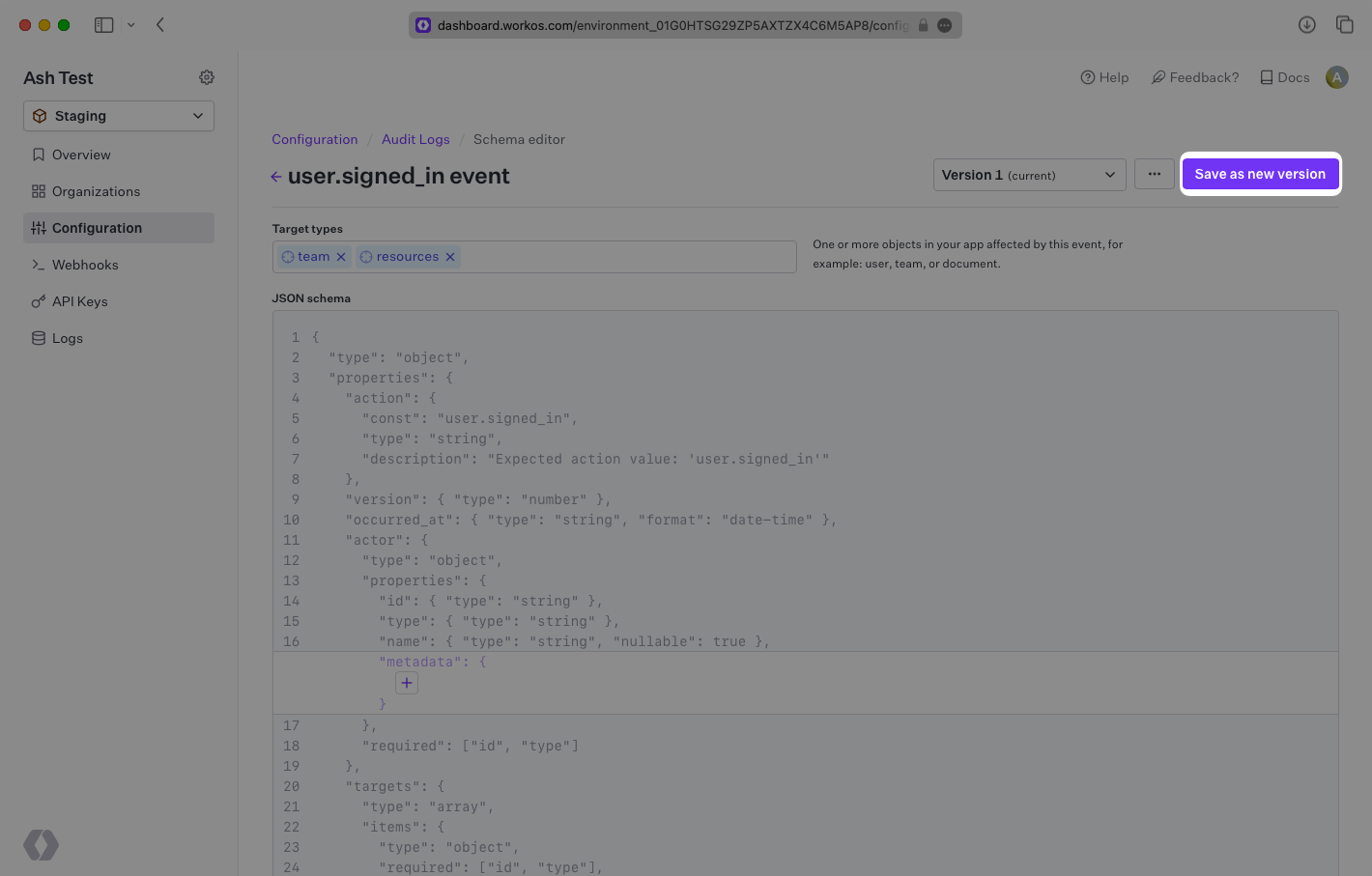
In the WorkOS Dashboard navigate to the Audit Logs configuration page. Locate the event that you would like to modify the schema for and click the “Edit Event” item under the context menu.
|
|
16
|
+
|
|
17
|
+
|
|
18
|
+
|
|
19
|
+
You will be navigated to a page where you can edit both the `targets` associated with the event, and optionally the metadata JSON schema. Once you’re done making changes, clicking save will create a new version of the event schema.
|
|
20
|
+
|
|
21
|
+
|
|
22
|
+
|
|
23
|
+
### Emitting event with version
|
|
24
|
+
|
|
25
|
+
Now that a schema exists with a new version, the `version` field must be provided when emitting an event so that WorkOS knows which version to use for validation.
|
|
26
|
+
|
|
27
|
+
<CodeBlock title="Emit event" file="emit-event-with-version" />
|
|
@@ -0,0 +1,29 @@
|
|
|
1
|
+
---
|
|
2
|
+
title: Exporting Events
|
|
3
|
+
description: "Export Audit Log Events through the\_WorkOS Dashboard and API."
|
|
4
|
+
originalPath: .tmp-workos-clone/packages/docs/content/audit-logs/exporting-events.mdx
|
|
5
|
+
---
|
|
6
|
+
|
|
7
|
+
## Exporting Events
|
|
8
|
+
|
|
9
|
+
You may need to export Audit Log Events in large chunks. WorkOS supports exporting events as CSV files through both the Dashboard and API.
|
|
10
|
+
|
|
11
|
+
Exports are scoped to a single organization within a specified date range. Events from the past three months can be included in the export. You may define additional filters such as `actions`, `actors`, and `targets`.
|
|
12
|
+
|
|
13
|
+
### Creating an export through the Dashboard
|
|
14
|
+
|
|
15
|
+
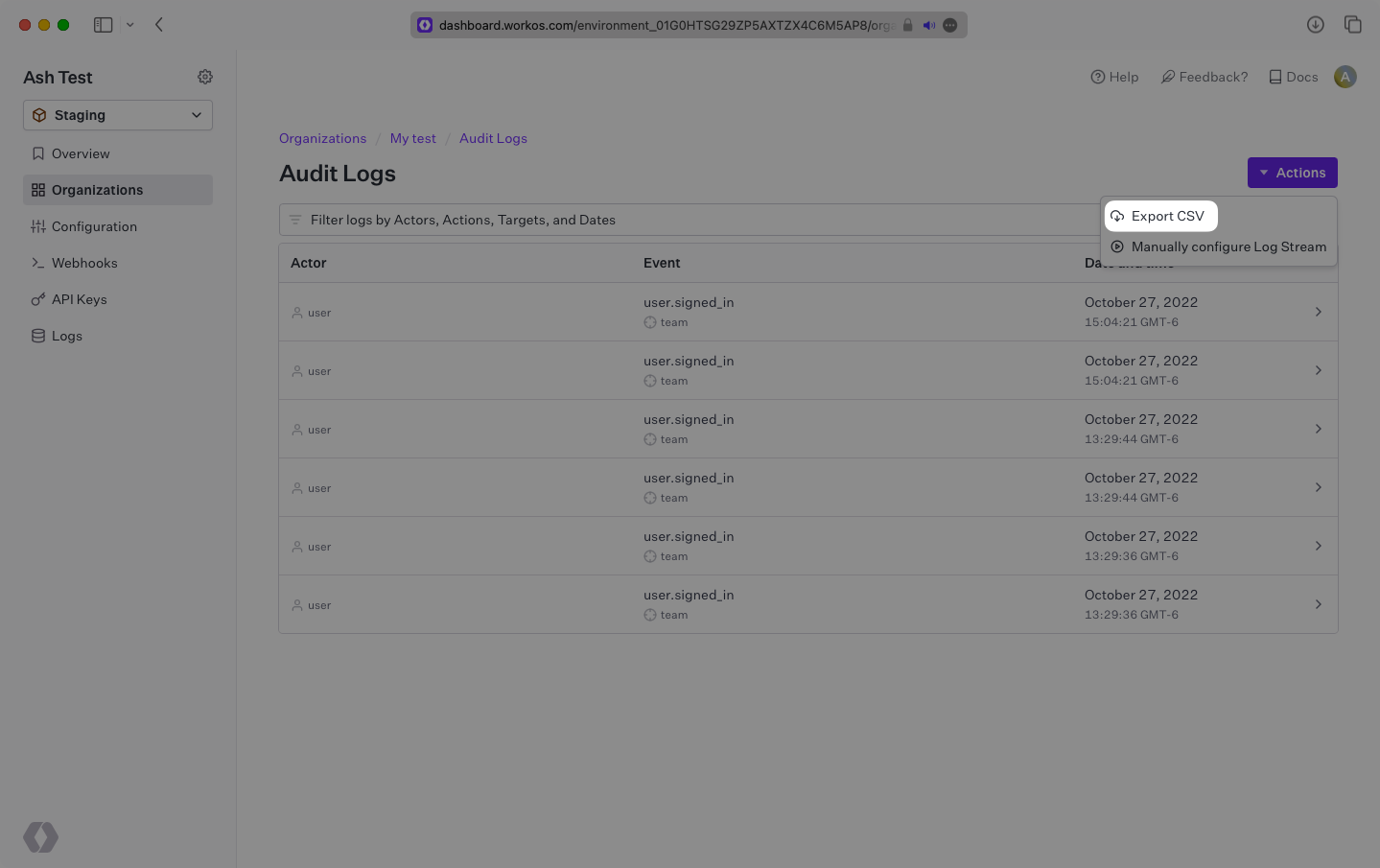
Exports can be manually created under the Organization page when viewing Audit Log Events by selecting "Export CSV" from the "Actions" dropdown. Set your filters and select "Generate CSV file".
|
|
16
|
+
|
|
17
|
+
|
|
18
|
+
|
|
19
|
+
### Creating an export through the API
|
|
20
|
+
|
|
21
|
+
<CodeBlock title="Create an Export" file="create-export" />
|
|
22
|
+
|
|
23
|
+
Once the export has been created, fetch the export at a later time to access the `url` of the generated CSV file.
|
|
24
|
+
|
|
25
|
+
> The URL will expire after 10 minutes. If the export is needed again at a later time, refetching the export will regenerate the URL.
|
|
26
|
+
|
|
27
|
+
<CodeBlock title="Fetch Export" file="get-export" />
|
|
28
|
+
|
|
29
|
+
If the `state` of the export is still `pending`, poll the export until it is ready for download.
|
|
@@ -0,0 +1,110 @@
|
|
|
1
|
+
---
|
|
2
|
+
title: Audit Logs
|
|
3
|
+
description: Ingest and export Audit Log Events from your application.
|
|
4
|
+
originalPath: .tmp-workos-clone/packages/docs/content/audit-logs/index.mdx
|
|
5
|
+
---
|
|
6
|
+
|
|
7
|
+
## Introduction
|
|
8
|
+
|
|
9
|
+
Audit Logs are a collection of events that contain information relevant to notable actions taken by users in your application. Every event in the collection contains details regarding what kind of action was taken (`action`), who performed the action (`actor`), what resources were affected by the action (`targets`), and additional details of when and where the action took place.
|
|
10
|
+
|
|
11
|
+
```json
|
|
12
|
+
{
|
|
13
|
+
"action": "user.signed_in",
|
|
14
|
+
"occurred_at": "2022-08-29T19:47:52.336Z",
|
|
15
|
+
"actor": {
|
|
16
|
+
"type": "user",
|
|
17
|
+
"id": "user_01GBNJC3MX9ZZJW1FSTF4C5938"
|
|
18
|
+
},
|
|
19
|
+
"targets": [
|
|
20
|
+
{
|
|
21
|
+
"type": "team",
|
|
22
|
+
"id": "team_01GBNJD4MKHVKJGEWK42JNMBGS"
|
|
23
|
+
}
|
|
24
|
+
],
|
|
25
|
+
"context": {
|
|
26
|
+
"location": "123.123.123.123",
|
|
27
|
+
"user_agent": "Chrome/104.0.0.0"
|
|
28
|
+
}
|
|
29
|
+
}
|
|
30
|
+
```
|
|
31
|
+
|
|
32
|
+
These events are similar to application logs and analytic events, but are fundamentally different in their intent. They aren’t typically used for active monitoring/alerting, rather they exist as a paper trail of potentially sensitive actions taken by members of an organization for compliance and security reasons.
|
|
33
|
+
|
|
34
|
+
## What you’ll build
|
|
35
|
+
|
|
36
|
+
This guide will show you how to:
|
|
37
|
+
|
|
38
|
+
1. Configure and emit Audit Log Events
|
|
39
|
+
2. Export Audit Log Events
|
|
40
|
+
3. Create custom metadata schemas for Audit Log Events
|
|
41
|
+
4. Create new versions of Audit Log Event schemas
|
|
42
|
+
|
|
43
|
+
## Before getting started
|
|
44
|
+
|
|
45
|
+
To get the most out of this guide, you’ll need:
|
|
46
|
+
|
|
47
|
+
- A [WorkOS account](https://dashboard.workos.com/)
|
|
48
|
+
|
|
49
|
+
## API object definitions
|
|
50
|
+
|
|
51
|
+
[Audit Log Event](/reference/audit-logs/create-event)
|
|
52
|
+
: An individual event that represents an action taken by an actor within your app.
|
|
53
|
+
|
|
54
|
+
[Audit Log Export](/reference/audit-logs/audit-log-export)
|
|
55
|
+
: A collection of Audit Log Events that are exported from WorkOS as a CSV file.
|
|
56
|
+
|
|
57
|
+
[Organization](/reference/organization)
|
|
58
|
+
: Describes a customer where Audit Log Events originate from.
|
|
59
|
+
|
|
60
|
+
## Emit an Audit Log Event
|
|
61
|
+
|
|
62
|
+
### Install the WorkOS SDK
|
|
63
|
+
|
|
64
|
+
WorkOS offers native SDKs in several popular programming languages. Choose a language below to see instructions in your application’s language.
|
|
65
|
+
|
|
66
|
+
<LanguageSelector>
|
|
67
|
+
Install the SDK using the command below.
|
|
68
|
+
|
|
69
|
+
<CodeBlock title="Install the WorkOS SDK" file="install-sdk">
|
|
70
|
+
<CodeBlockTab language="js" file="install-sdk-npm" title="npm" />
|
|
71
|
+
<CodeBlockTab language="js" file="install-sdk-yarn" title="Yarn" />
|
|
72
|
+
<CodeBlockTab language="java" file="install-sdk-maven" title="Maven" />
|
|
73
|
+
<CodeBlockTab language="java" file="install-sdk-gradle" title="Gradle" />
|
|
74
|
+
<CodeBlockTab language="ruby" file="install-sdk-terminal" title="Terminal" />
|
|
75
|
+
<CodeBlockTab language="ruby" file="install-sdk-bundler" title="Bundler" />
|
|
76
|
+
</CodeBlock>
|
|
77
|
+
</LanguageSelector>
|
|
78
|
+
|
|
79
|
+
### Set secrets
|
|
80
|
+
|
|
81
|
+
To make calls to WorkOS, provide the API key and, in some cases, the client ID. Store these values as managed secrets, such as `WORKOS_API_KEY` and `WORKOS_CLIENT_ID`, and pass them to the SDKs either as environment variables or directly in your app's configuration based on your preferences.
|
|
82
|
+
|
|
83
|
+
```plain title="Environment variables"
|
|
84
|
+
WORKOS_API_KEY='sk_example_123456789'
|
|
85
|
+
WORKOS_CLIENT_ID='client_123456789'
|
|
86
|
+
```
|
|
87
|
+
|
|
88
|
+
### Sign in to your WorkOS Dashboard account and configure Audit Log Event schemas
|
|
89
|
+
|
|
90
|
+
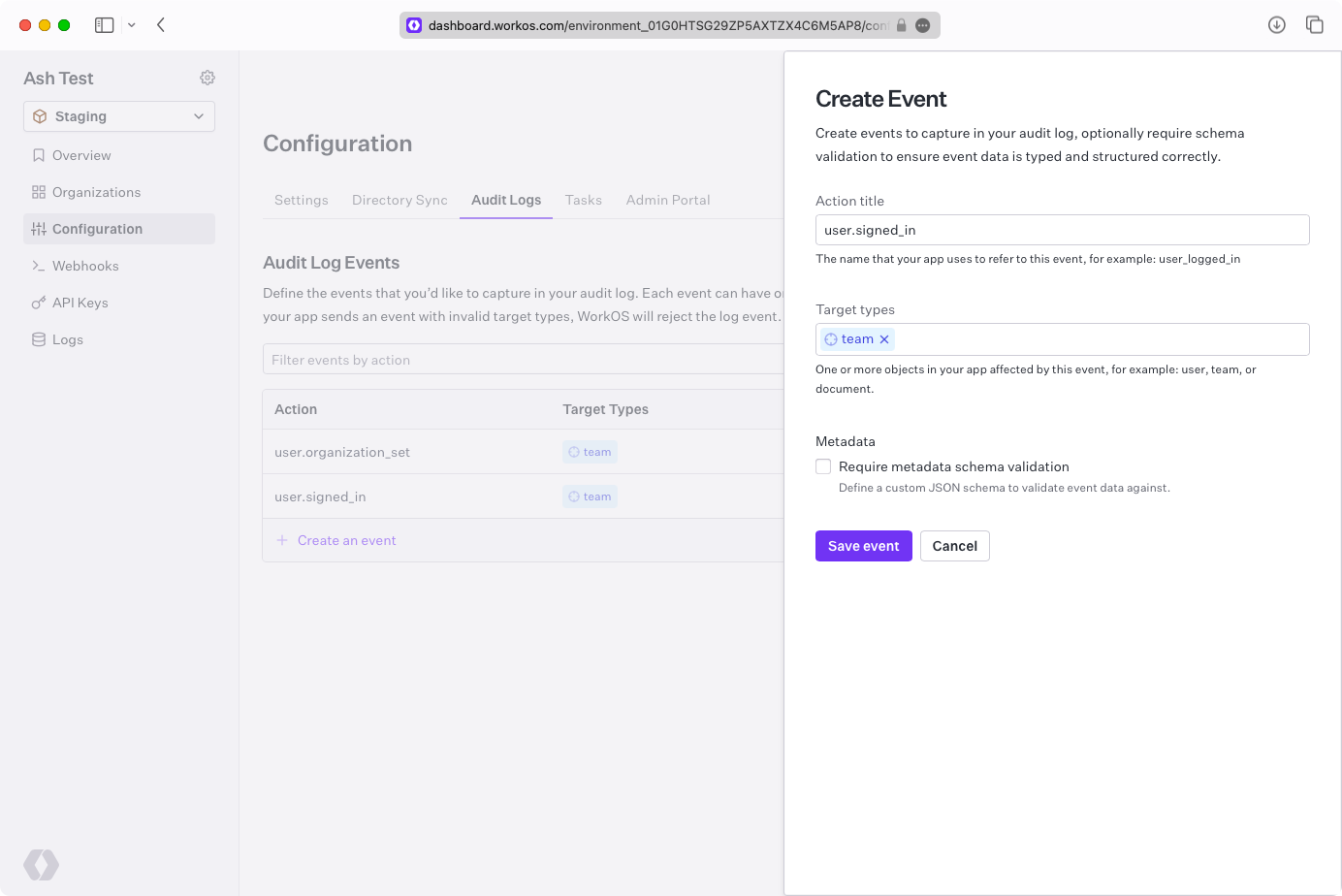
Before you can emit any Audit Log Events you must configure the allowed event schemas. To start, click “Create an event” and enter `user.signed_in` for action, `team` for targets, and click “Save event”.
|
|
91
|
+
|
|
92
|
+
|
|
93
|
+
|
|
94
|
+
### Get an Organization ID
|
|
95
|
+
|
|
96
|
+
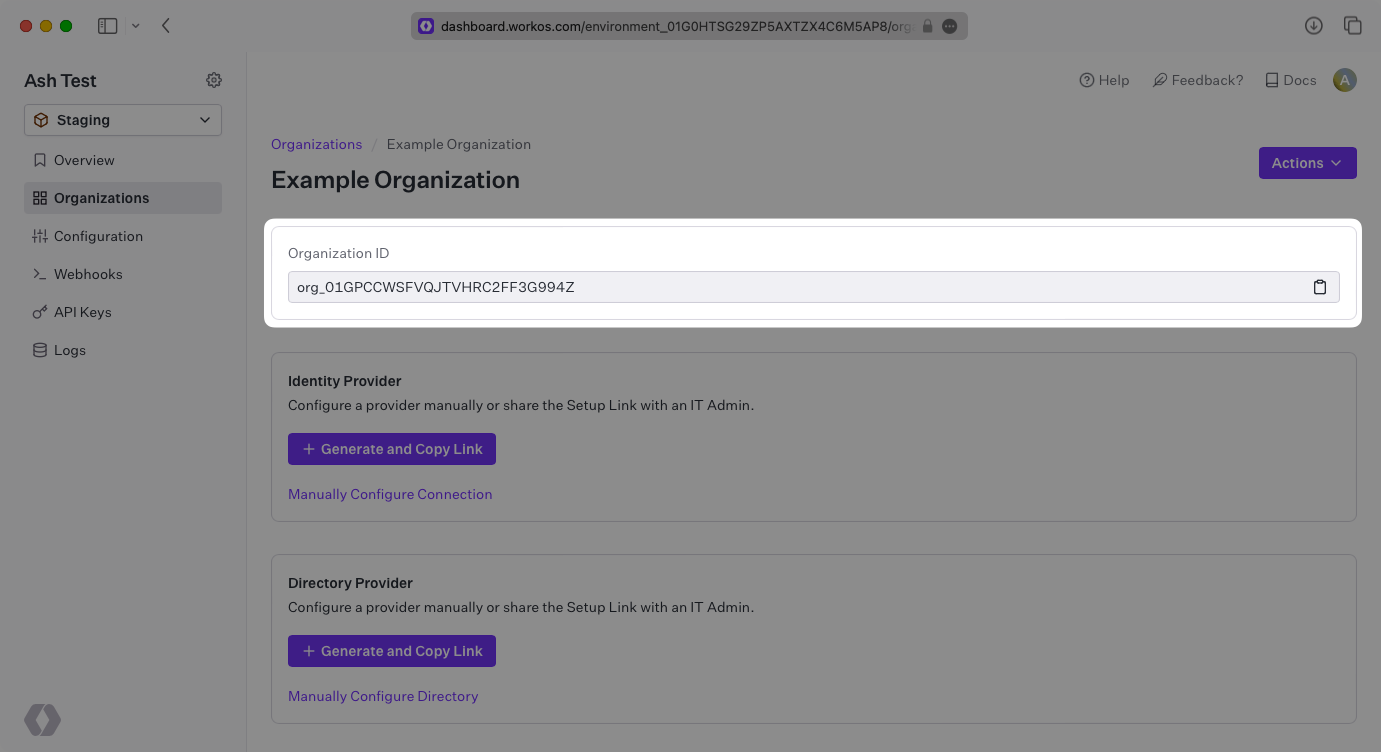
All events are scoped to an Organization, so you will need the ID of an Organization in order to emit events.
|
|
97
|
+
|
|
98
|
+
|
|
99
|
+
|
|
100
|
+
### Emit Events
|
|
101
|
+
|
|
102
|
+
Using the ID from the Organization, emit an Audit Log Event with the `action` and `targets` previously configured.
|
|
103
|
+
|
|
104
|
+
<CodeBlock title="Emit event" file="emit-event" />
|
|
105
|
+
|
|
106
|
+
### View ingested events in the Dashboard
|
|
107
|
+
|
|
108
|
+
Once you have successfully emitted events with the WorkOS SDK, you can view them in the Dashboard under the Organization that the events are associated with.
|
|
109
|
+
|
|
110
|
+
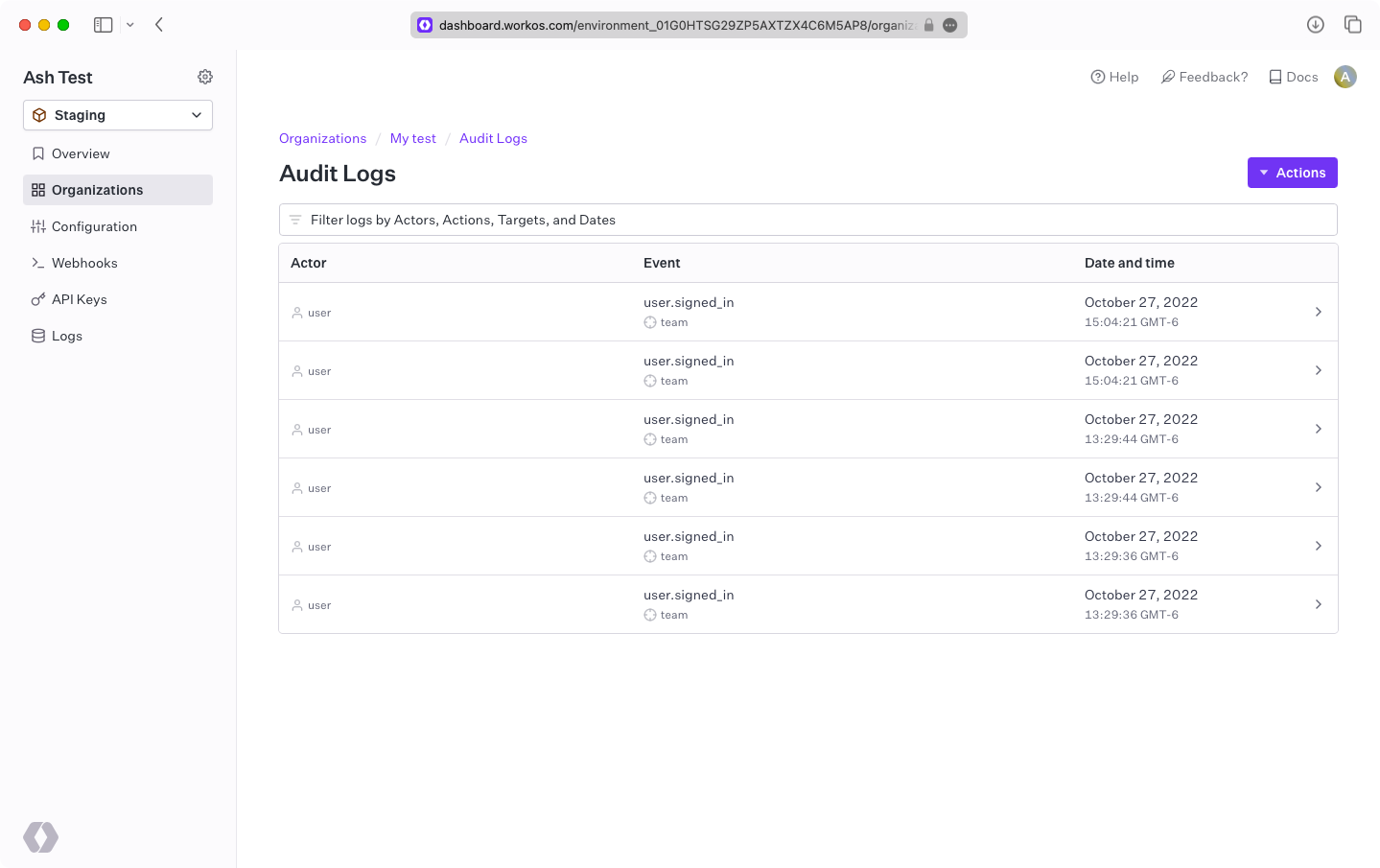
|
|
@@ -0,0 +1,56 @@
|
|
|
1
|
+
---
|
|
2
|
+
title: Log Streams
|
|
3
|
+
description: Stream Audit Log Events to your customers’ SIEM providers.
|
|
4
|
+
originalPath: .tmp-workos-clone/packages/docs/content/audit-logs/log-streams.mdx
|
|
5
|
+
---
|
|
6
|
+
|
|
7
|
+
## Understanding Log Streams
|
|
8
|
+
|
|
9
|
+
Log Streams allow your customers to stream Audit Logs directly to their Security Incident and Event Management (SIEM) providers like Datadog or Splunk and object storage solutions like AWS S3 or Google Cloud Storage. There is also a generic provider (HTTP POST) available to stream logs to any configured endpoint.
|
|
10
|
+
|
|
11
|
+
This gives your customers greater control over their Audit Logs by allowing them to apply custom indexing and monitoring of their events in the SIEM provider along with events from other cloud services they use.
|
|
12
|
+
|
|
13
|
+
Log Streams can be created by either configuring the Log Stream through your WorkOS Dashboard or by allowing your customer's IT admin to configure it themselves through the WorkOS Admin Portal.
|
|
14
|
+
|
|
15
|
+
### IP allowlist
|
|
16
|
+
|
|
17
|
+
WorkOS streams audit logs from a fixed set of IP addresses. If audit logs are being streamed to a host that restricts access based on IP address, the following IP addresses should be allowed:
|
|
18
|
+
|
|
19
|
+
```plain title="WorkOS IP addresses"
|
|
20
|
+
3.217.146.166
|
|
21
|
+
23.21.184.92
|
|
22
|
+
34.204.154.149
|
|
23
|
+
44.213.245.178
|
|
24
|
+
44.215.236.82
|
|
25
|
+
50.16.203.9
|
|
26
|
+
52.1.251.34
|
|
27
|
+
52.21.49.187
|
|
28
|
+
174.129.36.47
|
|
29
|
+
```
|
|
30
|
+
|
|
31
|
+
## Dashboard
|
|
32
|
+
|
|
33
|
+
To configure a Log Stream through the WorkOS Dashboard, navigate to an organization and click “Configure”.
|
|
34
|
+
|
|
35
|
+
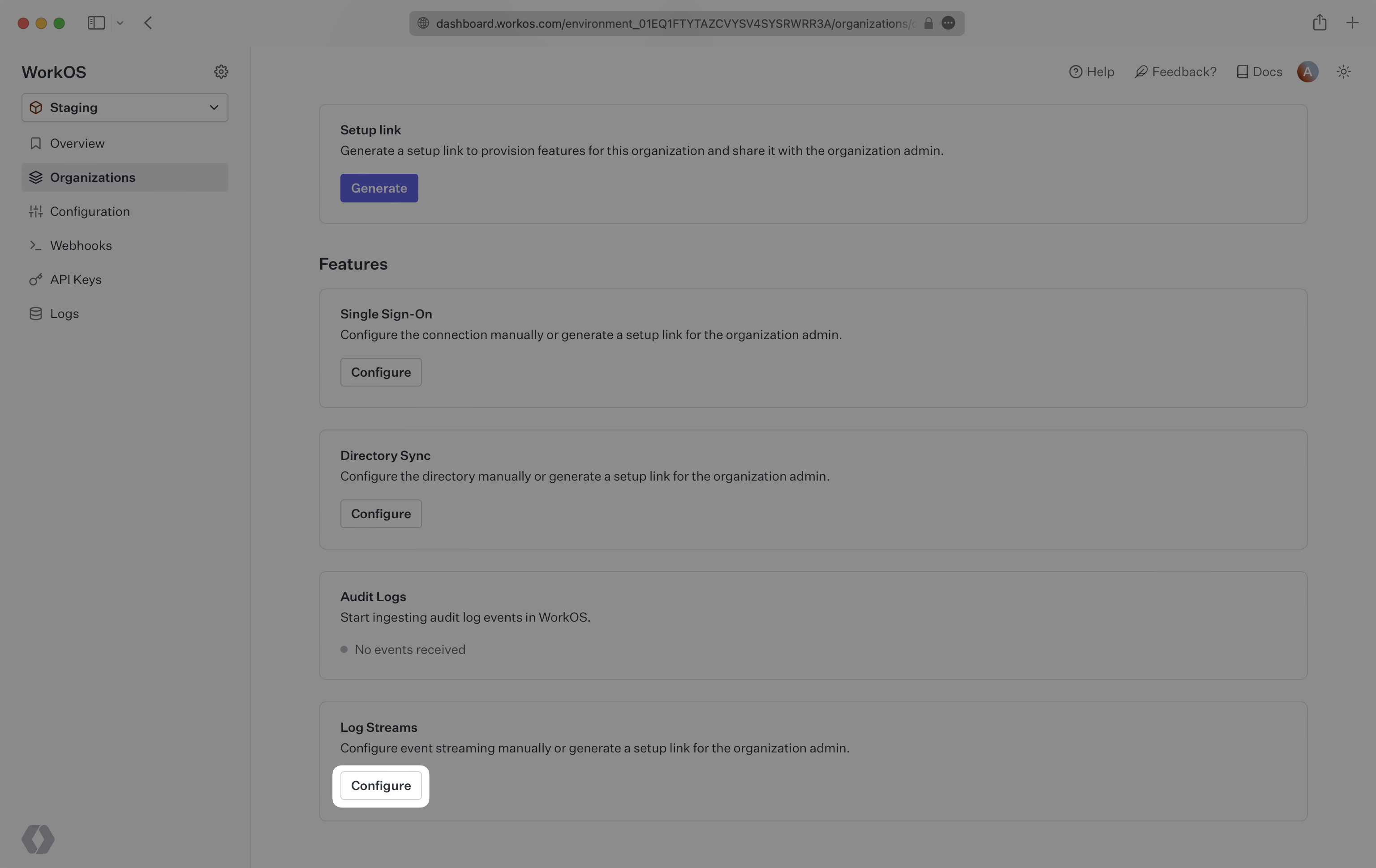
|
|
36
|
+
|
|
37
|
+
You will be promoted to select a destination from a dropdown, click “Save connection”. You will then be prompted to provide specific configuration for the selected destination.
|
|
38
|
+
|
|
39
|
+
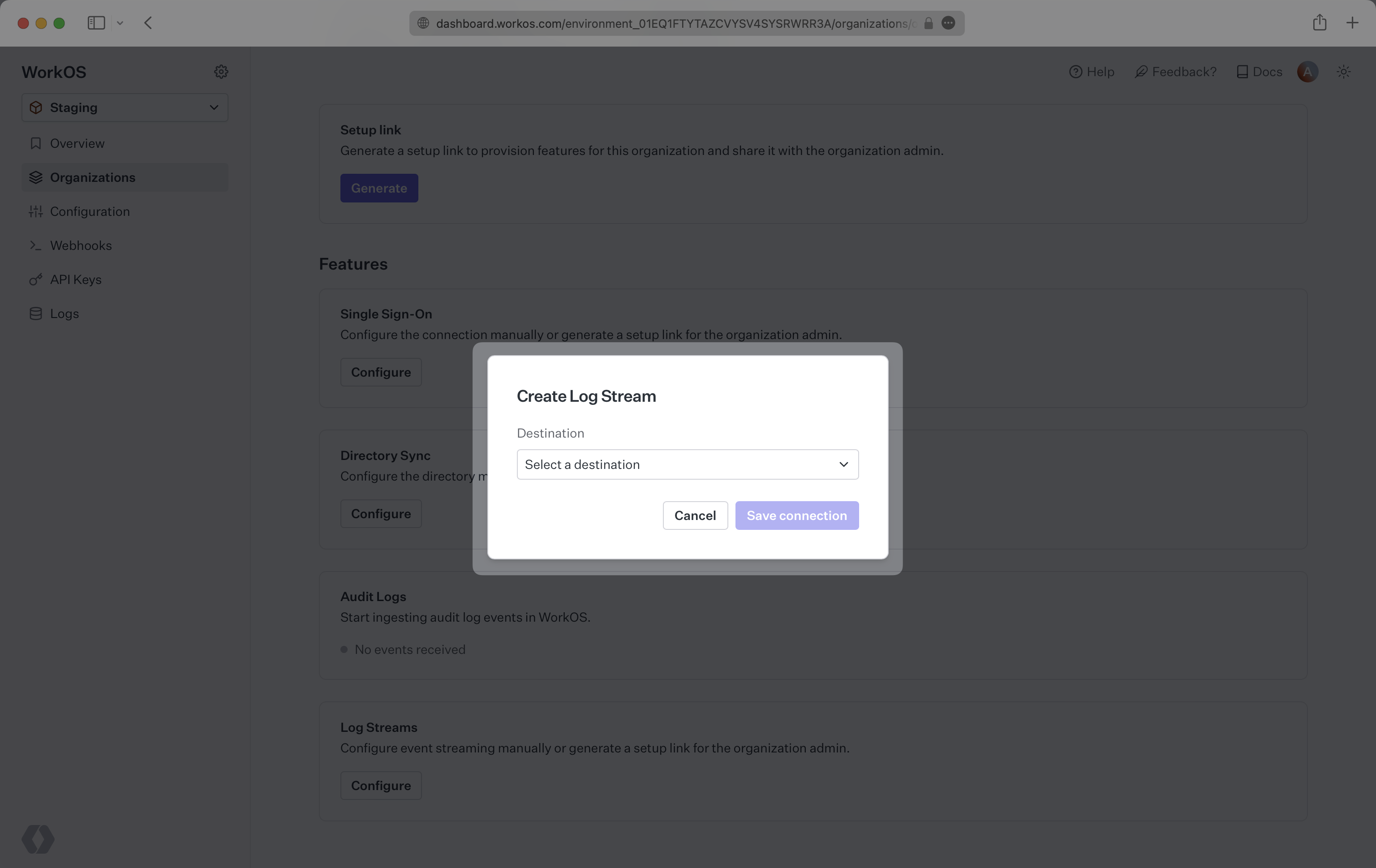
|
|
40
|
+
|
|
41
|
+
## Admin Portal
|
|
42
|
+
|
|
43
|
+
The Admin Portal can be accessed via a Setup Link found in the Organization page within the Dashboard. Click “Generate” and select “Log Streams”. Copy the link and send it to the organization's IT admin who will be configuring Log Streams.
|
|
44
|
+
|
|
45
|
+
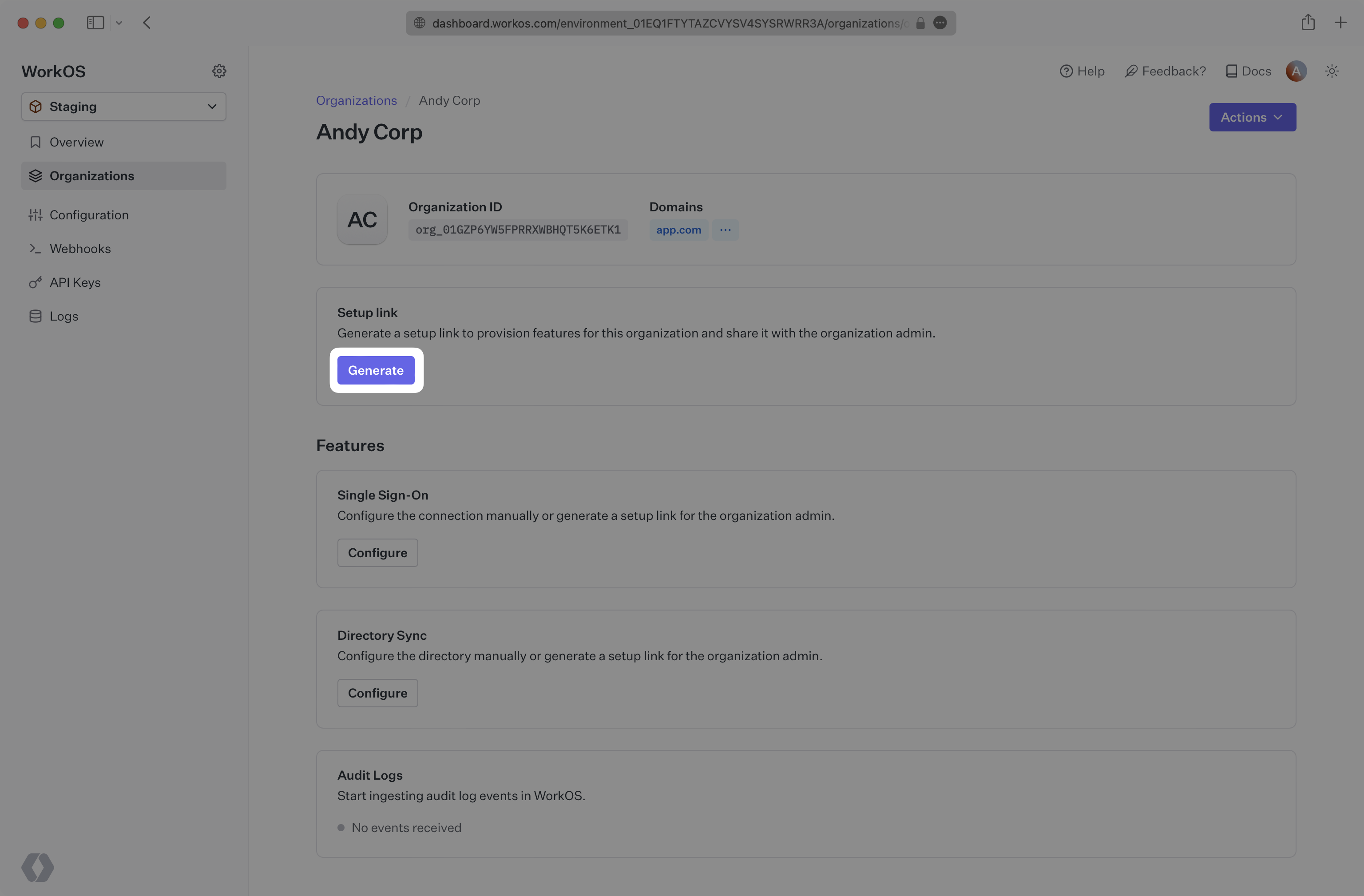
|
|
46
|
+
|
|
47
|
+
You can also guide users to the Admin Portal by redirecting them to a programmatically generated Admin Portal link directly from your application.
|
|
48
|
+
|
|
49
|
+
<CodeBlock
|
|
50
|
+
title="Create Admin Portal Link for Log Streams"
|
|
51
|
+
file="create-log-stream-admin-portal-link"
|
|
52
|
+
/>
|
|
53
|
+
|
|
54
|
+
Once redirected to the Admin Portal, the user will be prompted to select a destination and will be provided with step-by-step configuration instructions for the selected destination.
|
|
55
|
+
|
|
56
|
+
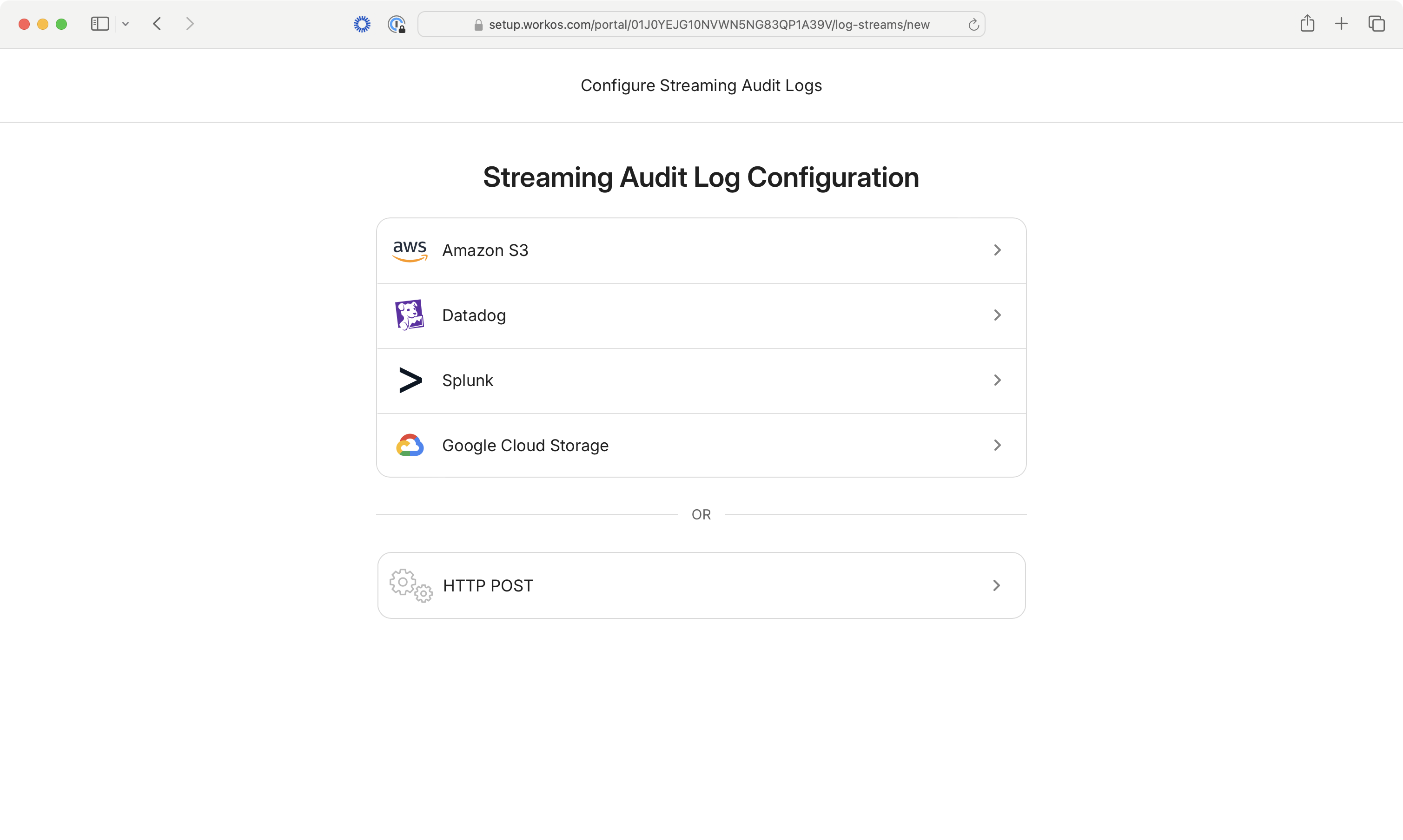
|
|
@@ -0,0 +1,21 @@
|
|
|
1
|
+
---
|
|
2
|
+
title: Metadata Schema
|
|
3
|
+
description: "Define strict JSON Schema for\_validating event metadata."
|
|
4
|
+
originalPath: .tmp-workos-clone/packages/docs/content/audit-logs/metadata-schema.mdx
|
|
5
|
+
---
|
|
6
|
+
|
|
7
|
+
## Metadata Schema
|
|
8
|
+
|
|
9
|
+
Audit Log Events can contain arbitrary metadata for adding additional details to your events. Normally this data can take any shape. However, custom metadata schemas can be defined when configuring the event for additional type safety and data consistency. When an event is emitted that does not match the provided schema, an error will be returned.
|
|
10
|
+
|
|
11
|
+
When first creating an event schema, check the “Require metadata schema validation” checkbox. You will then be navigated to the schema editor where you can modify the underlying [JSON Schema](https://json-schema.org/) for all `metadata` objects.
|
|
12
|
+
|
|
13
|
+
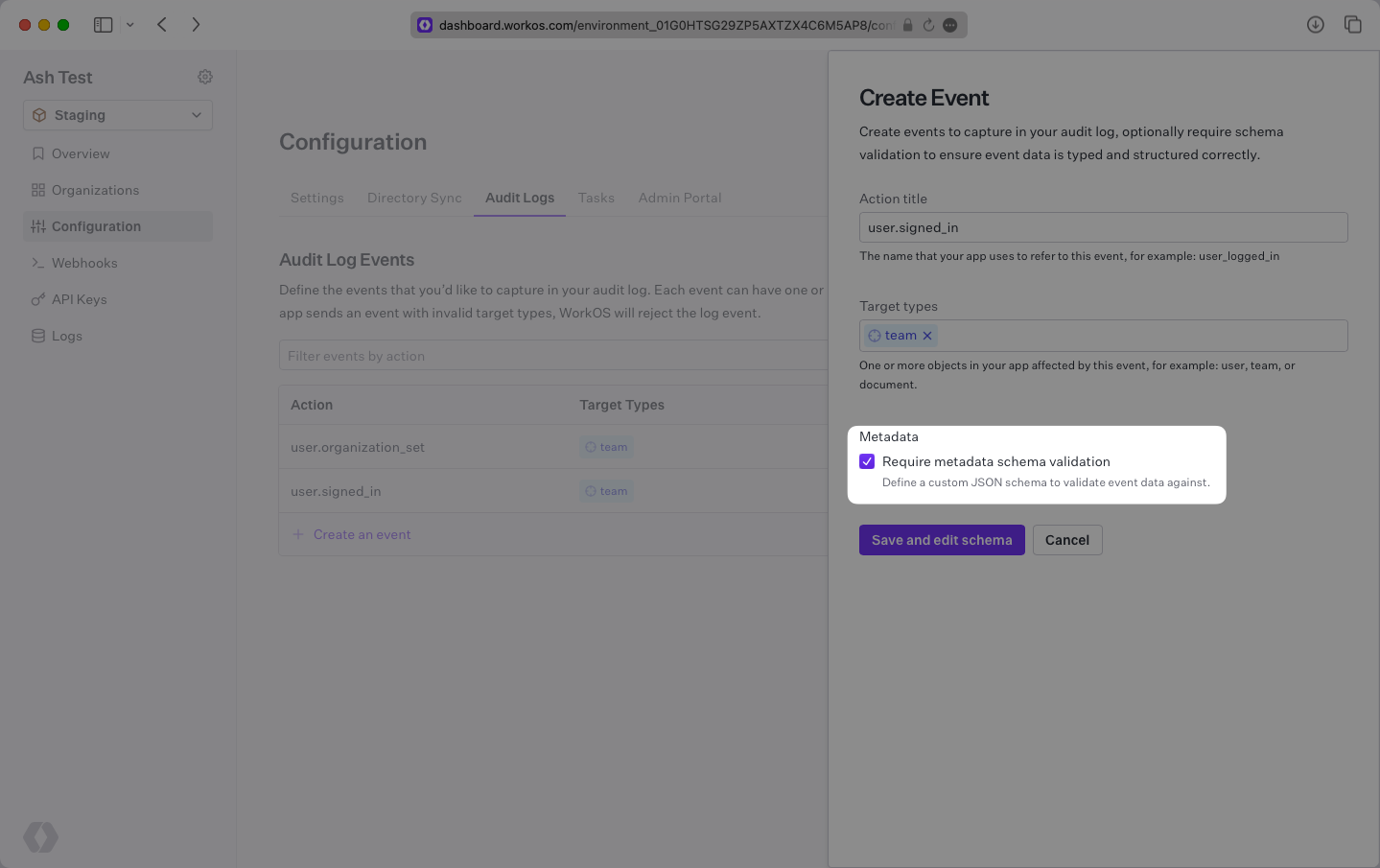
|
|
14
|
+
|
|
15
|
+
There are `metadata` objects located at the root of the event, and within `actor` and `targets` objects. Each can contain a unique JSON Schema. To add to a `metadata` object, click the "+" sign.
|
|
16
|
+
|
|
17
|
+
> Metadata objects have a limit of 50 keys. Key names can be up to 40 characters long, and values can be up to 500 characters long.
|
|
18
|
+
|
|
19
|
+
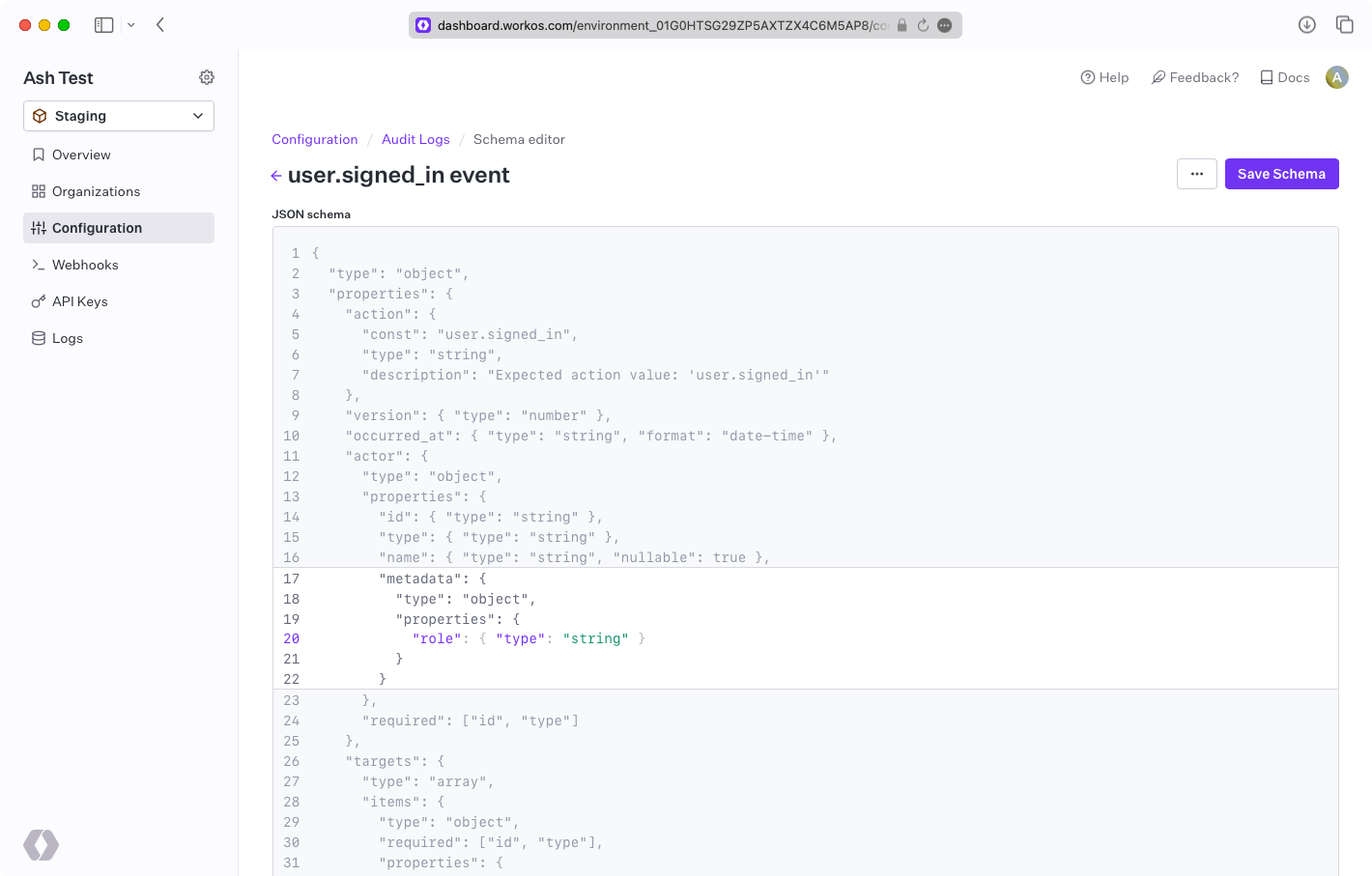
|
|
20
|
+
|
|
21
|
+
<CodeBlock title="Event with metadata" file="emit-event-with-metadata" />
|
|
@@ -0,0 +1,16 @@
|
|
|
1
|
+
---
|
|
2
|
+
title: Custom Domains
|
|
3
|
+
links:
|
|
4
|
+
- title: Overview
|
|
5
|
+
url: /custom-domains
|
|
6
|
+
- title: Email Domain
|
|
7
|
+
url: /custom-domains/email
|
|
8
|
+
- title: AuthKit Domain
|
|
9
|
+
url: /custom-domains/authkit
|
|
10
|
+
- title: Admin Portal Domain
|
|
11
|
+
url: /custom-domains/admin-portal
|
|
12
|
+
- title: Authentication API Domain
|
|
13
|
+
url: /custom-domains/auth-api
|
|
14
|
+
originalPath: .tmp-workos-clone/packages/docs/content/custom-domains/_navigation.mdx
|
|
15
|
+
---
|
|
16
|
+
|
|
@@ -0,0 +1,38 @@
|
|
|
1
|
+
---
|
|
2
|
+
title: Admin Portal Domain
|
|
3
|
+
description: Guidance on configuring a custom domains for the Admin Portal.
|
|
4
|
+
showNextPage: true
|
|
5
|
+
originalPath: .tmp-workos-clone/packages/docs/content/custom-domains/admin-portal.mdx
|
|
6
|
+
---
|
|
7
|
+
|
|
8
|
+
## Configuring a domain
|
|
9
|
+
|
|
10
|
+
When your customer's organization admins use the Admin Portal self-serve onboarding experience, they'll be directed to a `setup.workos.com` domain.
|
|
11
|
+
|
|
12
|
+
While developing with WorkOS in a staging environment, users will see the `setup.workos.com` domain.
|
|
13
|
+
|
|
14
|
+
In production environments, users will see `setup.workos.com` by default or a custom domain if configured.
|
|
15
|
+
|
|
16
|
+
> You must configure an [Authentication API domain](/custom-domains/auth-api) first in order for your custom Admin Portal domain to work properly.
|
|
17
|
+
|
|
18
|
+
### (1) Navigate to Domains configuration
|
|
19
|
+
|
|
20
|
+
With the production environment selected, navigate to the _Domains_ section of the [WorkOS Dashboard](https://dashboard.workos.com/).
|
|
21
|
+
|
|
22
|
+
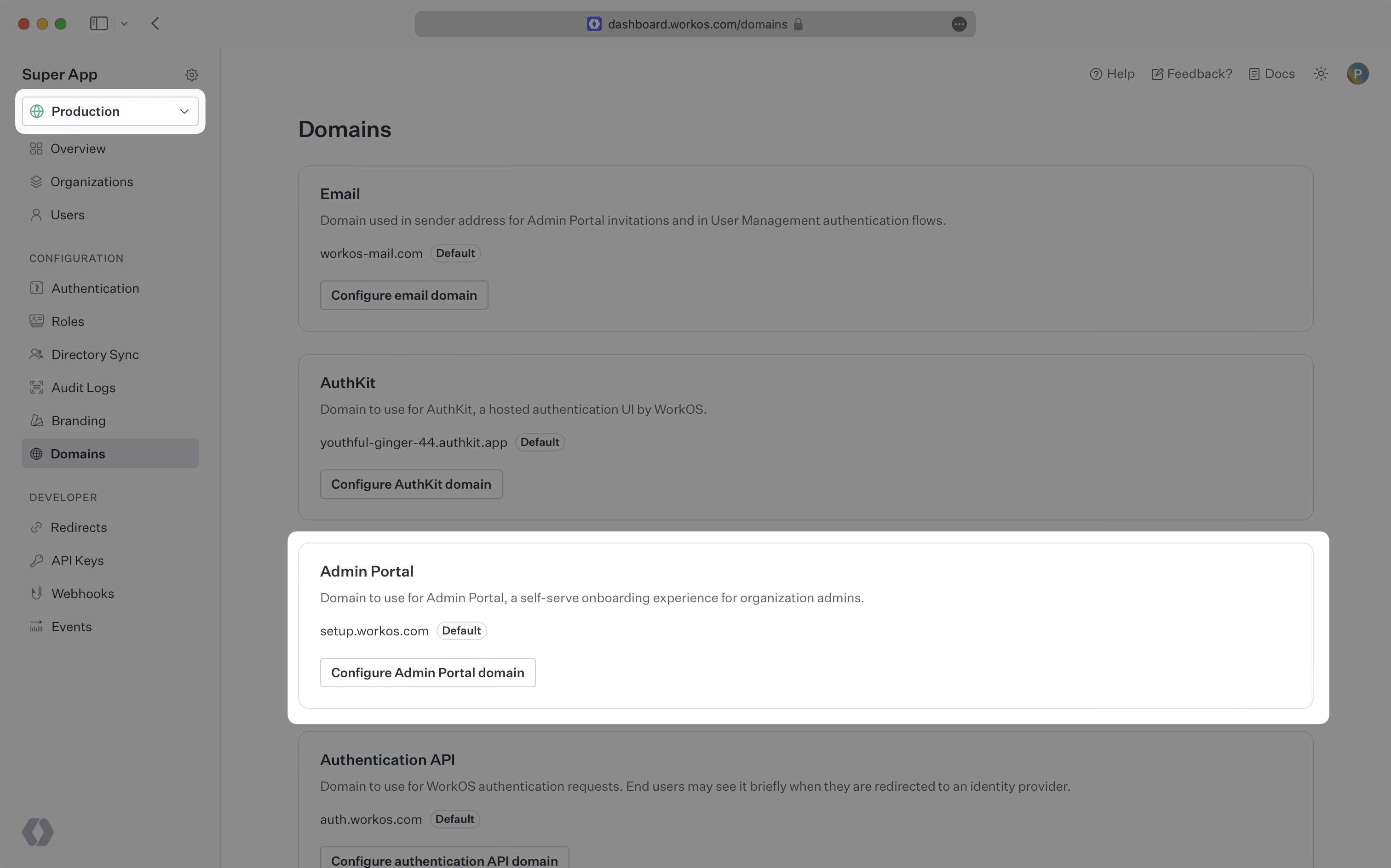
|
|
23
|
+
|
|
24
|
+
### (2) Add an Admin Portal domain
|
|
25
|
+
|
|
26
|
+
Click the _Configure Admin Portal domain_ button and enter the domain you would like to use.
|
|
27
|
+
|
|
28
|
+
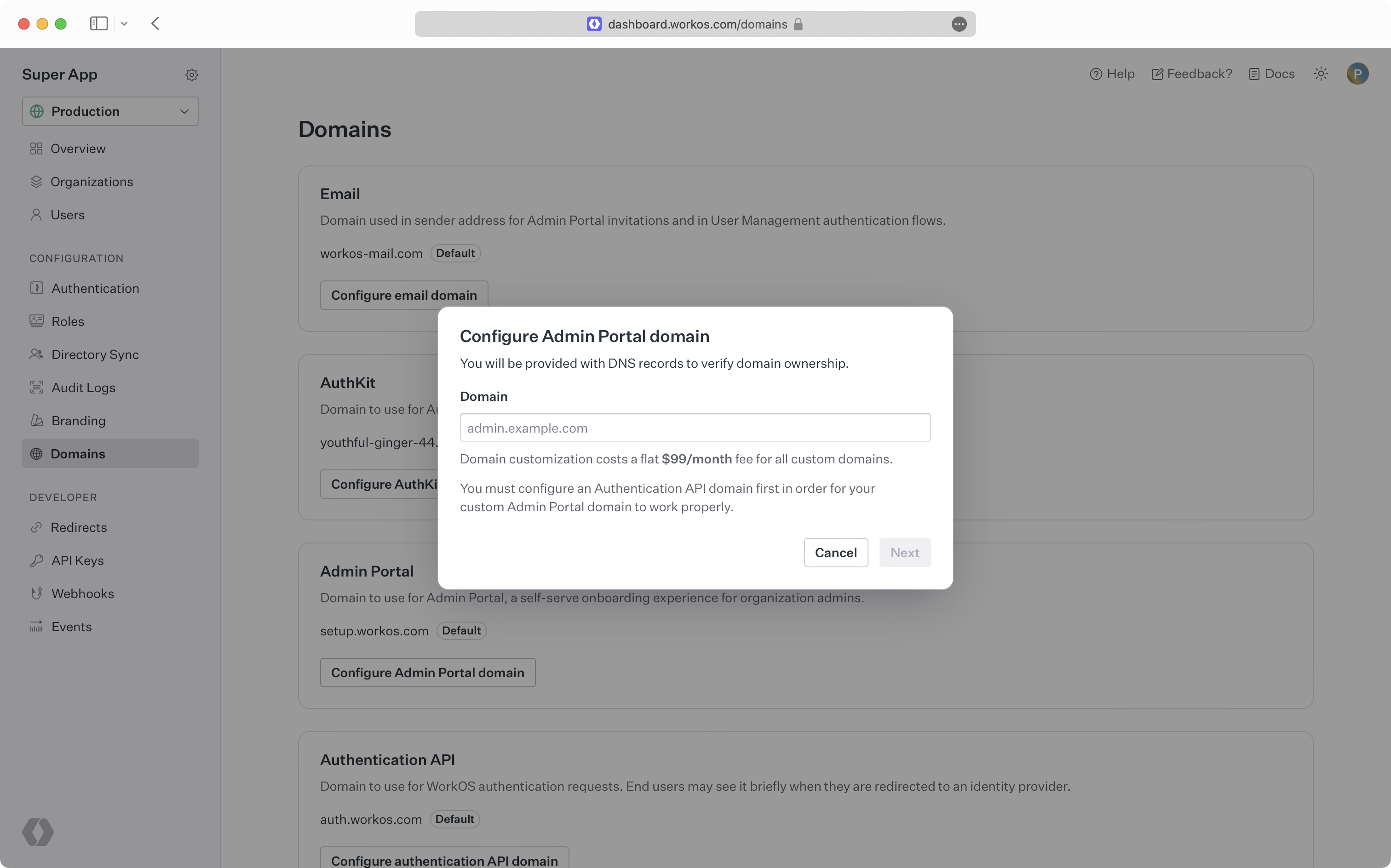
|
|
29
|
+
|
|
30
|
+
### (3) Create CNAME records
|
|
31
|
+
|
|
32
|
+
You will be prompted to add a CNAME record to your DNS provider. If your DNS provider is Cloudflare, ensure the CNAME record is configured as DNS-only and is not proxied. To manage custom domains, WorkOS uses Cloudflare, who prohibit domains from being proxied across accounts.
|
|
33
|
+
|
|
34
|
+
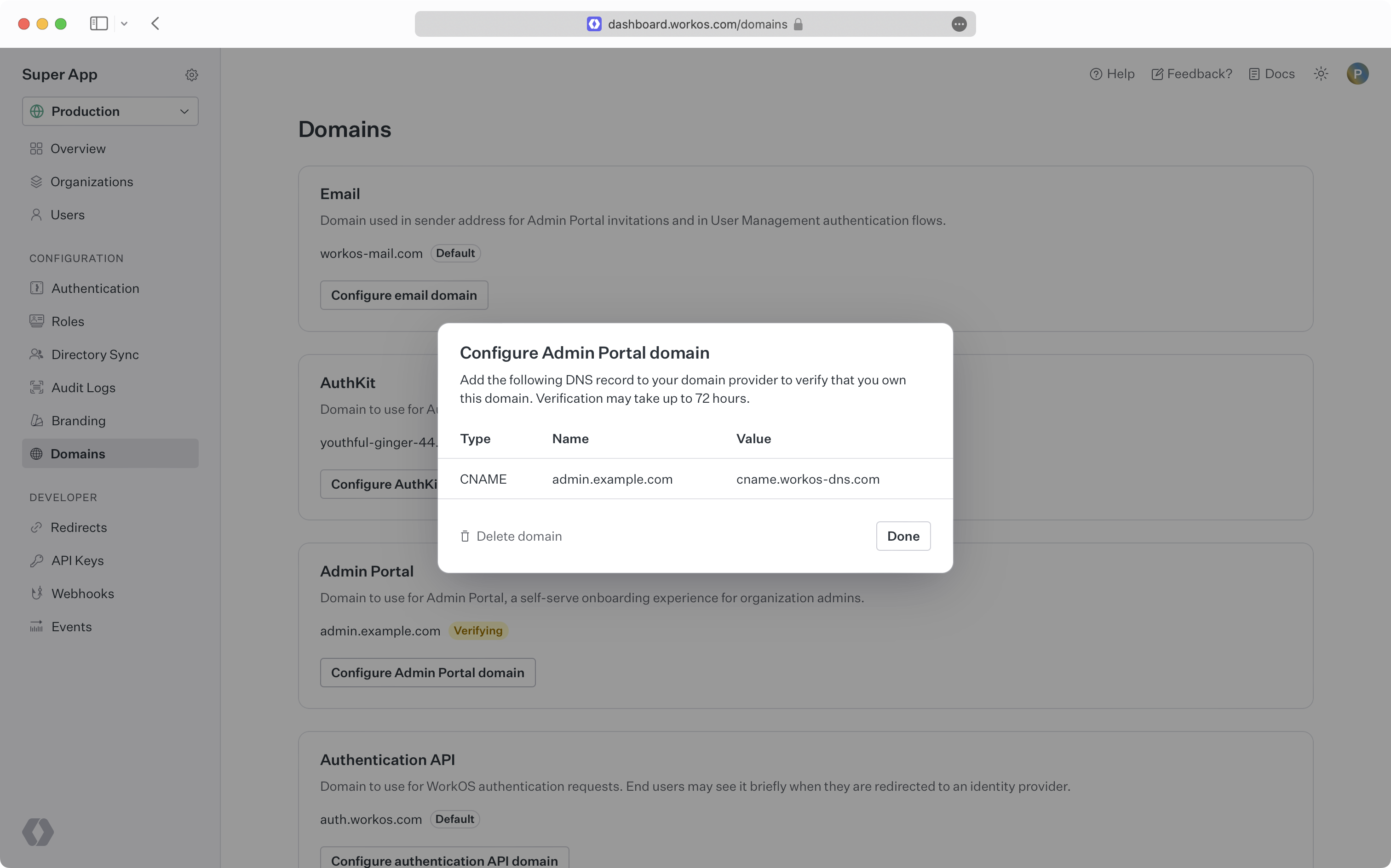
|
|
35
|
+
|
|
36
|
+
> It can take some time for DNS changes to take effect. If the initial verification attempt is not successful, WorkOS will continue trying to verify your domain for 72 hours.
|
|
37
|
+
|
|
38
|
+
Once your domain is successfully verified, admins using the self-serve Admin Portal will be redirected to your custom domain.
|
|
@@ -0,0 +1,59 @@
|
|
|
1
|
+
---
|
|
2
|
+
title: Authentication API Domain
|
|
3
|
+
description: Guidance on configuring a custom domain for the Authentication API.
|
|
4
|
+
showNextPage: true
|
|
5
|
+
originalPath: .tmp-workos-clone/packages/docs/content/custom-domains/auth-api.mdx
|
|
6
|
+
---
|
|
7
|
+
|
|
8
|
+
## Configuring a domain
|
|
9
|
+
|
|
10
|
+
WorkOS authentication requests are done via the Authentication API, which defaults to `api.workos.com`. This can be configured to a custom domain if you prefer to use your own branding instead of the default.
|
|
11
|
+
|
|
12
|
+
While developing with WorkOS in a Sandbox environment, requests are made to the `api.workos.com` domain. In production environments, requests are made to `api.workos.com` by default or a custom domain if configured.
|
|
13
|
+
|
|
14
|
+
For instance, if you were retrieving a user via the API and you had a custom Authentication API domain `api.example.com` set up, you'd make requests to:
|
|
15
|
+
|
|
16
|
+
`https://api.example.com/user_management/users/:id`
|
|
17
|
+
|
|
18
|
+
Instead of the default:
|
|
19
|
+
|
|
20
|
+
`https://api.workos.com/user_management/users/:id`
|
|
21
|
+
|
|
22
|
+
> When a custom domain is configured, requests to the API should be routed through that domain. Continuing to make requests to `api.workos.com` after a custom domain is configured for the Authentication API can result in issues with your integration.
|
|
23
|
+
|
|
24
|
+
### Custom domains for SCIM endpoints
|
|
25
|
+
|
|
26
|
+
Custom Authentication API domains are also used for SCIM endpoints when using [Directory Sync](/directory-sync). For example, if you had a custom domain `api.example.com` set up, your customer's identity provider would make requests to `https://api.example.com/scim/v2.0/:id`. The custom domain is reflected in the Admin Portal setup steps for a directory.
|
|
27
|
+
|
|
28
|
+
Adding a custom domain does not affect existing directory integrations pointing to `api.workos.com`.
|
|
29
|
+
|
|
30
|
+
### Using custom domains in SDKs
|
|
31
|
+
|
|
32
|
+
When using the WorkOS SDKs, a custom API hostname can be configured:
|
|
33
|
+
|
|
34
|
+
<CodeBlock
|
|
35
|
+
title="Initialize a WorkOS SDK with custom hostnames"
|
|
36
|
+
file="custom-hostname"
|
|
37
|
+
/>
|
|
38
|
+
|
|
39
|
+
### (1) Navigate to Domains configuration
|
|
40
|
+
|
|
41
|
+
With the production environment selected, navigate to the _Domains_ section of the [WorkOS Dashboard](https://dashboard.workos.com/).
|
|
42
|
+
|
|
43
|
+
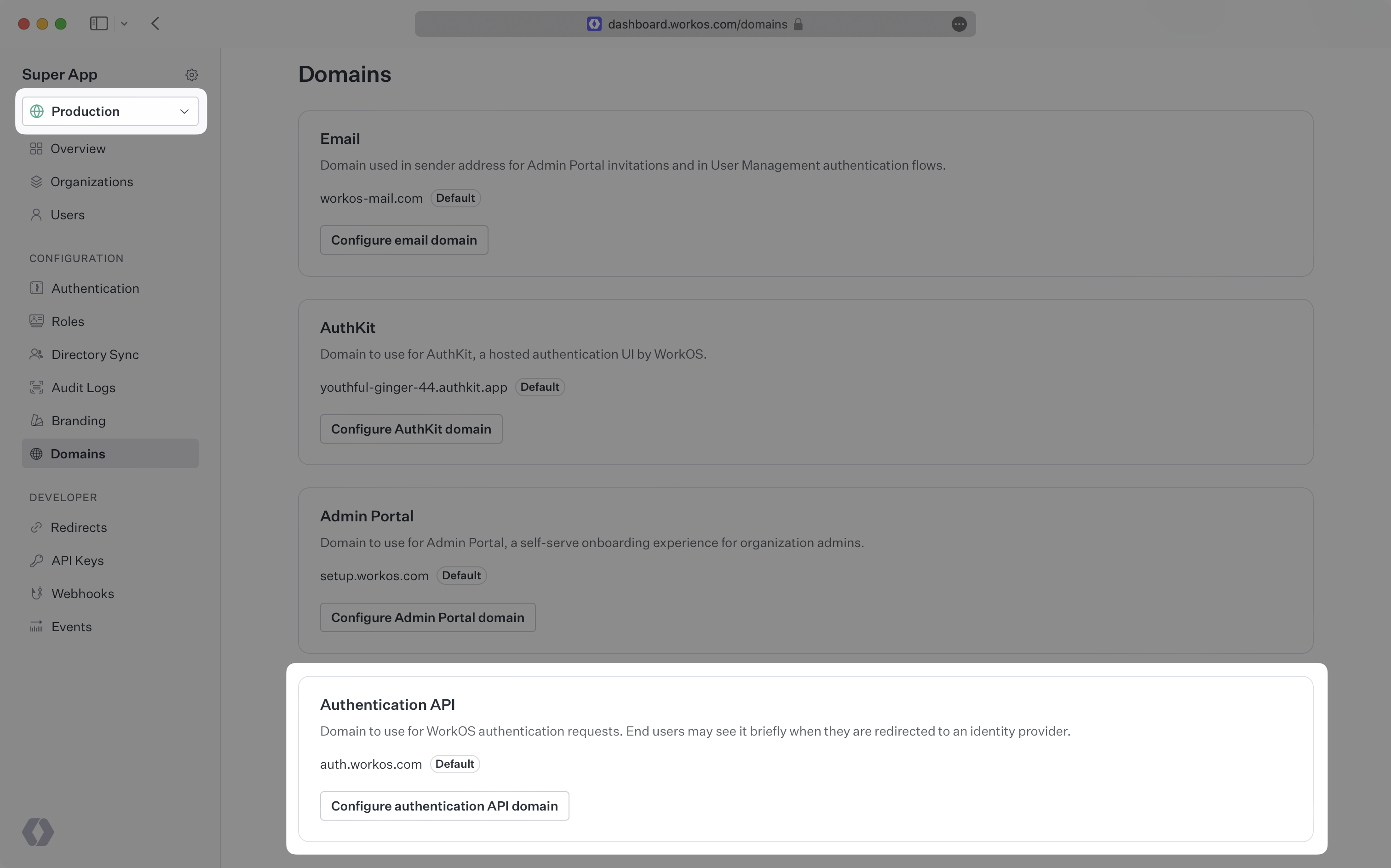
|
|
44
|
+
|
|
45
|
+
### (2) Add an email domain
|
|
46
|
+
|
|
47
|
+
Click the _Configure authentication API domain_ button and enter the domain you would like to use.
|
|
48
|
+
|
|
49
|
+
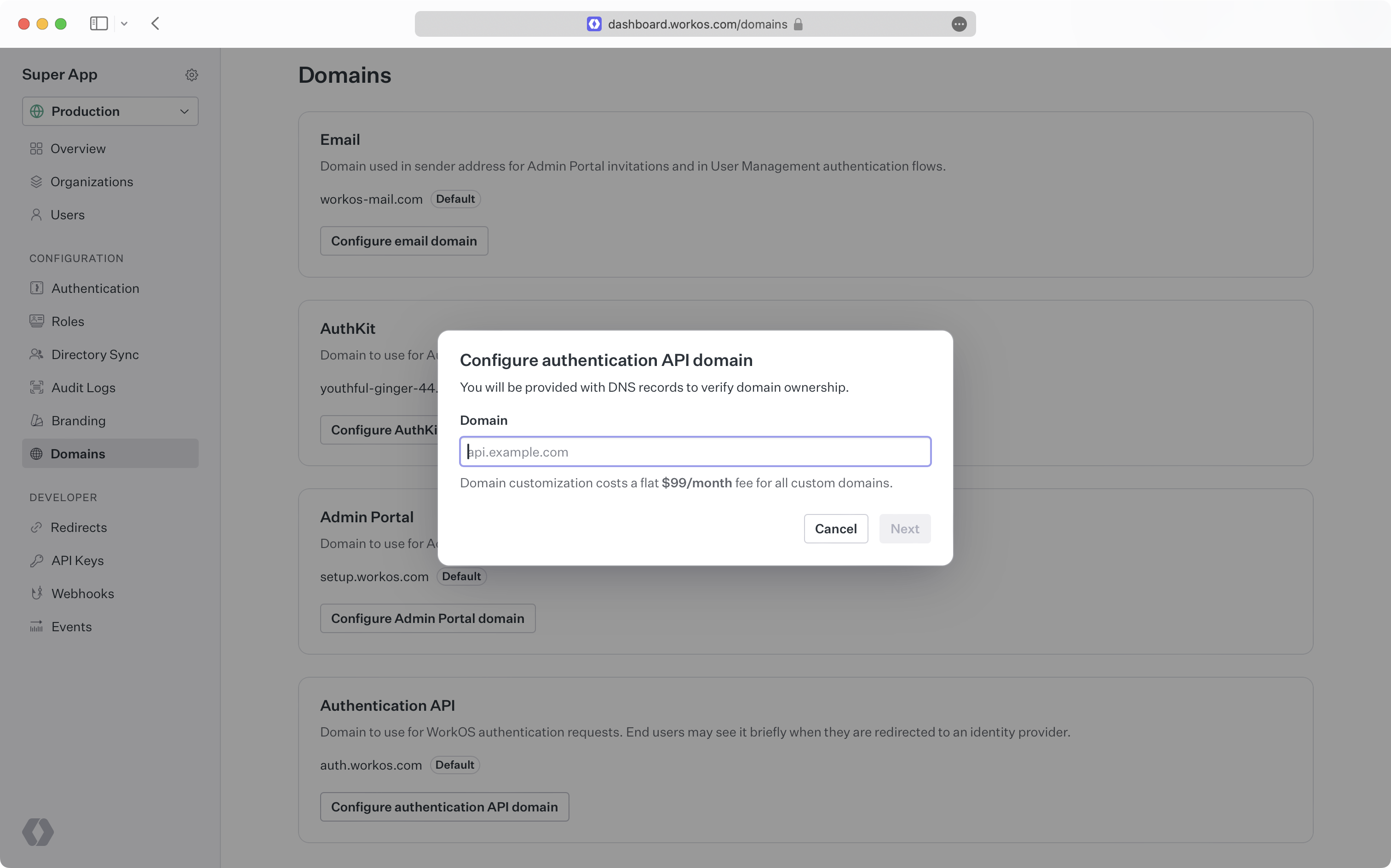
|
|
50
|
+
|
|
51
|
+
### (3) Create CNAME records
|
|
52
|
+
|
|
53
|
+
You will be prompted to add a CNAME record to your DNS provider. If your DNS provider is Cloudflare, ensure the CNAME record is configured as DNS-only and is not proxied. To manage custom domains, WorkOS uses Cloudflare, who prohibit domains from being proxied across accounts.
|
|
54
|
+
|
|
55
|
+
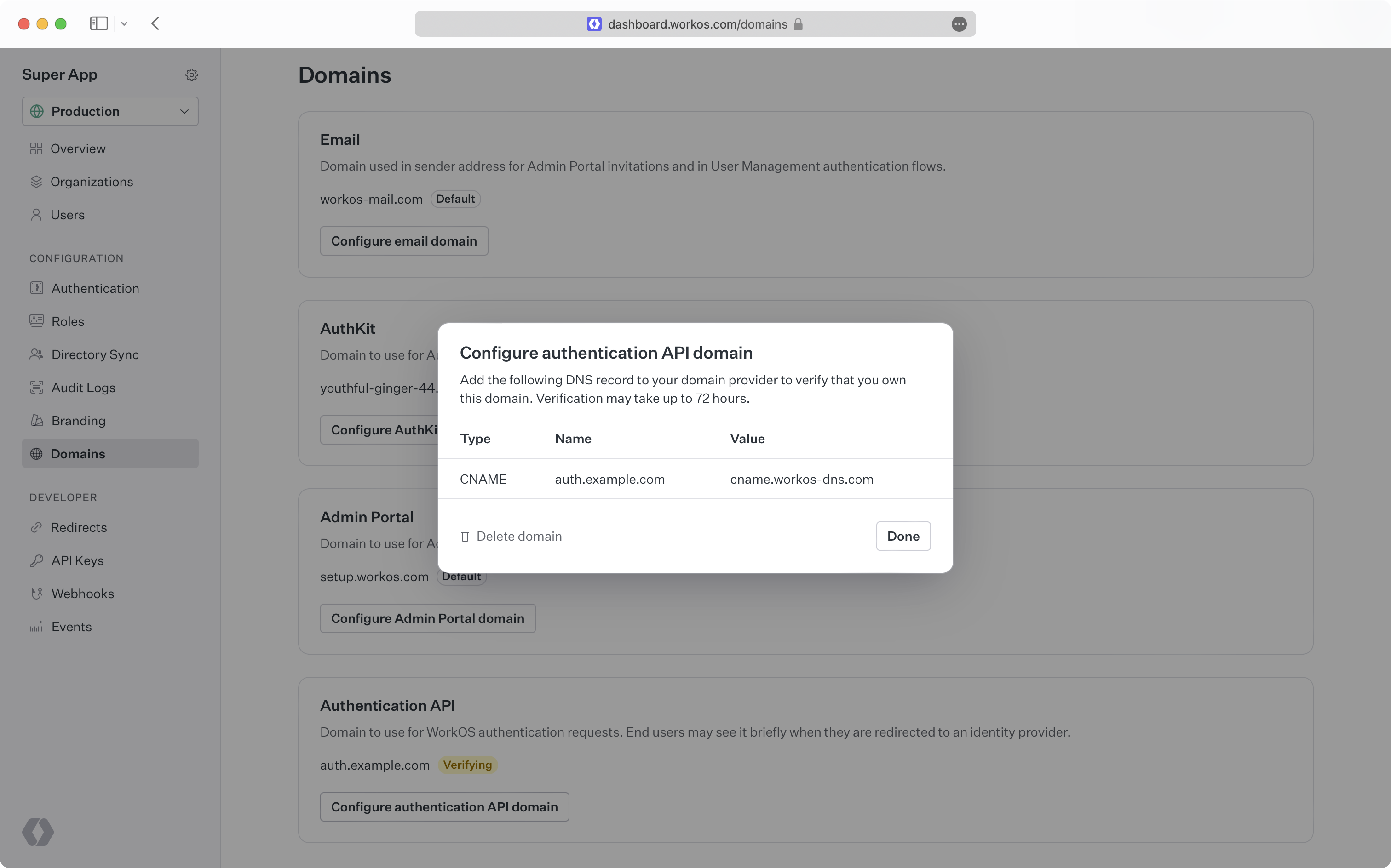
|
|
56
|
+
|
|
57
|
+
> It can take some time for DNS changes to take effect. If the initial verification attempt is not successful, WorkOS will continue trying to verify your domain for 72 hours.
|
|
58
|
+
|
|
59
|
+
Once your domain is successfully verified, your custom domain will act as the [ACS URL](/glossary/acs-url) for authentication.
|