@workos/mcp-docs-server 0.1.0
This diff represents the content of publicly available package versions that have been released to one of the supported registries. The information contained in this diff is provided for informational purposes only and reflects changes between package versions as they appear in their respective public registries.
- package/.docs/organized/changelogs/workos-platform.json +277 -0
- package/.docs/organized/docs/admin-portal/_navigation.mdx +16 -0
- package/.docs/organized/docs/admin-portal/custom-branding.mdx +111 -0
- package/.docs/organized/docs/admin-portal/example-apps.mdx +46 -0
- package/.docs/organized/docs/admin-portal/index.mdx +240 -0
- package/.docs/organized/docs/audit-logs/_navigation.mdx +22 -0
- package/.docs/organized/docs/audit-logs/admin-portal.mdx +20 -0
- package/.docs/organized/docs/audit-logs/editing-events.mdx +27 -0
- package/.docs/organized/docs/audit-logs/exporting-events.mdx +29 -0
- package/.docs/organized/docs/audit-logs/index.mdx +110 -0
- package/.docs/organized/docs/audit-logs/log-streams.mdx +56 -0
- package/.docs/organized/docs/audit-logs/metadata-schema.mdx +21 -0
- package/.docs/organized/docs/custom-domains/_navigation.mdx +16 -0
- package/.docs/organized/docs/custom-domains/admin-portal.mdx +38 -0
- package/.docs/organized/docs/custom-domains/auth-api.mdx +59 -0
- package/.docs/organized/docs/custom-domains/authkit.mdx +36 -0
- package/.docs/organized/docs/custom-domains/email.mdx +41 -0
- package/.docs/organized/docs/custom-domains/index.mdx +19 -0
- package/.docs/organized/docs/dashboard.mdx +244 -0
- package/.docs/organized/docs/demo/_navigation.mdx +26 -0
- package/.docs/organized/docs/demo/accordion.mdx +34 -0
- package/.docs/organized/docs/demo/checklist.mdx +33 -0
- package/.docs/organized/docs/demo/code-block.mdx +185 -0
- package/.docs/organized/docs/demo/definition-list.mdx +35 -0
- package/.docs/organized/docs/demo/index.mdx +7 -0
- package/.docs/organized/docs/demo/punctuation.mdx +37 -0
- package/.docs/organized/docs/demo/replacements.mdx +26 -0
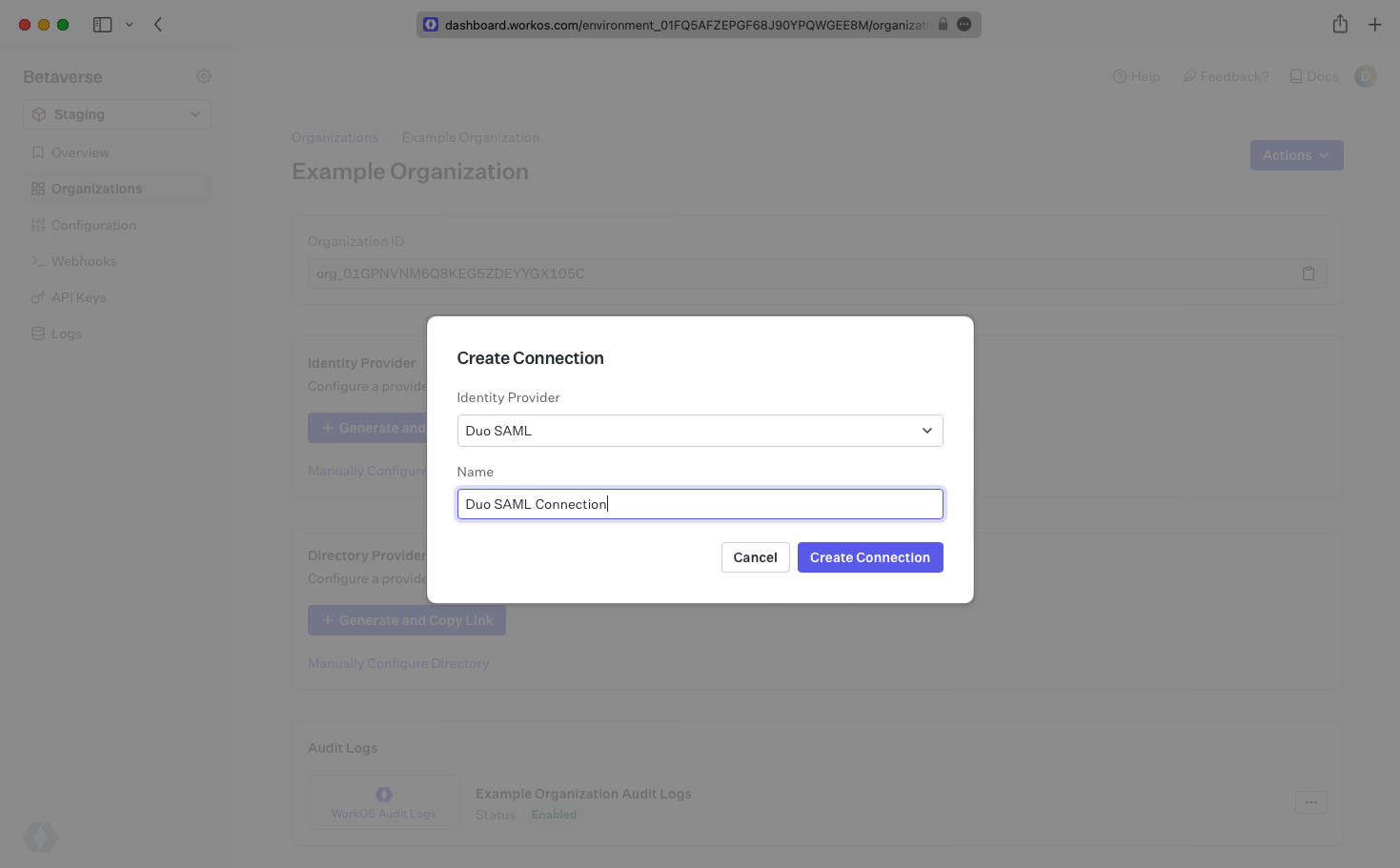
- package/.docs/organized/docs/demo/table.mdx +26 -0
- package/.docs/organized/docs/demo/tabs.mdx +17 -0
- package/.docs/organized/docs/directory-sync/_navigation.mdx +28 -0
- package/.docs/organized/docs/directory-sync/attributes.mdx +209 -0
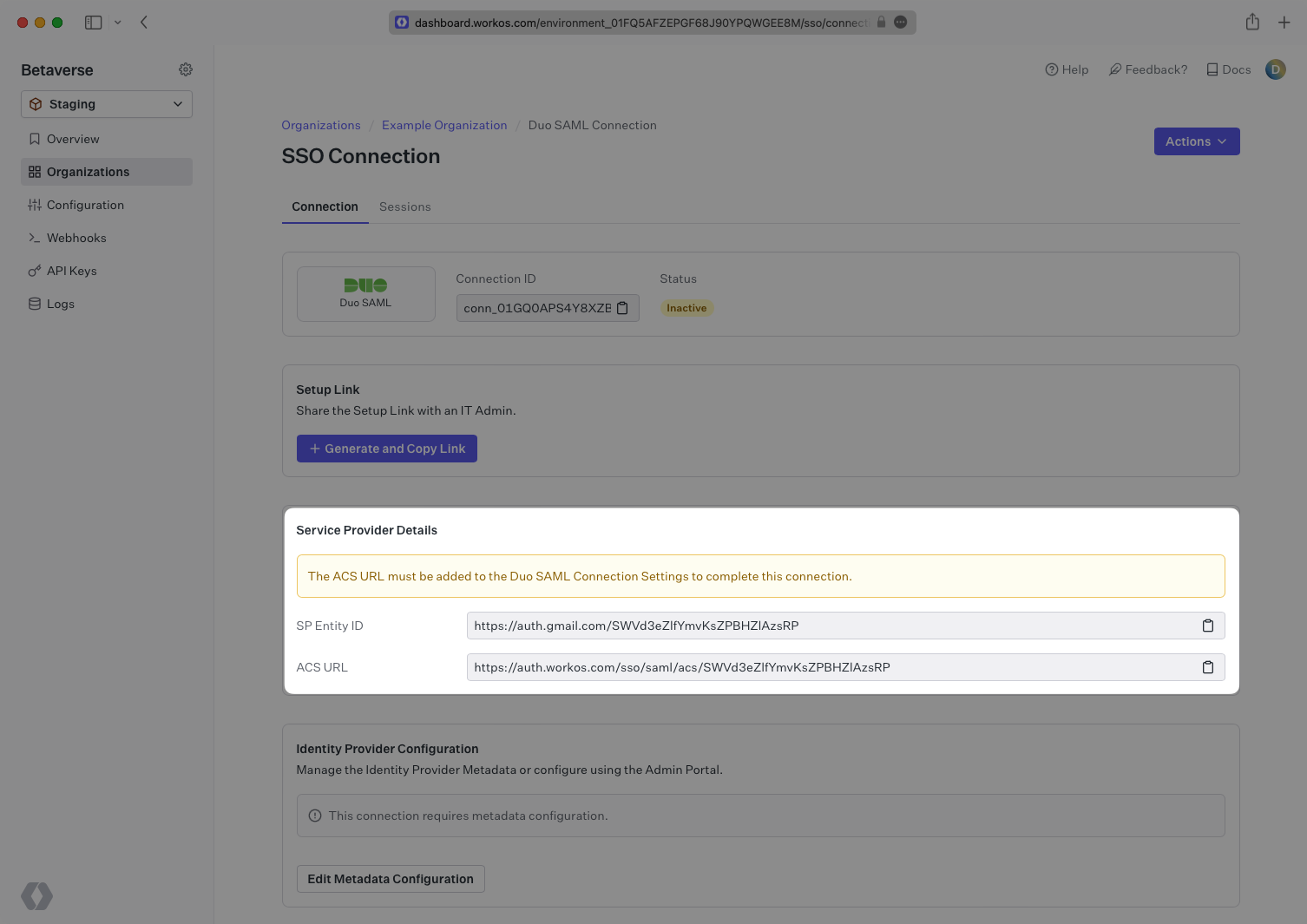
- package/.docs/organized/docs/directory-sync/example-apps.mdx +46 -0
- package/.docs/organized/docs/directory-sync/handle-inactive-users.mdx +52 -0
- package/.docs/organized/docs/directory-sync/identity-provider-role-assignment.mdx +134 -0
- package/.docs/organized/docs/directory-sync/index.mdx +107 -0
- package/.docs/organized/docs/directory-sync/quick-start.mdx +129 -0
- package/.docs/organized/docs/directory-sync/understanding-events.mdx +209 -0
- package/.docs/organized/docs/domain-verification/_navigation.mdx +10 -0
- package/.docs/organized/docs/domain-verification/api.mdx +60 -0
- package/.docs/organized/docs/domain-verification/index.mdx +67 -0
- package/.docs/organized/docs/email.mdx +109 -0
- package/.docs/organized/docs/events/_navigation.mdx +22 -0
- package/.docs/organized/docs/events/data-syncing/data-reconciliation.mdx +56 -0
- package/.docs/organized/docs/events/data-syncing/events-api.mdx +114 -0
- package/.docs/organized/docs/events/data-syncing/index.mdx +66 -0
- package/.docs/organized/docs/events/data-syncing/webhooks.mdx +173 -0
- package/.docs/organized/docs/events/index.mdx +783 -0
- package/.docs/organized/docs/events/observability/datadog.mdx +76 -0
- package/.docs/organized/docs/fga/_navigation.mdx +64 -0
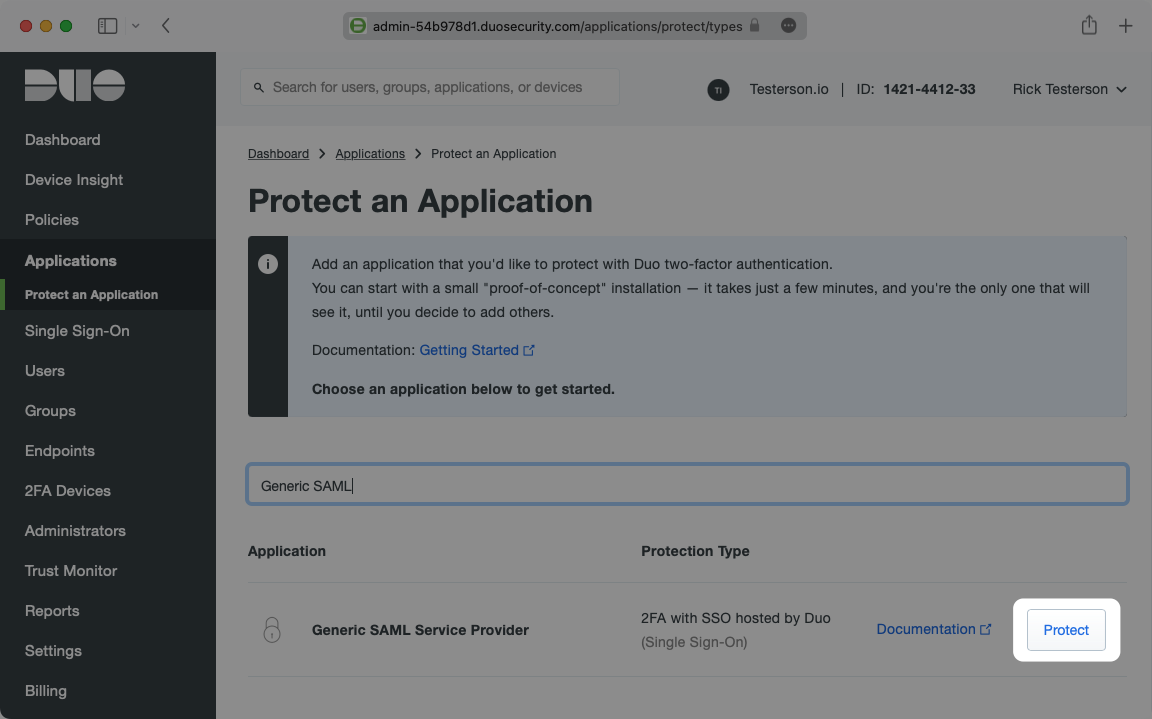
- package/.docs/organized/docs/fga/identity-provider-sessions.mdx +68 -0
- package/.docs/organized/docs/fga/index.mdx +60 -0
- package/.docs/organized/docs/fga/local-development.mdx +155 -0
- package/.docs/organized/docs/fga/modeling/abac.mdx +107 -0
- package/.docs/organized/docs/fga/modeling/blocklist.mdx +84 -0
- package/.docs/organized/docs/fga/modeling/conditional-roles.mdx +99 -0
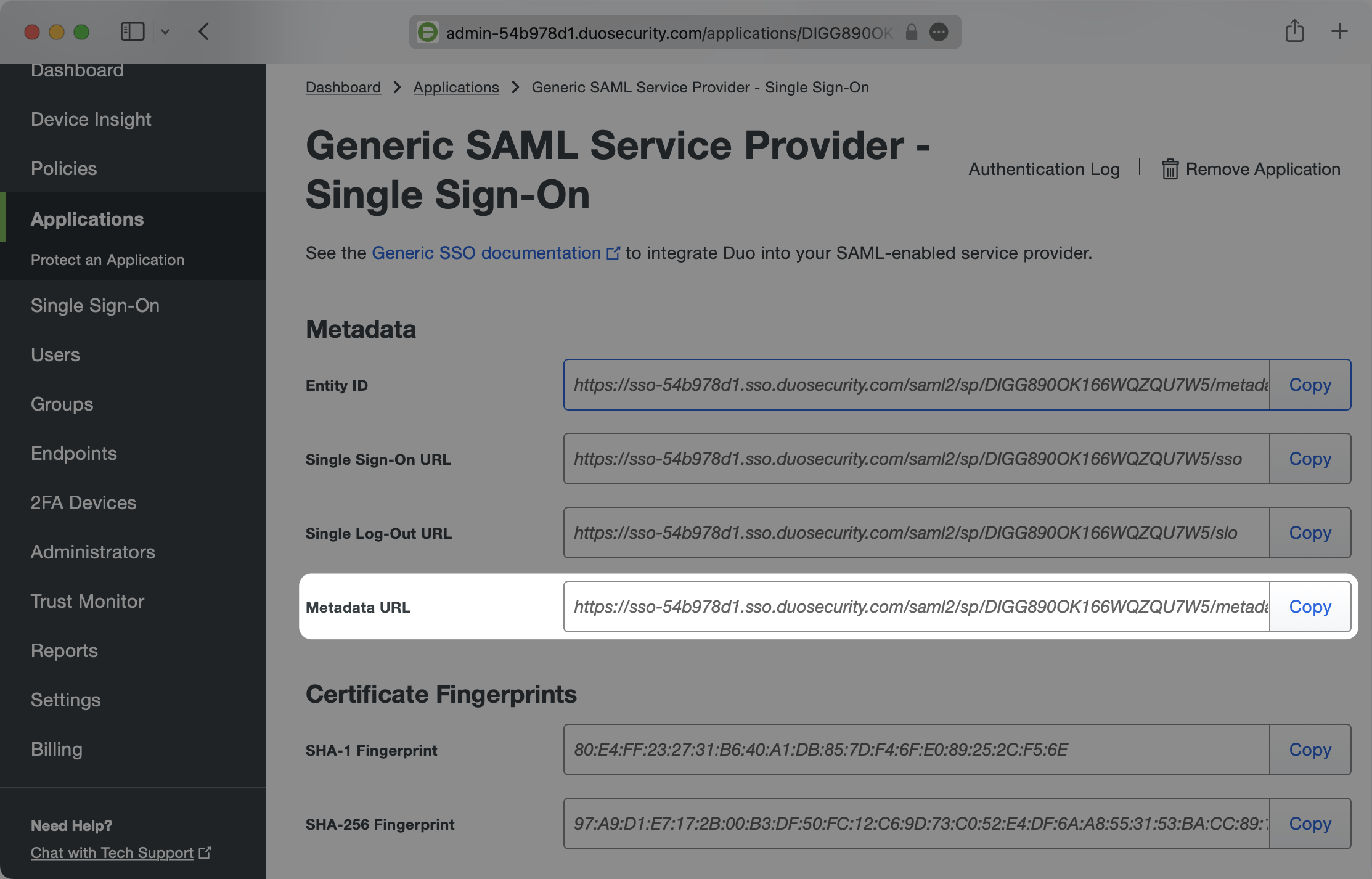
- package/.docs/organized/docs/fga/modeling/custom-roles.mdx +90 -0
- package/.docs/organized/docs/fga/modeling/entitlements.mdx +127 -0
- package/.docs/organized/docs/fga/modeling/managed-service-provider.mdx +131 -0
- package/.docs/organized/docs/fga/modeling/org-roles-and-permissions.mdx +95 -0
- package/.docs/organized/docs/fga/modeling/policy-context.mdx +231 -0
- package/.docs/organized/docs/fga/modeling/public-access.mdx +61 -0
- package/.docs/organized/docs/fga/modeling/shareable-content.mdx +106 -0
- package/.docs/organized/docs/fga/modeling/superusers.mdx +74 -0
- package/.docs/organized/docs/fga/modeling/user-groups.mdx +92 -0
- package/.docs/organized/docs/fga/operations-usage.mdx +104 -0
- package/.docs/organized/docs/fga/playground.mdx +12 -0
- package/.docs/organized/docs/fga/policies.mdx +462 -0
- package/.docs/organized/docs/fga/query-language.mdx +112 -0
- package/.docs/organized/docs/fga/quick-start.mdx +174 -0
- package/.docs/organized/docs/fga/resources.mdx +92 -0
- package/.docs/organized/docs/fga/schema-management.mdx +224 -0
- package/.docs/organized/docs/fga/schema.mdx +388 -0
- package/.docs/organized/docs/fga/warrant-tokens.mdx +44 -0
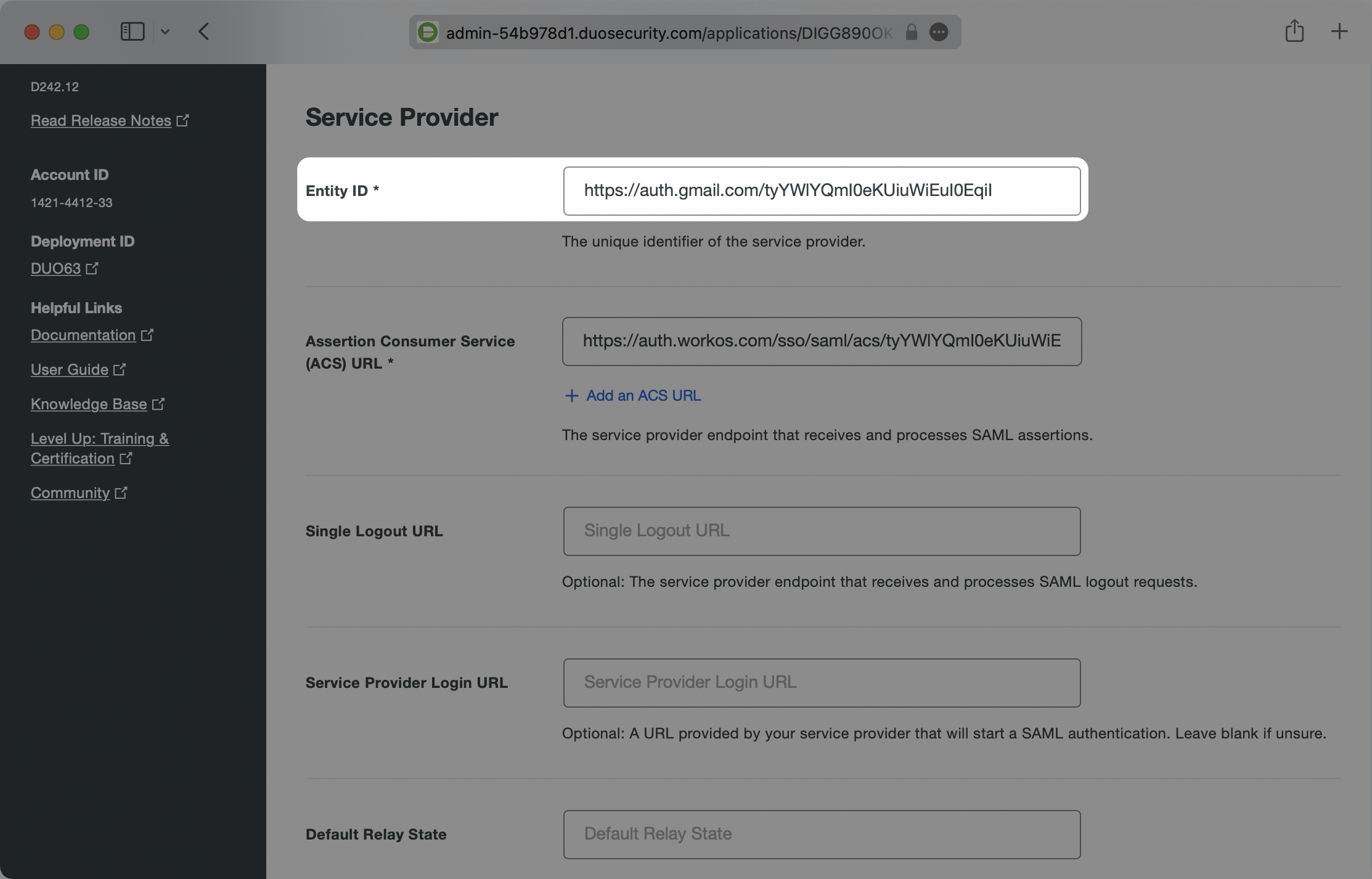
- package/.docs/organized/docs/fga/warrants.mdx +92 -0
- package/.docs/organized/docs/glossary.mdx +184 -0
- package/.docs/organized/docs/integrations/_navigation.mdx +6 -0
- package/.docs/organized/docs/integrations/access-people-hr.mdx +87 -0
- package/.docs/organized/docs/integrations/adp-oidc.mdx +103 -0
- package/.docs/organized/docs/integrations/apple.mdx +169 -0
- package/.docs/organized/docs/integrations/auth0-directory-sync.mdx +78 -0
- package/.docs/organized/docs/integrations/auth0-enterprise-connection.mdx +92 -0
- package/.docs/organized/docs/integrations/auth0-saml.mdx +81 -0
- package/.docs/organized/docs/integrations/aws-cognito.mdx +81 -0
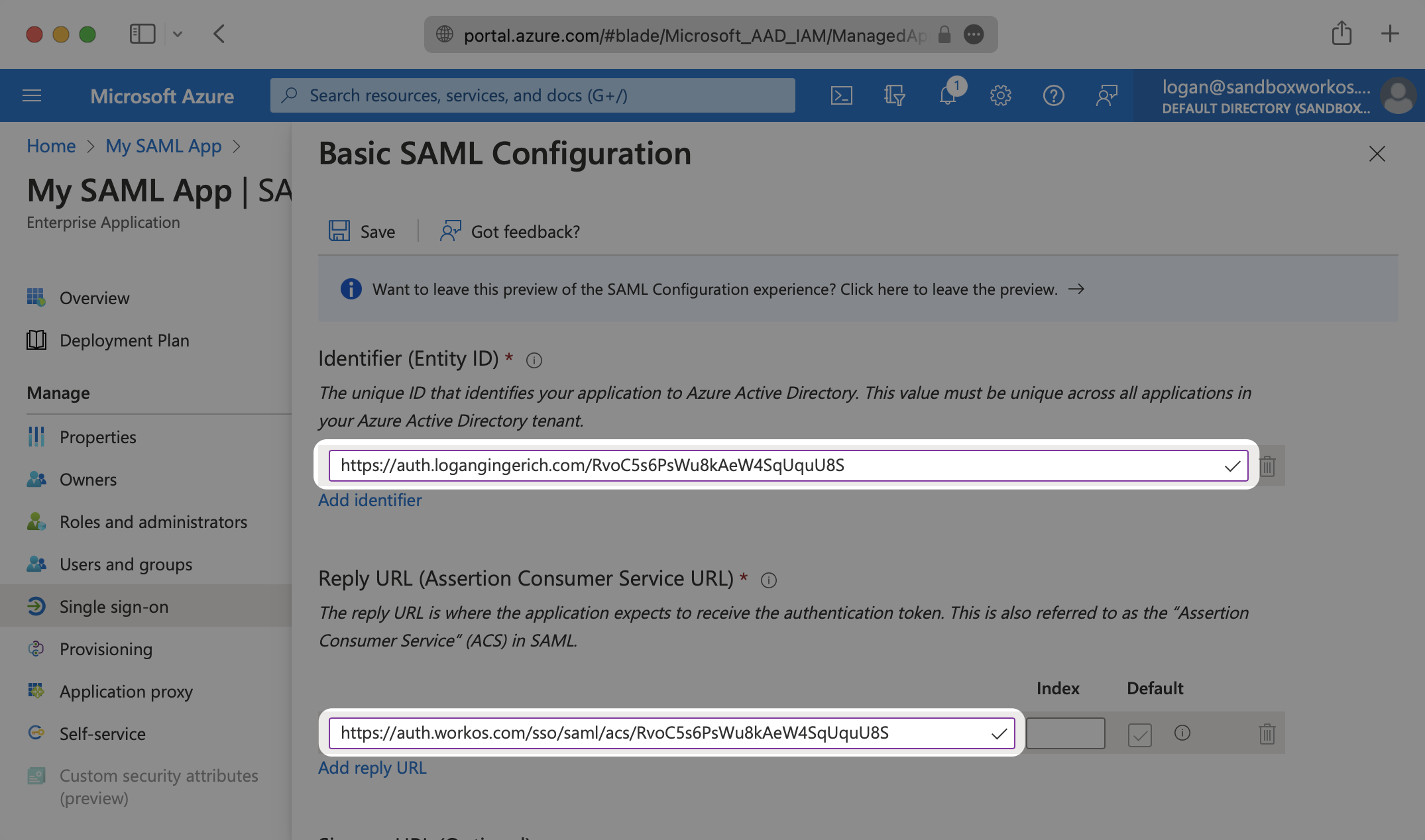
- package/.docs/organized/docs/integrations/bamboohr.mdx +90 -0
- package/.docs/organized/docs/integrations/breathe-hr.mdx +89 -0
- package/.docs/organized/docs/integrations/bubble.mdx +129 -0
- package/.docs/organized/docs/integrations/cas-saml.mdx +65 -0
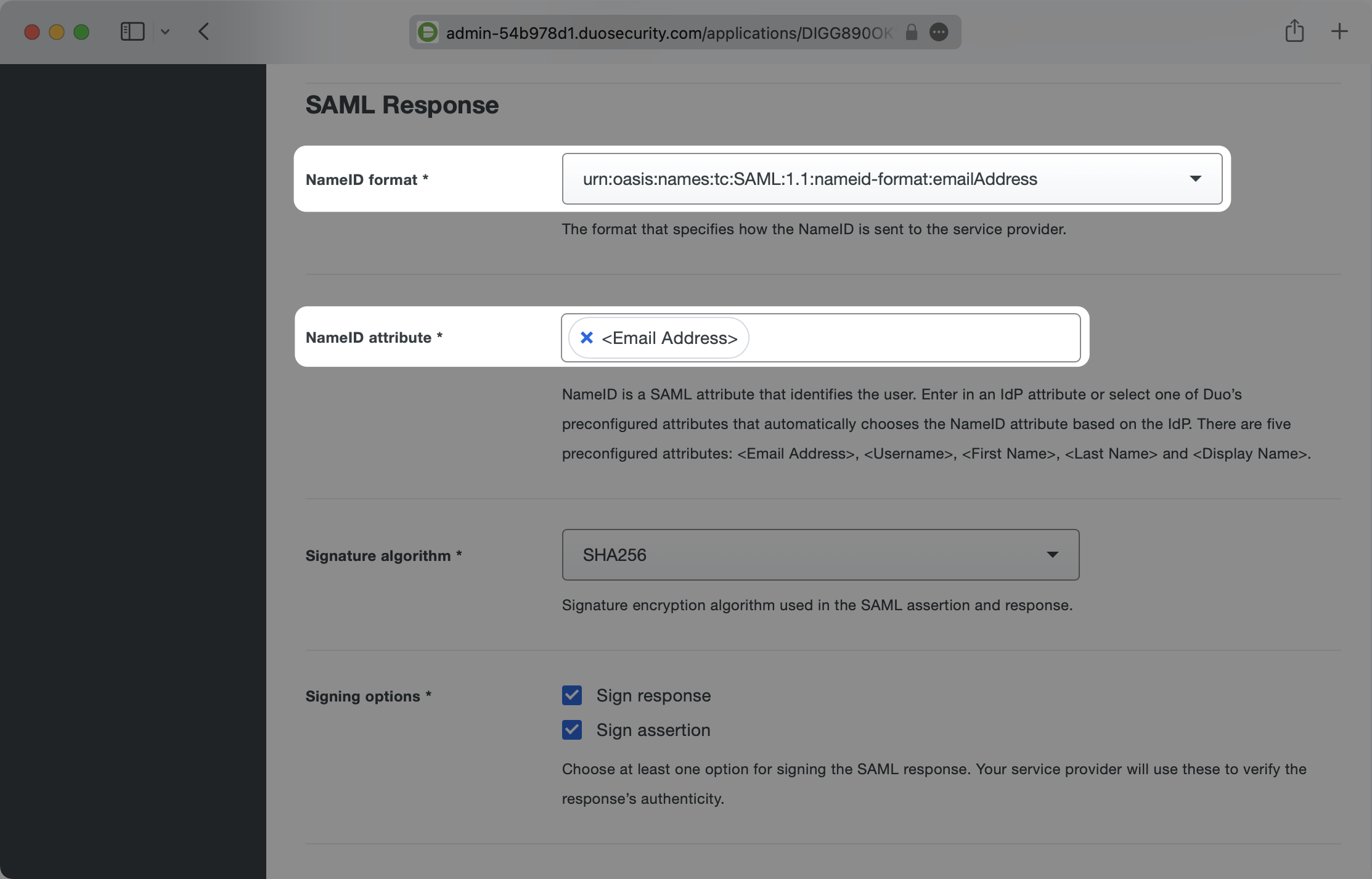
- package/.docs/organized/docs/integrations/cezanne.mdx +74 -0
- package/.docs/organized/docs/integrations/classlink-saml.mdx +100 -0
- package/.docs/organized/docs/integrations/cloudflare-saml.mdx +164 -0
- package/.docs/organized/docs/integrations/cyberark-saml.mdx +138 -0
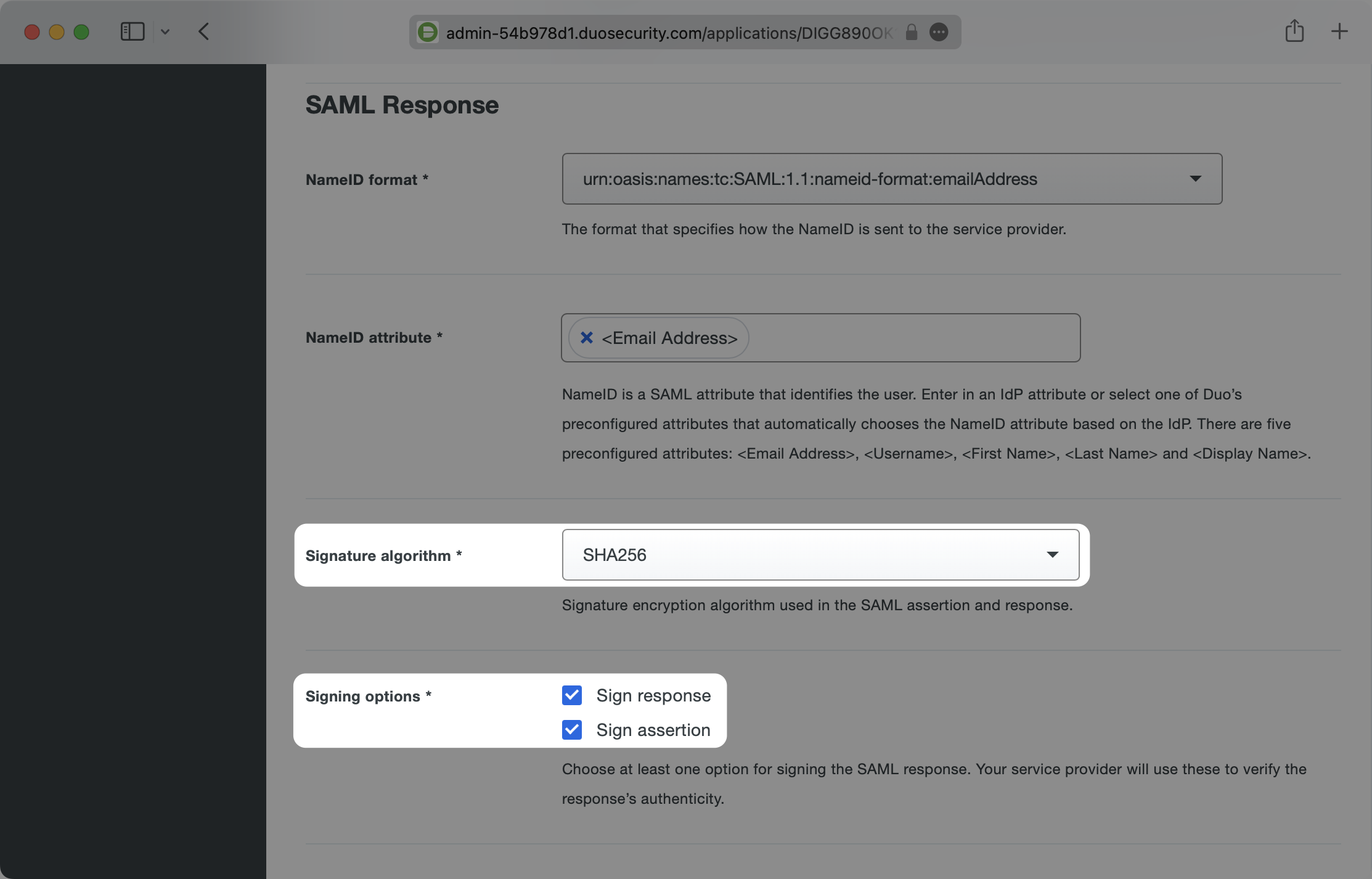
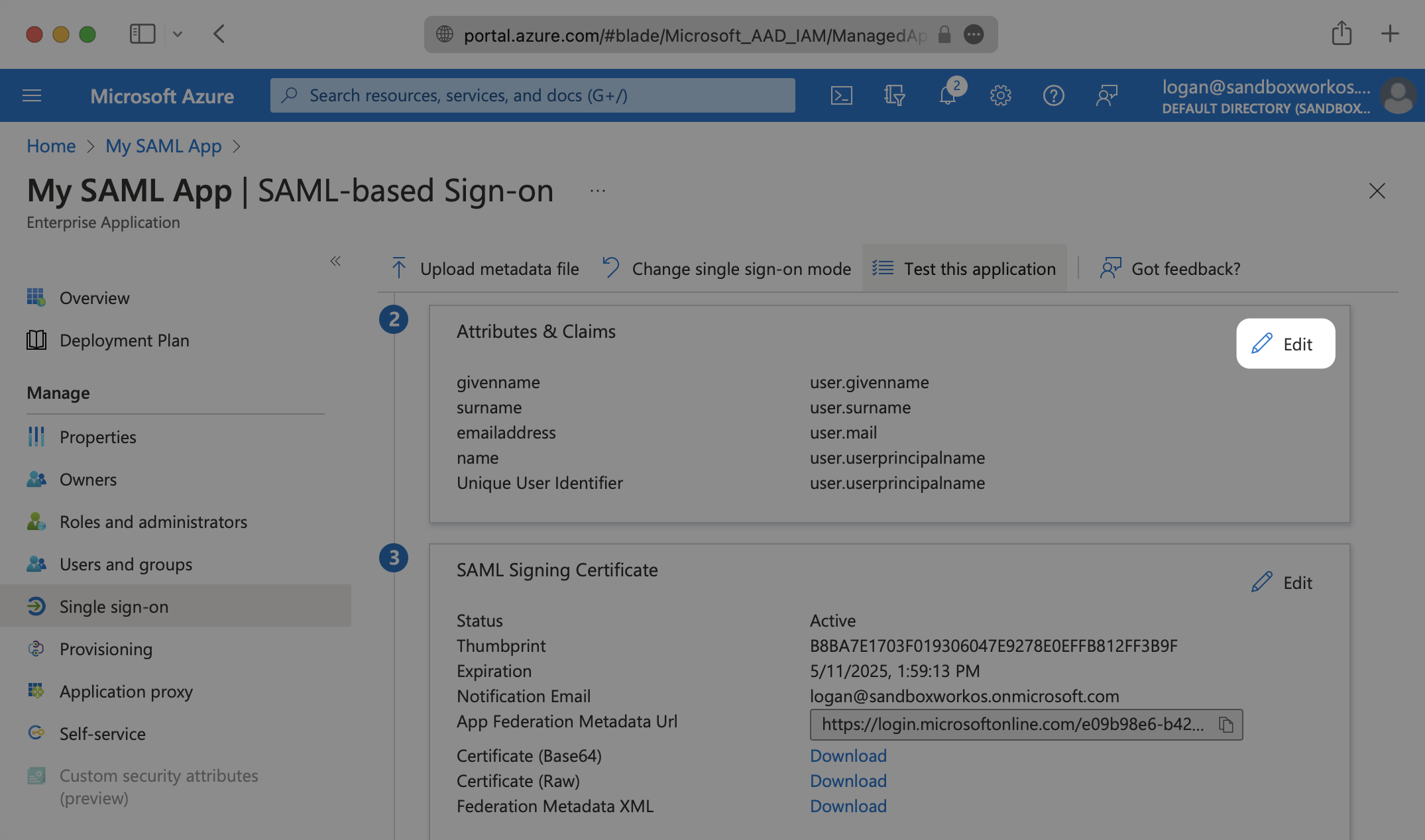
- package/.docs/organized/docs/integrations/cyberark-scim.mdx +100 -0
- package/.docs/organized/docs/integrations/duo-saml.mdx +127 -0
- package/.docs/organized/docs/integrations/entra-id-saml.mdx +156 -0
- package/.docs/organized/docs/integrations/entra-id-scim.mdx +218 -0
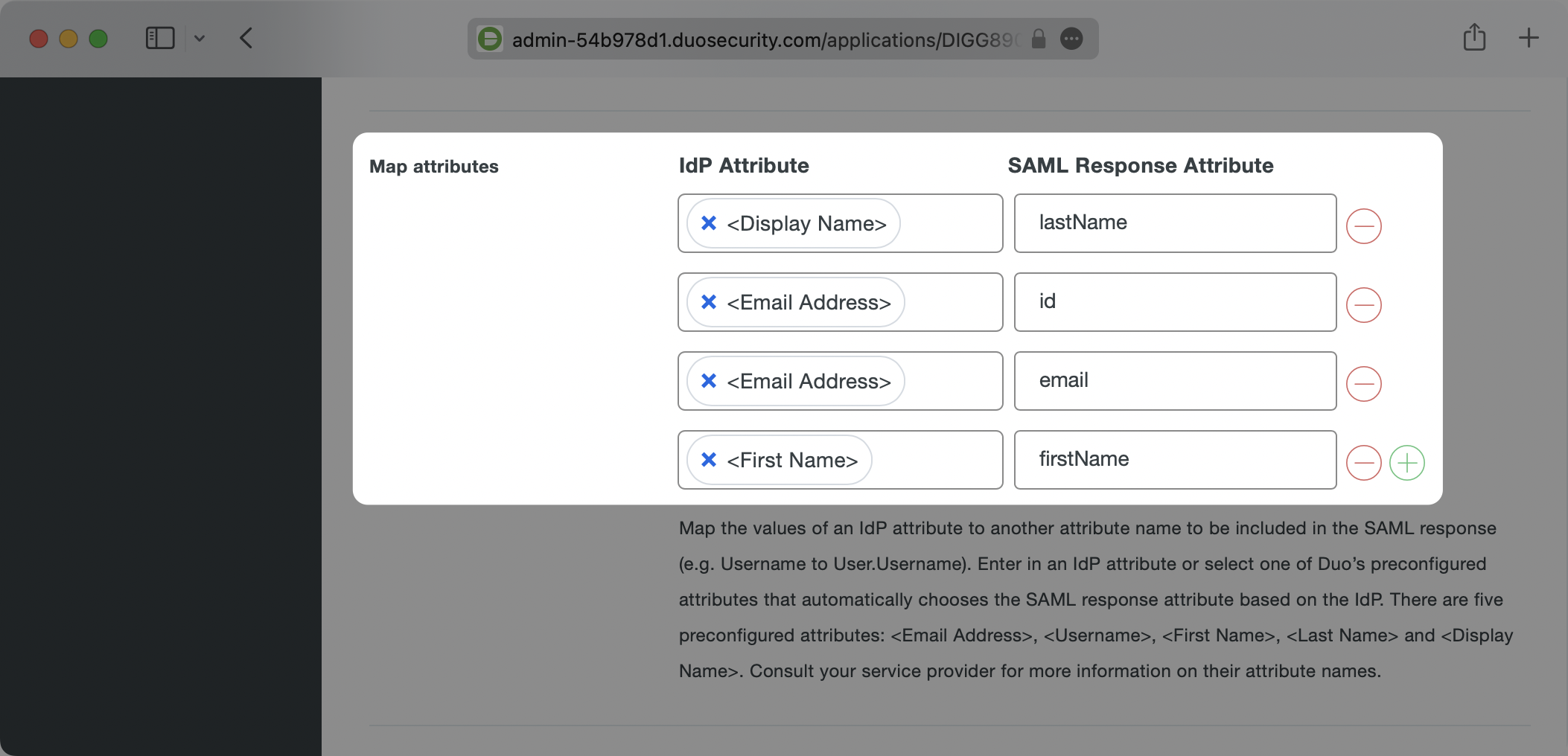
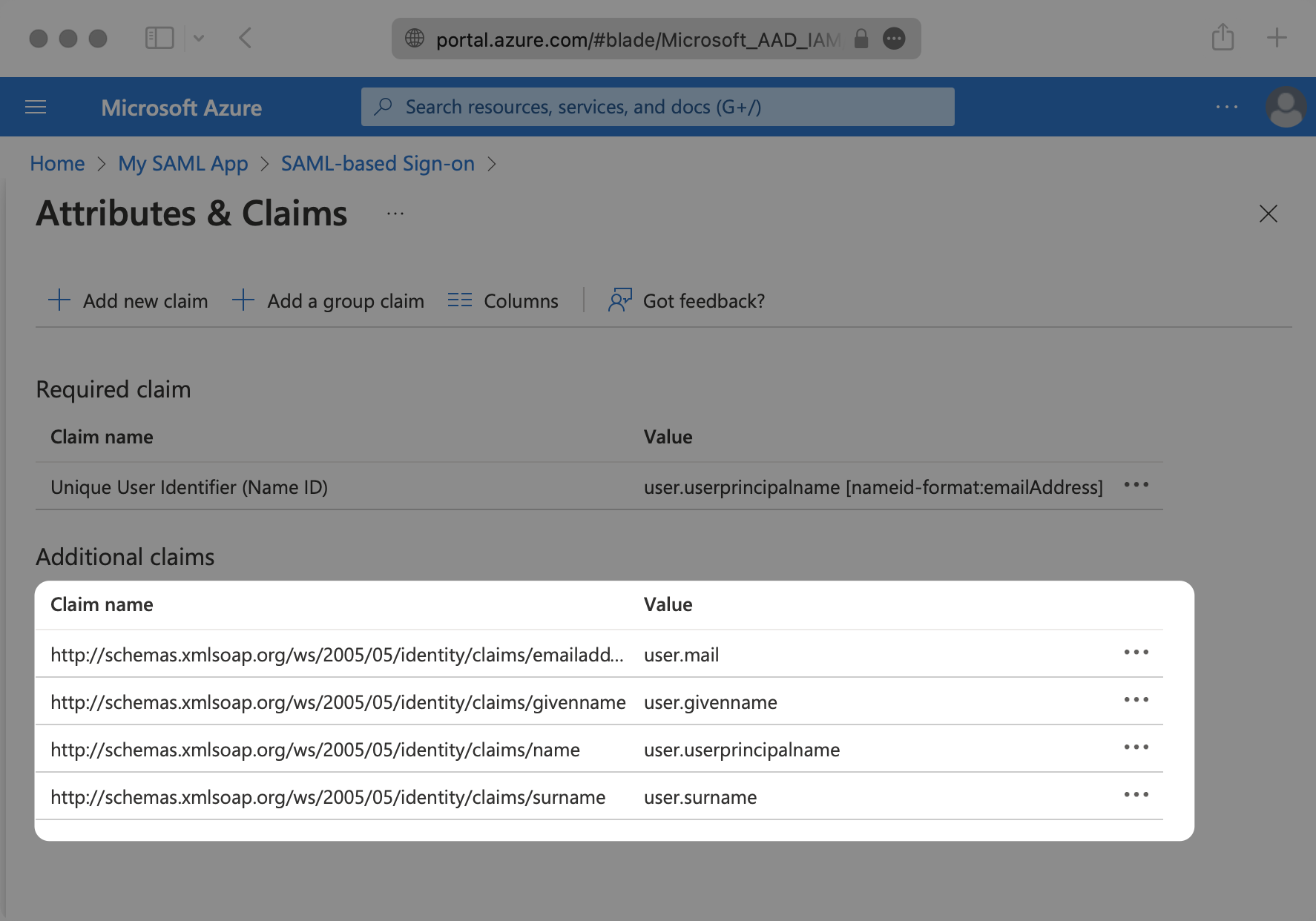
- package/.docs/organized/docs/integrations/firebase.mdx +98 -0
- package/.docs/organized/docs/integrations/fourth.mdx +66 -0
- package/.docs/organized/docs/integrations/github-oauth.mdx +85 -0
- package/.docs/organized/docs/integrations/gitlab-oauth.mdx +81 -0
- package/.docs/organized/docs/integrations/google-directory-sync.mdx +86 -0
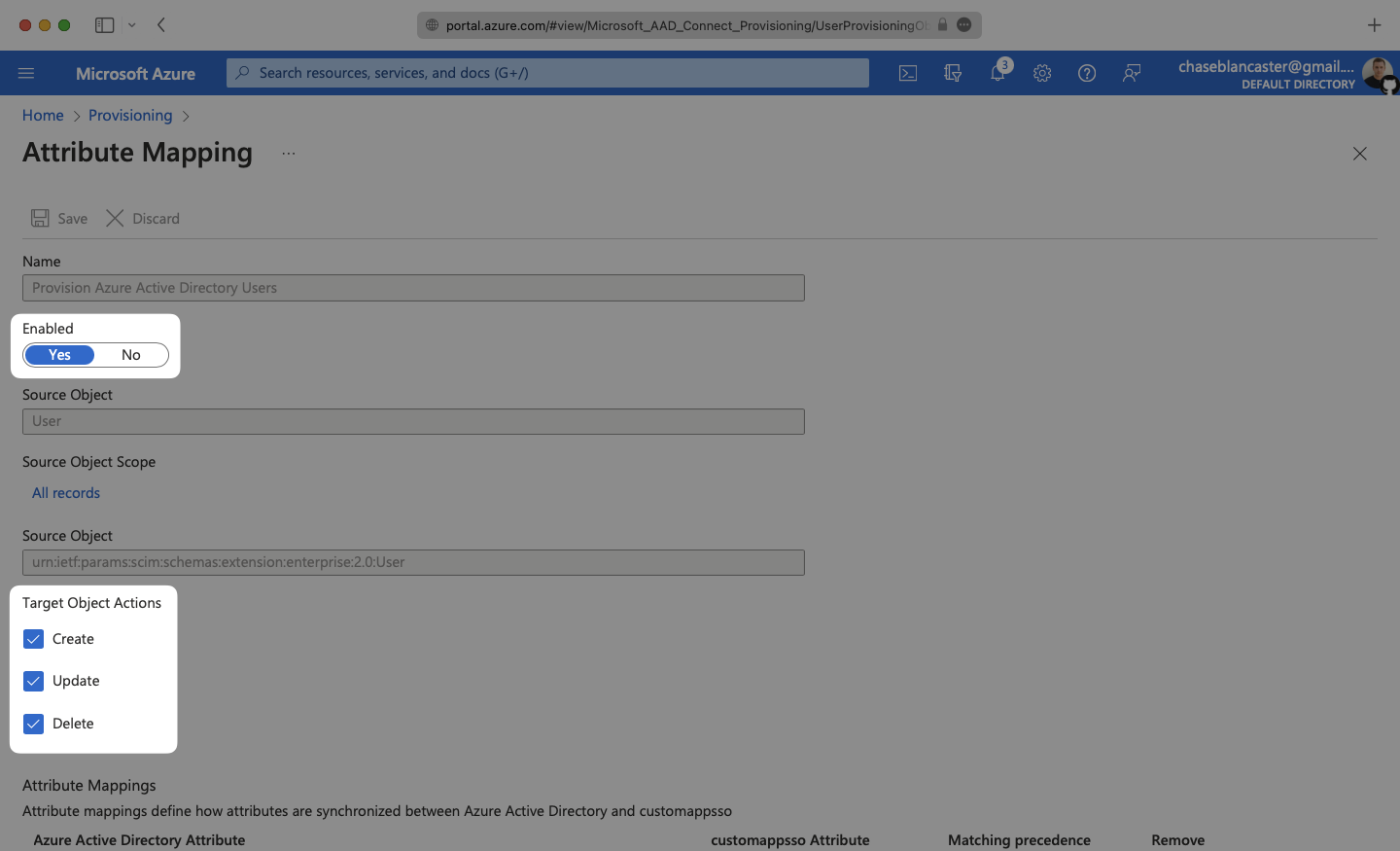
- package/.docs/organized/docs/integrations/google-oauth.mdx +173 -0
- package/.docs/organized/docs/integrations/google-saml.mdx +135 -0
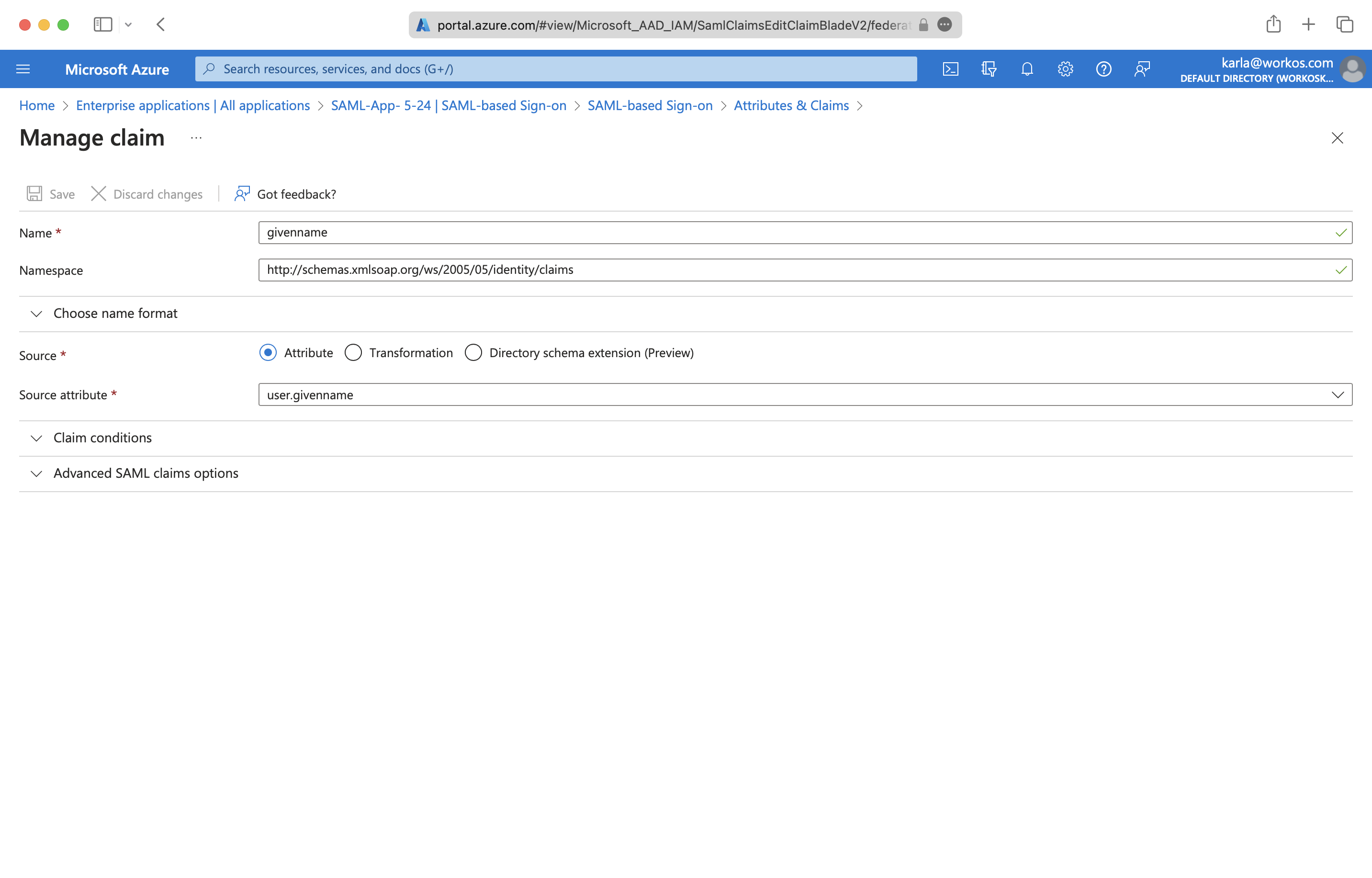
- package/.docs/organized/docs/integrations/hibob.mdx +98 -0
- package/.docs/organized/docs/integrations/jumpcloud-saml.mdx +96 -0
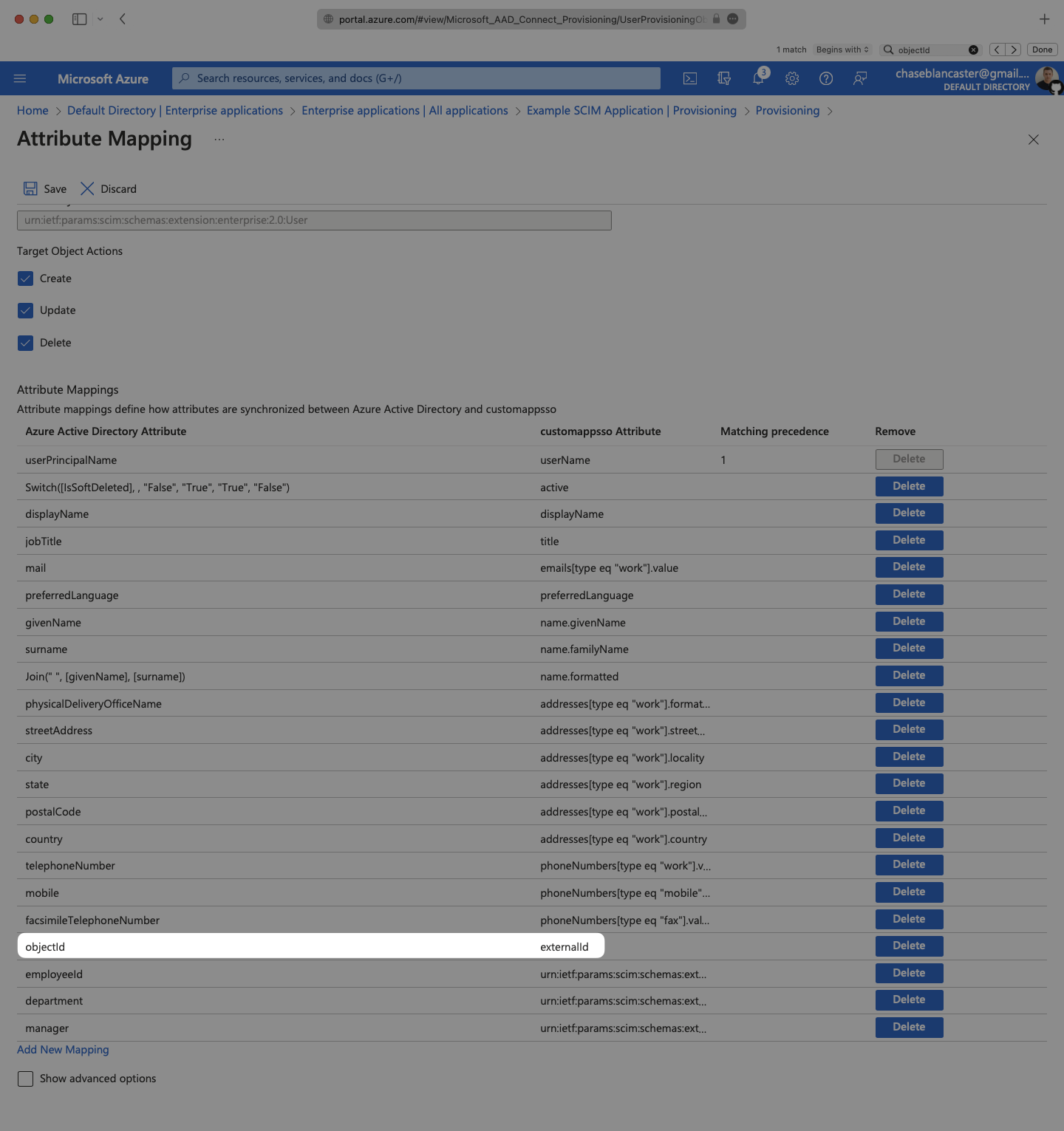
- package/.docs/organized/docs/integrations/jumpcloud-scim.mdx +106 -0
- package/.docs/organized/docs/integrations/keycloak-saml.mdx +128 -0
- package/.docs/organized/docs/integrations/lastpass-saml.mdx +134 -0
- package/.docs/organized/docs/integrations/linkedin-oauth.mdx +77 -0
- package/.docs/organized/docs/integrations/login-gov-oidc.mdx +103 -0
- package/.docs/organized/docs/integrations/microsoft-ad-fs-saml.mdx +96 -0
- package/.docs/organized/docs/integrations/microsoft-oauth.mdx +101 -0
- package/.docs/organized/docs/integrations/miniorange-saml.mdx +124 -0
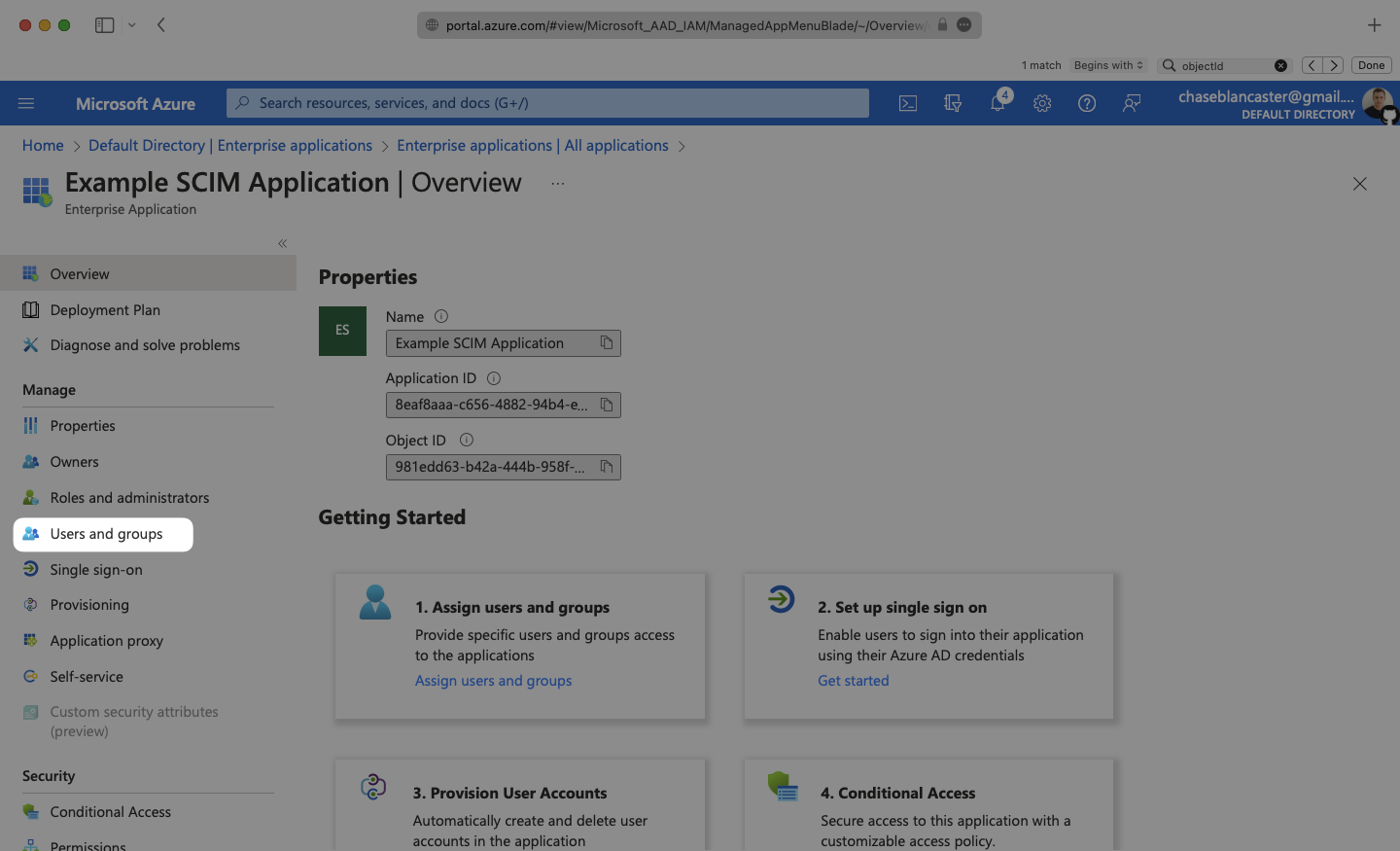
- package/.docs/organized/docs/integrations/net-iq-saml.mdx +75 -0
- package/.docs/organized/docs/integrations/next-auth.mdx +257 -0
- package/.docs/organized/docs/integrations/oidc.mdx +64 -0
- package/.docs/organized/docs/integrations/okta-saml.mdx +144 -0
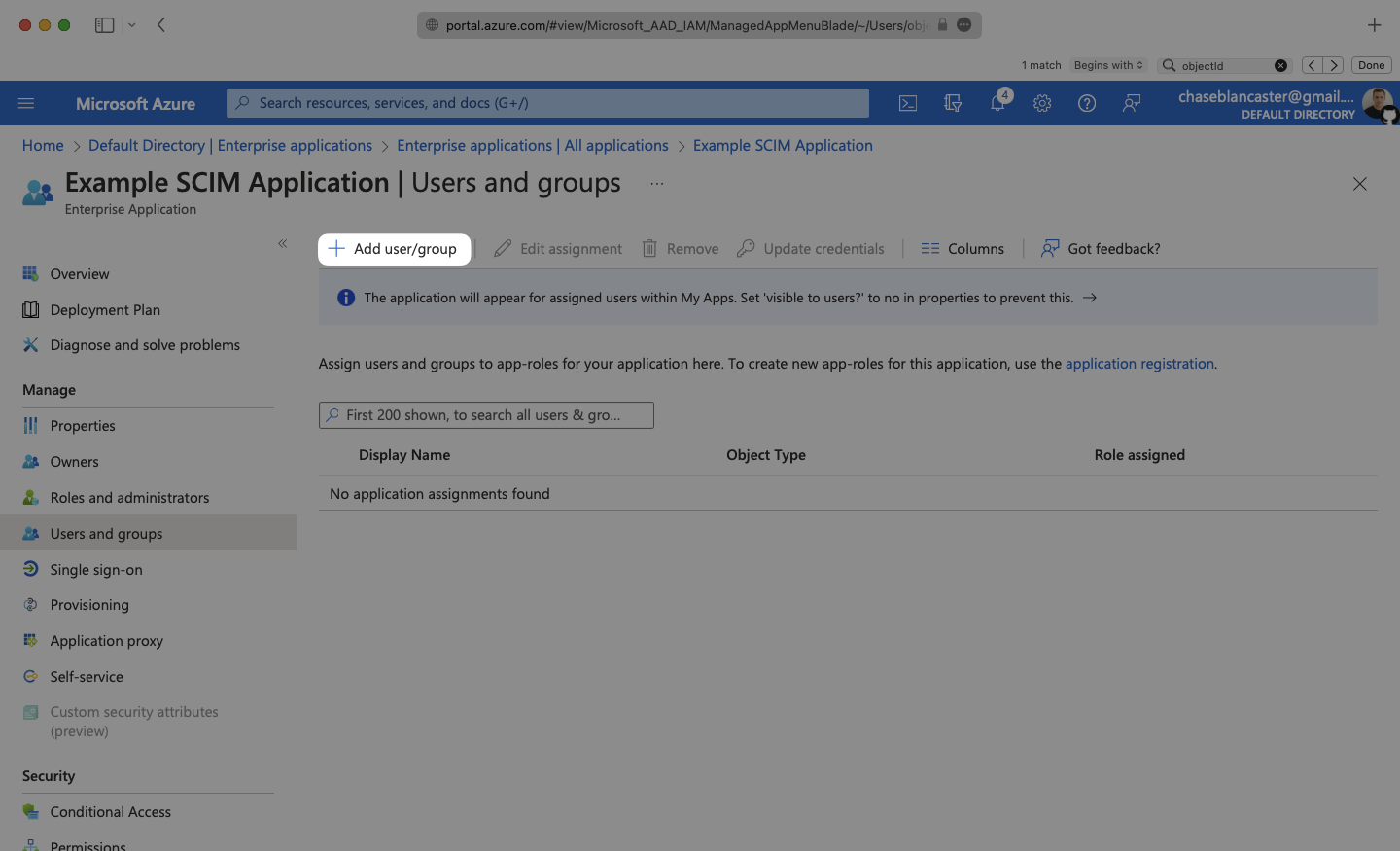
- package/.docs/organized/docs/integrations/okta-scim.mdx +210 -0
- package/.docs/organized/docs/integrations/onelogin-saml.mdx +131 -0
- package/.docs/organized/docs/integrations/onelogin-scim.mdx +150 -0
- package/.docs/organized/docs/integrations/oracle-saml.mdx +76 -0
- package/.docs/organized/docs/integrations/pingfederate-saml.mdx +103 -0
- package/.docs/organized/docs/integrations/pingfederate-scim.mdx +150 -0
- package/.docs/organized/docs/integrations/pingone-saml.mdx +86 -0
- package/.docs/organized/docs/integrations/react-native-expo.mdx +93 -0
- package/.docs/organized/docs/integrations/rippling-saml.mdx +174 -0
- package/.docs/organized/docs/integrations/rippling-scim.mdx +148 -0
- package/.docs/organized/docs/integrations/salesforce-saml.mdx +143 -0
- package/.docs/organized/docs/integrations/saml.mdx +64 -0
- package/.docs/organized/docs/integrations/scim.mdx +64 -0
- package/.docs/organized/docs/integrations/sftp.mdx +150 -0
- package/.docs/organized/docs/integrations/shibboleth-generic-saml.mdx +84 -0
- package/.docs/organized/docs/integrations/shibboleth-unsolicited-saml.mdx +84 -0
- package/.docs/organized/docs/integrations/simple-saml-php.mdx +78 -0
- package/.docs/organized/docs/integrations/slack-oauth.mdx +102 -0
- package/.docs/organized/docs/integrations/supabase.mdx +68 -0
- package/.docs/organized/docs/integrations/vmware-saml.mdx +100 -0
- package/.docs/organized/docs/integrations/workday.mdx +156 -0
- package/.docs/organized/docs/integrations/xero-oauth.mdx +83 -0
- package/.docs/organized/docs/magic-link/_navigation.mdx +16 -0
- package/.docs/organized/docs/magic-link/example-apps.mdx +46 -0
- package/.docs/organized/docs/magic-link/index.mdx +199 -0
- package/.docs/organized/docs/magic-link/launch-checklist.mdx +27 -0
- package/.docs/organized/docs/mfa/_navigation.mdx +18 -0
- package/.docs/organized/docs/mfa/example-apps.mdx +46 -0
- package/.docs/organized/docs/mfa/index.mdx +140 -0
- package/.docs/organized/docs/mfa/ux/enrollment.mdx +74 -0
- package/.docs/organized/docs/mfa/ux/sign-in.mdx +30 -0
- package/.docs/organized/docs/migrate/_navigation.mdx +6 -0
- package/.docs/organized/docs/migrate/auth0.mdx +98 -0
- package/.docs/organized/docs/migrate/aws-cognito.mdx +115 -0
- package/.docs/organized/docs/migrate/clerk.mdx +106 -0
- package/.docs/organized/docs/migrate/firebase.mdx +80 -0
- package/.docs/organized/docs/migrate/other-services.mdx +179 -0
- package/.docs/organized/docs/migrate/standalone-sso.mdx +105 -0
- package/.docs/organized/docs/on-prem-deployment.mdx +119 -0
- package/.docs/organized/docs/postman.mdx +90 -0
- package/.docs/organized/docs/reference/_navigation.mdx +527 -0
- package/.docs/organized/docs/reference/admin-portal/index.mdx +6 -0
- package/.docs/organized/docs/reference/admin-portal/portal-link/generate.mdx +268 -0
- package/.docs/organized/docs/reference/admin-portal/portal-link/index.mdx +15 -0
- package/.docs/organized/docs/reference/admin-portal/provider-icons/index.mdx +52 -0
- package/.docs/organized/docs/reference/api-keys.mdx +22 -0
- package/.docs/organized/docs/reference/audit-logs/audit-log-export.mdx +239 -0
- package/.docs/organized/docs/reference/audit-logs/audit-log-schema.mdx +69 -0
- package/.docs/organized/docs/reference/audit-logs/create-event.mdx +673 -0
- package/.docs/organized/docs/reference/audit-logs/create-export.mdx +308 -0
- package/.docs/organized/docs/reference/audit-logs/create-schema.mdx +95 -0
- package/.docs/organized/docs/reference/audit-logs/get-export.mdx +117 -0
- package/.docs/organized/docs/reference/audit-logs/get-retention.mdx +34 -0
- package/.docs/organized/docs/reference/audit-logs/index.mdx +6 -0
- package/.docs/organized/docs/reference/audit-logs/list-actions.mdx +40 -0
- package/.docs/organized/docs/reference/audit-logs/list-schemas.mdx +40 -0
- package/.docs/organized/docs/reference/audit-logs/set-retention.mdx +39 -0
- package/.docs/organized/docs/reference/client-libraries.mdx +19 -0
- package/.docs/organized/docs/reference/directory-sync/directory/delete.mdx +90 -0
- package/.docs/organized/docs/reference/directory-sync/directory/get.mdx +105 -0
- package/.docs/organized/docs/reference/directory-sync/directory/index.mdx +385 -0
- package/.docs/organized/docs/reference/directory-sync/directory/list.mdx +281 -0
- package/.docs/organized/docs/reference/directory-sync/directory-group/get.mdx +105 -0
- package/.docs/organized/docs/reference/directory-sync/directory-group/index.mdx +277 -0
- package/.docs/organized/docs/reference/directory-sync/directory-group/list.mdx +295 -0
- package/.docs/organized/docs/reference/directory-sync/directory-user/get.mdx +112 -0
- package/.docs/organized/docs/reference/directory-sync/directory-user/index.mdx +470 -0
- package/.docs/organized/docs/reference/directory-sync/directory-user/list.mdx +304 -0
- package/.docs/organized/docs/reference/directory-sync/index.mdx +10 -0
- package/.docs/organized/docs/reference/domain-verification/create.mdx +38 -0
- package/.docs/organized/docs/reference/domain-verification/get.mdx +32 -0
- package/.docs/organized/docs/reference/domain-verification/index.mdx +84 -0
- package/.docs/organized/docs/reference/domain-verification/verify.mdx +36 -0
- package/.docs/organized/docs/reference/errors.mdx +30 -0
- package/.docs/organized/docs/reference/events/index.mdx +9 -0
- package/.docs/organized/docs/reference/events/list.mdx +246 -0
- package/.docs/organized/docs/reference/fga/batch-check.mdx +277 -0
- package/.docs/organized/docs/reference/fga/check.mdx +563 -0
- package/.docs/organized/docs/reference/fga/index.mdx +6 -0
- package/.docs/organized/docs/reference/fga/policy/create.mdx +27 -0
- package/.docs/organized/docs/reference/fga/policy/delete.mdx +18 -0
- package/.docs/organized/docs/reference/fga/policy/get.mdx +23 -0
- package/.docs/organized/docs/reference/fga/policy/index.mdx +52 -0
- package/.docs/organized/docs/reference/fga/policy/list.mdx +41 -0
- package/.docs/organized/docs/reference/fga/policy/update.mdx +26 -0
- package/.docs/organized/docs/reference/fga/query.mdx +375 -0
- package/.docs/organized/docs/reference/fga/resource/batch-write.mdx +175 -0
- package/.docs/organized/docs/reference/fga/resource/create.mdx +130 -0
- package/.docs/organized/docs/reference/fga/resource/delete.mdx +86 -0
- package/.docs/organized/docs/reference/fga/resource/get.mdx +88 -0
- package/.docs/organized/docs/reference/fga/resource/index.mdx +98 -0
- package/.docs/organized/docs/reference/fga/resource/list.mdx +188 -0
- package/.docs/organized/docs/reference/fga/resource/update.mdx +115 -0
- package/.docs/organized/docs/reference/fga/resource-type/apply.mdx +35 -0
- package/.docs/organized/docs/reference/fga/resource-type/create.mdx +24 -0
- package/.docs/organized/docs/reference/fga/resource-type/delete.mdx +22 -0
- package/.docs/organized/docs/reference/fga/resource-type/get.mdx +23 -0
- package/.docs/organized/docs/reference/fga/resource-type/index.mdx +68 -0
- package/.docs/organized/docs/reference/fga/resource-type/list.mdx +36 -0
- package/.docs/organized/docs/reference/fga/resource-type/update.mdx +23 -0
- package/.docs/organized/docs/reference/fga/schema/apply.mdx +42 -0
- package/.docs/organized/docs/reference/fga/schema/get.mdx +24 -0
- package/.docs/organized/docs/reference/fga/schema/index.mdx +39 -0
- package/.docs/organized/docs/reference/fga/warrant/batch-write.mdx +226 -0
- package/.docs/organized/docs/reference/fga/warrant/create.mdx +215 -0
- package/.docs/organized/docs/reference/fga/warrant/delete.mdx +212 -0
- package/.docs/organized/docs/reference/fga/warrant/index.mdx +186 -0
- package/.docs/organized/docs/reference/fga/warrant/list.mdx +282 -0
- package/.docs/organized/docs/reference/idempotency.mdx +21 -0
- package/.docs/organized/docs/reference/index.mdx +194 -0
- package/.docs/organized/docs/reference/magic-link/index.mdx +8 -0
- package/.docs/organized/docs/reference/magic-link/passwordless-session/create.mdx +268 -0
- package/.docs/organized/docs/reference/magic-link/passwordless-session/index.mdx +203 -0
- package/.docs/organized/docs/reference/magic-link/passwordless-session/send-email.mdx +158 -0
- package/.docs/organized/docs/reference/mfa/authentication-challenge.mdx +217 -0
- package/.docs/organized/docs/reference/mfa/authentication-factor.mdx +381 -0
- package/.docs/organized/docs/reference/mfa/challenge-factor.mdx +170 -0
- package/.docs/organized/docs/reference/mfa/delete-factor.mdx +93 -0
- package/.docs/organized/docs/reference/mfa/enroll-factor.mdx +241 -0
- package/.docs/organized/docs/reference/mfa/get-factor.mdx +108 -0
- package/.docs/organized/docs/reference/mfa/index.mdx +8 -0
- package/.docs/organized/docs/reference/mfa/verify-challenge.mdx +228 -0
- package/.docs/organized/docs/reference/organization/create.mdx +216 -0
- package/.docs/organized/docs/reference/organization/delete.mdx +89 -0
- package/.docs/organized/docs/reference/organization/get-by-external-id.mdx +40 -0
- package/.docs/organized/docs/reference/organization/get.mdx +104 -0
- package/.docs/organized/docs/reference/organization/index.mdx +274 -0
- package/.docs/organized/docs/reference/organization/list.mdx +258 -0
- package/.docs/organized/docs/reference/organization/update.mdx +236 -0
- package/.docs/organized/docs/reference/organization-domain.mdx +189 -0
- package/.docs/organized/docs/reference/pagination.mdx +244 -0
- package/.docs/organized/docs/reference/radar/attempts/create.mdx +115 -0
- package/.docs/organized/docs/reference/radar/attempts/index.mdx +7 -0
- package/.docs/organized/docs/reference/radar/attempts/update.mdx +34 -0
- package/.docs/organized/docs/reference/radar/index.mdx +8 -0
- package/.docs/organized/docs/reference/radar/lists/delete.mdx +36 -0
- package/.docs/organized/docs/reference/radar/lists/index.mdx +7 -0
- package/.docs/organized/docs/reference/radar/lists/update.mdx +36 -0
- package/.docs/organized/docs/reference/rate-limits.mdx +50 -0
- package/.docs/organized/docs/reference/roles/index.mdx +268 -0
- package/.docs/organized/docs/reference/roles/list-for-organization.mdx +152 -0
- package/.docs/organized/docs/reference/sso/connection/delete.mdx +89 -0
- package/.docs/organized/docs/reference/sso/connection/get.mdx +104 -0
- package/.docs/organized/docs/reference/sso/connection/index.mdx +388 -0
- package/.docs/organized/docs/reference/sso/connection/list.mdx +320 -0
- package/.docs/organized/docs/reference/sso/get-authorization-url/error-codes.mdx +28 -0
- package/.docs/organized/docs/reference/sso/get-authorization-url/index.mdx +434 -0
- package/.docs/organized/docs/reference/sso/get-authorization-url/redirect-uri.mdx +21 -0
- package/.docs/organized/docs/reference/sso/index.mdx +8 -0
- package/.docs/organized/docs/reference/sso/logout/authorize.mdx +47 -0
- package/.docs/organized/docs/reference/sso/logout/index.mdx +14 -0
- package/.docs/organized/docs/reference/sso/logout/redirect.mdx +32 -0
- package/.docs/organized/docs/reference/sso/profile/get-profile-and-token.mdx +229 -0
- package/.docs/organized/docs/reference/sso/profile/get-user-profile.mdx +127 -0
- package/.docs/organized/docs/reference/sso/profile/index.mdx +364 -0
- package/.docs/organized/docs/reference/testing.mdx +8 -0
- package/.docs/organized/docs/reference/user-management/access-token/index.mdx +13 -0
- package/.docs/organized/docs/reference/user-management/authentication/code.mdx +448 -0
- package/.docs/organized/docs/reference/user-management/authentication/email-verification.mdx +359 -0
- package/.docs/organized/docs/reference/user-management/authentication/get-authorization-url/error-codes.mdx +25 -0
- package/.docs/organized/docs/reference/user-management/authentication/get-authorization-url/index.mdx +425 -0
- package/.docs/organized/docs/reference/user-management/authentication/get-authorization-url/pkce.mdx +9 -0
- package/.docs/organized/docs/reference/user-management/authentication/get-authorization-url/redirect-uri.mdx +23 -0
- package/.docs/organized/docs/reference/user-management/authentication/index.mdx +66 -0
- package/.docs/organized/docs/reference/user-management/authentication/magic-auth.mdx +353 -0
- package/.docs/organized/docs/reference/user-management/authentication/organization-selection.mdx +349 -0
- package/.docs/organized/docs/reference/user-management/authentication/password.mdx +350 -0
- package/.docs/organized/docs/reference/user-management/authentication/refresh-and-seal-session-data.mdx +57 -0
- package/.docs/organized/docs/reference/user-management/authentication/refresh-token.mdx +381 -0
- package/.docs/organized/docs/reference/user-management/authentication/session-cookie.mdx +79 -0
- package/.docs/organized/docs/reference/user-management/authentication/totp.mdx +369 -0
- package/.docs/organized/docs/reference/user-management/authentication-errors/email-verification-required-error.mdx +42 -0
- package/.docs/organized/docs/reference/user-management/authentication-errors/index.mdx +20 -0
- package/.docs/organized/docs/reference/user-management/authentication-errors/mfa-challenge-error.mdx +44 -0
- package/.docs/organized/docs/reference/user-management/authentication-errors/mfa-enrollment-error.mdx +37 -0
- package/.docs/organized/docs/reference/user-management/authentication-errors/organization-authentication-required-error.mdx +68 -0
- package/.docs/organized/docs/reference/user-management/authentication-errors/organization-selection-error.mdx +44 -0
- package/.docs/organized/docs/reference/user-management/authentication-errors/sso-required-error.mdx +51 -0
- package/.docs/organized/docs/reference/user-management/email-verification/get.mdx +88 -0
- package/.docs/organized/docs/reference/user-management/email-verification/index.mdx +227 -0
- package/.docs/organized/docs/reference/user-management/identity/index.mdx +74 -0
- package/.docs/organized/docs/reference/user-management/identity/list.mdx +52 -0
- package/.docs/organized/docs/reference/user-management/index.mdx +13 -0
- package/.docs/organized/docs/reference/user-management/invitation/accept.mdx +39 -0
- package/.docs/organized/docs/reference/user-management/invitation/find-by-token.mdx +87 -0
- package/.docs/organized/docs/reference/user-management/invitation/get.mdx +87 -0
- package/.docs/organized/docs/reference/user-management/invitation/index.mdx +374 -0
- package/.docs/organized/docs/reference/user-management/invitation/list.mdx +247 -0
- package/.docs/organized/docs/reference/user-management/invitation/revoke.mdx +90 -0
- package/.docs/organized/docs/reference/user-management/invitation/send.mdx +230 -0
- package/.docs/organized/docs/reference/user-management/logout/get-logout-url-from-session-cookie.mdx +52 -0
- package/.docs/organized/docs/reference/user-management/logout/get-logout-url.mdx +147 -0
- package/.docs/organized/docs/reference/user-management/logout/index.mdx +26 -0
- package/.docs/organized/docs/reference/user-management/magic-auth/create.mdx +148 -0
- package/.docs/organized/docs/reference/user-management/magic-auth/get.mdx +88 -0
- package/.docs/organized/docs/reference/user-management/magic-auth/index.mdx +225 -0
- package/.docs/organized/docs/reference/user-management/mfa/authentication-challenge.mdx +194 -0
- package/.docs/organized/docs/reference/user-management/mfa/authentication-factor.mdx +324 -0
- package/.docs/organized/docs/reference/user-management/mfa/enroll-auth-factor.mdx +296 -0
- package/.docs/organized/docs/reference/user-management/mfa/index.mdx +5 -0
- package/.docs/organized/docs/reference/user-management/mfa/list-auth-factors.mdx +194 -0
- package/.docs/organized/docs/reference/user-management/organization-membership/create.mdx +155 -0
- package/.docs/organized/docs/reference/user-management/organization-membership/deactivate.mdx +106 -0
- package/.docs/organized/docs/reference/user-management/organization-membership/delete.mdx +76 -0
- package/.docs/organized/docs/reference/user-management/organization-membership/get.mdx +95 -0
- package/.docs/organized/docs/reference/user-management/organization-membership/index.mdx +265 -0
- package/.docs/organized/docs/reference/user-management/organization-membership/list.mdx +291 -0
- package/.docs/organized/docs/reference/user-management/organization-membership/reactivate.mdx +106 -0
- package/.docs/organized/docs/reference/user-management/organization-membership/update.mdx +119 -0
- package/.docs/organized/docs/reference/user-management/password-reset/create.mdx +108 -0
- package/.docs/organized/docs/reference/user-management/password-reset/get.mdx +88 -0
- package/.docs/organized/docs/reference/user-management/password-reset/index.mdx +227 -0
- package/.docs/organized/docs/reference/user-management/password-reset/reset-password.mdx +144 -0
- package/.docs/organized/docs/reference/user-management/session-helpers/authenticate.mdx +176 -0
- package/.docs/organized/docs/reference/user-management/session-helpers/get-logout-url.mdx +42 -0
- package/.docs/organized/docs/reference/user-management/session-helpers/index.mdx +14 -0
- package/.docs/organized/docs/reference/user-management/session-helpers/load-sealed-session.mdx +105 -0
- package/.docs/organized/docs/reference/user-management/session-helpers/refresh.mdx +213 -0
- package/.docs/organized/docs/reference/user-management/session-tokens/access-token.mdx +90 -0
- package/.docs/organized/docs/reference/user-management/session-tokens/index.mdx +5 -0
- package/.docs/organized/docs/reference/user-management/session-tokens/jwks.mdx +110 -0
- package/.docs/organized/docs/reference/user-management/session-tokens/refresh-token.mdx +8 -0
- package/.docs/organized/docs/reference/user-management/user/create.mdx +327 -0
- package/.docs/organized/docs/reference/user-management/user/delete.mdx +76 -0
- package/.docs/organized/docs/reference/user-management/user/get-by-external-id.mdx +39 -0
- package/.docs/organized/docs/reference/user-management/user/get.mdx +103 -0
- package/.docs/organized/docs/reference/user-management/user/index.mdx +322 -0
- package/.docs/organized/docs/reference/user-management/user/list.mdx +260 -0
- package/.docs/organized/docs/reference/user-management/user/update.mdx +344 -0
- package/.docs/organized/docs/reference/vault/index.mdx +6 -0
- package/.docs/organized/docs/reference/vault/key/create-data-key.mdx +106 -0
- package/.docs/organized/docs/reference/vault/key/decrypt-data-key.mdx +84 -0
- package/.docs/organized/docs/reference/vault/key/decrypt-data.mdx +52 -0
- package/.docs/organized/docs/reference/vault/key/encrypt-data.mdx +58 -0
- package/.docs/organized/docs/reference/vault/key/index.mdx +25 -0
- package/.docs/organized/docs/reference/vault/object/create.mdx +62 -0
- package/.docs/organized/docs/reference/vault/object/delete.mdx +75 -0
- package/.docs/organized/docs/reference/vault/object/get.mdx +50 -0
- package/.docs/organized/docs/reference/vault/object/index.mdx +174 -0
- package/.docs/organized/docs/reference/vault/object/list.mdx +105 -0
- package/.docs/organized/docs/reference/vault/object/metadata.mdx +52 -0
- package/.docs/organized/docs/reference/vault/object/update.mdx +67 -0
- package/.docs/organized/docs/reference/vault/object/version.mdx +87 -0
- package/.docs/organized/docs/reference/vault/object/versions.mdx +83 -0
- package/.docs/organized/docs/reference/widgets/get-token.mdx +185 -0
- package/.docs/organized/docs/reference/widgets/index.mdx +6 -0
- package/.docs/organized/docs/reference/workos-connect/authorize/index.mdx +75 -0
- package/.docs/organized/docs/reference/workos-connect/index.mdx +33 -0
- package/.docs/organized/docs/reference/workos-connect/introspection/index.mdx +122 -0
- package/.docs/organized/docs/reference/workos-connect/metadata/index.mdx +25 -0
- package/.docs/organized/docs/reference/workos-connect/metadata/oauth-authorization-server/index.mdx +99 -0
- package/.docs/organized/docs/reference/workos-connect/metadata/openid-configuration/index.mdx +70 -0
- package/.docs/organized/docs/reference/workos-connect/token/authorization-code-grant/access-token.mdx +53 -0
- package/.docs/organized/docs/reference/workos-connect/token/authorization-code-grant/id-token.mdx +60 -0
- package/.docs/organized/docs/reference/workos-connect/token/authorization-code-grant/index.mdx +69 -0
- package/.docs/organized/docs/reference/workos-connect/token/client-credentials-grant/access-token.mdx +46 -0
- package/.docs/organized/docs/reference/workos-connect/token/client-credentials-grant/index.mdx +56 -0
- package/.docs/organized/docs/reference/workos-connect/token/index.mdx +39 -0
- package/.docs/organized/docs/reference/workos-connect/token/refresh-token-grant.mdx +69 -0
- package/.docs/organized/docs/reference/workos-connect/userinfo/index.mdx +46 -0
- package/.docs/organized/docs/sdks/dotnet.mdx +6 -0
- package/.docs/organized/docs/sdks/elixir.mdx +6 -0
- package/.docs/organized/docs/sdks/go.mdx +6 -0
- package/.docs/organized/docs/sdks/java.mdx +9 -0
- package/.docs/organized/docs/sdks/laravel.mdx +6 -0
- package/.docs/organized/docs/sdks/node.mdx +9 -0
- package/.docs/organized/docs/sdks/php.mdx +6 -0
- package/.docs/organized/docs/sdks/python.mdx +6 -0
- package/.docs/organized/docs/sdks/ruby.mdx +9 -0
- package/.docs/organized/docs/sso/_navigation.mdx +44 -0
- package/.docs/organized/docs/sso/_sequence-diagrams/saml-protocol-security-considerations.md +59 -0
- package/.docs/organized/docs/sso/attributes.mdx +110 -0
- package/.docs/organized/docs/sso/domains.mdx +111 -0
- package/.docs/organized/docs/sso/example-apps.mdx +46 -0
- package/.docs/organized/docs/sso/identity-provider-role-assignment.mdx +113 -0
- package/.docs/organized/docs/sso/index.mdx +295 -0
- package/.docs/organized/docs/sso/it-team-faq.mdx +35 -0
- package/.docs/organized/docs/sso/jit-provisioning.mdx +101 -0
- package/.docs/organized/docs/sso/launch-checklist.mdx +71 -0
- package/.docs/organized/docs/sso/login-flows.mdx +101 -0
- package/.docs/organized/docs/sso/redirect-uris.mdx +44 -0
- package/.docs/organized/docs/sso/saml-security.mdx +122 -0
- package/.docs/organized/docs/sso/signing-certificates.mdx +121 -0
- package/.docs/organized/docs/sso/single-logout.mdx +45 -0
- package/.docs/organized/docs/sso/test-sso.mdx +73 -0
- package/.docs/organized/docs/sso/ux/sign-in.mdx +44 -0
- package/.docs/organized/docs/user-management/_navigation.mdx +87 -0
- package/.docs/organized/docs/user-management/actions.mdx +169 -0
- package/.docs/organized/docs/user-management/authkit.mdx +69 -0
- package/.docs/organized/docs/user-management/branding.mdx +143 -0
- package/.docs/organized/docs/user-management/connect.mdx +110 -0
- package/.docs/organized/docs/user-management/custom-emails.mdx +164 -0
- package/.docs/organized/docs/user-management/directory-provisioning.mdx +78 -0
- package/.docs/organized/docs/user-management/domain-verification.mdx +28 -0
- package/.docs/organized/docs/user-management/email-password.mdx +42 -0
- package/.docs/organized/docs/user-management/email-verification.mdx +29 -0
- package/.docs/organized/docs/user-management/entitlements.mdx +46 -0
- package/.docs/organized/docs/user-management/example-apps.mdx +39 -0
- package/.docs/organized/docs/user-management/identity-linking.mdx +52 -0
- package/.docs/organized/docs/user-management/impersonation.mdx +82 -0
- package/.docs/organized/docs/user-management/index.mdx +525 -0
- package/.docs/organized/docs/user-management/invitations.mdx +60 -0
- package/.docs/organized/docs/user-management/invite-only-signup.mdx +72 -0
- package/.docs/organized/docs/user-management/jit-provisioning.mdx +36 -0
- package/.docs/organized/docs/user-management/jwt-templates.mdx +278 -0
- package/.docs/organized/docs/user-management/magic-auth.mdx +36 -0
- package/.docs/organized/docs/user-management/mcp.mdx +146 -0
- package/.docs/organized/docs/user-management/metadata.mdx +119 -0
- package/.docs/organized/docs/user-management/mfa.mdx +32 -0
- package/.docs/organized/docs/user-management/migrations.mdx +20 -0
- package/.docs/organized/docs/user-management/modeling-your-app.mdx +149 -0
- package/.docs/organized/docs/user-management/organization-policies.mdx +33 -0
- package/.docs/organized/docs/user-management/overview.mdx +46 -0
- package/.docs/organized/docs/user-management/passkeys.mdx +42 -0
- package/.docs/organized/docs/user-management/radar.mdx +127 -0
- package/.docs/organized/docs/user-management/roles-and-permissions.mdx +155 -0
- package/.docs/organized/docs/user-management/sessions.mdx +101 -0
- package/.docs/organized/docs/user-management/social-login.mdx +34 -0
- package/.docs/organized/docs/user-management/sso-with-contractors.mdx +85 -0
- package/.docs/organized/docs/user-management/sso.mdx +96 -0
- package/.docs/organized/docs/user-management/users-organizations.mdx +91 -0
- package/.docs/organized/docs/user-management/widgets.mdx +190 -0
- package/.docs/organized/docs/vault/_navigation.mdx +14 -0
- package/.docs/organized/docs/vault/index.mdx +38 -0
- package/.docs/organized/docs/vault/key-context.mdx +32 -0
- package/.docs/organized/docs/vault/quick-start.mdx +82 -0
- package/README.md +252 -0
- package/dist/chunk-64GKEK6G.js +48 -0
- package/dist/chunk-64GKEK6G.js.map +1 -0
- package/dist/get-tools.d.ts +23 -0
- package/dist/get-tools.js +8 -0
- package/dist/get-tools.js.map +1 -0
- package/dist/index.d.ts +1 -0
- package/dist/index.js +552 -0
- package/dist/index.js.map +1 -0
- package/dist/prepare.d.ts +2 -0
- package/dist/prepare.js +269 -0
- package/dist/prepare.js.map +1 -0
- package/package.json +49 -0
|
@@ -0,0 +1,127 @@
|
|
|
1
|
+
---
|
|
2
|
+
title: Duo
|
|
3
|
+
description: "Learn how to configure a connection to\_Duo via SAML."
|
|
4
|
+
icon: duo
|
|
5
|
+
breadcrumb:
|
|
6
|
+
title: Integrations
|
|
7
|
+
url: /integrations
|
|
8
|
+
originalPath: .tmp-workos-clone/packages/docs/content/integrations/duo-saml.mdx
|
|
9
|
+
---
|
|
10
|
+
|
|
11
|
+
## Introduction
|
|
12
|
+
|
|
13
|
+
Each SSO Identity Provider requires specific information to create and configure a new [Connection](/glossary/connection). Often, the information required to create a Connection will differ by Identity Provider.
|
|
14
|
+
|
|
15
|
+
To create a Duo SAML Connection, you’ll need three pieces of information: an [ACS URL](/glossary/acs-url) (provide by WorkOS), an [SP Entity ID](/glossary/sp-entity-id) (provided by WorkOS), and the [Metadata URL](/glossary/idp-metadata) (provided by Duo).
|
|
16
|
+
|
|
17
|
+
Duo is also unique in that it requires a 3rd party IdP to federate the authentication. This means that along with the three pieces of information, you’ll also need to configure a Single Sign-On Authentication Source and a Cloud Application in your Duo Workspace.
|
|
18
|
+
|
|
19
|
+
The high level overview of the authentication flow:
|
|
20
|
+
|
|
21
|
+
Your App → WorkOS → Duo → Your SSO IdP → Duo → WorkOS → Your App
|
|
22
|
+
|
|
23
|
+

|
|
24
|
+
|
|
25
|
+
---
|
|
26
|
+
|
|
27
|
+
## (1) Create a new Duo SAML Connection in WorkOS
|
|
28
|
+
|
|
29
|
+
Navigate to the Organization in your WorkOS Dashboard under which you would like to set up this new SSO Connection. Click “Manually Configure Connection” and select Duo SAML from the list of SSO Identity Providers. You’ll want to select “Duo SAML” as the Identity Provider and give the Connection a descriptive name. Once this is filled out, click “Create Connection”.
|
|
30
|
+
|
|
31
|
+
|
|
32
|
+
|
|
33
|
+
Take note of the Connection Details as you’ll need to enter those in Duo later on. This page is also where you’ll enter the Metadata URL in a later step.
|
|
34
|
+
|
|
35
|
+
|
|
36
|
+
|
|
37
|
+
---
|
|
38
|
+
|
|
39
|
+
## (2) Select or create your application
|
|
40
|
+
|
|
41
|
+
WorkOS will allow you to use any Duo supported IdP to handle the Federated authentication. Since each IdP will have different ways of setting up the SSO connection between Duo and the IdP, please refer to the [documentation that Duo provides to configure a Duo SSO Connection](https://duo.com/docs/sso#enable-duo-single-sign-on).
|
|
42
|
+
|
|
43
|
+
---
|
|
44
|
+
|
|
45
|
+
## (3) Create a Cloud Application in Duo
|
|
46
|
+
|
|
47
|
+
After configuring the Duo SSO Connection with the IdP of your choice, the next step is to create a Cloud Application in Duo. This app will handle the connection between WorkOS and Duo.
|
|
48
|
+
|
|
49
|
+
Navigate to the Duo Admin Panel and click on Applications on the left sidebar.
|
|
50
|
+
|
|
51
|
+
Click “Protect an Application” and locate the entry for “Generic SAML Service Provider” with a protection type of “2FA with SSO hosted by Duo (Single Sign-On)” in the applications list. Click _Protect_ to the far-right to start configuring “Generic SAML Service Provider”.
|
|
52
|
+
|
|
53
|
+
|
|
54
|
+
|
|
55
|
+
Next, configure the Generic Service Provider settings. There are pieces of information on this page that need to come from WorkOS and your Duo SSO Connection, and also information to copy and enter in the WorkOS Connection.
|
|
56
|
+
|
|
57
|
+
Start by gathering the Metadata URL to enter in the WorkOS Duo SAML Connection that you created in the prior step.
|
|
58
|
+
|
|
59
|
+
|
|
60
|
+
|
|
61
|
+
---
|
|
62
|
+
|
|
63
|
+
## (4) Enter Duo SAML Settings in your WorkOS Dashboard
|
|
64
|
+
|
|
65
|
+
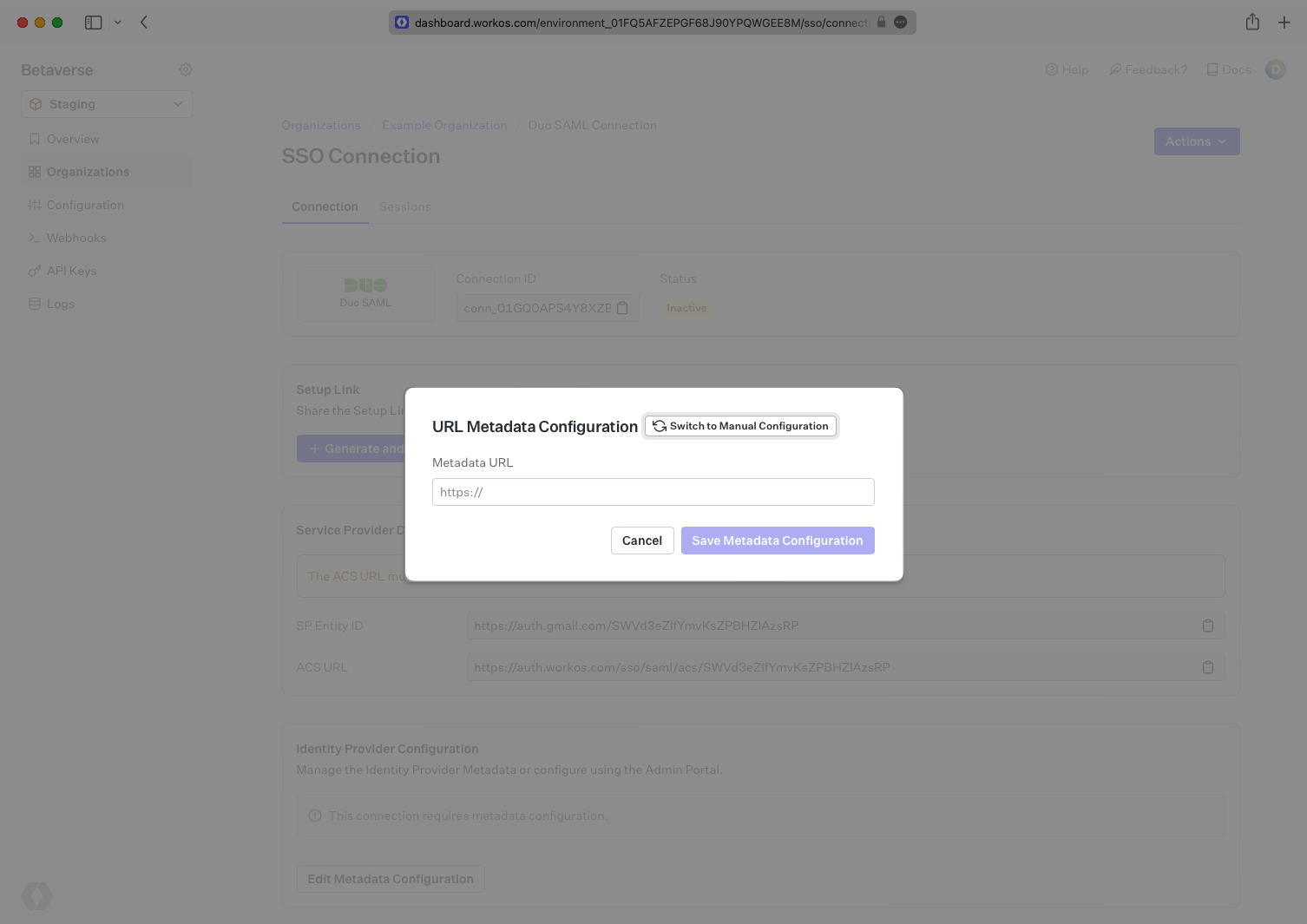
Navigate to your WorkOS Duo SAML Connection and paste the Metadata URL in to the Metadata field.
|
|
66
|
+
|
|
67
|
+
You won’t see the connection flip to Active yet as there is still some configuration to do on the Duo side.
|
|
68
|
+
|
|
69
|
+
|
|
70
|
+
|
|
71
|
+
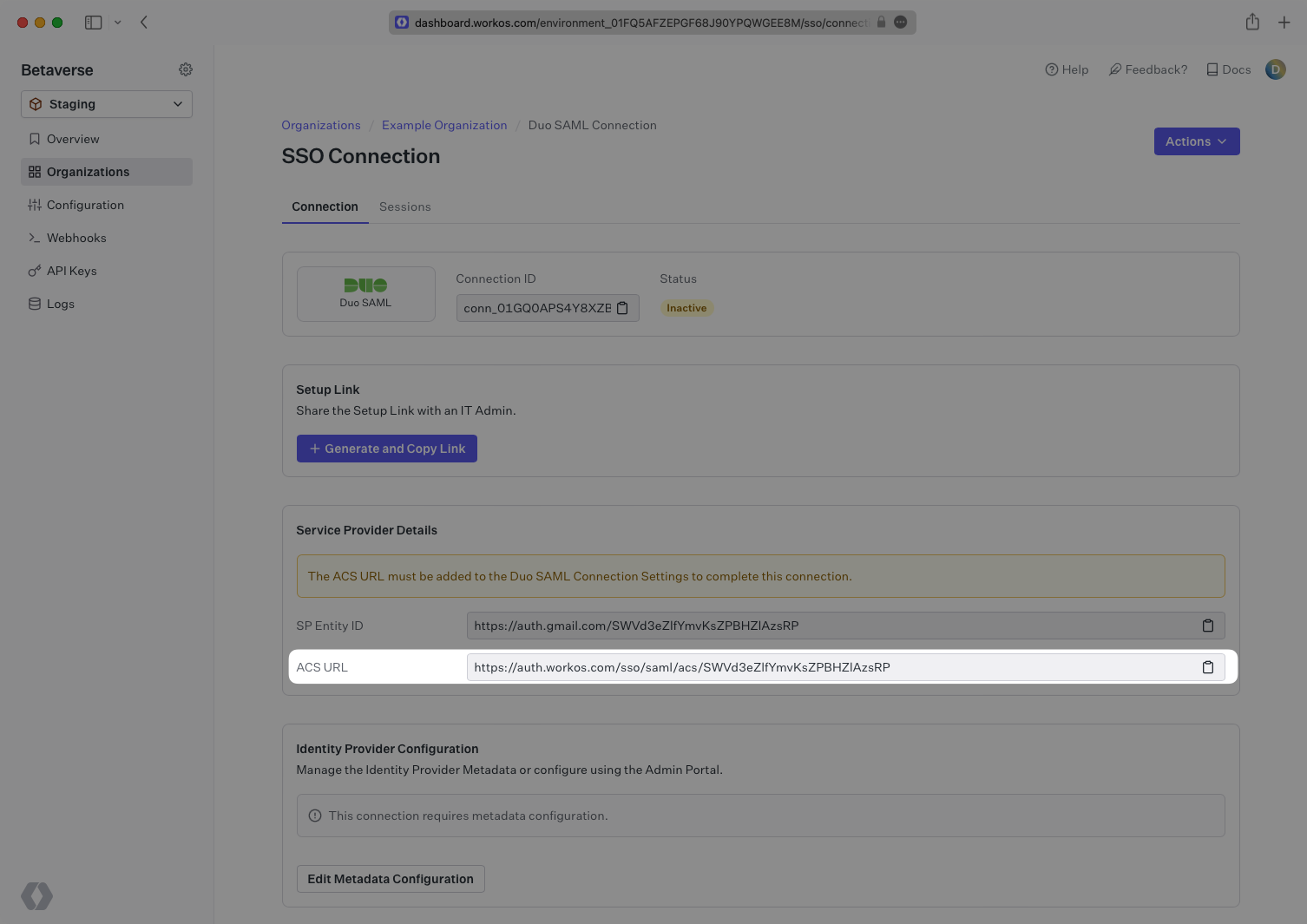
From the WorkOS Connection page you are currently on, copy the ACS URL value from the field just above the SAML Settings.
|
|
72
|
+
|
|
73
|
+
|
|
74
|
+
|
|
75
|
+
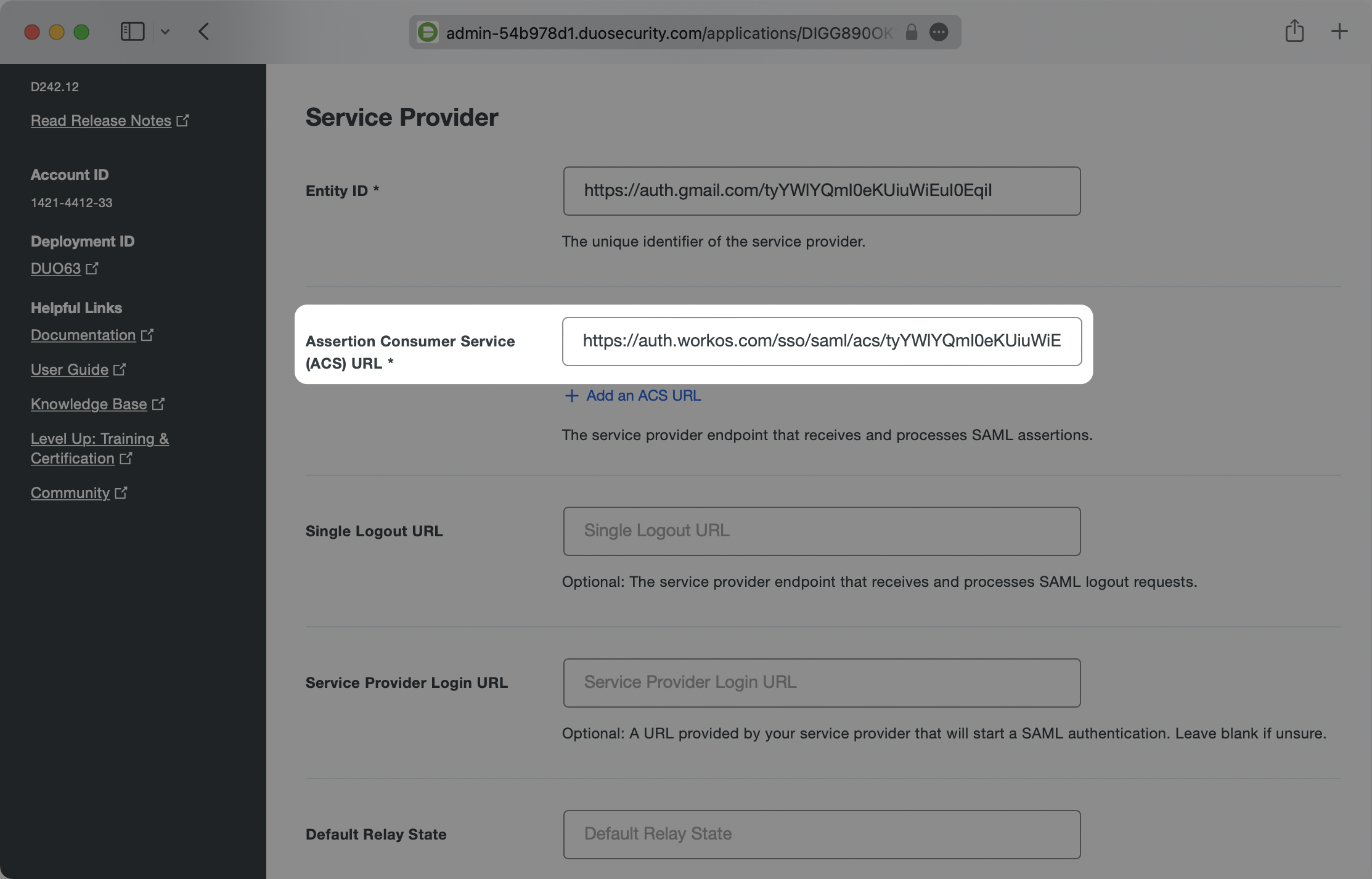
Navigate to the Duo Applications Generic Service Provider configuration settings and paste the ACS URL in the Assertion Consumer Service (ACS) URL field under the Service Provider section.
|
|
76
|
+
|
|
77
|
+
|
|
78
|
+
|
|
79
|
+
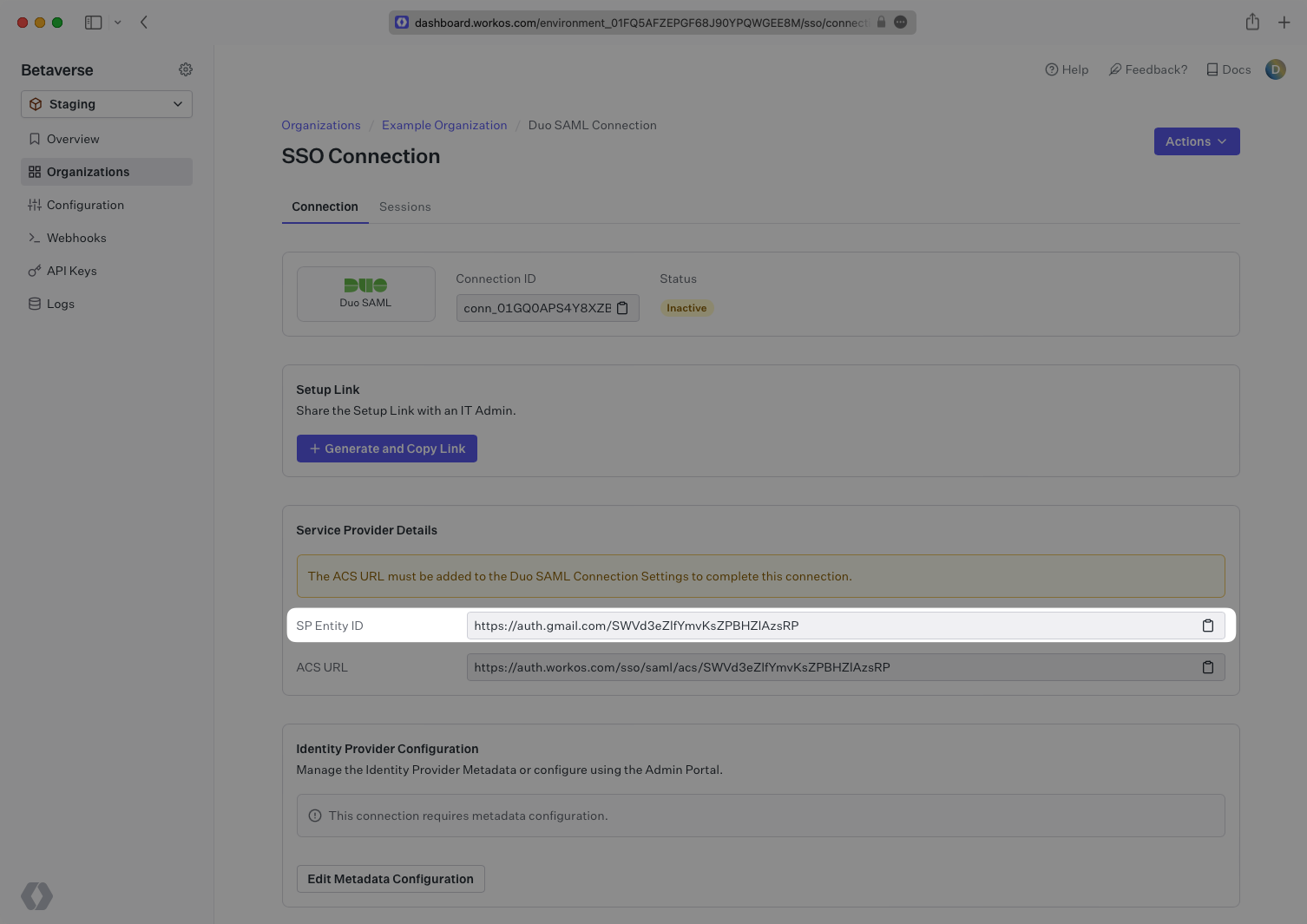
Next, copy the SP Entity ID value from the WorkOS Connection page.
|
|
80
|
+
|
|
81
|
+
|
|
82
|
+
|
|
83
|
+
Paste the SP Entity ID into the Entity ID field under the Service Provider section in the Duo Applications Generic Service Provider configuration.
|
|
84
|
+
|
|
85
|
+
You may leave the Single Logout URL, Service Provider Login URL, and Default Relay State fields empty.
|
|
86
|
+
|
|
87
|
+
|
|
88
|
+
|
|
89
|
+
Scroll down on this page to the SAML Response section. Ensure that the NameID format has the id that you’d like to use for the unique identifier selected and matches the NameID attribute that you’d like to use as the value. If you’re using email as the unique ID, the options would look like the below.
|
|
90
|
+
|
|
91
|
+
|
|
92
|
+
|
|
93
|
+
Ensure the Signature algorithm is SHA256 and that the Signing options have both Sign response and Sign assertion selected.
|
|
94
|
+
|
|
95
|
+
|
|
96
|
+
|
|
97
|
+
Next make sure that you are mapping the attributes which WorkOS requires: `id`, `email`, `firstName`, and `lastName`. In the Map Attributes section enter these on the right side under SAML Response Attribute. on the left side, click the empty field box and select the pre-populated values that look like `<Email Address>`. Duo will automatically grab the corresponding fields and map them to the expected values.
|
|
98
|
+
|
|
99
|
+
You can map any values you like, but WorkOS requires that these four values are included in SAML responses. If your users don’t have a last name value for instance, you could map Display Name or any other value to `lastName`, but `lastName` still needs to be included or WorkOS will reject the SAML Response.
|
|
100
|
+
|
|
101
|
+
Here’s an example of the attribute mappings:
|
|
102
|
+
|
|
103
|
+
|
|
104
|
+
|
|
105
|
+
### Role Assignment (optional)
|
|
106
|
+
|
|
107
|
+
With [identity provider role assignment](/sso/identity-provider-role-assignment), users can receive roles within your application based on their group memberships. To return this information in the attribute statement, follow the guidance below.
|
|
108
|
+
|
|
109
|
+
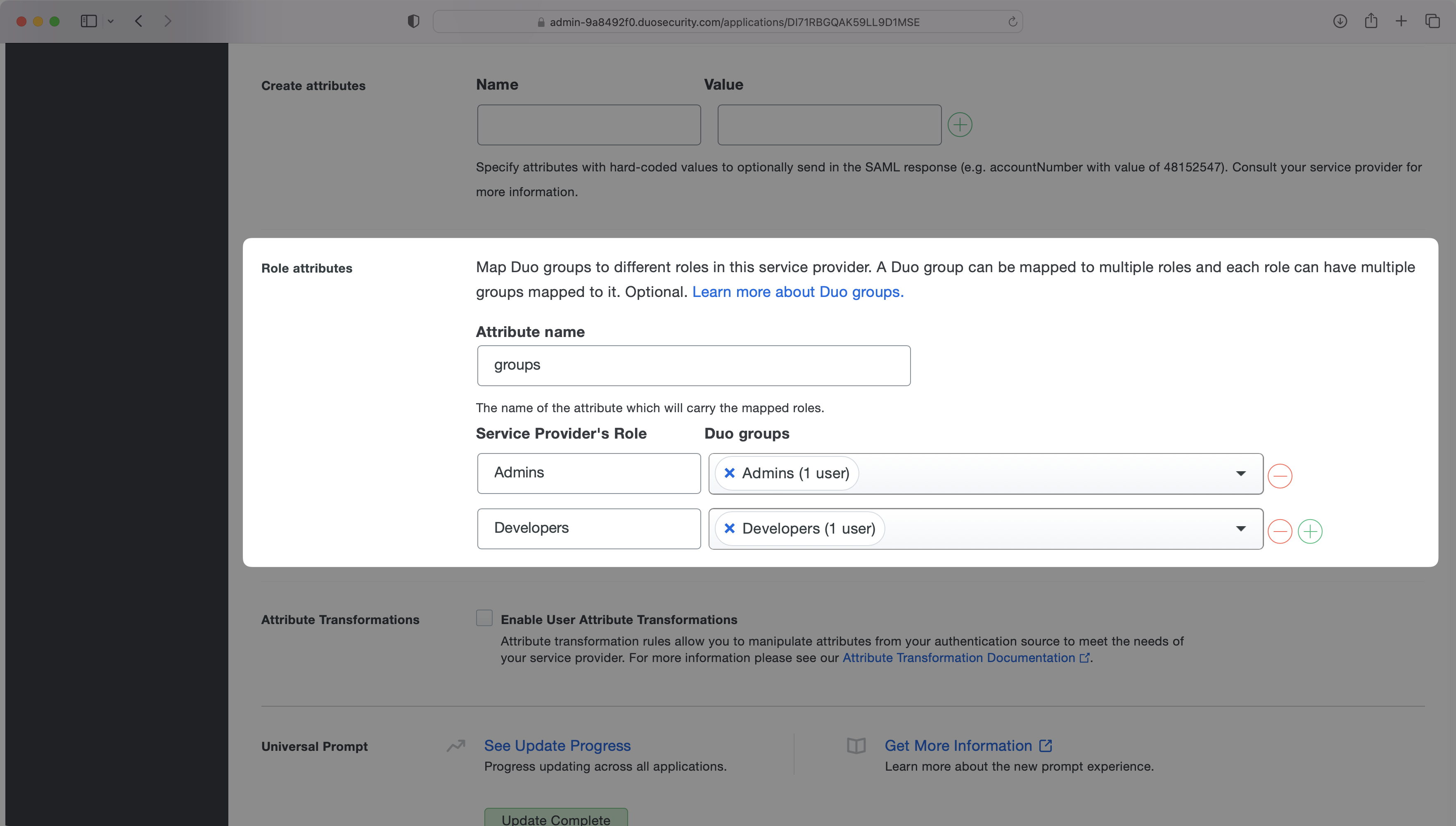
In the "Role Attributes" section, enter `groups` as the "Attribute name". Then map the role names to their corresponding Duo groups. In the example below, the "Admins" role is mapped to the Admins group and the "Developers" role is mapped to the Developers group.
|
|
110
|
+
|
|
111
|
+
|
|
112
|
+
|
|
113
|
+
> Finish role assignment set-up by navigating to the SSO connection page in the _Organization_ section of the [WorkOS Dashboard](https://dashboard.workos.com/). Create SSO groups by referencing the group IdP ID. Then, assign roles to these SSO groups so group members are automatically granted roles within your application.
|
|
114
|
+
|
|
115
|
+
### Save your changes
|
|
116
|
+
|
|
117
|
+
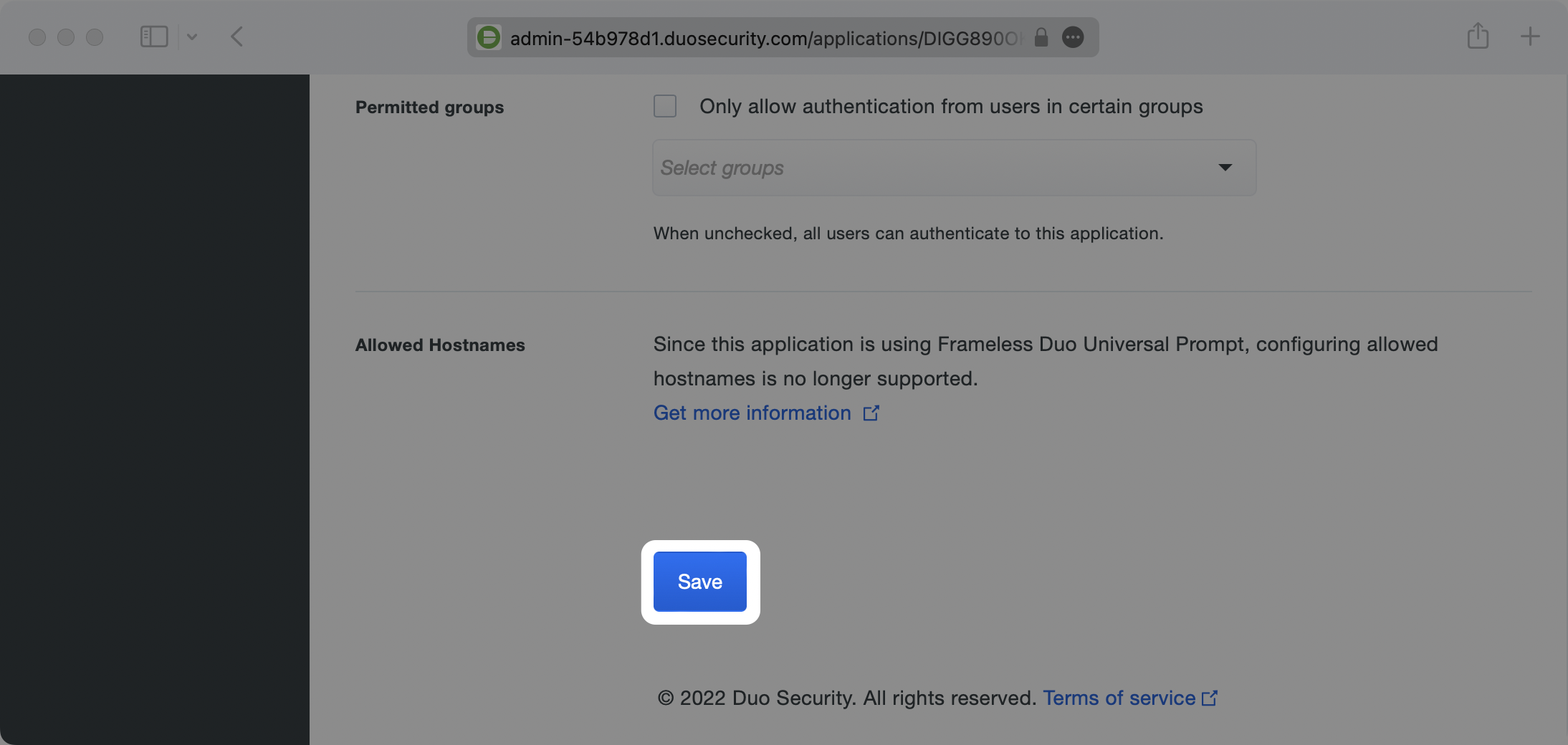
You may leave all of the other fields as their defaults. Scroll to the very bottom of the page and click the Save button.
|
|
118
|
+
|
|
119
|
+
|
|
120
|
+
|
|
121
|
+
---
|
|
122
|
+
|
|
123
|
+
## (5) Verify Connection Status in WorkOS
|
|
124
|
+
|
|
125
|
+
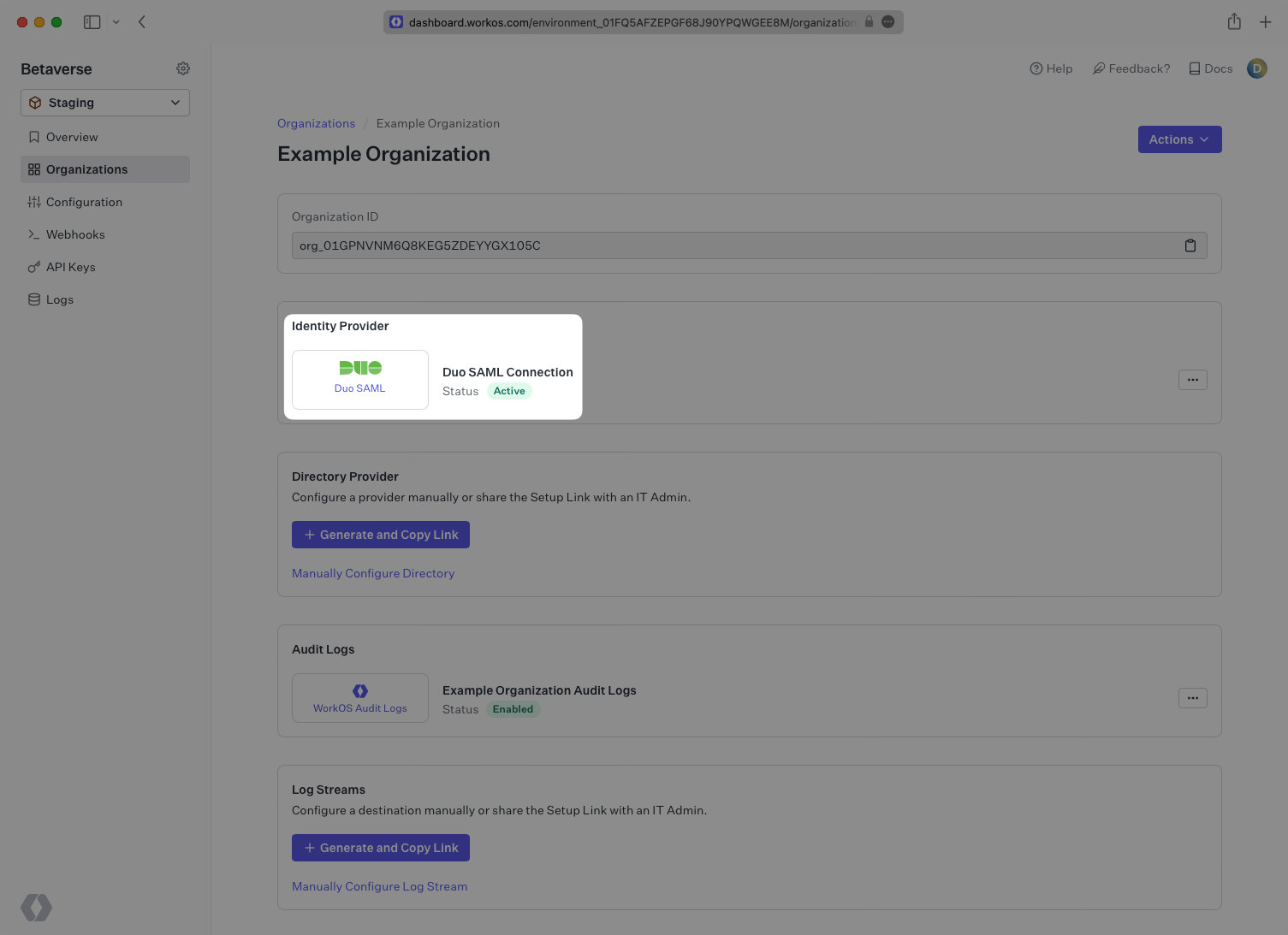
Navigate back to the WorkOS dashboard. After a minute or two you should see the Connection become Active as indicated by the green badge next to the connection name.
|
|
126
|
+
|
|
127
|
+
|
|
@@ -0,0 +1,156 @@
|
|
|
1
|
+
---
|
|
2
|
+
title: Entra ID SAML (formerly Azure AD)
|
|
3
|
+
description: Learn how to configure a connection Entra ID via SAML.
|
|
4
|
+
icon: microsoft
|
|
5
|
+
breadcrumb:
|
|
6
|
+
title: Integrations
|
|
7
|
+
url: /integrations
|
|
8
|
+
originalPath: .tmp-workos-clone/packages/docs/content/integrations/entra-id-saml.mdx
|
|
9
|
+
---
|
|
10
|
+
|
|
11
|
+
## Introduction
|
|
12
|
+
|
|
13
|
+
Each SSO Identity Provider requires specific information to create and configure a new [Connection](/glossary/connection). And often, the information required to create a Connection will differ by Identity Provider.
|
|
14
|
+
|
|
15
|
+
To create a Entra ID SAML Connection, you’ll need the Identity Provider Metadata URL that is available from the organization's Entra ID instance.
|
|
16
|
+
|
|
17
|
+
---
|
|
18
|
+
|
|
19
|
+
## What WorkOS Provides
|
|
20
|
+
|
|
21
|
+
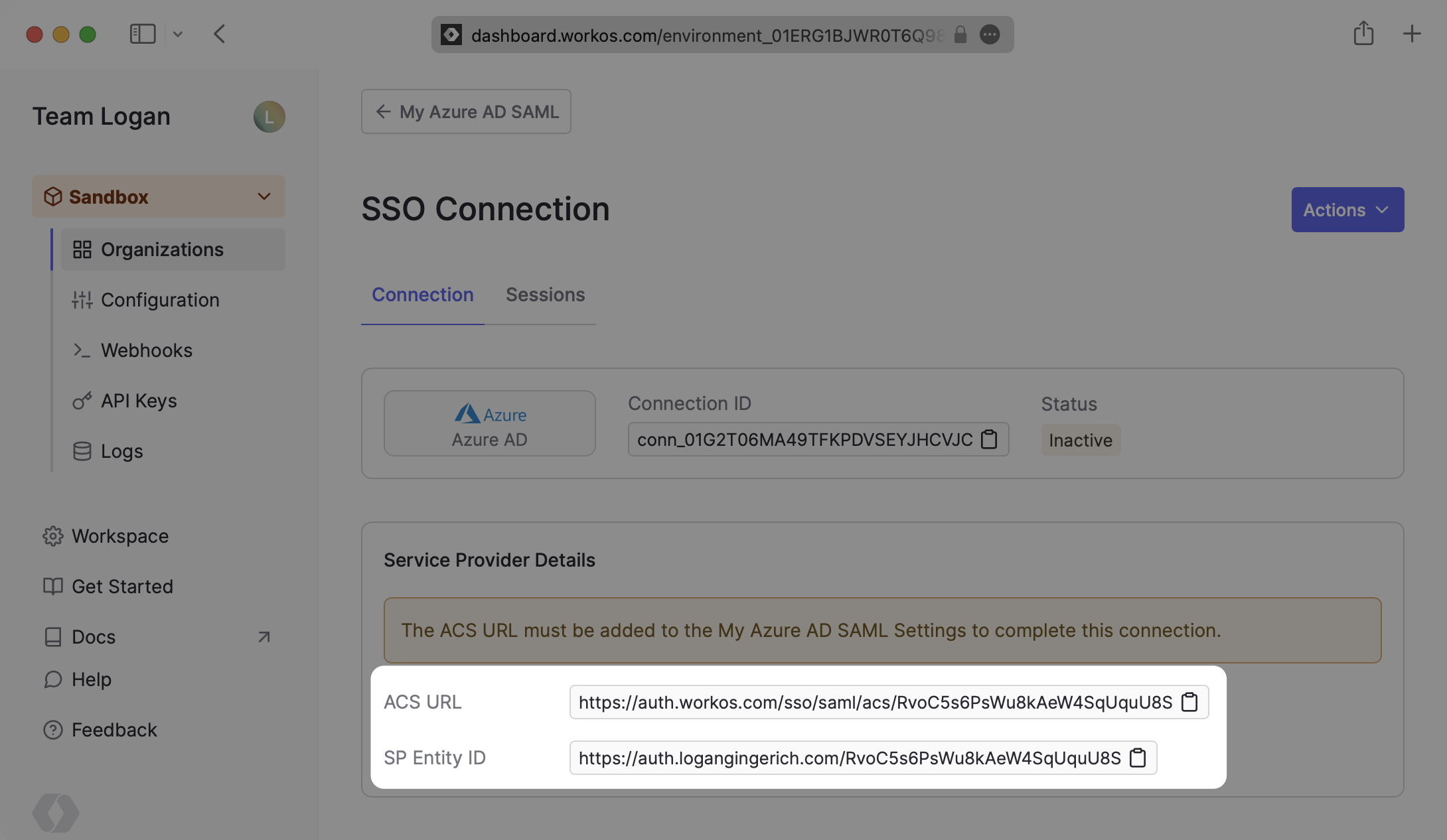
WorkOS provides the [ACS URL](/glossary/acs-url) and [IdP URI (Entity ID)](/glossary/idp-uri-entity-id). It’s readily available in your Connection Settings in the [WorkOS Dashboard](https://dashboard.workos.com/get-started).
|
|
22
|
+
|
|
23
|
+
|
|
24
|
+
|
|
25
|
+
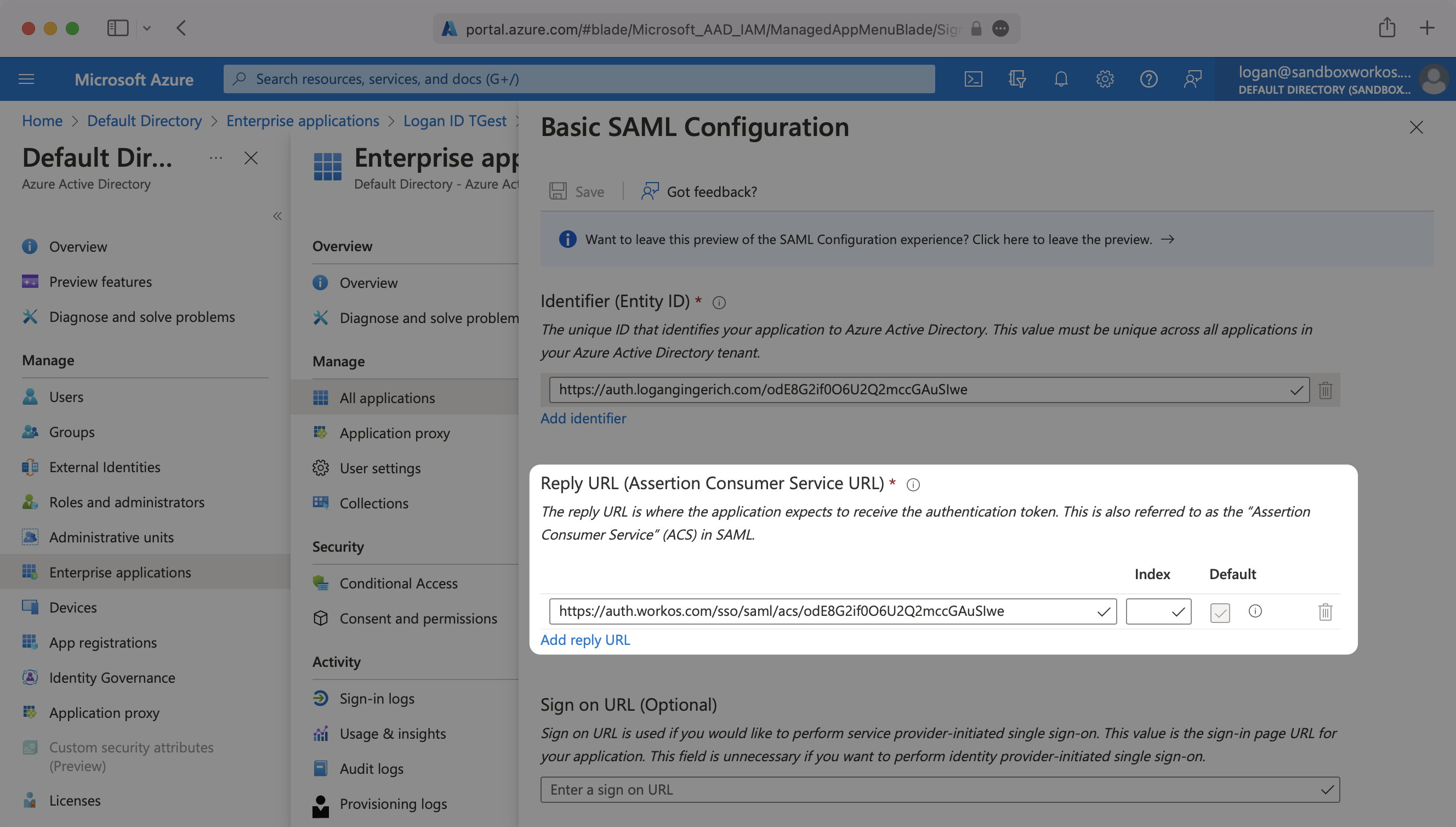
The ACS URL is the location an Identity Provider redirects its authentication response to. In Entra ID’s case, it needs to be set by the organization when configuring your application in their Entra ID instance.
|
|
26
|
+
|
|
27
|
+
Specifically, the ACS URL will need to be set as the “Reply URL (Assertion Consumer Service URL)” in the “Basic SAML Configuration” step of the Entra ID “Set up Single Sign-On with SAML” wizard:
|
|
28
|
+
|
|
29
|
+
|
|
30
|
+
|
|
31
|
+
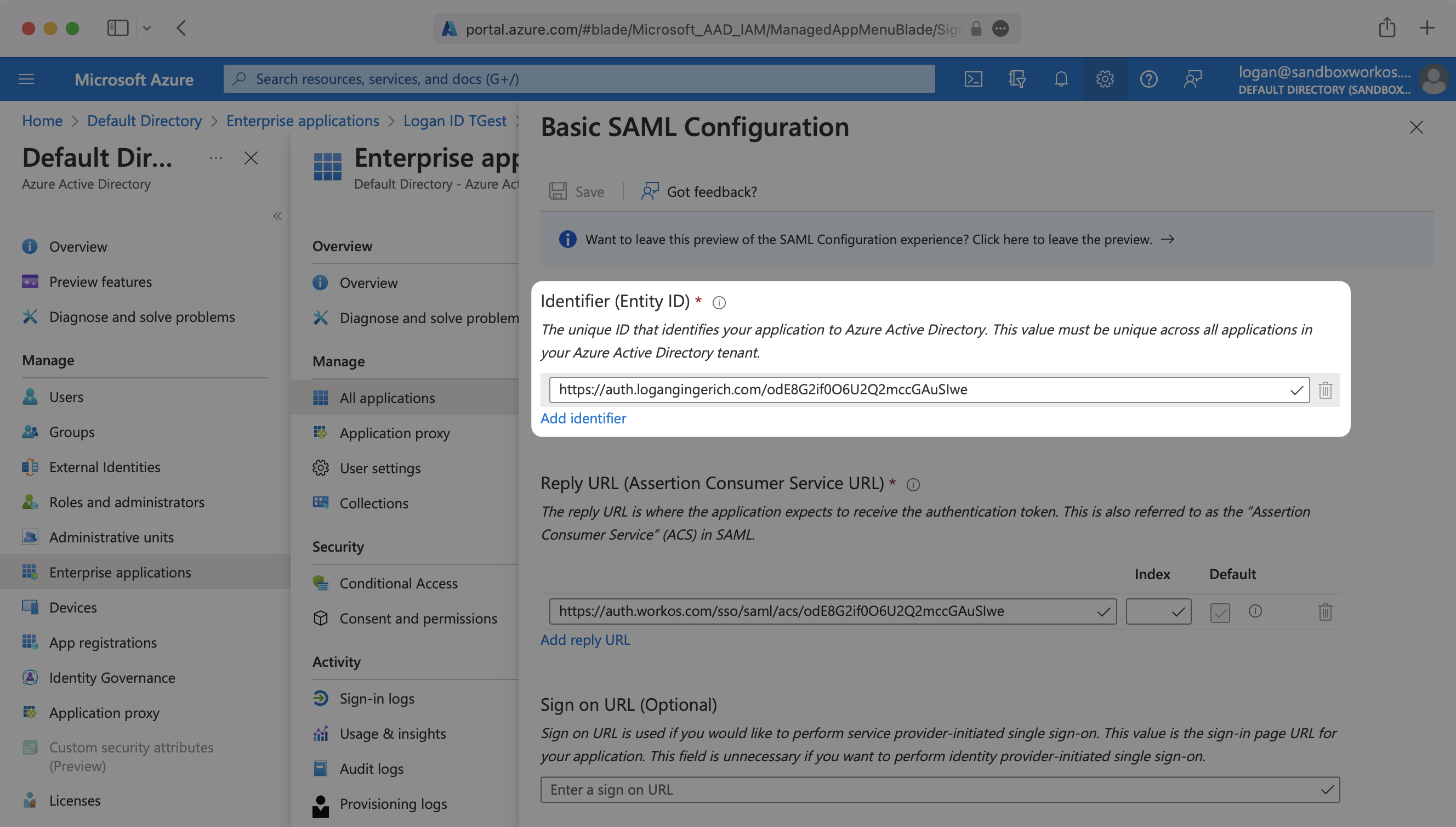
The [Entity ID](/glossary/idp-uri-entity-id) is a URI used to identify the issuer of a SAML request, response, or assertion. In this case, the entity ID is used to communicate that WorkOS will be the party performing SAML requests to the organization's Entra ID instance.
|
|
32
|
+
|
|
33
|
+
Specifically, the Entity ID will need to be set as the “Identifier (Entity ID)” in the “Basic SAML Configuration” step of the Entra ID “Set up Single Sign-On with SAML” wizard:
|
|
34
|
+
|
|
35
|
+
|
|
36
|
+
|
|
37
|
+
---
|
|
38
|
+
|
|
39
|
+
## What you’ll need
|
|
40
|
+
|
|
41
|
+
In order to integrate you’ll need the Entra ID IdP Metadata URL.
|
|
42
|
+
|
|
43
|
+
Normally, this information will come from the organization's IT Management team when they set up your application’s SAML 2.0 configuration in their Azure admin dashboard. Here’s how to obtain them:
|
|
44
|
+
|
|
45
|
+
---
|
|
46
|
+
|
|
47
|
+
## (1) Log in
|
|
48
|
+
|
|
49
|
+
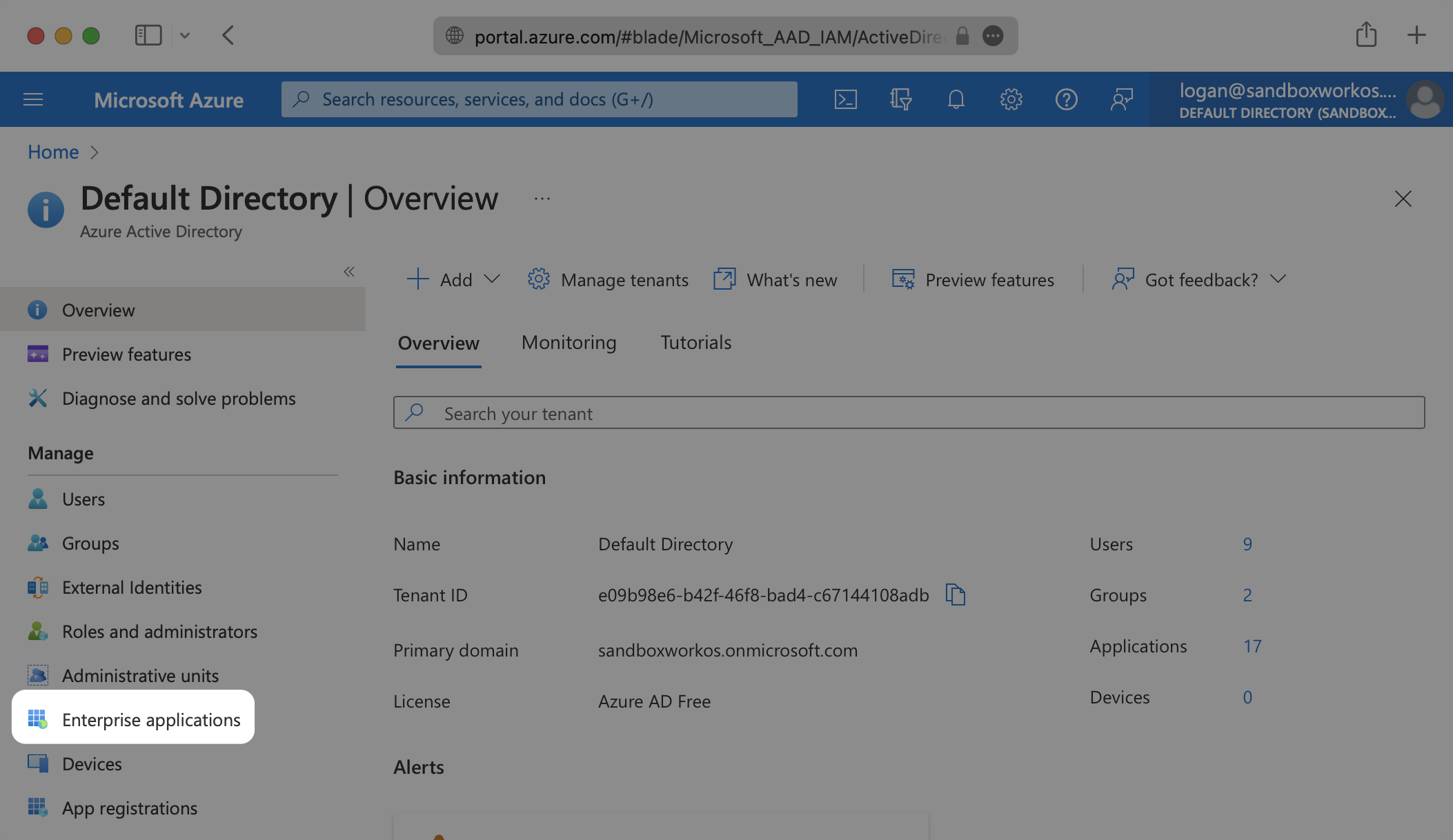
Log in to the [Entra ID Active Directory Admin dashboard](https://portal.azure.com/). Select “Enterprise Applications” from the list of Azure services.
|
|
50
|
+
|
|
51
|
+
|
|
52
|
+
|
|
53
|
+
---
|
|
54
|
+
|
|
55
|
+
## (2) Select or create your application
|
|
56
|
+
|
|
57
|
+
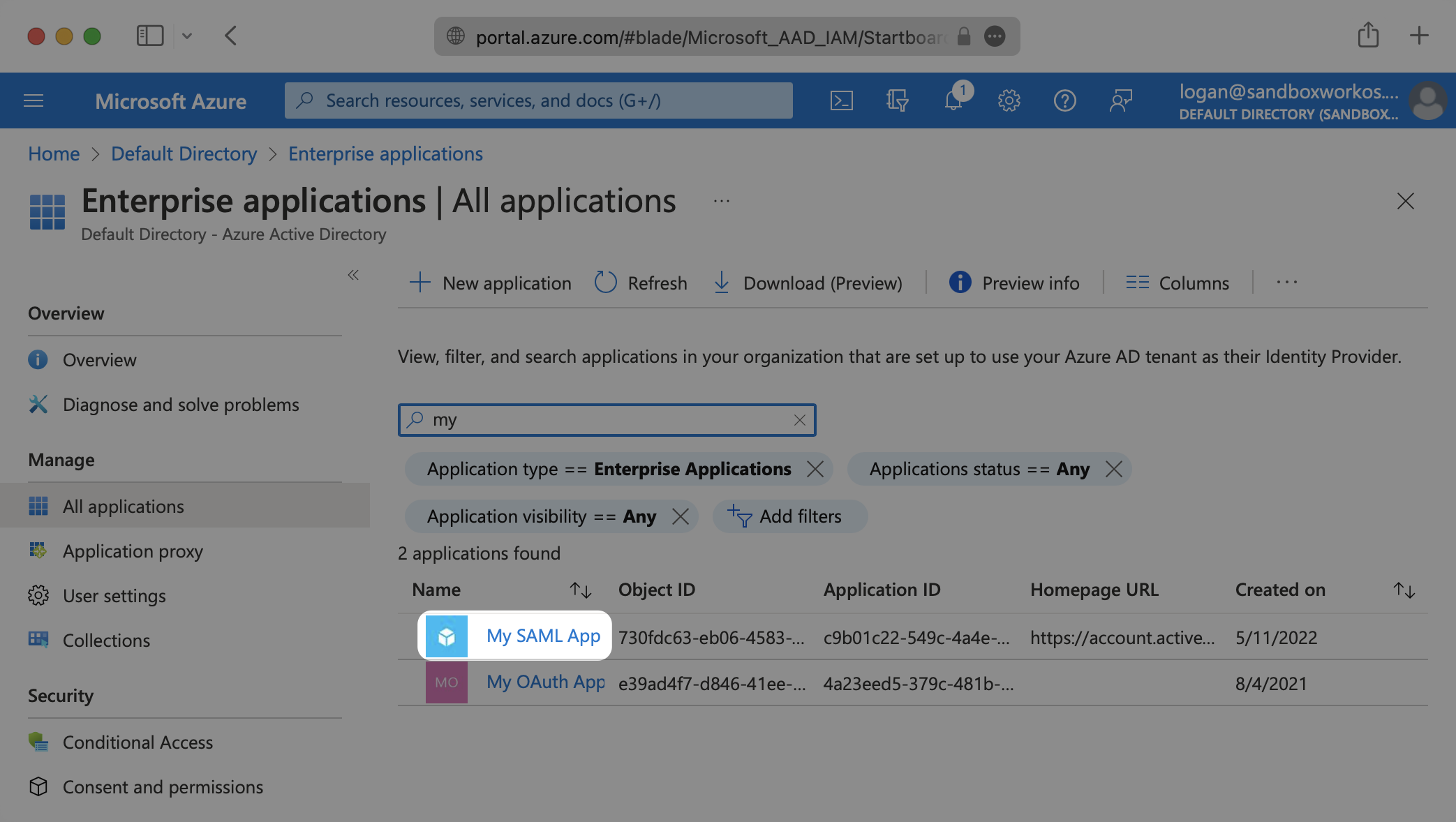
If your application is already created, select it from the list of Enterprise applications and move to Step 7.
|
|
58
|
+
|
|
59
|
+
|
|
60
|
+
|
|
61
|
+
If you haven’t created a SAML Application in Azure, select “New Application”.
|
|
62
|
+
|
|
63
|
+
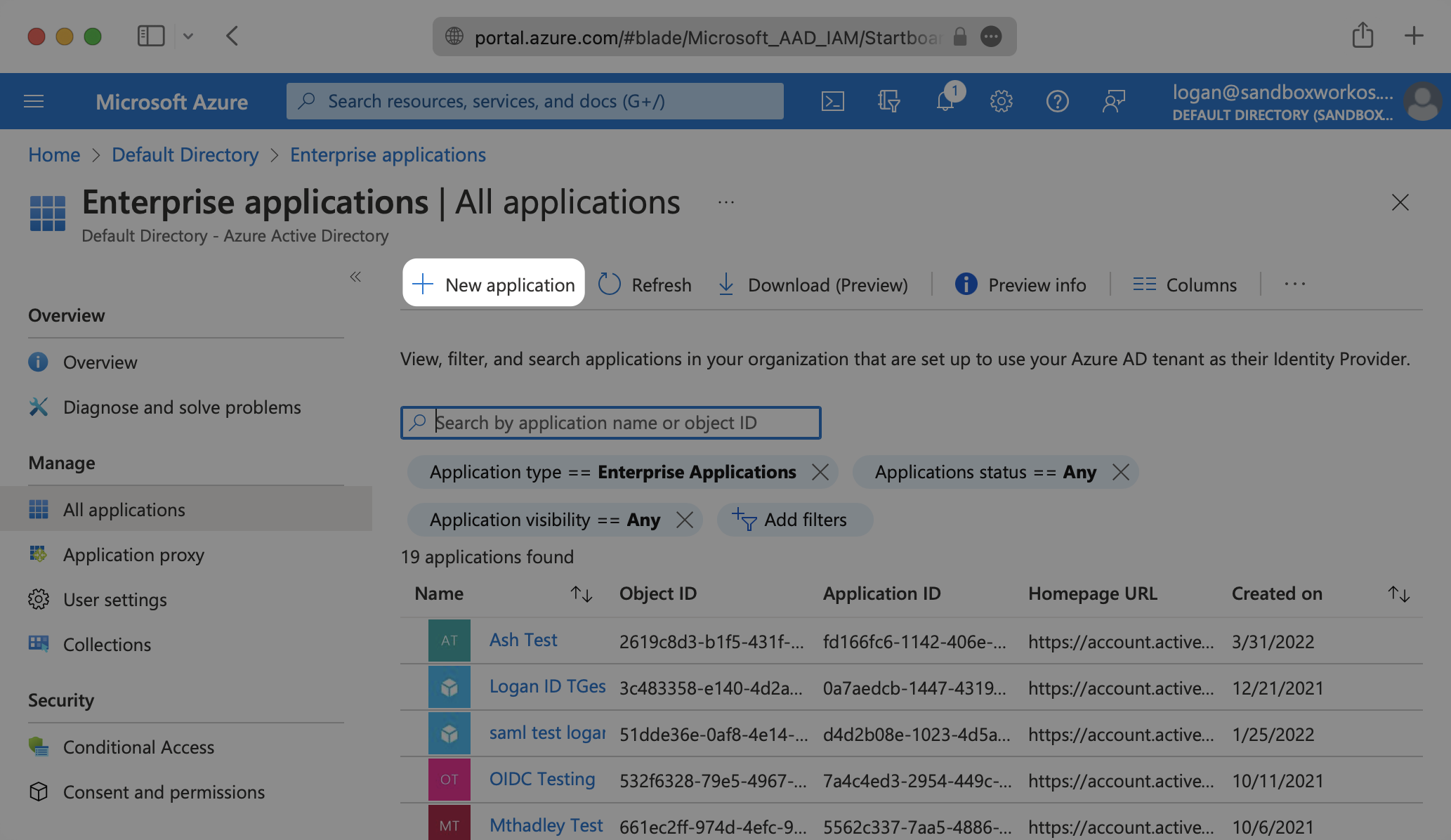
|
|
64
|
+
|
|
65
|
+
---
|
|
66
|
+
|
|
67
|
+
## (3) Initial SAML Application Setup
|
|
68
|
+
|
|
69
|
+
Select “Create your own application”, then enter a descriptive app name. Under “What are you looking to do with your application?”, select “Integrate any other application you don’t find in the gallery (Non-gallery)”, then select “Create”.
|
|
70
|
+
|
|
71
|
+
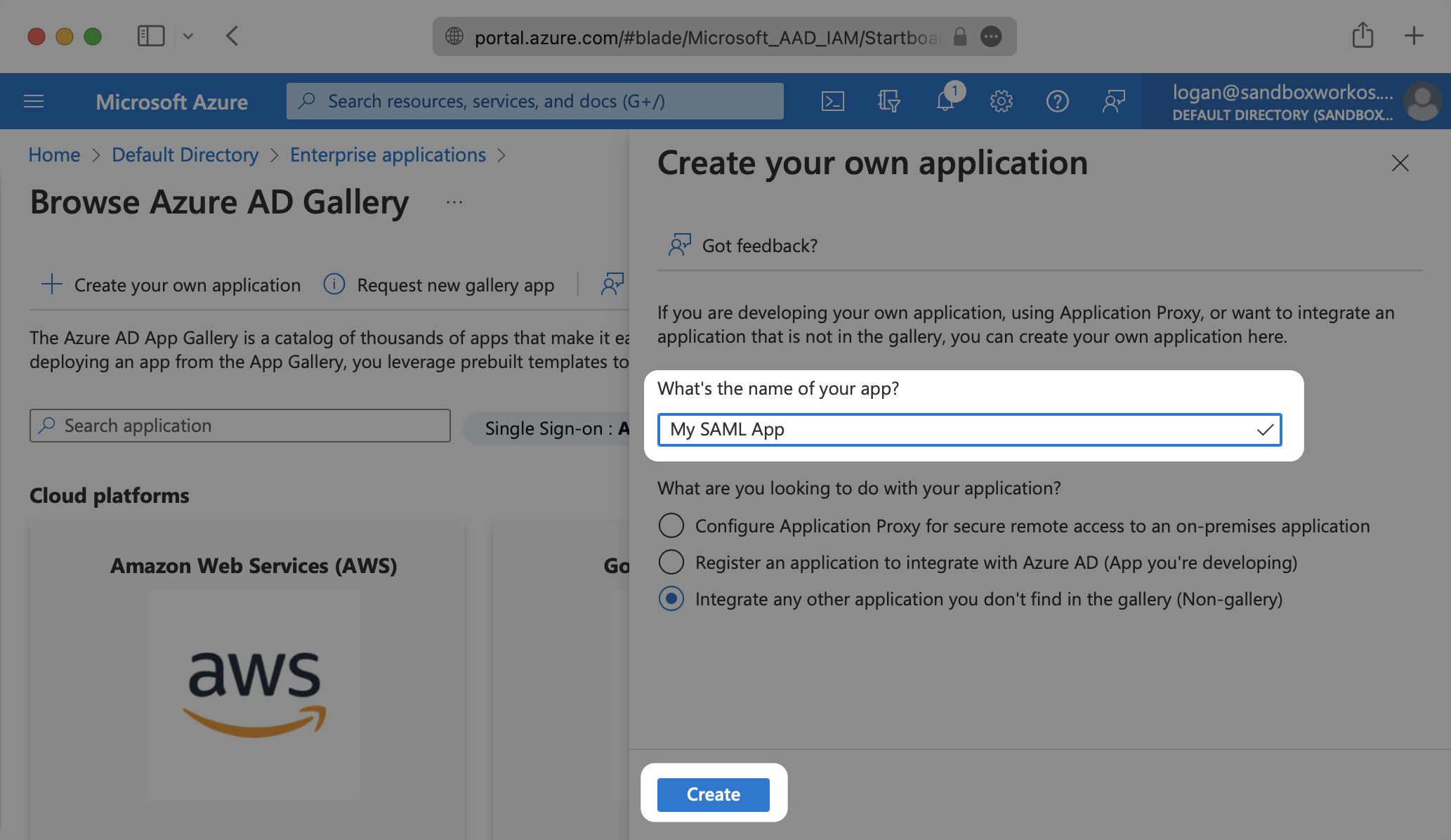
|
|
72
|
+
|
|
73
|
+
Select “Single Sign-On” from the “Manage” section in the left sidebar navigation menu, and then “SAML”.
|
|
74
|
+
|
|
75
|
+
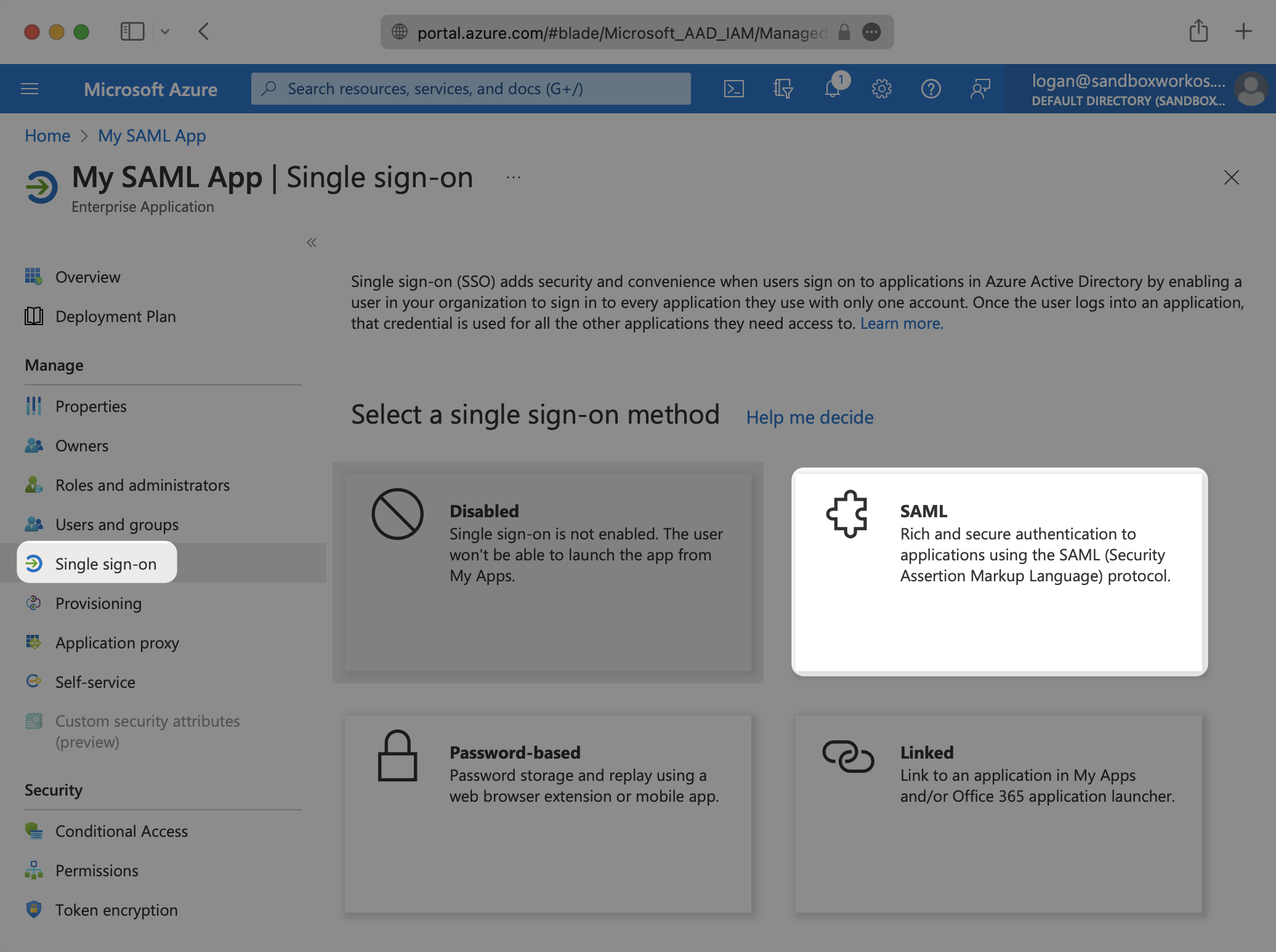
|
|
76
|
+
|
|
77
|
+
---
|
|
78
|
+
|
|
79
|
+
## (4) Configure SAML Application
|
|
80
|
+
|
|
81
|
+
Click the Edit icon in the top right corner of the first step "Basic SAML Configuration".
|
|
82
|
+
|
|
83
|
+
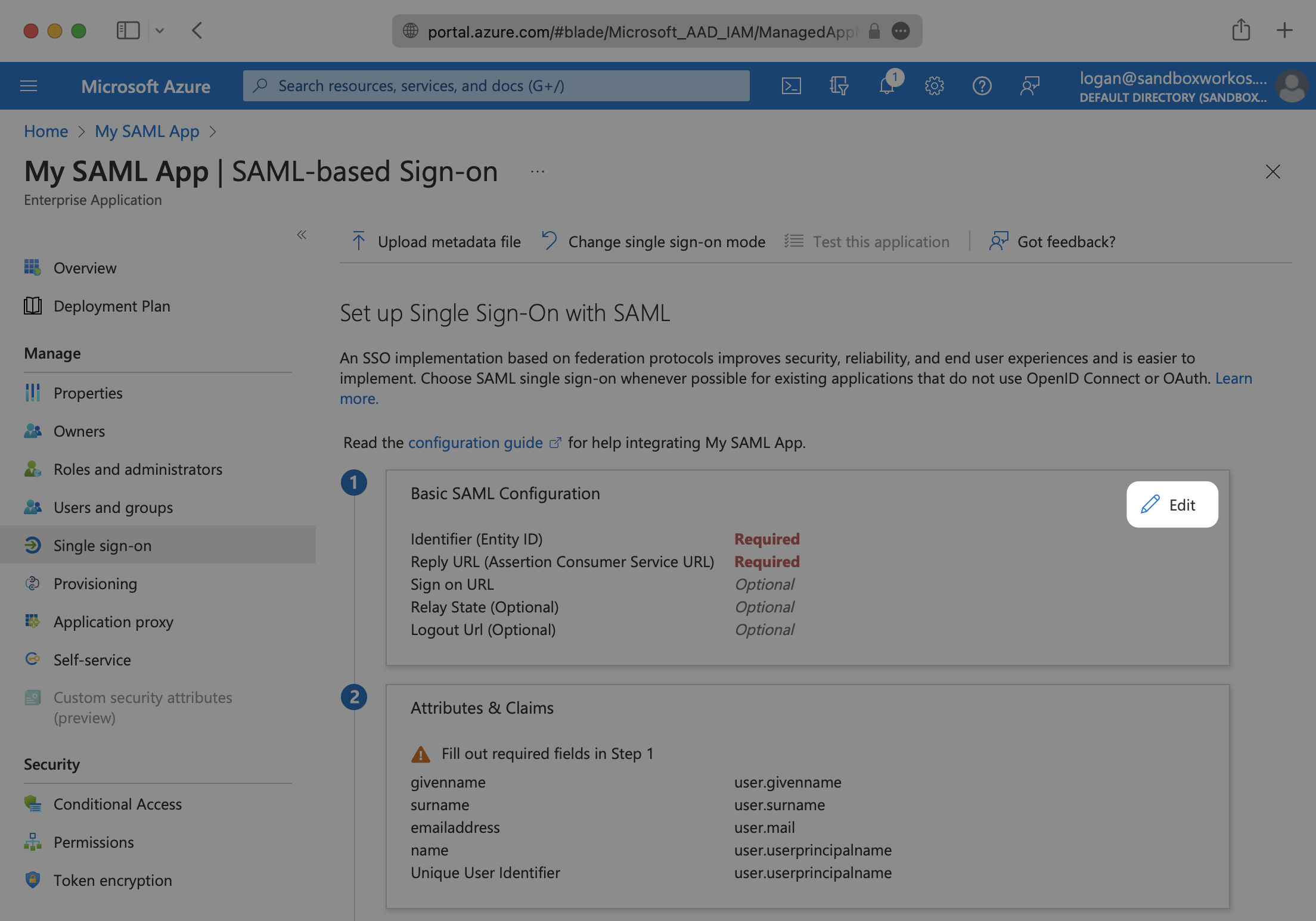
|
|
84
|
+
|
|
85
|
+
Input the IdP URI (Entity ID) from your WorkOS Dashboard as the “Identifier (Entity ID)”. Input the ACS URL from your WorkOS Dashboard as the “Reply URL (Assertion Consumer Service URL)”.
|
|
86
|
+
|
|
87
|
+
|
|
88
|
+
|
|
89
|
+
---
|
|
90
|
+
|
|
91
|
+
## (5) Configure User Attributes and Claims
|
|
92
|
+
|
|
93
|
+
Click the Edit icon in the top right corner of the second step "Attributes & Claims".
|
|
94
|
+
|
|
95
|
+
|
|
96
|
+
|
|
97
|
+
Make sure the following attribute mapping is set:
|
|
98
|
+
|
|
99
|
+
- `http://schemas.xmlsoap.org/ws/2005/05/identity/claims/emailaddress` → `user.mail`
|
|
100
|
+
- `http://schemas.xmlsoap.org/ws/2005/05/identity/claims/givenname` → `user.givenname`
|
|
101
|
+
- `http://schemas.xmlsoap.org/ws/2005/05/identity/claims/name` → `user.userprincipalname`
|
|
102
|
+
- `http://schemas.xmlsoap.org/ws/2005/05/identity/claims/surname` → `user.surname`
|
|
103
|
+
|
|
104
|
+
Below is an example of how to format your claim within the Azure claim editor. Make sure the 'Namespace' value ends in `/claims`.
|
|
105
|
+
|
|
106
|
+
|
|
107
|
+
|
|
108
|
+
|
|
109
|
+
|
|
110
|
+
### Role Assignment (optional)
|
|
111
|
+
|
|
112
|
+
With [identity provider role assignment](/sso/identity-provider-role-assignment), users can receive roles within your application based on their group memberships. To return this information in the attribute statement, follow the guidance below.
|
|
113
|
+
|
|
114
|
+
Select "Add a group claim" from the top menu. Next, select which groups you'd like to return in the Group Claims settings. For example, in Entra ID, you could select "Groups assigned to the application" to only send groups assigned to the SAML app. Finally, select "Save" once finished configuring the groups.
|
|
115
|
+
|
|
116
|
+
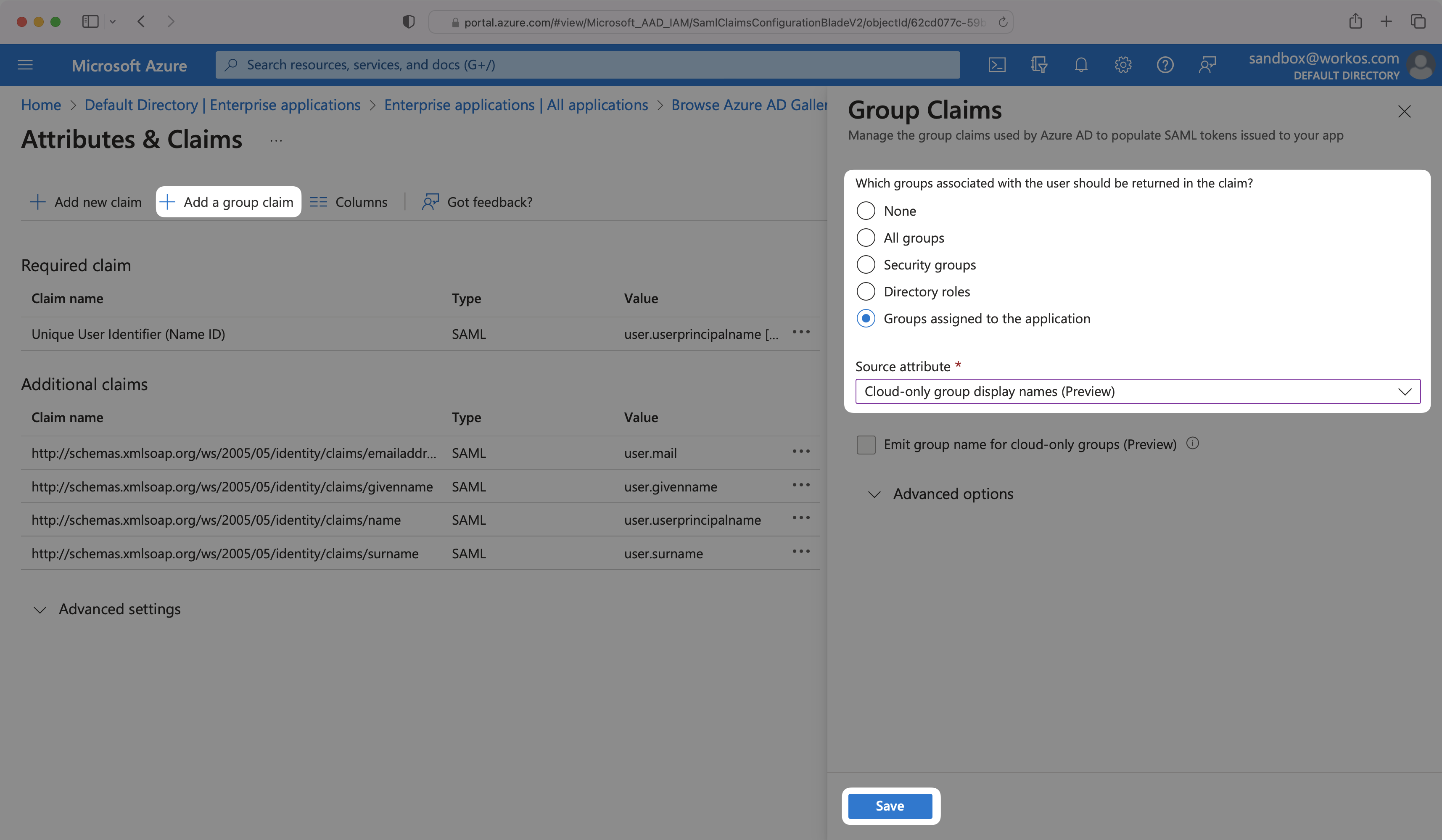
|
|
117
|
+
|
|
118
|
+
> Finish role assignment set-up by navigating to the SSO connection page in the _Organization_ section of the [WorkOS Dashboard](https://dashboard.workos.com/). Create SSO groups by referencing the group IdP ID. Then, assign roles to these SSO groups so group members are automatically granted roles within your application.
|
|
119
|
+
|
|
120
|
+
---
|
|
121
|
+
|
|
122
|
+
## (6) Add Users to SAML Application
|
|
123
|
+
|
|
124
|
+
In order for your users or groups of users to be authenticated, you will need to assign them to your Entra ID SAML application. Select “Users and groups” from the “Manage” section of the navigation menu.
|
|
125
|
+
|
|
126
|
+
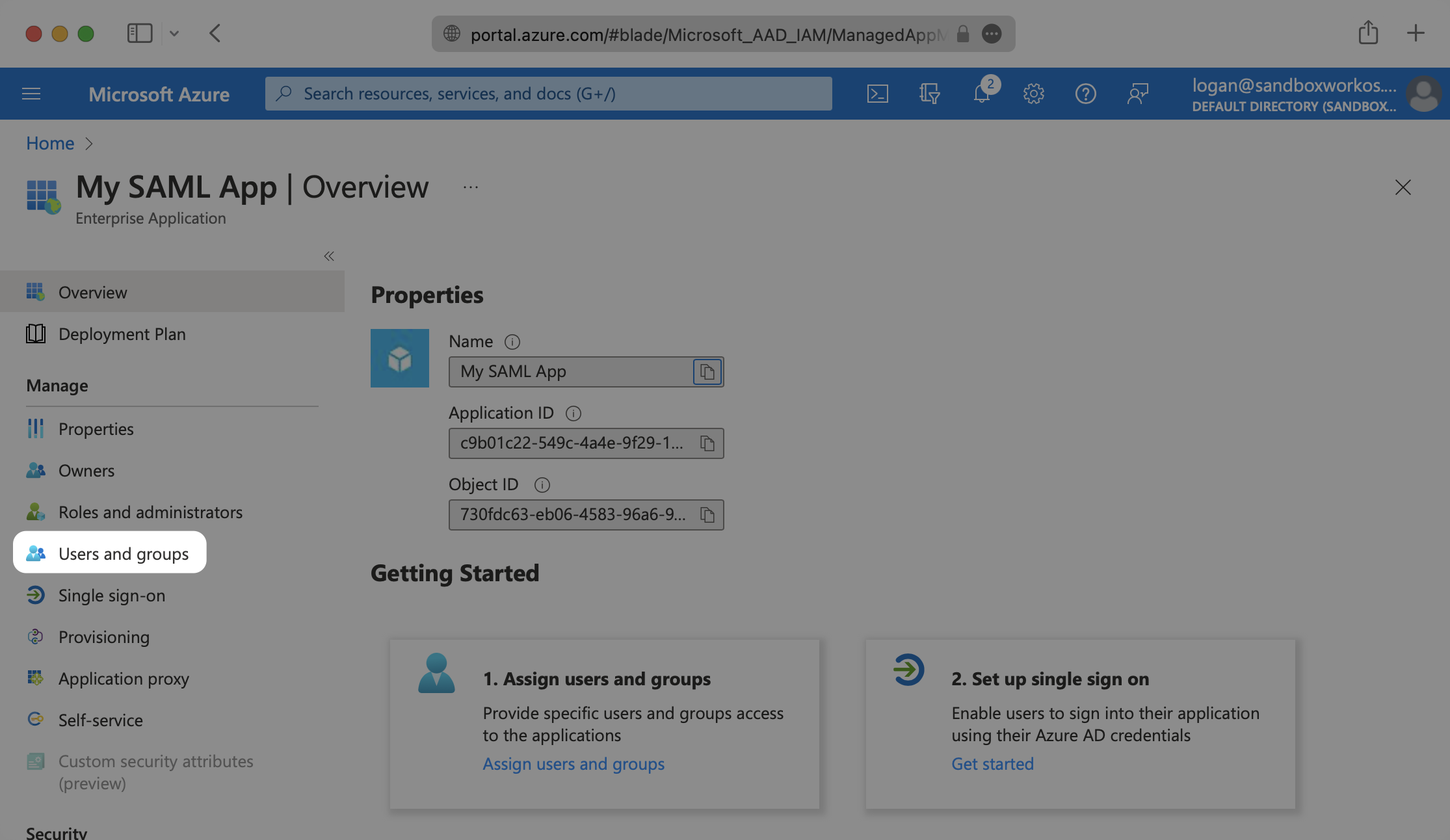
|
|
127
|
+
|
|
128
|
+
Select “Add user/group” from the top menu.
|
|
129
|
+
|
|
130
|
+
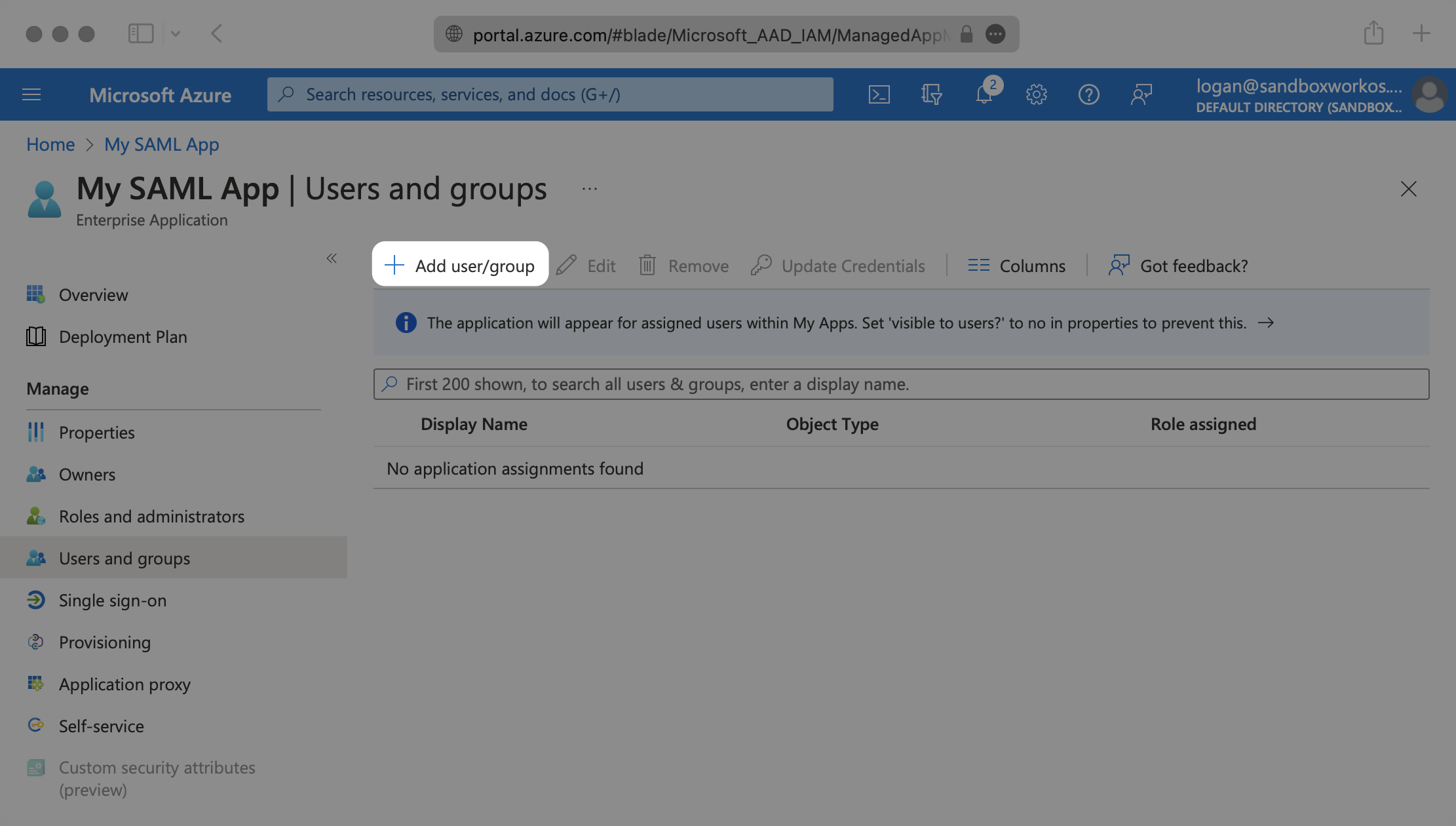
|
|
131
|
+
|
|
132
|
+
Select “None selected” under the “Users and Groups”. In the menu, select the users and groups of users that you want to add to the SAML application, and click “Select”.
|
|
133
|
+
|
|
134
|
+
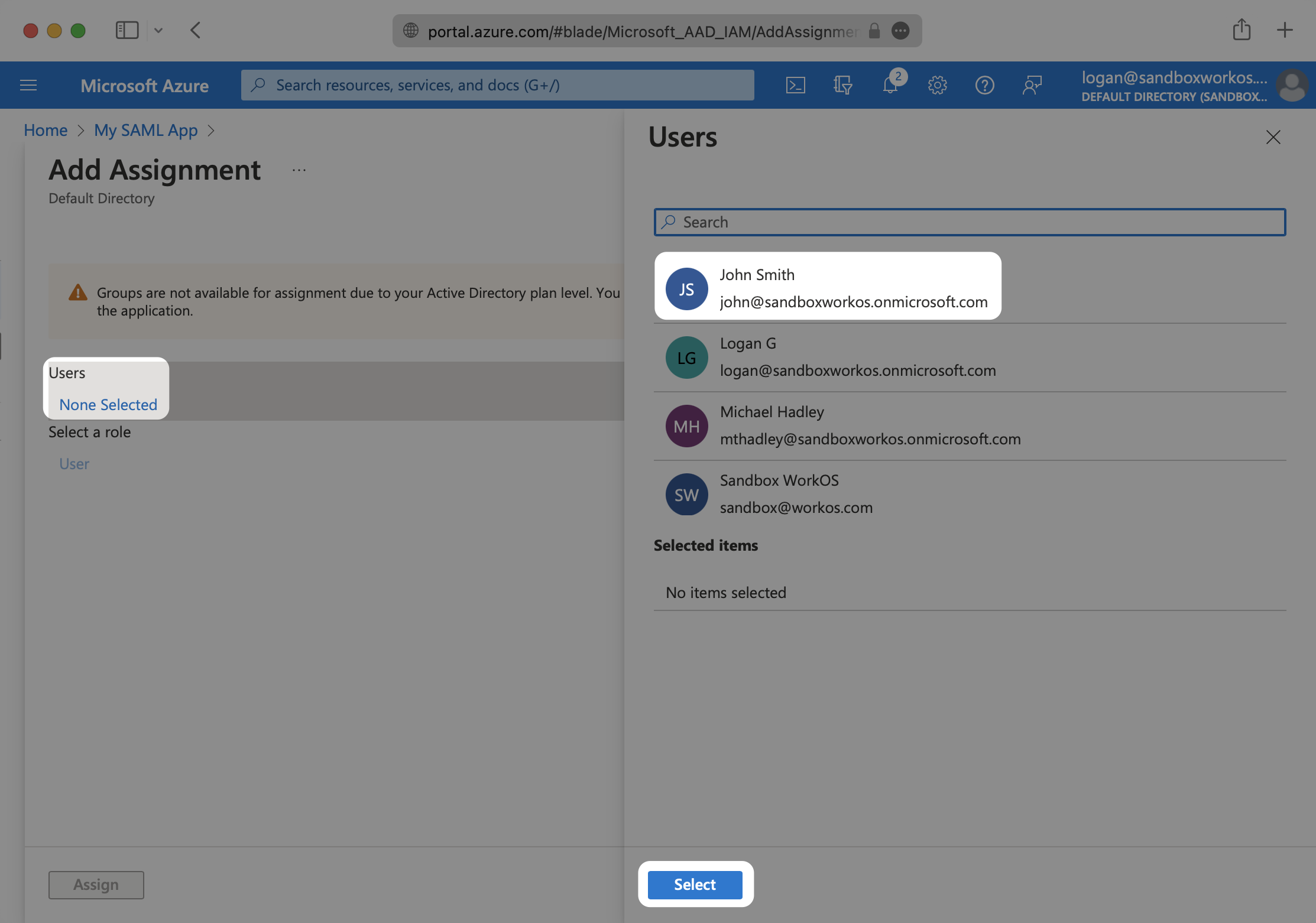
|
|
135
|
+
|
|
136
|
+
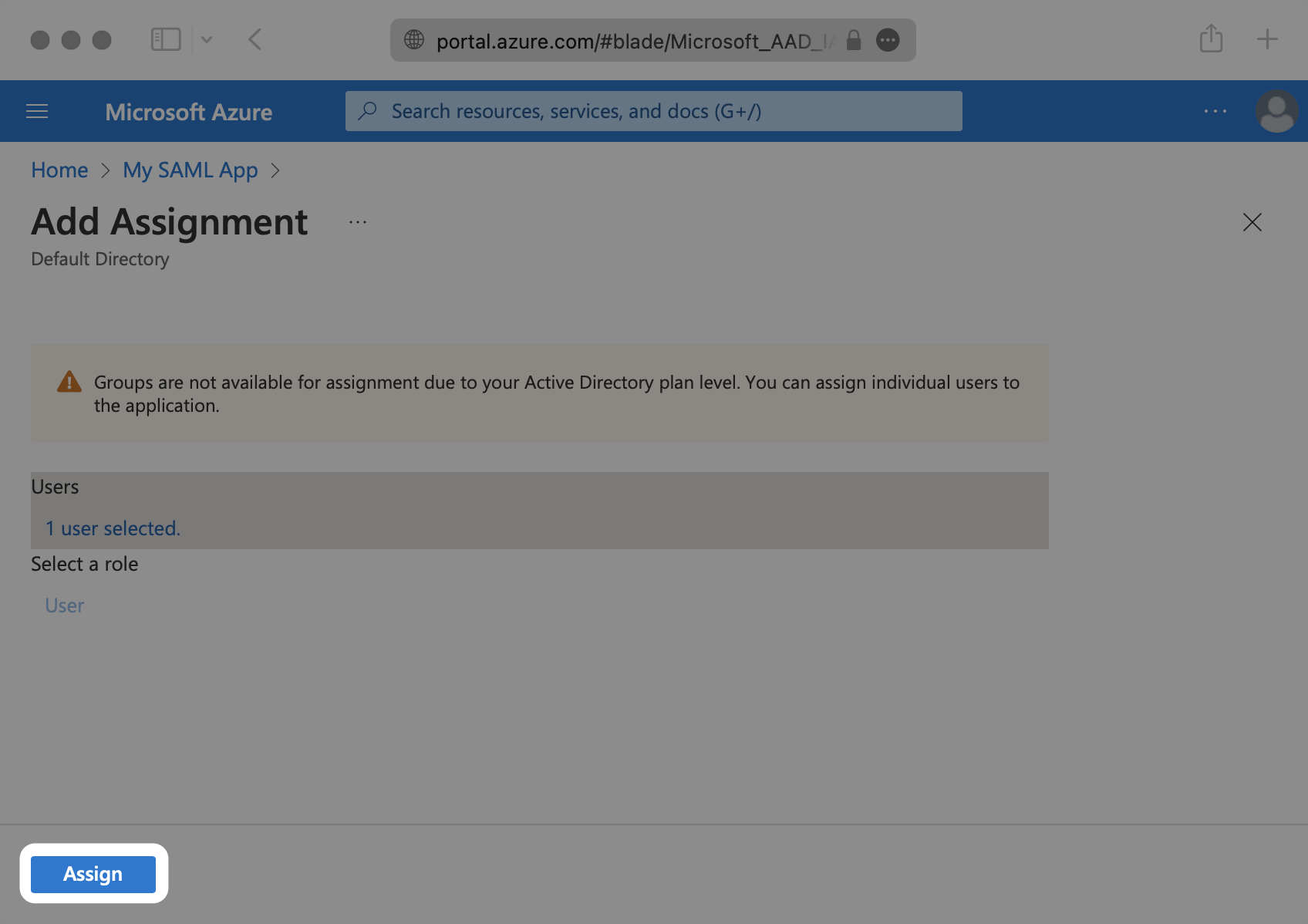
Select “Assign” to add the selected users and groups of users to your SAML application.
|
|
137
|
+
|
|
138
|
+
|
|
139
|
+
|
|
140
|
+
---
|
|
141
|
+
|
|
142
|
+
## (7) Obtain Identity Provider Details
|
|
143
|
+
|
|
144
|
+
Select “Single Sign-On” from the “Manage” section in the left sidebar navigation menu.
|
|
145
|
+
|
|
146
|
+
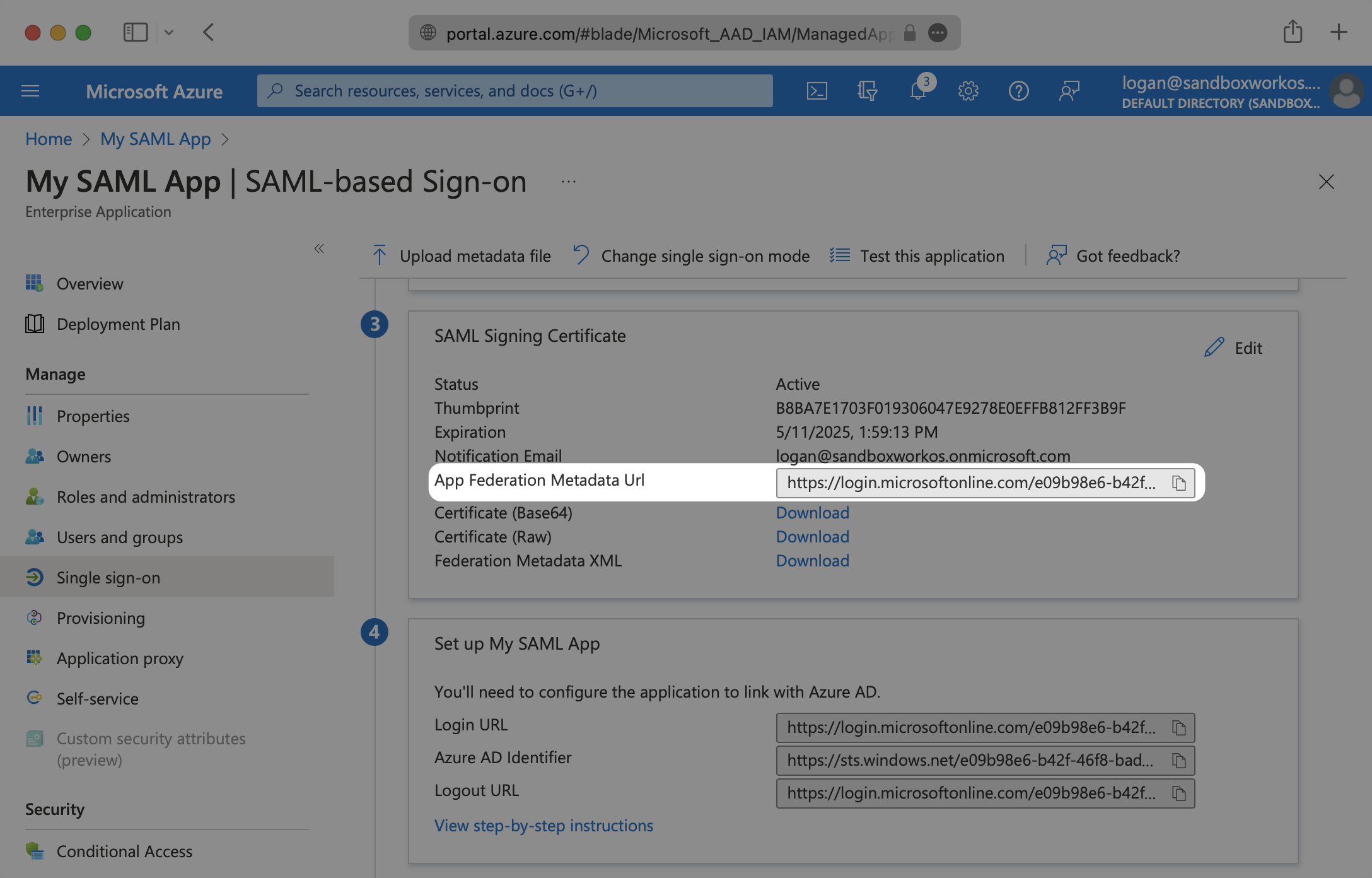
Navigate down to Section 3 of the “Single Sign-On” page, to “SAML Signing Certificate”. Copy the URL provided in “App Federation Metadata URL”.
|
|
147
|
+
|
|
148
|
+
|
|
149
|
+
|
|
150
|
+
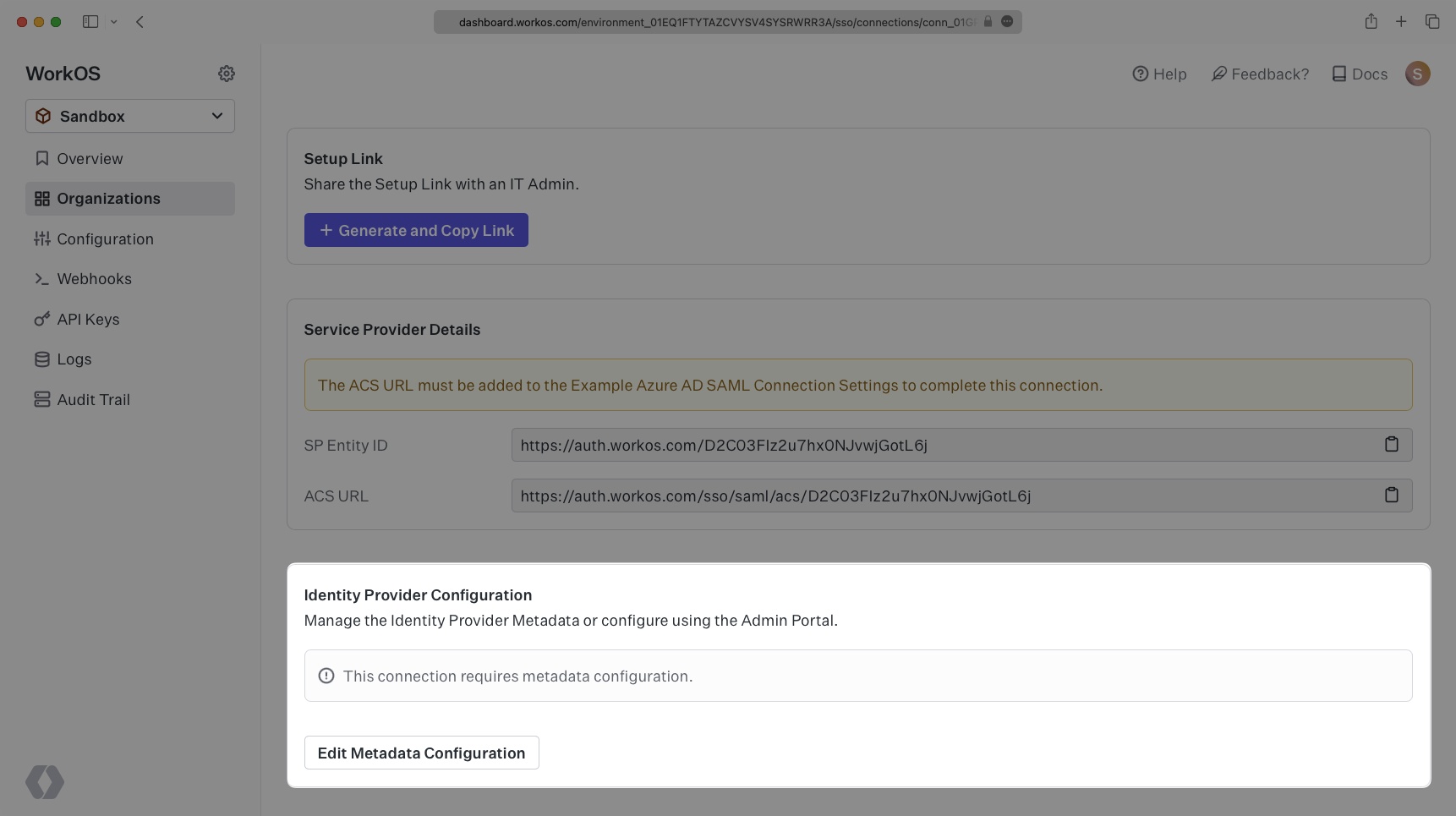
Next, within your connection settings under "Identity Provider Configuration", select "Edit Metadata Configuration" and enter the Azure metadata URL.
|
|
151
|
+
|
|
152
|
+
|
|
153
|
+
|
|
154
|
+
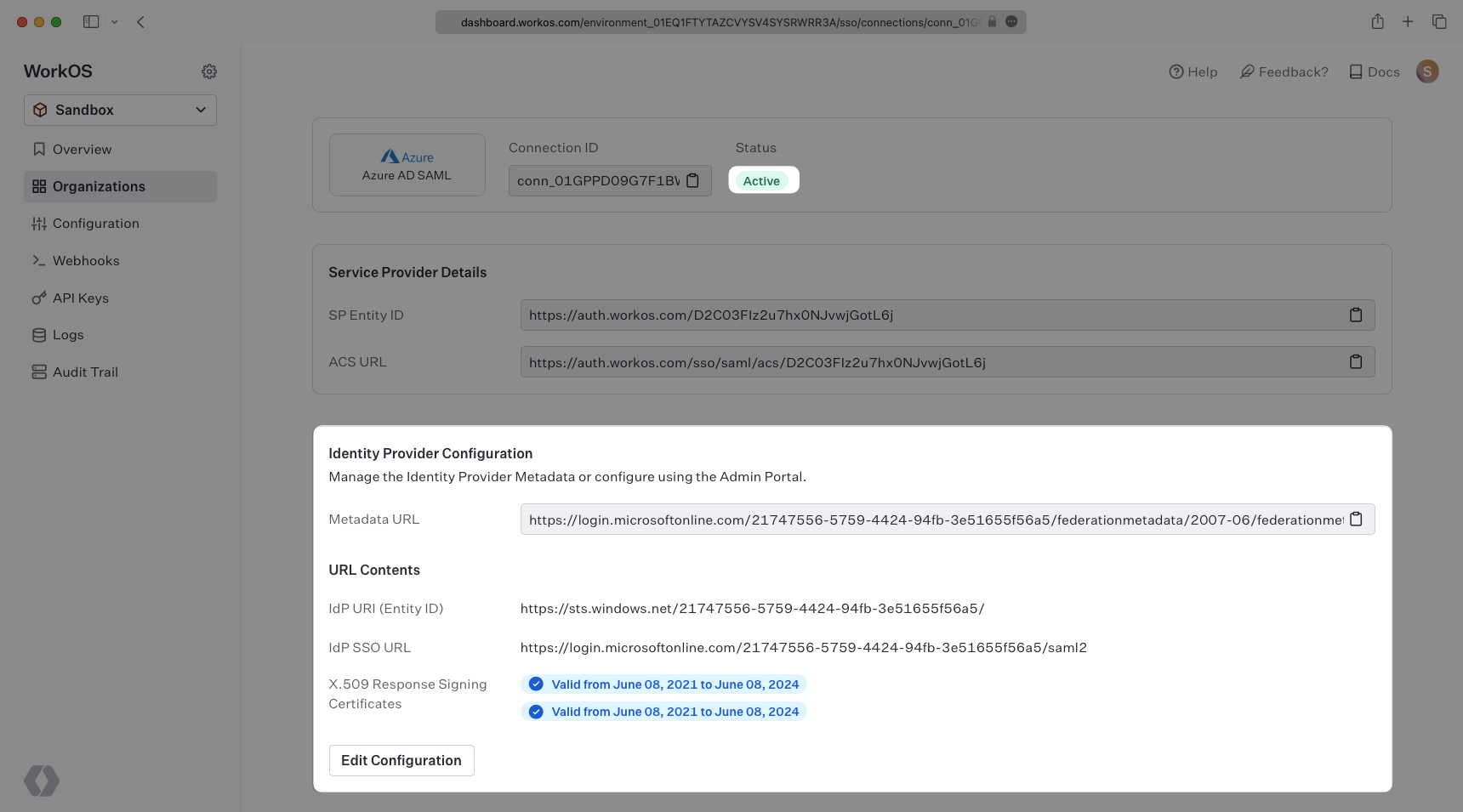
Your Connection will then be verified and good to go!
|
|
155
|
+
|
|
156
|
+
|
|
@@ -0,0 +1,218 @@
|
|
|
1
|
+
---
|
|
2
|
+
title: Entra ID SCIM (formerly Azure AD)
|
|
3
|
+
description: "Learn about syncing your user list with\_Entra ID SCIM."
|
|
4
|
+
icon: microsoft
|
|
5
|
+
breadcrumb:
|
|
6
|
+
title: Integrations
|
|
7
|
+
url: /integrations
|
|
8
|
+
originalPath: .tmp-workos-clone/packages/docs/content/integrations/entra-id-scim.mdx
|
|
9
|
+
---
|
|
10
|
+
|
|
11
|
+
## Introduction
|
|
12
|
+
|
|
13
|
+
This guide outlines how to synchronize your application’s Entra ID directories using SCIM.
|
|
14
|
+
|
|
15
|
+
To synchronize an organization’s users and groups provisioned for your application, you’ll need to provide the organization with two pieces of information:
|
|
16
|
+
|
|
17
|
+
- An [Endpoint](/glossary/endpoint) that Entra ID will make requests to.
|
|
18
|
+
- A [Bearer Token](/glossary/bearer-token) for Entra ID to authenticate its endpoint requests.
|
|
19
|
+
|
|
20
|
+
Both of these are available in your Endpoint’s Settings in the [WorkOS Dashboard](https://dashboard.workos.com/).
|
|
21
|
+
|
|
22
|
+
> Steps 2, 3, and 4 below will need to be carried out by the organization admin when configuring your application in their Entra ID instance.
|
|
23
|
+
|
|
24
|
+
---
|
|
25
|
+
|
|
26
|
+
## (1) Set up your Directory Sync endpoint
|
|
27
|
+
|
|
28
|
+
Sign in to your WorkOS Dashboard and select “Organizations” from the left hand navigation bar.
|
|
29
|
+
|
|
30
|
+
Select the organization you’ll be configuring a new Directory Sync for.
|
|
31
|
+
|
|
32
|
+
Click “Add Directory”.
|
|
33
|
+
|
|
34
|
+
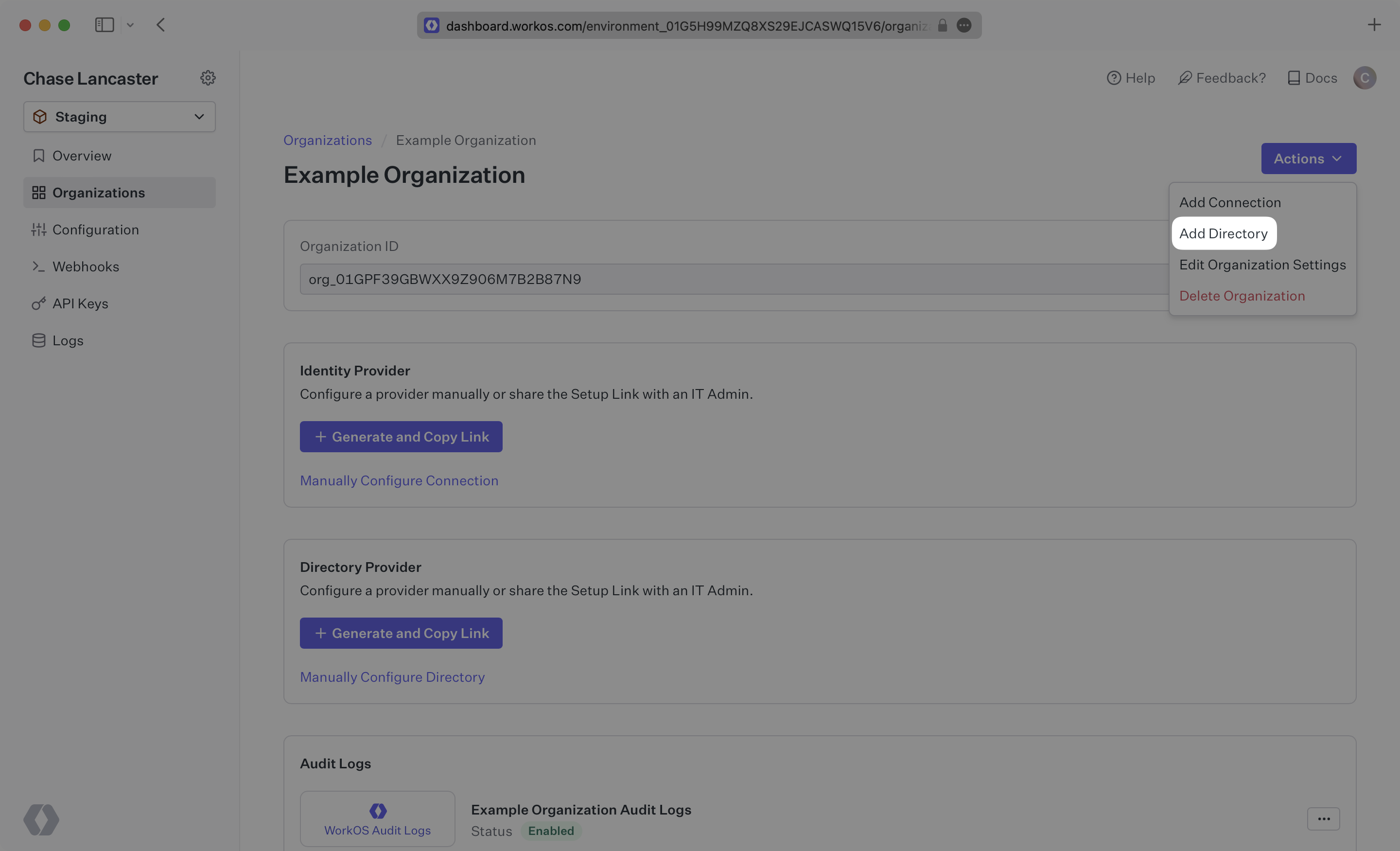
|
|
35
|
+
|
|
36
|
+
Select “Entra ID” from the dropdown, and enter the organization name.
|
|
37
|
+
|
|
38
|
+
Then, click “Create Directory.”
|
|
39
|
+
|
|
40
|
+
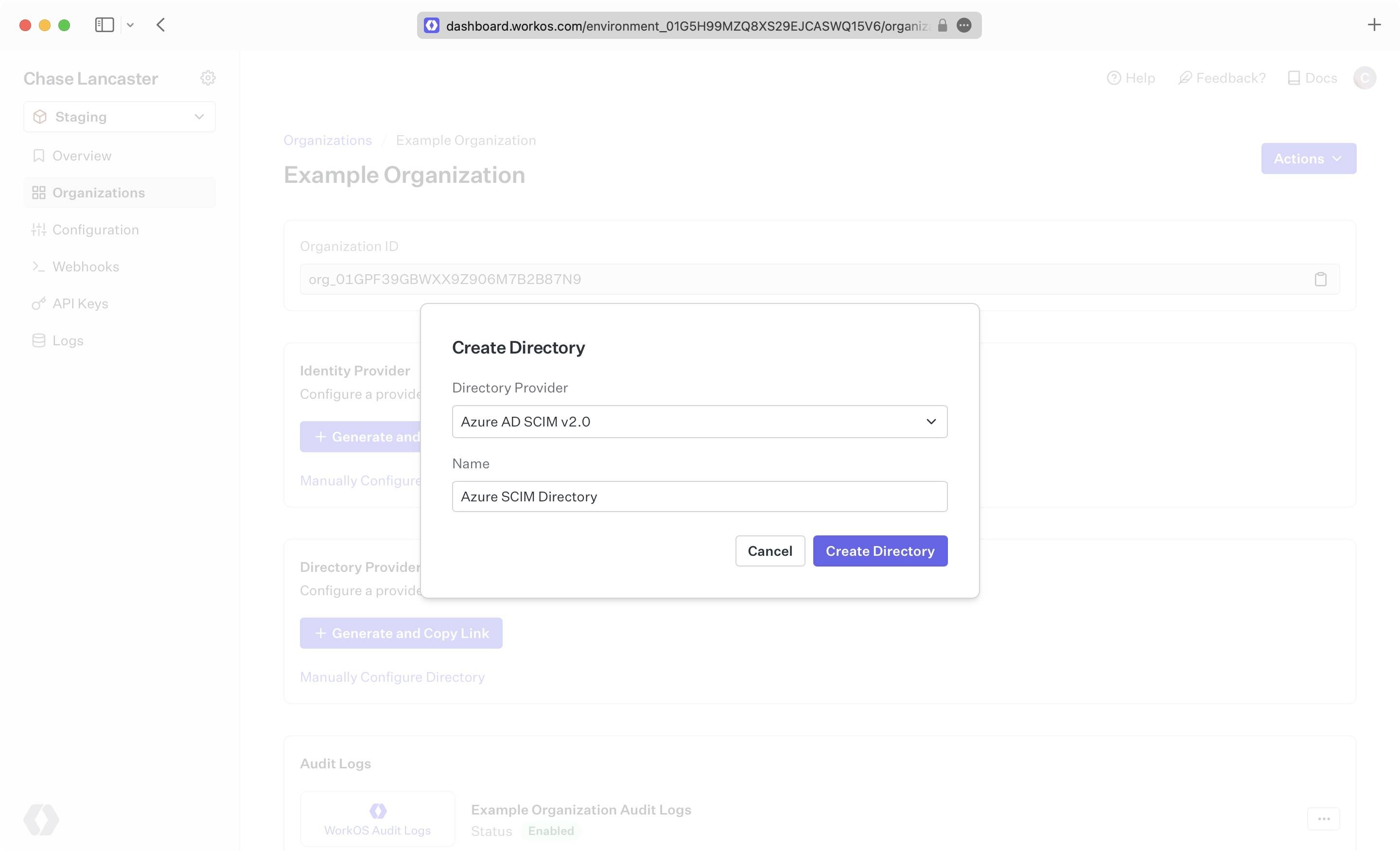
|
|
41
|
+
|
|
42
|
+
> We have support for whitelabeled URLs for Directory Sync endpoints. [Contact us](mailto:support@workos.com) for more info!
|
|
43
|
+
|
|
44
|
+
Your Entra ID directory sync has now been created successfully with an Endpoint and Bearer Token.
|
|
45
|
+
|
|
46
|
+
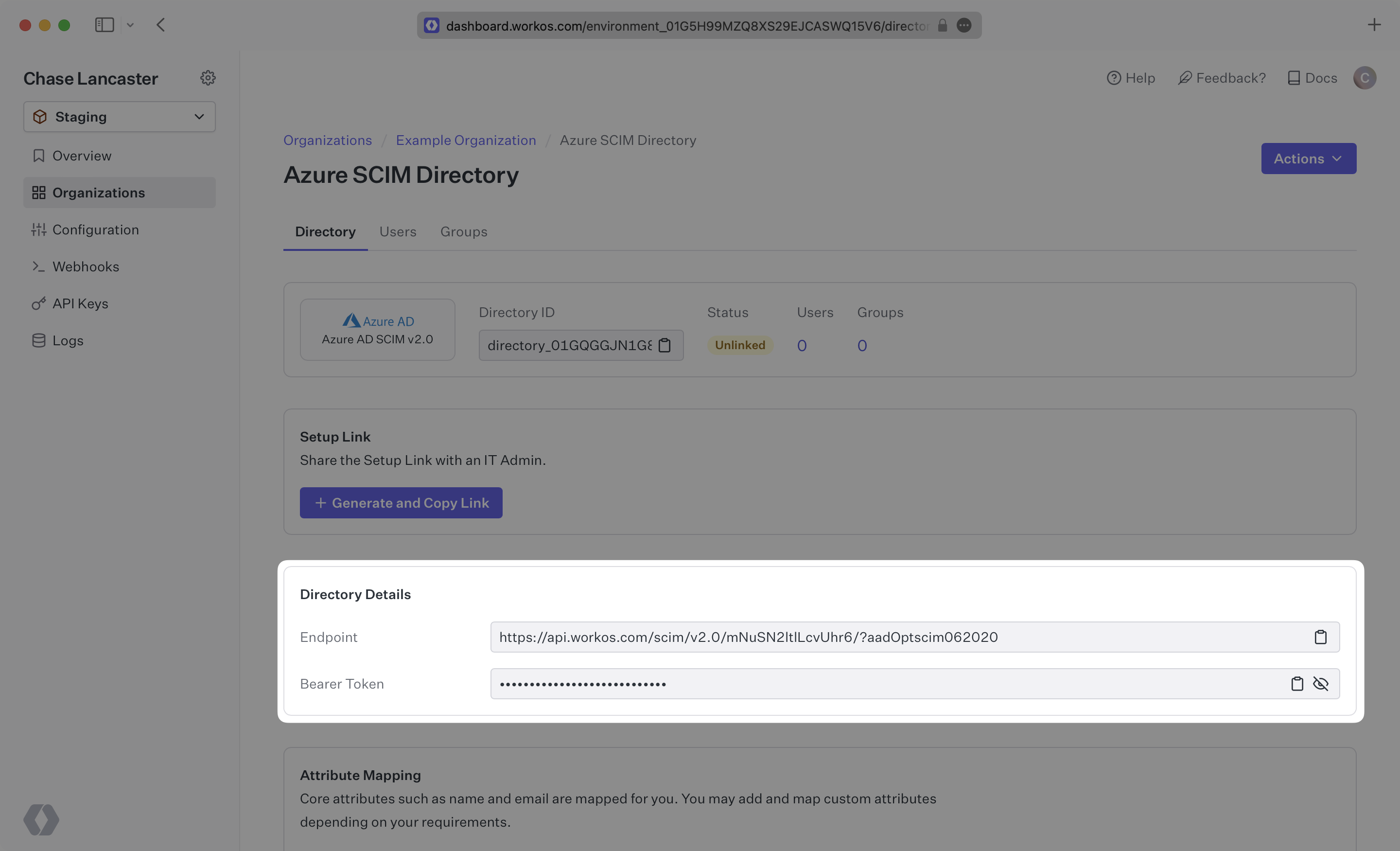
|
|
47
|
+
|
|
48
|
+
---
|
|
49
|
+
|
|
50
|
+
## (2) Select or create your Azure application
|
|
51
|
+
|
|
52
|
+
Sign in to the Entra ID Admin Center Dashboard. Select “Enterprise applications” from the list of Azure services.
|
|
53
|
+
|
|
54
|
+
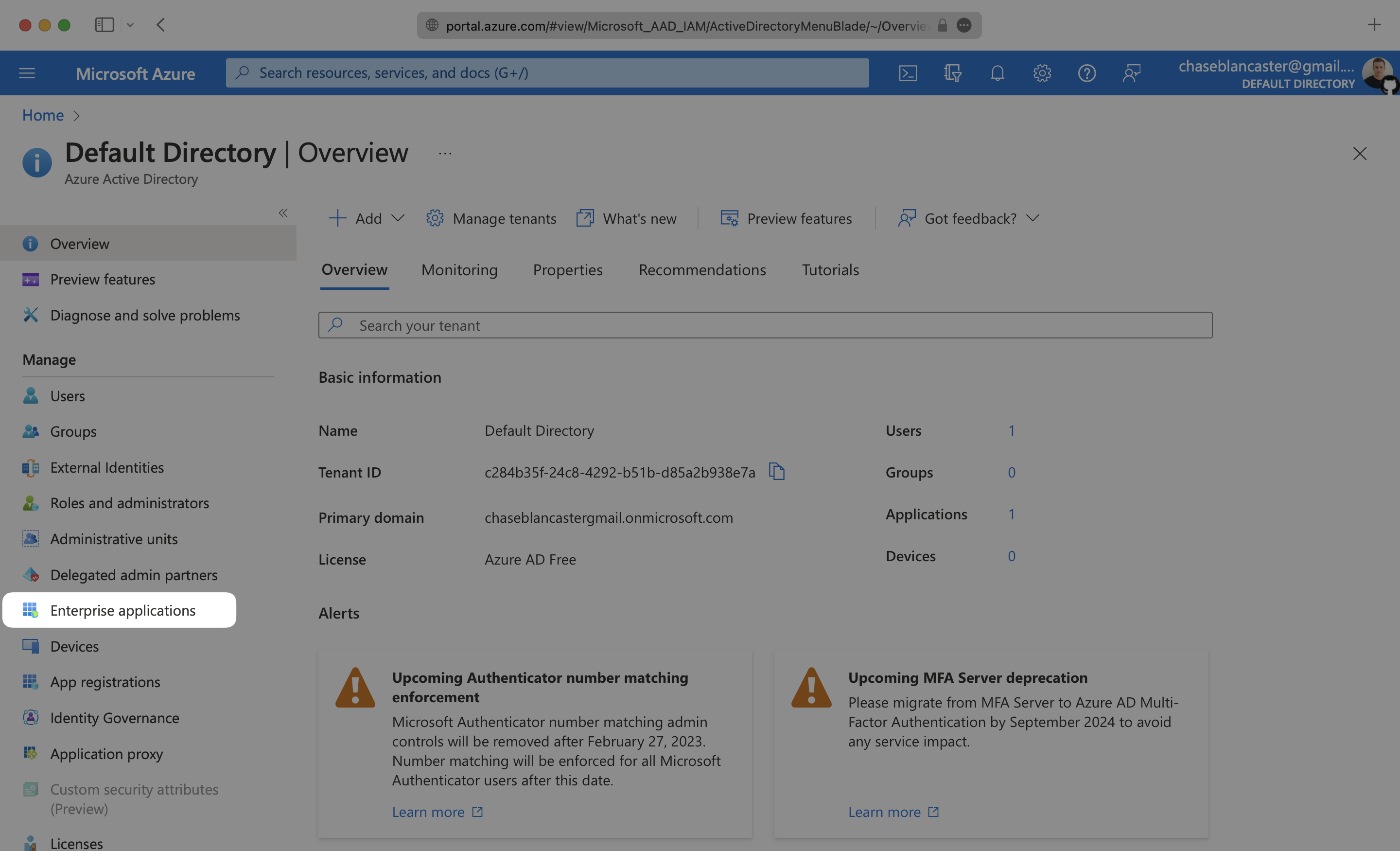
|
|
55
|
+
|
|
56
|
+
If your application is already created, select it from the list of applications and move to Step 3.
|
|
57
|
+
|
|
58
|
+
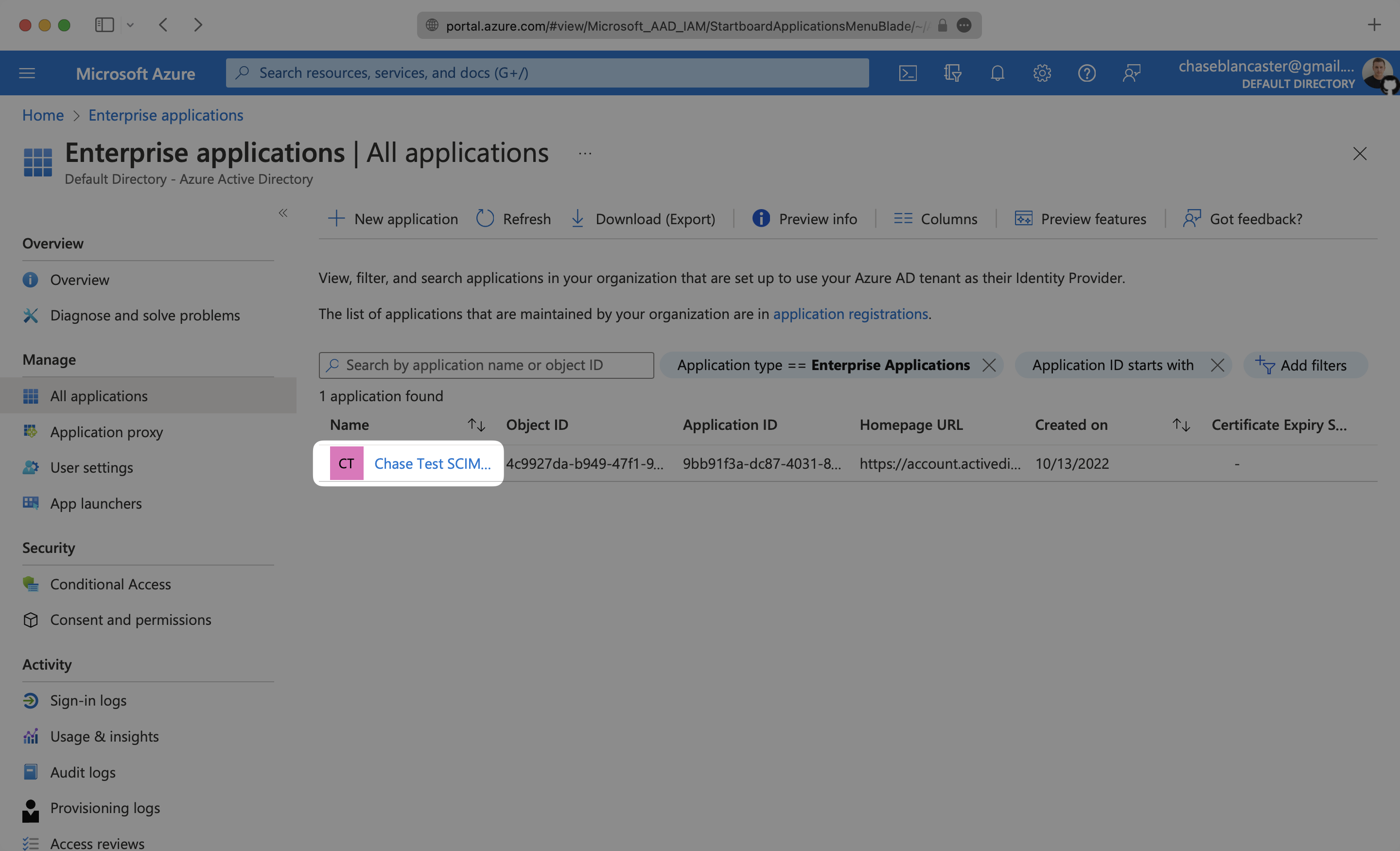
|
|
59
|
+
|
|
60
|
+
If you haven’t created a SCIM application in Azure, select “New Application”.
|
|
61
|
+
|
|
62
|
+
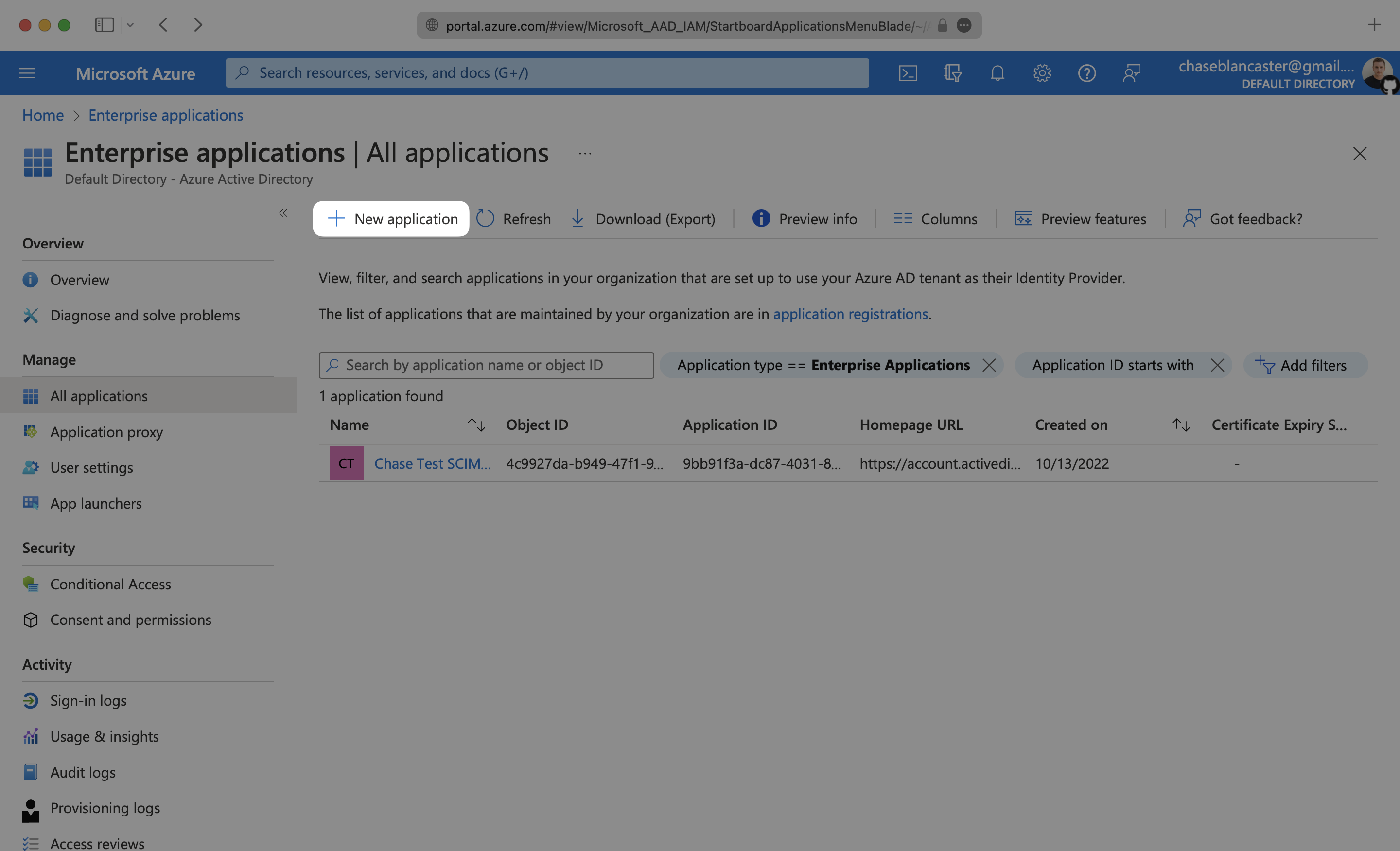
|
|
63
|
+
|
|
64
|
+
Select “Create your own application” and continue.
|
|
65
|
+
|
|
66
|
+
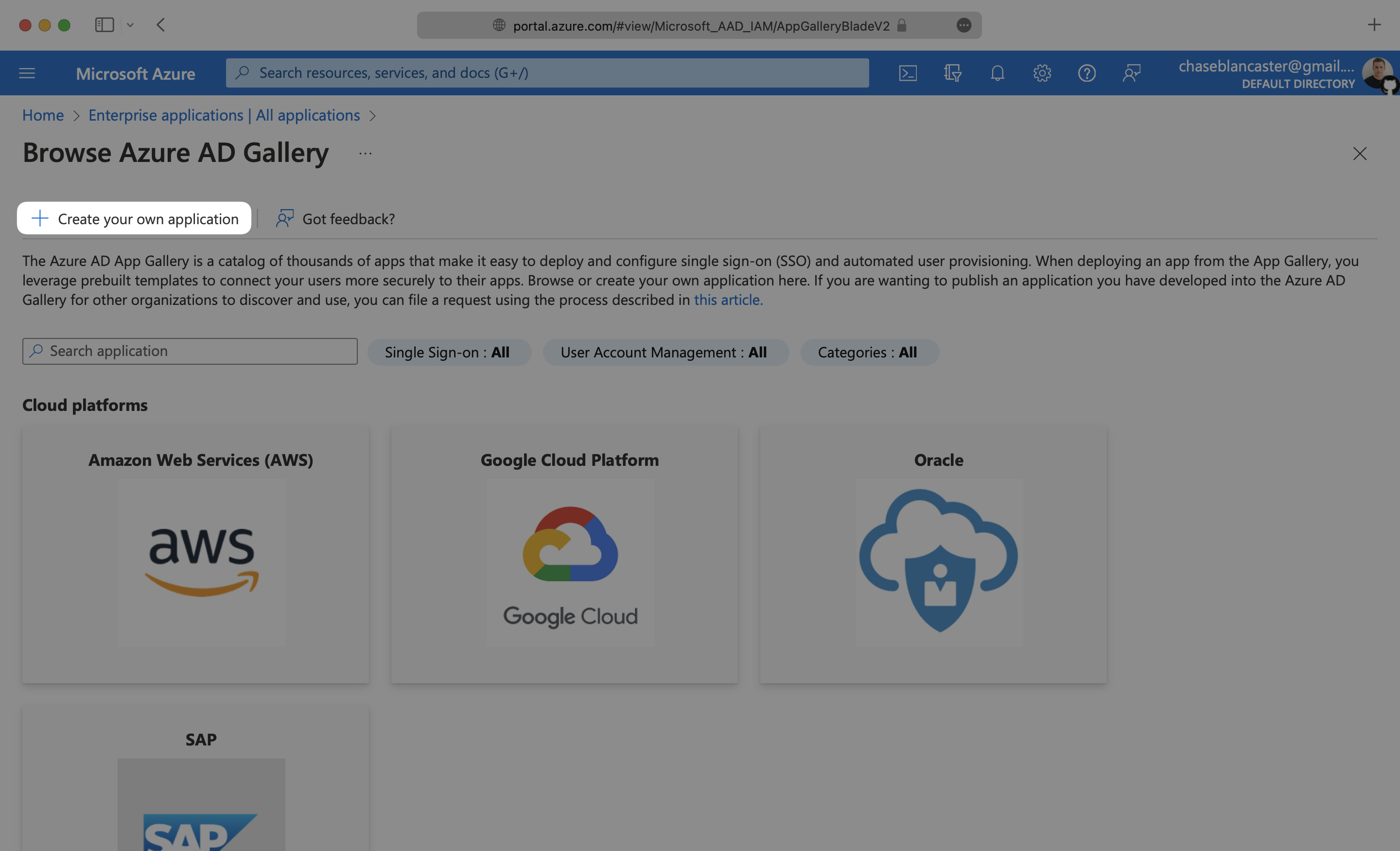
|
|
67
|
+
|
|
68
|
+
Give your application a descriptive name, and select the “Integrate any other application you don’t find in the gallery (Non-gallery)” option, then click “Create”.
|
|
69
|
+
|
|
70
|
+
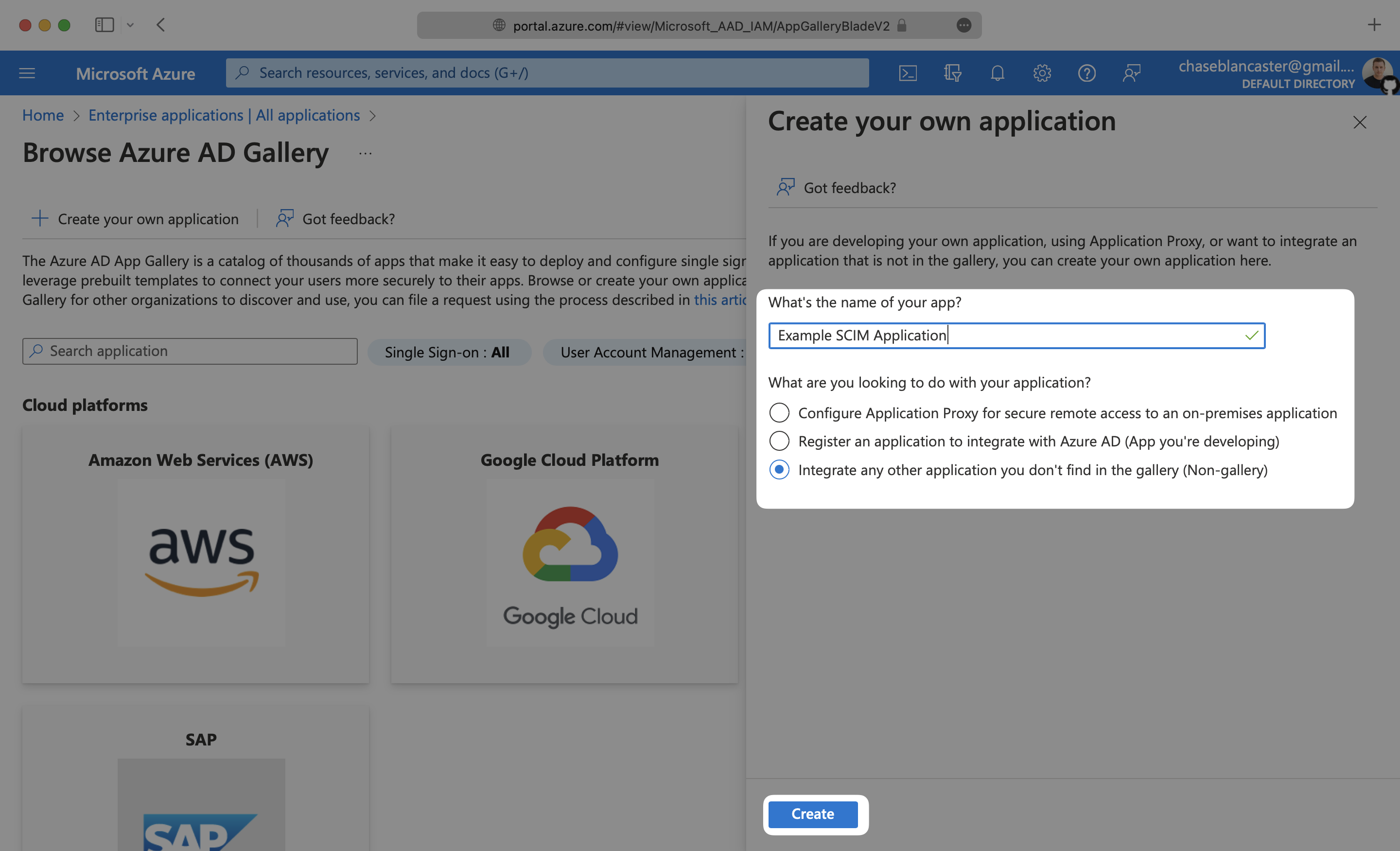
|
|
71
|
+
|
|
72
|
+
---
|
|
73
|
+
|
|
74
|
+
## (3) Configure your integration
|
|
75
|
+
|
|
76
|
+
Select “Provisioning” from the “Manage” section found in the navigation menu.
|
|
77
|
+
|
|
78
|
+
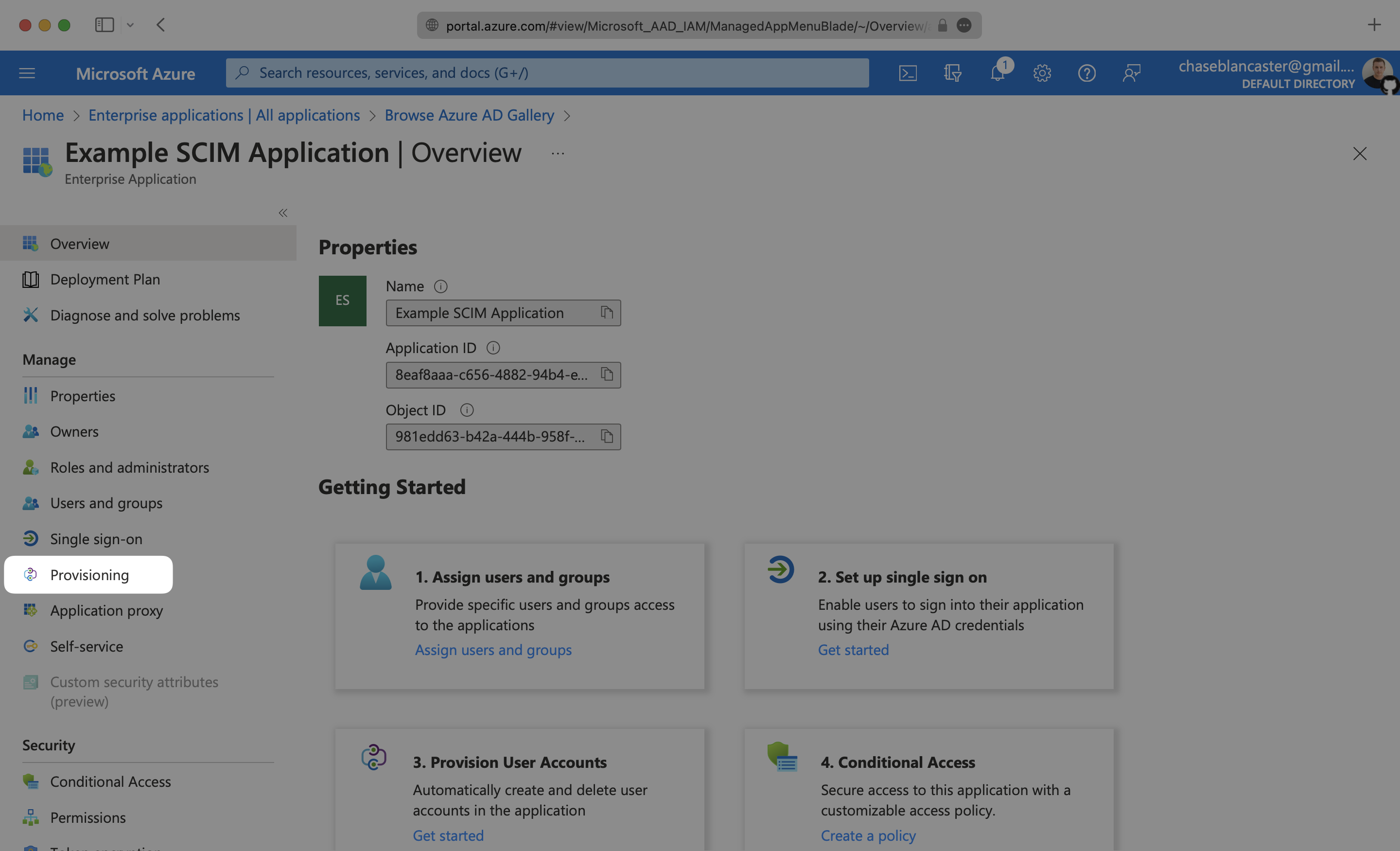
|
|
79
|
+
|
|
80
|
+
Click the “Get Started” button.
|
|
81
|
+
|
|
82
|
+
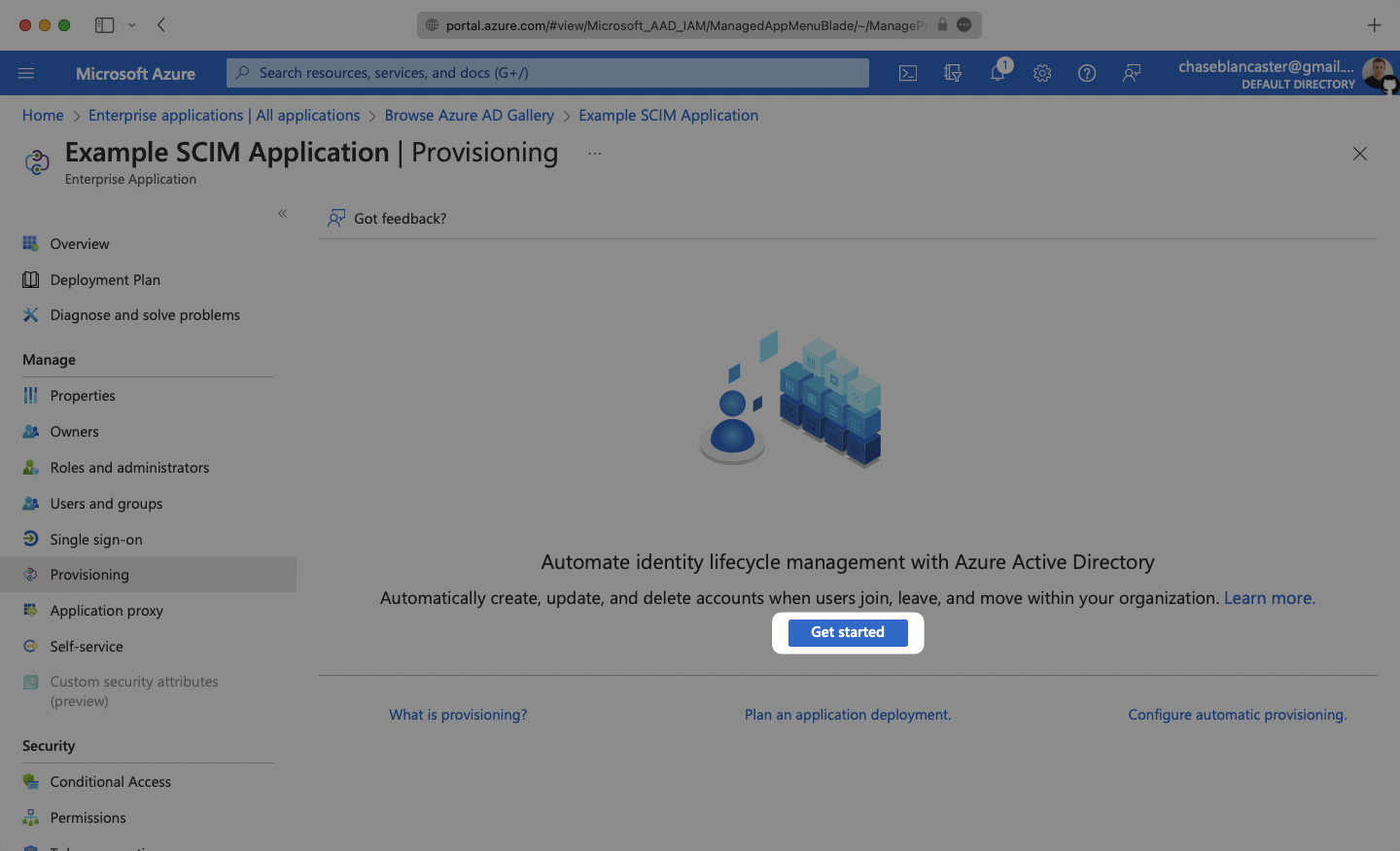
|
|
83
|
+
|
|
84
|
+
Select the “Automatic” Provisioning Mode from the dropdown menu.
|
|
85
|
+
|
|
86
|
+
In the “Admin Credentials” section, copy and paste the Endpoint from your [WorkOS Dashboard](https://dashboard.workos.com/) in the “Tenant URL” field.
|
|
87
|
+
|
|
88
|
+
Then, copy and paste the Bearer Token from your [WorkOS Dashboard](https://dashboard.workos.com/) into the Secret Token field.
|
|
89
|
+
|
|
90
|
+
Click “Test Connection” to receive confirmation that your connection has been set up correctly. Then, select “Save” to persist the credentials.
|
|
91
|
+
|
|
92
|
+
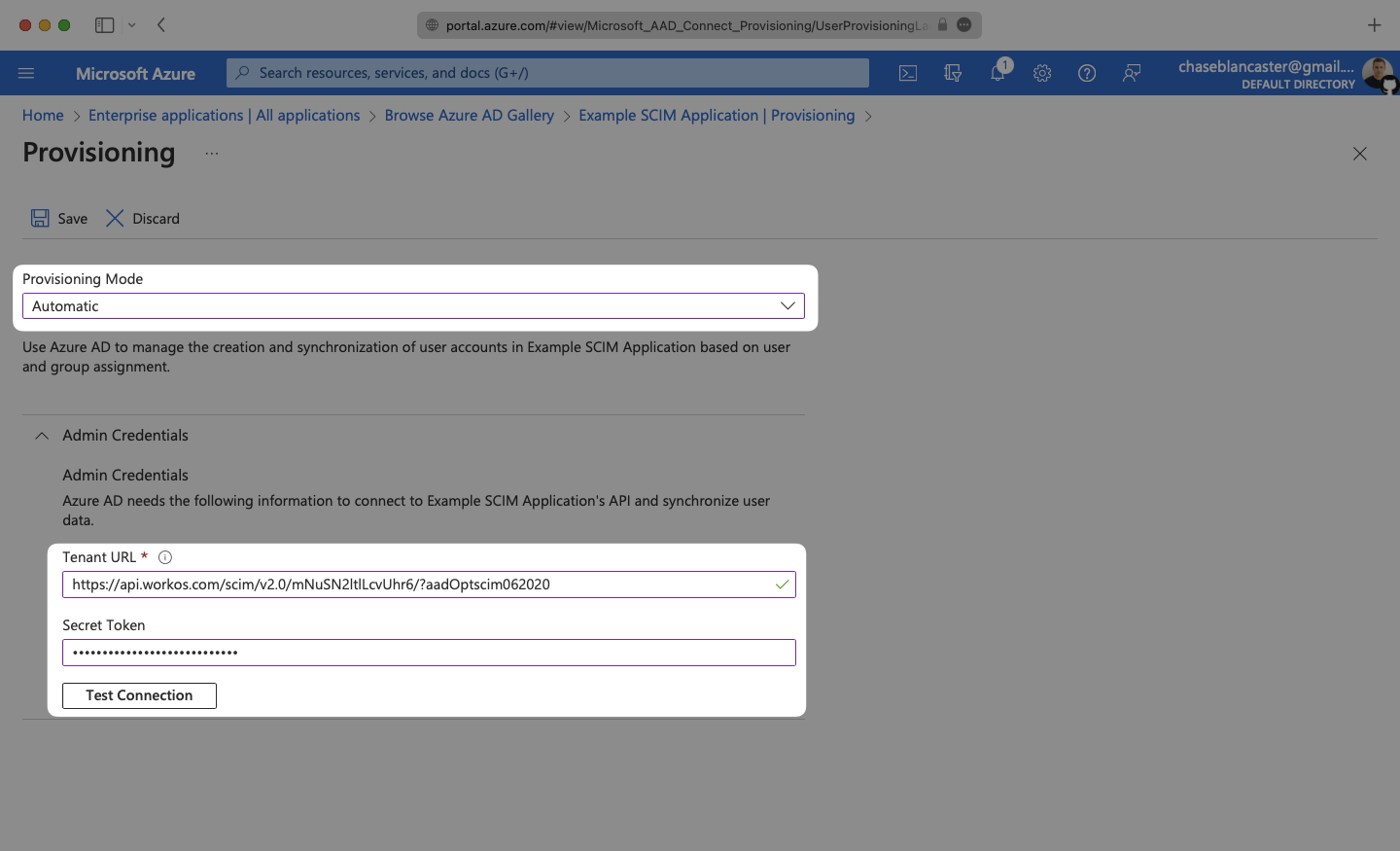
|
|
93
|
+
|
|
94
|
+
---
|
|
95
|
+
|
|
96
|
+
## (4) Set and enable Attribute mappings
|
|
97
|
+
|
|
98
|
+
Expand the “Mappings” section.
|
|
99
|
+
|
|
100
|
+
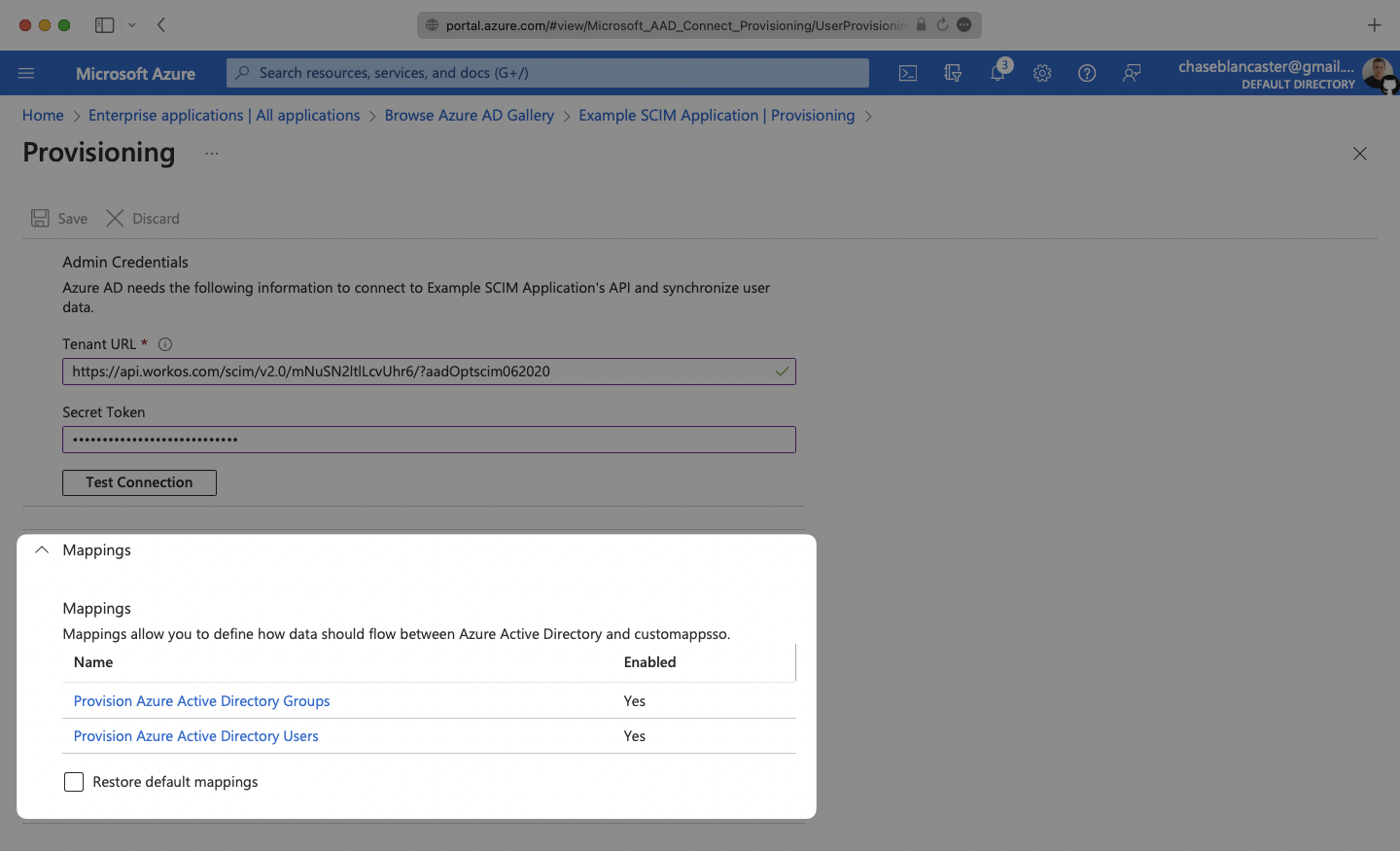
|
|
101
|
+
|
|
102
|
+
Make sure the group and user attribute mappings are enabled, and are mapping the correct fields. The default mapping should work, but your specific Azure setup may require you to add a custom mapping.
|
|
103
|
+
|
|
104
|
+
|
|
105
|
+
|
|
106
|
+
Make sure that you are mapping `objectId` to `externalId` within the Attribute Mapping section.
|
|
107
|
+
|
|
108
|
+
|
|
109
|
+
|
|
110
|
+
---
|
|
111
|
+
|
|
112
|
+
## (5) Assign users and groups to your application
|
|
113
|
+
|
|
114
|
+
In order for your users and groups to be synced, you will need to assign them to your Entra ID SCIM Application. Select “Users and groups” from the “Manage” section of the navigation menu.
|
|
115
|
+
|
|
116
|
+
|
|
117
|
+
|
|
118
|
+
Select “Add user/group” from the top menu.
|
|
119
|
+
|
|
120
|
+
|
|
121
|
+
|
|
122
|
+
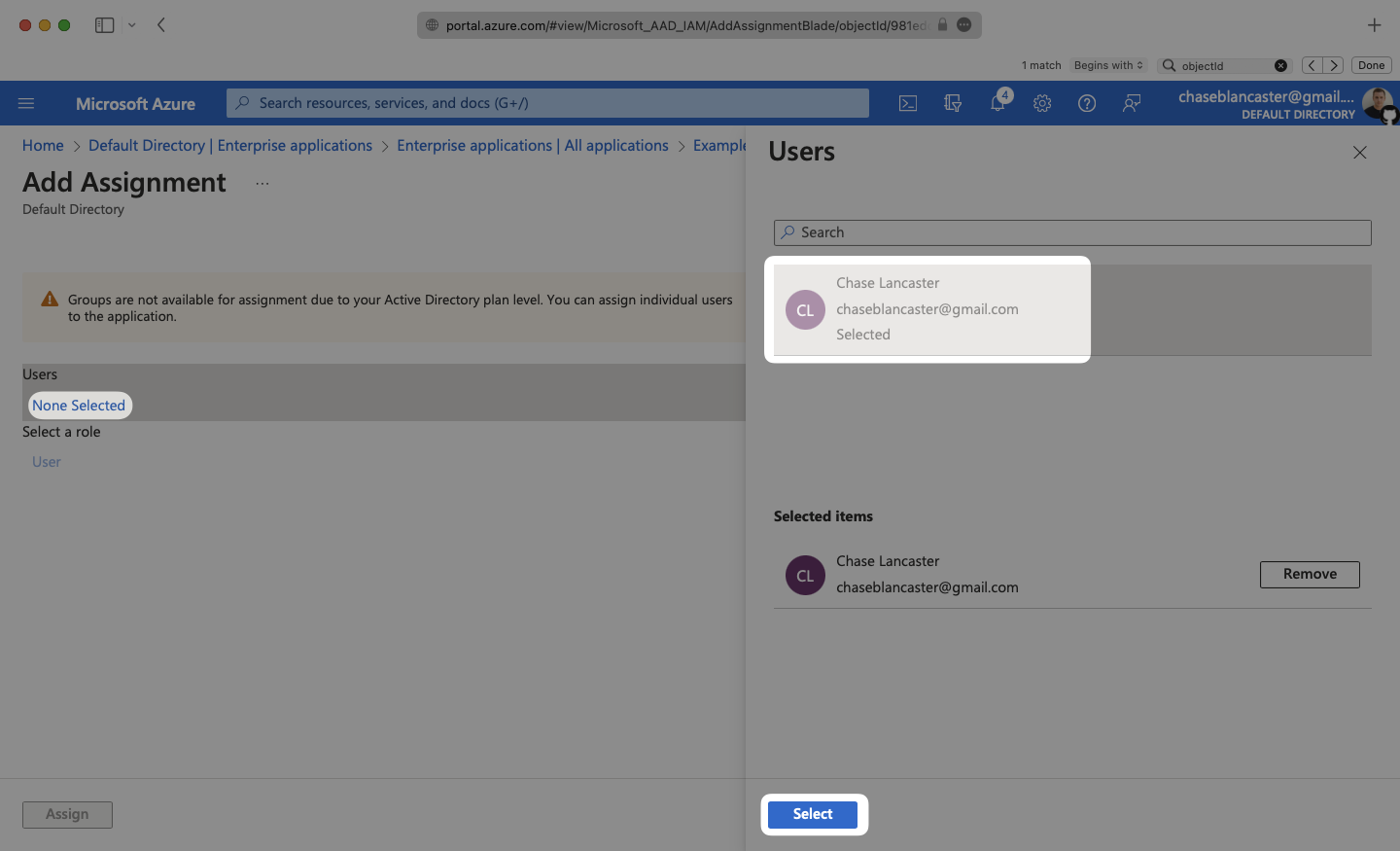
Select “None selected” under the “Users and Groups”. In the menu, select the users and groups that you want to add to the SCIM application, and click “Select”.
|
|
123
|
+
|
|
124
|
+
|
|
125
|
+
|
|
126
|
+
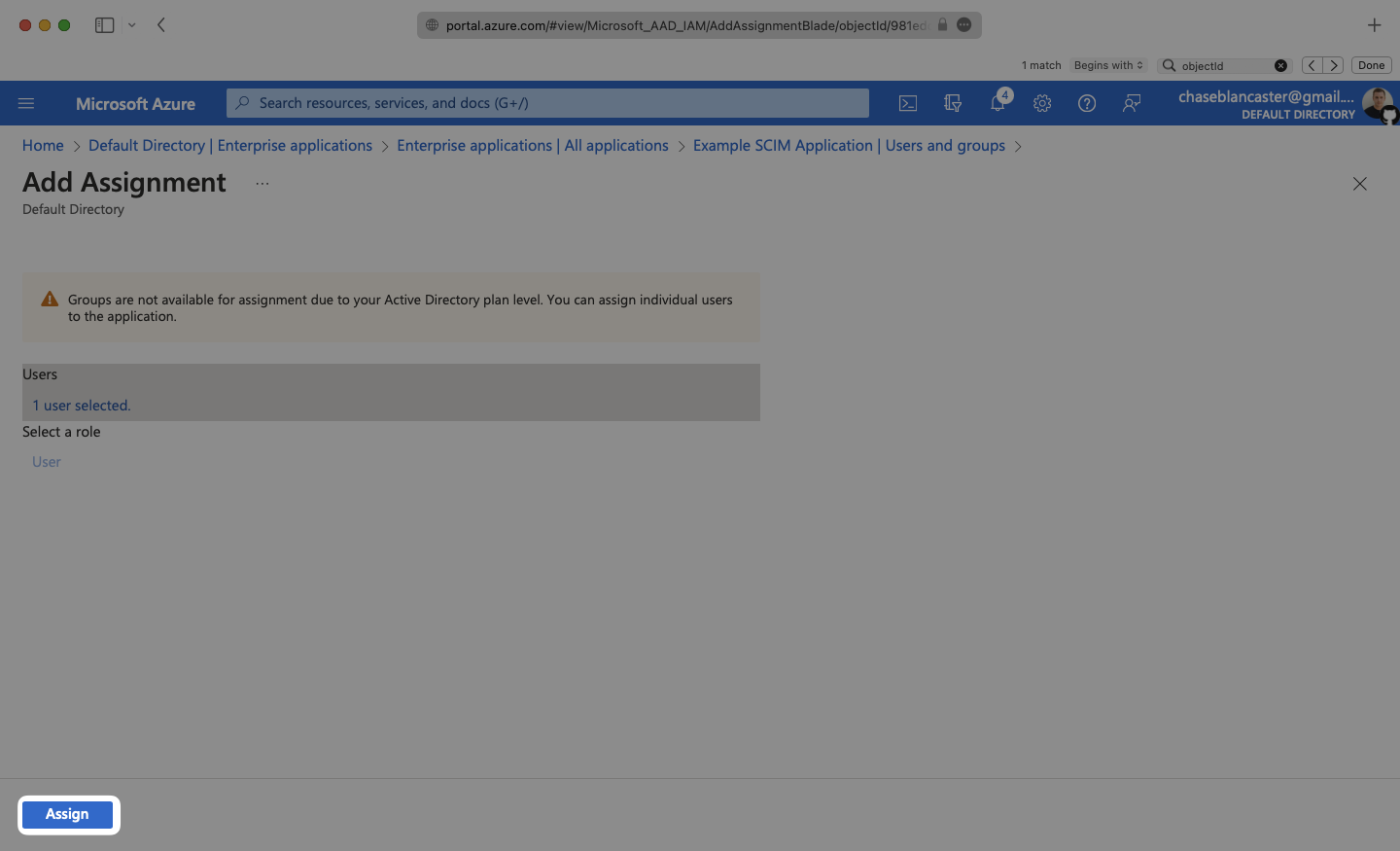
Select “Assign” to add the selected users and groups to your SCIM application.
|
|
127
|
+
|
|
128
|
+
|
|
129
|
+
|
|
130
|
+
---
|
|
131
|
+
|
|
132
|
+
## (6) Turn on provisioning for your SCIM application
|
|
133
|
+
|
|
134
|
+
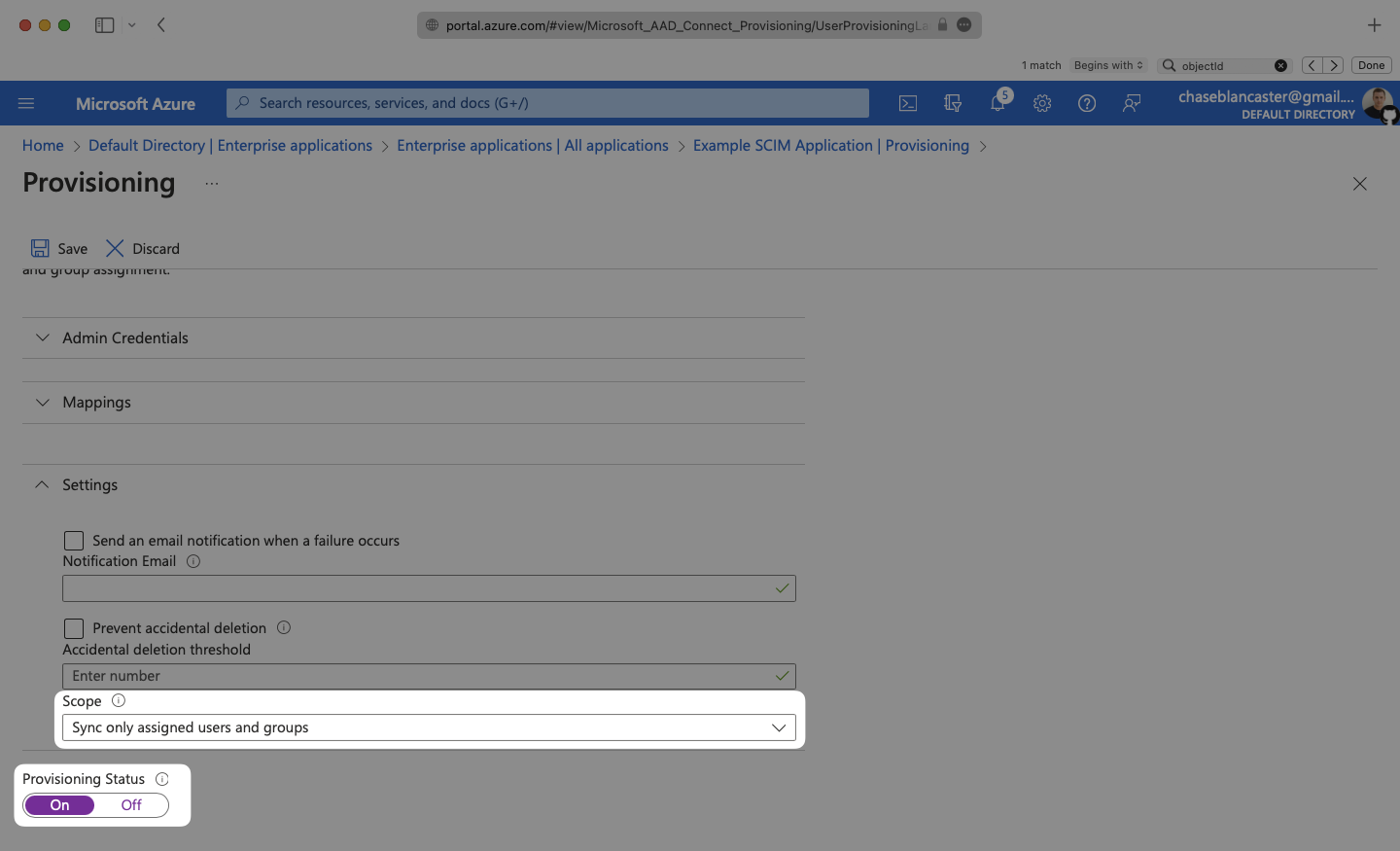
In the Provisioning menu, confirm the “Provisioning Status” is set to “On” and that the “Scope” is set to “Sync only assigned users and groups”.
|
|
135
|
+
|
|
136
|
+
|
|
137
|
+
|
|
138
|
+
Begin provisioning users and groups and witness realtime changes in your [WorkOS Dashboard](https://dashboard.workos.com/).
|
|
139
|
+
|
|
140
|
+
A detailed guide to integrate the WorkOS API with your application can be found [here](/directory-sync)
|
|
141
|
+
|
|
142
|
+
---
|
|
143
|
+
|
|
144
|
+
## Configuring user attribute mappings
|
|
145
|
+
|
|
146
|
+
For any non-standard attributes used by the application, some configuration may be required in Microsoft Entra. Below is a guide on configuring user attribute mappings, so they propagate via SCIM.
|
|
147
|
+
|
|
148
|
+
### (1) Viewing application attributes
|
|
149
|
+
|
|
150
|
+
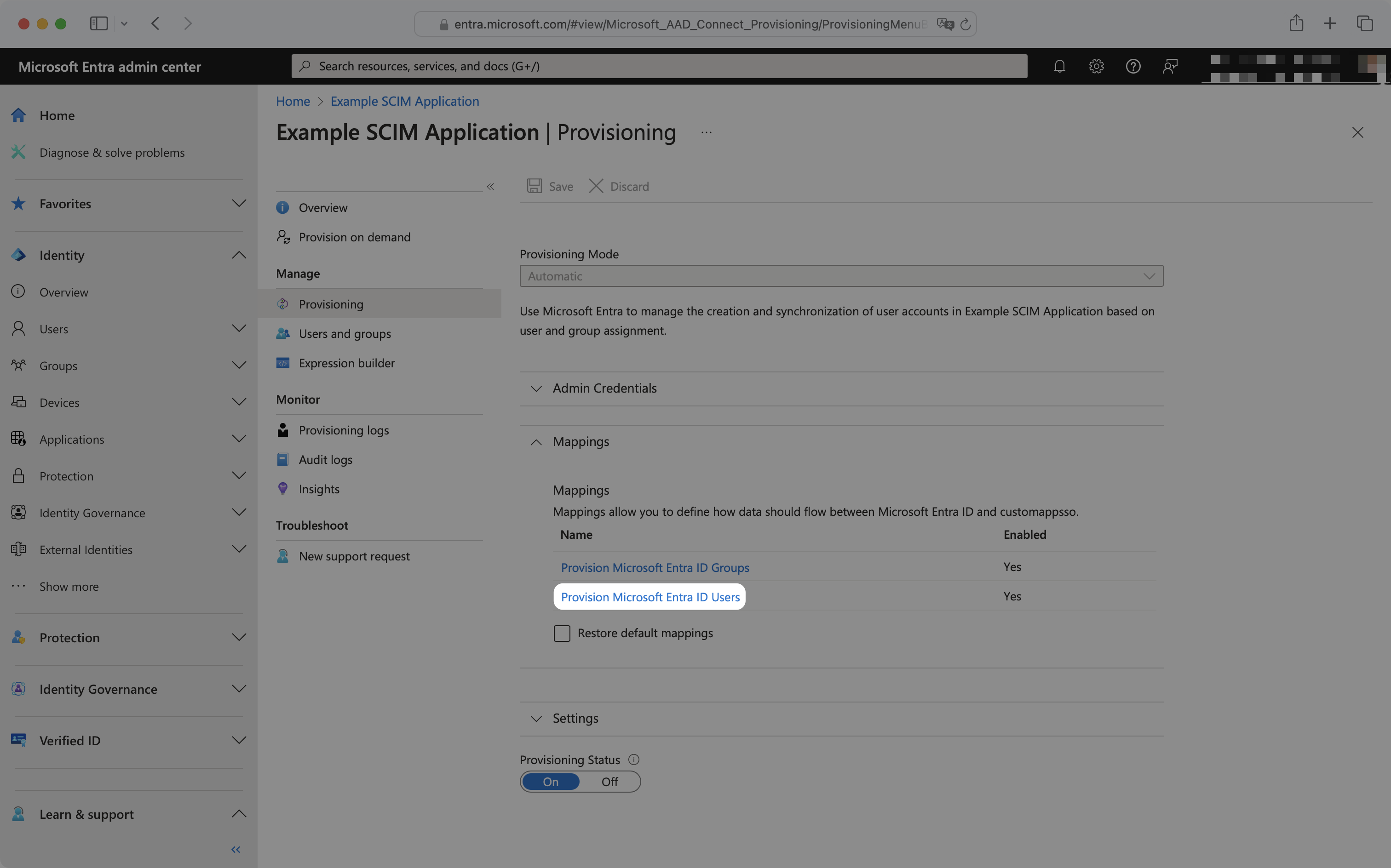
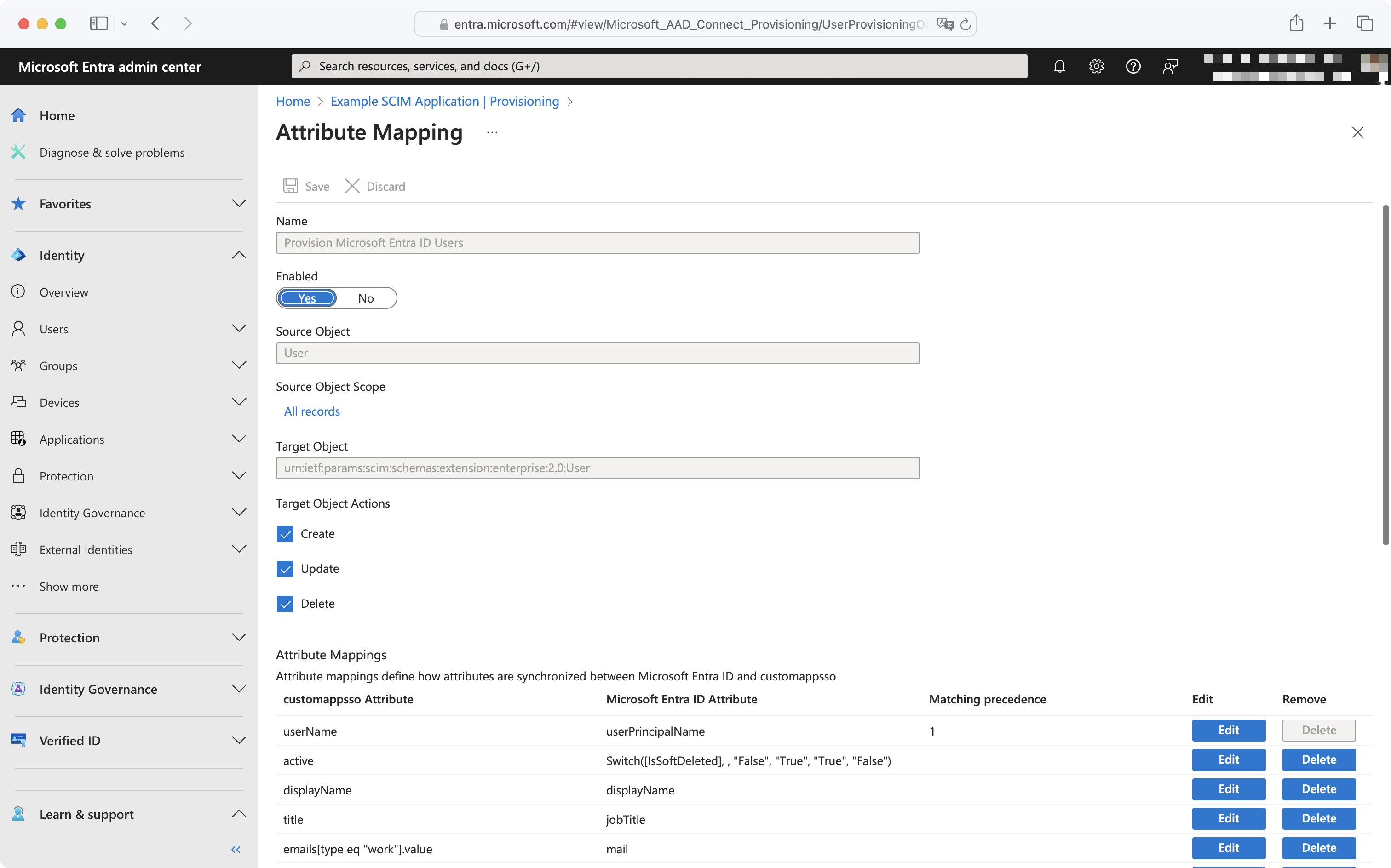
From your Microsoft Entra SCIM application, navigate to the Manage → Provisioning page. Expand the Mappings section and click "Provision Microsoft Entra ID Users".
|
|
151
|
+
|
|
152
|
+
|
|
153
|
+
|
|
154
|
+
This will display a list of attribute mappings and settings:
|
|
155
|
+
|
|
156
|
+
|
|
157
|
+
|
|
158
|
+
### (2) Adding or editing an attribute
|
|
159
|
+
|
|
160
|
+
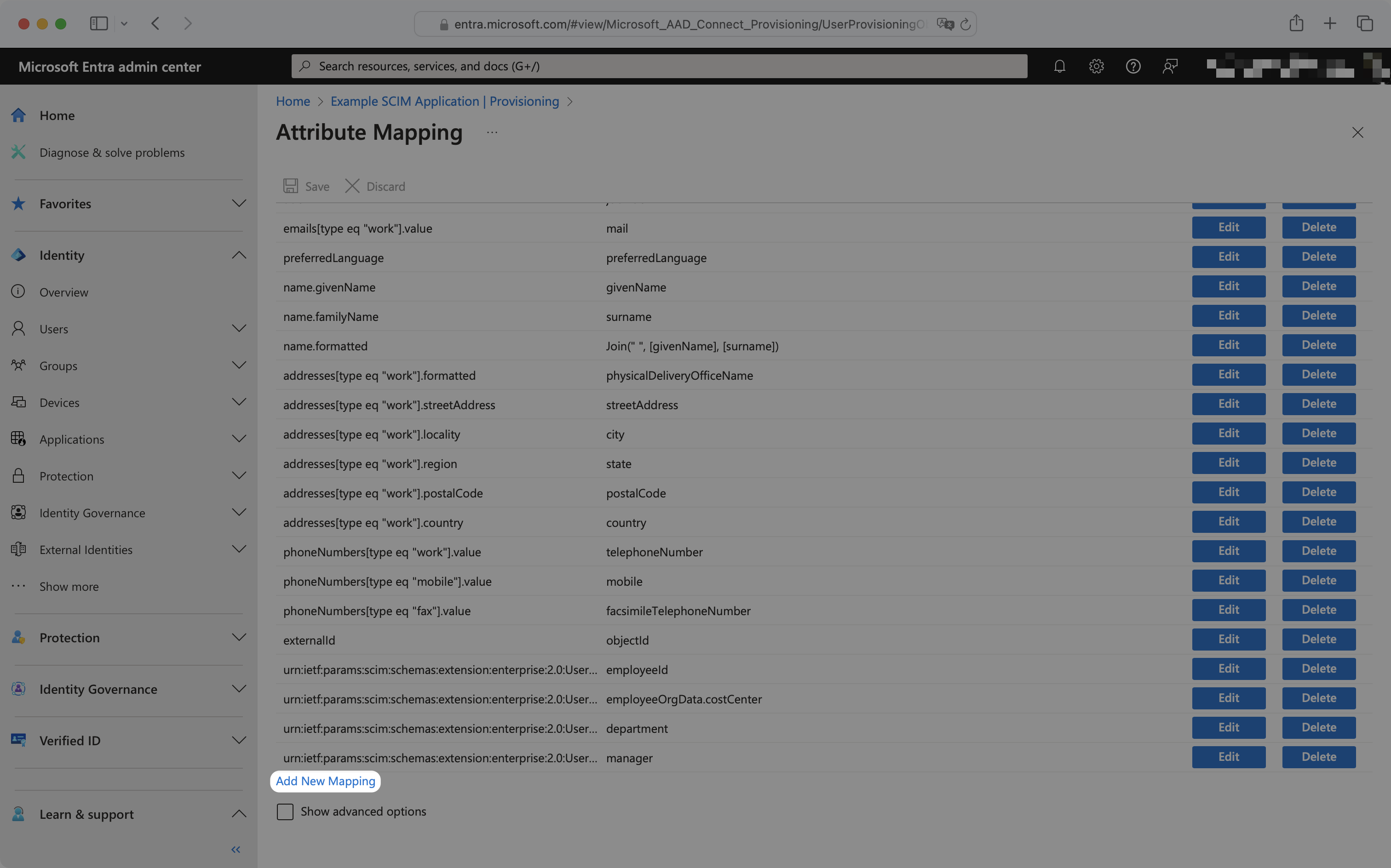
To add a missing attribute, click the "Add New Mapping" button at the bottom left of the mappings list. To edit an existing attribute, click the "Edit" button next to the existing attribute you'd like to edit.
|
|
161
|
+
|
|
162
|
+
|
|
163
|
+
|
|
164
|
+
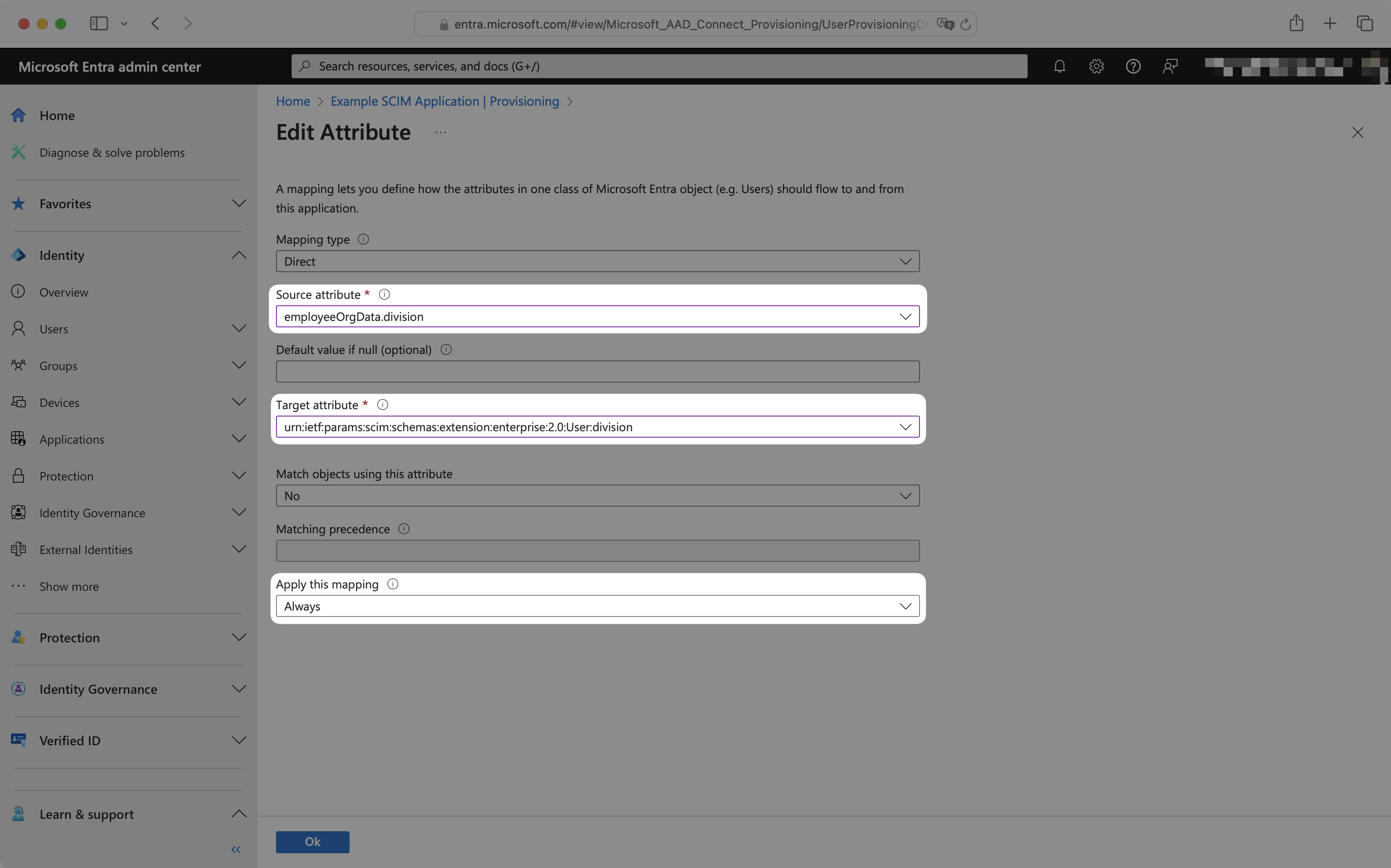
To configure the mapping, select the source and target attribute from the dropdowns, and ensure "Apply this mapping" is set to "Always".
|
|
165
|
+
|
|
166
|
+
For example, to map division, the source attribute has been selected as `employeeOrgData.division` and the target attribute has been selected as `urn:ietf:params:scim:schemas:extension:enterprise:2.0:User:division`.
|
|
167
|
+
|
|
168
|
+
|
|
169
|
+
|
|
170
|
+
These new attribute mappings will now propagate to your application when the next SCIM push occurs.
|
|
171
|
+
|
|
172
|
+
---
|
|
173
|
+
|
|
174
|
+
## Provisioning on demand
|
|
175
|
+
|
|
176
|
+
By default, Entra ID SCIM 2.0 directories sync changes on a scheduled time interval, typically every 40 minutes. For use cases where more immediate provisioning or deprovisioning of users, groups, or group memberships is needed, Entra ID provides [provisioning on demand](https://learn.microsoft.com/en-us/entra/identity/app-provisioning/provision-on-demand?pivots=app-provisioning).
|
|
177
|
+
|
|
178
|
+
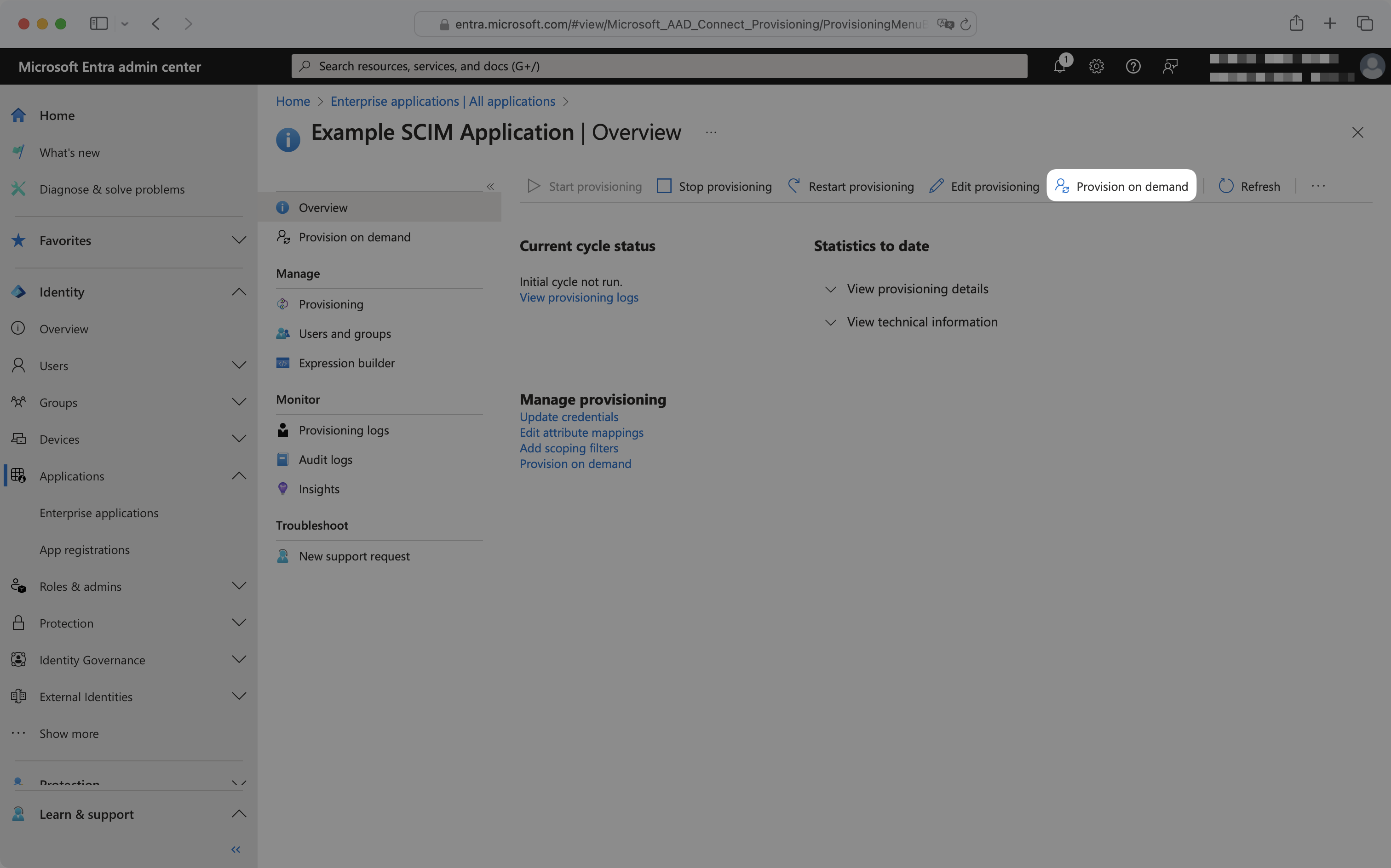
To provision on demand, from the enterprise application navigate to the "Provisioning" tab and click "Provision on demand".
|
|
179
|
+
|
|
180
|
+
|
|
181
|
+
|
|
182
|
+
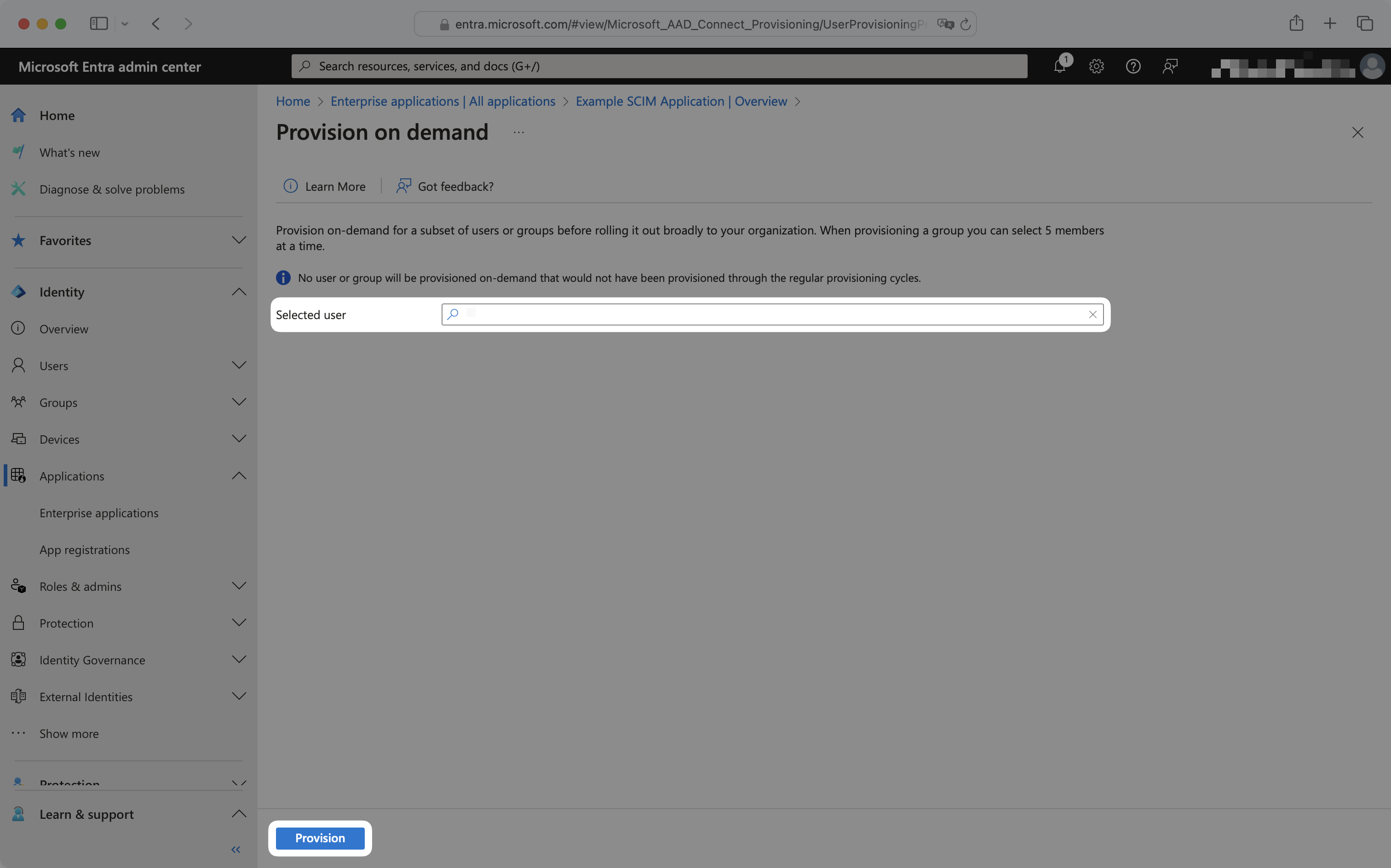
To provision a user, select the user from the dropdown and click "Provision".
|
|
183
|
+
|
|
184
|
+
|
|
185
|
+
|
|
186
|
+
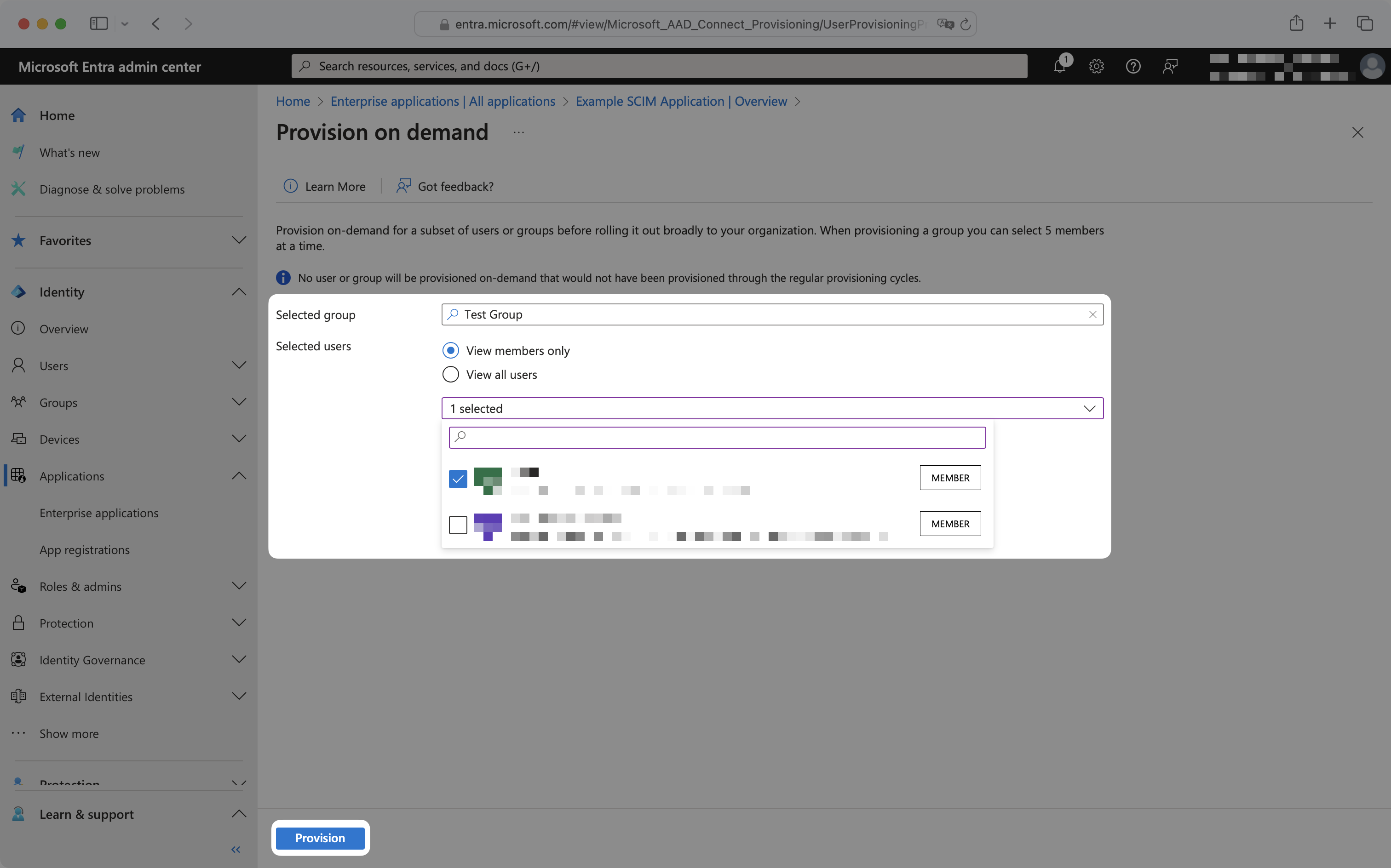
To provision a group or group membership, select the group from the dropdown, and select "View members only". Then select the group memberships to provision and click "Provision".
|
|
187
|
+
|
|
188
|
+
|
|
189
|
+
|
|
190
|
+
Upon clicking "Provision", SCIM requests will immediately be sent to the application. To deprovision a user, group, or group membership, remove it from the Entra application and follow the above provisioning on demand steps.
|
|
191
|
+
|
|
192
|
+
---
|
|
193
|
+
|
|
194
|
+
## Frequently asked questions
|
|
195
|
+
|
|
196
|
+
### No email addresses are coming through for users from Entra. How do I get emails for my Entra users?
|
|
197
|
+
|
|
198
|
+
For cloud-managed users, Entra ID pulls the email from the `mail` attribute in Exchange. If your customer doesn’t have this set up, they will need to configure attribute mapping in their SCIM app in Entra in order to provision users with WorkOS. They can use [this tutorial from Microsoft](https://learn.microsoft.com/en-us/entra/identity/app-provisioning/customize-application-attributes). They’ll want to map a known email attribute, such as UPN, to the `emails[type eq “work”].value` SCIM attribute. For directories with synchronized-users, they will need to map the `userPrincipalName` attribute into the `emails[type eq “work”].value` SCIM attribute.
|
|
199
|
+
|
|
200
|
+
### Sometimes, reactivating "suspended" users does not re-add them to their Entra groups. Why is that and how can I fix it?
|
|
201
|
+
|
|
202
|
+
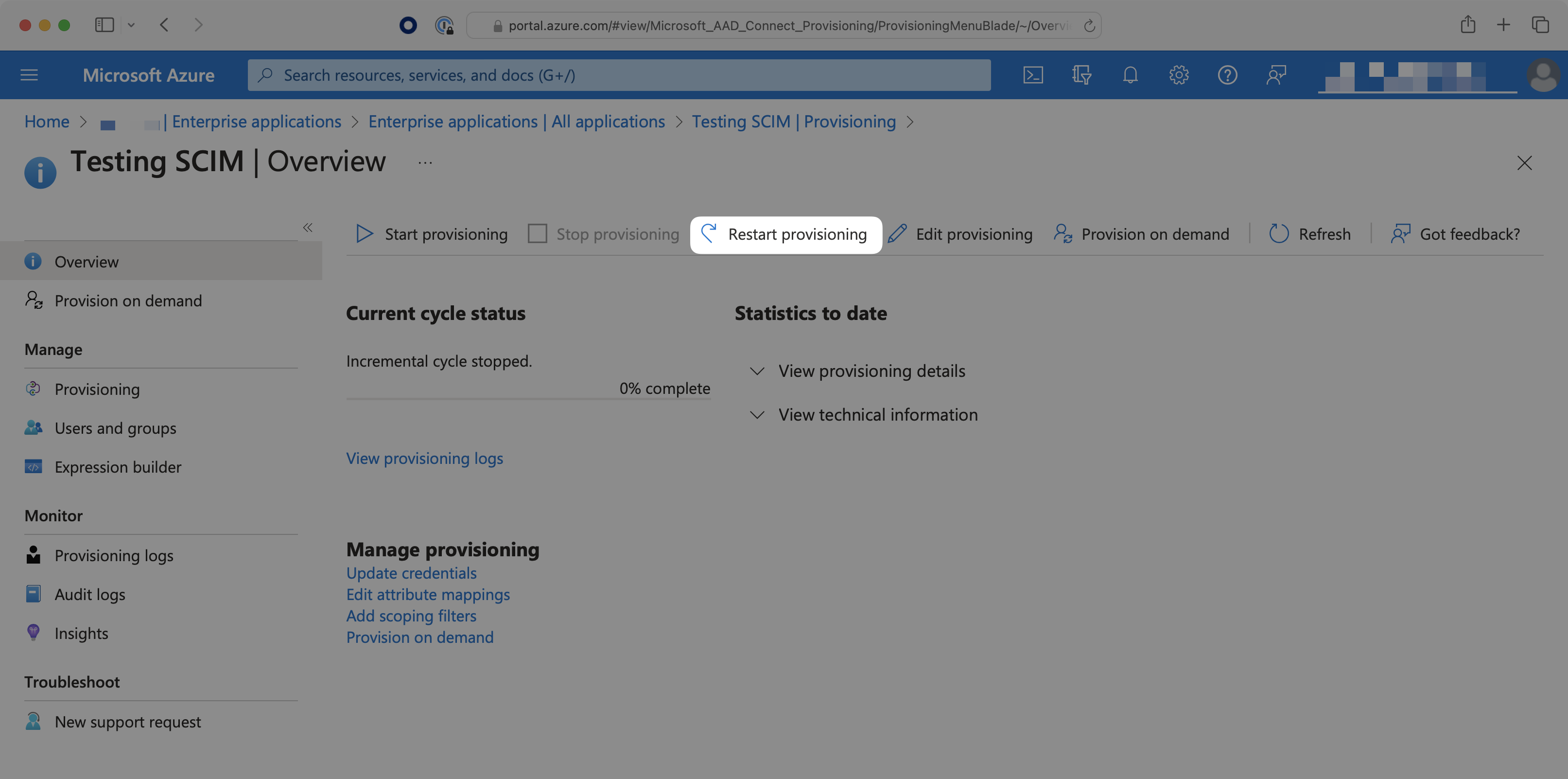
When a user is deleted from the entire directory, instead of only being deprovisioned from the SCIM app, the user may be soft-deleted (their state is set as "suspended"). Reactivating these suspended users will not send SCIM requests to re-add the user to the groups. To do so, the IT admin will need to select the "Restart Provisioning" button for the SCIM app in Azure.
|
|
203
|
+
|
|
204
|
+
|
|
205
|
+
|
|
206
|
+
### Can profile images be accessed with Entra ID SCIM?
|
|
207
|
+
|
|
208
|
+
Entra ID's SCIM provisioning does not support transmitting image.
|
|
209
|
+
|
|
210
|
+
### Why do I receive a `dsync.user.updated` event after `dsync.user.created`?
|
|
211
|
+
|
|
212
|
+
Entra ID sends a newly provisioned user over to WorkOS in two separate actions. WorkOS will then send these actions as two individual events to your app. This is expected behavior.
|
|
213
|
+
|
|
214
|
+
### How often do Entra ID SCIM 2.0 directories perform a sync?
|
|
215
|
+
|
|
216
|
+
By default, Entra ID SCIM 2.0 directories sync changes on a scheduled time interval, typically every 40 minutes. For more details, please refer to Entra ID's [official documentation](https://learn.microsoft.com/en-us/entra/identity/app-provisioning/application-provisioning-when-will-provisioning-finish-specific-user#how-long-will-it-take-to-provision-users).
|
|
217
|
+
|
|
218
|
+
[Provisioning on demand](/integrations/entra-id-scim/provisioning-on-demand) is also available, which can sync select users, groups, or group memberships in real-time.
|
|
@@ -0,0 +1,98 @@
|
|
|
1
|
+
---
|
|
2
|
+
title: Firebase
|
|
3
|
+
description: Add Single Sign-On to your Firebase application with WorkOS.
|
|
4
|
+
icon: firebase
|
|
5
|
+
breadcrumb:
|
|
6
|
+
title: Integrations
|
|
7
|
+
url: /integrations
|
|
8
|
+
originalPath: .tmp-workos-clone/packages/docs/content/integrations/firebase.mdx
|
|
9
|
+
---
|
|
10
|
+
|
|
11
|
+
## Introduction
|
|
12
|
+
|
|
13
|
+
In this guide, you’ll learn how to use WorkOS to add Single Sign-On (SSO) to a Firebase application. This will allow users to sign in to an existing Firebase application using WorkOS SSO Connections.
|
|
14
|
+
|
|
15
|
+
## What WorkOS provides
|
|
16
|
+
|
|
17
|
+
WorkOS will provide the following pieces of information: API key, Client ID, and the Issuer URL.
|
|
18
|
+
|
|
19
|
+
- The API key can be found in your WorkOS dashboard under **API Keys**.
|
|
20
|
+
- The Client ID can be found in your WorkOS dashboard under **Configuration**.
|
|
21
|
+
- The Issuer URL is constructed with the Client ID. `https://auth.workos.com/sso/<client_id>`.
|
|
22
|
+
|
|
23
|
+
## What you’ll need
|
|
24
|
+
|
|
25
|
+
- An existing Firebase project
|
|
26
|
+
|
|
27
|
+
---
|
|
28
|
+
|
|
29
|
+
## (1) Configure Authentication for your Firebase project
|
|
30
|
+
|
|
31
|
+
Log into Firebase and navigate to your project. Click on the Authentication tile to set up a new Authentication method for your project.
|
|
32
|
+
|
|
33
|
+
|
|
34
|
+
|
|
35
|
+
Next, click **Get started**.
|
|
36
|
+
|
|
37
|
+
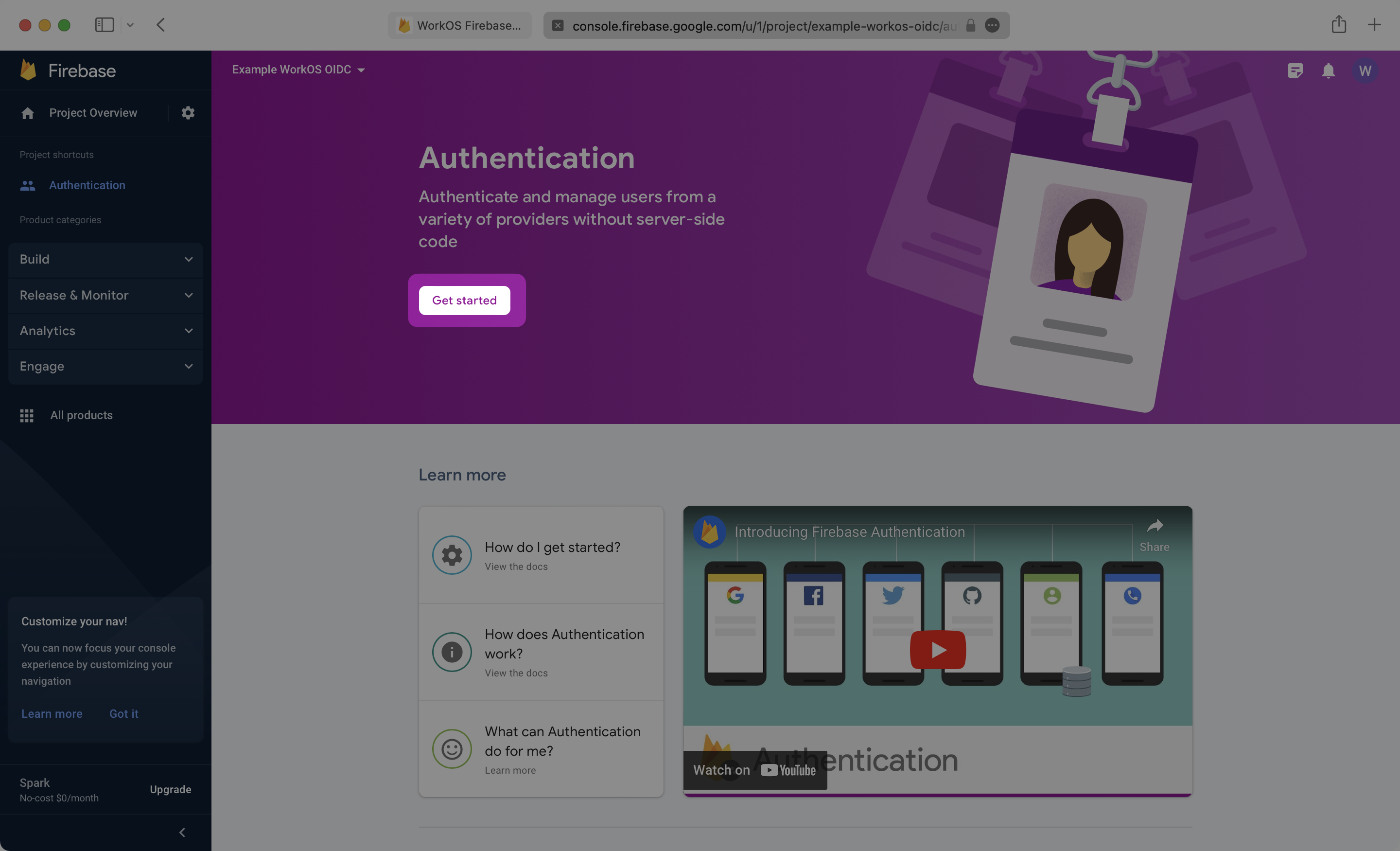
|
|
38
|
+
|
|
39
|
+
Click on the Sign-in method tab and then select the OpenID Connect custom provider.
|
|
40
|
+
|
|
41
|
+
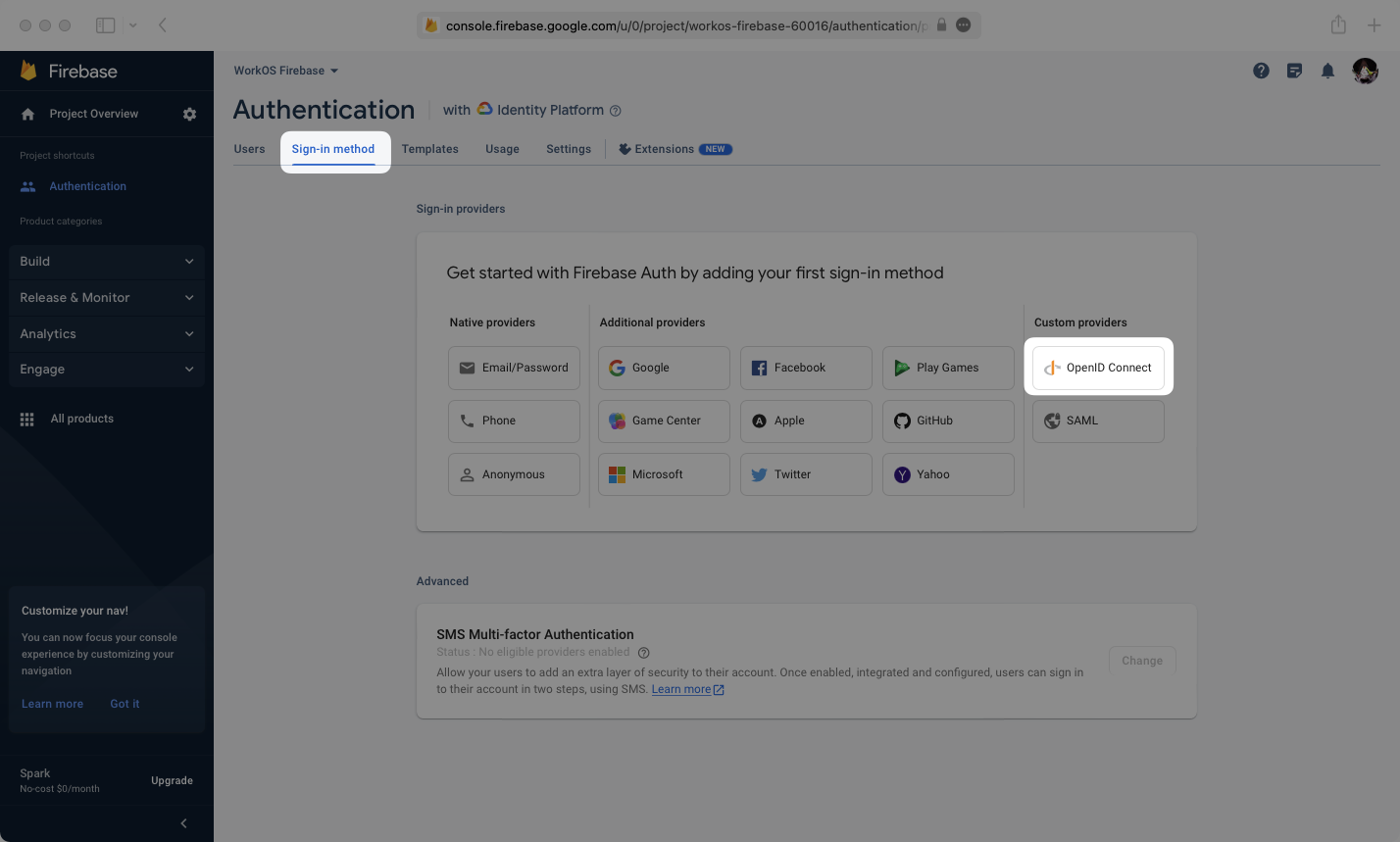
|
|
42
|
+
|
|
43
|
+
Enter the configuration details for the connection between WorkOS and Firebase.
|
|
44
|
+
|
|
45
|
+
You will need the following pieces of information:
|
|
46
|
+
|
|
47
|
+
- **WorkOS Client ID**: Found on the **Configuration** tab of the WorkOS Dashboard
|
|
48
|
+
- **WorkOS API Key**: Located on the **API Keys** tab of the WorkOS Dashboard
|
|
49
|
+
- **Issuer (URL)**: This will be `https://auth.workos.com/sso/` appended with your client ID, ex: `https://auth.workos.com/sso/client_123`
|
|
50
|
+
- **Provider ID**: This is found in Firebase under the Name of your OIDC provider. This will be important for a later step.
|
|
51
|
+
|
|
52
|
+
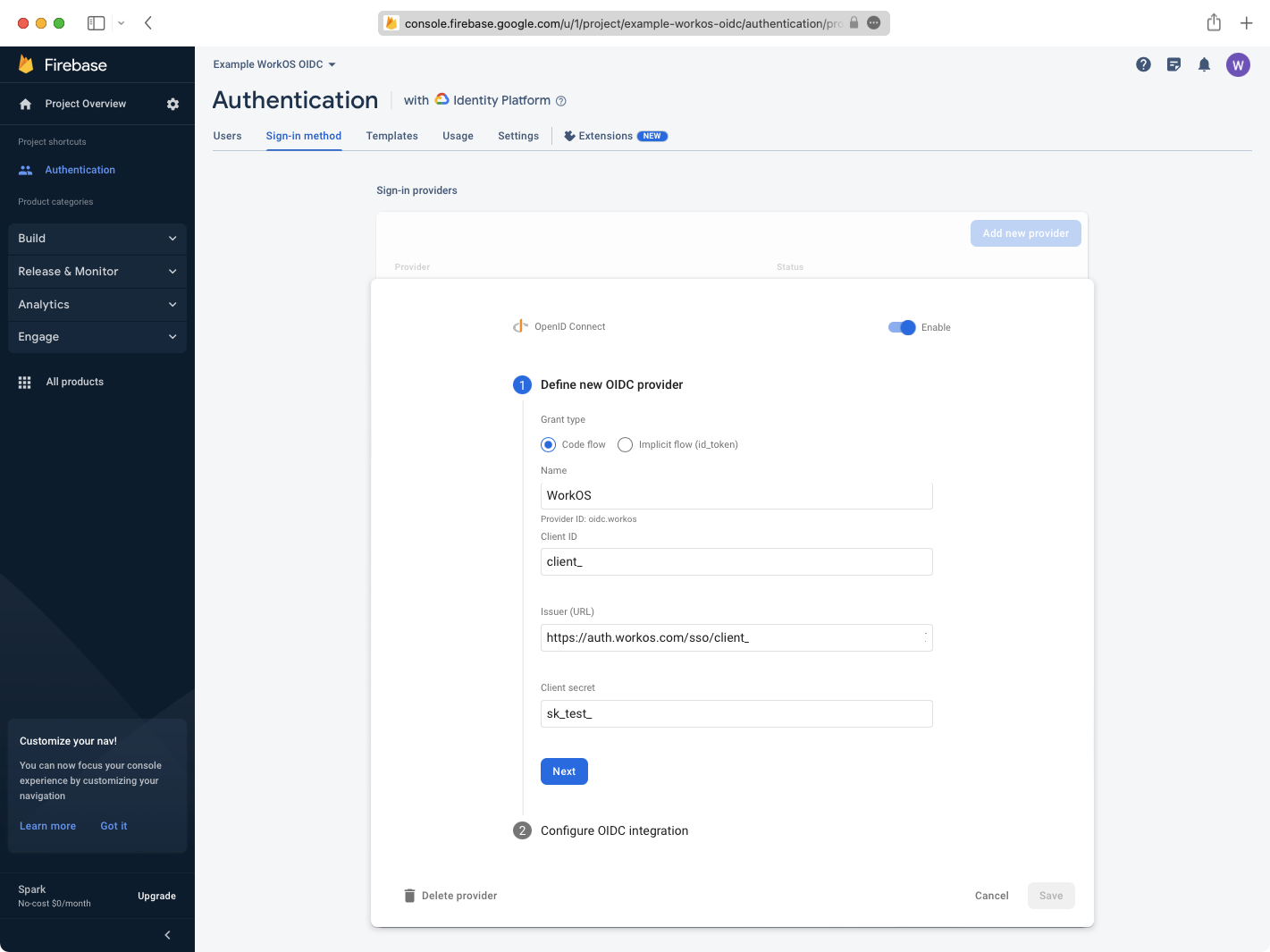
|
|
53
|
+
|
|
54
|
+
---
|
|
55
|
+
|
|
56
|
+
## (2) Configure the Redirect URI in WorkOS
|
|
57
|
+
|
|
58
|
+
Click Next, then copy the **Callback URL** provided by Firebase.
|
|
59
|
+
|
|
60
|
+
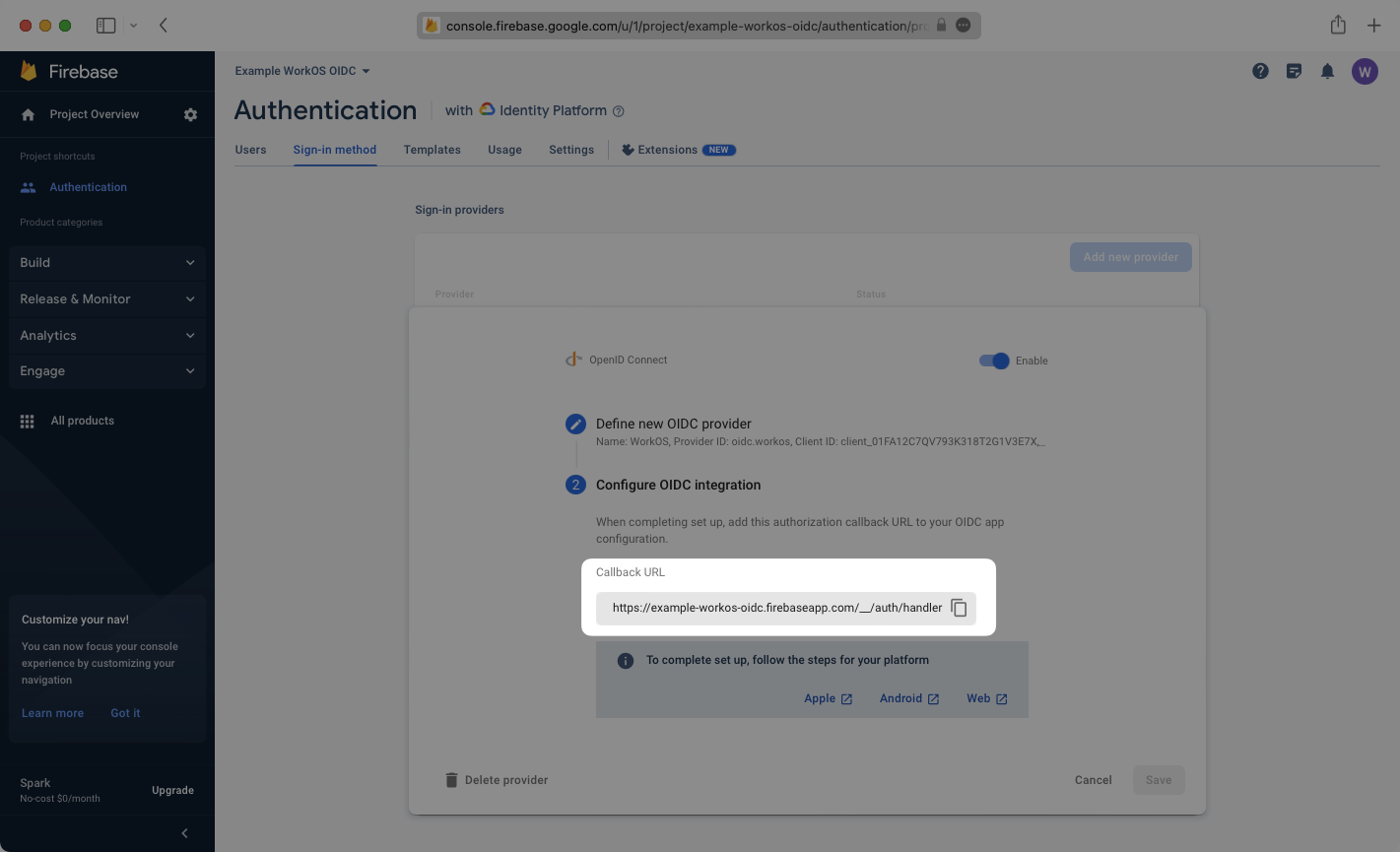
|
|
61
|
+
|
|
62
|
+
Paste the Callback URL in the list of Redirect URI’s in the configuration tab of your WorkOS dashboard.
|
|
63
|
+
|
|
64
|
+
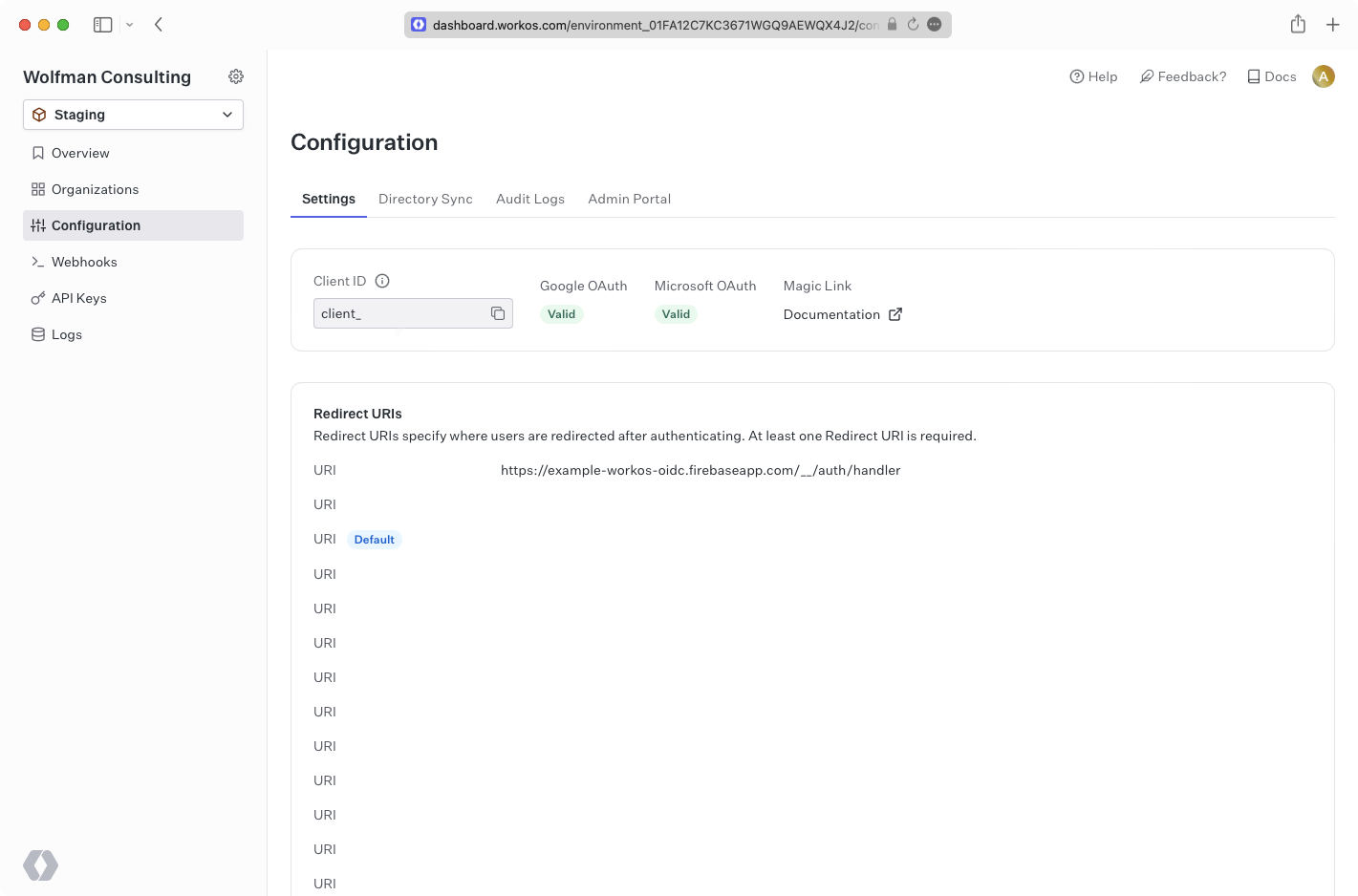
|
|
65
|
+
|
|
66
|
+
---
|
|
67
|
+
|
|
68
|
+
## (3) Create a Firebase web app and get configuration details
|
|
69
|
+
|
|
70
|
+
On the Firebase Project Overview page, click the web icon above **Add an app to get started**, or navigate to your project settings page if your project is already set up.
|
|
71
|
+
|
|
72
|
+
|
|
73
|
+
|
|
74
|
+
Choose a name for your application, and then take note of the firebaseConfig from the Add Firebase SDK step.
|
|
75
|
+
|
|
76
|
+
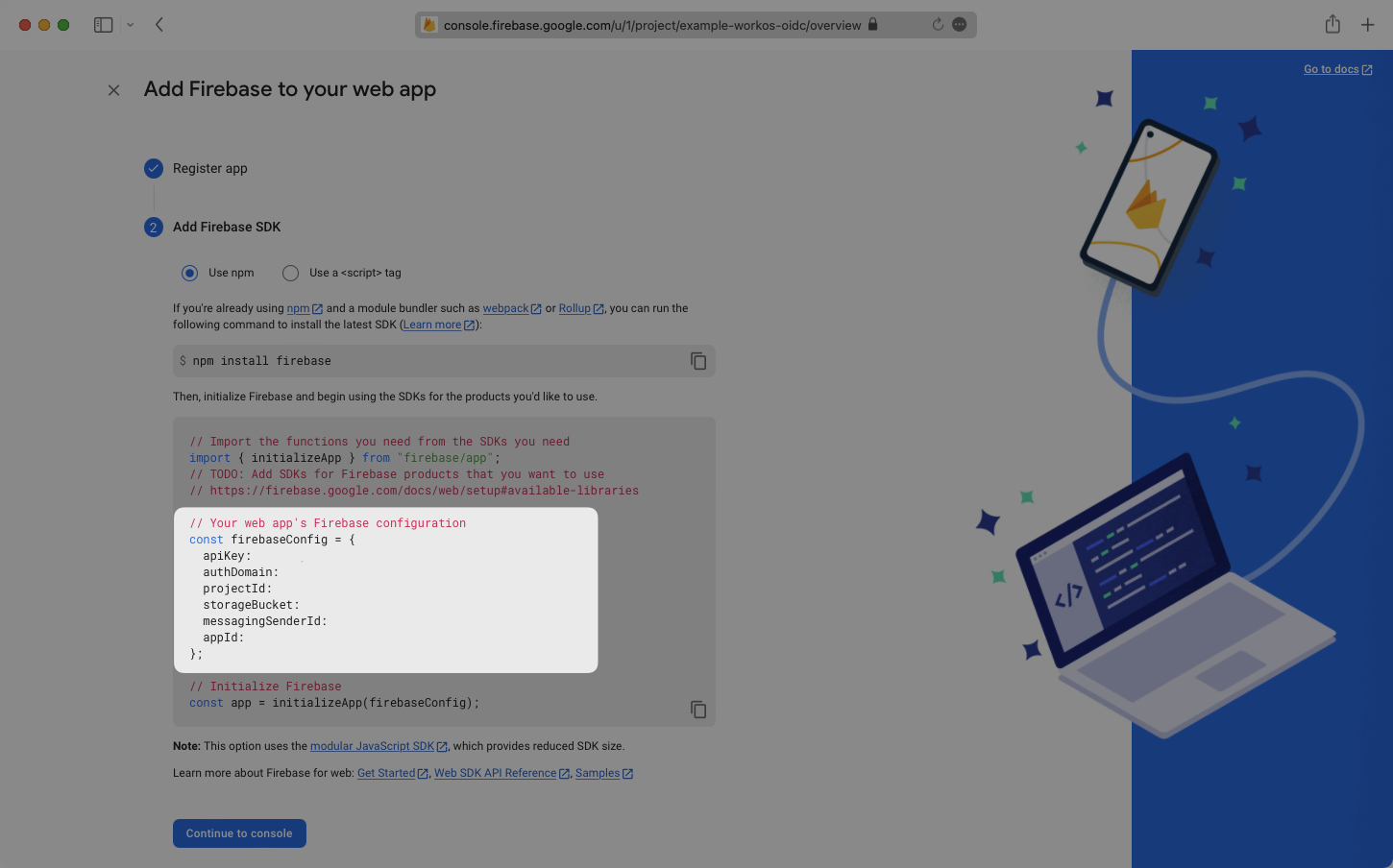
|
|
77
|
+
|
|
78
|
+
---
|
|
79
|
+
|
|
80
|
+
## (4) Configure Firebase login in your application
|
|
81
|
+
|
|
82
|
+
Your Firebase configuration and Provider ID can now be used along with any Organization ID from an Active WorkOS SSO connection to log users in to your Firebase app. Here is a basic example showing how this can be set up.
|
|
83
|
+
|
|
84
|
+
Replace the `firebaseConfig` variable value with the config from your Firebase app, the `OAuthProvider` value with your Provider ID, and the organization under `provider.setCustomParameters` with the organization to target. This organization should have an active SSO connection already set up.
|
|
85
|
+
|
|
86
|
+
> The `connection` parameter may be used in place of the `organization` parameter to target a connection.
|
|
87
|
+
|
|
88
|
+
Finally, run the app and click the sign-in button.
|
|
89
|
+
|
|
90
|
+
<CodeBlock
|
|
91
|
+
file="update-firebase-profile"
|
|
92
|
+
language="html"
|
|
93
|
+
title="Update Firebase Profile"
|
|
94
|
+
/>
|
|
95
|
+
|
|
96
|
+
You will now see the user signed in on the Authentication section’s user tab in Firebase. You can also view the user information by decoding the access token which is logged to the console.
|
|
97
|
+
|
|
98
|
+
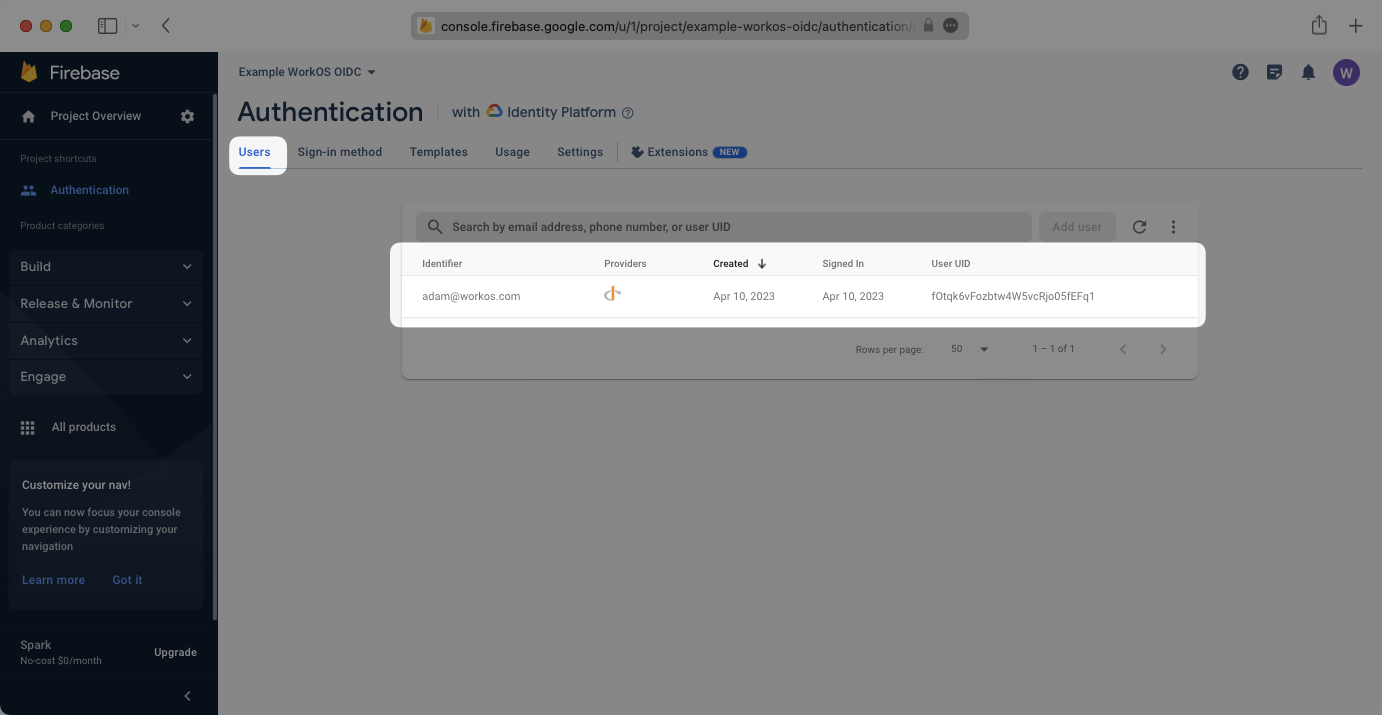
|