@dropins/mcp 0.1.0
This diff represents the content of publicly available package versions that have been released to one of the supported registries. The information contained in this diff is provided for informational purposes only and reflects changes between package versions as they appear in their respective public registries.
- package/LICENSE.md +127 -0
- package/README.md +314 -0
- package/dist/common/project-reader.d.ts +55 -0
- package/dist/common/project-reader.js +173 -0
- package/dist/common/registry-loader.d.ts +101 -0
- package/dist/common/registry-loader.js +386 -0
- package/dist/common/response-handling.d.ts +12 -0
- package/dist/common/response-handling.js +21 -0
- package/dist/common/sanitize.d.ts +8 -0
- package/dist/common/sanitize.js +45 -0
- package/dist/common/synonyms.d.ts +9 -0
- package/dist/common/synonyms.js +127 -0
- package/dist/common/telemetry.d.ts +14 -0
- package/dist/common/telemetry.js +54 -0
- package/dist/common/types.d.ts +308 -0
- package/dist/common/types.js +1 -0
- package/dist/common/version.d.ts +2 -0
- package/dist/common/version.js +14 -0
- package/dist/index.d.ts +2 -0
- package/dist/index.js +136 -0
- package/dist/operations/analyze-project.d.ts +13 -0
- package/dist/operations/analyze-project.js +125 -0
- package/dist/operations/check-block-health.d.ts +19 -0
- package/dist/operations/check-block-health.js +1149 -0
- package/dist/operations/check-config.d.ts +13 -0
- package/dist/operations/check-config.js +228 -0
- package/dist/operations/explain-event-flow.d.ts +16 -0
- package/dist/operations/explain-event-flow.js +218 -0
- package/dist/operations/get-upgrade-diff.d.ts +13 -0
- package/dist/operations/get-upgrade-diff.js +144 -0
- package/dist/operations/list-api-functions.d.ts +13 -0
- package/dist/operations/list-api-functions.js +53 -0
- package/dist/operations/list-containers.d.ts +13 -0
- package/dist/operations/list-containers.js +44 -0
- package/dist/operations/list-design-tokens.d.ts +13 -0
- package/dist/operations/list-design-tokens.js +47 -0
- package/dist/operations/list-events.d.ts +16 -0
- package/dist/operations/list-events.js +39 -0
- package/dist/operations/list-graphql-queries.d.ts +19 -0
- package/dist/operations/list-graphql-queries.js +84 -0
- package/dist/operations/list-i18n-keys.d.ts +19 -0
- package/dist/operations/list-i18n-keys.js +105 -0
- package/dist/operations/list-models.d.ts +16 -0
- package/dist/operations/list-models.js +80 -0
- package/dist/operations/list-slots.d.ts +16 -0
- package/dist/operations/list-slots.js +81 -0
- package/dist/operations/scaffold-block.d.ts +31 -0
- package/dist/operations/scaffold-block.js +331 -0
- package/dist/operations/scaffold-extension.d.ts +28 -0
- package/dist/operations/scaffold-extension.js +346 -0
- package/dist/operations/scaffold-slot.d.ts +22 -0
- package/dist/operations/scaffold-slot.js +189 -0
- package/dist/operations/search-commerce-docs.d.ts +16 -0
- package/dist/operations/search-commerce-docs.js +101 -0
- package/dist/operations/search-docs.d.ts +23 -0
- package/dist/operations/search-docs.js +298 -0
- package/dist/operations/suggest-event-handler.d.ts +16 -0
- package/dist/operations/suggest-event-handler.js +175 -0
- package/dist/operations/suggest-slot-implementation.d.ts +19 -0
- package/dist/operations/suggest-slot-implementation.js +183 -0
- package/dist/registry/api-functions.json +3045 -0
- package/dist/registry/block-patterns.json +78 -0
- package/dist/registry/containers.json +2003 -0
- package/dist/registry/design-tokens.json +577 -0
- package/dist/registry/docs/boilerplate.json +55 -0
- package/dist/registry/docs/dropins-all.json +97 -0
- package/dist/registry/docs/dropins-b2b.json +607 -0
- package/dist/registry/docs/dropins-cart.json +163 -0
- package/dist/registry/docs/dropins-checkout.json +193 -0
- package/dist/registry/docs/dropins-order.json +139 -0
- package/dist/registry/docs/dropins-payment-services.json +73 -0
- package/dist/registry/docs/dropins-personalization.json +67 -0
- package/dist/registry/docs/dropins-product-details.json +139 -0
- package/dist/registry/docs/dropins-product-discovery.json +85 -0
- package/dist/registry/docs/dropins-recommendations.json +67 -0
- package/dist/registry/docs/dropins-user-account.json +121 -0
- package/dist/registry/docs/dropins-user-auth.json +103 -0
- package/dist/registry/docs/dropins-wishlist.json +85 -0
- package/dist/registry/docs/get-started.json +85 -0
- package/dist/registry/docs/how-tos.json +19 -0
- package/dist/registry/docs/index.json +139 -0
- package/dist/registry/docs/licensing.json +19 -0
- package/dist/registry/docs/merchants.json +523 -0
- package/dist/registry/docs/resources.json +13 -0
- package/dist/registry/docs/sdk.json +139 -0
- package/dist/registry/docs/setup.json +145 -0
- package/dist/registry/docs/troubleshooting.json +19 -0
- package/dist/registry/events.json +2200 -0
- package/dist/registry/examples/index.json +19 -0
- package/dist/registry/examples/storefront-checkout.json +377 -0
- package/dist/registry/examples/storefront-quote-management.json +49 -0
- package/dist/registry/extensions.json +272 -0
- package/dist/registry/graphql.json +3469 -0
- package/dist/registry/i18n.json +1873 -0
- package/dist/registry/models.json +1001 -0
- package/dist/registry/sdk.json +2357 -0
- package/dist/registry/slots.json +2270 -0
- package/dist/registry/tools-components.json +595 -0
- package/dist/resources/guides.d.ts +7 -0
- package/dist/resources/guides.js +625 -0
- package/dist/resources/handlers.d.ts +31 -0
- package/dist/resources/handlers.js +322 -0
- package/package.json +47 -0
|
@@ -0,0 +1,193 @@
|
|
|
1
|
+
{
|
|
2
|
+
"section": "dropins/checkout",
|
|
3
|
+
"label": "Checkout Drop-in",
|
|
4
|
+
"pageCount": 31,
|
|
5
|
+
"pages": [
|
|
6
|
+
{
|
|
7
|
+
"path": "dropins/checkout",
|
|
8
|
+
"title": "Checkout overview",
|
|
9
|
+
"description": "Learn about the features and functions of the checkout drop-in component.",
|
|
10
|
+
"content": "The checkout drop-in component provides a variety of fully-customizable controls to help complete a purchase.\n\nThese controls include forms to introduce required information for contact details like email address, delivery and billing addresses, shipping options, and payment methods. Established customers who added items to the cart as a guest have the ability to sign in, automatically loading default addresses and contact details.\n\n## Available resources\n\nThe checkout drop-in component includes the following resources:\n\n- **[API Functions](https://experienceleague.adobe.com/developer/commerce/storefront/dropins/checkout/functions/)** - Core functions for managing checkout operations like authentication, shipping methods, and order placement\n- **[Utility Functions](https://experienceleague.adobe.com/developer/commerce/storefront/dropins/checkout/utilities/)** - Helper functions for DOM manipulation, form handling, data transforms, and more\n- **[Containers](https://experienceleague.adobe.com/developer/commerce/storefront/dropins/checkout/containers/)** - Pre-built UI components for checkout steps\n- **[Event Handling](https://experienceleague.adobe.com/developer/commerce/storefront/dropins/all/events/)** - Event-driven architecture for component communication\n\n## Supported Commerce features\n\nThe following table provides an overview of the Adobe Commerce features that the checkout component supports:\n\n| Feature | Status |\n| ---------------------------------------------------------------------------------- | ----------------------------------------- |\n| All product types | |\n| Any checkout flow (BOPIS, one/two step) | |\n| Any checkout layout | |\n| Apply coupons to the order | |\n| Apply gift cards to the order | |\n| Cart rules | |\n| Create account after checkout | |\n| Custom customer address attributes | |\n| Customer address selection at checkout | |\n| Customer checkout | |\n| Customer segments | |\n| Default customer shipping and billing applied at checkout | |\n| Extensibility for payment providers | |\n| Guest checkout | |\n| Log in during checkout | |\n| Low product stock alert | |\n| Out of stock/insufficient quantity products | |\n| Taxes: Fixed | |\n| Taxes: Sales, VAT | |\n| Terms and conditions consent | |\n| Zero subtotal checkout | |\n| Multi-step checkout | |"
|
|
11
|
+
},
|
|
12
|
+
{
|
|
13
|
+
"path": "dropins/checkout/containers",
|
|
14
|
+
"title": "Checkout Containers",
|
|
15
|
+
"description": "Overview of containers available in the Checkout drop-in.",
|
|
16
|
+
"content": "The **Checkout** drop-in provides pre-built container components for integrating into your storefront.\n\n\n## What are Containers?\n\nContainers are pre-built UI components that combine functionality, state management, and presentation. They provide a complete solution for specific features and can be customized through props, slots, and CSS.\n\n## Available Containers\n\n\n| Container | Description |\n| --------- | ----------- |\n| [AddressValidation](https://experienceleague.adobe.com/developer/commerce/storefront/dropins/checkout/containers/address-validation/) | Configure the `AddressValidation` container to present suggested vs. |\n| [BillToShippingAddress](https://experienceleague.adobe.com/developer/commerce/storefront/dropins/checkout/containers/bill-to-shipping-address/) | Configure the `BillToShippingAddress` container to manage and display the billing address form during checkout. |\n| [EstimateShipping](https://experienceleague.adobe.com/developer/commerce/storefront/dropins/checkout/containers/estimate-shipping/) | Learn how the `EstimateShipping` container displays shipping costs during checkout. |\n| [LoginForm](https://experienceleague.adobe.com/developer/commerce/storefront/dropins/checkout/containers/login-form/) | Configure the `LoginForm` container to handle user email input and validation during checkout. |\n| [MergedCartBanner](https://experienceleague.adobe.com/developer/commerce/storefront/dropins/checkout/containers/merged-cart-banner/) | Configure the `MergedCartBanner` container to display notifications when items from an old cart are merged into the current cart. |\n| [OutOfStock](https://experienceleague.adobe.com/developer/commerce/storefront/dropins/checkout/containers/out-of-stock/) | Configure the `OutOfStock` container to handle and display out-of-stock items in the cart. |\n| [PaymentMethods](https://experienceleague.adobe.com/developer/commerce/storefront/dropins/checkout/containers/payment-methods/) | Configure the `PaymentMethods` container to manage and display available payment methods during checkout. |\n| [PaymentOnAccount](https://experienceleague.adobe.com/developer/commerce/storefront/dropins/checkout/containers/payment-on-account/) | *Enrichment needed - add description to `_dropin-enrichments/checkout/containers.json`* |\n| [PlaceOrder](https://experienceleague.adobe.com/developer/commerce/storefront/dropins/checkout/containers/place-order/) | Configure the `PlaceOrder` container to handle the final checkout step, including place order action, button disablement, and main slot management. |\n| [PurchaseOrder](https://experienceleague.adobe.com/developer/commerce/storefront/dropins/checkout/containers/purchase-order/) | *Enrichment needed - add description to `_dropin-enrichments/checkout/containers.json`* |\n| [ServerError](https://experienceleague.adobe.com/developer/commerce/storefront/dropins/checkout/containers/server-error/) | Configure the `ServerError` container to handle and display server error messages during checkout. |\n| [ShippingMethods](https://experienceleague.adobe.com/developer/commerce/storefront/dropins/checkout/containers/shipping-methods/) | Configure the `ShippingMethods` container to manage and display available shipping methods during checkout. |\n| [TermsAndConditions](https://experienceleague.adobe.com/developer/commerce/storefront/dropins/checkout/containers/terms-and-conditions/) | Configure the `TermsAndConditions` container to manage and display the terms and conditions form during checkout. |\n\n\n> **Tip**\n>\nEach container is designed to work independently but can be composed together to create comprehensive user experiences."
|
|
17
|
+
},
|
|
18
|
+
{
|
|
19
|
+
"path": "dropins/checkout/containers/address-validation",
|
|
20
|
+
"title": "AddressValidation container",
|
|
21
|
+
"description": "Configure the AddressValidation container to present suggested vs. original shipping addresses and act on the shopper's choice.",
|
|
22
|
+
"content": "The `AddressValidation` container displays a suggested shipping address (from a third-party verification service) alongside the entered address, allowing shoppers to choose between them.\n\nTypically invoked from a modal during checkout after calling your address verification service.\n\n## AddressValidation configurations\n\nThe `AddressValidation` container provides the following configuration options:\n\n\n### AddressValidationProps interface\n\nThe `AddressValidation` container receives an object that implements the following interface:\n\n```ts\ninterface AddressValidationProps {\n suggestedAddress: Partial<CartAddressInput> | null;\n handleSelectedAddress?: (payload: {\n selection: 'suggested' | 'original';\n address: CartAddressInput | null | undefined;\n }) => void;\n}\n```\n\n- `suggestedAddress` - The normalized address to propose to the shopper.\n- `handleSelectedAddress` - Called when the shopper selects an address. Use this to persist the selection or continue checkout.\n\n## CartAddressInput type\n\nThe `CartAddressInput` type has this shape:\n\n```ts\ninterface CartAddressInput {\n city: string;\n countryCode: string;\n postcode: string;\n region: string;\n street: string[];\n}\n```\n\n> **Get the current address**\n>\nThe container automatically maps the current shipping address to `CartAddressInput` from checkout events. Only pass `suggestedAddress` when available.\n\n\n> **Normalization**\n>\nTransform your address verification service output to `CartAddressInput` format (with fields like `street`, `city`, `region`, `countryCode`, `postcode`) before passing to the container. Missing properties default to the original address values.\n\n\n## Example\n\nFor a complete walkthrough, see the [Validate shipping address](https://experienceleague.adobe.com/developer/commerce/storefront/dropins/checkout/tutorials/validate-shipping-address/) tutorial."
|
|
23
|
+
},
|
|
24
|
+
{
|
|
25
|
+
"path": "dropins/checkout/containers/bill-to-shipping-address",
|
|
26
|
+
"title": "BillToShippingAddress container",
|
|
27
|
+
"description": "Configure the BillToShippingAddress container to manage and display the billing address form during checkout.",
|
|
28
|
+
"content": "The `BillToShippingAddress` container includes a checkbox that allows users to indicate if the billing address is the same as the shipping address. If unchecked, the billing address form will be displayed.\n\nThis container provides internal business logic to hide itself in case the cart is empty or virtual.\n\n## BillToShippingAddress configurations\n\nThe `BillToShippingAddress` container provides the following configuration options:\n\n\nThese configuration options implement the `BillToShippingAddressProps` interface:\n\n### BillToShippingAddressProps interface\n\nThe `BillToShippingAddress` container receives an object as a parameter which implements the `BillToShippingAddressProps` interface with the following properties:\n\n```ts\ninterface CartSyncError {\n error: Error;\n}\n\nexport interface BillToShippingAddressProps extends Omit<HTMLAttributes<HTMLDivElement>, 'onChange'> {\n active?: boolean;\n autoSync?: boolean;\n onCartSyncError?: (error: CartSyncError) => void;\n onChange?: (checked: boolean) => void;\n}\n```\n\n- Set the `active` property to _true_ to have the container in reactive mode (it is visible and responds to system events). If it is set to _false_, the container is deactivated (it does not subscribe to system events and is not rendered).\n- Set the `autoSync` property to _true_ to automatically synchronize the container state changes with the backend via API calls. If it is set to _false_ the container does not automatically synchronize its state, but still maintains local updates.\n- The `onCartSyncError` property is a handler used to perform actions called when bill to shipping address checkbox is clicked and the setBillingAddressOnCart() API throws an error. It could be used as a callback in the integration layer by the merchant to show errors or perform other actions.\n- The `onChange` property is a handler used to perform actions called when the checkbox is checked/unchecked.\n\n## Example\n\nThe following example renders the `BillToShippingAddress` container on a checkout page. It handles changes to the billing address form visibility and validation. If the billing address form is shown, it validates the form data and updates the billing address on the cart. Finally, an error message is shown in case there is an issue saving the billing address to the backend.\n\n```ts\n\n\nconst DEBOUNCE_TIME = 1000;\n\nconst $billToShipping = checkoutFragment.querySelector(\n '.checkout__bill-to-shipping',\n);\nconst $billingForm = checkoutFragment.querySelector(\n '.checkout__billing-form',\n);\n\nconst billingFormRef = { current: null };\n\nCheckoutProvider.render(BillToShippingAddress, {\n onCartSyncError: (error) => {\n const billToShippingMsg = document.createElement('div');\n billToShippingMsg.style.color = 'red';\n billToShippingMsg.innerText = `Error saving the Billing address with the Shipping address information: $`;\n $billToShipping.appendChild(billToShippingMsg);\n },\n onChange: (checked) => {\n $billingForm.style.display = checked ? 'none' : 'block';\n if (!checked && billingFormRef?.current) {\n const { formData, isDataValid } = billingFormRef.current;\n\n setAddressOnCart({\n api: checkoutApi.setBillingAddress,\n debounceMs: DEBOUNCE_TIME,\n placeOrderBtn: placeOrder,\n })({ data: formData, isDataValid });\n }\n },\n})($billToShipping),\n```"
|
|
29
|
+
},
|
|
30
|
+
{
|
|
31
|
+
"path": "dropins/checkout/containers/estimate-shipping",
|
|
32
|
+
"title": "EstimateShipping container",
|
|
33
|
+
"description": "Learn how the EstimateShipping container displays shipping costs during checkout.",
|
|
34
|
+
"content": "The `EstimateShipping` container is designed to estimate and display shipping costs during the checkout process.\n\nThis container is read-only, unlike the editable [`EstimateShipping`](https://experienceleague.adobe.com/developer/commerce/storefront/dropins/cart/containers/estimate-shipping/) container in the cart drop-in component. Initially, it displays estimated shipping costs. After a customer provides a shipping address and selects a shipping method, it shows the actual shipping cost. This container is designed to be used as a slot within the `OrderSummary` container from the cart, where the estimated shipping information is displayed.\n\n## EstimateShipping configurations\n\nThe `EstimateShipping` container provides the following configuration options:\n\n\nThese configuration options implement the `EstimateShippingProps` interface:\n\n### EstimateShippingProps interface\n\nThe `EstimateShipping` container receives an object as a parameter which implements the `EstimateShippingProps` interface with the following properties:\n\n```ts\nexport interface EstimateShippingProps {\n active?: boolean;\n}\n```\n\n- Set the `active` property to _true_ to have the container in reactive mode (it is visible and responds to system events). If it is set to _false_, the container is deactivated (it does not subscribe to system events and is not rendered).\n\n## Example\n\nThe following example renders an `OrderSummary` container within a checkout page and includes a slot for estimating shipping:\n\n```ts\n\n\nconst $orderSummary = checkoutFragment.querySelector(\n '.checkout__order-summary',\n);\n\nCartProvider.render(OrderSummary, {\n slots: {\n EstimateShipping: (esCtx) => {\n const estimateShippingForm = document.createElement('div');\n CheckoutProvider.render(EstimateShipping)(estimateShippingForm);\n esCtx.appendChild(estimateShippingForm);\n },\n },\n})($orderSummary),\n```"
|
|
35
|
+
},
|
|
36
|
+
{
|
|
37
|
+
"path": "dropins/checkout/containers/login-form",
|
|
38
|
+
"title": "LoginForm container",
|
|
39
|
+
"description": "Configure the LoginForm container to handle user email input and validation during checkout.",
|
|
40
|
+
"content": "The `LoginForm` container handles user email input and validation within the checkout process.\n\n## LoginForm configurations\n\nThe `LoginForm` container provides the following configuration options:\n\n\n(*) Properties inherited from `TitleProps`\n\nThese configuration options are implementing the `LoginFormProps` interface:\n\n### LoginFormProps interface\n\nThe `LoginForm` container receives an object as a parameter which implements the `LoginFormProps` interface with the following properties:\n\n```ts\ninterface ValidationError {\n email: string;\n message: string;\n type: 'missing' | 'invalid';\n}\n\ninterface CartSyncError {\n email: string;\n error: Error;\n}\n\nexport interface LoginFormProps extends HTMLAttributes<HTMLFormElement>, TitleProps {\n active?: boolean;\n autoSync?: boolean;\n displayHeadingContent?: boolean;\n onSignInClick?: (email: string) => void;\n onSignOutClick?: () => void;\n onCartSyncError?: (error: CartSyncError) => void;\n onValidationError?: (error: ValidationError) => void;\n slots?: {\n Heading?: SlotProps<{\n authenticated: boolean;\n }>;\n Preferences?: SlotProps<{\n email: string;\n isEmailValid: boolean;\n isAuthenticated: boolean;\n }>;\n } & TitleProps['slots'];\n}\n```\n\n- The `displayTitle (*)` property inherits from the `TitleProps` interface to display or hide the title.\n- Set the `active` property to _true_ to have the container in reactive mode (it is visible and responds to system events). If it is set to _false_, the container is deactivated (it does not subscribe to system events and is not rendered).\n- Set the `autoSync` property to _true_ to automatically synchronize the container state changes with the backend via API calls. If it is set to _false_ the container does not automatically synchronize its state, but still maintains local updates.\n- Set the `displayHeadingContent` property to _true_ to display the heading content with the sign-in/sign-out button.\n- The `onSignInClick` property is a handler used to perform actions called when the sign-in button is clicked. It accepts an email as an input parameter.\n- The `onSignOutClick` property is a handler used to perform actions called when the sign-out button is clicked.\n- The `onCartSyncError` property is a handler used to perform actions called when filling in the email address and the setGuestEmailOnCart() API throws an error. It could be used as a callback in the integration layer by the merchant to show errors or perform other actions.\n- The `onValidationError` property is a handler used to perform actions called when the email address form field is validated with an error. It could be used as a callback in the integration layer by the merchant to show errors or perform other actions.\n- The `slots` property is an object containing the following properties:\n - Use the `Title (*)` property to render a custom title. This property is inherited from `TitleProps` interface.\n - The `Heading` property is a handler used to render a customized heading content based on the authenticated status provided by the context.\n - The `Preferences` property is a handler used to render custom marketing preference fields (such as newsletter subscriptions or promotional consent checkboxes). The slot receives context with the current email address, email validation state, and authentication status.\n\n## Example 1: Render with title and heading content by default\n\nThe following example renders the `LoginForm` container on a checkout page, which includes rendering the [`AuthCombine`](https://experienceleague.adobe.com/developer/commerce/storefront/dropins/user-auth/containers/auth-combine/) container from the user auth drop-in component in a modal for authentication:\n\n```ts\nimport {\n ProgressSpinner,\n provider as UI,\n} from '@dropins/tools/components.js';\n\n\nconst LOGIN_FORM_NAME = 'login-form';\n\nconst $loader = checkoutFragment.querySelector('.checkout__loader');\nconst $login = checkoutFragment.querySelector('.checkout__login');\n\nlet loader;\n\nconst displayOverlaySpinner = async () => {\n if (loader) return;\n\n loader = await UI.render(ProgressSpinner, {\n className: '.checkout__overlay-spinner',\n })($loader);\n};\n\nCheckoutProvider.render(LoginForm, {\n name: LOGIN_FORM_NAME,\n onSignInClick: async (initialEmailValue) => {\n const signInForm = document.createElement('div');\n\n AuthProvider.render(AuthCombine, {\n signInFormConfig: {\n renderSignUpLink: true,\n initialEmailValue,\n onSuccessCallback: () => {\n displayOverlaySpinner();\n },\n },\n signUpFormConfig: {\n slots: {\n ...authPrivacyPolicyConsentSlot,\n },\n },\n resetPasswordFormConfig: {},\n })(signInForm);\n\n showModal(signInForm);\n },\n onSignOutClick: () => {\n authApi.revokeCustomerToken();\n },\n})($login),\n```\n\n## Example 2: Render without title and heading content\n\nThe following example renders the `LoginForm` container on a checkout page but without displaying both title and heading content:\n\n```ts\n\n\nconst LOGIN_FORM_NAME = 'login-form';\n\nconst $login = checkoutFragment.querySelector('.checkout__login');\n\nCheckoutProvider.render(LoginForm, {\n displayTitle: false,\n displayHeadingContent: false,\n})($login),\n```\n\n## Example 3: Render with customized title and heading content\n\nThe following example renders the `LoginForm` container on a checkout page providing customized title and heading content:\n\n```ts\n\n\nconst LOGIN_FORM_NAME = 'login-form';\n\nconst $login = checkoutFragment.querySelector('.checkout__login');\n\nCheckoutProvider.render(LoginForm, {\n name: LOGIN_FORM_NAME,\n onSignInClick: async (initialEmailValue) => { . . . },\n onSignOutClick: () => { . . . },\n slots: {\n Title: (ctx) => {\n const content = document.createElement('div');\n content.innerText = 'Custom title';\n ctx.replaceWith(content);\n },\n Heading: (ctx) => {\n const content = document.createElement('div');\n if (ctx.authenticated) {\n // Put here a customized content when the user has signed-in\n } else {\n // Put here a customized content when the user still has not signed-in\n }\n ctx.replaceWith(content);\n },\n },\n})($login),\n```\n\n## Example 4: Render with callbacks for error handling\n\nThe following example renders the `LoginForm` container on a checkout page providing handlers for validation and API errors:\n\n```ts\n\n\nconst LOGIN_FORM_NAME = 'login-form';\n\nconst $login = checkoutFragment.querySelector('.checkout__login');\n\nCheckoutProvider.render(LoginForm, {\n name: LOGIN_FORM_NAME,\n onSignInClick: async (initialEmailValue) => { . . . },\n onSignOutClick: () => { . . . },\n onCartSyncError: ({ email, error }) => {\n const loginFormMsg = document.createElement('div');\n loginFormMsg.style.color = 'red';\n loginFormMsg.innerText = `Error saving the email address $: $`;\n $login.appendChild(loginFormMsg);\n },\n onValidationError: ({ email, message, type }) => {\n const loginFormMsg = document.createElement('div');\n loginFormMsg.style.color = 'red';\n loginFormMsg.innerText = `Validation error ($) introducing the email address $: $`;\n $login.appendChild(loginFormMsg);\n },\n})($login),\n```\n\n## Example 5: Render with marketing preferences slot\n\nThe following example renders the `LoginForm` container with a custom marketing preferences slot that allows merchants to capture newsletter subscription consent:\n\n```ts\n\n\nconst LOGIN_FORM_NAME = 'login-form';\n\nconst $login = checkoutFragment.querySelector('.checkout__login');\n\nCheckoutProvider.render(LoginForm, {\n name: LOGIN_FORM_NAME,\n onSignInClick: async (initialEmailValue) => { . . . },\n onSignOutClick: () => { . . . },\n slots: {\n Preferences: (ctx) => {\n // Only show preferences when email is valid and user is not authenticated\n if (!ctx.isEmailValid || ctx.isAuthenticated) {\n return;\n }\n\n const label = document.createElement('label');\n label.className = 'checkout__preference-item';\n\n const checkbox = document.createElement('input');\n checkbox.type = 'checkbox';\n checkbox.name = 'newsletter';\n checkbox.id = 'newsletter-subscription';\n\n const text = document.createElement('span');\n text.textContent = 'Subscribe to our newsletter for exclusive offers';\n\n label.appendChild(checkbox);\n label.appendChild(text);\n\n ctx.appendChild(label);\n },\n },\n})($login),\n```"
|
|
41
|
+
},
|
|
42
|
+
{
|
|
43
|
+
"path": "dropins/checkout/containers/merged-cart-banner",
|
|
44
|
+
"title": "MergedCartBanner container",
|
|
45
|
+
"description": "Configure the MergedCartBanner container to display notifications when items from an old cart are merged into the current cart.",
|
|
46
|
+
"content": "Use the `MergedCartBanner` container to display a notification banner when items from an old cart are merged into the current cart.\n\nWhen a customer signs in, if they had items in a previous cart, a banner will notify them that the items from their previous cart have been merged with the current cart. You can apply styles to the banner by passing a CSS `className` prop to the container.\n\n## MergedCartBanner configurations\n\nThe `MergedCartBanner` container provides the following configuration options:\n\n\nThese configuration options are implementing the `MergedCartBannerProps` interface:\n\n### MergedCartBannerProps interface\n\nThe `MergedCartBanner` container receives an object as a parameter which implements the `MergedCartBannerProps` interface with the following properties:\n\n```ts\nexport interface MergedCartBannerProps extends AlertBannerProps {\n active?: boolean;\n}\n```\n\n- Set the `active` property to _true_ to have the container in reactive mode (it is visible and responds to system events). If it is set to _false_, the container is deactivated (it does not subscribe to system events and is not rendered).\n\n## Example\n\nThe following example renders the `MergedCartBanner` container with a custom class name:\n\n```ts\n\n\nconst $mergedCartBanner = checkoutFragment.querySelector(\n '.checkout__merged-cart-banner'\n);\n\nCheckoutProvider.render(MergedCartBanner, {\n className: 'checkout__merged-cart-banner--custom',\n})($mergedCartBanner);\n```"
|
|
47
|
+
},
|
|
48
|
+
{
|
|
49
|
+
"path": "dropins/checkout/containers/out-of-stock",
|
|
50
|
+
"title": "OutOfStock container",
|
|
51
|
+
"description": "Configure the OutOfStock container to handle and display out-of-stock items in the cart.",
|
|
52
|
+
"content": "The `OutOfStock` container is designed to handle and display items in the shopping cart that are out of stock or have insufficient quantity. You can configure it to handle the removal of out-of-stock items and provide a route to the cart page.\n\n## OutOfStock configurations\n\nThe `OutOfStock` container provides the following configuration options:\n\n\nThese configuration options implement the `OutOfStockProps` interface:\n\n### OutOfStockProps interface\n\nThe `OutOfStock` container receives an object as a parameter which implements the `OutOfStockProps` interface with the following properties:\n\n```ts\nexport type UpdateProductsFromCart = Array<{\n uid: string;\n quantity: number;\n}>;\n\nexport interface OutOfStockProps extends Omit<HTMLAttributes<HTMLDivElement>, 'icon'> {\n active?: boolean;\n onCartProductsUpdate?: (items: UpdateProductsFromCart) => void;\n routeCart?: () => string;\n}\n```\n\n- Set the `active` property to _true_ to have the container in reactive mode (it is visible and responds to system events). If it is set to _false_, the container is deactivated (it does not subscribe to system events and is not rendered).\n- The `onCartProductsUpdate` property is a handler used to perform actions called when there are out-of-stock items. It takes the list of items (array with pairs of _uid_ and _quantity_ values) as an input parameter.\n- The `routeCart` property is a handler used to indicate the route to the cart page.\n\n## Example\n\nThe following example renders the `OutOfStock` container to handle and display out-of-stock items in the cart:\n\n```ts\n\n\nconst $outOfStock = checkoutFragment.querySelector('.checkout__out-of-stock');\n\nCheckoutProvider.render(OutOfStock, {\n routeCart: () => '/cart',\n onCartProductsUpdate: (items) => {\n cartApi.updateProductsFromCart(items).catch(console.error);\n },\n})($outOfStock),\n```"
|
|
53
|
+
},
|
|
54
|
+
{
|
|
55
|
+
"path": "dropins/checkout/containers/payment-methods",
|
|
56
|
+
"title": "PaymentMethods container",
|
|
57
|
+
"description": "Configure the PaymentMethods container to manage and display available payment methods during checkout.",
|
|
58
|
+
"content": "Use the `PaymentMethods` container to manage and display the available payment methods during the checkout process. Configuration options:\n- Set the payment method automatically or manually (starting without a selected payment method)\n- Show an icon beside of the label\n- Display or hide the label\n- Provide a specific handler to render the payment method\n\n## PaymentMethods configurations\n\nThe `PaymentMethods` container provides the following configuration options:\n\n\n(*) Properties inherited from `TitleProps`\n\nThese configuration options are implementing the `PaymentMethodsProps` interface:\n\n### PaymentMethodsProps interface\n\nThe `PaymentMethods` container receives an object as parameter which implements the `PaymentMethodsProps` interface with the following properties:\n\n```ts\nexport type UIComponentType = 'ToggleButton' | 'RadioButton';\n\ninterface CartSyncError {\n method: PaymentMethod;\n error: Error;\n}\n\nexport interface PaymentMethodsProps extends HTMLAttributes<HTMLDivElement>, TitleProps {\n active?: boolean;\n autoSync?: boolean;\n onCartSyncError?: (error: CartSyncError) => void;\n onSelectionChange?: (method: PaymentMethod) => void;\n slots?: {\n Methods?: PaymentMethodsSlot;\n } & TitleProps['slots'];\n UIComponentType?: UIComponentType;\n}\n```\n\n- The `displayTitle (*)` property is inherited from the `TitleProps` interface. It is used to determine whether to display the title.\n- Set the `active` property to _true_ to have the container in reactive mode (it is visible and responds to system events). If it is set to _false_, the container is deactivated (it does not subscribe to system events and is not rendered).\n- Set the `autoSync` property to _true_ to automatically synchronize the container state changes with the backend via API calls. If it is set to _false_ the container does not automatically synchronize its state, but still maintains local updates.\n- The `onCartSyncError` property is a handler used to perform actions called when a payment method is selected and the setPaymentMethodOnCart() API throws an error. It could be used in the integration layer by the merchant to show errors.\n- The `onSelectionChange` property is a handler used to perform actions called when a payment method is selected.\n- The `UIComponentType` property is a string containing the name of the UI component type to be used as a selector for each payment method. The available UI components are: `ToggleButton` or `RadioButton`.\n- The `slots` property is an object containing the following properties:\n - Use the `Title (*)` property to render a custom title. This property is inherited from `TitleProps` interface.\n - The `Methods` property is an object which implements the `PaymentMethodsSlot` interface:\n\n ```ts\n export interface PaymentMethodsSlot {\n [code: string]: PaymentMethodConfig;\n }\n ```\n\n It consists on a list of payment method codes providing a set of configurations to customize the payment method.\n Each payment method will have its own set of configurations implementing the `PaymentMethodConfig` interface:\n\n ```ts\n export type SlotProps<T = any> = (\n ctx: T & DefaultSlotContext<T>,\n element: HTMLDivElement | null\n ) => Promise<void> | void;\n\n export interface PaymentMethodRenderCtx {\n cartId: string;\n replaceHTML: (domElement: HTMLElement) => void;\n additionalData?: Record<string, unknown>;\n setAdditionalData: (data: Record<string, unknown>) => void;\n }\n\n export interface PaymentMethodConfig {\n displayLabel?: boolean;\n enabled?: boolean;\n icon?: string;\n autoSync?: boolean;\n render?: SlotProps<PaymentMethodRenderCtx>;\n }\n ```\n - The `PaymentMethodConfig` interface is composed by:\n - The `displayLabel` configuration hides the payment method label (for instance, if you only want to display the icon).\n - The `enabled` configuration allows merchants to individually hide payment methods filtering them from the available payment methods list (for instance, it is useful when a payment provider has enabled a payment method in the backend, which is configured with more than one payment option and you don't want to display one of them).\n - The `icon` configuration specifies the name of the icon to be shown beside of the label. The icon name must exist within the list of available icons defined on the .\n - The `autoSync` configuration sets the payment method automatically when it is selected. Only if a payment method is specifically set to _false_, the container will not automatically set the payment method to the cart when selected (for instance, if a payment method needs more information obtained during the place order action). This specific configuration has more priority than the generic one declared on the `PaymentMethodsProps`. In case this configuration is not provided, then it will be used the generic `autoSync` property.\n - The `render` configuration is a handler used to render and configure the payment method.\n\n## Example 1: Render the available payment methods with callbacks\n\nThe following example renders the `PaymentMethods` container on a checkout page, displaying the available payment methods in the element with the class `checkout__payment-methods`. It includes configurations to show a message if the chosen payment method is Credit Card, and show an error message in case there was an issue saving the selected payment method to the backend.\n\n```ts\n// Checkout Dropin\n\n\n// Payment Services Dropin\n\nconst $paymentMethods = checkoutFragment.querySelector(\n '.checkout__payment-methods',\n);\n\nCheckoutProvider.render(PaymentMethods, {\n onCartSyncError: ({ method, error }) => {\n const paymentMsg = document.createElement('div');\n paymentMsg.style.color = 'red';\n paymentMsg.innerText = `Error selecting the Payment Method $ $: $`;\n $paymentMethods.appendChild(paymentMsg);\n },\n onSelectionChange: (method) => {\n if (method.code === PaymentMethodCode.CREDIT_CARD) {\n const paymentMsg = document.createElement('div');\n paymentMsg.innerText = 'Payment method not available for the country selected';\n $paymentMethods.appendChild(paymentMsg);\n }\n },\n})($paymentMethods),\n```\n\n## Example 2: Render with the `displayLabel` and `icon` configurations\n\nThe following example renders the `PaymentMethods` container on a checkout page, displaying the available payment methods in the element with the class `checkout__payment-methods`, providing an icon for `checkmo` and `banktransfer`, and hiding the label for `banktransfer`.\n\n```ts\n// Checkout Dropin\n\n\nconst $paymentMethods = checkoutFragment.querySelector(\n '.checkout__payment-methods',\n);\n\nCheckoutProvider.render(PaymentMethods, {\n slots: {\n Methods: {\n checkmo: {\n icon: 'Wallet',\n render: (ctx) => {\n const $content = document.createElement('div');\n\n $content.innerText = 'Pay later with Checkmo config handler';\n ctx.replaceHTML($content);\n },\n },\n banktransfer: {\n displayLabel: false,\n icon: 'Card',\n },\n },\n },\n})($paymentMethods),\n\n```\n\n## Example 3: Render with the `autoSync` and `render` configurations\n\nThe following example renders the `PaymentMethods` container on a checkout page, displaying the available payment methods in the element with the class `checkout__payment-methods`, providing a specific handler for `braintree` payment method indicating it cannot be set to the cart when selected.\n\n```ts\n// Checkout Dropin\n\n\nconst $paymentMethods = checkoutFragment.querySelector(\n '.checkout__payment-methods',\n);\n\nlet braintreeInstance;\n\nCheckoutProvider.render(PaymentMethods, {\n slots: {\n Methods: {\n braintree: {\n autoSync: false,\n render: async (ctx) => {\n const container = document.createElement('div');\n\n window.braintree.dropin.create({\n authorization: '<YOUR_BRAINTREE_SANDBOX_TOKEN>',\n container,\n }, (err, dropinInstance) => {\n if (err) {\n console.error(err);\n }\n\n braintreeInstance = dropinInstance;\n });\n\n ctx.replaceHTML(container);\n },\n },\n },\n },\n})($paymentMethods),\n\n```\n\n## Example 4: Render with the `enabled` configurations\n\nThe following example renders the `PaymentMethods` container on a checkout page, displaying the available payment methods in the element with the class `checkout__payment-methods`, providing a specific handler for the credit card payment option but disabling the rest of payment options from `PaymentServices` payment method.\n\n```ts\n// Checkout Dropin\n\n\n// Payment Services Dropin\n\n\nconst $paymentMethods = checkoutFragment.querySelector(\n '.checkout__payment-methods',\n);\n\n// Container and component references\nconst creditCardFormRef = { current: null };\n\n// Adobe Commerce GraphQL endpoint\nconst commerceCoreEndpoint = await getConfigValue('commerce-core-endpoint');\n\nCheckoutProvider.render(PaymentMethods, {\n slots: {\n Methods: {\n [PaymentMethodCode.CREDIT_CARD]: {\n render: (ctx) => {\n const $content = document.createElement('div');\n\n PaymentServicesProvider.render(CreditCard, {\n apiUrl: commerceCoreEndpoint,\n getCustomerToken: getUserTokenCookie,\n getCartId: () => ctx.cartId,\n creditCardFormRef,\n })($content);\n\n ctx.replaceHTML($content);\n },\n },\n [PaymentMethodCode.SMART_BUTTONS]: {\n enabled: false,\n },\n [PaymentMethodCode.APPLE_PAY]: {\n enabled: false,\n },\n [PaymentMethodCode.GOOGLE_PAY]: {\n enabled: false,\n },\n [PaymentMethodCode.VAULT]: {\n enabled: false,\n },\n },\n },\n})($paymentMethods),\n```\n\n## Example 5: Render with custom title and radio button as selector\n\nThe following example renders the `PaymentMethods` container on a checkout page to display a custom title and radio buttons instead of toggle buttons for selecting the payment options.\n\n```ts\n// Checkout Dropin\n\n\nconst $paymentMethods = checkoutFragment.querySelector(\n '.checkout__payment-methods',\n);\n\nCheckoutProvider.render(PaymentMethods, {\n UIComponentType: 'RadioButton',\n displayTitle: true,\n slots: {\n Title: (ctx) => {\n const content = document.createElement('div');\n content.innerText = 'Custom title';\n ctx.replaceWith(content);\n },\n },\n})($paymentMethods),\n\n```"
|
|
59
|
+
},
|
|
60
|
+
{
|
|
61
|
+
"path": "dropins/checkout/containers/payment-on-account",
|
|
62
|
+
"title": "PaymentOnAccount Container",
|
|
63
|
+
"description": "Learn about the PaymentOnAccount container in the Checkout drop-in.",
|
|
64
|
+
"content": "## Configuration\n\nThe `PaymentOnAccount` container provides the following configuration options:\n\n\n| Parameter | Type | Req? | Description |\n|---|---|---|---|\n| `initialReferenceNumber` | `string` | No | |\n| `onReferenceNumberChange` | `function` | No | Callback function triggered when reference number change |\n| `onReferenceNumberBlur` | `function` | No | Callback function triggered when reference number blur |\n\n\n## Slots\n\nThis container does not expose any customizable slots.\n\n## Usage\n\nThe following example demonstrates how to use the `PaymentOnAccount` container:\n\n```js\n\n\nawait provider.render(PaymentOnAccount, {\n initialReferenceNumber: \"example\",\n onReferenceNumberChange: onReferenceNumberChange,\n onReferenceNumberBlur: onReferenceNumberBlur,\n})(block);\n```"
|
|
65
|
+
},
|
|
66
|
+
{
|
|
67
|
+
"path": "dropins/checkout/containers/place-order",
|
|
68
|
+
"title": "PlaceOrder container",
|
|
69
|
+
"description": "Configure the PlaceOrder container to handle the final checkout step, including place order action, button disablement, and main slot management.",
|
|
70
|
+
"content": "The `PlaceOrder` container handles the final step in the checkout process, where the user confirms and places an order. Configure it to disable the button, perform validations before submitting the form, handle the place order action, and manage the content slot for the place order button.\n\n## PlaceOrder configurations\n\nThe `PlaceOrder` container provides the following configuration options:\n\n\nThese configuration options implement the `PlaceOrderProps` interface:\n\n### PlaceOrderProps interface\n\nThe `PlaceOrder` container receives an object that implements the `PlaceOrderProps` interface:\n\n```ts\nexport interface PlaceOrderProps extends HTMLAttributes<HTMLDivElement> {\n active?: boolean;\n disabled?: boolean;\n handleValidation?: () => boolean | Promise<boolean>;\n handlePlaceOrder: (ctx: HandlePlaceOrderContext) => Promise<void>;\n slots?: {\n Content?: SlotProps<ContentSlotContext>;\n };\n}\n```\n\n- The `active` property controls whether the container responds to system events and renders. Set to _true_ (default) for reactive mode. Set to _false_ to deactivate and hide the container.\n- The `disabled` property forces the Place Order button into a disabled state when set to _true_.\n- The `handleValidation` property performs validation checks before submitting the checkout forms and placing the order. It returns a `boolean` synchronously or a `Promise<boolean>` for asynchronous validation (for example, server-side fraud checks).\n- The `handlePlaceOrder` property executes when the user clicks the Place Order button and `handleValidation` returns _true_ (when provided). It accepts a context parameter that implements the `HandlePlaceOrderContext` interface:\n\n ```ts\n export interface HandlePlaceOrderContext {\n code: string;\n cartId: string;\n }\n ```\n\n- The `slots` property contains the following:\n - The `Content` slot renders PlaceOrder container content based on the selected payment method code:\n\n ```ts\n export type SlotProps<T = any> = (\n ctx: T & DefaultSlotContext<T>,\n element: HTMLDivElement | null\n ) => Promise<void> | void;\n\n export interface ContentSlotContext {\n code: string;\n }\n ```\n\n## Example 1: Render performing validations and a handler for order placement\n\nThe following example renders the `PlaceOrder` container on a checkout page using the `PaymentServices` drop-in component as a payment method. It includes functionality to validate login, shipping, billing, and terms & conditions forms before placing an order. If the validation passes, it attempts to place the order and handles any errors.\n\n```ts\n// Checkout Dropin\n\n\n// Order Dropin Modules\n\n// Payment Services Dropin\n\n\nconst LOGIN_FORM_NAME = 'login-form';\nconst SHIPPING_FORM_NAME = 'selectedShippingAddress';\nconst BILLING_FORM_NAME = 'selectedBillingAddress';\nconst TERMS_AND_CONDITIONS_FORM_NAME = 'checkout-terms-and-conditions__form';\n\nconst $placeOrder = checkoutFragment.querySelector('.checkout__place-order');\n\nconst shippingFormRef = { current: null };\nconst billingFormRef = { current: null };\nconst creditCardFormRef = { current: null };\n\nCheckoutProvider.render(PlaceOrder, {\n handleValidation: () => {\n let success = true;\n const { forms } = document;\n\n const loginForm = forms[LOGIN_FORM_NAME];\n\n if (loginForm) {\n success = loginForm.checkValidity();\n if (!success) scrollToElement($login);\n }\n\n const shippingForm = forms[SHIPPING_FORM_NAME];\n\n if (\n success\n && shippingFormRef.current\n && shippingForm\n && shippingForm.checkVisibility()\n ) {\n success = shippingFormRef.current.handleValidationSubmit(false);\n }\n\n const billingForm = forms[BILLING_FORM_NAME];\n\n if (\n success\n && billingFormRef.current\n && billingForm\n && billingForm.checkVisibility()\n ) {\n success = billingFormRef.current.handleValidationSubmit(false);\n }\n\n const termsAndConditionsForm = forms[TERMS_AND_CONDITIONS_FORM_NAME];\n\n if (success && termsAndConditionsForm) {\n success = termsAndConditionsForm.checkValidity();\n if (!success) scrollToElement($termsAndConditions);\n }\n\n return success;\n },\n handlePlaceOrder: async ({ cartId, code }) => {\n await displayOverlaySpinner();\n try {\n // Payment Services credit card\n if (code === PaymentMethodCode.CREDIT_CARD) {\n if (!creditCardFormRef.current) {\n console.error('Credit card form not rendered.');\n return;\n }\n if (!creditCardFormRef.current.validate()) {\n // Credit card form invalid; abort order placement\n return;\n }\n // Submit Payment Services credit card form\n await creditCardFormRef.current.submit();\n }\n // Place order\n await orderApi.placeOrder(cartId);\n } catch (error) {\n console.error(error);\n throw error;\n } finally {\n removeOverlaySpinner();\n }\n },\n})($placeOrder),\n```\n\n## Example 2: Render providing explicit content for the button\n\nThe following example renders the `PlaceOrder` container on a checkout page providing different text for the Place Order button depending on the selected payment method.\n\n```ts\n// Checkout Dropin\n\n\n// Order Dropin Modules\n\nconst $placeOrder = checkoutFragment.querySelector('.checkout__place-order');\n\nCheckoutProvider.render(PlaceOrder, {\n handlePlaceOrder: async ({ cartId }) => {\n orderApi.placeOrder(cartId).catch(console.error);\n },\n slots: {\n Content: (ctx) => {\n const content = document.createElement('span');\n ctx.appendChild(content);\n\n function setContent(currentCtx) {\n switch (currentCtx.code) {\n case 'checkmo': {\n content.textContent = 'Pay Now';\n break;\n }\n case 'banktransfer': {\n content.textContent = 'Make a transfer';\n break;\n }\n default: {\n content.textContent = currentCtx.dictionary.Checkout.PlaceOrder.button;\n }\n }\n }\n\n setContent(ctx);\n ctx.onChange(setContent);\n },\n },\n})($placeOrder),\n```"
|
|
71
|
+
},
|
|
72
|
+
{
|
|
73
|
+
"path": "dropins/checkout/containers/purchase-order",
|
|
74
|
+
"title": "PurchaseOrder Container",
|
|
75
|
+
"description": "Learn about the PurchaseOrder container in the Checkout drop-in.",
|
|
76
|
+
"content": "## Configuration\n\nThe `PurchaseOrder` container provides the following configuration options:\n\n\n| Parameter | Type | Req? | Description |\n|---|---|---|---|\n| `initialReferenceNumber` | `string` | No | |\n| `onReferenceNumberChange` | `function` | No | Callback function triggered when reference number change |\n| `onReferenceNumberBlur` | `function` | No | Callback function triggered when reference number blur |\n\n\n## Slots\n\nThis container does not expose any customizable slots.\n\n## Usage\n\nThe following example demonstrates how to use the `PurchaseOrder` container:\n\n```js\n\n\nawait provider.render(PurchaseOrder, {\n initialReferenceNumber: \"example\",\n onReferenceNumberChange: onReferenceNumberChange,\n onReferenceNumberBlur: onReferenceNumberBlur,\n})(block);\n```"
|
|
77
|
+
},
|
|
78
|
+
{
|
|
79
|
+
"path": "dropins/checkout/containers/server-error",
|
|
80
|
+
"title": "ServerError container",
|
|
81
|
+
"description": "Configure the ServerError container to handle and display server error messages during checkout.",
|
|
82
|
+
"content": "The `ServerError` container is designed to handle and display server error messages during the checkout process. You can configure it to display an error message and handle click events.\n\n## ServerError configurations\n\nThe `ServerError` container provides the following configuration options:\n\n\nThese configuration options are implementing the `ServerErrorProps` interface:\n\n### ServerErrorProps interface\n\nThe `ServerError` container receives an object as parameter which implements the `ServerErrorProps` interface with the following properties:\n\n```ts\nexport interface ServerErrorProps {\n active?: boolean;\n autoScroll?: boolean;\n onRetry?: () => void;\n onServerError?: (error: string) => void;\n}\n```\n\n- Set the `active` property to _true_ to have the container in reactive mode (it is visible and responds to system events). If it is set to _false_, the container is deactivated (it does not subscribe to system events and is not rendered).\n- The `autoScroll` property is a boolean to indicate if the page should scroll to the element containing the error message and put the focus on it to be visible to the user.\n- The `onRetry` property is a handler used to perform actions called when the retry button is clicked.\n- The `onServerError` property is a handler used to perform actions called when there is a new error message.\n\n## Example\n\nThe following example renders the `ServerError` container on a checkout page. It provides functionality to handle retry actions by removing an error class from the content element and to handle server errors by adding an error class to the content element. The page will scroll to the element containing the error message focusing on it.\n\n```ts\n\n\nconst $serverError = checkoutFragment.querySelector(\n '.checkout__server-error'\n);\n\nCheckoutProvider.render(ServerError, {\n autoScroll: true,\n onRetry: () => {\n $content.classList.remove('checkout__content--error');\n },\n onServerError: () => {\n $content.classList.add('checkout__content--error');\n },\n})($serverError),\n```"
|
|
83
|
+
},
|
|
84
|
+
{
|
|
85
|
+
"path": "dropins/checkout/containers/shipping-methods",
|
|
86
|
+
"title": "ShippingMethods container",
|
|
87
|
+
"description": "Configure the ShippingMethods container to manage and display available shipping methods during checkout.",
|
|
88
|
+
"content": "The `ShippingMethods` container is designed to manage and display the selection of available shipping methods during the checkout process. You can configure it to handle the selection of shipping methods, display the available shipping methods, and manage the main slot for the shipping methods.\n\nThis container includes internal business logic to hide itself if the cart is empty or virtual.\n\nFinally, if an error is thrown selecting a shipping method, a callback function is provided in order to handle that error in the integration layer; a rollback will be performed to the last valid shipping method selected by the user.\n\n## ShippingMethods configurations\n\nThe `ShippingMethods` container provides the following configuration options:\n\n\n(*) Properties inherited from `TitleProps`\n\nThese configuration options are implementing the `ShippingMethodsProps` interface:\n\n### ShippingMethodsProps interface\n\nThe `ShippingMethods` container receives an object as a parameter which implements the `ShippingMethodsProps` interface with the following properties:\n\n```ts\ninterface CartSyncError {\n method: ShippingMethod;\n error: Error;\n}\n\n/** Context for the ShippingMethodItem slot (published `ShippingMethodItemContext`). */\nexport interface ShippingMethodItemContext {\n method: ShippingMethod;\n isSelected: boolean;\n onSelect: () => void;\n}\n\nexport interface ShippingMethodsProps extends HTMLAttributes<HTMLDivElement>, TitleProps {\n active?: boolean;\n autoSync?: boolean;\n onCartSyncError?: (error: CartSyncError) => void;\n onSelectionChange?: (method: ShippingMethod) => void;\n UIComponentType?: UIComponentType;\n slots?: {\n ShippingMethodItem?: SlotProps<ShippingMethodItemContext>;\n } & TitleProps['slots'];\n}\n```\n\n- The `displayTitle (*)` property is inherited from the `TitleProps` interface. It is used to determine whether to display the title.\n- Set the `active` property to _true_ to have the container in reactive mode (it is visible and responds to system events). If it is set to _false_, the container is deactivated (it does not subscribe to system events and is not rendered).\n- Set the `autoSync` property to _true_ to automatically synchronize the container state changes with the backend via API calls. If it is set to _false_ the container does not automatically synchronize its state, but still maintains local updates.\n- The `onCartSyncError` property is a handler used to perform actions called when a shipping method is selected and the setShippingMethodsOnCart() API throws an error. It could be used in the integration layer by the merchant to show errors.\n- The `onSelectionChange` property is a handler used to perform actions called when a shipping method is selected.\n- The `UIComponentType` property is a string containing the name of the UI component type to be used as a selector for each shipping method. The available UI components are: `ToggleButton` or `RadioButton`.\n- The `slots (*)` property is inherited from the `TitleProps` interface. It is an object that contains the following properties:\n - Use the `Title (*)` property to render a custom title. This property is inherited from `TitleProps` interface.\n - Use the `ShippingMethodItem` property to fully replace the default UI for each shipping method (for example, add an icon, description, or badge next to the price). The slot context provides `method`, `isSelected`, and `onSelect` per `ShippingMethodItemContext`. See [ShippingMethods slots](https://experienceleague.adobe.com/developer/commerce/storefront/dropins/checkout/slots/#shippingmethods-slots) for details, including how `busy` relates to the internal presentation component rather than the slot context.\n\n### ShippingMethod model\n\nEach shipping method is represented by the following model:\n\n```ts\ntype ShippingMethod = {\n amount: Money;\n carrier: {\n code: string;\n title: string;\n };\n code: string;\n title: string;\n value: string;\n amountExclTax?: Money;\n amountInclTax?: Money;\n originalAmount?: Money;\n};\n```\n\n## Strikethrough pricing\n\nThe `ShippingMethods` container supports displaying strikethrough pricing for discounted shipping methods. When a shipping method includes an `originalAmount` field, the component automatically displays the original price crossed out next to the discounted price, making promotional shipping offers more visible to customers.\n\nTo enable this feature, merchants must:\n\n1. **Extend the GraphQL schema on the backend** to add an `original_amount` field to the `AvailableShippingMethod` type with `value` and `currency` subfields.\n\n2. **Extend the checkout GraphQL fragment** to request the `original_amount` field by modifying the `build.mjs` script:\n\n```js title='build.mjs'\n\noverrideGQLOperations([\n {\n npm: '@dropins/storefront-checkout',\n operations: [\n `\n fragment CHECKOUT_DATA_FRAGMENT on Cart {\n shipping_addresses {\n available_shipping_methods {\n original_amount {\n value\n currency\n }\n }\n }\n }\n `,\n ],\n },\n]);\n```\n\nWhen the `original_amount` field is present in the GraphQL response, the component automatically renders it with a strikethrough style next to the discounted price.\n\n## Example\n\nThe following example renders the `ShippingMethods` container on a checkout page. It includes configurations to hide the title, show a message if the chosen shipping method is `Best Way` (Table Rate), and show an error message in case there was an issue saving the selected shipping method to the backend.\n\n```ts\n\n\nconst $delivery = checkoutFragment.querySelector('.checkout__delivery');\n\nCheckoutProvider.render(ShippingMethods, {\n displayTitle: false,\n onCartSyncError: ({ method, error }) => {\n const shippingMsg = document.createElement('div');\n shippingMsg.style.color = 'red';\n shippingMsg.innerText = `Error selecting the Shipping Method $ for the carrier $: $`;\n $delivery.appendChild(shippingMsg);\n },\n onSelectionChange: (method) => {\n if (method.carrier.code === 'tablerate' && method.code === 'bestway') {\n const shippingMsg = document.createElement('div');\n shippingMsg.innerText = 'Shipping method not available for Canary Islands';\n $delivery.appendChild(shippingMsg);\n }\n },\n})($delivery),\n```"
|
|
89
|
+
},
|
|
90
|
+
{
|
|
91
|
+
"path": "dropins/checkout/containers/terms-and-conditions",
|
|
92
|
+
"title": "TermsAndConditions container",
|
|
93
|
+
"description": "Configure the TermsAndConditions container to manage and display the terms and conditions form during checkout.",
|
|
94
|
+
"content": "The `TermsAndConditions` container displays a checkbox that users must select to agree to the terms and conditions of the sale before confirming their purchase.\nDuring the checkout process, users must check all required agreements before placing an order. If an agreement is unchecked, a validation error appears when the user clicks the **Place Order** button.\n\n> **TermsAndConditions not displayed for any reason?**\n>\n <li>The `TermsAndConditions` container requires a store configuration to be enabled; so it won't be displayed if the component is not properly configured.</li>\n\nVisit the [Terms & Conditions setup](https://experienceleague.adobe.com/developer/commerce/storefront/merchants/content-customizations/terms-and-conditions/) documentation for more information on how to enable the Terms and Conditions feature.\n\n\n> **TermsAndConditions requirements**\n>\n In order to use the `TermsAndConditions` container, the **Storefront Compatibility Package (SCP) 4.7.1-beta8** (or higher) module must be installed.\n The **SCP 4.7.1-beta8** added support for retrieving Terms and Conditions configuration setting via the _StoreConfig_ GraphQL query. This setting is required by `TermsAndConditions` container to allow frontend applications to dynamically enable and configure agreements by store-view in checkout page.\n\n\n## TermsAndConditions configurations\n\nThe `TermsAndConditions` container provides the following configuration options:\n\n\nThese configuration options implement the `TermsAndConditionsProps` interface:\n\n### TermsAndConditionsProps interface\n\nThe `TermsAndConditions` container receives an object as a parameter which implements the `TermsAndConditionsProps` interface with the following properties:\n\n```ts\nexport interface TermsAndConditionsProps {\n active?: boolean;\n slots?: {\n Agreements?: SlotProps<{\n appendAgreement: SlotMethod<{\n name: string;\n mode: AgreementMode;\n text?: string;\n translationId?: string;\n }>;\n }>;\n };\n}\n```\n\n- Set the `active` property to _true_ to have the container in reactive mode (it is visible and responds to system events). If it is set to _false_, the container is deactivated (it does not subscribe to system events and is not rendered).\n- The `slots` property is an object containing the following properties:\n - The `Agreements` property is a handler used to render and configure the list of agreements. It provides a context by including the method `appendAgreement()` to add a new agreement:\n\n ```ts\n export type SlotProps<T = any> = (\n ctx: T & DefaultSlotContext<T>,\n element: HTMLDivElement | null\n ) => Promise<void> | void;\n\n export type SlotMethod<P = any> = (\n callback: (next: unknown, state: State) => P\n ) => void;\n\n export enum AgreementMode {\n MANUAL = 'manual',\n AUTO = 'auto',\n }\n\n . . .\n Agreements?: SlotProps<{\n appendAgreement: SlotMethod<{\n name: string;\n mode: AgreementMode;\n text?: string;\n translationId?: string;\n }>;\n }>;\n. . .\n```\n\n<li>The `appendAgreement` configuration is a callback function which accepts the following attributes to configure an agreement:</li>\n\n - **`name`**\n The agreement identifier\n - **`mode`**\n Specifies the mode how the checkbox should appear:\n - 'manual': the user is required to manually check and accept the conditions to place an order\n - 'auto': the checkbox will appear checked by default, conditions are automatically accepted upon checkout\n - **`text`**\n Optional attribute that contains directly the text to show, and it accepts HTML with links to a specific page in EDS. In case this attribute is not provided, the `translationId` must to. Finally, if both `text` and `translationId` are provided, the `text` has more preference and its content will be shown\n - **`translationId`**\n- This attribute references the translation label that contains the checkbox text. It first looks in the placeholders/checkout.json file for this label identifier, otherwise it looks up the entry in the dictionary. This attribute must be provided if it is not. As a reminder, if both `text` and `translationId` are provided, the `text` has more preference and its content will be shown.\n\n## Example 1: Render a custom agreement\n\nThe following example renders the `TermsAndConditions` container on the checkout page, displaying a custom agreement that directly includes the label to show along with the link to the EDS page, within the element having the class `.checkout__terms-and-conditions`:\n\n```ts\n// Checkout Dropin\n\n\nconst $termsAndConditions = checkoutFragment.querySelector(\n '.checkout__terms-and-conditions',\n);\n\nCheckoutProvider.render(TermsAndConditions, {\n slots: {\n Agreements: (ctx) => {\n ctx.appendAgreement(() => ({\n name: 'custom',\n mode: 'auto',\n text: 'Custom terms and conditions <a href=\"/en/terms-and-conditions\" target=\"_blank\">Terms & Conditions</a>.',\n }));\n },\n },\n})($termsAndConditions),\n```\n\n## Example 2: Render three different agreements using the translations configured in EDS\n\nThe following example renders the `TermsAndConditions` container on the checkout page. The container displays three different agreements using the labels from the translations in the **`placeholders`** sheet, within the element with the class `.checkout__terms-and-conditions`:\n\n```ts\n// Checkout Dropin\n\n\nconst $termsAndConditions = checkoutFragment.querySelector(\n '.checkout__terms-and-conditions',\n);\n\nCheckoutProvider.render(TermsAndConditions, {\n slots: {\n Agreements: (ctx) => {\n ctx.appendAgreement(() => ({\n name: 'default',\n mode: 'auto',\n translationId: 'Checkout.TermsAndConditions.label',\n }));\n ctx.appendAgreement(() => ({\n name: 'terms',\n mode: 'manual',\n translationId: 'Checkout.TermsAndConditions.terms_label',\n }));\n ctx.appendAgreement(() => ({\n name: 'privacy',\n mode: 'auto',\n translationId: 'Checkout.TermsAndConditions.privacy_label',\n }));\n },\n },\n})($termsAndConditions),\n```\n\n## Example 3: Render the available agreements configured in the Admin Panel\n\nThe following example renders the `TermsAndConditions` container on a checkout page, displaying the available agreements configured in the Admin Panel retrieved using the `getCheckoutAgreements()` API function, in the element with the class `.checkout__terms-and-conditions`:\n\n```ts\n// Checkout Dropin\n\n\nconst $termsAndConditions = checkoutFragment.querySelector(\n '.checkout__terms-and-conditions',\n);\n\nCheckoutProvider.render(TermsAndConditions, {\n slots: {\n Agreements: async (ctx) => {\n const agreements = await checkoutApi.getCheckoutAgreements();\n\n agreements.forEach((agreement) => {\n ctx.appendAgreement(() => ({\n name: agreement.name,\n mode: agreement.mode,\n text: agreement.text,\n }));\n });\n },\n },\n})($termsAndConditions),\n```"
|
|
95
|
+
},
|
|
96
|
+
{
|
|
97
|
+
"path": "dropins/checkout/dictionary",
|
|
98
|
+
"title": "Checkout Dictionary",
|
|
99
|
+
"description": "Customize user-facing text and labels in the Checkout drop-in for localization and branding.",
|
|
100
|
+
"content": "The **Checkout dictionary** contains all user-facing text, labels, and messages displayed by this drop-in. Customize the dictionary to:\n\n- **Localize** the drop-in for different languages and regions\n- **Customize** labels and messages to match your brand voice\n- **Override** default text without modifying source code for the drop-in\n\nDictionaries use the **i18n (internationalization)** pattern, where each text string is identified by a unique key path.\n\n\n## How to customize\n\nOverride dictionary values during drop-in initialization. The drop-in deep-merges your custom values with the defaults.\n\n```javascript\n\nawait initialize({\n langDefinitions: {\n en_US: {\n \"Checkout\": {\n \"AddressValidation\": {\n \"title\": \"My Custom Title\",\n \"subtitle\": \"My Custom Title\"\n }\n }\n }\n }\n});\n```\n\nYou only need to include the keys you want to change. For multi-language support and advanced patterns, see the [Dictionary customization guide](https://experienceleague.adobe.com/developer/commerce/storefront/dropins/all/dictionaries/).\n\n## Default keys and values\n\nBelow are the default English (`en_US`) strings provided by the **Checkout** drop-in:\n\n```json title=\"en_US.json\"\n{\n \"Checkout\": {\n \"AddressValidation\": {\n \"title\": \"Verify your address\",\n \"subtitle\": \"To ensure accurate delivery, we suggest the changes highlighted below. Please choose which address you would like to use. If neither option is correct, edit your address.\",\n \"suggestedAddress\": \"Suggested Address\",\n \"originalAddress\": \"Original Address\"\n },\n \"BillToShippingAddress\": {\n \"cartSyncError\": \"We were unable to save your changes. Please try again later.\",\n \"title\": \"Bill to shipping address\"\n },\n \"EmptyCart\": {\n \"button\": \"Start shopping\",\n \"title\": \"Your cart is empty\"\n },\n \"EstimateShipping\": {\n \"estimated\": \"Estimated Shipping\",\n \"freeShipping\": \"Free\",\n \"label\": \"Shipping\",\n \"taxToBeDetermined\": \"TBD\",\n \"withoutTaxes\": \"Excluding taxes\",\n \"withTaxes\": \"Including taxes\"\n },\n \"LoginForm\": {\n \"account\": \"Already have an account?\",\n \"ariaLabel\": \"Email\",\n \"emailExists\": {\n \"alreadyHaveAccount\": \"It looks like you already have an account.\",\n \"forFasterCheckout\": \"for a faster checkout.\",\n \"signInButton\": \"Sign in\"\n },\n \"floatingLabel\": \"Email *\",\n \"invalidEmailError\": \"Please enter a valid email address.\",\n \"missingEmailError\": \"Enter an email address.\",\n \"cartSyncError\": \"We were unable to save your changes. Please try again later.\",\n \"placeholder\": \"Enter your email address\",\n \"signIn\": \"Sign In\",\n \"signOut\": \"Sign Out\",\n \"switch\": \"Do you want to switch account?\",\n \"title\": \"Contact details\"\n },\n \"MergedCartBanner\": {\n \"items\": {\n \"many\": \"{} items from a previous session were added to your cart. Please review your new subtotal.\",\n \"one\": \"1 item from a previous session was added to your cart. Please review your new subtotal.\"\n }\n },\n \"OutOfStock\": {\n \"actions\": {\n \"removeOutOfStock\": \"Remove out of stock items\",\n \"reviewCart\": \"Review cart\"\n },\n \"alert\": \"Out of stock!\",\n \"lowInventory\": {\n \"many\": \"Only {} left!\",\n \"one\": \"Last item!\"\n },\n \"message\": \"The following items are out of stock:\",\n \"title\": \"Your cart contains items that are out of stock\"\n },\n \"PaymentMethods\": {\n \"cartSyncError\": \"We were unable to save your changes. Please try again later.\",\n \"emptyState\": \"No payment methods available\",\n \"title\": \"Payment\"\n },\n \"PaymentOnAccount\": {\n \"referenceNumberLabel\": \"Custom Reference Number\",\n \"referenceNumberPlaceholder\": \"Enter custom reference number\",\n \"referenceNumberHint\": \"\",\n \"availableCreditLabel\": \"Available Credit\",\n \"exceedLimitWarning\": \"The credit limit is {}. It will be exceeded by {} with this order.\",\n \"exceedLimitWarningPrefix\": \"The credit limit is\",\n \"exceedLimitWarningMiddle\": \". It will be exceeded by\",\n \"exceedLimitWarningSuffix\": \"with this order.\",\n \"exceedLimitError\": \"Payment On Account cannot be used for this order because your order amount exceeds your credit amount.\"\n },\n \"PurchaseOrder\": {\n \"missingReferenceNumberError\": \"Reference number is required\",\n \"referenceNumberHint\": \"\",\n \"referenceNumberLabel\": \"Custom Reference Number\",\n \"referenceNumberPlaceholder\": \"Enter custom reference number\"\n },\n \"PlaceOrder\": {\n \"button\": \"Place Order\"\n },\n \"ServerError\": {\n \"button\": \"Try again\",\n \"contactSupport\": \"If you continue to have issues, please contact support.\",\n \"title\": \"We were unable to process your order\",\n \"unexpected\": \"An unexpected error occurred while processing your order. Please try again later.\",\n \"permissionDenied\": \"You do not have permission to complete checkout. Please contact your administrator for assistance.\"\n },\n \"Quote\": {\n \"permissionDenied\": \"You do not have permission to checkout with this quote.\",\n \"dataError\": \"We were unable to retrieve the quote data. Please try again later.\"\n },\n \"ShippingMethods\": {\n \"cartSyncError\": \"We were unable to save your changes. Please try again later.\",\n \"emptyState\": \"This order can't be shipped to the address provided. Please review the address details you entered and make sure they're correct.\",\n \"title\": \"Shipping options\"\n },\n \"Summary\": {\n \"Edit\": \"Edit\",\n \"heading\": \"Your Cart ()\"\n },\n \"Addresses\": {\n \"billToNewAddress\": \"Bill to new address\",\n \"shippingAddressTitle\": \"Shipping address\",\n \"billingAddressTitle\": \"Billing address\"\n },\n \"TermsAndConditions\": {\n \"error\": \"Please accept the Terms and Conditions to continue.\",\n \"label\": \"I have read, understand, and accept our <a href='https://www.adobe.com/legal/terms.html' target='_blank'>Terms of Use, Terms of Sales, Privacy Policy, and Return Policy</a>.\"\n },\n \"title\": \"Checkout\"\n }\n}\n```"
|
|
101
|
+
},
|
|
102
|
+
{
|
|
103
|
+
"path": "dropins/checkout/error-handling",
|
|
104
|
+
"title": "Error handling",
|
|
105
|
+
"description": "Learn how the checkout drop-in component handles errors that occur during the checkout process.",
|
|
106
|
+
"content": "Errors that occur during the checkout process must be caught and logged with clear context for quick resolution. This prevents unnecessary error propagation and provides better user experience and debugging capabilities. The checkout drop-in component must implement an error handling mechanism to improve observability and debugging capabilities.\n\nIt is critical to resolve errors promptly to avoid inconsistent states and clearly inform users about what occurred. This prevents data inconsistencies between the local application and the backend, which could result in incorrect orders.\n\n## Generic strategy\n\nMost issues arise from API call errors. The system must focus on how these errors propagate from API calls to the user interface and how they are presented to users in a friendly manner across different scenarios. Each container requires a centralized error handling system that captures errors as they occur, enabling control over error management and decision-making about subsequent actions.\n\n## \"Optimistic\" UI updates with rollback pattern\n\nThe system implements optimistic UI updates with a rollback mechanism. This technique improves user experience by making the application feel more responsive to user interactions.\n\nIn an optimistic update, the UI behaves as though a change was successfully completed before receiving confirmation from the backend that it actually occurred. The system optimistically assumes it will eventually receive confirmation rather than an error. This approach allows for a more responsive user experience.\n\nWhen a user performs an action that changes the state, the system immediately sends the information to the backend and optimistically updates the user interface (UI) to reflect the change. This process is called \"optimistic\" because the system updates the UI with the expectation that the backend will accept the state change. If the system waited for backend confirmation before updating the UI, the delay would negatively impact the user experience.\n\nIf the backend returns an error, the system performs a rollback to revert to the previous state (when possible) and displays an error message such as an inline alert. Additionally, the containers provide callback functions that merchants can use in the integration layer to display custom error messages."
|
|
107
|
+
},
|
|
108
|
+
{
|
|
109
|
+
"path": "dropins/checkout/event-handling",
|
|
110
|
+
"title": "Event handling",
|
|
111
|
+
"description": "Learn how the checkout drop-in component handles events.",
|
|
112
|
+
"content": "The checkout drop-in component implements an event-driven architecture that uses the `@adobe-commerce/event-bus` package to facilitate communication between components. This event system enables containers to respond to application state changes, maintain loose coupling between components, and keep their state synchronized with the cart.\n\n## Event system architecture\n\nThe system uses a publish-subscribe pattern where containers can:\n\n1. Subscribe to specific events using `events.on()`\n2. Emit events using `events.emit()`\n3. Unsubscribe using `subscription.off()`\n\n## Events declaration\n\nThe following code snippet shows the contracts that define the relationship between each event and its payload:\n\n```js title='event-bus.d.ts'\nimport {\n Cart as CheckoutData,\n ShippingEstimate,\n ValuesModel,\n} from '@/checkout/data/models';\n\n\ndeclare module '@adobe-commerce/event-bus' {\n interface Events {\n 'cart/initialized': CartModel | null;\n 'cart/updated': CartModel | null;\n 'cart/reset': void;\n 'cart/merged': { oldCartItems: any[] };\n 'checkout/initialized': CheckoutData | null;\n 'checkout/updated': CheckoutData | null;\n 'checkout/values': ValuesModel;\n 'shipping/estimate': ShippingEstimate;\n authenticated: boolean;\n error: { source: string; type: string; error: Error };\n }\n\n interface Cart extends CartModel {}\n}\n```\n\n## Event subscription\n\nIf a component wants to listen for an event fired in another component, the component must subscribe to that event.\n\n### Subscription configuration\n\nTo subscribe to an event, you must provide the following information:\n\n1. The name of the event.\n2. The event handler, which is a callback function to be executed when a new event is fired (the payload is passed as a parameter).\n3. Event subscriptions can include an additional configuration parameter:\n - `eager: true`: The handler executes immediately if the event has been emitted previously.\n - `eager: false`: The handler only responds to future emissions of the event.\n\n```js\nconst subscription = events.on('event-name', handler, { eager: true/false });\n```\n\n### Events subscribed by containers\n\nThe following list shows the events subscribed by the checkout drop-in component containers:\n\n#### (i) External\n\nWhen the event is fired by external components:\n\n- `authenticated`: Indicates that a user has authenticated.\n- `cart/initialized`: Indicates that a new cart has been created and initialized.\n- `cart/reset`: Indicates that the order has been placed and the cart is not active any more.\n- `cart/updated`: Indicates that the cart data has been added or updated.\n- `cart/merged`: Indicates that a guest cart (created during the anonymous checkout) has been merged with a customer cart (recovered from a previous checkout process).\n- `cart/data`: Provides cart data.\n- `locale`: Indicates that the locale has been changed.\n\n#### (ii) Internal\n\nWhen the event is fired by internal checkout drop-in components:\n\n- `checkout/initialized`: Indicates that the checkout drop-in has been initialized with cart data.\n- `checkout/updated`: Indicates that the checkout data has been added or updated.\n- `shipping/estimate`: Provides shipping estimate based on shipping method selected within a shipping address.\n\n### Example\n\nListen to the checkout initialization event:\n\n```js\nevents.on('checkout/initialized', (data) => {\n // Handle checkout data\n});\n```\n\n## Event emission\n\nEach component can emit an event if it wants to share information with other components or drop-ins.\n\n### Emission configuration\n\nTo emit an event, you must provide the following information:\n\n1. The name of the event\n2. The payload containing the data to be shared\n\n```js\nevents.emit('event-name', payload);\n```\n\n### Events emitted by containers\n\nThe following list shows the events emitted by the checkout drop-in component containers:\n\n- `checkout/initialized`: Indicates that the checkout drop-in has been initialized with cart data.\n- `checkout/updated`: Indicates that the checkout data has been added or updated.\n- `checkout/values`: Provides the local state values.\n- `shipping/estimate`: Provides shipping estimate based on shipping method selected within a shipping address.\n- `error`: Indicates that the system has received a network error type.\n\n### Example\n\nEmit the checkout values event:\n\n```js\nevents.emit('checkout/values', data);\n```"
|
|
113
|
+
},
|
|
114
|
+
{
|
|
115
|
+
"path": "dropins/checkout/events",
|
|
116
|
+
"title": "Checkout Data & Events",
|
|
117
|
+
"description": "Learn about the events used by the Checkout and the data available within the events.",
|
|
118
|
+
"content": "The **Checkout** drop-in uses the [event bus](https://experienceleague.adobe.com/developer/commerce/storefront/sdk/reference/events) to emit and listen to events for communication between drop-ins and external integrations.\n\n\n## Events reference\n\n{/* EVENTS_TABLE_START */}\n\n\n| Event | Direction | Description |\n|-------|-----------|-------------|\n| [checkout/values](#checkoutvalues-emits) | Emits | Emitted when form or configuration values change. |\n| [cart/data](#cartdata-listens) | Listens | Fired by Cart (`cart`) when data is available or changes. |\n| [cart/initialized](#cartinitialized-listens) | Listens | Fired by Cart (`cart`) when the component completes initialization. |\n| [cart/merged](#cartmerged-listens) | Listens | Fired by Cart (`cart`) when data is merged. |\n| [cart/reset](#cartreset-listens) | Listens | Fired by Cart (`cart`) when the component state is reset. |\n| [quote-management/quote-data](#quote-managementquote-data-listens) | Listens | Fired by Quote-management (`quote-management`) when a specific condition or state change occurs. |\n| [checkout/error](#checkouterror-emits-and-listens) | Emits and listens | Triggered when an error occurs. |\n| [checkout/initialized](#checkoutinitialized-emits-and-listens) | Emits and listens | Triggered when the component completes initialization. |\n| [checkout/updated](#checkoutupdated-emits-and-listens) | Emits and listens | Triggered when the component state is updated. |\n| [shipping/estimate](#shippingestimate-emits-and-listens) | Emits and listens | Triggered when an estimate is calculated. |\n| [authenticated](#authenticated-listens) | Listens | Fired by Auth (`auth`) when the user authentication state changes. |\n\n\n{/* EVENTS_TABLE_END */}\n\n## Event details\n\nThe following sections provide detailed information about each event, including its direction, event payload, and usage examples.\n\n\n### `cart/data` (listens)\n\nTriggered when cart data is available or changes. This event provides the current cart state including items, totals, and addresses.\n\n#### Event payload\n\n```typescript\nCart | null\n```\n\nSee [`Cart`](#cart) for full type definition.\n\n\n#### Example\n\n```js\n\nevents.on('cart/data', (payload) => {\n console.log('cart/data event received:', payload);\n // Add your custom logic here\n});\n```\n\n\n### `cart/initialized` (listens)\n\nFired by Cart (`cart`) when the component completes initialization.\n\n#### Event payload\n\n```typescript\nCartModel | null\n```\n\nSee [`CartModel`](#cartmodel) for full type definition.\n\n\n#### Example\n\n```js\n\nevents.on('cart/initialized', (payload) => {\n console.log('cart/initialized event received:', payload);\n // Add your custom logic here\n});\n```\n\n\n### `cart/merged` (listens)\n\nFired by Cart (`cart`) when data is merged.\n\n#### Event payload\n\n```typescript\n{ oldCartItems: any[] }\n```\n\n\n#### Example\n\n```js\n\nevents.on('cart/merged', (payload) => {\n console.log('cart/merged event received:', payload);\n // Add your custom logic here\n});\n```\n\n\n### `cart/reset` (listens)\n\nFired by Cart (`cart`) when the component state is reset.\n\n#### Event payload\n\n\n#### Example\n\n```js\n\nevents.on('cart/reset', (payload) => {\n console.log('cart/reset event received:', payload);\n // Add your custom logic here\n});\n```\n\n\n### `checkout/error` (emits and listens)\n\nTriggered when an error occurs during checkout operations such as address validation, payment processing, or order placement.\n\n#### Event payload\n\n```typescript\nCheckoutError\n```\n\nSee [`CheckoutError`](#checkouterror) for full type definition.\n\n\n#### Example\n\n```js\n\nevents.on('checkout/error', (payload) => {\n console.log('checkout/error event received:', payload);\n // Add your custom logic here\n});\n```\n\n\n### `checkout/initialized` (emits and listens)\n\nTriggered when the checkout component completes initialization with either cart or negotiable quote data. This indicates the checkout is ready for user interaction.\n\n#### Event payload\n\n```typescript\nCart | NegotiableQuote | null\n```\n\nSee [`Cart`](#cart), [`NegotiableQuote`](#negotiablequote) for full type definitions.\n\n\n#### Example\n\n```js\n\nevents.on('checkout/initialized', (payload) => {\n console.log('checkout/initialized event received:', payload);\n // Add your custom logic here\n});\n```\n\n\n### `checkout/updated` (emits and listens)\n\nTriggered when the checkout state is updated, such as when shipping methods are selected, addresses are entered, or payment methods are chosen.\n\n#### Event payload\n\n```typescript\nCart | NegotiableQuote | null\n```\n\nSee [`Cart`](#cart), [`NegotiableQuote`](#negotiablequote) for full type definitions.\n\n\n#### Example\n\n```js\n\nevents.on('checkout/updated', (payload) => {\n console.log('checkout/updated event received:', payload);\n // Add your custom logic here\n});\n```\n\n\n### `checkout/values` (emits)\n\nEmitted when form or configuration values change in the checkout. This event is useful for tracking user input, validating form fields, or synchronizing state across components.\n\n#### Event payload\n\n```typescript\nValuesModel\n```\n\nSee [`ValuesModel`](#valuesmodel) for full type definition.\n\n\n#### Example\n\n```js\n\nevents.on('checkout/values', (payload) => {\n console.log('checkout/values event received:', payload);\n // Add your custom logic here\n});\n```\n\n\n### `quote-management/quote-data` (listens)\n\nFired by Quote-management (`quote-management`) when a specific condition or state change occurs.\n\n#### Event payload\n\n```typescript\n{\n quote: NegotiableQuoteModel;\n permissions: {\n requestQuote: boolean;\n editQuote: boolean;\n deleteQuote: boolean;\n checkoutQuote: boolean;\n}\n}\n```\n\nSee [`NegotiableQuoteModel`](#negotiablequotemodel) for full type definition.\n\n\n#### Example\n\n```js\n\nevents.on('quote-management/quote-data', (payload) => {\n console.log('quote-management/quote-data event received:', payload);\n // Add your custom logic here\n});\n```\n\n\n### `shipping/estimate` (emits and listens)\n\nTriggered when shipping cost estimates are calculated for a given address. This event provides both the address used for estimation and the resulting shipping method with its cost.\n\n#### Event payload\n\n```typescript\nShippingEstimate\n```\n\nSee [`ShippingEstimate`](#shippingestimate) for full type definition.\n\n\n#### Example\n\n```js\n\nevents.on('shipping/estimate', (payload) => {\n console.log('shipping/estimate event received:', payload);\n // Add your custom logic here\n});\n```\n\n\n### `authenticated` (listens)\n\nFired by Auth (`auth`) when the user authentication state changes. Checkout listens to this event to update the `LoginForm` display — hiding the sign-in prompt when a user is authenticated and restoring it when they sign out.\n\n#### Event payload\n\n```typescript\nboolean\n```\n\nThe payload is `true` if the user is authenticated, `false` otherwise.\n\n#### Example\n\n```js\n\nevents.on('authenticated', (isAuthenticated) => {\n console.log('authenticated event received:', isAuthenticated);\n // Add your custom logic here\n});\n```\n\n## Data Models\n\nThe following data models are used in event payloads for this drop-in.\n\n### Cart\n\nThe `Cart` interface represents a shopping cart including items, pricing, addresses, and shipping/payment methods.\n\nUsed in: [`cart/data`](#cartdata-listens), [`checkout/initialized`](#checkoutinitialized-emits-and-listens), [`checkout/updated`](#checkoutupdated-emits-and-listens).\n\n```ts\ninterface Cart {\n type: 'cart';\n availablePaymentMethods?: PaymentMethod[];\n billingAddress?: CartAddress;\n email?: string;\n id: string;\n isEmpty: boolean;\n isGuest: boolean;\n isVirtual: boolean;\n selectedPaymentMethod?: PaymentMethod;\n shippingAddresses: CartShippingAddress[];\n}\n```\n\n### CartModel\n\nUsed in: [`cart/initialized`](#cartinitialized-listens).\n\n```ts\ninterface CartModel {\n id: string;\n totalQuantity: number;\n errors?: ItemError[];\n items: Item[];\n miniCartMaxItems: Item[];\n total: {\n includingTax: Price;\n excludingTax: Price;\n };\n discount?: Price;\n subtotal: {\n excludingTax: Price;\n includingTax: Price;\n includingDiscountOnly: Price;\n };\n appliedTaxes: TotalPriceModifier[];\n totalTax?: Price;\n appliedDiscounts: TotalPriceModifier[];\n shipping?: Price;\n isVirtual?: boolean;\n addresses: {\n shipping?: {\n countryCode: string;\n zipCode?: string;\n regionCode?: string;\n }[];\n };\n isGuestCart?: boolean;\n}\n```\n\n### CheckoutError\n\nUsed in: [`checkout/error`](#checkouterror-emits-and-listens).\n\n```ts\ninterface CheckoutError {\n /**\n * The primary, user-friendly error message. This should be safe to display\n * directly in the UI.\n * @example \"Your card was declined.\"\n */\n message: string;\n\n /**\n * An optional, unique error code for programmatic handling. This allows the\n * ServerError component to show specific icons, links, or actions.\n * @example \"payment_intent_declined\"\n */\n code?: string;\n}\n```\n\n### NegotiableQuote\n\nThe `NegotiableQuote` interface represents a B2B negotiable quote, which functions similarly to a cart but includes additional negotiation features like price adjustments and approval workflows.\n\nUsed in: [`checkout/initialized`](#checkoutinitialized-emits-and-listens), [`checkout/updated`](#checkoutupdated-emits-and-listens).\n\n```ts\ninterface NegotiableQuote {\n type: 'quote';\n availablePaymentMethods?: PaymentMethod[];\n billingAddress?: Address;\n email?: string;\n isEmpty: boolean;\n isVirtual: boolean;\n name: string;\n selectedPaymentMethod?: PaymentMethod;\n shippingAddresses: ShippingAddress[];\n status: NegotiableQuoteStatus;\n uid: string;\n}\n```\n\n### NegotiableQuoteModel\n\nUsed in: [`quote-management/quote-data`](#quote-managementquote-data-listens).\n\n```ts\ninterface NegotiableQuoteModel {\n uid: string;\n name: string;\n createdAt: string;\n salesRepName: string;\n expirationDate: string;\n updatedAt: string;\n status: NegotiableQuoteStatus;\n buyer: {\n firstname: string;\n lastname: string;\n };\n templateName?: string;\n comments?: {\n uid: string;\n createdAt: string;\n author: {\n firstname: string;\n lastname: string;\n };\n text: string;\n attachments?: {\n name: string;\n url: string;\n }[];\n }[];\n history?: NegotiableQuoteHistoryEntry[];\n prices: {\n appliedDiscounts?: Discount[];\n appliedTaxes?: Tax[];\n discount?: Currency;\n grandTotal?: Currency;\n grandTotalExcludingTax?: Currency;\n shippingExcludingTax?: Currency;\n shippingIncludingTax?: Currency;\n subtotalExcludingTax?: Currency;\n subtotalIncludingTax?: Currency;\n subtotalWithDiscountExcludingTax?: Currency;\n totalTax?: Currency;\n };\n items: NegotiableQuoteCartItem[];\n shippingAddresses?: ShippingAddress[];\n canCheckout: boolean;\n canSendForReview: boolean;\n}\n```\n\n### ShippingEstimate\n\nUsed in: [`shipping/estimate`](#shippingestimate-emits-and-listens).\n\n```ts\ninterface ShippingEstimate {\n address: PartialShippingAddress;\n availableShippingMethods?: ShippingMethod[];\n shippingMethod: ShippingEstimateShippingMethod | null;\n success?: boolean;\n}\n```\n\n### ValuesModel\n\nUsed in: [`checkout/values`](#checkoutvalues-emits).\n\n```ts\ninterface ValuesModel {\n email: string;\n isBillToShipping: boolean | undefined;\n selectedPaymentMethod: PaymentMethod | null;\n selectedShippingMethod: ShippingMethod | null;\n}\n```"
|
|
119
|
+
},
|
|
120
|
+
{
|
|
121
|
+
"path": "dropins/checkout/extending",
|
|
122
|
+
"title": "Extending the checkout drop-in component",
|
|
123
|
+
"description": "Learn about different methods to extend the checkout drop-in component.",
|
|
124
|
+
"content": "The checkout drop-in component follows the Adobe Commerce out-of-process extensibility (OOPE) pattern, which requires components to be flexible and extensible. When the checkout drop-in component lacks a specific feature, it provides mechanisms that allow developers to easily expand and customize its functionality.\n\n## GraphQL API\n\nTo extend the data payload of the drop-in, developers must use the GraphQL Extensibility API. This API allows developers to extend existing GraphQL operations to meet additional data requirements without increasing code complexity or negatively impacting performance. The API provides a flexible and efficient way to customize GraphQL fragments by integrating build-time modifications into the storefront's development pipeline.\n\nGraphQL fragments are reusable pieces of GraphQL that developers can use to extend or customize the API for a drop-in component. Drop-in components expose the list of fragments that can be extended in the `fragments.ts` file. If the drop-in component does not expose these fragments, the build process fails when you install the application because it cannot locate the fragment you want to extend.\n\nThe checkout drop-in component exposes the following fragments:\n\n```js title='fragments.ts'\nexport {\n BILLING_CART_ADDRESS_FRAGMENT,\n SHIPPING_CART_ADDRESS_FRAGMENT,\n} from '@/checkout/api/graphql/CartAddressFragment.graphql';\nexport { CHECKOUT_DATA_FRAGMENT } from '@/checkout/api/graphql/CheckoutDataFragment.graphql';\nexport { CUSTOMER_FRAGMENT } from '@/checkout/api/graphql/CustomerFragment.graphql';\nexport {\n NEGOTIABLE_QUOTE_BILLING_ADDRESS_FRAGMENT,\n NEGOTIABLE_QUOTE_SHIPPING_ADDRESS_FRAGMENT,\n} from '@/checkout/api/graphql/NegotiableQuoteAddressFragment.graphql';\nexport { NEGOTIABLE_QUOTE_FRAGMENT } from '@/checkout/api/graphql/NegotiableQuoteFragment.graphql';\nexport {\n AVAILABLE_PAYMENT_METHOD_FRAGMENT,\n SELECTED_PAYMENT_METHOD_FRAGMENT,\n} from '@/checkout/api/graphql/PaymentMethodFragment.graphql';\nexport {\n AVAILABLE_SHIPPING_METHOD_FRAGMENT,\n ESTIMATE_SHIPPING_METHOD_FRAGMENT,\n SELECTED_SHIPPING_METHOD_FRAGMENT,\n} from '@/checkout/api/graphql/ShippingMethodFragment.graphql';\n```\n\nThe fragment names above match the symbols exported from `@dropins/storefront-checkout` (for example, the package `fragments` entry). The `@/checkout/...` import paths reflect the checkout drop-in source layout; in your storefront, point `build.mjs` at the same fragment names using whatever `fragments.ts` path and re-exports your scaffold provides.\n\nThe `ESTIMATE_SHIPPING_METHOD_FRAGMENT` applies to the `estimateShippingMethods` mutation. Pair it with the `EstimateShippingModel` initializer model when you need to transform extended fields from the shipping estimate response. `AVAILABLE_SHIPPING_METHOD_FRAGMENT` and `SELECTED_SHIPPING_METHOD_FRAGMENT` cover cart shipping methods on the main checkout flow.\n\n### Extend or customize a fragment\n\nTo make GraphQL fragments extensible in the drop-in component, you must first update the GraphQL fragment that the drop-in uses to request the additional field. You accomplish this by modifying the `build.mjs` script located at the root of your storefront project.\n\nThe `build.mjs` script automatically generates a new GraphQL query for the checkout drop-in component when you run the install command. This generated query includes the additional data that you specified in your fragment extensions.\n\n#### Example 1: Adding new information\n\nThe merchant wants to extend the customer information by adding the gender and date of birth data.\n\n```js title='build.mjs'\n/* eslint-disable import/no-extraneous-dependencies */\n\noverrideGQLOperations([\n {\n npm: '@dropins/storefront-checkout',\n operations: [\n `\n fragment CUSTOMER_FRAGMENT on Customer {\n gender\n date_of_birth\n }\n `,\n ],\n },\n]);\n```\n\nAfter extending the API, you must extend the models and transformers during the initialization phase if data transformation is required. You accomplish this by modifying the `/scripts/initializers/checkout.js` script.\n\n```js title='/scripts/initializers/checkout.js'\n// Initialize checkout\nawait initializeDropin(async () => {\n // Register the checkout component with models extensibility\n const models = {\n CustomerModel: {\n transformer: (data) => ({\n gender: ((gender) => {\n switch (gender) {\n case 1:\n return \"Male\";\n case 2:\n return \"Female\";\n case 3:\n return \"Not Specified\";\n default:\n return \"\";\n }\n })(data?.gender),\n dateOfBirth: data?.date_of_birth,\n }),\n },\n };\n\n // Register initializers\n return initializers.mountImmediately(initialize, {\n models\n });\n})();\n```\n\n#### Example 2: Removing information\n\nThe merchant wants to remove the selected payment method data. \n\n```js title='build.mjs'\n/* eslint-disable import/no-extraneous-dependencies */\n\noverrideGQLOperations([\n {\n npm: '@dropins/storefront-checkout',\n skipFragments: ['SELECTED_PAYMENT_METHOD_FRAGMENT'],\n operations: [],\n },\n]);\n```\n\n> **Extending fragments**\n>\nIf the `build.mjs` script references a fragment that the drop-in component does not expose, the application build process fails.\n\n\n> **Extending drop-in components**\n>\nSee the [GraphQL Extensibility API](https://experienceleague.adobe.com/developer/commerce/storefront/sdk/reference/graphql/) and [Extending drop-in components](https://experienceleague.adobe.com/developer/commerce/storefront/dropins/all/extending/) documentation to learn more about how to extend the API for a drop-in component."
|
|
125
|
+
},
|
|
126
|
+
{
|
|
127
|
+
"path": "dropins/checkout/functions",
|
|
128
|
+
"title": "Checkout Functions",
|
|
129
|
+
"description": "API functions provided by the Checkout drop-in for programmatic control and customization.",
|
|
130
|
+
"content": "The Checkout drop-in provides API functions that enable you to programmatically control behavior, fetch data, and integrate with Adobe Commerce backend services.\n\n\n| Function | Description |\n| --- | --- |\n| [`authenticateCustomer`](#authenticatecustomer) | API function for the drop-in. |\n| [`estimateShippingMethods`](#estimateshippingmethods) | Calls the `estimateShippingMethods` mutation. |\n| [`getCart`](#getcart) | Retrieves the current cart's checkout data from Adobe Commerce. |\n| [`getCheckoutAgreements`](#getcheckoutagreements) | Returns a list with the available checkout agreements. |\n| [`getCompanyCredit`](#getcompanycredit) | API function for the drop-in. |\n| [`getCustomer`](#getcustomer) | API function for the drop-in. |\n| [`getNegotiableQuote`](#getnegotiablequote) | Retrieves a negotiable quote for B2B customers. |\n| [`getStoreConfig`](#getstoreconfig) | The `storeConfig` query defines information about a store's configuration. |\n| [`getStoreConfigCache`](#getstoreconfigcache) | API function for the drop-in. |\n| [`initializeCheckout`](#initializecheckout) | API function for the drop-in. |\n| [`isEmailAvailable`](#isemailavailable) | Calls the `isEmailAvailable` query. |\n| [`resetCheckout`](#resetcheckout) | API function for the drop-in. |\n| [`setBillingAddress`](#setbillingaddress) | Calls the `setBillingAddressOnCart` mutation. |\n| [`setGuestEmailOnCart`](#setguestemailoncart) | Calls the `setGuestEmailOnCart` mutation. |\n| [`setPaymentMethod`](#setpaymentmethod) | Calls the `setPaymentMethodOnCart` mutation. |\n| [`setShippingAddress`](#setshippingaddress) | Calls the `setShippingAddressesOnCart` mutation. |\n| [`setShippingMethods`](#setshippingmethods) | Sets one or more shipping methods on the cart. Also exported as `setShippingMethodsOnCart`. |\n| [`synchronizeCheckout`](#synchronizecheckout) | API function for the drop-in. |\n\n\n## authenticateCustomer\n\n### Signature\n\n```typescript\nfunction authenticateCustomer(authenticated = false): Promise<any>\n```\n\n### Parameters\n\n\n| Parameter | Type | Required | Description |\n|---|---|---|---|\n\n\n---\n\n## estimateShippingMethods\n\nThe `estimateShippingMethods` function calls the mutation.\n\n```ts\nconst estimateShippingMethods = async (\n input?: EstimateShippingInput\n): Promise<ShippingMethod[] | undefined>\n```\n\n\n| Parameter | Type | Req? | Description |\n|---|---|---|---|\n| `input` | `EstimateShippingInput` | No | An object of type EstimateShippingInput, which contains a criteria object including the following fields: country_code, region_name, region_id, and zip. |\n\n\n### Events\n\nEmits the [`shipping/estimate`](https://experienceleague.adobe.com/developer/commerce/storefront/dropins/checkout/events/#shippingestimate-emits-and-listens) event.\n\n### Returns\n\nReturns an array of [`ShippingMethod`](#shippingmethod) objects or `null`.\n\n## getCart\n\nThe `getCart` function retrieves the current cart's checkout data from Adobe Commerce. It automatically uses the cart ID from internal state and calls either the `getCart` or `customerCart` `GraphQL` query depending on authentication status. The returned data includes billing address, shipping addresses, available and selected payment methods, email, total quantity, and virtual cart status—all the information needed to complete the checkout process.\n\n```ts\nconst getCart = async (): Promise<any>\n```\n\n### Events\n\nDoes not emit any drop-in events.\n\n### Returns\n\nReturns a [`Cart`](#cart) model containing complete checkout information.\n\n## getCheckoutAgreements\n\nThe `getCheckoutAgreements` function returns a list with the available checkout agreements. Each agreement has a name and the mode (manual or automatic).\n\n```ts\nconst getCheckoutAgreements = async (): Promise<CheckoutAgreement[]>\n```\n\n### Events\n\nDoes not emit any drop-in events.\n\n### Returns\n\nReturns an array of [`CheckoutAgreement`](#checkoutagreement) objects.\n\n## getCompanyCredit\n\n```ts\nconst getCompanyCredit = async (): Promise<CompanyCredit | null>\n```\n\n### Events\n\nDoes not emit any drop-in events.\n\n### Returns\n\nReturns [`CompanyCredit`](#companycredit) or `null`.\n\n## getCustomer\n\n```ts\nconst getCustomer = async (): Promise<Customer | null>\n```\n\n### Events\n\nDoes not emit any drop-in events.\n\n### Returns\n\nReturns [`Customer`](#customer) or `null`.\n\n## getNegotiableQuote\n\nThe `getNegotiableQuote` function retrieves a negotiable quote for B2B customers. The function calls the query.\n\n```ts\nconst getNegotiableQuote = async (\n input: GetNegotiableQuoteInput = {}\n): Promise<any>\n```\n\n\n| Parameter | Type | Req? | Description |\n|---|---|---|---|\n| `input` | `GetNegotiableQuoteInput` | No | Input parameters including the quote UID to retrieve. |\n\n\n### Events\n\nDoes not emit any drop-in events.\n\n### Returns\n\nReturns `void`.\n\n## getStoreConfig\n\nThe `storeConfig` query defines information about a store's configuration. You can query a non-default store by changing the header in your `GraphQL` request.\n\n```ts\nconst getStoreConfig = async (): Promise<any>\n```\n\n### Events\n\nDoes not emit any drop-in events.\n\n### Returns\n\nReturns `void`.\n\n## getStoreConfigCache\n\n```ts\nconst getStoreConfigCache = async (): any\n```\n\n### Events\n\nDoes not emit any drop-in events.\n\n### Returns\n\nReturns `void`.\n\n## initializeCheckout\n\n### Signature\n\n```typescript\nfunction initializeCheckout(input: InitializeInput): Promise<any>\n```\n\n### Parameters\n\n\n| Parameter | Type | Required | Description |\n|---|---|---|---|\n| `input` | `InitializeInput` | Yes | |\n\n\n---\n\n## isEmailAvailable\n\nThe `isEmailAvailable` function calls the query.\n\n```ts\nconst isEmailAvailable = async (\n email: string\n): Promise<EmailAvailability>\n```\n\n\n| Parameter | Type | Req? | Description |\n|---|---|---|---|\n| `email` | `string` | Yes | A string representing the email address to check for availability. |\n\n\n### Events\n\nDoes not emit any drop-in events.\n\n### Returns\n\nReturns [`EmailAvailability`](#emailavailability).\n\n## resetCheckout\n\n```ts\nconst resetCheckout = async (): any\n```\n\n### Events\n\nEmits the [`checkout/updated`](https://experienceleague.adobe.com/developer/commerce/storefront/dropins/checkout/events/#checkoutupdated-emits-and-listens) event.\n\n### Returns\n\nReturns `void`.\n\n## setBillingAddress\n\nThe `setBillingAddress` function calls the mutation.\n\n```ts\nconst setBillingAddress = async (\n input: BillingAddressInputModel\n): Promise<any>\n```\n\n\n| Parameter | Type | Req? | Description |\n|---|---|---|---|\n| `input` | `BillingAddressInputModel` | Yes | The billing address to set on the cart, including street, city, region, country, and postal code. |\n\n\n### Events\n\nDoes not emit any drop-in events.\n\n### Returns\n\nReturns `void`.\n\n## setGuestEmailOnCart\n\nThe `setGuestEmailOnCart` function calls the mutation.\n\n```ts\nconst setGuestEmailOnCart = async (\n email: string\n): Promise<any>\n```\n\n\n| Parameter | Type | Req? | Description |\n|---|---|---|---|\n| `email` | `string` | Yes | The guest customer's email address for order confirmation and communication. |\n\n\n### Events\n\nDoes not emit any drop-in events.\n\n### Returns\n\nReturns `void`.\n\n## setPaymentMethod\n\nThe `setPaymentMethod` function calls the mutation.\n\n```ts\nconst setPaymentMethod = async (\n input: PaymentMethodInputModel\n): Promise<any>\n```\n\n\n| Parameter | Type | Req? | Description |\n|---|---|---|---|\n| `input` | `PaymentMethodInputModel` | Yes | The payment method code and additional payment data required by the selected payment processor. |\n\n\n### Events\n\nDoes not emit any drop-in events.\n\n### Returns\n\nReturns `void`.\n\n## setShippingAddress\n\nThe `setShippingAddress` function calls the mutation.\n\n```ts\nconst setShippingAddress = async (\n input: ShippingAddressInputModel\n): Promise<any>\n```\n\n\n| Parameter | Type | Req? | Description |\n|---|---|---|---|\n| `input` | `ShippingAddressInputModel` | Yes | The shipping address to set on the cart, including street, city, region, country, and postal code. |\n\n\n### Events\n\nDoes not emit any drop-in events.\n\n### Returns\n\nReturns `void`.\n\n## setShippingMethods\n\nThe `setShippingMethods` function sets one or more shipping methods on the cart. The function calls the mutation.\n\n```ts\nconst setShippingMethods = async (\n input: Array<ShippingMethodInputModel>\n): Promise<any>\n```\n\n\n| Parameter | Type | Req? | Description |\n|---|---|---|---|\n| `input` | `Array<ShippingMethodInputModel>` | Yes | An array of shipping method objects, each containing a carrier code and method code. |\n\n\n### Events\n\nDoes not emit any drop-in events.\n\n### Returns\n\nReturns `void`.\n\n## synchronizeCheckout\n\n### Signature\n\n```typescript\nfunction synchronizeCheckout(data: SynchronizeInput): Promise<any>\n```\n\n### Parameters\n\n\n| Parameter | Type | Required | Description |\n|---|---|---|---|\n| `data` | `SynchronizeInput` | Yes | |\n\n\n---\n\n## Data Models\n\nThe following data models are used by functions in this drop-in.\n\n### Cart\n\nThe `Cart` object is returned by the following functions: [`getCart`](#getcart).\n\n```ts\ninterface Cart {\n type: 'cart';\n availablePaymentMethods?: PaymentMethod[];\n billingAddress?: CartAddress;\n email?: string;\n id: string;\n isEmpty: boolean;\n isGuest: boolean;\n isVirtual: boolean;\n selectedPaymentMethod?: PaymentMethod;\n shippingAddresses: CartShippingAddress[];\n}\n```\n\n### CheckoutAgreement\n\nThe `CheckoutAgreement` object is returned by the following functions: [`getCheckoutAgreements`](#getcheckoutagreements).\n\n```ts\ninterface CheckoutAgreement {\n content: AgreementContent;\n id: number;\n mode: AgreementMode;\n name: string;\n text: string;\n}\n```\n\n### CompanyCredit\n\nThe `CompanyCredit` object is returned by the following functions: [`getCompanyCredit`](#getcompanycredit).\n\n```ts\ntype CompanyCredit = {\n availableCredit: Money;\n exceedLimit?: boolean;\n};\n```\n\n### Customer\n\nThe `Customer` object is returned by the following functions: [`getCustomer`](#getcustomer).\n\n```ts\ninterface Customer {\n firstName: string;\n lastName: string;\n email: string;\n}\n```\n\n### EmailAvailability\n\nThe `EmailAvailability` object is returned by the following functions: [`isEmailAvailable`](#isemailavailable).\n\n```ts\ntype EmailAvailability = boolean;\n```\n\n### ShippingMethod\n\nThe `ShippingMethod` object is returned by the following functions: [`estimateShippingMethods`](#estimateshippingmethods).\n\n```ts\ntype ShippingMethod = {\n amount: Money;\n carrier: Carrier;\n code: string;\n title: string;\n value: string;\n amountExclTax?: Money;\n amountInclTax?: Money;\n};\n```\n\n\n{/* This documentation is auto-generated from the drop-in source repository: REPO_URL */}"
|
|
131
|
+
},
|
|
132
|
+
{
|
|
133
|
+
"path": "dropins/checkout/initialization",
|
|
134
|
+
"title": "Checkout initialization",
|
|
135
|
+
"description": "Configure the Checkout drop-in with language definitions, custom data models, and drop-in-specific options.",
|
|
136
|
+
"content": "The **Checkout initializer** configures the checkout flow, payment processing, shipping options, and order placement. Use initialization to customize checkout behavior, integrate payment providers, and transform checkout data models to match your storefront requirements.\n\n\n## Configuration options\n\nThe following table describes the configuration options available for the **Checkout** initializer:\n\n\n| Parameter | Type | Req? | Description |\n|---|---|---|---|\n| `langDefinitions` | [`LangDefinitions`](#langdefinitions) | No | Language definitions for internationalization (i18n). Override dictionary keys for localization or branding. |\n| `models` | [`Record<string, any>`](#models) | No | Custom data models for type transformations. Extend or modify default models with custom fields and transformers. |\n| `defaults` | [`defaults`](#defaults) | No | Configures default checkout behaviors including whether billing address defaults to shipping address and which shipping method is pre-selected. |\n| `shipping` | [`shipping`](#shipping) | No | Configures shipping method filtering to control which shipping options are available to customers during checkout. |\n| `features` | [`features`](#features) | No | Enables or disables checkout features including B2B quote functionality and custom login routing. |\n\n\n## Default configuration\n\nThe initializer runs with these defaults when no configuration is provided:\n\n```javascript title=\"scripts/initializers/checkout.js\"\n\n\n// All configuration options are optional\nawait initializers.mountImmediately(initialize, {\n langDefinitions: {}, // Uses built-in English strings\n models: {}, // Uses default data models\n // Drop-in-specific defaults:\n // defaults: undefined // See configuration options below\n // shipping: undefined // See configuration options below\n // features: undefined // See configuration options below\n});\n```\n\n## Language definitions\n\nOverride dictionary keys for localization or branding. The `langDefinitions` object maps locale keys to custom strings that override default text for the drop-in.\n\n```javascript title=\"scripts/initializers/checkout.js\"\n\n\nconst customStrings = {\n 'AddToCart': 'Add to Bag',\n 'Checkout': 'Complete Purchase',\n 'Price': 'Cost',\n};\n\nconst langDefinitions = {\n default: customStrings,\n};\n\nawait initializers.mountImmediately(initialize, { langDefinitions });\n```\n\n> **Tip**\n>\nFor complete dictionary customization including all available keys and multi-language support, see the [Checkout Dictionary](https://experienceleague.adobe.com/developer/commerce/storefront/dropins/checkout/dictionary/) page.\n\n\n## Customizing data models\n\nExtend or transform data models by providing custom transformer functions. Use the `models` option to add custom fields or modify existing data structures returned from the backend.\n\n### Available models\n\nThe following models can be customized through the `models` configuration option:\n\n\n| Model | Description |\n|---|---|\n| [`CartModel`](#cartmodel) | Transforms cart data during checkout including items, pricing, shipping, billing, and payment information. Use this to add custom fields specific to the checkout flow. |\n| [`CustomerModel`](#customermodel) | Transforms `CustomerModel` data from `GraphQL`. |\n\n\nThe following example shows how to customize the `CartModel` model for the **Checkout** drop-in:\n\n```javascript title=\"scripts/initializers/checkout.js\"\n\n\nconst models = {\n CartModel: {\n transformer: (data) => ({\n // Add custom fields from backend data\n customField: data?.custom_field,\n promotionBadge: data?.promotion?.label,\n // Transform existing fields\n displayPrice: data?.price?.value ? `$` : 'N/A',\n }),\n },\n};\n\nawait initializers.mountImmediately(initialize, { models });\n```\n\n## Drop-in configuration\n\nThe **Checkout initializer** configures the checkout flow, payment processing, shipping options, and order placement. Use initialization to customize checkout behavior, integrate payment providers, and transform checkout data models to match your storefront requirements.\n\n```javascript title=\"scripts/initializers/checkout.js\"\n\n\nawait initializers.mountImmediately(initialize, {\n defaults: {},\n shipping: {},\n features: {},\n langDefinitions: {},\n models: {},\n});\n```\n\n> **Note**\n>\nRefer to the [Configuration options](#configuration-options) table for detailed descriptions of each option.\n\n\n## Configuration types\n\nThe following TypeScript definitions show the structure of each configuration object:\n\n### defaults\n\nConfigures default checkout behaviors including whether billing address defaults to shipping address and which shipping method is pre-selected.\n\n```typescript\ndefaults?: {\n isBillToShipping?: boolean;\n selectedShippingMethod?: Selector<ShippingMethod>;\n }\n```\n\n### shipping\n\nConfigures shipping method filtering to control which shipping options are available to customers during checkout.\n\n```typescript\nshipping?: {\n filterOptions?: Filter<ShippingMethod>;\n }\n```\n\n### features\n\nEnables or disables checkout features including B2B quote functionality and custom login routing.\n\n```typescript\nfeatures?: {\n b2b?: {\n quotes?: boolean;\n routeLogin?: () => string | void;\n };\n }\n```\n\n### langDefinitions\n\nMaps locale identifiers to dictionaries of key-value pairs. The `default` locale is used as the fallback when no specific locale matches. Each dictionary key corresponds to a text string used in the drop-in UI.\n\n```typescript\nlangDefinitions?: {\n [locale: string]: {\n [key: string]: string;\n };\n};\n```\n\n### models\n\nMaps model names to transformer functions. Each transformer receives data from GraphQL and returns a modified or extended version. Use the `Model<T>` type from `@dropins/tools` to create type-safe transformers.\n\n```typescript\nmodels?: {\n [modelName: string]: Model<any>;\n};\n```\n\n\n## Model definitions\n\nThe following TypeScript definitions show the structure of each customizable model:\n\n### CartModel\n\n```typescript\nexport interface CartAddress extends Address {}\n\n```\n\n### CustomerModel\n\n```typescript\nexport interface Customer {\n firstName: string;\n lastName: string;\n email: string;\n}\n```"
|
|
137
|
+
},
|
|
138
|
+
{
|
|
139
|
+
"path": "dropins/checkout/quick-start",
|
|
140
|
+
"title": "Checkout Quick Start",
|
|
141
|
+
"description": "Quick reference and getting started guide for the Checkout drop-in.",
|
|
142
|
+
"content": "The Checkout drop-in component provides a customizable UI for the checkout process. The checkout component is designed to be integrated into your storefront and provides a seamless checkout experience for customers.\n\n\n## Prerequisites\n\nSince the checkout component relies on containers from several other drop-in components, you must install and configure those components before you can use the checkout component.\n\nThe includes all of the necessary drop-in components and configurations to help you get started quickly, so Adobe recommends relying on the boilerplate instead of installing, configuring, and integrating the drop-in components individually.\n\n## Admin configuration\n\nBefore you can use the checkout component on your storefront, you must enable and configure and in the Adobe Commerce Admin.\n\n:::note\nThe checkout [overview](https://experienceleague.adobe.com/developer/commerce/storefront/dropins/checkout/) provides a summary of supported Adobe Commerce features.\n:::\n\n\n## Quick example\n\nThe Checkout drop-in is included in the . This example shows the basic pattern:\n\n```js\n// 1. Import initializer (handles all setup)\n\n// 2. Import the container you need\n\n// 3. Import the provider\n\n// 4. Render in your block\nexport default async function decorate(block) {\n await provider.render(AddressValidation, {\n // Configuration options - see Containers page\n })(block);\n}\n```\n\n**New to drop-ins?** See the [Using drop-ins](https://experienceleague.adobe.com/developer/commerce/storefront/dropins/all/quick-start/) guide for complete step-by-step instructions.\n\n\n## Quick reference\n\n**Import paths:**\n- Initializer: `import '../../scripts/initializers/checkout.js'`\n- Containers: `import ContainerName from '@dropins/storefront-checkout/containers/ContainerName.js'`\n- Provider: `import { render } from '@dropins/storefront-checkout/render.js'`\n\n**Package:** `@dropins/storefront-checkout`\n\n**Version:** 3.2.0 (verify compatibility with your Commerce instance)\n\n**Example container:** `AddressValidation`\n\n## Learn more\n\n- [Containers](https://experienceleague.adobe.com/developer/commerce/storefront/dropins/checkout/containers/) - Available UI components and configuration options\n- [Initialization](https://experienceleague.adobe.com/developer/commerce/storefront/dropins/checkout/initialization/) - Customize initializer settings and data models\n- [Functions](https://experienceleague.adobe.com/developer/commerce/storefront/dropins/checkout/functions/) - Control drop-in behavior programmatically\n- [Events](https://experienceleague.adobe.com/developer/commerce/storefront/dropins/checkout/events/) - Listen to and respond to drop-in state changes\n- [Slots](https://experienceleague.adobe.com/developer/commerce/storefront/dropins/checkout/slots/) - Extend containers with custom content"
|
|
143
|
+
},
|
|
144
|
+
{
|
|
145
|
+
"path": "dropins/checkout/slots",
|
|
146
|
+
"title": "Checkout Slots",
|
|
147
|
+
"description": "Customize UI sections in the Checkout drop-in using slots.",
|
|
148
|
+
"content": "The Checkout drop-in exposes slots for customizing specific UI sections. Use slots to replace or extend container components. For default properties available to all slots, see [Extending drop-in components](https://experienceleague.adobe.com/developer/commerce/storefront/dropins/all/extending/).\n\n\n| Container | Slots |\n|-----------|-------|\n| [`LoginForm`](#loginform-slots) | `Heading`, `Preferences` |\n| [`PaymentMethods`](#paymentmethods-slots) | None |\n| [`PlaceOrder`](#placeorder-slots) | `Content` |\n| [`ShippingMethods`](#shippingmethods-slots) | `ShippingMethodItem` |\n| [`TermsAndConditions`](#termsandconditions-slots) | `Agreements` |\n\n\n## LoginForm slots\n\nThe slots for the `LoginForm` container allow you to customize its appearance and behavior.\n\n```typescript\ninterface LoginFormProps {\n slots?: {\n Heading?: SlotProps<{\n authenticated: boolean;\n }>;\n Preferences?: SlotProps<{\n email: string;\n isEmailValid: boolean;\n isAuthenticated: boolean;\n }>;\n };\n}\n```\n\n### Heading slot\n\nThe Heading slot allows you to customize the heading section of the `LoginForm` container.\n\n#### Example\n\n```js\n\n\nawait provider.render(LoginForm, {\n slots: {\n Heading: (ctx) => {\n // Your custom implementation\n const element = document.createElement('div');\n element.innerText = 'Custom Heading';\n ctx.appendChild(element);\n }\n }\n})(block);\n```\n\n### Preferences slot\n\nThe Preferences slot allows you to add custom marketing preference fields within the login form. This slot enables merchants to add their own consent options (such as newsletter subscriptions, SMS updates, or promotional offers) based on their specific business needs and compliance requirements.\n\nThe slot receives a context with the following properties:\n\n- `email` - The current email address entered by the user\n- `isEmailValid` - A boolean indicating whether the email address is valid\n- `isAuthenticated` - A boolean indicating whether the user is authenticated\n\n#### Example\n\n```js\n\n\nawait provider.render(LoginForm, {\n slots: {\n Preferences: (ctx) => {\n if (!ctx.isEmailValid || ctx.isAuthenticated) return;\n\n const element = document.createElement('div');\n element.innerHTML = `\n <label>\n <input type=\"checkbox\" name=\"newsletter\" />\n Subscribe to our newsletter\n </label>\n `;\n ctx.appendChild(element);\n }\n }\n})(block);\n```\n\n## PaymentMethods slots\n\nThe slots for the `PaymentMethods` container allow you to customize its appearance and behavior.\n\n```typescript\ninterface PaymentMethodsProps {\n slots?: {\n Methods?: PaymentMethodHandlers;\n };\n}\n```\n\n## PlaceOrder slots\n\nThe slots for the `PlaceOrder` container allow you to customize its appearance and behavior.\n\n```typescript\ninterface PlaceOrderProps {\n slots?: {\n Content?: SlotProps<ContentSlotContext>;\n };\n}\n```\n\n### Content slot\n\nThe Content slot allows you to customize the content section of the `PlaceOrder` container.\n\n#### Example\n\n```js\n\n\nawait provider.render(PlaceOrder, {\n slots: {\n Content: (ctx) => {\n // Your custom implementation\n const element = document.createElement('div');\n element.innerText = 'Custom Content';\n ctx.appendChild(element);\n }\n }\n})(block);\n```\n\n## ShippingMethods slots\n\nThe slots for the `ShippingMethods` container allow you to fully replace the default shipping method UI with a custom implementation.\n\n```typescript\ninterface ShippingMethodsProps {\n slots?: {\n ShippingMethodItem?: SlotProps<{\n method: ShippingMethod;\n isSelected: boolean;\n onSelect: () => void;\n }>;\n };\n}\n```\n\n### ShippingMethodItem slot\n\nThe ShippingMethodItem slot allows you to replace the default RadioButton or ToggleButton UI for each shipping method with a completely custom element. Use `ctx.replaceWith()` to provide your own UI and `ctx.onRender()` to update it when the context changes.\n\nThe slot receives a `ShippingMethodItemContext` with the following properties:\n\n- `method` - The shipping method data (`ShippingMethod` model with carrier, amount, title, and so on.)\n- `isSelected` - Whether this method is currently selected\n- `onSelect` - Callback that selects this shipping method and triggers the API call to set it on the cart\n\nThe internal presentation component that renders the list also accepts a `busy` flag (see the checkout drop-in `ShippingMethods` UI props) when the flow is waiting on pending checkout updates or a shipping estimate. That state is not part of `ShippingMethodItemContext`.\n\n#### Example\n\n```js\n\n\nfunction buildShippingMethodCard(ctx) {\n const { method, isSelected } = ctx;\n const price = method.amount.value === 0\n ? 'FREE'\n : `$${method.amount.value.toFixed(2)}`;\n\n const card = document.createElement('label');\n card.className = `custom-shipping-card ${isSelected ? 'custom-shipping-card--selected' : ''}`;\n card.innerHTML = `\n <input type=\"radio\" name=\"shipping-method\" value=\"$\"\n ${isSelected ? 'checked' : ''} style=\"display:none\" />\n <div>\n <strong>$\n <span>$\n <span>$\n \n `;\n\n card.querySelector('input').addEventListener('change', () => {\n ctx.onSelect();\n });\n\n return card;\n}\n\nawait provider.render(ShippingMethods, {\n slots: {\n ShippingMethodItem: (ctx) => {\n const card = buildShippingMethodCard(ctx);\n ctx.replaceWith(card);\n\n ctx.onRender((updatedCtx) => {\n card.className = `custom-shipping-card ${updatedCtx.isSelected ? 'custom-shipping-card--selected' : ''}`;\n card.querySelector('input').checked = updatedCtx.isSelected;\n });\n },\n },\n})(block);\n```\n\n## TermsAndConditions slots\n\nThe slots for the `TermsAndConditions` container allow you to customize its appearance and behavior.\n\n```typescript\ninterface TermsAndConditionsProps {\n slots?: {\n Agreements?: SlotProps<{\n appendAgreement: SlotMethod<{\n name: string;\n mode: AgreementMode;\n translationId?: string;\n text?: string;\n }>;\n }>;\n };\n}\n```\n\n### Agreements slot\n\nThe Agreements slot allows you to customize the agreements section of the `TermsAndConditions` container.\n\n#### Example\n\n```js\n\n\nawait provider.render(TermsAndConditions, {\n slots: {\n Agreements: (ctx) => {\n // Your custom implementation\n const element = document.createElement('div');\n element.innerText = 'Custom Agreements';\n ctx.appendChild(element);\n }\n }\n})(block);\n```"
|
|
149
|
+
},
|
|
150
|
+
{
|
|
151
|
+
"path": "dropins/checkout/styles",
|
|
152
|
+
"title": "Checkout styles",
|
|
153
|
+
"description": "CSS classes and customization examples for the Checkout drop-in.",
|
|
154
|
+
"content": "Customize the Checkout drop-in using CSS classes and design tokens. This page covers the Checkout-specific container classes and customization examples. For comprehensive information about design tokens, responsive breakpoints, and styling best practices, see [Styling Drop-In Components](https://experienceleague.adobe.com/developer/commerce/storefront/dropins/all/styling/).\n\n\n## Customization example\n\nAdd this to to customize the Checkout drop-in.\n\nFor a complete list of available design tokens (colors, spacing, typography, and more), see the [Design tokens reference](https://experienceleague.adobe.com/developer/commerce/storefront/dropins/all/styling/#design-tokens-reference).\n\n```css title=\"styles/styles.css\" del={2-2} ins={3-3}\n.checkout-out-of-stock__title {\n color: var(--color-neutral-900);\n color: var(--color-brand-900);\n}\n```\n\n## Container classes\n\nThe Checkout drop-in uses BEM-style class naming. Use the browser DevTools to inspect elements and find specific class names.\n\n```css\n/* AddressValidation */\n.checkout-address-validation {}\n.checkout-address-validation__option {}\n.checkout-address-validation__option-title {}\n.checkout-address-validation__options {}\n.checkout-address-validation__options--busy {}\n.checkout-address-validation__subtitle {}\n.checkout-address-validation__title {}\n\n/* BillToShippingAddress */\n.checkout-bill-to-shipping-address {}\n.checkout-bill-to-shipping-address__error {}\n\n/* EstimateShipping */\n.cart-order-summary__shipping {}\n.checkout-estimate-shipping {}\n.checkout-estimate-shipping__caption {}\n.checkout-estimate-shipping__label {}\n.checkout-estimate-shipping__label--bold {}\n.checkout-estimate-shipping__label--muted {}\n.checkout-estimate-shipping__price {}\n.checkout-estimate-shipping__price--bold {}\n.checkout-estimate-shipping__price--muted {}\n.dropin-skeleton {}\n\n/* LoginForm */\n.checkout-login-form__content {}\n.checkout-login-form__customer-details {}\n.checkout-login-form__customer-email {}\n.checkout-login-form__customer-name {}\n.checkout-login-form__heading {}\n.checkout-login-form__heading-label {}\n.checkout-login-form__link {}\n.checkout-login-form__sign-in {}\n.checkout-login-form__sign-out {}\n.checkout-login-form__title {}\n.dropin-field__hint {}\n\n/* OutOfStock */\n.checkout-out-of-stock {}\n.checkout-out-of-stock__action {}\n.checkout-out-of-stock__actions {}\n.checkout-out-of-stock__item {}\n.checkout-out-of-stock__items {}\n.checkout-out-of-stock__message {}\n.checkout-out-of-stock__title {}\n.dropin-card {}\n.dropin-card__content {}\n\n/* PaymentMethods */\n.checkout-payment-methods--full-width {}\n.checkout-payment-methods__content {}\n.checkout-payment-methods__error {}\n.checkout-payment-methods__methods {}\n.checkout-payment-methods__spinner {}\n.checkout-payment-methods__title {}\n.checkout-payment-methods__wrapper {}\n.checkout-payment-methods__wrapper--busy {}\n.checkout__content {}\n\n/* PaymentOnAccount */\n.checkout-payment-on-account {}\n.checkout-payment-on-account__credit {}\n.checkout-payment-on-account__credit-amount {}\n.checkout-payment-on-account__credit-label {}\n.checkout-payment-on-account__exceed-message {}\n.checkout-payment-on-account__form {}\n.dropin-field {}\n\n/* PlaceOrder */\n.checkout-place-order {}\n.checkout-place-order__button {}\n\n/* PurchaseOrder */\n.checkout-purchase-order {}\n.checkout-purchase-order__form {}\n.dropin-field {}\n\n/* ServerError */\n.checkout-server-error {}\n.checkout-server-error__icon {}\n.error-icon {}\n\n/* ShippingMethods */\n.checkout-shipping-methods__content {}\n.checkout-shipping-methods__error {}\n.checkout-shipping-methods__method {}\n.checkout-shipping-methods__options--busy {}\n.checkout-shipping-methods__options--toggleButton {}\n.checkout-shipping-methods__spinner {}\n.checkout-shipping-methods__title {}\n.dropin-price {}\n.dropin-radio-button__label {}\n.dropin-toggle-button__content {}\n\n/* TermsAndConditions */\n.checkout-terms-and-conditions {}\n.checkout-terms-and-conditions__error {}\n\n/* MergedCartBanner */\n.checkout__banner {}\n```"
|
|
155
|
+
},
|
|
156
|
+
{
|
|
157
|
+
"path": "dropins/checkout/tutorials/add-payment-method",
|
|
158
|
+
"title": "Add a payment method",
|
|
159
|
+
"description": "Learn how to integrate third-party payment providers with the Commerce boilerplate template.",
|
|
160
|
+
"content": "The Checkout drop-in component provides extensibility features for integrating third-party payment providers. Use slots to customize the list of payment methods shown during the checkout process.\n\n> **Supported payment providers**\n>\n The Checkout drop-in supports Adyen payment methods (including Bancontact) and payment extensions in addition to the Braintree example below. See the [release notes](https://experienceleague.adobe.com/developer/commerce/storefront/releases/) for the latest supported providers.\n\n\n## Step-by-step\n\nThis tutorial walks you through integrating Braintree as a payment provider with the Commerce boilerplate template. While we use Braintree as an example, you can adapt these same steps for other payment providers.\n\n\n### Prerequisites\n\nFor this tutorial, you must configure the Braintree extension on your Adobe Commerce backend before integrating it with the Commerce boilerplate template. The Braintree extension is bundled with Adobe Commerce and can be in the Admin.\n\nIf you choose to integrate with a different payment provider, consider the following:\n\n- The provider must be supported by Adobe Commerce.\n- The provider likely offers an extension that you must install and configure on your Adobe Commerce backend.\n\n\n### Add the Braintree client SDK\n\nTo integrate the Braintree payment provider with the Commerce boilerplate template, you must add the Braintree client SDK to your project.\n\n\n **HTML element:**\n\n\n Use the following `script` tag to add the Braintree client SDK to an HTML file.\n\n ```html\n <script src=\"https://js.braintreegateway.com/web/dropin/1.43.0/js/dropin.min.js\"></script>\n ```\n \n **Import declaration:**\n\n\n Use the following `import` declaration to add the Braintree client SDK directly to the `commerce-checkout.js` block file.\n\n ```js\n import 'https://js.braintreegateway.com/web/dropin/1.43.0/js/dropin.min.js';\n ```\n \n\n\n### Define a custom handler\n\n\n1. Create a `braintreeInstance` variable to manage the Braintree drop-in instance.\n\n ```js\n let braintreeInstance;\n ```\n\n1. Update the [`PaymentMethods`](https://experienceleague.adobe.com/developer/commerce/storefront/dropins/checkout/containers/payment-methods/) container to include a custom handler for the Braintree payment method. Set `autoSync` to `false` to prevent automatic calls to the [`setPaymentMethod`](https://experienceleague.adobe.com/developer/commerce/storefront/dropins/checkout/functions/#setpaymentmethod) function when the payment method changes.\n\n ```js\n CheckoutProvider.render(PaymentMethods, {\n slots: {\n Methods: {\n braintree: {\n autoSync: false,\n render: async (ctx) => {\n const container = document.createElement('div');\n\n window.braintree.dropin.create({\n authorization: '<YOUR_BRAINTREE_SANDBOX_TOKEN>',\n container,\n }, (err, dropinInstance) => {\n if (err) {\n console.error(err);\n }\n\n braintreeInstance = dropinInstance;\n });\n\n ctx.replaceHTML(container);\n },\n },\n },\n },\n })($paymentMethods),\n ```\n\n\n### Handle the payment method\n\nImplement the Braintree payment logic within the `handlePlaceOrder` handler of the [`PlaceOrder`](https://experienceleague.adobe.com/developer/commerce/storefront/dropins/checkout/containers/place-order/) container. This involves processing the payment using the Braintree .\n\n```js\nCheckoutProvider.render(PlaceOrder, {\n handlePlaceOrder: async ({ cartId, code }) => {\n await displayOverlaySpinner();\n try {\n switch (code) {\n case 'braintree': {\n braintreeInstance.requestPaymentMethod(async (err, payload) => {\n if (err) {\n removeOverlaySpinner();\n console.error(err);\n return;\n }\n\n await checkoutApi.setPaymentMethod({\n code: 'braintree',\n braintree: {\n is_active_payment_token_enabler: false,\n payment_method_nonce: payload.nonce,\n },\n });\n\n await orderApi.placeOrder(cartId);\n });\n\n break;\n }\n\n default: {\n // Place order\n await orderApi.placeOrder(cartId);\n }\n }\n } catch (error) {\n console.error(error);\n throw error;\n } finally {\n await removeOverlaySpinner();\n }\n },\n})($placeOrder),\n```\n\n\n## Example\n\nSee in the `demos` branch of the boilerplate repository for complete JS and CSS code for the Braintree payment method checkout flow."
|
|
161
|
+
},
|
|
162
|
+
{
|
|
163
|
+
"path": "dropins/checkout/tutorials/address-integration",
|
|
164
|
+
"title": "Integrate with a third-party address verification API",
|
|
165
|
+
"description": "Learn how to integrate a third-party address verification API with the Commerce boilerplate template.",
|
|
166
|
+
"content": "You might want to enhance the shopper experience by streamlining the process of populating and verifying the shipping address, thereby reducing the risk of user error. You can achieve this by implementing a third-party address lookup and autocomplete APIs, such as those provided by .\n\nThis tutorial describes how to override any field in a checkout address form and extend it to integrate with this service. The implementation supports backend-configurable validation and full form submission integration.\n\nUpon successful completion of this tutorial, a form similar to the following will be displayed:\n\n<Diagram caption=\"Autocomplete shipping address\">\n 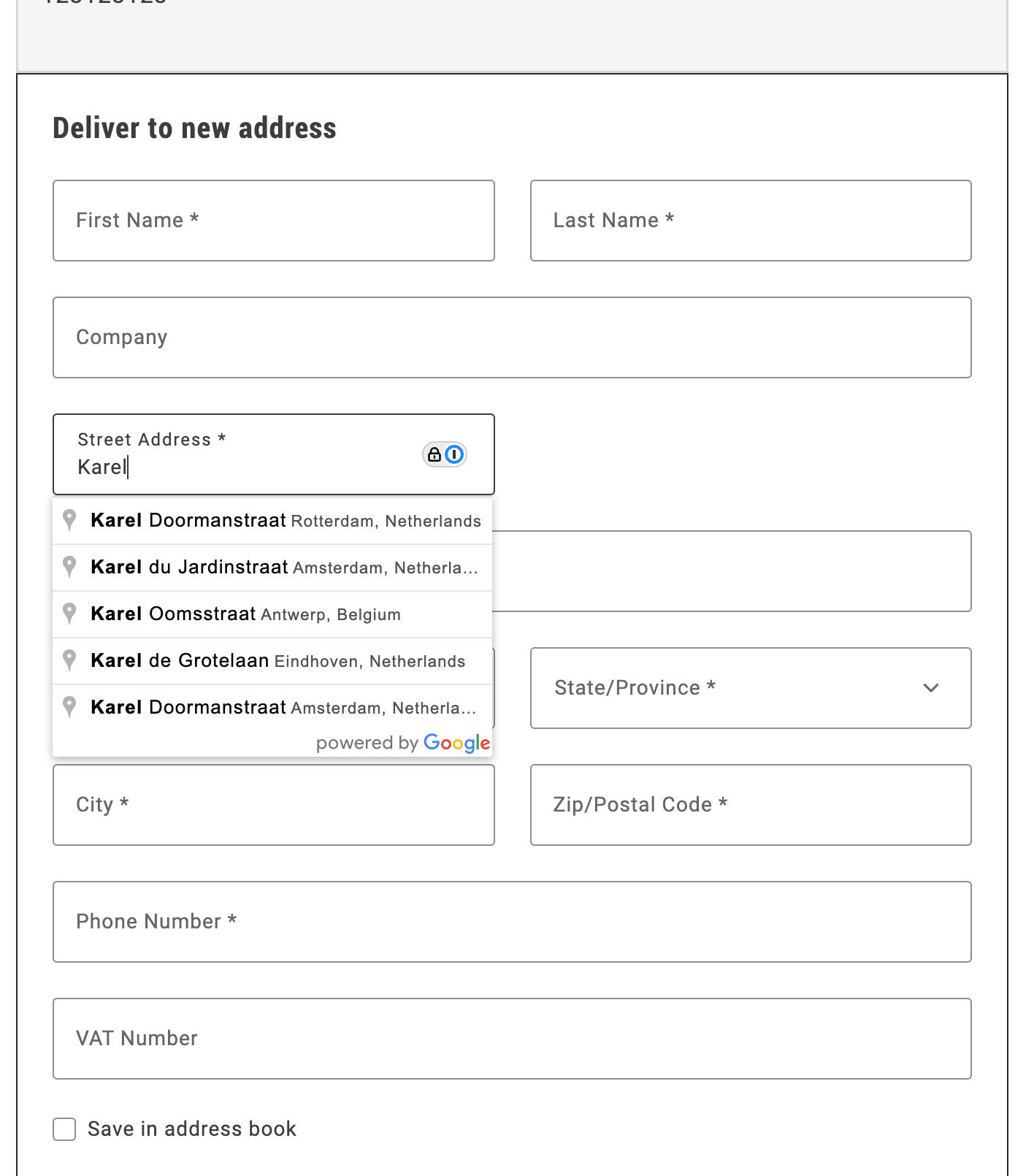\n</Diagram>\n\n## Step-by-step\n\nThe following steps describe how to integrate the Google Address Validation API with the Commerce boilerplate template using the provided address autocomplete implementation.\n\n\n### Prerequisites\n\nFor this tutorial, you must have a valid Google API key. describes the process to obtain and set up this key.\n\n\n### Download and configure the address autocomplete implementation\n\n1. **Download the implementation:**\n\n Copy the `address-autocomplete.js` file from `/public/samples/address-autocomplete.js` in this documentation repository to your project directory.\n\n2. **Replace the API key placeholder:**\n\n Open the `address-autocomplete.js` file and replace `ADD-YOUR-GOOGLE-API-KEY-HERE` with your actual Google API key:\n\n ```javascript\n const CONFIG = {\n googleApiKey: 'YOUR_ACTUAL_GOOGLE_API_KEY',\n // ... rest of configuration\n };\n ```\n\n\n### Import and initialize the autocomplete service\n\nIn your `commerce-checkout.js` file, make the following changes to enable address autocomplete:\n\n1. **Import the autocomplete service:**\n\n ```javascript\n import { initializeAutocompleteWhenReady } from './address-autocomplete.js';\n ```\n\n2. **Initialize the autocomplete in the `initializeCheckout` function:**\n\n ```javascript\n const initializeCheckout = async () => {\n // ... existing checkout initialization code ...\n\n // Initialize address autocomplete for shipping form\n const shippingContainer = document.querySelector('[data-commerce-checkout-shipping]');\n if (shippingContainer) {\n initializeAutocompleteWhenReady(shippingContainer, 'input[name=\"street\"]');\n }\n\n // ... rest of initialization code ...\n };\n ```\n\nThe `initializeAutocompleteWhenReady` function automatically:\n- Waits for the address form to be rendered\n- Attaches autocomplete functionality to the street input field\n- Handles form field population when an address is selected\n- Manages Google Maps API loading and initialization\n\n\n## Example\n\nThe complete address autocomplete implementation is available in `/public/samples/address-autocomplete.js`. This implementation includes:\n\n- **AddressAutocompleteService class**: Handles Google Places API integration\n- **initializeAutocompleteWhenReady function**: Utility function for easy integration\n- **Automatic form field population**: Populates street, city, country, and postal code fields\n- **Keyboard navigation**: Arrow keys, Enter, and Escape support\n- **Error handling**: Graceful fallback when Google Maps API is unavailable\n\nFor additional customization options and advanced usage, see the implementation comments in the sample file."
|
|
167
|
+
},
|
|
168
|
+
{
|
|
169
|
+
"path": "dropins/checkout/tutorials/buy-online-pickup-in-store",
|
|
170
|
+
"title": "Buy online, pickup in store",
|
|
171
|
+
"description": "Learn how to implement a buy online, pickup in store checkout flow with Adobe's drop-in components.",
|
|
172
|
+
"content": "Buy online, pickup in store (BOPIS) is a popular fulfillment option that allows customers to purchase items online and pick them up in-store.\n\nThe Commerce boilerplate template does not include a BOPIS checkout flow by default, but you can easily implement one using Adobe's drop-in components.\n\n## Step-by-step\n\nThe following steps describe how to modify the block file in the boilerplate template to allow users to choose between delivery and in-store pickup during the checkout process.\n\n\n### Prerequisites\n\nBefore you start, you must configure options in the Adobe Commerce Admin to define pickup locations. The [`fetchPickupLocations`](#fetch-pickup-locations) function retrieves the list of available pickup locations using a GraphQL query.\n\n\n### Update content fragment\n\n\n1. To create a new section for the delivery options, additional DOM elements are required. You can add these elements by modifying the content fragment.\n\n ```html\n \n <h2 class=\"checkout__block checkout-delivery-method__title\">Delivery Method</h2>\n \n \n \n \n \n \n ```\n\n1. You must also add new selectors to render the required components and content.\n\n ```javascript\n const $deliveryButton = checkoutFragment.querySelector('.checkout-delivery-method__delivery-button');\n const $inStorePickupButton = checkoutFragment.querySelector('. checkout-delivery-method__in-store-pickup-button');\n const $inStorePickup = checkoutFragment.querySelector('.checkout__in-store-pickup');\n ```\n\n 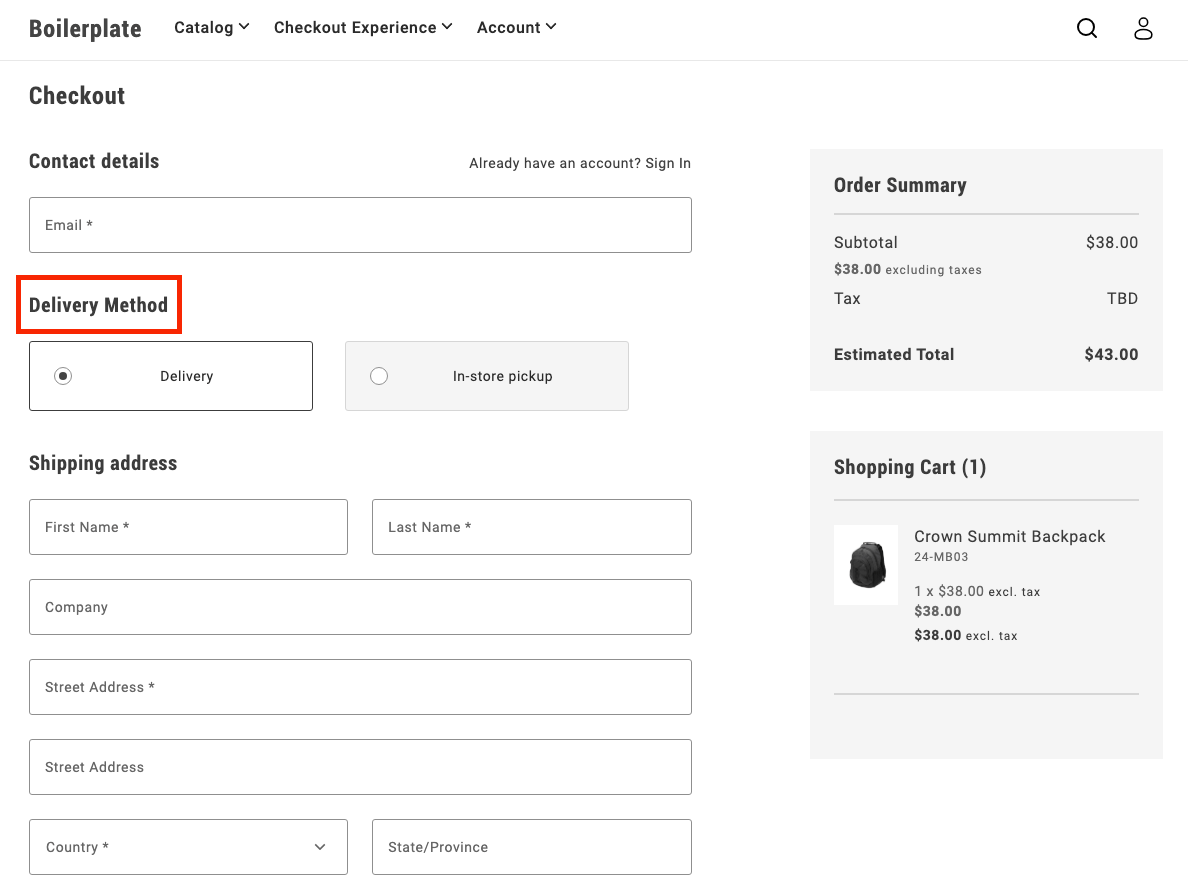\n\n\n### Add toggle buttons\n\nDuring initialization, the code renders two buttons:\n\n- Delivery\n- In-store pickup\n\nThese buttons allow users to toggle between the two options.\n\n```js\nUI.render(ToggleButton, {\n label: 'Delivery',\n onChange: () => onToggle('delivery'),\n})($deliveryButton),\n\nUI.render(ToggleButton, {\n label: 'In-store Pickup',\n onChange: () => onToggle('in-store-pickup'),\n})($inStorePickupButton),\n```\n\n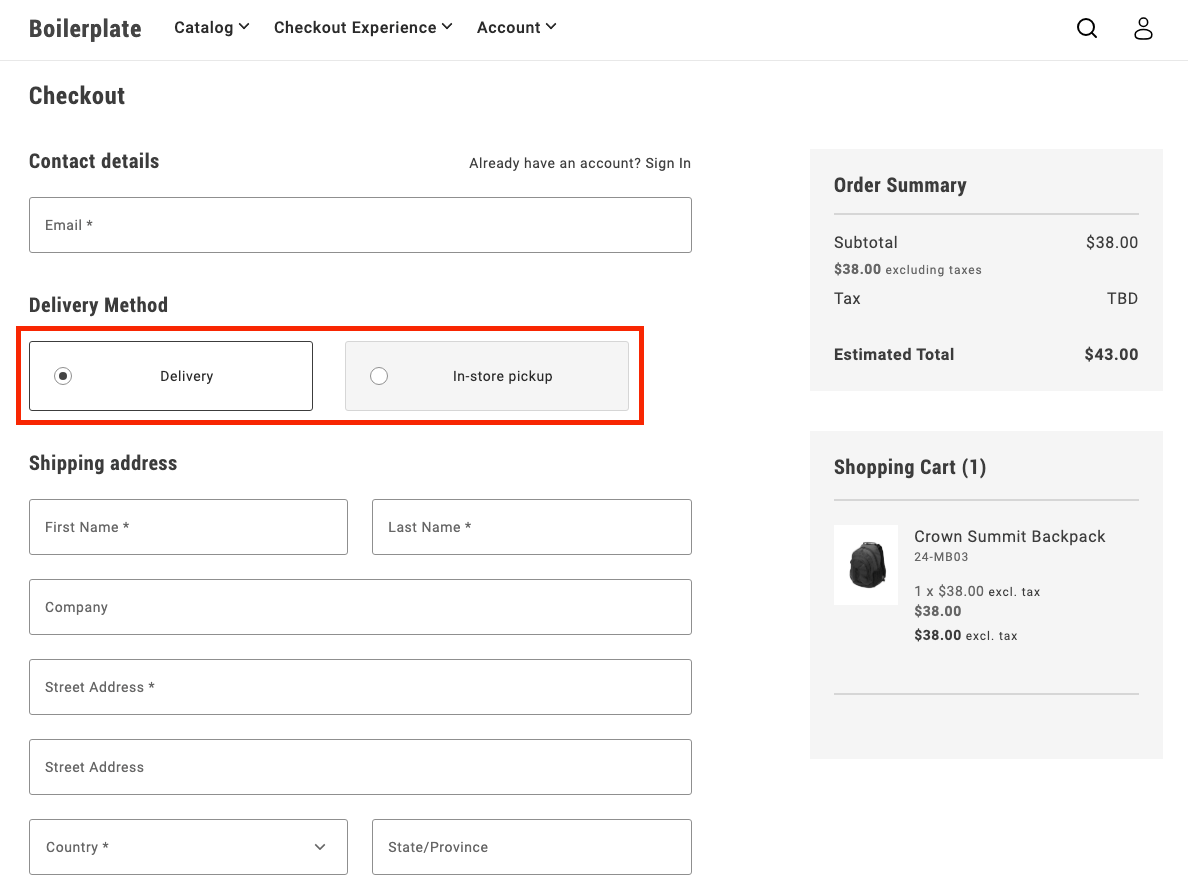\n\n\n### Toggle between options\n\nThe `onToggle` function manages switching between the delivery and in-store pickup options. It updates the selected state of the buttons and toggles the visibility of the corresponding forms.\n\n```js\nasync function onToggle(type) {\n if (type === 'delivery') {\n deliveryButton.setProps((prev) => ({ ...prev, selected: true }));\n inStorePickupButton.setProps((prev) => ({ ...prev, selected: false }));\n $shippingForm.removeAttribute('hidden');\n $delivery.removeAttribute('hidden');\n $inStorePickup.setAttribute('hidden', '');\n } else {\n inStorePickupButton.setProps((prev) => ({ ...prev, selected: true }));\n deliveryButton.setProps((prev) => ({ ...prev, selected: false }));\n $shippingForm.setAttribute('hidden', '');\n $delivery.setAttribute('hidden', '');\n $inStorePickup.removeAttribute('hidden');\n }\n}\n```\n\n\n### Fetch pickup locations\n\nThe `fetchPickupLocations` function retrieves the list of available pickup locations using a GraphQL query. Users can choose a location where they'd like to pick up their order.\n\n```js\nasync function fetchPickupLocations() {\n return checkoutApi\n .fetchGraphQl(\n `query pickupLocations {\n pickupLocations {\n items {\n name\n pickup_location_code\n }\n total_count\n }\n }`,\n { method: 'GET', cache: 'no-cache' }\n )\n .then((res) => res.data.pickupLocations.items);\n}\n```\n\n\n### Render location options\n\nAfter the code fetches the pickup locations, it renders options as radio buttons. The user can select a location, which updates the shipping address with the corresponding pickup location code.\n\n```js\nconst pickupLocations = await fetchPickupLocations();\n\npickupLocations.forEach((location) => {\n const { name, pickup_location_code } = location;\n const locationRadiobutton = document.createElement('div');\n\n UI.render(RadioButton, {\n label: name,\n name: 'pickup-location',\n value: name,\n onChange: () => {\n checkoutApi.setShippingAddress({\n address: {},\n pickupLocationCode: pickup_location_code,\n });\n },\n })(locationRadiobutton);\n\n $inStorePickup.appendChild(locationRadiobutton);\n});\n```\n\n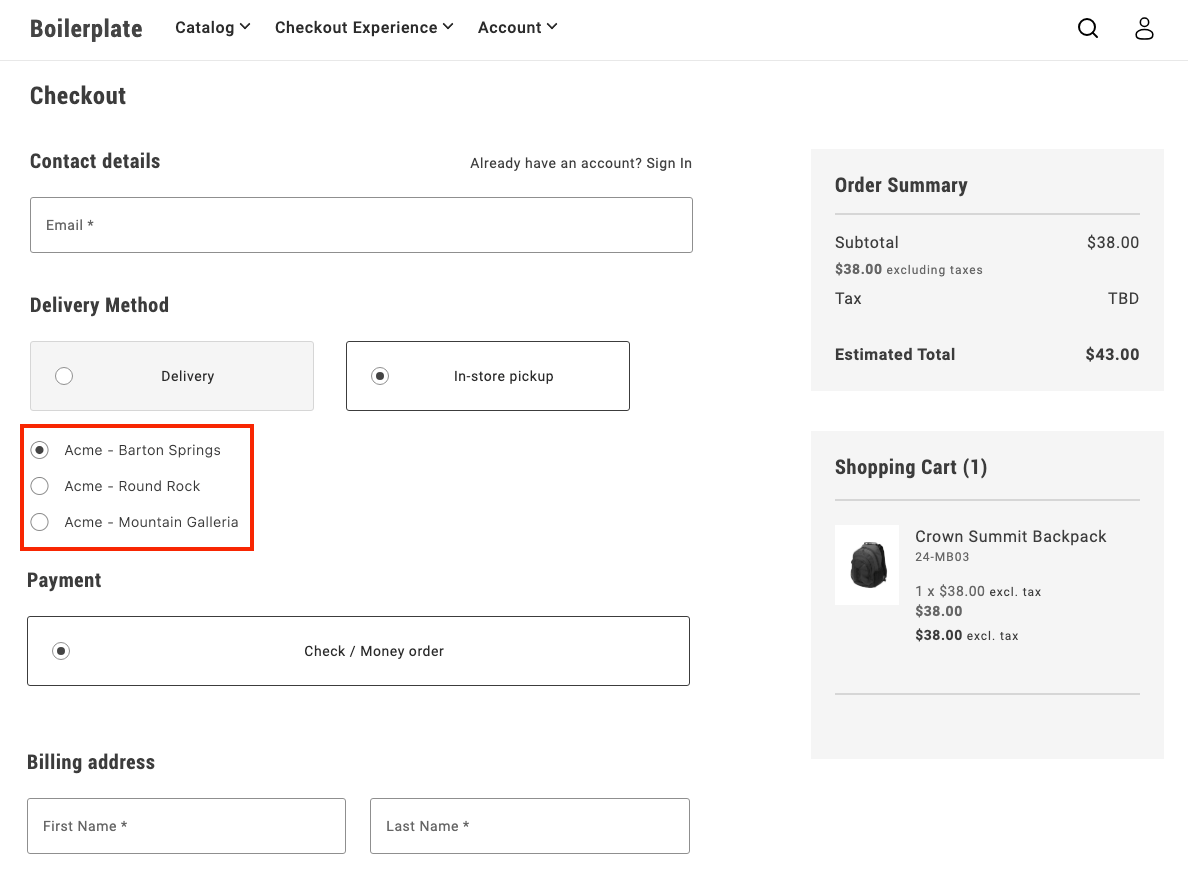\n\n\n### Finalize the flow\n\nAfter a user selects **In-store pickup** and chooses a location, the pickup form is shown, while the shipping form is hidden. This provides a clear and seamless way for users to choose how they want to receive their order.\n\n\n## Example\n\nSee in the `demos` branch of the boilerplate repository for complete JS and CSS code for the BOPIS checkout flow."
|
|
173
|
+
},
|
|
174
|
+
{
|
|
175
|
+
"path": "dropins/checkout/tutorials/multi-step",
|
|
176
|
+
"title": "Implement multi-step checkout",
|
|
177
|
+
"description": "This tutorial provides a customizable example to implement a comprehensive multi-step checkout in your Adobe Commerce storefront.",
|
|
178
|
+
"content": "This tutorial provides a customizable example to implement a comprehensive multi-step checkout in your Adobe Commerce storefront that supports **all user scenarios**: guest users, logged-in customers, and virtual products.\n\n## Overview\n\nThis implementation provides a **complete multi-step checkout** for the Adobe Commerce boilerplate that handles:\n\n- **Guest users** - Email capture and address entry\n- **Logged-in customers** - Saved address selection and account integration \n- **Virtual products** - Automatic shipping step bypass\n- **Mixed carts** - Physical + virtual product combinations\n- **Modular architecture** - Event-driven step coordination\n\n## Implementation Features\n\n| Feature | Status |\n|---------|--------|\n| Guest users | ✅ |\n| Logged-in customers | ✅ |\n| Virtual products | ✅ |\n| Mixed carts (physical + virtual products) | ✅ |\n| Custom payment/shipping methods | 🔧 |\n\n## Multi-step Customization\n\nKey areas specific to multi-step checkout customization:\n\n- **Step progression logic** - Modify `steps.js` for custom user flows and step transitions\n- **Individual step modules** - Customize step behavior in `steps/` folder\n- **Step validation** - Control when users can advance between steps\n- **Fragment management** - Adapt step-specific HTML fragments in `fragments.js`\n- **Step visibility** - Customize CSS classes for active/inactive step states \n- **Manual synchronization** - Control when data is saved to the cart\n\n## Architecture\n\n### File Structure\n\nThe multi-step checkout implementation follows a modular architecture:\n\n| File | Purpose | Key Features |\n|------|---------|--------------|\n| `commerce-checkout-multi-step.js` | Entry point and block decorator | Initializes the checkout system |\n| `commerce-checkout-multi-step.css` | Step styling and visibility controls | Step progression, visual states, responsive design |\n| `steps.js` | Main implementation | Step coordination and state management |\n| `steps/shipping.js` | Shipping/contact step logic | Login detection, address forms, email validation |\n| `steps/shipping-methods.js` | Delivery method selection | Shipping options, cost calculation |\n| `steps/payment-methods.js` | Payment method selection | Payment provider integration |\n| `steps/billing-address.js` | Billing address step | Conditional billing form rendering |\n| `fragments.js` | HTML fragment creation | Step-specific DOM structure generation |\n| `containers.js` | Container rendering functions | Drop-in container management |\n| `components.js` | UI component functions | Reusable UI elements |\n| `utils.js` | Utility functions and helpers | Virtual cart detection, validation |\n| `constants.js` | Shared constants and configuration | CSS classes, form names, storage keys |\n\n### Manual Synchronization Control\n\nIn multi-step checkout, containers use **`autoSync: false`** to disable automatic backend synchronization, allowing manual control over when data is saved:\n\n```javascript\n// Containers with manual sync control\nconst containers = [\n 'LoginForm', // Manual email/authentication handling\n 'ShippingMethods', // Manual shipping method selection \n 'PaymentMethods', // Manual payment method selection\n 'BillToShippingAddress' // Manual billing address control\n];\n\n// Example: ShippingMethods with manual sync\nCheckoutProvider.render(ShippingMethods, {\n UIComponentType: 'ToggleButton', \n autoSync: false, // Disable automatic cart updates\n})(container);\n```\n\n**AutoSync behavior:**\n- **`autoSync: true` (default)** - Local changes automatically sync with backend via GraphQL mutations\n- **`autoSync: false`** - Changes maintained locally only, no automatic API calls\n\n**Why disable autoSync in multi-step:**\n- **Controlled timing** - Save data only when step is completed and validated\n- **Better UX** - Prevent partial/invalid data from being sent to cart\n- **Step coordination** - Parent step manager controls when to persist data\n- **Validation first** - Ensure all step requirements met before saving\n\n**Manual sync example:**\n```javascript\n// Step completion with manual sync (triggered by continue button)\nconst continueFromStep = async () => {\n if (!validateStepData()) return;\n \n // Manual API call with error handling\n try {\n await checkoutApi.setShippingMethodsOnCart([{\n carrier_code: selectedMethod.carrier.code,\n method_code: selectedMethod.code,\n }]);\n } catch (error) {\n console.error('Failed to save step data:', error);\n return; // Don't proceed if API call fails\n }\n \n // Only continue if API call succeeded\n await displayStepSummary(selectedMethod);\n await continueToNextStep();\n \n events.emit('checkout/step/completed', null);\n};\n```\n\n**Key patterns:**\n- **Continue button trigger** - API calls happen when user clicks continue, not on selection\n- **Try-catch wrapping** - All API calls must be wrapped for error handling\n- **Early return on error** - If API fails, don't proceed to next step\n- **Success-only progression** - Only move forward if data successfully saved\n\nThis approach ensures data integrity and provides smooth step transitions without premature backend updates.\n\n### API Reference\n\nStep modules rely on the checkout drop-in's API functions for cart management. The complete API reference is available in the [Checkout functions](https://experienceleague.adobe.com/developer/commerce/storefront/dropins/checkout/functions/) documentation.\n\n**Key APIs for multi-step implementation:**\n\n| Function | Purpose | Used In Step |\n|----------|---------|--------------|\n| `setGuestEmailOnCart()` | Set guest user email | Shipping (email capture) |\n| `setShippingAddress()` | Set shipping address on cart | Shipping (address collection) |\n| `setShippingMethodsOnCart()` | Set shipping methods on cart | Shipping Methods |\n| `setPaymentMethod()` | Set payment method on cart | Payment Methods |\n| `setBillingAddress()` | Set billing address on cart | Payment Methods, Billing Address |\n| `isEmailAvailable()` | Check email availability | Order Header (account creation) |\n| `getStoreConfigCache()` | Get cached store configuration | Address forms (default country) |\n| `estimateShippingMethods()` | Estimate shipping costs | Address forms (cost calculation) |\n\nAll step completion logic should use these APIs with proper error handling as shown in the manual sync examples above.\n\n**Note:** The implementation uses event-driven data (`events.lastPayload()`) instead of direct `getCart()` or `getCustomer()` calls for performance optimization and real-time state management.\n\n### Component Registry Pattern\n\nThe `components.js` file implements a registry system specifically for **SDK components and external UI library components**:\n\n```javascript\n// components.js - Component registry (separate from containers)\n\nconst registry = new Map();\n\n// Component IDs for UI elements\nexport const COMPONENT_IDS = {\n CHECKOUT_HEADER: 'checkoutHeader',\n SHIPPING_STEP_CONTINUE_BTN: 'shippingStepContinueBtn',\n PAYMENT_STEP_TITLE: 'paymentStepTitle',\n // ... more component IDs\n};\n\n// Core component methods\nexport const hasComponent = (id) => registry.has(id);\nexport const removeComponent = (id) => {\n const component = registry.get(id);\n if (component) {\n component.remove();\n registry.delete(id);\n }\n};\n\n// Render SDK components\nexport const renderCheckoutHeader = (container) => renderComponent(\n COMPONENT_IDS.CHECKOUT_HEADER,\n async () => UI.render(Header, {\n className: 'checkout-header',\n level: 1,\n size: 'large',\n title: 'Checkout',\n })(container)\n);\n\nexport const renderStepContinueBtn = async (container, stepId, onClick) => \n renderPrimaryButton(container, stepId, { children: 'Continue', onClick });\n```\n\n**Key distinction from containers:**\n\n- **`containers.js`** - Manages **drop-in containers** (LoginForm, AddressForm, ShippingMethods, etc.)\n- **`components.js`** - Manages **SDK/UI library components** (Button, Header, ProgressSpinner, etc.)\n\n**Usage guidelines:**\n\n- **Use `components.js` for:** Headers, buttons, spinners, modals, and other UI elements from the SDK\n- **Use `containers.js` for:** Checkout drop-ins, account drop-ins, cart drop-ins, and other business logic containers\n- **Recommended approach:** Keep drop-in containers and UI components in separate registries for better organization\n\nThis ensures clean architecture where `components.js` handles pure UI elements while `containers.js` manages complex business logic containers.\n\n### Container Management\n\nThe `containers.js` file provides a complete system for managing **drop-in containers** (LoginForm, AddressForm, ShippingMethods, etc.) with registry-based lifecycle management.\n\n**Registry System:**\n\n```javascript\n// containers.js - Registry system for drop-in containers\nconst registry = new Map();\n\n// Core registry methods\nexport const hasContainer = (id) => registry.has(id);\nexport const getContainer = (id) => registry.get(id);\nexport const unmountContainer = (id) => {\n if (!registry.has(id)) return;\n const containerApi = registry.get(id);\n containerApi.remove();\n registry.delete(id);\n};\n\n// Helper to render or get existing container\nconst renderContainer = async (id, renderFn) => {\n if (registry.has(id)) {\n return registry.get(id); // Return existing\n }\n \n const container = await renderFn(); // Render new\n registry.set(id, container);\n return container;\n};\n```\n\n**Container IDs and render functions:**\n\nEach container is identified by a unique string ID and has a corresponding render function that handles the registry logic:\n\n```javascript\n// Predefined container identifiers\nexport const CONTAINERS = Object.freeze({\n LOGIN_FORM: 'loginForm',\n SHIPPING_ADDRESS_FORM: 'shippingAddressForm',\n SHIPPING_METHODS: 'shippingMethods',\n PAYMENT_METHODS: 'paymentMethods',\n // ... more containers\n});\n\n// Usage in container functions\nexport const renderLoginForm = async (container) => renderContainer(\n CONTAINERS.LOGIN_FORM,\n async () => CheckoutProvider.render(LoginForm, { /* config */ })(container)\n);\n```\n\n**Key benefits of the container system:**\n\n- **Centralized logic** - Complex container configuration in one place\n- **Prevents duplicates** - Registry ensures same container isn't rendered multiple times\n- **Memory management** - Automatic cleanup prevents memory leaks\n- **State preservation** - Containers maintain state across step transitions\n\n**Registry lifecycle:**\n1. **Check existing** - `hasContainer()` / `getContainer()` to find existing instances\n2. **Render once** - `renderContainer()` creates new containers only if needed\n3. **Cleanup** - `unmountContainer()` removes containers and clears references\n\nThis comprehensive container management approach ensures efficient resource usage and prevents common issues like duplicate event listeners or memory leaks.\n\n### Step Modules\n\nThe `steps/` folder contains individual step modules that handle specific checkout phases. Each step module implements a consistent interface and manages its own domain logic, UI rendering, and data validation.\n\n**Step module structure:**\n\nEach step file in the `steps/` folder follows the same architectural pattern:\n\n```javascript\n// steps/shipping.js - Example step module\nexport const createShippingStep = ({ getElement, api, events, ui }) => {\n return {\n async display(data) {\n // Render step UI using containers (LoginForm, AddressForm)\n // Handle different user types (guest vs logged-in)\n // Use manual sync patterns for form data\n },\n \n async displaySummary(data) {\n // Show completed step summary using fragment functions\n // Create edit functionality for step modifications\n },\n \n async continue() {\n // Validate step data and make API calls\n // Handle step progression logic\n // Emit completion events\n },\n \n isComplete(data) {\n // Validate step completion based on cart data\n // Handle virtual product logic\n },\n \n isActive() {\n // Check if step is currently active\n }\n };\n};\n```\n\n**Available step modules:**\n\n- **`shipping.js`** - Handles email capture (LoginForm) and shipping address collection (AddressForm)\n- **`shipping-methods.js`** - Manages delivery method selection and shipping cost calculation\n- **`payment-methods.js`** - Handles payment provider integration and method selection\n- **`billing-address.js`** - Manages conditional billing address form rendering\n\n**Step module responsibilities:**\n\n- **UI rendering** - Uses container functions to render drop-ins\n- **Data validation** - Validates step completion\n- **API integration** - Makes manual API calls with error handling\n- **Event handling** - Responds to checkout events\n- **Summary creation** - Generates read-only summaries with edit functionality\n\n### Fragment Management\n\nThe `fragments.js` file is responsible for creating all DOM structure in the multi-step checkout. It provides a centralized system for generating HTML fragments, managing selectors, and creating reusable summary components.\n\n**Core responsibilities:**\n\n- **DOM Structure Creation** - Generates HTML fragments for each step and the main checkout layout\n- **Selector Management** - Centralizes all CSS selectors in a frozen object for consistency\n- **Summary Components** - Provides reusable functions for creating step summaries with edit functionality\n- **Utility Functions** - Helper functions for fragment creation and DOM querying\n\n**Fragment Creation Pattern:**\n\n```javascript\n// Step-specific fragment creation\nfunction createShippingStepFragment() {\n return createFragment(`\n \n \n \n \n \n `);\n}\n\n// Main checkout structure\nexport function createCheckoutFragment() {\n const checkoutFragment = createFragment(`\n \n \n \n \n \n \n \n `);\n // Append step fragments to main structure\n return checkoutFragment;\n}\n```\n\n**Centralized Selector System:**\n\n```javascript\n// All selectors defined in one place\nexport const selectors = Object.freeze({\n checkout: {\n loginForm: '.checkout__login',\n shippingAddressForm: '.checkout__shipping-form',\n shippingStepContinueBtn: '.checkout__continue-to-shipping-methods',\n // ... more selectors\n }\n});\n```\n\n**Summary Creation Functions:**\n\n```javascript\n// Reusable summary components with edit functionality\nexport const createLoginFormSummary = (email, onEditClick) => {\n const content = document.createElement('div');\n content.textContent = email;\n return createSummary(content, onEditClick);\n};\n\nexport const createAddressSummary = (data, onEditClick) => {\n // Format address data into summary display\n return createSummary(formattedContent, onEditClick);\n};\n```\n\n**Key benefits of fragment management:**\n\n- **Consistent DOM structure** - All HTML is generated through standardized functions\n- **CSS class coordination** - Selectors and fragments use the same class names\n- **Reusable components** - Summary functions can be used across different steps\n- **Maintainable markup** - All HTML structure defined in one centralized location\n\n### Element Access Pattern\n\nStep modules access DOM elements using the centralized selector system from `fragments.js`. Here's how step modules import and use those selectors:\n\n```javascript\n// steps/shipping.js - Element access in step modules\n\nconst { checkout } = selectors;\n\nconst elements = {\n $loginForm: getElement(checkout.loginForm),\n $loginFormSummary: getElement(checkout.loginFormSummary),\n $shippingAddressForm: getElement(checkout.shippingAddressForm),\n $shippingAddressFormSummary: getElement(checkout.shippingAddressFormSummary),\n $shippingStep: getElement(checkout.shippingStep),\n $shippingStepContinueBtn: getElement(checkout.shippingStepContinueBtn),\n};\n```\n\n**Key benefits of this pattern:**\n- **Centralized selectors** - All CSS classes defined in one location\n- **Type safety** - Object structure prevents typos and missing selectors\n- **Maintainability** - Easy to update selectors across the entire system\n- **Consistency** - All step modules follow the same element access pattern\n- **Fragment coordination** - Selectors match the structure created by fragments\n\nThis ensures that fragments create the DOM structure and steps access it through a consistent, maintainable selector system.\n\n### Summary and Edit Pattern\n\nWhen users complete a step by clicking the continue button and validation succeeds, the step transitions to **summary mode**:\n\n```javascript\n// Step completion flow\nasync function continueFromStep() {\n // 1. Validate step data\n if (!validateStep()) return;\n \n // 2. Save data to cart\n await api.setStepData(formData);\n \n // 3. Hide step content, show summary\n await displayStepSummary(data);\n \n // 4. Move to next step\n await displayNextStep();\n}\n```\n\n**Summary features:**\n- **Read-only display** - Shows completed step information in condensed format\n- **Edit functionality** - \"Edit\" link allows users to return and modify data\n- **Visual state** - Different styling indicates step completion\n- **Persistent data** - Summary reflects the actual saved cart data\n\n**Edit flow:**\n```javascript\n// Edit button functionality\nconst handleEdit = async () => {\n await displayStep(true); // Reactivate step\n // Previous data automatically pre-fills forms\n};\n```\n\nThis pattern ensures users can review their choices and make changes at any point without losing progress.\n\n### Place Order Button Enablement\n\nThe **Place Order** button is disabled by default and only becomes enabled when all required steps are completed:\n\n```javascript\n// Place order button management\nasync function updatePlaceOrderButton(data) {\n const allStepsComplete = steps.shipping.isComplete(data) &&\n (!isVirtualCart(data) ? steps.shippingMethods.isComplete(data) : true) &&\n steps.paymentMethods.isComplete(data) &&\n steps.billingAddress.isComplete(data);\n\n if (allStepsComplete) {\n placeOrderButton.setProps({ disabled: false });\n } else {\n placeOrderButton.setProps({ disabled: true });\n }\n}\n```\n\n**Progressive enablement features:**\n- **Disabled by default** - Prevents incomplete order submissions\n- **Step validation** - Checks each step's completion status\n- **Virtual product logic** - Skips shipping validation for virtual carts\n- **Real-time updates** - Button state updates as users complete steps\n- **Visual feedback** - Users can see their progress toward completion\n\n## Implementation Guide\n\nThe following sections demonstrate how to build a **production-ready multi-step checkout** using Adobe's drop-in components. This implementation replaces the regular one-step checkout in the boilerplate template with a sophisticated, modular system.\n\n\n### Create the entry point and main structure\n\nCreate the main block file `commerce-checkout.js` and set up the modular architecture:\n\n```javascript\n// Initializers\n\n\n// Block-level utils\n\n// Fragments\n\n\nexport default async function decorate(block) {\n setMetaTags('Checkout');\n document.title = 'Checkout';\n\n block.replaceChildren(createCheckoutFragment());\n\n const stepsManager = createStepsManager(block);\n await stepsManager.init();\n}\n```\n\nCreate `fragments.js` for the main HTML structure:\n\n```javascript\nexport function createCheckoutFragment() {\n return document.createRange().createContextualFragment(`\n \n \n \n \n \n \n \n \n `);\n}\n```\n\nThis modular approach separates concerns: the entry point coordinates everything, fragments handle HTML creation, and the steps manager handles step logic.\n\n\n### Step fragments and HTML structure\n\nCreate the step-specific fragments in `fragments.js`. Each checkout step gets its own fragment with specific containers and CSS classes:\n\n```javascript\nimport {\n CHECKOUT_BLOCK,\n CHECKOUT_STEP_BUTTON,\n CHECKOUT_STEP_CONTENT,\n CHECKOUT_STEP_SUMMARY,\n CHECKOUT_STEP_TITLE,\n} from './constants.js';\n\n/**\n * Creates the shipping address fragment for the checkout.\n * Includes login form and address form containers.\n */\nfunction createShippingStepFragment() {\n return document.createRange().createContextualFragment(`\n \n \n \n \n \n `);\n}\n\n/**\n * Creates the shipping methods fragment for the checkout.\n */\nfunction createShippingMethodsStepFragment() {\n return document.createRange().createContextualFragment(`\n \n \n \n \n `);\n}\n```\n\n**Key fragment concepts:**\n\n- **CHECKOUT_STEP_CONTENT** - Shows containers when step is active (editable mode)\n- **CHECKOUT_STEP_SUMMARY** - Shows completed step information (read-only mode) \n- **CHECKOUT_STEP_BUTTON** - Continue buttons for step progression\n- **Multiple containers per step** - Each fragment can contain multiple containers with their own summary versions\n- **CSS-driven visibility** - No DOM manipulation, just class-based show/hide\n\nThe shipping step includes **both login and address containers** because guests need both email capture (via LoginForm) and shipping address entry (via AddressForm).\n\n\n### Create step modules\n\nCreate individual step modules that implement the universal step interface. Each step module follows the pattern described in the [Step Modules architecture section](#step-modules).\n\n**Required step files:**\n- **`steps/shipping.js`** - Email capture (LoginForm) and shipping address collection (AddressForm)\n- **`steps/shipping-methods.js`** - Delivery method selection and cost calculation\n- **`steps/payment-methods.js`** - Payment provider integration and method selection \n- **`steps/billing-address.js`** - Conditional billing address form rendering\n\n**Implementation reference:**\n\nFor complete implementations of these step modules, see the sample files in the . Each file demonstrates the full step interface implementation with proper error handling, user flow logic, and integration with containers and APIs.\n\n\n### Implement the steps manager\n\nCreate `steps.js` to coordinate all step logic and manage the checkout flow. Build this step by step:\n\n\n1. **Set up the basic structure** with imports and function signature:\n\n ```javascript\n import { createShippingStep } from './steps/shipping.js';\n import { createShippingMethodsStep } from './steps/shipping-methods.js';\n import { createPaymentMethodsStep } from './steps/payment-methods.js';\n import { createBillingAddressStep } from './steps/billing-address.js';\n\n export default function createStepsManager(block) {\n // Implementation will go here\n }\n ```\n\n2. **Create step instances** by gathering dependencies and instantiating each step module:\n\n ```javascript\n export default function createStepsManager(block) {\n const elements = getElements(block);\n const dependencies = { elements, api, events, ui };\n \n const steps = {\n shipping: createShippingStep(dependencies),\n shippingMethods: createShippingMethodsStep(dependencies),\n paymentMethods: createPaymentMethodsStep(dependencies),\n billingAddress: createBillingAddressStep(dependencies)\n };\n }\n ```\n\n3. **Implement step coordination logic** that determines which step to show based on completion status:\n\n ```javascript\n async function handleCheckoutUpdated(data) {\n // Step 1: Shipping - always required\n if (!steps.shipping.isComplete(data)) {\n await steps.shipping.display(data);\n return;\n }\n await steps.shipping.displaySummary(data);\n\n // Step 2: Shipping Methods (skip for virtual products)\n if (!isVirtualCart(data)) {\n if (!steps.shippingMethods.isComplete(data)) {\n await steps.shippingMethods.display(data);\n return;\n }\n await steps.shippingMethods.displaySummary(data);\n }\n\n // Step 3: Payment Methods\n if (!steps.paymentMethods.isComplete(data)) {\n await steps.paymentMethods.display(data);\n return;\n }\n await steps.paymentMethods.displaySummary(data);\n\n // Step 4: Billing Address (if needed)\n if (!steps.billingAddress.isComplete(data)) {\n await steps.billingAddress.display(data);\n return;\n }\n await steps.billingAddress.displaySummary(data);\n }\n ```\n\n4. **Wire up event handling** to respond to checkout state changes:\n\n ```javascript\n return {\n async init() {\n events.on('checkout/initialized', handleCheckoutUpdated);\n events.on('checkout/updated', handleCheckoutUpdated);\n }\n };\n ```\n\n\nThe steps manager uses the **early return pattern** - if a step is incomplete, it displays that step and exits. Only when all previous steps are complete does it move to the next step. This ensures proper linear progression through the checkout flow.\n\n\n### Add CSS styling for step controls\n\nCreate the CSS that controls step visibility and progression. Add this to your `commerce-checkout-multi-step.css` file:\n\n\n1. **Step visibility controls** - Define the core classes that show/hide step content:\n\n ```css\n /* Hide all step content by default */\n .checkout-step-content {\n display: none;\n }\n\n /* Show content when step is active */\n .checkout-step-active .checkout-step-content {\n display: block;\n }\n\n /* Hide summaries by default */\n .checkout-step-summary {\n display: none;\n }\n\n /* Show summaries when step is completed (not active) */\n .checkout-step:not(.checkout-step-active) .checkout-step-summary {\n display: block;\n }\n\n /* Hide continue buttons when step is completed */\n .checkout-step:not(.checkout-step-active) .checkout-step-button {\n display: none;\n }\n ```\n\n2. **Step progression styling** - For complete visual styling (borders, colors, animations, etc.), see in the demo repository.\n\n\nThese CSS rules create the core multi-step behavior: **content shows when active**, **summaries show when completed**, and **step progression controls** guide users through the checkout flow.\n\n\n## Example\n\nSee in the `demos` branch of the boilerplate repository for complete JS and CSS code for the multi-step checkout flow."
|
|
179
|
+
},
|
|
180
|
+
{
|
|
181
|
+
"path": "dropins/checkout/tutorials/validate-shipping-address",
|
|
182
|
+
"title": "Validate shipping address",
|
|
183
|
+
"description": "Add a suggested vs. original address confirmation before placing the order using the AddressValidation container.",
|
|
184
|
+
"content": "Use the `AddressValidation` container to present both the original and suggested addresses from your verification service, letting shoppers choose before placing their order.\n\nThis tutorial shows how to integrate the container in the `commerce-checkout` block.\n\n<Diagram caption=\"AddressValidation displayed in a modal\">\n 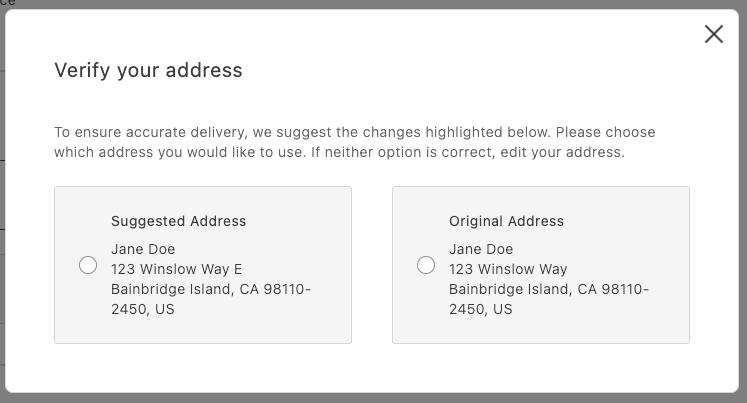\n</Diagram>\n\n## Overview\n\nAt a high level:\n\n- Call your address verification service before placing the order.\n- If it returns a suggestion, open a modal and render `AddressValidation`.\n- If the shopper selects the suggestion, persist it as the shipping address; otherwise, use the original address.\n\n## Integration\n\n```javascript\n// in commerce-checkout.js block\n\n\n// Handler passed to the PlaceOrder container\nconst handlePlaceOrder = async ({ cartId, code }) => {\n await displayOverlaySpinner(loaderRef, $loader);\n try {\n // Payment Services credit card\n if (code === PaymentMethodCode.CREDIT_CARD) {\n if (!creditCardFormRef.current) {\n console.error('Credit card form not rendered.');\n return;\n }\n if (!creditCardFormRef.current.validate()) {\n // Credit card form invalid; abort order placement\n return;\n }\n // Submit Payment Services credit card form\n await creditCardFormRef.current.submit();\n }\n\n // Address validation\n const suggestion = await validateAddress();\n if (suggestion) {\n const container = document.createElement('div');\n await showModal(container);\n await renderAddressValidation(container, {\n suggestedAddress: suggestion,\n handleSelectedAddress: async ({ selection, address }) => {\n if (selection === 'suggested') {\n // Update the shipping form using the suggested address\n sessionStorage.removeItem(SHIPPING_ADDRESS_DATA_KEY);\n shippingForm.setProps((prevProps) => ({\n ...prevProps,\n inputsDefaultValueSet: address,\n }));\n } else {\n // Place order\n await orderApi.placeOrder(cartId);\n }\n removeModal();\n },\n });\n } else {\n // Place order\n await orderApi.placeOrder(cartId);\n }\n } catch (error) {\n console.error(error);\n throw error;\n } finally {\n removeOverlaySpinner(loaderRef, $loader);\n }\n};\n```\n\n```javascript\n// in containers.js\n\n\n/**\n * Renders the AddressValidation container in its own host element\n * @param container - DOM element to render into\n */\nexport const renderAddressValidation = async (\n container,\n { suggestedAddress, handleSelectedAddress }\n) =>\n CheckoutProvider.render(AddressValidation, {\n suggestedAddress,\n handleSelectedAddress,\n })(container);\n```\n\n```javascript\n// in utils.js (example stub)\nexport const validateAddress = async () => {\n // Here’s where your API call goes\n\n return {\n city: 'Bainbridge Island',\n countryCode: 'US',\n postcode: '98110-2450',\n region: 'CA',\n street: ['123 Winslow Way E'],\n };\n};\n```\n\nFinally, add some padding for better appearance:\n\n```css\n/* commerce-checkout.css */\n.modal-content .checkout-address-validation {\n padding: var(--spacing-big);\n}\n```\n\n## Next steps\n\n- See the [`AddressValidation` container](https://experienceleague.adobe.com/developer/commerce/storefront/dropins/checkout/containers/address-validation/) for props and behaviors.\n- Ensure your suggestion matches the `CartAddressInput` format."
|
|
185
|
+
},
|
|
186
|
+
{
|
|
187
|
+
"path": "dropins/checkout/utilities",
|
|
188
|
+
"title": "Checkout utility functions",
|
|
189
|
+
"description": "Learn about the utility functions available in the checkout drop-in component's lib folder.",
|
|
190
|
+
"content": "This topic provides details and instructions for using the utility functions available in the checkout drop-in component. These functions were moved from the integration layer and are now publicly accessible within the checkout block from `@dropins/storefront-checkout/lib/utils.js`.\n\n\n### Quick imports\n\n```ts\nimport {\n setAddressOnCart,\n estimateShippingCost,\n isVirtualCart,\n isEmptyCart,\n getCartShippingMethod,\n getCartAddress,\n getCartPaymentMethod,\n createFragment,\n createScopedSelector,\n validateForm,\n createMetaTag,\n setMetaTags,\n scrollToElement,\n transformAddressFormValuesToCartAddressInput,\n transformCartAddressToFormValues,\n} from '@dropins/storefront-checkout/lib/utils.js';\n```\n\n## API Functions\n\n### setAddressOnCart\n\nThe `setAddressOnCart` function creates a debounced handler for setting shipping or billing addresses on the cart, preventing excessive API calls when address data changes frequently.\n\n```ts\nexport function setAddressOnCart({\n type = 'shipping',\n debounceMs = 0,\n placeOrderBtn,\n}: {\n type?: 'shipping' | 'billing';\n debounceMs?: number;\n placeOrderBtn?: RenderAPI;\n}): (change: AddressFormChange) => void;\n```\n\n\n### Returns\n\nReturns a function that accepts address form changes and updates the cart accordingly.\n\n\n### Usage\n\n```ts\n\n// Set up debounced shipping address handler\nconst handleShippingChange = setAddressOnCart({\n type: 'shipping',\n debounceMs: 500,\n placeOrderBtn: placeOrderButtonAPI\n});\n\n// Use with form change events\nshippingForm.addEventListener('input', (event) => {\n const formData = getFormValues(event.target.form);\n const isValid = validateForm(event.target.form);\n \n handleShippingChange({\n data: formData,\n isDataValid: isValid\n });\n});\n```\n\n### estimateShippingCost\n\nThe `estimateShippingCost` function creates a debounced handler for estimating shipping costs based on address information.\n\n```ts\nexport function estimateShippingCost({ debounceMs = 0 }): (change: AddressFormChange) => void;\n```\n\n\n### Returns\n\nReturns a function that estimates shipping costs when address data changes.\n\n\n### Usage\n\n```ts\n\n// Set up shipping cost estimation\nconst handleEstimateShipping = estimateShippingCost({ debounceMs: 300 });\n\n// Use with address form changes\naddressForm.addEventListener('input', (event) => {\n const formData = getFormValues(event.target.form);\n const isValid = validateForm(event.target.form);\n \n handleEstimateShipping({\n data: formData,\n isDataValid: isValid\n });\n});\n```\n\n## Cart Data Functions\n\n### isVirtualCart\n\nThe `isVirtualCart` function checks if a cart contains only virtual products (no shipping required). If no argument is provided, it reads the latest checkout data.\n\n```ts\nexport function isVirtualCart(data?: Cart | null): boolean;\n```\n\n\n### Returns\n\nReturns `true` if the cart is virtual, `false` otherwise.\n\n### Usage\n\n```ts\n\n// Check if shipping is required using explicit data\nconst cartData = await getCart();\nconst skipShipping = isVirtualCart(cartData);\n\n// Or check using the latest checkout data\nconst skipShippingFromState = isVirtualCart();\n\nif (skipShipping) {\n // Hide shipping-related UI\n document.querySelector('.shipping-section').style.display = 'none';\n}\n```\n\n### isEmptyCart\n\nThe `isEmptyCart` function checks if a cart is empty or null.\n\n```ts\nexport function isEmptyCart(data: Cart | null): boolean;\n```\n\n\n### Returns\n\nReturns `true` if the cart is empty or null, `false` otherwise.\n\n### Usage\n\n```ts\n\nconst cartData = await getCart();\n\nif (isEmptyCart(cartData)) {\n // Show empty cart message\n showEmptyCartMessage();\n return;\n}\n\n// Proceed with checkout\nproceedToCheckout(cartData);\n```\n\n### getCartShippingMethod\n\nThe `getCartShippingMethod` function retrieves the selected shipping method from cart data.\n\n```ts\nexport function getCartShippingMethod(data: Cart | null): ShippingMethod | null;\n```\n\n\n### Returns\n\nReturns the selected shipping method object or `null` if none is selected.\n\n### Usage\n\n```ts\n\nconst cartData = await getCart();\nconst shippingMethod = getCartShippingMethod(cartData);\n\nif (shippingMethod) {\n console.log(`Shipping: $ - $$`);\n}\n```\n\n### getCartAddress\n\nThe `getCartAddress` function retrieves shipping or billing address from cart data.\n\n```ts\nexport function getCartAddress(\n data: Cart | null,\n type: 'shipping' | 'billing' = 'shipping'\n): Record<string, any> | null;\n```\n\n\n### Returns\n\nReturns the address object or `null` if no address is set.\n\n### Usage\n\n```ts\n\nconst cartData = await getCart();\nconst shippingAddress = getCartAddress(cartData, 'shipping');\nconst billingAddress = getCartAddress(cartData, 'billing');\n\nif (shippingAddress) {\n populateAddressForm(shippingAddress);\n}\n```\n\n### getCartPaymentMethod\n\nThe `getCartPaymentMethod` function retrieves the selected payment method from cart data.\n\n```ts\nexport function getCartPaymentMethod(data: Cart | null): PaymentMethod | null;\n```\n\n\n### Returns\n\nReturns the selected payment method object or `null` if none is selected.\n\n### Usage\n\n```ts\n\nconst cartData = await getCart();\nconst paymentMethod = getCartPaymentMethod(cartData);\n\nif (paymentMethod) {\n console.log(`Payment method: $`);\n}\n```\n\n## DOM and Fragment Functions\n\n### createFragment\n\nThe `createFragment` function creates a `DocumentFragment` from an HTML string.\n\n```ts\nexport function createFragment(html: string): DocumentFragment;\n```\n\n\n### Returns\n\nReturns a DocumentFragment containing the parsed HTML.\n\n### Usage\n\n```ts\n\nconst html = `\n \n <h2>Payment Information</h2>\n <form class=\"payment-form\">\n <!-- form fields -->\n </form>\n \n`;\n\nconst fragment = createFragment(html);\ndocument.querySelector('.checkout-container').appendChild(fragment);\n```\n\n### createScopedSelector\n\nThe `createScopedSelector` function creates a scoped `querySelector` function for a DocumentFragment.\n\n```ts\nexport function createScopedSelector(\n fragment: DocumentFragment\n): (selector: string) => HTMLElement | null;\n```\n\n\n### Returns\n\nReturns a function that queries elements within the given fragment.\n\n### Usage\n\n```ts\n\nconst html = `\n \n <button class=\"next-btn\">Next</button>\n <button class=\"prev-btn\">Previous</button>\n \n`;\n\nconst fragment = createFragment(html);\nconst $ = createScopedSelector(fragment);\n\n// Query within the fragment only\nconst nextButton = $('.next-btn');\nconst prevButton = $('.prev-btn');\n\nnextButton?.addEventListener('click', handleNext);\n```\n\n## Form Functions\n\n### validateForm\n\nThe `validateForm` function validates a form by name using form references.\n\n```ts\nexport function validateForm(\n formName: string,\n formRef: RefObject<FormRef>\n): boolean;\n```\n\n<OptionsTable\n compact\n options={[\n ['Parameter', 'Type', 'Req?', 'Description'],\n ['formName', 'string', 'Yes', 'The name attribute of the form to validate.'],\n ['formRef', 'RefObject<FormRef>', 'Yes', 'Reference object to the form component.'],\n ]}\n/>\n\n### Returns\n\nReturns `true` if the form is valid, `false` otherwise.\n\n### Usage\n\n```ts\n\n// Validate checkout form before submission\nconst isShippingValid = validateForm('shipping-form', shippingFormRef);\nconst isBillingValid = validateForm('billing-form', billingFormRef);\n\nif (isShippingValid && isBillingValid) {\n proceedToPayment();\n} else {\n showValidationErrors();\n}\n```\n\n## Meta Functions\n\n### createMetaTag\n\nThe `createMetaTag` function creates or updates meta tags in the document head.\n\n```ts\nexport function createMetaTag(property: string, content: string, type: string): void;\n```\n\n\n### Returns\n\nThe function does not return a value; it modifies the document head.\n\n### Usage\n\n```ts\n\n// Set checkout-specific meta tags\ncreateMetaTag('description', 'Complete your purchase securely', 'name');\ncreateMetaTag('og:title', 'Checkout - Your Store', 'property');\n```\n\n### setMetaTags\n\nThe `setMetaTags` function sets standard meta tags for a drop-in component.\n\n```ts\nexport function setMetaTags(dropin: string): void;\n```\n\n\n### Returns\n\nThe function does not return a value; it sets multiple meta tags.\n\n### Usage\n\n```ts\n\n// Set meta tags for checkout page\nsetMetaTags('Checkout');\n```\n\n## Utility Functions\n\n### scrollToElement\n\nThe `scrollToElement` function smoothly scrolls to and focuses on an HTML element.\n\n```ts\nexport function scrollToElement(element: HTMLElement): void;\n```\n\n\n### Returns\n\nThe function does not return a value; it performs scrolling and focusing.\n\n### Usage\n\n```ts\n\n// Scroll to error field\nconst errorField = document.querySelector('.field-error');\nif (errorField) {\n scrollToElement(errorField);\n}\n\n// Scroll to next checkout step\nconst nextStep = document.querySelector('.checkout-step.active');\nscrollToElement(nextStep);\n```\n\n## Data Transformer Functions\n\n### transformAddressFormValuesToCartAddressInput\n\nThe `transformAddressFormValuesToCartAddressInput` function converts form data to cart address input format.\n\n```ts\nexport const transformAddressFormValuesToCartAddressInput = (\n data: Record<string, any>\n): ShippingAddressInput | BillingAddressInput;\n```\n\n<OptionsTable\n compact\n options={[\n ['Parameter', 'Type', 'Req?', 'Description'],\n ['data', 'Record<string, any>', 'Yes', 'Form data object containing address information.'],\n ]}\n/>\n\n### Returns\n\nReturns a formatted address input object for cart API calls.\n\n### Usage\n\n```ts\n\n// Transform form data for API\nconst formData = getFormValues(addressForm);\nconst addressInput = transformAddressFormValuesToCartAddressInput(formData);\n\n// Send to cart API\nawait setShippingAddress(addressInput);\n```\n\n### transformCartAddressToFormValues\n\nThe `transformCartAddressToFormValues` function converts cart address data to the form values format.\n\n```ts\nexport const transformCartAddressToFormValues = (\n address: CartAddress\n): Record<string, any>;\n```\n\n\n### Returns\n\nReturns a form-compatible object with address data.\n\n### Usage\n\n```ts\n\n// Pre-populate form with existing address\nconst cartData = await getCart();\nconst shippingAddress = getCartAddress(cartData, 'shipping');\n\nif (shippingAddress) {\n const formValues = transformCartAddressToFormValues(shippingAddress);\n populateForm(shippingForm, formValues);\n}\n```\n\n## Common Usage Patterns\n\nThese utility functions work together to create robust checkout experiences:\n\n### Complete Address Handling\n\n```ts\nimport {\n setAddressOnCart,\n transformAddressFormValuesToCartAddressInput,\n transformCartAddressToFormValues,\n getCartAddress,\n validateForm\n} from '@dropins/storefront-checkout/lib/utils.js';\n\n// Set up address form handling\nconst handleAddressChange = setAddressOnCart({\n type: 'shipping',\n debounceMs: 500,\n placeOrderBtn: placeOrderAPI\n});\n\n// Pre-populate form with existing data\nconst cartData = await getCart();\nconst existingAddress = getCartAddress(cartData, 'shipping');\nif (existingAddress) {\n const formValues = transformCartAddressToFormValues(existingAddress);\n populateAddressForm(formValues);\n}\n\n// Handle form changes\naddressForm.addEventListener('input', (event) => {\n const formData = getFormValues(event.target.form);\n const isValid = validateForm('shipping-address', formRef);\n \n handleAddressChange({ data: formData, isDataValid: isValid });\n});\n```\n\n### Cart State Management\n\n```ts\nimport {\n isVirtualCart,\n isEmptyCart,\n getCartShippingMethod,\n getCartPaymentMethod\n} from '@dropins/storefront-checkout/lib/utils.js';\n\nfunction updateCheckoutUI(cartData) {\n // Handle empty cart\n if (isEmptyCart(cartData)) {\n showEmptyCartMessage();\n return;\n }\n \n // Handle virtual cart (no shipping)\n if (isVirtualCart(cartData)) {\n hideShippingSection();\n } else {\n const shippingMethod = getCartShippingMethod(cartData);\n updateShippingDisplay(shippingMethod);\n }\n \n // Update payment display\n const paymentMethod = getCartPaymentMethod(cartData);\n updatePaymentDisplay(paymentMethod);\n}\n```\n\n### Dynamic Content Creation\n\n```ts\nimport {\n createFragment,\n createScopedSelector,\n scrollToElement\n} from '@dropins/storefront-checkout/lib/utils.js';\n\nfunction createCheckoutStep(stepHtml, stepName) {\n const fragment = createFragment(stepHtml);\n const $ = createScopedSelector(fragment);\n \n // Set up step-specific interactions\n const nextButton = $('.next-step');\n const prevButton = $('.prev-step');\n \n nextButton?.addEventListener('click', () => {\n if (validateCurrentStep()) {\n proceedToNextStep();\n } else {\n const errorField = $('.field-error');\n if (errorField) scrollToElement(errorField);\n }\n });\n \n return fragment;\n}\n```"
|
|
191
|
+
}
|
|
192
|
+
]
|
|
193
|
+
}
|