@dropins/mcp 0.1.0
This diff represents the content of publicly available package versions that have been released to one of the supported registries. The information contained in this diff is provided for informational purposes only and reflects changes between package versions as they appear in their respective public registries.
- package/LICENSE.md +127 -0
- package/README.md +314 -0
- package/dist/common/project-reader.d.ts +55 -0
- package/dist/common/project-reader.js +173 -0
- package/dist/common/registry-loader.d.ts +101 -0
- package/dist/common/registry-loader.js +386 -0
- package/dist/common/response-handling.d.ts +12 -0
- package/dist/common/response-handling.js +21 -0
- package/dist/common/sanitize.d.ts +8 -0
- package/dist/common/sanitize.js +45 -0
- package/dist/common/synonyms.d.ts +9 -0
- package/dist/common/synonyms.js +127 -0
- package/dist/common/telemetry.d.ts +14 -0
- package/dist/common/telemetry.js +54 -0
- package/dist/common/types.d.ts +308 -0
- package/dist/common/types.js +1 -0
- package/dist/common/version.d.ts +2 -0
- package/dist/common/version.js +14 -0
- package/dist/index.d.ts +2 -0
- package/dist/index.js +136 -0
- package/dist/operations/analyze-project.d.ts +13 -0
- package/dist/operations/analyze-project.js +125 -0
- package/dist/operations/check-block-health.d.ts +19 -0
- package/dist/operations/check-block-health.js +1149 -0
- package/dist/operations/check-config.d.ts +13 -0
- package/dist/operations/check-config.js +228 -0
- package/dist/operations/explain-event-flow.d.ts +16 -0
- package/dist/operations/explain-event-flow.js +218 -0
- package/dist/operations/get-upgrade-diff.d.ts +13 -0
- package/dist/operations/get-upgrade-diff.js +144 -0
- package/dist/operations/list-api-functions.d.ts +13 -0
- package/dist/operations/list-api-functions.js +53 -0
- package/dist/operations/list-containers.d.ts +13 -0
- package/dist/operations/list-containers.js +44 -0
- package/dist/operations/list-design-tokens.d.ts +13 -0
- package/dist/operations/list-design-tokens.js +47 -0
- package/dist/operations/list-events.d.ts +16 -0
- package/dist/operations/list-events.js +39 -0
- package/dist/operations/list-graphql-queries.d.ts +19 -0
- package/dist/operations/list-graphql-queries.js +84 -0
- package/dist/operations/list-i18n-keys.d.ts +19 -0
- package/dist/operations/list-i18n-keys.js +105 -0
- package/dist/operations/list-models.d.ts +16 -0
- package/dist/operations/list-models.js +80 -0
- package/dist/operations/list-slots.d.ts +16 -0
- package/dist/operations/list-slots.js +81 -0
- package/dist/operations/scaffold-block.d.ts +31 -0
- package/dist/operations/scaffold-block.js +331 -0
- package/dist/operations/scaffold-extension.d.ts +28 -0
- package/dist/operations/scaffold-extension.js +346 -0
- package/dist/operations/scaffold-slot.d.ts +22 -0
- package/dist/operations/scaffold-slot.js +189 -0
- package/dist/operations/search-commerce-docs.d.ts +16 -0
- package/dist/operations/search-commerce-docs.js +101 -0
- package/dist/operations/search-docs.d.ts +23 -0
- package/dist/operations/search-docs.js +298 -0
- package/dist/operations/suggest-event-handler.d.ts +16 -0
- package/dist/operations/suggest-event-handler.js +175 -0
- package/dist/operations/suggest-slot-implementation.d.ts +19 -0
- package/dist/operations/suggest-slot-implementation.js +183 -0
- package/dist/registry/api-functions.json +3045 -0
- package/dist/registry/block-patterns.json +78 -0
- package/dist/registry/containers.json +2003 -0
- package/dist/registry/design-tokens.json +577 -0
- package/dist/registry/docs/boilerplate.json +55 -0
- package/dist/registry/docs/dropins-all.json +97 -0
- package/dist/registry/docs/dropins-b2b.json +607 -0
- package/dist/registry/docs/dropins-cart.json +163 -0
- package/dist/registry/docs/dropins-checkout.json +193 -0
- package/dist/registry/docs/dropins-order.json +139 -0
- package/dist/registry/docs/dropins-payment-services.json +73 -0
- package/dist/registry/docs/dropins-personalization.json +67 -0
- package/dist/registry/docs/dropins-product-details.json +139 -0
- package/dist/registry/docs/dropins-product-discovery.json +85 -0
- package/dist/registry/docs/dropins-recommendations.json +67 -0
- package/dist/registry/docs/dropins-user-account.json +121 -0
- package/dist/registry/docs/dropins-user-auth.json +103 -0
- package/dist/registry/docs/dropins-wishlist.json +85 -0
- package/dist/registry/docs/get-started.json +85 -0
- package/dist/registry/docs/how-tos.json +19 -0
- package/dist/registry/docs/index.json +139 -0
- package/dist/registry/docs/licensing.json +19 -0
- package/dist/registry/docs/merchants.json +523 -0
- package/dist/registry/docs/resources.json +13 -0
- package/dist/registry/docs/sdk.json +139 -0
- package/dist/registry/docs/setup.json +145 -0
- package/dist/registry/docs/troubleshooting.json +19 -0
- package/dist/registry/events.json +2200 -0
- package/dist/registry/examples/index.json +19 -0
- package/dist/registry/examples/storefront-checkout.json +377 -0
- package/dist/registry/examples/storefront-quote-management.json +49 -0
- package/dist/registry/extensions.json +272 -0
- package/dist/registry/graphql.json +3469 -0
- package/dist/registry/i18n.json +1873 -0
- package/dist/registry/models.json +1001 -0
- package/dist/registry/sdk.json +2357 -0
- package/dist/registry/slots.json +2270 -0
- package/dist/registry/tools-components.json +595 -0
- package/dist/resources/guides.d.ts +7 -0
- package/dist/resources/guides.js +625 -0
- package/dist/resources/handlers.d.ts +31 -0
- package/dist/resources/handlers.js +322 -0
- package/package.json +47 -0
|
@@ -0,0 +1,163 @@
|
|
|
1
|
+
{
|
|
2
|
+
"section": "dropins/cart",
|
|
3
|
+
"label": "Cart Drop-in",
|
|
4
|
+
"pageCount": 26,
|
|
5
|
+
"pages": [
|
|
6
|
+
{
|
|
7
|
+
"path": "dropins/cart",
|
|
8
|
+
"title": "Cart overview",
|
|
9
|
+
"description": "Learn about the features and functions of the cart drop-in component.",
|
|
10
|
+
"content": "The cart drop-in component provides a variety of fully editable controls to help you view, update, and merge the products in your cart and mini-cart, including image thumbnails, pricing, descriptions, quantities, estimated shipping and taxes, order summary, merging guest and authenticated carts, and more.\n\n## Supported Commerce features\n\nThe following table provides an overview of the Adobe Commerce features that the cart supports:\n\n| Feature | Status |\n| ---------------------------------------------------------------- | ------------------------------------------ |\n| Adobe Experience Platform Audiences | |\n| All product types | |\n| Apply coupons | |\n| Apply gift cards | |\n| Apply gift options | |\n| Cart API extensibility | |\n| Cart layout templates | |\n| Cart rules | |\n| Cart with 100+ products | |\n| Commerce segments | |\n| Customer cart | |\n| Edit product configuration in cart | |\n| Estimate tax/shipping | |\n| Guest cart | |\n| Low product stock alert | |\n| Mini-cart | |\n| No-code UI configurations | |\n| Out of stock/insufficient quantity products | |\n| Product line discounts (catalog rule, special price, tier price) | |\n| Save to wishlist | |\n| Slots for extensibility | |\n| Taxes: Fixed | |\n| Taxes: Sales, VAT | |\n| Undo remove product from cart | |\n\n## Section topics\n\nThe topics in this section will help you understand how to customize and use the cart effectively within your storefront.\n\n### Quick Start\n\nProvides quick reference information and a getting started guide for the Cart drop-in. This topic covers package details, import paths, and basic usage examples to help you integrate shopping cart functionality into your site. Visit the [Cart quick start](https://experienceleague.adobe.com/developer/commerce/storefront/dropins/cart/quick-start/) page to get started.\n\n### Styles\n\nDescribes how to customize the appearance of the cart using CSS. We provide guidelines and examples for applying styles to various components within the drop-in. This customization allows brands to align the drop-in component's look and feel with their overall design aesthetic, enhancing brand consistency across the platform. Visit the [cart styles](https://experienceleague.adobe.com/developer/commerce/storefront/dropins/cart/styles/) page to learn more.\n\n### Containers\n\nDescribes the structural elements of the cart, specifically focusing on how containers manage and display content. It includes information on configuration options and how to leverage these settings to customize the user experience. Understanding containers is essential for developers looking to optimize the layout and styling of the cart. Visit the cart containers page to learn more.\n\n### Slots\n\nSlots allow developers to customize the appearance of the cart by adding or modifying content within specific sections of the drop-in component. Visit the [cart slots](https://experienceleague.adobe.com/developer/commerce/storefront/dropins/cart/slots/) page to learn more.\n\n### Functions\n\nDescribes the API functions available in the Cart drop-in. These functions allow developers to retrieve and display detailed cart information dynamically. Visit the [Cart Functions](https://experienceleague.adobe.com/developer/commerce/storefront/dropins/cart/functions/) page to learn more."
|
|
11
|
+
},
|
|
12
|
+
{
|
|
13
|
+
"path": "dropins/cart/containers",
|
|
14
|
+
"title": "Cart Containers",
|
|
15
|
+
"description": "Overview of containers available in the Cart drop-in.",
|
|
16
|
+
"content": "The **Cart** drop-in provides pre-built container components for integrating into your storefront.\n\n\n## What are Containers?\n\nContainers are pre-built UI components that combine functionality, state management, and presentation. They provide a complete solution for specific features and can be customized through props, slots, and CSS.\n\n## Available Containers\n\n\n| Container | Description |\n| --------- | ----------- |\n| [CartSummaryGrid](https://experienceleague.adobe.com/developer/commerce/storefront/dropins/cart/containers/cart-summary-grid/) | Learn about the `CartSummaryGrid` container. |\n| [CartSummaryList](https://experienceleague.adobe.com/developer/commerce/storefront/dropins/cart/containers/cart-summary-list/) | Learn about the `CartSummaryList` container. |\n| [CartSummaryTable](https://experienceleague.adobe.com/developer/commerce/storefront/dropins/cart/containers/cart-summary-table/) | Learn about the `CartSummaryTable` container. |\n| [Coupons](https://experienceleague.adobe.com/developer/commerce/storefront/dropins/cart/containers/coupons/) | Learn about the Coupons container. |\n| [EmptyCart](https://experienceleague.adobe.com/developer/commerce/storefront/dropins/cart/containers/empty-cart/) | Learn about the `EmptyCart` container. |\n| [EstimateShipping](https://experienceleague.adobe.com/developer/commerce/storefront/dropins/cart/containers/estimate-shipping/) | Learn about the `EstimateShipping` container. |\n| [GiftCards](https://experienceleague.adobe.com/developer/commerce/storefront/dropins/cart/containers/gift-cards/) | Learn about the `GiftCards` container. |\n| [GiftOptions](https://experienceleague.adobe.com/developer/commerce/storefront/dropins/cart/containers/gift-options/) | Learn about the `GiftOptions` container. |\n| [MiniCart](https://experienceleague.adobe.com/developer/commerce/storefront/dropins/cart/containers/mini-cart/) | Displays a summary of the shopper's shopping cart. |\n| [OrderSummary](https://experienceleague.adobe.com/developer/commerce/storefront/dropins/cart/containers/order-summary/) | Learn about the `OrderSummary` container. |\n| [OrderSummaryLine](https://experienceleague.adobe.com/developer/commerce/storefront/dropins/cart/containers/order-summary-line/) | Learn about the `OrderSummaryLine` container. |\n\n\n> **Tip**\n>\nEach container is designed to work independently but can be composed together to create comprehensive user experiences."
|
|
17
|
+
},
|
|
18
|
+
{
|
|
19
|
+
"path": "dropins/cart/containers/cart-summary-grid",
|
|
20
|
+
"title": "CartSummaryGrid container",
|
|
21
|
+
"description": "Show cart line items in a responsive grid powered by CartModel and child containers so your cart page scales from mobile drawers to desktop layouts.",
|
|
22
|
+
"content": "The `CartSummaryGrid` container manages and displays the contents of the shopping cart in a grid layout. Its state is managed by the `CartModel` interface, which contains the cart's initial data and is passed down to any child components.\n\n<Diagram caption=\"CartSummaryGrid container\">\n \n</Diagram>\n\n## Configurations\n\nThe `CartSummaryGrid` container provides the following configuration options:\n\n\n| Parameter | Type | Required | Description |\n|-----------|------|----------|-------------|\n| `children` | `CartModel` | Yes | Child elements to be rendered inside the container. |\n| `initialData` | `string` | Yes | Initial cart data to preload the component. Defaults to null. |\n| `routeProduct` | `function` | No | Callback function that returns a product. |\n| `routeEmptyCartCTA` | `function` | No | Callback function that returns an empty cart. |\n\n\nThe `CartModel` object has the following shape:\n\n\n## Example configuration\n\nThe following example demonstrates how to render the `CartSummaryGrid` container with the `routeProduct` and `routeEmptyCartCTA` callbacks:\n\n```js\nprovider.render(CartSummaryGrid, {\n routeProduct: (item) => {\n return `${item.url.categories.join('/')}/$`;\n },\n routeEmptyCartCTA: () => '#empty-cart',\n})(document.getElementById('@dropins/CartSummaryGrid'));\n```"
|
|
23
|
+
},
|
|
24
|
+
{
|
|
25
|
+
"path": "dropins/cart/containers/cart-summary-list",
|
|
26
|
+
"title": "CartSummaryList container",
|
|
27
|
+
"description": "Render cart contents as a vertical list of CartItem rows with clear quantities, prices, and actions for a compact cart summary panel.",
|
|
28
|
+
"content": "The `CartSummaryList` container displays a summary of the items in the shopping cart by rendering a list of `CartItem` components. Each `CartItem` represents an individual item in the cart.\n\n<Diagram caption=\"CartSummaryList container\">\n 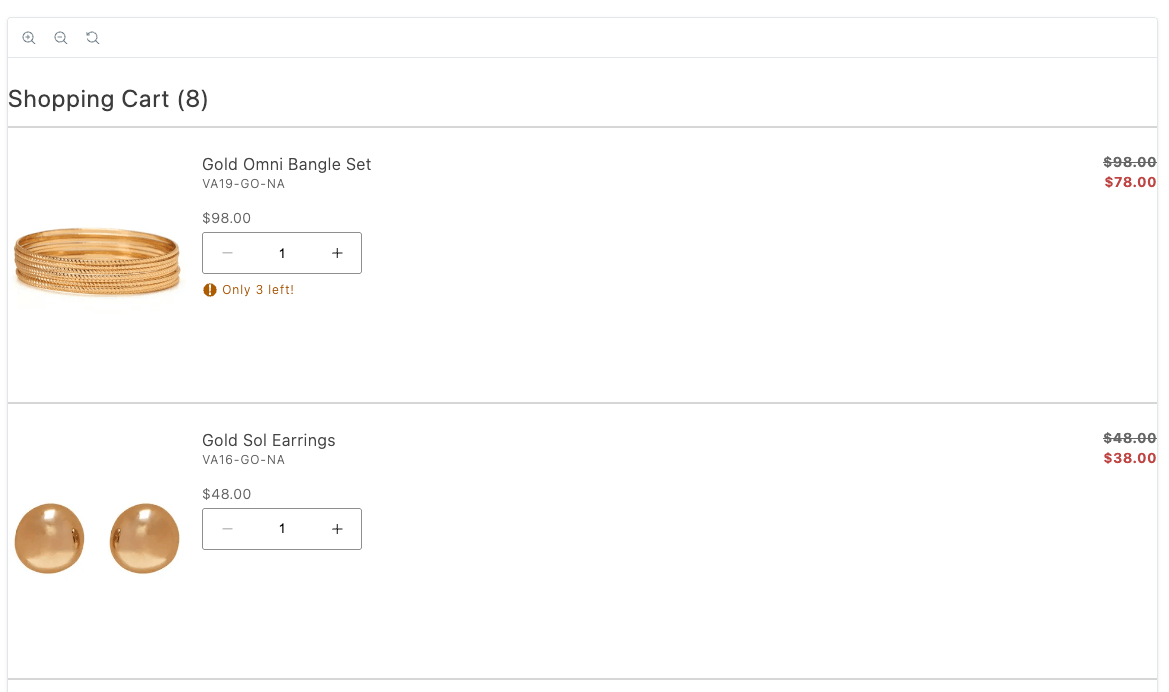\n</Diagram>\n\n\n## Configurations\n\nThe `CartSummaryList` container provides the following configuration options:\n\n\n| Parameter | Type | Required | Description |\n|-----------|------|----------|-------------|\n| `children` | `CartModel` | Yes | Child elements to be rendered inside the container. |\n| `routeProduct` | `function` | No | Callback function that returns a product. |\n| `routeEmptyCartCTA` | `function` | No | Callback function that returns an empty cart. |\n| `initialData` | `string` | Yes | Initial cart data to preload the component. Defaults to null. |\n| `hideHeading` | `boolean` | No | Whether to hide the heading of the cart. |\n| `hideFooter` | `boolean` | No | Whether to hide the footer of the cart. |\n| `routeCart` | `function` | No | Callback function that navigates to the cart. |\n| `onItemUpdate` | `function` | No | Callback function that updates the item. |\n| `onItemRemove` | `function` | No | Callback function that removes the item. |\n| `maxItems` | `number` | No | Maximum number of items to display. |\n| `slots` | `function` | No | Allows passing a container or custom component. |\n| `attributesToHide` | `string[]` | No | Attributes to hide. |\n| `enableRemoveItem` | `boolean` | No | Enable remove item. |\n| `enableUpdateItemQuantity` | `boolean` | No | Enable update item quantity. |\n| `onItemsErrorsChange` | `function` | No | Callback function that changes the items errors. |\n| `accordion` | `boolean` | No | Toggle accordion view. |\n| `variant` | `primary \\| secondary` | No | Cart variant. |\n| `isLoading` | `boolean` | No | Toggle loading state. |\n| `showMaxItems` | `boolean` | No | Toggle show max items. |\n| `showDiscount` | `boolean` | No | Toggle show discount. |\n| `showSavings` | `boolean` | No | Toggle show savings. |\n| `quantityType` | `stepper \\| dropdown` | No | Display quantity changes as a stepper or in a dropdown menu. |\n| `dropdownOptions` | `string[]` | No | An array of items to display in a dropdown menu. |\n| `undo` | `boolean` | No | Enables the undo banner to restore recently removed items to the cart. |\n| `includeOutOfStockItems` | `boolean` | No | Display out-of-stock and insufficient-quantity items in the main cart item list alongside in-stock items. Default: `false`. |\n\n\nThe `CartModel` object has the following shape:\n\n\n## Supported slots\n\nThe `CartSummaryList` container supports the following slots:\n\n* Heading\n* EmptyCart\n* Footer\n* Thumbnail\n* ProductAttributes\n* CartSummaryFooter\n* CartItem\n* UndoBanner\n* ItemTitle\n* ItemPrice\n* ItemQuantity\n* ItemTotal\n* ItemSku\n* ItemRemoveAction\n\n## Example configuration\n\nThe following example demonstrates how to render the `CartSummaryList` container with the `routeProduct` and `routeEmptyCartCTA` callbacks:\n\n```js\nprovider.render(CartSummaryList, {\n enableRemoveItem: true,\n enableUpdateItemQuantity: true,\n showDiscount: true,\n // accordion: true,\n // includeOutOfStockItems: true,\n // showMaxItems: false,\n // maxItems: 6,\n // routeCart: () => '#cart',\n // showSavings: true,\n // quantityType: 'dropdown',\n // dropdownOptions: [\n // { value: '1', text: '1' },\n // { value: '2', text: '2' },\n // { value: '3', text: '3' },\n // ],\n routeProduct: (item) => {\n return `${item.url.categories.join('/')}/$`;\n },\n routeEmptyCartCTA: () => '#empty-cart',\n slots: {\n Footer: (ctx) => {\n // Runs on mount\n const wrapper = document.createElement('div');\n ctx.appendChild(wrapper);\n\n // Append Product Promotions on every update\n ctx.onChange((next) => {\n wrapper.innerHTML = '';\n\n next.item?.discount?.label?.forEach((label) => {\n const discount = document.createElement('div');\n discount.style.color = '#3d3d3d';\n discount.innerText = label;\n wrapper.appendChild(discount);\n });\n });\n },\n },\n})($cartSummaryList);"
|
|
29
|
+
},
|
|
30
|
+
{
|
|
31
|
+
"path": "dropins/cart/containers/cart-summary-table",
|
|
32
|
+
"title": "CartSummaryTable container",
|
|
33
|
+
"description": "Present the shopping cart as a table with header rows, line details, and feature toggles for merchants who want spreadsheet-style cart editing.",
|
|
34
|
+
"content": "The `CartSummaryTable` container displays a summary of the items in the shopping cart by rendering a table of cart items. Each row represents an individual item in the cart, with columns for the item details, price, quantity, subtotal, and actions.\n\n<Diagram caption=\"CartSummaryTable container\">\n 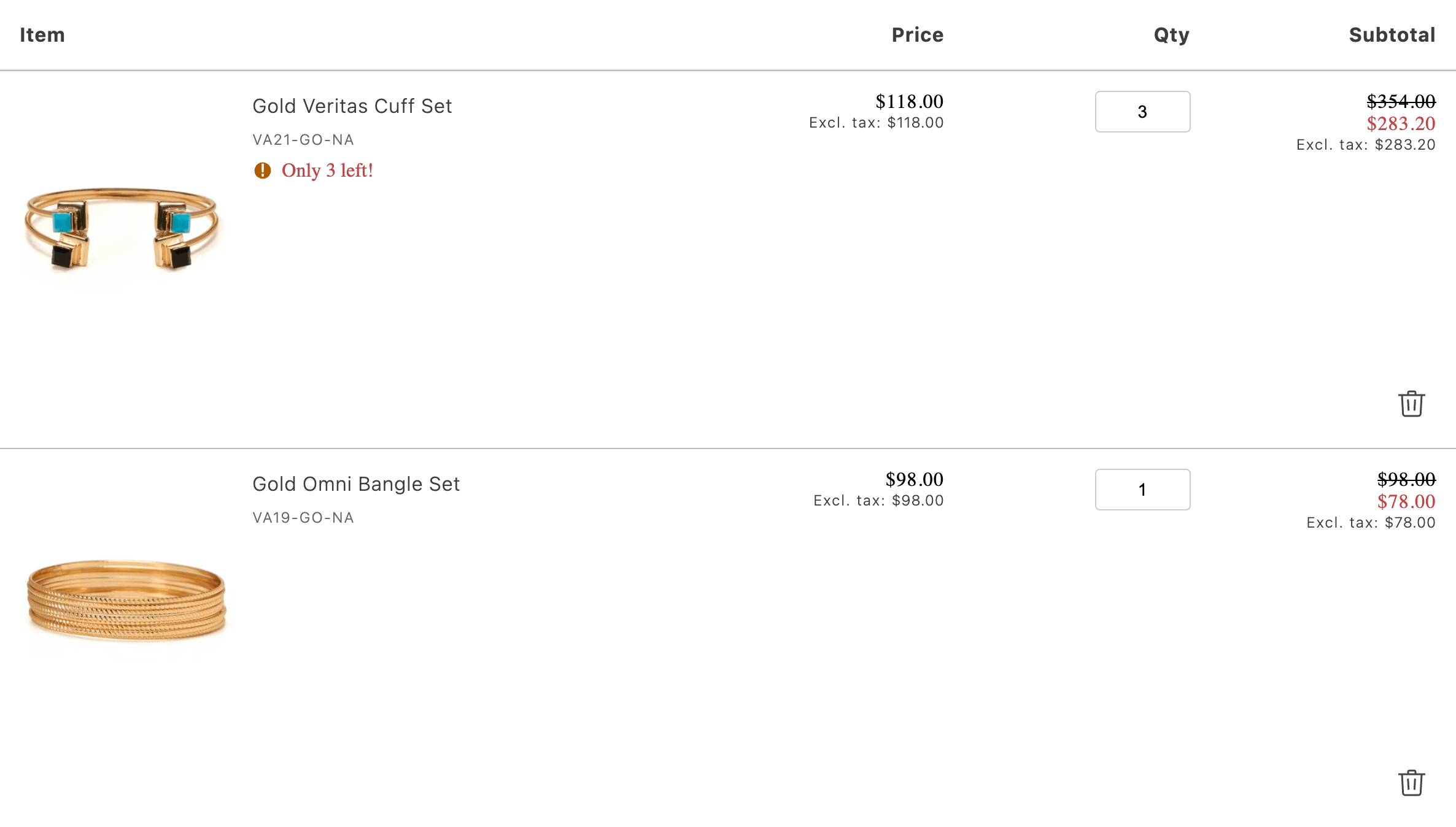\n</Diagram>\n\n## Features\n\nThe `CartSummaryTable` container includes the following features:\n\n- Automatic loading state with skeleton UI\n- Support for out-of-stock items with visual indicators\n- Quantity update functionality with error handling\n- Item removal capability\n- Tax price display (including/excluding)\n- Product image display with lazy loading\n- Configurable product routing\n- Customizable slots for all major components\n- Support for product configurations\n- Warning and alert message display\n- Discount and savings display\n\n## Configurations\n\nThe `CartSummaryTable` container provides the following configuration options:\n\n\n| Parameter | Type | Required | Description |\n|-----------|------|----------|-------------|\n| `initialData` | `CartModel \\| null` | No | Initial data for the cart. Defaults to null. |\n| `className` | `string` | No | Optional CSS class name for custom styling. |\n| `routeProduct` | `function` | No | Function for getting the product page route. |\n| `allowQuantityUpdates` | `boolean` | No | Whether to allow quantity updates. Defaults to true. |\n| `allowRemoveItems` | `boolean` | No | Whether to allow removing items. Defaults to true. |\n| `onQuantityUpdate` | `function` | No | Callback function when quantity is updated. |\n| `onItemRemove` | `function` | No | Callback function when an item is removed. |\n| `routeEmptyCartCTA` | `function` | No | Function to generate the URL for the empty cart call-to-action button. |\n| `undo` | `boolean` | No | Enables the undo banner to restore recently removed items to the cart. |\n\n\nThe `CartModel` object has the following shape:\n\n\n## Supported slots\n\nThe `CartSummaryTable` container supports the following slots for customization:\n\n* **Item**: Customize the item cell content\n * Context: `{ item: CartModel['items'][number] }`\n\n* **Price**: Customize the price cell content\n * Context: `{ item: CartModel['items'][number] }`\n\n* **Quantity**: Customize the quantity cell content\n * Context: `{ \n item: CartModel['items'][number],\n isUpdating: boolean,\n quantityInputValue: number,\n handleInputChange: (e: Event) => void,\n itemUpdateErrors: Map<string, string>\n }`\n\n* **Subtotal**: Customize the subtotal cell content\n * Context: `{ item: CartModel['items'][number] }`\n\n* **Thumbnail**: Customize the thumbnail image on an item\n * Context: `{ \n item: CartModel['items'][number],\n defaultImageProps: ImageProps,\n index: number\n }`\n\n* **ProductTitle**: Customize the product title on an item\n * Context: `{ item: CartModel['items'][number] }`\n\n* **Sku**: Customize the product SKU on an item\n * Context: `{ item: CartModel['items'][number] }`\n\n* **Configurations**: Customize the product configurations on an item\n * Context: `{ item: CartModel['items'][number] }`\n\n* **ItemAlert**: Customize the product alert on an item\n * Context: `{ item: CartModel['items'][number] }`\n\n* **ItemWarning**: Customize the product warning on an item\n * Context: `{ item: CartModel['items'][number] }`\n\n* **Actions**: Customize the actions on an item\n * Context: `{ \n item: CartModel['items'][number],\n itemsUpdating: Map<string, { isUpdating: boolean, updatedValue: number }>,\n setItemUpdating: (uid: string, state: boolean) => void,\n setItemUpdateError: (uid: string, error: string) => void\n }`\n\n## Example configuration\n\nThe following example demonstrates how to render the `CartSummaryTable` container with the some of the configuration options and slots:\n\n```js\nprovider.render(CartSummaryTable, {\n initialData: cartData,\n allowQuantityUpdates: true,\n allowRemoveItems: true,\n routeProduct: (item) => `/products/$`,\n onQuantityUpdate: (item, quantity) => {\n // Handler after quantity update\n },\n onItemRemove: (item) => {\n // Handler after item removal\n },\n slots: {\n Item: (ctx) => {\n // Custom item cell content\n },\n Price: (ctx) => {\n // Custom price cell content\n },\n // ... other slot customizations\n }\n});\n```"
|
|
35
|
+
},
|
|
36
|
+
{
|
|
37
|
+
"path": "dropins/cart/containers/coupons",
|
|
38
|
+
"title": "Coupons container",
|
|
39
|
+
"description": "Add a coupons field inside OrderSummary that calls applyCouponsToCart and wire labels through slots without extra container props.",
|
|
40
|
+
"content": "The `Coupons` container manages the application of coupons to the shopping cart. It provides a text box for users to enter coupon codes. The container uses the `applyCouponsToCart` function to apply the coupon to the cart.\n\n<Diagram caption=\"Coupons container\">\n 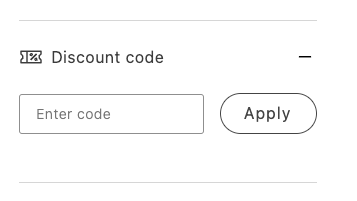\n</Diagram>\n\n## Configurations\n\nThe `Coupons` container has no public configuration options. Render it without any props inside an `OrderSummary` slot.\n\n## Example configuration\n\nThe following example demonstrates how to render the `Coupons` container as part of the OrderSummary slot:\n\n```js\n{\n provider.render(OrderSummary, {\n routeCheckout: () => '#checkout',\n slots: {\n Coupons: (ctx) => {\n const coupons = document.createElement('div');\n\n provider.render(Coupons)(coupons);\n\n ctx.appendChild(coupons);\n },\n },\n showTotalSaved: true,\n })('.cart__order-summary'),\n}"
|
|
41
|
+
},
|
|
42
|
+
{
|
|
43
|
+
"path": "dropins/cart/containers/empty-cart",
|
|
44
|
+
"title": "EmptyCart container",
|
|
45
|
+
"description": "Show the cart empty state, friendly copy, and routing helpers so shoppers can resume browsing or navigate to a merchandised landing page.",
|
|
46
|
+
"content": "The `EmptyCart` container renders a message or component indicating that the cart is empty.\nIt can provide navigation options to continue shopping or explore products.\n\n<Diagram caption=\"EmptyCart container\">\n \n</Diagram>\n\n\n## Configurations\n\nThe `EmptyCart` container provides the following configuration options:\n\n\n| Parameter | Type | Required | Description |\n|-----------|------|----------|-------------|\n| `routeCTA` | `function` | No | Callback function that returns an empty cart. |\n\n\n## Example configuration\n\nThe following example demonstrates how to render the `EmptyCart` container:\n\n```js\nprovider.render(EmptyCart, {\n routeCTA: startShoppingURL ? () => startShoppingURL : undefined,\n})($emptyCart),\n```\n`;"
|
|
47
|
+
},
|
|
48
|
+
{
|
|
49
|
+
"path": "dropins/cart/containers/estimate-shipping",
|
|
50
|
+
"title": "EstimateShipping container",
|
|
51
|
+
"description": "Learn about the EstimateShipping container.",
|
|
52
|
+
"content": "The `EstimateShipping` container renders a form that allows shoppers to estimate shipping costs based on their specified location. The form includes fields for the shopper to enter their country, state, and postal code.\n\n<Diagram caption=\"EstimateShipping container\">\n 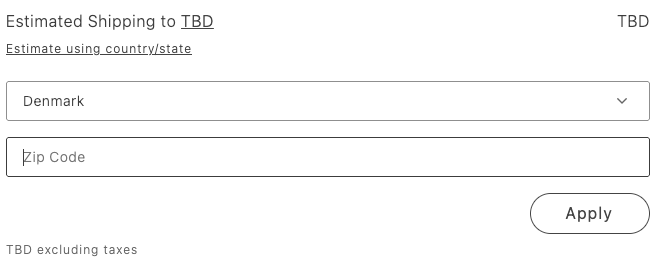\n</Diagram>\n\n## Configurations\n\nThe `EstimateShipping` container provides the following configuration options:\n\n\n| Parameter | Type | Required | Description |\n|-----------|------|----------|-------------|\n| `showDefaultEstimatedShippingCost` | `boolean` | Yes | Displays the default estimated shipping cost before the shopper enters location details. |\n\n\n## Example configuration\n\nThe following example demonstrates how to render the `EstimateShipping` container:\n\n```js\nEstimateShipping: (ctx) => {\n const estimateShippingForm = document.createElement('div');\n\nprovider.render(EstimateShipping, {\n showDefaultEstimatedShippingCost: true,\n})('#estimate-shipping');"
|
|
53
|
+
},
|
|
54
|
+
{
|
|
55
|
+
"path": "dropins/cart/containers/gift-cards",
|
|
56
|
+
"title": "GiftCards container",
|
|
57
|
+
"description": "Collect and apply gift card codes in the OrderSummary slot with functions to add or remove stored value before checkout completes.",
|
|
58
|
+
"content": "The `GiftCards` container manages the application and removal of gift cards to the shopping cart. It provides a text box for users to enter gift card codes. The container uses the `applyGiftCardToCart` and `removeGiftCardFromCart` functions to apply the coupon to the cart. When a gift card code is applied, the corresponding amount is subtracted from the total order value, and the discount is displayed in the cart and order summary.\n\nThe Adobe Commerce merchant can manage gift card configuration from **Marketing** > **Gift Card Accounts**.\n\n<Diagram caption=\"GiftCards container\">\n 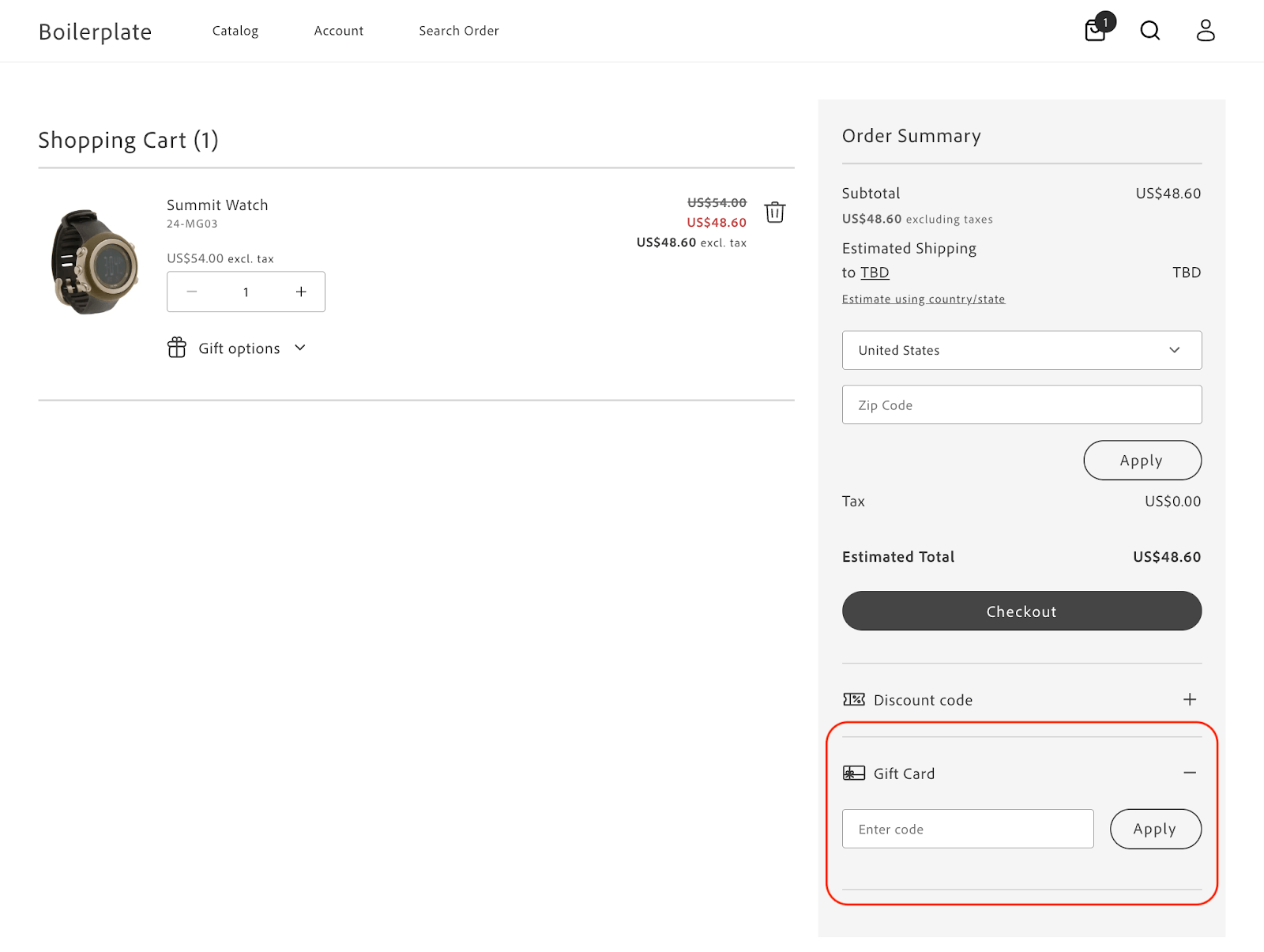\n</Diagram>\n\n## Configurations\n\nThe `GiftCards` container provides the following configuration options:\n\n\n| Parameter | Type | Required | Description |\n|-----------|------|----------|-------------|\n| `className` | `string` | No | CSS class applied to the container. |\n\n\n## Example configuration\n\nThe following example demonstrates how to render the `GiftCards` container as part of the OrderSummary slot:\n\n```js\nprovider.render(OrderSummary, {\n routeProduct: (product) => rootLink(`/products/$/$`),\n routeCheckout: checkoutURL ? () => rootLink(checkoutURL) : undefined,\n slots: {\n GiftCards: (ctx) => {\n const giftCards = document.createElement('div');\n\n provider.render(GiftCards)(giftCards);\n\n ctx.appendChild(giftCards);\n },\n },\n})($summary);\n\n```"
|
|
59
|
+
},
|
|
60
|
+
{
|
|
61
|
+
"path": "dropins/cart/containers/gift-options",
|
|
62
|
+
"title": "GiftOptions container",
|
|
63
|
+
"description": "Configure GiftOptions for product or whole-order gift wrapping, messages, printed cards, and gift receipts with editable or read-only modes.",
|
|
64
|
+
"content": "The `GiftOptions` container allows shoppers to personalize their orders by adding gift wrapping and a gift message for each cart item or by applying gift-related options to the entire order. It can be displayed in a product or order view, with each view supporting both editable and non-editable modes, controlled via props.\n\nProducts can have the following gift options:\n\n* Gift wrapping\n* Gift message\n\nOrders can have the following gift options:\n\n* Gift receipt\n* Printed card\n* Gift wrapping\n* Gift message\n\nThe following diagrams illustrate how gift options can be rendered.\n\n<Diagram caption=\"GiftOptions container with all available options\">\n 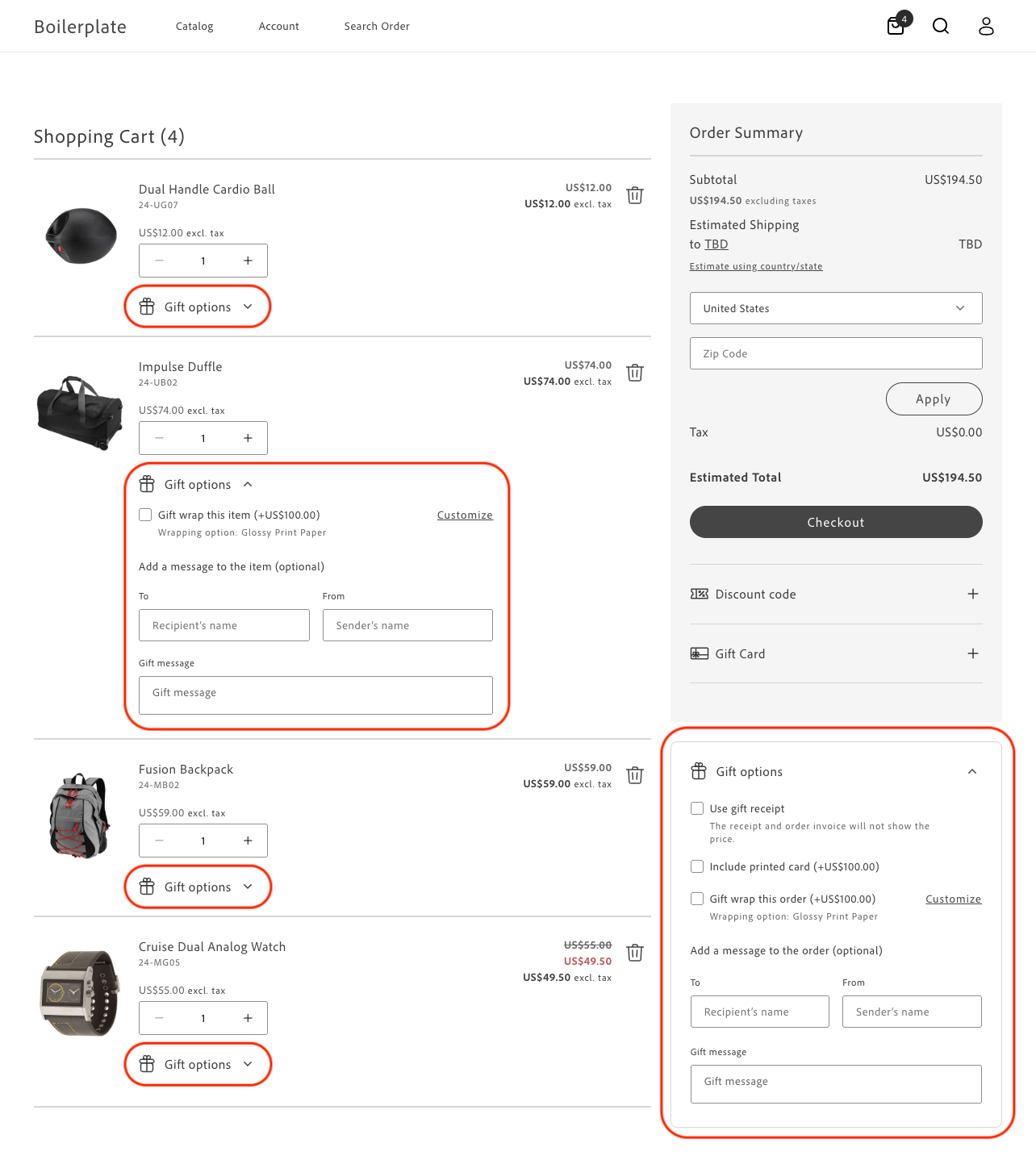\n</Diagram>\n\n<Diagram caption=\"GiftOptions container with options that have been set\">\n 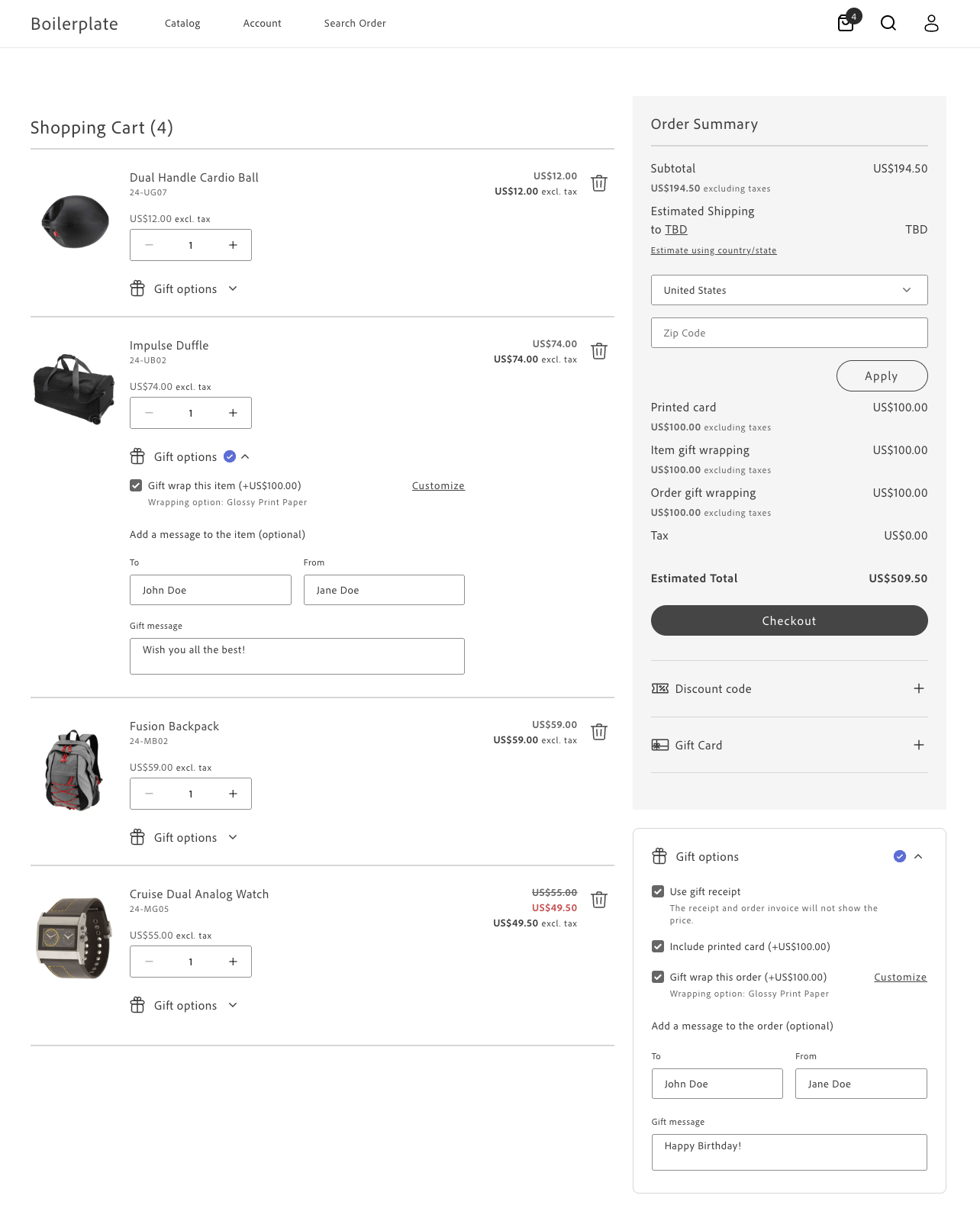\n</Diagram>\n\n## Admin configuration\n\nGift options highly configurable, allowing merchants to manage gift options at both the global and product levels. This flexibility ensures that gift options can be tailored to meet the specific needs of the store and its products. These configurations determine how your frontend code will behave and what options will be available to customers during the shopping experience.\n\n### Global configuration\n\nThe merchant can manage global gift option configurations from the Admin at **Stores** > Configuration > **Sales** > **Sales** > **Gift Options**. The following options are available:\n\n* **Allow Gift Messages on Order Level**\n* **Allow Gift Messages for Order Items**\n* **Allow Gift Wrapping on Order Level**\n* **Allow Gift Wrapping for Order Items**\n* **Allow Gift Receipt**\n* **Allow Printed Card**\n* **Default Price for Printed Card**\n\nGlobal configurations apply to all products unless overridden by product level configurations.\n\n### Product-level configuration\n\nEach product can have its own gift option configuration, which takes precedence over the global configurations. To manage product-level configurations, the administrator must ensure that the product is enabled for gift options. This can be done by setting the following options in the product configuration (**Catalog** > **Products** > _Product_ > **Gift Options**):\n\n**Allow Gift Message** - If enabled, customers can add a personalized gift message for this product even if gift messages are globally disabled. If disabled, gift messages will not be available for this product, even if globally enabled.\n\n**Allow Gift Wrapping** - If enabled, customers can select a gift wrapping for this product even if gift wrapping is globally disabled. If disabled, gift wrapping will not be available for this product, even if globally enabled. If gift wrapping is disabled at least for one product in cart, you cannot apply gift wrapping to the whole order, even if order-level gift wrapping is enabled globally.\n\n**Price for Gift Wrapping** - If set, overrides the pricing for all gift-wrapping options for this product.\n\n### Gift wrapping configuration\n\nGift wrapping options can be configured and managed from **Stores** > Configuration > **Gift Wrapping**. Settings include a title, price, and image for each gift wrapping option.\n\n### Tax Display configuration\n\nTax display settings define how taxes for gift options are shown on different pages, such as the cart and order summary. These settings can be configured under **Stores** > Configuration > **Sales** > **Tax**.\n\n## Container configurations\n\nThe `GiftOptions` container provides the following configuration options:\n\n\n| Parameter | Type | Required | Description |\n|-----------|------|----------|-------------|\n| `dataSource` | `cart \\| order` | No | Coupon code input field. |\n| `view` | `product \\| order` | No | Defines which view of the GiftOptions container should be rendered based on the insertion location. |\n| `isEditable` | `Boolean` | No | Determines whether the GiftOptions container should be rendered in an editable mode. |\n| `item` | `Object` | No | The item prop is required for initializing the product view. It is used to retrieve available gift options and product-level configurations. |\n| `initialLoading` | `Boolean` | No | Indicates the initial state of the component, which can be used for UX purposes. |\n| `readOnlyFormOrderView` | `primary \\| secondary` | No | Determines the styling of the GiftOptions container in order view - non-editable mode. |\n| `handleItemsLoading` | `Function` | No | Used to integrate GiftOptions with the CartSummaryList container provided by cart drop-in. |\n| `handleItemsError` | `Function` | No | Used to integrate GiftOptions with cart CartSummaryList container provided by cart drop-in. |\n| `onItemUpdate` | `Function` | No | Used to integrate GiftOptions with cart CartSummaryList container provided by cart drop-in. |\n| `onGiftOptionsChange` | `Function` | No | Used to build custom GiftOptions container integrations. |\n\n\nFor the `dataSource` prop, specify `cart` when the source of truth is the cart page, meaning gift options are applied at the cart level and the container should initialize with the currently selected gift options. Also, specify card on any other page where the cart drop-in fires a `cart/data` event. Specify `order` when the source of truth is a previously-placed order or if the page is controlled by the order drop-in and initialized by an `order/data` event.\n\nFor the `view` prop, specify `product` when the `GiftOptions` container is rendered at the product level, allowing users to configure gift options for a specific product. Use `order` when the container is rendered at the order level, enabling users to configure gift options for the entire order.\n\nSet the `isEditable` prop to `true` when gift options should be editable, such as on the cart page, where users can modify options before placing an order. Use `false` when gift options should be non-editable, such as on the Order Details page, where users view gift options for an already placed order.\n\nThe `items` prop accepts:\n\n* A cart item object (for seamless integration with the cart and checkout pages).\n* A custom-shaped object with the required fields:\n\n ```js\n export type ProductGiftOptionsConfig = {\n giftWrappingAvailable: boolean;\n giftMessageAvailable: boolean;\n giftWrappingPrice?: Price;\n giftMessage?: {\n recipientName?: string;\n senderName?: string;\n message?: string;\n };\n productGiftWrapping: GiftWrappingConfigProps[];\n };\n ```\n\n## Example configurations\n\nThe following examples demonstrate how to configure the `GiftOptions` container in different scenarios.\n\n### Product view: editable\n\nThe following example demonstrates how to render the `GiftOptions` container in an editable mode at the product level:\n\n```js\nprovider.render(CartSummaryList, {\n hideHeading: hideHeading === 'true',\n routeProduct: (product) => rootLink(`/products/$/$`),\n routeEmptyCartCTA: startShoppingURL ? () => rootLink(startShoppingURL) : undefined,\n maxItems: parseInt(maxItems, 10) || undefined,\n attributesToHide: hideAttributes\n .split(',')\n .map((attr) => attr.trim().toLowerCase()),\n enableUpdateItemQuantity: enableUpdateItemQuantity === 'true',\n enableRemoveItem: enableRemoveItem === 'true',\n slots: {\n Footer: (ctx) => {\n const giftOptions = document.createElement('div');\n\n provider.render(GiftOptions, {\n item: ctx.item,\n view: 'product',\n dataSource: 'cart',\n handleItemsLoading: ctx.handleItemsLoading,\n handleItemsError: ctx.handleItemsError,\n onItemUpdate: ctx.onItemUpdate,\n })(giftOptions);\n\n ctx.appendChild(giftOptions);\n },\n },\n})($list);\n```\n\n### Product View: non-editable\n\nThe following example demonstrates how to render the `GiftOptions` container in a non-editable mode at the product level:\n\n```js\nCartProvider.render(CartSummaryList, {\n variant: 'secondary',\n slots: {\n Heading: (headingCtx) => {\n const title = 'Your Cart ()';\n\n const cartSummaryListHeading = document.createElement('div');\n cartSummaryListHeading.classList.add('cart-summary-list__heading');\n\n const cartSummaryListHeadingText = document.createElement('div');\n cartSummaryListHeadingText.classList.add(\n 'cart-summary-list__heading-text',\n );\n\n cartSummaryListHeadingText.innerText = title.replace(\n '()',\n headingCtx.count ? `($)` : '',\n );\n const editCartLink = document.createElement('a');\n editCartLink.classList.add('cart-summary-list__edit');\n editCartLink.href = rootLink('/cart');\n editCartLink.rel = 'noreferrer';\n editCartLink.innerText = 'Edit';\n\n cartSummaryListHeading.appendChild(cartSummaryListHeadingText);\n cartSummaryListHeading.appendChild(editCartLink);\n headingCtx.appendChild(cartSummaryListHeading);\n\n headingCtx.onChange((nextHeadingCtx) => {\n cartSummaryListHeadingText.innerText = title.replace(\n '()',\n nextHeadingCtx.count ? `($)` : '',\n );\n });\n },\n Footer: (ctx) => {\n const giftOptions = document.createElement('div');\n\n CartProvider.render(GiftOptions, {\n item: ctx.item,\n view: 'product',\n dataSource: 'cart',\n isEditable: false,\n handleItemsLoading: ctx.handleItemsLoading,\n handleItemsError: ctx.handleItemsError,\n onItemUpdate: ctx.onItemUpdate,\n })(giftOptions);\n\n ctx.appendChild(giftOptions);\n },\n },\n})($cartSummary);\n```\n\n### Order view: editable\n\nThe following example demonstrates how to render the `GiftOptions` container in an editable mode at the order level:\n\n```js\nprovider.render(GiftOptions, {\n view: 'order',\n dataSource: 'cart',\n})($giftOptions);\n```\n\n### Order view: non-editable\n\nThe following example demonstrates how to render the `GiftOptions` container in a non-editable mode at the order level:\n\n```js\nCartProvider.render(GiftOptions, {\n view: 'order',\n dataSource: 'cart',\n isEditable: false,\n})($giftOptions);\n```\n\n## Custom integrations\n\nYou can build additional custom integrations for gift option functionality using the GiftOptions container.\nAs an example, we can integrate the GiftOptions container on the Product Detail Page (PDP), allowing customers to select gift options for products before adding them to the cart. The code examples provided below demonstrate the general approach to building custom integrations with the GiftOptions container."
|
|
65
|
+
},
|
|
66
|
+
{
|
|
67
|
+
"path": "dropins/cart/containers/mini-cart",
|
|
68
|
+
"title": "MiniCart container",
|
|
69
|
+
"description": "Surface line items, subtotals, and checkout or full-cart buttons in a mini panel sized for drawers, headers, or flyouts.",
|
|
70
|
+
"content": "The `MiniCart` container displays a summary of the shopper's shopping cart. It shows a list of products currently in the cart and subtotal amounts. It also provides call-to-action buttons for proceeding to checkout or updating the cart.\n\n<Diagram caption=\"MiniCart container\">\n 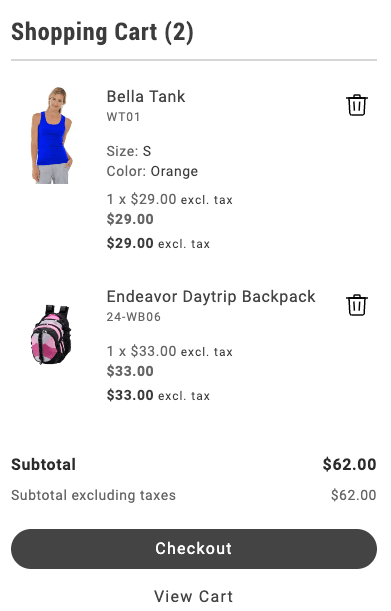\n</Diagram>\n\n## Configurations\n\nThe `MiniCart` container provides the following configuration options:\n\n\n| Parameter | Type | Required | Description |\n|-----------|------|----------|-------------|\n| `children` | `VNode[]` | No | The child elements to be rendered inside the mini cart. |\n| `initialData` | `CartModel \\| null` | No | The initial data for the mini cart. Defaults to null. |\n| `hideFooter` | `boolean` | No | Flag to hide the footer in the mini cart. Defaults to true. |\n| `slots` | `{ ProductList?: SlotProps }` | No | Slot props for customizing the product list display. |\n| `routeProduct` | `function` | No | Function to generate the URL for a product. |\n| `routeCart` | `function` | No | Function to generate the URL for the cart page. |\n| `routeCheckout` | `function` | No | Function to generate the URL for the checkout page. |\n| `routeEmptyCartCTA` | `function` | No | Function to generate the URL for the empty cart call-to-action. |\n| `displayAllItems` | `boolean` | No | Flag to show all items. |\n| `showDiscount` | `boolean` | No | Flag to show discounts in the mini cart. |\n| `showSavings` | `boolean` | No | Flag to show savings in the mini cart. |\n| `enableItemRemoval` | `boolean` | Yes | Flag to enable removing items from the mini cart. When set to true, users can remove products from the cart directly in the mini cart interface. |\n| `enableQuantityUpdate` | `boolean` | No | Flag to enable updating item quantities in the mini cart. When set to true, users can adjust product quantities directly in the mini cart interface. |\n| `hideHeading` | `boolean` | No | Flag to hide the heading in the mini cart. When set to true, the mini cart header will not be displayed. |\n| `undo` | `boolean` | No | Enables the undo banner to restore recently removed items to the cart. |\n\n\nThe `CartModel` object has the following shape:\n\n\n## Supported slots\n\nThe `MiniCart` container supports the following slots:\n\n* ProductList\n* ProductListFooter\n* PreCheckoutSection\n* Thumbnail\n* Heading\n* EmptyCart\n* Footer\n* ProductAttributes\n* CartSummaryFooter\n* CartItem\n* UndoBanner\n* ItemTitle\n* ItemPrice\n* ItemQuantity\n* ItemTotal\n* ItemSku\n* ItemRemoveAction\n\n## Example configuration\n\nThe following example demonstrates how to render the `MiniCart` container:\n\n```javascript\nprovider.render(MiniCart, {\n routeProduct: (item) => {\n return `${item.url.categories.join('/')}/$`;\n },\n routeEmptyCartCTA: () => '#empty-cart',\n routeCart: () => '#cart',\n routeCheckout: () => '#checkout',\n showDiscount: true,\n // showSavings: true,\n // enableItemRemoval: true,\n // enableQuantityUpdate: true,\n // hideHeading: true,\n})($miniCart);\n```"
|
|
71
|
+
},
|
|
72
|
+
{
|
|
73
|
+
"path": "dropins/cart/containers/order-summary",
|
|
74
|
+
"title": "OrderSummary container",
|
|
75
|
+
"description": "Display subtotal, discounts, shipping estimates, taxes, and total due with slots for coupons and estimated shipping calculations.",
|
|
76
|
+
"content": "The `OrderSummary` container displays a detailed summary of the shopper's order. It includes the subtotal, taxes, shipping costs, and total amount due. It optionally applies discounts or coupons.\n\n<Diagram caption=\"OrderSummary container\">\n 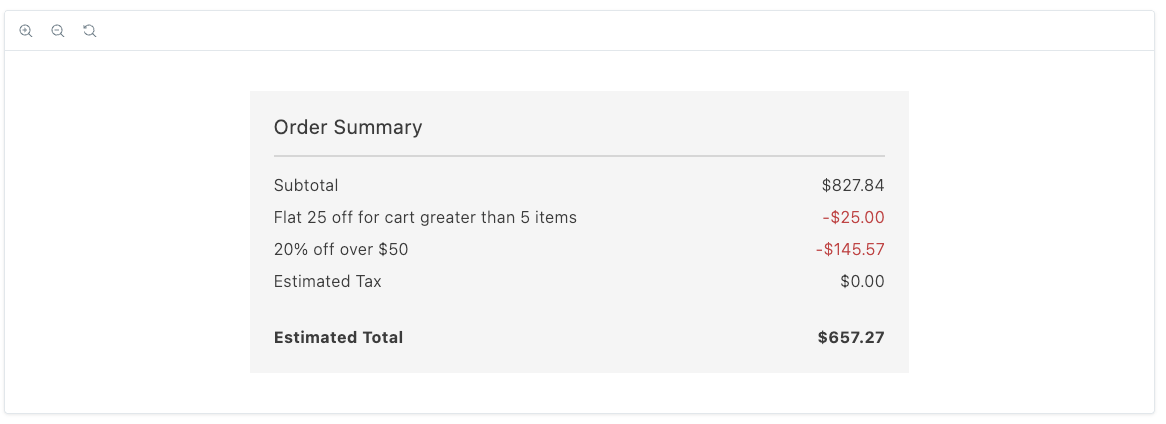\n</Diagram>\n\nThis container supports the Coupon and EstimatedShipping slots.\n\n## Configurations\n\nThe `OrderSummary` container provides the following configuration options:\n\n\n| Parameter | Type | Required | Description |\n|-----------|------|----------|-------------|\n| `children` | `VNode[]` | No | The child elements to be rendered inside the order summary. |\n| `initialData` | `CartModel \\| null` | No | The initial data for the order summary. Defaults to null. |\n| `routeCheckout` | `function` | No | Function to generate the URL for the checkout page. |\n| `slots` | `Slot` | No | Slot props for customizing the estimate shipping and coupons display. |\n| `errors` | `boolean` | Yes | Flag to indicate if there are errors in the order summary. |\n| `showTotalSaved` | `boolean` | No | Flag to show the total amount saved in the order summary. |\n| `enableCoupons` | `boolean` | No | Flag to enable or disable the coupons section. |\n| `enableGiftCards` | `boolean` | No | Flag to enable or disable the gift cards section. |\n| `updateLineItems` | `function` | No | Function to update the line items in the order summary. Defaults to returning the same items. |\n\n\nThe `CartModel` object has the following shape:\n\n\n## Supported slots\n\nThe `OrderSummary` container supports the Coupons and EstimateShipping slots.\n\n## Example configuration\n\nThe following example demonstrates how to render the `OrderSummary` container with the `EstimateShipping` and `Coupons` slots:\n\n```js\nprovider.render(OrderSummary, {\n routeCheckout: () => '#checkout',\n errors: ctx.hasErrors,\n slots: {\n EstimateShipping: (ctx) => {\n const estimateShippingForm = document.createElement('div');\n provider.render(EstimateShipping, {\n showDefaultEstimatedShippingCost: true\n })(estimateShippingForm);\n ctx.appendChild(estimateShippingForm);\n },\n Coupons: (ctx) => {\n const coupons = document.createElement('div');\n provider.render(Coupons)(coupons);\n ctx.appendChild(coupons);\n },\n },\n showTotalSaved: true\n})(orderSummary);\n```"
|
|
77
|
+
},
|
|
78
|
+
{
|
|
79
|
+
"path": "dropins/cart/containers/order-summary-line",
|
|
80
|
+
"title": "OrderSummaryLine container",
|
|
81
|
+
"description": "Build labeled rows such as shipping or tax inside OrderSummary by pairing a label with a price VNode and optional class suffixes.",
|
|
82
|
+
"content": "The `OrderSummaryLine` container displays a line item in the order summary. The `OrderSummaryLine` container behaves like a wrapper for the `OrderSummaryLine` component. The component ultimately decides how to render the line item, based on the `children` attribute.\n\n<Diagram caption=\"OrderSummaryLine container\">\n \n</Diagram>\n\n\n## Configurations\n\nThe `OrderSummaryLine` container provides the following configuration options:\n\n\n| Parameter | Type | Required | Description |\n|-----------|------|----------|-------------|\n| `label` | `VNode \\| string` | Yes | The label for the order summary line. Accepts a plain string or a VNode for custom rendering. |\n| `price` | `VNode` | Yes | The price for the order summary line. |\n| `classSuffixes` | `string[]` | No | An array of class suffixes to apply to the order summary line. |\n| `labelClassSuffix` | `string` | No | The class suffix to apply to the label. |\n| `testId` | `string` | No | The test ID for the order summary line. |\n| `children` | `VNode[]` | No | The child elements to be rendered inside the order summary. |\n\n\n## Example configuration\n\nThe following example adds the Fixed Product Tax (PDT) line to the order summary:\n\n```js\nupdateLineItems: (lineItems) => {\n const totalFpt = ctx.data.items.reduce((allItemsFpt, item) => {\n const itemFpt = item.fixedProductTaxes.reduce(\n (accumulator, fpt) => {\n accumulator.labels.push(fpt.label);\n accumulator.total += fpt.amount.value;\n return accumulator;\n },\n {\n labels: [],\n total: 0\n }\n );\n allItemsFpt.labels = [...allItemsFpt.labels, ...itemFpt.labels];\n allItemsFpt.total += itemFpt.total;\n return allItemsFpt;\n }, {\n labels: [],\n total: 0\n });\n\n lineItems.push({\n key: 'fpt',\n sortOrder: 350,\n title: 'Fixed Product Tax',\n content: OrderSummaryLine({\n label: \"FPT(\" + totalFpt.labels.join(',') + ')',\n price: Price({ amount: totalFpt.total }),\n classSuffix: 'fpt'\n })\n });\n\n return lineItems;\n};\n```"
|
|
83
|
+
},
|
|
84
|
+
{
|
|
85
|
+
"path": "dropins/cart/dictionary",
|
|
86
|
+
"title": "Cart Dictionary",
|
|
87
|
+
"description": "Customize user-facing text and labels in the Cart drop-in for localization and branding.",
|
|
88
|
+
"content": "The **Cart dictionary** contains all user-facing text, labels, and messages displayed by this drop-in. Customize the dictionary to:\n\n- **Localize** the drop-in for different languages and regions\n- **Customize** labels and messages to match your brand voice\n- **Override** default text without modifying source code for the drop-in\n\nDictionaries use the **i18n (internationalization)** pattern, where each text string is identified by a unique key path.\n\n\n## How to customize\n\nOverride dictionary values during drop-in initialization. The drop-in deep-merges your custom values with the defaults.\n\n```javascript\n\nawait initialize({\n langDefinitions: {\n en_US: {\n \"Cart\": {\n \"Cart\": {\n \"heading\": \"My Custom Title\",\n \"editCart\": \"Custom value\"\n }\n }\n }\n }\n});\n```\n\nYou only need to include the keys you want to change. For multi-language support and advanced patterns, see the [Dictionary customization guide](https://experienceleague.adobe.com/developer/commerce/storefront/dropins/all/dictionaries/).\n\n## Default keys and values\n\nBelow are the default English (`en_US`) strings provided by the **Cart** drop-in:\n\n```json title=\"en_US.json\"\n{\n \"Cart\": {\n \"Cart\": {\n \"heading\": \"Shopping Cart ()\",\n \"editCart\": \"Edit\",\n \"viewAll\": \"View all in cart\",\n \"viewMore\": \"View more\"\n },\n \"CartSummaryTable\": {\n \"item\": \"Item\",\n \"price\": \"Price\",\n \"qty\": \"Qty\",\n \"subtotal\": \"Subtotal\",\n \"mobilePrice\": \"Price\",\n \"mobileQty\": \"Qty\",\n \"mobileSubtotal\": \"Subtotal\"\n },\n \"MiniCart\": {\n \"heading\": \"Shopping Cart ()\",\n \"subtotal\": \"Subtotal\",\n \"subtotalExcludingTaxes\": \"Subtotal excluding taxes\",\n \"cartLink\": \"View Cart\",\n \"checkoutLink\": \"Checkout\"\n },\n \"EmptyCart\": {\n \"heading\": \"Your cart is empty\",\n \"cta\": \"Start shopping\"\n },\n \"PriceSummary\": {\n \"taxToBeDetermined\": \"TBD\",\n \"checkout\": \"Checkout\",\n \"orderSummary\": \"Order Summary\",\n \"giftCard\": {\n \"label\": \"Gift Card\",\n \"applyAction\": \"Apply\",\n \"ariaLabel\": \"Enter gift card code\",\n \"ariaLabelRemove\": \"Remove gift card\",\n \"placeholder\": \"Enter code\",\n \"title\": \"Gift Card\",\n \"errors\": {\n \"empty\": \"Please enter a gift card code.\"\n },\n \"appliedGiftCards\": {\n \"label\": {\n \"singular\": \"Gift card\",\n \"plural\": \"Gift cards\"\n },\n \"remainingBalance\": \"Remaining balance\"\n }\n },\n \"giftOptionsTax\": {\n \"printedCard\": {\n \"title\": \"Printed card\",\n \"inclTax\": \"Including taxes\",\n \"exclTax\": \"excluding taxes\"\n },\n \"itemGiftWrapping\": {\n \"title\": \"Item gift wrapping\",\n \"inclTax\": \"Including taxes\",\n \"exclTax\": \"excluding taxes\"\n },\n \"orderGiftWrapping\": {\n \"title\": \"Order gift wrapping\",\n \"inclTax\": \"Including taxes\",\n \"exclTax\": \"excluding taxes\"\n }\n },\n \"subTotal\": {\n \"label\": \"Subtotal\",\n \"withTaxes\": \"Including taxes\",\n \"withoutTaxes\": \"excluding taxes\"\n },\n \"shipping\": {\n \"label\": \"Shipping\",\n \"editZipAction\": \"Apply\",\n \"estimated\": \"Estimated Shipping\",\n \"estimatedDestination\": \"Estimated Shipping to\",\n \"destinationLinkAriaLabel\": \"Change destination\",\n \"zipPlaceholder\": \"Zip Code\",\n \"withTaxes\": \"Including taxes\",\n \"withoutTaxes\": \"excluding taxes\",\n \"alternateField\": {\n \"zip\": \"Estimate using country/zip\",\n \"state\": \"Estimate using country/state\"\n }\n },\n \"taxes\": {\n \"total\": \"Tax Total\",\n \"totalOnly\": \"Tax\",\n \"breakdown\": \"Taxes\",\n \"showBreakdown\": \"Show Tax Breakdown\",\n \"hideBreakdown\": \"Hide Tax Breakdown\",\n \"estimated\": \"Estimated Tax\"\n },\n \"total\": {\n \"estimated\": \"Estimated Total\",\n \"free\": \"Free\",\n \"label\": \"Total\",\n \"withoutTax\": \"Total excluding taxes\",\n \"saved\": \"Total saved\"\n },\n \"estimatedShippingForm\": {\n \"country\": {\n \"placeholder\": \"Country\"\n },\n \"state\": {\n \"placeholder\": \"State\"\n },\n \"zip\": {\n \"placeholder\": \"Zip Code\"\n },\n \"apply\": {\n \"label\": \"Apply\"\n }\n },\n \"freeShipping\": \"Free\",\n \"coupon\": {\n \"applyAction\": \"Apply\",\n \"placeholder\": \"Enter code\",\n \"title\": \"Discount code\",\n \"ariaLabelRemove\": \"Remove coupon\"\n }\n },\n \"CartItem\": {\n \"discountedPrice\": \"Discounted Price\",\n \"download\": \"file\",\n \"message\": \"Note\",\n \"recipient\": \"To\",\n \"regularPrice\": \"Regular Price\",\n \"sender\": \"From\",\n \"file\": \" file\",\n \"files\": \" files\",\n \"lowInventory\": \"Only left!\",\n \"insufficientQuantity\": \"Only of in stock\",\n \"insufficientQuantityGeneral\": \"Not enough items for sale\",\n \"notAvailableMessage\": \"Requested qty. not available\",\n \"discountPercentage\": \"% off\",\n \"savingsAmount\": \"Savings\",\n \"includingTax\": \"Incl. tax\",\n \"excludingTax\": \"Excl. tax\",\n \"itemBeingRemoved\": \"\\\"\\\" is being removed\",\n \"itemRemoved\": \"\\\"\\\" was removed\",\n \"itemRemovedDescription\": \"Changed your mind? You can undo this action.\",\n \"undoAction\": \"Undo\",\n \"dismissAction\": \"Dismiss\"\n },\n \"EstimateShipping\": {\n \"label\": \"Shipping\",\n \"editZipAction\": \"Apply\",\n \"estimated\": \"Estimated Shipping\",\n \"estimatedDestination\": \"Estimated Shipping to\",\n \"destinationLinkAriaLabel\": \", Change destination\",\n \"zipPlaceholder\": \"Zip Code\",\n \"withTaxes\": \"Including taxes\",\n \"withoutTaxes\": \"excluding taxes\",\n \"alternateField\": {\n \"zip\": \"Estimate using country/zip\",\n \"state\": \"Estimate using country/state\"\n }\n },\n \"OutOfStockMessage\": {\n \"heading\": \"Your cart contains items with limited stock\",\n \"message\": \"Please adjust quantities to continue\",\n \"alert\": \"Out of stock\",\n \"action\": \"Remove all out of stock items from cart\"\n },\n \"GiftOptions\": {\n \"formText\": {\n \"requiredFieldError\": \"This field is required\"\n },\n \"modal\": {\n \"defaultTitle\": \"Gift wrapping for Cart\",\n \"title\": \"Gift wrapping for\",\n \"wrappingText\": \"Wrapping choice\",\n \"wrappingSubText\": \"\",\n \"modalConfirmButton\": \"Apply\",\n \"modalCancelButton\": \"Cancel\",\n \"ariaLabelModal\": \"Gift modal\",\n \"ariaLabelModalOpen\": \"open\",\n \"ariaLabelModalClose\": \"close\",\n \"ariaLabelWrapping\": \"Wrapping options\"\n },\n \"order\": {\n \"customize\": \"Customize\",\n \"accordionHeading\": \"Gift options\",\n \"giftReceiptIncluded\": {\n \"title\": \"Use gift receipt\",\n \"subtitle\": \"The receipt and order invoice will not show the price.\"\n },\n \"printedCardIncluded\": {\n \"title\": \"Include printed card\",\n \"subtitle\": \"\"\n },\n \"giftOptionsWrap\": {\n \"title\": \"Gift wrap this order\",\n \"subtitle\": \"Wrapping option:\"\n },\n \"formContent\": {\n \"formTitle\": \"Add a message to the order (optional)\",\n \"formTo\": \"To\",\n \"formFrom\": \"From\",\n \"giftMessageTitle\": \"Gift message\",\n \"formToPlaceholder\": \"Recipient's name\",\n \"formFromPlaceholder\": \"Sender's name\",\n \"formMessagePlaceholder\": \"Gift message\"\n },\n \"readOnlyFormView\": {\n \"title\": \"Selected gift order options\",\n \"giftWrap\": \"Gift wrap this order\",\n \"giftWrapOptions\": \"Wrapping option:\",\n \"giftReceipt\": \"Use gift receipt\",\n \"giftReceiptText\": \"The receipt and order invoice will not show the price.\",\n \"printCard\": \"Use printed card\",\n \"printCardText\": \"\",\n \"formTitle\": \"Your gift message\",\n \"formTo\": \"To\",\n \"formFrom\": \"From\",\n \"formMessageTitle\": \"Gift message\"\n }\n },\n \"product\": {\n \"customize\": \"Customize\",\n \"accordionHeading\": \"Gift options\",\n \"giftReceiptIncluded\": {\n \"title\": \"Use gift receipt\",\n \"subtitle\": \"The receipt and order invoice will not show the price.\"\n },\n \"printedCardIncluded\": {\n \"title\": \"Include printed card\",\n \"subtitle\": \"\"\n },\n \"giftOptionsWrap\": {\n \"title\": \"Gift wrap this item\",\n \"subtitle\": \"Wrapping option:\"\n },\n \"formContent\": {\n \"formTitle\": \"Add a message to the item (optional)\",\n \"formTo\": \"To\",\n \"formFrom\": \"From\",\n \"giftMessageTitle\": \"Gift message\",\n \"formToPlaceholder\": \"Recipient's name\",\n \"formFromPlaceholder\": \"Sender's name\",\n \"formMessagePlaceholder\": \"Gift message\"\n },\n \"readOnlyFormView\": {\n \"title\": \"This item is a gift\",\n \"wrapping\": \"Wrapping:\",\n \"recipient\": \"To:\",\n \"sender\": \"From:\",\n \"message\": \"Message:\"\n }\n }\n }\n }\n}\n```"
|
|
89
|
+
},
|
|
90
|
+
{
|
|
91
|
+
"path": "dropins/cart/events",
|
|
92
|
+
"title": "Cart Data & Events",
|
|
93
|
+
"description": "Learn about the events used by the Cart and the data available within the events.",
|
|
94
|
+
"content": "The **Cart** drop-in uses the [event bus](https://experienceleague.adobe.com/developer/commerce/storefront/sdk/reference/events) to emit and listen to events for communication between drop-ins and external integrations.\n\n\n## Events reference\n\n{/* EVENTS_TABLE_START */}\n\n\n| Event | Direction | Description |\n|-------|-----------|-------------|\n| [cart/initialized](#cartinitialized-emits) | Emits | Emitted when the component completes initialization. |\n| [cart/product/added](#cartproductadded-emits) | Emits | Emitted when an item is added. |\n| [cart/product/removed](#cartproductremoved-emits) | Emits | Emitted when an item is removed. |\n| [cart/product/updated](#cartproductupdated-emits) | Emits | Emitted when the component state is updated. |\n| [checkout/initialized](#checkoutinitialized-listens) | Listens | Fired by Checkout (`checkout`) when the component completes initialization. |\n| [checkout/updated](#checkoutupdated-listens) | Listens | Fired by Checkout (`checkout`) when the component state is updated. |\n| [requisitionList/alert](#requisitionlistalert-listens) | Listens | Fired by Requisition List (`requisitionList`) when an alert or notification is triggered. |\n| [cart/data](#cartdata-emits-and-listens) | Emits and listens | Triggered when data is available or changes. |\n| [cart/merged](#cartmerged-emits-and-listens) | Emits and listens | Triggered when data is merged. |\n| [cart/reset](#cartreset-emits-and-listens) | Emits and listens | Triggered when the component state is reset. |\n| [cart/updated](#cartupdated-emits-and-listens) | Emits and listens | Triggered when the component state is updated. |\n| [shipping/estimate](#shippingestimate-emits-and-listens) | Emits and listens | Triggered when an estimate is calculated. |\n\n\n{/* EVENTS_TABLE_END */}\n\n## Event details\n\nThe following sections provide detailed information about each event, including its direction, event payload, and usage examples.\n\n\n### `cart/data` (emits and listens)\n\nEmitted when cart data is available or changes. This event is triggered during cart initialization and updates to provide the current cart state.\n\n#### Event payload\n\n```typescript\nCartModel | null\n```\n\nSee [`CartModel`](#cartmodel) for full type definition.\n\n\n#### Example\n\n```js\n\nevents.on('cart/data', (payload) => {\n console.log('cart/data event received:', payload);\n // Add your custom logic here\n});\n```\n\n\n### `cart/initialized` (emits)\n\nEmitted when the component completes initialization.\n\n#### Event payload\n\n```typescript\nCartModel | null\n```\n\nSee [`CartModel`](#cartmodel) for full type definition.\n\n\n#### Example\n\n```js\n\nevents.on('cart/initialized', (payload) => {\n console.log('cart/initialized event received:', payload);\n // Add your custom logic here\n});\n```\n\n\n### `cart/merged` (emits and listens)\n\nEmitted when a guest cart is merged with a customer cart after login. This typically happens when an unauthenticated user adds items to their cart, then signs in, and their guest cart items are combined with any existing items in their customer cart.\n\n#### Event payload\n\n```typescript\n{\n oldCartItems: Item[] | null;\n newCart: CartModel | null;\n}\n```\n\nSee [`Item`](#item), [`CartModel`](#cartmodel) for full type definitions.\n\n\n#### Example\n\n```js\n\nevents.on('cart/merged', (payload) => {\n console.log('cart/merged event received:', payload);\n // Add your custom logic here\n});\n```\n\n\n### `cart/product/added` (emits)\n\nEmitted when new products are added to the cart. This event fires for genuinely new items, not quantity updates of existing items.\n\n#### Event payload\n\n```typescript\nItem[] | null\n```\n\nSee [`Item`](#item) for full type definition.\n\n\n#### Example\n\n```js\n\nevents.on('cart/product/added', (payload) => {\n console.log('cart/product/added event received:', payload);\n // Add your custom logic here\n});\n```\n\n\n### `cart/product/removed` (emits)\n\nEmitted when an item is removed.\n\n#### Event payload\n\n\n#### Example\n\n```js\n\nevents.on('cart/product/removed', (payload) => {\n console.log('cart/product/removed event received:', payload);\n // Add your custom logic here\n});\n```\n\n\n### `cart/product/updated` (emits)\n\nEmitted when the quantity of existing cart items is increased. This event fires when adding more of a product that's already in the cart, as opposed to adding a brand new product.\n\n#### Event payload\n\n```typescript\nItem[] | null\n```\n\nSee [`Item`](#item) for full type definition.\n\n\n#### Example\n\n```js\n\nevents.on('cart/product/updated', (payload) => {\n console.log('cart/product/updated event received:', payload);\n // Add your custom logic here\n});\n```\n\n\n### `cart/reset` (emits and listens)\n\nTriggered when the component state is reset.\n\n#### Event payload\n\n\n#### Example\n\n```js\n\nevents.on('cart/reset', (payload) => {\n console.log('cart/reset event received:', payload);\n // Add your custom logic here\n});\n```\n\n\n### `cart/updated` (emits and listens)\n\nTriggered when the component state is updated.\n\n#### Event payload\n\n```typescript\nCartModel | null\n```\n\nSee [`CartModel`](#cartmodel) for full type definition.\n\n\n#### Example\n\n```js\n\nevents.on('cart/updated', (payload) => {\n console.log('cart/updated event received:', payload);\n // Add your custom logic here\n});\n```\n\n\n### `checkout/initialized` (listens)\n\nFired by Checkout (`checkout`) when the component completes initialization.\n\n#### Event payload\n\n```typescript\nCart | NegotiableQuote | null\n```\n\nSee [`Cart`](https://experienceleague.adobe.com/developer/commerce/storefront/dropins/checkout/events#cart), [`NegotiableQuote`](https://experienceleague.adobe.com/developer/commerce/storefront/dropins/checkout/events#negotiablequote) for full type definitions.\n\n\n#### Example\n\n```js\n\nevents.on('checkout/initialized', (payload) => {\n console.log('checkout/initialized event received:', payload);\n // Add your custom logic here\n});\n```\n\n\n### `checkout/updated` (listens)\n\nFired by Checkout (`checkout`) when the component state is updated.\n\n#### Event payload\n\n```typescript\nCart | NegotiableQuote | null\n```\n\nSee [`Cart`](https://experienceleague.adobe.com/developer/commerce/storefront/dropins/checkout/events#cart), [`NegotiableQuote`](https://experienceleague.adobe.com/developer/commerce/storefront/dropins/checkout/events#negotiablequote) for full type definitions.\n\n\n#### Example\n\n```js\n\nevents.on('checkout/updated', (payload) => {\n console.log('checkout/updated event received:', payload);\n // Add your custom logic here\n});\n```\n\n\n### `requisitionList/alert` (listens)\n\nFired by Requisition List (`requisitionList`) when an alert or notification is triggered.\n\n#### Event payload\n\n\n#### Example\n\n```js\n\nevents.on('requisitionList/alert', (payload) => {\n console.log('requisitionList/alert event received:', payload);\n // Add your custom logic here\n});\n```\n\n\n### `shipping/estimate` (emits and listens)\n\nEmitted when shipping cost estimates are calculated for a given address. This event provides both the address used for estimation and the resulting shipping method with its cost.\n\n#### Event payload\n\n```typescript\n{\n address: PartialAddress;\n shippingMethod: ShippingMethod | null;\n}\n```\n\nSee [`PartialAddress`](#partialaddress), [`ShippingMethod`](#shippingmethod) for full type definitions.\n\n\n#### Example\n\n```js\n\nevents.on('shipping/estimate', (payload) => {\n console.log('shipping/estimate event received:', payload);\n // Add your custom logic here\n});\n```\n\n\n## Data Models\n\nThe following data models are used in event payloads for this drop-in.\n\n### CartModel\n\nThe `CartModel` represents the complete state of a shopping cart, including items, pricing, discounts, shipping estimates, and gift options.\n\nUsed in: [`cart/data`](#cartdata-emits-and-listens), [`cart/initialized`](#cartinitialized-emits), [`cart/merged`](#cartmerged-emits-and-listens), [`cart/updated`](#cartupdated-emits-and-listens).\n\n```ts\ninterface CartModel {\n totalGiftOptions: {\n giftWrappingForItems: Price;\n giftWrappingForItemsInclTax: Price;\n giftWrappingForOrder: Price;\n giftWrappingForOrderInclTax: Price;\n printedCard: Price;\n printedCardInclTax: Price;\n };\n cartGiftWrapping: {\n uid: string;\n design: string;\n selected: boolean;\n image: WrappingImage;\n price: Price;\n }[];\n giftReceiptIncluded: boolean;\n printedCardIncluded: boolean;\n giftMessage: {\n recipientName: string;\n senderName: string;\n message: string;\n };\n appliedGiftCards: AppliedGiftCardProps[];\n id: string;\n totalQuantity: number;\n totalUniqueItems: number;\n errors?: ItemError[];\n items: Item[];\n miniCartMaxItems: Item[];\n total: {\n includingTax: Price;\n excludingTax: Price;\n };\n discount?: Price;\n subtotal: {\n excludingTax: Price;\n includingTax: Price;\n includingDiscountOnly: Price;\n };\n appliedTaxes: TotalPriceModifier[];\n totalTax?: Price;\n appliedDiscounts: TotalPriceModifier[];\n shipping?: Price;\n isVirtual?: boolean;\n addresses: {\n shipping?: {\n countryCode: string;\n zipCode?: string;\n regionCode?: string;\n }[];\n };\n isGuestCart?: boolean;\n hasOutOfStockItems?: boolean;\n hasFullyOutOfStockItems?: boolean;\n appliedCoupons?: Coupon[];\n}\n```\n\n### Item\n\nThe `Item` interface represents a single product in the cart, including product details, pricing, quantity, customization options, and inventory status.\n\nUsed in: [`cart/merged`](#cartmerged-emits-and-listens), [`cart/product/added`](#cartproductadded-emits), [`cart/product/updated`](#cartproductupdated-emits).\n\n```ts\ninterface Item {\n giftWrappingAvailable: boolean;\n giftWrappingPrice: {\n currency: string;\n value: number;\n };\n productGiftWrapping: {\n uid: string;\n design: string;\n selected: boolean;\n image: WrappingImage;\n price: Price;\n }[];\n giftMessage: {\n recipientName: string;\n senderName: string;\n message: string;\n };\n priceTiers: PriceTier[];\n giftMessageAvailable: boolean | null;\n taxedPrice: Price;\n rowTotal: Price;\n rowTotalIncludingTax: Price;\n itemType: string;\n uid: string;\n url: ItemURL;\n canonicalUrl: string;\n categories: string[];\n quantity: number;\n sku: string;\n topLevelSku: string;\n name: string;\n image: ItemImage;\n links?: ItemLinks;\n price: Price;\n total: Price;\n discountedTotal?: Price;\n discount?: Price;\n regularPrice: Price;\n discounted: boolean;\n bundleOptions?: { [key: string]: any };\n bundleOptionsUIDs?: string[];\n selectedOptions?: { [key: string]: any };\n selectedOptionsUIDs?: { [key: string]: any };\n customizableOptions?: { [key: string]: any };\n message?: string;\n recipient?: string;\n recipientEmail?: string;\n sender?: string;\n senderEmail?: string;\n lowInventory?: boolean;\n insufficientQuantity?: boolean;\n onlyXLeftInStock?: number | null;\n outOfStock?: boolean;\n notAvailableMessage?: string;\n stockLevel?: String;\n discountPercentage?: number;\n savingsAmount?: Price;\n productAttributes?: Attribute[];\n fixedProductTaxes?: FixedProductTax[];\n}\n```\n\n### PartialAddress\n\nThe `PartialAddress` interface represents a minimal address used for shipping estimates, containing country, postal code, and region information.\n\nUsed in: [`shipping/estimate`](#shippingestimate-emits-and-listens).\n\n```ts\ninterface PartialAddress {\n countryCode: string;\n postCode?: string;\n region?: string;\n regionCode?: string;\n regionId?: number;\n}\n```\n\n### ShippingMethod\n\nThe `ShippingMethod` interface represents a shipping option with carrier and method codes, along with pricing information.\n\nUsed in: [`shipping/estimate`](#shippingestimate-emits-and-listens).\n\n```ts\ninterface ShippingMethod {\n carrierCode: string;\n methodCode: string;\n amountExclTax?: Price;\n amountInclTax?: Price;\n}\n```"
|
|
95
|
+
},
|
|
96
|
+
{
|
|
97
|
+
"path": "dropins/cart/functions",
|
|
98
|
+
"title": "Cart Functions",
|
|
99
|
+
"description": "API functions provided by the Cart drop-in for programmatic control and customization.",
|
|
100
|
+
"content": "The Cart drop-in provides API functions that enable you to programmatically control behavior, fetch data, and integrate with Adobe Commerce backend services.\n\n\n| Function | Description |\n| --- | --- |\n| [`addProductsToCart`](#addproductstocart) | Adds products to a cart. |\n| [`applyCouponsToCart`](#applycouponstocart) | Applies or replaces one or more coupons to the cart. |\n| [`applyGiftCardToCart`](#applygiftcardtocart) | Apply a gift card to the current shopping cart. |\n| [`createGuestCart`](#createguestcart) | Creates a new empty cart for a guest user. |\n| [`getCartData`](#getcartdata) | Is mainly used internally by the `initializeCart`() and `refreshCart`() functions. |\n| [`getCartDataFromCache`](#getcartdatafromcache) | Returns the current cart data from local storage without making an API call. |\n| [`getCountries`](#getcountries) | API function for the drop-in. |\n| [`getCustomerCartPayload`](#getcustomercartpayload) | Fetches the authenticated customer's cart, merging with any existing guest cart if needed. |\n| [`getEstimatedTotals`](#getestimatedtotals) | Returns estimated totals for cart based on an address. |\n| [`getEstimateShipping`](#getestimateshipping) | Returns the first available shipping method and its estimated cost, based on the provided address. |\n| [`getGuestCartPayload`](#getguestcartpayload) | Fetches the current guest cart data using the cart ID stored in state. |\n| [`getRegions`](#getregions) | API function for the drop-in. |\n| [`getStoreConfig`](#getstoreconfig) | Returns information about a store's configuration. |\n| [`initializeCart`](#initializecart) | Initializes a guest or customer cart. |\n| [`publishShoppingCartViewEvent`](#publishshoppingcartviewevent) | Publishes a shopping cart view event to the ACDL. |\n| [`refreshCart`](#refreshcart) | Refreshes the cart data. |\n| [`removeGiftCardFromCart`](#removegiftcardfromcart) | This function removes a single gift card from the cart. |\n| [`resetCart`](#resetcart) | This function resets the cart drop-in. |\n| [`setGiftOptionsOnCart`](#setgiftoptionsoncart) | `setGiftOptionsOnCart` is a function that sets gift options on the cart. |\n| [`updateProductsFromCart`](#updateproductsfromcart) | Updates cart items by either changing the quantity or removing and adding an item in one step. |\n\n\n## addProductsToCart\n\nThe `addProductsToCart` function adds products to a cart. You must supply a `sku` and `quantity` for each product. The other parameters are specified for complex product types. The function calls the mutation.\n\n```ts\nconst addProductsToCart = async (\n items: { sku: string; parentSku?: string; quantity: number; optionsUIDs?: string[]; enteredOptions?: { uid: string; value: string }[]; customFields?: Record<string, any>; }[]\n): Promise<CartModel | null>\n```\n\n\n| Parameter | Type | Req? | Description |\n|---|---|---|---|\n| `sku` | `string` | Yes | The product identifier (SKU) to add to the cart. For configurable products (like a shirt available in multiple colors and sizes), use the child product SKU that represents the specific variant selected by the customer (e.g., \\`MS09-M-Blue\\` for a medium blue shirt). |\n| `parentSku` | `string` | No | For configurable products, this is the SKU of the parent (base) product. For example, if adding a specific variant like \\`MS09-M-Blue\\` (child SKU), the \\`parentSku\\` would be \\`MS09\\` (the base configurable product). This helps Commerce track the relationship between the variant and its parent product. |\n| `quantity` | `number` | Yes | The number of items to add to the cart. For example, \\`1\\` to add a single item, or \\`3\\` to add three units of the product. This value must be a positive number. |\n| `optionsUIDs` | `string[]` | No | An array of option UIDs for configurable products. These are the UIDs of the selected product options (such as color or size) that define which product variant the customer wants. For example, if a customer selects \\*\\*Medium\\*\\* and \\*\\*Blue\\*\\* for a configurable shirt, you would include the UIDs for those specific options. Use the product query to retrieve available option UIDs for a product. |\n| `enteredOptions` | `{ uid: string; value: string }[]` | No | An array of custom options that allow text input for customizable products. Each object contains a \\`uid\\` (the unique identifier for the custom option field from the product data) and a \\`value\\` (the text the customer entered). For example, if a product offers monogram personalization, you would provide the field's UID and the customer's text like \\`\\{ uid: 'Y3VzdG9tLW9wdGlvbi8x', value: 'ABC' \\}\\`. |\n| `customFields` | `Record<string, any>` | No | An optional object for passing additional custom data or attributes to associate with the cart item. This can include any key-value pairs needed for your implementation, such as gift messages, special handling instructions, or custom metadata. The structure and usage of this field depends on your Commerce backend configuration and any custom extensions you have installed. |\n\n\n### Events\n\nEmits the [`cart/updated`](https://experienceleague.adobe.com/developer/commerce/storefront/dropins/cart/events/#cartupdated-emits-and-listens) and [`cart/data`](https://experienceleague.adobe.com/developer/commerce/storefront/dropins/cart/events/#cartdata-emits-and-listens) events with the [`CartModel`](#cartmodel) as the data payload. Additionally, emits `cart/product/added` for new items and `cart/product/updated` for items with increased quantities. Also publishes add-to-cart or remove-from-cart events to the Adobe Client Data Layer (ACDL).\n\n### Returns\n\nReturns [`CartModel`](#cartmodel) or `null`.\n\n## applyCouponsToCart\n\nA function that applies or replaces one or more coupons to the cart. The function calls the mutation.\n\n```ts\nconst applyCouponsToCart = async (\n couponCodes: string[],\n type: ApplyCouponsStrategy\n): Promise<CartModel | null>\n```\n\n\n| Parameter | Type | Req? | Description |\n|---|---|---|---|\n| `couponCodes` | `string[]` | Yes | An array of coupon codes to apply to the cart. |\n| `type` | `ApplyCouponsStrategy` | Yes | The strategy for applying coupons. See \\[\\`ApplyCouponsStrategy\\`\\](#applycouponsstrategy). |\n\n\n### Events\n\nEmits the [`cart/updated`](https://experienceleague.adobe.com/developer/commerce/storefront/dropins/cart/events/#cartupdated-emits-and-listens) and [`cart/data`](https://experienceleague.adobe.com/developer/commerce/storefront/dropins/cart/events/#cartdata-emits-and-listens) events with the updated cart information after applying the coupons.\n\n### Returns\n\nReturns [`CartModel`](#cartmodel) or `null`.\n\n## applyGiftCardToCart\n\nThe `applyGiftCardToCart` function is used to apply a gift card to the current shopping cart. It takes the gift card code as an argument and updates the cart with the applied gift card. The function calls the mutation.\n\n```ts\nconst applyGiftCardToCart = async (\n giftCardCode: string\n): Promise<CartModel | null>\n```\n\n\n| Parameter | Type | Req? | Description |\n|---|---|---|---|\n| `giftCardCode` | `string` | Yes | The code assigned to a gift card. |\n\n\n### Events\n\nEmits the [`cart/updated`](https://experienceleague.adobe.com/developer/commerce/storefront/dropins/cart/events/#cartupdated-emits-and-listens) and [`cart/data`](https://experienceleague.adobe.com/developer/commerce/storefront/dropins/cart/events/#cartdata-emits-and-listens) events. Also publishes add-to-cart or remove-from-cart events to the Adobe Client Data Layer (ACDL).\n\n### Returns\n\nReturns [`CartModel`](#cartmodel) or `null`.\n\n## createGuestCart\n\nThe `createGuestCart` function creates a new empty cart for a guest user. This is typically used internally by the cart initialization process.\n\n```ts\nconst createGuestCart = async (): Promise<any>\n```\n\n### Events\n\nDoes not emit any drop-in events.\n\n### Returns\n\nReturns the cart ID for the newly created guest cart: `cartId: string | null`\n\n## getCartData\n\nThe `getCartData` function is mainly used internally by the `initializeCart()` and `refreshCart()` functions. If you need detailed information about the current user's shopping cart, a more optimal approach is to listen for `c`art/dat`a` or `c`art/update`d` events so that you do not need to make another network call.\n\n```ts\nconst getCartData = async (): Promise<CartModel | null>\n```\n\n### Events\n\nDoes not emit any drop-in events.\n\n### Returns\n\nReturns [`CartModel`](#cartmodel) or `null`.\n\n## getCountries\n\n```ts\nconst getCountries = async (): Promise<[CountryData]>\n```\n\n### Events\n\nDoes not emit any drop-in events.\n\n### Returns\n\nReturns `[CountryData]`.\n\n## getEstimatedTotals\n\nA function that returns estimated totals for cart based on an address. It takes an `address` parameter. The function calls the mutation.\n\n```ts\nconst getEstimatedTotals = async (\n address: EstimateAddressShippingInput\n): Promise<CartModel | null>\n```\n\n\n| Parameter | Type | Req? | Description |\n|---|---|---|---|\n| `address` | `EstimateAddressShippingInput` | Yes | The shipping address used to calculate estimated cart totals, taxes, and shipping costs. See \\[\\`EstimateAddressShippingInput\\`\\](#estimateaddressshippinginput). |\n\n\n### Events\n\nDoes not emit any drop-in events.\n\n### Returns\n\nReturns [`CartModel`](#cartmodel) or `null`.\n\n## getEstimateShipping\n\nThe `getEstimateShipping` function returns the first available shipping method and its estimated cost, based on the provided address. The function calls the mutation. Note: This function returns raw `GraphQL` data. For a transformed `ShippingMethod` object, listen to the [`shipping/estimate`](https://experienceleague.adobe.com/developer/commerce/storefront/dropins/cart/events/#shippingestimate-emits-and-listens) event instead.\n\n```ts\nconst getEstimateShipping = async (\n address: EstimateAddressInput\n): Promise<any | null>\n```\n\n\n| Parameter | Type | Req? | Description |\n|---|---|---|---|\n| `address` | `EstimateAddressInput` | Yes | The address criteria used to determine available shipping methods. See \\[\\`EstimateAddressInput\\`\\](#estimateaddressinput). |\n\n\n### Events\n\nEmits the [`shipping/estimate`](https://experienceleague.adobe.com/developer/commerce/storefront/dropins/cart/events/#shippingestimate-emits-and-listens) event, which contains the transformed `ShippingMethod` data along with address information.\n\n### Returns\n\nReturns a [`RawShippingMethodGraphQL`](#rawshippingmethodgraphql) object with snake_case properties from the GraphQL response, or null if no valid shipping method is available.\n\n## getRegions\n\n```ts\nconst getRegions = async (\n countryId: string\n): Promise<Array<{ code: string; name: string }>>\n```\n\n\n| Parameter | Type | Req? | Description |\n|---|---|---|---|\n| `countryId` | `string` | Yes | See function signature above |\n\n\n### Events\n\nDoes not emit any drop-in events.\n\n### Returns\n\nReturns `Array<{ code: string; name: string }>`.\n\n## getStoreConfig\n\nThe `getStoreConfig` function returns information about a store's configuration. The function calls the query.\n\n```ts\nconst getStoreConfig = async (): Promise<StoreConfigModel | null>\n```\n\n### Events\n\nDoes not emit any drop-in events.\n\n### Returns\n\nReturns [`StoreConfigModel`](#storeconfigmodel) or `null`.\n\n## initializeCart\n\nThe `initializeCart` function initializes a guest or customer cart. This function is automatically called during the initialize phase of a drop-in's lifecycle. You do not need to call this manually. The function calls the mutation.\n\n```ts\nconst initializeCart = async (): Promise<CartModel | null>\n```\n\n### Events\n\nEmits the [`cart/initialized`](https://experienceleague.adobe.com/developer/commerce/storefront/dropins/cart/events/#cartinitialized-emits), [`cart/data`](https://experienceleague.adobe.com/developer/commerce/storefront/dropins/cart/events/#cartdata-emits-and-listens), and [`cart/merged`](https://experienceleague.adobe.com/developer/commerce/storefront/dropins/cart/events/#cartmerged-emits-and-listens) events. The event payload contains data about the address and shipping method.\n\n### Returns\n\nReturns [`CartModel`](#cartmodel) or `null`.\n\n## publishShoppingCartViewEvent\n\nPublishes a shopping cart view event to the ACDL. This function sets the shopping cart context and triggers a `SHOPPING_CART_VIEW` event on the Adobe Client Data Layer, typically used when a cart page loads.\n\n```ts\nconst publishShoppingCartViewEvent = async (): any\n```\n\n### Events\n\nDoes not emit any drop-in events.\n\nPublishes the `SHOPPING_CART_VIEW` event to the Adobe Client Data Layer (ACDL) with the current cart context.\n\n### Returns\n\nReturns `void`.\n\n## refreshCart\n\nThe `refreshCart` function refreshes the cart data.\n\n```ts\nconst refreshCart = async (): Promise<CartModel | null>\n```\n\n### Events\n\nEmits the [`cart/data`](https://experienceleague.adobe.com/developer/commerce/storefront/dropins/cart/events/#cartdata-emits-and-listens) event with the updated cart information.\n\n### Returns\n\nReturns [`CartModel`](#cartmodel) or `null`.\n\n## removeGiftCardFromCart\n\nThis function removes a single gift card from the cart. It function calls the mutation.\n\n```ts\nconst removeGiftCardFromCart = async (\n giftCardCode: string\n): Promise<CartModel | null>\n```\n\n\n| Parameter | Type | Req? | Description |\n|---|---|---|---|\n| `giftCardCode` | `string` | Yes | Defines the gift card code to remove. |\n\n\n### Events\n\nEmits the [`cart/updated`](https://experienceleague.adobe.com/developer/commerce/storefront/dropins/cart/events/#cartupdated-emits-and-listens) and [`cart/data`](https://experienceleague.adobe.com/developer/commerce/storefront/dropins/cart/events/#cartdata-emits-and-listens) events.\n\n### Returns\n\nReturns [`CartModel`](#cartmodel) or `null`.\n\n## resetCart\n\nThis function resets the cart drop-in. As a result, the cart ID is set to null and the authenticated status is set to false.\n\n```ts\nconst resetCart = async (): Promise<CartModel | null>\n```\n\n### Events\n\nDoes not emit any drop-in events.\n\n### Returns\n\nReturns [`CartModel`](#cartmodel) or `null`.\n\n## setGiftOptionsOnCart\n\n is a function that sets gift options on the cart. It takes a `giftOptions` parameter.\n\n```ts\nconst setGiftOptionsOnCart = async (\n giftForm: GiftFormDataType\n): Promise<CartModel | null>\n```\n\n\n| Parameter | Type | Req? | Description |\n|---|---|---|---|\n| `giftForm` | `GiftFormDataType` | Yes | Defines the gift options to set. |\n\n\n### Events\n\nEmits the [`cart/updated`](https://experienceleague.adobe.com/developer/commerce/storefront/dropins/cart/events/#cartupdated-emits-and-listens) and [`cart/data`](https://experienceleague.adobe.com/developer/commerce/storefront/dropins/cart/events/#cartdata-emits-and-listens) events.\n\n### Returns\n\nReturns [`CartModel`](#cartmodel) or `null`.\n\n## updateProductsFromCart\n\nThe `updateProductsFromCart` function updates cart items by either changing the quantity or removing and adding an item in one step. When passing a specified quantity, the function replaces the current quantity. Setting the quantity to 0 removes an item from the cart. The function calls the mutation.\n\nWhen an `optionsUIDs` array is sent along with the cart item’s UID and quantity, the function adds the item with the specified options. It removes any pre-existing item with the same UID that lacks the newly provided `optionsUIDs`. In this process, the function invokes first the , and later the mutations.\n\n```ts\nconst updateProductsFromCart = async (\n items: UpdateProductsFromCart\n): Promise<CartModel | null>\n```\n\n\n| Parameter | Type | Req? | Description |\n|---|---|---|---|\n| `items` | `UpdateProductsFromCart` | Yes | An input object that defines products to be updated. |\n\n\n### Events\n\nEmits the [`cart/updated`](https://experienceleague.adobe.com/developer/commerce/storefront/dropins/cart/events/#cartupdated-emits-and-listens) and [`cart/data`](https://experienceleague.adobe.com/developer/commerce/storefront/dropins/cart/events/#cartdata-emits-and-listens) events. Additionally, emits `cart/product/updated` event with the affected items when their quantities are changed. Also publishes add-to-cart or remove-from-cart events to the Adobe Client Data Layer (ACDL).\n\n### Returns\n\nReturns [`CartModel`](#cartmodel) or `null`.\n\n## getCartDataFromCache\n\nThe `getCartDataFromCache` function returns the current cart data from local storage without making a network request. This is useful when you need a synchronous read of the last-known cart state.\n\n```ts\nconst getCartDataFromCache = (): CartModel | null\n```\n\n### Events\n\nDoes not emit any drop-in events.\n\n### Returns\n\nReturns [`CartModel`](#cartmodel) or `null` if no cart data is cached.\n\n## getCustomerCartPayload\n\nThe `getCustomerCartPayload` function fetches the authenticated customer's cart from the backend. If a guest cart exists in state, it is merged into the customer cart before the result is returned. Used internally by `initializeCart`.\n\n```ts\nconst getCustomerCartPayload = async (): Promise<CartModel | null>\n```\n\n### Events\n\nEmits the [`cart/merged`](https://experienceleague.adobe.com/developer/commerce/storefront/dropins/cart/events/#cartmerged-emits-and-listens) event when a guest cart is merged into the customer cart.\n\n### Returns\n\nReturns [`CartModel`](#cartmodel) or `null`.\n\n## getGuestCartPayload\n\nThe `getGuestCartPayload` function fetches the current guest cart data using the cart ID stored in the drop-in state. Returns `null` if guest carts are disabled or if no cart ID is present. Used internally by `initializeCart`.\n\n```ts\nconst getGuestCartPayload = async (): Promise<CartModel | null>\n```\n\n### Events\n\nDoes not emit any drop-in events.\n\n### Returns\n\nReturns [`CartModel`](#cartmodel) or `null`.\n\n## Data Models\n\nThe following data models are used by functions in this drop-in.\n\n### CartModel\n\nThe `CartModel` object is returned by the following functions: [`addProductsToCart`](#addproductstocart), [`applyCouponsToCart`](#applycouponstocart), [`applyGiftCardToCart`](#applygiftcardtocart), [`getCartData`](#getcartdata), [`getEstimatedTotals`](#getestimatedtotals), [`initializeCart`](#initializecart), [`refreshCart`](#refreshcart), [`removeGiftCardFromCart`](#removegiftcardfromcart), [`resetCart`](#resetcart), [`setGiftOptionsOnCart`](#setgiftoptionsoncart), [`updateProductsFromCart`](#updateproductsfromcart).\n\n```ts\ninterface CartModel {\n totalGiftOptions: {\n giftWrappingForItems: Price;\n giftWrappingForItemsInclTax: Price;\n giftWrappingForOrder: Price;\n giftWrappingForOrderInclTax: Price;\n printedCard: Price;\n printedCardInclTax: Price;\n };\n cartGiftWrapping: {\n uid: string;\n design: string;\n selected: boolean;\n image: WrappingImage;\n price: Price;\n }[];\n giftReceiptIncluded: boolean;\n printedCardIncluded: boolean;\n giftMessage: {\n recipientName: string;\n senderName: string;\n message: string;\n };\n appliedGiftCards: AppliedGiftCardProps[];\n id: string;\n totalQuantity: number;\n totalUniqueItems: number;\n errors?: ItemError[];\n items: Item[];\n miniCartMaxItems: Item[];\n total: {\n includingTax: Price;\n excludingTax: Price;\n };\n discount?: Price;\n subtotal: {\n excludingTax: Price;\n includingTax: Price;\n includingDiscountOnly: Price;\n };\n appliedTaxes: TotalPriceModifier[];\n totalTax?: Price;\n appliedDiscounts: TotalPriceModifier[];\n shipping?: Price;\n isVirtual?: boolean;\n addresses: {\n shipping?: {\n countryCode: string;\n zipCode?: string;\n regionCode?: string;\n }[];\n };\n isGuestCart?: boolean;\n hasOutOfStockItems?: boolean;\n hasFullyOutOfStockItems?: boolean;\n appliedCoupons?: Coupon[];\n}\n```\n\n### StoreConfigModel\n\nThe `StoreConfigModel` object is returned by the following functions: [`getStoreConfig`](#getstoreconfig).\n\n```ts\ninterface StoreConfigModel {\n displayMiniCart: boolean;\n miniCartMaxItemsDisplay: number;\n cartExpiresInDays: number;\n cartSummaryDisplayTotal: number;\n cartSummaryMaxItems: number;\n defaultCountry: string;\n categoryFixedProductTaxDisplaySetting: string;\n productFixedProductTaxDisplaySetting: string;\n salesFixedProductTaxDisplaySetting: string;\n shoppingCartDisplaySetting: {\n fullSummary: boolean;\n grandTotal: boolean;\n price: number | string;\n shipping: number | string;\n subtotal: number | string;\n taxGiftWrapping: number | string;\n zeroTax: boolean;\n };\n useConfigurableParentThumbnail: boolean;\n allowGiftWrappingOnOrder: boolean | null;\n allowGiftWrappingOnOrderItems: boolean | null;\n allowGiftMessageOnOrder: boolean | null;\n allowGiftMessageOnOrderItems: boolean | null;\n allowGiftReceipt: boolean;\n allowPrintedCard: boolean;\n printedCardPrice: Price;\n cartGiftWrapping: string;\n cartPrintedCard: string;\n}\n```\n\n### RawShippingMethodGraphQL\n\nThe raw GraphQL response structure with snake_case properties returned by the estimateShippingMethods mutation.\n\nReturned by: [`getEstimateShipping`](#getestimateshipping).\n\n```ts\ninterface RawShippingMethodGraphQL {\n amount: {\n currency: string;\n value: number;\n };\n carrier_code: string;\n method_code: string;\n error_message?: string;\n price_excl_tax: {\n currency: string;\n value: number;\n };\n price_incl_tax: {\n currency: string;\n value: number;\n };\n}\n```\n\n### ApplyCouponsStrategy\n\nStrategy for how coupons should be applied to the cart:\n\n- `APPEND`: Adds the specified coupons to any existing coupons already applied to the cart\n- `REPLACE`: Removes all existing coupons and applies only the specified coupons\n\nUsed by: [`applyCouponsToCart`](#applycouponstocart).\n\n```ts\nenum ApplyCouponsStrategy {\n APPEND = \"APPEND\",\n REPLACE = \"REPLACE\"\n}\n```\n\n### EstimateAddressInput\n\nDefines the address criteria for estimating shipping methods.\n\nUsed by: [`getEstimateShipping`](#getestimateshipping).\n\n```ts\ninterface EstimateAddressInput {\n countryCode: string;\n postcode?: string;\n region?: {\n region?: string;\n code?: string;\n id?: number;\n };\n}\n```\n\n### EstimateAddressShippingInput\n\nDefines the shipping address for calculating cart totals.\n\nUsed by: [`getEstimatedTotals`](#getestimatedtotals).\n\n```ts\ninterface EstimateAddressShippingInput {\n countryCode: string;\n postcode?: string;\n region?: {\n region?: string;\n id?: number;\n };\n shipping_method?: {\n carrier_code?: string;\n method_code?: string;\n };\n}\n```\n\n\n{/* This documentation is auto-generated from the drop-in source repository: REPO_URL */}"
|
|
101
|
+
},
|
|
102
|
+
{
|
|
103
|
+
"path": "dropins/cart/initialization",
|
|
104
|
+
"title": "Cart initialization",
|
|
105
|
+
"description": "Configure the Cart drop-in with language definitions, custom data models, and drop-in-specific options.",
|
|
106
|
+
"content": "The **Cart initializer** configures how the cart manages shopping cart data, including items, pricing, discounts, and customer information. Use initialization to customize cart behavior, enable guest cart features, and transform cart data models to match your storefront requirements.\n\n\n## Configuration options\n\nThe following table describes the configuration options available for the **Cart** initializer:\n\n\n| Parameter | Type | Req? | Description |\n|---|---|---|---|\n| `langDefinitions` | [`LangDefinitions`](#langdefinitions) | No | Language definitions for internationalization (i18n). Override dictionary keys for localization or branding. |\n| `models` | [`Record<string, any>`](#models) | No | Custom data models for type transformations. Extend or modify default models with custom fields and transformers. |\n| `disableGuestCart` | `boolean` | No | When set to \\`true\\`, prevents guest users from creating or accessing shopping carts, requiring authentication before cart operations. |\n\n\n## Default configuration\n\nThe initializer runs with these defaults when no configuration is provided:\n\n```javascript title=\"scripts/initializers/cart.js\"\n\n\n// All configuration options are optional\nawait initializers.mountImmediately(initialize, {\n langDefinitions: {}, // Uses built-in English strings\n models: {}, // Uses default data models\n // Drop-in-specific defaults:\n // disableGuestCart: undefined // See configuration options below\n});\n```\n\n## Language definitions\n\nOverride dictionary keys for localization or branding. The `langDefinitions` object maps locale keys to custom strings that override default text for the drop-in.\n\n```javascript title=\"scripts/initializers/cart.js\"\n\n\nconst customStrings = {\n 'AddToCart': 'Add to Bag',\n 'Checkout': 'Complete Purchase',\n 'Price': 'Cost',\n};\n\nconst langDefinitions = {\n default: customStrings,\n};\n\nawait initializers.mountImmediately(initialize, { langDefinitions });\n```\n\n> **Tip**\n>\nFor complete dictionary customization including all available keys and multi-language support, see the [Cart Dictionary](https://experienceleague.adobe.com/developer/commerce/storefront/dropins/cart/dictionary/) page.\n\n\n## Customizing data models\n\nExtend or transform data models by providing custom transformer functions. Use the `models` option to add custom fields or modify existing data structures returned from the backend.\n\n### Available models\n\nThe following models can be customized through the `models` configuration option:\n\n\n| Model | Description |\n|---|---|\n| [`CartModel`](#cartmodel) | Transforms cart data from `GraphQL` including items, totals, discounts, taxes, gift options, addresses, and payment methods. Use this to add custom fields or modify existing cart data structures. |\n\n\nThe following example shows how to customize the `CartModel` model for the **Cart** drop-in:\n\n```javascript title=\"scripts/initializers/cart.js\"\n\n\nconst models = {\n CartModel: {\n transformer: (data) => ({\n // Add custom fields from backend data\n customField: data?.custom_field,\n promotionBadge: data?.promotion?.label,\n // Transform existing fields\n displayPrice: data?.price?.value ? `$` : 'N/A',\n }),\n },\n};\n\nawait initializers.mountImmediately(initialize, { models });\n```\n\n## Drop-in configuration\n\nThe **Cart initializer** configures how the cart manages shopping cart data, including items, pricing, discounts, and customer information. Use initialization to customize cart behavior, enable guest cart features, and transform cart data models to match your storefront requirements.\n\n```javascript title=\"scripts/initializers/cart.js\"\n\n\nawait initializers.mountImmediately(initialize, {\n disableGuestCart: true,\n langDefinitions: {},\n models: {},\n});\n```\n\n> **Note**\n>\nRefer to the [Configuration options](#configuration-options) table for detailed descriptions of each option.\n\n\n## Configuration types\n\nThe following TypeScript definitions show the structure of each configuration object:\n\n### langDefinitions\n\nMaps locale identifiers to dictionaries of key-value pairs. The `default` locale is used as the fallback when no specific locale matches. Each dictionary key corresponds to a text string used in the drop-in UI.\n\n```typescript\nlangDefinitions?: {\n [locale: string]: {\n [key: string]: string;\n };\n};\n```\n\n### models\n\nMaps model names to transformer functions. Each transformer receives data from GraphQL and returns a modified or extended version. Use the `Model<T>` type from `@dropins/tools` to create type-safe transformers.\n\n```typescript\nmodels?: {\n [modelName: string]: Model<any>;\n};\n```\n\n\n## Model definitions\n\nThe following TypeScript definitions show the structure of each customizable model:\n\n### CartModel\n\n```typescript\nexport interface CartModel {\n totalGiftOptions: {\n giftWrappingForItems: Price;\n giftWrappingForItemsInclTax: Price;\n giftWrappingForOrder: Price;\n giftWrappingForOrderInclTax: Price;\n printedCard: Price;\n printedCardInclTax: Price;\n };\n cartGiftWrapping: {\n uid: string;\n design: string;\n selected: boolean;\n image: WrappingImage;\n price: Price;\n }[];\n giftReceiptIncluded: boolean;\n printedCardIncluded: boolean;\n giftMessage: {\n recipientName: string;\n senderName: string;\n message: string;\n };\n appliedGiftCards: AppliedGiftCardProps[];\n id: string;\n totalQuantity: number;\n totalUniqueItems: number;\n errors?: ItemError[];\n items: Item[];\n miniCartMaxItems: Item[];\n total: {\n includingTax: Price;\n excludingTax: Price;\n };\n discount?: Price;\n subtotal: {\n excludingTax: Price;\n includingTax: Price;\n includingDiscountOnly: Price;\n };\n appliedTaxes: TotalPriceModifier[];\n totalTax?: Price;\n appliedDiscounts: TotalPriceModifier[];\n shipping?: Price;\n isVirtual?: boolean;\n addresses: {\n shipping?: {\n countryCode: string;\n zipCode?: string;\n regionCode?: string;\n }[];\n };\n isGuestCart?: boolean;\n hasOutOfStockItems?: boolean;\n hasFullyOutOfStockItems?: boolean;\n appliedCoupons?: Coupon[];\n}\n```"
|
|
107
|
+
},
|
|
108
|
+
{
|
|
109
|
+
"path": "dropins/cart/quick-start",
|
|
110
|
+
"title": "Cart Quick Start",
|
|
111
|
+
"description": "Quick reference and getting started guide for the Cart drop-in.",
|
|
112
|
+
"content": "The Cart drop-in is one of the most commonly used components in the Commerce boilerplate. It provides a complete shopping cart experience with features like product management, coupon codes, gift cards, and shipping estimates.\n\n\n## Quick example\n\nThe Cart drop-in is included in the . This example shows the basic pattern:\n\n```js\n// 1. Import initializer (handles all setup)\n\n// 2. Import the container you need\n\n// 3. Import the provider\n\n// 4. Render in your block\nexport default async function decorate(block) {\n await provider.render(CartSummaryGrid, {\n // Configuration options - see Containers page\n })(block);\n}\n```\n\n**New to drop-ins?** See the [Using drop-ins](https://experienceleague.adobe.com/developer/commerce/storefront/dropins/all/quick-start/) guide for complete step-by-step instructions.\n\n\n## Quick reference\n\n**Import paths:**\n- Initializer: `import '../../scripts/initializers/cart.js'`\n- Containers: `import ContainerName from '@dropins/storefront-cart/containers/ContainerName.js'`\n- Provider: `import { render } from '@dropins/storefront-cart/render.js'`\n\n**Package:** `@dropins/storefront-cart`\n\n**Version:** 3.2.0 (verify compatibility with your Commerce instance)\n\n**Example container:** `CartSummaryGrid`\n\n## Learn more\n\n- [Containers](https://experienceleague.adobe.com/developer/commerce/storefront/dropins/cart/containers/) - Available UI components and configuration options\n- [Initialization](https://experienceleague.adobe.com/developer/commerce/storefront/dropins/cart/initialization/) - Customize initializer settings and data models\n- [Functions](https://experienceleague.adobe.com/developer/commerce/storefront/dropins/cart/functions/) - Control drop-in behavior programmatically\n- [Events](https://experienceleague.adobe.com/developer/commerce/storefront/dropins/cart/events/) - Listen to and respond to drop-in state changes\n- [Slots](https://experienceleague.adobe.com/developer/commerce/storefront/dropins/cart/slots/) - Extend containers with custom content"
|
|
113
|
+
},
|
|
114
|
+
{
|
|
115
|
+
"path": "dropins/cart/slots",
|
|
116
|
+
"title": "Cart Slots",
|
|
117
|
+
"description": "Customize UI sections in the Cart drop-in using slots.",
|
|
118
|
+
"content": "The Cart drop-in exposes slots for customizing specific UI sections. Use slots to replace or extend container components. For default properties available to all slots, see [Extending drop-in components](https://experienceleague.adobe.com/developer/commerce/storefront/dropins/all/extending/).\n\n\n> **Slot usage best practice**\n>\nDo not use context methods inside other context methods (for example, `appendChild()` inside `onChange()`). See [Slots best practices](https://experienceleague.adobe.com/developer/commerce/storefront/dropins/all/slots/#best-practice-for-dynamic-slot-content) for details and examples.\n\n\n| Container | Slots |\n|-----------|-------|\n| [`CartSummaryGrid`](#cartsummarygrid-slots) | `Thumbnail` |\n| [`CartSummaryList`](#cartsummarylist-slots) | `Heading`, `EmptyCart`, `Footer`, `RowTotalFooter`, `Thumbnail`, `ProductAttributes`, `CartSummaryFooter`, `CartItem`, `UndoBanner`, `ItemTitle`, `ItemPrice`, `ItemQuantity`, `ItemTotal`, `ItemSku`, `ItemRemoveAction` |\n| [`CartSummaryTable`](#cartsummarytable-slots) | `Item`, `Price`, `Quantity`, `Subtotal`, `Thumbnail`, `ProductTitle`, `Sku`, `Configurations`, `ItemAlert`, `ItemWarning`, `Actions`, `UndoBanner`, `EmptyCart` |\n| [`GiftOptions`](#giftoptions-slots) | `SwatchImage` |\n| [`MiniCart`](#minicart-slots) | `ProductList`, `ProductListFooter`, `PreCheckoutSection`, `Thumbnail`, `Heading`, `EmptyCart`, `Footer`, `RowTotalFooter`, `ProductAttributes`, `CartSummaryFooter`, `CartItem`, `UndoBanner`, `ItemTitle`, `ItemPrice`, `ItemQuantity`, `ItemTotal`, `ItemSku`, `ItemRemoveAction` |\n| [`OrderSummary`](#ordersummary-slots) | `EstimateShipping`, `Coupons`, `GiftCards` |\n\n\n## CartSummaryGrid slots\n\nThe slots for the `CartSummaryGrid` container allow you to customize its appearance and behavior.\n\n```typescript\ninterface CartSummaryGridProps {\n slots?: {\n Thumbnail?: SlotProps<{\n item: CartModel['items'][number],\n defaultImageProps: ImageProps\n }>;\n };\n}\n```\n\n### Thumbnail slot\n\nThe Thumbnail slot allows you to customize the thumbnail section of the `CartSummaryGrid` container.\n\n#### Example\n\n```js\n\n\nawait provider.render(CartSummaryGrid, {\n slots: {\n Thumbnail: (ctx) => {\n // Your custom implementation\n const element = document.createElement('div');\n element.innerText = 'Custom Thumbnail';\n ctx.appendChild(element);\n }\n }\n})(block);\n```\n\n## CartSummaryList slots\n\nThe slots for the `CartSummaryList` container allow you to customize its appearance and behavior.\n\n```typescript\ninterface CartSummaryListProps {\n slots?: {\n Heading?: SlotProps;\n EmptyCart?: SlotProps;\n Footer?: SlotProps;\n Thumbnail?: SlotProps<{\n item: CartModel['items'][number];\n defaultImageProps: ImageProps;\n }>;\n ProductAttributes?: SlotProps;\n RowTotalFooter?: SlotProps<{ item: CartModel['items'][number] }>;\n CartSummaryFooter?: SlotProps;\n CartItem?: SlotProps;\n UndoBanner?: SlotProps<{\n item: CartModel['items'][0];\n loading: boolean;\n error?: string;\n onUndo: () => void;\n onDismiss: () => void;\n }>;\n ItemTitle?: SlotProps<{ item: CartModel['items'][number] }>;\n ItemPrice?: SlotProps<{ item: CartModel['items'][number] }>;\n ItemQuantity?: SlotProps<{\n item: CartModel['items'][number];\n enableUpdateItemQuantity: boolean;\n handleItemQuantityUpdate: (\n item: CartModel['items'][number],\n quantity: number\n ) => void;\n itemsLoading: Set<string>;\n handleItemsError: (uid: string, message?: string) => void;\n handleItemsLoading: (uid: string, state: boolean) => void;\n onItemUpdate?: ({ item }: { item: CartModel['items'][number] }) => void;\n }>;\n ItemTotal?: SlotProps<{ item: CartModel['items'][number] }>;\n ItemSku?: SlotProps<{ item: CartModel['items'][number] }>;\n ItemRemoveAction?: SlotProps<{\n item: CartModel['items'][number];\n enableRemoveItem: boolean;\n handleItemQuantityUpdate: (\n item: CartModel['items'][number],\n quantity: number\n ) => void;\n handleItemsError: (uid: string, message?: string) => void;\n handleItemsLoading: (uid: string, state: boolean) => void;\n onItemUpdate?: ({ item }: { item: CartModel['items'][number] }) => void;\n itemsLoading: Set<string>;\n }>;\n };\n}\n```\n\n### Heading slot\n\nThe Heading slot allows you to customize the heading section of the `CartSummaryList` container.\n\n#### Example\n\n```js\n\n\nawait provider.render(CartSummaryList, {\n slots: {\n Heading: (ctx) => {\n // Your custom implementation\n const element = document.createElement('div');\n element.innerText = 'Custom Heading';\n ctx.appendChild(element);\n }\n }\n})(block);\n```\n\n### EmptyCart slot\n\nThe `EmptyCart` slot allows you to customize the empty cart section of the `CartSummaryList` container.\n\n#### Example\n\n```js\n\n\nawait provider.render(CartSummaryList, {\n slots: {\n EmptyCart: (ctx) => {\n // Your custom implementation\n const element = document.createElement('div');\n element.innerText = 'Custom EmptyCart';\n ctx.appendChild(element);\n }\n }\n})(block);\n```\n\n### Footer slot\n\nThe Footer slot allows you to customize the footer section of the `CartSummaryList` container.\n\n#### Example\n\n```js\n\n\nawait provider.render(CartSummaryList, {\n slots: {\n Footer: (ctx) => {\n // Your custom implementation\n const element = document.createElement('div');\n element.innerText = 'Custom Footer';\n ctx.appendChild(element);\n }\n }\n})(block);\n```\n\n### RowTotalFooter slot\n\nThe `RowTotalFooter` slot lets you show custom content beneath each cart item’s total price. Use it to display promotions, special offers, or other relevant information based on your business logic.\n\n#### Context\n\nThe slot receives the following context:\n\n| Property | Type | Description |\n|----------|------|-------------|\n| `item` | `CartModel['items'][number]` | The cart item data for the current row |\n\n#### Example\n\n```js\n\n\nawait provider.render(CartSummaryList, {\n slots: {\n RowTotalFooter: (ctx) => {\n // Display a promotional message based on item data\n const promoMessage = document.createElement('div');\n promoMessage.style.color = 'var(--color-positive-500)';\n promoMessage.style.fontSize = '0.875rem';\n promoMessage.innerText = 'Special offer applied!';\n ctx.appendChild(promoMessage);\n }\n }\n})(block);\n```\n\n#### Example with conditional content\n\n```js\n\n\nawait provider.render(CartSummaryList, {\n slots: {\n RowTotalFooter: (ctx) => {\n // Only show message for discounted items\n if (ctx.item.discounted) {\n const savings = document.createElement('span');\n savings.style.color = 'var(--color-alert-800)';\n savings.innerText = 'You saved on this item!';\n ctx.appendChild(savings);\n }\n }\n }\n})(block);\n```\n\n### Thumbnail slot\n\nThe Thumbnail slot allows you to customize the thumbnail section of the `CartSummaryList` container.\n\n#### Example\n\n```js\n\n\nawait provider.render(CartSummaryList, {\n slots: {\n Thumbnail: (ctx) => {\n // Your custom implementation\n const element = document.createElement('div');\n element.innerText = 'Custom Thumbnail';\n ctx.appendChild(element);\n }\n }\n})(block);\n```\n\n### ProductAttributes slot\n\nThe `ProductAttributes` slot allows you to customize the product attributes section of the `CartSummaryList` container.\n\n#### Example\n\n```js\n\n\nawait provider.render(CartSummaryList, {\n slots: {\n ProductAttributes: (ctx) => {\n // Your custom implementation\n const element = document.createElement('div');\n element.innerText = 'Custom ProductAttributes';\n ctx.appendChild(element);\n }\n }\n})(block);\n```\n\n### CartSummaryFooter slot\n\nThe `CartSummaryFooter` slot allows you to customize the cart summary footer section of the `CartSummaryList` container.\n\n#### Example\n\n```js\n\n\nawait provider.render(CartSummaryList, {\n slots: {\n CartSummaryFooter: (ctx) => {\n // Your custom implementation\n const element = document.createElement('div');\n element.innerText = 'Custom CartSummaryFooter';\n ctx.appendChild(element);\n }\n }\n})(block);\n```\n\n### CartItem slot\n\nThe `CartItem` slot allows you to customize the cart item section of the `CartSummaryList` container.\n\n#### Example\n\n```js\n\n\nawait provider.render(CartSummaryList, {\n slots: {\n CartItem: (ctx) => {\n // Your custom implementation\n const element = document.createElement('div');\n element.innerText = 'Custom CartItem';\n ctx.appendChild(element);\n }\n }\n})(block);\n```\n\n### ItemTitle slot\n\nThe `ItemTitle` slot allows you to customize the item title section of the `CartSummaryList` container.\n\n#### Example\n\n```js\n\n\nawait provider.render(CartSummaryList, {\n slots: {\n ItemTitle: (ctx) => {\n // Your custom implementation\n const element = document.createElement('div');\n element.innerText = 'Custom ItemTitle';\n ctx.appendChild(element);\n }\n }\n})(block);\n```\n\n### ItemPrice slot\n\nThe `ItemPrice` slot allows you to customize the item price section of the `CartSummaryList` container.\n\n#### Example\n\n```js\n\n\nawait provider.render(CartSummaryList, {\n slots: {\n ItemPrice: (ctx) => {\n // Your custom implementation\n const element = document.createElement('div');\n element.innerText = 'Custom ItemPrice';\n ctx.appendChild(element);\n }\n }\n})(block);\n```\n\n### ItemTotal slot\n\nThe `ItemTotal` slot allows you to customize the item total section of the `CartSummaryList` container.\n\n#### Example\n\n```js\n\n\nawait provider.render(CartSummaryList, {\n slots: {\n ItemTotal: (ctx) => {\n // Your custom implementation\n const element = document.createElement('div');\n element.innerText = 'Custom ItemTotal';\n ctx.appendChild(element);\n }\n }\n})(block);\n```\n\n### ItemSku slot\n\nThe `ItemSku` slot allows you to customize the item sku section of the `CartSummaryList` container.\n\n#### Example\n\n```js\n\n\nawait provider.render(CartSummaryList, {\n slots: {\n ItemSku: (ctx) => {\n // Your custom implementation\n const element = document.createElement('div');\n element.innerText = 'Custom ItemSku';\n ctx.appendChild(element);\n }\n }\n})(block);\n```\n\n## CartSummaryTable slots\n\nThe slots for the `CartSummaryTable` container allow you to customize its appearance and behavior.\n\n```typescript\ninterface CartSummaryTableProps {\n slots?: {\n Item?: SlotProps<{ item: CartModel['items'][number] }>;\n Price?: SlotProps<{ item: CartModel['items'][number] }>;\n Quantity?: SlotProps<{\n item: CartModel['items'][number];\n isUpdating: boolean;\n quantityInputValue: number;\n handleInputChange: (e: Event) => void;\n itemUpdateErrors: Map<string, string>;\n }>;\n Subtotal?: SlotProps<{ item: CartModel['items'][number] }>;\n Thumbnail?: SlotProps<{\n item: CartModel['items'][number];\n defaultImageProps: ImageProps;\n index: number;\n }>;\n ProductTitle?: SlotProps<{ item: CartModel['items'][number] }>;\n Sku?: SlotProps<{ item: CartModel['items'][number] }>;\n Configurations?: SlotProps<{ item: CartModel['items'][number] }>;\n ItemAlert?: SlotProps<{ item: CartModel['items'][number] }>;\n ItemWarning?: SlotProps<{ item: CartModel['items'][number] }>;\n Actions?: SlotProps<{\n item: CartModel['items'][number];\n itemsUpdating: Map<string, { isUpdating: boolean; updatedValue: number }>;\n setItemUpdating: (uid: string, state: boolean) => void;\n setItemUpdateError: (uid: string, error: string) => void;\n }>;\n UndoBanner?: SlotProps<{\n item: CartModel['items'][number];\n loading: boolean;\n error?: string;\n onUndo: () => void;\n onDismiss: () => void;\n }>;\n EmptyCart?: SlotProps;\n };\n}\n```\n\n## GiftOptions slots\n\nThe slots for the `GiftOptions` container allow you to customize its appearance and behavior.\n\n```typescript\ninterface GiftOptionsProps {\n slots?: {\n SwatchImage?: SlotProps<{\n item: Item | ProductGiftOptionsConfig\n imageSwatchContext: ImageNodeRenderProps['imageSwatchContext']\n defaultImageProps: ImageProps\n }>;\n };\n}\n```\n\n### SwatchImage slot\n\nThe `SwatchImage` slot allows you to customize the swatch image section of the `GiftOptions` container.\n\n#### Example\n\n```js\n\n\nawait provider.render(GiftOptions, {\n slots: {\n SwatchImage: (ctx) => {\n // Your custom implementation\n const element = document.createElement('div');\n element.innerText = 'Custom SwatchImage';\n ctx.appendChild(element);\n }\n }\n})(block);\n```\n\n## MiniCart slots\n\nThe slots for the `MiniCart` container allow you to customize its appearance and behavior.\n\n```typescript\ninterface MiniCartProps {\n slots?: {\n ProductList?: SlotProps;\n ProductListFooter?: SlotProps;\n PreCheckoutSection?: SlotProps;\n Thumbnail?: SlotProps<{\n item: CartModel['items'][number];\n defaultImageProps: ImageProps;\n }>;\n Heading?: SlotProps;\n EmptyCart?: SlotProps;\n Footer?: SlotProps;\n ProductAttributes?: SlotProps;\n RowTotalFooter?: SlotProps<{ item: CartModel['items'][number] }>;\n CartSummaryFooter?: SlotProps;\n CartItem?: SlotProps;\n UndoBanner?: SlotProps<{\n item: CartModel['items'][0];\n loading: boolean;\n error?: string;\n onUndo: () => void;\n onDismiss: () => void;\n }>;\n ItemTitle?: SlotProps<{ item: CartModel['items'][number] }>;\n ItemPrice?: SlotProps<{ item: CartModel['items'][number] }>;\n ItemQuantity?: SlotProps<{\n item: CartModel['items'][number];\n enableUpdateItemQuantity: boolean;\n handleItemQuantityUpdate: (\n item: CartModel['items'][number],\n quantity: number\n ) => void;\n itemsLoading: Set<string>;\n handleItemsError: (uid: string, message?: string) => void;\n handleItemsLoading: (uid: string, state: boolean) => void;\n onItemUpdate?: ({ item }: { item: CartModel['items'][number] }) => void;\n }>;\n ItemTotal?: SlotProps<{ item: CartModel['items'][number] }>;\n ItemSku?: SlotProps<{ item: CartModel['items'][number] }>;\n ItemRemoveAction?: SlotProps<{\n item: CartModel['items'][number];\n enableRemoveItem: boolean;\n handleItemQuantityUpdate: (\n item: CartModel['items'][number],\n quantity: number\n ) => void;\n handleItemsError: (uid: string, message?: string) => void;\n handleItemsLoading: (uid: string, state: boolean) => void;\n onItemUpdate?: ({ item }: { item: CartModel['items'][number] }) => void;\n itemsLoading: Set<string>;\n }>;\n };\n}\n```\n\n### ProductList slot\n\nThe `ProductList` slot allows you to customize the product list section of the `MiniCart` container.\n\n#### Example\n\n```js\n\n\nawait provider.render(MiniCart, {\n slots: {\n ProductList: (ctx) => {\n // Your custom implementation\n const element = document.createElement('div');\n element.innerText = 'Custom ProductList';\n ctx.appendChild(element);\n }\n }\n})(block);\n```\n\n### ProductListFooter slot\n\nThe `ProductListFooter` slot allows you to customize the product list footer section of the `MiniCart` container.\n\n#### Example\n\n```js\n\n\nawait provider.render(MiniCart, {\n slots: {\n ProductListFooter: (ctx) => {\n // Your custom implementation\n const element = document.createElement('div');\n element.innerText = 'Custom ProductListFooter';\n ctx.appendChild(element);\n }\n }\n})(block);\n```\n\n### PreCheckoutSection slot\n\nThe `PreCheckoutSection` slot allows you to customize the pre-checkout section of the `MiniCart` container.\n\n#### Example\n\n```js\n\n\nawait provider.render(MiniCart, {\n slots: {\n PreCheckoutSection: (ctx) => {\n // Your custom implementation\n const element = document.createElement('div');\n element.innerText = 'Custom PreCheckoutSection';\n ctx.appendChild(element);\n }\n }\n})(block);\n```\n\n### Thumbnail slot\n\nThe Thumbnail slot allows you to customize the thumbnail section of the `MiniCart` container.\n\n#### Example\n\n```js\n\n\nawait provider.render(MiniCart, {\n slots: {\n Thumbnail: (ctx) => {\n // Your custom implementation\n const element = document.createElement('div');\n element.innerText = 'Custom Thumbnail';\n ctx.appendChild(element);\n }\n }\n})(block);\n```\n\n### Heading slot\n\nThe Heading slot allows you to customize the heading section of the `MiniCart` container.\n\n#### Example\n\n```js\n\n\nawait provider.render(MiniCart, {\n slots: {\n Heading: (ctx) => {\n // Your custom implementation\n const element = document.createElement('div');\n element.innerText = 'Custom Heading';\n ctx.appendChild(element);\n }\n }\n})(block);\n```\n\n### EmptyCart slot\n\nThe `EmptyCart` slot allows you to customize the empty cart section of the `MiniCart` container.\n\n#### Example\n\n```js\n\n\nawait provider.render(MiniCart, {\n slots: {\n EmptyCart: (ctx) => {\n // Your custom implementation\n const element = document.createElement('div');\n element.innerText = 'Custom EmptyCart';\n ctx.appendChild(element);\n }\n }\n})(block);\n```\n\n### Footer slot\n\nThe Footer slot allows you to customize the footer section of the `MiniCart` container.\n\n#### Example\n\n```js\n\n\nawait provider.render(MiniCart, {\n slots: {\n Footer: (ctx) => {\n // Your custom implementation\n const element = document.createElement('div');\n element.innerText = 'Custom Footer';\n ctx.appendChild(element);\n }\n }\n})(block);\n```\n\n### RowTotalFooter slot\n\nThe RowTotalFooter slot lets you show custom content beneath each cart item’s total price. Use it to display promotions, special offers, or other relevant information based on your business logic.\n\n#### Context\n\nThe slot receives the following context:\n\n| Property | Type | Description |\n|----------|------|-------------|\n| `item` | `CartModel['items'][number]` | The cart item data for the current row |\n\n#### Example\n\n```js\n\n\nawait provider.render(MiniCart, {\n slots: {\n RowTotalFooter: (ctx) => {\n // Display a promotional message based on item data\n const promoMessage = document.createElement('div');\n promoMessage.style.color = 'var(--color-positive-500)';\n promoMessage.style.fontSize = '0.875rem';\n promoMessage.innerText = 'Special offer applied!';\n ctx.appendChild(promoMessage);\n }\n }\n})(block);\n```\n\n### ProductAttributes slot\n\nThe `ProductAttributes` slot allows you to customize the product attributes section of the `MiniCart` container.\n\n#### Example\n\n```js\n\n\nawait provider.render(MiniCart, {\n slots: {\n ProductAttributes: (ctx) => {\n // Your custom implementation\n const element = document.createElement('div');\n element.innerText = 'Custom ProductAttributes';\n ctx.appendChild(element);\n }\n }\n})(block);\n```\n\n### CartSummaryFooter slot\n\nThe `CartSummaryFooter` slot allows you to customize the cart summary footer section of the `MiniCart` container.\n\n#### Example\n\n```js\n\n\nawait provider.render(MiniCart, {\n slots: {\n CartSummaryFooter: (ctx) => {\n // Your custom implementation\n const element = document.createElement('div');\n element.innerText = 'Custom CartSummaryFooter';\n ctx.appendChild(element);\n }\n }\n})(block);\n```\n\n### CartItem slot\n\nThe `CartItem` slot allows you to customize the cart item section of the `MiniCart` container.\n\n#### Example\n\n```js\n\n\nawait provider.render(MiniCart, {\n slots: {\n CartItem: (ctx) => {\n // Your custom implementation\n const element = document.createElement('div');\n element.innerText = 'Custom CartItem';\n ctx.appendChild(element);\n }\n }\n})(block);\n```\n\n### ItemTitle slot\n\nThe `ItemTitle` slot allows you to customize the item title section of the `MiniCart` container.\n\n#### Example\n\n```js\n\n\nawait provider.render(MiniCart, {\n slots: {\n ItemTitle: (ctx) => {\n // Your custom implementation\n const element = document.createElement('div');\n element.innerText = 'Custom ItemTitle';\n ctx.appendChild(element);\n }\n }\n})(block);\n```\n\n### ItemPrice slot\n\nThe `ItemPrice` slot allows you to customize the item price section of the `MiniCart` container.\n\n#### Example\n\n```js\n\n\nawait provider.render(MiniCart, {\n slots: {\n ItemPrice: (ctx) => {\n // Your custom implementation\n const element = document.createElement('div');\n element.innerText = 'Custom ItemPrice';\n ctx.appendChild(element);\n }\n }\n})(block);\n```\n\n### ItemTotal slot\n\nThe `ItemTotal` slot allows you to customize the item total section of the `MiniCart` container.\n\n#### Example\n\n```js\n\n\nawait provider.render(MiniCart, {\n slots: {\n ItemTotal: (ctx) => {\n // Your custom implementation\n const element = document.createElement('div');\n element.innerText = 'Custom ItemTotal';\n ctx.appendChild(element);\n }\n }\n})(block);\n```\n\n### ItemSku slot\n\nThe `ItemSku` slot allows you to customize the item sku section of the `MiniCart` container.\n\n#### Example\n\n```js\n\n\nawait provider.render(MiniCart, {\n slots: {\n ItemSku: (ctx) => {\n // Your custom implementation\n const element = document.createElement('div');\n element.innerText = 'Custom ItemSku';\n ctx.appendChild(element);\n }\n }\n})(block);\n```\n\n## OrderSummary slots\n\nThe slots for the `OrderSummary` container allow you to customize its appearance and behavior.\n\n```typescript\ninterface OrderSummaryProps {\n slots?: {\n EstimateShipping?: SlotProps;\n Coupons?: SlotProps;\n GiftCards?: SlotProps;\n };\n}\n```\n\n### EstimateShipping slot\n\nThe `EstimateShipping` slot allows you to customize the estimate shipping section of the `OrderSummary` container.\n\n#### Example\n\n```js\n\n\nawait provider.render(OrderSummary, {\n slots: {\n EstimateShipping: (ctx) => {\n // Your custom implementation\n const element = document.createElement('div');\n element.innerText = 'Custom EstimateShipping';\n ctx.appendChild(element);\n }\n }\n})(block);\n```\n\n### Coupons slot\n\nThe Coupons slot allows you to customize the coupons section of the `OrderSummary` container.\n\n#### Example\n\n```js\n\n\nawait provider.render(OrderSummary, {\n slots: {\n Coupons: (ctx) => {\n // Your custom implementation\n const element = document.createElement('div');\n element.innerText = 'Custom Coupons';\n ctx.appendChild(element);\n }\n }\n})(block);\n```\n\n### GiftCards slot\n\nThe `GiftCards` slot allows you to customize the gift cards section of the `OrderSummary` container.\n\n#### Example\n\n```js\n\n\nawait provider.render(OrderSummary, {\n slots: {\n GiftCards: (ctx) => {\n // Your custom implementation\n const element = document.createElement('div');\n element.innerText = 'Custom GiftCards';\n ctx.appendChild(element);\n }\n }\n})(block);\n```"
|
|
119
|
+
},
|
|
120
|
+
{
|
|
121
|
+
"path": "dropins/cart/styles",
|
|
122
|
+
"title": "Cart styles",
|
|
123
|
+
"description": "CSS classes and customization examples for the Cart drop-in.",
|
|
124
|
+
"content": "Customize the Cart drop-in using CSS classes and design tokens. This page covers the Cart-specific container classes and customization examples. For comprehensive information about design tokens, responsive breakpoints, and styling best practices, see [Styling Drop-In Components](https://experienceleague.adobe.com/developer/commerce/storefront/dropins/all/styling/).\n\n\n## Customization example\n\nAdd this to to customize the Cart drop-in.\n\nFor a complete list of available design tokens (colors, spacing, typography, and more), see the [Design tokens reference](https://experienceleague.adobe.com/developer/commerce/storefront/dropins/all/styling/#design-tokens-reference).\n\n```css title=\"styles/styles.css\" del={2-3} ins={4-5}\n.cart-estimate-shipping {\n gap: var(--spacing-xsmall);\n color: var(--color-neutral-800);\n gap: var(--spacing-small);\n color: var(--color-brand-800);\n}\n```\n\n## Container classes\n\nThe Cart drop-in uses BEM-style class naming. Use the browser DevTools to inspect elements and find specific class names.\n\n```css\n/* CartSummaryGrid */\n.cart-cart-summary-grid {}\n.cart-cart-summary-grid__content {}\n.cart-cart-summary-grid__content--empty {}\n.cart-cart-summary-grid__empty-cart {}\n.cart-cart-summary-grid__item-container {}\n\n/* CartSummaryList */\n.cart-cart-summary-list {}\n.cart-cart-summary-list--include-out-of-stock {}\n.cart-cart-summary-list-accordion {}\n.cart-cart-summary-list-accordion__section {}\n.cart-cart-summary-list-footer__action {}\n.cart-cart-summary-list__background--secondary {}\n.cart-cart-summary-list__content {}\n.cart-cart-summary-list__content--empty {}\n.cart-cart-summary-list__empty-cart {}\n.cart-cart-summary-list__heading {}\n.cart-cart-summary-list__heading--full-width {}\n.cart-cart-summary-list__heading-divider {}\n.cart-cart-summary-list__out-of-stock-message {}\n.dropin-cart-item__quantity {}\n\n/* CartSummaryTable */\n.cart-cart-summary-table {}\n.cart-cart-summary-table__body {}\n.cart-cart-summary-table__cell-item {}\n.cart-cart-summary-table__cell-price {}\n.cart-cart-summary-table__cell-qty {}\n.cart-cart-summary-table__cell-qty-input {}\n.cart-cart-summary-table__cell-qty-updater {}\n.cart-cart-summary-table__cell-qty-updater--disabled {}\n.cart-cart-summary-table__cell-qty-updater--error {}\n.cart-cart-summary-table__cell-subtotal {}\n.cart-cart-summary-table__header {}\n.cart-cart-summary-table__header-price {}\n.cart-cart-summary-table__header-qty {}\n.cart-cart-summary-table__header-subtotal {}\n.cart-cart-summary-table__item-actions {}\n.cart-cart-summary-table__item-footer {}\n.cart-cart-summary-table__item-price {}\n.cart-cart-summary-table__item-price-tax-label {}\n.cart-cart-summary-table__item-subtotal {}\n.cart-cart-summary-table__item-subtotal-tax-label {}\n.cart-cart-summary-table__mobile-label {}\n.cart-cart-summary-table__row {}\n.cart-cart-summary-table__row--error {}\n.cart-cart-summary-table__row--updating {}\n.cart-cart-summary-table__skeleton {}\n.elsie-skeleton-row {}\n\n/* Item */\n.cart-cart-summary-table__item {}\n.cart-cart-summary-table__item-configuration {}\n.cart-cart-summary-table__item-configuration-label {}\n.cart-cart-summary-table__item-configuration-value {}\n.cart-cart-summary-table__item-configurations {}\n.cart-cart-summary-table__item-details {}\n.cart-cart-summary-table__item-image-wrapper {}\n.cart-cart-summary-table__item-name {}\n.cart-cart-summary-table__item-qty {}\n.cart-cart-summary-table__item-quantity-alert-icon {}\n.cart-cart-summary-table__item-quantity-alert-text {}\n.cart-cart-summary-table__item-quantity-alert-wrapper {}\n.cart-cart-summary-table__item-quantity-warning-icon {}\n.cart-cart-summary-table__item-quantity-warning-text {}\n.cart-cart-summary-table__item-quantity-warning-wrapper {}\n.cart-cart-summary-table__item-remove-button {}\n.cart-cart-summary-table__sku {}\n\n/* Coupons */\n.cart-coupons__accordion-section {}\n.cart-gift-cards {}\n.coupon-code-form__action {}\n.coupon-code-form__applied {}\n.coupon-code-form__applied-item {}\n.coupon-code-form__codes {}\n.coupon-code-form__error {}\n.dropin-accordion-section__content-container {}\n.dropin-accordion-section__title-container {}\n.dropin-input-container {}\n.dropin-tag-container {}\n\n/* EmptyCart */\n.cart-empty-cart {}\n.cart-empty-cart__wrapper {}\n.dropin-card {}\n.dropin-card--secondary {}\n\n/* EstimateShipping */\n.cart-estimate-shipping {}\n.cart-estimate-shipping--edit {}\n.cart-estimate-shipping--hide {}\n.cart-estimate-shipping--loading {}\n.cart-estimate-shipping--state {}\n.cart-estimate-shipping--zip {}\n.cart-estimate-shippingLink {}\n.cart-estimate-shipping__caption {}\n.cart-estimate-shipping__label {}\n.cart-estimate-shipping__label--bold {}\n.cart-estimate-shipping__label--muted {}\n.cart-estimate-shipping__link {}\n.cart-estimate-shipping__price {}\n.cart-estimate-shipping__price--bold {}\n.cart-estimate-shipping__price--muted {}\n\n/* GiftOptions */\n.cart-gift-options-readonly__checkboxes {}\n.cart-gift-options-readonly__form {}\n.cart-gift-options-readonly__header {}\n.cart-gift-options-view {}\n.cart-gift-options-view--loading {}\n.cart-gift-options-view--order {}\n.cart-gift-options-view--product {}\n.cart-gift-options-view--readonly {}\n.cart-gift-options-view__field-gift-wrap {}\n.cart-gift-options-view__footer {}\n.cart-gift-options-view__icon--success {}\n.cart-gift-options-view__modal {}\n.cart-gift-options-view__modal-content {}\n.cart-gift-options-view__modal-grid {}\n.cart-gift-options-view__modal-wrapper {}\n.cart-gift-options-view__spinner {}\n.cart-gift-options-view__top {}\n.cart-gift-options-view__top--hidden {}\n.dropin-accordion-section__content-container {}\n.dropin-accordion-section__flex {}\n.dropin-accordion-section__heading {}\n.dropin-accordion-section__title {}\n.dropin-accordion-section__title-container {}\n.dropin-button {}\n.dropin-card {}\n.dropin-card--primary {}\n.dropin-card__content {}\n.dropin-checkbox__label {}\n.dropin-checkbox__label--medium {}\n.dropin-content-grid {}\n.dropin-content-grid__content {}\n.dropin-divider {}\n.dropin-field {}\n.dropin-iconButton {}\n.dropin-modal {}\n.dropin-modal--dim {}\n.dropin-modal__body--centered {}\n.dropin-modal__content {}\n.dropin-modal__header {}\n.dropin-modal__header-title {}\n.dropin-modal__header-title-content {}\n.dropin-price {}\n.dropin-textarea {}\n.dropin-textarea--error {}\n.dropin-textarea__label--floating {}\n.dropin-textarea__label--floating--error {}\n.dropin-textarea__label--floating--text {}\n\n/* MiniCart */\n.cart-cart-summary-list__heading {}\n.cart-mini-cart {}\n.cart-mini-cart__empty-cart {}\n.cart-mini-cart__footer {}\n.cart-mini-cart__footer__ctas {}\n.cart-mini-cart__footer__estimated-total {}\n.cart-mini-cart__footer__estimated-total-excluding-taxes {}\n.cart-mini-cart__heading {}\n.cart-mini-cart__heading-divider {}\n.cart-mini-cart__preCheckoutSection {}\n.cart-mini-cart__productListFooter {}\n.cart-mini-cart__products {}\n.dropin-cart-item__configurations {}\n\n/* OrderSummary */\n.cart-order-summary {}\n.cart-order-summary--loading {}\n.cart-order-summary__applied-gift-cards {}\n.cart-order-summary__caption {}\n.cart-order-summary__content {}\n.cart-order-summary__coupon__code {}\n.cart-order-summary__coupons {}\n.cart-order-summary__discount {}\n.cart-order-summary__divider-primary {}\n.cart-order-summary__divider-secondary {}\n.cart-order-summary__entry {}\n.cart-order-summary__gift-cards {}\n.cart-order-summary__heading {}\n.cart-order-summary__label {}\n.cart-order-summary__price {}\n.cart-order-summary__primary {}\n.cart-order-summary__primaryAction {}\n.cart-order-summary__secondary {}\n.cart-order-summary__shipping--edit {}\n.cart-order-summary__shipping--hide {}\n.cart-order-summary__shipping--state {}\n.cart-order-summary__shipping--zip {}\n.cart-order-summary__shippingLink {}\n.cart-order-summary__spinner {}\n.cart-order-summary__taxEntry {}\n.cart-order-summary__taxes {}\n.cart-order-summary__total {}\n.dropin-accordion {}\n.dropin-accordion-section__content-container {}\n.dropin-divider {}\n\n/* OrderSummaryLine */\n.cart-order-summary__label {}\n.cart-order-summary__label--bold {}\n.cart-order-summary__label--muted {}\n.cart-order-summary__price {}\n.cart-order-summary__price--bold {}\n.cart-order-summary__price--muted {}\n```"
|
|
125
|
+
},
|
|
126
|
+
{
|
|
127
|
+
"path": "dropins/cart/tutorials/add-messages-to-mini-cart",
|
|
128
|
+
"title": "Add messages to mini cart",
|
|
129
|
+
"description": "Learn how to add inline feedback messages when products are added or updated in the mini cart.",
|
|
130
|
+
"content": "This tutorial shows you how to add inline and overlay feedback messages that appear in the mini cart when products are added or updated to the cart. These messages provide visual feedback to shoppers about their cart actions.\n\nInline messages appear at the top of the mini cart for a brief period (three seconds by default) and then automatically disappear, providing immediate feedback to users about their cart actions.\n\n<Diagram caption=\"Minicart inline message\">\n 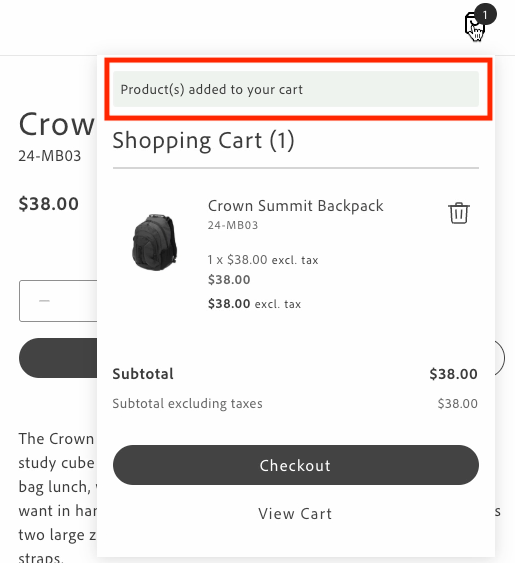\n</Diagram>\n\nOverlay messages are displayed at the top center of the mini cart with a semi-transparent background when the same events occur.\n\n<Diagram caption=\"Minicart overlay message\">\n 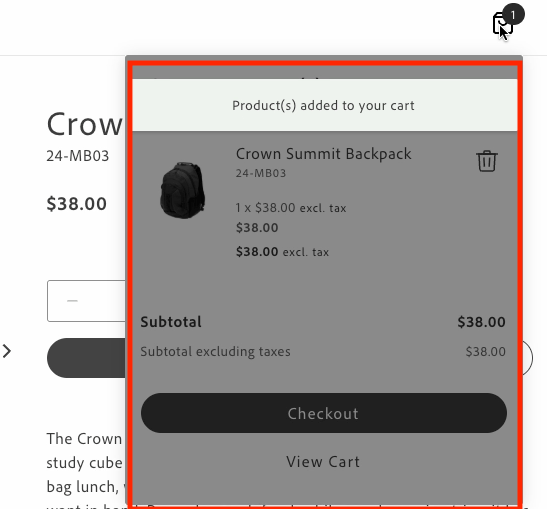\n</Diagram>\n\nYou can customize the appearance and behavior of the inline and overlay messages by modifying the following:\n\n- **Message text**: Update the translations in the content placeholders sheet under the `Cart.MiniCart.Message` namespace.\n- **Message styling**: Modify the CSS classes in `commerce-mini-cart.css`. The styles use design tokens (prefixed with `--`) to maintain consistency with the design system. Overlays can be customized as follows:\n - Background opacity using the alpha value in the overlay's `background-color` (default is 50%)\n - Message position using the `top`, `left`, and `transform` properties\n - Colors, spacing, shadows, and other visual properties using design tokens\n\n- **Message position**: For inline messages, change where the message appears in the mini cart by modifying the insertion point in the DOM.\n- **Display duration**: Change the timeout value in the `showMessage` function (default is 3000ms).\n\n## Prerequisites\n\nBefore implementing inline messages, ensure you have:\n\n- Access to the content folder to manage message localization through placeholders.\n- Understanding of the design system tokens used in the Commerce boilerplate template.\n- The `commerce-mini-cart.css` file in your `blocks/commerce-mini-cart/` directory.\n\n\n## Events\n\nThe inline and overlay messages respond to two cart events:\n\n- `cart/product/added`: Triggered when products are added to the cart\n- `cart/product/updated`: Triggered when products in the cart are updated\n\n## Implementation\n\nTo add inline or overlay messages to your mini cart, follow these steps:\n\n\n### Retrieve translations for message texts using placeholders\n\nGet translations for custom messages from the content folder.\n\n```javascript\nconst placeholders = await fetchPlaceholders();\n\n// Access the message texts from the Cart.MiniCart.Message namespace\nconst MESSAGES = {\n ADDED: placeholders?.Cart?.MiniCart?.Message?.added,\n UPDATED: placeholders?.Cart?.MiniCart?.Message?.updated,\n};\n```\n\n\n### Create the appropriate message containers\n\nInline messages require a container for the update message and a shadow wrapper to display the message. Overlay messages require an overlay container and a message container.\n\n\n**Inline messages:**\n\n\n```javascript\n// Create a container for the update message\nconst updateMessage = document.createElement('div');\nupdateMessage.className = 'commerce-mini-cart__update-message';\n\n// Create a shadow wrapper\nconst shadowWrapper = document.createElement('div');\nshadowWrapper.className = 'commerce-mini-cart__message-wrapper';\nshadowWrapper.appendChild(updateMessage);\n```\n\n**Overlay messages:**\n\n\n```javascript\n// Create an overlay container\nconst overlay = document.createElement('div');\noverlay.className = 'commerce-mini-cart__overlay';\n\n// Create a message container\nconst messageContainer = document.createElement('div');\nmessageContainer.className = 'commerce-mini-cart__message';\n\noverlay.appendChild(messageContainer);\n```\n\n\n### Create a function to show and hide messages\n\nCreate a function that displays the message in the container and then hides it after a specified duration, such as three seconds.\n\n\n**Inline messages:**\n\n```javascript\nconst showMessage = (message) => {\n updateMessage.textContent = message;\n updateMessage.classList.add('commerce-mini-cart__update-message--visible');\n shadowWrapper.classList.add('commerce-mini-cart__message-wrapper--visible');\n setTimeout(() => {\n updateMessage.classList.remove('commerce-mini-cart__update-message--visible');\n shadowWrapper.classList.remove('commerce-mini-cart__message-wrapper--visible');\n }, 3000);\n};\n```\n\n**Overlay messages:**\n\n\n```javascript\nconst showMessage = (message) => {\n messageContainer.textContent = message;\n overlay.classList.add('commerce-mini-cart__overlay--visible');\n setTimeout(() => {\n overlay.classList.remove('commerce-mini-cart__overlay--visible');\n }, 3000);\n};\n```\n\n\n### Add event listeners for cart updates\n\nListen for the `cart/product/added` and `cart/product/updated` events and display the appropriate message.\n\n```javascript\n\nevents.on('cart/product/added', () => showMessage(MESSAGES.ADDED), {\n eager: true,\n});\nevents.on('cart/product/updated', () => showMessage(MESSAGES.UPDATED), {\n eager: true,\n});\n```\n\n\n### Insert the message container into the mini cart block\n\nAdd the message container to the mini cart block to display the messages.\n\n\n**Inline messages:**\n\n```javascript\n// Find the products container and add the message div at the top\nconst productsContainer = block.querySelector('.cart-mini-cart__products');\nif (productsContainer) {\n productsContainer.insertBefore(shadowWrapper, productsContainer.firstChild);\n} else {\n console.info('Products container not found, appending message to block');\n block.appendChild(shadowWrapper);\n}\n```\n\n\n**Overlay messages:**\n\n```javascript\nblock.appendChild(overlay);\n```\n\n\n### Update the CSS styles\n\nAdd styles to your `commerce-mini-cart.css` file.\n\n\n**Inline messages:**\n\n```css\n.commerce-mini-cart__update-message {\n display: none;\n font: var(--type-body-2-default-font);\n letter-spacing: var(--type-body-2-default-letter-spacing);\n}\n\n.commerce-mini-cart__message-wrapper {\n background-color: var(--color-positive-200);\n border-radius: var(--shape-border-radius-1);\n padding: var(--spacing-xsmall);\n display: none;\n margin-bottom: var(--spacing-small);\n}\n\n.commerce-mini-cart__message-wrapper--visible,\n.commerce-mini-cart__update-message--visible {\n display: block;\n}\n```\n\n**Overlay messages:**\n\n```css\n.commerce-mini-cart__overlay {\n background-color: rgb(0 0 0 / 50%);\n display: none;\n position: absolute;\n inset: 0;\n z-index: 1000;\n border-radius: var(--shape-border-radius-1);\n}\n\n.commerce-mini-cart__message {\n background-color: var(--color-positive-200);\n border-radius: var(--shape-border-radius-1);\n padding: var(--spacing-small);\n position: absolute;\n top: var(--spacing-medium);\n left: 50%;\n transform: translateX(-50%);\n font: var(--type-body-2-default-font);\n letter-spacing: var(--type-body-2-default-letter-spacing);\n box-shadow: var(--shape-shadow-3);\n width: 90%;\n max-width: 400px;\n text-align: center;\n}\n\n.commerce-mini-cart__overlay--visible {\n display: block;\n}\n```\n\n\n## Complete example\n\nHere's a complete example of implementing inline and overlay messages in your `commerce-mini-cart.js` block file:\n\n\n**Inline messages:**\n\n```javascript\n\n\n// Initializers\n\n\nexport default async function decorate(block) {\n const {\n 'start-shopping-url': startShoppingURL = '',\n 'cart-url': cartURL = '',\n 'checkout-url': checkoutURL = '',\n } = readBlockConfig(block);\n\n // Get translations for custom messages\n const placeholders = await fetchPlaceholders();\n\n const MESSAGES = {\n ADDED: placeholders?.Cart?.MiniCart?.Message?.added,\n UPDATED: placeholders?.Cart?.MiniCart?.Message?.updated,\n };\n\n // Create a container for the update message\n const updateMessage = document.createElement('div');\n updateMessage.className = 'commerce-mini-cart__update-message';\n\n // Create shadow wrapper\n const shadowWrapper = document.createElement('div');\n shadowWrapper.className = 'commerce-mini-cart__message-wrapper';\n shadowWrapper.appendChild(updateMessage);\n\n const showMessage = (message) => {\n updateMessage.textContent = message;\n updateMessage.classList.add('commerce-mini-cart__update-message--visible');\n shadowWrapper.classList.add('commerce-mini-cart__message-wrapper--visible');\n setTimeout(() => {\n updateMessage.classList.remove('commerce-mini-cart__update-message--visible');\n shadowWrapper.classList.remove('commerce-mini-cart__message-wrapper--visible');\n }, 3000);\n };\n\n // Add event listeners for cart updates\n events.on('cart/product/added', () => showMessage(MESSAGES.ADDED), {\n eager: true,\n });\n events.on('cart/product/updated', () => showMessage(MESSAGES.UPDATED), {\n eager: true,\n });\n\n block.innerHTML = '';\n\n // Render MiniCart first\n await provider.render(MiniCart, {\n routeEmptyCartCTA: startShoppingURL ? () => rootLink(startShoppingURL) : undefined,\n routeCart: cartURL ? () => rootLink(cartURL) : undefined,\n routeCheckout: checkoutURL ? () => rootLink(checkoutURL) : undefined,\n routeProduct: (product) => rootLink(`/products/$/$`),\n })(block);\n\n // Find the products container and add the message div at the top\n const productsContainer = block.querySelector('.cart-mini-cart__products');\n if (productsContainer) {\n productsContainer.insertBefore(shadowWrapper, productsContainer.firstChild);\n } else {\n console.info('Products container not found, appending message to block');\n block.appendChild(shadowWrapper);\n }\n\n return block;\n}\n```\n\n**Overlay messages:**\n\n```javascript\n\n\n// Initializers\n\n\nexport default async function decorate(block) {\n const {\n 'start-shopping-url': startShoppingURL = '',\n 'cart-url': cartURL = '',\n 'checkout-url': checkoutURL = '',\n } = readBlockConfig(block);\n\n // Get translations for custom messages\n const placeholders = await fetchPlaceholders();\n\n const MESSAGES = {\n ADDED: placeholders?.Cart?.MiniCart?.Message?.added,\n UPDATED: placeholders?.Cart?.MiniCart?.Message?.updated,\n };\n\n block.innerHTML = '';\n\n // Render MiniCart first\n await provider.render(MiniCart, {\n routeEmptyCartCTA: startShoppingURL ? () => rootLink(startShoppingURL) : undefined,\n routeCart: cartURL ? () => rootLink(cartURL) : undefined,\n routeCheckout: checkoutURL ? () => rootLink(checkoutURL) : undefined,\n routeProduct: (product) => rootLink(`/products/$/$`),\n })(block);\n\n // Create overlay container\n const overlay = document.createElement('div');\n overlay.className = 'commerce-mini-cart__overlay';\n\n // Create message container\n const messageContainer = document.createElement('div');\n messageContainer.className = 'commerce-mini-cart__message';\n\n overlay.appendChild(messageContainer);\n block.appendChild(overlay);\n\n const showMessage = (message) => {\n messageContainer.textContent = message;\n overlay.classList.add('commerce-mini-cart__overlay--visible');\n setTimeout(() => {\n overlay.classList.remove('commerce-mini-cart__overlay--visible');\n }, 3000);\n };\n\n // Add event listeners for cart updates\n events.on('cart/product/added', () => showMessage(MESSAGES.ADDED), {\n eager: true,\n });\n events.on('cart/product/updated', () => showMessage(MESSAGES.UPDATED), {\n eager: true,\n });\n\n return block;\n}\n```\n\n\nAnd here's the accompanying CSS file (`commerce-mini-cart.css`):\n\n\n**Inline messages:**\n\n```css\n.commerce-mini-cart__update-message {\n display: none;\n font: var(--type-body-2-default-font);\n letter-spacing: var(--type-body-2-default-letter-spacing);\n}\n\n.commerce-mini-cart__message-wrapper {\n background-color: var(--color-positive-200);\n border-radius: var(--shape-border-radius-1);\n padding: var(--spacing-xsmall);\n display: none;\n margin-bottom: var(--spacing-small);\n}\n\n.commerce-mini-cart__message-wrapper--visible,\n.commerce-mini-cart__update-message--visible {\n display: block;\n}\n```\n\n**Overlay messages:**\n\n```css\n.commerce-mini-cart__overlay {\n background-color: rgb(0 0 0 / 50%);\n display: none;\n position: absolute;\n inset: 0;\n z-index: 1000;\n border-radius: var(--shape-border-radius-1);\n}\n\n.commerce-mini-cart__message {\n background-color: var(--color-positive-200);\n border-radius: var(--shape-border-radius-1);\n padding: var(--spacing-small);\n position: absolute;\n top: var(--spacing-medium);\n left: 50%;\n transform: translateX(-50%);\n font: var(--type-body-2-default-font);\n letter-spacing: var(--type-body-2-default-letter-spacing);\n box-shadow: var(--shape-shadow-3);\n width: 90%;\n max-width: 400px;\n text-align: center;\n}\n\n.commerce-mini-cart__overlay--visible {\n display: block;\n}\n```"
|
|
131
|
+
},
|
|
132
|
+
{
|
|
133
|
+
"path": "dropins/cart/tutorials/add-product-lines-to-cart-summary",
|
|
134
|
+
"title": "Add custom product lines to the cart summary",
|
|
135
|
+
"description": "Learn how to add custom lines related to products in the cart summary.",
|
|
136
|
+
"content": "This tutorial describes how to make the following customizations to the `CartSummaryList` container using the Adobe Commerce Boilerplate:\n\n- Add text from a custom product attribute\n- Display promotional information in the footer of each product in the cart\n\n## Prerequisites\n\nThis tutorial requires that you create the following entities in the Adobe Commerce Admin:\n\n- A custom product attribute. Here, the product attribute is assigned the label `Shipping Notes`, and the **Catalog Input Type for Store Owner* is set to **Text Field**. You can optionally set the **Used for Sorting in Product Listing** option to **Yes** to increase the visibility of products using the product attribute in the Products grid. describes how to create a custom product attribute.\n\n In addition, you must assign the product attribute to one or more products. In this tutorial, the text fields will contain the strings \"These item(s) are available to ship on Nov 1, 2024\" and \"FINAL SALE: This item ships separately and is ineligible for return.\".\n\n- A custom cart price rule. In this tutorial, a cart price rule named `25% Off $75+ with Code BOO24` has been created. Its definition defines the coupon code, the discount amount, and the conditions that must be met to apply the discount. describes how to create a cart price rule.\n\n## Step-by-step\n\nThe following steps describe how to modify the block file in the boilerplate template to add custom content to the `CartSummaryList` container.\n\n\n### Add text from a custom product attribute\n\nIn this task, we'll add text that provides shipping information when certain conditions apply. For example, an item might be out of stock, and therefore cannot be shipped immediately. Or maybe the product is on clearance and cannot be returned. The `CartSummaryList` component is extended to display text defined by a merchant in the Admin using a custom product attribute. If the custom product attribute is not assigned to a product, then no additional information is displayed.\n\nThe following images show how these custom lines can be rendered:\n\n<Diagram caption=\"\">\n 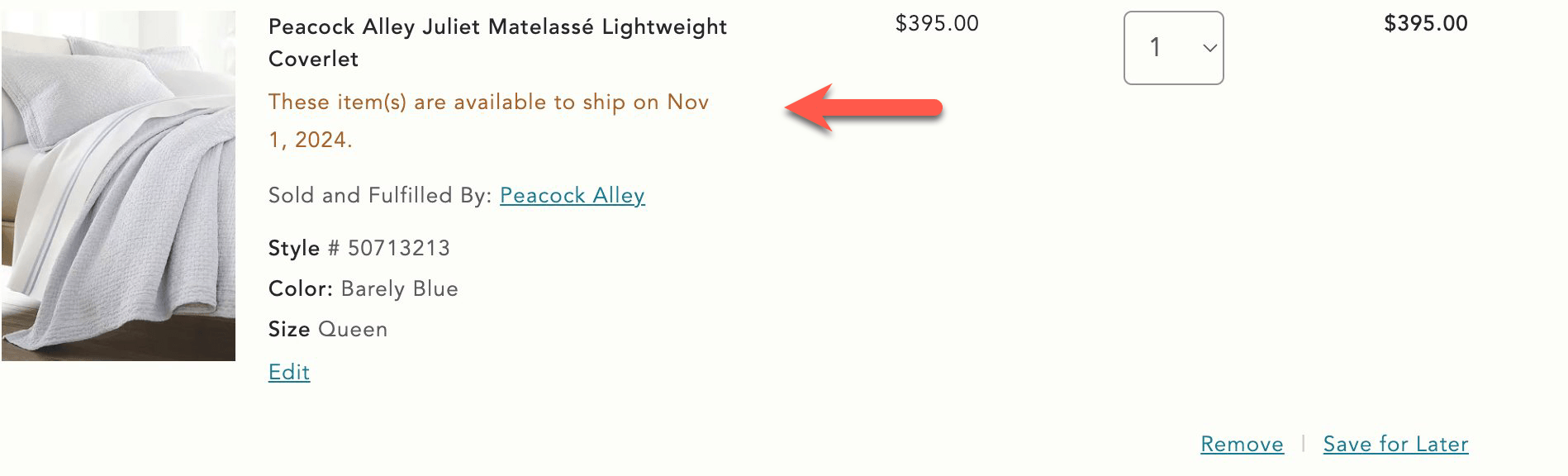\n</Diagram>\n\n<Diagram caption=\"\">\n 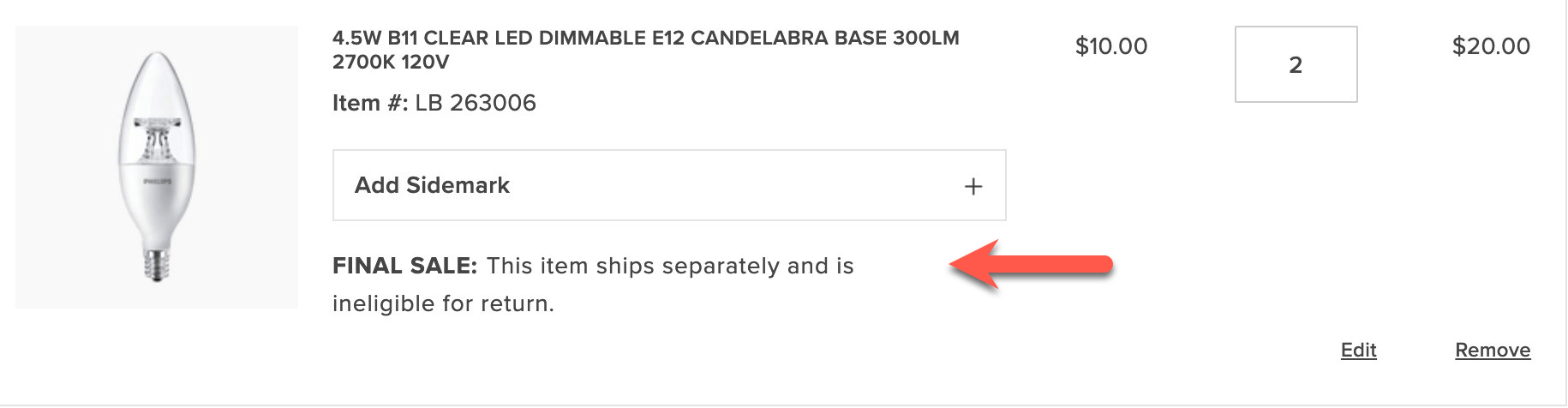\n</Diagram>\n\n\n1. Open the `blocks/commerce-cart/commerce-cart.js` boilerplate file. This file imports the `CartSummaryList` container, and we want to use a slot to display the custom product attribute. Find the `provider.render(CartSummaryList, {` line in the file and insert a `ProductAttributes` slot with the following code:\n\n ```javascript\n slots: {\n ProductAttributes: (ctx) => {\n // Prepend Product Attributes\n const ProductAttributes = ctx.item?.productAttributes;\n\n ProductAttributes?.forEach((attr) => {\n if(attr.code === \"shipping_notes\") {\n if(attr.selected_options) {\n const selectedOptions = attr.selected_options\n .filter((option) => option.label.trim() !== '')\n .map((option) => option.label)\n .join(', ');\n \n if(selectedOptions) {\n const productAttribute = document.createElement('div');\n productAttribute.innerText = `$: $`;\n ctx.appendChild(productAttribute);\n }\n } else if (attr.value) {\n const productAttribute = document.createElement('div');\n productAttribute.innerText = `$: $`;\n ctx.appendChild(productAttribute);\n }\n }\n })\n },\n ```\n\n This code creates a slot named `ProductAttributes` that displays the custom product attribute `Shipping Notes`, if it is assigned to a product. If the corresponding attribute is found, the slot creates a new `div` element and appends the attribute code and value to the element. The element is then appended to the `ctx` element, which is the product line in the cart summary.\n\n1. Save the file and generate the page to see the changes.\n\n\n### Display promotional information in the footer of a cart item\n\nNow we'll add information defined in a custom cart price rule to the footer of the `CartSummaryList` container. If the conditions set in the cart price rules are not met, then no additional information is displayed. For example, if a specific coupon has not been applied or if the subtotal threshold has not been met, then this information is not displayed.\n\n<Diagram caption=\"Display coupon information\">\n 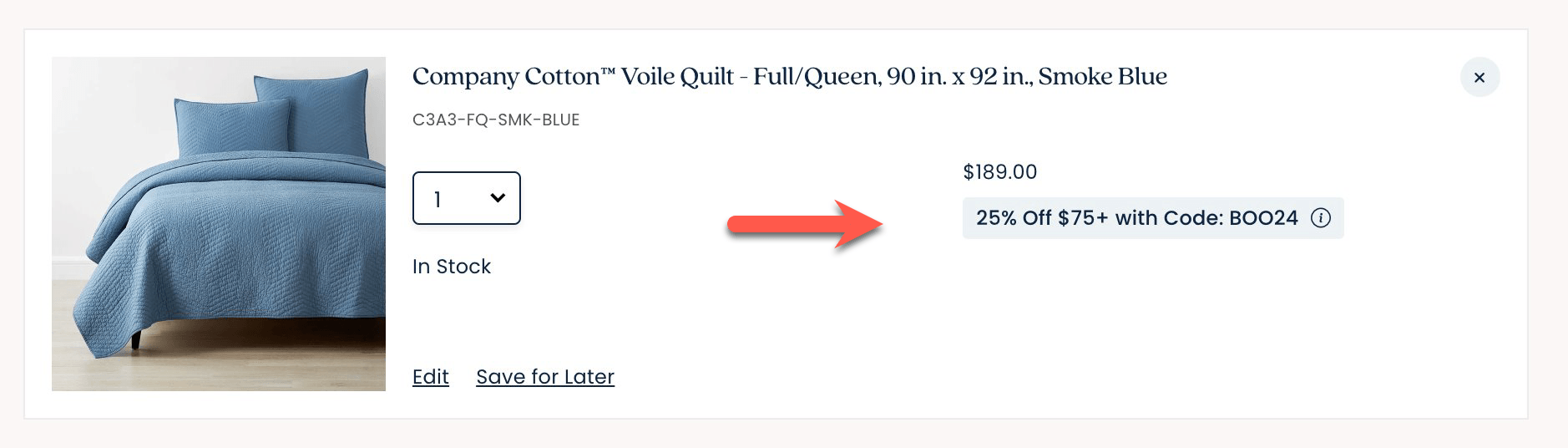\n</Diagram>\n\n\n1. Add a `Footer` slot beneath the `ProductAttributes` slot.\n\n ```javascript\n\n slots: {\n ProductAttributes: (ctx) => {\n ...\n }\n \n Footer: (ctx) => {\n // Runs on mount\n const wrapper = document.createElement('div');\n ctx.appendChild(wrapper);\n\n // Append Product Promotions on every update\n ctx.onChange((next) => {\n wrapper.innerHTML = '';\n\n next.item?.discount?.label?.forEach((label) => {\n const discount = document.createElement('div');\n discount.style.color = '#3d3d3d';\n discount.innerText = label;\n wrapper.appendChild(discount);\n });\n });\n },\n ```\n\n This code creates a slot named `Footer`, which displays the promotional information defined in the custom cart price rule. If the conditions set in the cart price rule are met, the slot creates a new `div` element and appends the promotional information to the element. The element is then appended to the `ctx` element, which is the product line in the cart summary.\n\n1. Save the file. Add products that total at least $75 and apply the BOO24 coupon code to the cart. The page displays the rule name beneath each item in the cart."
|
|
137
|
+
},
|
|
138
|
+
{
|
|
139
|
+
"path": "dropins/cart/tutorials/configure-cart-summary",
|
|
140
|
+
"title": "Customize the cart summary block",
|
|
141
|
+
"description": "Learn how to customize the layout of the cart summary.",
|
|
142
|
+
"content": "This tutorial describes how to make the following customizations to the `CartSummaryList` container using the Adobe Commerce Boilerplate:\n\n- Change the product quantity selector to a dropdown menu.\n- Configure how to display savings.\n- Configure the savings display from the Cart content document.\n\n## Step-by-step\n\nThe following steps describe how to modify the block file in the boilerplate template to add custom content to the `CartSummaryList` container.\n\n\n### Change the product quantity selector to a dropdown menu\n\nBy default, the product quantity selector is a stepper, as shown below:\n\n<Diagram caption=\"Stepper quantity selector\">\n 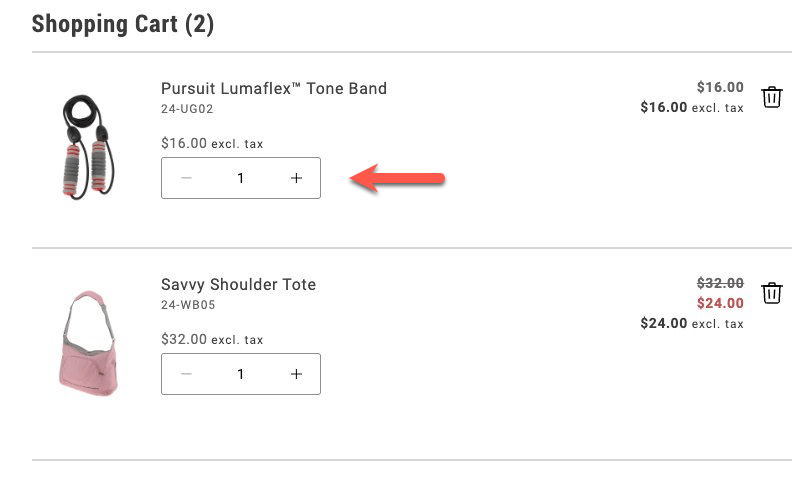\n</Diagram>\n\nIn this task, you'll change the quantity selector to a dropdown menu. The dropdown allows shoppers to select a maximum of 20 items.\n\n<Diagram caption=\"Dropdown quantity selector\">\n 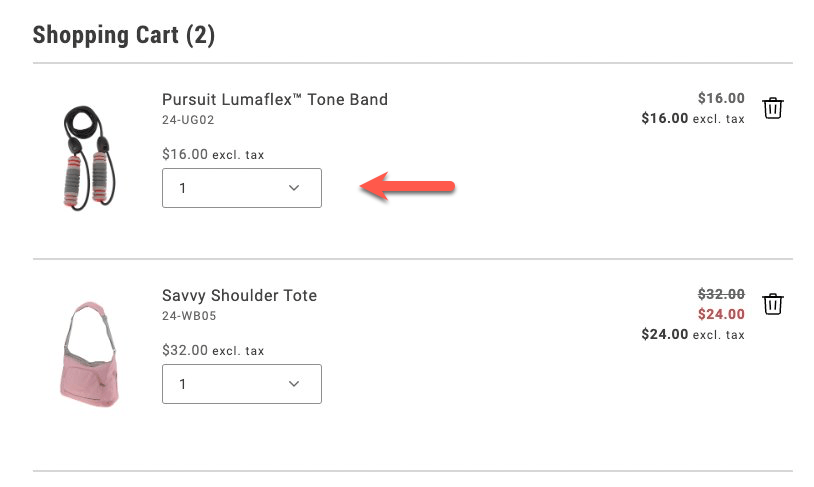\n</Diagram>\n\n\n1. Navigate to the `blocks/commerce-cart/commerce-cart.js` file and enable the dropdown selector by adding the following lines to the `provider.render(CartSummaryList)` method:\n\n ```js\n quantityType: 'dropdown',\n dropdownOptions,\n ```\n\n The `quantityType` property specifies the type of quantity selector to use. The `dropdownOptions` property specifies the values to display in the dropdown. It is defined in the next step.\n\n1. Define the `dropdownOptions` constant at the top of the file, in the `export default async function decorate(block){}` statement.\n\n ```js\n const DROPDOWN_MAX_QUANTITY = 20;\n\n const dropdownOptions = Array.from(\n { length: parseInt(DROPDOWN_MAX_QUANTITY, 10) },\n (_, i) => {\n const quantityOption = i + 1;\n return {\n value: `$`,\n text: `$`,\n };\n }\n );\n ```\n\n This code creates an array of objects with `value` and `text` properties. The `value` property is the quantity value, and the `text` property is the text displayed in the dropdown.\n\n1. Save the file and generate the page to see the changes.\n\n\n### Display savings as a percentage or a fixed amount\n\nIn order to encourage shoppers to buy more, you can display the savings they'll get by purchasing more items. You can display the savings on an item that's on sale as a percentage or as a fixed amount.\n\n<Diagram caption=\"Savings expressed as a percentage\">\n 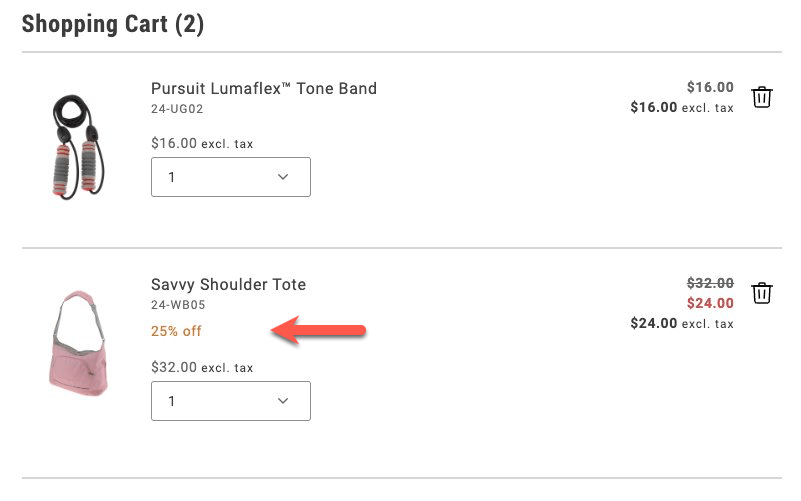\n</Diagram>\n\n<Diagram caption=\"Savings expressed as a total\">\n 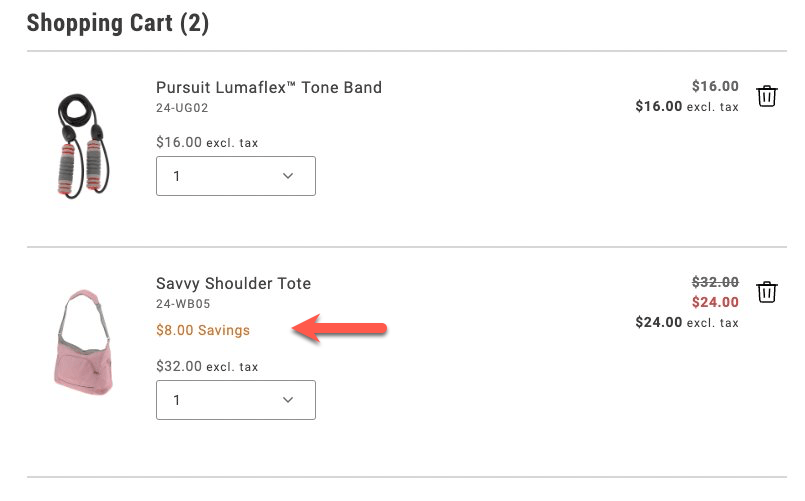\n</Diagram>\n\n\n1. Add the following lines to the `provider.render(CartSummaryList)` method, below the `dropdownOptions,` line:\n\n ```js\n showDiscount: true,\n //showSavings: true\n ```\n\n Comment out one of the lines to choose between displaying the discount as a percentage or a fixed amount.\n\n1. Save the file and generate the page to see the changes.\n\n\n### Configure the savings display from the Cart content document\n\nTo allow a merchandiser or other non-developer to configure how to display savings values, you need to make more changes to the `commerce-cart.js` file and the relevant content documents. For guidance on starter content and the Sidekick browser extension, review .\n\n\n1. Comment out the savings properties from the `provider.render(CartSummaryList)` method.\n\n ```js\n //showDiscount: true,\n //showSavings: true\n ```\n\n1. Add the following lines to the constant definitions in the `export default async function decorate(block){}` statement:\n\n ```js\n 'show-discount': showDiscount = 'false',\n 'show-savings': showSavings = 'false',\n ```\n\n1. Add new lines in the `provider.render(CartSummaryList)` method to check whether `showDiscount` or `showSavings` is set to `true`:\n\n ```js\n showDiscount: showDiscount === 'true',\n showSavings: showSavings === 'true',\n ```\n\n1. Save the file. When you generate the page, discounts are not displayed because the default values are `false`.\n\n1. Find the `cart` content document in your site's content folder, and add two rows to the Commerce Cart table that set the visibility values for these properties.\n\n <Diagram caption=\"Commerce Cart table\">\n 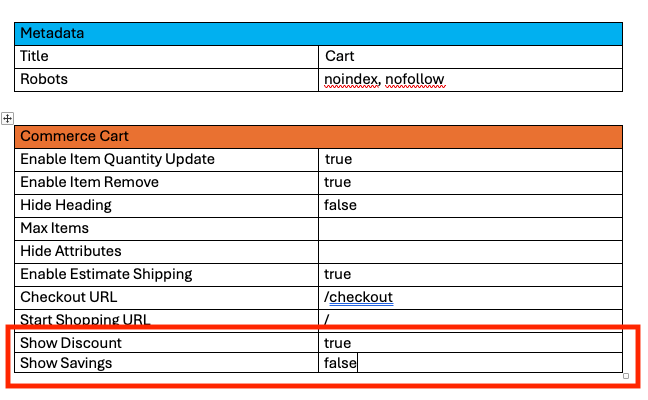\n </Diagram>\n\n Set the values of the Show Discount and Show Savings rows to either `true` or `false`.\n\n1. Preview the changes with the Sidekick browser extension. Then publish the changes to your staging or production environment."
|
|
143
|
+
},
|
|
144
|
+
{
|
|
145
|
+
"path": "dropins/cart/tutorials/enable-product-variation-updates-in-cart",
|
|
146
|
+
"title": "Configuring Product Variation Updates in the Cart",
|
|
147
|
+
"description": "Learn how to enable or disable the product variation update feature in the cart and mini cart through AEM block configuration.",
|
|
148
|
+
"content": "This tutorial shows you how to configure the Edit feature for product variations in both the cart and mini-cart. The **Edit** button allows shoppers to update product variations (like size or color) directly from the cart pages.\n\nThe implementation is already available in the codebase. This tutorial focuses on how to *enable* or *disable* this feature through the AEM block configuration.\n\n\n## How it Works\n\nThe **Edit** button feature is controlled by a configuration flag (`enable-updating-product`) that can be set on both the `commerce-cart` and `commerce-mini-cart` blocks in AEM. When activated, it opens a modal interface with a mini Product Detail Page (PDP) that allows shoppers to modify their selected options contextually.\n\n\n**Cart:**\n\nIn the `commerce-cart.js` implementation, the code checks for this flag and conditionally renders an **Edit** button in the `Footer` slot for configurable products:\n\n```javascript\n// First, the configuration is read from the block with a default of 'false'\nconst {\n 'hide-heading': hideHeading = 'false',\n 'max-items': maxItems,\n // ... other config properties ...\n 'checkout-url': checkoutURL = '',\n 'enable-updating-product': enableUpdatingProduct = 'false',\n} = readBlockConfig(block);\n\n// Later in the code, inside the Footer slot\nif (ctx.item?.itemType === 'ConfigurableCartItem' && enableUpdatingProduct === 'true') {\n const editLink = document.createElement('div');\n editLink.className = 'cart-item-edit-link';\n\n UI.render(Button, {\n children: placeholders?.Global?.CartEditButton,\n variant: 'tertiary',\n size: 'medium',\n icon: h(Icon, { source: 'Edit' }),\n onClick: () => handleEditButtonClick(ctx.item),\n })(editLink);\n\n ctx.appendChild(editLink);\n}\n```\n\nWhen a shopper clicks the **Edit** button, a modal opens with a mini-PDP interface that allows them to modify their product options. An auto-dismissing notification appears after a successful update.\n\n\n**Mini Cart:**\n\nSimilarly, in the `commerce-mini-cart.js` implementation, the code uses the same configuration flag to determine whether to display an **Edit** button for each configurable product in the mini-cart, implementing it in the `Thumbnail` slot:\n\n```javascript\n// First, the configuration is read from the block with a default of 'false'\nconst {\n 'start-shopping-url': startShoppingURL = '',\n 'cart-url': cartURL = '',\n 'checkout-url': checkoutURL = '',\n 'enable-updating-product': enableUpdatingProduct = 'false',\n} = readBlockConfig(block);\n\n// Later in the code, inside the Thumbnail slot\nif (item?.itemType === 'ConfigurableCartItem' && enableUpdatingProduct === 'true') {\n const editLinkContainer = document.createElement('div');\n editLinkContainer.className = 'cart-item-edit-container';\n\n const editLink = document.createElement('div');\n editLink.className = 'cart-item-edit-link';\n\n UI.render(Button, {\n children: placeholders?.Global?.CartEditButton,\n variant: 'tertiary',\n size: 'medium',\n icon: h(Icon, { source: 'Edit' }),\n onClick: () => handleEditButtonClick(item),\n })(editLink);\n\n editLinkContainer.appendChild(editLink);\n ctx.appendChild(editLinkContainer);\n}\n```\n\nWhen enabled, this provides a convenient modal-based editing experience. Success messages appear in both the mini-cart and main cart notification areas simultaneously, ensuring consistent user feedback across all cart interfaces.\n\n\n## Configuration Steps\n\nTo modify this feature's configuration, follow these steps:\n\n\n### Configure the Cart Summary Block\n\nThe cart block shows **Edit** buttons *by default* when configurable products are present. If you want to disable it:\n\n1. In your AEM authoring environment, navigate to the page containing your `commerce-cart` block.\n2. Select the `commerce-cart` block and open its properties dialog.\n3. Locate the existing property with the *Key* `Enable Updating Product`.\n4. Change its *Value* to `false` to disable the feature.\n5. Save the changes.\n6. Preview the changes by clicking the **Preview** button.\n7. Publish the changes by clicking the **Publish** button.\n\n> **Tip**\n>\n The configuration is already provided in the content block, so you don't need to add a new property - just modify the existing one as needed.\n\n\n### Configure the Mini Cart Block\n\nThe `enable-updating-product` property is *already set to `false` by default* in the mini-cart block. If you want to enable it:\n\n1. In your AEM authoring environment, navigate to the page or header that contains your `commerce-mini-cart` block.\n2. Select the `commerce-mini-cart` block and open its properties dialog.\n3. Locate the existing property with the *Key* `Enable Updating Product`.\n4. Change its *Value* to `true` to enable the feature.\n5. Save the changes.\n6. Preview the changes by clicking the **Preview** button.\n7. Publish the changes by clicking the **Publish** button.\n\n\n### Example Block Configurations\n\nHere's how your block configuration should look like:\n\n**Cart Block (Enabled by Default):**\n\n| Key | Value |\n| :------------------------ | :---- |\n| `Enable Updating Product` | `true`|\n| `Checkout URL` | `/checkout` | *(Example of another common property)*\n\n**Mini Cart Block (Disabled by Default):**\n\n| Key | Value |\n| :------------------------ | :---- |\n| `Enable Updating Product` | `false`|\n| `Checkout URL` | `/checkout` | *(Example of another common property)*\n\n> **Caution**\n>\n The property appears as `Enable Updating Product` (with spaces) in the AEM properties dialog, but is converted to kebab-case (`enable-updating-product`) when processed by the code.\n\n\n## Testing the Configuration\n\nAfter configuring the feature, you should test it to ensure it's working as expected:\n\n1. Add a configurable product to your cart.\n2. View your cart page:\n - If enabled, you should see an **Edit** button for each configurable product.\n - If disabled, no **Edit** button should appear.\n3. Open the mini cart:\n - If enabled, you should see an `Edit` option for configurable products.\n - If disabled, no `Edit` option should be visible.\n\n## Feature Behavior\n\nWhen the **Edit** button is clicked, the following happens:\n\n1. **Modal Interface**: A mini-PDP modal opens directly over the current page, maintaining user context.\n2. **Pre-populated Options**: The modal displays the product with current selections already chosen.\n3. **In-place Updates**: Changes are applied to the existing cart item.\n4. **Comprehensive Messaging**: Success notifications appear in:\n - The main cart notification area (if present)\n - The mini-cart message system\n - Both locations simultaneously for consistent feedback\n5. **Auto-dismissing Notifications**: Messages automatically disappear for better UX.\n\n> **Tip**\n>\nUsing modals ensures users don't lose their shopping context when making product modifications.\n\n\nWith this simple configuration, you can provide your shoppers with a more convenient shopping experience by allowing them to modify product variations directly from the cart."
|
|
149
|
+
},
|
|
150
|
+
{
|
|
151
|
+
"path": "dropins/cart/tutorials/gift-options",
|
|
152
|
+
"title": "Add gift options to a product detail page",
|
|
153
|
+
"description": "Walk through mounting GiftOptions on a product detail page and persisting choices when the shopper adds the item to the cart.",
|
|
154
|
+
"content": "The [`GiftOptions` container](https://experienceleague.adobe.com/developer/commerce/storefront/dropins/cart/containers/gift-options/) allows you to add gift options, such as gift wrapping or personalized messages, at various places on the storefront, including product detail pages. The gift option features enhance the shopping experience by enabling customers to select these options at multiple times during their shopping experience, such as when adding a product to the cart or during checkout.\n\nThe code examples provided here demonstrate the general approach to building custom integrations with the `GiftOptions` container.\n\n<Aside>\nThis tutorial is not a fully functional integration and should only be used as a reference.\n\n\n## Step-by-step\n\nThe following steps describe how to render the `GiftOptions` container on the PDP page and apply the selected gift options to the cart when the product is added.\n\n\n### Import required modules\n\nImport the `GiftOptions` container and `CartProvider`.\n\n```js\n\n\n```\n\n\n### Define gift options configuration for an item\n\nIn this step, we will define the gift options configuration for a specific item. This can be done in different ways, such as by fetching configurations from the backend using API methods or retrieving them from product data.\n\n#### Example 1: Use `cartItem` data\n\nUse this technique when the product has already been added to the cart, such as on the cart page:\n\n```js\nconst cartItem = JSON.parse(\n sessionStorage.getItem('DROPIN__CART__CART__DATA'),\n)?.items?.find((el) => el.sku === product.sku);\n```\n\n#### Example 2: Use a custom integration configuration\n\nThis configuration can be composed using product data available on the PDP and a store configuration query.\n\n:::tip\nIt is crucial that the manually-composed configuration matches the actual backend configurations. For example, the available gift wrappings must be fetched from the backend. Otherwise, they will not be applied correctly. The [`GiftOptions` container](https://experienceleague.adobe.com/developer/commerce/storefront/dropins/cart/containers/gift-options/) lists the relevant configuration screens in the Admin.\n:::\n\n```js\ntype ProductGiftOptionsConfig = {\n giftWrappingAvailable: boolean;\n giftMessageAvailable: boolean;\n giftWrappingPrice?: Price;\n giftMessage?: {\n recipientName?: string;\n senderName?: string;\n message?: string;\n };\n productGiftWrapping: GiftWrappingConfigProps[];\n};\n\nconst predefinedConfig = {\n giftWrappingAvailable: true,\n giftMessageAvailable: true,\n productGiftWrapping: [\n {\n design: 'Glossy Print Paper',\n uid: 'Mg==',\n selected: false,\n image: {\n url: 'https://aemshop.example.com/media/wrapping/glossy.png',\n label: 'glossy.png',\n },\n price: {\n currency: 'USD',\n value: 25,\n },\n },\n {\n design: 'Foil Finish Paper',\n uid: 'NQ==',\n selected: false,\n image: {\n url: 'https://aemshop.example.com/media/wrapping/random-grid.jpg',\n label: 'random-grid.jpg',\n },\n price: {\n currency: 'USD',\n value: 30,\n },\n },\n {\n design: 'Kraft Brown Paper',\n uid: 'OA==',\n selected: false,\n image: {\n url: 'https://mcstaging.aemshop.net/media/wrapping/brown-paper.jpg',\n label: 'brown-paper.jpg',\n },\n price: {\n currency: 'USD',\n value: 45,\n },\n },\n ],\n};\n```\n\n\n### Render the GiftOptions container\n\nFor custom integration, we must pass an item prop, which can be either a `cartItem` or a manually-composed gift options configuration. In addition, we need to pass the `onGiftOptionsChange` callback. When provided, the container will not automatically save the gift options. Instead, the integration layer must handle this. The callback receives the updated gift options whenever they change.\n\n```js\nCartProvider.render(GiftOptions, {\n item: cartItem ?? predefinedConfig,\n view: 'product',\n onGiftOptionsChange: async (data) => {\n console.info('onGiftOptionsChange :>> ', data);\n if (data) {\n sessionStorage.setItem('updatedGiftOptions', JSON.stringify(data));\n }\n },\n})($giftOptions);\n```\n\n\n### Update the Add to Cart button\n\nAt this stage, we extend the **Add to Cart** button functionality by calling the `updateProductsFromCart` API method provided by the cart drop-in component to apply gift options after adding the product to the cart.\n\n<Aside>\nGift options must be applied after adding the product to the cart. Adobe Commerce does not support applying gift options before adding the product.\n\n\n```js\n// Configuration - Button - Add to Cart\nUI.render(Button, {\n children: labels.PDP?.Product?.AddToCart?.label,\n icon: Icon({ source: 'Cart' }),\n onClick: async () => {\n try {\n addToCart.setProps((prev) => ({\n ...prev,\n children: labels.Custom?.AddingToCart?.label,\n disabled: true,\n }));\n\n // get the current selection values\n const values = pdpApi.getProductConfigurationValues();\n const valid = pdpApi.isProductConfigurationValid();\n\n // add the product to the cart\n if (valid) {\n const { addProductsToCart, updateProductsFromCart } = await import(\n '@dropins/storefront-cart/api.js'\n );\n await addProductsToCart([{ ...values }]).then(async (response) => {\n const updatedGiftOptions = JSON.parse(\n sessionStorage.getItem('updatedGiftOptions'),\n );\n\n if (!updatedGiftOptions) return;\n\n const { items } = response;\n const dropinCartData = items.find((el) => el.sku === values.sku);\n\n const {\n recipientName,\n senderName,\n message,\n giftWrappingId,\n isGiftWrappingSelected,\n } = updatedGiftOptions;\n\n const giftOptions = {\n gift_message: {\n to: recipientName,\n from: senderName,\n message,\n },\n gift_wrapping_id: isGiftWrappingSelected\n ? giftWrappingId\n : null,\n };\n await updateProductsFromCart([\n {\n uid: dropinCartData.uid,\n quantity: dropinCartData.quantity,\n giftOptions,\n },\n ]);\n });\n }\n\n // reset any previous alerts if successful\n inlineAlert?.remove();\n } catch (error) {\n // add alert message\n inlineAlert = await UI.render(InLineAlert, {\n heading: 'Error',\n description: error.message,\n icon: Icon({ source: 'Warning' }),\n 'aria-live': 'assertive',\n role: 'alert',\n onDismiss: () => {\n inlineAlert.remove();\n },\n })($alert);\n\n // Scroll the alertWrapper into view\n $alert.scrollIntoView({\n behavior: 'smooth',\n block: 'center',\n });\n } finally {\n addToCart.setProps((prev) => ({\n ...prev,\n children: labels.PDP?.Product?.AddToCart?.label,\n disabled: false,\n }));\n }\n },\n})($addToCart);\n```\n\n\nAs a result of these customizations, the default `GiftOption` container is rendered as follows:\n\n<Diagram caption=\"Default GiftOption container\">\n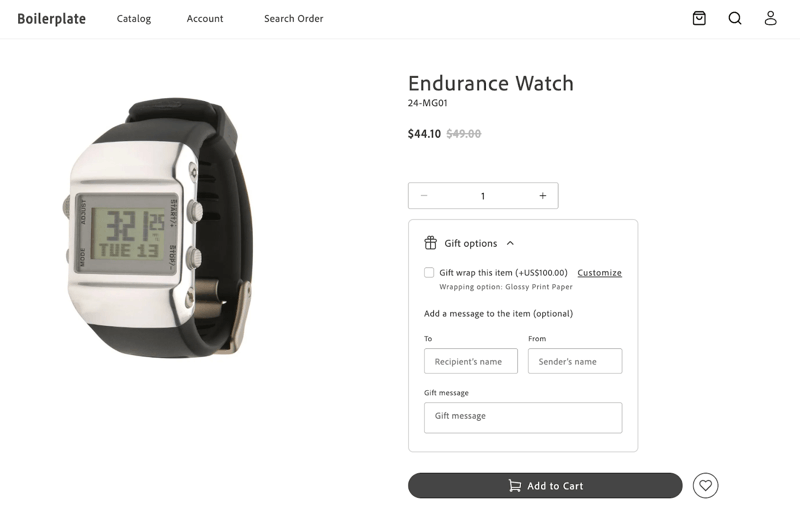\n</Diagram>\n\nWhen the shopper makes a selection, the container is rendered as follows:\n\n<Diagram caption=\"Default GiftOption container\">\n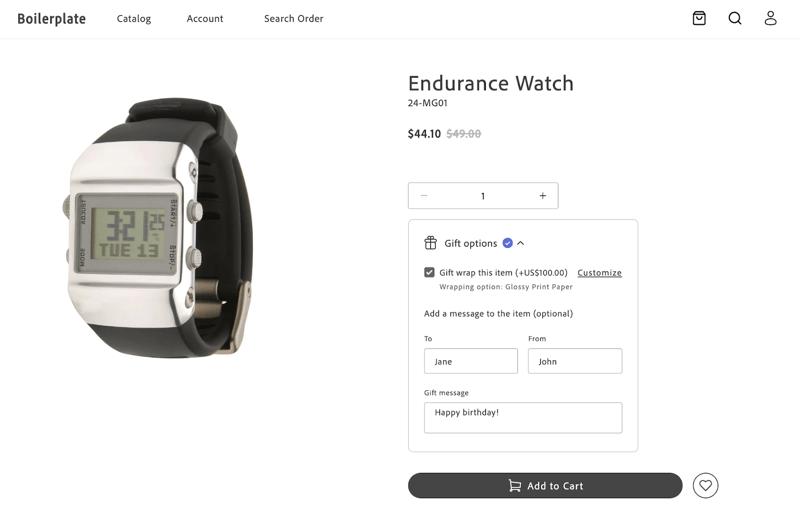\n</Diagram>\n\nAfter clicking **Add to Cart**, the product is added to the cart, and the selected gift options are applied. The cart page displays the applied gift options.\n\n<Diagram caption=\"Default GiftOption container\">\n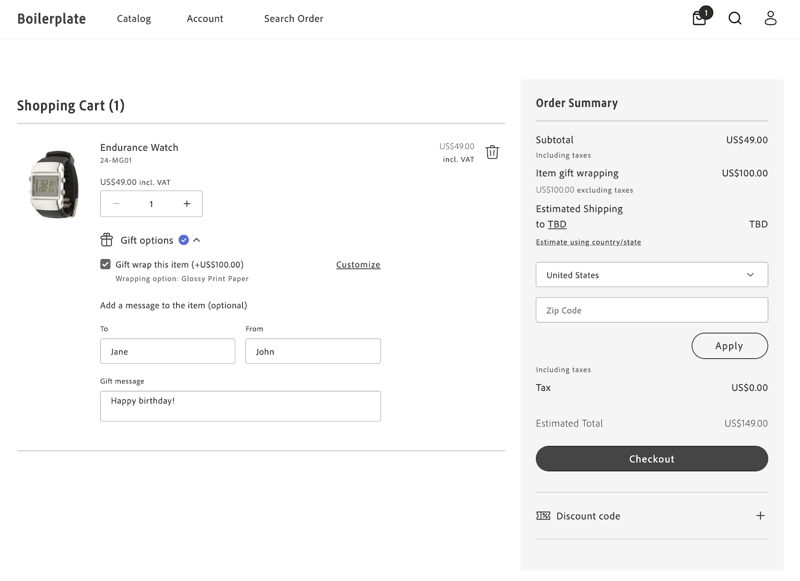\n</Diagram>"
|
|
155
|
+
},
|
|
156
|
+
{
|
|
157
|
+
"path": "dropins/cart/tutorials/order-summary-lines",
|
|
158
|
+
"title": "Order Summary Lines",
|
|
159
|
+
"description": "Learn how to customize the lines of the Order Summary of the Cart drop-in component.",
|
|
160
|
+
"content": "The Cart drop-in allows you to customize the lines of the Order Summary to meet your requirements.\n\nYou might want to group and sort the order summary lines into sections using the Accordion component from the Storefront SDK (Elsie). See the component reference in this documentation.\n\n:::note[Note]\nFor the full set of UI primitives (including icons), start from the in this documentation.\n:::\n\nYou can specify the line items shown in the accordion and decide the order in which they are displayed.\nYou can also customize the title and content of these order summary lines.\n\n## Customize the lines of the Order Summary to meet your needs\n\nThis customization is possible thanks to the attribute `updateLineItems` from the `OrderSummary` container. This attribute allows you to modify the order summary lines before they are rendered.\n\n```typescript\nexport const OrderSummary: Container<OrderSummaryProps, CartModel | null> = ({\n ...\n updateLineItems = (lineItems) => lineItems,\n ...\n});\n```\n\nIt doesn't matter if you want to customize the existing order summary lines, add new ones, or skip some of them.\nThe `OrderSummary` container passes the `updateLineItems` to the `OrderSummary` component, which performs the appropriate actions.\n\n`updateLineItems` is an optional function that receives the line items as an argument and returns the updated line items. In both cases, `lineItems` are an array of `OrderSummaryLineItem` object.\n\n```typescript\nexport interface OrderSummaryLineItem {\n key: string;\n title?: string;\n className?: string;\n sortOrder: number;\n content:\n | string\n | JSXInternal.Element\n | VNode<HTMLAttributes<HTMLDivElement>>\n | OrderSummaryLineItem[]\n | undefined;\n}\n```\n\nThere are default order summary lines in the `OrderSummary` component. If no customization is needed, and therefore nothing is passed using the `updateLineItems` attribute, the default order summary lines will be rendered.\nLet's imagine that `lineItems` contains the following lines:\n```typescript\n const lineItems: Array<OrderSummaryLineItem> = [\n {\n key: 'subTotalContent',\n sortOrder: 100,\n content: subTotalContent,\n },\n {\n key: 'discountsContent',\n sortOrder: 300,\n content: discountsContent,\n },\n {\n key: 'taxContent',\n sortOrder: 400,\n content: taxContent,\n },\n ];\n```\n\nIn the example above, the `OrderSummary` component renders the sub-total, discounts, and tax lines, in that order.\nThe value of the `sortOrder` attribute determines the order in which the lines are rendered.\nThe larger the `sortOrder` value, the lower the line will be rendered in the order summary.\n\nThe `content` attribute can be a string, a JSX element, or an array of `OrderSummaryLineItem` objects (whenever is not `undefined`).\nFor instance, you could choose to render a JSX element in a form of a `OrderSummaryLine` container.\nThis `OrderSummaryLine` container it is defined as follows:\n\n```typescript\nexport interface OrderSummaryLineProps extends HTMLAttributes<HTMLDivElement> {\n label: string;\n price: VNode<HTMLAttributes<HTMLSpanElement>>;\n classSuffixes?: Array<string>;\n labelClassSuffix?: string;\n testId?: string;\n children?: any;\n}\n```\n\nSee an example of how to use the `OrderSummaryLine` container below, where only the mandatory props are passed:\n```html\n <OrderSummaryLine\n label=\n price=\n classSuffixes={['subTotal']}\n >\n \n </OrderSummaryLine>\n );\n```\n\nNote that the `OrderSummaryLine` container behaves like a wrapper for the `OrderSummaryLine` component.\nThe component ultimately decides how to render the line item based on the `children` attribute.\n\n```typescript\nexport interface OrderSummaryLineComponentProps\n extends HTMLAttributes<HTMLDivElement> {\n label: string;\n price: VNode<HTMLAttributes<HTMLSpanElement>>;\n classSuffixes?: Array<string>;\n labelClassSuffix?: string;\n testId?: string;\n children?: any;\n}\n```\n\n### Where to perform the customizations\n\nTo customize the order summary lines, you need to render the `Cart` component passing the `OrderSummary` component as a slot.\nWhen rendering the `OrderSummary` component, you can pass the `updateLineItems` attribute to customize the order summary lines as needed.\n\n```typescript\n // Cart\n provider.render(Cart, {\n slots: {\n OrderSummary: (ctx) => {\n const orderSummary = document.createElement('div');\n\n provider.render(OrderSummary, {\n updateLineItems: (lineItems) => {\n // Customize the order summary lines here\n return lineItems;\n }\n }\n }\n }\n });\n```\n\n## Examples\n\nFor the examples shown below, assume that this is how `Order Summary` looks originally:\n\n<Diagram caption=\"Cart without any customization\">\n 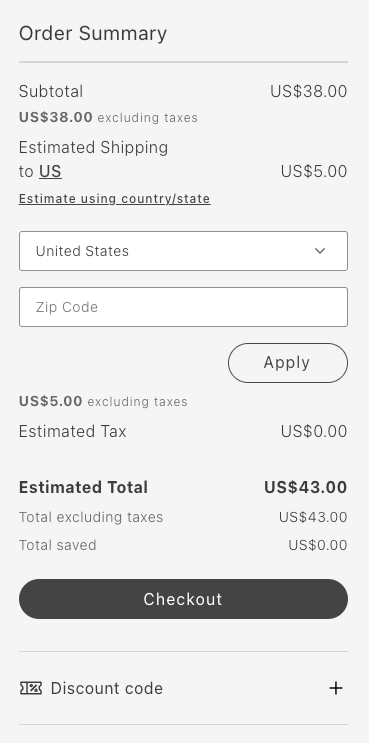\n</Diagram>\n\n\n### Remove Item: Remove total saved\n\nThe following example removes the Total saved line:\n\n```typescript\nupdateLineItems: (lineItems) => {\n const index = lineItems.map(item => item.key).indexOf('totalSavedContent');\n lineItems.splice(index, 1);\n\n return lineItems;\n}\n```\n\n<Diagram caption=\"Cart after removing Total Saved line\">\n 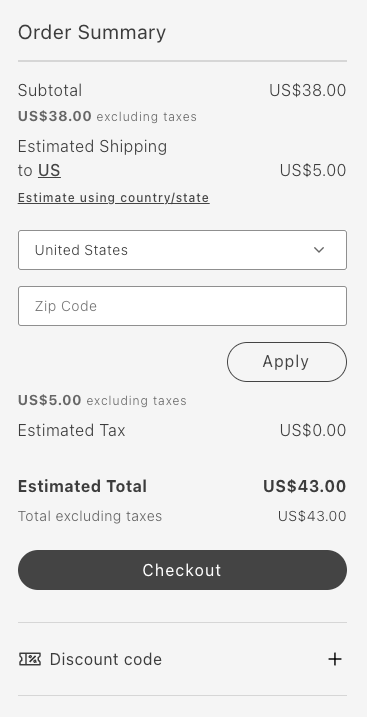\n</Diagram>\n\n### Reorder items: Move primary action to the beginning\n\nThe following example moves the Checkout button to the top:\n\n```typescript\nupdateLineItems: (lineItems) => {\n lineItems.map(lineItem => {\n if (lineItem.key === 'primaryActionContent') {\n lineItem.sortOrder = 50;\n }\n return lineItem;\n });\n\n return lineItems;\n};\n```\n\n<Diagram caption=\"Cart after moving primary action to the beginning\">\n 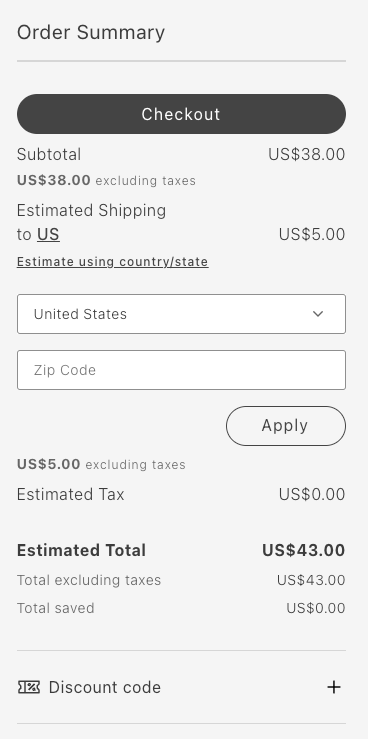\n</Diagram>\n\n### Group items: Group subtotal and tax in an accordion\n\nThe following example groups the subtotal and tax in an accordion:\n\n```typescript\nupdateLineItems: (lineItems) => {\n const totalsIndex = lineItems.map(item => item.key).indexOf('taxContent');\n const taxContent = lineItems.splice(totalsIndex, 1)[0];\n const subtotalIndex = lineItems.map(item => item.key).indexOf('subTotalContent');\n const subTotalContent = lineItems.splice(subtotalIndex, 1)[0];\n lineItems.push({\n key: 'subtotalTaxGrouped',\n sortOrder: 50,\n title: 'Subtotal and Tax',\n content: [\n taxContent,\n subTotalContent,\n ],\n });\n\n return lineItems;\n}\n```\n\n<Diagram caption=\"Cart after grouping subtotal and tax in an accordion\">\n 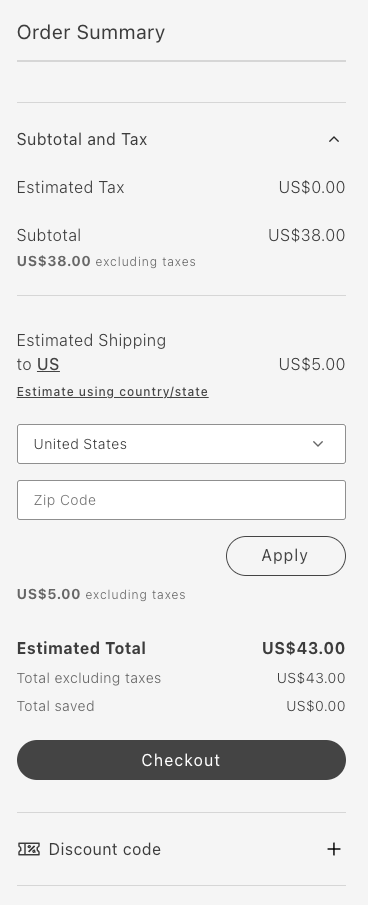\n</Diagram>\n\n### Add item: Add a new order summary line\n\nThe following example adds the FPT line:\n\n```typescript\nupdateLineItems: (lineItems) => {\n const totalFpt = ctx.data.items.reduce((allItemsFpt, item) => {\n const itemFpt = item.fixedProductTaxes.reduce((accumulator, fpt) => {\n accumulator.labels.push(fpt.label);\n accumulator.total += fpt.amount.value;\n return accumulator;\n }, {\n labels: [],\n total: 0\n });\n allItemsFpt.labels = [...allItemsFpt.labels, ...itemFpt.labels];\n allItemsFpt.total += itemFpt.total;\n return allItemsFpt;\n }, {\n labels: [],\n total: 0\n });\n\n lineItems.push({\n key: 'fpt',\n sortOrder: 350,\n title: 'Fixed Product Tax',\n content: OrderSummaryLine({label: \"FPT(\" + totalFpt.labels.join(',') + ')', price: Price({amount: totalFpt.total}), classSuffix: 'fpt'})\n })\n\n return lineItems;\n};\n```\n\n<Diagram caption=\"Cart after adding a new order summary line\">\n 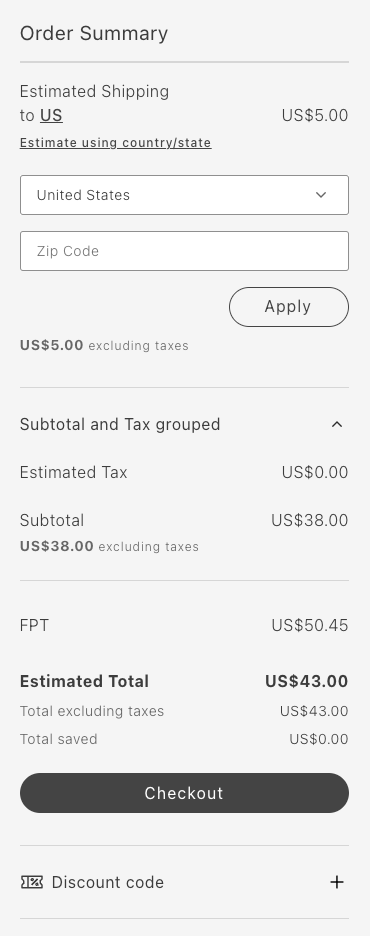\n</Diagram>"
|
|
161
|
+
}
|
|
162
|
+
]
|
|
163
|
+
}
|