buildanything 1.7.1 → 2.0.0
This diff represents the content of publicly available package versions that have been released to one of the supported registries. The information contained in this diff is provided for informational purposes only and reflects changes between package versions as they appear in their respective public registries.
- package/.claude-plugin/marketplace.json +3 -3
- package/.claude-plugin/plugin.json +9 -3
- package/CHANGELOG.md +112 -0
- package/README.md +2 -2
- package/agents/a11y-architect.md +166 -0
- package/agents/business-model.md +80 -29
- package/agents/code-architect.md +75 -0
- package/agents/code-reviewer.md +255 -0
- package/agents/code-simplifier.md +64 -0
- package/agents/design-brand-guardian.md +293 -53
- package/agents/design-critic.md +139 -0
- package/agents/design-inclusive-visuals-specialist.md +6 -19
- package/agents/design-ui-designer.md +335 -56
- package/agents/design-ux-architect.md +403 -55
- package/agents/design-ux-researcher.md +264 -49
- package/agents/engineering-ai-engineer.md +26 -36
- package/agents/engineering-backend-architect.md +185 -36
- package/agents/engineering-data-engineer.md +225 -43
- package/agents/engineering-devops-automator.md +227 -74
- package/agents/engineering-frontend-developer.md +210 -34
- package/agents/engineering-mobile-app-builder.md +6 -1
- package/agents/engineering-rapid-prototyper.md +30 -9
- package/agents/engineering-security-engineer.md +263 -61
- package/agents/engineering-senior-developer.md +128 -19
- package/agents/engineering-sre.md +84 -0
- package/agents/engineering-technical-writer.md +285 -41
- package/agents/feature-intel.md +110 -0
- package/agents/ios-app-review-guardian.md +66 -0
- package/agents/ios-foundation-models-specialist.md +64 -0
- package/agents/ios-storekit-specialist.md +59 -0
- package/agents/ios-swift-architect.md +129 -0
- package/agents/ios-swift-search.md +137 -0
- package/agents/ios-swift-ui-design.md +136 -0
- package/agents/marketing-app-store-optimizer.md +246 -64
- package/agents/planner.md +216 -0
- package/agents/pr-test-analyzer.md +63 -0
- package/agents/product-feedback-synthesizer.md +8 -2
- package/agents/refactor-cleaner.md +102 -0
- package/agents/security-reviewer.md +128 -0
- package/agents/silent-failure-hunter.md +54 -0
- package/agents/swift-build-resolver.md +119 -0
- package/agents/swift-reviewer.md +112 -0
- package/agents/tech-feasibility.md +21 -1
- package/agents/testing-api-tester.md +236 -59
- package/agents/testing-evidence-collector.md +26 -1
- package/agents/testing-performance-benchmarker.md +21 -1
- package/agents/testing-reality-checker.md +6 -1
- package/agents/visual-research.md +116 -0
- package/bin/adapters/cycle-counter-tool.ts +155 -0
- package/bin/adapters/scribe-tool.ts +71 -0
- package/bin/adapters/state-save-tool.ts +130 -0
- package/bin/adapters/write-lease-tool.ts +127 -0
- package/bin/buildanything-runtime.js +15 -0
- package/bin/buildanything-runtime.ts +328 -0
- package/bin/setup.js +83 -8
- package/commands/add-feature.md +2 -0
- package/commands/build.md +752 -332
- package/commands/fix.md +65 -0
- package/commands/self-check.md +121 -0
- package/commands/setup.md +114 -0
- package/commands/ux-review.md +63 -0
- package/commands/verify.md +69 -0
- package/docs/migration/agents.yaml +729 -0
- package/docs/migration/phase-graph.yaml +1088 -0
- package/docs/migration/sdk-host-compat.md +18 -0
- package/hooks/compile-writer-owner-cache.ts +171 -0
- package/hooks/hooks.json +36 -0
- package/hooks/pre-tool-use +19 -0
- package/hooks/pre-tool-use.ts +776 -0
- package/hooks/record-mode-transitions.ts +178 -0
- package/hooks/session-start +89 -2
- package/hooks/subagent-start +17 -0
- package/hooks/subagent-start.ts +471 -0
- package/hooks/subagent-stop +17 -0
- package/hooks/subagent-stop.ts +153 -0
- package/package.json +28 -5
- package/protocols/architecture-schema.md +171 -0
- package/protocols/build-fix.md +52 -0
- package/protocols/cleanup.md +54 -0
- package/protocols/decision-log.md +131 -0
- package/protocols/eval-harness.md +61 -0
- package/protocols/fake-data-detector.md +64 -0
- package/protocols/ios-context.md +234 -0
- package/protocols/ios-frameworks-map.md +323 -0
- package/protocols/ios-phase-branches.md +337 -0
- package/protocols/ios-preflight.md +27 -0
- package/protocols/launch-readiness.md +258 -0
- package/protocols/metric-loop.md +153 -0
- package/protocols/smoke-test.md +118 -0
- package/protocols/state-schema.json +388 -0
- package/protocols/state-schema.md +172 -0
- package/protocols/verify.md +127 -0
- package/protocols/visual-dna.md +185 -0
- package/protocols/web-phase-branches.md +351 -0
- package/skills/ios/_VENDORED.md +62 -0
- package/skills/ios/activitykit/LICENSE +131 -0
- package/skills/ios/activitykit/SKILL.md +505 -0
- package/skills/ios/activitykit/references/activitykit-patterns.md +868 -0
- package/skills/ios/app-intents/LICENSE +131 -0
- package/skills/ios/app-intents/SKILL.md +494 -0
- package/skills/ios/app-intents/references/appintents-advanced.md +1076 -0
- package/skills/ios/app-store-connect-metadata/SKILL.md +148 -0
- package/skills/ios/apple-on-device-ai/LICENSE +131 -0
- package/skills/ios/apple-on-device-ai/SKILL.md +505 -0
- package/skills/ios/apple-on-device-ai/references/coreml-conversion.md +425 -0
- package/skills/ios/apple-on-device-ai/references/coreml-optimization.md +344 -0
- package/skills/ios/apple-on-device-ai/references/foundation-models.md +508 -0
- package/skills/ios/apple-on-device-ai/references/mlx-swift.md +285 -0
- package/skills/ios/asc-privacy-manifest/SKILL.md +350 -0
- package/skills/ios/hig-components-content/SKILL.md +86 -0
- package/skills/ios/hig-components-content/references/activity-views.md +79 -0
- package/skills/ios/hig-components-content/references/charts.md +180 -0
- package/skills/ios/hig-components-content/references/collections.md +48 -0
- package/skills/ios/hig-components-content/references/color-wells.md +42 -0
- package/skills/ios/hig-components-content/references/image-views.md +82 -0
- package/skills/ios/hig-components-content/references/image-wells.md +34 -0
- package/skills/ios/hig-components-content/references/lockups.md +78 -0
- package/skills/ios/hig-components-content/references/web-views.md +36 -0
- package/skills/ios/hig-components-controls/SKILL.md +88 -0
- package/skills/ios/hig-components-controls/references/combo-boxes.md +40 -0
- package/skills/ios/hig-components-controls/references/controls.md +112 -0
- package/skills/ios/hig-components-controls/references/gauges.md +74 -0
- package/skills/ios/hig-components-controls/references/labels.md +92 -0
- package/skills/ios/hig-components-controls/references/pickers.md +128 -0
- package/skills/ios/hig-components-controls/references/rating-indicators.md +38 -0
- package/skills/ios/hig-components-controls/references/segmented-controls.md +94 -0
- package/skills/ios/hig-components-controls/references/sliders.md +92 -0
- package/skills/ios/hig-components-controls/references/steppers.md +40 -0
- package/skills/ios/hig-components-controls/references/text-fields.md +88 -0
- package/skills/ios/hig-components-controls/references/text-views.md +56 -0
- package/skills/ios/hig-components-controls/references/toggles.md +127 -0
- package/skills/ios/hig-components-controls/references/token-fields.md +48 -0
- package/skills/ios/hig-components-controls/references/virtual-keyboards.md +156 -0
- package/skills/ios/hig-components-dialogs/SKILL.md +76 -0
- package/skills/ios/hig-components-dialogs/references/action-sheets.md +74 -0
- package/skills/ios/hig-components-dialogs/references/alerts.md +158 -0
- package/skills/ios/hig-components-dialogs/references/digit-entry-views.md +32 -0
- package/skills/ios/hig-components-dialogs/references/popovers.md +81 -0
- package/skills/ios/hig-components-dialogs/references/sheets.md +157 -0
- package/skills/ios/hig-components-layout/SKILL.md +99 -0
- package/skills/ios/hig-components-layout/references/boxes.md +48 -0
- package/skills/ios/hig-components-layout/references/column-views.md +44 -0
- package/skills/ios/hig-components-layout/references/lists-and-tables.md +99 -0
- package/skills/ios/hig-components-layout/references/ornaments.md +56 -0
- package/skills/ios/hig-components-layout/references/outline-views.md +64 -0
- package/skills/ios/hig-components-layout/references/panels.md +75 -0
- package/skills/ios/hig-components-layout/references/scroll-views.md +123 -0
- package/skills/ios/hig-components-layout/references/sidebars.md +109 -0
- package/skills/ios/hig-components-layout/references/split-views.md +110 -0
- package/skills/ios/hig-components-layout/references/tab-bars.md +173 -0
- package/skills/ios/hig-components-layout/references/tab-views.md +68 -0
- package/skills/ios/hig-components-layout/references/windows.md +188 -0
- package/skills/ios/hig-components-menus/SKILL.md +81 -0
- package/skills/ios/hig-components-menus/references/action-button.md +61 -0
- package/skills/ios/hig-components-menus/references/buttons.md +261 -0
- package/skills/ios/hig-components-menus/references/context-menus.md +105 -0
- package/skills/ios/hig-components-menus/references/disclosure-controls.md +84 -0
- package/skills/ios/hig-components-menus/references/dock-menus.md +40 -0
- package/skills/ios/hig-components-menus/references/edit-menus.md +88 -0
- package/skills/ios/hig-components-menus/references/menus.md +171 -0
- package/skills/ios/hig-components-menus/references/pop-up-buttons.md +70 -0
- package/skills/ios/hig-components-menus/references/pull-down-buttons.md +77 -0
- package/skills/ios/hig-components-menus/references/the-menu-bar.md +303 -0
- package/skills/ios/hig-components-menus/references/toolbars.md +256 -0
- package/skills/ios/hig-components-search/SKILL.md +68 -0
- package/skills/ios/hig-components-search/references/page-controls.md +120 -0
- package/skills/ios/hig-components-search/references/path-controls.md +40 -0
- package/skills/ios/hig-components-search/references/search-fields.md +189 -0
- package/skills/ios/hig-components-status/SKILL.md +80 -0
- package/skills/ios/hig-components-status/references/activity-rings.md +105 -0
- package/skills/ios/hig-components-status/references/progress-indicators.md +116 -0
- package/skills/ios/hig-components-status/references/status-bars.md +38 -0
- package/skills/ios/hig-components-system/SKILL.md +88 -0
- package/skills/ios/hig-components-system/references/app-clips.md +387 -0
- package/skills/ios/hig-components-system/references/app-shortcuts.md +114 -0
- package/skills/ios/hig-components-system/references/complications.md +425 -0
- package/skills/ios/hig-components-system/references/home-screen-quick-actions.md +42 -0
- package/skills/ios/hig-components-system/references/live-activities.md +442 -0
- package/skills/ios/hig-components-system/references/notifications.md +153 -0
- package/skills/ios/hig-components-system/references/top-shelf.md +135 -0
- package/skills/ios/hig-components-system/references/watch-faces.md +40 -0
- package/skills/ios/hig-components-system/references/widgets.md +517 -0
- package/skills/ios/hig-foundations/SKILL.md +98 -0
- package/skills/ios/hig-foundations/references/accessibility.md +291 -0
- package/skills/ios/hig-foundations/references/app-icons.md +210 -0
- package/skills/ios/hig-foundations/references/branding.md +44 -0
- package/skills/ios/hig-foundations/references/color.md +274 -0
- package/skills/ios/hig-foundations/references/dark-mode.md +116 -0
- package/skills/ios/hig-foundations/references/icons.md +263 -0
- package/skills/ios/hig-foundations/references/images.md +176 -0
- package/skills/ios/hig-foundations/references/immersive-experiences.md +174 -0
- package/skills/ios/hig-foundations/references/inclusion.md +189 -0
- package/skills/ios/hig-foundations/references/layout.md +425 -0
- package/skills/ios/hig-foundations/references/materials.md +238 -0
- package/skills/ios/hig-foundations/references/motion.md +103 -0
- package/skills/ios/hig-foundations/references/privacy.md +231 -0
- package/skills/ios/hig-foundations/references/right-to-left.md +206 -0
- package/skills/ios/hig-foundations/references/sf-symbols.md +310 -0
- package/skills/ios/hig-foundations/references/spatial-layout.md +142 -0
- package/skills/ios/hig-foundations/references/typography.md +1146 -0
- package/skills/ios/hig-foundations/references/writing.md +91 -0
- package/skills/ios/hig-inputs/SKILL.md +94 -0
- package/skills/ios/hig-inputs/references/apple-pencil-and-scribble.md +148 -0
- package/skills/ios/hig-inputs/references/camera-control.md +107 -0
- package/skills/ios/hig-inputs/references/digital-crown.md +83 -0
- package/skills/ios/hig-inputs/references/eyes.md +120 -0
- package/skills/ios/hig-inputs/references/focus-and-selection.md +120 -0
- package/skills/ios/hig-inputs/references/game-controls.md +156 -0
- package/skills/ios/hig-inputs/references/gestures.md +208 -0
- package/skills/ios/hig-inputs/references/gyro-and-accelerometer.md +40 -0
- package/skills/ios/hig-inputs/references/keyboards.md +234 -0
- package/skills/ios/hig-inputs/references/nearby-interactions.md +70 -0
- package/skills/ios/hig-inputs/references/pointing-devices.md +237 -0
- package/skills/ios/hig-inputs/references/remotes.md +67 -0
- package/skills/ios/hig-inputs/references/spatial-interactions.md +70 -0
- package/skills/ios/hig-patterns/SKILL.md +104 -0
- package/skills/ios/hig-patterns/references/charting-data.md +81 -0
- package/skills/ios/hig-patterns/references/collaboration-and-sharing.md +86 -0
- package/skills/ios/hig-patterns/references/drag-and-drop.md +134 -0
- package/skills/ios/hig-patterns/references/entering-data.md +69 -0
- package/skills/ios/hig-patterns/references/feedback.md +67 -0
- package/skills/ios/hig-patterns/references/file-management.md +135 -0
- package/skills/ios/hig-patterns/references/going-full-screen.md +79 -0
- package/skills/ios/hig-patterns/references/launching.md +81 -0
- package/skills/ios/hig-patterns/references/live-viewing-apps.md +79 -0
- package/skills/ios/hig-patterns/references/loading.md +59 -0
- package/skills/ios/hig-patterns/references/managing-accounts.md +107 -0
- package/skills/ios/hig-patterns/references/managing-notifications.md +99 -0
- package/skills/ios/hig-patterns/references/modality.md +82 -0
- package/skills/ios/hig-patterns/references/multitasking.md +131 -0
- package/skills/ios/hig-patterns/references/offering-help.md +117 -0
- package/skills/ios/hig-patterns/references/onboarding.md +69 -0
- package/skills/ios/hig-patterns/references/playing-audio.md +124 -0
- package/skills/ios/hig-patterns/references/playing-haptics.md +280 -0
- package/skills/ios/hig-patterns/references/playing-video.md +180 -0
- package/skills/ios/hig-patterns/references/printing.md +50 -0
- package/skills/ios/hig-patterns/references/ratings-and-reviews.md +48 -0
- package/skills/ios/hig-patterns/references/searching.md +70 -0
- package/skills/ios/hig-patterns/references/settings.md +84 -0
- package/skills/ios/hig-patterns/references/undo-and-redo.md +58 -0
- package/skills/ios/hig-patterns/references/workouts.md +76 -0
- package/skills/ios/hig-platforms/SKILL.md +84 -0
- package/skills/ios/hig-platforms/references/designing-for-games.md +159 -0
- package/skills/ios/hig-platforms/references/designing-for-ios.md +66 -0
- package/skills/ios/hig-platforms/references/designing-for-ipados.md +64 -0
- package/skills/ios/hig-platforms/references/designing-for-macos.md +70 -0
- package/skills/ios/hig-platforms/references/designing-for-tvos.md +68 -0
- package/skills/ios/hig-platforms/references/designing-for-visionos.md +85 -0
- package/skills/ios/hig-platforms/references/designing-for-watchos.md +74 -0
- package/skills/ios/hig-project-context/SKILL.md +133 -0
- package/skills/ios/hig-technologies/SKILL.md +107 -0
- package/skills/ios/hig-technologies/references/airplay.md +125 -0
- package/skills/ios/hig-technologies/references/always-on.md +62 -0
- package/skills/ios/hig-technologies/references/apple-pay.md +441 -0
- package/skills/ios/hig-technologies/references/augmented-reality.md +247 -0
- package/skills/ios/hig-technologies/references/carekit.md +224 -0
- package/skills/ios/hig-technologies/references/carplay.md +119 -0
- package/skills/ios/hig-technologies/references/game-center.md +343 -0
- package/skills/ios/hig-technologies/references/generative-ai.md +110 -0
- package/skills/ios/hig-technologies/references/healthkit.md +120 -0
- package/skills/ios/hig-technologies/references/homekit.md +343 -0
- package/skills/ios/hig-technologies/references/icloud.md +52 -0
- package/skills/ios/hig-technologies/references/id-verifier.md +73 -0
- package/skills/ios/hig-technologies/references/imessage-apps-and-stickers.md +105 -0
- package/skills/ios/hig-technologies/references/in-app-purchase.md +263 -0
- package/skills/ios/hig-technologies/references/live-photos.md +54 -0
- package/skills/ios/hig-technologies/references/mac-catalyst.md +216 -0
- package/skills/ios/hig-technologies/references/machine-learning.md +394 -0
- package/skills/ios/hig-technologies/references/maps.md +221 -0
- package/skills/ios/hig-technologies/references/nfc.md +51 -0
- package/skills/ios/hig-technologies/references/photo-editing.md +40 -0
- package/skills/ios/hig-technologies/references/researchkit.md +134 -0
- package/skills/ios/hig-technologies/references/shareplay.md +142 -0
- package/skills/ios/hig-technologies/references/shazamkit.md +47 -0
- package/skills/ios/hig-technologies/references/sign-in-with-apple.md +288 -0
- package/skills/ios/hig-technologies/references/siri.md +523 -0
- package/skills/ios/hig-technologies/references/tap-to-pay-on-iphone.md +208 -0
- package/skills/ios/hig-technologies/references/voiceover.md +90 -0
- package/skills/ios/hig-technologies/references/wallet.md +420 -0
- package/skills/ios/ios-26-platform/SKILL.md +53 -0
- package/skills/ios/ios-26-platform/references/automatic-adoption.md +161 -0
- package/skills/ios/ios-26-platform/references/backward-compat.md +238 -0
- package/skills/ios/ios-26-platform/references/liquid-glass.md +255 -0
- package/skills/ios/ios-26-platform/references/swiftui-apis.md +277 -0
- package/skills/ios/ios-26-platform/references/toolbar-navigation.md +250 -0
- package/skills/ios/ios-bootstrap/SKILL.md +107 -0
- package/skills/ios/ios-bootstrap/references/apple-docs-mcp-config.md +28 -0
- package/skills/ios/ios-bootstrap/references/new-project-dialog.md +41 -0
- package/skills/ios/ios-bootstrap/references/xcode-mcp-config.md +29 -0
- package/skills/ios/ios-debugger-agent/LICENSE +21 -0
- package/skills/ios/ios-debugger-agent/SKILL.md +58 -0
- package/skills/ios/ios-debugger-agent/agents/openai.yaml +4 -0
- package/skills/ios/ios-entitlements-generator/SKILL.md +47 -0
- package/skills/ios/ios-info-plist-hardening/SKILL.md +130 -0
- package/skills/ios/ios-maestro-flow-author/SKILL.md +68 -0
- package/skills/ios/ios-maestro-flow-author/references/input-and-scroll.yaml +17 -0
- package/skills/ios/ios-maestro-flow-author/references/modal-and-dismiss.yaml +14 -0
- package/skills/ios/ios-maestro-flow-author/references/onboarding-flow.yaml +16 -0
- package/skills/ios/ios-maestro-flow-author/references/tab-navigation.yaml +13 -0
- package/skills/ios/ios-maestro-flow-author/references/tap-and-assert.yaml +9 -0
- package/skills/ios/swift-accessibility/LICENSE +21 -0
- package/skills/ios/swift-accessibility/SKILL.md +371 -0
- package/skills/ios/swift-accessibility/examples/before-after-appkit.md +446 -0
- package/skills/ios/swift-accessibility/examples/before-after-swiftui.md +441 -0
- package/skills/ios/swift-accessibility/examples/before-after-uikit.md +464 -0
- package/skills/ios/swift-accessibility/references/assistive-access.md +441 -0
- package/skills/ios/swift-accessibility/references/display-settings.md +491 -0
- package/skills/ios/swift-accessibility/references/dynamic-type.md +420 -0
- package/skills/ios/swift-accessibility/references/media-accessibility.md +421 -0
- package/skills/ios/swift-accessibility/references/motor-input.md +393 -0
- package/skills/ios/swift-accessibility/references/nutrition-labels.md +362 -0
- package/skills/ios/swift-accessibility/references/platform-specifics.md +515 -0
- package/skills/ios/swift-accessibility/references/semantic-structure.md +585 -0
- package/skills/ios/swift-accessibility/references/testing-auditing.md +507 -0
- package/skills/ios/swift-accessibility/references/voice-control.md +317 -0
- package/skills/ios/swift-accessibility/references/voiceover-swiftui.md +584 -0
- package/skills/ios/swift-accessibility/references/voiceover-uikit.md +519 -0
- package/skills/ios/swift-accessibility/references/wcag-mapping.md +167 -0
- package/skills/ios/swift-accessibility/resources/audit-template.swift +128 -0
- package/skills/ios/swift-accessibility/resources/qa-checklist.md +258 -0
- package/skills/ios/swift-actor-persistence/SKILL.md +143 -0
- package/skills/ios/swift-concurrency/LICENSE +21 -0
- package/skills/ios/swift-concurrency/SKILL.md +171 -0
- package/skills/ios/swift-concurrency/references/_index.md +50 -0
- package/skills/ios/swift-concurrency/references/actors.md +660 -0
- package/skills/ios/swift-concurrency/references/async-algorithms.md +847 -0
- package/skills/ios/swift-concurrency/references/async-await-basics.md +266 -0
- package/skills/ios/swift-concurrency/references/async-sequences.md +710 -0
- package/skills/ios/swift-concurrency/references/core-data.md +560 -0
- package/skills/ios/swift-concurrency/references/glossary.md +135 -0
- package/skills/ios/swift-concurrency/references/linting.md +155 -0
- package/skills/ios/swift-concurrency/references/memory-management.md +569 -0
- package/skills/ios/swift-concurrency/references/migration.md +1104 -0
- package/skills/ios/swift-concurrency/references/performance.md +593 -0
- package/skills/ios/swift-concurrency/references/sendable.md +598 -0
- package/skills/ios/swift-concurrency/references/tasks.md +636 -0
- package/skills/ios/swift-concurrency/references/testing.md +592 -0
- package/skills/ios/swift-concurrency/references/threading.md +495 -0
- package/skills/ios/swift-concurrency-6-2/SKILL.md +216 -0
- package/skills/ios/swift-protocol-di-testing/SKILL.md +190 -0
- package/skills/ios/swift-security-expert/LICENSE +21 -0
- package/skills/ios/swift-security-expert/SKILL.md +470 -0
- package/skills/ios/swift-security-expert/references/biometric-authentication.md +565 -0
- package/skills/ios/swift-security-expert/references/certificate-trust.md +592 -0
- package/skills/ios/swift-security-expert/references/common-anti-patterns.md +690 -0
- package/skills/ios/swift-security-expert/references/compliance-owasp-mapping.md +537 -0
- package/skills/ios/swift-security-expert/references/credential-storage-patterns.md +721 -0
- package/skills/ios/swift-security-expert/references/cryptokit-public-key.md +505 -0
- package/skills/ios/swift-security-expert/references/cryptokit-symmetric.md +497 -0
- package/skills/ios/swift-security-expert/references/keychain-access-control.md +508 -0
- package/skills/ios/swift-security-expert/references/keychain-fundamentals.md +596 -0
- package/skills/ios/swift-security-expert/references/keychain-item-classes.md +476 -0
- package/skills/ios/swift-security-expert/references/keychain-sharing.md +458 -0
- package/skills/ios/swift-security-expert/references/migration-legacy-stores.md +727 -0
- package/skills/ios/swift-security-expert/references/secure-enclave.md +539 -0
- package/skills/ios/swift-security-expert/references/testing-security-code.md +781 -0
- package/skills/ios/swift-testing-expert/LICENSE +21 -0
- package/skills/ios/swift-testing-expert/SKILL.md +79 -0
- package/skills/ios/swift-testing-expert/references/_index.md +12 -0
- package/skills/ios/swift-testing-expert/references/async-testing-and-waiting.md +127 -0
- package/skills/ios/swift-testing-expert/references/expectations.md +145 -0
- package/skills/ios/swift-testing-expert/references/fundamentals.md +141 -0
- package/skills/ios/swift-testing-expert/references/migration-from-xctest.md +127 -0
- package/skills/ios/swift-testing-expert/references/parallelization-and-isolation.md +95 -0
- package/skills/ios/swift-testing-expert/references/parameterized-testing.md +284 -0
- package/skills/ios/swift-testing-expert/references/performance-and-best-practices.md +187 -0
- package/skills/ios/swift-testing-expert/references/traits-and-tags.md +114 -0
- package/skills/ios/swift-testing-expert/references/xcode-workflows.md +70 -0
- package/skills/ios/swiftdata-pro/LICENSE +21 -0
- package/skills/ios/swiftdata-pro/SKILL.md +102 -0
- package/skills/ios/swiftdata-pro/agents/openai.yaml +10 -0
- package/skills/ios/swiftdata-pro/assets/swiftdata-pro-icon.png +0 -0
- package/skills/ios/swiftdata-pro/assets/swiftdata-pro-icon.svg +29 -0
- package/skills/ios/swiftdata-pro/references/class-inheritance.md +104 -0
- package/skills/ios/swiftdata-pro/references/cloudkit.md +10 -0
- package/skills/ios/swiftdata-pro/references/core-rules.md +20 -0
- package/skills/ios/swiftdata-pro/references/indexing.md +27 -0
- package/skills/ios/swiftdata-pro/references/predicates.md +73 -0
- package/skills/ios/swiftui-design-principles/AGENTS.md +21 -0
- package/skills/ios/swiftui-design-principles/LICENSE +21 -0
- package/skills/ios/swiftui-design-principles/README.md +41 -0
- package/skills/ios/swiftui-design-principles/SKILL.md +605 -0
- package/skills/ios/swiftui-design-principles/metadata.json +10 -0
- package/skills/ios/swiftui-design-tokens/SKILL.md +475 -0
- package/skills/ios/swiftui-liquid-glass/LICENSE +21 -0
- package/skills/ios/swiftui-liquid-glass/SKILL.md +95 -0
- package/skills/ios/swiftui-liquid-glass/agents/openai.yaml +4 -0
- package/skills/ios/swiftui-liquid-glass/references/liquid-glass.md +280 -0
- package/skills/ios/swiftui-performance-audit/LICENSE +21 -0
- package/skills/ios/swiftui-performance-audit/SKILL.md +111 -0
- package/skills/ios/swiftui-performance-audit/agents/openai.yaml +4 -0
- package/skills/ios/swiftui-performance-audit/references/code-smells.md +150 -0
- package/skills/ios/swiftui-performance-audit/references/demystify-swiftui-performance-wwdc23.md +46 -0
- package/skills/ios/swiftui-performance-audit/references/optimizing-swiftui-performance-instruments.md +29 -0
- package/skills/ios/swiftui-performance-audit/references/profiling-intake.md +44 -0
- package/skills/ios/swiftui-performance-audit/references/report-template.md +47 -0
- package/skills/ios/swiftui-performance-audit/references/understanding-hangs-in-your-app.md +33 -0
- package/skills/ios/swiftui-performance-audit/references/understanding-improving-swiftui-performance.md +52 -0
- package/skills/ios/swiftui-pro/LICENSE +21 -0
- package/skills/ios/swiftui-pro/SKILL.md +108 -0
- package/skills/ios/swiftui-pro/agents/openai.yaml +10 -0
- package/skills/ios/swiftui-pro/assets/swiftui-pro-icon.png +0 -0
- package/skills/ios/swiftui-pro/assets/swiftui-pro-icon.svg +29 -0
- package/skills/ios/swiftui-pro/references/accessibility.md +13 -0
- package/skills/ios/swiftui-pro/references/api.md +39 -0
- package/skills/ios/swiftui-pro/references/data.md +43 -0
- package/skills/ios/swiftui-pro/references/design.md +31 -0
- package/skills/ios/swiftui-pro/references/hygiene.md +9 -0
- package/skills/ios/swiftui-pro/references/navigation.md +14 -0
- package/skills/ios/swiftui-pro/references/performance.md +46 -0
- package/skills/ios/swiftui-pro/references/swift.md +56 -0
- package/skills/ios/swiftui-pro/references/views.md +35 -0
- package/skills/ios/swiftui-ui-patterns/LICENSE +21 -0
- package/skills/ios/swiftui-ui-patterns/SKILL.md +100 -0
- package/skills/ios/swiftui-ui-patterns/agents/openai.yaml +4 -0
- package/skills/ios/swiftui-ui-patterns/references/app-wiring.md +201 -0
- package/skills/ios/swiftui-ui-patterns/references/async-state.md +96 -0
- package/skills/ios/swiftui-ui-patterns/references/components-index.md +50 -0
- package/skills/ios/swiftui-ui-patterns/references/controls.md +57 -0
- package/skills/ios/swiftui-ui-patterns/references/deeplinks.md +66 -0
- package/skills/ios/swiftui-ui-patterns/references/focus.md +90 -0
- package/skills/ios/swiftui-ui-patterns/references/form.md +97 -0
- package/skills/ios/swiftui-ui-patterns/references/grids.md +71 -0
- package/skills/ios/swiftui-ui-patterns/references/haptics.md +71 -0
- package/skills/ios/swiftui-ui-patterns/references/input-toolbar.md +51 -0
- package/skills/ios/swiftui-ui-patterns/references/lightweight-clients.md +93 -0
- package/skills/ios/swiftui-ui-patterns/references/list.md +86 -0
- package/skills/ios/swiftui-ui-patterns/references/loading-placeholders.md +38 -0
- package/skills/ios/swiftui-ui-patterns/references/macos-settings.md +71 -0
- package/skills/ios/swiftui-ui-patterns/references/matched-transitions.md +59 -0
- package/skills/ios/swiftui-ui-patterns/references/media.md +73 -0
- package/skills/ios/swiftui-ui-patterns/references/menu-bar.md +101 -0
- package/skills/ios/swiftui-ui-patterns/references/navigationstack.md +159 -0
- package/skills/ios/swiftui-ui-patterns/references/overlay.md +45 -0
- package/skills/ios/swiftui-ui-patterns/references/performance.md +62 -0
- package/skills/ios/swiftui-ui-patterns/references/previews.md +48 -0
- package/skills/ios/swiftui-ui-patterns/references/scroll-reveal.md +133 -0
- package/skills/ios/swiftui-ui-patterns/references/scrollview.md +87 -0
- package/skills/ios/swiftui-ui-patterns/references/searchable.md +71 -0
- package/skills/ios/swiftui-ui-patterns/references/sheets.md +155 -0
- package/skills/ios/swiftui-ui-patterns/references/split-views.md +72 -0
- package/skills/ios/swiftui-ui-patterns/references/tabview.md +114 -0
- package/skills/ios/swiftui-ui-patterns/references/theming.md +71 -0
- package/skills/ios/swiftui-ui-patterns/references/title-menus.md +93 -0
- package/skills/ios/swiftui-ui-patterns/references/top-bar.md +49 -0
- package/skills/ios/swiftui-view-refactor/LICENSE +21 -0
- package/skills/ios/swiftui-view-refactor/SKILL.md +207 -0
- package/skills/ios/swiftui-view-refactor/agents/openai.yaml +4 -0
- package/skills/ios/swiftui-view-refactor/references/mv-patterns.md +161 -0
- package/skills/ios/widgetkit/LICENSE +131 -0
- package/skills/ios/widgetkit/SKILL.md +502 -0
- package/skills/ios/widgetkit/references/widgetkit-advanced.md +871 -0
- package/skills/ios/writing-for-interfaces/SKILL.md +75 -0
- package/skills/web/accessibility/SKILL.md +146 -0
- package/skills/web/aceternity-ui/SKILL.md +719 -0
- package/skills/web/aceternity-ui/metadata.json +10 -0
- package/skills/web/api-design/SKILL.md +523 -0
- package/skills/web/chart-accessibility/SKILL.md +332 -0
- package/skills/web/composition-patterns/AGENTS.md +946 -0
- package/skills/web/composition-patterns/README.md +60 -0
- package/skills/web/composition-patterns/SKILL.md +89 -0
- package/skills/web/composition-patterns/metadata.json +11 -0
- package/skills/web/composition-patterns/rules/_sections.md +29 -0
- package/skills/web/composition-patterns/rules/_template.md +24 -0
- package/skills/web/composition-patterns/rules/architecture-avoid-boolean-props.md +100 -0
- package/skills/web/composition-patterns/rules/architecture-compound-components.md +112 -0
- package/skills/web/composition-patterns/rules/patterns-children-over-render-props.md +87 -0
- package/skills/web/composition-patterns/rules/patterns-explicit-variants.md +100 -0
- package/skills/web/composition-patterns/rules/react19-no-forwardref.md +42 -0
- package/skills/web/composition-patterns/rules/state-context-interface.md +191 -0
- package/skills/web/composition-patterns/rules/state-decouple-implementation.md +113 -0
- package/skills/web/composition-patterns/rules/state-lift-state.md +125 -0
- package/skills/web/cost-aware-llm-pipeline/SKILL.md +183 -0
- package/skills/web/database-migrations/SKILL.md +429 -0
- package/skills/web/deployment-patterns/SKILL.md +427 -0
- package/skills/web/docker-patterns/SKILL.md +364 -0
- package/skills/web/e2e-testing/SKILL.md +326 -0
- package/skills/web/lighthouse-ci/SKILL.md +361 -0
- package/skills/web/mcp-server-patterns/SKILL.md +69 -0
- package/skills/web/next-best-practices/SKILL.md +153 -0
- package/skills/web/next-best-practices/async-patterns.md +87 -0
- package/skills/web/next-best-practices/bundling.md +180 -0
- package/skills/web/next-best-practices/data-patterns.md +297 -0
- package/skills/web/next-best-practices/debug-tricks.md +105 -0
- package/skills/web/next-best-practices/directives.md +73 -0
- package/skills/web/next-best-practices/error-handling.md +227 -0
- package/skills/web/next-best-practices/file-conventions.md +140 -0
- package/skills/web/next-best-practices/font.md +245 -0
- package/skills/web/next-best-practices/functions.md +108 -0
- package/skills/web/next-best-practices/hydration-error.md +91 -0
- package/skills/web/next-best-practices/image.md +173 -0
- package/skills/web/next-best-practices/metadata.md +301 -0
- package/skills/web/next-best-practices/parallel-routes.md +287 -0
- package/skills/web/next-best-practices/route-handlers.md +146 -0
- package/skills/web/next-best-practices/rsc-boundaries.md +159 -0
- package/skills/web/next-best-practices/runtime-selection.md +39 -0
- package/skills/web/next-best-practices/scripts.md +141 -0
- package/skills/web/next-best-practices/self-hosting.md +371 -0
- package/skills/web/next-best-practices/suspense-boundaries.md +67 -0
- package/skills/web/next-cache-components/SKILL.md +411 -0
- package/skills/web/postgres-best-practices/SKILL.md +14 -0
- package/skills/web/postgres-best-practices/references/schema-design.md +9 -0
- package/skills/web/react-best-practices/AGENTS.md +3810 -0
- package/skills/web/react-best-practices/README.md +123 -0
- package/skills/web/react-best-practices/SKILL.md +149 -0
- package/skills/web/react-best-practices/metadata.json +15 -0
- package/skills/web/react-best-practices/rules/_sections.md +46 -0
- package/skills/web/react-best-practices/rules/_template.md +28 -0
- package/skills/web/react-best-practices/rules/advanced-effect-event-deps.md +56 -0
- package/skills/web/react-best-practices/rules/advanced-event-handler-refs.md +55 -0
- package/skills/web/react-best-practices/rules/advanced-init-once.md +42 -0
- package/skills/web/react-best-practices/rules/advanced-use-latest.md +39 -0
- package/skills/web/react-best-practices/rules/async-api-routes.md +38 -0
- package/skills/web/react-best-practices/rules/async-cheap-condition-before-await.md +37 -0
- package/skills/web/react-best-practices/rules/async-defer-await.md +82 -0
- package/skills/web/react-best-practices/rules/async-dependencies.md +51 -0
- package/skills/web/react-best-practices/rules/async-parallel.md +28 -0
- package/skills/web/react-best-practices/rules/async-suspense-boundaries.md +99 -0
- package/skills/web/react-best-practices/rules/bundle-analyzable-paths.md +63 -0
- package/skills/web/react-best-practices/rules/bundle-barrel-imports.md +60 -0
- package/skills/web/react-best-practices/rules/bundle-conditional.md +31 -0
- package/skills/web/react-best-practices/rules/bundle-defer-third-party.md +49 -0
- package/skills/web/react-best-practices/rules/bundle-dynamic-imports.md +35 -0
- package/skills/web/react-best-practices/rules/bundle-preload.md +50 -0
- package/skills/web/react-best-practices/rules/client-event-listeners.md +74 -0
- package/skills/web/react-best-practices/rules/client-localstorage-schema.md +71 -0
- package/skills/web/react-best-practices/rules/client-passive-event-listeners.md +48 -0
- package/skills/web/react-best-practices/rules/client-swr-dedup.md +56 -0
- package/skills/web/react-best-practices/rules/js-batch-dom-css.md +107 -0
- package/skills/web/react-best-practices/rules/js-cache-function-results.md +80 -0
- package/skills/web/react-best-practices/rules/js-cache-property-access.md +28 -0
- package/skills/web/react-best-practices/rules/js-cache-storage.md +70 -0
- package/skills/web/react-best-practices/rules/js-combine-iterations.md +32 -0
- package/skills/web/react-best-practices/rules/js-early-exit.md +50 -0
- package/skills/web/react-best-practices/rules/js-flatmap-filter.md +60 -0
- package/skills/web/react-best-practices/rules/js-hoist-regexp.md +45 -0
- package/skills/web/react-best-practices/rules/js-index-maps.md +37 -0
- package/skills/web/react-best-practices/rules/js-length-check-first.md +49 -0
- package/skills/web/react-best-practices/rules/js-min-max-loop.md +82 -0
- package/skills/web/react-best-practices/rules/js-request-idle-callback.md +105 -0
- package/skills/web/react-best-practices/rules/js-set-map-lookups.md +24 -0
- package/skills/web/react-best-practices/rules/js-tosorted-immutable.md +57 -0
- package/skills/web/react-best-practices/rules/rendering-activity.md +26 -0
- package/skills/web/react-best-practices/rules/rendering-animate-svg-wrapper.md +47 -0
- package/skills/web/react-best-practices/rules/rendering-conditional-render.md +40 -0
- package/skills/web/react-best-practices/rules/rendering-content-visibility.md +38 -0
- package/skills/web/react-best-practices/rules/rendering-hoist-jsx.md +46 -0
- package/skills/web/react-best-practices/rules/rendering-hydration-no-flicker.md +82 -0
- package/skills/web/react-best-practices/rules/rendering-hydration-suppress-warning.md +30 -0
- package/skills/web/react-best-practices/rules/rendering-resource-hints.md +85 -0
- package/skills/web/react-best-practices/rules/rendering-script-defer-async.md +68 -0
- package/skills/web/react-best-practices/rules/rendering-svg-precision.md +28 -0
- package/skills/web/react-best-practices/rules/rendering-usetransition-loading.md +75 -0
- package/skills/web/react-best-practices/rules/rerender-defer-reads.md +39 -0
- package/skills/web/react-best-practices/rules/rerender-dependencies.md +45 -0
- package/skills/web/react-best-practices/rules/rerender-derived-state-no-effect.md +40 -0
- package/skills/web/react-best-practices/rules/rerender-derived-state.md +29 -0
- package/skills/web/react-best-practices/rules/rerender-functional-setstate.md +74 -0
- package/skills/web/react-best-practices/rules/rerender-lazy-state-init.md +58 -0
- package/skills/web/react-best-practices/rules/rerender-memo-with-default-value.md +38 -0
- package/skills/web/react-best-practices/rules/rerender-memo.md +44 -0
- package/skills/web/react-best-practices/rules/rerender-move-effect-to-event.md +45 -0
- package/skills/web/react-best-practices/rules/rerender-no-inline-components.md +82 -0
- package/skills/web/react-best-practices/rules/rerender-simple-expression-in-memo.md +35 -0
- package/skills/web/react-best-practices/rules/rerender-split-combined-hooks.md +64 -0
- package/skills/web/react-best-practices/rules/rerender-transitions.md +40 -0
- package/skills/web/react-best-practices/rules/rerender-use-deferred-value.md +59 -0
- package/skills/web/react-best-practices/rules/rerender-use-ref-transient-values.md +73 -0
- package/skills/web/react-best-practices/rules/server-after-nonblocking.md +73 -0
- package/skills/web/react-best-practices/rules/server-auth-actions.md +96 -0
- package/skills/web/react-best-practices/rules/server-cache-lru.md +41 -0
- package/skills/web/react-best-practices/rules/server-cache-react.md +76 -0
- package/skills/web/react-best-practices/rules/server-dedup-props.md +65 -0
- package/skills/web/react-best-practices/rules/server-hoist-static-io.md +149 -0
- package/skills/web/react-best-practices/rules/server-no-shared-module-state.md +50 -0
- package/skills/web/react-best-practices/rules/server-parallel-fetching.md +83 -0
- package/skills/web/react-best-practices/rules/server-parallel-nested-fetching.md +34 -0
- package/skills/web/react-best-practices/rules/server-serialization.md +38 -0
- package/skills/web/seo/SKILL.md +154 -0
- package/skills/web/web-design-guidelines/SKILL.md +39 -0
- package/skills/web/zap-scan-config/SKILL.md +444 -0
- package/skills/web/zap-scan-config/assets/.gitkeep +9 -0
- package/skills/web/zap-scan-config/assets/github_action.yml +207 -0
- package/skills/web/zap-scan-config/assets/gitlab_ci.yml +226 -0
- package/skills/web/zap-scan-config/assets/zap_automation.yaml +196 -0
- package/skills/web/zap-scan-config/assets/zap_context.xml +192 -0
- package/skills/web/zap-scan-config/references/EXAMPLE.md +40 -0
- package/skills/web/zap-scan-config/references/api_testing_guide.md +475 -0
- package/skills/web/zap-scan-config/references/authentication_guide.md +431 -0
- package/skills/web/zap-scan-config/references/false_positive_handling.md +427 -0
- package/skills/web/zap-scan-config/references/owasp_mapping.md +255 -0
- package/src/lrr/aggregator.ts +80 -0
- package/src/orchestrator/hooks/context-header.ts +95 -0
- package/src/orchestrator/hooks/token-accounting-emitter.ts +77 -0
- package/src/orchestrator/hooks/token-accounting.ts +101 -0
- package/src/orchestrator/mcp/cycle-counter.ts +129 -0
- package/src/orchestrator/mcp/scribe.ts +283 -0
- package/src/orchestrator/mcp/state-save.ts +149 -0
- package/src/orchestrator/mcp/write-lease.ts +167 -0
- package/src/orchestrator/phase4-shared-context.ts +41 -0
- package/src/orchestrator/schemas/backward-edge.ts +46 -0
- package/agents/agentic-identity-trust.md +0 -121
- package/agents/data-consolidation-agent.md +0 -39
- package/agents/design-image-prompt-engineer.md +0 -105
- package/agents/design-visual-storyteller.md +0 -147
- package/agents/design-whimsy-injector.md +0 -89
- package/agents/engineering-autonomous-optimization-architect.md +0 -105
- package/agents/market-intel.md +0 -35
- package/agents/marketing-instagram-curator.md +0 -111
- package/agents/marketing-reddit-community-builder.md +0 -121
- package/agents/marketing-social-media-strategist.md +0 -74
- package/agents/marketing-tiktok-strategist.md +0 -123
- package/agents/marketing-twitter-engager.md +0 -124
- package/agents/marketing-wechat-official-account.md +0 -143
- package/agents/marketing-xiaohongshu-specialist.md +0 -136
- package/agents/marketing-zhihu-strategist.md +0 -160
- package/agents/product-behavioral-nudge-engine.md +0 -78
- package/agents/project-management-experiment-tracker.md +0 -102
- package/agents/report-distribution-agent.md +0 -43
- package/agents/risk-analysis.md +0 -45
- package/agents/sales-data-extraction-agent.md +0 -46
- package/agents/specialized-cultural-intelligence-strategist.md +0 -65
- package/agents/specialized-developer-advocate.md +0 -146
- package/agents/support-analytics-reporter.md +0 -133
- package/agents/support-executive-summary-generator.md +0 -64
- package/agents/support-finance-tracker.md +0 -145
- package/agents/support-legal-compliance-checker.md +0 -129
- package/agents/support-support-responder.md +0 -91
- package/agents/testing-accessibility-auditor.md +0 -110
- package/agents/testing-test-results-analyzer.md +0 -97
- package/agents/testing-tool-evaluator.md +0 -76
- package/agents/testing-workflow-optimizer.md +0 -99
- package/agents/user-research.md +0 -40
|
@@ -0,0 +1,98 @@
|
|
|
1
|
+
---
|
|
2
|
+
name: hig-foundations
|
|
3
|
+
version: 1.0.0
|
|
4
|
+
description: >-
|
|
5
|
+
Apple Human Interface Guidelines design foundations. Use this skill when the user asks about
|
|
6
|
+
"HIG color", "Apple typography", "SF Symbols", "dark mode guidelines", "accessible design",
|
|
7
|
+
"Apple design foundations", "app icon", "layout guidelines", "materials", "motion", "privacy",
|
|
8
|
+
"right to left", "RTL", "inclusive design", branding, images, spatial layout, or writing style.
|
|
9
|
+
Also use when the user says "my colors look wrong in dark mode", "what font should I use",
|
|
10
|
+
"is my app accessible enough", "how do I support Dynamic Type", "what contrast ratio do I need",
|
|
11
|
+
"how do I pick system colors", or "my icons don't match the system style".
|
|
12
|
+
Cross-references: hig-platforms for platform-specific guidance, hig-patterns for interaction
|
|
13
|
+
patterns, hig-components-layout for structural components, hig-components-content for display.
|
|
14
|
+
---
|
|
15
|
+
|
|
16
|
+
# Apple HIG: Design Foundations
|
|
17
|
+
|
|
18
|
+
Check for `.claude/apple-design-context.md` before asking questions. Use existing context and only ask for information not already covered.
|
|
19
|
+
|
|
20
|
+
## Key Principles
|
|
21
|
+
|
|
22
|
+
1. **Prioritize content over chrome.** Reduce visual clutter. Use system-provided materials and subtle separators rather than heavy borders and backgrounds.
|
|
23
|
+
|
|
24
|
+
2. **Build in accessibility from the start.** Design for VoiceOver, Dynamic Type, Reduce Motion, Increase Contrast, and Switch Control from day one. Every interactive element needs an accessible label.
|
|
25
|
+
|
|
26
|
+
3. **Use system colors and materials.** System colors adapt to light/dark mode, increased contrast, and vibrancy. Prefer semantic colors (`label`, `secondaryLabel`, `systemBackground`) over hard-coded values.
|
|
27
|
+
|
|
28
|
+
4. **Use platform fonts and icons.** SF Pro, SF Compact, SF Mono by default. New York for serif. Follow the type hierarchy at recommended sizes. Use SF Symbols for iconography.
|
|
29
|
+
|
|
30
|
+
5. **Match platform conventions.** Align look and behavior with system standards. Provide direct, responsive manipulation and clear feedback for every action.
|
|
31
|
+
|
|
32
|
+
6. **Respect privacy.** Request permissions only when needed, explain why clearly, provide value before asking for data. Design for minimal data collection.
|
|
33
|
+
|
|
34
|
+
7. **Support internationalization.** Accommodate text expansion, right-to-left scripts, and varying date/number formats. Use Auto Layout for dynamic content sizing.
|
|
35
|
+
|
|
36
|
+
8. **Use motion purposefully.** Animation should communicate meaning and spatial relationships. Honor Reduce Motion by providing crossfade alternatives.
|
|
37
|
+
|
|
38
|
+
## Reference Index
|
|
39
|
+
|
|
40
|
+
| Reference | Topic | Key content |
|
|
41
|
+
|---|---|---|
|
|
42
|
+
| [accessibility.md](references/accessibility.md) | Accessibility | VoiceOver, Dynamic Type, color contrast, motor accessibility, Switch Control, audio descriptions |
|
|
43
|
+
| [app-icons.md](references/app-icons.md) | App Icons | Icon grid, platform-specific sizes, single focal point, no transparency |
|
|
44
|
+
| [branding.md](references/branding.md) | Branding | Integrating brand identity within Apple's design language, subtle branding, custom tints |
|
|
45
|
+
| [color.md](references/color.md) | Color | System colors, Dynamic Colors, semantic colors, custom palettes, contrast ratios |
|
|
46
|
+
| [dark-mode.md](references/dark-mode.md) | Dark Mode | Elevated surfaces, semantic colors, adapted palettes, vibrancy, testing in both modes |
|
|
47
|
+
| [icons.md](references/icons.md) | Icons | Glyph icons, SF Symbols integration, custom icon design, icon weights, optical alignment |
|
|
48
|
+
| [images.md](references/images.md) | Images | Image resolution, @2x/@3x assets, vector assets, image accessibility |
|
|
49
|
+
| [immersive-experiences.md](references/immersive-experiences.md) | Immersive Experiences | AR/VR design, spatial immersion, comfort zones, progressive immersion levels |
|
|
50
|
+
| [inclusion.md](references/inclusion.md) | Inclusion | Diverse representation, non-gendered language, cultural sensitivity, inclusive defaults |
|
|
51
|
+
| [layout.md](references/layout.md) | Layout | Margins, spacing, alignment, safe areas, adaptive layouts, readable content guides |
|
|
52
|
+
| [materials.md](references/materials.md) | Materials | Vibrancy, blur, translucency, system materials, material thickness |
|
|
53
|
+
| [motion.md](references/motion.md) | Motion | Animation curves, transitions, continuity, Reduce Motion support, physics-based motion |
|
|
54
|
+
| [privacy.md](references/privacy.md) | Privacy | Permission requests, usage descriptions, privacy nutrition labels, minimal data collection |
|
|
55
|
+
| [right-to-left.md](references/right-to-left.md) | Right-to-Left | RTL layout mirroring, bidirectional text, icons that flip, exceptions |
|
|
56
|
+
| [sf-symbols.md](references/sf-symbols.md) | SF Symbols | Symbol categories, rendering modes, variable color, custom symbols, weight matching |
|
|
57
|
+
| [spatial-layout.md](references/spatial-layout.md) | Spatial Layout | visionOS window placement, depth, ergonomic zones, Z-axis design |
|
|
58
|
+
| [typography.md](references/typography.md) | Typography | SF Pro, Dynamic Type sizes, text styles, custom fonts, font weight hierarchy, line spacing |
|
|
59
|
+
| [writing.md](references/writing.md) | Writing | UI copy guidelines, tone, capitalization rules, error messages, button labels, conciseness |
|
|
60
|
+
|
|
61
|
+
## Applying Foundations Together
|
|
62
|
+
|
|
63
|
+
Consider how principles interact:
|
|
64
|
+
|
|
65
|
+
1. **Color + Dark Mode + Accessibility** -- Custom palettes must work in both modes while maintaining WCAG contrast ratios. Start with system semantic colors.
|
|
66
|
+
|
|
67
|
+
2. **Typography + Accessibility + Layout** -- Dynamic Type must scale without breaking layouts. Use text styles and Auto Layout for the full range of type sizes.
|
|
68
|
+
|
|
69
|
+
3. **Icons + Branding + SF Symbols** -- Custom icons should match SF Symbols weight and optical sizing. Brand elements should integrate without overriding system conventions.
|
|
70
|
+
|
|
71
|
+
4. **Motion + Accessibility + Feedback** -- Every animation must have a Reduce Motion alternative. Motion should reinforce spatial relationships, not decorate.
|
|
72
|
+
|
|
73
|
+
5. **Privacy + Writing + Onboarding** -- Permission requests need clear, specific usage descriptions. Time them to when the user will understand the benefit.
|
|
74
|
+
|
|
75
|
+
## Output Format
|
|
76
|
+
|
|
77
|
+
1. **Cite the specific HIG foundation** with file and section.
|
|
78
|
+
2. **Note platform differences** for the user's target platforms.
|
|
79
|
+
3. **Provide concrete code patterns** (SwiftUI/UIKit/AppKit).
|
|
80
|
+
4. **Explain accessibility impact** (contrast ratios, Dynamic Type scaling, VoiceOver behavior).
|
|
81
|
+
|
|
82
|
+
## Questions to Ask
|
|
83
|
+
|
|
84
|
+
1. Which platforms are you targeting?
|
|
85
|
+
2. Do you have existing brand guidelines?
|
|
86
|
+
3. What accessibility level are you targeting? (WCAG AA, AAA, Apple baseline?)
|
|
87
|
+
4. System colors or custom?
|
|
88
|
+
|
|
89
|
+
## Related Skills
|
|
90
|
+
|
|
91
|
+
- **hig-platforms** -- How foundations apply per platform (e.g., type scale differences on watchOS vs macOS)
|
|
92
|
+
- **hig-patterns** -- Interaction patterns where foundations like writing and accessibility are critical
|
|
93
|
+
- **hig-components-layout** -- Structural components implementing layout principles
|
|
94
|
+
- **hig-components-content** -- Content display using color, typography, and images
|
|
95
|
+
|
|
96
|
+
---
|
|
97
|
+
|
|
98
|
+
*Built by [Raintree Technology](https://raintree.technology) · [More developer tools](https://raintree.technology)*
|
|
@@ -0,0 +1,291 @@
|
|
|
1
|
+
---
|
|
2
|
+
title: "Accessibility | Apple Developer Documentation"
|
|
3
|
+
source: https://developer.apple.com/design/human-interface-guidelines/accessibility
|
|
4
|
+
|
|
5
|
+
# Accessibility
|
|
6
|
+
|
|
7
|
+
Accessible user interfaces empower everyone to have a great experience with your app or game.
|
|
8
|
+
|
|
9
|
+
|
|
10
|
+
|
|
11
|
+
When you design for accessibility, you reach a larger audience and create a more inclusive experience. An accessible interface allows people to experience your app or game regardless of their capabilities or how they use their devices. Accessibility makes information and interactions available to everyone. An accessible interface is:
|
|
12
|
+
|
|
13
|
+
* **Intuitive.** Your interface uses familiar and consistent interactions that make tasks straightforward to perform.
|
|
14
|
+
|
|
15
|
+
* **Perceivable.** Your interface doesn’t rely on any single method to convey information. People can access and interact with your content, whether they use sight, hearing, speech, or touch.
|
|
16
|
+
|
|
17
|
+
* **Adaptable.** Your interface adapts to how people want to use their device, whether by supporting system accessibility features or letting people personalize settings.
|
|
18
|
+
|
|
19
|
+
|
|
20
|
+
|
|
21
|
+
|
|
22
|
+
As you design your app, audit the accessibility of your interface. Use [Accessibility Inspector](https://developer.apple.com/documentation/Accessibility/accessibility-inspector) to highlight accessibility issues with your interface and to understand how your app represents itself to people using system accessibility features. You can also communicate how accessible your app is on the App Store using Accessibility Nutrition Labels. To learn more about how to evaluate and indicate accessibility feature support, see [Accessibility Nutrition Labels](https://developer.apple.com/help/app-store-connect/manage-app-accessibility/overview-of-accessibility-nutrition-labels) in App Store Connect help.
|
|
23
|
+
|
|
24
|
+
## [Vision](https://developer.apple.com/design/human-interface-guidelines/accessibility#Vision)
|
|
25
|
+
|
|
26
|
+

|
|
27
|
+
|
|
28
|
+
The people who use your interface may be blind, color blind, or have low vision or light sensitivity. They may also be in situations where lighting conditions and screen brightness affect their ability to interact with your interface.
|
|
29
|
+
|
|
30
|
+
**Support larger text sizes.** Make sure people can adjust the size of your text or icons to make them more legible, visible, and comfortable to read. Ideally, give people the option to enlarge text by at least 200 percent (or 140 percent in watchOS apps). Your interface can support font size enlargement either through custom UI, or by adopting Dynamic Type. Dynamic Type is a systemwide setting that lets people adjust the size of text for comfort and legibility. For more guidance, see [Supporting Dynamic Type](https://developer.apple.com/design/human-interface-guidelines/typography#Supporting-Dynamic-Type).
|
|
31
|
+
|
|
32
|
+
**Use recommended defaults for custom type sizes.** Each platform has different default and minimum sizes for system-defined type styles to promote readability. If you’re using custom type styles, follow the recommended defaults.
|
|
33
|
+
|
|
34
|
+
Platform| Default size| Minimum size
|
|
35
|
+
---|---|---
|
|
36
|
+
iOS, iPadOS| 17 pt| 11 pt
|
|
37
|
+
macOS| 13 pt| 10 pt
|
|
38
|
+
tvOS| 29 pt| 23 pt
|
|
39
|
+
visionOS| 17 pt| 12 pt
|
|
40
|
+
watchOS| 16 pt| 12 pt
|
|
41
|
+
|
|
42
|
+
**Bear in mind that font weight can also impact how easy text is to read.** If you’re using a custom font with a thin weight, aim for larger than the recommended sizes to increase legibility. For more guidance, see [Typography](https://developer.apple.com/design/human-interface-guidelines/typography).
|
|
43
|
+
|
|
44
|
+
Thicker weights are easier to read for smaller font sizes.
|
|
45
|
+
|
|
46
|
+
Consider increasing the font size when using a thin weight.
|
|
47
|
+
|
|
48
|
+
**Strive to meet color contrast minimum standards.** To ensure all information in your app is legible, it’s important that there’s enough contrast between foreground text and icons and background colors. Two popular standards of measure for color contrast are the [Web Content Accessibility Guidelines (WCAG)](https://www.w3.org/TR/WCAG/) and the Accessible Perceptual Contrast Algorithm (APCA). Use standard contrast calculators to ensure your UI meets acceptable levels. [Accessibility Inspector](https://developer.apple.com/documentation/Accessibility/accessibility-inspector) uses the following values from WCAG Level AA as guidance in determining whether your app’s colors have an acceptable contrast.
|
|
49
|
+
|
|
50
|
+
Text size| Text weight| Minimum contrast ratio
|
|
51
|
+
---|---|---
|
|
52
|
+
Up to 17 pts| All| 4.5:1
|
|
53
|
+
18 pts| All| 3:1
|
|
54
|
+
All| Bold| 3:1
|
|
55
|
+
|
|
56
|
+
If your app doesn’t provide this minimum contrast by default, ensure it at least provides a higher contrast color scheme when the system setting Increase Contrast is turned on. If your app supports [Dark Mode](https://developer.apple.com/design/human-interface-guidelines/dark-mode), make sure to check the minimum contrast in both light and dark appearances.
|
|
57
|
+
|
|
58
|
+
A button with insufficient color contrast
|
|
59
|
+
|
|
60
|
+

|
|
61
|
+
|
|
62
|
+
A button with sufficient color contrast
|
|
63
|
+
|
|
64
|
+

|
|
65
|
+
|
|
66
|
+
**Prefer system-defined colors.** These colors have their own accessible variants that automatically adapt when people adjust their color preferences, such as enabling Increase Contrast or toggling between the light and dark appearances. For guidance, see [Color](https://developer.apple.com/design/human-interface-guidelines/color).
|
|
67
|
+
|
|
68
|
+
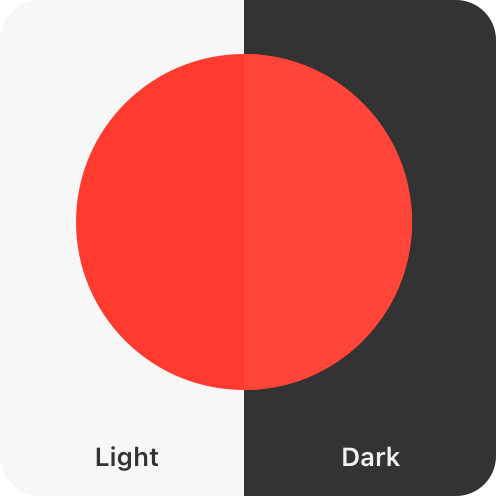The `systemRed` default color in iOS
|
|
69
|
+
|
|
70
|
+
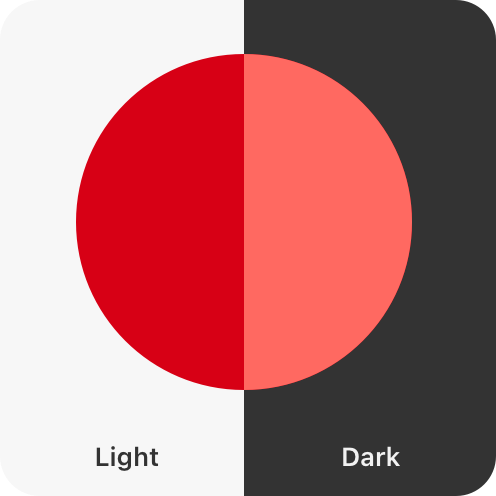The `systemRed` accessible color in iOS
|
|
71
|
+
|
|
72
|
+
**Convey information with more than color alone.** Some people have trouble differentiating between certain colors and shades. For example, people who are color blind may have particular difficulty with pairings such as red-green and blue-orange. Offer visual indicators, like distinct shapes or icons, in addition to color to help people perceive differences in function and changes in state. Consider allowing people to customize color schemes such as chart colors or game characters so they can personalize your interface in a way that’s comfortable for them.
|
|
73
|
+
|
|
74
|
+
For someone with red-green color blindness, these indicators might appear the same.
|
|
75
|
+
|
|
76
|
+

|
|
77
|
+
|
|
78
|
+
Both visual indicators and color help differentiate between indicators.
|
|
79
|
+
|
|
80
|
+

|
|
81
|
+
|
|
82
|
+
**Describe your app’s interface and content for VoiceOver.** VoiceOver is a screen reader that lets people experience your app’s interface without needing to see the screen. For more guidance, see [VoiceOver](https://developer.apple.com/design/human-interface-guidelines/voiceover).
|
|
83
|
+
|
|
84
|
+
## [Hearing](https://developer.apple.com/design/human-interface-guidelines/accessibility#Hearing)
|
|
85
|
+
|
|
86
|
+

|
|
87
|
+
|
|
88
|
+
The people who use your interface may be deaf or hard of hearing. They may also be in noisy or public environments.
|
|
89
|
+
|
|
90
|
+
**Support text-based ways to enjoy audio and video.** It’s important that dialogue and crucial information about your app or game isn’t communicated through audio alone. Depending on the context, give people different text-based ways to experience their media, and allow people to customize the visual presentation of that text:
|
|
91
|
+
|
|
92
|
+
* **Captions** give people the textual equivalent of audible information in video or audio-only content. Captions are great for scenarios like game cutscenes and video clips where text synchronizes live with the media.
|
|
93
|
+
|
|
94
|
+
* **Subtitles** allow people to read live onscreen dialogue in their preferred language. Subtitles are great for TV shows and movies.
|
|
95
|
+
|
|
96
|
+
* **Audio descriptions** are interspersed between natural pauses in the main audio of a video and supply spoken narration of important information that’s presented only visually.
|
|
97
|
+
|
|
98
|
+
* **Transcripts** provide a complete textual description of a video, covering both audible and visual information. Transcripts are great for longer-form media like podcasts and audiobooks where people may want to review content as a whole or highlight the transcript as media is playing.
|
|
99
|
+
|
|
100
|
+
|
|
101
|
+
|
|
102
|
+
|
|
103
|
+
For developer guidance, see [Selecting subtitles and alternative audio tracks](https://developer.apple.com/documentation/AVFoundation/selecting-subtitles-and-alternative-audio-tracks).
|
|
104
|
+
|
|
105
|
+
**Use haptics in addition to audio cues.** If your interface conveys information through audio cues — such as a success chime, error sound, or game feedback — consider pairing that sound with matching haptics for people who can’t perceive the audio or have their audio turned off. In iOS and iPadOS, you can also use [Music Haptics](https://developer.apple.com/documentation/MediaAccessibility/music-haptics) and [Audio graphs](https://developer.apple.com/documentation/Accessibility/audio-graphs) to let people experience music and infographics through vibration and texture. For guidance, see [Playing haptics](https://developer.apple.com/design/human-interface-guidelines/playing-haptics).
|
|
106
|
+
|
|
107
|
+

|
|
108
|
+
|
|
109
|
+
**Augment audio cues with visual cues.** This is especially important for games and spatial apps where important content might be taking place off screen. When using audio to guide people towards a specific action, also add in visual indicators that point to where you want people to interact.
|
|
110
|
+
|
|
111
|
+
## [Mobility](https://developer.apple.com/design/human-interface-guidelines/accessibility#Mobility)
|
|
112
|
+
|
|
113
|
+

|
|
114
|
+
|
|
115
|
+
Ensure your interface offers a comfortable experience for people with limited dexterity or mobility.
|
|
116
|
+
|
|
117
|
+
**Offer sufficiently sized controls.** Controls that are too small are hard for many people to interact with and select. Strive to meet the recommended minimum control size for each platform to ensure controls and menus are comfortable for all when tapping and clicking.
|
|
118
|
+
|
|
119
|
+
Platform| Default control size| Minimum control size
|
|
120
|
+
---|---|---
|
|
121
|
+
iOS, iPadOS| 44x44 pt| 28x28 pt
|
|
122
|
+
macOS| 28x28 pt| 20x20 pt
|
|
123
|
+
tvOS| 66x66 pt| 56x56 pt
|
|
124
|
+
visionOS| 60x60 pt| 28x28 pt
|
|
125
|
+
watchOS| 44x44 pt| 28x28 pt
|
|
126
|
+
|
|
127
|
+
**Consider spacing between controls as important as size.** Include enough padding between elements to reduce the chance that someone taps the wrong control. In general, it works well to add about 12 points of padding around elements that include a bezel. For elements without a bezel, about 24 points of padding works well around the element’s visible edges.
|
|
128
|
+
|
|
129
|
+
Elements with insufficient padding
|
|
130
|
+
|
|
131
|
+

|
|
132
|
+
|
|
133
|
+
Elements with sufficient padding
|
|
134
|
+
|
|
135
|
+

|
|
136
|
+
|
|
137
|
+
**Support simple gestures for common interactions.** For many people, with or without disabilities, complex gestures can be challenging. For interactions people do frequently in your app or game, use the simplest gesture possible — avoid custom multifinger and multihand gestures — so repetitive actions are both comfortable and easy to remember.
|
|
138
|
+
|
|
139
|
+
**Offer alternatives to gestures.** Make sure your UI’s core functionality is accessible through more than one type of physical interaction. Gestures can be less comfortable for people who have limited dexterity, so offer onscreen ways to achieve the same outcome. For example, if you use a swipe gesture to dismiss a view, also make a button available so people can tap or use an assistive device.
|
|
140
|
+
|
|
141
|
+
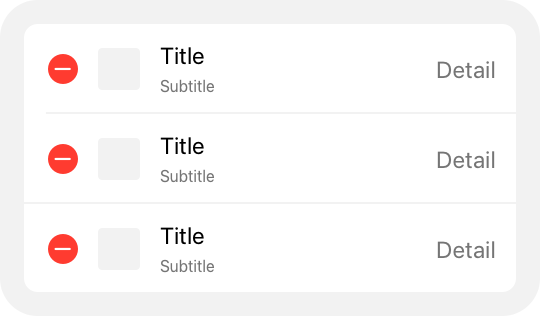Edit and tap to delete
|
|
142
|
+
|
|
143
|
+
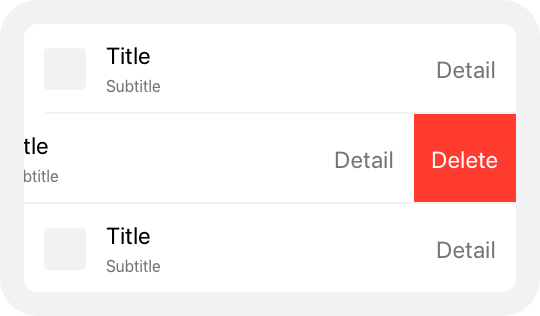Swipe to delete
|
|
144
|
+
|
|
145
|
+
**Let people use Voice Control to give guidance and enter information verbally.** With Voice Control, people can interact with their devices entirely by speaking commands. They can perform gestures, interact with screen elements, dictate and edit text, and more. To ensure a smooth experience, label interface elements appropriately. For developer guidance, see [Voice Control](https://developer.apple.com/documentation/Accessibility/voice-control).
|
|
146
|
+
|
|
147
|
+
**Integrate with Siri and Shortcuts to let people perform tasks using voice alone.** When your app supports Siri and Shortcuts, people can automate the important and repetitive tasks they perform regularly. They can initiate these tasks from Siri, the Action button on their iPhone or Apple Watch, and shortcuts on their Home Screen or in Control Center. For guidance, see [Siri](https://developer.apple.com/design/human-interface-guidelines/siri).
|
|
148
|
+
|
|
149
|
+
**Support mobility-related assistive technologies.** Features like [VoiceOver](https://developer.apple.com/design/human-interface-guidelines/voiceover), AssistiveTouch, Full Keyboard Access, Pointer Control, and [Switch Control](https://developer.apple.com/documentation/Accessibility/switch-control) offer alternative ways for people with low mobility to interact with their devices. Conduct testing and verify that your app or game supports these technologies, and that your interface elements are appropriately labeled to ensure a great experience. For more information, see [Performing accessibility testing for your app](https://developer.apple.com/documentation/Accessibility/performing-accessibility-testing-for-your-app).
|
|
150
|
+
|
|
151
|
+
## [Speech](https://developer.apple.com/design/human-interface-guidelines/accessibility#Speech)
|
|
152
|
+
|
|
153
|
+

|
|
154
|
+
|
|
155
|
+
Apple’s accessibility features help people with speech disabilities and people who prefer text-based interactions to communicate effectively using their devices.
|
|
156
|
+
|
|
157
|
+
**Let people use the keyboard alone to navigate and interact with your app.** People can turn on Full Keyboard Access to navigate apps using their physical keyboard. The system also defines accessibility keyboard shortcuts and a wide range of other [keyboard shortcuts](https://support.apple.com/en-us/102650) that many people use all the time. Avoid overriding system-defined keyboard shortcuts and evaluate your app to ensure it works well with Full Keyboard Access. For additional guidance, see [Keyboards](https://developer.apple.com/design/human-interface-guidelines/keyboards). For developer guidance, see [Support Full Keyboard Access in your iOS app](https://developer.apple.com/videos/play/wwdc2021/10120).
|
|
158
|
+
|
|
159
|
+
**Support Switch Control.** Switch Control is an assistive technology that lets people control their devices through separate hardware, game controllers, or sounds such as a click or a pop. People can perform actions like selecting, tapping, typing, and drawing when your app or game supports the ability to navigate using Switch Control. For developer guidance, see [Switch Control](https://developer.apple.com/documentation/Accessibility/switch-control).
|
|
160
|
+
|
|
161
|
+
## [Cognitive](https://developer.apple.com/design/human-interface-guidelines/accessibility#Cognitive)
|
|
162
|
+
|
|
163
|
+

|
|
164
|
+
|
|
165
|
+
When you minimize complexity in your app or game, all people benefit.
|
|
166
|
+
|
|
167
|
+
**Keep actions simple and intuitive.** Ensure that people can navigate your interface using easy-to-remember and consistent interactions. Prefer system gestures and behaviors people are already familiar with over creating custom gestures people must learn and retain.
|
|
168
|
+
|
|
169
|
+
**Minimize use of time-boxed interface elements.** Views and controls that auto-dismiss on a timer can be problematic for people who need longer to process information, and for people who use assistive technologies that require more time to traverse the interface. Prefer dismissing views with an explicit action.
|
|
170
|
+
|
|
171
|
+
**Consider offering difficulty accommodations in games.** Everyone has their own way of playing and enjoying games. To support a variety of cognitive abilities, consider adding the ability to customize the difficulty level of your game, such as offering options for people to reduce the criteria for successfully completing a level, adjust reaction time, or enable control assistance.
|
|
172
|
+
|
|
173
|
+
**Let people control audio and video playback.** Avoid autoplaying audio and video content without also providing controls to start and stop it. Make sure these controls are discoverable and easy to act upon, and consider global settings that let people opt out of auto-playing all audio and video. For developer guidance, see [Animated images](https://developer.apple.com/documentation/Accessibility/animated-images) and [`isVideoAutoplayEnabled`](https://developer.apple.com/documentation/UIKit/UIAccessibility/isVideoAutoplayEnabled).
|
|
174
|
+
|
|
175
|
+
**Allow people to opt out of flashing lights in video playback.** People might want to avoid bright, frequent flashes of light in the media they consume. A Dim Flashing Lights setting allows the system to calculate, mitigate, and inform people about flashing lights in a piece of media. If your app supports video playback, ensure that it responds appropriately to the Dim Flashing Lights setting. For developer guidance, see [Flashing lights](https://developer.apple.com/documentation/MediaAccessibility/flashing-lights).
|
|
176
|
+
|
|
177
|
+
**Be cautious with fast-moving and blinking animations.** When you use these effects in excess, it can be distracting, cause dizziness, and in some cases even result in epileptic episodes. People who are prone to these effects can turn on the Reduce Motion accessibility setting. When this setting is active, ensure your app or game responds by reducing automatic and repetitive animations, including zooming, scaling, and peripheral motion. Other best practices for reducing motion include:
|
|
178
|
+
|
|
179
|
+
* Tightening animation springs to reduce bounce effects
|
|
180
|
+
|
|
181
|
+
* Tracking animations directly with people’s gestures
|
|
182
|
+
|
|
183
|
+
* Avoiding animating depth changes in z-axis layers
|
|
184
|
+
|
|
185
|
+
* Replacing transitions in x-, y-, and z-axes with fades to avoid motion
|
|
186
|
+
|
|
187
|
+
* Avoiding animating into and out of blurs
|
|
188
|
+
|
|
189
|
+
|
|
190
|
+
|
|
191
|
+
|
|
192
|
+
**Optimize your app’s UI for Assistive Access.** Assistive Access is an accessibility feature in iOS and iPadOS that allows people with cognitive disabilities to use a streamlined version of your app. Assistive Access sets a default layout and control presentation for apps that reduces cognitive load, such as the following layout of the Camera app.
|
|
193
|
+
|
|
194
|
+
|
|
195
|
+
|
|
196
|
+
|
|
197
|
+
|
|
198
|
+
To optimize your app for this mode, use the following guidelines when Assistive Access is turned on:
|
|
199
|
+
|
|
200
|
+
* Identify the core functionality of your app and consider removing noncritical workflows and UI elements.
|
|
201
|
+
|
|
202
|
+
* Break up multistep workflows so people can focus on a single interaction per screen.
|
|
203
|
+
|
|
204
|
+
* Always ask for confirmation twice whenever people perform an action that’s difficult to recover from, such a deleting a file.
|
|
205
|
+
|
|
206
|
+
|
|
207
|
+
|
|
208
|
+
|
|
209
|
+
For developer guidance, see [Assistive Access](https://developer.apple.com/documentation/Accessibility/assistive-access).
|
|
210
|
+
|
|
211
|
+
## [Platform considerations](https://developer.apple.com/design/human-interface-guidelines/accessibility#Platform-considerations)
|
|
212
|
+
|
|
213
|
+
_No additional considerations for iOS, iPadOS, macOS, tvOS, or watchOS._
|
|
214
|
+
|
|
215
|
+
### [visionOS](https://developer.apple.com/design/human-interface-guidelines/accessibility#visionOS)
|
|
216
|
+
|
|
217
|
+
visionOS offers a variety of accessibility features people can use to interact with their surroundings in ways that are comfortable and work best for them, including head and hand Pointer Control, and a Zoom feature.
|
|
218
|
+
|
|
219
|
+
* Pointer Control (hand)
|
|
220
|
+
* Pointer Control (head)
|
|
221
|
+
* Zoom
|
|
222
|
+
|
|
223
|
+
|
|
224
|
+
|
|
225
|
+
Video with custom controls.
|
|
226
|
+
|
|
227
|
+
Content description: A recording of a person's hand using Pointer Control to interact with content in an app's visionOS window. A line with a pointer at the end extends from the person's hand. It changes position within the field of view as the person moves their hand.
|
|
228
|
+
|
|
229
|
+
Play
|
|
230
|
+
|
|
231
|
+
Video with custom controls.
|
|
232
|
+
|
|
233
|
+
Content description: A recording of someone using Pointer Control to interact with content in an app's visionOS window. The person isn't visible in the recording. Only the pointer is visible. It's centered in the field of view, and the person uses their head movement to position content beneath the pointer.
|
|
234
|
+
|
|
235
|
+
Play
|
|
236
|
+
|
|
237
|
+
|
|
238
|
+
|
|
239
|
+
**Prioritize comfort.** The immersive nature of visionOS means that interfaces, animations, and interactions have a greater chance of causing motion sickness, and visual and ergonomic discomfort for people. To ensure the most comfortable experience, consider these tips:
|
|
240
|
+
|
|
241
|
+
* Keep interface elements within a person’s field of view. Prefer horizontal layouts to vertical ones that might cause neck strain, and avoid demanding the viewer’s attention in different locations in quick succession.
|
|
242
|
+
|
|
243
|
+
* Reduce the speed and intensity of animated objects, particularly in someone’s peripheral vision.
|
|
244
|
+
|
|
245
|
+
* Be gentle with camera and video motion, and avoid situations where someone may feel like the world around them is moving without their control.
|
|
246
|
+
|
|
247
|
+
* Avoid anchoring content to the wearer’s head, which may make them feel stuck and confined, and also prevent them from using assistive technologies like Pointer Control.
|
|
248
|
+
|
|
249
|
+
* Minimize the need for large and repetitive gestures, as these can become tiresome and may be difficult depending on a person’s surroundings.
|
|
250
|
+
|
|
251
|
+
|
|
252
|
+
|
|
253
|
+
|
|
254
|
+
For additional guidance, see [Create accessible spatial experiences](https://developer.apple.com/videos/play/wwdc2023/10034) and [Design considerations for vision and motion](https://developer.apple.com/videos/play/wwdc2023/10078).
|
|
255
|
+
|
|
256
|
+
## [Resources](https://developer.apple.com/design/human-interface-guidelines/accessibility#Resources)
|
|
257
|
+
|
|
258
|
+
#### [Related](https://developer.apple.com/design/human-interface-guidelines/accessibility#Related)
|
|
259
|
+
|
|
260
|
+
[Inclusion](https://developer.apple.com/design/human-interface-guidelines/inclusion)
|
|
261
|
+
|
|
262
|
+
[Typography](https://developer.apple.com/design/human-interface-guidelines/typography)
|
|
263
|
+
|
|
264
|
+
[VoiceOver](https://developer.apple.com/design/human-interface-guidelines/voiceover)
|
|
265
|
+
|
|
266
|
+
#### [Developer documentation](https://developer.apple.com/design/human-interface-guidelines/accessibility#Developer-documentation)
|
|
267
|
+
|
|
268
|
+
[Building accessible apps](https://developer.apple.com/accessibility/)
|
|
269
|
+
|
|
270
|
+
[Accessibility framework](https://developer.apple.com/documentation/Accessibility)
|
|
271
|
+
|
|
272
|
+
[Overview of Accessibility Nutrition Labels](https://devcms.apple.com/help/app-store-connect/manage-app-accessibility/overview-of-accessibility-nutrition-labels)
|
|
273
|
+
|
|
274
|
+
#### [Videos](https://developer.apple.com/design/human-interface-guidelines/accessibility#Videos)
|
|
275
|
+
|
|
276
|
+
[ Principles of inclusive app design ](https://developer.apple.com/videos/play/wwdc2025/316)
|
|
277
|
+
|
|
278
|
+
[ Evaluate your app for Accessibility Nutrition Labels ](https://developer.apple.com/videos/play/wwdc2025/224)
|
|
279
|
+
|
|
280
|
+
[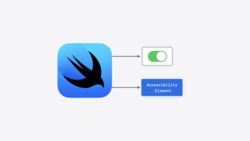 Catch up on accessibility in SwiftUI ](https://developer.apple.com/videos/play/wwdc2024/10073)
|
|
281
|
+
|
|
282
|
+
## [Change log](https://developer.apple.com/design/human-interface-guidelines/accessibility#Change-log)
|
|
283
|
+
|
|
284
|
+
Date| Changes
|
|
285
|
+
---|---
|
|
286
|
+
June 9, 2025| Added guidance and links for Assistive Access, Switch Control, and Accessibility Nutrition Labels.
|
|
287
|
+
March 7, 2025| Expanded and refined all guidance. Moved Dynamic Type guidance to the Typography page, and moved VoiceOver guidance to a new VoiceOver page.
|
|
288
|
+
June 10, 2024| Added a link to Apple’s Unity plug-ins for supporting Dynamic Type.
|
|
289
|
+
December 5, 2023| Updated visionOS Zoom lens artwork.
|
|
290
|
+
June 21, 2023| Updated to include guidance for visionOS.
|
|
291
|
+
|
|
@@ -0,0 +1,210 @@
|
|
|
1
|
+
---
|
|
2
|
+
title: "App icons | Apple Developer Documentation"
|
|
3
|
+
source: https://developer.apple.com/design/human-interface-guidelines/app-icons
|
|
4
|
+
|
|
5
|
+
# App icons
|
|
6
|
+
|
|
7
|
+
A unique, memorable icon expresses your app’s or game’s purpose and personality and helps people recognize it at a glance.
|
|
8
|
+
|
|
9
|
+
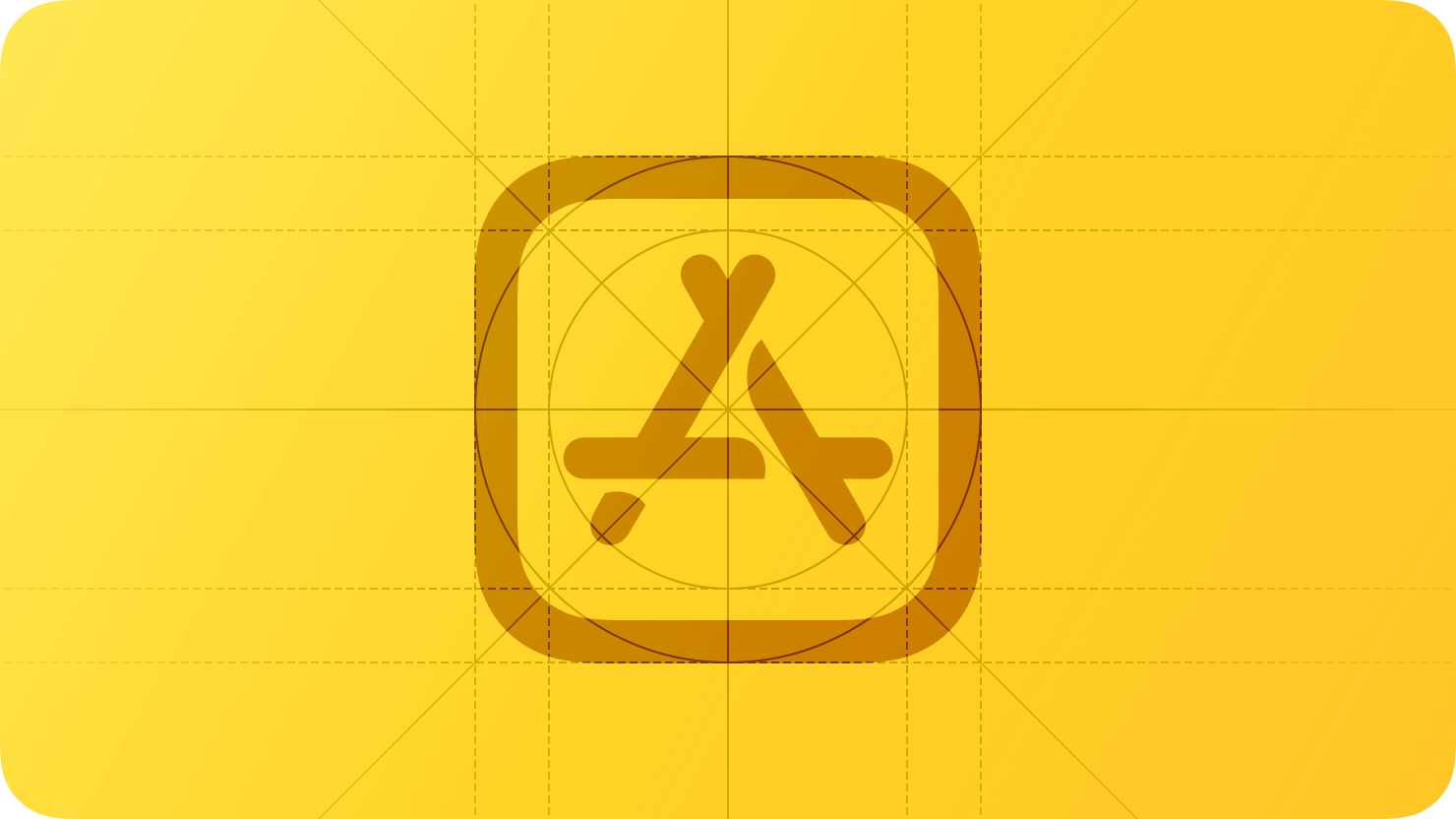
|
|
10
|
+
|
|
11
|
+
Your app icon is a crucial aspect of your app’s or game’s branding and user experience. It appears on the Home Screen and in key locations throughout the system, including search results, notifications, system settings, and share sheets. A well-designed app icon conveys your app’s or game’s identity clearly and consistently across all Apple platforms.
|
|
12
|
+
|
|
13
|
+

|
|
14
|
+
|
|
15
|
+
## [Layer design](https://developer.apple.com/design/human-interface-guidelines/app-icons#Layer-design)
|
|
16
|
+
|
|
17
|
+
Although you can provide a flattened image for your icon, layers give you the most control over how your icon design is represented. A layered app icon comes together to produce a sense of depth and vitality. On each platform, the system applies visual effects that respond to the environment and people’s interactions.
|
|
18
|
+
|
|
19
|
+
iOS, iPadOS, macOS, and watchOS app icons include a background layer and one or more foreground layers that coalesce to create dimensionality. These icons take on Liquid Glass attributes like specular highlights, frostiness, and translucency, which respond to changes in lighting and, in iOS and iPadOS, device movement.
|
|
20
|
+
|
|
21
|
+
Video with custom controls.
|
|
22
|
+
|
|
23
|
+
Content description: An animation of the Podcasts app icon for iOS. As the animation plays, the icon rotates to the side and expands to show how layers are separated. It then collapses and returns to its original position.
|
|
24
|
+
|
|
25
|
+
Play
|
|
26
|
+
|
|
27
|
+
iOS app icon
|
|
28
|
+
|
|
29
|
+
tvOS app icons use between two and five layers to create a sense of dynamism as people bring them into focus. When focused, the app icon elevates to the foreground in response to someone’s finger movement on their remote, and gently sways while the surface illuminates. The separation between layers and the use of transparency produce a feeling of depth during the parallax effect.
|
|
30
|
+
|
|
31
|
+
Video with custom controls.
|
|
32
|
+
|
|
33
|
+
Content description: An animation of the Photos app icon in tvOS moving to show the parallax effect.
|
|
34
|
+
|
|
35
|
+
Play
|
|
36
|
+
|
|
37
|
+
tvOS app icon
|
|
38
|
+
|
|
39
|
+
A visionOS app icon includes a background layer and one or two layers on top, producing a three-dimensional object that subtly expands when people view it. The system enhances the icon’s visual dimensionality by adding shadows that convey a sense of depth between layers and by using the alpha channel of the upper layers to create an embossed appearance.
|
|
40
|
+
|
|
41
|
+
Video with custom controls.
|
|
42
|
+
|
|
43
|
+
Content description: An animation of the Photos app icon in visionOS moving to show the parallax effect.
|
|
44
|
+
|
|
45
|
+
Play
|
|
46
|
+
|
|
47
|
+
visionOS app icon
|
|
48
|
+
|
|
49
|
+
You use your favorite design tool to craft the individual foreground layers of your app icon. For iOS, iPadOS, macOS, and watchOS icons, you then import your icon layers into Icon Composer, a design tool included with Xcode and available from the [Apple Developer website](https://developer.apple.com/icon-composer). In Icon Composer, you define the background layer for your icon, adjust your foreground layer placement, apply visual effects like transparency, define default, dark, clear, and tinted appearance variants, and export your icon for use in Xcode. For additional guidance, see [Creating your app icon using Icon Composer](https://developer.apple.com/documentation/Xcode/creating-your-app-icon-using-icon-composer).
|
|
50
|
+
|
|
51
|
+
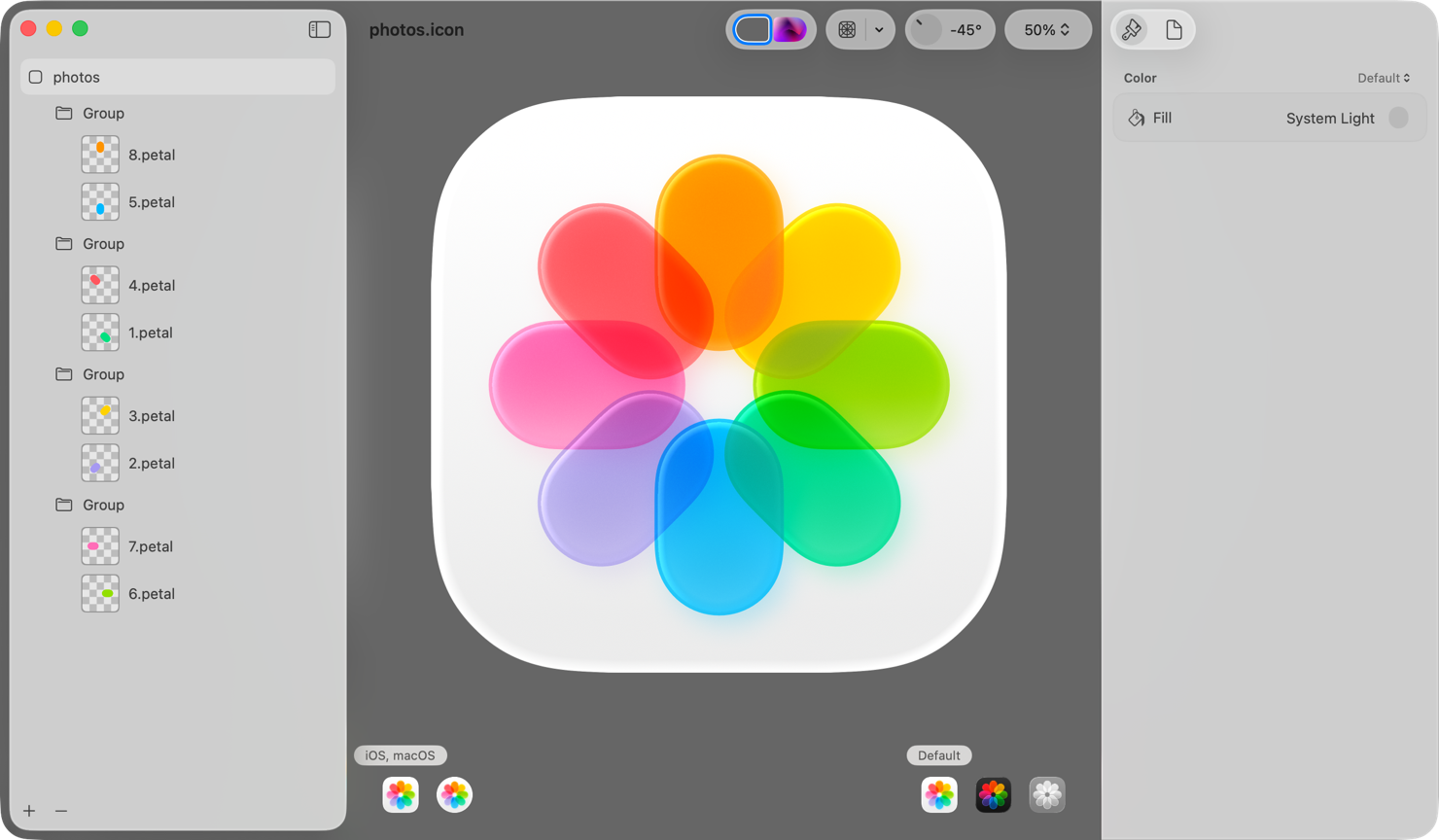Icon Composer
|
|
52
|
+
|
|
53
|
+
For tvOS and visionOS app icons, you add your icon layers directly to an image stack in Xcode to form your complete icon. For developer guidance, see [Configuring your app icon using an asset catalog](https://developer.apple.com/documentation/Xcode/configuring-your-app-icon).
|
|
54
|
+
|
|
55
|
+
**Prefer clearly defined edges in foreground layers.** To ensure system-drawn highlights and shadows look best, avoid soft and feathered edges on foreground layer shapes.
|
|
56
|
+
|
|
57
|
+
**Vary opacity in foreground layers to increase the sense of depth and liveliness.** For example, the Photos icon separates its centerpiece into multiple layers that contain translucent pieces, bringing greater dynamism to the design. Importing fully opaque layers and adjusting transparency in Icon Composer lets you preview and make adjustments to your design based on how transparency and system effects impact one another.
|
|
58
|
+
|
|
59
|
+
**Design a background that both stands out and emphasizes foreground content.** Subtle top-to-bottom, light-to-dark gradients tend to respond well to system lighting effects. Icon Composer supports solid colors and gradients for background layers, making it unnecessary to import custom background images in most cases. If you do import a background layer, make sure it’s full-bleed and opaque.
|
|
60
|
+
|
|
61
|
+
**Prefer vector graphics when bringing layers into Icon Composer.** Unlike raster images, vector graphics (such as SVG or PDF) scale gracefully and appear crisp at any size. Outline artwork and convert text to outline in your design. For mesh gradients and raster artwork, prefer PNG format because it’s a lossless image format.
|
|
62
|
+
|
|
63
|
+
## [Icon shape](https://developer.apple.com/design/human-interface-guidelines/app-icons#Icon-shape)
|
|
64
|
+
|
|
65
|
+
An app icon’s shape varies based on a platform’s visual language. In iOS, iPadOS, and macOS, icons are square, and the system applies masking to produce rounded corners that precisely match the curvature of other rounded interface elements throughout the system and the bezel of the physical device itself. In tvOS, icons are rectangular, also with concentric edges. In visionOS and watchOS, icons are square and the system applies circular masking.
|
|
66
|
+
|
|
67
|
+
* iOS, iPadOS, macOS
|
|
68
|
+
* tvOS
|
|
69
|
+
* visionOS, watchOS
|
|
70
|
+
|
|
71
|
+
|
|
72
|
+
|
|
73
|
+

|
|
74
|
+
|
|
75
|
+
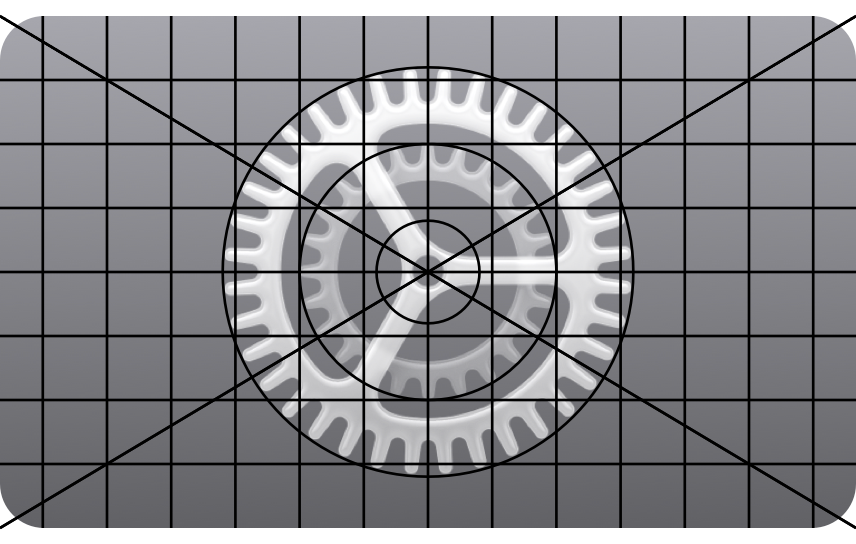
|
|
76
|
+
|
|
77
|
+

|
|
78
|
+
|
|
79
|
+
**Produce appropriately shaped, unmasked layers.** The system masks all layer edges to produce an icon’s final shape. For iOS, iPadOS, and macOS icons, provide square layers so the system can apply rounded corners. For visionOS and watchOS, provide square layers so the system can create the circular icon shape. For tvOS, provide rectangular layers so the system can apply rounded corners. Providing layers with pre-defined masking negatively impacts specular highlight effects and makes edges look jagged.
|
|
80
|
+
|
|
81
|
+
**Keep primary content centered to avoid truncation when the system adjusts corners or applies masking.** Pay particular attention to centering content in visionOS and watchOS icons. To help with icon placement, use the grids in the app icon production templates, which you can find in [Apple Design Resources](https://developer.apple.com/design/resources/).
|
|
82
|
+
|
|
83
|
+
## [Design](https://developer.apple.com/design/human-interface-guidelines/app-icons#Design)
|
|
84
|
+
|
|
85
|
+
Embrace simplicity in your icon design. Simple icons tend to be easiest for people to understand and recognize. An icon with fine visual features might look busy when rendered with system-provided shadows and highlights, and details may be hard to discern at smaller sizes. Find a concept or element that captures the essence of your app or game, make it the core idea of your icon, and express it in a simple, unique way with a minimal number of shapes. Prefer a simple background, such as a solid color or gradient, that puts the emphasis on your primary design — you don’t need to fill the entire icon canvas with content.
|
|
86
|
+
|
|
87
|
+
The Podcasts app icon
|
|
88
|
+
|
|
89
|
+
The Home app icon
|
|
90
|
+
|
|
91
|
+
**Provide a visually consistent icon design across all the platforms your app supports.** A consistent design helps people quickly find your app wherever it appears and prevents people from mistaking your app for multiple apps.
|
|
92
|
+
|
|
93
|
+
**Consider basing your icon design around filled, overlapping shapes.** Overlapping solid shapes in the foreground, particularly when paired with transparency and blurring, can give an icon a sense of depth.
|
|
94
|
+
|
|
95
|
+

|
|
96
|
+
|
|
97
|
+

|
|
98
|
+
|
|
99
|
+

|
|
100
|
+
|
|
101
|
+

|
|
102
|
+
|
|
103
|
+
**Include text only when it’s essential to your experience or brand.** Text in icons doesn’t support accessibility or localization, is often too small to read easily, and can make an icon appear cluttered. In some contexts, your app name already appears nearby, making it redundant to display the name within the icon itself. Although displaying a mnemonic like the first letter of your app’s name can help people recognize your app or game, avoid including nonessential words that tell people what to do with it — like “Watch” or “Play” — or context-specific terms like “New” or “For visionOS.” If you include text in a tvOS app icon, make sure it’s above other layers so it’s not cropped by the parallax effect.
|
|
104
|
+
|
|
105
|
+
**Prefer illustrations to photos and avoid replicating UI components.** Photos are full of details that don’t work well when displayed in different appearances, viewed at small sizes, or split into layers. Instead of using photos, create a graphic representation of the content that emphasizes the features you want people to notice. Similarly, if your app has an interface that people recognize, don’t just replicate standard UI components or use app screenshots in your icon.
|
|
106
|
+
|
|
107
|
+
**Don’t use replicas of Apple hardware products.** Apple products are copyrighted and can’t be reproduced in your app icons.
|
|
108
|
+
|
|
109
|
+
## [Visual effects](https://developer.apple.com/design/human-interface-guidelines/app-icons#Visual-effects)
|
|
110
|
+
|
|
111
|
+
**Let the system handle blurring and other visual effects.** The system dynamically applies visual effects to your app icon layers, so there’s no need to include specular highlights, drop shadows between layers, beveled edges, blurs, glows, and other effects. In addition to interfering with system-provided effects, custom effects are static, whereas the system supplies dynamic ones. If you do include custom visual effects on your icon layers, use them intentionally and test carefully with Icon Composer, in Simulator, or on device to make sure they appear as expected and don’t conflict with system effects.
|
|
112
|
+
|
|
113
|
+
**Create layer groupings to apply effects to multiple layers at once.** System effects typically occur on individual layers. If it makes sense for your design, however, you can group several layers together in Icon Composer or your design tool so effects occur at the group level.
|
|
114
|
+
|
|
115
|
+
## [Appearances](https://developer.apple.com/design/human-interface-guidelines/app-icons#Appearances)
|
|
116
|
+
|
|
117
|
+
In iOS, iPadOS, and macOS, people can choose whether their Home Screen app icons are default, dark, clear, or tinted in appearance. For example, someone may want to personalize their app icon appearance to complement their wallpaper. You can design app icon variants for every appearance variant, and the system automatically generates variants you don’t provide.
|
|
118
|
+
|
|
119
|
+
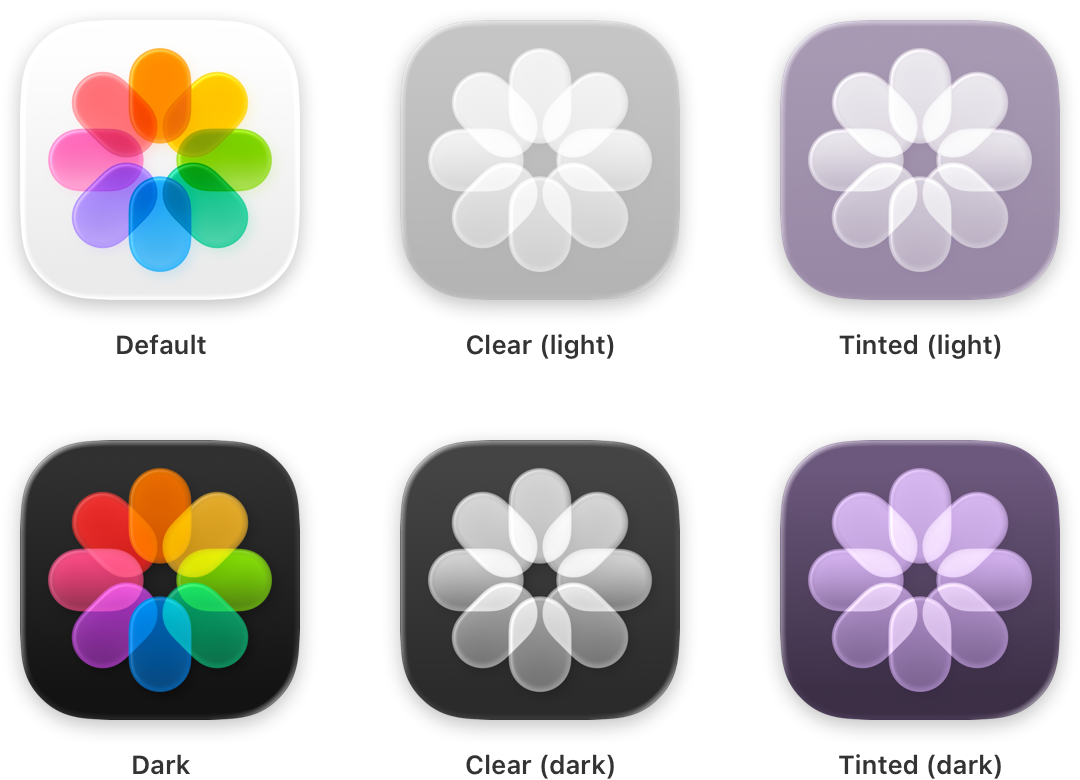
|
|
120
|
+
|
|
121
|
+
**Keep your icon’s features consistent across appearances.** To create a seamless experience, keep your icon’s core visual features the same in the default, dark, clear, and tinted appearances. Avoid creating custom icon variants that swap elements in and out with each variant, which may make it harder for people to find your app when they switch appearances.
|
|
122
|
+
|
|
123
|
+
**Design dark and tinted icons that feel at home beside system app icons and widgets.** You can preserve the color palette of your default icon, but be mindful that dark icons are more subdued, and clear and tinted icons are even more so. A great app icon is visible, legible, and recognizable, regardless of its appearance variant.
|
|
124
|
+
|
|
125
|
+
**Use your light app icon as the basis for your dark icon.** Choose complementary colors that reflect the default design, and avoid excessively bright images. Color backgrounds generally offer the greatest contrast in dark icons. For guidance, see [Dark Mode](https://developer.apple.com/design/human-interface-guidelines/dark-mode).
|
|
126
|
+
|
|
127
|
+
**Consider offering alternate app icons.** In iOS, iPadOS, tvOS, and compatible apps running in visionOS, it’s possible to let people visit your app’s settings to choose an alternate version of your app icon. For example, a sports app might offer icons for different teams, letting someone choose their favorite. If you offer this capability, make sure each icon you design remains closely related to your content and experience. Avoid creating one someone might mistake for another app.
|
|
128
|
+
|
|
129
|
+
Note
|
|
130
|
+
|
|
131
|
+
Alternate app icons in iOS and iPadOS require their own dark, clear, and tinted variants. As with your default app icon, all alternate and variant icons are subject to app review and must adhere to the [App Review Guidelines](https://developer.apple.com/app-store/review/guidelines/#design).
|
|
132
|
+
|
|
133
|
+
## [Platform considerations](https://developer.apple.com/design/human-interface-guidelines/app-icons#Platform-considerations)
|
|
134
|
+
|
|
135
|
+
_No additional considerations for iOS, iPadOS, or macOS._
|
|
136
|
+
|
|
137
|
+
### [tvOS](https://developer.apple.com/design/human-interface-guidelines/app-icons#tvOS)
|
|
138
|
+
|
|
139
|
+
**Include a safe zone to ensure the system doesn’t crop your content.** When someone focuses your app icon, the system may crop content around the edges as the icon scales and moves. To ensure that your icon’s content is always visible, keep a safe zone around it. Be aware that the safe zone can vary, depending on the image size, layer depth, and motion, and the system crops foreground layers more than background layers.
|
|
140
|
+
|
|
141
|
+
|
|
142
|
+
|
|
143
|
+
### [visionOS](https://developer.apple.com/design/human-interface-guidelines/app-icons#visionOS)
|
|
144
|
+
|
|
145
|
+
**Avoid adding a shape that’s intended to look like a hole or concave area to the background layer.** The system-added shadow and specular highlights can make such a shape stand out instead of recede.
|
|
146
|
+
|
|
147
|
+
### [watchOS](https://developer.apple.com/design/human-interface-guidelines/app-icons#watchOS)
|
|
148
|
+
|
|
149
|
+
**Avoid using black for your icon’s background.** Lighten a black background so the icon doesn’t blend into the display background.
|
|
150
|
+
|
|
151
|
+
## [Specifications](https://developer.apple.com/design/human-interface-guidelines/app-icons#Specifications)
|
|
152
|
+
|
|
153
|
+
The layout, size, style, and appearances of app icons vary by platform.
|
|
154
|
+
|
|
155
|
+
Platform| Layout shape| Icon shape after system masking| Layout size| Style| Appearances
|
|
156
|
+
---|---|---|---|---|---
|
|
157
|
+
iOS, iPadOS, macOS| Square| Rounded rectangle (square)| 1024x1024 px| Layered| Default, dark, clear light, clear dark, tinted light, tinted dark
|
|
158
|
+
tvOS| Rectangle (landscape)| Rounded rectangle (rectangular)| 800x480 px| Layered (Parallax)| N/A
|
|
159
|
+
visionOS| Square| Circular| 1024x1024 px| Layered (3D)| N/A
|
|
160
|
+
watchOS| Square| Circular| 1088x1088 px| Layered| N/A
|
|
161
|
+
|
|
162
|
+
The system automatically scales your icon to produce smaller variants that appear in certain locations, such as Settings and notifications.
|
|
163
|
+
|
|
164
|
+
App icons support the following color spaces:
|
|
165
|
+
|
|
166
|
+
* sRGB (color)
|
|
167
|
+
|
|
168
|
+
* Gray Gamma 2.2 (grayscale)
|
|
169
|
+
|
|
170
|
+
* Display P3 (wide-gamut color in iOS, iPadOS, macOS, tvOS, and watchOS only)
|
|
171
|
+
|
|
172
|
+
|
|
173
|
+
|
|
174
|
+
|
|
175
|
+
## [Resources](https://developer.apple.com/design/human-interface-guidelines/app-icons#Resources)
|
|
176
|
+
|
|
177
|
+
#### [Related](https://developer.apple.com/design/human-interface-guidelines/app-icons#Related)
|
|
178
|
+
|
|
179
|
+
[Apple Design Resources](https://developer.apple.com/design/resources/)
|
|
180
|
+
|
|
181
|
+
[Icon Composer](https://developer.apple.com/icon-composer/)
|
|
182
|
+
|
|
183
|
+
[Icons](https://developer.apple.com/design/human-interface-guidelines/icons)
|
|
184
|
+
|
|
185
|
+
[Images](https://developer.apple.com/design/human-interface-guidelines/images)
|
|
186
|
+
|
|
187
|
+
[Dark Mode](https://developer.apple.com/design/human-interface-guidelines/dark-mode)
|
|
188
|
+
|
|
189
|
+
#### [Developer documentation](https://developer.apple.com/design/human-interface-guidelines/app-icons#Developer-documentation)
|
|
190
|
+
|
|
191
|
+
[Creating your app icon using Icon Composer](https://developer.apple.com/documentation/Xcode/creating-your-app-icon-using-icon-composer)
|
|
192
|
+
|
|
193
|
+
[Configuring your app icon using an asset catalog](https://developer.apple.com/documentation/Xcode/configuring-your-app-icon)
|
|
194
|
+
|
|
195
|
+
#### [Videos](https://developer.apple.com/design/human-interface-guidelines/app-icons#Videos)
|
|
196
|
+
|
|
197
|
+
[ Say hello to the new look of app icons ](https://developer.apple.com/videos/play/wwdc2025/220)
|
|
198
|
+
|
|
199
|
+
[ Create icons with Icon Composer ](https://developer.apple.com/videos/play/wwdc2025/361)
|
|
200
|
+
|
|
201
|
+
## [Change log](https://developer.apple.com/design/human-interface-guidelines/app-icons#Change-log)
|
|
202
|
+
|
|
203
|
+
Date| Changes
|
|
204
|
+
---|---
|
|
205
|
+
June 9, 2025| Updated guidance to reflect layered icons, consistency across platforms, and best practices for Liquid Glass.
|
|
206
|
+
June 10, 2024| Added guidance for creating dark and tinted app icon variants for iOS and iPadOS.
|
|
207
|
+
January 31, 2024| Clarified platform availability for alternate app icons.
|
|
208
|
+
June 21, 2023| Updated to include guidance for visionOS.
|
|
209
|
+
September 14, 2022| Added specifications for Apple Watch Ultra.
|
|
210
|
+
|