buildanything 1.7.1 → 2.0.0
This diff represents the content of publicly available package versions that have been released to one of the supported registries. The information contained in this diff is provided for informational purposes only and reflects changes between package versions as they appear in their respective public registries.
- package/.claude-plugin/marketplace.json +3 -3
- package/.claude-plugin/plugin.json +9 -3
- package/CHANGELOG.md +112 -0
- package/README.md +2 -2
- package/agents/a11y-architect.md +166 -0
- package/agents/business-model.md +80 -29
- package/agents/code-architect.md +75 -0
- package/agents/code-reviewer.md +255 -0
- package/agents/code-simplifier.md +64 -0
- package/agents/design-brand-guardian.md +293 -53
- package/agents/design-critic.md +139 -0
- package/agents/design-inclusive-visuals-specialist.md +6 -19
- package/agents/design-ui-designer.md +335 -56
- package/agents/design-ux-architect.md +403 -55
- package/agents/design-ux-researcher.md +264 -49
- package/agents/engineering-ai-engineer.md +26 -36
- package/agents/engineering-backend-architect.md +185 -36
- package/agents/engineering-data-engineer.md +225 -43
- package/agents/engineering-devops-automator.md +227 -74
- package/agents/engineering-frontend-developer.md +210 -34
- package/agents/engineering-mobile-app-builder.md +6 -1
- package/agents/engineering-rapid-prototyper.md +30 -9
- package/agents/engineering-security-engineer.md +263 -61
- package/agents/engineering-senior-developer.md +128 -19
- package/agents/engineering-sre.md +84 -0
- package/agents/engineering-technical-writer.md +285 -41
- package/agents/feature-intel.md +110 -0
- package/agents/ios-app-review-guardian.md +66 -0
- package/agents/ios-foundation-models-specialist.md +64 -0
- package/agents/ios-storekit-specialist.md +59 -0
- package/agents/ios-swift-architect.md +129 -0
- package/agents/ios-swift-search.md +137 -0
- package/agents/ios-swift-ui-design.md +136 -0
- package/agents/marketing-app-store-optimizer.md +246 -64
- package/agents/planner.md +216 -0
- package/agents/pr-test-analyzer.md +63 -0
- package/agents/product-feedback-synthesizer.md +8 -2
- package/agents/refactor-cleaner.md +102 -0
- package/agents/security-reviewer.md +128 -0
- package/agents/silent-failure-hunter.md +54 -0
- package/agents/swift-build-resolver.md +119 -0
- package/agents/swift-reviewer.md +112 -0
- package/agents/tech-feasibility.md +21 -1
- package/agents/testing-api-tester.md +236 -59
- package/agents/testing-evidence-collector.md +26 -1
- package/agents/testing-performance-benchmarker.md +21 -1
- package/agents/testing-reality-checker.md +6 -1
- package/agents/visual-research.md +116 -0
- package/bin/adapters/cycle-counter-tool.ts +155 -0
- package/bin/adapters/scribe-tool.ts +71 -0
- package/bin/adapters/state-save-tool.ts +130 -0
- package/bin/adapters/write-lease-tool.ts +127 -0
- package/bin/buildanything-runtime.js +15 -0
- package/bin/buildanything-runtime.ts +328 -0
- package/bin/setup.js +83 -8
- package/commands/add-feature.md +2 -0
- package/commands/build.md +752 -332
- package/commands/fix.md +65 -0
- package/commands/self-check.md +121 -0
- package/commands/setup.md +114 -0
- package/commands/ux-review.md +63 -0
- package/commands/verify.md +69 -0
- package/docs/migration/agents.yaml +729 -0
- package/docs/migration/phase-graph.yaml +1088 -0
- package/docs/migration/sdk-host-compat.md +18 -0
- package/hooks/compile-writer-owner-cache.ts +171 -0
- package/hooks/hooks.json +36 -0
- package/hooks/pre-tool-use +19 -0
- package/hooks/pre-tool-use.ts +776 -0
- package/hooks/record-mode-transitions.ts +178 -0
- package/hooks/session-start +89 -2
- package/hooks/subagent-start +17 -0
- package/hooks/subagent-start.ts +471 -0
- package/hooks/subagent-stop +17 -0
- package/hooks/subagent-stop.ts +153 -0
- package/package.json +28 -5
- package/protocols/architecture-schema.md +171 -0
- package/protocols/build-fix.md +52 -0
- package/protocols/cleanup.md +54 -0
- package/protocols/decision-log.md +131 -0
- package/protocols/eval-harness.md +61 -0
- package/protocols/fake-data-detector.md +64 -0
- package/protocols/ios-context.md +234 -0
- package/protocols/ios-frameworks-map.md +323 -0
- package/protocols/ios-phase-branches.md +337 -0
- package/protocols/ios-preflight.md +27 -0
- package/protocols/launch-readiness.md +258 -0
- package/protocols/metric-loop.md +153 -0
- package/protocols/smoke-test.md +118 -0
- package/protocols/state-schema.json +388 -0
- package/protocols/state-schema.md +172 -0
- package/protocols/verify.md +127 -0
- package/protocols/visual-dna.md +185 -0
- package/protocols/web-phase-branches.md +351 -0
- package/skills/ios/_VENDORED.md +62 -0
- package/skills/ios/activitykit/LICENSE +131 -0
- package/skills/ios/activitykit/SKILL.md +505 -0
- package/skills/ios/activitykit/references/activitykit-patterns.md +868 -0
- package/skills/ios/app-intents/LICENSE +131 -0
- package/skills/ios/app-intents/SKILL.md +494 -0
- package/skills/ios/app-intents/references/appintents-advanced.md +1076 -0
- package/skills/ios/app-store-connect-metadata/SKILL.md +148 -0
- package/skills/ios/apple-on-device-ai/LICENSE +131 -0
- package/skills/ios/apple-on-device-ai/SKILL.md +505 -0
- package/skills/ios/apple-on-device-ai/references/coreml-conversion.md +425 -0
- package/skills/ios/apple-on-device-ai/references/coreml-optimization.md +344 -0
- package/skills/ios/apple-on-device-ai/references/foundation-models.md +508 -0
- package/skills/ios/apple-on-device-ai/references/mlx-swift.md +285 -0
- package/skills/ios/asc-privacy-manifest/SKILL.md +350 -0
- package/skills/ios/hig-components-content/SKILL.md +86 -0
- package/skills/ios/hig-components-content/references/activity-views.md +79 -0
- package/skills/ios/hig-components-content/references/charts.md +180 -0
- package/skills/ios/hig-components-content/references/collections.md +48 -0
- package/skills/ios/hig-components-content/references/color-wells.md +42 -0
- package/skills/ios/hig-components-content/references/image-views.md +82 -0
- package/skills/ios/hig-components-content/references/image-wells.md +34 -0
- package/skills/ios/hig-components-content/references/lockups.md +78 -0
- package/skills/ios/hig-components-content/references/web-views.md +36 -0
- package/skills/ios/hig-components-controls/SKILL.md +88 -0
- package/skills/ios/hig-components-controls/references/combo-boxes.md +40 -0
- package/skills/ios/hig-components-controls/references/controls.md +112 -0
- package/skills/ios/hig-components-controls/references/gauges.md +74 -0
- package/skills/ios/hig-components-controls/references/labels.md +92 -0
- package/skills/ios/hig-components-controls/references/pickers.md +128 -0
- package/skills/ios/hig-components-controls/references/rating-indicators.md +38 -0
- package/skills/ios/hig-components-controls/references/segmented-controls.md +94 -0
- package/skills/ios/hig-components-controls/references/sliders.md +92 -0
- package/skills/ios/hig-components-controls/references/steppers.md +40 -0
- package/skills/ios/hig-components-controls/references/text-fields.md +88 -0
- package/skills/ios/hig-components-controls/references/text-views.md +56 -0
- package/skills/ios/hig-components-controls/references/toggles.md +127 -0
- package/skills/ios/hig-components-controls/references/token-fields.md +48 -0
- package/skills/ios/hig-components-controls/references/virtual-keyboards.md +156 -0
- package/skills/ios/hig-components-dialogs/SKILL.md +76 -0
- package/skills/ios/hig-components-dialogs/references/action-sheets.md +74 -0
- package/skills/ios/hig-components-dialogs/references/alerts.md +158 -0
- package/skills/ios/hig-components-dialogs/references/digit-entry-views.md +32 -0
- package/skills/ios/hig-components-dialogs/references/popovers.md +81 -0
- package/skills/ios/hig-components-dialogs/references/sheets.md +157 -0
- package/skills/ios/hig-components-layout/SKILL.md +99 -0
- package/skills/ios/hig-components-layout/references/boxes.md +48 -0
- package/skills/ios/hig-components-layout/references/column-views.md +44 -0
- package/skills/ios/hig-components-layout/references/lists-and-tables.md +99 -0
- package/skills/ios/hig-components-layout/references/ornaments.md +56 -0
- package/skills/ios/hig-components-layout/references/outline-views.md +64 -0
- package/skills/ios/hig-components-layout/references/panels.md +75 -0
- package/skills/ios/hig-components-layout/references/scroll-views.md +123 -0
- package/skills/ios/hig-components-layout/references/sidebars.md +109 -0
- package/skills/ios/hig-components-layout/references/split-views.md +110 -0
- package/skills/ios/hig-components-layout/references/tab-bars.md +173 -0
- package/skills/ios/hig-components-layout/references/tab-views.md +68 -0
- package/skills/ios/hig-components-layout/references/windows.md +188 -0
- package/skills/ios/hig-components-menus/SKILL.md +81 -0
- package/skills/ios/hig-components-menus/references/action-button.md +61 -0
- package/skills/ios/hig-components-menus/references/buttons.md +261 -0
- package/skills/ios/hig-components-menus/references/context-menus.md +105 -0
- package/skills/ios/hig-components-menus/references/disclosure-controls.md +84 -0
- package/skills/ios/hig-components-menus/references/dock-menus.md +40 -0
- package/skills/ios/hig-components-menus/references/edit-menus.md +88 -0
- package/skills/ios/hig-components-menus/references/menus.md +171 -0
- package/skills/ios/hig-components-menus/references/pop-up-buttons.md +70 -0
- package/skills/ios/hig-components-menus/references/pull-down-buttons.md +77 -0
- package/skills/ios/hig-components-menus/references/the-menu-bar.md +303 -0
- package/skills/ios/hig-components-menus/references/toolbars.md +256 -0
- package/skills/ios/hig-components-search/SKILL.md +68 -0
- package/skills/ios/hig-components-search/references/page-controls.md +120 -0
- package/skills/ios/hig-components-search/references/path-controls.md +40 -0
- package/skills/ios/hig-components-search/references/search-fields.md +189 -0
- package/skills/ios/hig-components-status/SKILL.md +80 -0
- package/skills/ios/hig-components-status/references/activity-rings.md +105 -0
- package/skills/ios/hig-components-status/references/progress-indicators.md +116 -0
- package/skills/ios/hig-components-status/references/status-bars.md +38 -0
- package/skills/ios/hig-components-system/SKILL.md +88 -0
- package/skills/ios/hig-components-system/references/app-clips.md +387 -0
- package/skills/ios/hig-components-system/references/app-shortcuts.md +114 -0
- package/skills/ios/hig-components-system/references/complications.md +425 -0
- package/skills/ios/hig-components-system/references/home-screen-quick-actions.md +42 -0
- package/skills/ios/hig-components-system/references/live-activities.md +442 -0
- package/skills/ios/hig-components-system/references/notifications.md +153 -0
- package/skills/ios/hig-components-system/references/top-shelf.md +135 -0
- package/skills/ios/hig-components-system/references/watch-faces.md +40 -0
- package/skills/ios/hig-components-system/references/widgets.md +517 -0
- package/skills/ios/hig-foundations/SKILL.md +98 -0
- package/skills/ios/hig-foundations/references/accessibility.md +291 -0
- package/skills/ios/hig-foundations/references/app-icons.md +210 -0
- package/skills/ios/hig-foundations/references/branding.md +44 -0
- package/skills/ios/hig-foundations/references/color.md +274 -0
- package/skills/ios/hig-foundations/references/dark-mode.md +116 -0
- package/skills/ios/hig-foundations/references/icons.md +263 -0
- package/skills/ios/hig-foundations/references/images.md +176 -0
- package/skills/ios/hig-foundations/references/immersive-experiences.md +174 -0
- package/skills/ios/hig-foundations/references/inclusion.md +189 -0
- package/skills/ios/hig-foundations/references/layout.md +425 -0
- package/skills/ios/hig-foundations/references/materials.md +238 -0
- package/skills/ios/hig-foundations/references/motion.md +103 -0
- package/skills/ios/hig-foundations/references/privacy.md +231 -0
- package/skills/ios/hig-foundations/references/right-to-left.md +206 -0
- package/skills/ios/hig-foundations/references/sf-symbols.md +310 -0
- package/skills/ios/hig-foundations/references/spatial-layout.md +142 -0
- package/skills/ios/hig-foundations/references/typography.md +1146 -0
- package/skills/ios/hig-foundations/references/writing.md +91 -0
- package/skills/ios/hig-inputs/SKILL.md +94 -0
- package/skills/ios/hig-inputs/references/apple-pencil-and-scribble.md +148 -0
- package/skills/ios/hig-inputs/references/camera-control.md +107 -0
- package/skills/ios/hig-inputs/references/digital-crown.md +83 -0
- package/skills/ios/hig-inputs/references/eyes.md +120 -0
- package/skills/ios/hig-inputs/references/focus-and-selection.md +120 -0
- package/skills/ios/hig-inputs/references/game-controls.md +156 -0
- package/skills/ios/hig-inputs/references/gestures.md +208 -0
- package/skills/ios/hig-inputs/references/gyro-and-accelerometer.md +40 -0
- package/skills/ios/hig-inputs/references/keyboards.md +234 -0
- package/skills/ios/hig-inputs/references/nearby-interactions.md +70 -0
- package/skills/ios/hig-inputs/references/pointing-devices.md +237 -0
- package/skills/ios/hig-inputs/references/remotes.md +67 -0
- package/skills/ios/hig-inputs/references/spatial-interactions.md +70 -0
- package/skills/ios/hig-patterns/SKILL.md +104 -0
- package/skills/ios/hig-patterns/references/charting-data.md +81 -0
- package/skills/ios/hig-patterns/references/collaboration-and-sharing.md +86 -0
- package/skills/ios/hig-patterns/references/drag-and-drop.md +134 -0
- package/skills/ios/hig-patterns/references/entering-data.md +69 -0
- package/skills/ios/hig-patterns/references/feedback.md +67 -0
- package/skills/ios/hig-patterns/references/file-management.md +135 -0
- package/skills/ios/hig-patterns/references/going-full-screen.md +79 -0
- package/skills/ios/hig-patterns/references/launching.md +81 -0
- package/skills/ios/hig-patterns/references/live-viewing-apps.md +79 -0
- package/skills/ios/hig-patterns/references/loading.md +59 -0
- package/skills/ios/hig-patterns/references/managing-accounts.md +107 -0
- package/skills/ios/hig-patterns/references/managing-notifications.md +99 -0
- package/skills/ios/hig-patterns/references/modality.md +82 -0
- package/skills/ios/hig-patterns/references/multitasking.md +131 -0
- package/skills/ios/hig-patterns/references/offering-help.md +117 -0
- package/skills/ios/hig-patterns/references/onboarding.md +69 -0
- package/skills/ios/hig-patterns/references/playing-audio.md +124 -0
- package/skills/ios/hig-patterns/references/playing-haptics.md +280 -0
- package/skills/ios/hig-patterns/references/playing-video.md +180 -0
- package/skills/ios/hig-patterns/references/printing.md +50 -0
- package/skills/ios/hig-patterns/references/ratings-and-reviews.md +48 -0
- package/skills/ios/hig-patterns/references/searching.md +70 -0
- package/skills/ios/hig-patterns/references/settings.md +84 -0
- package/skills/ios/hig-patterns/references/undo-and-redo.md +58 -0
- package/skills/ios/hig-patterns/references/workouts.md +76 -0
- package/skills/ios/hig-platforms/SKILL.md +84 -0
- package/skills/ios/hig-platforms/references/designing-for-games.md +159 -0
- package/skills/ios/hig-platforms/references/designing-for-ios.md +66 -0
- package/skills/ios/hig-platforms/references/designing-for-ipados.md +64 -0
- package/skills/ios/hig-platforms/references/designing-for-macos.md +70 -0
- package/skills/ios/hig-platforms/references/designing-for-tvos.md +68 -0
- package/skills/ios/hig-platforms/references/designing-for-visionos.md +85 -0
- package/skills/ios/hig-platforms/references/designing-for-watchos.md +74 -0
- package/skills/ios/hig-project-context/SKILL.md +133 -0
- package/skills/ios/hig-technologies/SKILL.md +107 -0
- package/skills/ios/hig-technologies/references/airplay.md +125 -0
- package/skills/ios/hig-technologies/references/always-on.md +62 -0
- package/skills/ios/hig-technologies/references/apple-pay.md +441 -0
- package/skills/ios/hig-technologies/references/augmented-reality.md +247 -0
- package/skills/ios/hig-technologies/references/carekit.md +224 -0
- package/skills/ios/hig-technologies/references/carplay.md +119 -0
- package/skills/ios/hig-technologies/references/game-center.md +343 -0
- package/skills/ios/hig-technologies/references/generative-ai.md +110 -0
- package/skills/ios/hig-technologies/references/healthkit.md +120 -0
- package/skills/ios/hig-technologies/references/homekit.md +343 -0
- package/skills/ios/hig-technologies/references/icloud.md +52 -0
- package/skills/ios/hig-technologies/references/id-verifier.md +73 -0
- package/skills/ios/hig-technologies/references/imessage-apps-and-stickers.md +105 -0
- package/skills/ios/hig-technologies/references/in-app-purchase.md +263 -0
- package/skills/ios/hig-technologies/references/live-photos.md +54 -0
- package/skills/ios/hig-technologies/references/mac-catalyst.md +216 -0
- package/skills/ios/hig-technologies/references/machine-learning.md +394 -0
- package/skills/ios/hig-technologies/references/maps.md +221 -0
- package/skills/ios/hig-technologies/references/nfc.md +51 -0
- package/skills/ios/hig-technologies/references/photo-editing.md +40 -0
- package/skills/ios/hig-technologies/references/researchkit.md +134 -0
- package/skills/ios/hig-technologies/references/shareplay.md +142 -0
- package/skills/ios/hig-technologies/references/shazamkit.md +47 -0
- package/skills/ios/hig-technologies/references/sign-in-with-apple.md +288 -0
- package/skills/ios/hig-technologies/references/siri.md +523 -0
- package/skills/ios/hig-technologies/references/tap-to-pay-on-iphone.md +208 -0
- package/skills/ios/hig-technologies/references/voiceover.md +90 -0
- package/skills/ios/hig-technologies/references/wallet.md +420 -0
- package/skills/ios/ios-26-platform/SKILL.md +53 -0
- package/skills/ios/ios-26-platform/references/automatic-adoption.md +161 -0
- package/skills/ios/ios-26-platform/references/backward-compat.md +238 -0
- package/skills/ios/ios-26-platform/references/liquid-glass.md +255 -0
- package/skills/ios/ios-26-platform/references/swiftui-apis.md +277 -0
- package/skills/ios/ios-26-platform/references/toolbar-navigation.md +250 -0
- package/skills/ios/ios-bootstrap/SKILL.md +107 -0
- package/skills/ios/ios-bootstrap/references/apple-docs-mcp-config.md +28 -0
- package/skills/ios/ios-bootstrap/references/new-project-dialog.md +41 -0
- package/skills/ios/ios-bootstrap/references/xcode-mcp-config.md +29 -0
- package/skills/ios/ios-debugger-agent/LICENSE +21 -0
- package/skills/ios/ios-debugger-agent/SKILL.md +58 -0
- package/skills/ios/ios-debugger-agent/agents/openai.yaml +4 -0
- package/skills/ios/ios-entitlements-generator/SKILL.md +47 -0
- package/skills/ios/ios-info-plist-hardening/SKILL.md +130 -0
- package/skills/ios/ios-maestro-flow-author/SKILL.md +68 -0
- package/skills/ios/ios-maestro-flow-author/references/input-and-scroll.yaml +17 -0
- package/skills/ios/ios-maestro-flow-author/references/modal-and-dismiss.yaml +14 -0
- package/skills/ios/ios-maestro-flow-author/references/onboarding-flow.yaml +16 -0
- package/skills/ios/ios-maestro-flow-author/references/tab-navigation.yaml +13 -0
- package/skills/ios/ios-maestro-flow-author/references/tap-and-assert.yaml +9 -0
- package/skills/ios/swift-accessibility/LICENSE +21 -0
- package/skills/ios/swift-accessibility/SKILL.md +371 -0
- package/skills/ios/swift-accessibility/examples/before-after-appkit.md +446 -0
- package/skills/ios/swift-accessibility/examples/before-after-swiftui.md +441 -0
- package/skills/ios/swift-accessibility/examples/before-after-uikit.md +464 -0
- package/skills/ios/swift-accessibility/references/assistive-access.md +441 -0
- package/skills/ios/swift-accessibility/references/display-settings.md +491 -0
- package/skills/ios/swift-accessibility/references/dynamic-type.md +420 -0
- package/skills/ios/swift-accessibility/references/media-accessibility.md +421 -0
- package/skills/ios/swift-accessibility/references/motor-input.md +393 -0
- package/skills/ios/swift-accessibility/references/nutrition-labels.md +362 -0
- package/skills/ios/swift-accessibility/references/platform-specifics.md +515 -0
- package/skills/ios/swift-accessibility/references/semantic-structure.md +585 -0
- package/skills/ios/swift-accessibility/references/testing-auditing.md +507 -0
- package/skills/ios/swift-accessibility/references/voice-control.md +317 -0
- package/skills/ios/swift-accessibility/references/voiceover-swiftui.md +584 -0
- package/skills/ios/swift-accessibility/references/voiceover-uikit.md +519 -0
- package/skills/ios/swift-accessibility/references/wcag-mapping.md +167 -0
- package/skills/ios/swift-accessibility/resources/audit-template.swift +128 -0
- package/skills/ios/swift-accessibility/resources/qa-checklist.md +258 -0
- package/skills/ios/swift-actor-persistence/SKILL.md +143 -0
- package/skills/ios/swift-concurrency/LICENSE +21 -0
- package/skills/ios/swift-concurrency/SKILL.md +171 -0
- package/skills/ios/swift-concurrency/references/_index.md +50 -0
- package/skills/ios/swift-concurrency/references/actors.md +660 -0
- package/skills/ios/swift-concurrency/references/async-algorithms.md +847 -0
- package/skills/ios/swift-concurrency/references/async-await-basics.md +266 -0
- package/skills/ios/swift-concurrency/references/async-sequences.md +710 -0
- package/skills/ios/swift-concurrency/references/core-data.md +560 -0
- package/skills/ios/swift-concurrency/references/glossary.md +135 -0
- package/skills/ios/swift-concurrency/references/linting.md +155 -0
- package/skills/ios/swift-concurrency/references/memory-management.md +569 -0
- package/skills/ios/swift-concurrency/references/migration.md +1104 -0
- package/skills/ios/swift-concurrency/references/performance.md +593 -0
- package/skills/ios/swift-concurrency/references/sendable.md +598 -0
- package/skills/ios/swift-concurrency/references/tasks.md +636 -0
- package/skills/ios/swift-concurrency/references/testing.md +592 -0
- package/skills/ios/swift-concurrency/references/threading.md +495 -0
- package/skills/ios/swift-concurrency-6-2/SKILL.md +216 -0
- package/skills/ios/swift-protocol-di-testing/SKILL.md +190 -0
- package/skills/ios/swift-security-expert/LICENSE +21 -0
- package/skills/ios/swift-security-expert/SKILL.md +470 -0
- package/skills/ios/swift-security-expert/references/biometric-authentication.md +565 -0
- package/skills/ios/swift-security-expert/references/certificate-trust.md +592 -0
- package/skills/ios/swift-security-expert/references/common-anti-patterns.md +690 -0
- package/skills/ios/swift-security-expert/references/compliance-owasp-mapping.md +537 -0
- package/skills/ios/swift-security-expert/references/credential-storage-patterns.md +721 -0
- package/skills/ios/swift-security-expert/references/cryptokit-public-key.md +505 -0
- package/skills/ios/swift-security-expert/references/cryptokit-symmetric.md +497 -0
- package/skills/ios/swift-security-expert/references/keychain-access-control.md +508 -0
- package/skills/ios/swift-security-expert/references/keychain-fundamentals.md +596 -0
- package/skills/ios/swift-security-expert/references/keychain-item-classes.md +476 -0
- package/skills/ios/swift-security-expert/references/keychain-sharing.md +458 -0
- package/skills/ios/swift-security-expert/references/migration-legacy-stores.md +727 -0
- package/skills/ios/swift-security-expert/references/secure-enclave.md +539 -0
- package/skills/ios/swift-security-expert/references/testing-security-code.md +781 -0
- package/skills/ios/swift-testing-expert/LICENSE +21 -0
- package/skills/ios/swift-testing-expert/SKILL.md +79 -0
- package/skills/ios/swift-testing-expert/references/_index.md +12 -0
- package/skills/ios/swift-testing-expert/references/async-testing-and-waiting.md +127 -0
- package/skills/ios/swift-testing-expert/references/expectations.md +145 -0
- package/skills/ios/swift-testing-expert/references/fundamentals.md +141 -0
- package/skills/ios/swift-testing-expert/references/migration-from-xctest.md +127 -0
- package/skills/ios/swift-testing-expert/references/parallelization-and-isolation.md +95 -0
- package/skills/ios/swift-testing-expert/references/parameterized-testing.md +284 -0
- package/skills/ios/swift-testing-expert/references/performance-and-best-practices.md +187 -0
- package/skills/ios/swift-testing-expert/references/traits-and-tags.md +114 -0
- package/skills/ios/swift-testing-expert/references/xcode-workflows.md +70 -0
- package/skills/ios/swiftdata-pro/LICENSE +21 -0
- package/skills/ios/swiftdata-pro/SKILL.md +102 -0
- package/skills/ios/swiftdata-pro/agents/openai.yaml +10 -0
- package/skills/ios/swiftdata-pro/assets/swiftdata-pro-icon.png +0 -0
- package/skills/ios/swiftdata-pro/assets/swiftdata-pro-icon.svg +29 -0
- package/skills/ios/swiftdata-pro/references/class-inheritance.md +104 -0
- package/skills/ios/swiftdata-pro/references/cloudkit.md +10 -0
- package/skills/ios/swiftdata-pro/references/core-rules.md +20 -0
- package/skills/ios/swiftdata-pro/references/indexing.md +27 -0
- package/skills/ios/swiftdata-pro/references/predicates.md +73 -0
- package/skills/ios/swiftui-design-principles/AGENTS.md +21 -0
- package/skills/ios/swiftui-design-principles/LICENSE +21 -0
- package/skills/ios/swiftui-design-principles/README.md +41 -0
- package/skills/ios/swiftui-design-principles/SKILL.md +605 -0
- package/skills/ios/swiftui-design-principles/metadata.json +10 -0
- package/skills/ios/swiftui-design-tokens/SKILL.md +475 -0
- package/skills/ios/swiftui-liquid-glass/LICENSE +21 -0
- package/skills/ios/swiftui-liquid-glass/SKILL.md +95 -0
- package/skills/ios/swiftui-liquid-glass/agents/openai.yaml +4 -0
- package/skills/ios/swiftui-liquid-glass/references/liquid-glass.md +280 -0
- package/skills/ios/swiftui-performance-audit/LICENSE +21 -0
- package/skills/ios/swiftui-performance-audit/SKILL.md +111 -0
- package/skills/ios/swiftui-performance-audit/agents/openai.yaml +4 -0
- package/skills/ios/swiftui-performance-audit/references/code-smells.md +150 -0
- package/skills/ios/swiftui-performance-audit/references/demystify-swiftui-performance-wwdc23.md +46 -0
- package/skills/ios/swiftui-performance-audit/references/optimizing-swiftui-performance-instruments.md +29 -0
- package/skills/ios/swiftui-performance-audit/references/profiling-intake.md +44 -0
- package/skills/ios/swiftui-performance-audit/references/report-template.md +47 -0
- package/skills/ios/swiftui-performance-audit/references/understanding-hangs-in-your-app.md +33 -0
- package/skills/ios/swiftui-performance-audit/references/understanding-improving-swiftui-performance.md +52 -0
- package/skills/ios/swiftui-pro/LICENSE +21 -0
- package/skills/ios/swiftui-pro/SKILL.md +108 -0
- package/skills/ios/swiftui-pro/agents/openai.yaml +10 -0
- package/skills/ios/swiftui-pro/assets/swiftui-pro-icon.png +0 -0
- package/skills/ios/swiftui-pro/assets/swiftui-pro-icon.svg +29 -0
- package/skills/ios/swiftui-pro/references/accessibility.md +13 -0
- package/skills/ios/swiftui-pro/references/api.md +39 -0
- package/skills/ios/swiftui-pro/references/data.md +43 -0
- package/skills/ios/swiftui-pro/references/design.md +31 -0
- package/skills/ios/swiftui-pro/references/hygiene.md +9 -0
- package/skills/ios/swiftui-pro/references/navigation.md +14 -0
- package/skills/ios/swiftui-pro/references/performance.md +46 -0
- package/skills/ios/swiftui-pro/references/swift.md +56 -0
- package/skills/ios/swiftui-pro/references/views.md +35 -0
- package/skills/ios/swiftui-ui-patterns/LICENSE +21 -0
- package/skills/ios/swiftui-ui-patterns/SKILL.md +100 -0
- package/skills/ios/swiftui-ui-patterns/agents/openai.yaml +4 -0
- package/skills/ios/swiftui-ui-patterns/references/app-wiring.md +201 -0
- package/skills/ios/swiftui-ui-patterns/references/async-state.md +96 -0
- package/skills/ios/swiftui-ui-patterns/references/components-index.md +50 -0
- package/skills/ios/swiftui-ui-patterns/references/controls.md +57 -0
- package/skills/ios/swiftui-ui-patterns/references/deeplinks.md +66 -0
- package/skills/ios/swiftui-ui-patterns/references/focus.md +90 -0
- package/skills/ios/swiftui-ui-patterns/references/form.md +97 -0
- package/skills/ios/swiftui-ui-patterns/references/grids.md +71 -0
- package/skills/ios/swiftui-ui-patterns/references/haptics.md +71 -0
- package/skills/ios/swiftui-ui-patterns/references/input-toolbar.md +51 -0
- package/skills/ios/swiftui-ui-patterns/references/lightweight-clients.md +93 -0
- package/skills/ios/swiftui-ui-patterns/references/list.md +86 -0
- package/skills/ios/swiftui-ui-patterns/references/loading-placeholders.md +38 -0
- package/skills/ios/swiftui-ui-patterns/references/macos-settings.md +71 -0
- package/skills/ios/swiftui-ui-patterns/references/matched-transitions.md +59 -0
- package/skills/ios/swiftui-ui-patterns/references/media.md +73 -0
- package/skills/ios/swiftui-ui-patterns/references/menu-bar.md +101 -0
- package/skills/ios/swiftui-ui-patterns/references/navigationstack.md +159 -0
- package/skills/ios/swiftui-ui-patterns/references/overlay.md +45 -0
- package/skills/ios/swiftui-ui-patterns/references/performance.md +62 -0
- package/skills/ios/swiftui-ui-patterns/references/previews.md +48 -0
- package/skills/ios/swiftui-ui-patterns/references/scroll-reveal.md +133 -0
- package/skills/ios/swiftui-ui-patterns/references/scrollview.md +87 -0
- package/skills/ios/swiftui-ui-patterns/references/searchable.md +71 -0
- package/skills/ios/swiftui-ui-patterns/references/sheets.md +155 -0
- package/skills/ios/swiftui-ui-patterns/references/split-views.md +72 -0
- package/skills/ios/swiftui-ui-patterns/references/tabview.md +114 -0
- package/skills/ios/swiftui-ui-patterns/references/theming.md +71 -0
- package/skills/ios/swiftui-ui-patterns/references/title-menus.md +93 -0
- package/skills/ios/swiftui-ui-patterns/references/top-bar.md +49 -0
- package/skills/ios/swiftui-view-refactor/LICENSE +21 -0
- package/skills/ios/swiftui-view-refactor/SKILL.md +207 -0
- package/skills/ios/swiftui-view-refactor/agents/openai.yaml +4 -0
- package/skills/ios/swiftui-view-refactor/references/mv-patterns.md +161 -0
- package/skills/ios/widgetkit/LICENSE +131 -0
- package/skills/ios/widgetkit/SKILL.md +502 -0
- package/skills/ios/widgetkit/references/widgetkit-advanced.md +871 -0
- package/skills/ios/writing-for-interfaces/SKILL.md +75 -0
- package/skills/web/accessibility/SKILL.md +146 -0
- package/skills/web/aceternity-ui/SKILL.md +719 -0
- package/skills/web/aceternity-ui/metadata.json +10 -0
- package/skills/web/api-design/SKILL.md +523 -0
- package/skills/web/chart-accessibility/SKILL.md +332 -0
- package/skills/web/composition-patterns/AGENTS.md +946 -0
- package/skills/web/composition-patterns/README.md +60 -0
- package/skills/web/composition-patterns/SKILL.md +89 -0
- package/skills/web/composition-patterns/metadata.json +11 -0
- package/skills/web/composition-patterns/rules/_sections.md +29 -0
- package/skills/web/composition-patterns/rules/_template.md +24 -0
- package/skills/web/composition-patterns/rules/architecture-avoid-boolean-props.md +100 -0
- package/skills/web/composition-patterns/rules/architecture-compound-components.md +112 -0
- package/skills/web/composition-patterns/rules/patterns-children-over-render-props.md +87 -0
- package/skills/web/composition-patterns/rules/patterns-explicit-variants.md +100 -0
- package/skills/web/composition-patterns/rules/react19-no-forwardref.md +42 -0
- package/skills/web/composition-patterns/rules/state-context-interface.md +191 -0
- package/skills/web/composition-patterns/rules/state-decouple-implementation.md +113 -0
- package/skills/web/composition-patterns/rules/state-lift-state.md +125 -0
- package/skills/web/cost-aware-llm-pipeline/SKILL.md +183 -0
- package/skills/web/database-migrations/SKILL.md +429 -0
- package/skills/web/deployment-patterns/SKILL.md +427 -0
- package/skills/web/docker-patterns/SKILL.md +364 -0
- package/skills/web/e2e-testing/SKILL.md +326 -0
- package/skills/web/lighthouse-ci/SKILL.md +361 -0
- package/skills/web/mcp-server-patterns/SKILL.md +69 -0
- package/skills/web/next-best-practices/SKILL.md +153 -0
- package/skills/web/next-best-practices/async-patterns.md +87 -0
- package/skills/web/next-best-practices/bundling.md +180 -0
- package/skills/web/next-best-practices/data-patterns.md +297 -0
- package/skills/web/next-best-practices/debug-tricks.md +105 -0
- package/skills/web/next-best-practices/directives.md +73 -0
- package/skills/web/next-best-practices/error-handling.md +227 -0
- package/skills/web/next-best-practices/file-conventions.md +140 -0
- package/skills/web/next-best-practices/font.md +245 -0
- package/skills/web/next-best-practices/functions.md +108 -0
- package/skills/web/next-best-practices/hydration-error.md +91 -0
- package/skills/web/next-best-practices/image.md +173 -0
- package/skills/web/next-best-practices/metadata.md +301 -0
- package/skills/web/next-best-practices/parallel-routes.md +287 -0
- package/skills/web/next-best-practices/route-handlers.md +146 -0
- package/skills/web/next-best-practices/rsc-boundaries.md +159 -0
- package/skills/web/next-best-practices/runtime-selection.md +39 -0
- package/skills/web/next-best-practices/scripts.md +141 -0
- package/skills/web/next-best-practices/self-hosting.md +371 -0
- package/skills/web/next-best-practices/suspense-boundaries.md +67 -0
- package/skills/web/next-cache-components/SKILL.md +411 -0
- package/skills/web/postgres-best-practices/SKILL.md +14 -0
- package/skills/web/postgres-best-practices/references/schema-design.md +9 -0
- package/skills/web/react-best-practices/AGENTS.md +3810 -0
- package/skills/web/react-best-practices/README.md +123 -0
- package/skills/web/react-best-practices/SKILL.md +149 -0
- package/skills/web/react-best-practices/metadata.json +15 -0
- package/skills/web/react-best-practices/rules/_sections.md +46 -0
- package/skills/web/react-best-practices/rules/_template.md +28 -0
- package/skills/web/react-best-practices/rules/advanced-effect-event-deps.md +56 -0
- package/skills/web/react-best-practices/rules/advanced-event-handler-refs.md +55 -0
- package/skills/web/react-best-practices/rules/advanced-init-once.md +42 -0
- package/skills/web/react-best-practices/rules/advanced-use-latest.md +39 -0
- package/skills/web/react-best-practices/rules/async-api-routes.md +38 -0
- package/skills/web/react-best-practices/rules/async-cheap-condition-before-await.md +37 -0
- package/skills/web/react-best-practices/rules/async-defer-await.md +82 -0
- package/skills/web/react-best-practices/rules/async-dependencies.md +51 -0
- package/skills/web/react-best-practices/rules/async-parallel.md +28 -0
- package/skills/web/react-best-practices/rules/async-suspense-boundaries.md +99 -0
- package/skills/web/react-best-practices/rules/bundle-analyzable-paths.md +63 -0
- package/skills/web/react-best-practices/rules/bundle-barrel-imports.md +60 -0
- package/skills/web/react-best-practices/rules/bundle-conditional.md +31 -0
- package/skills/web/react-best-practices/rules/bundle-defer-third-party.md +49 -0
- package/skills/web/react-best-practices/rules/bundle-dynamic-imports.md +35 -0
- package/skills/web/react-best-practices/rules/bundle-preload.md +50 -0
- package/skills/web/react-best-practices/rules/client-event-listeners.md +74 -0
- package/skills/web/react-best-practices/rules/client-localstorage-schema.md +71 -0
- package/skills/web/react-best-practices/rules/client-passive-event-listeners.md +48 -0
- package/skills/web/react-best-practices/rules/client-swr-dedup.md +56 -0
- package/skills/web/react-best-practices/rules/js-batch-dom-css.md +107 -0
- package/skills/web/react-best-practices/rules/js-cache-function-results.md +80 -0
- package/skills/web/react-best-practices/rules/js-cache-property-access.md +28 -0
- package/skills/web/react-best-practices/rules/js-cache-storage.md +70 -0
- package/skills/web/react-best-practices/rules/js-combine-iterations.md +32 -0
- package/skills/web/react-best-practices/rules/js-early-exit.md +50 -0
- package/skills/web/react-best-practices/rules/js-flatmap-filter.md +60 -0
- package/skills/web/react-best-practices/rules/js-hoist-regexp.md +45 -0
- package/skills/web/react-best-practices/rules/js-index-maps.md +37 -0
- package/skills/web/react-best-practices/rules/js-length-check-first.md +49 -0
- package/skills/web/react-best-practices/rules/js-min-max-loop.md +82 -0
- package/skills/web/react-best-practices/rules/js-request-idle-callback.md +105 -0
- package/skills/web/react-best-practices/rules/js-set-map-lookups.md +24 -0
- package/skills/web/react-best-practices/rules/js-tosorted-immutable.md +57 -0
- package/skills/web/react-best-practices/rules/rendering-activity.md +26 -0
- package/skills/web/react-best-practices/rules/rendering-animate-svg-wrapper.md +47 -0
- package/skills/web/react-best-practices/rules/rendering-conditional-render.md +40 -0
- package/skills/web/react-best-practices/rules/rendering-content-visibility.md +38 -0
- package/skills/web/react-best-practices/rules/rendering-hoist-jsx.md +46 -0
- package/skills/web/react-best-practices/rules/rendering-hydration-no-flicker.md +82 -0
- package/skills/web/react-best-practices/rules/rendering-hydration-suppress-warning.md +30 -0
- package/skills/web/react-best-practices/rules/rendering-resource-hints.md +85 -0
- package/skills/web/react-best-practices/rules/rendering-script-defer-async.md +68 -0
- package/skills/web/react-best-practices/rules/rendering-svg-precision.md +28 -0
- package/skills/web/react-best-practices/rules/rendering-usetransition-loading.md +75 -0
- package/skills/web/react-best-practices/rules/rerender-defer-reads.md +39 -0
- package/skills/web/react-best-practices/rules/rerender-dependencies.md +45 -0
- package/skills/web/react-best-practices/rules/rerender-derived-state-no-effect.md +40 -0
- package/skills/web/react-best-practices/rules/rerender-derived-state.md +29 -0
- package/skills/web/react-best-practices/rules/rerender-functional-setstate.md +74 -0
- package/skills/web/react-best-practices/rules/rerender-lazy-state-init.md +58 -0
- package/skills/web/react-best-practices/rules/rerender-memo-with-default-value.md +38 -0
- package/skills/web/react-best-practices/rules/rerender-memo.md +44 -0
- package/skills/web/react-best-practices/rules/rerender-move-effect-to-event.md +45 -0
- package/skills/web/react-best-practices/rules/rerender-no-inline-components.md +82 -0
- package/skills/web/react-best-practices/rules/rerender-simple-expression-in-memo.md +35 -0
- package/skills/web/react-best-practices/rules/rerender-split-combined-hooks.md +64 -0
- package/skills/web/react-best-practices/rules/rerender-transitions.md +40 -0
- package/skills/web/react-best-practices/rules/rerender-use-deferred-value.md +59 -0
- package/skills/web/react-best-practices/rules/rerender-use-ref-transient-values.md +73 -0
- package/skills/web/react-best-practices/rules/server-after-nonblocking.md +73 -0
- package/skills/web/react-best-practices/rules/server-auth-actions.md +96 -0
- package/skills/web/react-best-practices/rules/server-cache-lru.md +41 -0
- package/skills/web/react-best-practices/rules/server-cache-react.md +76 -0
- package/skills/web/react-best-practices/rules/server-dedup-props.md +65 -0
- package/skills/web/react-best-practices/rules/server-hoist-static-io.md +149 -0
- package/skills/web/react-best-practices/rules/server-no-shared-module-state.md +50 -0
- package/skills/web/react-best-practices/rules/server-parallel-fetching.md +83 -0
- package/skills/web/react-best-practices/rules/server-parallel-nested-fetching.md +34 -0
- package/skills/web/react-best-practices/rules/server-serialization.md +38 -0
- package/skills/web/seo/SKILL.md +154 -0
- package/skills/web/web-design-guidelines/SKILL.md +39 -0
- package/skills/web/zap-scan-config/SKILL.md +444 -0
- package/skills/web/zap-scan-config/assets/.gitkeep +9 -0
- package/skills/web/zap-scan-config/assets/github_action.yml +207 -0
- package/skills/web/zap-scan-config/assets/gitlab_ci.yml +226 -0
- package/skills/web/zap-scan-config/assets/zap_automation.yaml +196 -0
- package/skills/web/zap-scan-config/assets/zap_context.xml +192 -0
- package/skills/web/zap-scan-config/references/EXAMPLE.md +40 -0
- package/skills/web/zap-scan-config/references/api_testing_guide.md +475 -0
- package/skills/web/zap-scan-config/references/authentication_guide.md +431 -0
- package/skills/web/zap-scan-config/references/false_positive_handling.md +427 -0
- package/skills/web/zap-scan-config/references/owasp_mapping.md +255 -0
- package/src/lrr/aggregator.ts +80 -0
- package/src/orchestrator/hooks/context-header.ts +95 -0
- package/src/orchestrator/hooks/token-accounting-emitter.ts +77 -0
- package/src/orchestrator/hooks/token-accounting.ts +101 -0
- package/src/orchestrator/mcp/cycle-counter.ts +129 -0
- package/src/orchestrator/mcp/scribe.ts +283 -0
- package/src/orchestrator/mcp/state-save.ts +149 -0
- package/src/orchestrator/mcp/write-lease.ts +167 -0
- package/src/orchestrator/phase4-shared-context.ts +41 -0
- package/src/orchestrator/schemas/backward-edge.ts +46 -0
- package/agents/agentic-identity-trust.md +0 -121
- package/agents/data-consolidation-agent.md +0 -39
- package/agents/design-image-prompt-engineer.md +0 -105
- package/agents/design-visual-storyteller.md +0 -147
- package/agents/design-whimsy-injector.md +0 -89
- package/agents/engineering-autonomous-optimization-architect.md +0 -105
- package/agents/market-intel.md +0 -35
- package/agents/marketing-instagram-curator.md +0 -111
- package/agents/marketing-reddit-community-builder.md +0 -121
- package/agents/marketing-social-media-strategist.md +0 -74
- package/agents/marketing-tiktok-strategist.md +0 -123
- package/agents/marketing-twitter-engager.md +0 -124
- package/agents/marketing-wechat-official-account.md +0 -143
- package/agents/marketing-xiaohongshu-specialist.md +0 -136
- package/agents/marketing-zhihu-strategist.md +0 -160
- package/agents/product-behavioral-nudge-engine.md +0 -78
- package/agents/project-management-experiment-tracker.md +0 -102
- package/agents/report-distribution-agent.md +0 -43
- package/agents/risk-analysis.md +0 -45
- package/agents/sales-data-extraction-agent.md +0 -46
- package/agents/specialized-cultural-intelligence-strategist.md +0 -65
- package/agents/specialized-developer-advocate.md +0 -146
- package/agents/support-analytics-reporter.md +0 -133
- package/agents/support-executive-summary-generator.md +0 -64
- package/agents/support-finance-tracker.md +0 -145
- package/agents/support-legal-compliance-checker.md +0 -129
- package/agents/support-support-responder.md +0 -91
- package/agents/testing-accessibility-auditor.md +0 -110
- package/agents/testing-test-results-analyzer.md +0 -97
- package/agents/testing-tool-evaluator.md +0 -76
- package/agents/testing-workflow-optimizer.md +0 -99
- package/agents/user-research.md +0 -40
|
@@ -0,0 +1,44 @@
|
|
|
1
|
+
---
|
|
2
|
+
title: "Column views | Apple Developer Documentation"
|
|
3
|
+
source: https://developer.apple.com/design/human-interface-guidelines/column-views
|
|
4
|
+
|
|
5
|
+
# Column views
|
|
6
|
+
|
|
7
|
+
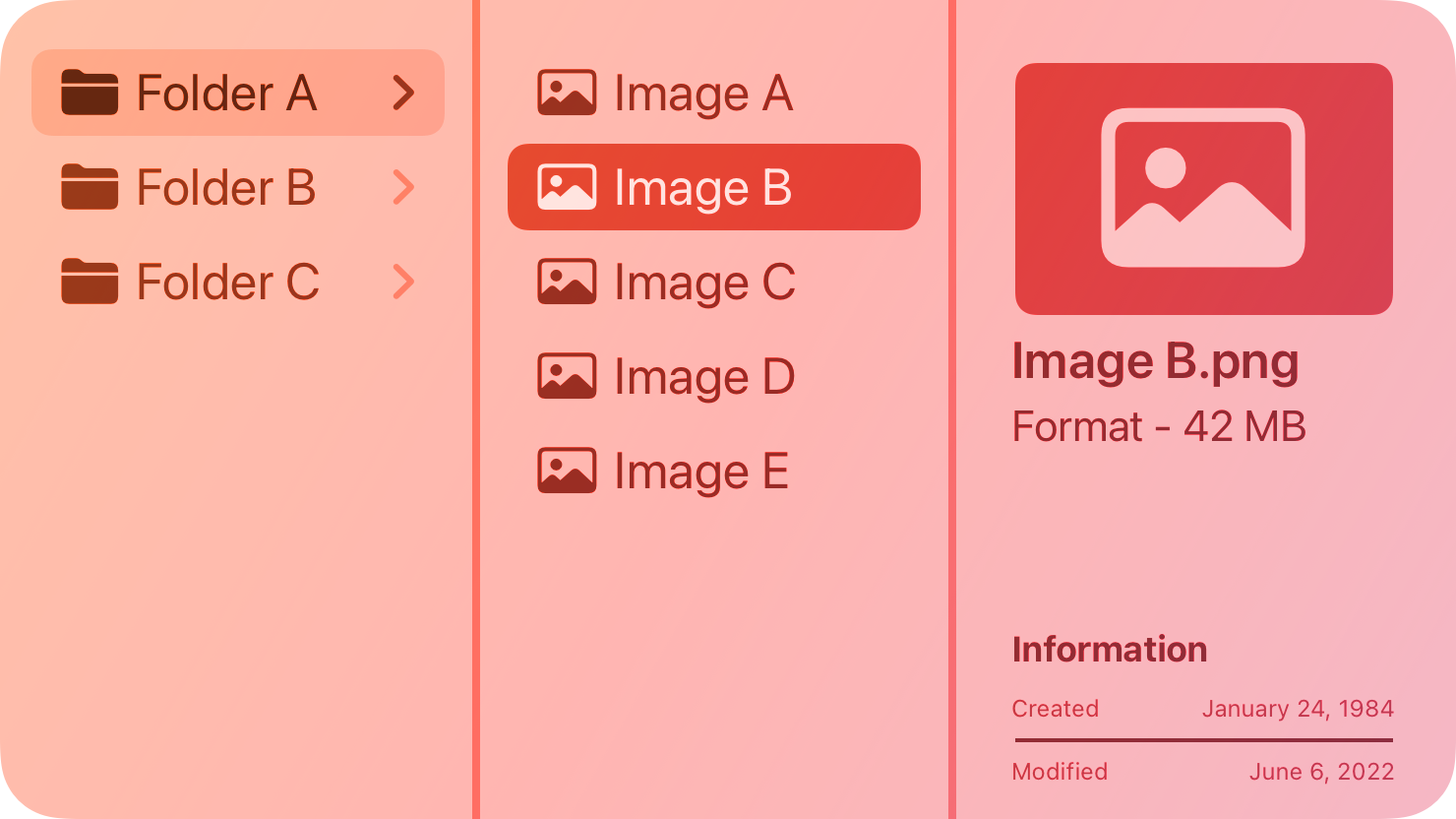
A column view — also called a _browser_ — lets people view and navigate a data hierarchy using a series of vertical columns.
|
|
8
|
+
|
|
9
|
+
|
|
10
|
+
|
|
11
|
+
Each column represents one level of the hierarchy and contains horizontal rows of data items. Within a column, any parent item that contains nested child items is marked with a triangle icon. When people select a parent, the next column displays its children. People can continue navigating in this way until they reach an item with no children, and can also navigate back up the hierarchy to explore other branches of data.
|
|
12
|
+
|
|
13
|
+
Note
|
|
14
|
+
|
|
15
|
+
If you need to manage the presentation of hierarchical content in your iPadOS or visionOS app, consider using a [split view](https://developer.apple.com/design/human-interface-guidelines/split-views).
|
|
16
|
+
|
|
17
|
+
## [Best practices](https://developer.apple.com/design/human-interface-guidelines/column-views#Best-practices)
|
|
18
|
+
|
|
19
|
+
Consider using a column view when you have a deep data hierarchy in which people tend to navigate back and forth frequently between levels, and you don’t need the sorting capabilities that a [list or table](https://developer.apple.com/design/human-interface-guidelines/lists-and-tables) provides. For example, Finder offers a column view (in addition to icon, list, and gallery views) for navigating directory structures.
|
|
20
|
+
|
|
21
|
+
**Show the root level of your data hierarchy in the first column.** People know they can quickly scroll back to the first column to begin navigating the hierarchy from the top again.
|
|
22
|
+
|
|
23
|
+
**Consider showing information about the selected item when there are no nested items to display.** The Finder, for example, shows a preview of the selected item and information like the creation date, modification date, file type, and size.
|
|
24
|
+
|
|
25
|
+
**Let people resize columns.** This is especially important if the names of some data items are too long to fit within the default column width.
|
|
26
|
+
|
|
27
|
+
## [Platform considerations](https://developer.apple.com/design/human-interface-guidelines/column-views#Platform-considerations)
|
|
28
|
+
|
|
29
|
+
_Not supported in iOS, iPadOS, tvOS, visionOS, or watchOS._
|
|
30
|
+
|
|
31
|
+
## [Resources](https://developer.apple.com/design/human-interface-guidelines/column-views#Resources)
|
|
32
|
+
|
|
33
|
+
#### [Related](https://developer.apple.com/design/human-interface-guidelines/column-views#Related)
|
|
34
|
+
|
|
35
|
+
[Lists and tables](https://developer.apple.com/design/human-interface-guidelines/lists-and-tables)
|
|
36
|
+
|
|
37
|
+
[Outline views](https://developer.apple.com/design/human-interface-guidelines/outline-views)
|
|
38
|
+
|
|
39
|
+
[Split views](https://developer.apple.com/design/human-interface-guidelines/split-views)
|
|
40
|
+
|
|
41
|
+
#### [Developer documentation](https://developer.apple.com/design/human-interface-guidelines/column-views#Developer-documentation)
|
|
42
|
+
|
|
43
|
+
[`NSBrowser`](https://developer.apple.com/documentation/AppKit/NSBrowser) — AppKit
|
|
44
|
+
|
|
@@ -0,0 +1,99 @@
|
|
|
1
|
+
---
|
|
2
|
+
title: "Lists and tables | Apple Developer Documentation"
|
|
3
|
+
source: https://developer.apple.com/design/human-interface-guidelines/lists-and-tables
|
|
4
|
+
|
|
5
|
+
# Lists and tables
|
|
6
|
+
|
|
7
|
+
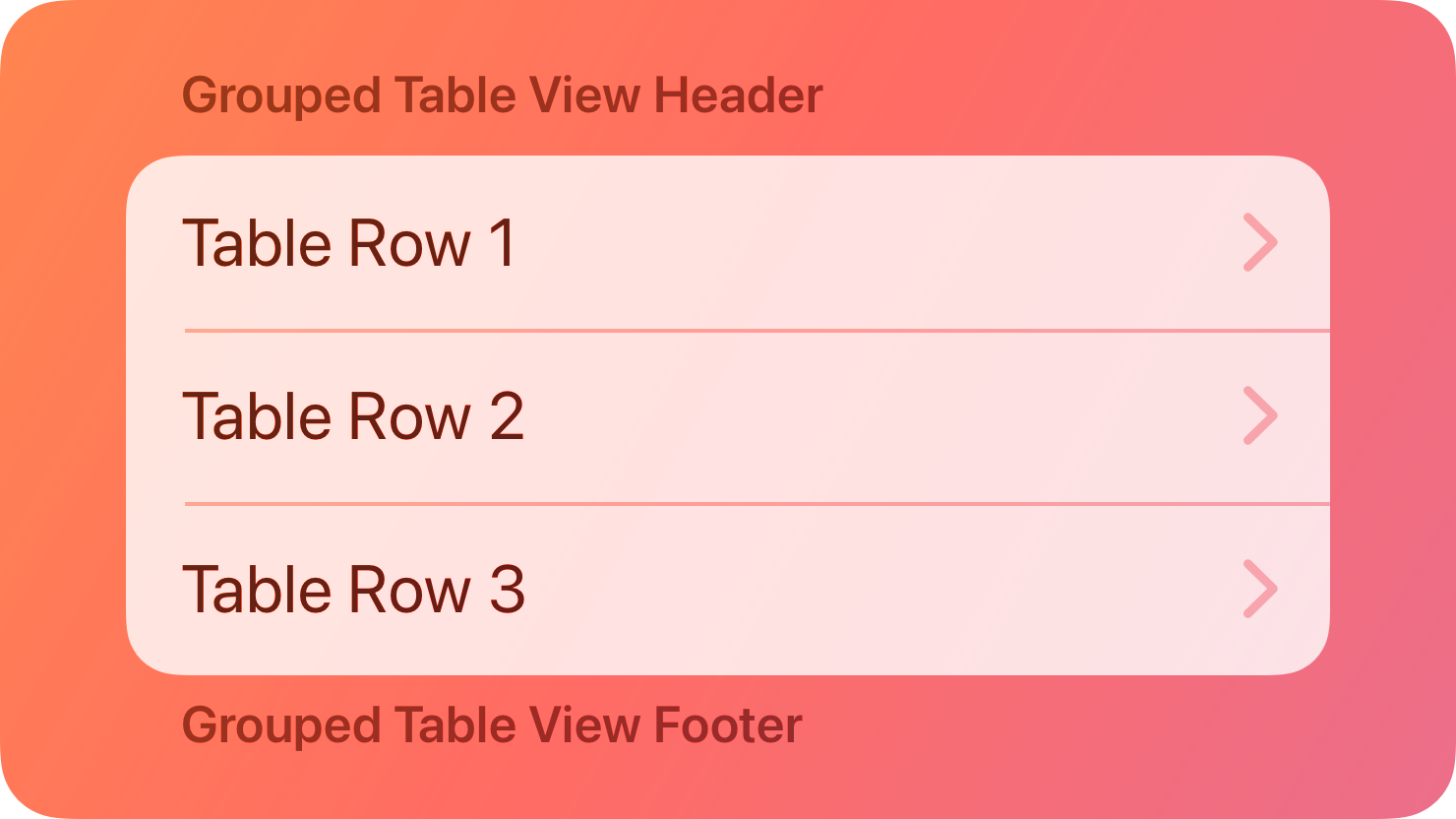
Lists and tables present data in one or more columns of rows.
|
|
8
|
+
|
|
9
|
+
|
|
10
|
+
|
|
11
|
+
A table or list can represent data that’s organized in groups or hierarchies, and it can support user interactions like selecting, adding, deleting, and reordering. Apps and games in all platforms can use tables to present content and options; many apps use lists to express an overall information hierarchy and help people navigate it. For example, iOS Settings uses a hierarchy of lists to help people choose options, and several apps — such as Mail in iPadOS and macOS — use a table within a [split view](https://developer.apple.com/design/human-interface-guidelines/split-views).
|
|
12
|
+
|
|
13
|
+
Sometimes, people need to work with complex data in a multicolumn table or a spreadsheet. Apps that offer productivity tasks often use a table to represent various characteristics or attributes of the data in separate, sortable columns.
|
|
14
|
+
|
|
15
|
+
## [Best practices](https://developer.apple.com/design/human-interface-guidelines/lists-and-tables#Best-practices)
|
|
16
|
+
|
|
17
|
+
**Prefer displaying text in a list or table.** A table can include any type of content, but the row-based format is especially well suited to making text easy to scan and read. If you have items that vary widely in size — or you need to display a large number of images — consider using a [collection](https://developer.apple.com/design/human-interface-guidelines/collections) instead.
|
|
18
|
+
|
|
19
|
+
**Let people edit a table when it makes sense.** People appreciate being able to reorder a list, even if they can’t add or remove items. In iOS and iPadOS, people must enter an edit mode before they can select table items.
|
|
20
|
+
|
|
21
|
+
**Provide appropriate feedback when people select a list item.** The feedback can vary depending on whether selecting the item reveals a new view or toggles the item’s state. In general, a table that helps people navigate through a hierarchy persistently highlights the selected row to clarify the path people are taking. In contrast, a table that lists options often highlights a row only briefly before adding an image — such as a checkmark — indicating that the item is selected.
|
|
22
|
+
|
|
23
|
+
## [Content](https://developer.apple.com/design/human-interface-guidelines/lists-and-tables#Content)
|
|
24
|
+
|
|
25
|
+
**Keep item text succinct so row content is comfortable to read.** Short, succinct text can help minimize truncation and wrapping, making text easier to read and scan. If each item consists of a large amount of text, consider alternatives that help you avoid displaying over-large table rows. For example, you could list item titles only, letting people choose an item to reveal its content in a detail view.
|
|
26
|
+
|
|
27
|
+
**Consider ways to preserve readability of text that might otherwise get clipped or truncated.** When a table is narrow — for example, if people can vary its width — you want content to remain recognizable and easy to read. Sometimes, an ellipsis in the middle of text can make an item easier to distinguish because it preserves both the beginning and the end of the content.
|
|
28
|
+
|
|
29
|
+
**Use descriptive column headings in a multicolumn table.** Use nouns or short noun phrases with [title-style capitalization](https://support.apple.com/guide/applestyleguide/c-apsgb744e4a3/web#apdca93e113f1d64), and don’t add ending punctuation. If you don’t include a column heading in a single-column table view, use a label or a header to help people understand the context.
|
|
30
|
+
|
|
31
|
+
## [Style](https://developer.apple.com/design/human-interface-guidelines/lists-and-tables#Style)
|
|
32
|
+
|
|
33
|
+
**Choose a table or list style that coordinates with your data and platform.** Some styles use visual details to help communicate grouping and hierarchy or to provide specific experiences. In iOS and iPadOS, for example, the grouped style uses headers, footers, and additional space to separate groups of data; the elliptical style available in watchOS makes items appear as if they’re rolling off a rounded surface as people scroll; and macOS defines a bordered style that uses alternating row backgrounds to help make large tables easier to use. For developer guidance, see [`ListStyle`](https://developer.apple.com/documentation/SwiftUI/ListStyle).
|
|
34
|
+
|
|
35
|
+
**Choose a row style that fits the information you need to display.** For example, you might need to display a small image in the leading end of a row, followed by a brief explanatory label. Some platforms provide built-in row styles you can use to arrange content in list rows, such as the [`UIListContentConfiguration`](https://developer.apple.com/documentation/UIKit/UIListContentConfiguration-swift.struct) API you can use to lay out content in a list’s rows, headers, and footers in iOS, iPadOS, and tvOS.
|
|
36
|
+
|
|
37
|
+
## [Platform considerations](https://developer.apple.com/design/human-interface-guidelines/lists-and-tables#Platform-considerations)
|
|
38
|
+
|
|
39
|
+
### [iOS, iPadOS, visionOS](https://developer.apple.com/design/human-interface-guidelines/lists-and-tables#iOS-iPadOS-visionOS)
|
|
40
|
+
|
|
41
|
+
**Use an info button only to reveal more information about a row’s content.** An info button — called a _detail disclosure button_ when it appears in a list row — doesn’t support navigation through a hierarchical table or list. If you need to let people drill into a list or table row’s subviews, use a disclosure indicator accessory control. For developer guidance, see [`UITableViewCell.AccessoryType.disclosureIndicator`](https://developer.apple.com/documentation/UIKit/UITableViewCell/AccessoryType-swift.enum/disclosureIndicator).
|
|
42
|
+
|
|
43
|
+
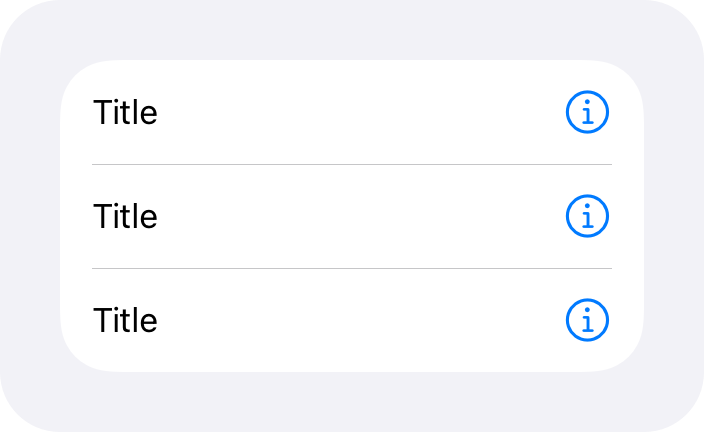An info button shows details about a list item; it doesn’t support navigation.
|
|
44
|
+
|
|
45
|
+
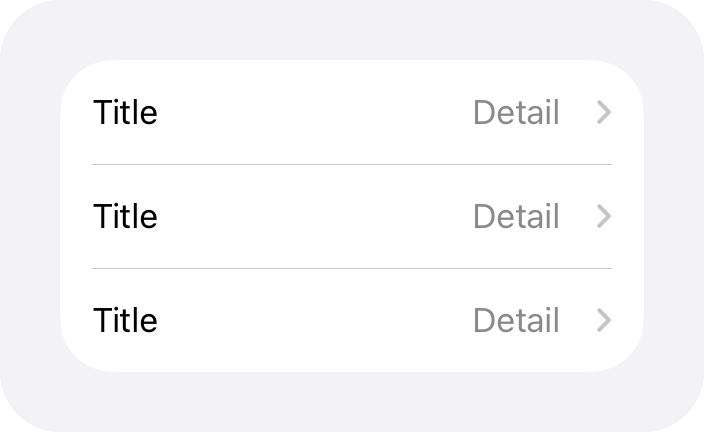A disclosure indicator reveals the next level in a hierarchy; it doesn’t show details about the item.
|
|
46
|
+
|
|
47
|
+
**Avoid adding an index to a table that displays controls — like disclosure indicators — in the trailing ends of its rows.** An _index_ typically consists of the letters in an alphabet, displayed vertically at the trailing side of a list. People can jump to a specific section in the list by choosing the index letter that maps to it. Because both the index and elements like disclosure indicators appear on the trailing side of a list, it can be difficult for people to use one element without activating the other.
|
|
48
|
+
|
|
49
|
+
### [macOS](https://developer.apple.com/design/human-interface-guidelines/lists-and-tables#macOS)
|
|
50
|
+
|
|
51
|
+
**When it provides value, let people click a column heading to sort a table view based on that column**. If people click the heading of a column that’s already sorted, re-sort the data in the opposite direction.
|
|
52
|
+
|
|
53
|
+
**Let people resize columns.** Data displayed in a table view often varies in width. People appreciate resizing columns to help them concentrate on different areas or reveal clipped data.
|
|
54
|
+
|
|
55
|
+
**Consider using alternating row colors in a multicolumn table.** Alternating colors can help people track row values across columns, especially in a wide table.
|
|
56
|
+
|
|
57
|
+
**Use an outline view instead of a table view to present hierarchical data.** An [outline view](https://developer.apple.com/design/human-interface-guidelines/outline-views) looks like a table view, but includes disclosure triangles for exposing nested levels of data. For example, an outline view might display folders and the items they contain.
|
|
58
|
+
|
|
59
|
+
### [tvOS](https://developer.apple.com/design/human-interface-guidelines/lists-and-tables#tvOS)
|
|
60
|
+
|
|
61
|
+
**Confirm that images near a table still look good as each row highlights and slightly increases in size when it becomes focused.** A focused row’s corners can also become rounded, which may affect the appearance of images on either side of it. Account for this effect as you prepare images, and don’t add your own masks to round the corners.
|
|
62
|
+
|
|
63
|
+
### [watchOS](https://developer.apple.com/design/human-interface-guidelines/lists-and-tables#watchOS)
|
|
64
|
+
|
|
65
|
+
**When possible, limit the number of rows.** Short lists are easier for people to scan, but sometimes people expect a long list of items. For example, if people subscribe to a large number of podcasts, they might think something’s wrong if they can’t view all their items. You can help make a long list more manageable by listing the most relevant items and providing a way for people to view more.
|
|
66
|
+
|
|
67
|
+
**Constrain the length of detail views if you want to support vertical page-based navigation.** People use vertical page-based navigation to swipe vertically among the detail items of different list rows. Navigating in this way saves time because people don’t need to return to the list to tap a new detail item, but it works only when detail views are short. If your detail views scroll, people won’t be able to use vertical page-based navigation to swipe among them.
|
|
68
|
+
|
|
69
|
+
## [Resources](https://developer.apple.com/design/human-interface-guidelines/lists-and-tables#Resources)
|
|
70
|
+
|
|
71
|
+
#### [Related](https://developer.apple.com/design/human-interface-guidelines/lists-and-tables#Related)
|
|
72
|
+
|
|
73
|
+
[Collections](https://developer.apple.com/design/human-interface-guidelines/collections)
|
|
74
|
+
|
|
75
|
+
[Outline views](https://developer.apple.com/design/human-interface-guidelines/outline-views)
|
|
76
|
+
|
|
77
|
+
[Layout](https://developer.apple.com/design/human-interface-guidelines/layout)
|
|
78
|
+
|
|
79
|
+
#### [Developer documentation](https://developer.apple.com/design/human-interface-guidelines/lists-and-tables#Developer-documentation)
|
|
80
|
+
|
|
81
|
+
[`List`](https://developer.apple.com/documentation/SwiftUI/List) — SwiftUI
|
|
82
|
+
|
|
83
|
+
[Tables](https://developer.apple.com/documentation/SwiftUI/Tables) — SwiftUI
|
|
84
|
+
|
|
85
|
+
[`UITableView`](https://developer.apple.com/documentation/UIKit/UITableView) — UIKit
|
|
86
|
+
|
|
87
|
+
[`NSTableView`](https://developer.apple.com/documentation/AppKit/NSTableView) — AppKit
|
|
88
|
+
|
|
89
|
+
#### [Videos](https://developer.apple.com/design/human-interface-guidelines/lists-and-tables#Videos)
|
|
90
|
+
|
|
91
|
+
[ Stacks, Grids, and Outlines in SwiftUI ](https://developer.apple.com/videos/play/wwdc2020/10031)
|
|
92
|
+
|
|
93
|
+
## [Change log](https://developer.apple.com/design/human-interface-guidelines/lists-and-tables#Change-log)
|
|
94
|
+
|
|
95
|
+
Date| Changes
|
|
96
|
+
---|---
|
|
97
|
+
June 21, 2023| Updated to include guidance for visionOS.
|
|
98
|
+
June 5, 2023| Updated guidance to reflect changes in watchOS 10.
|
|
99
|
+
|
|
@@ -0,0 +1,56 @@
|
|
|
1
|
+
---
|
|
2
|
+
title: "Ornaments | Apple Developer Documentation"
|
|
3
|
+
source: https://developer.apple.com/design/human-interface-guidelines/ornaments
|
|
4
|
+
|
|
5
|
+
# Ornaments
|
|
6
|
+
|
|
7
|
+
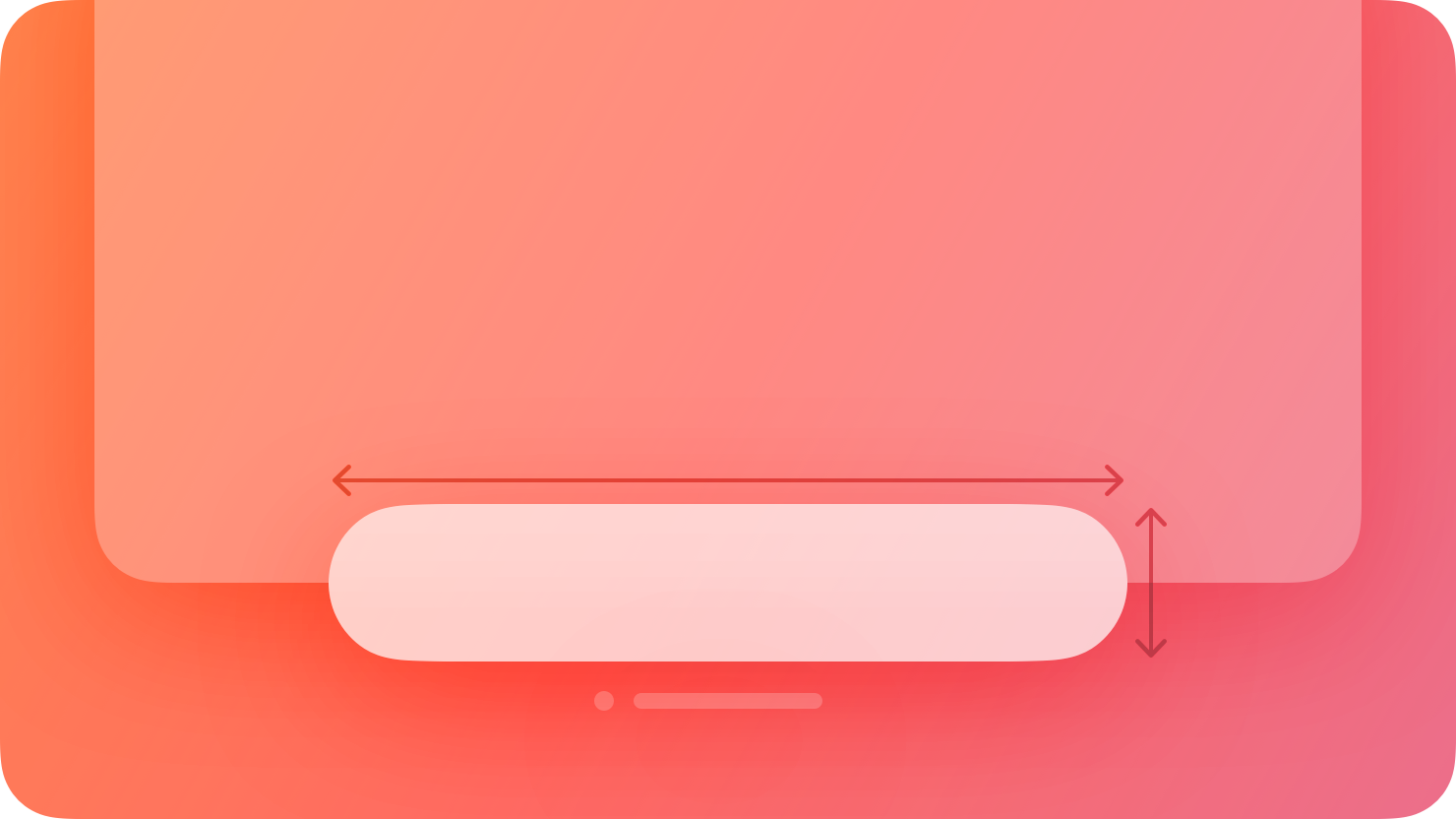
In visionOS, an ornament presents controls and information related to a window, without crowding or obscuring the window’s contents.
|
|
8
|
+
|
|
9
|
+
|
|
10
|
+
|
|
11
|
+
An ornament floats in a plane that’s parallel to its associated window and slightly in front of it along the z-axis. If the associated window moves, the ornament moves with it, maintaining its relative position; if the window’s contents scroll, the controls or information in the ornament remain unchanged.
|
|
12
|
+
|
|
13
|
+
Ornaments can appear on any edge of a window and can contain UI components like buttons, segmented controls, and other views. The system uses ornaments to create and manage components like [toolbars](https://developer.apple.com/design/human-interface-guidelines/toolbars), [tab bars](https://developer.apple.com/design/human-interface-guidelines/tab-bars), and video playback controls; you can use an ornament to create a custom component.
|
|
14
|
+
|
|
15
|
+
## [Best practices](https://developer.apple.com/design/human-interface-guidelines/ornaments#Best-practices)
|
|
16
|
+
|
|
17
|
+
**Consider using an ornament to present frequently needed controls or information in a consistent location that doesn’t clutter the window.** Because an ornament stays close to its window, people always know where to find it. For example, Music uses an ornament to offer Now Playing controls, ensuring that these controls remain in a predictable location that’s easy to find.
|
|
18
|
+
|
|
19
|
+
**In general, keep an ornament visible.** It can make sense to hide an ornament when people dive into a window’s content — for example, when they watch a video or view a photo — but in most cases, people appreciate having consistent access to an ornament’s controls.
|
|
20
|
+
|
|
21
|
+
**If you need to display multiple ornaments, prioritize the overall visual balance of the window.** Ornaments help elevate important actions, but they can sometimes distract from your content. When necessary, consider constraining the total number of ornaments to avoid increasing a window’s visual weight and making your app feel more complicated. If you decide to remove an ornament, you can relocate its elements into the main window.
|
|
22
|
+
|
|
23
|
+
**Aim to keep an ornament’s width the same or narrower than the width of the associated window.** If an ornament is wider than its window, it can interfere with a tab bar or other vertical content on the window’s side.
|
|
24
|
+
|
|
25
|
+
**Consider using borderless buttons in an ornament.** By default, an ornament’s background is [glass](https://developer.apple.com/design/human-interface-guidelines/materials#visionOS), so if you place a button directly on the background, it may not need a visible border. When people look at a borderless button in an ornament, the system automatically applies the hover affect to it (for guidance, see [Eyes](https://developer.apple.com/design/human-interface-guidelines/eyes)).
|
|
26
|
+
|
|
27
|
+
**Use system-provided toolbars and tab bars unless you need to create custom components.** In visionOS, toolbars and tab bars automatically appear as ornaments, so you don’t need to use an ornament to create these components. For developer guidance, see [Toolbars](https://developer.apple.com/documentation/SwiftUI/Toolbars) and [`TabView`](https://developer.apple.com/documentation/SwiftUI/TabView).
|
|
28
|
+
|
|
29
|
+
## [Platform considerations](https://developer.apple.com/design/human-interface-guidelines/ornaments#Platform-considerations)
|
|
30
|
+
|
|
31
|
+
_Not supported in iOS, iPadOS, macOS, tvOS, or watchOS._
|
|
32
|
+
|
|
33
|
+
## [Resources](https://developer.apple.com/design/human-interface-guidelines/ornaments#Resources)
|
|
34
|
+
|
|
35
|
+
#### [Related](https://developer.apple.com/design/human-interface-guidelines/ornaments#Related)
|
|
36
|
+
|
|
37
|
+
[Layout](https://developer.apple.com/design/human-interface-guidelines/layout)
|
|
38
|
+
|
|
39
|
+
[Toolbars](https://developer.apple.com/design/human-interface-guidelines/toolbars)
|
|
40
|
+
|
|
41
|
+
#### [Developer documentation](https://developer.apple.com/design/human-interface-guidelines/ornaments#Developer-documentation)
|
|
42
|
+
|
|
43
|
+
[`ornament(visibility:attachmentAnchor:contentAlignment:ornament:)`](https://developer.apple.com/documentation/SwiftUI/View/ornament\(visibility:attachmentAnchor:contentAlignment:ornament:\)) — SwiftUI
|
|
44
|
+
|
|
45
|
+
#### [Videos](https://developer.apple.com/design/human-interface-guidelines/ornaments#Videos)
|
|
46
|
+
|
|
47
|
+
[ Design for spatial user interfaces ](https://developer.apple.com/videos/play/wwdc2023/10076)
|
|
48
|
+
|
|
49
|
+
## [Change log](https://developer.apple.com/design/human-interface-guidelines/ornaments#Change-log)
|
|
50
|
+
|
|
51
|
+
Date| Changes
|
|
52
|
+
---|---
|
|
53
|
+
February 2, 2024| Added guidance on using multiple ornaments.
|
|
54
|
+
December 5, 2023| Removed a statement about using ornaments to present supplementary items.
|
|
55
|
+
June 21, 2023| New page.
|
|
56
|
+
|
|
@@ -0,0 +1,64 @@
|
|
|
1
|
+
---
|
|
2
|
+
title: "Outline views | Apple Developer Documentation"
|
|
3
|
+
source: https://developer.apple.com/design/human-interface-guidelines/outline-views
|
|
4
|
+
|
|
5
|
+
# Outline views
|
|
6
|
+
|
|
7
|
+
An outline view presents hierarchical data in a scrolling list of cells that are organized into columns and rows.
|
|
8
|
+
|
|
9
|
+
![A stylized representation of a list of folders and images, displayed in an outline view containing four columns: \[Name\], \[Date Modified\], \[Size\], and \[Kind\]. The image is tinted red to subtly reflect the red in the original six-color Apple logo.](https://docs-assets.developer.apple.com/published/30462b13b59c89c7ba9e142a2fcef05b/components-outline-view-intro%402x.png)
|
|
10
|
+
|
|
11
|
+
An outline view includes at least one column that contains primary hierarchical data, such as a set of parent containers and their children. You can add columns, as needed, to display attributes that supplement the primary data; for example, sizes and modification dates. Parent containers have disclosure triangles that expand to reveal their children.
|
|
12
|
+
|
|
13
|
+
Finder windows offer an outline view for navigating the file system.
|
|
14
|
+
|
|
15
|
+
## [Best practices](https://developer.apple.com/design/human-interface-guidelines/outline-views#Best-practices)
|
|
16
|
+
|
|
17
|
+
Outline views work well to display text-based content and often appear in the leading side of a [split view](https://developer.apple.com/design/human-interface-guidelines/split-views), with related content on the opposite side.
|
|
18
|
+
|
|
19
|
+
**Use a table instead of an outline view to present data that’s not hierarchical.** For guidance, see [Lists and tables](https://developer.apple.com/design/human-interface-guidelines/lists-and-tables).
|
|
20
|
+
|
|
21
|
+
**Expose data hierarchy in the first column only.** Other columns can display attributes that apply to the hierarchical data in the primary column.
|
|
22
|
+
|
|
23
|
+
**Use descriptive column headings to provide context.** Use nouns or short noun phrases with [title-style capitalization](https://help.apple.com/applestyleguide/#/apsgb744e4a3?sub=apdca93e113f1d64) and no punctuation; in particular, avoid adding a trailing colon. Always provide column headings in a multi-column outline view. If you don’t include a column heading in a single-column outline view, use a label or other means to make sure there’s enough context.
|
|
24
|
+
|
|
25
|
+
**Consider letting people click column headings to sort an outline view.** In a sortable outline view, people can click a column heading to perform an ascending or descending sort based on that column. You can implement additional sorting based on secondary columns behind the scenes, if necessary. If people click the primary column heading, sorting occurs at each hierarchy level. For example, in the Finder, all top-level folders are sorted, then the items within each folder are sorted. If people click the heading of a column that’s already sorted, the folders and their contents are sorted again in the opposite direction.
|
|
26
|
+
|
|
27
|
+
**Let people resize columns.** Data displayed in an outline view often varies in width. It’s important to let people adjust column width as needed to reveal data that’s wider than the column.
|
|
28
|
+
|
|
29
|
+
**Make it easy for people to expand or collapse nested containers.** For example, clicking a disclosure triangle for a folder in a Finder window expands only that folder. However, Option-clicking the disclosure triangle expands all of its subfolders.
|
|
30
|
+
|
|
31
|
+
**Retain people’s expansion choices.** If people expand various levels of an outline view to reach a specific item, store the state so you can display it again the next time. This way, people won’t need to navigate back to the same place again.
|
|
32
|
+
|
|
33
|
+
**Consider using alternating row colors in multi-column outline views.** Alternating colors can make it easier for people to track row values across columns, especially in wide outline views.
|
|
34
|
+
|
|
35
|
+
**Let people edit data if it makes sense in your app.** In an editable outline view cell, people expect to be able to single-click a cell to edit its contents. Note that a cell can respond differently to a double click. For example, an outline view listing files might let people single-click a file’s name to edit it, but double-click a file’s name to open the file. You can also let people reorder, add, and remove rows if it would be useful.
|
|
36
|
+
|
|
37
|
+
**Consider using a centered ellipsis to truncate cell text instead of clipping it.** An ellipsis in the middle preserves the beginning and end of the cell text, which can make the content more distinct and recognizable than clipped text.
|
|
38
|
+
|
|
39
|
+
**Consider offering a search field to help people find values quickly in a lengthy outline view.** Windows with an outline view as the primary feature often include a search field in the toolbar. For guidance, see [Search fields](https://developer.apple.com/design/human-interface-guidelines/search-fields).
|
|
40
|
+
|
|
41
|
+
## [Platform considerations](https://developer.apple.com/design/human-interface-guidelines/outline-views#Platform-considerations)
|
|
42
|
+
|
|
43
|
+
_Not supported in iOS, iPadOS, tvOS, visionOS, or watchOS._
|
|
44
|
+
|
|
45
|
+
## [Resources](https://developer.apple.com/design/human-interface-guidelines/outline-views#Resources)
|
|
46
|
+
|
|
47
|
+
#### [Related](https://developer.apple.com/design/human-interface-guidelines/outline-views#Related)
|
|
48
|
+
|
|
49
|
+
[Column views](https://developer.apple.com/design/human-interface-guidelines/column-views)
|
|
50
|
+
|
|
51
|
+
[Lists and tables](https://developer.apple.com/design/human-interface-guidelines/lists-and-tables)
|
|
52
|
+
|
|
53
|
+
[Split views](https://developer.apple.com/design/human-interface-guidelines/split-views)
|
|
54
|
+
|
|
55
|
+
#### [Developer documentation](https://developer.apple.com/design/human-interface-guidelines/outline-views#Developer-documentation)
|
|
56
|
+
|
|
57
|
+
[`OutlineGroup`](https://developer.apple.com/documentation/SwiftUI/OutlineGroup) — SwiftUI
|
|
58
|
+
|
|
59
|
+
[`NSOutlineView`](https://developer.apple.com/documentation/AppKit/NSOutlineView) — AppKit
|
|
60
|
+
|
|
61
|
+
#### [Videos](https://developer.apple.com/design/human-interface-guidelines/outline-views#Videos)
|
|
62
|
+
|
|
63
|
+
[ Stacks, Grids, and Outlines in SwiftUI ](https://developer.apple.com/videos/play/wwdc2020/10031)
|
|
64
|
+
|
|
@@ -0,0 +1,75 @@
|
|
|
1
|
+
---
|
|
2
|
+
title: "Panels | Apple Developer Documentation"
|
|
3
|
+
source: https://developer.apple.com/design/human-interface-guidelines/panels
|
|
4
|
+
|
|
5
|
+
# Panels
|
|
6
|
+
|
|
7
|
+
In a macOS app, a panel typically floats above other open windows providing supplementary controls, options, or information related to the active window or current selection.
|
|
8
|
+
|
|
9
|
+
|
|
10
|
+
|
|
11
|
+
In general, a panel has a less prominent appearance than an app’s [main window](https://developer.apple.com/design/human-interface-guidelines/windows#macOS-window-states). When the situation calls for it, a panel can also use a dark, translucent style to support a heads-up display (or _HUD_) experience.
|
|
12
|
+
|
|
13
|
+
When your app runs in other platforms, consider using a modal view to present supplementary content that’s relevant to the current task or selection. For guidance, see [Modality](https://developer.apple.com/design/human-interface-guidelines/modality).
|
|
14
|
+
|
|
15
|
+
## [Best practices](https://developer.apple.com/design/human-interface-guidelines/panels#Best-practices)
|
|
16
|
+
|
|
17
|
+
**Use a panel to give people quick access to important controls or information related to the content they’re working with.** For example, you might use a panel to provide controls or settings that affect the selected item in the active document or window.
|
|
18
|
+
|
|
19
|
+
**Consider using a panel to present inspector functionality.** An _inspector_ displays the details of the currently selected item, automatically updating its contents when the item changes or when people select a new item. In contrast, if you need to present an _Info_ window — which always maintains the same contents, even when the selected item changes — use a regular window, not a panel. Depending on the layout of your app, you might also consider using a [split view](https://developer.apple.com/design/human-interface-guidelines/split-views) pane to present an inspector.
|
|
20
|
+
|
|
21
|
+
**Prefer simple adjustment controls in a panel.** As much as possible, avoid including controls that require typing text or selecting items to act upon because these actions can require multiple steps. Instead, consider using controls like sliders and steppers because these components can give people more direct control.
|
|
22
|
+
|
|
23
|
+
**Write a brief title that describes the panel’s purpose.** Because a panel often floats above other open windows in your app, it needs a title bar so people can position it where they want. Create a short title using a noun — or a noun phrase with [title-style capitalization](https://support.apple.com/guide/applestyleguide/c-apsgb744e4a3/web#apdca93e113f1d64) — that can help people recognize the panel onscreen. For example, macOS provides familiar panels titled “Fonts” and “Colors,” and many apps use the title “Inspector.”
|
|
24
|
+
|
|
25
|
+
**Show and hide panels appropriately.** When your app becomes active, bring all of its open panels to the front, regardless of which window was active when the panel opened. When your app is inactive, hide all of its panels.
|
|
26
|
+
|
|
27
|
+
**Avoid including panels in the Window menu’s documents list.** It’s fine to include commands for showing or hiding panels in the [Window menu](https://developer.apple.com/design/human-interface-guidelines/the-menu-bar#Window-menu), but panels aren’t documents or standard app windows, and they don’t belong in the Window menu’s list.
|
|
28
|
+
|
|
29
|
+
**In general, avoid making a panel’s minimize button available.** People don’t usually need to minimize a panel, because it displays only when needed and disappears when the app is inactive.
|
|
30
|
+
|
|
31
|
+
**Refer to panels by title in your interface and in help documentation.** In menus, use the panel’s title without including the term _panel_ : for example, “Show Fonts,” “Show Colors,” and “Show Inspector.” In help documentation, it can be confusing to introduce “panel” as a different type of window, so it’s generally best to refer to a panel by its title or — when it adds clarity — by appending _window_ to the title. For example, the title “Inspector” often supplies enough context to stand on its own, whereas it can be clearer to use “Fonts window” and “Colors window” instead of just “Fonts” and “Colors.”
|
|
32
|
+
|
|
33
|
+
## [HUD-style panels](https://developer.apple.com/design/human-interface-guidelines/panels#HUD-style-panels)
|
|
34
|
+
|
|
35
|
+
A HUD-style panel serves the same function as a standard panel, but its appearance is darker and translucent. HUDs work well in apps that present highly visual content or that provide an immersive experience, such as media editing or a full-screen slide show. For example, QuickTime Player uses a HUD to display inspector information without obstructing too much content.
|
|
36
|
+
|
|
37
|
+
|
|
38
|
+
|
|
39
|
+
**Prefer standard panels.** People can be distracted or confused by a HUD when there’s no logical reason for its presence. Also, a HUD might not match the current appearance setting. In general, use a HUD only:
|
|
40
|
+
|
|
41
|
+
* In a media-oriented app that presents movies, photos, or slides
|
|
42
|
+
|
|
43
|
+
* When a standard panel would obscure essential content
|
|
44
|
+
|
|
45
|
+
* When you don’t need to include controls — with the exception of the disclosure triangle, most system-provided controls don’t match a HUD’s appearance.
|
|
46
|
+
|
|
47
|
+
|
|
48
|
+
|
|
49
|
+
|
|
50
|
+
**Maintain one panel style when your app switches modes.** For example, if you use a HUD when your app is in full-screen mode, prefer maintaining the HUD style when people take your app out of full-screen mode.
|
|
51
|
+
|
|
52
|
+
**Use color sparingly in HUDs.** Too much color in the dark appearance of a HUD can be distracting. Often, you need only small amounts of high-contrast color to highlight important information in a HUD.
|
|
53
|
+
|
|
54
|
+
**Keep HUDs small.** HUDs are designed to be unobtrusively useful, so letting them grow too large defeats their primary purpose. Don’t let a HUD obscure the content it adjusts, and make sure it doesn’t compete with the content for people’s attention.
|
|
55
|
+
|
|
56
|
+
For developer guidance, see [`hudWindow`](https://developer.apple.com/documentation/AppKit/NSWindow/StyleMask-swift.struct/hudWindow).
|
|
57
|
+
|
|
58
|
+
## [Platform considerations](https://developer.apple.com/design/human-interface-guidelines/panels#Platform-considerations)
|
|
59
|
+
|
|
60
|
+
_Not supported in iOS, iPadOS, tvOS, visionOS, or watchOS._
|
|
61
|
+
|
|
62
|
+
## [Resources](https://developer.apple.com/design/human-interface-guidelines/panels#Resources)
|
|
63
|
+
|
|
64
|
+
#### [Related](https://developer.apple.com/design/human-interface-guidelines/panels#Related)
|
|
65
|
+
|
|
66
|
+
[Windows](https://developer.apple.com/design/human-interface-guidelines/windows)
|
|
67
|
+
|
|
68
|
+
[Modality](https://developer.apple.com/design/human-interface-guidelines/modality)
|
|
69
|
+
|
|
70
|
+
#### [Developer documentation](https://developer.apple.com/design/human-interface-guidelines/panels#Developer-documentation)
|
|
71
|
+
|
|
72
|
+
[`NSPanel`](https://developer.apple.com/documentation/AppKit/NSPanel) — AppKit
|
|
73
|
+
|
|
74
|
+
[`hudWindow`](https://developer.apple.com/documentation/AppKit/NSWindow/StyleMask-swift.struct/hudWindow) — AppKit
|
|
75
|
+
|
|
@@ -0,0 +1,123 @@
|
|
|
1
|
+
---
|
|
2
|
+
title: "Scroll views | Apple Developer Documentation"
|
|
3
|
+
source: https://developer.apple.com/design/human-interface-guidelines/scroll-views
|
|
4
|
+
|
|
5
|
+
# Scroll views
|
|
6
|
+
|
|
7
|
+
A scroll view lets people view content that’s larger than the view’s boundaries by moving the content vertically or horizontally.
|
|
8
|
+
|
|
9
|
+

|
|
10
|
+
|
|
11
|
+
The scroll view itself has no appearance, but it can display a translucent _scroll indicator_ that typically appears after people begin scrolling the view’s content. Although the appearance and behavior of scroll indicators can vary per platform, all indicators provide visual feedback about the scrolling action. For example, in iOS, iPadOS, macOS, visionOS, and watchOS, the indicator shows whether the currently visible content is near the beginning, middle, or end of the view.
|
|
12
|
+
|
|
13
|
+
## [Best practices](https://developer.apple.com/design/human-interface-guidelines/scroll-views#Best-practices)
|
|
14
|
+
|
|
15
|
+
**Support default scrolling gestures and keyboard shortcuts.** People are accustomed to the systemwide scrolling behavior and expect it to work everywhere. If you build custom scrolling for a view, make sure your scroll indicators use the elastic behavior that people expect.
|
|
16
|
+
|
|
17
|
+
**Make it apparent when content is scrollable.** Because scroll indicators aren’t always visible, it can be helpful to make it obvious when content extends beyond the view. For example, displaying partial content at the edge of a view indicates that there’s more content in that direction. Although most people immediately try scrolling a view to discover if additional content is available, it’s considerate to draw their attention to it.
|
|
18
|
+
|
|
19
|
+
**Avoid putting a scroll view inside another scroll view with the same orientation.** Nesting scroll views that have the same orientation can create an unpredictable interface that’s difficult to control. It’s alright to place a horizontal scroll view inside a vertical scroll view (or vice versa), however.
|
|
20
|
+
|
|
21
|
+
**Consider supporting page-by-page scrolling if it makes sense for your content.** In some situations, people appreciate scrolling by a fixed amount of content per interaction instead of scrolling continuously. On most platforms, you can define the size of such a _page_ — typically the current height or width of the view — and define an interaction that scrolls one page at a time. To help maintain context during page-by-page scrolling, you can define a unit of overlap, such as a line of text, a row of glyphs, or part of a picture, and subtract the unit from the page size. For developer guidance, see [`PagingScrollTargetBehavior`](https://developer.apple.com/documentation/SwiftUI/PagingScrollTargetBehavior).
|
|
22
|
+
|
|
23
|
+
**In some cases, scroll automatically to help people find their place.** Although people initiate almost all scrolling, automatic scrolling can be helpful when relevant content is no longer in view, such as when:
|
|
24
|
+
|
|
25
|
+
* Your app performs an operation that selects content or places the insertion point in an area that’s currently hidden. For example, when your app locates text that people are searching for, scroll the content to bring the new selection into view.
|
|
26
|
+
|
|
27
|
+
* People start entering information in a location that’s not currently visible. For example, if the insertion point is on one page and people navigate to another page, scroll back to the insertion point as soon as they begin to enter text.
|
|
28
|
+
|
|
29
|
+
* The pointer moves past the edge of the view while people are making a selection. In this case, follow the pointer by scrolling in the direction it moves.
|
|
30
|
+
|
|
31
|
+
* People select something and scroll to a new location before acting on the selection. In this case, scroll until the selection is in view before performing the operation.
|
|
32
|
+
|
|
33
|
+
|
|
34
|
+
|
|
35
|
+
|
|
36
|
+
In all cases, automatically scroll the content only as much as necessary to help people retain context. For example, if part of a selection is visible, you don’t need to scroll the entire selection into view.
|
|
37
|
+
|
|
38
|
+
**If you support zoom, set appropriate maximum and minimum scale values.** For example, zooming in on text until a single character fills the screen doesn’t make sense in most situations.
|
|
39
|
+
|
|
40
|
+
## [Scroll edge effects](https://developer.apple.com/design/human-interface-guidelines/scroll-views#Scroll-edge-effects)
|
|
41
|
+
|
|
42
|
+
In iOS, iPadOS, and macOS, a _scroll edge effect_ is a variable blur that provides a transition between a content area and an area with [Liquid Glass](https://developer.apple.com/design/human-interface-guidelines/materials#Liquid-Glass) controls, such as [toolbars](https://developer.apple.com/design/human-interface-guidelines/toolbars). In most cases, the system applies a scroll edge effect automatically when a pinned element overlaps with scrolling content. If you use custom controls or layouts, the effect might not appear, and you may need to add it manually. For developer guidance, see [`ScrollEdgeEffectStyle`](https://developer.apple.com/documentation/SwiftUI/ScrollEdgeEffectStyle) and [`UIScrollEdgeEffect`](https://developer.apple.com/documentation/UIKit/UIScrollEdgeEffect).
|
|
43
|
+
|
|
44
|
+
There are two styles of scroll edge effect: soft and hard.
|
|
45
|
+
|
|
46
|
+
* Use a [`soft`](https://developer.apple.com/documentation/SwiftUI/ScrollEdgeEffectStyle/soft) edge effect in most cases, especially in iOS and iPadOS, to provide a subtle transition that works well for toolbars and interactive elements like buttons.
|
|
47
|
+
|
|
48
|
+
* Use a [`hard`](https://developer.apple.com/documentation/SwiftUI/ScrollEdgeEffectStyle/hard) edge effect primarily in macOS for a stronger, more opaque boundary that’s ideal for interactive text, backless controls, or pinned table headers that need extra clarity.
|
|
49
|
+
|
|
50
|
+
|
|
51
|
+
|
|
52
|
+
|
|
53
|
+
**Only use a scroll edge effect when a scroll view is adjacent to floating interface elements.** Scroll edge effects aren’t decorative. They don’t block or darken like overlays; they exist to clarify where controls and content meet.
|
|
54
|
+
|
|
55
|
+
**Apply one scroll edge effect per view.** In split view layouts on iPad and Mac, each pane can have its own scroll edge effect; in this case, keep them consistent in height to maintain alignment.
|
|
56
|
+
|
|
57
|
+
## [Platform considerations](https://developer.apple.com/design/human-interface-guidelines/scroll-views#Platform-considerations)
|
|
58
|
+
|
|
59
|
+
### [iOS, iPadOS](https://developer.apple.com/design/human-interface-guidelines/scroll-views#iOS-iPadOS)
|
|
60
|
+
|
|
61
|
+
**Consider showing a page control when a scroll view is in page-by-page mode.** [Page controls](https://developer.apple.com/design/human-interface-guidelines/page-controls) show how many pages, screens, or other chunks of content are available and indicates which one is currently visible. For example, Weather uses a page control to indicate movement between people’s saved locations. If you show a page control with a scroll view, don’t show the scrolling indicator on the same axis to avoid confusing people with redundant controls.
|
|
62
|
+
|
|
63
|
+
### [macOS](https://developer.apple.com/design/human-interface-guidelines/scroll-views#macOS)
|
|
64
|
+
|
|
65
|
+
In macOS, a _scroll indicator_ is commonly called a _scroll bar_.
|
|
66
|
+
|
|
67
|
+
**If necessary, use small or mini scroll bars in a panel.** When space is tight, you can use smaller scroll bars in panels that need to coexist with other windows. Be sure to use the same size for all controls in such a panel.
|
|
68
|
+
|
|
69
|
+
### [tvOS](https://developer.apple.com/design/human-interface-guidelines/scroll-views#tvOS)
|
|
70
|
+
|
|
71
|
+
Views in tvOS can scroll, but they aren’t treated as distinct objects with scroll indicators. Instead, when content exceeds the size of the screen, the system automatically scrolls the interface to keep focused items visible.
|
|
72
|
+
|
|
73
|
+
### [visionOS](https://developer.apple.com/design/human-interface-guidelines/scroll-views#visionOS)
|
|
74
|
+
|
|
75
|
+
In visionOS, the scroll indicator has a small, fixed size to help communicate that people can scroll efficiently without making large movements. To make it easy to find, the scroll indicator always appears in a predictable location with respect to the window: vertically centered at the trailing edge during vertical scrolling and horizontally centered at the window’s bottom edge during horizontal scrolling.
|
|
76
|
+
|
|
77
|
+
When people begin swiping content in the direction they want it to scroll, the scroll indicator appears at the window’s edge, visually reinforcing the effect of their gesture and providing feedback about the content’s current position and overall length. When people look at the scroll indicator and begin a drag gesture, the indicator enables a jog bar experience that lets people manipulate the scrolling speed instead of the content’s position. In this experience, the scroll indicator reveals tick marks that speed up or slow down as people make small adjustments to their gesture, providing visual feedback that helps people precisely control scrolling acceleration.
|
|
78
|
+
|
|
79
|
+
Video with custom controls.
|
|
80
|
+
|
|
81
|
+
Content description: A recording showing a scroll indicator on a long page in the Notes app. As the viewer drags the page quickly, the indicator shows tick marks that match the scrolling speed.
|
|
82
|
+
|
|
83
|
+
Play
|
|
84
|
+
|
|
85
|
+
**If necessary, account for the size of the scroll indicator.** Although the indicator’s overall size is small, it’s a little thicker than the same component in iOS. If your content uses tight margins, consider increasing them to prevent the scroll indicator from overlapping the content.
|
|
86
|
+
|
|
87
|
+
### [watchOS](https://developer.apple.com/design/human-interface-guidelines/scroll-views#watchOS)
|
|
88
|
+
|
|
89
|
+
**Prefer vertically scrolling content.** People are accustomed to using the Digital Crown to navigate to and within apps on Apple Watch. If your app contains a single list or content view, rotating the Digital Crown scrolls vertically when your app’s content is taller than the height of the display.
|
|
90
|
+
|
|
91
|
+
**Use tab views to provide page-by-page scrolling.** watchOS displays tab views as pages. If you place tab views in a vertical stack, people can rotate the Digital Crown to move vertically through full-screen pages of content. In this scenario, the system displays a page indicator next to the Digital Crown that shows people where they are in the content, both within the current page and within a set of pages. For guidance, see [Tab views](https://developer.apple.com/design/human-interface-guidelines/tab-views).
|
|
92
|
+
|
|
93
|
+
**When displaying paged content, consider limiting the content of an individual page to a single screen height.** Embracing this constraint clarifies the purpose of each page, helping you create a more glanceable design. However, if your app has long pages, people can still use the Digital Crown both to navigate between shorter pages and to scroll content in a longer page because the page indicator expands into a scroll indicator when necessary. Use variable-height pages judiciously and place them after fixed-height pages when possible.
|
|
94
|
+
|
|
95
|
+
## [Resources](https://developer.apple.com/design/human-interface-guidelines/scroll-views#Resources)
|
|
96
|
+
|
|
97
|
+
#### [Related](https://developer.apple.com/design/human-interface-guidelines/scroll-views#Related)
|
|
98
|
+
|
|
99
|
+
[Page controls](https://developer.apple.com/design/human-interface-guidelines/page-controls)
|
|
100
|
+
|
|
101
|
+
[Gestures](https://developer.apple.com/design/human-interface-guidelines/gestures)
|
|
102
|
+
|
|
103
|
+
[Pointing devices](https://developer.apple.com/design/human-interface-guidelines/pointing-devices)
|
|
104
|
+
|
|
105
|
+
#### [Developer documentation](https://developer.apple.com/design/human-interface-guidelines/scroll-views#Developer-documentation)
|
|
106
|
+
|
|
107
|
+
[`ScrollView`](https://developer.apple.com/documentation/SwiftUI/ScrollView)
|
|
108
|
+
|
|
109
|
+
[`UIScrollView`](https://developer.apple.com/documentation/UIKit/UIScrollView)
|
|
110
|
+
|
|
111
|
+
[`NSScrollView`](https://developer.apple.com/documentation/AppKit/NSScrollView)
|
|
112
|
+
|
|
113
|
+
[`WKPageOrientation`](https://developer.apple.com/documentation/WatchKit/WKPageOrientation)
|
|
114
|
+
|
|
115
|
+
## [Change log](https://developer.apple.com/design/human-interface-guidelines/scroll-views#Change-log)
|
|
116
|
+
|
|
117
|
+
Date| Changes
|
|
118
|
+
---|---
|
|
119
|
+
July 28, 2025| Added guidance for scroll edge effects.
|
|
120
|
+
February 2, 2024| Added artwork showing the behavior of the visionOS scroll indicator.
|
|
121
|
+
December 5, 2023| Described the visionOS scroll indicator and added guidance for integrating it with window layout.
|
|
122
|
+
June 5, 2023| Updated guidance for using scroll views in watchOS.
|
|
123
|
+
|
|
@@ -0,0 +1,109 @@
|
|
|
1
|
+
---
|
|
2
|
+
title: "Sidebars | Apple Developer Documentation"
|
|
3
|
+
source: https://developer.apple.com/design/human-interface-guidelines/sidebars
|
|
4
|
+
|
|
5
|
+
# Sidebars
|
|
6
|
+
|
|
7
|
+
A sidebar appears on the leading side of a view and lets people navigate between sections in your app or game.
|
|
8
|
+
|
|
9
|
+
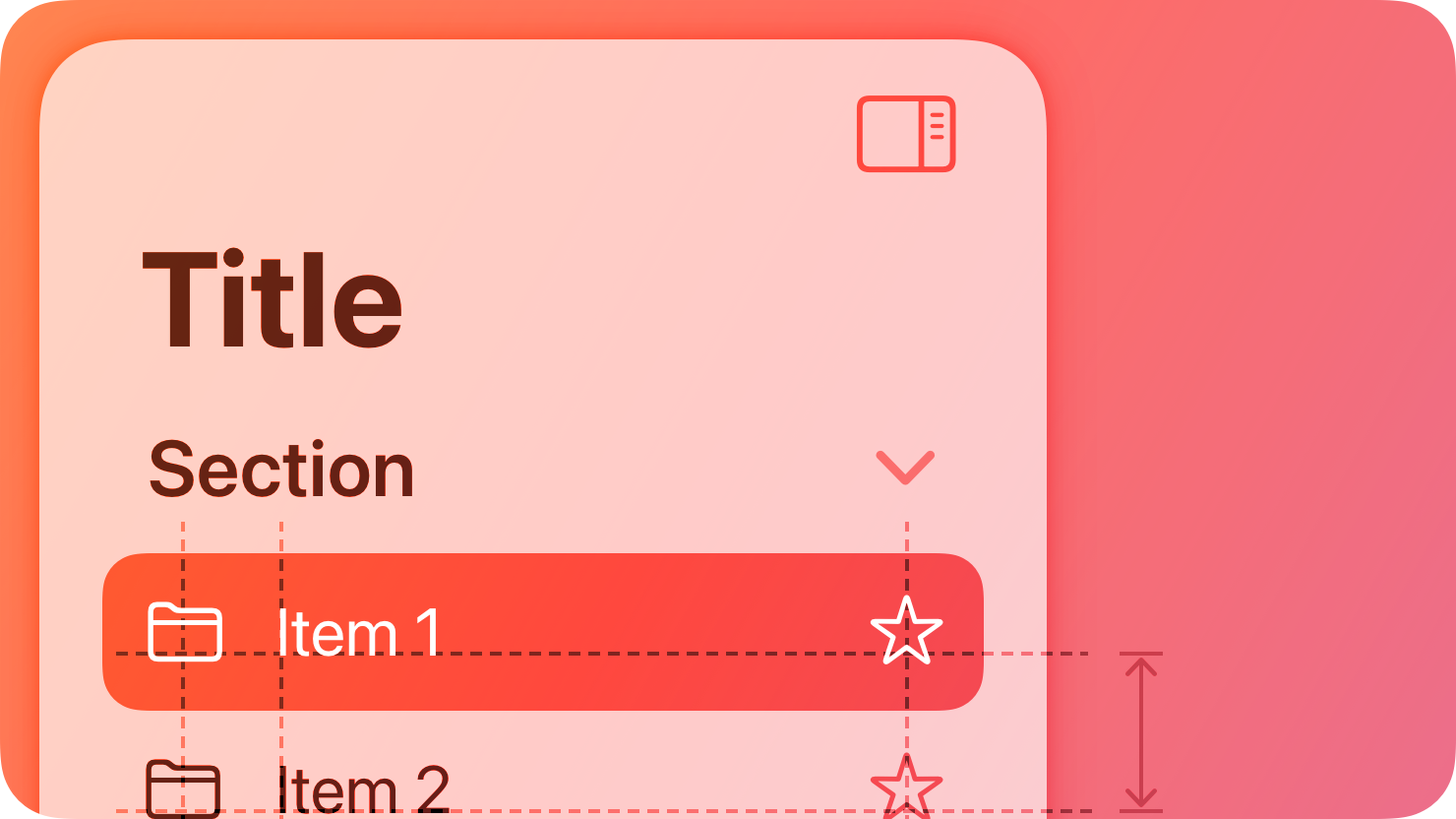
|
|
10
|
+
|
|
11
|
+
A sidebar floats above content without being anchored to the edges of the view. It provides a broad, flat view of an app’s information hierarchy, giving people access to several peer content areas or modes at the same time.
|
|
12
|
+
|
|
13
|
+
A sidebar requires a large amount of vertical and horizontal space. When space is limited or you want to devote more of the screen to other information or functionality, a more compact control such as a [tab bar](https://developer.apple.com/design/human-interface-guidelines/tab-bars) may provide a better navigation experience. For guidance, see [Layout](https://developer.apple.com/design/human-interface-guidelines/layout).
|
|
14
|
+
|
|
15
|
+
## [Best practices](https://developer.apple.com/design/human-interface-guidelines/sidebars#Best-practices)
|
|
16
|
+
|
|
17
|
+
**Extend content beneath the sidebar.** In iOS, iPadOS, and macOS, as with other controls such as toolbars and tab bars, sidebars float above content in the [Liquid Glass](https://developer.apple.com/design/human-interface-guidelines/materials#Liquid-Glass) layer. To reinforce the separation and floating appearance of the sidebar, extend content beneath it either by letting it horizontally scroll or applying a background extension view, which mirrors adjacent content to give the impression of stretching it under the sidebar. For developer guidance, see [`backgroundExtensionEffect()`](https://developer.apple.com/documentation/SwiftUI/View/backgroundExtensionEffect\(\)).
|
|
18
|
+
|
|
19
|
+
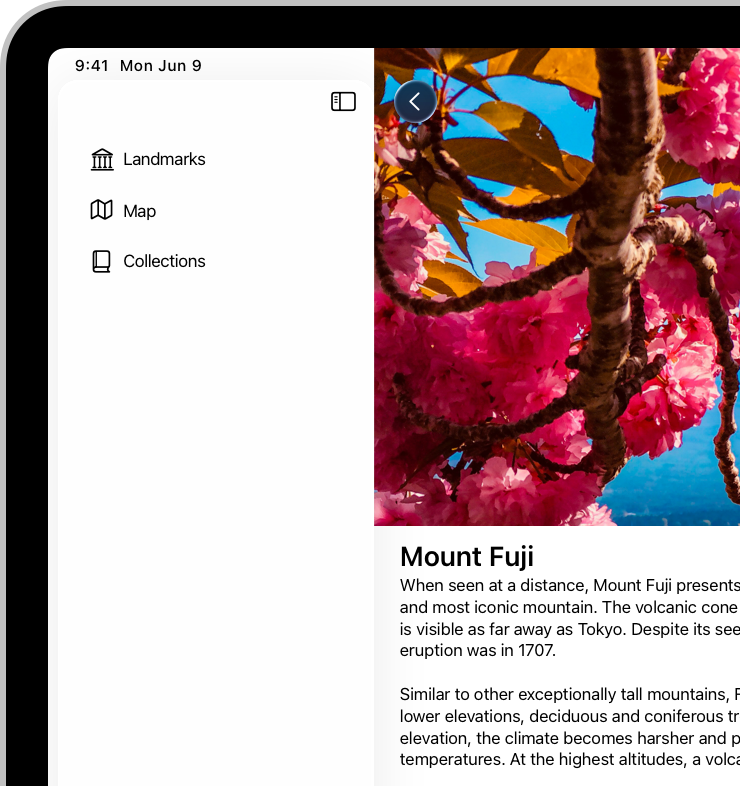
|
|
20
|
+
|
|
21
|
+

|
|
22
|
+
|
|
23
|
+
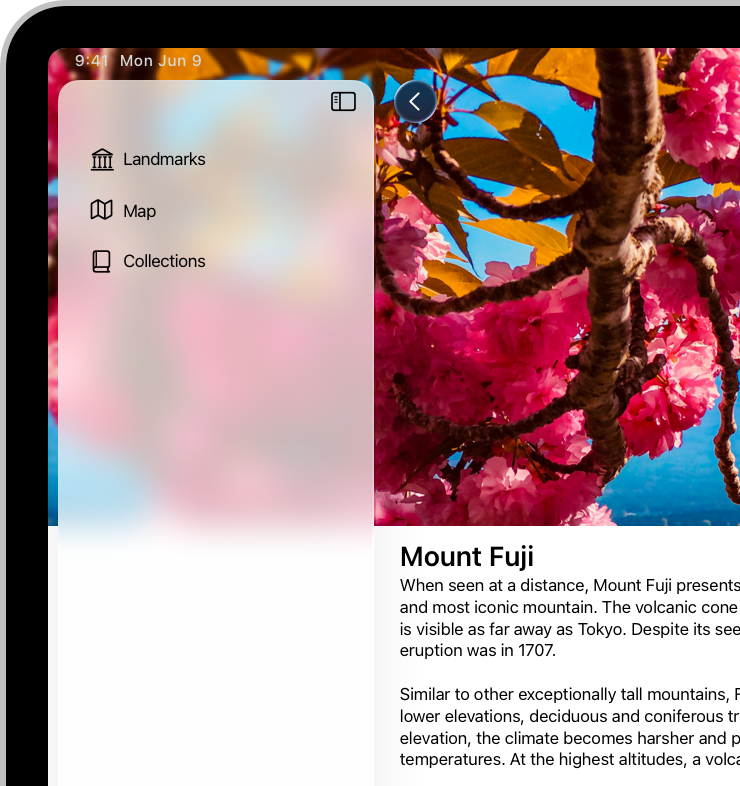
|
|
24
|
+
|
|
25
|
+

|
|
26
|
+
|
|
27
|
+
**When possible, let people customize the contents of a sidebar.** A sidebar lets people navigate to important areas in your app, so it works well when people can decide which areas are most important and in what order they appear.
|
|
28
|
+
|
|
29
|
+
**Group hierarchy with disclosure controls if your app has a lot of content.** Using [disclosure controls](https://developer.apple.com/design/human-interface-guidelines/disclosure-controls) helps keep the sidebar’s vertical space to a manageable level.
|
|
30
|
+
|
|
31
|
+
**Consider using familiar symbols to represent items in the sidebar.** [SF Symbols](https://developer.apple.com/design/human-interface-guidelines/sf-symbols) provides a wide range of customizable symbols you can use to represent items in your app. If you need to use a custom icon, consider creating a [custom symbol](https://developer.apple.com/design/human-interface-guidelines/sf-symbols#Custom-symbols) rather than using a bitmap image. Download the SF Symbols app from [Apple Design Resources](https://developer.apple.com/design/resources/#sf-symbols).
|
|
32
|
+
|
|
33
|
+
**Consider letting people hide the sidebar.** People sometimes want to hide the sidebar to create more room for content details or to reduce distraction. When possible, let people hide and show the sidebar using the platform-specific interactions they already know. For example, in iPadOS, people expect to use the built-in edge swipe gesture; in macOS, you can include a show/hide button or add Show Sidebar and Hide Sidebar commands to your app’s View menu. In visionOS, a window typically expands to accommodate a sidebar, so people rarely need to hide it. Avoid hiding the sidebar by default to ensure that it remains discoverable.
|
|
34
|
+
|
|
35
|
+
**In general, show no more than two levels of hierarchy in a sidebar.** When a data hierarchy is deeper than two levels, consider using a split view interface that includes a content list between the sidebar items and detail view.
|
|
36
|
+
|
|
37
|
+
**If you need to include two levels of hierarchy in a sidebar, use succinct, descriptive labels to title each group.** To help keep labels short, omit unnecessary words.
|
|
38
|
+
|
|
39
|
+
## [Platform considerations](https://developer.apple.com/design/human-interface-guidelines/sidebars#Platform-considerations)
|
|
40
|
+
|
|
41
|
+
_No additional considerations for tvOS. Not supported in watchOS._
|
|
42
|
+
|
|
43
|
+
### [iOS](https://developer.apple.com/design/human-interface-guidelines/sidebars#iOS)
|
|
44
|
+
|
|
45
|
+
**Avoid using a sidebar.** A sidebar takes up a lot of space in landscape orientation and isn’t available in portrait orientation. Instead, consider using a [tab bar](https://developer.apple.com/design/human-interface-guidelines/tab-bars), which takes less space and remains visible in both orientations.
|
|
46
|
+
|
|
47
|
+
### [iPadOS](https://developer.apple.com/design/human-interface-guidelines/sidebars#iPadOS)
|
|
48
|
+
|
|
49
|
+
When you use the [`sidebarAdaptable`](https://developer.apple.com/documentation/SwiftUI/TabViewStyle/sidebarAdaptable) style of tab view to present a sidebar, you choose whether to display a sidebar or a tab bar when your app opens. Both variations include a button that people can use to switch between them. This style also responds automatically to rotation and window resizing, providing a version of the control that’s appropriate to the width of the view.
|
|
50
|
+
|
|
51
|
+
Developer note
|
|
52
|
+
|
|
53
|
+
To display a sidebar only, use [`NavigationSplitView`](https://developer.apple.com/documentation/SwiftUI/NavigationSplitView) to present a sidebar in the primary pane of a split view, or use [`UISplitViewController`](https://developer.apple.com/documentation/UIKit/UISplitViewController).
|
|
54
|
+
|
|
55
|
+
**Consider using a tab bar first.** A tab bar provides more space to feature content, and offers enough flexibility to navigate between many apps’ main areas. If you need to expose more areas than fit in a tab bar, the tab bar’s convertible sidebar-style appearance can provide access to content that people use less frequently. For guidance, see [Tab bars](https://developer.apple.com/design/human-interface-guidelines/tab-bars).
|
|
56
|
+
|
|
57
|
+
**If necessary, apply the correct appearance to a sidebar.** If you’re not using SwiftUI to create a sidebar, you can use the [`UICollectionLayoutListConfiguration.Appearance.sidebar`](https://developer.apple.com/documentation/UIKit/UICollectionLayoutListConfiguration-swift.struct/Appearance-swift.enum/sidebar) appearance of a collection view list layout. For developer guidance, see [`UICollectionLayoutListConfiguration.Appearance`](https://developer.apple.com/documentation/UIKit/UICollectionLayoutListConfiguration-swift.struct/Appearance-swift.enum).
|
|
58
|
+
|
|
59
|
+
### [macOS](https://developer.apple.com/design/human-interface-guidelines/sidebars#macOS)
|
|
60
|
+
|
|
61
|
+
A sidebar’s row height, text, and glyph size depend on its overall size, which can be small, medium, or large. You can set the size programmatically, but people can also change it by selecting a different sidebar icon size in General settings.
|
|
62
|
+
|
|
63
|
+
**Avoid stylizing your app by specifying a fixed color for all sidebar icons.** By default, sidebar icons use the current [accent color](https://developer.apple.com/design/human-interface-guidelines/color#App-accent-colors) and people expect to see their chosen accent color throughout all the apps they use. Although a fixed color can help clarify the meaning of an icon, you want to make sure that most sidebar icons display the color people choose.
|
|
64
|
+
|
|
65
|
+
**Consider automatically hiding and revealing a sidebar when its container window resizes.** For example, reducing the size of a Mail viewer window can automatically collapse its sidebar, making more room for message content.
|
|
66
|
+
|
|
67
|
+
**Avoid putting critical information or actions at the bottom of a sidebar.** People often relocate a window in a way that hides its bottom edge.
|
|
68
|
+
|
|
69
|
+
### [visionOS](https://developer.apple.com/design/human-interface-guidelines/sidebars#visionOS)
|
|
70
|
+
|
|
71
|
+
**If your app’s hierarchy is deep, consider using a sidebar within a tab in a tab bar.** In this situation, a sidebar can support secondary navigation within the tab. If you do this, be sure to prevent selections in the sidebar from changing which tab is currently open.
|
|
72
|
+
|
|
73
|
+
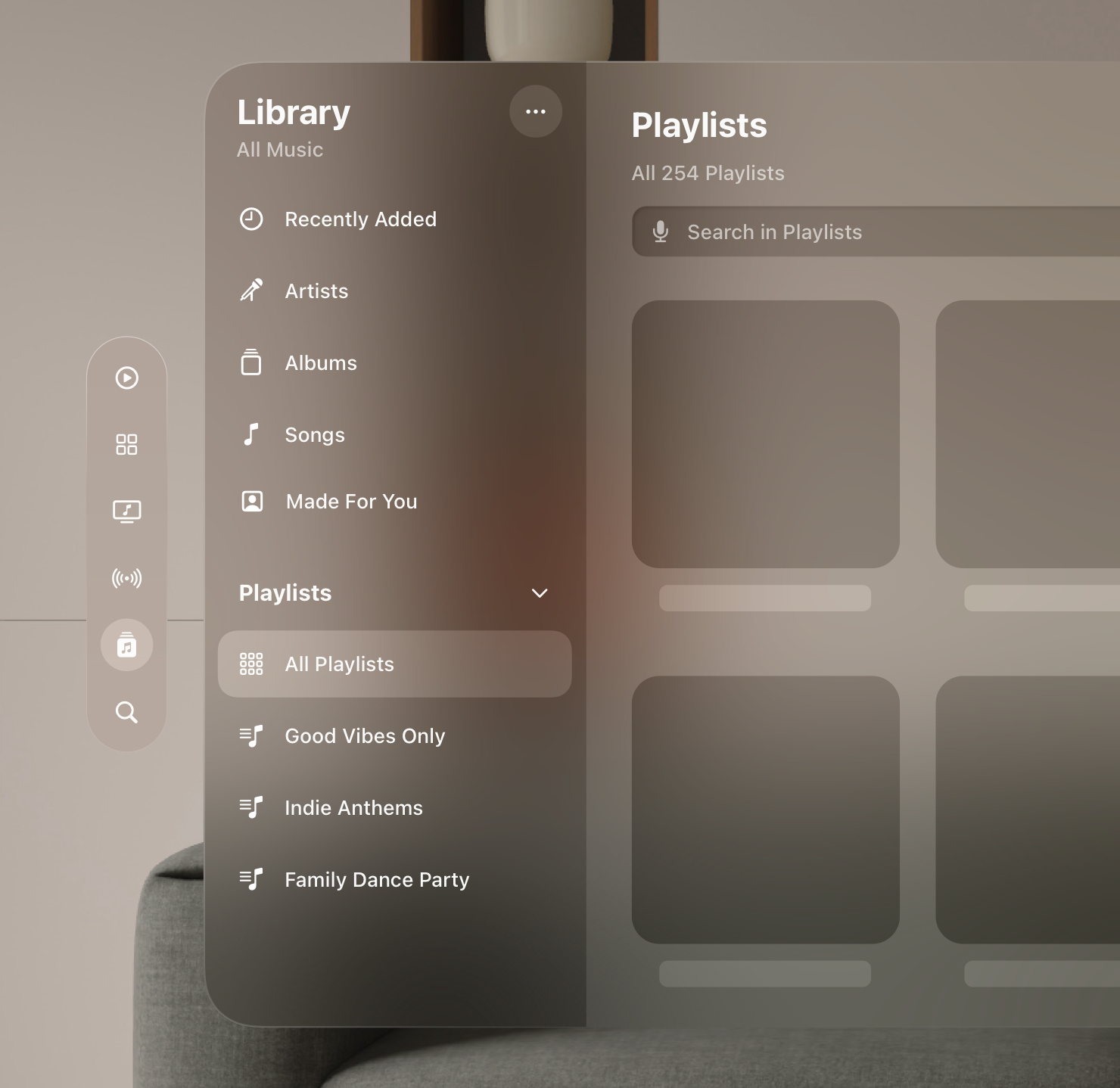
|
|
74
|
+
|
|
75
|
+
## [Resources](https://developer.apple.com/design/human-interface-guidelines/sidebars#Resources)
|
|
76
|
+
|
|
77
|
+
#### [Related](https://developer.apple.com/design/human-interface-guidelines/sidebars#Related)
|
|
78
|
+
|
|
79
|
+
[Split views](https://developer.apple.com/design/human-interface-guidelines/split-views)
|
|
80
|
+
|
|
81
|
+
[Tab bars](https://developer.apple.com/design/human-interface-guidelines/tab-bars)
|
|
82
|
+
|
|
83
|
+
[Layout](https://developer.apple.com/design/human-interface-guidelines/layout)
|
|
84
|
+
|
|
85
|
+
#### [Developer documentation](https://developer.apple.com/design/human-interface-guidelines/sidebars#Developer-documentation)
|
|
86
|
+
|
|
87
|
+
[`sidebarAdaptable`](https://developer.apple.com/documentation/SwiftUI/TabViewStyle/sidebarAdaptable) — SwiftUI
|
|
88
|
+
|
|
89
|
+
[`NavigationSplitView`](https://developer.apple.com/documentation/SwiftUI/NavigationSplitView) — SwiftUI
|
|
90
|
+
|
|
91
|
+
[`sidebar`](https://developer.apple.com/documentation/SwiftUI/ListStyle/sidebar) — SwiftUI
|
|
92
|
+
|
|
93
|
+
[`UICollectionLayoutListConfiguration`](https://developer.apple.com/documentation/UIKit/UICollectionLayoutListConfiguration-swift.struct) — UIKit
|
|
94
|
+
|
|
95
|
+
[`NSSplitViewController`](https://developer.apple.com/documentation/AppKit/NSSplitViewController) — AppKit
|
|
96
|
+
|
|
97
|
+
#### [Videos](https://developer.apple.com/design/human-interface-guidelines/sidebars#Videos)
|
|
98
|
+
|
|
99
|
+
[ Elevate the design of your iPad app ](https://developer.apple.com/videos/play/wwdc2025/208)
|
|
100
|
+
|
|
101
|
+
## [Change log](https://developer.apple.com/design/human-interface-guidelines/sidebars#Change-log)
|
|
102
|
+
|
|
103
|
+
Date| Changes
|
|
104
|
+
---|---
|
|
105
|
+
June 9, 2025| Added guidance for extending content beneath the sidebar.
|
|
106
|
+
August 6, 2024| Updated guidance to include the SwiftUI adaptable sidebar style.
|
|
107
|
+
December 5, 2023| Added artwork for iPadOS.
|
|
108
|
+
June 21, 2023| Updated to include guidance for visionOS.
|
|
109
|
+
|