buildanything 1.7.1 → 2.0.0
This diff represents the content of publicly available package versions that have been released to one of the supported registries. The information contained in this diff is provided for informational purposes only and reflects changes between package versions as they appear in their respective public registries.
- package/.claude-plugin/marketplace.json +3 -3
- package/.claude-plugin/plugin.json +9 -3
- package/CHANGELOG.md +112 -0
- package/README.md +2 -2
- package/agents/a11y-architect.md +166 -0
- package/agents/business-model.md +80 -29
- package/agents/code-architect.md +75 -0
- package/agents/code-reviewer.md +255 -0
- package/agents/code-simplifier.md +64 -0
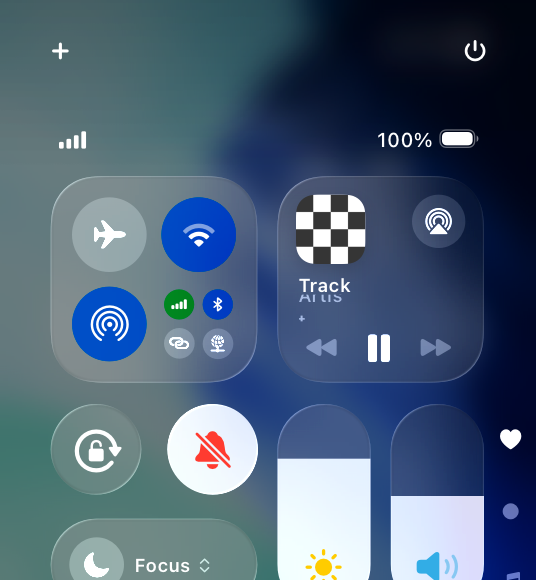
- package/agents/design-brand-guardian.md +293 -53
- package/agents/design-critic.md +139 -0
- package/agents/design-inclusive-visuals-specialist.md +6 -19
- package/agents/design-ui-designer.md +335 -56
- package/agents/design-ux-architect.md +403 -55
- package/agents/design-ux-researcher.md +264 -49
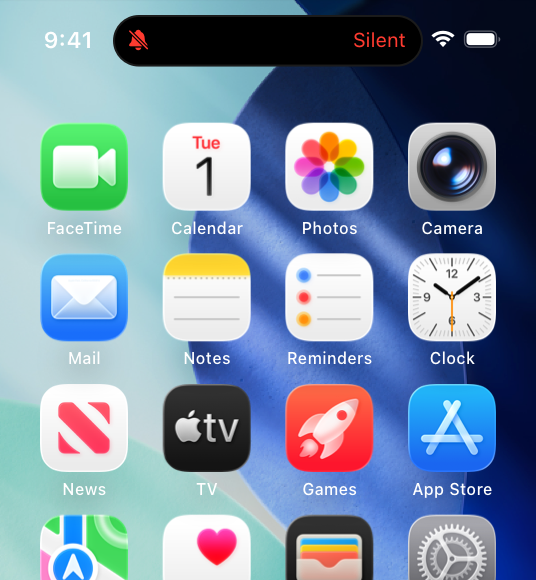
- package/agents/engineering-ai-engineer.md +26 -36
- package/agents/engineering-backend-architect.md +185 -36
- package/agents/engineering-data-engineer.md +225 -43
- package/agents/engineering-devops-automator.md +227 -74
- package/agents/engineering-frontend-developer.md +210 -34
- package/agents/engineering-mobile-app-builder.md +6 -1
- package/agents/engineering-rapid-prototyper.md +30 -9
- package/agents/engineering-security-engineer.md +263 -61
- package/agents/engineering-senior-developer.md +128 -19
- package/agents/engineering-sre.md +84 -0
- package/agents/engineering-technical-writer.md +285 -41
- package/agents/feature-intel.md +110 -0
- package/agents/ios-app-review-guardian.md +66 -0
- package/agents/ios-foundation-models-specialist.md +64 -0
- package/agents/ios-storekit-specialist.md +59 -0
- package/agents/ios-swift-architect.md +129 -0
- package/agents/ios-swift-search.md +137 -0
- package/agents/ios-swift-ui-design.md +136 -0
- package/agents/marketing-app-store-optimizer.md +246 -64
- package/agents/planner.md +216 -0
- package/agents/pr-test-analyzer.md +63 -0
- package/agents/product-feedback-synthesizer.md +8 -2
- package/agents/refactor-cleaner.md +102 -0
- package/agents/security-reviewer.md +128 -0
- package/agents/silent-failure-hunter.md +54 -0
- package/agents/swift-build-resolver.md +119 -0
- package/agents/swift-reviewer.md +112 -0
- package/agents/tech-feasibility.md +21 -1
- package/agents/testing-api-tester.md +236 -59
- package/agents/testing-evidence-collector.md +26 -1
- package/agents/testing-performance-benchmarker.md +21 -1
- package/agents/testing-reality-checker.md +6 -1
- package/agents/visual-research.md +116 -0
- package/bin/adapters/cycle-counter-tool.ts +155 -0
- package/bin/adapters/scribe-tool.ts +71 -0
- package/bin/adapters/state-save-tool.ts +130 -0
- package/bin/adapters/write-lease-tool.ts +127 -0
- package/bin/buildanything-runtime.js +15 -0
- package/bin/buildanything-runtime.ts +328 -0
- package/bin/setup.js +83 -8
- package/commands/add-feature.md +2 -0
- package/commands/build.md +752 -332
- package/commands/fix.md +65 -0
- package/commands/self-check.md +121 -0
- package/commands/setup.md +114 -0
- package/commands/ux-review.md +63 -0
- package/commands/verify.md +69 -0
- package/docs/migration/agents.yaml +729 -0
- package/docs/migration/phase-graph.yaml +1088 -0
- package/docs/migration/sdk-host-compat.md +18 -0
- package/hooks/compile-writer-owner-cache.ts +171 -0
- package/hooks/hooks.json +36 -0
- package/hooks/pre-tool-use +19 -0
- package/hooks/pre-tool-use.ts +776 -0
- package/hooks/record-mode-transitions.ts +178 -0
- package/hooks/session-start +89 -2
- package/hooks/subagent-start +17 -0
- package/hooks/subagent-start.ts +471 -0
- package/hooks/subagent-stop +17 -0
- package/hooks/subagent-stop.ts +153 -0
- package/package.json +28 -5
- package/protocols/architecture-schema.md +171 -0
- package/protocols/build-fix.md +52 -0
- package/protocols/cleanup.md +54 -0
- package/protocols/decision-log.md +131 -0
- package/protocols/eval-harness.md +61 -0
- package/protocols/fake-data-detector.md +64 -0
- package/protocols/ios-context.md +234 -0
- package/protocols/ios-frameworks-map.md +323 -0
- package/protocols/ios-phase-branches.md +337 -0
- package/protocols/ios-preflight.md +27 -0
- package/protocols/launch-readiness.md +258 -0
- package/protocols/metric-loop.md +153 -0
- package/protocols/smoke-test.md +118 -0
- package/protocols/state-schema.json +388 -0
- package/protocols/state-schema.md +172 -0
- package/protocols/verify.md +127 -0
- package/protocols/visual-dna.md +185 -0
- package/protocols/web-phase-branches.md +351 -0
- package/skills/ios/_VENDORED.md +62 -0
- package/skills/ios/activitykit/LICENSE +131 -0
- package/skills/ios/activitykit/SKILL.md +505 -0
- package/skills/ios/activitykit/references/activitykit-patterns.md +868 -0
- package/skills/ios/app-intents/LICENSE +131 -0
- package/skills/ios/app-intents/SKILL.md +494 -0
- package/skills/ios/app-intents/references/appintents-advanced.md +1076 -0
- package/skills/ios/app-store-connect-metadata/SKILL.md +148 -0
- package/skills/ios/apple-on-device-ai/LICENSE +131 -0
- package/skills/ios/apple-on-device-ai/SKILL.md +505 -0
- package/skills/ios/apple-on-device-ai/references/coreml-conversion.md +425 -0
- package/skills/ios/apple-on-device-ai/references/coreml-optimization.md +344 -0
- package/skills/ios/apple-on-device-ai/references/foundation-models.md +508 -0
- package/skills/ios/apple-on-device-ai/references/mlx-swift.md +285 -0
- package/skills/ios/asc-privacy-manifest/SKILL.md +350 -0
- package/skills/ios/hig-components-content/SKILL.md +86 -0
- package/skills/ios/hig-components-content/references/activity-views.md +79 -0
- package/skills/ios/hig-components-content/references/charts.md +180 -0
- package/skills/ios/hig-components-content/references/collections.md +48 -0
- package/skills/ios/hig-components-content/references/color-wells.md +42 -0
- package/skills/ios/hig-components-content/references/image-views.md +82 -0
- package/skills/ios/hig-components-content/references/image-wells.md +34 -0
- package/skills/ios/hig-components-content/references/lockups.md +78 -0
- package/skills/ios/hig-components-content/references/web-views.md +36 -0
- package/skills/ios/hig-components-controls/SKILL.md +88 -0
- package/skills/ios/hig-components-controls/references/combo-boxes.md +40 -0
- package/skills/ios/hig-components-controls/references/controls.md +112 -0
- package/skills/ios/hig-components-controls/references/gauges.md +74 -0
- package/skills/ios/hig-components-controls/references/labels.md +92 -0
- package/skills/ios/hig-components-controls/references/pickers.md +128 -0
- package/skills/ios/hig-components-controls/references/rating-indicators.md +38 -0
- package/skills/ios/hig-components-controls/references/segmented-controls.md +94 -0
- package/skills/ios/hig-components-controls/references/sliders.md +92 -0
- package/skills/ios/hig-components-controls/references/steppers.md +40 -0
- package/skills/ios/hig-components-controls/references/text-fields.md +88 -0
- package/skills/ios/hig-components-controls/references/text-views.md +56 -0
- package/skills/ios/hig-components-controls/references/toggles.md +127 -0
- package/skills/ios/hig-components-controls/references/token-fields.md +48 -0
- package/skills/ios/hig-components-controls/references/virtual-keyboards.md +156 -0
- package/skills/ios/hig-components-dialogs/SKILL.md +76 -0
- package/skills/ios/hig-components-dialogs/references/action-sheets.md +74 -0
- package/skills/ios/hig-components-dialogs/references/alerts.md +158 -0
- package/skills/ios/hig-components-dialogs/references/digit-entry-views.md +32 -0
- package/skills/ios/hig-components-dialogs/references/popovers.md +81 -0
- package/skills/ios/hig-components-dialogs/references/sheets.md +157 -0
- package/skills/ios/hig-components-layout/SKILL.md +99 -0
- package/skills/ios/hig-components-layout/references/boxes.md +48 -0
- package/skills/ios/hig-components-layout/references/column-views.md +44 -0
- package/skills/ios/hig-components-layout/references/lists-and-tables.md +99 -0
- package/skills/ios/hig-components-layout/references/ornaments.md +56 -0
- package/skills/ios/hig-components-layout/references/outline-views.md +64 -0
- package/skills/ios/hig-components-layout/references/panels.md +75 -0
- package/skills/ios/hig-components-layout/references/scroll-views.md +123 -0
- package/skills/ios/hig-components-layout/references/sidebars.md +109 -0
- package/skills/ios/hig-components-layout/references/split-views.md +110 -0
- package/skills/ios/hig-components-layout/references/tab-bars.md +173 -0
- package/skills/ios/hig-components-layout/references/tab-views.md +68 -0
- package/skills/ios/hig-components-layout/references/windows.md +188 -0
- package/skills/ios/hig-components-menus/SKILL.md +81 -0
- package/skills/ios/hig-components-menus/references/action-button.md +61 -0
- package/skills/ios/hig-components-menus/references/buttons.md +261 -0
- package/skills/ios/hig-components-menus/references/context-menus.md +105 -0
- package/skills/ios/hig-components-menus/references/disclosure-controls.md +84 -0
- package/skills/ios/hig-components-menus/references/dock-menus.md +40 -0
- package/skills/ios/hig-components-menus/references/edit-menus.md +88 -0
- package/skills/ios/hig-components-menus/references/menus.md +171 -0
- package/skills/ios/hig-components-menus/references/pop-up-buttons.md +70 -0
- package/skills/ios/hig-components-menus/references/pull-down-buttons.md +77 -0
- package/skills/ios/hig-components-menus/references/the-menu-bar.md +303 -0
- package/skills/ios/hig-components-menus/references/toolbars.md +256 -0
- package/skills/ios/hig-components-search/SKILL.md +68 -0
- package/skills/ios/hig-components-search/references/page-controls.md +120 -0
- package/skills/ios/hig-components-search/references/path-controls.md +40 -0
- package/skills/ios/hig-components-search/references/search-fields.md +189 -0
- package/skills/ios/hig-components-status/SKILL.md +80 -0
- package/skills/ios/hig-components-status/references/activity-rings.md +105 -0
- package/skills/ios/hig-components-status/references/progress-indicators.md +116 -0
- package/skills/ios/hig-components-status/references/status-bars.md +38 -0
- package/skills/ios/hig-components-system/SKILL.md +88 -0
- package/skills/ios/hig-components-system/references/app-clips.md +387 -0
- package/skills/ios/hig-components-system/references/app-shortcuts.md +114 -0
- package/skills/ios/hig-components-system/references/complications.md +425 -0
- package/skills/ios/hig-components-system/references/home-screen-quick-actions.md +42 -0
- package/skills/ios/hig-components-system/references/live-activities.md +442 -0
- package/skills/ios/hig-components-system/references/notifications.md +153 -0
- package/skills/ios/hig-components-system/references/top-shelf.md +135 -0
- package/skills/ios/hig-components-system/references/watch-faces.md +40 -0
- package/skills/ios/hig-components-system/references/widgets.md +517 -0
- package/skills/ios/hig-foundations/SKILL.md +98 -0
- package/skills/ios/hig-foundations/references/accessibility.md +291 -0
- package/skills/ios/hig-foundations/references/app-icons.md +210 -0
- package/skills/ios/hig-foundations/references/branding.md +44 -0
- package/skills/ios/hig-foundations/references/color.md +274 -0
- package/skills/ios/hig-foundations/references/dark-mode.md +116 -0
- package/skills/ios/hig-foundations/references/icons.md +263 -0
- package/skills/ios/hig-foundations/references/images.md +176 -0
- package/skills/ios/hig-foundations/references/immersive-experiences.md +174 -0
- package/skills/ios/hig-foundations/references/inclusion.md +189 -0
- package/skills/ios/hig-foundations/references/layout.md +425 -0
- package/skills/ios/hig-foundations/references/materials.md +238 -0
- package/skills/ios/hig-foundations/references/motion.md +103 -0
- package/skills/ios/hig-foundations/references/privacy.md +231 -0
- package/skills/ios/hig-foundations/references/right-to-left.md +206 -0
- package/skills/ios/hig-foundations/references/sf-symbols.md +310 -0
- package/skills/ios/hig-foundations/references/spatial-layout.md +142 -0
- package/skills/ios/hig-foundations/references/typography.md +1146 -0
- package/skills/ios/hig-foundations/references/writing.md +91 -0
- package/skills/ios/hig-inputs/SKILL.md +94 -0
- package/skills/ios/hig-inputs/references/apple-pencil-and-scribble.md +148 -0
- package/skills/ios/hig-inputs/references/camera-control.md +107 -0
- package/skills/ios/hig-inputs/references/digital-crown.md +83 -0
- package/skills/ios/hig-inputs/references/eyes.md +120 -0
- package/skills/ios/hig-inputs/references/focus-and-selection.md +120 -0
- package/skills/ios/hig-inputs/references/game-controls.md +156 -0
- package/skills/ios/hig-inputs/references/gestures.md +208 -0
- package/skills/ios/hig-inputs/references/gyro-and-accelerometer.md +40 -0
- package/skills/ios/hig-inputs/references/keyboards.md +234 -0
- package/skills/ios/hig-inputs/references/nearby-interactions.md +70 -0
- package/skills/ios/hig-inputs/references/pointing-devices.md +237 -0
- package/skills/ios/hig-inputs/references/remotes.md +67 -0
- package/skills/ios/hig-inputs/references/spatial-interactions.md +70 -0
- package/skills/ios/hig-patterns/SKILL.md +104 -0
- package/skills/ios/hig-patterns/references/charting-data.md +81 -0
- package/skills/ios/hig-patterns/references/collaboration-and-sharing.md +86 -0
- package/skills/ios/hig-patterns/references/drag-and-drop.md +134 -0
- package/skills/ios/hig-patterns/references/entering-data.md +69 -0
- package/skills/ios/hig-patterns/references/feedback.md +67 -0
- package/skills/ios/hig-patterns/references/file-management.md +135 -0
- package/skills/ios/hig-patterns/references/going-full-screen.md +79 -0
- package/skills/ios/hig-patterns/references/launching.md +81 -0
- package/skills/ios/hig-patterns/references/live-viewing-apps.md +79 -0
- package/skills/ios/hig-patterns/references/loading.md +59 -0
- package/skills/ios/hig-patterns/references/managing-accounts.md +107 -0
- package/skills/ios/hig-patterns/references/managing-notifications.md +99 -0
- package/skills/ios/hig-patterns/references/modality.md +82 -0
- package/skills/ios/hig-patterns/references/multitasking.md +131 -0
- package/skills/ios/hig-patterns/references/offering-help.md +117 -0
- package/skills/ios/hig-patterns/references/onboarding.md +69 -0
- package/skills/ios/hig-patterns/references/playing-audio.md +124 -0
- package/skills/ios/hig-patterns/references/playing-haptics.md +280 -0
- package/skills/ios/hig-patterns/references/playing-video.md +180 -0
- package/skills/ios/hig-patterns/references/printing.md +50 -0
- package/skills/ios/hig-patterns/references/ratings-and-reviews.md +48 -0
- package/skills/ios/hig-patterns/references/searching.md +70 -0
- package/skills/ios/hig-patterns/references/settings.md +84 -0
- package/skills/ios/hig-patterns/references/undo-and-redo.md +58 -0
- package/skills/ios/hig-patterns/references/workouts.md +76 -0
- package/skills/ios/hig-platforms/SKILL.md +84 -0
- package/skills/ios/hig-platforms/references/designing-for-games.md +159 -0
- package/skills/ios/hig-platforms/references/designing-for-ios.md +66 -0
- package/skills/ios/hig-platforms/references/designing-for-ipados.md +64 -0
- package/skills/ios/hig-platforms/references/designing-for-macos.md +70 -0
- package/skills/ios/hig-platforms/references/designing-for-tvos.md +68 -0
- package/skills/ios/hig-platforms/references/designing-for-visionos.md +85 -0
- package/skills/ios/hig-platforms/references/designing-for-watchos.md +74 -0
- package/skills/ios/hig-project-context/SKILL.md +133 -0
- package/skills/ios/hig-technologies/SKILL.md +107 -0
- package/skills/ios/hig-technologies/references/airplay.md +125 -0
- package/skills/ios/hig-technologies/references/always-on.md +62 -0
- package/skills/ios/hig-technologies/references/apple-pay.md +441 -0
- package/skills/ios/hig-technologies/references/augmented-reality.md +247 -0
- package/skills/ios/hig-technologies/references/carekit.md +224 -0
- package/skills/ios/hig-technologies/references/carplay.md +119 -0
- package/skills/ios/hig-technologies/references/game-center.md +343 -0
- package/skills/ios/hig-technologies/references/generative-ai.md +110 -0
- package/skills/ios/hig-technologies/references/healthkit.md +120 -0
- package/skills/ios/hig-technologies/references/homekit.md +343 -0
- package/skills/ios/hig-technologies/references/icloud.md +52 -0
- package/skills/ios/hig-technologies/references/id-verifier.md +73 -0
- package/skills/ios/hig-technologies/references/imessage-apps-and-stickers.md +105 -0
- package/skills/ios/hig-technologies/references/in-app-purchase.md +263 -0
- package/skills/ios/hig-technologies/references/live-photos.md +54 -0
- package/skills/ios/hig-technologies/references/mac-catalyst.md +216 -0
- package/skills/ios/hig-technologies/references/machine-learning.md +394 -0
- package/skills/ios/hig-technologies/references/maps.md +221 -0
- package/skills/ios/hig-technologies/references/nfc.md +51 -0
- package/skills/ios/hig-technologies/references/photo-editing.md +40 -0
- package/skills/ios/hig-technologies/references/researchkit.md +134 -0
- package/skills/ios/hig-technologies/references/shareplay.md +142 -0
- package/skills/ios/hig-technologies/references/shazamkit.md +47 -0
- package/skills/ios/hig-technologies/references/sign-in-with-apple.md +288 -0
- package/skills/ios/hig-technologies/references/siri.md +523 -0
- package/skills/ios/hig-technologies/references/tap-to-pay-on-iphone.md +208 -0
- package/skills/ios/hig-technologies/references/voiceover.md +90 -0
- package/skills/ios/hig-technologies/references/wallet.md +420 -0
- package/skills/ios/ios-26-platform/SKILL.md +53 -0
- package/skills/ios/ios-26-platform/references/automatic-adoption.md +161 -0
- package/skills/ios/ios-26-platform/references/backward-compat.md +238 -0
- package/skills/ios/ios-26-platform/references/liquid-glass.md +255 -0
- package/skills/ios/ios-26-platform/references/swiftui-apis.md +277 -0
- package/skills/ios/ios-26-platform/references/toolbar-navigation.md +250 -0
- package/skills/ios/ios-bootstrap/SKILL.md +107 -0
- package/skills/ios/ios-bootstrap/references/apple-docs-mcp-config.md +28 -0
- package/skills/ios/ios-bootstrap/references/new-project-dialog.md +41 -0
- package/skills/ios/ios-bootstrap/references/xcode-mcp-config.md +29 -0
- package/skills/ios/ios-debugger-agent/LICENSE +21 -0
- package/skills/ios/ios-debugger-agent/SKILL.md +58 -0
- package/skills/ios/ios-debugger-agent/agents/openai.yaml +4 -0
- package/skills/ios/ios-entitlements-generator/SKILL.md +47 -0
- package/skills/ios/ios-info-plist-hardening/SKILL.md +130 -0
- package/skills/ios/ios-maestro-flow-author/SKILL.md +68 -0
- package/skills/ios/ios-maestro-flow-author/references/input-and-scroll.yaml +17 -0
- package/skills/ios/ios-maestro-flow-author/references/modal-and-dismiss.yaml +14 -0
- package/skills/ios/ios-maestro-flow-author/references/onboarding-flow.yaml +16 -0
- package/skills/ios/ios-maestro-flow-author/references/tab-navigation.yaml +13 -0
- package/skills/ios/ios-maestro-flow-author/references/tap-and-assert.yaml +9 -0
- package/skills/ios/swift-accessibility/LICENSE +21 -0
- package/skills/ios/swift-accessibility/SKILL.md +371 -0
- package/skills/ios/swift-accessibility/examples/before-after-appkit.md +446 -0
- package/skills/ios/swift-accessibility/examples/before-after-swiftui.md +441 -0
- package/skills/ios/swift-accessibility/examples/before-after-uikit.md +464 -0
- package/skills/ios/swift-accessibility/references/assistive-access.md +441 -0
- package/skills/ios/swift-accessibility/references/display-settings.md +491 -0
- package/skills/ios/swift-accessibility/references/dynamic-type.md +420 -0
- package/skills/ios/swift-accessibility/references/media-accessibility.md +421 -0
- package/skills/ios/swift-accessibility/references/motor-input.md +393 -0
- package/skills/ios/swift-accessibility/references/nutrition-labels.md +362 -0
- package/skills/ios/swift-accessibility/references/platform-specifics.md +515 -0
- package/skills/ios/swift-accessibility/references/semantic-structure.md +585 -0
- package/skills/ios/swift-accessibility/references/testing-auditing.md +507 -0
- package/skills/ios/swift-accessibility/references/voice-control.md +317 -0
- package/skills/ios/swift-accessibility/references/voiceover-swiftui.md +584 -0
- package/skills/ios/swift-accessibility/references/voiceover-uikit.md +519 -0
- package/skills/ios/swift-accessibility/references/wcag-mapping.md +167 -0
- package/skills/ios/swift-accessibility/resources/audit-template.swift +128 -0
- package/skills/ios/swift-accessibility/resources/qa-checklist.md +258 -0
- package/skills/ios/swift-actor-persistence/SKILL.md +143 -0
- package/skills/ios/swift-concurrency/LICENSE +21 -0
- package/skills/ios/swift-concurrency/SKILL.md +171 -0
- package/skills/ios/swift-concurrency/references/_index.md +50 -0
- package/skills/ios/swift-concurrency/references/actors.md +660 -0
- package/skills/ios/swift-concurrency/references/async-algorithms.md +847 -0
- package/skills/ios/swift-concurrency/references/async-await-basics.md +266 -0
- package/skills/ios/swift-concurrency/references/async-sequences.md +710 -0
- package/skills/ios/swift-concurrency/references/core-data.md +560 -0
- package/skills/ios/swift-concurrency/references/glossary.md +135 -0
- package/skills/ios/swift-concurrency/references/linting.md +155 -0
- package/skills/ios/swift-concurrency/references/memory-management.md +569 -0
- package/skills/ios/swift-concurrency/references/migration.md +1104 -0
- package/skills/ios/swift-concurrency/references/performance.md +593 -0
- package/skills/ios/swift-concurrency/references/sendable.md +598 -0
- package/skills/ios/swift-concurrency/references/tasks.md +636 -0
- package/skills/ios/swift-concurrency/references/testing.md +592 -0
- package/skills/ios/swift-concurrency/references/threading.md +495 -0
- package/skills/ios/swift-concurrency-6-2/SKILL.md +216 -0
- package/skills/ios/swift-protocol-di-testing/SKILL.md +190 -0
- package/skills/ios/swift-security-expert/LICENSE +21 -0
- package/skills/ios/swift-security-expert/SKILL.md +470 -0
- package/skills/ios/swift-security-expert/references/biometric-authentication.md +565 -0
- package/skills/ios/swift-security-expert/references/certificate-trust.md +592 -0
- package/skills/ios/swift-security-expert/references/common-anti-patterns.md +690 -0
- package/skills/ios/swift-security-expert/references/compliance-owasp-mapping.md +537 -0
- package/skills/ios/swift-security-expert/references/credential-storage-patterns.md +721 -0
- package/skills/ios/swift-security-expert/references/cryptokit-public-key.md +505 -0
- package/skills/ios/swift-security-expert/references/cryptokit-symmetric.md +497 -0
- package/skills/ios/swift-security-expert/references/keychain-access-control.md +508 -0
- package/skills/ios/swift-security-expert/references/keychain-fundamentals.md +596 -0
- package/skills/ios/swift-security-expert/references/keychain-item-classes.md +476 -0
- package/skills/ios/swift-security-expert/references/keychain-sharing.md +458 -0
- package/skills/ios/swift-security-expert/references/migration-legacy-stores.md +727 -0
- package/skills/ios/swift-security-expert/references/secure-enclave.md +539 -0
- package/skills/ios/swift-security-expert/references/testing-security-code.md +781 -0
- package/skills/ios/swift-testing-expert/LICENSE +21 -0
- package/skills/ios/swift-testing-expert/SKILL.md +79 -0
- package/skills/ios/swift-testing-expert/references/_index.md +12 -0
- package/skills/ios/swift-testing-expert/references/async-testing-and-waiting.md +127 -0
- package/skills/ios/swift-testing-expert/references/expectations.md +145 -0
- package/skills/ios/swift-testing-expert/references/fundamentals.md +141 -0
- package/skills/ios/swift-testing-expert/references/migration-from-xctest.md +127 -0
- package/skills/ios/swift-testing-expert/references/parallelization-and-isolation.md +95 -0
- package/skills/ios/swift-testing-expert/references/parameterized-testing.md +284 -0
- package/skills/ios/swift-testing-expert/references/performance-and-best-practices.md +187 -0
- package/skills/ios/swift-testing-expert/references/traits-and-tags.md +114 -0
- package/skills/ios/swift-testing-expert/references/xcode-workflows.md +70 -0
- package/skills/ios/swiftdata-pro/LICENSE +21 -0
- package/skills/ios/swiftdata-pro/SKILL.md +102 -0
- package/skills/ios/swiftdata-pro/agents/openai.yaml +10 -0
- package/skills/ios/swiftdata-pro/assets/swiftdata-pro-icon.png +0 -0
- package/skills/ios/swiftdata-pro/assets/swiftdata-pro-icon.svg +29 -0
- package/skills/ios/swiftdata-pro/references/class-inheritance.md +104 -0
- package/skills/ios/swiftdata-pro/references/cloudkit.md +10 -0
- package/skills/ios/swiftdata-pro/references/core-rules.md +20 -0
- package/skills/ios/swiftdata-pro/references/indexing.md +27 -0
- package/skills/ios/swiftdata-pro/references/predicates.md +73 -0
- package/skills/ios/swiftui-design-principles/AGENTS.md +21 -0
- package/skills/ios/swiftui-design-principles/LICENSE +21 -0
- package/skills/ios/swiftui-design-principles/README.md +41 -0
- package/skills/ios/swiftui-design-principles/SKILL.md +605 -0
- package/skills/ios/swiftui-design-principles/metadata.json +10 -0
- package/skills/ios/swiftui-design-tokens/SKILL.md +475 -0
- package/skills/ios/swiftui-liquid-glass/LICENSE +21 -0
- package/skills/ios/swiftui-liquid-glass/SKILL.md +95 -0
- package/skills/ios/swiftui-liquid-glass/agents/openai.yaml +4 -0
- package/skills/ios/swiftui-liquid-glass/references/liquid-glass.md +280 -0
- package/skills/ios/swiftui-performance-audit/LICENSE +21 -0
- package/skills/ios/swiftui-performance-audit/SKILL.md +111 -0
- package/skills/ios/swiftui-performance-audit/agents/openai.yaml +4 -0
- package/skills/ios/swiftui-performance-audit/references/code-smells.md +150 -0
- package/skills/ios/swiftui-performance-audit/references/demystify-swiftui-performance-wwdc23.md +46 -0
- package/skills/ios/swiftui-performance-audit/references/optimizing-swiftui-performance-instruments.md +29 -0
- package/skills/ios/swiftui-performance-audit/references/profiling-intake.md +44 -0
- package/skills/ios/swiftui-performance-audit/references/report-template.md +47 -0
- package/skills/ios/swiftui-performance-audit/references/understanding-hangs-in-your-app.md +33 -0
- package/skills/ios/swiftui-performance-audit/references/understanding-improving-swiftui-performance.md +52 -0
- package/skills/ios/swiftui-pro/LICENSE +21 -0
- package/skills/ios/swiftui-pro/SKILL.md +108 -0
- package/skills/ios/swiftui-pro/agents/openai.yaml +10 -0
- package/skills/ios/swiftui-pro/assets/swiftui-pro-icon.png +0 -0
- package/skills/ios/swiftui-pro/assets/swiftui-pro-icon.svg +29 -0
- package/skills/ios/swiftui-pro/references/accessibility.md +13 -0
- package/skills/ios/swiftui-pro/references/api.md +39 -0
- package/skills/ios/swiftui-pro/references/data.md +43 -0
- package/skills/ios/swiftui-pro/references/design.md +31 -0
- package/skills/ios/swiftui-pro/references/hygiene.md +9 -0
- package/skills/ios/swiftui-pro/references/navigation.md +14 -0
- package/skills/ios/swiftui-pro/references/performance.md +46 -0
- package/skills/ios/swiftui-pro/references/swift.md +56 -0
- package/skills/ios/swiftui-pro/references/views.md +35 -0
- package/skills/ios/swiftui-ui-patterns/LICENSE +21 -0
- package/skills/ios/swiftui-ui-patterns/SKILL.md +100 -0
- package/skills/ios/swiftui-ui-patterns/agents/openai.yaml +4 -0
- package/skills/ios/swiftui-ui-patterns/references/app-wiring.md +201 -0
- package/skills/ios/swiftui-ui-patterns/references/async-state.md +96 -0
- package/skills/ios/swiftui-ui-patterns/references/components-index.md +50 -0
- package/skills/ios/swiftui-ui-patterns/references/controls.md +57 -0
- package/skills/ios/swiftui-ui-patterns/references/deeplinks.md +66 -0
- package/skills/ios/swiftui-ui-patterns/references/focus.md +90 -0
- package/skills/ios/swiftui-ui-patterns/references/form.md +97 -0
- package/skills/ios/swiftui-ui-patterns/references/grids.md +71 -0
- package/skills/ios/swiftui-ui-patterns/references/haptics.md +71 -0
- package/skills/ios/swiftui-ui-patterns/references/input-toolbar.md +51 -0
- package/skills/ios/swiftui-ui-patterns/references/lightweight-clients.md +93 -0
- package/skills/ios/swiftui-ui-patterns/references/list.md +86 -0
- package/skills/ios/swiftui-ui-patterns/references/loading-placeholders.md +38 -0
- package/skills/ios/swiftui-ui-patterns/references/macos-settings.md +71 -0
- package/skills/ios/swiftui-ui-patterns/references/matched-transitions.md +59 -0
- package/skills/ios/swiftui-ui-patterns/references/media.md +73 -0
- package/skills/ios/swiftui-ui-patterns/references/menu-bar.md +101 -0
- package/skills/ios/swiftui-ui-patterns/references/navigationstack.md +159 -0
- package/skills/ios/swiftui-ui-patterns/references/overlay.md +45 -0
- package/skills/ios/swiftui-ui-patterns/references/performance.md +62 -0
- package/skills/ios/swiftui-ui-patterns/references/previews.md +48 -0
- package/skills/ios/swiftui-ui-patterns/references/scroll-reveal.md +133 -0
- package/skills/ios/swiftui-ui-patterns/references/scrollview.md +87 -0
- package/skills/ios/swiftui-ui-patterns/references/searchable.md +71 -0
- package/skills/ios/swiftui-ui-patterns/references/sheets.md +155 -0
- package/skills/ios/swiftui-ui-patterns/references/split-views.md +72 -0
- package/skills/ios/swiftui-ui-patterns/references/tabview.md +114 -0
- package/skills/ios/swiftui-ui-patterns/references/theming.md +71 -0
- package/skills/ios/swiftui-ui-patterns/references/title-menus.md +93 -0
- package/skills/ios/swiftui-ui-patterns/references/top-bar.md +49 -0
- package/skills/ios/swiftui-view-refactor/LICENSE +21 -0
- package/skills/ios/swiftui-view-refactor/SKILL.md +207 -0
- package/skills/ios/swiftui-view-refactor/agents/openai.yaml +4 -0
- package/skills/ios/swiftui-view-refactor/references/mv-patterns.md +161 -0
- package/skills/ios/widgetkit/LICENSE +131 -0
- package/skills/ios/widgetkit/SKILL.md +502 -0
- package/skills/ios/widgetkit/references/widgetkit-advanced.md +871 -0
- package/skills/ios/writing-for-interfaces/SKILL.md +75 -0
- package/skills/web/accessibility/SKILL.md +146 -0
- package/skills/web/aceternity-ui/SKILL.md +719 -0
- package/skills/web/aceternity-ui/metadata.json +10 -0
- package/skills/web/api-design/SKILL.md +523 -0
- package/skills/web/chart-accessibility/SKILL.md +332 -0
- package/skills/web/composition-patterns/AGENTS.md +946 -0
- package/skills/web/composition-patterns/README.md +60 -0
- package/skills/web/composition-patterns/SKILL.md +89 -0
- package/skills/web/composition-patterns/metadata.json +11 -0
- package/skills/web/composition-patterns/rules/_sections.md +29 -0
- package/skills/web/composition-patterns/rules/_template.md +24 -0
- package/skills/web/composition-patterns/rules/architecture-avoid-boolean-props.md +100 -0
- package/skills/web/composition-patterns/rules/architecture-compound-components.md +112 -0
- package/skills/web/composition-patterns/rules/patterns-children-over-render-props.md +87 -0
- package/skills/web/composition-patterns/rules/patterns-explicit-variants.md +100 -0
- package/skills/web/composition-patterns/rules/react19-no-forwardref.md +42 -0
- package/skills/web/composition-patterns/rules/state-context-interface.md +191 -0
- package/skills/web/composition-patterns/rules/state-decouple-implementation.md +113 -0
- package/skills/web/composition-patterns/rules/state-lift-state.md +125 -0
- package/skills/web/cost-aware-llm-pipeline/SKILL.md +183 -0
- package/skills/web/database-migrations/SKILL.md +429 -0
- package/skills/web/deployment-patterns/SKILL.md +427 -0
- package/skills/web/docker-patterns/SKILL.md +364 -0
- package/skills/web/e2e-testing/SKILL.md +326 -0
- package/skills/web/lighthouse-ci/SKILL.md +361 -0
- package/skills/web/mcp-server-patterns/SKILL.md +69 -0
- package/skills/web/next-best-practices/SKILL.md +153 -0
- package/skills/web/next-best-practices/async-patterns.md +87 -0
- package/skills/web/next-best-practices/bundling.md +180 -0
- package/skills/web/next-best-practices/data-patterns.md +297 -0
- package/skills/web/next-best-practices/debug-tricks.md +105 -0
- package/skills/web/next-best-practices/directives.md +73 -0
- package/skills/web/next-best-practices/error-handling.md +227 -0
- package/skills/web/next-best-practices/file-conventions.md +140 -0
- package/skills/web/next-best-practices/font.md +245 -0
- package/skills/web/next-best-practices/functions.md +108 -0
- package/skills/web/next-best-practices/hydration-error.md +91 -0
- package/skills/web/next-best-practices/image.md +173 -0
- package/skills/web/next-best-practices/metadata.md +301 -0
- package/skills/web/next-best-practices/parallel-routes.md +287 -0
- package/skills/web/next-best-practices/route-handlers.md +146 -0
- package/skills/web/next-best-practices/rsc-boundaries.md +159 -0
- package/skills/web/next-best-practices/runtime-selection.md +39 -0
- package/skills/web/next-best-practices/scripts.md +141 -0
- package/skills/web/next-best-practices/self-hosting.md +371 -0
- package/skills/web/next-best-practices/suspense-boundaries.md +67 -0
- package/skills/web/next-cache-components/SKILL.md +411 -0
- package/skills/web/postgres-best-practices/SKILL.md +14 -0
- package/skills/web/postgres-best-practices/references/schema-design.md +9 -0
- package/skills/web/react-best-practices/AGENTS.md +3810 -0
- package/skills/web/react-best-practices/README.md +123 -0
- package/skills/web/react-best-practices/SKILL.md +149 -0
- package/skills/web/react-best-practices/metadata.json +15 -0
- package/skills/web/react-best-practices/rules/_sections.md +46 -0
- package/skills/web/react-best-practices/rules/_template.md +28 -0
- package/skills/web/react-best-practices/rules/advanced-effect-event-deps.md +56 -0
- package/skills/web/react-best-practices/rules/advanced-event-handler-refs.md +55 -0
- package/skills/web/react-best-practices/rules/advanced-init-once.md +42 -0
- package/skills/web/react-best-practices/rules/advanced-use-latest.md +39 -0
- package/skills/web/react-best-practices/rules/async-api-routes.md +38 -0
- package/skills/web/react-best-practices/rules/async-cheap-condition-before-await.md +37 -0
- package/skills/web/react-best-practices/rules/async-defer-await.md +82 -0
- package/skills/web/react-best-practices/rules/async-dependencies.md +51 -0
- package/skills/web/react-best-practices/rules/async-parallel.md +28 -0
- package/skills/web/react-best-practices/rules/async-suspense-boundaries.md +99 -0
- package/skills/web/react-best-practices/rules/bundle-analyzable-paths.md +63 -0
- package/skills/web/react-best-practices/rules/bundle-barrel-imports.md +60 -0
- package/skills/web/react-best-practices/rules/bundle-conditional.md +31 -0
- package/skills/web/react-best-practices/rules/bundle-defer-third-party.md +49 -0
- package/skills/web/react-best-practices/rules/bundle-dynamic-imports.md +35 -0
- package/skills/web/react-best-practices/rules/bundle-preload.md +50 -0
- package/skills/web/react-best-practices/rules/client-event-listeners.md +74 -0
- package/skills/web/react-best-practices/rules/client-localstorage-schema.md +71 -0
- package/skills/web/react-best-practices/rules/client-passive-event-listeners.md +48 -0
- package/skills/web/react-best-practices/rules/client-swr-dedup.md +56 -0
- package/skills/web/react-best-practices/rules/js-batch-dom-css.md +107 -0
- package/skills/web/react-best-practices/rules/js-cache-function-results.md +80 -0
- package/skills/web/react-best-practices/rules/js-cache-property-access.md +28 -0
- package/skills/web/react-best-practices/rules/js-cache-storage.md +70 -0
- package/skills/web/react-best-practices/rules/js-combine-iterations.md +32 -0
- package/skills/web/react-best-practices/rules/js-early-exit.md +50 -0
- package/skills/web/react-best-practices/rules/js-flatmap-filter.md +60 -0
- package/skills/web/react-best-practices/rules/js-hoist-regexp.md +45 -0
- package/skills/web/react-best-practices/rules/js-index-maps.md +37 -0
- package/skills/web/react-best-practices/rules/js-length-check-first.md +49 -0
- package/skills/web/react-best-practices/rules/js-min-max-loop.md +82 -0
- package/skills/web/react-best-practices/rules/js-request-idle-callback.md +105 -0
- package/skills/web/react-best-practices/rules/js-set-map-lookups.md +24 -0
- package/skills/web/react-best-practices/rules/js-tosorted-immutable.md +57 -0
- package/skills/web/react-best-practices/rules/rendering-activity.md +26 -0
- package/skills/web/react-best-practices/rules/rendering-animate-svg-wrapper.md +47 -0
- package/skills/web/react-best-practices/rules/rendering-conditional-render.md +40 -0
- package/skills/web/react-best-practices/rules/rendering-content-visibility.md +38 -0
- package/skills/web/react-best-practices/rules/rendering-hoist-jsx.md +46 -0
- package/skills/web/react-best-practices/rules/rendering-hydration-no-flicker.md +82 -0
- package/skills/web/react-best-practices/rules/rendering-hydration-suppress-warning.md +30 -0
- package/skills/web/react-best-practices/rules/rendering-resource-hints.md +85 -0
- package/skills/web/react-best-practices/rules/rendering-script-defer-async.md +68 -0
- package/skills/web/react-best-practices/rules/rendering-svg-precision.md +28 -0
- package/skills/web/react-best-practices/rules/rendering-usetransition-loading.md +75 -0
- package/skills/web/react-best-practices/rules/rerender-defer-reads.md +39 -0
- package/skills/web/react-best-practices/rules/rerender-dependencies.md +45 -0
- package/skills/web/react-best-practices/rules/rerender-derived-state-no-effect.md +40 -0
- package/skills/web/react-best-practices/rules/rerender-derived-state.md +29 -0
- package/skills/web/react-best-practices/rules/rerender-functional-setstate.md +74 -0
- package/skills/web/react-best-practices/rules/rerender-lazy-state-init.md +58 -0
- package/skills/web/react-best-practices/rules/rerender-memo-with-default-value.md +38 -0
- package/skills/web/react-best-practices/rules/rerender-memo.md +44 -0
- package/skills/web/react-best-practices/rules/rerender-move-effect-to-event.md +45 -0
- package/skills/web/react-best-practices/rules/rerender-no-inline-components.md +82 -0
- package/skills/web/react-best-practices/rules/rerender-simple-expression-in-memo.md +35 -0
- package/skills/web/react-best-practices/rules/rerender-split-combined-hooks.md +64 -0
- package/skills/web/react-best-practices/rules/rerender-transitions.md +40 -0
- package/skills/web/react-best-practices/rules/rerender-use-deferred-value.md +59 -0
- package/skills/web/react-best-practices/rules/rerender-use-ref-transient-values.md +73 -0
- package/skills/web/react-best-practices/rules/server-after-nonblocking.md +73 -0
- package/skills/web/react-best-practices/rules/server-auth-actions.md +96 -0
- package/skills/web/react-best-practices/rules/server-cache-lru.md +41 -0
- package/skills/web/react-best-practices/rules/server-cache-react.md +76 -0
- package/skills/web/react-best-practices/rules/server-dedup-props.md +65 -0
- package/skills/web/react-best-practices/rules/server-hoist-static-io.md +149 -0
- package/skills/web/react-best-practices/rules/server-no-shared-module-state.md +50 -0
- package/skills/web/react-best-practices/rules/server-parallel-fetching.md +83 -0
- package/skills/web/react-best-practices/rules/server-parallel-nested-fetching.md +34 -0
- package/skills/web/react-best-practices/rules/server-serialization.md +38 -0
- package/skills/web/seo/SKILL.md +154 -0
- package/skills/web/web-design-guidelines/SKILL.md +39 -0
- package/skills/web/zap-scan-config/SKILL.md +444 -0
- package/skills/web/zap-scan-config/assets/.gitkeep +9 -0
- package/skills/web/zap-scan-config/assets/github_action.yml +207 -0
- package/skills/web/zap-scan-config/assets/gitlab_ci.yml +226 -0
- package/skills/web/zap-scan-config/assets/zap_automation.yaml +196 -0
- package/skills/web/zap-scan-config/assets/zap_context.xml +192 -0
- package/skills/web/zap-scan-config/references/EXAMPLE.md +40 -0
- package/skills/web/zap-scan-config/references/api_testing_guide.md +475 -0
- package/skills/web/zap-scan-config/references/authentication_guide.md +431 -0
- package/skills/web/zap-scan-config/references/false_positive_handling.md +427 -0
- package/skills/web/zap-scan-config/references/owasp_mapping.md +255 -0
- package/src/lrr/aggregator.ts +80 -0
- package/src/orchestrator/hooks/context-header.ts +95 -0
- package/src/orchestrator/hooks/token-accounting-emitter.ts +77 -0
- package/src/orchestrator/hooks/token-accounting.ts +101 -0
- package/src/orchestrator/mcp/cycle-counter.ts +129 -0
- package/src/orchestrator/mcp/scribe.ts +283 -0
- package/src/orchestrator/mcp/state-save.ts +149 -0
- package/src/orchestrator/mcp/write-lease.ts +167 -0
- package/src/orchestrator/phase4-shared-context.ts +41 -0
- package/src/orchestrator/schemas/backward-edge.ts +46 -0
- package/agents/agentic-identity-trust.md +0 -121
- package/agents/data-consolidation-agent.md +0 -39
- package/agents/design-image-prompt-engineer.md +0 -105
- package/agents/design-visual-storyteller.md +0 -147
- package/agents/design-whimsy-injector.md +0 -89
- package/agents/engineering-autonomous-optimization-architect.md +0 -105
- package/agents/market-intel.md +0 -35
- package/agents/marketing-instagram-curator.md +0 -111
- package/agents/marketing-reddit-community-builder.md +0 -121
- package/agents/marketing-social-media-strategist.md +0 -74
- package/agents/marketing-tiktok-strategist.md +0 -123
- package/agents/marketing-twitter-engager.md +0 -124
- package/agents/marketing-wechat-official-account.md +0 -143
- package/agents/marketing-xiaohongshu-specialist.md +0 -136
- package/agents/marketing-zhihu-strategist.md +0 -160
- package/agents/product-behavioral-nudge-engine.md +0 -78
- package/agents/project-management-experiment-tracker.md +0 -102
- package/agents/report-distribution-agent.md +0 -43
- package/agents/risk-analysis.md +0 -45
- package/agents/sales-data-extraction-agent.md +0 -46
- package/agents/specialized-cultural-intelligence-strategist.md +0 -65
- package/agents/specialized-developer-advocate.md +0 -146
- package/agents/support-analytics-reporter.md +0 -133
- package/agents/support-executive-summary-generator.md +0 -64
- package/agents/support-finance-tracker.md +0 -145
- package/agents/support-legal-compliance-checker.md +0 -129
- package/agents/support-support-responder.md +0 -91
- package/agents/testing-accessibility-auditor.md +0 -110
- package/agents/testing-test-results-analyzer.md +0 -97
- package/agents/testing-tool-evaluator.md +0 -76
- package/agents/testing-workflow-optimizer.md +0 -99
- package/agents/user-research.md +0 -40
|
@@ -0,0 +1,78 @@
|
|
|
1
|
+
---
|
|
2
|
+
title: "Lockups | Apple Developer Documentation"
|
|
3
|
+
source: https://developer.apple.com/design/human-interface-guidelines/lockups
|
|
4
|
+
|
|
5
|
+
# Lockups
|
|
6
|
+
|
|
7
|
+
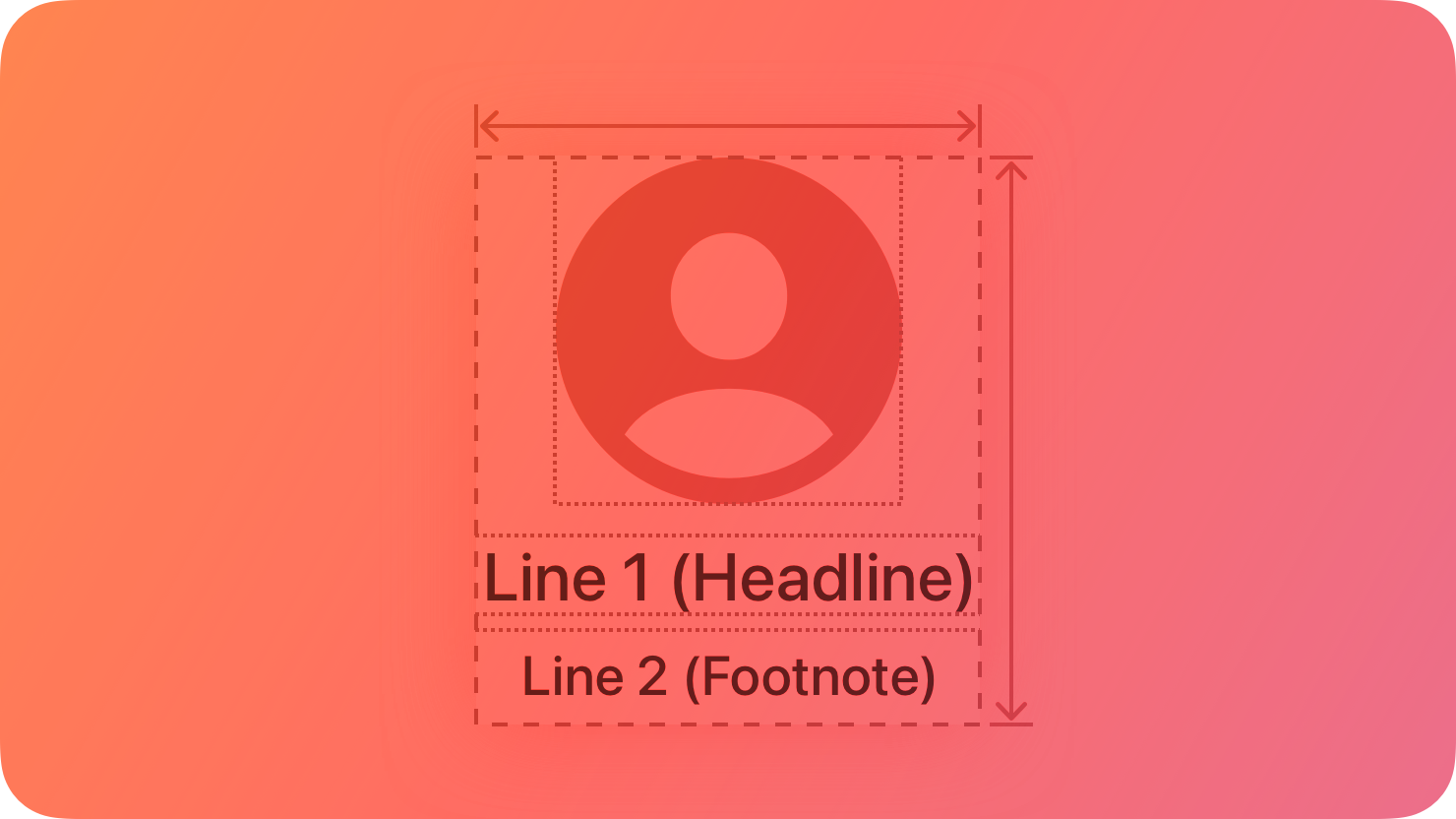
Lockups combine multiple separate views into a single, interactive unit.
|
|
8
|
+
|
|
9
|
+
|
|
10
|
+
|
|
11
|
+
Each lockup consists of a content view, a header, and a footer. Headers appear above the main content for a lockup, and footers appear below the main content. All three views expand and contract together as the lockup gets focus.
|
|
12
|
+
|
|
13
|
+
According to the needs of your app, you can combine four types of lockup: cards, caption buttons, monograms, and posters.
|
|
14
|
+
|
|
15
|
+
## [Best practices](https://developer.apple.com/design/human-interface-guidelines/lockups#Best-practices)
|
|
16
|
+
|
|
17
|
+
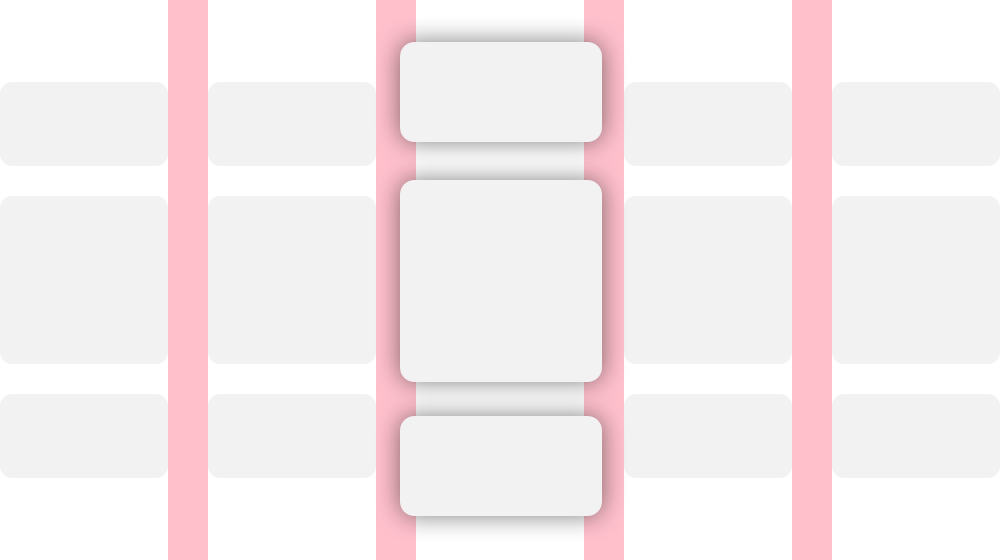
**Allow adequate space between lockups.** A focused lockup expands in size, so leave enough room between lockups to avoid overlapping or displacing other lockups. For guidance, see [Layout](https://developer.apple.com/design/human-interface-guidelines/layout).
|
|
18
|
+
|
|
19
|
+
|
|
20
|
+
|
|
21
|
+
**Use consistent lockup sizes within a row or group.** A group of buttons or a row of content images is more visually appealing when the widths and heights of all elements match.
|
|
22
|
+
|
|
23
|
+
For developer guidance, see [`TVLockupView`](https://developer.apple.com/documentation/TVUIKit/TVLockupView) and [`TVLockupHeaderFooterView`](https://developer.apple.com/documentation/TVUIKit/TVLockupHeaderFooterView).
|
|
24
|
+
|
|
25
|
+
## [Cards](https://developer.apple.com/design/human-interface-guidelines/lockups#Cards)
|
|
26
|
+
|
|
27
|
+
A card combines a header, footer, and content view to present ratings and reviews for media items.
|
|
28
|
+
|
|
29
|
+

|
|
30
|
+
|
|
31
|
+
For developer guidance, see [`TVCardView`](https://developer.apple.com/documentation/TVUIKit/TVCardView).
|
|
32
|
+
|
|
33
|
+
## [Caption buttons](https://developer.apple.com/design/human-interface-guidelines/lockups#Caption-buttons)
|
|
34
|
+
|
|
35
|
+
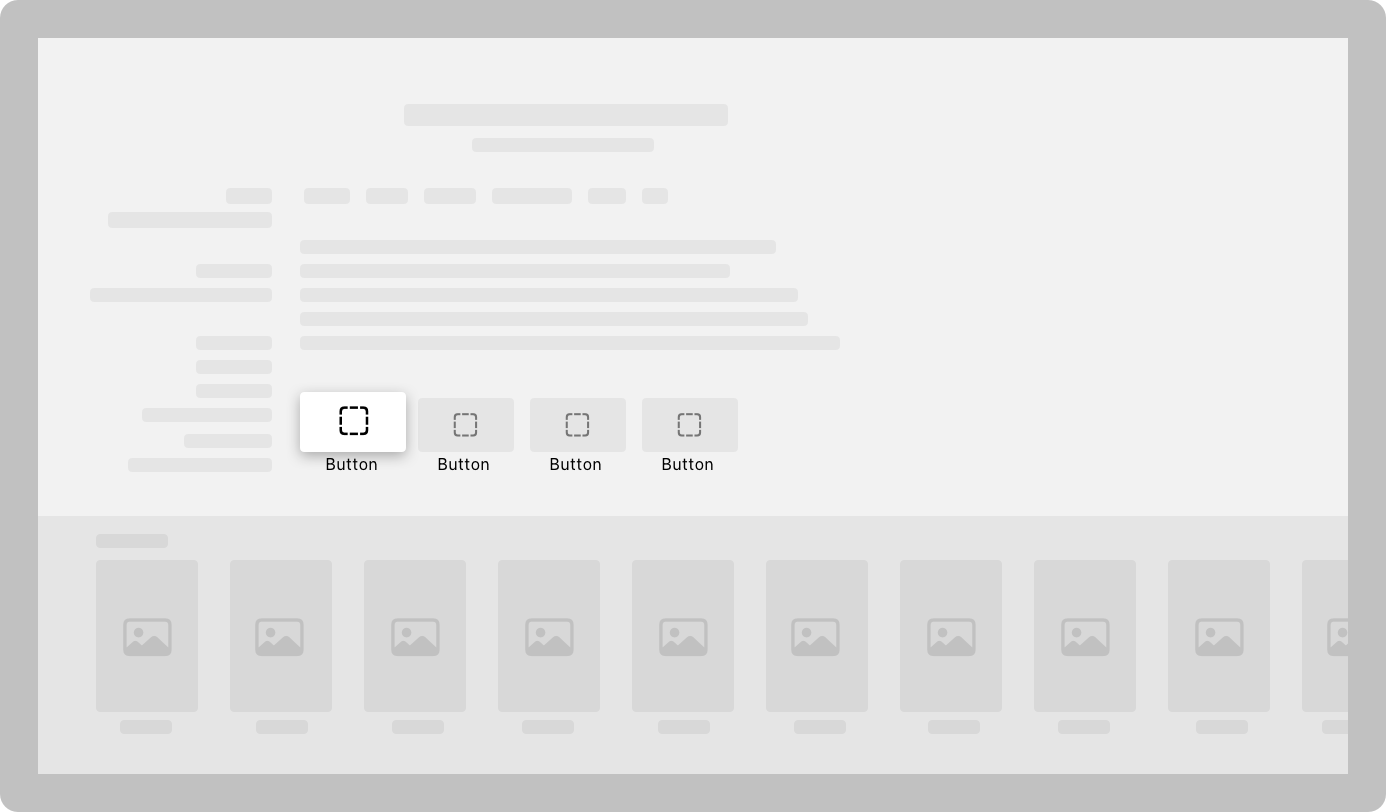
A caption button can include a title and a subtitle beneath the button. A caption button can contain either an image or text.
|
|
36
|
+
|
|
37
|
+
Make sure that when people focus on them, caption buttons tilt with the motion that they swipe. When aligned vertically, caption buttons tilt up and down. When aligned horizontally, caption buttons tilt left and right. When displayed in a grid, caption buttons tilt both vertically and horizontally.
|
|
38
|
+
|
|
39
|
+
|
|
40
|
+
|
|
41
|
+
For developer guidance, see [`TVCaptionButtonView`](https://developer.apple.com/documentation/TVUIKit/TVCaptionButtonView).
|
|
42
|
+
|
|
43
|
+
## [Monograms](https://developer.apple.com/design/human-interface-guidelines/lockups#Monograms)
|
|
44
|
+
|
|
45
|
+
Monograms identify people, usually the cast and crew for a media item. Each monogram consists of a circular picture of the person and their name. If an image isn’t available, the person’s initials appear in place of an image.
|
|
46
|
+
|
|
47
|
+
**Prefer images over initials.** An image of a person creates a more intimate connection than text.
|
|
48
|
+
|
|
49
|
+

|
|
50
|
+
|
|
51
|
+
For developer guidance, see [`TVMonogramContentView`](https://developer.apple.com/documentation/TVUIKit/TVMonogramContentView).
|
|
52
|
+
|
|
53
|
+
## [Posters](https://developer.apple.com/design/human-interface-guidelines/lockups#Posters)
|
|
54
|
+
|
|
55
|
+
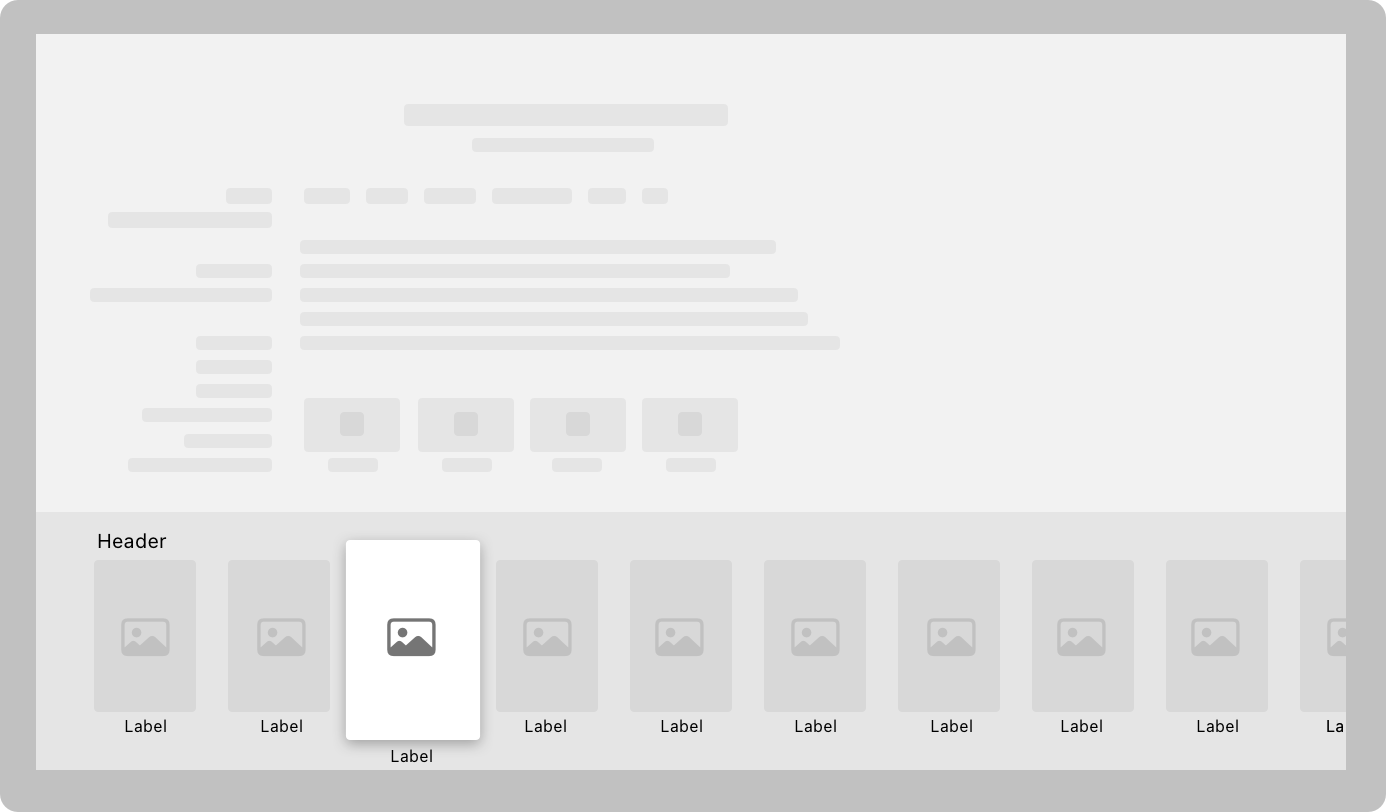
Posters consist of an image and an optional title and subtitle, which are hidden until the poster comes into focus. Posters can be any size, but the size needs to be appropriate for their content. For related guidance, see [Image views](https://developer.apple.com/design/human-interface-guidelines/image-views).
|
|
56
|
+
|
|
57
|
+
|
|
58
|
+
|
|
59
|
+
For developer guidance, see [`TVPosterView`](https://developer.apple.com/documentation/TVUIKit/TVPosterView).
|
|
60
|
+
|
|
61
|
+
## [Platform considerations](https://developer.apple.com/design/human-interface-guidelines/lockups#Platform-considerations)
|
|
62
|
+
|
|
63
|
+
_Not supported in iOS, iPadOS, macOS, visionOS, or watchOS._
|
|
64
|
+
|
|
65
|
+
## [Resources](https://developer.apple.com/design/human-interface-guidelines/lockups#Resources)
|
|
66
|
+
|
|
67
|
+
#### [Related](https://developer.apple.com/design/human-interface-guidelines/lockups#Related)
|
|
68
|
+
|
|
69
|
+
[Designing for tvOS](https://developer.apple.com/design/human-interface-guidelines/designing-for-tvos)
|
|
70
|
+
|
|
71
|
+
[Layout](https://developer.apple.com/design/human-interface-guidelines/layout)
|
|
72
|
+
|
|
73
|
+
#### [Developer documentation](https://developer.apple.com/design/human-interface-guidelines/lockups#Developer-documentation)
|
|
74
|
+
|
|
75
|
+
[`TVLockupView`](https://developer.apple.com/documentation/TVUIKit/TVLockupView) — TVUIKit
|
|
76
|
+
|
|
77
|
+
[`TVLockupHeaderFooterView`](https://developer.apple.com/documentation/TVUIKit/TVLockupHeaderFooterView) — TVUIKit
|
|
78
|
+
|
|
@@ -0,0 +1,36 @@
|
|
|
1
|
+
---
|
|
2
|
+
title: "Web views | Apple Developer Documentation"
|
|
3
|
+
source: https://developer.apple.com/design/human-interface-guidelines/web-views
|
|
4
|
+
|
|
5
|
+
# Web views
|
|
6
|
+
|
|
7
|
+
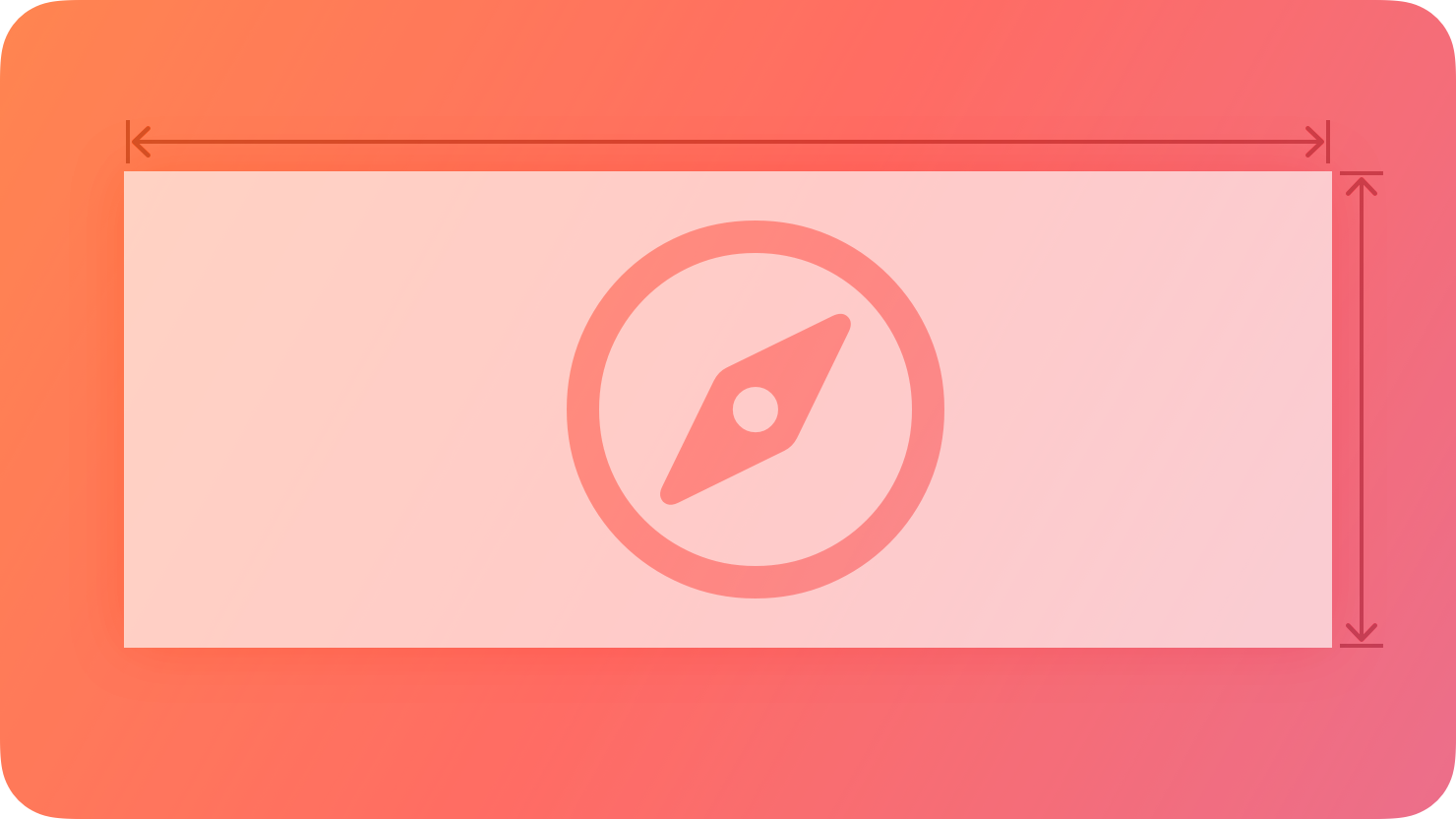
A web view loads and displays rich web content, such as embedded HTML and websites, directly within your app.
|
|
8
|
+
|
|
9
|
+
|
|
10
|
+
|
|
11
|
+
For example, Mail uses a web view to show HTML content in messages.
|
|
12
|
+
|
|
13
|
+
## [Best practices](https://developer.apple.com/design/human-interface-guidelines/web-views#Best-practices)
|
|
14
|
+
|
|
15
|
+
**Support forward and back navigation when appropriate.** Web views support forward and back navigation, but this behavior isn’t available by default. If people are likely to use your web view to visit multiple pages, allow forward and back navigation, and provide corresponding controls to initiate these features.
|
|
16
|
+
|
|
17
|
+
**Avoid using a web view to build a web browser.** Using a web view to let people briefly access a website without leaving the context of your app is fine, but Safari is the primary way people browse the web. Attempting to replicate the functionality of Safari in your app is unnecessary and discouraged.
|
|
18
|
+
|
|
19
|
+
## [Platform considerations](https://developer.apple.com/design/human-interface-guidelines/web-views#Platform-considerations)
|
|
20
|
+
|
|
21
|
+
_No additional considerations for iOS, iPadOS, macOS, or visionOS. Not supported in tvOS or watchOS._
|
|
22
|
+
|
|
23
|
+
## [Resources](https://developer.apple.com/design/human-interface-guidelines/web-views#Resources)
|
|
24
|
+
|
|
25
|
+
#### [Related](https://developer.apple.com/design/human-interface-guidelines/web-views#Related)
|
|
26
|
+
|
|
27
|
+
[Webkit.org](https://webkit.org/)
|
|
28
|
+
|
|
29
|
+
#### [Developer documentation](https://developer.apple.com/design/human-interface-guidelines/web-views#Developer-documentation)
|
|
30
|
+
|
|
31
|
+
[`WKWebView`](https://developer.apple.com/documentation/WebKit/WKWebView) — WebKit
|
|
32
|
+
|
|
33
|
+
#### [Videos](https://developer.apple.com/design/human-interface-guidelines/web-views#Videos)
|
|
34
|
+
|
|
35
|
+
[ Explore WKWebView additions ](https://developer.apple.com/videos/play/wwdc2021/10032)
|
|
36
|
+
|
|
@@ -0,0 +1,88 @@
|
|
|
1
|
+
---
|
|
2
|
+
name: hig-components-controls
|
|
3
|
+
version: 1.0.0
|
|
4
|
+
description: >-
|
|
5
|
+
Apple HIG guidance for selection and input controls including pickers, toggles,
|
|
6
|
+
sliders, steppers, segmented controls, combo boxes, text fields, text views,
|
|
7
|
+
labels, token fields, virtual keyboards, rating indicators, and gauges. Use
|
|
8
|
+
this skill when the user says "picker or segmented control," "how should my
|
|
9
|
+
form look," "what keyboard type should I use," "toggle vs checkbox," or asks
|
|
10
|
+
about picker design, toggle, switch, slider, stepper, text field, text input,
|
|
11
|
+
segmented control, combo box, label, token field, virtual keyboard, rating
|
|
12
|
+
indicator, gauge, form design, input validation, or control state management.
|
|
13
|
+
Cross-references: hig-components-menus, hig-components-dialogs,
|
|
14
|
+
hig-components-search.
|
|
15
|
+
---
|
|
16
|
+
|
|
17
|
+
# Apple HIG: Selection and Input Controls
|
|
18
|
+
|
|
19
|
+
Check for `.claude/apple-design-context.md` before asking questions. Use existing context and only ask for information not already covered.
|
|
20
|
+
|
|
21
|
+
## Key Principles
|
|
22
|
+
|
|
23
|
+
1. **Clear current state.** Users must always see what is selected. Toggles show on/off, segmented controls highlight the active segment, pickers display the current selection.
|
|
24
|
+
|
|
25
|
+
2. **Prefer standard system controls.** Built-in controls provide consistency and accessibility. Custom controls introduce a learning curve and may break assistive features.
|
|
26
|
+
|
|
27
|
+
3. **Toggles for binary states.** On or off. In Settings-style screens, changes take effect immediately. In modal forms, changes commit on confirmation.
|
|
28
|
+
|
|
29
|
+
4. **Segmented controls for mutually exclusive options.** 2-5 items, roughly equal importance, short labels.
|
|
30
|
+
|
|
31
|
+
5. **Sliders for continuous values.** When precise numeric input is not critical. Provide min/max labels or icons for range endpoints.
|
|
32
|
+
|
|
33
|
+
6. **Pickers for long option lists.** Too many options for a segmented control. Works well for dates, times, structured data.
|
|
34
|
+
|
|
35
|
+
7. **Steppers for small, precise adjustments.** Increment/decrement in fixed steps. Display current value next to the stepper with reasonable min/max bounds.
|
|
36
|
+
|
|
37
|
+
8. **Text fields for short, single-line input.** Text views for multi-line. Configure keyboard type to match expected input (email, URL, number).
|
|
38
|
+
|
|
39
|
+
9. **Combo boxes: text input + selection list.** macOS. Type a value or choose from a predefined list when custom values are valid.
|
|
40
|
+
|
|
41
|
+
10. **Token fields: discrete values as visual tokens.** macOS. For email recipients, tags, or collections of discrete items.
|
|
42
|
+
|
|
43
|
+
11. **Gauges and rating indicators display values.** Gauges show a value within a range. Rating indicators show ratings (often stars). Display-only; use interactive variants for input.
|
|
44
|
+
|
|
45
|
+
## Reference Index
|
|
46
|
+
|
|
47
|
+
| Reference | Topic | Key content |
|
|
48
|
+
|---|---|---|
|
|
49
|
+
| [controls.md](references/controls.md) | General controls | States, affordance, system controls |
|
|
50
|
+
| [toggles.md](references/toggles.md) | Toggles | On/off, immediate effect |
|
|
51
|
+
| [segmented-controls.md](references/segmented-controls.md) | Segmented controls | 2-5 options, equal weight |
|
|
52
|
+
| [sliders.md](references/sliders.md) | Sliders | Continuous range, min/max labels |
|
|
53
|
+
| [steppers.md](references/steppers.md) | Steppers | Fixed steps, bounded values |
|
|
54
|
+
| [pickers.md](references/pickers.md) | Pickers | Dates, times, long option sets |
|
|
55
|
+
| [combo-boxes.md](references/combo-boxes.md) | Combo boxes | macOS, type or select, custom values |
|
|
56
|
+
| [text-fields.md](references/text-fields.md) | Text fields | Short input, keyboard types, validation |
|
|
57
|
+
| [text-views.md](references/text-views.md) | Text views | Multi-line, comments, descriptions |
|
|
58
|
+
| [labels.md](references/labels.md) | Labels | Placement, VoiceOver support |
|
|
59
|
+
| [token-fields.md](references/token-fields.md) | Token fields | macOS, chips, tags, recipients |
|
|
60
|
+
| [virtual-keyboards.md](references/virtual-keyboards.md) | Virtual keyboards | Email, URL, number keyboard types |
|
|
61
|
+
| [rating-indicators.md](references/rating-indicators.md) | Rating indicators | Star ratings, display-only |
|
|
62
|
+
| [gauges.md](references/gauges.md) | Gauges | Level indicators, range display |
|
|
63
|
+
|
|
64
|
+
## Output Format
|
|
65
|
+
|
|
66
|
+
1. **Control recommendation with rationale** and why alternatives are less suitable.
|
|
67
|
+
2. **State management** -- how the control communicates current state and whether changes apply immediately or on confirmation.
|
|
68
|
+
3. **Validation approach** -- when to show errors and how to communicate rules.
|
|
69
|
+
4. **Accessibility** -- labels, traits, hints for VoiceOver.
|
|
70
|
+
|
|
71
|
+
## Questions to Ask
|
|
72
|
+
|
|
73
|
+
1. What type of data? (Boolean, choice from fixed set, numeric, free-form text?)
|
|
74
|
+
2. How many options?
|
|
75
|
+
3. Which platforms? (Combo boxes and token fields are macOS-only)
|
|
76
|
+
4. Settings screen or inline form?
|
|
77
|
+
|
|
78
|
+
## Related Skills
|
|
79
|
+
|
|
80
|
+
- **hig-components-menus** -- Buttons and pop-up buttons complementing selection controls
|
|
81
|
+
- **hig-components-dialogs** -- Sheets and popovers containing forms
|
|
82
|
+
- **hig-components-search** -- Search fields sharing text input patterns
|
|
83
|
+
- **hig-inputs** -- Keyboard, pointer, gesture interactions with controls
|
|
84
|
+
- **hig-foundations** -- Typography, color, layout for control styling
|
|
85
|
+
|
|
86
|
+
---
|
|
87
|
+
|
|
88
|
+
*Built by [Raintree Technology](https://raintree.technology) · [More developer tools](https://raintree.technology)*
|
|
@@ -0,0 +1,40 @@
|
|
|
1
|
+
---
|
|
2
|
+
title: "Combo boxes | Apple Developer Documentation"
|
|
3
|
+
source: https://developer.apple.com/design/human-interface-guidelines/combo-boxes
|
|
4
|
+
|
|
5
|
+
# Combo boxes
|
|
6
|
+
|
|
7
|
+
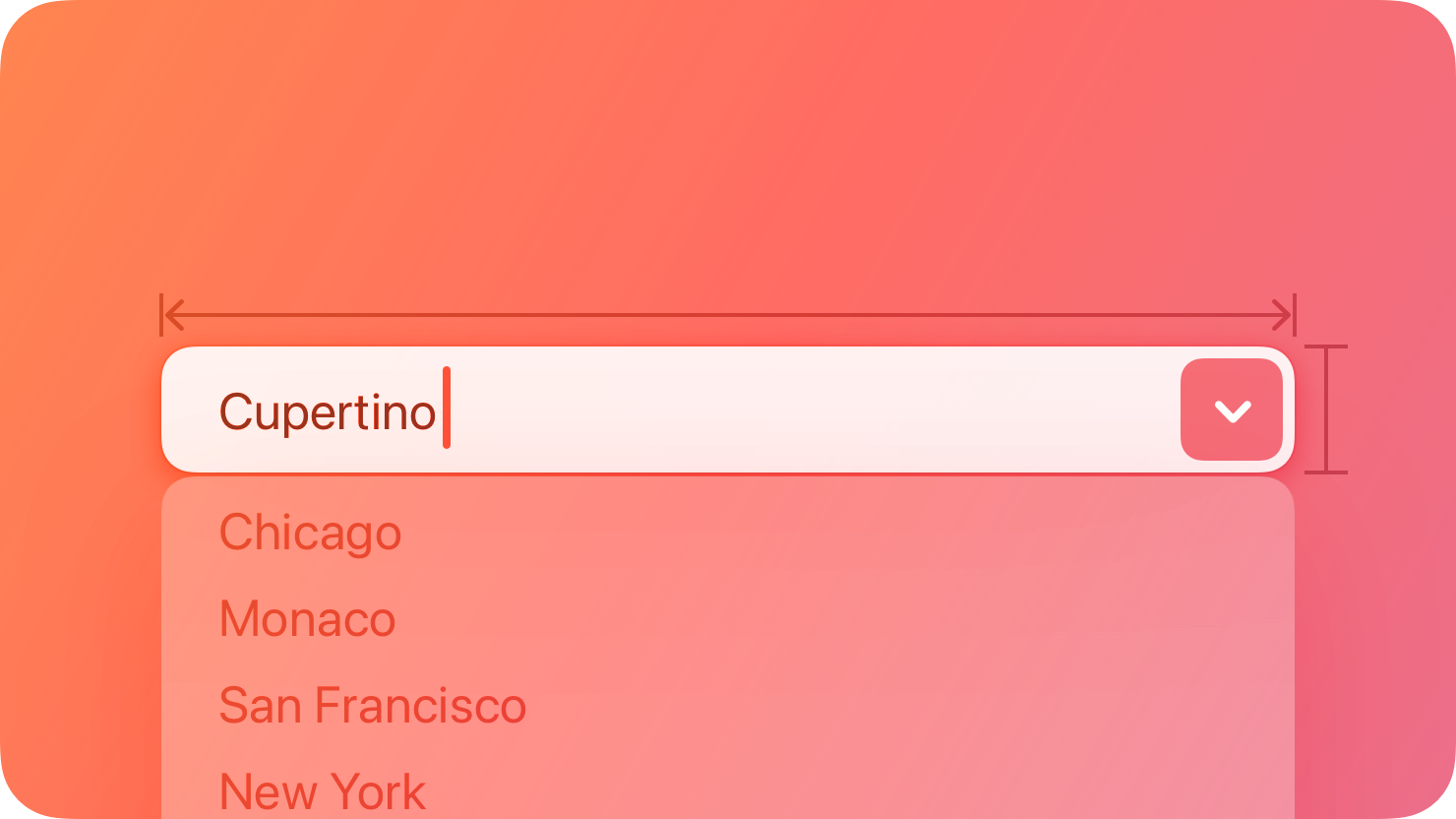
A combo box combines a text field with a pull-down button in a single control.
|
|
8
|
+
|
|
9
|
+
|
|
10
|
+
|
|
11
|
+
People can enter a custom value into the field or click the button to choose from a list of predefined values. When people enter a custom value, it’s not added to the list of choices.
|
|
12
|
+
|
|
13
|
+
## [Best practices](https://developer.apple.com/design/human-interface-guidelines/combo-boxes#Best-practices)
|
|
14
|
+
|
|
15
|
+
**Populate the field with a meaningful default value from the list.** Although the field can be empty by default, it’s best when the default value refers to the hidden choices. The default value doesn’t have to be the first item in the list.
|
|
16
|
+
|
|
17
|
+
**Use an introductory label to let people know what types of items to expect.** Generally, use title-style capitalization for labels and end them with a colon. For related guidance, see [Labels](https://developer.apple.com/design/human-interface-guidelines/labels).
|
|
18
|
+
|
|
19
|
+
**Provide relevant choices.** People appreciate the ability to enter a custom value, as well as the convenience of choosing from a list of the most likely choices.
|
|
20
|
+
|
|
21
|
+
**Make sure list items aren’t wider than the text field.** If an item is too wide, the text field might truncate it, which is hard for people to read.
|
|
22
|
+
|
|
23
|
+
For guidance, see [Text fields](https://developer.apple.com/design/human-interface-guidelines/text-fields) and [Pull-down buttons](https://developer.apple.com/design/human-interface-guidelines/pull-down-buttons).
|
|
24
|
+
|
|
25
|
+
## [Platform considerations](https://developer.apple.com/design/human-interface-guidelines/combo-boxes#Platform-considerations)
|
|
26
|
+
|
|
27
|
+
_Not supported in iOS, iPadOS, tvOS, visionOS, or watchOS._
|
|
28
|
+
|
|
29
|
+
## [Resources](https://developer.apple.com/design/human-interface-guidelines/combo-boxes#Resources)
|
|
30
|
+
|
|
31
|
+
#### [Related](https://developer.apple.com/design/human-interface-guidelines/combo-boxes#Related)
|
|
32
|
+
|
|
33
|
+
[Text fields](https://developer.apple.com/design/human-interface-guidelines/text-fields)
|
|
34
|
+
|
|
35
|
+
[Pull-down buttons](https://developer.apple.com/design/human-interface-guidelines/pull-down-buttons)
|
|
36
|
+
|
|
37
|
+
#### [Developer documentation](https://developer.apple.com/design/human-interface-guidelines/combo-boxes#Developer-documentation)
|
|
38
|
+
|
|
39
|
+
[`NSComboBox`](https://developer.apple.com/documentation/AppKit/NSComboBox) — AppKit
|
|
40
|
+
|
|
@@ -0,0 +1,112 @@
|
|
|
1
|
+
---
|
|
2
|
+
title: "Controls | Apple Developer Documentation"
|
|
3
|
+
source: https://developer.apple.com/design/human-interface-guidelines/controls
|
|
4
|
+
|
|
5
|
+
# Controls
|
|
6
|
+
|
|
7
|
+
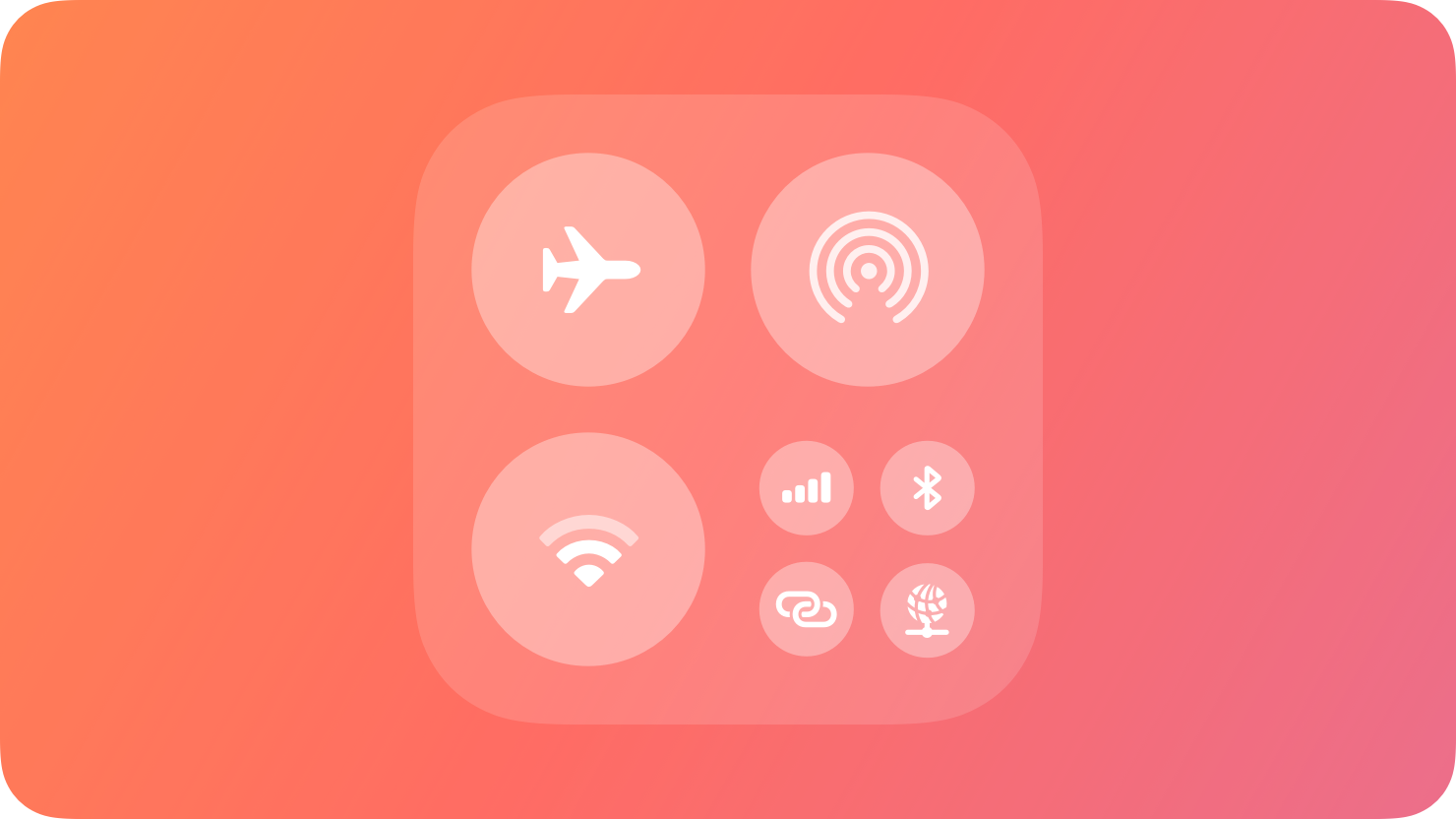
In iOS and iPadOS, a control provides quick access to a feature of your app from Control Center, the Lock Screen, or the Action button.
|
|
8
|
+
|
|
9
|
+
|
|
10
|
+
|
|
11
|
+
A control is a button or toggle that provides quick access to your app’s features from other areas of the system. Control buttons perform an action, link to a specific area of your app, or launch a [camera experience on a locked device](https://developer.apple.com/design/human-interface-guidelines/controls#Camera-experiences-on-a-locked-device). Control toggles switch between two states, such as on and off.
|
|
12
|
+
|
|
13
|
+
People can add controls to Control Center by pressing and holding in an empty area of Control Center, to the Lock Screen by customizing their Lock Screen, and to the Action button by configuring the Action button in the Settings app.
|
|
14
|
+
|
|
15
|
+
## [Anatomy](https://developer.apple.com/design/human-interface-guidelines/controls#Anatomy)
|
|
16
|
+
|
|
17
|
+
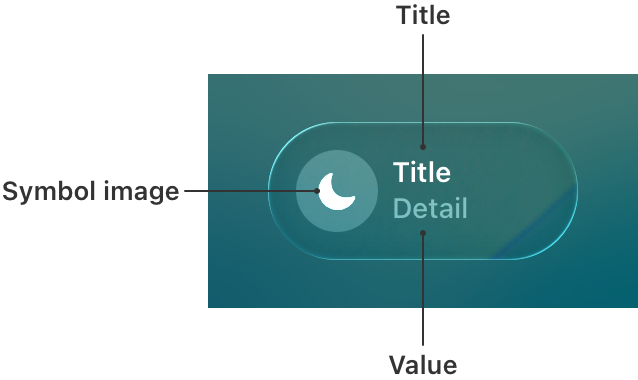
Controls contain a symbol image, a title, and, optionally, a value. The symbol visually represents what the control does and can be a symbol from [SF Symbols](https://developer.apple.com/design/human-interface-guidelines/sf-symbols) or a custom symbol. The title describes what the control relates to, and the value represents the state of the control. For example, the title can display the name of a light in a room, while the value can display whether it’s on or off.
|
|
18
|
+
|
|
19
|
+
|
|
20
|
+
|
|
21
|
+
Controls display their information differently depending on where they appear:
|
|
22
|
+
|
|
23
|
+
* In Control Center, a control displays its symbol and, at larger sizes, its title and value.
|
|
24
|
+
|
|
25
|
+
* On the Lock Screen, a control displays its symbol.
|
|
26
|
+
|
|
27
|
+
* On iPhone devices with a control assigned to the Action button, pressing and holding it displays the control’s symbol in the Dynamic Island, as well as its value (if present).
|
|
28
|
+
|
|
29
|
+
|
|
30
|
+
|
|
31
|
+
|
|
32
|
+
|
|
33
|
+
|
|
34
|
+
Control toggle in Control Center
|
|
35
|
+
|
|
36
|
+

|
|
37
|
+
|
|
38
|
+
Control toggle on the Lock Screen
|
|
39
|
+
|
|
40
|
+
|
|
41
|
+
|
|
42
|
+
Control toggle in the Dynamic Island
|
|
43
|
+
performed from the Action button
|
|
44
|
+
|
|
45
|
+
## [Best practices](https://developer.apple.com/design/human-interface-guidelines/controls#Best-practices)
|
|
46
|
+
|
|
47
|
+
**Offer controls for actions that provide the most benefit without having to launch your app.** For example, launching a Live Activity from a control creates an easy and seamless experience that informs someone about progress without having to navigate to your app to stay up to date. For guidance, see [Live Activities](https://developer.apple.com/design/human-interface-guidelines/live-activities).
|
|
48
|
+
|
|
49
|
+
**Update controls when someone interacts with them, when an action completes, or remotely with a push notification.** Update the contents of a control to accurately reflect the state and show if an action is still in progress.
|
|
50
|
+
|
|
51
|
+
**Choose a descriptive symbol that suggests the behavior of the control.** Depending on where a person adds a control, it may not display the title and value, so the symbol needs to convey enough information about the control’s action. For control toggles, provide a symbol for both the on and off states. For example, use the SF Symbols `door.garage.open` and `door.garage.closed` to represent a control that opens and closes a garage door. For guidance, see [SF Symbols](https://developer.apple.com/design/human-interface-guidelines/sf-symbols).
|
|
52
|
+
|
|
53
|
+
**Use symbol animations to highlight state changes.** For control toggles, animate the transition between both on and off states. For control buttons with actions that have a duration, animate indefinitely while the action performs and stop animating when the action is complete. For developer guidance, see [Symbols](https://developer.apple.com/documentation/Symbols) and [`SymbolEffect`](https://developer.apple.com/documentation/Symbols/SymbolEffect).
|
|
54
|
+
|
|
55
|
+
**Select a tint color that works with your app’s brand.** The system applies this tint color to a control toggle’s symbol in its on state. When a person performs the action of a control from the Action button, the system also uses this tint color to display the value and symbol in the Dynamic Island. For guidance, see [Branding](https://developer.apple.com/design/human-interface-guidelines/branding).
|
|
56
|
+
|
|
57
|
+
Nontinted control toggle in the off state
|
|
58
|
+
|
|
59
|
+
Tinted control toggle in the on state
|
|
60
|
+
|
|
61
|
+
**Help people provide additional information the system needs to perform an action.** A person may need to configure a control to perform a desired action — for example, select a specific light in a house to turn on and off. If a control requires configuration, prompt people to complete this step when they first add it. People can reconfigure the control at any time. For developer guidance, see [`promptsForUserConfiguration()`](https://developer.apple.com/documentation/SwiftUI/ControlWidgetConfiguration/promptsForUserConfiguration\(\)).
|
|
62
|
+
|
|
63
|
+
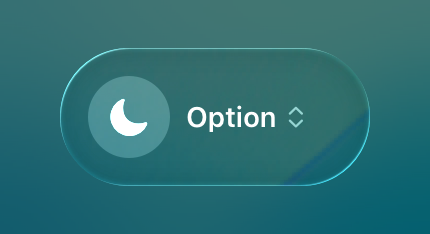
|
|
64
|
+
|
|
65
|
+
**Provide hint text for the Action button.** When a person presses the Action button, the system displays hint text to help them understand what happens when they press and hold. When someone presses and holds the Action button, the system performs the action configured to it. Use verbs to construct the hint text. For developer guidance, see [`controlWidgetActionHint(_:)`](https://developer.apple.com/documentation/SwiftUI/View/controlWidgetActionHint\(_:\)-5yoyh).
|
|
66
|
+
|
|
67
|
+
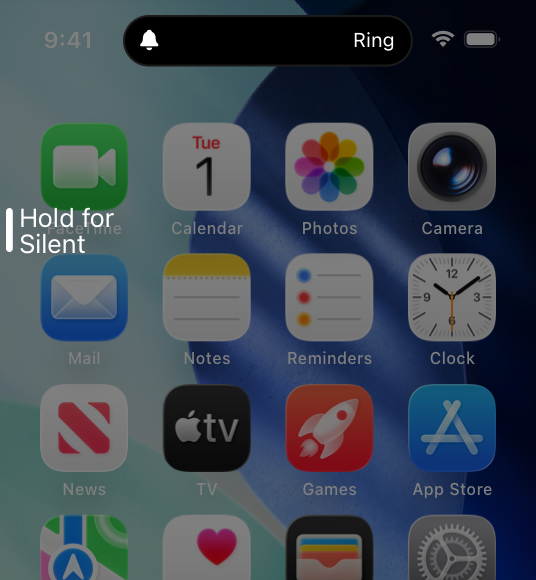
|
|
68
|
+
|
|
69
|
+
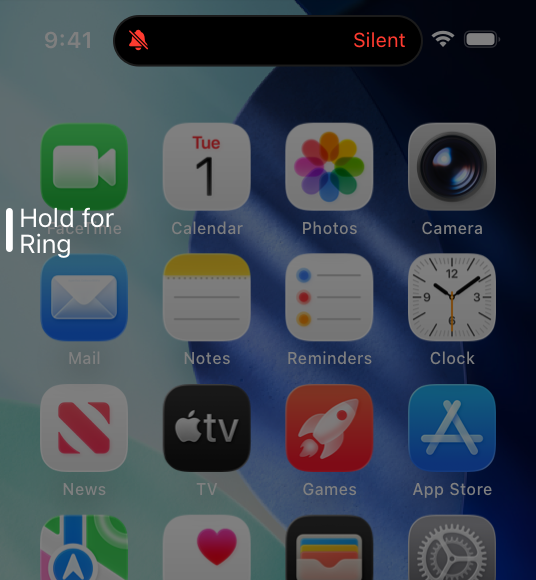
|
|
70
|
+
|
|
71
|
+
**If your control title or value can vary, include a placeholder.** Placeholder information tells people what your control does when the title and value are situational. The system displays this information when someone brings up the controls gallery in Control Center or the Lock Screen and chooses your control, or before they assign it to the Action button.
|
|
72
|
+
|
|
73
|
+
**Hide sensitive information when the device is locked.** When the device is locked, consider having the system redact the title and value to hide personal or security-related information. Specify if the system needs to redact the symbol state as well. If specified, the system redacts the title and value, and displays the symbol in its off state.
|
|
74
|
+
|
|
75
|
+
Control toggle with no information hidden
|
|
76
|
+
|
|
77
|
+
Control toggle with information hidden on a locked device
|
|
78
|
+
|
|
79
|
+
**Require authentication for actions that affect security.** For example, require people to unlock their device to access controls to lock or unlock the door to their house or start their car. For developer guidance, see [`IntentAuthenticationPolicy`](https://developer.apple.com/documentation/AppIntents/IntentAuthenticationPolicy).
|
|
80
|
+
|
|
81
|
+
## [Camera experiences on a locked device](https://developer.apple.com/design/human-interface-guidelines/controls#Camera-experiences-on-a-locked-device)
|
|
82
|
+
|
|
83
|
+
If your app supports camera capture, starting with iOS 18 you can create a control that launches directly to your app’s camera experience while the device is locked. For any task beyond capture, a person must authenticate and unlock their device to complete the task in your app. For developer guidance, see [LockedCameraCapture](https://developer.apple.com/documentation/LockedCameraCapture).
|
|
84
|
+
|
|
85
|
+
**Use the same camera UI in your app and your camera experience.** Sharing UI leverages people’s familiarity with the app. By using the same UI, the transition to the app is seamless when someone captures content and taps a button to perform additional tasks, such as posting to a social network or editing a photo.
|
|
86
|
+
|
|
87
|
+
**Provide instructions for adding the control.** Help people understand how to add the control that launches this camera experience.
|
|
88
|
+
|
|
89
|
+
## [Platform considerations](https://developer.apple.com/design/human-interface-guidelines/controls#Platform-considerations)
|
|
90
|
+
|
|
91
|
+
_No additional considerations for iOS or iPadOS. Not supported in macOS, watchOS, tvOS, or visionOS._
|
|
92
|
+
|
|
93
|
+
## [Resources](https://developer.apple.com/design/human-interface-guidelines/controls#Resources)
|
|
94
|
+
|
|
95
|
+
#### [Related](https://developer.apple.com/design/human-interface-guidelines/controls#Related)
|
|
96
|
+
|
|
97
|
+
[Widgets](https://developer.apple.com/design/human-interface-guidelines/widgets)
|
|
98
|
+
|
|
99
|
+
[Action button](https://developer.apple.com/design/human-interface-guidelines/action-button)
|
|
100
|
+
|
|
101
|
+
#### [Developer documentation](https://developer.apple.com/design/human-interface-guidelines/controls#Developer-documentation)
|
|
102
|
+
|
|
103
|
+
[LockedCameraCapture](https://developer.apple.com/documentation/LockedCameraCapture)
|
|
104
|
+
|
|
105
|
+
[WidgetKit](https://developer.apple.com/documentation/WidgetKit)
|
|
106
|
+
|
|
107
|
+
## [Change log](https://developer.apple.com/design/human-interface-guidelines/controls#Change-log)
|
|
108
|
+
|
|
109
|
+
Date| Changes
|
|
110
|
+
---|---
|
|
111
|
+
June 10, 2024| New page.
|
|
112
|
+
|
|
@@ -0,0 +1,74 @@
|
|
|
1
|
+
---
|
|
2
|
+
title: "Gauges | Apple Developer Documentation"
|
|
3
|
+
source: https://developer.apple.com/design/human-interface-guidelines/gauges
|
|
4
|
+
|
|
5
|
+
# Gauges
|
|
6
|
+
|
|
7
|
+
A gauge displays a specific numerical value within a range of values.
|
|
8
|
+
|
|
9
|
+
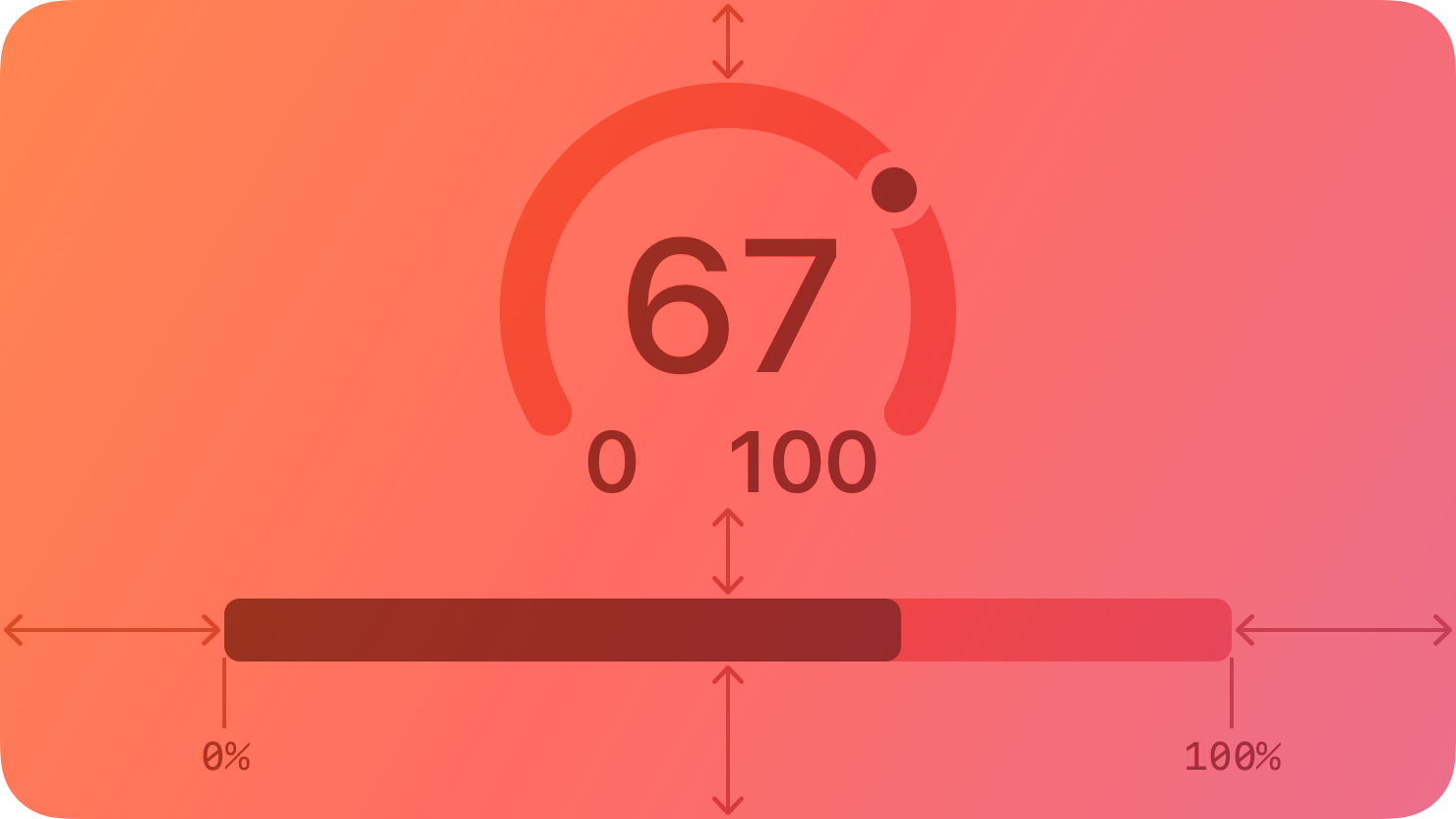
|
|
10
|
+
|
|
11
|
+
In addition to indicating the current value in a range, a gauge can provide more context about the range itself. For example, a temperature gauge can use text to identify the highest and lowest temperatures in the range and display a spectrum of colors that visually reinforce the changing values.
|
|
12
|
+
|
|
13
|
+
## [Anatomy](https://developer.apple.com/design/human-interface-guidelines/gauges#Anatomy)
|
|
14
|
+
|
|
15
|
+
A gauge uses a circular or linear path to represent a range of values, mapping the current value to a specific point on the path. A standard gauge displays an indicator that shows the current value’s location; a gauge that uses the capacity style displays a fill that stops at the value’s location on the path.
|
|
16
|
+
|
|
17
|
+
Circular and linear gauges in both standard and capacity styles are also available in a variant that’s visually similar to watchOS complications. This variant — called accessory — works well in iOS Lock Screen widgets and anywhere you want to echo the appearance of complications.
|
|
18
|
+
|
|
19
|
+
Note
|
|
20
|
+
|
|
21
|
+
In addition to gauges, macOS also supports level indicators, some of which have visual styles that are similar to gauges. For guidance, see [macOS](https://developer.apple.com/design/human-interface-guidelines/gauges#macOS).
|
|
22
|
+
|
|
23
|
+
## [Best practices](https://developer.apple.com/design/human-interface-guidelines/gauges#Best-practices)
|
|
24
|
+
|
|
25
|
+
**Write succinct labels that describe the current value and both endpoints of the range.** Although not every gauge style displays all labels, VoiceOver reads the visible labels to help people understand the gauge without seeing the screen.
|
|
26
|
+
|
|
27
|
+
**Consider filling the path with a gradient to help communicate the purpose of the gauge.** For example, a temperature gauge might use colors that range from red to blue to represent temperatures that range from hot to cold.
|
|
28
|
+
|
|
29
|
+
## [Platform considerations](https://developer.apple.com/design/human-interface-guidelines/gauges#Platform-considerations)
|
|
30
|
+
|
|
31
|
+
_No additional considerations for iOS, iPadOS, visionOS, or watchOS. Not supported in tvOS._
|
|
32
|
+
|
|
33
|
+
### [macOS](https://developer.apple.com/design/human-interface-guidelines/gauges#macOS)
|
|
34
|
+
|
|
35
|
+
In addition to supporting gauges, macOS also defines a level indicator that displays a specific numerical value within a range. You can configure a level indicator to convey capacity, rating, or — rarely — relevance.
|
|
36
|
+
|
|
37
|
+
The capacity style can depict discrete or continuous values.
|
|
38
|
+
|
|
39
|
+

|
|
40
|
+
|
|
41
|
+
**Continuous.** A horizontal translucent track that fills with a solid bar to indicate the current value.
|
|
42
|
+
|
|
43
|
+

|
|
44
|
+
|
|
45
|
+
**Discrete.** A horizontal row of separate, equally sized, rectangular segments. The number of segments matches the total capacity, and the segments fill completely — never partially — with color to indicate the current value.
|
|
46
|
+
|
|
47
|
+
**Consider using the continuous style for large ranges.** A large value range can make the segments of a discrete capacity indicator too small to be useful.
|
|
48
|
+
|
|
49
|
+
**Consider changing the fill color to inform people about significant parts of the range.** By default, the fill color for both capacity indicator styles is green. If it makes sense in your app, you can change the fill color when the current value reaches certain levels, such as very low, very high, or just past the middle. You can change the fill color of the entire indicator or you can use the tiered state to show a sequence of several colors in one indicator, as shown below.
|
|
50
|
+
|
|
51
|
+
Tiered level appearance
|
|
52
|
+
|
|
53
|
+
For guidance using the rating style to help people rank something, see [Rating indicators](https://developer.apple.com/design/human-interface-guidelines/rating-indicators).
|
|
54
|
+
|
|
55
|
+
Although rarely used, the relevance style can communicate relevancy using a shaded horizontal bar. For example, a relevance indicator might appear in a list of search results, helping people visualize the relevancy of the results when sorting or comparing multiple items.
|
|
56
|
+
|
|
57
|
+
## [Resources](https://developer.apple.com/design/human-interface-guidelines/gauges#Resources)
|
|
58
|
+
|
|
59
|
+
#### [Related](https://developer.apple.com/design/human-interface-guidelines/gauges#Related)
|
|
60
|
+
|
|
61
|
+
[Ratings and reviews](https://developer.apple.com/design/human-interface-guidelines/ratings-and-reviews)
|
|
62
|
+
|
|
63
|
+
#### [Developer documentation](https://developer.apple.com/design/human-interface-guidelines/gauges#Developer-documentation)
|
|
64
|
+
|
|
65
|
+
[`Gauge`](https://developer.apple.com/documentation/SwiftUI/Gauge) — SwiftUI
|
|
66
|
+
|
|
67
|
+
[`NSLevelIndicator`](https://developer.apple.com/documentation/AppKit/NSLevelIndicator) — AppKit
|
|
68
|
+
|
|
69
|
+
## [Change log](https://developer.apple.com/design/human-interface-guidelines/gauges#Change-log)
|
|
70
|
+
|
|
71
|
+
Date| Changes
|
|
72
|
+
---|---
|
|
73
|
+
September 23, 2022| New page.
|
|
74
|
+
|
|
@@ -0,0 +1,92 @@
|
|
|
1
|
+
---
|
|
2
|
+
title: "Labels | Apple Developer Documentation"
|
|
3
|
+
source: https://developer.apple.com/design/human-interface-guidelines/labels
|
|
4
|
+
|
|
5
|
+
# Labels
|
|
6
|
+
|
|
7
|
+
A label is a static piece of text that people can read and often copy, but not edit.
|
|
8
|
+
|
|
9
|
+
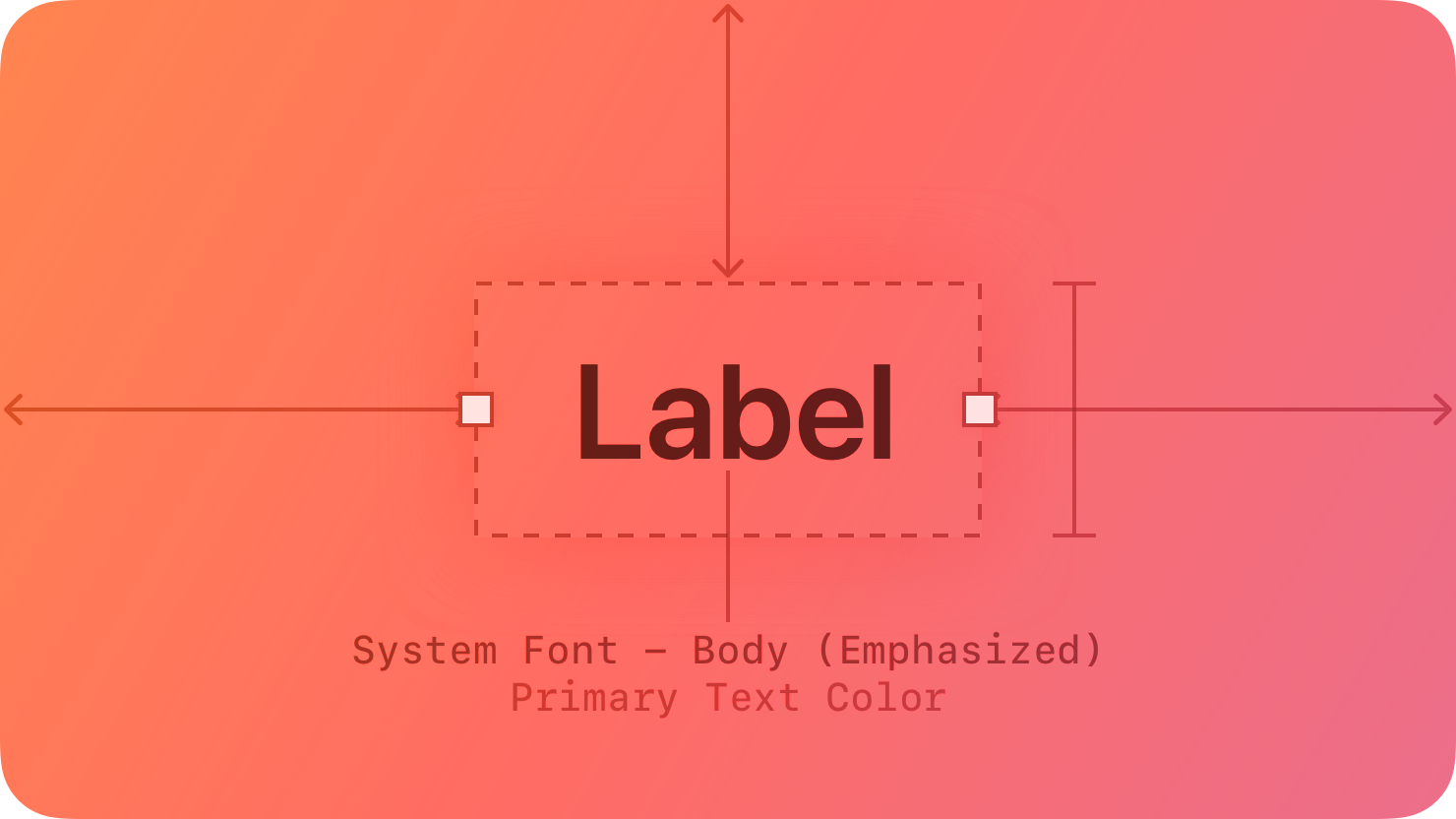
|
|
10
|
+
|
|
11
|
+
Labels display text throughout the interface, in buttons, menu items, and views, helping people understand the current context and what they can do next.
|
|
12
|
+
|
|
13
|
+
The term _label_ refers to uneditable text that can appear in various places. For example:
|
|
14
|
+
|
|
15
|
+
* Within a button, a label generally conveys what the button does, such as Edit, Cancel, or Send.
|
|
16
|
+
|
|
17
|
+
* Within many lists, a label can describe each item, often accompanied by a symbol or an image.
|
|
18
|
+
|
|
19
|
+
* Within a view, a label might provide additional context by introducing a control or describing a common action or task that people can perform in the view.
|
|
20
|
+
|
|
21
|
+
|
|
22
|
+
|
|
23
|
+
|
|
24
|
+
Developer note
|
|
25
|
+
|
|
26
|
+
To display uneditable text, SwiftUI defines two components: [`Label`](https://developer.apple.com/documentation/SwiftUI/Label) and [`Text`](https://developer.apple.com/documentation/SwiftUI/Text).
|
|
27
|
+
|
|
28
|
+
The guidance below can help you use a label to display text. In some cases, guidance for specific components — such as [action buttons](https://developer.apple.com/design/human-interface-guidelines/buttons), [menus](https://developer.apple.com/design/human-interface-guidelines/menus), and [lists and tables](https://developer.apple.com/design/human-interface-guidelines/lists-and-tables) — includes additional recommendations for using text.
|
|
29
|
+
|
|
30
|
+
## [Best practices](https://developer.apple.com/design/human-interface-guidelines/labels#Best-practices)
|
|
31
|
+
|
|
32
|
+
**Use a label to display a small amount of text that people don’t need to edit.** If you need to let people edit a small amount of text, use a [text field](https://developer.apple.com/design/human-interface-guidelines/text-fields). If you need to display a large amount of text, and optionally let people edit it, use a [text view](https://developer.apple.com/design/human-interface-guidelines/text-views).
|
|
33
|
+
|
|
34
|
+
**Prefer system fonts.** A label can display plain or styled text, and it supports Dynamic Type (where available) by default. If you adjust the style of a label or use custom fonts, make sure the text remains legible.
|
|
35
|
+
|
|
36
|
+
**Use system-provided label colors to communicate relative importance.** The system defines four label colors that vary in appearance to help you give text different levels of visual importance. For additional guidance, see [Color](https://developer.apple.com/design/human-interface-guidelines/color).
|
|
37
|
+
|
|
38
|
+
System color| Example usage| iOS, iPadOS, tvOS, visionOS| macOS
|
|
39
|
+
---|---|---|---
|
|
40
|
+
Label| Primary information| [`label`](https://developer.apple.com/documentation/UIKit/UIColor/label)| [`labelColor`](https://developer.apple.com/documentation/AppKit/NSColor/labelColor)
|
|
41
|
+
Secondary label| A subheading or supplemental text| [`secondaryLabel`](https://developer.apple.com/documentation/UIKit/UIColor/secondaryLabel)| [`secondaryLabelColor`](https://developer.apple.com/documentation/AppKit/NSColor/secondaryLabelColor)
|
|
42
|
+
Tertiary label| Text that describes an unavailable item or behavior| [`tertiaryLabel`](https://developer.apple.com/documentation/UIKit/UIColor/tertiaryLabel)| [`tertiaryLabelColor`](https://developer.apple.com/documentation/AppKit/NSColor/tertiaryLabelColor)
|
|
43
|
+
Quaternary label| Watermark text| [`quaternaryLabel`](https://developer.apple.com/documentation/UIKit/UIColor/quaternaryLabel)| [`quaternaryLabelColor`](https://developer.apple.com/documentation/AppKit/NSColor/quaternaryLabelColor)
|
|
44
|
+
|
|
45
|
+
**Make useful label text selectable.** If a label contains useful information — like an error message, a location, or an IP address — consider letting people select and copy it for pasting elsewhere.
|
|
46
|
+
|
|
47
|
+
## [Platform considerations](https://developer.apple.com/design/human-interface-guidelines/labels#Platform-considerations)
|
|
48
|
+
|
|
49
|
+
_No additional considerations for iOS, iPadOS, tvOS, or visionOS._
|
|
50
|
+
|
|
51
|
+
### [macOS](https://developer.apple.com/design/human-interface-guidelines/labels#macOS)
|
|
52
|
+
|
|
53
|
+
Developer note
|
|
54
|
+
|
|
55
|
+
To display uneditable text in a label, use the [`isEditable`](https://developer.apple.com/documentation/AppKit/NSTextField/isEditable) property of [`NSTextField`](https://developer.apple.com/documentation/AppKit/NSTextField).
|
|
56
|
+
|
|
57
|
+
### [watchOS](https://developer.apple.com/design/human-interface-guidelines/labels#watchOS)
|
|
58
|
+
|
|
59
|
+
Date and time text components (shown below on the left) display the current date, the current time, or a combination of both. You can configure a date text component to use a variety of formats, calendars, and time zones. A countdown timer text component (shown below on the right) displays a precise countdown or count-up timer. You can configure a timer text component to display its count value in a variety of formats.
|
|
60
|
+
|
|
61
|
+
Date and time labels
|
|
62
|
+
|
|
63
|
+
Timer label
|
|
64
|
+
|
|
65
|
+
When you use the system-provided date and timer text components, watchOS automatically adjusts the label’s presentation to fit the available space. The system also updates the content without further input from your app.
|
|
66
|
+
|
|
67
|
+
Consider using date and timer components in complications. For design guidance, see [Complications](https://developer.apple.com/design/human-interface-guidelines/components/system-experiences/complications); for developer guidance, see [`Text`](https://developer.apple.com/documentation/SwiftUI/Text).
|
|
68
|
+
|
|
69
|
+
## [Resources](https://developer.apple.com/design/human-interface-guidelines/labels#Resources)
|
|
70
|
+
|
|
71
|
+
#### [Related](https://developer.apple.com/design/human-interface-guidelines/labels#Related)
|
|
72
|
+
|
|
73
|
+
[Text fields](https://developer.apple.com/design/human-interface-guidelines/text-fields)
|
|
74
|
+
|
|
75
|
+
[Text views](https://developer.apple.com/design/human-interface-guidelines/text-views)
|
|
76
|
+
|
|
77
|
+
#### [Developer documentation](https://developer.apple.com/design/human-interface-guidelines/labels#Developer-documentation)
|
|
78
|
+
|
|
79
|
+
[`Label`](https://developer.apple.com/documentation/SwiftUI/Label) — SwiftUI
|
|
80
|
+
|
|
81
|
+
[`Text`](https://developer.apple.com/documentation/SwiftUI/Text) — SwiftUI
|
|
82
|
+
|
|
83
|
+
[`UILabel`](https://developer.apple.com/documentation/UIKit/UILabel) — UIKit
|
|
84
|
+
|
|
85
|
+
[`NSTextField`](https://developer.apple.com/documentation/AppKit/NSTextField) — AppKit
|
|
86
|
+
|
|
87
|
+
## [Change log](https://developer.apple.com/design/human-interface-guidelines/labels#Change-log)
|
|
88
|
+
|
|
89
|
+
Date| Changes
|
|
90
|
+
---|---
|
|
91
|
+
June 5, 2023| Updated guidance to reflect changes in watchOS 10.
|
|
92
|
+
|