buildanything 1.7.1 → 2.0.0
This diff represents the content of publicly available package versions that have been released to one of the supported registries. The information contained in this diff is provided for informational purposes only and reflects changes between package versions as they appear in their respective public registries.
- package/.claude-plugin/marketplace.json +3 -3
- package/.claude-plugin/plugin.json +9 -3
- package/CHANGELOG.md +112 -0
- package/README.md +2 -2
- package/agents/a11y-architect.md +166 -0
- package/agents/business-model.md +80 -29
- package/agents/code-architect.md +75 -0
- package/agents/code-reviewer.md +255 -0
- package/agents/code-simplifier.md +64 -0
- package/agents/design-brand-guardian.md +293 -53
- package/agents/design-critic.md +139 -0
- package/agents/design-inclusive-visuals-specialist.md +6 -19
- package/agents/design-ui-designer.md +335 -56
- package/agents/design-ux-architect.md +403 -55
- package/agents/design-ux-researcher.md +264 -49
- package/agents/engineering-ai-engineer.md +26 -36
- package/agents/engineering-backend-architect.md +185 -36
- package/agents/engineering-data-engineer.md +225 -43
- package/agents/engineering-devops-automator.md +227 -74
- package/agents/engineering-frontend-developer.md +210 -34
- package/agents/engineering-mobile-app-builder.md +6 -1
- package/agents/engineering-rapid-prototyper.md +30 -9
- package/agents/engineering-security-engineer.md +263 -61
- package/agents/engineering-senior-developer.md +128 -19
- package/agents/engineering-sre.md +84 -0
- package/agents/engineering-technical-writer.md +285 -41
- package/agents/feature-intel.md +110 -0
- package/agents/ios-app-review-guardian.md +66 -0
- package/agents/ios-foundation-models-specialist.md +64 -0
- package/agents/ios-storekit-specialist.md +59 -0
- package/agents/ios-swift-architect.md +129 -0
- package/agents/ios-swift-search.md +137 -0
- package/agents/ios-swift-ui-design.md +136 -0
- package/agents/marketing-app-store-optimizer.md +246 -64
- package/agents/planner.md +216 -0
- package/agents/pr-test-analyzer.md +63 -0
- package/agents/product-feedback-synthesizer.md +8 -2
- package/agents/refactor-cleaner.md +102 -0
- package/agents/security-reviewer.md +128 -0
- package/agents/silent-failure-hunter.md +54 -0
- package/agents/swift-build-resolver.md +119 -0
- package/agents/swift-reviewer.md +112 -0
- package/agents/tech-feasibility.md +21 -1
- package/agents/testing-api-tester.md +236 -59
- package/agents/testing-evidence-collector.md +26 -1
- package/agents/testing-performance-benchmarker.md +21 -1
- package/agents/testing-reality-checker.md +6 -1
- package/agents/visual-research.md +116 -0
- package/bin/adapters/cycle-counter-tool.ts +155 -0
- package/bin/adapters/scribe-tool.ts +71 -0
- package/bin/adapters/state-save-tool.ts +130 -0
- package/bin/adapters/write-lease-tool.ts +127 -0
- package/bin/buildanything-runtime.js +15 -0
- package/bin/buildanything-runtime.ts +328 -0
- package/bin/setup.js +83 -8
- package/commands/add-feature.md +2 -0
- package/commands/build.md +752 -332
- package/commands/fix.md +65 -0
- package/commands/self-check.md +121 -0
- package/commands/setup.md +114 -0
- package/commands/ux-review.md +63 -0
- package/commands/verify.md +69 -0
- package/docs/migration/agents.yaml +729 -0
- package/docs/migration/phase-graph.yaml +1088 -0
- package/docs/migration/sdk-host-compat.md +18 -0
- package/hooks/compile-writer-owner-cache.ts +171 -0
- package/hooks/hooks.json +36 -0
- package/hooks/pre-tool-use +19 -0
- package/hooks/pre-tool-use.ts +776 -0
- package/hooks/record-mode-transitions.ts +178 -0
- package/hooks/session-start +89 -2
- package/hooks/subagent-start +17 -0
- package/hooks/subagent-start.ts +471 -0
- package/hooks/subagent-stop +17 -0
- package/hooks/subagent-stop.ts +153 -0
- package/package.json +28 -5
- package/protocols/architecture-schema.md +171 -0
- package/protocols/build-fix.md +52 -0
- package/protocols/cleanup.md +54 -0
- package/protocols/decision-log.md +131 -0
- package/protocols/eval-harness.md +61 -0
- package/protocols/fake-data-detector.md +64 -0
- package/protocols/ios-context.md +234 -0
- package/protocols/ios-frameworks-map.md +323 -0
- package/protocols/ios-phase-branches.md +337 -0
- package/protocols/ios-preflight.md +27 -0
- package/protocols/launch-readiness.md +258 -0
- package/protocols/metric-loop.md +153 -0
- package/protocols/smoke-test.md +118 -0
- package/protocols/state-schema.json +388 -0
- package/protocols/state-schema.md +172 -0
- package/protocols/verify.md +127 -0
- package/protocols/visual-dna.md +185 -0
- package/protocols/web-phase-branches.md +351 -0
- package/skills/ios/_VENDORED.md +62 -0
- package/skills/ios/activitykit/LICENSE +131 -0
- package/skills/ios/activitykit/SKILL.md +505 -0
- package/skills/ios/activitykit/references/activitykit-patterns.md +868 -0
- package/skills/ios/app-intents/LICENSE +131 -0
- package/skills/ios/app-intents/SKILL.md +494 -0
- package/skills/ios/app-intents/references/appintents-advanced.md +1076 -0
- package/skills/ios/app-store-connect-metadata/SKILL.md +148 -0
- package/skills/ios/apple-on-device-ai/LICENSE +131 -0
- package/skills/ios/apple-on-device-ai/SKILL.md +505 -0
- package/skills/ios/apple-on-device-ai/references/coreml-conversion.md +425 -0
- package/skills/ios/apple-on-device-ai/references/coreml-optimization.md +344 -0
- package/skills/ios/apple-on-device-ai/references/foundation-models.md +508 -0
- package/skills/ios/apple-on-device-ai/references/mlx-swift.md +285 -0
- package/skills/ios/asc-privacy-manifest/SKILL.md +350 -0
- package/skills/ios/hig-components-content/SKILL.md +86 -0
- package/skills/ios/hig-components-content/references/activity-views.md +79 -0
- package/skills/ios/hig-components-content/references/charts.md +180 -0
- package/skills/ios/hig-components-content/references/collections.md +48 -0
- package/skills/ios/hig-components-content/references/color-wells.md +42 -0
- package/skills/ios/hig-components-content/references/image-views.md +82 -0
- package/skills/ios/hig-components-content/references/image-wells.md +34 -0
- package/skills/ios/hig-components-content/references/lockups.md +78 -0
- package/skills/ios/hig-components-content/references/web-views.md +36 -0
- package/skills/ios/hig-components-controls/SKILL.md +88 -0
- package/skills/ios/hig-components-controls/references/combo-boxes.md +40 -0
- package/skills/ios/hig-components-controls/references/controls.md +112 -0
- package/skills/ios/hig-components-controls/references/gauges.md +74 -0
- package/skills/ios/hig-components-controls/references/labels.md +92 -0
- package/skills/ios/hig-components-controls/references/pickers.md +128 -0
- package/skills/ios/hig-components-controls/references/rating-indicators.md +38 -0
- package/skills/ios/hig-components-controls/references/segmented-controls.md +94 -0
- package/skills/ios/hig-components-controls/references/sliders.md +92 -0
- package/skills/ios/hig-components-controls/references/steppers.md +40 -0
- package/skills/ios/hig-components-controls/references/text-fields.md +88 -0
- package/skills/ios/hig-components-controls/references/text-views.md +56 -0
- package/skills/ios/hig-components-controls/references/toggles.md +127 -0
- package/skills/ios/hig-components-controls/references/token-fields.md +48 -0
- package/skills/ios/hig-components-controls/references/virtual-keyboards.md +156 -0
- package/skills/ios/hig-components-dialogs/SKILL.md +76 -0
- package/skills/ios/hig-components-dialogs/references/action-sheets.md +74 -0
- package/skills/ios/hig-components-dialogs/references/alerts.md +158 -0
- package/skills/ios/hig-components-dialogs/references/digit-entry-views.md +32 -0
- package/skills/ios/hig-components-dialogs/references/popovers.md +81 -0
- package/skills/ios/hig-components-dialogs/references/sheets.md +157 -0
- package/skills/ios/hig-components-layout/SKILL.md +99 -0
- package/skills/ios/hig-components-layout/references/boxes.md +48 -0
- package/skills/ios/hig-components-layout/references/column-views.md +44 -0
- package/skills/ios/hig-components-layout/references/lists-and-tables.md +99 -0
- package/skills/ios/hig-components-layout/references/ornaments.md +56 -0
- package/skills/ios/hig-components-layout/references/outline-views.md +64 -0
- package/skills/ios/hig-components-layout/references/panels.md +75 -0
- package/skills/ios/hig-components-layout/references/scroll-views.md +123 -0
- package/skills/ios/hig-components-layout/references/sidebars.md +109 -0
- package/skills/ios/hig-components-layout/references/split-views.md +110 -0
- package/skills/ios/hig-components-layout/references/tab-bars.md +173 -0
- package/skills/ios/hig-components-layout/references/tab-views.md +68 -0
- package/skills/ios/hig-components-layout/references/windows.md +188 -0
- package/skills/ios/hig-components-menus/SKILL.md +81 -0
- package/skills/ios/hig-components-menus/references/action-button.md +61 -0
- package/skills/ios/hig-components-menus/references/buttons.md +261 -0
- package/skills/ios/hig-components-menus/references/context-menus.md +105 -0
- package/skills/ios/hig-components-menus/references/disclosure-controls.md +84 -0
- package/skills/ios/hig-components-menus/references/dock-menus.md +40 -0
- package/skills/ios/hig-components-menus/references/edit-menus.md +88 -0
- package/skills/ios/hig-components-menus/references/menus.md +171 -0
- package/skills/ios/hig-components-menus/references/pop-up-buttons.md +70 -0
- package/skills/ios/hig-components-menus/references/pull-down-buttons.md +77 -0
- package/skills/ios/hig-components-menus/references/the-menu-bar.md +303 -0
- package/skills/ios/hig-components-menus/references/toolbars.md +256 -0
- package/skills/ios/hig-components-search/SKILL.md +68 -0
- package/skills/ios/hig-components-search/references/page-controls.md +120 -0
- package/skills/ios/hig-components-search/references/path-controls.md +40 -0
- package/skills/ios/hig-components-search/references/search-fields.md +189 -0
- package/skills/ios/hig-components-status/SKILL.md +80 -0
- package/skills/ios/hig-components-status/references/activity-rings.md +105 -0
- package/skills/ios/hig-components-status/references/progress-indicators.md +116 -0
- package/skills/ios/hig-components-status/references/status-bars.md +38 -0
- package/skills/ios/hig-components-system/SKILL.md +88 -0
- package/skills/ios/hig-components-system/references/app-clips.md +387 -0
- package/skills/ios/hig-components-system/references/app-shortcuts.md +114 -0
- package/skills/ios/hig-components-system/references/complications.md +425 -0
- package/skills/ios/hig-components-system/references/home-screen-quick-actions.md +42 -0
- package/skills/ios/hig-components-system/references/live-activities.md +442 -0
- package/skills/ios/hig-components-system/references/notifications.md +153 -0
- package/skills/ios/hig-components-system/references/top-shelf.md +135 -0
- package/skills/ios/hig-components-system/references/watch-faces.md +40 -0
- package/skills/ios/hig-components-system/references/widgets.md +517 -0
- package/skills/ios/hig-foundations/SKILL.md +98 -0
- package/skills/ios/hig-foundations/references/accessibility.md +291 -0
- package/skills/ios/hig-foundations/references/app-icons.md +210 -0
- package/skills/ios/hig-foundations/references/branding.md +44 -0
- package/skills/ios/hig-foundations/references/color.md +274 -0
- package/skills/ios/hig-foundations/references/dark-mode.md +116 -0
- package/skills/ios/hig-foundations/references/icons.md +263 -0
- package/skills/ios/hig-foundations/references/images.md +176 -0
- package/skills/ios/hig-foundations/references/immersive-experiences.md +174 -0
- package/skills/ios/hig-foundations/references/inclusion.md +189 -0
- package/skills/ios/hig-foundations/references/layout.md +425 -0
- package/skills/ios/hig-foundations/references/materials.md +238 -0
- package/skills/ios/hig-foundations/references/motion.md +103 -0
- package/skills/ios/hig-foundations/references/privacy.md +231 -0
- package/skills/ios/hig-foundations/references/right-to-left.md +206 -0
- package/skills/ios/hig-foundations/references/sf-symbols.md +310 -0
- package/skills/ios/hig-foundations/references/spatial-layout.md +142 -0
- package/skills/ios/hig-foundations/references/typography.md +1146 -0
- package/skills/ios/hig-foundations/references/writing.md +91 -0
- package/skills/ios/hig-inputs/SKILL.md +94 -0
- package/skills/ios/hig-inputs/references/apple-pencil-and-scribble.md +148 -0
- package/skills/ios/hig-inputs/references/camera-control.md +107 -0
- package/skills/ios/hig-inputs/references/digital-crown.md +83 -0
- package/skills/ios/hig-inputs/references/eyes.md +120 -0
- package/skills/ios/hig-inputs/references/focus-and-selection.md +120 -0
- package/skills/ios/hig-inputs/references/game-controls.md +156 -0
- package/skills/ios/hig-inputs/references/gestures.md +208 -0
- package/skills/ios/hig-inputs/references/gyro-and-accelerometer.md +40 -0
- package/skills/ios/hig-inputs/references/keyboards.md +234 -0
- package/skills/ios/hig-inputs/references/nearby-interactions.md +70 -0
- package/skills/ios/hig-inputs/references/pointing-devices.md +237 -0
- package/skills/ios/hig-inputs/references/remotes.md +67 -0
- package/skills/ios/hig-inputs/references/spatial-interactions.md +70 -0
- package/skills/ios/hig-patterns/SKILL.md +104 -0
- package/skills/ios/hig-patterns/references/charting-data.md +81 -0
- package/skills/ios/hig-patterns/references/collaboration-and-sharing.md +86 -0
- package/skills/ios/hig-patterns/references/drag-and-drop.md +134 -0
- package/skills/ios/hig-patterns/references/entering-data.md +69 -0
- package/skills/ios/hig-patterns/references/feedback.md +67 -0
- package/skills/ios/hig-patterns/references/file-management.md +135 -0
- package/skills/ios/hig-patterns/references/going-full-screen.md +79 -0
- package/skills/ios/hig-patterns/references/launching.md +81 -0
- package/skills/ios/hig-patterns/references/live-viewing-apps.md +79 -0
- package/skills/ios/hig-patterns/references/loading.md +59 -0
- package/skills/ios/hig-patterns/references/managing-accounts.md +107 -0
- package/skills/ios/hig-patterns/references/managing-notifications.md +99 -0
- package/skills/ios/hig-patterns/references/modality.md +82 -0
- package/skills/ios/hig-patterns/references/multitasking.md +131 -0
- package/skills/ios/hig-patterns/references/offering-help.md +117 -0
- package/skills/ios/hig-patterns/references/onboarding.md +69 -0
- package/skills/ios/hig-patterns/references/playing-audio.md +124 -0
- package/skills/ios/hig-patterns/references/playing-haptics.md +280 -0
- package/skills/ios/hig-patterns/references/playing-video.md +180 -0
- package/skills/ios/hig-patterns/references/printing.md +50 -0
- package/skills/ios/hig-patterns/references/ratings-and-reviews.md +48 -0
- package/skills/ios/hig-patterns/references/searching.md +70 -0
- package/skills/ios/hig-patterns/references/settings.md +84 -0
- package/skills/ios/hig-patterns/references/undo-and-redo.md +58 -0
- package/skills/ios/hig-patterns/references/workouts.md +76 -0
- package/skills/ios/hig-platforms/SKILL.md +84 -0
- package/skills/ios/hig-platforms/references/designing-for-games.md +159 -0
- package/skills/ios/hig-platforms/references/designing-for-ios.md +66 -0
- package/skills/ios/hig-platforms/references/designing-for-ipados.md +64 -0
- package/skills/ios/hig-platforms/references/designing-for-macos.md +70 -0
- package/skills/ios/hig-platforms/references/designing-for-tvos.md +68 -0
- package/skills/ios/hig-platforms/references/designing-for-visionos.md +85 -0
- package/skills/ios/hig-platforms/references/designing-for-watchos.md +74 -0
- package/skills/ios/hig-project-context/SKILL.md +133 -0
- package/skills/ios/hig-technologies/SKILL.md +107 -0
- package/skills/ios/hig-technologies/references/airplay.md +125 -0
- package/skills/ios/hig-technologies/references/always-on.md +62 -0
- package/skills/ios/hig-technologies/references/apple-pay.md +441 -0
- package/skills/ios/hig-technologies/references/augmented-reality.md +247 -0
- package/skills/ios/hig-technologies/references/carekit.md +224 -0
- package/skills/ios/hig-technologies/references/carplay.md +119 -0
- package/skills/ios/hig-technologies/references/game-center.md +343 -0
- package/skills/ios/hig-technologies/references/generative-ai.md +110 -0
- package/skills/ios/hig-technologies/references/healthkit.md +120 -0
- package/skills/ios/hig-technologies/references/homekit.md +343 -0
- package/skills/ios/hig-technologies/references/icloud.md +52 -0
- package/skills/ios/hig-technologies/references/id-verifier.md +73 -0
- package/skills/ios/hig-technologies/references/imessage-apps-and-stickers.md +105 -0
- package/skills/ios/hig-technologies/references/in-app-purchase.md +263 -0
- package/skills/ios/hig-technologies/references/live-photos.md +54 -0
- package/skills/ios/hig-technologies/references/mac-catalyst.md +216 -0
- package/skills/ios/hig-technologies/references/machine-learning.md +394 -0
- package/skills/ios/hig-technologies/references/maps.md +221 -0
- package/skills/ios/hig-technologies/references/nfc.md +51 -0
- package/skills/ios/hig-technologies/references/photo-editing.md +40 -0
- package/skills/ios/hig-technologies/references/researchkit.md +134 -0
- package/skills/ios/hig-technologies/references/shareplay.md +142 -0
- package/skills/ios/hig-technologies/references/shazamkit.md +47 -0
- package/skills/ios/hig-technologies/references/sign-in-with-apple.md +288 -0
- package/skills/ios/hig-technologies/references/siri.md +523 -0
- package/skills/ios/hig-technologies/references/tap-to-pay-on-iphone.md +208 -0
- package/skills/ios/hig-technologies/references/voiceover.md +90 -0
- package/skills/ios/hig-technologies/references/wallet.md +420 -0
- package/skills/ios/ios-26-platform/SKILL.md +53 -0
- package/skills/ios/ios-26-platform/references/automatic-adoption.md +161 -0
- package/skills/ios/ios-26-platform/references/backward-compat.md +238 -0
- package/skills/ios/ios-26-platform/references/liquid-glass.md +255 -0
- package/skills/ios/ios-26-platform/references/swiftui-apis.md +277 -0
- package/skills/ios/ios-26-platform/references/toolbar-navigation.md +250 -0
- package/skills/ios/ios-bootstrap/SKILL.md +107 -0
- package/skills/ios/ios-bootstrap/references/apple-docs-mcp-config.md +28 -0
- package/skills/ios/ios-bootstrap/references/new-project-dialog.md +41 -0
- package/skills/ios/ios-bootstrap/references/xcode-mcp-config.md +29 -0
- package/skills/ios/ios-debugger-agent/LICENSE +21 -0
- package/skills/ios/ios-debugger-agent/SKILL.md +58 -0
- package/skills/ios/ios-debugger-agent/agents/openai.yaml +4 -0
- package/skills/ios/ios-entitlements-generator/SKILL.md +47 -0
- package/skills/ios/ios-info-plist-hardening/SKILL.md +130 -0
- package/skills/ios/ios-maestro-flow-author/SKILL.md +68 -0
- package/skills/ios/ios-maestro-flow-author/references/input-and-scroll.yaml +17 -0
- package/skills/ios/ios-maestro-flow-author/references/modal-and-dismiss.yaml +14 -0
- package/skills/ios/ios-maestro-flow-author/references/onboarding-flow.yaml +16 -0
- package/skills/ios/ios-maestro-flow-author/references/tab-navigation.yaml +13 -0
- package/skills/ios/ios-maestro-flow-author/references/tap-and-assert.yaml +9 -0
- package/skills/ios/swift-accessibility/LICENSE +21 -0
- package/skills/ios/swift-accessibility/SKILL.md +371 -0
- package/skills/ios/swift-accessibility/examples/before-after-appkit.md +446 -0
- package/skills/ios/swift-accessibility/examples/before-after-swiftui.md +441 -0
- package/skills/ios/swift-accessibility/examples/before-after-uikit.md +464 -0
- package/skills/ios/swift-accessibility/references/assistive-access.md +441 -0
- package/skills/ios/swift-accessibility/references/display-settings.md +491 -0
- package/skills/ios/swift-accessibility/references/dynamic-type.md +420 -0
- package/skills/ios/swift-accessibility/references/media-accessibility.md +421 -0
- package/skills/ios/swift-accessibility/references/motor-input.md +393 -0
- package/skills/ios/swift-accessibility/references/nutrition-labels.md +362 -0
- package/skills/ios/swift-accessibility/references/platform-specifics.md +515 -0
- package/skills/ios/swift-accessibility/references/semantic-structure.md +585 -0
- package/skills/ios/swift-accessibility/references/testing-auditing.md +507 -0
- package/skills/ios/swift-accessibility/references/voice-control.md +317 -0
- package/skills/ios/swift-accessibility/references/voiceover-swiftui.md +584 -0
- package/skills/ios/swift-accessibility/references/voiceover-uikit.md +519 -0
- package/skills/ios/swift-accessibility/references/wcag-mapping.md +167 -0
- package/skills/ios/swift-accessibility/resources/audit-template.swift +128 -0
- package/skills/ios/swift-accessibility/resources/qa-checklist.md +258 -0
- package/skills/ios/swift-actor-persistence/SKILL.md +143 -0
- package/skills/ios/swift-concurrency/LICENSE +21 -0
- package/skills/ios/swift-concurrency/SKILL.md +171 -0
- package/skills/ios/swift-concurrency/references/_index.md +50 -0
- package/skills/ios/swift-concurrency/references/actors.md +660 -0
- package/skills/ios/swift-concurrency/references/async-algorithms.md +847 -0
- package/skills/ios/swift-concurrency/references/async-await-basics.md +266 -0
- package/skills/ios/swift-concurrency/references/async-sequences.md +710 -0
- package/skills/ios/swift-concurrency/references/core-data.md +560 -0
- package/skills/ios/swift-concurrency/references/glossary.md +135 -0
- package/skills/ios/swift-concurrency/references/linting.md +155 -0
- package/skills/ios/swift-concurrency/references/memory-management.md +569 -0
- package/skills/ios/swift-concurrency/references/migration.md +1104 -0
- package/skills/ios/swift-concurrency/references/performance.md +593 -0
- package/skills/ios/swift-concurrency/references/sendable.md +598 -0
- package/skills/ios/swift-concurrency/references/tasks.md +636 -0
- package/skills/ios/swift-concurrency/references/testing.md +592 -0
- package/skills/ios/swift-concurrency/references/threading.md +495 -0
- package/skills/ios/swift-concurrency-6-2/SKILL.md +216 -0
- package/skills/ios/swift-protocol-di-testing/SKILL.md +190 -0
- package/skills/ios/swift-security-expert/LICENSE +21 -0
- package/skills/ios/swift-security-expert/SKILL.md +470 -0
- package/skills/ios/swift-security-expert/references/biometric-authentication.md +565 -0
- package/skills/ios/swift-security-expert/references/certificate-trust.md +592 -0
- package/skills/ios/swift-security-expert/references/common-anti-patterns.md +690 -0
- package/skills/ios/swift-security-expert/references/compliance-owasp-mapping.md +537 -0
- package/skills/ios/swift-security-expert/references/credential-storage-patterns.md +721 -0
- package/skills/ios/swift-security-expert/references/cryptokit-public-key.md +505 -0
- package/skills/ios/swift-security-expert/references/cryptokit-symmetric.md +497 -0
- package/skills/ios/swift-security-expert/references/keychain-access-control.md +508 -0
- package/skills/ios/swift-security-expert/references/keychain-fundamentals.md +596 -0
- package/skills/ios/swift-security-expert/references/keychain-item-classes.md +476 -0
- package/skills/ios/swift-security-expert/references/keychain-sharing.md +458 -0
- package/skills/ios/swift-security-expert/references/migration-legacy-stores.md +727 -0
- package/skills/ios/swift-security-expert/references/secure-enclave.md +539 -0
- package/skills/ios/swift-security-expert/references/testing-security-code.md +781 -0
- package/skills/ios/swift-testing-expert/LICENSE +21 -0
- package/skills/ios/swift-testing-expert/SKILL.md +79 -0
- package/skills/ios/swift-testing-expert/references/_index.md +12 -0
- package/skills/ios/swift-testing-expert/references/async-testing-and-waiting.md +127 -0
- package/skills/ios/swift-testing-expert/references/expectations.md +145 -0
- package/skills/ios/swift-testing-expert/references/fundamentals.md +141 -0
- package/skills/ios/swift-testing-expert/references/migration-from-xctest.md +127 -0
- package/skills/ios/swift-testing-expert/references/parallelization-and-isolation.md +95 -0
- package/skills/ios/swift-testing-expert/references/parameterized-testing.md +284 -0
- package/skills/ios/swift-testing-expert/references/performance-and-best-practices.md +187 -0
- package/skills/ios/swift-testing-expert/references/traits-and-tags.md +114 -0
- package/skills/ios/swift-testing-expert/references/xcode-workflows.md +70 -0
- package/skills/ios/swiftdata-pro/LICENSE +21 -0
- package/skills/ios/swiftdata-pro/SKILL.md +102 -0
- package/skills/ios/swiftdata-pro/agents/openai.yaml +10 -0
- package/skills/ios/swiftdata-pro/assets/swiftdata-pro-icon.png +0 -0
- package/skills/ios/swiftdata-pro/assets/swiftdata-pro-icon.svg +29 -0
- package/skills/ios/swiftdata-pro/references/class-inheritance.md +104 -0
- package/skills/ios/swiftdata-pro/references/cloudkit.md +10 -0
- package/skills/ios/swiftdata-pro/references/core-rules.md +20 -0
- package/skills/ios/swiftdata-pro/references/indexing.md +27 -0
- package/skills/ios/swiftdata-pro/references/predicates.md +73 -0
- package/skills/ios/swiftui-design-principles/AGENTS.md +21 -0
- package/skills/ios/swiftui-design-principles/LICENSE +21 -0
- package/skills/ios/swiftui-design-principles/README.md +41 -0
- package/skills/ios/swiftui-design-principles/SKILL.md +605 -0
- package/skills/ios/swiftui-design-principles/metadata.json +10 -0
- package/skills/ios/swiftui-design-tokens/SKILL.md +475 -0
- package/skills/ios/swiftui-liquid-glass/LICENSE +21 -0
- package/skills/ios/swiftui-liquid-glass/SKILL.md +95 -0
- package/skills/ios/swiftui-liquid-glass/agents/openai.yaml +4 -0
- package/skills/ios/swiftui-liquid-glass/references/liquid-glass.md +280 -0
- package/skills/ios/swiftui-performance-audit/LICENSE +21 -0
- package/skills/ios/swiftui-performance-audit/SKILL.md +111 -0
- package/skills/ios/swiftui-performance-audit/agents/openai.yaml +4 -0
- package/skills/ios/swiftui-performance-audit/references/code-smells.md +150 -0
- package/skills/ios/swiftui-performance-audit/references/demystify-swiftui-performance-wwdc23.md +46 -0
- package/skills/ios/swiftui-performance-audit/references/optimizing-swiftui-performance-instruments.md +29 -0
- package/skills/ios/swiftui-performance-audit/references/profiling-intake.md +44 -0
- package/skills/ios/swiftui-performance-audit/references/report-template.md +47 -0
- package/skills/ios/swiftui-performance-audit/references/understanding-hangs-in-your-app.md +33 -0
- package/skills/ios/swiftui-performance-audit/references/understanding-improving-swiftui-performance.md +52 -0
- package/skills/ios/swiftui-pro/LICENSE +21 -0
- package/skills/ios/swiftui-pro/SKILL.md +108 -0
- package/skills/ios/swiftui-pro/agents/openai.yaml +10 -0
- package/skills/ios/swiftui-pro/assets/swiftui-pro-icon.png +0 -0
- package/skills/ios/swiftui-pro/assets/swiftui-pro-icon.svg +29 -0
- package/skills/ios/swiftui-pro/references/accessibility.md +13 -0
- package/skills/ios/swiftui-pro/references/api.md +39 -0
- package/skills/ios/swiftui-pro/references/data.md +43 -0
- package/skills/ios/swiftui-pro/references/design.md +31 -0
- package/skills/ios/swiftui-pro/references/hygiene.md +9 -0
- package/skills/ios/swiftui-pro/references/navigation.md +14 -0
- package/skills/ios/swiftui-pro/references/performance.md +46 -0
- package/skills/ios/swiftui-pro/references/swift.md +56 -0
- package/skills/ios/swiftui-pro/references/views.md +35 -0
- package/skills/ios/swiftui-ui-patterns/LICENSE +21 -0
- package/skills/ios/swiftui-ui-patterns/SKILL.md +100 -0
- package/skills/ios/swiftui-ui-patterns/agents/openai.yaml +4 -0
- package/skills/ios/swiftui-ui-patterns/references/app-wiring.md +201 -0
- package/skills/ios/swiftui-ui-patterns/references/async-state.md +96 -0
- package/skills/ios/swiftui-ui-patterns/references/components-index.md +50 -0
- package/skills/ios/swiftui-ui-patterns/references/controls.md +57 -0
- package/skills/ios/swiftui-ui-patterns/references/deeplinks.md +66 -0
- package/skills/ios/swiftui-ui-patterns/references/focus.md +90 -0
- package/skills/ios/swiftui-ui-patterns/references/form.md +97 -0
- package/skills/ios/swiftui-ui-patterns/references/grids.md +71 -0
- package/skills/ios/swiftui-ui-patterns/references/haptics.md +71 -0
- package/skills/ios/swiftui-ui-patterns/references/input-toolbar.md +51 -0
- package/skills/ios/swiftui-ui-patterns/references/lightweight-clients.md +93 -0
- package/skills/ios/swiftui-ui-patterns/references/list.md +86 -0
- package/skills/ios/swiftui-ui-patterns/references/loading-placeholders.md +38 -0
- package/skills/ios/swiftui-ui-patterns/references/macos-settings.md +71 -0
- package/skills/ios/swiftui-ui-patterns/references/matched-transitions.md +59 -0
- package/skills/ios/swiftui-ui-patterns/references/media.md +73 -0
- package/skills/ios/swiftui-ui-patterns/references/menu-bar.md +101 -0
- package/skills/ios/swiftui-ui-patterns/references/navigationstack.md +159 -0
- package/skills/ios/swiftui-ui-patterns/references/overlay.md +45 -0
- package/skills/ios/swiftui-ui-patterns/references/performance.md +62 -0
- package/skills/ios/swiftui-ui-patterns/references/previews.md +48 -0
- package/skills/ios/swiftui-ui-patterns/references/scroll-reveal.md +133 -0
- package/skills/ios/swiftui-ui-patterns/references/scrollview.md +87 -0
- package/skills/ios/swiftui-ui-patterns/references/searchable.md +71 -0
- package/skills/ios/swiftui-ui-patterns/references/sheets.md +155 -0
- package/skills/ios/swiftui-ui-patterns/references/split-views.md +72 -0
- package/skills/ios/swiftui-ui-patterns/references/tabview.md +114 -0
- package/skills/ios/swiftui-ui-patterns/references/theming.md +71 -0
- package/skills/ios/swiftui-ui-patterns/references/title-menus.md +93 -0
- package/skills/ios/swiftui-ui-patterns/references/top-bar.md +49 -0
- package/skills/ios/swiftui-view-refactor/LICENSE +21 -0
- package/skills/ios/swiftui-view-refactor/SKILL.md +207 -0
- package/skills/ios/swiftui-view-refactor/agents/openai.yaml +4 -0
- package/skills/ios/swiftui-view-refactor/references/mv-patterns.md +161 -0
- package/skills/ios/widgetkit/LICENSE +131 -0
- package/skills/ios/widgetkit/SKILL.md +502 -0
- package/skills/ios/widgetkit/references/widgetkit-advanced.md +871 -0
- package/skills/ios/writing-for-interfaces/SKILL.md +75 -0
- package/skills/web/accessibility/SKILL.md +146 -0
- package/skills/web/aceternity-ui/SKILL.md +719 -0
- package/skills/web/aceternity-ui/metadata.json +10 -0
- package/skills/web/api-design/SKILL.md +523 -0
- package/skills/web/chart-accessibility/SKILL.md +332 -0
- package/skills/web/composition-patterns/AGENTS.md +946 -0
- package/skills/web/composition-patterns/README.md +60 -0
- package/skills/web/composition-patterns/SKILL.md +89 -0
- package/skills/web/composition-patterns/metadata.json +11 -0
- package/skills/web/composition-patterns/rules/_sections.md +29 -0
- package/skills/web/composition-patterns/rules/_template.md +24 -0
- package/skills/web/composition-patterns/rules/architecture-avoid-boolean-props.md +100 -0
- package/skills/web/composition-patterns/rules/architecture-compound-components.md +112 -0
- package/skills/web/composition-patterns/rules/patterns-children-over-render-props.md +87 -0
- package/skills/web/composition-patterns/rules/patterns-explicit-variants.md +100 -0
- package/skills/web/composition-patterns/rules/react19-no-forwardref.md +42 -0
- package/skills/web/composition-patterns/rules/state-context-interface.md +191 -0
- package/skills/web/composition-patterns/rules/state-decouple-implementation.md +113 -0
- package/skills/web/composition-patterns/rules/state-lift-state.md +125 -0
- package/skills/web/cost-aware-llm-pipeline/SKILL.md +183 -0
- package/skills/web/database-migrations/SKILL.md +429 -0
- package/skills/web/deployment-patterns/SKILL.md +427 -0
- package/skills/web/docker-patterns/SKILL.md +364 -0
- package/skills/web/e2e-testing/SKILL.md +326 -0
- package/skills/web/lighthouse-ci/SKILL.md +361 -0
- package/skills/web/mcp-server-patterns/SKILL.md +69 -0
- package/skills/web/next-best-practices/SKILL.md +153 -0
- package/skills/web/next-best-practices/async-patterns.md +87 -0
- package/skills/web/next-best-practices/bundling.md +180 -0
- package/skills/web/next-best-practices/data-patterns.md +297 -0
- package/skills/web/next-best-practices/debug-tricks.md +105 -0
- package/skills/web/next-best-practices/directives.md +73 -0
- package/skills/web/next-best-practices/error-handling.md +227 -0
- package/skills/web/next-best-practices/file-conventions.md +140 -0
- package/skills/web/next-best-practices/font.md +245 -0
- package/skills/web/next-best-practices/functions.md +108 -0
- package/skills/web/next-best-practices/hydration-error.md +91 -0
- package/skills/web/next-best-practices/image.md +173 -0
- package/skills/web/next-best-practices/metadata.md +301 -0
- package/skills/web/next-best-practices/parallel-routes.md +287 -0
- package/skills/web/next-best-practices/route-handlers.md +146 -0
- package/skills/web/next-best-practices/rsc-boundaries.md +159 -0
- package/skills/web/next-best-practices/runtime-selection.md +39 -0
- package/skills/web/next-best-practices/scripts.md +141 -0
- package/skills/web/next-best-practices/self-hosting.md +371 -0
- package/skills/web/next-best-practices/suspense-boundaries.md +67 -0
- package/skills/web/next-cache-components/SKILL.md +411 -0
- package/skills/web/postgres-best-practices/SKILL.md +14 -0
- package/skills/web/postgres-best-practices/references/schema-design.md +9 -0
- package/skills/web/react-best-practices/AGENTS.md +3810 -0
- package/skills/web/react-best-practices/README.md +123 -0
- package/skills/web/react-best-practices/SKILL.md +149 -0
- package/skills/web/react-best-practices/metadata.json +15 -0
- package/skills/web/react-best-practices/rules/_sections.md +46 -0
- package/skills/web/react-best-practices/rules/_template.md +28 -0
- package/skills/web/react-best-practices/rules/advanced-effect-event-deps.md +56 -0
- package/skills/web/react-best-practices/rules/advanced-event-handler-refs.md +55 -0
- package/skills/web/react-best-practices/rules/advanced-init-once.md +42 -0
- package/skills/web/react-best-practices/rules/advanced-use-latest.md +39 -0
- package/skills/web/react-best-practices/rules/async-api-routes.md +38 -0
- package/skills/web/react-best-practices/rules/async-cheap-condition-before-await.md +37 -0
- package/skills/web/react-best-practices/rules/async-defer-await.md +82 -0
- package/skills/web/react-best-practices/rules/async-dependencies.md +51 -0
- package/skills/web/react-best-practices/rules/async-parallel.md +28 -0
- package/skills/web/react-best-practices/rules/async-suspense-boundaries.md +99 -0
- package/skills/web/react-best-practices/rules/bundle-analyzable-paths.md +63 -0
- package/skills/web/react-best-practices/rules/bundle-barrel-imports.md +60 -0
- package/skills/web/react-best-practices/rules/bundle-conditional.md +31 -0
- package/skills/web/react-best-practices/rules/bundle-defer-third-party.md +49 -0
- package/skills/web/react-best-practices/rules/bundle-dynamic-imports.md +35 -0
- package/skills/web/react-best-practices/rules/bundle-preload.md +50 -0
- package/skills/web/react-best-practices/rules/client-event-listeners.md +74 -0
- package/skills/web/react-best-practices/rules/client-localstorage-schema.md +71 -0
- package/skills/web/react-best-practices/rules/client-passive-event-listeners.md +48 -0
- package/skills/web/react-best-practices/rules/client-swr-dedup.md +56 -0
- package/skills/web/react-best-practices/rules/js-batch-dom-css.md +107 -0
- package/skills/web/react-best-practices/rules/js-cache-function-results.md +80 -0
- package/skills/web/react-best-practices/rules/js-cache-property-access.md +28 -0
- package/skills/web/react-best-practices/rules/js-cache-storage.md +70 -0
- package/skills/web/react-best-practices/rules/js-combine-iterations.md +32 -0
- package/skills/web/react-best-practices/rules/js-early-exit.md +50 -0
- package/skills/web/react-best-practices/rules/js-flatmap-filter.md +60 -0
- package/skills/web/react-best-practices/rules/js-hoist-regexp.md +45 -0
- package/skills/web/react-best-practices/rules/js-index-maps.md +37 -0
- package/skills/web/react-best-practices/rules/js-length-check-first.md +49 -0
- package/skills/web/react-best-practices/rules/js-min-max-loop.md +82 -0
- package/skills/web/react-best-practices/rules/js-request-idle-callback.md +105 -0
- package/skills/web/react-best-practices/rules/js-set-map-lookups.md +24 -0
- package/skills/web/react-best-practices/rules/js-tosorted-immutable.md +57 -0
- package/skills/web/react-best-practices/rules/rendering-activity.md +26 -0
- package/skills/web/react-best-practices/rules/rendering-animate-svg-wrapper.md +47 -0
- package/skills/web/react-best-practices/rules/rendering-conditional-render.md +40 -0
- package/skills/web/react-best-practices/rules/rendering-content-visibility.md +38 -0
- package/skills/web/react-best-practices/rules/rendering-hoist-jsx.md +46 -0
- package/skills/web/react-best-practices/rules/rendering-hydration-no-flicker.md +82 -0
- package/skills/web/react-best-practices/rules/rendering-hydration-suppress-warning.md +30 -0
- package/skills/web/react-best-practices/rules/rendering-resource-hints.md +85 -0
- package/skills/web/react-best-practices/rules/rendering-script-defer-async.md +68 -0
- package/skills/web/react-best-practices/rules/rendering-svg-precision.md +28 -0
- package/skills/web/react-best-practices/rules/rendering-usetransition-loading.md +75 -0
- package/skills/web/react-best-practices/rules/rerender-defer-reads.md +39 -0
- package/skills/web/react-best-practices/rules/rerender-dependencies.md +45 -0
- package/skills/web/react-best-practices/rules/rerender-derived-state-no-effect.md +40 -0
- package/skills/web/react-best-practices/rules/rerender-derived-state.md +29 -0
- package/skills/web/react-best-practices/rules/rerender-functional-setstate.md +74 -0
- package/skills/web/react-best-practices/rules/rerender-lazy-state-init.md +58 -0
- package/skills/web/react-best-practices/rules/rerender-memo-with-default-value.md +38 -0
- package/skills/web/react-best-practices/rules/rerender-memo.md +44 -0
- package/skills/web/react-best-practices/rules/rerender-move-effect-to-event.md +45 -0
- package/skills/web/react-best-practices/rules/rerender-no-inline-components.md +82 -0
- package/skills/web/react-best-practices/rules/rerender-simple-expression-in-memo.md +35 -0
- package/skills/web/react-best-practices/rules/rerender-split-combined-hooks.md +64 -0
- package/skills/web/react-best-practices/rules/rerender-transitions.md +40 -0
- package/skills/web/react-best-practices/rules/rerender-use-deferred-value.md +59 -0
- package/skills/web/react-best-practices/rules/rerender-use-ref-transient-values.md +73 -0
- package/skills/web/react-best-practices/rules/server-after-nonblocking.md +73 -0
- package/skills/web/react-best-practices/rules/server-auth-actions.md +96 -0
- package/skills/web/react-best-practices/rules/server-cache-lru.md +41 -0
- package/skills/web/react-best-practices/rules/server-cache-react.md +76 -0
- package/skills/web/react-best-practices/rules/server-dedup-props.md +65 -0
- package/skills/web/react-best-practices/rules/server-hoist-static-io.md +149 -0
- package/skills/web/react-best-practices/rules/server-no-shared-module-state.md +50 -0
- package/skills/web/react-best-practices/rules/server-parallel-fetching.md +83 -0
- package/skills/web/react-best-practices/rules/server-parallel-nested-fetching.md +34 -0
- package/skills/web/react-best-practices/rules/server-serialization.md +38 -0
- package/skills/web/seo/SKILL.md +154 -0
- package/skills/web/web-design-guidelines/SKILL.md +39 -0
- package/skills/web/zap-scan-config/SKILL.md +444 -0
- package/skills/web/zap-scan-config/assets/.gitkeep +9 -0
- package/skills/web/zap-scan-config/assets/github_action.yml +207 -0
- package/skills/web/zap-scan-config/assets/gitlab_ci.yml +226 -0
- package/skills/web/zap-scan-config/assets/zap_automation.yaml +196 -0
- package/skills/web/zap-scan-config/assets/zap_context.xml +192 -0
- package/skills/web/zap-scan-config/references/EXAMPLE.md +40 -0
- package/skills/web/zap-scan-config/references/api_testing_guide.md +475 -0
- package/skills/web/zap-scan-config/references/authentication_guide.md +431 -0
- package/skills/web/zap-scan-config/references/false_positive_handling.md +427 -0
- package/skills/web/zap-scan-config/references/owasp_mapping.md +255 -0
- package/src/lrr/aggregator.ts +80 -0
- package/src/orchestrator/hooks/context-header.ts +95 -0
- package/src/orchestrator/hooks/token-accounting-emitter.ts +77 -0
- package/src/orchestrator/hooks/token-accounting.ts +101 -0
- package/src/orchestrator/mcp/cycle-counter.ts +129 -0
- package/src/orchestrator/mcp/scribe.ts +283 -0
- package/src/orchestrator/mcp/state-save.ts +149 -0
- package/src/orchestrator/mcp/write-lease.ts +167 -0
- package/src/orchestrator/phase4-shared-context.ts +41 -0
- package/src/orchestrator/schemas/backward-edge.ts +46 -0
- package/agents/agentic-identity-trust.md +0 -121
- package/agents/data-consolidation-agent.md +0 -39
- package/agents/design-image-prompt-engineer.md +0 -105
- package/agents/design-visual-storyteller.md +0 -147
- package/agents/design-whimsy-injector.md +0 -89
- package/agents/engineering-autonomous-optimization-architect.md +0 -105
- package/agents/market-intel.md +0 -35
- package/agents/marketing-instagram-curator.md +0 -111
- package/agents/marketing-reddit-community-builder.md +0 -121
- package/agents/marketing-social-media-strategist.md +0 -74
- package/agents/marketing-tiktok-strategist.md +0 -123
- package/agents/marketing-twitter-engager.md +0 -124
- package/agents/marketing-wechat-official-account.md +0 -143
- package/agents/marketing-xiaohongshu-specialist.md +0 -136
- package/agents/marketing-zhihu-strategist.md +0 -160
- package/agents/product-behavioral-nudge-engine.md +0 -78
- package/agents/project-management-experiment-tracker.md +0 -102
- package/agents/report-distribution-agent.md +0 -43
- package/agents/risk-analysis.md +0 -45
- package/agents/sales-data-extraction-agent.md +0 -46
- package/agents/specialized-cultural-intelligence-strategist.md +0 -65
- package/agents/specialized-developer-advocate.md +0 -146
- package/agents/support-analytics-reporter.md +0 -133
- package/agents/support-executive-summary-generator.md +0 -64
- package/agents/support-finance-tracker.md +0 -145
- package/agents/support-legal-compliance-checker.md +0 -129
- package/agents/support-support-responder.md +0 -91
- package/agents/testing-accessibility-auditor.md +0 -110
- package/agents/testing-test-results-analyzer.md +0 -97
- package/agents/testing-tool-evaluator.md +0 -76
- package/agents/testing-workflow-optimizer.md +0 -99
- package/agents/user-research.md +0 -40
|
@@ -0,0 +1,110 @@
|
|
|
1
|
+
---
|
|
2
|
+
title: "Split views | Apple Developer Documentation"
|
|
3
|
+
source: https://developer.apple.com/design/human-interface-guidelines/split-views
|
|
4
|
+
|
|
5
|
+
# Split views
|
|
6
|
+
|
|
7
|
+
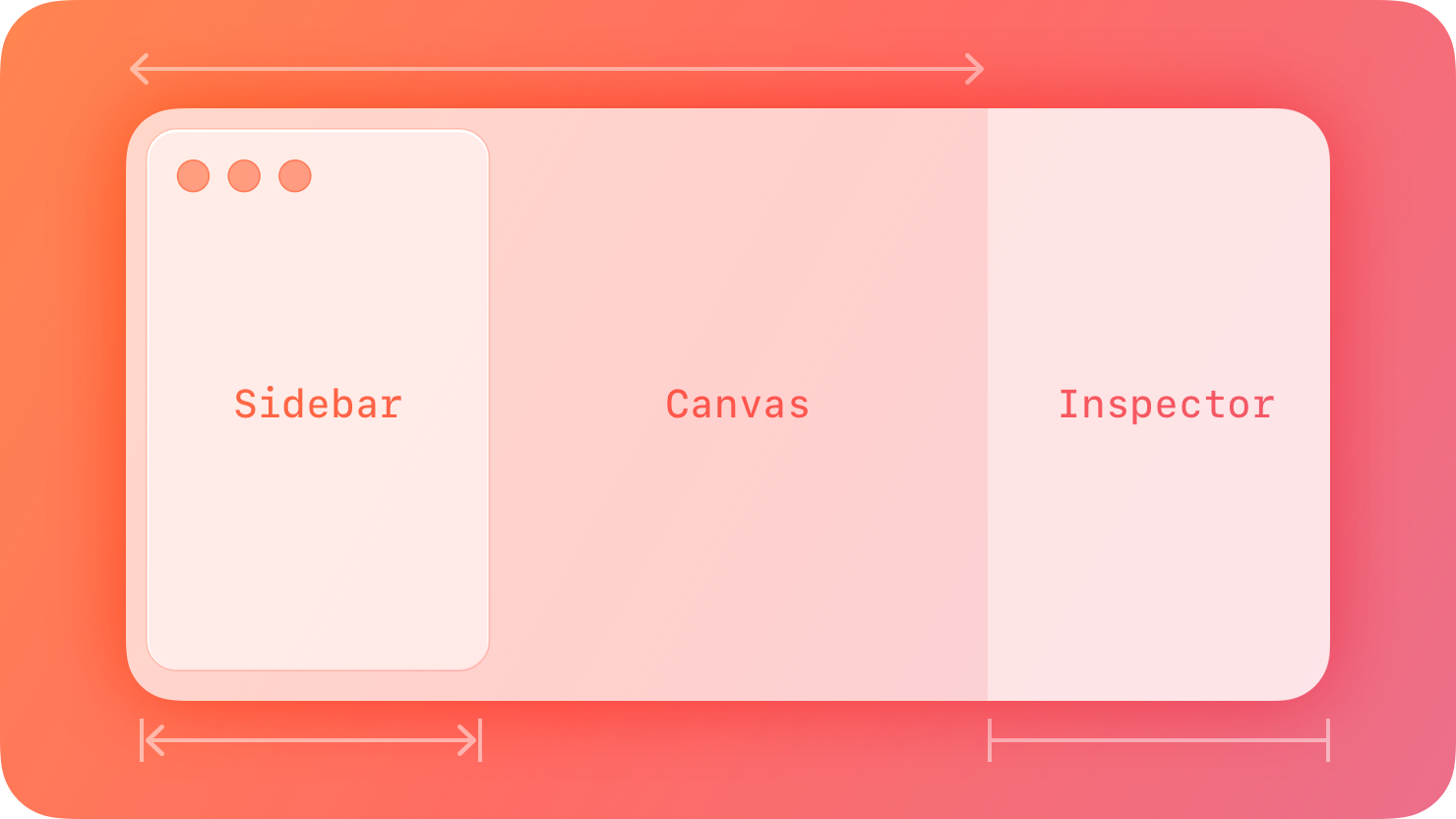
A split view manages the presentation of multiple adjacent panes of content, each of which can contain a variety of components, including tables, collections, images, and custom views.
|
|
8
|
+
|
|
9
|
+
|
|
10
|
+
|
|
11
|
+
Typically, you use a split view to show multiple levels of your app’s hierarchy at once and support navigation between them. In this scenario, selecting an item in the view’s primary pane displays the item’s contents in the secondary pane. Similarly, a split view can display a tertiary pane if items in the secondary pane contain additional content.
|
|
12
|
+
|
|
13
|
+
It’s common to use a split view to display a [sidebar](https://developer.apple.com/design/human-interface-guidelines/sidebars) for navigation, where the leading pane lists the top-level items or collections in an app, and the secondary and optional tertiary panes can present child collections and item details. Rarely, you might also use a split view to provide groups of functionality that supplement the primary view — for example, Keynote in macOS uses split view panes to present the slide navigator, the presenter notes, and the inspector pane in areas that surround the main slide canvas.
|
|
14
|
+
|
|
15
|
+
## [Best practices](https://developer.apple.com/design/human-interface-guidelines/split-views#Best-practices)
|
|
16
|
+
|
|
17
|
+
**To support navigation, persistently highlight the current selection in each pane that leads to the detail view.** The selected appearance clarifies the relationship between the content in various panes and helps people stay oriented.
|
|
18
|
+
|
|
19
|
+
**Consider letting people drag and drop content between panes.** Because a split view provides access to multiple levels of hierarchy, people can conveniently move content from one part of your app to another by dragging items to different panes. For guidance, see [Drag and drop](https://developer.apple.com/design/human-interface-guidelines/drag-and-drop).
|
|
20
|
+
|
|
21
|
+
## [Platform considerations](https://developer.apple.com/design/human-interface-guidelines/split-views#Platform-considerations)
|
|
22
|
+
|
|
23
|
+
### [iOS](https://developer.apple.com/design/human-interface-guidelines/split-views#iOS)
|
|
24
|
+
|
|
25
|
+
**Prefer using a split view in a regular — not a compact — environment.** A split view needs horizontal space in which to display multiple panes. In a compact environment, such as iPhone in portrait orientation, it’s difficult to display multiple panes without wrapping or truncating the content, making it less legible and harder to interact with.
|
|
26
|
+
|
|
27
|
+
### [iPadOS](https://developer.apple.com/design/human-interface-guidelines/split-views#iPadOS)
|
|
28
|
+
|
|
29
|
+
In iPadOS, a split view can include either two vertical panes, like Mail, or three vertical panes, like Keynote.
|
|
30
|
+
|
|
31
|
+
**Account for narrow, compact, and intermediate window widths.** Since iPad windows are fluidly resizable, it’s important to consider the design of a split view layout at multiple widths. In particular, ensure that it’s possible to navigate between the various panes in a logical way. For guidance, see [Layout](https://developer.apple.com/design/human-interface-guidelines/layout). For developer guidance, see [`NavigationSplitView`](https://developer.apple.com/documentation/SwiftUI/NavigationSplitView) and [`UISplitViewController`](https://developer.apple.com/documentation/UIKit/UISplitViewController).
|
|
32
|
+
|
|
33
|
+
### [macOS](https://developer.apple.com/design/human-interface-guidelines/split-views#macOS)
|
|
34
|
+
|
|
35
|
+
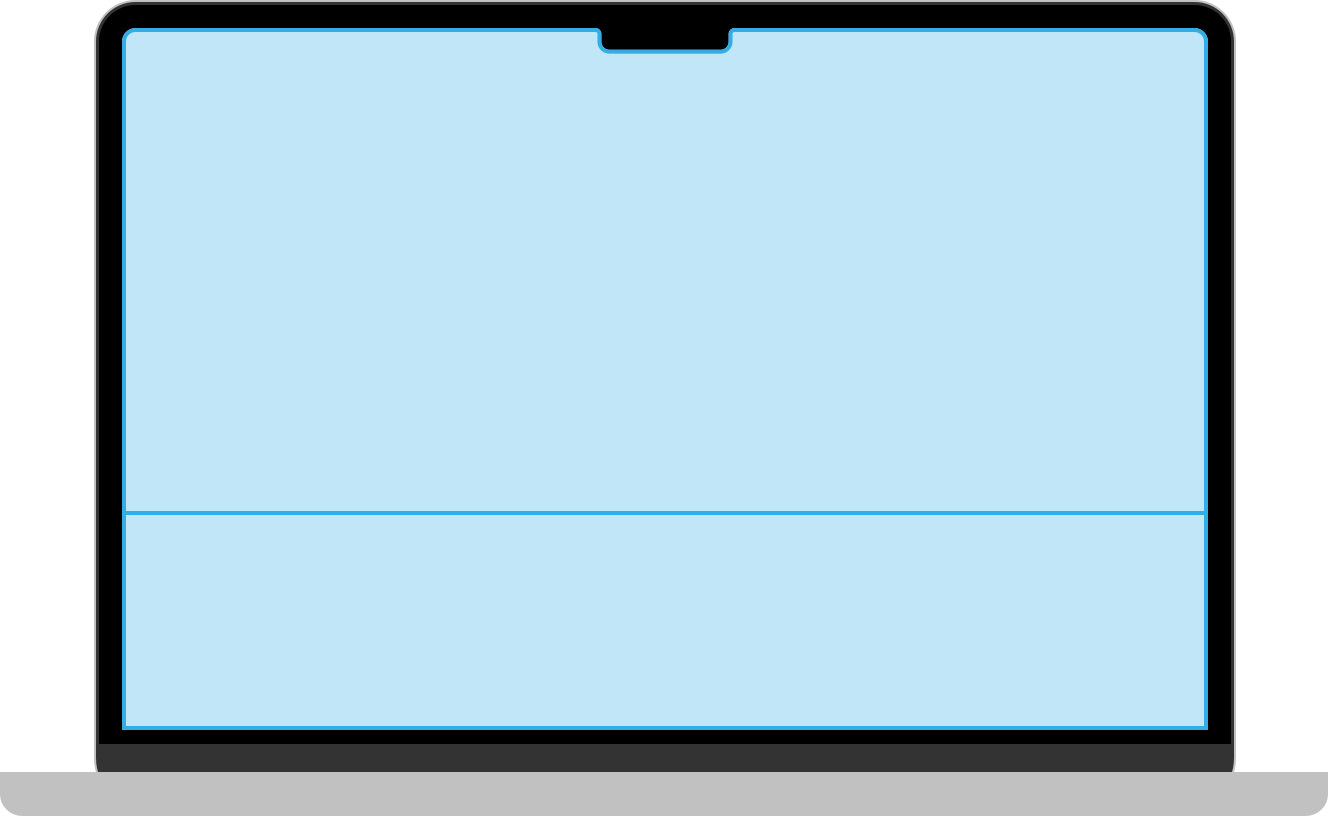
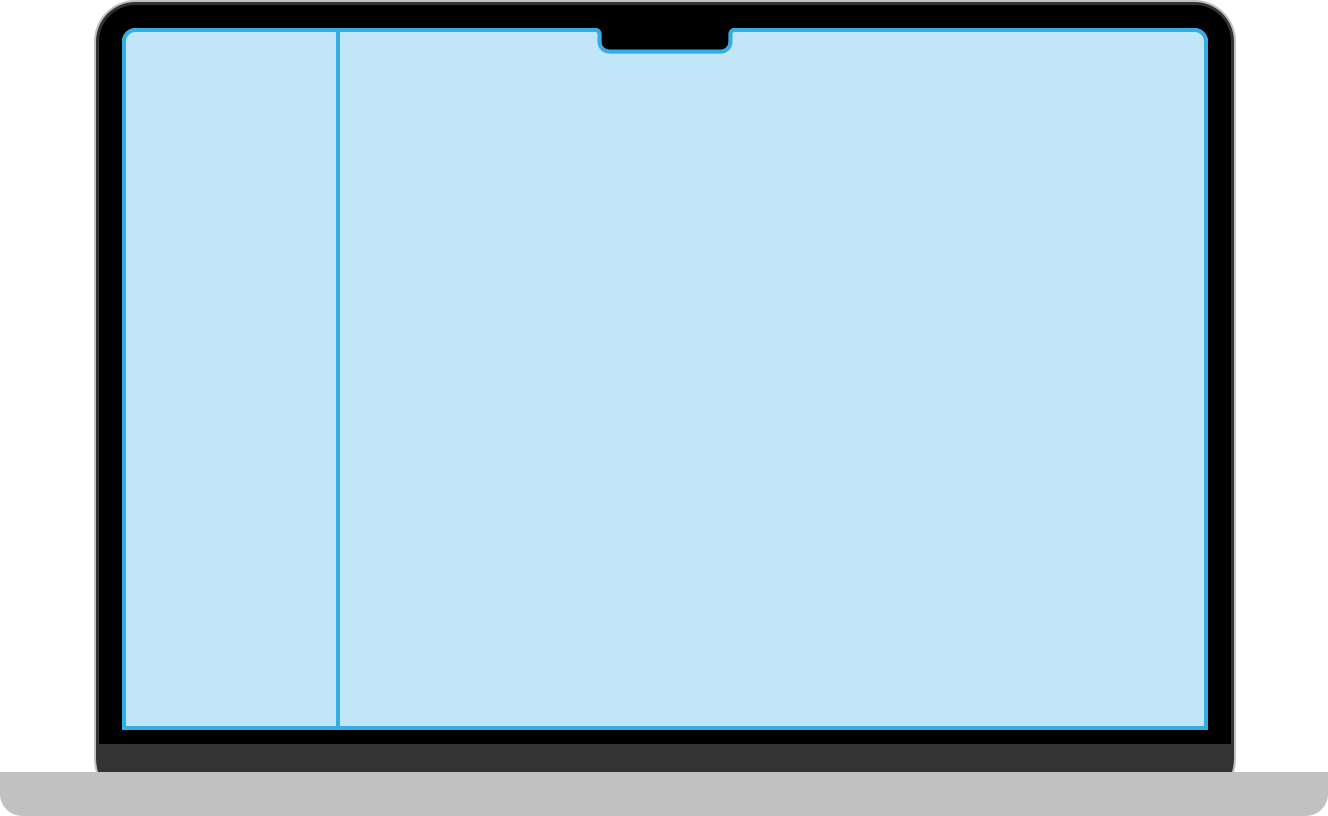
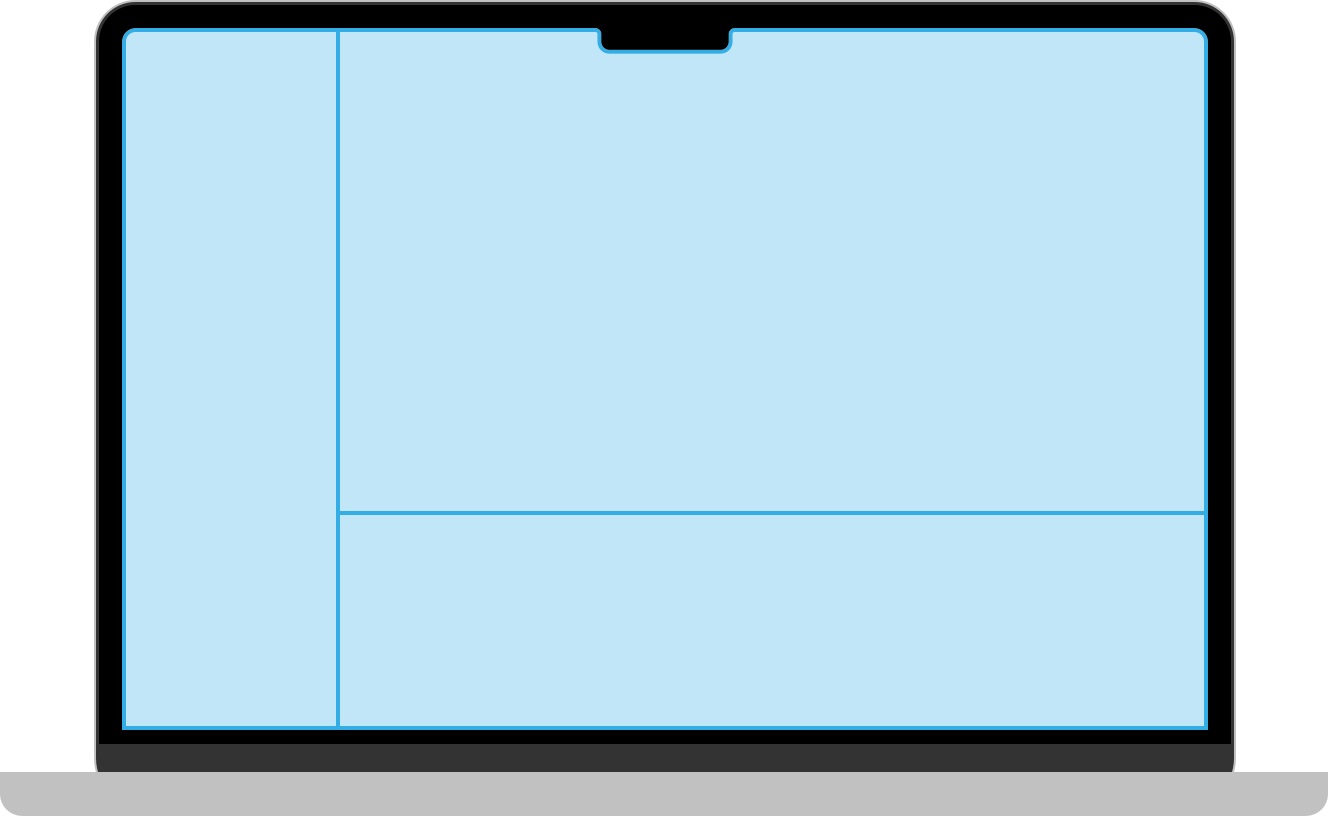
In macOS, you can arrange the panes of a split view vertically, horizontally, or both. A split view includes dividers between panes that can support dragging to resize them. For developer guidance, see [`VSplitView`](https://developer.apple.com/documentation/SwiftUI/VSplitView) and [`HSplitView`](https://developer.apple.com/documentation/SwiftUI/HSplitView).
|
|
36
|
+
|
|
37
|
+
* Vertical
|
|
38
|
+
* Horizontal
|
|
39
|
+
* Multiple
|
|
40
|
+
|
|
41
|
+
|
|
42
|
+
|
|
43
|
+
|
|
44
|
+
|
|
45
|
+
|
|
46
|
+
|
|
47
|
+
|
|
48
|
+
|
|
49
|
+
**Set reasonable defaults for minimum and maximum pane sizes.** If people can resize the panes in your app’s split view, make sure to use sizes that keep the divider visible. If a pane gets too small, the divider can seem to disappear, becoming difficult to use.
|
|
50
|
+
|
|
51
|
+
**Consider letting people hide a pane when it makes sense.** If your app includes an editing area, for example, consider letting people hide other panes to reduce distractions or allow more room for editing — in Keynote, people can hide the navigator and presenter notes panes when they want to edit slide content.
|
|
52
|
+
|
|
53
|
+
**Provide multiple ways to reveal hidden panes.** For example, you might provide a toolbar button or a menu command — including a keyboard shortcut — that people can use to restore a hidden pane.
|
|
54
|
+
|
|
55
|
+
**Prefer the thin divider style.** The thin divider measures one point in width, giving you maximum space for content while remaining easy for people to use. Avoid using thicker divider styles unless you have a specific need. For example, if both sides of a divider present table rows that use strong linear elements that might make a thin divider hard to distinguish, it might work to use a thicker divider. For developer guidance, see [`NSSplitView.DividerStyle`](https://developer.apple.com/documentation/AppKit/NSSplitView/DividerStyle-swift.enum).
|
|
56
|
+
|
|
57
|
+
### [tvOS](https://developer.apple.com/design/human-interface-guidelines/split-views#tvOS)
|
|
58
|
+
|
|
59
|
+
In tvOS, a split view can work well to help people filter content. When people choose a filter category in the primary pane, your app can display the results in the secondary pane.
|
|
60
|
+
|
|
61
|
+
**Choose a split view layout that keeps the panes looking balanced.** By default, a split view devotes a third of the screen width to the primary pane and two-thirds to the secondary pane, but you can also specify a half-and-half layout.
|
|
62
|
+
|
|
63
|
+
**Display a single title above a split view, helping people understand the content as a whole.** People already know how to use a split view to navigate and filter content; they don’t need titles that describe what each pane contains.
|
|
64
|
+
|
|
65
|
+
**Choose the title’s alignment based on the type of content the secondary pane contains.** Specifically, when the secondary pane contains a content collection, consider centering the title in the window. In contrast, if the secondary pane contains a single main view of important content, consider placing the title above the primary view to give the content more room.
|
|
66
|
+
|
|
67
|
+
### [visionOS](https://developer.apple.com/design/human-interface-guidelines/split-views#visionOS)
|
|
68
|
+
|
|
69
|
+
**To display supplementary information, prefer a split view instead of a new window.** A split view gives people convenient access to more information without leaving the current context, whereas a new window may confuse people who are trying to navigate or reposition content. Opening more windows also requires you to carefully manage the relationship between views in your app or game. If you need to request a small amount of information or present a simple task that someone must complete before returning to their main task, use a [sheet](https://developer.apple.com/design/human-interface-guidelines/sheets).
|
|
70
|
+
|
|
71
|
+
### [watchOS](https://developer.apple.com/design/human-interface-guidelines/split-views#watchOS)
|
|
72
|
+
|
|
73
|
+
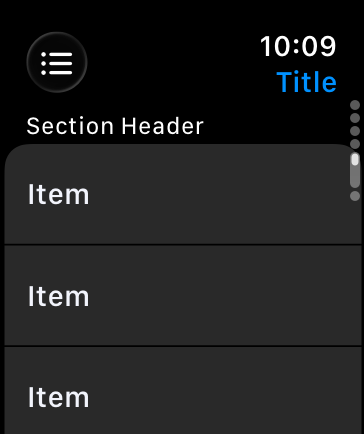
In watchOS, the split view displays either the list view or a detail view as a full-screen view.
|
|
74
|
+
|
|
75
|
+
**Automatically display the most relevant detail view.** When your app launches, show people the most pertinent information. For example, display information relevant to their location, the time, or their recent actions.
|
|
76
|
+
|
|
77
|
+
**If your app displays multiple detail pages, place the detail views in a vertical[tab view](https://developer.apple.com/design/human-interface-guidelines/tab-views).** People can then use the Digital Crown to scroll between the detail view’s tabs. watchOS also displays a page indicator next to the Digital Crown, indicating the number of tabs and the currently selected tab.
|
|
78
|
+
|
|
79
|
+
|
|
80
|
+
|
|
81
|
+
## [Resources](https://developer.apple.com/design/human-interface-guidelines/split-views#Resources)
|
|
82
|
+
|
|
83
|
+
#### [Related](https://developer.apple.com/design/human-interface-guidelines/split-views#Related)
|
|
84
|
+
|
|
85
|
+
[Sidebars](https://developer.apple.com/design/human-interface-guidelines/sidebars)
|
|
86
|
+
|
|
87
|
+
[Tab bars](https://developer.apple.com/design/human-interface-guidelines/tab-bars)
|
|
88
|
+
|
|
89
|
+
[Layout](https://developer.apple.com/design/human-interface-guidelines/layout)
|
|
90
|
+
|
|
91
|
+
#### [Developer documentation](https://developer.apple.com/design/human-interface-guidelines/split-views#Developer-documentation)
|
|
92
|
+
|
|
93
|
+
[`NavigationSplitView`](https://developer.apple.com/documentation/SwiftUI/NavigationSplitView) — SwiftUI
|
|
94
|
+
|
|
95
|
+
[`UISplitViewController`](https://developer.apple.com/documentation/UIKit/UISplitViewController) — UIKit
|
|
96
|
+
|
|
97
|
+
[`NSSplitViewController`](https://developer.apple.com/documentation/AppKit/NSSplitViewController) — AppKit
|
|
98
|
+
|
|
99
|
+
#### [Videos](https://developer.apple.com/design/human-interface-guidelines/split-views#Videos)
|
|
100
|
+
|
|
101
|
+
[ Make your UIKit app more flexible ](https://developer.apple.com/videos/play/wwdc2025/282)
|
|
102
|
+
|
|
103
|
+
## [Change log](https://developer.apple.com/design/human-interface-guidelines/split-views#Change-log)
|
|
104
|
+
|
|
105
|
+
Date| Changes
|
|
106
|
+
---|---
|
|
107
|
+
June 9, 2025| Added iOS and iPadOS platform considerations.
|
|
108
|
+
December 5, 2023| Added guidance for split views in visionOS.
|
|
109
|
+
June 5, 2023| Added guidance for split views in watchOS.
|
|
110
|
+
|
|
@@ -0,0 +1,173 @@
|
|
|
1
|
+
---
|
|
2
|
+
title: "Tab bars | Apple Developer Documentation"
|
|
3
|
+
source: https://developer.apple.com/design/human-interface-guidelines/tab-bars
|
|
4
|
+
|
|
5
|
+
# Tab bars
|
|
6
|
+
|
|
7
|
+
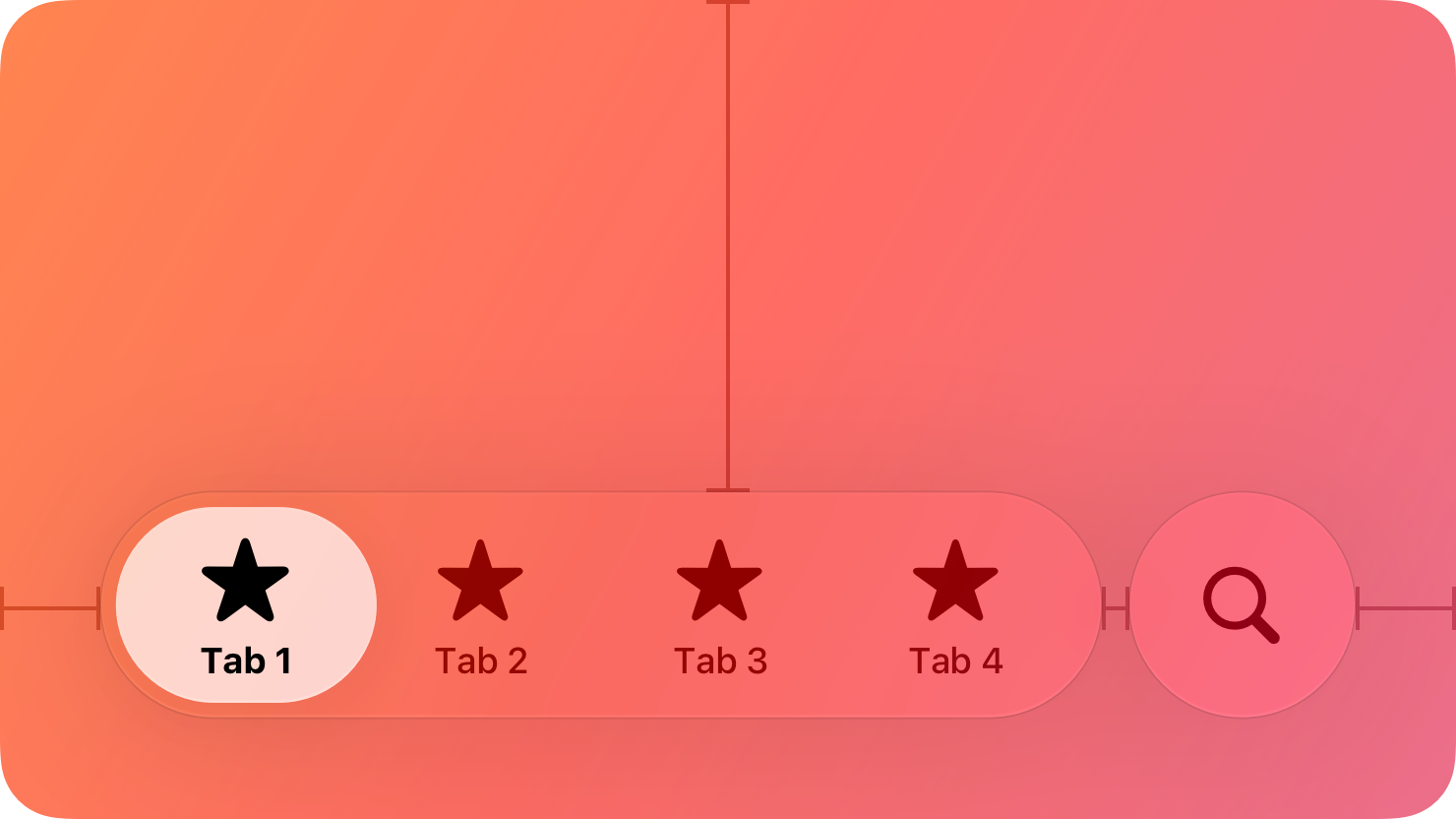
A tab bar lets people navigate between top-level sections of your app.
|
|
8
|
+
|
|
9
|
+
|
|
10
|
+
|
|
11
|
+
Tab bars help people understand the different types of information or functionality that an app provides. They also let people quickly switch between sections of the view while preserving the current navigation state within each section.
|
|
12
|
+
|
|
13
|
+
## [Best practices](https://developer.apple.com/design/human-interface-guidelines/tab-bars#Best-practices)
|
|
14
|
+
|
|
15
|
+
**Use a tab bar to support navigation, not to provide actions.** A tab bar lets people navigate among different sections of an app, like the Alarm, Stopwatch, and Timer tabs in the Clock app. If you need to provide controls that act on elements in the current view, use a [toolbar](https://developer.apple.com/design/human-interface-guidelines/toolbars) instead.
|
|
16
|
+
|
|
17
|
+
**Make sure the tab bar is visible when people navigate to different sections of your app.** If you hide the tab bar, people can forget which area of the app they’re in. The exception is when a modal view covers the tab bar, because a modal is temporary and self-contained.
|
|
18
|
+
|
|
19
|
+
**Use the appropriate number of tabs required to help people navigate your app.** As a representation of your app’s hierarchy, it’s important to weigh the complexity of additional tabs against the need for people to frequently access each section; keep in mind that it’s generally easier to navigate among fewer tabs. Where available, consider a sidebar or a tab bar that adapts to a sidebar as an alternative for an app with a complex information structure.
|
|
20
|
+
|
|
21
|
+
**Avoid overflow tabs.** Depending on device size and orientation, the number of visible tabs can be smaller than the total number of tabs. If horizontal space limits the number of visible tabs, the trailing tab becomes a More tab in iOS and iPadOS, revealing the remaining items in a separate list. The More tab makes it harder for people to reach and notice content on tabs that are hidden, so limit scenarios in your app where this can happen.
|
|
22
|
+
|
|
23
|
+
**Don’t disable or hide tab bar buttons, even when their content is unavailable.** Having tab bar buttons available in some cases but not others makes your app’s interface appear unstable and unpredictable. If a section is empty, explain why its content is unavailable.
|
|
24
|
+
|
|
25
|
+
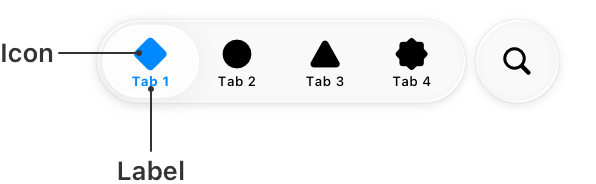
**Include tab labels to help with navigation.** A tab label appears beneath or beside a tab bar icon, and can aid navigation by clearly describing the type of content or functionality the tab contains. Use single words whenever possible.
|
|
26
|
+
|
|
27
|
+
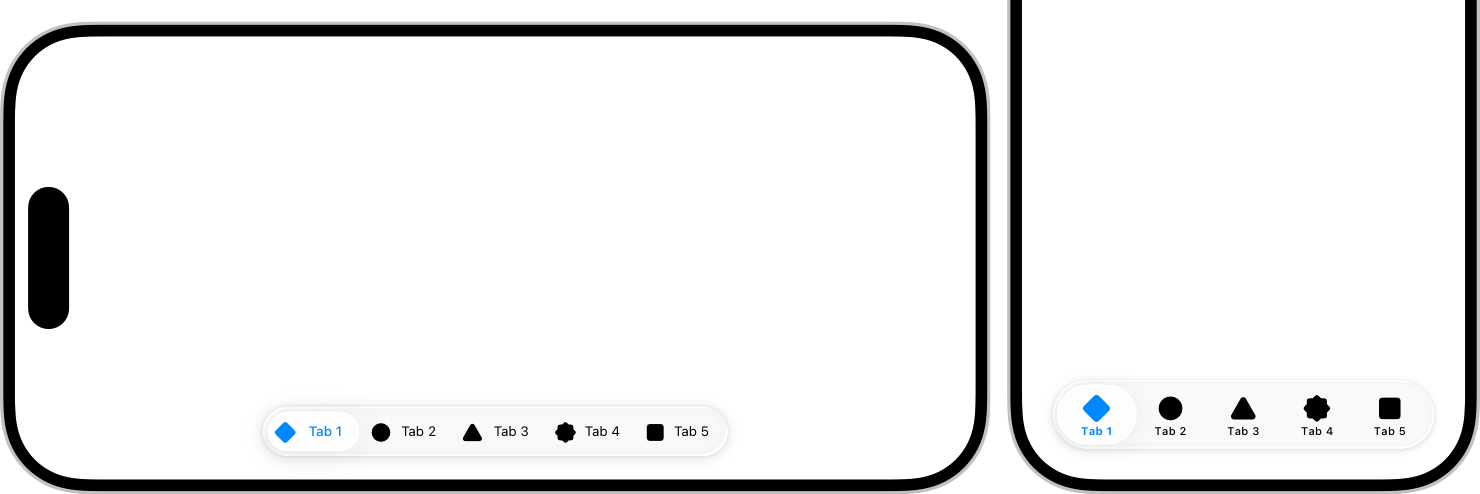
**Consider using SF Symbols to provide familiar, scalable tab bar icons.** When you use [SF Symbols](https://developer.apple.com/design/human-interface-guidelines/sf-symbols), tab bar icons automatically adapt to different contexts. For example, the tab bar can be regular or compact, depending on the device and orientation. Tab bar icons appear above tab labels in compact views, whereas in regular views, the icons and labels appear side by side. Prefer filled symbols or icons for consistency with the platform.
|
|
28
|
+
|
|
29
|
+
|
|
30
|
+
|
|
31
|
+
If you’re creating custom tab bar icons, see [Apple Design Resources](https://developer.apple.com/design/resources/) for tab bar icon dimensions.
|
|
32
|
+
|
|
33
|
+
|
|
34
|
+
|
|
35
|
+
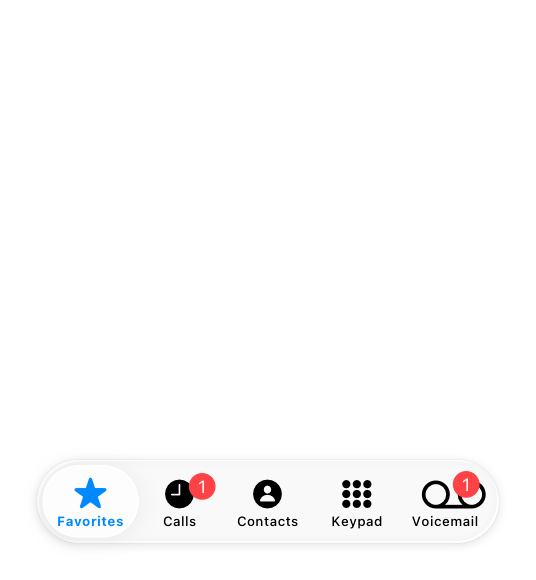
**Use a badge to indicate that critical information is available.** You can display a badge — a red oval containing white text and either a number or an exclamation point — on a tab to indicate that there’s new or updated information in the section that warrants a person’s attention. Reserve badges for critical information so you don’t dilute their impact and meaning. For guidance, see [Notifications](https://developer.apple.com/design/human-interface-guidelines/notifications).
|
|
36
|
+
|
|
37
|
+
|
|
38
|
+
|
|
39
|
+
**Avoid applying a similar color to tab labels and content layer backgrounds.** If your app already has bright, colorful content in the content layer, prefer a monochromatic appearance for tab bars, or choose an accent color with sufficient visual differentiation. For more guidance, see [Liquid Glass color](https://developer.apple.com/design/human-interface-guidelines/color#Liquid-Glass-color).
|
|
40
|
+
|
|
41
|
+
## [Platform considerations](https://developer.apple.com/design/human-interface-guidelines/tab-bars#Platform-considerations)
|
|
42
|
+
|
|
43
|
+
_No additional considerations for macOS. Not supported in watchOS._
|
|
44
|
+
|
|
45
|
+
### [iOS](https://developer.apple.com/design/human-interface-guidelines/tab-bars#iOS)
|
|
46
|
+
|
|
47
|
+
A tab bar floats above content at the bottom of the screen. Its items rest on a [Liquid Glass](https://developer.apple.com/design/human-interface-guidelines/materials#Liquid-Glass) background that allows content beneath to peek through.
|
|
48
|
+
|
|
49
|
+
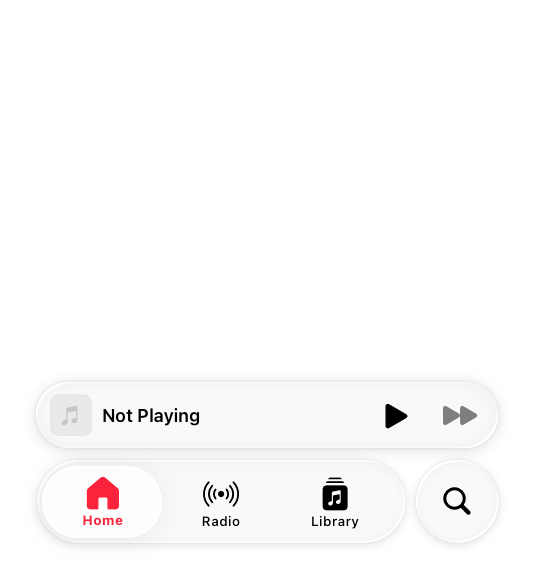
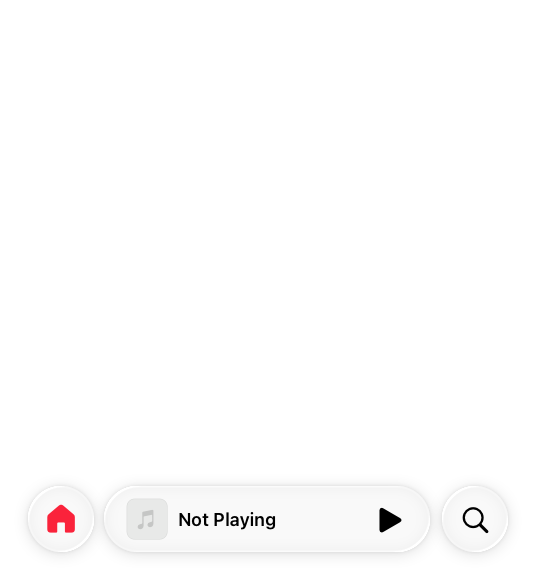
For tab bars with an attached accessory, like the MiniPlayer in Music, you can choose to minimize the tab bar and move the accessory inline with it when a person scrolls down. A person can exit the minimized state by tapping a tab or scrolling to the top of the view. For developer guidance, see [`TabBarMinimizeBehavior`](https://developer.apple.com/documentation/SwiftUI/TabBarMinimizeBehavior) and [`UITabBarController.MinimizeBehavior`](https://developer.apple.com/documentation/UIKit/UITabBarController/MinimizeBehavior).
|
|
50
|
+
|
|
51
|
+
|
|
52
|
+
|
|
53
|
+
A tab bar with an attached accessory, expanded
|
|
54
|
+
|
|
55
|
+
|
|
56
|
+
|
|
57
|
+
A tab bar with an attached accessory, minimized
|
|
58
|
+
|
|
59
|
+
A tab bar can include a distinct search item at the trailing end. For guidance, see [Search fields](https://developer.apple.com/design/human-interface-guidelines/search-fields).
|
|
60
|
+
|
|
61
|
+
### [iPadOS](https://developer.apple.com/design/human-interface-guidelines/tab-bars#iPadOS)
|
|
62
|
+
|
|
63
|
+
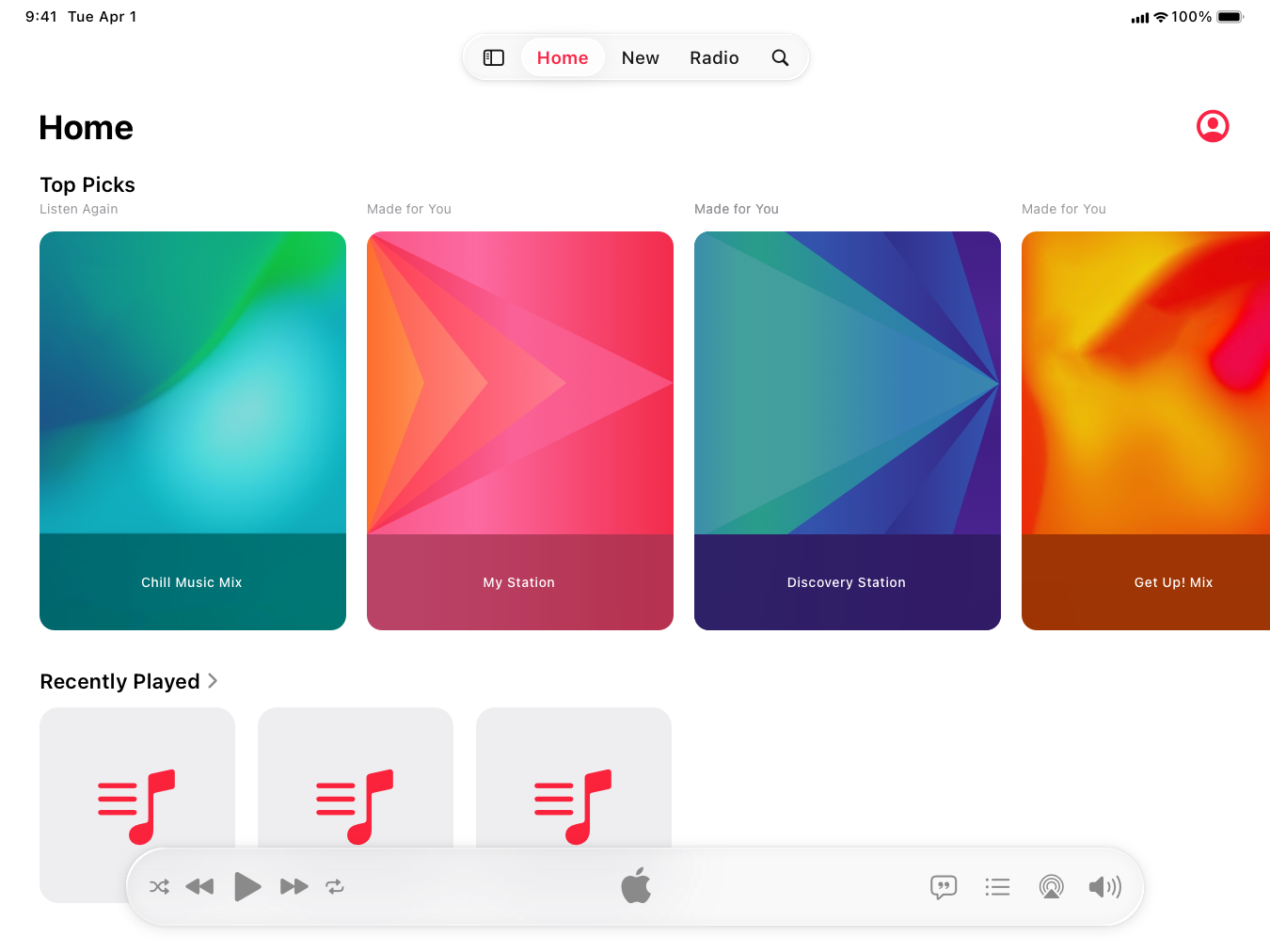
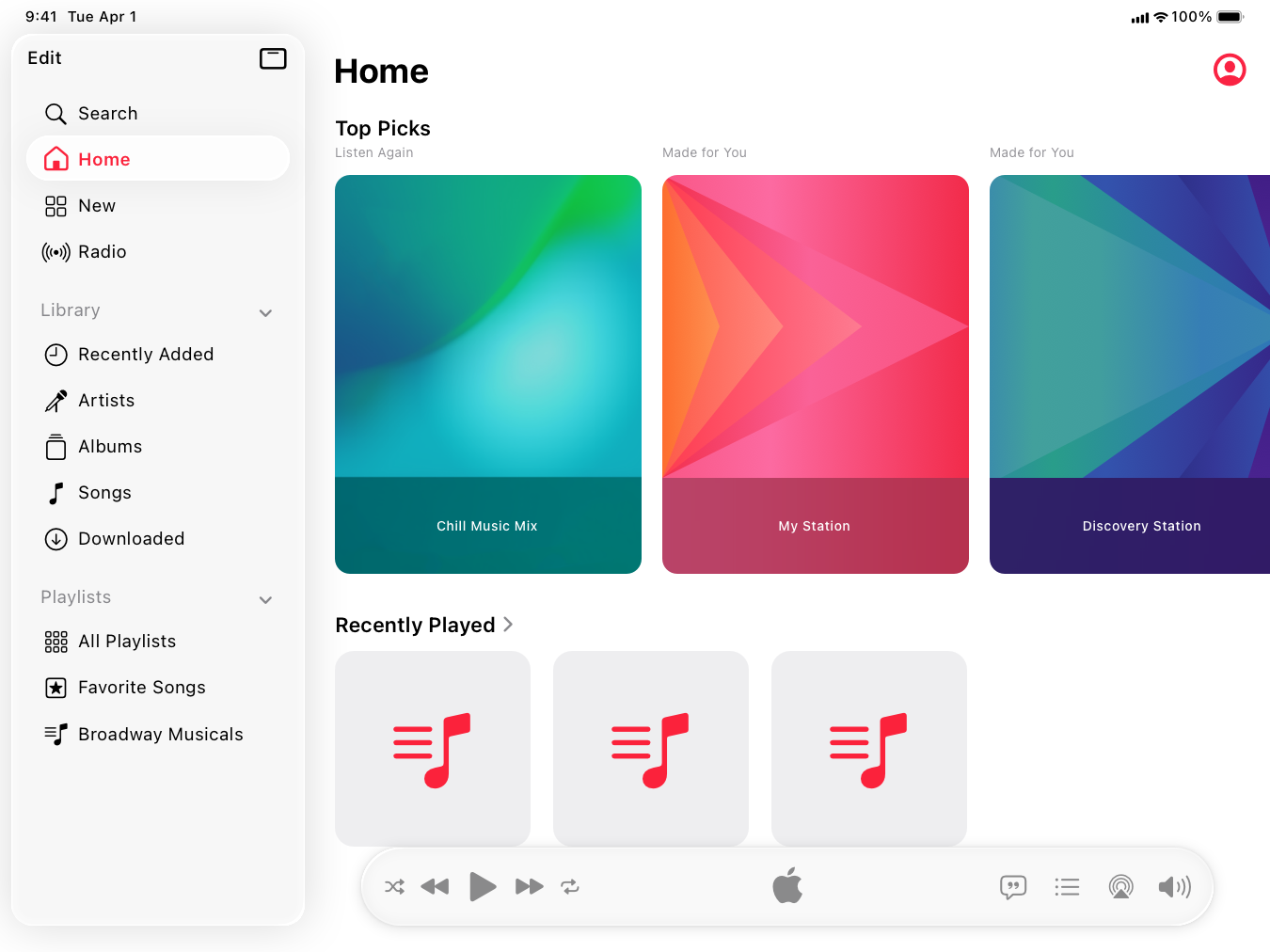
The system displays a tab bar near the top of the screen. You can choose to have the tab bar appear as a fixed element, or with a button that converts it to a sidebar. For developer guidance, see [`tabBarOnly`](https://developer.apple.com/documentation/SwiftUI/TabViewStyle/tabBarOnly) and [`sidebarAdaptable`](https://developer.apple.com/documentation/SwiftUI/TabViewStyle/sidebarAdaptable).
|
|
64
|
+
|
|
65
|
+
* Tab bar
|
|
66
|
+
* Sidebar
|
|
67
|
+
|
|
68
|
+
|
|
69
|
+
|
|
70
|
+
|
|
71
|
+
|
|
72
|
+
|
|
73
|
+
|
|
74
|
+
Note
|
|
75
|
+
|
|
76
|
+
To present a sidebar without the option to convert it to a tab bar, use a [navigation split view](https://developer.apple.com/documentation/swiftui/navigationsplitview) instead of a tab view. For guidance, see [Sidebars](https://developer.apple.com/design/human-interface-guidelines/sidebars).
|
|
77
|
+
|
|
78
|
+
**Prefer a tab bar for navigation.** A tab bar provides access to the sections of your app that people use most. If your app is more complex, you can provide the option to convert the tab bar to a sidebar so people can access a wider set of navigation options.
|
|
79
|
+
|
|
80
|
+
**Let people customize the tab bar.** In apps with a lot of sections that people might want to access, it can be useful to let people select items that they use frequently and add them to the tab bar, or remove items that they use less frequently. For example, in the Music app, a person can choose a favorite playlist to display in the tab bar. If you let people select their own tabs, aim for a default list of five or fewer to preserve continuity between compact and regular view sizes. For developer guidance, see [`TabViewCustomization`](https://developer.apple.com/documentation/SwiftUI/TabViewCustomization) and [`UITab.Placement`](https://developer.apple.com/documentation/UIKit/UITab/Placement).
|
|
81
|
+
|
|
82
|
+
### [tvOS](https://developer.apple.com/design/human-interface-guidelines/tab-bars#tvOS)
|
|
83
|
+
|
|
84
|
+
A tab bar is highly customizable. For example, you can:
|
|
85
|
+
|
|
86
|
+
* Specify a tint, color, or image for the tab bar background
|
|
87
|
+
|
|
88
|
+
* Choose a font for tab items, including a different font for the selected item
|
|
89
|
+
|
|
90
|
+
* Specify tints for selected and unselected items
|
|
91
|
+
|
|
92
|
+
* Add button icons, like settings and search
|
|
93
|
+
|
|
94
|
+
|
|
95
|
+
|
|
96
|
+
|
|
97
|
+
By default, a tab bar is translucent, and only the selected tab is opaque. When people use the remote to focus on the tab bar, the selected tab includes a drop shadow that emphasizes its selected state. The height of a tab bar is 68 points, and its top edge is 46 points from the top of the screen; you can’t change either of these values.
|
|
98
|
+
|
|
99
|
+
If there are more items than can fit in the tab bar, the system truncates the rightmost item by applying a fade effect that begins at the right side of the tab bar. If there are enough items to cause scrolling, the system also applies a truncating fade effect that starts from the left side.
|
|
100
|
+
|
|
101
|
+
**Be aware of tab bar scrolling behaviors.** By default, people can scroll the tab bar offscreen when the current tab contains a single main view. You can see examples of this behavior in the Watch Now, Movies, TV Show, Sports, and Kids tabs in the TV app. The exception is when a screen contains a split view, such as the TV app’s Library tab or an app’s Settings screen. In this case, the tab bar remains pinned at the top of the view while people scroll the content within the primary and secondary panes of the split view. Regardless of a tab’s contents, focus always returns to the tab bar at the top of the page when people press Menu on the remote.
|
|
102
|
+
|
|
103
|
+
**In a live-viewing app, organize tabs in a consistent way.** For the best experience, organize content in live-streaming apps with tabs in the following order:
|
|
104
|
+
|
|
105
|
+
* Live content
|
|
106
|
+
|
|
107
|
+
* Cloud DVR or other recorded content
|
|
108
|
+
|
|
109
|
+
* Other content
|
|
110
|
+
|
|
111
|
+
|
|
112
|
+
|
|
113
|
+
|
|
114
|
+
For additional guidance, see [Live-viewing apps](https://developer.apple.com/design/human-interface-guidelines/live-viewing-apps).
|
|
115
|
+
|
|
116
|
+
### [visionOS](https://developer.apple.com/design/human-interface-guidelines/tab-bars#visionOS)
|
|
117
|
+
|
|
118
|
+
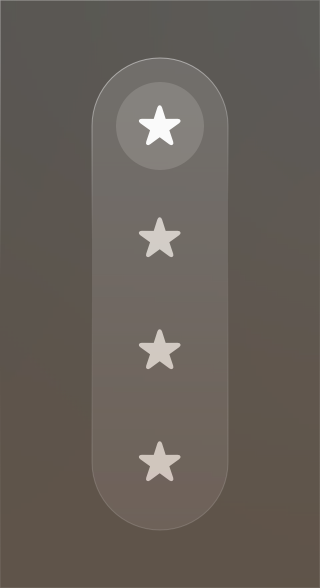
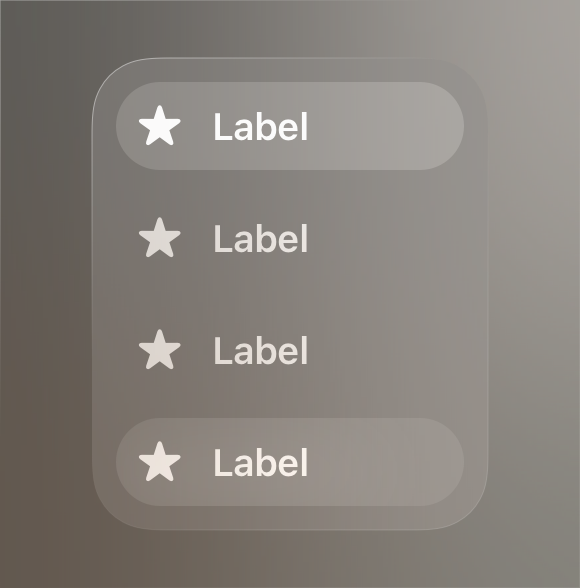
In visionOS, a tab bar is always vertical, floating in a position that’s fixed relative to the window’s leading side. When people look at a tab bar, it automatically expands; to open a specific tab, people look at the tab and tap. While a tab bar is expanded, it can temporarily obscure the content behind it.
|
|
119
|
+
|
|
120
|
+
Video with custom controls.
|
|
121
|
+
|
|
122
|
+
Content description: A recording showing a closeup of a tab bar along the side of an app's window in visionOS. The tab bar includes only symbols. The currently selected tab receives the hover effect, showing that someone is looking at it, and the bar expands to display both symbols and labels.
|
|
123
|
+
|
|
124
|
+
Play
|
|
125
|
+
|
|
126
|
+
**Supply a symbol and a text label for each tab.** A tab’s symbol is always visible in the tab bar. When people look at the tab bar, the system reveals tab labels, too. Even though the tab bar expands, you need to keep tab labels short so people can read them at a glance.
|
|
127
|
+
|
|
128
|
+
Collapsed
|
|
129
|
+
|
|
130
|
+
Expanded
|
|
131
|
+
|
|
132
|
+
**If it makes sense in your app, consider using a sidebar within a tab.** If your app’s hierarchy is deep, you might want to use a [sidebar](https://developer.apple.com/design/human-interface-guidelines/sidebars) to support secondary navigation within a tab. If you do this, be sure to prevent selections in the sidebar from changing which tab is currently open.
|
|
133
|
+
|
|
134
|
+
## [Resources](https://developer.apple.com/design/human-interface-guidelines/tab-bars#Resources)
|
|
135
|
+
|
|
136
|
+
#### [Related](https://developer.apple.com/design/human-interface-guidelines/tab-bars#Related)
|
|
137
|
+
|
|
138
|
+
[Tab views](https://developer.apple.com/design/human-interface-guidelines/tab-views)
|
|
139
|
+
|
|
140
|
+
[Toolbars](https://developer.apple.com/design/human-interface-guidelines/toolbars)
|
|
141
|
+
|
|
142
|
+
[Sidebars](https://developer.apple.com/design/human-interface-guidelines/sidebars)
|
|
143
|
+
|
|
144
|
+
[Materials](https://developer.apple.com/design/human-interface-guidelines/materials)
|
|
145
|
+
|
|
146
|
+
#### [Developer documentation](https://developer.apple.com/design/human-interface-guidelines/tab-bars#Developer-documentation)
|
|
147
|
+
|
|
148
|
+
[`TabView`](https://developer.apple.com/documentation/SwiftUI/TabView) — SwiftUI
|
|
149
|
+
|
|
150
|
+
[`TabViewBottomAccessoryPlacement`](https://developer.apple.com/documentation/SwiftUI/TabViewBottomAccessoryPlacement) — SwiftUI
|
|
151
|
+
|
|
152
|
+
[Enhancing your app’s content with tab navigation](https://developer.apple.com/documentation/SwiftUI/Enhancing-your-app-content-with-tab-navigation) — SwiftUI
|
|
153
|
+
|
|
154
|
+
[`UITabBar`](https://developer.apple.com/documentation/UIKit/UITabBar) — UIKit
|
|
155
|
+
|
|
156
|
+
[Elevating your iPad app with a tab bar and sidebar](https://developer.apple.com/documentation/UIKit/elevating-your-ipad-app-with-a-tab-bar-and-sidebar) — UIKit
|
|
157
|
+
|
|
158
|
+
#### [Videos](https://developer.apple.com/design/human-interface-guidelines/tab-bars#Videos)
|
|
159
|
+
|
|
160
|
+
[ Get to know the new design system ](https://developer.apple.com/videos/play/wwdc2025/356)
|
|
161
|
+
|
|
162
|
+
[ Elevate the design of your iPad app ](https://developer.apple.com/videos/play/wwdc2025/208)
|
|
163
|
+
|
|
164
|
+
## [Change log](https://developer.apple.com/design/human-interface-guidelines/tab-bars#Change-log)
|
|
165
|
+
|
|
166
|
+
Date| Changes
|
|
167
|
+
---|---
|
|
168
|
+
December 16, 2025| Updated guidance for Liquid Glass.
|
|
169
|
+
July 28, 2025| Added guidance for Liquid Glass.
|
|
170
|
+
September 9, 2024| Added art representing the tab bar in iPadOS 18.
|
|
171
|
+
August 6, 2024| Updated with guidance for the tab bar in iPadOS 18.
|
|
172
|
+
June 21, 2023| Updated to include guidance for visionOS.
|
|
173
|
+
|
|
@@ -0,0 +1,68 @@
|
|
|
1
|
+
---
|
|
2
|
+
title: "Tab views | Apple Developer Documentation"
|
|
3
|
+
source: https://developer.apple.com/design/human-interface-guidelines/tab-views
|
|
4
|
+
|
|
5
|
+
# Tab views
|
|
6
|
+
|
|
7
|
+
A tab view presents multiple mutually exclusive panes of content in the same area, which people can switch between using a tabbed control.
|
|
8
|
+
|
|
9
|
+
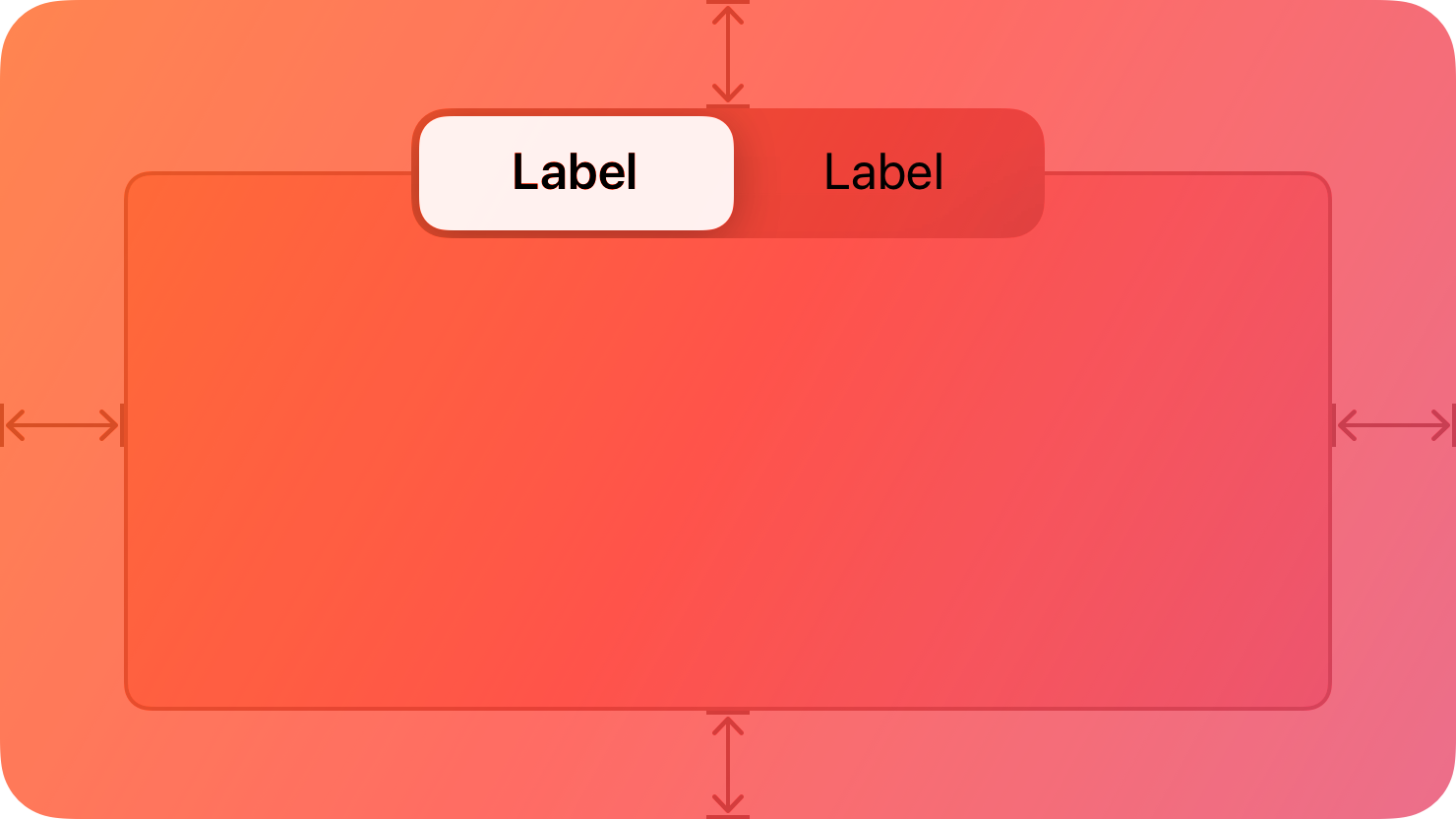
|
|
10
|
+
|
|
11
|
+
## [Best practices](https://developer.apple.com/design/human-interface-guidelines/tab-views#Best-practices)
|
|
12
|
+
|
|
13
|
+
**Use a tab view to present closely related areas of content.** The appearance of a tab view provides a strong visual indication of enclosure. People expect each tab to display content that is in some way similar or related to the content in the other tabs.
|
|
14
|
+
|
|
15
|
+
**Make sure the controls within a pane affect content only in the same pane.** Panes are mutually exclusive, so ensure they’re fully self-contained.
|
|
16
|
+
|
|
17
|
+
**Provide a label for each tab that describes the contents of its pane.** A good label helps people predict the contents of a pane before clicking or tapping its tab. In general, use nouns or short noun phrases for tab labels. A verb or short verb phrase may make sense in some contexts. Use title-style capitalization for tab labels.
|
|
18
|
+
|
|
19
|
+
**Avoid using a pop-up button to switch between tabs.** A tabbed control is efficient because it requires a single click or tap to make a selection, whereas a pop-up button requires two. A tabbed control also presents all choices onscreen at the same time, whereas people must click a pop-up button to see its choices. Note that a pop-up button can be a reasonable alternative in cases where there are too many panes of content to reasonably display with tabs.
|
|
20
|
+
|
|
21
|
+
**Avoid providing more than six tabs in a tab view.** Having more than six tabs can be overwhelming and create layout issues. If you need to present six or more tabs, consider another way to implement the interface. For example, you could instead present each tab as a view option in a pop-up button menu.
|
|
22
|
+
|
|
23
|
+
For developer guidance, see [`NSTabView`](https://developer.apple.com/documentation/AppKit/NSTabView).
|
|
24
|
+
|
|
25
|
+
## [Anatomy](https://developer.apple.com/design/human-interface-guidelines/tab-views#Anatomy)
|
|
26
|
+
|
|
27
|
+
The tabbed control appears on the top edge of the content area. You can choose to hide the control, which is appropriate for an app that switches between panes programmatically.
|
|
28
|
+
|
|
29
|
+
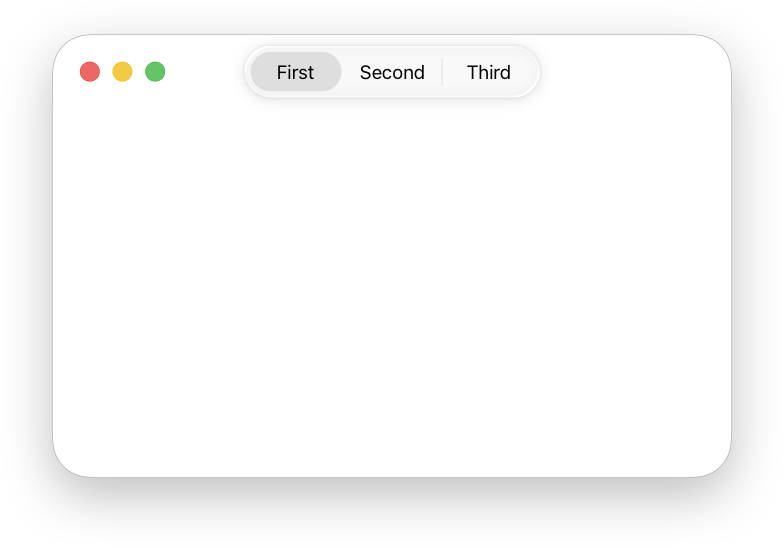
|
|
30
|
+
|
|
31
|
+
When you hide the tabbed control, the content area can be borderless, bezeled, or bordered with a line. A borderless view can be solid or transparent.
|
|
32
|
+
|
|
33
|
+
**In general, inset a tab view by leaving a margin of window-body area on all sides of a tab view.** This layout looks clean and leaves room for additional controls that aren’t directly related to the contents of the tab view. You can extend a tab view to meet the window edges, but this layout is unusual.
|
|
34
|
+
|
|
35
|
+
## [Platform considerations](https://developer.apple.com/design/human-interface-guidelines/tab-views#Platform-considerations)
|
|
36
|
+
|
|
37
|
+
_Not supported in iOS, iPadOS, tvOS, or visionOS._
|
|
38
|
+
|
|
39
|
+
### [iOS, iPadOS](https://developer.apple.com/design/human-interface-guidelines/tab-views#iOS-iPadOS)
|
|
40
|
+
|
|
41
|
+
For similar functionality, consider using a [segmented control](https://developer.apple.com/design/human-interface-guidelines/segmented-controls) instead.
|
|
42
|
+
|
|
43
|
+
### [watchOS](https://developer.apple.com/design/human-interface-guidelines/tab-views#watchOS)
|
|
44
|
+
|
|
45
|
+
watchOS displays tab views using [page controls](https://developer.apple.com/design/human-interface-guidelines/components/presentation/page-controls). For developer guidance, see [`TabView`](https://developer.apple.com/documentation/SwiftUI/TabView) and [`verticalPage`](https://developer.apple.com/documentation/SwiftUI/TabViewStyle/verticalPage).
|
|
46
|
+
|
|
47
|
+

|
|
48
|
+
|
|
49
|
+
## [Resources](https://developer.apple.com/design/human-interface-guidelines/tab-views#Resources)
|
|
50
|
+
|
|
51
|
+
#### [Related](https://developer.apple.com/design/human-interface-guidelines/tab-views#Related)
|
|
52
|
+
|
|
53
|
+
[Tab bars](https://developer.apple.com/design/human-interface-guidelines/tab-bars)
|
|
54
|
+
|
|
55
|
+
[Segmented controls](https://developer.apple.com/design/human-interface-guidelines/segmented-controls)
|
|
56
|
+
|
|
57
|
+
#### [Developer documentation](https://developer.apple.com/design/human-interface-guidelines/tab-views#Developer-documentation)
|
|
58
|
+
|
|
59
|
+
[`TabView`](https://developer.apple.com/documentation/SwiftUI/TabView) — SwiftUI
|
|
60
|
+
|
|
61
|
+
[`NSTabView`](https://developer.apple.com/documentation/AppKit/NSTabView) — AppKit
|
|
62
|
+
|
|
63
|
+
## [Change log](https://developer.apple.com/design/human-interface-guidelines/tab-views#Change-log)
|
|
64
|
+
|
|
65
|
+
Date| Changes
|
|
66
|
+
---|---
|
|
67
|
+
June 5, 2023| Added guidance for using tab views in watchOS.
|
|
68
|
+
|
|
@@ -0,0 +1,188 @@
|
|
|
1
|
+
---
|
|
2
|
+
title: "Windows | Apple Developer Documentation"
|
|
3
|
+
source: https://developer.apple.com/design/human-interface-guidelines/windows
|
|
4
|
+
|
|
5
|
+
# Windows
|
|
6
|
+
|
|
7
|
+
A window presents UI views and components in your app or game.
|
|
8
|
+
|
|
9
|
+
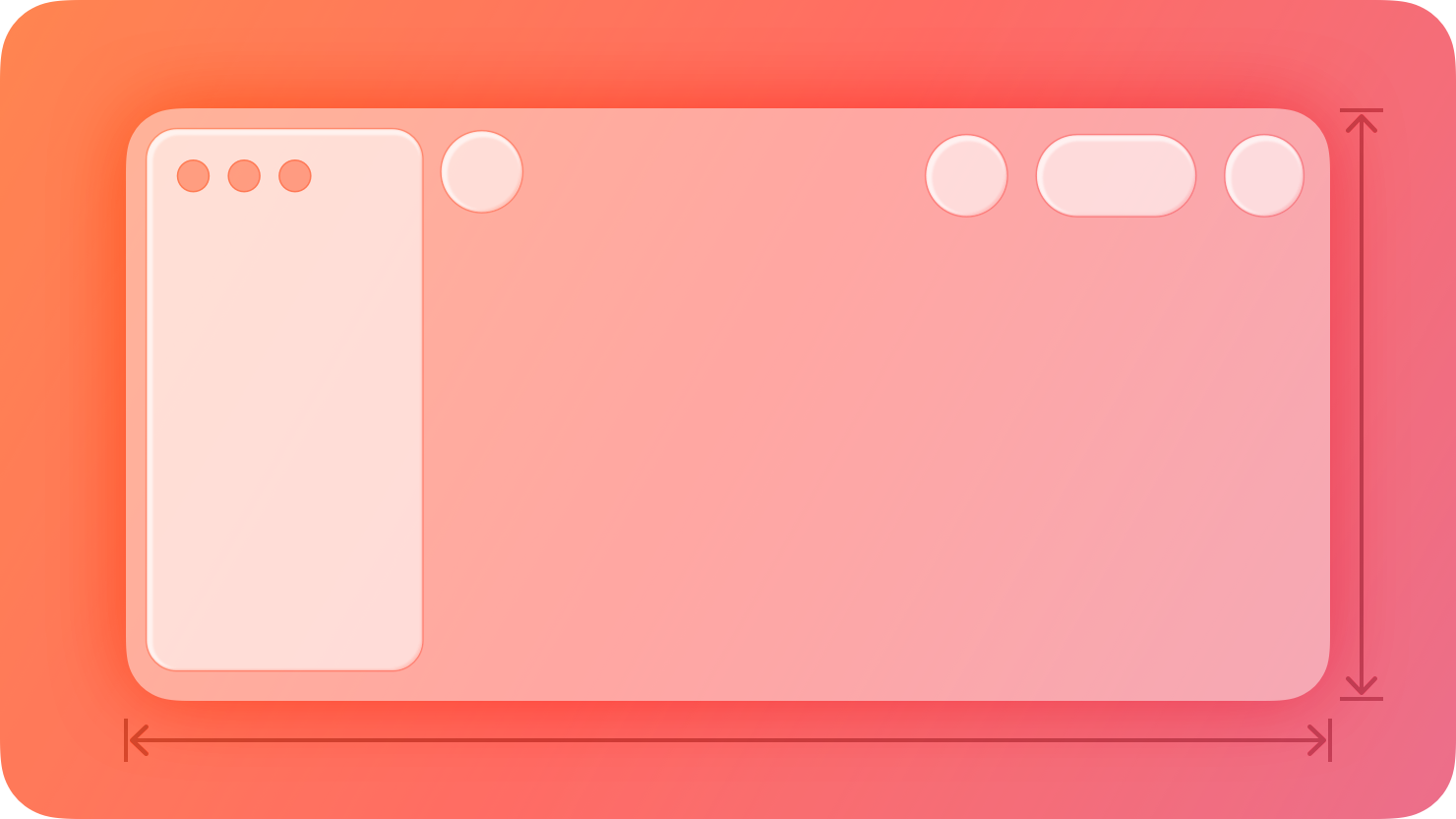
|
|
10
|
+
|
|
11
|
+
In iPadOS, macOS, and visionOS, windows help define the visual boundaries of app content and separate it from other areas of the system, and enable multitasking workflows both within and between apps. Windows include system-provided interface elements such as frames and window controls that let people open, close, resize, and relocate them.
|
|
12
|
+
|
|
13
|
+
Conceptually, apps use two types of windows to display content:
|
|
14
|
+
|
|
15
|
+
* A _primary_ window presents the main navigation and content of an app, and actions associated with them.
|
|
16
|
+
|
|
17
|
+
* An _auxiliary_ window presents a specific task or area in an app. Dedicated to one experience, an auxiliary window doesn’t allow navigation to other app areas, and it typically includes a button people use to close it after completing the task.
|
|
18
|
+
|
|
19
|
+
|
|
20
|
+
|
|
21
|
+
|
|
22
|
+
For guidance laying out content within a window on any platform, see [Layout](https://developer.apple.com/design/human-interface-guidelines/layout); for guidance laying out content in Apple Vision Pro space, see [Spatial layout](https://developer.apple.com/design/human-interface-guidelines/spatial-layout). For developer guidance, see [Windows](https://developer.apple.com/documentation/SwiftUI/Windows).
|
|
23
|
+
|
|
24
|
+
## [Best practices](https://developer.apple.com/design/human-interface-guidelines/windows#Best-practices)
|
|
25
|
+
|
|
26
|
+
**Make sure that your windows adapt fluidly to different sizes to support multitasking and multiwindow workflows.** For guidance, see [Layout](https://developer.apple.com/design/human-interface-guidelines/layout) and [Multitasking](https://developer.apple.com/design/human-interface-guidelines/multitasking).
|
|
27
|
+
|
|
28
|
+
**Choose the right moment to open a new window.** Opening content in a separate window is great for helping people multitask or preserve context. For example, Mail opens a new window whenever someone selects the Compose action, so both the new message and the existing email are visible at the same time. However, opening new windows excessively creates clutter and can make navigating your app more confusing. Avoid opening new windows as default behavior unless it makes sense for your app.
|
|
29
|
+
|
|
30
|
+
**Consider providing the option to view content in a new window.** While it’s best to avoid opening new windows as default behavior unless it benefits your user experience, it’s also great to give people the flexibility of viewing content in multiple ways. Consider letting people view content in a new window using a command in a [context menu](https://developer.apple.com/design/human-interface-guidelines/context-menus) or in the [File menu](https://developer.apple.com/design/human-interface-guidelines/the-menu-bar#File-menu). For developer guidance, see [`OpenWindowAction`](https://developer.apple.com/documentation/SwiftUI/OpenWindowAction).
|
|
31
|
+
|
|
32
|
+
**Avoid creating custom window UI.** System-provided windows look and behave in a way that people understand and recognize. Avoid making custom window frames or controls, and don’t try to replicate the system-provided appearance. Doing so without perfectly matching the system’s look and behavior can make your app feel broken.
|
|
33
|
+
|
|
34
|
+
**Use the term _window_ in user-facing content.** The system refers to app windows as _windows_ regardless of type. Using different terms — including _scene_ , which refers to window implementation — is likely to confuse people.
|
|
35
|
+
|
|
36
|
+
## [Platform considerations](https://developer.apple.com/design/human-interface-guidelines/windows#Platform-considerations)
|
|
37
|
+
|
|
38
|
+
_Not supported in iOS, tvOS, or watchOS._
|
|
39
|
+
|
|
40
|
+
### [iPadOS](https://developer.apple.com/design/human-interface-guidelines/windows#iPadOS)
|
|
41
|
+
|
|
42
|
+
Windows present in one of two ways depending on a person’s choice in Multitasking & Gestures settings.
|
|
43
|
+
|
|
44
|
+
* **Full screen.** App windows fill the entire screen, and people switch between them — or between multiple windows of the same app — using the app switcher.
|
|
45
|
+
|
|
46
|
+
* **Windowed.** People can freely resize app windows. Multiple windows can be onscreen at once, and people can reposition them and bring them to the front. The system remembers window size and placement even when an app is closed.
|
|
47
|
+
|
|
48
|
+
|
|
49
|
+
|
|
50
|
+
|
|
51
|
+
* Full screen
|
|
52
|
+
* Windowed
|
|
53
|
+
|
|
54
|
+
|
|
55
|
+
|
|
56
|
+
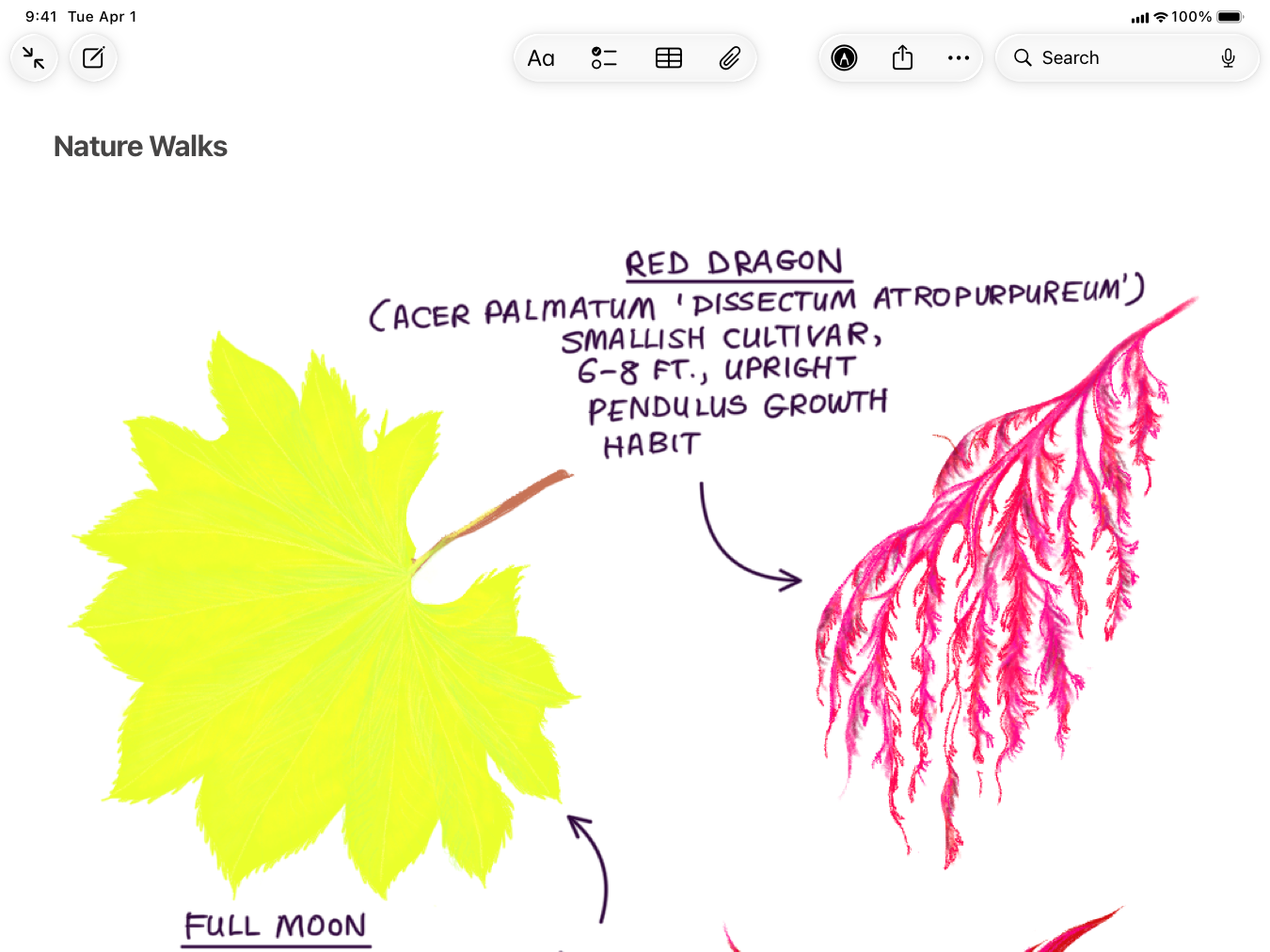
|
|
57
|
+
|
|
58
|
+
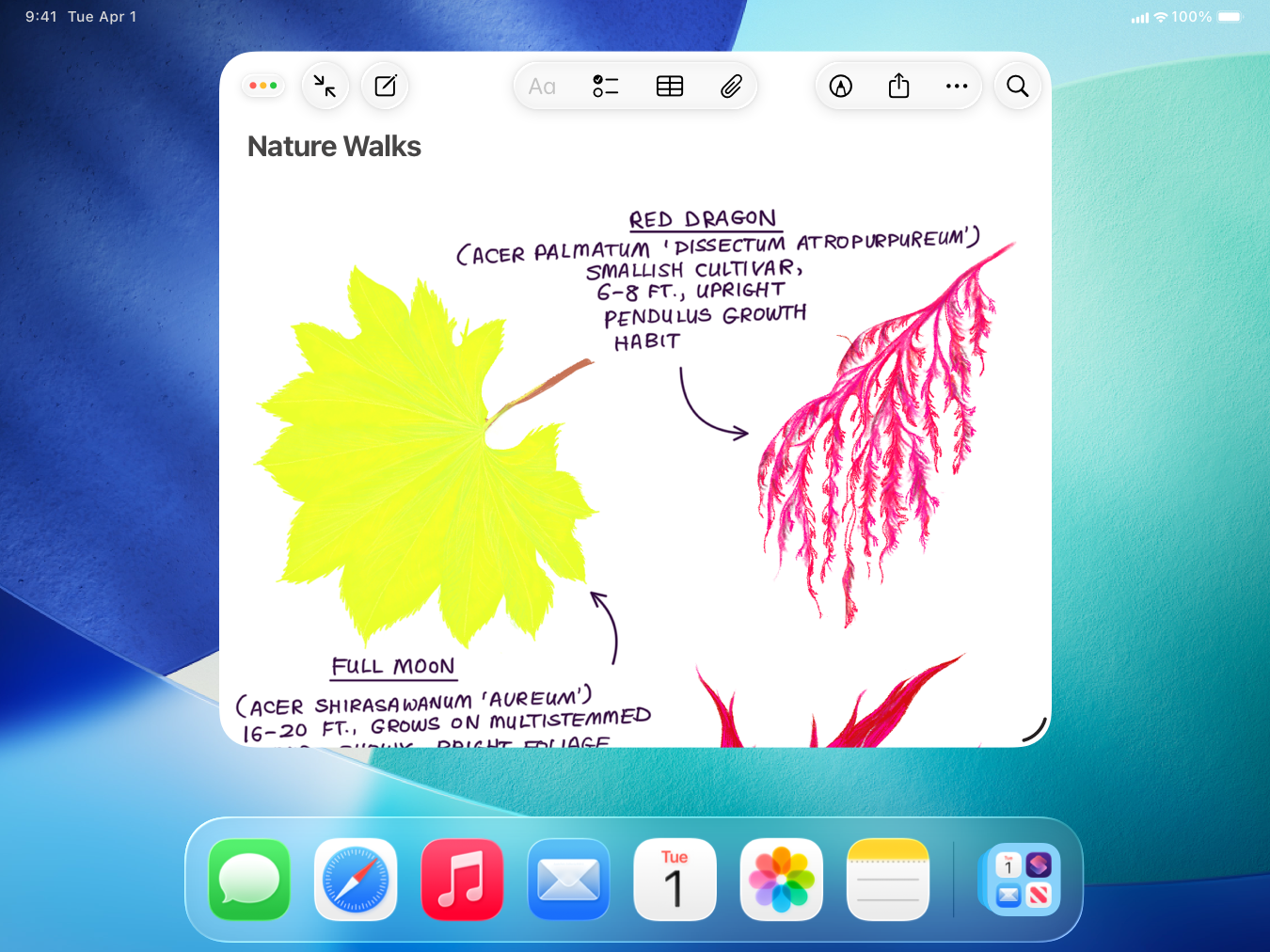
|
|
59
|
+
|
|
60
|
+
**Make sure window controls don’t overlap toolbar items.** When windowed, app windows include window controls at the leading edge of the toolbar. If your app has toolbar buttons at the leading edge, they might be hidden by window controls when they appear. To prevent this, instead of placing buttons directly on the leading edge, move them inward when the window controls appear.
|
|
61
|
+
|
|
62
|
+
**Consider letting people use a gesture to open content in a new window.** For example, people can use the pinch gesture to expand a Notes item into a new window. For developer guidance, see [`collectionView(_:sceneActivationConfigurationForItemAt:point:)`](https://developer.apple.com/documentation/UIKit/UICollectionViewDelegate/collectionView\(_:sceneActivationConfigurationForItemAt:point:\)) (to transition from a collection view item), or [`UIWindowScene.ActivationInteraction`](https://developer.apple.com/documentation/UIKit/UIWindowScene/ActivationInteraction) (to transition from an item in any other view).
|
|
63
|
+
|
|
64
|
+
Tip
|
|
65
|
+
|
|
66
|
+
If you only need to let people view one file, you can present it without creating your own window, but you must support multiple windows in your app. For developer guidance, see [`QLPreviewSceneActivationConfiguration`](https://developer.apple.com/documentation/QuickLook/QLPreviewSceneActivationConfiguration).
|
|
67
|
+
|
|
68
|
+
### [macOS](https://developer.apple.com/design/human-interface-guidelines/windows#macOS)
|
|
69
|
+
|
|
70
|
+
In macOS, people typically run several apps at the same time, often viewing windows from multiple apps on one desktop and switching frequently between different windows — moving, resizing, minimizing, and revealing the windows to suit their work style.
|
|
71
|
+
|
|
72
|
+
To learn about setting up a window to display your game in macOS, see [Managing your game window for Metal in macOS](https://developer.apple.com/documentation/Metal/managing-your-game-window-for-metal-in-macos).
|
|
73
|
+
|
|
74
|
+
#### [macOS window anatomy](https://developer.apple.com/design/human-interface-guidelines/windows#macOS-window-anatomy)
|
|
75
|
+
|
|
76
|
+
A macOS window consists of a frame and a body area. People can move a window by dragging the frame and can often resize the window by dragging its edges.
|
|
77
|
+
|
|
78
|
+
The _frame_ of a window appears above the body area and can include window controls and a [toolbar](https://developer.apple.com/design/human-interface-guidelines/toolbars). In rare cases, a window can also display a bottom bar, which is a part of the frame that appears below body content.
|
|
79
|
+
|
|
80
|
+
#### [macOS window states](https://developer.apple.com/design/human-interface-guidelines/windows#macOS-window-states)
|
|
81
|
+
|
|
82
|
+
A macOS window can have one of three states:
|
|
83
|
+
|
|
84
|
+
* **Main.** The frontmost window that people view is an app’s main window. There can be only one main window per app.
|
|
85
|
+
|
|
86
|
+
* **Key.** Also called the _active window_ , the key window accepts people’s input. There can be only one key window onscreen at a time. Although the front app’s main window is usually the key window, another window — such as a panel floating above the main window — might be key instead. People typically click a window to make it key; when people click an app’s Dock icon to bring all of that app’s windows forward, only the most recently accessed window becomes key.
|
|
87
|
+
|
|
88
|
+
* **Inactive.** A window that’s not in the foreground is an inactive window.
|
|
89
|
+
|
|
90
|
+
|
|
91
|
+
|
|
92
|
+
|
|
93
|
+
The system gives main, key, and inactive windows different appearances to help people visually identify them. For example, the key window uses color in the title bar options for closing, minimizing, and zooming; inactive windows and main windows that aren’t key use gray in these options. Also, inactive windows don’t use [vibrancy](https://developer.apple.com/design/human-interface-guidelines/materials) (an effect that can pull color into a window from the content underneath it), which makes them appear subdued and seem visually farther away than the main and key windows.
|
|
94
|
+
|
|
95
|
+
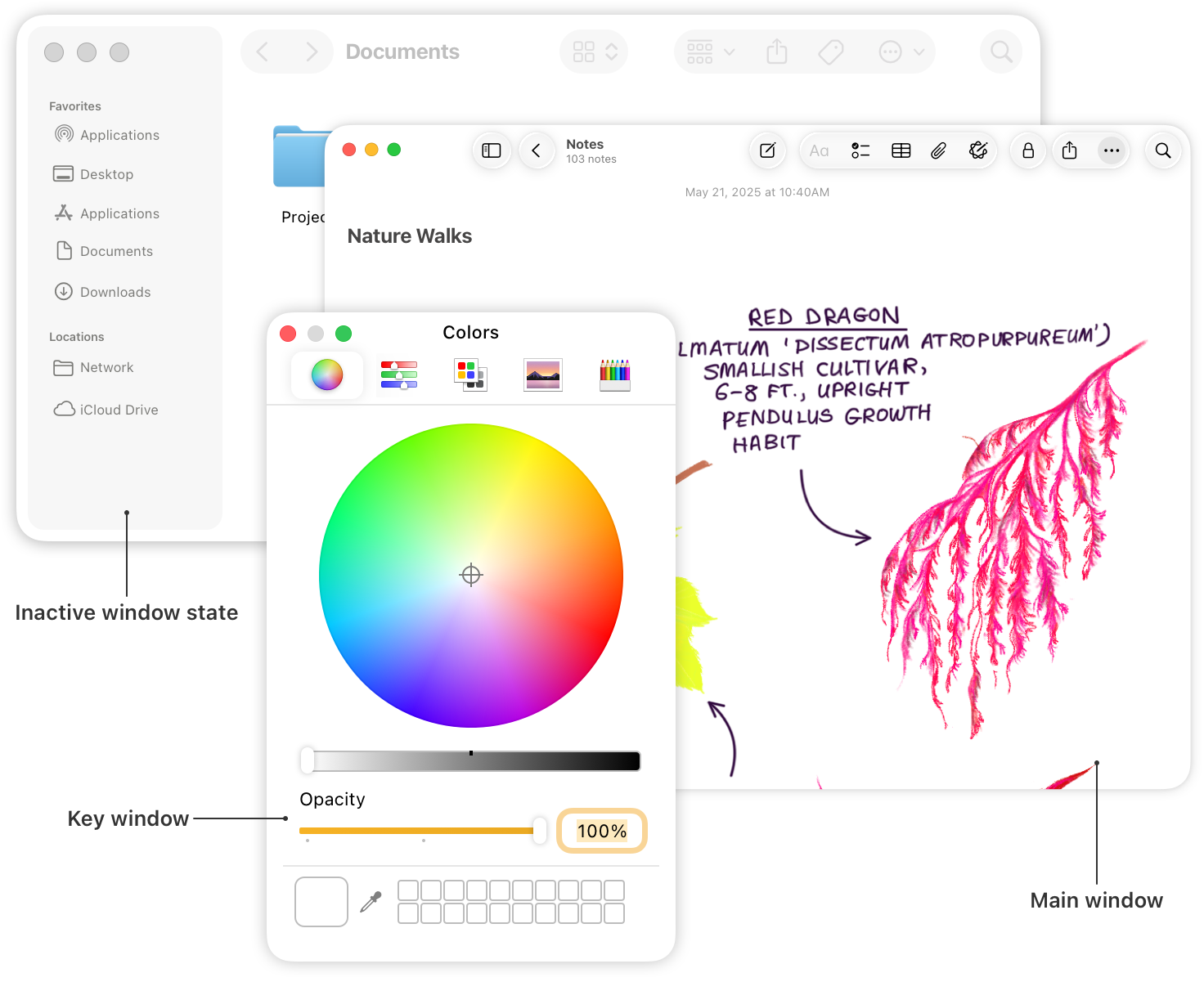
|
|
96
|
+
|
|
97
|
+
Note
|
|
98
|
+
|
|
99
|
+
Some windows — typically, panels like Colors or Fonts — become the key window only when people click the window’s title bar or a component that requires keyboard input, such as a text field.
|
|
100
|
+
|
|
101
|
+
**Make sure custom windows use the system-defined appearances.** People rely on the visual differences between windows to help them identify the foreground window and know which window will accept their input. When you use system-provided components, a window’s background and button appearances update automatically when the window changes state; if you use custom implementations, you need to do this work yourself.
|
|
102
|
+
|
|
103
|
+
**Avoid putting critical information or actions in a bottom bar, because people often relocate a window in a way that hides its bottom edge.** If you must include one, use it only to display a small amount of information directly related to a window’s contents or to a selected item within it. For example, Finder uses a bottom bar (called the status bar) to display the total number of items in a window, the number of selected items, and how much space is available on the disk. A bottom bar is small, so if you have more information to display, consider using an inspector, which typically presents information on the trailing side of a split view.
|
|
104
|
+
|
|
105
|
+
### [visionOS](https://developer.apple.com/design/human-interface-guidelines/windows#visionOS)
|
|
106
|
+
|
|
107
|
+
visionOS defines two main window styles: default and volumetric. Both a default window (called a _window_) and a volumetric window (called a _volume_) can display 2D and 3D content, and people can view multiple windows and volumes at the same time in both the Shared Space and a Full Space.
|
|
108
|
+
|
|
109
|
+
A window
|
|
110
|
+
|
|
111
|
+
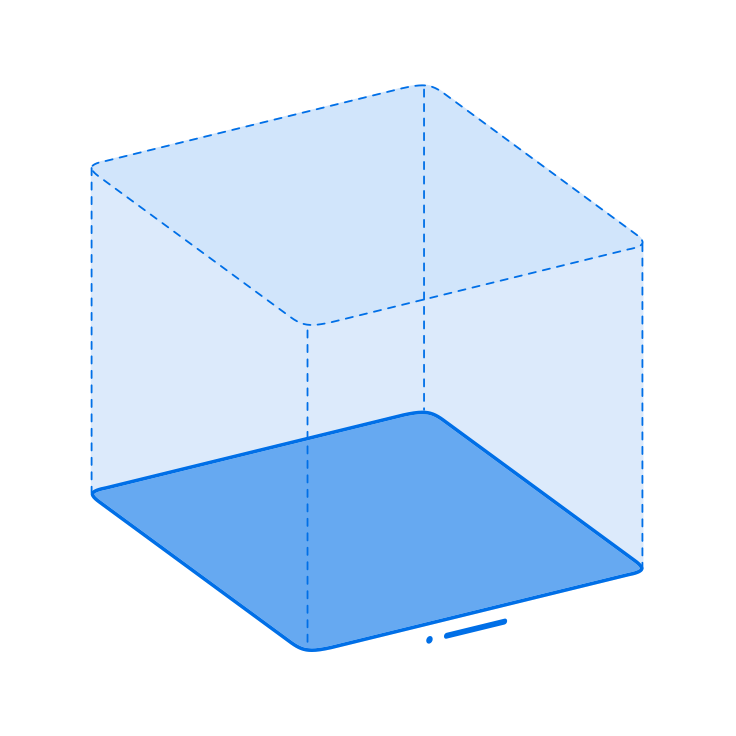A volume
|
|
112
|
+
|
|
113
|
+
Note
|
|
114
|
+
|
|
115
|
+
visionOS also defines the _plain_ window style, which is similar to the default style, except that the upright plane doesn’t use the glass background. For developer guidance, see [`PlainWindowStyle`](https://developer.apple.com/documentation/SwiftUI/PlainWindowStyle).
|
|
116
|
+
|
|
117
|
+
The system defines the initial position of the first window or volume people open in your app or game. In both the Shared Space and a Full Space, people can move windows and volumes to new locations.
|
|
118
|
+
|
|
119
|
+
#### [visionOS windows](https://developer.apple.com/design/human-interface-guidelines/windows#visionOS-windows)
|
|
120
|
+
|
|
121
|
+
The default window style consists of an upright plane that uses an unmodifiable background [material](https://developer.apple.com/design/human-interface-guidelines/materials) called _glass_ and includes a close button, window bar, and resize controls that let people close, move, and resize the window. A window can also include a Share button, [tab bar](https://developer.apple.com/design/human-interface-guidelines/tab-bars), [toolbar](https://developer.apple.com/design/human-interface-guidelines/toolbars), and one or more [ornaments](https://developer.apple.com/design/human-interface-guidelines/ornaments). By default, visionOS uses dynamic [scale](https://developer.apple.com/design/human-interface-guidelines/spatial-layout#Scale) to help a window’s size appear to remain consistent regardless of its proximity to the viewer. For developer guidance, see [`DefaultWindowStyle`](https://developer.apple.com/documentation/SwiftUI/DefaultWindowStyle).
|
|
122
|
+
|
|
123
|
+
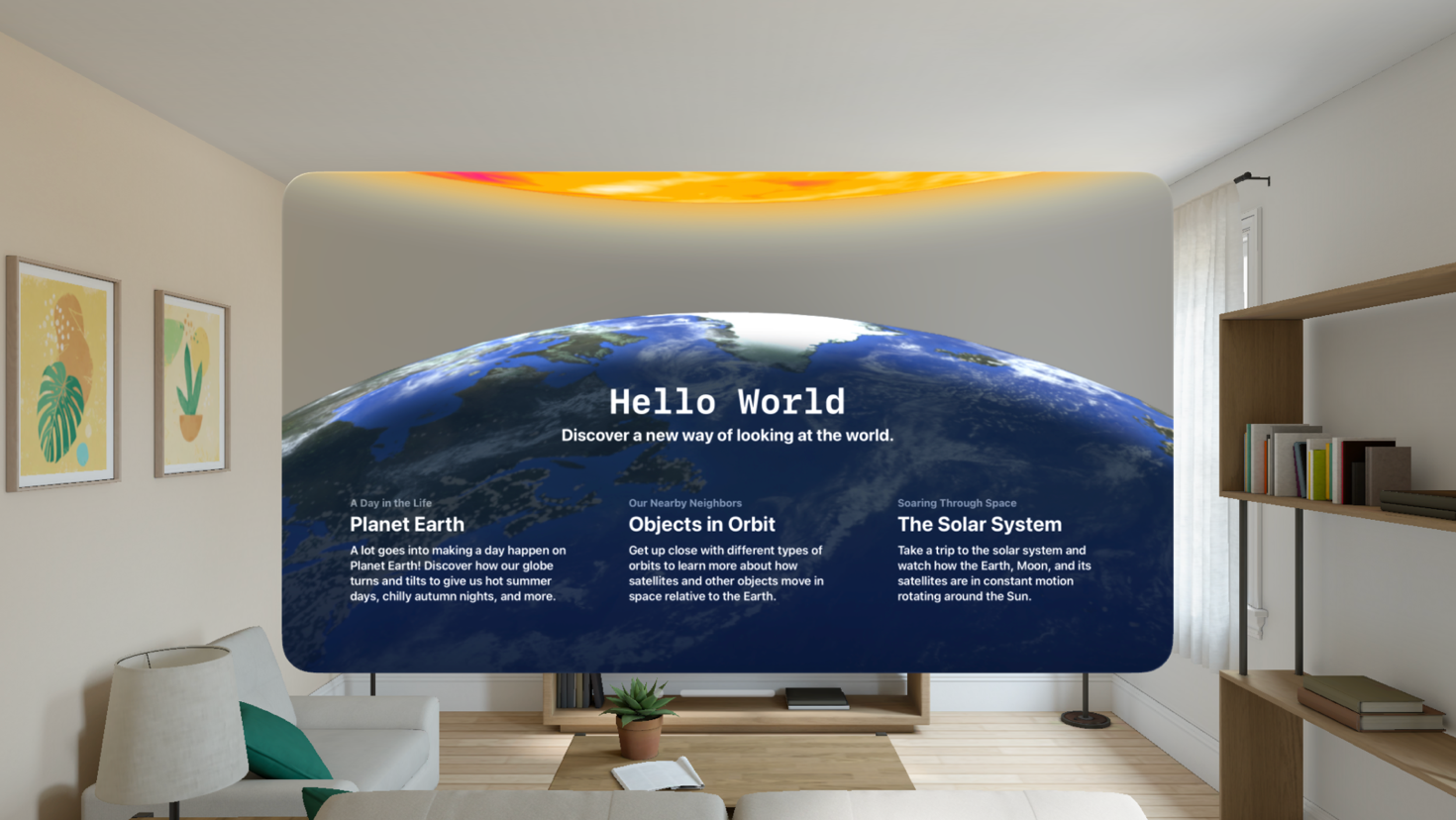A window
|
|
124
|
+
|
|
125
|
+
**Prefer using a window to present a familiar interface and to support familiar tasks.** Help people feel at home in your app by displaying an interface they’re already comfortable with, reserving more [immersive experiences](https://developer.apple.com/design/human-interface-guidelines/immersive-experiences) for the meaningful content and activities you offer. If you want to showcase bounded 3D content like a game board, consider using a [volume](https://developer.apple.com/design/human-interface-guidelines/windows#visionOS-volumes).
|
|
126
|
+
|
|
127
|
+
**Retain the window’s glass background.** The default glass background helps your content feel like part of people’s surroundings while adapting dynamically to lighting and using specular reflections and shadows to communicate the window’s scale and position. Removing the glass material tends to cause UI elements and text to become less legible and to no longer appear related to each other; using an opaque background obscures people’s surroundings and can make a window feel constricting and heavy.
|
|
128
|
+
|
|
129
|
+
**Choose an initial window size that minimizes empty areas within it.** By default, a window measures 1280x720 pt. When a window first opens, the system places it about two meters in front of the wearer, giving it an apparent width of about three meters. Too much empty space inside a window can make it look unnecessarily large while also obscuring other content in people’s space.
|
|
130
|
+
|
|
131
|
+
**Aim for an initial shape that suits a window’s content.** For example, a default Keynote window is wide because slides are wide, whereas a default Safari window is tall because most webpages are much longer than they are wide. For games, a tower-building game is likely to open in a taller window than a driving game.
|
|
132
|
+
|
|
133
|
+
**Choose a minimum and maximum size for each window to help keep your content looking great.** People appreciate being able to resize windows as they customize their space, but you need to make sure your layout adjusts well across all sizes. If you don’t set a minimum and maximum size for a window, people could make it so small that UI elements overlap or so large that your app or game becomes unusable. For developer guidance, see [Positioning and sizing windows](https://developer.apple.com/documentation/visionOS/positioning-and-sizing-windows).
|
|
134
|
+
|
|
135
|
+
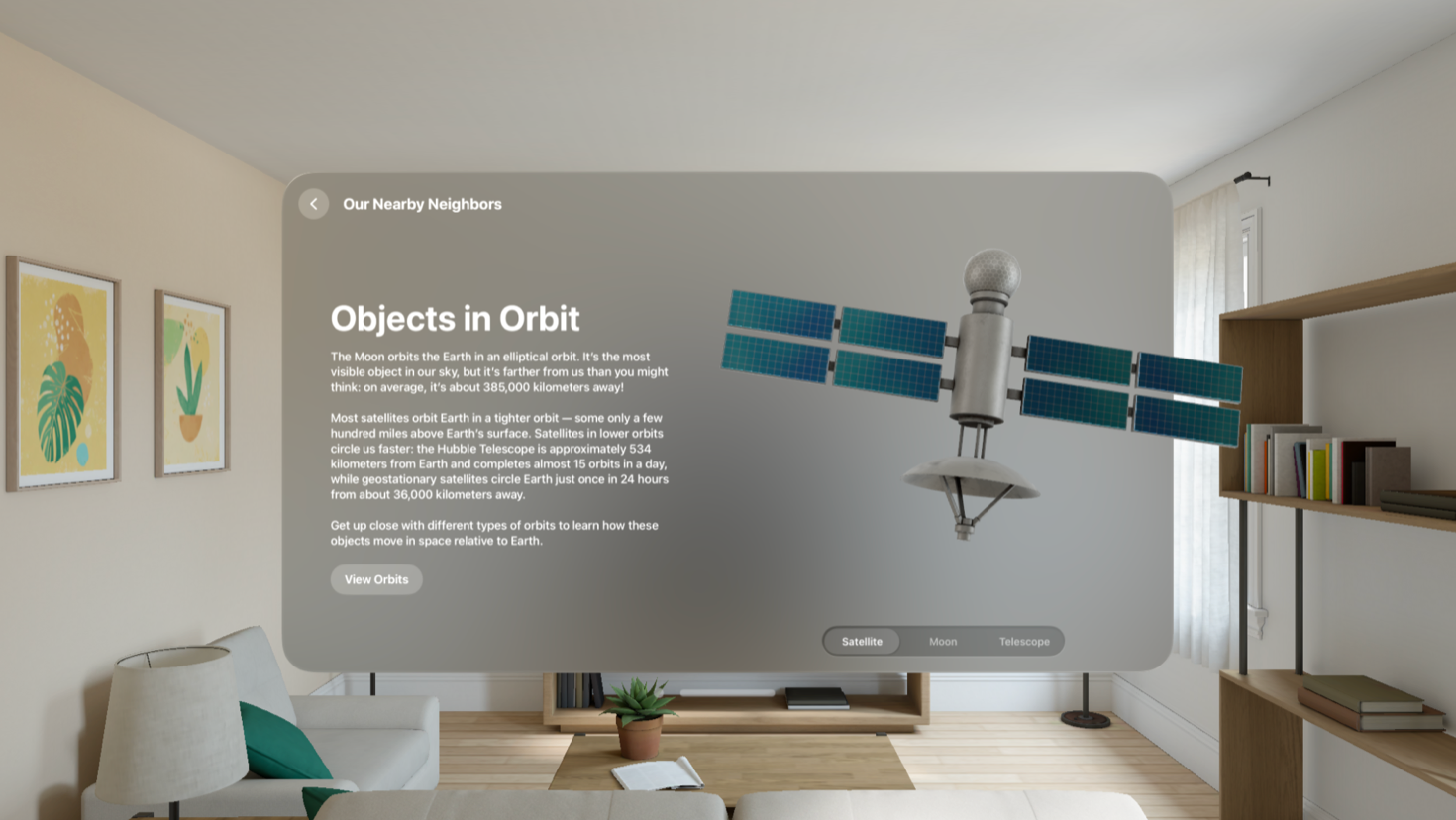A window containing 3D content
|
|
136
|
+
|
|
137
|
+
**Minimize the depth of 3D content you display in a window.** The system adds highlights and shadows to the views and controls within a window, giving them the appearance of [depth](https://developer.apple.com/design/human-interface-guidelines/spatial-layout#Depth) and helping them feel more substantial, especially when people view the window from an angle. Although you can display 3D content in a window, the system clips it if the content extends too far from the window’s surface. To display 3D content that has greater depth, use a volume.
|
|
138
|
+
|
|
139
|
+
#### [visionOS volumes](https://developer.apple.com/design/human-interface-guidelines/windows#visionOS-volumes)
|
|
140
|
+
|
|
141
|
+
You can use a volume to display 2D or 3D content that people can view from any angle. A volume includes window-management controls just like a window, but unlike in a window, a volume’s close button and window bar shift position to face the viewer as they move around the volume. For developer guidance, see [`VolumetricWindowStyle`](https://developer.apple.com/documentation/SwiftUI/VolumetricWindowStyle).
|
|
142
|
+
|
|
143
|
+
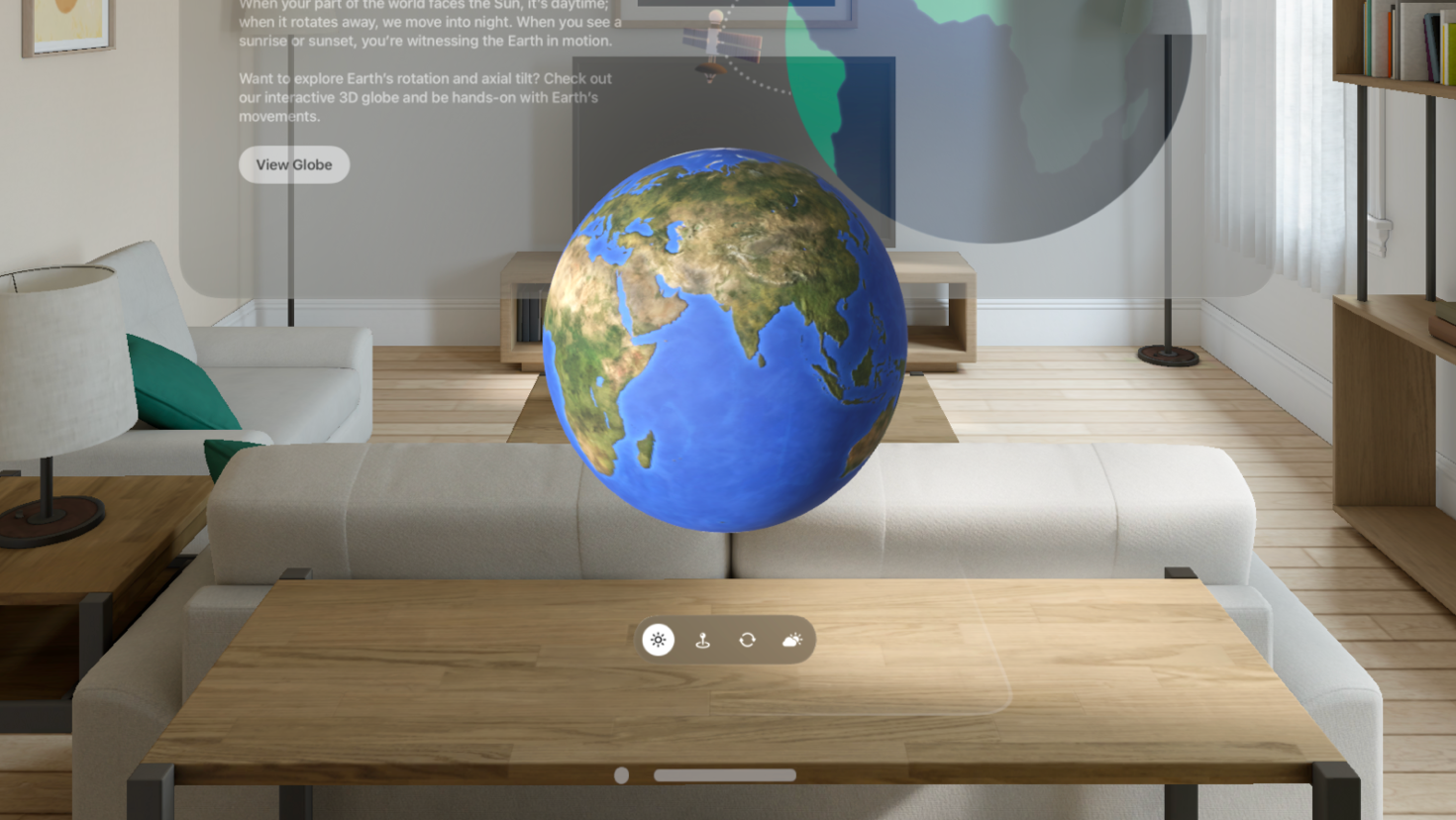A volume
|
|
144
|
+
|
|
145
|
+
**Prefer using a volume to display rich, 3D content.** In contrast, if you want to present a familiar, UI-centric interface, it generally works best to use a [window](https://developer.apple.com/design/human-interface-guidelines/windows#visionOS-windows).
|
|
146
|
+
|
|
147
|
+
**Place 2D content so it looks good from multiple angles.** Because a person’s perspective changes as they move around a volume, the location of 2D content within it might appear to change in ways that don’t make sense. To pin 2D content to specific areas of 3D content inside a volume, you can use an attachment.
|
|
148
|
+
|
|
149
|
+
**In general, use dynamic scaling.** Dynamic scaling helps a volume’s content remain comfortably legible and easy to interact with, even when it’s far away from the viewer. On the other hand, if you want a volume’s content to represent a real-world object, like a product in a retail app, you can use fixed scaling (this is the default).
|
|
150
|
+
|
|
151
|
+
**Take advantage of the default baseplate appearance to help people discern the edges of a volume.** In visionOS 2 and later, the system automatically makes a volume’s horizontal “floor,” or _baseplate_ , visible by displaying a gentle glow around its border when people look at it. If your content doesn’t fill the volume, the system-provided glow can help people become aware of the volume’s edges, which can be particularly useful in keeping the resize control easy to find. On the other hand, if your content is full bleed or fills the volume’s bounds — or if you display a custom baseplate appearance — you may not want the default glow.
|
|
152
|
+
|
|
153
|
+
**Consider offering high-value content in an ornament.** In visionOS 2 and later, a volume can include an ornament in addition to a toolbar and tab bar. You can use an ornament to reduce clutter in a volume and elevate important views or controls. When you use an attachment anchor to specify the ornament’s location, such as `topBack` or `bottomFront`, the ornament remains in the same position, relative to the viewer’s perspective, as they move around the volume. Be sure to avoid placing an ornament on the same edge as a toolbar or tab bar, and prefer creating only one additional ornament to avoid overshadowing the important content in your volume. For developer guidance, see [`ornament(visibility:attachmentAnchor:contentAlignment:ornament:)`](https://developer.apple.com/documentation/SwiftUI/View/ornament\(visibility:attachmentAnchor:contentAlignment:ornament:\)).
|
|
154
|
+
|
|
155
|
+
**Choose an alignment that supports the way people interact with your volume.** As people move a volume, the baseplate can remain parallel to the floor of a person’s surroundings, or it can tilt to match the angle at which a person is looking. In general, a volume that remains parallel to the floor works well for content that people don’t interact with much, whereas a volume that tilts to match where a person is looking can keep content comfortably usable, even when the viewer is reclining.
|
|
156
|
+
|
|
157
|
+
## [Resources](https://developer.apple.com/design/human-interface-guidelines/windows#Resources)
|
|
158
|
+
|
|
159
|
+
#### [Related](https://developer.apple.com/design/human-interface-guidelines/windows#Related)
|
|
160
|
+
|
|
161
|
+
[Layout](https://developer.apple.com/design/human-interface-guidelines/layout)
|
|
162
|
+
|
|
163
|
+
[Split views](https://developer.apple.com/design/human-interface-guidelines/split-views)
|
|
164
|
+
|
|
165
|
+
[Multitasking](https://developer.apple.com/design/human-interface-guidelines/multitasking)
|
|
166
|
+
|
|
167
|
+
#### [Developer documentation](https://developer.apple.com/design/human-interface-guidelines/windows#Developer-documentation)
|
|
168
|
+
|
|
169
|
+
[Windows](https://developer.apple.com/documentation/SwiftUI/Windows) — SwiftUI
|
|
170
|
+
|
|
171
|
+
[`WindowGroup`](https://developer.apple.com/documentation/SwiftUI/WindowGroup) — SwiftUI
|
|
172
|
+
|
|
173
|
+
[`UIWindow`](https://developer.apple.com/documentation/UIKit/UIWindow) — UIKit
|
|
174
|
+
|
|
175
|
+
[`NSWindow`](https://developer.apple.com/documentation/AppKit/NSWindow) — AppKit
|
|
176
|
+
|
|
177
|
+
#### [Videos](https://developer.apple.com/design/human-interface-guidelines/windows#Videos)
|
|
178
|
+
|
|
179
|
+
[ Elevate the design of your iPad app ](https://developer.apple.com/videos/play/wwdc2025/208)
|
|
180
|
+
|
|
181
|
+
## [Change log](https://developer.apple.com/design/human-interface-guidelines/windows#Change-log)
|
|
182
|
+
|
|
183
|
+
Date| Changes
|
|
184
|
+
---|---
|
|
185
|
+
June 9, 2025| Added best practices, and updated with guidance for resizable windows in iPadOS.
|
|
186
|
+
June 10, 2024| Updated to include guidance for using volumes in visionOS 2 and added game-specific examples.
|
|
187
|
+
June 21, 2023| Updated to include guidance for visionOS.
|
|
188
|
+
|