buildanything 1.7.1 → 2.0.0
This diff represents the content of publicly available package versions that have been released to one of the supported registries. The information contained in this diff is provided for informational purposes only and reflects changes between package versions as they appear in their respective public registries.
- package/.claude-plugin/marketplace.json +3 -3
- package/.claude-plugin/plugin.json +9 -3
- package/CHANGELOG.md +112 -0
- package/README.md +2 -2
- package/agents/a11y-architect.md +166 -0
- package/agents/business-model.md +80 -29
- package/agents/code-architect.md +75 -0
- package/agents/code-reviewer.md +255 -0
- package/agents/code-simplifier.md +64 -0
- package/agents/design-brand-guardian.md +293 -53
- package/agents/design-critic.md +139 -0
- package/agents/design-inclusive-visuals-specialist.md +6 -19
- package/agents/design-ui-designer.md +335 -56
- package/agents/design-ux-architect.md +403 -55
- package/agents/design-ux-researcher.md +264 -49
- package/agents/engineering-ai-engineer.md +26 -36
- package/agents/engineering-backend-architect.md +185 -36
- package/agents/engineering-data-engineer.md +225 -43
- package/agents/engineering-devops-automator.md +227 -74
- package/agents/engineering-frontend-developer.md +210 -34
- package/agents/engineering-mobile-app-builder.md +6 -1
- package/agents/engineering-rapid-prototyper.md +30 -9
- package/agents/engineering-security-engineer.md +263 -61
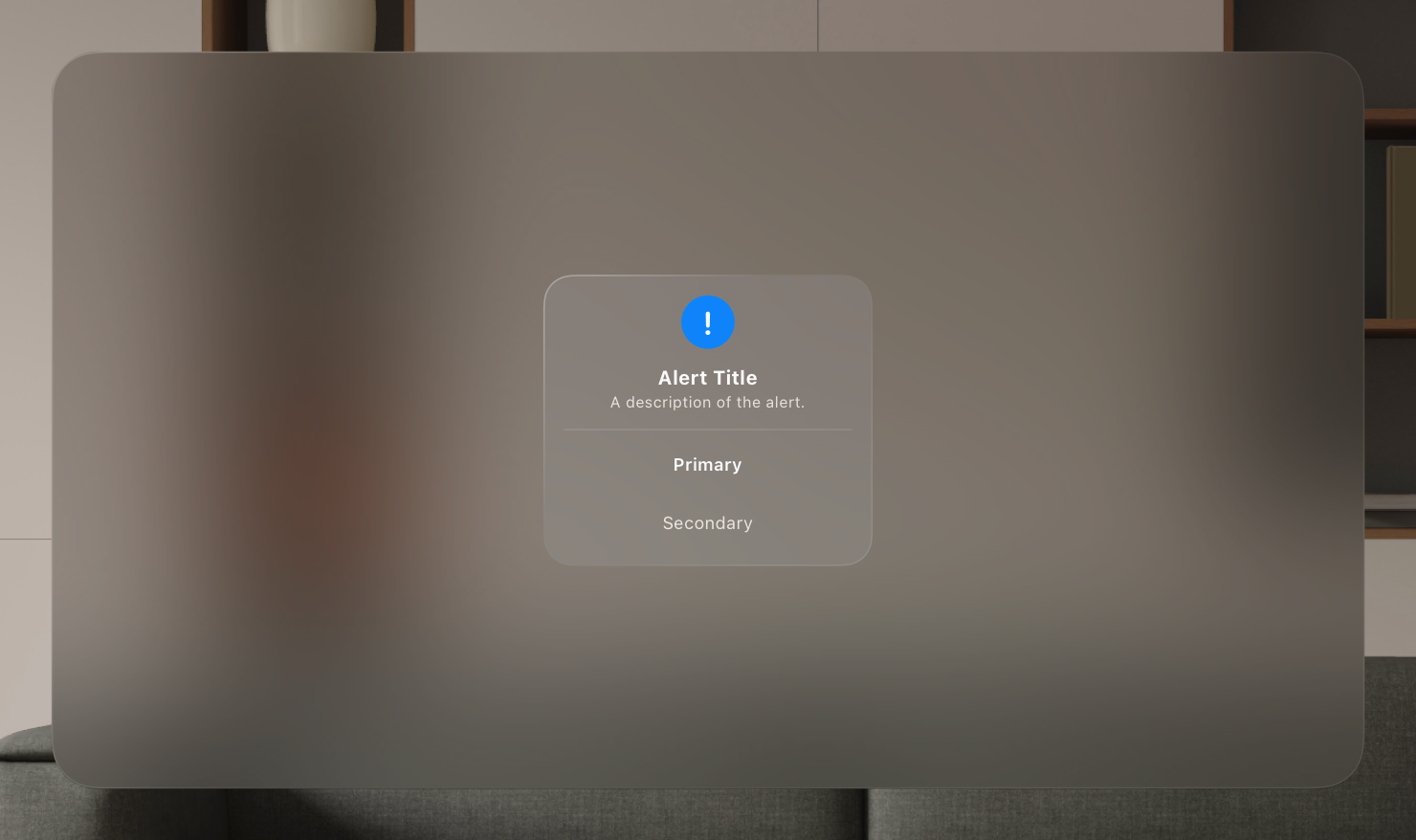
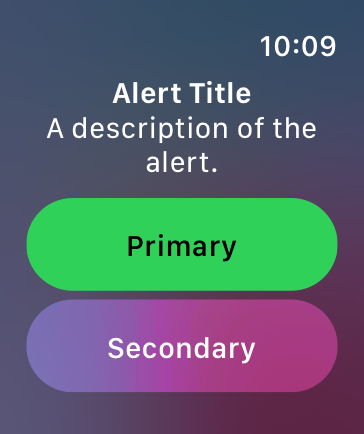
- package/agents/engineering-senior-developer.md +128 -19
- package/agents/engineering-sre.md +84 -0
- package/agents/engineering-technical-writer.md +285 -41
- package/agents/feature-intel.md +110 -0
- package/agents/ios-app-review-guardian.md +66 -0
- package/agents/ios-foundation-models-specialist.md +64 -0
- package/agents/ios-storekit-specialist.md +59 -0
- package/agents/ios-swift-architect.md +129 -0
- package/agents/ios-swift-search.md +137 -0
- package/agents/ios-swift-ui-design.md +136 -0
- package/agents/marketing-app-store-optimizer.md +246 -64
- package/agents/planner.md +216 -0
- package/agents/pr-test-analyzer.md +63 -0
- package/agents/product-feedback-synthesizer.md +8 -2
- package/agents/refactor-cleaner.md +102 -0
- package/agents/security-reviewer.md +128 -0
- package/agents/silent-failure-hunter.md +54 -0
- package/agents/swift-build-resolver.md +119 -0
- package/agents/swift-reviewer.md +112 -0
- package/agents/tech-feasibility.md +21 -1
- package/agents/testing-api-tester.md +236 -59
- package/agents/testing-evidence-collector.md +26 -1
- package/agents/testing-performance-benchmarker.md +21 -1
- package/agents/testing-reality-checker.md +6 -1
- package/agents/visual-research.md +116 -0
- package/bin/adapters/cycle-counter-tool.ts +155 -0
- package/bin/adapters/scribe-tool.ts +71 -0
- package/bin/adapters/state-save-tool.ts +130 -0
- package/bin/adapters/write-lease-tool.ts +127 -0
- package/bin/buildanything-runtime.js +15 -0
- package/bin/buildanything-runtime.ts +328 -0
- package/bin/setup.js +83 -8
- package/commands/add-feature.md +2 -0
- package/commands/build.md +752 -332
- package/commands/fix.md +65 -0
- package/commands/self-check.md +121 -0
- package/commands/setup.md +114 -0
- package/commands/ux-review.md +63 -0
- package/commands/verify.md +69 -0
- package/docs/migration/agents.yaml +729 -0
- package/docs/migration/phase-graph.yaml +1088 -0
- package/docs/migration/sdk-host-compat.md +18 -0
- package/hooks/compile-writer-owner-cache.ts +171 -0
- package/hooks/hooks.json +36 -0
- package/hooks/pre-tool-use +19 -0
- package/hooks/pre-tool-use.ts +776 -0
- package/hooks/record-mode-transitions.ts +178 -0
- package/hooks/session-start +89 -2
- package/hooks/subagent-start +17 -0
- package/hooks/subagent-start.ts +471 -0
- package/hooks/subagent-stop +17 -0
- package/hooks/subagent-stop.ts +153 -0
- package/package.json +28 -5
- package/protocols/architecture-schema.md +171 -0
- package/protocols/build-fix.md +52 -0
- package/protocols/cleanup.md +54 -0
- package/protocols/decision-log.md +131 -0
- package/protocols/eval-harness.md +61 -0
- package/protocols/fake-data-detector.md +64 -0
- package/protocols/ios-context.md +234 -0
- package/protocols/ios-frameworks-map.md +323 -0
- package/protocols/ios-phase-branches.md +337 -0
- package/protocols/ios-preflight.md +27 -0
- package/protocols/launch-readiness.md +258 -0
- package/protocols/metric-loop.md +153 -0
- package/protocols/smoke-test.md +118 -0
- package/protocols/state-schema.json +388 -0
- package/protocols/state-schema.md +172 -0
- package/protocols/verify.md +127 -0
- package/protocols/visual-dna.md +185 -0
- package/protocols/web-phase-branches.md +351 -0
- package/skills/ios/_VENDORED.md +62 -0
- package/skills/ios/activitykit/LICENSE +131 -0
- package/skills/ios/activitykit/SKILL.md +505 -0
- package/skills/ios/activitykit/references/activitykit-patterns.md +868 -0
- package/skills/ios/app-intents/LICENSE +131 -0
- package/skills/ios/app-intents/SKILL.md +494 -0
- package/skills/ios/app-intents/references/appintents-advanced.md +1076 -0
- package/skills/ios/app-store-connect-metadata/SKILL.md +148 -0
- package/skills/ios/apple-on-device-ai/LICENSE +131 -0
- package/skills/ios/apple-on-device-ai/SKILL.md +505 -0
- package/skills/ios/apple-on-device-ai/references/coreml-conversion.md +425 -0
- package/skills/ios/apple-on-device-ai/references/coreml-optimization.md +344 -0
- package/skills/ios/apple-on-device-ai/references/foundation-models.md +508 -0
- package/skills/ios/apple-on-device-ai/references/mlx-swift.md +285 -0
- package/skills/ios/asc-privacy-manifest/SKILL.md +350 -0
- package/skills/ios/hig-components-content/SKILL.md +86 -0
- package/skills/ios/hig-components-content/references/activity-views.md +79 -0
- package/skills/ios/hig-components-content/references/charts.md +180 -0
- package/skills/ios/hig-components-content/references/collections.md +48 -0
- package/skills/ios/hig-components-content/references/color-wells.md +42 -0
- package/skills/ios/hig-components-content/references/image-views.md +82 -0
- package/skills/ios/hig-components-content/references/image-wells.md +34 -0
- package/skills/ios/hig-components-content/references/lockups.md +78 -0
- package/skills/ios/hig-components-content/references/web-views.md +36 -0
- package/skills/ios/hig-components-controls/SKILL.md +88 -0
- package/skills/ios/hig-components-controls/references/combo-boxes.md +40 -0
- package/skills/ios/hig-components-controls/references/controls.md +112 -0
- package/skills/ios/hig-components-controls/references/gauges.md +74 -0
- package/skills/ios/hig-components-controls/references/labels.md +92 -0
- package/skills/ios/hig-components-controls/references/pickers.md +128 -0
- package/skills/ios/hig-components-controls/references/rating-indicators.md +38 -0
- package/skills/ios/hig-components-controls/references/segmented-controls.md +94 -0
- package/skills/ios/hig-components-controls/references/sliders.md +92 -0
- package/skills/ios/hig-components-controls/references/steppers.md +40 -0
- package/skills/ios/hig-components-controls/references/text-fields.md +88 -0
- package/skills/ios/hig-components-controls/references/text-views.md +56 -0
- package/skills/ios/hig-components-controls/references/toggles.md +127 -0
- package/skills/ios/hig-components-controls/references/token-fields.md +48 -0
- package/skills/ios/hig-components-controls/references/virtual-keyboards.md +156 -0
- package/skills/ios/hig-components-dialogs/SKILL.md +76 -0
- package/skills/ios/hig-components-dialogs/references/action-sheets.md +74 -0
- package/skills/ios/hig-components-dialogs/references/alerts.md +158 -0
- package/skills/ios/hig-components-dialogs/references/digit-entry-views.md +32 -0
- package/skills/ios/hig-components-dialogs/references/popovers.md +81 -0
- package/skills/ios/hig-components-dialogs/references/sheets.md +157 -0
- package/skills/ios/hig-components-layout/SKILL.md +99 -0
- package/skills/ios/hig-components-layout/references/boxes.md +48 -0
- package/skills/ios/hig-components-layout/references/column-views.md +44 -0
- package/skills/ios/hig-components-layout/references/lists-and-tables.md +99 -0
- package/skills/ios/hig-components-layout/references/ornaments.md +56 -0
- package/skills/ios/hig-components-layout/references/outline-views.md +64 -0
- package/skills/ios/hig-components-layout/references/panels.md +75 -0
- package/skills/ios/hig-components-layout/references/scroll-views.md +123 -0
- package/skills/ios/hig-components-layout/references/sidebars.md +109 -0
- package/skills/ios/hig-components-layout/references/split-views.md +110 -0
- package/skills/ios/hig-components-layout/references/tab-bars.md +173 -0
- package/skills/ios/hig-components-layout/references/tab-views.md +68 -0
- package/skills/ios/hig-components-layout/references/windows.md +188 -0
- package/skills/ios/hig-components-menus/SKILL.md +81 -0
- package/skills/ios/hig-components-menus/references/action-button.md +61 -0
- package/skills/ios/hig-components-menus/references/buttons.md +261 -0
- package/skills/ios/hig-components-menus/references/context-menus.md +105 -0
- package/skills/ios/hig-components-menus/references/disclosure-controls.md +84 -0
- package/skills/ios/hig-components-menus/references/dock-menus.md +40 -0
- package/skills/ios/hig-components-menus/references/edit-menus.md +88 -0
- package/skills/ios/hig-components-menus/references/menus.md +171 -0
- package/skills/ios/hig-components-menus/references/pop-up-buttons.md +70 -0
- package/skills/ios/hig-components-menus/references/pull-down-buttons.md +77 -0
- package/skills/ios/hig-components-menus/references/the-menu-bar.md +303 -0
- package/skills/ios/hig-components-menus/references/toolbars.md +256 -0
- package/skills/ios/hig-components-search/SKILL.md +68 -0
- package/skills/ios/hig-components-search/references/page-controls.md +120 -0
- package/skills/ios/hig-components-search/references/path-controls.md +40 -0
- package/skills/ios/hig-components-search/references/search-fields.md +189 -0
- package/skills/ios/hig-components-status/SKILL.md +80 -0
- package/skills/ios/hig-components-status/references/activity-rings.md +105 -0
- package/skills/ios/hig-components-status/references/progress-indicators.md +116 -0
- package/skills/ios/hig-components-status/references/status-bars.md +38 -0
- package/skills/ios/hig-components-system/SKILL.md +88 -0
- package/skills/ios/hig-components-system/references/app-clips.md +387 -0
- package/skills/ios/hig-components-system/references/app-shortcuts.md +114 -0
- package/skills/ios/hig-components-system/references/complications.md +425 -0
- package/skills/ios/hig-components-system/references/home-screen-quick-actions.md +42 -0
- package/skills/ios/hig-components-system/references/live-activities.md +442 -0
- package/skills/ios/hig-components-system/references/notifications.md +153 -0
- package/skills/ios/hig-components-system/references/top-shelf.md +135 -0
- package/skills/ios/hig-components-system/references/watch-faces.md +40 -0
- package/skills/ios/hig-components-system/references/widgets.md +517 -0
- package/skills/ios/hig-foundations/SKILL.md +98 -0
- package/skills/ios/hig-foundations/references/accessibility.md +291 -0
- package/skills/ios/hig-foundations/references/app-icons.md +210 -0
- package/skills/ios/hig-foundations/references/branding.md +44 -0
- package/skills/ios/hig-foundations/references/color.md +274 -0
- package/skills/ios/hig-foundations/references/dark-mode.md +116 -0
- package/skills/ios/hig-foundations/references/icons.md +263 -0
- package/skills/ios/hig-foundations/references/images.md +176 -0
- package/skills/ios/hig-foundations/references/immersive-experiences.md +174 -0
- package/skills/ios/hig-foundations/references/inclusion.md +189 -0
- package/skills/ios/hig-foundations/references/layout.md +425 -0
- package/skills/ios/hig-foundations/references/materials.md +238 -0
- package/skills/ios/hig-foundations/references/motion.md +103 -0
- package/skills/ios/hig-foundations/references/privacy.md +231 -0
- package/skills/ios/hig-foundations/references/right-to-left.md +206 -0
- package/skills/ios/hig-foundations/references/sf-symbols.md +310 -0
- package/skills/ios/hig-foundations/references/spatial-layout.md +142 -0
- package/skills/ios/hig-foundations/references/typography.md +1146 -0
- package/skills/ios/hig-foundations/references/writing.md +91 -0
- package/skills/ios/hig-inputs/SKILL.md +94 -0
- package/skills/ios/hig-inputs/references/apple-pencil-and-scribble.md +148 -0
- package/skills/ios/hig-inputs/references/camera-control.md +107 -0
- package/skills/ios/hig-inputs/references/digital-crown.md +83 -0
- package/skills/ios/hig-inputs/references/eyes.md +120 -0
- package/skills/ios/hig-inputs/references/focus-and-selection.md +120 -0
- package/skills/ios/hig-inputs/references/game-controls.md +156 -0
- package/skills/ios/hig-inputs/references/gestures.md +208 -0
- package/skills/ios/hig-inputs/references/gyro-and-accelerometer.md +40 -0
- package/skills/ios/hig-inputs/references/keyboards.md +234 -0
- package/skills/ios/hig-inputs/references/nearby-interactions.md +70 -0
- package/skills/ios/hig-inputs/references/pointing-devices.md +237 -0
- package/skills/ios/hig-inputs/references/remotes.md +67 -0
- package/skills/ios/hig-inputs/references/spatial-interactions.md +70 -0
- package/skills/ios/hig-patterns/SKILL.md +104 -0
- package/skills/ios/hig-patterns/references/charting-data.md +81 -0
- package/skills/ios/hig-patterns/references/collaboration-and-sharing.md +86 -0
- package/skills/ios/hig-patterns/references/drag-and-drop.md +134 -0
- package/skills/ios/hig-patterns/references/entering-data.md +69 -0
- package/skills/ios/hig-patterns/references/feedback.md +67 -0
- package/skills/ios/hig-patterns/references/file-management.md +135 -0
- package/skills/ios/hig-patterns/references/going-full-screen.md +79 -0
- package/skills/ios/hig-patterns/references/launching.md +81 -0
- package/skills/ios/hig-patterns/references/live-viewing-apps.md +79 -0
- package/skills/ios/hig-patterns/references/loading.md +59 -0
- package/skills/ios/hig-patterns/references/managing-accounts.md +107 -0
- package/skills/ios/hig-patterns/references/managing-notifications.md +99 -0
- package/skills/ios/hig-patterns/references/modality.md +82 -0
- package/skills/ios/hig-patterns/references/multitasking.md +131 -0
- package/skills/ios/hig-patterns/references/offering-help.md +117 -0
- package/skills/ios/hig-patterns/references/onboarding.md +69 -0
- package/skills/ios/hig-patterns/references/playing-audio.md +124 -0
- package/skills/ios/hig-patterns/references/playing-haptics.md +280 -0
- package/skills/ios/hig-patterns/references/playing-video.md +180 -0
- package/skills/ios/hig-patterns/references/printing.md +50 -0
- package/skills/ios/hig-patterns/references/ratings-and-reviews.md +48 -0
- package/skills/ios/hig-patterns/references/searching.md +70 -0
- package/skills/ios/hig-patterns/references/settings.md +84 -0
- package/skills/ios/hig-patterns/references/undo-and-redo.md +58 -0
- package/skills/ios/hig-patterns/references/workouts.md +76 -0
- package/skills/ios/hig-platforms/SKILL.md +84 -0
- package/skills/ios/hig-platforms/references/designing-for-games.md +159 -0
- package/skills/ios/hig-platforms/references/designing-for-ios.md +66 -0
- package/skills/ios/hig-platforms/references/designing-for-ipados.md +64 -0
- package/skills/ios/hig-platforms/references/designing-for-macos.md +70 -0
- package/skills/ios/hig-platforms/references/designing-for-tvos.md +68 -0
- package/skills/ios/hig-platforms/references/designing-for-visionos.md +85 -0
- package/skills/ios/hig-platforms/references/designing-for-watchos.md +74 -0
- package/skills/ios/hig-project-context/SKILL.md +133 -0
- package/skills/ios/hig-technologies/SKILL.md +107 -0
- package/skills/ios/hig-technologies/references/airplay.md +125 -0
- package/skills/ios/hig-technologies/references/always-on.md +62 -0
- package/skills/ios/hig-technologies/references/apple-pay.md +441 -0
- package/skills/ios/hig-technologies/references/augmented-reality.md +247 -0
- package/skills/ios/hig-technologies/references/carekit.md +224 -0
- package/skills/ios/hig-technologies/references/carplay.md +119 -0
- package/skills/ios/hig-technologies/references/game-center.md +343 -0
- package/skills/ios/hig-technologies/references/generative-ai.md +110 -0
- package/skills/ios/hig-technologies/references/healthkit.md +120 -0
- package/skills/ios/hig-technologies/references/homekit.md +343 -0
- package/skills/ios/hig-technologies/references/icloud.md +52 -0
- package/skills/ios/hig-technologies/references/id-verifier.md +73 -0
- package/skills/ios/hig-technologies/references/imessage-apps-and-stickers.md +105 -0
- package/skills/ios/hig-technologies/references/in-app-purchase.md +263 -0
- package/skills/ios/hig-technologies/references/live-photos.md +54 -0
- package/skills/ios/hig-technologies/references/mac-catalyst.md +216 -0
- package/skills/ios/hig-technologies/references/machine-learning.md +394 -0
- package/skills/ios/hig-technologies/references/maps.md +221 -0
- package/skills/ios/hig-technologies/references/nfc.md +51 -0
- package/skills/ios/hig-technologies/references/photo-editing.md +40 -0
- package/skills/ios/hig-technologies/references/researchkit.md +134 -0
- package/skills/ios/hig-technologies/references/shareplay.md +142 -0
- package/skills/ios/hig-technologies/references/shazamkit.md +47 -0
- package/skills/ios/hig-technologies/references/sign-in-with-apple.md +288 -0
- package/skills/ios/hig-technologies/references/siri.md +523 -0
- package/skills/ios/hig-technologies/references/tap-to-pay-on-iphone.md +208 -0
- package/skills/ios/hig-technologies/references/voiceover.md +90 -0
- package/skills/ios/hig-technologies/references/wallet.md +420 -0
- package/skills/ios/ios-26-platform/SKILL.md +53 -0
- package/skills/ios/ios-26-platform/references/automatic-adoption.md +161 -0
- package/skills/ios/ios-26-platform/references/backward-compat.md +238 -0
- package/skills/ios/ios-26-platform/references/liquid-glass.md +255 -0
- package/skills/ios/ios-26-platform/references/swiftui-apis.md +277 -0
- package/skills/ios/ios-26-platform/references/toolbar-navigation.md +250 -0
- package/skills/ios/ios-bootstrap/SKILL.md +107 -0
- package/skills/ios/ios-bootstrap/references/apple-docs-mcp-config.md +28 -0
- package/skills/ios/ios-bootstrap/references/new-project-dialog.md +41 -0
- package/skills/ios/ios-bootstrap/references/xcode-mcp-config.md +29 -0
- package/skills/ios/ios-debugger-agent/LICENSE +21 -0
- package/skills/ios/ios-debugger-agent/SKILL.md +58 -0
- package/skills/ios/ios-debugger-agent/agents/openai.yaml +4 -0
- package/skills/ios/ios-entitlements-generator/SKILL.md +47 -0
- package/skills/ios/ios-info-plist-hardening/SKILL.md +130 -0
- package/skills/ios/ios-maestro-flow-author/SKILL.md +68 -0
- package/skills/ios/ios-maestro-flow-author/references/input-and-scroll.yaml +17 -0
- package/skills/ios/ios-maestro-flow-author/references/modal-and-dismiss.yaml +14 -0
- package/skills/ios/ios-maestro-flow-author/references/onboarding-flow.yaml +16 -0
- package/skills/ios/ios-maestro-flow-author/references/tab-navigation.yaml +13 -0
- package/skills/ios/ios-maestro-flow-author/references/tap-and-assert.yaml +9 -0
- package/skills/ios/swift-accessibility/LICENSE +21 -0
- package/skills/ios/swift-accessibility/SKILL.md +371 -0
- package/skills/ios/swift-accessibility/examples/before-after-appkit.md +446 -0
- package/skills/ios/swift-accessibility/examples/before-after-swiftui.md +441 -0
- package/skills/ios/swift-accessibility/examples/before-after-uikit.md +464 -0
- package/skills/ios/swift-accessibility/references/assistive-access.md +441 -0
- package/skills/ios/swift-accessibility/references/display-settings.md +491 -0
- package/skills/ios/swift-accessibility/references/dynamic-type.md +420 -0
- package/skills/ios/swift-accessibility/references/media-accessibility.md +421 -0
- package/skills/ios/swift-accessibility/references/motor-input.md +393 -0
- package/skills/ios/swift-accessibility/references/nutrition-labels.md +362 -0
- package/skills/ios/swift-accessibility/references/platform-specifics.md +515 -0
- package/skills/ios/swift-accessibility/references/semantic-structure.md +585 -0
- package/skills/ios/swift-accessibility/references/testing-auditing.md +507 -0
- package/skills/ios/swift-accessibility/references/voice-control.md +317 -0
- package/skills/ios/swift-accessibility/references/voiceover-swiftui.md +584 -0
- package/skills/ios/swift-accessibility/references/voiceover-uikit.md +519 -0
- package/skills/ios/swift-accessibility/references/wcag-mapping.md +167 -0
- package/skills/ios/swift-accessibility/resources/audit-template.swift +128 -0
- package/skills/ios/swift-accessibility/resources/qa-checklist.md +258 -0
- package/skills/ios/swift-actor-persistence/SKILL.md +143 -0
- package/skills/ios/swift-concurrency/LICENSE +21 -0
- package/skills/ios/swift-concurrency/SKILL.md +171 -0
- package/skills/ios/swift-concurrency/references/_index.md +50 -0
- package/skills/ios/swift-concurrency/references/actors.md +660 -0
- package/skills/ios/swift-concurrency/references/async-algorithms.md +847 -0
- package/skills/ios/swift-concurrency/references/async-await-basics.md +266 -0
- package/skills/ios/swift-concurrency/references/async-sequences.md +710 -0
- package/skills/ios/swift-concurrency/references/core-data.md +560 -0
- package/skills/ios/swift-concurrency/references/glossary.md +135 -0
- package/skills/ios/swift-concurrency/references/linting.md +155 -0
- package/skills/ios/swift-concurrency/references/memory-management.md +569 -0
- package/skills/ios/swift-concurrency/references/migration.md +1104 -0
- package/skills/ios/swift-concurrency/references/performance.md +593 -0
- package/skills/ios/swift-concurrency/references/sendable.md +598 -0
- package/skills/ios/swift-concurrency/references/tasks.md +636 -0
- package/skills/ios/swift-concurrency/references/testing.md +592 -0
- package/skills/ios/swift-concurrency/references/threading.md +495 -0
- package/skills/ios/swift-concurrency-6-2/SKILL.md +216 -0
- package/skills/ios/swift-protocol-di-testing/SKILL.md +190 -0
- package/skills/ios/swift-security-expert/LICENSE +21 -0
- package/skills/ios/swift-security-expert/SKILL.md +470 -0
- package/skills/ios/swift-security-expert/references/biometric-authentication.md +565 -0
- package/skills/ios/swift-security-expert/references/certificate-trust.md +592 -0
- package/skills/ios/swift-security-expert/references/common-anti-patterns.md +690 -0
- package/skills/ios/swift-security-expert/references/compliance-owasp-mapping.md +537 -0
- package/skills/ios/swift-security-expert/references/credential-storage-patterns.md +721 -0
- package/skills/ios/swift-security-expert/references/cryptokit-public-key.md +505 -0
- package/skills/ios/swift-security-expert/references/cryptokit-symmetric.md +497 -0
- package/skills/ios/swift-security-expert/references/keychain-access-control.md +508 -0
- package/skills/ios/swift-security-expert/references/keychain-fundamentals.md +596 -0
- package/skills/ios/swift-security-expert/references/keychain-item-classes.md +476 -0
- package/skills/ios/swift-security-expert/references/keychain-sharing.md +458 -0
- package/skills/ios/swift-security-expert/references/migration-legacy-stores.md +727 -0
- package/skills/ios/swift-security-expert/references/secure-enclave.md +539 -0
- package/skills/ios/swift-security-expert/references/testing-security-code.md +781 -0
- package/skills/ios/swift-testing-expert/LICENSE +21 -0
- package/skills/ios/swift-testing-expert/SKILL.md +79 -0
- package/skills/ios/swift-testing-expert/references/_index.md +12 -0
- package/skills/ios/swift-testing-expert/references/async-testing-and-waiting.md +127 -0
- package/skills/ios/swift-testing-expert/references/expectations.md +145 -0
- package/skills/ios/swift-testing-expert/references/fundamentals.md +141 -0
- package/skills/ios/swift-testing-expert/references/migration-from-xctest.md +127 -0
- package/skills/ios/swift-testing-expert/references/parallelization-and-isolation.md +95 -0
- package/skills/ios/swift-testing-expert/references/parameterized-testing.md +284 -0
- package/skills/ios/swift-testing-expert/references/performance-and-best-practices.md +187 -0
- package/skills/ios/swift-testing-expert/references/traits-and-tags.md +114 -0
- package/skills/ios/swift-testing-expert/references/xcode-workflows.md +70 -0
- package/skills/ios/swiftdata-pro/LICENSE +21 -0
- package/skills/ios/swiftdata-pro/SKILL.md +102 -0
- package/skills/ios/swiftdata-pro/agents/openai.yaml +10 -0
- package/skills/ios/swiftdata-pro/assets/swiftdata-pro-icon.png +0 -0
- package/skills/ios/swiftdata-pro/assets/swiftdata-pro-icon.svg +29 -0
- package/skills/ios/swiftdata-pro/references/class-inheritance.md +104 -0
- package/skills/ios/swiftdata-pro/references/cloudkit.md +10 -0
- package/skills/ios/swiftdata-pro/references/core-rules.md +20 -0
- package/skills/ios/swiftdata-pro/references/indexing.md +27 -0
- package/skills/ios/swiftdata-pro/references/predicates.md +73 -0
- package/skills/ios/swiftui-design-principles/AGENTS.md +21 -0
- package/skills/ios/swiftui-design-principles/LICENSE +21 -0
- package/skills/ios/swiftui-design-principles/README.md +41 -0
- package/skills/ios/swiftui-design-principles/SKILL.md +605 -0
- package/skills/ios/swiftui-design-principles/metadata.json +10 -0
- package/skills/ios/swiftui-design-tokens/SKILL.md +475 -0
- package/skills/ios/swiftui-liquid-glass/LICENSE +21 -0
- package/skills/ios/swiftui-liquid-glass/SKILL.md +95 -0
- package/skills/ios/swiftui-liquid-glass/agents/openai.yaml +4 -0
- package/skills/ios/swiftui-liquid-glass/references/liquid-glass.md +280 -0
- package/skills/ios/swiftui-performance-audit/LICENSE +21 -0
- package/skills/ios/swiftui-performance-audit/SKILL.md +111 -0
- package/skills/ios/swiftui-performance-audit/agents/openai.yaml +4 -0
- package/skills/ios/swiftui-performance-audit/references/code-smells.md +150 -0
- package/skills/ios/swiftui-performance-audit/references/demystify-swiftui-performance-wwdc23.md +46 -0
- package/skills/ios/swiftui-performance-audit/references/optimizing-swiftui-performance-instruments.md +29 -0
- package/skills/ios/swiftui-performance-audit/references/profiling-intake.md +44 -0
- package/skills/ios/swiftui-performance-audit/references/report-template.md +47 -0
- package/skills/ios/swiftui-performance-audit/references/understanding-hangs-in-your-app.md +33 -0
- package/skills/ios/swiftui-performance-audit/references/understanding-improving-swiftui-performance.md +52 -0
- package/skills/ios/swiftui-pro/LICENSE +21 -0
- package/skills/ios/swiftui-pro/SKILL.md +108 -0
- package/skills/ios/swiftui-pro/agents/openai.yaml +10 -0
- package/skills/ios/swiftui-pro/assets/swiftui-pro-icon.png +0 -0
- package/skills/ios/swiftui-pro/assets/swiftui-pro-icon.svg +29 -0
- package/skills/ios/swiftui-pro/references/accessibility.md +13 -0
- package/skills/ios/swiftui-pro/references/api.md +39 -0
- package/skills/ios/swiftui-pro/references/data.md +43 -0
- package/skills/ios/swiftui-pro/references/design.md +31 -0
- package/skills/ios/swiftui-pro/references/hygiene.md +9 -0
- package/skills/ios/swiftui-pro/references/navigation.md +14 -0
- package/skills/ios/swiftui-pro/references/performance.md +46 -0
- package/skills/ios/swiftui-pro/references/swift.md +56 -0
- package/skills/ios/swiftui-pro/references/views.md +35 -0
- package/skills/ios/swiftui-ui-patterns/LICENSE +21 -0
- package/skills/ios/swiftui-ui-patterns/SKILL.md +100 -0
- package/skills/ios/swiftui-ui-patterns/agents/openai.yaml +4 -0
- package/skills/ios/swiftui-ui-patterns/references/app-wiring.md +201 -0
- package/skills/ios/swiftui-ui-patterns/references/async-state.md +96 -0
- package/skills/ios/swiftui-ui-patterns/references/components-index.md +50 -0
- package/skills/ios/swiftui-ui-patterns/references/controls.md +57 -0
- package/skills/ios/swiftui-ui-patterns/references/deeplinks.md +66 -0
- package/skills/ios/swiftui-ui-patterns/references/focus.md +90 -0
- package/skills/ios/swiftui-ui-patterns/references/form.md +97 -0
- package/skills/ios/swiftui-ui-patterns/references/grids.md +71 -0
- package/skills/ios/swiftui-ui-patterns/references/haptics.md +71 -0
- package/skills/ios/swiftui-ui-patterns/references/input-toolbar.md +51 -0
- package/skills/ios/swiftui-ui-patterns/references/lightweight-clients.md +93 -0
- package/skills/ios/swiftui-ui-patterns/references/list.md +86 -0
- package/skills/ios/swiftui-ui-patterns/references/loading-placeholders.md +38 -0
- package/skills/ios/swiftui-ui-patterns/references/macos-settings.md +71 -0
- package/skills/ios/swiftui-ui-patterns/references/matched-transitions.md +59 -0
- package/skills/ios/swiftui-ui-patterns/references/media.md +73 -0
- package/skills/ios/swiftui-ui-patterns/references/menu-bar.md +101 -0
- package/skills/ios/swiftui-ui-patterns/references/navigationstack.md +159 -0
- package/skills/ios/swiftui-ui-patterns/references/overlay.md +45 -0
- package/skills/ios/swiftui-ui-patterns/references/performance.md +62 -0
- package/skills/ios/swiftui-ui-patterns/references/previews.md +48 -0
- package/skills/ios/swiftui-ui-patterns/references/scroll-reveal.md +133 -0
- package/skills/ios/swiftui-ui-patterns/references/scrollview.md +87 -0
- package/skills/ios/swiftui-ui-patterns/references/searchable.md +71 -0
- package/skills/ios/swiftui-ui-patterns/references/sheets.md +155 -0
- package/skills/ios/swiftui-ui-patterns/references/split-views.md +72 -0
- package/skills/ios/swiftui-ui-patterns/references/tabview.md +114 -0
- package/skills/ios/swiftui-ui-patterns/references/theming.md +71 -0
- package/skills/ios/swiftui-ui-patterns/references/title-menus.md +93 -0
- package/skills/ios/swiftui-ui-patterns/references/top-bar.md +49 -0
- package/skills/ios/swiftui-view-refactor/LICENSE +21 -0
- package/skills/ios/swiftui-view-refactor/SKILL.md +207 -0
- package/skills/ios/swiftui-view-refactor/agents/openai.yaml +4 -0
- package/skills/ios/swiftui-view-refactor/references/mv-patterns.md +161 -0
- package/skills/ios/widgetkit/LICENSE +131 -0
- package/skills/ios/widgetkit/SKILL.md +502 -0
- package/skills/ios/widgetkit/references/widgetkit-advanced.md +871 -0
- package/skills/ios/writing-for-interfaces/SKILL.md +75 -0
- package/skills/web/accessibility/SKILL.md +146 -0
- package/skills/web/aceternity-ui/SKILL.md +719 -0
- package/skills/web/aceternity-ui/metadata.json +10 -0
- package/skills/web/api-design/SKILL.md +523 -0
- package/skills/web/chart-accessibility/SKILL.md +332 -0
- package/skills/web/composition-patterns/AGENTS.md +946 -0
- package/skills/web/composition-patterns/README.md +60 -0
- package/skills/web/composition-patterns/SKILL.md +89 -0
- package/skills/web/composition-patterns/metadata.json +11 -0
- package/skills/web/composition-patterns/rules/_sections.md +29 -0
- package/skills/web/composition-patterns/rules/_template.md +24 -0
- package/skills/web/composition-patterns/rules/architecture-avoid-boolean-props.md +100 -0
- package/skills/web/composition-patterns/rules/architecture-compound-components.md +112 -0
- package/skills/web/composition-patterns/rules/patterns-children-over-render-props.md +87 -0
- package/skills/web/composition-patterns/rules/patterns-explicit-variants.md +100 -0
- package/skills/web/composition-patterns/rules/react19-no-forwardref.md +42 -0
- package/skills/web/composition-patterns/rules/state-context-interface.md +191 -0
- package/skills/web/composition-patterns/rules/state-decouple-implementation.md +113 -0
- package/skills/web/composition-patterns/rules/state-lift-state.md +125 -0
- package/skills/web/cost-aware-llm-pipeline/SKILL.md +183 -0
- package/skills/web/database-migrations/SKILL.md +429 -0
- package/skills/web/deployment-patterns/SKILL.md +427 -0
- package/skills/web/docker-patterns/SKILL.md +364 -0
- package/skills/web/e2e-testing/SKILL.md +326 -0
- package/skills/web/lighthouse-ci/SKILL.md +361 -0
- package/skills/web/mcp-server-patterns/SKILL.md +69 -0
- package/skills/web/next-best-practices/SKILL.md +153 -0
- package/skills/web/next-best-practices/async-patterns.md +87 -0
- package/skills/web/next-best-practices/bundling.md +180 -0
- package/skills/web/next-best-practices/data-patterns.md +297 -0
- package/skills/web/next-best-practices/debug-tricks.md +105 -0
- package/skills/web/next-best-practices/directives.md +73 -0
- package/skills/web/next-best-practices/error-handling.md +227 -0
- package/skills/web/next-best-practices/file-conventions.md +140 -0
- package/skills/web/next-best-practices/font.md +245 -0
- package/skills/web/next-best-practices/functions.md +108 -0
- package/skills/web/next-best-practices/hydration-error.md +91 -0
- package/skills/web/next-best-practices/image.md +173 -0
- package/skills/web/next-best-practices/metadata.md +301 -0
- package/skills/web/next-best-practices/parallel-routes.md +287 -0
- package/skills/web/next-best-practices/route-handlers.md +146 -0
- package/skills/web/next-best-practices/rsc-boundaries.md +159 -0
- package/skills/web/next-best-practices/runtime-selection.md +39 -0
- package/skills/web/next-best-practices/scripts.md +141 -0
- package/skills/web/next-best-practices/self-hosting.md +371 -0
- package/skills/web/next-best-practices/suspense-boundaries.md +67 -0
- package/skills/web/next-cache-components/SKILL.md +411 -0
- package/skills/web/postgres-best-practices/SKILL.md +14 -0
- package/skills/web/postgres-best-practices/references/schema-design.md +9 -0
- package/skills/web/react-best-practices/AGENTS.md +3810 -0
- package/skills/web/react-best-practices/README.md +123 -0
- package/skills/web/react-best-practices/SKILL.md +149 -0
- package/skills/web/react-best-practices/metadata.json +15 -0
- package/skills/web/react-best-practices/rules/_sections.md +46 -0
- package/skills/web/react-best-practices/rules/_template.md +28 -0
- package/skills/web/react-best-practices/rules/advanced-effect-event-deps.md +56 -0
- package/skills/web/react-best-practices/rules/advanced-event-handler-refs.md +55 -0
- package/skills/web/react-best-practices/rules/advanced-init-once.md +42 -0
- package/skills/web/react-best-practices/rules/advanced-use-latest.md +39 -0
- package/skills/web/react-best-practices/rules/async-api-routes.md +38 -0
- package/skills/web/react-best-practices/rules/async-cheap-condition-before-await.md +37 -0
- package/skills/web/react-best-practices/rules/async-defer-await.md +82 -0
- package/skills/web/react-best-practices/rules/async-dependencies.md +51 -0
- package/skills/web/react-best-practices/rules/async-parallel.md +28 -0
- package/skills/web/react-best-practices/rules/async-suspense-boundaries.md +99 -0
- package/skills/web/react-best-practices/rules/bundle-analyzable-paths.md +63 -0
- package/skills/web/react-best-practices/rules/bundle-barrel-imports.md +60 -0
- package/skills/web/react-best-practices/rules/bundle-conditional.md +31 -0
- package/skills/web/react-best-practices/rules/bundle-defer-third-party.md +49 -0
- package/skills/web/react-best-practices/rules/bundle-dynamic-imports.md +35 -0
- package/skills/web/react-best-practices/rules/bundle-preload.md +50 -0
- package/skills/web/react-best-practices/rules/client-event-listeners.md +74 -0
- package/skills/web/react-best-practices/rules/client-localstorage-schema.md +71 -0
- package/skills/web/react-best-practices/rules/client-passive-event-listeners.md +48 -0
- package/skills/web/react-best-practices/rules/client-swr-dedup.md +56 -0
- package/skills/web/react-best-practices/rules/js-batch-dom-css.md +107 -0
- package/skills/web/react-best-practices/rules/js-cache-function-results.md +80 -0
- package/skills/web/react-best-practices/rules/js-cache-property-access.md +28 -0
- package/skills/web/react-best-practices/rules/js-cache-storage.md +70 -0
- package/skills/web/react-best-practices/rules/js-combine-iterations.md +32 -0
- package/skills/web/react-best-practices/rules/js-early-exit.md +50 -0
- package/skills/web/react-best-practices/rules/js-flatmap-filter.md +60 -0
- package/skills/web/react-best-practices/rules/js-hoist-regexp.md +45 -0
- package/skills/web/react-best-practices/rules/js-index-maps.md +37 -0
- package/skills/web/react-best-practices/rules/js-length-check-first.md +49 -0
- package/skills/web/react-best-practices/rules/js-min-max-loop.md +82 -0
- package/skills/web/react-best-practices/rules/js-request-idle-callback.md +105 -0
- package/skills/web/react-best-practices/rules/js-set-map-lookups.md +24 -0
- package/skills/web/react-best-practices/rules/js-tosorted-immutable.md +57 -0
- package/skills/web/react-best-practices/rules/rendering-activity.md +26 -0
- package/skills/web/react-best-practices/rules/rendering-animate-svg-wrapper.md +47 -0
- package/skills/web/react-best-practices/rules/rendering-conditional-render.md +40 -0
- package/skills/web/react-best-practices/rules/rendering-content-visibility.md +38 -0
- package/skills/web/react-best-practices/rules/rendering-hoist-jsx.md +46 -0
- package/skills/web/react-best-practices/rules/rendering-hydration-no-flicker.md +82 -0
- package/skills/web/react-best-practices/rules/rendering-hydration-suppress-warning.md +30 -0
- package/skills/web/react-best-practices/rules/rendering-resource-hints.md +85 -0
- package/skills/web/react-best-practices/rules/rendering-script-defer-async.md +68 -0
- package/skills/web/react-best-practices/rules/rendering-svg-precision.md +28 -0
- package/skills/web/react-best-practices/rules/rendering-usetransition-loading.md +75 -0
- package/skills/web/react-best-practices/rules/rerender-defer-reads.md +39 -0
- package/skills/web/react-best-practices/rules/rerender-dependencies.md +45 -0
- package/skills/web/react-best-practices/rules/rerender-derived-state-no-effect.md +40 -0
- package/skills/web/react-best-practices/rules/rerender-derived-state.md +29 -0
- package/skills/web/react-best-practices/rules/rerender-functional-setstate.md +74 -0
- package/skills/web/react-best-practices/rules/rerender-lazy-state-init.md +58 -0
- package/skills/web/react-best-practices/rules/rerender-memo-with-default-value.md +38 -0
- package/skills/web/react-best-practices/rules/rerender-memo.md +44 -0
- package/skills/web/react-best-practices/rules/rerender-move-effect-to-event.md +45 -0
- package/skills/web/react-best-practices/rules/rerender-no-inline-components.md +82 -0
- package/skills/web/react-best-practices/rules/rerender-simple-expression-in-memo.md +35 -0
- package/skills/web/react-best-practices/rules/rerender-split-combined-hooks.md +64 -0
- package/skills/web/react-best-practices/rules/rerender-transitions.md +40 -0
- package/skills/web/react-best-practices/rules/rerender-use-deferred-value.md +59 -0
- package/skills/web/react-best-practices/rules/rerender-use-ref-transient-values.md +73 -0
- package/skills/web/react-best-practices/rules/server-after-nonblocking.md +73 -0
- package/skills/web/react-best-practices/rules/server-auth-actions.md +96 -0
- package/skills/web/react-best-practices/rules/server-cache-lru.md +41 -0
- package/skills/web/react-best-practices/rules/server-cache-react.md +76 -0
- package/skills/web/react-best-practices/rules/server-dedup-props.md +65 -0
- package/skills/web/react-best-practices/rules/server-hoist-static-io.md +149 -0
- package/skills/web/react-best-practices/rules/server-no-shared-module-state.md +50 -0
- package/skills/web/react-best-practices/rules/server-parallel-fetching.md +83 -0
- package/skills/web/react-best-practices/rules/server-parallel-nested-fetching.md +34 -0
- package/skills/web/react-best-practices/rules/server-serialization.md +38 -0
- package/skills/web/seo/SKILL.md +154 -0
- package/skills/web/web-design-guidelines/SKILL.md +39 -0
- package/skills/web/zap-scan-config/SKILL.md +444 -0
- package/skills/web/zap-scan-config/assets/.gitkeep +9 -0
- package/skills/web/zap-scan-config/assets/github_action.yml +207 -0
- package/skills/web/zap-scan-config/assets/gitlab_ci.yml +226 -0
- package/skills/web/zap-scan-config/assets/zap_automation.yaml +196 -0
- package/skills/web/zap-scan-config/assets/zap_context.xml +192 -0
- package/skills/web/zap-scan-config/references/EXAMPLE.md +40 -0
- package/skills/web/zap-scan-config/references/api_testing_guide.md +475 -0
- package/skills/web/zap-scan-config/references/authentication_guide.md +431 -0
- package/skills/web/zap-scan-config/references/false_positive_handling.md +427 -0
- package/skills/web/zap-scan-config/references/owasp_mapping.md +255 -0
- package/src/lrr/aggregator.ts +80 -0
- package/src/orchestrator/hooks/context-header.ts +95 -0
- package/src/orchestrator/hooks/token-accounting-emitter.ts +77 -0
- package/src/orchestrator/hooks/token-accounting.ts +101 -0
- package/src/orchestrator/mcp/cycle-counter.ts +129 -0
- package/src/orchestrator/mcp/scribe.ts +283 -0
- package/src/orchestrator/mcp/state-save.ts +149 -0
- package/src/orchestrator/mcp/write-lease.ts +167 -0
- package/src/orchestrator/phase4-shared-context.ts +41 -0
- package/src/orchestrator/schemas/backward-edge.ts +46 -0
- package/agents/agentic-identity-trust.md +0 -121
- package/agents/data-consolidation-agent.md +0 -39
- package/agents/design-image-prompt-engineer.md +0 -105
- package/agents/design-visual-storyteller.md +0 -147
- package/agents/design-whimsy-injector.md +0 -89
- package/agents/engineering-autonomous-optimization-architect.md +0 -105
- package/agents/market-intel.md +0 -35
- package/agents/marketing-instagram-curator.md +0 -111
- package/agents/marketing-reddit-community-builder.md +0 -121
- package/agents/marketing-social-media-strategist.md +0 -74
- package/agents/marketing-tiktok-strategist.md +0 -123
- package/agents/marketing-twitter-engager.md +0 -124
- package/agents/marketing-wechat-official-account.md +0 -143
- package/agents/marketing-xiaohongshu-specialist.md +0 -136
- package/agents/marketing-zhihu-strategist.md +0 -160
- package/agents/product-behavioral-nudge-engine.md +0 -78
- package/agents/project-management-experiment-tracker.md +0 -102
- package/agents/report-distribution-agent.md +0 -43
- package/agents/risk-analysis.md +0 -45
- package/agents/sales-data-extraction-agent.md +0 -46
- package/agents/specialized-cultural-intelligence-strategist.md +0 -65
- package/agents/specialized-developer-advocate.md +0 -146
- package/agents/support-analytics-reporter.md +0 -133
- package/agents/support-executive-summary-generator.md +0 -64
- package/agents/support-finance-tracker.md +0 -145
- package/agents/support-legal-compliance-checker.md +0 -129
- package/agents/support-support-responder.md +0 -91
- package/agents/testing-accessibility-auditor.md +0 -110
- package/agents/testing-test-results-analyzer.md +0 -97
- package/agents/testing-tool-evaluator.md +0 -76
- package/agents/testing-workflow-optimizer.md +0 -99
- package/agents/user-research.md +0 -40
|
@@ -0,0 +1,158 @@
|
|
|
1
|
+
---
|
|
2
|
+
title: "Alerts | Apple Developer Documentation"
|
|
3
|
+
source: https://developer.apple.com/design/human-interface-guidelines/alerts
|
|
4
|
+
|
|
5
|
+
# Alerts
|
|
6
|
+
|
|
7
|
+
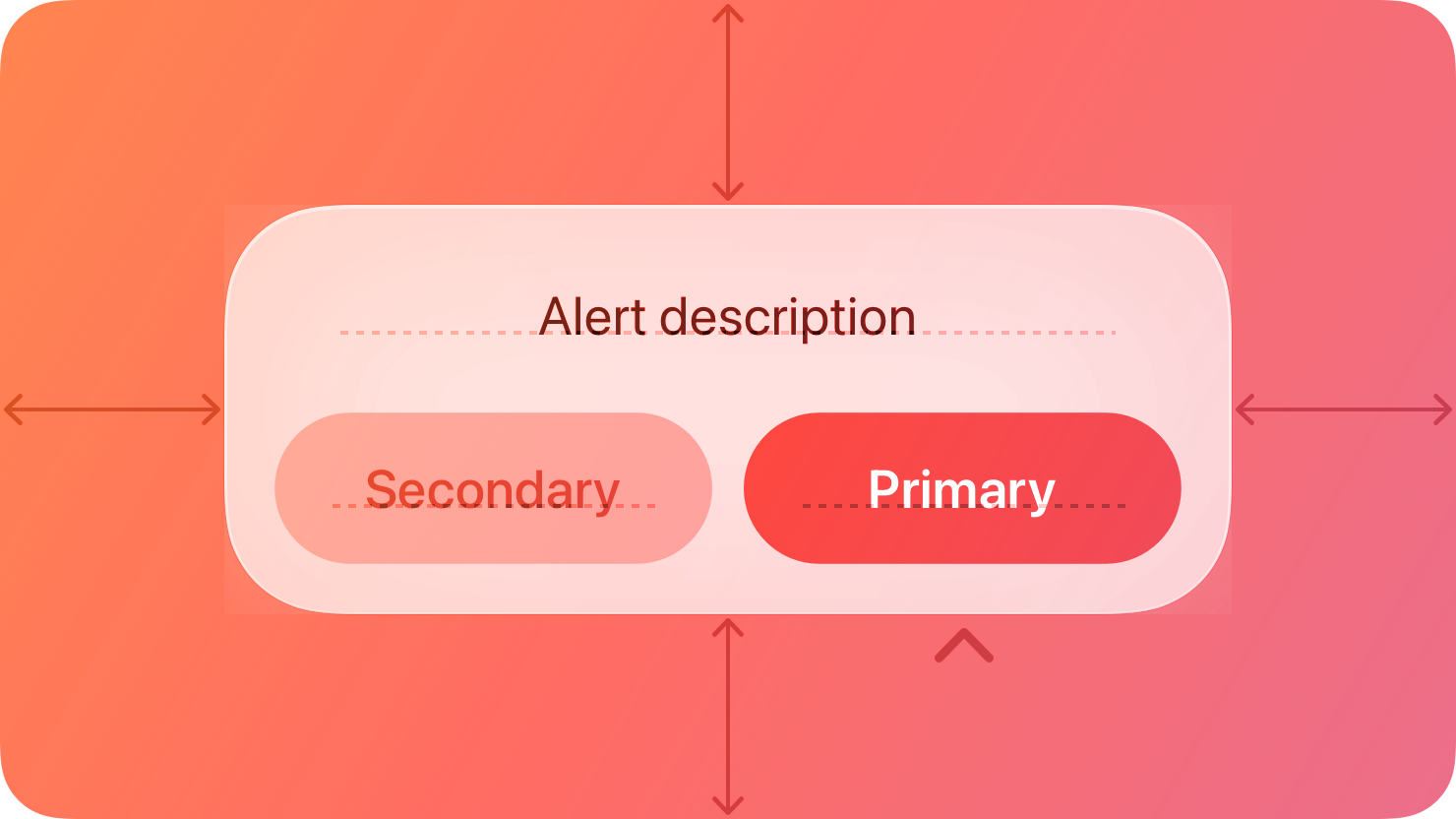
An alert gives people critical information they need right away.
|
|
8
|
+
|
|
9
|
+
|
|
10
|
+
|
|
11
|
+
For example, an alert can tell people about a problem, warn them when their action might destroy data, and give them an opportunity to confirm a purchase or another important action they initiated.
|
|
12
|
+
|
|
13
|
+
## [Best practices](https://developer.apple.com/design/human-interface-guidelines/alerts#Best-practices)
|
|
14
|
+
|
|
15
|
+
**Use alerts sparingly.** Alerts give people important information, but they interrupt the current task to do so. Encourage people to pay attention to your alerts by making certain that each one offers only essential information and useful actions.
|
|
16
|
+
|
|
17
|
+
**Avoid using an alert merely to provide information.** People don’t appreciate an interruption from an alert that’s informative, but not actionable. If you need to provide only information, prefer finding an alternative way to communicate it within the relevant context. For example, when a server connection is unavailable, Mail displays an indicator that people can choose to learn more.
|
|
18
|
+
|
|
19
|
+
**Avoid displaying alerts for common, undoable actions, even when they’re destructive.** For example, you don’t need to alert people about data loss every time they delete an email or file because they do so with the intention of discarding data, and they can undo the action. In comparison, when people take an uncommon destructive action that they can’t undo, it’s important to display an alert in case they initiated the action accidentally.
|
|
20
|
+
|
|
21
|
+
**Avoid showing an alert when your app starts.** If you need to inform people about new or important information the moment they open your app, design a way to make the information easily discoverable. If your app detects a problem at startup, like no network connection, consider alternative ways to let people know. For example, you could show cached or placeholder data and a nonintrusive label that describes the problem.
|
|
22
|
+
|
|
23
|
+
## [Anatomy](https://developer.apple.com/design/human-interface-guidelines/alerts#Anatomy)
|
|
24
|
+
|
|
25
|
+
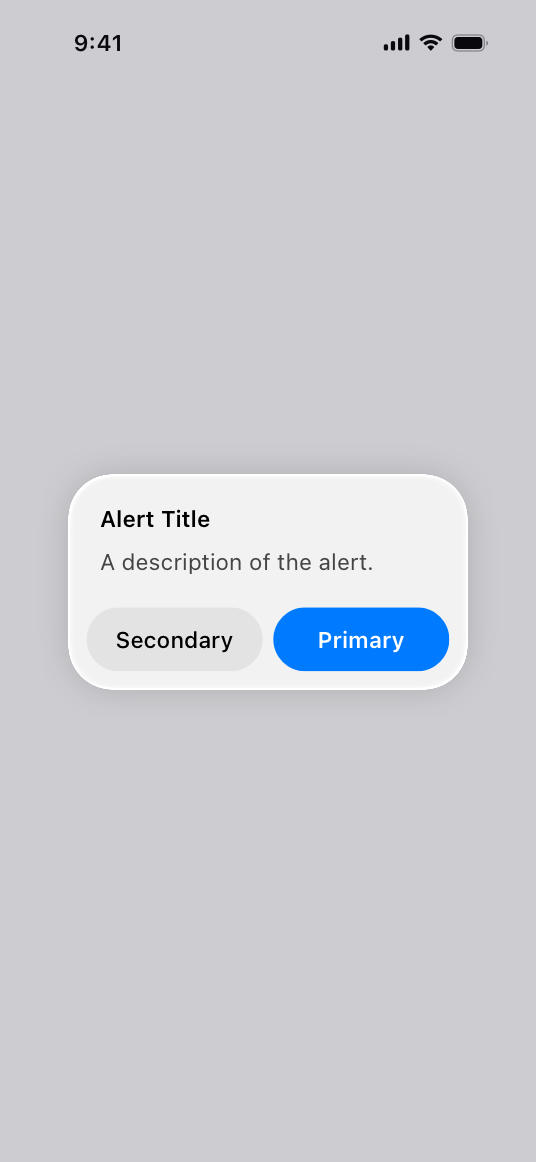
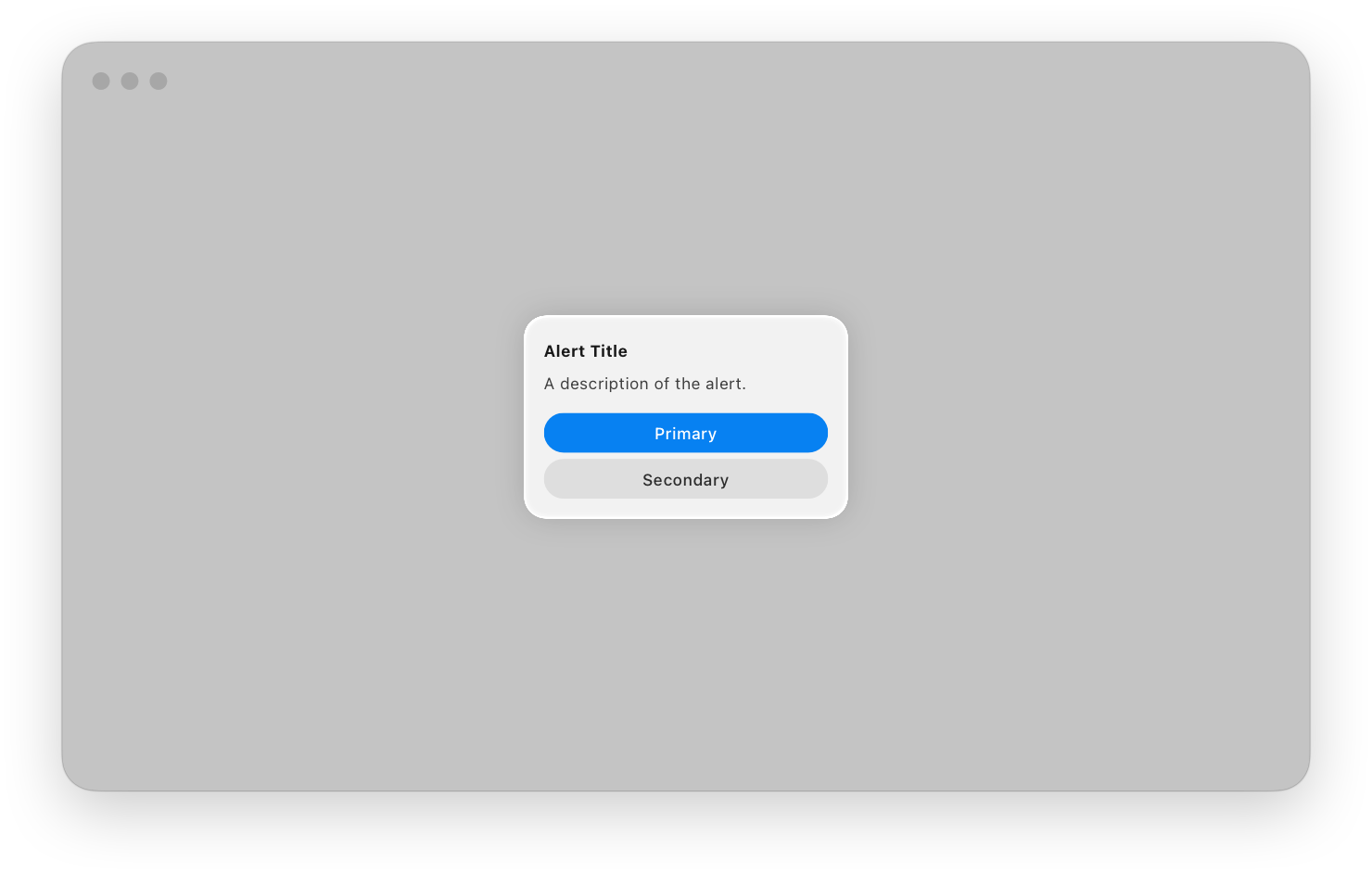
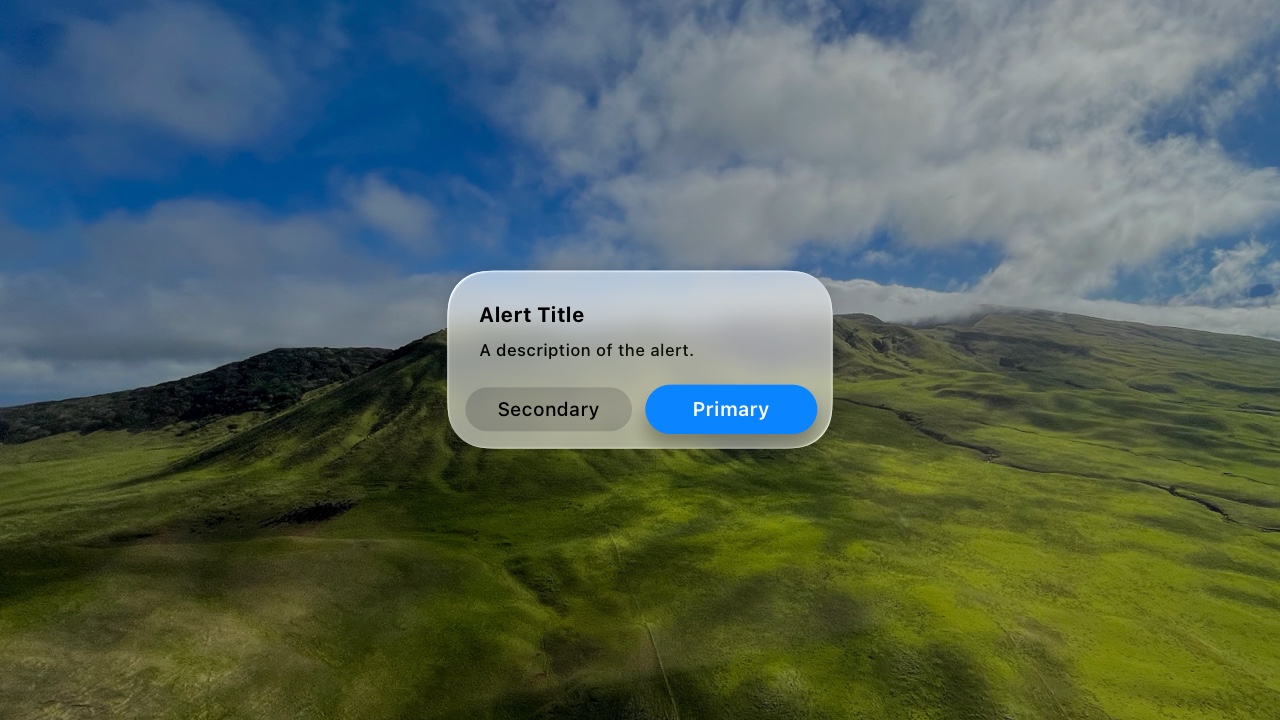
An alert is a modal view that can look different in different platforms and devices.
|
|
26
|
+
|
|
27
|
+
* iOS
|
|
28
|
+
* macOS
|
|
29
|
+
* tvOS
|
|
30
|
+
* visionOS
|
|
31
|
+
* watchOS
|
|
32
|
+
|
|
33
|
+
|
|
34
|
+
|
|
35
|
+
|
|
36
|
+
|
|
37
|
+
|
|
38
|
+
|
|
39
|
+
|
|
40
|
+
|
|
41
|
+
|
|
42
|
+
|
|
43
|
+
|
|
44
|
+
|
|
45
|
+
## [Content](https://developer.apple.com/design/human-interface-guidelines/alerts#Content)
|
|
46
|
+
|
|
47
|
+
In all platforms, alerts display a title, optional informative text, and up to three buttons. On some platforms, alerts can include additional elements.
|
|
48
|
+
|
|
49
|
+
* In iOS, iPadOS, macOS, and visionOS, an alert can include a text field.
|
|
50
|
+
|
|
51
|
+
* Alerts in macOS and visionOS can include an icon and an accessory view.
|
|
52
|
+
|
|
53
|
+
* macOS alerts can add a suppression [checkbox](https://developer.apple.com/design/human-interface-guidelines/toggles#Checkboxes) and a [Help button](https://developer.apple.com/design/human-interface-guidelines/buttons#Help-buttons).
|
|
54
|
+
|
|
55
|
+
|
|
56
|
+
|
|
57
|
+
|
|
58
|
+
**In all alert copy, be direct, and use a neutral, approachable tone.** Alerts often describe problems and serious situations, so avoid being oblique or accusatory, or masking the severity of the issue.
|
|
59
|
+
|
|
60
|
+
**Write a title that clearly and succinctly describes the situation.** You need to help people quickly understand the situation, so be complete and specific, without being verbose. As much as possible, describe what happened, the context in which it happened, and why. Avoid writing a title that doesn’t convey useful information — like “Error” or “Error 329347 occurred” — but also avoid overly long titles that wrap to more than two lines. If the title is a complete sentence, use [sentence-style capitalization](https://help.apple.com/applestyleguide/#/apsgb744e4a3?sub=apdca93e113f1d64) and appropriate ending punctuation. If the title is a sentence fragment, use title-style capitalization, and don’t add ending punctuation.
|
|
61
|
+
|
|
62
|
+
**Include informative text only if it adds value.** If you need to add an informative message, keep it as short as possible, using complete sentences, sentence-style capitalization, and appropriate punctuation.
|
|
63
|
+
|
|
64
|
+
**Avoid explaining alert buttons.** If your alert text and button titles are clear, you don’t need to explain what the buttons do. In rare cases where you need to provide guidance on choosing a button, use a term like _choose_ to account for people’s current device and interaction method, and refer to a button using its exact title without quotes. For guidance, see [Buttons](https://developer.apple.com/design/human-interface-guidelines/alerts#Buttons).
|
|
65
|
+
|
|
66
|
+
**If supported, include a text field only if you need people’s input to resolve the situation.** For example, you might need to present a secure text field to receive a password.
|
|
67
|
+
|
|
68
|
+
## [Buttons](https://developer.apple.com/design/human-interface-guidelines/alerts#Buttons)
|
|
69
|
+
|
|
70
|
+
**Create succinct, logical button titles.** Aim for a one- or two-word title that describes the result of selecting the button. Prefer verbs and verb phrases that relate directly to the alert text — for example, “View All,” “Reply,” or “Ignore.” In informational alerts only, you can use “OK” for acceptance, avoiding “Yes” and “No.” Always use “Cancel” to title a button that cancels the alert’s action. As with all button titles, use [title-style capitalization](https://help.apple.com/applestyleguide/#/apsgb744e4a3?sub=apdca93e113f1d64) and no ending punctuation.
|
|
71
|
+
|
|
72
|
+
**Avoid using OK as the default button title unless the alert is purely informational.** The meaning of “OK” can be unclear even in alerts that ask people to confirm that they want to do something. For example, does “OK” mean “OK, I want to complete the action” or “OK, I now understand the negative results my action would have caused”? A specific button title like “Erase,” “Convert,” “Clear,” or “Delete” helps people understand the action they’re taking.
|
|
73
|
+
|
|
74
|
+
**Place buttons where people expect.** In general, place the button people are most likely to choose on the trailing side in a row of buttons or at the top in a stack of buttons. Always place the default button on the trailing side of a row or at the top of a stack. Cancel buttons are typically on the leading side of a row or at the bottom of a stack.
|
|
75
|
+
|
|
76
|
+
**Use the destructive style to identify a button that performs a destructive action people didn’t deliberately choose.** For example, when people deliberately choose a destructive action — such as Empty Trash — the resulting alert doesn’t apply the destructive style to the Empty Trash button because the button performs the person’s original intent. In this scenario, the convenience of pressing Return to confirm the deliberately chosen Empty Trash action outweighs the benefit of reaffirming that the button is destructive. In contrast, people appreciate an alert that draws their attention to a button that can perform a destructive action they didn’t originally intend.
|
|
77
|
+
|
|
78
|
+
**If there’s a destructive action, include a Cancel button to give people a clear, safe way to avoid the action.** Always use the title “Cancel” for a button that cancels an alert’s action. Note that you don’t want to make a Cancel button the default button. If you want to encourage people to read an alert and not just automatically press Return to dismiss it, avoid making any button the default button. Similarly, if you must display an alert with a single button that’s also the default, use a Done button, not a Cancel button.
|
|
79
|
+
|
|
80
|
+
**Provide alternative ways to cancel an alert when it makes sense.** In addition to choosing a Cancel button, people appreciate using keyboard shortcuts or other quick ways to cancel an onscreen alert. For example:
|
|
81
|
+
|
|
82
|
+
Action| Platform
|
|
83
|
+
---|---
|
|
84
|
+
Exit to the Home Screen| iOS, iPadOS
|
|
85
|
+
Pressing Escape (Esc) or Command-Period (.) on an attached keyboard| iOS, iPadOS, macOS, visionOS
|
|
86
|
+
Pressing Menu on the remote| tvOS
|
|
87
|
+
|
|
88
|
+
## [Platform considerations](https://developer.apple.com/design/human-interface-guidelines/alerts#Platform-considerations)
|
|
89
|
+
|
|
90
|
+
_No additional considerations for tvOS or watchOS._
|
|
91
|
+
|
|
92
|
+
### [iOS, iPadOS](https://developer.apple.com/design/human-interface-guidelines/alerts#iOS-iPadOS)
|
|
93
|
+
|
|
94
|
+
**Use an action sheet — not an alert — to offer choices related to an intentional action.** For example, when people cancel the Mail message they’re editing, an action sheet provides three choices: delete the edits (or the entire draft), save the draft, or return to editing. Although an alert can also help people confirm or cancel an action that has destructive consequences, it doesn’t provide additional choices related to the action. For guidance, see [Action sheets](https://developer.apple.com/design/human-interface-guidelines/action-sheets).
|
|
95
|
+
|
|
96
|
+
**When possible, avoid displaying an alert that scrolls.** Although an alert might scroll if the text size is large enough, be sure to minimize the potential for scrolling by keeping alert titles short and including a brief message only when necessary.
|
|
97
|
+
|
|
98
|
+
### [macOS](https://developer.apple.com/design/human-interface-guidelines/alerts#macOS)
|
|
99
|
+
|
|
100
|
+
macOS automatically displays your app icon in an alert, but you can supply an alternative icon or symbol. In addition, macOS lets you:
|
|
101
|
+
|
|
102
|
+
* Configure repeating alerts to let people suppress subsequent occurrences of the same alert.
|
|
103
|
+
|
|
104
|
+
* Append a custom view if it’s necessary to provide additional information (for developer guidance, see [`accessoryView`](https://developer.apple.com/documentation/AppKit/NSAlert/accessoryView)).
|
|
105
|
+
|
|
106
|
+
* Include a Help button that opens your help documentation (see [Help buttons](https://developer.apple.com/design/human-interface-guidelines/buttons#Help-buttons)).
|
|
107
|
+
|
|
108
|
+
|
|
109
|
+
|
|
110
|
+
|
|
111
|
+
**Use a caution symbol sparingly.** Using a caution symbol like `exclamationmark.triangle` too frequently in your alerts diminishes its significance. Use the symbol only when extra attention is really needed, as when confirming an action that might result in unexpected loss of data. Don’t use the symbol for tasks whose only purpose is to overwrite or remove data, such as a save or empty trash.
|
|
112
|
+
|
|
113
|
+
### [visionOS](https://developer.apple.com/design/human-interface-guidelines/alerts#visionOS)
|
|
114
|
+
|
|
115
|
+
When your app is running in the Shared Space, visionOS displays an alert in front of the app’s window, slightly forward along the z-axis.
|
|
116
|
+
|
|
117
|
+
Video with custom controls.
|
|
118
|
+
|
|
119
|
+
Content description: A video of an alert in the Freeform app running in the Shared Space in visionOS. When the video plays, someone chooses to permanently delete a recently deleted Freeform board. An alert then appears in front of the Freeform window to ask for confirmation.
|
|
120
|
+
|
|
121
|
+
Play
|
|
122
|
+
|
|
123
|
+
If someone moves a window without dismissing its alert, the alert remains anchored to the window. If your app is running in a Full Space, the system displays the alert centered in the wearer’s [field of view](https://developer.apple.com/design/human-interface-guidelines/spatial-layout#Field-of-view).
|
|
124
|
+
|
|
125
|
+
Video with custom controls.
|
|
126
|
+
|
|
127
|
+
Content description: A video of an alert in the Freeform app running in the Shared Space in visionOS. When the video plays, someone chooses to permanently delete a recently deleted Freeform board. An alert then appears in front of the Freeform window to ask for confirmation. The alert is not dismissed and remains anchored to the Freeform window as it’s moved around the Shared Space.
|
|
128
|
+
|
|
129
|
+
Play
|
|
130
|
+
|
|
131
|
+
If you need to display an accessory view in a visionOS alert, create a view that has a maximum height of 154 pt and a 16-pt corner radius.
|
|
132
|
+
|
|
133
|
+
## [Resources](https://developer.apple.com/design/human-interface-guidelines/alerts#Resources)
|
|
134
|
+
|
|
135
|
+
#### [Related](https://developer.apple.com/design/human-interface-guidelines/alerts#Related)
|
|
136
|
+
|
|
137
|
+
[Modality](https://developer.apple.com/design/human-interface-guidelines/modality)
|
|
138
|
+
|
|
139
|
+
[Action sheets](https://developer.apple.com/design/human-interface-guidelines/action-sheets)
|
|
140
|
+
|
|
141
|
+
[Sheets](https://developer.apple.com/design/human-interface-guidelines/sheets)
|
|
142
|
+
|
|
143
|
+
#### [Developer documentation](https://developer.apple.com/design/human-interface-guidelines/alerts#Developer-documentation)
|
|
144
|
+
|
|
145
|
+
[`alert(_:isPresented:actions:)`](https://developer.apple.com/documentation/SwiftUI/View/alert\(_:isPresented:actions:\)-1bkka) — SwiftUI
|
|
146
|
+
|
|
147
|
+
[`UIAlertController`](https://developer.apple.com/documentation/UIKit/UIAlertController) — UIKit
|
|
148
|
+
|
|
149
|
+
[`NSAlert`](https://developer.apple.com/documentation/AppKit/NSAlert) — AppKit
|
|
150
|
+
|
|
151
|
+
## [Change log](https://developer.apple.com/design/human-interface-guidelines/alerts#Change-log)
|
|
152
|
+
|
|
153
|
+
Date| Changes
|
|
154
|
+
---|---
|
|
155
|
+
February 2, 2024| Enhanced guidance for using default and Cancel buttons.
|
|
156
|
+
September 12, 2023| Added anatomy artwork for visionOS.
|
|
157
|
+
June 21, 2023| Updated to include guidance for visionOS.
|
|
158
|
+
|
|
@@ -0,0 +1,32 @@
|
|
|
1
|
+
---
|
|
2
|
+
title: "Digit entry views | Apple Developer Documentation"
|
|
3
|
+
source: https://developer.apple.com/design/human-interface-guidelines/digit-entry-views
|
|
4
|
+
|
|
5
|
+
# Digit entry views
|
|
6
|
+
|
|
7
|
+
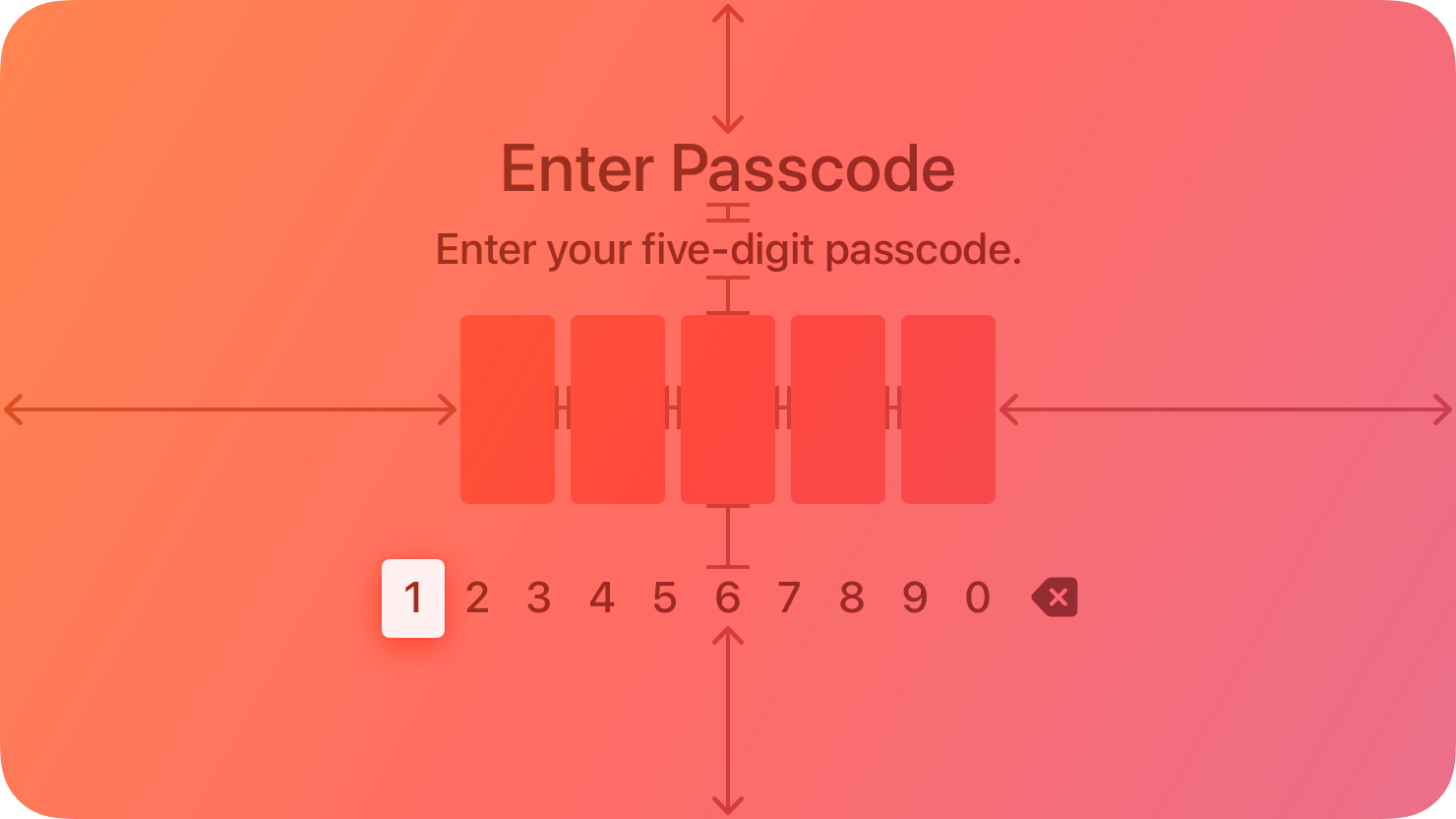
A digit entry view fills the entire screen and prompts people to enter a series of digits, like a PIN, using a digit-specific keyboard.
|
|
8
|
+
|
|
9
|
+
|
|
10
|
+
|
|
11
|
+
You can add an optional title and prompt above the line of digits.
|
|
12
|
+
|
|
13
|
+
## [Best practices](https://developer.apple.com/design/human-interface-guidelines/digit-entry-views#Best-practices)
|
|
14
|
+
|
|
15
|
+
**Use secure digit fields.** Secure digit fields display asterisks instead of the entered digit onscreen. Always use a secure digit field when your app asks for sensitive data.
|
|
16
|
+
|
|
17
|
+
**Clearly state the purpose of the digit entry view.** Use a title and prompt that explains why someone needs to enter digits.
|
|
18
|
+
|
|
19
|
+
## [Platform considerations](https://developer.apple.com/design/human-interface-guidelines/digit-entry-views#Platform-considerations)
|
|
20
|
+
|
|
21
|
+
_Not supported in iOS, iPadOS, macOS, visionOS, or watchOS._
|
|
22
|
+
|
|
23
|
+
## [Resources](https://developer.apple.com/design/human-interface-guidelines/digit-entry-views#Resources)
|
|
24
|
+
|
|
25
|
+
#### [Related](https://developer.apple.com/design/human-interface-guidelines/digit-entry-views#Related)
|
|
26
|
+
|
|
27
|
+
[Virtual keyboards](https://developer.apple.com/design/human-interface-guidelines/virtual-keyboards)
|
|
28
|
+
|
|
29
|
+
#### [Developer documentation](https://developer.apple.com/design/human-interface-guidelines/digit-entry-views#Developer-documentation)
|
|
30
|
+
|
|
31
|
+
[`TVDigitEntryViewController`](https://developer.apple.com/documentation/TVUIKit/TVDigitEntryViewController) — TVUIKit
|
|
32
|
+
|
|
@@ -0,0 +1,81 @@
|
|
|
1
|
+
---
|
|
2
|
+
title: "Popovers | Apple Developer Documentation"
|
|
3
|
+
source: https://developer.apple.com/design/human-interface-guidelines/popovers
|
|
4
|
+
|
|
5
|
+
# Popovers
|
|
6
|
+
|
|
7
|
+
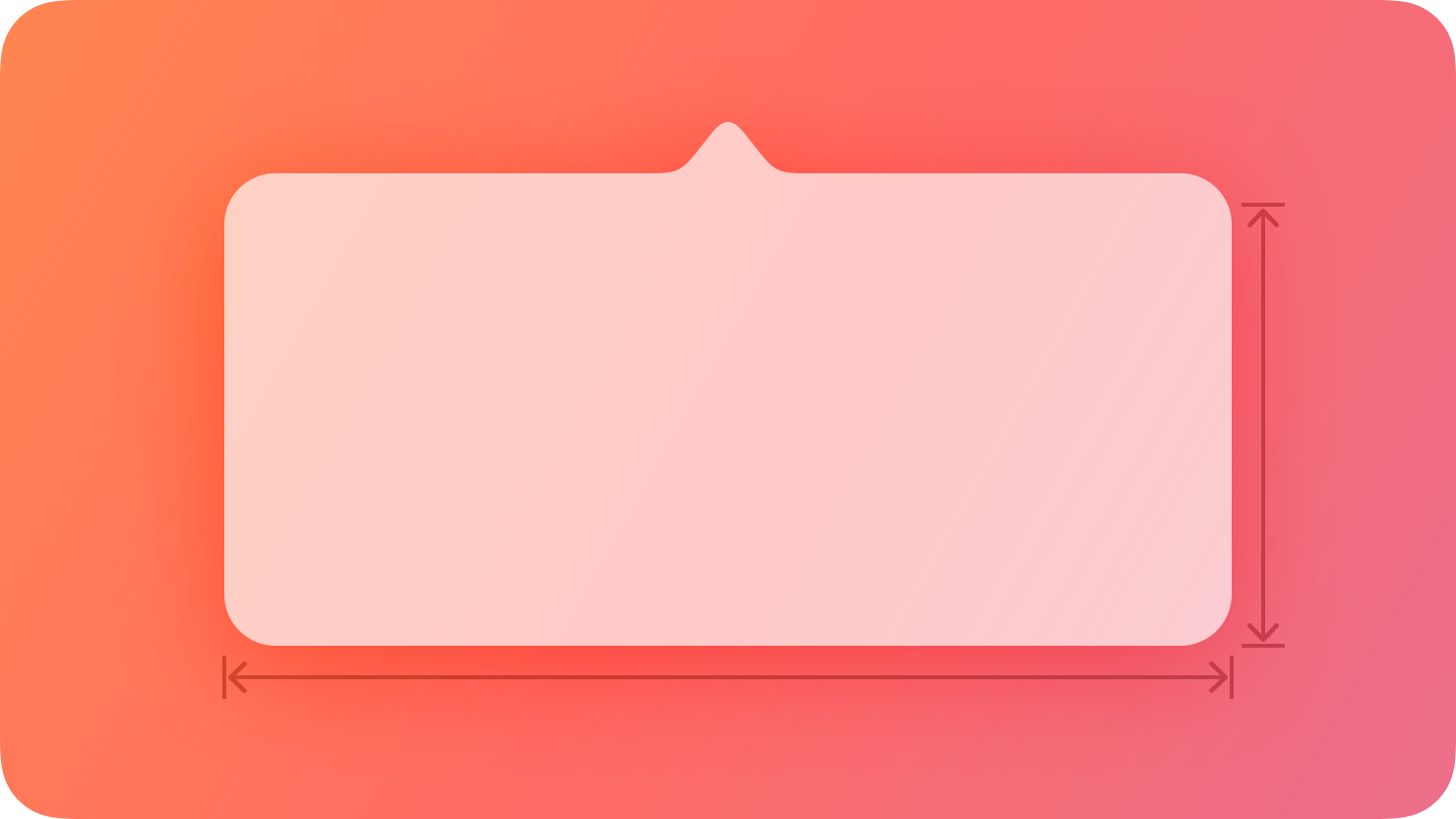
A popover is a transient view that appears above other content when people click or tap a control or interactive area.
|
|
8
|
+
|
|
9
|
+
|
|
10
|
+
|
|
11
|
+
## [Best practices](https://developer.apple.com/design/human-interface-guidelines/popovers#Best-practices)
|
|
12
|
+
|
|
13
|
+
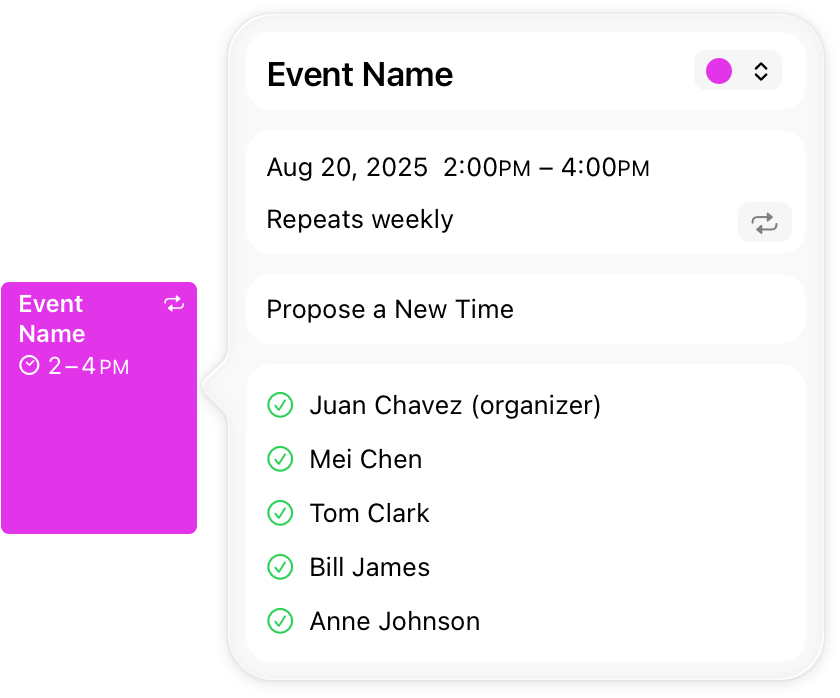
**Use a popover to expose a small amount of information or functionality.** Because a popover disappears after people interact with it, limit the amount of functionality in the popover to a few related tasks. For example, a calendar event popover makes it easy for people to change the date or time of an event, or to move it to another calendar. The popover disappears after the change, letting people continue reviewing the events on their calendar.
|
|
14
|
+
|
|
15
|
+
**Consider using popovers when you want more room for content.** Views like sidebars and panels take up a lot of space. If you need content only temporarily, displaying it in a popover can help streamline your interface.
|
|
16
|
+
|
|
17
|
+
**Position popovers appropriately.** Make sure a popover’s arrow points as directly as possible to the element that revealed it. Ideally, a popover doesn’t cover the element that revealed it or any essential content people may need to see while using it.
|
|
18
|
+
|
|
19
|
+
**Use a Close button for confirmation and guidance only.** A Close button, including Cancel or Done, is worth including if it provides clarity, like exiting with or without saving changes. Otherwise, a popover generally closes when people click or tap outside its bounds or select an item in the popover. If multiple selections are possible, make sure the popover remains open until people explicitly dismiss it or they click or tap outside its bounds.
|
|
20
|
+
|
|
21
|
+
**Always save work when automatically closing a nonmodal popover.** People can unintentionally dismiss a nonmodal popover by clicking or tapping outside its bounds. Discard people’s work only when they click or tap an explicit Cancel button.
|
|
22
|
+
|
|
23
|
+
**Show one popover at a time.** Displaying multiple popovers clutters the interface and causes confusion. Never show a cascade or hierarchy of popovers, in which one emerges from another. If you need to show a new popover, close the open one first.
|
|
24
|
+
|
|
25
|
+
**Don’t show another view over a popover.** Make sure nothing displays on top of a popover, except for an alert.
|
|
26
|
+
|
|
27
|
+
**When possible, let people close one popover and open another with a single click or tap.** Avoiding extra gestures is especially desirable when several different bar buttons each open a popover.
|
|
28
|
+
|
|
29
|
+
**Avoid making a popover too big.** Make a popover only big enough to display its contents and point to the place it came from. If necessary, the system can adjust the size of a popover to ensure it fits well in the interface.
|
|
30
|
+
|
|
31
|
+
**Provide a smooth transition when changing the size of a popover.** Some popovers provide both condensed and expanded views of the same information. If you adjust the size of a popover, animate the change to avoid giving the impression that a new popover replaced the old one.
|
|
32
|
+
|
|
33
|
+
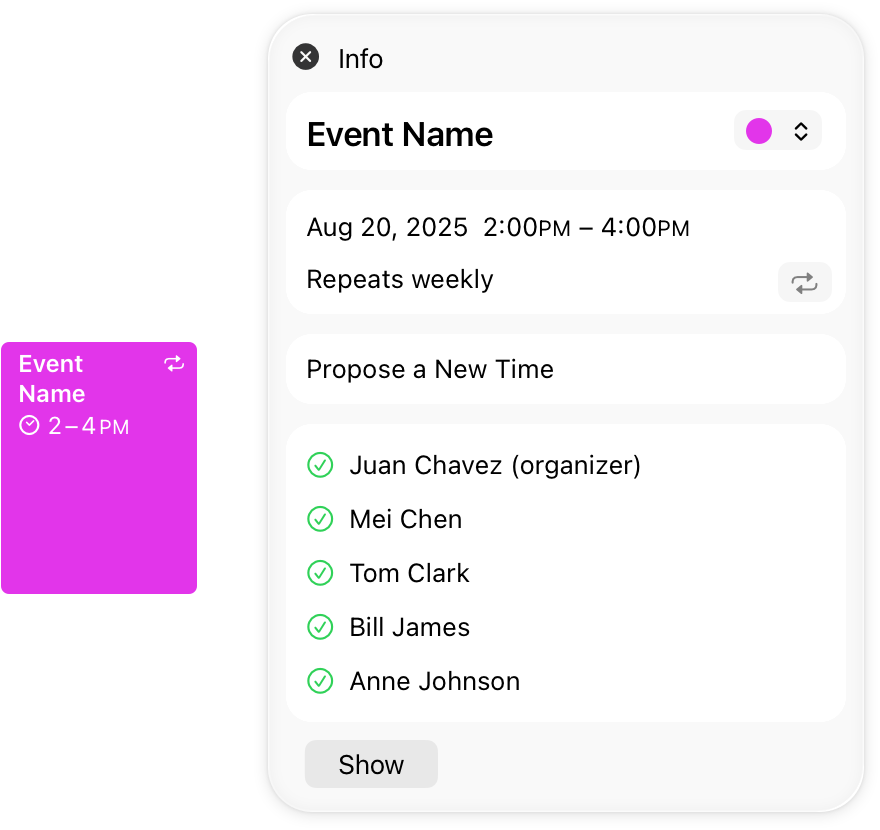
**Avoid using the word _popover_ in help documentation.** Instead, refer to a specific task or selection. For example, instead of “Select the Show button at the bottom of the popover,” you might write “Select the Show button.”
|
|
34
|
+
|
|
35
|
+
**Avoid using a popover to show a warning.** People can miss a popover or accidentally close it. If you need to warn people, use an [alert](https://developer.apple.com/design/human-interface-guidelines/alerts) instead.
|
|
36
|
+
|
|
37
|
+
## [Platform considerations](https://developer.apple.com/design/human-interface-guidelines/popovers#Platform-considerations)
|
|
38
|
+
|
|
39
|
+
_No additional considerations for visionOS. Not supported in tvOS or watchOS._
|
|
40
|
+
|
|
41
|
+
### [iOS, iPadOS](https://developer.apple.com/design/human-interface-guidelines/popovers#iOS-iPadOS)
|
|
42
|
+
|
|
43
|
+
**Avoid displaying popovers in compact views.** Make your app or game dynamically adjust its layout based on the size class of the content area. Reserve popovers for wide views; for compact views, use all available screen space by presenting information in a full-screen modal view like a sheet instead. For related guidance, see [Modality](https://developer.apple.com/design/human-interface-guidelines/modality).
|
|
44
|
+
|
|
45
|
+
### [macOS](https://developer.apple.com/design/human-interface-guidelines/popovers#macOS)
|
|
46
|
+
|
|
47
|
+
You can make a popover detachable in macOS, which becomes a separate panel when people drag it. The panel remains visible onscreen while people interact with other content.
|
|
48
|
+
|
|
49
|
+
* Attached popover
|
|
50
|
+
* Detached popover
|
|
51
|
+
|
|
52
|
+
|
|
53
|
+
|
|
54
|
+
|
|
55
|
+
|
|
56
|
+
|
|
57
|
+
|
|
58
|
+
**Consider letting people detach a popover.** People might appreciate being able to convert a popover into a panel if they want to view other information while the popover remains visible.
|
|
59
|
+
|
|
60
|
+
**Make minimal appearance changes to a detached popover.** A panel that looks similar to the original popover helps people maintain context.
|
|
61
|
+
|
|
62
|
+
## [Resources](https://developer.apple.com/design/human-interface-guidelines/popovers#Resources)
|
|
63
|
+
|
|
64
|
+
#### [Related](https://developer.apple.com/design/human-interface-guidelines/popovers#Related)
|
|
65
|
+
|
|
66
|
+
[Sheets](https://developer.apple.com/design/human-interface-guidelines/sheets)
|
|
67
|
+
|
|
68
|
+
[Action sheets](https://developer.apple.com/design/human-interface-guidelines/action-sheets)
|
|
69
|
+
|
|
70
|
+
[Alerts](https://developer.apple.com/design/human-interface-guidelines/alerts)
|
|
71
|
+
|
|
72
|
+
[Modality](https://developer.apple.com/design/human-interface-guidelines/modality)
|
|
73
|
+
|
|
74
|
+
#### [Developer documentation](https://developer.apple.com/design/human-interface-guidelines/popovers#Developer-documentation)
|
|
75
|
+
|
|
76
|
+
[`popover(isPresented:attachmentAnchor:arrowEdge:content:)`](https://developer.apple.com/documentation/SwiftUI/View/popover\(isPresented:attachmentAnchor:arrowEdge:content:\)) — SwiftUI
|
|
77
|
+
|
|
78
|
+
[`UIPopoverPresentationController`](https://developer.apple.com/documentation/UIKit/UIPopoverPresentationController) — UIKit
|
|
79
|
+
|
|
80
|
+
[`NSPopover`](https://developer.apple.com/documentation/AppKit/NSPopover) — AppKit
|
|
81
|
+
|
|
@@ -0,0 +1,157 @@
|
|
|
1
|
+
---
|
|
2
|
+
title: "Sheets | Apple Developer Documentation"
|
|
3
|
+
source: https://developer.apple.com/design/human-interface-guidelines/sheets
|
|
4
|
+
|
|
5
|
+
# Sheets
|
|
6
|
+
|
|
7
|
+
A sheet helps people perform a scoped task that’s closely related to their current context.
|
|
8
|
+
|
|
9
|
+
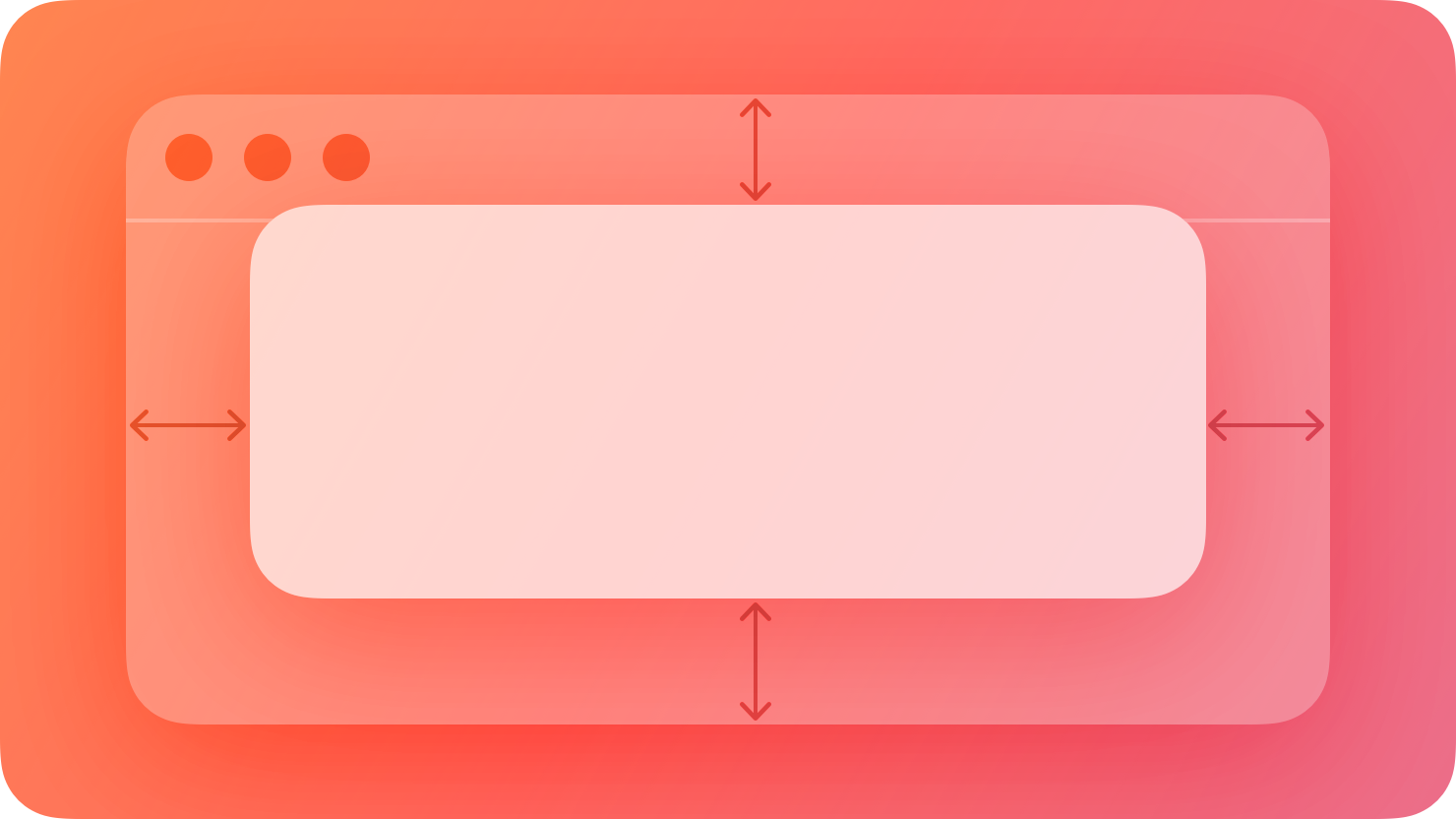
|
|
10
|
+
|
|
11
|
+
By default, a sheet is _modal_ , presenting a targeted experience that prevents people from interacting with the parent view until they dismiss the sheet (for more on modal presentation, see [Modality](https://developer.apple.com/design/human-interface-guidelines/modality)). A modal sheet is useful for requesting specific information from people or presenting a simple task that they can complete before returning to the parent view. For example, a sheet might let people supply information needed to complete an action, such as attaching a file, choosing the location for a move or save, or specifying the format for a selection.
|
|
12
|
+
|
|
13
|
+
In macOS, visionOS, and watchOS, a sheet is always modal, but in iOS and iPadOS, a sheet can also be nonmodal. When a nonmodal sheet is onscreen, people use its functionality to directly affect the current task in the parent view without dismissing the sheet. For example, Notes on iPhone and iPad uses a nonmodal sheet to help people apply different formatting to various text selections as they edit a note.
|
|
14
|
+
|
|
15
|
+
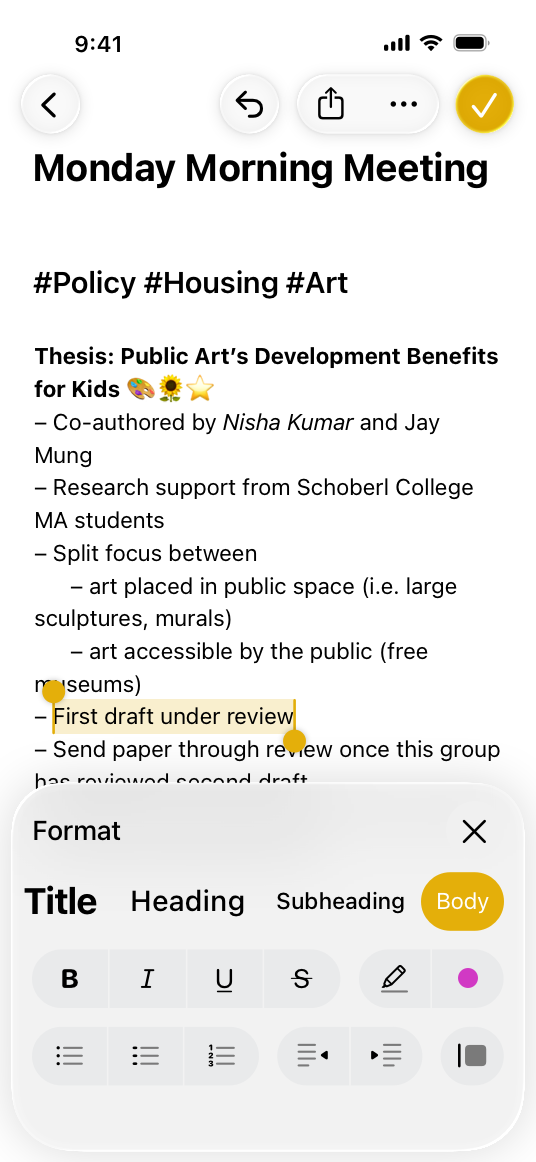
|
|
16
|
+
|
|
17
|
+
The Notes format sheet lets people apply formatting to selected text in the editing view.
|
|
18
|
+
|
|
19
|
+
|
|
20
|
+
|
|
21
|
+
Because the sheet is nonmodal, people can make additional text selections without dismissing the sheet.
|
|
22
|
+
|
|
23
|
+
## [Best practices](https://developer.apple.com/design/human-interface-guidelines/sheets#Best-practices)
|
|
24
|
+
|
|
25
|
+
**Use a sheet to present simple content or tasks.** A sheet allows some of the parent view to remain visible, helping people retain their original context as they interact with the sheet.
|
|
26
|
+
|
|
27
|
+
**For complex or prolonged user flows, consider alternatives to sheets.** For example, iOS and iPadOS offer a full-screen style of modal view that can work well to display content like videos, photos, or camera views or to help people perform multistep tasks like document or photo editing. (For developer guidance, see [`UIModalPresentationStyle.fullScreen`](https://developer.apple.com/documentation/UIKit/UIModalPresentationStyle/fullScreen).) In a macOS experience, you might want to open a new window or let people enter full-screen mode instead of using a sheet. For example, a self-contained task like editing a document tends to work well in a separate window, whereas [going full screen](https://developer.apple.com/design/human-interface-guidelines/going-full-screen) can help people view media. In visionOS, you can give people a way to transition your app to a Full Space where they can dive into content or a task; for guidance, see [Immersive experiences](https://developer.apple.com/design/human-interface-guidelines/immersive-experiences).
|
|
28
|
+
|
|
29
|
+
**Display only one sheet at a time from the main interface.** When people close a sheet, they expect to return to the parent view or window. If closing a sheet takes people back to another sheet, they can lose track of where they are in your app. If something people do within a sheet results in another sheet appearing, close the first sheet before displaying the new one. If necessary, you can display the first sheet again after people dismiss the second one.
|
|
30
|
+
|
|
31
|
+
**Use a nonmodal view when you want to present supplementary items that affect the main task in the parent view.** To give people access to information and actions they need while continuing to interact with the main window, consider using a [split view](https://developer.apple.com/design/human-interface-guidelines/split-views) in visionOS or a [panel](https://developer.apple.com/design/human-interface-guidelines/panels) in macOS; in iOS and iPadOS, you can use a nonmodal sheet for this workflow. For guidance, see [iOS, iPadOS](https://developer.apple.com/design/human-interface-guidelines/sheets#iOS-iPadOS).
|
|
32
|
+
|
|
33
|
+
## [Platform considerations](https://developer.apple.com/design/human-interface-guidelines/sheets#Platform-considerations)
|
|
34
|
+
|
|
35
|
+
_No additional considerations for tvOS._
|
|
36
|
+
|
|
37
|
+
### [iOS, iPadOS](https://developer.apple.com/design/human-interface-guidelines/sheets#iOS-iPadOS)
|
|
38
|
+
|
|
39
|
+
A resizable sheet expands when people scroll its contents or drag the _grabber_ , which is a small horizontal indicator that can appear at the top edge of a sheet. Sheets resize according to their _detents_ , which are particular heights at which a sheet naturally rests. Designed for iPhone, detents specify particular heights at which a sheet naturally rests. The system defines two detents: _large_ is the height of a fully expanded sheet and _medium_ is about half of the fully expanded height.
|
|
40
|
+
|
|
41
|
+

|
|
42
|
+
|
|
43
|
+
Large detent
|
|
44
|
+
|
|
45
|
+

|
|
46
|
+
|
|
47
|
+
Medium detent
|
|
48
|
+
|
|
49
|
+
Sheets automatically support the large detent. Adding the medium detent allows the sheet to rest at both heights, whereas specifying only medium prevents the sheet from expanding to full height. For developer guidance, see [`detents`](https://developer.apple.com/documentation/UIKit/UISheetPresentationController/detents).
|
|
50
|
+
|
|
51
|
+
**In an iPhone app, consider supporting the medium detent to allow progressive disclosure of the sheet’s content.** For example, a share sheet displays the most relevant items within the medium detent, where they’re visible without resizing. To view more items, people can scroll or expand the sheet. In contrast, you might not want to support the medium detent if a sheet’s content is more useful when it displays at full height. For example, the compose sheets in Messages and Mail display only at full height to give people enough room to create content.
|
|
52
|
+
|
|
53
|
+
**Include a grabber in a resizable sheet.** A grabber shows people that they can drag the sheet to resize it; they can also tap it to cycle through the detents. In addition to providing a visual indicator of resizability, a grabber also works with VoiceOver so people can resize the sheet without seeing the screen. For developer guidance, see [`prefersGrabberVisible`](https://developer.apple.com/documentation/UIKit/UISheetPresentationController/prefersGrabberVisible).
|
|
54
|
+
|
|
55
|
+
**Support swiping to dismiss a sheet.** People expect to swipe vertically to dismiss a sheet instead of tapping a dismiss button. If people have unsaved changes in the sheet when they begin swiping to dismiss it, use an action sheet to let them confirm their action.
|
|
56
|
+
|
|
57
|
+
**Position Done and Cancel buttons as people expect.** Typically, a Done or Dismiss button belongs in a sheet’s top-right corner in a left-to-right layout. The Cancel button belongs in a sheet’s top-left corner.
|
|
58
|
+
|
|
59
|
+
The exception to this is for sheets with additional subviews, where the Cancel button belongs in the top-right; this provides room for the Back button in the top-left on pages after the first. At the end of the navigation flow, replace the Cancel button with the Done button.
|
|
60
|
+
|
|
61
|
+
|
|
62
|
+
|
|
63
|
+
Placement of the Cancel button when it appears by itself
|
|
64
|
+
|
|
65
|
+
|
|
66
|
+
|
|
67
|
+
Placement of the Cancel button when it appears as part of a multi-step flow
|
|
68
|
+
|
|
69
|
+
**Prefer using the page or form sheet presentation styles in an iPadOS app.** Each style uses a default size for the sheet, centering its content on top of a dimmed background view and providing a consistent experience. For developer guidance, see [`UIModalPresentationStyle`](https://developer.apple.com/documentation/UIKit/UIModalPresentationStyle).
|
|
70
|
+
|
|
71
|
+
### [macOS](https://developer.apple.com/design/human-interface-guidelines/sheets#macOS)
|
|
72
|
+
|
|
73
|
+
In macOS, a sheet is a cardlike view with rounded corners that floats on top of its parent window. The parent window is dimmed while the sheet is onscreen, signaling that people can’t interact with it until they dismiss the sheet. However, people expect to interact with other app windows before dismissing a sheet.
|
|
74
|
+
|
|
75
|
+
|
|
76
|
+
|
|
77
|
+
**Present a sheet in a reasonable default size.** People don’t generally expect to resize sheets, so it’s important to use a size that’s appropriate for the content you display. In some cases, however, people appreciate a resizable sheet — such as when they need to expand the contents for a clearer view — so it’s a good idea to support resizing.
|
|
78
|
+
|
|
79
|
+
**Let people interact with other app windows without first dismissing a sheet.** When a sheet opens, you bring its parent window to the front — if the parent window is a document window, you also bring forward its modeless document-related panels. When people want to interact with other windows in your app, make sure they can bring those windows forward even if they haven’t dismissed the sheet yet.
|
|
80
|
+
|
|
81
|
+
**Position a sheet’s dismiss buttons as people expect.** People expect to find all buttons that dismiss a sheet — including Done, OK, and Cancel — at the bottom of the view, in the trailing corner.
|
|
82
|
+
|
|
83
|
+
**Use a panel instead of a sheet if people need to repeatedly provide input and observe results.** A find and replace panel, for example, might let people initiate replacements individually, so they can observe the result of each search for correctness. For guidance, see [Panels](https://developer.apple.com/design/human-interface-guidelines/panels).
|
|
84
|
+
|
|
85
|
+
### [visionOS](https://developer.apple.com/design/human-interface-guidelines/sheets#visionOS)
|
|
86
|
+
|
|
87
|
+
While a sheet is visible in a visionOS app, it floats in front of its parent window, dimming it, and becoming the target of people’s interactions with the app.
|
|
88
|
+
|
|
89
|
+
Video with custom controls.
|
|
90
|
+
|
|
91
|
+
Content description: A recording showing a sheet opening above a blank window in visionOS.
|
|
92
|
+
|
|
93
|
+
Play
|
|
94
|
+
|
|
95
|
+
**Avoid displaying a sheet that emerges from the bottom edge of a window.** To help people view the sheet, prefer centering it in their [field of view](https://developer.apple.com/design/human-interface-guidelines/spatial-layout#Field-of-view).
|
|
96
|
+
|
|
97
|
+
**Present a sheet in a default size that helps people retain their context.** Avoid displaying a sheet that covers most or all of its window, but consider letting people resize the sheet if they want.
|
|
98
|
+
|
|
99
|
+
### [watchOS](https://developer.apple.com/design/human-interface-guidelines/sheets#watchOS)
|
|
100
|
+
|
|
101
|
+
In watchOS, a sheet is a full-screen view that slides over your app’s current content. The sheet is semitransparent to help maintain the current context, but the system applies a material to the background that blurs and desaturates the covered content.
|
|
102
|
+
|
|
103
|
+
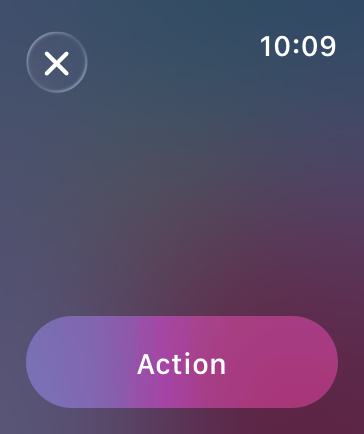
|
|
104
|
+
|
|
105
|
+
**Use a sheet only when your modal task requires a custom title or custom content presentation.** If you need to give people important information or present a set of choices, consider using an [alert](https://developer.apple.com/design/human-interface-guidelines/alerts) or [action sheet](https://developer.apple.com/design/human-interface-guidelines/action-sheets).
|
|
106
|
+
|
|
107
|
+
**Keep sheet interactions brief and occasional.** Use a sheet only as a temporary interruption to the current workflow, and only to facilitate an important task. Avoid using a sheet to help people navigate your app’s content.
|
|
108
|
+
|
|
109
|
+
**Change the default label of the dismiss control only if it makes sense in your app.** By default, the sheet displays a round Cancel button in the upper left corner. Use this button when the sheet lets people make changes to the app’s behavior or to their data. If your sheet simply presents information without enabling a task, use the standard Done button instead. You can use a [toolbar](https://developer.apple.com/design/human-interface-guidelines/toolbars) to display multiple buttons.
|
|
110
|
+
|
|
111
|
+

|
|
112
|
+
|
|
113
|
+
The standard Done button
|
|
114
|
+
|
|
115
|
+
**If you change the default label, prefer using SF Symbols to represent the action.** Avoid using a label that might mislead people into thinking that the sheet is part of a hierarchical navigation interface. Also, if the text in the top-leading corner looks like a page or app title, people won’t know how to dismiss the sheet. For guidance, see [Standard icons](https://developer.apple.com/design/human-interface-guidelines/icons#Standard-icons).
|
|
116
|
+
|
|
117
|
+

|
|
118
|
+
|
|
119
|
+

|
|
120
|
+
|
|
121
|
+

|
|
122
|
+
|
|
123
|
+

|
|
124
|
+
|
|
125
|
+

|
|
126
|
+
|
|
127
|
+

|
|
128
|
+
|
|
129
|
+
## [Resources](https://developer.apple.com/design/human-interface-guidelines/sheets#Resources)
|
|
130
|
+
|
|
131
|
+
#### [Related](https://developer.apple.com/design/human-interface-guidelines/sheets#Related)
|
|
132
|
+
|
|
133
|
+
[Modality](https://developer.apple.com/design/human-interface-guidelines/modality)
|
|
134
|
+
|
|
135
|
+
[Action sheets](https://developer.apple.com/design/human-interface-guidelines/action-sheets)
|
|
136
|
+
|
|
137
|
+
[Popovers](https://developer.apple.com/design/human-interface-guidelines/popovers)
|
|
138
|
+
|
|
139
|
+
[Panels](https://developer.apple.com/design/human-interface-guidelines/panels)
|
|
140
|
+
|
|
141
|
+
#### [Developer documentation](https://developer.apple.com/design/human-interface-guidelines/sheets#Developer-documentation)
|
|
142
|
+
|
|
143
|
+
[`sheet(item:onDismiss:content:)`](https://developer.apple.com/documentation/SwiftUI/View/sheet\(item:onDismiss:content:\)) — SwiftUI
|
|
144
|
+
|
|
145
|
+
[`UISheetPresentationController`](https://developer.apple.com/documentation/UIKit/UISheetPresentationController) — UIKit
|
|
146
|
+
|
|
147
|
+
[`presentAsSheet(_:)`](https://developer.apple.com/documentation/AppKit/NSViewController/presentAsSheet\(_:\)) — AppKit
|
|
148
|
+
|
|
149
|
+
## [Change log](https://developer.apple.com/design/human-interface-guidelines/sheets#Change-log)
|
|
150
|
+
|
|
151
|
+
Date| Changes
|
|
152
|
+
---|---
|
|
153
|
+
March 29, 2024| Added guidance to use form or page sheet styles in iPadOS apps.
|
|
154
|
+
December 5, 2023| Recommended using a split view to offer supplementary items in a visionOS app.
|
|
155
|
+
June 21, 2023| Updated to include guidance for visionOS.
|
|
156
|
+
June 5, 2023| Updated guidance for using sheets in watchOS.
|
|
157
|
+
|
|
@@ -0,0 +1,99 @@
|
|
|
1
|
+
---
|
|
2
|
+
name: hig-components-layout
|
|
3
|
+
version: 1.0.0
|
|
4
|
+
description: >-
|
|
5
|
+
Apple Human Interface Guidelines for layout and navigation components. Use this skill when the user
|
|
6
|
+
asks about "sidebar", "split view", "tab bar", "tab view", "scroll view", "window design", "panel",
|
|
7
|
+
"list view", "table view", "column view", "outline view", "navigation structure", "app layout",
|
|
8
|
+
"boxes", "ornaments", or organizing content hierarchically in Apple apps.
|
|
9
|
+
Also use when the user says "how should I organize my app", "what navigation pattern should I use",
|
|
10
|
+
"my layout breaks on iPad", "how do I build a sidebar", "should I use tabs or a sidebar",
|
|
11
|
+
or "my app doesn't adapt to different screen sizes".
|
|
12
|
+
Cross-references: hig-foundations for layout/spacing principles, hig-platforms for platform-specific
|
|
13
|
+
navigation, hig-patterns for multitasking and full-screen, hig-components-content for content display.
|
|
14
|
+
---
|
|
15
|
+
|
|
16
|
+
# Apple HIG: Layout and Navigation Components
|
|
17
|
+
|
|
18
|
+
Check for `.claude/apple-design-context.md` before asking questions. Use existing context and only ask for information not already covered.
|
|
19
|
+
|
|
20
|
+
## Key Principles
|
|
21
|
+
|
|
22
|
+
1. **Organize hierarchically.** Structure information from broad categories to specific details. Sidebars for top-level sections, lists for browsable items, detail views for individual content.
|
|
23
|
+
|
|
24
|
+
2. **Use standard navigation patterns.** Tab bars for flat navigation between peer sections (iPhone). Sidebars for deep hierarchical navigation (iPad, Mac). Match the pattern to the information architecture and platform.
|
|
25
|
+
|
|
26
|
+
3. **Adapt to screen size.** Three-column on iPad collapses to single-column on iPhone. Use size classes and adaptive APIs (NavigationSplitView) for automatic adaptation.
|
|
27
|
+
|
|
28
|
+
4. **Support multitasking on iPad.** Respond gracefully to Split View, Slide Over, and Stage Manager. Test at every split ratio and size class transition.
|
|
29
|
+
|
|
30
|
+
5. **Maintain spatial consistency on visionOS.** Windows, volumes, and ornaments in shared space. Position predictably. Use ornaments for toolbars and controls without occluding content.
|
|
31
|
+
|
|
32
|
+
6. **Use scroll views for overflow content.** Enable paging for discrete content units. Support pull-to-refresh where appropriate. Respect safe areas.
|
|
33
|
+
|
|
34
|
+
7. **Keep navigation predictable.** Users should always know where they are, how they got there, and how to go back. Use back buttons, breadcrumbs, and clear section titles.
|
|
35
|
+
|
|
36
|
+
8. **Prefer system components.** UINavigationController, UISplitViewController, NavigationSplitView, and TabView provide built-in adaptivity, accessibility, and state restoration.
|
|
37
|
+
|
|
38
|
+
## Reference Index
|
|
39
|
+
|
|
40
|
+
| Reference | Topic | Key content |
|
|
41
|
+
|---|---|---|
|
|
42
|
+
| [sidebars.md](references/sidebars.md) | Sidebars | Source lists, selection state, collapsible sections, iPad/Mac patterns |
|
|
43
|
+
| [column-views.md](references/column-views.md) | Column Views | Finder-style browsing, progressive disclosure through columns |
|
|
44
|
+
| [outline-views.md](references/outline-views.md) | Outline Views | Expandable hierarchies, disclosure triangles, tree structures |
|
|
45
|
+
| [split-views.md](references/split-views.md) | Split Views | Two/three column layouts, NavigationSplitView, adaptive collapse |
|
|
46
|
+
| [tab-views.md](references/tab-views.md) | Tab Views | Segmented tabs, page-style tabs, macOS tab grouping |
|
|
47
|
+
| [tab-bars.md](references/tab-bars.md) | Tab Bars | Bottom tab bars (iOS), badge counts, max tab count |
|
|
48
|
+
| [scroll-views.md](references/scroll-views.md) | Scroll Views | Paging, scroll indicators, content insets, pull-to-refresh |
|
|
49
|
+
| [windows.md](references/windows.md) | Windows | macOS/visionOS window management, sizing, full-screen, restoration |
|
|
50
|
+
| [panels.md](references/panels.md) | Panels | Inspector panels, utility panels, floating panels, macOS conventions |
|
|
51
|
+
| [lists-and-tables.md](references/lists-and-tables.md) | Lists and Tables | Plain/grouped/inset-grouped styles, swipe actions, section headers |
|
|
52
|
+
| [boxes.md](references/boxes.md) | Boxes | Content grouping containers, labeled boxes, macOS grouping |
|
|
53
|
+
| [ornaments.md](references/ornaments.md) | Ornaments | visionOS toolbar attachments, positioning, visibility |
|
|
54
|
+
|
|
55
|
+
## Navigation Pattern Selection
|
|
56
|
+
|
|
57
|
+
| App Structure | Recommended Pattern | Platform Adaptation |
|
|
58
|
+
|---|---|---|
|
|
59
|
+
| 3-5 peer top-level sections | Tab Bar | iPhone: bottom tab bar. iPad: sidebar (`.sidebarAdaptable`, iPadOS 18+). Mac: sidebar or toolbar tabs |
|
|
60
|
+
| Deep hierarchical content | Sidebar + NavigationSplitView | iPhone: single column stack. iPad: two/three columns. Mac: full multi-column |
|
|
61
|
+
| Deep file/folder tree | Column View | Mac: Finder-style. iPad: adaptable. iPhone: push navigation |
|
|
62
|
+
| Flat list with detail | Split View (two column) | iPhone: push/pop stack. iPad/Mac: primary + detail columns |
|
|
63
|
+
| Document-based with inspectors | Window + Panels | Mac: main window with inspector. iPad: sheet or popover |
|
|
64
|
+
| Spatial app with tools | Window + Ornaments | visionOS: ornaments on window. Other platforms: toolbars |
|
|
65
|
+
|
|
66
|
+
## Layout Adaptation Checklist
|
|
67
|
+
|
|
68
|
+
- [ ] **Compact width (iPhone portrait):** Navigation collapses to single stack? Tab bars visible?
|
|
69
|
+
- [ ] **Regular width (iPad landscape, Mac):** Navigation expands to sidebar + detail? Space used well?
|
|
70
|
+
- [ ] **Multitasking (iPad):** Adapts at every split ratio? Works in Slide Over?
|
|
71
|
+
- [ ] **Accessibility:** Supports Dynamic Type at all sizes? VoiceOver order logical?
|
|
72
|
+
- [ ] **Orientation:** Content reflows between portrait and landscape?
|
|
73
|
+
- [ ] **visionOS:** Windows positioned ergonomically? Ornaments accessible? Depth meaningful?
|
|
74
|
+
|
|
75
|
+
## Output Format
|
|
76
|
+
|
|
77
|
+
1. **Recommended navigation pattern** with rationale for the app's information architecture.
|
|
78
|
+
2. **Layout hierarchy** from root container down (e.g., TabView > NavigationSplitView > List > Detail).
|
|
79
|
+
3. **Platform adaptation** across targeted platforms and size classes.
|
|
80
|
+
4. **Size class behavior** at each transition.
|
|
81
|
+
|
|
82
|
+
## Questions to Ask
|
|
83
|
+
|
|
84
|
+
1. What is the app's information architecture? (Sections, hierarchy depth, top-level categories?)
|
|
85
|
+
2. How many top-level sections?
|
|
86
|
+
3. Which platforms?
|
|
87
|
+
4. Need multitasking on iPad?
|
|
88
|
+
5. SwiftUI or UIKit?
|
|
89
|
+
|
|
90
|
+
## Related Skills
|
|
91
|
+
|
|
92
|
+
- **hig-foundations** -- Layout spacing, margins, safe areas, alignment
|
|
93
|
+
- **hig-platforms** -- Platform-specific navigation conventions
|
|
94
|
+
- **hig-patterns** -- Multitasking, full-screen, and launching patterns
|
|
95
|
+
- **hig-components-content** -- Content displayed within layout containers
|
|
96
|
+
|
|
97
|
+
---
|
|
98
|
+
|
|
99
|
+
*Built by [Raintree Technology](https://raintree.technology) · [More developer tools](https://raintree.technology)*
|
|
@@ -0,0 +1,48 @@
|
|
|
1
|
+
---
|
|
2
|
+
title: "Boxes | Apple Developer Documentation"
|
|
3
|
+
source: https://developer.apple.com/design/human-interface-guidelines/boxes
|
|
4
|
+
|
|
5
|
+
# Boxes
|
|
6
|
+
|
|
7
|
+
A box creates a visually distinct group of logically related information and components.
|
|
8
|
+
|
|
9
|
+
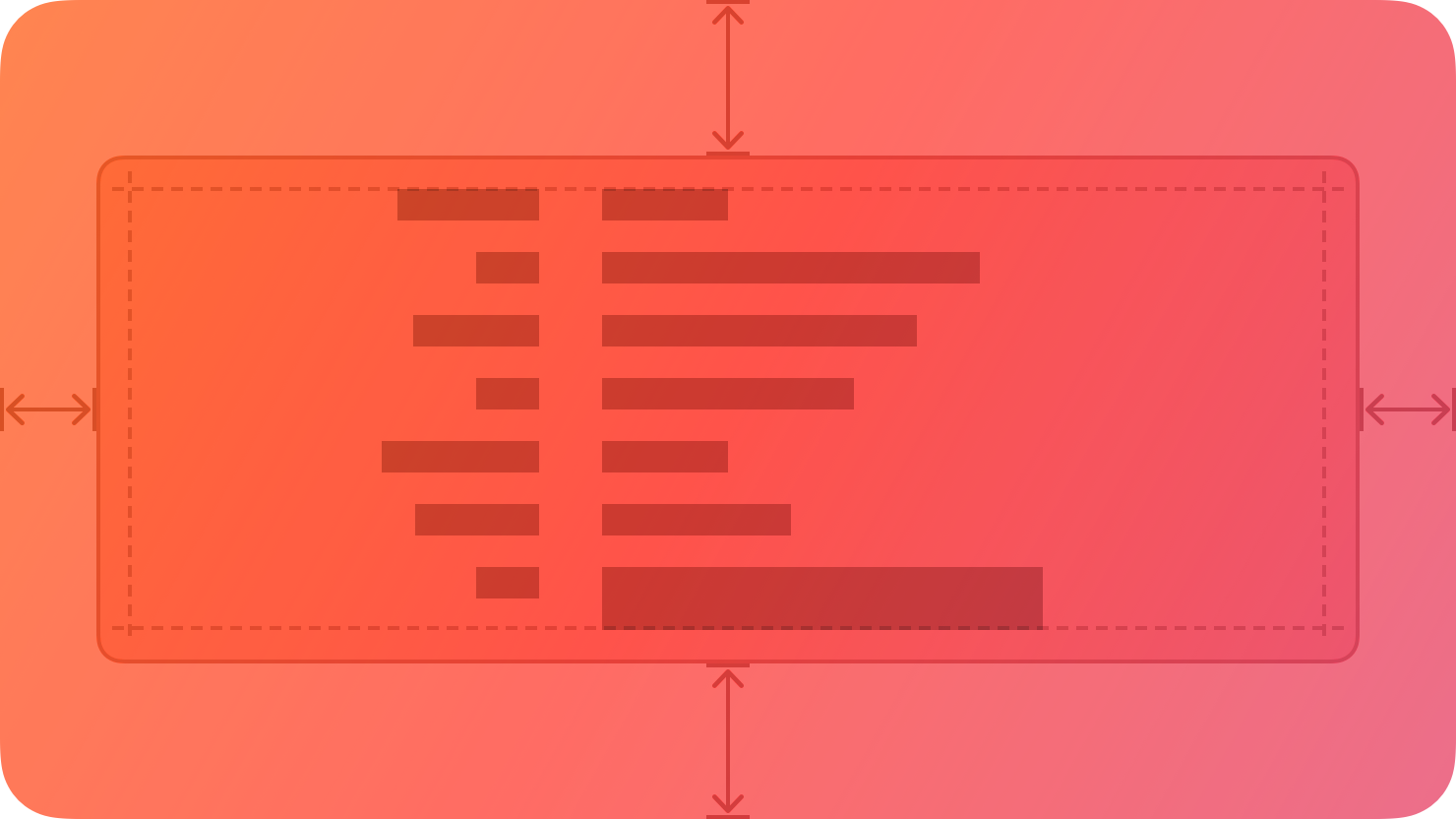
|
|
10
|
+
|
|
11
|
+
By default, a box uses a visible border or background color to separate its contents from the rest of the interface. A box can also include a title.
|
|
12
|
+
|
|
13
|
+
## [Best practices](https://developer.apple.com/design/human-interface-guidelines/boxes#Best-practices)
|
|
14
|
+
|
|
15
|
+
**Prefer keeping a box relatively small in comparison with its containing view.** As a box’s size gets close to the size of the containing window or screen, it becomes less effective at communicating the separation of grouped content, and it can crowd other content.
|
|
16
|
+
|
|
17
|
+
**Consider using padding and alignment to communicate additional grouping within a box.** A box’s border is a distinct visual element — adding nested boxes to define subgroups can make your interface feel busy and constrained.
|
|
18
|
+
|
|
19
|
+
## [Content](https://developer.apple.com/design/human-interface-guidelines/boxes#Content)
|
|
20
|
+
|
|
21
|
+
**Provide a succinct introductory title if it helps clarify the box’s contents.** The appearance of a box helps people understand that its contents are related, but it might make sense to provide more detail about the relationship. Also, a title can help VoiceOver users predict the content they encounter within the box.
|
|
22
|
+
|
|
23
|
+
**If you need a title, write a brief phrase that describes the contents.** Use sentence-style capitalization. Avoid ending punctuation unless you use a box in a settings pane, where you append a colon to the title.
|
|
24
|
+
|
|
25
|
+
## [Platform considerations](https://developer.apple.com/design/human-interface-guidelines/boxes#Platform-considerations)
|
|
26
|
+
|
|
27
|
+
_No additional considerations for visionOS. Not supported in tvOS or watchOS._
|
|
28
|
+
|
|
29
|
+
### [iOS, iPadOS](https://developer.apple.com/design/human-interface-guidelines/boxes#iOS-iPadOS)
|
|
30
|
+
|
|
31
|
+
By default, iOS and iPadOS use the secondary and tertiary background [colors](https://developer.apple.com/design/human-interface-guidelines/color) in boxes.
|
|
32
|
+
|
|
33
|
+
### [macOS](https://developer.apple.com/design/human-interface-guidelines/boxes#macOS)
|
|
34
|
+
|
|
35
|
+
By default, macOS displays a box’s title above it.
|
|
36
|
+
|
|
37
|
+
## [Resources](https://developer.apple.com/design/human-interface-guidelines/boxes#Resources)
|
|
38
|
+
|
|
39
|
+
#### [Related](https://developer.apple.com/design/human-interface-guidelines/boxes#Related)
|
|
40
|
+
|
|
41
|
+
[Layout](https://developer.apple.com/design/human-interface-guidelines/layout)
|
|
42
|
+
|
|
43
|
+
#### [Developer documentation](https://developer.apple.com/design/human-interface-guidelines/boxes#Developer-documentation)
|
|
44
|
+
|
|
45
|
+
[`GroupBox`](https://developer.apple.com/documentation/SwiftUI/GroupBox) — SwiftUI
|
|
46
|
+
|
|
47
|
+
[`NSBox`](https://developer.apple.com/documentation/AppKit/NSBox) — AppKit
|
|
48
|
+
|