@tencent-rtc/mcp 1.3.1 → 1.3.2
This diff represents the content of publicly available package versions that have been released to one of the supported registries. The information contained in this diff is provided for informational purposes only and reflects changes between package versions as they appear in their respective public registries.
- package/index.js +4 -0
- package/index.js.map +1 -1
- package/package.json +1 -1
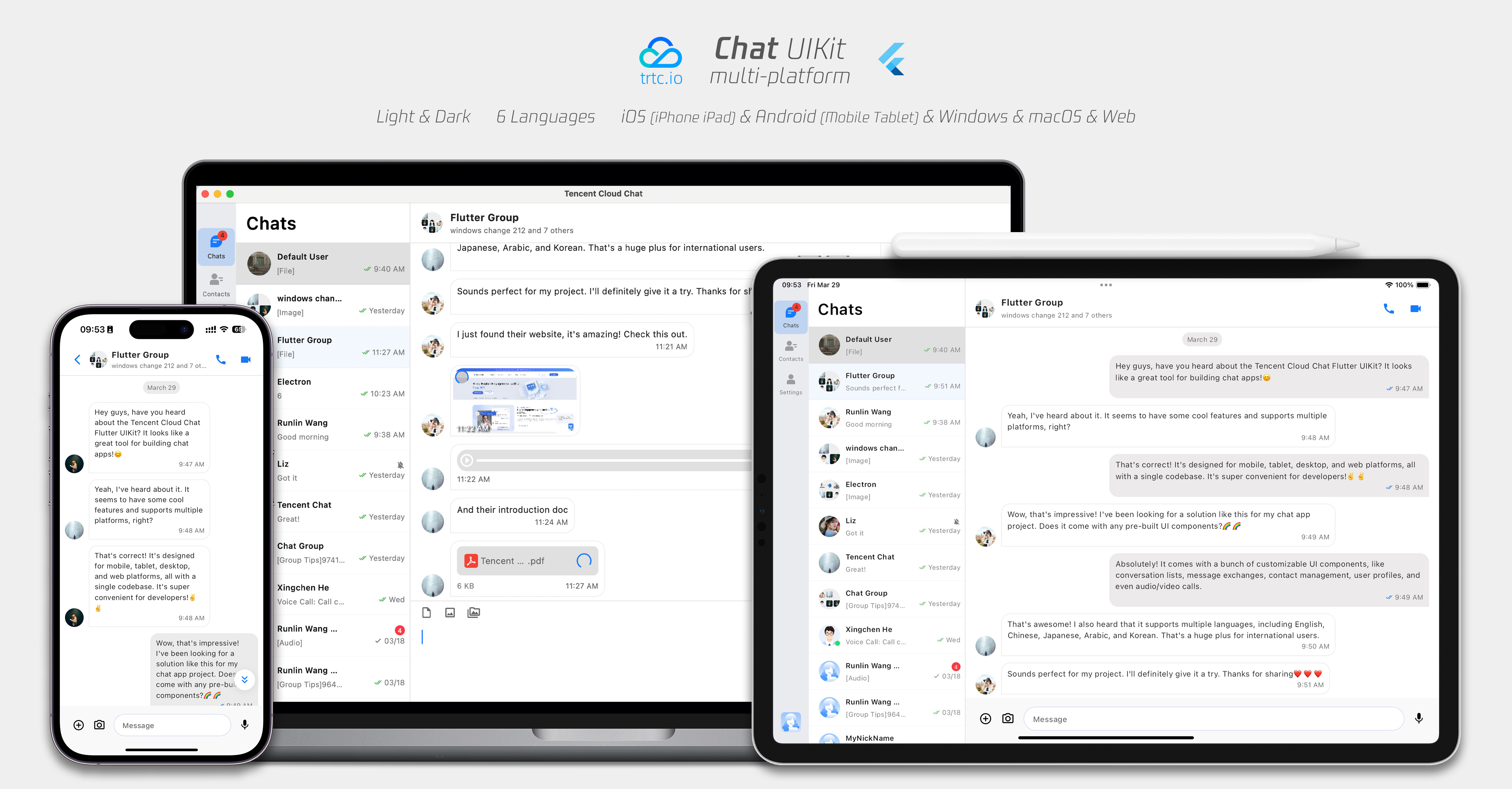
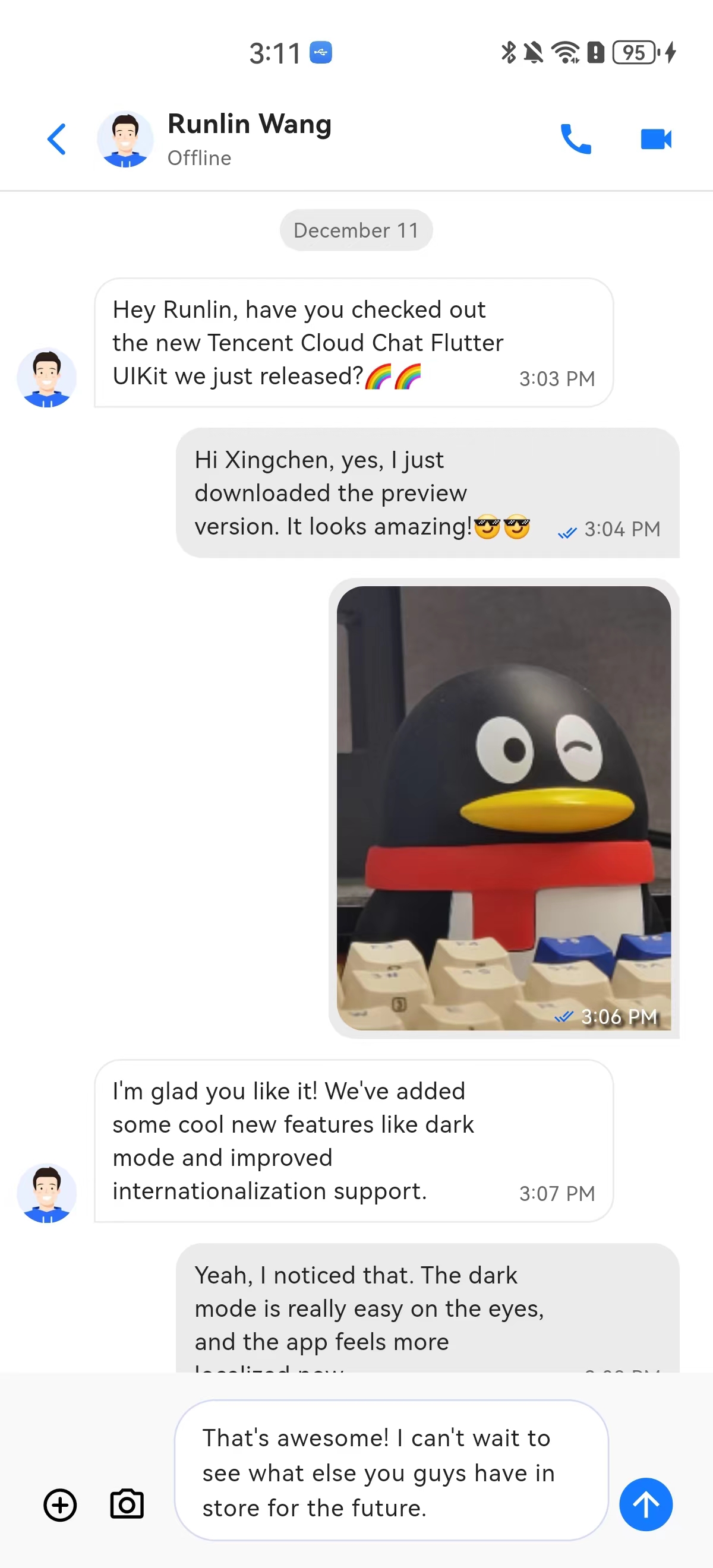
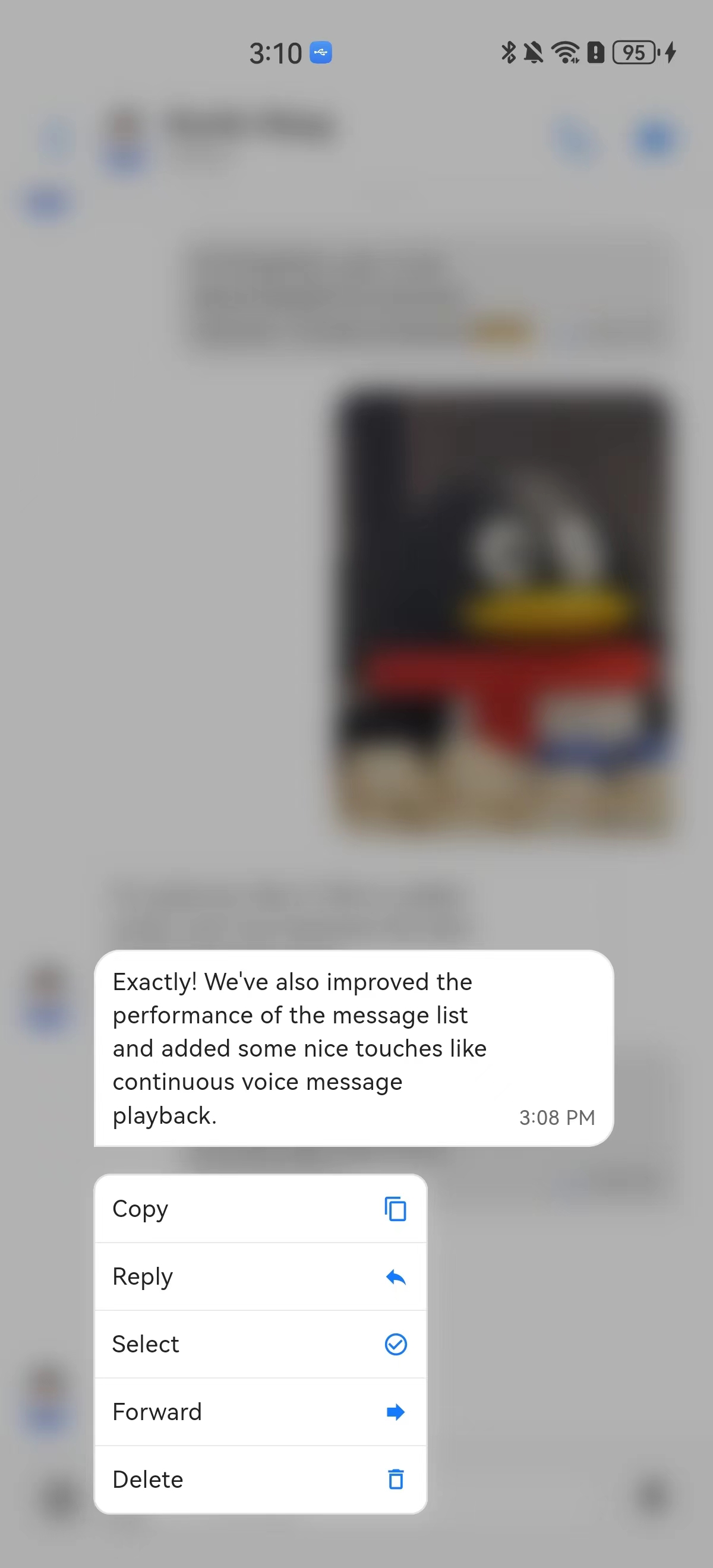
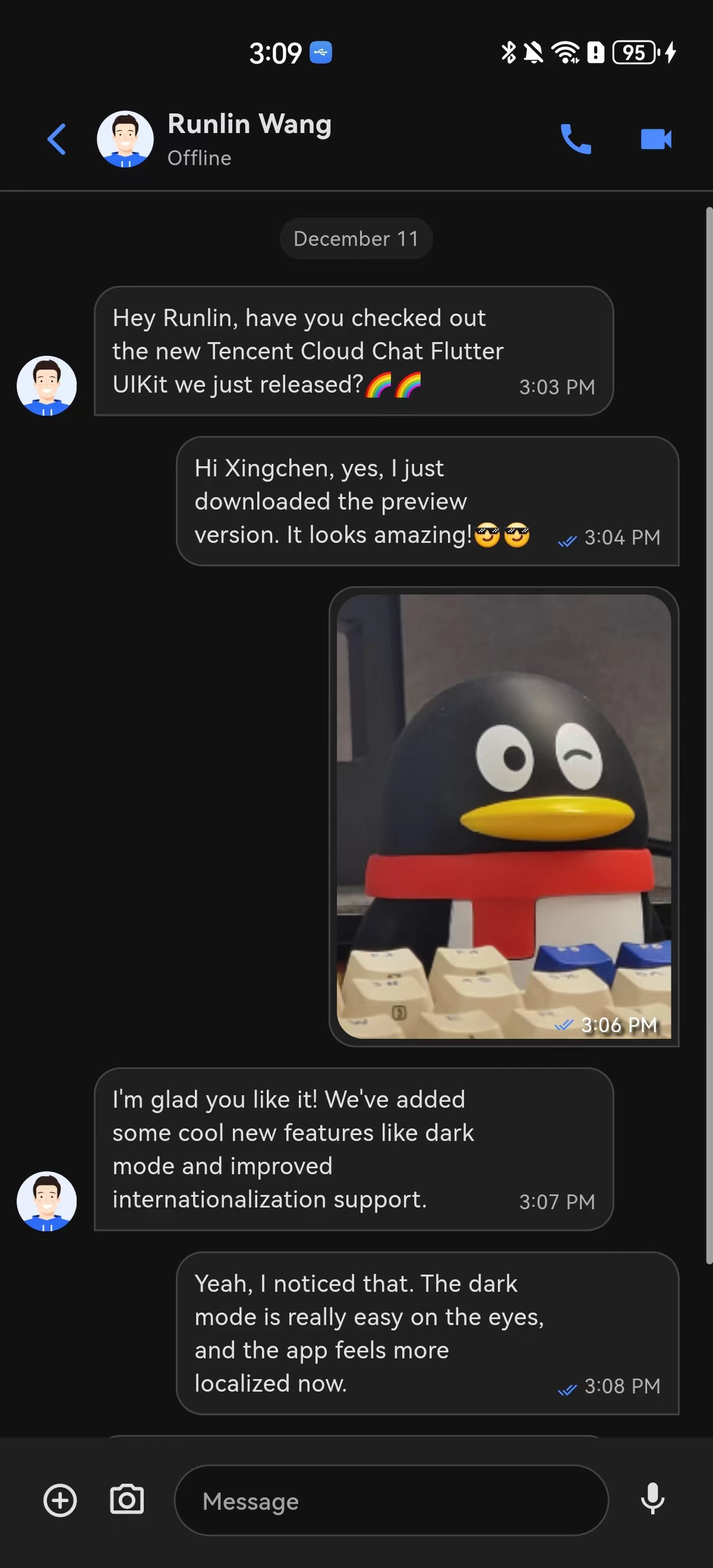
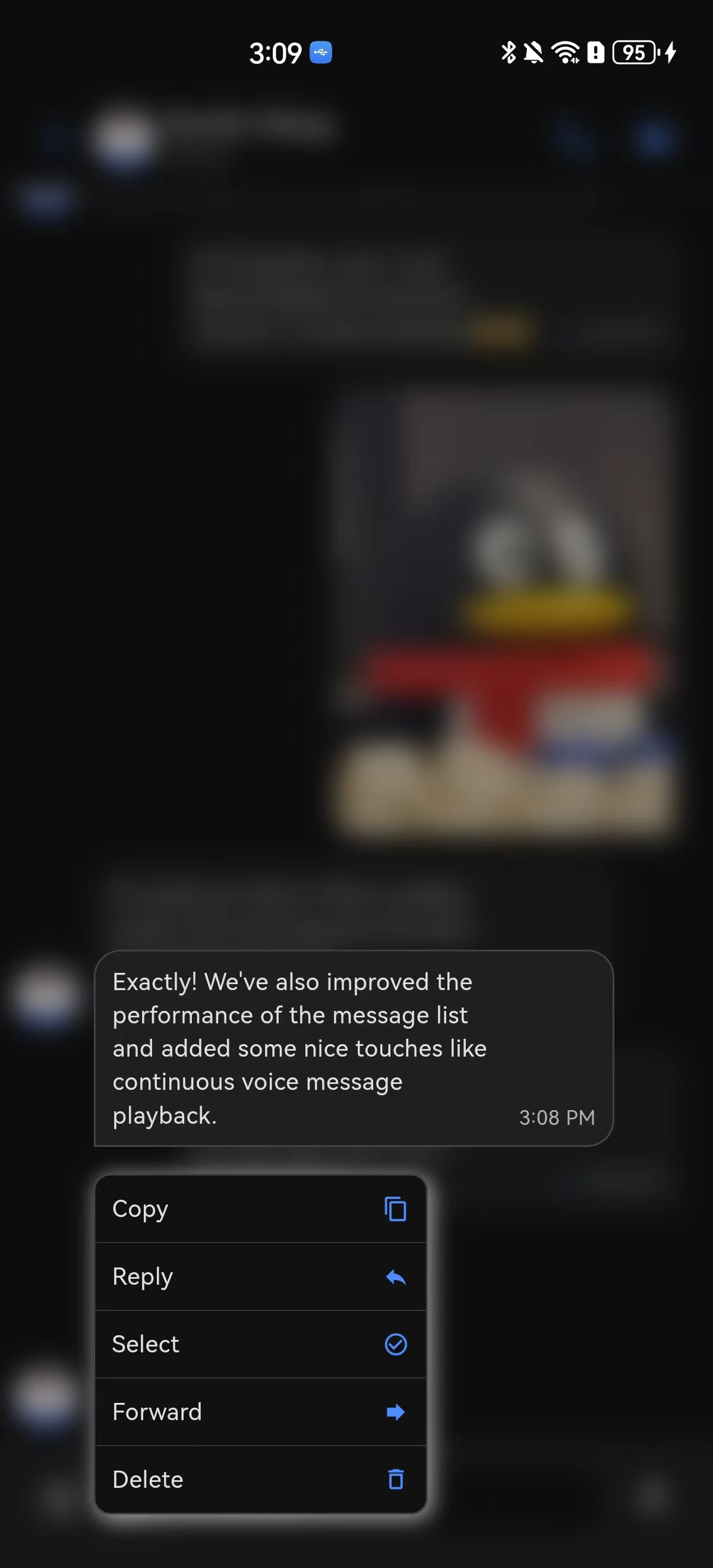
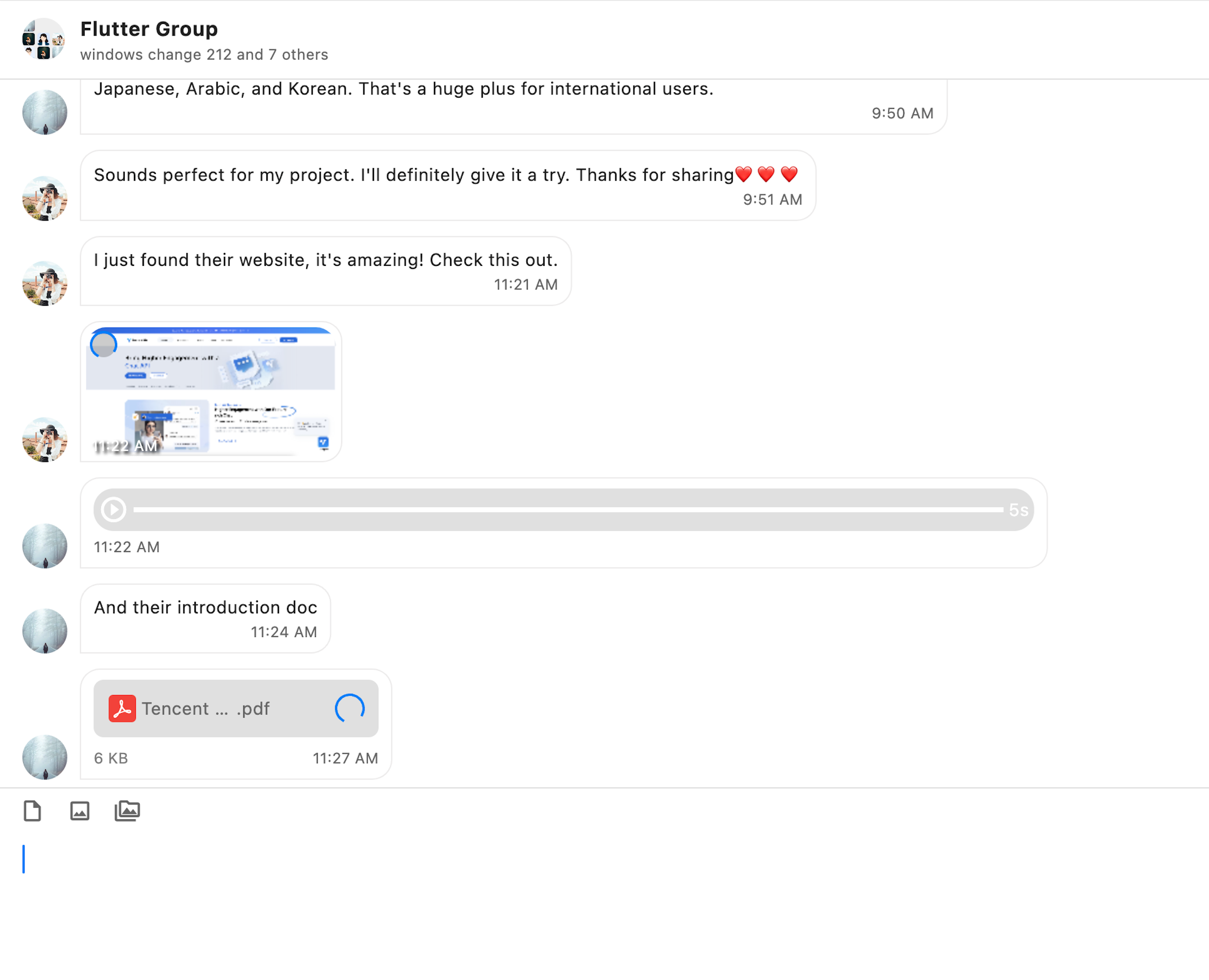
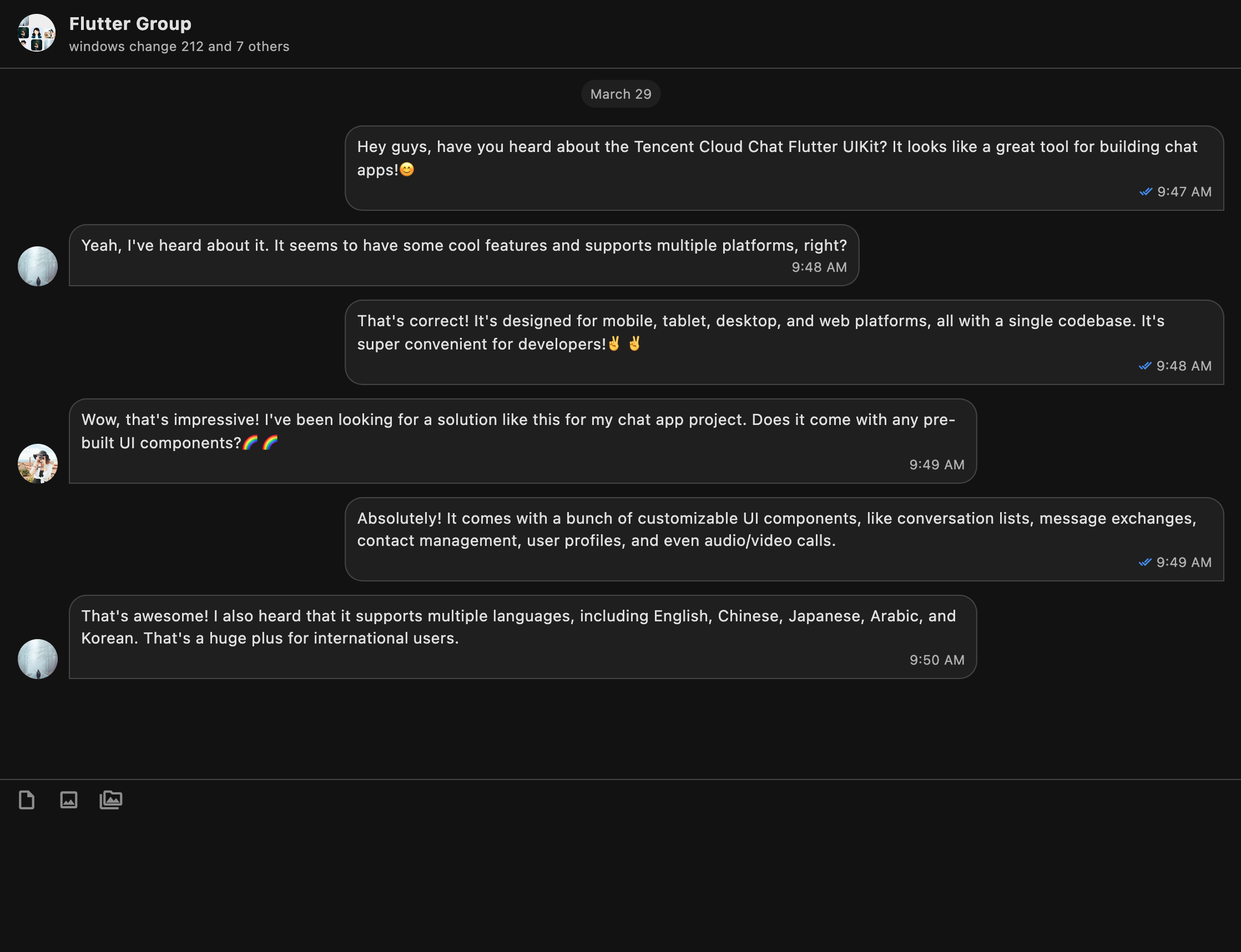
- package/resource/doc/chatuikit/faq/web_sdk/faq.md +125 -0
- package/resource/doc/chatuikit/flutter/faq.md +17 -114
- package/resource/doc/chatuikit/flutter/integrate_tuikit_Flutter.md +86 -722
- package/resource/doc/roomkit/vue/features/call-user-to-room.md +256 -0
- package/resource/doc/roomkit/vue/features/device-detection.md +388 -0
- package/resource/doc/roomkit/vue/features/device-state.md +480 -0
- package/resource/doc/roomkit/vue/features/free-beauty-panel.md +238 -0
- package/resource/doc/roomkit/vue/features/room-chat.md +427 -0
- package/resource/doc/roomkit/vue/features/room-participant-state.md +407 -0
- package/resource/doc/roomkit/vue/features/room-state.md +291 -0
- package/resource/doc/roomkit/vue/features/room-view.md +338 -0
- package/resource/doc/roomkit/vue/features/schedule-room.md +349 -0
- package/resource/doc/roomkit/vue/features/screen-share.md +333 -0
- package/resource/doc/roomkit/vue/features/virtual-background.md +287 -0
- package/resource/doc/roomkit/vue/features/workflow.md +553 -0
- package/resource/doc/roomkit/vue/integration.md +479 -0
- package/resource/doc/roomkit/vue/workflow.md +487 -0
- package/resource/doc/tuicallkit/react/api.md +21 -0
- package/resource/doc/tuicallkit/vue/api.md +21 -0
- package/tools/definitions/get_web_room_feature_detail_def.js +95 -0
- package/tools/definitions/get_web_room_feature_detail_def.js.map +1 -0
- package/tools/definitions/get_web_room_uikit_integration_def.js +44 -0
- package/tools/definitions/get_web_room_uikit_integration_def.js.map +1 -0
- package/tools/index.js +4 -2
- package/tools/index.js.map +1 -1
- package/tools/room/get-web-room-feature-detail.js +68 -0
- package/tools/room/get-web-room-feature-detail.js.map +1 -0
- package/tools/room/get-web-room-integration.js +43 -0
- package/tools/room/get-web-room-integration.js.map +1 -0
- package/utils/report-cls-client.js +1 -1
- package/utils/report-es-client.js +1 -1
- package/resource/doc/chatuikit/flutter/integrate_only_tuichat_Flutter.md +0 -333
- package/resource/doc/chatuikit/flutter/quick_start_Flutter.md +0 -217
- package/resource/doc/roomkit/vue/states/device-state.md +0 -369
- package/resource/doc/roomkit/vue/states/login-state.md +0 -59
- package/resource/doc/roomkit/vue/states/room-list-state.md +0 -355
- package/resource/doc/roomkit/vue/states/room-participant-state.md +0 -388
- package/tools/room/get-web-room-state-detail.js +0 -31
- package/tools/room/get-web-room-state-detail.js.map +0 -1
|
@@ -0,0 +1,44 @@
|
|
|
1
|
+
const TOOL_DESCRIPTION = `
|
|
2
|
+
[Core Purpose]: As a professional Web audio/video meeting TUIRoomKit (Atomicx version) integration assistant, this tool is specifically designed to provide Agents with workflow action instructions and real-time aggregated latest documentation content to guide LLM in helping users implement audio/video meeting features.
|
|
3
|
+
|
|
4
|
+
[Feature Description]:
|
|
5
|
+
TUIRoomKit (Atomicx version) provides a complete audio/video meeting solution by default, including:
|
|
6
|
+
- **Meeting Entry Page (home.vue)**: Device detection, room creation/join functionality
|
|
7
|
+
- **Meeting Room Page (room.vue)**: Complete header, video layout, control bar, and sidebar panels
|
|
8
|
+
- **Applicable Scenarios**: Enterprise meetings, online education, remote collaboration, multi-party video calls, etc.
|
|
9
|
+
|
|
10
|
+
[Keywords]:
|
|
11
|
+
'TUIRoomKit', 'Atomicx', 'audio/video meeting', 'TRTC', 'Vue3', 'PC', 'meeting room', 'video call', 'screen sharing', 'device detection', 'room management', 'grid layout', 'sidebar layout', 'source code integration', 'atomized components'.
|
|
12
|
+
|
|
13
|
+
[Technical Features]:
|
|
14
|
+
- **Source Code Integration Method**: Clone repository from GitHub and copy core source code files (not npm package method)
|
|
15
|
+
- **Atomicx Atomized Component Architecture**: Developers can flexibly combine atomized components to build personalized meeting interfaces
|
|
16
|
+
- **PC Vue3 Projects Only**: Currently does not support Vue2.x framework or H5 platform
|
|
17
|
+
- **TypeScript + SCSS**: Requires TypeScript and SCSS development environment configuration
|
|
18
|
+
|
|
19
|
+
[Action Instructions & Workflow Guidance]:
|
|
20
|
+
When handling user requirements, Agent should use the llm_code_generation_instructions_md field returned by this tool. This field contains:
|
|
21
|
+
1. Core workflow instructions: Including environment preparation, dependency installation, source code cloning & copying, routing configuration, UserSig authentication, and other complete processes.
|
|
22
|
+
2. Real-time documentation content: Provides the latest content from official integration guides, including all configuration details and code examples.
|
|
23
|
+
|
|
24
|
+
LLM must prioritize and exclusively use the real-time content returned by this tool to generate code, avoiding accessing external URLs on its own.
|
|
25
|
+
|
|
26
|
+
[Mandatory Constraints]:
|
|
27
|
+
1. Platform Limitation: TUIRoomKit (Atomicx version) only supports PC Vue3 projects, does not support Vue2.x or H5 platform.
|
|
28
|
+
2. Source Code Integration Method: Must clone TUIRoomKit repository from GitHub and copy core source code files, cannot use simple npm install method.
|
|
29
|
+
3. Authentication Credential Configuration: Read SDKAppID and SDKSecretKey from MCP environment variables, configure them in src/config/basic-info-config.js file.
|
|
30
|
+
4. Security Warning: Must inform users that client-side UserSig generation is only suitable for local testing, production environment must generate UserSig on server side.
|
|
31
|
+
5. Result Recording Constraint: After TUIRoomKit integration is complete and project starts successfully, must call 'record_result' tool to record integration results.
|
|
32
|
+
6. Default Full Integration: TUIRoomKit (Atomicx version) provides a complete meeting solution by default, no need to distinguish integration modes.
|
|
33
|
+
|
|
34
|
+
[Supported Framework]: vue3 (Only supports Vue 3.4.21 and above).
|
|
35
|
+
`;
|
|
36
|
+
const PARAMETER_DESCRIPTIONS = {
|
|
37
|
+
framework: 'TUIRoomKit (Atomicx version) framework type. Fixed value: vue3 (PC Vue3 project).',
|
|
38
|
+
};
|
|
39
|
+
export const GET_WEB_ROOM_UIKIT_INTEGRATION_DEFINITION = {
|
|
40
|
+
name: 'get_web_room_uikit_integration',
|
|
41
|
+
description: TOOL_DESCRIPTION,
|
|
42
|
+
parameter_descriptions: PARAMETER_DESCRIPTIONS,
|
|
43
|
+
};
|
|
44
|
+
//# sourceMappingURL=get_web_room_uikit_integration_def.js.map
|
|
@@ -0,0 +1 @@
|
|
|
1
|
+
{"version":3,"file":"get_web_room_uikit_integration_def.js","sourceRoot":"","sources":["../../../src/tools/definitions/get_web_room_uikit_integration_def.ts"],"names":[],"mappings":"AAAA,MAAM,gBAAgB,GAAG;;;;;;;;;;;;;;;;;;;;;;;;;;;;;;;;;;CAkCxB,CAAC;AAEF,MAAM,sBAAsB,GAAG;IAC7B,SAAS,EAAE,mFAAmF;CAC/F,CAAC;AAEF,MAAM,CAAC,MAAM,yCAAyC,GAAG;IACvD,IAAI,EAAE,gCAAgC;IACtC,WAAW,EAAE,gBAAgB;IAC7B,sBAAsB,EAAE,sBAAsB;CAC/C,CAAC"}
|
package/tools/index.js
CHANGED
|
@@ -25,7 +25,8 @@ import { registryGetWebLiveIntegrationTool } from './live/get-web-live-uikit-int
|
|
|
25
25
|
import { registryGetWebLiveComponentDetailTool } from './live/get-web-live-component-detail.js';
|
|
26
26
|
import { registerGetWebLiveStateDetailTool } from './live/get-web-live-state-detail.js';
|
|
27
27
|
// room
|
|
28
|
-
import {
|
|
28
|
+
import { registryGetWebRoomIntegrationTool } from './room/get-web-room-integration.js';
|
|
29
|
+
import { registryGetWebRoomFeatureDetailTool } from './room/get-web-room-feature-detail.js';
|
|
29
30
|
// native live
|
|
30
31
|
import { registryGetTRTCNativeAPITool } from './trtc/get-trtc-native-api.js';
|
|
31
32
|
function registryTools(mcpServer) {
|
|
@@ -56,7 +57,8 @@ function registryTools(mcpServer) {
|
|
|
56
57
|
registryGetWebLiveComponentDetailTool(mcpServer);
|
|
57
58
|
registerGetWebLiveStateDetailTool(mcpServer);
|
|
58
59
|
// room
|
|
59
|
-
|
|
60
|
+
registryGetWebRoomIntegrationTool(mcpServer);
|
|
61
|
+
registryGetWebRoomFeatureDetailTool(mcpServer);
|
|
60
62
|
// native live
|
|
61
63
|
// registryGetNativeLiveAPITool(mcpServer);
|
|
62
64
|
// trtc
|
package/tools/index.js.map
CHANGED
|
@@ -1 +1 @@
|
|
|
1
|
-
{"version":3,"file":"index.js","sourceRoot":"","sources":["../../src/tools/index.ts"],"names":[],"mappings":"AACA,SAAS;AACT,OAAO,EAAE,kCAAkC,EAAE,MAAM,sCAAsC,CAAC;AAC1F,OAAO,EAAE,wBAAwB,EAAE,MAAM,2BAA2B,CAAC;AACrE,OAAO,EAAE,wBAAwB,EAAE,MAAM,2BAA2B,CAAC;AACrE,OAAO,EAAE,sBAAsB,EAAE,MAAM,yBAAyB,CAAC;AACjE,OAAO,EAAE,kBAAkB,EAAE,MAAM,qBAAqB,CAAC;AACzD,OAAO;AACP,OAAO,EAAE,iCAAiC,EAAE,MAAM,oCAAoC,CAAC;AACvF,OAAO,EAAE,qCAAqC,EAAE,MAAM,yCAAyC,CAAC;AAChG,OAAO,EAAE,0BAA0B,EAAE,MAAM,mCAAmC,CAAC;AAC/E,sFAAsF;AACtF,OAAO,EAAE,oCAAoC,EAAE,MAAM,uCAAuC,CAAC;AAC7F,OAAO;AACP,OAAO,EAAE,iCAAiC,EAAE,MAAM,oCAAoC,CAAC;AACvF,OAAO,EAAE,4BAA4B,EAAE,MAAM,4BAA4B,CAAC;AAC1E,OAAO,EAAE,oCAAoC,EAAE,MAAM,uCAAuC,CAAC;AAC7F,YAAY;AACZ,+EAA+E;AAC/E,sFAAsF;AACtF,OAAO,EAAE,yCAAyC,EAAE,MAAM,kDAAkD,CAAC;AAC7G,OAAO,EAAE,oCAAoC,EAAE,MAAM,6CAA6C,CAAC;AACnG,OAAO,EAAE,qBAAqB,EAAE,MAAM,qCAAqC,CAAC;AAC5E,OAAO;AACP,OAAO,EAAE,iCAAiC,EAAE,MAAM,0CAA0C,CAAC;AAC7F,OAAO,EAAE,qCAAqC,EAAE,MAAM,yCAAyC,CAAC;AAChG,OAAO,EAAE,iCAAiC,EAAE,MAAM,qCAAqC,CAAC;AACxF,OAAO;AACP,OAAO,EAAE,iCAAiC,EAAE,MAAM,
|
|
1
|
+
{"version":3,"file":"index.js","sourceRoot":"","sources":["../../src/tools/index.ts"],"names":[],"mappings":"AACA,SAAS;AACT,OAAO,EAAE,kCAAkC,EAAE,MAAM,sCAAsC,CAAC;AAC1F,OAAO,EAAE,wBAAwB,EAAE,MAAM,2BAA2B,CAAC;AACrE,OAAO,EAAE,wBAAwB,EAAE,MAAM,2BAA2B,CAAC;AACrE,OAAO,EAAE,sBAAsB,EAAE,MAAM,yBAAyB,CAAC;AACjE,OAAO,EAAE,kBAAkB,EAAE,MAAM,qBAAqB,CAAC;AACzD,OAAO;AACP,OAAO,EAAE,iCAAiC,EAAE,MAAM,oCAAoC,CAAC;AACvF,OAAO,EAAE,qCAAqC,EAAE,MAAM,yCAAyC,CAAC;AAChG,OAAO,EAAE,0BAA0B,EAAE,MAAM,mCAAmC,CAAC;AAC/E,sFAAsF;AACtF,OAAO,EAAE,oCAAoC,EAAE,MAAM,uCAAuC,CAAC;AAC7F,OAAO;AACP,OAAO,EAAE,iCAAiC,EAAE,MAAM,oCAAoC,CAAC;AACvF,OAAO,EAAE,4BAA4B,EAAE,MAAM,4BAA4B,CAAC;AAC1E,OAAO,EAAE,oCAAoC,EAAE,MAAM,uCAAuC,CAAC;AAC7F,YAAY;AACZ,+EAA+E;AAC/E,sFAAsF;AACtF,OAAO,EAAE,yCAAyC,EAAE,MAAM,kDAAkD,CAAC;AAC7G,OAAO,EAAE,oCAAoC,EAAE,MAAM,6CAA6C,CAAC;AACnG,OAAO,EAAE,qBAAqB,EAAE,MAAM,qCAAqC,CAAC;AAC5E,OAAO;AACP,OAAO,EAAE,iCAAiC,EAAE,MAAM,0CAA0C,CAAC;AAC7F,OAAO,EAAE,qCAAqC,EAAE,MAAM,yCAAyC,CAAC;AAChG,OAAO,EAAE,iCAAiC,EAAE,MAAM,qCAAqC,CAAC;AACxF,OAAO;AACP,OAAO,EAAE,iCAAiC,EAAE,MAAM,oCAAoC,CAAC;AACvF,OAAO,EAAE,mCAAmC,EAAE,MAAM,uCAAuC,CAAC;AAI5F,cAAc;AACd,OAAO,EAAE,4BAA4B,EAAE,MAAM,+BAA+B,CAAC;AAG7E,SAAS,aAAa,CAAC,SAAoB;IACzC,SAAS;IACT,kCAAkC,CAAC,SAAS,CAAC,CAAC;IAC9C,wBAAwB,CAAC,SAAS,CAAC,CAAC;IACpC,wBAAwB,CAAC,SAAS,CAAC,CAAC;IACpC,sBAAsB,CAAC,SAAS,CAAC,CAAC;IAClC,kBAAkB,CAAC,SAAS,CAAC,CAAC;IAC9B,OAAO;IACP,iCAAiC,CAAC,SAAS,CAAC,CAAC;IAC7C,qCAAqC,CAAC,SAAS,CAAC,CAAC;IACjD,0BAA0B,CAAC,SAAS,CAAC,CAAC;IACtC,2CAA2C;IAC3C,oCAAoC,CAAC,SAAS,CAAC,CAAC;IAChD,OAAO;IACP,iCAAiC,CAAC,SAAS,CAAC,CAAC;IAC7C,4BAA4B,CAAC,SAAS,CAAC,CAAC;IACxC,oCAAoC,CAAC,SAAS,CAAC,CAAC;IAChD,YAAY;IACZ,wCAAwC;IACxC,2CAA2C;IAC3C,yCAAyC,CAAC,SAAS,CAAC,CAAC;IACrD,oCAAoC,CAAC,SAAS,CAAC,CAAC;IAChD,qBAAqB,CAAC,SAAS,CAAC,CAAC;IACjC,OAAO;IACP,iCAAiC,CAAC,SAAS,CAAC,CAAC;IAC7C,qCAAqC,CAAC,SAAS,CAAC,CAAC;IACjD,iCAAiC,CAAC,SAAS,CAAC,CAAC;IAC7C,OAAO;IACP,iCAAiC,CAAC,SAAS,CAAC,CAAC;IAC7C,mCAAmC,CAAC,SAAS,CAAC,CAAC;IAC/C,cAAc;IACd,2CAA2C;IAC3C,OAAO;IACP,4BAA4B,CAAC,SAAS,CAAC,CAAC;AAC1C,CAAC;AAED,OAAO,EACL,aAAa,GACd,CAAA"}
|
|
@@ -0,0 +1,68 @@
|
|
|
1
|
+
import { z } from 'zod';
|
|
2
|
+
import { GET_WEB_ROOM_FEATURE_DETAIL_DEFINITION } from '../definitions/get_web_room_feature_detail_def.js';
|
|
3
|
+
import { getDocContent } from '../../utils/get-doc-content.js';
|
|
4
|
+
import { generateStructuredResult } from '../../utils/generate-structured-result.js';
|
|
5
|
+
import { reportCLSClient } from '../../utils/report-cls-client.js';
|
|
6
|
+
const PATH_MAP = {
|
|
7
|
+
'device-detection': ['roomkit', 'vue', 'features', 'device-detection.md'],
|
|
8
|
+
'device-state': ['roomkit', 'vue', 'features', 'device-state.md'],
|
|
9
|
+
'room-state': ['roomkit', 'vue', 'features', 'room-state.md'],
|
|
10
|
+
'room-participant-state': ['roomkit', 'vue', 'features', 'room-participant-state.md'],
|
|
11
|
+
'room-view': ['roomkit', 'vue', 'features', 'room-view.md'],
|
|
12
|
+
'room-chat': ['roomkit', 'vue', 'features', 'room-chat.md'],
|
|
13
|
+
'screen-share': ['roomkit', 'vue', 'features', 'screen-share.md'],
|
|
14
|
+
'schedule-room': ['roomkit', 'vue', 'features', 'schedule-room.md'],
|
|
15
|
+
'call-user-to-room': ['roomkit', 'vue', 'features', 'call-user-to-room.md'],
|
|
16
|
+
'free-beauty-panel': ['roomkit', 'vue', 'features', 'free-beauty-panel.md'],
|
|
17
|
+
'virtual-background': ['roomkit', 'vue', 'features', 'virtual-background.md'],
|
|
18
|
+
};
|
|
19
|
+
async function getResultText(params) {
|
|
20
|
+
const { framework = 'vue', goals = [] } = params;
|
|
21
|
+
reportCLSClient({
|
|
22
|
+
method: 'get_web_room_feature_detail',
|
|
23
|
+
info: goals.join(','),
|
|
24
|
+
framework: framework,
|
|
25
|
+
});
|
|
26
|
+
// 获取工作流指令
|
|
27
|
+
const baseInstructions = getDocContent(['roomkit', 'vue', 'features', 'workflow.md']);
|
|
28
|
+
// 批量读取目标文档并生成结构化结果
|
|
29
|
+
const result = await generateStructuredResult({
|
|
30
|
+
baseInstructions,
|
|
31
|
+
goals: goals,
|
|
32
|
+
pathMap: PATH_MAP,
|
|
33
|
+
framework: framework,
|
|
34
|
+
});
|
|
35
|
+
return result;
|
|
36
|
+
}
|
|
37
|
+
const registryGetWebRoomFeatureDetailTool = (mcpServer) => {
|
|
38
|
+
const { name, description, parameter_descriptions } = GET_WEB_ROOM_FEATURE_DETAIL_DEFINITION;
|
|
39
|
+
mcpServer.tool(name, description, {
|
|
40
|
+
framework: z.enum(['vue']).default('vue').describe(parameter_descriptions.framework),
|
|
41
|
+
goals: z.array(z.enum([
|
|
42
|
+
'device-detection',
|
|
43
|
+
'device-state',
|
|
44
|
+
'room-state',
|
|
45
|
+
'room-participant-state',
|
|
46
|
+
'room-view',
|
|
47
|
+
'room-chat',
|
|
48
|
+
'screen-share',
|
|
49
|
+
'schedule-room',
|
|
50
|
+
'call-user-to-room',
|
|
51
|
+
'free-beauty-panel',
|
|
52
|
+
'virtual-background'
|
|
53
|
+
])).describe(parameter_descriptions.goals),
|
|
54
|
+
}, async (params) => {
|
|
55
|
+
const result = await getResultText(params);
|
|
56
|
+
return {
|
|
57
|
+
content: [
|
|
58
|
+
{
|
|
59
|
+
type: 'text',
|
|
60
|
+
text: result.llm_code_generation_instructions_md,
|
|
61
|
+
}
|
|
62
|
+
],
|
|
63
|
+
result: result,
|
|
64
|
+
};
|
|
65
|
+
});
|
|
66
|
+
};
|
|
67
|
+
export { registryGetWebRoomFeatureDetailTool };
|
|
68
|
+
//# sourceMappingURL=get-web-room-feature-detail.js.map
|
|
@@ -0,0 +1 @@
|
|
|
1
|
+
{"version":3,"file":"get-web-room-feature-detail.js","sourceRoot":"","sources":["../../../src/tools/room/get-web-room-feature-detail.ts"],"names":[],"mappings":"AACA,OAAO,EAAE,CAAC,EAAE,MAAM,KAAK,CAAC;AACxB,OAAO,EAAE,sCAAsC,EAAE,MAAM,mDAAmD,CAAC;AAC3G,OAAO,EAAE,aAAa,EAAE,MAAM,gCAAgC,CAAC;AAC/D,OAAO,EAAE,wBAAwB,EAAE,MAAM,2CAA2C,CAAC;AACrF,OAAO,EAAE,eAAe,EAAE,MAAM,kCAAkC,CAAC;AAGnE,MAAM,QAAQ,GAA6B;IACzC,kBAAkB,EAAE,CAAC,SAAS,EAAE,KAAK,EAAE,UAAU,EAAE,qBAAqB,CAAC;IACzE,cAAc,EAAE,CAAC,SAAS,EAAE,KAAK,EAAE,UAAU,EAAE,iBAAiB,CAAC;IACjE,YAAY,EAAE,CAAC,SAAS,EAAE,KAAK,EAAE,UAAU,EAAE,eAAe,CAAC;IAC7D,wBAAwB,EAAE,CAAC,SAAS,EAAE,KAAK,EAAE,UAAU,EAAE,2BAA2B,CAAC;IACrF,WAAW,EAAE,CAAC,SAAS,EAAE,KAAK,EAAE,UAAU,EAAE,cAAc,CAAC;IAC3D,WAAW,EAAE,CAAC,SAAS,EAAE,KAAK,EAAE,UAAU,EAAE,cAAc,CAAC;IAC3D,cAAc,EAAE,CAAC,SAAS,EAAE,KAAK,EAAE,UAAU,EAAE,iBAAiB,CAAC;IACjE,eAAe,EAAE,CAAC,SAAS,EAAE,KAAK,EAAE,UAAU,EAAE,kBAAkB,CAAC;IACnE,mBAAmB,EAAE,CAAC,SAAS,EAAE,KAAK,EAAE,UAAU,EAAE,sBAAsB,CAAC;IAC3E,mBAAmB,EAAE,CAAC,SAAS,EAAE,KAAK,EAAE,UAAU,EAAE,sBAAsB,CAAC;IAC3E,oBAAoB,EAAE,CAAC,SAAS,EAAE,KAAK,EAAE,UAAU,EAAE,uBAAuB,CAAC;CAC9E,CAAC;AAEF,KAAK,UAAU,aAAa,CAAC,MAA2B;IACtD,MAAM,EAAE,SAAS,GAAG,KAAK,EAAE,KAAK,GAAG,EAAE,EAAE,GAAG,MAAM,CAAC;IACjD,eAAe,CAAC;QACd,MAAM,EAAE,6BAA6B;QACrC,IAAI,EAAE,KAAK,CAAC,IAAI,CAAC,GAAG,CAAC;QACrB,SAAS,EAAE,SAAS;KACrB,CAAC,CAAC;IACH,UAAU;IACV,MAAM,gBAAgB,GAAG,aAAa,CAAC,CAAC,SAAS,EAAE,KAAK,EAAE,UAAU,EAAE,aAAa,CAAC,CAAC,CAAC;IACtF,mBAAmB;IACnB,MAAM,MAAM,GAAG,MAAM,wBAAwB,CAAC;QAC5C,gBAAgB;QAChB,KAAK,EAAE,KAAK;QACZ,OAAO,EAAE,QAAQ;QACjB,SAAS,EAAE,SAAS;KACrB,CAAC,CAAC;IACH,OAAO,MAAM,CAAC;AAChB,CAAC;AAED,MAAM,mCAAmC,GAAG,CAAC,SAAoB,EAAE,EAAE;IACnE,MAAM,EAAE,IAAI,EAAE,WAAW,EAAE,sBAAsB,EAAE,GAAG,sCAAsC,CAAC;IAC7F,SAAS,CAAC,IAAI,CACZ,IAAI,EACJ,WAAW,EACX;QACE,SAAS,EAAE,CAAC,CAAC,IAAI,CAAC,CAAC,KAAK,CAAC,CAAC,CAAC,OAAO,CAAC,KAAK,CAAC,CAAC,QAAQ,CAAC,sBAAsB,CAAC,SAAS,CAAC;QACpF,KAAK,EAAE,CAAC,CAAC,KAAK,CAAC,CAAC,CAAC,IAAI,CAAC;YACpB,kBAAkB;YAClB,cAAc;YACd,YAAY;YACZ,wBAAwB;YACxB,WAAW;YACX,WAAW;YACX,cAAc;YACd,eAAe;YACf,mBAAmB;YACnB,mBAAmB;YACnB,oBAAoB;SACrB,CAAC,CAAC,CAAC,QAAQ,CAAC,sBAAsB,CAAC,KAAK,CAAC;KAC3C,EACD,KAAK,EAAE,MAAW,EAAE,EAAE;QACpB,MAAM,MAAM,GAAG,MAAM,aAAa,CAAC,MAAM,CAAC,CAAA;QAC1C,OAAO;YACL,OAAO,EAAE;gBACP;oBACE,IAAI,EAAE,MAAM;oBACZ,IAAI,EAAE,MAAM,CAAC,mCAAmC;iBACjD;aACF;YACD,MAAM,EAAE,MAAM;SACf,CAAA;IACL,CAAC,CAAC,CAAC;AACL,CAAC,CAAC;AACF,OAAO,EAAE,mCAAmC,EAAE,CAAC"}
|
|
@@ -0,0 +1,43 @@
|
|
|
1
|
+
import { z } from 'zod';
|
|
2
|
+
import { GET_WEB_ROOM_UIKIT_INTEGRATION_DEFINITION } from '../definitions/get_web_room_uikit_integration_def.js';
|
|
3
|
+
import { getDocContent } from '../../utils/get-doc-content.js';
|
|
4
|
+
import { reportCLSClient } from '../../utils/report-cls-client.js';
|
|
5
|
+
import { generateStructuredResult } from '../../utils/generate-structured-result.js';
|
|
6
|
+
async function getResultText(params) {
|
|
7
|
+
const { framework = 'vue' } = params;
|
|
8
|
+
reportCLSClient({
|
|
9
|
+
method: 'get_web_room_uikit_integration',
|
|
10
|
+
framework,
|
|
11
|
+
});
|
|
12
|
+
// 获取工作流指令
|
|
13
|
+
const baseInstructions = getDocContent(['roomkit', framework, 'workflow.md']);
|
|
14
|
+
// 批量读取目标文档并生成结构化结果
|
|
15
|
+
const result = await generateStructuredResult({
|
|
16
|
+
baseInstructions,
|
|
17
|
+
goals: ['integration'],
|
|
18
|
+
framework,
|
|
19
|
+
pathMap: {
|
|
20
|
+
['integration']: ['roomkit', framework, 'integration.md'],
|
|
21
|
+
},
|
|
22
|
+
});
|
|
23
|
+
return result;
|
|
24
|
+
}
|
|
25
|
+
const registryGetWebRoomIntegrationTool = (mcpServer) => {
|
|
26
|
+
const { name, description, parameter_descriptions } = GET_WEB_ROOM_UIKIT_INTEGRATION_DEFINITION;
|
|
27
|
+
mcpServer.tool(name, description, {
|
|
28
|
+
framework: z.enum(['vue']).default('vue').describe(parameter_descriptions.framework),
|
|
29
|
+
}, async (params) => {
|
|
30
|
+
const result = await getResultText(params);
|
|
31
|
+
return {
|
|
32
|
+
content: [
|
|
33
|
+
{
|
|
34
|
+
type: 'text',
|
|
35
|
+
text: result.llm_code_generation_instructions_md,
|
|
36
|
+
}
|
|
37
|
+
],
|
|
38
|
+
result: result,
|
|
39
|
+
};
|
|
40
|
+
});
|
|
41
|
+
};
|
|
42
|
+
export { registryGetWebRoomIntegrationTool };
|
|
43
|
+
//# sourceMappingURL=get-web-room-integration.js.map
|
|
@@ -0,0 +1 @@
|
|
|
1
|
+
{"version":3,"file":"get-web-room-integration.js","sourceRoot":"","sources":["../../../src/tools/room/get-web-room-integration.ts"],"names":[],"mappings":"AACA,OAAO,EAAE,CAAC,EAAE,MAAM,KAAK,CAAC;AACxB,OAAO,EAAE,yCAAyC,EAAE,MAAM,sDAAsD,CAAC;AACjH,OAAO,EAAE,aAAa,EAAE,MAAM,gCAAgC,CAAC;AAC/D,OAAO,EAAE,eAAe,EAAE,MAAM,kCAAkC,CAAC;AACnE,OAAO,EAAE,wBAAwB,EAAE,MAAM,2CAA2C,CAAC;AAErF,KAAK,UAAU,aAAa,CAAC,MAA2B;IACtD,MAAM,EAAE,SAAS,GAAG,KAAK,EAAE,GAAG,MAAM,CAAC;IACrC,eAAe,CAAC;QACd,MAAM,EAAE,gCAAgC;QACxC,SAAS;KACV,CAAC,CAAC;IACH,UAAU;IACV,MAAM,gBAAgB,GAAG,aAAa,CAAC,CAAC,SAAS,EAAE,SAAS,EAAE,aAAa,CAAC,CAAC,CAAC;IAC9E,mBAAmB;IACnB,MAAM,MAAM,GAAG,MAAM,wBAAwB,CAAC;QAC5C,gBAAgB;QAChB,KAAK,EAAE,CAAC,aAAa,CAAC;QACtB,SAAS;QACT,OAAO,EAAE;YACP,CAAC,aAAa,CAAC,EAAE,CAAC,SAAS,EAAE,SAAS,EAAE,gBAAgB,CAAC;SAC1D;KACF,CAAC,CAAA;IACF,OAAO,MAAM,CAAC;AAChB,CAAC;AAED,MAAM,iCAAiC,GAAG,CAAC,SAAoB,EAAE,EAAE;IACjE,MAAM,EAAE,IAAI,EAAE,WAAW,EAAE,sBAAsB,EAAE,GAAG,yCAAyC,CAAC;IAChG,SAAS,CAAC,IAAI,CACZ,IAAI,EACJ,WAAW,EACX;QACE,SAAS,EAAE,CAAC,CAAC,IAAI,CAAC,CAAC,KAAK,CAAC,CAAC,CAAC,OAAO,CAAC,KAAK,CAAC,CAAC,QAAQ,CAAC,sBAAsB,CAAC,SAAS,CAAC;KACrF,EACD,KAAK,EAAE,MAAW,EAAE,EAAE;QACpB,MAAM,MAAM,GAAG,MAAM,aAAa,CAAC,MAAM,CAAC,CAAA;QAC1C,OAAO;YACL,OAAO,EAAE;gBACP;oBACE,IAAI,EAAE,MAAM;oBACZ,IAAI,EAAE,MAAM,CAAC,mCAAmC;iBACjD;aACF;YACD,MAAM,EAAE,MAAM;SACf,CAAA;IACL,CAAC,CAAC,CAAC;AACL,CAAC,CAAC;AAEF,OAAO,EAAE,iCAAiC,EAAE,CAAC"}
|
|
@@ -1,333 +0,0 @@
|
|
|
1
|
-
Flutter Chat UIKit is designed to provide developers with a comprehensive set of tools to create feature-rich chat applications with ease.
|
|
2
|
-
|
|
3
|
-
It is built with a modular approach, allowing you to choose the components you need while keeping your application lightweight and efficient.
|
|
4
|
-
|
|
5
|
-
Among them, the `TencentCloudChatMessage` component offers both private messaging (1V1) and group chat features. It supports a variety of operations on messages, such as sending different types of messages, long-pressing to reply or quote messages, and querying details of read receipts.
|
|
6
|
-
|
|
7
|
-
|
|
8
|
-
|
|
9
|
-
|
|
10
|
-
|
|
11
|
-
【Mobile】
|
|
12
|
-
|
|
13
|
-
|
|
14
|
-
|
|
15
|
-
【Desktop & Tablet】
|
|
16
|
-
|
|
17
|
-
**Light**
|
|
18
|
-
|
|
19
|
-
|
|
20
|
-
|
|
21
|
-
|
|
22
|
-
|
|
23
|
-
|
|
24
|
-
**Dark**
|
|
25
|
-
|
|
26
|
-
|
|
27
|
-
|
|
28
|
-
|
|
29
|
-
## Features
|
|
30
|
-
1. **Personalized Appearance**: With built-in dark and light modes, the UIKit offers a variety of theme and appearance customization options to meet your business needs.
|
|
31
|
-
|
|
32
|
-
2. **Multi-Platform Compatibility**: The adaptable single codebase ensures compatibility across various platforms, including **mobile** devices (iOS/Android), **tablets** (iPad and Android tablets), **web** browsers, and **desktop** environments (Windows/macOS).
|
|
33
|
-
|
|
34
|
-
3. **Localization Support**: Developed with native English and other language options, including Arabic, Japanese, Korean, Simplified Chinese, and Traditional Chinese. The internationalization features ensure a localized user interface in these languages and support customization and addition of languages, with Arabic featuring support for **RTL** UI.
|
|
35
|
-
|
|
36
|
-
4. **Enhanced Performance**: The UIKit offers improved performance for message lists, optimized memory usage, and precise message positioning capabilities, catering to scenarios with a large volume of messages and navigation to older messages.
|
|
37
|
-
|
|
38
|
-
5. **Advanced Features**: The UIKit boasts numerous advanced capabilities, including continuous voice message playback, enhanced multimedia and file message experiences, and intuitive left-right swipe gestures to preview multimedia messages.
|
|
39
|
-
|
|
40
|
-
6. **Refined User Experience**: Delicate enhancements such as rich animations, haptic feedback, and a polished interface contribute to improved user experiences. New features like grid-style avatars, redesigned forwarding panels, group member selectors, and enhanced long-press message menus further enrich the experiences.
|
|
41
|
-
|
|
42
|
-
7. **Modular Design**: Components are organized into modular packages, allowing for selective imports and reducing unnecessary bloat. Each package supports built-in navigation transitions, streamlining development and integration by automatically handling transitions, such as those between conversations and messages.
|
|
43
|
-
|
|
44
|
-
8. **Developer-Friendly Approach**: A more unified and standardized design of component parameters, clearer code naming conventions, and detailed comments, combined with the flexibility to choose between global or instance-level configuration management, make development easier and more efficient.
|
|
45
|
-
|
|
46
|
-
|
|
47
|
-
## Compatibility
|
|
48
|
-
|
|
49
|
-
Our UIKit supports **mobile**, **tablet**, and **desktop** UI designs, and is compatible with Android, iOS, macOS, Windows, and Web (will be supported in future versions).
|
|
50
|
-
|
|
51
|
-
It comes with built-in support for English, Simplified Chinese, Traditional Chinese, Japanese, Korean, and Arabic (with support for Arabic RTL interface), and both light and dark appearance modes.
|
|
52
|
-
|
|
53
|
-
## Requirements
|
|
54
|
-
- Flutter version: 3.24 or above
|
|
55
|
-
|
|
56
|
-
- Dart version: 3.0 or above
|
|
57
|
-
|
|
58
|
-
|
|
59
|
-
## Quick Start
|
|
60
|
-
|
|
61
|
-
### Importing Packages
|
|
62
|
-
|
|
63
|
-
#### Base Package
|
|
64
|
-
|
|
65
|
-
To start using our UIKit, first import the base package, tencent_cloud_chat_common.
|
|
66
|
-
``` plaintext
|
|
67
|
-
flutter pub add tencent_cloud_chat
|
|
68
|
-
```
|
|
69
|
-
|
|
70
|
-
#### Modular Component Packages
|
|
71
|
-
|
|
72
|
-
Next, import the modular UI component package for message chat, tencent_cloud_chat_message:
|
|
73
|
-
``` plaintext
|
|
74
|
-
flutter pub add tencent_cloud_chat_message
|
|
75
|
-
|
|
76
|
-
```
|
|
77
|
-
|
|
78
|
-
> **Platform Integration**
|
|
79
|
-
>
|
|
80
|
-
|
|
81
|
-
> Before proceeding to the Basic Usage section, make sure to complete the integration of additional platforms following the steps outlined here, especially if you are targeting these specific platforms for deployment.
|
|
82
|
-
>
|
|
83
|
-
> - **Web / macOS: **If you plan to deploy your project on ***Web*** or ***macOS*** platforms, see [Expanding to More Platforms](https://www.tencentcloud.com/document/product/1047/45907#more).
|
|
84
|
-
> - **iOS:** Open `ios/Podfile`, and replace the final section with the following content.
|
|
85
|
-
> `post_install do |installer|`
|
|
86
|
-
> ` installer.pods_project.targets.each do |target|`
|
|
87
|
-
> ` flutter_additional_ios_build_settings(target)`
|
|
88
|
-
> ` target.build_configurations.each do |config| `
|
|
89
|
-
> ` config.build_settings['EXCLUDED_ARCHS[sdk=iphonesimulator*]'] = 'arm64' `
|
|
90
|
-
> ` config.build_settings['ENABLE_BITCODE'] = 'NO' `
|
|
91
|
-
> ` config.build_settings["ONLY_ACTIVE_ARCH"] = "NO" `
|
|
92
|
-
> ` end`
|
|
93
|
-
> ` target.build_configurations.each do |config|`
|
|
94
|
-
> ` config.build_settings['GCC_PREPROCESSOR_DEFINITIONS'] ||= [`
|
|
95
|
-
> ` '$(inherited)',`
|
|
96
|
-
> ` 'PERMISSION_MICROPHONE=1',`
|
|
97
|
-
> ` 'PERMISSION_CAMERA=1',`
|
|
98
|
-
> ` 'PERMISSION_PHOTOS=1',`
|
|
99
|
-
> ` ]`
|
|
100
|
-
> ` end`
|
|
101
|
-
> ` end`
|
|
102
|
-
> `end`
|
|
103
|
-
> - **Android / Windows: **No additional actions required.
|
|
104
|
-
|
|
105
|
-
|
|
106
|
-
### Initializing UIKit
|
|
107
|
-
|
|
108
|
-
Before you start using each modular package UI component, there are some initial setup steps you need to follow in your project.
|
|
109
|
-
1. Prepare the necessary Chat configuration information, such as sdkappid, test userID, and userSig. For more details, see [Prerequisites](https://www.tencentcloud.com/document/product/1047/45907#.E5.89.8D.E5.BA.8F.E5.B7.A5.E4.BD.9C).
|
|
110
|
-
|
|
111
|
-
2. **Install Packages:**
|
|
112
|
-
|
|
113
|
-
|
|
114
|
-
In your Flutter project, install the main package and the optional modular packages mentioned in the Quick Start section.
|
|
115
|
-
|
|
116
|
-
3. **Global Configurations:**
|
|
117
|
-
|
|
118
|
-
|
|
119
|
-
Import `TencentCloudChatMaterialApp`: Replace your project's `MaterialApp` with `TencentCloudChatMaterialApp`. This enables automatic management and configurations of the language, theme *(with material3)*, theme mode, and other settings. It ensures that the UIKit's interface parameters are consistent with your project.
|
|
120
|
-
|
|
121
|
-
|
|
122
|
-
This step will take over the language, theme, and theme mode configurations of your project. If you do not want the automatic management of configurations for your project, you can manually import the features you need into your project according to the **following guide**.
|
|
123
|
-
|
|
124
|
-
|
|
125
|
-
|
|
126
|
-
|
|
127
|
-
|
|
128
|
-
|
|
129
|
-
|
|
130
|
-
|
|
131
|
-
#### Implementing Global Configurations for UIKit Manually
|
|
132
|
-
|
|
133
|
-
It is recommended to replace your project's `MaterialApp` with `TencentCloudChatMaterialApp`. This enables automatic management of global configurations, including localization, theme, and theme mode.
|
|
134
|
-
|
|
135
|
-
However, if you want to retain your project's `MaterialApp` due to extensive customization or the use of other packages such as `Get`, you can manually initialize the UIKit. This guide will help you complete the process.
|
|
136
|
-
|
|
137
|
-
In the global configurations, localization is required, while the theme and theme mode settings are optional. Let us get started.
|
|
138
|
-
|
|
139
|
-
##### Required Configurations
|
|
140
|
-
- *Localization*
|
|
141
|
-
|
|
142
|
-
|
|
143
|
-
First, import the localization tools into your app's entry file.
|
|
144
|
-
``` java
|
|
145
|
-
import 'package:tencent_cloud_chat_intl/localizations/tencent_cloud_chat_localizations.dart';
|
|
146
|
-
```
|
|
147
|
-
|
|
148
|
-
Next, add the localization configurations to `MaterialApp` or another entry provided by third-party packages like `GetMaterialApp`.
|
|
149
|
-
``` plaintext
|
|
150
|
-
MaterialApp(
|
|
151
|
-
localizationsDelegates: const [
|
|
152
|
-
/// Your configurations
|
|
153
|
-
GlobalMaterialLocalizations.delegate,
|
|
154
|
-
|
|
155
|
-
/// Add this line
|
|
156
|
-
...TencentCloudChatLocalizations.localizationsDelegates, /// Add this line
|
|
157
|
-
],
|
|
158
|
-
supportedLocales: [
|
|
159
|
-
/// Your configurations
|
|
160
|
-
...S.delegate.supportedLocales,
|
|
161
|
-
|
|
162
|
-
/// Add this line
|
|
163
|
-
...TencentCloudChatLocalizations.supportedLocales,
|
|
164
|
-
],
|
|
165
|
-
/// ... Other configurations
|
|
166
|
-
)
|
|
167
|
-
```
|
|
168
|
-
|
|
169
|
-
Additionally, you can set the language region `locale` according to your business logic, such as recording the user-specified language upon app's launch, instead of following the system settings. This configuration will apply to both your project and the Chat UIKit.
|
|
170
|
-
|
|
171
|
-
For more information of customizing localization, including adding or removing languages, adding the localization entry, and modifying translation words, see [Internationalization](https://trtc.io/document/52154?platform=flutter&product=chat&menulabel=uikit).
|
|
172
|
-
|
|
173
|
-
##### Optional Configurations
|
|
174
|
-
- *Theme / Theme Mode*
|
|
175
|
-
|
|
176
|
-
|
|
177
|
-
The UIKit's theme data, defined by the `TencentCloudChatTheme` class, is globally maintained and managed through `TencentCloudChat.dataInstance.theme`.
|
|
178
|
-
``` dart
|
|
179
|
-
TencentCloudChatTheme theme = TencentCloudChat.dataInstance.theme;
|
|
180
|
-
```
|
|
181
|
-
|
|
182
|
-
This theme instance includes a theme model (including the theme data for both light and dark modes) and brightness (the light and dark mode status).
|
|
183
|
-
|
|
184
|
-
Furthermore, you can specify the `theme` and `darkTheme` from `MaterialApp` using the Material 3 style theme data that we provide for both light and dark modes. You can also set the `themeMode` status based on the brightness status we maintain. This ensures a consistent appearance across your application and our Chat UIKit and enhances the user experiences. (You can customize this theme style as described below.)
|
|
185
|
-
|
|
186
|
-
To achieve this, we recommend converting your entry widget (which hosts the `MaterialApp`) into a `StatefulWidget`. Add a `TencentCloudChatTheme theme` as part of its state, and listen to `Stream<TencentCloudChatTheme>? themeDataListener` to update its value and build the app based on dynamic, and customizable theme data. Here is the sample code:
|
|
187
|
-
``` dart
|
|
188
|
-
// Theme instance for the Chat UIKit
|
|
189
|
-
TencentCloudChatTheme theme = TencentCloudChat.dataInstance.theme;
|
|
190
|
-
|
|
191
|
-
// Listener for theme data changes
|
|
192
|
-
Stream<TencentCloudChatTheme>? themeDataListener = TencentCloudChat.eventBusInstance.on<TencentCloudChatTheme>();
|
|
193
|
-
|
|
194
|
-
// Callback for handling theme data changes
|
|
195
|
-
void _themeDataChangeCallback(TencentCloudChatTheme themeData) {
|
|
196
|
-
setState(() {
|
|
197
|
-
theme = themeData;
|
|
198
|
-
});
|
|
199
|
-
}
|
|
200
|
-
|
|
201
|
-
// Adds a listener for theme data changes
|
|
202
|
-
void _addThemeDataChangeListener() {
|
|
203
|
-
themeDataListener?.listen(
|
|
204
|
-
_themeDataChangeCallback,
|
|
205
|
-
);
|
|
206
|
-
}
|
|
207
|
-
|
|
208
|
-
@override
|
|
209
|
-
void initState() {
|
|
210
|
-
super.initState();
|
|
211
|
-
_addThemeDataChangeListener();
|
|
212
|
-
}
|
|
213
|
-
|
|
214
|
-
// .......
|
|
215
|
-
|
|
216
|
-
return MaterialApp(
|
|
217
|
-
themeMode: theme.brightness != null ? (theme.brightness == Brightness.light ? ThemeMode.light : ThemeMode.dark) : null,
|
|
218
|
-
theme: theme.getThemeData(brightness: Brightness.light),
|
|
219
|
-
darkTheme: theme.getThemeData(brightness: Brightness.dark),
|
|
220
|
-
/// ... Other configurations
|
|
221
|
-
);
|
|
222
|
-
```
|
|
223
|
-
- To customize the theme for the Chat UIKit appearance and the global theme (if specified in `MaterialApp` as shown above), use the `TencentCloudChatCoreController.setThemeColors` method to specify the appearance colors for both light and dark modes. For specific usage instructions, see the comments in the code.
|
|
224
|
-
|
|
225
|
-
- To switch the theme mode (brightness), use `TencentCloudChatCoreController.setBrightnessMode` or `TencentCloudChatCoreController.toggleBrightnessMode`. For specific usage instructions, see the comments in the code.
|
|
226
|
-
|
|
227
|
-
|
|
228
|
-
1. **Initialization and Log-in**:
|
|
229
|
-
|
|
230
|
-
|
|
231
|
-
Call the `TencentCloudChat.controller.initUIKit` method to initialize and log in. The call instructions and reference code are as follows:
|
|
232
|
-
|
|
233
|
-
|
|
234
|
-
> **Note:**
|
|
235
|
-
>
|
|
236
|
-
|
|
237
|
-
> We highly recommend configuring the `callbacks` to efficiently handle SDK API errors and specific UIKit events that require user attention through `Dialog` or `Tooltip` in a customizable way.
|
|
238
|
-
>
|
|
239
|
-
|
|
240
|
-
``` java
|
|
241
|
-
await TencentCloudChat.controller.initUIKit(
|
|
242
|
-
config: TencentCloudChatConfig(), /// [Optional]: The global configurations that affecting the whole chat interface, including user configurations and theme configurations.
|
|
243
|
-
options: TencentCloudChatInitOptions(
|
|
244
|
-
sdkAppID: , /// [Required]: The SDKAppID of your Tencent Cloud chat application.
|
|
245
|
-
userID: , /// [Required]: The userID of the logged-in user.
|
|
246
|
-
userSig: , /// [Required]: The userSig of the logged-in user.
|
|
247
|
-
),
|
|
248
|
-
|
|
249
|
-
components: TencentCloudChatInitComponentsRelated( /// [Required]: Modular UI component settings, effective globally.
|
|
250
|
-
usedComponentsRegister: [
|
|
251
|
-
/// [Required]: List of registration functions for the components used in the chat interface.
|
|
252
|
-
/// Simply use the `register` from TencentCloudChatMessage.
|
|
253
|
-
TencentCloudChatMessageManager.register,
|
|
254
|
-
],
|
|
255
|
-
componentConfigs: TencentCloudChatComponentConfigs(
|
|
256
|
-
/// [Optional]: Provide custom configurations for each UI modular component here. These builders will be applied globally.
|
|
257
|
-
),
|
|
258
|
-
componentBuilders: TencentCloudChatComponentBuilders(
|
|
259
|
-
/// [Optional]: Provide custom UI builders for each UI modular component here. These builders will be applied globally.
|
|
260
|
-
),
|
|
261
|
-
componentEventHandlers: TencentCloudChatComponentEventHandlers(
|
|
262
|
-
/// [Optional]: Provide custom event handlers for UI component events here. These builders will be applied globally.
|
|
263
|
-
),
|
|
264
|
-
),
|
|
265
|
-
|
|
266
|
-
/// [Critical]: It is strongly recommended to incorporate the following callback listeners for effectively managing SDK events, SDK API errors and specific UIKit events that require user attention.
|
|
267
|
-
/// For detailed usage, see the Integrating UIKit Callbacks section at the end of this README document.
|
|
268
|
-
callbacks: TencentCloudChatCallbacks(
|
|
269
|
-
onTencentCloudChatSDKEvent: V2TimSDKListener(), /// [Optional]: Handles SDK events, such as onKickedOffline and onUserSigExpired.
|
|
270
|
-
onTencentCloudChatSDKFailCallback: (apiName, code, desc) {}, /// [Optional]: Handles SDK API errors.
|
|
271
|
-
onTencentCloudChatUIKitUserNotificationEvent: (TencentCloudChatComponentsEnum component, TencentCloudChatUserNotificationEvent event) {}, /// [Optional]: Handles specific UIKit events that require user attention on a global scale.across the entire application scope.
|
|
272
|
-
),
|
|
273
|
-
|
|
274
|
-
plugins: [], /// [Optional]: Used plugins, such as tencent_cloud_chat_robot. For specific usage, see the README document of each plugin.
|
|
275
|
-
);
|
|
276
|
-
```
|
|
277
|
-
|
|
278
|
-
### Initiating a Chat
|
|
279
|
-
|
|
280
|
-
Chat UIKit offers a comprehensive solution for creating a chat module for users.
|
|
281
|
-
|
|
282
|
-
By directing to the `TencentCloudChatMessage` with the specified chat user options, you can seamlessly set up a chat module for them. This caters to both one-on-one and group chats.
|
|
283
|
-
|
|
284
|
-
#### Automatically navigate to the message component.
|
|
285
|
-
|
|
286
|
-
With the built-in auto-navigation feature, initiating a chat can be easily achieved by calling the `navigateToMessage` method with `TencentCloudChatMessageOptions`, as shown below:
|
|
287
|
-
``` dart
|
|
288
|
-
final messageOptions = TencentCloudChatMessageOptions(
|
|
289
|
-
// Provide either userID or groupID to indicate the conversation for the chat.
|
|
290
|
-
userID: "", // For one-on-one chats, provide the other user's userID.
|
|
291
|
-
groupID: "", // For group chats, provide the groupID.
|
|
292
|
-
);
|
|
293
|
-
/// Use the messageOptions constructed above.
|
|
294
|
-
navigateToMessage(context: context, options: messageOptions);
|
|
295
|
-
```
|
|
296
|
-
|
|
297
|
-
By offering either a userID or groupID, the chat conversation can be effortlessly initiated for one-on-one or group chats.
|
|
298
|
-
|
|
299
|
-
#### Manually Navigating to the Message Component
|
|
300
|
-
|
|
301
|
-
If you need to manually handle navigation, or wrap the component within your custom pages, then you should instantiate a `TencentCloudChatMessage` component.
|
|
302
|
-
``` dart
|
|
303
|
-
final messageOptions = TencentCloudChatMessageOptions(
|
|
304
|
-
// Provide either userID or groupID to indicate the conversation for the chat.
|
|
305
|
-
userID: "", // For one-on-one chats, provide the other user's userID.
|
|
306
|
-
groupID: "", // For group chats, provide the groupID.
|
|
307
|
-
);
|
|
308
|
-
|
|
309
|
-
final Widget message = TencentCloudChatMessage(
|
|
310
|
-
options: messageOptions,
|
|
311
|
-
|
|
312
|
-
// ... Other parameters, such as builders, can be specified globally or passed in statically here based on your requirements. For detailed usage, see the parameter and method comments.
|
|
313
|
-
);
|
|
314
|
-
```
|
|
315
|
-
|
|
316
|
-
You can place this instantiated component in the `build` method of a separate page or use it directly for navigation like using `Navigator.push`.
|
|
317
|
-
|
|
318
|
-
## Advanced Usage
|
|
319
|
-
|
|
320
|
-
Once you have implemented the basic usage steps, you will have a chat message module in your project with a default user interface and business logic. However, if these defaults do not fully align with your business requirements, there are several ways to customize the module:
|
|
321
|
-
- Controller: Use the controller to manage the message widgets. This could involve sending additional messages as needed, and scrolling the message list.
|
|
322
|
-
|
|
323
|
-
- Config: Adjust basic settings using the config.
|
|
324
|
-
|
|
325
|
-
- Builders: Further customize the UI widgets with the builder. Each builder is equipped with data (essential parameters for building a custom widget), methods (business logic methods), and widgets (the default atomized widgets for each builder).
|
|
326
|
-
|
|
327
|
-
- EventHandlers: Attach listeners to `eventHandlers` to manage component-specific events. This includes `uiEventHandlers` (such as various events like `onTap`) and `lifeCycleEventHandlers` (such as events triggered after a message has been sent).
|
|
328
|
-
|
|
329
|
-
|
|
330
|
-
These advanced implementation methods are consistent across all Chat UIKit components. For a deeper understanding of these advanced features, you can see [**Advanced Usage**](https://trtc.io/document/58585?platform=flutter&product=chat&menulabel=uikit#93becf46-25ac-456b-bd4c-38db387d8149).
|
|
331
|
-
|
|
332
|
-
|
|
333
|
-
The above steps provide a quick guide to integrating the message chat component individually. If you wish to understand the complete usage of Chat UIKit or have any unresolved issues, see [**UIKit Integration Documentation**](https://trtc.io/document/58585?platform=flutter&product=chat&menulabel=uikit).
|