@modern-js/main-doc 2.0.0-beta.3 → 2.0.0-beta.4
This diff represents the content of publicly available package versions that have been released to one of the supported registries. The information contained in this diff is provided for informational purposes only and reflects changes between package versions as they appear in their respective public registries.
- package/.turbo/turbo-build.log +1 -1
- package/en/docusaurus-plugin-content-docs/current/apis/app/commands/inspect.md +0 -4
- package/en/docusaurus-plugin-content-docs/current/components/init-app.md +42 -0
- package/en/docusaurus-plugin-content-docs/current/configure/app/server/routes.md +2 -4
- package/en/docusaurus-plugin-content-docs/current/configure/app/tools/esbuild.md +16 -39
- package/en/docusaurus-plugin-content-docs/current/guides/basic-features/css/css-in-js.md +38 -0
- package/en/docusaurus-plugin-content-docs/current/guides/basic-features/css/css-modules.md +86 -0
- package/en/docusaurus-plugin-content-docs/current/guides/basic-features/css/less-sass.md +17 -0
- package/en/docusaurus-plugin-content-docs/current/guides/basic-features/css/postcss.md +81 -0
- package/en/docusaurus-plugin-content-docs/current/guides/basic-features/css/tailwindcss.md +95 -0
- package/en/docusaurus-plugin-content-docs/current/guides/basic-features/data-fetch.md +66 -0
- package/en/docusaurus-plugin-content-docs/current/guides/basic-features/routes.md +270 -0
- package/en/docusaurus-plugin-content-docs/current/guides/concept/entries.md +116 -0
- package/en/docusaurus-plugin-content-docs/current/guides/concept/lifecycle.md +15 -0
- package/en/docusaurus-plugin-content-docs/current/guides/get-started/quick-start.md +162 -0
- package/en/docusaurus-plugin-content-docs/current/guides/get-started/upgrade.md +78 -0
- package/{zh/tutorials/first-app → en/docusaurus-plugin-content-docs/current/guides}/overview.md +4 -4
- package/en/docusaurus-plugin-content-docs/current/tutorials/foundations/introduction.md +1 -1
- package/en/docusaurus-plugin-content-docs/current.json +11 -11
- package/package.json +3 -3
- package/zh/apis/app/commands/inspect.md +0 -4
- package/zh/apis/app/commands/new.md +1 -1
- package/zh/apis/app/hooks/src/index_.md +6 -5
- package/zh/components/debug-app.md +18 -0
- package/zh/components/global-proxy.md +28 -0
- package/zh/components/init-app.md +44 -0
- package/zh/components/prerequisites.md +19 -0
- package/zh/configure/app/server/routes.md +2 -4
- package/zh/configure/app/tools/esbuild.md +16 -39
- package/zh/guides/advanced-features/bff/bff-proxy.md +1 -1
- package/zh/guides/advanced-features/compatibility.md +2 -38
- package/zh/guides/advanced-features/custom-app.md +15 -17
- package/zh/guides/advanced-features/ssg.md +6 -6
- package/zh/guides/advanced-features/ssr.md +94 -51
- package/zh/guides/advanced-features/testing.md +33 -1
- package/zh/guides/advanced-features/web-server.md +2 -2
- package/zh/guides/basic-features/css/tailwindcss.md +2 -6
- package/zh/guides/basic-features/html.md +182 -0
- package/zh/guides/basic-features/mock.md +3 -9
- package/zh/guides/basic-features/proxy.md +2 -27
- package/zh/guides/concept/entries.md +4 -5
- package/zh/guides/get-started/quick-start.md +6 -78
- package/zh/guides/get-started/upgrade.md +8 -8
- package/zh/guides/topic-detail/model/quick-start.md +1 -1
- package/zh/guides/topic-detail/model/test-model.md +2 -2
- package/zh/guides/topic-detail/monorepo/intro.md +1 -1
- package/zh/guides/troubleshooting/dependencies.md +0 -69
- package/zh/tutorials/first-app/_category_.json +1 -1
- package/zh/tutorials/first-app/c01-start.md +94 -0
- package/zh/tutorials/first-app/{c05-component/5.1-use-ui-library.md → c02-component.md} +13 -15
- package/zh/tutorials/first-app/c03-css.md +305 -0
- package/zh/tutorials/first-app/{c08-client-side-routing/8.1-code-based-routing.md → c04-routes.md} +52 -39
- package/zh/tutorials/first-app/c05-loader.md +82 -0
- package/zh/tutorials/first-app/c06-model.md +256 -0
- package/zh/tutorials/first-app/c07-container.md +268 -0
- package/zh/tutorials/first-app/c08-entries.md +134 -0
- package/zh/tutorials/foundations/introduction.md +1 -1
- package/en/docusaurus-plugin-content-docs/current/configure/app/output/enable-modern-mode.md +0 -34
- package/zh/apis/generator/overview.md +0 -32
- package/zh/configure/app/output/enable-modern-mode.md +0 -34
- package/zh/guides/topic-detail/monorepo/deploy.md +0 -43
- package/zh/tutorials/first-app/c01-getting-started/1.1-prerequisites.md +0 -25
- package/zh/tutorials/first-app/c01-getting-started/1.2-minimal-mwa.md +0 -118
- package/zh/tutorials/first-app/c01-getting-started/1.3-dev-command.md +0 -29
- package/zh/tutorials/first-app/c01-getting-started/1.4-enable-ssr.md +0 -47
- package/zh/tutorials/first-app/c01-getting-started/1.5-start-command.md +0 -18
- package/zh/tutorials/first-app/c01-getting-started/1.6-create-repo.md +0 -31
- package/zh/tutorials/first-app/c01-getting-started/_category_.json +0 -3
- package/zh/tutorials/first-app/c02-generator-and-studio/2.1-generator.md +0 -79
- package/zh/tutorials/first-app/c02-generator-and-studio/2.2-boilerplates.md +0 -34
- package/zh/tutorials/first-app/c02-generator-and-studio/2.3-configuration.md +0 -19
- package/zh/tutorials/first-app/c02-generator-and-studio/_category_.json +0 -3
- package/zh/tutorials/first-app/c03-ide/3.1-setting-up.md +0 -55
- package/zh/tutorials/first-app/c03-ide/3.2-hints-in-ide.md +0 -60
- package/zh/tutorials/first-app/c03-ide/3.3-autofix-in-ide.md +0 -11
- package/zh/tutorials/first-app/c03-ide/3.4-autofix-in-cli.md +0 -63
- package/zh/tutorials/first-app/c03-ide/_category_.json +0 -3
- package/zh/tutorials/first-app/c04-es6-plus-and-ts/4.1-use-es6-plus.md +0 -54
- package/zh/tutorials/first-app/c04-es6-plus-and-ts/4.2-use-typescript.md +0 -135
- package/zh/tutorials/first-app/c04-es6-plus-and-ts/4.3-compatibility.md +0 -67
- package/zh/tutorials/first-app/c04-es6-plus-and-ts/_category_.json +0 -3
- package/zh/tutorials/first-app/c05-component/5.2-use-standalone-component.md +0 -72
- package/zh/tutorials/first-app/c05-component/_category_.json +0 -3
- package/zh/tutorials/first-app/c06-css-and-component/6.1-css-in-js.md +0 -110
- package/zh/tutorials/first-app/c06-css-and-component/6.2-utility-class.md +0 -143
- package/zh/tutorials/first-app/c06-css-and-component/6.3-postcss.md +0 -84
- package/zh/tutorials/first-app/c06-css-and-component/6.4-design-system.md +0 -83
- package/zh/tutorials/first-app/c06-css-and-component/6.5-storybook.md +0 -77
- package/zh/tutorials/first-app/c06-css-and-component/6.6-testing.md +0 -104
- package/zh/tutorials/first-app/c06-css-and-component/_category_.json +0 -3
- package/zh/tutorials/first-app/c07-app-entry/7.1-intro.md +0 -69
- package/zh/tutorials/first-app/c07-app-entry/7.2-add-entry-in-cli.md +0 -100
- package/zh/tutorials/first-app/c07-app-entry/7.3-manage-entries-by-hand.md +0 -69
- package/zh/tutorials/first-app/c07-app-entry/_category_.json +0 -3
- package/zh/tutorials/first-app/c08-client-side-routing/_category_.json +0 -3
- package/zh/tutorials/first-app/c09-bff/9.1-serverless.md +0 -30
- package/zh/tutorials/first-app/c09-bff/9.2-enable-bff.md +0 -95
- package/zh/tutorials/first-app/c09-bff/9.3-fetch-bff.md +0 -131
- package/zh/tutorials/first-app/c09-bff/_category_.json +0 -3
- package/zh/tutorials/first-app/c10-model/10.1-application-architecture.md +0 -21
- package/zh/tutorials/first-app/c10-model/10.2-add-model.md +0 -185
- package/zh/tutorials/first-app/c10-model/10.3-use-model.md +0 -55
- package/zh/tutorials/first-app/c10-model/10.4-testing.md +0 -69
- package/zh/tutorials/first-app/c10-model/_category_.json +0 -3
- package/zh/tutorials/first-app/c11-container/11.1-use-model-with-app-state.md +0 -240
- package/zh/tutorials/first-app/c11-container/11.2-add-container.md +0 -109
- package/zh/tutorials/first-app/c11-container/11.3-use-loader.md +0 -63
- package/zh/tutorials/first-app/c11-container/11.4-testing.md +0 -56
- package/zh/tutorials/first-app/c11-container/_category_.json +0 -3
|
@@ -7,7 +7,7 @@ sidebar_position: 3
|
|
|
7
7
|
|
|
8
8
|
启用 SSR 非常简单,只需要设置 [`server.ssr`](/docs/configure/app/server/ssr) 为 `true` 即可:
|
|
9
9
|
|
|
10
|
-
```json
|
|
10
|
+
```json
|
|
11
11
|
{
|
|
12
12
|
"server": {
|
|
13
13
|
"ssr": true
|
|
@@ -17,12 +17,23 @@ sidebar_position: 3
|
|
|
17
17
|
|
|
18
18
|
## SSR 时的数据获取
|
|
19
19
|
|
|
20
|
-
Modern.js 中提供了
|
|
20
|
+
Modern.js 中提供了 Data Loader,方便开发者在 SSR、CSR 下同构的获取数据。每个路由模块,如 `layout.tsx` 和 `page.tsx` 都可以定义自己的 Data Loader:
|
|
21
21
|
|
|
22
|
-
```ts
|
|
23
|
-
const
|
|
24
|
-
return
|
|
25
|
-
|
|
22
|
+
```ts title="src/routes/page.tsx"
|
|
23
|
+
export const loader = () => {
|
|
24
|
+
return {
|
|
25
|
+
message: 'Hello World',
|
|
26
|
+
};
|
|
27
|
+
};
|
|
28
|
+
```
|
|
29
|
+
|
|
30
|
+
在组件中可以通过 Hooks API 的方式获取 `loader` 函数返回的数据:
|
|
31
|
+
|
|
32
|
+
```tsx
|
|
33
|
+
export default () => {
|
|
34
|
+
const data = useLoaderData();
|
|
35
|
+
return <div>{data.message}</div>;
|
|
36
|
+
}
|
|
26
37
|
```
|
|
27
38
|
|
|
28
39
|
Modern.js 打破传统的 SSR 开发模式,提供了用户无感的 SSR 开发体验。并且提供了优雅的降级处理,一旦 SSR 请求失败,会自动降级在浏览器端重新发起请求。
|
|
@@ -30,7 +41,7 @@ Modern.js 打破传统的 SSR 开发模式,提供了用户无感的 SSR 开发
|
|
|
30
41
|
不过,开发者仍然需要关注数据的兜底处理,例如 `null` 值或不符合预期的数据返回。避免在 SSR 时产生 React 渲染错误或是返回凌乱的渲染结果。
|
|
31
42
|
|
|
32
43
|
:::info 补充信息
|
|
33
|
-
|
|
44
|
+
使用 Data Loader 时,数据获取发生在渲染前,Modern.js 也仍然支持在组件渲染时获取数据。更多相关内容可以查看[数据获取](/docs/guides/basic-features/data-fetch)。
|
|
34
45
|
:::
|
|
35
46
|
|
|
36
47
|
## 保持渲染一致
|
|
@@ -55,10 +66,10 @@ Modern.js 打破传统的 SSR 开发模式,提供了用户无感的 SSR 开发
|
|
|
55
66
|
Warning: Expected server HTML to contain a matching <div> in <div>.
|
|
56
67
|
```
|
|
57
68
|
|
|
58
|
-
这是 React
|
|
69
|
+
这是 React 在客户端执行 hydrate 逻辑时,发现渲染结果与 SSR 渲染结果不一致造成的。虽然页面表现正常,但在复杂应用中,很有可能因此出现 DOM 层级混乱、样式混乱等问题。
|
|
59
70
|
|
|
60
71
|
:::info 注
|
|
61
|
-
|
|
72
|
+
关于 hydrate (注水)逻辑请参考[这里](https://reactjs.org/docs/react-dom.html#hydrate)。
|
|
62
73
|
:::
|
|
63
74
|
|
|
64
75
|
应用需要保持 SSR 与 CSR 渲染结果的一致性,如果存在不一致的情况,说明这部分内容无需在 SSR 中进行渲染。Modern.js 为这类在 SSR 中不需要渲染的内容提供 [`<NoSSR>` 工具组件](/docs/apis/app/runtime/core/use-runtime-context):
|
|
@@ -129,29 +140,25 @@ SPR 利用预渲染与缓存技术,为 SSR 页面提供静态 Web 的响应性
|
|
|
129
140
|
|
|
130
141
|
在 Modern.js 中使用 SPR 非常简单,只需要在组件中新增 `PreRender` 组件,该组件所在的页面就会自动开启 SPR。
|
|
131
142
|
|
|
132
|
-
这里模拟一个使用 `
|
|
143
|
+
这里模拟一个使用 `useLoaderData` API 的组件,Data Loader 中的请求需要消耗 2s 时间。
|
|
133
144
|
|
|
134
145
|
```jsx
|
|
135
|
-
import {
|
|
146
|
+
import { useLoaderData } from '@modern-js/runtime/router';
|
|
147
|
+
|
|
148
|
+
export const loader = async () => {
|
|
149
|
+
await new Promise((resolve, reject) => {
|
|
150
|
+
setTimeout(() => {
|
|
151
|
+
resolve(null);
|
|
152
|
+
}, 2000);
|
|
153
|
+
});
|
|
154
|
+
|
|
155
|
+
return {
|
|
156
|
+
message: 'Hello Modern.js',
|
|
157
|
+
};
|
|
158
|
+
};
|
|
136
159
|
|
|
137
160
|
export default () => {
|
|
138
|
-
const
|
|
139
|
-
async () => {
|
|
140
|
-
await new Promise((resolve, reject) => {
|
|
141
|
-
setTimeout(() => {
|
|
142
|
-
resolve(null);
|
|
143
|
-
}, 2000);
|
|
144
|
-
});
|
|
145
|
-
|
|
146
|
-
return {
|
|
147
|
-
message: 'Hello Modern.js',
|
|
148
|
-
};
|
|
149
|
-
},
|
|
150
|
-
{
|
|
151
|
-
params: 'foo',
|
|
152
|
-
},
|
|
153
|
-
);
|
|
154
|
-
|
|
161
|
+
const data = useLoaderData();
|
|
155
162
|
return <div>{data?.message}</div>;
|
|
156
163
|
};
|
|
157
164
|
```
|
|
@@ -187,17 +194,39 @@ import { PreRender } from '@modern-js/runtime/ssr';
|
|
|
187
194
|
|
|
188
195
|
开启 SSR 时,Modern.js 会用相同的入口,构建出 SSR Bundle 和 CSR Bundle 两份产物。因此,在 SSR Bundle 中存在 Web API,或是在 CSR Bundle 中存在 Node API 时,都可能导致运行出错。
|
|
189
196
|
|
|
197
|
+
在组件中引入 Web API,通常情况下是要做一些全局监听,或是获取浏览器相关的数据,例如:
|
|
198
|
+
|
|
199
|
+
```tsx
|
|
200
|
+
document.addEventListener('load', () => {
|
|
201
|
+
console.log('document load');
|
|
202
|
+
});
|
|
203
|
+
const App = () => {
|
|
204
|
+
return <div>Hello World</div>
|
|
205
|
+
}
|
|
206
|
+
export default App;
|
|
207
|
+
```
|
|
208
|
+
|
|
209
|
+
在组件文件中引入 Node API,通常情况下是因为使用了 Data Loader,例如:
|
|
210
|
+
|
|
211
|
+
```ts
|
|
212
|
+
import fse from 'fs-extra';
|
|
213
|
+
export const loader = () => {
|
|
214
|
+
const file = fse.readFileSync('./myfile');
|
|
215
|
+
return {
|
|
216
|
+
...
|
|
217
|
+
};
|
|
218
|
+
};
|
|
219
|
+
```
|
|
220
|
+
|
|
190
221
|
### 环境变量区分
|
|
191
222
|
|
|
192
|
-
|
|
223
|
+
对于第一种情况,我们可以直接使用 Modern.js 内置的环境变量 `MODERN_TARGET` 进行判断,在构建时删除无用代码:
|
|
193
224
|
|
|
194
225
|
```ts
|
|
195
|
-
|
|
196
|
-
|
|
197
|
-
console.log('
|
|
198
|
-
}
|
|
199
|
-
console.log('client render');
|
|
200
|
-
}
|
|
226
|
+
if (process.env.MODERN_TARGET === 'browser') {
|
|
227
|
+
document.addEventListener('load', () => {
|
|
228
|
+
console.log('document load');
|
|
229
|
+
});
|
|
201
230
|
}
|
|
202
231
|
```
|
|
203
232
|
|
|
@@ -207,38 +236,34 @@ export default () => {
|
|
|
207
236
|
|
|
208
237
|
### 文件后缀区分
|
|
209
238
|
|
|
210
|
-
|
|
239
|
+
但例如第二种情况,Treeshaking 的方式并不能保证代码被完全分离。Modern.js 也支持通过 `.node.` 后缀的文件来区分 SSR Bundle 和 CSR Bundle 产物的打包文件。
|
|
211
240
|
|
|
212
|
-
|
|
213
|
-
|
|
214
|
-
```ts
|
|
215
|
-
// client-sdk
|
|
216
|
-
export const href = location.href;
|
|
217
|
-
```
|
|
218
|
-
|
|
219
|
-
这时候直接引用到组件中,会造成 SSR 报错。可以创建同名的 `.ts` 和 `.node.ts` 文件做一层代理:
|
|
241
|
+
例如在代码中引入了 `fs-extra`,这时候直接引用到组件中,会造成 CSR 加载报错。可以创建同名的 `.ts` 和 `.node.ts` 文件做一层代理:
|
|
220
242
|
|
|
221
243
|
```ts title="compat.ts"
|
|
222
|
-
export {
|
|
244
|
+
export { readFileSync } from 'fs-extra';
|
|
223
245
|
```
|
|
224
246
|
|
|
225
247
|
```ts title="compat.node.ts"
|
|
226
|
-
export const
|
|
248
|
+
export const readFileSync: any = () => {};
|
|
227
249
|
```
|
|
228
250
|
|
|
229
251
|
在文件中直接引入 `./compat`,此时 SSR 环境下会优先使用 `.node.ts` 后缀的文件,CSR 环境下会使用 `.ts` 后缀的文件。
|
|
230
252
|
|
|
231
253
|
```ts title="App.tsx"
|
|
232
|
-
import {
|
|
254
|
+
import { readFileSync } from './compat'
|
|
233
255
|
|
|
234
|
-
export
|
|
235
|
-
|
|
236
|
-
|
|
256
|
+
export const loader = () => {
|
|
257
|
+
const file = readFileSync('./myfile');
|
|
258
|
+
return {
|
|
259
|
+
...
|
|
260
|
+
};
|
|
261
|
+
};
|
|
237
262
|
```
|
|
238
263
|
|
|
239
264
|
### 独立文件
|
|
240
265
|
|
|
241
|
-
上述两种方式,都会为开发者带来一些心智负担。Modern.js
|
|
266
|
+
上述两种方式,都会为开发者带来一些心智负担。Modern.js 基于[嵌套路由](/docs/guides/basic-features/routes)开发设计了[更简单的方案](/docs/guides/basic-features/data-fetch)来分离 CSR 和 SSR 的代码。
|
|
242
267
|
|
|
243
268
|
## 接口请求
|
|
244
269
|
|
|
@@ -247,3 +272,21 @@ export default () => {
|
|
|
247
272
|
需要注意的是,此时获取到的是 HTML 请求的请求头,不一定适用于接口请求,因此**千万不能**透传所有请求头。并且,一些后端接口,或是通用网关,会根据请求头中的信息做校验,全量透传容易出现各种难以排查的问题,推荐**按需透传**。
|
|
248
273
|
|
|
249
274
|
如果实在需要透传所有请求头,请务必过滤 `host` 字段。
|
|
275
|
+
|
|
276
|
+
## 流式渲染
|
|
277
|
+
|
|
278
|
+
Modern.js 支持了 React 18 的流式渲染,可以通过如下配置修改默认的渲染模式:
|
|
279
|
+
|
|
280
|
+
```json
|
|
281
|
+
{
|
|
282
|
+
"server": {
|
|
283
|
+
"ssr": {
|
|
284
|
+
"mode": "stream"
|
|
285
|
+
}
|
|
286
|
+
}
|
|
287
|
+
}
|
|
288
|
+
```
|
|
289
|
+
|
|
290
|
+
:::note
|
|
291
|
+
目前 Modern.js 内置的数据获取方式还未支持流式渲染,如迫切需要开发者可以按照 React Stream SSR 的 Demo 自建。
|
|
292
|
+
:::
|
|
@@ -1,4 +1,36 @@
|
|
|
1
1
|
---
|
|
2
|
-
title: 测试
|
|
3
2
|
sidebar_position: 10
|
|
4
3
|
---
|
|
4
|
+
|
|
5
|
+
# 测试
|
|
6
|
+
|
|
7
|
+
Modern.js 默认继承了 [Jest](https://jestjs.io/) 的测试能力。
|
|
8
|
+
|
|
9
|
+
我们首先需要执行 `pnpm run new` 启用「单元测试 / 集成测试」功能:
|
|
10
|
+
|
|
11
|
+
```
|
|
12
|
+
? 请选择你想要的操作: 启用可选功能
|
|
13
|
+
? 启用可选功能: 启用「单元测试 / 集成测试」功能
|
|
14
|
+
```
|
|
15
|
+
|
|
16
|
+
执行上述命令后,`package.json` 中将会自动生成 `"test": "modern test"` 命令。
|
|
17
|
+
|
|
18
|
+
## 测试文件
|
|
19
|
+
|
|
20
|
+
Modern.js 默认识别的测试文件路径为: `<rootDir>/src/**/*.test.[jt]s?(x)` 和 `<rootDir>/tests/**/*.test.[jt]s?(x)`。
|
|
21
|
+
|
|
22
|
+
如果你需要自定义 test 目录,可通过 [tools.jest](/docs/configure/app/tools/jest) 进行配置。
|
|
23
|
+
|
|
24
|
+
## 使用姿势
|
|
25
|
+
|
|
26
|
+
Modern.js test 支持使用 [testing-library](https://testing-library.com/docs/) 相关包 API,可直接通过 `@modern-js/runtime/testing` 进行导入:
|
|
27
|
+
|
|
28
|
+
```
|
|
29
|
+
import { render, screen } from '@modern-js/runtime/testing';
|
|
30
|
+
```
|
|
31
|
+
|
|
32
|
+
其他 Modern.js 支持的 testing API 可参考[这里](/docs/apis/app/runtime/testing/cleanup)。
|
|
33
|
+
|
|
34
|
+
## transform
|
|
35
|
+
|
|
36
|
+
Modern.js 测试默认使用 [babel-jest](https://www.npmjs.com/package/babel-jest) 进行源码编译,如果你需要使用 [ts-jest](https://github.com/kulshekhar/ts-jest),可以通过 [testing.transform](/docs/configure/app/testing/transformer) 进行配置。
|
|
@@ -12,8 +12,8 @@ Modern.js 作为以客户端为中心的开发框架,对服务端的定制能
|
|
|
12
12
|
在项目根目录执行 `pnpm run new` 命令,按照如下选择,开启「自定义 Web Serve」功能:
|
|
13
13
|
|
|
14
14
|
```bash
|
|
15
|
-
?
|
|
16
|
-
?
|
|
15
|
+
? 请选择你想要的操作 创建工程元素
|
|
16
|
+
? 创建工程元素 新建「自定义 Web Server」源码目录
|
|
17
17
|
```
|
|
18
18
|
|
|
19
19
|
执行命令后,项目目录下会新建 `server/index.ts` 文件,自定义逻辑在这个文件中编写。
|
|
@@ -9,8 +9,8 @@ sidebar_position: 2
|
|
|
9
9
|
按照如下进行选择:
|
|
10
10
|
|
|
11
11
|
```bash
|
|
12
|
-
?
|
|
13
|
-
?
|
|
12
|
+
? 请选择你想要的操作 启用可选功能
|
|
13
|
+
? 启用可选功能 启用 Tailwind CSS 支持
|
|
14
14
|
```
|
|
15
15
|
|
|
16
16
|
使用时在入口的根组件(如 `src/App.jsx`)添加如下代码:
|
|
@@ -68,11 +68,7 @@ export default defineConfig({
|
|
|
68
68
|
在开启「Tailwind CSS 支持」的功能后,首先需要安装 [`Twin`](https://github.com/ben-rogerson/twin.macro) 依赖:
|
|
69
69
|
|
|
70
70
|
``` bash
|
|
71
|
-
# package manager is `pnpm`
|
|
72
71
|
pnpm add twin.macro -D
|
|
73
|
-
|
|
74
|
-
# package manager is `yarn`
|
|
75
|
-
yarn add twin.macro -D
|
|
76
72
|
```
|
|
77
73
|
|
|
78
74
|
当项目安装 `twin.macro` 依赖后,Modern.js 会检测到该依赖并对内置的 `babel-plugin-macro` 增加 `twin.macro` 相关的配置。因此在安装完依赖后,无需手动配置。下面是一个简单使用 `twin.macro` 的示例:
|
|
@@ -3,6 +3,188 @@ title: HTML 模板
|
|
|
3
3
|
sidebar_position: 9
|
|
4
4
|
---
|
|
5
5
|
|
|
6
|
+
Modern.js 提供了 `jsx` 和 `ejs` 两种方式用于自定义 html 模板。推荐使用 `jsx` 语法,让写模板跟写组件一样丝滑。
|
|
7
|
+
|
|
8
|
+
## jsx
|
|
9
|
+
|
|
10
|
+
### 使用说明
|
|
11
|
+
|
|
12
|
+
#### 引入
|
|
13
|
+
```tsx
|
|
14
|
+
import {
|
|
15
|
+
Html,
|
|
16
|
+
Root,
|
|
17
|
+
Head,
|
|
18
|
+
DocumentContext,
|
|
19
|
+
Body,
|
|
20
|
+
} from '@modern-js/runtime/document';
|
|
21
|
+
```
|
|
22
|
+
|
|
23
|
+
#### 导出
|
|
24
|
+
```tsx
|
|
25
|
+
export default Document() {}
|
|
26
|
+
|
|
27
|
+
```
|
|
28
|
+
|
|
29
|
+
#### 文件位置
|
|
30
|
+
|
|
31
|
+
Document 文件,默认在应用根目录下:
|
|
32
|
+
|
|
33
|
+
```bash
|
|
34
|
+
.
|
|
35
|
+
├── src
|
|
36
|
+
│ ├── modern-app-env.d.ts
|
|
37
|
+
│ ├── myapp
|
|
38
|
+
│ │ └── routes
|
|
39
|
+
│ │ ├── index.css
|
|
40
|
+
│ │ ├── layout.tsx
|
|
41
|
+
│ │ ├── Document.tsx
|
|
42
|
+
│ │ └── page.tsx
|
|
43
|
+
│ ├── new-entry
|
|
44
|
+
│ │ └── routes
|
|
45
|
+
│ │ ├── index.css
|
|
46
|
+
│ │ ├── layout.tsx
|
|
47
|
+
│ │ ├── Document.tsx
|
|
48
|
+
│ │ └── page.tsx
|
|
49
|
+
│ └── Document.tsx
|
|
50
|
+
├── modern.config.ts
|
|
51
|
+
├── package.json
|
|
52
|
+
├── pnpm-lock.yaml
|
|
53
|
+
├── README.md
|
|
54
|
+
└── tsconfig.json
|
|
55
|
+
```
|
|
56
|
+
|
|
57
|
+
多 entry 场景构建时,优先 entry 的根目录下的 Docoument.tsx 文件。如果当前 entry 没有 Document.tsx 文件,则会查找根目录下的 Document.tsx 文件。
|
|
58
|
+
如果还没有,则会 fallback 到 `html 模板` 的逻辑。
|
|
59
|
+
|
|
60
|
+
#### 子组件
|
|
61
|
+
|
|
62
|
+
Document 模板共提供了 `Html`、`Root` `Head` `Body` 渲染页面的组件,以及 `DocumentContext` 等提供
|
|
63
|
+
分别渲染:
|
|
64
|
+
- `Html`: 提供 html 原生 dom。并计算出 `DocumentStructrueContext` 的值,将 `Html` 的结构传递给子组件,判断其它子组件是否默认渲染。
|
|
65
|
+
|
|
66
|
+
- `Body`: 渲染生成 `body` 节点。其子元素包含 `Root` 组件。支持其它元素同时作为子元素,例如页脚。
|
|
67
|
+
|
|
68
|
+
- `Root`: 渲染的根节点 `<div id='root'></div>`。默认根节点的 `id = 'root'`。可以设置 props.rootId 来更改 id 属性。子元素,也会被渲染进 DOM 里,随着 react 渲染完成,会替换掉,一般用来实现全局 loading。
|
|
69
|
+
|
|
70
|
+
- `Head`: 渲染生成 `head` 节点。会自动填充 meta 元素,以及 `Scripts` 组件。
|
|
71
|
+
|
|
72
|
+
- `Scripts`: 将构建产生的 script 标签渲染到该位置。用于调整构建产物的位置,默认放在 `Head` 组件里,用于
|
|
73
|
+
|
|
74
|
+
`Html` 组件中,`Head` 和 `Body` 是必须要存在的,其它组件可以按需选择合适的组件进行组装。
|
|
75
|
+
|
|
76
|
+
#### 模板参数
|
|
77
|
+
|
|
78
|
+
因为是 JSX 形式,Document.tsx 里,可以比较自由的在组件内使用各种变量去赋值给各种自定义组件。
|
|
79
|
+
但同时 Document 自身也提供了 `DocumentContext` context 来提供一些配置、环境参数,方便直接获取。主要以下参数:
|
|
80
|
+
|
|
81
|
+
- `processEnv`:提供构建时的 `process.env`
|
|
82
|
+
- `config`: Modern.js 项目的配置。目前只暴露出 output 相关的配置
|
|
83
|
+
- `entryName`: 当前的 entry 名。
|
|
84
|
+
- `templateParams`: html 模板的参数,由 builder 提供。对应 [html-webpack-plugin](https://github.com/jantimon/html-webpack-plugin) 的 `templateParameters` 配置项最终获取到的结果。不建议使用!
|
|
85
|
+
|
|
86
|
+
|
|
87
|
+
### 示例
|
|
88
|
+
|
|
89
|
+
```tsx
|
|
90
|
+
import React, { useContext } from 'react';
|
|
91
|
+
import {
|
|
92
|
+
Html,
|
|
93
|
+
Root,
|
|
94
|
+
Head,
|
|
95
|
+
DocumentContext,
|
|
96
|
+
Body,
|
|
97
|
+
} from '@modern-js/runtime/document';
|
|
98
|
+
import Script from '@/components/Script';
|
|
99
|
+
|
|
100
|
+
// 默认导出
|
|
101
|
+
export default function Document(): React.ReactElement {
|
|
102
|
+
// DocumentContext 提供一些构建时的参数
|
|
103
|
+
const {
|
|
104
|
+
config: { output: htmlConfig },
|
|
105
|
+
entryName,
|
|
106
|
+
templateParams,
|
|
107
|
+
} = useContext(DocumentContext);
|
|
108
|
+
|
|
109
|
+
return (
|
|
110
|
+
<Html>
|
|
111
|
+
<Head>
|
|
112
|
+
// Head 组件支持自定义子元素。包括 link, script
|
|
113
|
+
<link href="https://modernjs.dev">Modern.js</link>
|
|
114
|
+
<script
|
|
115
|
+
// inline script 的脚本需要如下处理
|
|
116
|
+
dangerouslySetInnerHTML={{
|
|
117
|
+
__html: `window.b = 22`,
|
|
118
|
+
}}
|
|
119
|
+
></script>
|
|
120
|
+
</Head>
|
|
121
|
+
<Body>
|
|
122
|
+
// rootId 可以更改根元素的 id
|
|
123
|
+
<Root rootId="root">
|
|
124
|
+
// Root 支持子元素
|
|
125
|
+
<h1 style={{ color: 'red' }}>以下为构建时传过来的参数:</h1>
|
|
126
|
+
<h2> entryName:{entryName}</h2>
|
|
127
|
+
<h2> title:{htmlConfig.title}</h2>
|
|
128
|
+
<h2> rootId: {templateParams.mountId}</h2>
|
|
129
|
+
</Root>
|
|
130
|
+
// Body 组件支持 Root 以外增加不同的组件,共同组成页面
|
|
131
|
+
<h1>bottom</h1>
|
|
132
|
+
</Body>
|
|
133
|
+
</Html>
|
|
134
|
+
);
|
|
135
|
+
}
|
|
136
|
+
|
|
137
|
+
```
|
|
138
|
+
|
|
139
|
+
以上文件,将会生成以下 html 文件:
|
|
140
|
+
|
|
141
|
+
```html
|
|
142
|
+
<!DOCTYPE html>
|
|
143
|
+
<html>
|
|
144
|
+
|
|
145
|
+
<head>
|
|
146
|
+
<meta charset="utf-8">
|
|
147
|
+
<meta name="viewport"
|
|
148
|
+
content="width=device-width, initial-scale=1.0, shrink-to-fit=no, viewport-fit=cover, minimum-scale=1.0, maximum-scale=1.0, user-scalable=no">
|
|
149
|
+
<meta http-equiv="x-ua-compatible" content="ie=edge">
|
|
150
|
+
<meta name="renderer" content="webkit">
|
|
151
|
+
<meta name="layoutmode" content="standard">
|
|
152
|
+
<meta name="imagemode" content="force">
|
|
153
|
+
<meta name="wap-font-scale" content="no">
|
|
154
|
+
<meta name="format-detection" content="telephone=no">
|
|
155
|
+
<script>...</script>
|
|
156
|
+
<script defer src="/static/js/lib-react.js"></script>
|
|
157
|
+
<script defer src="/static/js/lib-polyfill.js"></script>
|
|
158
|
+
<script defer src="/static/js/lib-router.js"></script>
|
|
159
|
+
<script defer
|
|
160
|
+
src="/static/js/vendors-node_modules_pnpm_loadable_component_5_15_2_react_18_2_0_node_modules_loadable_compon-3fb0cf.js"></script>
|
|
161
|
+
<script defer
|
|
162
|
+
src="/static/js/packages_runtime_plugin-router-legacy_dist_js_treeshaking_runtime_index_js-packages_runtime_p-28f4c9.js"></script>
|
|
163
|
+
<script defer src="/static/js/sub.js"></script>
|
|
164
|
+
<link href="https://www.baidu.com" />
|
|
165
|
+
<script>window.b = 22</script>
|
|
166
|
+
</head>
|
|
167
|
+
|
|
168
|
+
<body>
|
|
169
|
+
<div id="root">
|
|
170
|
+
<!--<?- html ?>-->
|
|
171
|
+
<h1 style="color:red">以下为构建时传过来的参数:</h1>
|
|
172
|
+
<h2> entryName:sub</h2>
|
|
173
|
+
<h2> title:</h2>
|
|
174
|
+
<h2> rootId: root</h2>
|
|
175
|
+
</div>
|
|
176
|
+
<h1>bottom</h1>
|
|
177
|
+
<!--<?- chunksMap.js ?>-->
|
|
178
|
+
<!--<?- SSRDataScript ?>-->
|
|
179
|
+
</body>
|
|
180
|
+
|
|
181
|
+
</html>
|
|
182
|
+
```
|
|
183
|
+
|
|
184
|
+
## ejs
|
|
185
|
+
|
|
186
|
+
Modern.js 同时支持了使用 `ejs` 语法编写模板,当项目中,没有编写 `Document.[j|t]sx` 文件时,将自动回退至 `ejs` HTML 模板。
|
|
187
|
+
|
|
6
188
|
默认情况下,Modern.js 的应用工程中会内置一份 HTML 模板,用于生成 HTML 代码。
|
|
7
189
|
|
|
8
190
|
Modern.js 提供了**「自定义 HTML 片段」**和**「完全自定义 HTML 模板」**两种方式来自定义模板。
|
|
@@ -44,28 +44,22 @@ module.exports = {
|
|
|
44
44
|
|
|
45
45
|
## 返回随机数据
|
|
46
46
|
|
|
47
|
-
可以在 `./config/mock/index.js` 中自主引入 [Mock.js](https://github.com/nuysoft/Mock/wiki/Getting-Started)
|
|
47
|
+
可以在 `./config/mock/index.js` 中自主引入 [Mock.js](https://github.com/nuysoft/Mock/wiki/Getting-Started) 等库生成随机数据,例如:
|
|
48
48
|
|
|
49
49
|
```js
|
|
50
50
|
const Mock = require('mockjs');
|
|
51
|
-
const faker = require('faker');
|
|
52
51
|
|
|
53
52
|
module.exports = {
|
|
54
53
|
'/api/getInfo': Mock.mock({
|
|
55
54
|
'data|1-10': [{ name: '@cname' }]
|
|
56
|
-
}) /* => {data: [{name: "董霞"}, {name: "魏敏"}, {name: "石磊"}} */
|
|
57
|
-
|
|
58
|
-
name: faker.fake("{{name.lastName}}, {{name.firstName}} {{name.suffix}}")
|
|
59
|
-
} /* => { name: 'Marks, Dean Sr.'} */
|
|
60
|
-
}
|
|
55
|
+
}), /* => {data: [{name: "董霞"}, {name: "魏敏"}, {name: "石磊"}} */
|
|
56
|
+
};
|
|
61
57
|
```
|
|
62
58
|
|
|
63
59
|
:::info 更多随机数据生成库
|
|
64
60
|
|
|
65
|
-
* [Faker.js](https://github.com/marak/Faker.js/)
|
|
66
61
|
* [Chancejs](https://github.com/chancejs/chancejs)
|
|
67
62
|
* [Mock](https://github.com/nuysoft/Mock/wiki/Getting-Started)
|
|
68
|
-
* https://www.npmtrends.com/mockjs-vs-faker-vs-chance
|
|
69
63
|
|
|
70
64
|
:::
|
|
71
65
|
|
|
@@ -32,34 +32,9 @@ export default defineConfig({
|
|
|
32
32
|
|
|
33
33
|
## 全局代理
|
|
34
34
|
|
|
35
|
-
|
|
36
|
-
|
|
37
|
-
### 设置代理规则
|
|
38
|
-
|
|
39
|
-
引入代理插件并填写规则后,执行 `pnpm run dev`,Modern.js 会在开发服务器启动之后,自动启用代理服务器。
|
|
40
|
-
|
|
41
|
-
具体代理规则,可通过 [`dev.proxy`](/docs/configure/app/dev/proxy) 选项或 `config/proxy.js` 文件进行设置。
|
|
42
|
-
|
|
43
|
-
### 代理服务器 UI 界面
|
|
44
|
-
|
|
45
|
-
安装代理插件并配置代理规则后, 执行 `pnpm run dev` 命令:
|
|
46
|
-
|
|
47
|
-
```bash
|
|
48
|
-
App running at:
|
|
49
|
-
|
|
50
|
-
Local: http://localhost:8080/
|
|
51
|
-
Network: http://192.168.0.1:8080/
|
|
52
|
-
|
|
53
|
-
ℹ info Starting the proxy server.....
|
|
54
|
-
✔ success Proxy Server start on localhost:8899
|
|
55
|
-
```
|
|
56
|
-
|
|
57
|
-
在控制台中可以看到代理服务器成功启动。
|
|
58
|
-
|
|
59
|
-
访问 `http://localhost:8899`,显示下图所示的 UI 界面后,即可通过界面设置规则。
|
|
60
|
-
|
|
61
|
-
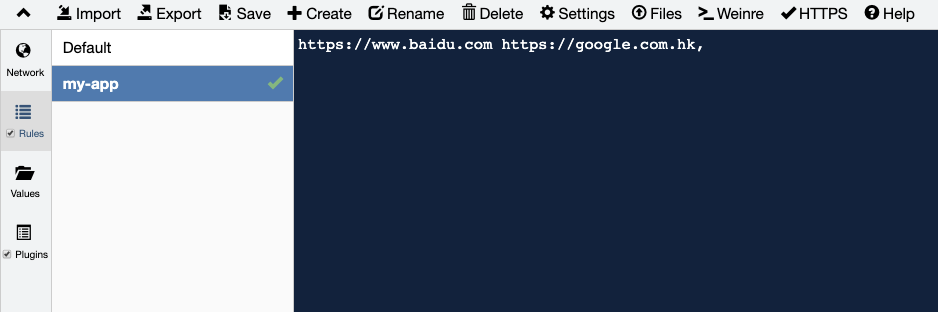
|
|
35
|
+
import GlobalProxy from '@site-docs/components/global-proxy.md'
|
|
62
36
|
|
|
37
|
+
<GlobalProxy />
|
|
63
38
|
|
|
64
39
|
## BFF 代理
|
|
65
40
|
|
|
@@ -13,7 +13,6 @@ Modern.js 初始化的项目是单入口的,项目结构如下:
|
|
|
13
13
|
|
|
14
14
|
```
|
|
15
15
|
.
|
|
16
|
-
├── node_modules
|
|
17
16
|
├── src
|
|
18
17
|
│ ├── modern-app-env.d.ts
|
|
19
18
|
│ └── routes
|
|
@@ -30,9 +29,9 @@ Modern.js 初始化的项目是单入口的,项目结构如下:
|
|
|
30
29
|
Modern.js 可以很方便的将单入口切换成多入口。可以在项目下执行 `pnpm run new`,通过生成器创建入口:
|
|
31
30
|
|
|
32
31
|
```bash
|
|
33
|
-
?
|
|
34
|
-
?
|
|
35
|
-
?
|
|
32
|
+
? 请选择你想要的操作 创建工程元素
|
|
33
|
+
? 创建工程元素 新建「应用入口」
|
|
34
|
+
? 请填写入口名称 new-entry
|
|
36
35
|
```
|
|
37
36
|
|
|
38
37
|
执行后,`src/` 目录将会变成如下结构:
|
|
@@ -73,7 +72,7 @@ Modern.js 会将和 `package.json` 中 `name` 同名的目录作为主入口,
|
|
|
73
72
|
1. 具有 `routes/` 目录
|
|
74
73
|
2. 具有 `App.[jt]sx?` 文件
|
|
75
74
|
3. 具有 `index.[jt]sx?` 文件
|
|
76
|
-
2. 具有 `pages/`
|
|
75
|
+
2. 具有 `pages/` 目录(兼容 Modern.js 1.0)
|
|
77
76
|
|
|
78
77
|
当 `src/` 目录满足入口特征时,Modern.js 会认为当前项目为单入口应用。
|
|
79
78
|
|