kiro-agent-team 1.0.0
This diff represents the content of publicly available package versions that have been released to one of the supported registries. The information contained in this diff is provided for informational purposes only and reflects changes between package versions as they appear in their respective public registries.
- package/.kiro/README.md +228 -0
- package/.kiro/agents/backend-engineer.json +6 -0
- package/.kiro/agents/backend-engineer.md +643 -0
- package/.kiro/agents/database-specialist.json +6 -0
- package/.kiro/agents/database-specialist.md +390 -0
- package/.kiro/agents/development-logger.json +6 -0
- package/.kiro/agents/development-logger.md +265 -0
- package/.kiro/agents/devops-engineer.json +6 -0
- package/.kiro/agents/devops-engineer.md +287 -0
- package/.kiro/agents/frontend-architect.json +6 -0
- package/.kiro/agents/frontend-architect.md +1032 -0
- package/.kiro/agents/hooks/backend-engineer-hooks.yaml +540 -0
- package/.kiro/agents/hooks/database-specialist-hooks.yaml +488 -0
- package/.kiro/agents/hooks/development-logger-hooks.yaml +361 -0
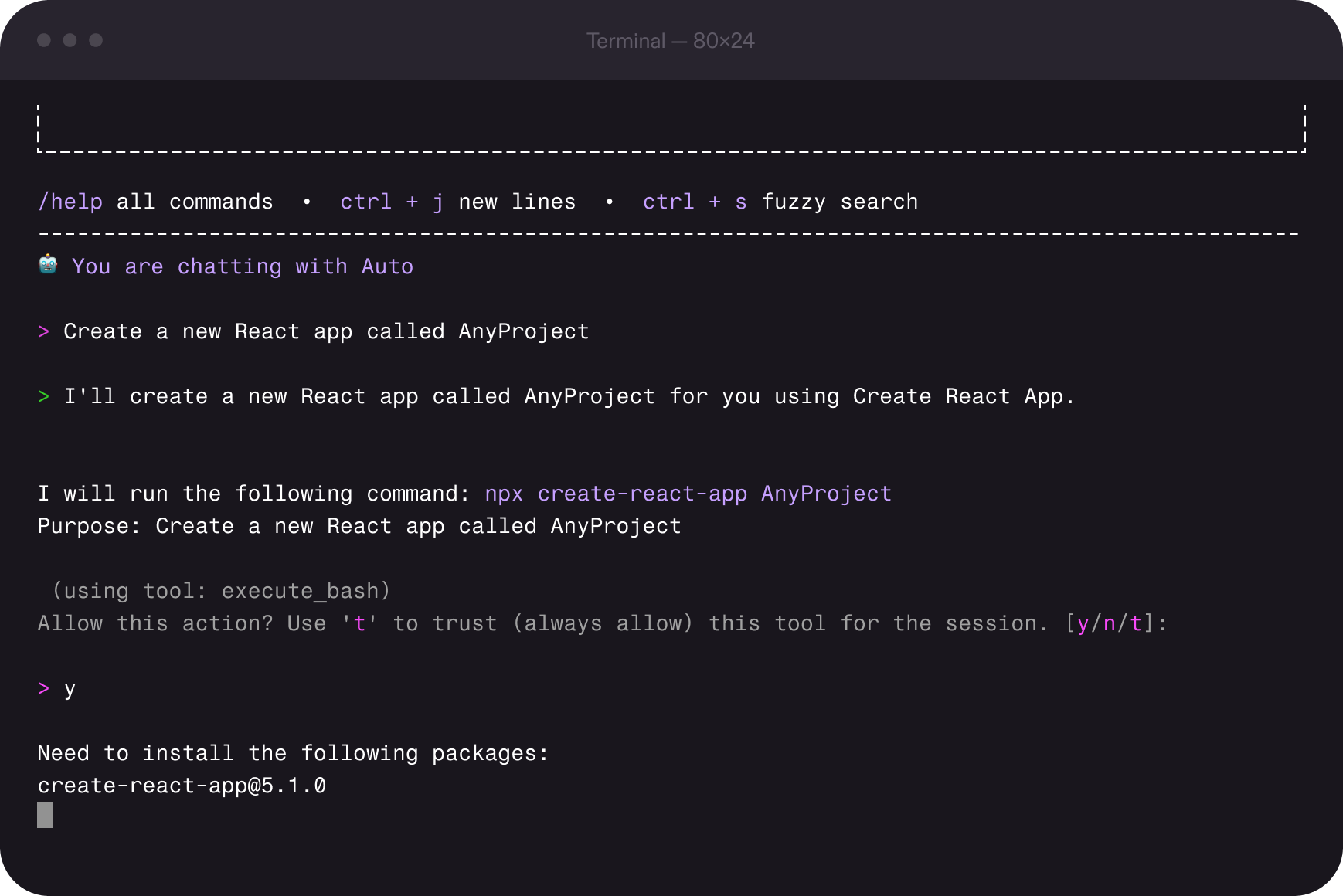
- package/.kiro/agents/hooks/devops-engineer-hooks.yaml +345 -0
- package/.kiro/agents/hooks/frontend-architect-hooks.yaml +521 -0
- package/.kiro/agents/hooks/project-manager-hooks.yaml +513 -0
- package/.kiro/agents/hooks/security-specialist-hooks.yaml +358 -0
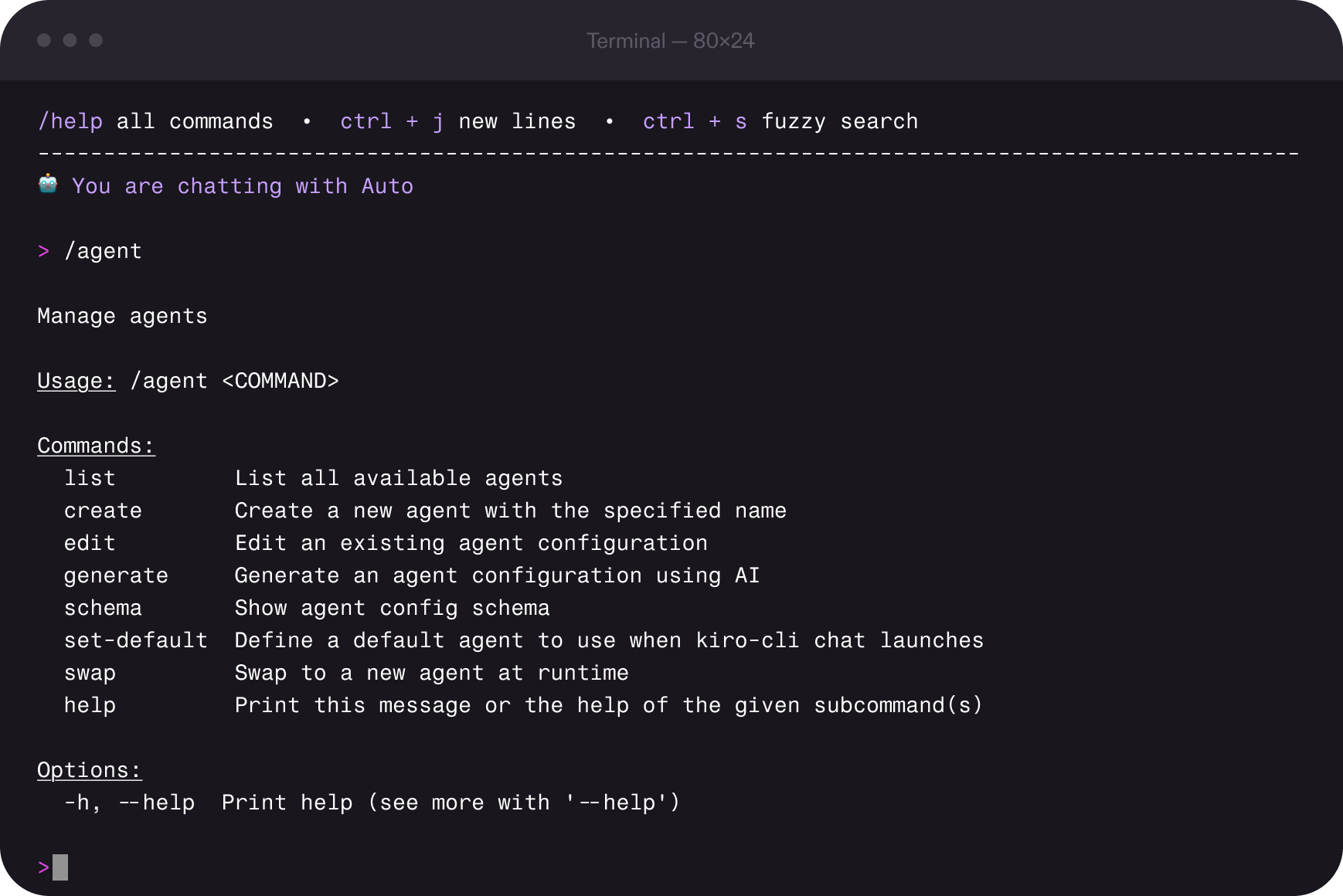
- package/.kiro/agents/hooks/test-orchestrator-hooks.yaml +380 -0
- package/.kiro/agents/hooks/ui-ux-designer-hooks.yaml +353 -0
- package/.kiro/agents/project-manager.json +6 -0
- package/.kiro/agents/project-manager.md +344 -0
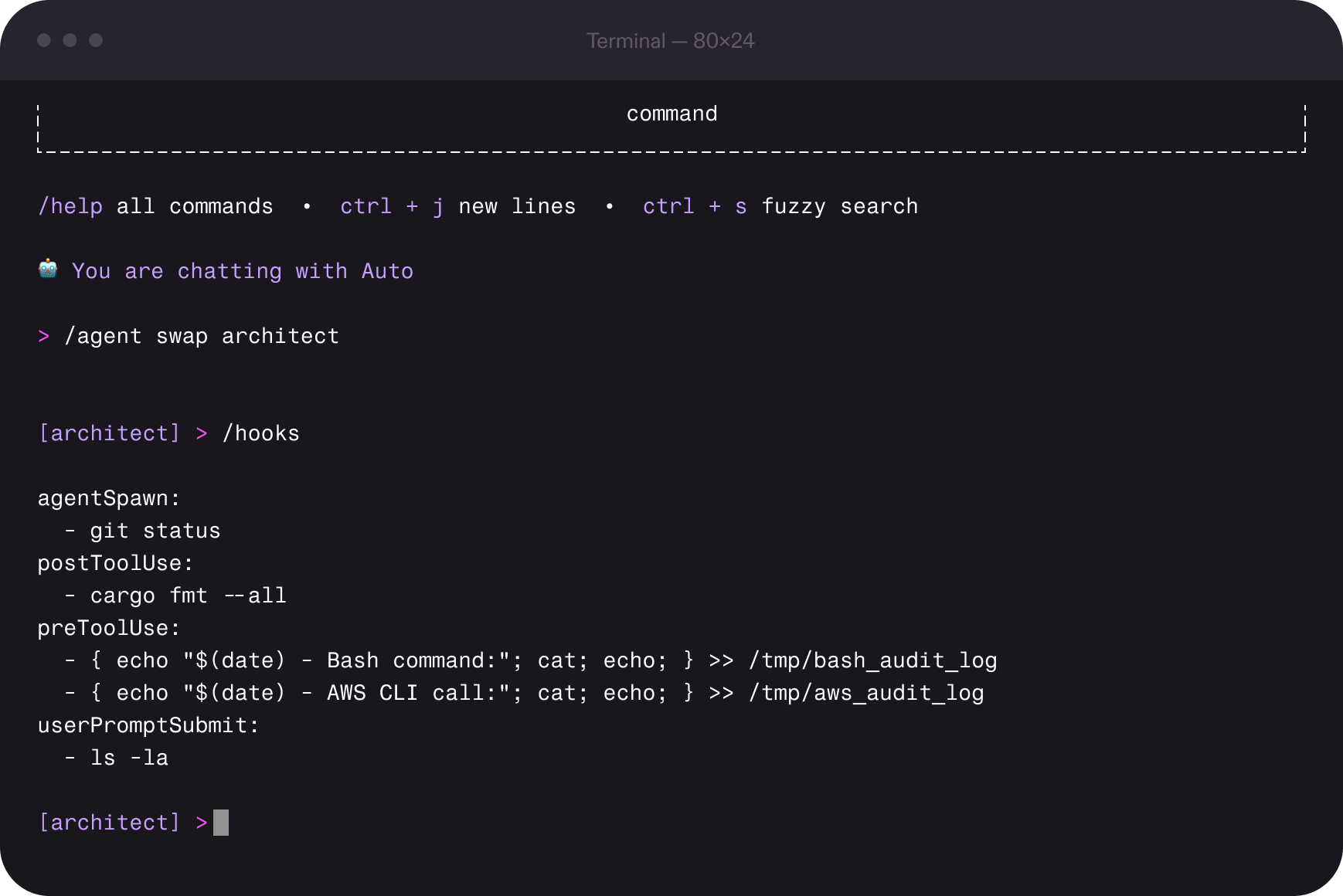
- package/.kiro/agents/prompts/backend-engineer-system.md +815 -0
- package/.kiro/agents/prompts/database-specialist-system.md +332 -0
- package/.kiro/agents/prompts/development-logger-system.md +232 -0
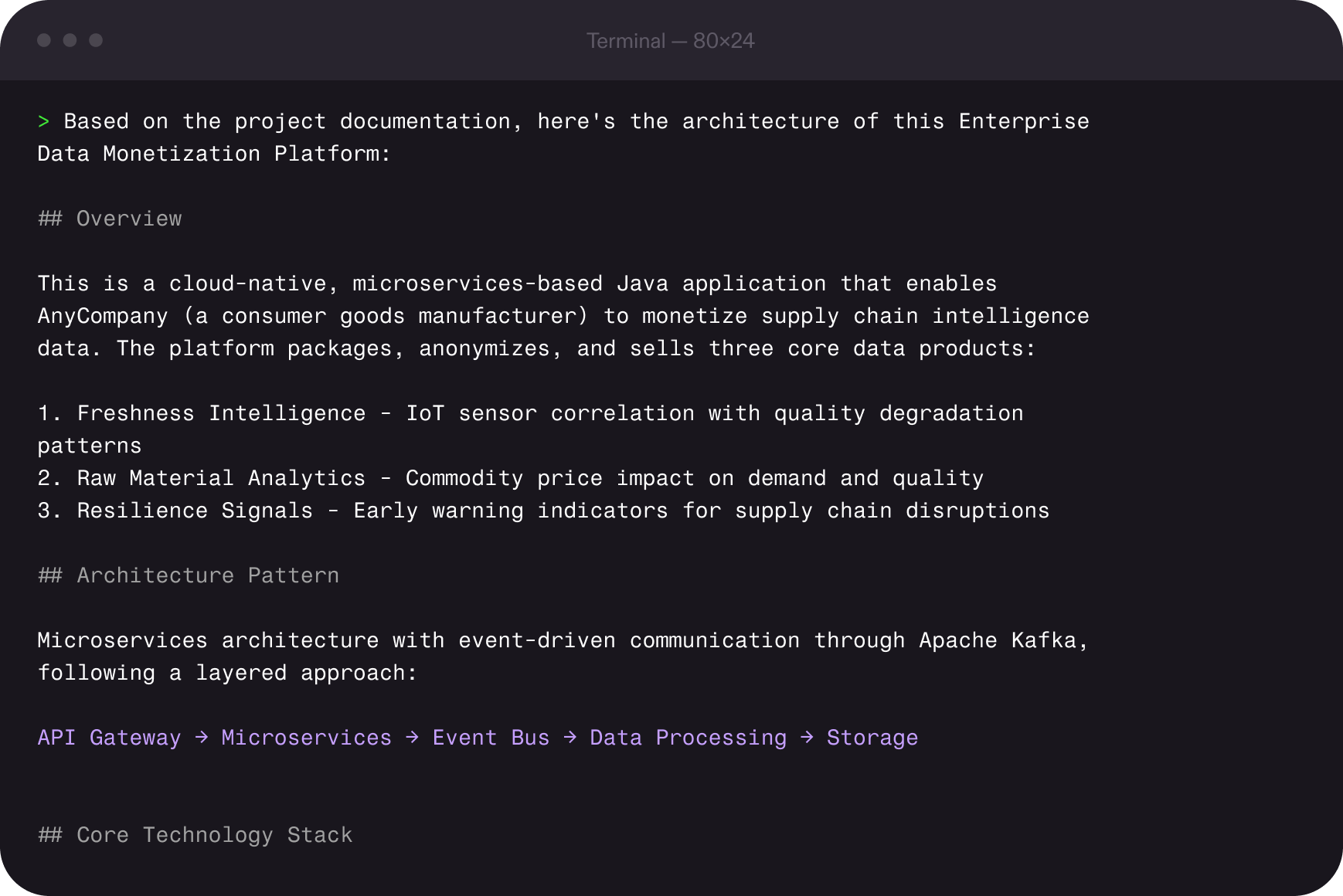
- package/.kiro/agents/prompts/devops-engineer-system.md +260 -0
- package/.kiro/agents/prompts/frontend-architect-system.md +305 -0
- package/.kiro/agents/prompts/project-manager-system.md +285 -0
- package/.kiro/agents/prompts/security-specialist-system.md +231 -0
- package/.kiro/agents/prompts/test-orchestrator-system.md +214 -0
- package/.kiro/agents/prompts/ui-ux-designer-system.md +270 -0
- package/.kiro/agents/security-specialist.json +6 -0
- package/.kiro/agents/security-specialist.md +277 -0
- package/.kiro/agents/test-orchestrator.json +6 -0
- package/.kiro/agents/test-orchestrator.md +266 -0
- package/.kiro/agents/ui-ux-designer.json +6 -0
- package/.kiro/agents/ui-ux-designer.md +284 -0
- package/.kiro/devlog/00-START-HERE.md +444 -0
- package/.kiro/devlog/COMPLETE-WORKFLOW.md +553 -0
- package/.kiro/devlog/DEVLOG-INTEGRATION.md +413 -0
- package/.kiro/devlog/DEVLOG-PROCESS-FLOWS.md +484 -0
- package/.kiro/devlog/DEVLOG-QUICK-REF.md +299 -0
- package/.kiro/devlog/DEVLOG.md +22 -0
- package/.kiro/devlog/IMPLEMENTATION-COMPLETE.txt +434 -0
- package/.kiro/devlog/IMPLEMENTATION-SUMMARY.md +358 -0
- package/.kiro/devlog/README.md +363 -0
- package/.kiro/devlog/devlog-update.bat +136 -0
- package/.kiro/devlog/devlog-update.sh +275 -0
- package/.kiro/devlog/feature-completion-hook.bat +78 -0
- package/.kiro/devlog/feature-completion-hook.sh +84 -0
- package/.kiro/documentation/cli.md +31 -0
- package/.kiro/documentation/docs_cli.md +41 -0
- package/.kiro/documentation/docs_cli_authentication.md +43 -0
- package/.kiro/documentation/docs_cli_autocomplete.md +132 -0
- package/.kiro/documentation/docs_cli_billing.md +31 -0
- package/.kiro/documentation/docs_cli_billing_contact-support.md +43 -0
- package/.kiro/documentation/docs_cli_billing_managing-taxes.md +67 -0
- package/.kiro/documentation/docs_cli_billing_related-questions.md +49 -0
- package/.kiro/documentation/docs_cli_billing_subscription-portal.md +31 -0
- package/.kiro/documentation/docs_cli_chat.md +84 -0
- package/.kiro/documentation/docs_cli_chat_configuration.md +40 -0
- package/.kiro/documentation/docs_cli_chat_context.md +258 -0
- package/.kiro/documentation/docs_cli_chat_git-aware-selection.md +41 -0
- package/.kiro/documentation/docs_cli_chat_images.md +53 -0
- package/.kiro/documentation/docs_cli_chat_manage-prompts.md +216 -0
- package/.kiro/documentation/docs_cli_chat_model-selection.md +153 -0
- package/.kiro/documentation/docs_cli_chat_permissions.md +68 -0
- package/.kiro/documentation/docs_cli_chat_planning-agent.md +230 -0
- package/.kiro/documentation/docs_cli_chat_responding.md +123 -0
- package/.kiro/documentation/docs_cli_chat_security.md +87 -0
- package/.kiro/documentation/docs_cli_chat_subagents.md +77 -0
- package/.kiro/documentation/docs_cli_code-intelligence.md +251 -0
- package/.kiro/documentation/docs_cli_custom-agents.md +37 -0
- package/.kiro/documentation/docs_cli_custom-agents_configuration-reference.md +941 -0
- package/.kiro/documentation/docs_cli_custom-agents_creating.md +93 -0
- package/.kiro/documentation/docs_cli_custom-agents_examples.md +360 -0
- package/.kiro/documentation/docs_cli_custom-agents_troubleshooting.md +180 -0
- package/.kiro/documentation/docs_cli_enterprise_billing.md +33 -0
- package/.kiro/documentation/docs_cli_enterprise_concepts.md +34 -0
- package/.kiro/documentation/docs_cli_enterprise_getting-started.md +19 -0
- package/.kiro/documentation/docs_cli_enterprise_iam.md +251 -0
- package/.kiro/documentation/docs_cli_enterprise_monitor-and-track.md +15 -0
- package/.kiro/documentation/docs_cli_enterprise_monitor-and-track_dashboard.md +62 -0
- package/.kiro/documentation/docs_cli_enterprise_monitor-and-track_prompt-logging.md +165 -0
- package/.kiro/documentation/docs_cli_enterprise_monitor-and-track_user-activity.md +123 -0
- package/.kiro/documentation/docs_cli_enterprise_settings.md +15 -0
- package/.kiro/documentation/docs_cli_enterprise_subscribe.md +36 -0
- package/.kiro/documentation/docs_cli_enterprise_subscription-management.md +55 -0
- package/.kiro/documentation/docs_cli_enterprise_supported-regions.md +39 -0
- package/.kiro/documentation/docs_cli_experimental.md +282 -0
- package/.kiro/documentation/docs_cli_experimental_checkpointing.md +439 -0
- package/.kiro/documentation/docs_cli_experimental_delegate.md +422 -0
- package/.kiro/documentation/docs_cli_experimental_knowledge-management.md +449 -0
- package/.kiro/documentation/docs_cli_experimental_tangent-mode.md +357 -0
- package/.kiro/documentation/docs_cli_experimental_thinking.md +331 -0
- package/.kiro/documentation/docs_cli_experimental_todo-lists.md +385 -0
- package/.kiro/documentation/docs_cli_hooks.md +207 -0
- package/.kiro/documentation/docs_cli_installation.md +235 -0
- package/.kiro/documentation/docs_cli_mcp.md +106 -0
- package/.kiro/documentation/docs_cli_mcp_configuration.md +294 -0
- package/.kiro/documentation/docs_cli_mcp_examples.md +273 -0
- package/.kiro/documentation/docs_cli_mcp_governance.md +436 -0
- package/.kiro/documentation/docs_cli_mcp_security.md +77 -0
- package/.kiro/documentation/docs_cli_migrating-from-q.md +129 -0
- package/.kiro/documentation/docs_cli_privacy-and-security.md +83 -0
- package/.kiro/documentation/docs_cli_privacy-and-security_compliance-validation.md +17 -0
- package/.kiro/documentation/docs_cli_privacy-and-security_data-protection.md +104 -0
- package/.kiro/documentation/docs_cli_privacy-and-security_firewalls.md +26 -0
- package/.kiro/documentation/docs_cli_privacy-and-security_infrastructure-security.md +10 -0
- package/.kiro/documentation/docs_cli_privacy-and-security_vpc-endpoints.md +41 -0
- package/.kiro/documentation/docs_cli_reference_built-in-tools.md +624 -0
- package/.kiro/documentation/docs_cli_reference_cli-commands.md +689 -0
- package/.kiro/documentation/docs_cli_reference_settings.md +294 -0
- package/.kiro/documentation/docs_cli_reference_slash-commands.md +559 -0
- package/.kiro/documentation/docs_cli_steering.md +84 -0
- package/.kiro/guides/AGENT_WORKFLOW_GUIDE.md +294 -0
- package/.kiro/guides/DEVLOG.md +882 -0
- package/.kiro/guides/IMPLEMENTATION_EXAMPLES.md +611 -0
- package/.kiro/guides/PIV Loop.md +122 -0
- package/.kiro/guides/PIV Loop.png +0 -0
- package/.kiro/guides/PIVLoop.png +0 -0
- package/.kiro/guides/QUICK_REFERENCE.md +202 -0
- package/.kiro/guides/README.md +149 -0
- package/.kiro/guides/advanced-patterns.md +514 -0
- package/.kiro/guides/agent-coordination.md +434 -0
- package/.kiro/guides/core-workflows.md +409 -0
- package/.kiro/guides/emergency-procedures.md +414 -0
- package/.kiro/guides/project-evaluation.md +534 -0
- package/.kiro/guides/quality-assurance.md +431 -0
- package/.kiro/guides/quick-start.md +235 -0
- package/.kiro/guides/troubleshooting.md +575 -0
- package/.kiro/guides/walkthroughs.md +711 -0
- package/.kiro/prompts/add-to-devlog.md +263 -0
- package/.kiro/prompts/code-review-fix.md +18 -0
- package/.kiro/prompts/code-review-hackathon.md +167 -0
- package/.kiro/prompts/code-review-security.md +454 -0
- package/.kiro/prompts/code-review.md +113 -0
- package/.kiro/prompts/create-prd.md +151 -0
- package/.kiro/prompts/execute-backend.md +257 -0
- package/.kiro/prompts/execute-frontend.md +438 -0
- package/.kiro/prompts/execute-logging.md +491 -0
- package/.kiro/prompts/execute-security.md +482 -0
- package/.kiro/prompts/execute-testing.md +528 -0
- package/.kiro/prompts/execute.md +101 -0
- package/.kiro/prompts/execution-report.md +72 -0
- package/.kiro/prompts/implement-fix.md +228 -0
- package/.kiro/prompts/plan-feature.md +433 -0
- package/.kiro/prompts/prime.md +73 -0
- package/.kiro/prompts/quality-metrics.md +622 -0
- package/.kiro/prompts/quickstart.md +318 -0
- package/.kiro/prompts/rca.md +220 -0
- package/.kiro/prompts/system-review.md +189 -0
- package/README.md +32 -0
- package/bin/cli.js +97 -0
- package/package.json +33 -0
|
@@ -0,0 +1,136 @@
|
|
|
1
|
+
@echo off
|
|
2
|
+
REM Development Log Auto-Update Script (Windows)
|
|
3
|
+
REM Automatically captures and summarizes daily development progress
|
|
4
|
+
REM Usage: devlog-update.bat
|
|
5
|
+
|
|
6
|
+
setlocal enabledelayedexpansion
|
|
7
|
+
|
|
8
|
+
REM Get script directory
|
|
9
|
+
set "SCRIPT_DIR=%~dp0"
|
|
10
|
+
set "DEVLOG_FILE=%SCRIPT_DIR%DEVLOG.md"
|
|
11
|
+
|
|
12
|
+
echo.
|
|
13
|
+
echo ========================================
|
|
14
|
+
echo Development Log Update System
|
|
15
|
+
echo ========================================
|
|
16
|
+
echo.
|
|
17
|
+
|
|
18
|
+
REM Get current date
|
|
19
|
+
for /f "tokens=1-3 delims=/ " %%a in ('date /t') do set DATE=%%c/%%a/%%b
|
|
20
|
+
for /f "tokens=1 delims= " %%a in ('time /t') do set TIME=%%a
|
|
21
|
+
|
|
22
|
+
echo.
|
|
23
|
+
echo Please provide information about today's work:
|
|
24
|
+
echo.
|
|
25
|
+
|
|
26
|
+
set /p WORK_FOCUS="1. What did you work on today? (Features, bugs, refactoring, etc.): "
|
|
27
|
+
set /p HOURS_SPENT="2. How much time did you spend? (Total hours): "
|
|
28
|
+
if "!HOURS_SPENT!"=="" set HOURS_SPENT=0
|
|
29
|
+
|
|
30
|
+
set /p ACCOMPLISHMENTS="3. What were your main accomplishments?: "
|
|
31
|
+
set /p CHALLENGES="4. Any challenges or blockers? (Optional - press Enter to skip): "
|
|
32
|
+
set /p DECISIONS="5. Key technical decisions made? (Optional): "
|
|
33
|
+
set /p NEXT_STEPS="6. What's planned for the next session?: "
|
|
34
|
+
set /p LEARNINGS="7. Any new learnings or insights? (Optional): "
|
|
35
|
+
set /p KIRO_USAGE="8. Which Kiro prompts were most helpful? (Optional): "
|
|
36
|
+
|
|
37
|
+
echo.
|
|
38
|
+
echo Analyzing git activity...
|
|
39
|
+
echo.
|
|
40
|
+
|
|
41
|
+
REM Check if git is available
|
|
42
|
+
git --version >nul 2>&1
|
|
43
|
+
if errorlevel 1 (
|
|
44
|
+
echo Note: Git not found or not in PATH - skipping git analysis
|
|
45
|
+
set COMMITS=0
|
|
46
|
+
set LINES_ADDED=0
|
|
47
|
+
set LINES_REMOVED=0
|
|
48
|
+
) else (
|
|
49
|
+
REM Get commits for today
|
|
50
|
+
for /f %%a in ('git log --since=%DATE% --oneline 2^>nul ^| find /c /v ""') do set COMMITS=%%a
|
|
51
|
+
if "!COMMITS!"=="" set COMMITS=0
|
|
52
|
+
|
|
53
|
+
REM Get basic statistics (simplified for Windows batch)
|
|
54
|
+
set LINES_ADDED=0
|
|
55
|
+
set LINES_REMOVED=0
|
|
56
|
+
)
|
|
57
|
+
|
|
58
|
+
echo Today's Commits: !COMMITS!
|
|
59
|
+
echo Lines added: !LINES_ADDED!
|
|
60
|
+
echo Lines removed: !LINES_REMOVED!
|
|
61
|
+
echo.
|
|
62
|
+
|
|
63
|
+
REM Create temporary entry file
|
|
64
|
+
setlocal enabledelayedexpansion
|
|
65
|
+
(
|
|
66
|
+
echo.
|
|
67
|
+
echo ## !DATE! - !WORK_FOCUS! [!HOURS_SPENT!h]
|
|
68
|
+
echo.
|
|
69
|
+
echo ### 📊 **Daily Metrics**
|
|
70
|
+
echo - **Time Spent**: !HOURS_SPENT! hours
|
|
71
|
+
echo - **Commits Made**: !COMMITS!
|
|
72
|
+
echo - **Lines Added**: !LINES_ADDED!
|
|
73
|
+
echo - **Lines Removed**: !LINES_REMOVED!
|
|
74
|
+
echo - **Net Lines**: !LINES_ADDED-LINES_REMOVED!
|
|
75
|
+
echo.
|
|
76
|
+
echo ### 🎯 **Accomplishments**
|
|
77
|
+
echo - !ACCOMPLISHMENTS!
|
|
78
|
+
echo.
|
|
79
|
+
echo ### 💻 **Technical Progress**
|
|
80
|
+
echo **Recent Commits:**
|
|
81
|
+
echo - Commits: !COMMITS!
|
|
82
|
+
echo - Files modified: [will update]
|
|
83
|
+
echo.
|
|
84
|
+
echo ### 🚧 **Challenges ^& Solutions**
|
|
85
|
+
if "!CHALLENGES!"=="" (
|
|
86
|
+
echo No significant challenges today.
|
|
87
|
+
) else (
|
|
88
|
+
echo !CHALLENGES!
|
|
89
|
+
)
|
|
90
|
+
echo.
|
|
91
|
+
echo ### 🧠 **Key Decisions**
|
|
92
|
+
if "!DECISIONS!"=="" (
|
|
93
|
+
echo No major architectural decisions made today.
|
|
94
|
+
) else (
|
|
95
|
+
echo !DECISIONS!
|
|
96
|
+
)
|
|
97
|
+
echo.
|
|
98
|
+
echo ### 📚 **Learnings ^& Insights**
|
|
99
|
+
if "!LEARNINGS!"=="" (
|
|
100
|
+
echo Continued building on existing knowledge.
|
|
101
|
+
) else (
|
|
102
|
+
echo !LEARNINGS!
|
|
103
|
+
)
|
|
104
|
+
echo.
|
|
105
|
+
echo ### ⚡ **Kiro CLI Usage**
|
|
106
|
+
if "!KIRO_USAGE!"=="" (
|
|
107
|
+
echo Standard prompt usage during development.
|
|
108
|
+
) else (
|
|
109
|
+
echo !KIRO_USAGE!
|
|
110
|
+
)
|
|
111
|
+
echo.
|
|
112
|
+
echo ### 📋 **Next Session Plan**
|
|
113
|
+
echo - !NEXT_STEPS!
|
|
114
|
+
echo.
|
|
115
|
+
echo ---
|
|
116
|
+
echo.
|
|
117
|
+
) > "%TEMP%\devlog_entry.txt"
|
|
118
|
+
|
|
119
|
+
REM Append entry to DEVLOG.md
|
|
120
|
+
echo Appending entry to devlog...
|
|
121
|
+
echo.
|
|
122
|
+
|
|
123
|
+
type "%TEMP%\devlog_entry.txt" >> "!DEVLOG_FILE!"
|
|
124
|
+
|
|
125
|
+
echo ========================================
|
|
126
|
+
echo Development log updated successfully!
|
|
127
|
+
echo ========================================
|
|
128
|
+
echo.
|
|
129
|
+
echo 📊 Today's Summary:
|
|
130
|
+
echo Focus: !WORK_FOCUS!
|
|
131
|
+
echo Time: !HOURS_SPENT!h
|
|
132
|
+
echo Commits: !COMMITS!
|
|
133
|
+
echo Code changes: +!LINES_ADDED!, -!LINES_REMOVED!
|
|
134
|
+
echo.
|
|
135
|
+
|
|
136
|
+
endlocal
|
|
@@ -0,0 +1,275 @@
|
|
|
1
|
+
#!/bin/bash
|
|
2
|
+
# Development Log Auto-Update Script
|
|
3
|
+
# Automatically captures and summarizes daily development progress
|
|
4
|
+
# Usage: ./devlog-update.sh [optional-hours]
|
|
5
|
+
|
|
6
|
+
set -e
|
|
7
|
+
|
|
8
|
+
SCRIPT_DIR="$(cd "$(dirname "${BASH_SOURCE[0]}")" && pwd)"
|
|
9
|
+
DEVLOG_FILE="$SCRIPT_DIR/DEVLOG.md"
|
|
10
|
+
GIT_DIR="$(git rev-parse --git-dir 2>/dev/null || echo '.git')"
|
|
11
|
+
|
|
12
|
+
# Color codes for output
|
|
13
|
+
RED='\033[0;31m'
|
|
14
|
+
GREEN='\033[0;32m'
|
|
15
|
+
YELLOW='\033[1;33m'
|
|
16
|
+
BLUE='\033[0;34m'
|
|
17
|
+
NC='\033[0m' # No Color
|
|
18
|
+
|
|
19
|
+
echo -e "${BLUE}========================================${NC}"
|
|
20
|
+
echo -e "${BLUE}Development Log Update System${NC}"
|
|
21
|
+
echo -e "${BLUE}========================================${NC}"
|
|
22
|
+
|
|
23
|
+
# Function to get current date formatted
|
|
24
|
+
get_date() {
|
|
25
|
+
date +"%B %d, %Y (%A)"
|
|
26
|
+
}
|
|
27
|
+
|
|
28
|
+
# Function to get hackathon day number
|
|
29
|
+
get_hackathon_day() {
|
|
30
|
+
# Hackathon started January 5, 2026
|
|
31
|
+
HACKATHON_START="2026-01-05"
|
|
32
|
+
CURRENT_DATE=$(date +"%Y-%m-%d")
|
|
33
|
+
|
|
34
|
+
# Calculate days difference
|
|
35
|
+
START_EPOCH=$(date -d "$HACKATHON_START" +%s 2>/dev/null || date -jf "%Y-%m-%d" "$HACKATHON_START" +%s 2>/dev/null)
|
|
36
|
+
CURRENT_EPOCH=$(date -d "$CURRENT_DATE" +%s 2>/dev/null || date -jf "%Y-%m-%d" "$CURRENT_DATE" +%s 2>/dev/null)
|
|
37
|
+
|
|
38
|
+
if [ ! -z "$START_EPOCH" ] && [ ! -z "$CURRENT_EPOCH" ]; then
|
|
39
|
+
DAYS_DIFF=$(( ($CURRENT_EPOCH - $START_EPOCH) / 86400 ))
|
|
40
|
+
echo $((DAYS_DIFF + 1))
|
|
41
|
+
else
|
|
42
|
+
echo "1"
|
|
43
|
+
fi
|
|
44
|
+
}
|
|
45
|
+
|
|
46
|
+
# Function to gather user information
|
|
47
|
+
gather_user_info() {
|
|
48
|
+
echo -e "\n${YELLOW}Please provide information about today's work:${NC}\n"
|
|
49
|
+
|
|
50
|
+
# Question 1: What did you work on?
|
|
51
|
+
echo -e "${BLUE}1. What did you work on today?${NC} (Features, bugs, refactoring, etc.)"
|
|
52
|
+
read -p " Answer: " WORK_FOCUS
|
|
53
|
+
|
|
54
|
+
# Question 2: Time spent
|
|
55
|
+
echo -e "\n${BLUE}2. How much time did you spend?${NC} (Total hours)"
|
|
56
|
+
read -p " Hours: " HOURS_SPENT
|
|
57
|
+
HOURS_SPENT=${HOURS_SPENT:-0}
|
|
58
|
+
|
|
59
|
+
# Question 3: Main accomplishments
|
|
60
|
+
echo -e "\n${BLUE}3. What were your main accomplishments?${NC} (Brief summary)"
|
|
61
|
+
read -p " Answer: " ACCOMPLISHMENTS
|
|
62
|
+
|
|
63
|
+
# Question 4: Challenges
|
|
64
|
+
echo -e "\n${BLUE}4. Any challenges or blockers?${NC} (Optional - press Enter to skip)"
|
|
65
|
+
read -p " Answer: " CHALLENGES
|
|
66
|
+
|
|
67
|
+
# Question 5: Key decisions
|
|
68
|
+
echo -e "\n${BLUE}5. Key technical decisions made?${NC} (Optional - press Enter to skip)"
|
|
69
|
+
read -p " Answer: " DECISIONS
|
|
70
|
+
|
|
71
|
+
# Question 6: Next steps
|
|
72
|
+
echo -e "\n${BLUE}6. What's planned for the next session?${NC}"
|
|
73
|
+
read -p " Answer: " NEXT_STEPS
|
|
74
|
+
|
|
75
|
+
# Question 7: Learnings
|
|
76
|
+
echo -e "\n${BLUE}7. Any new learnings or insights?${NC} (Optional - press Enter to skip)"
|
|
77
|
+
read -p " Answer: " LEARNINGS
|
|
78
|
+
|
|
79
|
+
# Question 8: Kiro usage
|
|
80
|
+
echo -e "\n${BLUE}8. Which Kiro prompts were most helpful?${NC} (Optional - press Enter to skip)"
|
|
81
|
+
read -p " Answer: " KIRO_USAGE
|
|
82
|
+
}
|
|
83
|
+
|
|
84
|
+
# Function to analyze git activity
|
|
85
|
+
analyze_git_activity() {
|
|
86
|
+
echo -e "\n${YELLOW}Analyzing git activity...${NC}"
|
|
87
|
+
|
|
88
|
+
# Check if git repo exists
|
|
89
|
+
if ! git rev-parse --git-dir > /dev/null 2>&1; then
|
|
90
|
+
echo -e "${YELLOW} Note: Not in a git repository - skipping git analysis${NC}"
|
|
91
|
+
return
|
|
92
|
+
fi
|
|
93
|
+
|
|
94
|
+
# Get today's date range
|
|
95
|
+
TODAY_START=$(date +"%Y-%m-%d")
|
|
96
|
+
TODAY_END=$(date +"%Y-%m-%d" -d "tomorrow" 2>/dev/null || date -v+1d +"%Y-%m-%d")
|
|
97
|
+
|
|
98
|
+
# Get commits for today
|
|
99
|
+
echo -e "\n${BLUE}Today's Commits:${NC}"
|
|
100
|
+
COMMITS=$(git log --since="$TODAY_START" --until="$TODAY_END" --oneline 2>/dev/null | wc -l)
|
|
101
|
+
echo " Total commits: $COMMITS"
|
|
102
|
+
|
|
103
|
+
if [ $COMMITS -gt 0 ]; then
|
|
104
|
+
echo " Commit messages:"
|
|
105
|
+
git log --since="$TODAY_START" --until="$TODAY_END" --pretty=format:" - %h: %s" 2>/dev/null || true
|
|
106
|
+
fi
|
|
107
|
+
|
|
108
|
+
# Get line changes
|
|
109
|
+
echo -e "\n${BLUE}Code Changes:${NC}"
|
|
110
|
+
STATS=$(git log --since="$TODAY_START" --until="$TODAY_END" --pretty=tformat: --numstat 2>/dev/null | \
|
|
111
|
+
awk '{add+=$1; del+=$2} END {print add "," del}')
|
|
112
|
+
|
|
113
|
+
LINES_ADDED=$(echo $STATS | cut -d',' -f1)
|
|
114
|
+
LINES_REMOVED=$(echo $STATS | cut -d',' -f2)
|
|
115
|
+
LINES_ADDED=${LINES_ADDED:-0}
|
|
116
|
+
LINES_REMOVED=${LINES_REMOVED:-0}
|
|
117
|
+
|
|
118
|
+
echo " Lines added: $LINES_ADDED"
|
|
119
|
+
echo " Lines removed: $LINES_REMOVED"
|
|
120
|
+
echo " Net change: $((LINES_ADDED - LINES_REMOVED))"
|
|
121
|
+
|
|
122
|
+
# Files modified
|
|
123
|
+
echo -e "\n${BLUE}Files Modified:${NC}"
|
|
124
|
+
FILES=$(git diff --name-only HEAD~1 HEAD 2>/dev/null | wc -l || echo "N/A")
|
|
125
|
+
echo " Total files: $FILES"
|
|
126
|
+
}
|
|
127
|
+
|
|
128
|
+
# Function to generate devlog entry
|
|
129
|
+
generate_entry() {
|
|
130
|
+
local DAY=$(get_hackathon_day)
|
|
131
|
+
local DATE=$(get_date)
|
|
132
|
+
|
|
133
|
+
echo -e "\n${YELLOW}Generating devlog entry...${NC}"
|
|
134
|
+
|
|
135
|
+
cat > /tmp/devlog_entry.txt << EOF
|
|
136
|
+
## Day $DAY ($DATE) - $WORK_FOCUS [$HOURS_SPENT h]
|
|
137
|
+
|
|
138
|
+
### 📊 **Daily Metrics**
|
|
139
|
+
- **Time Spent**: ${HOURS_SPENT} hours
|
|
140
|
+
- **Commits Made**: $COMMITS
|
|
141
|
+
- **Lines Added**: $LINES_ADDED
|
|
142
|
+
- **Lines Removed**: $LINES_REMOVED
|
|
143
|
+
- **Net Lines**: $((LINES_ADDED - LINES_REMOVED))
|
|
144
|
+
|
|
145
|
+
### 🎯 **Accomplishments**
|
|
146
|
+
- $ACCOMPLISHMENTS
|
|
147
|
+
|
|
148
|
+
### 💻 **Technical Progress**
|
|
149
|
+
**Commits Made Today:**
|
|
150
|
+
\`\`\`
|
|
151
|
+
$(git log --since="$TODAY_START" --until="$TODAY_END" --oneline 2>/dev/null || echo "No commits today")
|
|
152
|
+
\`\`\`
|
|
153
|
+
|
|
154
|
+
**Code Changes:**
|
|
155
|
+
- Files modified: $FILES
|
|
156
|
+
- Lines added: $LINES_ADDED
|
|
157
|
+
- Lines removed: $LINES_REMOVED
|
|
158
|
+
- Net change: $((LINES_ADDED - LINES_REMOVED))
|
|
159
|
+
|
|
160
|
+
### 🚧 **Challenges & Solutions**
|
|
161
|
+
${CHALLENGES:-"No significant challenges today."}
|
|
162
|
+
|
|
163
|
+
### 🧠 **Key Decisions**
|
|
164
|
+
${DECISIONS:-"No major architectural decisions made today."}
|
|
165
|
+
|
|
166
|
+
### 📚 **Learnings & Insights**
|
|
167
|
+
${LEARNINGS:-"Continued building on existing knowledge."}
|
|
168
|
+
|
|
169
|
+
### ⚡ **Kiro CLI Usage**
|
|
170
|
+
${KIRO_USAGE:-"Standard prompt usage during development."}
|
|
171
|
+
|
|
172
|
+
### 📋 **Next Session Plan**
|
|
173
|
+
- $NEXT_STEPS
|
|
174
|
+
|
|
175
|
+
---
|
|
176
|
+
|
|
177
|
+
EOF
|
|
178
|
+
|
|
179
|
+
echo -e "${GREEN}Entry generated successfully${NC}"
|
|
180
|
+
}
|
|
181
|
+
|
|
182
|
+
# Function to append entry to devlog
|
|
183
|
+
append_entry() {
|
|
184
|
+
echo -e "\n${YELLOW}Appending entry to devlog...${NC}"
|
|
185
|
+
|
|
186
|
+
# Read the current devlog
|
|
187
|
+
local TEMP_FILE="/tmp/devlog_temp.md"
|
|
188
|
+
|
|
189
|
+
# Create new devlog with entry inserted after the "Daily Development Entries" line
|
|
190
|
+
awk '
|
|
191
|
+
/^## Daily Development Entries/ {
|
|
192
|
+
print $0
|
|
193
|
+
print ""
|
|
194
|
+
while ((getline line < "/tmp/devlog_entry.txt") > 0) {
|
|
195
|
+
print line
|
|
196
|
+
}
|
|
197
|
+
close("/tmp/devlog_entry.txt")
|
|
198
|
+
next
|
|
199
|
+
}
|
|
200
|
+
{ print }
|
|
201
|
+
' "$DEVLOG_FILE" > "$TEMP_FILE"
|
|
202
|
+
|
|
203
|
+
mv "$TEMP_FILE" "$DEVLOG_FILE"
|
|
204
|
+
echo -e "${GREEN}Entry appended to $DEVLOG_FILE${NC}"
|
|
205
|
+
}
|
|
206
|
+
|
|
207
|
+
# Function to update statistics
|
|
208
|
+
update_statistics() {
|
|
209
|
+
echo -e "\n${YELLOW}Updating development statistics...${NC}"
|
|
210
|
+
|
|
211
|
+
# Count day entries (## Day X entries)
|
|
212
|
+
TOTAL_DAYS=$(grep -c "^## Day [0-9]" "$DEVLOG_FILE" || echo "1")
|
|
213
|
+
|
|
214
|
+
# Parse total hours from all entries
|
|
215
|
+
TOTAL_HOURS=$(grep "Time Spent" "$DEVLOG_FILE" | grep -oE "[0-9]+(\.[0-9]+)?" | \
|
|
216
|
+
awk '{sum+=$1} END {print sum}' || echo "0")
|
|
217
|
+
|
|
218
|
+
# Get total commits from git
|
|
219
|
+
TOTAL_COMMITS=$(git rev-list --count HEAD 2>/dev/null || echo "0")
|
|
220
|
+
|
|
221
|
+
# Get cumulative line changes
|
|
222
|
+
CUMULATIVE_STATS=$(git log --pretty=tformat: --numstat 2>/dev/null | \
|
|
223
|
+
awk '{add+=$1; del+=$2} END {print add "," del}' || echo "0,0")
|
|
224
|
+
|
|
225
|
+
TOTAL_ADDED=$(echo $CUMULATIVE_STATS | cut -d',' -f1)
|
|
226
|
+
TOTAL_REMOVED=$(echo $CUMULATIVE_STATS | cut -d',' -f2)
|
|
227
|
+
|
|
228
|
+
# Update statistics in devlog
|
|
229
|
+
sed -i.bak "
|
|
230
|
+
s/\*\*Total Development Days\*\*: [0-9]*/\*\*Total Development Days\*\*: $TOTAL_DAYS/
|
|
231
|
+
s/\*\*Total Hours Logged\*\*: [0-9.]*h/\*\*Total Hours Logged\*\*: ${TOTAL_HOURS}h/
|
|
232
|
+
s/\*\*Total Commits\*\*: [0-9]*/\*\*Total Commits\*\*: $TOTAL_COMMITS/
|
|
233
|
+
s/\*\*Lines of Code Added\*\*: [0-9]*/\*\*Lines of Code Added\*\*: $TOTAL_ADDED/
|
|
234
|
+
s/\*\*Lines of Code Removed\*\*: [0-9]*/\*\*Lines of Code Removed\*\*: $TOTAL_REMOVED/
|
|
235
|
+
" "$DEVLOG_FILE"
|
|
236
|
+
|
|
237
|
+
rm -f "$DEVLOG_FILE.bak"
|
|
238
|
+
|
|
239
|
+
echo -e "${GREEN}Statistics updated:${NC}"
|
|
240
|
+
echo " Total days: $TOTAL_DAYS"
|
|
241
|
+
echo " Total hours: ${TOTAL_HOURS}h"
|
|
242
|
+
echo " Total commits: $TOTAL_COMMITS"
|
|
243
|
+
echo " Lines added: $TOTAL_ADDED"
|
|
244
|
+
echo " Lines removed: $TOTAL_REMOVED"
|
|
245
|
+
}
|
|
246
|
+
|
|
247
|
+
# Main execution
|
|
248
|
+
main() {
|
|
249
|
+
# Gather user information
|
|
250
|
+
gather_user_info
|
|
251
|
+
|
|
252
|
+
# Analyze git activity
|
|
253
|
+
analyze_git_activity
|
|
254
|
+
|
|
255
|
+
# Generate and append entry
|
|
256
|
+
generate_entry
|
|
257
|
+
append_entry
|
|
258
|
+
|
|
259
|
+
# Update statistics
|
|
260
|
+
update_statistics
|
|
261
|
+
|
|
262
|
+
echo -e "\n${GREEN}========================================${NC}"
|
|
263
|
+
echo -e "${GREEN}Development log updated successfully!${NC}"
|
|
264
|
+
echo -e "${GREEN}========================================${NC}\n"
|
|
265
|
+
|
|
266
|
+
# Show summary
|
|
267
|
+
echo -e "${BLUE}📊 Today's Summary:${NC}"
|
|
268
|
+
echo " Focus: $WORK_FOCUS"
|
|
269
|
+
echo " Time: ${HOURS_SPENT}h"
|
|
270
|
+
echo " Commits: $COMMITS"
|
|
271
|
+
echo " Code changes: +$LINES_ADDED, -$LINES_REMOVED"
|
|
272
|
+
}
|
|
273
|
+
|
|
274
|
+
# Run main function
|
|
275
|
+
main
|
|
@@ -0,0 +1,78 @@
|
|
|
1
|
+
@echo off
|
|
2
|
+
REM Feature Completion Hook (Windows)
|
|
3
|
+
REM Automatically captures feature milestones when code is committed
|
|
4
|
+
REM Usage: feature-completion-hook.bat "Feature Name" "feature-branch-name"
|
|
5
|
+
|
|
6
|
+
setlocal enabledelayedexpansion
|
|
7
|
+
|
|
8
|
+
set "SCRIPT_DIR=%~dp0"
|
|
9
|
+
set "DEVLOG_FILE=%SCRIPT_DIR%DEVLOG.md"
|
|
10
|
+
|
|
11
|
+
REM Get parameters
|
|
12
|
+
set "FEATURE_NAME=%~1"
|
|
13
|
+
if "!FEATURE_NAME!"=="" set "FEATURE_NAME=Feature"
|
|
14
|
+
|
|
15
|
+
REM Get current branch if not specified
|
|
16
|
+
if "!FEATURE_BRANCH!"=="" (
|
|
17
|
+
for /f %%a in ('git branch --show-current 2^>nul') do set FEATURE_BRANCH=%%a
|
|
18
|
+
)
|
|
19
|
+
if "!FEATURE_BRANCH!"=="" set "FEATURE_BRANCH=unknown"
|
|
20
|
+
|
|
21
|
+
REM Get current date
|
|
22
|
+
for /f "tokens=1-3 delims=/ " %%a in ('date /t') do set CURRENT_DATE=%%c/%%a/%%b
|
|
23
|
+
|
|
24
|
+
echo.
|
|
25
|
+
echo ========================================
|
|
26
|
+
echo Feature Completion Milestone
|
|
27
|
+
echo ========================================
|
|
28
|
+
echo.
|
|
29
|
+
|
|
30
|
+
echo Analyzing feature completion...
|
|
31
|
+
echo.
|
|
32
|
+
|
|
33
|
+
REM Get feature branch stats (simplified for Windows)
|
|
34
|
+
set COMMITS=0
|
|
35
|
+
set FILES=0
|
|
36
|
+
set LINES_ADDED=0
|
|
37
|
+
set LINES_REMOVED=0
|
|
38
|
+
|
|
39
|
+
git --version >nul 2>&1
|
|
40
|
+
if errorlevel 0 (
|
|
41
|
+
REM Get commit count
|
|
42
|
+
for /f %%a in ('git rev-list --count HEAD 2^>nul') do set COMMITS=%%a
|
|
43
|
+
)
|
|
44
|
+
|
|
45
|
+
echo Feature: !FEATURE_NAME!
|
|
46
|
+
echo Branch: !FEATURE_BRANCH!
|
|
47
|
+
echo Date: !CURRENT_DATE!
|
|
48
|
+
echo Commits: !COMMITS!
|
|
49
|
+
echo.
|
|
50
|
+
|
|
51
|
+
REM Create milestone directory if it doesn't exist
|
|
52
|
+
if not exist "!SCRIPT_DIR!.feature-milestones" mkdir "!SCRIPT_DIR!.feature-milestones"
|
|
53
|
+
|
|
54
|
+
REM Store feature milestone
|
|
55
|
+
(
|
|
56
|
+
echo.
|
|
57
|
+
echo ---
|
|
58
|
+
echo.
|
|
59
|
+
echo ### ✨ **Feature Milestone**: !FEATURE_NAME!
|
|
60
|
+
echo **Date**: !CURRENT_DATE!
|
|
61
|
+
echo **Branch**: !FEATURE_BRANCH!
|
|
62
|
+
echo.
|
|
63
|
+
echo **Feature Statistics:**
|
|
64
|
+
echo - **Commits**: !COMMITS!
|
|
65
|
+
echo - **Files Modified**: !FILES!
|
|
66
|
+
echo - **Lines Added**: !LINES_ADDED!
|
|
67
|
+
echo - **Lines Removed**: !LINES_REMOVED!
|
|
68
|
+
echo.
|
|
69
|
+
echo **Status**: Feature implementation complete, ready for code review and testing.
|
|
70
|
+
echo.
|
|
71
|
+
) >> "!DEVLOG_FILE!"
|
|
72
|
+
|
|
73
|
+
echo ✓ Feature milestone recorded
|
|
74
|
+
echo.
|
|
75
|
+
echo Note: Run 'devlog-update.bat' at the end of your work session to consolidate.
|
|
76
|
+
echo.
|
|
77
|
+
|
|
78
|
+
endlocal
|
|
@@ -0,0 +1,84 @@
|
|
|
1
|
+
#!/bin/bash
|
|
2
|
+
# Feature Completion Hook
|
|
3
|
+
# Automatically captures feature milestones when code is committed
|
|
4
|
+
# Should be integrated with your git workflow or CI/CD system
|
|
5
|
+
# Usage: ./feature-completion-hook.sh "Feature Name" "feature-branch-name"
|
|
6
|
+
|
|
7
|
+
set -e
|
|
8
|
+
|
|
9
|
+
SCRIPT_DIR="$(cd "$(dirname "${BASH_SOURCE[0]}")" && pwd)"
|
|
10
|
+
DEVLOG_FILE="$SCRIPT_DIR/DEVLOG.md"
|
|
11
|
+
|
|
12
|
+
# Color codes
|
|
13
|
+
BLUE='\033[0;34m'
|
|
14
|
+
GREEN='\033[0;32m'
|
|
15
|
+
YELLOW='\033[1;33m'
|
|
16
|
+
NC='\033[0m'
|
|
17
|
+
|
|
18
|
+
FEATURE_NAME="${1:-Feature}"
|
|
19
|
+
FEATURE_BRANCH="${2:-$(git branch --show-current 2>/dev/null)}"
|
|
20
|
+
CURRENT_DATE=$(date +"%B %d, %Y")
|
|
21
|
+
|
|
22
|
+
echo -e "${BLUE}========================================${NC}"
|
|
23
|
+
echo -e "${BLUE}Feature Completion Milestone${NC}"
|
|
24
|
+
echo -e "${BLUE}========================================${NC}\n"
|
|
25
|
+
|
|
26
|
+
# Get feature branch stats
|
|
27
|
+
echo -e "${YELLOW}Analyzing feature completion...${NC}\n"
|
|
28
|
+
|
|
29
|
+
# Get commits in this feature
|
|
30
|
+
MAIN_BRANCH="${MAIN_BRANCH:-main}"
|
|
31
|
+
if git rev-parse --verify "$MAIN_BRANCH" >/dev/null 2>&1; then
|
|
32
|
+
COMMITS=$(git log "$MAIN_BRANCH..$FEATURE_BRANCH" --oneline 2>/dev/null | wc -l)
|
|
33
|
+
FILES=$(git diff "$MAIN_BRANCH..$FEATURE_BRANCH" --name-only 2>/dev/null | wc -l)
|
|
34
|
+
STATS=$(git diff "$MAIN_BRANCH..$FEATURE_BRANCH" --numstat 2>/dev/null | \
|
|
35
|
+
awk '{add+=$1; del+=$2} END {print add "," del}' || echo "0,0")
|
|
36
|
+
else
|
|
37
|
+
COMMITS=$(git rev-list --count HEAD 2>/dev/null || echo "0")
|
|
38
|
+
FILES="N/A"
|
|
39
|
+
STATS="0,0"
|
|
40
|
+
fi
|
|
41
|
+
|
|
42
|
+
LINES_ADDED=$(echo $STATS | cut -d',' -f1)
|
|
43
|
+
LINES_REMOVED=$(echo $STATS | cut -d',' -f2)
|
|
44
|
+
LINES_ADDED=${LINES_ADDED:-0}
|
|
45
|
+
LINES_REMOVED=${LINES_REMOVED:-0}
|
|
46
|
+
|
|
47
|
+
# Create milestone entry
|
|
48
|
+
cat > /tmp/feature_milestone.txt << EOF
|
|
49
|
+
|
|
50
|
+
---
|
|
51
|
+
|
|
52
|
+
### ✨ **Feature Milestone**: $FEATURE_NAME
|
|
53
|
+
**Date**: $CURRENT_DATE
|
|
54
|
+
**Branch**: $FEATURE_BRANCH
|
|
55
|
+
|
|
56
|
+
**Feature Statistics:**
|
|
57
|
+
- **Commits**: $COMMITS
|
|
58
|
+
- **Files Modified**: $FILES
|
|
59
|
+
- **Lines Added**: $LINES_ADDED
|
|
60
|
+
- **Lines Removed**: $LINES_REMOVED
|
|
61
|
+
- **Net Change**: $((LINES_ADDED - LINES_REMOVED))
|
|
62
|
+
|
|
63
|
+
**Status**: Feature implementation complete, ready for code review and testing.
|
|
64
|
+
|
|
65
|
+
*Automatically captured on feature completion*
|
|
66
|
+
|
|
67
|
+
EOF
|
|
68
|
+
|
|
69
|
+
echo -e "${GREEN}Feature milestone:${NC}"
|
|
70
|
+
echo " Feature: $FEATURE_NAME"
|
|
71
|
+
echo " Branch: $FEATURE_BRANCH"
|
|
72
|
+
echo " Commits: $COMMITS"
|
|
73
|
+
echo " Files: $FILES"
|
|
74
|
+
echo " Changes: +$LINES_ADDED, -$LINES_REMOVED"
|
|
75
|
+
|
|
76
|
+
echo -e "\n${YELLOW}Note: This milestone will be included in the end-of-day devlog update.${NC}"
|
|
77
|
+
echo -e "${YELLOW}Run './devlog-update.sh' at the end of your work session to consolidate.${NC}\n"
|
|
78
|
+
|
|
79
|
+
# Store feature info for devlog update to pick up
|
|
80
|
+
mkdir -p "$SCRIPT_DIR/.feature-milestones"
|
|
81
|
+
echo "$FEATURE_NAME|$FEATURE_BRANCH|$COMMITS|$FILES|$LINES_ADDED|$LINES_REMOVED" >> \
|
|
82
|
+
"$SCRIPT_DIR/.feature-milestones/$(date +%Y-%m-%d).txt"
|
|
83
|
+
|
|
84
|
+
echo -e "${GREEN}✓ Feature milestone recorded${NC}\n"
|
|
@@ -0,0 +1,31 @@
|
|
|
1
|
+
# Prompt to code to deployment in your terminal
|
|
2
|
+
Unleash [custom agents](https://kiro.dev/docs/cli/custom-agents/) in a highly interactive terminal experience. Build features in complex codebases. Automate workflows in seconds. Analyze errors and trace bugs with precision.
|
|
3
|
+
Install on macOS and Linux
|
|
4
|
+
`curl -fsSL https://cli.kiro.dev/install | bash`
|
|
5
|
+
Watch Demo
|
|
6
|
+
Loading image...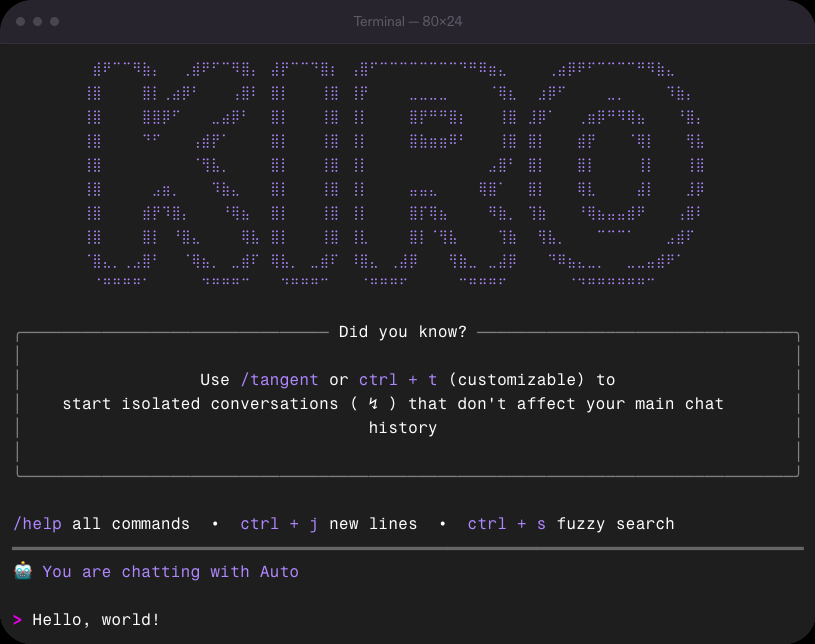
|
|
7
|
+
Terminal — 80×24
|
|
8
|
+
### Quality code every time
|
|
9
|
+
Kiro agents deliver precise code changes across large codebases with the power of [Claude frontier models](https://kiro.dev/docs/cli/chat/model-selection/) and [advanced context management](https://kiro.dev/docs/cli/chat/context/).
|
|
10
|
+
### Powerful at any scale
|
|
11
|
+
Kiro CLI is a lightning-fast coding experience that adapts to how you work, from simple bash commands to complex enterprise workflows.
|
|
12
|
+
### Fast, secure development
|
|
13
|
+
With powerful [agent steering](https://kiro.dev/docs/cli/steering/) and [native MCP support](https://kiro.dev/docs/cli/mcp/), Kiro helps you ship with precision, from prompt to production.
|
|
14
|
+
Loading image...
|
|
15
|
+
|
|
16
|
+
### Precise context, precise code
|
|
17
|
+
Using your [knowledge base](https://kiro.dev/docs/cli/experimental/knowledge-management/), [steering files](https://kiro.dev/docs/cli/steering/), and [MCP tools](https://kiro.dev/docs/cli/mcp/), Kiro CLI delivers production-grade code, documentation, and tests that match your requirements.
|
|
18
|
+
Loading image...
|
|
19
|
+
|
|
20
|
+
### Custom agents for every task
|
|
21
|
+
[Build task-specific agents](https://kiro.dev/docs/cli/custom-agents/creating/) optimized for your best practices through pre-defined [tool permissions](https://kiro.dev/docs/cli/chat/permissions/), [context](https://kiro.dev/docs/cli/chat/context/), and [prompts](https://kiro.dev/docs/cli/chat/manage-prompts/).
|
|
22
|
+
Loading image...
|
|
23
|
+
|
|
24
|
+
### Automated actions
|
|
25
|
+
Format code, run tests, manage logs, and more—all through automated shell commands.
|
|
26
|
+
Loading image...
|
|
27
|
+
|
|
28
|
+
### Maintain flow across Kiro tools
|
|
29
|
+
Whether you're using the [IDE](https://kiro.dev/docs/) or CLI, Kiro understands the intent behind your prompts and helps you implement complex features on larger codebases, in fewer shots.
|
|
30
|
+
{Resources}
|
|
31
|
+
## Get started with Kiro CLI
|
|
@@ -0,0 +1,41 @@
|
|
|
1
|
+
# Get started
|
|
2
|
+
The Kiro CLI brings the power of AI-assisted development to your terminal. Build, test, and deploy applications using natural language commands and automated workflows.
|
|
3
|
+
Get started with the Kiro CLI in minutes. Install on macOS and Linux:
|
|
4
|
+
`curl -fsSL https://cli.kiro.dev/install | bash`
|
|
5
|
+
Start using Kiro CLI:
|
|
6
|
+
bash
|
|
7
|
+
```
|
|
8
|
+
|
|
9
|
+
cd my-project
|
|
10
|
+
kiro-cli
|
|
11
|
+
|
|
12
|
+
|
|
13
|
+
```
|
|
14
|
+
|
|
15
|
+
## Core features[](https://kiro.dev/docs/cli/#core-features)
|
|
16
|
+
[ Interactive Chat Engage with Kiro through natural conversation in your terminal. ](https://kiro.dev/docs/cli/chat/)
|
|
17
|
+
[ Custom Agents Create and deploy specialized agents for your workflows. ](https://kiro.dev/docs/cli/custom-agents/)
|
|
18
|
+
[ MCP Integration Connect external tools and data sources through Model Context Protocol. ](https://kiro.dev/docs/cli/mcp/)
|
|
19
|
+
[ Smart Hooks Automate workflows with intelligent pre/post command hooks. ](https://kiro.dev/docs/cli/hooks/)
|
|
20
|
+
[ Agent Steering Steer Kiro agent with your best practices and preferences. ](https://kiro.dev/docs/cli/steering/)
|
|
21
|
+
[ Auto Complete Intelligent command completion with context awareness. ](https://kiro.dev/docs/cli/autocomplete/)
|
|
22
|
+
## Use cases[](https://kiro.dev/docs/cli/#use-cases)
|
|
23
|
+
The Kiro CLI is perfect for:
|
|
24
|
+
* **Interactive Development** : Chat with Kiro directly in your terminal for instant help
|
|
25
|
+
* **Custom Automation** : Create specialized agents for your specific workflows
|
|
26
|
+
* **Team Standardization** : Use team level best practises and preferences
|
|
27
|
+
* **External Integrations** : Connect tools and services through MCP servers
|
|
28
|
+
* **Intelligent Assistance** : Get context-aware suggestions and auto-completion
|
|
29
|
+
* **Workflow Optimization** : Automate repetitive tasks with smart hooks
|
|
30
|
+
|
|
31
|
+
|
|
32
|
+
## What's next?[](https://kiro.dev/docs/cli/#whats-next)
|
|
33
|
+
### Ready to get started?
|
|
34
|
+
Install the CLI and create your first project in under 5 minutes.
|
|
35
|
+
[Install Kiro CLI →](https://kiro.dev/docs/cli/installation)
|
|
36
|
+
Page updated: November 17, 2025
|
|
37
|
+
[Installation](https://kiro.dev/docs/cli/installation/)
|
|
38
|
+
On this page
|
|
39
|
+
* [Core features](https://kiro.dev/docs/cli/#core-features)
|
|
40
|
+
* [Use cases](https://kiro.dev/docs/cli/#use-cases)
|
|
41
|
+
* [What's next?](https://kiro.dev/docs/cli/#whats-next)
|
|
@@ -0,0 +1,43 @@
|
|
|
1
|
+
# Authentication methods
|
|
2
|
+
Kiro supports the following authentication providers:
|
|
3
|
+
* GitHub: Seamless integration with your GitHub account
|
|
4
|
+
* Google: Sign in with your Google credentials
|
|
5
|
+
* AWS Builder ID: Quick setup for individual developers
|
|
6
|
+
* AWS IAM Identity Center: Enterprise-grade authentication
|
|
7
|
+
|
|
8
|
+
|
|
9
|
+
**Info**
|
|
10
|
+
Users that have a paid Kiro subscription and access it through a social login provider (like GitHub or Google) or through AWS Builder ID are considered _individual subscribers_. We may use certain content from Kiro Free Tier and Kiro individual subscribers for service improvement. For more information on service improvement and how to opt out, see [Service improvement](https://kiro.dev/docs/privacy-and-security/data-protection/#service-improvement).
|
|
11
|
+
## Sign in to Kiro CLI[](https://kiro.dev/docs/cli/authentication/#sign-in-to-kiro-cli)
|
|
12
|
+
**To sign in with Kiro CLI**
|
|
13
|
+
1. At the command line, enter `kiro-cli` or `kiro-cli login`. You will be prompted to press enter to complete the sign-in process in your browser.
|
|
14
|
+
2. In your browser, choose the organization or system through which you will authenticate:
|
|
15
|
+
* Google
|
|
16
|
+
* GitHub
|
|
17
|
+
* Builder ID
|
|
18
|
+
* Your organization
|
|
19
|
+
3. After you authenticate, you'll receive a message in your browser, directing you back to your terminal.
|
|
20
|
+
4. When you return to your terminal, you should be signed in with the Kiro CLI.
|
|
21
|
+
|
|
22
|
+
|
|
23
|
+
## Sign out of Kiro CLI[](https://kiro.dev/docs/cli/authentication/#sign-out-of-kiro-cli)
|
|
24
|
+
**To sign out of Kiro CLI**
|
|
25
|
+
1. At the command line, enter `kiro-cli logout`.
|
|
26
|
+
|
|
27
|
+
|
|
28
|
+
## Troubleshooting authentication issues[](https://kiro.dev/docs/cli/authentication/#troubleshooting-authentication-issues)
|
|
29
|
+
If you encounter problems during the authentication process, such as browser redirect failures or sign-in errors, check our [troubleshooting guide](https://kiro.dev/docs/troubleshooting/#authentication-issues) for platform-specific solutions and common fixes.
|
|
30
|
+
## Next steps[](https://kiro.dev/docs/cli/authentication/#next-steps)
|
|
31
|
+
* [Review FAQ](https://kiro.dev/faq)
|
|
32
|
+
* [Explore Agent features](https://kiro.dev/docs/chat)
|
|
33
|
+
* [Get started with Kiro](https://kiro.dev/docs)
|
|
34
|
+
|
|
35
|
+
|
|
36
|
+
Page updated: November 18, 2025
|
|
37
|
+
[Installation](https://kiro.dev/docs/cli/installation/)
|
|
38
|
+
[Chat](https://kiro.dev/docs/cli/chat/)
|
|
39
|
+
On this page
|
|
40
|
+
* [Sign in to Kiro CLI](https://kiro.dev/docs/cli/authentication/#sign-in-to-kiro-cli)
|
|
41
|
+
* [Sign out of Kiro CLI](https://kiro.dev/docs/cli/authentication/#sign-out-of-kiro-cli)
|
|
42
|
+
* [Troubleshooting authentication issues](https://kiro.dev/docs/cli/authentication/#troubleshooting-authentication-issues)
|
|
43
|
+
* [Next steps](https://kiro.dev/docs/cli/authentication/#next-steps)
|