@needle-tools/engine 4.12.5 → 4.13.0-next.1eca7a7
This diff represents the content of publicly available package versions that have been released to one of the supported registries. The information contained in this diff is provided for informational purposes only and reflects changes between package versions as they appear in their respective public registries.
- package/CHANGELOG.md +5 -0
- package/README.md +38 -1
- package/components.needle.json +1 -1
- package/custom-elements.json +156 -5
- package/dist/{gltf-progressive-BqUnxvCx.umd.cjs → gltf-progressive-BURrJW0U.umd.cjs} +1 -1
- package/dist/{gltf-progressive-CSaX5HQb.min.js → gltf-progressive-DHLDFNvQ.min.js} +1 -1
- package/dist/{gltf-progressive-ChnIhDXx.js → gltf-progressive-eiJCrjLb.js} +3 -3
- package/dist/materialx-B9ddsHcF.min.js +90 -0
- package/dist/materialx-BF23AVE8.umd.cjs +90 -0
- package/dist/materialx-fkoFuRh3.js +4636 -0
- package/dist/{needle-engine.bundle-Cnemui9H.umd.cjs → needle-engine.bundle-BfrDWglE.umd.cjs} +124 -124
- package/dist/{needle-engine.bundle-B_IGIr6Z.min.js → needle-engine.bundle-Bx_Lq_3v.min.js} +131 -131
- package/dist/{needle-engine.bundle-Cj66livk.js → needle-engine.bundle-MQyZGnMF.js} +3754 -3374
- package/dist/needle-engine.d.ts +2791 -309
- package/dist/needle-engine.js +415 -414
- package/dist/needle-engine.min.js +1 -1
- package/dist/needle-engine.umd.cjs +1 -1
- package/dist/{postprocessing-12-UW7je.min.js → postprocessing-BVNrgYZK.min.js} +1 -1
- package/dist/{postprocessing-B3Hu0Ryi.umd.cjs → postprocessing-CI2TjWpu.umd.cjs} +1 -1
- package/dist/{postprocessing-R535krvT.js → postprocessing-DdM-tz1j.js} +2 -2
- package/dist/{three-BzxwLtUE.umd.cjs → three-BW2s1Yl-.umd.cjs} +25 -25
- package/dist/{three-DMvLgxja.min.js → three-I__hSXzr.min.js} +26 -26
- package/dist/{three-D9pcFbxc.js → three-VvRoMeIN.js} +22 -0
- package/dist/{three-examples-F0MJj0vr.js → three-examples-BhfOE7NG.js} +1 -1
- package/dist/{three-examples-CjSwCv_b.umd.cjs → three-examples-Bpfu6ke_.umd.cjs} +1 -1
- package/dist/{three-examples-CIv2roOA.min.js → three-examples-D8zAE_7t.min.js} +1 -1
- package/dist/{three-mesh-ui-BLnJQzMl.umd.cjs → three-mesh-ui-BU55xDxJ.umd.cjs} +1 -1
- package/dist/{three-mesh-ui-BllgajJz.min.js → three-mesh-ui-C3QbemOV.min.js} +1 -1
- package/dist/{three-mesh-ui-DYyiRn5Y.js → three-mesh-ui-CcMp-FQm.js} +1 -1
- package/dist/{vendor-BIFy-gRe.js → vendor-BiyIZ61v.js} +1 -1
- package/dist/{vendor-BFgQSG2m.umd.cjs → vendor-COVQl0b8.umd.cjs} +1 -1
- package/dist/{vendor-ChgmXMYr.min.js → vendor-DW7zqjuT.min.js} +1 -1
- package/lib/engine/engine_context.d.ts +16 -0
- package/lib/engine/engine_context.js +16 -0
- package/lib/engine/engine_context.js.map +1 -1
- package/lib/engine/engine_gameobject.d.ts +72 -0
- package/lib/engine/engine_gameobject.js +38 -0
- package/lib/engine/engine_gameobject.js.map +1 -1
- package/lib/engine/engine_input.d.ts +80 -4
- package/lib/engine/engine_input.js +78 -2
- package/lib/engine/engine_input.js.map +1 -1
- package/lib/engine/engine_loaders.js +7 -1
- package/lib/engine/engine_loaders.js.map +1 -1
- package/lib/engine/engine_math.d.ts +81 -2
- package/lib/engine/engine_math.js +68 -2
- package/lib/engine/engine_math.js.map +1 -1
- package/lib/engine/engine_modules.d.ts +9 -0
- package/lib/engine/engine_modules.js +25 -0
- package/lib/engine/engine_modules.js.map +1 -1
- package/lib/engine/engine_networking.d.ts +181 -14
- package/lib/engine/engine_networking.js +181 -14
- package/lib/engine/engine_networking.js.map +1 -1
- package/lib/engine/engine_networking_auto.d.ts +35 -8
- package/lib/engine/engine_networking_auto.js +35 -8
- package/lib/engine/engine_networking_auto.js.map +1 -1
- package/lib/engine/engine_physics.d.ts +35 -1
- package/lib/engine/engine_physics.js +35 -1
- package/lib/engine/engine_physics.js.map +1 -1
- package/lib/engine/engine_physics_rapier.d.ts +76 -0
- package/lib/engine/engine_physics_rapier.js +76 -0
- package/lib/engine/engine_physics_rapier.js.map +1 -1
- package/lib/engine/engine_serialization_decorator.d.ts +28 -2
- package/lib/engine/engine_serialization_decorator.js +28 -2
- package/lib/engine/engine_serialization_decorator.js.map +1 -1
- package/lib/engine/engine_time.d.ts +23 -3
- package/lib/engine/engine_time.js +23 -3
- package/lib/engine/engine_time.js.map +1 -1
- package/lib/engine/engine_util_decorator.d.ts +31 -1
- package/lib/engine/engine_util_decorator.js +31 -1
- package/lib/engine/engine_util_decorator.js.map +1 -1
- package/lib/engine/engine_utils.d.ts +21 -5
- package/lib/engine/engine_utils.js +21 -5
- package/lib/engine/engine_utils.js.map +1 -1
- package/lib/engine/engine_utils_format.d.ts +1 -1
- package/lib/engine/engine_utils_format.js +4 -1
- package/lib/engine/engine_utils_format.js.map +1 -1
- package/lib/engine/extensions/NEEDLE_materialx.d.ts +29 -0
- package/lib/engine/extensions/NEEDLE_materialx.js +115 -0
- package/lib/engine/extensions/NEEDLE_materialx.js.map +1 -0
- package/lib/engine/extensions/extensions.js +2 -0
- package/lib/engine/extensions/extensions.js.map +1 -1
- package/lib/engine/extensions/index.d.ts +1 -0
- package/lib/engine/extensions/index.js +1 -0
- package/lib/engine/extensions/index.js.map +1 -1
- package/lib/engine-components/AlignmentConstraint.d.ts +23 -3
- package/lib/engine-components/AlignmentConstraint.js +23 -3
- package/lib/engine-components/AlignmentConstraint.js.map +1 -1
- package/lib/engine-components/Animation.d.ts +42 -0
- package/lib/engine-components/Animation.js +36 -0
- package/lib/engine-components/Animation.js.map +1 -1
- package/lib/engine-components/Animator.d.ts +37 -4
- package/lib/engine-components/Animator.js +37 -4
- package/lib/engine-components/Animator.js.map +1 -1
- package/lib/engine-components/AudioSource.d.ts +32 -10
- package/lib/engine-components/AudioSource.js +32 -10
- package/lib/engine-components/AudioSource.js.map +1 -1
- package/lib/engine-components/AxesHelper.d.ts +22 -3
- package/lib/engine-components/AxesHelper.js +22 -3
- package/lib/engine-components/AxesHelper.js.map +1 -1
- package/lib/engine-components/BasicIKConstraint.d.ts +27 -4
- package/lib/engine-components/BasicIKConstraint.js +27 -4
- package/lib/engine-components/BasicIKConstraint.js.map +1 -1
- package/lib/engine-components/Camera.d.ts +31 -1
- package/lib/engine-components/Camera.js +31 -1
- package/lib/engine-components/Camera.js.map +1 -1
- package/lib/engine-components/CharacterController.d.ts +67 -3
- package/lib/engine-components/CharacterController.js +67 -3
- package/lib/engine-components/CharacterController.js.map +1 -1
- package/lib/engine-components/Collider.d.ts +69 -12
- package/lib/engine-components/Collider.js +69 -12
- package/lib/engine-components/Collider.js.map +1 -1
- package/lib/engine-components/ContactShadows.d.ts +26 -6
- package/lib/engine-components/ContactShadows.js +46 -8
- package/lib/engine-components/ContactShadows.js.map +1 -1
- package/lib/engine-components/DeleteBox.d.ts +43 -2
- package/lib/engine-components/DeleteBox.js +43 -2
- package/lib/engine-components/DeleteBox.js.map +1 -1
- package/lib/engine-components/DeviceFlag.d.ts +21 -2
- package/lib/engine-components/DeviceFlag.js +21 -2
- package/lib/engine-components/DeviceFlag.js.map +1 -1
- package/lib/engine-components/DragControls.d.ts +32 -2
- package/lib/engine-components/DragControls.js +32 -2
- package/lib/engine-components/DragControls.js.map +1 -1
- package/lib/engine-components/DropListener.d.ts +33 -21
- package/lib/engine-components/DropListener.js +33 -21
- package/lib/engine-components/DropListener.js.map +1 -1
- package/lib/engine-components/Duplicatable.d.ts +36 -5
- package/lib/engine-components/Duplicatable.js +36 -5
- package/lib/engine-components/Duplicatable.js.map +1 -1
- package/lib/engine-components/EventList.d.ts +38 -10
- package/lib/engine-components/EventList.js +38 -10
- package/lib/engine-components/EventList.js.map +1 -1
- package/lib/engine-components/Fog.d.ts +23 -1
- package/lib/engine-components/Fog.js +23 -1
- package/lib/engine-components/Fog.js.map +1 -1
- package/lib/engine-components/GridHelper.d.ts +18 -2
- package/lib/engine-components/GridHelper.js +18 -2
- package/lib/engine-components/GridHelper.js.map +1 -1
- package/lib/engine-components/GroundProjection.d.ts +24 -2
- package/lib/engine-components/GroundProjection.js +24 -2
- package/lib/engine-components/GroundProjection.js.map +1 -1
- package/lib/engine-components/Interactable.d.ts +17 -2
- package/lib/engine-components/Interactable.js +17 -2
- package/lib/engine-components/Interactable.js.map +1 -1
- package/lib/engine-components/Joints.d.ts +50 -7
- package/lib/engine-components/Joints.js +50 -7
- package/lib/engine-components/Joints.js.map +1 -1
- package/lib/engine-components/LODGroup.d.ts +36 -14
- package/lib/engine-components/LODGroup.js +43 -11
- package/lib/engine-components/LODGroup.js.map +1 -1
- package/lib/engine-components/Light.d.ts +27 -5
- package/lib/engine-components/Light.js +27 -5
- package/lib/engine-components/Light.js.map +1 -1
- package/lib/engine-components/LookAtConstraint.d.ts +22 -7
- package/lib/engine-components/LookAtConstraint.js +22 -7
- package/lib/engine-components/LookAtConstraint.js.map +1 -1
- package/lib/engine-components/NeedleMenu.d.ts +27 -5
- package/lib/engine-components/NeedleMenu.js +27 -5
- package/lib/engine-components/NeedleMenu.js.map +1 -1
- package/lib/engine-components/NestedGltf.d.ts +39 -4
- package/lib/engine-components/NestedGltf.js +42 -4
- package/lib/engine-components/NestedGltf.js.map +1 -1
- package/lib/engine-components/OffsetConstraint.d.ts +27 -3
- package/lib/engine-components/OffsetConstraint.js +27 -3
- package/lib/engine-components/OffsetConstraint.js.map +1 -1
- package/lib/engine-components/OrbitControls.d.ts +41 -3
- package/lib/engine-components/OrbitControls.js +41 -3
- package/lib/engine-components/OrbitControls.js.map +1 -1
- package/lib/engine-components/ReflectionProbe.d.ts +17 -2
- package/lib/engine-components/ReflectionProbe.js +28 -10
- package/lib/engine-components/ReflectionProbe.js.map +1 -1
- package/lib/engine-components/Renderer.d.ts +34 -0
- package/lib/engine-components/Renderer.js +35 -2
- package/lib/engine-components/Renderer.js.map +1 -1
- package/lib/engine-components/SceneSwitcher.d.ts +11 -0
- package/lib/engine-components/SceneSwitcher.js +11 -0
- package/lib/engine-components/SceneSwitcher.js.map +1 -1
- package/lib/engine-components/ScreenCapture.d.ts +38 -6
- package/lib/engine-components/ScreenCapture.js +38 -6
- package/lib/engine-components/ScreenCapture.js.map +1 -1
- package/lib/engine-components/Skybox.js +1 -1
- package/lib/engine-components/Skybox.js.map +1 -1
- package/lib/engine-components/SmoothFollow.d.ts +66 -7
- package/lib/engine-components/SmoothFollow.js +66 -7
- package/lib/engine-components/SmoothFollow.js.map +1 -1
- package/lib/engine-components/SpatialTrigger.d.ts +48 -1
- package/lib/engine-components/SpatialTrigger.js +48 -1
- package/lib/engine-components/SpatialTrigger.js.map +1 -1
- package/lib/engine-components/SpectatorCamera.d.ts +21 -3
- package/lib/engine-components/SpectatorCamera.js +21 -3
- package/lib/engine-components/SpectatorCamera.js.map +1 -1
- package/lib/engine-components/SyncedRoom.d.ts +6 -0
- package/lib/engine-components/SyncedRoom.js +6 -0
- package/lib/engine-components/SyncedRoom.js.map +1 -1
- package/lib/engine-components/SyncedTransform.d.ts +55 -6
- package/lib/engine-components/SyncedTransform.js +55 -6
- package/lib/engine-components/SyncedTransform.js.map +1 -1
- package/lib/engine-components/TransformGizmo.d.ts +30 -3
- package/lib/engine-components/TransformGizmo.js +30 -3
- package/lib/engine-components/TransformGizmo.js.map +1 -1
- package/lib/engine-components/VideoPlayer.d.ts +33 -6
- package/lib/engine-components/VideoPlayer.js +45 -6
- package/lib/engine-components/VideoPlayer.js.map +1 -1
- package/lib/engine-components/Voip.d.ts +33 -2
- package/lib/engine-components/Voip.js +33 -2
- package/lib/engine-components/Voip.js.map +1 -1
- package/lib/engine-components/export/usdz/USDZExporter.d.ts +47 -13
- package/lib/engine-components/export/usdz/USDZExporter.js +47 -13
- package/lib/engine-components/export/usdz/USDZExporter.js.map +1 -1
- package/lib/engine-components/particlesystem/ParticleSystem.d.ts +82 -3
- package/lib/engine-components/particlesystem/ParticleSystem.js +82 -3
- package/lib/engine-components/particlesystem/ParticleSystem.js.map +1 -1
- package/lib/engine-components/timeline/PlayableDirector.d.ts +99 -14
- package/lib/engine-components/timeline/PlayableDirector.js +91 -25
- package/lib/engine-components/timeline/PlayableDirector.js.map +1 -1
- package/lib/engine-components/ui/Button.d.ts +29 -3
- package/lib/engine-components/ui/Button.js +29 -3
- package/lib/engine-components/ui/Button.js.map +1 -1
- package/lib/engine-components/ui/Canvas.d.ts +28 -3
- package/lib/engine-components/ui/Canvas.js +28 -3
- package/lib/engine-components/ui/Canvas.js.map +1 -1
- package/lib/engine-components/ui/Image.d.ts +22 -3
- package/lib/engine-components/ui/Image.js +22 -3
- package/lib/engine-components/ui/Image.js.map +1 -1
- package/lib/engine-components/ui/Raycaster.d.ts +55 -6
- package/lib/engine-components/ui/Raycaster.js +55 -6
- package/lib/engine-components/ui/Raycaster.js.map +1 -1
- package/lib/engine-components/ui/Text.d.ts +23 -1
- package/lib/engine-components/ui/Text.js +23 -1
- package/lib/engine-components/ui/Text.js.map +1 -1
- package/lib/engine-components/webxr/TeleportTarget.d.ts +21 -2
- package/lib/engine-components/webxr/TeleportTarget.js +21 -2
- package/lib/engine-components/webxr/TeleportTarget.js.map +1 -1
- package/lib/engine-components/webxr/WebXR.d.ts +10 -2
- package/lib/engine-components/webxr/WebXR.js +10 -2
- package/lib/engine-components/webxr/WebXR.js.map +1 -1
- package/lib/engine-components/webxr/WebXRAvatar.d.ts +39 -2
- package/lib/engine-components/webxr/WebXRAvatar.js +35 -3
- package/lib/engine-components/webxr/WebXRAvatar.js.map +1 -1
- package/lib/engine-components/webxr/WebXRImageTracking.d.ts +266 -30
- package/lib/engine-components/webxr/WebXRImageTracking.js +266 -30
- package/lib/engine-components/webxr/WebXRImageTracking.js.map +1 -1
- package/lib/engine-components/webxr/XRFlag.d.ts +29 -2
- package/lib/engine-components/webxr/XRFlag.js +29 -2
- package/lib/engine-components/webxr/XRFlag.js.map +1 -1
- package/package.json +3 -2
- package/plugins/vite/custom-element-data.js +128 -19
- package/plugins/vite/dependencies.js +9 -4
- package/plugins/vite/index.js +0 -2
- package/src/engine/engine_context.ts +16 -0
- package/src/engine/engine_gameobject.ts +73 -0
- package/src/engine/engine_input.ts +83 -7
- package/src/engine/engine_loaders.ts +9 -2
- package/src/engine/engine_math.ts +81 -2
- package/src/engine/engine_modules.ts +24 -0
- package/src/engine/engine_networking.ts +187 -17
- package/src/engine/engine_networking_auto.ts +36 -9
- package/src/engine/engine_physics.ts +37 -1
- package/src/engine/engine_physics_rapier.ts +77 -0
- package/src/engine/engine_serialization_decorator.ts +28 -2
- package/src/engine/engine_time.ts +23 -3
- package/src/engine/engine_util_decorator.ts +31 -1
- package/src/engine/engine_utils.ts +21 -5
- package/src/engine/engine_utils_format.ts +6 -2
- package/src/engine/extensions/NEEDLE_materialx.ts +143 -0
- package/src/engine/extensions/extensions.ts +2 -0
- package/src/engine/extensions/index.ts +1 -0
- package/src/engine-components/AlignmentConstraint.ts +24 -4
- package/src/engine-components/Animation.ts +44 -2
- package/src/engine-components/Animator.ts +40 -7
- package/src/engine-components/AudioSource.ts +37 -15
- package/src/engine-components/AxesHelper.ts +23 -4
- package/src/engine-components/BasicIKConstraint.ts +28 -5
- package/src/engine-components/Camera.ts +33 -3
- package/src/engine-components/CharacterController.ts +73 -6
- package/src/engine-components/Collider.ts +78 -21
- package/src/engine-components/ContactShadows.ts +51 -11
- package/src/engine-components/DeleteBox.ts +43 -2
- package/src/engine-components/DeviceFlag.ts +22 -3
- package/src/engine-components/DragControls.ts +32 -2
- package/src/engine-components/DropListener.ts +42 -29
- package/src/engine-components/Duplicatable.ts +37 -6
- package/src/engine-components/EventList.ts +41 -13
- package/src/engine-components/Fog.ts +23 -1
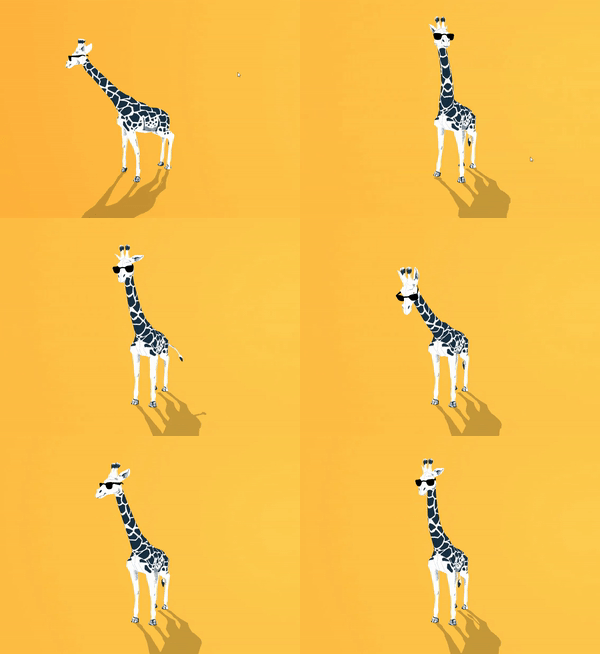
- package/src/engine-components/GridHelper.ts +18 -2
- package/src/engine-components/GroundProjection.ts +25 -3
- package/src/engine-components/Interactable.ts +17 -2
- package/src/engine-components/Joints.ts +51 -8
- package/src/engine-components/LODGroup.ts +45 -11
- package/src/engine-components/Light.ts +30 -8
- package/src/engine-components/LookAtConstraint.ts +26 -8
- package/src/engine-components/NeedleMenu.ts +29 -7
- package/src/engine-components/NestedGltf.ts +40 -4
- package/src/engine-components/OffsetConstraint.ts +27 -3
- package/src/engine-components/OrbitControls.ts +41 -3
- package/src/engine-components/ReflectionProbe.ts +31 -13
- package/src/engine-components/Renderer.ts +34 -1
- package/src/engine-components/SceneSwitcher.ts +11 -0
- package/src/engine-components/ScreenCapture.ts +41 -9
- package/src/engine-components/Skybox.ts +1 -1
- package/src/engine-components/SmoothFollow.ts +69 -7
- package/src/engine-components/SpatialTrigger.ts +51 -4
- package/src/engine-components/SpectatorCamera.ts +23 -5
- package/src/engine-components/SyncedRoom.ts +6 -0
- package/src/engine-components/SyncedTransform.ts +59 -10
- package/src/engine-components/TransformGizmo.ts +31 -4
- package/src/engine-components/VideoPlayer.ts +48 -6
- package/src/engine-components/Voip.ts +33 -2
- package/src/engine-components/export/usdz/USDZExporter.ts +47 -13
- package/src/engine-components/particlesystem/ParticleSystem.ts +84 -5
- package/src/engine-components/timeline/PlayableDirector.ts +104 -27
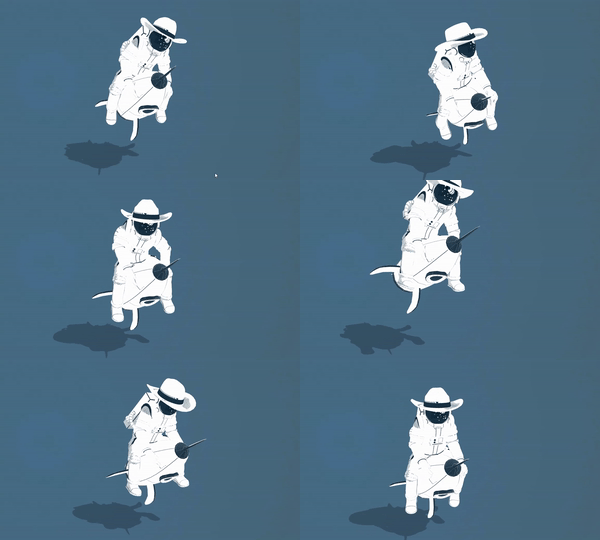
- package/src/engine-components/ui/Button.ts +29 -3
- package/src/engine-components/ui/Canvas.ts +28 -3
- package/src/engine-components/ui/Image.ts +22 -3
- package/src/engine-components/ui/Raycaster.ts +57 -8
- package/src/engine-components/ui/Text.ts +24 -2
- package/src/engine-components/webxr/TeleportTarget.ts +23 -4
- package/src/engine-components/webxr/WebXR.ts +11 -3
- package/src/engine-components/webxr/WebXRAvatar.ts +41 -4
- package/src/engine-components/webxr/WebXRImageTracking.ts +282 -38
- package/src/engine-components/webxr/XRFlag.ts +30 -3
- package/plugins/vite/materialx.js +0 -32
package/dist/needle-engine.d.ts
CHANGED
|
@@ -48,6 +48,7 @@ import { Layers } from 'three';
|
|
|
48
48
|
import { LightProbe } from 'three';
|
|
49
49
|
import { Line2 } from 'three/examples/jsm/lines/Line2.js';
|
|
50
50
|
import { Loader } from 'three';
|
|
51
|
+
import { LoadingManager } from 'three';
|
|
51
52
|
import { LOD_Results } from '@needle-tools/gltf-progressive';
|
|
52
53
|
import { LODsManager as LODsManager_2 } from '@needle-tools/gltf-progressive';
|
|
53
54
|
import { Material } from 'three';
|
|
@@ -61,6 +62,7 @@ import { n8ao } from 'n8ao';
|
|
|
61
62
|
import { N8AOPostPass } from 'n8ao';
|
|
62
63
|
import { NEEDLE_progressive } from '@needle-tools/gltf-progressive';
|
|
63
64
|
import { NEEDLE_progressive_plugin } from '@needle-tools/gltf-progressive';
|
|
65
|
+
import { needleToolsMaterialx } from '@needle-tools/materialx';
|
|
64
66
|
import { NormalBufferAttributes } from 'three';
|
|
65
67
|
import { Object3D } from 'three';
|
|
66
68
|
import { Object3DEventMap } from 'three';
|
|
@@ -221,12 +223,32 @@ export declare class Addressables {
|
|
|
221
223
|
declare type Alignment = "horizontal" | "vertical" | "any";
|
|
222
224
|
|
|
223
225
|
/**
|
|
224
|
-
*
|
|
225
|
-
*
|
|
226
|
+
* AlignmentConstraint positions and scales this GameObject to span between two target objects.
|
|
227
|
+
* The object is rotated to face `to` and scaled along Z to match the distance.
|
|
226
228
|
*
|
|
227
|
-
*
|
|
229
|
+
* **Use cases:**
|
|
230
|
+
* - Dynamic beams or laser effects between objects
|
|
231
|
+
* - Stretchy connectors or ropes
|
|
232
|
+
* - Visual links between UI elements
|
|
233
|
+
* - Debug lines between transforms
|
|
234
|
+
*
|
|
235
|
+
* **How it works:**
|
|
236
|
+
* - Position: Centered between `from` and `to` (or at `from` if not centered)
|
|
237
|
+
* - Rotation: Looks at `to` from `from`
|
|
238
|
+
* - Scale: Z-axis scales to match distance, X/Y use `width`
|
|
239
|
+
*
|
|
240
|
+
* @example Create a beam between two objects
|
|
241
|
+
* ```ts
|
|
242
|
+
* const beam = beamMesh.addComponent(AlignmentConstraint);
|
|
243
|
+
* // Set targets via serialized properties in editor
|
|
244
|
+
* // or via code if properties are exposed
|
|
245
|
+
* ```
|
|
246
|
+
*
|
|
247
|
+
* @summary Aligns and scales object between two targets
|
|
228
248
|
* @category Constraints
|
|
229
249
|
* @group Components
|
|
250
|
+
* @see {@link LookAtConstraint} for rotation-only constraints
|
|
251
|
+
* @see {@link SmoothFollow} for following with smoothing
|
|
230
252
|
**/
|
|
231
253
|
export declare class AlignmentConstraint extends Component {
|
|
232
254
|
private from;
|
|
@@ -250,10 +272,46 @@ declare type Anchoring = "plane" | "image" | "face" | "none";
|
|
|
250
272
|
|
|
251
273
|
/**
|
|
252
274
|
* Animation component to play animations on a GameObject.
|
|
275
|
+
* For simpler animation needs compared to {@link Animator}, this component directly
|
|
276
|
+
* plays AnimationClips without state machine logic.
|
|
277
|
+
*
|
|
278
|
+
* **Key features:**
|
|
279
|
+
* - Play animations by index, name, or clip reference
|
|
280
|
+
* - Cross-fade between animations with `fadeDuration`
|
|
281
|
+
* - Loop or play once with optional clamping
|
|
282
|
+
* - Random start time and speed variation
|
|
283
|
+
* - Promise-based completion handling
|
|
284
|
+
*
|
|
285
|
+
*
|
|
286
|
+
* 
|
|
287
|
+
*
|
|
288
|
+
* @example Play animation by name
|
|
289
|
+
* ```ts
|
|
290
|
+
* const anim = this.gameObject.getComponent(Animation);
|
|
291
|
+
* await anim?.play("Walk", { loop: true, fadeDuration: 0.3 });
|
|
292
|
+
* ```
|
|
293
|
+
*
|
|
294
|
+
* @example Play with options
|
|
295
|
+
* ```ts
|
|
296
|
+
* anim?.play(0, {
|
|
297
|
+
* loop: false,
|
|
298
|
+
* clampWhenFinished: true,
|
|
299
|
+
* speed: 2
|
|
300
|
+
* });
|
|
301
|
+
* ```
|
|
253
302
|
*
|
|
254
303
|
* @summary Plays animations from AnimationClips
|
|
255
304
|
* @category Animation and Sequencing
|
|
256
305
|
* @group Components
|
|
306
|
+
* @see {@link Animator} for state machine-based animation
|
|
307
|
+
* @see {@link PlayOptions} for all playback options
|
|
308
|
+
* @link https://engine.needle.tools/samples/?overlay=samples&tag=animation
|
|
309
|
+
* @link https://engine.needle.tools/samples/imunogard/
|
|
310
|
+
*
|
|
311
|
+
* @link https://engine.needle.tools/docs/blender/animation.html
|
|
312
|
+
*
|
|
313
|
+
* 
|
|
314
|
+
*
|
|
257
315
|
*/
|
|
258
316
|
declare class Animation_2 extends Component implements IAnimationComponent {
|
|
259
317
|
get isAnimationComponent(): boolean;
|
|
@@ -538,13 +596,46 @@ export declare class AnimationUtils {
|
|
|
538
596
|
}
|
|
539
597
|
|
|
540
598
|
/**
|
|
541
|
-
*
|
|
542
|
-
*
|
|
543
|
-
*
|
|
599
|
+
* Animator plays and manages state-machine based animations on a GameObject.
|
|
600
|
+
* Uses an {@link AnimatorController} for state transitions, blending, and parameters.
|
|
601
|
+
*
|
|
602
|
+
* **State machine animations:**
|
|
603
|
+
* Define animation states and transitions in Unity's Animator window or in [Blender's Animator Controller editor](https://engine.needle.tools/docs/blender/animation.html)
|
|
604
|
+
* Control transitions via parameters (bool, int, float, trigger).
|
|
605
|
+
*
|
|
606
|
+
* 
|
|
607
|
+
*
|
|
608
|
+
* **Creating at runtime:**
|
|
609
|
+
* Use `AnimatorController.createFromClips()` to create controllers from code.
|
|
610
|
+
*
|
|
611
|
+
* **Parameters:**
|
|
612
|
+
* - `setTrigger(name)` - Trigger a one-shot transition
|
|
613
|
+
* - `setBool(name, value)` - Set boolean parameter
|
|
614
|
+
* - `setFloat(name, value)` - Set float parameter
|
|
615
|
+
* - `setInteger(name, value)` - Set integer parameter
|
|
616
|
+
*
|
|
617
|
+
* @example Trigger animation state
|
|
618
|
+
* ```ts
|
|
619
|
+
* const animator = myCharacter.getComponent(Animator);
|
|
620
|
+
* animator.setTrigger("Jump");
|
|
621
|
+
* animator.setFloat("Speed", 5);
|
|
622
|
+
* animator.setBool("IsRunning", true);
|
|
623
|
+
* ```
|
|
624
|
+
*
|
|
625
|
+
* @example Listen to animation events
|
|
626
|
+
* ```ts
|
|
627
|
+
* animator.onLoop(evt => console.log("Animation looped"));
|
|
628
|
+
* animator.onFinished(evt => console.log("Animation finished"));
|
|
629
|
+
* ```
|
|
544
630
|
*
|
|
545
631
|
* @summary Plays and manages animations on a GameObject based on an AnimatorController
|
|
546
632
|
* @category Animation and Sequencing
|
|
547
633
|
* @group Components
|
|
634
|
+
* @see {@link AnimatorController} for state machine configuration
|
|
635
|
+
* @see {@link Animation} for simple clip playback
|
|
636
|
+
* @see {@link PlayableDirector} for timeline-based animation
|
|
637
|
+
*
|
|
638
|
+
* @link https://engine.needle.tools/docs/blender/animation.html
|
|
548
639
|
*/
|
|
549
640
|
export declare class Animator extends Component implements IAnimationComponent {
|
|
550
641
|
/**
|
|
@@ -1261,23 +1352,45 @@ declare enum AudioRolloffMode {
|
|
|
1261
1352
|
}
|
|
1262
1353
|
|
|
1263
1354
|
/**
|
|
1264
|
-
* Plays audio clips in the scene
|
|
1355
|
+
* Plays audio clips in the scene with support for spatial (3D) positioning.
|
|
1356
|
+
*
|
|
1357
|
+
* **Browser autoplay policies:**
|
|
1358
|
+
* Web browsers require user interaction before playing audio. Use
|
|
1359
|
+
* `AudioSource.userInteractionRegistered` to check if playback is allowed,
|
|
1360
|
+
* or `registerWaitForAllowAudio()` to queue playback until interaction occurs.
|
|
1265
1361
|
*
|
|
1266
|
-
*
|
|
1267
|
-
*
|
|
1362
|
+
* **Spatial audio:**
|
|
1363
|
+
* Set `spatialBlend` to 1 for full 3D positioning, or 0 for 2D (non-spatial).
|
|
1364
|
+
* Requires an {@link AudioListener} in the scene (typically on the camera).
|
|
1268
1365
|
*
|
|
1269
|
-
*
|
|
1270
|
-
*
|
|
1271
|
-
* pauses regardless of this setting.
|
|
1272
|
-
*
|
|
1366
|
+
* **Visibility handling:**
|
|
1367
|
+
* Audio automatically pauses when the tab is hidden unless `playInBackground = true`.
|
|
1368
|
+
* On mobile, audio always pauses in background regardless of this setting.
|
|
1369
|
+
*
|
|
1370
|
+
* @example Play audio on button click
|
|
1371
|
+
* ```ts
|
|
1372
|
+
* onClick() {
|
|
1373
|
+
* const audio = this.getComponent(AudioSource);
|
|
1374
|
+
* audio.play();
|
|
1375
|
+
* }
|
|
1376
|
+
* ```
|
|
1273
1377
|
*
|
|
1274
|
-
*
|
|
1275
|
-
*
|
|
1276
|
-
*
|
|
1378
|
+
* @example Wait for user interaction
|
|
1379
|
+
* ```ts
|
|
1380
|
+
* AudioSource.registerWaitForAllowAudio(() => {
|
|
1381
|
+
* this.getComponent(AudioSource)?.play();
|
|
1382
|
+
* });
|
|
1383
|
+
* ```
|
|
1277
1384
|
*
|
|
1278
1385
|
* @summary Plays audio clips from files or media streams
|
|
1279
1386
|
* @category Multimedia
|
|
1280
1387
|
* @group Components
|
|
1388
|
+
* @see {@link AudioListener} for the audio receiver component
|
|
1389
|
+
* @see {@link AudioRolloffMode} for distance attenuation options
|
|
1390
|
+
* @see {@link Voip} for voice communication
|
|
1391
|
+
* @see {@link PlayableDirector} for timeline-based audio
|
|
1392
|
+
* @link https://engine.needle.tools/samples/?overlay=samples&tag=audio
|
|
1393
|
+
* @link https://spatial-audio-zubckswmztj.needle.run/
|
|
1281
1394
|
*/
|
|
1282
1395
|
export declare class AudioSource extends Component {
|
|
1283
1396
|
/**
|
|
@@ -1573,27 +1686,62 @@ export declare class AvatarLoader {
|
|
|
1573
1686
|
}
|
|
1574
1687
|
|
|
1575
1688
|
/**
|
|
1576
|
-
*
|
|
1577
|
-
* This
|
|
1689
|
+
* Marks a GameObject as being controlled or owned by a player in networked XR sessions.
|
|
1690
|
+
* This is used internally by the networking system to identify player-controlled objects.
|
|
1691
|
+
*
|
|
1692
|
+
* **Note:** This is an internal marker class. For most use cases, use the {@link Avatar} component instead.
|
|
1693
|
+
*
|
|
1694
|
+
* @summary Internal marker for player-controlled objects in networked sessions
|
|
1695
|
+
* @category XR
|
|
1696
|
+
* @category Networking
|
|
1697
|
+
* @group Components
|
|
1698
|
+
* @see {@link Avatar} for avatar setup and configuration
|
|
1578
1699
|
*/
|
|
1579
1700
|
export declare class AvatarMarker extends Component {
|
|
1701
|
+
/**
|
|
1702
|
+
* Get an avatar marker by index from the global list of avatar markers.
|
|
1703
|
+
* @param index The index in the instances array
|
|
1704
|
+
* @returns The AvatarMarker at the specified index, or null if index is out of bounds
|
|
1705
|
+
*/
|
|
1580
1706
|
static getAvatar(index: number): AvatarMarker | null;
|
|
1707
|
+
/** Global list of all active AvatarMarker instances */
|
|
1581
1708
|
static instances: AvatarMarker[];
|
|
1709
|
+
/**
|
|
1710
|
+
* Subscribe to avatar marker creation events.
|
|
1711
|
+
* @param cb Callback function called when a new avatar marker is created
|
|
1712
|
+
* @returns The callback function (for removal)
|
|
1713
|
+
*/
|
|
1582
1714
|
static onAvatarMarkerCreated(cb: (args: AvatarMarkerEventArgs) => void): Function;
|
|
1715
|
+
/**
|
|
1716
|
+
* Subscribe to avatar marker destruction events.
|
|
1717
|
+
* @param cb Callback function called when an avatar marker is destroyed
|
|
1718
|
+
* @returns The callback function (for removal)
|
|
1719
|
+
*/
|
|
1583
1720
|
static onAvatarMarkerDestroyed(cb: (args: AvatarMarkerEventArgs) => void): Function;
|
|
1584
1721
|
private static _onNewAvatarMarkerAdded;
|
|
1585
1722
|
private static _onAvatarMarkerDestroyed;
|
|
1723
|
+
/** The network connection ID of the player who owns this avatar */
|
|
1586
1724
|
connectionId: string;
|
|
1725
|
+
/** Reference to the avatar GameObject with optional XR flags */
|
|
1587
1726
|
avatar?: Object3D & {
|
|
1588
1727
|
flags?: XRFlag[];
|
|
1589
1728
|
};
|
|
1590
|
-
|
|
1591
|
-
|
|
1729
|
+
/* Excluded from this release type: awake */
|
|
1730
|
+
/* Excluded from this release type: onDestroy */
|
|
1731
|
+
/**
|
|
1732
|
+
* Check if this avatar marker represents the local player.
|
|
1733
|
+
* @returns True if this avatar belongs to the local player, false otherwise
|
|
1734
|
+
*/
|
|
1592
1735
|
isLocalAvatar(): boolean;
|
|
1593
1736
|
}
|
|
1594
1737
|
|
|
1738
|
+
/**
|
|
1739
|
+
* Event arguments for avatar marker creation and destruction events
|
|
1740
|
+
*/
|
|
1595
1741
|
declare type AvatarMarkerEventArgs = {
|
|
1742
|
+
/** The AvatarMarker component instance */
|
|
1596
1743
|
avatarMarker: AvatarMarker;
|
|
1744
|
+
/** The GameObject that contains the avatar marker */
|
|
1597
1745
|
gameObject: Object3D;
|
|
1598
1746
|
};
|
|
1599
1747
|
|
|
@@ -1635,12 +1783,31 @@ export declare enum Axes {
|
|
|
1635
1783
|
}
|
|
1636
1784
|
|
|
1637
1785
|
/**
|
|
1638
|
-
*
|
|
1639
|
-
*
|
|
1786
|
+
* AxesHelper visualizes the local coordinate axes of an object.
|
|
1787
|
+
* Displays colored lines for X (red), Y (green), and Z (blue) axes.
|
|
1640
1788
|
*
|
|
1641
|
-
*
|
|
1789
|
+
* **Use cases:**
|
|
1790
|
+
* - Debugging object orientation and rotation
|
|
1791
|
+
* - Visualizing pivot points
|
|
1792
|
+
* - Understanding coordinate systems
|
|
1793
|
+
*
|
|
1794
|
+
* **Properties:**
|
|
1795
|
+
* - `length` - Length of axis lines in world units
|
|
1796
|
+
* - `depthTest` - Whether axes are occluded by scene objects
|
|
1797
|
+
* - `isGizmo` - Only show when `?gizmos` URL parameter is set
|
|
1798
|
+
*
|
|
1799
|
+
* @example Add axes visualization
|
|
1800
|
+
* ```ts
|
|
1801
|
+
* const axes = myObject.addComponent(AxesHelper);
|
|
1802
|
+
* axes.length = 2;
|
|
1803
|
+
* axes.depthTest = false; // Always visible on top
|
|
1804
|
+
* ```
|
|
1805
|
+
*
|
|
1806
|
+
* @summary Visualizes object axes (X=red, Y=green, Z=blue)
|
|
1642
1807
|
* @category Helpers
|
|
1643
1808
|
* @group Components
|
|
1809
|
+
* @see {@link GridHelper} for grid visualization
|
|
1810
|
+
* @see {@link Gizmos} for debug drawing utilities
|
|
1644
1811
|
*/
|
|
1645
1812
|
export declare class AxesHelper extends Component {
|
|
1646
1813
|
/**
|
|
@@ -1714,12 +1881,35 @@ export declare class BaseUIComponent extends Component {
|
|
|
1714
1881
|
}
|
|
1715
1882
|
|
|
1716
1883
|
/**
|
|
1717
|
-
* BasicIKConstraint
|
|
1718
|
-
*
|
|
1884
|
+
* BasicIKConstraint provides simple two-bone inverse kinematics.
|
|
1885
|
+
* Positions this GameObject as a "joint" between `from` and `to` targets,
|
|
1886
|
+
* using a `hint` object to determine the bend direction.
|
|
1719
1887
|
*
|
|
1720
|
-
*
|
|
1721
|
-
*
|
|
1888
|
+
* **Use cases:**
|
|
1889
|
+
* - Simple arm/leg IK (elbow/knee positioning)
|
|
1890
|
+
* - Mechanical linkages
|
|
1891
|
+
* - Procedural animation joints
|
|
1892
|
+
*
|
|
1893
|
+
* **How it works:**
|
|
1894
|
+
* - Calculates joint position based on `desiredDistance` (bone length)
|
|
1895
|
+
* - Uses `hint` to determine which way the joint bends
|
|
1896
|
+
* - Automatically handles stretching when targets are too far apart
|
|
1897
|
+
*
|
|
1898
|
+
* @example Setup basic limb IK
|
|
1899
|
+
* ```ts
|
|
1900
|
+
* // Attach to the elbow/knee joint object
|
|
1901
|
+
* const ik = elbowJoint.addComponent(BasicIKConstraint);
|
|
1902
|
+
* // Configure via serialized properties in editor:
|
|
1903
|
+
* // - from: shoulder/hip
|
|
1904
|
+
* // - to: wrist/ankle
|
|
1905
|
+
* // - hint: control point for bend direction
|
|
1906
|
+
* ```
|
|
1907
|
+
*
|
|
1908
|
+
* @summary Two-bone inverse kinematics constraint
|
|
1909
|
+
* @category Animation and Sequencing
|
|
1722
1910
|
* @group Components
|
|
1911
|
+
* @see {@link LookAtConstraint} for aim constraints
|
|
1912
|
+
* @see {@link AlignmentConstraint} for simpler alignment
|
|
1723
1913
|
*/
|
|
1724
1914
|
export declare class BasicIKConstraint extends Component {
|
|
1725
1915
|
private from;
|
|
@@ -1885,15 +2075,31 @@ export declare class BloomEffect extends PostProcessingEffect {
|
|
|
1885
2075
|
}
|
|
1886
2076
|
|
|
1887
2077
|
/**
|
|
1888
|
-
* BoxCollider represents a box-shaped collision volume.
|
|
1889
|
-
*
|
|
2078
|
+
* BoxCollider represents a box-shaped (cuboid) collision volume.
|
|
2079
|
+
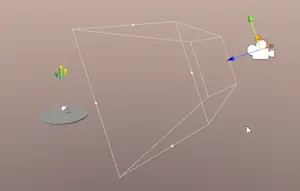
* Most common collider type, efficient for walls, floors, crates, and rectangular objects.
|
|
2080
|
+
*
|
|
2081
|
+
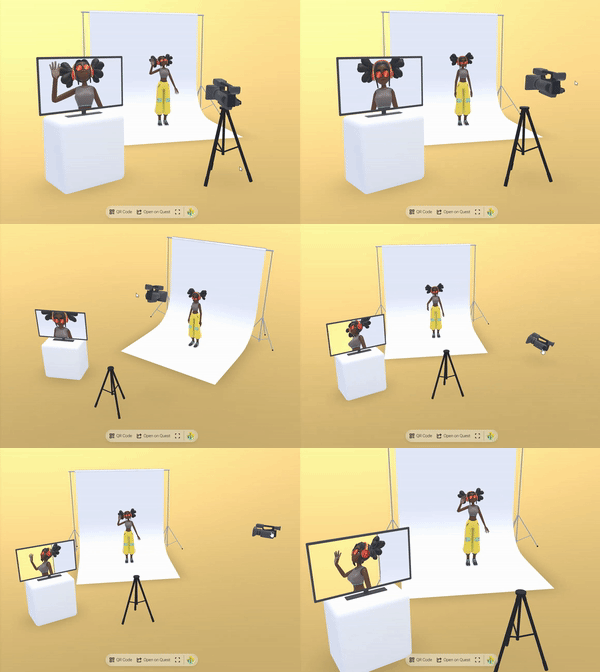
* 
|
|
2082
|
+
*
|
|
2083
|
+
* @example Create a floor collider
|
|
2084
|
+
* ```ts
|
|
2085
|
+
* const box = floor.addComponent(BoxCollider);
|
|
2086
|
+
* box.size = new Vector3(10, 0.1, 10);
|
|
2087
|
+
* box.center = new Vector3(0, -0.05, 0);
|
|
2088
|
+
* ```
|
|
2089
|
+
*
|
|
2090
|
+
* @example Auto-fit to mesh geometry
|
|
2091
|
+
* ```ts
|
|
2092
|
+
* const collider = BoxCollider.add(myMesh, { rigidbody: true });
|
|
2093
|
+
* // Collider size is automatically set from mesh bounds
|
|
2094
|
+
* ```
|
|
1890
2095
|
*
|
|
1891
2096
|
* - Example: https://samples.needle.tools/physics-basic
|
|
1892
|
-
* - Example: https://samples.needle.tools/physics-playground
|
|
1893
|
-
* - Example: https://samples.needle.tools/physics-&-animation
|
|
1894
2097
|
*
|
|
2098
|
+
* @summary Box-shaped physics collider
|
|
1895
2099
|
* @category Physics
|
|
1896
2100
|
* @group Components
|
|
2101
|
+
* @see {@link Collider} for base collider functionality
|
|
2102
|
+
* @see {@link SphereCollider} for sphere shapes
|
|
1897
2103
|
*/
|
|
1898
2104
|
export declare class BoxCollider extends Collider implements IBoxCollider {
|
|
1899
2105
|
/**
|
|
@@ -2002,12 +2208,38 @@ export declare const BUILD_TIME: string;
|
|
|
2002
2208
|
export declare const builtinComponentKeyName = "builtin_components";
|
|
2003
2209
|
|
|
2004
2210
|
/**
|
|
2005
|
-
* Button is a UI component that can be clicked
|
|
2006
|
-
*
|
|
2007
|
-
*
|
|
2211
|
+
* Button is a UI component that can be clicked to trigger actions.
|
|
2212
|
+
* Supports visual states (normal, highlighted, pressed, disabled) with
|
|
2213
|
+
* color tints or animation transitions.
|
|
2214
|
+
*
|
|
2215
|
+
* **Visual transitions:**
|
|
2216
|
+
* - `ColorTint` - Tint the button image with state colors
|
|
2217
|
+
* - `Animation` - Trigger animator states for each button state
|
|
2218
|
+
* - `SpriteSwap` - Swap sprites for each state (not fully supported)
|
|
2219
|
+
*
|
|
2220
|
+
* **Requirements:**
|
|
2221
|
+
* - Typically paired with an {@link Image} component for visuals or any 3D object
|
|
2222
|
+
*
|
|
2223
|
+
* @example Listen to button clicks
|
|
2224
|
+
* ```ts
|
|
2225
|
+
* const button = myButton.getComponent(Button);
|
|
2226
|
+
* button.onClick.addEventListener(() => {
|
|
2227
|
+
* console.log("Button clicked!");
|
|
2228
|
+
* });
|
|
2229
|
+
* ```
|
|
2230
|
+
*
|
|
2231
|
+
* @example Programmatically click a button
|
|
2232
|
+
* ```ts
|
|
2233
|
+
* button.click(); // Triggers onClick event
|
|
2234
|
+
* ```
|
|
2235
|
+
*
|
|
2008
2236
|
* @summary UI Button that can be clicked to perform actions
|
|
2009
2237
|
* @category User Interface
|
|
2010
2238
|
* @group Components
|
|
2239
|
+
* @see {@link EventList} for onClick callback handling
|
|
2240
|
+
* @see {@link Image} for button visuals
|
|
2241
|
+
* @see {@link GraphicRaycaster} for UI interaction
|
|
2242
|
+
* @see {@link Transition} for visual state options
|
|
2011
2243
|
*/
|
|
2012
2244
|
export declare class Button extends Component implements IPointerEventHandler {
|
|
2013
2245
|
/**
|
|
@@ -2159,6 +2391,9 @@ declare class CallHandle extends EventDispatcher<any> {
|
|
|
2159
2391
|
constructor(userId: string, call: MediaConnection, direction: CallDirection, stream?: MediaStream | null);
|
|
2160
2392
|
}
|
|
2161
2393
|
|
|
2394
|
+
/**
|
|
2395
|
+
* CallInfo represents a single callback method that can be invoked by the {@link EventList}.
|
|
2396
|
+
*/
|
|
2162
2397
|
export declare class CallInfo {
|
|
2163
2398
|
/**
|
|
2164
2399
|
* When the CallInfo is enabled it will be invoked when the EventList is invoked
|
|
@@ -2182,11 +2417,41 @@ export declare class CallInfo {
|
|
|
2182
2417
|
/**
|
|
2183
2418
|
* Camera component that handles rendering from a specific viewpoint in the scene.
|
|
2184
2419
|
* Supports both perspective and orthographic cameras with various rendering options.
|
|
2185
|
-
* Internally
|
|
2420
|
+
* Internally uses three.js {@link PerspectiveCamera} or {@link OrthographicCamera}.
|
|
2421
|
+
*
|
|
2422
|
+
* 
|
|
2423
|
+
*
|
|
2424
|
+
* **Background clearing:**
|
|
2425
|
+
* Control how the camera clears the background using `clearFlags`:
|
|
2426
|
+
* - `Skybox` - Use scene skybox/environment
|
|
2427
|
+
* - `SolidColor` - Clear with `backgroundColor`
|
|
2428
|
+
* - `None` - Don't clear (for layered rendering)
|
|
2429
|
+
*
|
|
2430
|
+
* **Render targets:**
|
|
2431
|
+
* Set `targetTexture` to a {@link RenderTexture} to render to a texture
|
|
2432
|
+
* instead of the screen (useful for mirrors, portals, minimaps).
|
|
2433
|
+
*
|
|
2434
|
+
* [](https://engine.needle.tools/samples/movie-set)
|
|
2435
|
+
*
|
|
2436
|
+
* @example Configure camera settings
|
|
2437
|
+
* ```ts
|
|
2438
|
+
* const cam = this.context.mainCameraComponent;
|
|
2439
|
+
* cam.fieldOfView = 60;
|
|
2440
|
+
* cam.nearClipPlane = 0.1;
|
|
2441
|
+
* cam.farClipPlane = 1000;
|
|
2442
|
+
* cam.clearFlags = ClearFlags.SolidColor;
|
|
2443
|
+
* cam.backgroundColor = new RGBAColor(0.1, 0.1, 0.2, 1);
|
|
2444
|
+
* ```
|
|
2445
|
+
*
|
|
2446
|
+
* - Example: https://engine.needle.tools/samples/multiple-cameras
|
|
2186
2447
|
*
|
|
2187
2448
|
* @summary Rendering scenes from a specific viewpoint
|
|
2188
2449
|
* @category Camera and Controls
|
|
2189
2450
|
* @group Components
|
|
2451
|
+
* @see {@link OrbitControls} for camera interaction
|
|
2452
|
+
* @see {@link RenderTexture} for off-screen rendering
|
|
2453
|
+
* @see {@link ClearFlags} for background clearing options
|
|
2454
|
+
* @link https://engine.needle.tools/samples/movie-set/
|
|
2190
2455
|
*/
|
|
2191
2456
|
export declare class Camera extends Component implements ICamera {
|
|
2192
2457
|
/**
|
|
@@ -2399,12 +2664,37 @@ export declare class CameraTargetReachedEvent extends CustomEvent<{
|
|
|
2399
2664
|
|
|
2400
2665
|
/**
|
|
2401
2666
|
* Canvas is the root component for all UI elements in a scene.
|
|
2402
|
-
*
|
|
2403
|
-
*
|
|
2404
|
-
*
|
|
2667
|
+
* Defines the rendering area and manages layout for child UI elements.
|
|
2668
|
+
*
|
|
2669
|
+
* **Render modes:**
|
|
2670
|
+
* - `WorldSpace` - UI exists in 3D space, can be viewed from any angle
|
|
2671
|
+
* - `ScreenSpaceOverlay` - UI rendered on top of everything (HUD)
|
|
2672
|
+
* - `ScreenSpaceCamera` - UI rendered at a distance from a specific camera
|
|
2673
|
+
*
|
|
2674
|
+
* **Usage:**
|
|
2675
|
+
* All UI components ({@link Button}, {@link Text}, {@link Image}) must be
|
|
2676
|
+
* children of a Canvas to render correctly. Multiple canvases can exist
|
|
2677
|
+
* in a scene with different settings.
|
|
2678
|
+
*
|
|
2679
|
+
* **Rendering options:**
|
|
2680
|
+
* - `renderOnTop` - Always render above other objects
|
|
2681
|
+
* - `depthWrite` - Write to depth buffer (affects occlusion)
|
|
2682
|
+
* - `doubleSided` - Render both sides of UI elements
|
|
2683
|
+
*
|
|
2684
|
+
* @example Create a world-space UI panel
|
|
2685
|
+
* ```ts
|
|
2686
|
+
* const canvas = panel.getComponent(Canvas);
|
|
2687
|
+
* canvas.renderMode = RenderMode.WorldSpace;
|
|
2688
|
+
* canvas.doubleSided = true;
|
|
2689
|
+
* ```
|
|
2690
|
+
*
|
|
2405
2691
|
* @summary Root component for UI elements, managing layout and rendering settings
|
|
2406
2692
|
* @category User Interface
|
|
2407
2693
|
* @group Components
|
|
2694
|
+
* @see {@link RenderMode} for rendering options
|
|
2695
|
+
* @see {@link RectTransform} for UI layout
|
|
2696
|
+
* @see {@link Button} for clickable UI elements
|
|
2697
|
+
* @see {@link Text} for UI text rendering
|
|
2408
2698
|
*/
|
|
2409
2699
|
export declare class Canvas extends UIRootComponent implements ICanvas {
|
|
2410
2700
|
get isCanvas(): boolean;
|
|
@@ -2493,6 +2783,8 @@ export declare class CanvasGroup extends Component implements ICanvasGroup {
|
|
|
2493
2783
|
* CapsuleCollider represents a capsule-shaped collision volume (cylinder with hemispherical ends).
|
|
2494
2784
|
* Ideal for character controllers and objects that need a rounded collision shape.
|
|
2495
2785
|
*
|
|
2786
|
+
* 
|
|
2787
|
+
*
|
|
2496
2788
|
* - Example: https://samples.needle.tools/physics-basic
|
|
2497
2789
|
* - Example: https://samples.needle.tools/physics-playground
|
|
2498
2790
|
* - Example: https://samples.needle.tools/physics-&-animation
|
|
@@ -2587,42 +2879,106 @@ export declare class ChangeTransformOnClick extends Component implements IPointe
|
|
|
2587
2879
|
/**
|
|
2588
2880
|
* CharacterController adds a capsule collider and rigidbody to the object, constrains rotation, and provides movement and grounded state.
|
|
2589
2881
|
* It is designed for typical character movement in 3D environments.
|
|
2882
|
+
*
|
|
2883
|
+
* The controller automatically:
|
|
2884
|
+
* - Creates a {@link CapsuleCollider} if one doesn't exist
|
|
2885
|
+
* - Creates a {@link Rigidbody} if one doesn't exist
|
|
2886
|
+
* - Locks rotation on all axes to prevent tipping over
|
|
2887
|
+
* - Tracks ground contact for jump detection
|
|
2888
|
+
*
|
|
2889
|
+
* @example Basic character movement
|
|
2890
|
+
* ```ts
|
|
2891
|
+
* export class MyCharacter extends Behaviour {
|
|
2892
|
+
* @serializable(CharacterController)
|
|
2893
|
+
* controller?: CharacterController;
|
|
2894
|
+
*
|
|
2895
|
+
* update() {
|
|
2896
|
+
* const input = this.context.input;
|
|
2897
|
+
* const move = new Vector3();
|
|
2898
|
+
* if (input.isKeyPressed("KeyW")) move.z = 0.1;
|
|
2899
|
+
* if (input.isKeyPressed("KeyS")) move.z = -0.1;
|
|
2900
|
+
* this.controller?.move(move);
|
|
2901
|
+
* }
|
|
2902
|
+
* }
|
|
2903
|
+
* ```
|
|
2904
|
+
*
|
|
2590
2905
|
* @summary Character Movement Controller
|
|
2591
2906
|
* @category Character
|
|
2592
2907
|
* @group Components
|
|
2908
|
+
* @see {@link CharacterControllerInput} for ready-to-use input handling
|
|
2909
|
+
* @see {@link Rigidbody} for physics configuration
|
|
2910
|
+
* @see {@link CapsuleCollider} for collision shape
|
|
2593
2911
|
*/
|
|
2594
2912
|
export declare class CharacterController extends Component {
|
|
2913
|
+
/** Center offset of the capsule collider in local space */
|
|
2595
2914
|
center: Vector3;
|
|
2915
|
+
/** Radius of the capsule collider */
|
|
2596
2916
|
radius: number;
|
|
2917
|
+
/** Height of the capsule collider */
|
|
2597
2918
|
height: number;
|
|
2598
2919
|
private _rigidbody;
|
|
2599
2920
|
get rigidbody(): Rigidbody;
|
|
2600
2921
|
private _activeGroundCollisions;
|
|
2601
2922
|
awake(): void;
|
|
2602
2923
|
onEnable(): void;
|
|
2924
|
+
/**
|
|
2925
|
+
* Moves the character by adding the given vector to its position.
|
|
2926
|
+
* Movement is applied directly without physics simulation.
|
|
2927
|
+
* @param vec The movement vector to apply
|
|
2928
|
+
*/
|
|
2603
2929
|
move(vec: Vector3): void;
|
|
2604
2930
|
onCollisionEnter(col: Collision): void;
|
|
2605
2931
|
onCollisionExit(col: Collision): void;
|
|
2932
|
+
/** Returns true if the character is currently touching the ground */
|
|
2606
2933
|
get isGrounded(): boolean;
|
|
2607
2934
|
private _contactVelocity;
|
|
2935
|
+
/**
|
|
2936
|
+
* Returns the combined velocity of all objects the character is standing on.
|
|
2937
|
+
* Useful for moving platforms - add this to your movement for proper platform riding.
|
|
2938
|
+
*/
|
|
2608
2939
|
get contactVelocity(): Vector3;
|
|
2609
2940
|
}
|
|
2610
2941
|
|
|
2611
2942
|
/**
|
|
2612
|
-
* CharacterControllerInput handles user input to control a CharacterController.
|
|
2943
|
+
* CharacterControllerInput handles user input to control a {@link CharacterController}.
|
|
2613
2944
|
* It supports movement, looking around, jumping, and double jumping.
|
|
2614
|
-
*
|
|
2615
|
-
*
|
|
2945
|
+
*
|
|
2946
|
+
* Default controls:
|
|
2947
|
+
* - **W/S**: Move forward/backward
|
|
2948
|
+
* - **A/D**: Rotate left/right
|
|
2949
|
+
* - **Space**: Jump (supports double jump)
|
|
2950
|
+
*
|
|
2951
|
+
* The component automatically sets animator parameters:
|
|
2952
|
+
* - `running` (bool): True when moving
|
|
2953
|
+
* - `jumping` (bool): True when starting a jump
|
|
2954
|
+
* - `doubleJump` (bool): True during double jump
|
|
2955
|
+
* - `falling` (bool): True when falling from height
|
|
2956
|
+
*
|
|
2957
|
+
* @example Custom input handling
|
|
2958
|
+
* ```ts
|
|
2959
|
+
* const input = this.gameObject.getComponent(CharacterControllerInput);
|
|
2960
|
+
* input?.move(new Vector2(0, 1)); // Move forward
|
|
2961
|
+
* input?.jump(); // Trigger jump
|
|
2962
|
+
* ```
|
|
2963
|
+
*
|
|
2616
2964
|
* @summary User Input for Character Controller
|
|
2617
2965
|
* @category Character
|
|
2618
2966
|
* @group Components
|
|
2967
|
+
* @see {@link CharacterController} for the movement controller
|
|
2968
|
+
* @see {@link Animator} for animation integration
|
|
2619
2969
|
*/
|
|
2620
2970
|
export declare class CharacterControllerInput extends Component {
|
|
2971
|
+
/** The CharacterController to drive with input */
|
|
2621
2972
|
controller?: CharacterController;
|
|
2973
|
+
/** Movement speed multiplier */
|
|
2622
2974
|
movementSpeed: number;
|
|
2975
|
+
/** Rotation speed multiplier */
|
|
2623
2976
|
rotationSpeed: number;
|
|
2977
|
+
/** Impulse force applied when jumping from ground */
|
|
2624
2978
|
jumpForce: number;
|
|
2979
|
+
/** Impulse force applied for the second jump (set to 0 to disable double jump) */
|
|
2625
2980
|
doubleJumpForce: number;
|
|
2981
|
+
/** Optional Animator for character animations */
|
|
2626
2982
|
animator?: Animator;
|
|
2627
2983
|
lookForward: boolean;
|
|
2628
2984
|
awake(): void;
|
|
@@ -2765,17 +3121,43 @@ export declare type ClipModel = {
|
|
|
2765
3121
|
};
|
|
2766
3122
|
|
|
2767
3123
|
/**
|
|
2768
|
-
* Collider is the base class for all
|
|
2769
|
-
* Colliders
|
|
2770
|
-
*
|
|
3124
|
+
* Collider is the base class for all physics collision shapes.
|
|
3125
|
+
* Colliders define the physical boundary of objects for collision detection.
|
|
3126
|
+
*
|
|
3127
|
+
* 
|
|
3128
|
+
*
|
|
3129
|
+
* **Usage with Rigidbody:**
|
|
3130
|
+
* - Add a collider to define collision shape
|
|
3131
|
+
* - Add a {@link Rigidbody} to the same or parent object for physics simulation
|
|
3132
|
+
* - Without Rigidbody, collider acts as static geometry
|
|
3133
|
+
*
|
|
3134
|
+
* **Trigger mode:**
|
|
3135
|
+
* Set `isTrigger = true` for detection without physical collision.
|
|
3136
|
+
* Triggers fire `onTriggerEnter`, `onTriggerStay`, `onTriggerExit` events.
|
|
3137
|
+
*
|
|
3138
|
+
* **Collision filtering:**
|
|
3139
|
+
* Use `membership` and `filter` arrays to control which objects collide.
|
|
3140
|
+
*
|
|
3141
|
+
* @example Add a box collider to an object
|
|
3142
|
+
* ```ts
|
|
3143
|
+
* const collider = myObject.addComponent(BoxCollider);
|
|
3144
|
+
* collider.size = new Vector3(1, 2, 1);
|
|
3145
|
+
* collider.center = new Vector3(0, 1, 0);
|
|
3146
|
+
* ```
|
|
2771
3147
|
*
|
|
2772
3148
|
* - Example: https://samples.needle.tools/physics-basic
|
|
2773
3149
|
* - Example: https://samples.needle.tools/physics-playground
|
|
2774
|
-
* - Example: https://samples.needle.tools/physics-&-animation
|
|
2775
3150
|
*
|
|
2776
|
-
* @summary Physics collider
|
|
3151
|
+
* @summary Physics collider base class
|
|
2777
3152
|
* @category Physics
|
|
2778
3153
|
* @group Components
|
|
3154
|
+
* @see {@link BoxCollider} for box-shaped colliders
|
|
3155
|
+
* @see {@link SphereCollider} for sphere-shaped colliders
|
|
3156
|
+
* @see {@link CapsuleCollider} for capsule-shaped colliders
|
|
3157
|
+
* @see {@link MeshCollider} for mesh-based colliders
|
|
3158
|
+
* @see {@link Rigidbody} for physics simulation
|
|
3159
|
+
* @link https://engine.needle.tools/samples/?room=needle272&overlay=samples&tag=physics
|
|
3160
|
+
* @link https://engine.needle.tools/samples-uploads/basic-physics/?showcolliders
|
|
2779
3161
|
*/
|
|
2780
3162
|
export declare abstract class Collider extends Component implements ICollider {
|
|
2781
3163
|
/* Excluded from this release type: isCollider */
|
|
@@ -3431,18 +3813,37 @@ export declare class ContactPoint {
|
|
|
3431
3813
|
}
|
|
3432
3814
|
|
|
3433
3815
|
/**
|
|
3434
|
-
* ContactShadows
|
|
3816
|
+
* ContactShadows renders proximity-based soft shadows on flat surfaces.
|
|
3817
|
+
* Ideal for products or objects that need visual grounding without real-time shadows.
|
|
3435
3818
|
*
|
|
3436
|
-
*
|
|
3819
|
+
* 
|
|
3437
3820
|
*
|
|
3438
|
-
*
|
|
3439
|
-
*
|
|
3821
|
+
* **Setup options:**
|
|
3822
|
+
* 1. `ContactShadows.auto(context)` - Auto-create and fit to scene
|
|
3823
|
+
* 2. Add component manually to control position and scale
|
|
3824
|
+
* 3. HTML attribute: `<needle-engine contactshadows="0.7">`
|
|
3440
3825
|
*
|
|
3441
|
-
*
|
|
3826
|
+
* **Properties:**
|
|
3827
|
+
* - `opacity` / `darkness` - Shadow intensity
|
|
3828
|
+
* - `blur` - Softness of shadow edges
|
|
3829
|
+
* - Object scale defines shadow area size
|
|
3830
|
+
*
|
|
3831
|
+
* **Debug:** Use `?debugcontactshadows` URL parameter.
|
|
3832
|
+
*
|
|
3833
|
+
*
|
|
3834
|
+
* @example Auto-create contact shadows
|
|
3835
|
+
* ```ts
|
|
3836
|
+
* const shadows = ContactShadows.auto(this.context);
|
|
3837
|
+
* shadows.opacity = 0.5;
|
|
3838
|
+
* shadows.darkness = 0.8;
|
|
3839
|
+
* ```
|
|
3442
3840
|
*
|
|
3443
3841
|
* @summary Display contact shadows on the ground
|
|
3444
3842
|
* @category Rendering
|
|
3445
3843
|
* @group Components
|
|
3844
|
+
* @see {@link Light} for real-time shadow casting
|
|
3845
|
+
* @see {@link Renderer} for material/rendering control
|
|
3846
|
+
* @link https://engine.needle.tools/samples/contact-shadows for a demo of contact shadows
|
|
3446
3847
|
*/
|
|
3447
3848
|
export declare class ContactShadows extends Component {
|
|
3448
3849
|
private static readonly _instances;
|
|
@@ -3512,6 +3913,7 @@ export declare class ContactShadows extends Component {
|
|
|
3512
3913
|
private plane?;
|
|
3513
3914
|
private occluderMesh?;
|
|
3514
3915
|
private blurPlane?;
|
|
3916
|
+
private planeMaterial?;
|
|
3515
3917
|
private depthMaterial?;
|
|
3516
3918
|
private horizontalBlurMaterial?;
|
|
3517
3919
|
private verticalBlurMaterial?;
|
|
@@ -4235,20 +4637,61 @@ export declare function delay(milliseconds: number): Promise<void>;
|
|
|
4235
4637
|
*/
|
|
4236
4638
|
export declare function delayForFrames(frameCount: number, context?: Context): Promise<void>;
|
|
4237
4639
|
|
|
4238
|
-
/**
|
|
4640
|
+
/**
|
|
4641
|
+
* Marks a GameObject as deletable by {@link DeleteBox} zones.
|
|
4642
|
+
* Objects with this component will be destroyed (and synced across network)
|
|
4643
|
+
* when they enter a DeleteBox area.
|
|
4644
|
+
*
|
|
4645
|
+
* **Note:** Objects currently being used (with {@link UsageMarker}) are protected from deletion.
|
|
4646
|
+
*
|
|
4647
|
+
* @example Make an object deletable
|
|
4648
|
+
* ```ts
|
|
4649
|
+
* const deletable = spawnedObject.addComponent(Deletable);
|
|
4650
|
+
* // Object can now be destroyed by entering a DeleteBox
|
|
4651
|
+
* ```
|
|
4652
|
+
*
|
|
4653
|
+
* @summary Marks object as destroyable by DeleteBox
|
|
4239
4654
|
* @category Interactivity
|
|
4240
4655
|
* @group Components
|
|
4656
|
+
* @see {@link DeleteBox} for the deletion trigger
|
|
4657
|
+
* @see {@link UsageMarker} for protecting objects in use
|
|
4241
4658
|
*/
|
|
4242
4659
|
export declare class Deletable extends Component {
|
|
4243
4660
|
update(): void;
|
|
4244
4661
|
}
|
|
4245
4662
|
|
|
4246
4663
|
/**
|
|
4247
|
-
*
|
|
4664
|
+
* DeleteBox creates an invisible deletion zone that destroys objects entering it.
|
|
4665
|
+
* Works with objects that have a {@link Deletable} component attached.
|
|
4666
|
+
*
|
|
4667
|
+
* 
|
|
4668
|
+
*
|
|
4669
|
+
* **Use cases:**
|
|
4670
|
+
* - Trash bins in sandbox builders
|
|
4671
|
+
* - Kill zones in physics simulations
|
|
4672
|
+
* - Cleanup areas for multiplayer scenes
|
|
4673
|
+
*
|
|
4674
|
+
* **Setup:**
|
|
4675
|
+
* 1. Add DeleteBox to a GameObject with a BoxCollider-like shape
|
|
4676
|
+
* 2. Add {@link Deletable} component to objects that should be destroyable
|
|
4677
|
+
* 3. Objects entering the box will be destroyed (synced across network)
|
|
4678
|
+
*
|
|
4679
|
+
* **Debug:** Use `?debugdeletable` URL parameter to visualize deletion areas.
|
|
4680
|
+
*
|
|
4681
|
+
* - Example: https://engine.needle.tools/samples/collaborative-sandbox
|
|
4682
|
+
*
|
|
4683
|
+
* @example Create a deletion zone
|
|
4684
|
+
* ```ts
|
|
4685
|
+
* const trashBin = trashBinModel.addComponent(DeleteBox);
|
|
4686
|
+
* // Objects with Deletable component will be destroyed when entering
|
|
4687
|
+
* ```
|
|
4248
4688
|
*
|
|
4249
4689
|
* @summary Box area that deletes objects entering it
|
|
4250
4690
|
* @category Interactivity
|
|
4251
4691
|
* @group Components
|
|
4692
|
+
* @see {@link Deletable} - Add to objects that can be destroyed
|
|
4693
|
+
* @see {@link Duplicatable} for spawning objects
|
|
4694
|
+
* @see {@link DragControls} for moving objects
|
|
4252
4695
|
*/
|
|
4253
4696
|
export declare class DeleteBox extends BoxHelperComponent {
|
|
4254
4697
|
static _instances: DeleteBox[];
|
|
@@ -4286,6 +4729,28 @@ declare enum DepthOfFieldMode {
|
|
|
4286
4729
|
|
|
4287
4730
|
export declare function deserializeObject(obj: ISerializable, serializedData: object, context: SerializationContext): boolean;
|
|
4288
4731
|
|
|
4732
|
+
/**
|
|
4733
|
+
* Destroys a GameObject or Component, removing it from the scene and cleaning up resources.
|
|
4734
|
+
* Calls `onDisable()` and `onDestroy()` lifecycle methods on all affected components.
|
|
4735
|
+
*
|
|
4736
|
+
* @param instance The Object3D or Component to destroy
|
|
4737
|
+
* @param recursive If true (default), also destroys all children recursively
|
|
4738
|
+
* @param dispose If true, also disposes GPU resources (geometries, materials, textures)
|
|
4739
|
+
*
|
|
4740
|
+
* @example Destroy an object
|
|
4741
|
+
* ```ts
|
|
4742
|
+
* import { destroy } from "@needle-tools/engine";
|
|
4743
|
+
* destroy(this.gameObject);
|
|
4744
|
+
* ```
|
|
4745
|
+
*
|
|
4746
|
+
* @example Destroy with resource disposal
|
|
4747
|
+
* ```ts
|
|
4748
|
+
* destroy(myObject, true, true); // recursive + dispose GPU resources
|
|
4749
|
+
* ```
|
|
4750
|
+
*
|
|
4751
|
+
* @see {@link GameObject.destroy} for the static method equivalent
|
|
4752
|
+
* @see {@link setDontDestroy} to mark objects as non-destroyable
|
|
4753
|
+
*/
|
|
4289
4754
|
export declare function destroy(instance: Object3D | IComponent, recursive?: boolean, dispose?: boolean): void;
|
|
4290
4755
|
|
|
4291
4756
|
export declare function destroyComponentInstance(componentInstance: IComponent): void;
|
|
@@ -4293,12 +4758,31 @@ export declare function destroyComponentInstance(componentInstance: IComponent):
|
|
|
4293
4758
|
export declare function determineMimeTypeFromExtension(name: string): NeedleMimetype | null;
|
|
4294
4759
|
|
|
4295
4760
|
/**
|
|
4296
|
-
*
|
|
4297
|
-
*
|
|
4761
|
+
* DeviceFlag shows or hides GameObjects based on device type.
|
|
4762
|
+
* Use for responsive 3D content - show different UI, models, or interactions
|
|
4763
|
+
* depending on mobile vs desktop.
|
|
4764
|
+
*
|
|
4765
|
+
* **Device types:**
|
|
4766
|
+
* - `Desktop` - Traditional computers with mouse/keyboard
|
|
4767
|
+
* - `Mobile` - Phones and tablets with touch input
|
|
4768
|
+
* - Combine with bitwise OR for multiple: `Desktop | Mobile`
|
|
4769
|
+
*
|
|
4770
|
+
* @example Show only on desktop
|
|
4771
|
+
* ```ts
|
|
4772
|
+
* const flag = myObject.addComponent(DeviceFlag);
|
|
4773
|
+
* flag.visibleOn = DeviceType.Desktop;
|
|
4774
|
+
* ```
|
|
4775
|
+
*
|
|
4776
|
+
* @example Show on both mobile and desktop
|
|
4777
|
+
* ```ts
|
|
4778
|
+
* flag.visibleOn = DeviceType.Desktop | DeviceType.Mobile;
|
|
4779
|
+
* ```
|
|
4298
4780
|
*
|
|
4299
4781
|
* @summary Show or hide GameObject based on device type
|
|
4300
4782
|
* @category Utilities
|
|
4301
4783
|
* @group Components
|
|
4784
|
+
* @see {@link DeviceType} for device options
|
|
4785
|
+
* @see {@link XRFlag} for XR-based visibility
|
|
4302
4786
|
*/
|
|
4303
4787
|
export declare class DeviceFlag extends Component {
|
|
4304
4788
|
visibleOn: DeviceType;
|
|
@@ -4351,11 +4835,15 @@ export declare namespace DeviceUtilities {
|
|
|
4351
4835
|
}
|
|
4352
4836
|
|
|
4353
4837
|
/**
|
|
4354
|
-
*
|
|
4838
|
+
* Controls how the {@link PlayableDirector} behaves when playback reaches the end.
|
|
4839
|
+
* @see {@link PlayableDirector.extrapolationMode}
|
|
4355
4840
|
*/
|
|
4356
4841
|
declare enum DirectorWrapMode {
|
|
4842
|
+
/** Hold the last frame when playback reaches the end of the timeline. */
|
|
4357
4843
|
Hold = 0,
|
|
4844
|
+
/** Loop back to the start and continue playing indefinitely. */
|
|
4358
4845
|
Loop = 1,
|
|
4846
|
+
/** Stop playback when the end is reached. The timeline will not loop. */
|
|
4359
4847
|
None = 2
|
|
4360
4848
|
}
|
|
4361
4849
|
|
|
@@ -4379,12 +4867,42 @@ export declare class DocumentExtension implements IUSDExporterExtension {
|
|
|
4379
4867
|
}
|
|
4380
4868
|
|
|
4381
4869
|
/**
|
|
4382
|
-
* DragControls
|
|
4383
|
-
*
|
|
4870
|
+
* [DragControls](https://engine.needle.tools/docs/api/DragControls) enables interactive dragging of objects in 2D (screen space) or 3D (world space).
|
|
4871
|
+
*
|
|
4872
|
+
* 
|
|
4873
|
+
*
|
|
4874
|
+
* **Drag modes:**
|
|
4875
|
+
* - `XZPlane` - Drag on horizontal plane (good for floor objects)
|
|
4876
|
+
* - `Attached` - Follow pointer directly (screen plane in 2D, controller in XR)
|
|
4877
|
+
* - `HitNormal` - Drag along the surface normal where clicked
|
|
4878
|
+
* - `DynamicViewAngle` - Auto-switch between XZ and screen based on view angle
|
|
4879
|
+
* - `SnapToSurfaces` - Snap to scene geometry while dragging
|
|
4880
|
+
*
|
|
4881
|
+
* **Features:**
|
|
4882
|
+
* - Works across desktop, mobile, VR, and AR
|
|
4883
|
+
* - Optional grid snapping (`snapGridResolution`)
|
|
4884
|
+
* - Rotation preservation (`keepRotation`)
|
|
4885
|
+
* - Automatic networking with {@link SyncedTransform}
|
|
4886
|
+
*
|
|
4887
|
+
*
|
|
4888
|
+
* **Debug:** Use `?debugdrag` URL parameter for visual helpers.
|
|
4889
|
+
*
|
|
4890
|
+
* @example Basic draggable object
|
|
4891
|
+
* ```ts
|
|
4892
|
+
* const drag = myObject.addComponent(DragControls);
|
|
4893
|
+
* drag.dragMode = DragMode.XZPlane;
|
|
4894
|
+
* drag.snapGridResolution = 0.5; // Snap to 0.5 unit grid
|
|
4895
|
+
* ```
|
|
4896
|
+
*
|
|
4897
|
+
* - Example: https://engine.needle.tools/samples/collaborative-sandbox
|
|
4384
4898
|
*
|
|
4385
4899
|
* @summary Enables dragging of objects in 2D or 3D space
|
|
4386
4900
|
* @category Interactivity
|
|
4387
4901
|
* @group Components
|
|
4902
|
+
* @see {@link DragMode} for available drag behaviors
|
|
4903
|
+
* @see {@link Duplicatable} for drag-to-duplicate functionality
|
|
4904
|
+
* @see {@link SyncedTransform} for networked dragging
|
|
4905
|
+
* @see {@link ObjectRaycaster} for pointer detection
|
|
4388
4906
|
*/
|
|
4389
4907
|
export declare class DragControls extends Component implements IPointerEventHandler {
|
|
4390
4908
|
/**
|
|
@@ -4514,40 +5032,52 @@ export declare enum DragMode {
|
|
|
4514
5032
|
None = 5
|
|
4515
5033
|
}
|
|
4516
5034
|
|
|
4517
|
-
/**
|
|
4518
|
-
*
|
|
4519
|
-
*
|
|
5035
|
+
/**
|
|
5036
|
+
* DropListener enables drag-and-drop loading of 3D files directly into your scene.
|
|
5037
|
+
* Users can drop glTF/GLB files onto the canvas to dynamically add new objects at runtime.
|
|
4520
5038
|
*
|
|
4521
|
-
*
|
|
4522
|
-
* Enable {@link fitIntoVolume} to automatically scale dropped objects to fit within the volume defined by {@link fitVolumeSize}.
|
|
5039
|
+
* [](https://engine.needle.tools/samples/droplistener)
|
|
4523
5040
|
*
|
|
4524
|
-
*
|
|
5041
|
+
* **Supported formats:** glTF, GLB, FBX, OBJ, USDZ, VRM
|
|
4525
5042
|
*
|
|
4526
|
-
*
|
|
4527
|
-
* -
|
|
4528
|
-
* -
|
|
5043
|
+
* **Key features:**
|
|
5044
|
+
* - Drop files directly onto canvas or onto a specific {@link dropArea}
|
|
5045
|
+
* - Paste URLs from clipboard (Ctrl/Cmd+V)
|
|
5046
|
+
* - Auto-fit objects to a specific size with {@link fitIntoVolume}
|
|
5047
|
+
* - Network sync to share dropped objects with other users
|
|
5048
|
+
* - Special handling for GitHub and Polyhaven URLs
|
|
4529
5049
|
*
|
|
4530
|
-
*
|
|
4531
|
-
*
|
|
4532
|
-
*
|
|
5050
|
+
* **Events:**
|
|
5051
|
+
* - `file-dropped` - Fired for each dropped file
|
|
5052
|
+
* - `object-added` - Fired when object is loaded and added to scene
|
|
4533
5053
|
*
|
|
4534
|
-
*
|
|
5054
|
+
* **Debug:** Use `?debugdroplistener` URL parameter
|
|
4535
5055
|
*
|
|
4536
|
-
*
|
|
4537
|
-
*
|
|
4538
|
-
*
|
|
4539
|
-
*
|
|
4540
|
-
*
|
|
5056
|
+
* @example Listen for dropped objects
|
|
5057
|
+
* ```ts
|
|
5058
|
+
* const dropListener = myObject.addComponent(DropListener);
|
|
5059
|
+
* dropListener.useNetworking = true;
|
|
5060
|
+
* dropListener.fitIntoVolume = true;
|
|
4541
5061
|
*
|
|
4542
5062
|
* dropListener.on(DropListenerEvents.ObjectAdded, (evt) => {
|
|
4543
|
-
*
|
|
4544
|
-
*
|
|
5063
|
+
* const { object, model } = evt.detail;
|
|
5064
|
+
* console.log("Added:", object.name);
|
|
4545
5065
|
* });
|
|
4546
5066
|
* ```
|
|
4547
5067
|
*
|
|
4548
|
-
* @
|
|
5068
|
+
* @example Load from URL programmatically
|
|
5069
|
+
* ```ts
|
|
5070
|
+
* const obj = await dropListener.loadFromURL("https://example.com/model.glb");
|
|
5071
|
+
* ```
|
|
5072
|
+
* Hint: We recommend to use {@link AssetReference} for preloading and referencing assets in code if you simply want to load a model.
|
|
5073
|
+
*
|
|
5074
|
+
* @summary Drag-and-drop file loading for 3D assets
|
|
4549
5075
|
* @category Asset Management
|
|
4550
5076
|
* @group Components
|
|
5077
|
+
* @see {@link SceneSwitcher} for loading entire scenes
|
|
5078
|
+
* @see {@link AssetReference} for preloading assets
|
|
5079
|
+
* @see {@link SyncedTransform} for networking support
|
|
5080
|
+
* @link https://engine.needle.tools/samples/droplistener for a live demo
|
|
4551
5081
|
*/
|
|
4552
5082
|
export declare class DropListener extends Component {
|
|
4553
5083
|
/**
|
|
@@ -4723,21 +5253,52 @@ export declare type DropListenerOnDropArguments = {
|
|
|
4723
5253
|
};
|
|
4724
5254
|
|
|
4725
5255
|
/**
|
|
4726
|
-
* The Duplicatable component
|
|
5256
|
+
* The Duplicatable component creates clones of a GameObject when clicked/tapped/dragged.
|
|
5257
|
+
* Perfect for spawning objects, creating drag-and-drop inventories, or multiplayer object creation.
|
|
5258
|
+
*
|
|
5259
|
+
* 
|
|
5260
|
+
*
|
|
5261
|
+
* **How it works:**
|
|
5262
|
+
* - When the user clicks on this object, it creates a clone of the assigned `object`
|
|
5263
|
+
* - The clone is automatically set up with {@link DragControls} so users can drag it
|
|
5264
|
+
* - If networking is enabled, clones are synced via {@link SyncedTransform}
|
|
5265
|
+
* - Rate limiting prevents spam (controlled by `limitCount`)
|
|
5266
|
+
*
|
|
5267
|
+
* **Setup tips:**
|
|
5268
|
+
* - Assign `object` to a template object (it will be hidden and used as source)
|
|
5269
|
+
* - If `object` is not assigned, the component's own GameObject is used as template
|
|
5270
|
+
* - Add an {@link ObjectRaycaster} to enable pointer detection (added automatically if missing)
|
|
5271
|
+
*
|
|
5272
|
+
* @example Basic duplicatable button
|
|
5273
|
+
* ```ts
|
|
5274
|
+
* const duplicatable = spawnButton.addComponent(Duplicatable);
|
|
5275
|
+
* duplicatable.object = templateObject; // Object to clone
|
|
5276
|
+
* duplicatable.parent = spawnContainer; // Where to place clones
|
|
5277
|
+
* duplicatable.limitCount = 10; // Max 10 per second
|
|
5278
|
+
* ```
|
|
4727
5279
|
*
|
|
4728
5280
|
* @summary Duplicates a GameObject on pointer events
|
|
4729
5281
|
* @category Interactivity
|
|
4730
5282
|
* @group Components
|
|
5283
|
+
* @see {@link DragControls} for dragging the duplicated objects
|
|
5284
|
+
* @see {@link SyncedTransform} for networking support
|
|
5285
|
+
* @see {@link GameObject.instantiateSynced} for the underlying instantiation
|
|
5286
|
+
* @link https://engine.needle.tools/samples/collaborative-sandbox/
|
|
4731
5287
|
*/
|
|
4732
5288
|
export declare class Duplicatable extends Component implements IPointerEventHandler {
|
|
4733
|
-
/**
|
|
5289
|
+
/**
|
|
5290
|
+
* Parent object for spawned duplicates.
|
|
5291
|
+
* If not set, duplicates are parented to this GameObject's parent.
|
|
5292
|
+
*/
|
|
4734
5293
|
parent: GameObject | null;
|
|
4735
|
-
/**
|
|
4736
|
-
*
|
|
5294
|
+
/**
|
|
5295
|
+
* Template object to duplicate. This object will be hidden and used as the source for clones.
|
|
5296
|
+
* If not assigned, this GameObject itself is used as the template.
|
|
4737
5297
|
*/
|
|
4738
5298
|
object: GameObject | null;
|
|
4739
5299
|
/**
|
|
4740
|
-
*
|
|
5300
|
+
* Maximum duplications allowed per second to prevent spam.
|
|
5301
|
+
* The counter decreases by 1 each second.
|
|
4741
5302
|
* @default 60
|
|
4742
5303
|
*/
|
|
4743
5304
|
limitCount: number;
|
|
@@ -4832,24 +5393,49 @@ declare class EulerSerializer extends TypeSerializer {
|
|
|
4832
5393
|
}
|
|
4833
5394
|
|
|
4834
5395
|
/**
|
|
4835
|
-
*
|
|
5396
|
+
* EventList manages a list of callbacks that can be invoked together.
|
|
5397
|
+
* Used for Unity-style events that can be configured in the editor (Unity or Blender).
|
|
4836
5398
|
*
|
|
4837
|
-
*
|
|
5399
|
+
* **Serialization:**
|
|
5400
|
+
* EventLists are serializable - callbacks configured in Unity/Blender will work at runtime.
|
|
5401
|
+
* Mark fields with `@serializable(EventList)` for editor support.
|
|
5402
|
+
*
|
|
5403
|
+
* **Usage patterns:**
|
|
5404
|
+
* - Button click handlers
|
|
5405
|
+
* - Animation events
|
|
5406
|
+
* - Custom component callbacks
|
|
5407
|
+
* - Scene loading events
|
|
5408
|
+
*
|
|
5409
|
+
* 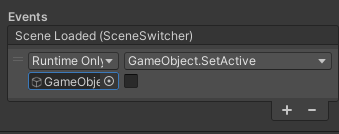
|
|
5410
|
+
* *Screenshot of a Unity component with an EventList field*
|
|
5411
|
+
*
|
|
5412
|
+
* 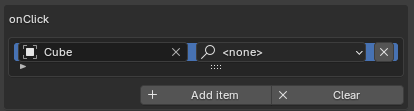
|
|
5413
|
+
* *Screenshot of a Blender component with an EventList field*
|
|
5414
|
+
*
|
|
5415
|
+
* @example Create and use an EventList
|
|
4838
5416
|
* ```ts
|
|
4839
|
-
* //
|
|
4840
|
-
*
|
|
5417
|
+
* // Define in your component
|
|
5418
|
+
* @serializable(EventList)
|
|
5419
|
+
* onClick: EventList = new EventList();
|
|
4841
5420
|
*
|
|
4842
|
-
* //
|
|
4843
|
-
* onClick.addEventListener((
|
|
4844
|
-
* console.log("Clicked!", event);
|
|
4845
|
-
* });
|
|
5421
|
+
* // Add listeners
|
|
5422
|
+
* this.onClick.addEventListener(() => console.log("Clicked!"));
|
|
4846
5423
|
*
|
|
4847
|
-
* //
|
|
4848
|
-
* onClick.invoke(
|
|
5424
|
+
* // Invoke all listeners
|
|
5425
|
+
* this.onClick.invoke();
|
|
5426
|
+
* ```
|
|
5427
|
+
*
|
|
5428
|
+
* @example Listen with arguments
|
|
5429
|
+
* ```ts
|
|
5430
|
+
* const onScore = new EventList<{ points: number }>();
|
|
5431
|
+
* onScore.addEventListener(data => console.log("Scored:", data.points));
|
|
5432
|
+
* onScore.invoke({ points: 100 });
|
|
4849
5433
|
* ```
|
|
4850
5434
|
*
|
|
4851
5435
|
* @category Events
|
|
4852
5436
|
* @group Utilities
|
|
5437
|
+
* @see {@link CallInfo} for individual callback configuration
|
|
5438
|
+
* @see {@link Button} for UI button events
|
|
4853
5439
|
*/
|
|
4854
5440
|
export declare class EventList<TArgs extends any = any> implements IEventList {
|
|
4855
5441
|
/** checked during instantiate to create a new instance */
|
|
@@ -5332,10 +5918,25 @@ declare type FitParameters = {
|
|
|
5332
5918
|
};
|
|
5333
5919
|
|
|
5334
5920
|
/**
|
|
5335
|
-
*
|
|
5336
|
-
*
|
|
5921
|
+
* FixedJoint locks two {@link Rigidbody} components together, making them move as one rigid unit.
|
|
5922
|
+
* The bodies maintain their relative position and rotation at the time the joint is created.
|
|
5923
|
+
*
|
|
5924
|
+
* Use this for:
|
|
5925
|
+
* - Attaching objects together permanently
|
|
5926
|
+
* - Creating compound rigid bodies
|
|
5927
|
+
* - Welding broken pieces back together
|
|
5928
|
+
*
|
|
5929
|
+
* @example Attach a weapon to a character
|
|
5930
|
+
* ```ts
|
|
5931
|
+
* const joint = weapon.addComponent(FixedJoint);
|
|
5932
|
+
* joint.connectedBody = characterRigidbody;
|
|
5933
|
+
* ```
|
|
5934
|
+
*
|
|
5935
|
+
* @summary Lock two Rigidbodies together rigidly
|
|
5337
5936
|
* @category Physics
|
|
5338
5937
|
* @group Components
|
|
5938
|
+
* @see {@link Joint} base class
|
|
5939
|
+
* @see {@link HingeJoint} for rotating connections
|
|
5339
5940
|
*/
|
|
5340
5941
|
export declare class FixedJoint extends Joint {
|
|
5341
5942
|
protected createJoint(self: Rigidbody, other: Rigidbody): void;
|
|
@@ -5361,11 +5962,46 @@ declare type FocusRectSettings = {
|
|
|
5361
5962
|
zoom: number;
|
|
5362
5963
|
};
|
|
5363
5964
|
|
|
5364
|
-
|
|
5965
|
+
/**
|
|
5966
|
+
* Adds distance-based fog effect to the scene.
|
|
5967
|
+
* When enabled, objects will fade into the fog color based on their distance from the camera.
|
|
5968
|
+
*
|
|
5969
|
+
* This component is automatically added to the scene when fog is enabled in the editor.
|
|
5970
|
+
* For setting fog from code you can simply use `scene.fog = new Fog3(color, near, far)` without adding this component.
|
|
5971
|
+
*
|
|
5972
|
+
* @summary Adds fog effect to the scene
|
|
5973
|
+
* @category Rendering
|
|
5974
|
+
* @group Components
|
|
5975
|
+
* @link https://threejs.org/docs/#Fog
|
|
5976
|
+
*/
|
|
5977
|
+
export declare class Fog extends Component {
|
|
5978
|
+
/**
|
|
5979
|
+
* The underlying Three.js Fog object. You can modify its properties directly for more advanced control.
|
|
5980
|
+
* @remarks The Fog component provides convenient access to common fog properties like `near`, `far`, and `color`. Modifying those will update the underlying `fog` object accordingly. However, you can also access and modify the `fog` object directly for more advanced use cases, such as changing the fog mode or using a custom shader.
|
|
5981
|
+
* @link https://threejs.org/docs/#Fog for available properties and methods on the Fog object.
|
|
5982
|
+
*/
|
|
5983
|
+
get fog(): Fog_2;
|
|
5984
|
+
get mode(): FogMode;
|
|
5985
|
+
set near(value: number);
|
|
5986
|
+
get near(): number;
|
|
5987
|
+
set far(value: number);
|
|
5988
|
+
get far(): number;
|
|
5989
|
+
set color(value: Color);
|
|
5990
|
+
get color(): Color;
|
|
5991
|
+
private _fog?;
|
|
5992
|
+
onEnable(): void;
|
|
5993
|
+
onDisable(): void;
|
|
5994
|
+
}
|
|
5365
5995
|
|
|
5996
|
+
/**
|
|
5997
|
+
* Fog rendering mode
|
|
5998
|
+
*/
|
|
5366
5999
|
declare enum FogMode {
|
|
6000
|
+
/** Linear fog increases uniformly with distance */
|
|
5367
6001
|
Linear = 1,
|
|
6002
|
+
/** Exponential fog increases exponentially with distance */
|
|
5368
6003
|
Exponential = 2,
|
|
6004
|
+
/** Exponential squared fog for denser falloff */
|
|
5369
6005
|
ExponentialSquared = 3
|
|
5370
6006
|
}
|
|
5371
6007
|
|
|
@@ -5376,6 +6012,22 @@ declare enum FontStyle {
|
|
|
5376
6012
|
BoldAndItalic = 3
|
|
5377
6013
|
}
|
|
5378
6014
|
|
|
6015
|
+
/**
|
|
6016
|
+
* Iterates over all components on an Object3D and optionally its children.
|
|
6017
|
+
* The callback can return a value to stop iteration early.
|
|
6018
|
+
*
|
|
6019
|
+
* @param instance The Object3D to iterate components on
|
|
6020
|
+
* @param cb Callback function called for each component. Return a value to stop iteration.
|
|
6021
|
+
* @param recursive If true (default), also iterates components on all children
|
|
6022
|
+
* @returns The first non-undefined value returned by the callback, or undefined
|
|
6023
|
+
*
|
|
6024
|
+
* @example Find first Rigidbody in hierarchy
|
|
6025
|
+
* ```ts
|
|
6026
|
+
* const rb = foreachComponent(myObject, comp => {
|
|
6027
|
+
* if (comp instanceof Rigidbody) return comp;
|
|
6028
|
+
* });
|
|
6029
|
+
* ```
|
|
6030
|
+
*/
|
|
5379
6031
|
export declare function foreachComponent(instance: Object3D, cb: ForEachComponentCallback, recursive?: boolean): any;
|
|
5380
6032
|
|
|
5381
6033
|
declare type ForEachComponentCallback = (comp: IComponent) => any;
|
|
@@ -5384,15 +6036,31 @@ export declare function foreachComponentEnumerator<T extends IComponent>(instanc
|
|
|
5384
6036
|
|
|
5385
6037
|
export declare function forward(obj: Object3D): Vector3;
|
|
5386
6038
|
|
|
6039
|
+
/**
|
|
6040
|
+
* Represents the different phases of the update cycle in Needle Engine.
|
|
6041
|
+
* Components can register for specific frame events to perform actions at precise moments.
|
|
6042
|
+
* The order of execution is: Start → EarlyUpdate → Update → LateUpdate → OnBeforeRender → OnAfterRender
|
|
6043
|
+
*
|
|
6044
|
+
* @see {@link Component.startCoroutine} for using FrameEvent with coroutines
|
|
6045
|
+
*/
|
|
5387
6046
|
export declare enum FrameEvent {
|
|
6047
|
+
/** Called once when a component starts for the first time */
|
|
5388
6048
|
Start = -1,
|
|
6049
|
+
/** Called at the beginning of each frame, before the main update */
|
|
5389
6050
|
EarlyUpdate = 0,
|
|
6051
|
+
/** The main update phase, called once per frame */
|
|
5390
6052
|
Update = 1,
|
|
6053
|
+
/** Called after all Update callbacks have finished */
|
|
5391
6054
|
LateUpdate = 2,
|
|
6055
|
+
/** Called immediately before the scene is rendered */
|
|
5392
6056
|
OnBeforeRender = 3,
|
|
6057
|
+
/** Called after the scene has been rendered */
|
|
5393
6058
|
OnAfterRender = 4,
|
|
6059
|
+
/** Called before each physics simulation step */
|
|
5394
6060
|
PrePhysicsStep = 9,
|
|
6061
|
+
/** Called after each physics simulation step */
|
|
5395
6062
|
PostPhysicsStep = 10,
|
|
6063
|
+
/** Default value when no specific frame event is set */
|
|
5396
6064
|
Undefined = -1
|
|
5397
6065
|
}
|
|
5398
6066
|
|
|
@@ -5879,11 +6547,27 @@ export declare function getLoader(): INeedleGltfLoader;
|
|
|
5879
6547
|
|
|
5880
6548
|
export declare function getOrAddComponent<T extends IComponent>(go: Object3D, typeName: ConstructorConcrete<T>, init?: ComponentInit<T>): T;
|
|
5881
6549
|
|
|
5882
|
-
/**
|
|
5883
|
-
*
|
|
5884
|
-
*
|
|
5885
|
-
*
|
|
5886
|
-
*
|
|
6550
|
+
/**
|
|
6551
|
+
* Checks if a URL parameter exists and returns its value.
|
|
6552
|
+
* Useful for debugging, feature flags, and configuration.
|
|
6553
|
+
*
|
|
6554
|
+
* @param paramName The URL parameter name to check
|
|
6555
|
+
* @returns
|
|
6556
|
+
* - `true` if the parameter exists without a value (e.g. `?debug`)
|
|
6557
|
+
* - `false` if the parameter doesn't exist or is set to `0`
|
|
6558
|
+
* - The numeric value if it's a number (e.g. `?level=5` returns `5`)
|
|
6559
|
+
* - The string value otherwise (e.g. `?name=test` returns `"test"`)
|
|
6560
|
+
*
|
|
6561
|
+
* @example Check debug mode
|
|
6562
|
+
* ```ts
|
|
6563
|
+
* if (getParam("debug")) {
|
|
6564
|
+
* console.log("Debug mode enabled");
|
|
6565
|
+
* }
|
|
6566
|
+
* ```
|
|
6567
|
+
* @example Get a numeric value
|
|
6568
|
+
* ```ts
|
|
6569
|
+
* const level = getParam("level"); // Returns number if ?level=5
|
|
6570
|
+
* ```
|
|
5887
6571
|
*/
|
|
5888
6572
|
export declare function getParam<T extends string>(paramName: T): Param<T>;
|
|
5889
6573
|
|
|
@@ -6197,11 +6881,27 @@ export declare class Graphic extends BaseUIComponent implements IGraphic, IRectT
|
|
|
6197
6881
|
}
|
|
6198
6882
|
|
|
6199
6883
|
/**
|
|
6200
|
-
*
|
|
6884
|
+
* GraphicRaycaster enables pointer interactions with UI elements.
|
|
6885
|
+
* Add this to a {@link Canvas} or UI hierarchy to enable button clicks,
|
|
6886
|
+
* hover effects, and other UI interactions.
|
|
6887
|
+
*
|
|
6888
|
+
* **Requirements:**
|
|
6889
|
+
* - Must be on the same object as a Canvas or on a parent
|
|
6890
|
+
* - UI elements need proper RectTransform setup
|
|
6891
|
+
*
|
|
6892
|
+
* @example Enable UI interaction
|
|
6893
|
+
* ```ts
|
|
6894
|
+
* // Add to Canvas object
|
|
6895
|
+
* canvas.addComponent(GraphicRaycaster);
|
|
6896
|
+
* // Now buttons and other UI elements will respond to clicks
|
|
6897
|
+
* ```
|
|
6201
6898
|
*
|
|
6202
6899
|
* @summary Raycaster for UI elements
|
|
6203
6900
|
* @category User Interface
|
|
6204
6901
|
* @group Components
|
|
6902
|
+
* @see {@link Canvas} for UI root
|
|
6903
|
+
* @see {@link Button} for clickable UI
|
|
6904
|
+
* @see {@link EventSystem} for event handling
|
|
6205
6905
|
*/
|
|
6206
6906
|
export declare class GraphicRaycaster extends ObjectRaycaster {
|
|
6207
6907
|
constructor();
|
|
@@ -6243,11 +6943,27 @@ export declare class Graphics {
|
|
|
6243
6943
|
}
|
|
6244
6944
|
|
|
6245
6945
|
/**
|
|
6246
|
-
* GridHelper
|
|
6946
|
+
* GridHelper displays a flat grid in the scene for visual reference.
|
|
6947
|
+
* Useful for debugging, level design, or providing spatial context.
|
|
6948
|
+
*
|
|
6949
|
+
* 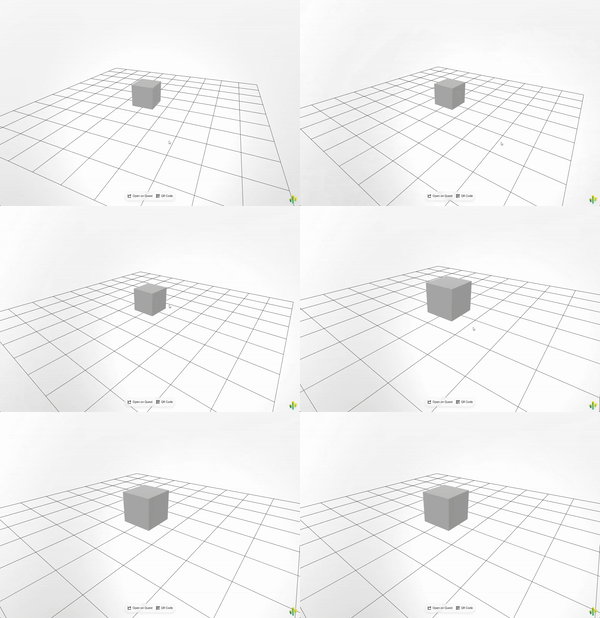
|
|
6950
|
+
*
|
|
6951
|
+
* **Properties:**
|
|
6952
|
+
* - `color0` / `color1` - Alternating grid line colors
|
|
6953
|
+
* - `isGizmo` - When true, only shows when gizmos are enabled
|
|
6954
|
+
*
|
|
6955
|
+
* @example Add a grid to the scene
|
|
6956
|
+
* ```ts
|
|
6957
|
+
* const grid = myObject.addComponent(GridHelper);
|
|
6958
|
+
* grid.color0 = new Color(0.3, 0.3, 0.3);
|
|
6959
|
+
* grid.color1 = new Color(0.5, 0.5, 0.5);
|
|
6960
|
+
* ```
|
|
6247
6961
|
*
|
|
6248
|
-
* @example Display a grid in the scene
|
|
6249
6962
|
* @category Helpers
|
|
6250
6963
|
* @group Components
|
|
6964
|
+
* @see {@link Gizmos} for debug visualization
|
|
6965
|
+
*
|
|
6966
|
+
* 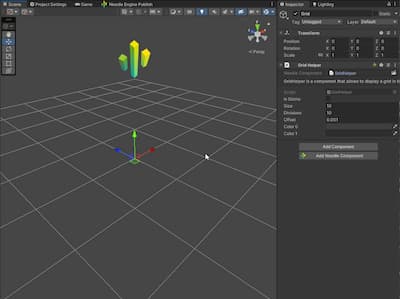
|
|
6251
6967
|
*/
|
|
6252
6968
|
export declare class GridHelper extends Component {
|
|
6253
6969
|
isGizmo: boolean;
|
|
@@ -6270,13 +6986,35 @@ export declare class GridLayoutGroup extends LayoutGroup {
|
|
|
6270
6986
|
}
|
|
6271
6987
|
|
|
6272
6988
|
/**
|
|
6273
|
-
* GroundProjectedEnv
|
|
6989
|
+
* GroundProjectedEnv projects the environment map onto a virtual ground plane.
|
|
6990
|
+
* Creates a realistic floor from 360° panoramas/HDRIs by deforming the skybox
|
|
6991
|
+
* into a hemisphere with a beveled floor.
|
|
6992
|
+
*
|
|
6993
|
+
*
|
|
6994
|
+
* [](https://engine.needle.tools/samples/ground-projection)
|
|
6995
|
+
*
|
|
6996
|
+
* **Key properties:**
|
|
6997
|
+
* - `radius` - Size of the projection sphere (keep camera inside)
|
|
6998
|
+
* - `height` - How high the original photo was taken (affects floor magnification)
|
|
6999
|
+
* - `autoFit` - Automatically center and position at ground level
|
|
7000
|
+
* - `arBlending` - Blend with real-world in AR (0=hidden, 1=visible)
|
|
6274
7001
|
*
|
|
6275
|
-
*
|
|
7002
|
+
* **Debug:** Use `?debuggroundprojection` URL parameter.
|
|
7003
|
+
*
|
|
7004
|
+
* @example Apply ground projection
|
|
7005
|
+
* ```ts
|
|
7006
|
+
* const ground = myObject.getComponent(GroundProjectedEnv);
|
|
7007
|
+
* ground.radius = 100;
|
|
7008
|
+
* ground.height = 2;
|
|
7009
|
+
* ground.apply();
|
|
7010
|
+
* ```
|
|
6276
7011
|
*
|
|
6277
7012
|
* @summary Projects the environment map onto the ground
|
|
6278
7013
|
* @category Rendering
|
|
6279
7014
|
* @group Components
|
|
7015
|
+
* @see {@link Camera} for environment/skybox settings
|
|
7016
|
+
* @see {@link ContactShadows} for ground shadows
|
|
7017
|
+
* @link https://engine.needle.tools/samples/ground-projection for a demo of ground projection
|
|
6280
7018
|
*/
|
|
6281
7019
|
export declare class GroundProjectedEnv extends Component {
|
|
6282
7020
|
/**
|
|
@@ -6389,15 +7127,33 @@ export declare class HideOnStart extends Component implements UsdzBehaviour {
|
|
|
6389
7127
|
}
|
|
6390
7128
|
|
|
6391
7129
|
/**
|
|
6392
|
-
*
|
|
7130
|
+
* HingeJoint connects two {@link Rigidbody} components with a rotating constraint,
|
|
7131
|
+
* like a door hinge or wheel axle. Bodies can only rotate around the specified axis.
|
|
6393
7132
|
*
|
|
6394
|
-
*
|
|
6395
|
-
*
|
|
6396
|
-
*
|
|
7133
|
+
* Use this for:
|
|
7134
|
+
* - Doors and gates
|
|
7135
|
+
* - Wheels and axles
|
|
7136
|
+
* - Pendulums
|
|
7137
|
+
* - Any rotating mechanical connection
|
|
7138
|
+
*
|
|
7139
|
+
* @example Create a door hinge
|
|
7140
|
+
* ```ts
|
|
7141
|
+
* const hinge = door.addComponent(HingeJoint);
|
|
7142
|
+
* hinge.connectedBody = doorFrameRigidbody;
|
|
7143
|
+
* hinge.anchor = new Vector3(0, 0, 0); // Hinge position
|
|
7144
|
+
* hinge.axis = new Vector3(0, 1, 0); // Rotate around Y axis
|
|
7145
|
+
* ```
|
|
7146
|
+
*
|
|
7147
|
+
* @summary Connect two Rigidbodies with a rotating hinge
|
|
7148
|
+
* @category Physics
|
|
6397
7149
|
* @group Components
|
|
7150
|
+
* @see {@link Joint} base class
|
|
7151
|
+
* @see {@link FixedJoint} for rigid connections
|
|
6398
7152
|
*/
|
|
6399
7153
|
export declare class HingeJoint extends Joint {
|
|
7154
|
+
/** Local position of the hinge pivot point */
|
|
6400
7155
|
anchor?: Vector3;
|
|
7156
|
+
/** Axis of rotation for the hinge (e.g., Vector3(0,1,0) for vertical axis) */
|
|
6401
7157
|
axis?: Vector3;
|
|
6402
7158
|
protected createJoint(self: Rigidbody, other: Rigidbody): void;
|
|
6403
7159
|
}
|
|
@@ -6755,12 +7511,31 @@ declare interface ILightDataRegistry {
|
|
|
6755
7511
|
/* Excluded from this release type: ILoadingViewHandler */
|
|
6756
7512
|
|
|
6757
7513
|
/**
|
|
6758
|
-
* Image
|
|
6759
|
-
*
|
|
6760
|
-
*
|
|
7514
|
+
* Image displays a sprite (2D texture) in the UI. Can be used for icons,
|
|
7515
|
+
* backgrounds, or any visual element that needs a texture.
|
|
7516
|
+
*
|
|
7517
|
+
* **Properties:**
|
|
7518
|
+
* - `image` - Direct texture assignment (convenience property)
|
|
7519
|
+
* - `sprite` - Sprite object containing texture and rect info
|
|
7520
|
+
* - `color` - Tint color applied to the image (inherited from Graphic)
|
|
7521
|
+
*
|
|
7522
|
+
* **Usage with Button:**
|
|
7523
|
+
* Image is commonly paired with {@link Button} to create clickable
|
|
7524
|
+
* UI elements with visual feedback via color tinting.
|
|
7525
|
+
*
|
|
7526
|
+
* @example Set an image texture
|
|
7527
|
+
* ```ts
|
|
7528
|
+
* const img = myIcon.getComponent(Image);
|
|
7529
|
+
* img.image = myTexture;
|
|
7530
|
+
* img.color = new RGBAColor(1, 0.5, 0.5, 1); // Red tint
|
|
7531
|
+
* ```
|
|
7532
|
+
*
|
|
6761
7533
|
* @summary Display a 2D image in the UI
|
|
6762
7534
|
* @category User Interface
|
|
6763
7535
|
* @group Components
|
|
7536
|
+
* @see {@link Canvas} for the UI root
|
|
7537
|
+
* @see {@link Button} for clickable images
|
|
7538
|
+
* @see {@link RawImage} for non-UI image display
|
|
6764
7539
|
*/
|
|
6765
7540
|
declare class Image_2 extends MaskableGraphic {
|
|
6766
7541
|
set image(img: Texture | null);
|
|
@@ -6939,7 +7714,50 @@ export declare class InheritVelocityModule {
|
|
|
6939
7714
|
}
|
|
6940
7715
|
|
|
6941
7716
|
/**
|
|
6942
|
-
*
|
|
7717
|
+
* Handles all input events including mouse, touch, keyboard, and XR controllers.
|
|
7718
|
+
* Access via `this.context.input` from any component.
|
|
7719
|
+
*
|
|
7720
|
+
* @example Checking mouse/pointer state
|
|
7721
|
+
* ```ts
|
|
7722
|
+
* update() {
|
|
7723
|
+
* if (this.context.input.mouseDown) {
|
|
7724
|
+
* console.log("Mouse button pressed");
|
|
7725
|
+
* }
|
|
7726
|
+
* if (this.context.input.mouseClick) {
|
|
7727
|
+
* console.log("Click detected");
|
|
7728
|
+
* }
|
|
7729
|
+
* const pos = this.context.input.mousePosition;
|
|
7730
|
+
* console.log(`Mouse at: ${pos.x}, ${pos.y}`);
|
|
7731
|
+
* }
|
|
7732
|
+
* ```
|
|
7733
|
+
* @example Keyboard input
|
|
7734
|
+
* ```ts
|
|
7735
|
+
* update() {
|
|
7736
|
+
* if (this.context.input.isKeyDown("Space")) {
|
|
7737
|
+
* console.log("Space pressed this frame");
|
|
7738
|
+
* }
|
|
7739
|
+
* if (this.context.input.isKeyPressed("w")) {
|
|
7740
|
+
* console.log("W key is held down");
|
|
7741
|
+
* }
|
|
7742
|
+
* }
|
|
7743
|
+
* ```
|
|
7744
|
+
* @example Event-based input
|
|
7745
|
+
* ```ts
|
|
7746
|
+
* onEnable() {
|
|
7747
|
+
* this.context.input.addEventListener("pointerdown", this.onPointerDown);
|
|
7748
|
+
* }
|
|
7749
|
+
* onDisable() {
|
|
7750
|
+
* this.context.input.removeEventListener("pointerdown", this.onPointerDown);
|
|
7751
|
+
* }
|
|
7752
|
+
* onPointerDown = (evt: NEPointerEvent) => {
|
|
7753
|
+
* console.log("Pointer down:", evt.pointerId);
|
|
7754
|
+
* }
|
|
7755
|
+
* ```
|
|
7756
|
+
*
|
|
7757
|
+
* @see {@link NEPointerEvent} for pointer event data
|
|
7758
|
+
* @see {@link InputEvents} for available event types
|
|
7759
|
+
* @see {@link PointerType} for pointer device types
|
|
7760
|
+
* @link https://engine.needle.tools/docs/scripting.html
|
|
6943
7761
|
*/
|
|
6944
7762
|
export declare class Input implements IInput {
|
|
6945
7763
|
/** This is a list of event listeners per event type (e.g. pointerdown, pointerup, keydown...). Each entry contains a priority and list of listeners.
|
|
@@ -6951,7 +7769,7 @@ export declare class Input implements IInput {
|
|
|
6951
7769
|
* @param type The event type to listen for
|
|
6952
7770
|
* @param callback The callback to call when the event is triggered
|
|
6953
7771
|
* @param options The options for adding the event listener.
|
|
6954
|
-
* @example Basic usage
|
|
7772
|
+
* @example Basic usage
|
|
6955
7773
|
* ```ts
|
|
6956
7774
|
* input.addEventListener("pointerdown", (evt) => {
|
|
6957
7775
|
* console.log("Pointer down", evt.pointerId, evt.pointerType);
|
|
@@ -6967,7 +7785,7 @@ export declare class Input implements IInput {
|
|
|
6967
7785
|
* @example Adding a listener that is only called once
|
|
6968
7786
|
* ```ts
|
|
6969
7787
|
* input.addEventListener("pointerdown", (evt) => {
|
|
6970
|
-
*
|
|
7788
|
+
* console.log("Pointer down", evt.pointerId, evt.pointerType);
|
|
6971
7789
|
* }, { once: true });
|
|
6972
7790
|
* ```
|
|
6973
7791
|
*/
|
|
@@ -7165,12 +7983,23 @@ export declare enum InputEventQueue {
|
|
|
7165
7983
|
Late = 100
|
|
7166
7984
|
}
|
|
7167
7985
|
|
|
7986
|
+
/**
|
|
7987
|
+
* Event types that can be listened to via {@link Input.addEventListener}.
|
|
7988
|
+
* @see {@link NEPointerEvent} for pointer event data
|
|
7989
|
+
* @see {@link NEKeyboardEvent} for keyboard event data
|
|
7990
|
+
*/
|
|
7168
7991
|
export declare const enum InputEvents {
|
|
7992
|
+
/** Fired when a pointer button is pressed */
|
|
7169
7993
|
PointerDown = "pointerdown",
|
|
7994
|
+
/** Fired when a pointer button is released */
|
|
7170
7995
|
PointerUp = "pointerup",
|
|
7996
|
+
/** Fired when a pointer moves */
|
|
7171
7997
|
PointerMove = "pointermove",
|
|
7998
|
+
/** Fired when a key is pressed down */
|
|
7172
7999
|
KeyDown = "keydown",
|
|
8000
|
+
/** Fired when a key is released */
|
|
7173
8001
|
KeyUp = "keyup",
|
|
8002
|
+
/** Fired when a key produces a character value */
|
|
7174
8003
|
KeyPressed = "keypress"
|
|
7175
8004
|
}
|
|
7176
8005
|
|
|
@@ -7368,6 +8197,40 @@ export declare class InstancingUtil {
|
|
|
7368
8197
|
static markDirty(go: Object3D | null, recursive?: boolean): void;
|
|
7369
8198
|
}
|
|
7370
8199
|
|
|
8200
|
+
/**
|
|
8201
|
+
* Creates a copy (clone) of a GameObject or loads and instantiates an AssetReference.
|
|
8202
|
+
* All components on the original object are cloned and `awake()` is called on them.
|
|
8203
|
+
*
|
|
8204
|
+
* @param instance The Object3D to clone, or an AssetReference to load and instantiate
|
|
8205
|
+
* @param opts Optional instantiation settings (position, rotation, scale, parent)
|
|
8206
|
+
* @returns The cloned GameObject, or a Promise<Object3D> if instantiating from AssetReference
|
|
8207
|
+
*
|
|
8208
|
+
* @example Clone an object
|
|
8209
|
+
* ```ts
|
|
8210
|
+
* import { instantiate } from "@needle-tools/engine";
|
|
8211
|
+
* const clone = instantiate(original);
|
|
8212
|
+
* clone.position.set(1, 0, 0);
|
|
8213
|
+
* this.context.scene.add(clone);
|
|
8214
|
+
* ```
|
|
8215
|
+
*
|
|
8216
|
+
* @example Instantiate with options
|
|
8217
|
+
* ```ts
|
|
8218
|
+
* const clone = instantiate(original, {
|
|
8219
|
+
* parent: parentObject,
|
|
8220
|
+
* position: new Vector3(0, 1, 0),
|
|
8221
|
+
* rotation: new Quaternion()
|
|
8222
|
+
* });
|
|
8223
|
+
* ```
|
|
8224
|
+
*
|
|
8225
|
+
* @example Instantiate from AssetReference
|
|
8226
|
+
* ```ts
|
|
8227
|
+
* const instance = await instantiate(myAssetRef);
|
|
8228
|
+
* if (instance) this.context.scene.add(instance);
|
|
8229
|
+
* ```
|
|
8230
|
+
*
|
|
8231
|
+
* @see {@link GameObject.instantiate} for the static method equivalent
|
|
8232
|
+
* @see {@link destroy} to remove instantiated objects
|
|
8233
|
+
*/
|
|
7371
8234
|
export declare function instantiate(instance: AssetReference, opts?: IInstantiateOptions | null): Promise<Object3D | null>;
|
|
7372
8235
|
|
|
7373
8236
|
export declare function instantiate(instance: IGameObject | Object3D, opts?: IInstantiateOptions | null): IGameObject;
|
|
@@ -7979,7 +8842,17 @@ export declare interface ITime {
|
|
|
7979
8842
|
}
|
|
7980
8843
|
|
|
7981
8844
|
/**
|
|
7982
|
-
*
|
|
8845
|
+
* Interface for receiving callbacks during timeline animation evaluation.
|
|
8846
|
+
* Allows modification of position/rotation values before they are applied.
|
|
8847
|
+
*
|
|
8848
|
+
* **Registration:**
|
|
8849
|
+
* ```ts
|
|
8850
|
+
* director.registerAnimationCallback(this);
|
|
8851
|
+
* // Later: director.unregisterAnimationCallback(this);
|
|
8852
|
+
* ```
|
|
8853
|
+
*
|
|
8854
|
+
* @experimental This interface may change in future versions
|
|
8855
|
+
* @see {@link PlayableDirector.registerAnimationCallback}
|
|
7983
8856
|
*/
|
|
7984
8857
|
export declare interface ITimelineAnimationOverride {
|
|
7985
8858
|
/**
|
|
@@ -8053,12 +8926,22 @@ export declare class JoinedRoomResponse {
|
|
|
8053
8926
|
}
|
|
8054
8927
|
|
|
8055
8928
|
/**
|
|
8056
|
-
* Base class for physics joints
|
|
8057
|
-
*
|
|
8929
|
+
* Base class for physics joints that connect two {@link Rigidbody} components.
|
|
8930
|
+
* Joints constrain how two bodies can move relative to each other.
|
|
8931
|
+
*
|
|
8932
|
+
* The joint is created between:
|
|
8933
|
+
* - The {@link Rigidbody} on this GameObject (automatically found)
|
|
8934
|
+
* - The {@link connectedBody} Rigidbody you specify
|
|
8935
|
+
*
|
|
8936
|
+
* @summary Connect two Rigidbodies with physics constraints
|
|
8058
8937
|
* @category Physics
|
|
8059
8938
|
* @group Components
|
|
8939
|
+
* @see {@link FixedJoint} for rigid connections
|
|
8940
|
+
* @see {@link HingeJoint} for rotating connections
|
|
8941
|
+
* @see {@link Rigidbody} for physics bodies
|
|
8060
8942
|
*/
|
|
8061
8943
|
declare abstract class Joint extends Component {
|
|
8944
|
+
/** The other Rigidbody to connect to */
|
|
8062
8945
|
connectedBody?: Rigidbody;
|
|
8063
8946
|
get rigidBody(): Rigidbody | null;
|
|
8064
8947
|
private _rigidBody;
|
|
@@ -8162,16 +9045,38 @@ declare type LifecycleMethodOptions = {
|
|
|
8162
9045
|
};
|
|
8163
9046
|
|
|
8164
9047
|
/**
|
|
8165
|
-
*
|
|
8166
|
-
*
|
|
8167
|
-
*
|
|
9048
|
+
* Light component creates a light source in the scene for illuminating 3D objects.
|
|
9049
|
+
*
|
|
9050
|
+
* **Light types:**
|
|
9051
|
+
* - `Directional` - Sun-like parallel rays (best for outdoor scenes)
|
|
9052
|
+
* - `Point` - Omnidirectional from a point (bulbs, candles)
|
|
9053
|
+
* - `Spot` - Cone-shaped (flashlights, stage lights)
|
|
8168
9054
|
*
|
|
8169
|
-
*
|
|
8170
|
-
*
|
|
9055
|
+
* **Shadows:**
|
|
9056
|
+
* Enable shadows via `shadows` property. Configure quality with shadow resolution
|
|
9057
|
+
* settings. Directional lights support adaptive shadow cascades.
|
|
9058
|
+
*
|
|
9059
|
+
* **Performance tips:**
|
|
9060
|
+
* - Use baked lighting (`lightmapBakeType = Baked`) when possible
|
|
9061
|
+
* - Limit shadow-casting lights (1-2 recommended)
|
|
9062
|
+
* - Reduce shadow resolution for mobile
|
|
9063
|
+
*
|
|
9064
|
+
* **Debug:** Use `?debuglights` URL parameter for visual helpers.
|
|
9065
|
+
*
|
|
9066
|
+
* @example Configure a directional light
|
|
9067
|
+
* ```ts
|
|
9068
|
+
* const light = myLight.getComponent(Light);
|
|
9069
|
+
* light.intensity = 1.5;
|
|
9070
|
+
* light.color = new Color(1, 0.95, 0.9); // Warm white
|
|
9071
|
+
* light.shadows = LightShadows.Soft;
|
|
9072
|
+
* ```
|
|
8171
9073
|
*
|
|
8172
9074
|
* @summary Light component for various light types and shadow settings
|
|
8173
9075
|
* @category Rendering
|
|
8174
9076
|
* @group Components
|
|
9077
|
+
* @see {@link LightType} for available light types
|
|
9078
|
+
* @see {@link ReflectionProbe} for environment reflections
|
|
9079
|
+
* @see {@link Camera} for rendering configuration
|
|
8175
9080
|
*/
|
|
8176
9081
|
export declare class Light extends Component implements ILight {
|
|
8177
9082
|
/**
|
|
@@ -8420,26 +9325,36 @@ declare type LoadSceneEvent = {
|
|
|
8420
9325
|
*/
|
|
8421
9326
|
export declare function loadSync(context: Context, url: string, sourceId: string, seed: number | UIDProvider | null, prog?: (ProgressEvent: any) => void): Promise<Model | undefined>;
|
|
8422
9327
|
|
|
8423
|
-
declare enum LODFadeMode {
|
|
8424
|
-
None = 0,
|
|
8425
|
-
CrossFade = 1,
|
|
8426
|
-
SpeedTree = 2
|
|
8427
|
-
}
|
|
8428
|
-
|
|
8429
9328
|
/**
|
|
8430
|
-
* LODGroup
|
|
9329
|
+
* LODGroup manages multiple levels of detail for optimized rendering.
|
|
9330
|
+
* Objects switch between different detail levels based on distance from camera.
|
|
9331
|
+
*
|
|
9332
|
+
* LOD levels are defined in {@link LODModel} objects, each specifying:
|
|
9333
|
+
* - The distance at which that level becomes active
|
|
9334
|
+
* - The {@link Renderer} components to show at that level
|
|
9335
|
+
*
|
|
9336
|
+
* This is useful for performance optimization - showing high-detail models up close
|
|
9337
|
+
* and lower-detail versions at distance where the difference isn't visible.
|
|
9338
|
+
*
|
|
9339
|
+
* **Progressive Loading:**
|
|
9340
|
+
* For automatic texture/mesh LOD streaming, see the `@needle-tools/gltf-progressive` package
|
|
9341
|
+
* which provides progressive loading capabilities independent of this component.
|
|
9342
|
+
*
|
|
9343
|
+
* **Debug options:**
|
|
9344
|
+
* - `?debuglods` - Log LOD switching information
|
|
9345
|
+
* - `?nolods` - Disable LOD system entirely
|
|
8431
9346
|
*
|
|
8432
9347
|
* @summary Level of Detail Group for optimizing rendering
|
|
8433
9348
|
* @category Rendering
|
|
8434
9349
|
* @group Components
|
|
9350
|
+
* @see {@link LODModel} for configuring individual LOD levels
|
|
9351
|
+
* @see {@link Renderer} for the renderers controlled by LOD
|
|
9352
|
+
* @see {@link LODsManager} for programmatic control of progressive LODs
|
|
9353
|
+
* @link https://npmjs.com/package/@needle-tools/gltf-progressive
|
|
8435
9354
|
*/
|
|
8436
9355
|
export declare class LODGroup extends Component {
|
|
8437
|
-
|
|
8438
|
-
|
|
8439
|
-
lodCount: number;
|
|
8440
|
-
size: number;
|
|
8441
|
-
animateCrossFading: boolean;
|
|
8442
|
-
lodModels?: LODModel[];
|
|
9356
|
+
/** Array of LOD level configurations */
|
|
9357
|
+
readonly lodModels: LODModel[];
|
|
8443
9358
|
private _lods;
|
|
8444
9359
|
private _settings;
|
|
8445
9360
|
private _lodsHandler?;
|
|
@@ -8447,12 +9362,25 @@ export declare class LODGroup extends Component {
|
|
|
8447
9362
|
onAfterRender(): void;
|
|
8448
9363
|
private onAddLodLevel;
|
|
8449
9364
|
private _distanceFactor;
|
|
9365
|
+
/**
|
|
9366
|
+
* Adjusts all LOD transition distances by a multiplier.
|
|
9367
|
+
* Values > 1 push LOD transitions further away (higher quality at distance).
|
|
9368
|
+
* Values < 1 bring transitions closer (better performance).
|
|
9369
|
+
* @param factor Multiplier to apply to all LOD distances
|
|
9370
|
+
*/
|
|
8450
9371
|
distanceFactor(factor: number): void;
|
|
8451
9372
|
}
|
|
8452
9373
|
|
|
9374
|
+
/**
|
|
9375
|
+
* Defines a single LOD level with its transition distance and associated renderers.
|
|
9376
|
+
* Used by {@link LODGroup} to configure level of detail switching.
|
|
9377
|
+
*/
|
|
8453
9378
|
export declare class LODModel {
|
|
9379
|
+
/** Screen height ratio (0-1) at which this LOD becomes active */
|
|
8454
9380
|
screenRelativeTransitionHeight: number;
|
|
9381
|
+
/** Distance from camera at which this LOD becomes active */
|
|
8455
9382
|
distance: number;
|
|
9383
|
+
/** Renderers to show at this LOD level */
|
|
8456
9384
|
renderers: Renderer[];
|
|
8457
9385
|
}
|
|
8458
9386
|
|
|
@@ -8530,28 +9458,43 @@ export declare class LookAt extends Component implements UsdzBehaviour {
|
|
|
8530
9458
|
}
|
|
8531
9459
|
|
|
8532
9460
|
/**
|
|
8533
|
-
*
|
|
8534
|
-
*
|
|
9461
|
+
* LookAtConstraint component is primarely used by {@link OrbitControls} to set the camera's focus point.
|
|
9462
|
+
* It does not have its own logic to update the look-at position.
|
|
9463
|
+
*
|
|
9464
|
+
* The constraint uses a list of source objects - the look-at target is
|
|
9465
|
+
* calculated from the first source in the `sources` array.
|
|
8535
9466
|
*
|
|
8536
|
-
*
|
|
9467
|
+
* **Integration with OrbitControls:**
|
|
9468
|
+
* When attached to the same GameObject as OrbitControls, this constraint
|
|
9469
|
+
* controls where the camera orbits around and looks at.
|
|
9470
|
+
*
|
|
9471
|
+
* @summary Look At Constraint for camera targeting
|
|
8537
9472
|
* @category Camera and Controls
|
|
8538
9473
|
* @group Components
|
|
9474
|
+
* @see {@link OrbitControls} for camera orbit controls
|
|
9475
|
+
* @see {@link SmoothFollow} for smooth position/rotation following
|
|
9476
|
+
* @see {@link LookAt} for directly making an object look at a target without using a constraint
|
|
8539
9477
|
*/
|
|
8540
9478
|
export declare class LookAtConstraint extends Component {
|
|
8541
9479
|
/**
|
|
8542
|
-
* When true the constraint is active.
|
|
9480
|
+
* When true, the constraint is active and affects the target.
|
|
9481
|
+
* Set to false to temporarily disable without removing sources.
|
|
8543
9482
|
*/
|
|
8544
9483
|
constraintActive: boolean;
|
|
8545
9484
|
/**
|
|
8546
|
-
* When true the look
|
|
9485
|
+
* When true, the look-at position is locked and won't update
|
|
9486
|
+
* even if source objects move.
|
|
8547
9487
|
*/
|
|
8548
9488
|
locked: boolean;
|
|
8549
9489
|
/**
|
|
8550
|
-
*
|
|
9490
|
+
* Objects to look at. The first object in the array is used
|
|
9491
|
+
* as the primary look-at target.
|
|
8551
9492
|
*/
|
|
8552
9493
|
sources: Object3D[];
|
|
8553
9494
|
/**
|
|
8554
|
-
*
|
|
9495
|
+
* Sets the world position that the constraint should look at.
|
|
9496
|
+
* Updates the first source object's position.
|
|
9497
|
+
* @param worldPosition The world-space position to look at
|
|
8555
9498
|
*/
|
|
8556
9499
|
setConstraintPosition(worldPosition: Vector3): void;
|
|
8557
9500
|
}
|
|
@@ -8694,20 +9637,89 @@ export declare class MaskableGraphic extends Graphic {
|
|
|
8694
9637
|
protected onAfterCreated(): void;
|
|
8695
9638
|
}
|
|
8696
9639
|
|
|
9640
|
+
export declare namespace MaterialX {
|
|
9641
|
+
/**
|
|
9642
|
+
* Utility function to load a MaterialX material from a URL. This can be used in your own code to load MaterialX materials outside of the glTF loading process. The URL should point to a MaterialX XML file.
|
|
9643
|
+
*/
|
|
9644
|
+
export function loadFromUrl(urlOrXML: string, opts?: {
|
|
9645
|
+
url?: string;
|
|
9646
|
+
loadingManager?: LoadingManager;
|
|
9647
|
+
materialNameOrIndex?: number | string;
|
|
9648
|
+
}): Promise<Material | null>;
|
|
9649
|
+
}
|
|
9650
|
+
|
|
8697
9651
|
export declare const Mathf: MathHelper;
|
|
8698
9652
|
|
|
9653
|
+
/**
|
|
9654
|
+
* Math utility class providing common mathematical operations.
|
|
9655
|
+
* Access via the exported `Mathf` constant.
|
|
9656
|
+
*
|
|
9657
|
+
* @example
|
|
9658
|
+
* ```ts
|
|
9659
|
+
* import { Mathf } from "@needle-tools/engine";
|
|
9660
|
+
*
|
|
9661
|
+
* // Random number between 0 and 10
|
|
9662
|
+
* const rand = Mathf.random(0, 10);
|
|
9663
|
+
*
|
|
9664
|
+
* // Clamp a value
|
|
9665
|
+
* const clamped = Mathf.clamp(value, 0, 100);
|
|
9666
|
+
*
|
|
9667
|
+
* // Smooth interpolation
|
|
9668
|
+
* const smoothed = Mathf.lerp(start, end, t);
|
|
9669
|
+
* ```
|
|
9670
|
+
*/
|
|
8699
9671
|
declare class MathHelper {
|
|
9672
|
+
/**
|
|
9673
|
+
* Returns a random number or element.
|
|
9674
|
+
* @param arr Array to pick a random element from
|
|
9675
|
+
* @returns Random element from array, or null if array is empty
|
|
9676
|
+
* @example `Mathf.random([1, 2, 3])` - returns random element
|
|
9677
|
+
*/
|
|
8700
9678
|
random<T>(arr: Array<T>): T | null;
|
|
9679
|
+
/**
|
|
9680
|
+
* Returns a random number between min and max (inclusive).
|
|
9681
|
+
* @param min Minimum value (inclusive)
|
|
9682
|
+
* @param max Maximum value (inclusive)
|
|
9683
|
+
* @returns Random number in range, or 0-1 if no args provided
|
|
9684
|
+
* @example `Mathf.random(0, 10)` - returns 0 to 10
|
|
9685
|
+
*/
|
|
8701
9686
|
random(min?: number, max?: number): number;
|
|
9687
|
+
/**
|
|
9688
|
+
* Fills a Vector3 with random values.
|
|
9689
|
+
* @param target Vector3 to fill with random values
|
|
9690
|
+
* @param min Minimum value for each component
|
|
9691
|
+
* @param max Maximum value for each component
|
|
9692
|
+
*/
|
|
8702
9693
|
randomVector3(target: Vector3, min?: number, max?: number): void;
|
|
9694
|
+
/**
|
|
9695
|
+
* Clamps a value between min and max.
|
|
9696
|
+
* @param value Value to clamp
|
|
9697
|
+
* @param min Minimum bound
|
|
9698
|
+
* @param max Maximum bound
|
|
9699
|
+
* @returns Clamped value
|
|
9700
|
+
*/
|
|
8703
9701
|
clamp(value: number, min: number, max: number): number;
|
|
9702
|
+
/**
|
|
9703
|
+
* Clamps a value between 0 and 1.
|
|
9704
|
+
* @param value Value to clamp
|
|
9705
|
+
* @returns Value clamped to [0, 1]
|
|
9706
|
+
*/
|
|
8704
9707
|
clamp01(value: number): number;
|
|
8705
9708
|
/**
|
|
8706
|
-
*
|
|
9709
|
+
* Linearly interpolates between two values.
|
|
9710
|
+
* @param value1 Start value (returned when t=0)
|
|
9711
|
+
* @param value2 End value (returned when t=1)
|
|
9712
|
+
* @param t Interpolation factor, clamped to [0, 1]
|
|
9713
|
+
* @returns Interpolated value
|
|
8707
9714
|
*/
|
|
8708
9715
|
lerp(value1: number, value2: number, t: number): number;
|
|
8709
9716
|
/**
|
|
8710
|
-
*
|
|
9717
|
+
* Calculates the linear interpolation parameter that produces the given value.
|
|
9718
|
+
* Inverse of lerp: if `lerp(a, b, t) = v`, then `inverseLerp(a, b, v) = t`
|
|
9719
|
+
* @param value1 Start value
|
|
9720
|
+
* @param value2 End value
|
|
9721
|
+
* @param t The value to find the parameter for
|
|
9722
|
+
* @returns The interpolation parameter (may be outside [0,1] if t is outside [value1, value2])
|
|
8711
9723
|
*/
|
|
8712
9724
|
inverseLerp(value1: number, value2: number, t: number): number;
|
|
8713
9725
|
/**
|
|
@@ -8719,6 +9731,14 @@ declare class MathHelper {
|
|
|
8719
9731
|
* @param max2 The maximum value of the target range.
|
|
8720
9732
|
*/
|
|
8721
9733
|
remap(value: number, min1: number, max1: number, min2: number, max2: number): number;
|
|
9734
|
+
/**
|
|
9735
|
+
* Moves a value towards a target by a maximum step amount.
|
|
9736
|
+
* Useful for smooth following or gradual value changes.
|
|
9737
|
+
* @param value1 Current value
|
|
9738
|
+
* @param value2 Target value
|
|
9739
|
+
* @param amount Maximum step to move (positive moves toward target)
|
|
9740
|
+
* @returns New value moved toward target, never overshooting
|
|
9741
|
+
*/
|
|
8722
9742
|
moveTowards(value1: number, value2: number, amount: number): number;
|
|
8723
9743
|
readonly Rad2Deg: number;
|
|
8724
9744
|
readonly Deg2Rad: number;
|
|
@@ -8734,7 +9754,20 @@ declare class MathHelper {
|
|
|
8734
9754
|
tan(radians: number): number;
|
|
8735
9755
|
gammaToLinear(gamma: number): number;
|
|
8736
9756
|
linearToGamma(linear: number): number;
|
|
9757
|
+
/**
|
|
9758
|
+
* Checks if two vectors are approximately equal within epsilon tolerance.
|
|
9759
|
+
* Works with Vector2, Vector3, Vector4, and Quaternion.
|
|
9760
|
+
* @param v1 First vector
|
|
9761
|
+
* @param v2 Second vector
|
|
9762
|
+
* @param epsilon Tolerance for comparison (default: Number.EPSILON)
|
|
9763
|
+
* @returns True if all components are within epsilon of each other
|
|
9764
|
+
*/
|
|
8737
9765
|
approximately(v1: Vector, v2: Vector, epsilon?: number): boolean;
|
|
9766
|
+
/**
|
|
9767
|
+
* Easing function: slow start, fast middle, slow end (cubic).
|
|
9768
|
+
* @param x Input value from 0 to 1
|
|
9769
|
+
* @returns Eased value from 0 to 1
|
|
9770
|
+
*/
|
|
8738
9771
|
easeInOutCubic(x: number): number;
|
|
8739
9772
|
}
|
|
8740
9773
|
|
|
@@ -8742,6 +9775,8 @@ declare class MathHelper {
|
|
|
8742
9775
|
* MeshCollider creates a collision shape from a mesh geometry.
|
|
8743
9776
|
* Allows for complex collision shapes that match the exact geometry of an object.
|
|
8744
9777
|
*
|
|
9778
|
+
* 
|
|
9779
|
+
*
|
|
8745
9780
|
* - Example: https://samples.needle.tools/physics-basic
|
|
8746
9781
|
* - Example: https://samples.needle.tools/physics-playground
|
|
8747
9782
|
* - Example: https://samples.needle.tools/physics-&-animation
|
|
@@ -8914,6 +9949,15 @@ export declare namespace NEEDLE_ENGINE_FEATURE_FLAGS {
|
|
|
8914
9949
|
* If a module is already loaded it's also available in the `MODULE` variable.
|
|
8915
9950
|
*/
|
|
8916
9951
|
export declare namespace NEEDLE_ENGINE_MODULES {
|
|
9952
|
+
export namespace MaterialX {
|
|
9953
|
+
export type TYPE = needleToolsMaterialx;
|
|
9954
|
+
let MODULE: TYPE;
|
|
9955
|
+
let MAYBEMODULE: TYPE | null;
|
|
9956
|
+
/** Wait for the module to be loaded (doesn't trigger a load) */
|
|
9957
|
+
export function ready(): Promise<TYPE>;
|
|
9958
|
+
/** Load the module */
|
|
9959
|
+
export function load(): Promise<TYPE>;
|
|
9960
|
+
}
|
|
8917
9961
|
export namespace RAPIER_PHYSICS {
|
|
8918
9962
|
export type TYPE = dimforgeRapier3dCompat;
|
|
8919
9963
|
let MODULE: TYPE;
|
|
@@ -9349,15 +10393,37 @@ declare class NeedleGamepadButton {
|
|
|
9349
10393
|
}
|
|
9350
10394
|
|
|
9351
10395
|
/**
|
|
9352
|
-
*
|
|
9353
|
-
*
|
|
10396
|
+
* NeedleMenu provides configuration for the built-in UI menu.
|
|
10397
|
+
* The menu renders as HTML overlay in browser mode and automatically
|
|
10398
|
+
* switches to a 3D spatial menu in VR/AR.
|
|
10399
|
+
*
|
|
10400
|
+
* 
|
|
10401
|
+
*
|
|
10402
|
+
* **Features:**
|
|
10403
|
+
* - Fullscreen toggle button
|
|
10404
|
+
* - Audio mute/unmute button
|
|
10405
|
+
* - QR code sharing (desktop only)
|
|
10406
|
+
* - Spatial menu in XR (appears when looking up)
|
|
10407
|
+
* - Custom positioning (top/bottom)
|
|
10408
|
+
*
|
|
10409
|
+
* **Programmatic access:**
|
|
10410
|
+
* Access the menu API via `this.context.menu` to add custom buttons,
|
|
10411
|
+
* show/hide elements, or modify behavior at runtime.
|
|
9354
10412
|
*
|
|
9355
|
-
*
|
|
9356
|
-
*
|
|
10413
|
+
* @example Configure menu from code
|
|
10414
|
+
* ```ts
|
|
10415
|
+
* // Access the menu API
|
|
10416
|
+
* this.context.menu.appendChild(myCustomButton);
|
|
10417
|
+
* this.context.menu.setPosition("top");
|
|
10418
|
+
* this.context.menu.showFullscreenOption(true);
|
|
10419
|
+
* ```
|
|
9357
10420
|
*
|
|
9358
|
-
* @summary Configuration component for the Needle Menu
|
|
10421
|
+
* @summary Configuration component for the Needle Menu overlay
|
|
9359
10422
|
* @category User Interface
|
|
9360
10423
|
* @group Components
|
|
10424
|
+
* @see {@link Context.menu} for programmatic menu control
|
|
10425
|
+
* @see {@link Voip} adds a microphone button to the menu
|
|
10426
|
+
* @see {@link ScreenCapture} adds a screen sharing button
|
|
9361
10427
|
**/
|
|
9362
10428
|
export declare class NeedleMenu extends Component {
|
|
9363
10429
|
/**
|
|
@@ -9508,7 +10574,7 @@ export declare type NeedleMenuPostMessageModel = {
|
|
|
9508
10574
|
/**
|
|
9509
10575
|
* The supported file types that can be determined by the engine. Used in {@link tryDetermineMimetypeFromURL} and {@link tryDetermineMimetypeFromBinary}
|
|
9510
10576
|
*/
|
|
9511
|
-
export declare type NeedleMimetype = "unknown" | "unsupported" | "model/gltf+json" | "model/gltf-binary" | "model/vrm" | "model/vnd.usdz+zip" | "model/vnd.usd" | "model/vnd.usda" | "model/vnd.usdc" | "model/fbx" | "model/vnd.autodesk.fbx" | "model/obj" | (string & {});
|
|
10577
|
+
export declare type NeedleMimetype = "unknown" | "unsupported" | "model/gltf+json" | "model/gltf-binary" | "model/vrm" | "model/vnd.usdz+zip" | "model/vnd.usd" | "model/vnd.usda" | "model/vnd.usdc" | "model/fbx" | "model/vnd.autodesk.fbx" | "model/obj" | "application/materialx+xml" | (string & {});
|
|
9512
10578
|
|
|
9513
10579
|
export declare const NeedlePatchesKey = "Needle:Patches";
|
|
9514
10580
|
|
|
@@ -10133,7 +11199,22 @@ export declare class NEKeyboardEvent extends KeyboardEvent {
|
|
|
10133
11199
|
}
|
|
10134
11200
|
|
|
10135
11201
|
/**
|
|
10136
|
-
*
|
|
11202
|
+
* Extended PointerEvent with Needle Engine-specific data.
|
|
11203
|
+
* Contains information about the input device, spatial data for XR, and world-space ray.
|
|
11204
|
+
*
|
|
11205
|
+
* @example Accessing event data in a component
|
|
11206
|
+
* ```ts
|
|
11207
|
+
* onPointerDown(args: PointerEventData) {
|
|
11208
|
+
* const evt = args.event;
|
|
11209
|
+
* console.log(`Pointer ${evt.pointerId} (${evt.pointerType})`);
|
|
11210
|
+
* if (evt.isSpatial) {
|
|
11211
|
+
* console.log("XR input, ray:", evt.ray);
|
|
11212
|
+
* }
|
|
11213
|
+
* }
|
|
11214
|
+
* ```
|
|
11215
|
+
*
|
|
11216
|
+
* @see {@link Input} for the input management system
|
|
11217
|
+
* @see {@link PointerType} for available pointer types
|
|
10137
11218
|
*/
|
|
10138
11219
|
export declare class NEPointerEvent extends PointerEvent {
|
|
10139
11220
|
/**
|
|
@@ -10223,17 +11304,52 @@ export declare type NEPointerEventIntersection = Intersection & {
|
|
|
10223
11304
|
event?: NEPointerEvent;
|
|
10224
11305
|
};
|
|
10225
11306
|
|
|
10226
|
-
/**
|
|
10227
|
-
*
|
|
11307
|
+
/**
|
|
11308
|
+
* NestedGltf loads and instantiates a glTF file when the component starts.
|
|
11309
|
+
* NestedGltf components are created by the Unity exporter when nesting Objects with the GltfObject component (in Unity).
|
|
11310
|
+
* Use this for lazy-loading content, modular scene composition, or dynamic asset loading.
|
|
11311
|
+
*
|
|
11312
|
+
* 
|
|
11313
|
+
*
|
|
11314
|
+
* The loaded glTF is instantiated as a sibling (child of parent) by default,
|
|
11315
|
+
* inheriting the transform of the GameObject with this component.
|
|
11316
|
+
*
|
|
11317
|
+
* **Features:**
|
|
11318
|
+
* - Automatic loading on start
|
|
11319
|
+
* - Progress callbacks for loading UI
|
|
11320
|
+
* - Preloading support for faster display
|
|
11321
|
+
* - Event callback when loading completes
|
|
11322
|
+
*
|
|
11323
|
+
* @example Load a glTF when object becomes active
|
|
11324
|
+
* ```ts
|
|
11325
|
+
* const nested = myPlaceholder.addComponent(NestedGltf);
|
|
11326
|
+
* nested.filePath = new AssetReference("models/furniture.glb");
|
|
11327
|
+
* nested.loaded.addEventListener(({ instance }) => {
|
|
11328
|
+
* console.log("Loaded:", instance.name);
|
|
11329
|
+
* });
|
|
11330
|
+
* ```
|
|
11331
|
+
*
|
|
11332
|
+
* @example Preload for instant display
|
|
11333
|
+
* ```ts
|
|
11334
|
+
* // Preload during loading screen
|
|
11335
|
+
* await nested.preload();
|
|
11336
|
+
* // Later, when object becomes active, it displays instantly
|
|
11337
|
+
* ```
|
|
10228
11338
|
*
|
|
10229
11339
|
* @summary Loads and instantiates a nested glTF file
|
|
10230
11340
|
* @category Asset Management
|
|
10231
11341
|
* @group Components
|
|
11342
|
+
* @see {@link AssetReference} for asset loading utilities
|
|
11343
|
+
* @see {@link SceneSwitcher} for scene-level loading
|
|
11344
|
+
* @link https://engine.needle.tools/samples/hotspots
|
|
10232
11345
|
*/
|
|
10233
11346
|
export declare class NestedGltf extends Component {
|
|
10234
|
-
/**
|
|
11347
|
+
/** Reference to the glTF file to load. Can be a URL or asset path. */
|
|
10235
11348
|
filePath?: AssetReference;
|
|
10236
|
-
/**
|
|
11349
|
+
/**
|
|
11350
|
+
* Event fired when the glTF has been loaded and instantiated.
|
|
11351
|
+
* Provides the component, loaded instance, and asset reference.
|
|
11352
|
+
*/
|
|
10237
11353
|
loaded: EventList<{
|
|
10238
11354
|
component: NestedGltf;
|
|
10239
11355
|
instance: any;
|
|
@@ -10263,9 +11379,45 @@ declare enum NEToneMappingMode {
|
|
|
10263
11379
|
|
|
10264
11380
|
declare type NEToneMappingModeNames = keyof typeof NEToneMappingMode;
|
|
10265
11381
|
|
|
10266
|
-
/**
|
|
10267
|
-
*
|
|
11382
|
+
/**
|
|
11383
|
+
* Main class for multiuser networking. Access via `this.context.connection` from any component.
|
|
11384
|
+
*
|
|
11385
|
+
* **About GUIDs:**
|
|
11386
|
+
* In Needle Engine networking, GUIDs (Globally Unique Identifiers) are used to identify objects and components across the network.
|
|
11387
|
+
* Every GameObject and Component has a unique `guid` property that remains consistent across all clients.
|
|
11388
|
+
* GUIDs are automatically assigned (e.g. during export from Unity/Blender) and are essential for:
|
|
11389
|
+
* - Object ownership management (see {@link OwnershipModel})
|
|
11390
|
+
* - State synchronization (storing and retrieving object state)
|
|
11391
|
+
* - Identifying which object received a network message
|
|
11392
|
+
*
|
|
11393
|
+
* When working with networking, you'll typically use `this.guid` to identify your component or `this.gameObject.guid` for the GameObject.
|
|
11394
|
+
*
|
|
11395
|
+
* @example Joining a room
|
|
11396
|
+
* ```ts
|
|
11397
|
+
* this.context.connection.connect();
|
|
11398
|
+
* this.context.connection.joinRoom("my-room");
|
|
11399
|
+
* ```
|
|
11400
|
+
* @example Listening to events
|
|
11401
|
+
* ```ts
|
|
11402
|
+
* this.context.connection.beginListen("my-event", (data) => {
|
|
11403
|
+
* console.log("Received:", data);
|
|
11404
|
+
* });
|
|
11405
|
+
* ```
|
|
11406
|
+
* @example Sending data
|
|
11407
|
+
* ```ts
|
|
11408
|
+
* this.context.connection.send("my-event", { message: "Hello" });
|
|
11409
|
+
* ```
|
|
11410
|
+
* @example Using GUIDs for object identification
|
|
11411
|
+
* ```ts
|
|
11412
|
+
* // Get state for a specific object by its GUID
|
|
11413
|
+
* const state = this.context.connection.tryGetState(this.guid);
|
|
10268
11414
|
*
|
|
11415
|
+
* // Delete remote state for an object
|
|
11416
|
+
* this.context.connection.sendDeleteRemoteState(this.guid);
|
|
11417
|
+
* ```
|
|
11418
|
+
* @see {@link RoomEvents} for room lifecycle events
|
|
11419
|
+
* @see {@link OwnershipModel} for object ownership
|
|
11420
|
+
* @link https://engine.needle.tools/docs/how-to-guides/networking/
|
|
10269
11421
|
*/
|
|
10270
11422
|
export declare class NetworkConnection implements INetworkConnection {
|
|
10271
11423
|
private context;
|
|
@@ -10274,7 +11426,18 @@ export declare class NetworkConnection implements INetworkConnection {
|
|
|
10274
11426
|
/** Experimental: networking via peerjs */
|
|
10275
11427
|
get peer(): PeerNetworking;
|
|
10276
11428
|
/**
|
|
10277
|
-
* Returns the state
|
|
11429
|
+
* Returns the cached network state for a given GUID.
|
|
11430
|
+
* The state is stored locally whenever network updates are received for that object.
|
|
11431
|
+
* @param guid The unique identifier of the object whose state you want to retrieve
|
|
11432
|
+
* @returns The cached state object, or `null` if no state exists for this GUID
|
|
11433
|
+
* @example
|
|
11434
|
+
* ```ts
|
|
11435
|
+
* // Get the last known state for this component
|
|
11436
|
+
* const myState = this.context.connection.tryGetState(this.guid);
|
|
11437
|
+
* if (myState) {
|
|
11438
|
+
* console.log("Found cached state:", myState);
|
|
11439
|
+
* }
|
|
11440
|
+
* ```
|
|
10278
11441
|
*/
|
|
10279
11442
|
tryGetState(guid: string): IModel | null;
|
|
10280
11443
|
/** The connection id of the local user - it is given by the networking backend and can not be changed */
|
|
@@ -10284,7 +11447,7 @@ export declare class NetworkConnection implements INetworkConnection {
|
|
|
10284
11447
|
*/
|
|
10285
11448
|
get isDebugEnabled(): boolean;
|
|
10286
11449
|
/**
|
|
10287
|
-
* Checks if Needle Engine networking is connected to a websocket. Note that this is **not equal** to being connected to a *room*. If you want to check if Needle Engine is connected to a networking room use the `isInRoom` property.
|
|
11450
|
+
* Checks if Needle Engine networking is connected to a websocket. Note that this is **not equal** to being connected to a *room*. If you want to check if Needle Engine is connected to a networking room use the `{@link isInRoom}` property.
|
|
10288
11451
|
* @returns true if connected to the websocket.
|
|
10289
11452
|
*/
|
|
10290
11453
|
get isConnected(): boolean;
|
|
@@ -10317,13 +11480,24 @@ export declare class NetworkConnection implements INetworkConnection {
|
|
|
10317
11480
|
private _usersInRoomCopy;
|
|
10318
11481
|
/** Returns a list of all user ids in the current room */
|
|
10319
11482
|
usersInRoom(target?: string[] | null): string[];
|
|
10320
|
-
/** Joins a networked room. If you don't want to manage a connection yourself you can use a `SyncedRoom` component as well */
|
|
11483
|
+
/** Joins a networked room. If you don't want to manage a connection yourself you can use a `{@link SyncedRoom}` component as well */
|
|
10321
11484
|
joinRoom(room: string, viewOnly?: boolean): boolean;
|
|
10322
11485
|
/** Use to leave a room that you are currently connected to (use `leaveRoom()` to disconnect from the currently active room but you can also specify a room name) */
|
|
10323
11486
|
leaveRoom(room?: string | null): boolean;
|
|
10324
11487
|
/** Send a message to the networking backend - it will broadcasted to all connected users in the same room by default */
|
|
10325
11488
|
send<T extends WebsocketSendType>(key: string | OwnershipEvent, data?: T | null, queue?: SendQueue): void;
|
|
10326
|
-
/**
|
|
11489
|
+
/**
|
|
11490
|
+
* Deletes the network state for a specific object on the server.
|
|
11491
|
+
* This removes the object's state from the room, preventing it from being sent to newly joining users.
|
|
11492
|
+
* @param guid The unique identifier of the object whose state should be deleted
|
|
11493
|
+
* @example
|
|
11494
|
+
* ```ts
|
|
11495
|
+
* // When destroying a networked object, clean up its server state
|
|
11496
|
+
* onDestroy() {
|
|
11497
|
+
* this.context.connection.sendDeleteRemoteState(this.guid);
|
|
11498
|
+
* }
|
|
11499
|
+
* ```
|
|
11500
|
+
*/
|
|
10327
11501
|
sendDeleteRemoteState(guid: string): void;
|
|
10328
11502
|
/** Use to delete all state in the currently connected room on the server */
|
|
10329
11503
|
sendDeleteRemoteStateAll(): void;
|
|
@@ -10333,7 +11507,7 @@ export declare class NetworkConnection implements INetworkConnection {
|
|
|
10333
11507
|
private _defaultMessagesBufferArray;
|
|
10334
11508
|
sendBufferedMessagesNow(): void;
|
|
10335
11509
|
/** Use to start listening to networking events.
|
|
10336
|
-
* To unsubscribe from events use the `stopListen` method.
|
|
11510
|
+
* To unsubscribe from events use the `{@link stopListen}` method.
|
|
10337
11511
|
* See the example below for typical usage:
|
|
10338
11512
|
*
|
|
10339
11513
|
* ### Component Example
|
|
@@ -10358,7 +11532,7 @@ export declare class NetworkConnection implements INetworkConnection {
|
|
|
10358
11532
|
/**@deprecated please use stopListen instead (2.65.2-pre) */
|
|
10359
11533
|
stopListening(key: (string & {}) | OwnershipEvent | OwnershipEventNamesIncoming | RoomEventsIncoming | RoomEvents, callback: Function | null): void;
|
|
10360
11534
|
/** Use to stop listening to networking events
|
|
10361
|
-
* To subscribe to events use the `beginListen` method.
|
|
11535
|
+
* To subscribe to events use the `{@link beginListen}` method.
|
|
10362
11536
|
* See the example below for typical usage:
|
|
10363
11537
|
*
|
|
10364
11538
|
* ### Component Example
|
|
@@ -10383,9 +11557,13 @@ export declare class NetworkConnection implements INetworkConnection {
|
|
|
10383
11557
|
/** Use to stop listening to networking binary events */
|
|
10384
11558
|
stopListenBinary(identifier: string, callback: any): void;
|
|
10385
11559
|
private netWebSocketUrlProvider?;
|
|
10386
|
-
/** Use to override the networking server backend url.
|
|
11560
|
+
/** Use to override the networking server backend url.
|
|
11561
|
+
* This is what the `{@link Networking}` component uses to modify the backend url.
|
|
11562
|
+
**/
|
|
10387
11563
|
registerProvider(prov: INetworkingWebsocketUrlProvider): void;
|
|
10388
|
-
/** Used to connect to the networking server
|
|
11564
|
+
/** Used to connect to the networking server
|
|
11565
|
+
* @param url Optional url to connect to. If not provided, it will use the url from the registered `INetworkingWebsocketUrlProvider` or the default backend networking url. If you want to change the url after connecting, you need to disconnect first and then connect again with the new url.
|
|
11566
|
+
*/
|
|
10389
11567
|
connect(url?: string): Promise<boolean>;
|
|
10390
11568
|
/** Disconnect from the networking backend + reset internal state */
|
|
10391
11569
|
disconnect(): void;
|
|
@@ -10643,10 +11821,22 @@ export declare type ObjectOptions = {
|
|
|
10643
11821
|
};
|
|
10644
11822
|
|
|
10645
11823
|
/**
|
|
10646
|
-
*
|
|
11824
|
+
* ObjectRaycaster enables pointer interactions with 3D objects.
|
|
11825
|
+
* Add this component to any object that needs click/hover detection.
|
|
11826
|
+
*
|
|
11827
|
+
* **Usage:**
|
|
11828
|
+
* Objects with ObjectRaycaster will receive pointer events when
|
|
11829
|
+
* they implement interfaces like {@link IPointerClickHandler}.
|
|
11830
|
+
*
|
|
11831
|
+
* **Note:**
|
|
11832
|
+
* In older Needle Engine versions the ObjectRaycaster was required to be added to the Scene.
|
|
11833
|
+
* This is no longer the case - the EventSystem will automatically handle raycasts.
|
|
11834
|
+
*
|
|
10647
11835
|
*
|
|
10648
11836
|
* @category Interactivity
|
|
10649
11837
|
* @group Components
|
|
11838
|
+
* @see {@link IPointerClickHandler} for click events
|
|
11839
|
+
* @see {@link DragControls} for drag interactions
|
|
10650
11840
|
*/
|
|
10651
11841
|
export declare class ObjectRaycaster extends Raycaster_2 {
|
|
10652
11842
|
private targets;
|
|
@@ -10710,11 +11900,35 @@ export declare class ObjectUtils {
|
|
|
10710
11900
|
/* Excluded from this release type: OffscreenCanvasExt */
|
|
10711
11901
|
|
|
10712
11902
|
/**
|
|
10713
|
-
* OffsetConstraint
|
|
10714
|
-
*
|
|
10715
|
-
*
|
|
11903
|
+
* OffsetConstraint maintains a fixed positional and rotational offset relative to a target object.
|
|
11904
|
+
* Useful for attaching objects to moving targets while preserving a specific spatial relationship.
|
|
11905
|
+
*
|
|
11906
|
+
* **Use cases:**
|
|
11907
|
+
* - Camera following a player with offset
|
|
11908
|
+
* - UI elements attached to characters
|
|
11909
|
+
* - Weapons attached to hands
|
|
11910
|
+
* - Objects orbiting around a target
|
|
11911
|
+
*
|
|
11912
|
+
* **Options:**
|
|
11913
|
+
* - `affectPosition` - Apply position offset
|
|
11914
|
+
* - `affectRotation` - Apply rotation offset
|
|
11915
|
+
* - `alignLookDirection` - Make object face same direction as target
|
|
11916
|
+
* - `levelLookDirection` - Keep look direction horizontal (ignore pitch)
|
|
11917
|
+
* - `levelPosition` - Project position onto horizontal plane
|
|
11918
|
+
* - `referenceSpace` - Transform offset in this object's coordinate space
|
|
11919
|
+
*
|
|
11920
|
+
* @example Attach camera offset to player
|
|
11921
|
+
* ```ts
|
|
11922
|
+
* const constraint = camera.addComponent(OffsetConstraint);
|
|
11923
|
+
* // Configure via serialized properties in editor
|
|
11924
|
+
* ```
|
|
11925
|
+
*
|
|
11926
|
+
* @summary Maintains positional/rotational offset relative to target
|
|
10716
11927
|
* @category Constraints
|
|
10717
11928
|
* @group Components
|
|
11929
|
+
* @see {@link SmoothFollow} for smoothed following
|
|
11930
|
+
* @see {@link LookAtConstraint} for aim constraints
|
|
11931
|
+
* @see {@link AlignmentConstraint} for alignment between two objects
|
|
10718
11932
|
*/
|
|
10719
11933
|
export declare class OffsetConstraint extends Component {
|
|
10720
11934
|
private referenceSpace;
|
|
@@ -10996,12 +12210,50 @@ declare enum OpenURLMode {
|
|
|
10996
12210
|
NewWindow = 2
|
|
10997
12211
|
}
|
|
10998
12212
|
|
|
10999
|
-
/**
|
|
11000
|
-
*
|
|
11001
|
-
*
|
|
12213
|
+
/**
|
|
12214
|
+
* OrbitControls provides interactive camera control using three.js OrbitControls.
|
|
12215
|
+
* Users can rotate, pan, and zoom the camera to explore 3D scenes.
|
|
12216
|
+
*
|
|
12217
|
+
* **Features:**
|
|
12218
|
+
* - Rotation around a target point (orbit)
|
|
12219
|
+
* - Panning to move the view
|
|
12220
|
+
* - Zooming via scroll or pinch
|
|
12221
|
+
* - Auto-rotation for showcases
|
|
12222
|
+
* - Configurable angle and distance limits
|
|
12223
|
+
* - Smooth damping for natural feel
|
|
12224
|
+
*
|
|
12225
|
+
* 
|
|
12226
|
+
*
|
|
12227
|
+
* **Access underlying controls:**
|
|
12228
|
+
* - `controls` - The three.js OrbitControls instance
|
|
12229
|
+
* - `controllerObject` - The object being controlled (usually the camera)
|
|
12230
|
+
*
|
|
12231
|
+
* **Debug options:**
|
|
12232
|
+
* - `?debugorbit` - Log orbit control events
|
|
12233
|
+
* - `?freecam` - Enable unrestricted camera movement
|
|
12234
|
+
*
|
|
12235
|
+
* @example Basic setup
|
|
12236
|
+
* ```ts
|
|
12237
|
+
* const orbitControls = camera.getComponent(OrbitControls);
|
|
12238
|
+
* orbitControls.autoRotate = true;
|
|
12239
|
+
* orbitControls.autoRotateSpeed = 2;
|
|
12240
|
+
* ```
|
|
12241
|
+
*
|
|
12242
|
+
* @example Set look-at target
|
|
12243
|
+
* ```ts
|
|
12244
|
+
* orbitControls.setLookTargetPosition(new Vector3(0, 1, 0), true);
|
|
12245
|
+
* // Or move both camera and target
|
|
12246
|
+
* orbitControls.setCameraTargetPosition(new Vector3(5, 2, 5), new Vector3(0, 0, 0));
|
|
12247
|
+
* ```
|
|
12248
|
+
*
|
|
11002
12249
|
* @summary Camera controller using three.js OrbitControls
|
|
11003
12250
|
* @category Camera and Controls
|
|
11004
12251
|
* @group Components
|
|
12252
|
+
* @see {@link LookAtConstraint} for setting the look-at target
|
|
12253
|
+
* @see {@link SmoothFollow} for smooth camera following
|
|
12254
|
+
* @see {@link Camera} for camera configuration
|
|
12255
|
+
* @link https://threejs.org/docs/#examples/en/controls/OrbitControls
|
|
12256
|
+
* @link https://engine.needle.tools/samples/panorama-controls alternative controls in samples
|
|
11005
12257
|
*/
|
|
11006
12258
|
export declare class OrbitControls extends Component implements ICameraController {
|
|
11007
12259
|
/**
|
|
@@ -11304,13 +12556,81 @@ export declare class OrbitControls extends Component implements ICameraControlle
|
|
|
11304
12556
|
|
|
11305
12557
|
declare type OwnershipEventNamesIncoming = Exclude<`${OwnershipEvent}`, "request-has-owner" | "request-is-owner" | "request-ownership" | "remove-ownership">;
|
|
11306
12558
|
|
|
11307
|
-
/**
|
|
11308
|
-
*
|
|
12559
|
+
/**
|
|
12560
|
+
* Manages ownership of networked objects or components.
|
|
12561
|
+
*
|
|
12562
|
+
* In multiplayer scenarios, ownership determines which client has authority to modify an object.
|
|
12563
|
+
* The networking server rejects changes from clients that don't own an object. This prevents conflicts
|
|
12564
|
+
* when multiple users try to manipulate the same object simultaneously.
|
|
12565
|
+
*
|
|
12566
|
+
* **Ownership states:**
|
|
12567
|
+
* - `hasOwnership`: This client owns the object and can modify it
|
|
12568
|
+
* - `isOwned`: Some client (could be local or remote) owns the object
|
|
12569
|
+
* - `undefined`: Ownership state is unknown (not yet queried)
|
|
12570
|
+
*
|
|
12571
|
+
* **Typical workflow:**
|
|
12572
|
+
* 1. Request ownership before modifying an object
|
|
12573
|
+
* 2. Make your changes while you have ownership
|
|
12574
|
+
* 3. Free ownership when done (or keep it if still interacting)
|
|
12575
|
+
*
|
|
12576
|
+
* @example Basic usage
|
|
12577
|
+
* ```ts
|
|
12578
|
+
* export class MyComponent extends Behaviour {
|
|
12579
|
+
* private ownership?: OwnershipModel;
|
|
12580
|
+
*
|
|
12581
|
+
* awake() {
|
|
12582
|
+
* this.ownership = new OwnershipModel(this.context.connection, this.guid);
|
|
12583
|
+
* }
|
|
12584
|
+
*
|
|
12585
|
+
* onClick() {
|
|
12586
|
+
* // Request ownership before modifying the object
|
|
12587
|
+
* this.ownership.requestOwnership();
|
|
12588
|
+
* }
|
|
12589
|
+
*
|
|
12590
|
+
* update() {
|
|
12591
|
+
* if (this.ownership.hasOwnership) {
|
|
12592
|
+
* // Safe to modify and sync the object
|
|
12593
|
+
* this.gameObject.position.y += 0.01;
|
|
12594
|
+
* }
|
|
12595
|
+
* }
|
|
12596
|
+
*
|
|
12597
|
+
* onDisable() {
|
|
12598
|
+
* // Release ownership when done
|
|
12599
|
+
* this.ownership.freeOwnership();
|
|
12600
|
+
* this.ownership.destroy();
|
|
12601
|
+
* }
|
|
12602
|
+
* }
|
|
12603
|
+
* ```
|
|
12604
|
+
*
|
|
12605
|
+
* @example Async ownership
|
|
12606
|
+
* ```ts
|
|
12607
|
+
* async modifyObject() {
|
|
12608
|
+
* try {
|
|
12609
|
+
* await this.ownership.requestOwnershipAsync();
|
|
12610
|
+
* // Now guaranteed to have ownership
|
|
12611
|
+
* this.transform.position.x = 5;
|
|
12612
|
+
* } catch(e) {
|
|
12613
|
+
* console.log("Failed to gain ownership");
|
|
12614
|
+
* }
|
|
12615
|
+
* }
|
|
12616
|
+
* ```
|
|
12617
|
+
*
|
|
12618
|
+
* @see {@link SyncedTransform} for a complete example of ownership in action
|
|
12619
|
+
* @link https://engine.needle.tools/docs/networking.html
|
|
12620
|
+
*/
|
|
11309
12621
|
export declare class OwnershipModel {
|
|
12622
|
+
/** The unique identifier (GUID) of the object this ownership model manages */
|
|
11310
12623
|
guid: string;
|
|
11311
12624
|
private connection;
|
|
12625
|
+
/**
|
|
12626
|
+
* Checks if the local client has ownership of this object.
|
|
12627
|
+
* @returns `true` if this client owns the object and can modify it, `false` otherwise
|
|
12628
|
+
*/
|
|
11312
12629
|
get hasOwnership(): boolean;
|
|
11313
|
-
/**
|
|
12630
|
+
/**
|
|
12631
|
+
* Checks if anyone (local or remote client) has ownership of this object.
|
|
12632
|
+
* @returns `true` if someone owns the object, `false` if no one owns it, `undefined` if unknown
|
|
12633
|
+
*/
|
|
11314
12634
|
get isOwned(): boolean | undefined;
|
|
11315
12635
|
/**
|
|
11316
12636
|
* Checks if Needle Engine networking is connected to a websocket. Note that this is **not equal** to being connected to a *room*. If you want to check if Needle Engine is connected to a networking room use the `isInRoom` property.
|
|
@@ -11324,13 +12644,50 @@ export declare class OrbitControls extends Component implements ICameraControlle
|
|
|
11324
12644
|
private _hasOwnerResponse;
|
|
11325
12645
|
constructor(connection: NetworkConnection, guid: string);
|
|
11326
12646
|
private _isWaitingForOwnershipResponseCallback;
|
|
12647
|
+
/**
|
|
12648
|
+
* Queries the server to update the `isOwned` state.
|
|
12649
|
+
* Call this to check if anyone currently has ownership.
|
|
12650
|
+
*/
|
|
11327
12651
|
updateIsOwned(): void;
|
|
11328
12652
|
private onHasOwnerResponse;
|
|
12653
|
+
/**
|
|
12654
|
+
* Requests ownership only if the object is not currently owned by anyone.
|
|
12655
|
+
* Internally checks ownership state first, then requests ownership if free.
|
|
12656
|
+
* @returns this OwnershipModel instance for method chaining
|
|
12657
|
+
*/
|
|
11329
12658
|
requestOwnershipIfNotOwned(): OwnershipModel;
|
|
11330
12659
|
private waitForHasOwnershipRequestResponse;
|
|
12660
|
+
/**
|
|
12661
|
+
* Requests ownership and waits asynchronously until ownership is granted or timeout occurs.
|
|
12662
|
+
* @returns Promise that resolves with this OwnershipModel when ownership is gained
|
|
12663
|
+
* @throws Rejects with "Timeout" if ownership is not gained within ~1 second
|
|
12664
|
+
* @example
|
|
12665
|
+
* ```ts
|
|
12666
|
+
* try {
|
|
12667
|
+
* await ownership.requestOwnershipAsync();
|
|
12668
|
+
* // Ownership granted, safe to modify object
|
|
12669
|
+
* } catch(e) {
|
|
12670
|
+
* console.warn("Could not gain ownership:", e);
|
|
12671
|
+
* }
|
|
12672
|
+
* ```
|
|
12673
|
+
*/
|
|
11331
12674
|
requestOwnershipAsync(): Promise<OwnershipModel>;
|
|
12675
|
+
/**
|
|
12676
|
+
* Requests ownership of this object from the networking server.
|
|
12677
|
+
* Ownership may not be granted immediately - check `hasOwnership` property or use `requestOwnershipAsync()`.
|
|
12678
|
+
* @returns this OwnershipModel instance for method chaining
|
|
12679
|
+
*/
|
|
11332
12680
|
requestOwnership(): OwnershipModel;
|
|
12681
|
+
/**
|
|
12682
|
+
* Releases ownership of this object, allowing others to take control.
|
|
12683
|
+
* Call this when you're done modifying an object to allow other users to interact with it.
|
|
12684
|
+
* @returns this OwnershipModel instance for method chaining
|
|
12685
|
+
*/
|
|
11333
12686
|
freeOwnership(): OwnershipModel;
|
|
12687
|
+
/**
|
|
12688
|
+
* Cleans up event listeners and resources.
|
|
12689
|
+
* Call this when the OwnershipModel is no longer needed (e.g., in `onDestroy()`).
|
|
12690
|
+
*/
|
|
11334
12691
|
destroy(): void;
|
|
11335
12692
|
private onGainedOwnership;
|
|
11336
12693
|
private onLostOwnership;
|
|
@@ -11412,15 +12769,56 @@ export declare class OrbitControls extends Component implements ICameraControlle
|
|
|
11412
12769
|
}
|
|
11413
12770
|
|
|
11414
12771
|
/**
|
|
11415
|
-
*
|
|
12772
|
+
* ParticleSystem efficiently handles the motion and rendering of many individual particles.
|
|
12773
|
+
* Use it for visual effects like fire, smoke, sparks, rain, magic spells, and more.
|
|
12774
|
+
*
|
|
12775
|
+
* 
|
|
12776
|
+
* 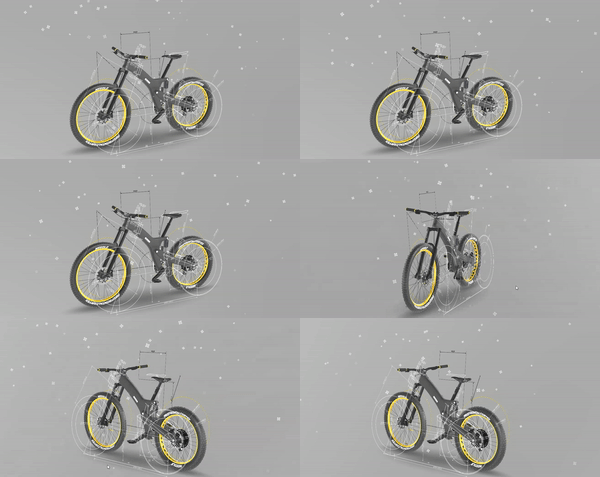
|
|
12777
|
+
*
|
|
12778
|
+
* **Modules:**
|
|
12779
|
+
* Configure particle behavior through modules like {@link EmissionModule}, {@link ShapeModule},
|
|
12780
|
+
* {@link ColorOverLifetimeModule}, {@link SizeOverLifetimeModule}, {@link VelocityOverLifetimeModule},
|
|
12781
|
+
* {@link NoiseModule}, and {@link TrailModule}.
|
|
12782
|
+
*
|
|
12783
|
+
* **Custom behaviors:**
|
|
12784
|
+
* Add custom particle behaviors by extending {@link ParticleSystemBaseBehaviour} and
|
|
12785
|
+
* calling `addBehaviour()`. This gives you full control over particle initialization and updates.
|
|
12786
|
+
*
|
|
12787
|
+
* **Performance:**
|
|
12788
|
+
* Particles are batched together for fast, performant rendering even on low-end devices.
|
|
12789
|
+
* Needle Engine uses [three.quarks](https://github.com/Alchemist0823/three.quarks) internally.
|
|
12790
|
+
*
|
|
12791
|
+
* @example Basic playback control
|
|
12792
|
+
* ```ts
|
|
12793
|
+
* const ps = myObject.getComponent(ParticleSystem);
|
|
12794
|
+
* ps.play();
|
|
12795
|
+
* ps.emit(10); // Emit 10 particles immediately
|
|
12796
|
+
* ps.pause();
|
|
12797
|
+
* ps.stop(true, true); // Stop and clear all particles
|
|
12798
|
+
* ```
|
|
11416
12799
|
*
|
|
11417
|
-
*
|
|
12800
|
+
* @example Custom particle behavior
|
|
12801
|
+
* ```ts
|
|
12802
|
+
* class GravityBehaviour extends ParticleSystemBaseBehaviour {
|
|
12803
|
+
* update(particle: Particle, delta: number) {
|
|
12804
|
+
* particle.velocity.y -= 9.8 * delta;
|
|
12805
|
+
* }
|
|
12806
|
+
* }
|
|
12807
|
+
* particleSystem.addBehaviour(new GravityBehaviour());
|
|
12808
|
+
* ```
|
|
11418
12809
|
*
|
|
11419
|
-
*
|
|
12810
|
+
* - Example: https://engine.needle.tools/samples/particles
|
|
12811
|
+
* - Example: https://engine.needle.tools/samples/particle-bursts
|
|
12812
|
+
* - Example: https://engine.needle.tools/samples/particles-on-collision
|
|
11420
12813
|
*
|
|
11421
12814
|
* @summary Handles the motion and rendering of many individual particles
|
|
11422
12815
|
* @category Rendering
|
|
11423
12816
|
* @group Components
|
|
12817
|
+
* @see {@link ParticleSystemBaseBehaviour} for custom particle behaviors
|
|
12818
|
+
* @see {@link EmissionModule} for emission configuration
|
|
12819
|
+
* @see {@link ShapeModule} for emission shape control
|
|
12820
|
+
* @see {@link TrailModule} for particle trails
|
|
12821
|
+
* @link https://engine.needle.tools/docs/features/particles.html
|
|
11424
12822
|
*/
|
|
11425
12823
|
export declare class ParticleSystem extends Component implements IParticleSystem {
|
|
11426
12824
|
play(includeChildren?: boolean): void;
|
|
@@ -11550,16 +12948,45 @@ export declare class OrbitControls extends Component implements ICameraControlle
|
|
|
11550
12948
|
SingleRow = 1
|
|
11551
12949
|
}
|
|
11552
12950
|
|
|
12951
|
+
/**
|
|
12952
|
+
* Base class for custom particle behaviors. Extend this to create custom particle logic.
|
|
12953
|
+
*
|
|
12954
|
+
* Override `initialize()` to set up per-particle state when particles spawn.
|
|
12955
|
+
* Override `update()` to modify particles each frame (position, velocity, color, size, etc.).
|
|
12956
|
+
* Override `frameUpdate()` for logic that runs once per frame (not per particle).
|
|
12957
|
+
*
|
|
12958
|
+
* @example Custom wind effect
|
|
12959
|
+
* ```ts
|
|
12960
|
+
* class WindBehaviour extends ParticleSystemBaseBehaviour {
|
|
12961
|
+
* windStrength = 2;
|
|
12962
|
+
* windDirection = new Vector3(1, 0, 0);
|
|
12963
|
+
*
|
|
12964
|
+
* update(particle: Particle, delta: number) {
|
|
12965
|
+
* particle.velocity.addScaledVector(this.windDirection, this.windStrength * delta);
|
|
12966
|
+
* }
|
|
12967
|
+
* }
|
|
12968
|
+
* ```
|
|
12969
|
+
*
|
|
12970
|
+
* @see {@link ParticleSystem.addBehaviour} to register your custom behavior
|
|
12971
|
+
* @link https://github.com/Alchemist0823/three.quarks
|
|
12972
|
+
*/
|
|
11553
12973
|
export declare abstract class ParticleSystemBaseBehaviour implements QParticleBehaviour {
|
|
12974
|
+
/** Reference to the particle system this behavior belongs to */
|
|
11554
12975
|
system: ParticleSystem;
|
|
12976
|
+
/** Access to the engine context for timing, input, etc. */
|
|
11555
12977
|
get context(): Context;
|
|
11556
12978
|
constructor(ps?: ParticleSystem);
|
|
12979
|
+
/** Behavior type identifier used by three.quarks */
|
|
11557
12980
|
type: string;
|
|
12981
|
+
/** Called once when a particle is spawned. Use to initialize per-particle state. */
|
|
11558
12982
|
initialize(_particle: QParticle): void;
|
|
12983
|
+
/** Called every frame for each active particle. Use to update particle properties. */
|
|
11559
12984
|
update(_particle: QParticle, _delta: number): void;
|
|
12985
|
+
/** Called once per frame before particle updates. Use for shared calculations. */
|
|
11560
12986
|
frameUpdate(_delta: number): void;
|
|
11561
12987
|
toJSON(): void;
|
|
11562
12988
|
clone(): QParticleBehaviour;
|
|
12989
|
+
/** Called when the particle system is reset. */
|
|
11563
12990
|
reset(): void;
|
|
11564
12991
|
}
|
|
11565
12992
|
|
|
@@ -11712,10 +13139,44 @@ export declare class OrbitControls extends Component implements ICameraControlle
|
|
|
11712
13139
|
private trySetupClient;
|
|
11713
13140
|
}
|
|
11714
13141
|
|
|
13142
|
+
/**
|
|
13143
|
+
* Provides physics utilities including raycasting and overlap detection.
|
|
13144
|
+
* Access via `this.context.physics` from any component.
|
|
13145
|
+
*
|
|
13146
|
+
* For physics engine features (rigidbodies, colliders, forces, etc.), use `this.context.physics.engine`.
|
|
13147
|
+
* The physics engine is {@link RapierPhysics}, which uses the Rapier physics library for realistic simulation.
|
|
13148
|
+
*
|
|
13149
|
+
* **Performance - Automatic MeshBVH:**
|
|
13150
|
+
* Needle Engine automatically uses [three-mesh-bvh](https://github.com/gkjohnson/three-mesh-bvh) to accelerate raycasting.
|
|
13151
|
+
* MeshBVH structures are generated automatically on web workers in the background, making raycasts significantly faster
|
|
13152
|
+
* without blocking the main thread. This happens transparently - you don't need to do anything to enable it.
|
|
13153
|
+
* While the BVH is being generated, raycasts fall back to standard three.js raycasting (configurable via `allowSlowRaycastFallback`).
|
|
13154
|
+
*
|
|
13155
|
+
* @example Raycasting from mouse position
|
|
13156
|
+
* ```ts
|
|
13157
|
+
* const hits = this.context.physics.raycast();
|
|
13158
|
+
* if (hits.length > 0) {
|
|
13159
|
+
* console.log("Hit:", hits[0].object.name);
|
|
13160
|
+
* }
|
|
13161
|
+
* ```
|
|
13162
|
+
* @example Raycasting with inline options
|
|
13163
|
+
* ```ts
|
|
13164
|
+
* const hits = this.context.physics.raycast({
|
|
13165
|
+
* maxDistance: 100, // Only hit objects within 100 units
|
|
13166
|
+
* layerMask: 1, // Only layer 0
|
|
13167
|
+
* ignore: [this.gameObject] // Ignore self
|
|
13168
|
+
* });
|
|
13169
|
+
* ```
|
|
13170
|
+
* @example Physics engine raycast (against colliders only)
|
|
13171
|
+
* ```ts
|
|
13172
|
+
* const hit = this.context.physics.engine?.raycast(origin, direction);
|
|
13173
|
+
* ```
|
|
13174
|
+
* @see {@link RapierPhysics} for physics engine implementation details
|
|
13175
|
+
*/
|
|
11715
13176
|
export declare class Physics {
|
|
11716
13177
|
private static _raycasting;
|
|
11717
13178
|
/**
|
|
11718
|
-
* Returns true if raycasting is currently
|
|
13179
|
+
* Returns true if raycasting is currently in progress
|
|
11719
13180
|
*/
|
|
11720
13181
|
static get raycasting(): boolean;
|
|
11721
13182
|
/**@deprecated use `this.context.physics.engine.raycast` {@link IPhysicsEngine.raycast} */
|
|
@@ -11818,44 +13279,115 @@ export declare class OrbitControls extends Component implements ICameraControlle
|
|
|
11818
13279
|
};
|
|
11819
13280
|
|
|
11820
13281
|
/**
|
|
11821
|
-
*
|
|
11822
|
-
* It
|
|
11823
|
-
*
|
|
11824
|
-
*
|
|
11825
|
-
*
|
|
11826
|
-
*
|
|
11827
|
-
|
|
11828
|
-
|
|
11829
|
-
|
|
11830
|
-
|
|
13282
|
+
* PlayableDirector is the main component for controlling timelines in Needle Engine.
|
|
13283
|
+
* It orchestrates playback of TimelineAssets containing animation, audio, signal,
|
|
13284
|
+
* control, and activation tracks.
|
|
13285
|
+
*
|
|
13286
|
+
* **Supported track types:**
|
|
13287
|
+
* - Animation tracks - animate objects using AnimationClips
|
|
13288
|
+
* - Audio tracks - play synchronized audio
|
|
13289
|
+
* - Activation tracks - show/hide objects at specific times
|
|
13290
|
+
* - Signal tracks - trigger events at specific points
|
|
13291
|
+
* - Control tracks - control nested timelines or prefab instances
|
|
13292
|
+
* - Marker tracks - add metadata and navigation points
|
|
13293
|
+
*
|
|
13294
|
+
* [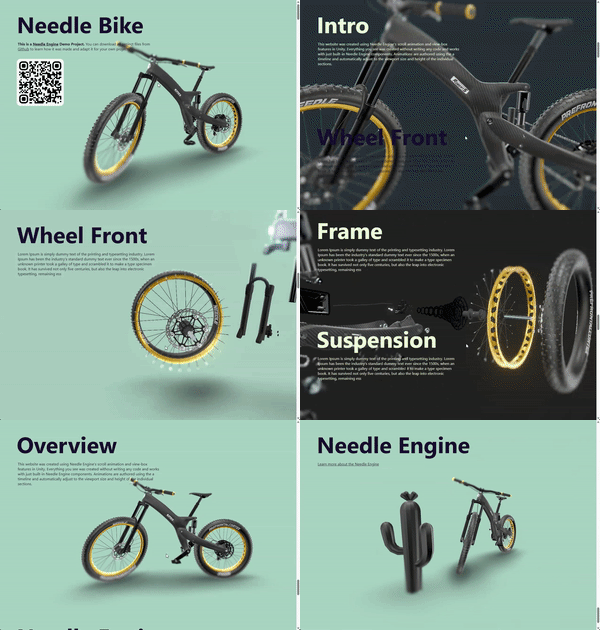](https://engine.needle.tools/samples/bike-scrollytelling-responsive-3d)
|
|
13295
|
+
*
|
|
13296
|
+
* [](https://app.songsofcultures.com/?scene=little-brother)
|
|
13297
|
+
*
|
|
13298
|
+
* **Playback control:**
|
|
13299
|
+
* Use `play()`, `pause()`, `stop()` for basic control.
|
|
13300
|
+
* Set `time` directly and call `evaluate()` for scrubbing.
|
|
13301
|
+
* Adjust `speed` for playback rate and `weight` for blending.
|
|
13302
|
+
*
|
|
13303
|
+
* @example Basic timeline playback
|
|
13304
|
+
* ```ts
|
|
13305
|
+
* const director = myObject.getComponent(PlayableDirector);
|
|
13306
|
+
* director.play();
|
|
13307
|
+
* // Jump to specific time
|
|
13308
|
+
* director.time = 2.5;
|
|
13309
|
+
* director.evaluate();
|
|
13310
|
+
* ```
|
|
13311
|
+
*
|
|
13312
|
+
* @example Control playback speed
|
|
13313
|
+
* ```ts
|
|
13314
|
+
* director.speed = 0.5; // Half speed
|
|
13315
|
+
* director.speed = -1; // Reverse playback
|
|
13316
|
+
* ```
|
|
13317
|
+
*
|
|
13318
|
+
* - Example: https://engine.needle.tools/samples-uploads/product-flyover/
|
|
13319
|
+
*
|
|
13320
|
+
* @summary Controls and plays TimelineAssets
|
|
13321
|
+
* @category Animation and Sequencing
|
|
13322
|
+
* @group Components
|
|
13323
|
+
* @see {@link Animator} for playing individual AnimationClips
|
|
13324
|
+
* @see {@link AudioSource} for standalone audio playback
|
|
13325
|
+
* @see {@link SignalReceiver} for handling timeline signals
|
|
13326
|
+
* @link https://engine.needle.tools/samples/?overlay=samples&tag=animation
|
|
13327
|
+
* @link https://app.songsofcultures.com/
|
|
13328
|
+
*/
|
|
13329
|
+
export declare class PlayableDirector extends Component {
|
|
13330
|
+
private static createTrackFunctions;
|
|
11831
13331
|
/**
|
|
11832
|
-
*
|
|
13332
|
+
* Register a function to create a track handler for a custom track type.
|
|
13333
|
+
* This allows you to extend the timeline system with your own track types and handlers.
|
|
13334
|
+
*/
|
|
13335
|
+
static registerCreateTrack(type: string, fn: CreateTrackFunction): void;
|
|
13336
|
+
/**
|
|
13337
|
+
* The timeline asset containing tracks, clips, and markers that this director will play.
|
|
13338
|
+
* Assign a timeline asset exported from Unity or Blender to enable playback.
|
|
11833
13339
|
*/
|
|
11834
13340
|
playableAsset?: Models.TimelineAssetModel;
|
|
11835
|
-
/**
|
|
13341
|
+
/**
|
|
13342
|
+
* When true, the timeline starts playing automatically when the component awakens.
|
|
13343
|
+
* Set to false to control playback manually via `play()`.
|
|
13344
|
+
* @default false
|
|
13345
|
+
*/
|
|
11836
13346
|
playOnAwake?: boolean;
|
|
11837
13347
|
/**
|
|
11838
13348
|
* Determines how the timeline behaves when it reaches the end of its duration.
|
|
11839
13349
|
* @default DirectorWrapMode.Loop
|
|
11840
13350
|
*/
|
|
11841
13351
|
extrapolationMode: DirectorWrapMode;
|
|
11842
|
-
/**
|
|
13352
|
+
/** Returns true if the timeline is currently playing (not paused or stopped). */
|
|
11843
13353
|
get isPlaying(): boolean;
|
|
11844
|
-
/**
|
|
13354
|
+
/** Returns true if the timeline is currently paused. */
|
|
11845
13355
|
get isPaused(): boolean;
|
|
11846
|
-
/**
|
|
13356
|
+
/**
|
|
13357
|
+
* The current playback time in seconds. Set this and call `evaluate()` to scrub.
|
|
13358
|
+
* @example Scrub to a specific time
|
|
13359
|
+
* ```ts
|
|
13360
|
+
* director.time = 5.0;
|
|
13361
|
+
* director.evaluate();
|
|
13362
|
+
* ```
|
|
13363
|
+
*/
|
|
11847
13364
|
get time(): number;
|
|
11848
13365
|
set time(value: number);
|
|
11849
|
-
/**
|
|
13366
|
+
/** The total duration of the timeline in seconds (read from the longest track/clip). */
|
|
11850
13367
|
get duration(): number;
|
|
11851
13368
|
set duration(value: number);
|
|
11852
|
-
/**
|
|
13369
|
+
/**
|
|
13370
|
+
* The blend weight of the timeline (0-1). Use values below 1 to blend
|
|
13371
|
+
* timeline animations with other animations like those from an Animator.
|
|
13372
|
+
*/
|
|
11853
13373
|
get weight(): number;
|
|
11854
13374
|
set weight(value: number);
|
|
11855
|
-
/**
|
|
13375
|
+
/**
|
|
13376
|
+
* The playback speed multiplier. Set to negative values for reverse playback.
|
|
13377
|
+
* @example Reverse playback at double speed
|
|
13378
|
+
* ```ts
|
|
13379
|
+
* director.speed = -2;
|
|
13380
|
+
* ```
|
|
13381
|
+
*/
|
|
11856
13382
|
get speed(): number;
|
|
11857
13383
|
set speed(value: number);
|
|
11858
|
-
/**
|
|
13384
|
+
/**
|
|
13385
|
+
* When true, `play()` will wait for audio tracks to load and for user interaction
|
|
13386
|
+
* before starting playback. Web browsers require user interaction (click/tap) before
|
|
13387
|
+
* allowing audio to play - this ensures audio is synchronized with the timeline.
|
|
13388
|
+
* Set to false if you need immediate visual playback and can tolerate audio delay.
|
|
13389
|
+
* @default true
|
|
13390
|
+
*/
|
|
11859
13391
|
waitForAudio: boolean;
|
|
11860
13392
|
private _visibilityChangeEvt?;
|
|
11861
13393
|
private _clonedPlayableAsset;
|
|
@@ -12211,6 +13743,12 @@ export declare class OrbitControls extends Component implements ICameraControlle
|
|
|
12211
13743
|
removePlayerView(id: string, device: ViewDevice): void;
|
|
12212
13744
|
}
|
|
12213
13745
|
|
|
13746
|
+
/**
|
|
13747
|
+
* Options for controlling animation playback via {@link Animation.play}.
|
|
13748
|
+
* All options are optional - defaults are sensible for most use cases.
|
|
13749
|
+
*
|
|
13750
|
+
* @see {@link Animation} for the component that uses these options
|
|
13751
|
+
*/
|
|
12214
13752
|
declare type PlayOptions = {
|
|
12215
13753
|
/**
|
|
12216
13754
|
* The fade duration in seconds for the action to fade in and other actions to fade out (if exclusive is enabled)
|
|
@@ -12340,10 +13878,17 @@ export declare class OrbitControls extends Component implements ICameraControlle
|
|
|
12340
13878
|
/** e.g. `pointerdown` */
|
|
12341
13879
|
declare type PointerEventNames = EnumToPrimitiveUnion<PointerEnumType>;
|
|
12342
13880
|
|
|
13881
|
+
/**
|
|
13882
|
+
* Types of pointer input devices supported by Needle Engine.
|
|
13883
|
+
*/
|
|
12343
13884
|
export declare const enum PointerType {
|
|
13885
|
+
/** Mouse or trackpad input */
|
|
12344
13886
|
Mouse = "mouse",
|
|
13887
|
+
/** Touch screen input */
|
|
12345
13888
|
Touch = "touch",
|
|
13889
|
+
/** XR controller input (e.g., VR controllers) */
|
|
12346
13890
|
Controller = "controller",
|
|
13891
|
+
/** XR hand tracking input */
|
|
12347
13892
|
Hand = "hand"
|
|
12348
13893
|
}
|
|
12349
13894
|
|
|
@@ -12700,6 +14245,82 @@ export declare class OrbitControls extends Component implements ICameraControlle
|
|
|
12700
14245
|
*/
|
|
12701
14246
|
export declare function randomNumber(min: number, max: number): number;
|
|
12702
14247
|
|
|
14248
|
+
/**
|
|
14249
|
+
* Rapier physics engine implementation for Needle Engine.
|
|
14250
|
+
*
|
|
14251
|
+
* Rapier is a fast, cross-platform physics engine that provides realistic physics simulation
|
|
14252
|
+
* for rigidbodies, colliders, joints, and collision detection. It runs entirely in WebAssembly
|
|
14253
|
+
* for high performance.
|
|
14254
|
+
*
|
|
14255
|
+
* **Features:**
|
|
14256
|
+
* - Rigidbody simulation (dynamic, kinematic, static)
|
|
14257
|
+
* - Multiple collider shapes (box, sphere, capsule, mesh, convex hull)
|
|
14258
|
+
* - Raycasting and shape overlap queries against physics colliders
|
|
14259
|
+
* - Collision and trigger events
|
|
14260
|
+
* - Joints (fixed, hinge, etc.)
|
|
14261
|
+
* - Continuous collision detection (CCD)
|
|
14262
|
+
* - Physics materials (friction, bounciness)
|
|
14263
|
+
*
|
|
14264
|
+
* **Access:**
|
|
14265
|
+
* The Rapier physics engine is accessible via `this.context.physics.engine` from any component.
|
|
14266
|
+
* Rapier is automatically initialized when physics components are used.
|
|
14267
|
+
*
|
|
14268
|
+
* **Using the Rapier Module Directly:**
|
|
14269
|
+
* Rapier is lazy-loaded for performance. You can access the raw Rapier module via {@link MODULES.RAPIER_PHYSICS}.
|
|
14270
|
+
* Use `MODULES.RAPIER_PHYSICS.load()` to load the module, or `MODULES.RAPIER_PHYSICS.ready()` to wait for it without triggering a load.
|
|
14271
|
+
* Once loaded, the module is available at `MODULES.RAPIER_PHYSICS.MODULE`.
|
|
14272
|
+
*
|
|
14273
|
+
* **Note:**
|
|
14274
|
+
* This is the low-level physics engine implementation. For general raycasting (against all scene objects),
|
|
14275
|
+
* use {@link Physics.raycast} instead. Use this class for physics-specific operations like applying forces,
|
|
14276
|
+
* raycasting against colliders only, or accessing the Rapier world directly.
|
|
14277
|
+
*
|
|
14278
|
+
* @example Applying forces to a rigidbody
|
|
14279
|
+
* ```ts
|
|
14280
|
+
* const rb = this.gameObject.getComponent(Rigidbody);
|
|
14281
|
+
* if (rb) {
|
|
14282
|
+
* this.context.physics.engine?.addForce(rb, { x: 0, y: 10, z: 0 }, true);
|
|
14283
|
+
* }
|
|
14284
|
+
* ```
|
|
14285
|
+
* @example Raycasting against physics colliders only
|
|
14286
|
+
* ```ts
|
|
14287
|
+
* const origin = { x: 0, y: 5, z: 0 };
|
|
14288
|
+
* const direction = { x: 0, y: -1, z: 0 };
|
|
14289
|
+
* const hit = this.context.physics.engine?.raycast(origin, direction);
|
|
14290
|
+
* if (hit) {
|
|
14291
|
+
* console.log("Hit collider:", hit.collider.name);
|
|
14292
|
+
* }
|
|
14293
|
+
* ```
|
|
14294
|
+
* @example Accessing Rapier world directly
|
|
14295
|
+
* ```ts
|
|
14296
|
+
* const rapierWorld = this.context.physics.engine?.world;
|
|
14297
|
+
* if (rapierWorld) {
|
|
14298
|
+
* // Direct access to Rapier API
|
|
14299
|
+
* console.log("Gravity:", rapierWorld.gravity);
|
|
14300
|
+
* }
|
|
14301
|
+
* ```
|
|
14302
|
+
* @example Using the Rapier module directly
|
|
14303
|
+
* ```ts
|
|
14304
|
+
* import { MODULES } from "@needle-tools/engine";
|
|
14305
|
+
*
|
|
14306
|
+
* // Load the Rapier module
|
|
14307
|
+
* const RAPIER = await MODULES.RAPIER_PHYSICS.load();
|
|
14308
|
+
*
|
|
14309
|
+
* // Now you can use Rapier types and create custom physics objects
|
|
14310
|
+
* const rigidBodyDesc = RAPIER.RigidBodyDesc.dynamic()
|
|
14311
|
+
* .setTranslation(0, 10, 0);
|
|
14312
|
+
*
|
|
14313
|
+
* // Or access the already-loaded module
|
|
14314
|
+
* if (MODULES.RAPIER_PHYSICS.MODULE) {
|
|
14315
|
+
* const colliderDesc = MODULES.RAPIER_PHYSICS.MODULE.ColliderDesc.ball(1.0);
|
|
14316
|
+
* }
|
|
14317
|
+
* ```
|
|
14318
|
+
* @see {@link Physics} for general raycasting and physics utilities
|
|
14319
|
+
* @see {@link MODULES.RAPIER_PHYSICS} for direct access to the Rapier module
|
|
14320
|
+
* @link https://rapier.rs/docs/ for Rapier documentation
|
|
14321
|
+
* @link https://engine.needle.tools/docs/reference/components.html#physics
|
|
14322
|
+
* @link https://engine.needle.tools/docs/how-to-guides/scripting/use-physics.html
|
|
14323
|
+
*/
|
|
12703
14324
|
export declare class RapierPhysics implements IPhysicsEngine {
|
|
12704
14325
|
debugRenderColliders: boolean;
|
|
12705
14326
|
debugRenderRaycasts: boolean;
|
|
@@ -12873,9 +14494,21 @@ export declare class OrbitControls extends Component implements ICameraControlle
|
|
|
12873
14494
|
protected onAfterCreated(): void;
|
|
12874
14495
|
}
|
|
12875
14496
|
|
|
12876
|
-
/**
|
|
12877
|
-
*
|
|
12878
|
-
*
|
|
14497
|
+
/**
|
|
14498
|
+
* Base class for raycasters that detect pointer interactions.
|
|
14499
|
+
* Derive from this class to create custom raycasting logic.
|
|
14500
|
+
*
|
|
14501
|
+
* **Built-in raycasters:**
|
|
14502
|
+
* - {@link ObjectRaycaster} - Raycasts against 3D objects
|
|
14503
|
+
* - {@link GraphicRaycaster} - Raycasts against UI elements
|
|
14504
|
+
* - {@link SpatialGrabRaycaster} - Sphere overlap for XR grab
|
|
14505
|
+
*
|
|
14506
|
+
* **Important:** If you override `awake`, `onEnable`, or `onDisable`,
|
|
14507
|
+
* call the base class methods to ensure proper registration with {@link EventSystem}.
|
|
14508
|
+
*
|
|
14509
|
+
* @category Interactivity
|
|
14510
|
+
* @group Components
|
|
14511
|
+
* @see {@link EventSystem} for the event dispatch system
|
|
12879
14512
|
*/
|
|
12880
14513
|
declare abstract class Raycaster_2 extends Component {
|
|
12881
14514
|
awake(): void;
|
|
@@ -12979,13 +14612,28 @@ export declare class OrbitControls extends Component implements ICameraControlle
|
|
|
12979
14612
|
}
|
|
12980
14613
|
|
|
12981
14614
|
/**
|
|
12982
|
-
*
|
|
14615
|
+
* ReflectionProbe provides environment reflection data to materials within its defined area.
|
|
14616
|
+
* Use for chrome-like materials that need accurate environment reflections.
|
|
14617
|
+
*
|
|
14618
|
+
* **Setup:**
|
|
14619
|
+
* 1. Add ReflectionProbe component to an object
|
|
14620
|
+
* 2. Assign a cubemap or HDR texture
|
|
14621
|
+
* 3. In Renderer components, assign the probe as anchor override
|
|
12983
14622
|
*
|
|
12984
|
-
* -
|
|
14623
|
+
* **Note:** Volume-based automatic assignment is not fully supported yet.
|
|
14624
|
+
* Objects (Renderer components) can explicitly reference their reflection probe.
|
|
14625
|
+
*
|
|
14626
|
+
* **Debug options:**
|
|
14627
|
+
* - `?debugreflectionprobe` - Log probe info
|
|
14628
|
+
* - `?noreflectionprobe` - Disable all reflection probes
|
|
14629
|
+
*
|
|
14630
|
+
* - Example: https://engine.needle.tools/samples/reflection-probes
|
|
12985
14631
|
*
|
|
12986
14632
|
* @summary Provides reflection data to materials
|
|
12987
14633
|
* @category Rendering
|
|
12988
14634
|
* @group Components
|
|
14635
|
+
* @see {@link Renderer} for material and rendering control
|
|
14636
|
+
* @see {@link Light} for scene lighting
|
|
12989
14637
|
*/
|
|
12990
14638
|
export declare class ReflectionProbe extends Component {
|
|
12991
14639
|
private static _probes;
|
|
@@ -13171,8 +14819,42 @@ export declare class OrbitControls extends Component implements ICameraControlle
|
|
|
13171
14819
|
export declare function removePatch(prototype: object, fieldName: string, prefixOrPostfix: Prefix | Postfix): void;
|
|
13172
14820
|
|
|
13173
14821
|
/**
|
|
14822
|
+
* Renderer controls rendering properties of meshes including materials,
|
|
14823
|
+
* lightmaps, reflection probes, and GPU instancing.
|
|
14824
|
+
*
|
|
14825
|
+
* **Materials:**
|
|
14826
|
+
* Access materials via `sharedMaterials` array. Changes affect all instances.
|
|
14827
|
+
* Use material cloning for per-instance variations.
|
|
14828
|
+
*
|
|
14829
|
+
* **Instancing:**
|
|
14830
|
+
* Enable GPU instancing for improved performance with many identical objects.
|
|
14831
|
+
* Use `Renderer.setInstanced(obj, true)` or `enableInstancing` property.
|
|
14832
|
+
*
|
|
14833
|
+
* **Lightmaps:**
|
|
14834
|
+
* Baked lighting is automatically applied when exported from Unity.
|
|
14835
|
+
* Access via the associated {@link RendererLightmap} component.
|
|
14836
|
+
*
|
|
14837
|
+
* **Debug options:**
|
|
14838
|
+
* - `?debugrenderer` - Log renderer info
|
|
14839
|
+
* - `?wireframe` - Show wireframe rendering
|
|
14840
|
+
* - `?noinstancing` - Disable GPU instancing
|
|
14841
|
+
*
|
|
14842
|
+
* @example Change material at runtime
|
|
14843
|
+
* ```ts
|
|
14844
|
+
* const renderer = myObject.getComponent(Renderer);
|
|
14845
|
+
* renderer.sharedMaterials[0] = newMaterial;
|
|
14846
|
+
* ```
|
|
14847
|
+
*
|
|
14848
|
+
* @example Enable instancing
|
|
14849
|
+
* ```ts
|
|
14850
|
+
* Renderer.setInstanced(myObject, true);
|
|
14851
|
+
* ```
|
|
14852
|
+
*
|
|
13174
14853
|
* @category Rendering
|
|
13175
14854
|
* @group Components
|
|
14855
|
+
* @see {@link ReflectionProbe} for environment reflections
|
|
14856
|
+
* @see {@link Light} for scene lighting
|
|
14857
|
+
* @see {@link LODGroup} for level of detail
|
|
13176
14858
|
*/
|
|
13177
14859
|
export declare class Renderer extends Component implements IRenderer {
|
|
13178
14860
|
/** Enable or disable instancing for an object. This will create a Renderer component if it does not exist yet.
|
|
@@ -13706,6 +15388,13 @@ export declare class OrbitControls extends Component implements ICameraControlle
|
|
|
13706
15388
|
* - [Needle Website](https://needle.tools)
|
|
13707
15389
|
* - [Songs Of Cultures](https://app.songsofcultures.com)
|
|
13708
15390
|
*
|
|
15391
|
+
* 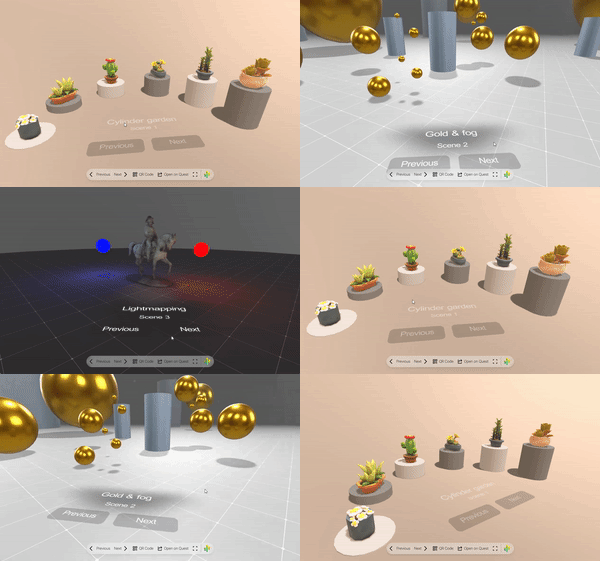
|
|
15392
|
+
* *Replace entire scenes with the SceneSwitcher.*
|
|
15393
|
+
*
|
|
15394
|
+
* 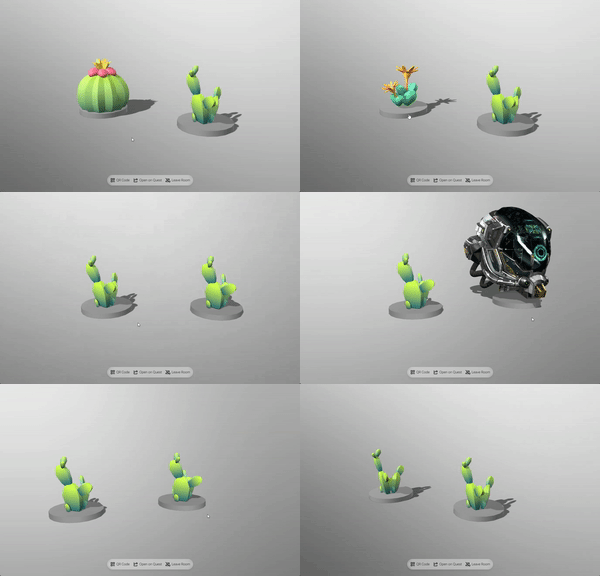
|
|
15395
|
+
* *Multiple SceneSwitcher components can be used at the same time and they can also be nested
|
|
15396
|
+
* (a scene loaded by a SceneSwitcher can also have a SceneSwitcher to load sub-scenes).*
|
|
15397
|
+
*
|
|
13709
15398
|
* ### Interfaces
|
|
13710
15399
|
* Use the {@link ISceneEventListener} interface to listen to scene open and closing events with the ability to modify transitions and stall the scene loading process.
|
|
13711
15400
|
*
|
|
@@ -13733,6 +15422,10 @@ export declare class OrbitControls extends Component implements ICameraControlle
|
|
|
13733
15422
|
* @summary Dynamically loads and switches between multiple scenes
|
|
13734
15423
|
* @category Asset Management
|
|
13735
15424
|
* @group Components
|
|
15425
|
+
* @see {@link ISceneEventListener} for scene transition callbacks
|
|
15426
|
+
* @see {@link AssetReference} for loading individual assets
|
|
15427
|
+
* @see {@link NestedGltf} for embedding static glTF content
|
|
15428
|
+
* @link https://engine.needle.tools/docs/how-to-guides/components/scene-switcher.html
|
|
13736
15429
|
*/
|
|
13737
15430
|
export declare class SceneSwitcher extends Component {
|
|
13738
15431
|
/** When enabled the first scene will be loaded when the SceneSwitcher becomes active
|
|
@@ -13933,17 +15626,49 @@ export declare class OrbitControls extends Component implements ICameraControlle
|
|
|
13933
15626
|
}
|
|
13934
15627
|
|
|
13935
15628
|
/**
|
|
13936
|
-
*
|
|
13937
|
-
*
|
|
15629
|
+
* ScreenCapture enables sharing screen, camera, or microphone with users in a networked room.
|
|
15630
|
+
* The stream is displayed via a {@link VideoPlayer} component on the same GameObject.
|
|
13938
15631
|
*
|
|
13939
|
-
*
|
|
15632
|
+
* **Supported capture devices:**
|
|
15633
|
+
* - `Screen` - Share desktop/window/tab
|
|
15634
|
+
* - `Camera` - Share webcam feed
|
|
15635
|
+
* - `Microphone` - Audio only
|
|
15636
|
+
* - `Canvas` - Share the 3D canvas (experimental)
|
|
13940
15637
|
*
|
|
13941
|
-
*
|
|
13942
|
-
*
|
|
15638
|
+
* 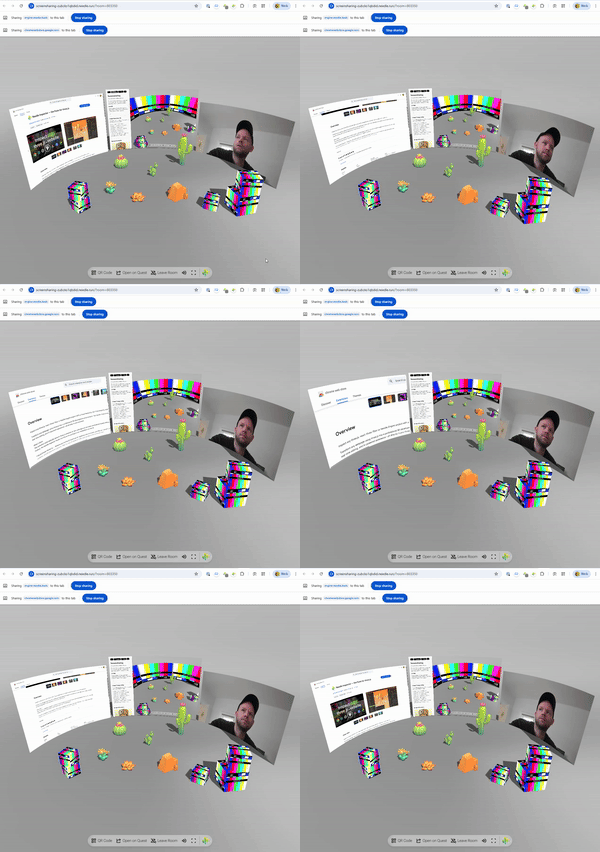
|
|
15639
|
+
*
|
|
15640
|
+
* **How it works:**
|
|
15641
|
+
* - Click the object to start/stop sharing (if `allowStartOnClick` is true)
|
|
15642
|
+
* - Or call `share()` / `close()` programmatically
|
|
15643
|
+
* - Stream is sent to all users in the same room via WebRTC
|
|
15644
|
+
* - Receiving clients see the video on their VideoPlayer
|
|
15645
|
+
*
|
|
15646
|
+
* **Debug:** Append `?debugscreensharing` to the URL for console logging.
|
|
15647
|
+
*
|
|
15648
|
+
* @example Start screen sharing programmatically
|
|
15649
|
+
* ```ts
|
|
15650
|
+
* const capture = myScreen.getComponent(ScreenCapture);
|
|
15651
|
+
* await capture?.share({ device: "Screen" });
|
|
15652
|
+
*
|
|
15653
|
+
* // Later, stop sharing
|
|
15654
|
+
* capture?.close();
|
|
15655
|
+
* ```
|
|
15656
|
+
*
|
|
15657
|
+
* @example Share webcam with constraints
|
|
15658
|
+
* ```ts
|
|
15659
|
+
* await capture?.share({
|
|
15660
|
+
* device: "Camera",
|
|
15661
|
+
* constraints: { width: 1280, height: 720 }
|
|
15662
|
+
* });
|
|
15663
|
+
* ```
|
|
13943
15664
|
*
|
|
13944
15665
|
* @summary Share screen, camera or microphone in a networked room
|
|
13945
15666
|
* @category Networking
|
|
13946
15667
|
* @group Components
|
|
15668
|
+
* @see {@link VideoPlayer} for displaying the received stream
|
|
15669
|
+
* @see {@link Voip} for voice-only communication
|
|
15670
|
+
* @see {@link SyncedRoom} for room management
|
|
15671
|
+
* @link https://engine.needle.tools/docs/networking.html
|
|
13947
15672
|
*/
|
|
13948
15673
|
export declare class ScreenCapture extends Component implements IPointerClickHandler {
|
|
13949
15674
|
/**
|
|
@@ -14490,8 +16215,34 @@ export declare class OrbitControls extends Component implements ICameraControlle
|
|
|
14490
16215
|
}
|
|
14491
16216
|
|
|
14492
16217
|
/**
|
|
14493
|
-
*
|
|
14494
|
-
*
|
|
16218
|
+
* Marks a field for serialization and editor exposure. Required for fields that reference
|
|
16219
|
+
* other objects, components, or assets. Primitive types (string, number, boolean) work without a type argument.
|
|
16220
|
+
*
|
|
16221
|
+
* @param type The constructor type for complex objects. Omit for primitives.
|
|
16222
|
+
*
|
|
16223
|
+
* @example Primitive types (no type needed)
|
|
16224
|
+
* ```ts
|
|
16225
|
+
* @serializable()
|
|
16226
|
+
* speed: number = 1;
|
|
16227
|
+
*
|
|
16228
|
+
* @serializable()
|
|
16229
|
+
* label: string = "Hello";
|
|
16230
|
+
* ```
|
|
16231
|
+
* @example Object references
|
|
16232
|
+
* ```ts
|
|
16233
|
+
* @serializable(Object3D)
|
|
16234
|
+
* target: Object3D | null = null;
|
|
16235
|
+
*
|
|
16236
|
+
* @serializable(Renderer)
|
|
16237
|
+
* myRenderer: Renderer | null = null;
|
|
16238
|
+
* ```
|
|
16239
|
+
* @example Arrays
|
|
16240
|
+
* ```ts
|
|
16241
|
+
* @serializable([Object3D])
|
|
16242
|
+
* waypoints: Object3D[] = [];
|
|
16243
|
+
* ```
|
|
16244
|
+
* @see {@link syncField} for automatic network synchronization
|
|
16245
|
+
* @link https://engine.needle.tools/docs/reference/typescript-decorators.html#serializable
|
|
14495
16246
|
*/
|
|
14496
16247
|
export declare const serializable: <T>(type?: Constructor<T> | TypeResolver<T> | (Constructor<any> | TypeResolver<T>)[] | null | undefined) => (_target: any, _propertyKey: string | {
|
|
14497
16248
|
name: string;
|
|
@@ -14915,11 +16666,54 @@ export declare class OrbitControls extends Component implements ICameraControlle
|
|
|
14915
16666
|
export declare function slerp(vec: Vector3, end: Vector3, t: number): Vector3;
|
|
14916
16667
|
|
|
14917
16668
|
/**
|
|
14918
|
-
* SmoothFollow makes
|
|
14919
|
-
*
|
|
14920
|
-
*
|
|
16669
|
+
* SmoothFollow makes this GameObject smoothly follow another target object's position and/or rotation.
|
|
16670
|
+
*
|
|
16671
|
+
* **Position Following:**
|
|
16672
|
+
* When enabled (`followFactor > 0`), this object will move towards the target's world position.
|
|
16673
|
+
* The object interpolates from its current position to the target's position each frame.
|
|
16674
|
+
* Use `positionAxes` to restrict following to specific axes (e.g., only horizontal movement).
|
|
16675
|
+
*
|
|
16676
|
+
* **Rotation Following:**
|
|
16677
|
+
* When enabled (`rotateFactor > 0`), this object will rotate to match the target's world rotation.
|
|
16678
|
+
* The object smoothly interpolates from its current rotation to the target's rotation each frame.
|
|
16679
|
+
* This makes the object face the same direction as the target, not look at it (use {@link LookAt} for that).
|
|
16680
|
+
*
|
|
16681
|
+
* **Smoothing:**
|
|
16682
|
+
* Both position and rotation use time-based interpolation (lerp/slerp).
|
|
16683
|
+
* Higher factor values = faster following (less lag), lower values = slower following (more lag).
|
|
16684
|
+
* Set a factor to 0 to disable that type of following entirely.
|
|
16685
|
+
*
|
|
16686
|
+
* **Common Use Cases:**
|
|
16687
|
+
* - Camera following a player character
|
|
16688
|
+
* - UI elements tracking world objects
|
|
16689
|
+
* - Delayed motion effects (ghost trails, spring arms)
|
|
16690
|
+
* - Smoothed object attachment
|
|
16691
|
+
*
|
|
16692
|
+
* @example Follow a target with smooth position
|
|
16693
|
+
* ```ts
|
|
16694
|
+
* const follower = myObject.addComponent(SmoothFollow);
|
|
16695
|
+
* follower.target = playerObject;
|
|
16696
|
+
* follower.followFactor = 5; // Higher = faster following
|
|
16697
|
+
* follower.rotateFactor = 0; // Don't follow rotation
|
|
16698
|
+
* ```
|
|
16699
|
+
*
|
|
16700
|
+
* @example Follow only on horizontal plane
|
|
16701
|
+
* ```ts
|
|
16702
|
+
* follower.positionAxes = Axes.X | Axes.Z; // Follow X and Z only (no vertical)
|
|
16703
|
+
* ```
|
|
16704
|
+
*
|
|
16705
|
+
* @example Follow both position and rotation
|
|
16706
|
+
* ```ts
|
|
16707
|
+
* follower.target = targetObject;
|
|
16708
|
+
* follower.followFactor = 3; // Smooth position following
|
|
16709
|
+
* follower.rotateFactor = 2; // Smooth rotation following
|
|
16710
|
+
* ```
|
|
16711
|
+
*
|
|
16712
|
+
* @summary Smoothly follows a target object's position and/or rotation
|
|
14921
16713
|
* @category Interactivity
|
|
14922
16714
|
* @group Components
|
|
16715
|
+
* @see {@link LookAtConstraint} for making an object look at a target (different from rotation following)
|
|
16716
|
+
* @see {@link Mathf} for the interpolation used
|
|
14923
16717
|
*/
|
|
14924
16718
|
export declare class SmoothFollow extends Component {
|
|
14925
16719
|
/**
|
|
@@ -14927,16 +16721,28 @@ export declare class OrbitControls extends Component implements ICameraControlle
|
|
|
14927
16721
|
*/
|
|
14928
16722
|
target: Object3D | null;
|
|
14929
16723
|
/**
|
|
14930
|
-
*
|
|
14931
|
-
*
|
|
16724
|
+
* Speed factor for position following.
|
|
16725
|
+
* Controls how quickly this object moves to match the target's position.
|
|
16726
|
+
* Higher values = faster/tighter following (less lag), lower = slower/looser (more lag).
|
|
16727
|
+
* Set to 0 to disable position following entirely.
|
|
16728
|
+
* @default 0.1
|
|
14932
16729
|
*/
|
|
14933
16730
|
followFactor: number;
|
|
14934
16731
|
/**
|
|
14935
|
-
*
|
|
14936
|
-
*
|
|
16732
|
+
* Speed factor for rotation following.
|
|
16733
|
+
* Controls how quickly this object rotates to match the target's rotation.
|
|
16734
|
+
* Higher values = faster/tighter following (less lag), lower = slower/looser (more lag).
|
|
16735
|
+
* Set to 0 to disable rotation following entirely.
|
|
16736
|
+
* @default 0.1
|
|
14937
16737
|
*/
|
|
14938
16738
|
rotateFactor: number;
|
|
16739
|
+
/**
|
|
16740
|
+
* Which position axes to follow. Use bitwise OR to combine:
|
|
16741
|
+
* `Axes.X | Axes.Y` follows only X and Y axes.
|
|
16742
|
+
* @default Axes.All
|
|
16743
|
+
*/
|
|
14939
16744
|
positionAxes: Axes;
|
|
16745
|
+
/** When true, rotates 180° around Y axis (useful for mirrored setups) */
|
|
14940
16746
|
flipForward: boolean;
|
|
14941
16747
|
private static _invertForward;
|
|
14942
16748
|
private _firstUpdate;
|
|
@@ -14944,6 +16750,10 @@ export declare class OrbitControls extends Component implements ICameraControlle
|
|
|
14944
16750
|
* Update the position and rotation of the GameObject to follow the target.
|
|
14945
16751
|
*/
|
|
14946
16752
|
onBeforeRender(): void;
|
|
16753
|
+
/**
|
|
16754
|
+
* Manually update the position/rotation to follow the target.
|
|
16755
|
+
* @param hard If true, snaps instantly to target without smoothing
|
|
16756
|
+
*/
|
|
14947
16757
|
updateNow(hard: boolean): void;
|
|
14948
16758
|
}
|
|
14949
16759
|
|
|
@@ -14953,10 +16763,19 @@ export declare class OrbitControls extends Component implements ICameraControlle
|
|
|
14953
16763
|
/* Excluded from this release type: Space */
|
|
14954
16764
|
|
|
14955
16765
|
/**
|
|
14956
|
-
*
|
|
16766
|
+
* SpatialGrabRaycaster enables direct grab interactions in VR/AR.
|
|
16767
|
+
* Uses sphere overlap detection around the controller/hand position
|
|
16768
|
+
* to allow grabbing objects by reaching into them.
|
|
16769
|
+
*
|
|
16770
|
+
* **Features:**
|
|
16771
|
+
* - Active only during XR sessions
|
|
16772
|
+
* - Can be globally disabled via `SpatialGrabRaycaster.allow`
|
|
16773
|
+
* - Works alongside ray-based interaction
|
|
14957
16774
|
*
|
|
14958
16775
|
* @category XR
|
|
14959
16776
|
* @group Components
|
|
16777
|
+
* @see {@link WebXR} for XR session management
|
|
16778
|
+
* @see {@link DragControls} for object manipulation
|
|
14960
16779
|
*/
|
|
14961
16780
|
export declare class SpatialGrabRaycaster extends Raycaster_2 {
|
|
14962
16781
|
/**
|
|
@@ -14983,9 +16802,33 @@ export declare class OrbitControls extends Component implements ICameraControlle
|
|
|
14983
16802
|
|
|
14984
16803
|
/**
|
|
14985
16804
|
* A spatial trigger component that detects objects within a box-shaped area.
|
|
14986
|
-
* Used to trigger events when objects enter, stay in, or exit the defined area
|
|
16805
|
+
* Used to trigger events when objects enter, stay in, or exit the defined area.
|
|
16806
|
+
*
|
|
16807
|
+
* The trigger area is defined by the GameObject's bounding box (uses {@link BoxHelperComponent}).
|
|
16808
|
+
* Objects with {@link SpatialTriggerReceiver} components are tested against this area.
|
|
16809
|
+
*
|
|
16810
|
+
* **Mask system:** Both trigger and receiver have a `triggerMask` - they only interact
|
|
16811
|
+
* when their masks have overlapping bits set. This allows selective triggering.
|
|
16812
|
+
*
|
|
16813
|
+
* **Debug:** Use `?debugspatialtrigger` URL parameter to visualize trigger zones.
|
|
16814
|
+
*
|
|
16815
|
+
* @example Create a pickup zone
|
|
16816
|
+
* ```ts
|
|
16817
|
+
* // On the pickup zone object
|
|
16818
|
+
* const trigger = pickupZone.addComponent(SpatialTrigger);
|
|
16819
|
+
* trigger.triggerMask = 1; // Layer 1 for pickups
|
|
16820
|
+
*
|
|
16821
|
+
* // On the player
|
|
16822
|
+
* const receiver = player.addComponent(SpatialTriggerReceiver);
|
|
16823
|
+
* receiver.triggerMask = 1; // Match the pickup layer
|
|
16824
|
+
* ```
|
|
16825
|
+
*
|
|
16826
|
+
* @summary Define a trigger zone that detects entering objects
|
|
14987
16827
|
* @category Interactivity
|
|
14988
16828
|
* @group Components
|
|
16829
|
+
* @see {@link SpatialTriggerReceiver} for objects that respond to triggers
|
|
16830
|
+
* @see {@link BoxHelperComponent} for the underlying box used to define the trigger area
|
|
16831
|
+
* @link https://engine.needle.tools/samples/spatial-triggers/
|
|
14989
16832
|
*/
|
|
14990
16833
|
export declare class SpatialTrigger extends Component {
|
|
14991
16834
|
/** Global registry of all active spatial triggers in the scene */
|
|
@@ -15035,9 +16878,32 @@ export declare class OrbitControls extends Component implements ICameraControlle
|
|
|
15035
16878
|
/**
|
|
15036
16879
|
* Component that receives and responds to spatial events, like entering or exiting a trigger zone.
|
|
15037
16880
|
* Used in conjunction with {@link SpatialTrigger} to create interactive spatial events.
|
|
16881
|
+
*
|
|
16882
|
+
* Place this on objects that should react when entering trigger zones. The receiver checks
|
|
16883
|
+
* against all active SpatialTriggers each frame and fires events when intersections change.
|
|
16884
|
+
*
|
|
16885
|
+
* Events can be connected via {@link EventList} in the editor or listened to in code.
|
|
16886
|
+
*
|
|
16887
|
+
* @example Listen to trigger events
|
|
16888
|
+
* ```ts
|
|
16889
|
+
* export class DoorTrigger extends Behaviour {
|
|
16890
|
+
* @serializable(SpatialTriggerReceiver)
|
|
16891
|
+
* receiver?: SpatialTriggerReceiver;
|
|
16892
|
+
*
|
|
16893
|
+
* start() {
|
|
16894
|
+
* this.receiver?.onEnter?.addEventListener(() => {
|
|
16895
|
+
* console.log("Player entered door zone");
|
|
16896
|
+
* });
|
|
16897
|
+
* }
|
|
16898
|
+
* }
|
|
16899
|
+
* ```
|
|
16900
|
+
*
|
|
15038
16901
|
* @summary Receives spatial trigger events
|
|
15039
16902
|
* @category Interactivity
|
|
15040
16903
|
* @group Components
|
|
16904
|
+
* @see {@link SpatialTrigger} for defining trigger zones
|
|
16905
|
+
* @see {@link EventList} for event handling
|
|
16906
|
+
* @link https://engine.needle.tools/samples/spatial-triggers/
|
|
15041
16907
|
*/
|
|
15042
16908
|
export declare class SpatialTriggerReceiver extends Component {
|
|
15043
16909
|
/**
|
|
@@ -15075,14 +16941,32 @@ export declare class OrbitControls extends Component implements ICameraControlle
|
|
|
15075
16941
|
}
|
|
15076
16942
|
|
|
15077
16943
|
/**
|
|
15078
|
-
*
|
|
15079
|
-
*
|
|
16944
|
+
* SpectatorCamera enables following and spectating other users in networked sessions.
|
|
16945
|
+
* Switch between first-person (see what they see) and third-person (orbit around them) views.
|
|
16946
|
+
*
|
|
16947
|
+
* **Keyboard controls** (when `useKeys = true`):
|
|
16948
|
+
* - `F` - Request all users to follow the local player
|
|
16949
|
+
* - `ESC` - Stop spectating
|
|
16950
|
+
*
|
|
16951
|
+
* **Spectator modes:**
|
|
16952
|
+
* - `FirstPerson` - View from the followed player's perspective
|
|
16953
|
+
* - `ThirdPerson` - Freely orbit around the followed player
|
|
15080
16954
|
*
|
|
15081
|
-
* Debug
|
|
16955
|
+
* **Debug:** Use `?debugspectator` URL parameter for logging.
|
|
16956
|
+
*
|
|
16957
|
+
* @example Start spectating a user
|
|
16958
|
+
* ```ts
|
|
16959
|
+
* const spectator = camera.getComponent(SpectatorCamera);
|
|
16960
|
+
* spectator.follow(targetUserId);
|
|
16961
|
+
* spectator.mode = SpectatorMode.ThirdPerson;
|
|
16962
|
+
* ```
|
|
15082
16963
|
*
|
|
15083
16964
|
* @summary Spectator camera for following other users
|
|
15084
16965
|
* @category Networking
|
|
15085
16966
|
* @group Components
|
|
16967
|
+
* @see {@link SpectatorMode} for view options
|
|
16968
|
+
* @see {@link SyncedRoom} for networked sessions
|
|
16969
|
+
* @see {@link OrbitControls} for third-person orbit
|
|
15086
16970
|
*/
|
|
15087
16971
|
export declare class SpectatorCamera extends Component {
|
|
15088
16972
|
/** Reference to the Camera component on this GameObject */
|
|
@@ -15187,14 +17071,25 @@ export declare class OrbitControls extends Component implements ICameraControlle
|
|
|
15187
17071
|
|
|
15188
17072
|
/**
|
|
15189
17073
|
* SphereCollider represents a sphere-shaped collision volume.
|
|
15190
|
-
*
|
|
17074
|
+
* Efficient and suitable for balls, projectiles, or approximate collision bounds.
|
|
17075
|
+
*
|
|
17076
|
+
* 
|
|
17077
|
+
*
|
|
17078
|
+
* @example Create a bouncing ball
|
|
17079
|
+
* ```ts
|
|
17080
|
+
* const sphere = ball.addComponent(SphereCollider);
|
|
17081
|
+
* sphere.radius = 0.5;
|
|
17082
|
+
* const rb = ball.addComponent(Rigidbody);
|
|
17083
|
+
* rb.mass = 1;
|
|
17084
|
+
* ```
|
|
15191
17085
|
*
|
|
15192
17086
|
* - Example: https://samples.needle.tools/physics-basic
|
|
15193
|
-
* - Example: https://samples.needle.tools/physics-playground
|
|
15194
|
-
* - Example: https://samples.needle.tools/physics-&-animation
|
|
15195
17087
|
*
|
|
17088
|
+
* @summary Sphere-shaped physics collider
|
|
15196
17089
|
* @category Physics
|
|
15197
17090
|
* @group Components
|
|
17091
|
+
* @see {@link Collider} for base collider functionality
|
|
17092
|
+
* @see {@link CapsuleCollider} for elongated sphere shapes
|
|
15198
17093
|
*/
|
|
15199
17094
|
export declare class SphereCollider extends Collider implements ISphereCollider {
|
|
15200
17095
|
/**
|
|
@@ -15587,11 +17482,20 @@ export declare class OrbitControls extends Component implements ICameraControlle
|
|
|
15587
17482
|
|
|
15588
17483
|
/* Excluded from this release type: SubEmitterSystem */
|
|
15589
17484
|
|
|
17485
|
+
/**
|
|
17486
|
+
* Defines when a sub-emitter spawns particles relative to the parent particle's lifecycle.
|
|
17487
|
+
* Used to create complex effects like explosions on impact or trails following particles.
|
|
17488
|
+
*/
|
|
15590
17489
|
declare enum SubEmitterType {
|
|
17490
|
+
/** Sub-emitter triggers when the parent particle is born */
|
|
15591
17491
|
Birth = 0,
|
|
17492
|
+
/** Sub-emitter triggers when the parent particle collides */
|
|
15592
17493
|
Collision = 1,
|
|
17494
|
+
/** Sub-emitter triggers when the parent particle dies */
|
|
15593
17495
|
Death = 2,
|
|
17496
|
+
/** Sub-emitter triggers when the parent particle enters a trigger zone */
|
|
15594
17497
|
Trigger = 3,
|
|
17498
|
+
/** Sub-emitter is triggered manually via code */
|
|
15595
17499
|
Manual = 4
|
|
15596
17500
|
}
|
|
15597
17501
|
|
|
@@ -15664,9 +17568,15 @@ export declare class OrbitControls extends Component implements ICameraControlle
|
|
|
15664
17568
|
* myObject.addComponent(SyncedRoom, { joinRandomRoom: true, roomPrefix: "myApp_" });
|
|
15665
17569
|
* ```
|
|
15666
17570
|
*
|
|
17571
|
+
* **Debug:** Use `?debugsyncedroom` URL parameter for logging.
|
|
17572
|
+
*
|
|
15667
17573
|
* @summary Joins a networked room based on URL parameters or a random room
|
|
15668
17574
|
* @category Networking
|
|
15669
17575
|
* @group Components
|
|
17576
|
+
* @see {@link SyncedTransform} for synchronizing object transforms
|
|
17577
|
+
* @see {@link Voip} for voice communication in rooms
|
|
17578
|
+
* @see {@link ScreenCapture} for screen/video sharing
|
|
17579
|
+
* @link https://engine.needle.tools/docs/networking.html
|
|
15670
17580
|
*/
|
|
15671
17581
|
export declare class SyncedRoom extends Component {
|
|
15672
17582
|
/**
|
|
@@ -15744,12 +17654,48 @@ export declare class OrbitControls extends Component implements ICameraControlle
|
|
|
15744
17654
|
}
|
|
15745
17655
|
|
|
15746
17656
|
/**
|
|
15747
|
-
* SyncedTransform synchronizes
|
|
15748
|
-
*
|
|
17657
|
+
* SyncedTransform synchronizes position and rotation of a GameObject across the network.
|
|
17658
|
+
* When users interact with an object (e.g., via {@link DragControls}), they automatically
|
|
17659
|
+
* take ownership and their changes are broadcast to other users.
|
|
17660
|
+
*
|
|
17661
|
+
* **Features:**
|
|
17662
|
+
* - Automatic ownership transfer when interacting
|
|
17663
|
+
* - Smooth interpolation of remote updates
|
|
17664
|
+
* - Physics integration (can override kinematic state)
|
|
17665
|
+
* - Fast mode for rapidly moving objects
|
|
17666
|
+
*
|
|
17667
|
+
* **Requirements:**
|
|
17668
|
+
* - Active network connection via {@link SyncedRoom}
|
|
17669
|
+
* - Objects must have unique GUIDs (set automatically in Unity/Blender export)
|
|
17670
|
+
*
|
|
17671
|
+
* **Ownership:**
|
|
17672
|
+
* This component uses {@link OwnershipModel} internally to manage object ownership.
|
|
17673
|
+
* Only the client that owns an object can send transform updates. Use `requestOwnership()`
|
|
17674
|
+
* before modifying the transform, or check `hasOwnership()` to see if you can modify it.
|
|
17675
|
+
*
|
|
17676
|
+
* **Debug:** Use `?debugsync` URL parameter for logging.
|
|
17677
|
+
*
|
|
17678
|
+
* @example Basic networked object
|
|
17679
|
+
* ```ts
|
|
17680
|
+
* // Add to any object you want synced
|
|
17681
|
+
* const sync = myObject.addComponent(SyncedTransform);
|
|
17682
|
+
* sync.fastMode = true; // For fast-moving objects
|
|
17683
|
+
*
|
|
17684
|
+
* // Request ownership before modifying
|
|
17685
|
+
* sync.requestOwnership();
|
|
17686
|
+
* myObject.position.x += 1;
|
|
17687
|
+
* ```
|
|
17688
|
+
*
|
|
17689
|
+
* - Example: https://engine.needle.tools/samples/collaborative-sandbox
|
|
15749
17690
|
*
|
|
15750
17691
|
* @summary Synchronizes object transform over the network with ownership management
|
|
15751
17692
|
* @category Networking
|
|
15752
17693
|
* @group Components
|
|
17694
|
+
* @see {@link SyncedRoom} for room/session management
|
|
17695
|
+
* @see {@link OwnershipModel} for ownership management details
|
|
17696
|
+
* @see {@link DragControls} for interactive dragging with sync
|
|
17697
|
+
* @see {@link Duplicatable} for networked object spawning
|
|
17698
|
+
* @link https://engine.needle.tools/docs/networking.html
|
|
15753
17699
|
*/
|
|
15754
17700
|
export declare class SyncedTransform extends Component {
|
|
15755
17701
|
/** When true, overrides physics behavior when this object is owned by the local user */
|
|
@@ -15774,22 +17720,35 @@ export declare class OrbitControls extends Component implements ICameraControlle
|
|
|
15774
17720
|
/**
|
|
15775
17721
|
* Requests ownership of this object on the network.
|
|
15776
17722
|
* You need to be connected to a room for this to work.
|
|
17723
|
+
* Call this before modifying the object's transform to ensure your changes are synchronized.
|
|
17724
|
+
*
|
|
17725
|
+
* @example
|
|
17726
|
+
* ```ts
|
|
17727
|
+
* // Request ownership before modifying
|
|
17728
|
+
* syncedTransform.requestOwnership();
|
|
17729
|
+
* this.gameObject.position.y += 1;
|
|
17730
|
+
* ```
|
|
17731
|
+
* @see {@link OwnershipModel.requestOwnership} for more details
|
|
15777
17732
|
*/
|
|
15778
17733
|
requestOwnership(): void;
|
|
15779
17734
|
/**
|
|
15780
17735
|
* Free ownership of this object on the network.
|
|
15781
17736
|
* You need to be connected to a room for this to work.
|
|
15782
17737
|
* This will also be called automatically when the component is disabled.
|
|
17738
|
+
* Call this when you're done modifying an object to allow other users to interact with it.
|
|
17739
|
+
* @see {@link OwnershipModel.freeOwnership} for more details
|
|
15783
17740
|
*/
|
|
15784
17741
|
freeOwnership(): void;
|
|
15785
17742
|
/**
|
|
15786
|
-
* Checks if this client has ownership of the object
|
|
15787
|
-
* @returns true if this client has ownership, false if not, undefined if ownership state is unknown
|
|
17743
|
+
* Checks if this client has ownership of the object.
|
|
17744
|
+
* @returns `true` if this client has ownership, `false` if not, `undefined` if ownership state is unknown
|
|
17745
|
+
* @see {@link OwnershipModel.hasOwnership} for more details
|
|
15788
17746
|
*/
|
|
15789
17747
|
hasOwnership(): boolean | undefined;
|
|
15790
17748
|
/**
|
|
15791
|
-
* Checks if the object is owned by any client
|
|
15792
|
-
* @returns true if the object is owned, false if not, undefined if ownership state is unknown
|
|
17749
|
+
* Checks if the object is owned by any client (local or remote).
|
|
17750
|
+
* @returns `true` if the object is owned, `false` if not, `undefined` if ownership state is unknown
|
|
17751
|
+
* @see {@link OwnershipModel.isOwned} for more details
|
|
15793
17752
|
*/
|
|
15794
17753
|
isOwned(): boolean | undefined;
|
|
15795
17754
|
private joinedRoomCallback;
|
|
@@ -15816,15 +17775,42 @@ export declare class OrbitControls extends Component implements ICameraControlle
|
|
|
15816
17775
|
}
|
|
15817
17776
|
|
|
15818
17777
|
/**
|
|
15819
|
-
*
|
|
15820
|
-
*
|
|
15821
|
-
*
|
|
17778
|
+
* Marks a field for automatic network synchronization across connected clients.
|
|
17779
|
+
* When a synced field changes, the new value is automatically broadcast to all users in the room.
|
|
17780
|
+
*
|
|
17781
|
+
* Primitives (string, number, boolean) sync automatically.
|
|
17782
|
+
* For arrays/objects, reassign to trigger sync: `this.myArray = this.myArray`
|
|
17783
|
+
*
|
|
17784
|
+
* @param onFieldChanged Optional callback when the field changes (locally or from network).
|
|
17785
|
+
* Return `false` to prevent syncing this change to others.
|
|
15822
17786
|
*
|
|
15823
|
-
* @
|
|
15824
|
-
*
|
|
15825
|
-
*
|
|
15826
|
-
*
|
|
15827
|
-
*
|
|
17787
|
+
* @example Basic sync
|
|
17788
|
+
* ```ts
|
|
17789
|
+
* class MyComponent extends Behaviour {
|
|
17790
|
+
* @syncField() playerScore: number = 0;
|
|
17791
|
+
* }
|
|
17792
|
+
* ```
|
|
17793
|
+
* @example With change callback
|
|
17794
|
+
* ```ts
|
|
17795
|
+
* class MyComponent extends Behaviour {
|
|
17796
|
+
* @syncField("onHealthChanged") health: number = 100;
|
|
17797
|
+
*
|
|
17798
|
+
* onHealthChanged(newValue: number, oldValue: number) {
|
|
17799
|
+
* console.log(`Health: ${oldValue} → ${newValue}`);
|
|
17800
|
+
* }
|
|
17801
|
+
* }
|
|
17802
|
+
* ```
|
|
17803
|
+
* @example Preventing sync (one-way)
|
|
17804
|
+
* ```ts
|
|
17805
|
+
* class MyComponent extends Behaviour {
|
|
17806
|
+
* @syncField(function(newVal, oldVal) {
|
|
17807
|
+
* // Process incoming value but don't sync our changes
|
|
17808
|
+
* return false;
|
|
17809
|
+
* }) serverControlled: string = "";
|
|
17810
|
+
* }
|
|
17811
|
+
* ```
|
|
17812
|
+
* @see {@link serializable} for editor serialization
|
|
17813
|
+
* @link https://engine.needle.tools/docs/how-to-guides/networking/
|
|
15828
17814
|
*/
|
|
15829
17815
|
export declare const syncField: (onFieldChanged?: string | FieldChangedCallbackFn | undefined | null) => (target: any, _propertyKey: string | {
|
|
15830
17816
|
name: string;
|
|
@@ -15853,11 +17839,30 @@ export declare class OrbitControls extends Component implements ICameraControlle
|
|
|
15853
17839
|
declare type Target = USDObject | USDObject[] | Object3D | Object3D[];
|
|
15854
17840
|
|
|
15855
17841
|
/**
|
|
15856
|
-
*
|
|
15857
|
-
*
|
|
17842
|
+
* Marks a GameObject as a valid teleportation target for VR locomotion.
|
|
17843
|
+
* Add this component to objects or surfaces where users should be able to teleport.
|
|
17844
|
+
*
|
|
17845
|
+
* **Usage:**
|
|
17846
|
+
* - Add to floor surfaces, platforms, or designated teleport spots
|
|
17847
|
+
* - Works with {@link XRControllerMovement} component's teleport system
|
|
17848
|
+
* - Can be used to restrict teleportation to specific areas
|
|
17849
|
+
*
|
|
17850
|
+
* **Setup:**
|
|
17851
|
+
* 1. Add this component to GameObjects that should be teleport destinations
|
|
17852
|
+
* 2. Configure {@link XRControllerMovement} to use teleport targets (optional)
|
|
17853
|
+
* 3. Test teleportation in VR mode
|
|
17854
|
+
*
|
|
17855
|
+
* @example
|
|
17856
|
+
* ```ts
|
|
17857
|
+
* // Make a platform teleportable
|
|
17858
|
+
* const platform = myPlatform.addComponent(TeleportTarget);
|
|
17859
|
+
* ```
|
|
15858
17860
|
*
|
|
17861
|
+
* @summary Marker component for valid VR teleportation destinations
|
|
15859
17862
|
* @category XR
|
|
15860
17863
|
* @group Components
|
|
17864
|
+
* @see {@link XRControllerMovement} for VR locomotion and teleport configuration
|
|
17865
|
+
* @see {@link WebXR} for general WebXR setup
|
|
15861
17866
|
*/
|
|
15862
17867
|
export declare class TeleportTarget extends Component {
|
|
15863
17868
|
}
|
|
@@ -15891,11 +17896,33 @@ export declare class OrbitControls extends Component implements ICameraControlle
|
|
|
15891
17896
|
/* Excluded from this release type: TestSimulateUserData */
|
|
15892
17897
|
|
|
15893
17898
|
/**
|
|
15894
|
-
* Text
|
|
17899
|
+
* Text displays text content in the UI. Supports custom fonts, colors,
|
|
17900
|
+
* alignment, and basic rich text formatting.
|
|
17901
|
+
*
|
|
17902
|
+
* **Text properties:**
|
|
17903
|
+
* - `text` - The string content to display
|
|
17904
|
+
* - `fontSize` - Size of the text in pixels
|
|
17905
|
+
* - `color` - Text color (inherited from Graphic)
|
|
17906
|
+
* - `alignment` - Text anchor position (UpperLeft, MiddleCenter, etc.)
|
|
17907
|
+
*
|
|
17908
|
+
* **Fonts:**
|
|
17909
|
+
* Set the `font` property to a URL pointing to a font file.
|
|
17910
|
+
* Supports MSDF (Multi-channel Signed Distance Field) fonts for crisp rendering.
|
|
17911
|
+
*
|
|
17912
|
+
* @example Update text at runtime
|
|
17913
|
+
* ```ts
|
|
17914
|
+
* const text = myLabel.getComponent(Text);
|
|
17915
|
+
* text.text = "Score: " + score;
|
|
17916
|
+
* text.fontSize = 24;
|
|
17917
|
+
* text.color = new RGBAColor(1, 1, 1, 1);
|
|
17918
|
+
* ```
|
|
15895
17919
|
*
|
|
15896
17920
|
* @summary Display text in the UI
|
|
15897
17921
|
* @category User Interface
|
|
15898
17922
|
* @group Components
|
|
17923
|
+
* @see {@link Canvas} for the UI root
|
|
17924
|
+
* @see {@link TextAnchor} for alignment options
|
|
17925
|
+
* @see {@link FontStyle} for bold/italic styles
|
|
15899
17926
|
*/
|
|
15900
17927
|
declare class Text_2 extends Graphic implements IHasAlphaFactor, ICanvasEventReceiver {
|
|
15901
17928
|
alignment: TextAnchor_2;
|
|
@@ -16068,8 +18095,23 @@ export declare class OrbitControls extends Component implements ICameraControlle
|
|
|
16068
18095
|
}
|
|
16069
18096
|
|
|
16070
18097
|
/**
|
|
16071
|
-
*
|
|
16072
|
-
*
|
|
18098
|
+
* Provides time-related information for frame-based game logic.
|
|
18099
|
+
* Access via `this.context.time` from any component.
|
|
18100
|
+
*
|
|
18101
|
+
* @example Using deltaTime for frame-rate independent movement
|
|
18102
|
+
* ```ts
|
|
18103
|
+
* update() {
|
|
18104
|
+
* // Move 1 unit per second regardless of frame rate
|
|
18105
|
+
* this.gameObject.position.x += 1 * this.context.time.deltaTime;
|
|
18106
|
+
* }
|
|
18107
|
+
* ```
|
|
18108
|
+
* @example Checking elapsed time
|
|
18109
|
+
* ```ts
|
|
18110
|
+
* start() {
|
|
18111
|
+
* console.log(`Time since start: ${this.context.time.time}s`);
|
|
18112
|
+
* console.log(`Current frame: ${this.context.time.frameCount}`);
|
|
18113
|
+
* }
|
|
18114
|
+
* ```
|
|
16073
18115
|
*/
|
|
16074
18116
|
export declare class Time implements ITime {
|
|
16075
18117
|
/** The time in seconds since the start of Needle Engine. */
|
|
@@ -16083,7 +18125,12 @@ export declare class OrbitControls extends Component implements ICameraControlle
|
|
|
16083
18125
|
/** The time in seconds it took to complete the last frame (Read Only). Timescale is not applied. */
|
|
16084
18126
|
get deltaTimeUnscaled(): number;
|
|
16085
18127
|
private _deltaTimeUnscaled;
|
|
16086
|
-
/**
|
|
18128
|
+
/**
|
|
18129
|
+
* The scale at which time passes. Default is 1.
|
|
18130
|
+
* - Values < 1 create slow motion (e.g. 0.5 = half speed)
|
|
18131
|
+
* - Values > 1 speed up time (e.g. 2 = double speed)
|
|
18132
|
+
* - Value of 0 effectively pauses time-dependent logic
|
|
18133
|
+
*/
|
|
16087
18134
|
timeScale: number;
|
|
16088
18135
|
/** same as frameCount */
|
|
16089
18136
|
get frame(): number;
|
|
@@ -16280,12 +18327,39 @@ export declare class OrbitControls extends Component implements ICameraControlle
|
|
|
16280
18327
|
}
|
|
16281
18328
|
|
|
16282
18329
|
/**
|
|
16283
|
-
* TransformGizmo displays manipulation controls for translating, rotating, and scaling objects
|
|
16284
|
-
*
|
|
18330
|
+
* TransformGizmo displays manipulation controls for translating, rotating, and scaling objects.
|
|
18331
|
+
* Wraps three.js {@link TransformControls} with keyboard shortcuts and snapping support.
|
|
18332
|
+
*
|
|
18333
|
+
* **Keyboard shortcuts:**
|
|
18334
|
+
* - `W` - Translate mode
|
|
18335
|
+
* - `E` - Rotate mode
|
|
18336
|
+
* - `R` - Scale mode
|
|
18337
|
+
* - `Q` - Toggle local/world space
|
|
18338
|
+
* - `Shift` (hold) - Enable grid snapping
|
|
18339
|
+
* - `+/-` - Adjust gizmo size
|
|
18340
|
+
* - `X/Y/Z` - Toggle axis visibility
|
|
18341
|
+
* - `Space` - Toggle controls enabled
|
|
18342
|
+
*
|
|
18343
|
+
* **Snapping:**
|
|
18344
|
+
* Configure grid snapping with `translationSnap`, `rotationSnapAngle`, and `scaleSnap`.
|
|
16285
18345
|
*
|
|
16286
|
-
*
|
|
18346
|
+
* **Networking:**
|
|
18347
|
+
* Automatically works with {@link SyncedTransform} for multiplayer editing.
|
|
18348
|
+
*
|
|
18349
|
+
* @example Add transform gizmo to an object
|
|
18350
|
+
* ```ts
|
|
18351
|
+
* const gizmo = editableObject.addComponent(TransformGizmo);
|
|
18352
|
+
* gizmo.translationSnap = 0.5; // Snap to 0.5 unit grid
|
|
18353
|
+
* gizmo.rotationSnapAngle = 45; // Snap to 45° increments
|
|
18354
|
+
* ```
|
|
18355
|
+
*
|
|
18356
|
+
* @summary Object manipulation gizmo for translate/rotate/scale
|
|
16287
18357
|
* @category Helpers
|
|
16288
18358
|
* @group Components
|
|
18359
|
+
* @see {@link DragControls} for simpler drag-only interaction
|
|
18360
|
+
* @see {@link SyncedTransform} for network synchronization
|
|
18361
|
+
* @see {@link OrbitControls} - automatically disabled during gizmo drag
|
|
18362
|
+
* @link https://threejs.org/docs/index.html#examples/en/controls/TransformControls for underlying three.js controls and additional features
|
|
16289
18363
|
*/
|
|
16290
18364
|
export declare class TransformGizmo extends Component {
|
|
16291
18365
|
/**
|
|
@@ -16504,8 +18578,23 @@ export declare class OrbitControls extends Component implements ICameraControlle
|
|
|
16504
18578
|
}
|
|
16505
18579
|
|
|
16506
18580
|
/**
|
|
16507
|
-
*
|
|
16508
|
-
*
|
|
18581
|
+
* UsageMarker indicates an object is currently being interacted with.
|
|
18582
|
+
* Components like {@link DragControls} add this to prevent accidental deletion
|
|
18583
|
+
* by {@link DeleteBox} while the user is dragging.
|
|
18584
|
+
*
|
|
18585
|
+
* @example Check if object is in use
|
|
18586
|
+
* ```ts
|
|
18587
|
+
* const marker = object.getComponent(UsageMarker);
|
|
18588
|
+
* if (marker?.isUsed) {
|
|
18589
|
+
* console.log("Object is being used by:", marker.usedBy);
|
|
18590
|
+
* }
|
|
18591
|
+
* ```
|
|
18592
|
+
*
|
|
18593
|
+
* @summary Marks object as currently being interacted with
|
|
18594
|
+
* @category Interactivity
|
|
18595
|
+
* @group Components
|
|
18596
|
+
* @see {@link DeleteBox} respects this marker
|
|
18597
|
+
* @see {@link DragControls} adds this during drag
|
|
16509
18598
|
*/
|
|
16510
18599
|
export declare class UsageMarker extends Component {
|
|
16511
18600
|
isUsed: boolean;
|
|
@@ -16604,22 +18693,56 @@ export declare class OrbitControls extends Component implements ICameraControlle
|
|
|
16604
18693
|
}
|
|
16605
18694
|
|
|
16606
18695
|
/**
|
|
16607
|
-
*
|
|
16608
|
-
*
|
|
16609
|
-
*
|
|
16610
|
-
*
|
|
16611
|
-
*
|
|
16612
|
-
*
|
|
16613
|
-
*
|
|
16614
|
-
*
|
|
16615
|
-
*
|
|
16616
|
-
*
|
|
16617
|
-
*
|
|
16618
|
-
*
|
|
18696
|
+
* USDZExporter creates USDZ files and opens them in Apple QuickLook on iOS/iPadOS/visionOS.
|
|
18697
|
+
* Enables "View in AR" functionality for Apple devices directly from web experiences.
|
|
18698
|
+
*
|
|
18699
|
+
* **Key features:**
|
|
18700
|
+
* - Auto-exports animations and audio sources
|
|
18701
|
+
* - Interactive behaviors via Needle's "Everywhere Actions" system
|
|
18702
|
+
* - RealityKit physics support (iOS 18+, visionOS 1+)
|
|
18703
|
+
* - Custom QuickLook overlay with call-to-action buttons
|
|
18704
|
+
* - Progressive texture/mesh LOD handling
|
|
18705
|
+
*
|
|
18706
|
+
* [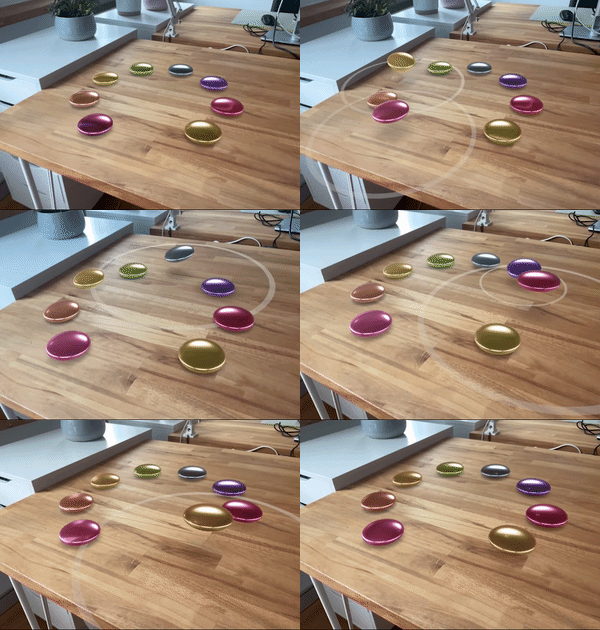](https://engine.needle.tools/samples/?overlay=samples&tag=usdz)
|
|
18707
|
+
*
|
|
18708
|
+
* **Automatic setup:**
|
|
18709
|
+
* - Creates QuickLook button on compatible devices
|
|
18710
|
+
* - Respects {@link XRFlag} for AR-specific visibility
|
|
18711
|
+
* - Handles {@link WebARSessionRoot} scale
|
|
18712
|
+
*
|
|
18713
|
+
* **Custom extensions:**
|
|
18714
|
+
* Add custom behaviors by implementing {@link IUSDExporterExtension} and adding to {@link extensions} array.
|
|
18715
|
+
*
|
|
18716
|
+
* **Debug:** Use `?debugusdz` URL parameter. Press 'T' to trigger export.
|
|
18717
|
+
*
|
|
18718
|
+
* @example Basic USDZ export
|
|
18719
|
+
* ```ts
|
|
18720
|
+
* const exporter = myObject.addComponent(USDZExporter);
|
|
18721
|
+
* exporter.objectToExport = productModel;
|
|
18722
|
+
* exporter.autoExportAnimations = true;
|
|
18723
|
+
* exporter.interactive = true; // Enable QuickLook behaviors
|
|
18724
|
+
*
|
|
18725
|
+
* // Trigger export
|
|
18726
|
+
* await exporter.exportAndOpen();
|
|
18727
|
+
* ```
|
|
18728
|
+
*
|
|
18729
|
+
* @example Custom branding
|
|
18730
|
+
* ```ts
|
|
18731
|
+
* exporter.customBranding = {
|
|
18732
|
+
* callToAction: "Buy Now",
|
|
18733
|
+
* checkoutTitle: "Product Name",
|
|
18734
|
+
* callToActionURL: "https://shop.example.com"
|
|
18735
|
+
* };
|
|
16619
18736
|
* ```
|
|
16620
|
-
*
|
|
18737
|
+
*
|
|
18738
|
+
* @summary Export 3D objects as USDZ files for Apple QuickLook AR
|
|
16621
18739
|
* @category XR
|
|
16622
18740
|
* @group Components
|
|
18741
|
+
* @see {@link WebXR} for WebXR-based AR/VR
|
|
18742
|
+
* @see {@link WebARSessionRoot} for AR placement and scaling
|
|
18743
|
+
* @see {@link XRFlag} for AR-specific object visibility
|
|
18744
|
+
* @see {@link CustomBranding} for QuickLook overlay customization
|
|
18745
|
+
* @link https://engine.needle.tools/samples/?overlay=samples&tag=usdz
|
|
16623
18746
|
*/
|
|
16624
18747
|
export declare class USDZExporter extends Component {
|
|
16625
18748
|
/** Called before the USDZ file is exported */
|
|
@@ -16805,7 +18928,37 @@ export declare class OrbitControls extends Component implements ICameraControlle
|
|
|
16805
18928
|
userId: string;
|
|
16806
18929
|
}
|
|
16807
18930
|
|
|
16808
|
-
/**
|
|
18931
|
+
/**
|
|
18932
|
+
* Marks a field to trigger the `onValidate` callback when its value changes.
|
|
18933
|
+
* Useful for reacting to property changes from the editor or at runtime.
|
|
18934
|
+
*
|
|
18935
|
+
* Your component must implement `onValidate(property?: string)` to receive notifications.
|
|
18936
|
+
*
|
|
18937
|
+
* @param set Optional custom setter called before the value is assigned
|
|
18938
|
+
* @param get Optional custom getter called when the value is read
|
|
18939
|
+
*
|
|
18940
|
+
* @example Basic usage
|
|
18941
|
+
* ```ts
|
|
18942
|
+
* export class MyComponent extends Behaviour {
|
|
18943
|
+
* @serializable()
|
|
18944
|
+
* @validate()
|
|
18945
|
+
* color: Color = new Color(1, 0, 0);
|
|
18946
|
+
*
|
|
18947
|
+
* onValidate(property?: string) {
|
|
18948
|
+
* if (property === "color") {
|
|
18949
|
+
* console.log("Color changed to:", this.color);
|
|
18950
|
+
* }
|
|
18951
|
+
* }
|
|
18952
|
+
* }
|
|
18953
|
+
* ```
|
|
18954
|
+
* @example With custom setter
|
|
18955
|
+
* ```ts
|
|
18956
|
+
* @validate(function(value) {
|
|
18957
|
+
* console.log("Setting speed to", value);
|
|
18958
|
+
* })
|
|
18959
|
+
* speed: number = 1;
|
|
18960
|
+
* ```
|
|
18961
|
+
*/
|
|
16809
18962
|
export declare const validate: (set?: setter, get?: getter) => (target: IComponent | any, propertyKey: string, descriptor?: undefined) => void;
|
|
16810
18963
|
|
|
16811
18964
|
declare type ValidLoaderReturnType = CustomModel | Object3D | BufferGeometry;
|
|
@@ -16929,18 +19082,45 @@ export declare class OrbitControls extends Component implements ICameraControlle
|
|
|
16929
19082
|
}
|
|
16930
19083
|
|
|
16931
19084
|
/**
|
|
16932
|
-
*
|
|
16933
|
-
*
|
|
16934
|
-
*
|
|
16935
|
-
*
|
|
19085
|
+
* VideoPlayer plays video clips from URLs, media streams, or HLS playlists (m3u8 livestreams).
|
|
19086
|
+
*
|
|
19087
|
+
* **Supported formats:**
|
|
19088
|
+
* - Standard video files (MP4, WebM, etc.)
|
|
19089
|
+
* - Media streams (from webcam, screen capture, etc.)
|
|
19090
|
+
* - HLS playlists (m3u8) for livestreaming
|
|
19091
|
+
*
|
|
19092
|
+
* 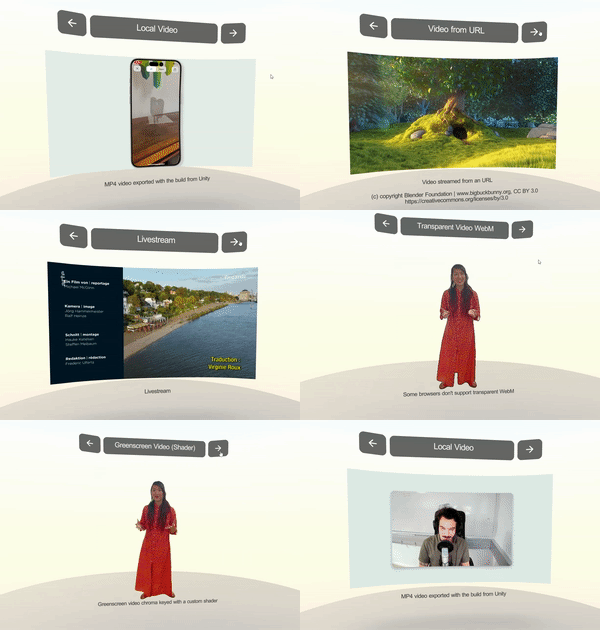
|
|
19093
|
+
*
|
|
19094
|
+
* **Rendering modes:**
|
|
19095
|
+
* Video can be rendered to a material texture, render texture, or camera planes.
|
|
19096
|
+
* Set `targetMaterialRenderer` to apply video to a specific mesh's material.
|
|
19097
|
+
*
|
|
19098
|
+
* **Browser autoplay:**
|
|
19099
|
+
* Videos may require user interaction to play with audio.
|
|
19100
|
+
* Set `playOnAwake = true` for automatic playback (muted if needed).
|
|
19101
|
+
*
|
|
19102
|
+
* @example Basic video playback
|
|
19103
|
+
* ```ts
|
|
16936
19104
|
* const videoPlayer = addComponent(obj, VideoPlayer, {
|
|
16937
|
-
*
|
|
16938
|
-
*
|
|
19105
|
+
* url: "https://example.com/video.mp4",
|
|
19106
|
+
* playOnAwake: true,
|
|
19107
|
+
* loop: true,
|
|
16939
19108
|
* });
|
|
16940
19109
|
* ```
|
|
19110
|
+
*
|
|
19111
|
+
* @example Play video on a 3D surface
|
|
19112
|
+
* ```ts
|
|
19113
|
+
* const video = myScreen.getComponent(VideoPlayer);
|
|
19114
|
+
* video.targetMaterialRenderer = myScreen.getComponent(Renderer);
|
|
19115
|
+
* video.play();
|
|
19116
|
+
* ```
|
|
19117
|
+
*
|
|
16941
19118
|
* @summary Plays video clips from URLs or streams
|
|
16942
19119
|
* @category Multimedia
|
|
16943
19120
|
* @group Components
|
|
19121
|
+
* @see {@link AudioSource} for audio-only playback
|
|
19122
|
+
* @see {@link ScreenCapture} for capturing and sharing video
|
|
19123
|
+
* @see {@link Renderer} for video texture targets
|
|
16944
19124
|
*/
|
|
16945
19125
|
export declare class VideoPlayer extends Component {
|
|
16946
19126
|
/**
|
|
@@ -17193,11 +19373,42 @@ export declare class OrbitControls extends Component implements ICameraControlle
|
|
|
17193
19373
|
/* Excluded from this release type: VisibilityMode */
|
|
17194
19374
|
|
|
17195
19375
|
/**
|
|
17196
|
-
*
|
|
17197
|
-
*
|
|
19376
|
+
* Voice over IP (VoIP) component for real-time audio communication between users.
|
|
19377
|
+
* Allows sending and receiving audio streams in networked rooms.
|
|
19378
|
+
*
|
|
19379
|
+
* **Requirements:**
|
|
19380
|
+
* - Active network connection (via {@link SyncedRoom} or manual connection)
|
|
19381
|
+
* - User permission for microphone access (requested automatically)
|
|
19382
|
+
* - HTTPS connection (required for WebRTC)
|
|
19383
|
+
*
|
|
19384
|
+
* **Features:**
|
|
19385
|
+
* - Automatic connection when joining rooms (`autoConnect`)
|
|
19386
|
+
* - Background audio support (`runInBackground`)
|
|
19387
|
+
* - Optional UI toggle button (`createMenuButton`)
|
|
19388
|
+
* - Mute/unmute control
|
|
19389
|
+
*
|
|
19390
|
+
* **Debug:** Use `?debugvoip` URL parameter or set `debug = true` for logging.
|
|
19391
|
+
* Press 'v' to toggle mute, 'c' to connect/disconnect when debugging.
|
|
19392
|
+
*
|
|
19393
|
+
* @example Enable VoIP in your scene
|
|
19394
|
+
* ```ts
|
|
19395
|
+
* const voip = myObject.addComponent(Voip);
|
|
19396
|
+
* voip.autoConnect = true;
|
|
19397
|
+
* voip.createMenuButton = true;
|
|
19398
|
+
*
|
|
19399
|
+
* // Manual control
|
|
19400
|
+
* voip.connect(); // Start sending audio
|
|
19401
|
+
* voip.disconnect(); // Stop sending
|
|
19402
|
+
* voip.setMuted(true); // Mute microphone
|
|
19403
|
+
* ```
|
|
19404
|
+
*
|
|
17198
19405
|
* @summary Voice over IP for networked audio communication
|
|
17199
19406
|
* @category Networking
|
|
17200
19407
|
* @group Components
|
|
19408
|
+
* @see {@link SyncedRoom} for room management
|
|
19409
|
+
* @see {@link NetworkedStreams} for the underlying streaming
|
|
19410
|
+
* @see {@link ScreenCapture} for video streaming
|
|
19411
|
+
* @link https://engine.needle.tools/docs/networking.html
|
|
17201
19412
|
*/
|
|
17202
19413
|
export declare class Voip extends Component {
|
|
17203
19414
|
/** When enabled, VoIP will start when a room is joined or when this component is enabled while already in a room.
|
|
@@ -17552,11 +19763,12 @@ export declare class OrbitControls extends Component implements ICameraControlle
|
|
|
17552
19763
|
declare type WebsocketSendType = IModel | object | boolean | null | string | number;
|
|
17553
19764
|
|
|
17554
19765
|
/**
|
|
17555
|
-
* Use the WebXR component to enable VR and AR on iOS and Android in your scene. VisionOS support is also provided via QuickLook USDZ export.
|
|
19766
|
+
* Use the WebXR component to enable VR and AR on **iOS and Android** in your scene. VisionOS support is also provided via QuickLook USDZ export.
|
|
17556
19767
|
*
|
|
17557
19768
|
* The WebXR component is a simple to use wrapper around the {@link NeedleXRSession} API and adds some additional features like creating buttons for AR, VR, enabling default movement behaviour ({@link XRControllerMovement}) and controller rendering ({@link XRControllerModel}), as well as handling AR placement and Quicklook USDZ export.
|
|
17558
19769
|
*
|
|
17559
|
-
*
|
|
19770
|
+
* 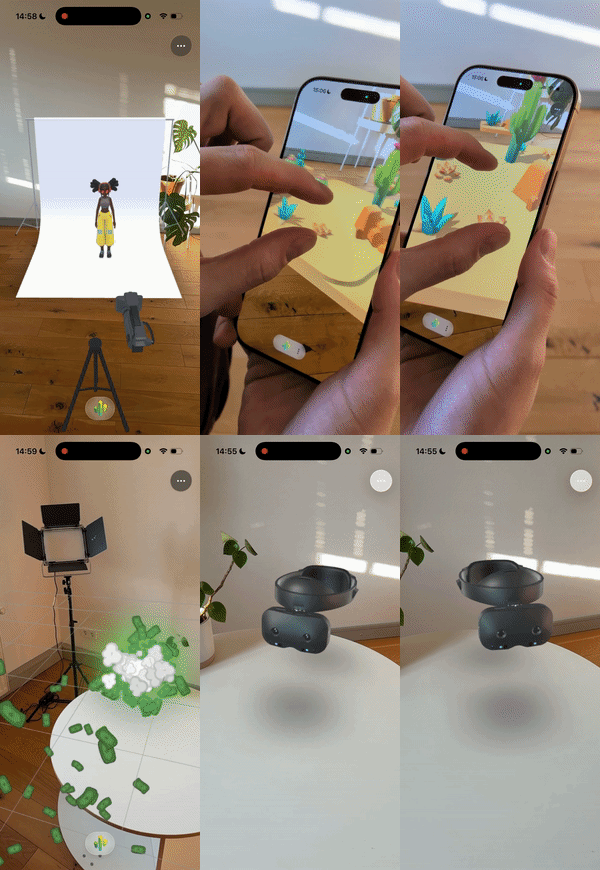
|
|
19771
|
+
*
|
|
17560
19772
|
*
|
|
17561
19773
|
* @example Enable VR and AR support using code
|
|
17562
19774
|
* ```ts
|
|
@@ -17583,6 +19795,13 @@ export declare class OrbitControls extends Component implements ICameraControlle
|
|
|
17583
19795
|
* @summary WebXR Component for VR and AR support
|
|
17584
19796
|
* @category XR
|
|
17585
19797
|
* @group Components
|
|
19798
|
+
* @see {@link NeedleXRSession} for low-level XR API
|
|
19799
|
+
* @see {@link XRControllerMovement} for VR locomotion
|
|
19800
|
+
* @see {@link WebARSessionRoot} for AR session configuration
|
|
19801
|
+
* @see {@link Avatar} for networked user avatars
|
|
19802
|
+
* @link https://engine.needle.tools/docs/xr.html
|
|
19803
|
+
* @link https://engine.needle.tools/samples/?overlay=samples&tag=xr
|
|
19804
|
+
* @link https://engine.needle.tools/samples/collaborative-sandbox
|
|
17586
19805
|
*/
|
|
17587
19806
|
export declare class WebXR extends Component {
|
|
17588
19807
|
/**
|
|
@@ -17822,47 +20041,175 @@ export declare class OrbitControls extends Component implements ICameraControlle
|
|
|
17822
20041
|
}
|
|
17823
20042
|
|
|
17824
20043
|
/**
|
|
17825
|
-
*
|
|
20044
|
+
* Create powerful AR image tracking experiences with just a few lines of code!
|
|
20045
|
+
* WebXRImageTracking makes it incredibly easy to detect marker images in the real world and anchor 3D content to them.
|
|
20046
|
+
* Needle Engine automatically handles all the complexity across different platforms and fallback modes for you.
|
|
20047
|
+
*
|
|
20048
|
+
* [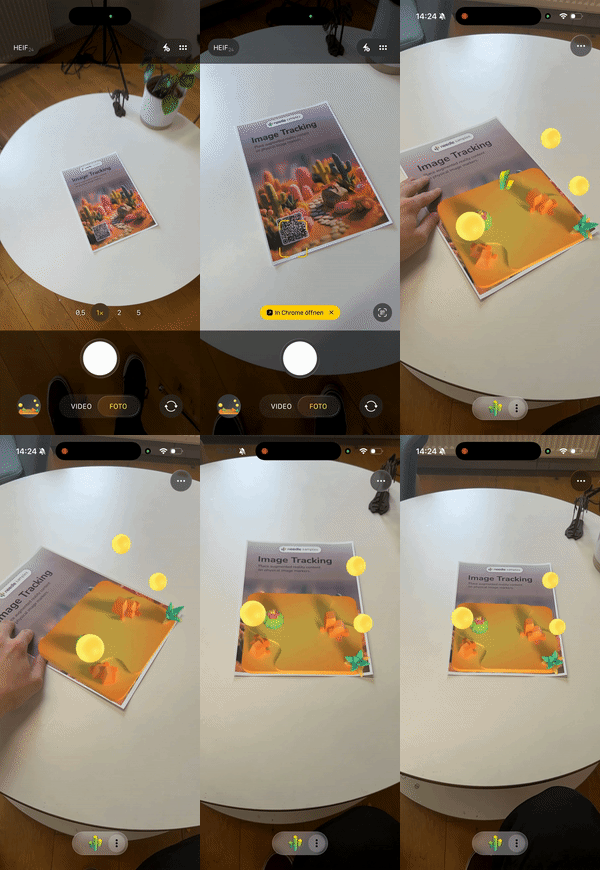](https://engine.needle.tools/samples/image-tracking)
|
|
20049
|
+
*
|
|
20050
|
+
* **What makes Needle Engine special:**
|
|
20051
|
+
* - **Write once, run everywhere**: The same code works across iOS, Android, and visionOS
|
|
20052
|
+
* - **Automatic platform optimization**: Seamlessly switches between WebXR, ARKit, and QuickLook
|
|
20053
|
+
* - **Flexible deployment options**: From full WebXR with unlimited markers to QuickLook fallback
|
|
20054
|
+
* - **Production ready**: Battle-tested tracking with adaptive smoothing and stability features
|
|
20055
|
+
*
|
|
20056
|
+
* **Platform Support & Options:**
|
|
20057
|
+
* - **iOS (WebXR via AppClip)**: Full WebXR support - track unlimited markers simultaneously via native ARKit!
|
|
20058
|
+
* - **iOS (QuickLook mode)**: Instant AR without app installation - perfect for quick demos (tracks first marker)
|
|
20059
|
+
* - **Android (WebXR)**: Native WebXR Image Tracking API - unlimited markers (requires browser flag during early access)
|
|
20060
|
+
* - **visionOS (QuickLook)**: Spatial image anchoring with Apple's AR QuickLook
|
|
20061
|
+
*
|
|
20062
|
+
* **Simple 3-Step Setup:**
|
|
20063
|
+
* 1. Add this component to any GameObject in your scene
|
|
20064
|
+
* 2. Configure your markers in the `trackedImages` array:
|
|
20065
|
+
* - `image`: URL to your marker image
|
|
20066
|
+
* - `widthInMeters`: Physical size of your printed marker
|
|
20067
|
+
* - `object`: The 3D content to display
|
|
20068
|
+
* 3. Export and test - Needle handles the rest!
|
|
20069
|
+
*
|
|
20070
|
+
* **Pro Tips for Best Results:**
|
|
20071
|
+
* - Use high-contrast markers with unique features for reliable tracking
|
|
20072
|
+
* - Match `widthInMeters` to your actual physical marker size for accurate positioning
|
|
20073
|
+
* - Enable `imageDoesNotMove` for wall posters or floor markers - significantly improves stability
|
|
20074
|
+
* - Use `smooth` (enabled by default) for professional-looking, jitter-free tracking
|
|
20075
|
+
* - Test with different marker sizes and lighting - Needle's adaptive tracking handles various conditions
|
|
20076
|
+
*
|
|
20077
|
+
* 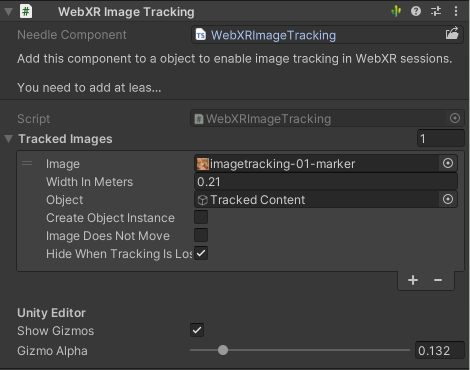
|
|
20078
|
+
* *WebXRImageTracking component in Unity Editor*
|
|
20079
|
+
*
|
|
20080
|
+
* 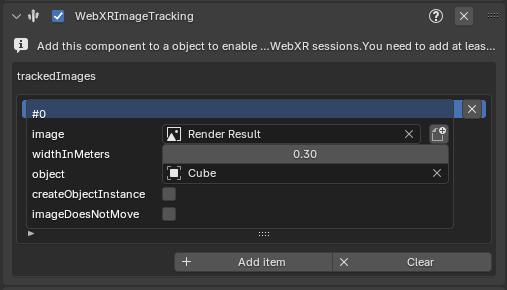
|
|
20081
|
+
* *WebXRImageTracking panel/component in Blender*
|
|
20082
|
+
*
|
|
20083
|
+
* @example Getting started - it's this easy!
|
|
20084
|
+
* ```ts
|
|
20085
|
+
* // Just add markers and Needle handles everything else
|
|
20086
|
+
* const imageTracking = myObject.addComponent(WebXRImageTracking);
|
|
20087
|
+
* const marker = new WebXRImageTrackingModel({
|
|
20088
|
+
* url: "https://example.com/my-poster.png",
|
|
20089
|
+
* widthInMeters: 0.3, // 30cm poster
|
|
20090
|
+
* object: my3DContent
|
|
20091
|
+
* });
|
|
20092
|
+
* imageTracking.addImage(marker);
|
|
20093
|
+
* // Done! Works on iOS, Android, and visionOS automatically
|
|
20094
|
+
* ```
|
|
17826
20095
|
*
|
|
17827
|
-
*
|
|
20096
|
+
* @example Track multiple markers (WebXR mode)
|
|
20097
|
+
* ```ts
|
|
20098
|
+
* const imageTracking = myObject.addComponent(WebXRImageTracking);
|
|
17828
20099
|
*
|
|
17829
|
-
*
|
|
20100
|
+
* // In WebXR mode (iOS AppClip, Android), all markers work simultaneously!
|
|
20101
|
+
* const productBox = new WebXRImageTrackingModel({ url: "product-box.png", widthInMeters: 0.15, object: productInfo });
|
|
20102
|
+
* const businessCard = new WebXRImageTrackingModel({ url: "business-card.png", widthInMeters: 0.09, object: contactCard });
|
|
20103
|
+
* const poster = new WebXRImageTrackingModel({ url: "poster.png", widthInMeters: 0.5, object: videoPlayer });
|
|
17830
20104
|
*
|
|
17831
|
-
*
|
|
20105
|
+
* imageTracking.addImage(productBox);
|
|
20106
|
+
* imageTracking.addImage(businessCard);
|
|
20107
|
+
* imageTracking.addImage(poster);
|
|
17832
20108
|
*
|
|
17833
|
-
*
|
|
20109
|
+
* // For QuickLook fallback mode, optionally set which marker is primary
|
|
20110
|
+
* imageTracking.setPrimaryImage(poster); // This will be used in QuickLook
|
|
20111
|
+
* ```
|
|
17834
20112
|
*
|
|
20113
|
+
* @example Professional setup for static markers
|
|
20114
|
+
* ```ts
|
|
20115
|
+
* // Perfect for museums, retail displays, or permanent installations
|
|
20116
|
+
* const wallArt = new WebXRImageTrackingModel({
|
|
20117
|
+
* url: "gallery-painting.png",
|
|
20118
|
+
* widthInMeters: 0.6,
|
|
20119
|
+
* object: interactiveExplanation,
|
|
20120
|
+
* imageDoesNotMove: true, // Rock-solid tracking for static markers!
|
|
20121
|
+
* hideWhenTrackingIsLost: false // Content stays visible even if temporarily occluded
|
|
20122
|
+
* });
|
|
20123
|
+
* ```
|
|
20124
|
+
*
|
|
20125
|
+
* **Why developers love Needle's image tracking:**
|
|
20126
|
+
* - Zero platform-specific code required
|
|
20127
|
+
* - Automatic graceful degradation across deployment modes
|
|
20128
|
+
* - Built-in jitter reduction and stability features
|
|
20129
|
+
* - Works with any image - posters, packaging, business cards, artwork
|
|
20130
|
+
* - Export once, deploy everywhere
|
|
20131
|
+
*
|
|
20132
|
+
* @summary The easiest way to create cross-platform AR image tracking experiences
|
|
17835
20133
|
* @category XR
|
|
17836
20134
|
* @group Components
|
|
20135
|
+
* @see {@link WebXRImageTrackingModel} for marker configuration options
|
|
20136
|
+
* @see {@link WebXRTrackedImage} for runtime tracking data and events
|
|
20137
|
+
* @see {@link WebXR} for general WebXR setup and session management
|
|
20138
|
+
* @link https://engine.needle.tools/docs/xr.html#image-tracking - Full Documentation
|
|
20139
|
+
* @link https://engine.needle.tools/samples/image-tracking - Try Live Demo
|
|
20140
|
+
* @link https://github.com/immersive-web/marker-tracking/blob/main/explainer.md - WebXR Marker Tracking Specification
|
|
17837
20141
|
*/
|
|
17838
20142
|
export declare class WebXRImageTracking extends Component {
|
|
17839
20143
|
/**
|
|
17840
|
-
*
|
|
17841
|
-
*
|
|
20144
|
+
* Set which marker should be primary (first in the list).
|
|
20145
|
+
* Useful when deploying to QuickLook mode where one marker is tracked at a time.
|
|
20146
|
+
* In full WebXR mode (iOS AppClip, Android), all markers track simultaneously regardless of order.
|
|
20147
|
+
*
|
|
20148
|
+
* **Note:** Needle Engine automatically adapts - in WebXR all markers work, in QuickLook the primary is used.
|
|
20149
|
+
*
|
|
20150
|
+
* @param image The marker model to set as primary
|
|
20151
|
+
*
|
|
20152
|
+
* @example
|
|
20153
|
+
* ```ts
|
|
20154
|
+
* // Great for offering different AR experiences from one deployment
|
|
20155
|
+
* imageTracking.setPrimaryImage(businessCardMarker); // Use this for QuickLook
|
|
20156
|
+
* // In WebXR mode, all markers still work simultaneously!
|
|
20157
|
+
* ```
|
|
17842
20158
|
*/
|
|
17843
20159
|
setPrimaryImage(image: WebXRImageTrackingModel): void;
|
|
17844
20160
|
/**
|
|
17845
|
-
* Add
|
|
17846
|
-
*
|
|
20161
|
+
* Add a marker to track - it's that simple!
|
|
20162
|
+
* Needle Engine handles all the platform differences automatically.
|
|
20163
|
+
*
|
|
20164
|
+
* **Tip:** Add all your markers upfront. In WebXR mode they all work simultaneously.
|
|
20165
|
+
* In QuickLook mode, the first (primary) marker is used.
|
|
20166
|
+
*
|
|
20167
|
+
* @param image The marker configuration to add
|
|
20168
|
+
* @param asPrimary Set to true to make this the primary marker (for QuickLook fallback)
|
|
17847
20169
|
*
|
|
17848
20170
|
* @example
|
|
17849
20171
|
* ```ts
|
|
17850
|
-
*
|
|
17851
|
-
* const
|
|
17852
|
-
*
|
|
20172
|
+
* // Super simple - works across all platforms
|
|
20173
|
+
* const marker = new WebXRImageTrackingModel({
|
|
20174
|
+
* url: "https://mysite.com/poster.png",
|
|
20175
|
+
* widthInMeters: 0.42, // A3 poster width
|
|
20176
|
+
* object: cool3DModel
|
|
20177
|
+
* });
|
|
20178
|
+
* imageTracking.addImage(marker);
|
|
20179
|
+
* // That's it! Needle does the rest.
|
|
17853
20180
|
* ```
|
|
17854
20181
|
*/
|
|
17855
20182
|
addImage(image: WebXRImageTrackingModel, asPrimary?: boolean): void;
|
|
17856
20183
|
/**
|
|
17857
|
-
*
|
|
20184
|
+
* Your list of markers to track. Add as many as you need!
|
|
17858
20185
|
*
|
|
17859
|
-
*
|
|
20186
|
+
* **How it works across platforms:**
|
|
20187
|
+
* - **WebXR mode** (iOS AppClip, Android): All markers are tracked simultaneously - amazing for multi-marker experiences!
|
|
20188
|
+
* - **QuickLook mode** (iOS fallback, visionOS): First marker is used - perfect for quick demos without app installation
|
|
20189
|
+
*
|
|
20190
|
+
* **Needle's smart deployment:** Configure all your markers once, and Needle automatically uses the best
|
|
20191
|
+
* tracking mode available on each platform. No platform-specific code needed!
|
|
20192
|
+
*
|
|
20193
|
+
* @see {@link WebXRImageTrackingModel} for marker configuration
|
|
20194
|
+
* @see {@link addImage} and {@link setPrimaryImage} for runtime management
|
|
17860
20195
|
*/
|
|
17861
20196
|
readonly trackedImages: WebXRImageTrackingModel[];
|
|
17862
|
-
/**
|
|
20197
|
+
/**
|
|
20198
|
+
* Enable Needle's professional-grade adaptive smoothing for rock-solid tracking.
|
|
20199
|
+
* Automatically reduces jitter while staying responsive to real movement.
|
|
20200
|
+
*
|
|
20201
|
+
* **Pro tip:** Keep this enabled (default) for production experiences!
|
|
20202
|
+
*
|
|
20203
|
+
* @default true
|
|
20204
|
+
*/
|
|
17863
20205
|
smooth: boolean;
|
|
17864
20206
|
private readonly trackedImageIndexMap;
|
|
17865
|
-
/**
|
|
20207
|
+
/**
|
|
20208
|
+
* Check if image tracking is available on this device right now.
|
|
20209
|
+
*
|
|
20210
|
+
* **Note:** On Android Chrome, WebXR Image Tracking is currently behind a flag during the early access period.
|
|
20211
|
+
* Needle automatically falls back to other modes when needed, so your experience keeps working!
|
|
20212
|
+
*/
|
|
17866
20213
|
get supported(): boolean;
|
|
17867
20214
|
private _supported;
|
|
17868
20215
|
/* Excluded from this release type: awake */
|
|
@@ -17880,12 +20227,36 @@ export declare class OrbitControls extends Component implements ICameraControlle
|
|
|
17880
20227
|
}
|
|
17881
20228
|
|
|
17882
20229
|
/**
|
|
17883
|
-
*
|
|
17884
|
-
*
|
|
17885
|
-
*
|
|
17886
|
-
*
|
|
20230
|
+
* Configuration model for a tracked image marker.
|
|
20231
|
+
* Defines which image to track, its physical size, and which 3D content to display when detected.
|
|
20232
|
+
*
|
|
20233
|
+
* **Important:** The physical size (`widthInMeters`) must match your printed marker size for accurate tracking.
|
|
20234
|
+
* Mismatched sizes cause the tracked object to appear to "float" above or below the marker.
|
|
20235
|
+
*
|
|
20236
|
+
* **Best practices for marker images:**
|
|
20237
|
+
* - Use high-contrast images with distinct features
|
|
20238
|
+
* - Avoid repetitive patterns or solid colors
|
|
20239
|
+
* - Test images at intended viewing distances
|
|
20240
|
+
* - Ensure good lighting conditions
|
|
20241
|
+
*
|
|
20242
|
+
* @summary Configuration for a single trackable image marker
|
|
20243
|
+
* @category XR
|
|
20244
|
+
* @see {@link WebXRImageTracking} for the component that uses these models
|
|
20245
|
+
* @link https://engine.needle.tools/docs/xr.html#image-tracking
|
|
20246
|
+
* @link https://engine.needle.tools/samples/image-tracking
|
|
17887
20247
|
*/
|
|
17888
20248
|
export declare class WebXRImageTrackingModel {
|
|
20249
|
+
/**
|
|
20250
|
+
* Creates a new image tracking configuration.
|
|
20251
|
+
*
|
|
20252
|
+
* @param params Configuration parameters
|
|
20253
|
+
* @param params.url URL to the marker image to track
|
|
20254
|
+
* @param params.widthInMeters Physical width of the printed marker in meters (must match real size!)
|
|
20255
|
+
* @param params.object The 3D object or AssetReference to display when this image is detected
|
|
20256
|
+
* @param params.createObjectInstance If true, creates a new instance for each detection (useful for tracking multiple instances of the same marker)
|
|
20257
|
+
* @param params.imageDoesNotMove Enable for static markers (floor/wall mounted) to improve tracking stability
|
|
20258
|
+
* @param params.hideWhenTrackingIsLost If true, hides the object when tracking is lost; if false, leaves it at the last known position
|
|
20259
|
+
*/
|
|
17889
20260
|
constructor(params: {
|
|
17890
20261
|
url: string;
|
|
17891
20262
|
widthInMeters: number; /** Object to track */
|
|
@@ -17895,32 +20266,75 @@ export declare class OrbitControls extends Component implements ICameraControlle
|
|
|
17895
20266
|
hideWhenTrackingIsLost?: boolean;
|
|
17896
20267
|
});
|
|
17897
20268
|
/**
|
|
17898
|
-
*
|
|
20269
|
+
* URL to the marker image to track.
|
|
20270
|
+
* **Important:** Use images with high contrast and unique features to improve tracking quality.
|
|
20271
|
+
* Avoid repetitive patterns, solid colors, or low-contrast images.
|
|
17899
20272
|
*/
|
|
17900
20273
|
image?: string;
|
|
17901
|
-
/**
|
|
17902
|
-
*
|
|
20274
|
+
/**
|
|
20275
|
+
* Physical width of the printed marker in meters.
|
|
20276
|
+
* **Critical:** This must match your actual printed marker size!
|
|
20277
|
+
* If mismatched, the tracked object will appear to "float" above or below the marker.
|
|
20278
|
+
*
|
|
20279
|
+
* @default 0.25 (25cm)
|
|
20280
|
+
* @example
|
|
20281
|
+
* ```ts
|
|
20282
|
+
* // For a business card sized marker (9cm wide)
|
|
20283
|
+
* widthInMeters = 0.09;
|
|
20284
|
+
*
|
|
20285
|
+
* // For an A4 page width (21cm)
|
|
20286
|
+
* widthInMeters = 0.21;
|
|
20287
|
+
* ```
|
|
17903
20288
|
*/
|
|
17904
20289
|
widthInMeters: number;
|
|
17905
20290
|
/**
|
|
17906
|
-
* The object
|
|
20291
|
+
* The 3D object or prefab to display when this marker is detected.
|
|
20292
|
+
* The object will be positioned and rotated to match the tracked image in the real world.
|
|
20293
|
+
*
|
|
20294
|
+
* **Note:** Scale your 3D content appropriately relative to `widthInMeters`.
|
|
17907
20295
|
*/
|
|
17908
20296
|
object?: AssetReference;
|
|
17909
20297
|
/**
|
|
17910
|
-
*
|
|
20298
|
+
* When enabled, creates a new instance of the referenced object each time this image is detected.
|
|
20299
|
+
* Enable this if you want to track multiple instances of the same marker simultaneously,
|
|
20300
|
+
* or if the same object is used for multiple different markers.
|
|
20301
|
+
*
|
|
20302
|
+
* @default false
|
|
17911
20303
|
*/
|
|
17912
20304
|
createObjectInstance: boolean;
|
|
17913
|
-
/**
|
|
20305
|
+
/**
|
|
20306
|
+
* Enable for static markers that don't move (e.g., posters on walls or markers on the floor).
|
|
20307
|
+
* When enabled, only the first few tracking frames are used to position the object,
|
|
20308
|
+
* resulting in more stable tracking by ignoring subsequent minor position changes.
|
|
20309
|
+
*
|
|
20310
|
+
* **Use cases:**
|
|
20311
|
+
* - Wall-mounted posters or artwork
|
|
20312
|
+
* - Floor markers for persistent AR content
|
|
20313
|
+
* - Product packaging on shelves
|
|
20314
|
+
*
|
|
20315
|
+
* **Don't use for:**
|
|
20316
|
+
* - Handheld cards or objects
|
|
20317
|
+
* - Moving markers
|
|
20318
|
+
*
|
|
17914
20319
|
* @default false
|
|
17915
20320
|
*/
|
|
17916
20321
|
imageDoesNotMove: boolean;
|
|
17917
20322
|
/**
|
|
17918
|
-
*
|
|
20323
|
+
* Controls visibility behavior when tracking is lost.
|
|
20324
|
+
* - When `true`: Object is hidden when the marker is no longer visible
|
|
20325
|
+
* - When `false`: Object remains visible at its last tracked position
|
|
20326
|
+
*
|
|
17919
20327
|
* @default true
|
|
17920
20328
|
*/
|
|
17921
20329
|
hideWhenTrackingIsLost: boolean;
|
|
17922
20330
|
/**
|
|
17923
|
-
*
|
|
20331
|
+
* Extracts the filename from the marker image URL.
|
|
20332
|
+
* @returns The filename (last part of the URL path), or null if no image URL is set
|
|
20333
|
+
* @example
|
|
20334
|
+
* ```ts
|
|
20335
|
+
* // URL: "https://example.com/markers/business-card.png"
|
|
20336
|
+
* // Returns: "business-card.png"
|
|
20337
|
+
* ```
|
|
17924
20338
|
*/
|
|
17925
20339
|
getNameFromUrl(): string | null;
|
|
17926
20340
|
}
|
|
@@ -17990,17 +20404,58 @@ export declare class OrbitControls extends Component implements ICameraControlle
|
|
|
17990
20404
|
context: XRPlaneContext;
|
|
17991
20405
|
};
|
|
17992
20406
|
|
|
20407
|
+
/**
|
|
20408
|
+
* Represents a tracked image detected during a WebXR session.
|
|
20409
|
+
* Contains position, rotation, and tracking state information for a detected marker image.
|
|
20410
|
+
*
|
|
20411
|
+
* **Properties:**
|
|
20412
|
+
* - Access image URL and physical dimensions
|
|
20413
|
+
* - Get current position and rotation in world space
|
|
20414
|
+
* - Check tracking state (tracked vs emulated)
|
|
20415
|
+
* - Apply transform to 3D objects
|
|
20416
|
+
*
|
|
20417
|
+
* @summary Runtime data for a detected marker image in WebXR
|
|
20418
|
+
* @category XR
|
|
20419
|
+
*/
|
|
17993
20420
|
export declare class WebXRTrackedImage {
|
|
20421
|
+
/** URL of the tracked marker image */
|
|
17994
20422
|
get url(): string;
|
|
20423
|
+
/** Physical width of the marker in meters */
|
|
17995
20424
|
get widthInMeters(): number;
|
|
20425
|
+
/** The ImageBitmap used for tracking */
|
|
17996
20426
|
get bitmap(): ImageBitmap;
|
|
20427
|
+
/** The {@link WebXRImageTrackingModel} configuration for this tracked image */
|
|
17997
20428
|
get model(): WebXRImageTrackingModel;
|
|
20429
|
+
/**
|
|
20430
|
+
* The measured size of the detected image in the real world.
|
|
20431
|
+
* May differ from `widthInMeters` if the physical marker doesn't match the configured size.
|
|
20432
|
+
*/
|
|
17998
20433
|
readonly measuredSize: number;
|
|
20434
|
+
/**
|
|
20435
|
+
* Current tracking state of the image:
|
|
20436
|
+
* - `tracked` - Image is currently being tracked by the system
|
|
20437
|
+
* - `emulated` - Tracking is being emulated (less accurate)
|
|
20438
|
+
*/
|
|
17999
20439
|
readonly state: "tracked" | "emulated";
|
|
18000
|
-
/**
|
|
20440
|
+
/**
|
|
20441
|
+
* Copy the current world position of the tracked image to a Vector3.
|
|
20442
|
+
* @param vec The vector to store the position in
|
|
20443
|
+
* @returns The input vector with the position copied to it
|
|
20444
|
+
*/
|
|
18001
20445
|
getPosition(vec: Vector3): Vector3;
|
|
18002
|
-
/**
|
|
20446
|
+
/**
|
|
20447
|
+
* Copy the current world rotation of the tracked image to a Quaternion.
|
|
20448
|
+
* @param quat The quaternion to store the rotation in
|
|
20449
|
+
* @returns The input quaternion with the rotation copied to it
|
|
20450
|
+
*/
|
|
18003
20451
|
getQuaternion(quat: Quaternion): Quaternion;
|
|
20452
|
+
/**
|
|
20453
|
+
* Apply the tracked image's position and rotation to a 3D object.
|
|
20454
|
+
* Optionally applies smoothing to reduce jitter.
|
|
20455
|
+
*
|
|
20456
|
+
* @param object The 3D object to update
|
|
20457
|
+
* @param t01 Interpolation factor (0-1) for smoothing. If undefined or >= 1, no smoothing is applied. When smoothing is enabled, larger position/rotation changes will automatically reduce the smoothing to prevent lag.
|
|
20458
|
+
*/
|
|
18004
20459
|
applyToObject(object: Object3D, t01?: number | undefined): void;
|
|
18005
20460
|
private static _positionBuffer;
|
|
18006
20461
|
private static _rotationBuffer;
|
|
@@ -18195,12 +20650,39 @@ export declare class OrbitControls extends Component implements ICameraControlle
|
|
|
18195
20650
|
declare type XRControllerType = "hand" | "controller";
|
|
18196
20651
|
|
|
18197
20652
|
/**
|
|
18198
|
-
*
|
|
18199
|
-
*
|
|
20653
|
+
* XRFlag shows or hides GameObjects based on the current XR state or session.
|
|
20654
|
+
* Use for XR-responsive content that should only appear in specific modes.
|
|
20655
|
+
*
|
|
20656
|
+
* **XR states:**
|
|
20657
|
+
* - `Browser` - Normal web browsing (no XR)
|
|
20658
|
+
* - `AR` - Augmented reality session
|
|
20659
|
+
* - `VR` - Virtual reality session
|
|
20660
|
+
* - `FirstPerson` - First-person view mode
|
|
20661
|
+
* - `ThirdPerson` - Third-person/spectator view mode
|
|
20662
|
+
* - Combine with bitwise OR: `AR | VR`
|
|
20663
|
+
*
|
|
20664
|
+
* **Debug options:**
|
|
20665
|
+
* - `?debugxrflags` - Log flag changes
|
|
20666
|
+
* - `?disablexrflags` - Disable all XR flags
|
|
20667
|
+
*
|
|
20668
|
+
* @example Show only in VR
|
|
20669
|
+
* ```ts
|
|
20670
|
+
* const flag = myObject.addComponent(XRFlag);
|
|
20671
|
+
* flag.visibleIn = XRStateFlag.VR;
|
|
20672
|
+
* ```
|
|
20673
|
+
*
|
|
20674
|
+
* @example Show in AR and VR, hide in browser
|
|
20675
|
+
* ```ts
|
|
20676
|
+
* flag.visibleIn = XRStateFlag.AR | XRStateFlag.VR;
|
|
20677
|
+
* ```
|
|
18200
20678
|
*
|
|
18201
20679
|
* @category XR
|
|
18202
20680
|
* @category Utilities
|
|
18203
20681
|
* @group Components
|
|
20682
|
+
* @see {@link XRStateFlag} for state options
|
|
20683
|
+
* @see {@link XRState} for global state management
|
|
20684
|
+
* @see {@link DeviceFlag} for device-based visibility
|
|
20685
|
+
* @see {@link WebXR} for XR session management
|
|
18204
20686
|
*/
|
|
18205
20687
|
export declare class XRFlag extends Component {
|
|
18206
20688
|
private static registry;
|