@aigne/doc-smith 0.8.11-beta.6 → 0.8.11
This diff represents the content of publicly available package versions that have been released to one of the supported registries. The information contained in this diff is provided for informational purposes only and reflects changes between package versions as they appear in their respective public registries.
- package/.aigne/doc-smith/config.yaml +2 -0
- package/.aigne/doc-smith/output/structure-plan.json +2 -2
- package/.aigne/doc-smith/preferences.yml +28 -20
- package/.aigne/doc-smith/upload-cache.yaml +702 -0
- package/.release-please-manifest.json +1 -1
- package/CHANGELOG.md +20 -0
- package/README.md +1 -1
- package/agents/generate/document-structure-tools/add-document.mjs +35 -10
- package/agents/generate/document-structure-tools/delete-document.mjs +35 -12
- package/agents/generate/document-structure-tools/move-document.mjs +43 -17
- package/agents/generate/document-structure-tools/update-document.mjs +37 -10
- package/agents/generate/update-document-structure.yaml +1 -7
- package/agents/generate/user-review-document-structure.mjs +5 -4
- package/agents/translate/translate-document.yaml +1 -9
- package/agents/update/check-update-is-single.mjs +2 -1
- package/agents/update/document-tools/update-document-content.mjs +24 -14
- package/agents/update/fs-tools/glob.mjs +184 -0
- package/agents/update/fs-tools/grep.mjs +317 -0
- package/agents/update/fs-tools/read-file.mjs +307 -0
- package/agents/update/generate-document.yaml +4 -7
- package/agents/update/update-document-detail.yaml +6 -10
- package/agents/update/user-review-document.mjs +13 -13
- package/assets/screenshots/doc-complete-setup.png +0 -0
- package/assets/screenshots/doc-generate-docs.png +0 -0
- package/assets/screenshots/doc-generate.png +0 -0
- package/assets/screenshots/doc-generated-successfully.png +0 -0
- package/assets/screenshots/doc-publish.png +0 -0
- package/assets/screenshots/doc-regenerate.png +0 -0
- package/assets/screenshots/doc-translate-langs.png +0 -0
- package/assets/screenshots/doc-translate.png +0 -0
- package/assets/screenshots/doc-update.png +0 -0
- package/docs/advanced-how-it-works.ja.md +31 -31
- package/docs/advanced-how-it-works.md +9 -9
- package/docs/advanced-how-it-works.zh-TW.md +24 -24
- package/docs/advanced-how-it-works.zh.md +20 -20
- package/docs/advanced-quality-assurance.ja.md +57 -61
- package/docs/advanced-quality-assurance.md +57 -61
- package/docs/advanced-quality-assurance.zh-TW.md +57 -61
- package/docs/advanced-quality-assurance.zh.md +57 -61
- package/docs/advanced.ja.md +8 -4
- package/docs/advanced.md +7 -3
- package/docs/advanced.zh-TW.md +9 -5
- package/docs/advanced.zh.md +9 -5
- package/docs/changelog.ja.md +206 -29
- package/docs/changelog.md +177 -0
- package/docs/changelog.zh-TW.md +229 -52
- package/docs/changelog.zh.md +204 -27
- package/docs/cli-reference.ja.md +82 -52
- package/docs/cli-reference.md +56 -26
- package/docs/cli-reference.zh-TW.md +82 -52
- package/docs/cli-reference.zh.md +70 -40
- package/docs/configuration-interactive-setup.ja.md +45 -42
- package/docs/configuration-interactive-setup.md +8 -5
- package/docs/configuration-interactive-setup.zh-TW.md +26 -23
- package/docs/configuration-interactive-setup.zh.md +25 -22
- package/docs/configuration-language-support.ja.md +33 -63
- package/docs/configuration-language-support.md +32 -62
- package/docs/configuration-language-support.zh-TW.md +35 -65
- package/docs/configuration-language-support.zh.md +32 -62
- package/docs/configuration-llm-setup.ja.md +25 -23
- package/docs/configuration-llm-setup.md +20 -18
- package/docs/configuration-llm-setup.zh-TW.md +21 -19
- package/docs/configuration-llm-setup.zh.md +20 -18
- package/docs/configuration-preferences.ja.md +67 -52
- package/docs/configuration-preferences.md +56 -41
- package/docs/configuration-preferences.zh-TW.md +69 -54
- package/docs/configuration-preferences.zh.md +68 -53
- package/docs/configuration.ja.md +65 -81
- package/docs/configuration.md +19 -35
- package/docs/configuration.zh-TW.md +62 -79
- package/docs/configuration.zh.md +50 -67
- package/docs/features-generate-documentation.ja.md +44 -69
- package/docs/features-generate-documentation.md +36 -61
- package/docs/features-generate-documentation.zh-TW.md +42 -67
- package/docs/features-generate-documentation.zh.md +41 -67
- package/docs/features-publish-your-docs.ja.md +36 -36
- package/docs/features-publish-your-docs.md +2 -2
- package/docs/features-publish-your-docs.zh-TW.md +21 -21
- package/docs/features-publish-your-docs.zh.md +23 -23
- package/docs/features-translate-documentation.ja.md +40 -31
- package/docs/features-translate-documentation.md +15 -6
- package/docs/features-translate-documentation.zh-TW.md +37 -28
- package/docs/features-translate-documentation.zh.md +23 -14
- package/docs/features-update-and-refine.ja.md +68 -118
- package/docs/features-update-and-refine.md +58 -108
- package/docs/features-update-and-refine.zh-TW.md +67 -116
- package/docs/features-update-and-refine.zh.md +64 -114
- package/docs/features.ja.md +29 -19
- package/docs/features.md +25 -15
- package/docs/features.zh-TW.md +28 -18
- package/docs/features.zh.md +31 -21
- package/docs/getting-started.ja.md +40 -43
- package/docs/getting-started.md +36 -39
- package/docs/getting-started.zh-TW.md +38 -41
- package/docs/getting-started.zh.md +45 -48
- package/docs/overview.ja.md +63 -11
- package/docs/overview.md +60 -8
- package/docs/overview.zh-TW.md +67 -15
- package/docs/overview.zh.md +62 -10
- package/media.md +9 -9
- package/package.json +1 -1
- package/prompts/detail/custom/custom-components.md +304 -188
- package/prompts/detail/document-rules.md +4 -4
- package/prompts/detail/generate-document.md +21 -8
- package/prompts/detail/update-document.md +8 -12
- package/prompts/structure/update-document-structure.md +12 -8
- package/prompts/utils/feedback-refiner.md +3 -3
- package/tests/agents/generate/document-structure-tools/move-document.test.mjs +9 -9
- package/tests/agents/generate/user-review-document-structure.test.mjs +29 -8
- package/tests/agents/update/document-tools/update-document-content.test.mjs +115 -112
- package/tests/agents/update/fs-tools/glob.test.mjs +438 -0
- package/tests/agents/update/fs-tools/grep.test.mjs +279 -0
- package/tests/agents/update/fs-tools/read-file.test.mjs +553 -0
- package/tests/agents/update/user-review-document.test.mjs +48 -27
- package/types/document-schema.mjs +5 -6
- package/types/document-structure-schema.mjs +20 -8
|
@@ -1,25 +1,25 @@
|
|
|
1
1
|
# 運作方式
|
|
2
2
|
|
|
3
|
-
AIGNE DocSmith
|
|
3
|
+
AIGNE DocSmith 運作於一個多 Agent 系統之上。它並非單一的巨型流程,而是協調一個由專業化 AI Agent 組成的流程,其中每個 Agent 負責一項特定任務。這種方法實現了一個結構化和模組化的流程,能將原始程式碼轉換為完整的文件。
|
|
4
4
|
|
|
5
|
-
|
|
5
|
+
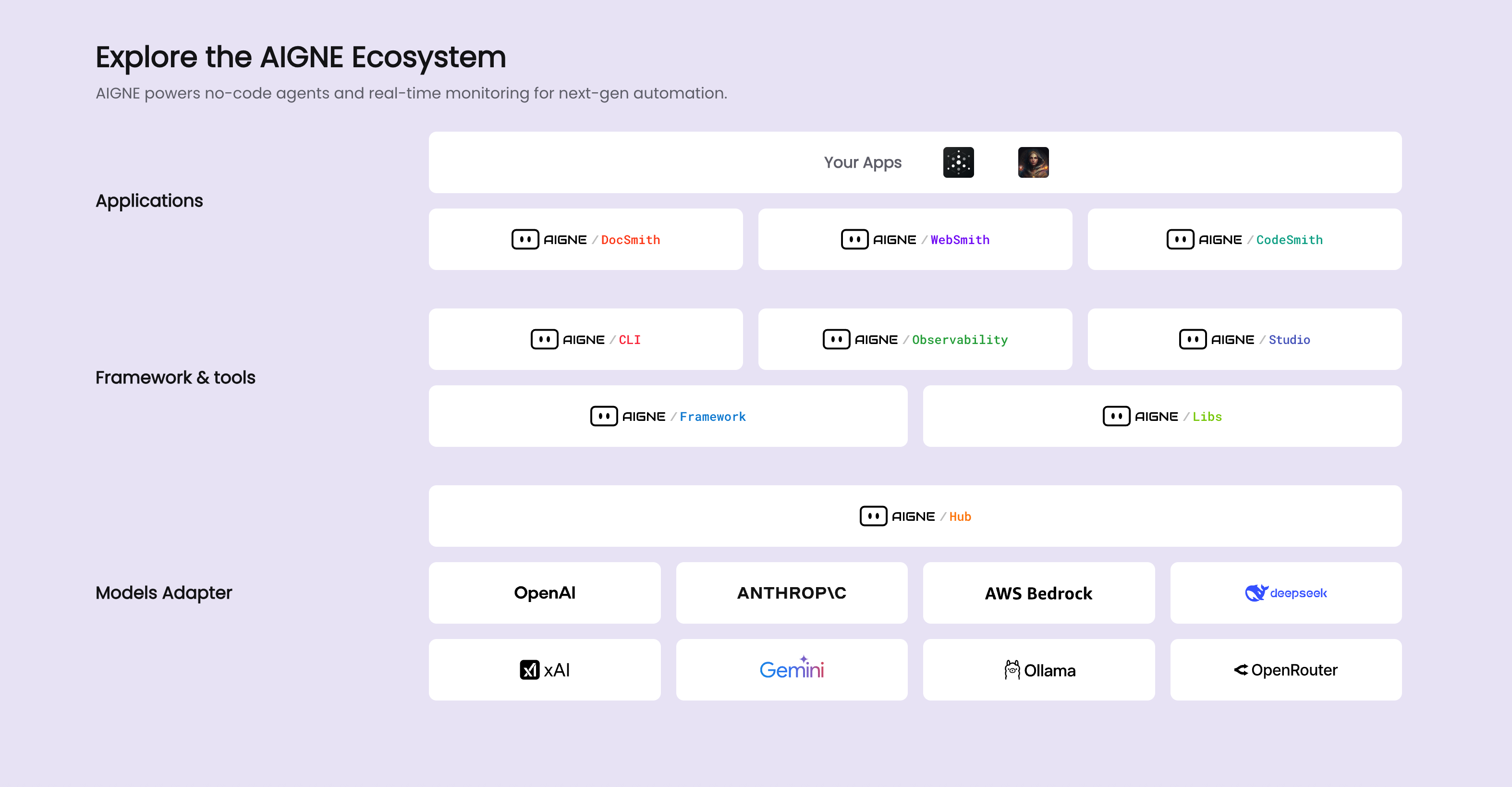
此工具是更廣泛的 AIGNE 生態系統中不可或缺的一部分,該生態系統為開發和部署 AI 應用程式提供了一個平台。
|
|
6
6
|
|
|
7
7
|
|
|
8
8
|
|
|
9
|
-
##
|
|
9
|
+
## 文件產生流程
|
|
10
10
|
|
|
11
|
-
DocSmith
|
|
11
|
+
DocSmith 的核心是一個將您的原始程式碼經過數個不同階段處理的流程。每個階段都由一個或多個專門的 Agent 管理。主要的工作流程,通常由 `aigne doc generate` 指令啟動,可視覺化如下:
|
|
12
12
|
|
|
13
13
|
```d2
|
|
14
14
|
direction: down
|
|
15
15
|
|
|
16
16
|
Input: {
|
|
17
|
-
label: "
|
|
17
|
+
label: "原始程式碼與設定"
|
|
18
18
|
shape: rectangle
|
|
19
19
|
}
|
|
20
20
|
|
|
21
21
|
Pipeline: {
|
|
22
|
-
label: "
|
|
22
|
+
label: "核心產生流程"
|
|
23
23
|
shape: rectangle
|
|
24
24
|
grid-columns: 1
|
|
25
25
|
grid-gap: 40
|
|
@@ -30,7 +30,7 @@ Pipeline: {
|
|
|
30
30
|
}
|
|
31
31
|
|
|
32
32
|
Content-Generation: {
|
|
33
|
-
label: "2.
|
|
33
|
+
label: "2. 內容產生"
|
|
34
34
|
shape: rectangle
|
|
35
35
|
}
|
|
36
36
|
|
|
@@ -46,7 +46,7 @@ User-Feedback: {
|
|
|
46
46
|
}
|
|
47
47
|
|
|
48
48
|
Optional-Steps: {
|
|
49
|
-
label: "
|
|
49
|
+
label: "選用的後產生步驟"
|
|
50
50
|
shape: rectangle
|
|
51
51
|
grid-columns: 2
|
|
52
52
|
grid-gap: 40
|
|
@@ -68,33 +68,33 @@ Pipeline.Content-Generation -> Pipeline.Saving
|
|
|
68
68
|
Pipeline.Saving -> Optional-Steps
|
|
69
69
|
|
|
70
70
|
User-Feedback -> Pipeline.Structure-Planning: "優化結構"
|
|
71
|
-
User-Feedback -> Pipeline.Content-Generation: "
|
|
71
|
+
User-Feedback -> Pipeline.Content-Generation: "重新產生內容"
|
|
72
72
|
```
|
|
73
73
|
|
|
74
|
-
1. **輸入分析**:當 Agent
|
|
74
|
+
1. **輸入分析**:當 Agent 載入您的原始程式碼和專案設定(`aigne.yaml`)時,流程便開始了。
|
|
75
75
|
|
|
76
|
-
2. **結構規劃**:一個 Agent
|
|
76
|
+
2. **結構規劃**:一個 Agent 會分析程式庫以提出一個合乎邏輯的文件結構。它會根據專案的組成和任何指定的規則來建立大綱。
|
|
77
77
|
|
|
78
|
-
3.
|
|
78
|
+
3. **內容產生**:結構就緒後,內容產生 Agent 會在文件計畫的每個部分填入詳細的文字、程式碼範例和說明。
|
|
79
79
|
|
|
80
|
-
4. **優化與更新**:當您透過 `aigne doc update` 或 `aigne doc generate --feedback`
|
|
80
|
+
4. **優化與更新**:當您透過 `aigne doc update` 或 `aigne doc generate --feedback` 提供輸入時,特定的 Agent 會被啟動以更新個別文件或調整整體結構。
|
|
81
81
|
|
|
82
|
-
5.
|
|
82
|
+
5. **翻譯與發布**:主要內容產生後,選用的 Agent 會處理多語言翻譯和將最終文件發布到網路平台等任務。
|
|
83
83
|
|
|
84
84
|
## 關鍵 AI Agent
|
|
85
85
|
|
|
86
|
-
DocSmith
|
|
86
|
+
DocSmith 的功能由專案設定中定義的一系列 Agent 提供。每個 Agent 都有特定的角色。下表列出了一些關鍵 Agent 及其功能。
|
|
87
87
|
|
|
88
|
-
| 功能角色
|
|
89
|
-
|
|
|
90
|
-
| **結構規劃**
|
|
91
|
-
| **結構優化**
|
|
92
|
-
|
|
|
93
|
-
| **翻譯**
|
|
94
|
-
| **發布**
|
|
95
|
-
| **資料 I/O**
|
|
88
|
+
| 功能角色 | 關鍵 Agent 檔案 | 說明 |
|
|
89
|
+
| :--- | :--- | :--- |
|
|
90
|
+
| **結構規劃** | `generate/generate-structure.yaml` | 分析原始程式碼以提出初始的文件大綱。 |
|
|
91
|
+
| **結構優化** | `generate/refine-document-structure.yaml` | 根據使用者回饋修改文件結構。 |
|
|
92
|
+
| **內容產生** | `update/batch-generate-document.yaml`, `update/generate-document.yaml` | 為文件結構的每個部分填入詳細內容。 |
|
|
93
|
+
| **翻譯** | `translate/translate-document.yaml`, `translate/translate-multilingual.yaml` | 將產生的文件翻譯成多個目標語言。 |
|
|
94
|
+
| **發布** | `publish/publish-docs.mjs` | 管理將文件發布到 Discuss Kit 實例的流程。 |
|
|
95
|
+
| **資料 I/O** | `utils/load-sources.mjs`, `utils/save-docs.mjs` | 負責讀取來源檔案並將最終的 markdown 文件寫入磁碟。 |
|
|
96
96
|
|
|
97
|
-
這種基於 Agent
|
|
97
|
+
這種基於 Agent 的架構讓文件流程的每一步都由專門的工具處理,確保了工作流程的結構化和可維護性。
|
|
98
98
|
|
|
99
99
|
---
|
|
100
100
|
|
|
@@ -1,25 +1,25 @@
|
|
|
1
1
|
# 工作原理
|
|
2
2
|
|
|
3
|
-
AIGNE DocSmith
|
|
3
|
+
AIGNE DocSmith 在一个多 Agent 系统上运行。它不是一个单一的整体流程,而是协调一个由专门的 AI Agent 组成的管道,其中每个 Agent 负责一项特定任务。这种方法允许通过一个结构化和模块化的流程将源代码转换为完整的文档。
|
|
4
4
|
|
|
5
|
-
|
|
5
|
+
该工具是更广泛的 AIGNE 生态系统的一个组成部分,该生态系统为开发和部署 AI 应用程序提供了一个平台。
|
|
6
6
|
|
|
7
7
|

|
|
8
8
|
|
|
9
|
-
##
|
|
9
|
+
## 文档生成管道
|
|
10
10
|
|
|
11
|
-
DocSmith
|
|
11
|
+
DocSmith 的核心是一个通过几个不同阶段处理您的源代码的管道。每个阶段都由一个或多个专用 Agent 管理。主要工作流程通常由 `aigne doc generate` 命令启动,可以可视化如下:
|
|
12
12
|
|
|
13
13
|
```d2
|
|
14
14
|
direction: down
|
|
15
15
|
|
|
16
16
|
Input: {
|
|
17
|
-
label: "
|
|
17
|
+
label: "源代码和配置"
|
|
18
18
|
shape: rectangle
|
|
19
19
|
}
|
|
20
20
|
|
|
21
21
|
Pipeline: {
|
|
22
|
-
label: "
|
|
22
|
+
label: "核心生成管道"
|
|
23
23
|
shape: rectangle
|
|
24
24
|
grid-columns: 1
|
|
25
25
|
grid-gap: 40
|
|
@@ -73,29 +73,29 @@ User-Feedback -> Pipeline.Content-Generation: "重新生成内容"
|
|
|
73
73
|
|
|
74
74
|
1. **输入分析**:当 Agent 加载您的源代码和项目配置(`aigne.yaml`)时,该过程开始。
|
|
75
75
|
|
|
76
|
-
2. **结构规划**:一个 Agent
|
|
76
|
+
2. **结构规划**:一个 Agent 分析代码库以提出一个逻辑化的文档结构。它会根据项目的构成和任何指定的规则创建一个大纲。
|
|
77
77
|
|
|
78
78
|
3. **内容生成**:结构确定后,内容生成 Agent 会为文档计划的每个部分填充详细的文本、代码示例和解释。
|
|
79
79
|
|
|
80
|
-
4.
|
|
80
|
+
4. **优化和更新**:当您通过 `aigne doc update` 或 `aigne doc generate --feedback` 提供输入时,特定的 Agent 会被激活以更新单个文档或调整整体结构。
|
|
81
81
|
|
|
82
|
-
5.
|
|
82
|
+
5. **翻译和发布**:在主要内容生成后,可选的 Agent 会处理多语言翻译和将最终文档发布到 Web 平台等任务。
|
|
83
83
|
|
|
84
84
|
## 关键 AI Agent
|
|
85
85
|
|
|
86
|
-
DocSmith 的功能由项目配置中定义的一系列 Agent 提供。每个 Agent
|
|
86
|
+
DocSmith 的功能由项目配置中定义的一系列 Agent 提供。每个 Agent 都有特定的角色。下表列出了一些关键 Agent 及其功能。
|
|
87
87
|
|
|
88
|
-
| 功能角色
|
|
89
|
-
|
|
|
90
|
-
| **结构规划**
|
|
91
|
-
| **结构优化** | `generate/refine-document-structure.yaml`
|
|
92
|
-
| **内容生成**
|
|
93
|
-
| **翻译**
|
|
94
|
-
| **发布**
|
|
95
|
-
| **数据 I/O**
|
|
88
|
+
| 功能角色 | 关键 Agent 文件 | 描述 |
|
|
89
|
+
| :--- | :--- | :--- |
|
|
90
|
+
| **结构规划** | `generate/generate-structure.yaml` | 分析源代码以提出初始文档大纲。 |
|
|
91
|
+
| **结构优化** | `generate/refine-document-structure.yaml` | 根据用户反馈修改文档结构。 |
|
|
92
|
+
| **内容生成** | `update/batch-generate-document.yaml`, `update/generate-document.yaml` | 为文档结构的每个部分填充详细内容。 |
|
|
93
|
+
| **翻译** | `translate/translate-document.yaml`, `translate/translate-multilingual.yaml` | 将生成的文档翻译成多种目标语言。 |
|
|
94
|
+
| **发布** | `publish/publish-docs.mjs` | 管理将文档发布到 Discuss Kit 实例的过程。 |
|
|
95
|
+
| **数据 I/O** | `utils/load-sources.mjs`, `utils/save-docs.mjs` | 负责读取源文件并将最终的 Markdown 文档写入磁盘。 |
|
|
96
96
|
|
|
97
|
-
这种基于 Agent
|
|
97
|
+
这种基于 Agent 的架构允许文档流程的每一步都由专门的工具处理,从而确保一个结构化且可维护的工作流程。
|
|
98
98
|
|
|
99
99
|
---
|
|
100
100
|
|
|
101
|
-
要了解 DocSmith
|
|
101
|
+
要了解 DocSmith 为确保输出的准确性和格式而采取的措施,请继续阅读[质量保证](./advanced-quality-assurance.md)部分。
|
|
@@ -1,96 +1,92 @@
|
|
|
1
1
|
# 品質保証
|
|
2
2
|
|
|
3
|
-
|
|
3
|
+
生成されるすべてのドキュメントが高い品質、一貫性、正確性の基準を満たすように、DocSmithには包括的で自動化された品質保証パイプラインが含まれています。これらの組み込みチェックは自動的に実行され、公開前に一般的なフォーマットエラー、リンク切れ、構造的な問題を特定してフラグを立てます。このプロセスにより、最終的な出力がプロフェッショナルで信頼性が高く、ユーザーがナビゲートしやすいものになることが保証されます。
|
|
4
4
|
|
|
5
|
-
|
|
6
|
-
|
|
7
|
-
```d2
|
|
5
|
+
```d2 品質保証パイプライン icon=lucide:shield-check
|
|
8
6
|
direction: down
|
|
9
7
|
|
|
10
|
-
|
|
11
|
-
label: "
|
|
8
|
+
Documentation-Content: {
|
|
9
|
+
label: "ドキュメントコンテンツ"
|
|
12
10
|
shape: rectangle
|
|
13
11
|
}
|
|
14
12
|
|
|
15
|
-
|
|
16
|
-
label: "
|
|
13
|
+
Quality-Assurance-Pipeline: {
|
|
14
|
+
label: "品質保証パイプライン"
|
|
17
15
|
shape: rectangle
|
|
18
|
-
grid-columns:
|
|
16
|
+
grid-columns: 3
|
|
19
17
|
grid-gap: 50
|
|
20
18
|
|
|
21
|
-
|
|
22
|
-
label: "
|
|
19
|
+
Markdown-Validation: {
|
|
20
|
+
label: "1. Markdownとコンテンツの検証\n(remark-lintベース)"
|
|
23
21
|
shape: rectangle
|
|
24
|
-
|
|
25
|
-
|
|
26
|
-
|
|
22
|
+
|
|
23
|
+
Check-1: "有効なMarkdown構文"
|
|
24
|
+
Check-2: "見出しの整合性"
|
|
25
|
+
Check-3: "テーブルのフォーマット"
|
|
26
|
+
Check-4: "コードブロックの整合性"
|
|
27
|
+
Check-5: "コンテンツの完全性"
|
|
27
28
|
}
|
|
28
29
|
|
|
29
|
-
|
|
30
|
-
label: "
|
|
30
|
+
Link-Asset-Validation: {
|
|
31
|
+
label: "2. リンクとアセットの整合性"
|
|
31
32
|
shape: rectangle
|
|
32
|
-
|
|
33
|
-
|
|
34
|
-
|
|
35
|
-
Table-Formatting: "列数が一致するか確認"
|
|
33
|
+
|
|
34
|
+
Check-6: "リンク切れの検出"
|
|
35
|
+
Check-7: "ローカル画像の検証"
|
|
36
36
|
}
|
|
37
37
|
|
|
38
|
-
|
|
39
|
-
label: "
|
|
38
|
+
D2-Diagram-Validation: {
|
|
39
|
+
label: "3. D2ダイアグラムの検証"
|
|
40
40
|
shape: rectangle
|
|
41
|
-
|
|
42
|
-
|
|
43
|
-
Markdown-Linting: "スタイルルールを強制"
|
|
41
|
+
|
|
42
|
+
Check-8: "D2構文チェック"
|
|
44
43
|
}
|
|
45
44
|
}
|
|
46
45
|
|
|
47
|
-
|
|
48
|
-
label: "
|
|
49
|
-
shape:
|
|
46
|
+
Validation-Result: {
|
|
47
|
+
label: "すべてのチェックに合格?"
|
|
48
|
+
shape: diamond
|
|
50
49
|
}
|
|
51
50
|
|
|
52
|
-
|
|
53
|
-
|
|
54
|
-
|
|
55
|
-
|
|
56
|
-
|
|
57
|
-
|
|
58
|
-
DocSmithの品質保証プロセスは、ドキュメントの完全性を保証するため、いくつかの主要な領域をカバーしています。
|
|
59
|
-
|
|
60
|
-
#### コンテンツの構造と完全性
|
|
61
|
-
|
|
62
|
-
DocSmithは、コンテンツの構造的完全性を保証するために、いくつかのチェックを実行します:
|
|
51
|
+
Published-Documentation: {
|
|
52
|
+
label: "公開済みドキュメント"
|
|
53
|
+
shape: rectangle
|
|
54
|
+
style.fill: "#d4edda"
|
|
55
|
+
}
|
|
63
56
|
|
|
64
|
-
-
|
|
65
|
-
|
|
66
|
-
|
|
67
|
-
|
|
57
|
+
Error-Report: {
|
|
58
|
+
label: "エラーレポート"
|
|
59
|
+
shape: rectangle
|
|
60
|
+
style.fill: "#f8d7da"
|
|
61
|
+
}
|
|
68
62
|
|
|
69
|
-
|
|
63
|
+
Documentation-Content -> Quality-Assurance-Pipeline: "入力"
|
|
64
|
+
Quality-Assurance-Pipeline -> Validation-Result: "検証"
|
|
65
|
+
Validation-Result -> Published-Documentation: "はい"
|
|
66
|
+
Validation-Result -> Error-Report: "いいえ"
|
|
67
|
+
```
|
|
70
68
|
|
|
71
|
-
|
|
69
|
+
## Markdownとコンテンツ構造の検証
|
|
72
70
|
|
|
73
|
-
-
|
|
71
|
+
品質保証の基盤は、コアとなるMarkdownが整形され、構造的に健全であることを保証することです。DocSmithは`remark-lint`をベースにした高度なリンターを採用しており、一般的な構造上の問題を検出するためのカスタムチェックで補完されています。
|
|
74
72
|
|
|
75
|
-
|
|
73
|
+
主な構造およびフォーマットのチェックには、次のものが含まれます。
|
|
76
74
|
|
|
77
|
-
|
|
75
|
+
* **有効なMarkdown構文**:標準のMarkdownおよびGFM(GitHub Flavored Markdown)仕様への準拠。
|
|
76
|
+
* **見出しの整合性**:同一ドキュメント内の重複した見出し、不適切な見出しのインデント、複数のトップレベル見出し(H1)の使用などの問題を検出します。
|
|
77
|
+
* **テーブルのフォーマット**:テーブル構造が正しいことを検証します。特に、ヘッダー、区切り線、およびデータ行の列数の不一致をチェックします。
|
|
78
|
+
* **コードブロックの整合性**:すべてのコードブロックが ``` で適切に開始および終了していることを保証します。また、レンダリングに影響を与える可能性のある、コードブロック内の一貫性のないインデントもチェックします。
|
|
79
|
+
* **コンテンツの完全性**:生成されたコンテンツが適切な句読点で終わっていることを確認し、コンテンツが切り捨てられていないことを保証する検証ステップです。
|
|
78
80
|
|
|
79
|
-
|
|
81
|
+
## リンクとアセットの整合性
|
|
80
82
|
|
|
81
|
-
|
|
83
|
+
リンク切れや画像が見つからないことは、ユーザーエクスペリエンスを低下させます。DocSmithは、すべてのローカルリソースを検証するためのチェックを実行します。
|
|
82
84
|
|
|
83
|
-
|
|
85
|
+
* **リンク切れの検出**:システムはすべての相対Markdownリンクをスキャンし、ターゲットパスがプロジェクトのドキュメント構造で定義された有効なドキュメントに対応していることを検証します。このチェックにより、ユーザーがドキュメントをナビゲートする際に「404 Not Found」エラーに遭遇するのを防ぎます。`http://`または`https://`で始まる外部リンクはチェックされません。
|
|
86
|
+
* **ローカル画像の検証**:`![]()`を介して含まれるすべてのローカル画像について、バリデーターは参照されている画像ファイルが指定されたパスに存在することを確認します。これにより、最終的な出力に壊れた画像が表示されないようにします。
|
|
84
87
|
|
|
85
|
-
|
|
86
|
-
|---|---|
|
|
87
|
-
| `no-duplicate-headings` | 同じセクション内で同じ内容の複数の見出しを防ぎます。 |
|
|
88
|
-
| `no-undefined-references` | すべてのリンクと画像の参照が定義されていることを保証します。 |
|
|
89
|
-
| `no-unused-definitions` | 使用されていないリンクや画像の定義にフラグを立てます。 |
|
|
90
|
-
| `no-heading-content-indent` | 見出しの内容の前にインデントを許可しません。 |
|
|
91
|
-
| `no-multiple-toplevel-headings` | ドキュメントごとにトップレベルの見出し(H1)を1つだけ許可します。 |
|
|
92
|
-
| `code-block-style` | コードブロックに一貫したスタイル(例:バッククォートの使用)を強制します。 |
|
|
88
|
+
## D2ダイアグラムの検証
|
|
93
89
|
|
|
94
|
-
|
|
90
|
+
すべてのダイアグラムが正しくレンダリングされることを保証するため、DocSmithはすべてのD2ダイアグラムの構文を検証します。
|
|
95
91
|
|
|
96
|
-
|
|
92
|
+
`d2`とマークされた各コードブロックは、厳密な構文チェッカーによって処理されます。構文エラーが見つかった場合、生成プロセスは説明的なエラーメッセージとともに停止されます。これにより、壊れた、または不適切にレンダリングされた視覚的なダイアグラムを含むドキュメントの公開を防ぎます。
|
|
@@ -1,96 +1,92 @@
|
|
|
1
1
|
# Quality Assurance
|
|
2
2
|
|
|
3
|
-
To ensure all generated documentation
|
|
3
|
+
To ensure that all generated documentation meets a high standard of quality, consistency, and accuracy, DocSmith includes a comprehensive, automated quality assurance pipeline. These built-in checks run automatically to identify and flag common formatting errors, broken links, and structural issues before publication. This process guarantees that the final output is professional, reliable, and easy for users to navigate.
|
|
4
4
|
|
|
5
|
-
|
|
6
|
-
|
|
7
|
-
```d2
|
|
5
|
+
```d2 Quality Assurance Pipeline icon=lucide:shield-check
|
|
8
6
|
direction: down
|
|
9
7
|
|
|
10
|
-
|
|
11
|
-
label: "
|
|
8
|
+
Documentation-Content: {
|
|
9
|
+
label: "Documentation Content"
|
|
12
10
|
shape: rectangle
|
|
13
11
|
}
|
|
14
12
|
|
|
15
|
-
|
|
16
|
-
label: "
|
|
13
|
+
Quality-Assurance-Pipeline: {
|
|
14
|
+
label: "Quality Assurance Pipeline"
|
|
17
15
|
shape: rectangle
|
|
18
|
-
grid-columns:
|
|
16
|
+
grid-columns: 3
|
|
19
17
|
grid-gap: 50
|
|
20
18
|
|
|
21
|
-
|
|
22
|
-
label: "
|
|
19
|
+
Markdown-Validation: {
|
|
20
|
+
label: "1. Markdown & Content Validation\n(remark-lint based)"
|
|
23
21
|
shape: rectangle
|
|
24
|
-
|
|
25
|
-
|
|
26
|
-
|
|
22
|
+
|
|
23
|
+
Check-1: "Valid Markdown Syntax"
|
|
24
|
+
Check-2: "Heading Integrity"
|
|
25
|
+
Check-3: "Table Formatting"
|
|
26
|
+
Check-4: "Code Block Integrity"
|
|
27
|
+
Check-5: "Content Completeness"
|
|
27
28
|
}
|
|
28
29
|
|
|
29
|
-
|
|
30
|
-
label: "
|
|
30
|
+
Link-Asset-Validation: {
|
|
31
|
+
label: "2. Link & Asset Integrity"
|
|
31
32
|
shape: rectangle
|
|
32
|
-
|
|
33
|
-
|
|
34
|
-
|
|
35
|
-
Table-Formatting: "Matches column counts"
|
|
33
|
+
|
|
34
|
+
Check-6: "Dead Link Detection"
|
|
35
|
+
Check-7: "Local Image Validation"
|
|
36
36
|
}
|
|
37
37
|
|
|
38
|
-
|
|
39
|
-
label: "
|
|
38
|
+
D2-Diagram-Validation: {
|
|
39
|
+
label: "3. D2 Diagram Validation"
|
|
40
40
|
shape: rectangle
|
|
41
|
-
|
|
42
|
-
|
|
43
|
-
Markdown-Linting: "Enforces style rules"
|
|
41
|
+
|
|
42
|
+
Check-8: "D2 Syntax Check"
|
|
44
43
|
}
|
|
45
44
|
}
|
|
46
45
|
|
|
47
|
-
|
|
48
|
-
label: "
|
|
49
|
-
shape:
|
|
46
|
+
Validation-Result: {
|
|
47
|
+
label: "All Checks Pass?"
|
|
48
|
+
shape: diamond
|
|
50
49
|
}
|
|
51
50
|
|
|
52
|
-
|
|
53
|
-
|
|
54
|
-
|
|
55
|
-
|
|
56
|
-
|
|
57
|
-
|
|
58
|
-
DocSmith's quality assurance process covers several key areas to ensure document integrity.
|
|
59
|
-
|
|
60
|
-
#### Content Structure & Completeness
|
|
61
|
-
|
|
62
|
-
DocSmith performs several checks to ensure the structural integrity of the content:
|
|
51
|
+
Published-Documentation: {
|
|
52
|
+
label: "Published Documentation"
|
|
53
|
+
shape: rectangle
|
|
54
|
+
style.fill: "#d4edda"
|
|
55
|
+
}
|
|
63
56
|
|
|
64
|
-
-
|
|
65
|
-
|
|
66
|
-
|
|
67
|
-
|
|
57
|
+
Error-Report: {
|
|
58
|
+
label: "Error Report"
|
|
59
|
+
shape: rectangle
|
|
60
|
+
style.fill: "#f8d7da"
|
|
61
|
+
}
|
|
68
62
|
|
|
69
|
-
|
|
63
|
+
Documentation-Content -> Quality-Assurance-Pipeline: "Input"
|
|
64
|
+
Quality-Assurance-Pipeline -> Validation-Result: "Validation"
|
|
65
|
+
Validation-Result -> Published-Documentation: "Yes"
|
|
66
|
+
Validation-Result -> Error-Report: "No"
|
|
67
|
+
```
|
|
70
68
|
|
|
71
|
-
|
|
69
|
+
## Markdown and Content Structure Validation
|
|
72
70
|
|
|
73
|
-
|
|
71
|
+
The foundation of quality assurance is ensuring the core Markdown is well-formed and structurally sound. DocSmith employs a sophisticated linter based on `remark-lint`, supplemented with custom checks to catch common structural problems.
|
|
74
72
|
|
|
75
|
-
|
|
73
|
+
Key structural and formatting checks include:
|
|
76
74
|
|
|
77
|
-
|
|
75
|
+
* **Valid Markdown Syntax**: Adherence to standard Markdown and GFM (GitHub Flavored Markdown) specifications.
|
|
76
|
+
* **Heading Integrity**: Detects issues such as duplicate headings within the same document, incorrect heading indentation, and the use of more than one top-level heading (H1).
|
|
77
|
+
* **Table Formatting**: Verifies that table structures are correct, specifically checking for mismatches between the number of columns in the header, the separator line, and the data rows.
|
|
78
|
+
* **Code Block Integrity**: Ensures that all code blocks are properly opened and closed with ```. It also checks for inconsistent indentation within a code block, which can affect rendering.
|
|
79
|
+
* **Content Completeness**: A verification step to ensure that generated content does not appear truncated by checking that it ends with appropriate punctuation.
|
|
78
80
|
|
|
79
|
-
|
|
81
|
+
## Link and Asset Integrity
|
|
80
82
|
|
|
81
|
-
|
|
83
|
+
Broken links and missing images degrade the user experience. DocSmith performs checks to validate all local resources.
|
|
82
84
|
|
|
83
|
-
|
|
85
|
+
* **Dead Link Detection**: The system scans all relative Markdown links and verifies that the target path corresponds to a valid document defined in the project's documentation structure. This check prevents users from encountering "404 Not Found" errors when navigating the documentation. External links beginning with `http://` or `https://` are not checked.
|
|
86
|
+
* **Local Image Validation**: For all local images included via `![]()`, the validator confirms that the referenced image file exists at the specified path. This ensures that no broken images appear in the final output.
|
|
84
87
|
|
|
85
|
-
|
|
86
|
-
|---|---|
|
|
87
|
-
| `no-duplicate-headings` | Prevents multiple headings with the same content in the same section. |
|
|
88
|
-
| `no-undefined-references` | Ensures all link and image references are defined. |
|
|
89
|
-
| `no-unused-definitions` | Flags link or image definitions that are not used. |
|
|
90
|
-
| `no-heading-content-indent` | Disallows indentation before heading content. |
|
|
91
|
-
| `no-multiple-toplevel-headings` | Allows only one top-level heading (H1) per document. |
|
|
92
|
-
| `code-block-style` | Enforces a consistent style for code blocks (e.g., using backticks). |
|
|
88
|
+
## D2 Diagram Validation
|
|
93
89
|
|
|
94
|
-
|
|
90
|
+
To guarantee that all diagrams are rendered correctly, DocSmith validates the syntax of every D2 diagram.
|
|
95
91
|
|
|
96
|
-
|
|
92
|
+
Each code block marked with `d2` is processed through a strict syntax checker. If any syntax errors are found, the generation process is halted with a descriptive error message. This prevents the publication of documents containing broken or improperly rendered visual diagrams.
|