@aigne/doc-smith 0.8.11-beta.5 → 0.8.11-beta.6
This diff represents the content of publicly available package versions that have been released to one of the supported registries. The information contained in this diff is provided for informational purposes only and reflects changes between package versions as they appear in their respective public registries.
- package/.aigne/doc-smith/config.yaml +1 -1
- package/.release-please-manifest.json +1 -1
- package/CHANGELOG.md +9 -2
- package/README.md +1 -1
- package/agents/clear/choose-contents.mjs +2 -2
- package/agents/clear/clear-document-structure.mjs +8 -8
- package/agents/clear/index.yaml +1 -1
- package/agents/evaluate/document-structure.yaml +1 -1
- package/agents/generate/check-document-structure.yaml +3 -3
- package/agents/generate/check-need-generate-structure.mjs +8 -8
- package/agents/generate/document-structure-tools/add-document.mjs +3 -3
- package/agents/generate/document-structure-tools/delete-document.mjs +2 -2
- package/agents/generate/document-structure-tools/move-document.mjs +3 -2
- package/agents/generate/document-structure-tools/update-document.mjs +2 -2
- package/agents/generate/generate-structure.yaml +1 -1
- package/agents/generate/update-document-structure.yaml +3 -3
- package/agents/generate/user-review-document-structure.mjs +10 -10
- package/agents/update/batch-generate-document.yaml +1 -1
- package/agents/update/check-document.mjs +2 -2
- package/agents/utils/check-feedback-refiner.mjs +1 -1
- package/agents/utils/choose-docs.mjs +1 -1
- package/agents/utils/load-document-all-content.mjs +3 -3
- package/agents/utils/load-sources.mjs +1 -1
- package/agents/utils/save-docs.mjs +7 -28
- package/aigne.yaml +2 -2
- package/docs/_sidebar.md +1 -1
- package/docs/advanced-how-it-works.md +3 -3
- package/docs/advanced-quality-assurance.md +1 -1
- package/docs/cli-reference.ja.md +151 -80
- package/docs/cli-reference.md +126 -55
- package/docs/cli-reference.zh-TW.md +133 -62
- package/docs/cli-reference.zh.md +143 -72
- package/docs/configuration-interactive-setup.md +1 -1
- package/docs/configuration-language-support.md +1 -1
- package/docs/configuration-preferences.md +1 -1
- package/docs/configuration.ja.md +104 -48
- package/docs/configuration.md +58 -2
- package/docs/configuration.zh-TW.md +99 -42
- package/docs/configuration.zh.md +78 -21
- package/docs/features-generate-documentation.ja.md +63 -44
- package/docs/features-generate-documentation.md +54 -35
- package/docs/features-generate-documentation.zh-TW.md +67 -48
- package/docs/features-generate-documentation.zh.md +61 -41
- package/docs/features-publish-your-docs.ja.md +69 -46
- package/docs/features-publish-your-docs.md +65 -42
- package/docs/features-publish-your-docs.zh-TW.md +73 -50
- package/docs/features-publish-your-docs.zh.md +67 -44
- package/docs/features-translate-documentation.ja.md +35 -33
- package/docs/features-translate-documentation.md +24 -22
- package/docs/features-translate-documentation.zh-TW.md +32 -30
- package/docs/features-translate-documentation.zh.md +29 -27
- package/docs/features-update-and-refine.ja.md +120 -66
- package/docs/features-update-and-refine.md +110 -56
- package/docs/features-update-and-refine.zh-TW.md +116 -62
- package/docs/features-update-and-refine.zh.md +118 -64
- package/docs/getting-started.ja.md +22 -22
- package/docs/getting-started.md +1 -1
- package/docs/getting-started.zh-TW.md +16 -16
- package/docs/getting-started.zh.md +28 -28
- package/docs/overview.md +3 -3
- package/docs-mcp/analyze-docs-relevance.yaml +6 -6
- package/docs-mcp/docs-search.yaml +1 -1
- package/package.json +2 -2
- package/prompts/common/document-structure/conflict-resolution-guidance.md +3 -3
- package/prompts/common/document-structure/document-structure-rules.md +2 -2
- package/prompts/detail/document-rules.md +1 -1
- package/prompts/detail/generate-document.md +1 -1
- package/prompts/evaluate/document-structure.md +6 -6
- package/prompts/structure/check-document-structure.md +10 -10
- package/prompts/structure/document-rules.md +2 -2
- package/prompts/structure/generate-structure-system.md +3 -3
- package/prompts/structure/structure-example.md +1 -1
- package/prompts/structure/structure-getting-started.md +1 -1
- package/prompts/structure/update-document-structure.md +9 -9
- package/prompts/utils/feedback-refiner.md +1 -1
- package/tests/agents/clear/choose-contents.test.mjs +1 -1
- package/tests/agents/clear/clear-document-structure.test.mjs +36 -30
- package/tests/agents/evaluate/generate-report.test.mjs +1 -1
- package/tests/agents/generate/check-need-generate-structure.test.mjs +1 -1
- package/tests/agents/generate/document-structure-tools/add-document.test.mjs +2 -2
- package/tests/agents/generate/document-structure-tools/delete-document.test.mjs +4 -4
- package/tests/agents/generate/document-structure-tools/move-document.test.mjs +3 -3
- package/tests/agents/generate/document-structure-tools/update-document.test.mjs +3 -3
- package/tests/agents/generate/user-review-document-structure.test.mjs +7 -5
- package/tests/agents/update/check-document.test.mjs +1 -1
- package/tests/agents/utils/format-document-structure.test.mjs +5 -5
- package/tests/agents/utils/load-sources.test.mjs +4 -4
- package/tests/agents/utils/save-docs.test.mjs +1 -1
- package/tests/utils/conflict-detector.test.mjs +1 -1
- package/tests/utils/docs-finder-utils.test.mjs +8 -8
- package/types/document-structure-schema.mjs +9 -9
- package/utils/conflict-detector.mjs +1 -1
- package/utils/constants/index.mjs +4 -4
- package/utils/docs-finder-utils.mjs +11 -11
- package/utils/markdown-checker.mjs +1 -1
|
@@ -1,84 +1,138 @@
|
|
|
1
|
-
#
|
|
1
|
+
# 更新とリファイン
|
|
2
2
|
|
|
3
|
-
|
|
3
|
+
進化するコードベースとドキュメントを同期させることは、体系的なプロセスです。AIGNE DocSmithは、コードの変更に基づく自動更新、またはフィードバックに基づいた正確なリファインによって、コンテンツを最新の状態に保つための直接的で柔軟なコマンドを提供します。
|
|
4
4
|
|
|
5
|
-
|
|
5
|
+
このガイドでは、以下の手順について説明します。
|
|
6
6
|
|
|
7
7
|
- ソースコードが変更されたときにドキュメントを自動的に更新する。
|
|
8
|
-
-
|
|
8
|
+
- 対象を絞ったフィードバックを使用して特定のドキュメントを再生成する。
|
|
9
9
|
- ドキュメント全体の構造を調整する。
|
|
10
10
|
|
|
11
|
-
###
|
|
11
|
+
### ドキュメント更新ワークフロー
|
|
12
12
|
|
|
13
|
-
|
|
13
|
+
以下の図は、ドキュメントを更新するために利用できるさまざまなワークフローを示しています。
|
|
14
14
|
|
|
15
|
-
```d2
|
|
15
|
+
```d2 ドキュメント更新ワークフロー
|
|
16
16
|
direction: down
|
|
17
17
|
|
|
18
|
-
|
|
19
|
-
shape:
|
|
20
|
-
label: "
|
|
18
|
+
developer: {
|
|
19
|
+
shape: c4-person
|
|
20
|
+
label: "開発者"
|
|
21
21
|
}
|
|
22
22
|
|
|
23
|
-
|
|
24
|
-
|
|
25
|
-
|
|
23
|
+
codebase: {
|
|
24
|
+
shape: cylinder
|
|
25
|
+
label: "ソースコード"
|
|
26
26
|
}
|
|
27
27
|
|
|
28
|
-
|
|
29
|
-
|
|
30
|
-
|
|
28
|
+
updated-documentation: {
|
|
29
|
+
shape: cylinder
|
|
30
|
+
label: "更新された\nドキュメント"
|
|
31
31
|
}
|
|
32
32
|
|
|
33
|
-
|
|
34
|
-
label: "
|
|
33
|
+
workflows: {
|
|
34
|
+
label: "ドキュメント更新ワークフロー"
|
|
35
35
|
shape: rectangle
|
|
36
|
-
}
|
|
37
|
-
|
|
38
|
-
Start -> Code-Change
|
|
39
|
-
Start -> Content-Tweak
|
|
40
|
-
Start -> Structure-Tweak
|
|
41
|
-
|
|
42
|
-
Code-Change -> Generate-Command: "aigne doc generate"
|
|
43
|
-
|
|
44
|
-
Generate-Command -> Change-Detection: {
|
|
45
|
-
label: "変更検出"
|
|
46
|
-
shape: diamond
|
|
47
|
-
}
|
|
48
|
-
Change-Detection -> Auto-Regen: "影響を受ける\nドキュメントを再生成"
|
|
49
|
-
|
|
50
|
-
Content-Tweak -> Update-Command: "aigne doc update\n--feedback"
|
|
51
|
-
Update-Command -> Manual-Regen: "特定の\nドキュメントを再生成"
|
|
52
|
-
|
|
53
|
-
Structure-Tweak -> Generate-Feedback-Command: "aigne doc generate\n--feedback"
|
|
54
|
-
Generate-Feedback-Command -> Replan: "ドキュメント構造を\n再計画"
|
|
55
36
|
|
|
56
|
-
|
|
57
|
-
|
|
58
|
-
|
|
37
|
+
automatic-updates: {
|
|
38
|
+
label: "自動更新 (コード駆動)"
|
|
39
|
+
shape: rectangle
|
|
40
|
+
|
|
41
|
+
cmd-generate: {
|
|
42
|
+
label: "aigne doc generate"
|
|
43
|
+
}
|
|
44
|
+
|
|
45
|
+
decision-force: {
|
|
46
|
+
label: "--forceRegenerate?"
|
|
47
|
+
shape: diamond
|
|
48
|
+
}
|
|
49
|
+
|
|
50
|
+
detect-changes: {
|
|
51
|
+
label: "変更を検出"
|
|
52
|
+
}
|
|
53
|
+
|
|
54
|
+
regen-affected: {
|
|
55
|
+
label: "影響を受ける\nドキュメントを再生成"
|
|
56
|
+
}
|
|
57
|
+
|
|
58
|
+
regen-all: {
|
|
59
|
+
label: "すべての\nドキュメントを再生成"
|
|
60
|
+
}
|
|
61
|
+
}
|
|
62
|
+
|
|
63
|
+
manual-refinements: {
|
|
64
|
+
label: "手動リファイン (フィードバック駆動)"
|
|
65
|
+
shape: rectangle
|
|
66
|
+
grid-columns: 2
|
|
67
|
+
grid-gap: 100
|
|
68
|
+
|
|
69
|
+
refine-individual: {
|
|
70
|
+
label: "個別ドキュメントのリファイン"
|
|
71
|
+
shape: rectangle
|
|
72
|
+
|
|
73
|
+
cmd-update: {
|
|
74
|
+
label: "aigne doc update\n--feedback"
|
|
75
|
+
}
|
|
76
|
+
|
|
77
|
+
regen-specific: {
|
|
78
|
+
label: "特定の\nドキュメントを再生成"
|
|
79
|
+
}
|
|
80
|
+
}
|
|
81
|
+
|
|
82
|
+
optimize-structure: {
|
|
83
|
+
label: "全体構造の最適化"
|
|
84
|
+
shape: rectangle
|
|
85
|
+
|
|
86
|
+
cmd-generate-feedback: {
|
|
87
|
+
label: "aigne doc generate\n--feedback"
|
|
88
|
+
}
|
|
89
|
+
|
|
90
|
+
re-evaluate-plan: {
|
|
91
|
+
label: "ドキュメント計画\nの再評価"
|
|
92
|
+
}
|
|
93
|
+
}
|
|
94
|
+
}
|
|
59
95
|
}
|
|
60
96
|
|
|
61
|
-
|
|
62
|
-
|
|
63
|
-
|
|
97
|
+
# --- 接続 ---
|
|
98
|
+
|
|
99
|
+
# パス1: 自動更新
|
|
100
|
+
developer -> codebase: "1. 変更を加える"
|
|
101
|
+
codebase -> workflows.automatic-updates.cmd-generate: "2. コマンドを実行"
|
|
102
|
+
workflows.automatic-updates.cmd-generate -> workflows.automatic-updates.decision-force
|
|
103
|
+
workflows.automatic-updates.decision-force -> workflows.automatic-updates.detect-changes: "いいえ"
|
|
104
|
+
workflows.automatic-updates.detect-changes -> workflows.automatic-updates.regen-affected
|
|
105
|
+
workflows.automatic-updates.decision-force -> workflows.automatic-updates.regen-all: "はい"
|
|
106
|
+
workflows.automatic-updates.regen-affected -> updated-documentation
|
|
107
|
+
workflows.automatic-updates.regen-all -> updated-documentation
|
|
108
|
+
|
|
109
|
+
# パス2: 個別リファイン
|
|
110
|
+
developer -> workflows.manual-refinements.refine-individual.cmd-update: "3. コンテンツの\nフィードバックを提供"
|
|
111
|
+
workflows.manual-refinements.refine-individual.cmd-update -> workflows.manual-refinements.refine-individual.regen-specific
|
|
112
|
+
workflows.manual-refinements.refine-individual.regen-specific -> updated-documentation
|
|
113
|
+
|
|
114
|
+
# パス3: 構造リファイン
|
|
115
|
+
developer -> workflows.manual-refinements.optimize-structure.cmd-generate-feedback: "4. 構造に関する\nフィードバックを提供"
|
|
116
|
+
workflows.manual-refinements.optimize-structure.cmd-generate-feedback -> workflows.manual-refinements.optimize-structure.re-evaluate-plan
|
|
117
|
+
workflows.manual-refinements.optimize-structure.re-evaluate-plan -> updated-documentation: "新しい構造で\n再生成"
|
|
64
118
|
```
|
|
65
119
|
|
|
66
120
|
---
|
|
67
121
|
|
|
68
122
|
## 変更検出による自動更新
|
|
69
123
|
|
|
70
|
-
`aigne doc generate
|
|
124
|
+
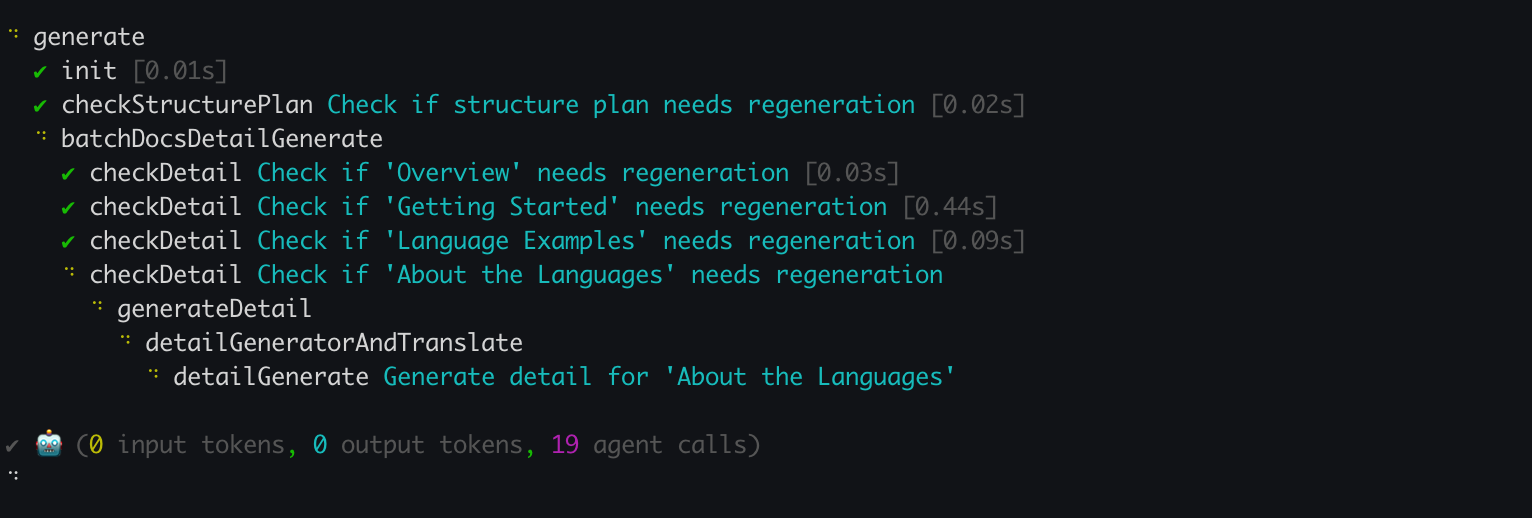
`aigne doc generate`コマンドを実行すると、DocSmithはまずコードベースを分析して、前回の生成以降の変更を検出します。その後、これらの変更によって影響を受けるドキュメントのみを再生成します。このデフォルトの動作により、時間が節約され、APIの使用量が削減されます。
|
|
71
125
|
|
|
72
126
|
```shell icon=lucide:terminal
|
|
73
|
-
# DocSmith
|
|
127
|
+
# DocSmithは変更を検出し、必要なものだけを更新します
|
|
74
128
|
aigne doc generate
|
|
75
129
|
```
|
|
76
130
|
|
|
77
131
|
|
|
78
132
|
|
|
79
|
-
###
|
|
133
|
+
### 完全な再生成の強制
|
|
80
134
|
|
|
81
|
-
|
|
135
|
+
キャッシュと変更検出をバイパスして、すべてのドキュメントをゼロから再生成するには、`--forceRegenerate`フラグを使用します。これは、大幅な設定変更を行った場合や、一貫性を確保するために完全な再構築が必要な場合に必要です。
|
|
82
136
|
|
|
83
137
|
```shell icon=lucide:terminal
|
|
84
138
|
# すべてのドキュメントをゼロから再生成します
|
|
@@ -87,18 +141,18 @@ aigne doc generate --forceRegenerate
|
|
|
87
141
|
|
|
88
142
|
---
|
|
89
143
|
|
|
90
|
-
##
|
|
144
|
+
## 個別ドキュメントのリファイン
|
|
91
145
|
|
|
92
|
-
|
|
146
|
+
対応するコードの変更なしに特定のドキュメントのコンテンツを改善するには、`aigne doc update`コマンドを使用します。このコマンドを使用すると、リファインのための具体的な指示を提供できます。
|
|
93
147
|
|
|
94
|
-
|
|
148
|
+
これは、対話形式またはコマンドライン引数を使用して非対話形式で行うことができます。
|
|
95
149
|
|
|
96
150
|
### 対話モード
|
|
97
151
|
|
|
98
|
-
|
|
152
|
+
ガイド付きのプロセスを行うには、引数なしでコマンドを実行します。DocSmithは、更新したいドキュメントを選択するためのメニューを表示します。選択後、フィードバックを入力するよう求められます。
|
|
99
153
|
|
|
100
154
|
```shell icon=lucide:terminal
|
|
101
|
-
#
|
|
155
|
+
# 対話的な更新プロセスを開始します
|
|
102
156
|
aigne doc update
|
|
103
157
|
```
|
|
104
158
|
|
|
@@ -106,33 +160,33 @@ aigne doc update
|
|
|
106
160
|
|
|
107
161
|
### 直接的なコマンドライン更新
|
|
108
162
|
|
|
109
|
-
|
|
163
|
+
スクリプト化された、またはより高速なワークフローのために、フラグを使用してドキュメントとフィードバックを直接指定できます。これにより、正確な非対話形式の更新が可能になります。
|
|
110
164
|
|
|
111
165
|
```shell icon=lucide:terminal
|
|
112
|
-
#
|
|
113
|
-
aigne doc update --docs overview.md --feedback "
|
|
166
|
+
# フィードバック付きで特定のドキュメントを更新します
|
|
167
|
+
aigne doc update --docs overview.md --feedback "最後に詳細なFAQセクションを追加してください。"
|
|
114
168
|
```
|
|
115
169
|
|
|
116
|
-
`update
|
|
170
|
+
`update`コマンドの主要なパラメータは以下の通りです。
|
|
117
171
|
|
|
118
|
-
| パラメータ
|
|
119
|
-
|
|
|
120
|
-
| `--docs`
|
|
121
|
-
| `--feedback` |
|
|
172
|
+
| パラメータ | 説明 |
|
|
173
|
+
| --- | --- |
|
|
174
|
+
| `--docs` | 更新するドキュメントへのパス。このフラグはバッチ更新のために複数回使用できます。 |
|
|
175
|
+
| `--feedback` | コンテンツを再生成する際に使用される具体的な指示。 |
|
|
122
176
|
|
|
123
177
|
---
|
|
124
178
|
|
|
125
179
|
## 全体構造の最適化
|
|
126
180
|
|
|
127
|
-
|
|
181
|
+
個々のドキュメントのコンテンツをリファインすることに加えて、ドキュメント全体の構造を調整することもできます。既存の構成が最適でない場合やセクションが欠落している場合は、`generate`コマンドにフィードバックを提供できます。
|
|
128
182
|
|
|
129
|
-
|
|
183
|
+
これにより、DocSmithは入力に基づいてドキュメント計画全体を再評価するように指示されます。
|
|
130
184
|
|
|
131
185
|
```shell icon=lucide:terminal
|
|
132
|
-
#
|
|
133
|
-
aigne doc generate --feedback "
|
|
186
|
+
# 特定のフィードバックでドキュメント構造を再生成します
|
|
187
|
+
aigne doc generate --feedback "'概要'セクションを削除し、詳細な'APIリファレンス'を追加してください。"
|
|
134
188
|
```
|
|
135
189
|
|
|
136
|
-
|
|
190
|
+
このアプローチは、ドキュメントの目次に対する高レベルの変更を目的としており、軽微なコンテンツの編集を目的としたものではありません。
|
|
137
191
|
|
|
138
|
-
|
|
192
|
+
コンテンツがリファインされたら、次のステップはグローバルなオーディエンス向けに準備することです。手順については、[ドキュメントの翻訳](./features-translate-documentation.md)ガイドを参照してください。
|
|
@@ -1,73 +1,127 @@
|
|
|
1
1
|
# Update and Refine
|
|
2
2
|
|
|
3
|
-
Keeping documentation synchronized with an evolving codebase is a
|
|
3
|
+
Keeping documentation synchronized with an evolving codebase is a methodical process. AIGNE DocSmith provides direct and flexible commands to keep your content current, either through automatic updates based on code changes or through precise, feedback-driven refinements.
|
|
4
4
|
|
|
5
|
-
This guide covers
|
|
5
|
+
This guide covers the procedures to:
|
|
6
6
|
|
|
7
|
-
- Automatically update documents when
|
|
7
|
+
- Automatically update documents when source code is modified.
|
|
8
8
|
- Regenerate specific documents using targeted feedback.
|
|
9
9
|
- Adjust the overall documentation structure.
|
|
10
10
|
|
|
11
11
|
### Document Update Workflows
|
|
12
12
|
|
|
13
|
-
The following diagram illustrates the different
|
|
13
|
+
The following diagram illustrates the different workflows available for updating your documentation:
|
|
14
14
|
|
|
15
|
-
```d2 Update Workflows
|
|
15
|
+
```d2 Document Update Workflows
|
|
16
16
|
direction: down
|
|
17
17
|
|
|
18
|
-
|
|
19
|
-
shape:
|
|
20
|
-
label: "
|
|
18
|
+
developer: {
|
|
19
|
+
shape: c4-person
|
|
20
|
+
label: "Developer"
|
|
21
21
|
}
|
|
22
22
|
|
|
23
|
-
|
|
24
|
-
|
|
25
|
-
|
|
23
|
+
codebase: {
|
|
24
|
+
shape: cylinder
|
|
25
|
+
label: "Source Code"
|
|
26
26
|
}
|
|
27
27
|
|
|
28
|
-
|
|
29
|
-
|
|
30
|
-
|
|
28
|
+
updated-documentation: {
|
|
29
|
+
shape: cylinder
|
|
30
|
+
label: "Updated\nDocumentation"
|
|
31
31
|
}
|
|
32
32
|
|
|
33
|
-
|
|
34
|
-
label: "
|
|
33
|
+
workflows: {
|
|
34
|
+
label: "Document Update Workflows"
|
|
35
35
|
shape: rectangle
|
|
36
|
-
}
|
|
37
|
-
|
|
38
|
-
Start -> Code-Change
|
|
39
|
-
Start -> Content-Tweak
|
|
40
|
-
Start -> Structure-Tweak
|
|
41
|
-
|
|
42
|
-
Code-Change -> Generate-Command: "aigne doc generate"
|
|
43
|
-
|
|
44
|
-
Generate-Command -> Change-Detection: {
|
|
45
|
-
label: "Change Detection"
|
|
46
|
-
shape: diamond
|
|
47
|
-
}
|
|
48
|
-
Change-Detection -> Auto-Regen: "Regenerates\nAffected Docs"
|
|
49
|
-
|
|
50
|
-
Content-Tweak -> Update-Command: "aigne doc update\n--feedback"
|
|
51
|
-
Update-Command -> Manual-Regen: "Regenerates\nSpecific Doc"
|
|
52
|
-
|
|
53
|
-
Structure-Tweak -> Generate-Feedback-Command: "aigne doc generate\n--feedback"
|
|
54
|
-
Generate-Feedback-Command -> Replan: "Re-plans Document\nStructure"
|
|
55
36
|
|
|
56
|
-
|
|
57
|
-
|
|
58
|
-
|
|
37
|
+
automatic-updates: {
|
|
38
|
+
label: "Automatic Updates (Code-Driven)"
|
|
39
|
+
shape: rectangle
|
|
40
|
+
|
|
41
|
+
cmd-generate: {
|
|
42
|
+
label: "aigne doc generate"
|
|
43
|
+
}
|
|
44
|
+
|
|
45
|
+
decision-force: {
|
|
46
|
+
label: "--forceRegenerate?"
|
|
47
|
+
shape: diamond
|
|
48
|
+
}
|
|
49
|
+
|
|
50
|
+
detect-changes: {
|
|
51
|
+
label: "Detect Changes"
|
|
52
|
+
}
|
|
53
|
+
|
|
54
|
+
regen-affected: {
|
|
55
|
+
label: "Regenerate\nAffected Docs"
|
|
56
|
+
}
|
|
57
|
+
|
|
58
|
+
regen-all: {
|
|
59
|
+
label: "Regenerate\nAll Docs"
|
|
60
|
+
}
|
|
61
|
+
}
|
|
62
|
+
|
|
63
|
+
manual-refinements: {
|
|
64
|
+
label: "Manual Refinements (Feedback-Driven)"
|
|
65
|
+
shape: rectangle
|
|
66
|
+
grid-columns: 2
|
|
67
|
+
grid-gap: 100
|
|
68
|
+
|
|
69
|
+
refine-individual: {
|
|
70
|
+
label: "Refine Individual Docs"
|
|
71
|
+
shape: rectangle
|
|
72
|
+
|
|
73
|
+
cmd-update: {
|
|
74
|
+
label: "aigne doc update\n--feedback"
|
|
75
|
+
}
|
|
76
|
+
|
|
77
|
+
regen-specific: {
|
|
78
|
+
label: "Regenerate\nSpecific Doc"
|
|
79
|
+
}
|
|
80
|
+
}
|
|
81
|
+
|
|
82
|
+
optimize-structure: {
|
|
83
|
+
label: "Optimize Overall Structure"
|
|
84
|
+
shape: rectangle
|
|
85
|
+
|
|
86
|
+
cmd-generate-feedback: {
|
|
87
|
+
label: "aigne doc generate\n--feedback"
|
|
88
|
+
}
|
|
89
|
+
|
|
90
|
+
re-evaluate-plan: {
|
|
91
|
+
label: "Re-evaluate\nDocument Plan"
|
|
92
|
+
}
|
|
93
|
+
}
|
|
94
|
+
}
|
|
59
95
|
}
|
|
60
96
|
|
|
61
|
-
|
|
62
|
-
|
|
63
|
-
|
|
97
|
+
# --- Connections ---
|
|
98
|
+
|
|
99
|
+
# Path 1: Automatic Updates
|
|
100
|
+
developer -> codebase: "1. Makes changes"
|
|
101
|
+
codebase -> workflows.automatic-updates.cmd-generate: "2. Runs command"
|
|
102
|
+
workflows.automatic-updates.cmd-generate -> workflows.automatic-updates.decision-force
|
|
103
|
+
workflows.automatic-updates.decision-force -> workflows.automatic-updates.detect-changes: "No"
|
|
104
|
+
workflows.automatic-updates.detect-changes -> workflows.automatic-updates.regen-affected
|
|
105
|
+
workflows.automatic-updates.decision-force -> workflows.automatic-updates.regen-all: "Yes"
|
|
106
|
+
workflows.automatic-updates.regen-affected -> updated-documentation
|
|
107
|
+
workflows.automatic-updates.regen-all -> updated-documentation
|
|
108
|
+
|
|
109
|
+
# Path 2: Individual Refinement
|
|
110
|
+
developer -> workflows.manual-refinements.refine-individual.cmd-update: "3. Provides\ncontent feedback"
|
|
111
|
+
workflows.manual-refinements.refine-individual.cmd-update -> workflows.manual-refinements.refine-individual.regen-specific
|
|
112
|
+
workflows.manual-refinements.refine-individual.regen-specific -> updated-documentation
|
|
113
|
+
|
|
114
|
+
# Path 3: Structural Refinement
|
|
115
|
+
developer -> workflows.manual-refinements.optimize-structure.cmd-generate-feedback: "4. Provides\nstructural feedback"
|
|
116
|
+
workflows.manual-refinements.optimize-structure.cmd-generate-feedback -> workflows.manual-refinements.optimize-structure.re-evaluate-plan
|
|
117
|
+
workflows.manual-refinements.optimize-structure.re-evaluate-plan -> updated-documentation: "Regenerate with\nNew Structure"
|
|
64
118
|
```
|
|
65
119
|
|
|
66
120
|
---
|
|
67
121
|
|
|
68
122
|
## Automatic Updates with Change Detection
|
|
69
123
|
|
|
70
|
-
When you
|
|
124
|
+
When you execute the `aigne doc generate` command, DocSmith first analyzes your codebase to detect changes since the last generation. It then regenerates only the documents affected by these changes. This default behavior conserves time and reduces API usage.
|
|
71
125
|
|
|
72
126
|
```shell icon=lucide:terminal
|
|
73
127
|
# DocSmith will detect changes and update only what's necessary
|
|
@@ -78,7 +132,7 @@ aigne doc generate
|
|
|
78
132
|
|
|
79
133
|
### Forcing a Full Regeneration
|
|
80
134
|
|
|
81
|
-
|
|
135
|
+
To regenerate all documentation from scratch, bypassing the cache and change detection, use the `--forceRegenerate` flag. This is necessary when you have made significant configuration changes or require a complete rebuild to ensure consistency.
|
|
82
136
|
|
|
83
137
|
```shell icon=lucide:terminal
|
|
84
138
|
# Regenerate all documentation from the ground up
|
|
@@ -89,13 +143,13 @@ aigne doc generate --forceRegenerate
|
|
|
89
143
|
|
|
90
144
|
## Refining Individual Documents
|
|
91
145
|
|
|
92
|
-
To improve a specific document without
|
|
146
|
+
To improve a specific document's content without corresponding code changes, use the `aigne doc update` command. This command allows you to provide targeted instructions for refinement.
|
|
93
147
|
|
|
94
|
-
|
|
148
|
+
This can be done interactively or non-interactively via command-line arguments.
|
|
95
149
|
|
|
96
150
|
### Interactive Mode
|
|
97
151
|
|
|
98
|
-
For a guided
|
|
152
|
+
For a guided process, run the command without arguments. DocSmith will present a menu to select the document you wish to update. After selection, you will be prompted to enter your feedback.
|
|
99
153
|
|
|
100
154
|
```shell icon=lucide:terminal
|
|
101
155
|
# Start the interactive update process
|
|
@@ -106,33 +160,33 @@ aigne doc update
|
|
|
106
160
|
|
|
107
161
|
### Direct Command-Line Updates
|
|
108
162
|
|
|
109
|
-
For faster workflows
|
|
163
|
+
For scripted or faster workflows, you can specify the document and feedback directly using flags. This enables precise, non-interactive updates.
|
|
110
164
|
|
|
111
165
|
```shell icon=lucide:terminal
|
|
112
166
|
# Update a specific document with feedback
|
|
113
167
|
aigne doc update --docs overview.md --feedback "Add a more detailed FAQ section at the end."
|
|
114
168
|
```
|
|
115
169
|
|
|
116
|
-
Key parameters for the `update` command:
|
|
170
|
+
Key parameters for the `update` command are as follows:
|
|
117
171
|
|
|
118
|
-
| Parameter
|
|
119
|
-
|
|
|
120
|
-
| `--docs`
|
|
121
|
-
| `--feedback` | The specific instructions to
|
|
172
|
+
| Parameter | Description |
|
|
173
|
+
| --- | --- |
|
|
174
|
+
| `--docs` | The path to the document to be updated. This flag can be used multiple times for batch updates. |
|
|
175
|
+
| `--feedback` | The specific instructions to be used when regenerating the content. |
|
|
122
176
|
|
|
123
177
|
---
|
|
124
178
|
|
|
125
179
|
## Optimizing the Overall Structure
|
|
126
180
|
|
|
127
|
-
|
|
181
|
+
In addition to refining individual document content, you can adjust the overall documentation structure. If the existing organization is suboptimal or a section is missing, you can provide feedback to the `generate` command.
|
|
128
182
|
|
|
129
|
-
This
|
|
183
|
+
This instructs DocSmith to re-evaluate the entire document plan based on your input.
|
|
130
184
|
|
|
131
185
|
```shell icon=lucide:terminal
|
|
132
186
|
# Regenerate the documentation structure with specific feedback
|
|
133
187
|
aigne doc generate --feedback "Remove the 'About' section and add a detailed 'API Reference'."
|
|
134
188
|
```
|
|
135
189
|
|
|
136
|
-
This approach is
|
|
190
|
+
This approach is intended for high-level changes to the document's table of contents, not for minor content edits.
|
|
137
191
|
|
|
138
|
-
|
|
192
|
+
Once your content is refined, the next step is to prepare it for a global audience. For instructions, see the [Translate Documentation](./features-translate-documentation.md) guide.
|