@aigne/doc-smith 0.8.10-beta → 0.8.10-beta.2
This diff represents the content of publicly available package versions that have been released to one of the supported registries. The information contained in this diff is provided for informational purposes only and reflects changes between package versions as they appear in their respective public registries.
- package/.aigne/doc-smith/config.yaml +3 -1
- package/.aigne/doc-smith/preferences.yml +4 -4
- package/.aigne/doc-smith/upload-cache.yaml +180 -0
- package/.release-please-manifest.json +1 -1
- package/CHANGELOG.md +22 -0
- package/README.md +2 -2
- package/RELEASE.md +3 -3
- package/agents/generate/check-need-generate-structure.mjs +40 -18
- package/agents/generate/index.yaml +7 -0
- package/agents/generate/user-review-document-structure.mjs +173 -0
- package/agents/init/index.mjs +5 -11
- package/agents/update/generate-and-translate-document.yaml +3 -3
- package/agents/utils/check-feedback-refiner.mjs +2 -0
- package/agents/utils/save-docs.mjs +16 -22
- package/aigne.yaml +1 -0
- package/docs/advanced-how-it-works.md +26 -24
- package/docs/advanced-how-it-works.zh.md +32 -30
- package/docs/advanced-quality-assurance.md +6 -9
- package/docs/advanced-quality-assurance.zh.md +19 -22
- package/docs/cli-reference.md +35 -76
- package/docs/cli-reference.zh.md +48 -89
- package/docs/configuration-interactive-setup.md +18 -18
- package/docs/configuration-interactive-setup.zh.md +33 -33
- package/docs/configuration-language-support.md +12 -12
- package/docs/configuration-language-support.zh.md +20 -20
- package/docs/configuration-llm-setup.md +14 -13
- package/docs/configuration-llm-setup.zh.md +16 -15
- package/docs/configuration-preferences.md +22 -27
- package/docs/configuration-preferences.zh.md +35 -40
- package/docs/configuration.md +31 -45
- package/docs/configuration.zh.md +48 -62
- package/docs/features-generate-documentation.md +6 -7
- package/docs/features-generate-documentation.zh.md +21 -22
- package/docs/features-publish-your-docs.md +38 -30
- package/docs/features-publish-your-docs.zh.md +45 -37
- package/docs/features-translate-documentation.md +14 -74
- package/docs/features-translate-documentation.zh.md +19 -79
- package/docs/features-update-and-refine.md +19 -18
- package/docs/features-update-and-refine.zh.md +33 -32
- package/docs-mcp/get-docs-structure.mjs +1 -1
- package/package.json +9 -9
- package/prompts/detail/custom/custom-components.md +113 -18
- package/prompts/detail/detail-example.md +58 -65
- package/prompts/detail/document-rules.md +2 -1
- package/prompts/structure/check-document-structure.md +11 -15
- package/prompts/translate/translate-document.md +20 -9
- package/tests/agents/generate/check-need-generate-structure.test.mjs +21 -24
- package/tests/agents/generate/user-review-document-structure.test.mjs +294 -0
- package/tests/agents/init/init.test.mjs +2 -8
- package/utils/auth-utils.mjs +2 -2
|
@@ -1,17 +1,18 @@
|
|
|
1
1
|
# Update and Refine
|
|
2
2
|
|
|
3
|
-
Keeping documentation synchronized with an evolving codebase is
|
|
3
|
+
Keeping documentation synchronized with an evolving codebase is a critical task. AIGNE DocSmith provides direct and flexible methods to keep your content current, whether through automatic updates based on code changes or precise, feedback-driven refinements.
|
|
4
4
|
|
|
5
5
|
This guide covers how to:
|
|
6
|
-
|
|
7
|
-
-
|
|
8
|
-
-
|
|
6
|
+
|
|
7
|
+
- Automatically update documents when your source code changes.
|
|
8
|
+
- Regenerate specific documents using targeted feedback.
|
|
9
|
+
- Adjust the overall documentation structure.
|
|
9
10
|
|
|
10
11
|
### Document Update Workflows
|
|
11
12
|
|
|
12
13
|
The following diagram illustrates the different paths you can take to update your documentation:
|
|
13
14
|
|
|
14
|
-
```d2
|
|
15
|
+
```d2 Update Workflows
|
|
15
16
|
direction: down
|
|
16
17
|
|
|
17
18
|
Start: {
|
|
@@ -66,9 +67,9 @@ Replan -> End
|
|
|
66
67
|
|
|
67
68
|
## Automatic Updates with Change Detection
|
|
68
69
|
|
|
69
|
-
When you run the `aigne doc generate` command, DocSmith analyzes your codebase, detects any changes since the last run, and regenerates only the documents that are affected. This process saves time and reduces unnecessary
|
|
70
|
+
When you run the `aigne doc generate` command, DocSmith analyzes your codebase, detects any changes since the last run, and regenerates only the documents that are affected. This process saves time and reduces unnecessary API calls.
|
|
70
71
|
|
|
71
|
-
```
|
|
72
|
+
```shell icon=lucide:terminal
|
|
72
73
|
# DocSmith will detect changes and update only what's necessary
|
|
73
74
|
aigne doc generate
|
|
74
75
|
```
|
|
@@ -79,7 +80,7 @@ aigne doc generate
|
|
|
79
80
|
|
|
80
81
|
If you need to regenerate all documentation from scratch, ignoring any cached or previous state, use the `--forceRegenerate` flag. This is useful after significant configuration changes or when you want to ensure a completely fresh build.
|
|
81
82
|
|
|
82
|
-
```
|
|
83
|
+
```shell icon=lucide:terminal
|
|
83
84
|
# Regenerate all documentation from the ground up
|
|
84
85
|
aigne doc generate --forceRegenerate
|
|
85
86
|
```
|
|
@@ -88,15 +89,15 @@ aigne doc generate --forceRegenerate
|
|
|
88
89
|
|
|
89
90
|
## Refining Individual Documents
|
|
90
91
|
|
|
91
|
-
To improve a specific document without any corresponding code changes, the `aigne doc update` command allows you to provide targeted
|
|
92
|
+
To improve a specific document without any corresponding code changes, the `aigne doc update` command allows you to provide targeted instructions for content refinement.
|
|
92
93
|
|
|
93
94
|
You can use this command in two ways: interactively or directly via command-line arguments.
|
|
94
95
|
|
|
95
96
|
### Interactive Mode
|
|
96
97
|
|
|
97
|
-
For a guided experience, run the command without any arguments. DocSmith will present
|
|
98
|
+
For a guided experience, run the command without any arguments. DocSmith will present a menu to select which document you want to update. After you choose, you'll be prompted to enter your feedback.
|
|
98
99
|
|
|
99
|
-
```
|
|
100
|
+
```shell icon=lucide:terminal
|
|
100
101
|
# Start the interactive update process
|
|
101
102
|
aigne doc update
|
|
102
103
|
```
|
|
@@ -107,9 +108,9 @@ aigne doc update
|
|
|
107
108
|
|
|
108
109
|
For faster workflows or scripting, you can specify the document and feedback directly using flags. This allows for precise, non-interactive updates.
|
|
109
110
|
|
|
110
|
-
```
|
|
111
|
+
```shell icon=lucide:terminal
|
|
111
112
|
# Update a specific document with feedback
|
|
112
|
-
aigne doc update --docs overview.md --feedback "Add a more
|
|
113
|
+
aigne doc update --docs overview.md --feedback "Add a more detailed FAQ section at the end."
|
|
113
114
|
```
|
|
114
115
|
|
|
115
116
|
Key parameters for the `update` command:
|
|
@@ -117,19 +118,19 @@ Key parameters for the `update` command:
|
|
|
117
118
|
| Parameter | Description |
|
|
118
119
|
| ---------- | ------------------------------------------------------------------------------------------------ |
|
|
119
120
|
| `--docs` | The path to the document you want to update. You can use this flag multiple times for batch updates. |
|
|
120
|
-
| `--feedback` | The specific instructions
|
|
121
|
+
| `--feedback` | The specific instructions to use when regenerating the content. |
|
|
121
122
|
|
|
122
123
|
---
|
|
123
124
|
|
|
124
125
|
## Optimizing the Overall Structure
|
|
125
126
|
|
|
126
|
-
Beyond refining the content of individual documents, you can also adjust the overall documentation structure. If a section is missing or the existing organization could be improved, you can provide feedback to
|
|
127
|
+
Beyond refining the content of individual documents, you can also adjust the overall documentation structure. If a section is missing or the existing organization could be improved, you can provide feedback to the `generate` command.
|
|
127
128
|
|
|
128
|
-
This command instructs DocSmith to
|
|
129
|
+
This command instructs DocSmith to re-evaluate the entire document plan based on your new input.
|
|
129
130
|
|
|
130
|
-
```
|
|
131
|
+
```shell icon=lucide:terminal
|
|
131
132
|
# Regenerate the documentation structure with specific feedback
|
|
132
|
-
aigne doc generate --feedback "Remove the 'About' section and add a
|
|
133
|
+
aigne doc generate --feedback "Remove the 'About' section and add a detailed 'API Reference'."
|
|
133
134
|
```
|
|
134
135
|
|
|
135
136
|
This approach is best for high-level changes to the document's table of contents, rather than line-by-line content edits.
|
|
@@ -1,17 +1,18 @@
|
|
|
1
|
-
#
|
|
1
|
+
# 更新与优化
|
|
2
2
|
|
|
3
|
-
|
|
3
|
+
保持文档与不断演进的代码库同步是一项至关重要的任务。AIGNE DocSmith 提供了直接而灵活的方法来确保内容保持最新,无论是通过基于代码变更的自动更新,还是通过由反馈驱动的精确优化。
|
|
4
4
|
|
|
5
|
-
|
|
6
|
-
|
|
7
|
-
-
|
|
8
|
-
-
|
|
5
|
+
本指南将介绍如何:
|
|
6
|
+
|
|
7
|
+
- 在源代码变更时自动更新文档。
|
|
8
|
+
- 使用有针对性的反馈重新生成特定文档。
|
|
9
|
+
- 调整整体文档结构。
|
|
9
10
|
|
|
10
11
|
### 文档更新工作流
|
|
11
12
|
|
|
12
|
-
|
|
13
|
+
下图说明了更新文档可采用的不同路径:
|
|
13
14
|
|
|
14
|
-
```d2
|
|
15
|
+
```d2 Update Workflows
|
|
15
16
|
direction: down
|
|
16
17
|
|
|
17
18
|
Start: {
|
|
@@ -25,12 +26,12 @@ Code-Change: {
|
|
|
25
26
|
}
|
|
26
27
|
|
|
27
28
|
Content-Tweak: {
|
|
28
|
-
label: "
|
|
29
|
+
label: "需要内容\n改进?"
|
|
29
30
|
shape: rectangle
|
|
30
31
|
}
|
|
31
32
|
|
|
32
33
|
Structure-Tweak: {
|
|
33
|
-
label: "
|
|
34
|
+
label: "需要结构\n改进?"
|
|
34
35
|
shape: rectangle
|
|
35
36
|
}
|
|
36
37
|
|
|
@@ -66,20 +67,20 @@ Replan -> End
|
|
|
66
67
|
|
|
67
68
|
## 通过变更检测自动更新
|
|
68
69
|
|
|
69
|
-
当您运行 `aigne doc generate` 命令时,DocSmith
|
|
70
|
+
当您运行 `aigne doc generate` 命令时,DocSmith 会分析您的代码库,检测自上次运行以来的所有变更,并仅重新生成受影响的文档。这一过程可以节省时间并减少不必要的 API 调用。
|
|
70
71
|
|
|
71
|
-
```
|
|
72
|
-
# DocSmith
|
|
72
|
+
```shell icon=lucide:terminal
|
|
73
|
+
# DocSmith 将检测变更并仅更新必要部分
|
|
73
74
|
aigne doc generate
|
|
74
75
|
```
|
|
75
76
|
|
|
76
|
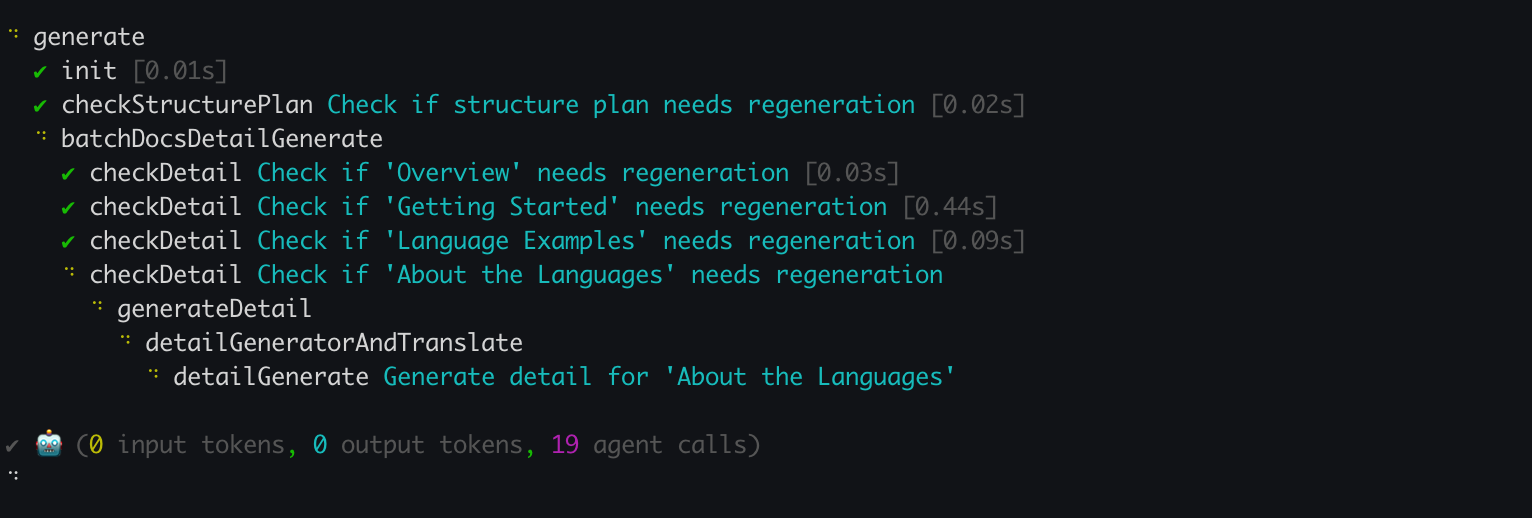
-
|
|
77
78
|
|
|
78
79
|
### 强制完全重新生成
|
|
79
80
|
|
|
80
|
-
如果您需要从头开始重新生成所有文档,忽略任何缓存或先前的状态,请使用 `--forceRegenerate`
|
|
81
|
+
如果您需要从头开始重新生成所有文档,忽略任何缓存或先前的状态,请使用 `--forceRegenerate` 标志。这在进行重大配置更改后,或当您希望确保构建一个全新的版本时非常有用。
|
|
81
82
|
|
|
82
|
-
```
|
|
83
|
+
```shell icon=lucide:terminal
|
|
83
84
|
# 从头开始重新生成所有文档
|
|
84
85
|
aigne doc generate --forceRegenerate
|
|
85
86
|
```
|
|
@@ -88,15 +89,15 @@ aigne doc generate --forceRegenerate
|
|
|
88
89
|
|
|
89
90
|
## 优化单个文档
|
|
90
91
|
|
|
91
|
-
|
|
92
|
+
如果想在没有相应代码变更的情况下改进特定文档,可以使用 `aigne doc update` 命令提供有针对性的内容优化指令。
|
|
92
93
|
|
|
93
|
-
|
|
94
|
+
您可以通过两种方式使用此命令:交互式模式或直接通过命令行参数。
|
|
94
95
|
|
|
95
96
|
### 交互模式
|
|
96
97
|
|
|
97
|
-
|
|
98
|
+
如需引导式体验,请直接运行该命令,不带任何参数。DocSmith 将会展示一个菜单,供您选择要更新的文档。选择后,系统将提示您输入反馈。
|
|
98
99
|
|
|
99
|
-
```
|
|
100
|
+
```shell icon=lucide:terminal
|
|
100
101
|
# 启动交互式更新流程
|
|
101
102
|
aigne doc update
|
|
102
103
|
```
|
|
@@ -105,33 +106,33 @@ aigne doc update
|
|
|
105
106
|
|
|
106
107
|
### 直接通过命令行更新
|
|
107
108
|
|
|
108
|
-
|
|
109
|
+
为了实现更快的工作流或用于脚本编写,您可以使用标志直接指定文档和反馈。这支持精确的非交互式更新。
|
|
109
110
|
|
|
110
|
-
```
|
|
111
|
+
```shell icon=lucide:terminal
|
|
111
112
|
# 使用反馈更新特定文档
|
|
112
|
-
aigne doc update --docs overview.md --feedback "
|
|
113
|
+
aigne doc update --docs overview.md --feedback "在末尾添加一个更详细的 FAQ 部分。"
|
|
113
114
|
```
|
|
114
115
|
|
|
115
116
|
`update` 命令的关键参数:
|
|
116
117
|
|
|
117
118
|
| Parameter | Description |
|
|
118
119
|
| ---------- | ------------------------------------------------------------------------------------------------ |
|
|
119
|
-
| `--docs` |
|
|
120
|
-
| `--feedback` |
|
|
120
|
+
| `--docs` | 您希望更新的文档路径。您可以多次使用此标志进行批量更新。 |
|
|
121
|
+
| `--feedback` | 重新生成内容时要使用的具体指令。 |
|
|
121
122
|
|
|
122
123
|
---
|
|
123
124
|
|
|
124
125
|
## 优化整体结构
|
|
125
126
|
|
|
126
|
-
|
|
127
|
+
除了优化单个文档的内容,您还可以调整整体文档结构。如果缺少某个部分或现有组织结构有待改进,您可以向 `generate` 命令提供反馈。
|
|
127
128
|
|
|
128
|
-
|
|
129
|
+
该命令会指示 DocSmith 根据您的新输入重新评估整个文档计划。
|
|
129
130
|
|
|
130
|
-
```
|
|
131
|
-
#
|
|
132
|
-
aigne doc generate --feedback "
|
|
131
|
+
```shell icon=lucide:terminal
|
|
132
|
+
# 使用特定反馈重新生成文档结构
|
|
133
|
+
aigne doc generate --feedback "删除‘关于’部分,并添加一个详细的‘API 参考’。"
|
|
133
134
|
```
|
|
134
135
|
|
|
135
|
-
|
|
136
|
+
这种方法最适合对文档的目录进行高层级的更改,而不是逐行编辑内容。
|
|
136
137
|
|
|
137
|
-
|
|
138
|
+
借助这些工具,您可以维护与项目共同演进的准确文档。内容优化后,您可以将其提供给全球用户。具体方法请参阅[翻译文档](./features-translate-documentation.md)指南。
|
package/package.json
CHANGED
|
@@ -1,7 +1,7 @@
|
|
|
1
1
|
{
|
|
2
2
|
"name": "@aigne/doc-smith",
|
|
3
|
-
"version": "0.8.10-beta",
|
|
4
|
-
"description": "",
|
|
3
|
+
"version": "0.8.10-beta.2",
|
|
4
|
+
"description": "AI-driven documentation generation tool built on the AIGNE Framework",
|
|
5
5
|
"publishConfig": {
|
|
6
6
|
"access": "public"
|
|
7
7
|
},
|
|
@@ -12,13 +12,13 @@
|
|
|
12
12
|
"author": "Arcblock <blocklet@arcblock.io> https://github.com/blocklet",
|
|
13
13
|
"license": "Elastic-2.0",
|
|
14
14
|
"dependencies": {
|
|
15
|
-
"@aigne/aigne-hub": "^0.9.
|
|
16
|
-
"@aigne/anthropic": "^0.13.
|
|
17
|
-
"@aigne/cli": "^1.
|
|
18
|
-
"@aigne/core": "^1.60.
|
|
19
|
-
"@aigne/gemini": "^0.13.
|
|
20
|
-
"@aigne/openai": "^0.15.
|
|
21
|
-
"@aigne/publish-docs": "^0.
|
|
15
|
+
"@aigne/aigne-hub": "^0.9.5",
|
|
16
|
+
"@aigne/anthropic": "^0.13.4",
|
|
17
|
+
"@aigne/cli": "^1.48.1",
|
|
18
|
+
"@aigne/core": "^1.60.3",
|
|
19
|
+
"@aigne/gemini": "^0.13.4",
|
|
20
|
+
"@aigne/openai": "^0.15.4",
|
|
21
|
+
"@aigne/publish-docs": "^0.11.0",
|
|
22
22
|
"@terrastruct/d2": "^0.1.33",
|
|
23
23
|
"chalk": "^5.5.0",
|
|
24
24
|
"debug": "^4.4.1",
|
|
@@ -37,12 +37,38 @@ Attribute Rules:
|
|
|
37
37
|
|
|
38
38
|
Suitable for displaying API parameters, return values, context data, and any structured data with metadata in a clean, organized format. Supports nested structures for complex data types.
|
|
39
39
|
|
|
40
|
+
### 2.1. `<x-field-group>` Field Group Component
|
|
41
|
+
|
|
42
|
+
Used to group multiple related `<x-field>` elements at the top level, indicating they belong to the same object or context. This provides better organization and visual grouping for related parameters.
|
|
43
|
+
|
|
44
|
+
Syntax:
|
|
45
|
+
|
|
46
|
+
```
|
|
47
|
+
<x-field-group>
|
|
48
|
+
<x-field data-name="field1" data-type="string" data-desc="First field description"></x-field>
|
|
49
|
+
<x-field data-name="field2" data-type="number" data-desc="Second field description"></x-field>
|
|
50
|
+
<x-field data-name="field3" data-type="boolean" data-desc="Third field description"></x-field>
|
|
51
|
+
</x-field-group>
|
|
52
|
+
```
|
|
53
|
+
|
|
54
|
+
Attribute Rules:
|
|
55
|
+
|
|
56
|
+
- No attributes required
|
|
57
|
+
- Must contain multiple `<x-field>` elements
|
|
58
|
+
- Only `<x-field>` elements are allowed as children
|
|
59
|
+
- Cannot be nested inside other `<x-field>` or `<x-field-group>` elements
|
|
60
|
+
- Used only at the top level for grouping related fields
|
|
61
|
+
|
|
62
|
+
### 2.2. `<x-field>` Individual Field Component
|
|
63
|
+
|
|
40
64
|
Syntax:
|
|
41
65
|
|
|
42
66
|
```
|
|
43
67
|
<x-field data-name="field_name" data-type="string" data-default="default_value" data-required="true" data-deprecated="false" data-desc="Field description">
|
|
44
68
|
<!-- For complex types, children can only be other x-field elements -->
|
|
45
69
|
<x-field data-name="nested_field" data-type="string" data-desc="Nested field description"></x-field>
|
|
70
|
+
<!-- Optional: Use x-field-desc for rich text descriptions with inline markdown -->
|
|
71
|
+
<x-field-desc markdown>This field supports **bold text**, `inline code`, and other inline markdown formatting.</x-field-desc>
|
|
46
72
|
</x-field>
|
|
47
73
|
```
|
|
48
74
|
|
|
@@ -53,48 +79,117 @@ Attribute Rules:
|
|
|
53
79
|
- `data-default` (optional): Default value for the field
|
|
54
80
|
- `data-required` (optional): Whether the field is required ("true" or "false")
|
|
55
81
|
- `data-deprecated` (optional): Whether the field is deprecated ("true" or "false")
|
|
56
|
-
- `data-desc` (optional):
|
|
57
|
-
- Children: For complex types (object, array), children can
|
|
82
|
+
- `data-desc` (optional): Simple description of the field (plain text only)
|
|
83
|
+
- Children: For complex types (object, array), children can contain multiple `<x-field>` elements and optionally one `<x-field-desc>` element. For simple types, children can be empty or contain one `<x-field-desc>` element.
|
|
84
|
+
|
|
85
|
+
Child Elements:
|
|
86
|
+
|
|
87
|
+
- `<x-field-desc>` (optional): Rich text description supporting inline markdown formatting
|
|
88
|
+
- `markdown` (required): **MUST** be set to "markdown" - this attribute is mandatory and cannot be omitted
|
|
89
|
+
- Supports **bold text**, `inline code`, *italic text*, and other inline markdown
|
|
90
|
+
- Cannot contain block-level elements (no code blocks, headers, lists)
|
|
91
|
+
- **Mutually exclusive with `data-desc`**: Use either `data-desc` attribute OR `<x-field-desc>` element, not both
|
|
92
|
+
- Only one `<x-field-desc>` element per `<x-field>` is allowed
|
|
93
|
+
- **Validation**: `<x-field-desc>` without `markdown` attribute will be rejected
|
|
58
94
|
|
|
59
95
|
Nesting Rules:
|
|
60
96
|
|
|
61
97
|
- Maximum nesting depth: 5 levels (to avoid overly complex structures)
|
|
62
|
-
-
|
|
63
|
-
-
|
|
64
|
-
- **
|
|
65
|
-
-
|
|
66
|
-
-
|
|
98
|
+
- **Top-level organization**: Use `<x-field-group>` to group related `<x-field>` elements at the top level
|
|
99
|
+
- **Field component children**: Children elements must only be `<x-field>` and `<x-field-desc>` components
|
|
100
|
+
- **Group component children**: `<x-field-group>` can only contain `<x-field>` elements
|
|
101
|
+
- **Mutually exclusive descriptions**: Use either `data-desc` attribute OR `<x-field-desc>` element, not both
|
|
102
|
+
- **Child element limits**:
|
|
103
|
+
- For simple types: children can be empty or contain exactly one `<x-field-desc>` element
|
|
104
|
+
- For complex types: children can contain multiple `<x-field>` elements and optionally one `<x-field-desc>` element
|
|
105
|
+
- **Always use opening/closing tags format**: `<x-field ...></x-field>` and `<x-field-group>...</x-field-group>` for all types
|
|
106
|
+
- **Mandatory markdown attribute**: Every `<x-field-desc>` element **MUST** include `markdown` attribute - elements without this attribute will be rejected
|
|
107
|
+
- **Grouping rules**:
|
|
108
|
+
- `<x-field-group>` can only be used at the top level
|
|
109
|
+
- Cannot be nested inside `<x-field>` or other `<x-field-group>` elements
|
|
110
|
+
- Must contain multiple `<x-field>` elements
|
|
111
|
+
- For simple types (string, number, boolean), children can be empty or contain one `<x-field-desc>`: `<x-field ...></x-field>` or `<x-field ...><x-field-desc markdown>...</x-field-desc></x-field>`
|
|
112
|
+
- For complex types (object, array), children contain nested `<x-field>` elements and optionally one `<x-field-desc>` element
|
|
67
113
|
|
|
68
114
|
**Usage Rules:**
|
|
69
115
|
|
|
70
116
|
- **Context types must use `<x-field>` instead of tables** for consistent formatting
|
|
117
|
+
- **Mandatory markdown attribute**: Every `<x-field-desc>` element must include `markdown` attribute
|
|
118
|
+
|
|
119
|
+
**Error Examples:**
|
|
120
|
+
|
|
121
|
+
❌ **INCORRECT** - Missing `markdown` attribute:
|
|
122
|
+
```
|
|
123
|
+
<x-field data-name="api_key" data-type="string" data-required="true">
|
|
124
|
+
<x-field-desc>Your **API key** for authentication.</x-field-desc>
|
|
125
|
+
</x-field>
|
|
126
|
+
```
|
|
127
|
+
|
|
128
|
+
✅ **CORRECT** - With required `markdown` attribute:
|
|
129
|
+
```
|
|
130
|
+
<x-field data-name="api_key" data-type="string" data-required="true">
|
|
131
|
+
<x-field-desc markdown>Your **API key** for authentication.</x-field-desc>
|
|
132
|
+
</x-field>
|
|
133
|
+
```
|
|
71
134
|
|
|
72
135
|
Example:
|
|
73
136
|
|
|
74
137
|
```
|
|
75
|
-
<!-- Single field -->
|
|
138
|
+
<!-- Single field with simple description (using data-desc) -->
|
|
76
139
|
<x-field data-name="user_id" data-type="string" data-default="u0911" data-required="true" data-deprecated="true" data-desc="Unique identifier for the user. Must be a valid UUID v4 format."></x-field>
|
|
77
140
|
|
|
78
|
-
<!--
|
|
79
|
-
<x-field data-name="
|
|
80
|
-
<x-field
|
|
81
|
-
|
|
141
|
+
<!-- Single field with rich text description (using x-field-desc) -->
|
|
142
|
+
<x-field data-name="api_key" data-type="string" data-required="true">
|
|
143
|
+
<x-field-desc markdown>Your **API key** for authentication. Generate one from the `Settings > API Keys` section. Keep it secure and never expose it in client-side code.</x-field-desc>
|
|
144
|
+
</x-field>
|
|
82
145
|
|
|
83
|
-
<!--
|
|
84
|
-
<x-field
|
|
146
|
+
<!-- Multiple related fields grouped together (Props, Parameters, Returns, Context) -->
|
|
147
|
+
<x-field-group>
|
|
148
|
+
<x-field data-name="name" data-type="string" data-required="true" data-desc="The name of the product."></x-field>
|
|
149
|
+
<x-field data-name="description" data-type="string" data-required="false" data-desc="An optional description for the product."></x-field>
|
|
150
|
+
<x-field data-name="type" data-type="string" data-required="false" data-desc="The type of product (e.g., 'service', 'good')."></x-field>
|
|
151
|
+
<x-field data-name="price" data-type="number" data-required="true" data-default="0">
|
|
152
|
+
<x-field-desc markdown>Product price in **USD**. Must be a positive number with up to 2 decimal places.</x-field-desc>
|
|
153
|
+
</x-field>
|
|
154
|
+
</x-field-group>
|
|
155
|
+
|
|
156
|
+
<!-- Multiple field groups for different contexts -->
|
|
157
|
+
<x-field-group>
|
|
158
|
+
<x-field data-name="username" data-type="string" data-required="true" data-desc="User login name"></x-field>
|
|
159
|
+
<x-field data-name="email" data-type="string" data-required="true" data-desc="User email address"></x-field>
|
|
160
|
+
<x-field data-name="password" data-type="string" data-required="true" data-desc="User password"></x-field>
|
|
161
|
+
</x-field-group>
|
|
162
|
+
|
|
163
|
+
<x-field-group>
|
|
164
|
+
<x-field data-name="host" data-type="string" data-required="true" data-default="localhost" data-desc="Database host address"></x-field>
|
|
165
|
+
<x-field data-name="port" data-type="number" data-required="true" data-default="5432" data-desc="Database port number"></x-field>
|
|
166
|
+
<x-field data-name="ssl" data-type="boolean" data-required="false" data-default="false" data-desc="Enable SSL connection"></x-field>
|
|
167
|
+
</x-field-group>
|
|
168
|
+
|
|
169
|
+
<!-- Complex nested object with rich descriptions -->
|
|
170
|
+
<x-field data-name="session" data-type="object" data-required="true">
|
|
171
|
+
<x-field-desc markdown>Contains all **authentication** and **authorization** data for the current user session. This object is automatically populated after successful login.</x-field-desc>
|
|
85
172
|
<x-field data-name="auth" data-type="object" data-required="true" data-desc="User authentication information">
|
|
86
173
|
<x-field data-name="token" data-type="object" data-required="true" data-desc="Access token information">
|
|
87
|
-
<x-field data-name="access_token" data-type="string" data-required="true" data-default="eyJhbGciOiJIUzI1NiIsInR5cCI6IkpXVCJ9..."
|
|
88
|
-
|
|
174
|
+
<x-field data-name="access_token" data-type="string" data-required="true" data-default="eyJhbGciOiJIUzI1NiIsInR5cCI6IkpXVCJ9...">
|
|
175
|
+
<x-field-desc markdown>**JWT token** containing user identity and permissions. Expires in `24 hours` by default. Use the `refresh_token` to obtain a new one.</x-field-desc>
|
|
176
|
+
</x-field>
|
|
177
|
+
<x-field data-name="refresh_token" data-type="string" data-required="false" data-default="eyJhbGciOiJIUzI1NiIsInR5cCI6IkpXVCJ9...">
|
|
178
|
+
<x-field-desc markdown>Used to obtain new `access_token` when the current one expires. Valid for **30 days**.</x-field-desc>
|
|
179
|
+
</x-field>
|
|
89
180
|
<x-field data-name="expires_at" data-type="number" data-required="true" data-default="1704067200" data-desc="Token expiration timestamp (Unix timestamp)"></x-field>
|
|
90
181
|
</x-field>
|
|
91
182
|
<x-field data-name="user" data-type="object" data-required="true" data-desc="User basic information">
|
|
92
183
|
<x-field data-name="profile" data-type="object" data-required="true" data-desc="User profile information">
|
|
93
184
|
<x-field data-name="name" data-type="string" data-required="true" data-default="John Doe" data-desc="User name"></x-field>
|
|
94
|
-
<x-field data-name="email" data-type="string" data-required="true" data-default="john.doe@example.com"
|
|
185
|
+
<x-field data-name="email" data-type="string" data-required="true" data-default="john.doe@example.com">
|
|
186
|
+
<x-field-desc markdown>Primary email address used for **login** and **notifications**. Must be a valid email format.</x-field-desc>
|
|
187
|
+
</x-field>
|
|
95
188
|
<x-field data-name="avatar" data-type="string" data-required="false" data-default="https://example.com/avatars/john-doe.jpg" data-desc="User avatar URL"></x-field>
|
|
96
189
|
</x-field>
|
|
97
|
-
<x-field data-name="permissions" data-type="array" data-required="true" data-default='["read", "write", "admin"]'
|
|
190
|
+
<x-field data-name="permissions" data-type="array" data-required="true" data-default='["read", "write", "admin"]'>
|
|
191
|
+
<x-field-desc markdown>Array of **permission strings** that determine what actions the user can perform. Common values: `"read"`, `"write"`, `"admin"`, `"delete"`.</x-field-desc>
|
|
192
|
+
</x-field>
|
|
98
193
|
</x-field>
|
|
99
194
|
</x-field>
|
|
100
195
|
</x-field>
|