@workos/mcp-docs-server 0.1.0 → 0.2.0
This diff represents the content of publicly available package versions that have been released to one of the supported registries. The information contained in this diff is provided for informational purposes only and reflects changes between package versions as they appear in their respective public registries.
- package/.docs/organized/changelogs/workos-platform.json +125 -125
- package/.docs/organized/docs/admin-portal/custom-branding.mdx +2 -4
- package/.docs/organized/docs/admin-portal/example-apps.mdx +11 -11
- package/.docs/organized/docs/admin-portal/index.mdx +39 -33
- package/.docs/organized/docs/audit-logs/admin-portal.mdx +1 -1
- package/.docs/organized/docs/audit-logs/editing-events.mdx +1 -1
- package/.docs/organized/docs/audit-logs/exporting-events.mdx +1 -1
- package/.docs/organized/docs/audit-logs/index.mdx +17 -2
- package/.docs/organized/docs/audit-logs/log-streams.mdx +325 -1
- package/.docs/organized/docs/audit-logs/metadata-schema.mdx +1 -1
- package/.docs/organized/docs/authkit/_navigation.mdx +108 -0
- package/.docs/organized/docs/{user-management → authkit}/actions.mdx +3 -4
- package/.docs/organized/docs/authkit/add-ons/google-analytics.mdx +79 -0
- package/.docs/organized/docs/authkit/add-ons/segment.mdx +77 -0
- package/.docs/organized/docs/authkit/add-ons/stripe.mdx +103 -0
- package/.docs/organized/docs/authkit/api-keys.mdx +99 -0
- package/.docs/organized/docs/{user-management → authkit}/branding.mdx +220 -2
- package/.docs/organized/docs/authkit/cli-auth.mdx +76 -0
- package/.docs/organized/docs/authkit/cli-installer.mdx +157 -0
- package/.docs/organized/docs/authkit/connect/m2m.mdx +65 -0
- package/.docs/organized/docs/authkit/connect/oauth.mdx +88 -0
- package/.docs/organized/docs/authkit/connect/standalone.mdx +179 -0
- package/.docs/organized/docs/authkit/connect.mdx +65 -0
- package/.docs/organized/docs/authkit/custom-email-providers.mdx +141 -0
- package/.docs/organized/docs/{user-management → authkit}/custom-emails.mdx +15 -15
- package/.docs/organized/docs/authkit/directory-provisioning.mdx +89 -0
- package/.docs/organized/docs/{user-management → authkit}/domain-verification.mdx +5 -6
- package/.docs/organized/docs/{user-management → authkit}/email-password.mdx +2 -2
- package/.docs/organized/docs/authkit/email-verification.mdx +31 -0
- package/.docs/organized/docs/{user-management → authkit}/example-apps.mdx +3 -3
- package/.docs/organized/docs/authkit/hosted-ui.mdx +165 -0
- package/.docs/organized/docs/{user-management → authkit}/identity-linking.mdx +9 -9
- package/.docs/organized/docs/{user-management → authkit}/impersonation.mdx +8 -8
- package/.docs/organized/docs/{user-management → authkit}/index.mdx +141 -74
- package/.docs/organized/docs/{user-management → authkit}/invitations.mdx +4 -4
- package/.docs/organized/docs/{user-management → authkit}/invite-only-signup.mdx +3 -3
- package/.docs/organized/docs/authkit/jit-provisioning.mdx +42 -0
- package/.docs/organized/docs/{user-management → authkit}/jwt-templates.mdx +37 -3
- package/.docs/organized/docs/authkit/landing.mdx +22 -0
- package/.docs/organized/docs/{user-management → authkit}/magic-auth.mdx +3 -5
- package/.docs/organized/docs/{user-management → authkit}/mcp.mdx +46 -9
- package/.docs/organized/docs/{user-management → authkit}/metadata.mdx +9 -9
- package/.docs/organized/docs/{user-management → authkit}/mfa.mdx +2 -2
- package/.docs/organized/docs/{user-management → authkit}/migrations.mdx +4 -4
- package/.docs/organized/docs/{user-management → authkit}/modeling-your-app.mdx +11 -11
- package/.docs/organized/docs/{user-management → authkit}/organization-policies.mdx +3 -4
- package/.docs/organized/docs/authkit/overview.mdx +46 -0
- package/.docs/organized/docs/{user-management → authkit}/passkeys.mdx +3 -3
- package/.docs/organized/docs/authkit/pipes.mdx +75 -0
- package/.docs/organized/docs/{user-management → authkit}/radar.mdx +39 -4
- package/.docs/organized/docs/authkit/roles-and-permissions.mdx +208 -0
- package/.docs/organized/docs/{user-management → authkit}/sessions.mdx +32 -20
- package/.docs/organized/docs/{user-management → authkit}/social-login.mdx +16 -2
- package/.docs/organized/docs/{user-management → authkit}/sso-with-contractors.mdx +3 -4
- package/.docs/organized/docs/{user-management → authkit}/sso.mdx +2 -2
- package/.docs/organized/docs/authkit/users-organizations.mdx +107 -0
- package/.docs/organized/docs/custom-domains/admin-portal.mdx +0 -2
- package/.docs/organized/docs/custom-domains/authkit.mdx +0 -2
- package/.docs/organized/docs/custom-domains/email.mdx +2 -2
- package/.docs/organized/docs/deprecations/_navigation.mdx +8 -0
- package/.docs/organized/docs/deprecations/raw-attributes.mdx +136 -0
- package/.docs/organized/docs/directory-sync/attributes.mdx +50 -31
- package/.docs/organized/docs/directory-sync/example-apps.mdx +11 -11
- package/.docs/organized/docs/directory-sync/identity-provider-role-assignment.mdx +23 -26
- package/.docs/organized/docs/directory-sync/index.mdx +4 -2
- package/.docs/organized/docs/directory-sync/quick-start.mdx +3 -3
- package/.docs/organized/docs/directory-sync/understanding-events.mdx +2 -2
- package/.docs/organized/docs/domain-verification/api.mdx +8 -8
- package/.docs/organized/docs/domain-verification/index.mdx +3 -3
- package/.docs/organized/docs/email.mdx +49 -5
- package/.docs/organized/docs/events/data-syncing/events-api.mdx +3 -3
- package/.docs/organized/docs/events/data-syncing/index.mdx +2 -3
- package/.docs/organized/docs/events/data-syncing/webhooks.mdx +4 -4
- package/.docs/organized/docs/events/index.mdx +419 -33
- package/.docs/organized/docs/feature-flags/_navigation.mdx +10 -0
- package/.docs/organized/docs/feature-flags/index.mdx +80 -0
- package/.docs/organized/docs/feature-flags/slack-notifications.mdx +58 -0
- package/.docs/organized/docs/fga/_navigation.mdx +34 -54
- package/.docs/organized/docs/fga/access-checks.mdx +109 -0
- package/.docs/organized/docs/fga/assignments.mdx +124 -0
- package/.docs/organized/docs/fga/authkit-integration.mdx +92 -0
- package/.docs/organized/docs/fga/high-cardinality-entities.mdx +172 -0
- package/.docs/organized/docs/fga/idp-role-assignment.mdx +66 -0
- package/.docs/organized/docs/fga/index.mdx +94 -29
- package/.docs/organized/docs/fga/migration-openfga.mdx +306 -0
- package/.docs/organized/docs/fga/migration-oso.mdx +372 -0
- package/.docs/organized/docs/fga/migration-spicedb.mdx +364 -0
- package/.docs/organized/docs/fga/quick-start.mdx +283 -98
- package/.docs/organized/docs/fga/resource-discovery.mdx +78 -0
- package/.docs/organized/docs/fga/resource-types.mdx +165 -0
- package/.docs/organized/docs/fga/resources.mdx +179 -59
- package/.docs/organized/docs/fga/roles-and-permissions.mdx +122 -0
- package/.docs/organized/docs/fga/standalone-integration.mdx +176 -0
- package/.docs/organized/docs/glossary.mdx +7 -3
- package/.docs/organized/docs/integrations/access-people-hr.mdx +1 -1
- package/.docs/organized/docs/integrations/adp-oidc.mdx +1 -1
- package/.docs/organized/docs/integrations/apple.mdx +112 -69
- package/.docs/organized/docs/integrations/auth0-directory-sync.mdx +3 -1
- package/.docs/organized/docs/integrations/auth0-enterprise-connection.mdx +3 -1
- package/.docs/organized/docs/integrations/auth0-saml.mdx +3 -1
- package/.docs/organized/docs/integrations/bamboohr.mdx +4 -4
- package/.docs/organized/docs/integrations/breathe-hr.mdx +1 -1
- package/.docs/organized/docs/integrations/bubble.mdx +1 -1
- package/.docs/organized/docs/integrations/cas-saml.mdx +2 -2
- package/.docs/organized/docs/integrations/classlink-saml.mdx +2 -2
- package/.docs/organized/docs/integrations/clever-oidc.mdx +94 -0
- package/.docs/organized/docs/integrations/cloudflare-saml.mdx +35 -2
- package/.docs/organized/docs/integrations/cyberark-saml.mdx +2 -2
- package/.docs/organized/docs/integrations/cyberark-scim.mdx +1 -1
- package/.docs/organized/docs/integrations/duo-saml.mdx +2 -2
- package/.docs/organized/docs/integrations/entra-id-oidc.mdx +198 -0
- package/.docs/organized/docs/integrations/entra-id-saml.mdx +3 -3
- package/.docs/organized/docs/integrations/entra-id-scim.mdx +5 -1
- package/.docs/organized/docs/integrations/fourth.mdx +2 -2
- package/.docs/organized/docs/integrations/github-oauth.mdx +80 -33
- package/.docs/organized/docs/integrations/gitlab-oauth.mdx +86 -31
- package/.docs/organized/docs/integrations/google-directory-sync.mdx +5 -1
- package/.docs/organized/docs/integrations/google-oauth.mdx +87 -70
- package/.docs/organized/docs/integrations/google-oidc.mdx +142 -0
- package/.docs/organized/docs/integrations/google-saml.mdx +3 -3
- package/.docs/organized/docs/integrations/hibob.mdx +17 -4
- package/.docs/organized/docs/integrations/intuit-oauth.mdx +128 -0
- package/.docs/organized/docs/integrations/jumpcloud-saml.mdx +2 -2
- package/.docs/organized/docs/integrations/jumpcloud-scim.mdx +5 -1
- package/.docs/organized/docs/integrations/keycloak-saml.mdx +2 -2
- package/.docs/organized/docs/integrations/lastpass-saml.mdx +2 -2
- package/.docs/organized/docs/integrations/linkedin-oauth.mdx +69 -30
- package/.docs/organized/docs/integrations/microsoft-ad-fs-saml.mdx +2 -2
- package/.docs/organized/docs/integrations/microsoft-oauth.mdx +95 -38
- package/.docs/organized/docs/integrations/miniorange-saml.mdx +2 -2
- package/.docs/organized/docs/integrations/net-iq-saml.mdx +2 -2
- package/.docs/organized/docs/integrations/next-auth.mdx +1 -1
- package/.docs/organized/docs/integrations/oidc.mdx +37 -24
- package/.docs/organized/docs/integrations/okta-oidc.mdx +149 -0
- package/.docs/organized/docs/integrations/okta-saml.mdx +3 -3
- package/.docs/organized/docs/integrations/okta-scim.mdx +6 -2
- package/.docs/organized/docs/integrations/onelogin-saml.mdx +2 -2
- package/.docs/organized/docs/integrations/onelogin-scim.mdx +1 -1
- package/.docs/organized/docs/integrations/oracle-saml.mdx +2 -2
- package/.docs/organized/docs/integrations/pingfederate-saml.mdx +2 -2
- package/.docs/organized/docs/integrations/pingfederate-scim.mdx +1 -1
- package/.docs/organized/docs/integrations/pingone-saml.mdx +2 -2
- package/.docs/organized/docs/integrations/rippling-saml.mdx +2 -2
- package/.docs/organized/docs/integrations/rippling-scim.mdx +1 -1
- package/.docs/organized/docs/integrations/sailpoint-scim.mdx +77 -0
- package/.docs/organized/docs/integrations/salesforce-oauth.mdx +116 -0
- package/.docs/organized/docs/integrations/salesforce-saml.mdx +4 -4
- package/.docs/organized/docs/integrations/saml.mdx +43 -23
- package/.docs/organized/docs/integrations/scim.mdx +36 -24
- package/.docs/organized/docs/integrations/sftp.mdx +59 -36
- package/.docs/organized/docs/integrations/shibboleth-generic-saml.mdx +1 -1
- package/.docs/organized/docs/integrations/shibboleth-unsolicited-saml.mdx +1 -1
- package/.docs/organized/docs/integrations/simple-saml-php.mdx +2 -2
- package/.docs/organized/docs/integrations/slack-oauth.mdx +53 -49
- package/.docs/organized/docs/integrations/supabase-authkit.mdx +46 -0
- package/.docs/organized/docs/integrations/{supabase.mdx → supabase-sso.mdx} +6 -4
- package/.docs/organized/docs/integrations/vercel-oauth.mdx +120 -0
- package/.docs/organized/docs/integrations/vmware-saml.mdx +2 -2
- package/.docs/organized/docs/integrations/workday.mdx +1 -1
- package/.docs/organized/docs/integrations/xero-oauth.mdx +77 -32
- package/.docs/organized/docs/magic-link/example-apps.mdx +11 -11
- package/.docs/organized/docs/magic-link/index.mdx +2 -0
- package/.docs/organized/docs/mfa/example-apps.mdx +2 -2
- package/.docs/organized/docs/mfa/index.mdx +2 -2
- package/.docs/organized/docs/mfa/ux/enrollment.mdx +1 -1
- package/.docs/organized/docs/mfa/ux/sign-in.mdx +1 -1
- package/.docs/organized/docs/migrate/_navigation.mdx +21 -1
- package/.docs/organized/docs/migrate/auth0.mdx +5 -5
- package/.docs/organized/docs/migrate/aws-cognito.mdx +5 -5
- package/.docs/organized/docs/migrate/better-auth.mdx +282 -0
- package/.docs/organized/docs/migrate/clerk.mdx +9 -11
- package/.docs/organized/docs/migrate/descope.mdx +290 -0
- package/.docs/organized/docs/migrate/firebase.mdx +4 -4
- package/.docs/organized/docs/migrate/other-services.mdx +25 -6
- package/.docs/organized/docs/migrate/standalone-sso.mdx +14 -14
- package/.docs/organized/docs/migrate/stytch.mdx +363 -0
- package/.docs/organized/docs/migrate/supabase.mdx +255 -0
- package/.docs/organized/docs/on-prem-deployment.mdx +1 -1
- package/.docs/organized/docs/pipes/_navigation.mdx +12 -0
- package/.docs/organized/docs/pipes/index.mdx +75 -0
- package/.docs/organized/docs/pipes/providers.mdx +9 -0
- package/.docs/organized/docs/rbac/_navigation.mdx +16 -0
- package/.docs/organized/docs/rbac/configuration.mdx +80 -0
- package/.docs/organized/docs/rbac/idp-role-assignment.mdx +79 -0
- package/.docs/organized/docs/rbac/index.mdx +24 -0
- package/.docs/organized/docs/rbac/integration.mdx +59 -0
- package/.docs/organized/docs/rbac/organization-roles.mdx +38 -0
- package/.docs/organized/docs/rbac/quick-start.mdx +52 -0
- package/.docs/organized/docs/reference/_navigation.mdx +437 -284
- package/.docs/organized/docs/reference/admin-portal/portal-link/index.mdx +1 -1
- package/.docs/organized/docs/reference/admin-portal/provider-icons/index.mdx +3 -3
- package/.docs/organized/docs/reference/{api-keys.mdx → api-authentication/index.mdx} +3 -3
- package/.docs/organized/docs/reference/audit-logs/configuration/index.mdx +97 -0
- package/.docs/organized/docs/reference/audit-logs/{create-event.mdx → event/create.mdx} +12 -2
- package/.docs/organized/docs/reference/audit-logs/event/index.mdx +92 -0
- package/.docs/organized/docs/reference/audit-logs/{create-export.mdx → export/create.mdx} +1 -1
- package/.docs/organized/docs/reference/audit-logs/{get-export.mdx → export/get.mdx} +1 -1
- package/.docs/organized/docs/reference/audit-logs/{audit-log-export.mdx → export/index.mdx} +11 -12
- package/.docs/organized/docs/reference/audit-logs/{get-retention.mdx → retention/get.mdx} +1 -1
- package/.docs/organized/docs/reference/audit-logs/retention/index.mdx +25 -0
- package/.docs/organized/docs/reference/audit-logs/{set-retention.mdx → retention/set.mdx} +1 -1
- package/.docs/organized/docs/reference/audit-logs/{create-schema.mdx → schema/create.mdx} +1 -1
- package/.docs/organized/docs/reference/audit-logs/{audit-log-schema.mdx → schema/index.mdx} +5 -6
- package/.docs/organized/docs/reference/audit-logs/{list-actions.mdx → schema/list-actions.mdx} +2 -1
- package/.docs/organized/docs/reference/audit-logs/{list-schemas.mdx → schema/list.mdx} +1 -1
- package/.docs/organized/docs/reference/authkit/api-keys/create-for-organization.mdx +40 -0
- package/.docs/organized/docs/reference/authkit/api-keys/delete.mdx +23 -0
- package/.docs/organized/docs/reference/authkit/api-keys/index.mdx +275 -0
- package/.docs/organized/docs/reference/authkit/api-keys/list-for-organization.mdx +41 -0
- package/.docs/organized/docs/reference/authkit/api-keys/validate.mdx +77 -0
- package/.docs/organized/docs/reference/{user-management → authkit}/authentication/code.mdx +138 -18
- package/.docs/organized/docs/reference/{user-management → authkit}/authentication/email-verification.mdx +10 -10
- package/.docs/organized/docs/reference/{user-management → authkit}/authentication/get-authorization-url/error-codes.mdx +3 -3
- package/.docs/organized/docs/reference/{user-management → authkit}/authentication/get-authorization-url/index.mdx +64 -17
- package/.docs/organized/docs/reference/{user-management → authkit}/authentication/get-authorization-url/pkce.mdx +2 -2
- package/.docs/organized/docs/reference/authkit/authentication/get-authorization-url/redirect-uri.mdx +47 -0
- package/.docs/organized/docs/reference/{user-management → authkit}/authentication/index.mdx +19 -11
- package/.docs/organized/docs/reference/{user-management → authkit}/authentication/magic-auth.mdx +9 -9
- package/.docs/organized/docs/reference/{user-management → authkit}/authentication/organization-selection.mdx +9 -9
- package/.docs/organized/docs/reference/{user-management → authkit}/authentication/password.mdx +8 -8
- package/.docs/organized/docs/reference/{user-management → authkit}/authentication/refresh-and-seal-session-data.mdx +3 -3
- package/.docs/organized/docs/reference/{user-management → authkit}/authentication/refresh-token.mdx +17 -17
- package/.docs/organized/docs/reference/{user-management → authkit}/authentication/session-cookie.mdx +7 -3
- package/.docs/organized/docs/reference/{user-management → authkit}/authentication/totp.mdx +10 -10
- package/.docs/organized/docs/reference/{user-management → authkit}/authentication-errors/email-verification-required-error.mdx +3 -3
- package/.docs/organized/docs/reference/{user-management → authkit}/authentication-errors/index.mdx +1 -3
- package/.docs/organized/docs/reference/{user-management → authkit}/authentication-errors/mfa-challenge-error.mdx +3 -3
- package/.docs/organized/docs/reference/{user-management → authkit}/authentication-errors/mfa-enrollment-error.mdx +3 -3
- package/.docs/organized/docs/reference/{user-management → authkit}/authentication-errors/organization-authentication-required-error.mdx +3 -3
- package/.docs/organized/docs/reference/{user-management → authkit}/authentication-errors/organization-selection-error.mdx +3 -4
- package/.docs/organized/docs/reference/{user-management → authkit}/authentication-errors/sso-required-error.mdx +3 -3
- package/.docs/organized/docs/reference/authkit/cli-auth/device-authorization.mdx +61 -0
- package/.docs/organized/docs/reference/authkit/cli-auth/device-code.mdx +57 -0
- package/.docs/organized/docs/reference/authkit/cli-auth/error-codes.mdx +31 -0
- package/.docs/organized/docs/reference/authkit/cli-auth/index.mdx +22 -0
- package/.docs/organized/docs/reference/{user-management → authkit}/email-verification/get.mdx +8 -8
- package/.docs/organized/docs/reference/{user-management → authkit}/email-verification/index.mdx +9 -11
- package/.docs/organized/docs/reference/{user-management → authkit}/identity/index.mdx +6 -9
- package/.docs/organized/docs/reference/{user-management → authkit}/identity/list.mdx +5 -6
- package/.docs/organized/docs/reference/authkit/index.mdx +13 -0
- package/.docs/organized/docs/reference/{user-management → authkit}/invitation/accept.mdx +5 -5
- package/.docs/organized/docs/reference/{user-management → authkit}/invitation/find-by-token.mdx +8 -8
- package/.docs/organized/docs/reference/{user-management → authkit}/invitation/get.mdx +8 -9
- package/.docs/organized/docs/reference/{user-management → authkit}/invitation/index.mdx +10 -15
- package/.docs/organized/docs/reference/{user-management → authkit}/invitation/list.mdx +10 -11
- package/.docs/organized/docs/reference/authkit/invitation/resend.mdx +109 -0
- package/.docs/organized/docs/reference/{user-management → authkit}/invitation/revoke.mdx +8 -8
- package/.docs/organized/docs/reference/{user-management → authkit}/invitation/send.mdx +23 -13
- package/.docs/organized/docs/reference/{user-management → authkit}/logout/get-logout-url-from-session-cookie.mdx +2 -2
- package/.docs/organized/docs/reference/{user-management → authkit}/logout/get-logout-url.mdx +8 -8
- package/.docs/organized/docs/reference/{user-management → authkit}/logout/index.mdx +4 -5
- package/.docs/organized/docs/reference/{user-management → authkit}/magic-auth/create.mdx +10 -10
- package/.docs/organized/docs/reference/{user-management → authkit}/magic-auth/get.mdx +9 -10
- package/.docs/organized/docs/reference/{user-management → authkit}/magic-auth/index.mdx +10 -15
- package/.docs/organized/docs/reference/{user-management → authkit}/mfa/authentication-challenge.mdx +9 -10
- package/.docs/organized/docs/reference/{user-management → authkit}/mfa/authentication-factor.mdx +11 -11
- package/.docs/organized/docs/reference/{user-management → authkit}/mfa/enroll-auth-factor.mdx +19 -15
- package/.docs/organized/docs/reference/authkit/mfa/index.mdx +11 -0
- package/.docs/organized/docs/reference/{user-management → authkit}/mfa/list-auth-factors.mdx +9 -9
- package/.docs/organized/docs/reference/{user-management → authkit}/organization-membership/create.mdx +27 -10
- package/.docs/organized/docs/reference/{user-management → authkit}/organization-membership/deactivate.mdx +10 -10
- package/.docs/organized/docs/reference/{user-management → authkit}/organization-membership/delete.mdx +8 -8
- package/.docs/organized/docs/reference/{user-management → authkit}/organization-membership/get.mdx +8 -8
- package/.docs/organized/docs/reference/{user-management → authkit}/organization-membership/index.mdx +107 -14
- package/.docs/organized/docs/reference/{user-management → authkit}/organization-membership/list.mdx +10 -10
- package/.docs/organized/docs/reference/{user-management → authkit}/organization-membership/reactivate.mdx +11 -11
- package/.docs/organized/docs/reference/{user-management → authkit}/organization-membership/update.mdx +25 -9
- package/.docs/organized/docs/reference/{user-management → authkit}/password-reset/create.mdx +8 -8
- package/.docs/organized/docs/reference/{user-management → authkit}/password-reset/get.mdx +8 -8
- package/.docs/organized/docs/reference/{user-management → authkit}/password-reset/index.mdx +10 -12
- package/.docs/organized/docs/reference/{user-management → authkit}/password-reset/reset-password.mdx +8 -8
- package/.docs/organized/docs/reference/authkit/session/index.mdx +128 -0
- package/.docs/organized/docs/reference/authkit/session/list.mdx +110 -0
- package/.docs/organized/docs/reference/authkit/session/revoke.mdx +73 -0
- package/.docs/organized/docs/reference/{user-management → authkit}/session-helpers/authenticate.mdx +22 -6
- package/.docs/organized/docs/reference/{user-management → authkit}/session-helpers/get-logout-url.mdx +5 -5
- package/.docs/organized/docs/reference/{user-management → authkit}/session-helpers/index.mdx +2 -2
- package/.docs/organized/docs/reference/{user-management → authkit}/session-helpers/load-sealed-session.mdx +4 -4
- package/.docs/organized/docs/reference/{user-management → authkit}/session-helpers/refresh.mdx +18 -6
- package/.docs/organized/docs/reference/{user-management → authkit}/session-tokens/access-token.mdx +16 -8
- package/.docs/organized/docs/reference/authkit/session-tokens/index.mdx +5 -0
- package/.docs/organized/docs/reference/{user-management → authkit}/session-tokens/jwks.mdx +8 -8
- package/.docs/organized/docs/reference/authkit/session-tokens/refresh-token.mdx +8 -0
- package/.docs/organized/docs/reference/{user-management → authkit}/user/create.mdx +36 -17
- package/.docs/organized/docs/reference/{user-management → authkit}/user/delete.mdx +8 -9
- package/.docs/organized/docs/reference/{user-management → authkit}/user/get-by-external-id.mdx +16 -4
- package/.docs/organized/docs/reference/{user-management → authkit}/user/get.mdx +8 -8
- package/.docs/organized/docs/reference/{user-management → authkit}/user/index.mdx +25 -15
- package/.docs/organized/docs/reference/{user-management → authkit}/user/list.mdx +9 -12
- package/.docs/organized/docs/reference/{user-management → authkit}/user/update.mdx +43 -20
- package/.docs/organized/docs/reference/{client-libraries.mdx → client-libraries/index.mdx} +2 -2
- package/.docs/organized/docs/reference/directory-sync/directory/index.mdx +1 -1
- package/.docs/organized/docs/reference/directory-sync/directory-group/index.mdx +1 -24
- package/.docs/organized/docs/reference/directory-sync/directory-user/index.mdx +1 -29
- package/.docs/organized/docs/reference/directory-sync/directory-user/list.mdx +1 -1
- package/.docs/organized/docs/reference/directory-sync/index.mdx +1 -1
- package/.docs/organized/docs/reference/domain-verification/create.mdx +35 -0
- package/.docs/organized/docs/reference/domain-verification/delete.mdx +55 -0
- package/.docs/organized/docs/reference/domain-verification/get.mdx +29 -0
- package/.docs/organized/docs/reference/domain-verification/index.mdx +57 -1
- package/.docs/organized/docs/reference/domain-verification/verify.mdx +29 -0
- package/.docs/organized/docs/reference/{errors.mdx → errors/index.mdx} +1 -1
- package/.docs/organized/docs/reference/events/list.mdx +5 -4
- package/.docs/organized/docs/reference/feature-flags/flag/disable.mdx +33 -0
- package/.docs/organized/docs/reference/feature-flags/flag/enable.mdx +33 -0
- package/.docs/organized/docs/reference/feature-flags/flag/get.mdx +32 -0
- package/.docs/organized/docs/reference/feature-flags/flag/index.mdx +116 -0
- package/.docs/organized/docs/reference/feature-flags/flag/list.mdx +67 -0
- package/.docs/organized/docs/reference/feature-flags/index.mdx +123 -0
- package/.docs/organized/docs/reference/feature-flags/targeting/add.mdx +43 -0
- package/.docs/organized/docs/reference/feature-flags/targeting/index.mdx +23 -0
- package/.docs/organized/docs/reference/feature-flags/targeting/list-for-organization.mdx +132 -0
- package/.docs/organized/docs/reference/feature-flags/targeting/list-for-user.mdx +94 -0
- package/.docs/organized/docs/reference/feature-flags/targeting/remove.mdx +43 -0
- package/.docs/organized/docs/reference/fga/access-check/check.mdx +102 -0
- package/.docs/organized/docs/reference/fga/access-check/index.mdx +6 -0
- package/.docs/organized/docs/reference/fga/access-check/list-memberships-by-external-id.mdx +143 -0
- package/.docs/organized/docs/reference/fga/access-check/list-memberships.mdx +127 -0
- package/.docs/organized/docs/reference/fga/access-check/list-resources.mdx +152 -0
- package/.docs/organized/docs/reference/fga/index.mdx +14 -2
- package/.docs/organized/docs/reference/fga/resource/create.mdx +74 -88
- package/.docs/organized/docs/reference/fga/resource/delete-by-external-id.mdx +78 -0
- package/.docs/organized/docs/reference/fga/resource/delete.mdx +38 -62
- package/.docs/organized/docs/reference/fga/resource/get-by-external-id.mdx +60 -0
- package/.docs/organized/docs/reference/fga/resource/get.mdx +15 -63
- package/.docs/organized/docs/reference/fga/resource/index.mdx +74 -73
- package/.docs/organized/docs/reference/fga/resource/list.mdx +90 -131
- package/.docs/organized/docs/reference/fga/resource/update-by-external-id.mdx +81 -0
- package/.docs/organized/docs/reference/fga/resource/update.mdx +29 -85
- package/.docs/organized/docs/reference/fga/role-assignment/create.mdx +89 -0
- package/.docs/organized/docs/reference/fga/role-assignment/delete-by-id.mdx +59 -0
- package/.docs/organized/docs/reference/fga/role-assignment/delete.mdx +90 -0
- package/.docs/organized/docs/reference/fga/role-assignment/index.mdx +106 -0
- package/.docs/organized/docs/reference/fga/role-assignment/list.mdx +86 -0
- package/.docs/organized/docs/reference/index.mdx +21 -12
- package/.docs/organized/docs/reference/magic-link/passwordless-session/index.mdx +1 -1
- package/.docs/organized/docs/reference/mfa/{challenge-factor.mdx → challenge/create.mdx} +1 -1
- package/.docs/organized/docs/reference/mfa/{authentication-challenge.mdx → challenge/index.mdx} +11 -14
- package/.docs/organized/docs/reference/mfa/{verify-challenge.mdx → challenge/verify.mdx} +10 -12
- package/.docs/organized/docs/reference/mfa/{delete-factor.mdx → factor/delete.mdx} +1 -1
- package/.docs/organized/docs/reference/mfa/{enroll-factor.mdx → factor/enroll.mdx} +1 -1
- package/.docs/organized/docs/reference/mfa/{get-factor.mdx → factor/get.mdx} +1 -1
- package/.docs/organized/docs/reference/mfa/{authentication-factor.mdx → factor/index.mdx} +11 -12
- package/.docs/organized/docs/reference/organization/create.mdx +1 -6
- package/.docs/organized/docs/reference/organization/get-by-external-id.mdx +1 -1
- package/.docs/organized/docs/reference/organization/index.mdx +5 -5
- package/.docs/organized/docs/reference/organization/update.mdx +1 -1
- package/.docs/organized/docs/reference/{pagination.mdx → pagination/index.mdx} +1 -3
- package/.docs/organized/docs/reference/pipes/access-token/get.mdx +174 -0
- package/.docs/organized/docs/reference/pipes/access-token/index.mdx +44 -0
- package/.docs/organized/docs/reference/pipes/connected-account/delete.mdx +42 -0
- package/.docs/organized/docs/reference/pipes/connected-account/get-authorize-url.mdx +49 -0
- package/.docs/organized/docs/reference/pipes/connected-account/get.mdx +42 -0
- package/.docs/organized/docs/reference/pipes/connected-account/index.mdx +69 -0
- package/.docs/organized/docs/reference/pipes/index.mdx +8 -0
- package/.docs/organized/docs/reference/pipes/provider/index.mdx +70 -0
- package/.docs/organized/docs/reference/pipes/provider/list.mdx +47 -0
- package/.docs/organized/docs/reference/radar/attempts/index.mdx +1 -1
- package/.docs/organized/docs/reference/radar/lists/index.mdx +1 -1
- package/.docs/organized/docs/reference/rate-limits/index.mdx +56 -0
- package/.docs/organized/docs/reference/roles/index.mdx +12 -262
- package/.docs/organized/docs/reference/roles/organization-role/add-permission.mdx +75 -0
- package/.docs/organized/docs/reference/roles/organization-role/create.mdx +95 -0
- package/.docs/organized/docs/reference/roles/organization-role/delete.mdx +47 -0
- package/.docs/organized/docs/reference/roles/organization-role/get.mdx +55 -0
- package/.docs/organized/docs/reference/roles/organization-role/index.mdx +148 -0
- package/.docs/organized/docs/reference/roles/organization-role/list.mdx +68 -0
- package/.docs/organized/docs/reference/roles/organization-role/remove-permission.mdx +68 -0
- package/.docs/organized/docs/reference/roles/organization-role/set-permissions.mdx +79 -0
- package/.docs/organized/docs/reference/roles/organization-role/update.mdx +85 -0
- package/.docs/organized/docs/reference/roles/permission/create.mdx +101 -0
- package/.docs/organized/docs/reference/roles/permission/delete.mdx +38 -0
- package/.docs/organized/docs/reference/roles/permission/get.mdx +45 -0
- package/.docs/organized/docs/reference/roles/permission/index.mdx +128 -0
- package/.docs/organized/docs/reference/roles/permission/list.mdx +91 -0
- package/.docs/organized/docs/reference/roles/permission/update.mdx +80 -0
- package/.docs/organized/docs/reference/roles/role/add-permission.mdx +63 -0
- package/.docs/organized/docs/reference/roles/role/create.mdx +103 -0
- package/.docs/organized/docs/reference/roles/role/get.mdx +52 -0
- package/.docs/organized/docs/reference/roles/role/index.mdx +135 -0
- package/.docs/organized/docs/reference/roles/role/list.mdx +56 -0
- package/.docs/organized/docs/reference/roles/role/set-permissions.mdx +67 -0
- package/.docs/organized/docs/reference/roles/role/update.mdx +78 -0
- package/.docs/organized/docs/reference/sso/connection/index.mdx +2 -2
- package/.docs/organized/docs/reference/sso/get-authorization-url/error-codes.mdx +5 -3
- package/.docs/organized/docs/reference/sso/get-authorization-url/index.mdx +24 -2
- package/.docs/organized/docs/reference/sso/get-authorization-url/redirect-uri.mdx +25 -1
- package/.docs/organized/docs/reference/sso/index.mdx +1 -1
- package/.docs/organized/docs/reference/sso/logout/authorize.mdx +0 -1
- package/.docs/organized/docs/reference/sso/logout/index.mdx +1 -2
- package/.docs/organized/docs/reference/sso/logout/redirect.mdx +0 -1
- package/.docs/organized/docs/reference/sso/profile/get-profile-and-token.mdx +13 -1
- package/.docs/organized/docs/reference/sso/profile/index.mdx +25 -24
- package/.docs/organized/docs/reference/{testing.mdx → testing/index.mdx} +1 -1
- package/.docs/organized/docs/reference/vault/key/create-data-key.mdx +29 -0
- package/.docs/organized/docs/reference/vault/key/decrypt-data-key.mdx +20 -0
- package/.docs/organized/docs/reference/vault/key/decrypt-data.mdx +24 -0
- package/.docs/organized/docs/reference/vault/key/encrypt-data.mdx +20 -0
- package/.docs/organized/docs/reference/vault/object/create.mdx +17 -0
- package/.docs/organized/docs/reference/vault/object/delete.mdx +12 -0
- package/.docs/organized/docs/reference/vault/object/get-by-name.mdx +61 -0
- package/.docs/organized/docs/reference/vault/object/get.mdx +11 -0
- package/.docs/organized/docs/reference/vault/object/index.mdx +50 -4
- package/.docs/organized/docs/reference/vault/object/list.mdx +40 -1
- package/.docs/organized/docs/reference/vault/object/update.mdx +18 -0
- package/.docs/organized/docs/reference/vault/object/version.mdx +15 -2
- package/.docs/organized/docs/reference/vault/object/versions.mdx +13 -0
- package/.docs/organized/docs/reference/widgets/get-token.mdx +8 -5
- package/.docs/organized/docs/reference/workos-connect/applications/client-secrets/create.mdx +55 -0
- package/.docs/organized/docs/reference/workos-connect/applications/client-secrets/delete.mdx +28 -0
- package/.docs/organized/docs/reference/workos-connect/applications/client-secrets/index.mdx +60 -0
- package/.docs/organized/docs/reference/workos-connect/applications/client-secrets/list.mdx +52 -0
- package/.docs/organized/docs/reference/workos-connect/applications/create.mdx +79 -0
- package/.docs/organized/docs/reference/workos-connect/applications/delete.mdx +28 -0
- package/.docs/organized/docs/reference/workos-connect/applications/get.mdx +59 -0
- package/.docs/organized/docs/reference/workos-connect/applications/index.mdx +40 -0
- package/.docs/organized/docs/reference/workos-connect/applications/list.mdx +49 -0
- package/.docs/organized/docs/reference/workos-connect/applications/m2m.mdx +52 -0
- package/.docs/organized/docs/reference/workos-connect/applications/oauth.mdx +85 -0
- package/.docs/organized/docs/reference/workos-connect/applications/update.mdx +59 -0
- package/.docs/organized/docs/reference/workos-connect/authorize/index.mdx +29 -1
- package/.docs/organized/docs/reference/workos-connect/cli-auth/authorize-device/index.mdx +81 -0
- package/.docs/organized/docs/reference/workos-connect/cli-auth/device-code-grant.mdx +74 -0
- package/.docs/organized/docs/reference/workos-connect/cli-auth/index.mdx +23 -0
- package/.docs/organized/docs/reference/workos-connect/index.mdx +1 -1
- package/.docs/organized/docs/reference/workos-connect/introspection/index.mdx +8 -3
- package/.docs/organized/docs/reference/workos-connect/metadata/index.mdx +1 -1
- package/.docs/organized/docs/reference/workos-connect/metadata/oauth-authorization-server/index.mdx +1 -1
- package/.docs/organized/docs/reference/workos-connect/standalone/complete.mdx +68 -0
- package/.docs/organized/docs/reference/workos-connect/standalone/index.mdx +9 -0
- package/.docs/organized/docs/reference/workos-connect/standalone/user-consent-options.mdx +41 -0
- package/.docs/organized/docs/reference/workos-connect/token/authorization-code-grant/access-token.mdx +6 -0
- package/.docs/organized/docs/reference/workos-connect/token/authorization-code-grant/id-token.mdx +1 -1
- package/.docs/organized/docs/reference/workos-connect/token/{authorization-code-grant/index.mdx → authorization-code-grant.mdx} +23 -2
- package/.docs/organized/docs/reference/workos-connect/token/client-credentials-grant/access-token.mdx +1 -1
- package/.docs/organized/docs/reference/workos-connect/token/{client-credentials-grant/index.mdx → client-credentials-grant.mdx} +2 -2
- package/.docs/organized/docs/reference/workos-connect/token/index.mdx +5 -4
- package/.docs/organized/docs/reference/workos-connect/token/refresh-token-grant.mdx +1 -1
- package/.docs/organized/docs/reference/workos-connect/userinfo/index.mdx +2 -2
- package/.docs/organized/docs/sdks/authkit-js.mdx +14 -0
- package/.docs/organized/docs/sdks/authkit-nextjs.mdx +14 -0
- package/.docs/organized/docs/sdks/authkit-react-router.mdx +14 -0
- package/.docs/organized/docs/sdks/authkit-react.mdx +14 -0
- package/.docs/organized/docs/sdks/authkit-remix.mdx +14 -0
- package/.docs/organized/docs/sdks/authkit-tanstack-start.mdx +14 -0
- package/.docs/organized/docs/sso/_navigation.mdx +8 -2
- package/.docs/organized/docs/sso/attributes.mdx +15 -3
- package/.docs/organized/docs/sso/domains.mdx +8 -6
- package/.docs/organized/docs/sso/example-apps.mdx +2 -2
- package/.docs/organized/docs/sso/identity-provider-role-assignment.mdx +30 -30
- package/.docs/organized/docs/sso/index.mdx +7 -6
- package/.docs/organized/docs/sso/it-team-faq.mdx +1 -1
- package/.docs/organized/docs/sso/jit-provisioning.mdx +2 -3
- package/.docs/organized/docs/sso/launch-checklist.mdx +2 -2
- package/.docs/organized/docs/sso/login-flows.mdx +3 -3
- package/.docs/organized/docs/sso/redirect-uris.mdx +22 -11
- package/.docs/organized/docs/sso/saml-security.mdx +1 -1
- package/.docs/organized/docs/sso/sign-in-consent.mdx +59 -0
- package/.docs/organized/docs/sso/signing-certificates.mdx +7 -7
- package/.docs/organized/docs/sso/single-logout.mdx +0 -1
- package/.docs/organized/docs/sso/ux/sessions.mdx +99 -0
- package/.docs/organized/docs/sso/ux/sign-in.mdx +1 -1
- package/.docs/organized/docs/vault/_navigation.mdx +2 -0
- package/.docs/organized/docs/vault/byok.mdx +140 -0
- package/.docs/organized/docs/vault/index.mdx +1 -1
- package/.docs/organized/docs/widgets/_navigation.mdx +48 -0
- package/.docs/organized/docs/widgets/admin-portal-domain-verification.mdx +24 -0
- package/.docs/organized/docs/widgets/admin-portal-sso-connection.mdx +20 -0
- package/.docs/organized/docs/widgets/api-keys.mdx +28 -0
- package/.docs/organized/docs/widgets/audit-log-streaming.mdx +25 -0
- package/.docs/organized/docs/widgets/directory-sync.mdx +23 -0
- package/.docs/organized/docs/widgets/index.mdx +12 -0
- package/.docs/organized/docs/widgets/localization.mdx +111 -0
- package/.docs/organized/docs/widgets/organization-switcher.mdx +47 -0
- package/.docs/organized/docs/widgets/pipes.mdx +27 -0
- package/.docs/organized/docs/widgets/quick-start.mdx +38 -0
- package/.docs/organized/docs/widgets/styling/css-customization.mdx +100 -0
- package/.docs/organized/docs/widgets/styling/index.mdx +29 -0
- package/.docs/organized/docs/widgets/styling/theme-customization.mdx +51 -0
- package/.docs/organized/docs/widgets/tokens.mdx +17 -0
- package/.docs/organized/docs/widgets/user-management.mdx +28 -0
- package/.docs/organized/docs/widgets/user-profile.mdx +30 -0
- package/.docs/organized/docs/widgets/user-security.mdx +31 -0
- package/.docs/organized/docs/widgets/user-sessions.mdx +26 -0
- package/LICENSE +21 -0
- package/README.md +14 -1
- package/dist/prepare.js +1 -1
- package/dist/prepare.js.map +1 -1
- package/package.json +2 -1
- package/.docs/organized/docs/dashboard.mdx +0 -244
- package/.docs/organized/docs/demo/_navigation.mdx +0 -26
- package/.docs/organized/docs/demo/accordion.mdx +0 -34
- package/.docs/organized/docs/demo/checklist.mdx +0 -33
- package/.docs/organized/docs/demo/code-block.mdx +0 -185
- package/.docs/organized/docs/demo/definition-list.mdx +0 -35
- package/.docs/organized/docs/demo/index.mdx +0 -7
- package/.docs/organized/docs/demo/punctuation.mdx +0 -37
- package/.docs/organized/docs/demo/replacements.mdx +0 -26
- package/.docs/organized/docs/demo/table.mdx +0 -26
- package/.docs/organized/docs/demo/tabs.mdx +0 -17
- package/.docs/organized/docs/fga/identity-provider-sessions.mdx +0 -68
- package/.docs/organized/docs/fga/local-development.mdx +0 -155
- package/.docs/organized/docs/fga/modeling/abac.mdx +0 -107
- package/.docs/organized/docs/fga/modeling/blocklist.mdx +0 -84
- package/.docs/organized/docs/fga/modeling/conditional-roles.mdx +0 -99
- package/.docs/organized/docs/fga/modeling/custom-roles.mdx +0 -90
- package/.docs/organized/docs/fga/modeling/entitlements.mdx +0 -127
- package/.docs/organized/docs/fga/modeling/managed-service-provider.mdx +0 -131
- package/.docs/organized/docs/fga/modeling/org-roles-and-permissions.mdx +0 -95
- package/.docs/organized/docs/fga/modeling/policy-context.mdx +0 -231
- package/.docs/organized/docs/fga/modeling/public-access.mdx +0 -61
- package/.docs/organized/docs/fga/modeling/shareable-content.mdx +0 -106
- package/.docs/organized/docs/fga/modeling/superusers.mdx +0 -74
- package/.docs/organized/docs/fga/modeling/user-groups.mdx +0 -92
- package/.docs/organized/docs/fga/operations-usage.mdx +0 -104
- package/.docs/organized/docs/fga/playground.mdx +0 -12
- package/.docs/organized/docs/fga/policies.mdx +0 -462
- package/.docs/organized/docs/fga/query-language.mdx +0 -112
- package/.docs/organized/docs/fga/schema-management.mdx +0 -224
- package/.docs/organized/docs/fga/schema.mdx +0 -388
- package/.docs/organized/docs/fga/warrant-tokens.mdx +0 -44
- package/.docs/organized/docs/fga/warrants.mdx +0 -92
- package/.docs/organized/docs/reference/fga/batch-check.mdx +0 -277
- package/.docs/organized/docs/reference/fga/check.mdx +0 -563
- package/.docs/organized/docs/reference/fga/policy/create.mdx +0 -27
- package/.docs/organized/docs/reference/fga/policy/delete.mdx +0 -18
- package/.docs/organized/docs/reference/fga/policy/get.mdx +0 -23
- package/.docs/organized/docs/reference/fga/policy/index.mdx +0 -52
- package/.docs/organized/docs/reference/fga/policy/list.mdx +0 -41
- package/.docs/organized/docs/reference/fga/policy/update.mdx +0 -26
- package/.docs/organized/docs/reference/fga/query.mdx +0 -375
- package/.docs/organized/docs/reference/fga/resource/batch-write.mdx +0 -175
- package/.docs/organized/docs/reference/fga/resource-type/apply.mdx +0 -35
- package/.docs/organized/docs/reference/fga/resource-type/create.mdx +0 -24
- package/.docs/organized/docs/reference/fga/resource-type/delete.mdx +0 -22
- package/.docs/organized/docs/reference/fga/resource-type/get.mdx +0 -23
- package/.docs/organized/docs/reference/fga/resource-type/index.mdx +0 -68
- package/.docs/organized/docs/reference/fga/resource-type/list.mdx +0 -36
- package/.docs/organized/docs/reference/fga/resource-type/update.mdx +0 -23
- package/.docs/organized/docs/reference/fga/schema/apply.mdx +0 -42
- package/.docs/organized/docs/reference/fga/schema/get.mdx +0 -24
- package/.docs/organized/docs/reference/fga/schema/index.mdx +0 -39
- package/.docs/organized/docs/reference/fga/warrant/batch-write.mdx +0 -226
- package/.docs/organized/docs/reference/fga/warrant/create.mdx +0 -215
- package/.docs/organized/docs/reference/fga/warrant/delete.mdx +0 -212
- package/.docs/organized/docs/reference/fga/warrant/index.mdx +0 -186
- package/.docs/organized/docs/reference/fga/warrant/list.mdx +0 -282
- package/.docs/organized/docs/reference/idempotency.mdx +0 -21
- package/.docs/organized/docs/reference/organization-domain.mdx +0 -189
- package/.docs/organized/docs/reference/rate-limits.mdx +0 -50
- package/.docs/organized/docs/reference/roles/list-for-organization.mdx +0 -152
- package/.docs/organized/docs/reference/user-management/access-token/index.mdx +0 -13
- package/.docs/organized/docs/reference/user-management/authentication/get-authorization-url/redirect-uri.mdx +0 -23
- package/.docs/organized/docs/reference/user-management/index.mdx +0 -13
- package/.docs/organized/docs/reference/user-management/mfa/index.mdx +0 -5
- package/.docs/organized/docs/reference/user-management/session-tokens/index.mdx +0 -5
- package/.docs/organized/docs/reference/user-management/session-tokens/refresh-token.mdx +0 -8
- package/.docs/organized/docs/user-management/_navigation.mdx +0 -87
- package/.docs/organized/docs/user-management/authkit.mdx +0 -69
- package/.docs/organized/docs/user-management/connect.mdx +0 -110
- package/.docs/organized/docs/user-management/directory-provisioning.mdx +0 -78
- package/.docs/organized/docs/user-management/email-verification.mdx +0 -29
- package/.docs/organized/docs/user-management/entitlements.mdx +0 -46
- package/.docs/organized/docs/user-management/jit-provisioning.mdx +0 -36
- package/.docs/organized/docs/user-management/overview.mdx +0 -46
- package/.docs/organized/docs/user-management/roles-and-permissions.mdx +0 -155
- package/.docs/organized/docs/user-management/users-organizations.mdx +0 -91
- package/.docs/organized/docs/user-management/widgets.mdx +0 -190
|
@@ -1,110 +0,0 @@
|
|
|
1
|
-
---
|
|
2
|
-
title: WorkOS Connect
|
|
3
|
-
description: Enable other applications to access your user's identities.
|
|
4
|
-
showNextPage: true
|
|
5
|
-
originalPath: .tmp-workos-clone/packages/docs/content/user-management/connect.mdx
|
|
6
|
-
---
|
|
7
|
-
|
|
8
|
-
## Introduction
|
|
9
|
-
|
|
10
|
-
WorkOS Connect is a set of controls and APIs that developers can use to allow different types of applications to make use of your users' identity and resources. Connect is built on top of industry-standard specifications like OAuth 2.0 and OpenID Connect in order to support many common use-cases out of the box.
|
|
11
|
-
|
|
12
|
-
## Getting started
|
|
13
|
-
|
|
14
|
-
Each Connect integration is defined as an Application, which can be created inside of the [WorkOS Dashboard](/dashboard).
|
|
15
|
-
|
|
16
|
-
When creating an application, you choose the type of integration: OAuth or Machine-to-Machine (M2M). You also choose the level of trust: first-party or third-party.
|
|
17
|
-
|
|
18
|
-
### OAuth applications
|
|
19
|
-
|
|
20
|
-
Select OAuth when clients will be web-browsers or mobile-applications and the expected subject of the authentication is a [User](/reference/user-management/user). Integrating with an OAuth application uses the underlying `authorization_code` OAuth flow which is supported by many libraries and frameworks out of the box.
|
|
21
|
-
|
|
22
|
-
Upon successful authorization, the issued tokens will contain information about the user who signed in.
|
|
23
|
-
|
|
24
|
-
### M2M applications
|
|
25
|
-
|
|
26
|
-
Select M2M when clients will be other machines, such as one of your customer's applications. Integrating with an M2M application uses the underlying `client_credentials` flow.
|
|
27
|
-
|
|
28
|
-
Unlike an OAuth application, the subject of the authorization is not an individual. Instead issued access tokens will contain an `org_id` claim which represents the customer you are granting access to via the M2M application.
|
|
29
|
-
|
|
30
|
-
A common use-case for M2M applications is using its credentials as API access credentials for specific customers and partnerships.
|
|
31
|
-
|
|
32
|
-
### First-party applications
|
|
33
|
-
|
|
34
|
-
Select first-party when the client is one that your team controls, such as supporting services that are deployed separately from your main application but still need access to your users' identities. Examples include community forums or customer support portals.
|
|
35
|
-
|
|
36
|
-
### Third-party applications
|
|
37
|
-
|
|
38
|
-
Select third-party when the client is one of your customers or partners, but you do not directly control the integrating application. For this reason, you must also associate third-party applications with an [Organization](/reference/organization) that represents the customer or partner.
|
|
39
|
-
|
|
40
|
-
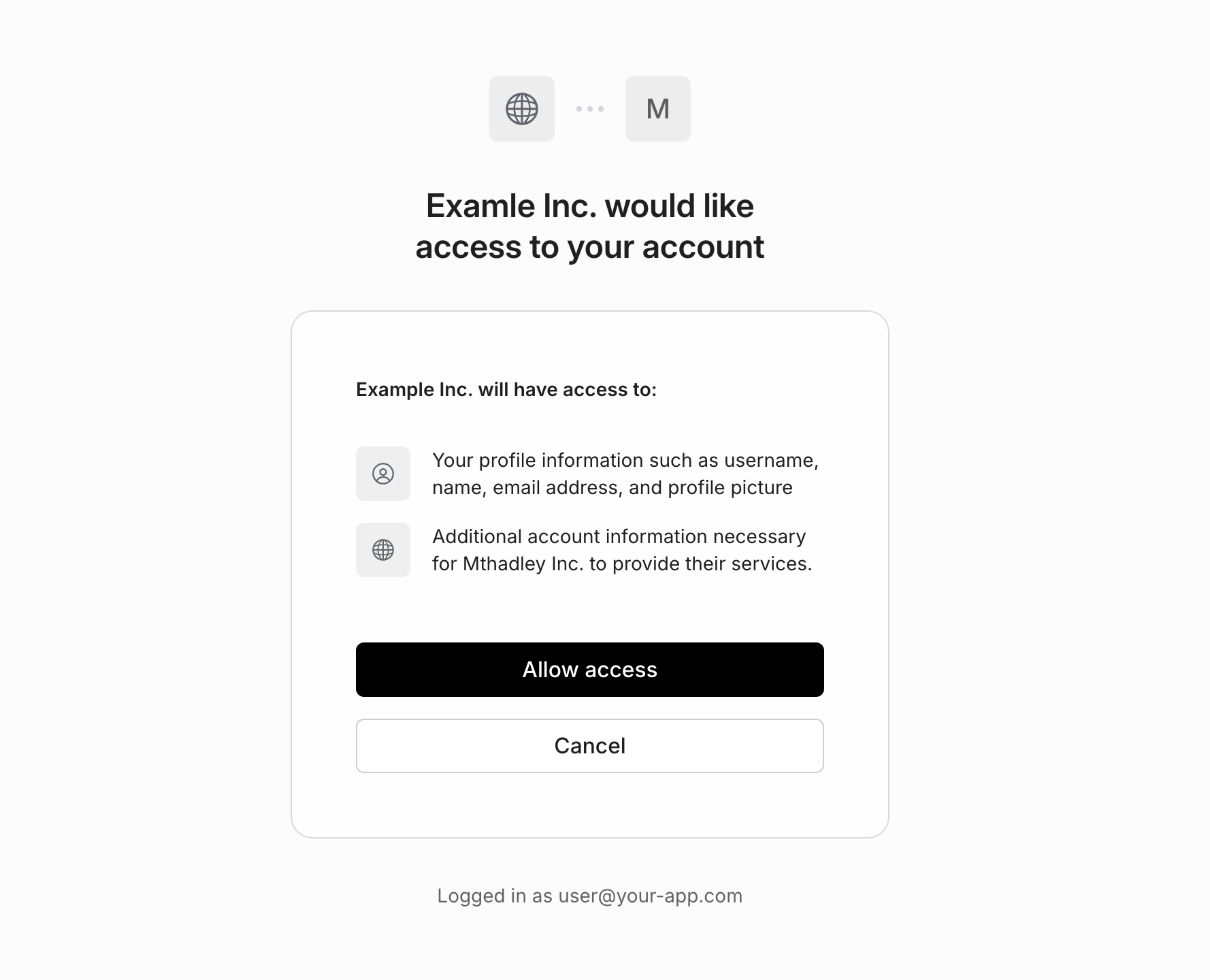
A third-party _OAuth_ application will generally have a "Sign in with [your application]" button on their login page, in the same way many sites have a "Sign in with Google" button, allowing you to offer similar functionality to your customers or partners. Unlike first-party applications, your users will be prompted in AuthKit to explicitly authorize the application before their identity is shared.
|
|
41
|
-
|
|
42
|
-
|
|
43
|
-
|
|
44
|
-
A third-party _M2M_ application will generally be a service you are authorizing to access your application's API using the access tokens obtained via the `client_credentials` flow covered below.
|
|
45
|
-
|
|
46
|
-
> Machine-to-machine applications can only be configured as third-party.
|
|
47
|
-
|
|
48
|
-
## Configuring applications
|
|
49
|
-
|
|
50
|
-
Once you've created an application, you can configure the following settings.
|
|
51
|
-
|
|
52
|
-
### Redirect URI
|
|
53
|
-
|
|
54
|
-
For OAuth applications, this is the final location users will be redirected to after successful authentication. Clients should use the [Token Endpoint](/reference/workos-connect/token) to exchange the `code` for tokens at this location.
|
|
55
|
-
|
|
56
|
-
### Name and Logo
|
|
57
|
-
|
|
58
|
-
For third-party OAuth applications, the name and logo will be displayed to your users when they are prompted to authorize access. Both light and dark-mode logos are supported.
|
|
59
|
-
|
|
60
|
-
### Credentials
|
|
61
|
-
|
|
62
|
-
Applications can have up to 5 credentials. These are only shown once upon creation and do not expire. The application `client_id` and `client_secret` from a credential can be used to authenticate to the [OAuth-based Connect APIs](/reference/workos-connect).
|
|
63
|
-
|
|
64
|
-
When sharing third-party app credentials with an external party, use a secure method — like encrypted email or file sharing — and make sure the recipient is properly authenticated.
|
|
65
|
-
|
|
66
|
-
## Authentication
|
|
67
|
-
|
|
68
|
-
When using Connect, there are two sides of the integration with each Application:
|
|
69
|
-
|
|
70
|
-
- **The requesting client**: the client (an external application) that receives Connect-issued tokens, receiving identity information and optionally using access tokens to make requests to your API.
|
|
71
|
-
- **The resource server**: the service (generally your app) that allows other clients to authenticate with the Connect-issued tokens.
|
|
72
|
-
|
|
73
|
-
In the next sections we will cover the relevant APIs for each party.
|
|
74
|
-
|
|
75
|
-
## Receiving Tokens
|
|
76
|
-
|
|
77
|
-
After an external application has been issued credentials from a Connect Application, it can receive identity and/or access tokens depending on the type of Application.
|
|
78
|
-
|
|
79
|
-
### M2M tokens
|
|
80
|
-
|
|
81
|
-
Machine-to-machine applications can use the `client_credentials` grant type with the [Token Endpoint](/reference/workos-connect/token) to obtain an `access_token` to authenticate calls to your API.
|
|
82
|
-
|
|
83
|
-
<CodeBlock
|
|
84
|
-
title="Obtain access token"
|
|
85
|
-
file="connect-client-credentials-example"
|
|
86
|
-
/>
|
|
87
|
-
|
|
88
|
-
Since machine-to-machine applications are associated with a particular organization, its issued access tokens contain an `org_id` claim that your application's API can use to control access.
|
|
89
|
-
|
|
90
|
-
### OAuth tokens
|
|
91
|
-
|
|
92
|
-
OAuth applications use the OAuth 2.0 `authorization_code` flow and also conform to the OpenID Connect (OIDC) spec, allowing external applications to receive tokens associated with a particular user.
|
|
93
|
-
|
|
94
|
-
Many OAuth and OIDC libraries support Connect applications out of the box needing only configuration:
|
|
95
|
-
|
|
96
|
-
<CodeBlock>
|
|
97
|
-
<CodeBlockTab file="connect-oauth-configuration.passport" title="Passport" />
|
|
98
|
-
<CodeBlockTab file="connect-oauth-configuration.omniauth" title="OmniAuth" />
|
|
99
|
-
</CodeBlock>
|
|
100
|
-
|
|
101
|
-
## Verifying Tokens
|
|
102
|
-
|
|
103
|
-
Your application can verify the tokens sent by external applications for the purpose of authenticating requests using the JWKS for your environment. The process is similar to validating the access token JWT provided by an AuthKit login.
|
|
104
|
-
|
|
105
|
-
<CodeBlock>
|
|
106
|
-
<CodeBlockTab file="connect-access-token-verification.oauth" title="OAuth" />
|
|
107
|
-
<CodeBlockTab file="connect-access-token-verification.m2m" title="M2M" />
|
|
108
|
-
</CodeBlock>
|
|
109
|
-
|
|
110
|
-
In addition to fast stateless verification, you can use the [Token Introspection API](/reference/workos-connect/introspection) to synchronously check whether a token is still valid.
|
|
@@ -1,78 +0,0 @@
|
|
|
1
|
-
---
|
|
2
|
-
title: Directory Provisioning
|
|
3
|
-
description: Manage users and organization memberships via directory sync providers.
|
|
4
|
-
showNextPage: true
|
|
5
|
-
originalPath: >-
|
|
6
|
-
.tmp-workos-clone/packages/docs/content/user-management/directory-provisioning.mdx
|
|
7
|
-
---
|
|
8
|
-
|
|
9
|
-
> Please reach out to [support@workos.com](mailto:support@workos.com) or via your team’s WorkOS Slack channel if you would like Directory Provisioning enabled.
|
|
10
|
-
|
|
11
|
-
## Introduction
|
|
12
|
-
|
|
13
|
-
Directory provisioning gives IT admins full control over user and membership management, eliminating the need for manually adding or removing members. Users from a directory are pre-provisioned and managed by their [Identity Provider](/glossary/idp).
|
|
14
|
-
|
|
15
|
-
## Initial configuration
|
|
16
|
-
|
|
17
|
-
A [Directory Sync](/directory-sync) integration will need to be configured for every organization that wants to source users and memberships via directory provisioning. Directories can be set up via the [WorkOS Dashboard](https://dashboard.workos.com/) with [Setup Links](/admin-portal/a-setup-link-from-workos-dashboard). You can also [integrate the Admin Portal with your app](/admin-portal/b-integrate-with-your-app) to generate links to configure directories.
|
|
18
|
-
|
|
19
|
-
### Supported directory providers
|
|
20
|
-
|
|
21
|
-
The following directory sync providers are supported with directory provisioning:
|
|
22
|
-
|
|
23
|
-
- Okta SCIM
|
|
24
|
-
- Entra ID (Azure AD) SCIM
|
|
25
|
-
- Google Workspace
|
|
26
|
-
- OneLogin SCIM
|
|
27
|
-
- CyberArk SCIM
|
|
28
|
-
- PingFederate SCIM
|
|
29
|
-
- JumpCloud SCIM
|
|
30
|
-
- Rippling SCIM
|
|
31
|
-
- Generic SCIM
|
|
32
|
-
|
|
33
|
-
> If you are interested in directory provisioning support from a directory sync provider not listed above, please reach out to [support@workos.com](mailto:support@workos.com) or via your team’s WorkOS Slack channel.
|
|
34
|
-
|
|
35
|
-
## Provision users from a directory
|
|
36
|
-
|
|
37
|
-
Users provisioned through a directory with an email domain matching a verified organization domain will be automatically added as members of the organization, without needing an invitation.
|
|
38
|
-
|
|
39
|
-
Other users are created with `pending` memberships and receive an email [invitation](/user-management/invitations) to join the organization. Pending members cannot sign in until the invitation is accepted, at which point they become active organization members.
|
|
40
|
-
|
|
41
|
-
> [Invitation emails](/user-management/custom-emails/disabling-default-emails) can be disabled if you prefer to manage invitations with a custom approach.
|
|
42
|
-
|
|
43
|
-
## Manage users from a directory
|
|
44
|
-
|
|
45
|
-
In addition to provisioning new users, any updates to existing users and de-provisioning events will be reflected in User Management.
|
|
46
|
-
|
|
47
|
-
Users with email addresses matching one of the organization’s verified domains are fully managed by the directory. Updates to their attributes from the directory will override changes made through SSO, the API, or manually in the dashboard.
|
|
48
|
-
|
|
49
|
-
> If multiple organizations with directory provisioning contain the same verified domain, the user's name will always reflect the most recent directory update.
|
|
50
|
-
|
|
51
|
-
Other users, with email domains not verified by the organization, will not be fully managed by the directory, so updates made via SSO, API, or manually in the dashboard will persist.
|
|
52
|
-
|
|
53
|
-
When a user is de-provisioned in the directory, the [status](/reference/user-management/organization-membership) of their corresponding organization membership will be set to `inactive`. While the user will no longer be able to sign in to the organization, the membership and user are not automatically deleted.
|
|
54
|
-
|
|
55
|
-
If a user is re-provisioned in the directory, their organization membership will be reactivated with its previous role and its [status](/reference/user-management/organization-membership) will be set to `active`.
|
|
56
|
-
|
|
57
|
-
## Directory provisioning actions
|
|
58
|
-
|
|
59
|
-
Below is a list of directory provisioning and deprovisioning actions and the corresponding changes triggered in User Management. If you're using standalone Directory Sync, refer to the [standalone Directory Sync documentation](/directory-sync/api-overview/directory).
|
|
60
|
-
|
|
61
|
-
| Directory Action | Changes triggered in WorkOS | Event(s) Emitted |
|
|
62
|
-
| ---------------------------- | ------------------------------------------------------------------------------------------------------------------------------------------------------------------------------------------------------------------------------------------------------------------------------- | ------------------------------------------------------------------------------------------------ |
|
|
63
|
-
| Directory user provisioned | [User](/reference/user-management/user) and [organization membership](/reference/user-management/organization-membership) objects created. | [user.created](/events/user), [organization_membership.created](/events/organization-membership) |
|
|
64
|
-
| Directory user info updated | If the user's email domain matches one of the organization's verified domains, any updates to the user's name will be reflected on the [user](/reference/user-management/user) object. Otherwise, the user object will not be modified. User email address is always immutable. | [user.updated](/events/user) |
|
|
65
|
-
| Directory user deprovisioned | Organization membership deactivated and all sessions for the user are revoked. Their role is reset to the default role. | [organization_membership.updated](/events/organization-membership) |
|
|
66
|
-
| Directory user reactivated | Organization membership reactivated. | [organization_membership.updated](/events/organization-membership) |
|
|
67
|
-
|
|
68
|
-
---
|
|
69
|
-
|
|
70
|
-
## Frequently asked questions
|
|
71
|
-
|
|
72
|
-
### I am using directory provisioning, but some directory users aren't being provisioned in User Management. Why would a directory user not be provisioned in User Management?
|
|
73
|
-
|
|
74
|
-
Directory users need to have a primary email address to be provisioned in User Management. If the directory user is missing a primary email, they won't be provisioned. Additionally, if the primary email of a directory user is shared by another directory user, only one will be provisioned in User Management, as emails are unique to User Management users.
|
|
75
|
-
|
|
76
|
-
### If a user's email is changed in the directory, will this change be reflected on the user's email in WorkOS?
|
|
77
|
-
|
|
78
|
-
The email address on the [User object](/reference/user-management/user) is immutable, but the email on the underlying [directory user](/reference/directory-sync/directory-user) object will be modified.
|
|
@@ -1,29 +0,0 @@
|
|
|
1
|
-
---
|
|
2
|
-
title: Email Verification
|
|
3
|
-
description: Learn more about the email verification process.
|
|
4
|
-
showNextPage: true
|
|
5
|
-
originalPath: .tmp-workos-clone/packages/docs/content/user-management/email-verification.mdx
|
|
6
|
-
---
|
|
7
|
-
|
|
8
|
-
## Introduction
|
|
9
|
-
|
|
10
|
-
Email verification is a process in which a new user must validate ownership of their email inbox before they can access the application, ensuring authenticity of inbox ownership.
|
|
11
|
-
|
|
12
|
-
## The email verification flow
|
|
13
|
-
|
|
14
|
-
Verification is a two-step process:
|
|
15
|
-
|
|
16
|
-
- A user signs up to your application and an email is sent with a verification code.
|
|
17
|
-
- The user inputs the verification code to complete the signup process.
|
|
18
|
-
|
|
19
|
-
This applies to all authentication methods including [OAuth](/user-management/social-login) and [SSO](/user-management/sso). This unifying interface simplifies how your application considers the authenticity of your users.
|
|
20
|
-
|
|
21
|
-
**Email verification is always on** to ensure that verified users are always returned to your application.
|
|
22
|
-
|
|
23
|
-
## Users with verified email domains
|
|
24
|
-
|
|
25
|
-
Users signing in with SSO with a [verified domain](/user-management/domain-verification) are automatically considered verified and do not need to complete the email verification process.
|
|
26
|
-
|
|
27
|
-
## Sending verification emails
|
|
28
|
-
|
|
29
|
-
[AuthKit](/user-management) automatically handles email verification out of the box. When a user signs up via the hosted signup form, AuthKit will automatically send the verification email, prompt the user to input the code and route them through the authentication process before they gain access to the application. If desired, you can [send these emails yourself](/user-management/custom-emails).
|
|
@@ -1,46 +0,0 @@
|
|
|
1
|
-
---
|
|
2
|
-
title: Entitlements
|
|
3
|
-
description: >-
|
|
4
|
-
Connect your WorkOS account to Stripe and automatically provision access
|
|
5
|
-
tokens with entitlements.
|
|
6
|
-
showNextPage: true
|
|
7
|
-
originalPath: .tmp-workos-clone/packages/docs/content/user-management/entitlements.mdx
|
|
8
|
-
---
|
|
9
|
-
|
|
10
|
-
## Introduction
|
|
11
|
-
|
|
12
|
-
Entitlements are a way to provision an account in your application with specific features or functionality based on the subscription plan a user is on. For example, you might have an “Enterprise” plan that allows users to access certain features like [Audit Logs](/audit-logs), and a “Basic” plan that does not.
|
|
13
|
-
|
|
14
|
-
The WorkOS Entitlements integration makes it easy to get Stripe's entitlement information into your application without needing to listen to Stripe webhooks or explicitly track them in your application.
|
|
15
|
-
|
|
16
|
-
---
|
|
17
|
-
|
|
18
|
-
## (1) Connect your WorkOS account to Stripe
|
|
19
|
-
|
|
20
|
-
WorkOS uses [Stripe Connect](https://stripe.com/connect) to connect your WorkOS account to your Stripe account. This allows WorkOS to listen to Stripe webhooks on your behalf and keep your users’ entitlements up-to-date.
|
|
21
|
-
|
|
22
|
-
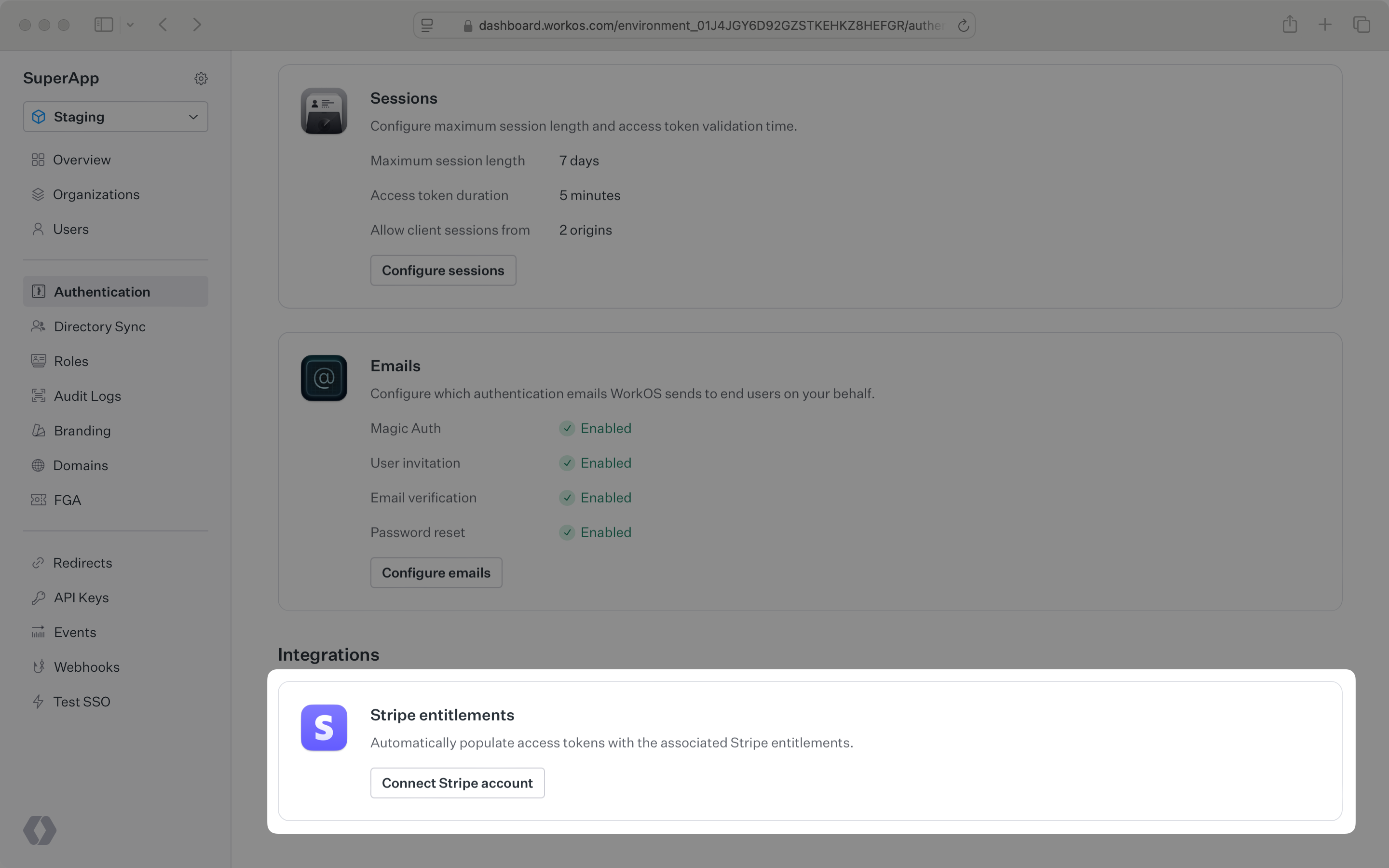
Entitlements can be enabled in the _Authentication_ section of the [WorkOS Dashboard](https://dashboard.workos.com/). Clicking _Connect_ will open a new tab on Stripe where you can approve the connection. Once that’s complete, close the tab.
|
|
23
|
-
|
|
24
|
-
|
|
25
|
-
|
|
26
|
-
If you decide to disconnect your Stripe account later, you can do so from the same section. Clicking the _Manage_ button will clear out any entitlement data stored in WorkOS and the `entitlements` claim will no longer be included in access tokens.
|
|
27
|
-
|
|
28
|
-
---
|
|
29
|
-
|
|
30
|
-
## (2) Set organizations’ Stripe customer IDs
|
|
31
|
-
|
|
32
|
-
WorkOS needs one more piece of information to include entitlements in the access token: the Stripe customer ID for each organization.
|
|
33
|
-
|
|
34
|
-
Once you have a WorkOS organization ID and a Stripe customer ID, you can set the Stripe customer ID for the organization. One way to handle this is to create a Stripe customer and then set the created Stripe customer ID on the WorkOS organization before redirecting the user to a Stripe checkout page or billing portal. This can be done via the WorkOS API or SDK. Here’s an example using the SDK:
|
|
35
|
-
|
|
36
|
-
<CodeBlock file="configure-organization-with-stripe-customer-id" />
|
|
37
|
-
|
|
38
|
-
---
|
|
39
|
-
|
|
40
|
-
## Use the entitlements in your application
|
|
41
|
-
|
|
42
|
-
The access token will now include the `entitlements` claim, containing the user’s entitlements. You can use this information to gate access to features in your application.
|
|
43
|
-
|
|
44
|
-
Entitlements will show up in the access token the next time the user logs in or the session is refreshed. You can manually [refresh the session](reference/user-management/authentication/refresh-token) after the user has completed their subscription purchase. Here's an example in Express:
|
|
45
|
-
|
|
46
|
-
<CodeBlock file="session-entitlements-example" />
|
|
@@ -1,36 +0,0 @@
|
|
|
1
|
-
---
|
|
2
|
-
title: Just-in-time Provisioning
|
|
3
|
-
description: Automatically provision users and memberships with JIT provisioning.
|
|
4
|
-
showNextPage: true
|
|
5
|
-
originalPath: .tmp-workos-clone/packages/docs/content/user-management/jit-provisioning.mdx
|
|
6
|
-
---
|
|
7
|
-
|
|
8
|
-
## Introduction
|
|
9
|
-
|
|
10
|
-
JIT provisioning automatically creates users and organization memberships when a user signs in for the first time. This feature allows users to access an organization’s resources without requiring manual invitations from the IT admin.
|
|
11
|
-
|
|
12
|
-
## Automatically add users with verified domains as members
|
|
13
|
-
|
|
14
|
-
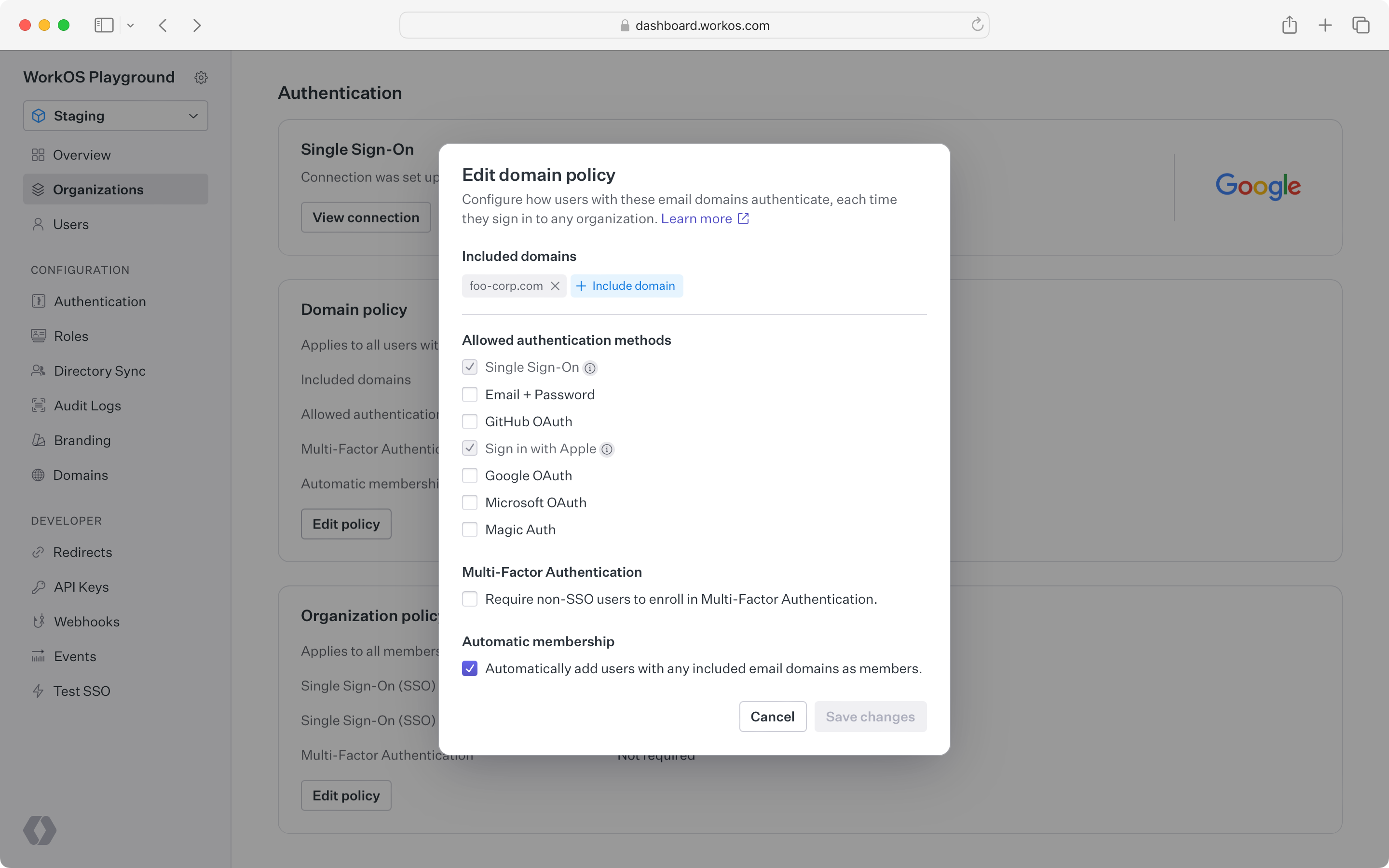
Users with [verified email domains](/user-management/domain-verification) can be automatically added as members to an organization through the organization's [domain policy](/user-management/organization-policies/domain-policy). This feature is useful when an application or organization wants to automatically group individuals into the same workspace based on their email domain.
|
|
15
|
-
|
|
16
|
-
|
|
17
|
-
|
|
18
|
-
## SSO JIT provisioning
|
|
19
|
-
|
|
20
|
-
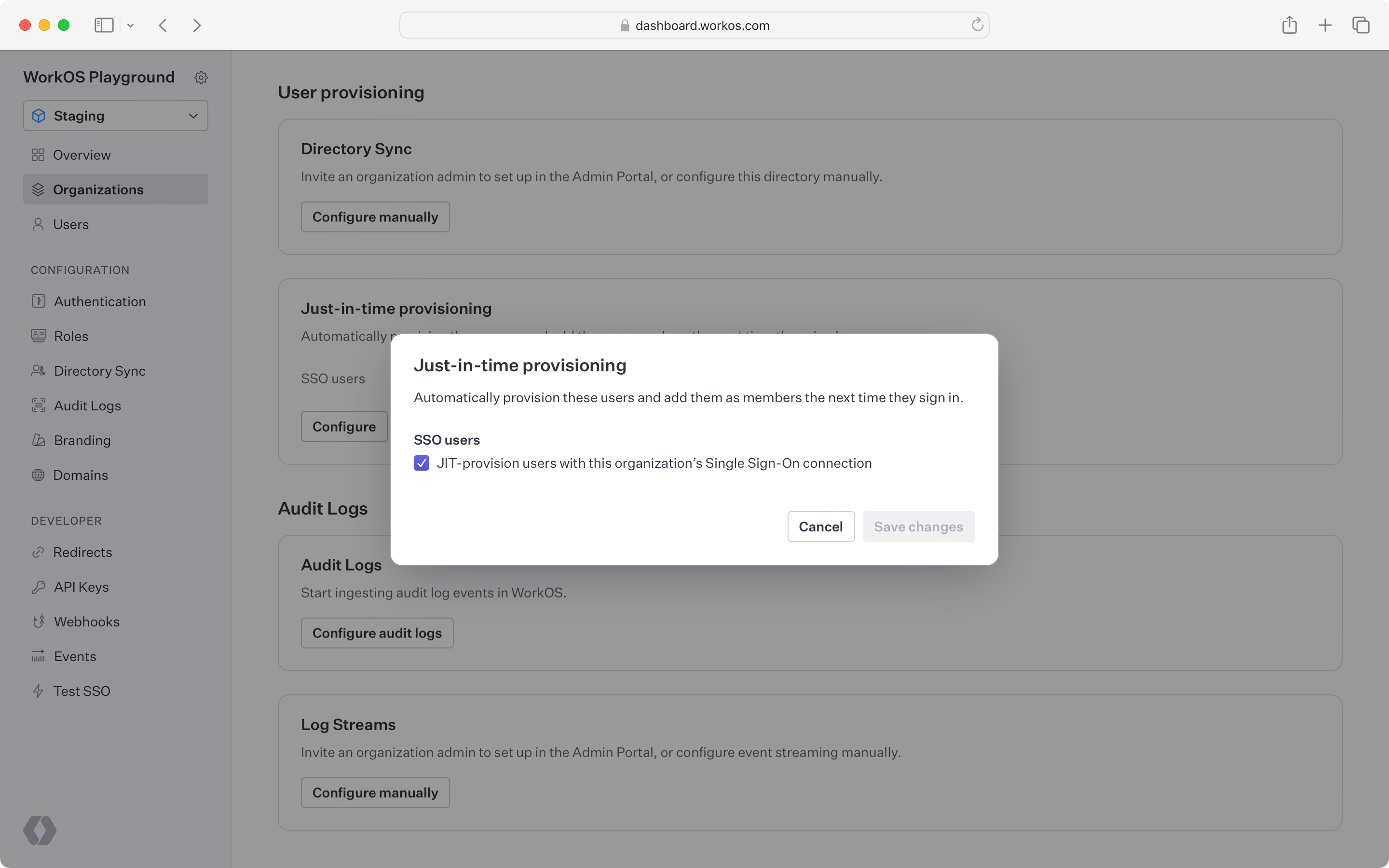
When a user signs in for the first time, WorkOS detects when their email domain matches a verified domain of an organization and prompts the user to sign in through the organization's IdP. This user is then automatically created and added as a member to the organization.
|
|
21
|
-
|
|
22
|
-
|
|
23
|
-
|
|
24
|
-
### Guest provisioning
|
|
25
|
-
|
|
26
|
-
SSO JIT provisioning is not fully supported for guests whose email domain has not been [verified](/user-management/domain-verification) by the organization.
|
|
27
|
-
|
|
28
|
-
For example, an IT admin may want to gate all contractor access through their IdP (to enable access revocation across applications) but the contractor prefers to use their own email address.
|
|
29
|
-
|
|
30
|
-
Instead, guest users must be [invited](/user-management/invitations) to join the organization before they are able to sign in with the organization's IdP.
|
|
31
|
-
|
|
32
|
-
## Disabling JIT provisioning
|
|
33
|
-
|
|
34
|
-
Both automatic membership by email domain and SSO JIT provisioning are enabled by default but can be disabled in the [WorkOS Dashboard](https://dashboard.workos.com).
|
|
35
|
-
|
|
36
|
-
Disabling these features may be useful if the IT admin prefers to manually control membership through [invitations](/user-management/invitations).
|
|
@@ -1,46 +0,0 @@
|
|
|
1
|
-
---
|
|
2
|
-
title: User Management
|
|
3
|
-
description: >-
|
|
4
|
-
Easy to use authentication APIs designed to provide a flexible, secure, and
|
|
5
|
-
fast integration.
|
|
6
|
-
showNextPage: true
|
|
7
|
-
originalPath: .tmp-workos-clone/packages/docs/content/user-management/overview.mdx
|
|
8
|
-
---
|
|
9
|
-
|
|
10
|
-
## Introduction
|
|
11
|
-
|
|
12
|
-
WorkOS User Management is a set of user authentication and organization security features that securely power your application. Features are designed to be flexible, while offering a fast integration to handle all of the user management complexity that comes with advanced business and customer needs.
|
|
13
|
-
|
|
14
|
-
## Authentication
|
|
15
|
-
|
|
16
|
-
User Management supports many authentication methods out of the box. They are designed to grow with your app, from the simplest use case all the way to complex Enterprise [SSO](/user-management/sso) for your largest customers, these include:
|
|
17
|
-
|
|
18
|
-
- [Single Sign-On](/user-management/sso)
|
|
19
|
-
- [Email & Password](/user-management/email-password)
|
|
20
|
-
- [Social Login](/user-management/social-login)
|
|
21
|
-
- [Multi-Factor Auth](/user-management/mfa)
|
|
22
|
-
- [Magic Auth](/user-management/magic-auth)
|
|
23
|
-
|
|
24
|
-
These features are available via [AuthKit](/user-management), or through the public [API](/reference/user-management). AuthKit provides an easy to integrate, pre-built authentication flow, while integrating against the API allows you to implement your own UI and Sign In flow.
|
|
25
|
-
|
|
26
|
-
## Fast integration
|
|
27
|
-
|
|
28
|
-
The fastest way to integrate WorkOS User Management features is with [AuthKit](/user-management).
|
|
29
|
-
|
|
30
|
-
|
|
31
|
-
|
|
32
|
-
AuthKit abstracts away many of the UX and WorkOS API calling concerns automatically, allowing you to focus on building your application. See the [Quick Start](/user-management) guide for more information on how to get started.
|
|
33
|
-
|
|
34
|
-
## Security
|
|
35
|
-
|
|
36
|
-
Adopting User Management in your app provides a wealth of security benefits.
|
|
37
|
-
|
|
38
|
-
- Best-in-class [email verification](/user-management/email-verification), enabled by default.
|
|
39
|
-
- Safe [identity linking](/user-management/identity-linking) and merging of duplicate accounts. This protects against spoofing and reduces the user support burden.
|
|
40
|
-
- Identity Provider (IdP) differences are normalized, so that you get consistency across user profiles. This reduces the likelihood of security issues related to differing semantics across providers.
|
|
41
|
-
- Automatic bot detection and blocking, to protect against brute force attacks.
|
|
42
|
-
- [Multi-Factor Authentication (MFA)](/user-management/mfa) available per environment to further enhance your app’s security posture.
|
|
43
|
-
|
|
44
|
-
## Getting started
|
|
45
|
-
|
|
46
|
-
Start integrating User Management into your app today, check out the [Quick Start](/user-management) guide to get started with AuthKit or review the [API Reference](/reference/user-management) material.
|
|
@@ -1,155 +0,0 @@
|
|
|
1
|
-
---
|
|
2
|
-
title: Roles and Permissions
|
|
3
|
-
description: Manage and assign roles and permissions to users.
|
|
4
|
-
showNextPage: true
|
|
5
|
-
originalPath: >-
|
|
6
|
-
.tmp-workos-clone/packages/docs/content/user-management/roles-and-permissions.mdx
|
|
7
|
-
---
|
|
8
|
-
|
|
9
|
-
## Introduction
|
|
10
|
-
|
|
11
|
-
A role represents a logical grouping of permissions, defining access control levels for users within your application. Roles are identified by unique, immutable slugs and are assigned to users through [organization memberships](/user-management/users-organizations/organizations).
|
|
12
|
-
|
|
13
|
-
Permissions grant users privileged access to resources and actions in your application and are referenced in your code by unique, immutable slugs. A permission can be assigned to any number of roles.
|
|
14
|
-
|
|
15
|
-
### Standalone roles
|
|
16
|
-
|
|
17
|
-
Roles alone can be sufficient when your application only requires very coarse-grained access control. This is suitable if users only need to be separated into broad categories and there is minimal overlap between roles. Simple roles can be easier to manage, but are less flexible for complex access control scenarios.
|
|
18
|
-
|
|
19
|
-
### Utilizing permissions with roles
|
|
20
|
-
|
|
21
|
-
Permissions allow for more detailed and flexible management of access. They are particularly useful when:
|
|
22
|
-
|
|
23
|
-
- You anticipate the need to frequently modify access rights or introduce new roles.
|
|
24
|
-
- There is significant overlap in access rights between different roles, but with some variations.
|
|
25
|
-
- You want to minimize code changes when modifying access rights. By abstracting access control checks to permissions, you can add or modify roles and their access rights without changing the application code.
|
|
26
|
-
|
|
27
|
-
## Configure roles and permissions
|
|
28
|
-
|
|
29
|
-
Roles and permissions are managed in their own section of the [WorkOS Dashboard](https://dashboard.workos.com/).
|
|
30
|
-
|
|
31
|
-
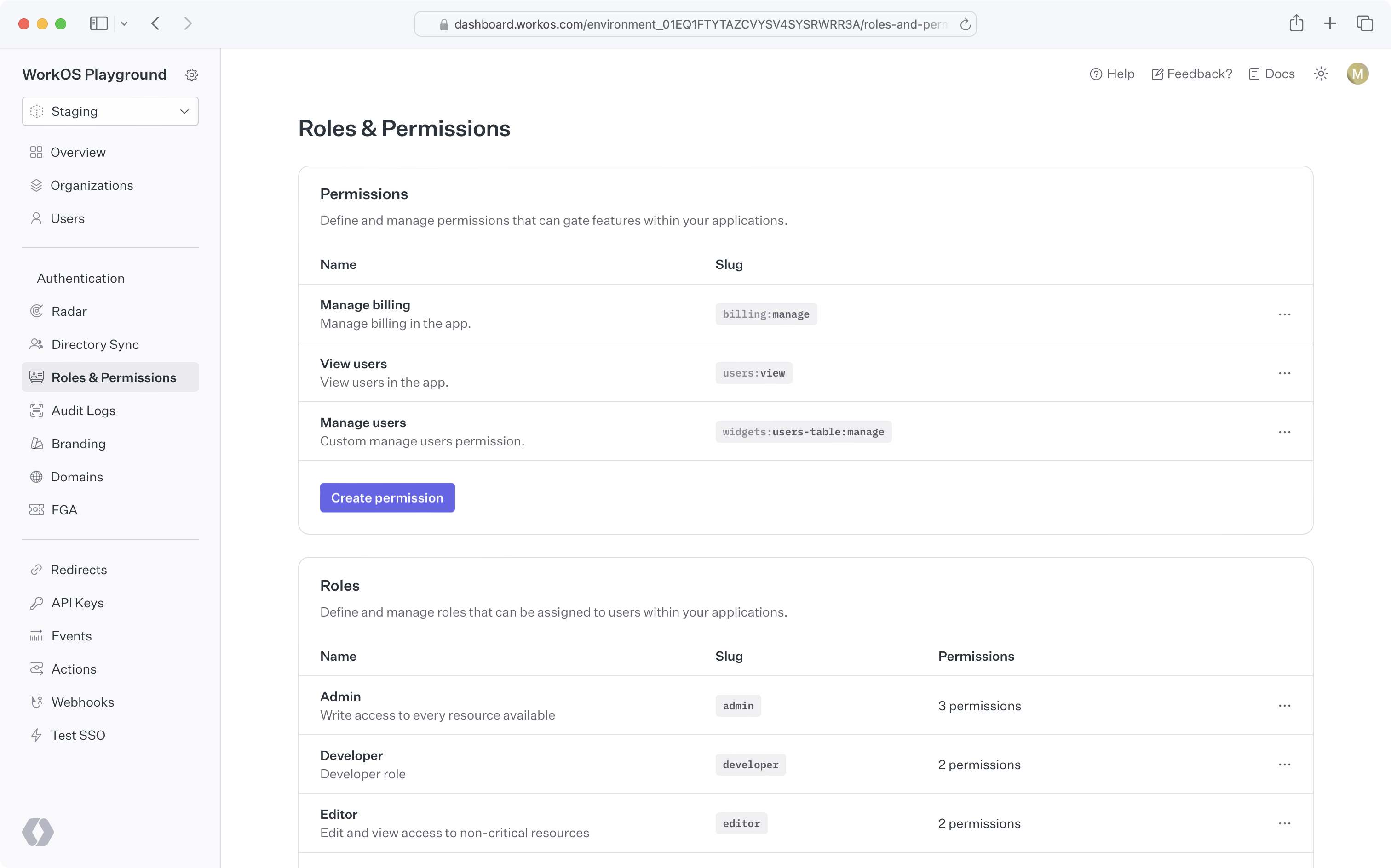
|
|
32
|
-
|
|
33
|
-
### Create permissions
|
|
34
|
-
|
|
35
|
-
When configuring permissions, we recommend:
|
|
36
|
-
|
|
37
|
-
- Defining a common naming scheme to use across all permissions for your application. Consider separating the resource and action with a delimiter, such as `users:view`. The following delimiters are permitted: `-.:_*`.
|
|
38
|
-
- Keep permission slugs clear and concise. When assigned to roles, these slugs will included as part of session cookies in the [session JWT claims](/user-management/sessions/integrating-sessions/access-token), which is limited to a maximum size of 4KB in many modern web browsers.
|
|
39
|
-
|
|
40
|
-
### Assign permissions to roles
|
|
41
|
-
|
|
42
|
-
Permissions can be assigned when creating a new role or when editing an existing role.
|
|
43
|
-
|
|
44
|
-
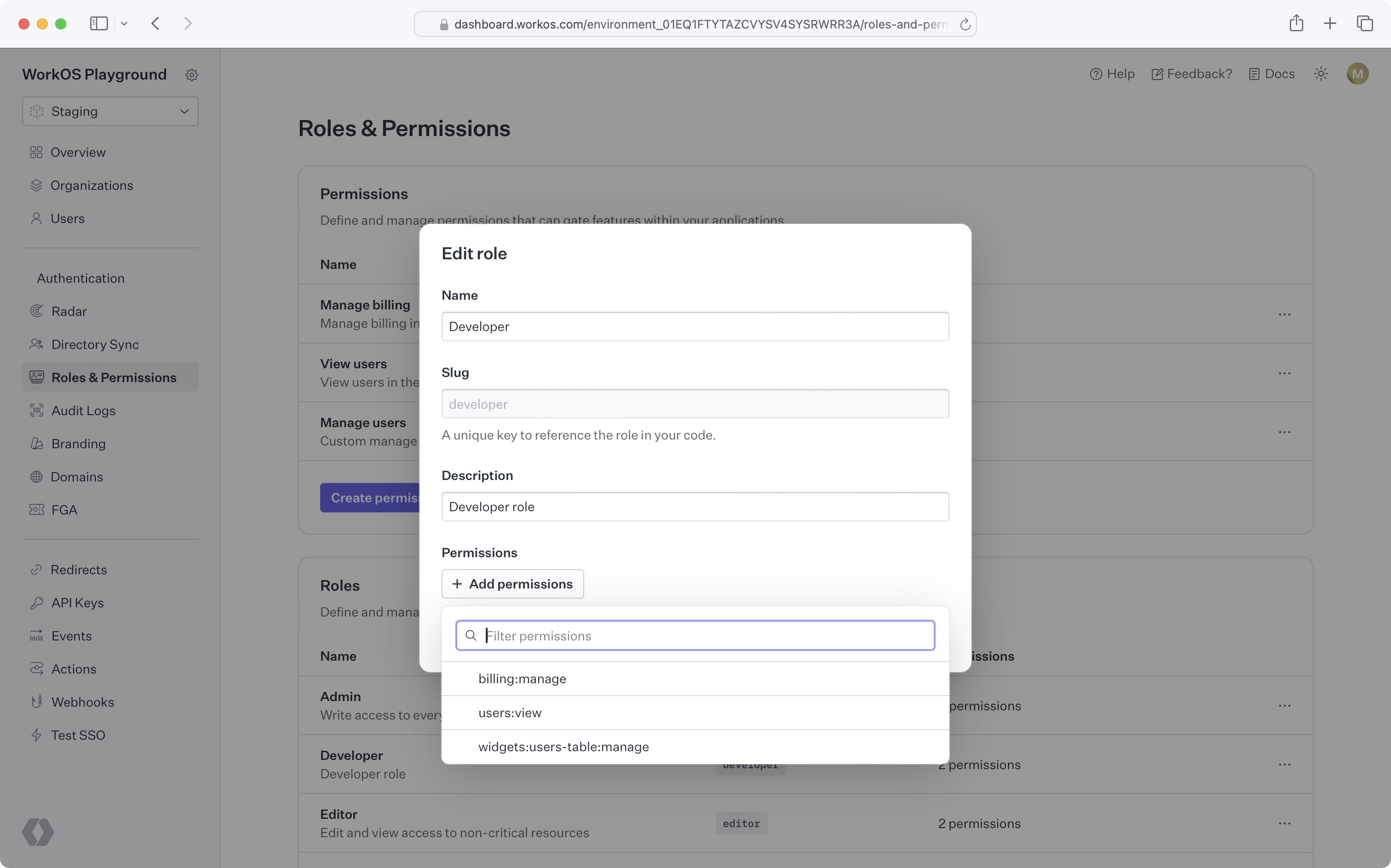
|
|
45
|
-
|
|
46
|
-
### Default role
|
|
47
|
-
|
|
48
|
-
Role configuration occurs at the environment level. Each environment is seeded with a default `member` role, which is automatically assigned to every organization member. This default role cannot be deleted, but any role can be set as the default.
|
|
49
|
-
|
|
50
|
-
If you need to set default roles or other role configurations at the organization level, refer to the [Organization roles](/user-management/roles-and-permissions/organization-roles) section.
|
|
51
|
-
|
|
52
|
-
### Assign roles
|
|
53
|
-
|
|
54
|
-
Organization memberships require a role. Every user with an organization membership is automatically assigned the default role when added to an organization. This role can be edited.
|
|
55
|
-
|
|
56
|
-
<DirectorySyncDiagram.Roles />
|
|
57
|
-
|
|
58
|
-
You can retrieve the role slug from the user's [organization membership object](/reference/user-management/organization-membership) to determine their access level and capabilities within your application.
|
|
59
|
-
|
|
60
|
-
### Delete roles
|
|
61
|
-
|
|
62
|
-
When roles are deleted, all organization memberships are reassigned to the default role. Role deletion happens asynchronously, so there may be a slight delay between deleting a role and updating all organization memberships.
|
|
63
|
-
|
|
64
|
-
> To migrate from one default role to another, set the new default role and delete the old one. All users will then be reassigned to the new default role.
|
|
65
|
-
|
|
66
|
-
### Priority order
|
|
67
|
-
|
|
68
|
-
If a user is provisioned from multiple sources with conflicting roles, the role with the highest priority will be assigned.
|
|
69
|
-
|
|
70
|
-
### Role Assignment in Admin Portal
|
|
71
|
-
|
|
72
|
-
Organization admins can assign roles to identity provider groups in the [Admin Portal](/admin-portal) during SSO or directory setup.
|
|
73
|
-
|
|
74
|
-
From the _Roles and Permissions_ section in the WorkOS Dashboard, role assignment is an environment-level setting. However, it can also be configured per organization via the _Roles_ tab on that organization's page. If enabled, all Admin Portal sessions for the relevant SSO connection or directory will support group role assignment.
|
|
75
|
-
|
|
76
|
-
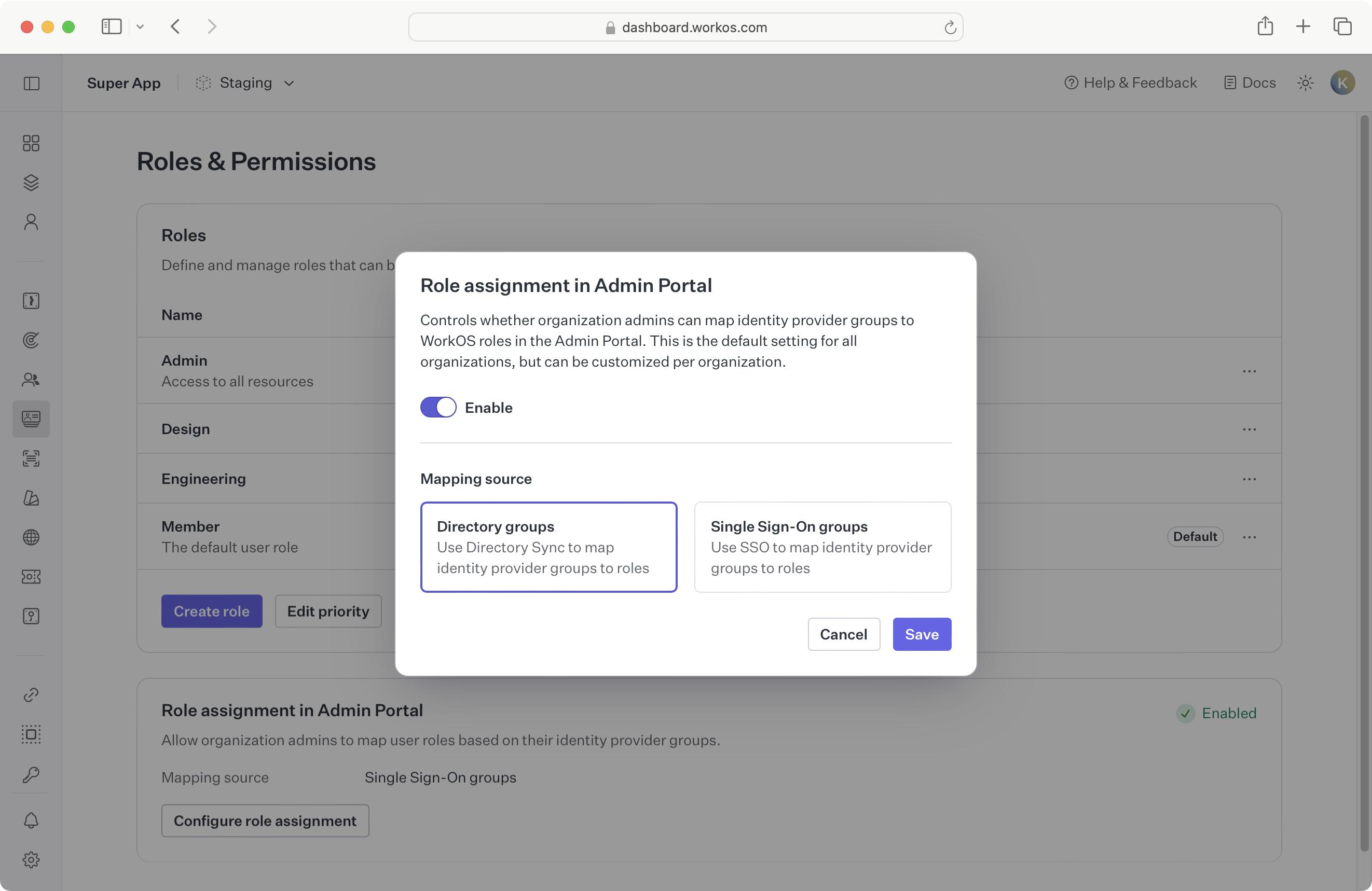
|
|
77
|
-
|
|
78
|
-
Whether to enable role assignment for SSO or directory groups depends on your application’s setup. When [provisioning users with Directory Sync](/user-management/directory-provisioning), we recommend enabling directory group role assignment due to [limitations of SSO role assignment](/sso/identity-provider-role-assignment/considerations/drawbacks).
|
|
79
|
-
|
|
80
|
-
If you’re not yet using directory provisioning, you can enable SSO group role assignment as the environment default.
|
|
81
|
-
|
|
82
|
-
Because this setting is configurable per organization, choose a sensible default based on your customers' typical setup:
|
|
83
|
-
|
|
84
|
-
- **A. All organizations use SSO:**
|
|
85
|
-
If no organizations are using Directory Sync, enable SSO group role assignment in Admin Portal at the environment level.
|
|
86
|
-
|
|
87
|
-
- **B. Some organizations use Directory Sync:**
|
|
88
|
-
Enable directory group role assignment in Admin Portal for those specific organizations.
|
|
89
|
-
|
|
90
|
-
- **C. Most organizations use Directory Sync:**
|
|
91
|
-
Enable directory group role assignment in Admin Portal at the environment level, and override the setting for organizations that only use SSO.
|
|
92
|
-
|
|
93
|
-
When switching from one role assignment source to another, refer to the [section below](/user-management/roles-and-permissions/role-assignment/migrating-role-assignment-source).
|
|
94
|
-
|
|
95
|
-
## Role-aware sessions
|
|
96
|
-
|
|
97
|
-
When a user signs into your app, a [user session](/user-management/sessions) is initiated. The authentication response includes an access token, a JSON Web Token (JWT), with the `role` claim indicating the user organization membership's role for that session.
|
|
98
|
-
|
|
99
|
-
## Role assignment
|
|
100
|
-
|
|
101
|
-
You can map identity provider groups to roles to automatically assign roles to users. AuthKit supports two methods for role assignment:
|
|
102
|
-
|
|
103
|
-
### SCIM
|
|
104
|
-
|
|
105
|
-
Roles can be assigned via SCIM through [directory group role assignment](/directory-sync/identity-provider-role-assignment/directory-group-role-assignment). Admins can map group memberships to roles in the Admin Portal during SCIM or Google Workspace directory setup. These mappings are used to assign roles to organization memberships via [Directory Provisioning](/user-management/directory-provisioning).
|
|
106
|
-
|
|
107
|
-
### SSO
|
|
108
|
-
|
|
109
|
-
Roles can also be assigned via [SSO group role assignment](/sso/identity-provider-role-assignment/sso-group-role-assignment). Groups returned in the SSO profile can be mapped to roles in the WorkOS Dashboard. If an AuthKit user authenticates via SSO and belongs to a mapped group, the corresponding role will be set on the [organization membership](/reference/user-management/organization-membership) and reflected in the [user’s session](/user-management/sessions/integrating-sessions/access-token).
|
|
110
|
-
|
|
111
|
-
> Ensure [SSO JIT provisioning](/user-management/jit-provisioning/sso-jit-provisioning) is enabled for each organization using SSO role assignment.
|
|
112
|
-
|
|
113
|
-
### Migrating role assignment source
|
|
114
|
-
|
|
115
|
-
It’s recommended to use only one role assignment source per organization. If your organization currently uses SSO group role assignment and you'd like to switch to [directory group role assignment](/directory-sync/identity-provider-role-assignment/directory-group-role-assignment), consider the following paths:
|
|
116
|
-
|
|
117
|
-
- **A. Directory is not yet configured:**
|
|
118
|
-
[Enable directory group role assignment](/user-management/roles-and-permissions/configure-roles-and-permissions/role-assignment-in-admin-portal) for this organization via the **Roles** tab under an organization in the WorkOS Dashboard. The organization admin will be prompted to set up directory group role assignments in the Admin Portal.
|
|
119
|
-
|
|
120
|
-
- **B. Directory is already configured:**
|
|
121
|
-
Manually assign roles to directory groups in the WorkOS Dashboard, or regenerate an Admin Portal link so the organization admin can set the role mappings there.
|
|
122
|
-
|
|
123
|
-
Directory group role assignments take precedence and will override any SSO group role assignments on the organization membership. Once directory group roles are properly set up and reflected, you can delete the SSO group mappings.
|
|
124
|
-
|
|
125
|
-
## Organization roles
|
|
126
|
-
|
|
127
|
-
Organization roles are custom roles scoped to a particular organization. They are managed via the "Roles" tab under an organization in the WorkOS Dashboard.
|
|
128
|
-
|
|
129
|
-
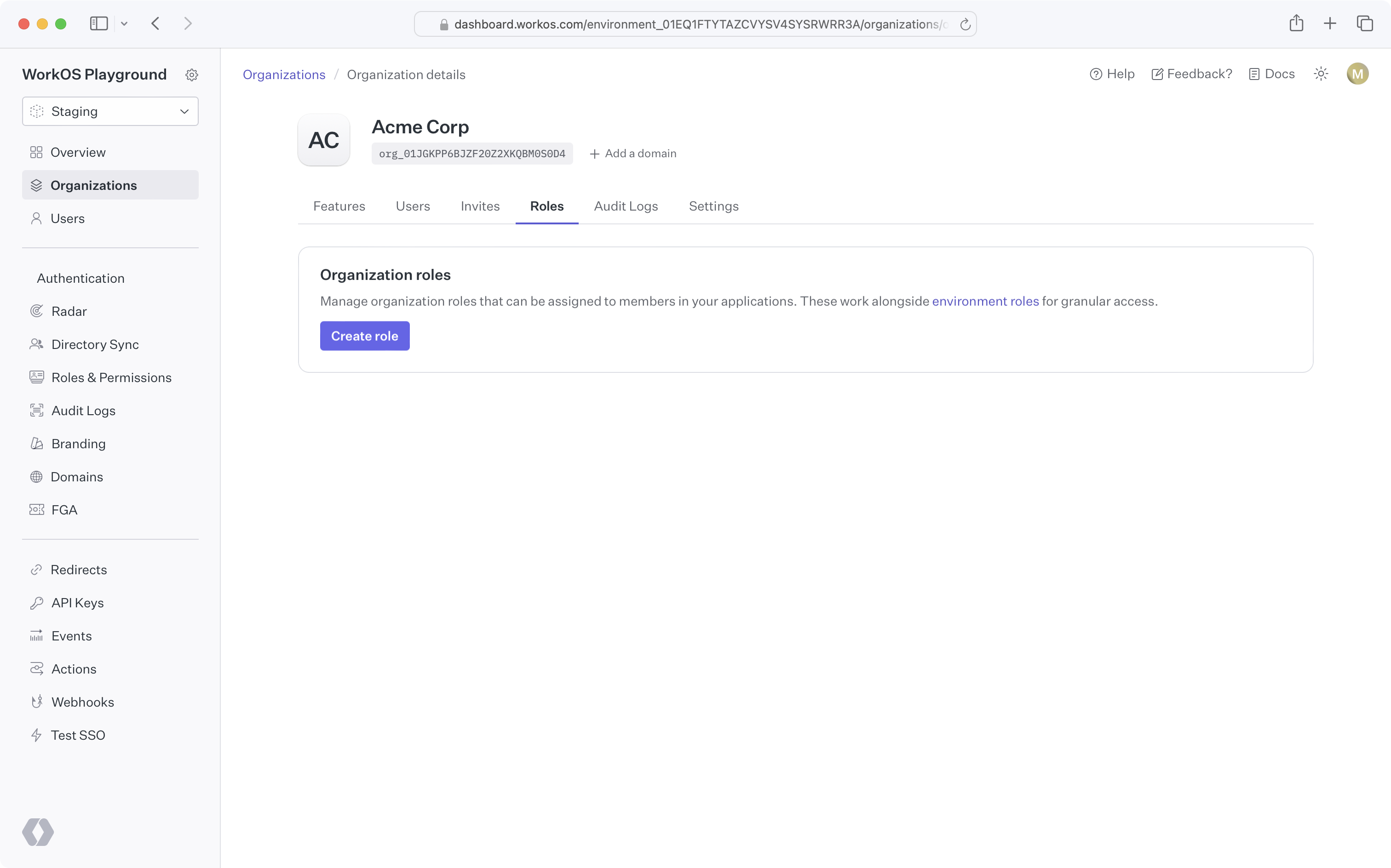
|
|
130
|
-
|
|
131
|
-
### Why might I use organization roles?
|
|
132
|
-
|
|
133
|
-
In some cases, an application's fixed set of roles may not meet the needs of certain organizations. For example, an organization may require a lesser privileged set of permissions for their members. Organization roles allow you to create custom roles, with the organization's desired set of permissions, without affecting access control for other organizations.
|
|
134
|
-
|
|
135
|
-
### Creating organization roles
|
|
136
|
-
|
|
137
|
-
By default, organizations have no custom organization roles and simply inherit the environment-level roles. You can create an organization role by clicking the "Create role" button on the organization's "Roles" tab. All organization role slugs are automatically prefixed with `org`.
|
|
138
|
-
|
|
139
|
-
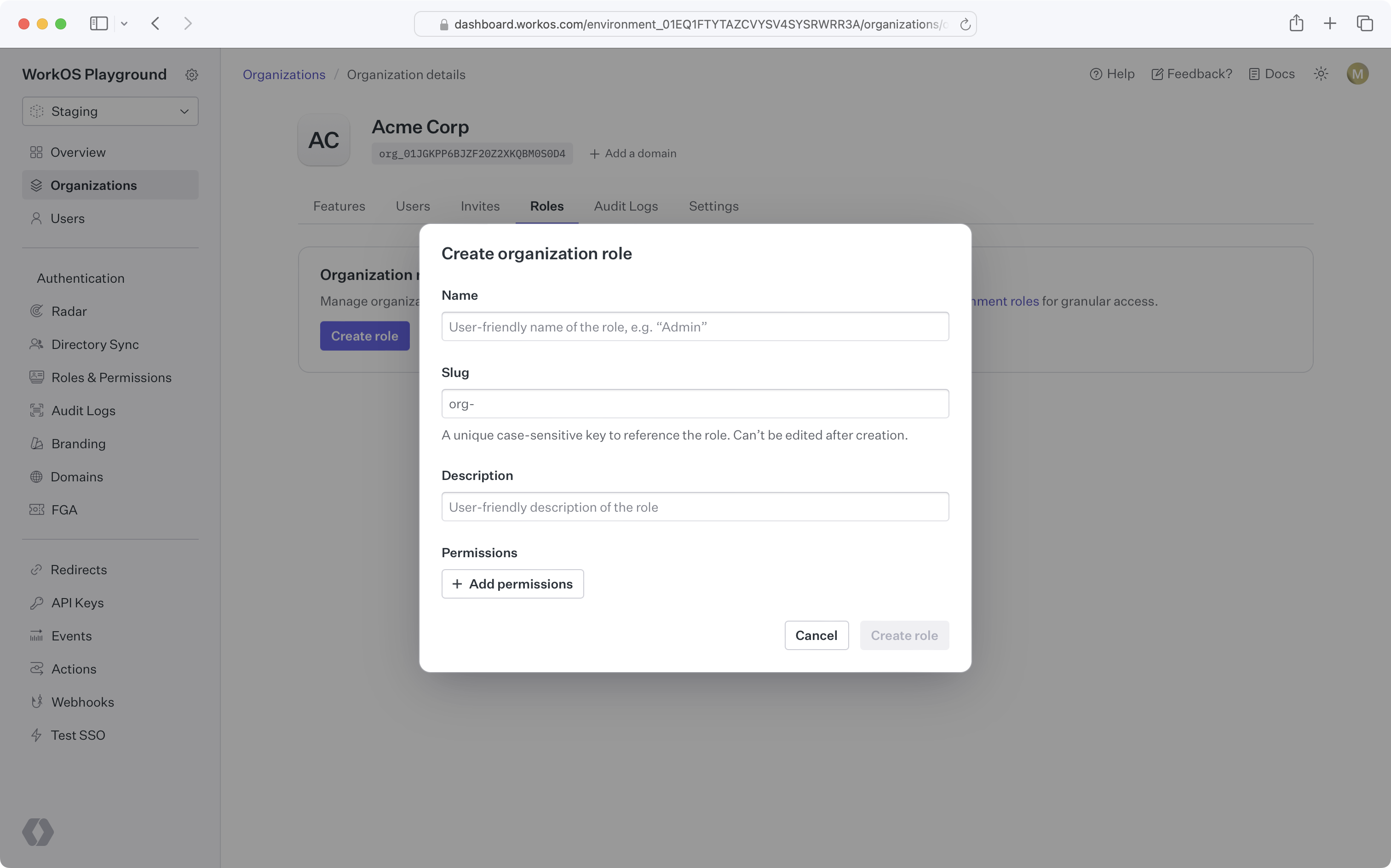
|
|
140
|
-
|
|
141
|
-
### Organization role configuration
|
|
142
|
-
|
|
143
|
-
Once you create the first role for an organization, that organization will have its own [default role](/user-management/roles-and-permissions/configure-roles-and-permissions/default-role) and [priority order](/user-management/roles-and-permissions/configure-roles-and-permissions/priority-order), independent from the environment.
|
|
144
|
-
|
|
145
|
-
New roles added to the environment will be available to the organization and placed at the bottom of the organization's role priority order.
|
|
146
|
-
|
|
147
|
-
### Using organization roles
|
|
148
|
-
|
|
149
|
-
Like environment-level roles, organization roles can be used in [role assignment](/user-management/roles-and-permissions/role-assignment), [sessions](/user-management/roles-and-permissions/role-aware-sessions), and the [organization membership API](/reference/user-management/organization-membership). No additional action is required to enable this behavior after creating organization roles.
|
|
150
|
-
|
|
151
|
-
### Deleting an environment role
|
|
152
|
-
|
|
153
|
-
When attempting to delete an environment role that's the default role for one or more organizations, you'll be prompted to select a new default role for all affected organizations. Organization members previously assigned the deleted role will be assigned the new organization default role.
|
|
154
|
-
|
|
155
|
-
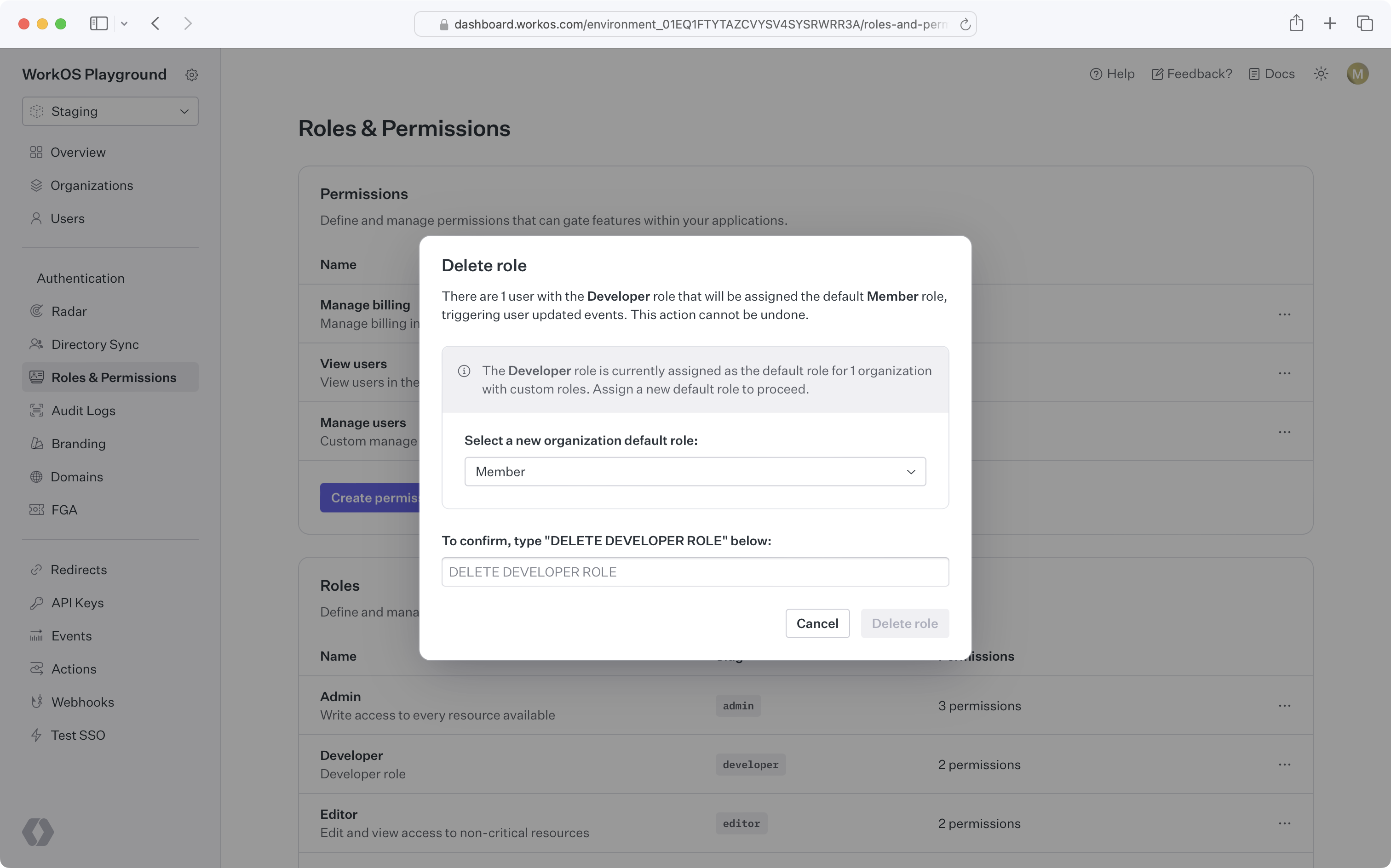
|
|
@@ -1,91 +0,0 @@
|
|
|
1
|
-
---
|
|
2
|
-
title: Users and Organizations
|
|
3
|
-
description: Flexible application modeling with user and membership features.
|
|
4
|
-
showNextPage: true
|
|
5
|
-
originalPath: >-
|
|
6
|
-
.tmp-workos-clone/packages/docs/content/user-management/users-organizations.mdx
|
|
7
|
-
---
|
|
8
|
-
|
|
9
|
-
## Users
|
|
10
|
-
|
|
11
|
-
The [User object](/reference/user-management/user) represents an identity that has access or owns artifacts in your application. A User object may not uniquely identify an individual person, since a person may present themselves as having multiple identities in the same system.
|
|
12
|
-
|
|
13
|
-
What uniquely identifies a user is their **email address**, since having access to that email inbox ultimately gives access to all accounts based on that address.
|
|
14
|
-
|
|
15
|
-
### Authentication methods
|
|
16
|
-
|
|
17
|
-
There may be multiple authentication methods on a single user object, such as [Email + Password](/user-management/email-password) or [OAuth](/user-management/social-login). A user can sign in with any of the authentication methods associated with them, as long as you have enabled those authentication methods in the WorkOS Dashboard.
|
|
18
|
-
|
|
19
|
-
<UserManagementDiagrams.AuthenticationMethods />
|
|
20
|
-
|
|
21
|
-
### Identity linking
|
|
22
|
-
|
|
23
|
-
Because a user is uniquely identified by their email address, you won’t have users with duplicate email addresses. WorkOS handles [identity linking](/user-management/identity-linking) automatically.
|
|
24
|
-
|
|
25
|
-
### Email verification
|
|
26
|
-
|
|
27
|
-
All users will go through an initial [email verification process](/user-management/email-verification) by default.
|
|
28
|
-
|
|
29
|
-
This applies to all authentication methods, including OAuth and SSO. This unifying interface simplifies how your application considers the authenticity of your users.
|
|
30
|
-
|
|
31
|
-
### Domain verification
|
|
32
|
-
|
|
33
|
-
If a user’s email domain matches a verified organization domain, they will [automatically be considered verified](/user-management/domain-verification) and will not need to go through the email verification flow.
|
|
34
|
-
|
|
35
|
-
---
|
|
36
|
-
|
|
37
|
-
## Organizations
|
|
38
|
-
|
|
39
|
-
Organizations represent both a collection of users that your customer’s IT admin has control over and a workspace within which members collaborate. Organizations are a first-class concept in WorkOS and support a suite of features around organizational management. There is no limit to the number of organizations you can create in WorkOS.
|
|
40
|
-
|
|
41
|
-
### Organization memberships
|
|
42
|
-
|
|
43
|
-
An organization contains users as members. Organization membership allows you to model organizations as "workspaces" and user’s access to them with memberships.
|
|
44
|
-
|
|
45
|
-
WorkOS organization memberships are designed to be flexible, and support any B2B app model. For example:
|
|
46
|
-
|
|
47
|
-
<UserManagementDiagrams.UserToOrganizationRelationships />
|
|
48
|
-
|
|
49
|
-
- **Multiple Workspaces:** A self-serve productivity app, like Figma, where each user can be in any number of organizations, can create their own workspace and join any number of other workspaces.
|
|
50
|
-
- **Single Workspace:** An app that has no collaboration outside a customer’s company, like an employee survey tool, where each user is in exactly one organization.
|
|
51
|
-
|
|
52
|
-
While these are two distinct models, your choice may depend on your go-to-market strategy, which may change over time. **WorkOS User Management supports both**.
|
|
53
|
-
|
|
54
|
-
### Organization access
|
|
55
|
-
|
|
56
|
-
It’s common for users to create resources in B2B applications. You can use the organization as a container for these resources, so that access is dependent on a user’s access to the organization.
|
|
57
|
-
|
|
58
|
-
This means when a user leaves an organization and is no longer a member, the data remains with the organization and not the user. Organizations provide the level of data ownership that B2B applications structure around.
|
|
59
|
-
|
|
60
|
-
While organization membership conveys the most basic form of access, you can attach more granular role information per member within your own application’s database.
|
|
61
|
-
|
|
62
|
-
### Organization roles
|
|
63
|
-
|
|
64
|
-
In addition to the [environment-level roles](/user-management/roles-and-permissions/configure-roles-and-permissions), organizations can define their own custom roles, which are assignable only within the context of the organization. Refer to the [organization roles documentation](/user-management/roles-and-permissions/organization-roles) for more details.
|
|
65
|
-
|
|
66
|
-
### Membership management
|
|
67
|
-
|
|
68
|
-
If your application uses a soft-delete model, you can utilize the extended organization membership lifecycle. Organization memberships have three possible statuses:
|
|
69
|
-
|
|
70
|
-
- `pending`, when a user is invited to an organization
|
|
71
|
-
- `active`, when a user is added as an organization member or accepts an invitation
|
|
72
|
-
- `inactive`, when an organization membership is deactivated
|
|
73
|
-
|
|
74
|
-
For soft-delete use cases, we also provide deactivation and reactivation APIs:
|
|
75
|
-
|
|
76
|
-
- [Deactivating an organization membership](/reference/user-management/organization-membership/deactivate) sets its status to `inactive` and revokes all active [sessions](/user-management/sessions). Note `pending` memberships cannot be deactivated and should be deleted using the [deleting membership API](/reference/user-management/organization-membership/delete) instead.
|
|
77
|
-
- [Reactivating an organization membership](/reference/user-management/organization-membership/reactivate) sets its status to `active` and retains the role attached to the organization membership prior to deactivation. This role can be updated using the [update organization membership API](/reference/user-management/organization-membership/update). Note `pending` memberships cannot be reactivated. For this the user should go through the [invitation acceptance flow](/user-management/invitations) instead. If invitations are not needed, the organization membership can be [created as active directly](/reference/user-management/organization-membership/create).
|
|
78
|
-
|
|
79
|
-
If your application uses a hard-delete model, you may use organization memberships without deactivation/reactivation by [deleting memberships](/reference/user-management/organization-membership/delete) for users who should no longer have access to an organization.
|
|
80
|
-
|
|
81
|
-
### When to use deletion vs. deactivation
|
|
82
|
-
|
|
83
|
-
Hard deletion is preferred if the app has no need to "remember" the membership. For example, when members operate solely on customer data and have no data of their own. When a member of the organization is gone, there's no need to keep around their membership data. An app in this case may even want to entirely [delete the User](/reference/user-management/user/delete) once the membership is deleted.
|
|
84
|
-
|
|
85
|
-
Deactivation may be preferred in cases where a member retains some data after leaving the organization, for example: messages, documents, or other data which reference that member. It also allows for building a user interface to list former members, perhaps with the option to reactivate them.
|
|
86
|
-
|
|
87
|
-
### Automated memberships
|
|
88
|
-
|
|
89
|
-
Beyond manually adding or removing users to and from organizations as members, users can be automatically [Just-in-Time (JIT) provisioned](/user-management/jit-provisioning) into an organization if their email address matches one of the organization's [verified domains](/user-management/domain-verification). This allows customers to quickly onboard teammates.
|
|
90
|
-
|
|
91
|
-
Users can also [invite individuals to organizations](/user-management/invitations), regardless of their email domain. This is handy for contractors within a company, or a collection of people without a shared domain.
|