npcpy 1.0.26__py3-none-any.whl → 1.2.32__py3-none-any.whl
This diff represents the content of publicly available package versions that have been released to one of the supported registries. The information contained in this diff is provided for informational purposes only and reflects changes between package versions as they appear in their respective public registries.
- npcpy/__init__.py +0 -7
- npcpy/data/audio.py +16 -99
- npcpy/data/image.py +43 -42
- npcpy/data/load.py +83 -124
- npcpy/data/text.py +28 -28
- npcpy/data/video.py +8 -32
- npcpy/data/web.py +51 -23
- npcpy/ft/diff.py +110 -0
- npcpy/ft/ge.py +115 -0
- npcpy/ft/memory_trainer.py +171 -0
- npcpy/ft/model_ensembler.py +357 -0
- npcpy/ft/rl.py +360 -0
- npcpy/ft/sft.py +248 -0
- npcpy/ft/usft.py +128 -0
- npcpy/gen/audio_gen.py +24 -0
- npcpy/gen/embeddings.py +13 -13
- npcpy/gen/image_gen.py +262 -117
- npcpy/gen/response.py +615 -415
- npcpy/gen/video_gen.py +53 -7
- npcpy/llm_funcs.py +1869 -437
- npcpy/main.py +1 -1
- npcpy/memory/command_history.py +844 -510
- npcpy/memory/kg_vis.py +833 -0
- npcpy/memory/knowledge_graph.py +892 -1845
- npcpy/memory/memory_processor.py +81 -0
- npcpy/memory/search.py +188 -90
- npcpy/mix/debate.py +192 -3
- npcpy/npc_compiler.py +1672 -801
- npcpy/npc_sysenv.py +593 -1266
- npcpy/serve.py +3120 -0
- npcpy/sql/ai_function_tools.py +257 -0
- npcpy/sql/database_ai_adapters.py +186 -0
- npcpy/sql/database_ai_functions.py +163 -0
- npcpy/sql/model_runner.py +19 -19
- npcpy/sql/npcsql.py +706 -507
- npcpy/sql/sql_model_compiler.py +156 -0
- npcpy/tools.py +183 -0
- npcpy/work/plan.py +13 -279
- npcpy/work/trigger.py +3 -3
- npcpy-1.2.32.dist-info/METADATA +803 -0
- npcpy-1.2.32.dist-info/RECORD +54 -0
- npcpy/data/dataframes.py +0 -171
- npcpy/memory/deep_research.py +0 -125
- npcpy/memory/sleep.py +0 -557
- npcpy/modes/_state.py +0 -78
- npcpy/modes/alicanto.py +0 -1075
- npcpy/modes/guac.py +0 -785
- npcpy/modes/mcp_npcsh.py +0 -822
- npcpy/modes/npc.py +0 -213
- npcpy/modes/npcsh.py +0 -1158
- npcpy/modes/plonk.py +0 -409
- npcpy/modes/pti.py +0 -234
- npcpy/modes/serve.py +0 -1637
- npcpy/modes/spool.py +0 -312
- npcpy/modes/wander.py +0 -549
- npcpy/modes/yap.py +0 -572
- npcpy/npc_team/alicanto.npc +0 -2
- npcpy/npc_team/alicanto.png +0 -0
- npcpy/npc_team/assembly_lines/test_pipeline.py +0 -181
- npcpy/npc_team/corca.npc +0 -13
- npcpy/npc_team/foreman.npc +0 -7
- npcpy/npc_team/frederic.npc +0 -6
- npcpy/npc_team/frederic4.png +0 -0
- npcpy/npc_team/guac.png +0 -0
- npcpy/npc_team/jinxs/automator.jinx +0 -18
- npcpy/npc_team/jinxs/bash_executer.jinx +0 -31
- npcpy/npc_team/jinxs/calculator.jinx +0 -11
- npcpy/npc_team/jinxs/edit_file.jinx +0 -96
- npcpy/npc_team/jinxs/file_chat.jinx +0 -14
- npcpy/npc_team/jinxs/gui_controller.jinx +0 -28
- npcpy/npc_team/jinxs/image_generation.jinx +0 -29
- npcpy/npc_team/jinxs/internet_search.jinx +0 -30
- npcpy/npc_team/jinxs/local_search.jinx +0 -152
- npcpy/npc_team/jinxs/npcsh_executor.jinx +0 -31
- npcpy/npc_team/jinxs/python_executor.jinx +0 -8
- npcpy/npc_team/jinxs/screen_cap.jinx +0 -25
- npcpy/npc_team/jinxs/sql_executor.jinx +0 -33
- npcpy/npc_team/kadiefa.npc +0 -3
- npcpy/npc_team/kadiefa.png +0 -0
- npcpy/npc_team/npcsh.ctx +0 -9
- npcpy/npc_team/npcsh_sibiji.png +0 -0
- npcpy/npc_team/plonk.npc +0 -2
- npcpy/npc_team/plonk.png +0 -0
- npcpy/npc_team/plonkjr.npc +0 -2
- npcpy/npc_team/plonkjr.png +0 -0
- npcpy/npc_team/sibiji.npc +0 -5
- npcpy/npc_team/sibiji.png +0 -0
- npcpy/npc_team/spool.png +0 -0
- npcpy/npc_team/templates/analytics/celona.npc +0 -0
- npcpy/npc_team/templates/hr_support/raone.npc +0 -0
- npcpy/npc_team/templates/humanities/eriane.npc +0 -4
- npcpy/npc_team/templates/it_support/lineru.npc +0 -0
- npcpy/npc_team/templates/marketing/slean.npc +0 -4
- npcpy/npc_team/templates/philosophy/maurawa.npc +0 -0
- npcpy/npc_team/templates/sales/turnic.npc +0 -4
- npcpy/npc_team/templates/software/welxor.npc +0 -0
- npcpy/npc_team/yap.png +0 -0
- npcpy/routes.py +0 -958
- npcpy/work/mcp_helpers.py +0 -357
- npcpy/work/mcp_server.py +0 -194
- npcpy-1.0.26.data/data/npcpy/npc_team/alicanto.npc +0 -2
- npcpy-1.0.26.data/data/npcpy/npc_team/alicanto.png +0 -0
- npcpy-1.0.26.data/data/npcpy/npc_team/automator.jinx +0 -18
- npcpy-1.0.26.data/data/npcpy/npc_team/bash_executer.jinx +0 -31
- npcpy-1.0.26.data/data/npcpy/npc_team/calculator.jinx +0 -11
- npcpy-1.0.26.data/data/npcpy/npc_team/celona.npc +0 -0
- npcpy-1.0.26.data/data/npcpy/npc_team/corca.npc +0 -13
- npcpy-1.0.26.data/data/npcpy/npc_team/edit_file.jinx +0 -96
- npcpy-1.0.26.data/data/npcpy/npc_team/eriane.npc +0 -4
- npcpy-1.0.26.data/data/npcpy/npc_team/file_chat.jinx +0 -14
- npcpy-1.0.26.data/data/npcpy/npc_team/foreman.npc +0 -7
- npcpy-1.0.26.data/data/npcpy/npc_team/frederic.npc +0 -6
- npcpy-1.0.26.data/data/npcpy/npc_team/frederic4.png +0 -0
- npcpy-1.0.26.data/data/npcpy/npc_team/guac.png +0 -0
- npcpy-1.0.26.data/data/npcpy/npc_team/gui_controller.jinx +0 -28
- npcpy-1.0.26.data/data/npcpy/npc_team/image_generation.jinx +0 -29
- npcpy-1.0.26.data/data/npcpy/npc_team/internet_search.jinx +0 -30
- npcpy-1.0.26.data/data/npcpy/npc_team/kadiefa.npc +0 -3
- npcpy-1.0.26.data/data/npcpy/npc_team/kadiefa.png +0 -0
- npcpy-1.0.26.data/data/npcpy/npc_team/lineru.npc +0 -0
- npcpy-1.0.26.data/data/npcpy/npc_team/local_search.jinx +0 -152
- npcpy-1.0.26.data/data/npcpy/npc_team/maurawa.npc +0 -0
- npcpy-1.0.26.data/data/npcpy/npc_team/npcsh.ctx +0 -9
- npcpy-1.0.26.data/data/npcpy/npc_team/npcsh_executor.jinx +0 -31
- npcpy-1.0.26.data/data/npcpy/npc_team/npcsh_sibiji.png +0 -0
- npcpy-1.0.26.data/data/npcpy/npc_team/plonk.npc +0 -2
- npcpy-1.0.26.data/data/npcpy/npc_team/plonk.png +0 -0
- npcpy-1.0.26.data/data/npcpy/npc_team/plonkjr.npc +0 -2
- npcpy-1.0.26.data/data/npcpy/npc_team/plonkjr.png +0 -0
- npcpy-1.0.26.data/data/npcpy/npc_team/python_executor.jinx +0 -8
- npcpy-1.0.26.data/data/npcpy/npc_team/raone.npc +0 -0
- npcpy-1.0.26.data/data/npcpy/npc_team/screen_cap.jinx +0 -25
- npcpy-1.0.26.data/data/npcpy/npc_team/sibiji.npc +0 -5
- npcpy-1.0.26.data/data/npcpy/npc_team/sibiji.png +0 -0
- npcpy-1.0.26.data/data/npcpy/npc_team/slean.npc +0 -4
- npcpy-1.0.26.data/data/npcpy/npc_team/spool.png +0 -0
- npcpy-1.0.26.data/data/npcpy/npc_team/sql_executor.jinx +0 -33
- npcpy-1.0.26.data/data/npcpy/npc_team/test_pipeline.py +0 -181
- npcpy-1.0.26.data/data/npcpy/npc_team/turnic.npc +0 -4
- npcpy-1.0.26.data/data/npcpy/npc_team/welxor.npc +0 -0
- npcpy-1.0.26.data/data/npcpy/npc_team/yap.png +0 -0
- npcpy-1.0.26.dist-info/METADATA +0 -827
- npcpy-1.0.26.dist-info/RECORD +0 -139
- npcpy-1.0.26.dist-info/entry_points.txt +0 -11
- /npcpy/{modes → ft}/__init__.py +0 -0
- {npcpy-1.0.26.dist-info → npcpy-1.2.32.dist-info}/WHEEL +0 -0
- {npcpy-1.0.26.dist-info → npcpy-1.2.32.dist-info}/licenses/LICENSE +0 -0
- {npcpy-1.0.26.dist-info → npcpy-1.2.32.dist-info}/top_level.txt +0 -0
npcpy-1.0.26.dist-info/METADATA
DELETED
|
@@ -1,827 +0,0 @@
|
|
|
1
|
-
Metadata-Version: 2.4
|
|
2
|
-
Name: npcpy
|
|
3
|
-
Version: 1.0.26
|
|
4
|
-
Summary: npcpy is a python library for orchestrating AI agents.
|
|
5
|
-
Home-page: https://github.com/cagostino/npcpy
|
|
6
|
-
Author: Christopher Agostino
|
|
7
|
-
Author-email: info@npcworldwi.de
|
|
8
|
-
Classifier: Programming Language :: Python :: 3
|
|
9
|
-
Classifier: License :: OSI Approved :: MIT License
|
|
10
|
-
Requires-Python: >=3.10
|
|
11
|
-
Description-Content-Type: text/markdown
|
|
12
|
-
License-File: LICENSE
|
|
13
|
-
Requires-Dist: jinja2
|
|
14
|
-
Requires-Dist: litellm
|
|
15
|
-
Requires-Dist: scipy
|
|
16
|
-
Requires-Dist: numpy
|
|
17
|
-
Requires-Dist: requests
|
|
18
|
-
Requires-Dist: matplotlib
|
|
19
|
-
Requires-Dist: markdown
|
|
20
|
-
Requires-Dist: networkx
|
|
21
|
-
Requires-Dist: PyYAML
|
|
22
|
-
Requires-Dist: PyMuPDF
|
|
23
|
-
Requires-Dist: pyautogui
|
|
24
|
-
Requires-Dist: pydantic
|
|
25
|
-
Requires-Dist: pygments
|
|
26
|
-
Requires-Dist: sqlalchemy
|
|
27
|
-
Requires-Dist: termcolor
|
|
28
|
-
Requires-Dist: rich
|
|
29
|
-
Requires-Dist: colorama
|
|
30
|
-
Requires-Dist: Pillow
|
|
31
|
-
Requires-Dist: python-dotenv
|
|
32
|
-
Requires-Dist: pandas
|
|
33
|
-
Requires-Dist: beautifulsoup4
|
|
34
|
-
Requires-Dist: duckduckgo-search
|
|
35
|
-
Requires-Dist: flask
|
|
36
|
-
Requires-Dist: flask_cors
|
|
37
|
-
Requires-Dist: redis
|
|
38
|
-
Requires-Dist: psycopg2-binary
|
|
39
|
-
Requires-Dist: flask_sse
|
|
40
|
-
Provides-Extra: lite
|
|
41
|
-
Requires-Dist: anthropic; extra == "lite"
|
|
42
|
-
Requires-Dist: openai; extra == "lite"
|
|
43
|
-
Requires-Dist: google-generativeai; extra == "lite"
|
|
44
|
-
Requires-Dist: google-genai; extra == "lite"
|
|
45
|
-
Provides-Extra: local
|
|
46
|
-
Requires-Dist: sentence_transformers; extra == "local"
|
|
47
|
-
Requires-Dist: opencv-python; extra == "local"
|
|
48
|
-
Requires-Dist: ollama; extra == "local"
|
|
49
|
-
Requires-Dist: kuzu; extra == "local"
|
|
50
|
-
Requires-Dist: chromadb; extra == "local"
|
|
51
|
-
Requires-Dist: diffusers; extra == "local"
|
|
52
|
-
Requires-Dist: nltk; extra == "local"
|
|
53
|
-
Requires-Dist: torch; extra == "local"
|
|
54
|
-
Provides-Extra: yap
|
|
55
|
-
Requires-Dist: pyaudio; extra == "yap"
|
|
56
|
-
Requires-Dist: gtts; extra == "yap"
|
|
57
|
-
Requires-Dist: playsound==1.2.2; extra == "yap"
|
|
58
|
-
Requires-Dist: pygame; extra == "yap"
|
|
59
|
-
Requires-Dist: faster_whisper; extra == "yap"
|
|
60
|
-
Requires-Dist: pyttsx3; extra == "yap"
|
|
61
|
-
Provides-Extra: mcp
|
|
62
|
-
Requires-Dist: mcp; extra == "mcp"
|
|
63
|
-
Provides-Extra: all
|
|
64
|
-
Requires-Dist: anthropic; extra == "all"
|
|
65
|
-
Requires-Dist: openai; extra == "all"
|
|
66
|
-
Requires-Dist: google-generativeai; extra == "all"
|
|
67
|
-
Requires-Dist: google-genai; extra == "all"
|
|
68
|
-
Requires-Dist: sentence_transformers; extra == "all"
|
|
69
|
-
Requires-Dist: opencv-python; extra == "all"
|
|
70
|
-
Requires-Dist: ollama; extra == "all"
|
|
71
|
-
Requires-Dist: kuzu; extra == "all"
|
|
72
|
-
Requires-Dist: chromadb; extra == "all"
|
|
73
|
-
Requires-Dist: diffusers; extra == "all"
|
|
74
|
-
Requires-Dist: nltk; extra == "all"
|
|
75
|
-
Requires-Dist: torch; extra == "all"
|
|
76
|
-
Requires-Dist: pyaudio; extra == "all"
|
|
77
|
-
Requires-Dist: gtts; extra == "all"
|
|
78
|
-
Requires-Dist: playsound==1.2.2; extra == "all"
|
|
79
|
-
Requires-Dist: pygame; extra == "all"
|
|
80
|
-
Requires-Dist: faster_whisper; extra == "all"
|
|
81
|
-
Requires-Dist: pyttsx3; extra == "all"
|
|
82
|
-
Requires-Dist: mcp; extra == "all"
|
|
83
|
-
Dynamic: author
|
|
84
|
-
Dynamic: author-email
|
|
85
|
-
Dynamic: classifier
|
|
86
|
-
Dynamic: description
|
|
87
|
-
Dynamic: description-content-type
|
|
88
|
-
Dynamic: home-page
|
|
89
|
-
Dynamic: license-file
|
|
90
|
-
Dynamic: provides-extra
|
|
91
|
-
Dynamic: requires-dist
|
|
92
|
-
Dynamic: requires-python
|
|
93
|
-
Dynamic: summary
|
|
94
|
-
|
|
95
|
-
<p align="center">
|
|
96
|
-
<img src="https://raw.githubusercontent.com/cagostino/npcpy/main/npcpy.png" alt="npcpy logo of a solarpunk sign">
|
|
97
|
-
</p>
|
|
98
|
-
|
|
99
|
-
|
|
100
|
-
# npcpy
|
|
101
|
-
|
|
102
|
-
Welcome to `npcpy`, the python library for the NPC Toolkit and the home of the core command-line programs that make up the NPC Shell (`npcsh`).
|
|
103
|
-
|
|
104
|
-
|
|
105
|
-
`npcpy` is an AI framework for AI response handling and agent orchestration, designed to easily integrate AI models into one's daily workflow and it does this by providing users with a variety of interfaces through which they can use, test, and explore the capabilities of AI models, agents, and agent systems.
|
|
106
|
-
|
|
107
|
-
<p align="center">
|
|
108
|
-
<a href= "https://github.com/cagostino/npcpy/blob/main/docs/npcpy.md">
|
|
109
|
-
<img src="https://raw.githubusercontent.com/cagostino/npcpy/main/npcpy/npc-python.png" alt="npc-python logo" width=250></a>
|
|
110
|
-
</p>
|
|
111
|
-
|
|
112
|
-
|
|
113
|
-
Here is an example for getting responses for a particular agent:
|
|
114
|
-
|
|
115
|
-
```
|
|
116
|
-
from npcpy.npc_compiler import NPC
|
|
117
|
-
simon = NPC(
|
|
118
|
-
name='Simon Bolivar',
|
|
119
|
-
primary_directive='Liberate South America from the Spanish Royalists.',
|
|
120
|
-
model='gemma3',
|
|
121
|
-
provider='ollama'
|
|
122
|
-
)
|
|
123
|
-
response = simon.get_llm_response("What is the most important territory to retain in the Andes mountains?")
|
|
124
|
-
print(response['response'])
|
|
125
|
-
```
|
|
126
|
-
```
|
|
127
|
-
The most important territory to retain in the Andes mountains is **Cuzco**.
|
|
128
|
-
It’s the heart of the Inca Empire, a crucial logistical hub, and holds immense symbolic value for our liberation efforts. Control of Cuzco is paramount.
|
|
129
|
-
```
|
|
130
|
-
|
|
131
|
-
|
|
132
|
-
Here is an example for setting up an agent team:
|
|
133
|
-
|
|
134
|
-
```
|
|
135
|
-
from npcpy.npc_compiler import NPC, Team
|
|
136
|
-
ggm = NPC(
|
|
137
|
-
name='gabriel garcia marquez',
|
|
138
|
-
primary_directive='You are the author gabriel garcia marquez. see the stars ',
|
|
139
|
-
model='deepseek-chat',
|
|
140
|
-
provider='deepseek', # anthropic, gemini, openai, any supported by litellm
|
|
141
|
-
)
|
|
142
|
-
|
|
143
|
-
isabel = NPC(
|
|
144
|
-
name='isabel allende',
|
|
145
|
-
primary_directive='You are the author isabel allende. visit the moon',
|
|
146
|
-
model='deepseek-chat',
|
|
147
|
-
provider='deepseek', # anthropic, gemini, openai, any supported by litellm
|
|
148
|
-
)
|
|
149
|
-
borges = NPC(
|
|
150
|
-
name='jorge luis borges',
|
|
151
|
-
primary_directive='You are the author jorge luis borges. listen to the earth and work with your team',
|
|
152
|
-
model='gpt-4o-mini',
|
|
153
|
-
provider='openai', # anthropic, gemini, openai, any supported by litellm
|
|
154
|
-
)
|
|
155
|
-
|
|
156
|
-
# set up an NPC team with a forenpc that orchestrates the other npcs
|
|
157
|
-
lit_team = Team(npcs = [ggm, isabel], forenpc=borges)
|
|
158
|
-
|
|
159
|
-
print(lit_team.orchestrate('whats isabel working on? '))
|
|
160
|
-
```
|
|
161
|
-
```
|
|
162
|
-
• Action chosen: pass_to_npc
|
|
163
|
-
handling agent pass
|
|
164
|
-
|
|
165
|
-
• Action chosen: answer_question
|
|
166
|
-
|
|
167
|
-
{'debrief': {'summary': 'Isabel is finalizing preparations for her lunar expedition, focusing on recalibrating navigation systems and verifying the integrity of life support modules.',
|
|
168
|
-
'recommendations': 'Proceed with thorough system tests under various conditions, conduct simulation runs of key mission phases, and confirm backup systems are operational before launch.'},
|
|
169
|
-
'execution_history': [{'messages': [],
|
|
170
|
-
'output': 'I am currently finalizing preparations for my lunar expedition. It involves recalibrating my navigation systems and verifying the integrity of my life support modules. Details are quite...complex.'}]}
|
|
171
|
-
```
|
|
172
|
-
```
|
|
173
|
-
print(lit_team.orchestrate('which book are your team members most proud of? ask them please. '))
|
|
174
|
-
```
|
|
175
|
-
```
|
|
176
|
-
• Action chosen: execute_sequence
|
|
177
|
-
handling agent pass
|
|
178
|
-
|
|
179
|
-
• Action chosen: answer_question
|
|
180
|
-
handling agent pass
|
|
181
|
-
|
|
182
|
-
• Action chosen: answer_question
|
|
183
|
-
response was not complete.. The response included answers from both Gabriel Garcia Marquez and Isabel Allende, which satisfies the requirement to get input from each team member about the book they are most proud of. However, it does not include a response from Jorge Luis Borges, who was the initial NPC to receive the request. To fully address the user's request, Borges should have provided his own answer before passing the question to the others.
|
|
184
|
-
|
|
185
|
-
• Action chosen: pass_to_npc
|
|
186
|
-
response was not complete.. The result did not provide any specific information about the books that team members are proud of, which is the core of the user's request.
|
|
187
|
-
|
|
188
|
-
• Action chosen: execute_sequence
|
|
189
|
-
handling agent pass
|
|
190
|
-
|
|
191
|
-
• Action chosen: answer_question
|
|
192
|
-
handling agent pass
|
|
193
|
-
|
|
194
|
-
• Action chosen: answer_question
|
|
195
|
-
{'debrief': {'summary': "The responses provided detailed accounts of the books that the NPC team members, Gabriel Garcia Marquez and Isabel Allende, are most proud of. Gabriel highlighted 'Cien años de soledad,' while Isabel spoke of 'La Casa de los Espíritus.' Both authors expressed deep personal connections to their works, illustrating their significance in Latin American literature and their own identities.", 'recommendations': 'Encourage further engagement with each author to explore more about their literary contributions, or consider asking about themes in their works or their thoughts on current literary trends.'}, 'execution_history': [{'messages': ...}]}
|
|
196
|
-
```
|
|
197
|
-
|
|
198
|
-
LLM responses can be obtained without NPCs as well.
|
|
199
|
-
|
|
200
|
-
```
|
|
201
|
-
from npcpy.llm_funcs import get_llm_response
|
|
202
|
-
response = get_llm_response("Who was the celtic Messenger god?", model='llama3.2', provider='ollama')
|
|
203
|
-
print(response['response'])
|
|
204
|
-
```
|
|
205
|
-
|
|
206
|
-
```
|
|
207
|
-
The Celtic messenger god is often associated with the figure of Tylwyth Teg, also known as the Tuatha Dé Danann (meaning "the people of the goddess Danu"). However, among the various Celtic cultures, there are a few gods and goddesses that served similar roles.
|
|
208
|
-
|
|
209
|
-
One of the most well-known Celtic messengers is Brigid's servant, Líth (also spelled Lid or Lith), who was believed to be a spirit guide for messengers and travelers in Irish mythology.
|
|
210
|
-
```
|
|
211
|
-
The structure of npcpy also allows one to pass an npc
|
|
212
|
-
to `get_llm_response` in addition to using the NPC's wrapped method,
|
|
213
|
-
allowing you to be flexible in your implementation and testing.
|
|
214
|
-
```
|
|
215
|
-
from npcpy.npc_compiler import NPC
|
|
216
|
-
from npcpy.llm_funcs import get_llm_response
|
|
217
|
-
simon = NPC(
|
|
218
|
-
name='Simon Bolivar',
|
|
219
|
-
primary_directive='Liberate South America from the Spanish Royalists.',
|
|
220
|
-
model='qwen3',
|
|
221
|
-
provider='ollama'
|
|
222
|
-
)
|
|
223
|
-
response = get_llm_response("Who was the mythological chilean bird that guides lucky visitors to gold?", npc=simon)
|
|
224
|
-
print(response['response'])
|
|
225
|
-
```
|
|
226
|
-
Users are not required to pass agents to get_llm_response, so you can work with LLMs without requiring agents in each case.
|
|
227
|
-
|
|
228
|
-
|
|
229
|
-
`npcpy` also supports streaming responses, with the `response` key containing a generator in such cases which can be printed and processed through the print_and_process_stream method.
|
|
230
|
-
|
|
231
|
-
|
|
232
|
-
```
|
|
233
|
-
from npcpy.npc_sysenv import print_and_process_stream
|
|
234
|
-
from npcpy.llm_funcs import get_llm_response
|
|
235
|
-
response = get_llm_response("When did the united states government begin sendinng advisors to vietnam?", model='llama3.2', provider='ollama', stream = True)
|
|
236
|
-
|
|
237
|
-
full_response = print_and_process_stream(response['response'], 'llama3.2', 'ollama')
|
|
238
|
-
```
|
|
239
|
-
Return structured outputs by specifying `format='json'` or passing a Pydantic schema. When specific formats are extracted, `npcpy`'s `get_llm_response` will convert the response from its string representation so you don't have to worry about that.
|
|
240
|
-
|
|
241
|
-
```
|
|
242
|
-
from npcpy.llm_funcs import get_llm_response
|
|
243
|
-
response = get_llm_response("What is the sentiment of the american people towards the repeal of Roe v Wade? Return a json object with `sentiment` as the key and a float value from -1 to 1 as the value", model='gemma3:1b', provider='ollama', format='json')
|
|
244
|
-
|
|
245
|
-
print(response['response'])
|
|
246
|
-
```
|
|
247
|
-
```
|
|
248
|
-
{'sentiment': -0.7}
|
|
249
|
-
```
|
|
250
|
-
|
|
251
|
-
The `get_llm_response` function also can take a list of messages and will additionally return the messages with the user prompt and the assistant response appended if the response is not streamed. If it is streamed, the user must manually append the conversation result as part of their workflow if they want to then pass the messages back in.
|
|
252
|
-
|
|
253
|
-
Additionally, one can pass attachments. Here we demonstrate both
|
|
254
|
-
```
|
|
255
|
-
from npcpy.llm_funcs import get_llm_response
|
|
256
|
-
messages = [{'role': 'system', 'content': 'You are an annoyed assistant.'}]
|
|
257
|
-
|
|
258
|
-
response = get_llm_response("What is the meaning of caesar salad", model='gpt-4o-mini', provider='openai', images=['./Language_Evolution_and_Innovation_experiment.png'], messages=messages)
|
|
259
|
-
|
|
260
|
-
|
|
261
|
-
|
|
262
|
-
```
|
|
263
|
-
Easily create images with the generate_image function, using models available through Huggingface's diffusers library or from OpenAI or Gemini.
|
|
264
|
-
```
|
|
265
|
-
from npcpy.llm_funcs import gen_image
|
|
266
|
-
image = gen_image("make a picture of the moon in the summer of marco polo", model='runwayml/stable-diffusion-v1-5', provider='diffusers')
|
|
267
|
-
|
|
268
|
-
|
|
269
|
-
image = gen_image("make a picture of the moon in the summer of marco polo", model='dall-e-2', provider='openai')
|
|
270
|
-
|
|
271
|
-
|
|
272
|
-
# edit images with 'gpt-image-1' or gemini's multimodal models, passing image paths, byte code images, or PIL instances.
|
|
273
|
-
|
|
274
|
-
image = gen_image("make a picture of the moon in the summer of marco polo", model='gpt-image-1', provider='openai', attachments=['/path/to/your/image.jpg', your_byte_code_image_here, your_PIL_image_here])
|
|
275
|
-
|
|
276
|
-
|
|
277
|
-
image = gen_image("edit this picture of the moon in the summer of marco polo so that it looks like it is in the winter of nishitani", model='gemini-2.0-flash', provider='gemini', attachments= [])
|
|
278
|
-
|
|
279
|
-
```
|
|
280
|
-
|
|
281
|
-
Likewise, generate videos :
|
|
282
|
-
|
|
283
|
-
```
|
|
284
|
-
from npcpy.llm_funcs import gen_video
|
|
285
|
-
video = gen_video("make a video of the moon in the summer of marco polo", model='runwayml/stable-diffusion-v1-5', provider='diffusers')
|
|
286
|
-
```
|
|
287
|
-
|
|
288
|
-
|
|
289
|
-
For more examples of how to use `npcpy` to simplify your LLM workflows or to create agents or multi-agent systems, see [here](https://github.com/cagostino/npcpy/blob/main/docs/npcpy.md). `npcpy` can include images, pdfs, and csvs in its llm response generation.
|
|
290
|
-
|
|
291
|
-
|
|
292
|
-
## Inference Capabilities
|
|
293
|
-
- `npcpy` works with local and enterprise LLM providers through its LiteLLM integration, allowing users to run inference from Ollama, LMStudio, OpenAI, Anthropic, Gemini, and Deepseek, making it a versatile tool for both simple commands and sophisticated AI-driven tasks.
|
|
294
|
-
|
|
295
|
-
## Read the Docs
|
|
296
|
-
|
|
297
|
-
Read the docs at [npcpy.readthedocs.io](https://npcpy.readthedocs.io/en/latest/)
|
|
298
|
-
|
|
299
|
-
|
|
300
|
-
## NPC Studio
|
|
301
|
-
There is a graphical user interface that makes use of the NPC Toolkit through the NPC Studio. See the open source code for NPC Studio [here](https://github.com/cagostino/npc-studio). Download the executables (soon) at [our website](https://www.npcworldwi.de/npc-studio).
|
|
302
|
-
|
|
303
|
-
|
|
304
|
-
## Mailing List
|
|
305
|
-
Interested to stay in the loop and to hear the latest and greatest about `npcpy`, `npcsh`, and NPC Studio? Be sure to sign up for the [newsletter](https://forms.gle/n1NzQmwjsV4xv1B2A)!
|
|
306
|
-
|
|
307
|
-
|
|
308
|
-
## Support
|
|
309
|
-
If you appreciate the work here, [consider supporting NPC Worldwide with a monthly donation](https://buymeacoffee.com/npcworldwide), [buying NPC-WW themed merch](https://enpisi.com/shop), or hiring us to help you explore how to use `npcpy` and AI tools to help your business or research team, please reach out to info@npcworldwi.de .
|
|
310
|
-
|
|
311
|
-
|
|
312
|
-
|
|
313
|
-
## NPC Shell
|
|
314
|
-
|
|
315
|
-
The NPC shell is a suite of executable command-line programs that allow users to easily interact with NPCs and LLMs through a command line shell.
|
|
316
|
-
Programs within the NPC shell use the properties defined in `~/.npcshrc`, which is generated upon installation and running of `npcsh` for the first time.
|
|
317
|
-
|
|
318
|
-
|
|
319
|
-
|
|
320
|
-
The following are the current programs in the NPC shell:
|
|
321
|
-
|
|
322
|
-
|
|
323
|
-
|
|
324
|
-
## `npcsh`
|
|
325
|
-
<p align="center">
|
|
326
|
-
<a href= "https://github.com/cagostino/npcpy/blob/main/docs/guide.md">
|
|
327
|
-
<img src="https://raw.githubusercontent.com/cagostino/npcpy/main/npcpy/npcsh.png" alt="npcsh logo" width=250></a>
|
|
328
|
-
</p>
|
|
329
|
-
|
|
330
|
-
- a bash-replacement shell (`npcsh`) that can process bash, natural language, or special macro calls. `npcsh` detects whether input is bash or natural language and processes it accordingly.
|
|
331
|
-
|
|
332
|
-
- Users can specify whether natural language commands are processed in one of three ways:
|
|
333
|
-
- agentically (i.e. an NPC reviews and decides to pass to other NPCs or to use NPC tools called `jinxs` (short for Jinja Template Executions) to carry out tasks.
|
|
334
|
-
- conversationally (the NPC generates a response which the user can approve to run)
|
|
335
|
-
- directly through bash execution (the NPC responds by generating executable bash code which is then processed automatically in the shell.
|
|
336
|
-
|
|
337
|
-
Switching between the modes within the session is straightforward and the user can specify the default mode in the `.npcshrc` file described in greater detail below. The default mode is agentic, but the user can switch by typing `/chat` to switch to conversational mode or `/cmd` to switch to bash execution mode.
|
|
338
|
-
|
|
339
|
-
- Web searching
|
|
340
|
-
```
|
|
341
|
-
/search -p perplexity 'cal bears football schedule'
|
|
342
|
-
```
|
|
343
|
-
- One shot sampling
|
|
344
|
-
```
|
|
345
|
-
/sample 'prompt'
|
|
346
|
-
```
|
|
347
|
-
|
|
348
|
-
- Image generation:
|
|
349
|
-
```
|
|
350
|
-
/vixynt 'an image of a dog eating a hat'
|
|
351
|
-
```
|
|
352
|
-
|
|
353
|
-
- Process Identification:
|
|
354
|
-
```
|
|
355
|
-
please identify the process consuming the most memory on my computer
|
|
356
|
-
```
|
|
357
|
-
- Screenshot analysis:
|
|
358
|
-
```
|
|
359
|
-
/ots
|
|
360
|
-
```
|
|
361
|
-
- voice chat:
|
|
362
|
-
```
|
|
363
|
-
/yap
|
|
364
|
-
```
|
|
365
|
-
- Computer use:
|
|
366
|
-
```
|
|
367
|
-
/plonk -n 'npc_name' -sp 'task for plonk to carry out '
|
|
368
|
-
```
|
|
369
|
-
- Enter chat loop with an NPC:
|
|
370
|
-
```
|
|
371
|
-
/spool -n <npc_name>
|
|
372
|
-
```
|
|
373
|
-
|
|
374
|
-
## `guac`
|
|
375
|
-
|
|
376
|
-
<p align="center"><a href ="https://github.com/cagostino/npcpy/blob/main/docs/guac.md">
|
|
377
|
-
<img src="https://raw.githubusercontent.com/cagostino/npcpy/main/npcpy/npc_team/guac.png" alt="npcpy logo of a solarpunk sign", width=250></a>
|
|
378
|
-
</p>
|
|
379
|
-
|
|
380
|
-
- a replacement shell for interpreters like python/r/node/julia with an avocado input marker 🥑 that brings a pomodoro-like approach to interactive coding.
|
|
381
|
-
- Simulation:
|
|
382
|
-
`🥑 Make a markov chain simulation of a random walk in 2D space with 1000 steps and visualize`
|
|
383
|
-
```
|
|
384
|
-
# Generated python code:
|
|
385
|
-
import numpy as np
|
|
386
|
-
import matplotlib.pyplot as plt
|
|
387
|
-
|
|
388
|
-
# Number of steps
|
|
389
|
-
n_steps = 1000
|
|
390
|
-
|
|
391
|
-
# Possible moves: up, down, left, right
|
|
392
|
-
moves = np.array([[0, 1], [0, -1], [1, 0], [-1, 0]])
|
|
393
|
-
|
|
394
|
-
# Initialize position array
|
|
395
|
-
positions = np.zeros((n_steps+1, 2), dtype=int)
|
|
396
|
-
|
|
397
|
-
# Generate random moves
|
|
398
|
-
for i in range(1, n_steps+1):
|
|
399
|
-
step = moves[np.random.choice(4)]
|
|
400
|
-
positions[i] = positions[i-1] + step
|
|
401
|
-
|
|
402
|
-
# Plot the random walk
|
|
403
|
-
plt.figure(figsize=(8, 8))
|
|
404
|
-
plt.plot(positions[:, 0], positions[:, 1], lw=1)
|
|
405
|
-
plt.scatter([positions[0, 0]], [positions[0, 1]], color='green', label='Start')
|
|
406
|
-
plt.scatter([positions[-1, 0]], [positions[-1, 1]], color='red', label='End')
|
|
407
|
-
plt.title('2D Random Walk - 1000 Steps (Markov Chain)')
|
|
408
|
-
plt.xlabel('X Position')
|
|
409
|
-
plt.ylabel('Y Position')
|
|
410
|
-
plt.legend()
|
|
411
|
-
plt.grid(True)
|
|
412
|
-
plt.axis('equal')
|
|
413
|
-
plt.show()
|
|
414
|
-
# Generated code executed successfully
|
|
415
|
-
|
|
416
|
-
```
|
|
417
|
-
<p align="center">
|
|
418
|
-
<img src="https://raw.githubusercontent.com/cagostino/npcpy/main/test_data/markov_chain.png" alt="markov_chain_figure", width=250>
|
|
419
|
-
</p>
|
|
420
|
-
|
|
421
|
-
Access the variables created in the code:
|
|
422
|
-
`🥑 print(positions)`
|
|
423
|
-
```
|
|
424
|
-
[[ 0 0]
|
|
425
|
-
[ 0 -1]
|
|
426
|
-
[ -1 -1]
|
|
427
|
-
...
|
|
428
|
-
[ 29 -23]
|
|
429
|
-
[ 28 -23]
|
|
430
|
-
[ 27 -23]]
|
|
431
|
-
```
|
|
432
|
-
|
|
433
|
-
- Run a python script:
|
|
434
|
-
`🥑 run file.py`
|
|
435
|
-
- Refresh:
|
|
436
|
-
`🥑 /refresh`
|
|
437
|
-
- Show current variables:
|
|
438
|
-
`🥑 /show`
|
|
439
|
-
|
|
440
|
-
A guac session progresses through a series of stages, each of equal length. Each stage adjusts the emoji input prompt. Once the stages have passed, it is time to refresh. Stage 1: `🥑`, Stage 2: `🥑🔪` Stage 3: `🥑🥣` Stage:4 `🥑🥣🧂`, `Stage 5: 🥘 TIME TO REFRESH`. At stage 5, the user is reminded to refresh with the /refresh macro. This will evaluate the session so farand suggest and implement new functions or automations that will aid in future sessions, with the ultimate approval of the user.
|
|
441
|
-
|
|
442
|
-
|
|
443
|
-
## `npc`
|
|
444
|
-
- A command line interface offering the capabilities of the npc shell from a regular bash shell. Our mascot agent Sibiji the spider will help you weave your agent web with the `npc` CLI.
|
|
445
|
-
|
|
446
|
-
<p align="center">
|
|
447
|
-
<img src="https://raw.githubusercontent.com/cagostino/npcsh/main/npcpy/npc_team/sibiji.png" alt="npcsh logo with sibiji the spider">
|
|
448
|
-
</p>
|
|
449
|
-
|
|
450
|
-
- The NPC CLI lets users iterate and experiment with AI through bash commands. Below is a cheat sheet that shows how to use the `npc` CLI.
|
|
451
|
-
|
|
452
|
-
- **Ask a Generic Question**
|
|
453
|
-
```bash
|
|
454
|
-
npc 'has there ever been a better pasta shape than bucatini?'
|
|
455
|
-
```
|
|
456
|
-
```
|
|
457
|
-
.Loaded .env file...
|
|
458
|
-
Initializing database schema...
|
|
459
|
-
Database schema initialization complete.
|
|
460
|
-
Processing prompt: 'has there ever been a better pasta shape than bucatini?' with NPC: 'sibiji'...
|
|
461
|
-
• Action chosen: answer_question
|
|
462
|
-
• Explanation given: The question is a general opinion-based inquiry about pasta shapes and can be answered without external data or jinx invocation.
|
|
463
|
-
...............................................................................
|
|
464
|
-
Bucatini is certainly a favorite for many due to its unique hollow center, which holds sauces beautifully. Whether it's "better" is subjective and depends on the dish and personal
|
|
465
|
-
preference. Shapes like orecchiette, rigatoni, or trofie excel in different recipes. Bucatini stands out for its versatility and texture, making it a top contender among pasta shapes!
|
|
466
|
-
```
|
|
467
|
-
|
|
468
|
-
|
|
469
|
-
- **Compile an NPC**
|
|
470
|
-
```bash
|
|
471
|
-
npc compile /path/to/npc.npc
|
|
472
|
-
```
|
|
473
|
-
|
|
474
|
-
- **Computer Use**
|
|
475
|
-
```bash
|
|
476
|
-
npc plonk -n 'npc_name' -sp 'task for plonk to carry out'
|
|
477
|
-
```
|
|
478
|
-
|
|
479
|
-
- **Generate Image**
|
|
480
|
-
```bash
|
|
481
|
-
npc vixynt 'generate an image of a rabbit eating ham in the brink of dawn' model='gpt-image-1' provider='openai'
|
|
482
|
-
```
|
|
483
|
-
|
|
484
|
-
|
|
485
|
-
- **Search the Web**
|
|
486
|
-
```bash
|
|
487
|
-
npc search -q "cal golden bears football schedule" -sp perplexity
|
|
488
|
-
```
|
|
489
|
-
|
|
490
|
-
- **Serve an NPC Team**
|
|
491
|
-
```bash
|
|
492
|
-
npc serve --port 5337 --cors='http://localhost:5137/'
|
|
493
|
-
```
|
|
494
|
-
|
|
495
|
-
- **Screenshot Analysis**
|
|
496
|
-
```bash
|
|
497
|
-
npc ots
|
|
498
|
-
```
|
|
499
|
-
|
|
500
|
-
|
|
501
|
-
|
|
502
|
-
## `alicanto` : a research exploration agent flow.
|
|
503
|
-
|
|
504
|
-
<p align="center"><a href ="https://github.com/cagostino/npcpy/blob/main/docs/deep.md">
|
|
505
|
-
<img src="https://raw.githubusercontent.com/cagostino/npcpy/main/npcpy/npc_team/alicanto.png" alt="logo for deep research", width=250></a>
|
|
506
|
-
</p>
|
|
507
|
-
|
|
508
|
-
- Examples:
|
|
509
|
-
```
|
|
510
|
-
npc alicanto "What are the implications of quantum computing for cybersecurity?"
|
|
511
|
-
```
|
|
512
|
-
|
|
513
|
-
- With more researchers and deeper exploration
|
|
514
|
-
|
|
515
|
-
```
|
|
516
|
-
npc alicanto "How might climate change impact global food security?" --num-npcs 8 --depth 5
|
|
517
|
-
|
|
518
|
-
```
|
|
519
|
-
- Control exploration vs. exploitation balance
|
|
520
|
-
|
|
521
|
-
```
|
|
522
|
-
npc alicanto "What ethical considerations should guide AI development?" --exploration 0.5
|
|
523
|
-
|
|
524
|
-
```
|
|
525
|
-
- Different output formats
|
|
526
|
-
```
|
|
527
|
-
npc alicanto "What is the future of remote work?" --format report
|
|
528
|
-
```
|
|
529
|
-
|
|
530
|
-
## `pti`
|
|
531
|
-
- a reasoning REPL loop with explicit checks to request inputs from users following thinking traces.
|
|
532
|
-
|
|
533
|
-
<p align="center"><a href ="https://github.com/cagostino/npcpy/blob/main/docs/pti.md">
|
|
534
|
-
<img src="https://raw.githubusercontent.com/cagostino/npcpy/main/npcpy/npc_team/frederic4.png" alt="npcpy logo of frederic the bear and the pti logo", width=250></a>
|
|
535
|
-
</p>
|
|
536
|
-
Speak with frederic the bear who, once he's done thinking, asks you for input before trudging on so it can work with confidence.
|
|
537
|
-
|
|
538
|
-
```bash
|
|
539
|
-
pti
|
|
540
|
-
```
|
|
541
|
-
|
|
542
|
-
|
|
543
|
-
## `spool`
|
|
544
|
-
- a simple agentic REPL chat loop with a specified agent.
|
|
545
|
-
|
|
546
|
-
<p align="center"><a href ="https://github.com/cagostino/npcpy/blob/main/docs/spool.md">
|
|
547
|
-
<img src="https://raw.githubusercontent.com/cagostino/npcpy/main/npcpy/npc_team/spool.png" alt="logo for spool", width=250></a>
|
|
548
|
-
</p>
|
|
549
|
-
|
|
550
|
-
## `yap`
|
|
551
|
-
|
|
552
|
-
|
|
553
|
-
<p align="center"><a href ="https://github.com/cagostino/npcpy/blob/main/docs/yap.md">
|
|
554
|
-
<img src="https://raw.githubusercontent.com/cagostino/npcpy/main/npcpy/npc_team/yap.png" alt="logo for yap ", width=250></a>
|
|
555
|
-
</p>
|
|
556
|
-
|
|
557
|
-
- an agentic voice control loop with a specified agent. When launching `yap`, the user enters the typical `npcsh` agentic loop except that the system is waiting for either text or audio input.
|
|
558
|
-
|
|
559
|
-
```
|
|
560
|
-
yap
|
|
561
|
-
```
|
|
562
|
-
|
|
563
|
-
|
|
564
|
-
## `wander`
|
|
565
|
-
|
|
566
|
-
<p align="center"><a href ="https://github.com/cagostino/npcpy/blob/main/docs/wander.md">
|
|
567
|
-
<img src="https://raw.githubusercontent.com/cagostino/npcpy/main/npcpy/npc_team/kadiefa.png" alt="logo for wander", width=250></a>
|
|
568
|
-
</p>
|
|
569
|
-
A system for thinking outside of the box. From our testing, it appears gpt-4o-mini and gpt-series models in general appear to wander the most through various languages and ideas with high temperatures. Gemini models and many llama ones appear more stable despite high temps. Thinking models in general appear to be worse at this task.
|
|
570
|
-
|
|
571
|
-
- Wander with an auto-generated environment
|
|
572
|
-
```
|
|
573
|
-
npc --model "gemini-2.0-flash" --provider "gemini" wander "how does the bar of a galaxy influence the the surrounding IGM?" \
|
|
574
|
-
n-high-temp-streams=10 \
|
|
575
|
-
high-temp=1.95 \
|
|
576
|
-
low-temp=0.4 \
|
|
577
|
-
sample-rate=0.5 \
|
|
578
|
-
interruption-likelihood=1
|
|
579
|
-
|
|
580
|
-
|
|
581
|
-
```
|
|
582
|
-
- Specify a custom environment
|
|
583
|
-
```
|
|
584
|
-
|
|
585
|
-
npc --model "gpt-4o-mini" --provider "openai" wander "how does the goos-hanchen effect impact neutron scattering?" \
|
|
586
|
-
environment='a ships library in the south.' \
|
|
587
|
-
num-events=3 \
|
|
588
|
-
n-high-temp-streams=10 \
|
|
589
|
-
high-temp=1.95 \
|
|
590
|
-
low-temp=0.4 \
|
|
591
|
-
sample-rate=0.5 \
|
|
592
|
-
interruption-likelihood=1
|
|
593
|
-
|
|
594
|
-
```
|
|
595
|
-
- Control event generation
|
|
596
|
-
```
|
|
597
|
-
npc wander "what is the goos hanchen effect and does it affect water refraction?" \
|
|
598
|
-
--provider "ollama" \
|
|
599
|
-
--model "deepseek-r1:32b" \
|
|
600
|
-
environment="a vast, dark ocean ." \
|
|
601
|
-
interruption-likelihood=.1
|
|
602
|
-
|
|
603
|
-
|
|
604
|
-
|
|
605
|
-
```
|
|
606
|
-
|
|
607
|
-
|
|
608
|
-
## Enabling Innovation
|
|
609
|
-
- `npcpy` is a framework that speeds up and simplifies the development of NLP-based or Agent-based applications and provides developers and researchers with methods to explore and test across dozens of models, providers, and personas as well as other model-level hyperparameters (e.g. `temperature`, `top_k`, etc.), incorporating an array of data sources and common tools.
|
|
610
|
-
- The `npcpy` agent data layer makes it easy to set up teams and serve them so you can focus more on the agent personas and less on the nitty gritty of inference.
|
|
611
|
-
- `npcpy` provides pioneering methods in the construction and updating of knowledge graphs as well as in the development and testing of novel mixture of agent scenarios.
|
|
612
|
-
- The agentic interfaces (`npcsh`, `guac`, etc.) provided as part of `npcpy` can serve as templates for developers to modify in order to create their own specialized loops that fit their own workflow best or to adapt even to their own full stack application.
|
|
613
|
-
|
|
614
|
-
- In `npcpy`, all agentic capabilities are developed and tested using small local models (like `llama3.2`, `gemma3`) to ensure it can function reliably at the edge of computing.
|
|
615
|
-
|
|
616
|
-
|
|
617
|
-
|
|
618
|
-
|
|
619
|
-
|
|
620
|
-
|
|
621
|
-
|
|
622
|
-
## Installation
|
|
623
|
-
`npcpy` is available on PyPI and can be installed using pip. Before installing, make sure you have the necessary dependencies installed on your system. Below are the instructions for installing such dependencies on Linux, Mac, and Windows. If you find any other dependencies that are needed, please let us know so we can update the installation instructions to be more accommodating.
|
|
624
|
-
|
|
625
|
-
### Linux install
|
|
626
|
-
<details> <summary> Toggle </summary>
|
|
627
|
-
|
|
628
|
-
```bash
|
|
629
|
-
|
|
630
|
-
# these are for audio primarily, skip if you dont need tts
|
|
631
|
-
sudo apt-get install espeak
|
|
632
|
-
sudo apt-get install portaudio19-dev python3-pyaudio
|
|
633
|
-
sudo apt-get install alsa-base alsa-utils
|
|
634
|
-
sudo apt-get install libcairo2-dev
|
|
635
|
-
sudo apt-get install libgirepository1.0-dev
|
|
636
|
-
sudo apt-get install ffmpeg
|
|
637
|
-
|
|
638
|
-
# for triggers
|
|
639
|
-
sudo apt install inotify-tools
|
|
640
|
-
|
|
641
|
-
|
|
642
|
-
#And if you don't have ollama installed, use this:
|
|
643
|
-
curl -fsSL https://ollama.com/install.sh | sh
|
|
644
|
-
|
|
645
|
-
ollama pull llama3.2
|
|
646
|
-
ollama pull llava:7b
|
|
647
|
-
ollama pull nomic-embed-text
|
|
648
|
-
pip install npcpy
|
|
649
|
-
# if you want to install with the API libraries
|
|
650
|
-
pip install 'npcpy[lite]'
|
|
651
|
-
# if you want the full local package set up (ollama, diffusers, transformers, cuda etc.)
|
|
652
|
-
pip install 'npcpy[local]'
|
|
653
|
-
# if you want to use tts/stt
|
|
654
|
-
pip install 'npcpy[yap]'
|
|
655
|
-
# if you want everything:
|
|
656
|
-
pip install 'npcpy[all]'
|
|
657
|
-
|
|
658
|
-
```
|
|
659
|
-
|
|
660
|
-
</details>
|
|
661
|
-
|
|
662
|
-
|
|
663
|
-
### Mac install
|
|
664
|
-
|
|
665
|
-
<details> <summary> Toggle </summary>
|
|
666
|
-
|
|
667
|
-
```bash
|
|
668
|
-
#mainly for audio
|
|
669
|
-
brew install portaudio
|
|
670
|
-
brew install ffmpeg
|
|
671
|
-
brew install pygobject3
|
|
672
|
-
|
|
673
|
-
# for triggers
|
|
674
|
-
brew install inotify-tools
|
|
675
|
-
|
|
676
|
-
|
|
677
|
-
brew install ollama
|
|
678
|
-
brew services start ollama
|
|
679
|
-
ollama pull llama3.2
|
|
680
|
-
ollama pull llava:7b
|
|
681
|
-
ollama pull nomic-embed-text
|
|
682
|
-
pip install npcpy
|
|
683
|
-
# if you want to install with the API libraries
|
|
684
|
-
pip install npcpy[lite]
|
|
685
|
-
# if you want the full local package set up (ollama, diffusers, transformers, cuda etc.)
|
|
686
|
-
pip install npcpy[local]
|
|
687
|
-
# if you want to use tts/stt
|
|
688
|
-
pip install npcpy[yap]
|
|
689
|
-
|
|
690
|
-
# if you want everything:
|
|
691
|
-
pip install npcpy[all]
|
|
692
|
-
```
|
|
693
|
-
</details>
|
|
694
|
-
|
|
695
|
-
### Windows Install
|
|
696
|
-
|
|
697
|
-
<details> <summary> Toggle </summary>
|
|
698
|
-
Download and install ollama exe.
|
|
699
|
-
|
|
700
|
-
Then, in a powershell. Download and install ffmpeg.
|
|
701
|
-
|
|
702
|
-
```powershell
|
|
703
|
-
ollama pull llama3.2
|
|
704
|
-
ollama pull llava:7b
|
|
705
|
-
ollama pull nomic-embed-text
|
|
706
|
-
pip install npcpy
|
|
707
|
-
# if you want to install with the API libraries
|
|
708
|
-
pip install npcpy[lite]
|
|
709
|
-
# if you want the full local package set up (ollama, diffusers, transformers, cuda etc.)
|
|
710
|
-
pip install npcpy[local]
|
|
711
|
-
# if you want to use tts/stt
|
|
712
|
-
pip install npcpy[yap]
|
|
713
|
-
|
|
714
|
-
# if you want everything:
|
|
715
|
-
pip install npcpy[all]
|
|
716
|
-
```
|
|
717
|
-
As of now, npcsh appears to work well with some of the core functionalities like /ots and /yap.
|
|
718
|
-
|
|
719
|
-
</details>
|
|
720
|
-
|
|
721
|
-
### Fedora Install (under construction)
|
|
722
|
-
|
|
723
|
-
<details> <summary> Toggle </summary>
|
|
724
|
-
|
|
725
|
-
```bash
|
|
726
|
-
python3-dev #(fixes hnswlib issues with chroma db)
|
|
727
|
-
xhost + (pyautogui)
|
|
728
|
-
python-tkinter (pyautogui)
|
|
729
|
-
```
|
|
730
|
-
|
|
731
|
-
</details>
|
|
732
|
-
|
|
733
|
-
## Startup Configuration and Project Structure
|
|
734
|
-
After `npcpy` has been pip installed, `npcsh`, `guac`, `pti`, `spool`, `yap` and the `npc` CLI can be used as command line tools. To initialize these correctly, first start by starting the NPC shell:
|
|
735
|
-
```bash
|
|
736
|
-
npcsh
|
|
737
|
-
```
|
|
738
|
-
When initialized, `npcsh` will generate a .npcshrc file in your home directory that stores your npcsh settings.
|
|
739
|
-
Here is an example of what the .npcshrc file might look like after this has been run.
|
|
740
|
-
```bash
|
|
741
|
-
# NPCSH Configuration File
|
|
742
|
-
export NPCSH_INITIALIZED=1
|
|
743
|
-
export NPCSH_CHAT_PROVIDER='ollama'
|
|
744
|
-
export NPCSH_CHAT_MODEL='llama3.2'
|
|
745
|
-
export NPCSH_DB_PATH='~/npcsh_history.db'
|
|
746
|
-
```
|
|
747
|
-
|
|
748
|
-
`npcsh` also comes with a set of jinxs and NPCs that are used in processing. It will generate a folder at ~/.npcsh/ that contains the tools and NPCs that are used in the shell and these will be used in the absence of other project-specific ones. Additionally, `npcsh` records interactions and compiled information about npcs within a local SQLite database at the path specified in the .npcshrc file. This will default to ~/npcsh_history.db if not specified. When the data mode is used to load or analyze data in CSVs or PDFs, these data will be stored in the same database for future reference.
|
|
749
|
-
|
|
750
|
-
The installer will automatically add this file to your shell config, but if it does not do so successfully for whatever reason you can add the following to your .bashrc or .zshrc:
|
|
751
|
-
|
|
752
|
-
```bash
|
|
753
|
-
# Source NPCSH configuration
|
|
754
|
-
if [ -f ~/.npcshrc ]; then
|
|
755
|
-
. ~/.npcshrc
|
|
756
|
-
fi
|
|
757
|
-
```
|
|
758
|
-
|
|
759
|
-
We support inference via all providers supported by litellm. For openai-compatible providers that are not explicitly named in litellm, use simply `openai-like` as the provider. The default provider must be one of `['openai','anthropic','ollama', 'gemini', 'deepseek', 'openai-like']` and the model must be one available from those providers.
|
|
760
|
-
|
|
761
|
-
To use tools that require API keys, create an `.env` file in the folder where you are working or place relevant API keys as env variables in your ~/.npcshrc. If you already have these API keys set in a ~/.bashrc or a ~/.zshrc or similar files, you need not additionally add them to ~/.npcshrc or to an `.env` file. Here is an example of what an `.env` file might look like:
|
|
762
|
-
|
|
763
|
-
```bash
|
|
764
|
-
export OPENAI_API_KEY="your_openai_key"
|
|
765
|
-
export ANTHROPIC_API_KEY="your_anthropic_key"
|
|
766
|
-
export DEEPSEEK_API_KEY='your_deepseek_key'
|
|
767
|
-
export GEMINI_API_KEY='your_gemini_key'
|
|
768
|
-
export PERPLEXITY_API_KEY='your_perplexity_key'
|
|
769
|
-
```
|
|
770
|
-
|
|
771
|
-
|
|
772
|
-
Individual npcs can also be set to use different models and providers by setting the `model` and `provider` keys in the npc files.
|
|
773
|
-
Once initialized and set up, you will find the following in your ~/.npcsh directory:
|
|
774
|
-
```bash
|
|
775
|
-
~/.npcsh/
|
|
776
|
-
├── npc_team/ # Global NPCs
|
|
777
|
-
│ ├── jinxs/ # Global tools
|
|
778
|
-
│ └── assembly_lines/ # Workflow pipelines
|
|
779
|
-
|
|
780
|
-
```
|
|
781
|
-
For cases where you wish to set up a project specific set of NPCs, jinxs, and assembly lines, add a `npc_team` directory to your project and `npcsh` should be able to pick up on its presence, like so:
|
|
782
|
-
```bash
|
|
783
|
-
./npc_team/ # Project-specific NPCs
|
|
784
|
-
├── jinxs/ # Project jinxs #example jinx next
|
|
785
|
-
│ └── example.jinx
|
|
786
|
-
└── assembly_lines/ # Project workflows
|
|
787
|
-
└── example.pipe
|
|
788
|
-
└── models/ # Project workflows
|
|
789
|
-
└── example.model
|
|
790
|
-
└── example1.npc # Example NPC
|
|
791
|
-
└── example2.npc # Example NPC
|
|
792
|
-
└── team.ctx # Example ctx
|
|
793
|
-
|
|
794
|
-
|
|
795
|
-
```
|
|
796
|
-
|
|
797
|
-
### Migrations and deprecations and major changes
|
|
798
|
-
### v0.3.37
|
|
799
|
-
<details> <summary> Toggle </summary>
|
|
800
|
-
- added team to the conversation history table.
|
|
801
|
-
|
|
802
|
-
</details>
|
|
803
|
-
|
|
804
|
-
### v0.3.35
|
|
805
|
-
<details> <summary> Toggle </summary>
|
|
806
|
-
-In v0.3.35, there were many significant changes to the structure of npcpy, introducing various new submodules for data I/O (`data`), AI model generation and inference (`gen`), command history, knowledge graph, and search features (`memory`), mixture of agents methods and schemes (`mix`), modes for interaction like `spool`, `guac`, `wander`, `yap`, `pti`, and more (`modes`), SQL-focused tooling (`sql`) and computer automations like `cron`, `systemctl`, `pyautogui`, etc (`work`) .
|
|
807
|
-
|
|
808
|
-
</details>
|
|
809
|
-
|
|
810
|
-
### v0.3.33
|
|
811
|
-
<details> <summary> Toggle </summary>
|
|
812
|
-
-In v0.3.33, the NPCCompiler object was phased out and the global/project dichotomy was removed.
|
|
813
|
-
-the primary python package entrypoint was renamed from npcsh to npcpy
|
|
814
|
-
-npcsh is still automatically installed and available, but we will have a better separation of responsibilities in the NPC framework when the shell handles these rather than integrating it across the library.
|
|
815
|
-
-context files are being introduced.
|
|
816
|
-
</details>
|
|
817
|
-
|
|
818
|
-
## Contributing
|
|
819
|
-
Contributions are welcome! Please submit issues and pull requests on the GitHub repository.
|
|
820
|
-
|
|
821
|
-
|
|
822
|
-
## License
|
|
823
|
-
This project is licensed under the MIT License.
|
|
824
|
-
|
|
825
|
-
## Star History
|
|
826
|
-
|
|
827
|
-
[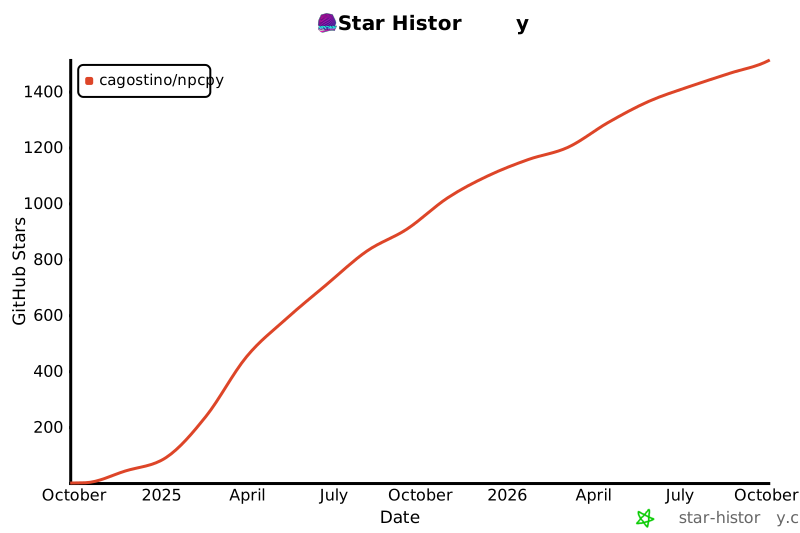](https://star-history.com/#cagostino/npcpy&Date)
|