shipthis 0.0.23 → 0.0.25
This diff represents the content of publicly available package versions that have been released to one of the supported registries. The information contained in this diff is provided for informational purposes only and reflects changes between package versions as they appear in their respective public registries.
- package/dist/commands/game/list.js +3 -2
- package/docs/README.md +50 -1
- package/docs/apple/apiKey.md +1 -1
- package/docs/apple/certificate.md +1 -1
- package/docs/apple/login.md +12 -1
- package/docs/apple/status.md +7 -3
- package/docs/apple.md +2 -2
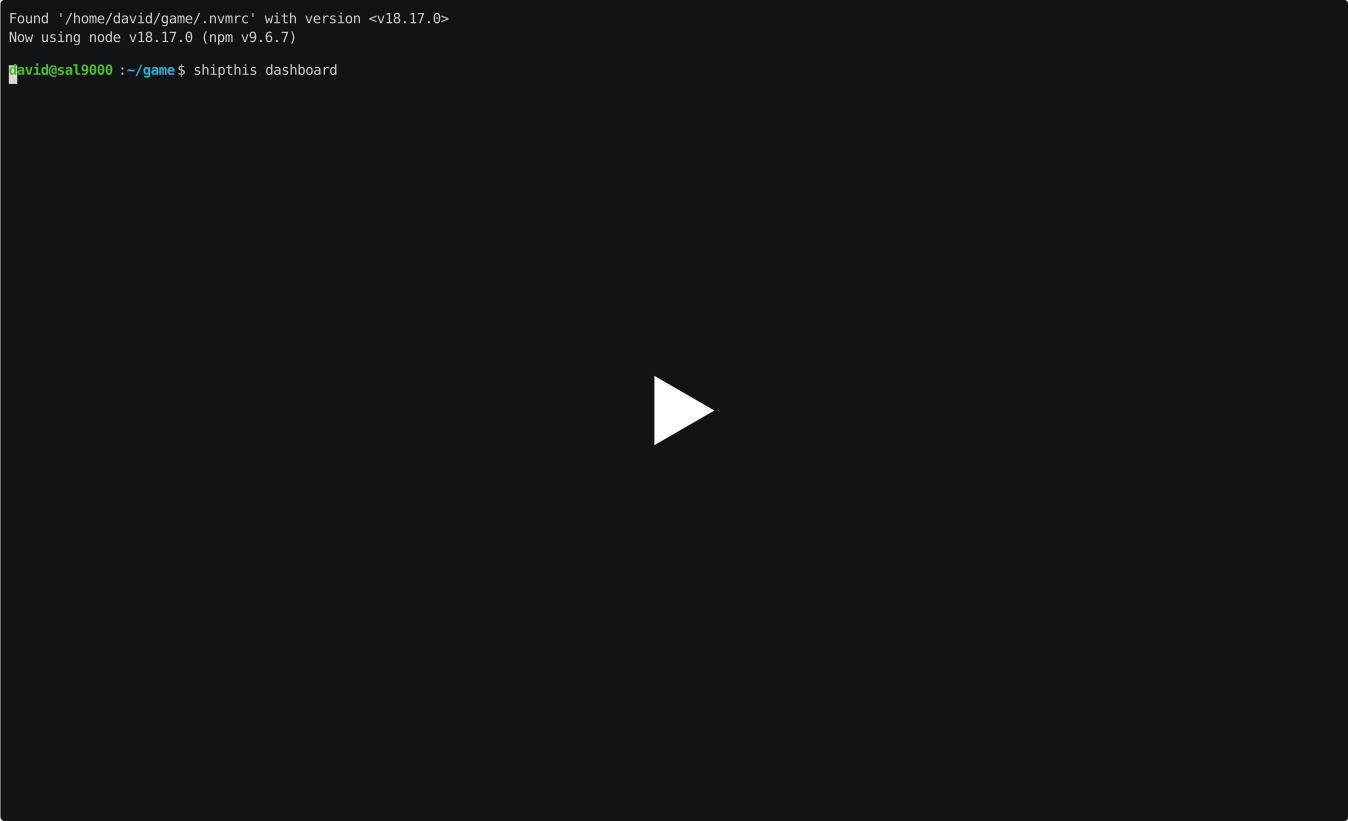
- package/docs/dashboard.md +14 -2
- package/docs/game/build.md +1 -1
- package/docs/game/create.md +17 -4
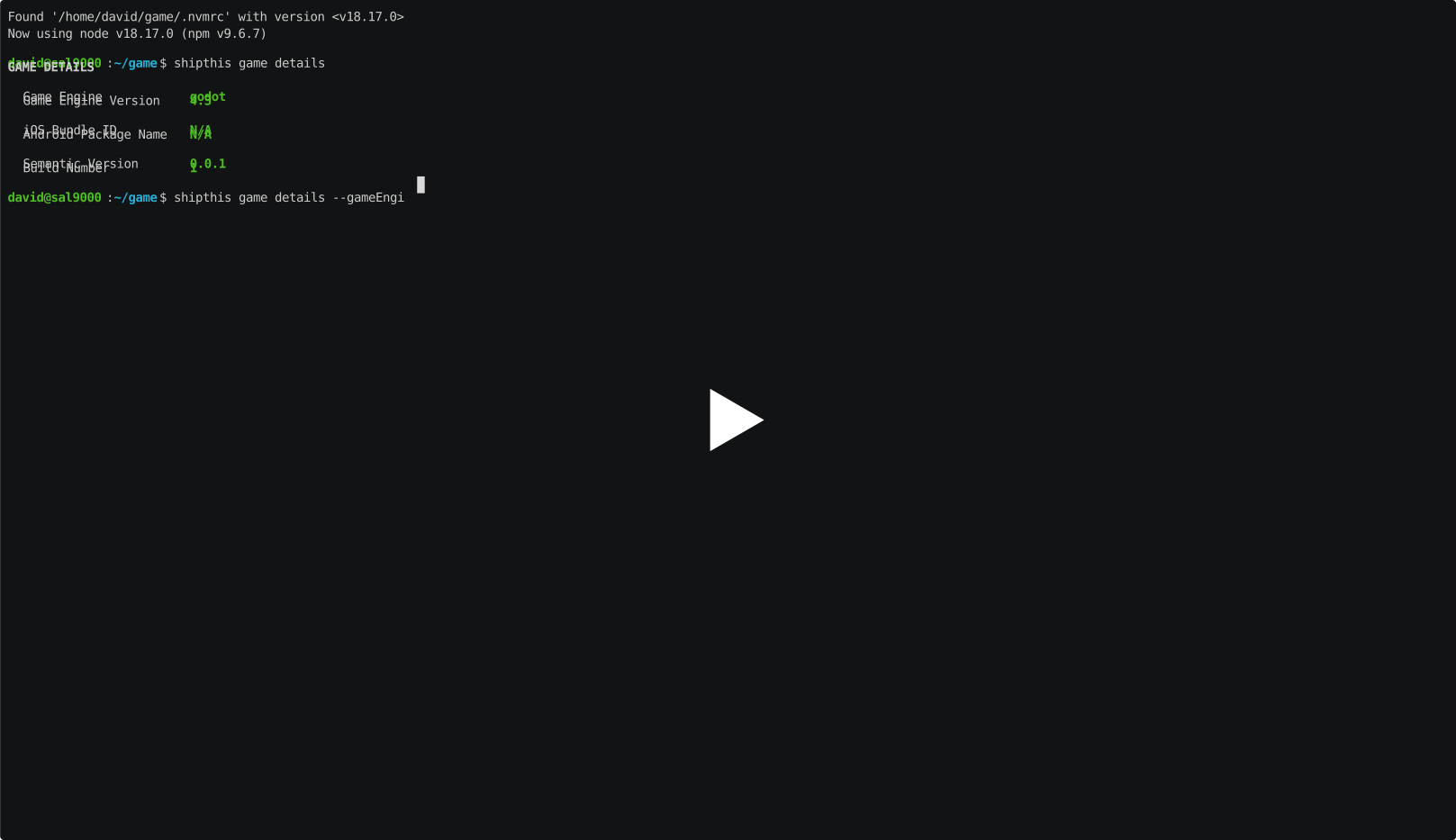
- package/docs/game/details.md +22 -5
- package/docs/game/export.md +1 -1
- package/docs/game/ios/app.md +1 -27
- package/docs/game/ios/profile.md +1 -1
- package/docs/game/ios/status.md +1 -1
- package/docs/game/ios.md +1 -2
- package/docs/game/job.md +1 -1
- package/docs/game/list.md +1 -1
- package/docs/game/ship.md +1 -1
- package/docs/game/status.md +1 -1
- package/docs/game/wizard.md +1 -1
- package/docs/game.md +4 -4
- package/docs/help.md +2 -2
- package/docs/login.md +1 -1
- package/docs/status.md +1 -1
- package/oclif.manifest.json +1 -1
- package/package.json +1 -1
- package/docs/apple/apiKey/create +0 -26
- package/docs/apple/apiKey/export +0 -24
- package/docs/apple/apiKey/import +0 -24
- package/docs/apple/apiKey/status +0 -25
- package/docs/apple/certificate/create +0 -26
- package/docs/apple/certificate/export +0 -24
- package/docs/apple/certificate/import +0 -24
- package/docs/apple/certificate/status +0 -25
- package/docs/apple/login +0 -25
- package/docs/apple/status +0 -18
- package/docs/dashboard +0 -18
- package/docs/game/build/download +0 -28
- package/docs/game/build/list +0 -31
- package/docs/game/create +0 -23
- package/docs/game/details +0 -35
- package/docs/game/export +0 -26
- package/docs/game/ios/app/addTester +0 -24
- package/docs/game/ios/app/create +0 -25
- package/docs/game/ios/app/status +0 -21
- package/docs/game/ios/app/sync +0 -23
- package/docs/game/ios/profile/create +0 -23
- package/docs/game/ios/profile/export +0 -25
- package/docs/game/ios/profile/import +0 -25
- package/docs/game/ios/profile/status +0 -22
- package/docs/game/ios/status +0 -23
- package/docs/game/job/list +0 -29
- package/docs/game/job/status +0 -30
- package/docs/game/list +0 -26
- package/docs/game/ship +0 -21
- package/docs/game/status +0 -23
- package/docs/game/wizard +0 -23
- package/docs/help +0 -21
- package/docs/login +0 -24
- package/docs/status +0 -18
|
@@ -1,5 +1,5 @@
|
|
|
1
1
|
import { jsxs, jsx } from 'react/jsx-runtime';
|
|
2
|
-
import { render,
|
|
2
|
+
import { render, Text, Box } from 'ink';
|
|
3
3
|
import { Flags } from '@oclif/core';
|
|
4
4
|
import { B as BaseAuthenticatedCommand, w as getProjects, f as getShortDate } from '../../baseGameCommand-B3NbuvDu.js';
|
|
5
5
|
import 'path';
|
|
@@ -56,7 +56,8 @@ class GameList extends BaseAuthenticatedCommand {
|
|
|
56
56
|
});
|
|
57
57
|
render(
|
|
58
58
|
/* @__PURE__ */ jsxs(App, { children: [
|
|
59
|
-
/* @__PURE__ */ jsx(
|
|
59
|
+
gameListResponse.data.length === 0 && params.pageNumber == 0 && /* @__PURE__ */ jsx(Text, { children: "No games found. Create one now with $ shipthis game wizard" }),
|
|
60
|
+
gameListResponse.data.length > 0 && /* @__PURE__ */ jsx(Table, { data }),
|
|
60
61
|
gameListResponse.pageCount > 1 && /* @__PURE__ */ jsxs(Box, { marginTop: 1, flexDirection: "column", children: [
|
|
61
62
|
/* @__PURE__ */ jsx(Text, { children: `Showing page ${flags.pageNumber + 1} of ${gameListResponse.pageCount}.` }),
|
|
62
63
|
/* @__PURE__ */ jsx(Text, { children: "Use the --pageNumber parameter to see other pages." })
|
package/docs/README.md
CHANGED
|
@@ -6,7 +6,56 @@ ShipThis is a platform that helps you manage shipping your [Godot](https://godot
|
|
|
6
6
|
|
|
7
7
|
This is all done with an easy to use command line tool called `shipthis`.
|
|
8
8
|
|
|
9
|
-
|
|
9
|
+
## Quickstart
|
|
10
|
+
|
|
11
|
+
Let's discover **ShipThis in less than 5 minutes**.
|
|
12
|
+
|
|
13
|
+
### Getting Started
|
|
14
|
+
|
|
15
|
+
ShipThis is a platform that helps you manage shipping your [Godot](https://godotengine.org/) games to the App Store.
|
|
16
|
+
|
|
17
|
+
#### What you'll need
|
|
18
|
+
|
|
19
|
+
- A Godot game
|
|
20
|
+
- [Node.js](https://nodejs.org/en/download/) version 18.0 or above:
|
|
21
|
+
- When installing Node.js, you are recommended to check all checkboxes related to dependencies.
|
|
22
|
+
- An [Apple Developer](https://developer.apple.com) account
|
|
23
|
+
|
|
24
|
+
### 1. Install ShipThis
|
|
25
|
+
|
|
26
|
+
ShipThis can be installed as a package via the [NPM package manager](https://www.npmjs.com/). Run the following at the command line:
|
|
27
|
+
|
|
28
|
+
```
|
|
29
|
+
npm install -g shipthis
|
|
30
|
+
```
|
|
31
|
+
|
|
32
|
+
### 2. Create an account
|
|
33
|
+
|
|
34
|
+
Set up an account with ShipThis by logging in for the first time using the [`shipthis login`](https://shipthis.cc/docs/reference/login) command.
|
|
35
|
+
|
|
36
|
+
```
|
|
37
|
+
shipthis login
|
|
38
|
+
```
|
|
39
|
+
|
|
40
|
+
### 3. Configure your game
|
|
41
|
+
|
|
42
|
+
Set up your ShipThis configuration using the built in [wizard](https://shipthis.cc/docs/wizard):
|
|
43
|
+
|
|
44
|
+
```
|
|
45
|
+
shipthis game wizard
|
|
46
|
+
```
|
|
47
|
+
|
|
48
|
+
### 4. Ship
|
|
49
|
+
|
|
50
|
+
Now you can publish your game to TestFlight with the [`shipthis game ship`](https://shipthis.cc/docs/reference/game/ship) command:
|
|
51
|
+
|
|
52
|
+
```
|
|
53
|
+
shipthis game ship
|
|
54
|
+
```
|
|
55
|
+
|
|
56
|
+
Once you are happy with the build you can submit it to Apple using [App Store
|
|
57
|
+
Connect](https://appstoreconnect.apple.com/).
|
|
58
|
+
|
|
10
59
|
|
|
11
60
|
## Topics
|
|
12
61
|
|
package/docs/apple/apiKey.md
CHANGED
package/docs/apple/login.md
CHANGED
|
@@ -1,9 +1,20 @@
|
|
|
1
|
-
# apple login
|
|
1
|
+
# Command: `apple login`
|
|
2
2
|
|
|
3
3
|
## Description
|
|
4
4
|
|
|
5
5
|
Authenticate with Apple - saves the session to the auth file.
|
|
6
6
|
|
|
7
|
+
:::note
|
|
8
|
+
Your Apple Developer credentials never leave your local computer. We recommend
|
|
9
|
+
enabling [two-factor authentication (2FA)](https://support.apple.com/kb/HT204915)
|
|
10
|
+
for your Apple ID.
|
|
11
|
+
:::
|
|
12
|
+
|
|
13
|
+
ShipThis makes use of Apple's APIs to manage your signing certificates, API keys,
|
|
14
|
+
provisioning profiles, bundleIds and apps within the Apple Developer Portal on
|
|
15
|
+
your behalf. To do this, ShipThis generates temporary session cookies which it re-uses between the various
|
|
16
|
+
[apple commands](/docs/reference/apple).
|
|
17
|
+
|
|
7
18
|
## Example
|
|
8
19
|
|
|
9
20
|
[](https://asciinema.org/a/h2wLhEFVy8mLA5dE6hb1gHDyD)
|
package/docs/apple/status.md
CHANGED
|
@@ -1,12 +1,16 @@
|
|
|
1
|
-
# apple status
|
|
1
|
+
# Command: `apple status`
|
|
2
2
|
|
|
3
3
|
## Description
|
|
4
4
|
|
|
5
|
-
Shows the status of the Apple authentication and integration
|
|
5
|
+
Shows the status of the Apple authentication and integration.
|
|
6
|
+
|
|
7
|
+
If you have authenticated against Apple, it will show **"YES"** for "Authenticated on Apple Developer Portal".
|
|
8
|
+
|
|
9
|
+
To authenticate, please run [`shipthis apple login`](/docs/reference/apple/login).
|
|
6
10
|
|
|
7
11
|
## Example
|
|
8
12
|
|
|
9
|
-
[](https://asciinema.org/a/PPSZ5EUxbdnd3IqCk6vtb2Bmw)
|
|
10
14
|
|
|
11
15
|
## Help Output
|
|
12
16
|
```
|
package/docs/apple.md
CHANGED
|
@@ -1,6 +1,6 @@
|
|
|
1
|
-
#
|
|
1
|
+
# Topic: `apple`
|
|
2
2
|
|
|
3
|
-
Commands in the Apple topic are prefixed `
|
|
3
|
+
Commands in the Apple topic are prefixed `shipthis apple`. They relate to linking your ShipThis account with your Apple Developer Account. You need to be authenticated against ShipThis (by running [`shipthis login`](/docs/reference/login)) before running the Apple commands.
|
|
4
4
|
|
|
5
5
|
## Status
|
|
6
6
|
|
package/docs/dashboard.md
CHANGED
|
@@ -1,8 +1,20 @@
|
|
|
1
|
-
# dashboard
|
|
1
|
+
# Command: `dashboard`
|
|
2
2
|
|
|
3
3
|
## Description
|
|
4
4
|
|
|
5
|
-
Opens the web-browser to your ShipThis dashboard
|
|
5
|
+
Opens the web-browser to your ShipThis dashboard.
|
|
6
|
+
|
|
7
|
+
:::note
|
|
8
|
+
ShipThis generates single-use links which will automatically log you into shipthis.cc in your browser.
|
|
9
|
+
:::
|
|
10
|
+
|
|
11
|
+
|
|
12
|
+
|
|
13
|
+
You need to have authenticated with [`shipthis login`](/docs/reference/login) first.
|
|
14
|
+
|
|
15
|
+
## Example
|
|
16
|
+
|
|
17
|
+
[](https://asciinema.org/a/J7A5mafE3kCM6yGLpuVBmEQgh)
|
|
6
18
|
|
|
7
19
|
## Help Output
|
|
8
20
|
|
package/docs/game/build.md
CHANGED
package/docs/game/create.md
CHANGED
|
@@ -1,12 +1,25 @@
|
|
|
1
|
-
# game create
|
|
1
|
+
# Command: `game create`
|
|
2
|
+
|
|
3
|
+
## Description
|
|
4
|
+
|
|
5
|
+
Creates a new game in your [ShipThis account](https://shipthis.cc/games).
|
|
6
|
+
|
|
7
|
+
It will read the name of your game from your `project.godot` file. You will be
|
|
8
|
+
prompted to confirm this name, or you can specify one with the `--name` flag.
|
|
9
|
+
|
|
10
|
+
If there is already a ShipThis game config file (`shipthis.json`) in the current
|
|
11
|
+
directory then you will need to use the `--force` flag to create a new game and
|
|
12
|
+
overwrite this file with the config for the new game.
|
|
13
|
+
|
|
14
|
+
ShipThis will detect the version of Godot you are using from your `project.godot`
|
|
15
|
+
file. This can be changed with the [`shipthis game details`](/docs/reference/game/details)
|
|
16
|
+
command.
|
|
2
17
|
|
|
3
18
|
## Example
|
|
4
19
|
|
|
5
20
|
[](https://asciinema.org/a/Oxf8qnYoVViPNVA40EXKBWG36)
|
|
6
21
|
|
|
7
|
-
## Description
|
|
8
22
|
|
|
9
|
-
Create a new game in ShipThis.
|
|
10
23
|
|
|
11
24
|
## Help Output
|
|
12
25
|
|
|
@@ -24,4 +37,4 @@ DESCRIPTION
|
|
|
24
37
|
|
|
25
38
|
EXAMPLES
|
|
26
39
|
$ shipthis game create
|
|
27
|
-
```
|
|
40
|
+
```
|
package/docs/game/details.md
CHANGED
|
@@ -1,12 +1,29 @@
|
|
|
1
|
-
# game details
|
|
1
|
+
# Command: `game details`
|
|
2
2
|
|
|
3
|
-
##
|
|
3
|
+
## Description
|
|
4
4
|
|
|
5
|
-
|
|
5
|
+
Shows and sets the details of the current game.
|
|
6
6
|
|
|
7
|
-
|
|
7
|
+
If you run the command without any flags it will show the details of the current
|
|
8
|
+
game.
|
|
9
|
+
|
|
10
|
+
You can edit any of the values using the appropriate flag. After changing the
|
|
11
|
+
value, it will output all the values again.
|
|
12
|
+
|
|
13
|
+
The following fields can only be changed if you have the `--force` flag set:
|
|
8
14
|
|
|
9
|
-
|
|
15
|
+
- `--gameEngine` - Change the Game Engine (currently only "godot" is supported)
|
|
16
|
+
- `--gameEngineVersion` - Change the version of the Game Engine (currently only 3.6 and 4.3 are supported)
|
|
17
|
+
- `--iosBundleId` - iOS Bundle ID
|
|
18
|
+
- `--androidPackageName` Android Package Name (not currently used)
|
|
19
|
+
|
|
20
|
+
:::tip
|
|
21
|
+
After changing these values, you will need to trigger a new build of your game with [`shipthis game ship`](/docs/reference/game/ship)
|
|
22
|
+
:::
|
|
23
|
+
|
|
24
|
+
## Example
|
|
25
|
+
|
|
26
|
+
[](https://asciinema.org/a/5eIVmJYQ6MxDAlFVoVKXhGkYr)
|
|
10
27
|
|
|
11
28
|
## Help Output
|
|
12
29
|
|
package/docs/game/export.md
CHANGED
package/docs/game/ios/app.md
CHANGED
|
@@ -1,36 +1,10 @@
|
|
|
1
|
-
# game ios app
|
|
1
|
+
# Topic: `game ios app`
|
|
2
2
|
|
|
3
3
|
Commands related to the App Store App for a specific game
|
|
4
4
|
|
|
5
5
|
|
|
6
6
|
## Commands
|
|
7
7
|
|
|
8
|
-
|
|
9
|
-
### game ios app addTester
|
|
10
|
-
|
|
11
|
-
#### Description
|
|
12
|
-
|
|
13
|
-
Adds a test user to the game in App Store Connect.
|
|
14
|
-
|
|
15
|
-
#### Help Output
|
|
16
|
-
|
|
17
|
-
```
|
|
18
|
-
USAGE
|
|
19
|
-
$ shipthis game ios app addTester [-g <value>] [-e <value>] [-f <value>] [-l <value>]
|
|
20
|
-
|
|
21
|
-
FLAGS
|
|
22
|
-
-e, --email=<value> The email address of the tester
|
|
23
|
-
-f, --firstName=<value> The first name of the tester
|
|
24
|
-
-g, --gameId=<value> The ID of the game
|
|
25
|
-
-l, --lastName=<value> The last name of the tester
|
|
26
|
-
|
|
27
|
-
DESCRIPTION
|
|
28
|
-
Adds a test user to the game in App Store Connect.
|
|
29
|
-
|
|
30
|
-
EXAMPLES
|
|
31
|
-
$ shipthis game ios app addTester
|
|
32
|
-
```
|
|
33
|
-
|
|
34
8
|
### game ios app create
|
|
35
9
|
|
|
36
10
|
#### Description
|
package/docs/game/ios/profile.md
CHANGED
package/docs/game/ios/status.md
CHANGED
package/docs/game/ios.md
CHANGED
|
@@ -1,4 +1,4 @@
|
|
|
1
|
-
# Topic:
|
|
1
|
+
# Topic: `game ios`
|
|
2
2
|
|
|
3
3
|
Commands in the Game iOS topic are prefixed `shipthis game ios`. They relate to
|
|
4
4
|
managing the iOS platform configuration for the game in the current directory.
|
|
@@ -11,7 +11,6 @@ these commands. To do that please run the following commands first:
|
|
|
11
11
|
- [`shipthis apple login`](/docs/reference/apple/login)
|
|
12
12
|
:::
|
|
13
13
|
|
|
14
|
-
|
|
15
14
|
## Topics
|
|
16
15
|
|
|
17
16
|
- [game ios app](/docs/reference/game/ios/app)
|
package/docs/game/job.md
CHANGED
package/docs/game/list.md
CHANGED
package/docs/game/ship.md
CHANGED
package/docs/game/status.md
CHANGED
package/docs/game/wizard.md
CHANGED
package/docs/game.md
CHANGED
|
@@ -1,6 +1,6 @@
|
|
|
1
|
-
#
|
|
1
|
+
# Topic: `game`
|
|
2
2
|
|
|
3
|
-
Commands in the
|
|
3
|
+
Commands in the game topic are prefixed `shipthis game`. They relate to configuring
|
|
4
4
|
the specific game in the current working directory.
|
|
5
5
|
|
|
6
6
|
You will need to be authenticated against ShipThis (by running [`shipthis login`](login)) before running the Game commands.
|
|
@@ -8,8 +8,8 @@ You will need to be authenticated against ShipThis (by running [`shipthis login`
|
|
|
8
8
|
## Topics
|
|
9
9
|
|
|
10
10
|
- [game build](/docs/reference/game/build)
|
|
11
|
-
- [game ios](/docs/reference/game
|
|
12
|
-
- [game job](/docs/reference/game
|
|
11
|
+
- [game ios](/docs/reference/game/ios)
|
|
12
|
+
- [game job](/docs/reference/game/job)
|
|
13
13
|
|
|
14
14
|
## Commands
|
|
15
15
|
|
package/docs/help.md
CHANGED
package/docs/login.md
CHANGED
package/docs/status.md
CHANGED
package/oclif.manifest.json
CHANGED
package/package.json
CHANGED
package/docs/apple/apiKey/create
DELETED
|
@@ -1,26 +0,0 @@
|
|
|
1
|
-
# apple apiKey create
|
|
2
|
-
|
|
3
|
-
## Description
|
|
4
|
-
|
|
5
|
-
Creates an App Store Connect API Key in your Apple Developer account.
|
|
6
|
-
Saves the private key in your ShipThis account.
|
|
7
|
-
|
|
8
|
-
## Help Output
|
|
9
|
-
|
|
10
|
-
```
|
|
11
|
-
USAGE
|
|
12
|
-
$ shipthis apple apiKey create [-f] [-q]
|
|
13
|
-
|
|
14
|
-
FLAGS
|
|
15
|
-
-f, --force
|
|
16
|
-
-q, --quiet Avoid output except for interactions and errors
|
|
17
|
-
|
|
18
|
-
DESCRIPTION
|
|
19
|
-
Creates an App Store Connect API Key in your Apple Developer account.
|
|
20
|
-
Saves the private key in your ShipThis account.
|
|
21
|
-
|
|
22
|
-
EXAMPLES
|
|
23
|
-
$ shipthis apple apiKey create
|
|
24
|
-
|
|
25
|
-
$ shipthis apple apiKey create --force
|
|
26
|
-
```
|
package/docs/apple/apiKey/export
DELETED
|
@@ -1,24 +0,0 @@
|
|
|
1
|
-
# apple apiKey export
|
|
2
|
-
|
|
3
|
-
## Description
|
|
4
|
-
|
|
5
|
-
Saves the current App Store Connect API Key to a ZIP file
|
|
6
|
-
|
|
7
|
-
## Help Output
|
|
8
|
-
|
|
9
|
-
```
|
|
10
|
-
USAGE
|
|
11
|
-
$ shipthis apple apiKey export FILE [-f]
|
|
12
|
-
|
|
13
|
-
ARGUMENTS
|
|
14
|
-
FILE Name of the ZIP file to create
|
|
15
|
-
|
|
16
|
-
FLAGS
|
|
17
|
-
-f, --force Overwrite the file if it already exists
|
|
18
|
-
|
|
19
|
-
DESCRIPTION
|
|
20
|
-
Saves the current App Store Connect API Key to a ZIP file
|
|
21
|
-
|
|
22
|
-
EXAMPLES
|
|
23
|
-
$ shipthis apple apiKey export userApiKey.zip
|
|
24
|
-
```
|
package/docs/apple/apiKey/import
DELETED
|
@@ -1,24 +0,0 @@
|
|
|
1
|
-
# apple apiKey import
|
|
2
|
-
|
|
3
|
-
## Description
|
|
4
|
-
|
|
5
|
-
Imports an App Store Connect API Key ZIP file into your ShipThis account
|
|
6
|
-
|
|
7
|
-
## Help Output
|
|
8
|
-
|
|
9
|
-
```
|
|
10
|
-
USAGE
|
|
11
|
-
$ shipthis apple apiKey import FILE [-f]
|
|
12
|
-
|
|
13
|
-
ARGUMENTS
|
|
14
|
-
FILE Name of the ZIP file to import (must be in the same format as the export)
|
|
15
|
-
|
|
16
|
-
FLAGS
|
|
17
|
-
-f, --force
|
|
18
|
-
|
|
19
|
-
DESCRIPTION
|
|
20
|
-
Imports an App Store Connect API Key ZIP file into your ShipThis account
|
|
21
|
-
|
|
22
|
-
EXAMPLES
|
|
23
|
-
$ shipthis apple apiKey import userApiKey.zip
|
|
24
|
-
```
|
package/docs/apple/apiKey/status
DELETED
|
@@ -1,25 +0,0 @@
|
|
|
1
|
-
# apple apiKey status
|
|
2
|
-
|
|
3
|
-
## Description
|
|
4
|
-
|
|
5
|
-
Displays the status of App Store Connect API Keys in your Apple and ShipThis accounts.
|
|
6
|
-
This API key is used to automatically publish your games to the App Store.
|
|
7
|
-
|
|
8
|
-
## Help Output
|
|
9
|
-
|
|
10
|
-
```
|
|
11
|
-
USAGE
|
|
12
|
-
$ shipthis apple apiKey status [-f]
|
|
13
|
-
|
|
14
|
-
FLAGS
|
|
15
|
-
-f, --noAppleAuth
|
|
16
|
-
|
|
17
|
-
DESCRIPTION
|
|
18
|
-
Displays the status of App Store Connect API Keys in your Apple and ShipThis accounts.
|
|
19
|
-
This API key is used to automatically publish your games to the App Store.
|
|
20
|
-
|
|
21
|
-
EXAMPLES
|
|
22
|
-
$ shipthis apple apiKey status
|
|
23
|
-
|
|
24
|
-
$ shipthis apple apiKey status --noAppleAuth
|
|
25
|
-
```
|
|
@@ -1,26 +0,0 @@
|
|
|
1
|
-
# apple certificate create
|
|
2
|
-
|
|
3
|
-
## Description
|
|
4
|
-
|
|
5
|
-
Creates an iOS Distribution Certificate in your Apple Developer account.
|
|
6
|
-
Saves the certificate with the private key to your ShipThis account
|
|
7
|
-
|
|
8
|
-
## Help Output
|
|
9
|
-
|
|
10
|
-
```
|
|
11
|
-
USAGE
|
|
12
|
-
$ shipthis apple certificate create [-f] [-q]
|
|
13
|
-
|
|
14
|
-
FLAGS
|
|
15
|
-
-f, --force
|
|
16
|
-
-q, --quiet Avoid output except for interactions and errors
|
|
17
|
-
|
|
18
|
-
DESCRIPTION
|
|
19
|
-
Creates an iOS Distribution Certificate in your Apple Developer account.
|
|
20
|
-
Saves the certificate with the private key to your ShipThis account
|
|
21
|
-
|
|
22
|
-
EXAMPLES
|
|
23
|
-
$ shipthis apple certificate create
|
|
24
|
-
|
|
25
|
-
$ shipthis apple certificate create --force
|
|
26
|
-
```
|
|
@@ -1,24 +0,0 @@
|
|
|
1
|
-
# apple certificate export
|
|
2
|
-
|
|
3
|
-
## Description
|
|
4
|
-
|
|
5
|
-
Saves the current Apple Distribution Certificate to a ZIP file.
|
|
6
|
-
|
|
7
|
-
## Help Output
|
|
8
|
-
|
|
9
|
-
```
|
|
10
|
-
USAGE
|
|
11
|
-
$ shipthis apple certificate export FILE [-f]
|
|
12
|
-
|
|
13
|
-
ARGUMENTS
|
|
14
|
-
FILE Name of the ZIP file to create
|
|
15
|
-
|
|
16
|
-
FLAGS
|
|
17
|
-
-f, --force Overwrite the file if it already exists
|
|
18
|
-
|
|
19
|
-
DESCRIPTION
|
|
20
|
-
Saves the current Apple Distribution Certificate to a ZIP file.
|
|
21
|
-
|
|
22
|
-
EXAMPLES
|
|
23
|
-
$ shipthis apple certificate export userCert.zip
|
|
24
|
-
```
|
|
@@ -1,24 +0,0 @@
|
|
|
1
|
-
# apple certificate import
|
|
2
|
-
|
|
3
|
-
## Description
|
|
4
|
-
|
|
5
|
-
Imports an iOS Distribution Certificate to your ShipThis account
|
|
6
|
-
|
|
7
|
-
## Help Output
|
|
8
|
-
|
|
9
|
-
```
|
|
10
|
-
USAGE
|
|
11
|
-
$ shipthis apple certificate import FILE [-f]
|
|
12
|
-
|
|
13
|
-
ARGUMENTS
|
|
14
|
-
FILE Name of the ZIP file to import (must be in the same format as the export)
|
|
15
|
-
|
|
16
|
-
FLAGS
|
|
17
|
-
-f, --force
|
|
18
|
-
|
|
19
|
-
DESCRIPTION
|
|
20
|
-
Imports an iOS Distribution Certificate to your ShipThis account
|
|
21
|
-
|
|
22
|
-
EXAMPLES
|
|
23
|
-
$ shipthis apple certificate import userCert.zip
|
|
24
|
-
```
|
|
@@ -1,25 +0,0 @@
|
|
|
1
|
-
# apple certificate status
|
|
2
|
-
|
|
3
|
-
## Description
|
|
4
|
-
|
|
5
|
-
Displays the status of the iOS Distribution certificates in your Apple and ShipThis accounts.
|
|
6
|
-
These are used to sign all of your iOS apps.
|
|
7
|
-
|
|
8
|
-
## Help Output
|
|
9
|
-
|
|
10
|
-
```
|
|
11
|
-
USAGE
|
|
12
|
-
$ shipthis apple certificate status [-f]
|
|
13
|
-
|
|
14
|
-
FLAGS
|
|
15
|
-
-f, --noAppleAuth
|
|
16
|
-
|
|
17
|
-
DESCRIPTION
|
|
18
|
-
Displays the status of the iOS Distribution certificates in your Apple and ShipThis accounts.
|
|
19
|
-
These are used to sign all of your iOS apps.
|
|
20
|
-
|
|
21
|
-
EXAMPLES
|
|
22
|
-
$ shipthis apple certificate status
|
|
23
|
-
|
|
24
|
-
$ shipthis apple certificate status --noAppleAuth
|
|
25
|
-
```
|
package/docs/apple/login
DELETED
|
@@ -1,25 +0,0 @@
|
|
|
1
|
-
# apple login
|
|
2
|
-
|
|
3
|
-
## Description
|
|
4
|
-
|
|
5
|
-
Authenticate with Apple - saves the session to the auth file
|
|
6
|
-
|
|
7
|
-
## Help Output
|
|
8
|
-
|
|
9
|
-
```
|
|
10
|
-
USAGE
|
|
11
|
-
$ shipthis apple login [-q] [-f] [-e <value>]
|
|
12
|
-
|
|
13
|
-
FLAGS
|
|
14
|
-
-e, --appleEmail=<value> Your Apple Developer email address
|
|
15
|
-
-f, --force
|
|
16
|
-
-q, --quiet Avoid output except for interactions and errors
|
|
17
|
-
|
|
18
|
-
DESCRIPTION
|
|
19
|
-
Authenticate with Apple - saves the session to the auth file
|
|
20
|
-
|
|
21
|
-
EXAMPLES
|
|
22
|
-
$ shipthis apple login
|
|
23
|
-
|
|
24
|
-
$ shipthis apple login --force --appleEmail me@email.nowhere
|
|
25
|
-
```
|
package/docs/apple/status
DELETED
|
@@ -1,18 +0,0 @@
|
|
|
1
|
-
# apple status
|
|
2
|
-
|
|
3
|
-
## Description
|
|
4
|
-
|
|
5
|
-
Shows the status of the Apple authentication and integration.
|
|
6
|
-
|
|
7
|
-
## Help Output
|
|
8
|
-
|
|
9
|
-
```
|
|
10
|
-
USAGE
|
|
11
|
-
$ shipthis apple status
|
|
12
|
-
|
|
13
|
-
DESCRIPTION
|
|
14
|
-
Shows the status of the Apple authentication and integration.
|
|
15
|
-
|
|
16
|
-
EXAMPLES
|
|
17
|
-
$ shipthis apple status
|
|
18
|
-
```
|