orgchart 6.0.0 → 7.0.0
This diff represents the content of publicly available package versions that have been released to one of the supported registries. The information contained in this diff is provided for informational purposes only and reflects changes between package versions as they appear in their respective public registries.
- package/.github/workflows/publish.yml +11 -8
- package/README.md +47 -35
- package/README.zh-cn.md +73 -30
- package/README.zh-tw.md +73 -30
- package/demo/edit-chart.html +0 -4
- package/demo/edit-hybrid-chart.html +3 -4
- package/demo/index.html +5 -1
- package/demo/ondemand-loading-data.html +137 -80
- package/demo/options-compact-drag.html +82 -0
- package/demo/options-export-navigation.html +76 -0
- package/demo/options-horizontal-template.html +80 -0
- package/demo/options-hybrid-navigation.html +71 -0
- package/dist/css/orgchart.css +12 -1
- package/dist/css/orgchart.min.css +1 -1
- package/dist/js/orgchart.js +896 -523
- package/dist/js/orgchart.min.js +1 -1
- package/dist/js/orgchart.min.js.map +1 -1
- package/gulpfile.js +5 -1
- package/package.json +2 -1
- package/src/css/orgchart.css +12 -1
- package/src/js/orgchart.js +896 -523
- package/test/compatibility/README.md +123 -0
- package/test/compatibility/browser.tests.js +1279 -0
- package/test/compatibility/options.tests.js +628 -0
- package/test/cypress/e2e/demo-interactions.cy.js +3 -3
- package/test/cypress/e2e/demo-rendering.cy.js +62 -1
- package/test/cypress/e2e/drag-drop-hybrid-chart.cy.js +2 -1
- package/test/cypress/e2e/local-datasource.cy.js +16 -16
- package/test/cypress/e2e/ondemand-loading-data.cy.js +34 -10
- package/test/cypress/e2e/toggle-sibs-resp.cy.js +4 -4
- package/test/cypress/e2e/vertical-vevel.cy.js +5 -5
- package/test/integration/init-tests.js +30 -43
- package/test/integration/tests.js +21 -13
- package/test/unit/lifecycle-builders-export.tests.js +179 -118
- package/test/unit/tests.js +33 -34
package/README.zh-tw.md
CHANGED
|
@@ -1,4 +1,4 @@
|
|
|
1
|
-

|
|
2
2
|
|
|
3
3
|
# Read this in other languages: [简体中文](https://github.com/dabeng/OrgChart/blob/master/README.zh-cn.md), [English](https://github.com/dabeng/OrgChart/blob/master/README.md)
|
|
4
4
|
|
|
@@ -52,6 +52,10 @@ $ npm install orgchart
|
|
|
52
52
|
## [基于嵌套table的實例集合](https://codepen.io/collection/AWxGVb/) (過時)
|
|
53
53
|
|
|
54
54
|
### 天馬行空的需求
|
|
55
|
+
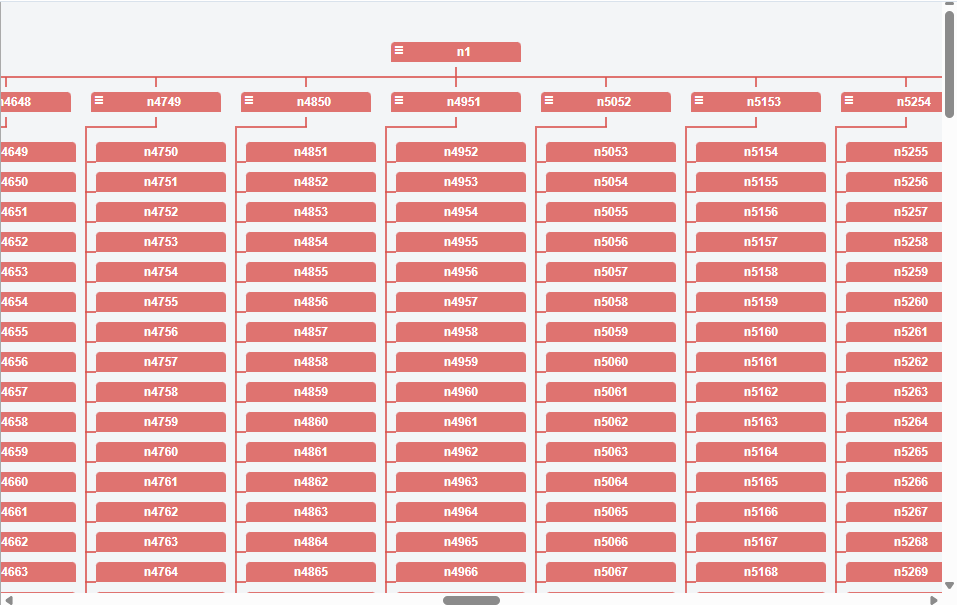
- [我想在500毫秒內渲染10,000個節點](https://dabeng.github.io/OrgChart/10000-nodes.html)
|
|
56
|
+
|
|
57
|
+
|
|
58
|
+
|
|
55
59
|
- [ul數據源](https://dabeng.github.io/OrgChart/ul-datasource.html)(感謝 [Tobyee的好點子:blush:](https://github.com/dabeng/OrgChart/issues/1))
|
|
56
60
|
|
|
57
61
|
- [本地數據源](https://dabeng.github.io/OrgChart/local-datasource.html)
|
|
@@ -114,6 +118,8 @@ $ npm install orgchart
|
|
|
114
118
|
|
|
115
119
|
這個特性的靈感來源于這兩個話題的討論--[Aligning Children Vertical](https://github.com/dabeng/OrgChart/issues/46), [Hybrid(horizontal + vertical) OrgChart](https://github.com/dabeng/OrgChart/issues/61)。感謝[mfahadi](https://github.com/mfahadi)和[Destructrix](https://github.com/Destructrix)建設性的討論:blush:尤其感謝[tedliang](https://github.com/tedliang)提供了非常棒的混合布局的解決方案。
|
|
116
120
|
|
|
121
|
+
與 `compact` 同時設定時,`verticalLevel` 從指定層級開始決定版面配置。方向、層級限制和拖放仍按照實際的父子關係處理。
|
|
122
|
+
|
|
117
123
|
- [我想在組織結構圖初始化時,就默認折疊掉若幹節點(不限時這些節點的子節點)](https://dabeng.github.io/OrgChart/default-collapsed.html)
|
|
118
124
|
|
|
119
125
|
這個好辦。在數據源中,給父節點追加`'collapsed': true`,給子節點追加`'className': 'slide-up'`。
|
|
@@ -152,6 +158,10 @@ $ npm install orgchart
|
|
|
152
158
|
|
|
153
159
|
**compact data property** 就派上用場了。在數據源的某個節點裏提供了"compact"屬性,並賦為真值,那麽它和它的子節點就會展示為壓縮模式。
|
|
154
160
|
|
|
161
|
+
緊湊版面配置可以與 `draggable`、`visibleLevel`、方向、平移、縮放和小地圖同時使用。`compact: true` 會將所有分支設為緊湊版面配置,也可以透過回呼選擇子節點較多的分支。`drag` 是 `draggable` 的別名,同時提供兩者時以 `draggable` 為準。緊湊版面配置中的拖放和節點編輯可能重建圖表,操作後應重新取得已渲染的節點元素。
|
|
162
|
+
|
|
163
|
+
家譜分組資料中的每個成員都使用設定的 `nodeId`,層級與 JSON、UL 資料一樣從第 1 層起算。緊湊家譜的子節點按家庭分組排列成網格。拖放和編輯只修改選取成員及其後代,不會誤移動整個家庭;家譜修改可能重建節點元素。`getHierarchy()` 會保留家譜分組陣列,關聯節點查詢包含同一圖表父級下的全部成員。
|
|
164
|
+
|
|
155
165
|
- [我想構造族譜,家譜,宗譜的關系圖](https://dabeng.github.io/OrgChart/family-tree.html)
|
|
156
166
|
|
|
157
167
|

|
|
@@ -233,28 +243,25 @@ var oc = new OrgChart({
|
|
|
233
243
|
// 來檢索數據源,然後渲染默認結構樣式的節點的上半部分
|
|
234
244
|
'nodeContent': 'title', // 可選屬性。插件會以該屬性的值爲屬性,
|
|
235
245
|
// 來檢索數據源,然後渲染默認結構樣式的節點的下半部分
|
|
236
|
-
'relationship': relationshipValue, // 注意:當你激活按需載入節點特性時
|
|
237
|
-
// 你應該使用JSON數據源(不論本地或遠程)並設置本屬性
|
|
238
|
-
// 本屬性標識當前節點是否具有父節點,兄弟節點,子節點
|
|
239
|
-
// relationshipValue的值是由“0”或“1”組成的長度爲3的字符串
|
|
240
|
-
// 第1個字符代表當前節點是否具有父節點
|
|
241
|
-
// 第2個字符代表當前節點是否具有兄弟節點
|
|
242
|
-
// 第三個字符代表當前節點是否具有孩子節點
|
|
243
246
|
'children': [ // The property stands for nested nodes.
|
|
244
|
-
{ 'name': 'Bo Miao', 'title': 'department manager'
|
|
245
|
-
{ 'name': 'Su Miao', 'title': 'department manager',
|
|
247
|
+
{ 'name': 'Bo Miao', 'title': 'department manager' },
|
|
248
|
+
{ 'name': 'Su Miao', 'title': 'department manager',
|
|
246
249
|
'children': [
|
|
247
|
-
{ 'name': 'Tie Hua', 'title': 'senior engineer'
|
|
248
|
-
{ 'name': 'Hei Hei', 'title': 'senior engineer'
|
|
250
|
+
{ 'name': 'Tie Hua', 'title': 'senior engineer' },
|
|
251
|
+
{ 'name': 'Hei Hei', 'title': 'senior engineer' }
|
|
249
252
|
]
|
|
250
253
|
},
|
|
251
|
-
{ 'name': 'Yu Jie', 'title': 'department manager'
|
|
254
|
+
{ 'name': 'Yu Jie', 'title': 'department manager' }
|
|
252
255
|
],
|
|
253
256
|
'otherPro': anyValue // 數據源中可以追加任意其他字段,只要你覺得
|
|
254
257
|
// 在之後的渲染和操作組織結構圖時派得上用場
|
|
255
258
|
};
|
|
256
259
|
```
|
|
257
260
|
|
|
261
|
+
節點關係直接依據目前已載入的結構判斷。展開摺疊和緊湊佈局切換按鈕在節點懸浮、聚焦或觸控選取時才建立,互動結束後回收;參與載入的按鈕保留至載入完成。鍵盤使用者可以聚焦節點,再用 Enter 或空白鍵啟動按鈕。
|
|
262
|
+
|
|
263
|
+
`createNode` 回呼執行時沒有預先建立的互動按鈕,請透過 `icons` 自訂圖示,不要查詢初始化時的箭頭元素。按需載入由 demo 或業務層透過 `createNode` 建立獨立請求按鈕,並使用事件委派處理請求;請求按鈕應使用與內建控制項不同的行為選擇器。載入後呼叫 `addAncestors()`、`addChildren()` 或 `addDescendants()` 加入實際節點,不需要關係中繼資料或新的載入回呼選項。`getNodeState()` 只描述已載入的關係,不推斷伺服器尚未載入的資料。舊的關係屬性和關係預處理方法不再支援。
|
|
264
|
+
|
|
258
265
|
### 選項
|
|
259
266
|
<table>
|
|
260
267
|
<thead>
|
|
@@ -269,10 +276,10 @@ var oc = new OrgChart({
|
|
|
269
276
|
<tbody>
|
|
270
277
|
<tr>
|
|
271
278
|
<td>data</td>
|
|
272
|
-
<td>
|
|
279
|
+
<td>object / array / HTMLUListElement</td>
|
|
273
280
|
<td>是</td>
|
|
274
281
|
<td></td>
|
|
275
|
-
<td
|
|
282
|
+
<td>資料來源可以是 JSON 樹狀物件、家譜分組陣列或 HTML ul 元素。UL 資料會在內部正規化,後續修改選項時仍會保留編輯結果。</td>
|
|
276
283
|
</tr>
|
|
277
284
|
<tr>
|
|
278
285
|
<td>pan</td>
|
|
@@ -288,19 +295,26 @@ var oc = new OrgChart({
|
|
|
288
295
|
<td>false</td>
|
|
289
296
|
<td>啓動本選項,用戶可以通過鼠標滾輪或觸摸板對組織結構圖進行縮放。</td>
|
|
290
297
|
</tr>
|
|
298
|
+
<tr>
|
|
299
|
+
<td>minimap</td>
|
|
300
|
+
<td>boolean</td>
|
|
301
|
+
<td>否</td>
|
|
302
|
+
<td>false</td>
|
|
303
|
+
<td>顯示小地圖導覽。拖動視口框可移動圖表,在小地圖上使用滾輪可縮放;即使 zoom 為 false,小地圖自身的滾輪縮放仍然可用。</td>
|
|
304
|
+
</tr>
|
|
291
305
|
<tr>
|
|
292
306
|
<td>zoominLimit</td>
|
|
293
307
|
<td>number</td>
|
|
294
308
|
<td>否</td>
|
|
295
309
|
<td>7</td>
|
|
296
|
-
<td
|
|
310
|
+
<td>包含邊界的最大縮放比例。縮放步長會限制到此邊界。上下限必須為有限正數,且下限不能大於上限。</td>
|
|
297
311
|
</tr>
|
|
298
312
|
<tr>
|
|
299
313
|
<td>zoomoutLimit</td>
|
|
300
314
|
<td>number</td>
|
|
301
315
|
<td>否</td>
|
|
302
316
|
<td>0.5</td>
|
|
303
|
-
<td
|
|
317
|
+
<td>包含邊界的最小縮放比例,不能大於 zoominLimit。無效的上下限會在替換圖表前拋出 RangeError。</td>
|
|
304
318
|
</tr>
|
|
305
319
|
<tr>
|
|
306
320
|
<td>direction</td>
|
|
@@ -325,10 +339,10 @@ var oc = new OrgChart({
|
|
|
325
339
|
</tr>
|
|
326
340
|
<tr>
|
|
327
341
|
<td>visibleLevel</td>
|
|
328
|
-
<td
|
|
342
|
+
<td>非負整數或布林值</td>
|
|
329
343
|
<td>否</td>
|
|
330
344
|
<td>999</td>
|
|
331
|
-
<td
|
|
345
|
+
<td>指定初始展開深度。true 使用預設深度(999);false 只顯示第一層;0 隱藏所有初始節點。更深的分支可以隨後展開。</td>
|
|
332
346
|
</tr>
|
|
333
347
|
<tr>
|
|
334
348
|
<td>nodeTitle</td>
|
|
@@ -337,13 +351,6 @@ var oc = new OrgChart({
|
|
|
337
351
|
<td>"name"</td>
|
|
338
352
|
<td>將默認節點結構中的標題部分關聯到數據源中的一個屬性</td>
|
|
339
353
|
</tr>
|
|
340
|
-
<tr>
|
|
341
|
-
<td>parentNodeSymbol</td>
|
|
342
|
-
<td>string</td>
|
|
343
|
-
<td>否</td>
|
|
344
|
-
<td>"oci-leader"</td>
|
|
345
|
-
<td>爲所有父節點的icon標識指定CSS類名</td>
|
|
346
|
-
</tr>
|
|
347
354
|
<tr>
|
|
348
355
|
<td>nodeContent</td>
|
|
349
356
|
<td>string</td>
|
|
@@ -390,7 +397,7 @@ var oc = new OrgChart({
|
|
|
390
397
|
<td>exportFilename</td>
|
|
391
398
|
<td>string</td>
|
|
392
399
|
<td>否</td>
|
|
393
|
-
<td>"
|
|
400
|
+
<td>"OrgChart"</td>
|
|
394
401
|
<td>導出文件的文件名。</td>
|
|
395
402
|
</tr>
|
|
396
403
|
<tr>
|
|
@@ -400,6 +407,13 @@ var oc = new OrgChart({
|
|
|
400
407
|
<td>"png"</td>
|
|
401
408
|
<td>導出文件的擴展名。</td>
|
|
402
409
|
</tr>
|
|
410
|
+
<tr>
|
|
411
|
+
<td>exportScale</td>
|
|
412
|
+
<td>number</td>
|
|
413
|
+
<td>否</td>
|
|
414
|
+
<td>2</td>
|
|
415
|
+
<td>匯出畫布的解析度倍數,PNG 和 PDF 均適用;PDF 頁面保留圖表的邏輯尺寸。非正數會回退為 1。</td>
|
|
416
|
+
</tr>
|
|
403
417
|
<tr>
|
|
404
418
|
<td>chartClass</td>
|
|
405
419
|
<td>string</td>
|
|
@@ -428,6 +442,35 @@ var oc = new OrgChart({
|
|
|
428
442
|
<td></td>
|
|
429
443
|
<td>組織結構圖初始化完成後,該選項指定的回調函數被觸發。該函數接受一個參數--"chart", 即初始化後的組織結構圖元素。</td>
|
|
430
444
|
</tr>
|
|
445
|
+
<tr>
|
|
446
|
+
<td>icons</td>
|
|
447
|
+
<td>json</td>
|
|
448
|
+
<td>否</td>
|
|
449
|
+
<td></td>
|
|
450
|
+
<td>自訂圖示的 CSS 類別名稱。部分圖示物件會逐欄位與預設值合併,父節點圖示使用 icons.parentNode 設定。
|
|
451
|
+
<pre>
|
|
452
|
+
<code>
|
|
453
|
+
'icons': {
|
|
454
|
+
'theme': 'fa-solid fa-sm',
|
|
455
|
+
'parentNode': 'fa-user-tie',
|
|
456
|
+
'expandToUp': 'fa-angles-up',
|
|
457
|
+
'collapseToDown': 'fa-angles-down',
|
|
458
|
+
'collapseToLeft': 'fa-angles-left',
|
|
459
|
+
'expandToRight': 'fa-angles-right',
|
|
460
|
+
'collapsed': 'fa-circle-plus',
|
|
461
|
+
'expanded': 'fa-circle-minus'
|
|
462
|
+
}
|
|
463
|
+
</code>
|
|
464
|
+
</pre>
|
|
465
|
+
</td>
|
|
466
|
+
</tr>
|
|
467
|
+
<tr>
|
|
468
|
+
<td>compact</td>
|
|
469
|
+
<td>布林值或函式</td>
|
|
470
|
+
<td>否</td>
|
|
471
|
+
<td></td>
|
|
472
|
+
<td>true 會將所有分支設為緊湊版面配置;接收節點資料的回呼可選擇額外的緊湊分支。節點資料中明確設定的 compact 屬性會保留。在適用的節點上,垂直或混合版面配置優先。</td>
|
|
473
|
+
</tr>
|
|
431
474
|
</tbody>
|
|
432
475
|
</table>
|
|
433
476
|
|
|
@@ -444,14 +487,14 @@ const oc = new OrgChart({ chartContainer: '#chartContainerId', data: datasource
|
|
|
444
487
|
| 呼叫 | 參數 | 回傳值與呼叫行為 |
|
|
445
488
|
| --- | --- | --- |
|
|
446
489
|
| `oc.init(options)` | 部分選項物件;傳入 `data` 可替換資料來源。 | 重新建立圖表並回傳 `oc`。 |
|
|
447
|
-
| `oc.setOptions(options)`<br>`oc.setOptions(name, value)` |
|
|
490
|
+
| `oc.setOptions(options)`<br>`oc.setOptions(name, value)` | 部分選項物件,或選項名稱及對應值。 | 原地更新導覽與匯出設定;資料、版面配置或節點渲染設定會重建圖表;回傳 `oc`。 |
|
|
448
491
|
| `oc.attachMinimap()`<br>`oc.detachMinimap()`<br>`oc.updateMinimap(forceRefresh)` | `forceRefresh` 可選;傳入 `true` 會重繪節點預覽。 | 建立、移除或刷新小地圖。一般啟用應使用 `setOptions('minimap', value)`。 |
|
|
449
492
|
| `oc.addAncestors(data, parentId)` | 祖先資料,以及接收原根節點的祖先節點 id。 | 插入祖先層級;無回傳值。 |
|
|
450
493
|
| `oc.addDescendants(data, parent)` | 後代資料陣列和已渲染的父 `.node`。 | 附加後代層級;無回傳值。 |
|
|
451
494
|
| `oc.addParent(currentRoot, data)` | 已渲染的根 `.node` 和新父節點資料。 | 用新父節點包裹目前根;無回傳值。 |
|
|
452
495
|
| `oc.addSiblings(node, data)`<br>`oc.addChildren(node, data)` | 已渲染的 `.node` 和兄弟節點或子節點資料陣列。 | 增加渲染節點;無回傳值。 |
|
|
453
496
|
| `oc.removeNodes(node)` | 要刪除的已渲染 `.node`。 | 刪除該節點及其後代;無回傳值。 |
|
|
454
|
-
| `oc.getHierarchy(includeNodeData)` | 可選布林值,預設 `false`。 |
|
|
497
|
+
| `oc.getHierarchy(includeNodeData)` | 可選布林值,預設 `false`。 | 樹狀資料回傳層級物件,家譜資料回傳分組陣列;圖表或必要節點 id 不可用時回傳錯誤字串。 |
|
|
455
498
|
| `oc.getNodeState(node, relation)` | 已渲染 `.node`;`relation` 為 `parent`、`children` 或 `siblings`。 | 回傳 `{ exist, visible }`。 |
|
|
456
499
|
| `oc.getParent(node)` | 已渲染 `.node`。 | 回傳父 `.node`,不存在時回傳 `null`。 |
|
|
457
500
|
| `oc.getChildren(node)`<br>`oc.getSiblings(node)` | 已渲染 `.node`。 | 回傳直接子節點或兄弟節點 `.node` 元素陣列。 |
|
|
@@ -466,7 +509,7 @@ const oc = new OrgChart({ chartContainer: '#chartContainerId', data: datasource
|
|
|
466
509
|
當你想基于新的options或數據源刷新組織結構圖時,這個方法就派上用場了。
|
|
467
510
|
|
|
468
511
|
#### setOptions(options) / setOptions(name, value)
|
|
469
|
-
無需重新建立圖表即可更新 `pan`、`zoom
|
|
512
|
+
無需重新建立圖表即可更新 `pan`、`zoom`、`minimap`、縮放上下限,以及匯出的解析度倍數、檔案名稱和副檔名。其他選項會重建圖表。可傳入部分選項物件,或選項名稱及對應值。後續 `init()` 呼叫會保留這些變更,圖示預設值逐欄位合併。重建後應重新取得節點元素。
|
|
470
513
|
|
|
471
514
|
#### attachMinimap() / detachMinimap()
|
|
472
515
|
建立或移除目前圖表的小地圖覆蓋層。通常應使用 `setOptions('minimap', true|false)`,以確保選項狀態和覆蓋層保持同步。
|
package/demo/edit-chart.html
CHANGED
|
@@ -215,7 +215,6 @@
|
|
|
215
215
|
}
|
|
216
216
|
oc.addSiblings(selectedNode, nodeVals.map((item) => ({
|
|
217
217
|
'name': item,
|
|
218
|
-
'relationship': '110',
|
|
219
218
|
'id': getId()
|
|
220
219
|
})));
|
|
221
220
|
return;
|
|
@@ -223,16 +222,13 @@
|
|
|
223
222
|
|
|
224
223
|
const childLevel = selectedNode.nextElementSibling;
|
|
225
224
|
if (!childLevel || !childLevel.classList.contains('nodes')) {
|
|
226
|
-
const relationship = nodeVals.length > 1 ? '110' : '100';
|
|
227
225
|
oc.addChildren(selectedNode, nodeVals.map((item) => ({
|
|
228
226
|
'name': item,
|
|
229
|
-
'relationship': relationship,
|
|
230
227
|
'id': getId()
|
|
231
228
|
})));
|
|
232
229
|
} else {
|
|
233
230
|
oc.addSiblings(childLevel.querySelector('.node'), nodeVals.map((item) => ({
|
|
234
231
|
'name': item,
|
|
235
|
-
'relationship': '110',
|
|
236
232
|
'id': getId()
|
|
237
233
|
})));
|
|
238
234
|
}
|
|
@@ -217,16 +217,15 @@
|
|
|
217
217
|
alert('You are not allowed to directly add sibling nodes to root node');
|
|
218
218
|
return;
|
|
219
219
|
}
|
|
220
|
-
oc.addSiblings(selectedNode, nodeVals.map((item) => ({ 'name': item, '
|
|
220
|
+
oc.addSiblings(selectedNode, nodeVals.map((item) => ({ 'name': item, 'id': getId() })));
|
|
221
221
|
return;
|
|
222
222
|
}
|
|
223
223
|
|
|
224
224
|
const childLevel = selectedNode.nextElementSibling;
|
|
225
225
|
if (!childLevel || !childLevel.classList.contains('nodes')) {
|
|
226
|
-
|
|
227
|
-
oc.addChildren(selectedNode, nodeVals.map((item) => ({ 'name': item, 'relationship': rel, 'id': getId() })));
|
|
226
|
+
oc.addChildren(selectedNode, nodeVals.map((item) => ({ 'name': item, 'id': getId() })));
|
|
228
227
|
} else {
|
|
229
|
-
oc.addSiblings(childLevel.querySelector('.node'), nodeVals.map((item) => ({ 'name': item, '
|
|
228
|
+
oc.addSiblings(childLevel.querySelector('.node'), nodeVals.map((item) => ({ 'name': item, 'id': getId() })));
|
|
230
229
|
}
|
|
231
230
|
});
|
|
232
231
|
|
package/demo/index.html
CHANGED
|
@@ -13,7 +13,7 @@
|
|
|
13
13
|
background-color: #000;
|
|
14
14
|
}
|
|
15
15
|
section {
|
|
16
|
-
width:
|
|
16
|
+
width: 50rem;
|
|
17
17
|
margin-top: 200px;
|
|
18
18
|
margin-left: auto;
|
|
19
19
|
margin-right: auto;
|
|
@@ -151,6 +151,10 @@
|
|
|
151
151
|
<li><a href="data-prop-compact.html" target="_blank">layout for children which is too many</a></li>
|
|
152
152
|
<li><a href="family-tree.html" target="_blank">visualize genealogy/pedigree/family tree information</a></li>
|
|
153
153
|
<li><a href="familytree-custom-properties.html" target="_blank">family tree with custom properties</a></li>
|
|
154
|
+
<li><a href="options-hybrid-navigation.html" target="_blank">mixed options: hybrid layout, visible depth, sibling toggles, pan, zoom and minimap</a></li>
|
|
155
|
+
<li><a href="options-compact-drag.html" target="_blank">mixed options: compact layout, drag and drop criteria, pan and zoom</a></li>
|
|
156
|
+
<li><a href="options-horizontal-template.html" target="_blank">mixed options: horizontal layout, custom fields, template, icons and sibling toggles</a></li>
|
|
157
|
+
<li><a href="options-export-navigation.html" target="_blank">mixed options: bottom-to-top layout, custom fields, styling, pan, zoom and PDF export</a></li>
|
|
154
158
|
</ol>
|
|
155
159
|
</section>
|
|
156
160
|
</body>
|
|
@@ -6,6 +6,17 @@
|
|
|
6
6
|
<link rel="icon" href="img/logo.png">
|
|
7
7
|
<link rel="stylesheet" href="css/orgchart.css">
|
|
8
8
|
<link rel="stylesheet" href="css/style.css">
|
|
9
|
+
<style>
|
|
10
|
+
.request-control { position: absolute; width: 16px; height: 16px; padding: 0; border: 0; background: #fff; color: #1677ff; cursor: pointer; }
|
|
11
|
+
.request-control:disabled { cursor: wait; opacity: 0.5; }
|
|
12
|
+
.request-parent { top: -2px; left: calc(50% - 8px); background: transparent; }
|
|
13
|
+
.request-siblings { top: calc(50% - 8px); background: transparent; }
|
|
14
|
+
.request-siblings-left { left: -2px; }
|
|
15
|
+
.request-siblings-right { right: -2px; }
|
|
16
|
+
.request-children { bottom: -2px; left: calc(50% - 8px); background: transparent; }
|
|
17
|
+
.request-control > .oci { pointer-events: none; }
|
|
18
|
+
.request-control > .oci::before { border-color: currentColor; }
|
|
19
|
+
</style>
|
|
9
20
|
</head>
|
|
10
21
|
<body>
|
|
11
22
|
<section class="demo-notes">
|
|
@@ -21,42 +32,94 @@
|
|
|
21
32
|
'/orgchart/ancestors/n1': {
|
|
22
33
|
'id': 'n0',
|
|
23
34
|
'name': 'Lao Lao',
|
|
24
|
-
'title': 'general manager',
|
|
35
|
+
'title': 'general manager',
|
|
25
36
|
'children': [
|
|
26
|
-
{ 'id': 'n10','name': 'Bo Miao', 'title': 'department engineer'
|
|
27
|
-
{ 'id': 'n11', 'name': 'Yu Jie', 'title': 'department engineer'
|
|
28
|
-
{ 'id': 'n12', 'name': 'Yu Li', 'title': 'department engineer'
|
|
29
|
-
{ 'id': 'n13', 'name': 'Hong Miao', 'title': 'department engineer'
|
|
30
|
-
{ 'id': 'n14', 'name': 'Yu Wei', 'title': 'department engineer'
|
|
31
|
-
{ 'id': 'n15', 'name': 'Chun Miao', 'title': 'department engineer'
|
|
32
|
-
{ 'id': 'n16', 'name': 'Yu Tie', 'title': 'department engineer'
|
|
37
|
+
{ 'id': 'n10','name': 'Bo Miao', 'title': 'department engineer' },
|
|
38
|
+
{ 'id': 'n11', 'name': 'Yu Jie', 'title': 'department engineer' },
|
|
39
|
+
{ 'id': 'n12', 'name': 'Yu Li', 'title': 'department engineer' },
|
|
40
|
+
{ 'id': 'n13', 'name': 'Hong Miao', 'title': 'department engineer' },
|
|
41
|
+
{ 'id': 'n14', 'name': 'Yu Wei', 'title': 'department engineer' },
|
|
42
|
+
{ 'id': 'n15', 'name': 'Chun Miao', 'title': 'department engineer' },
|
|
43
|
+
{ 'id': 'n16', 'name': 'Yu Tie', 'title': 'department engineer' }
|
|
33
44
|
]
|
|
34
45
|
},
|
|
35
46
|
'/orgchart/descendants/n2': [
|
|
36
|
-
{ 'id': 'n4', 'name': 'Xiang Xiang', 'title': 'engineer'
|
|
47
|
+
{ 'id': 'n4', 'name': 'Xiang Xiang', 'title': 'engineer' }
|
|
37
48
|
],
|
|
38
49
|
'/orgchart/descendants/n3': [
|
|
39
|
-
{ 'id': 'n5', 'name': 'Pang Pang', 'title': 'engineer',
|
|
50
|
+
{ 'id': 'n5', 'name': 'Pang Pang', 'title': 'engineer',
|
|
40
51
|
'children': [
|
|
41
|
-
{ 'id': 'n6', 'name': 'Er Dan', 'title': 'UE engineer'
|
|
52
|
+
{ 'id': 'n6', 'name': 'Er Dan', 'title': 'UE engineer' }
|
|
42
53
|
]
|
|
43
54
|
},
|
|
44
|
-
{ 'id': 'n7', 'name': 'Dan Dan', 'title': 'engineer'
|
|
55
|
+
{ 'id': 'n7', 'name': 'Dan Dan', 'title': 'engineer' }
|
|
45
56
|
]
|
|
46
57
|
};
|
|
47
58
|
|
|
48
59
|
const requestJson = (url) => new Promise((resolve) => {
|
|
49
|
-
window.setTimeout(() => resolve(responseMap[url]), 1000);
|
|
60
|
+
window.setTimeout(() => resolve(JSON.parse(JSON.stringify(responseMap[url]))), 1000);
|
|
50
61
|
});
|
|
62
|
+
const completedRequests = new Set();
|
|
63
|
+
const pendingRequests = new Set();
|
|
64
|
+
const removingRequestButtons = new WeakSet();
|
|
65
|
+
const requestUrl = (node, relation) => '/orgchart/'
|
|
66
|
+
+ (relation === 'children' ? 'descendants/' : 'ancestors/') + node.id;
|
|
67
|
+
const removeRequestButtons = (node) => {
|
|
68
|
+
if (removingRequestButtons.has(node)) {
|
|
69
|
+
return;
|
|
70
|
+
}
|
|
71
|
+
removingRequestButtons.add(node);
|
|
72
|
+
try {
|
|
73
|
+
node.querySelectorAll(':scope > .request-control').forEach((button) => button.remove());
|
|
74
|
+
} finally {
|
|
75
|
+
removingRequestButtons.delete(node);
|
|
76
|
+
}
|
|
77
|
+
};
|
|
78
|
+
const renderRequestButtons = (node) => {
|
|
79
|
+
[
|
|
80
|
+
{ relation: 'parent', icon: 'oci-chevron-up', label: 'Load ancestors' },
|
|
81
|
+
{ relation: 'siblings', side: 'left', icon: 'oci-chevron-left', label: 'Load siblings' },
|
|
82
|
+
{ relation: 'siblings', side: 'right', icon: 'oci-chevron-right', label: 'Load siblings' },
|
|
83
|
+
{ relation: 'children', icon: 'oci-chevron-down', label: 'Load children' }
|
|
84
|
+
].forEach(({ relation, side, icon, label }) => {
|
|
85
|
+
const url = requestUrl(node, relation);
|
|
86
|
+
const controlClass = 'request-' + relation + (side ? '-' + side : '');
|
|
87
|
+
const existingButton = node.querySelector(':scope > .' + controlClass);
|
|
88
|
+
if (!Object.prototype.hasOwnProperty.call(responseMap, url)
|
|
89
|
+
|| completedRequests.has(url) || oc.getNodeState(node, relation).exist) {
|
|
90
|
+
if (existingButton) {
|
|
91
|
+
removeRequestButtons(node);
|
|
92
|
+
}
|
|
93
|
+
return;
|
|
94
|
+
}
|
|
95
|
+
if (existingButton) {
|
|
96
|
+
removingRequestButtons.add(node);
|
|
97
|
+
try {
|
|
98
|
+
existingButton.disabled = pendingRequests.has(url);
|
|
99
|
+
} finally {
|
|
100
|
+
removingRequestButtons.delete(node);
|
|
101
|
+
}
|
|
102
|
+
return;
|
|
103
|
+
}
|
|
104
|
+
const button = document.createElement('button');
|
|
105
|
+
button.type = 'button';
|
|
106
|
+
button.className = 'request-control request-' + relation + (side ? ' ' + controlClass : '');
|
|
107
|
+
button.dataset.relation = relation;
|
|
108
|
+
button.title = label;
|
|
109
|
+
button.setAttribute('aria-label', label);
|
|
110
|
+
button.disabled = pendingRequests.has(url);
|
|
111
|
+
button.innerHTML = '<i class="oci ' + icon + '"></i>';
|
|
112
|
+
node.appendChild(button);
|
|
113
|
+
});
|
|
114
|
+
};
|
|
51
115
|
|
|
52
116
|
const datasource = {
|
|
53
117
|
'id': 'n1',
|
|
54
118
|
'name': 'Su Miao',
|
|
55
119
|
'title': 'department manager',
|
|
56
|
-
'relationship': '111',
|
|
57
120
|
'children': [
|
|
58
|
-
{ 'id': 'n2','name': 'Tie Hua', 'title': 'senior engineer'
|
|
59
|
-
{ 'id': 'n3','name': 'Hei Hei', 'title': 'senior engineer'
|
|
121
|
+
{ 'id': 'n2','name': 'Tie Hua', 'title': 'senior engineer' },
|
|
122
|
+
{ 'id': 'n3','name': 'Hei Hei', 'title': 'senior engineer' }
|
|
60
123
|
]
|
|
61
124
|
};
|
|
62
125
|
|
|
@@ -64,80 +127,74 @@
|
|
|
64
127
|
chartContainer: '#chart-container',
|
|
65
128
|
'data' : datasource,
|
|
66
129
|
'nodeContent': 'title',
|
|
67
|
-
'nodeId': 'id'
|
|
68
|
-
|
|
69
|
-
|
|
70
|
-
|
|
71
|
-
|
|
72
|
-
|
|
73
|
-
|
|
74
|
-
|
|
75
|
-
|
|
76
|
-
|
|
77
|
-
|
|
78
|
-
|
|
79
|
-
|
|
80
|
-
|
|
81
|
-
|
|
82
|
-
|
|
83
|
-
|
|
84
|
-
child.style.opacity = '0.2';
|
|
85
|
-
});
|
|
86
|
-
setAjaxFlag(true);
|
|
87
|
-
return;
|
|
88
|
-
}
|
|
89
|
-
if (!isLoading) {
|
|
90
|
-
const currentSpinner = nodeElement.querySelector('.spinner');
|
|
91
|
-
if (currentSpinner) {
|
|
92
|
-
currentSpinner.remove();
|
|
93
|
-
}
|
|
94
|
-
Array.from(nodeElement.children).forEach((child) => {
|
|
95
|
-
child.removeAttribute('style');
|
|
130
|
+
'nodeId': 'id',
|
|
131
|
+
createNode: (node) => {
|
|
132
|
+
node.addEventListener('mouseenter', () => renderRequestButtons(node));
|
|
133
|
+
node.addEventListener('mouseleave', () => {
|
|
134
|
+
if (!node.contains(document.activeElement)) {
|
|
135
|
+
removeRequestButtons(node);
|
|
136
|
+
}
|
|
137
|
+
});
|
|
138
|
+
node.addEventListener('focusin', (event) => {
|
|
139
|
+
if (event.target === node) {
|
|
140
|
+
renderRequestButtons(node);
|
|
141
|
+
}
|
|
142
|
+
});
|
|
143
|
+
node.addEventListener('focusout', (event) => {
|
|
144
|
+
if (!node.contains(event.relatedTarget) && !node.matches(':hover')) {
|
|
145
|
+
removeRequestButtons(node);
|
|
146
|
+
}
|
|
96
147
|
});
|
|
97
|
-
setAjaxFlag(false);
|
|
98
148
|
}
|
|
99
|
-
};
|
|
149
|
+
});
|
|
100
150
|
|
|
151
|
+
const chartElement = document.getElementById('chart-container');
|
|
101
152
|
chartElement.addEventListener('click', async (event) => {
|
|
102
|
-
const
|
|
103
|
-
if (!
|
|
153
|
+
const button = event.target.closest('.request-control');
|
|
154
|
+
if (!button || !chartElement.contains(button)) {
|
|
104
155
|
return;
|
|
105
156
|
}
|
|
106
|
-
const
|
|
107
|
-
const
|
|
108
|
-
|
|
109
|
-
|
|
110
|
-
return;
|
|
111
|
-
}
|
|
112
|
-
toggleLoading(clickableAncestor, true);
|
|
113
|
-
try {
|
|
114
|
-
const nodeData = nodeElement ? nodeElement.__ocNodeData || nodeElement.dataset : {};
|
|
115
|
-
const data = await requestJson('/orgchart/ancestors/' + nodeData.id);
|
|
116
|
-
oc.addAncestors(data, 'n0');
|
|
117
|
-
} finally {
|
|
118
|
-
toggleLoading(clickableAncestor, false);
|
|
119
|
-
}
|
|
120
|
-
}
|
|
121
|
-
});
|
|
122
|
-
|
|
123
|
-
chartElement.addEventListener('click', async (event) => {
|
|
124
|
-
const bottomEdge = event.target.closest('.bottomEdge');
|
|
125
|
-
if (!bottomEdge || !chartElement.contains(bottomEdge)) {
|
|
157
|
+
const node = button.parentElement;
|
|
158
|
+
const relation = button.dataset.relation;
|
|
159
|
+
const url = requestUrl(node, relation);
|
|
160
|
+
if (pendingRequests.has(url) || completedRequests.has(url)) {
|
|
126
161
|
return;
|
|
127
162
|
}
|
|
128
|
-
|
|
129
|
-
|
|
130
|
-
|
|
131
|
-
|
|
163
|
+
pendingRequests.add(url);
|
|
164
|
+
renderRequestButtons(node);
|
|
165
|
+
node.setAttribute('aria-busy', 'true');
|
|
166
|
+
const spinner = document.createElement('i');
|
|
167
|
+
spinner.className = 'oci oci-spinner spinner';
|
|
168
|
+
node.appendChild(spinner);
|
|
169
|
+
let failed = false;
|
|
170
|
+
try {
|
|
171
|
+
const data = await requestJson(url);
|
|
172
|
+
if (!oc.chart.contains(node)) {
|
|
132
173
|
return;
|
|
133
174
|
}
|
|
134
|
-
|
|
135
|
-
|
|
136
|
-
|
|
137
|
-
|
|
138
|
-
|
|
139
|
-
|
|
140
|
-
|
|
175
|
+
if (relation === 'children') {
|
|
176
|
+
if (data.length) {
|
|
177
|
+
oc.addDescendants(data, node);
|
|
178
|
+
}
|
|
179
|
+
} else if (data) {
|
|
180
|
+
oc.addAncestors(data, data.id);
|
|
181
|
+
oc.refreshNodeControls(document.getElementById(data.id));
|
|
182
|
+
}
|
|
183
|
+
completedRequests.add(url);
|
|
184
|
+
} catch (error) {
|
|
185
|
+
failed = true;
|
|
186
|
+
} finally {
|
|
187
|
+
pendingRequests.delete(url);
|
|
188
|
+
spinner.remove();
|
|
189
|
+
node.removeAttribute('aria-busy');
|
|
190
|
+
removeRequestButtons(node);
|
|
191
|
+
if (node.matches(':hover') || node.contains(document.activeElement)) {
|
|
192
|
+
renderRequestButtons(node);
|
|
193
|
+
if (failed) {
|
|
194
|
+
node.querySelectorAll(':scope > .request-control').forEach((retryButton) => {
|
|
195
|
+
retryButton.title = 'Request failed. Click to retry.';
|
|
196
|
+
});
|
|
197
|
+
}
|
|
141
198
|
}
|
|
142
199
|
}
|
|
143
200
|
});
|
|
@@ -0,0 +1,82 @@
|
|
|
1
|
+
<!DOCTYPE html>
|
|
2
|
+
<html lang="en">
|
|
3
|
+
<head>
|
|
4
|
+
<meta charset="utf-8">
|
|
5
|
+
<meta name="viewport" content="width=device-width, initial-scale=1">
|
|
6
|
+
<title>OrgChart Compact Drag Options Demo</title>
|
|
7
|
+
<link rel="icon" href="img/logo.png">
|
|
8
|
+
<link rel="stylesheet" href="css/orgchart.css">
|
|
9
|
+
<link rel="stylesheet" href="css/style.css">
|
|
10
|
+
<style type="text/css">
|
|
11
|
+
#chart-container { height: min(620px, calc(100dvh - 110px)); min-height: 320px; }
|
|
12
|
+
.orgchart { background: #fff; }
|
|
13
|
+
.demo-notes a { color: #176b55; }
|
|
14
|
+
.orgchart .node[data-kind="team"] > .title { background-color: #176b55; }
|
|
15
|
+
.orgchart .node[data-kind="team"] > .content { border-color: #176b55; }
|
|
16
|
+
</style>
|
|
17
|
+
</head>
|
|
18
|
+
<body>
|
|
19
|
+
<section class="demo-notes">
|
|
20
|
+
<h1>Compact Team Assignment</h1>
|
|
21
|
+
<p>Mixed options: compact layout, drag and drop criteria, pan and zoom · <output id="assignment-status" aria-live="polite">Assignments unchanged</output> · <a href="index.html">All demos</a></p>
|
|
22
|
+
</section>
|
|
23
|
+
<div id="chart-container"></div>
|
|
24
|
+
<script type="text/javascript" src="js/orgchart.js"></script>
|
|
25
|
+
<script type="text/javascript">
|
|
26
|
+
document.addEventListener('DOMContentLoaded', () => {
|
|
27
|
+
const datasource = {
|
|
28
|
+
id: 'studio', name: 'Lao Lao', title: 'Studio director', kind: 'director',
|
|
29
|
+
children: [
|
|
30
|
+
{ id: 'engineering-team', name: 'Engineering', title: 'Delivery team', kind: 'team', children: [
|
|
31
|
+
{ id: 'member-tie', name: 'Tie Hua', title: 'Services engineer', kind: 'member' },
|
|
32
|
+
{ id: 'member-hei', name: 'Hei Hei', title: 'Platform engineer', kind: 'member' },
|
|
33
|
+
{ id: 'member-pang', name: 'Pang Pang', title: 'API engineer', kind: 'member' },
|
|
34
|
+
{ id: 'member-xiang', name: 'Xiang Xiang', title: 'UI engineer', kind: 'member' },
|
|
35
|
+
{ id: 'member-dan', name: 'Dan Dan', title: 'Quality engineer', kind: 'member' },
|
|
36
|
+
{ id: 'member-yu', name: 'Yu Wei', title: 'Data engineer', kind: 'member' },
|
|
37
|
+
{ id: 'member-chun', name: 'Chun Miao', title: 'Release engineer', kind: 'member' },
|
|
38
|
+
{ id: 'member-hong', name: 'Hong Miao', title: 'Security engineer', kind: 'member' }
|
|
39
|
+
] },
|
|
40
|
+
{ id: 'product-team', name: 'Product', title: 'Experience team', kind: 'team', children: [
|
|
41
|
+
{ id: 'member-bo', name: 'Bo Miao', title: 'Product owner', kind: 'member' },
|
|
42
|
+
{ id: 'member-jie', name: 'Yu Jie', title: 'UX researcher', kind: 'member' },
|
|
43
|
+
{ id: 'member-li', name: 'Yu Li', title: 'Product designer', kind: 'member' },
|
|
44
|
+
{ id: 'member-miao', name: 'Su Miao', title: 'Content designer', kind: 'member' }
|
|
45
|
+
] }
|
|
46
|
+
]
|
|
47
|
+
};
|
|
48
|
+
|
|
49
|
+
const oc = new OrgChart({
|
|
50
|
+
chartContainer: '#chart-container',
|
|
51
|
+
data: datasource,
|
|
52
|
+
nodeContent: 'title',
|
|
53
|
+
compact: true,
|
|
54
|
+
draggable: true,
|
|
55
|
+
pan: true,
|
|
56
|
+
zoom: true,
|
|
57
|
+
zoomoutLimit: 0.5,
|
|
58
|
+
zoominLimit: 2,
|
|
59
|
+
createNode: (node, data) => {
|
|
60
|
+
node.dataset.kind = data.kind;
|
|
61
|
+
node.title = data.name + ' - ' + data.title;
|
|
62
|
+
},
|
|
63
|
+
dropCriteria: (draggedNode, dragZone, dropZone) => {
|
|
64
|
+
return draggedNode.dataset.kind === 'member'
|
|
65
|
+
&& dropZone.dataset.kind === 'team'
|
|
66
|
+
&& dragZone !== dropZone;
|
|
67
|
+
}
|
|
68
|
+
});
|
|
69
|
+
|
|
70
|
+
oc.chartContainer.addEventListener('nodedrop.orgchart', (event) => {
|
|
71
|
+
const { draggedNode, dropZone } = event.detail;
|
|
72
|
+
document.querySelector('#assignment-status').textContent =
|
|
73
|
+
draggedNode.querySelector('.title').textContent + ' / ' + dropZone.querySelector('.title').textContent;
|
|
74
|
+
}, true);
|
|
75
|
+
|
|
76
|
+
oc.chartContainer.addEventListener('touchmove', (event) => {
|
|
77
|
+
event.preventDefault();
|
|
78
|
+
}, { passive: false });
|
|
79
|
+
});
|
|
80
|
+
</script>
|
|
81
|
+
</body>
|
|
82
|
+
</html>
|