@pixlcore/xycli 1.0.0
This diff represents the content of publicly available package versions that have been released to one of the supported registries. The information contained in this diff is provided for informational purposes only and reflects changes between package versions as they appear in their respective public registries.
- package/README.md +543 -0
- package/docs/help.md +2587 -0
- package/docs/screenshots.md +219 -0
- package/docs/sync.md +920 -0
- package/docs/tutorial.md +204 -0
- package/index.js +444 -0
- package/lib/alerts.js +735 -0
- package/lib/apikey.js +425 -0
- package/lib/buckets.js +607 -0
- package/lib/categories.js +323 -0
- package/lib/channels.js +290 -0
- package/lib/config.js +86 -0
- package/lib/dashboard.js +237 -0
- package/lib/doc.js +131 -0
- package/lib/events.js +1314 -0
- package/lib/groups.js +1038 -0
- package/lib/jobs.js +1254 -0
- package/lib/log.js +125 -0
- package/lib/marketplace.js +386 -0
- package/lib/monitors.js +412 -0
- package/lib/plugins.js +491 -0
- package/lib/secrets.js +441 -0
- package/lib/servers.js +1502 -0
- package/lib/snapshots.js +498 -0
- package/lib/sync.js +963 -0
- package/lib/system.js +612 -0
- package/lib/tags.js +250 -0
- package/lib/tickets.js +681 -0
- package/lib/transfer.js +447 -0
- package/lib/utils.js +2745 -0
- package/lib/webhook.js +414 -0
- package/logo.webp +0 -0
- package/package.json +38 -0
- package/test/README.md +97 -0
- package/test/api-validation.test.js +170 -0
- package/test/categories.test.js +246 -0
- package/test/channels.test.js +209 -0
- package/test/config.test.js +96 -0
- package/test/doc.test.js +84 -0
- package/test/groups.test.js +211 -0
- package/test/help.test.js +26 -0
- package/test/helpers/common.js +127 -0
- package/test/helpers/pagination-preload.cjs +18 -0
- package/test/log.test.js +103 -0
- package/test/markdown.test.js +61 -0
- package/test/marketplace.test.js +229 -0
- package/test/monitors.test.js +227 -0
- package/test/pagination.test.js +138 -0
- package/test/plugins.test.js +351 -0
- package/test/secrets.test.js +271 -0
- package/test/servers.test.js +303 -0
- package/test/snapshots.test.js +167 -0
- package/test/sync-unit.test.js +446 -0
- package/test/sync.test.js +542 -0
- package/test/system.test.js +94 -0
- package/test/tags.test.js +230 -0
- package/test/tickets.test.js +261 -0
- package/test/toast.test.js +73 -0
- package/test/transfer-apikey.test.js +96 -0
- package/test/transfer-workflow.test.js +122 -0
- package/test/transfer.test.js +314 -0
- package/test/webhook.test.js +332 -0
- package/test.js +49 -0
|
@@ -0,0 +1,219 @@
|
|
|
1
|
+
# xyCLI Screenshots
|
|
2
|
+
|
|
3
|
+
Take a tour of xyCLI, from launching jobs to investigating server health and managing your automation. Click any screenshot to open the full-size image.
|
|
4
|
+
|
|
5
|
+
Return to the [README](../README.md) or explore the [command reference](help.md).
|
|
6
|
+
|
|
7
|
+
## Dashboard and system
|
|
8
|
+
|
|
9
|
+
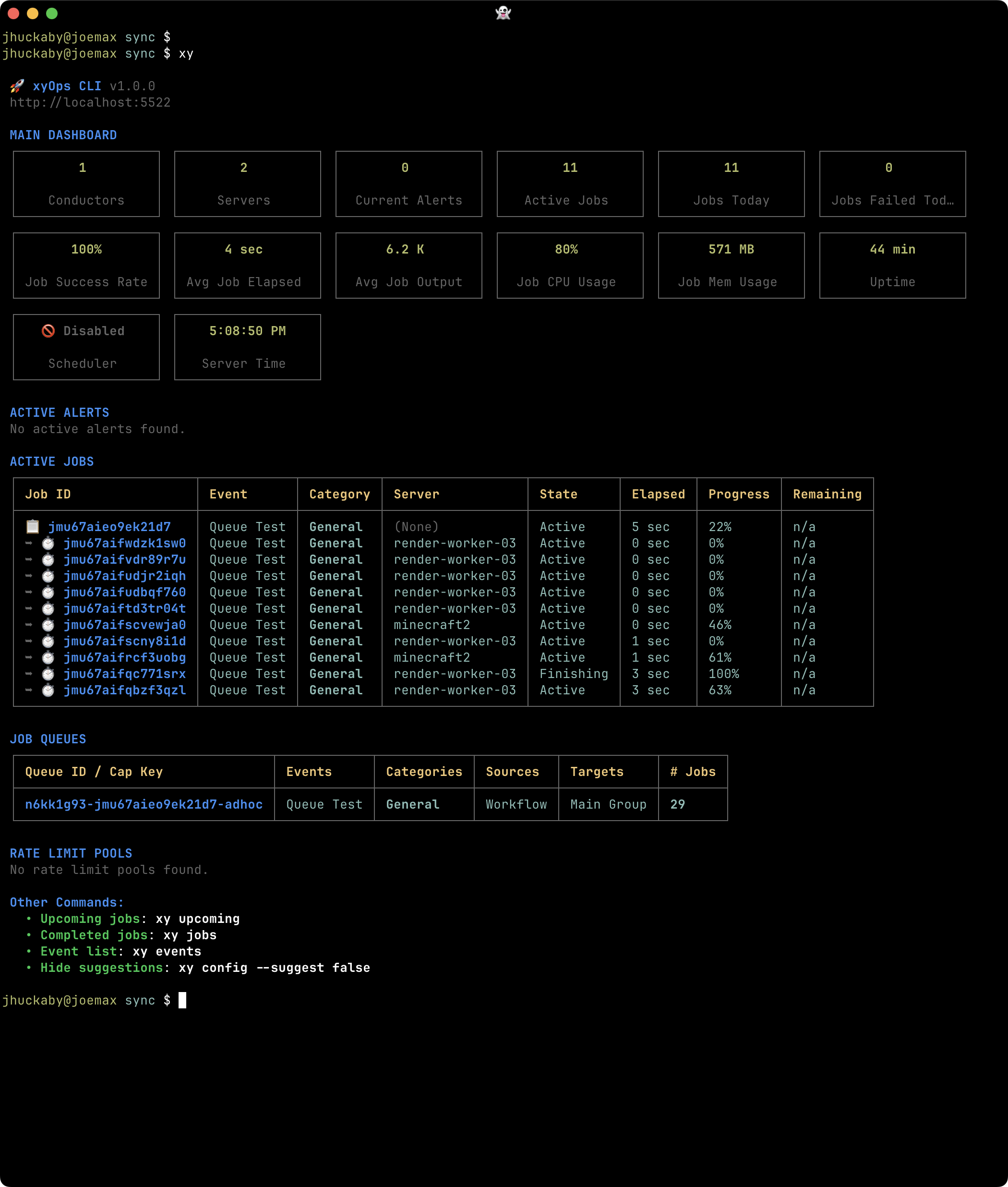
### Dashboard
|
|
10
|
+
|
|
11
|
+
|
|
12
|
+
|
|
13
|
+
*See server health, active Alerts and jobs, queued work, and rate limits at a glance.*
|
|
14
|
+
|
|
15
|
+
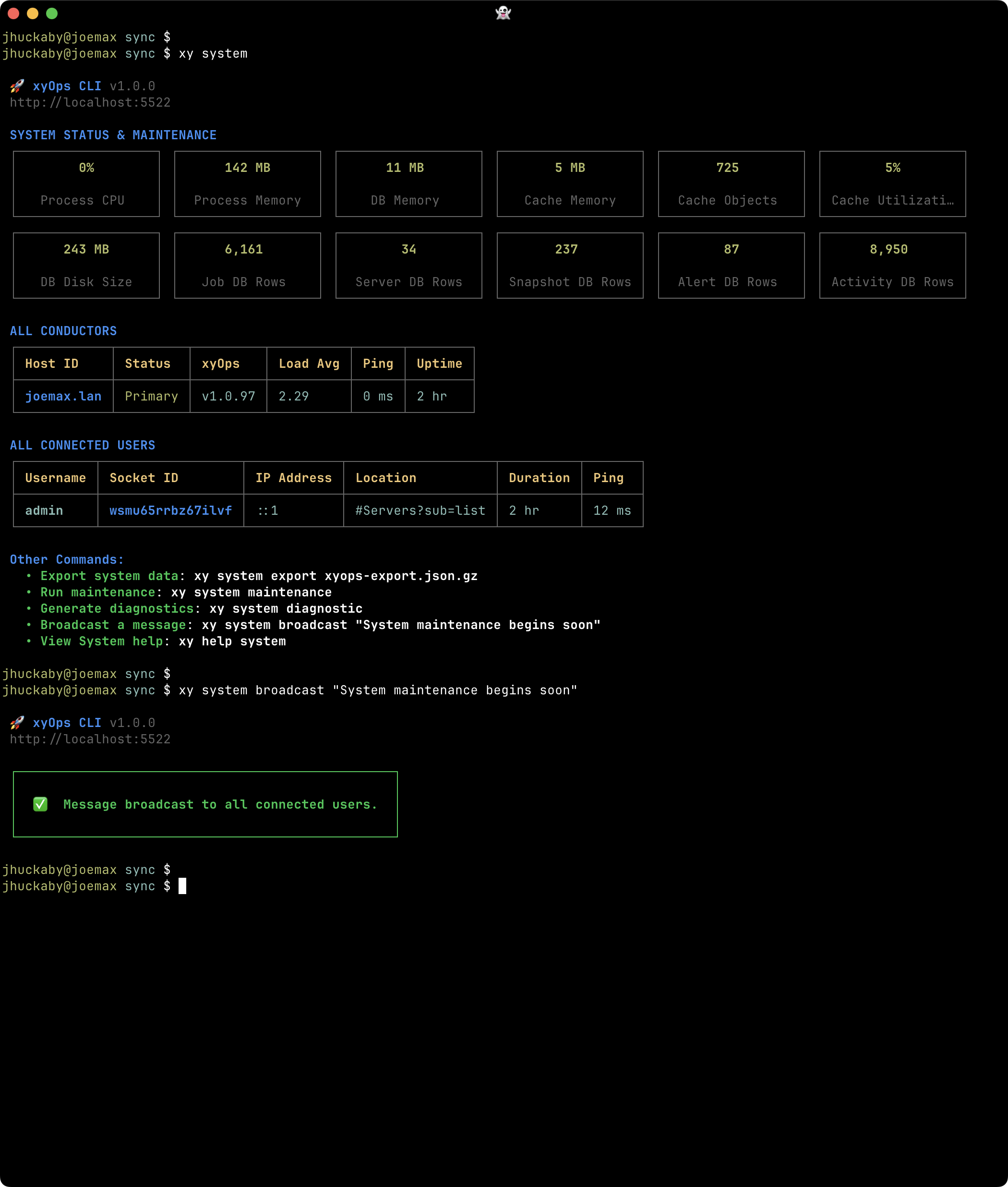
### System dashboard
|
|
16
|
+
|
|
17
|
+
|
|
18
|
+
|
|
19
|
+
*Inspect conductor status, process and database statistics, internal jobs, and connected users.*
|
|
20
|
+
|
|
21
|
+
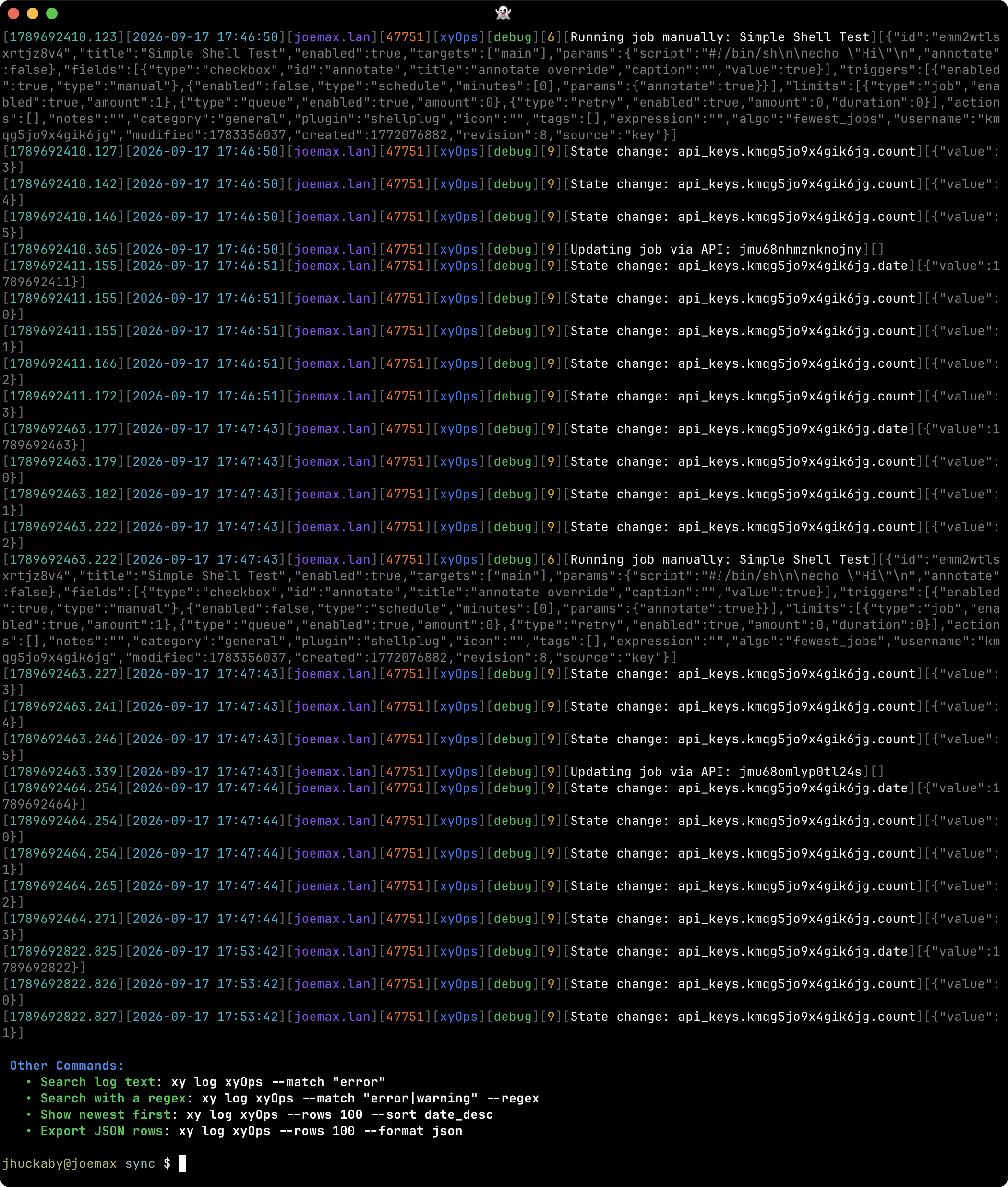
### System logs
|
|
22
|
+
|
|
23
|
+
|
|
24
|
+
|
|
25
|
+
*Read color-coded system log rows and search for the details you need while troubleshooting.*
|
|
26
|
+
|
|
27
|
+
## Events and jobs
|
|
28
|
+
|
|
29
|
+
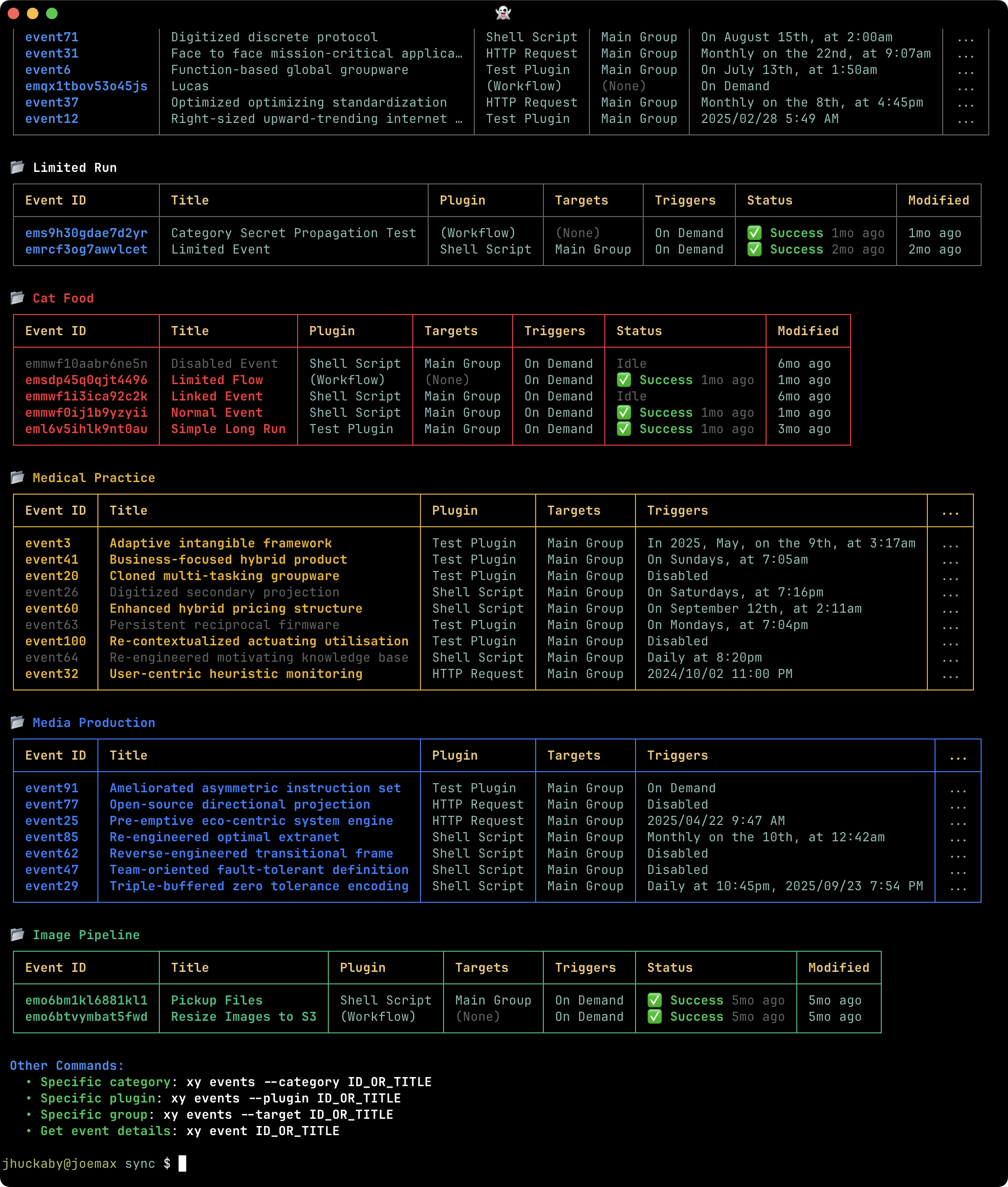
### Event list
|
|
30
|
+
|
|
31
|
+
|
|
32
|
+
|
|
33
|
+
*Browse Events by Category, with their Plugins, targets, schedules, and current activity.*
|
|
34
|
+
|
|
35
|
+
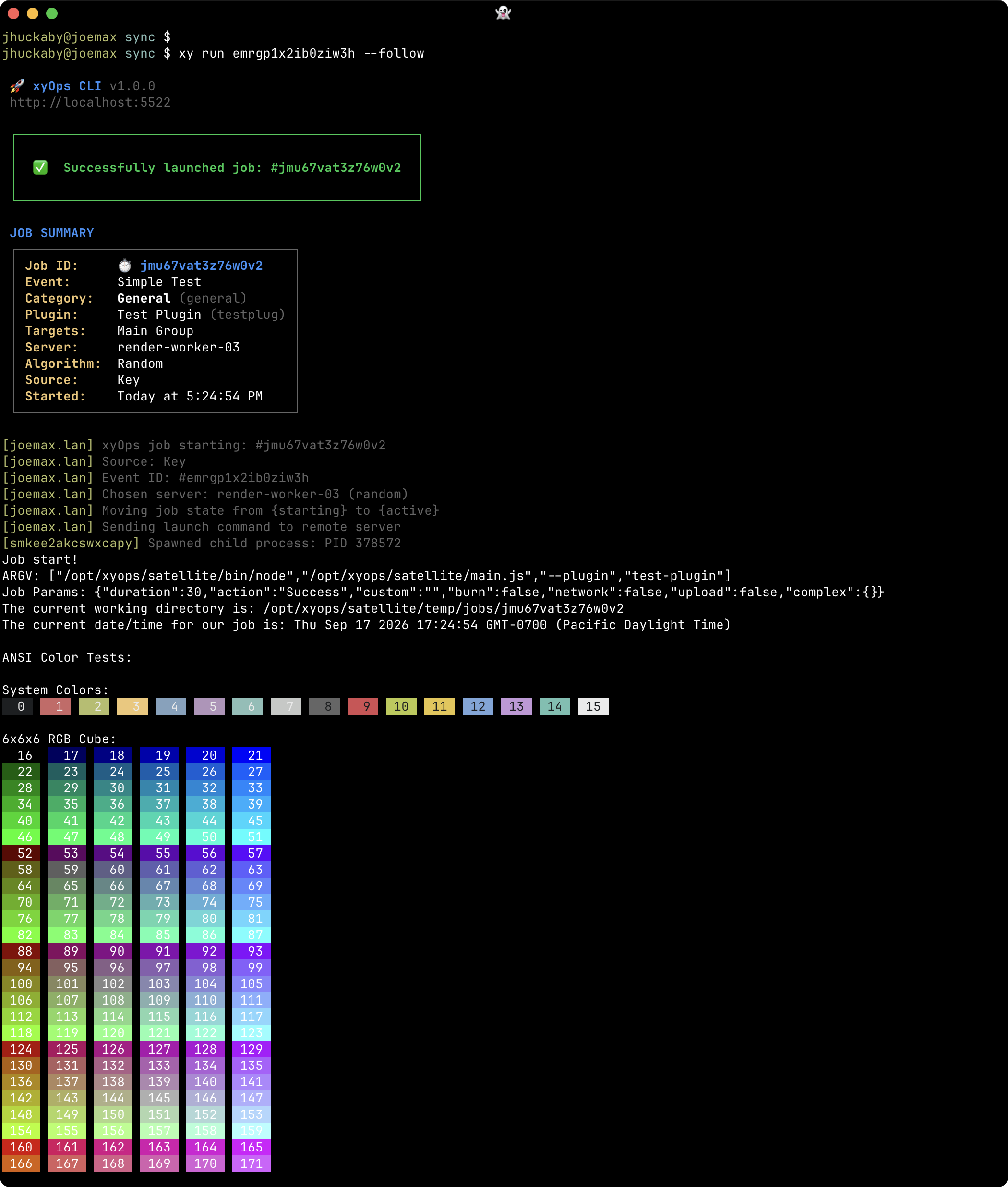
### Job launch
|
|
36
|
+
|
|
37
|
+
|
|
38
|
+
|
|
39
|
+
*Launch an Event and follow its output through to the completed job report.*
|
|
40
|
+
|
|
41
|
+
## Servers
|
|
42
|
+
|
|
43
|
+
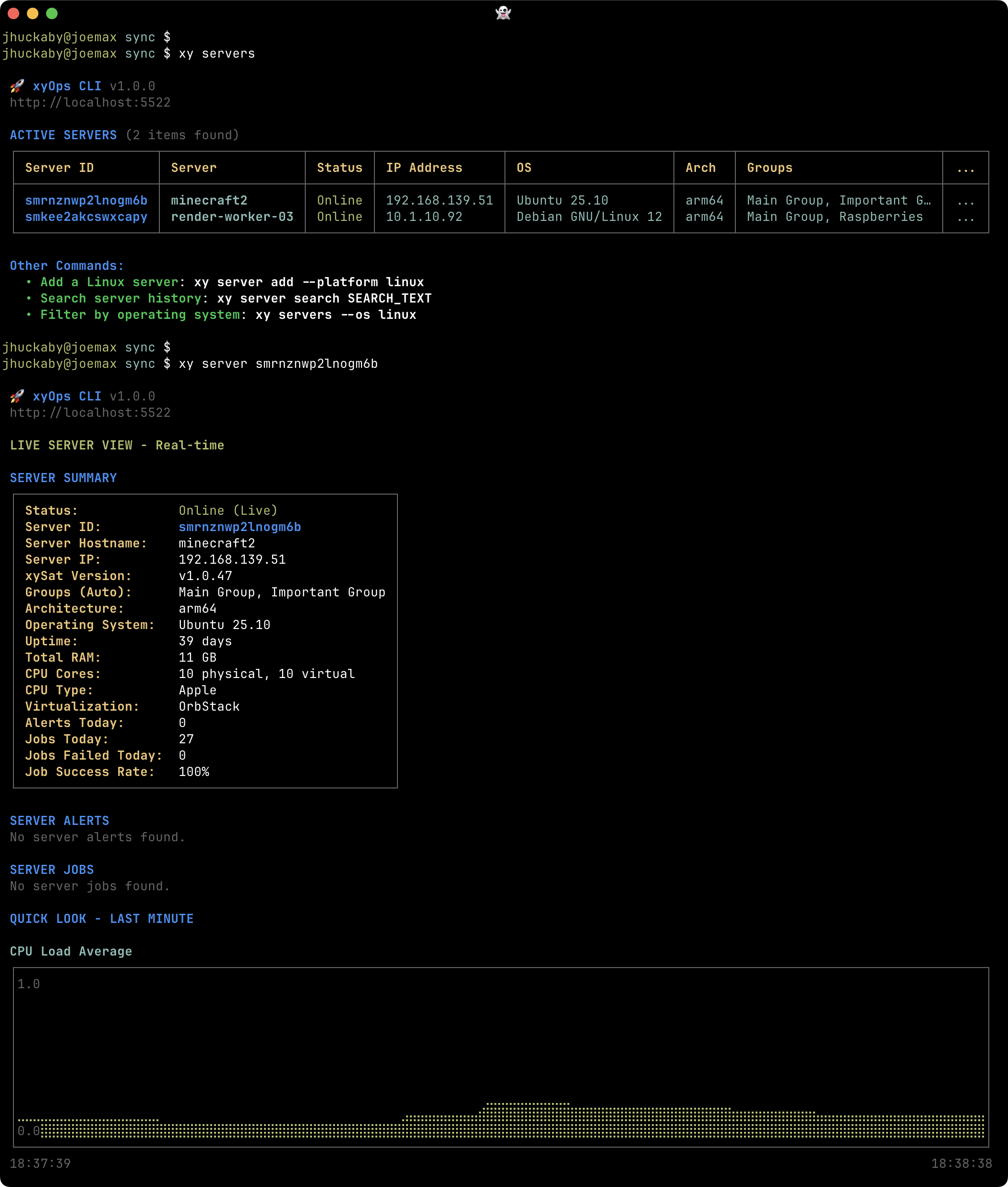
### Server list
|
|
44
|
+
|
|
45
|
+
|
|
46
|
+
|
|
47
|
+
*Find workers and drill into a server's system information and current activity.*
|
|
48
|
+
|
|
49
|
+
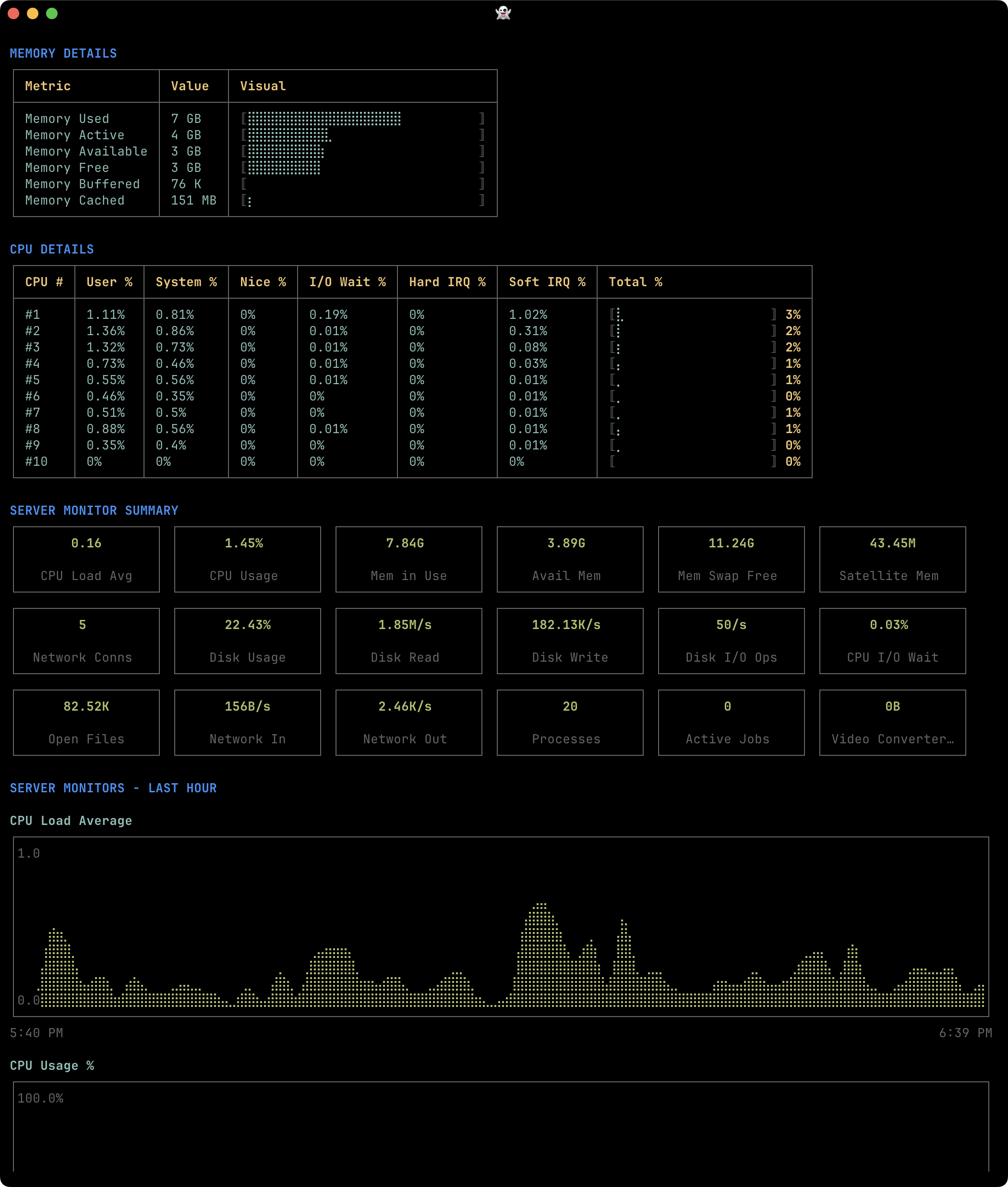
### Memory and CPU
|
|
50
|
+
|
|
51
|
+
|
|
52
|
+
|
|
53
|
+
*Explore memory usage, CPU details, and Quick Look charts for a single worker.*
|
|
54
|
+
|
|
55
|
+
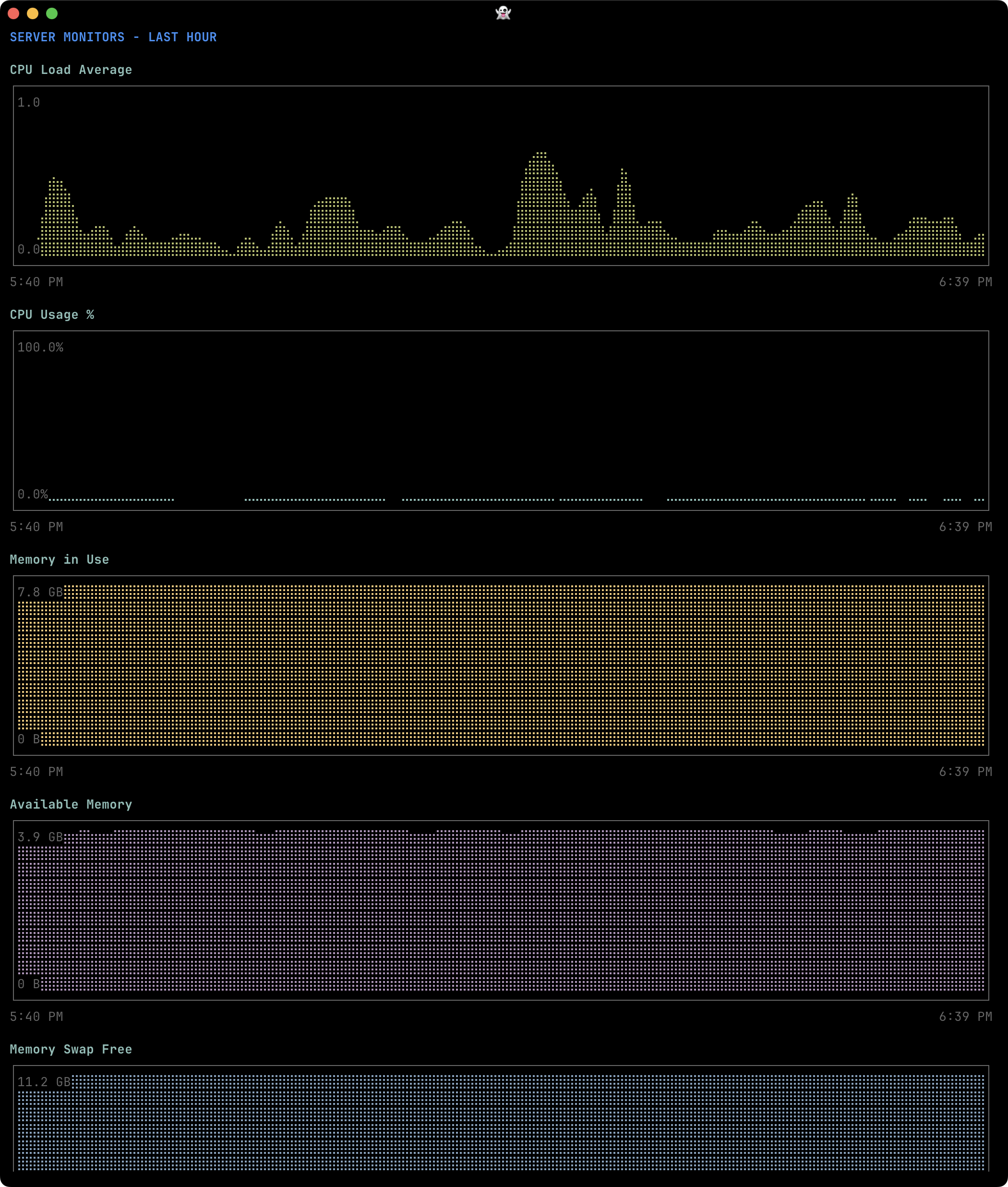
### Monitor charts
|
|
56
|
+
|
|
57
|
+
|
|
58
|
+
|
|
59
|
+
*Chart a server's collected metrics directly in the terminal.*
|
|
60
|
+
|
|
61
|
+
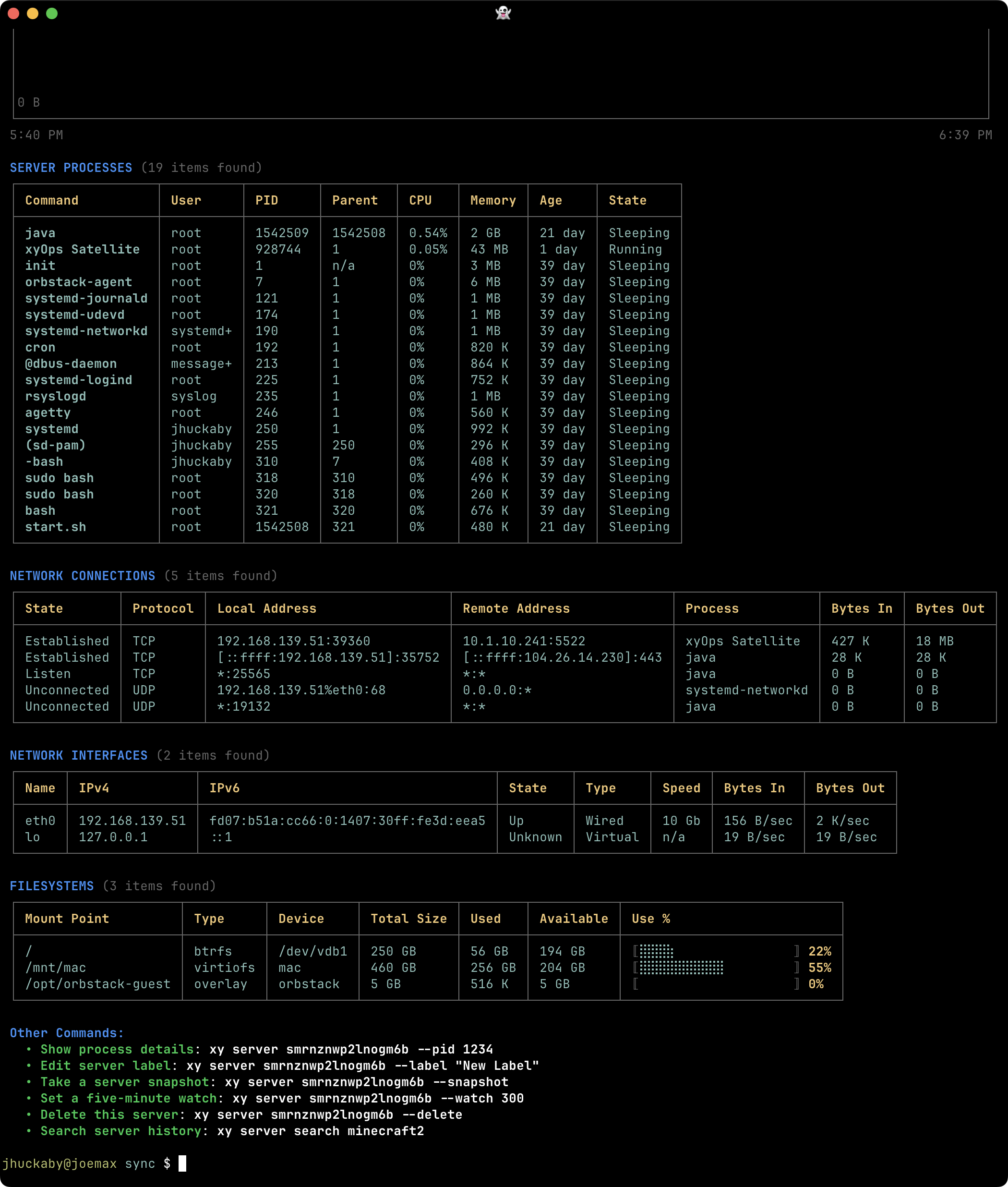
### Processes and connections
|
|
62
|
+
|
|
63
|
+
|
|
64
|
+
|
|
65
|
+
*Inspect running processes and network connections alongside the server's monitoring context.*
|
|
66
|
+
|
|
67
|
+
## Server Groups
|
|
68
|
+
|
|
69
|
+
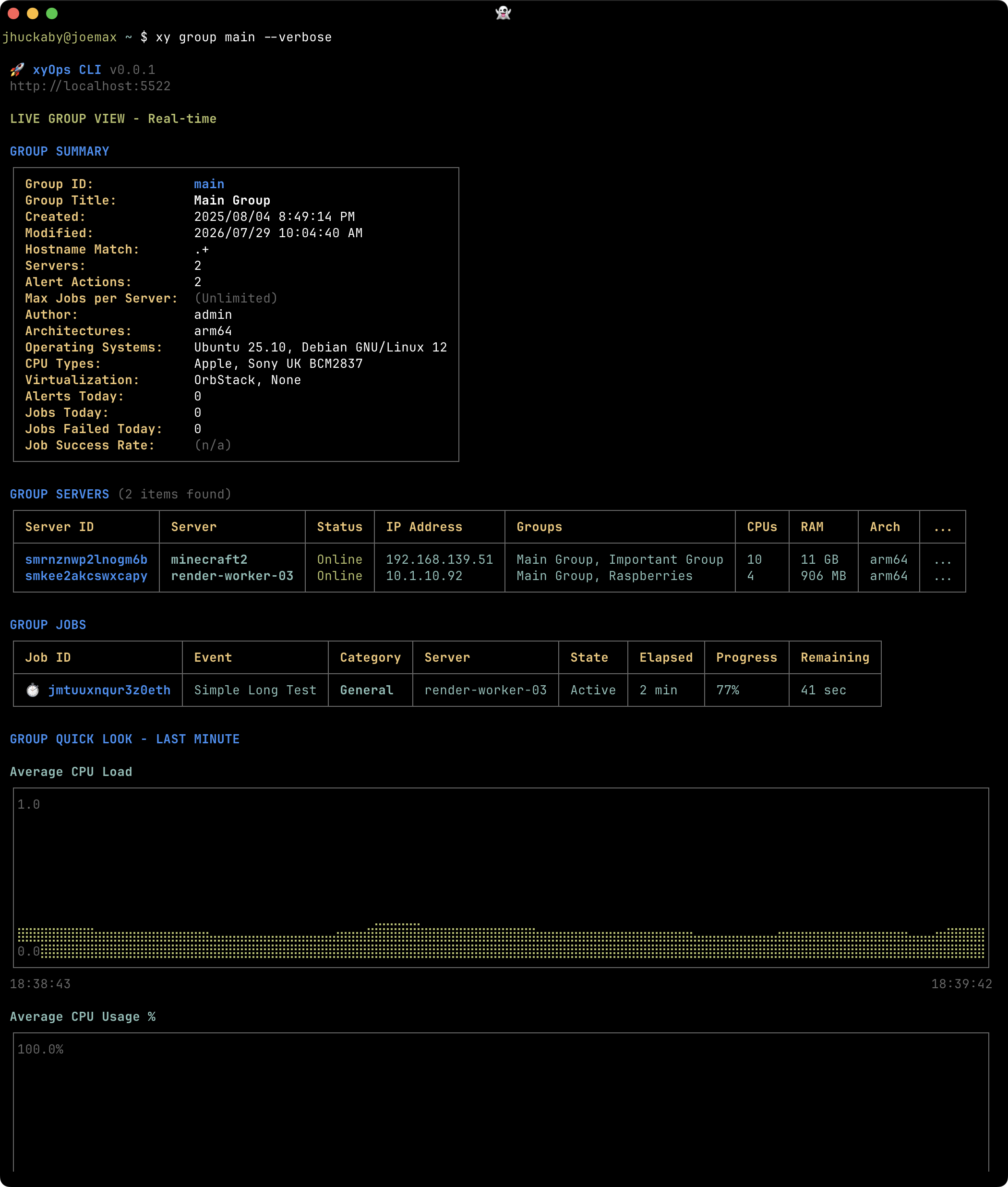
### Group details
|
|
70
|
+
|
|
71
|
+
|
|
72
|
+
|
|
73
|
+
*View Group settings and member servers together before exploring their combined health.*
|
|
74
|
+
|
|
75
|
+
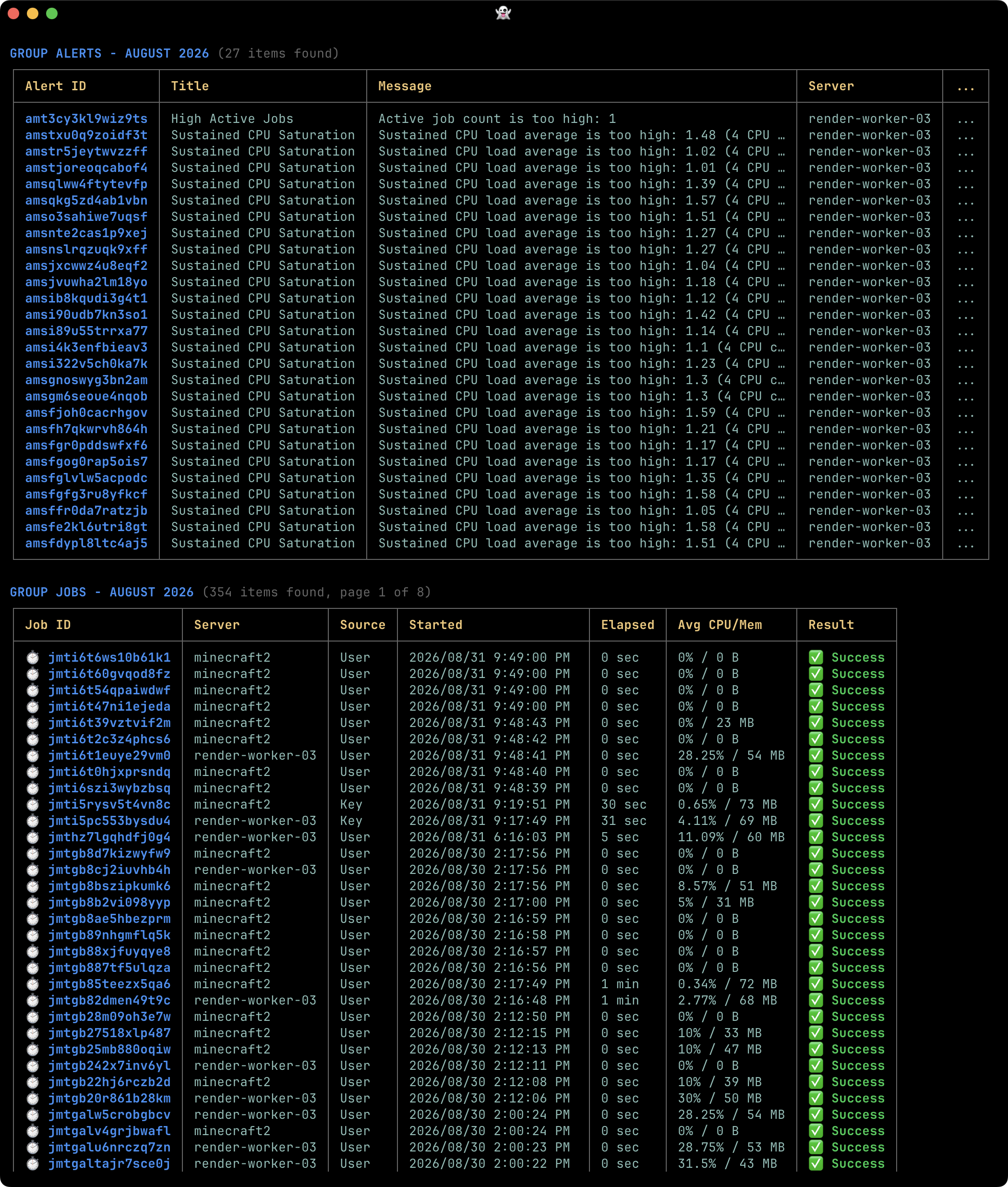
### Group Alerts and jobs
|
|
76
|
+
|
|
77
|
+
|
|
78
|
+
|
|
79
|
+
*See active Alerts and jobs across a pool of workers in one combined view.*
|
|
80
|
+
|
|
81
|
+
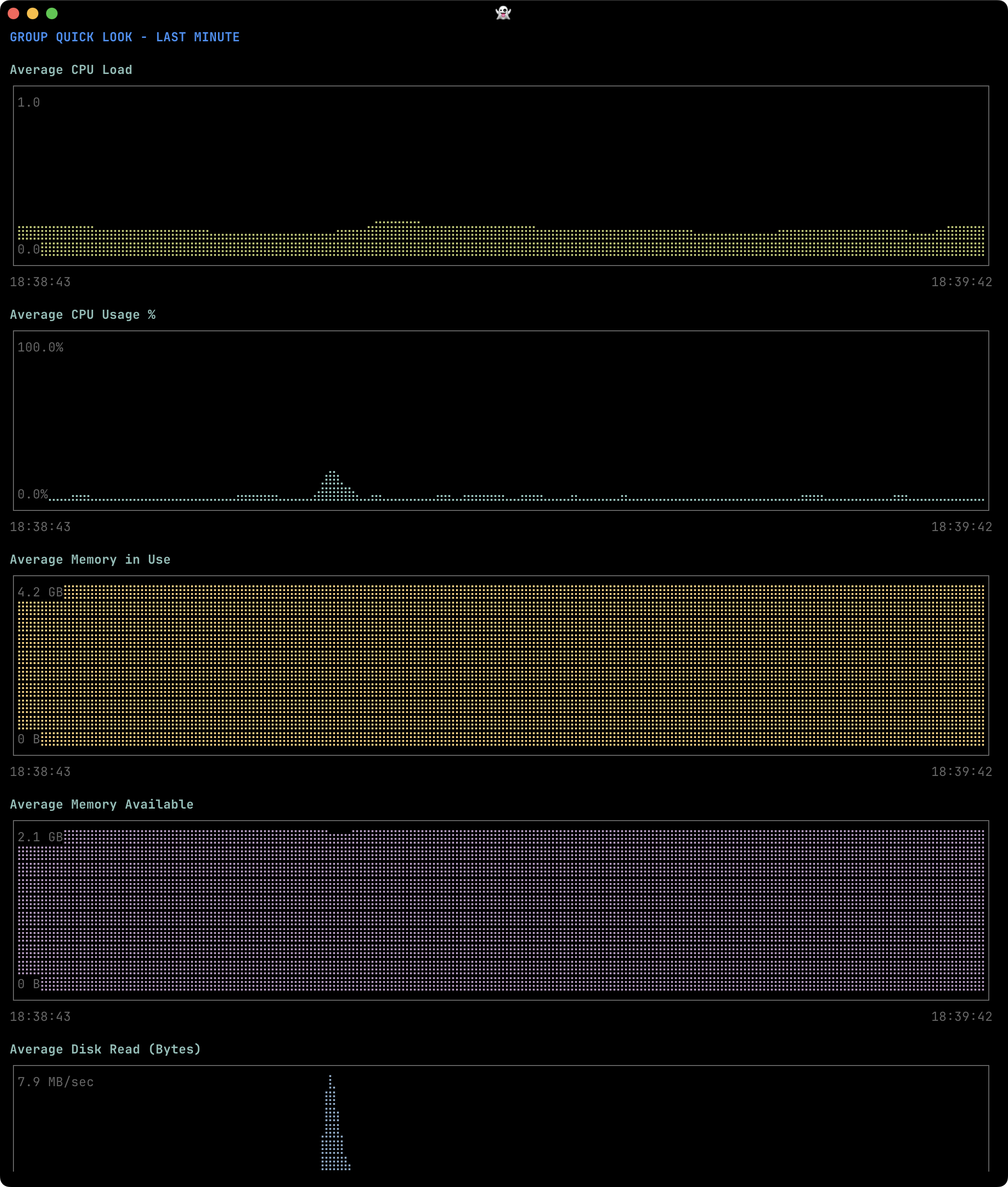
### Group Quick Look charts
|
|
82
|
+
|
|
83
|
+
|
|
84
|
+
|
|
85
|
+
*Explore short-term monitoring charts aggregated across the Group's servers.*
|
|
86
|
+
|
|
87
|
+
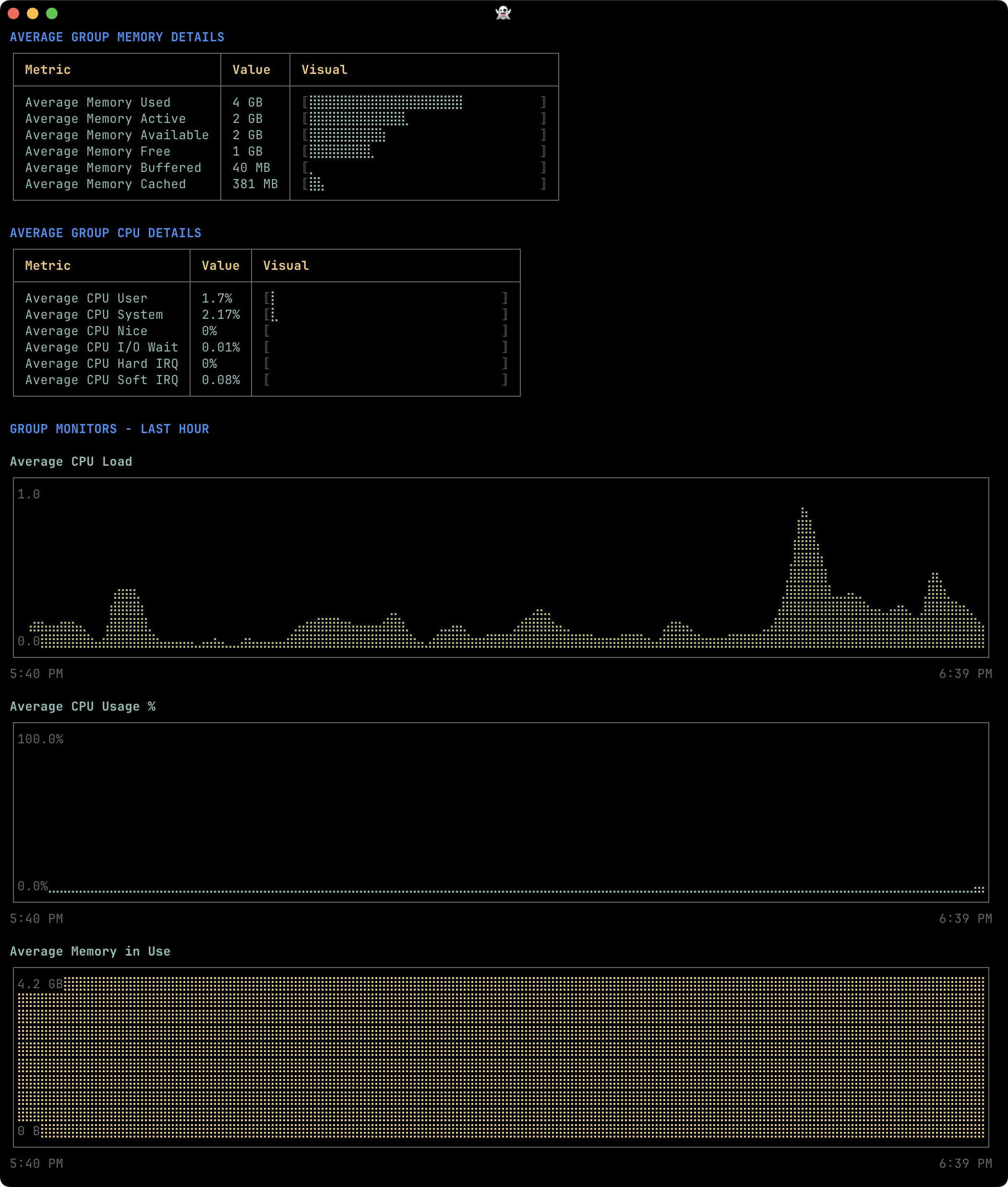
### Group Monitor charts
|
|
88
|
+
|
|
89
|
+
|
|
90
|
+
|
|
91
|
+
*Follow the Group's collected metrics with terminal charts for each Monitor.*
|
|
92
|
+
|
|
93
|
+
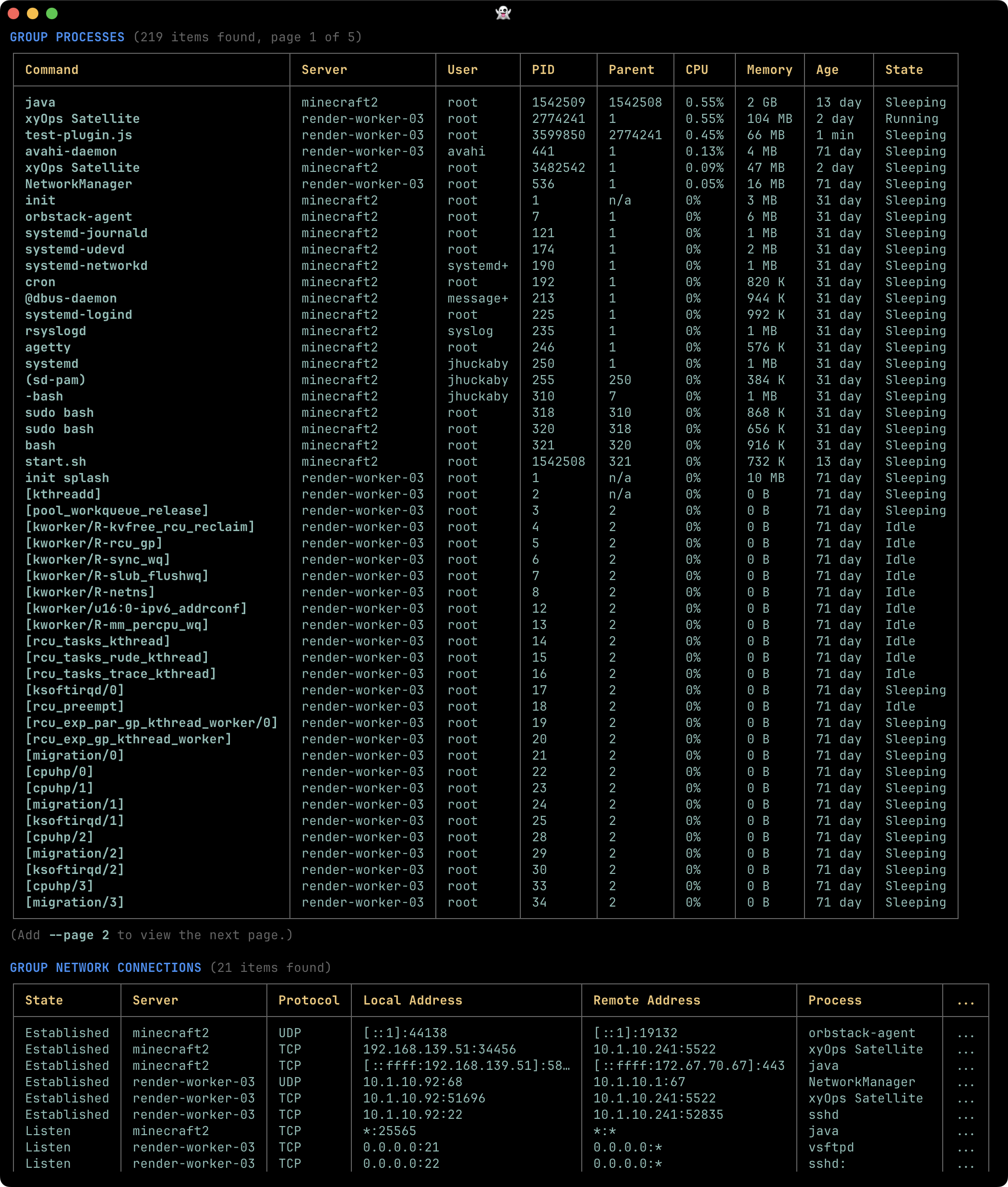
### Group processes
|
|
94
|
+
|
|
95
|
+
|
|
96
|
+
|
|
97
|
+
*Compare processes across member servers to spot busy applications and unusual resource usage.*
|
|
98
|
+
|
|
99
|
+
## Monitors, Alerts, and snapshots
|
|
100
|
+
|
|
101
|
+
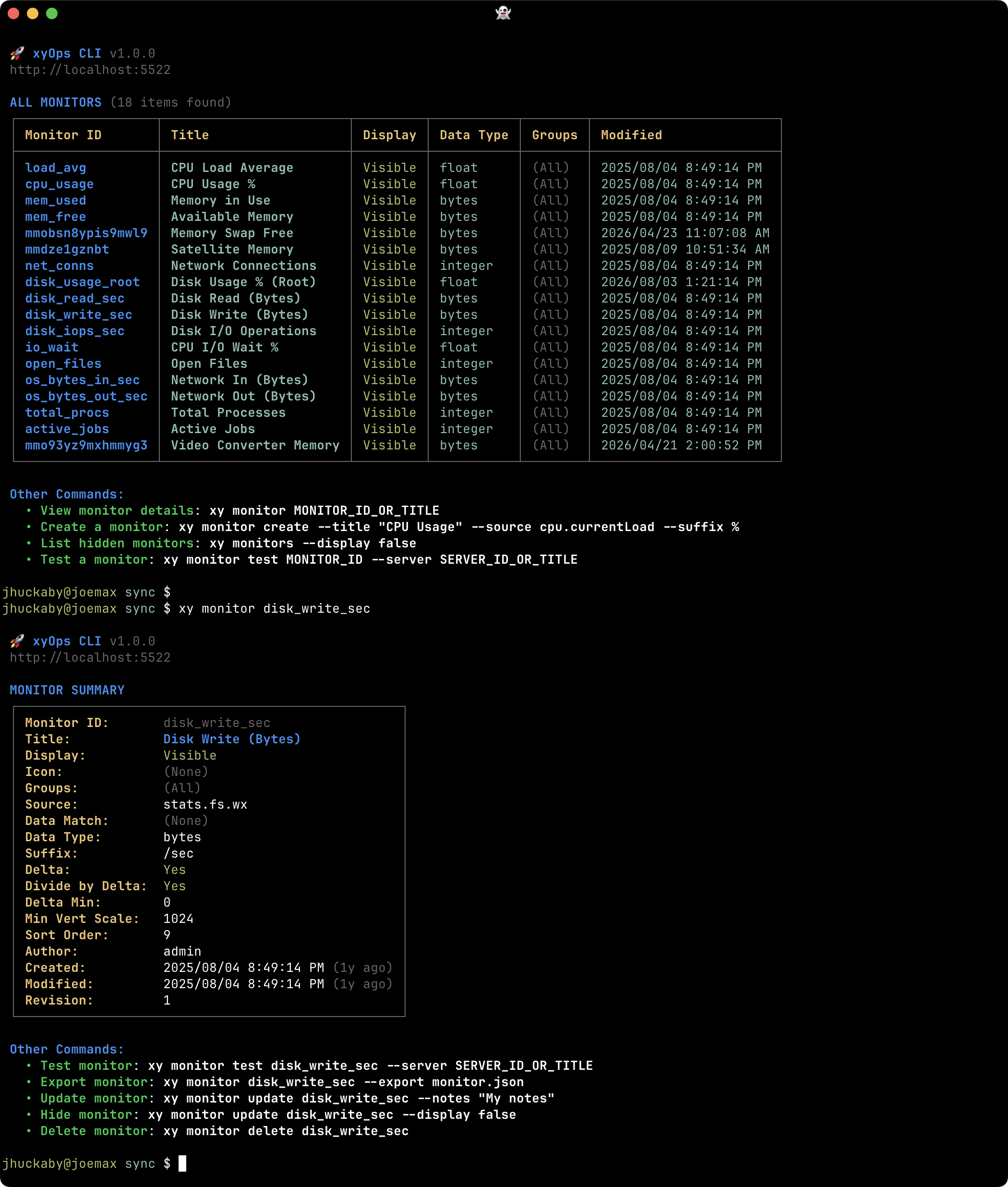
### Monitor definitions
|
|
102
|
+
|
|
103
|
+
|
|
104
|
+
|
|
105
|
+
*Browse metric definitions and inspect their source expressions, display settings, and scope.*
|
|
106
|
+
|
|
107
|
+
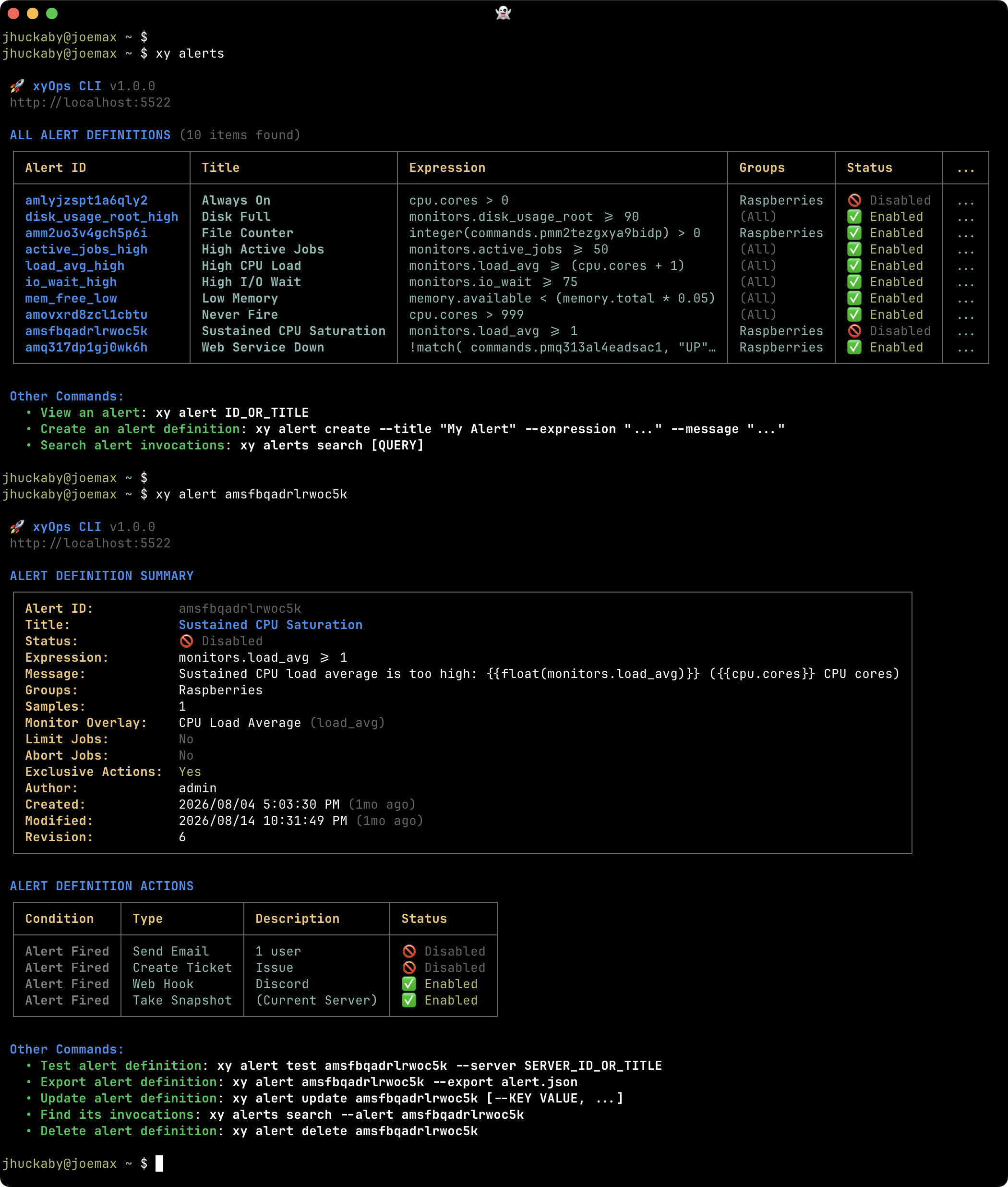
### Alert definitions
|
|
108
|
+
|
|
109
|
+
|
|
110
|
+
|
|
111
|
+
*Review Alert expressions, messages, settings, and configured actions.*
|
|
112
|
+
|
|
113
|
+
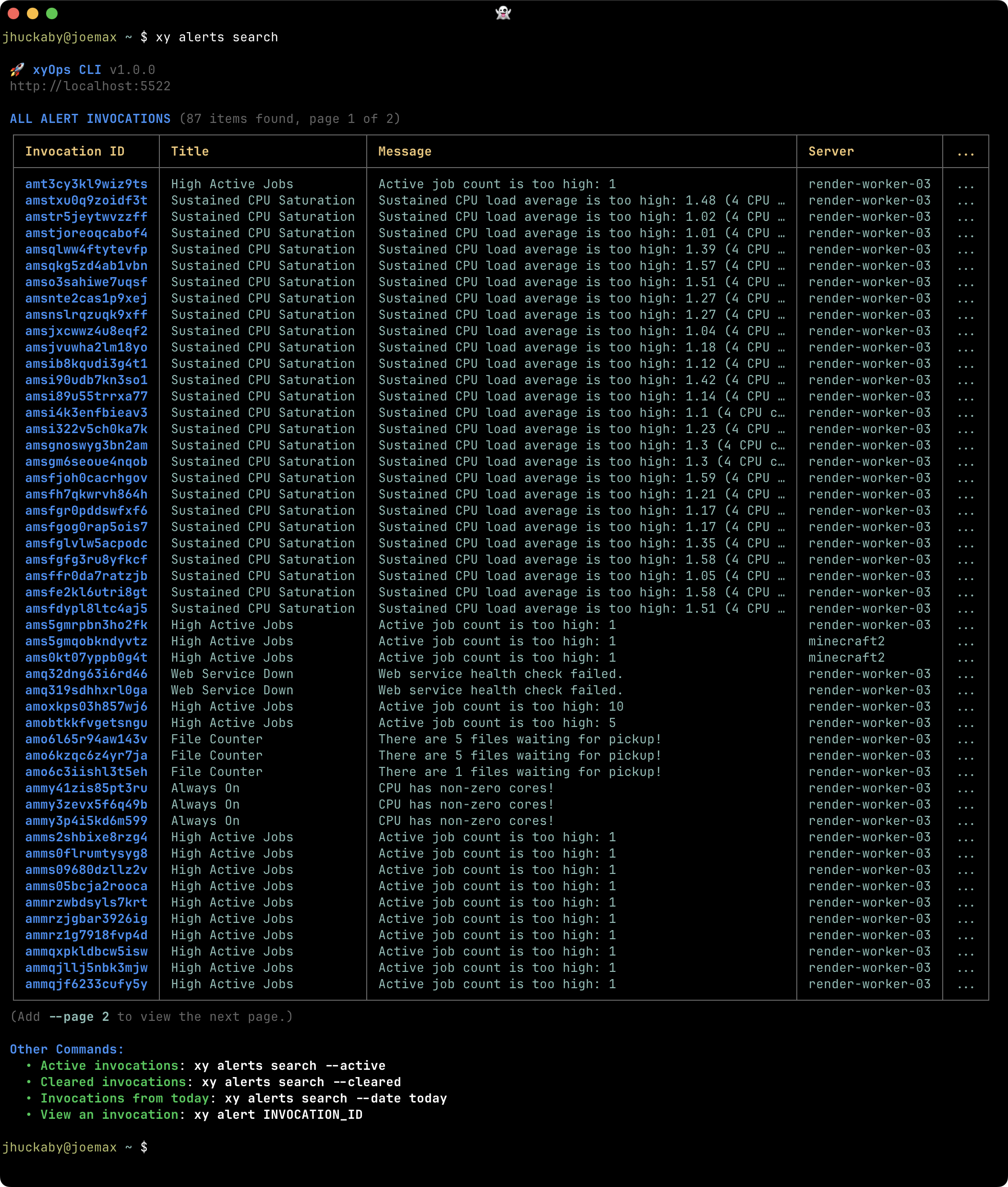
### Alert search
|
|
114
|
+
|
|
115
|
+
|
|
116
|
+
|
|
117
|
+
*Search actual Alert occurrences to investigate affected servers, timing, and status.*
|
|
118
|
+
|
|
119
|
+
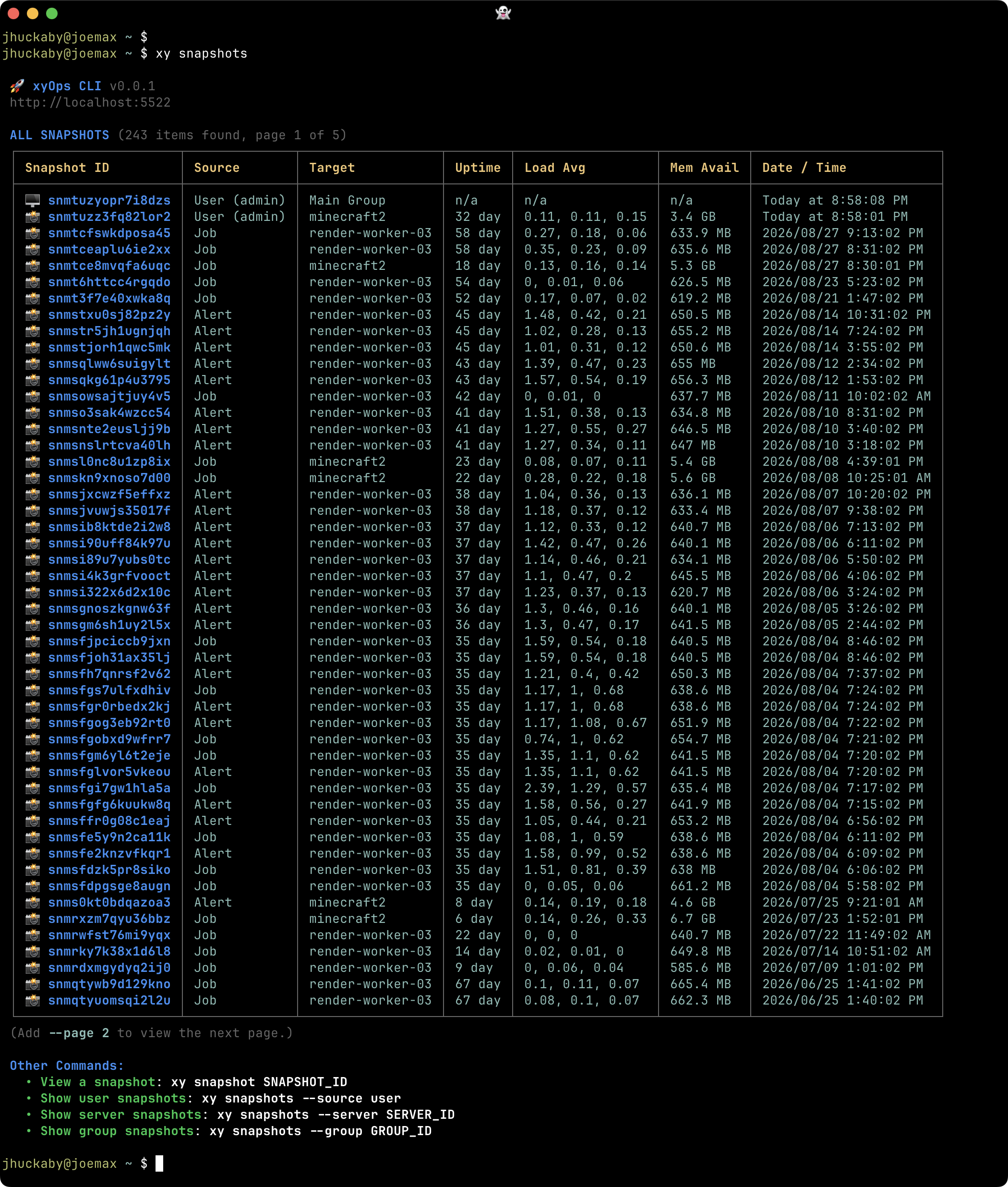
### Snapshot list
|
|
120
|
+
|
|
121
|
+
|
|
122
|
+
|
|
123
|
+
*Browse point-in-time captures created by users, watches, jobs, and Alerts.*
|
|
124
|
+
|
|
125
|
+
## Organization and notifications
|
|
126
|
+
|
|
127
|
+
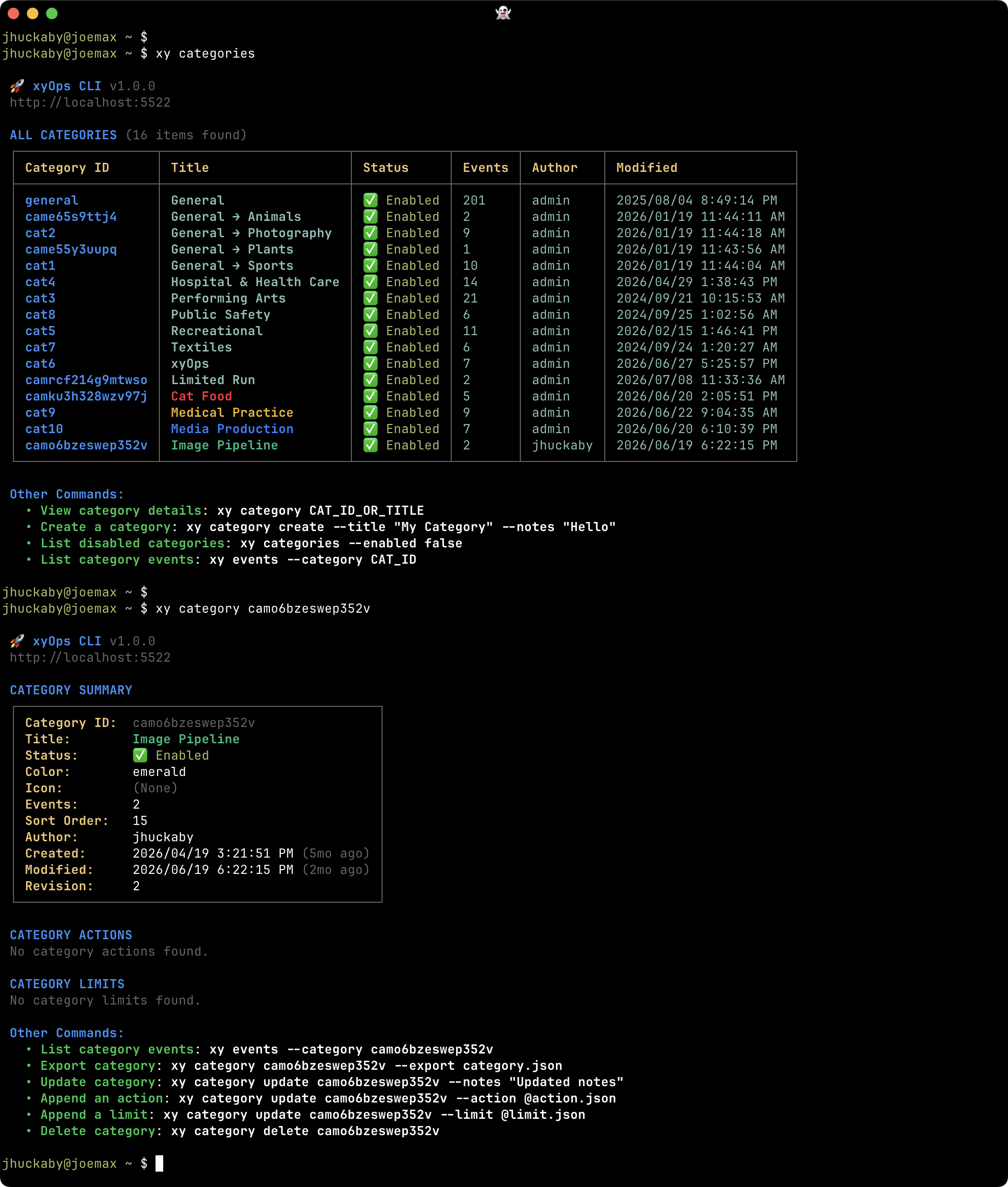
### Categories
|
|
128
|
+
|
|
129
|
+
|
|
130
|
+
|
|
131
|
+
*Organize Events and inspect the shared actions and limits applied through their Category.*
|
|
132
|
+
|
|
133
|
+
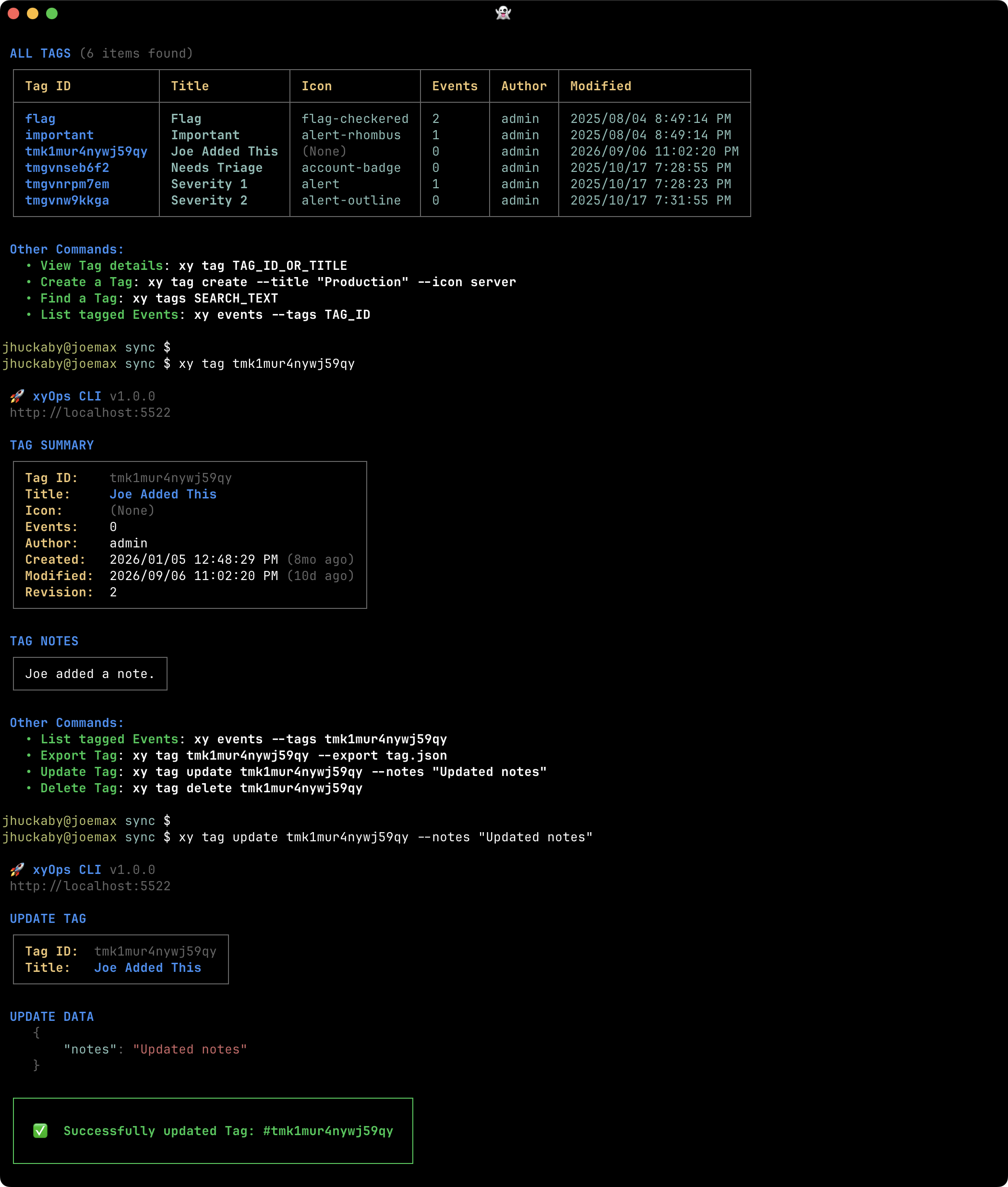
### Tags
|
|
134
|
+
|
|
135
|
+
|
|
136
|
+
|
|
137
|
+
*Manage reusable labels for finding related Events, jobs, and Tickets.*
|
|
138
|
+
|
|
139
|
+
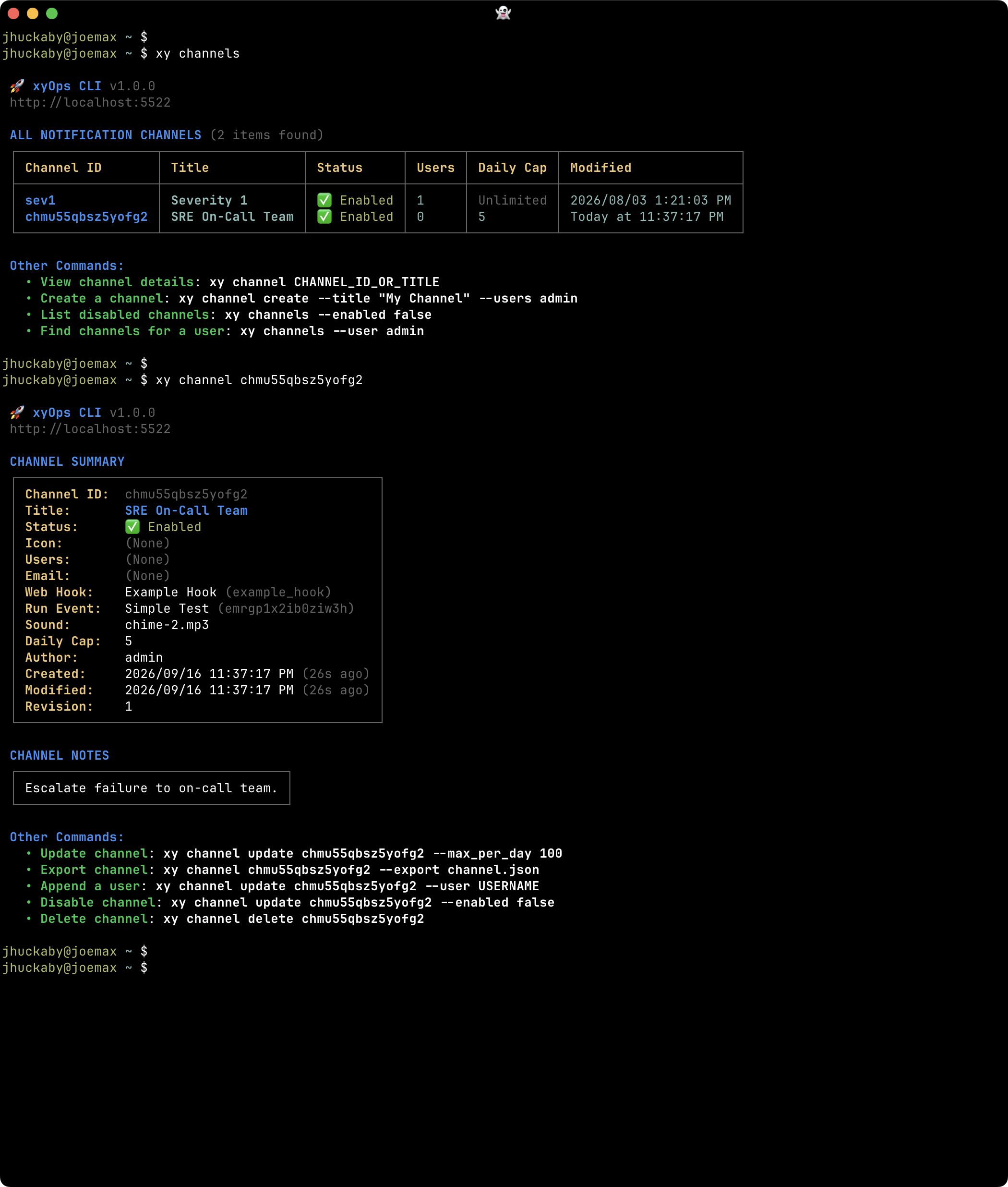
### Notification Channels
|
|
140
|
+
|
|
141
|
+
|
|
142
|
+
|
|
143
|
+
*Inspect reusable recipients and follow-up actions for your automation's notifications.*
|
|
144
|
+
|
|
145
|
+
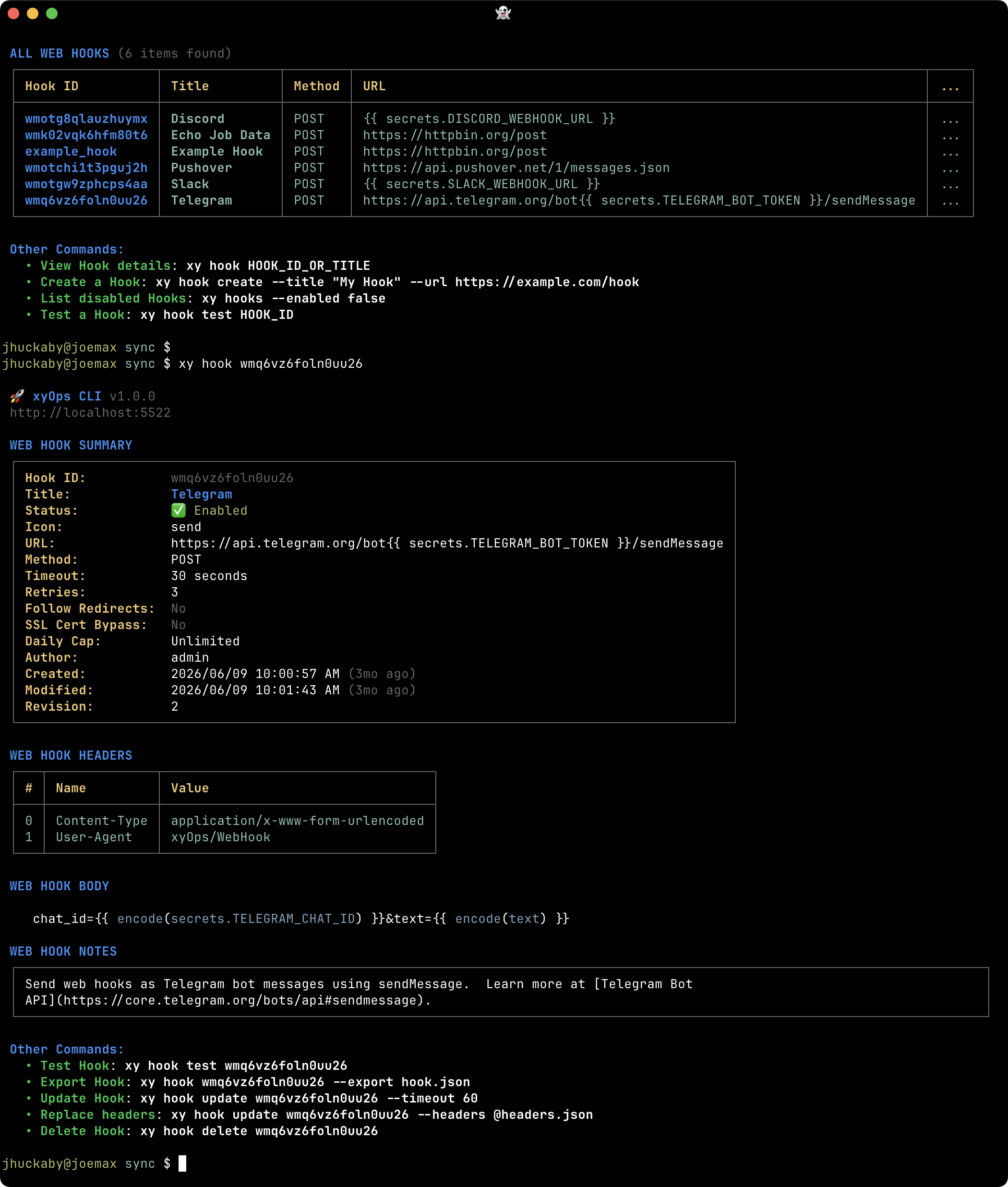
### Web Hooks
|
|
146
|
+
|
|
147
|
+
|
|
148
|
+
|
|
149
|
+
*Review outbound HTTP integrations, including their URLs, headers, and request bodies.*
|
|
150
|
+
|
|
151
|
+
## Data and access
|
|
152
|
+
|
|
153
|
+
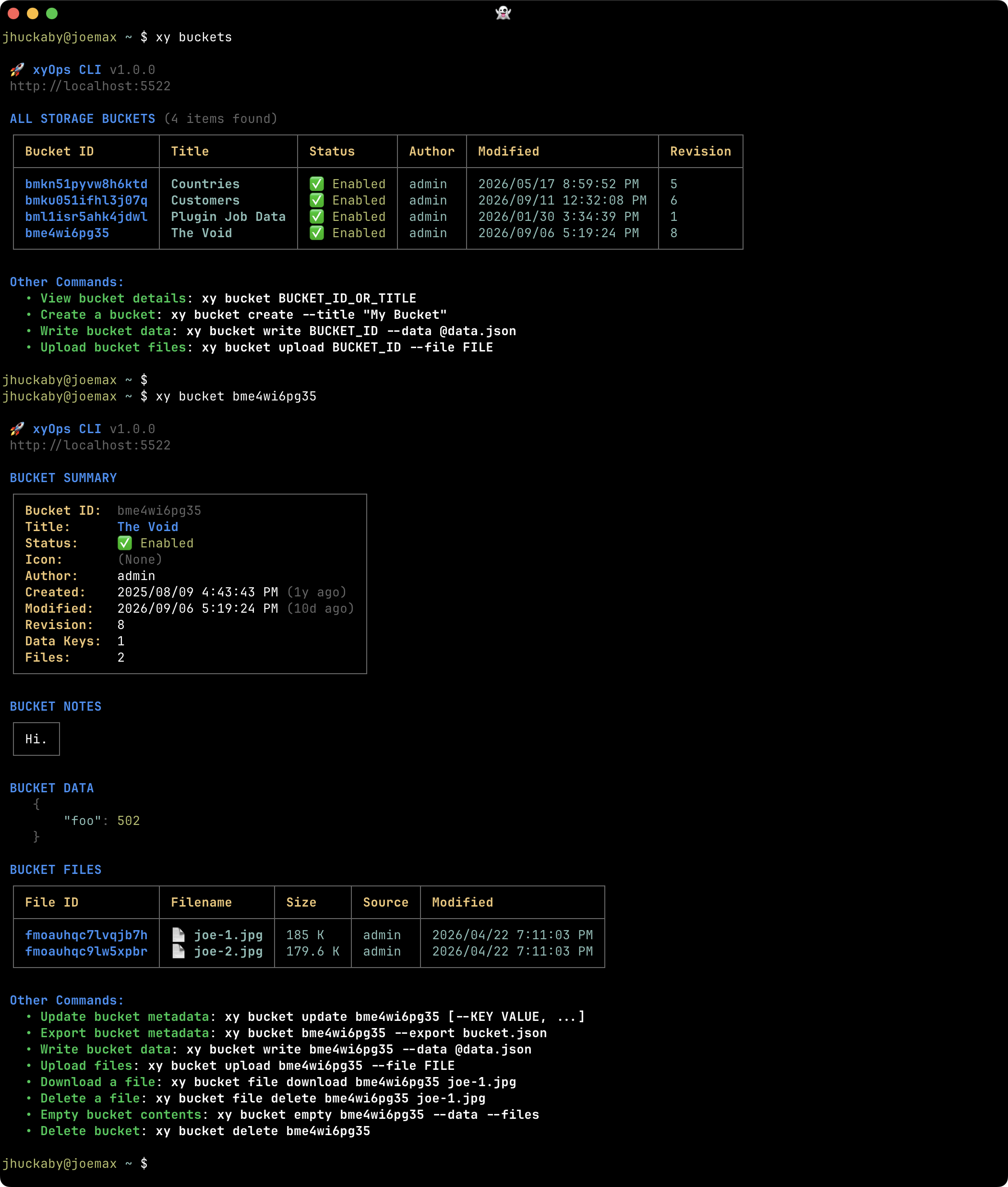
### Storage Buckets
|
|
154
|
+
|
|
155
|
+
|
|
156
|
+
|
|
157
|
+
*Browse durable storage and inspect the JSON data and files shared by jobs and workflows.*
|
|
158
|
+
|
|
159
|
+
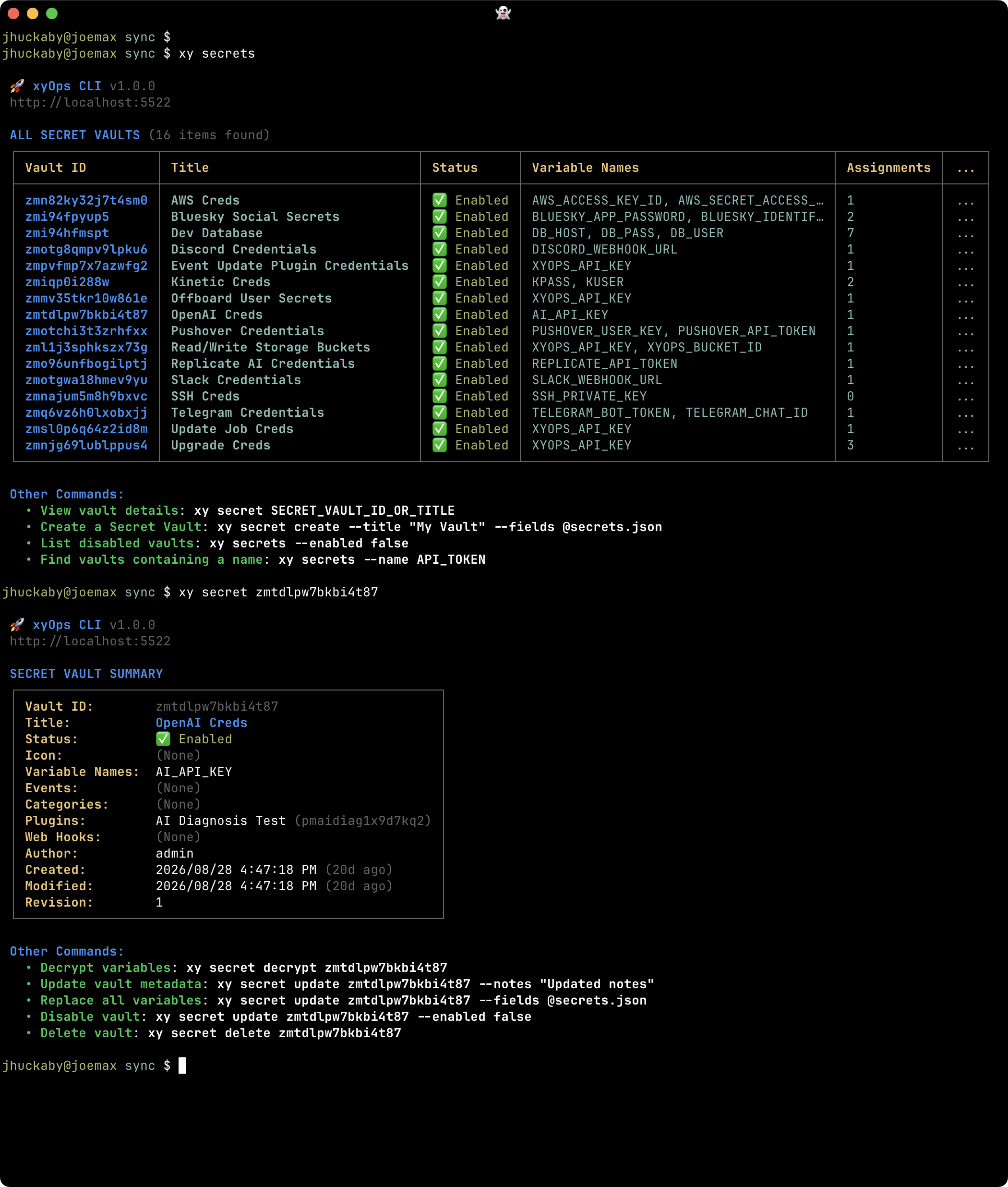
### Secret Vaults
|
|
160
|
+
|
|
161
|
+
|
|
162
|
+
|
|
163
|
+
*View variable names and Vault assignments while keeping secret values out of normal reports.*
|
|
164
|
+
|
|
165
|
+
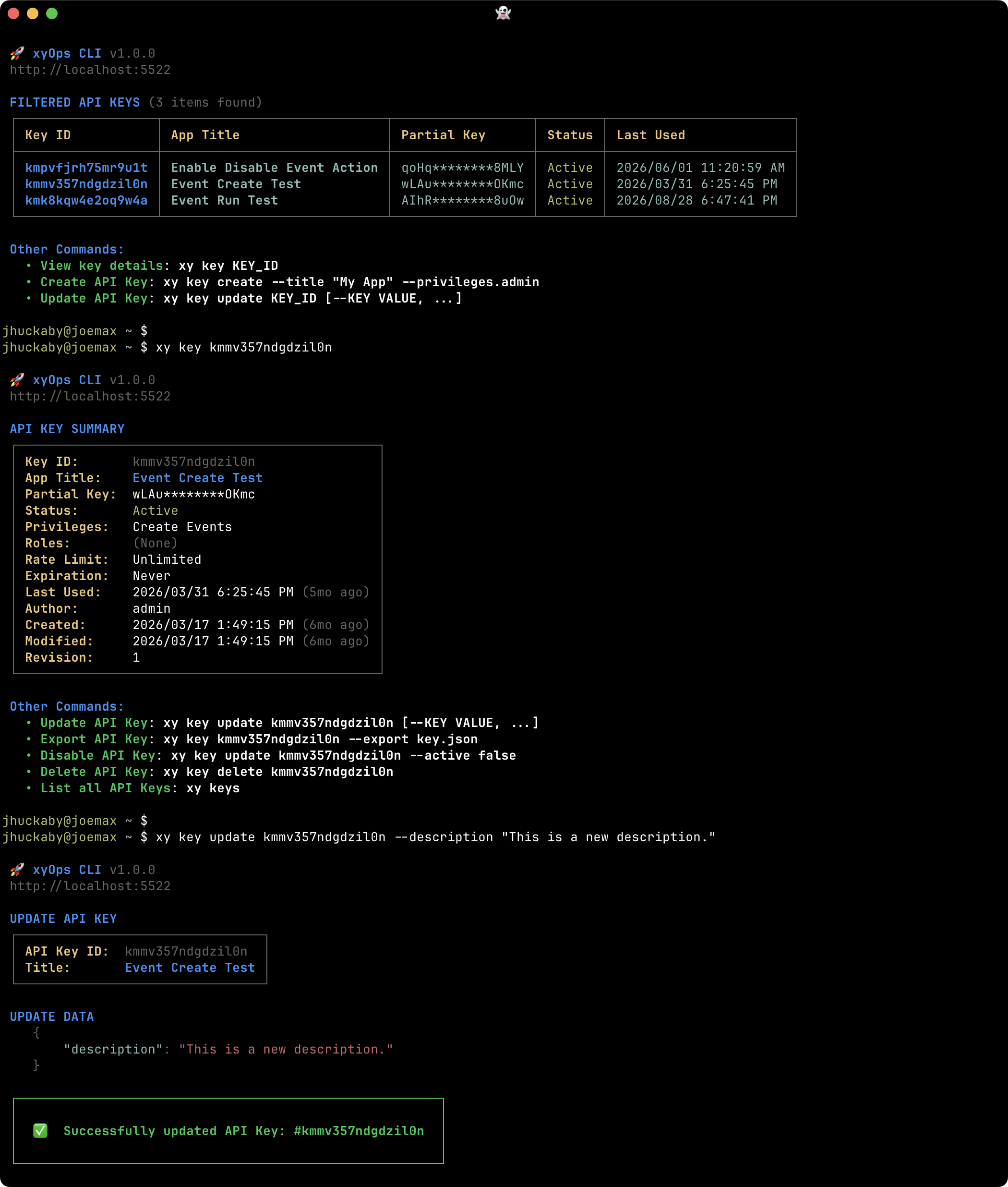
### API Keys
|
|
166
|
+
|
|
167
|
+
|
|
168
|
+
|
|
169
|
+
*Inspect key status, privileges, and other access settings using safe metadata.*
|
|
170
|
+
|
|
171
|
+
## Plugins and Marketplace
|
|
172
|
+
|
|
173
|
+
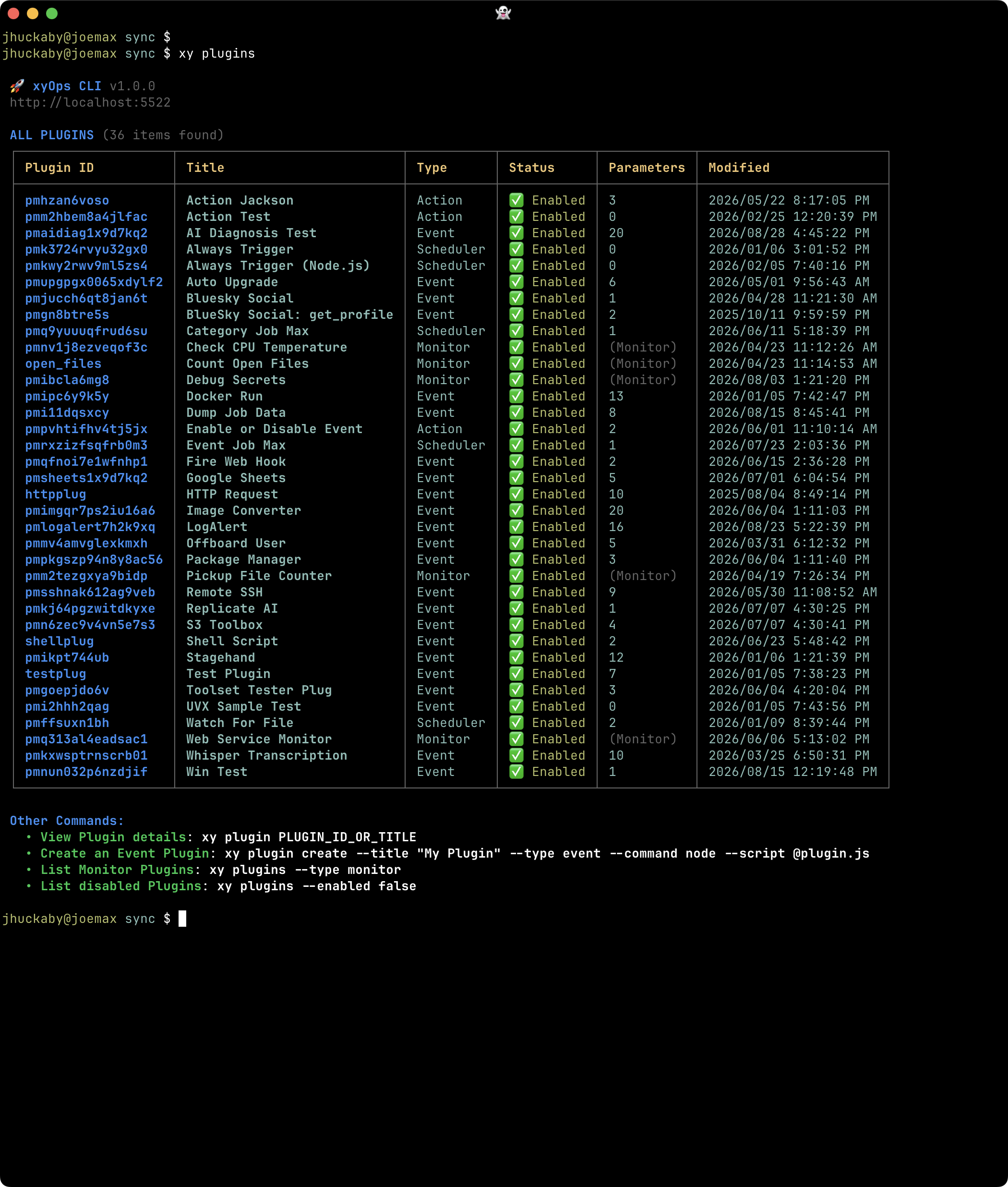
### Plugin list
|
|
174
|
+
|
|
175
|
+
|
|
176
|
+
|
|
177
|
+
*Browse the Event, Monitor, Action, and Scheduler Plugins available to your automation.*
|
|
178
|
+
|
|
179
|
+
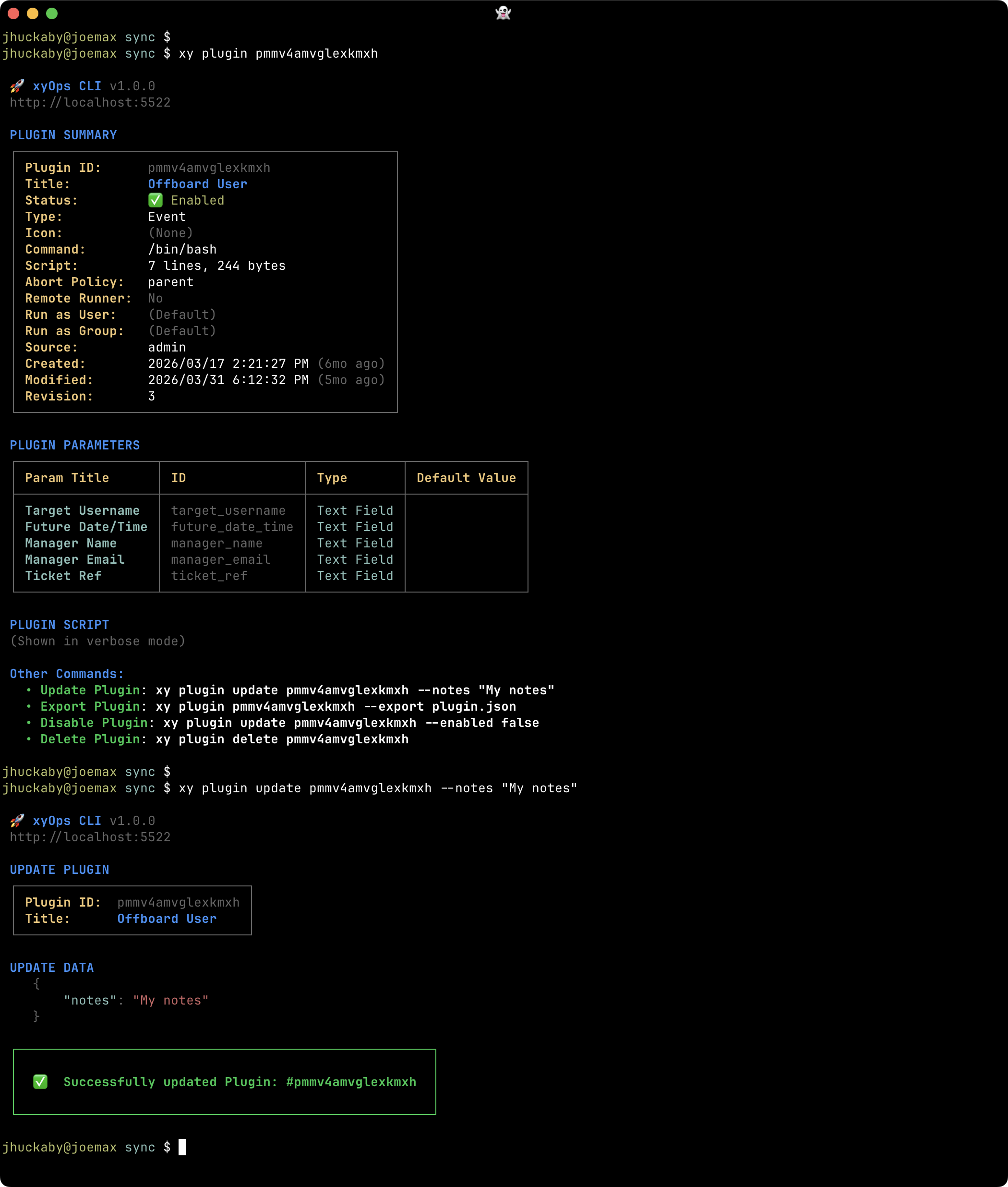
### Plugin details and update
|
|
180
|
+
|
|
181
|
+
|
|
182
|
+
|
|
183
|
+
*Inspect a Plugin's executable and parameters, then update its definition from the CLI.*
|
|
184
|
+
|
|
185
|
+
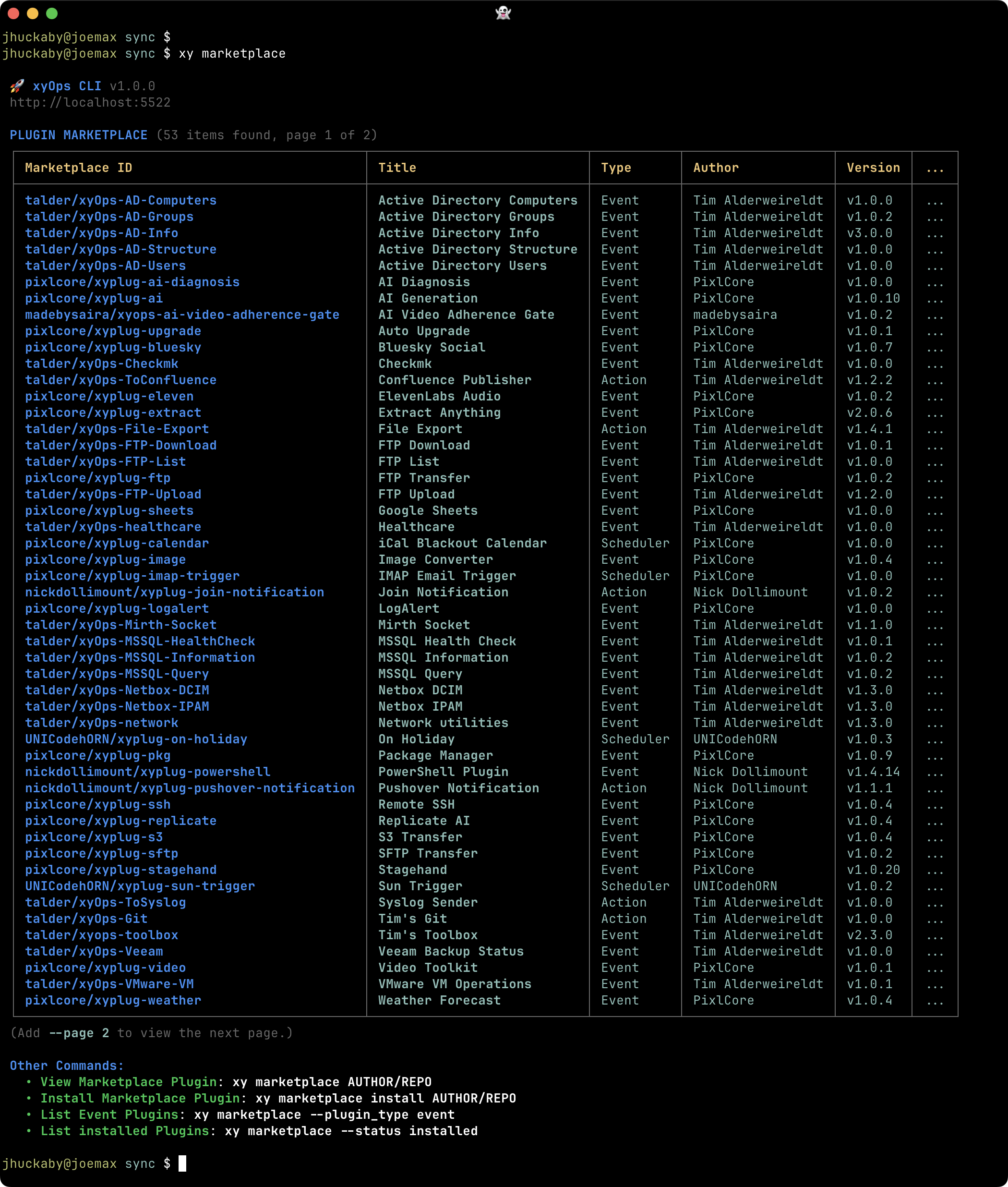
### Marketplace list
|
|
186
|
+
|
|
187
|
+
|
|
188
|
+
|
|
189
|
+
*Discover Plugins and compare their types, authors, requirements, and installation status.*
|
|
190
|
+
|
|
191
|
+
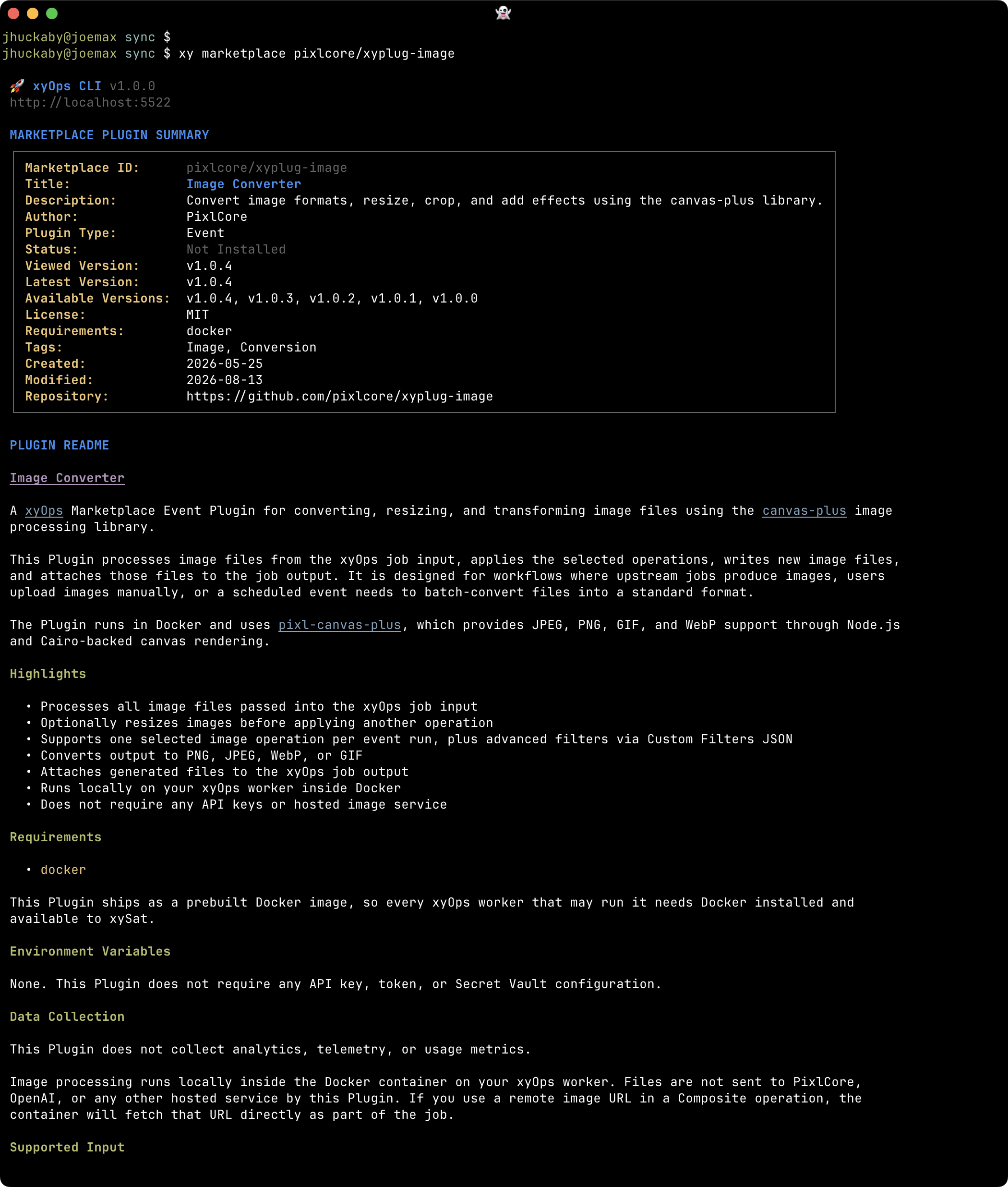
### Marketplace product
|
|
192
|
+
|
|
193
|
+
|
|
194
|
+
|
|
195
|
+
*Read a Plugin's description and rendered README before deciding to install it.*
|
|
196
|
+
|
|
197
|
+
## Tickets
|
|
198
|
+
|
|
199
|
+
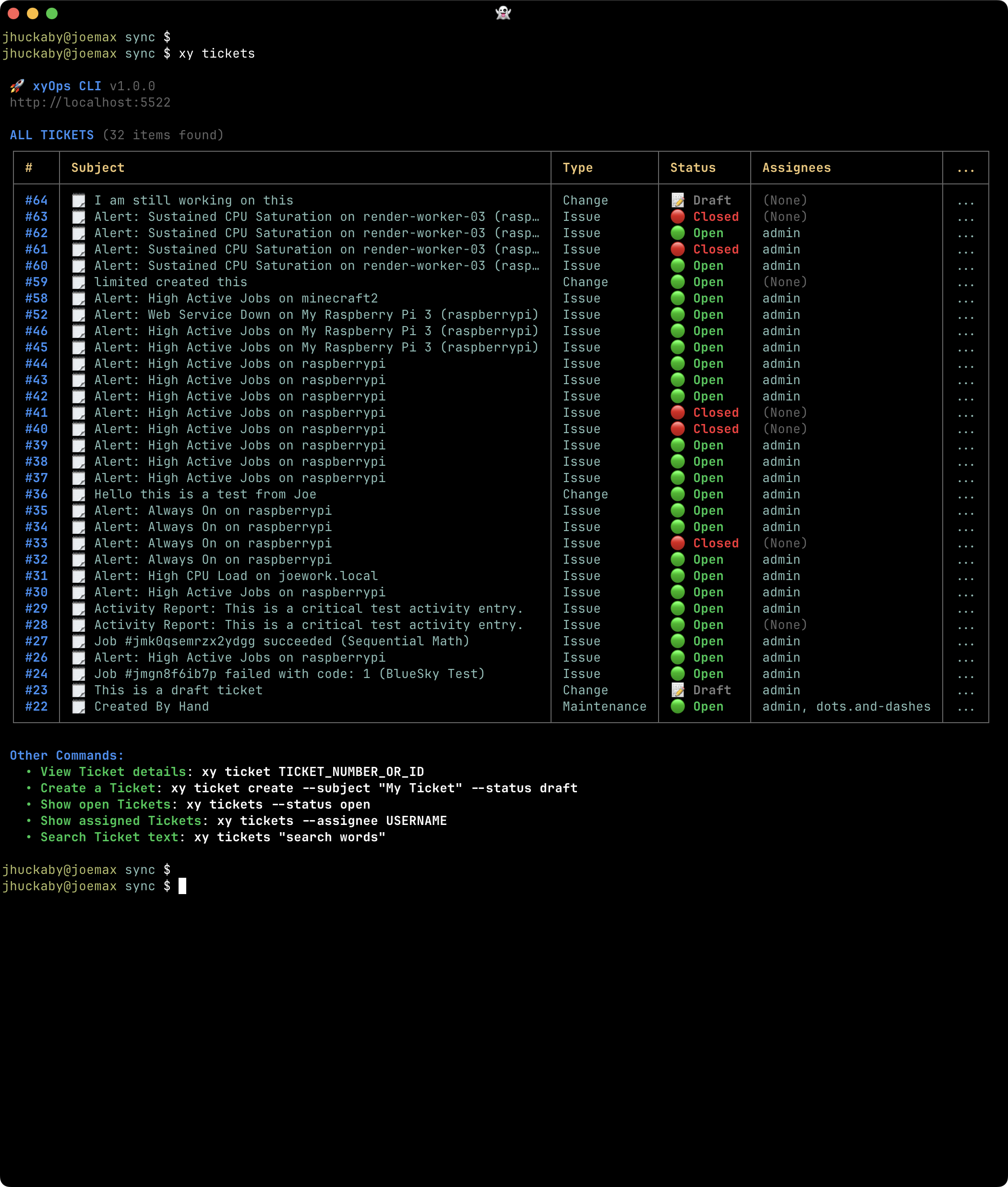
### Ticket list
|
|
200
|
+
|
|
201
|
+
|
|
202
|
+
|
|
203
|
+
*Find operational work by status, assignee, Category, Tags, and other search criteria.*
|
|
204
|
+
|
|
205
|
+
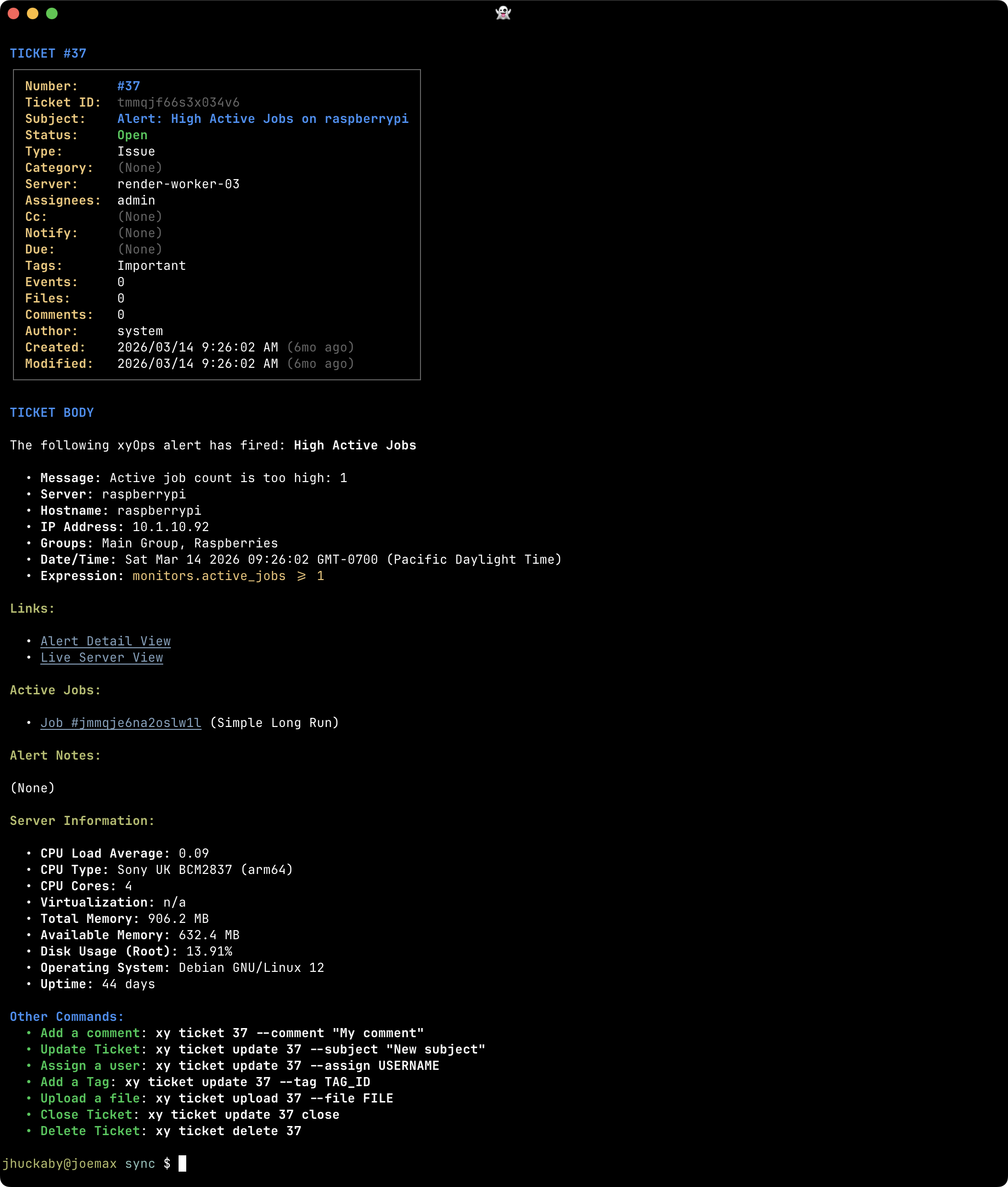
### Ticket details
|
|
206
|
+
|
|
207
|
+
|
|
208
|
+
|
|
209
|
+
*Read descriptions and comments alongside attached Events, jobs, and files.*
|
|
210
|
+
|
|
211
|
+
## Filesystem sync
|
|
212
|
+
|
|
213
|
+
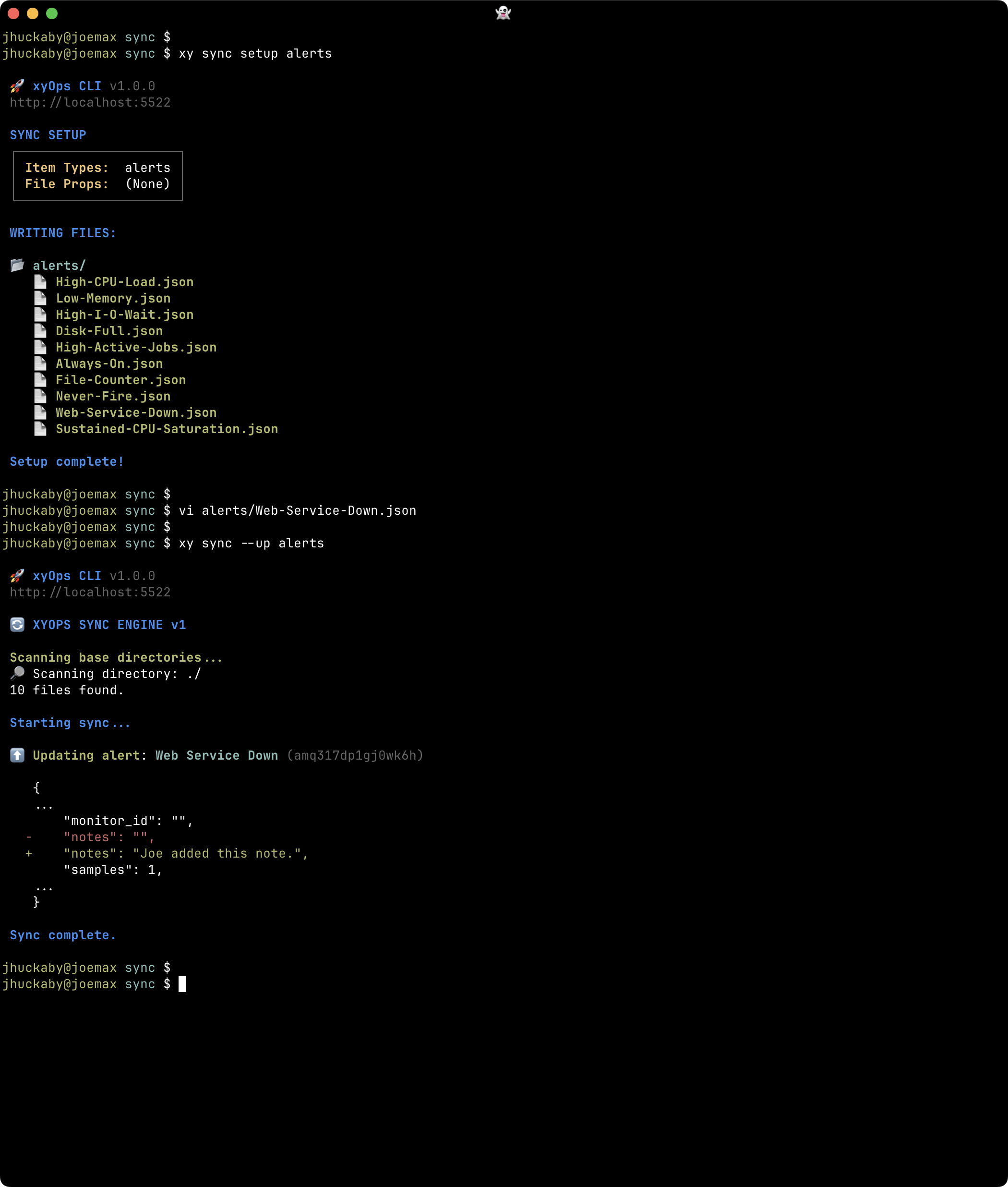
### Sync
|
|
214
|
+
|
|
215
|
+
|
|
216
|
+
|
|
217
|
+
*Review changes between local definition files and xyOps as part of an editor and Git workflow.*
|
|
218
|
+
|
|
219
|
+
See the [Sync Guide](sync.md), [sync overview](../README.md#sync-your-automation-with-local-files), and [sync command reference](help.md#sync).
|