windows-mcp 0.3.0__py3-none-any.whl
This diff represents the content of publicly available package versions that have been released to one of the supported registries. The information contained in this diff is provided for informational purposes only and reflects changes between package versions as they appear in their respective public registries.
- __init__.py +0 -0
- desktop/__init__.py +247 -0
- desktop/config.py +11 -0
- desktop/views.py +40 -0
- tree/__init__.py +303 -0
- tree/config.py +17 -0
- tree/utils.py +22 -0
- tree/views.py +70 -0
- windows_mcp-0.3.0.dist-info/METADATA +361 -0
- windows_mcp-0.3.0.dist-info/RECORD +13 -0
- windows_mcp-0.3.0.dist-info/WHEEL +5 -0
- windows_mcp-0.3.0.dist-info/licenses/LICENSE.md +21 -0
- windows_mcp-0.3.0.dist-info/top_level.txt +3 -0
__init__.py
ADDED
|
File without changes
|
desktop/__init__.py
ADDED
|
@@ -0,0 +1,247 @@
|
|
|
1
|
+
from uiautomation import Control, GetRootControl, ControlType, GetFocusedControl, ShowWindow, IsTopLevelWindow, IsZoomed, IsIconic, IsWindowVisible, ControlFromHandle
|
|
2
|
+
from src.desktop.config import EXCLUDED_CLASSNAMES,BROWSER_NAMES
|
|
3
|
+
from src.desktop.views import DesktopState,App,Size
|
|
4
|
+
from fuzzywuzzy import process
|
|
5
|
+
from psutil import Process
|
|
6
|
+
from src.tree import Tree
|
|
7
|
+
from time import sleep
|
|
8
|
+
import pyautogui as pg
|
|
9
|
+
from io import BytesIO
|
|
10
|
+
from PIL import Image
|
|
11
|
+
import subprocess
|
|
12
|
+
import ctypes
|
|
13
|
+
import csv
|
|
14
|
+
import os
|
|
15
|
+
import io
|
|
16
|
+
|
|
17
|
+
class Desktop:
|
|
18
|
+
def __init__(self):
|
|
19
|
+
ctypes.windll.user32.SetProcessDPIAware()
|
|
20
|
+
self.desktop_state=None
|
|
21
|
+
|
|
22
|
+
def get_state(self,use_vision:bool=False)->DesktopState:
|
|
23
|
+
tree=Tree(self)
|
|
24
|
+
tree_state=tree.get_state()
|
|
25
|
+
if use_vision:
|
|
26
|
+
nodes=tree_state.interactive_nodes
|
|
27
|
+
annotated_screenshot=tree.annotated_screenshot(nodes=nodes,scale=0.5)
|
|
28
|
+
screenshot=self.screenshot_in_bytes(screenshot=annotated_screenshot)
|
|
29
|
+
else:
|
|
30
|
+
screenshot=None
|
|
31
|
+
active_app,apps=self.get_apps()
|
|
32
|
+
self.desktop_state=DesktopState(apps=apps,active_app=active_app,screenshot=screenshot,tree_state=tree_state)
|
|
33
|
+
return self.desktop_state
|
|
34
|
+
|
|
35
|
+
def get_active_app(self,apps:list[App])->App|None:
|
|
36
|
+
if len(apps)>0 and apps[0].status != "Minimized":
|
|
37
|
+
return apps[0]
|
|
38
|
+
return None
|
|
39
|
+
|
|
40
|
+
def get_app_status(self,control:Control)->str:
|
|
41
|
+
if IsIconic(control.NativeWindowHandle):
|
|
42
|
+
return 'Minimized'
|
|
43
|
+
elif IsZoomed(control.NativeWindowHandle):
|
|
44
|
+
return 'Maximized'
|
|
45
|
+
elif IsWindowVisible(control.NativeWindowHandle):
|
|
46
|
+
return 'Normal'
|
|
47
|
+
else:
|
|
48
|
+
return 'Hidden'
|
|
49
|
+
|
|
50
|
+
def get_window_element_from_element(self,element:Control)->Control|None:
|
|
51
|
+
while element is not None:
|
|
52
|
+
if IsTopLevelWindow(element.NativeWindowHandle):
|
|
53
|
+
return element
|
|
54
|
+
element = element.GetParentControl()
|
|
55
|
+
return None
|
|
56
|
+
|
|
57
|
+
def get_element_under_cursor(self)->Control:
|
|
58
|
+
return GetFocusedControl()
|
|
59
|
+
|
|
60
|
+
def get_default_browser(self):
|
|
61
|
+
mapping = {
|
|
62
|
+
"ChromeHTML": "Google Chrome",
|
|
63
|
+
"FirefoxURL": "Mozilla Firefox",
|
|
64
|
+
"MSEdgeHTM": "Microsoft Edge",
|
|
65
|
+
"IE.HTTP": "Internet Explorer",
|
|
66
|
+
"OperaStable": "Opera",
|
|
67
|
+
"BraveHTML": "Brave",
|
|
68
|
+
"SafariHTML": "Safari"
|
|
69
|
+
}
|
|
70
|
+
command= "(Get-ItemProperty HKCU:\\Software\\Microsoft\\Windows\\Shell\\Associations\\UrlAssociations\\http\\UserChoice).ProgId"
|
|
71
|
+
browser,_=self.execute_command(command)
|
|
72
|
+
return mapping.get(browser.strip())
|
|
73
|
+
|
|
74
|
+
def get_default_language(self)->str:
|
|
75
|
+
command="Get-Culture | Select-Object Name,DisplayName | ConvertTo-Csv -NoTypeInformation"
|
|
76
|
+
response,_=self.execute_command(command)
|
|
77
|
+
reader=csv.DictReader(io.StringIO(response))
|
|
78
|
+
return "".join([row.get('DisplayName') for row in reader])
|
|
79
|
+
|
|
80
|
+
def get_apps_from_start_menu(self)->dict[str,str]:
|
|
81
|
+
command='Get-StartApps | ConvertTo-Csv -NoTypeInformation'
|
|
82
|
+
apps_info,_=self.execute_command(command)
|
|
83
|
+
reader=csv.DictReader(io.StringIO(apps_info))
|
|
84
|
+
return {row.get('Name').lower():row.get('AppID') for row in reader}
|
|
85
|
+
|
|
86
|
+
def execute_command(self,command:str)->tuple[str,int]:
|
|
87
|
+
try:
|
|
88
|
+
# Use UTF-8 encoding for better Chinese character support
|
|
89
|
+
result = subprocess.run(
|
|
90
|
+
['powershell', '-NoProfile', '-Command',
|
|
91
|
+
'[Console]::OutputEncoding = [System.Text.Encoding]::UTF8; ' + command],
|
|
92
|
+
capture_output=True, check=True, text=True, encoding='utf-8',cwd=os.path.expanduser(path='~\\Desktop')
|
|
93
|
+
)
|
|
94
|
+
return (result.stdout, result.returncode)
|
|
95
|
+
except subprocess.CalledProcessError as e:
|
|
96
|
+
try:
|
|
97
|
+
# Try UTF-8 first
|
|
98
|
+
error_output = e.stdout if hasattr(e, 'stdout') and e.stdout else ''
|
|
99
|
+
return (error_output, e.returncode)
|
|
100
|
+
except Exception:
|
|
101
|
+
# Fallback to GBK for Chinese Windows systems
|
|
102
|
+
try:
|
|
103
|
+
result = subprocess.run(
|
|
104
|
+
['powershell', '-NoProfile', '-Command', command],
|
|
105
|
+
capture_output=True, check=False
|
|
106
|
+
)
|
|
107
|
+
return (result.stdout.decode('gbk', errors='ignore'), result.returncode)
|
|
108
|
+
except Exception:
|
|
109
|
+
return ('Command execution failed with encoding issues', 1)
|
|
110
|
+
|
|
111
|
+
def is_app_browser(self,node:Control):
|
|
112
|
+
process=Process(node.ProcessId)
|
|
113
|
+
return process.name() in BROWSER_NAMES
|
|
114
|
+
|
|
115
|
+
def get_windows_version(self)->str:
|
|
116
|
+
response,status=self.execute_command("(Get-CimInstance Win32_OperatingSystem).Caption")
|
|
117
|
+
if status==0:
|
|
118
|
+
return response.strip()
|
|
119
|
+
return "Windows"
|
|
120
|
+
|
|
121
|
+
def resize_app(self,size:tuple[int,int]=None,loc:tuple[int,int]=None)->tuple[str,int]:
|
|
122
|
+
active_app=self.desktop_state.active_app
|
|
123
|
+
if active_app is None:
|
|
124
|
+
return ('No active app found',1)
|
|
125
|
+
app_control=ControlFromHandle(active_app.handle)
|
|
126
|
+
if loc is None:
|
|
127
|
+
x=app_control.BoundingRectangle.left
|
|
128
|
+
y=app_control.BoundingRectangle.top
|
|
129
|
+
loc=(x,y)
|
|
130
|
+
if size is None:
|
|
131
|
+
width=app_control.BoundingRectangle.width()
|
|
132
|
+
height=app_control.BoundingRectangle.height()
|
|
133
|
+
size=(width,height)
|
|
134
|
+
x,y=loc
|
|
135
|
+
width,height=size
|
|
136
|
+
app_control.MoveWindow(x,y,width,height)
|
|
137
|
+
return (f'Application {active_app.name.title()} resized to {width}x{height} at {x},{y}.',0)
|
|
138
|
+
|
|
139
|
+
def launch_app(self,name:str)->tuple[str,int]:
|
|
140
|
+
apps_map=self.get_apps_from_start_menu()
|
|
141
|
+
|
|
142
|
+
# Improved fuzzy matching for Chinese and English app names
|
|
143
|
+
# First try exact match (case insensitive)
|
|
144
|
+
exact_matches = {k: v for k, v in apps_map.items() if name.lower() in k.lower() or k.lower() in name.lower()}
|
|
145
|
+
if exact_matches:
|
|
146
|
+
# Use the first exact match
|
|
147
|
+
app_name = list(exact_matches.keys())[0]
|
|
148
|
+
app_id = exact_matches[app_name]
|
|
149
|
+
if app_id.endswith('.exe'):
|
|
150
|
+
_,status=self.execute_command(f'Start-Process "{app_id}"')
|
|
151
|
+
else:
|
|
152
|
+
_,status=self.execute_command(f'Start-Process "shell:AppsFolder\\{app_id}"')
|
|
153
|
+
response=f'Launched {name.title()}. Wait for the app to launch...'
|
|
154
|
+
return response,status
|
|
155
|
+
|
|
156
|
+
# If no exact match, use fuzzy matching with lower threshold for Chinese
|
|
157
|
+
matched_app=process.extractOne(name,apps_map,score_cutoff=60)
|
|
158
|
+
if matched_app is not None:
|
|
159
|
+
app_id,_,app_name=matched_app
|
|
160
|
+
if app_id.endswith('.exe'):
|
|
161
|
+
_,status=self.execute_command(f'Start-Process "{app_id}"')
|
|
162
|
+
else:
|
|
163
|
+
_,status=self.execute_command(f'Start-Process "shell:AppsFolder\\{app_id}"')
|
|
164
|
+
response=f'Launched {name.title()}. Wait for the app to launch...'
|
|
165
|
+
return response,status
|
|
166
|
+
|
|
167
|
+
# Try partial matching for Chinese characters
|
|
168
|
+
for app_name, app_id in apps_map.items():
|
|
169
|
+
if any(char in app_name for char in name) or any(char in name for char in app_name):
|
|
170
|
+
if app_id.endswith('.exe'):
|
|
171
|
+
_,status=self.execute_command(f'Start-Process "{app_id}"')
|
|
172
|
+
else:
|
|
173
|
+
_,status=self.execute_command(f'Start-Process "shell:AppsFolder\\{app_id}"')
|
|
174
|
+
response=f'Launched {name.title()}. Wait for the app to launch...'
|
|
175
|
+
return response,status
|
|
176
|
+
|
|
177
|
+
return (f'Application {name.title()} not found in start menu. Available apps with similar names: {list(apps_map.keys())[:5]}',1)
|
|
178
|
+
|
|
179
|
+
def switch_app(self,name:str)->tuple[str,int]:
|
|
180
|
+
apps={app.name:app for app in [self.desktop_state.active_app]+self.desktop_state.apps if app is not None}
|
|
181
|
+
matched_app:tuple[str,float]=process.extractOne(name,list(apps.keys()))
|
|
182
|
+
if matched_app is None:
|
|
183
|
+
return (f'Application {name.title()} not found.',1)
|
|
184
|
+
app_name,_=matched_app
|
|
185
|
+
app=apps.get(app_name)
|
|
186
|
+
if IsIconic(app.handle):
|
|
187
|
+
ShowWindow(app.handle, cmdShow=9)
|
|
188
|
+
return (f'{app_name.title()} restored from minimized state.',0)
|
|
189
|
+
else:
|
|
190
|
+
shortcut=['alt','tab']
|
|
191
|
+
for app in apps.values():
|
|
192
|
+
if app.name==app_name:
|
|
193
|
+
break
|
|
194
|
+
pg.hotkey(*shortcut)
|
|
195
|
+
pg.sleep(0.1)
|
|
196
|
+
return (f'Switched to {app_name.title()} window.',0)
|
|
197
|
+
|
|
198
|
+
def get_app_size(self,control:Control):
|
|
199
|
+
window=control.BoundingRectangle
|
|
200
|
+
if window.isempty():
|
|
201
|
+
return Size(width=0,height=0)
|
|
202
|
+
return Size(width=window.width(),height=window.height())
|
|
203
|
+
|
|
204
|
+
def is_app_visible(self,app)->bool:
|
|
205
|
+
is_minimized=self.get_app_status(app)!='Minimized'
|
|
206
|
+
size=self.get_app_size(app)
|
|
207
|
+
area=size.width*size.height
|
|
208
|
+
is_overlay=self.is_overlay_app(app)
|
|
209
|
+
return not is_overlay and is_minimized and area>10
|
|
210
|
+
|
|
211
|
+
def is_overlay_app(self,element:Control) -> bool:
|
|
212
|
+
no_children = len(element.GetChildren()) == 0
|
|
213
|
+
is_name = "Overlay" in element.Name.strip()
|
|
214
|
+
return no_children or is_name
|
|
215
|
+
|
|
216
|
+
def get_apps(self) -> tuple[App|None,list[App]]:
|
|
217
|
+
try:
|
|
218
|
+
sleep(0.5)
|
|
219
|
+
desktop = GetRootControl() # Get the desktop control
|
|
220
|
+
elements = desktop.GetChildren()
|
|
221
|
+
apps = []
|
|
222
|
+
for depth, element in enumerate(elements):
|
|
223
|
+
if element.ClassName in EXCLUDED_CLASSNAMES or self.is_overlay_app(element):
|
|
224
|
+
continue
|
|
225
|
+
if element.ControlType in [ControlType.WindowControl, ControlType.PaneControl]:
|
|
226
|
+
status = self.get_app_status(element)
|
|
227
|
+
size=self.get_app_size(element)
|
|
228
|
+
apps.append(App(name=element.Name, depth=depth, status=status, size=size, process_id=element.ProcessId, handle=element.NativeWindowHandle))
|
|
229
|
+
except Exception as ex:
|
|
230
|
+
print(f"Error: {ex}")
|
|
231
|
+
apps = []
|
|
232
|
+
|
|
233
|
+
active_app=self.get_active_app(apps)
|
|
234
|
+
apps=apps[1:] if len(apps)>1 else []
|
|
235
|
+
return (active_app,apps)
|
|
236
|
+
|
|
237
|
+
def screenshot_in_bytes(self,screenshot:Image.Image)->bytes:
|
|
238
|
+
io=BytesIO()
|
|
239
|
+
screenshot.save(io,format='PNG')
|
|
240
|
+
bytes=io.getvalue()
|
|
241
|
+
return bytes
|
|
242
|
+
|
|
243
|
+
def get_screenshot(self,scale:float=0.7)->Image.Image:
|
|
244
|
+
screenshot=pg.screenshot()
|
|
245
|
+
size=(screenshot.width*scale, screenshot.height*scale)
|
|
246
|
+
screenshot.thumbnail(size=size, resample=Image.Resampling.LANCZOS)
|
|
247
|
+
return screenshot
|
desktop/config.py
ADDED
|
@@ -0,0 +1,11 @@
|
|
|
1
|
+
from typing import Set
|
|
2
|
+
|
|
3
|
+
BROWSER_NAMES=set(['msedge.exe','chrome.exe','firefox.exe'])
|
|
4
|
+
|
|
5
|
+
AVOIDED_APPS:Set[str]=set([
|
|
6
|
+
'Recording toolbar'
|
|
7
|
+
])
|
|
8
|
+
|
|
9
|
+
EXCLUDED_CLASSNAMES:Set[str]=set([
|
|
10
|
+
'Progman','Shell_TrayWnd','Microsoft.UI.Content.PopupWindowSiteBridge','Windows.UI.Core.CoreWindow'
|
|
11
|
+
])
|
desktop/views.py
ADDED
|
@@ -0,0 +1,40 @@
|
|
|
1
|
+
from src.tree.views import TreeState
|
|
2
|
+
from dataclasses import dataclass
|
|
3
|
+
from typing import Literal,Optional
|
|
4
|
+
|
|
5
|
+
@dataclass
|
|
6
|
+
class App:
|
|
7
|
+
name:str
|
|
8
|
+
depth:int
|
|
9
|
+
status:Literal['Maximized','Minimized','Normal']
|
|
10
|
+
size:'Size'
|
|
11
|
+
process_id:int
|
|
12
|
+
handle:int
|
|
13
|
+
|
|
14
|
+
def to_string(self):
|
|
15
|
+
return f'Name: {self.name} Depth: {self.depth} Status: {self.status} Size: {self.size.to_string()}'
|
|
16
|
+
|
|
17
|
+
@dataclass
|
|
18
|
+
class Size:
|
|
19
|
+
width:int
|
|
20
|
+
height:int
|
|
21
|
+
|
|
22
|
+
def to_string(self):
|
|
23
|
+
return f'({self.width},{self.height})'
|
|
24
|
+
|
|
25
|
+
@dataclass
|
|
26
|
+
class DesktopState:
|
|
27
|
+
apps:list[App]
|
|
28
|
+
active_app:Optional[App]
|
|
29
|
+
screenshot:bytes|None
|
|
30
|
+
tree_state:TreeState
|
|
31
|
+
|
|
32
|
+
def active_app_to_string(self):
|
|
33
|
+
if self.active_app is None:
|
|
34
|
+
return 'No active app'
|
|
35
|
+
return self.active_app.to_string()
|
|
36
|
+
|
|
37
|
+
def apps_to_string(self):
|
|
38
|
+
if len(self.apps)==0:
|
|
39
|
+
return 'No apps opened'
|
|
40
|
+
return '\n'.join([app.to_string() for app in self.apps])
|
tree/__init__.py
ADDED
|
@@ -0,0 +1,303 @@
|
|
|
1
|
+
from src.tree.config import INTERACTIVE_CONTROL_TYPE_NAMES,INFORMATIVE_CONTROL_TYPE_NAMES, DEFAULT_ACTIONS, THREAD_MAX_RETRIES
|
|
2
|
+
from src.tree.views import TreeElementNode, TextElementNode, ScrollElementNode, Center, BoundingBox, TreeState
|
|
3
|
+
from uiautomation import GetRootControl,Control,ImageControl,ScrollPattern
|
|
4
|
+
from src.tree.utils import random_point_within_bounding_box
|
|
5
|
+
from concurrent.futures import ThreadPoolExecutor, as_completed
|
|
6
|
+
from src.desktop.config import AVOIDED_APPS, EXCLUDED_CLASSNAMES
|
|
7
|
+
from PIL import Image, ImageFont, ImageDraw
|
|
8
|
+
from typing import TYPE_CHECKING
|
|
9
|
+
from time import sleep
|
|
10
|
+
import random
|
|
11
|
+
|
|
12
|
+
if TYPE_CHECKING:
|
|
13
|
+
from src.desktop import Desktop
|
|
14
|
+
|
|
15
|
+
class Tree:
|
|
16
|
+
def __init__(self,desktop:'Desktop'):
|
|
17
|
+
self.desktop=desktop
|
|
18
|
+
|
|
19
|
+
def get_state(self)->TreeState:
|
|
20
|
+
sleep(0.5)
|
|
21
|
+
# Get the root control of the desktop
|
|
22
|
+
root=GetRootControl()
|
|
23
|
+
interactive_nodes,informative_nodes,scrollable_nodes=self.get_appwise_nodes(node=root)
|
|
24
|
+
return TreeState(interactive_nodes=interactive_nodes,informative_nodes=informative_nodes,scrollable_nodes=scrollable_nodes)
|
|
25
|
+
|
|
26
|
+
def get_appwise_nodes(self,node:Control) -> tuple[list[TreeElementNode],list[TextElementNode]]:
|
|
27
|
+
apps:list[Control]=[]
|
|
28
|
+
found_foreground_app=False
|
|
29
|
+
|
|
30
|
+
for app in node.GetChildren():
|
|
31
|
+
if app.ClassName in EXCLUDED_CLASSNAMES:
|
|
32
|
+
apps.append(app)
|
|
33
|
+
elif app.Name not in AVOIDED_APPS and self.desktop.is_app_visible(app):
|
|
34
|
+
if not found_foreground_app:
|
|
35
|
+
apps.append(app)
|
|
36
|
+
found_foreground_app=True
|
|
37
|
+
|
|
38
|
+
interactive_nodes,informative_nodes,scrollable_nodes=[],[],[]
|
|
39
|
+
# Parallel traversal (using ThreadPoolExecutor) to get nodes from each app
|
|
40
|
+
with ThreadPoolExecutor() as executor:
|
|
41
|
+
retry_counts = {app: 0 for app in apps}
|
|
42
|
+
future_to_app = {executor.submit(self.get_nodes, app, self.desktop.is_app_browser(app)): app for app in apps}
|
|
43
|
+
while future_to_app: # keep running until no pending futures
|
|
44
|
+
for future in as_completed(list(future_to_app)):
|
|
45
|
+
app = future_to_app.pop(future) # remove completed future
|
|
46
|
+
try:
|
|
47
|
+
result = future.result()
|
|
48
|
+
if result:
|
|
49
|
+
element_nodes, text_nodes, scroll_nodes = result
|
|
50
|
+
interactive_nodes.extend(element_nodes)
|
|
51
|
+
informative_nodes.extend(text_nodes)
|
|
52
|
+
scrollable_nodes.extend(scroll_nodes)
|
|
53
|
+
except Exception as e:
|
|
54
|
+
retry_counts[app] += 1
|
|
55
|
+
print(f"Error in processing node {app.Name}, retry attempt {retry_counts[app]}\nError: {e}")
|
|
56
|
+
if retry_counts[app] < THREAD_MAX_RETRIES:
|
|
57
|
+
new_future = executor.submit(self.get_nodes, app, self.desktop.is_app_browser(app))
|
|
58
|
+
future_to_app[new_future] = app
|
|
59
|
+
else:
|
|
60
|
+
print(f"Task failed completely for {app.Name} after {THREAD_MAX_RETRIES} retries")
|
|
61
|
+
return interactive_nodes,informative_nodes,scrollable_nodes
|
|
62
|
+
|
|
63
|
+
def get_nodes(self, node: Control, is_browser=False) -> tuple[list[TreeElementNode],list[TextElementNode],list[ScrollElementNode]]:
|
|
64
|
+
interactive_nodes, informative_nodes, scrollable_nodes = [], [], []
|
|
65
|
+
app_name=node.Name.strip()
|
|
66
|
+
app_name='Desktop' if node.ClassName=='Progman' else app_name
|
|
67
|
+
|
|
68
|
+
def is_element_visible(node:Control,threshold:int=0):
|
|
69
|
+
is_control=node.IsControlElement
|
|
70
|
+
box=node.BoundingRectangle
|
|
71
|
+
if box.isempty():
|
|
72
|
+
return False
|
|
73
|
+
width=box.width()
|
|
74
|
+
height=box.height()
|
|
75
|
+
area=width*height
|
|
76
|
+
is_offscreen=(not node.IsOffscreen) or node.ControlTypeName in ['EditControl']
|
|
77
|
+
return area > threshold and is_offscreen and is_control
|
|
78
|
+
|
|
79
|
+
def is_element_enabled(node:Control):
|
|
80
|
+
try:
|
|
81
|
+
return node.IsEnabled
|
|
82
|
+
except Exception:
|
|
83
|
+
return False
|
|
84
|
+
|
|
85
|
+
def is_default_action(node:Control):
|
|
86
|
+
legacy_pattern=node.GetLegacyIAccessiblePattern()
|
|
87
|
+
default_action=legacy_pattern.DefaultAction.title()
|
|
88
|
+
if default_action in DEFAULT_ACTIONS:
|
|
89
|
+
return True
|
|
90
|
+
return False
|
|
91
|
+
|
|
92
|
+
def is_element_image(node:Control):
|
|
93
|
+
if isinstance(node,ImageControl):
|
|
94
|
+
if node.LocalizedControlType=='graphic' or not node.IsKeyboardFocusable:
|
|
95
|
+
return True
|
|
96
|
+
return False
|
|
97
|
+
|
|
98
|
+
def is_element_text(node:Control):
|
|
99
|
+
try:
|
|
100
|
+
if node.ControlTypeName in INFORMATIVE_CONTROL_TYPE_NAMES:
|
|
101
|
+
if is_element_visible(node) and is_element_enabled(node) and not is_element_image(node):
|
|
102
|
+
return True
|
|
103
|
+
except Exception:
|
|
104
|
+
return False
|
|
105
|
+
return False
|
|
106
|
+
|
|
107
|
+
def is_element_scrollable(node:Control):
|
|
108
|
+
try:
|
|
109
|
+
scroll_pattern:ScrollPattern=node.GetScrollPattern()
|
|
110
|
+
return scroll_pattern.VerticallyScrollable or scroll_pattern.HorizontallyScrollable
|
|
111
|
+
except Exception:
|
|
112
|
+
return False
|
|
113
|
+
|
|
114
|
+
def is_keyboard_focusable(node:Control):
|
|
115
|
+
try:
|
|
116
|
+
if node.ControlTypeName in set(['EditControl','ButtonControl','CheckBoxControl','RadioButtonControl','TabItemControl']):
|
|
117
|
+
return True
|
|
118
|
+
return node.IsKeyboardFocusable
|
|
119
|
+
except Exception:
|
|
120
|
+
return False
|
|
121
|
+
|
|
122
|
+
def element_has_child_element(node:Control,control_type:str,child_control_type:str):
|
|
123
|
+
if node.LocalizedControlType==control_type:
|
|
124
|
+
first_child=node.GetFirstChildControl()
|
|
125
|
+
if first_child is None:
|
|
126
|
+
return False
|
|
127
|
+
return first_child.LocalizedControlType==child_control_type
|
|
128
|
+
|
|
129
|
+
def group_has_no_name(node:Control):
|
|
130
|
+
try:
|
|
131
|
+
if node.ControlTypeName=='GroupControl':
|
|
132
|
+
if not node.Name.strip():
|
|
133
|
+
return True
|
|
134
|
+
return False
|
|
135
|
+
except Exception:
|
|
136
|
+
return False
|
|
137
|
+
|
|
138
|
+
def is_element_interactive(node:Control):
|
|
139
|
+
try:
|
|
140
|
+
if node.ControlTypeName in INTERACTIVE_CONTROL_TYPE_NAMES:
|
|
141
|
+
if is_element_visible(node) and is_element_enabled(node) and (not is_element_image(node) or is_keyboard_focusable(node)):
|
|
142
|
+
return True
|
|
143
|
+
elif node.ControlTypeName=='GroupControl' and is_browser:
|
|
144
|
+
if is_element_visible(node) and is_element_enabled(node) and (is_default_action(node) or is_keyboard_focusable(node)):
|
|
145
|
+
return True
|
|
146
|
+
# elif node.ControlTypeName=='GroupControl' and not is_browser:
|
|
147
|
+
# if is_element_visible and is_element_enabled(node) and is_default_action(node):
|
|
148
|
+
# return True
|
|
149
|
+
except Exception:
|
|
150
|
+
return False
|
|
151
|
+
return False
|
|
152
|
+
|
|
153
|
+
def dom_correction(node:Control):
|
|
154
|
+
if element_has_child_element(node,'list item','link') or element_has_child_element(node,'item','link'):
|
|
155
|
+
interactive_nodes.pop()
|
|
156
|
+
return None
|
|
157
|
+
elif group_has_no_name(node):
|
|
158
|
+
interactive_nodes.pop()
|
|
159
|
+
if is_keyboard_focusable(node):
|
|
160
|
+
child=node
|
|
161
|
+
try:
|
|
162
|
+
while child.GetFirstChildControl() is not None:
|
|
163
|
+
child=child.GetFirstChildControl()
|
|
164
|
+
except Exception:
|
|
165
|
+
return None
|
|
166
|
+
if child.ControlTypeName!='TextControl':
|
|
167
|
+
return None
|
|
168
|
+
control_type='Edit'
|
|
169
|
+
box = node.BoundingRectangle
|
|
170
|
+
x,y=box.xcenter(),box.ycenter()
|
|
171
|
+
center = Center(x=x,y=y)
|
|
172
|
+
interactive_nodes.append(TreeElementNode(
|
|
173
|
+
name=child.Name.strip() or "''",
|
|
174
|
+
control_type=control_type,
|
|
175
|
+
shortcut=node.AcceleratorKey or "''",
|
|
176
|
+
bounding_box=BoundingBox(left=box.left,top=box.top,right=box.right,bottom=box.bottom,width=box.width(),height=box.height()),
|
|
177
|
+
center=center,
|
|
178
|
+
app_name=app_name
|
|
179
|
+
))
|
|
180
|
+
elif element_has_child_element(node,'link','heading'):
|
|
181
|
+
interactive_nodes.pop()
|
|
182
|
+
node=node.GetFirstChildControl()
|
|
183
|
+
control_type='link'
|
|
184
|
+
box = node.BoundingRectangle
|
|
185
|
+
x,y=box.xcenter(),box.ycenter()
|
|
186
|
+
center = Center(x=x,y=y)
|
|
187
|
+
interactive_nodes.append(TreeElementNode(
|
|
188
|
+
name=node.Name.strip() or "''",
|
|
189
|
+
control_type=control_type,
|
|
190
|
+
shortcut=node.AcceleratorKey or "''",
|
|
191
|
+
bounding_box=BoundingBox(left=box.left,top=box.top,right=box.right,bottom=box.bottom,width=box.width(),height=box.height()),
|
|
192
|
+
center=center,
|
|
193
|
+
app_name=app_name
|
|
194
|
+
))
|
|
195
|
+
|
|
196
|
+
def tree_traversal(node: Control):
|
|
197
|
+
# Checks to skip the nodes that are not interactive
|
|
198
|
+
if node.IsOffscreen and (node.ControlTypeName not in set(["EditControl","TitleBarControl"])) and node.ClassName not in set(["Popup","Windows.UI.Core.CoreComponentInputSource"]):
|
|
199
|
+
return None
|
|
200
|
+
|
|
201
|
+
if is_element_interactive(node):
|
|
202
|
+
box = node.BoundingRectangle
|
|
203
|
+
x,y=random_point_within_bounding_box(node=node,scale_factor=0.8)
|
|
204
|
+
center = Center(x=x,y=y)
|
|
205
|
+
interactive_nodes.append(TreeElementNode(
|
|
206
|
+
name=node.Name.strip() or "''",
|
|
207
|
+
control_type=node.LocalizedControlType.title(),
|
|
208
|
+
shortcut=node.AcceleratorKey or "''",
|
|
209
|
+
bounding_box=BoundingBox(left=box.left,top=box.top,right=box.right,bottom=box.bottom,width=box.width(),height=box.height()),
|
|
210
|
+
center=center,
|
|
211
|
+
app_name=app_name
|
|
212
|
+
))
|
|
213
|
+
if is_browser:
|
|
214
|
+
dom_correction(node)
|
|
215
|
+
elif is_element_text(node):
|
|
216
|
+
informative_nodes.append(TextElementNode(
|
|
217
|
+
name=node.Name.strip() or "''",
|
|
218
|
+
app_name=app_name
|
|
219
|
+
))
|
|
220
|
+
elif is_element_scrollable(node):
|
|
221
|
+
scroll_pattern:ScrollPattern=node.GetScrollPattern()
|
|
222
|
+
box = node.BoundingRectangle
|
|
223
|
+
# Get the center
|
|
224
|
+
x,y=random_point_within_bounding_box(node=node,scale_factor=0.8)
|
|
225
|
+
center = Center(x=x,y=y)
|
|
226
|
+
scrollable_nodes.append(ScrollElementNode(
|
|
227
|
+
name=node.Name.strip() or node.LocalizedControlType.capitalize() or "''",
|
|
228
|
+
app_name=app_name,
|
|
229
|
+
control_type=node.LocalizedControlType.title(),
|
|
230
|
+
bounding_box=BoundingBox(left=box.left,top=box.top,right=box.right,bottom=box.bottom,width=box.width(),height=box.height()),
|
|
231
|
+
center=center,
|
|
232
|
+
horizontal_scrollable=scroll_pattern.HorizontallyScrollable,
|
|
233
|
+
vertical_scrollable=scroll_pattern.VerticallyScrollable
|
|
234
|
+
))
|
|
235
|
+
# Recursively check all children
|
|
236
|
+
for child in node.GetChildren():
|
|
237
|
+
tree_traversal(child)
|
|
238
|
+
|
|
239
|
+
tree_traversal(node)
|
|
240
|
+
return (interactive_nodes,informative_nodes,scrollable_nodes)
|
|
241
|
+
|
|
242
|
+
def get_random_color(self):
|
|
243
|
+
return "#{:06x}".format(random.randint(0, 0xFFFFFF))
|
|
244
|
+
|
|
245
|
+
def annotated_screenshot(self, nodes: list[TreeElementNode],scale:float=0.7) -> Image.Image:
|
|
246
|
+
screenshot = self.desktop.get_screenshot(scale=scale)
|
|
247
|
+
sleep(0.25)
|
|
248
|
+
# Add padding
|
|
249
|
+
padding = 20
|
|
250
|
+
width = screenshot.width + (2 * padding)
|
|
251
|
+
height = screenshot.height + (2 * padding)
|
|
252
|
+
padded_screenshot = Image.new("RGB", (width, height), color=(255, 255, 255))
|
|
253
|
+
padded_screenshot.paste(screenshot, (padding, padding))
|
|
254
|
+
|
|
255
|
+
draw = ImageDraw.Draw(padded_screenshot)
|
|
256
|
+
font_size = 12
|
|
257
|
+
try:
|
|
258
|
+
font = ImageFont.truetype('arial.ttf', font_size)
|
|
259
|
+
except IOError:
|
|
260
|
+
font = ImageFont.load_default()
|
|
261
|
+
|
|
262
|
+
def get_random_color():
|
|
263
|
+
return "#{:06x}".format(random.randint(0, 0xFFFFFF))
|
|
264
|
+
|
|
265
|
+
def draw_annotation(label, node: TreeElementNode):
|
|
266
|
+
box = node.bounding_box
|
|
267
|
+
color = get_random_color()
|
|
268
|
+
|
|
269
|
+
# Scale and pad the bounding box also clip the bounding box
|
|
270
|
+
adjusted_box = (
|
|
271
|
+
int(box.left * scale) + padding,
|
|
272
|
+
int(box.top * scale) + padding,
|
|
273
|
+
int(box.right * scale) + padding,
|
|
274
|
+
int(box.bottom * scale) + padding
|
|
275
|
+
)
|
|
276
|
+
# Draw bounding box
|
|
277
|
+
draw.rectangle(adjusted_box, outline=color, width=2)
|
|
278
|
+
|
|
279
|
+
# Label dimensions
|
|
280
|
+
label_width = draw.textlength(str(label), font=font)
|
|
281
|
+
label_height = font_size
|
|
282
|
+
left, top, right, bottom = adjusted_box
|
|
283
|
+
|
|
284
|
+
# Label position above bounding box
|
|
285
|
+
label_x1 = right - label_width
|
|
286
|
+
label_y1 = top - label_height - 4
|
|
287
|
+
label_x2 = label_x1 + label_width
|
|
288
|
+
label_y2 = label_y1 + label_height + 4
|
|
289
|
+
|
|
290
|
+
# Draw label background and text
|
|
291
|
+
draw.rectangle([(label_x1, label_y1), (label_x2, label_y2)], fill=color)
|
|
292
|
+
draw.text((label_x1 + 2, label_y1 + 2), str(label), fill=(255, 255, 255), font=font)
|
|
293
|
+
|
|
294
|
+
# Draw annotations in parallel
|
|
295
|
+
with ThreadPoolExecutor() as executor:
|
|
296
|
+
executor.map(draw_annotation, range(len(nodes)), nodes)
|
|
297
|
+
return padded_screenshot
|
|
298
|
+
|
|
299
|
+
def get_annotated_image_data(self)->tuple[Image.Image,list[TreeElementNode]]:
|
|
300
|
+
node=GetRootControl()
|
|
301
|
+
nodes,_,_=self.get_appwise_nodes(node=node)
|
|
302
|
+
screenshot=self.annotated_screenshot(nodes=nodes,scale=1.0)
|
|
303
|
+
return screenshot,nodes
|
tree/config.py
ADDED
|
@@ -0,0 +1,17 @@
|
|
|
1
|
+
INTERACTIVE_CONTROL_TYPE_NAMES=set([
|
|
2
|
+
'ButtonControl','ListItemControl','MenuItemControl','DocumentControl',
|
|
3
|
+
'EditControl','CheckBoxControl', 'RadioButtonControl','ComboBoxControl',
|
|
4
|
+
'HyperlinkControl','SplitButtonControl','TabItemControl',
|
|
5
|
+
'TreeItemControl','DataItemControl','HeaderItemControl','TextBoxControl',
|
|
6
|
+
'ImageControl','SpinnerControl','ScrollBarControl'
|
|
7
|
+
])
|
|
8
|
+
|
|
9
|
+
DEFAULT_ACTIONS=set([
|
|
10
|
+
'Click','Press','Jump','Check','Uncheck','Double Click'
|
|
11
|
+
])
|
|
12
|
+
|
|
13
|
+
INFORMATIVE_CONTROL_TYPE_NAMES=set([
|
|
14
|
+
'TextControl','ImageControl'
|
|
15
|
+
])
|
|
16
|
+
|
|
17
|
+
THREAD_MAX_RETRIES = 3
|
tree/utils.py
ADDED
|
@@ -0,0 +1,22 @@
|
|
|
1
|
+
import random
|
|
2
|
+
from uiautomation import Control
|
|
3
|
+
|
|
4
|
+
def random_point_within_bounding_box(node: Control, scale_factor: float = 1.0) -> tuple[int, int]:
|
|
5
|
+
"""
|
|
6
|
+
Generate a random point within a scaled-down bounding box.
|
|
7
|
+
|
|
8
|
+
Args:
|
|
9
|
+
node (Control): The node with a bounding rectangle
|
|
10
|
+
scale_factor (float, optional): The factor to scale down the bounding box. Defaults to 1.0.
|
|
11
|
+
|
|
12
|
+
Returns:
|
|
13
|
+
tuple: A random point (x, y) within the scaled-down bounding box
|
|
14
|
+
"""
|
|
15
|
+
box = node.BoundingRectangle
|
|
16
|
+
scaled_width = int(box.width() * scale_factor)
|
|
17
|
+
scaled_height = int(box.height() * scale_factor)
|
|
18
|
+
scaled_left = box.left + (box.width() - scaled_width) // 2
|
|
19
|
+
scaled_top = box.top + (box.height() - scaled_height) // 2
|
|
20
|
+
x = random.randint(scaled_left, scaled_left + scaled_width)
|
|
21
|
+
y = random.randint(scaled_top, scaled_top + scaled_height)
|
|
22
|
+
return (x, y)
|
tree/views.py
ADDED
|
@@ -0,0 +1,70 @@
|
|
|
1
|
+
from dataclasses import dataclass,field
|
|
2
|
+
|
|
3
|
+
@dataclass
|
|
4
|
+
class TreeState:
|
|
5
|
+
interactive_nodes:list['TreeElementNode']=field(default_factory=list)
|
|
6
|
+
informative_nodes:list['TextElementNode']=field(default_factory=list)
|
|
7
|
+
scrollable_nodes:list['ScrollElementNode']=field(default_factory=list)
|
|
8
|
+
|
|
9
|
+
def interactive_elements_to_string(self)->str:
|
|
10
|
+
return '\n'.join([f'Label: {index} App Name: {node.app_name} ControlType: {f'{node.control_type} Control'} Name: {node.name} Shortcut: {node.shortcut} Cordinates: {node.center.to_string()}' for index,node in enumerate(self.interactive_nodes)])
|
|
11
|
+
|
|
12
|
+
def informative_elements_to_string(self)->str:
|
|
13
|
+
return '\n'.join([f'App Name: {node.app_name} Name: {node.name}' for node in self.informative_nodes])
|
|
14
|
+
|
|
15
|
+
def scrollable_elements_to_string(self)->str:
|
|
16
|
+
n=len(self.interactive_nodes)
|
|
17
|
+
return '\n'.join([f'Label: {n+index} App Name: {node.app_name} ControlType: {f'{node.control_type} Control'} Name: {node.name} Cordinates: {node.center.to_string()} Horizontal Scrollable: {node.horizontal_scrollable} Vertical Scrollable: {node.vertical_scrollable}' for index,node in enumerate(self.scrollable_nodes)])
|
|
18
|
+
|
|
19
|
+
@dataclass
|
|
20
|
+
class BoundingBox:
|
|
21
|
+
left:int
|
|
22
|
+
top:int
|
|
23
|
+
right:int
|
|
24
|
+
bottom:int
|
|
25
|
+
width:int
|
|
26
|
+
height:int
|
|
27
|
+
|
|
28
|
+
def xywh_to_string(self):
|
|
29
|
+
return f'({self.left},{self.top},{self.width},{self.height})'
|
|
30
|
+
|
|
31
|
+
def xyxy_to_string(self):
|
|
32
|
+
x1,y1,x2,y2=self.convert_xywh_to_xyxy()
|
|
33
|
+
return f'({x1},{y1},{x2},{y2})'
|
|
34
|
+
|
|
35
|
+
def convert_xywh_to_xyxy(self)->tuple[int,int,int,int]:
|
|
36
|
+
x1,y1=self.left,self.top
|
|
37
|
+
x2,y2=self.left+self.width,self.top+self.height
|
|
38
|
+
return x1,y1,x2,y2
|
|
39
|
+
|
|
40
|
+
@dataclass
|
|
41
|
+
class Center:
|
|
42
|
+
x:int
|
|
43
|
+
y:int
|
|
44
|
+
|
|
45
|
+
def to_string(self)->str:
|
|
46
|
+
return f'({self.x},{self.y})'
|
|
47
|
+
|
|
48
|
+
@dataclass
|
|
49
|
+
class TreeElementNode:
|
|
50
|
+
name:str
|
|
51
|
+
control_type:str
|
|
52
|
+
shortcut:str
|
|
53
|
+
bounding_box:BoundingBox
|
|
54
|
+
center:Center
|
|
55
|
+
app_name:str
|
|
56
|
+
|
|
57
|
+
@dataclass
|
|
58
|
+
class TextElementNode:
|
|
59
|
+
name:str
|
|
60
|
+
app_name:str
|
|
61
|
+
|
|
62
|
+
@dataclass
|
|
63
|
+
class ScrollElementNode:
|
|
64
|
+
name:str
|
|
65
|
+
control_type:str
|
|
66
|
+
app_name:str
|
|
67
|
+
bounding_box:BoundingBox
|
|
68
|
+
center:Center
|
|
69
|
+
horizontal_scrollable:bool
|
|
70
|
+
vertical_scrollable:bool
|
|
@@ -0,0 +1,361 @@
|
|
|
1
|
+
Metadata-Version: 2.4
|
|
2
|
+
Name: windows-mcp
|
|
3
|
+
Version: 0.3.0
|
|
4
|
+
Summary: Lightweight MCP Server for interacting with Windows Operating System.
|
|
5
|
+
Author-email: Jeomon George <jeogeoalukka@gmail.com>
|
|
6
|
+
License: MIT License
|
|
7
|
+
|
|
8
|
+
Copyright (c) 2025 JEOMON GEORGE
|
|
9
|
+
|
|
10
|
+
Permission is hereby granted, free of charge, to any person obtaining a copy
|
|
11
|
+
of this software and associated documentation files (the "Software"), to deal
|
|
12
|
+
in the Software without restriction, including without limitation the rights
|
|
13
|
+
to use, copy, modify, merge, publish, distribute, sublicense, and/or sell
|
|
14
|
+
copies of the Software, and to permit persons to whom the Software is
|
|
15
|
+
furnished to do so, subject to the following conditions:
|
|
16
|
+
|
|
17
|
+
The above copyright notice and this permission notice shall be included in all
|
|
18
|
+
copies or substantial portions of the Software.
|
|
19
|
+
|
|
20
|
+
THE SOFTWARE IS PROVIDED "AS IS", WITHOUT WARRANTY OF ANY KIND, EXPRESS OR
|
|
21
|
+
IMPLIED, INCLUDING BUT NOT LIMITED TO THE WARRANTIES OF MERCHANTABILITY,
|
|
22
|
+
FITNESS FOR A PARTICULAR PURPOSE AND NONINFRINGEMENT. IN NO EVENT SHALL THE
|
|
23
|
+
AUTHORS OR COPYRIGHT HOLDERS BE LIABLE FOR ANY CLAIM, DAMAGES OR OTHER
|
|
24
|
+
LIABILITY, WHETHER IN AN ACTION OF CONTRACT, TORT OR OTHERWISE, ARISING FROM,
|
|
25
|
+
OUT OF OR IN CONNECTION WITH THE SOFTWARE OR THE USE OR OTHER DEALINGS IN THE
|
|
26
|
+
SOFTWARE.
|
|
27
|
+
Project-URL: homepage, https://github.com/CursorTouch
|
|
28
|
+
Keywords: windows,mcp,ai,desktop,ai agent
|
|
29
|
+
Requires-Python: >=3.13
|
|
30
|
+
Description-Content-Type: text/markdown
|
|
31
|
+
License-File: LICENSE.md
|
|
32
|
+
Requires-Dist: click>=8.2.1
|
|
33
|
+
Requires-Dist: fastmcp>=2.8.1
|
|
34
|
+
Requires-Dist: fuzzywuzzy>=0.18.0
|
|
35
|
+
Requires-Dist: humancursor>=1.1.5
|
|
36
|
+
Requires-Dist: ipykernel>=6.30.0
|
|
37
|
+
Requires-Dist: live-inspect>=0.1.1
|
|
38
|
+
Requires-Dist: markdownify>=1.1.0
|
|
39
|
+
Requires-Dist: pillow>=11.2.1
|
|
40
|
+
Requires-Dist: psutil>=7.0.0
|
|
41
|
+
Requires-Dist: pyautogui>=0.9.54
|
|
42
|
+
Requires-Dist: pygetwindow>=0.0.9
|
|
43
|
+
Requires-Dist: python-levenshtein>=0.27.1
|
|
44
|
+
Requires-Dist: requests>=2.32.3
|
|
45
|
+
Requires-Dist: uiautomation>=2.0.24
|
|
46
|
+
Dynamic: license-file
|
|
47
|
+
|
|
48
|
+
<div align="center">
|
|
49
|
+
<h1>🪟 Windows-MCP</h1>
|
|
50
|
+
|
|
51
|
+
<a href="https://github.com/CursorTouch/Windows-MCP/blob/main/LICENSE">
|
|
52
|
+
<img src="https://img.shields.io/badge/license-MIT-green" alt="License">
|
|
53
|
+
</a>
|
|
54
|
+
<img src="https://img.shields.io/badge/python-3.13%2B-blue" alt="Python">
|
|
55
|
+
<img src="https://img.shields.io/badge/platform-Windows%207–11-blue" alt="Platform: Windows 7 to 11">
|
|
56
|
+
<img src="https://img.shields.io/github/last-commit/CursorTouch/Windows-MCP" alt="Last Commit">
|
|
57
|
+
<br>
|
|
58
|
+
<a href="https://x.com/CursorTouch">
|
|
59
|
+
<img src="https://img.shields.io/badge/follow-%40CursorTouch-1DA1F2?logo=twitter&style=flat" alt="Follow on Twitter">
|
|
60
|
+
</a>
|
|
61
|
+
<a href="https://discord.com/invite/Aue9Yj2VzS">
|
|
62
|
+
<img src="https://img.shields.io/badge/Join%20on-Discord-5865F2?logo=discord&logoColor=white&style=flat" alt="Join us on Discord">
|
|
63
|
+
</a>
|
|
64
|
+
|
|
65
|
+
</div>
|
|
66
|
+
|
|
67
|
+
<br>
|
|
68
|
+
|
|
69
|
+
**Windows MCP** is a lightweight, open-source project that enables seamless integration between AI agents and the Windows operating system. Acting as an MCP server bridges the gap between LLMs and the Windows operating system, allowing agents to perform tasks such as **file navigation, application control, UI interaction, QA testing,** and more.
|
|
70
|
+
|
|
71
|
+
## Updates
|
|
72
|
+
|
|
73
|
+
- Try out 🪟[Windows-Use](https://github.com/CursorTouch/Windows-Use)!!, an agent built using Windows-MCP.
|
|
74
|
+
- Windows-MCP is now featured as Desktop Extension in `Claude Desktop`.
|
|
75
|
+
|
|
76
|
+
### Supported Operating Systems
|
|
77
|
+
|
|
78
|
+
- Windows 7
|
|
79
|
+
- Windows 8, 8.1
|
|
80
|
+
- Windows 10
|
|
81
|
+
- Windows 11
|
|
82
|
+
|
|
83
|
+
## 🎥 Demos
|
|
84
|
+
|
|
85
|
+
<https://github.com/user-attachments/assets/d0e7ed1d-6189-4de6-838a-5ef8e1cad54e>
|
|
86
|
+
|
|
87
|
+
<https://github.com/user-attachments/assets/d2b372dc-8d00-4d71-9677-4c64f5987485>
|
|
88
|
+
|
|
89
|
+
## ✨ Key Features
|
|
90
|
+
|
|
91
|
+
- **Seamless Windows Integration**
|
|
92
|
+
Interacts natively with Windows UI elements, opens apps, controls windows, simulates user input, and more.
|
|
93
|
+
|
|
94
|
+
- **Use Any LLM (Vision Optional)**
|
|
95
|
+
Unlike many automation tools, Windows MCP doesn't rely on any traditional computer vision techniques or specific fine-tuned models; it works with any LLMs, reducing complexity and setup time.
|
|
96
|
+
|
|
97
|
+
- **Rich Toolset for UI Automation**
|
|
98
|
+
Includes tools for basic keyboard, mouse operation and capturing window/UI state.
|
|
99
|
+
|
|
100
|
+
- **Lightweight & Open-Source**
|
|
101
|
+
Minimal dependencies and easy setup with full source code available under MIT license.
|
|
102
|
+
|
|
103
|
+
- **Customizable & Extendable**
|
|
104
|
+
Easily adapt or extend tools to suit your unique automation or AI integration needs.
|
|
105
|
+
|
|
106
|
+
- **Real-Time Interaction**
|
|
107
|
+
Typical latency between actions (e.g., from one mouse click to the next) ranges from **0.7 to 2.5 secs**, and may slightly vary based on the number of active applications and system load, also the inferencing speed of the llm.
|
|
108
|
+
|
|
109
|
+
## 🛠️Installation
|
|
110
|
+
|
|
111
|
+
### Prerequisites
|
|
112
|
+
|
|
113
|
+
- Python 3.13+
|
|
114
|
+
- UV (Package Manager) from Astra, install with `pip install uv` or `curl -LsSf https://astral.sh/uv/install.sh | sh`
|
|
115
|
+
- `English` as the default language in Windows highly preferred or disable the `Launch-Tool` and `Switch-Tool` in the MCP Server for Windows with other languages.
|
|
116
|
+
|
|
117
|
+
<details>
|
|
118
|
+
<summary>Install in Claude Desktop</summary>
|
|
119
|
+
|
|
120
|
+
1. Install [Claude Desktop](https://claude.ai/download) and
|
|
121
|
+
|
|
122
|
+
```shell
|
|
123
|
+
npm install -g @anthropic-ai/dxt
|
|
124
|
+
```
|
|
125
|
+
|
|
126
|
+
2. Clone the repository.
|
|
127
|
+
|
|
128
|
+
```shell
|
|
129
|
+
git clone https://github.com/CursorTouch/Windows-MCP.git
|
|
130
|
+
|
|
131
|
+
cd Windows-MCP
|
|
132
|
+
```
|
|
133
|
+
|
|
134
|
+
3. Build Desktop Extension `DXT`:
|
|
135
|
+
|
|
136
|
+
```shell
|
|
137
|
+
npx @anthropic-ai/dxt pack
|
|
138
|
+
```
|
|
139
|
+
|
|
140
|
+
4. Open Claude Desktop:
|
|
141
|
+
|
|
142
|
+
Go to `Settings->Extensions->Advance Settings->Install Extension` (locate the `.dxt` file)-> Install
|
|
143
|
+
|
|
144
|
+
5. Enjoy 🥳.
|
|
145
|
+
|
|
146
|
+
For additional Claude Desktop integration troubleshooting, see the [MCP documentation](https://modelcontextprotocol.io/quickstart/server#claude-for-desktop-integration-issues). The documentation includes helpful tips for checking logs and resolving common issues.
|
|
147
|
+
</details>
|
|
148
|
+
|
|
149
|
+
<details>
|
|
150
|
+
<summary>Install in Perplexity Desktop</summary>
|
|
151
|
+
|
|
152
|
+
1. Install [Perplexity Desktop](https://apps.microsoft.com/detail/xp8jnqfbqh6pvf):
|
|
153
|
+
|
|
154
|
+
2. Clone the repository.
|
|
155
|
+
|
|
156
|
+
```shell
|
|
157
|
+
git clone https://github.com/CursorTouch/Windows-MCP.git
|
|
158
|
+
|
|
159
|
+
cd Windows-MCP
|
|
160
|
+
```
|
|
161
|
+
|
|
162
|
+
3. Open Perplexity Desktop:
|
|
163
|
+
|
|
164
|
+
Go to `Settings->Connectors->Add Connector->Advanced`
|
|
165
|
+
|
|
166
|
+
4. Enter the name as `Windows-MCP`, then paste the following JSON in the text area.
|
|
167
|
+
|
|
168
|
+
```json
|
|
169
|
+
{
|
|
170
|
+
"command": "uv",
|
|
171
|
+
"args": [
|
|
172
|
+
"--directory",
|
|
173
|
+
"<path to the windows-mcp directory>",
|
|
174
|
+
"run",
|
|
175
|
+
"main.py"
|
|
176
|
+
]
|
|
177
|
+
}
|
|
178
|
+
```
|
|
179
|
+
|
|
180
|
+
5. Click `Save` and Enjoy 🥳.
|
|
181
|
+
|
|
182
|
+
For additional Claude Desktop integration troubleshooting, see the [Perplexity MCP Support](https://www.perplexity.ai/help-center/en/articles/11502712-local-and-remote-mcps-for-perplexity). The documentation includes helpful tips for checking logs and resolving common issues.
|
|
183
|
+
</details>
|
|
184
|
+
|
|
185
|
+
<details>
|
|
186
|
+
<summary> Install in Gemini CLI</summary>
|
|
187
|
+
|
|
188
|
+
1. Install Gemini CLI:
|
|
189
|
+
|
|
190
|
+
```shell
|
|
191
|
+
npm install -g @google/gemini-cli
|
|
192
|
+
```
|
|
193
|
+
|
|
194
|
+
2. Clone the repository.
|
|
195
|
+
|
|
196
|
+
```shell
|
|
197
|
+
git clone https://github.com/CursorTouch/Windows-MCP.git
|
|
198
|
+
|
|
199
|
+
cd Windows-MCP
|
|
200
|
+
```
|
|
201
|
+
|
|
202
|
+
3. Navigate to `%USERPROFILE%/.gemini` in File Explorer and open `settings.json`.
|
|
203
|
+
|
|
204
|
+
4. Add the `windows-mcp` config in the `settings.json` and save it.
|
|
205
|
+
|
|
206
|
+
```json
|
|
207
|
+
{
|
|
208
|
+
"theme": "Default",
|
|
209
|
+
...
|
|
210
|
+
//MCP Server Config
|
|
211
|
+
"mcpServers": {
|
|
212
|
+
"windows-mcp": {
|
|
213
|
+
"command": "uv",
|
|
214
|
+
"args": [
|
|
215
|
+
"--directory",
|
|
216
|
+
"<path to the windows-mcp directory>",
|
|
217
|
+
"run",
|
|
218
|
+
"main.py"
|
|
219
|
+
]
|
|
220
|
+
}
|
|
221
|
+
}
|
|
222
|
+
}
|
|
223
|
+
```
|
|
224
|
+
|
|
225
|
+
5. Rerun Gemini CLI in terminal. Enjoy 🥳
|
|
226
|
+
</details>
|
|
227
|
+
|
|
228
|
+
<details>
|
|
229
|
+
<summary>Install in Qwen Code</summary>
|
|
230
|
+
1. Install Qwen Code:
|
|
231
|
+
|
|
232
|
+
```shell
|
|
233
|
+
npm install -g @qwen-code/qwen-code@latest
|
|
234
|
+
```
|
|
235
|
+
2. Clone the repository.
|
|
236
|
+
|
|
237
|
+
```shell
|
|
238
|
+
git clone https://github.com/CursorTouch/Windows-MCP.git
|
|
239
|
+
|
|
240
|
+
cd Windows-MCP
|
|
241
|
+
```
|
|
242
|
+
|
|
243
|
+
3. Navigate to `%USERPROFILE%/.qwen/settings.json`.
|
|
244
|
+
|
|
245
|
+
4. Add the `windows-mcp` config in the `settings.json` and save it.
|
|
246
|
+
|
|
247
|
+
```json
|
|
248
|
+
{
|
|
249
|
+
//MCP Server Config
|
|
250
|
+
"mcpServers": {
|
|
251
|
+
"windows-mcp": {
|
|
252
|
+
"command": "uv",
|
|
253
|
+
"args": [
|
|
254
|
+
"--directory",
|
|
255
|
+
"<path to the windows-mcp directory>",
|
|
256
|
+
"run",
|
|
257
|
+
"main.py"
|
|
258
|
+
]
|
|
259
|
+
}
|
|
260
|
+
}
|
|
261
|
+
}
|
|
262
|
+
```
|
|
263
|
+
|
|
264
|
+
5. Rerun Qwen Code in terminal. Enjoy 🥳
|
|
265
|
+
</details>
|
|
266
|
+
|
|
267
|
+
<details>
|
|
268
|
+
<summary>Install in Codex CLI</summary>
|
|
269
|
+
1. Install Codex CLI:
|
|
270
|
+
|
|
271
|
+
```shell
|
|
272
|
+
npm install -g @openai/codex
|
|
273
|
+
```
|
|
274
|
+
2. Clone the repository.
|
|
275
|
+
|
|
276
|
+
```shell
|
|
277
|
+
git clone https://github.com/CursorTouch/Windows-MCP.git
|
|
278
|
+
|
|
279
|
+
cd Windows-MCP
|
|
280
|
+
```
|
|
281
|
+
3. Navigate to `%USERPROFILE%/.codex/config.toml`.
|
|
282
|
+
|
|
283
|
+
4. Add the `windows-mcp` config in the `config.toml` and save it.
|
|
284
|
+
|
|
285
|
+
```toml
|
|
286
|
+
[mcp_servers.windows-mcp]
|
|
287
|
+
command="uv"
|
|
288
|
+
args=[
|
|
289
|
+
"--directory",
|
|
290
|
+
"<path to the windows-mcp directory>",
|
|
291
|
+
"run",
|
|
292
|
+
"main.py"
|
|
293
|
+
]
|
|
294
|
+
```
|
|
295
|
+
|
|
296
|
+
5. Rerun Codex CLI in terminal. Enjoy 🥳
|
|
297
|
+
</details>
|
|
298
|
+
|
|
299
|
+
---
|
|
300
|
+
|
|
301
|
+
## 🔨MCP Tools
|
|
302
|
+
|
|
303
|
+
MCP Client can access the following tools to interact with Windows:
|
|
304
|
+
|
|
305
|
+
- `Click-Tool`: Click on the screen at the given coordinates.
|
|
306
|
+
- `Type-Tool`: Type text on an element (optionally clears existing text).
|
|
307
|
+
- `Clipboard-Tool`: Copy or paste using the system clipboard.
|
|
308
|
+
- `Scroll-Tool`: Scroll vertically or horizontally on the window or specific regions.
|
|
309
|
+
- `Drag-Tool`: Drag from one point to another.
|
|
310
|
+
- `Move-Tool`: Move mouse pointer.
|
|
311
|
+
- `Shortcut-Tool`: Press keyboard shortcuts (`Ctrl+c`, `Alt+Tab`, etc).
|
|
312
|
+
- `Key-Tool`: Press a single key.
|
|
313
|
+
- `Wait-Tool`: Pause for a defined duration.
|
|
314
|
+
- `State-Tool`: Combined snapshot of default language, browser, active apps and interactive, textual and scrollable elements along with screenshot of the desktop.
|
|
315
|
+
- `Resize-Tool`: Used to change the window size or location of an app.
|
|
316
|
+
- `Launch-Tool`: To launch an application from the start menu.
|
|
317
|
+
- `Shell-Tool`: To execute PowerShell commands.
|
|
318
|
+
- `Scrape-Tool`: To scrape the entire webpage for information.
|
|
319
|
+
|
|
320
|
+
## 🤝 Connect with Us
|
|
321
|
+
Stay updated and join our community:
|
|
322
|
+
|
|
323
|
+
- 📢 Follow us on [X](https://x.com/CursorTouch) for the latest news and updates
|
|
324
|
+
|
|
325
|
+
- 💬 Join our [Discord Community](https://discord.com/invite/Aue9Yj2VzS)
|
|
326
|
+
|
|
327
|
+
## Star History
|
|
328
|
+
|
|
329
|
+
[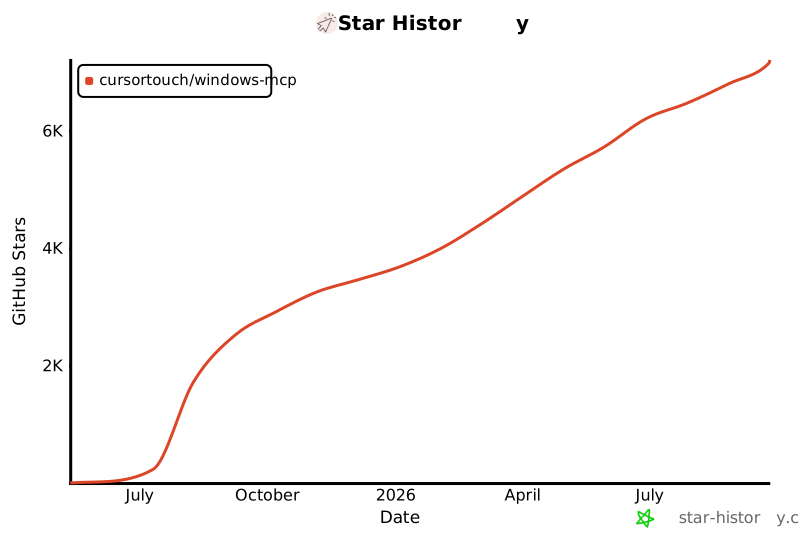](https://www.star-history.com/#CursorTouch/Windows-MCP&Date)
|
|
330
|
+
|
|
331
|
+
## ⚠️Caution
|
|
332
|
+
|
|
333
|
+
This MCP interacts directly with your Windows operating system to perform actions. Use with caution and avoid deploying it in environments where such risks cannot be tolerated.
|
|
334
|
+
|
|
335
|
+
## 📝 Limitations
|
|
336
|
+
|
|
337
|
+
- Selecting specific sections of the text in a paragraph, as the MCP is relying on a11y tree. (⌛ Working on it.)
|
|
338
|
+
- `Type-Tool` is meant for typing text, not programming in IDE because of it types program as a whole in a file. (⌛ Working on it.)
|
|
339
|
+
- This MCP server can't be used to play video games.
|
|
340
|
+
|
|
341
|
+
## 🪪License
|
|
342
|
+
|
|
343
|
+
This project is licensed under the MIT License - see the [LICENSE](LICENSE) file for details.
|
|
344
|
+
|
|
345
|
+
## 🤝Contributing
|
|
346
|
+
|
|
347
|
+
Contributions are welcome! Please see [CONTRIBUTING](CONTRIBUTING) for setup instructions and development guidelines.
|
|
348
|
+
|
|
349
|
+
Made with ❤️ by [CursorTouch](https://github.com/CursorTouch)
|
|
350
|
+
|
|
351
|
+
## Citation
|
|
352
|
+
|
|
353
|
+
```bibtex
|
|
354
|
+
@software{
|
|
355
|
+
author = {CursorTouch},
|
|
356
|
+
title = {Windows-MCP: Lightweight open-source project for integrating LLM agents with Windows},
|
|
357
|
+
year = {2024},
|
|
358
|
+
publisher = {GitHub},
|
|
359
|
+
url={https://github.com/CursorTouch/Windows-MCP}
|
|
360
|
+
}
|
|
361
|
+
```
|
|
@@ -0,0 +1,13 @@
|
|
|
1
|
+
__init__.py,sha256=47DEQpj8HBSa-_TImW-5JCeuQeRkm5NMpJWZG3hSuFU,0
|
|
2
|
+
desktop/__init__.py,sha256=7LXFkuy9gyX94MIEKEMl5kUnWfw1r7RG3mPgzy0ikTs,11121
|
|
3
|
+
desktop/config.py,sha256=p7eq__X38IqQmREdm5P1pSZVWSbNI6S-xVqiRaSRjY0,293
|
|
4
|
+
desktop/views.py,sha256=CsLh9K-juoEvdmmDRRt7LIY_iWVh1wdZR0WYvJ5Gy60,1002
|
|
5
|
+
tree/__init__.py,sha256=ALJ6vDlRzDDIIGhzzzVqaeHdB4gomSgktYxuoTawjC8,14807
|
|
6
|
+
tree/config.py,sha256=wlJvBY_7bHWgK11AGndjrp94mNOu2kXUed_b7UMwlg8,586
|
|
7
|
+
tree/utils.py,sha256=6hbxdIQPrAY-I3jcHsRqodHlxboTQj2GnLA71bf1lqY,911
|
|
8
|
+
tree/views.py,sha256=HPdq8rNwnxbeM6vB9v33cx-48JRWWzRWRogFQRhAcmA,2229
|
|
9
|
+
windows_mcp-0.3.0.dist-info/licenses/LICENSE.md,sha256=U1UM4Xi_IX-jHnHjGT0rETNia-Ck8gd92iSQMqQ6a8Y,1089
|
|
10
|
+
windows_mcp-0.3.0.dist-info/METADATA,sha256=uGiFCwztQ6P9C4Ct7gGhrO1m5WzWAiAvDHxCbK8qkvs,11674
|
|
11
|
+
windows_mcp-0.3.0.dist-info/WHEEL,sha256=_zCd3N1l69ArxyTb8rzEoP9TpbYXkqRFSNOD5OuxnTs,91
|
|
12
|
+
windows_mcp-0.3.0.dist-info/top_level.txt,sha256=cE3tbc4LtiRWKBrK10Q4JK_yKJWkMwgOY78G1b6dhQY,22
|
|
13
|
+
windows_mcp-0.3.0.dist-info/RECORD,,
|
|
@@ -0,0 +1,21 @@
|
|
|
1
|
+
MIT License
|
|
2
|
+
|
|
3
|
+
Copyright (c) 2025 JEOMON GEORGE
|
|
4
|
+
|
|
5
|
+
Permission is hereby granted, free of charge, to any person obtaining a copy
|
|
6
|
+
of this software and associated documentation files (the "Software"), to deal
|
|
7
|
+
in the Software without restriction, including without limitation the rights
|
|
8
|
+
to use, copy, modify, merge, publish, distribute, sublicense, and/or sell
|
|
9
|
+
copies of the Software, and to permit persons to whom the Software is
|
|
10
|
+
furnished to do so, subject to the following conditions:
|
|
11
|
+
|
|
12
|
+
The above copyright notice and this permission notice shall be included in all
|
|
13
|
+
copies or substantial portions of the Software.
|
|
14
|
+
|
|
15
|
+
THE SOFTWARE IS PROVIDED "AS IS", WITHOUT WARRANTY OF ANY KIND, EXPRESS OR
|
|
16
|
+
IMPLIED, INCLUDING BUT NOT LIMITED TO THE WARRANTIES OF MERCHANTABILITY,
|
|
17
|
+
FITNESS FOR A PARTICULAR PURPOSE AND NONINFRINGEMENT. IN NO EVENT SHALL THE
|
|
18
|
+
AUTHORS OR COPYRIGHT HOLDERS BE LIABLE FOR ANY CLAIM, DAMAGES OR OTHER
|
|
19
|
+
LIABILITY, WHETHER IN AN ACTION OF CONTRACT, TORT OR OTHERWISE, ARISING FROM,
|
|
20
|
+
OUT OF OR IN CONNECTION WITH THE SOFTWARE OR THE USE OR OTHER DEALINGS IN THE
|
|
21
|
+
SOFTWARE.
|