opendataloader-pdf 0.0.8__py3-none-any.whl → 0.0.10__py3-none-any.whl
This diff represents the content of publicly available package versions that have been released to one of the supported registries. The information contained in this diff is provided for informational purposes only and reflects changes between package versions as they appear in their respective public registries.
Potentially problematic release.
This version of opendataloader-pdf might be problematic. Click here for more details.
- opendataloader_pdf/jar/opendataloader-pdf-cli.jar +0 -0
- opendataloader_pdf/wrapper.py +6 -6
- opendataloader_pdf-0.0.10.dist-info/METADATA +403 -0
- {opendataloader_pdf-0.0.8.dist-info → opendataloader_pdf-0.0.10.dist-info}/RECORD +6 -6
- opendataloader_pdf-0.0.8.dist-info/METADATA +0 -67
- {opendataloader_pdf-0.0.8.dist-info → opendataloader_pdf-0.0.10.dist-info}/WHEEL +0 -0
- {opendataloader_pdf-0.0.8.dist-info → opendataloader_pdf-0.0.10.dist-info}/top_level.txt +0 -0
|
Binary file
|
opendataloader_pdf/wrapper.py
CHANGED
|
@@ -12,8 +12,8 @@ def run(
|
|
|
12
12
|
input_path: str,
|
|
13
13
|
output_folder: str = None,
|
|
14
14
|
password: str = None,
|
|
15
|
-
|
|
16
|
-
|
|
15
|
+
generate_markdown: bool = False,
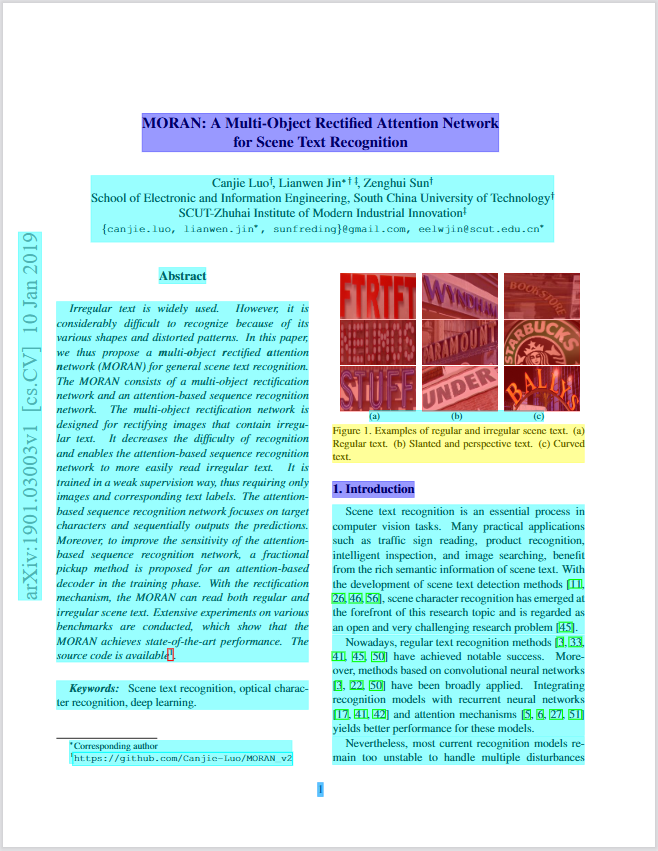
|
|
16
|
+
generate_annotated_pdf: bool = False,
|
|
17
17
|
keep_line_breaks: bool = False,
|
|
18
18
|
find_hidden_text: bool = False,
|
|
19
19
|
html_in_markdown: bool = False,
|
|
@@ -27,8 +27,8 @@ def run(
|
|
|
27
27
|
input_path: Path to the input PDF file or folder.
|
|
28
28
|
output_folder: Path to the output folder. Defaults to the input folder.
|
|
29
29
|
password: Password for the PDF file.
|
|
30
|
-
|
|
31
|
-
|
|
30
|
+
generate_markdown: If True, generates a Markdown output file.
|
|
31
|
+
generate_annotated_pdf: If True, generates an annotated PDF output file.
|
|
32
32
|
keep_line_breaks: If True, keeps line breaks in the output.
|
|
33
33
|
find_hidden_text: If True, finds hidden text in the PDF.
|
|
34
34
|
html_in_markdown: If True, uses HTML in the Markdown output.
|
|
@@ -50,9 +50,9 @@ def run(
|
|
|
50
50
|
args.extend(["--folder", output_folder])
|
|
51
51
|
if password:
|
|
52
52
|
args.extend(["--password", password])
|
|
53
|
-
if
|
|
53
|
+
if generate_markdown:
|
|
54
54
|
args.append("--markdown")
|
|
55
|
-
if
|
|
55
|
+
if generate_annotated_pdf:
|
|
56
56
|
args.append("--pdf")
|
|
57
57
|
if keep_line_breaks:
|
|
58
58
|
args.append("--keeplinebreaks")
|
|
@@ -0,0 +1,403 @@
|
|
|
1
|
+
Metadata-Version: 2.4
|
|
2
|
+
Name: opendataloader-pdf
|
|
3
|
+
Version: 0.0.10
|
|
4
|
+
Summary: A Python wrapper for the opendataloader-pdf Java CLI.
|
|
5
|
+
Home-page: https://github.com/opendataloader-project/opendataloader-pdf
|
|
6
|
+
Author: opendataloader-project
|
|
7
|
+
Author-email: open.dataloader@hancom.com
|
|
8
|
+
License: MPL-2.0
|
|
9
|
+
Classifier: Programming Language :: Python :: 3
|
|
10
|
+
Classifier: Operating System :: OS Independent
|
|
11
|
+
Requires-Python: >=3.7
|
|
12
|
+
Description-Content-Type: text/markdown
|
|
13
|
+
Dynamic: author
|
|
14
|
+
Dynamic: author-email
|
|
15
|
+
Dynamic: classifier
|
|
16
|
+
Dynamic: description
|
|
17
|
+
Dynamic: description-content-type
|
|
18
|
+
Dynamic: home-page
|
|
19
|
+
Dynamic: license
|
|
20
|
+
Dynamic: requires-python
|
|
21
|
+
Dynamic: summary
|
|
22
|
+
|
|
23
|
+
# OpenDataLoader PDF
|
|
24
|
+
|
|
25
|
+

|
|
26
|
+
[](https://pypi.org/project/opendataloader-pdf/)
|
|
27
|
+
[](https://search.maven.org/artifact/io.github.opendataloader-project/opendataloader-pdf-core)
|
|
28
|
+
[](https://pypi.org/project/opendataloader-pdf/)
|
|
29
|
+
[](https://pypi.org/project/opendataloader-pdf/)
|
|
30
|
+
[](https://github.com/opendataloader-project/opendataloader-pdf/pkgs/container/opendataloader-pdf-cli)
|
|
31
|
+
[](https://cla-assistant.io/opendataloader-project/opendataloader-pdf)
|
|
32
|
+
|
|
33
|
+
<br/>
|
|
34
|
+
|
|
35
|
+
**Safe, Open, High-Performance — OpenDataLoader PDF for AI**
|
|
36
|
+
|
|
37
|
+
OpenDataLoader-PDF converts PDFs into JSON, Markdown or Html — ready to feed into modern AI stacks (LLMs, vector search, and RAG).
|
|
38
|
+
|
|
39
|
+
It reconstructs document layout (headings, lists, tables, and reading order) so the content is easier to chunk, index, and query.
|
|
40
|
+
Powered by fast, heuristic, rule-based inference, it runs entirely on your local machine and delivers high-throughput processing for large document sets.
|
|
41
|
+
AI-safety is enabled by default and automatically filters likely prompt-injection content embedded in PDFs to reduce downstream risk.
|
|
42
|
+
|
|
43
|
+
<br/>
|
|
44
|
+
|
|
45
|
+
## 🌟 Key Features
|
|
46
|
+
|
|
47
|
+
- 🧾 **Rich, Structured Output** — JSON, Markdown or Html
|
|
48
|
+
- 🧩 **Layout Reconstruction** — Headings, Lists, Tables, Images, Reading Order
|
|
49
|
+
- 🔒 **Local-First Privacy** — Runs fully on your machine
|
|
50
|
+
- ⚡ **Fast & Lightweight** — Rule-Based Heuristic, High-Throughput, No GPU
|
|
51
|
+
- 🛡️ **AI-Safety** — Auto-Filters likely prompt-injection content
|
|
52
|
+
- 🆓 **Open-Source** — Free for commercial use
|
|
53
|
+
- 🖍️ **Annotated PDF Visualization** — See detected structures overlaid on the original
|
|
54
|
+
|
|
55
|
+
|
|
56
|
+
|
|
57
|
+
<br/>
|
|
58
|
+
|
|
59
|
+
## 🚀 Upcoming Features
|
|
60
|
+
|
|
61
|
+
- 🖨️ **OCR for scanned PDFs** — image-only pages → selectable text
|
|
62
|
+
- 🧠 **Table AI option** — higher accuracy for borderless/merged cells
|
|
63
|
+
- 📊 **Layout benchmarks** — public datasets & metrics; regular reports
|
|
64
|
+
- 🛡️ **AI-Safety red-team** — adversarial datasets & metrics; regular reports
|
|
65
|
+
|
|
66
|
+
<br/>
|
|
67
|
+
|
|
68
|
+
## Prerequisites
|
|
69
|
+
|
|
70
|
+
- Java 11 or higher must be installed and available in your system's PATH.
|
|
71
|
+
- Python 3.8+
|
|
72
|
+
|
|
73
|
+
<br/>
|
|
74
|
+
|
|
75
|
+
## Python
|
|
76
|
+
|
|
77
|
+
### Installation
|
|
78
|
+
|
|
79
|
+
```sh
|
|
80
|
+
pip install opendataloader-pdf
|
|
81
|
+
```
|
|
82
|
+
|
|
83
|
+
### Usage
|
|
84
|
+
|
|
85
|
+
- input_path can be either the path to a single document or the path to a folder.
|
|
86
|
+
- If you don’t specify an output_folder, the output data will be saved in the same directory as the input document.
|
|
87
|
+
|
|
88
|
+
```python
|
|
89
|
+
import opendataloader_pdf
|
|
90
|
+
|
|
91
|
+
opendataloader_pdf.run(
|
|
92
|
+
input_path="path/to/document.pdf",
|
|
93
|
+
output_folder="path/to/output",
|
|
94
|
+
generate_markdown=True,
|
|
95
|
+
generate_annotated_pdf=True
|
|
96
|
+
)
|
|
97
|
+
```
|
|
98
|
+
|
|
99
|
+
### Function: run()
|
|
100
|
+
|
|
101
|
+
The main function to process PDFs.
|
|
102
|
+
|
|
103
|
+
| Parameter | Type | Required | Default | Description |
|
|
104
|
+
| ----------------------- | ------ | -------- | ------------ | --------------------------------------------------------------- |
|
|
105
|
+
| `input_path` | `str` | ✅ Yes | — | Path to the input PDF file or folder. |
|
|
106
|
+
| `output_folder` | `str` | No | input folder | Path to the output folder. |
|
|
107
|
+
| `password` | `str` | No | `None` | Password for the PDF file. |
|
|
108
|
+
| `generate_markdown` | `bool` | No | `False` | If `True`, generates a Markdown output file. |
|
|
109
|
+
| `generate_annotated_pdf`| `bool` | No | `False` | If `True`, generates an annotated PDF output file. |
|
|
110
|
+
| `keep_line_breaks` | `bool` | No | `False` | If `True`, keeps line breaks in the output. |
|
|
111
|
+
| `find_hidden_text` | `bool` | No | `False` | If `True`, finds hidden text in the PDF. |
|
|
112
|
+
| `html_in_markdown` | `bool` | No | `False` | If `True`, uses HTML in the Markdown output. |
|
|
113
|
+
| `add_image_to_markdown` | `bool` | No | `False` | If `True`, adds images to the Markdown output. |
|
|
114
|
+
| `debug` | `bool` | No | `False` | If `True`, prints CLI messages to the console during execution. |
|
|
115
|
+
|
|
116
|
+
<br/>
|
|
117
|
+
|
|
118
|
+
## Java
|
|
119
|
+
|
|
120
|
+
### Dependency
|
|
121
|
+
|
|
122
|
+
To include OpenDataLoader PDF in your Maven project, add the dependency below to your `pom.xml` file.
|
|
123
|
+
|
|
124
|
+
```xml
|
|
125
|
+
<dependency>
|
|
126
|
+
<groupId>io.github.opendataloader-project</groupId>
|
|
127
|
+
<artifactId>opendataloader-pdf-core</artifactId>
|
|
128
|
+
<version>0.0.9</version>
|
|
129
|
+
</dependency>
|
|
130
|
+
|
|
131
|
+
<repositories>
|
|
132
|
+
<repository>
|
|
133
|
+
<snapshots>
|
|
134
|
+
<enabled>true</enabled>
|
|
135
|
+
</snapshots>
|
|
136
|
+
<id>vera-dev</id>
|
|
137
|
+
<name>Vera development</name>
|
|
138
|
+
<url>https://artifactory.openpreservation.org/artifactory/vera-dev</url>
|
|
139
|
+
</repository>
|
|
140
|
+
</repositories>
|
|
141
|
+
<pluginRepositories>
|
|
142
|
+
<pluginRepository>
|
|
143
|
+
<snapshots>
|
|
144
|
+
<enabled>false</enabled>
|
|
145
|
+
</snapshots>
|
|
146
|
+
<id>vera-dev</id>
|
|
147
|
+
<name>Vera development</name>
|
|
148
|
+
<url>https://artifactory.openpreservation.org/artifactory/vera-dev</url>
|
|
149
|
+
</pluginRepository>
|
|
150
|
+
</pluginRepositories>
|
|
151
|
+
```
|
|
152
|
+
|
|
153
|
+
|
|
154
|
+
### Java code integration
|
|
155
|
+
|
|
156
|
+
To integrate Layout recognition API into Java code, one can follow the sample code below.
|
|
157
|
+
|
|
158
|
+
```java
|
|
159
|
+
import com.hancom.opendataloader.pdf.processors.DocumentProcessor;
|
|
160
|
+
import com.hancom.opendataloader.pdf.utils.Config;
|
|
161
|
+
|
|
162
|
+
import java.io.IOException;
|
|
163
|
+
|
|
164
|
+
public class Sample {
|
|
165
|
+
|
|
166
|
+
public static void main(String[] args) {
|
|
167
|
+
//create default config
|
|
168
|
+
Config config = new Config();
|
|
169
|
+
|
|
170
|
+
//set output folder relative to the input PDF
|
|
171
|
+
//if the output folder is not set, the current folder of the input PDF is used
|
|
172
|
+
config.setOutputFolder("output");
|
|
173
|
+
|
|
174
|
+
//generating pdf output file
|
|
175
|
+
config.setGeneratePDF(true);
|
|
176
|
+
|
|
177
|
+
//set password of input pdf file
|
|
178
|
+
config.setPassword("password");
|
|
179
|
+
|
|
180
|
+
//generate markdown output file
|
|
181
|
+
config.setGenerateMarkdown(true);
|
|
182
|
+
|
|
183
|
+
//enable html in markdown output file
|
|
184
|
+
config.setUseHTMLInMarkdown(true);
|
|
185
|
+
|
|
186
|
+
//add images to markdown output file
|
|
187
|
+
config.setAddImageToMarkdown(true);
|
|
188
|
+
|
|
189
|
+
//disable json output file
|
|
190
|
+
config.setGenerateJSON(false);
|
|
191
|
+
|
|
192
|
+
//keep line breaks
|
|
193
|
+
config.setKeepLineBreaks(true);
|
|
194
|
+
|
|
195
|
+
//find hidden text
|
|
196
|
+
config.setFindHiddenText(true);
|
|
197
|
+
|
|
198
|
+
try {
|
|
199
|
+
//process pdf file
|
|
200
|
+
DocumentProcessor.processFile("input.pdf",config);
|
|
201
|
+
} catch (Exception exception) {
|
|
202
|
+
//exception during processing
|
|
203
|
+
}
|
|
204
|
+
}
|
|
205
|
+
}
|
|
206
|
+
```
|
|
207
|
+
|
|
208
|
+
<br/>
|
|
209
|
+
|
|
210
|
+
## Docker
|
|
211
|
+
|
|
212
|
+
Download sample PDF
|
|
213
|
+
|
|
214
|
+
```sh
|
|
215
|
+
curl -L -o 1901.03003.pdf https://arxiv.org/pdf/1901.03003
|
|
216
|
+
```
|
|
217
|
+
|
|
218
|
+
Run opendataloader-pdf in Docker container
|
|
219
|
+
|
|
220
|
+
```
|
|
221
|
+
docker run --rm -v "$PWD":/work ghcr.io/opendataloader-project/opendataloader-pdf-cli:latest /work/1901.03003.pdf --markdown --pdf
|
|
222
|
+
```
|
|
223
|
+
|
|
224
|
+
<br/>
|
|
225
|
+
|
|
226
|
+
## Developing with OpenDataLoader PDF
|
|
227
|
+
|
|
228
|
+
### Build
|
|
229
|
+
|
|
230
|
+
Build and package using Maven command:
|
|
231
|
+
|
|
232
|
+
```sh
|
|
233
|
+
mvn clean package -f java/pom.xml
|
|
234
|
+
```
|
|
235
|
+
|
|
236
|
+
If the build is successful, the resulting `jar` file will be created in the path below.
|
|
237
|
+
|
|
238
|
+
```sh
|
|
239
|
+
java/opendataloader-pdf-cli/target
|
|
240
|
+
```
|
|
241
|
+
|
|
242
|
+
### CLI usage
|
|
243
|
+
|
|
244
|
+
```sh
|
|
245
|
+
java -jar ... [options] <INPUT FILE OR FOLDER>
|
|
246
|
+
```
|
|
247
|
+
|
|
248
|
+
This generates a JSON file with layout recognition results in the specified output folder.
|
|
249
|
+
Additionally, annotated PDF with recognized structures and Markdown file are generated if options `--pdf` and `--markdown` are specified.
|
|
250
|
+
|
|
251
|
+
By default all line breaks and hyphenation characters are removed, the Markdown does not include any images and does not use any HTML.
|
|
252
|
+
|
|
253
|
+
The option `--keeplinebreaks` to preserve the original line breaks text content in JSON and Markdown output.
|
|
254
|
+
|
|
255
|
+
The option `--html`` enables use of HTML in Markdown, which may improve Markdown preview in processors that support HTML tags.
|
|
256
|
+
The option `--addimagetomarkdown` enables inclusion of image references into the output Markdown.
|
|
257
|
+
The images are extracted from PDF as individual files and stored in a subfolder next to the Markdown output.
|
|
258
|
+
|
|
259
|
+
#### Available options:
|
|
260
|
+
|
|
261
|
+
```
|
|
262
|
+
Options:
|
|
263
|
+
-f,--folder <arg> Specify output folder (default the folder of the input PDF)
|
|
264
|
+
-klb,--keeplinebreaks Keep line breaks
|
|
265
|
+
-ht,--findhiddentext Find hidden text
|
|
266
|
+
-html,--htmlinmarkdown Use html in markdown
|
|
267
|
+
-im,--addimagetomarkdown Add images to markdown
|
|
268
|
+
-markdown,--markdown Generates markdown output
|
|
269
|
+
-p,--password <arg> Specifies password
|
|
270
|
+
-pdf,--pdf Generates pdf output
|
|
271
|
+
```
|
|
272
|
+
|
|
273
|
+
### Schema of the JSON output
|
|
274
|
+
|
|
275
|
+
Root json node
|
|
276
|
+
|
|
277
|
+
| Field | Type | Optional | Description |
|
|
278
|
+
|-------------------|---------|----------|------------------------------------|
|
|
279
|
+
| file name | string | no | Name of processed pdf file |
|
|
280
|
+
| number of pages | integer | no | Number of pages in pdf file |
|
|
281
|
+
| author | string | no | Author of pdf file |
|
|
282
|
+
| title | string | no | Title of pdf file |
|
|
283
|
+
| creation date | string | no | Creation date of pdf file |
|
|
284
|
+
| modification date | string | no | Modification date of pdf file |
|
|
285
|
+
| kids | array | no | Array of detected content elements |
|
|
286
|
+
|
|
287
|
+
Common fields of content json nodes
|
|
288
|
+
|
|
289
|
+
| Field | Type | Optional | Description |
|
|
290
|
+
|--------------|---------|----------|-------------------------------------------------------------------------------------------------------------------------------------------------------------------------------------------------------|
|
|
291
|
+
| id | integer | yes | Unique id of content element |
|
|
292
|
+
| level | string | yes | Level of content element |
|
|
293
|
+
| type | string | no | Type of content element<br/>Possible types: `footer`, `header`, `heading`, `line`, `table`, `table row`, `table cell`, `paragraph`, `list`, `list item`, `image`, `line art`, `caption`, `text block` |
|
|
294
|
+
| page number | integer | no | Page number of content element |
|
|
295
|
+
| bounding box | array | no | Bounding box of content element |
|
|
296
|
+
|
|
297
|
+
Specific fields of text content json nodes (`caption`, `heading`, `paragraph`)
|
|
298
|
+
|
|
299
|
+
| Field | Type | Optional | Description |
|
|
300
|
+
|------------|--------|----------|-------------------|
|
|
301
|
+
| font | string | no | Font name of text |
|
|
302
|
+
| font size | double | no | Font size of text |
|
|
303
|
+
| text color | array | no | Color of text |
|
|
304
|
+
| content | string | no | Text value |
|
|
305
|
+
|
|
306
|
+
Specific fields of `table` json nodes
|
|
307
|
+
|
|
308
|
+
| Field | Type | Optional | Description |
|
|
309
|
+
|-------------------|---------|----------|--------------------------------|
|
|
310
|
+
| number of rows | integer | no | Number of table rows |
|
|
311
|
+
| number of columns | integer | no | Number of table columns |
|
|
312
|
+
| rows | array | no | Array of table rows |
|
|
313
|
+
| previous table id | integer | yes | Id of previous connected table |
|
|
314
|
+
| next table id | integer | yes | Id of next connected table |
|
|
315
|
+
|
|
316
|
+
Specific fields of `table row` json nodes
|
|
317
|
+
|
|
318
|
+
| Field | Type | Optional | Description |
|
|
319
|
+
|------------|---------|----------|----------------------|
|
|
320
|
+
| row number | integer | no | Number of table row |
|
|
321
|
+
| cells | array | no | Array of table cells |
|
|
322
|
+
|
|
323
|
+
Specific fields of `table cell` json nodes
|
|
324
|
+
|
|
325
|
+
| Field | Type | Optional | Description |
|
|
326
|
+
|---------------|---------|----------|--------------------------------------|
|
|
327
|
+
| row number | integer | no | Row number of table cell |
|
|
328
|
+
| column number | integer | no | Column number of table cell |
|
|
329
|
+
| row span | integer | no | Row span of table cell |
|
|
330
|
+
| column span | integer | no | Column span of table cell |
|
|
331
|
+
| kids | array | no | Array of table cell content elements |
|
|
332
|
+
|
|
333
|
+
Specific fields of `heading` json nodes
|
|
334
|
+
|
|
335
|
+
| Field | Type | Optional | Description |
|
|
336
|
+
|---------------|---------|----------|--------------------------|
|
|
337
|
+
| heading level | integer | no | Heading level of heading |
|
|
338
|
+
|
|
339
|
+
Specific fields of `list` json nodes
|
|
340
|
+
|
|
341
|
+
| Field | Type | Optional | Description |
|
|
342
|
+
|----------------------|---------|----------|-------------------------------------|
|
|
343
|
+
| number of list items | integer | no | Number of list items |
|
|
344
|
+
| numbering style | string | no | Numbering style of this list |
|
|
345
|
+
| previous list id | integer | yes | Id of previous connected list |
|
|
346
|
+
| next list id | integer | yes | Id of next connected list |
|
|
347
|
+
| list items | array | no | Array of list item content elements |
|
|
348
|
+
|
|
349
|
+
Specific fields of `list item` json nodes
|
|
350
|
+
|
|
351
|
+
| Field | Type | Optional | Description |
|
|
352
|
+
|-------|-------|----------|-------------------------------------|
|
|
353
|
+
| kids | array | no | Array of list item content elements |
|
|
354
|
+
|
|
355
|
+
Specific fields of `header` and `footer` json nodes
|
|
356
|
+
|
|
357
|
+
| Field | Type | Optional | Description |
|
|
358
|
+
|-------|-------|----------|-----------------------------------------|
|
|
359
|
+
| kids | array | no | Array of header/footer content elements |
|
|
360
|
+
|
|
361
|
+
Specific fields of `text block` json nodes
|
|
362
|
+
|
|
363
|
+
| Field | Type | Optional | Description |
|
|
364
|
+
|-------|-------|----------|--------------------------------------|
|
|
365
|
+
| kids | array | no | Array of text block content elements |
|
|
366
|
+
|
|
367
|
+
|
|
368
|
+
## 🤝 Contributing
|
|
369
|
+
|
|
370
|
+
We believe that great software is built together.
|
|
371
|
+
|
|
372
|
+
Your contributions are vital to the success of this project.
|
|
373
|
+
|
|
374
|
+
Please read [CONTRIBUTING.md](https://github.com/hancom-inc/opendataloader-pdf/blob/main/CONTRIBUTING.md) for details on how to contribute.
|
|
375
|
+
|
|
376
|
+
## 💖 Community & Support
|
|
377
|
+
Have questions or need a little help? We're here for you!🤗
|
|
378
|
+
|
|
379
|
+
- [GitHub Discussions](https://github.com/hancom-inc/opendataloader-pdf/discussions): For Q&A and general chats. Let's talk! 🗣️
|
|
380
|
+
- [GitHub Issues](https://github.com/hancom-inc/opendataloader-pdf/issues): Found a bug? 🐛 Please report it here so we can fix it.
|
|
381
|
+
|
|
382
|
+
## ✨ Our Branding and Trademarks
|
|
383
|
+
|
|
384
|
+
We love our brand and want to protect it!
|
|
385
|
+
|
|
386
|
+
This project may contain trademarks, logos, or brand names for our products and services.
|
|
387
|
+
|
|
388
|
+
To ensure everyone is on the same page, please remember these simple rules:
|
|
389
|
+
|
|
390
|
+
- **Authorized Use**: You're welcome to use our logos and trademarks, but you must follow our official brand guidelines.
|
|
391
|
+
- **No Confusion**: When you use our trademarks in a modified version of this project, it should never cause confusion or imply that Hancom officially sponsors or endorses your version.
|
|
392
|
+
- **Third-Party Brands**: Any use of trademarks or logos from other companies must follow that company’s specific policies.
|
|
393
|
+
|
|
394
|
+
## ⚖️ License
|
|
395
|
+
|
|
396
|
+
This project is licensed under the [Mozilla Public License 2.0](https://www.mozilla.org/MPL/2.0/).
|
|
397
|
+
|
|
398
|
+
For the full license text, see [LICENSE](LICENSE).
|
|
399
|
+
|
|
400
|
+
For information on third-party libraries and components, see:
|
|
401
|
+
- [THIRD_PARTY_LICENSES](./THIRD_PARTY/THIRD_PARTY_LICENSES.md)
|
|
402
|
+
- [THIRD_PARTY_NOTICES](./THIRD_PARTY/THIRD_PARTY_NOTICES.md)
|
|
403
|
+
- [licenses/](./THIRD_PARTY/licenses/)
|
|
@@ -1,7 +1,7 @@
|
|
|
1
1
|
opendataloader_pdf/LICENSE,sha256=rxdbnZbuk8IaA2FS4bkFsLlTBNSujCySHHYJEAuo334,15921
|
|
2
2
|
opendataloader_pdf/NOTICE.md,sha256=Uxc6sEbVz2hfsDinzzSNMtmsjx9HsQUod0yy0cswUwg,562
|
|
3
3
|
opendataloader_pdf/__init__.py,sha256=T5RV-dcgjNCm8klNy_EH-IgOeodcPg6Yc34HHXtuAmQ,44
|
|
4
|
-
opendataloader_pdf/wrapper.py,sha256=
|
|
4
|
+
opendataloader_pdf/wrapper.py,sha256=DGwzBVy1DyNxUFPLxi8Mzwb68u3fo0k0B5YEBufy0vI,4518
|
|
5
5
|
opendataloader_pdf/THIRD_PARTY/THIRD_PARTY_LICENSES.md,sha256=QRYYiXFS2zBDGdmWRo_SrRfGhrdRBwhiRo1SdUKfrQo,11235
|
|
6
6
|
opendataloader_pdf/THIRD_PARTY/THIRD_PARTY_NOTICES.md,sha256=pB2ZitFM1u0x3rIDpMHsLxOe4OFNCZRqkzeR-bfpFzE,8911
|
|
7
7
|
opendataloader_pdf/THIRD_PARTY/licenses/Apache-2.0.txt,sha256=z8d0m5b2O9McPEK1xHG_dWgUBT6EfBDz6wA0F7xSPTA,11358
|
|
@@ -13,8 +13,8 @@ opendataloader_pdf/THIRD_PARTY/licenses/LICENSE-JJ2000.txt,sha256=itSesIy3XiNWgJ
|
|
|
13
13
|
opendataloader_pdf/THIRD_PARTY/licenses/MIT.txt,sha256=JPCdbR3BU0uO_KypOd3sGWnKwlVHGq4l0pmrjoGtop8,1078
|
|
14
14
|
opendataloader_pdf/THIRD_PARTY/licenses/MPL-2.0.txt,sha256=CGF6Fx5WV7DJmRZJ8_6w6JEt2N9bu4p6zDo18fTHHRw,15818
|
|
15
15
|
opendataloader_pdf/THIRD_PARTY/licenses/Plexus Classworlds License.txt,sha256=ZQuKXwVz4FeC34ApB20vYg8kPTwgIUKRzEk5ew74-hU,1937
|
|
16
|
-
opendataloader_pdf/jar/opendataloader-pdf-cli.jar,sha256=
|
|
17
|
-
opendataloader_pdf-0.0.
|
|
18
|
-
opendataloader_pdf-0.0.
|
|
19
|
-
opendataloader_pdf-0.0.
|
|
20
|
-
opendataloader_pdf-0.0.
|
|
16
|
+
opendataloader_pdf/jar/opendataloader-pdf-cli.jar,sha256=Qp9qnNbptrsdrL2UJn8bw-WStRqfI9EGYd883EtDZfE,22114700
|
|
17
|
+
opendataloader_pdf-0.0.10.dist-info/METADATA,sha256=ESHbbQmEr8L5VqKwpll0u7h4EiiG7YTnYiD10p7Z7h0,17626
|
|
18
|
+
opendataloader_pdf-0.0.10.dist-info/WHEEL,sha256=_zCd3N1l69ArxyTb8rzEoP9TpbYXkqRFSNOD5OuxnTs,91
|
|
19
|
+
opendataloader_pdf-0.0.10.dist-info/top_level.txt,sha256=xee0qFQd6HPfS50E2NLICGuR6cq9C9At5SJ81yv5HkY,19
|
|
20
|
+
opendataloader_pdf-0.0.10.dist-info/RECORD,,
|
|
@@ -1,67 +0,0 @@
|
|
|
1
|
-
Metadata-Version: 2.4
|
|
2
|
-
Name: opendataloader-pdf
|
|
3
|
-
Version: 0.0.8
|
|
4
|
-
Summary: A Python wrapper for the opendataloader-pdf Java CLI.
|
|
5
|
-
Home-page: https://github.com/opendataloader-project/opendataloader-pdf
|
|
6
|
-
Author: opendataloader-project
|
|
7
|
-
Author-email: open.dataloader@hancom.com
|
|
8
|
-
License: MPL-2.0
|
|
9
|
-
Classifier: Programming Language :: Python :: 3
|
|
10
|
-
Classifier: Operating System :: OS Independent
|
|
11
|
-
Requires-Python: >=3.7
|
|
12
|
-
Description-Content-Type: text/markdown
|
|
13
|
-
Dynamic: author
|
|
14
|
-
Dynamic: author-email
|
|
15
|
-
Dynamic: classifier
|
|
16
|
-
Dynamic: description
|
|
17
|
-
Dynamic: description-content-type
|
|
18
|
-
Dynamic: home-page
|
|
19
|
-
Dynamic: license
|
|
20
|
-
Dynamic: requires-python
|
|
21
|
-
Dynamic: summary
|
|
22
|
-
|
|
23
|
-
# Opendataloader PDF Python Wrapper
|
|
24
|
-
|
|
25
|
-
This package is a Python wrapper for the `opendataloader-pdf` Java command-line tool.
|
|
26
|
-
|
|
27
|
-
It allows you to process PDF files and convert them to JSON or Markdown format directly from Python.
|
|
28
|
-
|
|
29
|
-
## Prerequisites
|
|
30
|
-
|
|
31
|
-
- Java 11 or higher must be installed and available in your system's PATH.
|
|
32
|
-
|
|
33
|
-
## Installation
|
|
34
|
-
|
|
35
|
-
```bash
|
|
36
|
-
pip install opendataloader-pdf
|
|
37
|
-
```
|
|
38
|
-
|
|
39
|
-
## Usage
|
|
40
|
-
|
|
41
|
-
Here is a basic example of how to use:
|
|
42
|
-
|
|
43
|
-
```python
|
|
44
|
-
import opendataloader_pdf
|
|
45
|
-
|
|
46
|
-
opendataloader_pdf.run("path/to/document.pdf", to_markdown=True)
|
|
47
|
-
|
|
48
|
-
# If you don’t specify an output_folder,
|
|
49
|
-
# the output data will be saved in the same directory as the input document.
|
|
50
|
-
```
|
|
51
|
-
|
|
52
|
-
## Function: `run()`
|
|
53
|
-
|
|
54
|
-
The main function to process PDFs.
|
|
55
|
-
|
|
56
|
-
### Parameters
|
|
57
|
-
|
|
58
|
-
- `input_path` (str): Path to the input PDF file or folder. **(Required)**
|
|
59
|
-
- `output_folder` (str, optional): Path to the output folder. Defaults to the input folder.
|
|
60
|
-
- `password` (str, optional): Password for the PDF file.
|
|
61
|
-
- `to_markdown` (bool, optional): If `True`, generates a Markdown output file. Defaults to `False`.
|
|
62
|
-
- `to_annotated_pdf` (bool, optional): If `True`, generates an annotated PDF output file. Defaults to `False`.
|
|
63
|
-
- `keep_line_breaks` (bool, optional): If `True`, keeps line breaks in the output. Defaults to `False`.
|
|
64
|
-
- `find_hidden_text` (bool, optional): If `True`, finds hidden text in the PDF. Defaults to `False`.
|
|
65
|
-
- `html_in_markdown` (bool, optional): If `True`, uses HTML in the Markdown output. Defaults to `False`.
|
|
66
|
-
- `add_image_to_markdown` (bool, optional): If `True`, adds images to the Markdown output. Defaults to `False`.
|
|
67
|
-
- `debug` (bool, optional): If `True`, prints all messages from the CLI to the console during execution. Defaults to `False`.
|
|
File without changes
|
|
File without changes
|