convert-md 1.0.0__py3-none-any.whl
This diff represents the content of publicly available package versions that have been released to one of the supported registries. The information contained in this diff is provided for informational purposes only and reflects changes between package versions as they appear in their respective public registries.
- convert_md/__init__.py +3 -0
- convert_md/__main__.py +5 -0
- convert_md/cli.py +241 -0
- convert_md/convert-md-hotkey.ahk +135 -0
- convert_md/converter.py +367 -0
- convert_md/paths.py +29 -0
- convert_md/windows.py +212 -0
- convert_md-1.0.0.dist-info/METADATA +164 -0
- convert_md-1.0.0.dist-info/RECORD +13 -0
- convert_md-1.0.0.dist-info/WHEEL +5 -0
- convert_md-1.0.0.dist-info/entry_points.txt +2 -0
- convert_md-1.0.0.dist-info/licenses/LICENSE +21 -0
- convert_md-1.0.0.dist-info/top_level.txt +1 -0
convert_md/__init__.py
ADDED
convert_md/__main__.py
ADDED
convert_md/cli.py
ADDED
|
@@ -0,0 +1,241 @@
|
|
|
1
|
+
"""Command line for convert-md.
|
|
2
|
+
|
|
3
|
+
convert-md --to docx Report.md convert (also: pdf, xlsx, pptx, html, all, auto)
|
|
4
|
+
convert-md --to docx,pdf Report.md several formats
|
|
5
|
+
convert-md --to md Contract.pdf Deck.pptx anything to Markdown
|
|
6
|
+
convert-md setup add the right-click menus and Ctrl+Alt+M hotkey
|
|
7
|
+
convert-md remove take them away again
|
|
8
|
+
convert-md doctor check the installation
|
|
9
|
+
convert-md templates create starter Word/PowerPoint style templates
|
|
10
|
+
|
|
11
|
+
`python -m convert_md ...` works the same way.
|
|
12
|
+
"""
|
|
13
|
+
|
|
14
|
+
from __future__ import annotations
|
|
15
|
+
|
|
16
|
+
import argparse
|
|
17
|
+
import sys
|
|
18
|
+
from pathlib import Path
|
|
19
|
+
|
|
20
|
+
from convert_md import __version__
|
|
21
|
+
from convert_md.converter import OUT_FORMATS, ConversionError, available_pdf_engines, run
|
|
22
|
+
from convert_md.paths import data_dir, log_path, template_dir
|
|
23
|
+
|
|
24
|
+
APP_NAME = "convert-md"
|
|
25
|
+
COMMANDS = ("setup", "remove", "doctor", "templates")
|
|
26
|
+
|
|
27
|
+
|
|
28
|
+
# --------------------------------------------------------------------------- popup
|
|
29
|
+
|
|
30
|
+
def show_popup(done: list[Path], errors: list[str]) -> None:
|
|
31
|
+
lines: list[str] = []
|
|
32
|
+
if done:
|
|
33
|
+
lines.append("Created:")
|
|
34
|
+
lines += [f" {p.name}" for p in done]
|
|
35
|
+
if errors:
|
|
36
|
+
if lines:
|
|
37
|
+
lines.append("")
|
|
38
|
+
lines.append("Problems:")
|
|
39
|
+
lines += [f" {e}" for e in errors]
|
|
40
|
+
lines += ["", f"Details in {log_path()}"]
|
|
41
|
+
message = "\n".join(lines) or "Nothing to do."
|
|
42
|
+
try:
|
|
43
|
+
import tkinter as tk
|
|
44
|
+
from tkinter import messagebox
|
|
45
|
+
root = tk.Tk()
|
|
46
|
+
except Exception: # no Tk, or no display
|
|
47
|
+
print(message)
|
|
48
|
+
return
|
|
49
|
+
root.withdraw()
|
|
50
|
+
root.attributes("-topmost", True)
|
|
51
|
+
if errors:
|
|
52
|
+
messagebox.showwarning(APP_NAME, message, parent=root)
|
|
53
|
+
root.destroy()
|
|
54
|
+
return
|
|
55
|
+
# Success: small window in the corner that closes itself after a few seconds.
|
|
56
|
+
win = tk.Toplevel(root)
|
|
57
|
+
win.title(APP_NAME)
|
|
58
|
+
win.attributes("-topmost", True)
|
|
59
|
+
win.resizable(False, False)
|
|
60
|
+
tk.Label(win, text=message, justify="left", padx=18, pady=14, font=("Segoe UI", 10)).pack()
|
|
61
|
+
tk.Button(win, text="OK", width=10, command=root.destroy).pack(pady=(0, 12))
|
|
62
|
+
win.protocol("WM_DELETE_WINDOW", root.destroy)
|
|
63
|
+
win.update_idletasks()
|
|
64
|
+
x = win.winfo_screenwidth() - win.winfo_width() - 40
|
|
65
|
+
y = win.winfo_screenheight() - win.winfo_height() - 90
|
|
66
|
+
win.geometry(f"+{max(x, 0)}+{max(y, 0)}")
|
|
67
|
+
root.after(4000, root.destroy)
|
|
68
|
+
root.mainloop()
|
|
69
|
+
|
|
70
|
+
|
|
71
|
+
# --------------------------------------------------------------------------- convert
|
|
72
|
+
|
|
73
|
+
def convert_main(argv: list[str]) -> int:
|
|
74
|
+
parser = argparse.ArgumentParser(
|
|
75
|
+
prog="convert-md", description=__doc__, formatter_class=argparse.RawDescriptionHelpFormatter)
|
|
76
|
+
parser.add_argument("--version", action="version", version=f"convert-md {__version__}")
|
|
77
|
+
parser.add_argument("--to", required=True,
|
|
78
|
+
help="md, auto, all, or a comma list of: " + ", ".join(OUT_FORMATS))
|
|
79
|
+
parser.add_argument("--gui", action="store_true", help="show a popup with the result")
|
|
80
|
+
parser.add_argument("files", nargs="+")
|
|
81
|
+
args = parser.parse_args(argv)
|
|
82
|
+
|
|
83
|
+
try:
|
|
84
|
+
done, errors = run(args.files, args.to)
|
|
85
|
+
except ConversionError as exc:
|
|
86
|
+
done, errors = [], [str(exc)]
|
|
87
|
+
|
|
88
|
+
if args.gui:
|
|
89
|
+
show_popup(done, errors)
|
|
90
|
+
else:
|
|
91
|
+
for p in done:
|
|
92
|
+
print(f"created {p}")
|
|
93
|
+
for e in errors:
|
|
94
|
+
print(f"error {e}", file=sys.stderr)
|
|
95
|
+
return 1 if errors else 0
|
|
96
|
+
|
|
97
|
+
|
|
98
|
+
# --------------------------------------------------------------------------- commands
|
|
99
|
+
|
|
100
|
+
def _require_windows(what: str) -> bool:
|
|
101
|
+
if sys.platform != "win32":
|
|
102
|
+
print(f"{what} is only available on Windows. Conversions work everywhere: convert-md --to ...")
|
|
103
|
+
return False
|
|
104
|
+
return True
|
|
105
|
+
|
|
106
|
+
|
|
107
|
+
def cmd_setup(args: argparse.Namespace) -> int:
|
|
108
|
+
if not _require_windows("setup"):
|
|
109
|
+
return 1
|
|
110
|
+
from convert_md import windows
|
|
111
|
+
pythonw = windows.pythonw_path()
|
|
112
|
+
print(f"convert-md {__version__} (Python: {pythonw})")
|
|
113
|
+
status = 0
|
|
114
|
+
if not args.no_menus:
|
|
115
|
+
windows.install_menus(pythonw)
|
|
116
|
+
print(" right-click menus installed (under 'Show more options' on Windows 11)")
|
|
117
|
+
if not args.no_hotkey:
|
|
118
|
+
if windows.autohotkey_available():
|
|
119
|
+
script = windows.install_hotkey(pythonw, args.hotkey)
|
|
120
|
+
print(f" hotkey installed and started ({script})")
|
|
121
|
+
else:
|
|
122
|
+
print(" hotkey skipped: AutoHotkey v2 is not installed")
|
|
123
|
+
print(" install it with: winget install AutoHotkey.AutoHotkey -e")
|
|
124
|
+
print(" then run: convert-md setup")
|
|
125
|
+
status = 2
|
|
126
|
+
return status
|
|
127
|
+
|
|
128
|
+
|
|
129
|
+
def cmd_remove(args: argparse.Namespace) -> int:
|
|
130
|
+
if not _require_windows("remove"):
|
|
131
|
+
return 1
|
|
132
|
+
from convert_md import windows
|
|
133
|
+
windows.remove_menus()
|
|
134
|
+
windows.remove_hotkey()
|
|
135
|
+
print("convert-md menus and hotkey removed.")
|
|
136
|
+
print(f"Templates and the log are kept in {data_dir()} (delete the folder if you don't need them).")
|
|
137
|
+
return 0
|
|
138
|
+
|
|
139
|
+
|
|
140
|
+
def cmd_doctor(args: argparse.Namespace) -> int:
|
|
141
|
+
rows: list[tuple[str, str, bool]] = []
|
|
142
|
+
|
|
143
|
+
def check(name: str, ok: bool, detail: str) -> None:
|
|
144
|
+
rows.append((name, detail, ok))
|
|
145
|
+
|
|
146
|
+
check("convert-md", True, __version__)
|
|
147
|
+
check("Python", sys.version_info >= (3, 11), f"{sys.version.split()[0]} {sys.executable}")
|
|
148
|
+
try:
|
|
149
|
+
import pypandoc
|
|
150
|
+
check("Pandoc", True, pypandoc.get_pandoc_version())
|
|
151
|
+
except Exception as exc:
|
|
152
|
+
check("Pandoc", False, f"not working: {exc}")
|
|
153
|
+
try:
|
|
154
|
+
from importlib.metadata import version
|
|
155
|
+
check("MarkItDown", True, version("markitdown"))
|
|
156
|
+
except Exception as exc:
|
|
157
|
+
check("MarkItDown", False, f"not installed: {exc}")
|
|
158
|
+
|
|
159
|
+
engines = available_pdf_engines()
|
|
160
|
+
if sys.platform == "win32":
|
|
161
|
+
from convert_md import windows
|
|
162
|
+
word = windows.word_available()
|
|
163
|
+
check("PDF", word or bool(engines),
|
|
164
|
+
"Microsoft Word" if word else (f"Pandoc engine: {engines[0]}" if engines
|
|
165
|
+
else "no Word and no PDF engine (winget install Typst.Typst)"))
|
|
166
|
+
cmd = windows.menu_command()
|
|
167
|
+
expected = windows.pythonw_path()
|
|
168
|
+
if cmd is None:
|
|
169
|
+
check("Right-click menus", False, "not installed (run: convert-md setup)")
|
|
170
|
+
elif expected.lower() not in cmd.lower():
|
|
171
|
+
check("Right-click menus", False, f"point at a different Python: {cmd} (run: convert-md setup)")
|
|
172
|
+
else:
|
|
173
|
+
check("Right-click menus", True, "installed")
|
|
174
|
+
if windows.hotkey_installed():
|
|
175
|
+
check("Hotkey", True, "installed")
|
|
176
|
+
elif windows.autohotkey_available():
|
|
177
|
+
check("Hotkey", False, "not installed (run: convert-md setup)")
|
|
178
|
+
else:
|
|
179
|
+
check("Hotkey", False, "AutoHotkey v2 not installed (optional)")
|
|
180
|
+
else:
|
|
181
|
+
check("PDF", bool(engines), f"Pandoc engine: {engines[0]}" if engines else "no PDF engine found")
|
|
182
|
+
|
|
183
|
+
tdir = template_dir()
|
|
184
|
+
found = [p.name for p in (tdir / "reference.docx", tdir / "reference.pptx", tdir / "style.css") if p.exists()]
|
|
185
|
+
check("Templates", True, ", ".join(found) if found else "none (optional; convert-md templates)")
|
|
186
|
+
check("Log", True, str(log_path()))
|
|
187
|
+
|
|
188
|
+
width = max(len(r[0]) for r in rows)
|
|
189
|
+
for name, detail, ok in rows:
|
|
190
|
+
print(f" {'OK ' if ok else '-- '} {name.ljust(width)} {detail}")
|
|
191
|
+
essential = {"Python", "Pandoc", "MarkItDown"}
|
|
192
|
+
return 0 if all(ok for name, _, ok in rows if name in essential) else 1
|
|
193
|
+
|
|
194
|
+
|
|
195
|
+
def cmd_templates(args: argparse.Namespace) -> int:
|
|
196
|
+
import subprocess
|
|
197
|
+
import pypandoc
|
|
198
|
+
tdir = template_dir()
|
|
199
|
+
tdir.mkdir(parents=True, exist_ok=True)
|
|
200
|
+
for name in ("reference.docx", "reference.pptx"):
|
|
201
|
+
dest = tdir / name
|
|
202
|
+
if dest.exists():
|
|
203
|
+
print(f" kept {dest}")
|
|
204
|
+
continue
|
|
205
|
+
with open(dest, "wb") as fh:
|
|
206
|
+
subprocess.run([pypandoc.get_pandoc_path(), "--print-default-data-file", name],
|
|
207
|
+
stdout=fh, check=True)
|
|
208
|
+
print(f" created {dest}")
|
|
209
|
+
print("Open these in Word / PowerPoint and change the styles (not the text).")
|
|
210
|
+
print("Add style.css in the same folder to style HTML output.")
|
|
211
|
+
if sys.platform == "win32":
|
|
212
|
+
import os
|
|
213
|
+
os.startfile(str(tdir)) # type: ignore[attr-defined]
|
|
214
|
+
return 0
|
|
215
|
+
|
|
216
|
+
|
|
217
|
+
def command_main(argv: list[str]) -> int:
|
|
218
|
+
parser = argparse.ArgumentParser(prog="convert-md")
|
|
219
|
+
sub = parser.add_subparsers(dest="command", required=True)
|
|
220
|
+
p = sub.add_parser("setup", help="add the right-click menus and the hotkey")
|
|
221
|
+
p.add_argument("--no-menus", action="store_true", help="skip the right-click menus")
|
|
222
|
+
p.add_argument("--no-hotkey", action="store_true", help="skip the AutoHotkey hotkey")
|
|
223
|
+
p.add_argument("--hotkey", default="^!m",
|
|
224
|
+
help="AutoHotkey key combination, default ^!m (Ctrl+Alt+M)")
|
|
225
|
+
p.set_defaults(func=cmd_setup)
|
|
226
|
+
sub.add_parser("remove", help="remove the menus and hotkey").set_defaults(func=cmd_remove)
|
|
227
|
+
sub.add_parser("doctor", help="check the installation").set_defaults(func=cmd_doctor)
|
|
228
|
+
sub.add_parser("templates", help="create starter style templates").set_defaults(func=cmd_templates)
|
|
229
|
+
args = parser.parse_args(argv)
|
|
230
|
+
return args.func(args)
|
|
231
|
+
|
|
232
|
+
|
|
233
|
+
def main(argv: list[str] | None = None) -> int:
|
|
234
|
+
argv = sys.argv[1:] if argv is None else argv
|
|
235
|
+
if argv and argv[0] in COMMANDS:
|
|
236
|
+
return command_main(argv)
|
|
237
|
+
return convert_main(argv)
|
|
238
|
+
|
|
239
|
+
|
|
240
|
+
if __name__ == "__main__":
|
|
241
|
+
sys.exit(main())
|
|
@@ -0,0 +1,135 @@
|
|
|
1
|
+
#Requires AutoHotkey v2.0
|
|
2
|
+
#SingleInstance Force
|
|
3
|
+
|
|
4
|
+
; convert-md hotkey (default Ctrl+Alt+M). Installed by "convert-md setup", which
|
|
5
|
+
; copies this script to %LOCALAPPDATA%\ConvertMd and writes convert-md.ini beside it.
|
|
6
|
+
|
|
7
|
+
CONFIG := A_ScriptDir "\convert-md.ini"
|
|
8
|
+
PYTHONW := IniRead(CONFIG, "convert-md", "pythonw", "")
|
|
9
|
+
HOTKEY_KEYS := IniRead(CONFIG, "convert-md", "hotkey", "^!m")
|
|
10
|
+
MD_EXTENSIONS := ["md", "markdown"]
|
|
11
|
+
|
|
12
|
+
if (PYTHONW = "" || !FileExist(PYTHONW)) {
|
|
13
|
+
MsgBox("convert-md can't find Python.`n`nRun this in PowerShell to repair it:`n py -m convert_md setup",
|
|
14
|
+
"convert-md", "Icon!")
|
|
15
|
+
ExitApp
|
|
16
|
+
}
|
|
17
|
+
|
|
18
|
+
HotIf(ExplorerOrDesktopActive)
|
|
19
|
+
Hotkey(HOTKEY_KEYS, (*) => ShowConvertMdMenu())
|
|
20
|
+
HotIf()
|
|
21
|
+
|
|
22
|
+
ExplorerOrDesktopActive(*) {
|
|
23
|
+
return WinActive("ahk_class CabinetWClass") || WinActive("ahk_class ExploreWClass")
|
|
24
|
+
|| WinActive("ahk_class Progman") || WinActive("ahk_class WorkerW")
|
|
25
|
+
}
|
|
26
|
+
|
|
27
|
+
ShowConvertMdMenu() {
|
|
28
|
+
if (WinActive("ahk_class Progman") || WinActive("ahk_class WorkerW")) {
|
|
29
|
+
Notify("convert-md: the hotkey works in File Explorer windows.`nOn the desktop, right-click the file instead.")
|
|
30
|
+
return
|
|
31
|
+
}
|
|
32
|
+
files := GetSelectedFiles()
|
|
33
|
+
if (files.Length = 0) {
|
|
34
|
+
Notify("convert-md: nothing selected")
|
|
35
|
+
return
|
|
36
|
+
}
|
|
37
|
+
|
|
38
|
+
; Split the selection: Markdown files go out to other formats,
|
|
39
|
+
; everything else comes in to Markdown.
|
|
40
|
+
mdFiles := []
|
|
41
|
+
otherFiles := []
|
|
42
|
+
for file in files {
|
|
43
|
+
SplitPath(file, , , &ext)
|
|
44
|
+
if IsMarkdownExt(ext)
|
|
45
|
+
mdFiles.Push(file)
|
|
46
|
+
else
|
|
47
|
+
otherFiles.Push(file)
|
|
48
|
+
}
|
|
49
|
+
|
|
50
|
+
convertMenu := Menu()
|
|
51
|
+
if (mdFiles.Length > 0) {
|
|
52
|
+
convertMenu.Add("Word", (*) => RunConvert(mdFiles, "docx"))
|
|
53
|
+
convertMenu.Add("PDF", (*) => RunConvert(mdFiles, "pdf"))
|
|
54
|
+
convertMenu.Add("Excel (tables only)", (*) => RunConvert(mdFiles, "xlsx"))
|
|
55
|
+
convertMenu.Add("PowerPoint", (*) => RunConvert(mdFiles, "pptx"))
|
|
56
|
+
convertMenu.Add("Web page", (*) => RunConvert(mdFiles, "html"))
|
|
57
|
+
convertMenu.Add()
|
|
58
|
+
convertMenu.Add("All formats", (*) => RunConvert(mdFiles, "all"))
|
|
59
|
+
convertMenu.Add("As set in the file", (*) => RunConvert(mdFiles, "auto"))
|
|
60
|
+
}
|
|
61
|
+
if (otherFiles.Length > 0) {
|
|
62
|
+
if (mdFiles.Length > 0) {
|
|
63
|
+
convertMenu.Add()
|
|
64
|
+
convertMenu.Add("Convert the " otherFiles.Length " non-Markdown file(s) to Markdown", (*) => RunConvert(otherFiles, "md"))
|
|
65
|
+
} else {
|
|
66
|
+
convertMenu.Add("Convert to Markdown", (*) => RunConvert(otherFiles, "md"))
|
|
67
|
+
}
|
|
68
|
+
}
|
|
69
|
+
convertMenu.Show()
|
|
70
|
+
}
|
|
71
|
+
|
|
72
|
+
Notify(text) {
|
|
73
|
+
ToolTip(text)
|
|
74
|
+
SetTimer(() => ToolTip(), -2000)
|
|
75
|
+
}
|
|
76
|
+
|
|
77
|
+
IsMarkdownExt(ext) {
|
|
78
|
+
for mdExt in MD_EXTENSIONS {
|
|
79
|
+
if (StrLower(ext) = mdExt)
|
|
80
|
+
return true
|
|
81
|
+
}
|
|
82
|
+
return false
|
|
83
|
+
}
|
|
84
|
+
|
|
85
|
+
; Same command the right-click menu uses. -P keeps the current folder off Python's import path.
|
|
86
|
+
RunConvert(files, toValue) {
|
|
87
|
+
for file in files
|
|
88
|
+
Run(Format('"{1}" -P -m convert_md --gui --to {2} "{3}"', PYTHONW, toValue, file))
|
|
89
|
+
}
|
|
90
|
+
|
|
91
|
+
; Selected files in the active Explorer tab only. Folders are skipped.
|
|
92
|
+
GetSelectedFiles() {
|
|
93
|
+
paths := []
|
|
94
|
+
win := GetActiveExplorerTab(WinActive("A"))
|
|
95
|
+
if !IsObject(win)
|
|
96
|
+
return paths
|
|
97
|
+
try {
|
|
98
|
+
for item in win.Document.SelectedItems() {
|
|
99
|
+
path := item.Path
|
|
100
|
+
attrs := FileExist(path)
|
|
101
|
+
if (attrs != "" && !InStr(attrs, "D"))
|
|
102
|
+
paths.Push(path)
|
|
103
|
+
}
|
|
104
|
+
}
|
|
105
|
+
return paths
|
|
106
|
+
}
|
|
107
|
+
|
|
108
|
+
; On Windows 11 every tab in an Explorer window has the same HWND, so match
|
|
109
|
+
; the active tab (ShellTabWindowClass1) against each shell view's own window.
|
|
110
|
+
GetActiveExplorerTab(hwnd) {
|
|
111
|
+
static IID_IShellBrowser := "{000214E2-0000-0000-C000-000000000046}"
|
|
112
|
+
activeTab := 0
|
|
113
|
+
try activeTab := ControlGetHwnd("ShellTabWindowClass1", hwnd)
|
|
114
|
+
for win in ComObject("Shell.Application").Windows() {
|
|
115
|
+
try {
|
|
116
|
+
if (win.HWND != hwnd)
|
|
117
|
+
continue
|
|
118
|
+
} catch {
|
|
119
|
+
continue
|
|
120
|
+
}
|
|
121
|
+
if activeTab {
|
|
122
|
+
thisTab := 0
|
|
123
|
+
try {
|
|
124
|
+
shellBrowser := ComObjQuery(win, IID_IShellBrowser, IID_IShellBrowser)
|
|
125
|
+
ComCall(3, shellBrowser, "uint*", &thisTab) ; IOleWindow::GetWindow
|
|
126
|
+
} catch {
|
|
127
|
+
continue
|
|
128
|
+
}
|
|
129
|
+
if (thisTab != activeTab)
|
|
130
|
+
continue
|
|
131
|
+
}
|
|
132
|
+
return win
|
|
133
|
+
}
|
|
134
|
+
return 0
|
|
135
|
+
}
|
convert_md/converter.py
ADDED
|
@@ -0,0 +1,367 @@
|
|
|
1
|
+
"""Conversion engine.
|
|
2
|
+
|
|
3
|
+
Markdown -> Word, PDF, Excel, PowerPoint, HTML (Pandoc; Excel is built from the tables)
|
|
4
|
+
Anything -> Markdown (Microsoft MarkItDown)
|
|
5
|
+
"""
|
|
6
|
+
|
|
7
|
+
from __future__ import annotations
|
|
8
|
+
|
|
9
|
+
import datetime as _dt
|
|
10
|
+
import re
|
|
11
|
+
import shutil
|
|
12
|
+
import sys
|
|
13
|
+
import tempfile
|
|
14
|
+
import traceback
|
|
15
|
+
from pathlib import Path
|
|
16
|
+
|
|
17
|
+
from convert_md.paths import log_path, template_dir
|
|
18
|
+
|
|
19
|
+
OUT_FORMATS = ["docx", "pdf", "xlsx", "pptx", "html"]
|
|
20
|
+
FORMAT_ALIASES = {"word": "docx", "doc": "docx", "excel": "xlsx", "xls": "xlsx",
|
|
21
|
+
"powerpoint": "pptx", "ppt": "pptx", "htm": "html"}
|
|
22
|
+
MD_SUFFIXES = {".md", ".markdown", ".mdown", ".mkd"}
|
|
23
|
+
PDF_ENGINES = ["typst", "xelatex", "lualatex", "pdflatex", "weasyprint", "wkhtmltopdf"]
|
|
24
|
+
|
|
25
|
+
|
|
26
|
+
class ConversionError(Exception):
|
|
27
|
+
"""A conversion failed for a reason worth showing the user."""
|
|
28
|
+
|
|
29
|
+
|
|
30
|
+
# --------------------------------------------------------------------------- logging
|
|
31
|
+
|
|
32
|
+
def log(message: str) -> None:
|
|
33
|
+
try:
|
|
34
|
+
path = log_path()
|
|
35
|
+
path.parent.mkdir(parents=True, exist_ok=True)
|
|
36
|
+
stamp = _dt.datetime.now().strftime("%Y-%m-%d %H:%M:%S")
|
|
37
|
+
with open(path, "a", encoding="utf-8") as fh:
|
|
38
|
+
fh.write(f"{stamp} {message}\n")
|
|
39
|
+
except OSError:
|
|
40
|
+
pass
|
|
41
|
+
|
|
42
|
+
|
|
43
|
+
# --------------------------------------------------------------------------- helpers
|
|
44
|
+
|
|
45
|
+
def unique_path(path: Path) -> Path:
|
|
46
|
+
"""Return path, or 'name (1).ext', 'name (2).ext'... if it already exists."""
|
|
47
|
+
if not path.exists():
|
|
48
|
+
return path
|
|
49
|
+
n = 1
|
|
50
|
+
while True:
|
|
51
|
+
candidate = path.with_name(f"{path.stem} ({n}){path.suffix}")
|
|
52
|
+
if not candidate.exists():
|
|
53
|
+
return candidate
|
|
54
|
+
n += 1
|
|
55
|
+
|
|
56
|
+
|
|
57
|
+
def normalise_formats(raw: list[str]) -> list[str]:
|
|
58
|
+
out: list[str] = []
|
|
59
|
+
for item in raw:
|
|
60
|
+
fmt = item.strip().lower().lstrip(".")
|
|
61
|
+
fmt = FORMAT_ALIASES.get(fmt, fmt)
|
|
62
|
+
if fmt == "all":
|
|
63
|
+
for f in OUT_FORMATS:
|
|
64
|
+
if f not in out:
|
|
65
|
+
out.append(f)
|
|
66
|
+
elif fmt in OUT_FORMATS and fmt not in out:
|
|
67
|
+
out.append(fmt)
|
|
68
|
+
elif fmt and fmt not in OUT_FORMATS:
|
|
69
|
+
raise ConversionError(f"Unknown format '{item}'. Use: {', '.join(OUT_FORMATS)}, all.")
|
|
70
|
+
return out
|
|
71
|
+
|
|
72
|
+
|
|
73
|
+
def auto_formats(md_path: Path, text: str) -> tuple[list[str], str]:
|
|
74
|
+
"""Work out formats from front-matter ('outputs: [docx, pdf]') or the filename
|
|
75
|
+
('Report.docx.pdf.md'). Returns (formats, output stem). Defaults to Word."""
|
|
76
|
+
parts = md_path.stem.split(".")
|
|
77
|
+
from_name: list[str] = []
|
|
78
|
+
while len(parts) > 1:
|
|
79
|
+
candidate = FORMAT_ALIASES.get(parts[-1].lower(), parts[-1].lower())
|
|
80
|
+
if candidate in OUT_FORMATS or candidate == "all":
|
|
81
|
+
from_name.insert(0, candidate)
|
|
82
|
+
parts.pop()
|
|
83
|
+
else:
|
|
84
|
+
break
|
|
85
|
+
clean_stem = ".".join(parts)
|
|
86
|
+
|
|
87
|
+
fm = re.match(r"\A---\s*\n(.*?)\n(?:---|\.\.\.)\s*\n", text, re.S)
|
|
88
|
+
if fm:
|
|
89
|
+
m = re.search(r"^outputs\s*:\s*(.+)$", fm.group(1), re.M)
|
|
90
|
+
if m:
|
|
91
|
+
items = re.split(r"[\s,\[\]]+", m.group(1))
|
|
92
|
+
formats = normalise_formats([i for i in items if i])
|
|
93
|
+
if formats:
|
|
94
|
+
return formats, clean_stem
|
|
95
|
+
if from_name:
|
|
96
|
+
return normalise_formats(from_name), clean_stem
|
|
97
|
+
return ["docx"], clean_stem
|
|
98
|
+
|
|
99
|
+
|
|
100
|
+
# --------------------------------------------------------------------------- pandoc
|
|
101
|
+
|
|
102
|
+
def _pandoc():
|
|
103
|
+
try:
|
|
104
|
+
import pypandoc
|
|
105
|
+
except ImportError as exc:
|
|
106
|
+
raise ConversionError("pypandoc is not installed. Reinstall convert-md.") from exc
|
|
107
|
+
return pypandoc
|
|
108
|
+
|
|
109
|
+
|
|
110
|
+
def _common_args(src: Path) -> list[str]:
|
|
111
|
+
return ["--standalone", f"--resource-path={src.parent}"]
|
|
112
|
+
|
|
113
|
+
|
|
114
|
+
def to_docx(src: Path, dest: Path) -> Path:
|
|
115
|
+
args = _common_args(src)
|
|
116
|
+
ref = template_dir() / "reference.docx"
|
|
117
|
+
if ref.exists():
|
|
118
|
+
args.append(f"--reference-doc={ref}")
|
|
119
|
+
_pandoc().convert_file(str(src), "docx", format="markdown", outputfile=str(dest), extra_args=args)
|
|
120
|
+
return dest
|
|
121
|
+
|
|
122
|
+
|
|
123
|
+
def to_pptx(src: Path, dest: Path) -> Path:
|
|
124
|
+
args = _common_args(src)
|
|
125
|
+
ref = template_dir() / "reference.pptx"
|
|
126
|
+
if ref.exists():
|
|
127
|
+
args.append(f"--reference-doc={ref}")
|
|
128
|
+
_pandoc().convert_file(str(src), "pptx", format="markdown", outputfile=str(dest), extra_args=args)
|
|
129
|
+
return dest
|
|
130
|
+
|
|
131
|
+
|
|
132
|
+
def to_html(src: Path, dest: Path) -> Path:
|
|
133
|
+
args = _common_args(src) + ["--embed-resources", f"--metadata=pagetitle:{dest.stem}"]
|
|
134
|
+
css = template_dir() / "style.css"
|
|
135
|
+
if css.exists():
|
|
136
|
+
args.append(f"--css={css}")
|
|
137
|
+
_pandoc().convert_file(str(src), "html5", format="markdown", outputfile=str(dest), extra_args=args)
|
|
138
|
+
return dest
|
|
139
|
+
|
|
140
|
+
|
|
141
|
+
# --------------------------------------------------------------------------- pdf
|
|
142
|
+
|
|
143
|
+
def _word_docx_to_pdf(docx: Path, pdf: Path) -> bool:
|
|
144
|
+
"""Use installed Microsoft Word to save a .docx as PDF. False if Word isn't usable."""
|
|
145
|
+
if sys.platform != "win32":
|
|
146
|
+
return False
|
|
147
|
+
try:
|
|
148
|
+
import pythoncom
|
|
149
|
+
import win32com.client
|
|
150
|
+
except ImportError:
|
|
151
|
+
return False
|
|
152
|
+
word = None
|
|
153
|
+
pythoncom.CoInitialize()
|
|
154
|
+
try:
|
|
155
|
+
word = win32com.client.DispatchEx("Word.Application")
|
|
156
|
+
word.Visible = False
|
|
157
|
+
word.DisplayAlerts = 0
|
|
158
|
+
doc = word.Documents.Open(str(docx.resolve()), ReadOnly=True, AddToRecentFiles=False)
|
|
159
|
+
try:
|
|
160
|
+
doc.SaveAs2(str(pdf.resolve()), FileFormat=17) # 17 = wdFormatPDF
|
|
161
|
+
finally:
|
|
162
|
+
doc.Close(SaveChanges=0)
|
|
163
|
+
return pdf.exists()
|
|
164
|
+
except Exception as exc: # Word missing, licence prompt, COM error...
|
|
165
|
+
log(f"Word PDF export failed, falling back to a Pandoc PDF engine: {exc}")
|
|
166
|
+
return False
|
|
167
|
+
finally:
|
|
168
|
+
if word is not None:
|
|
169
|
+
try:
|
|
170
|
+
word.Quit()
|
|
171
|
+
except Exception:
|
|
172
|
+
pass
|
|
173
|
+
pythoncom.CoUninitialize()
|
|
174
|
+
|
|
175
|
+
|
|
176
|
+
def available_pdf_engines() -> list[str]:
|
|
177
|
+
return [e for e in PDF_ENGINES if shutil.which(e)]
|
|
178
|
+
|
|
179
|
+
|
|
180
|
+
def to_pdf(src: Path, dest: Path, docx_hint: Path | None = None) -> Path:
|
|
181
|
+
# 1. Microsoft Word: matches the Word output and needs no extra installs.
|
|
182
|
+
if sys.platform == "win32":
|
|
183
|
+
with tempfile.TemporaryDirectory() as tmp:
|
|
184
|
+
docx = docx_hint if docx_hint and docx_hint.exists() else to_docx(src, Path(tmp) / "temp.docx")
|
|
185
|
+
if _word_docx_to_pdf(docx, dest):
|
|
186
|
+
return dest
|
|
187
|
+
# 2. Pandoc with whichever PDF engine is installed.
|
|
188
|
+
for engine in available_pdf_engines():
|
|
189
|
+
args = _common_args(src) + [f"--pdf-engine={engine}"]
|
|
190
|
+
if engine.endswith("latex"):
|
|
191
|
+
args += ["-V", "geometry:margin=2cm"]
|
|
192
|
+
_pandoc().convert_file(str(src), "pdf", format="markdown", outputfile=str(dest), extra_args=args)
|
|
193
|
+
return dest
|
|
194
|
+
raise ConversionError(
|
|
195
|
+
"No way to make a PDF was found. Install Microsoft Word, "
|
|
196
|
+
"or a PDF engine such as Typst: winget install Typst.Typst")
|
|
197
|
+
|
|
198
|
+
|
|
199
|
+
# --------------------------------------------------------------------------- excel
|
|
200
|
+
|
|
201
|
+
_NUM = re.compile(r"^\(?-?[$€£¥]?\s?-?[\d,]*\.?\d+\)?%?$")
|
|
202
|
+
|
|
203
|
+
|
|
204
|
+
def cell_value(text: str):
|
|
205
|
+
"""Turn '1,234', '$12.50', '(300)', '45%' into numbers; leave other text alone.
|
|
206
|
+
Returns (value, number_format or None)."""
|
|
207
|
+
t = text.strip()
|
|
208
|
+
if not t or not _NUM.match(t) or not re.search(r"\d", t):
|
|
209
|
+
return t, None
|
|
210
|
+
negative = t.startswith("(") and t.endswith(")")
|
|
211
|
+
pct = t.endswith("%")
|
|
212
|
+
core = re.sub(r"[()$€£¥%,\s]", "", t)
|
|
213
|
+
try:
|
|
214
|
+
num = float(core)
|
|
215
|
+
except ValueError:
|
|
216
|
+
return t, None
|
|
217
|
+
if negative:
|
|
218
|
+
num = -abs(num)
|
|
219
|
+
if pct:
|
|
220
|
+
return num / 100, "0.0%" if "." in core else "0%"
|
|
221
|
+
if num.is_integer() and "." not in core:
|
|
222
|
+
return int(num), "#,##0" if "," in t else None
|
|
223
|
+
return num, "#,##0.00" if "," in t else None
|
|
224
|
+
|
|
225
|
+
|
|
226
|
+
def _sheet_title(raw: str, used: set[str]) -> str:
|
|
227
|
+
title = re.sub(r"[\[\]:*?/\\]", "", raw).strip()[:31] or "Table"
|
|
228
|
+
base, n = title, 2
|
|
229
|
+
while title.lower() in used:
|
|
230
|
+
suffix = f" ({n})"
|
|
231
|
+
title = base[: 31 - len(suffix)] + suffix
|
|
232
|
+
n += 1
|
|
233
|
+
used.add(title.lower())
|
|
234
|
+
return title
|
|
235
|
+
|
|
236
|
+
|
|
237
|
+
def to_xlsx(src: Path, dest: Path) -> Path:
|
|
238
|
+
from bs4 import BeautifulSoup
|
|
239
|
+
from openpyxl import Workbook
|
|
240
|
+
from openpyxl.styles import Alignment, Font, PatternFill
|
|
241
|
+
from openpyxl.utils import get_column_letter
|
|
242
|
+
|
|
243
|
+
html = _pandoc().convert_file(str(src), "html5", format="markdown")
|
|
244
|
+
soup = BeautifulSoup(html, "html.parser")
|
|
245
|
+
tables = soup.find_all("table")
|
|
246
|
+
if not tables:
|
|
247
|
+
raise ConversionError("No tables found in this Markdown file, so there is nothing to put in Excel.")
|
|
248
|
+
|
|
249
|
+
wb = Workbook()
|
|
250
|
+
wb.remove(wb.active)
|
|
251
|
+
used: set[str] = set()
|
|
252
|
+
header_fill = PatternFill("solid", fgColor="DDEBF7")
|
|
253
|
+
|
|
254
|
+
for i, table in enumerate(tables, start=1):
|
|
255
|
+
caption = table.find("caption")
|
|
256
|
+
heading = table.find_previous(re.compile(r"^h[1-6]$"))
|
|
257
|
+
name = (caption.get_text(" ", strip=True) if caption else
|
|
258
|
+
heading.get_text(" ", strip=True) if heading else f"Table {i}")
|
|
259
|
+
ws = wb.create_sheet(_sheet_title(name, used))
|
|
260
|
+
|
|
261
|
+
rows = table.find_all("tr")
|
|
262
|
+
widths: dict[int, int] = {}
|
|
263
|
+
first_is_header = False
|
|
264
|
+
for r, tr in enumerate(rows, start=1):
|
|
265
|
+
cells = tr.find_all(["th", "td"])
|
|
266
|
+
is_header = tr.find_parent("thead") is not None or all(c.name == "th" for c in cells)
|
|
267
|
+
if r == 1:
|
|
268
|
+
first_is_header = is_header
|
|
269
|
+
for c, cell in enumerate(cells, start=1):
|
|
270
|
+
text = cell.get_text(" ", strip=True)
|
|
271
|
+
value, fmt = (text, None) if is_header else cell_value(text)
|
|
272
|
+
target = ws.cell(row=r, column=c, value=value)
|
|
273
|
+
if fmt:
|
|
274
|
+
target.number_format = fmt
|
|
275
|
+
if is_header:
|
|
276
|
+
target.font = Font(bold=True)
|
|
277
|
+
target.fill = header_fill
|
|
278
|
+
target.alignment = Alignment(vertical="center", wrap_text=True)
|
|
279
|
+
widths[c] = max(widths.get(c, 0), min(len(text), 60))
|
|
280
|
+
for c, w in widths.items():
|
|
281
|
+
ws.column_dimensions[get_column_letter(c)].width = max(10, w + 2)
|
|
282
|
+
if first_is_header:
|
|
283
|
+
ws.freeze_panes = "A2"
|
|
284
|
+
ws.auto_filter.ref = ws.dimensions
|
|
285
|
+
|
|
286
|
+
wb.save(dest)
|
|
287
|
+
return dest
|
|
288
|
+
|
|
289
|
+
|
|
290
|
+
# --------------------------------------------------------------------------- to markdown
|
|
291
|
+
|
|
292
|
+
def to_markdown(src: Path) -> Path:
|
|
293
|
+
from markitdown import MarkItDown
|
|
294
|
+
|
|
295
|
+
result = MarkItDown(enable_plugins=False).convert(str(src))
|
|
296
|
+
text = (result.text_content or "").strip()
|
|
297
|
+
if not text:
|
|
298
|
+
raise ConversionError("No text was found. If this is a scanned PDF it needs OCR first.")
|
|
299
|
+
dest = unique_path(src.with_suffix(".md"))
|
|
300
|
+
dest.write_text(text + "\n", encoding="utf-8")
|
|
301
|
+
return dest
|
|
302
|
+
|
|
303
|
+
|
|
304
|
+
# --------------------------------------------------------------------------- driver
|
|
305
|
+
|
|
306
|
+
CONVERTERS = {"docx": to_docx, "pptx": to_pptx, "html": to_html, "xlsx": to_xlsx}
|
|
307
|
+
|
|
308
|
+
|
|
309
|
+
def _first_line(exc: Exception) -> str:
|
|
310
|
+
text = str(exc).strip()
|
|
311
|
+
return text.splitlines()[0] if text else exc.__class__.__name__
|
|
312
|
+
|
|
313
|
+
|
|
314
|
+
def convert_markdown(src: Path, formats: list[str]) -> tuple[list[Path], list[str]]:
|
|
315
|
+
text = src.read_text(encoding="utf-8", errors="replace")
|
|
316
|
+
stem = src.stem
|
|
317
|
+
if formats == ["auto"]:
|
|
318
|
+
formats, stem = auto_formats(src, text)
|
|
319
|
+
done: list[Path] = []
|
|
320
|
+
errors: list[str] = []
|
|
321
|
+
docx_out: Path | None = None
|
|
322
|
+
for fmt in sorted(formats, key=OUT_FORMATS.index): # Word first so PDF can reuse it
|
|
323
|
+
dest = unique_path(src.with_name(f"{stem}.{fmt}"))
|
|
324
|
+
try:
|
|
325
|
+
out = to_pdf(src, dest, docx_hint=docx_out) if fmt == "pdf" else CONVERTERS[fmt](src, dest)
|
|
326
|
+
if fmt == "docx":
|
|
327
|
+
docx_out = out
|
|
328
|
+
done.append(out)
|
|
329
|
+
log(f"OK {src} -> {out}")
|
|
330
|
+
except Exception as exc:
|
|
331
|
+
errors.append(f"{src.name} → {fmt}: {_first_line(exc)}")
|
|
332
|
+
log(f"FAIL {src} -> {fmt}: {exc}\n{traceback.format_exc()}")
|
|
333
|
+
return done, errors
|
|
334
|
+
|
|
335
|
+
|
|
336
|
+
def run(paths: list[str], target: str) -> tuple[list[Path], list[str]]:
|
|
337
|
+
"""Convert each path. target is 'md', 'auto', 'all' or a comma list of formats."""
|
|
338
|
+
done: list[Path] = []
|
|
339
|
+
errors: list[str] = []
|
|
340
|
+
target = target.strip().lower()
|
|
341
|
+
to_md = target in {"md", "markdown"}
|
|
342
|
+
formats = ["auto"] if target == "auto" else ([] if to_md else normalise_formats(target.split(",")))
|
|
343
|
+
|
|
344
|
+
for raw in paths:
|
|
345
|
+
src = Path(raw)
|
|
346
|
+
if not src.is_file():
|
|
347
|
+
errors.append(f"{raw}: file not found")
|
|
348
|
+
continue
|
|
349
|
+
try:
|
|
350
|
+
if to_md:
|
|
351
|
+
if src.suffix.lower() in MD_SUFFIXES:
|
|
352
|
+
errors.append(f"{src.name}: already Markdown")
|
|
353
|
+
continue
|
|
354
|
+
out = to_markdown(src)
|
|
355
|
+
done.append(out)
|
|
356
|
+
log(f"OK {src} -> {out}")
|
|
357
|
+
else:
|
|
358
|
+
if src.suffix.lower() not in MD_SUFFIXES:
|
|
359
|
+
errors.append(f"{src.name}: not a Markdown file")
|
|
360
|
+
continue
|
|
361
|
+
d, e = convert_markdown(src, formats)
|
|
362
|
+
done += d
|
|
363
|
+
errors += e
|
|
364
|
+
except Exception as exc:
|
|
365
|
+
errors.append(f"{src.name}: {_first_line(exc)}")
|
|
366
|
+
log(f"FAIL {src}: {exc}\n{traceback.format_exc()}")
|
|
367
|
+
return done, errors
|
convert_md/paths.py
ADDED
|
@@ -0,0 +1,29 @@
|
|
|
1
|
+
"""Where convert-md keeps its per-user files: log, templates, hotkey script and its settings."""
|
|
2
|
+
|
|
3
|
+
from __future__ import annotations
|
|
4
|
+
|
|
5
|
+
import os
|
|
6
|
+
import sys
|
|
7
|
+
from pathlib import Path
|
|
8
|
+
|
|
9
|
+
|
|
10
|
+
def data_dir() -> Path:
|
|
11
|
+
"""Per-user data folder, e.g. %LOCALAPPDATA%\\ConvertMd on Windows.
|
|
12
|
+
|
|
13
|
+
Set CONVERT_MD_HOME to use a different folder.
|
|
14
|
+
"""
|
|
15
|
+
override = os.environ.get("CONVERT_MD_HOME")
|
|
16
|
+
if override:
|
|
17
|
+
return Path(override)
|
|
18
|
+
if sys.platform == "win32" and os.environ.get("LOCALAPPDATA"):
|
|
19
|
+
return Path(os.environ["LOCALAPPDATA"]) / "ConvertMd"
|
|
20
|
+
base = os.environ.get("XDG_DATA_HOME") or str(Path.home() / ".local" / "share")
|
|
21
|
+
return Path(base) / "convert-md"
|
|
22
|
+
|
|
23
|
+
|
|
24
|
+
def log_path() -> Path:
|
|
25
|
+
return data_dir() / "convert-md.log"
|
|
26
|
+
|
|
27
|
+
|
|
28
|
+
def template_dir() -> Path:
|
|
29
|
+
return data_dir() / "templates"
|
convert_md/windows.py
ADDED
|
@@ -0,0 +1,212 @@
|
|
|
1
|
+
"""Windows integration: right-click menus, Ctrl+Alt+M hotkey, status checks.
|
|
2
|
+
|
|
3
|
+
Everything is per-user (HKEY_CURRENT_USER and the user's Startup folder), so no
|
|
4
|
+
administrator rights are needed. The menus and hotkey call
|
|
5
|
+
pythonw.exe -P -m convert_md --gui --to <format> "<file>"
|
|
6
|
+
-P stops Python adding the current folder to the import path, so a file named
|
|
7
|
+
convert_md.py sitting next to the document can't be run in place of convert-md.
|
|
8
|
+
"""
|
|
9
|
+
|
|
10
|
+
from __future__ import annotations
|
|
11
|
+
|
|
12
|
+
import os
|
|
13
|
+
import subprocess
|
|
14
|
+
import sys
|
|
15
|
+
import tempfile
|
|
16
|
+
from importlib import resources
|
|
17
|
+
from pathlib import Path
|
|
18
|
+
|
|
19
|
+
from convert_md.paths import data_dir
|
|
20
|
+
|
|
21
|
+
ROOT = r"HKEY_CURRENT_USER\Software\Classes\SystemFileAssociations"
|
|
22
|
+
MARKDOWN_EXTS = [".md", ".markdown"]
|
|
23
|
+
TO_MD_EXTS = [".docx", ".pdf", ".xlsx", ".xls", ".pptx", ".html", ".htm", ".csv", ".epub", ".msg"]
|
|
24
|
+
MD_MENU_KEY = "ConvertMd"
|
|
25
|
+
TO_MD_KEY = "ConvertMdToMarkdown"
|
|
26
|
+
|
|
27
|
+
# (key, label, --to value, separator_before)
|
|
28
|
+
MD_MENU = [
|
|
29
|
+
("1_docx", "Word (.docx)", "docx", False),
|
|
30
|
+
("2_pdf", "PDF (.pdf)", "pdf", False),
|
|
31
|
+
("3_xlsx", "Excel (.xlsx) - tables only", "xlsx", False),
|
|
32
|
+
("4_pptx", "PowerPoint (.pptx)", "pptx", False),
|
|
33
|
+
("5_html", "Web page (.html)", "html", False),
|
|
34
|
+
("6_all", "All formats", "all", True),
|
|
35
|
+
("7_auto", "As set in the file", "auto", False),
|
|
36
|
+
]
|
|
37
|
+
|
|
38
|
+
HOTKEY_SCRIPT = "convert-md-hotkey.ahk"
|
|
39
|
+
HOTKEY_CONFIG = "convert-md.ini"
|
|
40
|
+
SHORTCUT_NAME = "convert-md-hotkey.lnk"
|
|
41
|
+
|
|
42
|
+
# Names used by pre-1.0 private builds (then called md-convert); setup and remove clean them up.
|
|
43
|
+
LEGACY_MENU_KEYS = ["MdConvert", "MdConvertToMarkdown"]
|
|
44
|
+
LEGACY_SCRIPT = "md-convert-hotkey.ahk"
|
|
45
|
+
LEGACY_SHORTCUT = "md-convert-hotkey.lnk"
|
|
46
|
+
DEFAULT_HOTKEY = "^!m" # Ctrl+Alt+M in AutoHotkey notation
|
|
47
|
+
|
|
48
|
+
|
|
49
|
+
# --------------------------------------------------------------------------- paths
|
|
50
|
+
|
|
51
|
+
def pythonw_path() -> str:
|
|
52
|
+
"""pythonw.exe next to the running Python (runs without a console window)."""
|
|
53
|
+
exe = Path(sys.executable)
|
|
54
|
+
candidate = exe.with_name("pythonw.exe")
|
|
55
|
+
return str(candidate) if candidate.exists() else str(exe)
|
|
56
|
+
|
|
57
|
+
|
|
58
|
+
def startup_dir() -> Path:
|
|
59
|
+
appdata = os.environ.get("APPDATA", str(Path.home() / "AppData" / "Roaming"))
|
|
60
|
+
return Path(appdata) / "Microsoft" / "Windows" / "Start Menu" / "Programs" / "Startup"
|
|
61
|
+
|
|
62
|
+
|
|
63
|
+
def command_line(pythonw: str, target: str, file_arg: str = "%1") -> str:
|
|
64
|
+
return f'"{pythonw}" -P -m convert_md --gui --to {target} "{file_arg}"'
|
|
65
|
+
|
|
66
|
+
|
|
67
|
+
# --------------------------------------------------------------------------- registry
|
|
68
|
+
|
|
69
|
+
def _esc(value: str) -> str:
|
|
70
|
+
return value.replace("\\", "\\\\").replace('"', '\\"')
|
|
71
|
+
|
|
72
|
+
|
|
73
|
+
def registry_files(pythonw: str) -> tuple[str, str]:
|
|
74
|
+
"""Return (install, uninstall) .reg file text for the right-click menus."""
|
|
75
|
+
lines = ["Windows Registry Editor Version 5.00", "",
|
|
76
|
+
"; convert-md right-click menus (current user only)", ""]
|
|
77
|
+
remove = ["Windows Registry Editor Version 5.00", "", "; Removes the convert-md right-click menus", ""]
|
|
78
|
+
|
|
79
|
+
legacy = []
|
|
80
|
+
for ext in MARKDOWN_EXTS + TO_MD_EXTS:
|
|
81
|
+
legacy += [f"[-{ROOT}\\{ext}\\shell\\{key}]" for key in LEGACY_MENU_KEYS]
|
|
82
|
+
lines += ["; remove menus left by pre-1.0 builds"] + legacy + [""]
|
|
83
|
+
remove += legacy + [""]
|
|
84
|
+
|
|
85
|
+
for ext in MARKDOWN_EXTS:
|
|
86
|
+
base = f"{ROOT}\\{ext}\\shell\\{MD_MENU_KEY}"
|
|
87
|
+
lines += [f"[{base}]", '"MUIVerb"="Convert to"', '"SubCommands"=""', ""]
|
|
88
|
+
for key, label, target, sep in MD_MENU:
|
|
89
|
+
lines += [f"[{base}\\shell\\{key}]", f'"MUIVerb"="{_esc(label)}"']
|
|
90
|
+
if sep:
|
|
91
|
+
lines.append('"CommandFlags"=dword:00000020')
|
|
92
|
+
lines += ["", f"[{base}\\shell\\{key}\\command]", f'@="{_esc(command_line(pythonw, target))}"', ""]
|
|
93
|
+
remove += [f"[-{base}]", ""]
|
|
94
|
+
|
|
95
|
+
for ext in TO_MD_EXTS:
|
|
96
|
+
base = f"{ROOT}\\{ext}\\shell\\{TO_MD_KEY}"
|
|
97
|
+
lines += [f"[{base}]", '"MUIVerb"="Convert to Markdown"', "",
|
|
98
|
+
f"[{base}\\command]", f'@="{_esc(command_line(pythonw, "md"))}"', ""]
|
|
99
|
+
remove += [f"[-{base}]", ""]
|
|
100
|
+
|
|
101
|
+
return "\r\n".join(lines), "\r\n".join(remove)
|
|
102
|
+
|
|
103
|
+
|
|
104
|
+
def _reg_import(text: str) -> None:
|
|
105
|
+
fd, name = tempfile.mkstemp(suffix=".reg")
|
|
106
|
+
os.close(fd)
|
|
107
|
+
try:
|
|
108
|
+
Path(name).write_text(text, encoding="utf-16") # regedit expects UTF-16 with BOM
|
|
109
|
+
subprocess.run(["reg", "import", name], check=True, capture_output=True)
|
|
110
|
+
finally:
|
|
111
|
+
os.unlink(name)
|
|
112
|
+
|
|
113
|
+
|
|
114
|
+
def install_menus(pythonw: str | None = None) -> None:
|
|
115
|
+
_reg_import(registry_files(pythonw or pythonw_path())[0])
|
|
116
|
+
|
|
117
|
+
|
|
118
|
+
def remove_menus() -> None:
|
|
119
|
+
_reg_import(registry_files(pythonw_path())[1])
|
|
120
|
+
|
|
121
|
+
|
|
122
|
+
def menu_command() -> str | None:
|
|
123
|
+
"""The command the 'Convert to → Word' entry currently runs, or None if not installed."""
|
|
124
|
+
import winreg
|
|
125
|
+
key = rf"Software\Classes\SystemFileAssociations\.md\shell\{MD_MENU_KEY}\shell\1_docx\command"
|
|
126
|
+
try:
|
|
127
|
+
with winreg.OpenKey(winreg.HKEY_CURRENT_USER, key) as k:
|
|
128
|
+
return winreg.QueryValueEx(k, "")[0]
|
|
129
|
+
except OSError:
|
|
130
|
+
return None
|
|
131
|
+
|
|
132
|
+
|
|
133
|
+
# --------------------------------------------------------------------------- hotkey
|
|
134
|
+
|
|
135
|
+
def autohotkey_available() -> bool:
|
|
136
|
+
"""True if .ahk files are associated with a program (AutoHotkey is installed)."""
|
|
137
|
+
import winreg
|
|
138
|
+
for root in (winreg.HKEY_CURRENT_USER, winreg.HKEY_LOCAL_MACHINE):
|
|
139
|
+
try:
|
|
140
|
+
with winreg.OpenKey(root, r"Software\Classes\.ahk"):
|
|
141
|
+
return True
|
|
142
|
+
except OSError:
|
|
143
|
+
continue
|
|
144
|
+
return False
|
|
145
|
+
|
|
146
|
+
|
|
147
|
+
def hotkey_config(pythonw: str, hotkey: str) -> str:
|
|
148
|
+
return f"[convert-md]\r\npythonw={pythonw}\r\nhotkey={hotkey}\r\n"
|
|
149
|
+
|
|
150
|
+
|
|
151
|
+
def stop_hotkey() -> None:
|
|
152
|
+
"""End any running copy of the hotkey script (current or pre-1.0), wherever it was started from."""
|
|
153
|
+
ps = ("Get-CimInstance Win32_Process -Filter \"Name LIKE 'AutoHotkey%'\" | "
|
|
154
|
+
f"Where-Object {{ $_.CommandLine -like '*{HOTKEY_SCRIPT}*' -or $_.CommandLine -like '*{LEGACY_SCRIPT}*' }} | "
|
|
155
|
+
"Invoke-CimMethod -MethodName Terminate | Out-Null")
|
|
156
|
+
subprocess.run(["powershell", "-NoProfile", "-NonInteractive", "-Command", ps],
|
|
157
|
+
capture_output=True, check=False)
|
|
158
|
+
|
|
159
|
+
|
|
160
|
+
def _create_shortcut(link: Path, target: Path) -> None:
|
|
161
|
+
import win32com.client
|
|
162
|
+
shell = win32com.client.Dispatch("WScript.Shell")
|
|
163
|
+
sc = shell.CreateShortcut(str(link))
|
|
164
|
+
sc.TargetPath = str(target)
|
|
165
|
+
sc.WorkingDirectory = str(target.parent)
|
|
166
|
+
sc.Description = "convert-md hotkey"
|
|
167
|
+
sc.Save()
|
|
168
|
+
|
|
169
|
+
|
|
170
|
+
def install_hotkey(pythonw: str | None = None, hotkey: str = DEFAULT_HOTKEY) -> Path:
|
|
171
|
+
"""Copy the hotkey script to the data folder, write its settings, add it to Startup and start it."""
|
|
172
|
+
folder = data_dir()
|
|
173
|
+
folder.mkdir(parents=True, exist_ok=True)
|
|
174
|
+
script = folder / HOTKEY_SCRIPT
|
|
175
|
+
script.write_bytes(resources.files("convert_md").joinpath(HOTKEY_SCRIPT).read_bytes())
|
|
176
|
+
(folder / HOTKEY_CONFIG).write_text(hotkey_config(pythonw or pythonw_path(), hotkey), encoding="utf-16")
|
|
177
|
+
stop_hotkey()
|
|
178
|
+
startup = startup_dir()
|
|
179
|
+
startup.mkdir(parents=True, exist_ok=True)
|
|
180
|
+
_unlink(startup / LEGACY_SHORTCUT)
|
|
181
|
+
_create_shortcut(startup / SHORTCUT_NAME, script)
|
|
182
|
+
os.startfile(str(script)) # type: ignore[attr-defined]
|
|
183
|
+
return script
|
|
184
|
+
|
|
185
|
+
|
|
186
|
+
def _unlink(path: Path) -> None:
|
|
187
|
+
try:
|
|
188
|
+
path.unlink()
|
|
189
|
+
except FileNotFoundError:
|
|
190
|
+
pass
|
|
191
|
+
|
|
192
|
+
|
|
193
|
+
def remove_hotkey() -> None:
|
|
194
|
+
stop_hotkey()
|
|
195
|
+
for path in (startup_dir() / SHORTCUT_NAME, startup_dir() / LEGACY_SHORTCUT,
|
|
196
|
+
data_dir() / HOTKEY_SCRIPT, data_dir() / HOTKEY_CONFIG):
|
|
197
|
+
_unlink(path)
|
|
198
|
+
|
|
199
|
+
|
|
200
|
+
def hotkey_installed() -> bool:
|
|
201
|
+
return (startup_dir() / SHORTCUT_NAME).exists() and (data_dir() / HOTKEY_SCRIPT).exists()
|
|
202
|
+
|
|
203
|
+
|
|
204
|
+
# --------------------------------------------------------------------------- word
|
|
205
|
+
|
|
206
|
+
def word_available() -> bool:
|
|
207
|
+
import winreg
|
|
208
|
+
try:
|
|
209
|
+
with winreg.OpenKey(winreg.HKEY_CLASSES_ROOT, r"Word.Application\CLSID"):
|
|
210
|
+
return True
|
|
211
|
+
except OSError:
|
|
212
|
+
return False
|
|
@@ -0,0 +1,164 @@
|
|
|
1
|
+
Metadata-Version: 2.4
|
|
2
|
+
Name: convert-md
|
|
3
|
+
Version: 1.0.0
|
|
4
|
+
Summary: Right-click conversion between Markdown and Word, PDF, Excel, PowerPoint and HTML on Windows, using Pandoc and Microsoft MarkItDown.
|
|
5
|
+
Author: W3i
|
|
6
|
+
License-Expression: MIT
|
|
7
|
+
Project-URL: Homepage, https://github.com/W3i-io/convert-md
|
|
8
|
+
Project-URL: Documentation, https://github.com/W3i-io/convert-md/blob/main/DEPLOY.md
|
|
9
|
+
Project-URL: Issues, https://github.com/W3i-io/convert-md/issues
|
|
10
|
+
Project-URL: Changelog, https://github.com/W3i-io/convert-md/blob/main/CHANGELOG.md
|
|
11
|
+
Keywords: markdown,pandoc,markitdown,docx,pdf,xlsx,pptx,windows,context-menu,converter
|
|
12
|
+
Classifier: Development Status :: 5 - Production/Stable
|
|
13
|
+
Classifier: Environment :: Win32 (MS Windows)
|
|
14
|
+
Classifier: Intended Audience :: End Users/Desktop
|
|
15
|
+
Classifier: Operating System :: Microsoft :: Windows
|
|
16
|
+
Classifier: Programming Language :: Python :: 3
|
|
17
|
+
Classifier: Programming Language :: Python :: 3 :: Only
|
|
18
|
+
Classifier: Programming Language :: Python :: 3.11
|
|
19
|
+
Classifier: Programming Language :: Python :: 3.12
|
|
20
|
+
Classifier: Programming Language :: Python :: 3.13
|
|
21
|
+
Classifier: Topic :: Office/Business
|
|
22
|
+
Classifier: Topic :: Text Processing :: Markup :: Markdown
|
|
23
|
+
Classifier: Topic :: Utilities
|
|
24
|
+
Requires-Python: >=3.11
|
|
25
|
+
Description-Content-Type: text/markdown
|
|
26
|
+
License-File: LICENSE
|
|
27
|
+
Requires-Dist: markitdown[docx,outlook,pdf,pptx,xls,xlsx]<0.2,>=0.1.7
|
|
28
|
+
Requires-Dist: pypandoc_binary>=1.17
|
|
29
|
+
Requires-Dist: openpyxl>=3.1.5
|
|
30
|
+
Requires-Dist: beautifulsoup4>=4.12
|
|
31
|
+
Requires-Dist: pywin32>=306; sys_platform == "win32"
|
|
32
|
+
Provides-Extra: test
|
|
33
|
+
Requires-Dist: pytest>=8; extra == "test"
|
|
34
|
+
Dynamic: license-file
|
|
35
|
+
|
|
36
|
+
# convert-md
|
|
37
|
+
|
|
38
|
+
Right-click conversion between Markdown and Word, PDF, Excel, PowerPoint and HTML on Windows,
|
|
39
|
+
built on [Pandoc](https://pandoc.org) and Microsoft [MarkItDown](https://github.com/microsoft/markitdown).
|
|
40
|
+
|
|
41
|
+
[](https://github.com/W3i-io/convert-md/actions/workflows/tests.yml)
|
|
42
|
+
[](https://github.com/W3i-io/convert-md/blob/main/LICENSE)
|
|
43
|
+
|
|
44
|
+
## What it does
|
|
45
|
+
|
|
46
|
+
| Right-click on | Menu | Produces |
|
|
47
|
+
|---|---|---|
|
|
48
|
+
| `.md`, `.markdown` | **Convert to → Word** | `.docx` |
|
|
49
|
+
| | **Convert to → PDF** | `.pdf` (through Microsoft Word, or a Pandoc PDF engine) |
|
|
50
|
+
| | **Convert to → Excel** | `.xlsx`, one sheet per table |
|
|
51
|
+
| | **Convert to → PowerPoint** | `.pptx`, one slide per heading |
|
|
52
|
+
| | **Convert to → Web page** | self-contained `.html` |
|
|
53
|
+
| | **Convert to → All formats** | all of the above |
|
|
54
|
+
| | **Convert to → As set in the file** | the formats the file asks for (see below) |
|
|
55
|
+
| `.docx .pdf .xlsx .xls .pptx .html .htm .csv .epub .msg` | **Convert to Markdown** | `.md` |
|
|
56
|
+
|
|
57
|
+
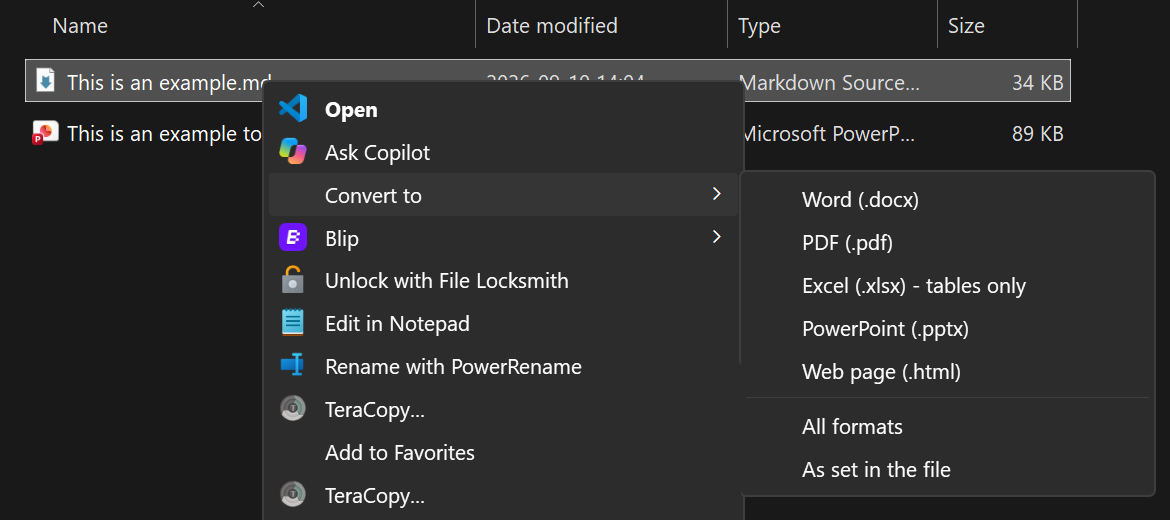
|
|
58
|
+
|
|
59
|
+
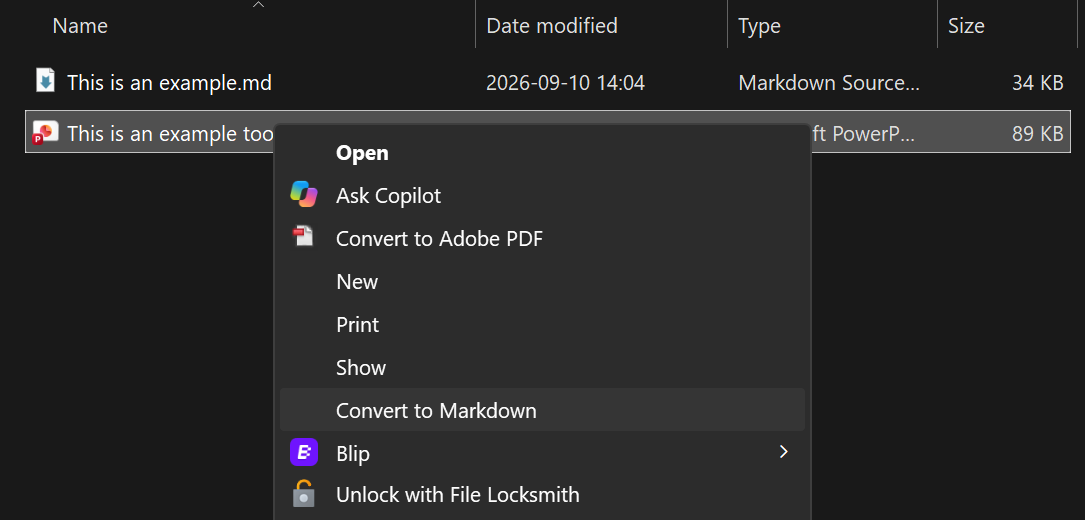
|
|
60
|
+
|
|
61
|
+
- Output is saved next to the original. Nothing is overwritten: a repeat run writes `Report (1).docx`.
|
|
62
|
+
- A small popup confirms what was created and lists any problems.
|
|
63
|
+
- Optional **Ctrl+Alt+M** hotkey: select files in File Explorer and press it to get the same menu at the
|
|
64
|
+
mouse pointer. Mixed selections work: Markdown files go out, everything else comes in.
|
|
65
|
+
|
|
66
|
+
| Ctrl+Alt+M on a Markdown file | Ctrl+Alt+M on any other file |
|
|
67
|
+
|---|---|
|
|
68
|
+
| 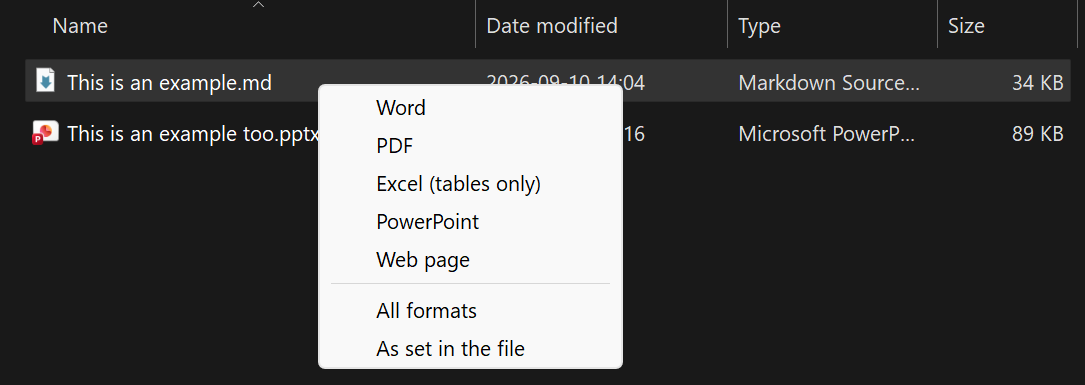 |  |
|
|
69
|
+
|
|
70
|
+
## Install
|
|
71
|
+
|
|
72
|
+
Needs Windows 10 or 11 and Python 3.11 or newer from python.org
|
|
73
|
+
(`winget install --id Python.Python.3.12 -e --scope user`).
|
|
74
|
+
|
|
75
|
+
1. Download the latest release from the [Releases page](https://github.com/W3i-io/convert-md/releases)
|
|
76
|
+
(**Source code (zip)**) and extract it, or `git clone https://github.com/W3i-io/convert-md`.
|
|
77
|
+
2. In PowerShell, in that folder:
|
|
78
|
+
|
|
79
|
+
```powershell
|
|
80
|
+
powershell -ExecutionPolicy Bypass -File .\install.ps1
|
|
81
|
+
```
|
|
82
|
+
|
|
83
|
+
The installer sets everything up for your Windows account only (no administrator rights), offers to
|
|
84
|
+
install [AutoHotkey v2](https://www.autohotkey.com) for the hotkey, and runs a test conversion.
|
|
85
|
+
Use `-NoHotkey` for the right-click menus only.
|
|
86
|
+
|
|
87
|
+
Prefer pip? Once it's published to PyPI:
|
|
88
|
+
|
|
89
|
+
```powershell
|
|
90
|
+
py -m pip install convert-md
|
|
91
|
+
py -m convert_md setup
|
|
92
|
+
```
|
|
93
|
+
|
|
94
|
+
Updating, moving, uninstalling and troubleshooting: see [DEPLOY.md](https://github.com/W3i-io/convert-md/blob/main/DEPLOY.md).
|
|
95
|
+
|
|
96
|
+
On Windows 11 the menu entries are under **Show more options**, Shift + right-click, or Shift + F10.
|
|
97
|
+
|
|
98
|
+
## Choosing formats inside the file
|
|
99
|
+
|
|
100
|
+
**Convert to → As set in the file** reads `outputs:` from the front-matter first, then the filename,
|
|
101
|
+
and otherwise makes a Word document.
|
|
102
|
+
|
|
103
|
+
```markdown
|
|
104
|
+
---
|
|
105
|
+
outputs: [docx, pdf, xlsx]
|
|
106
|
+
---
|
|
107
|
+
```
|
|
108
|
+
|
|
109
|
+
Or name the file `Proposal.docx.pdf.md` to get `Proposal.docx` and `Proposal.pdf`.
|
|
110
|
+
|
|
111
|
+
## House styling
|
|
112
|
+
|
|
113
|
+
```powershell
|
|
114
|
+
convert-md templates
|
|
115
|
+
```
|
|
116
|
+
|
|
117
|
+
creates starter `reference.docx` and `reference.pptx` in `%LOCALAPPDATA%\ConvertMd\templates` and opens the
|
|
118
|
+
folder. Change their **styles** (fonts, heading colours, margins, slide masters) in Word or PowerPoint,
|
|
119
|
+
not their text. From then on every conversion uses them, and Word-made PDFs follow the Word styles.
|
|
120
|
+
Add a `style.css` in the same folder to style HTML output.
|
|
121
|
+
|
|
122
|
+
## Command line
|
|
123
|
+
|
|
124
|
+
```powershell
|
|
125
|
+
convert-md --to docx Report.md
|
|
126
|
+
convert-md --to docx,pdf,xlsx Report.md
|
|
127
|
+
convert-md --to all Report.md
|
|
128
|
+
convert-md --to md Contract.pdf Deck.pptx
|
|
129
|
+
convert-md doctor # check the installation
|
|
130
|
+
```
|
|
131
|
+
|
|
132
|
+
If `convert-md` isn't found, use `py -m convert_md` instead: pip may have put the command in a folder
|
|
133
|
+
that isn't on your PATH.
|
|
134
|
+
|
|
135
|
+
## Known limitations
|
|
136
|
+
|
|
137
|
+
| Area | Limitation |
|
|
138
|
+
|---|---|
|
|
139
|
+
| Platform | The menus and hotkey are Windows only. The command line also works on macOS and Linux. |
|
|
140
|
+
| Windows 11 menu | Entries appear under **Show more options**, not in the compact top-level menu. |
|
|
141
|
+
| Excel output | Only tables are exported. Text, lists and images outside tables are left out; there are no formulas. |
|
|
142
|
+
| PDF output | Needs Microsoft Word, or a PDF engine such as Typst (`winget install Typst.Typst`). Engine-made PDFs look different from Word-made ones. |
|
|
143
|
+
| PowerPoint output | One slide per heading with Pandoc's default layout; long sections overflow the slide. Use `reference.pptx` for your own master. |
|
|
144
|
+
| Scanned PDFs | Image-only PDFs have no text to extract; run OCR on them first. |
|
|
145
|
+
| Conversion quality | Complex layouts (multi-column PDFs, merged table cells, text boxes, charts) come through partially or as plain text. |
|
|
146
|
+
| Protected files | Password-protected or rights-managed documents can't be converted. |
|
|
147
|
+
| Legacy formats | Old `.doc` and `.ppt` files aren't supported; save them as `.docx` / `.pptx` first. |
|
|
148
|
+
| Several files at once | Windows starts one conversion per file from the right-click menu, so each shows its own popup. |
|
|
149
|
+
| Hotkey | Needs AutoHotkey v2. Works in File Explorer windows only: not on the desktop, in Open/Save dialogs or in other file managers. |
|
|
150
|
+
| Output folder | Files are written next to the original, so read-only folders fail. |
|
|
151
|
+
| Remote images | Images linked by URL in Markdown are downloaded by Pandoc when embedded. |
|
|
152
|
+
|
|
153
|
+
## Privacy and security
|
|
154
|
+
|
|
155
|
+
Conversions run entirely on your PC; convert-md sends nothing anywhere. It changes the registry only
|
|
156
|
+
under your own account (`HKEY_CURRENT_USER`). See [SECURITY.md](https://github.com/W3i-io/convert-md/blob/main/SECURITY.md)
|
|
157
|
+
for details and how to report a vulnerability.
|
|
158
|
+
|
|
159
|
+
## Credits and licence
|
|
160
|
+
|
|
161
|
+
convert-md is MIT licensed. It relies on [Pandoc](https://pandoc.org) (GPL, installed separately through
|
|
162
|
+
`pypandoc_binary`), [MarkItDown](https://github.com/microsoft/markitdown) (MIT),
|
|
163
|
+
[openpyxl](https://openpyxl.readthedocs.io), [Beautiful Soup](https://www.crummy.com/software/BeautifulSoup/),
|
|
164
|
+
[pywin32](https://github.com/mhammond/pywin32) and, for the hotkey, [AutoHotkey](https://www.autohotkey.com) (GPL).
|
|
@@ -0,0 +1,13 @@
|
|
|
1
|
+
convert_md/__init__.py,sha256=dIgGLWeROkKA6G0KoVBpUfnVBxuN64voZ6KdH05qh9A,109
|
|
2
|
+
convert_md/__main__.py,sha256=laSwHYVcldLEEypQ4W4Whrmum7IwNiS9pIazZeW9PTs,62
|
|
3
|
+
convert_md/cli.py,sha256=gY46nk8WjkLPLQ1xRvQQNwupGDLNkL1R3U4zGH9Lla0,9670
|
|
4
|
+
convert_md/convert-md-hotkey.ahk,sha256=Qiwnazvjg4qabfPOF_rxAxGmlNdJVvsWD7E5OhNd5Dw,4408
|
|
5
|
+
convert_md/converter.py,sha256=8q1ALy5bZQAnFKJzqosKTCFx_Xioa8-Ujb71kk_YQtM,13337
|
|
6
|
+
convert_md/paths.py,sha256=eypdp4-P6ysmRFxLMhNGwj70PmwSSTPRRZZHCK_NPe0,817
|
|
7
|
+
convert_md/windows.py,sha256=5hAHDScSba0SbuqJcaR2AT4p3_VzWm52qmKZ_rM6tss,7933
|
|
8
|
+
convert_md-1.0.0.dist-info/licenses/LICENSE,sha256=j5K6dbni-Mkk6z_hezrGL6IcG-EPcz4ESgktMUcxirc,1060
|
|
9
|
+
convert_md-1.0.0.dist-info/METADATA,sha256=kLjgt0akbMrD6wMUIBotqGAgxnbY_eOf0N5DnxuZ_Gc,8130
|
|
10
|
+
convert_md-1.0.0.dist-info/WHEEL,sha256=mOdXR9C3wMVov7cSY8PY-XCzo3SmmWCHvGQr5csJoao,91
|
|
11
|
+
convert_md-1.0.0.dist-info/entry_points.txt,sha256=19Le5IDvbEVIvTbC9hUK_TvPWDikc-OfJP_KJGbGD8o,51
|
|
12
|
+
convert_md-1.0.0.dist-info/top_level.txt,sha256=eU0BYkPE_CaW9i8QdDte9OXsCGea6RG79taYcy2skAk,11
|
|
13
|
+
convert_md-1.0.0.dist-info/RECORD,,
|
|
@@ -0,0 +1,21 @@
|
|
|
1
|
+
MIT License
|
|
2
|
+
|
|
3
|
+
Copyright (c) 2026 W3i
|
|
4
|
+
|
|
5
|
+
Permission is hereby granted, free of charge, to any person obtaining a copy
|
|
6
|
+
of this software and associated documentation files (the "Software"), to deal
|
|
7
|
+
in the Software without restriction, including without limitation the rights
|
|
8
|
+
to use, copy, modify, merge, publish, distribute, sublicense, and/or sell
|
|
9
|
+
copies of the Software, and to permit persons to whom the Software is
|
|
10
|
+
furnished to do so, subject to the following conditions:
|
|
11
|
+
|
|
12
|
+
The above copyright notice and this permission notice shall be included in all
|
|
13
|
+
copies or substantial portions of the Software.
|
|
14
|
+
|
|
15
|
+
THE SOFTWARE IS PROVIDED "AS IS", WITHOUT WARRANTY OF ANY KIND, EXPRESS OR
|
|
16
|
+
IMPLIED, INCLUDING BUT NOT LIMITED TO THE WARRANTIES OF MERCHANTABILITY,
|
|
17
|
+
FITNESS FOR A PARTICULAR PURPOSE AND NONINFRINGEMENT. IN NO EVENT SHALL THE
|
|
18
|
+
AUTHORS OR COPYRIGHT HOLDERS BE LIABLE FOR ANY CLAIM, DAMAGES OR OTHER
|
|
19
|
+
LIABILITY, WHETHER IN AN ACTION OF CONTRACT, TORT OR OTHERWISE, ARISING FROM,
|
|
20
|
+
OUT OF OR IN CONNECTION WITH THE SOFTWARE OR THE USE OR OTHER DEALINGS IN THE
|
|
21
|
+
SOFTWARE.
|
|
@@ -0,0 +1 @@
|
|
|
1
|
+
convert_md
|