yingclaw 2.5.19 → 2.5.25
This diff represents the content of publicly available package versions that have been released to one of the supported registries. The information contained in this diff is provided for informational purposes only and reflects changes between package versions as they appear in their respective public registries.
- package/README.md +30 -9
- package/bin/cli.js +232 -29
- package/index.js +3 -0
- package/lib/config.js +137 -24
- package/lib/doctor.js +13 -3
- package/lib/gateway.js +105 -6
- package/lib/install.js +46 -1
- package/lib/openai.js +152 -0
- package/lib/panel.js +17 -5
- package/lib/vscode.js +256 -0
- package/package.json +2 -2
package/README.md
CHANGED
|
@@ -2,7 +2,7 @@
|
|
|
2
2
|
|
|
3
3
|
Claude Code × 国产大模型,一键接入。
|
|
4
4
|
|
|
5
|
-
支持 DeepSeek、Kimi、阿里云百炼(Qwen)、MiniMax、智谱 GLM、小米 MiMo,也支持自定义 Anthropic 兼容接口,无需梯子即可使用 Claude Code。
|
|
5
|
+
支持 DeepSeek、Kimi、火山方舟 Coding Plan、阿里云百炼(Qwen)、MiniMax、智谱 GLM、小米 MiMo,也支持自定义 Anthropic 兼容接口和自定义 OpenAI 兼容接口,无需梯子即可使用 Claude Code。
|
|
6
6
|
|
|
7
7
|
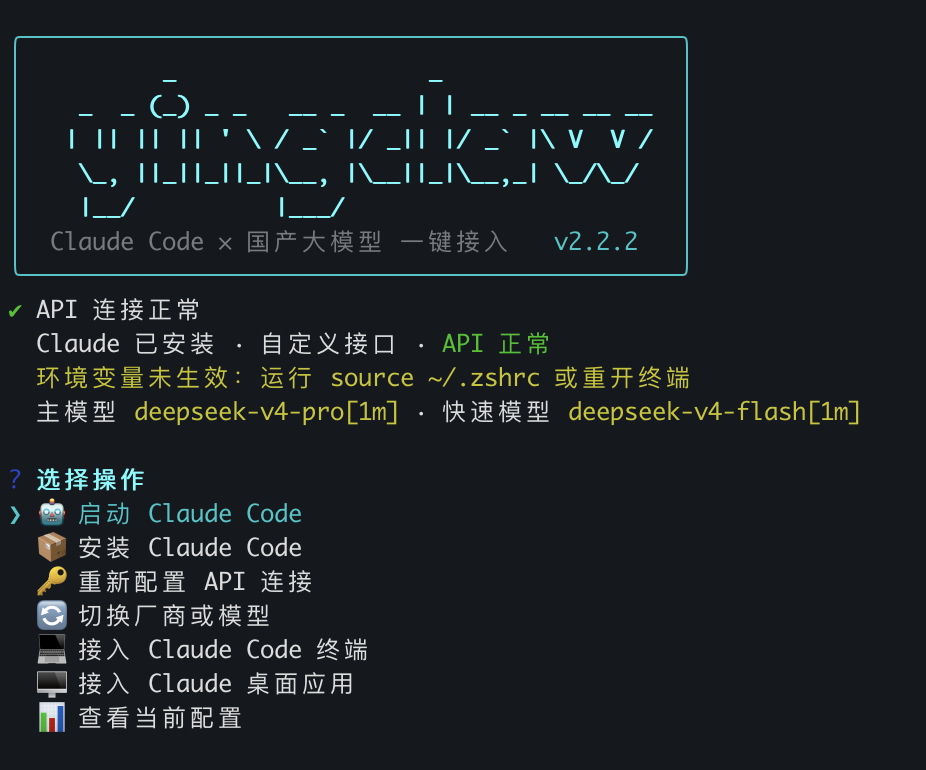
|
|
8
8
|
|
|
@@ -44,35 +44,46 @@ claw code
|
|
|
44
44
|
```
|
|
45
45
|
写入 Claude Code 所需的环境变量,之后运行 `claude` 即可。
|
|
46
46
|
|
|
47
|
+
接入 VS Code Claude Code 扩展:
|
|
48
|
+
```bash
|
|
49
|
+
claw vscode
|
|
50
|
+
```
|
|
51
|
+
写入 Claude Code 共享设置 `~/.claude/settings.json`,并在 VS Code 用户设置中关闭 Claude Code 扩展登录提示。VS Code 已打开时需要执行 `Developer: Reload Window` 或完全重启。
|
|
52
|
+
|
|
47
53
|
接入 Claude 桌面应用:
|
|
48
54
|
```bash
|
|
49
55
|
claw desktop
|
|
50
|
-
claw gateway
|
|
51
56
|
```
|
|
52
57
|
`claw desktop` 会把 Claude Desktop 指向 yingclaw 本机 Gateway,并只暴露 `claude-sonnet-4-6`、`claude-opus-4-7`、`claude-haiku-4-5` 这类 Claude Desktop 可接受的模型名。真实第三方模型仍按 `claw config` 保存的主模型和快速模型转发。
|
|
53
58
|
|
|
54
|
-
|
|
59
|
+
`claw desktop` 会设置 Gateway 登录自动运行;如果自动启动失败,可以手动运行 `claw gateway`。
|
|
55
60
|
|
|
56
61
|
## 支持的厂商
|
|
57
62
|
|
|
58
63
|
| 厂商 | 主模型 | 快速模型 |
|
|
59
64
|
|------|--------|---------|
|
|
60
65
|
| DeepSeek | deepseek-v4-pro[1m] | deepseek-v4-flash[1m] |
|
|
61
|
-
| Kimi / Moonshot | kimi-k2.5 | kimi-k2.5 |
|
|
66
|
+
| Kimi / Moonshot(OpenAI 兼容) | kimi-k2.5 | kimi-k2.5 |
|
|
67
|
+
| 火山方舟 Coding Plan | ark-code-latest | ark-code-latest |
|
|
62
68
|
| 阿里云百炼 | qwen3-max | qwen3.5-plus |
|
|
63
69
|
| MiniMax | MiniMax-M2.7 | MiniMax-M2.7-Turbo |
|
|
64
70
|
| 智谱 GLM | GLM-4.7 | GLM-5-Turbo |
|
|
65
71
|
| 小米 MiMo | mimo-v2.5-pro | mimo-v2.5 |
|
|
66
|
-
|
|
|
72
|
+
| 自定义 Anthropic 兼容接口 | 自动获取或手动输入 | 手动选择 |
|
|
73
|
+
| 自定义 OpenAI 兼容接口 | 自动获取或手动输入 | 手动选择 |
|
|
67
74
|
|
|
68
75
|
DeepSeek 的 `[1m]` 后缀是真实 API 模型 ID,表示 100 万 token 上下文窗口([官方说明](https://api-docs.deepseek.com/zh-cn/quick_start/agent_integrations/claude_code))。
|
|
69
76
|
|
|
77
|
+
火山方舟 Coding Plan 使用官方指定的 Anthropic 兼容 Base URL `https://ark.cn-beijing.volces.com/api/coding`,不要替换成普通推理 API Base URL。
|
|
78
|
+
|
|
70
79
|
## 命令列表
|
|
71
80
|
|
|
72
81
|
```bash
|
|
73
82
|
claw # 交互菜单(无参数时自动进入)
|
|
74
83
|
claw config # 配置 API 连接
|
|
75
84
|
claw code # 接入 Claude Code 终端
|
|
85
|
+
claw vscode # 接入 VS Code Claude Code 扩展
|
|
86
|
+
claw vscode-reset # 恢复 VS Code Claude Code 扩展默认配置
|
|
76
87
|
claw desktop # 接入 Claude 桌面应用
|
|
77
88
|
claw gateway # 启动 Claude 桌面应用本机 Gateway
|
|
78
89
|
claw desktop --direct # 高级:直连写入厂商 Gateway URL
|
|
@@ -95,7 +106,7 @@ claw setup # 兼容旧命令:config + code
|
|
|
95
106
|
|------|---------|---------|
|
|
96
107
|
| macOS | ✅ 写入 `~/.zshrc` | ✅ 自动启动本机 Gateway 并重启 Claude Desktop |
|
|
97
108
|
| Linux / WSL | ✅ 写入 `~/.zshrc` / `~/.bashrc` | — |
|
|
98
|
-
| Windows | ✅ 写入用户级环境变量(需重开终端) | ✅
|
|
109
|
+
| Windows | ✅ 写入用户级环境变量(需重开终端) | ✅ 同步写入 `%APPDATA%\Claude-3p\` 和 `%LOCALAPPDATA%\Claude-3p\`,并写入登录启动脚本 |
|
|
99
110
|
|
|
100
111
|
## 原理
|
|
101
112
|
|
|
@@ -116,13 +127,23 @@ CLAUDE_CODE_EFFORT_LEVEL
|
|
|
116
127
|
|
|
117
128
|
- macOS / Windows:写入 `Claude-3p/configLibrary/` 中的 yingclaw entry
|
|
118
129
|
- Claude Desktop 访问 `http://127.0.0.1:18080/yingclaw`
|
|
119
|
-
- Gateway 再转发到当前保存的 Anthropic
|
|
130
|
+
- Gateway 再转发到当前保存的 Anthropic 兼容接口;如当前为 Kimi 或 OpenAI 兼容接口,则自动转换为 `/v1/chat/completions`
|
|
120
131
|
- macOS 使用 LaunchAgent 登录启动 Gateway,Windows 使用 Startup 目录脚本登录启动 Gateway
|
|
121
|
-
-
|
|
132
|
+
- Windows 会同时写入 Roaming / Local 两个 Claude-3p 位置,以兼容不同 Claude Desktop 安装方式
|
|
133
|
+
- Anthropic 兼容接口的终端接入仍直接使用 `ANTHROPIC_*` 环境变量;Kimi 和 OpenAI 兼容接口的终端/VS Code/桌面会通过本机 Gateway 转换协议
|
|
122
134
|
|
|
123
135
|
使用 `inferenceProvider=gateway`、`inferenceGatewayAuthScheme=bearer`,将 Gateway Base URL 指向 yingclaw 本机 Gateway。高级用户可用 `claw desktop --direct` 保留旧式直连写入,但新版 Claude Desktop 可能拒绝非 Claude 模型名。
|
|
124
136
|
|
|
125
|
-
|
|
137
|
+
**自定义 Anthropic 兼容接口**需支持 Anthropic `/v1/messages` 格式。**自定义 OpenAI 兼容接口**需支持 OpenAI `/v1/models` 和 `/v1/chat/completions` 格式,工具会通过本机 Gateway 转换为 Claude 可用的 Messages 格式。工具会根据 Base URL 自动尝试获取模型列表,失败则手动输入。
|
|
138
|
+
|
|
139
|
+
**VS Code 接入**(`claw vscode`)写入 Claude Code 官方共享设置:
|
|
140
|
+
|
|
141
|
+
- 接入时会让你单独选择 VS Code Claude Code 的主模型和快速模型,不影响终端或桌面配置
|
|
142
|
+
- `~/.claude/settings.json` 写入所选主模型,并把已获取的可用聊天模型写入 `availableModels`
|
|
143
|
+
- `env` 中启用 Gateway model discovery,并把所选快速模型写入 `ANTHROPIC_CUSTOM_MODEL_OPTION`
|
|
144
|
+
- VS Code 用户 `settings.json` 写入 `claudeCode.disableLoginPrompt=true`
|
|
145
|
+
- 扩展与 CLI 共享 Claude Code 设置;如果 VS Code 已打开,需重载窗口或重启后生效
|
|
146
|
+
- 如需恢复默认,运行 `claw vscode-reset`,只移除 yingclaw 写入的 Claude Code env 和 VS Code Claude Code 扩展项,保留其它用户设置
|
|
126
147
|
|
|
127
148
|
## 卸载
|
|
128
149
|
|
package/bin/cli.js
CHANGED
|
@@ -13,7 +13,9 @@ const {
|
|
|
13
13
|
validateConfig,
|
|
14
14
|
validateKey,
|
|
15
15
|
normalizeAnthropicBaseUrl,
|
|
16
|
+
getProviderProtocol,
|
|
16
17
|
resolveFastModel,
|
|
18
|
+
sortRelatedModelIds,
|
|
17
19
|
buildClaudeEnv,
|
|
18
20
|
PROVIDERS,
|
|
19
21
|
CLAUDE_ENV_KEYS,
|
|
@@ -23,7 +25,20 @@ const { execSync, spawn, spawnSync } = require('child_process');
|
|
|
23
25
|
const pkg = require('../package.json');
|
|
24
26
|
const { getGatewayAutostartStatus, installGatewayAutostart, removeGatewayAutostart } = require('../lib/autostart');
|
|
25
27
|
const { buildMenuStatusLines, buildStatusView } = require('../lib/panel');
|
|
26
|
-
const {
|
|
28
|
+
const {
|
|
29
|
+
buildVsCodeOpenCommand,
|
|
30
|
+
buildVsCodeModelSelectionIds,
|
|
31
|
+
clearVsCodeIntegration,
|
|
32
|
+
writeVsCodeIntegration,
|
|
33
|
+
} = require('../lib/vscode');
|
|
34
|
+
const {
|
|
35
|
+
buildClaudeInstallCommand,
|
|
36
|
+
buildYingclawUpgradeCommand,
|
|
37
|
+
buildWindowsYingclawUpgradeScript,
|
|
38
|
+
checkNodeEnv,
|
|
39
|
+
getNodeInstallGuide,
|
|
40
|
+
getInstallFailureHints,
|
|
41
|
+
} = require('../lib/install');
|
|
27
42
|
const { clearClaudeDesktopConfig, isDesktopConfigured, openClaudeDesktop, writeClaudeDesktopConfig } = require('../lib/desktop');
|
|
28
43
|
const {
|
|
29
44
|
DEFAULT_DESKTOP_GATEWAY_PORT,
|
|
@@ -35,6 +50,7 @@ const {
|
|
|
35
50
|
isDesktopChatModel,
|
|
36
51
|
} = require('../lib/gateway');
|
|
37
52
|
const { runDoctorChecks, summarize, STATUS_OK, STATUS_FAIL, STATUS_WARN, STATUS_INFO } = require('../lib/doctor');
|
|
53
|
+
const { normalizeOpenAiBaseUrl } = require('../lib/openai');
|
|
38
54
|
|
|
39
55
|
const program = new Command();
|
|
40
56
|
|
|
@@ -170,6 +186,12 @@ function getChatModelChoices(models) {
|
|
|
170
186
|
return models.filter(isDesktopChatModel).map(id => ({ name: id, value: id }));
|
|
171
187
|
}
|
|
172
188
|
|
|
189
|
+
function sortModelChoicesByRelatedFamily(choices, mainModel) {
|
|
190
|
+
const order = sortRelatedModelIds(choices.map((choice) => choice.value), mainModel);
|
|
191
|
+
const rank = new Map(order.map((value, index) => [value, index]));
|
|
192
|
+
return [...choices].sort((a, b) => (rank.get(a.value) ?? 9999) - (rank.get(b.value) ?? 9999));
|
|
193
|
+
}
|
|
194
|
+
|
|
173
195
|
function formatFetchedModelCount(chalk, total, chatCount) {
|
|
174
196
|
if (total === chatCount) return chalk.green(`已获取 ${chatCount} 个可用聊天模型`);
|
|
175
197
|
return chalk.green(`已获取 ${total} 个模型,其中 ${chatCount} 个可用于 Claude/桌面聊天`);
|
|
@@ -183,14 +205,35 @@ async function promptManualModel(chalk, message, defaultValue) {
|
|
|
183
205
|
}).then(v => v.trim());
|
|
184
206
|
}
|
|
185
207
|
|
|
186
|
-
|
|
208
|
+
function isOpenAiCompatibleConfig(config) {
|
|
209
|
+
return getProviderProtocol(config) === 'openai';
|
|
210
|
+
}
|
|
211
|
+
|
|
212
|
+
function ensureGatewayForOpenAiConfig(config) {
|
|
213
|
+
return isOpenAiCompatibleConfig(config) ? ensureDesktopGatewayConfig(config) : config;
|
|
214
|
+
}
|
|
215
|
+
|
|
216
|
+
function writeClaudeCodeEnv(config) {
|
|
217
|
+
const effectiveConfig = buildClaudeEnv(config);
|
|
218
|
+
return writeEnvToZshrc(
|
|
219
|
+
effectiveConfig.ANTHROPIC_BASE_URL,
|
|
220
|
+
effectiveConfig.ANTHROPIC_AUTH_TOKEN,
|
|
221
|
+
effectiveConfig.ANTHROPIC_MODEL,
|
|
222
|
+
effectiveConfig.CLAUDE_CODE_SUBAGENT_MODEL,
|
|
223
|
+
);
|
|
224
|
+
}
|
|
225
|
+
|
|
226
|
+
async function configureCustomProvider({ chalk, ora, existingConfig, providerKey = 'custom' }) {
|
|
227
|
+
const provider = PROVIDERS[providerKey];
|
|
228
|
+
const protocol = provider.protocol || 'anthropic';
|
|
229
|
+
const sameProvider = existingConfig?.provider === providerKey;
|
|
187
230
|
const baseUrl = await input({
|
|
188
|
-
message: chalk.cyan('Anthropic Base URL'),
|
|
189
|
-
default:
|
|
231
|
+
message: chalk.cyan(protocol === 'openai' ? 'OpenAI Base URL' : 'Anthropic Base URL'),
|
|
232
|
+
default: sameProvider ? existingConfig.baseUrl : undefined,
|
|
190
233
|
validate: (v) => v.trim().length > 0 && isValidUrl(v.trim()) ? true : '请输入有效 URL',
|
|
191
|
-
}).then(v => normalizeAnthropicBaseUrl(v.trim()));
|
|
234
|
+
}).then(v => protocol === 'openai' ? normalizeOpenAiBaseUrl(v.trim()) : normalizeAnthropicBaseUrl(v.trim()));
|
|
192
235
|
|
|
193
|
-
let apiKey =
|
|
236
|
+
let apiKey = sameProvider ? existingConfig.apiKey : '';
|
|
194
237
|
if (apiKey) {
|
|
195
238
|
const keepKey = await confirm({ message: '沿用当前 API Key?', default: true });
|
|
196
239
|
if (!keepKey) apiKey = '';
|
|
@@ -206,7 +249,7 @@ async function configureCustomProvider({ chalk, ora, existingConfig }) {
|
|
|
206
249
|
let modelChoices = [];
|
|
207
250
|
let modelsUrl;
|
|
208
251
|
const fetchSpinner = ora('正在自动获取可用模型...').start();
|
|
209
|
-
const onlineResult = await fetchModelsFromBaseUrl(
|
|
252
|
+
const onlineResult = await fetchModelsFromBaseUrl(providerKey, apiKey, baseUrl);
|
|
210
253
|
if (onlineResult) {
|
|
211
254
|
modelsUrl = onlineResult.modelsUrl;
|
|
212
255
|
modelChoices = getChatModelChoices(onlineResult.models);
|
|
@@ -224,7 +267,11 @@ async function configureCustomProvider({ chalk, ora, existingConfig }) {
|
|
|
224
267
|
if (modelChoices.length > 0) {
|
|
225
268
|
model = await promptModelFromChoices({ chalk, choices: modelChoices, message: '选择主模型' });
|
|
226
269
|
if (model === '__BACK__') return null;
|
|
227
|
-
fastModel = await promptModelFromChoices({
|
|
270
|
+
fastModel = await promptModelFromChoices({
|
|
271
|
+
chalk,
|
|
272
|
+
choices: sortModelChoicesByRelatedFamily(modelChoices, model),
|
|
273
|
+
message: '选择快速模型 / Subagent 模型',
|
|
274
|
+
});
|
|
228
275
|
if (fastModel === '__BACK__') return null;
|
|
229
276
|
} else {
|
|
230
277
|
model = await promptManualModel(chalk, '输入主模型名');
|
|
@@ -232,8 +279,9 @@ async function configureCustomProvider({ chalk, ora, existingConfig }) {
|
|
|
232
279
|
}
|
|
233
280
|
|
|
234
281
|
return {
|
|
235
|
-
provider:
|
|
236
|
-
providerName:
|
|
282
|
+
provider: providerKey,
|
|
283
|
+
providerName: provider.name,
|
|
284
|
+
protocol,
|
|
237
285
|
baseUrl,
|
|
238
286
|
modelsUrl: modelsUrl || undefined,
|
|
239
287
|
apiKey,
|
|
@@ -346,7 +394,7 @@ async function runConfigFlow({ writeCodeEnv = false } = {}) {
|
|
|
346
394
|
if (providerKey === '__BACK__') return;
|
|
347
395
|
provider = PROVIDERS[providerKey];
|
|
348
396
|
if (provider.custom) {
|
|
349
|
-
customConfig = await configureCustomProvider({ chalk, ora });
|
|
397
|
+
customConfig = await configureCustomProvider({ chalk, ora, providerKey });
|
|
350
398
|
if (!customConfig) { step = 'provider'; continue; }
|
|
351
399
|
break;
|
|
352
400
|
}
|
|
@@ -400,9 +448,10 @@ async function runConfigFlow({ writeCodeEnv = false } = {}) {
|
|
|
400
448
|
try {
|
|
401
449
|
const fastModel = customConfig?.fastModel || resolveFastModel(provider, model);
|
|
402
450
|
cfg = customConfig || { provider: providerKey, model, fastModel, apiKey, baseUrl: provider.baseUrl, availableModels };
|
|
451
|
+
cfg = ensureGatewayForOpenAiConfig(cfg);
|
|
403
452
|
saveConfig(cfg);
|
|
404
453
|
if (writeCodeEnv) {
|
|
405
|
-
({ file } =
|
|
454
|
+
({ file } = writeClaudeCodeEnv(cfg));
|
|
406
455
|
}
|
|
407
456
|
spinner.succeed(chalk.green(writeCodeEnv ? 'API 连接已保存,Claude Code 终端已接入' : 'API 连接已保存'));
|
|
408
457
|
} catch (e) {
|
|
@@ -539,7 +588,7 @@ program
|
|
|
539
588
|
|
|
540
589
|
console.log(await getBanner());
|
|
541
590
|
|
|
542
|
-
|
|
591
|
+
let config = loadConfig();
|
|
543
592
|
if (!config) {
|
|
544
593
|
console.log(chalk.red('\n未配置 API 连接,请先运行: claw config\n'));
|
|
545
594
|
return;
|
|
@@ -554,7 +603,9 @@ program
|
|
|
554
603
|
const spinner = ora('写入 Claude Code 终端环境变量...').start();
|
|
555
604
|
let file;
|
|
556
605
|
try {
|
|
557
|
-
|
|
606
|
+
const effectiveConfig = ensureGatewayForOpenAiConfig(config);
|
|
607
|
+
if (effectiveConfig !== config) saveConfig(effectiveConfig);
|
|
608
|
+
({ file } = writeClaudeCodeEnv(effectiveConfig));
|
|
558
609
|
spinner.succeed(chalk.green(`Claude Code 终端已接入 → ${file}`));
|
|
559
610
|
} catch (e) {
|
|
560
611
|
spinner.fail(chalk.red(`写入失败: ${e.message}`));
|
|
@@ -562,10 +613,11 @@ program
|
|
|
562
613
|
}
|
|
563
614
|
|
|
564
615
|
console.log(chalk.dim(getStorageHint(file)));
|
|
616
|
+
const displayedConfig = ensureGatewayForOpenAiConfig(config);
|
|
565
617
|
console.log(boxen(
|
|
566
618
|
chalk.bold('Claude Code 终端已接入\n\n') +
|
|
567
|
-
chalk.dim('Base URL ') + chalk.cyan(
|
|
568
|
-
chalk.dim('模型 ') + chalk.yellow(
|
|
619
|
+
chalk.dim('Base URL ') + chalk.cyan(buildClaudeEnv(displayedConfig).ANTHROPIC_BASE_URL) + '\n' +
|
|
620
|
+
chalk.dim('模型 ') + chalk.yellow(displayedConfig.model) + '\n\n' +
|
|
569
621
|
chalk.white('需要启动时,在主菜单选择“启动 Claude Code”,或直接输入 ') + chalk.cyan.bold('claude') + '\n' +
|
|
570
622
|
chalk.dim(getActivationHint(file)),
|
|
571
623
|
{ padding: { top: 0, bottom: 0, left: 2, right: 2 }, borderStyle: 'round', borderColor: 'green', margin: { top: 1, bottom: 1 } }
|
|
@@ -613,6 +665,119 @@ program
|
|
|
613
665
|
}
|
|
614
666
|
});
|
|
615
667
|
|
|
668
|
+
program
|
|
669
|
+
.command('vscode')
|
|
670
|
+
.description('接入 VS Code Claude Code 扩展')
|
|
671
|
+
.option('--terminal', '让 Claude Code 扩展默认使用终端模式')
|
|
672
|
+
.action(async (options) => {
|
|
673
|
+
const chalk = (await import('chalk')).default;
|
|
674
|
+
const ora = (await import('ora')).default;
|
|
675
|
+
const boxen = (await import('boxen')).default;
|
|
676
|
+
|
|
677
|
+
console.log(await getBanner());
|
|
678
|
+
|
|
679
|
+
const config = loadConfig();
|
|
680
|
+
if (!config) {
|
|
681
|
+
console.log(chalk.red('\n未配置 API 连接,请先运行: claw config\n'));
|
|
682
|
+
return;
|
|
683
|
+
}
|
|
684
|
+
const configProblem = getConfigValidationMessage(config);
|
|
685
|
+
if (configProblem) {
|
|
686
|
+
console.log(chalk.red(`\n配置无效:${configProblem}`));
|
|
687
|
+
console.log(chalk.dim('请运行 claw config 重新配置。\n'));
|
|
688
|
+
return;
|
|
689
|
+
}
|
|
690
|
+
|
|
691
|
+
let effectiveConfig = ensureGatewayForOpenAiConfig(config);
|
|
692
|
+
if (effectiveConfig !== config) saveConfig(effectiveConfig);
|
|
693
|
+
|
|
694
|
+
const vscodeModelChoices = getChatModelChoices(buildVsCodeModelSelectionIds(effectiveConfig));
|
|
695
|
+
const vscodeModel = await promptModelFromChoices({
|
|
696
|
+
chalk,
|
|
697
|
+
choices: vscodeModelChoices,
|
|
698
|
+
message: '选择 VS Code Claude Code 主模型',
|
|
699
|
+
allowManual: true,
|
|
700
|
+
});
|
|
701
|
+
if (vscodeModel === '__BACK__') return;
|
|
702
|
+
|
|
703
|
+
const vscodeFastModel = await promptModelFromChoices({
|
|
704
|
+
chalk,
|
|
705
|
+
choices: sortModelChoicesByRelatedFamily(vscodeModelChoices, vscodeModel),
|
|
706
|
+
message: '选择 VS Code Claude Code 快速模型 / 备用模型',
|
|
707
|
+
allowManual: true,
|
|
708
|
+
});
|
|
709
|
+
if (vscodeFastModel === '__BACK__') return;
|
|
710
|
+
|
|
711
|
+
const vscodeConfig = {
|
|
712
|
+
...config,
|
|
713
|
+
...effectiveConfig,
|
|
714
|
+
vscodeModel,
|
|
715
|
+
vscodeFastModel,
|
|
716
|
+
};
|
|
717
|
+
|
|
718
|
+
const spinner = ora('写入 VS Code Claude Code 配置...').start();
|
|
719
|
+
let result;
|
|
720
|
+
try {
|
|
721
|
+
result = writeVsCodeIntegration(vscodeConfig, options.terminal ? { useTerminal: true } : {});
|
|
722
|
+
spinner.succeed(chalk.green('VS Code Claude Code 已接入'));
|
|
723
|
+
} catch (e) {
|
|
724
|
+
spinner.fail(chalk.red(`写入失败: ${e.message}`));
|
|
725
|
+
return;
|
|
726
|
+
}
|
|
727
|
+
|
|
728
|
+
console.log(boxen(
|
|
729
|
+
chalk.bold('VS Code Claude Code 扩展已配置\n\n') +
|
|
730
|
+
chalk.dim('共享设置 ') + chalk.cyan(result.claudeSettings.file) + '\n' +
|
|
731
|
+
chalk.dim('VS Code ') + chalk.cyan(result.vscodeSettings.file) + '\n' +
|
|
732
|
+
chalk.dim('主模型 ') + chalk.yellow(vscodeModel) + '\n' +
|
|
733
|
+
chalk.dim('快速模型 ') + chalk.yellow(vscodeFastModel) + '\n\n' +
|
|
734
|
+
chalk.white('已写入 Claude Code settings.json 的 env,并关闭 VS Code 扩展登录提示。\n') +
|
|
735
|
+
chalk.dim('如果 VS Code 已打开,请执行 Developer: Reload Window 或完全重启 VS Code。'),
|
|
736
|
+
{ padding: { top: 0, bottom: 0, left: 2, right: 2 }, borderStyle: 'round', borderColor: 'green', margin: { top: 1, bottom: 1 } }
|
|
737
|
+
));
|
|
738
|
+
|
|
739
|
+
const shouldOpen = await confirm({ message: '是否现在打开 Claude Code 的 VS Code 面板?', default: false });
|
|
740
|
+
if (shouldOpen) {
|
|
741
|
+
const openCommand = buildVsCodeOpenCommand(process.platform);
|
|
742
|
+
spawnSync(openCommand.command, openCommand.args, { stdio: 'ignore', windowsHide: true });
|
|
743
|
+
}
|
|
744
|
+
});
|
|
745
|
+
|
|
746
|
+
program
|
|
747
|
+
.command('vscode-reset')
|
|
748
|
+
.description('恢复 VS Code Claude Code 扩展默认配置')
|
|
749
|
+
.action(async () => {
|
|
750
|
+
const chalk = (await import('chalk')).default;
|
|
751
|
+
const ora = (await import('ora')).default;
|
|
752
|
+
const boxen = (await import('boxen')).default;
|
|
753
|
+
|
|
754
|
+
console.log(await getBanner());
|
|
755
|
+
|
|
756
|
+
const yes = await confirm({
|
|
757
|
+
message: chalk.red('确定要恢复 VS Code Claude Code 扩展默认配置吗?API 连接、终端和桌面配置不会被清除'),
|
|
758
|
+
default: false,
|
|
759
|
+
});
|
|
760
|
+
if (!yes) {
|
|
761
|
+
console.log(chalk.dim('已取消'));
|
|
762
|
+
return;
|
|
763
|
+
}
|
|
764
|
+
|
|
765
|
+
const spinner = ora('正在恢复 VS Code Claude Code 默认配置...').start();
|
|
766
|
+
const result = clearVsCodeIntegration();
|
|
767
|
+
|
|
768
|
+
if (result.result === 'updated') {
|
|
769
|
+
spinner.succeed(chalk.green('VS Code Claude Code 已恢复默认'));
|
|
770
|
+
console.log(boxen(
|
|
771
|
+
chalk.bold('已清除以下 VS Code / Claude Code 扩展配置:\n\n') +
|
|
772
|
+
result.files.map(f => chalk.cyan(' • ' + f)).join('\n') +
|
|
773
|
+
'\n\n' + chalk.dim('如果 VS Code 已打开,请执行 Developer: Reload Window 或完全重启 VS Code。'),
|
|
774
|
+
{ padding: { top: 0, bottom: 0, left: 2, right: 2 }, borderStyle: 'round', borderColor: 'green', margin: { top: 1, bottom: 1 } }
|
|
775
|
+
));
|
|
776
|
+
} else {
|
|
777
|
+
spinner.warn(chalk.yellow('没有找到 VS Code Claude Code 的 yingclaw 配置,无需恢复'));
|
|
778
|
+
}
|
|
779
|
+
});
|
|
780
|
+
|
|
616
781
|
program
|
|
617
782
|
.command('switch')
|
|
618
783
|
.description('快速切换模型(只更新 API 连接)')
|
|
@@ -645,14 +810,15 @@ program
|
|
|
645
810
|
|
|
646
811
|
const provider = PROVIDERS[providerKey];
|
|
647
812
|
if (provider.custom) {
|
|
648
|
-
const customConfig = await configureCustomProvider({ chalk, ora, existingConfig: config });
|
|
813
|
+
const customConfig = await configureCustomProvider({ chalk, ora, existingConfig: config, providerKey });
|
|
649
814
|
if (!customConfig) return;
|
|
650
815
|
|
|
651
816
|
const spinner = ora('切换中...').start();
|
|
652
|
-
|
|
653
|
-
|
|
817
|
+
const savedConfig = ensureGatewayForOpenAiConfig(customConfig);
|
|
818
|
+
saveConfig(savedConfig);
|
|
819
|
+
spinner.succeed(chalk.green(`API 连接已切换至 ${savedConfig.providerName} · ${savedConfig.model}`));
|
|
654
820
|
console.log(chalk.dim('如需让外部 claude 命令使用新模型,请运行 claw code。'));
|
|
655
|
-
await offerDesktopSync(chalk, ora,
|
|
821
|
+
await offerDesktopSync(chalk, ora, savedConfig);
|
|
656
822
|
return;
|
|
657
823
|
}
|
|
658
824
|
|
|
@@ -786,6 +952,10 @@ program
|
|
|
786
952
|
console.log(chalk.yellow('\nClaude 桌面应用 3P 配置目前仅支持 macOS / Windows。\n'));
|
|
787
953
|
return;
|
|
788
954
|
}
|
|
955
|
+
if (options.direct && isOpenAiCompatibleConfig(config)) {
|
|
956
|
+
console.log(chalk.yellow('\nOpenAI 兼容接口必须通过本机 Gateway 转换协议,不能使用直连模式。\n'));
|
|
957
|
+
return;
|
|
958
|
+
}
|
|
789
959
|
|
|
790
960
|
let desktopConfig = config;
|
|
791
961
|
if (!options.direct) {
|
|
@@ -935,7 +1105,7 @@ program
|
|
|
935
1105
|
|
|
936
1106
|
program
|
|
937
1107
|
.command('reset')
|
|
938
|
-
.description('清除 API
|
|
1108
|
+
.description('清除 API 连接、终端环境变量、VS Code 和桌面配置')
|
|
939
1109
|
.action(async () => {
|
|
940
1110
|
const chalk = (await import('chalk')).default;
|
|
941
1111
|
const ora = (await import('ora')).default;
|
|
@@ -958,6 +1128,10 @@ program
|
|
|
958
1128
|
if (desktopCleared.result === 'updated') {
|
|
959
1129
|
cleared.push(...desktopConfigClearedPaths(desktopCleared));
|
|
960
1130
|
}
|
|
1131
|
+
const vscodeCleared = clearVsCodeIntegration();
|
|
1132
|
+
if (vscodeCleared.result === 'updated') {
|
|
1133
|
+
cleared.push(...vscodeCleared.files);
|
|
1134
|
+
}
|
|
961
1135
|
const autostartCleared = removeGatewayAutostart();
|
|
962
1136
|
if (autostartCleared.result === 'removed' && autostartCleared.file) {
|
|
963
1137
|
cleared.push(autostartCleared.file);
|
|
@@ -1065,12 +1239,31 @@ program
|
|
|
1065
1239
|
],
|
|
1066
1240
|
});
|
|
1067
1241
|
|
|
1068
|
-
const
|
|
1069
|
-
|
|
1070
|
-
|
|
1242
|
+
const upgradeCmd = buildYingclawUpgradeCommand(network);
|
|
1243
|
+
|
|
1244
|
+
if (process.platform === 'win32') {
|
|
1245
|
+
const fs = require('fs');
|
|
1246
|
+
const os = require('os');
|
|
1247
|
+
const path = require('path');
|
|
1248
|
+
const scriptFile = path.join(os.tmpdir(), `yingclaw-upgrade-${Date.now()}.cmd`);
|
|
1249
|
+
fs.writeFileSync(scriptFile, buildWindowsYingclawUpgradeScript(network), 'utf8');
|
|
1250
|
+
const child = spawn('cmd', ['/c', 'start', '', scriptFile], {
|
|
1251
|
+
detached: true,
|
|
1252
|
+
stdio: 'ignore',
|
|
1253
|
+
windowsHide: false,
|
|
1254
|
+
});
|
|
1255
|
+
if (child && typeof child.unref === 'function') child.unref();
|
|
1256
|
+
console.log(boxen(
|
|
1257
|
+
chalk.bold(`已打开独立更新窗口,准备升级到 v${latest}\n\n`) +
|
|
1258
|
+
chalk.dim('Windows 会锁定当前正在运行的包目录,所以更新会在当前 claw 退出后执行。\n') +
|
|
1259
|
+
chalk.dim('更新完成后重新运行 ') + chalk.cyan('claw'),
|
|
1260
|
+
{ padding: { top: 0, bottom: 0, left: 2, right: 2 }, borderStyle: 'round', borderColor: 'green', margin: { top: 1, bottom: 1 } }
|
|
1261
|
+
));
|
|
1262
|
+
process.exit(0);
|
|
1263
|
+
}
|
|
1071
1264
|
|
|
1072
1265
|
console.log(chalk.dim('\n升级中...\n'));
|
|
1073
|
-
const result = spawnSync(upgradeCmd.command, upgradeCmd.args, { stdio: 'inherit'
|
|
1266
|
+
const result = spawnSync(upgradeCmd.command, upgradeCmd.args, { stdio: 'inherit' });
|
|
1074
1267
|
|
|
1075
1268
|
if (result.status === 0) {
|
|
1076
1269
|
console.log(boxen(
|
|
@@ -1105,11 +1298,12 @@ async function renderStatusBar(apiStatus) {
|
|
|
1105
1298
|
const statusLines = buildMenuStatusLines(view, { apiStatus, claudeInstalled, platform: process.platform });
|
|
1106
1299
|
cfgPart = statusLines.map((line, index) => {
|
|
1107
1300
|
if (index === 0) return line.replace('API 正常', chalk.green('API 正常')).replace('API Key 无效', chalk.red('API Key 无效')).replace('网络/服务异常', chalk.yellow('网络/服务异常'));
|
|
1108
|
-
if (line.startsWith('
|
|
1301
|
+
if (line.startsWith('终端未生效')) return chalk.yellow(line);
|
|
1109
1302
|
if (line.startsWith('旧模型名')) return chalk.yellow(line);
|
|
1303
|
+
if (line.startsWith('快速模型跨系列')) return chalk.yellow(line);
|
|
1110
1304
|
if (line.startsWith('Desktop Gateway 未运行')) return chalk.yellow(line);
|
|
1111
1305
|
if (line.startsWith('Desktop Gateway 已运行')) return chalk.green(line);
|
|
1112
|
-
if (line.startsWith('
|
|
1306
|
+
if (line.startsWith('模型')) return line.replace(view.mainModel, chalk.yellow(view.mainModel)).replace(view.fastModel, chalk.yellow(view.fastModel));
|
|
1113
1307
|
return line;
|
|
1114
1308
|
}).join('\n ');
|
|
1115
1309
|
} else {
|
|
@@ -1172,6 +1366,7 @@ async function runAdvancedMenu(chalk, hasConfig) {
|
|
|
1172
1366
|
{ name: '🩺 诊断(一键自检并给出修复建议)', value: 'doctor' },
|
|
1173
1367
|
{ name: '🔁 重新检测 API', value: 'recheck', disabled: !hasConfig && ADVANCED_DISABLED_HINT },
|
|
1174
1368
|
{ name: '↩️ 恢复 Claude Code 终端默认', value: 'code-reset' },
|
|
1369
|
+
{ name: '↩️ 恢复 VS Code Claude Code 默认', value: 'vscode-reset' },
|
|
1175
1370
|
{ name: '↩️ 恢复 Claude 桌面默认', value: 'desktop-reset' },
|
|
1176
1371
|
{ name: '🗑 清除所有 yingclaw 配置', value: 'reset' },
|
|
1177
1372
|
{ name: '⬆️ 检查更新', value: 'update' },
|
|
@@ -1227,6 +1422,7 @@ async function runMenu() {
|
|
|
1227
1422
|
{ name: config ? '🔑 重新配置 API 连接' : '🔑 配置 API 连接', value: 'config' },
|
|
1228
1423
|
{ name: '🔄 切换厂商或模型', value: 'switch', disabled: disabledHint },
|
|
1229
1424
|
{ name: '💻 接入 Claude Code 终端', value: 'code', disabled: disabledHint },
|
|
1425
|
+
{ name: '🧩 接入 VS Code Claude Code 扩展', value: 'vscode', disabled: disabledHint },
|
|
1230
1426
|
{ name: '🖥 接入 Claude 桌面应用', value: 'desktop', disabled: disabledHint },
|
|
1231
1427
|
{ name: '📊 查看当前配置', value: 'status', disabled: !config && '需先配置 API 连接' },
|
|
1232
1428
|
{ name: '🛠 高级 ›', value: 'advanced' },
|
|
@@ -1250,8 +1446,13 @@ async function runMenu() {
|
|
|
1250
1446
|
}
|
|
1251
1447
|
|
|
1252
1448
|
if (resolvedAction === 'launch') {
|
|
1253
|
-
|
|
1449
|
+
let cfg = loadConfig();
|
|
1254
1450
|
if (!cfg || getConfigValidationMessage(cfg)) continue;
|
|
1451
|
+
const effectiveConfig = ensureGatewayForOpenAiConfig(cfg);
|
|
1452
|
+
if (effectiveConfig !== cfg) {
|
|
1453
|
+
saveConfig(effectiveConfig);
|
|
1454
|
+
cfg = effectiveConfig;
|
|
1455
|
+
}
|
|
1255
1456
|
await new Promise((resolve) => {
|
|
1256
1457
|
const child = spawn('claude', [], {
|
|
1257
1458
|
stdio: 'inherit',
|
|
@@ -1271,7 +1472,9 @@ async function runMenu() {
|
|
|
1271
1472
|
install: 'install-claude',
|
|
1272
1473
|
config: 'config',
|
|
1273
1474
|
code: 'code',
|
|
1475
|
+
vscode: 'vscode',
|
|
1274
1476
|
'code-reset': 'code-reset',
|
|
1477
|
+
'vscode-reset': 'vscode-reset',
|
|
1275
1478
|
switch: 'switch',
|
|
1276
1479
|
desktop: 'desktop',
|
|
1277
1480
|
'desktop-reset': 'desktop-reset',
|
|
@@ -1289,7 +1492,7 @@ async function runMenu() {
|
|
|
1289
1492
|
});
|
|
1290
1493
|
|
|
1291
1494
|
// 改 config 的命令需要刷新缓存
|
|
1292
|
-
if (['config', 'switch', 'reset', 'code-reset', 'desktop-reset'].includes(resolvedAction)) {
|
|
1495
|
+
if (['config', 'switch', 'reset', 'code-reset', 'vscode-reset', 'desktop-reset', 'vscode'].includes(resolvedAction)) {
|
|
1293
1496
|
lastCheckResult = undefined;
|
|
1294
1497
|
lastCheckedHash = null;
|
|
1295
1498
|
}
|
package/index.js
CHANGED
|
@@ -1,7 +1,10 @@
|
|
|
1
1
|
module.exports = {
|
|
2
2
|
...require('./lib/config'),
|
|
3
|
+
...require('./lib/autostart'),
|
|
3
4
|
...require('./lib/desktop'),
|
|
4
5
|
...require('./lib/gateway'),
|
|
5
6
|
...require('./lib/install'),
|
|
7
|
+
...require('./lib/openai'),
|
|
6
8
|
...require('./lib/panel'),
|
|
9
|
+
...require('./lib/vscode'),
|
|
7
10
|
};
|