vue-print-designer 1.0.1 → 1.0.3
This diff represents the content of publicly available package versions that have been released to one of the supported registries. The information contained in this diff is provided for informational purposes only and reflects changes between package versions as they appear in their respective public registries.
- package/README.md +27 -49
- package/dist/{index.es-DcCpeG67.js → index.es-Ci79IlrF.js} +1 -1
- package/dist/print-designer.css +1 -1
- package/dist/print-designer.es.js +1 -1
- package/dist/print-designer.umd.js +111 -111
- package/dist/{web-component-BdazrU4t.js → web-component-skZY2PxI.js} +16852 -16539
- package/dist/web-component.d.ts +11 -0
- package/package.json +1 -1
package/README.md
CHANGED
|
@@ -16,11 +16,10 @@ Vue Print Designer 是一款可视化打印设计器,面向业务表单、标
|
|
|
16
16
|
|
|
17
17
|
## 界面预览
|
|
18
18
|
|
|
19
|
-
| 界面视图 | 界面视图 |
|
|
20
|
-
| --- | --- |
|
|
21
|
-
| **设计器主界面与画布视图**<br>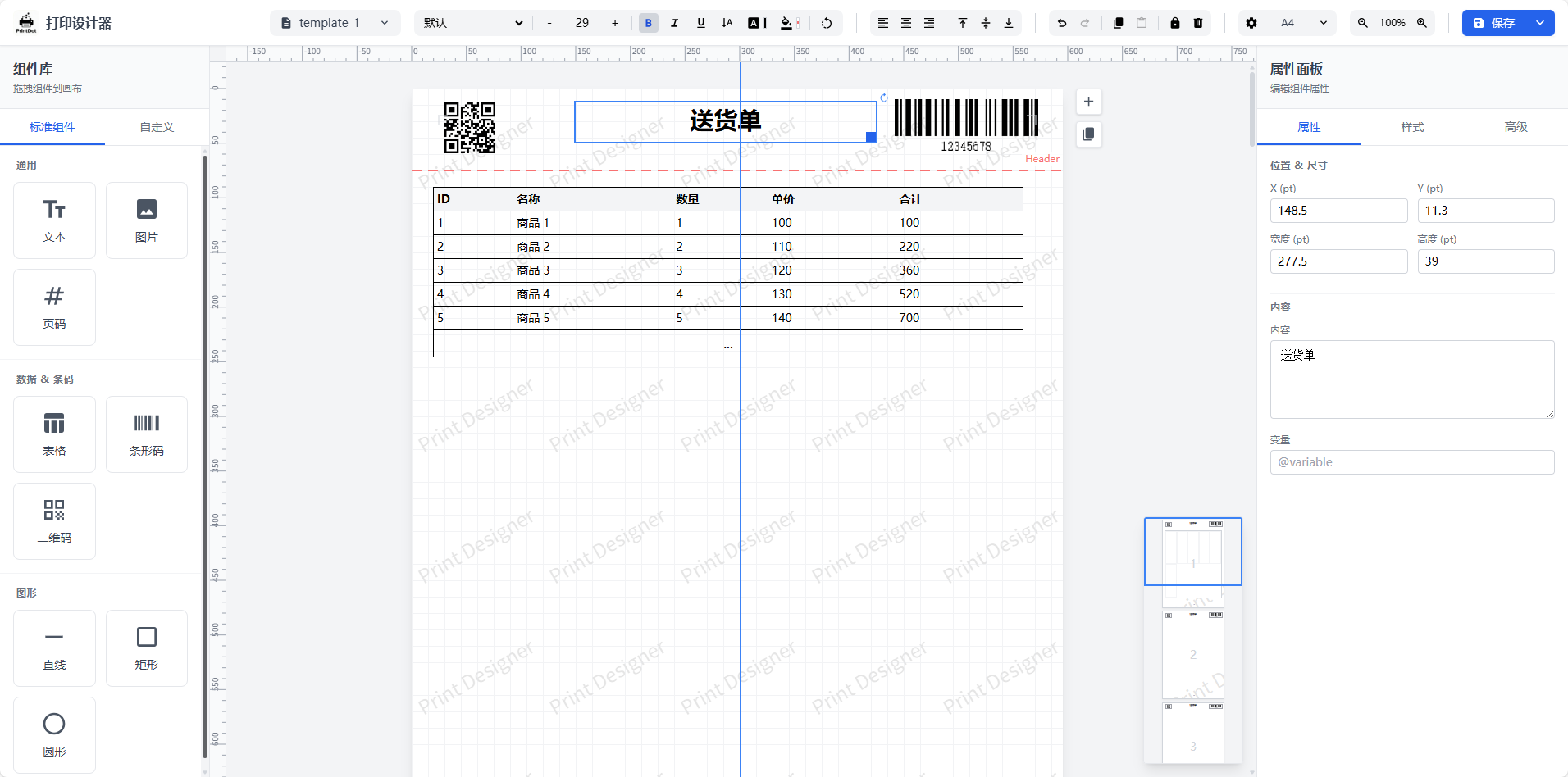 | **打印预览**<br>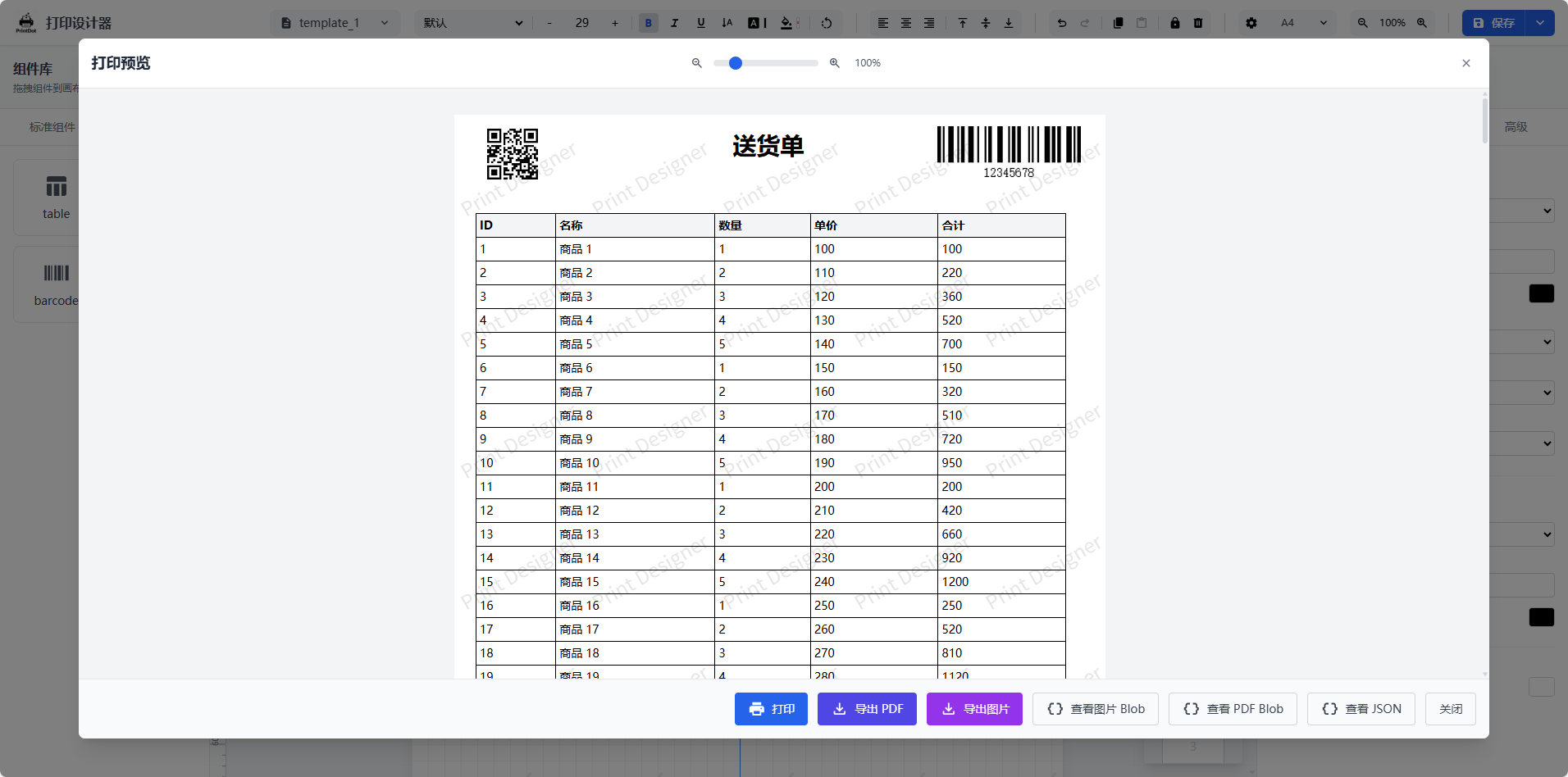 |
|
|
22
|
-
|
|
|
23
|
-
| **快捷键说明**<br>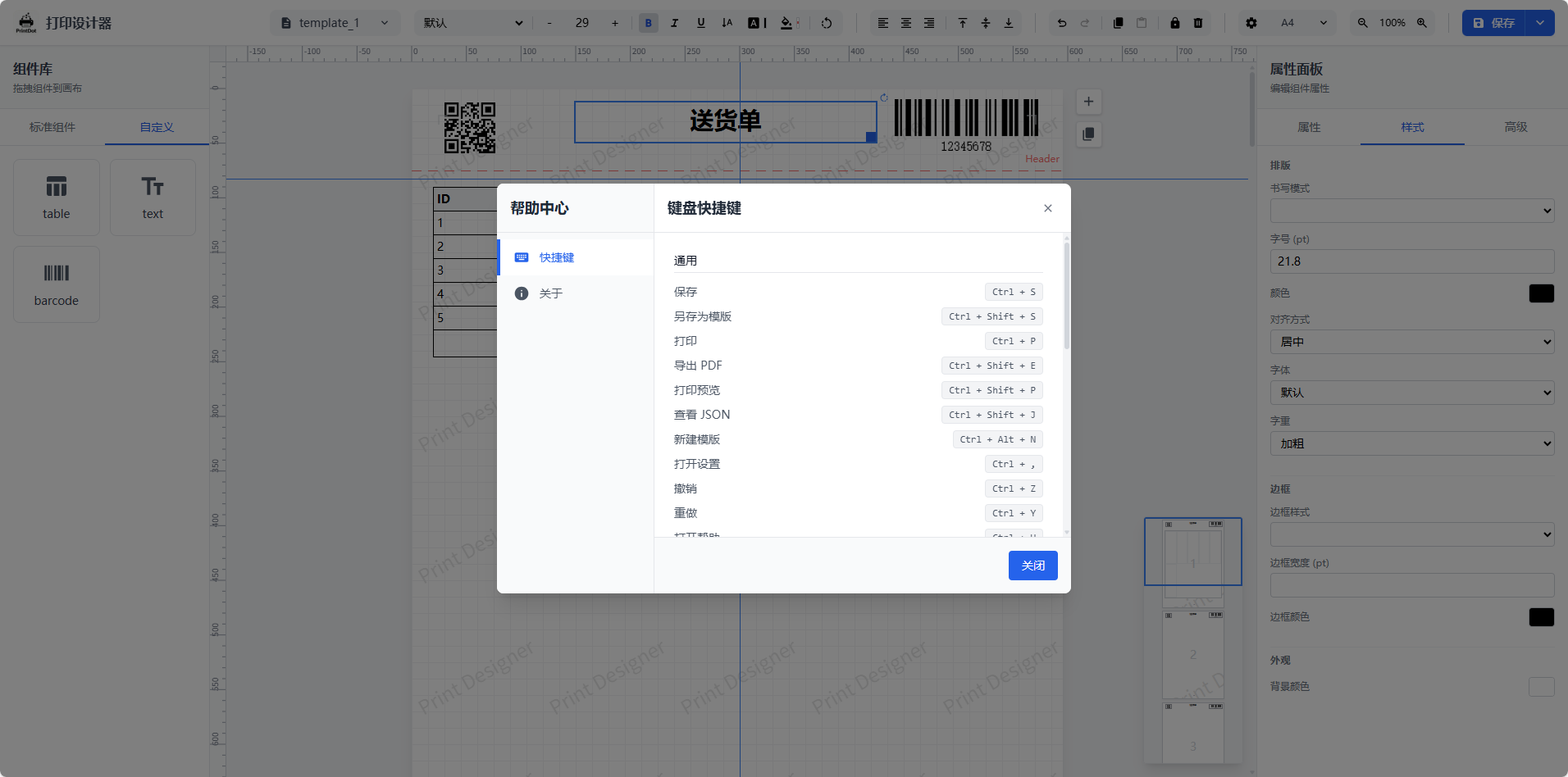 | **高级表格编辑**<br>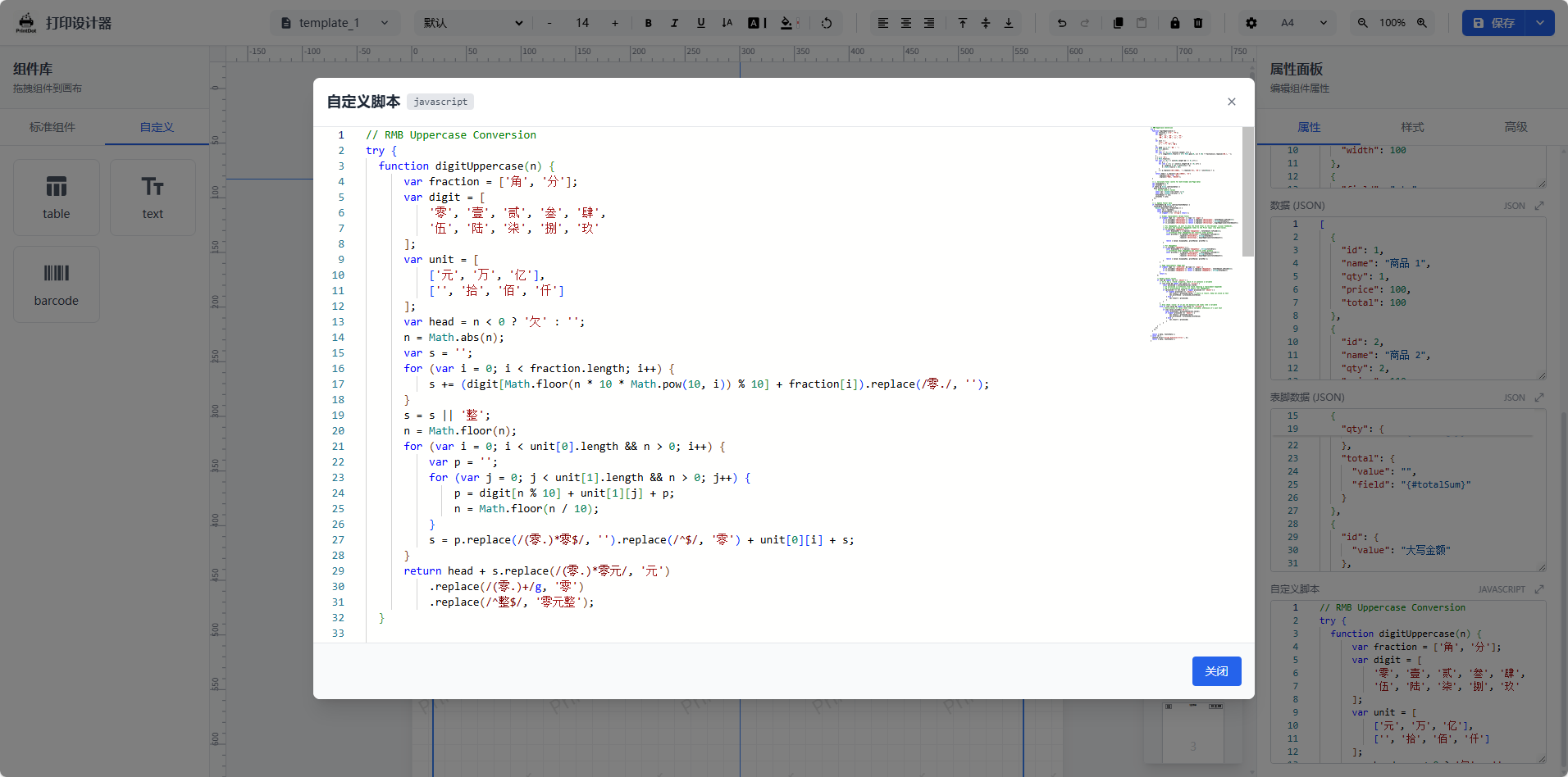 |
|
|
19
|
+
| 界面视图 | 界面视图 | 界面视图 |
|
|
20
|
+
| --- | --- | --- |
|
|
21
|
+
| **设计器主界面与画布视图**<br> | **打印预览**<br> | **打印参数配置**<br>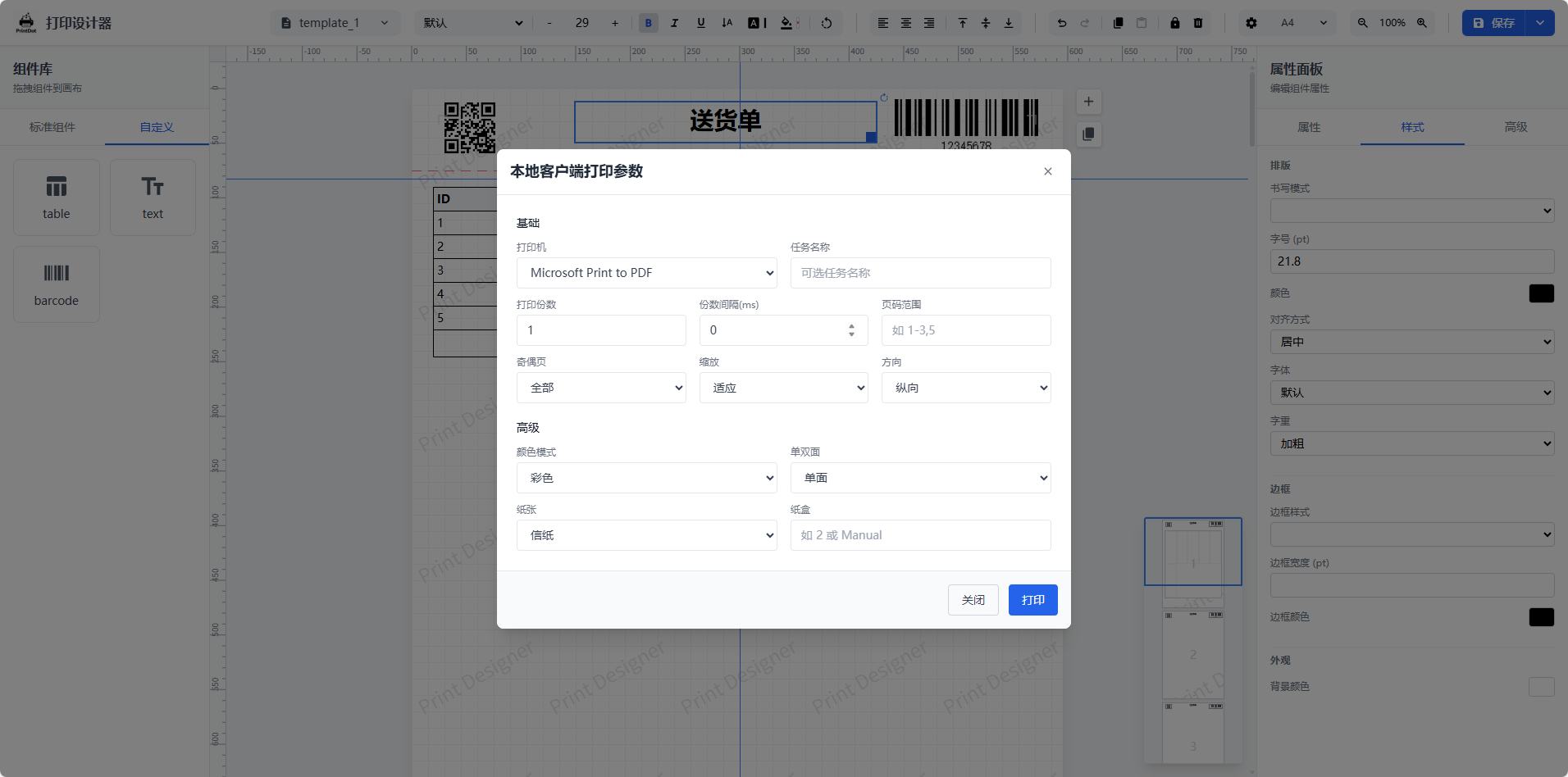 |
|
|
22
|
+
| **系统设置与偏好**<br>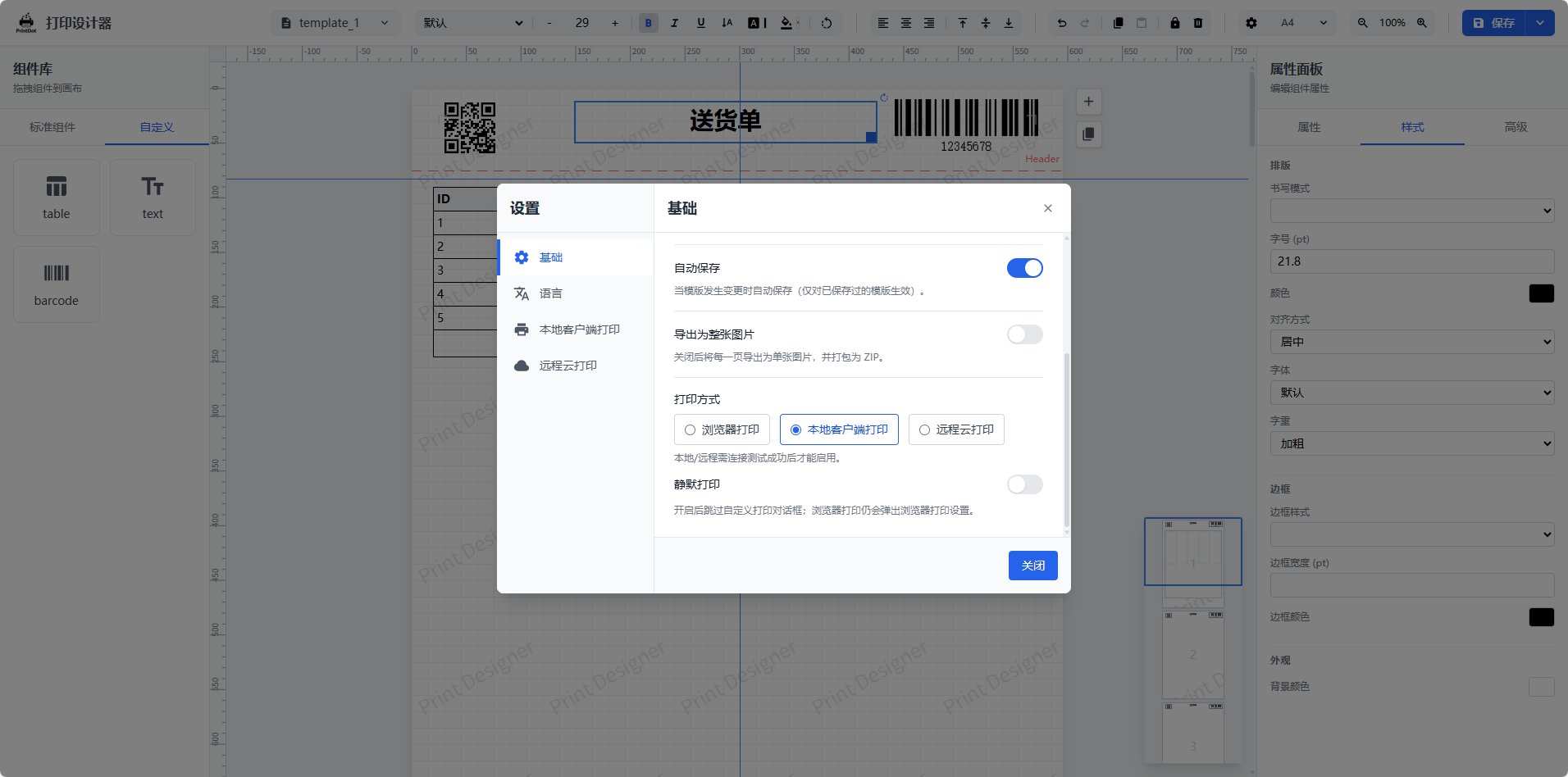 | **快捷键说明**<br> | **高级表格编辑**<br> |
|
|
24
23
|
|
|
25
24
|
## 核心特性与优势
|
|
26
25
|
|
|
@@ -51,7 +50,7 @@ PrintDot Client 是配套的桌面打印助手(Wails + Vue),用于设备
|
|
|
51
50
|
|
|
52
51
|
| 初始界面 | 偏好设置 |
|
|
53
52
|
| --- | --- |
|
|
54
|
-
| **主界面 - 设备状态与连接管理**<br><img src="https://raw.githubusercontent.com/0ldFive/Vue-Print-Designer/master/docs/images/7.png" alt="PrintDot 主界面" width="
|
|
53
|
+
| **主界面 - 设备状态与连接管理**<br><img src="https://raw.githubusercontent.com/0ldFive/Vue-Print-Designer/master/docs/images/7.png" alt="PrintDot 主界面" width="220" /> | **设置页面 - 偏好与配置选项**<br><img src="https://raw.githubusercontent.com/0ldFive/Vue-Print-Designer/master/docs/images/8.png" alt="PrintDot 设置页面" width="220" /> |
|
|
55
54
|
|
|
56
55
|
<p>
|
|
57
56
|
<a href="https://github.com/0ldFive/PrintDot-Client/releases" target="_blank" rel="noopener noreferrer">⬇ 下载 PrintDot Client</a>
|
|
@@ -59,51 +58,16 @@ PrintDot Client 是配套的桌面打印助手(Wails + Vue),用于设备
|
|
|
59
58
|
|
|
60
59
|
## 快速开始
|
|
61
60
|
|
|
62
|
-
### 环境要求
|
|
63
|
-
|
|
64
|
-
- Node.js >= 16.0.0
|
|
65
|
-
- npm >= 7.0.0 或 yarn / pnpm
|
|
66
|
-
|
|
67
|
-
### 安装依赖
|
|
68
|
-
|
|
69
|
-
```bash
|
|
70
|
-
npm install
|
|
71
|
-
```
|
|
72
|
-
|
|
73
|
-
### 开发模式
|
|
74
|
-
|
|
75
|
-
```bash
|
|
76
|
-
npm run dev
|
|
77
|
-
```
|
|
78
|
-
|
|
79
|
-
启动后访问本地服务即可使用设计器。
|
|
80
|
-
|
|
81
|
-
### 生产构建
|
|
82
|
-
|
|
83
|
-
```bash
|
|
84
|
-
npm run build
|
|
85
|
-
```
|
|
86
|
-
|
|
87
|
-
### 构建 Web Components 包
|
|
88
|
-
|
|
89
|
-
```bash
|
|
90
|
-
npm run build:wc
|
|
91
|
-
```
|
|
92
|
-
|
|
93
|
-
产物说明:
|
|
94
|
-
|
|
95
|
-
- `dist/print-designer.es.js` - ES 模块版本
|
|
96
|
-
- `dist/print-designer.umd.js` - UMD 版本
|
|
97
|
-
- `dist/print-designer.css` - 样式文件
|
|
98
|
-
- `dist/web-component.d.ts` - TypeScript 类型声明
|
|
99
|
-
|
|
100
|
-
## 引入方式
|
|
101
|
-
|
|
102
61
|
### 方式一:下载源码自行改造与集成 API
|
|
103
62
|
|
|
104
63
|
适合有深度定制需求的团队。
|
|
105
64
|
|
|
106
|
-
|
|
65
|
+
#### 环境要求
|
|
66
|
+
|
|
67
|
+
- Node.js >= 16.0.0
|
|
68
|
+
- npm >= 7.0.0 或 yarn / pnpm
|
|
69
|
+
|
|
70
|
+
#### 建议接入点
|
|
107
71
|
|
|
108
72
|
- 模板 CRUD:`useTemplateStore`(可替换为接口读写)
|
|
109
73
|
- 自定义元素 CRUD:`useDesignerStore` 中的 `customElements`
|
|
@@ -117,8 +81,16 @@ npm run build:wc
|
|
|
117
81
|
|
|
118
82
|
详细参数、CRUD 与 JSON 示例请查看:[Web Components API 用户手册](https://github.com/0ldFive/Vue-Print-Designer/blob/master/docs/zh/guide/web-components-guide.md)
|
|
119
83
|
|
|
84
|
+
#### 安装依赖
|
|
85
|
+
|
|
86
|
+
选择任一包管理器安装依赖:
|
|
87
|
+
|
|
120
88
|
```bash
|
|
121
89
|
npm i vue-print-designer
|
|
90
|
+
# 或
|
|
91
|
+
pnpm add vue-print-designer
|
|
92
|
+
# 或
|
|
93
|
+
yarn add vue-print-designer
|
|
122
94
|
```
|
|
123
95
|
|
|
124
96
|
#### 1) 使用组件(Vue 3 / Vite)
|
|
@@ -194,9 +166,15 @@ el.addEventListener('error', (e) => {
|
|
|
194
166
|
|
|
195
167
|
我们提供了一个基于 **Vue 3 + Element Plus** 的完整集成示例项目,演示如何在实际业务系统中嵌入打印设计器。
|
|
196
168
|
|
|
169
|
+
<p align="left">
|
|
170
|
+
<img src="https://raw.githubusercontent.com/0ldFive/Vue-Print-Designer/master/docs/images/11.png" alt="集成示例图 11" width="240" />
|
|
171
|
+
<img src="https://raw.githubusercontent.com/0ldFive/Vue-Print-Designer/master/docs/images/12.png" alt="集成示例图 12" width="240" />
|
|
172
|
+
<img src="https://raw.githubusercontent.com/0ldFive/Vue-Print-Designer/master/docs/images/13.png" alt="集成示例图 13" width="240" />
|
|
173
|
+
</p>
|
|
174
|
+
|
|
197
175
|
- **项目地址**:[https://github.com/0ldFive/vue-designer-sample](https://github.com/0ldFive/vue-designer-sample)
|
|
176
|
+
- **在线演示**:[https://0ldfive.github.io/vue-designer-sample/#/designer](https://0ldfive.github.io/vue-designer-sample/#/designer)
|
|
198
177
|
- **技术栈**:Vue 3, TypeScript, Element Plus, Vite
|
|
199
|
-
- **项目状态**:🚧 **建设中**(逐步完善更多业务场景)
|
|
200
178
|
|
|
201
179
|
## 项目结构
|
|
202
180
|
|
|
@@ -231,4 +209,4 @@ src/
|
|
|
231
209
|
|
|
232
210
|
AGPL-3.0-only
|
|
233
211
|
|
|
234
|
-
品牌与 Logo 使用请遵循 [TRADEMARKS.md](https://github.com/0ldFive/Vue-Print-Designer/blob/master/TRADEMARKS.md)。如需移除或替换品牌标识,请参考 [COMMERCIAL_LICENSE.md](https://github.com/0ldFive/Vue-Print-Designer/blob/master/COMMERCIAL_LICENSE.md)。
|
|
212
|
+
品牌与 Logo 使用请遵循 [TRADEMARKS.md](https://github.com/0ldFive/Vue-Print-Designer/blob/master/TRADEMARKS.md)。如需移除或替换品牌标识,请参考 [COMMERCIAL_LICENSE.md](https://github.com/0ldFive/Vue-Print-Designer/blob/master/COMMERCIAL_LICENSE.md)。
|
package/dist/print-designer.css
CHANGED
|
@@ -1 +1 @@
|
|
|
1
|
-
.print-renderer[data-v-7d814419]{padding:0}.animate-fade-in[data-v-3de6c8f6]{animation:fadeIn-3de6c8f6 .2s ease-out}@keyframes fadeIn-3de6c8f6{0%{opacity:0;transform:scale(.95)}to{opacity:1;transform:scale(1)}}[data-v-43107376] .print-page{margin-bottom:20px;background:#fff;box-shadow:none!important;position:relative!important;left:auto!important;top:auto!important}[data-v-43107376] .print-page:last-child{margin-bottom:0}.preview-content[data-v-43107376] *{cursor:default!important}.resize-y[data-v-44208768]{resize:vertical}.custom-scrollbar[data-v-
|
|
1
|
+
.print-renderer[data-v-7d814419]{padding:0}.animate-fade-in[data-v-3de6c8f6]{animation:fadeIn-3de6c8f6 .2s ease-out}@keyframes fadeIn-3de6c8f6{0%{opacity:0;transform:scale(.95)}to{opacity:1;transform:scale(1)}}[data-v-43107376] .print-page{margin-bottom:20px;background:#fff;box-shadow:none!important;position:relative!important;left:auto!important;top:auto!important}[data-v-43107376] .print-page:last-child{margin-bottom:0}.preview-content[data-v-43107376] *{cursor:default!important}.resize-y[data-v-44208768]{resize:vertical}.custom-scrollbar[data-v-5680016c]::-webkit-scrollbar{width:6px}.custom-scrollbar[data-v-5680016c]::-webkit-scrollbar-track{background:transparent}.custom-scrollbar[data-v-5680016c]::-webkit-scrollbar-thumb{background-color:#e5e7eb;border-radius:3px}.custom-scrollbar[data-v-5680016c]::-webkit-scrollbar-thumb:hover{background-color:#d1d5db}.no-scrollbar[data-v-177efb4d]{-ms-overflow-style:none;scrollbar-width:none}.no-scrollbar[data-v-177efb4d]::-webkit-scrollbar{display:none}
|