vercel-account-manager 0.1.1 → 0.1.2
This diff represents the content of publicly available package versions that have been released to one of the supported registries. The information contained in this diff is provided for informational purposes only and reflects changes between package versions as they appear in their respective public registries.
- package/README.md +39 -7
- package/package.json +1 -1
package/README.md
CHANGED
|
@@ -1,23 +1,55 @@
|
|
|
1
|
+
<img src="https://raw.githubusercontent.com/breadoncee/vercel-account-manager/main/assets/logo.svg" width="64" height="64" alt="vcm pixel logo">
|
|
2
|
+
|
|
1
3
|
# vcm
|
|
2
4
|
|
|
3
|
-
|
|
5
|
+
Manage multiple [Vercel CLI](https://vercel.com/docs/cli) accounts and teams. Set a global default, or pin an account and team to a project with `.vcmrc`.
|
|
6
|
+
|
|
7
|
+
[npm](https://www.npmjs.com/package/vercel-account-manager) · [Releases](https://github.com/breadoncee/vercel-account-manager/releases) · [MIT license](LICENSE)
|
|
4
8
|
|
|
5
|
-
##
|
|
9
|
+
## Quick start
|
|
6
10
|
|
|
7
|
-
Install the
|
|
11
|
+
Install the Vercel CLI and [`vercel-account-manager` from npm](https://www.npmjs.com/package/vercel-account-manager):
|
|
8
12
|
|
|
9
13
|
```sh
|
|
10
14
|
npm install -g vercel
|
|
11
15
|
npm install -g vercel-account-manager
|
|
12
16
|
```
|
|
13
17
|
|
|
14
|
-
|
|
18
|
+
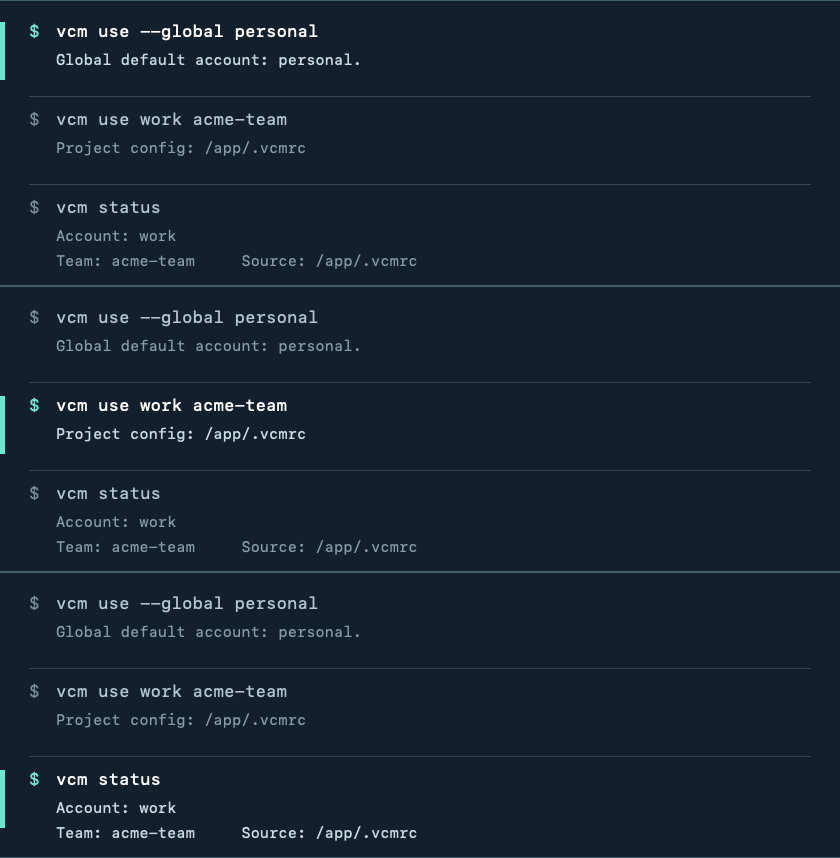
If you are already logged in to Vercel, keep that login as `personal`. Add a second account with a one-time login, then choose the default and pin a team to a project:
|
|
19
|
+
|
|
20
|
+
```sh
|
|
21
|
+
vcm add personal --default
|
|
22
|
+
vcm add work
|
|
23
|
+
vcm use --global personal
|
|
24
|
+
|
|
25
|
+
cd my-project
|
|
26
|
+
vcm use work my-team
|
|
27
|
+
vcm status
|
|
28
|
+
vcm deploy
|
|
29
|
+
```
|
|
30
|
+
|
|
31
|
+
The package exposes `vcm` on macOS and Linux. Replace `work`, `my-team`, and `my-project` with your names.
|
|
32
|
+
|
|
33
|
+
|
|
34
|
+
|
|
35
|
+
The project selection lives in `.vcmrc`. Other projects keep using your global default.
|
|
36
|
+
|
|
37
|
+
## How selection works
|
|
38
|
+
|
|
39
|
+
| Where you run a command | Account and team used |
|
|
40
|
+
| --- | --- |
|
|
41
|
+
| In a project with `.vcmrc` | The account and optional team in the closest `.vcmrc` |
|
|
42
|
+
| Elsewhere | The global default account and that account's Vercel CLI default team |
|
|
43
|
+
|
|
44
|
+
An explicit `--scope` or `--team` on a Vercel command takes precedence over a project's team setting.
|
|
15
45
|
|
|
16
46
|
## Install from a clone
|
|
17
47
|
|
|
18
48
|
Clone this repository and run:
|
|
19
49
|
|
|
20
50
|
```sh
|
|
51
|
+
git clone https://github.com/breadoncee/vercel-account-manager.git
|
|
52
|
+
cd vercel-account-manager
|
|
21
53
|
./install.sh
|
|
22
54
|
```
|
|
23
55
|
|
|
@@ -29,7 +61,7 @@ export PATH="$HOME/.local/bin:$PATH"
|
|
|
29
61
|
|
|
30
62
|
To update a previous installation after pulling changes, run `./install.sh --force`. Set `VCM_INSTALL_DIR` to an absolute path if you prefer a different installation directory.
|
|
31
63
|
|
|
32
|
-
##
|
|
64
|
+
## Manage accounts
|
|
33
65
|
|
|
34
66
|
If you are already logged in with the Vercel CLI, register that login without authenticating again:
|
|
35
67
|
|
|
@@ -51,7 +83,7 @@ vcm add work "$HOME/.config/vercel-work"
|
|
|
51
83
|
|
|
52
84
|
Use `vcm login work` if you need to refresh that account's login later.
|
|
53
85
|
|
|
54
|
-
##
|
|
86
|
+
## Pin an account and team to a project
|
|
55
87
|
|
|
56
88
|
From the project directory, run:
|
|
57
89
|
|
|
@@ -72,7 +104,7 @@ Commands run in that directory or its subdirectories use this account and team a
|
|
|
72
104
|
|
|
73
105
|
Remove the project's `.vcmrc` when you want it to use the global fallback again.
|
|
74
106
|
|
|
75
|
-
Project team selection is passed to Vercel as `--scope` for each command, so it does not change the account's global team.
|
|
107
|
+
Project team selection is passed to Vercel as `--scope` for each command, so it does not change the account's global team. An account can also be pinned without a team using `vcm use work`; in that case Vercel's default team for that account applies.
|
|
76
108
|
|
|
77
109
|
## Set the global fallback
|
|
78
110
|
|