unocss 0.32.0 → 0.32.8
This diff represents the content of publicly available package versions that have been released to one of the supported registries. The information contained in this diff is provided for informational purposes only and reflects changes between package versions as they appear in their respective public registries.
- package/LICENSE +1 -1
- package/README.md +19 -37
- package/package.json +15 -16
package/LICENSE
CHANGED
|
@@ -1,6 +1,6 @@
|
|
|
1
1
|
MIT License
|
|
2
2
|
|
|
3
|
-
Copyright (c) 2021 Anthony Fu <https://github.com/antfu>
|
|
3
|
+
Copyright (c) 2021-PRESENT Anthony Fu <https://github.com/antfu>
|
|
4
4
|
|
|
5
5
|
Permission is hereby granted, free of charge, to any person obtaining a copy
|
|
6
6
|
of this software and associated documentation files (the "Software"), to deal
|
package/README.md
CHANGED
|
@@ -18,7 +18,10 @@ The instant on-demand Atomic CSS engine.
|
|
|
18
18
|
</blockquote>
|
|
19
19
|
|
|
20
20
|
<br>
|
|
21
|
-
<p align="center"
|
|
21
|
+
<p align="center">
|
|
22
|
+
<a href="https://uno.antfu.me/">🧑💻 Interactive Docs <sup>Beta</sup></a> |
|
|
23
|
+
<a href="https://uno.antfu.me/play/">🤹♂️ Playground</a>
|
|
24
|
+
</p>
|
|
22
25
|
<br>
|
|
23
26
|
|
|
24
27
|
## Features
|
|
@@ -33,7 +36,6 @@ Inspired by [Windi CSS](http://windicss.org/), [Tailwind CSS](https://tailwindcs
|
|
|
33
36
|
- [Pure CSS Icons](https://github.com/unocss/unocss/tree/main/packages/preset-icons/) - use any icon as a single class.
|
|
34
37
|
- [Inspector](#inspector) - inspect and debug interactively.
|
|
35
38
|
- [CSS-in-JS Runtime version](https://github.com/unocss/unocss/tree/main/packages/runtime)
|
|
36
|
-
- [CSS Scoping](#css-scoping)
|
|
37
39
|
- [VS Code extension](https://marketplace.visualstudio.com/items?itemName=antfu.unocss)
|
|
38
40
|
- [Variant Groups](https://github.com/unocss/unocss/tree/main/packages/transformer-variant-group) & [CSS Directives](https://github.com/unocss/unocss/tree/main/packages/transformer-directives)
|
|
39
41
|
- Code-splitting for CSS - ships minimal CSS for MPA.
|
|
@@ -51,13 +53,6 @@ tailwindcss v3.0.23 1621.38 ms / delta. 1608.96 ms (x187.79)
|
|
|
51
53
|
windicss v3.5.1 1855.86 ms / delta. 1843.45 ms (x215.16)
|
|
52
54
|
```
|
|
53
55
|
|
|
54
|
-
###### Non-goal
|
|
55
|
-
|
|
56
|
-
UnoCSS is designed **NOT** to be/have:
|
|
57
|
-
|
|
58
|
-
- ~~A CSS preprocessor (e.g. `@apply`)~~ - Yes, you can now: [CSS Directives](https://github.com/unocss/unocss/tree/main/packages/transformer-directives)
|
|
59
|
-
- Tailwind's plugin system - but you can write custom rules in seconds and share them as presets!
|
|
60
|
-
|
|
61
56
|
## Installation
|
|
62
57
|
|
|
63
58
|
### Vite
|
|
@@ -86,11 +81,9 @@ import 'uno.css'
|
|
|
86
81
|
|
|
87
82
|
That's it, have fun.
|
|
88
83
|
|
|
89
|
-
|
|
84
|
+
Learn more at [@unocss/vite](https://github.com/unocss/unocss/blob/main/packages/vite).
|
|
90
85
|
|
|
91
|
-
|
|
92
|
-
- modes: `global`, `dist-chunk`, `per-module`, `vue-scoped`, `svelte-scoped`, and `shadow-dom`.
|
|
93
|
-
- frameworks: `React`, `Preact`, `Svelte`, `SvelteKit`, `Web Components`, `Solid`, and `Elm`.
|
|
86
|
+
See [all packages](https://github.com/unocss/unocss/tree/main/packages).
|
|
94
87
|
|
|
95
88
|
### Nuxt
|
|
96
89
|
|
|
@@ -102,13 +95,13 @@ npm i -D @unocss/nuxt
|
|
|
102
95
|
// nuxt.config.js
|
|
103
96
|
|
|
104
97
|
export default {
|
|
105
|
-
|
|
98
|
+
modules: [
|
|
106
99
|
'@unocss/nuxt',
|
|
107
100
|
],
|
|
108
101
|
}
|
|
109
102
|
```
|
|
110
103
|
|
|
111
|
-
|
|
104
|
+
Learn more at [@unocss/nuxt](https://github.com/unocss/unocss/tree/main/packages/nuxt)
|
|
112
105
|
|
|
113
106
|
## Configurations
|
|
114
107
|
|
|
@@ -302,6 +295,8 @@ UnoCSS respects the order of the rules you defined in the generated CSS. Latter
|
|
|
302
295
|
|
|
303
296
|
The shortcuts functionality that UnoCSS provides is similar to [Windi CSS's](https://windicss.org/features/shortcuts.html) one
|
|
304
297
|
|
|
298
|
+
<!--eslint-skip-->
|
|
299
|
+
|
|
305
300
|
```ts
|
|
306
301
|
shortcuts: {
|
|
307
302
|
// shortcuts to multiple utilities
|
|
@@ -399,6 +394,8 @@ Learn more at [@unocss/reset](https://github.com/unocss/unocss/tree/main/package
|
|
|
399
394
|
|
|
400
395
|
[Variants](https://windicss.org/utilities/general/variants.html) allows you to apply some variations to your existing rules. For example, to implement the `hover:` variant from Tailwind:
|
|
401
396
|
|
|
397
|
+
<!--eslint-skip-->
|
|
398
|
+
|
|
402
399
|
```ts
|
|
403
400
|
variants: [
|
|
404
401
|
// hover:
|
|
@@ -444,6 +441,8 @@ The variant system is very powerful and can't be covered fully in this guide, yo
|
|
|
444
441
|
|
|
445
442
|
UnoCSS also supports the theming system that you might be familiar with in Tailwind / Windi. At the user level, you can specify the `theme` property in your config and it will be deep merged to the default theme.
|
|
446
443
|
|
|
444
|
+
<!--eslint-skip-->
|
|
445
|
+
|
|
447
446
|
```ts
|
|
448
447
|
theme: {
|
|
449
448
|
colors: {
|
|
@@ -495,6 +494,8 @@ This will generate:
|
|
|
495
494
|
|
|
496
495
|
You can control the order of layers by:
|
|
497
496
|
|
|
497
|
+
<!--eslint-skip-->
|
|
498
|
+
|
|
498
499
|
```ts
|
|
499
500
|
layers: {
|
|
500
501
|
components: -1,
|
|
@@ -523,6 +524,8 @@ import 'uno:utilities.css'
|
|
|
523
524
|
|
|
524
525
|
UnoCSS also provides the ability to preprocess and transform extracted utilities before processing to the matcher. For example, the following example allows you to add a global prefix to all utilities:
|
|
525
526
|
|
|
527
|
+
<!--eslint-skip-->
|
|
528
|
+
|
|
526
529
|
```ts
|
|
527
530
|
preprocess(matcher) {
|
|
528
531
|
return matcher.startsWith('prefix-')
|
|
@@ -578,23 +581,6 @@ From v0.7.0, our Vite plugin now ships with a dev inspector ([@unocss/inspector]
|
|
|
578
581
|
|
|
579
582
|
See [@unocss/runtime](https://github.com/unocss/unocss/tree/main/packages/runtime)
|
|
580
583
|
|
|
581
|
-
### CSS Scoping
|
|
582
|
-
|
|
583
|
-
> 🚧 This part is still experimental. You might want to read the code to see how it works currently.
|
|
584
|
-
|
|
585
|
-
<!-- ## Make a Custom Preset
|
|
586
|
-
|
|
587
|
-
// TODO:
|
|
588
|
-
|
|
589
|
-
### Extractors
|
|
590
|
-
|
|
591
|
-
// TODO:
|
|
592
|
-
|
|
593
|
-
### Publish
|
|
594
|
-
|
|
595
|
-
// TODO: -->
|
|
596
|
-
|
|
597
|
-
|
|
598
584
|
## Acknowledgement
|
|
599
585
|
|
|
600
586
|
> in alphabet order
|
|
@@ -616,10 +602,6 @@ See [@unocss/runtime](https://github.com/unocss/unocss/tree/main/packages/runtim
|
|
|
616
602
|
</a>
|
|
617
603
|
</p>
|
|
618
604
|
|
|
619
|
-
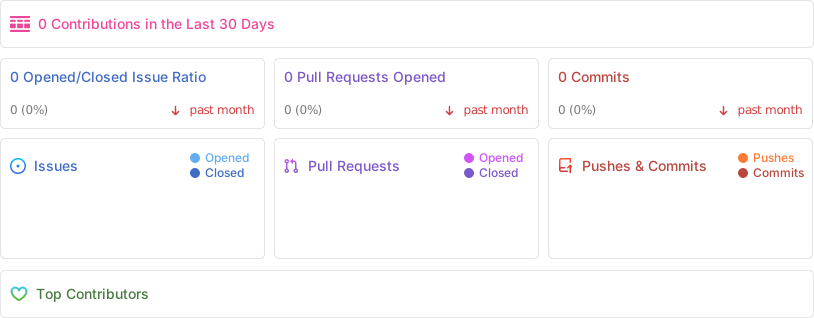
## Project Activity
|
|
620
|
-
|
|
621
|
-
|
|
622
|
-
|
|
623
605
|
## License
|
|
624
606
|
|
|
625
|
-
[MIT](./LICENSE) License
|
|
607
|
+
[MIT](./LICENSE) License © 2021-PRESENT [Anthony Fu](https://github.com/antfu)
|
package/package.json
CHANGED
|
@@ -1,6 +1,6 @@
|
|
|
1
1
|
{
|
|
2
2
|
"name": "unocss",
|
|
3
|
-
"version": "0.32.
|
|
3
|
+
"version": "0.32.8",
|
|
4
4
|
"description": "The instant on-demand Atomic CSS engine.",
|
|
5
5
|
"keywords": [
|
|
6
6
|
"unocss",
|
|
@@ -77,19 +77,19 @@
|
|
|
77
77
|
],
|
|
78
78
|
"sideEffects": false,
|
|
79
79
|
"dependencies": {
|
|
80
|
-
"@unocss/cli": "0.32.
|
|
81
|
-
"@unocss/core": "0.32.
|
|
82
|
-
"@unocss/preset-attributify": "0.32.
|
|
83
|
-
"@unocss/preset-icons": "0.32.
|
|
84
|
-
"@unocss/preset-mini": "0.32.
|
|
85
|
-
"@unocss/preset-typography": "0.32.
|
|
86
|
-
"@unocss/preset-uno": "0.32.
|
|
87
|
-
"@unocss/preset-web-fonts": "0.32.
|
|
88
|
-
"@unocss/preset-wind": "0.32.
|
|
89
|
-
"@unocss/reset": "0.32.
|
|
90
|
-
"@unocss/transformer-directives": "0.32.
|
|
91
|
-
"@unocss/transformer-variant-group": "0.32.
|
|
92
|
-
"@unocss/vite": "0.32.
|
|
80
|
+
"@unocss/cli": "0.32.8",
|
|
81
|
+
"@unocss/core": "0.32.8",
|
|
82
|
+
"@unocss/preset-attributify": "0.32.8",
|
|
83
|
+
"@unocss/preset-icons": "0.32.8",
|
|
84
|
+
"@unocss/preset-mini": "0.32.8",
|
|
85
|
+
"@unocss/preset-typography": "0.32.8",
|
|
86
|
+
"@unocss/preset-uno": "0.32.8",
|
|
87
|
+
"@unocss/preset-web-fonts": "0.32.8",
|
|
88
|
+
"@unocss/preset-wind": "0.32.8",
|
|
89
|
+
"@unocss/reset": "0.32.8",
|
|
90
|
+
"@unocss/transformer-directives": "0.32.8",
|
|
91
|
+
"@unocss/transformer-variant-group": "0.32.8",
|
|
92
|
+
"@unocss/vite": "0.32.8"
|
|
93
93
|
},
|
|
94
94
|
"engines": {
|
|
95
95
|
"node": ">=14"
|
|
@@ -97,6 +97,5 @@
|
|
|
97
97
|
"scripts": {
|
|
98
98
|
"build": "unbuild",
|
|
99
99
|
"stub": "unbuild --stub"
|
|
100
|
-
}
|
|
101
|
-
"readme": "<br>\n\n<p align=\"center\">\n<img src=\"https://raw.githubusercontent.com/unocss/unocss/main/playground/public/icon-gray.svg\" style=\"width:100px;\" />\n</p>\n\n<h1 align=\"center\">UnoCSS</h1>\n\n<p align=\"center\">\nThe instant on-demand Atomic CSS engine.\n</p>\n\n<p align=\"center\">\n<a href=\"https://www.npmjs.com/package/unocss\"><img src=\"https://img.shields.io/npm/v/unocss?color=c95f8b&label=\" alt=\"NPM version\"></a></p>\n\n<blockquote align=\"center\">\n<p>💡 I highly recommend reading this blog post - <br><a href=\"https://antfu.me/posts/reimagine-atomic-css\"><strong>Reimagine Atomic CSS</strong></a><br>for the story behind</p>\n</blockquote>\n\n<br>\n<p align=\"center\"><a href=\"https://unocss.antfu.me/\">🤹♂️ Online Playground</a></p>\n<br>\n\n## Features\n\nInspired by [Windi CSS](http://windicss.org/), [Tailwind CSS](https://tailwindcss.com/), and [Twind](https://github.com/tw-in-js/twind), but:\n\n- [Fully customizable](#configurations) - no core utilities, all functionalities are provided via presets.\n- No parsing, no AST, no scanning, it's **INSTANT** (200x faster than Windi CSS or Tailwind JIT).\n- ~3.5kb min+gzip - zero deps and browser friendly.\n- [Shortcuts](#shortcuts) - aliasing utilities, dynamically.\n- [Attributify Mode](https://github.com/unocss/unocss/tree/main/packages/preset-attributify/) - group utilities in attributes.\n- [Pure CSS Icons](https://github.com/unocss/unocss/tree/main/packages/preset-icons/) - use any icon as a single class.\n- [Inspector](#inspector) - inspect and debug interactively.\n- [CSS-in-JS Runtime version](https://github.com/unocss/unocss/tree/main/packages/runtime)\n- [CSS Scoping](#css-scoping)\n- [VS Code extension](https://marketplace.visualstudio.com/items?itemName=antfu.unocss)\n- [Variant Groups](https://github.com/unocss/unocss/tree/main/packages/transformer-variant-group) & [CSS Directives](https://github.com/unocss/unocss/tree/main/packages/transformer-directives)\n- Code-splitting for CSS - ships minimal CSS for MPA.\n- Library friendly - ships atomic styles with your component libraries, and safely scoped.\n\n###### Benchmark\n\n```\n3/26/2022, 11:41:26 PM\n1656 utilities | x50 runs (min build time)\n\nnone 12.42 ms / delta. 0.00 ms\nunocss v0.30.6 20.98 ms / delta. 8.57 ms (x1.00)\ntailwindcss v3.0.23 1621.38 ms / delta. 1608.96 ms (x187.79)\nwindicss v3.5.1 1855.86 ms / delta. 1843.45 ms (x215.16)\n```\n\n###### Non-goal\n\nUnoCSS is designed **NOT** to be/have:\n\n- ~~A CSS preprocessor (e.g. `@apply`)~~ - Yes, you can now: [CSS Directives](https://github.com/unocss/unocss/tree/main/packages/transformer-directives)\n- Tailwind's plugin system - but you can write custom rules in seconds and share them as presets!\n\n## Installation\n\n### Vite\n\n```bash\nnpm i -D unocss\n```\n\n```ts\n// vite.config.ts\nimport Unocss from 'unocss/vite'\n\nexport default {\n plugins: [\n Unocss({ /* options */ }),\n ],\n}\n```\n\nAdd `uno.css` to your main entry:\n\n```ts\n// main.ts\nimport 'uno.css'\n```\n\nThat's it, have fun.\n\nSee [all packages](https://github.com/unocss/unocss/tree/main/packages).\n\nRefer to the full documentation on [Vite](https://github.com/unocss/unocss/blob/main/packages/vite/README.md):\n- modes: `global`, `dist-chunk`, `per-module`, `vue-scoped`, `svelte-scoped`, and `shadow-dom`.\n- frameworks: `React`, `Preact`, `Svelte`, `SvelteKit`, `Web Components`, `Solid`, and `Elm`.\n\n### Nuxt\n\n```bash\nnpm i -D @unocss/nuxt\n```\n\n```ts\n// nuxt.config.js\n\nexport default {\n buildModules: [\n '@unocss/nuxt',\n ],\n}\n```\n\nRefer to the full documentation on [@unocss/nuxt](https://github.com/unocss/unocss/tree/main/packages/nuxt)\n\n## Configurations\n\nUnoCSS is an atomic-CSS engine instead of a framework. Everything is designed with flexibility and performance in mind. There are no core utilities in UnoCSS, all functionalities are provided via presets.\n\nBy default, UnoCSS applies [the default preset](https://github.com/unocss/unocss/tree/main/packages/preset-uno), which provides a common superset of the popular utilities-first frameworks Tailwind CSS, Windi CSS, Bootstrap, Tachyons, etc.\n\nFor example: `ml-3` (Tailwind), `ms-2` (Bootstrap), `ma4` (Tachyons), and `mt-10px` (Windi CSS) are all valid.\n\n```css\n.ma4 { margin: 1rem; }\n.ml-3 { margin-left: 0.75rem; }\n.ms-2 { margin-inline-start: 0.5rem; }\n.mt-10px { margin-top: 10px; }\n```\n\nLearn more about [the default preset](https://github.com/unocss/unocss/tree/main/packages/preset-uno).\n\n### Presets\n\nPresets are the heart of UnoCSS. They let you make your own custom framework in minutes.\n\n###### Official Presets\n\n- [@unocss/preset-uno](https://github.com/unocss/unocss/tree/main/packages/preset-uno) - The default preset (right now it's equivalent to `@unocss/preset-wind`).\n- [@unocss/preset-mini](https://github.com/unocss/unocss/tree/main/packages/preset-mini) - The minimal but essential rules and variants.\n- [@unocss/preset-wind](https://github.com/unocss/unocss/tree/main/packages/preset-wind) - Tailwind / Windi CSS compact preset.\n- [@unocss/preset-attributify](https://github.com/unocss/unocss/tree/main/packages/preset-attributify) - Provides [Attributify Mode](https://github.com/unocss/unocss/tree/main/packages/preset-attributify#attributify-mode) to other presets and rules.\n- [@unocss/preset-icons](https://github.com/unocss/unocss/tree/main/packages/preset-icons) - Use any icon as a class utility.\n- [@unocss/preset-web-fonts](https://github.com/unocss/unocss/tree/main/packages/preset-web-fonts) - Web fonts at ease.\n- [@unocss/preset-typography](https://github.com/unocss/unocss/tree/main/packages/preset-typography) - The typography preset.\n\n###### Community Presets\n\n- [unocss-preset-scalpel](https://github.com/macheteHot/unocss-preset-scalpel) - Scalpel Preset by [@macheteHot](https://github.com/macheteHot/).\n- [unocss-preset-chroma](https://github.com/chu121su12/unocss-preset-chroma) - Gradient Preset by [@chu121su12](https://github.com/chu121su12).\n- [unocss-preset-scrollbar](https://github.com/action-hong/unocss-preset-scrollbar) - Scrollbar Preset by [@action-hong](https://github.com/action-hong).\n\n### Using Presets\n\nTo set presets to your project:\n\n```ts\n// vite.config.ts\nimport Unocss from 'unocss/vite'\nimport { presetAttributify, presetUno } from 'unocss'\n\nexport default {\n plugins: [\n Unocss({\n presets: [\n presetAttributify({ /* preset options */}),\n presetUno(),\n // ...custom presets\n ],\n }),\n ],\n}\n```\n\nWhen the `presets` option is specified, the default preset will be ignored.\n\nTo disable the default preset, you can set `presets` to an empty array:\n\n```ts\n// vite.config.ts\nimport Unocss from 'unocss/vite'\n\nexport default {\n plugins: [\n Unocss({\n presets: [], // disable default preset\n rules: [\n // your custom rules\n ],\n }),\n ],\n}\n```\n\n### Custom Rules\n\n###### Static Rules\n\nWriting custom rules for UnoCSS is super easy. For example:\n\n```ts\nrules: [\n ['m-1', { margin: '0.25rem' }],\n]\n```\n\nYou will have the following CSS generated whenever `m-1` is detected in users' codebase:\n\n```css\n.m-1 { margin: 0.25rem; }\n```\n\n###### Dynamic Rules\n\nTo make it smarter, change the matcher to a RegExp and the body to a function:\n\n```ts\nrules: [\n [/^m-(\\d+)$/, ([, d]) => ({ margin: `${d / 4}rem` })],\n [/^p-(\\d+)$/, match => ({ padding: `${match[1] / 4}rem` })],\n]\n```\n\nThe first argument of the body function is the match result, you can destructure it to get the matched groups.\n\nFor example, with the following usage:\n\n```html\n<div class=\"m-100\">\n <button class=\"m-3\">\n <icon class=\"p-5\" />\n My Button\n </button>\n</div>\n```\n\nthe corresponding CSS will be generated:\n\n```css\n.m-100 { margin: 25rem; }\n.m-3 { margin: 0.75rem; }\n.p-5 { padding: 1.25rem; }\n```\n\nCongratulations! Now you got your own powerful atomic CSS utilities, enjoy!\n\n###### Full Controlled Rules\n\n<details>\n<summary>This is an advanced feature, you don't need it in most of the cases.</summary>\n\n<br>\n\nWhen you really need some advanced rules that can't be covered by the combination of [Dynamic Rules](#dynamic-rules) and [Variants](#custom-variants), we also provide a way to give you full control to generate the CSS.\n\nBy returning a `string` from the dynamic rule's body function, it will be directly passed to the generated CSS. That also means you would need to take care of things like CSS escaping, variants applying, CSS constructing, and so on.\n\n```ts\nimport Unocss, { toEscapedSelector as e } from 'unocss'\n\nUnocss({\n rules: [\n [/^custom-(.+)$/, ([, name], { rawSelector, currentSelector, variantHandlers, theme }) => {\n // discard mismatched rules\n if (name.includes('something'))\n return\n\n // if you want, you can disable the variants for this rule\n if (variantHandlers.length)\n return\n const selector = e(rawSelector)\n // return a string instead of an object\n return `\n${selector} {\n font-size: ${theme.fontSize.sm};\n}\n/* you can have multiple rules */\n${selector}::after {\n content: 'after';\n}\n.foo > ${selector} {\n color: red;\n}\n/* or media queries */\n@media (min-width: ${theme.breakpoints.sm}) {\n ${selector} {\n font-size: ${theme.fontSize.sm};\n }\n}\n`\n }],\n ],\n})\n```\n\nYou might need to read some code to take the full power of it.\n\n</details>\n\n### Ordering\n\nUnoCSS respects the order of the rules you defined in the generated CSS. Latter ones come with higher priority.\n\n### Shortcuts\n\nThe shortcuts functionality that UnoCSS provides is similar to [Windi CSS's](https://windicss.org/features/shortcuts.html) one\n\n```ts\nshortcuts: {\n // shortcuts to multiple utilities\n 'btn': 'py-2 px-4 font-semibold rounded-lg shadow-md',\n 'btn-green': 'text-white bg-green-500 hover:bg-green-700',\n // single utility alias\n 'red': 'text-red-100'\n}\n```\n\nIn addition to the plain mapping, UnoCSS also allows you to define dynamic shortcuts.\n\nSimilar to [Rules](#custom-rules), a dynamic shortcut is the combination of a matcher RegExp and a handler function.\n\n```ts\nshortcuts: [\n // you could still have object style\n {\n btn: 'py-2 px-4 font-semibold rounded-lg shadow-md',\n },\n // dynamic shortcuts\n [/^btn-(.*)$/, ([, c]) => `bg-${c}-400 text-${c}-100 py-2 px-4 rounded-lg`],\n]\n```\n\nWith this, we could use `btn-green` and `btn-red` to generate the following CSS:\n\n```css\n.btn-green {\n padding-top: 0.5rem;\n padding-bottom: 0.5rem;\n padding-left: 1rem;\n padding-right: 1rem;\n --un-bg-opacity: 1;\n background-color: rgba(74, 222, 128, var(--un-bg-opacity));\n border-radius: 0.5rem;\n --un-text-opacity: 1;\n color: rgba(220, 252, 231, var(--un-text-opacity));\n}\n.btn-red {\n padding-top: 0.5rem;\n padding-bottom: 0.5rem;\n padding-left: 1rem;\n padding-right: 1rem;\n --un-bg-opacity: 1;\n background-color: rgba(248, 113, 113, var(--un-bg-opacity));\n border-radius: 0.5rem;\n --un-text-opacity: 1;\n color: rgba(254, 226, 226, var(--un-text-opacity));\n}\n```\n\n### Rules Merging\n\nBy default, UnoCSS will merge CSS rules with the same body to minimize the CSS size.\n\nFor example, `<div class=\"m-2 hover:m2\">` will generate\n\n```css\n.hover\\:m2:hover, .m-2 { margin: 0.5rem; }\n```\n\ninstead of two separate rules:\n\n```css\n.hover\\:m2:hover { margin: 0.5rem; }\n.m-2 { margin: 0.5rem; }\n```\n\n### Style Resetting\n\nUnoCSS does not provide style resetting or preflight by default for maximum flexibility and does not populate your global CSS. If you use UnoCSS along with other CSS frameworks, they probably already do the resetting for you. If you use UnoCSS alone, you can use resetting libraries like [Normalize.css](https://necolas.github.io/normalize.css/).\n\nWe also provide a small collection for you to grab them quickly:\n\n```bash\nnpm i @unocss/reset\n```\n\n```ts\n// main.js\n// pick one of the following\n\n// normalize.css\nimport '@unocss/reset/normalize.css'\n// reset.css by Eric Meyer https://meyerweb.com/eric/tools/css/reset/index.html\nimport '@unocss/reset/eric-meyer.css'\n// preflights from tailwind\nimport '@unocss/reset/tailwind.css'\n```\n\nLearn more at [@unocss/reset](https://github.com/unocss/unocss/tree/main/packages/reset).\n\n### Custom Variants\n\n[Variants](https://windicss.org/utilities/general/variants.html) allows you to apply some variations to your existing rules. For example, to implement the `hover:` variant from Tailwind:\n\n```ts\nvariants: [\n // hover:\n (matcher) => {\n if (!matcher.startsWith('hover:'))\n return matcher\n return {\n // slice `hover:` prefix and passed to the next variants and rules\n matcher: matcher.slice(6),\n selector: s => `${s}:hover`,\n }\n }\n],\nrules: [\n [/^m-(\\d)$/, ([, d]) => ({ margin: `${d / 4}rem` })],\n]\n```\n\n- `matcher` controls when the variant is enabled. If the return value is a string, it will be used as the selector for matching the rules.\n- `selector` provides the availability of customizing the generated CSS selector.\n\nLet's have a tour of what happened when matching for `hover:m-2`:\n\n- `hover:m-2` is extracted from users usages\n- `hover:m-2` send to all variants for matching\n- `hover:m-2` is matched by our variant and returns `m-2`\n- the result `m-2` will be used for the next round of variants matching\n- if no other variant is matched, `m-2` will then goes to match the rules\n- our first rule get matched and generates `.m-2 { margin: 0.5rem; }`\n- finally, we apply our variants transformation to the generated CSS. In this case, we prepended `:hover` to the `selector` hook\n\nAs a result, the following CSS will be generated:\n\n```css\n.hover\\:m-2:hover { margin: 0.5rem; }\n```\n\nWith this, we could have `m-2` applied only when users hover over the element.\n\nThe variant system is very powerful and can't be covered fully in this guide, you can check [the default preset's implementation](https://github.com/unocss/unocss/tree/main/packages/preset-mini/src/variants) to see more advanced usages.\n\n### Extend Theme\n\nUnoCSS also supports the theming system that you might be familiar with in Tailwind / Windi. At the user level, you can specify the `theme` property in your config and it will be deep merged to the default theme.\n\n```ts\ntheme: {\n colors: {\n 'veryCool': '#0000ff', // class=\"text-very-cool\"\n 'brand': {\n 'primary': '#1f6ae3', //class=\"bg-brand-primary\"\n }\n },\n breakpoints: {\n xs: '320px',\n sm: '640px',\n }\n}\n```\n\nTo consume the theme in rules:\n\n```ts\nrules: [\n [/^text-(.*)$/, ([, c], { theme }) => {\n if (theme.colors[c])\n return { color: theme.colors[c] }\n }],\n]\n```\n\n### Layers\n\nThe order of CSS will affect their priorities. While we will [retain the order of rules](#ordering), sometimes you may want to group some utilities to have more explicit control of their order.\n\nUnlike Tailwind, which offers 3 fixed layers (`base`, `components`, `utilities`), UnoCSS allows you to define the layers as you want. To set the layer, you can pass the metadata as the third item of your rules:\n\n```ts\nrules: [\n [/^m-(\\d)$/, ([, d]) => ({ margin: `${d / 4}rem` }), { layer: 'utilities' }],\n // when you omit the layer, it will be `default`\n ['btn', { padding: '4px' }],\n]\n```\n\nThis will generate:\n\n```css\n/* layer: default */\n.btn { padding: 4px; }\n/* layer: utilities */\n.m-2 { margin: 0.5rem; }\n```\n\nYou can control the order of layers by:\n\n```ts\nlayers: {\n components: -1,\n default: 1,\n utilities: 2,\n 'my-layer': 3,\n}\n```\n\nLayers without specified order will be sorted alphabetically.\n\nWhen you want to have your custom CSS between layers, you can update your entry module:\n\n```ts\n// 'uno:[layer-name].css'\nimport 'uno:components.css'\n// layers that are not 'components' and 'utilities' will fallback to here\nimport 'uno.css'\n// your own CSS\nimport './my-custom.css'\n// \"utilities\" layer will have the highest priority\nimport 'uno:utilities.css'\n```\n\n### Utilities Preprocess & Prefixing\n\nUnoCSS also provides the ability to preprocess and transform extracted utilities before processing to the matcher. For example, the following example allows you to add a global prefix to all utilities:\n\n```ts\npreprocess(matcher) {\n return matcher.startsWith('prefix-')\n ? matcher.slice(7)\n : undefined // ignore\n}\n```\n\n### Scanning\n\nBy default UnoCSS will scan for components files like: `.jsx`, `.tsx`, `.vue`, `.md`, `.html`, `.svelte`, `.astro`.\n\n`.js` and `.ts` files are not included by default. You can add `@unocss-include`, per-file basis, anywhere in the file that you want UnoCSS to scan, or add `*.js` or `*.ts` in the configuration to include all js/ts files as scan targets.\n\n### Safelist\n\nSometimes you'll have to use dynamic concatenations:\n\n```html\n<div class=\"p-${size}\"></div>\n```\n\nFor that, you can simply configure the `safelist` option.\n\n```ts\nsafelist: 'p-1 p-2 p-3 p-4'.split(' ')\n```\n\nthe corresponding CSS will be always generated:\n\n```css\n.p-1 { padding: 0.25rem; }\n.p-2 { padding: 0.5rem; }\n.p-3 { padding: 0.75rem; }\n.p-4 { padding: 1rem; }\n```\n\nOr more flexible:\n\n```ts\nsafelist: [\n ...Array.from({ length: 4 }, (_, i) => `p-${i + 1}`),\n]\n```\n\n### Inspector\n\nFrom v0.7.0, our Vite plugin now ships with a dev inspector ([@unocss/inspector](https://github.com/unocss/unocss/tree/main/packages/inspector)) for you to view, play and analyse your custom rules and setup. Visit `http://localhost:3000/__unocss` in your Vite dev server to see it.\n\n<img src=\"https://user-images.githubusercontent.com/11247099/140885990-1827f5ce-f12a-4ed4-9d63-e5145a65fb4a.png\">\n\n### Runtime (CSS-in-JS)\n\nSee [@unocss/runtime](https://github.com/unocss/unocss/tree/main/packages/runtime)\n\n### CSS Scoping\n\n> 🚧 This part is still experimental. You might want to read the code to see how it works currently.\n\n<!-- ## Make a Custom Preset\n\n// TODO:\n\n### Extractors\n\n// TODO:\n\n### Publish\n\n// TODO: -->\n\n\n## Acknowledgement\n\n> in alphabet order\n\n- [ACSS](https://acss.io/)\n- [Bootstrap Utilities](https://getbootstrap.com/docs/5.1/utilities/flex/)\n- [Chakra UI Style Props](https://chakra-ui.com/docs/features/style-props)\n- [Semantic UI](https://semantic-ui.com/)\n- [Tachyons](https://tachyons.io/)\n- [Tailwind CSS](https://tailwindcss.com/)\n- [Twind](https://github.com/tw-in-js/twind)\n- [Windi CSS](http://windicss.org/)\n\n## Sponsors\n\n<p align=\"center\">\n <a href=\"https://cdn.jsdelivr.net/gh/antfu/static/sponsors.svg\">\n <img src='https://cdn.jsdelivr.net/gh/antfu/static/sponsors.svg'/>\n </a>\n</p>\n\n## Project Activity\n\n\n\n## License\n\n[MIT](./LICENSE) License © 2021 [Anthony Fu](https://github.com/antfu)\n"
|
|
100
|
+
}
|
|
102
101
|
}
|