universal-db-mcp 2.3.8 → 2.4.0
This diff represents the content of publicly available package versions that have been released to one of the supported registries. The information contained in this diff is provided for informational purposes only and reflects changes between package versions as they appear in their respective public registries.
- package/README.md +180 -994
- package/README.zh-CN.md +263 -0
- package/package.json +1 -1
- package/DEPLOYMENT.md +0 -433
- package/EXAMPLES.md +0 -2776
package/README.md
CHANGED
|
@@ -1,159 +1,90 @@
|
|
|
1
|
-
|
|
1
|
+
<p align="center">
|
|
2
|
+
<img src="assets/logo.png" alt="Universal DB MCP Logo" width="200">
|
|
3
|
+
</p>
|
|
4
|
+
|
|
5
|
+
<h1 align="center">Universal DB MCP</h1>
|
|
6
|
+
|
|
7
|
+
<p align="center">
|
|
8
|
+
<strong>Connect AI to Your Database with Natural Language</strong>
|
|
9
|
+
</p>
|
|
10
|
+
|
|
11
|
+
<p align="center">
|
|
12
|
+
A universal database connector implementing the Model Context Protocol (MCP) and HTTP API, enabling AI assistants to query and analyze your databases using natural language. Works with Claude Desktop, Cherry Studio, Coze, n8n, Dify, and more.
|
|
13
|
+
</p>
|
|
14
|
+
|
|
15
|
+
<p align="center">
|
|
16
|
+
<a href="https://www.npmjs.com/package/universal-db-mcp"><img src="https://img.shields.io/npm/v/universal-db-mcp.svg?style=flat-square&color=blue" alt="npm version"></a>
|
|
17
|
+
<a href="https://www.npmjs.com/package/universal-db-mcp"><img src="https://img.shields.io/npm/dm/universal-db-mcp.svg?style=flat-square&color=green" alt="npm downloads"></a>
|
|
18
|
+
<a href="https://opensource.org/licenses/MIT"><img src="https://img.shields.io/badge/License-MIT-yellow.svg?style=flat-square" alt="License: MIT"></a>
|
|
19
|
+
<a href="https://nodejs.org/"><img src="https://img.shields.io/badge/node-%3E%3D20.0.0-brightgreen?style=flat-square" alt="Node.js Version"></a>
|
|
20
|
+
<a href="https://github.com/Anarkh-Lee/universal-db-mcp/stargazers"><img src="https://img.shields.io/github/stars/Anarkh-Lee/universal-db-mcp?style=flat-square" alt="GitHub Stars"></a>
|
|
21
|
+
</p>
|
|
22
|
+
|
|
23
|
+
<p align="center">
|
|
24
|
+
<a href="#-features">Features</a> •
|
|
25
|
+
<a href="#-quick-start">Quick Start</a> •
|
|
26
|
+
<a href="#-supported-databases">Databases</a> •
|
|
27
|
+
<a href="#-documentation">Docs</a> •
|
|
28
|
+
<a href="#-contributing">Contributing</a>
|
|
29
|
+
</p>
|
|
30
|
+
|
|
31
|
+
<p align="center">
|
|
32
|
+
<a href="./README.md">English</a> | <a href="./README.zh-CN.md">中文文档</a>
|
|
33
|
+
</p>
|
|
2
34
|
|
|
3
|
-
|
|
4
|
-
>
|
|
5
|
-
> **NEW!** 现在支持 HTTP API 模式,可在 Coze、n8n、Dify 等平台中使用
|
|
6
|
-
|
|
7
|
-
[](https://www.npmjs.com/package/universal-db-mcp)
|
|
8
|
-
[](https://opensource.org/licenses/MIT)
|
|
9
|
-
|
|
10
|
-
## 🎯 为什么使用本项目
|
|
11
|
-
|
|
12
|
-
作为开发者,你是否遇到过这些场景:
|
|
13
|
-
|
|
14
|
-
- 📊 **临时数据分析**:想快速查看生产数据库的某些指标,但不想写 SQL?
|
|
15
|
-
- 🔍 **问题排查**:需要跨多个表关联查询,但记不清表结构?
|
|
16
|
-
- 🤖 **AI 辅助开发**:希望 Claude 能直接理解你的数据库结构,生成准确的查询?
|
|
17
|
-
|
|
18
|
-
**MCP 数据库万能连接器** 通过 Model Context Protocol (MCP) 协议,让 Claude Desktop 成为你的数据库助手:
|
|
19
|
-
|
|
20
|
-
✅ **自然语言查询** - 用中文描述需求,Claude 自动生成并执行 SQL
|
|
21
|
-
|
|
22
|
-
✅ **智能表结构理解** - 自动获取数据库 Schema,提供精准建议
|
|
23
|
-
|
|
24
|
-
✅ **多数据库支持** - MySQL、PostgreSQL、Redis、Oracle、达梦、SQL Server、MongoDB、SQLite、KingbaseES、GaussDB/OpenGauss、OceanBase、TiDB、ClickHouse、PolarDB、Vastbase、HighGo、GoldenDB 一键切换
|
|
25
|
-
|
|
26
|
-
✅ **安全第一** - 默认只读模式,防止误操作删库
|
|
27
|
-
|
|
28
|
-
✅ **开箱即用** - 无需复杂配置,一行命令启动
|
|
29
|
-
|
|
30
|
-
✅ **智能缓存** - Schema 信息自动缓存,大幅提升大型数据库的响应速度
|
|
31
|
-
|
|
32
|
-
## 🌐 双模式支持
|
|
33
|
-
|
|
34
|
-
本项目支持两种运行模式:
|
|
35
|
-
|
|
36
|
-
### 1. MCP 模式(默认)
|
|
37
|
-
- 通过 stdio 协议与 Claude Desktop 通信
|
|
38
|
-
- 适用于本地开发和 Claude Desktop 集成
|
|
39
|
-
- 启动命令:`npm start` 或 `npm run start:mcp`
|
|
35
|
+
---
|
|
40
36
|
|
|
41
|
-
|
|
42
|
-
- 提供 REST API 接口
|
|
43
|
-
- 适用于 Coze、n8n、Dify 等第三方平台集成
|
|
44
|
-
- 支持 Docker、Serverless、PaaS 等多种部署方式
|
|
45
|
-
- 启动命令:`npm run start:http`
|
|
37
|
+
## Why Universal DB MCP?
|
|
46
38
|
|
|
47
|
-
|
|
48
|
-
```bash
|
|
49
|
-
# MCP 模式(Claude Desktop)
|
|
50
|
-
npm run start:mcp -- --type mysql --host localhost --port 3306 --user root --password xxx --database mydb
|
|
39
|
+
Imagine asking your AI assistant: *"Show me the top 10 customers by order value this month"* and getting instant results from your database - no SQL writing required. Universal DB MCP makes this possible by bridging AI assistants with your databases through the Model Context Protocol (MCP) and HTTP API.
|
|
51
40
|
|
|
52
|
-
# HTTP API 模式(REST API)
|
|
53
|
-
MODE=http npm start
|
|
54
41
|
```
|
|
42
|
+
You: "What's the average order value for users who signed up in the last 30 days?"
|
|
55
43
|
|
|
56
|
-
|
|
57
|
-
- [HTTP API 参考文档(中文)](docs/http-api/API_REFERENCE.zh-CN.md) | [English](docs/http-api/API_REFERENCE.md)
|
|
58
|
-
- [部署指南(中文)](docs/http-api/DEPLOYMENT.zh-CN.md) | [English](docs/http-api/DEPLOYMENT.md)
|
|
59
|
-
- [Coze 集成指南(中文)](docs/integrations/COZE.zh-CN.md) | [English](docs/integrations/COZE.md)
|
|
60
|
-
- [n8n 集成指南(中文)](docs/integrations/N8N.zh-CN.md) | [English](docs/integrations/N8N.md)
|
|
61
|
-
- [Dify 集成指南(中文)](docs/integrations/DIFY.zh-CN.md) | [English](docs/integrations/DIFY.md)
|
|
62
|
-
- [中文文档索引](docs/README.zh-CN.md) - 所有中文文档导航
|
|
44
|
+
AI: Let me query that for you...
|
|
63
45
|
|
|
64
|
-
|
|
65
|
-
|
|
66
|
-
|
|
67
|
-
|
|
68
|
-
|
|
46
|
+
┌─────────────────────────────────────┐
|
|
47
|
+
│ Average Order Value: $127.45 │
|
|
48
|
+
│ Total New Users: 1,247 │
|
|
49
|
+
│ Users with Orders: 892 (71.5%) │
|
|
50
|
+
└─────────────────────────────────────┘
|
|
69
51
|
```
|
|
70
52
|
|
|
71
|
-
|
|
72
|
-
创建 `.env` 文件:
|
|
73
|
-
```bash
|
|
74
|
-
MODE=http
|
|
75
|
-
HTTP_PORT=3000
|
|
76
|
-
API_KEYS=your-secret-key
|
|
77
|
-
DB_TYPE=mysql
|
|
78
|
-
DB_HOST=localhost
|
|
79
|
-
DB_PORT=3306
|
|
80
|
-
DB_USER=root
|
|
81
|
-
DB_PASSWORD=your_password
|
|
82
|
-
DB_DATABASE=your_database
|
|
83
|
-
```
|
|
53
|
+
## ✨ Features
|
|
84
54
|
|
|
85
|
-
|
|
86
|
-
|
|
87
|
-
|
|
88
|
-
|
|
55
|
+
- **17 Database Support** - MySQL, PostgreSQL, Redis, Oracle, SQL Server, MongoDB, SQLite, and 10 Chinese domestic databases
|
|
56
|
+
- **Dual Mode Architecture** - MCP mode for Claude Desktop, HTTP API mode for Coze, n8n, Dify, and custom integrations
|
|
57
|
+
- **Security First** - Read-only mode by default prevents accidental data modifications
|
|
58
|
+
- **Intelligent Caching** - Schema caching with configurable TTL for blazing-fast performance
|
|
59
|
+
- **Batch Query Optimization** - Up to 100x faster schema retrieval for large databases
|
|
89
60
|
|
|
90
|
-
###
|
|
91
|
-
```bash
|
|
92
|
-
# 健康检查
|
|
93
|
-
curl http://localhost:3000/api/health
|
|
61
|
+
### Performance Improvements
|
|
94
62
|
|
|
95
|
-
|
|
96
|
-
|
|
97
|
-
|
|
98
|
-
|
|
99
|
-
|
|
63
|
+
| Tables | Before | After | Improvement |
|
|
64
|
+
|--------|--------|-------|-------------|
|
|
65
|
+
| 50 tables | ~5s | ~200ms | **25x faster** |
|
|
66
|
+
| 100 tables | ~10s | ~300ms | **33x faster** |
|
|
67
|
+
| 500 tables | ~50s | ~500ms | **100x faster** |
|
|
100
68
|
|
|
101
|
-
|
|
102
|
-
curl -X POST http://localhost:3000/api/query \
|
|
103
|
-
-H "X-API-Key: your-secret-key" \
|
|
104
|
-
-H "Content-Type: application/json" \
|
|
105
|
-
-d '{"sessionId":"xxx","query":"SELECT * FROM users LIMIT 10"}'
|
|
106
|
-
```
|
|
69
|
+
## 🚀 Quick Start
|
|
107
70
|
|
|
108
|
-
###
|
|
109
|
-
```bash
|
|
110
|
-
# 使用 Docker Compose
|
|
111
|
-
cd docker
|
|
112
|
-
docker-compose up -d
|
|
113
|
-
|
|
114
|
-
# 或使用 Docker 直接运行
|
|
115
|
-
docker build -t universal-db-mcp -f docker/Dockerfile .
|
|
116
|
-
docker run -p 3000:3000 \
|
|
117
|
-
-e MODE=http \
|
|
118
|
-
-e API_KEYS=your-key \
|
|
119
|
-
universal-db-mcp
|
|
120
|
-
```
|
|
121
|
-
|
|
122
|
-
## 🚀 快速开始(MCP 模式)
|
|
123
|
-
|
|
124
|
-
### 前置要求
|
|
125
|
-
|
|
126
|
-
- Node.js >= 20
|
|
127
|
-
- Claude Desktop 应用
|
|
128
|
-
- 至少一个数据库实例(MySQL/PostgreSQL/Redis/Oracle/达梦/SQL Server/MongoDB/SQLite/KingbaseES/GaussDB/OceanBase/TiDB/ClickHouse/PolarDB/Vastbase/HighGo/GoldenDB)
|
|
129
|
-
|
|
130
|
-
### 安装
|
|
71
|
+
### Installation
|
|
131
72
|
|
|
132
73
|
```bash
|
|
133
74
|
npm install -g universal-db-mcp
|
|
134
75
|
```
|
|
135
76
|
|
|
136
|
-
|
|
137
|
-
|
|
138
|
-
```bash
|
|
139
|
-
npx universal-db-mcp
|
|
140
|
-
```
|
|
141
|
-
|
|
142
|
-
### 配置 Claude Desktop
|
|
143
|
-
|
|
144
|
-
编辑 Claude Desktop 配置文件:
|
|
145
|
-
|
|
146
|
-
**macOS**: `~/Library/Application Support/Claude/claude_desktop_config.json`
|
|
147
|
-
**Windows**: `%APPDATA%\Claude\claude_desktop_config.json`
|
|
77
|
+
### MCP Mode (Claude Desktop)
|
|
148
78
|
|
|
149
|
-
|
|
79
|
+
Add to your Claude Desktop configuration file:
|
|
150
80
|
|
|
151
|
-
|
|
81
|
+
- **macOS**: `~/Library/Application Support/Claude/claude_desktop_config.json`
|
|
82
|
+
- **Windows**: `%APPDATA%\Claude\claude_desktop_config.json`
|
|
152
83
|
|
|
153
84
|
```json
|
|
154
85
|
{
|
|
155
86
|
"mcpServers": {
|
|
156
|
-
"
|
|
87
|
+
"my-database": {
|
|
157
88
|
"command": "npx",
|
|
158
89
|
"args": [
|
|
159
90
|
"universal-db-mcp",
|
|
@@ -169,909 +100,164 @@ npx universal-db-mcp
|
|
|
169
100
|
}
|
|
170
101
|
```
|
|
171
102
|
|
|
172
|
-
|
|
173
|
-
|
|
174
|
-
```json
|
|
175
|
-
{
|
|
176
|
-
"mcpServers": {
|
|
177
|
-
"postgres-db": {
|
|
178
|
-
"command": "npx",
|
|
179
|
-
"args": [
|
|
180
|
-
"universal-db-mcp",
|
|
181
|
-
"--type", "postgres",
|
|
182
|
-
"--host", "localhost",
|
|
183
|
-
"--port", "5432",
|
|
184
|
-
"--user", "postgres",
|
|
185
|
-
"--password", "your_password",
|
|
186
|
-
"--database", "your_database"
|
|
187
|
-
]
|
|
188
|
-
}
|
|
189
|
-
}
|
|
190
|
-
}
|
|
191
|
-
```
|
|
192
|
-
|
|
193
|
-
#### 3. Redis 示例
|
|
194
|
-
|
|
195
|
-
```json
|
|
196
|
-
{
|
|
197
|
-
"mcpServers": {
|
|
198
|
-
"redis-db": {
|
|
199
|
-
"command": "npx",
|
|
200
|
-
"args": [
|
|
201
|
-
"universal-db-mcp",
|
|
202
|
-
"--type", "redis",
|
|
203
|
-
"--host", "localhost",
|
|
204
|
-
"--port", "6379",
|
|
205
|
-
"--password", "your_password"
|
|
206
|
-
]
|
|
207
|
-
}
|
|
208
|
-
}
|
|
209
|
-
}
|
|
210
|
-
```
|
|
211
|
-
|
|
212
|
-
**注意**:Redis 不需要 `--database` 参数,可以通过 `--database` 指定数据库编号(0-15)。
|
|
213
|
-
|
|
214
|
-
#### 4. Oracle 示例
|
|
215
|
-
|
|
216
|
-
```json
|
|
217
|
-
{
|
|
218
|
-
"mcpServers": {
|
|
219
|
-
"oracle-db": {
|
|
220
|
-
"command": "npx",
|
|
221
|
-
"args": [
|
|
222
|
-
"universal-db-mcp",
|
|
223
|
-
"--type", "oracle",
|
|
224
|
-
"--host", "localhost",
|
|
225
|
-
"--port", "1521",
|
|
226
|
-
"--user", "system",
|
|
227
|
-
"--password", "your_password",
|
|
228
|
-
"--database", "ORCL"
|
|
229
|
-
]
|
|
230
|
-
}
|
|
231
|
-
}
|
|
232
|
-
}
|
|
233
|
-
```
|
|
234
|
-
|
|
235
|
-
**说明**:
|
|
236
|
-
- Oracle 12c 及以上版本
|
|
237
|
-
- 默认端口为 1521
|
|
238
|
-
- `--database` 参数为服务名(Service Name)
|
|
239
|
-
|
|
240
|
-
#### 5. 达梦(DM)示例
|
|
241
|
-
|
|
242
|
-
```json
|
|
243
|
-
{
|
|
244
|
-
"mcpServers": {
|
|
245
|
-
"dm-db": {
|
|
246
|
-
"command": "npx",
|
|
247
|
-
"args": [
|
|
248
|
-
"universal-db-mcp",
|
|
249
|
-
"--type", "dm",
|
|
250
|
-
"--host", "localhost",
|
|
251
|
-
"--port", "5236",
|
|
252
|
-
"--user", "SYSDBA",
|
|
253
|
-
"--password", "your_password",
|
|
254
|
-
"--database", "DAMENG"
|
|
255
|
-
]
|
|
256
|
-
}
|
|
257
|
-
}
|
|
258
|
-
}
|
|
259
|
-
```
|
|
260
|
-
|
|
261
|
-
**说明**:
|
|
262
|
-
- 达梦数据库 DM7/DM8
|
|
263
|
-
- 默认端口为 5236
|
|
264
|
-
- 驱动会自动安装
|
|
265
|
-
|
|
266
|
-
#### 6. SQL Server 示例
|
|
267
|
-
|
|
268
|
-
```json
|
|
269
|
-
{
|
|
270
|
-
"mcpServers": {
|
|
271
|
-
"sqlserver-db": {
|
|
272
|
-
"command": "npx",
|
|
273
|
-
"args": [
|
|
274
|
-
"universal-db-mcp",
|
|
275
|
-
"--type", "sqlserver",
|
|
276
|
-
"--host", "localhost",
|
|
277
|
-
"--port", "1433",
|
|
278
|
-
"--user", "sa",
|
|
279
|
-
"--password", "your_password",
|
|
280
|
-
"--database", "master"
|
|
281
|
-
]
|
|
282
|
-
}
|
|
283
|
-
}
|
|
284
|
-
}
|
|
285
|
-
```
|
|
286
|
-
|
|
287
|
-
**说明**:
|
|
288
|
-
- 支持 SQL Server 2012 及以上版本
|
|
289
|
-
- 支持 Azure SQL Database
|
|
290
|
-
- 默认端口为 1433
|
|
291
|
-
|
|
292
|
-
#### 7. MongoDB 示例
|
|
293
|
-
|
|
294
|
-
```json
|
|
295
|
-
{
|
|
296
|
-
"mcpServers": {
|
|
297
|
-
"mongodb-db": {
|
|
298
|
-
"command": "npx",
|
|
299
|
-
"args": [
|
|
300
|
-
"universal-db-mcp",
|
|
301
|
-
"--type", "mongodb",
|
|
302
|
-
"--host", "localhost",
|
|
303
|
-
"--port", "27017",
|
|
304
|
-
"--user", "admin",
|
|
305
|
-
"--password", "your_password",
|
|
306
|
-
"--database", "test"
|
|
307
|
-
]
|
|
308
|
-
}
|
|
309
|
-
}
|
|
310
|
-
}
|
|
311
|
-
```
|
|
312
|
-
|
|
313
|
-
**说明**:
|
|
314
|
-
- 支持 MongoDB 4.0 及以上版本
|
|
315
|
-
- 默认端口为 27017
|
|
316
|
-
|
|
317
|
-
#### 8. SQLite 示例
|
|
318
|
-
|
|
319
|
-
```json
|
|
320
|
-
{
|
|
321
|
-
"mcpServers": {
|
|
322
|
-
"universal-db-sqlite": {
|
|
323
|
-
"command": "npx",
|
|
324
|
-
"args": [
|
|
325
|
-
"universal-db-mcp",
|
|
326
|
-
"--type", "sqlite",
|
|
327
|
-
"--file", "/path/to/your/database.db"
|
|
328
|
-
]
|
|
329
|
-
}
|
|
330
|
-
}
|
|
331
|
-
}
|
|
332
|
-
```
|
|
333
|
-
|
|
334
|
-
**注意**:
|
|
335
|
-
- SQLite 不需要 `--host`、`--port`、`--user`、`--password` 参数
|
|
336
|
-
- 使用 `--file` 参数指定数据库文件的绝对路径
|
|
337
|
-
- Windows 路径示例:`"C:\\Users\\YourName\\data\\mydb.db"`
|
|
338
|
-
- macOS/Linux 路径示例:`"/Users/YourName/data/mydb.db"`
|
|
339
|
-
|
|
340
|
-
#### 9. KingbaseES 示例
|
|
341
|
-
|
|
342
|
-
```json
|
|
343
|
-
{
|
|
344
|
-
"mcpServers": {
|
|
345
|
-
"kingbase-db": {
|
|
346
|
-
"command": "npx",
|
|
347
|
-
"args": [
|
|
348
|
-
"universal-db-mcp",
|
|
349
|
-
"--type", "kingbase",
|
|
350
|
-
"--host", "localhost",
|
|
351
|
-
"--port", "54321",
|
|
352
|
-
"--user", "system",
|
|
353
|
-
"--password", "your_password",
|
|
354
|
-
"--database", "test"
|
|
355
|
-
]
|
|
356
|
-
}
|
|
357
|
-
}
|
|
358
|
-
}
|
|
359
|
-
```
|
|
360
|
-
|
|
361
|
-
**说明**:
|
|
362
|
-
- KingbaseES 基于 PostgreSQL 开发,兼容 PostgreSQL 协议
|
|
363
|
-
- 默认端口为 54321
|
|
364
|
-
- 使用与 PostgreSQL 相同的驱动(pg)
|
|
365
|
-
|
|
366
|
-
#### 10. GaussDB / OpenGauss 示例
|
|
367
|
-
|
|
368
|
-
```json
|
|
369
|
-
{
|
|
370
|
-
"mcpServers": {
|
|
371
|
-
"gaussdb-db": {
|
|
372
|
-
"command": "npx",
|
|
373
|
-
"args": [
|
|
374
|
-
"universal-db-mcp",
|
|
375
|
-
"--type", "gaussdb",
|
|
376
|
-
"--host", "localhost",
|
|
377
|
-
"--port", "5432",
|
|
378
|
-
"--user", "gaussdb",
|
|
379
|
-
"--password", "your_password",
|
|
380
|
-
"--database", "postgres"
|
|
381
|
-
]
|
|
382
|
-
}
|
|
383
|
-
}
|
|
384
|
-
}
|
|
385
|
-
```
|
|
386
|
-
|
|
387
|
-
**说明**:
|
|
388
|
-
- GaussDB 和 OpenGauss 基于 PostgreSQL 开发,兼容 PostgreSQL 协议
|
|
389
|
-
- 默认端口为 5432
|
|
390
|
-
- 可以使用 `--type gaussdb` 或 `--type opengauss`
|
|
391
|
-
- 使用与 PostgreSQL 相同的驱动(pg)
|
|
392
|
-
|
|
393
|
-
#### 11. OceanBase 示例
|
|
394
|
-
|
|
395
|
-
```json
|
|
396
|
-
{
|
|
397
|
-
"mcpServers": {
|
|
398
|
-
"oceanbase-db": {
|
|
399
|
-
"command": "npx",
|
|
400
|
-
"args": [
|
|
401
|
-
"universal-db-mcp",
|
|
402
|
-
"--type", "oceanbase",
|
|
403
|
-
"--host", "localhost",
|
|
404
|
-
"--port", "2881",
|
|
405
|
-
"--user", "root@test",
|
|
406
|
-
"--password", "your_password",
|
|
407
|
-
"--database", "test"
|
|
408
|
-
]
|
|
409
|
-
}
|
|
410
|
-
}
|
|
411
|
-
}
|
|
412
|
-
```
|
|
413
|
-
|
|
414
|
-
**说明**:
|
|
415
|
-
- OceanBase 兼容 MySQL 协议
|
|
416
|
-
- 默认端口为 2881(直连端口)或 2883(代理端口)
|
|
417
|
-
- 用户名格式:`用户名@租户名`(如 `root@test`)
|
|
418
|
-
- 使用与 MySQL 相同的驱动(mysql2)
|
|
419
|
-
|
|
420
|
-
#### 12. TiDB 示例
|
|
421
|
-
|
|
422
|
-
```json
|
|
423
|
-
{
|
|
424
|
-
"mcpServers": {
|
|
425
|
-
"tidb-db": {
|
|
426
|
-
"command": "npx",
|
|
427
|
-
"args": [
|
|
428
|
-
"universal-db-mcp",
|
|
429
|
-
"--type", "tidb",
|
|
430
|
-
"--host", "localhost",
|
|
431
|
-
"--port", "4000",
|
|
432
|
-
"--user", "root",
|
|
433
|
-
"--password", "your_password",
|
|
434
|
-
"--database", "test"
|
|
435
|
-
]
|
|
436
|
-
}
|
|
437
|
-
}
|
|
438
|
-
}
|
|
439
|
-
```
|
|
440
|
-
|
|
441
|
-
**说明**:
|
|
442
|
-
- TiDB 兼容 MySQL 5.7 协议
|
|
443
|
-
- 默认端口为 4000
|
|
444
|
-
- 支持分布式事务和水平扩展
|
|
445
|
-
- 使用与 MySQL 相同的驱动(mysql2)
|
|
446
|
-
|
|
447
|
-
#### 13. ClickHouse 示例
|
|
448
|
-
|
|
449
|
-
```json
|
|
450
|
-
{
|
|
451
|
-
"mcpServers": {
|
|
452
|
-
"clickhouse-db": {
|
|
453
|
-
"command": "npx",
|
|
454
|
-
"args": [
|
|
455
|
-
"universal-db-mcp",
|
|
456
|
-
"--type", "clickhouse",
|
|
457
|
-
"--host", "localhost",
|
|
458
|
-
"--port", "8123",
|
|
459
|
-
"--user", "default",
|
|
460
|
-
"--password", "",
|
|
461
|
-
"--database", "default"
|
|
462
|
-
]
|
|
463
|
-
}
|
|
464
|
-
}
|
|
465
|
-
}
|
|
466
|
-
```
|
|
467
|
-
|
|
468
|
-
**说明**:
|
|
469
|
-
- ClickHouse 是高性能列式 OLAP 数据库
|
|
470
|
-
- 默认 HTTP 端口为 8123(原生 TCP 端口为 9000)
|
|
471
|
-
- 默认用户为 default,默认数据库为 default
|
|
472
|
-
- 适合大数据分析和实时查询场景
|
|
473
|
-
|
|
474
|
-
#### 14. PolarDB 示例
|
|
475
|
-
|
|
476
|
-
```json
|
|
477
|
-
{
|
|
478
|
-
"mcpServers": {
|
|
479
|
-
"polardb-db": {
|
|
480
|
-
"command": "npx",
|
|
481
|
-
"args": [
|
|
482
|
-
"universal-db-mcp",
|
|
483
|
-
"--type", "polardb",
|
|
484
|
-
"--host", "pc-xxxxx.mysql.polardb.rds.aliyuncs.com",
|
|
485
|
-
"--port", "3306",
|
|
486
|
-
"--user", "your_username",
|
|
487
|
-
"--password", "your_password",
|
|
488
|
-
"--database", "your_database"
|
|
489
|
-
]
|
|
490
|
-
}
|
|
491
|
-
}
|
|
492
|
-
}
|
|
493
|
-
```
|
|
494
|
-
|
|
495
|
-
**说明**:
|
|
496
|
-
- PolarDB 是阿里云的云原生数据库
|
|
497
|
-
- 完全兼容 MySQL 5.6/5.7/8.0 协议
|
|
498
|
-
- 支持一写多读架构,读写分离
|
|
499
|
-
- 使用与 MySQL 相同的驱动(mysql2)
|
|
500
|
-
|
|
501
|
-
#### 15. Vastbase 示例
|
|
502
|
-
|
|
503
|
-
```json
|
|
504
|
-
{
|
|
505
|
-
"mcpServers": {
|
|
506
|
-
"vastbase-db": {
|
|
507
|
-
"command": "npx",
|
|
508
|
-
"args": [
|
|
509
|
-
"universal-db-mcp",
|
|
510
|
-
"--type", "vastbase",
|
|
511
|
-
"--host", "localhost",
|
|
512
|
-
"--port", "5432",
|
|
513
|
-
"--user", "vastbase",
|
|
514
|
-
"--password", "your_password",
|
|
515
|
-
"--database", "postgres"
|
|
516
|
-
]
|
|
517
|
-
}
|
|
518
|
-
}
|
|
519
|
-
}
|
|
520
|
-
```
|
|
521
|
-
|
|
522
|
-
**说明**:
|
|
523
|
-
- Vastbase 是海量数据公司的国产数据库
|
|
524
|
-
- 基于 PostgreSQL 开发,兼容 PostgreSQL 协议
|
|
525
|
-
- 默认端口为 5432
|
|
526
|
-
- 使用与 PostgreSQL 相同的驱动(pg)
|
|
527
|
-
|
|
528
|
-
#### 16. HighGo 示例
|
|
529
|
-
|
|
530
|
-
```json
|
|
531
|
-
{
|
|
532
|
-
"mcpServers": {
|
|
533
|
-
"highgo-db": {
|
|
534
|
-
"command": "npx",
|
|
535
|
-
"args": [
|
|
536
|
-
"universal-db-mcp",
|
|
537
|
-
"--type", "highgo",
|
|
538
|
-
"--host", "localhost",
|
|
539
|
-
"--port", "5866",
|
|
540
|
-
"--user", "highgo",
|
|
541
|
-
"--password", "your_password",
|
|
542
|
-
"--database", "highgo"
|
|
543
|
-
]
|
|
544
|
-
}
|
|
545
|
-
}
|
|
546
|
-
}
|
|
547
|
-
```
|
|
548
|
-
|
|
549
|
-
**说明**:
|
|
550
|
-
- HighGo 是瀚高公司的国产数据库
|
|
551
|
-
- 基于 PostgreSQL 开发,兼容 PostgreSQL 协议
|
|
552
|
-
- 默认端口为 5866
|
|
553
|
-
- 使用与 PostgreSQL 相同的驱动(pg)
|
|
554
|
-
|
|
555
|
-
#### 17. GoldenDB 示例
|
|
556
|
-
|
|
557
|
-
```json
|
|
558
|
-
{
|
|
559
|
-
"mcpServers": {
|
|
560
|
-
"goldendb-db": {
|
|
561
|
-
"command": "npx",
|
|
562
|
-
"args": [
|
|
563
|
-
"universal-db-mcp",
|
|
564
|
-
"--type", "goldendb",
|
|
565
|
-
"--host", "localhost",
|
|
566
|
-
"--port", "3306",
|
|
567
|
-
"--user", "root",
|
|
568
|
-
"--password", "your_password",
|
|
569
|
-
"--database", "test"
|
|
570
|
-
]
|
|
571
|
-
}
|
|
572
|
-
}
|
|
573
|
-
}
|
|
574
|
-
```
|
|
575
|
-
|
|
576
|
-
**说明**:
|
|
577
|
-
- GoldenDB 是中兴通讯的国产分布式数据库
|
|
578
|
-
- 完全兼容 MySQL 5.7/8.0 协议
|
|
579
|
-
- 默认端口为 3306
|
|
580
|
-
- 使用与 MySQL 相同的驱动(mysql2)
|
|
581
|
-
- 支持分布式事务和水平扩展
|
|
582
|
-
|
|
583
|
-
### 配置 Cherry Studio
|
|
584
|
-
|
|
585
|
-
Cherry Studio 也支持 MCP 协议。在 Cherry Studio 中配置 MCP 主要是配置命令。
|
|
586
|
-
|
|
587
|
-
以下是所有 17 个数据库的 Cherry Studio 配置命令:
|
|
588
|
-
|
|
589
|
-
#### 1. MySQL
|
|
590
|
-
|
|
591
|
-
```bash
|
|
592
|
-
npx universal-db-mcp@latest --type mysql --host localhost --port 3306 --user root --password your_password --database your_database
|
|
593
|
-
```
|
|
594
|
-
|
|
595
|
-
#### 2. PostgreSQL
|
|
596
|
-
|
|
597
|
-
```bash
|
|
598
|
-
npx universal-db-mcp@latest --type postgres --host localhost --port 5432 --user postgres --password your_password --database your_database
|
|
599
|
-
```
|
|
600
|
-
|
|
601
|
-
#### 3. Redis
|
|
602
|
-
|
|
603
|
-
```bash
|
|
604
|
-
npx universal-db-mcp@latest --type redis --host localhost --port 6379 --password your_password
|
|
605
|
-
```
|
|
606
|
-
|
|
607
|
-
#### 4. Oracle
|
|
608
|
-
|
|
609
|
-
```bash
|
|
610
|
-
npx universal-db-mcp@latest --type oracle --host localhost --port 1521 --user system --password your_password --database ORCL
|
|
611
|
-
```
|
|
612
|
-
|
|
613
|
-
#### 5. 达梦(DM)
|
|
103
|
+
Restart Claude Desktop and start asking questions:
|
|
614
104
|
|
|
615
|
-
|
|
616
|
-
|
|
617
|
-
|
|
618
|
-
|
|
619
|
-
#### 6. SQL Server
|
|
620
|
-
|
|
621
|
-
```bash
|
|
622
|
-
npx universal-db-mcp@latest --type sqlserver --host localhost --port 1433 --user sa --password your_password --database master
|
|
623
|
-
```
|
|
624
|
-
|
|
625
|
-
#### 7. MongoDB
|
|
626
|
-
|
|
627
|
-
```bash
|
|
628
|
-
npx universal-db-mcp@latest --type mongodb --host localhost --port 27017 --user admin --password your_password --database test
|
|
629
|
-
```
|
|
630
|
-
|
|
631
|
-
#### 8. SQLite
|
|
632
|
-
|
|
633
|
-
```bash
|
|
634
|
-
npx universal-db-mcp@latest --type sqlite --file /path/to/your/database.db
|
|
635
|
-
```
|
|
105
|
+
- *"Show me the structure of the users table"*
|
|
106
|
+
- *"Count orders from the last 7 days"*
|
|
107
|
+
- *"Find the top 5 products by sales"*
|
|
636
108
|
|
|
637
|
-
|
|
109
|
+
### HTTP API Mode
|
|
638
110
|
|
|
639
111
|
```bash
|
|
640
|
-
|
|
641
|
-
|
|
642
|
-
|
|
643
|
-
|
|
644
|
-
|
|
645
|
-
```bash
|
|
646
|
-
npx universal-db-mcp@latest --type gaussdb --host localhost --port 5432 --user gaussdb --password your_password --database postgres
|
|
647
|
-
```
|
|
648
|
-
|
|
649
|
-
#### 11. OceanBase
|
|
650
|
-
|
|
651
|
-
```bash
|
|
652
|
-
npx universal-db-mcp@latest --type oceanbase --host localhost --port 2881 --user root@test --password your_password --database test
|
|
653
|
-
```
|
|
654
|
-
|
|
655
|
-
#### 12. TiDB
|
|
656
|
-
|
|
657
|
-
```bash
|
|
658
|
-
npx universal-db-mcp@latest --type tidb --host localhost --port 4000 --user root --password your_password --database test
|
|
659
|
-
```
|
|
660
|
-
|
|
661
|
-
#### 13. ClickHouse
|
|
662
|
-
|
|
663
|
-
```bash
|
|
664
|
-
npx universal-db-mcp@latest --type clickhouse --host localhost --port 8123 --user default --password "" --database default
|
|
665
|
-
```
|
|
666
|
-
|
|
667
|
-
#### 14. PolarDB
|
|
668
|
-
|
|
669
|
-
```bash
|
|
670
|
-
npx universal-db-mcp@latest --type polardb --host pc-xxxxx.mysql.polardb.rds.aliyuncs.com --port 3306 --user your_username --password your_password --database your_database
|
|
671
|
-
```
|
|
672
|
-
|
|
673
|
-
#### 15. Vastbase
|
|
674
|
-
|
|
675
|
-
```bash
|
|
676
|
-
npx universal-db-mcp@latest --type vastbase --host localhost --port 5432 --user vastbase --password your_password --database postgres
|
|
677
|
-
```
|
|
678
|
-
|
|
679
|
-
#### 16. HighGo
|
|
680
|
-
|
|
681
|
-
```bash
|
|
682
|
-
npx universal-db-mcp@latest --type highgo --host localhost --port 5866 --user highgo --password your_password --database highgo
|
|
683
|
-
```
|
|
684
|
-
|
|
685
|
-
#### 17. GoldenDB
|
|
686
|
-
|
|
687
|
-
```bash
|
|
688
|
-
npx universal-db-mcp@latest --type goldendb --host localhost --port 3306 --user root --password your_password --database test
|
|
689
|
-
```
|
|
690
|
-
|
|
691
|
-
**注意**:
|
|
692
|
-
- 将命令中的参数替换为你的实际数据库连接信息
|
|
693
|
-
- 如需启用写入模式,在命令前添加 `--danger-allow-write` 参数
|
|
694
|
-
|
|
695
|
-
### 启动使用
|
|
696
|
-
|
|
697
|
-
1. 重启 Claude Desktop
|
|
698
|
-
2. 在对话中直接询问:
|
|
699
|
-
- "帮我查看 users 表的结构"
|
|
700
|
-
- "统计最近 7 天的订单数量"
|
|
701
|
-
- "找出消费金额最高的 10 个用户"
|
|
702
|
-
|
|
703
|
-
Claude 会自动调用数据库工具完成查询!
|
|
704
|
-
|
|
705
|
-
## 🛡️ 安全模式
|
|
706
|
-
|
|
707
|
-
**默认情况下,本工具运行在只读模式**,会拒绝所有写入操作(DELETE、UPDATE、DROP、TRUNCATE)。
|
|
112
|
+
# Set environment variables
|
|
113
|
+
export MODE=http
|
|
114
|
+
export HTTP_PORT=3000
|
|
115
|
+
export API_KEYS=your-secret-key
|
|
708
116
|
|
|
709
|
-
|
|
710
|
-
|
|
711
|
-
```json
|
|
712
|
-
{
|
|
713
|
-
"args": [
|
|
714
|
-
"universal-db-mcp",
|
|
715
|
-
"--danger-allow-write",
|
|
716
|
-
"--type", "mysql",
|
|
717
|
-
...
|
|
718
|
-
]
|
|
719
|
-
}
|
|
117
|
+
# Start the server
|
|
118
|
+
npx universal-db-mcp
|
|
720
119
|
```
|
|
721
120
|
|
|
722
|
-
⚠️ **警告**:启用写入模式后,Claude 可以修改你的数据库。请仅在开发环境使用,或确保你完全理解操作的后果。
|
|
723
|
-
|
|
724
|
-
## 📦 Schema 缓存
|
|
725
|
-
|
|
726
|
-
为了提升大型数据库的性能,本项目实现了智能 Schema 缓存机制。
|
|
727
|
-
|
|
728
|
-
### 缓存特性
|
|
729
|
-
|
|
730
|
-
- **自动缓存**: 首次获取 Schema 后自动缓存,后续请求直接返回缓存数据
|
|
731
|
-
- **默认 TTL**: 缓存有效期为 5 分钟,过期后自动刷新
|
|
732
|
-
- **强制刷新**: 支持手动强制刷新缓存,获取最新的数据库结构
|
|
733
|
-
- **缓存统计**: 提供缓存命中率等统计信息,便于监控和调优
|
|
734
|
-
|
|
735
|
-
### MCP 模式
|
|
736
|
-
|
|
737
|
-
在 MCP 模式下,新增了以下工具:
|
|
738
|
-
|
|
739
|
-
| 工具名 | 描述 |
|
|
740
|
-
|--------|------|
|
|
741
|
-
| `get_schema` | 获取数据库结构(支持 `forceRefresh` 参数强制刷新) |
|
|
742
|
-
| `get_table_info` | 获取表信息(支持 `forceRefresh` 参数强制刷新) |
|
|
743
|
-
| `clear_cache` | 清除 Schema 缓存 |
|
|
744
|
-
|
|
745
|
-
**使用示例**(在 Claude Desktop 中):
|
|
746
|
-
- "获取数据库结构" - 使用缓存
|
|
747
|
-
- "强制刷新数据库结构" - 忽略缓存,重新获取
|
|
748
|
-
- "清除 Schema 缓存" - 手动清除缓存
|
|
749
|
-
|
|
750
|
-
### HTTP API 模式
|
|
751
|
-
|
|
752
|
-
在 HTTP API 模式下,Schema 相关端点支持 `forceRefresh` 参数:
|
|
753
|
-
|
|
754
121
|
```bash
|
|
755
|
-
#
|
|
756
|
-
curl
|
|
757
|
-
|
|
758
|
-
# 强制刷新缓存
|
|
759
|
-
curl "http://localhost:3000/api/schema?sessionId=xxx&forceRefresh=true"
|
|
760
|
-
|
|
761
|
-
# 清除缓存
|
|
762
|
-
curl -X DELETE "http://localhost:3000/api/cache?sessionId=xxx"
|
|
763
|
-
|
|
764
|
-
# 查看缓存状态
|
|
765
|
-
curl "http://localhost:3000/api/cache/status?sessionId=xxx"
|
|
766
|
-
```
|
|
767
|
-
|
|
768
|
-
### 性能提升
|
|
769
|
-
|
|
770
|
-
对于表数量较多的数据库,Schema 缓存可以显著提升性能:
|
|
771
|
-
|
|
772
|
-
| 场景 | 无缓存 | 有缓存 | 提升 |
|
|
773
|
-
|------|--------|--------|------|
|
|
774
|
-
| 100 张表 | ~2-5 秒 | <10 毫秒 | 200-500x |
|
|
775
|
-
| 500 张表 | ~10-30 秒 | <10 毫秒 | 1000-3000x |
|
|
776
|
-
| 1000+ 张表 | 可能超时 | <10 毫秒 | ∞ |
|
|
777
|
-
|
|
778
|
-
### 批量查询优化
|
|
779
|
-
|
|
780
|
-
除了缓存机制,本项目还对 Schema 获取进行了批量查询优化:
|
|
781
|
-
|
|
782
|
-
**优化前(N+1 查询问题)**:
|
|
783
|
-
```
|
|
784
|
-
100 张表 = 1次获取表列表 + 100次获取列信息 + 100次获取主键 + 100次获取索引 + 100次获取行数
|
|
785
|
-
= 401 次数据库查询
|
|
786
|
-
```
|
|
787
|
-
|
|
788
|
-
**优化后(批量查询)**:
|
|
789
|
-
```
|
|
790
|
-
100 张表 = 1次获取所有列 + 1次获取所有主键 + 1次获取所有索引 + 1次获取所有行数
|
|
791
|
-
= 4 次数据库查询
|
|
122
|
+
# Test the API
|
|
123
|
+
curl http://localhost:3000/api/health
|
|
792
124
|
```
|
|
793
125
|
|
|
794
|
-
|
|
795
|
-
|
|
796
|
-
| 表数量 | 优化前 | 优化后 | 提升 |
|
|
797
|
-
|--------|--------|--------|------|
|
|
798
|
-
| 50 张表 | ~5 秒 | ~200 毫秒 | 25x |
|
|
799
|
-
| 100 张表 | ~10 秒 | ~300 毫秒 | 33x |
|
|
800
|
-
| 500 张表 | ~50 秒 | ~500 毫秒 | 100x |
|
|
801
|
-
|
|
802
|
-
已优化的数据库适配器:
|
|
803
|
-
- MySQL、TiDB、OceanBase、PolarDB、GoldenDB(MySQL 兼容)
|
|
804
|
-
- PostgreSQL、KingbaseES、GaussDB、Vastbase、HighGo(PostgreSQL 兼容)
|
|
805
|
-
- SQL Server
|
|
806
|
-
- Oracle(使用 ALL_* 视图批量查询)
|
|
807
|
-
- 达梦 DM(使用 USER_* 视图批量查询)
|
|
126
|
+
## 📊 Supported Databases
|
|
808
127
|
|
|
809
|
-
|
|
128
|
+
| Database | Type | Default Port | Category |
|
|
129
|
+
|----------|------|--------------|----------|
|
|
130
|
+
| MySQL | `mysql` | 3306 | Open Source |
|
|
131
|
+
| PostgreSQL | `postgres` | 5432 | Open Source |
|
|
132
|
+
| Redis | `redis` | 6379 | NoSQL |
|
|
133
|
+
| Oracle | `oracle` | 1521 | Commercial |
|
|
134
|
+
| SQL Server | `sqlserver` | 1433 | Commercial |
|
|
135
|
+
| MongoDB | `mongodb` | 27017 | NoSQL |
|
|
136
|
+
| SQLite | `sqlite` | - | Embedded |
|
|
137
|
+
| Dameng (达梦) | `dm` | 5236 | Chinese |
|
|
138
|
+
| KingbaseES | `kingbase` | 54321 | Chinese |
|
|
139
|
+
| GaussDB | `gaussdb` | 5432 | Chinese (Huawei) |
|
|
140
|
+
| OceanBase | `oceanbase` | 2881 | Chinese (Ant) |
|
|
141
|
+
| TiDB | `tidb` | 4000 | Distributed |
|
|
142
|
+
| ClickHouse | `clickhouse` | 8123 | OLAP |
|
|
143
|
+
| PolarDB | `polardb` | 3306 | Cloud (Alibaba) |
|
|
144
|
+
| Vastbase | `vastbase` | 5432 | Chinese |
|
|
145
|
+
| HighGo | `highgo` | 5866 | Chinese |
|
|
146
|
+
| GoldenDB | `goldendb` | 3306 | Chinese (ZTE) |
|
|
810
147
|
|
|
811
|
-
|
|
812
|
-
- SQLite: 本地文件数据库,PRAGMA 查询已经很快
|
|
813
|
-
- ClickHouse: 使用 system 表查询,已经是批量方式
|
|
814
|
-
- Redis: 键值存储,无传统表结构
|
|
815
|
-
- MongoDB: 文档数据库,需要采样推断结构
|
|
816
|
-
|
|
817
|
-
### 何时需要刷新缓存
|
|
818
|
-
|
|
819
|
-
以下情况建议强制刷新或清除缓存:
|
|
820
|
-
- 新增或删除了表
|
|
821
|
-
- 修改了表结构(新增/删除/修改列)
|
|
822
|
-
- 新增或删除了索引
|
|
823
|
-
- 数据库版本升级后
|
|
824
|
-
|
|
825
|
-
## 🏗️ 架构设计
|
|
826
|
-
|
|
827
|
-
### 双模式架构
|
|
828
|
-
|
|
829
|
-
本项目采用双模式架构,支持 MCP 和 HTTP API 两种运行模式,共享核心业务逻辑:
|
|
148
|
+
## 🏗️ Architecture
|
|
830
149
|
|
|
831
150
|
```
|
|
832
151
|
┌─────────────────────────────────────────────────────────────┐
|
|
833
|
-
│
|
|
834
|
-
|
|
835
|
-
|
|
836
|
-
|
|
837
|
-
|
|
838
|
-
|
|
839
|
-
|
|
840
|
-
|
|
841
|
-
|
|
842
|
-
|
|
843
|
-
|
|
844
|
-
|
|
845
|
-
|
|
846
|
-
|
|
847
|
-
|
|
848
|
-
|
|
849
|
-
|
|
850
|
-
|
|
851
|
-
|
|
852
|
-
|
|
853
|
-
|
|
854
|
-
|
|
855
|
-
|
|
856
|
-
|
|
857
|
-
|
|
858
|
-
|
|
859
|
-
|
|
860
|
-
|
|
861
|
-
|
|
862
|
-
│ ┌────────────────────────────────────┐ │
|
|
863
|
-
│ │ DatabaseService │ │
|
|
864
|
-
│ │ - executeQuery() │ │
|
|
865
|
-
│ │ - getSchema() │ │
|
|
866
|
-
│ │ - getTableInfo() │ │
|
|
867
|
-
│ │ - validateQuery() │ │
|
|
868
|
-
│ └────────────────────────────────────┘ │
|
|
869
|
-
│ ┌────────────────────────────────────┐ │
|
|
870
|
-
│ │ ConnectionManager │ │
|
|
871
|
-
│ │ - connect() │ │
|
|
872
|
-
│ │ - disconnect() │ │
|
|
873
|
-
│ │ - 会话管理 (HTTP 模式) │ │
|
|
874
|
-
│ └────────────────────────────────────┘ │
|
|
875
|
-
│ ┌────────────────────────────────────┐ │
|
|
876
|
-
│ │ AdapterFactory │ │
|
|
877
|
-
│ │ - createAdapter() │ │
|
|
878
|
-
│ │ - validateConfig() │ │
|
|
879
|
-
│ └────────────────────────────────────┘ │
|
|
880
|
-
└──────────────────┬────────────────────────┘
|
|
881
|
-
│
|
|
882
|
-
┌──────────────────▼────────────────────────┐
|
|
883
|
-
│ 数据库适配器层 │
|
|
884
|
-
│ ┌──────────────────────────────────────┐ │
|
|
885
|
-
│ │ DbAdapter 接口 │ │
|
|
886
|
-
│ │ - connect() │ │
|
|
887
|
-
│ │ - disconnect() │ │
|
|
888
|
-
│ │ - executeQuery() │ │
|
|
889
|
-
│ │ - getSchema() │ │
|
|
890
|
-
│ └──────────────────────────────────────┘ │
|
|
891
|
-
│ │
|
|
892
|
-
│ 17 个数据库适配器实现: │
|
|
893
|
-
│ MySQL, PostgreSQL, Redis, Oracle, DM, │
|
|
894
|
-
│ SQL Server, MongoDB, SQLite, KingbaseES, │
|
|
895
|
-
│ GaussDB, OceanBase, TiDB, ClickHouse, │
|
|
896
|
-
│ PolarDB, Vastbase, HighGo, GoldenDB │
|
|
897
|
-
└────────────────────────────────────────────┘
|
|
898
|
-
```
|
|
152
|
+
│ Universal DB MCP │
|
|
153
|
+
├─────────────────────────────────────────────────────────────┤
|
|
154
|
+
│ │
|
|
155
|
+
│ ┌─────────────────┐ ┌─────────────────┐ │
|
|
156
|
+
│ │ MCP Mode │ │ HTTP API Mode │ │
|
|
157
|
+
│ │ (Claude Desktop)│ │ (Coze/n8n/Dify) │ │
|
|
158
|
+
│ └────────┬────────┘ └────────┬────────┘ │
|
|
159
|
+
│ │ │ │
|
|
160
|
+
│ └──────────┬─────────────────┘ │
|
|
161
|
+
│ ▼ │
|
|
162
|
+
│ ┌─────────────────────────────────────────────────────┐ │
|
|
163
|
+
│ │ Core Business Logic │ │
|
|
164
|
+
│ │ • Query Execution • Schema Caching │ │
|
|
165
|
+
│ │ • Safety Validation • Connection Management │ │
|
|
166
|
+
│ └─────────────────────────┬───────────────────────────┘ │
|
|
167
|
+
│ ▼ │
|
|
168
|
+
│ ┌─────────────────────────────────────────────────────┐ │
|
|
169
|
+
│ │ Database Adapter Layer │ │
|
|
170
|
+
│ │ MySQL │ PostgreSQL │ Redis │ Oracle │ MongoDB │... │ │
|
|
171
|
+
│ └─────────────────────────────────────────────────────┘ │
|
|
172
|
+
│ │
|
|
173
|
+
└─────────────────────────────────────────────────────────────┘
|
|
174
|
+
```
|
|
175
|
+
|
|
176
|
+
## 🔒 Security
|
|
177
|
+
|
|
178
|
+
By default, Universal DB MCP runs in **read-only mode**, blocking all write operations (INSERT, UPDATE, DELETE, DROP, etc.).
|
|
179
|
+
|
|
180
|
+
To enable write operations (use with caution!):
|
|
899
181
|
|
|
900
|
-
|
|
901
|
-
|
|
902
|
-
```
|
|
903
|
-
src/
|
|
904
|
-
├── index.ts # 入口文件,模式选择器
|
|
905
|
-
├── server.ts # 向后兼容导出
|
|
906
|
-
├── types/
|
|
907
|
-
│ ├── adapter.ts # 数据库适配器类型定义
|
|
908
|
-
│ └── http.ts # HTTP API 类型定义
|
|
909
|
-
├── utils/
|
|
910
|
-
│ ├── safety.ts # 查询安全验证
|
|
911
|
-
│ ├── adapter-factory.ts # 适配器工厂
|
|
912
|
-
│ └── config-loader.ts # 配置加载器
|
|
913
|
-
├── core/ # 核心业务逻辑(MCP 和 HTTP 共享)
|
|
914
|
-
│ ├── database-service.ts # 数据库服务
|
|
915
|
-
│ └── connection-manager.ts # 连接管理器
|
|
916
|
-
├── mcp/ # MCP 模式特定代码
|
|
917
|
-
│ ├── mcp-server.ts # MCP 服务器
|
|
918
|
-
│ └── mcp-index.ts # MCP 入口
|
|
919
|
-
├── http/ # HTTP API 模式特定代码
|
|
920
|
-
│ ├── server.ts # Fastify 服务器
|
|
921
|
-
│ ├── http-index.ts # HTTP 入口
|
|
922
|
-
│ ├── routes/ # API 路由
|
|
923
|
-
│ │ ├── connection.ts # 连接管理端点
|
|
924
|
-
│ │ ├── query.ts # 查询执行端点
|
|
925
|
-
│ │ ├── schema.ts # Schema 端点
|
|
926
|
-
│ │ ├── health.ts # 健康检查端点
|
|
927
|
-
│ │ └── index.ts # 路由聚合器
|
|
928
|
-
│ └── middleware/ # 中间件
|
|
929
|
-
│ ├── auth.ts # API Key 认证
|
|
930
|
-
│ ├── error-handler.ts # 错误处理
|
|
931
|
-
│ └── index.ts # 中间件聚合器
|
|
932
|
-
└── adapters/ # 数据库适配器(17 个)
|
|
933
|
-
├── mysql.ts
|
|
934
|
-
├── postgres.ts
|
|
935
|
-
├── redis.ts
|
|
936
|
-
├── oracle.ts
|
|
937
|
-
├── dm.ts
|
|
938
|
-
├── sqlserver.ts
|
|
939
|
-
├── mongodb.ts
|
|
940
|
-
├── sqlite.ts
|
|
941
|
-
├── kingbase.ts
|
|
942
|
-
├── gaussdb.ts
|
|
943
|
-
├── oceanbase.ts
|
|
944
|
-
├── tidb.ts
|
|
945
|
-
├── clickhouse.ts
|
|
946
|
-
├── polardb.ts
|
|
947
|
-
├── vastbase.ts
|
|
948
|
-
├── highgo.ts
|
|
949
|
-
└── goldendb.ts
|
|
182
|
+
```bash
|
|
183
|
+
--danger-allow-write
|
|
950
184
|
```
|
|
951
185
|
|
|
952
|
-
|
|
186
|
+
**Best Practices:**
|
|
187
|
+
- Never enable write mode in production
|
|
188
|
+
- Use dedicated read-only database accounts
|
|
189
|
+
- Connect through VPN or bastion hosts
|
|
190
|
+
- Regularly audit query logs
|
|
953
191
|
|
|
954
|
-
|
|
955
|
-
2. **适配器模式**: 统一的 DbAdapter 接口,支持 17 种数据库
|
|
956
|
-
3. **工厂模式**: AdapterFactory 集中管理适配器创建
|
|
957
|
-
4. **服务层**: DatabaseService 封装业务逻辑,被两种模式复用
|
|
958
|
-
5. **会话管理**: HTTP 模式支持多并发连接,MCP 模式单连接
|
|
959
|
-
6. **安全第一**: 默认只读模式,查询验证,API Key 认证
|
|
192
|
+
## 📚 Documentation
|
|
960
193
|
|
|
961
|
-
###
|
|
194
|
+
### Getting Started
|
|
195
|
+
- [Installation Guide](./docs/getting-started/installation.md)
|
|
196
|
+
- [Quick Start](./docs/getting-started/quick-start.md)
|
|
197
|
+
- [Configuration](./docs/getting-started/configuration.md)
|
|
198
|
+
- [Usage Examples](./docs/getting-started/examples.md)
|
|
962
199
|
|
|
963
|
-
|
|
964
|
-
|
|
965
|
-
|
|
966
|
-
|
|
200
|
+
### Deployment
|
|
201
|
+
- [Deployment Overview](./docs/deployment/README.md)
|
|
202
|
+
- [Local Deployment](./docs/deployment/local.md)
|
|
203
|
+
- [Docker Deployment](./docs/deployment/docker.md)
|
|
204
|
+
- [Cloud Deployment](./docs/deployment/cloud/)
|
|
967
205
|
|
|
968
|
-
|
|
969
|
-
|
|
970
|
-
|
|
971
|
-
|
|
206
|
+
### Database Guides
|
|
207
|
+
- [Database Support Overview](./docs/databases/README.md)
|
|
208
|
+
- [MySQL](./docs/databases/mysql.md)
|
|
209
|
+
- [PostgreSQL](./docs/databases/postgresql.md)
|
|
210
|
+
- [More databases...](./docs/databases/)
|
|
972
211
|
|
|
973
|
-
###
|
|
212
|
+
### HTTP API
|
|
213
|
+
- [API Reference](./docs/http-api/API_REFERENCE.md)
|
|
214
|
+
- [Deployment Guide](./docs/http-api/DEPLOYMENT.md)
|
|
974
215
|
|
|
975
|
-
|
|
976
|
-
-
|
|
977
|
-
-
|
|
978
|
-
-
|
|
216
|
+
### Integrations
|
|
217
|
+
- [Coze Integration](./docs/integrations/COZE.md)
|
|
218
|
+
- [n8n Integration](./docs/integrations/N8N.md)
|
|
219
|
+
- [Dify Integration](./docs/integrations/DIFY.md)
|
|
979
220
|
|
|
980
|
-
|
|
221
|
+
### Advanced
|
|
222
|
+
- [Security Guide](./docs/guides/security.md)
|
|
223
|
+
- [Multi-tenant Guide](./docs/guides/multi-tenant.md)
|
|
224
|
+
- [Architecture](./docs/development/architecture.md)
|
|
225
|
+
- [Troubleshooting](./docs/operations/troubleshooting.md)
|
|
981
226
|
|
|
982
|
-
|
|
983
|
-
|--------|---------|---------|------|------|
|
|
984
|
-
| MySQL | `--type mysql` | 3306 | ✅ 已支持 | - |
|
|
985
|
-
| PostgreSQL | `--type postgres` | 5432 | ✅ 已支持 | - |
|
|
986
|
-
| Redis | `--type redis` | 6379 | ✅ 已支持 | - |
|
|
987
|
-
| Oracle(12c以上) | `--type oracle` | 1521 | ✅ 已支持 | - |
|
|
988
|
-
| 达梦(DM7/DM8) | `--type dm` | 5236 | ✅ 已支持 | 驱动自动安装 |
|
|
989
|
-
| SQL Server (2012+) | `--type sqlserver` 或 `--type mssql` | 1433 | ✅ 已支持 | 支持 Azure SQL Database |
|
|
990
|
-
| MongoDB | `--type mongodb` | 27017 | ✅ 已支持 | 支持 MongoDB 4.0+ |
|
|
991
|
-
| SQLite | `--type sqlite` | - | ✅ 已支持 | 本地文件数据库 |
|
|
992
|
-
| KingbaseES(人大金仓) | `--type kingbase` | 54321 | ✅ 已支持 | 兼容 PostgreSQL 协议 |
|
|
993
|
-
| GaussDB / OpenGauss | `--type gaussdb` 或 `--type opengauss` | 5432 | ✅ 已支持 | 华为高斯数据库,兼容 PostgreSQL |
|
|
994
|
-
| OceanBase | `--type oceanbase` | 2881 | ✅ 已支持 | 蚂蚁金服分布式数据库,兼容 MySQL |
|
|
995
|
-
| TiDB | `--type tidb` | 4000 | ✅ 已支持 | PingCAP 分布式数据库,兼容 MySQL 5.7 |
|
|
996
|
-
| ClickHouse | `--type clickhouse` | 8123 | ✅ 已支持 | 高性能列式 OLAP 数据库 |
|
|
997
|
-
| PolarDB | `--type polardb` | 3306 | ✅ 已支持 | 阿里云云原生数据库,兼容 MySQL |
|
|
998
|
-
| Vastbase | `--type vastbase` | 5432 | ✅ 已支持 | 海量数据国产数据库,兼容 PostgreSQL |
|
|
999
|
-
| HighGo | `--type highgo` | 5866 | ✅ 已支持 | 瀚高国产数据库,兼容 PostgreSQL |
|
|
1000
|
-
| GoldenDB | `--type goldendb` | 3306 | ✅ 已支持 | 中兴分布式数据库,兼容 MySQL |
|
|
227
|
+
## 🤝 Contributing
|
|
1001
228
|
|
|
1002
|
-
|
|
1003
|
-
- 达梦数据库驱动 `dmdb` 会作为可选依赖自动安装。如果安装失败,请手动运行 `npm install -g dmdb`。
|
|
1004
|
-
- SQLite 驱动 `better-sqlite3` 需要编译。在 Windows 上,需要安装 [Visual Studio Build Tools](https://visualstudio.microsoft.com/downloads/#build-tools-for-visual-studio-2022)。如果安装失败,可以使用预编译版本或在支持的平台上使用。
|
|
1005
|
-
|
|
1006
|
-
## 🔧 命令行参数
|
|
229
|
+
Contributions are welcome! Please read our [Contributing Guide](./CONTRIBUTING.md) before submitting a Pull Request.
|
|
1007
230
|
|
|
1008
231
|
```bash
|
|
1009
|
-
|
|
1010
|
-
|
|
1011
|
-
选项:
|
|
1012
|
-
--type <db> 数据库类型 (mysql|postgres|redis|oracle|dm|sqlserver|mssql|mongodb|sqlite|kingbase|gaussdb|opengauss|oceanbase|tidb|clickhouse|polardb|vastbase|highgo|goldendb)
|
|
1013
|
-
--host <host> 数据库主机地址 (默认: localhost)
|
|
1014
|
-
--port <port> 数据库端口
|
|
1015
|
-
--user <user> 用户名
|
|
1016
|
-
--password <password> 密码
|
|
1017
|
-
--database <database> 数据库名称
|
|
1018
|
-
--file <file> SQLite 数据库文件路径
|
|
1019
|
-
--danger-allow-write 启用写入模式(危险!)
|
|
1020
|
-
--help 显示帮助信息
|
|
1021
|
-
```
|
|
232
|
+
# Clone the repository
|
|
233
|
+
git clone https://github.com/Anarkh-Lee/universal-db-mcp.git
|
|
1022
234
|
|
|
1023
|
-
|
|
235
|
+
# Install dependencies
|
|
236
|
+
npm install
|
|
1024
237
|
|
|
1025
|
-
|
|
238
|
+
# Build
|
|
239
|
+
npm run build
|
|
1026
240
|
|
|
241
|
+
# Run tests
|
|
242
|
+
npm test
|
|
1027
243
|
```
|
|
1028
|
-
src/
|
|
1029
|
-
├── adapters/ # 数据库适配器
|
|
1030
|
-
│ ├── mysql.ts
|
|
1031
|
-
│ ├── postgres.ts
|
|
1032
|
-
│ ├── redis.ts
|
|
1033
|
-
│ ├── oracle.ts
|
|
1034
|
-
│ ├── dm.ts
|
|
1035
|
-
│ ├── sqlserver.ts
|
|
1036
|
-
│ ├── mongodb.ts
|
|
1037
|
-
│ ├── sqlite.ts
|
|
1038
|
-
│ ├── kingbase.ts
|
|
1039
|
-
│ ├── gaussdb.ts
|
|
1040
|
-
│ ├── oceanbase.ts
|
|
1041
|
-
│ ├── tidb.ts
|
|
1042
|
-
│ ├── clickhouse.ts
|
|
1043
|
-
│ ├── polardb.ts
|
|
1044
|
-
│ ├── vastbase.ts
|
|
1045
|
-
│ ├── highgo.ts
|
|
1046
|
-
│ └── goldendb.ts
|
|
1047
|
-
├── types/ # TypeScript 类型定义
|
|
1048
|
-
│ └── adapter.ts
|
|
1049
|
-
├── utils/ # 工具函数
|
|
1050
|
-
│ └── safety.ts # 安全检查逻辑
|
|
1051
|
-
└── server.ts # MCP 服务器主逻辑
|
|
1052
|
-
```
|
|
1053
|
-
|
|
1054
|
-
## 🤝 贡献指南
|
|
1055
|
-
|
|
1056
|
-
欢迎提交 Issue 和 Pull Request!
|
|
1057
244
|
|
|
1058
|
-
|
|
245
|
+
## 📄 License
|
|
1059
246
|
|
|
1060
|
-
|
|
1061
|
-
2. 添加对应的数据库驱动依赖
|
|
1062
|
-
3. 更新 README 文档
|
|
247
|
+
This project is licensed under the [MIT License](./LICENSE).
|
|
1063
248
|
|
|
1064
|
-
|
|
249
|
+
## 🌟 Star History
|
|
1065
250
|
|
|
1066
|
-
|
|
251
|
+
If you find this project useful, please consider giving it a star! Your support helps us continue improving Universal DB MCP.
|
|
1067
252
|
|
|
1068
|
-
|
|
253
|
+
[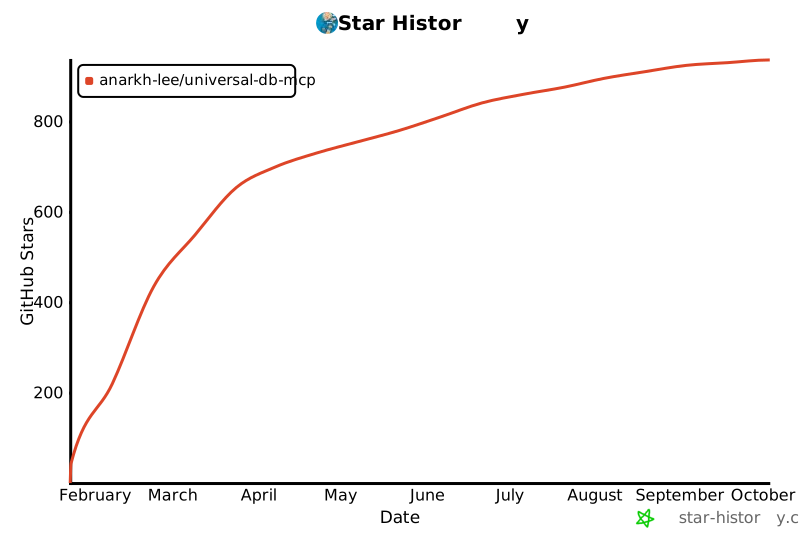](https://star-history.com/#Anarkh-Lee/universal-db-mcp&Date)
|
|
1069
254
|
|
|
1070
|
-
##
|
|
255
|
+
## 📝 Changelog
|
|
1071
256
|
|
|
1072
|
-
|
|
1073
|
-
- 所有贡献者和使用者
|
|
257
|
+
See [CHANGELOG.md](./CHANGELOG.md) for a detailed version history.
|
|
1074
258
|
|
|
1075
259
|
---
|
|
1076
260
|
|
|
1077
|
-
|
|
261
|
+
<p align="center">
|
|
262
|
+
Made with ❤️ by <a href="https://github.com/Anarkh-Lee">Anarkh-Lee</a>
|
|
263
|
+
</p>
|