theme-loader-api 1.0.0 → 1.0.1
This diff represents the content of publicly available package versions that have been released to one of the supported registries. The information contained in this diff is provided for informational purposes only and reflects changes between package versions as they appear in their respective public registries.
- package/README.md +29 -21
- package/package.json +10 -3
package/README.md
CHANGED
|
@@ -1,3 +1,13 @@
|
|
|
1
|
+
### Web Sites and Apps that Use This ThemeLoader
|
|
2
|
+
|
|
3
|
+
* [Angular Material Components Extension](https://zijianhuang.github.io/nmce/en/)
|
|
4
|
+
* [JsonToTable](https://zijianhuang.github.io/json2table/)
|
|
5
|
+
* [Personal Blog](https://zijianhuang.github.io/poets)
|
|
6
|
+
* [Angular Heroes](https://zijianhuang.github.io/DemoCoreWeb/angular/dashboard), and [Sourcecode](https://github.com/zijianhuang/DemoCoreWeb/tree/master/AngularHeroes)
|
|
7
|
+
* [React Heroes](https://zijianhuang.github.io/DemoCoreWeb/react/) and [Sourcecode](https://github.com/zijianhuang/DemoCoreWeb/tree/master/ReactHeroes)
|
|
8
|
+
|
|
9
|
+
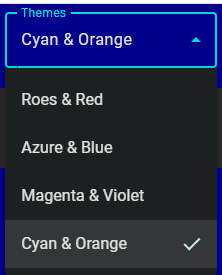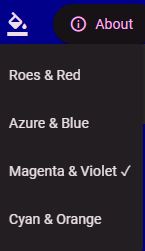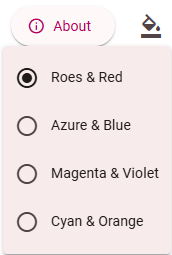
|
|
10
|
+
|
|
1
11
|
## Summary
|
|
2
12
|
|
|
3
13
|
The Web theme loader API exposes 3 contracts:
|
|
@@ -10,19 +20,22 @@ Because the theme should be loaded at startup before the Web app rendering, the
|
|
|
10
20
|
The GUI of theme selection is independent of the Web theme loader API. For example, in addition to Select and Menu for multiple themes, you may use Switch for switching between light and dark.
|
|
11
21
|
|
|
12
22
|
Remarks:
|
|
13
|
-
* Modern browsers like Chrome, Edge, Safari, and Firefox support a built-in concept of light/dark preference. Depending on your UX design, if you would not
|
|
23
|
+
* Modern browsers like Chrome, Edge, Safari, and Firefox support a built-in concept of light/dark preference. Depending on your UX design, if you would want your Website or Webapp to adapt such preference automatically and do not expect users to change theme, then CSS only solution works well without using JavaScript code:
|
|
14
24
|
```css
|
|
15
25
|
<link rel="stylesheet" href="my-light.css" media="(prefers-color-scheme: light)">
|
|
16
26
|
<link rel="stylesheet" href="my-dark.css" media="(prefers-color-scheme: dark)">
|
|
17
27
|
```
|
|
18
28
|
|
|
19
29
|
## Installation
|
|
20
|
-
1. Install [theme-loader-api](https://www.npmjs.com/package/theme-loader-api)
|
|
30
|
+
1. Install [theme-loader-api](https://www.npmjs.com/package/theme-loader-api):
|
|
31
|
+
```
|
|
32
|
+
npm install theme-loader-api
|
|
33
|
+
```
|
|
21
34
|
|
|
22
35
|
## Integration
|
|
23
|
-
1. Call `ThemeLoader.loadTheme()` before the [bootstrap of the Web app](https://github.com/zijianhuang/
|
|
24
|
-
1. In the [UI component presenting the theme picker](https://github.com/zijianhuang/
|
|
25
|
-
1. Prepare [`siteconfig.js`](https://github.
|
|
36
|
+
1. Call `ThemeLoader.loadTheme()` before the [bootstrap of the Web app](https://github.com/zijianhuang/DemoCoreWeb/blob/master/AngularHeroes/src/main.ts).
|
|
37
|
+
1. In the [UI component presenting the theme picker](https://github.com/zijianhuang/DemoCoreWeb/blob/master/AngularHeroes/src/app/theme-select.component.ts), convert the themes dictionary to an array which will be used to present the list. And call `ThemeLoader.loadTheme()` when the picker picks a theme.
|
|
38
|
+
1. Prepare [`siteconfig.js`](https://zijianhuang.github.io/DemoCoreWeb/react/conf/siteconfig.js) and add `<script src="conf/siteconfig.js"></script>` to [index.html](https://github.com/zijianhuang/DemoCoreWeb/blob/master/ReactHeroes/index.html) if you want flexibility after build and deployment. Or, simply provide constant THEME_CONFIG in app code.
|
|
26
39
|
|
|
27
40
|
### [Angular Example](https://github.com/zijianhuang/DemoCoreWeb/blob/master/AngularHeroes/)
|
|
28
41
|
|
|
@@ -35,8 +48,8 @@ bootstrapApplication(AppComponent, appConfig);
|
|
|
35
48
|
[theme-select.component.ts](https://github.com/zijianhuang/DemoCoreWeb/blob/master/AngularHeroes/src/app/theme-select.component.ts)
|
|
36
49
|
```ts
|
|
37
50
|
constructor() {
|
|
38
|
-
this.themes =
|
|
39
|
-
const c =
|
|
51
|
+
this.themes = ThemeConfigConstants.themesDic ? Object.keys(ThemeConfigConstants.themesDic).map(k => {
|
|
52
|
+
const c = ThemeConfigConstants.themesDic![k];
|
|
40
53
|
const obj: ThemeDef = {
|
|
41
54
|
display: c.display,
|
|
42
55
|
filePath: k,
|
|
@@ -63,7 +76,6 @@ bootstrapApplication(AppComponent, appConfig);
|
|
|
63
76
|
[siteconfig.js](https://github.com/zijianhuang/DemoCoreWeb/blob/master/docs/angular/conf/siteconfig.js)
|
|
64
77
|
```js
|
|
65
78
|
const THEME_CONFIG = {
|
|
66
|
-
apiBaseUri: 'https://mybackend.com/',
|
|
67
79
|
themesDic: {
|
|
68
80
|
"assets/themes/azure-blue.css": { display: "Azure & Blue", dark: false },
|
|
69
81
|
"assets/themes/rose-red.css": { display: "Roes & Red", dark: false },
|
|
@@ -89,7 +101,7 @@ const THEME_CONFIG = {
|
|
|
89
101
|
|
|
90
102
|
### React Example
|
|
91
103
|
|
|
92
|
-
[
|
|
104
|
+
[main.tsx](https://github.com/zijianhuang/DemoCoreWeb/blob/master/ReactHeroes/src/main.tsx)
|
|
93
105
|
```ts
|
|
94
106
|
ThemeLoader.init();
|
|
95
107
|
|
|
@@ -101,8 +113,8 @@ root.render(...
|
|
|
101
113
|
|
|
102
114
|
[Home.tsx](https://github.com/zijianhuang/DemoCoreWeb/blob/master/ReactHeroes/src/Home.tsx)
|
|
103
115
|
```ts
|
|
104
|
-
const themes =
|
|
105
|
-
const c =
|
|
116
|
+
const themes = ThemeConfigConstants.themesDic ? Object.keys(ThemeConfigConstants.themesDic).map(k => {
|
|
117
|
+
const c = ThemeConfigConstants.themesDic![k];
|
|
106
118
|
const obj: ThemeDef = {
|
|
107
119
|
display: c.display,
|
|
108
120
|
filePath: k,
|
|
@@ -140,7 +152,6 @@ root.render(...
|
|
|
140
152
|
[siteconfig.js](https://github.com/zijianhuang/DemoCoreWeb/blob/master/docs/react/conf/siteconfig.js)
|
|
141
153
|
```js
|
|
142
154
|
const THEME_CONFIG = {
|
|
143
|
-
apiBaseUri: 'https://mybackend.com/',
|
|
144
155
|
themesDic: {
|
|
145
156
|
"assets/themes/azure-blue.css": { display: "Azure & Blue", dark: false },
|
|
146
157
|
"assets/themes/rose-red.css": { display: "Roes & Red", dark: false },
|
|
@@ -158,7 +169,7 @@ const THEME_CONFIG = {
|
|
|
158
169
|
}
|
|
159
170
|
```
|
|
160
171
|
|
|
161
|
-
[index.html](https://github.com/zijianhuang/DemoCoreWeb/blob/master/ReactHeroes/
|
|
172
|
+
[index.html](https://github.com/zijianhuang/DemoCoreWeb/blob/master/ReactHeroes/index.html)
|
|
162
173
|
```html
|
|
163
174
|
<script src="conf/siteconfig.js"></script>
|
|
164
175
|
</head>
|
|
@@ -166,7 +177,7 @@ const THEME_CONFIG = {
|
|
|
166
177
|
|
|
167
178
|
### Respect prefers-color-scheme
|
|
168
179
|
|
|
169
|
-
By default, this API will pick the first available theme in the dictionary during the first startup of the Web app, and use
|
|
180
|
+
By default, this API will pick the first available theme in the dictionary during the first startup of the Web app, and use last pick afterward. If you want to respect `prefers-color-scheme` during the initial load of the Web app, you may use the following in the app's bootstrap:
|
|
170
181
|
```ts
|
|
171
182
|
const isDark = window.matchMedia('(prefers-color-scheme: dark)').matches;
|
|
172
183
|
var r = findFirstTheme(isDark);
|
|
@@ -178,15 +189,12 @@ platformBrowser().bootstrapModule(AppModule, { applicationProviders: [provideZon
|
|
|
178
189
|
.catch(err => console.error(err));
|
|
179
190
|
|
|
180
191
|
function findFirstTheme(dark: boolean): { filePath: string; theme: ThemeValue } | undefined {
|
|
181
|
-
const entry = Object.entries(
|
|
192
|
+
const entry = Object.entries(ThemeConfigConstants.themesDic!).find(
|
|
182
193
|
([, theme]) => theme.dark === dark
|
|
183
194
|
);
|
|
184
195
|
|
|
185
|
-
return entry
|
|
186
|
-
? { filePath: entry[0], theme: entry[1] }
|
|
187
|
-
: undefined;
|
|
196
|
+
return entry ? { filePath: entry[0], theme: entry[1] } : undefined;
|
|
188
197
|
}
|
|
189
|
-
|
|
190
198
|
```
|
|
191
199
|
|
|
192
200
|
## How About I18N and L10N?
|
|
@@ -197,7 +205,7 @@ The only things need to be translated is the display name of each theme.
|
|
|
197
205
|
|
|
198
206
|
You may extend `interface ThemeDef`, and make it contain some meta info of generating SVG icons presenting respective theme. And the icons will be inline with the HTML template. [Angular Material Components site](https://material.angular.dev/) uses [this approach](https://github.com/angular/components/blob/main/docs/src/app/shared/theme-picker/).
|
|
199
207
|
|
|
200
|
-
Or you may just hand-draw some SVG icons and linked
|
|
208
|
+
Or you may just hand-draw some SVG icons and linked them in the HTML template.
|
|
201
209
|
|
|
202
210
|
### Solution 2: Create Dictionary in App Code
|
|
203
211
|
|
|
@@ -205,6 +213,6 @@ Depending the framework like Angular or the library like React, there could be a
|
|
|
205
213
|
|
|
206
214
|
### Solution 3: Post Build Processing
|
|
207
215
|
|
|
208
|
-
If you are using `siteconfig.js`, the JS file should not be included in the hash tables of the service worker for automatic update.
|
|
216
|
+
If you are using `siteconfig.js`, the JS file should not be included in the hash tables of the service worker for automatic app update.
|
|
209
217
|
|
|
210
218
|
In Angular, each locale has its own build, therefore, you may craft some post build script to inject the translated names into the `siteconfig.js` of each build.
|
package/package.json
CHANGED
|
@@ -1,20 +1,27 @@
|
|
|
1
1
|
{
|
|
2
2
|
"name": "theme-loader-api",
|
|
3
|
-
"version": "1.0.
|
|
3
|
+
"version": "1.0.1",
|
|
4
4
|
"author": {
|
|
5
5
|
"name": "Z"
|
|
6
6
|
},
|
|
7
7
|
"description": "Theme loader API independent of framework, lib and UI design of Web app.",
|
|
8
8
|
"license": "MIT",
|
|
9
|
+
"homepage": "https://github.com/zijianhuang/nmce/tree/master/projects/theme-loader-api#readme",
|
|
9
10
|
"repository": {
|
|
10
|
-
"
|
|
11
|
+
"type": "git",
|
|
12
|
+
"url": "https://github.com/zijianhuang/nmce.git",
|
|
13
|
+
"directory": "projects/theme-loader-api"
|
|
11
14
|
},
|
|
12
15
|
"keywords": [
|
|
13
16
|
"theme",
|
|
17
|
+
"theme-loader",
|
|
18
|
+
"theming",
|
|
19
|
+
"css",
|
|
20
|
+
"dark-mode",
|
|
14
21
|
"angular",
|
|
15
22
|
"react",
|
|
16
23
|
"vue",
|
|
17
|
-
"
|
|
24
|
+
"framework-agnostic"
|
|
18
25
|
],
|
|
19
26
|
"peerDependencies": {},
|
|
20
27
|
"dependencies": {
|