teamsync-pdf-viewer 1.2.0 → 1.2.1
This diff represents the content of publicly available package versions that have been released to one of the supported registries. The information contained in this diff is provided for informational purposes only and reflects changes between package versions as they appear in their respective public registries.
- package/CHANGELOG.md +18 -0
- package/README.md +184 -184
- package/dist/src/components/CompareCurtainSlider.d.ts +8 -0
- package/dist/src/components/CompareToolbar.d.ts +13 -0
- package/dist/src/components/DiffHighlightOverlay.d.ts +11 -0
- package/dist/src/components/DiffSummarySidebar.d.ts +13 -0
- package/dist/src/components/SideBySideViewer.d.ts +29 -0
- package/dist/src/core/ViewerInstance.d.ts +4 -0
- package/dist/src/index.d.ts +2 -0
- package/dist/src/types/compare.d.ts +56 -0
- package/dist/src/utils/pdfDiffEngine.d.ts +37 -0
- package/dist/style.css +1 -1
- package/dist/teamsync-pdf-viewer.js +2859 -1599
- package/dist/teamsync-pdf-viewer.js.map +1 -1
- package/package.json +2 -2
package/CHANGELOG.md
CHANGED
|
@@ -2,6 +2,24 @@
|
|
|
2
2
|
|
|
3
3
|
All notable changes to `teamsync-pdf-viewer` are documented here.
|
|
4
4
|
|
|
5
|
+
## [1.2.1] — 2026-09-01
|
|
6
|
+
|
|
7
|
+
### Fixed
|
|
8
|
+
- **The stylesheet no longer restyles the host application.** `dist/style.css` bundles
|
|
9
|
+
`pdfjs-dist/web/pdf_viewer.css`, ~900 selectors written for pdf.js's own standalone viewer —
|
|
10
|
+
including bare generic class names such as `.sidebar`, `.dialog`, `.toggle-button`,
|
|
11
|
+
`.closeButton` and `.messageBar`. Only this package's own rules were scoped under `.tspdf-root`;
|
|
12
|
+
the pdf.js ones shipped globally. Because the stylesheet is injected at runtime it won every
|
|
13
|
+
cascade tie, so a host with its own `.sidebar` had it silently restyled (wrong width, white
|
|
14
|
+
background, `position: relative` + `inset-block-start`) as soon as the viewer module loaded —
|
|
15
|
+
which happens on preference selection, before any PDF is opened.
|
|
16
|
+
|
|
17
|
+
Every selector is now scoped at build time, after nesting is flattened. `:root`/`html`/`body`
|
|
18
|
+
are re-targeted to `.tspdf-root` rather than prefixed, so the custom properties the viewer's
|
|
19
|
+
descendants read still resolve. `npm run verify:package` fails the build if any selector is
|
|
20
|
+
unscoped, or prefixed more than once (which would match nothing and break the viewer's own
|
|
21
|
+
styling).
|
|
22
|
+
|
|
5
23
|
## [1.2.0] — 2026-08-31
|
|
6
24
|
|
|
7
25
|
### Added
|
package/README.md
CHANGED
|
@@ -1,254 +1,254 @@
|
|
|
1
1
|
# TeamSync PDF Viewer SDK
|
|
2
2
|
|
|
3
|
-
Client-side PDF viewing, annotation, search, redaction and watermarking for React — built on
|
|
4
|
-
[pdf.js](https://mozilla.github.io/pdf.js/) and [pdf-lib](https://pdf-lib.js.org/).
|
|
5
|
-
|
|
6
3
|
<div align="center">
|
|
7
4
|
|
|
8
5
|
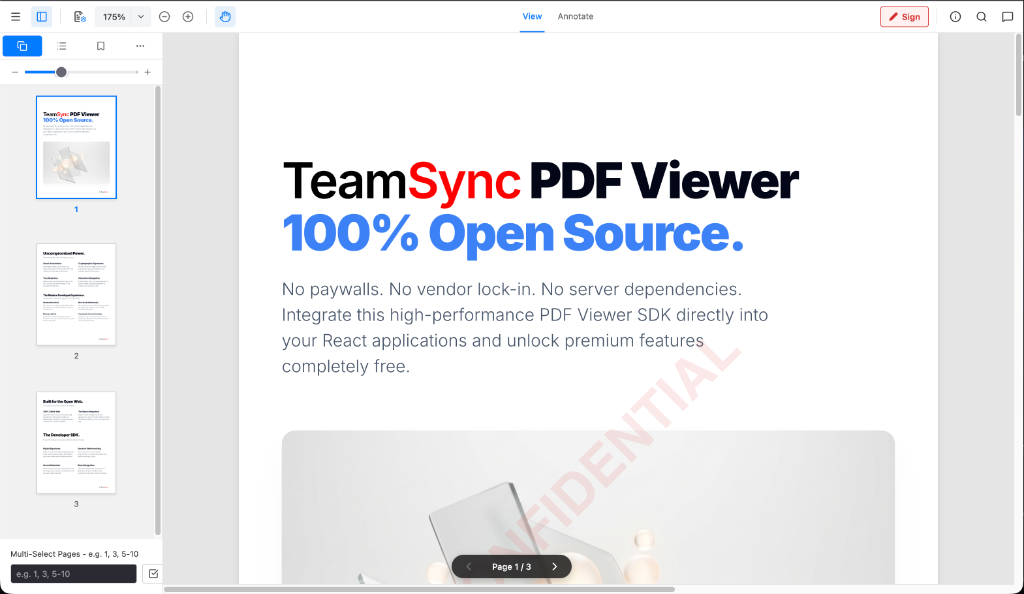
|
|
9
6
|
|
|
7
|
+
### **100% Open Source. 100% Client-Side. Enterprise PDF Engine.**
|
|
8
|
+
|
|
10
9
|
[](LICENSE)
|
|
11
10
|
[](https://pdfviewer.teamsync.com/)
|
|
12
|
-
[![
|
|
13
|
-
[![React
|
|
14
|
-
[![
|
|
11
|
+
[](https://www.npmjs.com/package/teamsync-pdf-viewer)
|
|
12
|
+
[](https://reactjs.org/)
|
|
13
|
+
[](https://vitejs.dev/)
|
|
14
|
+
[](https://www.typescriptlang.org/)
|
|
15
|
+
|
|
16
|
+
*No paywalls. No vendor lock-in. No server dependencies.*
|
|
17
|
+
Try the **[Interactive Live Demo](https://pdfviewer.teamsync.com/)** or integrate the high-performance PDF Viewer SDK directly into your React applications.
|
|
15
18
|
|
|
16
19
|
</div>
|
|
17
20
|
|
|
18
21
|
---
|
|
19
22
|
|
|
20
|
-
##
|
|
21
|
-
|
|
22
|
-
|
|
23
|
-
|
|
24
|
-
|
|
25
|
-
- **
|
|
26
|
-
- **
|
|
27
|
-
|
|
28
|
-
- **Redaction** — manual and regex/PII-driven redactions, burned in on export by rasterizing the
|
|
29
|
-
affected pages so the underlying content is destroyed; redacted text is also stripped from the
|
|
30
|
-
text layer and search index.
|
|
31
|
-
- **Watermarks** — single or tiled forensic watermarks, rendered live and baked on export.
|
|
32
|
-
- **Export** — download the annotated / redacted / watermarked document; no server round-trip.
|
|
33
|
-
- **Embeddable** — `<TeamSyncViewer>` sizes to its container, several viewers can share a page,
|
|
34
|
-
keyboard shortcuts apply to the focused viewer only, and importing the package is side-effect free
|
|
35
|
-
(safe under SSR).
|
|
36
|
-
|
|
37
|
-
- **Annotation API** — `instance.annotationManager`: undo/redo, granular `annotationChanged`
|
|
38
|
-
events, authorship + edit permissions, programmatic add/update/delete and **native XFDF**
|
|
39
|
-
import/export (Acrobat/Apryse-compatible; unknown markup is preserved as read-only pass-through).
|
|
40
|
-
- **Print** — via the menu or `instance.print()`.
|
|
41
|
-
|
|
42
|
-
Not yet supported: AcroForm filling, rendering of annotations already embedded in the PDF (only
|
|
43
|
-
XFDF-imported ones), document outline/bookmarks, password prompts (password-protected files raise
|
|
44
|
-
`onPasswordRequired`).
|
|
23
|
+
## 🚀 Why TeamSync PDF Viewer?
|
|
24
|
+
|
|
25
|
+
Traditional commercial PDF viewers force developers into expensive per-domain licenses, opaque sales calls, and heavy server-side processing dependencies. **TeamSync PDF Viewer** is built from the ground up to solve these pain points.
|
|
26
|
+
|
|
27
|
+
- 💰 **Zero-Cost, Transparent Licensing**: Uncapped usage, no per-server fees, and no commercial paywalls. 100% free and open-source under CPAL 1.0.
|
|
28
|
+
- ⚡ **100% Client-Side WebAssembly**: Documents never leave the browser sandbox. Process, redact, and render PDFs entirely on the client—guaranteeing instant **HIPAA**, **GDPR**, and **FINRA** compliance.
|
|
29
|
+
- 🔌 **Universal WebViewer API**: Clean, intuitive `WebViewer({...})` API interface that makes integrating into your web applications effortless.
|
|
30
|
+
- 🎨 **Headless & Customizable**: Built for modern React 19 SPA lifecycles. No bloated iFrames to fight—customize toolbars, sidebars, context menus, and controls natively.
|
|
45
31
|
|
|
46
32
|
---
|
|
47
33
|
|
|
48
|
-
## Installation
|
|
34
|
+
## 📦 Installation via NPM
|
|
35
|
+
|
|
36
|
+
Install the package into your React / TypeScript project:
|
|
49
37
|
|
|
50
38
|
```bash
|
|
51
|
-
|
|
39
|
+
# Using npm
|
|
40
|
+
npm install teamsync-pdf-viewer
|
|
41
|
+
|
|
42
|
+
# Using yarn
|
|
43
|
+
yarn add teamsync-pdf-viewer
|
|
44
|
+
|
|
45
|
+
# Using pnpm
|
|
46
|
+
pnpm add teamsync-pdf-viewer
|
|
52
47
|
```
|
|
53
48
|
|
|
54
|
-
|
|
55
|
-
`lucide-react` are installed automatically.
|
|
49
|
+
### Installing from GitHub Packages (Alternative)
|
|
56
50
|
|
|
57
|
-
|
|
51
|
+
If installing from GitHub Packages registry:
|
|
58
52
|
|
|
59
|
-
|
|
60
|
-
|
|
61
|
-
|
|
62
|
-
|
|
53
|
+
1. Create or update your `.npmrc` file:
|
|
54
|
+
```ini
|
|
55
|
+
@angelbot-ai:registry=https://npm.pkg.github.com
|
|
56
|
+
```
|
|
57
|
+
2. Install via npm:
|
|
58
|
+
```bash
|
|
59
|
+
npm install teamsync-pdf-viewer
|
|
60
|
+
```
|
|
63
61
|
|
|
64
|
-
|
|
62
|
+
---
|
|
65
63
|
|
|
66
|
-
|
|
67
|
-
import workerSrc from 'pdfjs-dist/build/pdf.worker.min.mjs?url';
|
|
68
|
-
import { configurePdfAssets } from 'teamsync-pdf-viewer';
|
|
64
|
+
## 📖 Official Documentation & Wiki
|
|
69
65
|
|
|
70
|
-
|
|
71
|
-
```
|
|
66
|
+
Explore detailed SDK guides, parameter options, code snippets, and architecture deep dives:
|
|
72
67
|
|
|
73
|
-
**
|
|
68
|
+
- 🏠 **[Wiki Home](docs/wiki/Home.md)**: Main documentation index & overview.
|
|
69
|
+
- 🚀 **[Getting Started Guide](docs/wiki/Getting-Started.md)**: Installation, CDN, and framework setups.
|
|
70
|
+
- ⚙️ **[API Reference & Options](docs/wiki/API-Reference-&-Options.md)**: Complete parameter list for `WebViewerOptions` & `SDKPermissions`.
|
|
71
|
+
- 🎨 **[Annotations & Markup Guide](docs/wiki/Annotations-&-Markup-Guide.md)**: Freehand drawing, vector shapes, callouts & links.
|
|
72
|
+
- 🛡️ **[Redactions & PII Sanitization Guide](docs/wiki/Redactions-&-PII-Sanitization.md)**: Binary redactions, regex PII scanning & discard options.
|
|
73
|
+
- 💧 **[Forensic Watermarking Guide](docs/wiki/Forensic-Watermarking.md)**: Dynamic single and tiled watermark setup.
|
|
74
|
+
- 🔌 **[Plugin Architecture Guide](docs/wiki/Plugin-Architecture.md)**: Writing custom extension plugins.
|
|
74
75
|
|
|
75
|
-
|
|
76
|
-
# e.g. in a prebuild script
|
|
77
|
-
cp node_modules/pdfjs-dist/build/pdf.worker.min.mjs public/pdfjs/
|
|
78
|
-
cp -r node_modules/pdfjs-dist/cmaps node_modules/pdfjs-dist/standard_fonts node_modules/pdfjs-dist/wasm public/pdfjs/
|
|
79
|
-
```
|
|
76
|
+
---
|
|
80
77
|
|
|
81
|
-
|
|
82
|
-
configurePdfAssets({
|
|
83
|
-
workerSrc: '/pdfjs/pdf.worker.min.mjs',
|
|
84
|
-
cMapUrl: '/pdfjs/cmaps/',
|
|
85
|
-
standardFontDataUrl: '/pdfjs/standard_fonts/',
|
|
86
|
-
wasmUrl: '/pdfjs/wasm/',
|
|
87
|
-
});
|
|
88
|
-
```
|
|
78
|
+
## ✨ Uncompromised Feature Set
|
|
89
79
|
|
|
90
|
-
|
|
91
|
-
|
|
80
|
+
Everything you need to build collaborative, secure document workflows.
|
|
81
|
+
|
|
82
|
+
### 🎨 Smart Markup & Annotations
|
|
83
|
+
- **Full Drawing Toolkit**: Freehand ink (`brush`), highlighters, geometric shapes (rectangles, ellipses), arrows, and lines.
|
|
84
|
+
- **Notes & Callouts**: Sticky notes, callout text boxes with directional arrows, and text annotations.
|
|
85
|
+
- **Interactive Hyperlinks**: Create internal page-jump links (`#page=N`) or external web URL links directly on document selections.
|
|
86
|
+
|
|
87
|
+
### 🛡️ Military-Grade Secure Redaction
|
|
88
|
+
- **Binary-Level Data Obliteration**: We don't just place black boxes over text—redactions are permanently rasterized and burned into the underlying PDF vector structure.
|
|
89
|
+
- **Text Layer Sanitization**: Redacted text is automatically stripped from the DOM `textLayer` and PDF content streams, preventing copy/paste extraction and search indexing.
|
|
90
|
+
- **Automatic Regex Redactions**: Programmatically locate and redact sensitive PII (Aadhaar numbers, SSNs, credit cards, dates of birth) in a single click.
|
|
91
|
+
- **Discard Unapplied Redactions**: Easily discard individual pending redactions or bulk-discard all unapplied redaction marks before committing.
|
|
92
|
+
|
|
93
|
+
### 📐 Dynamic Layout & Viewport Controls
|
|
94
|
+
- **Fit to Width & Fit to Page**: Container-aware dynamic scaling calculations for responsive reading on any screen size.
|
|
95
|
+
- **Synchronized Page Rotation**: 360° page rotation with real-time vector coordinate transforms so annotations rotate seamlessly with document content.
|
|
96
|
+
|
|
97
|
+
### 🔍 High-DPI Canvas Rendering & Search
|
|
98
|
+
- **Retina 60 FPS Zoom & Pan**: High-DPI `devicePixelRatio` scaling eliminates blurred text. Micro-debounced rendering enables buttery-smooth 60 FPS trackpad pinching and 360° mouse drag panning.
|
|
99
|
+
- **Contextual Document Search**: Instant client-side text search with real-time match highlighting, result jumping, and match counting.
|
|
100
|
+
|
|
101
|
+
### 💧 Dynamic Forensic Watermarking
|
|
102
|
+
- Programmatic, non-destructive watermarks rendered on the fly (single centered or full-page tiled) with customizable text, color, opacity, font size, and rotation.
|
|
92
103
|
|
|
93
104
|
---
|
|
94
105
|
|
|
95
|
-
## Usage
|
|
106
|
+
## 💻 Developer SDK Usage
|
|
96
107
|
|
|
97
|
-
###
|
|
108
|
+
### Standard WebViewer Initialization
|
|
98
109
|
|
|
99
|
-
|
|
100
|
-
|
|
110
|
+
Drop the SDK into any container element with a single function call:
|
|
111
|
+
|
|
112
|
+
```typescript
|
|
113
|
+
import { WebViewer } from 'teamsync-pdf-viewer';
|
|
114
|
+
import 'teamsync-pdf-viewer/style.css';
|
|
115
|
+
|
|
116
|
+
WebViewer({
|
|
117
|
+
initialDoc: '/sample.pdf',
|
|
118
|
+
initialScale: 1.0, // 100% natural size
|
|
119
|
+
enableAnnotations: true,
|
|
120
|
+
permissions: {
|
|
121
|
+
canRedact: true,
|
|
122
|
+
canAddAnnotations: true
|
|
123
|
+
},
|
|
124
|
+
watermark: {
|
|
125
|
+
text: 'CONFIDENTIAL',
|
|
126
|
+
mode: 'single',
|
|
127
|
+
size: 48,
|
|
128
|
+
opacity: 0.1,
|
|
129
|
+
color: '#dc2626'
|
|
130
|
+
}
|
|
131
|
+
}, document.getElementById('viewer-container')).then((instance) => {
|
|
132
|
+
console.log('TeamSync PDF Viewer is ready!', instance);
|
|
133
|
+
|
|
134
|
+
// Programmatic Viewport Controls
|
|
135
|
+
instance.UI.fitWidth();
|
|
136
|
+
instance.UI.fitPage();
|
|
137
|
+
|
|
138
|
+
// Export annotated PDF buffer
|
|
139
|
+
instance.Core.documentViewer.getDocument().getFileData().then((pdfBytes) => {
|
|
140
|
+
console.log('Exported PDF byte length:', pdfBytes.length);
|
|
141
|
+
});
|
|
142
|
+
});
|
|
143
|
+
```
|
|
101
144
|
|
|
102
|
-
|
|
145
|
+
### Native React Component Usage
|
|
146
|
+
|
|
147
|
+
For native React integration, use the `<DocumentViewer />` component:
|
|
148
|
+
|
|
149
|
+
```tsx
|
|
150
|
+
import { DocumentViewer } from 'teamsync-pdf-viewer';
|
|
103
151
|
import 'teamsync-pdf-viewer/style.css';
|
|
104
152
|
|
|
105
|
-
|
|
153
|
+
function App() {
|
|
106
154
|
return (
|
|
107
|
-
<div style={{ height: '
|
|
108
|
-
<
|
|
109
|
-
|
|
110
|
-
|
|
111
|
-
|
|
112
|
-
|
|
113
|
-
initialScale="fit-width"
|
|
114
|
-
watermark={{ text: 'CONFIDENTIAL', mode: 'tiled', opacity: 0.08 }}
|
|
115
|
-
onReady={(instance: WebViewerInstance) => console.log('ready', instance)}
|
|
116
|
-
onDocumentLoadError={(error, retry) => {
|
|
117
|
-
// e.g. mint a fresh presigned URL and retry
|
|
118
|
-
retry(/* newUrl */);
|
|
119
|
-
}}
|
|
155
|
+
<div style={{ width: '100vw', height: '100vh' }}>
|
|
156
|
+
<DocumentViewer
|
|
157
|
+
initialDoc="/contract.pdf"
|
|
158
|
+
scale={1.0}
|
|
159
|
+
enableAnnotations={true}
|
|
160
|
+
permissions={{ canRedact: true, canAddAnnotations: true }}
|
|
120
161
|
/>
|
|
121
162
|
</div>
|
|
122
163
|
);
|
|
123
164
|
}
|
|
124
165
|
```
|
|
125
166
|
|
|
126
|
-
|
|
127
|
-
it inside a client component — the package itself never touches `window` at import time.
|
|
128
|
-
|
|
129
|
-
### Imperative API
|
|
167
|
+
---
|
|
130
168
|
|
|
131
|
-
|
|
132
|
-
import { createWebViewer } from 'teamsync-pdf-viewer';
|
|
133
|
-
import 'teamsync-pdf-viewer/style.css';
|
|
169
|
+
## 🛠️ Local Development Quick Start
|
|
134
170
|
|
|
135
|
-
|
|
136
|
-
{ initialDoc: '/sample.pdf', fileName: 'sample.pdf', permissions: { canRedact: true } },
|
|
137
|
-
document.getElementById('viewer-container')!
|
|
138
|
-
);
|
|
171
|
+
### 1. Clone & Install
|
|
139
172
|
|
|
140
|
-
|
|
141
|
-
|
|
142
|
-
|
|
173
|
+
```bash
|
|
174
|
+
git clone https://github.com/angelbot-ai/TeamSync-PDF-Viewer.git
|
|
175
|
+
cd TeamSync-PDF-Viewer
|
|
176
|
+
npm install
|
|
143
177
|
```
|
|
144
178
|
|
|
145
|
-
|
|
179
|
+
### 2. Launch Dev Server
|
|
146
180
|
|
|
147
|
-
|
|
181
|
+
```bash
|
|
182
|
+
npm run dev
|
|
183
|
+
```
|
|
148
184
|
|
|
149
|
-
|
|
150
|
-
|
|
151
|
-
### `<TeamSyncViewer>` props / `WebViewerOptions`
|
|
152
|
-
|
|
153
|
-
| Prop | Type | Default | Description |
|
|
154
|
-
| :--- | :--- | :--- | :--- |
|
|
155
|
-
| `fileUrl` (`initialDoc`) | `string` | — | URL of the PDF. Fetched by pdf.js (CORS + Range supported). |
|
|
156
|
-
| `fileName` | `string` | `annotated_document.pdf` | Name used for downloads. |
|
|
157
|
-
| `assets` | `PdfAssetPaths` | — | Worker / CMap / font / wasm locations (or call `configurePdfAssets`). |
|
|
158
|
-
| `withCredentials` | `boolean` | `false` | Send cookies with the document request. |
|
|
159
|
-
| `initialScale` | `number \| 'fit-width' \| 'fit-page'` | `1` | Initial zoom. |
|
|
160
|
-
| `initialPage` | `number` | `1` | 1-based page to open. |
|
|
161
|
-
| `readOnly` | `boolean` | `false` | Disables all annotation / redaction editing. |
|
|
162
|
-
| `permissions` | `SDKPermissions` | all `true` | `canAddAnnotations`, `canEditAnnotations`, `canDeleteAnnotations`, `canRedact`. |
|
|
163
|
-
| `currentUser` | `{ id, name }` | — | Author of annotations created in this viewer. |
|
|
164
|
-
| `watermark` | `WatermarkOptions` | — | `{ text, mode: 'single' \| 'tiled', size, opacity, color }`. |
|
|
165
|
-
| `redactions`, `regexRedactions` | `Redaction[]`, `RegExp[]` | `[]` | Pre-set and pattern-driven redactions. |
|
|
166
|
-
| `toolbar`, `sidebars`, `leftPanelOpen` | `boolean` | `true` | Chrome toggles. |
|
|
167
|
-
| `autoFocus` | `boolean` | `false` | Focus the viewer on mount (keyboard shortcuts). |
|
|
168
|
-
| `plugins` | `ViewerPlugin[]` | `[]` | Extension plugins. |
|
|
169
|
-
|
|
170
|
-
`permissions.canEditOthers` (default `false`) lets a user edit or delete annotations authored by
|
|
171
|
-
someone else; annotations carry `author`/`authorId` from `currentUser`.
|
|
172
|
-
|
|
173
|
-
Callbacks: `onReady(instance)`, `onDocumentLoaded({ url, numPages })`,
|
|
174
|
-
`onDocumentLoadError(error, retry(newUrl?), { url, passwordRequired })`, `onFirstPageRendered`,
|
|
175
|
-
`onPasswordRequired`, `onPageChange(page, numPages)`, `onAnnotationsChange(annotations)`.
|
|
176
|
-
|
|
177
|
-
### `WebViewerInstance`
|
|
178
|
-
|
|
179
|
-
- `on(type, listener)` / `off` — typed events: `documentLoaded`, `documentLoadError`,
|
|
180
|
-
`firstPageRendered`, `pageChanged`, `annotationsChanged`, `toolChanged`, `destroy`.
|
|
181
|
-
- `loadDocument(url)` — load or reload (resolves on load, rejects on error).
|
|
182
|
-
- `getFileData({ explicitAnnotations? })` — export the document as `Uint8Array`.
|
|
183
|
-
- `getAnnotations()`, `getCurrentPage()`, `getPageCount()`, `getPdfDocument()`, `print()`.
|
|
184
|
-
- `annotationManager` — `getAnnotationsList()`, `getAnnotationById(id)`, `addAnnotations(list)`,
|
|
185
|
-
`updateAnnotation(id, patch)`, `deleteAnnotations(ids, { force })`, `undo()`/`redo()`,
|
|
186
|
-
`importAnnotations(xfdf)`, `exportAnnotations({ annotList?, useDisplayAuthor? })`,
|
|
187
|
-
`setCurrentUser(name, id?)`, `setReadOnly(bool)`, `canEdit(annotation)`,
|
|
188
|
-
`addEventListener('annotationChanged', ({ annotations, action, imported }) => …)`.
|
|
189
|
-
- `destroy()` — unmount (imperative API) and release every listener.
|
|
190
|
-
- `UI.*` / `Core.*` — legacy facades (`UI.openElements`, `UI.fitWidth`,
|
|
191
|
-
`Core.annotationManager.exportAnnotations()`, `Core.documentViewer.getDocument().getFileData()`).
|
|
192
|
-
|
|
193
|
-
Full reference: [docs/wiki/API-Reference-&-Options.md](docs/wiki/API-Reference-&-Options.md).
|
|
185
|
+
Open `http://localhost:5173` in your browser to launch the live SDK viewer.
|
|
194
186
|
|
|
195
187
|
---
|
|
196
188
|
|
|
197
|
-
##
|
|
189
|
+
## 🔌 Extensible Plugin Architecture
|
|
198
190
|
|
|
199
|
-
|
|
200
|
-
- [Annotations & Markup](docs/wiki/Annotations-&-Markup-Guide.md) · [Redactions & PII Sanitization](docs/wiki/Redactions-&-PII-Sanitization.md)
|
|
201
|
-
- [Forensic Watermarking](docs/wiki/Forensic-Watermarking.md) · [Plugin Architecture](docs/wiki/Plugin-Architecture.md)
|
|
202
|
-
- [Changelog](CHANGELOG.md)
|
|
191
|
+
TeamSync PDF Viewer features a decoupled **Plugin Architecture**. Core PDF rendering, smart annotations, redaction engines, and search remain lightweight and modular in the main engine, while enterprise extensions plug in as independent modules.
|
|
203
192
|
|
|
204
|
-
|
|
205
|
-
|
|
206
|
-
|
|
207
|
-
|
|
208
|
-
|
|
209
|
-
|
|
210
|
-
|
|
211
|
-
|
|
212
|
-
|
|
213
|
-
|
|
214
|
-
npm run build # library -> dist/
|
|
215
|
-
npm run verify:package # publint + arethetypeswrong + artifact guards
|
|
216
|
-
npm run build:app # demo / iframe package build (Vercel)
|
|
193
|
+
```
|
|
194
|
+
┌─────────────────────────────────────────────────────────┐
|
|
195
|
+
│ TeamSync PDF Viewer Core │
|
|
196
|
+
│ (Page Rendering, Annotations, Redactions, Search) │
|
|
197
|
+
└───────────────────────────┬─────────────────────────────┘
|
|
198
|
+
│ Plugins Registry API
|
|
199
|
+
┌───────────────────────────▼─────────────────────────────┐
|
|
200
|
+
│ Custom Extension │
|
|
201
|
+
│ (Custom Modals, Action Buttons, Export Hooks) │
|
|
202
|
+
└─────────────────────────────────────────────────────────┘
|
|
217
203
|
```
|
|
218
204
|
|
|
219
|
-
|
|
205
|
+
```typescript
|
|
206
|
+
import { WebViewer } from 'teamsync-pdf-viewer';
|
|
207
|
+
import { myCustomPlugin } from './myCustomPlugin';
|
|
220
208
|
|
|
221
|
-
|
|
222
|
-
|
|
223
|
-
|
|
224
|
-
|
|
225
|
-
|
|
226
|
-
|
|
227
|
-
├── hooks/, utils/ # search, shortcuts, rotation helpers, regex redaction
|
|
228
|
-
├── plugins/ # plugin interfaces
|
|
229
|
-
└── demo/ # demo & iframe-package bootstrap (not published)
|
|
209
|
+
WebViewer({
|
|
210
|
+
initialDoc: '/sample.pdf',
|
|
211
|
+
plugins: [
|
|
212
|
+
myCustomPlugin({ enableFeature: true })
|
|
213
|
+
]
|
|
214
|
+
}, document.getElementById('viewer-container'));
|
|
230
215
|
```
|
|
231
216
|
|
|
232
|
-
|
|
217
|
+
---
|
|
233
218
|
|
|
234
|
-
|
|
235
|
-
2. Either push a tag `vX.Y.Z` on that commit, or run the **Publish to npm** workflow manually
|
|
236
|
-
with the ref to publish. The workflow re-runs the full verification chain, checks the version
|
|
237
|
-
is not already on the registry, and publishes with provenance (needs the `NPM_TOKEN` secret).
|
|
219
|
+
## 🏛️ Architecture & Tech Stack
|
|
238
220
|
|
|
239
|
-
|
|
221
|
+
- **Core Engine**: HTML5, TypeScript, WebAssembly (PDF.js + pdf-lib)
|
|
222
|
+
- **UI & State**: React 19, Lucide Icons, Pure CSS Modules
|
|
223
|
+
- **Build System**: Vite 8 & Oxlint (Sub-500ms tree-shakable builds)
|
|
240
224
|
|
|
241
|
-
|
|
242
|
-
|
|
225
|
+
```
|
|
226
|
+
TeamSync-PDF-Viewer/
|
|
227
|
+
├── src/
|
|
228
|
+
│ ├── components/ # Native React UI (Header, DocumentViewer, Sidebars, Modals)
|
|
229
|
+
│ ├── hooks/ # Search & Keyboard shortcut hooks
|
|
230
|
+
│ ├── utils/ # Redaction algorithms, rotation transforms & vector helpers
|
|
231
|
+
│ ├── plugins/ # Plugin API interfaces & registry
|
|
232
|
+
│ ├── index.ts # Main SDK package exports
|
|
233
|
+
│ ├── main.tsx # WebViewer SDK entry point & public API bridge
|
|
234
|
+
│ └── App.tsx # Demo Application Shell
|
|
235
|
+
├── public/ # Static PDF assets & PDF.js workers
|
|
236
|
+
└── docs/images/ # High-res UI documentation screenshots
|
|
237
|
+
```
|
|
243
238
|
|
|
244
239
|
---
|
|
245
240
|
|
|
246
|
-
##
|
|
241
|
+
## 📄 License
|
|
247
242
|
|
|
248
|
-
|
|
249
|
-
|
|
250
|
-
declarations use extension-less relative imports.
|
|
243
|
+
Distributed under the **CPAL 1.0 (Common Public Attribution License)**.
|
|
244
|
+
100% Free and Open Source for personal and commercial usage.
|
|
251
245
|
|
|
252
|
-
|
|
246
|
+
---
|
|
253
247
|
|
|
254
|
-
|
|
248
|
+
<div align="center">
|
|
249
|
+
<b>AngelBot AI • TeamSync • </b> <a href="https://www.teamsync.com" target="_blank" rel="noopener noreferrer">https://www.teamsync.com</a>
|
|
250
|
+
</div>
|
|
251
|
+
|
|
252
|
+
<div align="center">
|
|
253
|
+
<b>TeamSync PDF Viewer Engine</b> • Engineered with ❤️ for the Open Web.
|
|
254
|
+
</div>
|
|
@@ -0,0 +1,8 @@
|
|
|
1
|
+
import { default as React } from 'react';
|
|
2
|
+
interface CompareCurtainSliderProps {
|
|
3
|
+
positionPercent: number;
|
|
4
|
+
onChangePosition: (pos: number) => void;
|
|
5
|
+
containerRef: React.RefObject<HTMLDivElement | null>;
|
|
6
|
+
}
|
|
7
|
+
export default function CompareCurtainSlider({ positionPercent, onChangePosition, containerRef }: CompareCurtainSliderProps): React.JSX.Element;
|
|
8
|
+
export {};
|
|
@@ -0,0 +1,13 @@
|
|
|
1
|
+
import { default as React } from 'react';
|
|
2
|
+
import { CompareMode, CompareState } from '../types/compare';
|
|
3
|
+
interface CompareToolbarProps {
|
|
4
|
+
compareState: CompareState;
|
|
5
|
+
onSetMode: (mode: CompareMode) => void;
|
|
6
|
+
onSetColors: (colorA: string, colorB: string) => void;
|
|
7
|
+
onToggleCurtain: () => void;
|
|
8
|
+
onPrevDiff: () => void;
|
|
9
|
+
onNextDiff: () => void;
|
|
10
|
+
onExit: () => void;
|
|
11
|
+
}
|
|
12
|
+
export default function CompareToolbar({ compareState, onSetMode, onSetColors, onToggleCurtain, onPrevDiff, onNextDiff, onExit }: CompareToolbarProps): React.JSX.Element;
|
|
13
|
+
export {};
|
|
@@ -0,0 +1,11 @@
|
|
|
1
|
+
import { default as React } from 'react';
|
|
2
|
+
import { DiffBoundingBox } from '../types/compare';
|
|
3
|
+
interface DiffHighlightOverlayProps {
|
|
4
|
+
boxes: DiffBoundingBox[];
|
|
5
|
+
scale: number;
|
|
6
|
+
colorScheme?: 'deletions' | 'additions' | 'all';
|
|
7
|
+
selectedDiffId?: string | null;
|
|
8
|
+
onSelectDiff?: (id: string) => void;
|
|
9
|
+
}
|
|
10
|
+
export default function DiffHighlightOverlay({ boxes, scale, colorScheme, selectedDiffId, onSelectDiff }: DiffHighlightOverlayProps): React.JSX.Element | null;
|
|
11
|
+
export {};
|
|
@@ -0,0 +1,13 @@
|
|
|
1
|
+
import { default as React } from 'react';
|
|
2
|
+
import { DiffItem, TextDiffSegment } from '../types/compare';
|
|
3
|
+
interface DiffSummarySidebarProps {
|
|
4
|
+
isOpen: boolean;
|
|
5
|
+
onClose: () => void;
|
|
6
|
+
diffItems: DiffItem[];
|
|
7
|
+
textDiffs: TextDiffSegment[];
|
|
8
|
+
currentDiffIndex: number;
|
|
9
|
+
onSelectDiff: (index: number) => void;
|
|
10
|
+
onJumpToPage: (pageIndex: number) => void;
|
|
11
|
+
}
|
|
12
|
+
export default function DiffSummarySidebar({ isOpen, diffItems, textDiffs, currentDiffIndex, onSelectDiff, onJumpToPage }: DiffSummarySidebarProps): React.JSX.Element | null;
|
|
13
|
+
export {};
|
|
@@ -0,0 +1,29 @@
|
|
|
1
|
+
import { default as React } from 'react';
|
|
2
|
+
import { SDKPermissions, WatermarkOptions, Redaction } from '../core/types';
|
|
3
|
+
import { DiffBoundingBox } from '../types/compare';
|
|
4
|
+
import * as pdfjsLib from 'pdfjs-dist';
|
|
5
|
+
interface SideBySideViewerProps {
|
|
6
|
+
pdfDocA: pdfjsLib.PDFDocumentProxy | null;
|
|
7
|
+
pdfDocB: pdfjsLib.PDFDocumentProxy | null;
|
|
8
|
+
pageNum: number;
|
|
9
|
+
scale: number;
|
|
10
|
+
rotation: number;
|
|
11
|
+
basePageDims: {
|
|
12
|
+
width: number;
|
|
13
|
+
height: number;
|
|
14
|
+
};
|
|
15
|
+
activeTab: string;
|
|
16
|
+
activeTool: string | null;
|
|
17
|
+
annotations: any[];
|
|
18
|
+
permissions?: SDKPermissions;
|
|
19
|
+
watermark?: WatermarkOptions;
|
|
20
|
+
watermarkText?: string;
|
|
21
|
+
redactions?: Redaction[];
|
|
22
|
+
diffsA?: DiffBoundingBox[];
|
|
23
|
+
diffsB?: DiffBoundingBox[];
|
|
24
|
+
selectedDiffId?: string | null;
|
|
25
|
+
onSelectDiff?: (id: string) => void;
|
|
26
|
+
onScrollSync?: (scrollTop: number, scrollLeft: number) => void;
|
|
27
|
+
}
|
|
28
|
+
export default function SideBySideViewer({ pdfDocA, pdfDocB, pageNum, scale, rotation, basePageDims, activeTab, activeTool, annotations, watermark, watermarkText, redactions, diffsA, diffsB, selectedDiffId, onSelectDiff }: SideBySideViewerProps): React.JSX.Element;
|
|
29
|
+
export {};
|
|
@@ -77,6 +77,10 @@ export declare class WebViewerInstance {
|
|
|
77
77
|
fitPage: () => void;
|
|
78
78
|
fitToWidth: () => void;
|
|
79
79
|
fitToPage: () => void;
|
|
80
|
+
startCompare: (docA: any, docB: any, options?: any) => void;
|
|
81
|
+
stopCompare: () => void;
|
|
82
|
+
setCompareMode: (mode: "overlay" | "side-by-side" | "semantic") => void;
|
|
83
|
+
setCompareColors: (colorA: string, colorB: string) => void;
|
|
80
84
|
};
|
|
81
85
|
readonly Core: {
|
|
82
86
|
/** The real AnnotationManager (XFDF import/export, granular events, permissions). */
|
package/dist/src/index.d.ts
CHANGED
|
@@ -9,6 +9,8 @@ export { createWebViewer, WebViewer } from './core/createWebViewer';
|
|
|
9
9
|
export { WebViewerInstance } from './core/ViewerInstance';
|
|
10
10
|
export { TeamSyncViewer } from './components/TeamSyncViewer';
|
|
11
11
|
export type { TeamSyncViewerProps } from './components/TeamSyncViewer';
|
|
12
|
+
export * from './types/compare';
|
|
13
|
+
export * from './utils/pdfDiffEngine';
|
|
12
14
|
export { configurePdfAssets, getPdfAssetPaths, isWorkerConfigured, pdfjsVersion } from './core/pdfAssets';
|
|
13
15
|
export type { PdfAssetPaths } from './core/pdfAssets';
|
|
14
16
|
export { ViewerBus } from './core/eventBus';
|
|
@@ -0,0 +1,56 @@
|
|
|
1
|
+
/**
|
|
2
|
+
* © 2026 AngelBot Ai Pvt Ltd. All rights reserved.
|
|
3
|
+
*/
|
|
4
|
+
export type CompareMode = 'overlay' | 'side-by-side' | 'semantic';
|
|
5
|
+
export interface CompareOptions {
|
|
6
|
+
docA?: string | ArrayBuffer | Uint8Array;
|
|
7
|
+
docB?: string | ArrayBuffer | Uint8Array;
|
|
8
|
+
mode?: CompareMode;
|
|
9
|
+
colorA?: string;
|
|
10
|
+
colorB?: string;
|
|
11
|
+
opacityA?: number;
|
|
12
|
+
opacityB?: number;
|
|
13
|
+
blendMode?: 'multiply' | 'difference' | 'screen' | 'normal';
|
|
14
|
+
}
|
|
15
|
+
export interface TextDiffSegment {
|
|
16
|
+
type: 'equal' | 'add' | 'delete';
|
|
17
|
+
text: string;
|
|
18
|
+
pageIndex: number;
|
|
19
|
+
}
|
|
20
|
+
export interface DiffBoundingBox {
|
|
21
|
+
id: string;
|
|
22
|
+
pageIndex: number;
|
|
23
|
+
type: 'addition' | 'deletion' | 'modification';
|
|
24
|
+
text: string;
|
|
25
|
+
x: number;
|
|
26
|
+
y: number;
|
|
27
|
+
width: number;
|
|
28
|
+
height: number;
|
|
29
|
+
}
|
|
30
|
+
export interface DiffItem {
|
|
31
|
+
id: string;
|
|
32
|
+
pageIndex: number;
|
|
33
|
+
type: 'addition' | 'deletion' | 'modification';
|
|
34
|
+
description: string;
|
|
35
|
+
x?: number;
|
|
36
|
+
y?: number;
|
|
37
|
+
width?: number;
|
|
38
|
+
height?: number;
|
|
39
|
+
}
|
|
40
|
+
export interface CompareState {
|
|
41
|
+
isActive: boolean;
|
|
42
|
+
docA?: string | ArrayBuffer | Uint8Array;
|
|
43
|
+
docB?: string | ArrayBuffer | Uint8Array;
|
|
44
|
+
mode: CompareMode;
|
|
45
|
+
colorA: string;
|
|
46
|
+
colorB: string;
|
|
47
|
+
opacityA: number;
|
|
48
|
+
opacityB: number;
|
|
49
|
+
blendMode: 'multiply' | 'difference' | 'screen' | 'normal';
|
|
50
|
+
curtainPosition: number;
|
|
51
|
+
showCurtain: boolean;
|
|
52
|
+
diffItems: DiffItem[];
|
|
53
|
+
currentDiffIndex: number;
|
|
54
|
+
pageDiffsA?: Record<number, DiffBoundingBox[]>;
|
|
55
|
+
pageDiffsB?: Record<number, DiffBoundingBox[]>;
|
|
56
|
+
}
|