shipthis 0.0.9 → 0.0.20
This diff represents the content of publicly available package versions that have been released to one of the supported registries. The information contained in this diff is provided for informational purposes only and reflects changes between package versions as they appear in their respective public registries.
- package/README.md +36 -20
- package/bin/readme.sh +15 -0
- package/bin/run.js +1 -1
- package/dist/commands/apple/apiKey/create.js +1 -1
- package/dist/commands/apple/apiKey/status.js +1 -1
- package/dist/commands/apple/certificate/create.js +1 -1
- package/dist/commands/apple/certificate/status.js +1 -1
- package/dist/commands/apple/login.js +3 -3
- package/dist/commands/apple/status.js +24 -9
- package/dist/commands/game/create.js +1 -1
- package/dist/commands/game/details.js +1 -1
- package/dist/commands/game/ios/app/create.js +1 -1
- package/dist/commands/game/ios/app/status.js +1 -1
- package/dist/commands/game/ios/app/sync.js +1 -1
- package/dist/commands/game/ios/profile/create.js +1 -1
- package/dist/commands/game/ios/profile/status.js +1 -1
- package/dist/commands/game/job/list.js +1 -1
- package/dist/commands/game/list.js +1 -1
- package/dist/commands/game/ship.js +1 -1
- package/dist/commands/game/status.js +1 -1
- package/dist/commands/game/wizard.js +3 -2
- package/dist/utils/help.js +14 -0
- package/docs/README.md +20 -0
- package/docs/apple/apiKey/create.md +26 -0
- package/docs/apple/apiKey/export.md +24 -0
- package/docs/apple/apiKey/import.md +24 -0
- package/docs/apple/apiKey/status.md +25 -0
- package/docs/apple/apiKey.md +110 -0
- package/docs/apple/certificate/create.md +26 -0
- package/docs/apple/certificate/export.md +24 -0
- package/docs/apple/certificate/import.md +24 -0
- package/docs/apple/certificate/status.md +25 -0
- package/docs/apple/certificate.md +110 -0
- package/docs/apple/login.md +30 -0
- package/docs/apple/status.md +21 -0
- package/docs/apple.md +48 -0
- package/docs/dashboard.md +18 -0
- package/docs/game/build/download.md +28 -0
- package/docs/game/build/list.md +31 -0
- package/docs/game/build.md +68 -0
- package/docs/game/create.md +23 -0
- package/docs/game/details.md +35 -0
- package/docs/game/export.md +26 -0
- package/docs/game/ios/app/addTester.md +24 -0
- package/docs/game/ios/app/create.md +25 -0
- package/docs/game/ios/app/status.md +21 -0
- package/docs/game/ios/app/sync.md +23 -0
- package/docs/game/ios/app.md +104 -0
- package/docs/game/ios/profile/create.md +23 -0
- package/docs/game/ios/profile/export.md +25 -0
- package/docs/game/ios/profile/import.md +25 -0
- package/docs/game/ios/profile/status.md +22 -0
- package/docs/game/ios/profile.md +106 -0
- package/docs/game/ios/status.md +23 -0
- package/docs/game/ios.md +247 -0
- package/docs/game/job/list.md +29 -0
- package/docs/game/job/status.md +30 -0
- package/docs/game/job.md +68 -0
- package/docs/game/list.md +26 -0
- package/docs/game/ship.md +21 -0
- package/docs/game/status.md +23 -0
- package/docs/game/wizard.md +23 -0
- package/docs/game.md +19 -0
- package/docs/help.md +21 -0
- package/docs/login.md +28 -0
- package/docs/status.md +18 -0
- package/oclif.manifest.json +22 -20
- package/package.json +17 -3
|
@@ -0,0 +1,24 @@
|
|
|
1
|
+
# apple certificate export
|
|
2
|
+
|
|
3
|
+
## Description
|
|
4
|
+
|
|
5
|
+
Saves the current Apple Distribution Certificate to a ZIP file.
|
|
6
|
+
|
|
7
|
+
## Help Output
|
|
8
|
+
|
|
9
|
+
```
|
|
10
|
+
USAGE
|
|
11
|
+
$ shipthis apple certificate export FILE [-f]
|
|
12
|
+
|
|
13
|
+
ARGUMENTS
|
|
14
|
+
FILE Name of the ZIP file to create
|
|
15
|
+
|
|
16
|
+
FLAGS
|
|
17
|
+
-f, --force Overwrite the file if it already exists
|
|
18
|
+
|
|
19
|
+
DESCRIPTION
|
|
20
|
+
Saves the current Apple Distribution Certificate to a ZIP file.
|
|
21
|
+
|
|
22
|
+
EXAMPLES
|
|
23
|
+
$ shipthis apple certificate export userCert.zip
|
|
24
|
+
```
|
|
@@ -0,0 +1,24 @@
|
|
|
1
|
+
# apple certificate import
|
|
2
|
+
|
|
3
|
+
## Description
|
|
4
|
+
|
|
5
|
+
Imports an iOS Distribution Certificate to your ShipThis account
|
|
6
|
+
|
|
7
|
+
## Help Output
|
|
8
|
+
|
|
9
|
+
```
|
|
10
|
+
USAGE
|
|
11
|
+
$ shipthis apple certificate import FILE [-f]
|
|
12
|
+
|
|
13
|
+
ARGUMENTS
|
|
14
|
+
FILE Name of the ZIP file to import (must be in the same format as the export)
|
|
15
|
+
|
|
16
|
+
FLAGS
|
|
17
|
+
-f, --force
|
|
18
|
+
|
|
19
|
+
DESCRIPTION
|
|
20
|
+
Imports an iOS Distribution Certificate to your ShipThis account
|
|
21
|
+
|
|
22
|
+
EXAMPLES
|
|
23
|
+
$ shipthis apple certificate import userCert.zip
|
|
24
|
+
```
|
|
@@ -0,0 +1,25 @@
|
|
|
1
|
+
# apple certificate status
|
|
2
|
+
|
|
3
|
+
## Description
|
|
4
|
+
|
|
5
|
+
Displays the status of the iOS Distribution certificates in your Apple and ShipThis accounts.
|
|
6
|
+
These are used to sign all of your iOS apps.
|
|
7
|
+
|
|
8
|
+
## Help Output
|
|
9
|
+
|
|
10
|
+
```
|
|
11
|
+
USAGE
|
|
12
|
+
$ shipthis apple certificate status [-f]
|
|
13
|
+
|
|
14
|
+
FLAGS
|
|
15
|
+
-f, --noAppleAuth
|
|
16
|
+
|
|
17
|
+
DESCRIPTION
|
|
18
|
+
Displays the status of the iOS Distribution certificates in your Apple and ShipThis accounts.
|
|
19
|
+
These are used to sign all of your iOS apps.
|
|
20
|
+
|
|
21
|
+
EXAMPLES
|
|
22
|
+
$ shipthis apple certificate status
|
|
23
|
+
|
|
24
|
+
$ shipthis apple certificate status --noAppleAuth
|
|
25
|
+
```
|
|
@@ -0,0 +1,110 @@
|
|
|
1
|
+
# apple certificate
|
|
2
|
+
|
|
3
|
+
Commands related to App Store Certificates
|
|
4
|
+
|
|
5
|
+
|
|
6
|
+
## Commands
|
|
7
|
+
|
|
8
|
+
|
|
9
|
+
### apple certificate create
|
|
10
|
+
|
|
11
|
+
#### Description
|
|
12
|
+
|
|
13
|
+
Creates an iOS Distribution Certificate in your Apple Developer account.
|
|
14
|
+
Saves the certificate with the private key to your ShipThis account
|
|
15
|
+
|
|
16
|
+
#### Help Output
|
|
17
|
+
|
|
18
|
+
```
|
|
19
|
+
USAGE
|
|
20
|
+
$ shipthis apple certificate create [-f] [-q]
|
|
21
|
+
|
|
22
|
+
FLAGS
|
|
23
|
+
-f, --force
|
|
24
|
+
-q, --quiet Avoid output except for interactions and errors
|
|
25
|
+
|
|
26
|
+
DESCRIPTION
|
|
27
|
+
Creates an iOS Distribution Certificate in your Apple Developer account.
|
|
28
|
+
Saves the certificate with the private key to your ShipThis account
|
|
29
|
+
|
|
30
|
+
EXAMPLES
|
|
31
|
+
$ shipthis apple certificate create
|
|
32
|
+
|
|
33
|
+
$ shipthis apple certificate create --force
|
|
34
|
+
```
|
|
35
|
+
|
|
36
|
+
### apple certificate export
|
|
37
|
+
|
|
38
|
+
#### Description
|
|
39
|
+
|
|
40
|
+
Saves the current Apple Distribution Certificate to a ZIP file.
|
|
41
|
+
|
|
42
|
+
#### Help Output
|
|
43
|
+
|
|
44
|
+
```
|
|
45
|
+
USAGE
|
|
46
|
+
$ shipthis apple certificate export FILE [-f]
|
|
47
|
+
|
|
48
|
+
ARGUMENTS
|
|
49
|
+
FILE Name of the ZIP file to create
|
|
50
|
+
|
|
51
|
+
FLAGS
|
|
52
|
+
-f, --force Overwrite the file if it already exists
|
|
53
|
+
|
|
54
|
+
DESCRIPTION
|
|
55
|
+
Saves the current Apple Distribution Certificate to a ZIP file.
|
|
56
|
+
|
|
57
|
+
EXAMPLES
|
|
58
|
+
$ shipthis apple certificate export userCert.zip
|
|
59
|
+
```
|
|
60
|
+
|
|
61
|
+
### apple certificate import
|
|
62
|
+
|
|
63
|
+
#### Description
|
|
64
|
+
|
|
65
|
+
Imports an iOS Distribution Certificate to your ShipThis account
|
|
66
|
+
|
|
67
|
+
#### Help Output
|
|
68
|
+
|
|
69
|
+
```
|
|
70
|
+
USAGE
|
|
71
|
+
$ shipthis apple certificate import FILE [-f]
|
|
72
|
+
|
|
73
|
+
ARGUMENTS
|
|
74
|
+
FILE Name of the ZIP file to import (must be in the same format as the export)
|
|
75
|
+
|
|
76
|
+
FLAGS
|
|
77
|
+
-f, --force
|
|
78
|
+
|
|
79
|
+
DESCRIPTION
|
|
80
|
+
Imports an iOS Distribution Certificate to your ShipThis account
|
|
81
|
+
|
|
82
|
+
EXAMPLES
|
|
83
|
+
$ shipthis apple certificate import userCert.zip
|
|
84
|
+
```
|
|
85
|
+
|
|
86
|
+
### apple certificate status
|
|
87
|
+
|
|
88
|
+
#### Description
|
|
89
|
+
|
|
90
|
+
Displays the status of the iOS Distribution certificates in your Apple and ShipThis accounts.
|
|
91
|
+
These are used to sign all of your iOS apps.
|
|
92
|
+
|
|
93
|
+
#### Help Output
|
|
94
|
+
|
|
95
|
+
```
|
|
96
|
+
USAGE
|
|
97
|
+
$ shipthis apple certificate status [-f]
|
|
98
|
+
|
|
99
|
+
FLAGS
|
|
100
|
+
-f, --noAppleAuth
|
|
101
|
+
|
|
102
|
+
DESCRIPTION
|
|
103
|
+
Displays the status of the iOS Distribution certificates in your Apple and ShipThis accounts.
|
|
104
|
+
These are used to sign all of your iOS apps.
|
|
105
|
+
|
|
106
|
+
EXAMPLES
|
|
107
|
+
$ shipthis apple certificate status
|
|
108
|
+
|
|
109
|
+
$ shipthis apple certificate status --noAppleAuth
|
|
110
|
+
```
|
|
@@ -0,0 +1,30 @@
|
|
|
1
|
+
# apple login
|
|
2
|
+
|
|
3
|
+
## Description
|
|
4
|
+
|
|
5
|
+
Authenticate with Apple - saves the session to the auth file.
|
|
6
|
+
|
|
7
|
+
## Example
|
|
8
|
+
|
|
9
|
+
[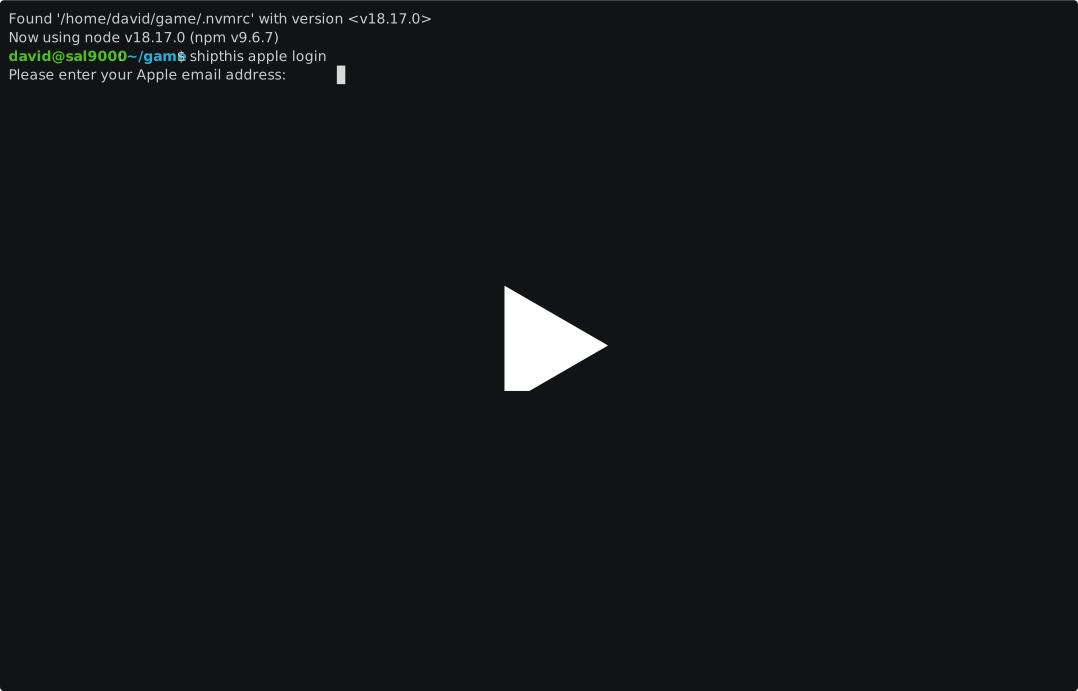](https://asciinema.org/a/CsYDuIS5hfO20CBS5OHbi6VUc)
|
|
10
|
+
|
|
11
|
+
|
|
12
|
+
## Help Output
|
|
13
|
+
|
|
14
|
+
```bash
|
|
15
|
+
USAGE
|
|
16
|
+
$ shipthis apple login [-q] [-f] [-e <value>]
|
|
17
|
+
|
|
18
|
+
FLAGS
|
|
19
|
+
-e, --appleEmail=<value> Your Apple Developer email address
|
|
20
|
+
-f, --force
|
|
21
|
+
-q, --quiet Avoid output except for interactions and errors
|
|
22
|
+
|
|
23
|
+
DESCRIPTION
|
|
24
|
+
Authenticate with Apple - saves the session to the auth file
|
|
25
|
+
|
|
26
|
+
EXAMPLES
|
|
27
|
+
$ shipthis apple login
|
|
28
|
+
|
|
29
|
+
$ shipthis apple login --force --appleEmail me@email.nowhere
|
|
30
|
+
```
|
|
@@ -0,0 +1,21 @@
|
|
|
1
|
+
# apple status
|
|
2
|
+
|
|
3
|
+
## Description
|
|
4
|
+
|
|
5
|
+
Shows the status of the Apple authentication and integration
|
|
6
|
+
|
|
7
|
+
## Example
|
|
8
|
+
|
|
9
|
+
[](https://asciinema.org/a/g4hSnl66PE7xz7FGmeMwBdqoN)
|
|
10
|
+
|
|
11
|
+
## Help Output
|
|
12
|
+
```
|
|
13
|
+
USAGE
|
|
14
|
+
$ shipthis apple status
|
|
15
|
+
|
|
16
|
+
DESCRIPTION
|
|
17
|
+
Shows the status of the Apple authentication and integration
|
|
18
|
+
|
|
19
|
+
EXAMPLES
|
|
20
|
+
$ shipthis apple status
|
|
21
|
+
```
|
package/docs/apple.md
ADDED
|
@@ -0,0 +1,48 @@
|
|
|
1
|
+
# Apple Commands
|
|
2
|
+
|
|
3
|
+
Commands in the Apple topic are prefixed `shithis apple`. They relate to linking your ShipThis account with your Apple Developer Account. You need to be authenticated against ShipThis (by running `shipthis login`) before running the Apple commands.
|
|
4
|
+
|
|
5
|
+
## Status
|
|
6
|
+
|
|
7
|
+
Display the status of your ShipThis integration with your Apple Developer account.
|
|
8
|
+
|
|
9
|
+
- [`shipthis apple status`](/docs/reference/apple/status)
|
|
10
|
+
|
|
11
|
+
## Login
|
|
12
|
+
|
|
13
|
+
Authenticate against the Apple API and persists the session cookies so that you do not need to re-authenticate between commands.
|
|
14
|
+
|
|
15
|
+
:::tip Info
|
|
16
|
+
Your Apple credentials never leave your computer. ShipThis saves the cookies to `~/.shipthis.auth.json`
|
|
17
|
+
|
|
18
|
+
:::
|
|
19
|
+
|
|
20
|
+
- [`shipthis apple login`](/docs/reference/apple/login)
|
|
21
|
+
|
|
22
|
+
# Apple Topics
|
|
23
|
+
|
|
24
|
+
## API Keys
|
|
25
|
+
|
|
26
|
+
Manage App Store Connect API Keys in your Apple Developer account and their corresponding the private keys in your ShipThis account
|
|
27
|
+
|
|
28
|
+
:::tip Info
|
|
29
|
+
App Store Connect API Keys are used to upload your game to the App Store. The same API key can be used to upload multiple games.
|
|
30
|
+
:::
|
|
31
|
+
|
|
32
|
+
- [`shipthis apple apiKey create`](/docs/reference/apple/apiKey#shipthis-apple-apikey-create)
|
|
33
|
+
- [`shipthis apple apiKey export FILE`](/docs/reference/apple/apiKey#shipthis-apple-apikey-export-file)
|
|
34
|
+
- [`shipthis apple apiKey import FILE`](/docs/reference/apple/apiKey#shipthis-apple-apikey-import-file)
|
|
35
|
+
- [`shipthis apple apiKey status`](/docs/reference/apple/apiKey#shipthis-apple-apikey-status)
|
|
36
|
+
|
|
37
|
+
## Certificates
|
|
38
|
+
|
|
39
|
+
Manage iOS Distribution Certificates in your Apple Developer account and their corresponding private keys in your ShipThis account
|
|
40
|
+
|
|
41
|
+
:::tip Info
|
|
42
|
+
Your iOS Distribution Certificate is used to sign all of your games before upload to the App Store. The same certificate can be used to sign multiple games.
|
|
43
|
+
:::
|
|
44
|
+
|
|
45
|
+
- [`shipthis apple certificate create`](/docs/reference/apple/certificate#shipthis-apple-certificate-create)
|
|
46
|
+
- [`shipthis apple certificate export FILE`](/docs/reference/apple/certificate#shipthis-apple-certificate-export-file)
|
|
47
|
+
- [`shipthis apple certificate import FILE`](/docs/reference/apple/certificate#shipthis-apple-certificate-import-file)
|
|
48
|
+
- [`shipthis apple certificate status`](/docs/reference/apple/certificate#shipthis-apple-certificate-status)
|
|
@@ -0,0 +1,18 @@
|
|
|
1
|
+
# dashboard
|
|
2
|
+
|
|
3
|
+
## Description
|
|
4
|
+
|
|
5
|
+
Opens the web-browser to your ShipThis dashboard
|
|
6
|
+
|
|
7
|
+
## Help Output
|
|
8
|
+
|
|
9
|
+
```
|
|
10
|
+
USAGE
|
|
11
|
+
$ shipthis dashboard
|
|
12
|
+
|
|
13
|
+
DESCRIPTION
|
|
14
|
+
Opens the web-browser to your ShipThis dashboard
|
|
15
|
+
|
|
16
|
+
EXAMPLES
|
|
17
|
+
$ shipthis dashboard
|
|
18
|
+
```
|
|
@@ -0,0 +1,28 @@
|
|
|
1
|
+
# game build download
|
|
2
|
+
|
|
3
|
+
## Description
|
|
4
|
+
|
|
5
|
+
Downloads the given build artifact to the specified file
|
|
6
|
+
|
|
7
|
+
## Help Output
|
|
8
|
+
|
|
9
|
+
```
|
|
10
|
+
USAGE
|
|
11
|
+
$ shipthis game build download BUILD_ID FILE [-g <value>] [-f]
|
|
12
|
+
|
|
13
|
+
ARGUMENTS
|
|
14
|
+
BUILD_ID The ID of the build to download
|
|
15
|
+
FILE Name of the file to output
|
|
16
|
+
|
|
17
|
+
FLAGS
|
|
18
|
+
-f, --force Overwrite the file if it already exists
|
|
19
|
+
-g, --gameId=<value> The ID of the game
|
|
20
|
+
|
|
21
|
+
DESCRIPTION
|
|
22
|
+
Downloads the given build artifact to the specified file
|
|
23
|
+
|
|
24
|
+
EXAMPLES
|
|
25
|
+
$ shipthis game build download 7a3f5c92 output.ipa
|
|
26
|
+
|
|
27
|
+
$ shipthis game build download --gameId 0c179fc4 e4b9a3d7 output.apk
|
|
28
|
+
```
|
|
@@ -0,0 +1,31 @@
|
|
|
1
|
+
# game build list
|
|
2
|
+
|
|
3
|
+
## Description
|
|
4
|
+
|
|
5
|
+
Lists the builds for successful jobs of a game.
|
|
6
|
+
|
|
7
|
+
## Help Output
|
|
8
|
+
|
|
9
|
+
```
|
|
10
|
+
USAGE
|
|
11
|
+
$ shipthis game build list [-g <value>] [-p <value>] [-s <value>] [-o createdAt|updatedAt] [-r asc|desc]
|
|
12
|
+
|
|
13
|
+
FLAGS
|
|
14
|
+
-g, --gameId=<value> The ID of the game
|
|
15
|
+
-o, --orderBy=<option> [default: createdAt] The field to order by
|
|
16
|
+
<options: createdAt|updatedAt>
|
|
17
|
+
-p, --pageNumber=<value> The page number to show (starts at 0)
|
|
18
|
+
-r, --order=<option> [default: desc] The order to sort by
|
|
19
|
+
<options: asc|desc>
|
|
20
|
+
-s, --pageSize=<value> [default: 10] The number of items to show per page
|
|
21
|
+
|
|
22
|
+
DESCRIPTION
|
|
23
|
+
Lists the builds for successful jobs of a game.
|
|
24
|
+
|
|
25
|
+
EXAMPLES
|
|
26
|
+
$ shipthis game build list
|
|
27
|
+
|
|
28
|
+
$ shipthis game build list --gameId 0c179fc4
|
|
29
|
+
|
|
30
|
+
$ shipthis game build list --gameId 0c179fc4 --pageSize 20 --pageNumber 1
|
|
31
|
+
```
|
|
@@ -0,0 +1,68 @@
|
|
|
1
|
+
# game build
|
|
2
|
+
|
|
3
|
+
Commands related to builds for a specific game
|
|
4
|
+
|
|
5
|
+
|
|
6
|
+
## Commands
|
|
7
|
+
|
|
8
|
+
|
|
9
|
+
### game build download
|
|
10
|
+
|
|
11
|
+
#### Description
|
|
12
|
+
|
|
13
|
+
Downloads the given build artifact to the specified file
|
|
14
|
+
|
|
15
|
+
#### Help Output
|
|
16
|
+
|
|
17
|
+
```
|
|
18
|
+
USAGE
|
|
19
|
+
$ shipthis game build download BUILD_ID FILE [-g <value>] [-f]
|
|
20
|
+
|
|
21
|
+
ARGUMENTS
|
|
22
|
+
BUILD_ID The ID of the build to download
|
|
23
|
+
FILE Name of the file to output
|
|
24
|
+
|
|
25
|
+
FLAGS
|
|
26
|
+
-f, --force Overwrite the file if it already exists
|
|
27
|
+
-g, --gameId=<value> The ID of the game
|
|
28
|
+
|
|
29
|
+
DESCRIPTION
|
|
30
|
+
Downloads the given build artifact to the specified file
|
|
31
|
+
|
|
32
|
+
EXAMPLES
|
|
33
|
+
$ shipthis game build download 7a3f5c92 output.ipa
|
|
34
|
+
|
|
35
|
+
$ shipthis game build download --gameId 0c179fc4 e4b9a3d7 output.apk
|
|
36
|
+
```
|
|
37
|
+
|
|
38
|
+
### game build list
|
|
39
|
+
|
|
40
|
+
#### Description
|
|
41
|
+
|
|
42
|
+
Lists the builds for successful jobs of a game.
|
|
43
|
+
|
|
44
|
+
#### Help Output
|
|
45
|
+
|
|
46
|
+
```
|
|
47
|
+
USAGE
|
|
48
|
+
$ shipthis game build list [-g <value>] [-p <value>] [-s <value>] [-o createdAt|updatedAt] [-r asc|desc]
|
|
49
|
+
|
|
50
|
+
FLAGS
|
|
51
|
+
-g, --gameId=<value> The ID of the game
|
|
52
|
+
-o, --orderBy=<option> [default: createdAt] The field to order by
|
|
53
|
+
<options: createdAt|updatedAt>
|
|
54
|
+
-p, --pageNumber=<value> The page number to show (starts at 0)
|
|
55
|
+
-r, --order=<option> [default: desc] The order to sort by
|
|
56
|
+
<options: asc|desc>
|
|
57
|
+
-s, --pageSize=<value> [default: 10] The number of items to show per page
|
|
58
|
+
|
|
59
|
+
DESCRIPTION
|
|
60
|
+
Lists the builds for successful jobs of a game.
|
|
61
|
+
|
|
62
|
+
EXAMPLES
|
|
63
|
+
$ shipthis game build list
|
|
64
|
+
|
|
65
|
+
$ shipthis game build list --gameId 0c179fc4
|
|
66
|
+
|
|
67
|
+
$ shipthis game build list --gameId 0c179fc4 --pageSize 20 --pageNumber 1
|
|
68
|
+
```
|
|
@@ -0,0 +1,23 @@
|
|
|
1
|
+
# game create
|
|
2
|
+
|
|
3
|
+
## Description
|
|
4
|
+
|
|
5
|
+
Create a new game in ShipThis.
|
|
6
|
+
|
|
7
|
+
## Help Output
|
|
8
|
+
|
|
9
|
+
```
|
|
10
|
+
USAGE
|
|
11
|
+
$ shipthis game create [-q] [-f] [-n <value>]
|
|
12
|
+
|
|
13
|
+
FLAGS
|
|
14
|
+
-f, --force
|
|
15
|
+
-n, --name=<value> The name of the game
|
|
16
|
+
-q, --quiet Avoid output except for interactions and errors
|
|
17
|
+
|
|
18
|
+
DESCRIPTION
|
|
19
|
+
Create a new game in ShipThis.
|
|
20
|
+
|
|
21
|
+
EXAMPLES
|
|
22
|
+
$ shipthis game create
|
|
23
|
+
```
|
|
@@ -0,0 +1,35 @@
|
|
|
1
|
+
# game details
|
|
2
|
+
|
|
3
|
+
## Description
|
|
4
|
+
|
|
5
|
+
Shows and sets the details of a game.
|
|
6
|
+
|
|
7
|
+
## Help Output
|
|
8
|
+
|
|
9
|
+
```
|
|
10
|
+
USAGE
|
|
11
|
+
$ shipthis game details [-g <value>] [-f] [-b <value>] [-s <value>] [-e <value>] [-v <value>] [-i <value>] [-a
|
|
12
|
+
<value>]
|
|
13
|
+
|
|
14
|
+
FLAGS
|
|
15
|
+
-a, --androidPackageName=<value> Set the Android package name
|
|
16
|
+
-b, --buildNumber=<value> Set the build number
|
|
17
|
+
-e, --gameEngine=<value> Set the game engine
|
|
18
|
+
-f, --force Force the command to run
|
|
19
|
+
-g, --gameId=<value> The ID of the game
|
|
20
|
+
-i, --iosBundleId=<value> Set the iOS bundle ID
|
|
21
|
+
-s, --semanticVersion=<value> Set the semantic version
|
|
22
|
+
-v, --gameEngineVersion=<value> Set the game engine version
|
|
23
|
+
|
|
24
|
+
DESCRIPTION
|
|
25
|
+
Shows and sets the details of a game.
|
|
26
|
+
|
|
27
|
+
EXAMPLES
|
|
28
|
+
$ shipthis game details
|
|
29
|
+
|
|
30
|
+
$ shipthis game details --gameId 0c179fc4
|
|
31
|
+
|
|
32
|
+
$ shipthis game details --buildNumber 5 --semanticVersion 1.2.3
|
|
33
|
+
|
|
34
|
+
$ shipthis game details --gameEngine godot --gameEngineVersion 4.2 --force
|
|
35
|
+
```
|
|
@@ -0,0 +1,26 @@
|
|
|
1
|
+
# game export
|
|
2
|
+
|
|
3
|
+
## Description
|
|
4
|
+
|
|
5
|
+
Downloads the shipthis.json file for a given game into the current directory.
|
|
6
|
+
|
|
7
|
+
## Help Output
|
|
8
|
+
|
|
9
|
+
```
|
|
10
|
+
USAGE
|
|
11
|
+
$ shipthis game export GAME_ID [-f]
|
|
12
|
+
|
|
13
|
+
ARGUMENTS
|
|
14
|
+
GAME_ID The ID of the game to export (use "list" to get the ID)
|
|
15
|
+
|
|
16
|
+
FLAGS
|
|
17
|
+
-f, --force
|
|
18
|
+
|
|
19
|
+
DESCRIPTION
|
|
20
|
+
Downloads the shipthis.json file for a given game into the current directory.
|
|
21
|
+
|
|
22
|
+
EXAMPLES
|
|
23
|
+
$ shipthis game export abcd1234
|
|
24
|
+
|
|
25
|
+
$ shipthis game export abcd1234 --force
|
|
26
|
+
```
|
|
@@ -0,0 +1,24 @@
|
|
|
1
|
+
# game ios app addTester
|
|
2
|
+
|
|
3
|
+
## Description
|
|
4
|
+
|
|
5
|
+
Adds a test user to the game in App Store Connect.
|
|
6
|
+
|
|
7
|
+
## Help Output
|
|
8
|
+
|
|
9
|
+
```
|
|
10
|
+
USAGE
|
|
11
|
+
$ shipthis game ios app addTester [-g <value>] [-e <value>] [-f <value>] [-l <value>]
|
|
12
|
+
|
|
13
|
+
FLAGS
|
|
14
|
+
-e, --email=<value> The email address of the tester
|
|
15
|
+
-f, --firstName=<value> The first name of the tester
|
|
16
|
+
-g, --gameId=<value> The ID of the game
|
|
17
|
+
-l, --lastName=<value> The last name of the tester
|
|
18
|
+
|
|
19
|
+
DESCRIPTION
|
|
20
|
+
Adds a test user to the game in App Store Connect.
|
|
21
|
+
|
|
22
|
+
EXAMPLES
|
|
23
|
+
$ shipthis game ios app addTester
|
|
24
|
+
```
|
|
@@ -0,0 +1,25 @@
|
|
|
1
|
+
# game ios app create
|
|
2
|
+
|
|
3
|
+
## Description
|
|
4
|
+
|
|
5
|
+
Creates an App and BundleId in the Apple Developer Portal.
|
|
6
|
+
|
|
7
|
+
## Help Output
|
|
8
|
+
|
|
9
|
+
```
|
|
10
|
+
USAGE
|
|
11
|
+
$ shipthis game ios app create [-q] [-g <value>] [-n <value>] [-b <value>] [-f]
|
|
12
|
+
|
|
13
|
+
FLAGS
|
|
14
|
+
-b, --bundleId=<value> The BundleId in the Apple Developer Portal
|
|
15
|
+
-f, --force
|
|
16
|
+
-g, --gameId=<value> The ID of the game
|
|
17
|
+
-n, --appName=<value> The name of the App in the Apple Developer Portal
|
|
18
|
+
-q, --quiet Avoid output except for interactions and errors
|
|
19
|
+
|
|
20
|
+
DESCRIPTION
|
|
21
|
+
Creates an App and BundleId in the Apple Developer Portal.
|
|
22
|
+
|
|
23
|
+
EXAMPLES
|
|
24
|
+
$ shipthis game ios app create
|
|
25
|
+
```
|
|
@@ -0,0 +1,21 @@
|
|
|
1
|
+
# game ios app status
|
|
2
|
+
|
|
3
|
+
## Description
|
|
4
|
+
|
|
5
|
+
Shows the Game iOS App status.
|
|
6
|
+
|
|
7
|
+
## Help Output
|
|
8
|
+
|
|
9
|
+
```
|
|
10
|
+
USAGE
|
|
11
|
+
$ shipthis game ios app status [-g <value>]
|
|
12
|
+
|
|
13
|
+
FLAGS
|
|
14
|
+
-g, --gameId=<value> The ID of the game
|
|
15
|
+
|
|
16
|
+
DESCRIPTION
|
|
17
|
+
Shows the Game iOS App status.
|
|
18
|
+
|
|
19
|
+
EXAMPLES
|
|
20
|
+
$ shipthis game ios app status
|
|
21
|
+
```
|
|
@@ -0,0 +1,23 @@
|
|
|
1
|
+
# game ios app sync
|
|
2
|
+
|
|
3
|
+
## Description
|
|
4
|
+
|
|
5
|
+
Synchronies the Apple App "BundleId" with the capabilities from the local project.
|
|
6
|
+
|
|
7
|
+
## Help Output
|
|
8
|
+
|
|
9
|
+
```
|
|
10
|
+
USAGE
|
|
11
|
+
$ shipthis game ios app sync [-q] [-g <value>] [-f]
|
|
12
|
+
|
|
13
|
+
FLAGS
|
|
14
|
+
-f, --force
|
|
15
|
+
-g, --gameId=<value> The ID of the game
|
|
16
|
+
-q, --quiet Avoid output except for interactions and errors
|
|
17
|
+
|
|
18
|
+
DESCRIPTION
|
|
19
|
+
Synchronies the Apple App "BundleId" with the capabilities from the local project.
|
|
20
|
+
|
|
21
|
+
EXAMPLES
|
|
22
|
+
$ shipthis game ios app sync
|
|
23
|
+
```
|