senangwebs-photobooth 1.0.1 → 2.0.2
This diff represents the content of publicly available package versions that have been released to one of the supported registries. The information contained in this diff is provided for informational purposes only and reflects changes between package versions as they appear in their respective public registries.
- package/README.md +219 -235
- package/dist/swp.css +884 -344
- package/dist/swp.js +1 -1
- package/examples/data-attribute.html +69 -0
- package/examples/index.html +56 -51
- package/examples/studio.html +83 -0
- package/package.json +12 -5
- package/src/css/swp.css +884 -344
- package/src/js/core/Canvas.js +398 -0
- package/src/js/core/EventEmitter.js +188 -0
- package/src/js/core/History.js +250 -0
- package/src/js/core/Keyboard.js +323 -0
- package/src/js/filters/FilterManager.js +248 -0
- package/src/js/index.js +48 -0
- package/src/js/io/Clipboard.js +52 -0
- package/src/js/io/FileManager.js +150 -0
- package/src/js/layers/BlendModes.js +342 -0
- package/src/js/layers/Layer.js +415 -0
- package/src/js/layers/LayerManager.js +459 -0
- package/src/js/selection/Selection.js +167 -0
- package/src/js/swp.js +297 -709
- package/src/js/tools/BaseTool.js +264 -0
- package/src/js/tools/BrushTool.js +314 -0
- package/src/js/tools/CropTool.js +400 -0
- package/src/js/tools/EraserTool.js +155 -0
- package/src/js/tools/EyedropperTool.js +184 -0
- package/src/js/tools/FillTool.js +109 -0
- package/src/js/tools/GradientTool.js +141 -0
- package/src/js/tools/HandTool.js +51 -0
- package/src/js/tools/MarqueeTool.js +103 -0
- package/src/js/tools/MoveTool.js +465 -0
- package/src/js/tools/ShapeTool.js +285 -0
- package/src/js/tools/TextTool.js +253 -0
- package/src/js/tools/ToolManager.js +277 -0
- package/src/js/tools/ZoomTool.js +68 -0
- package/src/js/ui/ColorManager.js +71 -0
- package/src/js/ui/UI.js +1211 -0
- package/swp_preview1.png +0 -0
- package/swp_preview2.png +0 -0
- package/webpack.config.js +4 -11
- package/dist/styles.js +0 -1
- package/examples/customization.html +0 -360
- package/spec.md +0 -239
- package/swp_preview.png +0 -0
package/README.md
CHANGED
|
@@ -1,297 +1,281 @@
|
|
|
1
|
-
# SenangWebs Photobooth
|
|
1
|
+
# SenangWebs Photobooth
|
|
2
2
|
|
|
3
|
-
A
|
|
4
|
-
|
|
3
|
+
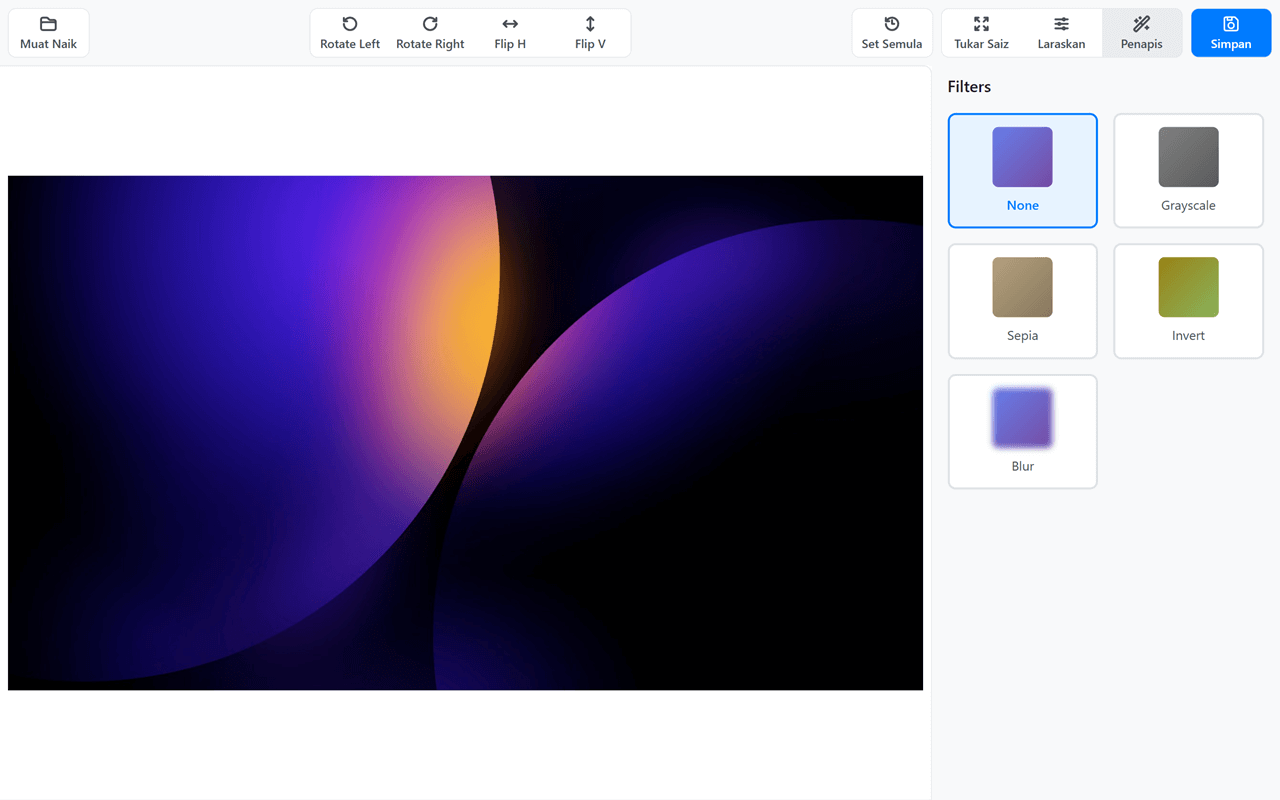
A browser-based image editor featuring layers, drawing tools, and filters.
|
|
5
4
|
|
|
6
|
-
|
|
7
|
-
|
|
8
|
-
### Development
|
|
9
|
-
|
|
10
|
-
1. **Install dependencies:**
|
|
11
|
-
|
|
12
|
-
```bash
|
|
13
|
-
npm install
|
|
14
|
-
```
|
|
15
|
-
2. **Start development server:**
|
|
16
|
-
|
|
17
|
-
```bash
|
|
18
|
-
npm run dev
|
|
19
|
-
```
|
|
20
|
-
|
|
21
|
-
This will start a dev server at `http://localhost:3000` with hot reloading.
|
|
22
|
-
3. **Build for production:**
|
|
23
|
-
|
|
24
|
-
```bash
|
|
25
|
-
npm run build
|
|
26
|
-
```
|
|
5
|
+
[](LICENSE.md)
|
|
6
|
+
[](https://github.com/bookklik-technologies/senangstart-icons)
|
|
27
7
|
|
|
28
|
-
|
|
8
|
+
| example 1 | example 2 |
|
|
9
|
+
| ---------------------------------------------------------------------------------------------------------------- | ---------------------------------------------------------------------------------------------------------------- |
|
|
10
|
+
| 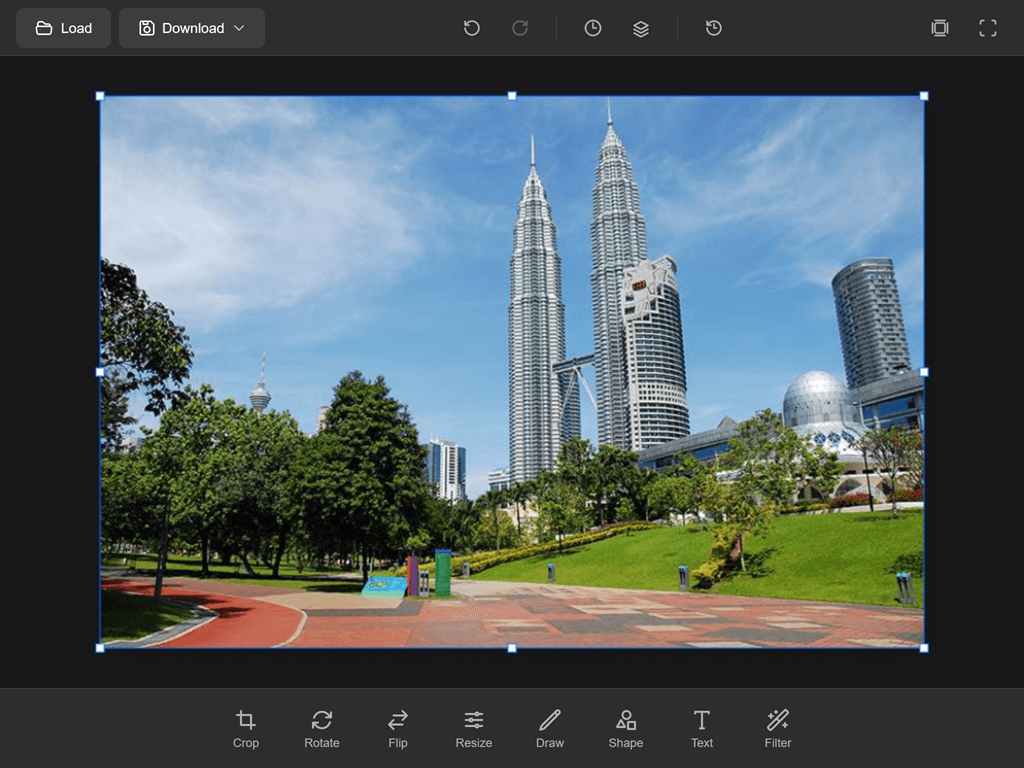 | 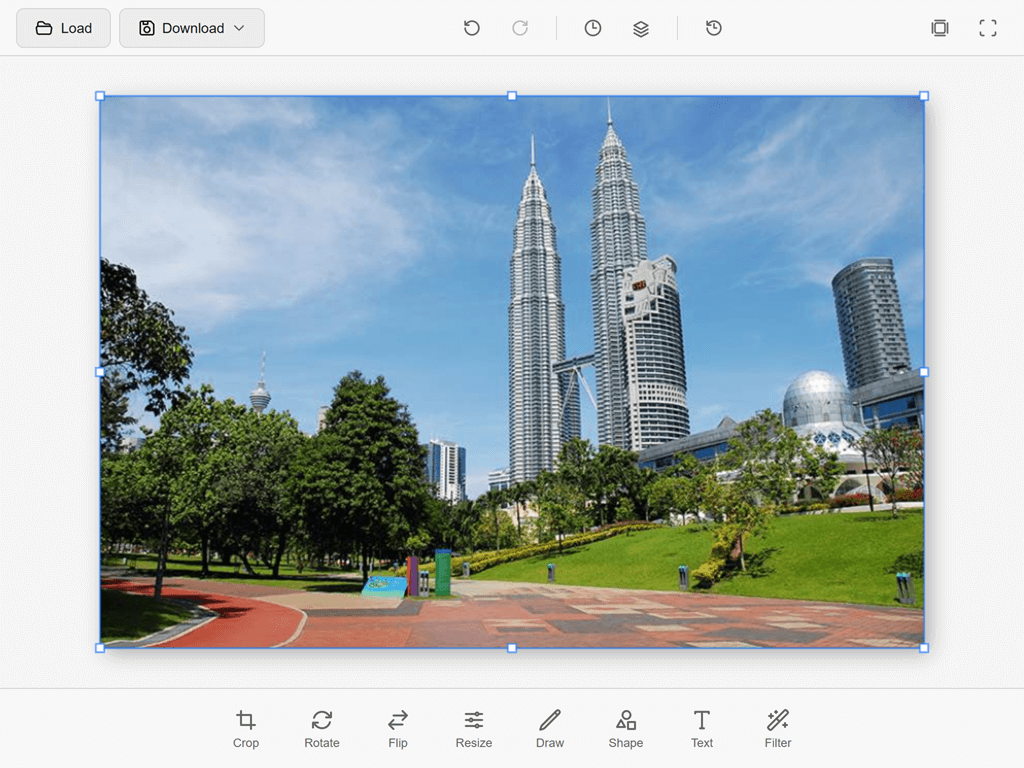 |
|
|
29
11
|
|
|
30
|
-
|
|
31
|
-
|
|
32
|
-
#### Include the built files:
|
|
12
|
+
## Features
|
|
33
13
|
|
|
34
|
-
|
|
35
|
-
|
|
36
|
-
|
|
14
|
+
### Layer System
|
|
15
|
+
- Multiple layers with full compositing
|
|
16
|
+
- 24 blend modes (Normal, Multiply, Screen, Overlay, etc.)
|
|
17
|
+
- Layer opacity, visibility, and locking
|
|
18
|
+
- Merge, duplicate, and reorder layers
|
|
19
|
+
- Layers panel with real-time updates
|
|
20
|
+
|
|
21
|
+
### History & Layers Panels
|
|
22
|
+
- **History Panel** - View and navigate undo/redo history
|
|
23
|
+
- **Layers Panel** - Manage layers with visibility toggles and selection
|
|
24
|
+
- Collapsible side panels with clean UI
|
|
25
|
+
|
|
26
|
+
### Editing Tools
|
|
27
|
+
| Menu | Description |
|
|
28
|
+
|------|-------------|
|
|
29
|
+
| Crop | Crop with aspect ratio presets (Free, 1:1, 4:3, 16:9) |
|
|
30
|
+
| Rotate | Rotate by ±90° or custom angle slider |
|
|
31
|
+
| Flip | Flip horizontal or vertical |
|
|
32
|
+
| Resize | Resize canvas with presets and aspect ratio lock |
|
|
33
|
+
| Draw | Brush tool with customizable size and color |
|
|
34
|
+
| Shape | Rectangle, ellipse, line with fill and stroke options |
|
|
35
|
+
| Text | Add text with font, size, color, and style controls |
|
|
36
|
+
| Filter | Apply filters with intensity control |
|
|
37
|
+
|
|
38
|
+
### Filters & Adjustments
|
|
39
|
+
- Brightness, Contrast
|
|
40
|
+
- Blur, Sharpen
|
|
41
|
+
- Grayscale, Sepia, Invert
|
|
42
|
+
|
|
43
|
+
### Keyboard Shortcuts
|
|
44
|
+
- `Ctrl+Z` / `Ctrl+Shift+Z` - Undo / Redo
|
|
45
|
+
- `Ctrl+N` - New document
|
|
46
|
+
- `Ctrl+O` - Open image
|
|
47
|
+
- `Ctrl+S` - Save project
|
|
48
|
+
- `Ctrl+E` - Export image
|
|
49
|
+
- `[` / `]` - Decrease / Increase brush size
|
|
50
|
+
- `X` - Swap foreground/background colors
|
|
51
|
+
- `D` - Reset to black/white
|
|
52
|
+
- `Tab` - Toggle panels
|
|
53
|
+
- `Space` - Temporary hand tool
|
|
54
|
+
- `DEL` - Delete selected layer
|
|
55
|
+
|
|
56
|
+
### File Operations
|
|
57
|
+
- Load images (PNG, JPEG, WebP)
|
|
58
|
+
- Download with format selection (PNG, JPEG, WebP)
|
|
59
|
+
- Save projects as `.swp` files
|
|
60
|
+
- Export to PNG, JPEG, WebP
|
|
61
|
+
|
|
62
|
+
## Installation
|
|
63
|
+
|
|
64
|
+
### NPM
|
|
65
|
+
```bash
|
|
66
|
+
npm install senangwebs-photobooth
|
|
37
67
|
```
|
|
38
68
|
|
|
39
|
-
|
|
40
|
-
|
|
69
|
+
### CDN
|
|
41
70
|
```html
|
|
42
|
-
<link rel="stylesheet" href="
|
|
43
|
-
<script src="
|
|
71
|
+
<link rel="stylesheet" href="https://unpkg.com/senangwebs-photobooth@latest/dist/swp.css">
|
|
72
|
+
<script src="https://unpkg.com/senangwebs-photobooth@latest/dist/swp.js"></script>
|
|
44
73
|
```
|
|
45
74
|
|
|
46
|
-
|
|
75
|
+
### Manual Download
|
|
76
|
+
Download `swp.js` and `swp.css` from the `dist` folder.
|
|
47
77
|
|
|
48
|
-
|
|
49
|
-
- Rotating** - Rotate images in 90-degree increments
|
|
50
|
-
- Flipping** - Flip images horizontally and vertically
|
|
51
|
-
- Adjustments** - Fine-tune brightness, contrast, and saturation
|
|
52
|
-
- Filters** - Apply pre-defined filters (Grayscale, Sepia, Invert, Blur)
|
|
53
|
-
- **Export** - Save edited images in JPEG or PNG format
|
|
78
|
+
## Quick Start
|
|
54
79
|
|
|
55
|
-
|
|
80
|
+
SenangWebs Photobooth supports two initialization methods: JavaScript API and data attributes.
|
|
56
81
|
|
|
57
|
-
###
|
|
82
|
+
### JavaScript API
|
|
58
83
|
|
|
59
84
|
```html
|
|
60
|
-
|
|
61
|
-
|
|
62
|
-
<
|
|
63
|
-
|
|
64
|
-
|
|
65
|
-
|
|
66
|
-
|
|
67
|
-
|
|
85
|
+
<!DOCTYPE html>
|
|
86
|
+
<html>
|
|
87
|
+
<head>
|
|
88
|
+
<link rel="stylesheet" href="https://unpkg.com/senangwebs-photobooth@latest/dist/swp.css">
|
|
89
|
+
<style>
|
|
90
|
+
#editor { width: 100%; height: 100vh; }
|
|
91
|
+
</style>
|
|
92
|
+
</head>
|
|
93
|
+
<body>
|
|
94
|
+
<div id="editor"></div>
|
|
95
|
+
<script src="https://unpkg.com/senangwebs-photobooth@latest/dist/swp.js"></script>
|
|
96
|
+
<script>
|
|
97
|
+
const editor = new SWP('#editor', {
|
|
98
|
+
width: 1920,
|
|
99
|
+
height: 1080,
|
|
100
|
+
theme: 'dark',
|
|
101
|
+
accentColor: '#00FF99'
|
|
68
102
|
});
|
|
69
|
-
|
|
70
|
-
|
|
71
|
-
|
|
72
|
-
|
|
73
|
-
|
|
74
|
-
</
|
|
103
|
+
|
|
104
|
+
editor.on('ready', () => {
|
|
105
|
+
console.log('Editor ready!');
|
|
106
|
+
});
|
|
107
|
+
</script>
|
|
108
|
+
</body>
|
|
109
|
+
</html>
|
|
75
110
|
```
|
|
76
111
|
|
|
77
|
-
###
|
|
112
|
+
### Data Attribute Initialization
|
|
78
113
|
|
|
79
|
-
|
|
114
|
+
You can also initialize the editor using data attributes for a no-code setup:
|
|
80
115
|
|
|
81
116
|
```html
|
|
82
|
-
|
|
83
|
-
<
|
|
84
|
-
|
|
85
|
-
|
|
86
|
-
<
|
|
87
|
-
|
|
88
|
-
|
|
89
|
-
|
|
90
|
-
|
|
91
|
-
|
|
92
|
-
|
|
93
|
-
|
|
94
|
-
|
|
95
|
-
|
|
96
|
-
|
|
97
|
-
|
|
117
|
+
<!DOCTYPE html>
|
|
118
|
+
<html>
|
|
119
|
+
<head>
|
|
120
|
+
<link rel="stylesheet" href="https://unpkg.com/senangwebs-photobooth@latest/dist/swp.css">
|
|
121
|
+
<style>
|
|
122
|
+
#editor { width: 100%; height: 100vh; }
|
|
123
|
+
</style>
|
|
124
|
+
</head>
|
|
125
|
+
<body>
|
|
126
|
+
<div id="editor"
|
|
127
|
+
data-swp
|
|
128
|
+
data-swp-width="1920"
|
|
129
|
+
data-swp-height="1080"
|
|
130
|
+
data-swp-theme="dark"
|
|
131
|
+
data-swp-accent-color="#00FF99">
|
|
132
|
+
</div>
|
|
133
|
+
<script src="https://unpkg.com/senangwebs-photobooth@latest/dist/swp.js"></script>
|
|
134
|
+
</body>
|
|
135
|
+
</html>
|
|
98
136
|
```
|
|
99
137
|
|
|
100
|
-
|
|
101
|
-
|
|
102
|
-
- `data-swp` - Enable auto-initialization
|
|
103
|
-
- `data-swp-width` - Canvas width (number)
|
|
104
|
-
- `data-swp-height` - Canvas height (number)
|
|
105
|
-
- `data-swp-image-url` - Initial image URL
|
|
106
|
-
- `data-swp-show-icons` - Show/hide icons ("true" or "false")
|
|
107
|
-
- `data-swp-show-labels` - Show/hide labels ("true" or "false")
|
|
108
|
-
- `data-swp-labels` - Custom labels (see formats above)
|
|
109
|
-
|
|
110
|
-
The library will automatically initialize when the DOM is ready.
|
|
111
|
-
|
|
112
|
-
## API Reference
|
|
113
|
-
|
|
114
|
-
### Initialization
|
|
138
|
+
#### Accessing Data Attribute Instances
|
|
115
139
|
|
|
116
140
|
```javascript
|
|
117
|
-
|
|
118
|
-
|
|
141
|
+
// Access via element property
|
|
142
|
+
const editor = document.getElementById('editor').swpInstance;
|
|
119
143
|
|
|
120
|
-
|
|
121
|
-
|
|
122
|
-
- `imageUrl` (String) - URL of the image to load
|
|
123
|
-
- `width` (Number) - Width of the editor in pixels (default: 800)
|
|
124
|
-
- `height` (Number) - Height of the editor in pixels (default: 600)
|
|
125
|
-
- `showIcons` (Boolean) - Show icons in toolbar buttons (default: true)
|
|
126
|
-
- `showLabels` (Boolean) - Show text labels in toolbar buttons (default: true)
|
|
127
|
-
- `labels` (Object) - Custom labels for toolbar buttons
|
|
128
|
-
- `upload` (String|null) - Label for upload button (default: 'Upload')
|
|
129
|
-
- `rotateLeft` (String|null) - Label for rotate left button (default: null)
|
|
130
|
-
- `rotateRight` (String|null) - Label for rotate right button (default: null)
|
|
131
|
-
- `flipH` (String|null) - Label for flip horizontal button (default: null)
|
|
132
|
-
- `flipV` (String|null) - Label for flip vertical button (default: null)
|
|
133
|
-
- `resize` (String|null) - Label for resize button (default: 'Resize')
|
|
134
|
-
- `adjust` (String|null) - Label for adjustments button (default: 'Adjust')
|
|
135
|
-
- `filters` (String|null) - Label for filters button (default: 'Filters')
|
|
136
|
-
- `reset` (String|null) - Label for reset button (default: 'Reset')
|
|
137
|
-
- `save` (String|null) - Label for save button (default: 'Save')
|
|
138
|
-
|
|
139
|
-
**Customization Examples:**
|
|
144
|
+
// Access all auto-initialized instances
|
|
145
|
+
const allEditors = SWP.instances;
|
|
140
146
|
|
|
141
|
-
|
|
142
|
-
|
|
143
|
-
const swp = new SWP(container, {
|
|
144
|
-
showLabels: false
|
|
145
|
-
});
|
|
146
|
-
|
|
147
|
-
// Custom labels (multilingual support)
|
|
148
|
-
const swp = new SWP(container, {
|
|
149
|
-
labels: {
|
|
150
|
-
upload: 'Télécharger',
|
|
151
|
-
save: 'Enregistrer',
|
|
152
|
-
reset: 'Réinitialiser'
|
|
153
|
-
}
|
|
154
|
-
});
|
|
155
|
-
|
|
156
|
-
// Hide specific labels (set to null)
|
|
157
|
-
const swp = new SWP(container, {
|
|
158
|
-
labels: {
|
|
159
|
-
rotateLeft: null, // No label, icon only
|
|
160
|
-
rotateRight: null
|
|
161
|
-
}
|
|
162
|
-
});
|
|
163
|
-
|
|
164
|
-
// Show labels for rotate and flip buttons
|
|
165
|
-
const swp = new SWP(container, {
|
|
166
|
-
labels: {
|
|
167
|
-
rotateLeft: 'Rotate Left',
|
|
168
|
-
rotateRight: 'Rotate Right',
|
|
169
|
-
flipH: 'Flip Horizontal',
|
|
170
|
-
flipV: 'Flip Vertical'
|
|
171
|
-
}
|
|
172
|
-
});
|
|
147
|
+
// Manually trigger auto-init (if needed after dynamic content load)
|
|
148
|
+
SWP.autoInit();
|
|
173
149
|
```
|
|
174
150
|
|
|
175
|
-
|
|
176
|
-
|
|
177
|
-
### Methods
|
|
151
|
+
#### Available Data Attributes
|
|
178
152
|
|
|
179
|
-
|
|
153
|
+
| Attribute | Type | Default | Description |
|
|
154
|
+
|-----------|------|---------|-------------|
|
|
155
|
+
| `data-swp` | - | - | Required. Marks element for auto-initialization |
|
|
156
|
+
| `data-swp-width` | number | 1920 | Canvas width in pixels |
|
|
157
|
+
| `data-swp-height` | number | 1080 | Canvas height in pixels |
|
|
158
|
+
| `data-swp-theme` | string | 'dark' | UI theme ('dark' or 'light') |
|
|
159
|
+
| `data-swp-accent-color` | string | '#00FF99' | UI accent color (hex format) |
|
|
180
160
|
|
|
181
|
-
|
|
161
|
+
## API Reference
|
|
182
162
|
|
|
163
|
+
### Constructor
|
|
183
164
|
```javascript
|
|
184
|
-
|
|
165
|
+
const editor = new SWP(container, options);
|
|
185
166
|
```
|
|
186
167
|
|
|
187
|
-
|
|
168
|
+
| Option | Type | Default | Description |
|
|
169
|
+
|--------|------|---------|-------------|
|
|
170
|
+
| `width` | number | 1920 | Canvas width |
|
|
171
|
+
| `height` | number | 1080 | Canvas height |
|
|
172
|
+
| `theme` | string | 'dark' | UI theme ('dark' or 'light') |
|
|
173
|
+
| `accentColor` | string | '#00FF99' | UI accent color |
|
|
188
174
|
|
|
189
|
-
|
|
175
|
+
### Methods
|
|
190
176
|
|
|
177
|
+
#### Document Operations
|
|
191
178
|
```javascript
|
|
192
|
-
|
|
193
|
-
|
|
194
|
-
```
|
|
179
|
+
// Create new document
|
|
180
|
+
editor.newDocument(width, height, background);
|
|
195
181
|
|
|
196
|
-
|
|
182
|
+
// Load image from URL
|
|
183
|
+
await editor.loadImage('path/to/image.jpg');
|
|
197
184
|
|
|
198
|
-
|
|
185
|
+
// Export as data URL
|
|
186
|
+
const dataURL = editor.getImageData('png', 1.0);
|
|
199
187
|
|
|
200
|
-
|
|
201
|
-
|
|
202
|
-
swp.flip('vertical');
|
|
188
|
+
// Download export (format: 'png', 'jpeg', or 'webp')
|
|
189
|
+
editor.export('png', 1.0);
|
|
203
190
|
```
|
|
204
191
|
|
|
205
|
-
####
|
|
206
|
-
|
|
207
|
-
Apply adjustments to the image.
|
|
208
|
-
|
|
192
|
+
#### History
|
|
209
193
|
```javascript
|
|
210
|
-
|
|
211
|
-
|
|
212
|
-
swp.setAdjustment('saturation', 80); // Range: 0-200
|
|
194
|
+
editor.undo();
|
|
195
|
+
editor.redo();
|
|
213
196
|
```
|
|
214
197
|
|
|
215
|
-
####
|
|
216
|
-
|
|
217
|
-
Apply a pre-defined filter.
|
|
218
|
-
|
|
198
|
+
#### Tools
|
|
219
199
|
```javascript
|
|
220
|
-
|
|
221
|
-
|
|
222
|
-
swp.applyFilter('invert');
|
|
223
|
-
swp.applyFilter('blur');
|
|
224
|
-
swp.applyFilter('none'); // Remove filter
|
|
200
|
+
editor.setTool('brush');
|
|
201
|
+
editor.setTool('move');
|
|
225
202
|
```
|
|
226
203
|
|
|
227
|
-
####
|
|
228
|
-
|
|
229
|
-
Crop the image to specified dimensions.
|
|
230
|
-
|
|
204
|
+
#### Filters
|
|
231
205
|
```javascript
|
|
232
|
-
|
|
206
|
+
editor.applyFilter('brightness', { value: 20 });
|
|
207
|
+
editor.applyFilter('blur', { radius: 5 });
|
|
208
|
+
editor.applyFilter('grayscale');
|
|
233
209
|
```
|
|
234
210
|
|
|
235
|
-
####
|
|
236
|
-
|
|
237
|
-
Reset all edits and revert to original image.
|
|
238
|
-
|
|
211
|
+
#### Theming
|
|
239
212
|
```javascript
|
|
240
|
-
|
|
241
|
-
|
|
213
|
+
// Change theme at runtime
|
|
214
|
+
editor.setTheme('light'); // or 'dark'
|
|
242
215
|
|
|
243
|
-
|
|
244
|
-
|
|
245
|
-
Export the edited image data.
|
|
246
|
-
|
|
247
|
-
```javascript
|
|
248
|
-
const dataUrl = swp.getImageData('png'); // PNG format
|
|
249
|
-
const dataUrl = swp.getImageData('jpeg', 0.9); // JPEG with 90% quality
|
|
216
|
+
// Change accent color at runtime
|
|
217
|
+
editor.setAccentColor('#FF6B6B');
|
|
250
218
|
```
|
|
251
219
|
|
|
252
|
-
|
|
253
|
-
|
|
254
|
-
Listen to events using the `on()` method:
|
|
255
|
-
|
|
220
|
+
#### Events
|
|
256
221
|
```javascript
|
|
257
|
-
|
|
258
|
-
|
|
259
|
-
});
|
|
260
|
-
|
|
261
|
-
swp.on('change', () => {
|
|
262
|
-
console.log('Image has been edited');
|
|
263
|
-
});
|
|
264
|
-
|
|
265
|
-
swp.on('save', () => {
|
|
266
|
-
console.log('Image saved');
|
|
267
|
-
});
|
|
222
|
+
editor.on('ready', () => { });
|
|
223
|
+
editor.on('tool:select', (data) => { });
|
|
224
|
+
editor.on('layer:add', (data) => { });
|
|
225
|
+
editor.on('history:push', (data) => { });
|
|
268
226
|
```
|
|
269
227
|
|
|
270
|
-
|
|
271
|
-
|
|
272
|
-
- `
|
|
273
|
-
- `
|
|
274
|
-
|
|
275
|
-
|
|
276
|
-
|
|
277
|
-
|
|
278
|
-
|
|
279
|
-
-
|
|
280
|
-
-
|
|
281
|
-
-
|
|
282
|
-
-
|
|
228
|
+
### Available Events
|
|
229
|
+
- `ready` - Editor initialized
|
|
230
|
+
- `change` - Theme or accent color changed
|
|
231
|
+
- `tool:select` - Tool changed
|
|
232
|
+
- `tool:start` - Tool action started
|
|
233
|
+
- `tool:end` - Tool action ended
|
|
234
|
+
- `layer:add` - Layer added
|
|
235
|
+
- `layer:remove` - Layer removed
|
|
236
|
+
- `layer:select` - Layer selected
|
|
237
|
+
- `history:push` - History state added
|
|
238
|
+
- `history:undo` - Undo performed
|
|
239
|
+
- `history:redo` - Redo performed
|
|
240
|
+
- `canvas:zoom` - Zoom changed
|
|
241
|
+
- `color:foreground` - Foreground color changed
|
|
242
|
+
- `color:background` - Background color changed
|
|
243
|
+
|
|
244
|
+
## UI Overview
|
|
245
|
+
|
|
246
|
+
### Header Bar
|
|
247
|
+
- **Load** - Open image file
|
|
248
|
+
- **Download** - Export with format selection (PNG/JPEG/WebP)
|
|
249
|
+
- **Undo/Redo** - History navigation
|
|
250
|
+
- **History** - Toggle history panel
|
|
251
|
+
- **Layers** - Toggle layers panel
|
|
252
|
+
- **Reset** - Reset canvas
|
|
253
|
+
- **Center** - Fit canvas to screen
|
|
254
|
+
- **Fullscreen** - Toggle fullscreen mode
|
|
255
|
+
|
|
256
|
+
### Menu Bar (Bottom)
|
|
257
|
+
- **Crop** - Crop with aspect ratio presets
|
|
258
|
+
- **Rotate** - Rotate canvas by angle
|
|
259
|
+
- **Flip** - Flip horizontal/vertical
|
|
260
|
+
- **Resize** - Resize canvas dimensions
|
|
261
|
+
- **Draw** - Brush tool with size and color
|
|
262
|
+
- **Shape** - Draw shapes (rectangle, ellipse, line)
|
|
263
|
+
- **Text** - Add and style text
|
|
264
|
+
- **Filter** - Apply image filters
|
|
265
|
+
|
|
266
|
+
## Development
|
|
267
|
+
|
|
268
|
+
```bash
|
|
269
|
+
# Install dependencies
|
|
270
|
+
npm install
|
|
271
|
+
|
|
272
|
+
# Development mode with watch
|
|
273
|
+
npm run dev
|
|
274
|
+
|
|
275
|
+
# Production build
|
|
276
|
+
npm run build
|
|
277
|
+
```
|
|
283
278
|
|
|
284
279
|
## License
|
|
285
280
|
|
|
286
|
-
MIT License
|
|
287
|
-
|
|
288
|
-
## Contributing
|
|
289
|
-
|
|
290
|
-
Contributions are welcome! Please feel free to submit a Pull Request.
|
|
291
|
-
|
|
292
|
-
## Future Enhancements
|
|
293
|
-
|
|
294
|
-
- More filters and adjustments
|
|
295
|
-
- Text and sticker overlays
|
|
296
|
-
- Touch gesture support
|
|
297
|
-
- Framework integrations (React, Vue, Angular)
|
|
281
|
+
MIT License
|