scad-gltf 0.1.0
This diff represents the content of publicly available package versions that have been released to one of the supported registries. The information contained in this diff is provided for informational purposes only and reflects changes between package versions as they appear in their respective public registries.
- package/README.md +489 -0
- package/bin/scad-convert.js +221 -0
- package/bin/scad-godot.js +247 -0
- package/bin/scad-mcp.js +508 -0
- package/bin/scad-serve.js +225 -0
- package/bin/scad-web.js +206 -0
- package/editor/dist/aristea_wreck_puresky_2k.hdr +0 -0
- package/editor/dist/assets/OutputPass-Bvl6NigM.js +4317 -0
- package/editor/dist/assets/index-V9cEH4KX.js +4318 -0
- package/editor/dist/assets/index-t9MYrExo.css +1 -0
- package/editor/dist/assets/openscad-CdBCY4mx.wasm +0 -0
- package/editor/dist/assets/preview-C1zc24MJ.js +1 -0
- package/editor/dist/assets/preview-fQfL_FJ-.css +1 -0
- package/editor/dist/assets/prompt-ui-8EFRz0ju.js +126 -0
- package/editor/dist/content-loader.js +4 -0
- package/editor/dist/content.css +255 -0
- package/editor/dist/content.js +24 -0
- package/editor/dist/icon.png +0 -0
- package/editor/dist/index.html +187 -0
- package/editor/dist/manifest.json +23 -0
- package/editor/dist/manifest.webmanifest +1 -0
- package/editor/dist/preview.html +27 -0
- package/editor/dist/registerSW.js +1 -0
- package/editor/dist/sw.js +1 -0
- package/editor/dist/workbox-9c191d2f.js +1 -0
- package/godot/README.md +64 -0
- package/godot/addons/scad_importer/plugin.cfg +7 -0
- package/godot/addons/scad_importer/scad_importer.gd +197 -0
- package/godot/addons/scad_importer/scad_plugin.gd +12 -0
- package/godot/examples/README.md +82 -0
- package/godot/examples/fruit_fusion_3d.js +1574 -0
- package/godot/examples/package.json +5 -0
- package/package.json +63 -0
- package/src/convert.js +94 -0
- package/src/ext/openscad.js +14 -0
- package/src/ext/openscad.wasm +0 -0
- package/src/prompt.js +229 -0
package/README.md
ADDED
|
@@ -0,0 +1,489 @@
|
|
|
1
|
+
# SCAD GLTF
|
|
2
|
+
|
|
3
|
+
A powerful WebAssembly (WASM) build of a custom OpenSCAD fork that enables direct compilation of OpenSCAD (`.scad`) scripts to **glTF/GLB** formats natively in JavaScript (Node.js and Browser).
|
|
4
|
+
|
|
5
|
+
Unlike standard OpenSCAD, this custom engine supports **Physically Based Rendering (PBR)** materials, **Hierarchical Skeletal Animations**, and **Texture Baking**, making it a perfect bridge between procedural CAD generation and modern 3D web rendering engines (like Three.js or Babylon.js).
|
|
6
|
+
|
|
7
|
+
The C++ source code for this custom OpenSCAD version is included directly in this repository within the `openscad/` subfolder.
|
|
8
|
+
|
|
9
|
+
**✨ Launch Scadify:** Open the web editor and real-time 3D viewer: [https://iliagrigorevdev.github.io/scad-gltf/](https://iliagrigorevdev.github.io/scad-gltf/)
|
|
10
|
+
|
|
11
|
+
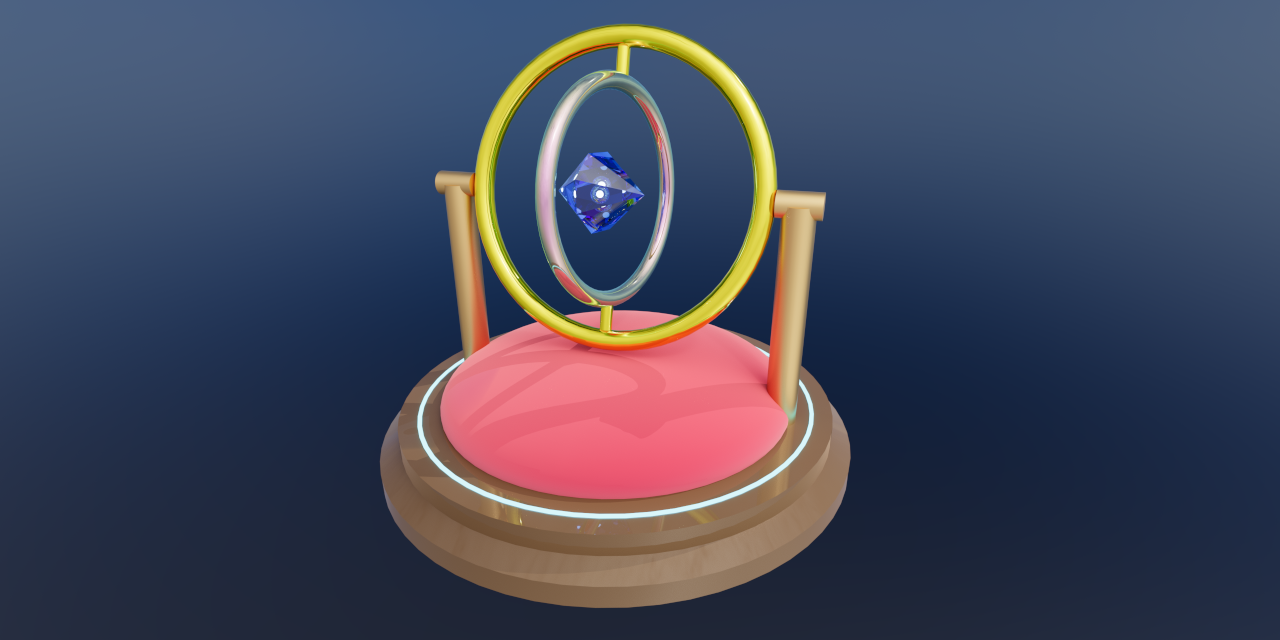
|
|
12
|
+
|
|
13
|
+
## Features
|
|
14
|
+
|
|
15
|
+
- **Direct SCAD to GLB conversion:** Compile geometry directly to web-ready binary glTF.
|
|
16
|
+
- **Extended PBR Material Support:** Native extensions to the OpenSCAD `color()` module supporting `metalness`, `roughness`, `transmission` (glass), `thickness`, `ior`, `attenuationColor`, `attenuationDistance`, `clearcoat`, `sheen`, `emissive`, `specular`, and `iridescence`, plus a `$asa` special variable for auto smooth shading.
|
|
17
|
+
- **Skeletal Animation:** Define animated armatures and bones directly within your `.scad` files.
|
|
18
|
+
- **True Skeletal Skinning:** Exports absolute world transforms and properly bound animation tracks.
|
|
19
|
+
- **Texture Baking:** Automatically generate UVs and bake high-poly details (colors, normals, ORM) onto low-poly meshes using the new `bake()` module.
|
|
20
|
+
- **Web Editor & Real-time Viewer (Scadify):** In-browser IDE with live WebAssembly compilation, GPU path tracing, animation timeline scrubbing, video/image export, URL sharing, and `.scad` / `.hdr` drag-and-drop.
|
|
21
|
+
- **LLM Friendly:** Includes a built-in modular prompt generator (`prompt.js` and Web UI) to help AI models (like Gemini, Claude, or ChatGPT) write compatible OpenSCAD scripts utilizing the new features.
|
|
22
|
+
- **Local API Server & Editor:** Bundled `scad-serve` CLI utility to manage local `.scad` files remotely via REST API with automatic `include`/`use` dependency resolution.
|
|
23
|
+
- **CLI Converter:** Bundled `scad-convert` CLI utility for single file and batch compiling `.scad` files with smart dependency hashing.
|
|
24
|
+
- **MCP Server for AI Agents:** Bundled `scad-mcp` server enables MCP clients to iteratively design, compile, and **visually inspect** 3D models via multi-angle headless rendering and animation frame evaluation.
|
|
25
|
+
- **AI Studio Extension:** Chrome extension to natively preview, prompt, take chat snapshots, open in Scadify, and locally save AI-generated 3D models directly inside Google AI Studio.
|
|
26
|
+
|
|
27
|
+
---
|
|
28
|
+
|
|
29
|
+
## ✨ Scadify Web Editor
|
|
30
|
+
|
|
31
|
+
The built-in web editor (**Scadify**) provides a full-featured development environment running entirely in the browser via WebAssembly:
|
|
32
|
+
|
|
33
|
+
- **Real-Time 3D Viewport:** Instant WebAssembly compilation with auto-rendering, camera auto-framing, wireframe view, grid/axes toggles, ACES Filmic tone mapping, and full-screen mode.
|
|
34
|
+
- **Photorealistic GPU Path Tracing:** Built-in hardware-accelerated path tracer with HDR environment lighting for realistic reflections, shadows, and glass refraction. Supports custom `.hdr` environment maps via drag-and-drop.
|
|
35
|
+
- **Interactive Animation Controls:** Multi-animation selector, playback controls (play/pause), and smooth timeline scrubbing for skeletal rigs.
|
|
36
|
+
- **Modular AI Prompt Generator:** Built-in UI with fine-grained feature toggles (Basic PBR, Auto Smooth, Animations, Extended PBR, Texture Baking) and persistent local settings to generate optimized prompts for LLMs.
|
|
37
|
+
- **Image & Video Capture:**
|
|
38
|
+
- **📷 PNG Snapshots:** Export high-resolution renders with a single click.
|
|
39
|
+
- **🎥 Video Recording:** Record animation loops directly to MP4/WebM. When Path Tracing is enabled, frames are rendered deterministically for jitter-free, ultra-high-quality animated video captures.
|
|
40
|
+
- **Compressed URL Sharing:** Share your designs instantly via URL hash using client-side raw Deflate compression with an optional **Minify Share** toggle to strip comments and whitespace. Integrates with the Web Share API on supported devices.
|
|
41
|
+
- **File Management & Drag and Drop:** Load local `.scad` files, drop any `.scad` script or `.hdr` environment map directly onto the viewport, download `.scad` source code, or export `.glb` binaries.
|
|
42
|
+
- **Automatic Model Naming:** Extracts model names automatically from `/* Model Name: ... */` header comments for file downloads and exports.
|
|
43
|
+
- **Local Workspace Sync:** Connect to `scad-serve` on localhost to load, edit, save, and delete `.scad` files with change detection and recursive dependency resolution (`include` / `use`).
|
|
44
|
+
- **PWA Support:** Installable as a Progressive Web App for desktop and mobile.
|
|
45
|
+
|
|
46
|
+
---
|
|
47
|
+
|
|
48
|
+
## Installation
|
|
49
|
+
|
|
50
|
+
This package is designed to be installed directly from GitHub.
|
|
51
|
+
|
|
52
|
+
**Option 1: Global Installation (Recommended for CLI usage)**
|
|
53
|
+
If you plan to use the `scad-convert`, `scad-serve`, or `scad-mcp` command-line tools anywhere on your system:
|
|
54
|
+
|
|
55
|
+
```bash
|
|
56
|
+
npm install -g scad-gltf
|
|
57
|
+
```
|
|
58
|
+
|
|
59
|
+
**Option 2: Local Installation (For Node.js / Web bundlers)**
|
|
60
|
+
If you are importing the package into a JavaScript project:
|
|
61
|
+
|
|
62
|
+
```bash
|
|
63
|
+
npm install scad-gltf
|
|
64
|
+
```
|
|
65
|
+
|
|
66
|
+
---
|
|
67
|
+
|
|
68
|
+
## Usage (JavaScript / Node.js)
|
|
69
|
+
|
|
70
|
+
The package provides a convenient `convert.js` wrapper to handle the Emscripten WASM lifecycle, virtual file system, and dependency resolution.
|
|
71
|
+
|
|
72
|
+
_Note: Because the underlying WASM loader was compiled for the web, it expects the modern `fetch()` API. In Node.js, we provide the path to the `.wasm` file and polyfill `fetch` so it can read local files from disk._
|
|
73
|
+
|
|
74
|
+
```javascript
|
|
75
|
+
import { convertScadToGltf } from "scad-gltf/convert";
|
|
76
|
+
import fs from "fs";
|
|
77
|
+
import path from "path";
|
|
78
|
+
import { fileURLToPath } from "url";
|
|
79
|
+
|
|
80
|
+
// 1. Locate the WASM file inside node_modules
|
|
81
|
+
const wasmPath = path.resolve("node_modules/scad-gltf/src/ext/openscad.wasm");
|
|
82
|
+
|
|
83
|
+
// 2. Mock fetch to allow the WASM loader to read local files in Node.js
|
|
84
|
+
global.fetch = async (url) => {
|
|
85
|
+
const normalizedPath = url.toString().startsWith("file://")
|
|
86
|
+
? fileURLToPath(url.toString())
|
|
87
|
+
: url.toString();
|
|
88
|
+
|
|
89
|
+
const buffer = fs.readFileSync(normalizedPath);
|
|
90
|
+
return new Response(buffer, {
|
|
91
|
+
status: 200,
|
|
92
|
+
headers: { "Content-Type": "application/wasm" },
|
|
93
|
+
});
|
|
94
|
+
};
|
|
95
|
+
|
|
96
|
+
const scadCode = `
|
|
97
|
+
include <parts/handle.scad>
|
|
98
|
+
color("gold", metalness=1.0, roughness=0.2)
|
|
99
|
+
sphere(r=size);
|
|
100
|
+
`;
|
|
101
|
+
|
|
102
|
+
async function buildModel() {
|
|
103
|
+
try {
|
|
104
|
+
// 3. Compile SCAD to a GLB Uint8Array
|
|
105
|
+
const glbData = await convertScadToGltf(scadCode, {
|
|
106
|
+
wasmUrl: `file://${wasmPath}`,
|
|
107
|
+
binary: true, // true for binary .glb, false for .gltf
|
|
108
|
+
variables: { size: 12 }, // Pass -D key=value parameters
|
|
109
|
+
additionalFiles: {
|
|
110
|
+
// Virtual files for include/use resolution
|
|
111
|
+
"parts/handle.scad": "module handle() { cylinder(h=10, r=2); }",
|
|
112
|
+
},
|
|
113
|
+
});
|
|
114
|
+
|
|
115
|
+
// Save to disk (or send to a client, load into Three.js, etc.)
|
|
116
|
+
fs.writeFileSync("output.glb", glbData);
|
|
117
|
+
console.log("Successfully compiled to output.glb!");
|
|
118
|
+
} catch (error) {
|
|
119
|
+
console.error("Compilation failed:", error);
|
|
120
|
+
}
|
|
121
|
+
}
|
|
122
|
+
|
|
123
|
+
buildModel();
|
|
124
|
+
```
|
|
125
|
+
|
|
126
|
+
### Compiler Options Reference
|
|
127
|
+
|
|
128
|
+
| Option | Type | Default | Description |
|
|
129
|
+
| :---------------- | :-------- | :---------- | :----------------------------------------------------------------------------------------------- |
|
|
130
|
+
| `wasmUrl` | `string` | `undefined` | Absolute file URL or HTTP URL pointing to `openscad.wasm`. |
|
|
131
|
+
| `binary` | `boolean` | `true` | When `true`, outputs binary GLB. When `false`, outputs glTF text/JSON. |
|
|
132
|
+
| `variables` | `Object` | `undefined` | Key-value pairs passed as `-D <key>=<value>` parameters to OpenSCAD. |
|
|
133
|
+
| `additionalFiles` | `Object` | `{}` | Map of relative virtual file paths to file contents for resolving `include <...>` / `use <...>`. |
|
|
134
|
+
|
|
135
|
+
### Using in Web Bundlers (Webpack / Vite)
|
|
136
|
+
|
|
137
|
+
In a browser or Vite project, you do not need to mock `fetch`. Just provide the bundled URL to the `.wasm` file:
|
|
138
|
+
|
|
139
|
+
```javascript
|
|
140
|
+
import wasmUrl from "scad-gltf/openscad.wasm?url";
|
|
141
|
+
import { convertScadToGltf } from "scad-gltf/convert";
|
|
142
|
+
|
|
143
|
+
const scadCode = `cylinder(h=20, r=5);`;
|
|
144
|
+
|
|
145
|
+
const glbData = await convertScadToGltf(scadCode, { wasmUrl });
|
|
146
|
+
```
|
|
147
|
+
|
|
148
|
+
---
|
|
149
|
+
|
|
150
|
+
## Command Line Conversion (`scad-convert`)
|
|
151
|
+
|
|
152
|
+
The package includes a CLI utility to convert `.scad` files to `.glb` directly from your terminal. It supports single files or entire directories, and features smart caching with dependency resolution to speed up build pipelines.
|
|
153
|
+
|
|
154
|
+
**Usage:**
|
|
155
|
+
|
|
156
|
+
```bash
|
|
157
|
+
scad-convert <input.scad | input_dir> <output.glb | output_dir> [options_json] [--cache]
|
|
158
|
+
```
|
|
159
|
+
|
|
160
|
+
**Examples:**
|
|
161
|
+
|
|
162
|
+
- **Single File:**
|
|
163
|
+
```bash
|
|
164
|
+
scad-convert model.scad model.glb
|
|
165
|
+
```
|
|
166
|
+
- **Directory Batch Conversion:**
|
|
167
|
+
```bash
|
|
168
|
+
scad-convert ./src_models ./out_glbs
|
|
169
|
+
```
|
|
170
|
+
- **With Smart Caching (`--cache`):**
|
|
171
|
+
Generates a `.import` file containing a SHA-256 hash of the `.scad` file (including any recursively resolved `include` or `use` files) and compiler options. Subsequent runs skip recompilation if no changes are detected.
|
|
172
|
+
```bash
|
|
173
|
+
scad-convert ./src_models ./out_glbs --cache
|
|
174
|
+
```
|
|
175
|
+
- **With Options:**
|
|
176
|
+
Pass custom compiler options as a JSON string (or Base64 encoded JSON string):
|
|
177
|
+
```bash
|
|
178
|
+
scad-convert model.scad model.glb '{"variables": {"size": 20}}'
|
|
179
|
+
```
|
|
180
|
+
|
|
181
|
+
---
|
|
182
|
+
|
|
183
|
+
## Local File Management & Web Editor (`scad-serve`)
|
|
184
|
+
|
|
185
|
+
`scad-serve` provides a local REST API to manage `.scad` files and perform in-memory SCAD-to-GLB conversions. It automatically builds and serves the Scadify Web Editor UI.
|
|
186
|
+
|
|
187
|
+
It operates strictly on the working directory where the command is executed.
|
|
188
|
+
|
|
189
|
+
**Start the server:**
|
|
190
|
+
|
|
191
|
+
```bash
|
|
192
|
+
scad-serve
|
|
193
|
+
```
|
|
194
|
+
|
|
195
|
+
**Available Endpoints:**
|
|
196
|
+
|
|
197
|
+
- `GET /api/scads`
|
|
198
|
+
- Lists all `.scad` files in the current working directory.
|
|
199
|
+
- `GET /api/scads/:filename`
|
|
200
|
+
- Retrieves the text content of a specific `.scad` file.
|
|
201
|
+
- `POST /api/scads`
|
|
202
|
+
- Creates or updates a `.scad` file on disk.
|
|
203
|
+
- **Body:** `{ "filename": "model.scad", "content": "cube(10);" }`
|
|
204
|
+
- `DELETE /api/scads/:filename`
|
|
205
|
+
- Deletes a `.scad` file.
|
|
206
|
+
- `POST /api/convert`
|
|
207
|
+
- In-memory compilation from SCAD string to GLB binary without touching the filesystem.
|
|
208
|
+
- **Body:** `{ "content": "sphere(r=10);", "options": { "variables": { "r": 10 } } }`
|
|
209
|
+
- **Response:** Binary GLB data (`model/gltf-binary`).
|
|
210
|
+
|
|
211
|
+
---
|
|
212
|
+
|
|
213
|
+
## 🧩 Google AI Studio Extension
|
|
214
|
+
|
|
215
|
+
This repository includes a Chrome/Chromium extension located in the [`/editor`](./editor) directory that brings native 3D rendering and visual iteration tools to [Google AI Studio](https://aistudio.google.com/).
|
|
216
|
+
|
|
217
|
+
When asking an LLM (like Gemini) to generate OpenSCAD code, the extension automatically detects the output and injects interactive controls directly into the chat interface:
|
|
218
|
+
|
|
219
|
+
- **Instant 3D Preview:** Injects a **"Preview 3D"** button on any OpenSCAD code block to compile and render the model in an embedded 3D viewer with grid, wireframe, and full-screen support.
|
|
220
|
+
- **Visual Chat Feedback (📷):** Click the snapshot button inside the 3D preview window to capture a PNG snapshot of the model and **automatically paste it into the AI Studio chat input**, allowing Gemini to visually evaluate and fix geometry.
|
|
221
|
+
- **Smart Prompt Injection:** Click the floating **"✨ SCAD"** button to open the configuration modal. Select your desired engine feature set (PBR, auto-smooth, animations, baking) to automatically generate and inject the prompt rules into your chat input.
|
|
222
|
+
- **Open in Scadify:** Click **"Edit"** in the preview window to immediately transfer the current script into the full standalone Scadify editor via compressed URL hash.
|
|
223
|
+
- **Local Workspace Saving:** Directly save and overwrite models to your local directory when running `scad-serve`.
|
|
224
|
+
|
|
225
|
+
### Installation (Chrome / Edge / Brave)
|
|
226
|
+
|
|
227
|
+
1. **Clone the repository** to your machine:
|
|
228
|
+
```bash
|
|
229
|
+
git clone https://github.com/iliagrigorevdev/scad-gltf.git
|
|
230
|
+
cd scad-gltf/editor
|
|
231
|
+
```
|
|
232
|
+
2. **Build the extension**:
|
|
233
|
+
```bash
|
|
234
|
+
npm install
|
|
235
|
+
npm run build
|
|
236
|
+
```
|
|
237
|
+
3. **Load the unpacked extension**:
|
|
238
|
+
- Open your browser and navigate to `chrome://extensions/`
|
|
239
|
+
- Enable **Developer mode** (toggle in the top right corner).
|
|
240
|
+
- Click the **Load unpacked** button.
|
|
241
|
+
- Select the `dist/` folder located inside the `editor/` directory (`scad-gltf/editor/dist`).
|
|
242
|
+
|
|
243
|
+
### Usage
|
|
244
|
+
|
|
245
|
+
1. Open [Google AI Studio](https://aistudio.google.com/).
|
|
246
|
+
2. Click the floating **"✨ SCAD"** button in the bottom-left corner to choose the features you want the AI to use and paste the prompt into the chat.
|
|
247
|
+
3. When the AI returns code, click **"Preview 3D"** above the code block.
|
|
248
|
+
4. Use the 📷 button in the preview window to send renders back to the AI for visual debugging or click **"Edit"** to open it in Scadify.
|
|
249
|
+
|
|
250
|
+
---
|
|
251
|
+
|
|
252
|
+
## 🤖 Model Context Protocol (MCP) Server
|
|
253
|
+
|
|
254
|
+
This package includes a native [MCP Server](https://modelcontextprotocol.io/) (`scad-mcp`) designed to give AI assistants **visual feedback** during the 3D modeling process.
|
|
255
|
+
|
|
256
|
+
Instead of generating code blindly, the AI can compile its script, render the 3D scene in a headless browser (Puppeteer + Three.js), and evaluate multi-angle snapshots to iteratively fix geometric or animation errors.
|
|
257
|
+
|
|
258
|
+
**Exposed MCP Tools:**
|
|
259
|
+
|
|
260
|
+
- `get_scad_prompt`: Injects the custom OpenSCAD syntax rules (PBR, animations, baking) into the AI's context.
|
|
261
|
+
- `render_scad_model`: Compiles the generated `.scad` code to GLB and returns base64 images from requested camera angles (front, back, left, right, top, bottom, isometric) and specific animation keyframes.
|
|
262
|
+
|
|
263
|
+
### Setup
|
|
264
|
+
|
|
265
|
+
If you installed the package globally, you can configure your MCP client to use the `scad-mcp` command directly.
|
|
266
|
+
|
|
267
|
+
**Example `config.json`:**
|
|
268
|
+
|
|
269
|
+
```json
|
|
270
|
+
{
|
|
271
|
+
"mcpServers": {
|
|
272
|
+
"scad-mcp": {
|
|
273
|
+
"command": "scad-mcp",
|
|
274
|
+
"args": []
|
|
275
|
+
}
|
|
276
|
+
}
|
|
277
|
+
}
|
|
278
|
+
```
|
|
279
|
+
|
|
280
|
+
---
|
|
281
|
+
|
|
282
|
+
## 🎮 Godot Engine Integration
|
|
283
|
+
|
|
284
|
+
This repository includes an official **Godot 4.x Importer Addon** located in the [`/godot`](./godot) directory.
|
|
285
|
+
|
|
286
|
+
The addon allows you to drag-and-drop `.scad` files directly into your Godot project. It uses this WASM compiler under the hood to transform scripts into 3D scenes automatically.
|
|
287
|
+
|
|
288
|
+
- **Features:** Supports PBR Materials and Skeletal Animations inside the Godot Editor.
|
|
289
|
+
- **License:** The Godot Addon is licensed under **MIT**.
|
|
290
|
+
- **Setup:** Simply copy the `addons/scad_importer` folder to your project and enable it in Project Settings.
|
|
291
|
+
|
|
292
|
+
---
|
|
293
|
+
|
|
294
|
+
## Extended OpenSCAD Syntax
|
|
295
|
+
|
|
296
|
+
This custom fork introduces new syntax not found in standard OpenSCAD.
|
|
297
|
+
|
|
298
|
+
### 1. PBR Materials & Smooth Shading
|
|
299
|
+
|
|
300
|
+
The standard `color()` module has been extended with standard glTF PBR attributes and auto smooth normals:
|
|
301
|
+
|
|
302
|
+
```openscad
|
|
303
|
+
// You can set the default auto smooth angle globally
|
|
304
|
+
$asa = 30.0;
|
|
305
|
+
|
|
306
|
+
color(
|
|
307
|
+
"white",
|
|
308
|
+
roughness = 0.0, // 0.0 (glossy) to 1.0 (matte)
|
|
309
|
+
metalness = 1.0, // 1.0 for metals, blocks light transmission
|
|
310
|
+
transmission = 0.9, // 0.0 to 1.0 for glass/water transparency (requires alpha=1.0)
|
|
311
|
+
thickness = 2.0, // Volume thickness for refraction
|
|
312
|
+
ior = 1.5, // Index of refraction (Water: ~1.33, Glass: ~1.5, Diamond: ~2.4)
|
|
313
|
+
attenuationColor = [1.0, 1.0, 1.0], // Tint of light passing through volume
|
|
314
|
+
attenuationDistance = 0.0, // Distance light travels before fully tinted
|
|
315
|
+
clearcoat = 1.0, // Reflective top clearcoat layer (car paint/varnish)
|
|
316
|
+
clearcoatRoughness = 0.1,
|
|
317
|
+
sheen = 1.0, // Microfiber backscattering (cloth/velvet rim light)
|
|
318
|
+
sheenColor = [1.0, 0.5, 0.5],
|
|
319
|
+
sheenRoughness = 0.2,
|
|
320
|
+
emissive = [0.0, 0.0, 0.0], // Glowing color (RGB vector)
|
|
321
|
+
emissiveIntensity = 1.0, // Multiplier for emissive glow
|
|
322
|
+
specularColor = [1.0, 1.0, 1.0], // Tint for specular reflections
|
|
323
|
+
specularIntensity = 1.0, // Strength of specular reflections
|
|
324
|
+
iridescence = 0.0, // Thin-film interference (soap bubbles, oil sheen)
|
|
325
|
+
iridescenceIOR = 1.3,
|
|
326
|
+
$asa = 45.0 // Generates smooth vertex normals below this angle threshold.
|
|
327
|
+
// Surface shading only; does NOT alter polygon count.
|
|
328
|
+
) {
|
|
329
|
+
cylinder(h=10, r=5);
|
|
330
|
+
}
|
|
331
|
+
```
|
|
332
|
+
|
|
333
|
+
### 2. Skeletal Animations
|
|
334
|
+
|
|
335
|
+
Define hierarchical armatures, resting positions, and keyframe animations:
|
|
336
|
+
|
|
337
|
+
```openscad
|
|
338
|
+
anim_data = [
|
|
339
|
+
["Swing", [
|
|
340
|
+
// Format: ["BoneName", [ [time_in_sec, [rot_x, y, z], [trans_x, y, z]], ... ]]
|
|
341
|
+
["Pendulum", [
|
|
342
|
+
[0.0, [0, 0, 0], [0, 0, 10]],
|
|
343
|
+
[1.0, [0, 45, 0], [0, 0, 10]],
|
|
344
|
+
[2.0, [0, -45, 0], [0, 0, 10]],
|
|
345
|
+
[3.0, [0, 0, 0], [0, 0, 10]]
|
|
346
|
+
]]
|
|
347
|
+
]]
|
|
348
|
+
];
|
|
349
|
+
|
|
350
|
+
armature(animations = anim_data) {
|
|
351
|
+
bone(name="Pendulum", t=[0, 0, 10], r=[0, 0, 0]) {
|
|
352
|
+
color("silver", metalness=0.9, roughness=0.1)
|
|
353
|
+
cylinder(h=10, r=1, center=false);
|
|
354
|
+
}
|
|
355
|
+
}
|
|
356
|
+
```
|
|
357
|
+
|
|
358
|
+
### 3. Texture Baking
|
|
359
|
+
|
|
360
|
+
Project details from a high-resolution mesh onto a low-resolution mesh using the `bake()` module. This auto-generates UVs and can output solid colors, tangent-space normals, and ORM (Occlusion/Roughness/Metallic) textures.
|
|
361
|
+
|
|
362
|
+
```openscad
|
|
363
|
+
// Two-child syntax: projects Child 1 (High Poly) onto Child 2 (Low Poly)
|
|
364
|
+
bake(
|
|
365
|
+
colors = true, // Project and bake base color
|
|
366
|
+
normals = true, // Bake tangent-space normal map
|
|
367
|
+
orm = false, // Bake Occlusion/Roughness/Metallic map
|
|
368
|
+
resolution = 1024, // Output texture resolution
|
|
369
|
+
distance = 2.0, // Max raycast distance
|
|
370
|
+
bias = 1e-4, // Raycast origin offset
|
|
371
|
+
dilation = 2, // Pixel padding around UV islands
|
|
372
|
+
msaa = 2, // Anti-aliasing level (supersampling)
|
|
373
|
+
index = 0, // Atlas group index (meshes sharing an index share the same atlas)
|
|
374
|
+
rotate_uvs = true // Allow UV island rotation for optimal packing
|
|
375
|
+
) {
|
|
376
|
+
color("white") sphere(r=10, $fn=100); // Child 1: High Poly Source
|
|
377
|
+
color("white", roughness=0.5, $asa=45) sphere(r=10, $fn=20); // Child 2: Low Poly Target
|
|
378
|
+
}
|
|
379
|
+
|
|
380
|
+
// Single-child syntax: Generate UV coordinates & tangents for a mesh without a high-poly source
|
|
381
|
+
bake(uvs=true) {
|
|
382
|
+
color("gold", metalness=1.0) cube([10, 10, 10]);
|
|
383
|
+
}
|
|
384
|
+
```
|
|
385
|
+
|
|
386
|
+
---
|
|
387
|
+
|
|
388
|
+
## AI Integration (`prompt.js`)
|
|
389
|
+
|
|
390
|
+
Because LLMs (like Gemini or Claude) only know standard OpenSCAD syntax up to their training cutoff, we've included a helper function to generate LLM prompts. This injects the rules for PBR, animations, and baking directly into your prompt context.
|
|
391
|
+
|
|
392
|
+
**Usage:**
|
|
393
|
+
|
|
394
|
+
```javascript
|
|
395
|
+
import { generatePrompt } from "scad-gltf/prompt";
|
|
396
|
+
|
|
397
|
+
const description =
|
|
398
|
+
"a futuristic glass sword with a glowing metallic handle, animated to spin 360 degrees";
|
|
399
|
+
const promptContext = generatePrompt(description, {
|
|
400
|
+
basic: true, // Metalness and roughness
|
|
401
|
+
transmission: true, // Glass, transmission, ior, thickness
|
|
402
|
+
clearcoat: true, // Clearcoat layers
|
|
403
|
+
sheen: true, // Fabric sheen
|
|
404
|
+
emissive: true, // Glow parameters
|
|
405
|
+
specular: true, // Specular overrides
|
|
406
|
+
iridescence: true, // Thin-film interference
|
|
407
|
+
autoSmoothAngle: true, // $asa rules
|
|
408
|
+
animation: true, // Armature & bone syntax
|
|
409
|
+
bakeColors: false, // Texture baking flags
|
|
410
|
+
bakeNormals: false,
|
|
411
|
+
bakeOrm: false,
|
|
412
|
+
bakeUvs: false,
|
|
413
|
+
});
|
|
414
|
+
|
|
415
|
+
// You can now pass this context string directly to an AI API
|
|
416
|
+
// or print it to the console to paste into Gemini.
|
|
417
|
+
console.log(promptContext);
|
|
418
|
+
```
|
|
419
|
+
|
|
420
|
+
---
|
|
421
|
+
|
|
422
|
+
### Workflow
|
|
423
|
+
|
|
424
|
+
Once connected, an AI assistant can use the server to execute the following loop:
|
|
425
|
+
|
|
426
|
+
1. **Retrieve Syntax Rules:** The assistant calls the `get_scad_prompt` tool to get the extended syntax rules for PBR materials, skeletal animations, and texture baking.
|
|
427
|
+
2. **Generate Code:** The assistant writes the `.scad` script based on your design request.
|
|
428
|
+
3. **Compile & Visually Inspect:** The assistant calls the `render_scad_model` tool to inspect rendered multi-angle frames and keyframes, fixing any errors before final export.
|
|
429
|
+
|
|
430
|
+
---
|
|
431
|
+
|
|
432
|
+
## Development
|
|
433
|
+
|
|
434
|
+
### Building for WebAssembly
|
|
435
|
+
|
|
436
|
+
If you modify the C++ code inside the `openscad/` directory, you will need to recompile the WebAssembly engine. The OpenSCAD subtree provides a convenient Docker wrapper to handle the Emscripten toolchain automatically. Ensure you have Docker installed and running.
|
|
437
|
+
|
|
438
|
+
1. **Navigate to the `openscad` directory:**
|
|
439
|
+
```bash
|
|
440
|
+
cd openscad
|
|
441
|
+
```
|
|
442
|
+
2. **Configure the build using the Docker script:**
|
|
443
|
+
```bash
|
|
444
|
+
./scripts/wasm-base-docker-run.sh emcmake cmake -B build-web -DCMAKE_BUILD_TYPE=Release -DEXPERIMENTAL=1
|
|
445
|
+
```
|
|
446
|
+
3. **Compile the WASM binaries:**
|
|
447
|
+
```bash
|
|
448
|
+
./scripts/wasm-base-docker-run.sh cmake --build build-web -j2
|
|
449
|
+
```
|
|
450
|
+
4. **Copy the compiled artifacts back to the JavaScript extension:**
|
|
451
|
+
```bash
|
|
452
|
+
cp build-web/openscad.js ../src/ext/
|
|
453
|
+
cp build-web/openscad.wasm ../src/ext/
|
|
454
|
+
```
|
|
455
|
+
|
|
456
|
+
### Updating the OpenSCAD Subtree
|
|
457
|
+
|
|
458
|
+
This repository includes a custom fork of OpenSCAD in the `openscad/` subfolder using Git Subtree. If you need to pull upstream updates from the official OpenSCAD repository and merge them with our custom modifications, follow these steps:
|
|
459
|
+
|
|
460
|
+
1. **Ensure your working tree is clean:**
|
|
461
|
+
```bash
|
|
462
|
+
git status
|
|
463
|
+
```
|
|
464
|
+
2. **Make sure the upstream remote is added** (you can check with `git remote -v`). If not, add it:
|
|
465
|
+
```bash
|
|
466
|
+
git remote add openscad https://github.com/openscad/openscad.git
|
|
467
|
+
```
|
|
468
|
+
3. **Pull and merge the upstream changes:**
|
|
469
|
+
```bash
|
|
470
|
+
git subtree pull --prefix=openscad openscad master --squash
|
|
471
|
+
```
|
|
472
|
+
_(Note: `--squash` is highly recommended as it prevents the main repository's history from being flooded with thousands of upstream OpenSCAD commits)._
|
|
473
|
+
4. **Resolve any merge conflicts:**
|
|
474
|
+
Because we have modified the C++ engine locally within the subfolder, conflicts are expected. Open the conflicting files, resolve the markers, and complete the merge:
|
|
475
|
+
```bash
|
|
476
|
+
git add .
|
|
477
|
+
git commit
|
|
478
|
+
```
|
|
479
|
+
|
|
480
|
+
---
|
|
481
|
+
|
|
482
|
+
## Architecture & Credits
|
|
483
|
+
|
|
484
|
+
- **Core Engine:** Built on a custom fork of [OpenSCAD](https://openscad.org/) (source included in the `openscad/` directory).
|
|
485
|
+
- **glTF Export:** Export mechanics utilize the [tinygltf](https://github.com/syoyo/tinygltf) library.
|
|
486
|
+
- **UV Unwrapping:** Texture baking utilizes the [xatlas](https://github.com/jpcy/xatlas) library for automatic UV parameterization.
|
|
487
|
+
- **Path Tracing:** The web editor utilizes [three-gpu-pathtracer](https://github.com/gkjohnson/three-gpu-pathtracer) for high-quality rendering.
|
|
488
|
+
- **Environment Map (HDR)**: [Aristea Wreck Puresky](https://polyhaven.com/a/aristea_wreck_puresky) by **Jarod Guest** via [Poly Haven](https://polyhaven.com/). Licensed under [CC0](https://polyhaven.com/license).
|
|
489
|
+
- **License:** See the `LICENSE` file (GPL-2.0 or later, inheriting from standard OpenSCAD).
|