rocket-cursor-component 2.1.0 → 2.2.0
This diff represents the content of publicly available package versions that have been released to one of the supported registries. The information contained in this diff is provided for informational purposes only and reflects changes between package versions as they appear in their respective public registries.
- package/README.md +355 -79
- package/dist/index.cjs +452 -0
- package/dist/index.cjs.map +1 -0
- package/dist/index.d.cts +44 -0
- package/dist/index.d.ts +44 -0
- package/dist/index.js +430 -0
- package/dist/index.js.map +1 -0
- package/package.json +56 -15
- package/dist/rocket.Cursor.d.ts +0 -11
- package/dist/rocket.Cursor.js +0 -164
package/README.md
CHANGED
|
@@ -1,10 +1,16 @@
|
|
|
1
1
|
# Rocket Cursor Component
|
|
2
2
|
|
|
3
|
-
|
|
3
|
+
`rocket-cursor-component` is a React cursor library with two layers:
|
|
4
4
|
|
|
5
|
-
|
|
5
|
+
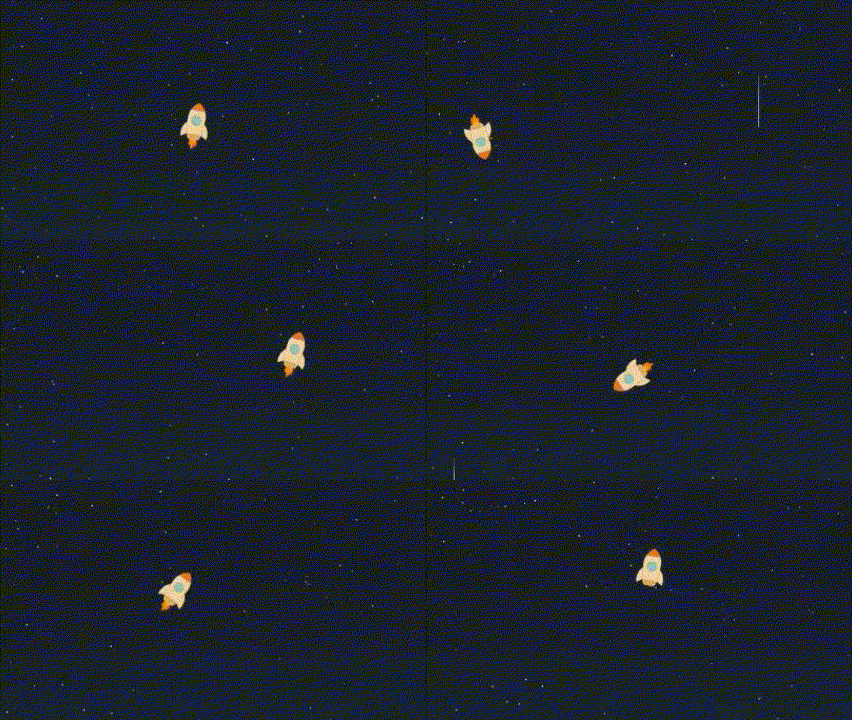
- `RocketCursor`: the built-in animated rocket.
|
|
6
|
+
- `CursorFollower`: the generic motion engine for your own SVG, HTML, or CSS cursor.
|
|
7
|
+
|
|
8
|
+
If you only want the packaged rocket, use the default export.
|
|
9
|
+
If you want to build your own cursor, you do not need to fork this library. Use `CursorFollower` and render your own component inside it.
|
|
10
|
+
|
|
11
|
+
|
|
6
12
|
|
|
7
|
-
|
|
13
|
+
## Installation
|
|
8
14
|
|
|
9
15
|
```bash
|
|
10
16
|
npm install rocket-cursor-component
|
|
@@ -12,116 +18,386 @@ npm install rocket-cursor-component
|
|
|
12
18
|
|
|
13
19
|
## Requirements
|
|
14
20
|
|
|
15
|
-
-
|
|
16
|
-
-
|
|
17
|
-
- Node.js
|
|
21
|
+
- React 18 or React 19
|
|
22
|
+
- React DOM 18 or React DOM 19
|
|
23
|
+
- Node.js 20.19+ or 22.12+ for local development in this repository
|
|
18
24
|
|
|
19
|
-
>
|
|
25
|
+
> The published package already ships ESM, CommonJS, and type definitions.
|
|
20
26
|
|
|
21
|
-
##
|
|
27
|
+
## Quick Start
|
|
22
28
|
|
|
23
|
-
|
|
29
|
+
### Use the built-in rocket
|
|
24
30
|
|
|
25
31
|
```tsx
|
|
26
|
-
import React from "react";
|
|
27
32
|
import RocketCursor from "rocket-cursor-component";
|
|
28
33
|
|
|
29
|
-
function App() {
|
|
34
|
+
export default function App() {
|
|
30
35
|
return (
|
|
31
|
-
|
|
32
|
-
<h1>Your app content here</h1>
|
|
33
|
-
{/* Basic usage - rocket replaces cursor */}
|
|
36
|
+
<>
|
|
34
37
|
<RocketCursor />
|
|
38
|
+
<main>Your app content</main>
|
|
39
|
+
</>
|
|
40
|
+
);
|
|
41
|
+
}
|
|
42
|
+
```
|
|
43
|
+
|
|
44
|
+
### Tune the rocket
|
|
45
|
+
|
|
46
|
+
```tsx
|
|
47
|
+
import RocketCursor from "rocket-cursor-component";
|
|
35
48
|
|
|
36
|
-
|
|
37
|
-
|
|
38
|
-
|
|
39
|
-
|
|
40
|
-
|
|
41
|
-
|
|
42
|
-
|
|
49
|
+
export default function App() {
|
|
50
|
+
return (
|
|
51
|
+
<RocketCursor
|
|
52
|
+
size={60}
|
|
53
|
+
threshold={12}
|
|
54
|
+
flameHideTimeout={250}
|
|
55
|
+
followSpeed={0.35}
|
|
56
|
+
hideCursor={false}
|
|
57
|
+
excludeSelector=".no-rocket-cursor, [data-hide-rocket]"
|
|
58
|
+
zIndex={1200}
|
|
59
|
+
/>
|
|
60
|
+
);
|
|
61
|
+
}
|
|
62
|
+
```
|
|
63
|
+
|
|
64
|
+
## Build Your Own Cursor
|
|
65
|
+
|
|
66
|
+
Use `CursorFollower` when you want custom visuals and keep the same motion system.
|
|
67
|
+
|
|
68
|
+
```tsx
|
|
69
|
+
import { CursorFollower } from "rocket-cursor-component";
|
|
70
|
+
|
|
71
|
+
function StarCursor({ isMoving }: { isMoving: boolean }) {
|
|
72
|
+
return (
|
|
73
|
+
<svg viewBox="0 0 220 180" width="100%" height="100%" aria-hidden="true">
|
|
74
|
+
<defs>
|
|
75
|
+
<radialGradient id="star-glow" cx="50%" cy="50%" r="70%">
|
|
76
|
+
<stop offset="0" stopColor="#fff7d6" stopOpacity="0.92" />
|
|
77
|
+
<stop offset="0.55" stopColor="#7ee2ff" stopOpacity="0.32" />
|
|
78
|
+
<stop offset="1" stopColor="#7ee2ff" stopOpacity="0" />
|
|
79
|
+
</radialGradient>
|
|
80
|
+
<linearGradient id="star-fill" x1="62" y1="36" x2="154" y2="142" gradientUnits="userSpaceOnUse">
|
|
81
|
+
<stop offset="0" stopColor="#fffdf3" />
|
|
82
|
+
<stop offset="0.46" stopColor="#ffd874" />
|
|
83
|
+
<stop offset="1" stopColor="#ff9e47" />
|
|
84
|
+
</linearGradient>
|
|
85
|
+
</defs>
|
|
86
|
+
|
|
87
|
+
<g
|
|
88
|
+
style={{
|
|
89
|
+
opacity: isMoving ? 1 : 0.28,
|
|
90
|
+
transform: `scaleX(${isMoving ? 1 : 0.84})`,
|
|
91
|
+
transformOrigin: "88px 90px",
|
|
92
|
+
transition: "opacity 140ms ease, transform 140ms ease",
|
|
93
|
+
}}
|
|
94
|
+
>
|
|
95
|
+
<path
|
|
96
|
+
d="M8 90C18 77 33 70 58 72L82 78L82 102L58 108C33 110 18 103 8 90Z"
|
|
97
|
+
fill="rgba(146, 234, 255, 0.2)"
|
|
98
|
+
/>
|
|
99
|
+
</g>
|
|
100
|
+
|
|
101
|
+
<circle cx="102" cy="90" r="58" fill="url(#star-glow)" />
|
|
102
|
+
<path
|
|
103
|
+
d="M102 31L117 65L155 69L127 92L134 129L102 110L70 129L77 92L49 69L87 65Z"
|
|
104
|
+
fill="url(#star-fill)"
|
|
105
|
+
stroke="#fff7de"
|
|
106
|
+
strokeLinejoin="round"
|
|
107
|
+
strokeWidth="3"
|
|
43
108
|
/>
|
|
44
|
-
</
|
|
109
|
+
</svg>
|
|
110
|
+
);
|
|
111
|
+
}
|
|
112
|
+
|
|
113
|
+
export default function App() {
|
|
114
|
+
return (
|
|
115
|
+
<CursorFollower
|
|
116
|
+
width={96}
|
|
117
|
+
height={78}
|
|
118
|
+
anchorOffset={{ x: 26, y: 0 }}
|
|
119
|
+
followSpeed={0.22}
|
|
120
|
+
movingTimeout={260}
|
|
121
|
+
threshold={10}
|
|
122
|
+
>
|
|
123
|
+
{({ isMoving }) => <StarCursor isMoving={isMoving} />}
|
|
124
|
+
</CursorFollower>
|
|
45
125
|
);
|
|
46
126
|
}
|
|
127
|
+
```
|
|
128
|
+
|
|
129
|
+
## How To Add Another SVG Cursor
|
|
130
|
+
|
|
131
|
+
This is the intended extension path for users of the package.
|
|
132
|
+
|
|
133
|
+
### 1. Create a React component that renders your SVG
|
|
47
134
|
|
|
48
|
-
|
|
135
|
+
Your component can be as simple or as detailed as you want.
|
|
136
|
+
If you use gradients, filters, masks, or clip paths, prefer `useId()` so multiple cursors do not collide.
|
|
137
|
+
|
|
138
|
+
```tsx
|
|
139
|
+
import { useId } from "react";
|
|
140
|
+
|
|
141
|
+
function MyShip({ isMoving }: { isMoving: boolean }) {
|
|
142
|
+
const gradientId = useId();
|
|
143
|
+
|
|
144
|
+
return (
|
|
145
|
+
<svg viewBox="0 0 120 80" width="100%" height="100%" aria-hidden="true">
|
|
146
|
+
<defs>
|
|
147
|
+
<linearGradient id={gradientId} x1="0" y1="0" x2="120" y2="80">
|
|
148
|
+
<stop offset="0" stopColor="#fff" />
|
|
149
|
+
<stop offset="1" stopColor="#8ad5ff" />
|
|
150
|
+
</linearGradient>
|
|
151
|
+
</defs>
|
|
152
|
+
|
|
153
|
+
<g style={{ opacity: isMoving ? 1 : 0.72, transition: "opacity 120ms ease" }}>
|
|
154
|
+
<path d="M15 40L60 15L105 40L60 65Z" fill={`url(#${gradientId})`} />
|
|
155
|
+
</g>
|
|
156
|
+
</svg>
|
|
157
|
+
);
|
|
158
|
+
}
|
|
159
|
+
```
|
|
160
|
+
|
|
161
|
+
### 2. Render it inside `CursorFollower`
|
|
162
|
+
|
|
163
|
+
```tsx
|
|
164
|
+
import { CursorFollower } from "rocket-cursor-component";
|
|
165
|
+
|
|
166
|
+
<CursorFollower width={72} height={48}>
|
|
167
|
+
{({ isMoving }) => <MyShip isMoving={isMoving} />}
|
|
168
|
+
</CursorFollower>;
|
|
49
169
|
```
|
|
50
170
|
|
|
51
|
-
###
|
|
52
|
-
|
|
53
|
-
|
|
54
|
-
|
|
55
|
-
|
|
56
|
-
|
|
57
|
-
|
|
58
|
-
|
|
59
|
-
|
|
60
|
-
|
|
61
|
-
|
|
62
|
-
|
|
63
|
-
|
|
64
|
-
|
|
65
|
-
|
|
66
|
-
|
|
67
|
-
|
|
68
|
-
|
|
69
|
-
|
|
70
|
-
|
|
71
|
-
|
|
72
|
-
|
|
73
|
-
|
|
171
|
+
### 3. Tune the alignment
|
|
172
|
+
|
|
173
|
+
The most important prop for custom SVGs is `anchorOffset`.
|
|
174
|
+
|
|
175
|
+
- `anchorOffset.x`: how far the cursor anchor should move horizontally inside your artwork
|
|
176
|
+
- `anchorOffset.y`: how far the cursor anchor should move vertically inside your artwork
|
|
177
|
+
|
|
178
|
+
Examples:
|
|
179
|
+
|
|
180
|
+
- front-pointing ship: use a positive `x`
|
|
181
|
+
- centered icon like a star: use a smaller `x`, often close to half the width or less
|
|
182
|
+
- artwork with a nose above the centerline: use a negative `y`
|
|
183
|
+
|
|
184
|
+
```tsx
|
|
185
|
+
<CursorFollower
|
|
186
|
+
width={96}
|
|
187
|
+
height={78}
|
|
188
|
+
anchorOffset={{ x: 26, y: 0 }}
|
|
189
|
+
>
|
|
190
|
+
{({ isMoving }) => <MyShip isMoving={isMoving} />}
|
|
191
|
+
</CursorFollower>
|
|
192
|
+
```
|
|
193
|
+
|
|
194
|
+
### 4. Tune rotation
|
|
195
|
+
|
|
196
|
+
If your SVG points to the right by default, you usually want:
|
|
197
|
+
|
|
198
|
+
```tsx
|
|
199
|
+
rotateWithMovement={true}
|
|
200
|
+
rotationOffset={0}
|
|
201
|
+
```
|
|
202
|
+
|
|
203
|
+
If your SVG points up, left, or diagonally in its default drawing direction, adjust `rotationOffset`.
|
|
204
|
+
|
|
205
|
+
Examples:
|
|
206
|
+
|
|
207
|
+
- points up: `rotationOffset={-90}`
|
|
208
|
+
- points down: `rotationOffset={90}`
|
|
209
|
+
- points diagonally: use the angle that matches your artwork
|
|
210
|
+
|
|
211
|
+
### 5. Use the motion state
|
|
212
|
+
|
|
213
|
+
`CursorFollower` can pass a render function and gives you:
|
|
214
|
+
|
|
215
|
+
- `isMoving`: useful for flame, glow, wake, streaks, or scaling
|
|
216
|
+
- `visible`: useful if you want to pause expensive effects when hidden
|
|
217
|
+
|
|
218
|
+
```tsx
|
|
219
|
+
<CursorFollower movingTimeout={220}>
|
|
220
|
+
{({ isMoving, visible }) => (
|
|
221
|
+
<MyShip isMoving={isMoving} data-visible={visible} />
|
|
222
|
+
)}
|
|
223
|
+
</CursorFollower>
|
|
224
|
+
```
|
|
225
|
+
|
|
226
|
+
### 6. Add “speed” without smoke
|
|
227
|
+
|
|
228
|
+
If you want motion to feel fast without using flame or smoke, the simplest patterns are:
|
|
229
|
+
|
|
230
|
+
- air streaks behind the object
|
|
231
|
+
- a soft glow envelope around the object
|
|
232
|
+
- slight width stretch while moving
|
|
233
|
+
- subtle opacity changes on secondary details
|
|
234
|
+
|
|
235
|
+
That is exactly the kind of effect used in the local demo star example.
|
|
236
|
+
|
|
237
|
+
## API
|
|
238
|
+
|
|
239
|
+
### `RocketCursor` props
|
|
240
|
+
|
|
241
|
+
| Prop | Type | Default | Description |
|
|
242
|
+
| --- | --- | --- | --- |
|
|
243
|
+
| `className` | `string` | `undefined` | Optional class passed to the wrapper. |
|
|
244
|
+
| `disabled` | `boolean` | `false` | Disables the custom cursor entirely. |
|
|
245
|
+
| `disableOnCoarsePointer` | `boolean` | `true` | Disables the cursor on touch/coarse pointers. |
|
|
246
|
+
| `excludeSelector` | `string` | `".no-rocket-cursor"` | Selector for regions where the custom cursor should hide. |
|
|
247
|
+
| `respectReducedMotion` | `boolean` | `true` | Disables the cursor when the user prefers reduced motion. |
|
|
248
|
+
| `size` | `number` | `50` | Rocket size in pixels. |
|
|
249
|
+
| `threshold` | `number` | `10` | Minimum movement distance before rotation updates. |
|
|
250
|
+
| `isVisible` | `boolean` | `true` | Controls whether the custom cursor should render. |
|
|
251
|
+
| `flameHideTimeout` | `number` | `300` | Delay before the flame hides after movement stops. |
|
|
252
|
+
| `hideCursor` | `boolean` | `false` | Hides the native cursor when enabled. |
|
|
253
|
+
| `followSpeed` | `number` | `0.18` | Follow smoothing from `0` to `1`. Higher is snappier. |
|
|
254
|
+
| `zIndex` | `number` | `9999` | Wrapper stacking order. |
|
|
255
|
+
|
|
256
|
+
### `CursorFollower` props
|
|
257
|
+
|
|
258
|
+
`CursorFollower` includes the shared base props from `RocketCursor`:
|
|
259
|
+
|
|
260
|
+
- `className`
|
|
261
|
+
- `disabled`
|
|
262
|
+
- `disableOnCoarsePointer`
|
|
263
|
+
- `excludeSelector`
|
|
264
|
+
- `followSpeed`
|
|
265
|
+
- `hideCursor`
|
|
266
|
+
- `isVisible`
|
|
267
|
+
- `respectReducedMotion`
|
|
268
|
+
- `threshold`
|
|
269
|
+
- `zIndex`
|
|
270
|
+
|
|
271
|
+
Additional props:
|
|
272
|
+
|
|
273
|
+
| Prop | Type | Default | Description |
|
|
274
|
+
| --- | --- | --- | --- |
|
|
275
|
+
| `anchorOffset` | `{ x: number; y: number }` | `{ x: 0, y: 0 }` | Moves the cursor anchor inside the artwork. |
|
|
276
|
+
| `children` | `ReactNode \| (state) => ReactNode` | required | Static node or render function that receives `{ isMoving, visible }`. |
|
|
277
|
+
| `movingTimeout` | `number` | `300` | Delay before `isMoving` flips back to `false`. |
|
|
278
|
+
| `rotateWithMovement` | `boolean` | `true` | Rotates the content to match movement direction. |
|
|
279
|
+
| `rotationOffset` | `number` | `0` | Fixed angle offset for artwork with a different default direction. |
|
|
280
|
+
| `width` | `number` | `48` | Wrapper width in pixels. |
|
|
281
|
+
| `height` | `number` | `48` | Wrapper height in pixels. |
|
|
282
|
+
| `wrapperProps` | `HTMLAttributes<HTMLDivElement>` | `undefined` | Extra wrapper attributes, including `data-*` hooks. |
|
|
283
|
+
|
|
284
|
+
## Feature Summary
|
|
285
|
+
|
|
286
|
+
- Built-in rocket cursor
|
|
287
|
+
- Generic cursor engine for custom SVG or HTML
|
|
288
|
+
- Motion-based rotation
|
|
289
|
+
- Optional native cursor hiding
|
|
290
|
+
- Reduced-motion and coarse-pointer safe defaults
|
|
291
|
+
- Exclusion zones via CSS selector
|
|
292
|
+
- TypeScript exports for both built-in and custom usage
|
|
293
|
+
- ESM and CommonJS builds
|
|
294
|
+
|
|
295
|
+
## Development
|
|
296
|
+
|
|
297
|
+
```bash
|
|
298
|
+
nvm use
|
|
299
|
+
npm install
|
|
300
|
+
npm run demo
|
|
301
|
+
```
|
|
302
|
+
|
|
303
|
+
Useful commands:
|
|
304
|
+
|
|
305
|
+
```bash
|
|
306
|
+
npm run typecheck
|
|
307
|
+
npm run test
|
|
308
|
+
npm run test:package
|
|
309
|
+
npm run build
|
|
310
|
+
npm run check
|
|
311
|
+
npm run version:status
|
|
312
|
+
npm run version:check
|
|
313
|
+
npm run check:published
|
|
314
|
+
```
|
|
315
|
+
|
|
316
|
+
`npm install` also installs a local `pre-push` hook. When you push to `main` or `master`, the hook checks the latest npm version and blocks the push if publish-relevant files changed but `package.json` was not bumped ahead of what is already published.
|
|
74
317
|
|
|
75
318
|
## Demo
|
|
76
319
|
|
|
77
|
-
|
|
320
|
+
Local demo:
|
|
78
321
|
|
|
79
|
-
|
|
322
|
+
```bash
|
|
323
|
+
npm install
|
|
324
|
+
npm run demo
|
|
325
|
+
```
|
|
80
326
|
|
|
81
|
-
|
|
327
|
+
Then open the Vite URL printed in the terminal.
|
|
82
328
|
|
|
83
|
-
##
|
|
329
|
+
## Release
|
|
84
330
|
|
|
85
|
-
|
|
86
|
-
|
|
87
|
-
|
|
88
|
-
|
|
331
|
+
Update the package version, then merge the change into `main` or `master`.
|
|
332
|
+
|
|
333
|
+
The release workflow runs only on pushes to `main` and `master`, plus manual dispatches from those branches. It publishes only when `package.json` is ahead of the current npm version, so routine merges without a version bump are skipped cleanly.
|
|
334
|
+
|
|
335
|
+
Publishing uses npm trusted publishing via GitHub Actions OIDC. Configure the package on npm with:
|
|
336
|
+
|
|
337
|
+
- publisher: `GitHub Actions`
|
|
338
|
+
- organization or user: `No898`
|
|
339
|
+
- repository: `RocketCursor`
|
|
340
|
+
- workflow filename: `ci.yml`
|
|
341
|
+
- environment name: leave empty unless you use a protected GitHub Actions environment
|
|
342
|
+
|
|
343
|
+
Recommended flow:
|
|
344
|
+
|
|
345
|
+
- run `npm run version:patch`, `npm run version:minor`, or `npm run version:major`
|
|
346
|
+
- commit the version bump
|
|
347
|
+
- merge the branch into `main` or `master`
|
|
348
|
+
- let GitHub Actions publish automatically, or trigger the release workflow manually from `main`/`master`
|
|
89
349
|
|
|
90
|
-
|
|
91
|
-
- **BREAKING**: Now requires React 19.0.0 or higher
|
|
92
|
-
- **NEW**: Added `useId()` for unique SVG gradient IDs (prevents collisions)
|
|
93
|
-
- **NEW**: Added `hideCursor` prop for dual cursor mode
|
|
94
|
-
- **NEW**: Added `offsetX` and `offsetY` props for precise positioning
|
|
95
|
-
- Fixed all TypeScript type issues and removed unnecessary type casting
|
|
96
|
-
- Improved performance with better dependency management
|
|
97
|
-
- Removed unused props (`followDistance`, `followSpeed`)
|
|
98
|
-
- Added SSR safety checks for `window` object
|
|
99
|
-
- Enhanced code structure with React 19 best practices
|
|
350
|
+
After trusted publishing is configured, you do not need an `NPM_TOKEN` secret for releases.
|
|
100
351
|
|
|
101
|
-
|
|
102
|
-
- Fixed a typo in README.md.
|
|
352
|
+
If you want to verify the version manually before tagging, run:
|
|
103
353
|
|
|
104
|
-
|
|
105
|
-
|
|
106
|
-
|
|
107
|
-
|
|
354
|
+
```bash
|
|
355
|
+
npm run version:status
|
|
356
|
+
npm run version:check
|
|
357
|
+
npm run check:published
|
|
358
|
+
```
|
|
359
|
+
|
|
360
|
+
For a dry run without changing `package.json`, you can preview the next version:
|
|
108
361
|
|
|
109
|
-
|
|
362
|
+
```bash
|
|
363
|
+
node ./scripts/bump-version.mjs patch --dry-run
|
|
364
|
+
```
|
|
110
365
|
|
|
111
|
-
|
|
366
|
+
## Changelog
|
|
112
367
|
|
|
113
|
-
###
|
|
368
|
+
### Unreleased
|
|
114
369
|
|
|
115
|
-
-
|
|
370
|
+
- No unreleased changes yet.
|
|
116
371
|
|
|
117
|
-
###
|
|
372
|
+
### 2.2.0
|
|
373
|
+
|
|
374
|
+
- Added `CursorFollower` as a public API for custom cursors
|
|
375
|
+
- Added custom cursor docs, examples, and the local demo star variant
|
|
376
|
+
- Expanded package coverage with component tests and tarball smoke checks
|
|
377
|
+
- Added release guards and version helper scripts for npm publishing
|
|
378
|
+
- Improved runtime controls for reduced motion, coarse pointers, visibility, and custom cursor options
|
|
379
|
+
- Modernized the package build, exports, and published type output
|
|
380
|
+
- Merged validation and publish into a single GitHub Actions workflow
|
|
381
|
+
- Made package smoke parsing tolerant to lifecycle logs in CI
|
|
382
|
+
- Added the demo GIF and refreshed the release notes in the README
|
|
383
|
+
|
|
384
|
+
### 2.1.1
|
|
385
|
+
|
|
386
|
+
- Fixed flame visibility updates
|
|
387
|
+
|
|
388
|
+
### 2.1.0
|
|
118
389
|
|
|
119
|
-
-
|
|
390
|
+
- Added `followSpeed`
|
|
391
|
+
- Changed rocket alignment to use the nose position
|
|
392
|
+
- Updated the demo to match the new API
|
|
120
393
|
|
|
121
|
-
|
|
394
|
+
### 2.0.0
|
|
122
395
|
|
|
123
|
-
|
|
396
|
+
- Added `useId()` for SVG gradient safety
|
|
397
|
+
- Added `hideCursor`
|
|
398
|
+
- Improved SSR safety
|
|
399
|
+
- Cleaned up types and removed dead props
|
|
124
400
|
|
|
125
401
|
## License
|
|
126
402
|
|
|
127
|
-
|
|
403
|
+
MIT. See [LICENSE](./LICENSE).
|