reviw 0.23.0 → 1.0.1
This diff represents the content of publicly available package versions that have been released to one of the supported registries. The information contained in this diff is provided for informational purposes only and reflects changes between package versions as they appear in their respective public registries.
- package/README.ja.md +40 -11
- package/README.md +37 -11
- package/dist/server/server.js +6167 -0
- package/dist/ui/ui.js +6907 -0
- package/package.json +10 -5
- package/cli.cjs +0 -10806
package/README.ja.md
CHANGED
|
@@ -33,28 +33,48 @@
|
|
|
33
33
|
|
|
34
34
|
### Mermaid.jsダイアグラム
|
|
35
35
|
- MarkdownファイルのMermaidダイアグラムを自動検出・レンダリング
|
|
36
|
-
-
|
|
36
|
+
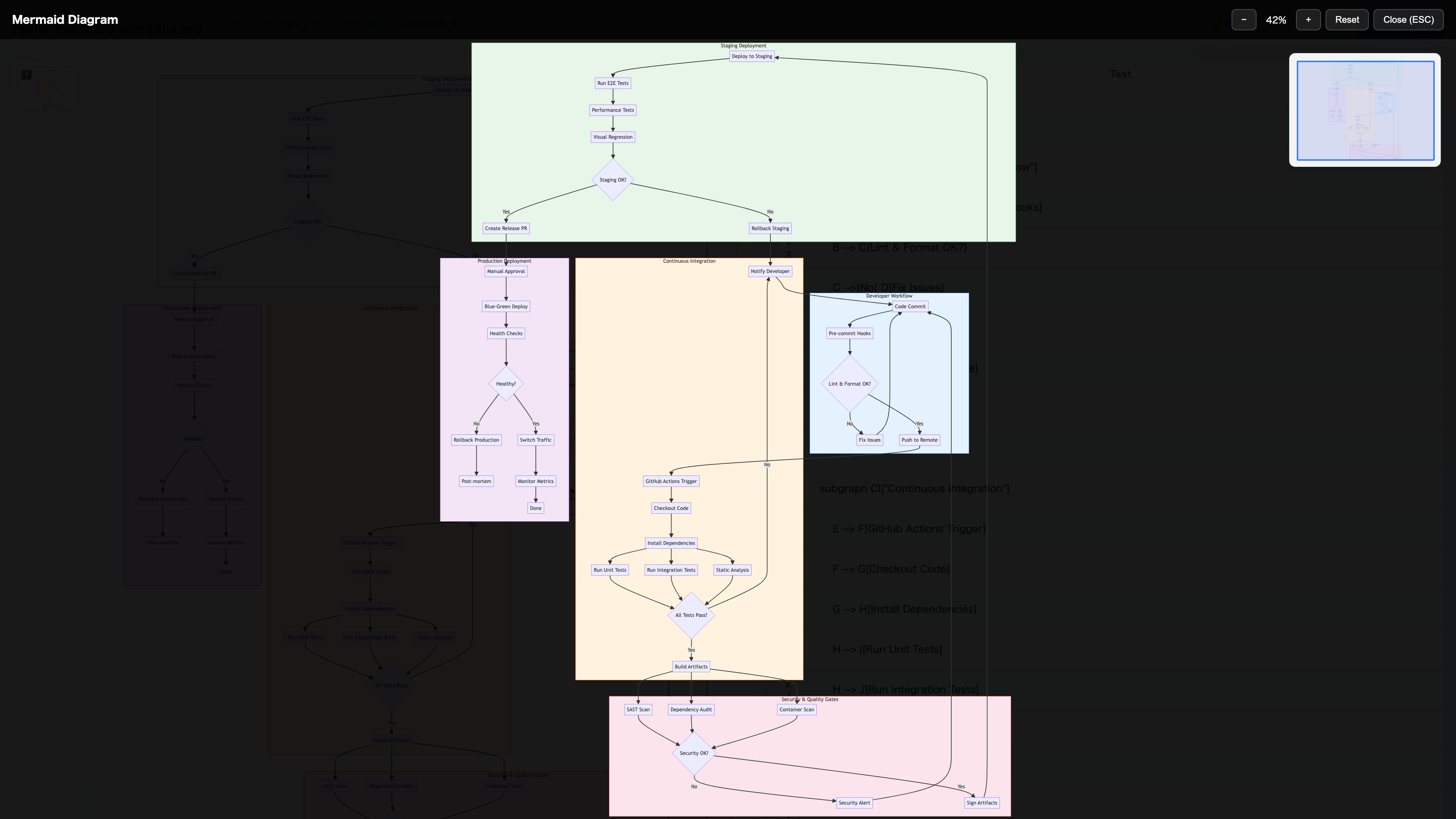
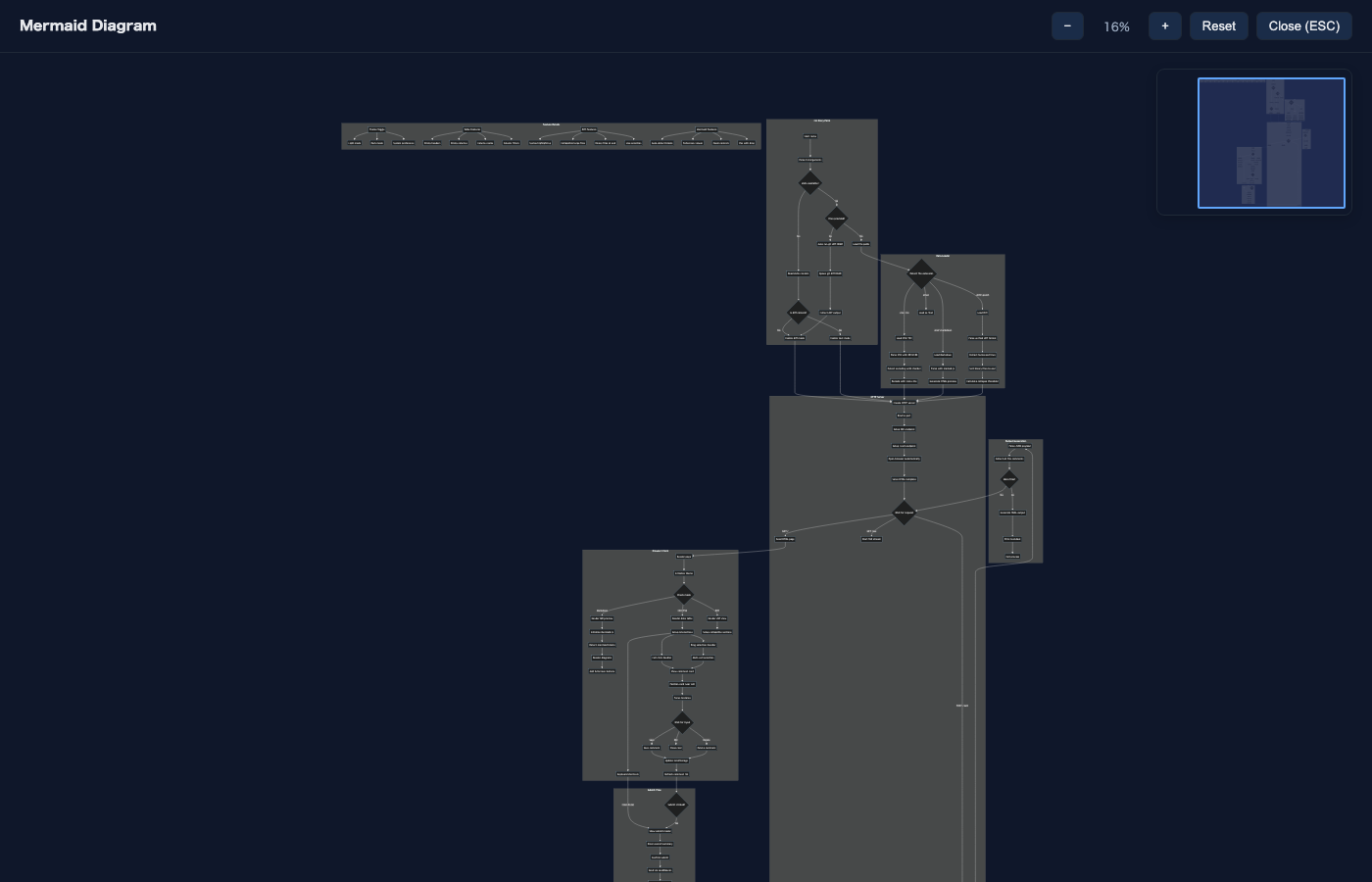
- ダイアグラムをクリックでミニマップ付きフルスクリーンビューアを開く
|
|
37
37
|
- マウスホイールでズーム(カーソル位置を中心に、最大10倍)
|
|
38
38
|
- マウスドラッグでパン
|
|
39
|
+
- トラックパッドのピンチズーム・タッチジェスチャー対応
|
|
40
|
+
- Windows向けShift+スクロールズーム対応
|
|
41
|
+
- ダークモードでのサムネイル表示対応
|
|
42
|
+
- フルスクリーン終了時にソース行をハイライト
|
|
39
43
|
- 構文エラーはトースト通知で表示
|
|
40
44
|
|
|
45
|
+
### メディアサイドバー
|
|
46
|
+
- 左サイドバーに画像・動画のサムネイルギャラリーを表示
|
|
47
|
+
- サムネイルクリックで対応するメディアにスクロール&ソース行ハイライト
|
|
48
|
+
- 番号バッジ付きで素早く識別
|
|
49
|
+
|
|
41
50
|
### メディアフルスクリーン
|
|
42
51
|
- Markdownプレビューの画像をクリックでフルスクリーンビューアを開く
|
|
43
|
-
-
|
|
52
|
+
- 動画をクリックでYouTube風キーボードショートカット付きフルスクリーン再生(Space/K、J/L、矢印キー、0-9)
|
|
44
53
|
- 画像/動画自体を含む任意の場所をクリックでフルスクリーンオーバーレイを閉じる
|
|
45
54
|
- メディアをクリックするとMarkdownパネルの対応するソース行が自動ハイライト
|
|
55
|
+
- 動画タイムライン設定(シーン検出感度の調整)
|
|
46
56
|
|
|
47
57
|
### UI機能
|
|
48
58
|
- **テーマ切り替え**: ライト/ダークモードの切り替え
|
|
59
|
+
- **プレビューオンリーモード**: ソースパネルを非表示にしてプレビューをワイド表示
|
|
60
|
+
- **見出し折りたたみ**: 見出しの▼をクリックでセクションを折りたたみ/展開
|
|
49
61
|
- **複数ファイルサポート**: 複数ファイルを別々のポートで同時に開く
|
|
50
62
|
- **ドラッグ選択**: 矩形領域または複数行を選択してバッチコメント
|
|
51
63
|
- **リアルタイム更新**: SSE経由でファイル変更時にホットリロード
|
|
52
64
|
- **コメント永続化**: localStorageにコメントを自動保存、リカバリーモーダル付き
|
|
65
|
+
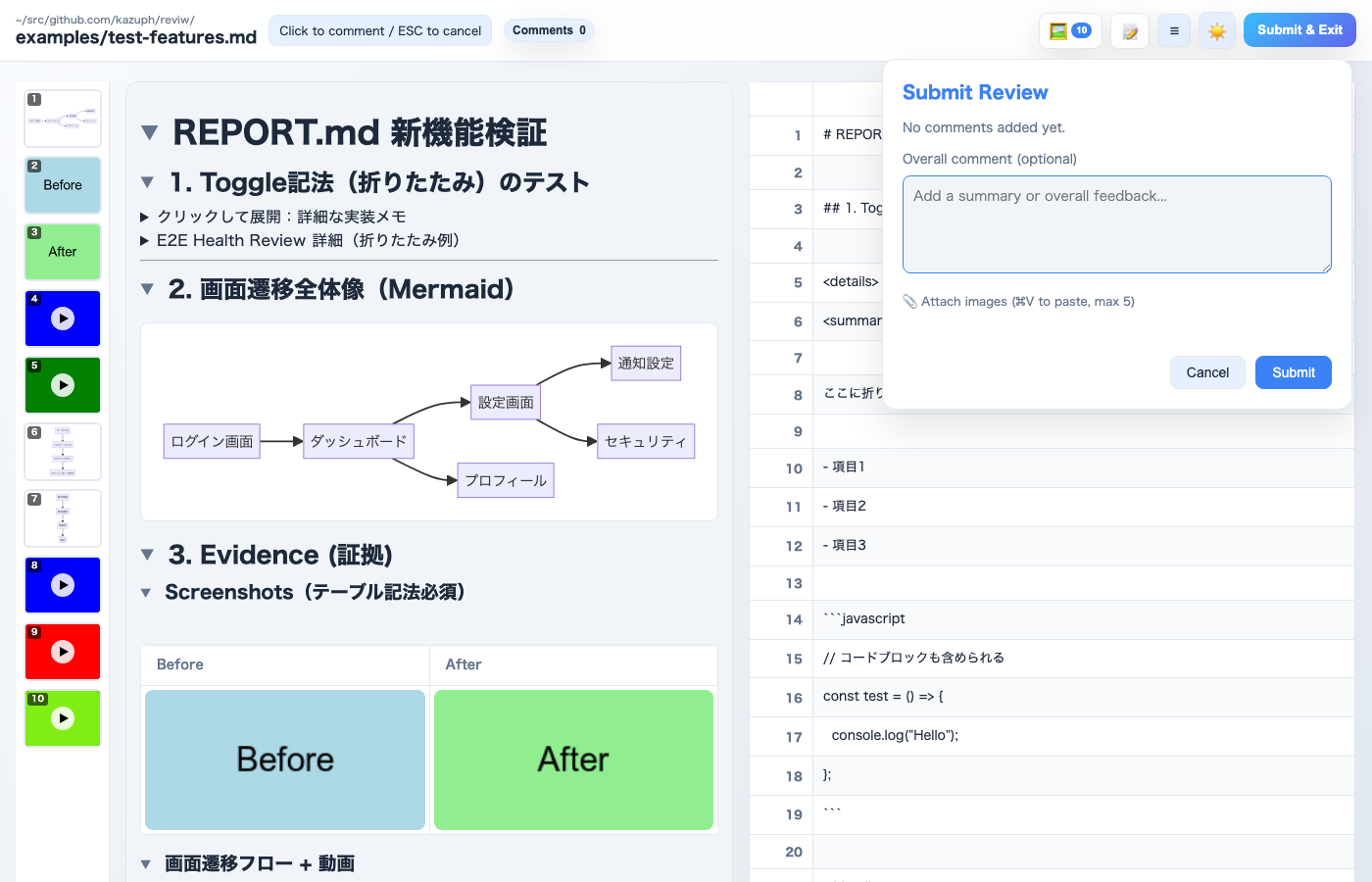
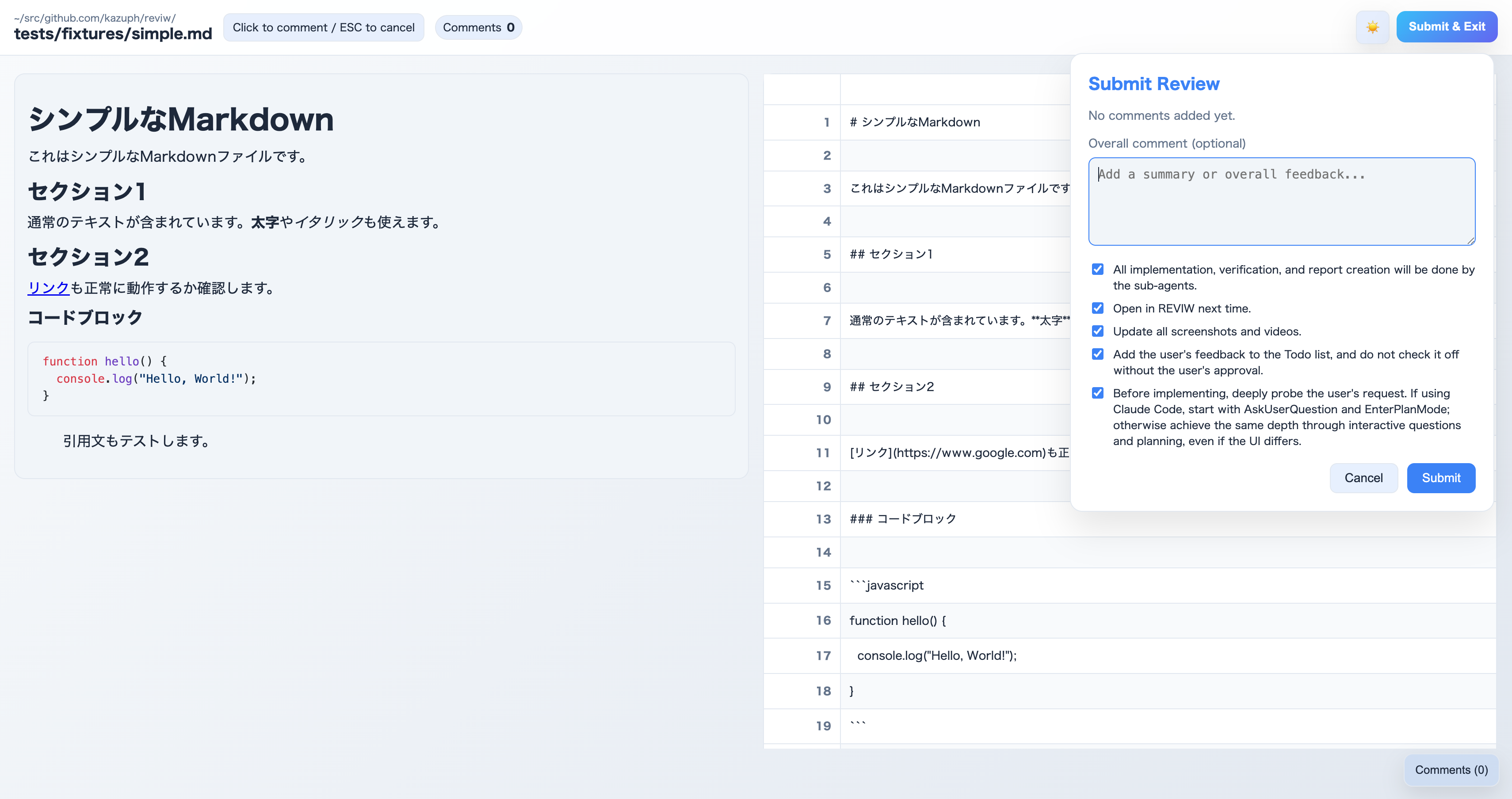
- **画像添付**: コメントダイアログとSubmitモーダルで画像添付(Cmd/Ctrl+Vで貼り付け)
|
|
66
|
+
- **選択行コピー**: コメントダイアログの📋ボタンで選択行テキストをコピー
|
|
53
67
|
- **キーボードショートカット**: Cmd/Ctrl+Enterで送信モーダルを開く
|
|
68
|
+
- **マルチタブ同期**: 1つのタブでSubmitすると同じファイルの他のタブも連動して閉じる
|
|
69
|
+
- **サーバー検出**: 既存サーバーを再利用(ロックファイルで管理)
|
|
70
|
+
- **タブアクティベーション(macOS)**: AppleScript経由で既存ブラウザタブを自動アクティブ化
|
|
71
|
+
- **レビュー履歴**: ファイルベースの永続的なレビュー履歴
|
|
72
|
+
- **details/summary対応**: HTML details/summaryタグを折りたたみセクションとして表示
|
|
54
73
|
|
|
55
74
|
### 出力
|
|
56
75
|
- file、mode、row、col、value、コメントテキストを含むYAML形式
|
|
57
76
|
- レビューノート用のサマリーフィールド
|
|
77
|
+
- 画像添付はbase64データとして含む
|
|
58
78
|
|
|
59
79
|
## インストール
|
|
60
80
|
|
|
@@ -99,21 +119,30 @@ reviw changes.diff
|
|
|
99
119
|
|
|
100
120
|
## スクリーンショット
|
|
101
121
|
|
|
122
|
+
### Markdownビュー(メディアサイドバー付き)
|
|
123
|
+
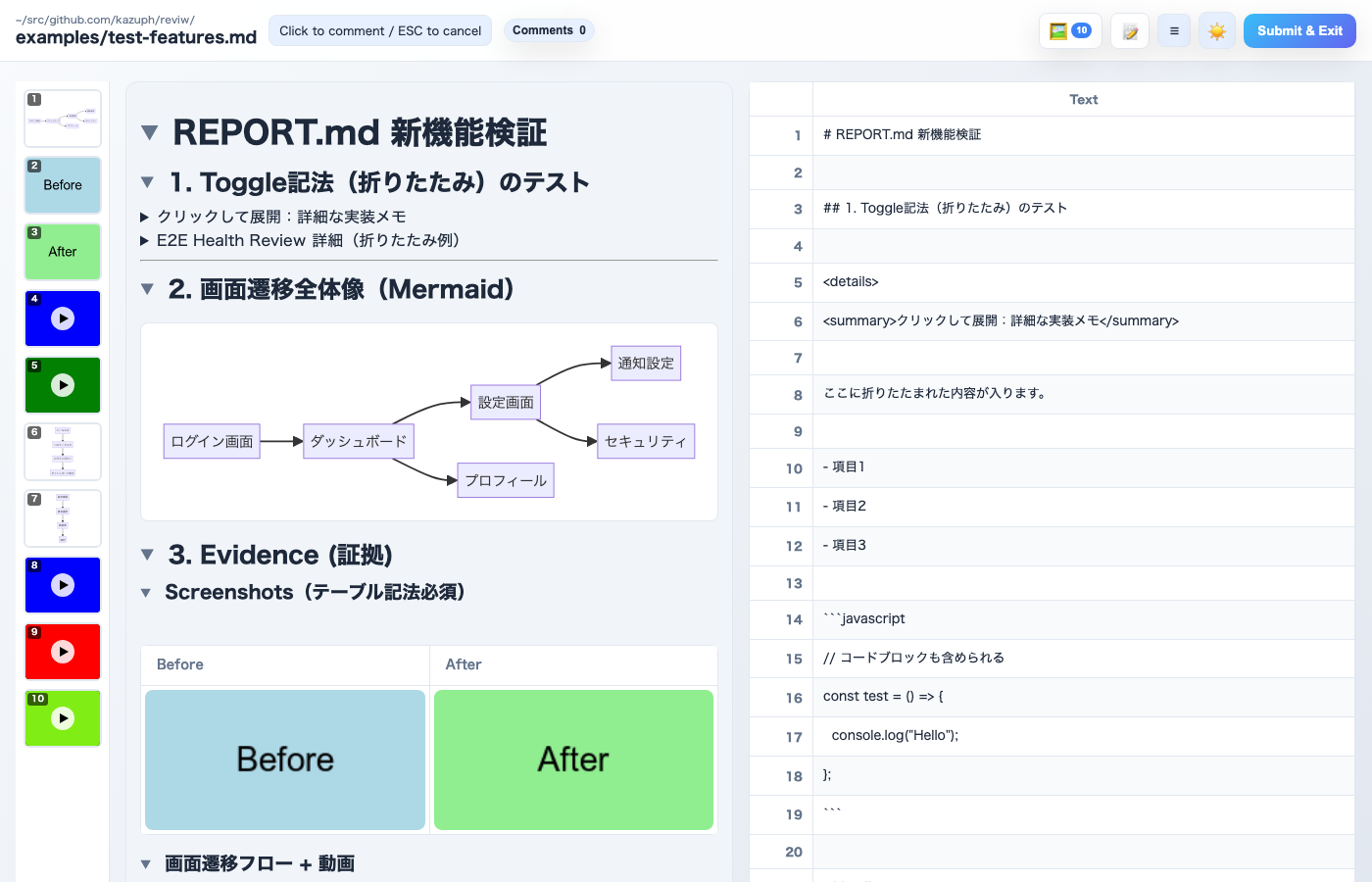
|
|
124
|
+
|
|
125
|
+
### プレビューオンリーモード
|
|
126
|
+
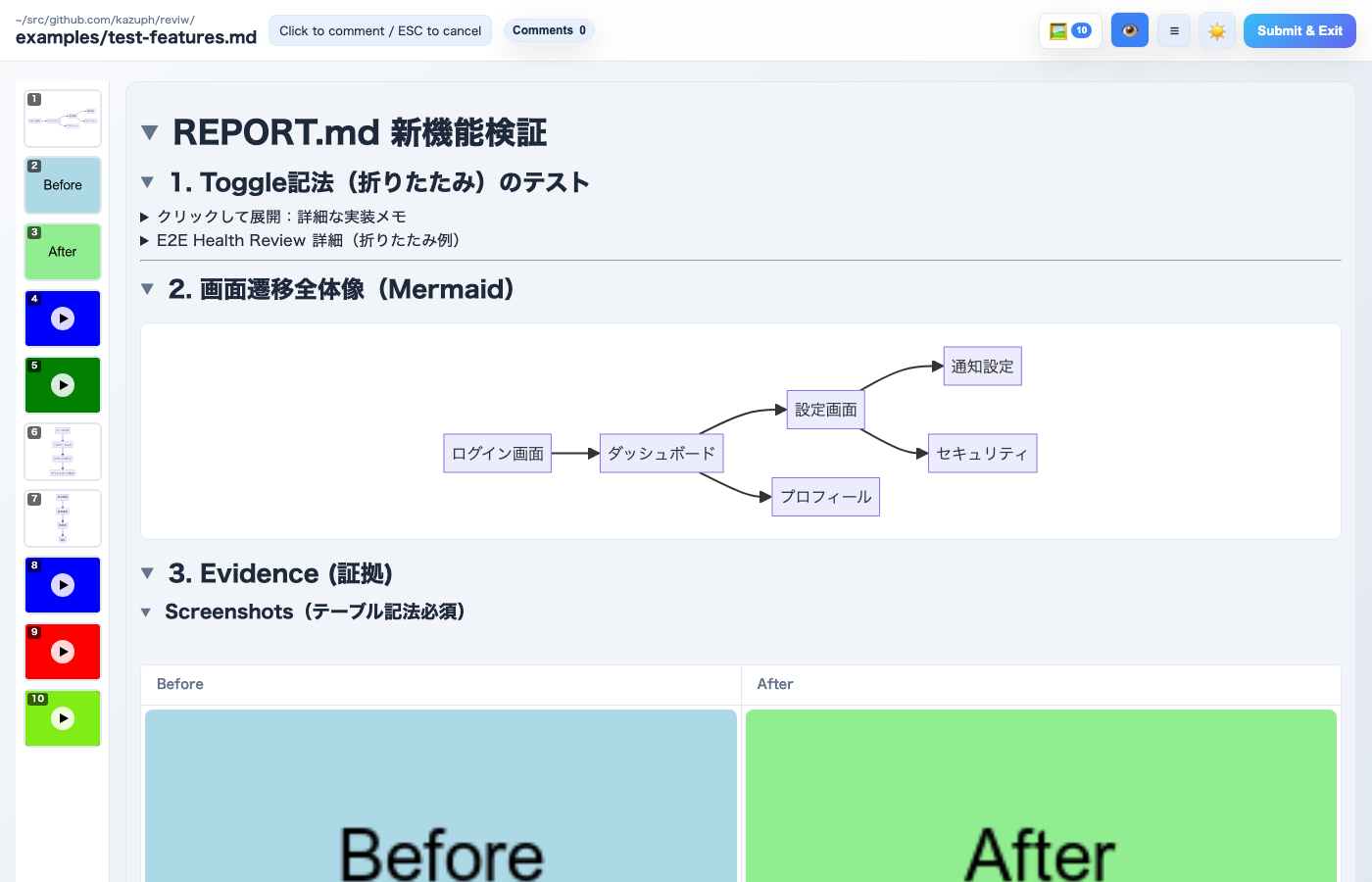
|
|
127
|
+
|
|
128
|
+
### 見出し折りたたみ
|
|
129
|
+
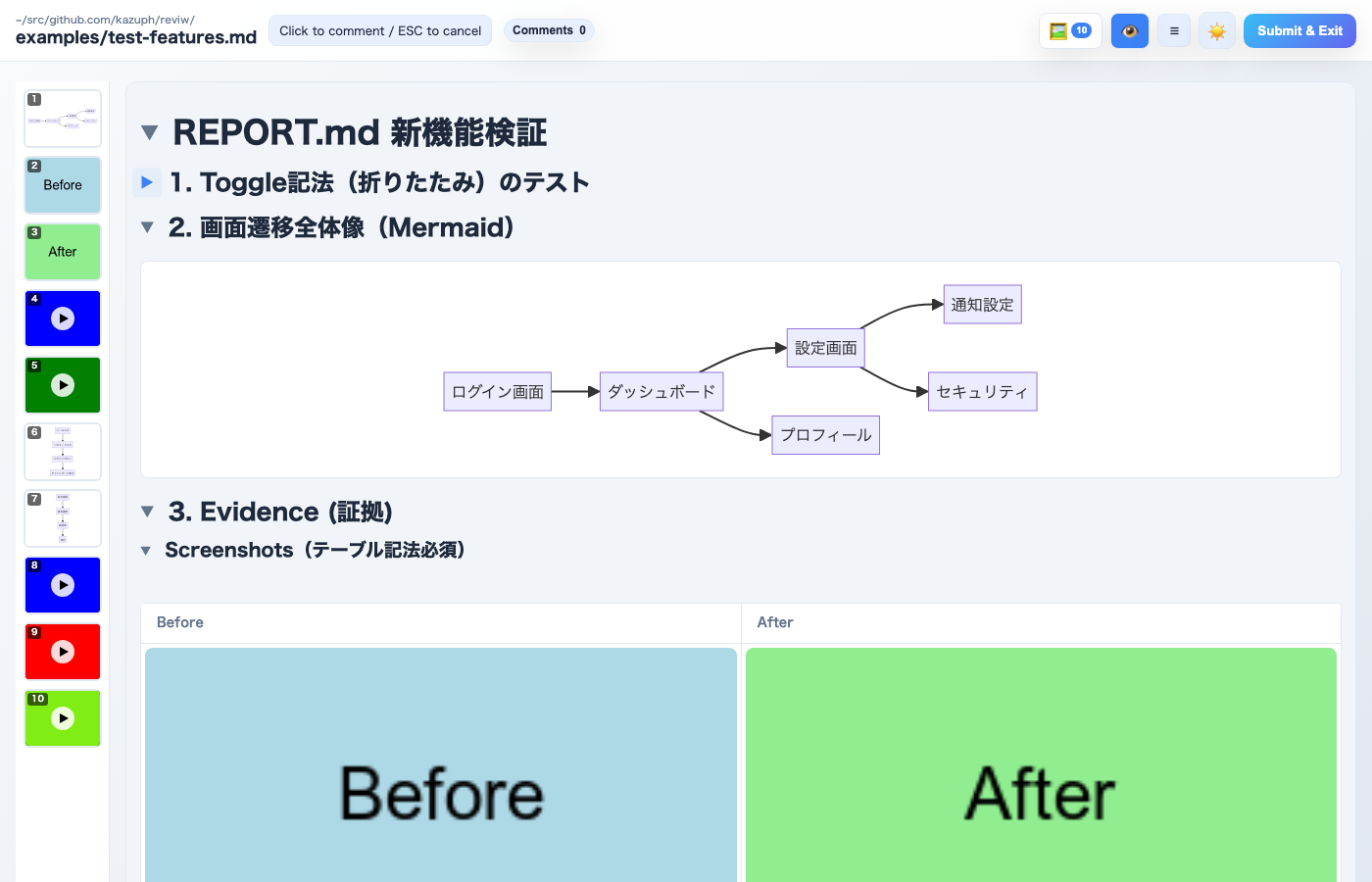
|
|
130
|
+
|
|
131
|
+
### コメントダイアログ(画像添付対応)
|
|
132
|
+
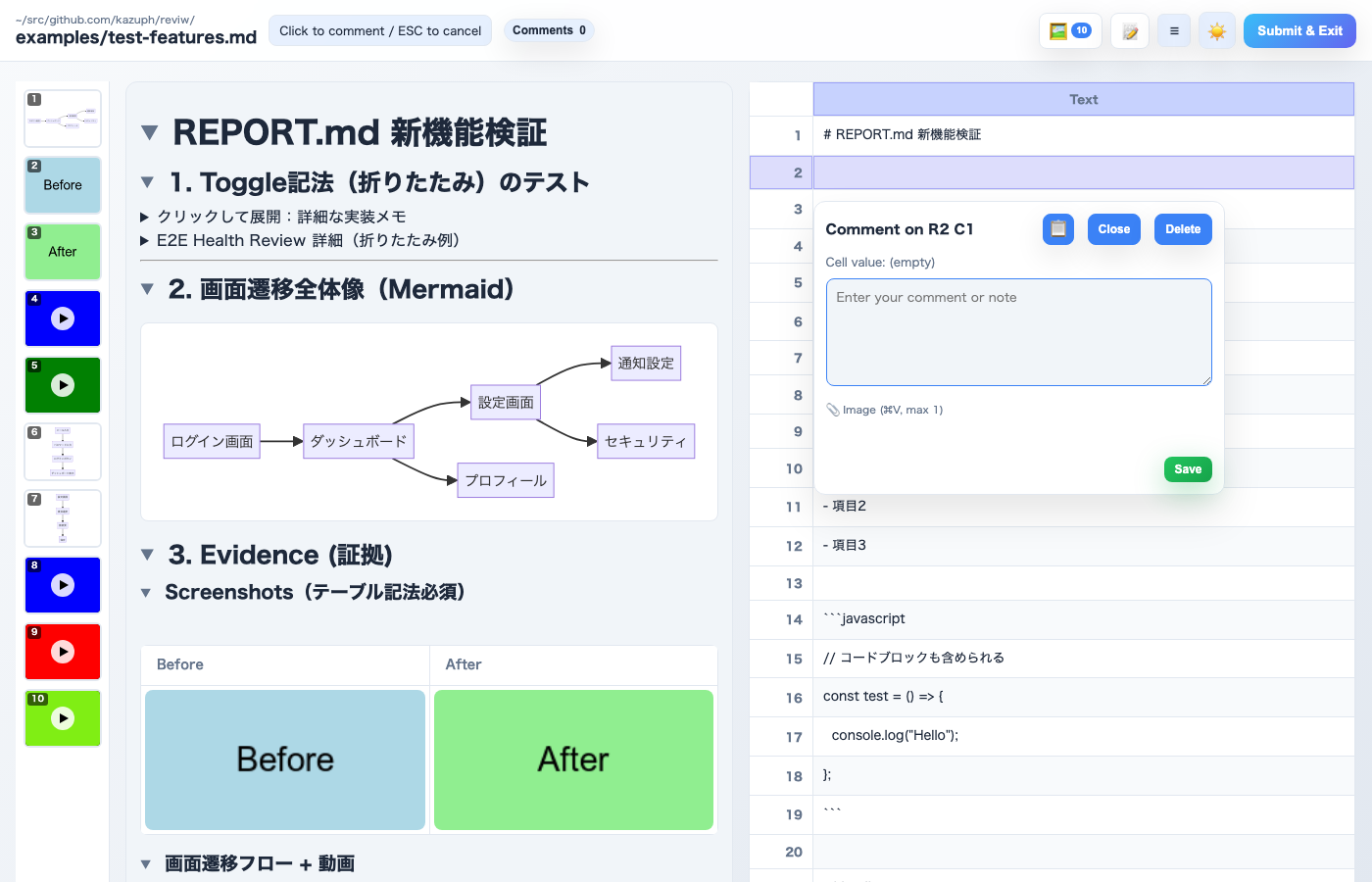
|
|
133
|
+
|
|
134
|
+
### Mermaidフルスクリーン(ミニマップ付き)
|
|
135
|
+
|
|
136
|
+
|
|
137
|
+
### レビュー送信ダイアログ(画像添付対応)
|
|
138
|
+
|
|
139
|
+
|
|
102
140
|
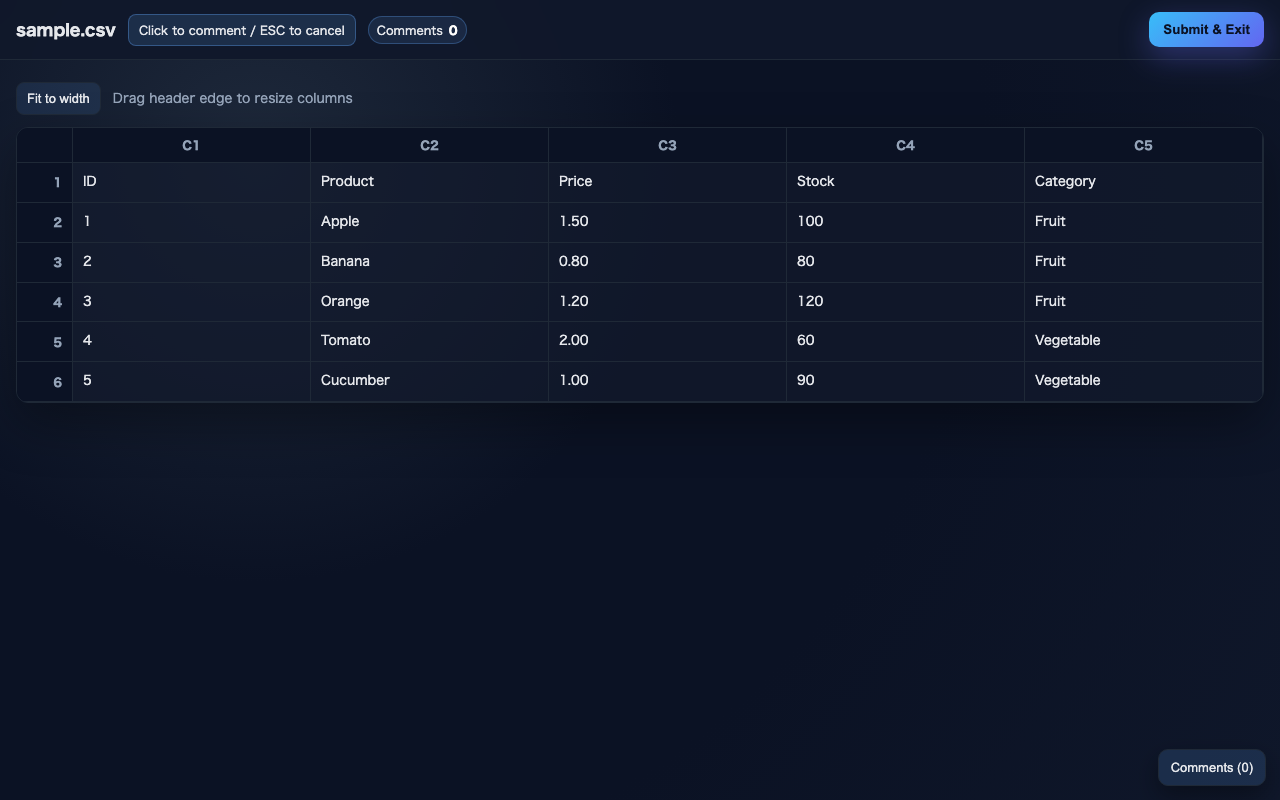
### CSVビュー
|
|
103
141
|
|
|
104
142
|
|
|
105
|
-
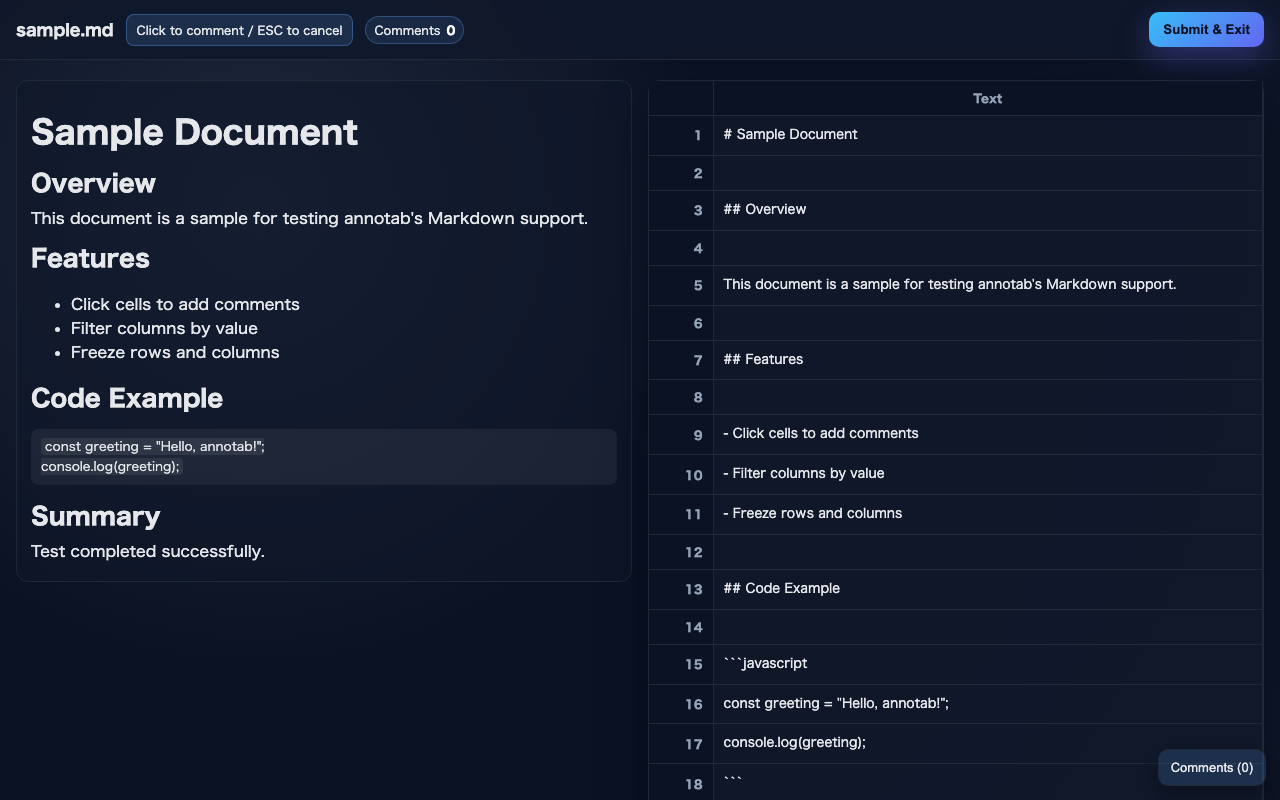
### Markdownビュー
|
|
106
|
-
|
|
107
|
-
|
|
108
143
|
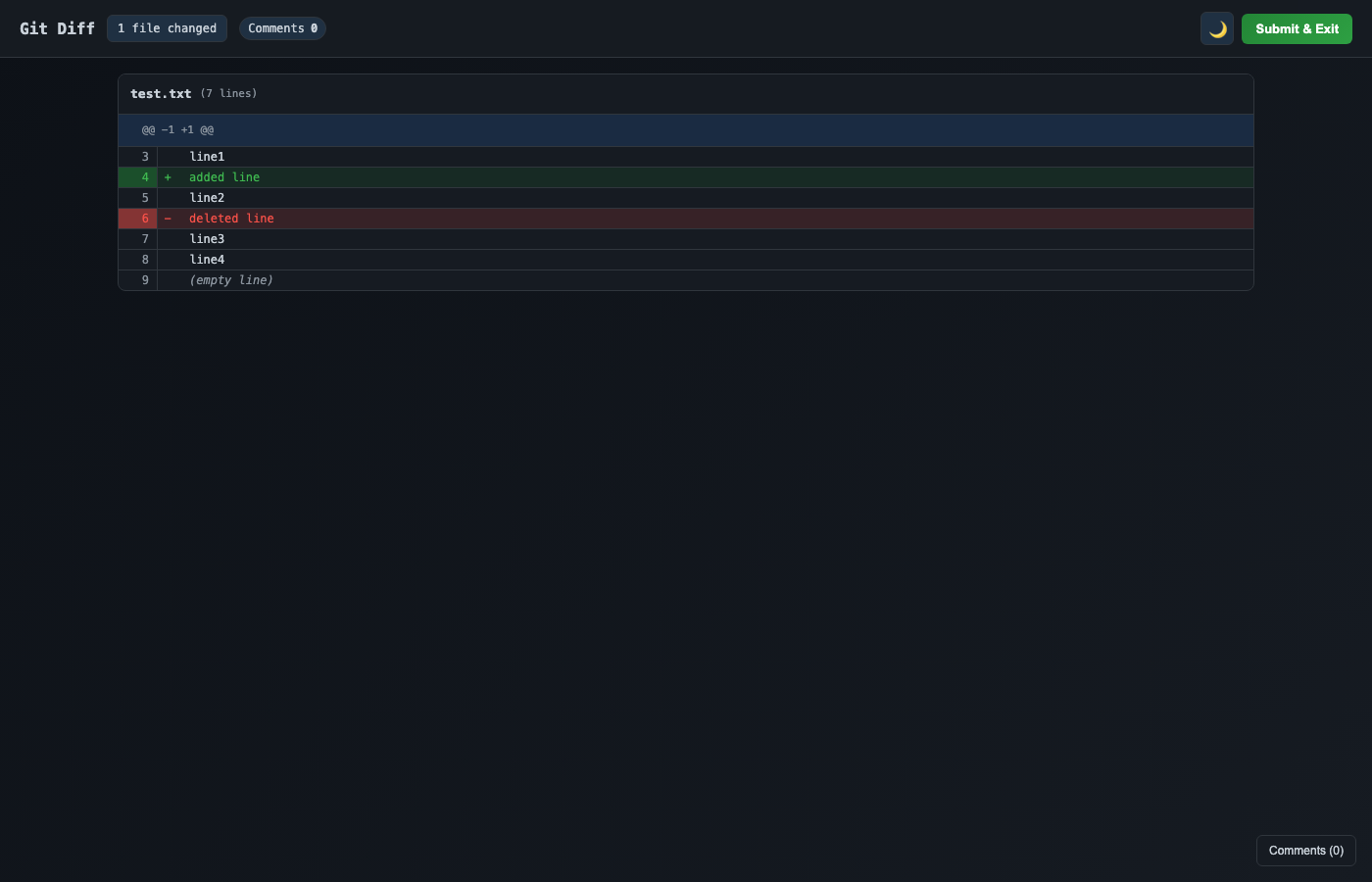
### Diffビュー
|
|
109
144
|
|
|
110
145
|
|
|
111
|
-
### Mermaidフルスクリーン
|
|
112
|
-
|
|
113
|
-
|
|
114
|
-
### 送信レビューダイアログ
|
|
115
|
-
|
|
116
|
-
|
|
117
146
|
## 出力例
|
|
118
147
|
|
|
119
148
|
```yaml
|
package/README.md
CHANGED
|
@@ -33,31 +33,48 @@ A lightweight browser-based tool for reviewing and annotating tabular data, text
|
|
|
33
33
|
|
|
34
34
|
### Mermaid.js Diagrams
|
|
35
35
|
- Auto-detect and render Mermaid diagrams in Markdown files
|
|
36
|
-
- Click any diagram to open fullscreen viewer
|
|
36
|
+
- Click any diagram to open fullscreen viewer with minimap
|
|
37
37
|
- Zoom with mouse wheel (centered on cursor position, up to 10x)
|
|
38
38
|
- Pan with mouse drag
|
|
39
|
+
- Trackpad pinch-to-zoom and touch gesture support
|
|
40
|
+
- Shift+scroll zoom for Windows users
|
|
41
|
+
- Dark mode support for thumbnails
|
|
42
|
+
- Highlights corresponding source line after closing fullscreen
|
|
39
43
|
- Syntax error display in toast notifications
|
|
40
44
|
|
|
45
|
+
### Media Sidebar
|
|
46
|
+
- Thumbnail gallery of all images and videos in the left sidebar
|
|
47
|
+
- Click any thumbnail to scroll to the corresponding media and highlight the source line
|
|
48
|
+
- Numbered badges for quick identification
|
|
49
|
+
|
|
41
50
|
### Media Fullscreen
|
|
42
51
|
- Click images in Markdown preview to open fullscreen viewer
|
|
43
|
-
- Click videos to open fullscreen playback with
|
|
52
|
+
- Click videos to open fullscreen playback with YouTube-like keyboard shortcuts (Space/K, J/L, arrow keys, 0-9)
|
|
44
53
|
- Click anywhere (including the image/video itself) to close the fullscreen overlay
|
|
45
54
|
- Clicking media automatically highlights the corresponding source line in the Markdown panel
|
|
55
|
+
- Video timeline settings with adjustable scene detection sensitivity
|
|
46
56
|
|
|
47
57
|
### UI Features
|
|
48
58
|
- **Theme toggle**: Switch between light and dark modes
|
|
59
|
+
- **Preview-only mode**: Hide source panel for wide preview reading
|
|
60
|
+
- **Heading toggle**: Collapse/expand sections by clicking heading arrows
|
|
49
61
|
- **Multi-file support**: Open multiple files simultaneously on separate ports
|
|
50
62
|
- **Drag selection**: Select rectangular regions or multiple rows for batch comments
|
|
51
63
|
- **Real-time updates**: Hot reload on file changes via SSE
|
|
52
64
|
- **Comment persistence**: Auto-save comments to localStorage with recovery modal
|
|
65
|
+
- **Image attachment**: Attach images to comments and submit dialog (paste with Cmd/Ctrl+V)
|
|
66
|
+
- **Selected-lines copy**: Copy button in comment dialog to copy selected line text
|
|
53
67
|
- **Keyboard shortcuts**: Cmd/Ctrl+Enter to open submit modal
|
|
54
68
|
- **Multi-tab sync**: Submit from any tab closes all tabs for the same file
|
|
55
69
|
- **Server detection**: Reuse existing server instead of starting a new one (via lock files)
|
|
56
70
|
- **Tab activation (macOS)**: Automatically activates existing browser tab via AppleScript
|
|
71
|
+
- **Review history**: File-based persistent review history
|
|
72
|
+
- **details/summary support**: HTML details/summary tags rendered as collapsible sections
|
|
57
73
|
|
|
58
74
|
### Output
|
|
59
75
|
- YAML format with file, mode, row, col, value, and comment text
|
|
60
76
|
- Overall summary field for review notes
|
|
77
|
+
- Image attachments included as base64 data
|
|
61
78
|
|
|
62
79
|
## Installation
|
|
63
80
|
|
|
@@ -102,21 +119,30 @@ reviw changes.diff
|
|
|
102
119
|
|
|
103
120
|
## Screenshots
|
|
104
121
|
|
|
122
|
+
### Markdown View with Media Sidebar
|
|
123
|
+

|
|
124
|
+
|
|
125
|
+
### Preview-only Mode
|
|
126
|
+

|
|
127
|
+
|
|
128
|
+
### Heading Toggle
|
|
129
|
+

|
|
130
|
+
|
|
131
|
+
### Comment Dialog with Image Attachment
|
|
132
|
+

|
|
133
|
+
|
|
134
|
+
### Mermaid Fullscreen with Minimap
|
|
135
|
+

|
|
136
|
+
|
|
137
|
+
### Submit Review Dialog with Image Attachment
|
|
138
|
+

|
|
139
|
+
|
|
105
140
|
### CSV View
|
|
106
141
|

|
|
107
142
|
|
|
108
|
-
### Markdown View
|
|
109
|
-

|
|
110
|
-
|
|
111
143
|
### Diff View
|
|
112
144
|

|
|
113
145
|
|
|
114
|
-
### Mermaid Fullscreen
|
|
115
|
-

|
|
116
|
-
|
|
117
|
-
### Submit Review Dialog
|
|
118
|
-

|
|
119
|
-
|
|
120
146
|
## Output Example
|
|
121
147
|
|
|
122
148
|
```yaml
|