react-native-anchored-menu 0.0.4 → 0.0.5
This diff represents the content of publicly available package versions that have been released to one of the supported registries. The information contained in this diff is provided for informational purposes only and reflects changes between package versions as they appear in their respective public registries.
- package/package.json +3 -2
package/package.json
CHANGED
|
@@ -1,6 +1,6 @@
|
|
|
1
1
|
{
|
|
2
2
|
"name": "react-native-anchored-menu",
|
|
3
|
-
"version": "0.0.
|
|
3
|
+
"version": "0.0.5",
|
|
4
4
|
"description": "Headless anchored menu/popover for React Native with stable measurement (view host by default).",
|
|
5
5
|
"repository": {
|
|
6
6
|
"type": "git",
|
|
@@ -29,5 +29,6 @@
|
|
|
29
29
|
"peerDependencies": {
|
|
30
30
|
"react": "*",
|
|
31
31
|
"react-native": "*"
|
|
32
|
-
}
|
|
32
|
+
},
|
|
33
|
+
"readme": "# react-native-anchored-menu\n\nA **headless, anchor-based menu / popover system for React Native** designed to work reliably across:\n\n- iOS & Android\n- FlatList / SectionList\n- Complex layouts\n- New Architecture (Fabric)\n- Modal & non-modal contexts\n\nThis library focuses on **correct measurement and positioning**, not UI. \nYou fully control how the menu looks and behaves.\n\n---\n\n## 🎬 Demo\n\n**View host (inside normal screens)**\n\n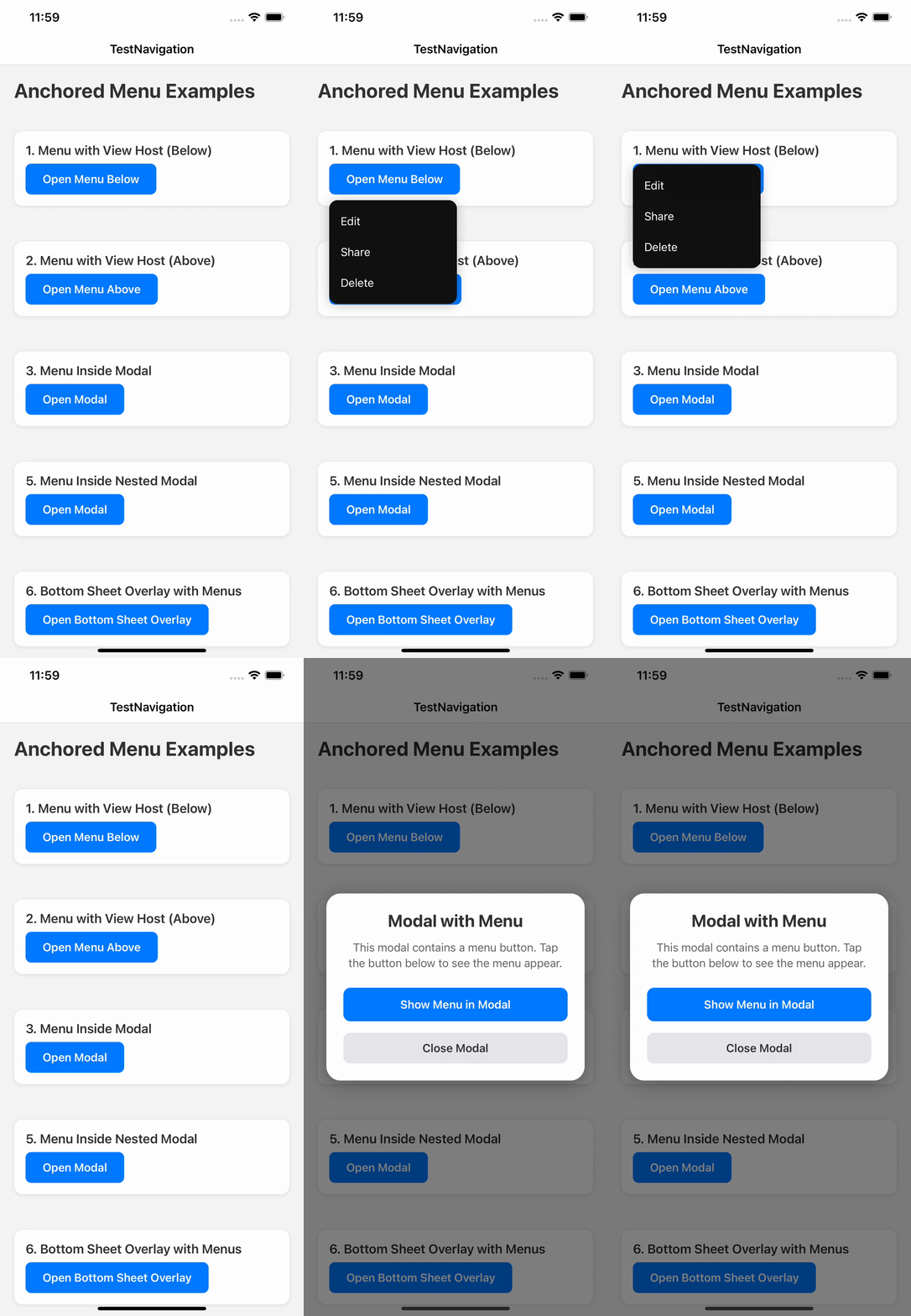\n\n**View host inside native `<Modal>` (and nested modals)**\n\n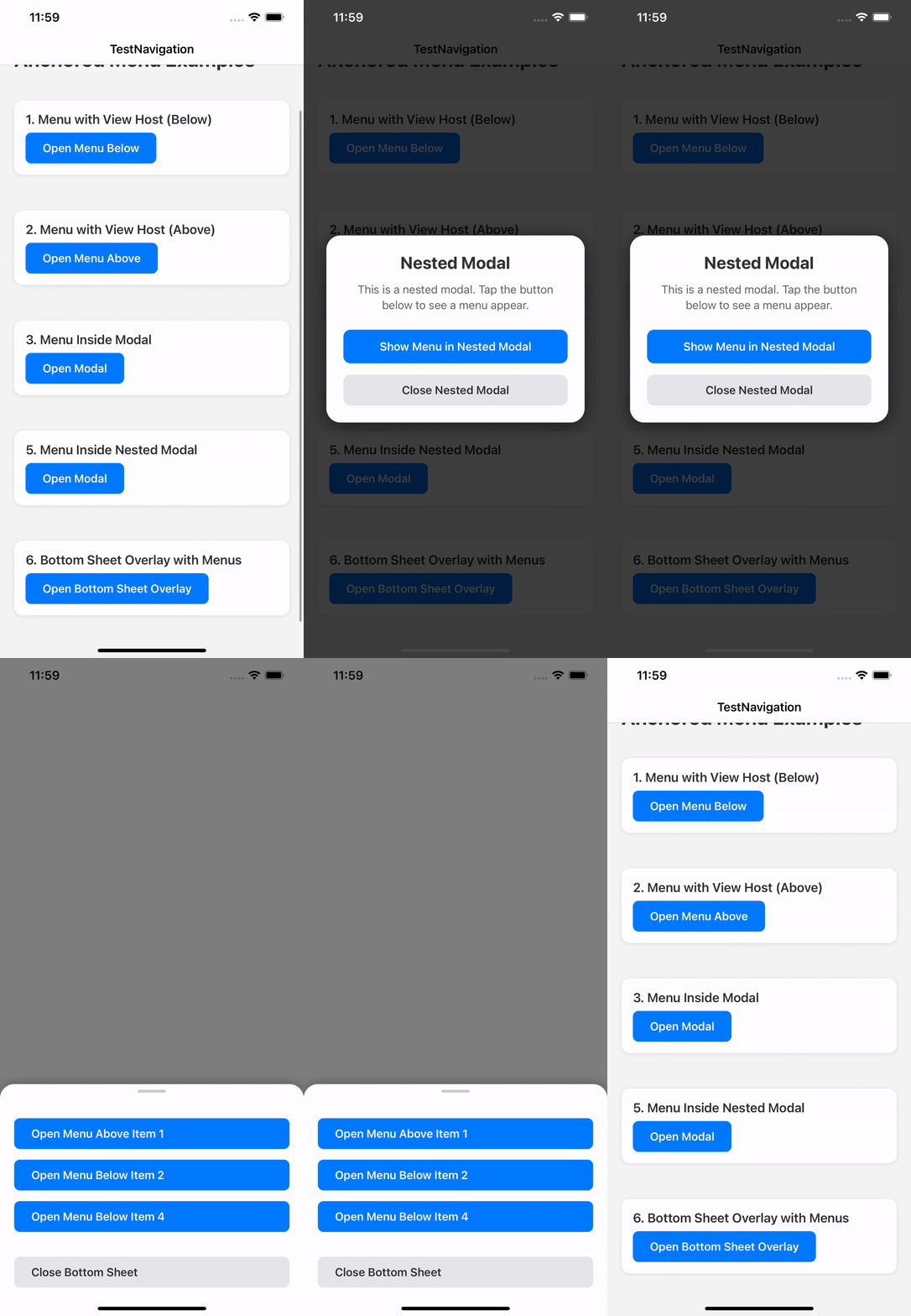\n\n---\n\n## ✨ Why this library exists\n\nMost React Native menu / popover libraries break in at least one of these cases:\n\n- Wrong position on Android\n- Unreliable measurement inside FlatList\n- Broken behavior with Fabric\n- Rendering behind or inside unexpected layers\n- Forced UI and styling\n\n**react-native-anchored-menu** solves these by:\n\n- Using **stable anchor measurement**\n- Separating **state (Provider)** from **rendering (Hosts)**\n- Supporting multiple rendering strategies (View / Modal)\n- Staying **100% headless**\n\n---\n\n## ✅ Features\n\n- 📍 Anchor menus to any component\n- 📐 Accurate positioning (`auto`, `top`, `bottom`)\n- 🧠 FlatList-safe measurement\n- 🪟 Works inside and outside native `<Modal>`\n- 🧩 Fully headless render API\n- 🧹 Tap outside to dismiss\n- 🔄 Auto-close on scroll (optional)\n- 🌍 RTL-aware positioning\n- 🧱 Multiple host strategies\n\n---\n\n## 📦 Installation\n\n```bash\nnpm install react-native-anchored-menu\n# or\nyarn add react-native-anchored-menu\n```\n\nNo native linking required.\n\n---\n\n## 🚀 Basic Usage\n\n### 1️⃣ Wrap your app\n\n```tsx\nimport { AnchoredMenuProvider } from \"react-native-anchored-menu\";\n\nexport default function Root() {\n return (\n <AnchoredMenuProvider>\n <App />\n </AnchoredMenuProvider>\n );\n}\n```\n\n> ⚠️ You **do NOT need** to manually mount any host by default. \n> Hosts are automatically mounted internally.\n\n---\n\n### 2️⃣ Add an anchor\n\n```tsx\nimport { MenuAnchor } from \"react-native-anchored-menu\";\n\n<MenuAnchor id=\"profile-menu\">\n <Pressable>\n <Text>Open menu</Text>\n </Pressable>\n</MenuAnchor>\n```\n\n---\n\n### 3️⃣ Open the menu\n\n```tsx\nimport { useAnchoredMenuActions } from \"react-native-anchored-menu\";\n\nconst { open, close } = useAnchoredMenuActions();\n\nopen({\n id: \"profile-menu\",\n render: ({ close }) => (\n <View style={{ backgroundColor: \"#111\", padding: 12, borderRadius: 8 }}>\n <Pressable onPress={close}>\n <Text style={{ color: \"#fff\" }}>Logout</Text>\n </Pressable>\n </View>\n ),\n});\n```\n\n---\n\n## 🧠 API\n\n### `useAnchoredMenuActions()`\n\n```ts\nconst { open, close } = useAnchoredMenuActions();\n```\n\n### `useAnchoredMenuState(selector?)`\n\n```ts\nconst isOpen = useAnchoredMenuState((s) => s.isOpen);\n```\n\n> `useAnchoredMenu()` is still available for backwards compatibility, but the split hooks are recommended\n> to reduce re-renders in large trees.\n\n---\n\n### `open(options)`\n\n```ts\nopen({\n id: string;\n\n placement?: \"auto\" | \"top\" | \"bottom\";\n align?: \"start\" | \"center\" | \"end\";\n offset?: number;\n margin?: number;\n rtlAware?: boolean;\n\n render?: ({ close, anchor }) => ReactNode;\n content?: ReactNode;\n\n host?: \"view\" | \"modal\";\n\n animationType?: \"fade\" | \"none\";\n statusBarTranslucent?: boolean;\n\n /**\n * Measurement strategy.\n * - \"stable\" (default): waits for interactions and retries for correctness (best for FlatList/Android)\n * - \"fast\": one-frame measure (lowest latency, less reliable on complex layouts)\n */\n measurement?: \"stable\" | \"fast\";\n\n /**\n * Only used when `measurement=\"stable\"` (default: 8).\n */\n measurementTries?: number;\n});\n```\n\n---\n\n## 🧭 Placement Behavior\n\n- `auto` → below if space allows, otherwise above\n- `top` → prefer above, fallback below\n- `bottom` → prefer below, fallback above\n\n---\n\n## 🧱 Host System\n\n- Default host: **view**\n- Hosts are auto-mounted\n- `modal` host is disabled on Fabric and falls back to `view`\n\n---\n\n## 📄 License\n\nMIT © Mahmoud Elfeky\n"
|
|
33
34
|
}
|