react-beauty-link 1.1.0 → 1.1.2
This diff represents the content of publicly available package versions that have been released to one of the supported registries. The information contained in this diff is provided for informational purposes only and reflects changes between package versions as they appear in their respective public registries.
- package/README.md +666 -91
- package/package.json +1 -1
package/README.md
CHANGED
|
@@ -2,17 +2,40 @@
|
|
|
2
2
|
|
|
3
3
|
A React hook that automatically converts URLs in text into beautiful, clickable links with page titles, favicons, and file type icons.
|
|
4
4
|
|
|
5
|
-
|
|
6
|
-
|
|
7
|
-
|
|
8
|
-
|
|
9
|
-
|
|
10
|
-
|
|
11
|
-
|
|
12
|
-
-
|
|
13
|
-
-
|
|
14
|
-
-
|
|
15
|
-
-
|
|
5
|
+
[](https://www.npmjs.com/package/react-beauty-link)
|
|
6
|
+
[](https://www.npmjs.com/package/react-beauty-link)
|
|
7
|
+
[](https://opensource.org/licenses/MIT)
|
|
8
|
+
|
|
9
|
+
## ✨ Features
|
|
10
|
+
|
|
11
|
+
### 🔗 Smart URL Detection
|
|
12
|
+
- Automatically finds and converts HTTPS URLs in any text
|
|
13
|
+
- Matches URLs until the first space or end of string
|
|
14
|
+
- Supports URLs with query parameters, hash fragments, and ports
|
|
15
|
+
- Preserves surrounding text perfectly
|
|
16
|
+
|
|
17
|
+
### 🎨 Beautiful Link Previews
|
|
18
|
+
- **Website Links**: Shows page title + favicon
|
|
19
|
+
- **File Links**: Shows filename + file type icon
|
|
20
|
+
- **Custom Colors**: Set your own link color to match your theme
|
|
21
|
+
- **Smart Truncation**: Long titles automatically truncated to 60 characters
|
|
22
|
+
|
|
23
|
+
### 📄 File Type Icons
|
|
24
|
+
- **60+ File Types Supported** with beautiful Nerd Font icons
|
|
25
|
+
- **Color-coded by category**: Documents (red), Code (language colors), Media (purple/pink), Archives (orange)
|
|
26
|
+
- **Fast rendering**: No metadata fetching needed for file links
|
|
27
|
+
- Supports: PDF, DOC, XLSX, images, videos, code files, archives, and more
|
|
28
|
+
|
|
29
|
+
### ⚙️ Highly Configurable
|
|
30
|
+
- **Link Target**: Control where links open (new tab, new window, or same page)
|
|
31
|
+
- **Custom Colors**: Match your app's color scheme
|
|
32
|
+
- **TypeScript First**: Full type safety and IntelliSense support
|
|
33
|
+
|
|
34
|
+
### 🚀 Performance
|
|
35
|
+
- **Lightweight**: ~8.5KB (2.8KB gzipped)
|
|
36
|
+
- **No dependencies**: Only React as peer dependency
|
|
37
|
+
- **Optimized**: Skips metadata fetching for file URLs
|
|
38
|
+
- **Smart caching**: Metadata cached during component lifecycle
|
|
16
39
|
|
|
17
40
|
## Installation
|
|
18
41
|
|
|
@@ -32,7 +55,7 @@ Or with pnpm:
|
|
|
32
55
|
pnpm add react-beauty-link
|
|
33
56
|
```
|
|
34
57
|
|
|
35
|
-
## Usage
|
|
58
|
+
## 📖 Usage
|
|
36
59
|
|
|
37
60
|
### Basic Example
|
|
38
61
|
|
|
@@ -47,31 +70,68 @@ function App() {
|
|
|
47
70
|
}
|
|
48
71
|
```
|
|
49
72
|
|
|
50
|
-
|
|
73
|
+
**Result**: Displays "Check out [🌐 React] for React docs!" with a clickable link showing the React favicon and page title.
|
|
51
74
|
|
|
52
|
-
|
|
75
|
+
---
|
|
76
|
+
|
|
77
|
+
### Multiple URLs in Text
|
|
78
|
+
|
|
79
|
+
The hook handles multiple URLs seamlessly:
|
|
53
80
|
|
|
54
81
|
```tsx
|
|
55
82
|
import { useBeautyLink } from 'react-beauty-link';
|
|
56
83
|
|
|
57
84
|
function App() {
|
|
85
|
+
const text = "Visit https://react.dev and https://vitejs.dev for modern web development!";
|
|
86
|
+
const linkedContent = useBeautyLink(text);
|
|
87
|
+
|
|
88
|
+
return <div>{linkedContent}</div>;
|
|
89
|
+
}
|
|
90
|
+
```
|
|
91
|
+
|
|
92
|
+
**Result**: Both URLs become beautiful links with their respective favicons and titles, while preserving the text in between.
|
|
93
|
+
|
|
94
|
+
---
|
|
95
|
+
|
|
96
|
+
### File Links with Automatic Icons
|
|
97
|
+
|
|
98
|
+
The hook automatically detects 60+ file extensions and shows appropriate icons:
|
|
99
|
+
|
|
100
|
+
```tsx
|
|
101
|
+
import { useBeautyLink } from 'react-beauty-link';
|
|
102
|
+
|
|
103
|
+
function DocumentList() {
|
|
58
104
|
const text = `
|
|
59
|
-
|
|
60
|
-
|
|
61
|
-
|
|
105
|
+
📋 Reports:
|
|
106
|
+
- Q4 Report: https://example.com/quarterly-report.pdf
|
|
107
|
+
- Budget: https://example.com/budget-2024.xlsx
|
|
108
|
+
|
|
109
|
+
💻 Code:
|
|
110
|
+
- Component: https://github.com/user/repo/Component.tsx
|
|
111
|
+
- Styles: https://github.com/user/repo/styles.css
|
|
112
|
+
|
|
113
|
+
📦 Downloads:
|
|
114
|
+
- Package: https://example.com/app-v1.2.3.zip
|
|
115
|
+
- Installer: https://example.com/setup.exe
|
|
62
116
|
`;
|
|
117
|
+
|
|
63
118
|
const linkedContent = useBeautyLink(text);
|
|
64
119
|
|
|
65
|
-
return <div>{linkedContent}</div>;
|
|
120
|
+
return <div style={{ whiteSpace: 'pre-line' }}>{linkedContent}</div>;
|
|
66
121
|
}
|
|
67
122
|
```
|
|
68
123
|
|
|
69
|
-
Result
|
|
70
|
-
- 📕 `quarterly-report.pdf`
|
|
71
|
-
-
|
|
72
|
-
-
|
|
124
|
+
**Result**:
|
|
125
|
+
- 📕 `quarterly-report.pdf` - Red PDF icon
|
|
126
|
+
- 📊 `budget-2024.xlsx` - Green Excel icon
|
|
127
|
+
- ⚛️ `Component.tsx` - Cyan React icon
|
|
128
|
+
- 🎨 `styles.css` - Blue CSS icon
|
|
129
|
+
- 📦 `app-v1.2.3.zip` - Orange archive icon
|
|
130
|
+
- 💾 `setup.exe` - File icon
|
|
73
131
|
|
|
74
|
-
|
|
132
|
+
---
|
|
133
|
+
|
|
134
|
+
### Custom Link Target
|
|
75
135
|
|
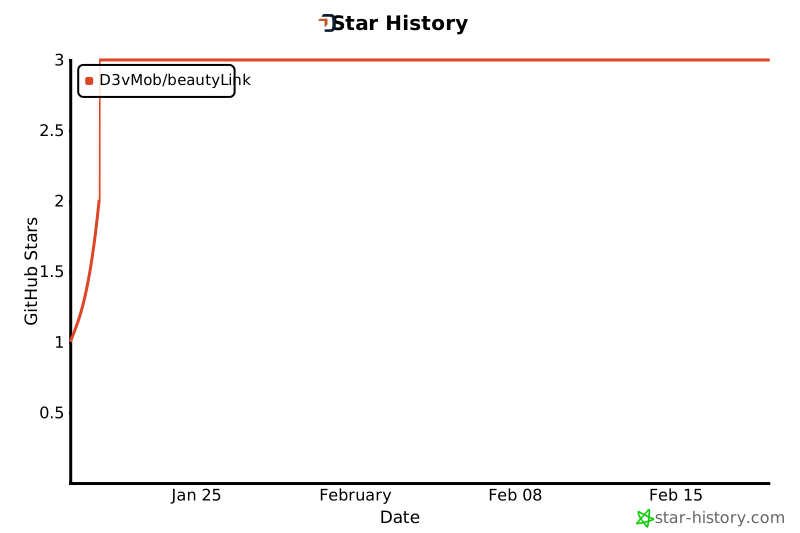
|
76
136
|
Control how links open:
|
|
77
137
|
|
|
@@ -79,15 +139,15 @@ Control how links open:
|
|
|
79
139
|
import { useBeautyLink } from 'react-beauty-link';
|
|
80
140
|
|
|
81
141
|
function App() {
|
|
82
|
-
const text = "
|
|
142
|
+
const text = "Documentation: https://docs.example.com";
|
|
83
143
|
|
|
84
144
|
// Open in new tab (default)
|
|
85
145
|
const newTabLinks = useBeautyLink(text, 'new-tab');
|
|
86
146
|
|
|
87
|
-
// Open in new window
|
|
147
|
+
// Open in new window with specific dimensions
|
|
88
148
|
const newWindowLinks = useBeautyLink(text, 'new-window');
|
|
89
149
|
|
|
90
|
-
// Open in same tab
|
|
150
|
+
// Open in same tab (SPA navigation)
|
|
91
151
|
const sameTabLinks = useBeautyLink(text, 'self');
|
|
92
152
|
|
|
93
153
|
return (
|
|
@@ -100,121 +160,636 @@ function App() {
|
|
|
100
160
|
}
|
|
101
161
|
```
|
|
102
162
|
|
|
103
|
-
|
|
163
|
+
---
|
|
164
|
+
|
|
165
|
+
### Custom Link Colors
|
|
166
|
+
|
|
167
|
+
Match your app's theme by customizing link colors:
|
|
104
168
|
|
|
105
169
|
```tsx
|
|
106
|
-
import { useBeautyLink
|
|
170
|
+
import { useBeautyLink } from 'react-beauty-link';
|
|
171
|
+
|
|
172
|
+
function ThemedLinks() {
|
|
173
|
+
const text = "Check out https://react.dev";
|
|
174
|
+
|
|
175
|
+
// Use your brand color
|
|
176
|
+
const brandLinks = useBeautyLink(text, 'new-tab', '#FF6B6B');
|
|
177
|
+
|
|
178
|
+
// Dark mode
|
|
179
|
+
const darkLinks = useBeautyLink(text, 'new-tab', '#60A5FA');
|
|
180
|
+
|
|
181
|
+
// Light mode
|
|
182
|
+
const lightLinks = useBeautyLink(text, 'new-tab', '#2563EB');
|
|
107
183
|
|
|
184
|
+
return (
|
|
185
|
+
<div>
|
|
186
|
+
<div style={{ background: '#fff', padding: '1rem' }}>
|
|
187
|
+
{lightLinks}
|
|
188
|
+
</div>
|
|
189
|
+
<div style={{ background: '#1a1a1a', padding: '1rem' }}>
|
|
190
|
+
{darkLinks}
|
|
191
|
+
</div>
|
|
192
|
+
<div style={{ background: '#f5f5f5', padding: '1rem' }}>
|
|
193
|
+
{brandLinks}
|
|
194
|
+
</div>
|
|
195
|
+
</div>
|
|
196
|
+
);
|
|
197
|
+
}
|
|
198
|
+
```
|
|
199
|
+
|
|
200
|
+
---
|
|
201
|
+
|
|
202
|
+
### TypeScript Usage
|
|
203
|
+
|
|
204
|
+
Full TypeScript support with type safety:
|
|
205
|
+
|
|
206
|
+
```tsx
|
|
207
|
+
import { useBeautyLink, type LinkTarget } from 'react-beauty-link';
|
|
208
|
+
|
|
209
|
+
interface MessageProps {
|
|
210
|
+
content: string;
|
|
211
|
+
linkBehavior?: LinkTarget;
|
|
212
|
+
linkColor?: string;
|
|
213
|
+
}
|
|
214
|
+
|
|
215
|
+
function Message({ content, linkBehavior = 'new-tab', linkColor }: MessageProps) {
|
|
216
|
+
const linkedContent = useBeautyLink(content, linkBehavior, linkColor);
|
|
217
|
+
|
|
218
|
+
return <div className="message">{linkedContent}</div>;
|
|
219
|
+
}
|
|
220
|
+
|
|
221
|
+
// Usage
|
|
108
222
|
function App() {
|
|
109
|
-
|
|
110
|
-
|
|
111
|
-
|
|
223
|
+
return (
|
|
224
|
+
<>
|
|
225
|
+
<Message content="Visit https://typescript.org" />
|
|
226
|
+
<Message
|
|
227
|
+
content="Download https://example.com/guide.pdf"
|
|
228
|
+
linkBehavior="self"
|
|
229
|
+
linkColor="#10b981"
|
|
230
|
+
/>
|
|
231
|
+
</>
|
|
232
|
+
);
|
|
233
|
+
}
|
|
234
|
+
```
|
|
112
235
|
|
|
113
|
-
|
|
236
|
+
---
|
|
237
|
+
|
|
238
|
+
### Real-World Example: Comment Section
|
|
239
|
+
|
|
240
|
+
```tsx
|
|
241
|
+
import { useBeautyLink } from 'react-beauty-link';
|
|
242
|
+
|
|
243
|
+
interface Comment {
|
|
244
|
+
id: string;
|
|
245
|
+
author: string;
|
|
246
|
+
text: string;
|
|
247
|
+
timestamp: Date;
|
|
114
248
|
}
|
|
249
|
+
|
|
250
|
+
function CommentList({ comments }: { comments: Comment[] }) {
|
|
251
|
+
return (
|
|
252
|
+
<div className="comments">
|
|
253
|
+
{comments.map(comment => {
|
|
254
|
+
const linkedText = useBeautyLink(comment.text, 'new-tab', '#646cff');
|
|
255
|
+
|
|
256
|
+
return (
|
|
257
|
+
<div key={comment.id} className="comment">
|
|
258
|
+
<div className="comment-header">
|
|
259
|
+
<strong>{comment.author}</strong>
|
|
260
|
+
<span>{comment.timestamp.toLocaleDateString()}</span>
|
|
261
|
+
</div>
|
|
262
|
+
<div className="comment-body">
|
|
263
|
+
{linkedText}
|
|
264
|
+
</div>
|
|
265
|
+
</div>
|
|
266
|
+
);
|
|
267
|
+
})}
|
|
268
|
+
</div>
|
|
269
|
+
);
|
|
270
|
+
}
|
|
271
|
+
|
|
272
|
+
// Example usage
|
|
273
|
+
const sampleComments: Comment[] = [
|
|
274
|
+
{
|
|
275
|
+
id: '1',
|
|
276
|
+
author: 'Alice',
|
|
277
|
+
text: 'Great article! Here\'s a related resource: https://react.dev/learn',
|
|
278
|
+
timestamp: new Date('2024-01-15')
|
|
279
|
+
},
|
|
280
|
+
{
|
|
281
|
+
id: '2',
|
|
282
|
+
author: 'Bob',
|
|
283
|
+
text: 'I\'ve attached the slides: https://example.com/presentation.pptx',
|
|
284
|
+
timestamp: new Date('2024-01-16')
|
|
285
|
+
}
|
|
286
|
+
];
|
|
115
287
|
```
|
|
116
288
|
|
|
117
|
-
## API
|
|
289
|
+
## 🔧 API Reference
|
|
118
290
|
|
|
119
|
-
### `useBeautyLink(text
|
|
291
|
+
### `useBeautyLink(text, target?, customColor?)`
|
|
120
292
|
|
|
121
|
-
Converts URLs in text to clickable links with titles and
|
|
293
|
+
Converts URLs in text to clickable links with titles, favicons, and file type icons.
|
|
294
|
+
|
|
295
|
+
```typescript
|
|
296
|
+
function useBeautyLink(
|
|
297
|
+
text: string,
|
|
298
|
+
target?: LinkTarget,
|
|
299
|
+
customColor?: string
|
|
300
|
+
): ReactNode[]
|
|
301
|
+
```
|
|
122
302
|
|
|
123
303
|
#### Parameters
|
|
124
304
|
|
|
125
|
-
|
|
126
|
-
|
|
127
|
-
|
|
128
|
-
|
|
129
|
-
|
|
305
|
+
| Parameter | Type | Default | Description |
|
|
306
|
+
|-----------|------|---------|-------------|
|
|
307
|
+
| **`text`** | `string` | *required* | The text containing URLs to linkify |
|
|
308
|
+
| **`target`** | `LinkTarget` | `'new-tab'` | How links should open |
|
|
309
|
+
| **`customColor`** | `string` | `'#646cff'` | Custom color for links (any valid CSS color) |
|
|
310
|
+
|
|
311
|
+
#### `LinkTarget` Options
|
|
312
|
+
|
|
313
|
+
| Value | Behavior | Use Case |
|
|
314
|
+
|-------|----------|----------|
|
|
315
|
+
| `'new-tab'` | Opens in new browser tab with `target="_blank"` | Default, safest for external links |
|
|
316
|
+
| `'new-window'` | Opens in new window (800x600) | Popup-style windows |
|
|
317
|
+
| `'self'` | Opens in same tab with `target="_self"` | SPA navigation, internal docs |
|
|
130
318
|
|
|
131
319
|
#### Returns
|
|
132
320
|
|
|
133
|
-
- Array of React nodes containing
|
|
321
|
+
`ReactNode[]` - Array of React nodes containing:
|
|
322
|
+
- Plain text segments (as strings)
|
|
323
|
+
- Link elements (as React elements with icons and titles)
|
|
134
324
|
|
|
135
|
-
|
|
325
|
+
#### Color Examples
|
|
136
326
|
|
|
137
327
|
```typescript
|
|
138
|
-
|
|
139
|
-
|
|
328
|
+
// Hex colors
|
|
329
|
+
useBeautyLink(text, 'new-tab', '#FF6B6B');
|
|
330
|
+
|
|
331
|
+
// RGB/RGBA
|
|
332
|
+
useBeautyLink(text, 'new-tab', 'rgb(100, 108, 255)');
|
|
140
333
|
|
|
141
|
-
|
|
334
|
+
// Named colors
|
|
335
|
+
useBeautyLink(text, 'new-tab', 'crimson');
|
|
142
336
|
|
|
143
|
-
|
|
144
|
-
|
|
145
|
-
|
|
146
|
-
4. **Fallback Handling**: Uses Google's favicon service if fetching fails
|
|
147
|
-
5. **Rendering**: Creates beautiful links with icons and truncated titles
|
|
337
|
+
// HSL
|
|
338
|
+
useBeautyLink(text, 'new-tab', 'hsl(220, 100%, 66%)');
|
|
339
|
+
```
|
|
148
340
|
|
|
149
|
-
|
|
341
|
+
### TypeScript Types
|
|
150
342
|
|
|
151
|
-
|
|
343
|
+
```typescript
|
|
344
|
+
import type { LinkTarget, ReactNode } from 'react-beauty-link';
|
|
152
345
|
|
|
153
|
-
|
|
154
|
-
|
|
155
|
-
- **Media**: JPG, PNG, GIF, SVG, MP4, AVI, MOV, MP3, WAV, FLAC
|
|
156
|
-
- **Archives**: ZIP, RAR, 7Z, TAR, GZ
|
|
346
|
+
type LinkTarget = 'new-tab' | 'new-window' | 'self';
|
|
347
|
+
```
|
|
157
348
|
|
|
158
|
-
|
|
349
|
+
## ⚡ How It Works
|
|
159
350
|
|
|
160
|
-
|
|
351
|
+
### Processing Pipeline
|
|
161
352
|
|
|
162
|
-
### Before
|
|
163
353
|
```
|
|
164
|
-
|
|
354
|
+
1. Text Input
|
|
355
|
+
↓
|
|
356
|
+
2. URL Detection (Regex matching HTTPS URLs)
|
|
357
|
+
↓
|
|
358
|
+
3. File Extension Check
|
|
359
|
+
├─→ Has extension → Use Nerd Font icon + filename
|
|
360
|
+
└─→ No extension → Fetch metadata (title + favicon)
|
|
361
|
+
↓
|
|
362
|
+
4. Render Links
|
|
363
|
+
├─→ Apply custom color
|
|
364
|
+
├─→ Add target attributes
|
|
365
|
+
└─→ Truncate long titles (60 chars)
|
|
366
|
+
↓
|
|
367
|
+
5. Return ReactNode[] (text segments + link elements)
|
|
165
368
|
```
|
|
166
369
|
|
|
167
|
-
###
|
|
370
|
+
### Key Features
|
|
371
|
+
|
|
372
|
+
- **🔍 Smart Detection**: Uses regex to find HTTPS URLs, stopping at first space
|
|
373
|
+
- **📦 Zero Metadata for Files**: File links render instantly without network requests
|
|
374
|
+
- **🌐 Reliable Favicon Fetching**: Multiple CORS proxies with Google Favicon fallback
|
|
375
|
+
- **♻️ Efficient Caching**: Metadata cached during component lifecycle
|
|
376
|
+
- **🎯 React Integration**: Returns native React elements, not dangerouslySetInnerHTML
|
|
377
|
+
|
|
378
|
+
### URL Matching Details
|
|
379
|
+
|
|
380
|
+
- **Pattern**: `/(https:\/\/[^\s]+)/g`
|
|
381
|
+
- **Supports**: Query params, hash fragments, ports, special characters
|
|
382
|
+
- **Stops at**: First space or end of string
|
|
383
|
+
- **Example**: `"Text https://example.com:3000/path?q=1#top more text"`
|
|
384
|
+
- Matches: `https://example.com:3000/path?q=1#top`
|
|
385
|
+
|
|
386
|
+
## 📄 Supported File Types (60+)
|
|
387
|
+
|
|
388
|
+
### Documents (Red Theme)
|
|
389
|
+
| Extension | Icon | Color | Description |
|
|
390
|
+
|-----------|------|-------|-------------|
|
|
391
|
+
| `pdf` | | `#e74856` | PDF documents |
|
|
392
|
+
| `doc`, `docx` | | `#2b579a` | Microsoft Word |
|
|
393
|
+
| `xls`, `xlsx` | | `#207245` | Microsoft Excel |
|
|
394
|
+
| `ppt`, `pptx` | | `#d24726` | Microsoft PowerPoint |
|
|
395
|
+
| `txt` | | `#6c757d` | Plain text |
|
|
396
|
+
|
|
397
|
+
### Programming Languages
|
|
398
|
+
| Extension | Icon | Color | Language |
|
|
399
|
+
|-----------|------|-------|----------|
|
|
400
|
+
| `js` | | `#f0db4f` | JavaScript |
|
|
401
|
+
| `ts` | | `#3178c6` | TypeScript |
|
|
402
|
+
| `jsx`, `tsx` | | `#61dafb` | React |
|
|
403
|
+
| `py` | | `#3776ab` | Python |
|
|
404
|
+
| `java` | | `#007396` | Java |
|
|
405
|
+
| `php` | | `#777bb4` | PHP |
|
|
406
|
+
| `rb` | | `#cc342d` | Ruby |
|
|
407
|
+
| `go` | | `#00add8` | Go |
|
|
408
|
+
| `rs` | | `#dea584` | Rust |
|
|
409
|
+
| `html` | | `#e34c26` | HTML |
|
|
410
|
+
| `css` | | `#264de4` | CSS |
|
|
411
|
+
|
|
412
|
+
### Data & Config Files
|
|
413
|
+
| Extension | Icon | Color | Description |
|
|
414
|
+
|-----------|------|-------|-------------|
|
|
415
|
+
| `json` | | `#f7df1e` | JSON |
|
|
416
|
+
| `xml` | | `#ff6600` | XML |
|
|
417
|
+
| `yaml`, `yml` | | `#cb171e` | YAML |
|
|
418
|
+
| `md` | | `#083fa1` | Markdown |
|
|
419
|
+
| `sql` | | `#00758f` | SQL |
|
|
420
|
+
| `sh` | | `#89e051` | Shell scripts |
|
|
421
|
+
|
|
422
|
+
### Media Files
|
|
423
|
+
| Extension | Icon | Color | Type |
|
|
424
|
+
|-----------|------|-------|------|
|
|
425
|
+
| `jpg`, `jpeg`, `png`, `gif`, `webp` | | `#a855f7` | Images |
|
|
426
|
+
| `svg` | | `#f97316` | Vector graphics |
|
|
427
|
+
| `mp4`, `avi`, `mov`, `mkv`, `webm` | | `#ec4899` | Video |
|
|
428
|
+
| `mp3`, `wav`, `flac`, `ogg` | | `#10b981` | Audio |
|
|
429
|
+
|
|
430
|
+
### Archives
|
|
431
|
+
| Extension | Icon | Color | Format |
|
|
432
|
+
|-----------|------|-------|--------|
|
|
433
|
+
| `zip`, `rar`, `7z`, `tar`, `gz` | | `#e89f1c` | Compressed |
|
|
434
|
+
|
|
435
|
+
**Note**: Icons require a Nerd Font to display properly. The hook includes a CDN fallback font.
|
|
436
|
+
|
|
437
|
+
## 🎨 Styling
|
|
438
|
+
|
|
439
|
+
### Default Styles
|
|
440
|
+
|
|
441
|
+
Links are rendered with these default inline styles:
|
|
442
|
+
|
|
443
|
+
```css
|
|
444
|
+
{
|
|
445
|
+
color: '#646cff',
|
|
446
|
+
textDecoration: 'underline',
|
|
447
|
+
display: 'inline-flex',
|
|
448
|
+
alignItems: 'center',
|
|
449
|
+
gap: '6px'
|
|
450
|
+
}
|
|
168
451
|
```
|
|
169
|
-
|
|
452
|
+
|
|
453
|
+
Icons (favicons and file type icons):
|
|
454
|
+
```css
|
|
455
|
+
{
|
|
456
|
+
width: '16px',
|
|
457
|
+
height: '16px'
|
|
458
|
+
}
|
|
170
459
|
```
|
|
171
|
-
(Where [🌐 React] is a clickable link with the actual favicon and page title)
|
|
172
460
|
|
|
173
|
-
|
|
461
|
+
### Customizing Styles
|
|
174
462
|
|
|
175
|
-
|
|
176
|
-
- Color: `#646cff`
|
|
177
|
-
- Text decoration: `underline`
|
|
178
|
-
- Display: `inline-flex` with icons and text aligned
|
|
179
|
-
- Icon size: `16x16px`
|
|
463
|
+
#### Option 1: Use the `customColor` Parameter
|
|
180
464
|
|
|
181
|
-
|
|
465
|
+
```tsx
|
|
466
|
+
// Brand color
|
|
467
|
+
const linkedContent = useBeautyLink(text, 'new-tab', '#FF6B6B');
|
|
468
|
+
|
|
469
|
+
// Theme-aware
|
|
470
|
+
const linkedContent = useBeautyLink(
|
|
471
|
+
text,
|
|
472
|
+
'new-tab',
|
|
473
|
+
isDarkMode ? '#60A5FA' : '#2563EB'
|
|
474
|
+
);
|
|
475
|
+
```
|
|
476
|
+
|
|
477
|
+
#### Option 2: Override with CSS
|
|
182
478
|
|
|
183
479
|
```css
|
|
184
|
-
/* Target all
|
|
185
|
-
a[
|
|
186
|
-
color: #your-color;
|
|
480
|
+
/* Target all beauty links */
|
|
481
|
+
a[href^="https://"] {
|
|
482
|
+
color: #your-color !important;
|
|
187
483
|
text-decoration: none;
|
|
484
|
+
font-weight: 500;
|
|
485
|
+
}
|
|
486
|
+
|
|
487
|
+
/* Hover effects */
|
|
488
|
+
a[href^="https://"]:hover {
|
|
489
|
+
color: #your-hover-color;
|
|
490
|
+
text-decoration: underline;
|
|
491
|
+
}
|
|
492
|
+
|
|
493
|
+
/* Different styles for file links */
|
|
494
|
+
a[href$=".pdf"],
|
|
495
|
+
a[href$=".doc"],
|
|
496
|
+
a[href$=".zip"] {
|
|
497
|
+
background: #f3f4f6;
|
|
498
|
+
padding: 2px 8px;
|
|
499
|
+
border-radius: 4px;
|
|
500
|
+
}
|
|
501
|
+
```
|
|
502
|
+
|
|
503
|
+
#### Option 3: Wrapper Component
|
|
504
|
+
|
|
505
|
+
```tsx
|
|
506
|
+
import { useBeautyLink } from 'react-beauty-link';
|
|
507
|
+
import './custom-links.css';
|
|
508
|
+
|
|
509
|
+
function StyledBeautyLink({ text }: { text: string }) {
|
|
510
|
+
const linkedContent = useBeautyLink(text, 'new-tab', '#10b981');
|
|
511
|
+
|
|
512
|
+
return (
|
|
513
|
+
<div className="beauty-link-wrapper">
|
|
514
|
+
{linkedContent}
|
|
515
|
+
</div>
|
|
516
|
+
);
|
|
517
|
+
}
|
|
518
|
+
```
|
|
519
|
+
|
|
520
|
+
```css
|
|
521
|
+
/* custom-links.css */
|
|
522
|
+
.beauty-link-wrapper a {
|
|
523
|
+
transition: all 0.2s ease;
|
|
524
|
+
border-bottom: 2px solid transparent;
|
|
525
|
+
}
|
|
526
|
+
|
|
527
|
+
.beauty-link-wrapper a:hover {
|
|
528
|
+
border-bottom-color: currentColor;
|
|
529
|
+
transform: translateY(-1px);
|
|
530
|
+
}
|
|
531
|
+
```
|
|
532
|
+
|
|
533
|
+
## 💡 Common Use Cases
|
|
534
|
+
|
|
535
|
+
### Blog Comments
|
|
536
|
+
|
|
537
|
+
```tsx
|
|
538
|
+
function CommentSection({ comments }) {
|
|
539
|
+
return comments.map(comment => (
|
|
540
|
+
<div key={comment.id} className="comment">
|
|
541
|
+
<p>{useBeautyLink(comment.text)}</p>
|
|
542
|
+
</div>
|
|
543
|
+
));
|
|
544
|
+
}
|
|
545
|
+
```
|
|
546
|
+
|
|
547
|
+
### Chat Messages
|
|
548
|
+
|
|
549
|
+
```tsx
|
|
550
|
+
function ChatMessage({ message }) {
|
|
551
|
+
const linkedContent = useBeautyLink(
|
|
552
|
+
message.text,
|
|
553
|
+
'new-tab',
|
|
554
|
+
message.isUser ? '#3b82f6' : '#10b981'
|
|
555
|
+
);
|
|
556
|
+
|
|
557
|
+
return (
|
|
558
|
+
<div className={message.isUser ? 'user-message' : 'other-message'}>
|
|
559
|
+
{linkedContent}
|
|
560
|
+
</div>
|
|
561
|
+
);
|
|
188
562
|
}
|
|
189
563
|
```
|
|
190
564
|
|
|
191
|
-
|
|
565
|
+
### Documentation Display
|
|
566
|
+
|
|
567
|
+
```tsx
|
|
568
|
+
function Documentation({ content }) {
|
|
569
|
+
// Automatically linkify code examples, file references, etc.
|
|
570
|
+
const linkedContent = useBeautyLink(content, 'new-tab', '#8b5cf6');
|
|
571
|
+
|
|
572
|
+
return (
|
|
573
|
+
<article className="prose">
|
|
574
|
+
{linkedContent}
|
|
575
|
+
</article>
|
|
576
|
+
);
|
|
577
|
+
}
|
|
578
|
+
```
|
|
579
|
+
|
|
580
|
+
### Email Template Preview
|
|
581
|
+
|
|
582
|
+
```tsx
|
|
583
|
+
function EmailPreview({ emailBody }) {
|
|
584
|
+
const linkedContent = useBeautyLink(emailBody, 'new-tab');
|
|
585
|
+
|
|
586
|
+
return (
|
|
587
|
+
<div className="email-preview" style={{ whiteSpace: 'pre-wrap' }}>
|
|
588
|
+
{linkedContent}
|
|
589
|
+
</div>
|
|
590
|
+
);
|
|
591
|
+
}
|
|
592
|
+
```
|
|
593
|
+
|
|
594
|
+
## 🎯 Advanced Examples
|
|
595
|
+
|
|
596
|
+
### With React Context for Theming
|
|
597
|
+
|
|
598
|
+
```tsx
|
|
599
|
+
import { createContext, useContext } from 'react';
|
|
600
|
+
import { useBeautyLink } from 'react-beauty-link';
|
|
601
|
+
|
|
602
|
+
const ThemeContext = createContext({ linkColor: '#646cff' });
|
|
603
|
+
|
|
604
|
+
function ThemedContent({ text }: { text: string }) {
|
|
605
|
+
const { linkColor } = useContext(ThemeContext);
|
|
606
|
+
const linkedContent = useBeautyLink(text, 'new-tab', linkColor);
|
|
607
|
+
|
|
608
|
+
return <div>{linkedContent}</div>;
|
|
609
|
+
}
|
|
610
|
+
|
|
611
|
+
// Usage
|
|
612
|
+
function App() {
|
|
613
|
+
return (
|
|
614
|
+
<ThemeContext.Provider value={{ linkColor: '#FF6B6B' }}>
|
|
615
|
+
<ThemedContent text="Visit https://react.dev" />
|
|
616
|
+
</ThemeContext.Provider>
|
|
617
|
+
);
|
|
618
|
+
}
|
|
619
|
+
```
|
|
620
|
+
|
|
621
|
+
### With Dynamic Content
|
|
622
|
+
|
|
623
|
+
```tsx
|
|
624
|
+
function LiveFeed({ messages }: { messages: Message[] }) {
|
|
625
|
+
return (
|
|
626
|
+
<div className="feed">
|
|
627
|
+
{messages.map(msg => {
|
|
628
|
+
const linkedContent = useBeautyLink(
|
|
629
|
+
msg.content,
|
|
630
|
+
'new-tab',
|
|
631
|
+
msg.priority === 'high' ? '#ef4444' : '#646cff'
|
|
632
|
+
);
|
|
633
|
+
|
|
634
|
+
return (
|
|
635
|
+
<div key={msg.id} className="feed-item">
|
|
636
|
+
<span className="timestamp">{msg.time}</span>
|
|
637
|
+
<div className="content">{linkedContent}</div>
|
|
638
|
+
</div>
|
|
639
|
+
);
|
|
640
|
+
})}
|
|
641
|
+
</div>
|
|
642
|
+
);
|
|
643
|
+
}
|
|
644
|
+
```
|
|
645
|
+
|
|
646
|
+
## 🌐 Browser Support
|
|
192
647
|
|
|
193
648
|
Works in all modern browsers that support:
|
|
194
|
-
- ES2020
|
|
195
|
-
- React 18+
|
|
196
|
-
- Fetch API
|
|
197
|
-
- DOMParser
|
|
198
649
|
|
|
199
|
-
|
|
650
|
+
| Feature | Required | Browsers |
|
|
651
|
+
|---------|----------|----------|
|
|
652
|
+
| ES2020 | Yes | Chrome 80+, Firefox 74+, Safari 13.1+, Edge 80+ |
|
|
653
|
+
| React 18+ | Yes | All modern browsers |
|
|
654
|
+
| Fetch API | Yes | Chrome 42+, Firefox 39+, Safari 10.1+, Edge 14+ |
|
|
655
|
+
| DOMParser | Yes | All modern browsers |
|
|
656
|
+
|
|
657
|
+
**Tested on:**
|
|
658
|
+
- ✅ Chrome/Edge 100+
|
|
659
|
+
- ✅ Firefox 100+
|
|
660
|
+
- ✅ Safari 15+
|
|
661
|
+
- ✅ Mobile browsers (iOS Safari, Chrome Mobile)
|
|
662
|
+
|
|
663
|
+
## 📝 Important Notes
|
|
664
|
+
|
|
665
|
+
### Security
|
|
666
|
+
- ✅ **HTTPS Only**: Only detects HTTPS URLs for security
|
|
667
|
+
- ✅ **`rel="noopener noreferrer"`**: Automatically added to new tab/window links
|
|
668
|
+
- ✅ **No XSS Risk**: Uses React elements, not `dangerouslySetInnerHTML`
|
|
669
|
+
|
|
670
|
+
### Limitations
|
|
671
|
+
- 🚫 **HTTP URLs**: Only HTTPS URLs are detected and linkified
|
|
672
|
+
- 🚫 **Email/Phone**: Doesn't detect `mailto:` or `tel:` links
|
|
673
|
+
- ⚠️ **CORS**: Metadata fetching requires CORS proxies (built-in fallbacks included)
|
|
674
|
+
- ⚠️ **URL Boundaries**: URLs must be separated by spaces
|
|
675
|
+
|
|
676
|
+
### Performance
|
|
677
|
+
- ⚡ **File Links**: No network requests for file URLs (instant rendering)
|
|
678
|
+
- ⚡ **Caching**: Metadata cached during component lifecycle
|
|
679
|
+
- ⚡ **Bundle Size**: ~8.5KB minified, ~2.8KB gzipped
|
|
680
|
+
|
|
681
|
+
## 🔍 Troubleshooting
|
|
682
|
+
|
|
683
|
+
### Icons Not Displaying
|
|
684
|
+
|
|
685
|
+
**Problem**: File type icons show as squares or missing glyphs
|
|
686
|
+
|
|
687
|
+
**Solution**: The hook includes a Nerd Font CDN fallback. If icons still don't show:
|
|
688
|
+
|
|
689
|
+
```tsx
|
|
690
|
+
// Add this to your app's HTML head or CSS
|
|
691
|
+
<link rel="stylesheet" href="https://cdn.jsdelivr.net/gh/ryanoasis/nerd-fonts@v3.1.1/patched-fonts/NerdFontsSymbolsOnly/SymbolsNerdFont-Regular.ttf" />
|
|
692
|
+
```
|
|
693
|
+
|
|
694
|
+
### Metadata Not Loading
|
|
695
|
+
|
|
696
|
+
**Problem**: Website links show URLs instead of titles
|
|
697
|
+
|
|
698
|
+
**Solution**: The hook uses CORS proxies. If failing consistently:
|
|
699
|
+
|
|
700
|
+
```tsx
|
|
701
|
+
// Check browser console for errors
|
|
702
|
+
// Metadata fetching may be blocked by:
|
|
703
|
+
// 1. Ad blockers (whitelist the CORS proxy domains)
|
|
704
|
+
// 2. Strict CSP policies
|
|
705
|
+
// 3. Network restrictions
|
|
706
|
+
```
|
|
707
|
+
|
|
708
|
+
### Links Not Clickable
|
|
709
|
+
|
|
710
|
+
**Problem**: Links render but aren't clickable
|
|
711
|
+
|
|
712
|
+
**Solution**: Check for CSS conflicts:
|
|
713
|
+
|
|
714
|
+
```css
|
|
715
|
+
/* Make sure links aren't being disabled */
|
|
716
|
+
a[href] {
|
|
717
|
+
pointer-events: auto !important;
|
|
718
|
+
}
|
|
719
|
+
```
|
|
720
|
+
|
|
721
|
+
## 🤝 Contributing
|
|
722
|
+
|
|
723
|
+
Contributions are welcome! Here's how you can help:
|
|
724
|
+
|
|
725
|
+
### Reporting Issues
|
|
726
|
+
- 🐛 [Report bugs](https://github.com/D3vMob/beautyLink/issues/new?labels=bug)
|
|
727
|
+
- 💡 [Request features](https://github.com/D3vMob/beautyLink/issues/new?labels=enhancement)
|
|
728
|
+
- 📖 [Improve documentation](https://github.com/D3vMob/beautyLink/issues/new?labels=documentation)
|
|
729
|
+
|
|
730
|
+
### Development
|
|
731
|
+
|
|
732
|
+
```bash
|
|
733
|
+
# Clone the repo
|
|
734
|
+
git clone https://github.com/D3vMob/beautyLink.git
|
|
735
|
+
cd beautyLink
|
|
736
|
+
|
|
737
|
+
# Install dependencies
|
|
738
|
+
pnpm install
|
|
739
|
+
|
|
740
|
+
# Run development server
|
|
741
|
+
pnpm dev
|
|
742
|
+
|
|
743
|
+
# Run tests
|
|
744
|
+
pnpm test
|
|
745
|
+
|
|
746
|
+
# Build library
|
|
747
|
+
pnpm run build:lib
|
|
748
|
+
```
|
|
749
|
+
|
|
750
|
+
### Pull Request Process
|
|
751
|
+
|
|
752
|
+
1. Fork the repository
|
|
753
|
+
2. Create a feature branch (`git checkout -b feature/amazing-feature`)
|
|
754
|
+
3. Make your changes
|
|
755
|
+
4. Add tests if applicable
|
|
756
|
+
5. Run tests (`pnpm test`)
|
|
757
|
+
6. Commit your changes (`git commit -m 'Add amazing feature'`)
|
|
758
|
+
7. Push to the branch (`git push origin feature/amazing-feature`)
|
|
759
|
+
8. Open a Pull Request
|
|
760
|
+
|
|
761
|
+
## 📄 License
|
|
762
|
+
|
|
763
|
+
MIT © [Andre Desbiens](https://github.com/D3vMob)
|
|
764
|
+
|
|
765
|
+
See [LICENSE](LICENSE) for more information.
|
|
766
|
+
|
|
767
|
+
## 🙏 Acknowledgments
|
|
768
|
+
|
|
769
|
+
- [Nerd Fonts](https://www.nerdfonts.com/) - Beautiful file type icons
|
|
770
|
+
- [React](https://react.dev/) - The UI library
|
|
771
|
+
- [Vite](https://vitejs.dev/) - Build tool
|
|
772
|
+
|
|
773
|
+
## 📦 Related Packages
|
|
200
774
|
|
|
201
|
-
|
|
202
|
-
- URLs are matched until the first space character
|
|
203
|
-
- Fetching metadata requires CORS proxies (included)
|
|
204
|
-
- Google Favicon Service is used as a reliable fallback
|
|
775
|
+
Looking for more? Check out these related packages:
|
|
205
776
|
|
|
206
|
-
|
|
777
|
+
- **Linkify Libraries**: For basic URL detection without styling
|
|
778
|
+
- **React Markdown**: For full markdown rendering with links
|
|
779
|
+
- **React Link Preview**: For rich link previews with images
|
|
207
780
|
|
|
208
|
-
|
|
781
|
+
## 📮 Support
|
|
209
782
|
|
|
210
|
-
|
|
783
|
+
- 📧 **Email**: desbiensa1@gmail.com
|
|
784
|
+
- 🐙 **GitHub**: [@D3vMob](https://github.com/D3vMob)
|
|
785
|
+
- 📦 **npm**: [react-beauty-link](https://www.npmjs.com/package/react-beauty-link)
|
|
211
786
|
|
|
212
|
-
|
|
787
|
+
## ⭐ Star History
|
|
213
788
|
|
|
214
|
-
|
|
789
|
+
If you find this package useful, please consider giving it a star on GitHub!
|
|
215
790
|
|
|
216
|
-
|
|
791
|
+
[](https://star-history.com/#D3vMob/beautyLink&Date)
|
|
217
792
|
|
|
218
|
-
|
|
793
|
+
---
|
|
219
794
|
|
|
220
|
-
|
|
795
|
+
Made with ❤️ by [Andre Desbiens](https://github.com/D3vMob)
|
package/package.json
CHANGED