qcobjects-sdk 2.4.15 → 2.4.16
This diff represents the content of publicly available package versions that have been released to one of the supported registries. The information contained in this diff is provided for informational purposes only and reflects changes between package versions as they appear in their respective public registries.
package/README.md
CHANGED
|
@@ -24,20 +24,16 @@ If you like more code samples feel free to write your questions to info@quickcor
|
|
|
24
24
|
# Installing with NPM:
|
|
25
25
|
|
|
26
26
|
```shell
|
|
27
|
-
> npm install qcobjects-sdk
|
|
27
|
+
> npm install qcobjects-sdk@v2.4
|
|
28
28
|
```
|
|
29
29
|
|
|
30
30
|
# Using the code in the straight way into HTML5:
|
|
31
31
|
|
|
32
32
|
```html
|
|
33
|
-
<script type="text/javascript" src="https://qcobjects.
|
|
34
|
-
<script type="text/javascript" >
|
|
35
|
-
CONFIG.set('useSDK',true);
|
|
36
|
-
</script>
|
|
33
|
+
<script type="text/javascript" src="https://cdnjs.cloudflare.com/ajax/libs/qcobjects/2.4.20/QCObjects.js"></script>
|
|
37
34
|
```
|
|
38
35
|
|
|
39
|
-
NOTE:
|
|
40
|
-
|
|
36
|
+
NOTE: SDK dependence is included by default in the QCObjects runtime execution. You only need to install it if your having issues with default paths
|
|
41
37
|
|
|
42
38
|
|
|
43
39
|
## SDK
|
|
@@ -52,6 +48,8 @@ NOTE: This dependence is included by default in the QCObjects runtime execution.
|
|
|
52
48
|
|
|
53
49
|
```html
|
|
54
50
|
<component componentClass="ShadowedComponent"></component>
|
|
51
|
+
|
|
52
|
+
<my-custom-widget componentClass="ShadowedComponent"></my-custom-widget>
|
|
55
53
|
```
|
|
56
54
|
|
|
57
55
|
#### org.qcobjects.components.FormField
|
|
@@ -71,6 +69,13 @@ NOTE: This dependence is included by default in the QCObjects runtime execution.
|
|
|
71
69
|
<component name="myform" componentClass="FormField"></component>
|
|
72
70
|
```
|
|
73
71
|
|
|
72
|
+
```html
|
|
73
|
+
<!-- usage using smart widgets -->
|
|
74
|
+
|
|
75
|
+
<my-custom-widget name="myform" componentClass="FormField"></my-custom-widget>
|
|
76
|
+
|
|
77
|
+
```
|
|
78
|
+
|
|
74
79
|
```html
|
|
75
80
|
<!-- template: myform.tpl.html -->
|
|
76
81
|
<label for="email"><b>Email</b></label>
|
|
@@ -113,6 +118,11 @@ Inside of the body of your component, when it is a **FormField** component, ever
|
|
|
113
118
|
<component name="name_of_component" componentClass="ButtonField"></component>
|
|
114
119
|
```
|
|
115
120
|
|
|
121
|
+
```html
|
|
122
|
+
<!-- using smart widgets -->
|
|
123
|
+
<name-of-widget componentClass="ButtonField"></name-of-widget>
|
|
124
|
+
```
|
|
125
|
+
|
|
116
126
|
#### org.qcobjects.components.InputField
|
|
117
127
|
|
|
118
128
|
**InputField** is a sub-definition of **FormField**, that is commonly used for almost the same purpose of FormField. The main difference between InputField and FormField is that InputField has a **<input>** DOM element as the body of the component by default. And FormField hasn't a pre-defined body.
|
|
@@ -123,6 +133,11 @@ Inside of the body of your component, when it is a **FormField** component, ever
|
|
|
123
133
|
<component name="name_of_component" componentClass="InputField"></component>
|
|
124
134
|
```
|
|
125
135
|
|
|
136
|
+
```html
|
|
137
|
+
<!-- using smart widgets -->
|
|
138
|
+
<name-of-widget componentClass="InputField"></name-of-widget>
|
|
139
|
+
```
|
|
140
|
+
|
|
126
141
|
|
|
127
142
|
#### org.qcobjects.components.TextField
|
|
128
143
|
|
|
@@ -134,6 +149,11 @@ Inside of the body of your component, when it is a **FormField** component, ever
|
|
|
134
149
|
<component name="name_of_component" componentClass="TextField"></component>
|
|
135
150
|
```
|
|
136
151
|
|
|
152
|
+
```html
|
|
153
|
+
<!-- using smart widgets -->
|
|
154
|
+
<name-of-widget componentClass="TextField"></name-of-widget>
|
|
155
|
+
```
|
|
156
|
+
|
|
137
157
|
|
|
138
158
|
#### org.qcobjects.components.EmailField
|
|
139
159
|
|
|
@@ -145,6 +165,12 @@ Inside of the body of your component, when it is a **FormField** component, ever
|
|
|
145
165
|
<component name="name_of_component" componentClass="EmailField"></component>
|
|
146
166
|
```
|
|
147
167
|
|
|
168
|
+
```html
|
|
169
|
+
<!-- smart widget syntax -->
|
|
170
|
+
<name-of-widget componentClass="EmailField"></name-of-widget>
|
|
171
|
+
|
|
172
|
+
```
|
|
173
|
+
|
|
148
174
|
#### org.qcobjects.components.GridComponent
|
|
149
175
|
|
|
150
176
|
GridComponent has a predefined name assigned to the value "grid", so be aware of it when you use this component class. Also, GridComponent is intended to be used in conjunction with GridController to expand its behavior to a CSS Grid.
|
|
@@ -153,6 +179,8 @@ GridComponent has a predefined name assigned to the value "grid", so be aware of
|
|
|
153
179
|
|
|
154
180
|
```html
|
|
155
181
|
<component componentClass="GridComponent" ...></component>
|
|
182
|
+
|
|
183
|
+
<name-of-widget componentClass="GridComponent" ...></name-of-widget>
|
|
156
184
|
```
|
|
157
185
|
|
|
158
186
|
##### Example:
|
|
@@ -167,6 +195,16 @@ GridComponent has a predefined name assigned to the value "grid", so be aware of
|
|
|
167
195
|
</controller>
|
|
168
196
|
```
|
|
169
197
|
|
|
198
|
+
```html
|
|
199
|
+
<!-- syntax using smart widgets -->
|
|
200
|
+
<name-of-widget rows="2" cols="2" componentClass="GridComponent" controllerClass="GridController">
|
|
201
|
+
<name-of-subwidget1></name-of-widget>
|
|
202
|
+
<name-of-subwidget2></name-of-widget>
|
|
203
|
+
<name-of-subwidget3></name-of-widget>
|
|
204
|
+
<name-of-subwidget4></name-of-widget>
|
|
205
|
+
</name-of-widget>
|
|
206
|
+
```
|
|
207
|
+
|
|
170
208
|
The above example will draw a css grid of two columns and two rows and place the subcomponents into it.
|
|
171
209
|
|
|
172
210
|
Don't forget this file:
|
|
@@ -190,6 +228,11 @@ It is used to inject a swagger-ui DOM needed to the Swagger UI API. Learn more i
|
|
|
190
228
|
<component componentClass="SwaggerUIComponent" controllerClass="SwaggerUIController" ></component>
|
|
191
229
|
```
|
|
192
230
|
|
|
231
|
+
```html
|
|
232
|
+
<!-- syntax using smart widgets -->
|
|
233
|
+
<my-custom-widget componentClass="SwaggerUIComponent" controllerClass="SwaggerUIController" ></my-custom-widget>
|
|
234
|
+
```
|
|
235
|
+
|
|
193
236
|
#### org.qcobjects.components.splashscreen.VideoSplashScreenComponent
|
|
194
237
|
|
|
195
238
|
A powerful component definition to allow you create an awesome Video Splash Screen for your progressive web app.
|
|
@@ -206,10 +249,26 @@ A powerful component definition to allow you create an awesome Video Splash Scre
|
|
|
206
249
|
<img slot="logo" alt="logo" src="./img/logo-qcobjects-white.svg"></div>
|
|
207
250
|
</component>
|
|
208
251
|
<!-- Then you can put your main component as always -->
|
|
209
|
-
<component name="main" cached=true controllerClass="MainController">
|
|
252
|
+
<component splashscreen name="main" cached=true controllerClass="MainController">
|
|
210
253
|
</component>
|
|
211
254
|
```
|
|
212
255
|
|
|
256
|
+
```html
|
|
257
|
+
<!-- using smart widgets -->
|
|
258
|
+
<!-- Add the splash screen component tag as the first component in your HTML document -->
|
|
259
|
+
<splash-screen componentClass="VideoSplashScreenComponent"
|
|
260
|
+
data-background="./img/splash/splashscreen-aqua.png"
|
|
261
|
+
data-video_mp4="./img/splash/splashscreen-aqua.mp4"
|
|
262
|
+
data-video_webm="./img/splash/splashscreen-aqua.webm"
|
|
263
|
+
data-video_ogg="./img/splash/splashscreen-aqua.ogv" duration="5000">
|
|
264
|
+
<img slot="logo" alt="logo" src="./img/logo-qcobjects-white.svg"></div>
|
|
265
|
+
</splash-screen>
|
|
266
|
+
<!-- Then you can put your main layout as always -->
|
|
267
|
+
<layout-basic splashscreen name="main" cached=true controllerClass="MainController">
|
|
268
|
+
</layout-basic>
|
|
269
|
+
```
|
|
270
|
+
|
|
271
|
+
|
|
213
272
|
### SDK Controllers
|
|
214
273
|
|
|
215
274
|
#### org.qcobjects.controllers.GridController
|
|
@@ -228,6 +287,13 @@ This is commonly used to render a dynamic list of components. It used a **subcom
|
|
|
228
287
|
</component>
|
|
229
288
|
```
|
|
230
289
|
|
|
290
|
+
```html
|
|
291
|
+
<!-- Using smart widgets -->
|
|
292
|
+
<my-custom-grid controllerClass="DataGridController" subcomponentClass="SubComponentClass">
|
|
293
|
+
</my-custom-grid>
|
|
294
|
+
```
|
|
295
|
+
|
|
296
|
+
|
|
231
297
|
##### Example:
|
|
232
298
|
|
|
233
299
|
Suppose you have to render a list of profiles. Every profile has a profile picture, a name and an email.
|
|
@@ -236,14 +302,19 @@ You want to use a card to represent every profile in the list.
|
|
|
236
302
|
So you define a CardComponent to render the picture, the name and email of an element in the list.
|
|
237
303
|
|
|
238
304
|
```javascript
|
|
239
|
-
|
|
240
|
-
|
|
241
|
-
|
|
242
|
-
name
|
|
243
|
-
|
|
244
|
-
|
|
305
|
+
class CardComponent extends Component {
|
|
306
|
+
constructor () {
|
|
307
|
+
super();
|
|
308
|
+
this.name = "card"; // this will point to templates/components/card.tpl.html
|
|
309
|
+
this.data = { // the value of this object will be overriden by DataGridController
|
|
310
|
+
name:"<name of contact>",
|
|
311
|
+
email:"email@example.com",
|
|
312
|
+
profilePicture:"img/photo.png"
|
|
313
|
+
};
|
|
314
|
+
|
|
315
|
+
|
|
245
316
|
}
|
|
246
|
-
}
|
|
317
|
+
}
|
|
247
318
|
```
|
|
248
319
|
|
|
249
320
|
```html
|
|
@@ -261,6 +332,12 @@ subcomponentClass="CardComponent">
|
|
|
261
332
|
</component>
|
|
262
333
|
```
|
|
263
334
|
|
|
335
|
+
```html
|
|
336
|
+
<loading-list componentClass="MyListComponent" controllerClass="DataGridController"
|
|
337
|
+
subcomponentClass="CardComponent">
|
|
338
|
+
</loading-list>
|
|
339
|
+
```
|
|
340
|
+
|
|
264
341
|
```html
|
|
265
342
|
<!-- template: loading_list.tpl.html -->
|
|
266
343
|
<p>Loading list...</p>
|
|
@@ -269,25 +346,31 @@ subcomponentClass="CardComponent">
|
|
|
269
346
|
Last, you have to define MyListComponent to assign the dynamic data of the list.
|
|
270
347
|
|
|
271
348
|
```javascript
|
|
272
|
-
|
|
273
|
-
|
|
274
|
-
|
|
275
|
-
|
|
276
|
-
|
|
277
|
-
|
|
278
|
-
|
|
279
|
-
|
|
280
|
-
|
|
281
|
-
|
|
282
|
-
|
|
283
|
-
|
|
284
|
-
|
|
285
|
-
|
|
286
|
-
|
|
287
|
-
|
|
288
|
-
|
|
289
|
-
|
|
290
|
-
|
|
349
|
+
|
|
350
|
+
class MyListComponent extends Component {
|
|
351
|
+
constructor () {
|
|
352
|
+
super();
|
|
353
|
+
this.data=[
|
|
354
|
+
{ // the value of this object will be mapped to a subcomponent by DataGridController
|
|
355
|
+
name:"<name of contact>",
|
|
356
|
+
email:"email@example.com",
|
|
357
|
+
profilePicture:"img/photo.png"
|
|
358
|
+
},
|
|
359
|
+
{ // the value of this object will be mapped to a subcomponent by DataGridController
|
|
360
|
+
name:"<name of contact>",
|
|
361
|
+
email:"email@example.com",
|
|
362
|
+
profilePicture:"img/photo.png"
|
|
363
|
+
},
|
|
364
|
+
{ // the value of this object will be mapped to a subcomponent by DataGridController
|
|
365
|
+
name:"<name of contact>",
|
|
366
|
+
email:"email@example.com",
|
|
367
|
+
profilePicture:"img/photo.png"
|
|
368
|
+
}
|
|
369
|
+
]
|
|
370
|
+
|
|
371
|
+
}
|
|
372
|
+
|
|
373
|
+
}
|
|
291
374
|
```
|
|
292
375
|
|
|
293
376
|
The resulting component will be a list of **CardComponent** with the data of every profile mapped into them by **DataGridController**.
|
|
@@ -379,57 +462,67 @@ Below is a complete example of a definition for a Signup Form using FormControll
|
|
|
379
462
|
|
|
380
463
|
```javascript
|
|
381
464
|
// First, define a service class that will be called on submit.
|
|
382
|
-
|
|
383
|
-
|
|
384
|
-
|
|
385
|
-
|
|
386
|
-
|
|
387
|
-
|
|
388
|
-
|
|
389
|
-
|
|
390
|
-
|
|
391
|
-
}
|
|
392
|
-
|
|
465
|
+
class SignupClientService extends JSONService {
|
|
466
|
+
constructor (){
|
|
467
|
+
this.name='signup';
|
|
468
|
+
this.external=true;
|
|
469
|
+
this.cached=false;
|
|
470
|
+
this.method='POST';
|
|
471
|
+
this.url=Service.basePath+'createaccount';
|
|
472
|
+
this.withCredentials=false;
|
|
473
|
+
|
|
474
|
+
}
|
|
475
|
+
|
|
476
|
+
done (successfulResponse) {
|
|
393
477
|
// service loaded
|
|
394
|
-
|
|
395
|
-
|
|
478
|
+
super.done(successfulResponse.service, successfulResponse);
|
|
479
|
+
console.log(successfulResponse.service.JSONresponse);
|
|
396
480
|
}
|
|
397
|
-
|
|
481
|
+
|
|
482
|
+
}
|
|
398
483
|
```
|
|
399
484
|
|
|
400
485
|
```javascript
|
|
401
486
|
// To safe extend FormController, we extend first from Controller, then
|
|
402
487
|
// we use a defaultController to instance a new FormController
|
|
403
|
-
|
|
404
|
-
|
|
405
|
-
|
|
406
|
-
|
|
407
|
-
|
|
408
|
-
|
|
409
|
-
|
|
410
|
-
|
|
411
|
-
|
|
412
|
-
|
|
413
|
-
|
|
414
|
-
|
|
415
|
-
|
|
416
|
-
|
|
417
|
-
|
|
418
|
-
|
|
419
|
-
|
|
488
|
+
|
|
489
|
+
class SignupFormController extends Controller {
|
|
490
|
+
constructor () {
|
|
491
|
+
this.serviceClass= 'SignupClientService';
|
|
492
|
+
this.formSettings={ /* routings that will be triggered once the serviceClass is called*/
|
|
493
|
+
backRouting:'#'
|
|
494
|
+
loadingRouting:'#loading'
|
|
495
|
+
nextRouting:'#signupsuccessful'
|
|
496
|
+
};
|
|
497
|
+
this.validations: { /* validation definitions for every field in the form to be validated before submit */
|
|
498
|
+
name (){
|
|
499
|
+
return FormValidations.getDefault('name')
|
|
500
|
+
},
|
|
501
|
+
email (){
|
|
502
|
+
return FormValidations.getDefault('email')
|
|
503
|
+
},
|
|
504
|
+
comment (){
|
|
505
|
+
return function (fieldName, dataValue, element){
|
|
506
|
+
return (dataValue !== '')?(true):(false);
|
|
507
|
+
}
|
|
420
508
|
}
|
|
421
|
-
}
|
|
422
|
-
|
|
423
|
-
|
|
424
|
-
|
|
509
|
+
};
|
|
510
|
+
this.defaulController=null;
|
|
511
|
+
|
|
512
|
+
}
|
|
513
|
+
|
|
514
|
+
_new_ (o){
|
|
515
|
+
super._new_(o);
|
|
425
516
|
o.serviceClass = this.serviceClass;
|
|
426
517
|
o.formSettings = this.formSettings;
|
|
427
518
|
o.validations = this.validations;
|
|
428
519
|
// here we instance a defaultController with a New FormController
|
|
429
520
|
// passing the o object declaration coming from the components stack building process.
|
|
430
|
-
this.defaulController =
|
|
431
|
-
}
|
|
432
|
-
|
|
521
|
+
this.defaulController = new FormController (o);
|
|
522
|
+
}
|
|
523
|
+
|
|
524
|
+
done (){
|
|
525
|
+
super.done();
|
|
433
526
|
// we define a custom done callback function to inject a custom behavior as well as calling the defaultController behavior
|
|
434
527
|
logger.debugEnabled=true;
|
|
435
528
|
var controller = this.defaulController;
|
|
@@ -439,7 +532,7 @@ Class('SignupFormController',Controller,{
|
|
|
439
532
|
logger.debug('Unable to execute default behavior');
|
|
440
533
|
}
|
|
441
534
|
}
|
|
442
|
-
}
|
|
535
|
+
}
|
|
443
536
|
```
|
|
444
537
|
|
|
445
538
|
```html
|
|
@@ -466,7 +559,7 @@ Class('SignupFormController',Controller,{
|
|
|
466
559
|
```html
|
|
467
560
|
<!-- A signup form using the shadowed component signup-form -->
|
|
468
561
|
<!-- template: signup.tpl.html -->
|
|
469
|
-
<
|
|
562
|
+
<signup-form shadowed="true" controllerClass="SignupFormController">
|
|
470
563
|
<h1 slot="title">Signup Form</h1>
|
|
471
564
|
<p slot="subtitle">Please fill up this form to ask for a quote.</p>
|
|
472
565
|
<label slot="field-control" id="name_label" for="name"><b>🧑 Full Name</b></label>
|
|
@@ -480,7 +573,11 @@ Class('SignupFormController',Controller,{
|
|
|
480
573
|
<button aria-label="Cancel" onclick="location.href='/#'" role="button" tabindex="-1" type="button" class="cancelbtn"><p>Cancel</p></button>
|
|
481
574
|
<button aria-label="Send" role="button" tabindex="-1" type="button" class="signupbtn submit"><p>Send</p></button>
|
|
482
575
|
</div>
|
|
483
|
-
</
|
|
576
|
+
</signup-form>
|
|
577
|
+
```
|
|
578
|
+
|
|
579
|
+
```javascript
|
|
580
|
+
RegisterWidget("signup-form");
|
|
484
581
|
```
|
|
485
582
|
|
|
486
583
|
#### org.qcobjects.controllers.SwaggerUIController
|
|
@@ -493,6 +590,11 @@ It is used to inject a swagger-ui DOM needed to the Swagger UI API. Learn more i
|
|
|
493
590
|
<component componentClass="SwaggerUIComponent" controllerClass="SwaggerUIController" ></component>
|
|
494
591
|
```
|
|
495
592
|
|
|
593
|
+
```html
|
|
594
|
+
<!-- using a smart widget -->
|
|
595
|
+
<swagger-ui componentClass="SwaggerUIComponent" controllerClass="SwaggerUIController"></swagger-ui>
|
|
596
|
+
```
|
|
597
|
+
|
|
496
598
|
|
|
497
599
|
### SDK Effects
|
|
498
600
|
|
|
@@ -506,14 +608,15 @@ Moves a DOM object from one position to another.
|
|
|
506
608
|
##### Usage:
|
|
507
609
|
|
|
508
610
|
```javascript
|
|
509
|
-
|
|
611
|
+
let move = new Move();
|
|
612
|
+
move.apply(element, xfrom, yfrom, xto, yto);
|
|
510
613
|
```
|
|
511
614
|
|
|
512
615
|
##### Example:
|
|
513
616
|
|
|
514
617
|
```javascript
|
|
515
618
|
// The next line will move all the images from (0,0) to (10,10)
|
|
516
|
-
Tag('img').map(img => Move.apply(img,0,0,10,10))
|
|
619
|
+
Tag('img').map(img => (new Move()).apply(img,0,0,10,10))
|
|
517
620
|
```
|
|
518
621
|
|
|
519
622
|
#### org.qcobjects.tools.effects.MoveXInFromRight
|
|
@@ -523,14 +626,15 @@ Moves an element from the right side in X axis to the original position of the o
|
|
|
523
626
|
##### Usage:
|
|
524
627
|
|
|
525
628
|
```javascript
|
|
526
|
-
MoveXInFromRight
|
|
629
|
+
let moveXInFromRight = new MoveXInFromRight();
|
|
630
|
+
moveXInFromRight.apply(element)
|
|
527
631
|
```
|
|
528
632
|
|
|
529
633
|
##### Example:
|
|
530
634
|
|
|
531
635
|
```javascript
|
|
532
636
|
// the next line will move every canvas on the document from right side to its original position
|
|
533
|
-
Tag('canvas').map(canvas => MoveXInFromRight.apply(canvas));
|
|
637
|
+
Tag('canvas').map(canvas => (new MoveXInFromRight()).apply(canvas));
|
|
534
638
|
```
|
|
535
639
|
|
|
536
640
|
#### org.qcobjects.tools.effects.MoveXInFromLeft
|
|
@@ -540,14 +644,15 @@ Moves an element from the left side in X axis to the original position of the ob
|
|
|
540
644
|
##### Usage:
|
|
541
645
|
|
|
542
646
|
```javascript
|
|
543
|
-
MoveXInFromLeft
|
|
647
|
+
let moveXInFromLeft = new MoveXInFromLeft();
|
|
648
|
+
moveXInFromLeft.apply(element);
|
|
544
649
|
```
|
|
545
650
|
|
|
546
651
|
##### Example:
|
|
547
652
|
|
|
548
653
|
```javascript
|
|
549
654
|
// the next line will move every canvas on the document from left side to its original position
|
|
550
|
-
Tag('canvas').map(canvas => MoveXInFromLeft.apply(canvas));
|
|
655
|
+
Tag('canvas').map(canvas => (new MoveXInFromLeft()).apply(canvas));
|
|
551
656
|
```
|
|
552
657
|
|
|
553
658
|
#### org.qcobjects.tools.effects.MoveYInFromBottom
|
|
@@ -557,14 +662,15 @@ Moves an object of the DOM from bottom to its original position using Y axis.
|
|
|
557
662
|
##### Usage:
|
|
558
663
|
|
|
559
664
|
```javascript
|
|
560
|
-
MoveYInFromBottom
|
|
665
|
+
let moveYInFromBottom = new MoveYInFromBottom();
|
|
666
|
+
moveYInFromBottom.apply(element);
|
|
561
667
|
```
|
|
562
668
|
|
|
563
669
|
##### Example:
|
|
564
670
|
|
|
565
671
|
```javascript
|
|
566
672
|
// the next line will move the body of every component named "comp1" from bottom to its original position
|
|
567
|
-
Tag('component[name=comp1]').map(componentBody => MoveYInFromBottom.apply(componentBody));
|
|
673
|
+
Tag('component[name=comp1]').map(componentBody => (new MoveYInFromBottom()).apply(componentBody));
|
|
568
674
|
```
|
|
569
675
|
|
|
570
676
|
#### org.qcobjects.tools.effects.MoveYInFromTop
|
|
@@ -574,14 +680,15 @@ Moves an object of the DOM from top to its original position using Y axis.
|
|
|
574
680
|
##### Usage:
|
|
575
681
|
|
|
576
682
|
```javascript
|
|
577
|
-
MoveYInFromTop
|
|
683
|
+
let moveYInFromTop = new MoveYInFromTop();
|
|
684
|
+
moveYInFromTop.apply(element)
|
|
578
685
|
```
|
|
579
686
|
|
|
580
687
|
##### Example:
|
|
581
688
|
|
|
582
689
|
```javascript
|
|
583
690
|
// the next line will move the body of every component named "comp1" from top to its original position
|
|
584
|
-
Tag('component[name=comp1]').map(componentBody => MoveYInFromTop.apply(componentBody));
|
|
691
|
+
Tag('component[name=comp1]').map(componentBody => (new MoveYInFromTop()).apply(componentBody));
|
|
585
692
|
```
|
|
586
693
|
|
|
587
694
|
#### org.qcobjects.tools.effects.RotateX
|
|
@@ -591,7 +698,8 @@ Rotates an object in X axis.
|
|
|
591
698
|
##### Usage:
|
|
592
699
|
|
|
593
700
|
```javascript
|
|
594
|
-
RotateX
|
|
701
|
+
let rotateX = new RotateX();
|
|
702
|
+
RotateX.apply(element, angleFrom, angleTo);
|
|
595
703
|
```
|
|
596
704
|
|
|
597
705
|
**angleFrom** and **angleTo** represent an angle value expressed in degrees, starting from 0 (zero) to 360.
|
|
@@ -600,7 +708,7 @@ RotateX.apply(element, angleFrom, angleTo)
|
|
|
600
708
|
|
|
601
709
|
```javascript
|
|
602
710
|
// the next line will rotate in X axis the div called #id from 180 degrees to 240 degrees
|
|
603
|
-
Tag('div#id').map(div => RotateX.apply(div, 180, 240));
|
|
711
|
+
Tag('div#id').map(div => (new RotateX()).apply(div, 180, 240));
|
|
604
712
|
```
|
|
605
713
|
|
|
606
714
|
|
|
@@ -611,7 +719,8 @@ Rotates an object in Y axis.
|
|
|
611
719
|
##### Usage:
|
|
612
720
|
|
|
613
721
|
```javascript
|
|
614
|
-
RotateY
|
|
722
|
+
let rotateY = new RotateY();
|
|
723
|
+
rotateY.apply(element, angleFrom, angleTo)
|
|
615
724
|
```
|
|
616
725
|
|
|
617
726
|
**angleFrom** and **angleTo** represent an angle value expressed in degrees, starting from 0 (zero) to 360.
|
|
@@ -620,7 +729,7 @@ RotateY.apply(element, angleFrom, angleTo)
|
|
|
620
729
|
|
|
621
730
|
```javascript
|
|
622
731
|
// the next line will rotate in Y axis the div called #id from 0 degrees to 270 degrees
|
|
623
|
-
Tag('div#id').map(div => RotateY.apply(div, 0, 270));
|
|
732
|
+
Tag('div#id').map(div => (new RotateY()).apply(div, 0, 270));
|
|
624
733
|
```
|
|
625
734
|
|
|
626
735
|
#### org.qcobjects.tools.effects.RotateZ
|
|
@@ -630,7 +739,8 @@ Rotates an object in Z axis.
|
|
|
630
739
|
##### Usage:
|
|
631
740
|
|
|
632
741
|
```javascript
|
|
633
|
-
RotateZ
|
|
742
|
+
let rotateZ = new RotateZ();
|
|
743
|
+
RotateZ.apply(element, angleFrom, angleTo);
|
|
634
744
|
```
|
|
635
745
|
|
|
636
746
|
**angleFrom** and **angleTo** represent an angle value expressed in degrees, starting from 0 (zero) to 360.
|
|
@@ -639,7 +749,7 @@ RotateZ.apply(element, angleFrom, angleTo)
|
|
|
639
749
|
|
|
640
750
|
```javascript
|
|
641
751
|
// the next line will rotate in Z axis the div called #id from 0 degrees to 60 degrees
|
|
642
|
-
Tag('div#id').map(div => RotateZ.apply(div, 0, 60));
|
|
752
|
+
Tag('div#id').map(div => (new RotateZ()).apply(div, 0, 60));
|
|
643
753
|
```
|
|
644
754
|
|
|
645
755
|
|
|
@@ -651,7 +761,8 @@ Rotates an object in X, Y, Z axes. All axes will rotate in paralell at the same
|
|
|
651
761
|
##### Usage:
|
|
652
762
|
|
|
653
763
|
```javascript
|
|
654
|
-
Rotate
|
|
764
|
+
let rotate = new Rotate ();
|
|
765
|
+
Rotate.apply(element, angleFrom, angleTo);
|
|
655
766
|
```
|
|
656
767
|
|
|
657
768
|
**angleFrom** and **angleTo** represent an angle value expressed in degrees, starting from 0 (zero) to 360.
|
|
@@ -660,7 +771,7 @@ Rotate.apply(element, angleFrom, angleTo)
|
|
|
660
771
|
|
|
661
772
|
```javascript
|
|
662
773
|
// the next line will rotate in X, Y and Z axes the div called #id form 0 to 270 degrees
|
|
663
|
-
Tag('div#id').map(div => Rotate.apply(div, 0, 270));
|
|
774
|
+
Tag('div#id').map(div => (new Rotate()).apply(div, 0, 270));
|
|
664
775
|
```
|
|
665
776
|
|
|
666
777
|
#### org.qcobjects.tools.effects.Fade
|
|
@@ -670,14 +781,15 @@ Produces a fade effect by lowering the opacity of the element.
|
|
|
670
781
|
##### Usage:
|
|
671
782
|
|
|
672
783
|
```javascript
|
|
673
|
-
Fade
|
|
784
|
+
let fade = new Fade();
|
|
785
|
+
Fade.apply(element, alphaFrom, alphaTo);
|
|
674
786
|
```
|
|
675
787
|
|
|
676
788
|
**alphaFrom** and **alphaTo** are numbers between 0 (zero) and 1.
|
|
677
789
|
|
|
678
790
|
```javascript
|
|
679
791
|
// the following line will fade a <b class="header"> element from 0.5 (mid visibility) to 1 (full visibility)
|
|
680
|
-
Tag('b.header').map(header=>Fade.apply(header, 0.5, 1))
|
|
792
|
+
Tag('b.header').map(header=>(new Fade()).apply(header, 0.5, 1))
|
|
681
793
|
```
|
|
682
794
|
|
|
683
795
|
#### org.qcobjects.tools.effects.Radius
|
|
@@ -687,7 +799,8 @@ Rounds the corner of an element
|
|
|
687
799
|
##### Usage:
|
|
688
800
|
|
|
689
801
|
```javascript
|
|
690
|
-
Radius
|
|
802
|
+
let radius = new Radius();
|
|
803
|
+
radius.apply(element, radiusFrom, radiusTo)
|
|
691
804
|
```
|
|
692
805
|
|
|
693
806
|
**radiusFrom** and **radiusTo** are numeric values.
|
|
@@ -696,7 +809,7 @@ Radius.apply(element, radiusFrom, radiusTo)
|
|
|
696
809
|
|
|
697
810
|
```javascript
|
|
698
811
|
// the next line will round the corners of every image in the document
|
|
699
|
-
Tag('img').map(element => Radius.apply(element, 0, 100))
|
|
812
|
+
Tag('img').map(element => (new Radius()).apply(element, 0, 100))
|
|
700
813
|
```
|
|
701
814
|
|
|
702
815
|
#### org.qcobjects.tools.effects.Resize
|
|
@@ -704,7 +817,8 @@ Tag('img').map(element => Radius.apply(element, 0, 100))
|
|
|
704
817
|
##### Usage:
|
|
705
818
|
|
|
706
819
|
```javascript
|
|
707
|
-
Resize
|
|
820
|
+
let resize = new Resize ();
|
|
821
|
+
resize.apply(element, scaleFrom, scaleTo)
|
|
708
822
|
```
|
|
709
823
|
|
|
710
824
|
**scaleFrom** and **scaleTo** are numeric values.
|
|
@@ -714,13 +828,13 @@ A value of 1 is regular size, a value of 2 is double size, a value between 0 and
|
|
|
714
828
|
|
|
715
829
|
```javascript
|
|
716
830
|
// the next line will make a zoom-out effect on every image in the document
|
|
717
|
-
Tag('img').map(element => Resize.apply(element, 2,0))
|
|
831
|
+
Tag('img').map(element => (new Resize()).apply(element, 2,0))
|
|
718
832
|
|
|
719
833
|
// the next line will make a zoom-in effect on every image in the document
|
|
720
|
-
Tag('img').map(element => Resize.apply(element, 0,1))
|
|
834
|
+
Tag('img').map(element => (new Resize()).apply(element, 0,1))
|
|
721
835
|
|
|
722
836
|
// the next line will make a zoom-in-out effect on every image in the document
|
|
723
|
-
Tag('img').map(element => Resize.apply(element, 2,1))
|
|
837
|
+
Tag('img').map(element => (new Resize()).apply(element, 2,1))
|
|
724
838
|
```
|
|
725
839
|
|
|
726
840
|
#### org.qcobjects.tools.effects.WipeLeft
|
|
@@ -730,7 +844,8 @@ Makes a Wipe effect from Left side to the origin of the element.
|
|
|
730
844
|
##### Usage:
|
|
731
845
|
|
|
732
846
|
```javascript
|
|
733
|
-
WipeLeft
|
|
847
|
+
let wipeLeft = new WipeLeft();
|
|
848
|
+
wipeLeft.apply(element, scaleFrom, scaleTo)
|
|
734
849
|
```
|
|
735
850
|
|
|
736
851
|
**scaleFrom** and **scaleTo** are numeric values.
|
|
@@ -739,7 +854,7 @@ A value of 1 is regular size, a value of 2 is double size, a value between 0 and
|
|
|
739
854
|
##### Example
|
|
740
855
|
|
|
741
856
|
```javascript
|
|
742
|
-
Tag('img').map(element => WipeLeft.apply(element,0,1))
|
|
857
|
+
Tag('img').map(element => (new WipeLeft()).apply(element,0,1))
|
|
743
858
|
```
|
|
744
859
|
|
|
745
860
|
#### org.qcobjects.tools.effects.WipeRight
|
|
@@ -749,7 +864,8 @@ Makes a Wipe effect from right side to the origin of the element.
|
|
|
749
864
|
##### Usage:
|
|
750
865
|
|
|
751
866
|
```javascript
|
|
752
|
-
WipeRight
|
|
867
|
+
let wipeRight = new WipeRight();
|
|
868
|
+
wipeRight.apply(element, scaleFrom, scaleTo)
|
|
753
869
|
```
|
|
754
870
|
|
|
755
871
|
**scaleFrom** and **scaleTo** are numeric values.
|
|
@@ -758,7 +874,7 @@ A value of 1 is regular size, a value of 2 is double size, a value between 0 and
|
|
|
758
874
|
##### Example
|
|
759
875
|
|
|
760
876
|
```javascript
|
|
761
|
-
Tag('img').map(element => WipeRight.apply(element,0,1))
|
|
877
|
+
Tag('img').map(element => (new WipeRight()).apply(element,0,1))
|
|
762
878
|
```
|
|
763
879
|
|
|
764
880
|
|
|
@@ -769,7 +885,8 @@ Makes a Wipe effect from down to up the origin of the element.
|
|
|
769
885
|
##### Usage:
|
|
770
886
|
|
|
771
887
|
```javascript
|
|
772
|
-
WipeUp
|
|
888
|
+
let wipeUp = new WipeUp();
|
|
889
|
+
wipeUp.apply(element, scaleFrom, scaleTo);
|
|
773
890
|
```
|
|
774
891
|
|
|
775
892
|
**scaleFrom** and **scaleTo** are numeric values.
|
|
@@ -778,7 +895,7 @@ A value of 1 is regular size, a value of 2 is double size, a value between 0 and
|
|
|
778
895
|
##### Example
|
|
779
896
|
|
|
780
897
|
```javascript
|
|
781
|
-
Tag('img').map(element => WipeUp.apply(element,0,1))
|
|
898
|
+
Tag('img').map(element => (new WipeUp()).apply(element,0,1))
|
|
782
899
|
```
|
|
783
900
|
|
|
784
901
|
#### org.qcobjects.tools.effects.WipeDown
|
|
@@ -788,7 +905,8 @@ Makes a Wipe effect from up to down the origin of the element.
|
|
|
788
905
|
##### Usage:
|
|
789
906
|
|
|
790
907
|
```javascript
|
|
791
|
-
WipeDown
|
|
908
|
+
let wipeDown = new WipeDown();
|
|
909
|
+
wipeDown.apply(element, scaleFrom, scaleTo);
|
|
792
910
|
```
|
|
793
911
|
|
|
794
912
|
**scaleFrom** and **scaleTo** are numeric values.
|
|
@@ -797,7 +915,7 @@ A value of 1 is regular size, a value of 2 is double size, a value between 0 and
|
|
|
797
915
|
##### Example
|
|
798
916
|
|
|
799
917
|
```javascript
|
|
800
|
-
Tag('img').map(element => WipeDown.apply(element,0,1))
|
|
918
|
+
Tag('img').map(element => (new WipeDown()).apply(element,0,1))
|
|
801
919
|
```
|
|
802
920
|
|
|
803
921
|
|
|
@@ -826,9 +944,9 @@ Used to call the i18n engine.
|
|
|
826
944
|
##### Usage:
|
|
827
945
|
|
|
828
946
|
```javascript
|
|
829
|
-
|
|
947
|
+
class i18n_messages_<custom lang> extends i18n_messages {
|
|
830
948
|
...
|
|
831
|
-
}
|
|
949
|
+
}
|
|
832
950
|
```
|
|
833
951
|
|
|
834
952
|
##### Example
|
|
@@ -837,28 +955,27 @@ Used to call the i18n engine.
|
|
|
837
955
|
'use strict';
|
|
838
956
|
// file: js/packages/org.qcobjects.i18n_messages.es.js
|
|
839
957
|
Package('org.qcobjects.i18n_messages.es', [
|
|
840
|
-
|
|
841
|
-
|
|
842
|
-
|
|
843
|
-
|
|
844
|
-
|
|
845
|
-
|
|
846
|
-
|
|
847
|
-
|
|
848
|
-
|
|
849
|
-
|
|
850
|
-
|
|
851
|
-
|
|
852
|
-
|
|
853
|
-
|
|
958
|
+
class i18n_messages_es extends i18n_messages {
|
|
959
|
+
constructor () {
|
|
960
|
+
this.messages= [
|
|
961
|
+
// ... your custom language dictionary is here
|
|
962
|
+
{
|
|
963
|
+
"en":"This is a paragraph",
|
|
964
|
+
"es":"Esto es un párrafo"
|
|
965
|
+
},
|
|
966
|
+
{
|
|
967
|
+
"en":"Welcome to my new app",
|
|
968
|
+
"es":"Bienvenido a mi nueva app"
|
|
969
|
+
}
|
|
970
|
+
];
|
|
971
|
+
}
|
|
972
|
+
},
|
|
973
|
+
{
|
|
854
974
|
// the next line generates an instance of the i18n engine and attaches it automatically in the package
|
|
855
|
-
|
|
856
|
-
|
|
975
|
+
_i18n_messages_es: new i18n_messages_es()
|
|
976
|
+
}
|
|
857
977
|
]);
|
|
858
978
|
```
|
|
859
979
|
|
|
860
|
-
##
|
|
861
|
-
|
|
862
|
-
|
|
863
980
|
## License
|
|
864
981
|
[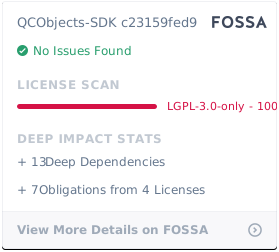](https://app.fossa.com/projects/git%2Bgithub.com%2FQuickCorp%2FQCObjects-SDK?ref=badge_large)
|
package/VERSION
CHANGED
|
@@ -1 +1 @@
|
|
|
1
|
-
2.4.
|
|
1
|
+
2.4.16
|
|
@@ -9,7 +9,7 @@
|
|
|
9
9
|
content="default-src * 'self' 'unsafe-inline' 'unsafe-eval' data: gap: https://ssl.gstatic.com; img-src * 'self' data:; child-src *; style-src * 'self' 'unsafe-inline' 'unsafe-eval'; script-src * 'self' 'unsafe-inline' 'unsafe-eval'; connect-src * 'self' 'unsafe-inline' 'unsafe-eval';media-src *">
|
|
10
10
|
<title>QCObjects Demo</title>
|
|
11
11
|
<script type="text/javascript"
|
|
12
|
-
src="https://cdnjs.cloudflare.com/ajax/libs/qcobjects/2.4.20/QCObjects.
|
|
12
|
+
src="https://cdnjs.cloudflare.com/ajax/libs/qcobjects/2.4.20/QCObjects.js"></script>
|
|
13
13
|
</head>
|
|
14
14
|
|
|
15
15
|
<body>
|
|
@@ -9,7 +9,7 @@
|
|
|
9
9
|
content="default-src * 'self' 'unsafe-inline' 'unsafe-eval' data: gap: https://ssl.gstatic.com; img-src * 'self' data:; child-src *; style-src * 'self' 'unsafe-inline' 'unsafe-eval'; script-src * 'self' 'unsafe-inline' 'unsafe-eval'; connect-src * 'self' 'unsafe-inline' 'unsafe-eval';media-src *">
|
|
10
10
|
<title>QCObjects Demo</title>
|
|
11
11
|
<script type="text/javascript"
|
|
12
|
-
src="https://cdnjs.cloudflare.com/ajax/libs/qcobjects/2.4.20/QCObjects.
|
|
12
|
+
src="https://cdnjs.cloudflare.com/ajax/libs/qcobjects/2.4.20/QCObjects.js"></script>
|
|
13
13
|
</head>
|
|
14
14
|
|
|
15
15
|
<body>
|
|
@@ -8,7 +8,7 @@
|
|
|
8
8
|
<meta http-equiv="Content-Security-Policy"
|
|
9
9
|
content="default-src * 'self' 'unsafe-inline' 'unsafe-eval' data: gap: https://ssl.gstatic.com; img-src * 'self' data:; child-src *; style-src * 'self' 'unsafe-inline' 'unsafe-eval'; script-src * 'self' 'unsafe-inline' 'unsafe-eval'; connect-src * 'self' 'unsafe-inline' 'unsafe-eval';media-src *">
|
|
10
10
|
<title>QCObjects Demo</title>
|
|
11
|
-
<script type="text/javascript" src="https://
|
|
11
|
+
<script type="text/javascript" src="https://cdnjs.cloudflare.com/ajax/libs/qcobjects/2.4.20/QCObjects.js"></script>
|
|
12
12
|
</head>
|
|
13
13
|
|
|
14
14
|
<body>
|
|
@@ -8,7 +8,7 @@
|
|
|
8
8
|
<meta http-equiv="Content-Security-Policy"
|
|
9
9
|
content="default-src * 'self' 'unsafe-inline' 'unsafe-eval' data: gap: https://ssl.gstatic.com; img-src * 'self' data:; child-src *; style-src * 'self' 'unsafe-inline' 'unsafe-eval'; script-src * 'self' 'unsafe-inline' 'unsafe-eval'; connect-src * 'self' 'unsafe-inline' 'unsafe-eval';media-src *">
|
|
10
10
|
<title>QCObjects Demo</title>
|
|
11
|
-
<script type="text/javascript" src="https://
|
|
11
|
+
<script type="text/javascript" src="https://cdnjs.cloudflare.com/ajax/libs/qcobjects/2.4.20/QCObjects.js"></script>
|
|
12
12
|
</head>
|
|
13
13
|
|
|
14
14
|
<body>
|
package/package.json
CHANGED
|
@@ -1,6 +1,6 @@
|
|
|
1
1
|
{
|
|
2
2
|
"name": "qcobjects-sdk",
|
|
3
|
-
"version": "2.4.
|
|
3
|
+
"version": "2.4.16",
|
|
4
4
|
"description": "QCObjects SDK is a set of Controllers, Views and Components that are elementary and useful to assist developers to build applications under MVC patterns using QCObjects, Cross Browser Javascript Framework for MVC Patterns",
|
|
5
5
|
"main": "QCObjects-SDK.js",
|
|
6
6
|
"scripts": {
|