pptx-react-viewer 1.1.23 → 1.1.31
This diff represents the content of publicly available package versions that have been released to one of the supported registries. The information contained in this diff is provided for informational purposes only and reflects changes between package versions as they appear in their respective public registries.
- package/CHANGELOG.md +70 -0
- package/NOTICE +1 -1
- package/README.md +48 -746
- package/dist/{PowerPointViewer-BZa65J1D.d.mts → PowerPointViewer-765OcwHH.d.mts} +28 -6
- package/dist/{PowerPointViewer-BZa65J1D.d.ts → PowerPointViewer-765OcwHH.d.ts} +28 -6
- package/dist/index.d.mts +4 -4
- package/dist/index.d.ts +4 -4
- package/dist/index.js +662 -560
- package/dist/index.js.br +0 -0
- package/dist/index.js.gz +0 -0
- package/dist/index.mjs +662 -560
- package/dist/index.mjs.br +0 -0
- package/dist/index.mjs.gz +0 -0
- package/dist/pptx-viewer.css +1 -1
- package/dist/pptx-viewer.css.br +0 -0
- package/dist/pptx-viewer.css.gz +0 -0
- package/dist/viewer/index.d.mts +9 -9
- package/dist/viewer/index.d.ts +9 -9
- package/dist/viewer/index.js +662 -560
- package/dist/viewer/index.js.br +0 -0
- package/dist/viewer/index.js.gz +0 -0
- package/dist/viewer/index.mjs +662 -560
- package/dist/viewer/index.mjs.br +0 -0
- package/dist/viewer/index.mjs.gz +0 -0
- package/package.json +12 -5
package/README.md
CHANGED
|
@@ -4,13 +4,15 @@
|
|
|
4
4
|
[](https://github.com/ChristopherVR/pptx-viewer/blob/main/LICENSE)
|
|
5
5
|
[](https://www.npmjs.com/package/pptx-react-viewer)
|
|
6
6
|
|
|
7
|
-
> A drop-in **React** component that turns a `.pptx` file into a fully interactive PowerPoint
|
|
7
|
+
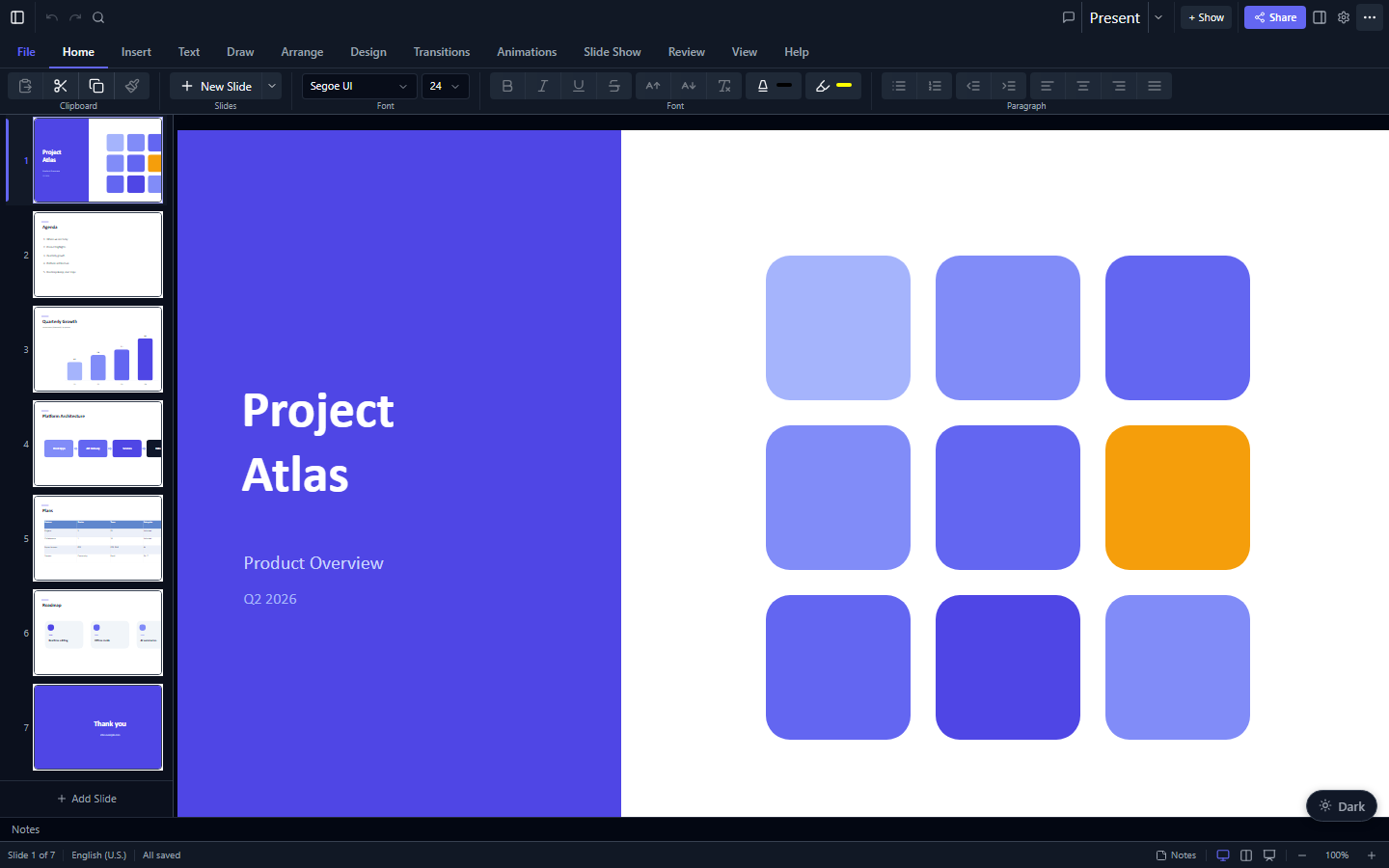
> A drop-in **React** component that turns a `.pptx` file into a fully interactive PowerPoint: **view, edit, present, collaborate, and export**, entirely in the browser.
|
|
8
8
|
|
|
9
9
|
|
|
10
10
|
|
|
11
|
-
Slides
|
|
11
|
+
Slides render with real **HTML/CSS** (not `<canvas>`), so text stays crisp at any zoom, is selectable and screen-reader accessible, and every element is directly editable. The parsing/editing engine ([`pptx-viewer-core`](https://www.npmjs.com/package/pptx-viewer-core), also published as [`@christophervr/pptx-viewer`](https://www.npmjs.com/package/@christophervr/pptx-viewer) -- the two names are identical releases) is **bundled in**, so you install just one package.
|
|
12
12
|
|
|
13
|
-
<samp>**[📦 npm](https://www.npmjs.com/package/pptx-react-viewer)** · **[📖 Full docs](https://christophervr.github.io/pptx-viewer/)** · **[🧩 Core SDK](https://www.npmjs.com/package/pptx-viewer-core)**</samp>
|
|
13
|
+
<samp>**[▶️ Try the live demo](https://christophervr.github.io/pptx-viewer/demo/)** · **[📦 npm](https://www.npmjs.com/package/pptx-react-viewer)** · **[📖 Full docs](https://christophervr.github.io/pptx-viewer/)** · **[🧩 Core SDK](https://www.npmjs.com/package/pptx-viewer-core)**</samp>
|
|
14
|
+
|
|
15
|
+
> **[▶️ Try the live demo](https://christophervr.github.io/pptx-viewer/demo/)**: open a `.pptx` in your browser and view, edit, present, and export it. No install required.
|
|
14
16
|
|
|
15
17
|
---
|
|
16
18
|
|
|
@@ -26,12 +28,13 @@ Then add the React peer dependencies your app uses:
|
|
|
26
28
|
npm install react react-dom framer-motion lucide-react react-icons jspdf jszip fast-xml-parser i18next react-i18next
|
|
27
29
|
```
|
|
28
30
|
|
|
29
|
-
>
|
|
31
|
+
> The package is named **`pptx-react-viewer`** on npm. `pptx-viewer-core` (the engine) is **bundled in**, so you don't install it separately unless you want to call the SDK directly.
|
|
30
32
|
> **Optional:** `three @react-three/fiber @react-three/drei` for 3D models/charts · `yjs y-websocket` for real-time collaboration.
|
|
31
33
|
|
|
32
|
-
##
|
|
34
|
+
## Quick start
|
|
33
35
|
|
|
34
36
|
```tsx
|
|
37
|
+
import { useState } from 'react';
|
|
35
38
|
import { PowerPointViewer } from 'pptx-react-viewer';
|
|
36
39
|
// Not using Tailwind? Import the bundled stylesheet once at your app entry:
|
|
37
40
|
import 'pptx-react-viewer/styles';
|
|
@@ -55,11 +58,21 @@ export default function App() {
|
|
|
55
58
|
}
|
|
56
59
|
```
|
|
57
60
|
|
|
58
|
-
The component fills its parent, so give the parent a height. That's the whole setup
|
|
61
|
+
The component fills its parent, so give the parent a height. That's the whole setup: open a file and you have a working viewer/editor.
|
|
62
|
+
|
|
63
|
+
To read the edited presentation back out as bytes, pass a `ref` and call `getContent()`:
|
|
64
|
+
|
|
65
|
+
```tsx
|
|
66
|
+
import { useRef } from 'react';
|
|
67
|
+
import { PowerPointViewer, type PowerPointViewerHandle } from 'pptx-react-viewer';
|
|
68
|
+
|
|
69
|
+
const viewerRef = useRef<PowerPointViewerHandle>(null);
|
|
59
70
|
|
|
60
|
-
|
|
71
|
+
// <PowerPointViewer ref={viewerRef} content={content} canEdit />
|
|
72
|
+
const bytes = await viewerRef.current?.getContent(); // Uint8Array of a valid .pptx
|
|
73
|
+
```
|
|
61
74
|
|
|
62
|
-
|
|
75
|
+
## Features
|
|
63
76
|
|
|
64
77
|
| Feature | Description |
|
|
65
78
|
| ------------------ | ----------------------------------------------------------------------------------------------------------------------------------------- |
|
|
@@ -67,87 +80,30 @@ The viewer renders slides using **CSS-based layout** (not Canvas) for sharp text
|
|
|
67
80
|
| **Edit** | Insert/move/resize/delete elements, edit text inline, modify styles, manage slides |
|
|
68
81
|
| **Present** | Fullscreen slideshow with 40+ animations, 42 transitions (including morph), speaker notes, presenter view with timer |
|
|
69
82
|
| **Export** | PNG/JPEG/SVG/PDF/GIF/video slide export, save-as PPTX |
|
|
70
|
-
| **Collaborate** | Real-time multi-user editing
|
|
83
|
+
| **Collaborate** | Real-time multi-user editing (powered by Yjs) with live presence, remote cursors, and user avatars |
|
|
71
84
|
| **Print** | Print dialog with handout layouts and notes page formatting with overflow pagination |
|
|
72
85
|
| **Annotate** | Pen/highlighter/laser pointer tools during presentations |
|
|
73
|
-
| **Compare** | Side-by-side slide diff comparison |
|
|
74
86
|
| **Find & Replace** | Cross-slide text search with regex support |
|
|
75
87
|
| **Accessibility** | Keyboard navigation, alt-text audit panel, screen reader support |
|
|
76
88
|
| **3D** | GLB/GLTF model rendering via Three.js, 3D surface charts, CSS 3D shape/text extrusion |
|
|
77
89
|
|
|
78
90
|
---
|
|
79
91
|
|
|
80
|
-
##
|
|
81
|
-
|
|
82
|
-
This expands the snippet above with a `ref` so you can read the edited presentation back out as bytes (to download, upload, or persist):
|
|
83
|
-
|
|
84
|
-
```tsx
|
|
85
|
-
import { PowerPointViewer } from 'pptx-react-viewer';
|
|
86
|
-
import type { PowerPointViewerHandle } from 'pptx-react-viewer';
|
|
87
|
-
import { useRef, useEffect, useState } from 'react';
|
|
88
|
-
|
|
89
|
-
// If your project does NOT use Tailwind CSS, import the bundled stylesheet:
|
|
90
|
-
import 'pptx-react-viewer/styles';
|
|
91
|
-
|
|
92
|
-
function App() {
|
|
93
|
-
const viewerRef = useRef<PowerPointViewerHandle>(null);
|
|
94
|
-
const [content, setContent] = useState<ArrayBuffer | null>(null);
|
|
95
|
-
|
|
96
|
-
useEffect(() => {
|
|
97
|
-
fetch('presentation.pptx')
|
|
98
|
-
.then((r) => r.arrayBuffer())
|
|
99
|
-
.then(setContent);
|
|
100
|
-
}, []);
|
|
92
|
+
## API reference
|
|
101
93
|
|
|
102
|
-
|
|
103
|
-
if (viewerRef.current) {
|
|
104
|
-
const bytes = await viewerRef.current.getContent();
|
|
105
|
-
// Save bytes to file...
|
|
106
|
-
}
|
|
107
|
-
};
|
|
108
|
-
|
|
109
|
-
if (!content) return <div>Loading...</div>;
|
|
110
|
-
|
|
111
|
-
return (
|
|
112
|
-
<div style={{ height: '100vh' }}>
|
|
113
|
-
<PowerPointViewer
|
|
114
|
-
ref={viewerRef}
|
|
115
|
-
content={content}
|
|
116
|
-
canEdit={true}
|
|
117
|
-
onContentChange={(dirty) => console.log('Dirty:', dirty)}
|
|
118
|
-
onDirtyChange={(isDirty) => console.log('Is dirty:', isDirty)}
|
|
119
|
-
onActiveSlideChange={(index) => console.log('Slide:', index)}
|
|
120
|
-
/>
|
|
121
|
-
</div>
|
|
122
|
-
);
|
|
123
|
-
}
|
|
124
|
-
```
|
|
125
|
-
|
|
126
|
-
The component fills its parent container. Make sure the parent has a defined height.
|
|
127
|
-
|
|
128
|
-
---
|
|
129
|
-
|
|
130
|
-
## API Reference
|
|
131
|
-
|
|
132
|
-
### `PowerPointViewer` Component
|
|
133
|
-
|
|
134
|
-
The main React component. Uses `forwardRef` to expose an imperative handle.
|
|
135
|
-
|
|
136
|
-
**Props (`PowerPointViewerProps`):**
|
|
94
|
+
### `PowerPointViewer` props
|
|
137
95
|
|
|
138
96
|
| Prop | Type | Default | Description |
|
|
139
97
|
| --------------------- | ----------------------------------- | -------- | ----------------------------------------------------------------- |
|
|
140
98
|
| `content` | `ArrayBuffer \| Uint8Array \| null` | required | Raw .pptx file bytes |
|
|
141
|
-
| `filePath` | `string` |
|
|
99
|
+
| `filePath` | `string` | n/a | Optional file path (for display and autosave) |
|
|
142
100
|
| `canEdit` | `boolean` | `false` | Enable editing mode |
|
|
143
|
-
| `onContentChange` | `(dirty: boolean) => void` |
|
|
144
|
-
| `onDirtyChange` | `(isDirty: boolean) => void` |
|
|
145
|
-
| `onActiveSlideChange` | `(index: number) => void` |
|
|
146
|
-
| `theme` | `ViewerTheme` |
|
|
101
|
+
| `onContentChange` | `(dirty: boolean) => void` | n/a | Called when content changes |
|
|
102
|
+
| `onDirtyChange` | `(isDirty: boolean) => void` | n/a | Called when dirty state changes |
|
|
103
|
+
| `onActiveSlideChange` | `(index: number) => void` | n/a | Called when the active slide changes |
|
|
104
|
+
| `theme` | `ViewerTheme` | n/a | Theme configuration for customising colours, radius, and CSS vars |
|
|
147
105
|
|
|
148
|
-
### `PowerPointViewerHandle` (
|
|
149
|
-
|
|
150
|
-
Exposed via `ref`. Extends `FileViewerHandle`.
|
|
106
|
+
### `PowerPointViewerHandle` (via `ref`)
|
|
151
107
|
|
|
152
108
|
| Method | Signature | Description |
|
|
153
109
|
| ------------ | ------------------------------------- | -------------------------------------- |
|
|
@@ -155,704 +111,50 @@ Exposed via `ref`. Extends `FileViewerHandle`.
|
|
|
155
111
|
|
|
156
112
|
### `renderToCanvas`
|
|
157
113
|
|
|
158
|
-
Standalone utility for rendering a DOM element to a Canvas with oklch colour
|
|
114
|
+
Standalone utility for rendering a DOM element to a Canvas (with an oklch colour-space workaround):
|
|
159
115
|
|
|
160
116
|
```typescript
|
|
161
117
|
import { renderToCanvas } from 'pptx-react-viewer';
|
|
162
118
|
|
|
163
|
-
const canvas = await renderToCanvas(element, options);
|
|
164
|
-
// => HTMLCanvasElement with the rendered content
|
|
119
|
+
const canvas = await renderToCanvas(element, options); // => HTMLCanvasElement
|
|
165
120
|
```
|
|
166
121
|
|
|
167
122
|
---
|
|
168
123
|
|
|
169
|
-
## Styling &
|
|
170
|
-
|
|
171
|
-
The viewer's UI is built with utility CSS classes that reference **CSS custom properties** for all visual tokens (colours, border-radius, etc.). This means it works in three modes:
|
|
124
|
+
## Styling & theming
|
|
172
125
|
|
|
173
|
-
|
|
126
|
+
The viewer's UI references **CSS custom properties** (`--pptx-*`, the shadcn/ui token convention) for every visual token, so it works three ways:
|
|
174
127
|
|
|
175
|
-
|
|
128
|
+
- **Tailwind CSS v4 project**: the viewer classes resolve through your existing Tailwind tokens. No extra CSS import needed.
|
|
129
|
+
- **No Tailwind**: import the bundled stylesheet once at your app entry: `import 'pptx-react-viewer/styles';`
|
|
130
|
+
- **CSS custom properties**: define the `--pptx-*` properties yourself for full control.
|
|
176
131
|
|
|
177
|
-
|
|
132
|
+
Override specific values with the `theme` prop:
|
|
178
133
|
|
|
179
134
|
```tsx
|
|
180
135
|
<PowerPointViewer
|
|
181
136
|
content={bytes}
|
|
182
137
|
theme={{
|
|
183
138
|
colors: { primary: '#6366f1', background: '#0f172a' },
|
|
139
|
+
radius: '0.5rem',
|
|
184
140
|
}}
|
|
185
141
|
/>
|
|
186
142
|
```
|
|
187
143
|
|
|
188
|
-
|
|
189
|
-
|
|
190
|
-
Import the self-contained CSS file that ships with the package. It includes all the utility classes the viewer needs plus sensible dark-theme defaults:
|
|
191
|
-
|
|
192
|
-
```tsx
|
|
193
|
-
// Import once at your app's entry point
|
|
194
|
-
import 'pptx-react-viewer/styles';
|
|
195
|
-
// or: import "pptx-react-viewer/styles.css";
|
|
196
|
-
```
|
|
197
|
-
|
|
198
|
-
Then optionally customise with the `theme` prop or by setting CSS custom properties in your own stylesheet.
|
|
199
|
-
|
|
200
|
-
### Mode 3: CSS custom properties only
|
|
201
|
-
|
|
202
|
-
If you want full control, define the `--pptx-*` custom properties yourself and skip both the bundled CSS and the `theme` prop:
|
|
203
|
-
|
|
204
|
-
```css
|
|
205
|
-
:root {
|
|
206
|
-
--pptx-background: #0f172a;
|
|
207
|
-
--pptx-foreground: #f8fafc;
|
|
208
|
-
--pptx-primary: #6366f1;
|
|
209
|
-
--pptx-primary-foreground: #ffffff;
|
|
210
|
-
--pptx-muted: #1e293b;
|
|
211
|
-
--pptx-muted-foreground: #94a3b8;
|
|
212
|
-
--pptx-accent: #1e293b;
|
|
213
|
-
--pptx-accent-foreground: #f8fafc;
|
|
214
|
-
--pptx-card: #1e293b;
|
|
215
|
-
--pptx-card-foreground: #f8fafc;
|
|
216
|
-
--pptx-popover: #1e293b;
|
|
217
|
-
--pptx-popover-foreground: #f8fafc;
|
|
218
|
-
--pptx-border: #334155;
|
|
219
|
-
--pptx-destructive: #ef4444;
|
|
220
|
-
--pptx-destructive-foreground: #ffffff;
|
|
221
|
-
--pptx-input: #334155;
|
|
222
|
-
--pptx-ring: #6366f1;
|
|
223
|
-
--pptx-radius: 0.5rem;
|
|
224
|
-
}
|
|
225
|
-
```
|
|
226
|
-
|
|
227
|
-
### `ViewerTheme` reference
|
|
228
|
-
|
|
229
|
-
```typescript
|
|
230
|
-
import type { ViewerTheme } from 'pptx-react-viewer';
|
|
231
|
-
|
|
232
|
-
const myTheme: ViewerTheme = {
|
|
233
|
-
colors: {
|
|
234
|
-
// All properties are optional -- only override what you need.
|
|
235
|
-
background: '#0f172a', // Page / root background
|
|
236
|
-
foreground: '#f8fafc', // Default text colour
|
|
237
|
-
card: '#1e293b', // Card / panel surface
|
|
238
|
-
cardForeground: '#f8fafc', // Text on card surfaces
|
|
239
|
-
popover: '#1e293b', // Popover / dropdown surface
|
|
240
|
-
popoverForeground: '#f8fafc', // Text inside popovers
|
|
241
|
-
primary: '#6366f1', // Primary action colour
|
|
242
|
-
primaryForeground: '#ffffff', // Text on primary backgrounds
|
|
243
|
-
secondary: '#334155', // Secondary action colour
|
|
244
|
-
secondaryForeground: '#f8fafc',
|
|
245
|
-
muted: '#1e293b', // Muted / disabled surface
|
|
246
|
-
mutedForeground: '#94a3b8', // Secondary text colour
|
|
247
|
-
accent: '#1e293b', // Hover-highlight surface
|
|
248
|
-
accentForeground: '#f8fafc', // Text on accent surfaces
|
|
249
|
-
destructive: '#ef4444', // Danger / delete colour
|
|
250
|
-
destructiveForeground: '#ffffff',
|
|
251
|
-
border: '#334155', // Default border colour
|
|
252
|
-
input: '#334155', // Input field border
|
|
253
|
-
ring: '#6366f1', // Focus ring colour
|
|
254
|
-
},
|
|
255
|
-
radius: '0.5rem', // Base border-radius
|
|
256
|
-
|
|
257
|
-
// Escape hatch for arbitrary CSS custom properties
|
|
258
|
-
cssVars: {
|
|
259
|
-
'--my-custom-shadow': '0 4px 12px rgba(0,0,0,0.5)',
|
|
260
|
-
},
|
|
261
|
-
};
|
|
262
|
-
```
|
|
263
|
-
|
|
264
|
-
### Theme utilities
|
|
265
|
-
|
|
266
|
-
```typescript
|
|
267
|
-
import {
|
|
268
|
-
defaultThemeColors, // Full set of default colour values
|
|
269
|
-
defaultRadius, // Default border-radius ("0.5rem")
|
|
270
|
-
themeToCssVars, // Convert a ViewerTheme -> Record<string, string> of CSS vars
|
|
271
|
-
defaultCssVars, // Get all default --pptx-* CSS vars
|
|
272
|
-
ViewerThemeProvider, // React context provider (advanced)
|
|
273
|
-
useViewerTheme, // Hook to read current theme from context
|
|
274
|
-
} from 'pptx-react-viewer';
|
|
275
|
-
```
|
|
276
|
-
|
|
277
|
-
### Light theme example
|
|
278
|
-
|
|
279
|
-
```tsx
|
|
280
|
-
<PowerPointViewer
|
|
281
|
-
content={bytes}
|
|
282
|
-
theme={{
|
|
283
|
-
colors: {
|
|
284
|
-
background: '#ffffff',
|
|
285
|
-
foreground: '#0f172a',
|
|
286
|
-
card: '#f8fafc',
|
|
287
|
-
cardForeground: '#0f172a',
|
|
288
|
-
popover: '#ffffff',
|
|
289
|
-
popoverForeground: '#0f172a',
|
|
290
|
-
primary: '#4f46e5',
|
|
291
|
-
primaryForeground: '#ffffff',
|
|
292
|
-
muted: '#f1f5f9',
|
|
293
|
-
mutedForeground: '#64748b',
|
|
294
|
-
accent: '#f1f5f9',
|
|
295
|
-
accentForeground: '#0f172a',
|
|
296
|
-
border: '#e2e8f0',
|
|
297
|
-
destructive: '#dc2626',
|
|
298
|
-
destructiveForeground: '#ffffff',
|
|
299
|
-
},
|
|
300
|
-
}}
|
|
301
|
-
/>
|
|
302
|
-
```
|
|
303
|
-
|
|
304
|
-
---
|
|
305
|
-
|
|
306
|
-
## Architecture
|
|
307
|
-
|
|
308
|
-
### High-Level Component Tree
|
|
309
|
-
|
|
310
|
-
_See the [architecture diagrams on GitHub](https://github.com/ChristopherVR/pptx-viewer/blob/main/packages/react/README.md) for visual representations._
|
|
311
|
-
|
|
312
|
-
### Hook Composition
|
|
313
|
-
|
|
314
|
-
The viewer's logic is decomposed into 67+ custom hooks, composed in `PowerPointViewer.tsx`:
|
|
315
|
-
|
|
316
|
-
_See the [architecture diagrams on GitHub](https://github.com/ChristopherVR/pptx-viewer/blob/main/packages/react/README.md) for visual representations._
|
|
317
|
-
|
|
318
|
-
### Data Flow
|
|
319
|
-
|
|
320
|
-
_See the [architecture diagrams on GitHub](https://github.com/ChristopherVR/pptx-viewer/blob/main/packages/react/README.md) for visual representations._
|
|
321
|
-
|
|
322
|
-
### Rendering Pipeline
|
|
323
|
-
|
|
324
|
-
Slides are rendered using **CSS positioning and transforms**, not HTML Canvas. This enables:
|
|
325
|
-
|
|
326
|
-
- Crisp text rendering at any zoom level
|
|
327
|
-
- Native browser text selection and accessibility
|
|
328
|
-
- DOM-based interaction (click, drag, resize)
|
|
329
|
-
- Standard CSS effects (shadows, gradients, borders)
|
|
330
|
-
|
|
331
|
-
_See the [architecture diagrams on GitHub](https://github.com/ChristopherVR/pptx-viewer/blob/main/packages/react/README.md) for visual representations._
|
|
332
|
-
|
|
333
|
-
---
|
|
334
|
-
|
|
335
|
-
## Deep Dive: How It Works
|
|
336
|
-
|
|
337
|
-
### 1. Component Hierarchy
|
|
338
|
-
|
|
339
|
-
The component tree is split into six main sections, each rendered conditionally based on the current `ViewerMode`:
|
|
340
|
-
|
|
341
|
-
| Component | Visible In | Purpose |
|
|
342
|
-
| ------------------------- | --------------------- | -------------------------------------------------------- |
|
|
343
|
-
| `ViewerToolbarSection` | edit, preview, master | Toolbar with formatting, insert, view controls |
|
|
344
|
-
| `ViewerMainContent` | all modes | Central area: slides pane + canvas + inspector |
|
|
345
|
-
| `ViewerBottomPanels` | edit, preview, master | Speaker notes editor + status bar |
|
|
346
|
-
| `ViewerDialogGroup` | any (modal) | All dialogs: properties, export, print, signatures, etc. |
|
|
347
|
-
| `ViewerOverlays` | any (overlay) | Keyboard shortcuts, accessibility audit, slide sorter |
|
|
348
|
-
| `ViewerPresentationLayer` | present | Fullscreen slideshow with transition/animation engine |
|
|
349
|
-
|
|
350
|
-
**Component counts by directory:**
|
|
351
|
-
|
|
352
|
-
| Directory | Files | Purpose |
|
|
353
|
-
| --------------------------- | ----- | ------------------------------------------- |
|
|
354
|
-
| `components/` (root) | ~80 | Core UI components |
|
|
355
|
-
| `components/inspector/` | 84 | Property inspector panels |
|
|
356
|
-
| `components/toolbar/` | 17 | Toolbar sections and controls |
|
|
357
|
-
| `components/canvas/` | 14 | Canvas overlays, rulers, grids |
|
|
358
|
-
| `components/elements/` | 12 | Element-specific renderers |
|
|
359
|
-
| `components/collaboration/` | 7 | Collaboration UI (cursors, avatars, status) |
|
|
360
|
-
| `components/slides-pane/` | 7 | Slide thumbnail sidebar |
|
|
361
|
-
| `components/slide-sorter/` | 7 | Drag-and-drop slide reordering |
|
|
362
|
-
| `components/notes/` | 6 | Notes editing toolbar and utils |
|
|
363
|
-
| `components/print/` | 5 | Print preview and layout |
|
|
364
|
-
|
|
365
|
-
### 2. State Management
|
|
366
|
-
|
|
367
|
-
All state lives in React hooks -- no external state library. The state is split across two layers:
|
|
368
|
-
|
|
369
|
-
**`useViewerCoreState`** -- Document-level state:
|
|
370
|
-
|
|
371
|
-
- `slides` -- The slide array (source of truth)
|
|
372
|
-
- `activeSlideIndex` -- Currently selected slide
|
|
373
|
-
- `selectedElementId` / `selectedElementIds` -- Selection
|
|
374
|
-
- `canvasSize` -- Slide dimensions (width x height in px)
|
|
375
|
-
- `mode` -- Current viewer mode (`edit` | `preview` | `present` | `master`)
|
|
376
|
-
- `templateElementsBySlideId` -- Layout/master elements per slide
|
|
377
|
-
- Refs for drag/resize/marquee interaction state
|
|
378
|
-
|
|
379
|
-
**`useViewerUIState`** -- UI-level state:
|
|
380
|
-
|
|
381
|
-
- Panel visibility (slides pane, notes, inspector, accessibility)
|
|
382
|
-
- Dialog open/close flags
|
|
383
|
-
- Toolbar state (draw mode, format painter, eyedropper)
|
|
384
|
-
- Find/replace state
|
|
385
|
-
- Custom shows, sections, guides
|
|
386
|
-
|
|
387
|
-
**`useEditorHistory`** -- Undo/redo:
|
|
388
|
-
|
|
389
|
-
- Maintains a snapshot stack of `{ slides, canvasSize, activeSlideIndex, ... }`
|
|
390
|
-
- Defers snapshots during pointer interactions (drag, resize)
|
|
391
|
-
- Triggered by a `pointerCommitNonce` that increments when an interaction ends
|
|
392
|
-
|
|
393
|
-
### 3. Slide Canvas Rendering
|
|
394
|
-
|
|
395
|
-
`SlideCanvas` renders the active slide as a scaled, positioned `div`:
|
|
396
|
-
|
|
397
|
-
```
|
|
398
|
-
+---------------------------------------------+
|
|
399
|
-
| Canvas Container (scrollable viewport) |
|
|
400
|
-
| +-----------------------------------+ |
|
|
401
|
-
| | Slide Div (scaled via transform) | |
|
|
402
|
-
| | +-----------------------------+ | |
|
|
403
|
-
| | | Background (gradient/image) | | |
|
|
404
|
-
| | +-----------------------------+ | |
|
|
405
|
-
| | | Template elements (layout) | | |
|
|
406
|
-
| | +-----------------------------+ | |
|
|
407
|
-
| | | Slide elements | | |
|
|
408
|
-
| | | ElementRenderer xN | | |
|
|
409
|
-
| | +-----------------------------+ | |
|
|
410
|
-
| | | Canvas Overlays: | | |
|
|
411
|
-
| | | - Grid | | |
|
|
412
|
-
| | | - Rulers | | |
|
|
413
|
-
| | | - Drawing overlay (SVG) | | |
|
|
414
|
-
| | | - Connector overlay | | |
|
|
415
|
-
| | | - Comment markers | | |
|
|
416
|
-
| | | - Selection marquee | | |
|
|
417
|
-
| | | - Collaboration cursors | | |
|
|
418
|
-
| | +-----------------------------+ | |
|
|
419
|
-
| +-----------------------------------+ |
|
|
420
|
-
+---------------------------------------------+
|
|
421
|
-
```
|
|
422
|
-
|
|
423
|
-
**Zoom** is applied via CSS `transform: scale(zoom)` on the slide div, keeping the DOM structure intact for interaction hit-testing.
|
|
424
|
-
|
|
425
|
-
### 4. Element Rendering
|
|
426
|
-
|
|
427
|
-
`ElementRenderer` dispatches to specialised renderers based on element type:
|
|
428
|
-
|
|
429
|
-
| Element Type | Renderer | Technique |
|
|
430
|
-
| --------------------- | --------------------------- | -------------------------------------------------------------------- |
|
|
431
|
-
| `shape` | `ElementBody` + text layout | CSS positioning + HTML text spans |
|
|
432
|
-
| `text` | `ElementBody` + text layout | CSS positioning + HTML text spans |
|
|
433
|
-
| `image` / `picture` | `ImageRenderer` | `<img>` with CSS clip-path, artistic effects (23 filters), and fills |
|
|
434
|
-
| `table` | `table-render.tsx` | HTML `<table>` with cell styling |
|
|
435
|
-
| `chart` | `chart.tsx` -> SVG | Custom SVG rendering (23 chart types) |
|
|
436
|
-
| `connector` | `ConnectorElementRenderer` | SVG `<path>` with marker arrows |
|
|
437
|
-
| `smartArt` | `SmartArtRenderer` | Decomposed shapes with layout-specific positioning (13 layouts) |
|
|
438
|
-
| `model3d` | `Model3DRenderer` | Three.js GLB/GLTF rendering via @react-three/fiber |
|
|
439
|
-
| `group` | Recursive `ElementRenderer` | Nested div with group transform |
|
|
440
|
-
| `media` | `media.tsx` | `<video>` / `<audio>` with custom controls |
|
|
441
|
-
| `ink` / `contentPart` | `InkGroupRenderers` | SVG `<polyline>` strokes with pressure-based width |
|
|
442
|
-
| `ole` | `ElementBody` (fallback) | Placeholder with OLE type label and preview image |
|
|
443
|
-
| `zoom` | `ImageRenderer` | Live slide thumbnail with click navigation |
|
|
444
|
-
|
|
445
|
-
**Shape visual rendering** (`shape-visual.tsx`, `shape-visual-style.ts`, `shape-visual-effects.ts`):
|
|
446
|
-
|
|
447
|
-
- Gradient fills -> CSS `linear-gradient` / `radial-gradient`
|
|
448
|
-
- Pattern fills -> 48 pattern presets as repeating CSS background patterns
|
|
449
|
-
- Image fills -> `background-image` with stretch/tile modes
|
|
450
|
-
- Shadows -> CSS `box-shadow` or `filter: drop-shadow()`
|
|
451
|
-
- 3D effects -> CSS `perspective` + `transform3d` for shape and text extrusion
|
|
452
|
-
- Text warp -> SVG `<textPath>` for curved text effects (24+ presets)
|
|
453
|
-
- Artistic effects -> 23 image filters via CSS and SVG filter primitives
|
|
454
|
-
|
|
455
|
-
### 5. Inspector Panels
|
|
456
|
-
|
|
457
|
-
The right-side inspector (`InspectorPane`) displays contextual property editors:
|
|
458
|
-
|
|
459
|
-
| Panel | Shown When | Controls |
|
|
460
|
-
| ------------------------- | ------------------------ | -------------------------------------------------- |
|
|
461
|
-
| `SlideProperties` | No element selected | Background, layout, size |
|
|
462
|
-
| `ElementProperties` | Element selected | Position, size, rotation |
|
|
463
|
-
| `FillStrokeProperties` | Shape/connector selected | Fill type, colour, gradient, stroke |
|
|
464
|
-
| `TextProperties` | Text element selected | Font, size, colour, alignment, spacing |
|
|
465
|
-
| `ImagePropertiesPanel` | Image selected | Crop, effects, 23 artistic filters |
|
|
466
|
-
| `TablePropertiesPanel` | Table selected | Cell formatting, borders, band styling |
|
|
467
|
-
| `ChartDataPanel` | Chart selected | Series data grid, chart type selector |
|
|
468
|
-
| `SmartArtPropertiesPanel` | SmartArt selected | Node editing, layout switching |
|
|
469
|
-
| `MediaPropertiesPanel` | Media selected | Playback settings, trim, bookmarks |
|
|
470
|
-
| `AnimationPanel` | Any element | Animation timeline, presets, drag-and-drop reorder |
|
|
471
|
-
| `SlideTransitionSection` | Slide level | Transition type, duration, advance mode |
|
|
472
|
-
| `ConnectorArrowsSection` | Connector selected | Arrow head/tail type and size |
|
|
473
|
-
| `ThemeEditorPanel` | Theme editing | Colour scheme, font scheme, presets |
|
|
474
|
-
|
|
475
|
-
### 6. Presentation Mode
|
|
476
|
-
|
|
477
|
-
Activated by setting `mode` to `"present"`. The `ViewerPresentationLayer` takes over with:
|
|
478
|
-
|
|
479
|
-
_See the [architecture diagrams on GitHub](https://github.com/ChristopherVR/pptx-viewer/blob/main/packages/react/README.md) for visual representations._
|
|
480
|
-
|
|
481
|
-
**Slide transitions** (`slide-transitions.ts`, `transition-keyframes.ts`):
|
|
482
|
-
|
|
483
|
-
- 42 transition types matching PowerPoint's built-in transitions
|
|
484
|
-
- CSS `@keyframes` for fade, push, wipe, split, reveal, etc.
|
|
485
|
-
- p14 extension transitions (vortex, ripple, shred, etc.)
|
|
486
|
-
- Morph transitions computed from element ID matching
|
|
487
|
-
|
|
488
|
-
**Presenter view** includes speaker notes display, next slide preview, current/elapsed timer, and N-key toggle for notes visibility.
|
|
489
|
-
|
|
490
|
-
### 7. Animation Engine
|
|
491
|
-
|
|
492
|
-
The animation system (`viewer/utils/animation*.ts`, ~14 files) processes OOXML timing trees:
|
|
493
|
-
|
|
494
|
-
_See the [architecture diagrams on GitHub](https://github.com/ChristopherVR/pptx-viewer/blob/main/packages/react/README.md) for visual representations._
|
|
495
|
-
|
|
496
|
-
Supports 40+ animation presets with configurable duration, delay, repeat, color animations, motion path auto-rotation, and text-build options (by word, by letter, by paragraph).
|
|
497
|
-
|
|
498
|
-
### 8. Chart Rendering
|
|
499
|
-
|
|
500
|
-
Charts are rendered as custom SVG using React components (`viewer/utils/chart*.tsx`, ~20 files):
|
|
501
|
-
|
|
502
|
-
| Chart Type | File |
|
|
503
|
-
| ---------------------- | --------------------------- |
|
|
504
|
-
| Bar / Column | `chart-bar.tsx` |
|
|
505
|
-
| Stacked Bar | `chart-stacked-bar.tsx` |
|
|
506
|
-
| Line / Area | `chart-area-line.tsx` |
|
|
507
|
-
| Pie / Doughnut | `chart-pie.tsx` |
|
|
508
|
-
| Scatter / Bubble | `chart-scatter-bubble.tsx` |
|
|
509
|
-
| Radar | `chart-radar.tsx` |
|
|
510
|
-
| Stock (OHLC) | `chart-stock.tsx` |
|
|
511
|
-
| Waterfall / Combo | `chart-waterfall-combo.tsx` |
|
|
512
|
-
| Surface / Treemap | `chart-surface-treemap.tsx` |
|
|
513
|
-
| Sunburst / Funnel | `chart-sunburst-funnel.tsx` |
|
|
514
|
-
| Histogram / BoxWhisker | `chart-map.tsx` |
|
|
515
|
-
| Trendlines | `chart-trendlines.tsx` |
|
|
516
|
-
|
|
517
|
-
Chart chrome (axes, legends, titles, gridlines, data labels, data tables, display units) is rendered by `chart-chrome.tsx` and `chart-data-table.tsx`. Logarithmic axes and chart color styles are fully supported.
|
|
518
|
-
|
|
519
|
-
3D surface charts are rendered using Three.js via `@react-three/fiber`.
|
|
520
|
-
|
|
521
|
-
### 9. Export System
|
|
522
|
-
|
|
523
|
-
The export pipeline (`viewer/utils/export*.ts`, `viewer/hooks/useExportHandlers.ts`):
|
|
524
|
-
|
|
525
|
-
_See the [architecture diagrams on GitHub](https://github.com/ChristopherVR/pptx-viewer/blob/main/packages/react/README.md) for visual representations._
|
|
526
|
-
|
|
527
|
-
The `renderToCanvas` wrapper (`lib/canvas-export.ts`) patches `html2canvas` to work around oklch colour space parsing issues in browsers that don't fully support it.
|
|
528
|
-
|
|
529
|
-
### 10. Connector Routing
|
|
530
|
-
|
|
531
|
-
Connectors between shapes use a graph-based routing algorithm:
|
|
532
|
-
|
|
533
|
-
_See the [architecture diagrams on GitHub](https://github.com/ChristopherVR/pptx-viewer/blob/main/packages/react/README.md) for visual representations._
|
|
534
|
-
|
|
535
|
-
The router avoids overlapping shapes by building an obstacle grid and using A\* pathfinding with Manhattan distance heuristics. Supports straight, elbow (bent), and curved connector types.
|
|
536
|
-
|
|
537
|
-
### 11. Real-Time Collaboration
|
|
538
|
-
|
|
539
|
-
The collaboration system uses **Yjs** (CRDT) with WebSocket transport for multi-user editing:
|
|
540
|
-
|
|
541
|
-
| Component / Hook | Purpose |
|
|
542
|
-
| ------------------------------ | --------------------------------------------------------------- |
|
|
543
|
-
| `useYjsProvider` | Manages WebSocket connection lifecycle to a y-websocket server |
|
|
544
|
-
| `usePresenceTracking` | Tracks user cursor positions, selections, and connection status |
|
|
545
|
-
| `useCollaborativeState` | Synchronizes document state via Yjs shared types |
|
|
546
|
-
| `useCollaborativeHistory` | Provides collaborative undo/redo with operation transforms |
|
|
547
|
-
| `CollaborationProvider` | React context provider for collaboration state |
|
|
548
|
-
| `CollaborationCursorOverlay` | Renders remote user cursors on the slide canvas |
|
|
549
|
-
| `RemoteUserCursors` | Individual cursor component with user name label |
|
|
550
|
-
| `UserAvatarBar` | Displays connected users with colour-coded avatars |
|
|
551
|
-
| `CollaborationStatusIndicator` | Shows connection status (connected/disconnected/syncing) |
|
|
552
|
-
|
|
553
|
-
The collaboration hooks include input sanitization (`sanitize.ts`) for room IDs, user names, cursor positions, and presence data.
|
|
554
|
-
|
|
555
|
-
Yjs and y-websocket are **optional dependencies** -- the viewer works fully without them in single-user mode.
|
|
556
|
-
|
|
557
|
-
### 12. 3D Rendering
|
|
558
|
-
|
|
559
|
-
The viewer supports two types of 3D content:
|
|
560
|
-
|
|
561
|
-
**3D Models** (`Model3DRenderer.tsx`):
|
|
562
|
-
|
|
563
|
-
- Renders GLB/GLTF models embedded in PowerPoint 365+ presentations
|
|
564
|
-
- Uses Three.js via `@react-three/fiber` and `@react-three/drei`
|
|
565
|
-
- Falls back to poster/preview image when Three.js is not available
|
|
566
|
-
- Optional dependency -- requires `three`, `@react-three/fiber`, `@react-three/drei`
|
|
567
|
-
|
|
568
|
-
**3D Surface Charts**:
|
|
569
|
-
|
|
570
|
-
- Rendered using Three.js for perspective-correct 3D wireframe/surface visualization
|
|
571
|
-
- Supports rotation and lighting
|
|
572
|
-
|
|
573
|
-
**3D Shape/Text Extrusion**:
|
|
574
|
-
|
|
575
|
-
- CSS 3D transforms (`perspective`, `transform3d`) for shape and text extrusion effects
|
|
576
|
-
- Implemented in `shape-visual-3d.ts`
|
|
577
|
-
|
|
578
|
-
---
|
|
579
|
-
|
|
580
|
-
## Hooks Reference
|
|
581
|
-
|
|
582
|
-
| Hook | Purpose |
|
|
583
|
-
| ---------------------------- | -------------------------------------------------------------- |
|
|
584
|
-
| `useViewerState` | All mutable viewer state (composes core + UI state) |
|
|
585
|
-
| `useViewerCoreState` | Document state: slides, selection, canvas size, mode |
|
|
586
|
-
| `useViewerUIState` | UI state: panel visibility, toolbar flags |
|
|
587
|
-
| `useEditorHistory` | Undo/redo snapshot stack with deferred capture |
|
|
588
|
-
| `useZoomViewport` | Zoom level, fit-to-width, viewport DOM ref |
|
|
589
|
-
| `useDerivedSlideState` | Computed: visible indexes, section groups, master pseudo-slide |
|
|
590
|
-
| `useDerivedElementState` | Computed: selected element properties |
|
|
591
|
-
| `useLoadContent` | Parse PPTX buffer on mount via PptxHandler |
|
|
592
|
-
| `useContentLifecycle` | Content sync, dirty tracking, recovery detection |
|
|
593
|
-
| `usePresentationMode` | Slideshow navigation, animation, transitions |
|
|
594
|
-
| `usePresentationSetup` | Compose presentation mode + annotations |
|
|
595
|
-
| `usePresentationAnnotations` | Pen/highlighter/laser/eraser tools |
|
|
596
|
-
| `useEditorOperations` | Compose all editor operations into one result |
|
|
597
|
-
| `useViewerIntegration` | Compose I/O, export, print, pointers, lifecycle |
|
|
598
|
-
| `useViewerDialogs` | Dialog open/close state management |
|
|
599
|
-
| `useElementManipulation` | Move, resize, rotate, delete elements |
|
|
600
|
-
| `useElementOperations` | Element property updates |
|
|
601
|
-
| `useInsertElements` | Shape, image, text box, table, chart insertion |
|
|
602
|
-
| `useSlideManagement` | Add, delete, duplicate, reorder, hide slides |
|
|
603
|
-
| `useSectionOperations` | Section add/rename/delete/reorder |
|
|
604
|
-
| `useTableOperations` | Insert/delete rows & columns, merge/split cells |
|
|
605
|
-
| `usePointerHandlers` | Mouse/touch event processing for canvas |
|
|
606
|
-
| `useCanvasInteractions` | Canvas-level interactions (pan, zoom, marquee) |
|
|
607
|
-
| `useKeyboardShortcuts` | Hotkey definitions |
|
|
608
|
-
| `useKeyboardShortcutWiring` | Bind shortcuts to handler functions |
|
|
609
|
-
| `useClipboardHandlers` | Cut/copy/paste via Clipboard API |
|
|
610
|
-
| `useGroupAlignLayerHandlers` | Group/ungroup, align, distribute, z-order |
|
|
611
|
-
| `useFindReplace` | Text search across all slides |
|
|
612
|
-
| `useComments` | Comment CRUD and threading |
|
|
613
|
-
| `useExportHandlers` | PNG/SVG/PDF/PPTX/GIF/video export |
|
|
614
|
-
| `usePrintHandlers` | Print dialog and layout |
|
|
615
|
-
| `useThemeHandlers` | Theme application and editing |
|
|
616
|
-
| `usePropertyHandlers` | Document property updates |
|
|
617
|
-
| `useIOHandlers` | File open/save operations |
|
|
618
|
-
| `useSerialize` | Serialise current state to .pptx bytes |
|
|
619
|
-
| `useAutosave` | Periodic auto-save with dirty tracking |
|
|
620
|
-
| `useFontInjection` | Inject embedded fonts into DOM |
|
|
621
|
-
| `useRecoveryDetection` | Detect unsaved changes on reload |
|
|
622
|
-
| `useDialogCustomShows` | Custom slideshow management dialog |
|
|
623
|
-
| `useYjsProvider` | Yjs WebSocket provider lifecycle |
|
|
624
|
-
| `usePresenceTracking` | User presence, cursor positions, connection status |
|
|
625
|
-
| `useCollaborativeState` | CRDT-backed shared document state |
|
|
626
|
-
| `useCollaborativeHistory` | Collaborative undo/redo |
|
|
627
|
-
|
|
628
|
-
---
|
|
629
|
-
|
|
630
|
-
## Utility Modules Reference
|
|
631
|
-
|
|
632
|
-
| Category | Files | Key Modules |
|
|
633
|
-
| ------------------- | ----- | ----------------------------------------------------------------------------------------------------------------------------------------------------------------------------------------------- |
|
|
634
|
-
| **Shape rendering** | 12 | `shape.tsx`, `shape-visual.tsx`, `shape-visual-style.ts`, `shape-visual-effects.ts`, `shape-visual-3d.ts`, `shape-round-rect.ts`, `shape-adjustment.ts`, `vector-shape-renderer.tsx` |
|
|
635
|
-
| **Text rendering** | 10 | `text.tsx`, `text-layout.tsx`, `text-render.tsx`, `text-effects.tsx`, `text-warp.tsx`, `text-warp-css.tsx`, `warp-text-renderer.tsx`, `text-field-substitution.tsx` |
|
|
636
|
-
| **Table rendering** | 14 | `table.tsx`, `table-render.tsx`, `table-parse.tsx`, `table-cell-style.tsx`, `table-cell-fill.tsx`, `table-band-style.tsx`, `table-diagonal-borders.tsx`, `table-merge-core.ts` |
|
|
637
|
-
| **Chart rendering** | 22 | `chart.tsx`, `chart-bar.tsx`, `chart-pie.tsx`, `chart-area-line.tsx`, `chart-scatter-bubble.tsx`, `chart-radar.tsx`, `chart-stock.tsx`, `chart-chrome.tsx`, `chart-helpers.ts`, `chart-map.tsx` |
|
|
638
|
-
| **SmartArt** | 12 | `smartart.tsx`, `smartart-list.tsx`, `smartart-process.tsx`, `smartart-cycle.tsx`, `smartart-hierarchy.tsx`, `smartart-matrix.tsx`, `smartart-gear.tsx` |
|
|
639
|
-
| **Animation** | 14 | `animation.ts`, `animation-timeline.ts`, `animation-sequencer.ts`, `animation-keyframes.ts`, `animation-effects.ts`, `animation-presets.ts`, `animation-sound.ts` |
|
|
640
|
-
| **Transitions** | 7 | `slide-transitions.ts`, `transition-keyframes.ts`, `transition-helpers.ts`, `morph-transition.ts`, `p14-transition-animations.ts`, `p14-transition-keyframes.ts` |
|
|
641
|
-
| **Export** | 8 | `export.ts`, `export-slides.ts`, `export-helpers.ts`, `export-package.ts`, `export-gif.ts`, `export-gif-encoder.ts`, `export-video.ts`, `export-svg.ts` |
|
|
642
|
-
| **Colour** | 5 | `color.ts`, `color-core.ts`, `color-gradient.ts`, `color-patterns.ts`, `drawing-color.ts` |
|
|
643
|
-
| **Connector** | 5 | `connector-path.tsx`, `connector-router.ts`, `connector-router-graph.ts`, `connector-router-astar.ts`, `shape-connector.tsx` |
|
|
644
|
-
| **Media** | 5 | `media.tsx`, `media-render.tsx`, `media-controller.tsx`, `media-components.tsx`, `media-persistent-audio.tsx` |
|
|
645
|
-
| **Geometry** | 4 | `geometry.ts`, `geometry-image.ts`, `geometry-selection.ts`, `shape-types.tsx` |
|
|
646
|
-
| **PDF** | 2 | `pdf-builder.ts`, `notes-page-layout-utils.ts` |
|
|
647
|
-
| **Math (OMML)** | 5 | `omml-to-mathml.ts`, `omml-helpers.ts`, `omml-converters.ts`, `latex-to-omml.ts`, `latex-to-omml-parser.ts` |
|
|
648
|
-
| **Security** | 1 | `hyperlink-security.ts` |
|
|
649
|
-
|
|
650
|
-
---
|
|
651
|
-
|
|
652
|
-
## File Structure Reference
|
|
653
|
-
|
|
654
|
-
```
|
|
655
|
-
src/
|
|
656
|
-
+-- index.ts # Package entry -- exports viewer + canvas export
|
|
657
|
-
+-- utils.ts # cn() utility (clsx + tailwind-merge)
|
|
658
|
-
|
|
|
659
|
-
+-- lib/
|
|
660
|
-
| +-- canvas-export.ts # html2canvas wrapper with oklch fix
|
|
661
|
-
|
|
|
662
|
-
+-- viewer/ # Main viewer module (469 files)
|
|
663
|
-
+-- index.ts # Viewer barrel export
|
|
664
|
-
+-- PowerPointViewer.tsx # Root orchestrator component
|
|
665
|
-
+-- types.ts # Type barrel (core + UI)
|
|
666
|
-
+-- types-core.ts # Data-model types (ViewerMode, shapes, etc.)
|
|
667
|
-
+-- types-ui.ts # UI types (context menu, shortcuts, props)
|
|
668
|
-
+-- constants.ts # Legacy constant re-exports
|
|
669
|
-
|
|
|
670
|
-
+-- constants/ # Constants (10 files)
|
|
671
|
-
| +-- scalar.ts # EMU/px conversion, default sizes
|
|
672
|
-
| +-- theme.ts # Default theme colours
|
|
673
|
-
| +-- toolbar.ts # Toolbar section definitions
|
|
674
|
-
| +-- shape-styles.ts # Quick style presets
|
|
675
|
-
| +-- shape-presets.ts # Shape insertion palette
|
|
676
|
-
| +-- connectors-strokes.ts # Connector and stroke presets
|
|
677
|
-
| +-- table-styles.ts # Built-in table style definitions
|
|
678
|
-
| +-- transitions-animations.ts # Transition/animation preset lists
|
|
679
|
-
| +-- action-buttons.ts # Action button definitions
|
|
680
|
-
|
|
|
681
|
-
+-- components/ # React components (230+ files)
|
|
682
|
-
| +-- index.ts # Component barrel export
|
|
683
|
-
| +-- SlideCanvas.tsx # Main slide rendering canvas
|
|
684
|
-
| +-- ElementRenderer.tsx # Element type dispatch
|
|
685
|
-
| +-- Toolbar.tsx # Main toolbar component
|
|
686
|
-
| +-- InspectorPane.tsx # Property inspector sidebar
|
|
687
|
-
| +-- ContextMenu.tsx # Right-click context menu
|
|
688
|
-
| +-- SlidesPaneSidebar.tsx # Slide thumbnail list
|
|
689
|
-
| +-- SlideNotesPanel.tsx # Speaker notes editor
|
|
690
|
-
| +-- PresenterView.tsx # Dual-screen presenter view
|
|
691
|
-
| +-- StatusBar.tsx # Bottom status bar
|
|
692
|
-
| |
|
|
693
|
-
| +-- elements/ # Element renderers (12 files)
|
|
694
|
-
| | +-- ElementBody.tsx # Shape body + visual effects
|
|
695
|
-
| | +-- ImageRenderer.tsx # Image with effects/crop
|
|
696
|
-
| | +-- ConnectorElementRenderer.tsx # SVG connector paths
|
|
697
|
-
| | +-- ConnectorTextOverlay.tsx # Text on connectors
|
|
698
|
-
| | +-- SmartArtRenderer.tsx # SmartArt layout rendering
|
|
699
|
-
| | +-- Model3DRenderer.tsx # 3D model rendering (Three.js)
|
|
700
|
-
| | +-- InkGroupRenderers.tsx # Ink annotation strokes
|
|
701
|
-
| | +-- InlineTextEditor.tsx # In-place text editing
|
|
702
|
-
| | +-- ResizeHandles.tsx # Selection + resize UI
|
|
703
|
-
| | +-- element-renderer-helpers.tsx # Shared renderer utilities
|
|
704
|
-
| |
|
|
705
|
-
| +-- collaboration/ # Collaboration UI (7 files)
|
|
706
|
-
| | +-- CollaborationProvider.tsx # Context provider
|
|
707
|
-
| | +-- CollaborationCursorOverlay.tsx # Remote cursor rendering
|
|
708
|
-
| | +-- RemoteUserCursors.tsx # Individual cursor component
|
|
709
|
-
| | +-- UserAvatarBar.tsx # Connected user avatars
|
|
710
|
-
| | +-- CollaborationStatusIndicator.tsx # Connection status
|
|
711
|
-
| |
|
|
712
|
-
| +-- canvas/ # Canvas overlays (14 files)
|
|
713
|
-
| +-- inspector/ # Inspector panels (84 files)
|
|
714
|
-
| +-- toolbar/ # Toolbar sections (17 files)
|
|
715
|
-
| +-- slides-pane/ # Slides sidebar (7 files)
|
|
716
|
-
| +-- slide-sorter/ # Slide sorter overlay (7 files)
|
|
717
|
-
| +-- notes/ # Notes toolbar & utils (6 files)
|
|
718
|
-
| +-- print/ # Print preview layouts (5 files)
|
|
719
|
-
|
|
|
720
|
-
+-- hooks/ # Custom hooks (67+ files)
|
|
721
|
-
| +-- index.ts # Hook barrel export
|
|
722
|
-
| +-- useViewerState.ts # Composite state hook
|
|
723
|
-
| +-- useViewerCoreState.ts # Core document state
|
|
724
|
-
| +-- useViewerUIState.ts # UI state
|
|
725
|
-
| +-- useEditorHistory.ts # Undo/redo
|
|
726
|
-
| +-- useZoomViewport.ts # Zoom/viewport
|
|
727
|
-
| +-- useLoadContent.ts # PPTX loading
|
|
728
|
-
| +-- usePresentationMode.ts # Slideshow mode
|
|
729
|
-
| +-- useEditorOperations.ts # Editor ops composition
|
|
730
|
-
| +-- useViewerIntegration.ts # Top-level integration
|
|
731
|
-
| +-- usePointerHandlers.ts # Mouse/touch events
|
|
732
|
-
| +-- useElementManipulation.ts # Move/resize/rotate
|
|
733
|
-
| +-- useInsertElements.ts # Element insertion
|
|
734
|
-
| +-- useSlideManagement.ts # Slide CRUD
|
|
735
|
-
| +-- useTableOperations.ts # Table operations
|
|
736
|
-
| +-- useExportHandlers.ts # Export logic
|
|
737
|
-
| +-- useKeyboardShortcuts.ts # Hotkey definitions
|
|
738
|
-
| +-- useFindReplace.ts # Search across slides
|
|
739
|
-
| +-- useComments.ts # Comment management
|
|
740
|
-
| +-- ...48 more hooks
|
|
741
|
-
| |
|
|
742
|
-
| +-- collaboration/ # Collaboration hooks (9 files)
|
|
743
|
-
| | +-- useYjsProvider.ts
|
|
744
|
-
| | +-- usePresenceTracking.ts
|
|
745
|
-
| | +-- useCollaborativeState.ts
|
|
746
|
-
| | +-- useCollaborativeHistory.ts
|
|
747
|
-
| | +-- sanitize.ts
|
|
748
|
-
| | +-- types.ts
|
|
749
|
-
| |
|
|
750
|
-
| +-- presentation-mode/ # Presentation sub-hooks (9 files)
|
|
751
|
-
| +-- useSlideNavigation.ts
|
|
752
|
-
| +-- useAnimationPlayback.ts
|
|
753
|
-
| +-- usePresentationKeyboard.ts
|
|
754
|
-
| +-- useRehearsalTimings.ts
|
|
755
|
-
|
|
|
756
|
-
+-- utils/ # Utility modules (159 files)
|
|
757
|
-
| +-- index.ts # Utility barrel export
|
|
758
|
-
| +-- shape.tsx # Shape rendering entry
|
|
759
|
-
| +-- text.tsx # Text rendering entry
|
|
760
|
-
| +-- table.tsx # Table rendering entry
|
|
761
|
-
| +-- chart.tsx # Chart rendering entry
|
|
762
|
-
| +-- smartart.tsx # SmartArt rendering entry
|
|
763
|
-
| +-- media.tsx # Media rendering entry
|
|
764
|
-
| +-- animation.ts # Animation engine entry
|
|
765
|
-
| +-- export.ts # Export pipeline entry
|
|
766
|
-
| +-- export-svg.ts # SVG vector export
|
|
767
|
-
| +-- hyperlink-security.ts # URL sanitization
|
|
768
|
-
| +-- color.ts # Colour utilities
|
|
769
|
-
| +-- geometry.ts # Geometry calculations
|
|
770
|
-
| +-- style.ts # CSS style generation
|
|
771
|
-
| +-- connector-router.ts # Connector pathfinding
|
|
772
|
-
| +-- pdf-builder.ts # PDF generation
|
|
773
|
-
| +-- ...145 more utility modules
|
|
774
|
-
|
|
|
775
|
-
+-- styles/
|
|
776
|
-
+-- print.css # Print-specific CSS
|
|
777
|
-
```
|
|
778
|
-
|
|
779
|
-
---
|
|
144
|
+
All `ViewerTheme.colors` keys are optional; override only what you need. Helpers `defaultThemeColors`, `defaultRadius`, `themeToCssVars`, `defaultCssVars`, `ViewerThemeProvider`, and `useViewerTheme` are exported for advanced use. See the [full docs](https://christophervr.github.io/pptx-viewer/) for the complete token list.
|
|
780
145
|
|
|
781
146
|
## Localization (i18n)
|
|
782
147
|
|
|
783
|
-
|
|
784
|
-
|
|
785
|
-
### Setup
|
|
786
|
-
|
|
787
|
-
Initialise an i18next instance with your translations and wrap your app in the `I18nextProvider` (or call `i18next.init()` before rendering). The demo app (`demo/i18n.ts`) shows a minimal configuration:
|
|
788
|
-
|
|
789
|
-
```ts
|
|
790
|
-
import { createInstance } from 'i18next';
|
|
791
|
-
import { initReactI18next } from 'react-i18next';
|
|
792
|
-
|
|
793
|
-
const i18n = createInstance();
|
|
794
|
-
|
|
795
|
-
i18n.use(initReactI18next).init({
|
|
796
|
-
resources: {
|
|
797
|
-
en: {
|
|
798
|
-
translation: {
|
|
799
|
-
'pptx.statusBar.allSaved': 'All saved',
|
|
800
|
-
'pptx.sections.addSlide': 'Add Slide',
|
|
801
|
-
'pptx.notes.clickToAddNotes': 'Click to add notes',
|
|
802
|
-
// ... see demo/i18n.ts for the full key list
|
|
803
|
-
},
|
|
804
|
-
},
|
|
805
|
-
},
|
|
806
|
-
lng: 'en',
|
|
807
|
-
fallbackLng: 'en',
|
|
808
|
-
interpolation: { escapeValue: false },
|
|
809
|
-
// Optional: derive display text from dotted keys for undefined keys
|
|
810
|
-
parseMissingKeyHandler: (key) => {
|
|
811
|
-
const last = key.split('.').pop() ?? key;
|
|
812
|
-
return last.replace(/([a-z])([A-Z])/g, '$1 $2').replace(/^./, (c) => c.toUpperCase());
|
|
813
|
-
},
|
|
814
|
-
});
|
|
815
|
-
```
|
|
148
|
+
UI labels go through [i18next](https://www.i18next.com/) / [react-i18next](https://react.i18next.com/) with dotted keys such as `pptx.statusBar.allSaved`. Initialise an i18next instance and wrap your app in `I18nextProvider` (the demo's `demo/i18n.ts` shows a minimal config, including a `parseMissingKeyHandler` that derives Title Case labels for any key you don't explicitly translate). Add a new language by supplying a resource bundle under its language code.
|
|
816
149
|
|
|
817
|
-
|
|
818
|
-
|
|
819
|
-
### How it works
|
|
820
|
-
|
|
821
|
-
Translation keys follow the pattern `pptx.<area>.<label>` (e.g. `pptx.slideSorter.zoomIn`, `pptx.comments.addComment`). The demo configures a `parseMissingKeyHandler` that converts any undefined key into a Title Case label automatically, so components can reference keys that are not explicitly listed and still render sensible English text.
|
|
822
|
-
|
|
823
|
-
Key namespaces currently in use:
|
|
824
|
-
|
|
825
|
-
| Namespace | Examples |
|
|
826
|
-
| ----------------------- | ---------------------------------------------- |
|
|
827
|
-
| `pptx.statusBar.*` | `allSaved`, `unsavedChanges` |
|
|
828
|
-
| `pptx.autosave.*` | `saving`, `saved`, `error` |
|
|
829
|
-
| `pptx.sections.*` | `addSlide`, `addSection`, `rename`, `delete` |
|
|
830
|
-
| `pptx.notes.*` | `slideN`, `clickToAddNotes`, `noNotes` |
|
|
831
|
-
| `pptx.slideSorter.*` | `zoomIn`, `zoomOut`, `close` |
|
|
832
|
-
| `pptx.grid.*` | `toggleGrid`, `snapToGrid` |
|
|
833
|
-
| `pptx.field.*` | `insertField`, `slideNumber`, `dateTime` |
|
|
834
|
-
| `pptx.master.*` | `layout`, `noMasters` |
|
|
835
|
-
| `pptx.export.*` | `processing`, `cancel` |
|
|
836
|
-
| `pptx.versionHistory.*` | `restore`, `noVersions` |
|
|
837
|
-
| `pptx.presenter.*` | `speakerNotes`, `nextSlidePreview` |
|
|
838
|
-
| `pptx.presentation.*` | `pen`, `highlighter`, `eraser`, `laserPointer` |
|
|
839
|
-
| `pptx.selectionPane.*` | `show`, `hide`, `close` |
|
|
840
|
-
| `pptx.inspector.*` | `element`, `noSlideSelected` |
|
|
841
|
-
| `pptx.comments.*` | `addComment`, `noComments` |
|
|
842
|
-
| `pptx.encryptedFile.*` | `title`, `message`, `instructions` |
|
|
150
|
+
## How it's built
|
|
843
151
|
|
|
844
|
-
|
|
152
|
+
You only need the `<PowerPointViewer>` component; everything else is internal. Behind it, the logic lives in many small, focused React hooks, and the components themselves just draw what those hooks produce. Slides are rendered as ordinary HTML and CSS (charts as inline SVG, tables as real `<table>` elements), which is why text stays sharp, selectable, and accessible. For the full component tree, the rendering pipeline, the animation and transition engine, connector routing, collaboration, and a file-by-file map, see the [full documentation](https://christophervr.github.io/pptx-viewer/).
|
|
845
153
|
|
|
846
154
|
## Limitations
|
|
847
155
|
|
|
848
|
-
|
|
849
|
-
|
|
850
|
-
|
|
851
|
-
|
|
852
|
-
-
|
|
853
|
-
- **Chart interactivity** -- Charts are rendered as static SVG with hover tooltips. They are not directly editable via the chart surface -- use the inspector panel's chart data editor instead.
|
|
854
|
-
- **SmartArt editing** -- SmartArt is decomposed into individual positioned shapes using PowerPoint's pre-computed drawing data (13 layout types). The shapes are fully editable, but there is no live reflow engine -- moving or reordering shapes won't automatically recalculate the SmartArt layout.
|
|
855
|
-
- **Print and export fidelity** -- Raster exports (PNG/JPEG/PDF) go through `html2canvas`, which does not support `backdrop-filter`, CSS custom properties (`var()`), or CSS 3D transforms. The library preprocesses CSS to approximate these, but some fidelity is lost. An SVG export path is available as a vector alternative.
|
|
856
|
-
- **Maximum export resolution** -- Canvas-based exports are constrained by the browser's maximum canvas size (typically 16384x16384 or 32768x32768 pixels depending on browser and GPU).
|
|
857
|
-
- **Mobile support** -- Touch interactions (drag, pinch-zoom) are supported but the toolbar, inspector panels, and dialogs are designed for desktop viewport sizes.
|
|
858
|
-
- **3D models** -- Rendering GLB/GLTF 3D models requires optional peer dependencies (`three`, `@react-three/fiber`, `@react-three/drei`). Without them, the element falls back to its poster image.
|
|
156
|
+
CSS-based rendering trades a few visual effects for crisp text, accessibility, and DOM interactivity: `backdrop-filter` becomes semi-transparent backgrounds, `mix-blend-mode` maps to opacity, and CSS 3D transforms flatten in raster export. Text uses fonts available in the browser (embedded fonts are injected when present). Media playback depends on browser codec support. SmartArt is decomposed into editable shapes without a live reflow engine, and charts edit via the inspector data grid rather than the chart surface. 3D models need the optional Three.js peers. See the [full docs](https://christophervr.github.io/pptx-viewer/) for the complete list.
|
|
157
|
+
|
|
158
|
+
## License
|
|
159
|
+
|
|
160
|
+
[Apache-2.0](LICENSE). Please keep the [`NOTICE`](NOTICE) file with redistributions.
|