pisper 0.5.6 → 0.5.7-darwin-arm64.0
This diff represents the content of publicly available package versions that have been released to one of the supported registries. The information contained in this diff is provided for informational purposes only and reflects changes between package versions as they appear in their respective public registries.
- package/README.md +90 -88
- package/components/runtime/Pisper_Runtime_Node_0.5.7_darwin_aarch64.tar.gz +0 -0
- package/components/runtime/Pisper_Runtime_Node_0.5.7_darwin_aarch64.tar.gz.sig +1 -0
- package/components/tui/Pisper_TUI_Component_0.5.5_darwin_aarch64.tar.gz +0 -0
- package/components/tui/Pisper_TUI_Component_0.5.5_darwin_aarch64.tar.gz.sig +1 -0
- package/package.json +14 -36
- package/README.en.md +0 -224
- package/bin/pisper.mjs +0 -48
- package/lib/install.mjs +0 -392
- package/lib/npm-platform.mjs +0 -41
- package/lib/npm-update.mjs +0 -165
- package/lib/platform.mjs +0 -43
- package/lib/postinstall.mjs +0 -3
- package/updater.pubkey +0 -1
- package/web/.vite/manifest.json +0 -2291
- package/web/assets/AnimatedContent-BiVNqD3m.js +0 -1
- package/web/assets/AnimatedList-D6P3Wwa6.js +0 -1
- package/web/assets/AppOverlays-K4mV6ov2.js +0 -1
- package/web/assets/AppSelect-KGvaUIGA.js +0 -1
- package/web/assets/AssetsPage-CI0H0p4b.js +0 -1
- package/web/assets/ChannelsPage-DnUDVAW3.js +0 -1
- package/web/assets/ChatHistoryPage-_UwEBc0T.js +0 -1
- package/web/assets/ChatPage-BM5df0jN.js +0 -9
- package/web/assets/ClickSpark-BxLJ1PyT.js +0 -1
- package/web/assets/ConfigPage-DzZsU5f-.js +0 -1
- package/web/assets/KaTeX_AMS-Regular-BQhdFMY1.woff2 +0 -0
- package/web/assets/KaTeX_AMS-Regular-DMm9YOAa.woff +0 -0
- package/web/assets/KaTeX_AMS-Regular-DRggAlZN.ttf +0 -0
- package/web/assets/KaTeX_Caligraphic-Bold-ATXxdsX0.ttf +0 -0
- package/web/assets/KaTeX_Caligraphic-Bold-BEiXGLvX.woff +0 -0
- package/web/assets/KaTeX_Caligraphic-Bold-Dq_IR9rO.woff2 +0 -0
- package/web/assets/KaTeX_Caligraphic-Regular-CTRA-rTL.woff +0 -0
- package/web/assets/KaTeX_Caligraphic-Regular-Di6jR-x-.woff2 +0 -0
- package/web/assets/KaTeX_Caligraphic-Regular-wX97UBjC.ttf +0 -0
- package/web/assets/KaTeX_Fraktur-Bold-BdnERNNW.ttf +0 -0
- package/web/assets/KaTeX_Fraktur-Bold-BsDP51OF.woff +0 -0
- package/web/assets/KaTeX_Fraktur-Bold-CL6g_b3V.woff2 +0 -0
- package/web/assets/KaTeX_Fraktur-Regular-CB_wures.ttf +0 -0
- package/web/assets/KaTeX_Fraktur-Regular-CTYiF6lA.woff2 +0 -0
- package/web/assets/KaTeX_Fraktur-Regular-Dxdc4cR9.woff +0 -0
- package/web/assets/KaTeX_Main-Bold-Cx986IdX.woff2 +0 -0
- package/web/assets/KaTeX_Main-Bold-Jm3AIy58.woff +0 -0
- package/web/assets/KaTeX_Main-Bold-waoOVXN0.ttf +0 -0
- package/web/assets/KaTeX_Main-BoldItalic-DxDJ3AOS.woff2 +0 -0
- package/web/assets/KaTeX_Main-BoldItalic-DzxPMmG6.ttf +0 -0
- package/web/assets/KaTeX_Main-BoldItalic-SpSLRI95.woff +0 -0
- package/web/assets/KaTeX_Main-Italic-3WenGoN9.ttf +0 -0
- package/web/assets/KaTeX_Main-Italic-BMLOBm91.woff +0 -0
- package/web/assets/KaTeX_Main-Italic-NWA7e6Wa.woff2 +0 -0
- package/web/assets/KaTeX_Main-Regular-B22Nviop.woff2 +0 -0
- package/web/assets/KaTeX_Main-Regular-Dr94JaBh.woff +0 -0
- package/web/assets/KaTeX_Main-Regular-ypZvNtVU.ttf +0 -0
- package/web/assets/KaTeX_Math-BoldItalic-B3XSjfu4.ttf +0 -0
- package/web/assets/KaTeX_Math-BoldItalic-CZnvNsCZ.woff2 +0 -0
- package/web/assets/KaTeX_Math-BoldItalic-iY-2wyZ7.woff +0 -0
- package/web/assets/KaTeX_Math-Italic-DA0__PXp.woff +0 -0
- package/web/assets/KaTeX_Math-Italic-flOr_0UB.ttf +0 -0
- package/web/assets/KaTeX_Math-Italic-t53AETM-.woff2 +0 -0
- package/web/assets/KaTeX_SansSerif-Bold-CFMepnvq.ttf +0 -0
- package/web/assets/KaTeX_SansSerif-Bold-D1sUS0GD.woff2 +0 -0
- package/web/assets/KaTeX_SansSerif-Bold-DbIhKOiC.woff +0 -0
- package/web/assets/KaTeX_SansSerif-Italic-C3H0VqGB.woff2 +0 -0
- package/web/assets/KaTeX_SansSerif-Italic-DN2j7dab.woff +0 -0
- package/web/assets/KaTeX_SansSerif-Italic-YYjJ1zSn.ttf +0 -0
- package/web/assets/KaTeX_SansSerif-Regular-BNo7hRIc.ttf +0 -0
- package/web/assets/KaTeX_SansSerif-Regular-CS6fqUqJ.woff +0 -0
- package/web/assets/KaTeX_SansSerif-Regular-DDBCnlJ7.woff2 +0 -0
- package/web/assets/KaTeX_Script-Regular-C5JkGWo-.ttf +0 -0
- package/web/assets/KaTeX_Script-Regular-D3wIWfF6.woff2 +0 -0
- package/web/assets/KaTeX_Script-Regular-D5yQViql.woff +0 -0
- package/web/assets/KaTeX_Size1-Regular-C195tn64.woff +0 -0
- package/web/assets/KaTeX_Size1-Regular-Dbsnue_I.ttf +0 -0
- package/web/assets/KaTeX_Size1-Regular-mCD8mA8B.woff2 +0 -0
- package/web/assets/KaTeX_Size2-Regular-B7gKUWhC.ttf +0 -0
- package/web/assets/KaTeX_Size2-Regular-Dy4dx90m.woff2 +0 -0
- package/web/assets/KaTeX_Size2-Regular-oD1tc_U0.woff +0 -0
- package/web/assets/KaTeX_Size3-Regular-CTq5MqoE.woff +0 -0
- package/web/assets/KaTeX_Size3-Regular-DgpXs0kz.ttf +0 -0
- package/web/assets/KaTeX_Size4-Regular-BF-4gkZK.woff +0 -0
- package/web/assets/KaTeX_Size4-Regular-DWFBv043.ttf +0 -0
- package/web/assets/KaTeX_Size4-Regular-Dl5lxZxV.woff2 +0 -0
- package/web/assets/KaTeX_Typewriter-Regular-C0xS9mPB.woff +0 -0
- package/web/assets/KaTeX_Typewriter-Regular-CO6r4hn1.woff2 +0 -0
- package/web/assets/KaTeX_Typewriter-Regular-D3Ib7_Hf.ttf +0 -0
- package/web/assets/MarkdownMessage-Jv7t7eBu.js +0 -1
- package/web/assets/MemoryPage-CqFxehlC.js +0 -1
- package/web/assets/PageHeader-Cy28Dviu.js +0 -1
- package/web/assets/PluginsPage-CkkjwuSc.js +0 -1
- package/web/assets/PreviewPages-DCO19QVN.js +0 -1
- package/web/assets/SchedulesPage-DRw-xoeJ.js +0 -1
- package/web/assets/ShinyText-K2BPzduJ.js +0 -1
- package/web/assets/SkillsPage-DH0-nQld.js +0 -1
- package/web/assets/StarOrbit-BlI6MhVr.js +0 -1
- package/web/assets/TerminalPanel-BSkSjLQM.js +0 -18
- package/web/assets/TerminalPanel-BrP-ENHg.css +0 -1
- package/web/assets/Threads-CS40baGh.js +0 -1
- package/web/assets/WelcomeEffects-DrlzzDdN.js +0 -1
- package/web/assets/WorkflowsPage-CKn8PTQK.js +0 -1
- package/web/assets/WorkspacePicker-Dh9aBSAg.js +0 -1
- package/web/assets/alert-B7D8joCd.js +0 -1
- package/web/assets/alert-dialog-ChdWiaWI.js +0 -1
- package/web/assets/andromeeda-vGVdxbeo.js +0 -1
- package/web/assets/angular-html-17rlCfBS.js +0 -1
- package/web/assets/angular-ts-it3MaXWH.js +0 -1
- package/web/assets/app-primitives-5k3n3Czu.js +0 -1
- package/web/assets/astro-BEVDzCov.js +0 -1
- package/web/assets/aurora-x-CDeNXAV0.js +0 -1
- package/web/assets/ayu-dark-DluEY0Gj.js +0 -1
- package/web/assets/ayu-light-C3h-C4tm.js +0 -1
- package/web/assets/ayu-mirage-Bqwy1Gya.js +0 -1
- package/web/assets/badge-DbMKicit.js +0 -1
- package/web/assets/blade-B3yUZIOx.js +0 -1
- package/web/assets/brand-CFOXmGdd.js +0 -1
- package/web/assets/c-aGSZMVdM.js +0 -1
- package/web/assets/catppuccin-frappe-C9Q5zVZY.js +0 -1
- package/web/assets/catppuccin-latte-CtsyrtPq.js +0 -1
- package/web/assets/catppuccin-macchiato-R8nAf1vR.js +0 -1
- package/web/assets/catppuccin-mocha-DjuaAJKi.js +0 -1
- package/web/assets/chevron-down-DPTUL4Nq.js +0 -1
- package/web/assets/circle-dot-DA2EIkml.js +0 -1
- package/web/assets/coffee-ouOQ86EC.js +0 -1
- package/web/assets/copy-miomM-gZ.js +0 -1
- package/web/assets/cpp-Bm3vm43L.js +0 -1
- package/web/assets/createLucideIcon-CJQt0XCM.js +0 -1
- package/web/assets/css-CWcS1xXm.js +0 -1
- package/web/assets/csv-Dx-8-gkx.js +0 -1
- package/web/assets/dark-plus-Cs2F2srj.js +0 -1
- package/web/assets/dist-CmMlFodV.js +0 -1
- package/web/assets/dist-TepCHyOY.js +0 -1
- package/web/assets/dist-deTVMFnY.js +0 -1
- package/web/assets/dracula-BHWKrbxM.js +0 -1
- package/web/assets/dracula-soft-5eyTD99u.js +0 -1
- package/web/assets/es2015-C-JdYiAI.js +0 -41
- package/web/assets/everforest-dark-sB-x3p7T.js +0 -1
- package/web/assets/everforest-light-Df2xbC6M.js +0 -1
- package/web/assets/file-BMIJo8aO.js +0 -1
- package/web/assets/file-code-corner-D7NGtiKi.js +0 -1
- package/web/assets/geist-cyrillic-ext-wght-normal-DjL33-gN.woff2 +0 -0
- package/web/assets/geist-cyrillic-wght-normal-BEAKL7Jp.woff2 +0 -0
- package/web/assets/geist-latin-ext-wght-normal-DC-KSUi6.woff2 +0 -0
- package/web/assets/geist-latin-wght-normal-BgDaEnEv.woff2 +0 -0
- package/web/assets/geist-vietnamese-wght-normal-6IgcOCM7.woff2 +0 -0
- package/web/assets/github-dark-C-LZuMrd.js +0 -1
- package/web/assets/github-dark-default-DXG-b-1a.js +0 -1
- package/web/assets/github-dark-dimmed-Bx1FflLF.js +0 -1
- package/web/assets/github-dark-high-contrast-B_tTalzw.js +0 -1
- package/web/assets/github-light-EUqPIrTm.js +0 -1
- package/web/assets/github-light-default-BXViO-2h.js +0 -1
- package/web/assets/github-light-high-contrast-B68TUdTA.js +0 -1
- package/web/assets/glsl-TOBAB6bO.js +0 -1
- package/web/assets/graphql-BEmIBNve.js +0 -1
- package/web/assets/gruvbox-dark-hard-C820rvS2.js +0 -1
- package/web/assets/gruvbox-dark-medium-BPjhmG05.js +0 -1
- package/web/assets/gruvbox-dark-soft-MrdJrrXF.js +0 -1
- package/web/assets/gruvbox-light-hard-BC_s9l72.js +0 -1
- package/web/assets/gruvbox-light-medium-BAWPOn9u.js +0 -1
- package/web/assets/gruvbox-light-soft-BSMLrYjP.js +0 -1
- package/web/assets/haml-CDWtFtU9.js +0 -1
- package/web/assets/handlebars-BNtjo3pL.js +0 -1
- package/web/assets/horizon-CE9ld1lL.js +0 -1
- package/web/assets/horizon-bright-DSNQnXHK.js +0 -1
- package/web/assets/houston-CsvMBhTu.js +0 -1
- package/web/assets/html-BVyvp26C.js +0 -1
- package/web/assets/html-derivative-BseLpURQ.js +0 -1
- package/web/assets/http-CkCfSMV9.js +0 -1
- package/web/assets/hurl-syYMt6Rn.js +0 -1
- package/web/assets/image-GRVNRVUw.js +0 -1
- package/web/assets/imba-DsUTQ-LC.js +0 -1
- package/web/assets/index-B73UNX5c.css +0 -2
- package/web/assets/index-D5K0dEdQ.js +0 -6
- package/web/assets/java-duG_UTKe.js +0 -1
- package/web/assets/javascript-DWVbOe4X.js +0 -1
- package/web/assets/jinja-Boj4niAz.js +0 -1
- package/web/assets/jison-CHwnC1Pv.js +0 -1
- package/web/assets/json-qhed-kSA.js +0 -1
- package/web/assets/json5-BR5RXkoi.js +0 -1
- package/web/assets/jsonc-CYpm1nAK.js +0 -1
- package/web/assets/jsonl-CmCQp5Yx.js +0 -1
- package/web/assets/jsx-fcCEM_-L.js +0 -1
- package/web/assets/julia-VoF7UKfw.js +0 -1
- package/web/assets/kanagawa-dragon-Bozd7klA.js +0 -1
- package/web/assets/kanagawa-lotus-BmuOG9ZW.js +0 -1
- package/web/assets/kanagawa-wave-BML5mF2J.js +0 -1
- package/web/assets/laserwave-C_8bwKvT.js +0 -1
- package/web/assets/less-DVTAwKKz.js +0 -1
- package/web/assets/light-plus-DVQuIRkW.js +0 -1
- package/web/assets/link-2-kuQ5OR9S.js +0 -1
- package/web/assets/loader-circle-ssGDktVD.js +0 -1
- package/web/assets/markdown-BYOwaDjH.js +0 -1
- package/web/assets/marko-Cupn1xhw.js +0 -1
- package/web/assets/material-theme-Bm3Qr25_.js +0 -1
- package/web/assets/material-theme-darker-2IIEA8gg.js +0 -1
- package/web/assets/material-theme-lighter-uhdI0v04.js +0 -1
- package/web/assets/material-theme-ocean-CHQ94UKr.js +0 -1
- package/web/assets/material-theme-palenight-B5W6OYN7.js +0 -1
- package/web/assets/mdc-4FfK5iWR.js +0 -1
- package/web/assets/mdx-DQZ5AkYe.js +0 -1
- package/web/assets/message-circle-Cl9kkVHT.js +0 -1
- package/web/assets/min-dark-BSWPekZh.js +0 -1
- package/web/assets/min-light-DDpmG2fV.js +0 -1
- package/web/assets/monokai-B_bV9PQ9.js +0 -1
- package/web/assets/network-B0cH7ctY.js +0 -1
- package/web/assets/night-owl-DhmEMT88.js +0 -1
- package/web/assets/night-owl-light-eJ-hLW7d.js +0 -1
- package/web/assets/nord-Cb4Vim4T.js +0 -1
- package/web/assets/one-dark-pro-CLwyXe_n.js +0 -1
- package/web/assets/one-light-D7Lr4KcI.js +0 -1
- package/web/assets/panel-top-B-QEe1QN.js +0 -1
- package/web/assets/paperclip-D5dHPShk.js +0 -1
- package/web/assets/pencil-De7bOsmJ.js +0 -1
- package/web/assets/php-CUREQQ7f.js +0 -1
- package/web/assets/pick-system-directory-BnIFt85A.js +0 -1
- package/web/assets/plastic-DQwYfKfQ.js +0 -1
- package/web/assets/play-lde9iR7t.js +0 -1
- package/web/assets/plus-Bhs5_GZw.js +0 -1
- package/web/assets/poimandres-DRFjx7u4.js +0 -1
- package/web/assets/postcss-BXeXVLqQ.js +0 -1
- package/web/assets/progress-DB752K2n.js +0 -6
- package/web/assets/pug-CQyGKZpv.js +0 -1
- package/web/assets/python-gzcpVVnB.js +0 -1
- package/web/assets/r-C5FwQflr.js +0 -1
- package/web/assets/react-bits-BFnYwuxx.css +0 -1
- package/web/assets/red-DX1BQOs8.js +0 -1
- package/web/assets/regexp--aR2_iz7.js +0 -1
- package/web/assets/rolldown-runtime-B0Z9INg1.js +0 -1
- package/web/assets/rose-pine-aMsaMD1D.js +0 -1
- package/web/assets/rose-pine-dawn-8PwUyIlP.js +0 -1
- package/web/assets/rose-pine-moon-DO-qXg-I.js +0 -1
- package/web/assets/sass-DXrisJhu.js +0 -1
- package/web/assets/save-D32AzVXO.js +0 -1
- package/web/assets/scss-Davl4E3T.js +0 -1
- package/web/assets/search-DfCHcS3y.js +0 -1
- package/web/assets/shellscript-CLZ0U2zV.js +0 -1
- package/web/assets/shield-check-BPH4AXZE.js +0 -1
- package/web/assets/slack-dark-DnToyrRv.js +0 -1
- package/web/assets/slack-ochin-B2OO5cIa.js +0 -1
- package/web/assets/smithy-Dgaz7aur.js +0 -1
- package/web/assets/snazzy-light-4G7pJPwS.js +0 -1
- package/web/assets/solarized-dark-UdsmMDCL.js +0 -1
- package/web/assets/solarized-light-C1IUL_tW.js +0 -1
- package/web/assets/sql-b92rrcVl.js +0 -1
- package/web/assets/square-Db8XYcgR.js +0 -1
- package/web/assets/square-terminal-kBGd62FL.js +0 -1
- package/web/assets/stylus-B6D30XZt.js +0 -1
- package/web/assets/svelte-BfstjgUc.js +0 -1
- package/web/assets/switch-C2kbqh67.js +0 -1
- package/web/assets/synthwave-84-nFMaYfgc.js +0 -1
- package/web/assets/tabs-6GPybsJo.js +0 -1
- package/web/assets/tag-BFVyEHkN.js +0 -1
- package/web/assets/tokyo-night-oM2G3aXe.js +0 -1
- package/web/assets/ts-tags-Cckpt1jI.js +0 -1
- package/web/assets/tsx-JMDX3aQ7.js +0 -1
- package/web/assets/typescript-BAz-bF8J.js +0 -1
- package/web/assets/use-i18n-Droolv8m.js +0 -1
- package/web/assets/usePagePrimaryAction-Bw0OFTDZ.js +0 -1
- package/web/assets/utils-C8uzG5AZ.js +0 -1
- package/web/assets/vendor-dockview-D5adAaCg.css +0 -1
- package/web/assets/vendor-dockview-yY5mBM3U.js +0 -1
- package/web/assets/vendor-markdown-CWK5AVhB.js +0 -130
- package/web/assets/vendor-markdown-plugins-DCl4I7Pz.js +0 -263
- package/web/assets/vendor-motion-XxgxfZSY.js +0 -9
- package/web/assets/vendor-react-CHuvPdJE.js +0 -9
- package/web/assets/vendor-router-Bw2aAdMs.js +0 -4
- package/web/assets/vendor-shiki-runtime-CxE5QolQ.js +0 -153
- package/web/assets/vendor-state-DE1O_s6m.js +0 -1
- package/web/assets/vendor-ui-DvrYggeS.js +0 -1
- package/web/assets/vendor-xyflow-CnjXtcyK.js +0 -7
- package/web/assets/vendor-xyflow-DLioOiRN.css +0 -1
- package/web/assets/vesper-DdrHHSXu.js +0 -1
- package/web/assets/vitesse-black-fwtXNY1n.js +0 -1
- package/web/assets/vitesse-dark-BZCL-v6S.js +0 -1
- package/web/assets/vitesse-light-VbXTXTou.js +0 -1
- package/web/assets/vue-3H7P6ncC.js +0 -1
- package/web/assets/vue-html-DZGW9MGR.js +0 -1
- package/web/assets/vue-vine-BECt67gq.js +0 -1
- package/web/assets/wasm-BnjxR4X6.js +0 -1
- package/web/assets/wasm-ByWQv1Qj.js +0 -1
- package/web/assets/wgsl-BsKzXJz4.js +0 -1
- package/web/assets/wit-DdvCle-K.js +0 -1
- package/web/assets/wrench-DQge6mOm.js +0 -1
- package/web/assets/xml-CNfvW5JP.js +0 -1
- package/web/assets/yaml-rwi0_p6S.js +0 -1
- package/web/assets/zap-BzWc_Nwp.js +0 -1
- package/web/favicon.svg +0 -25
- package/web/icons.svg +0 -24
- package/web/index.html +0 -55
- package/web/memory-galaxy-background.webp +0 -0
- package/web/notification-sw.js +0 -13
- package/web/release-notes.json +0 -5
- package/web/tauri-pet.css +0 -117
- package/web/tauri-pet.html +0 -16
- package/web/tauri-pet.js +0 -117
package/README.md
CHANGED
|
@@ -1,42 +1,40 @@
|
|
|
1
1
|
# Pisper TUI
|
|
2
2
|
|
|
3
|
-
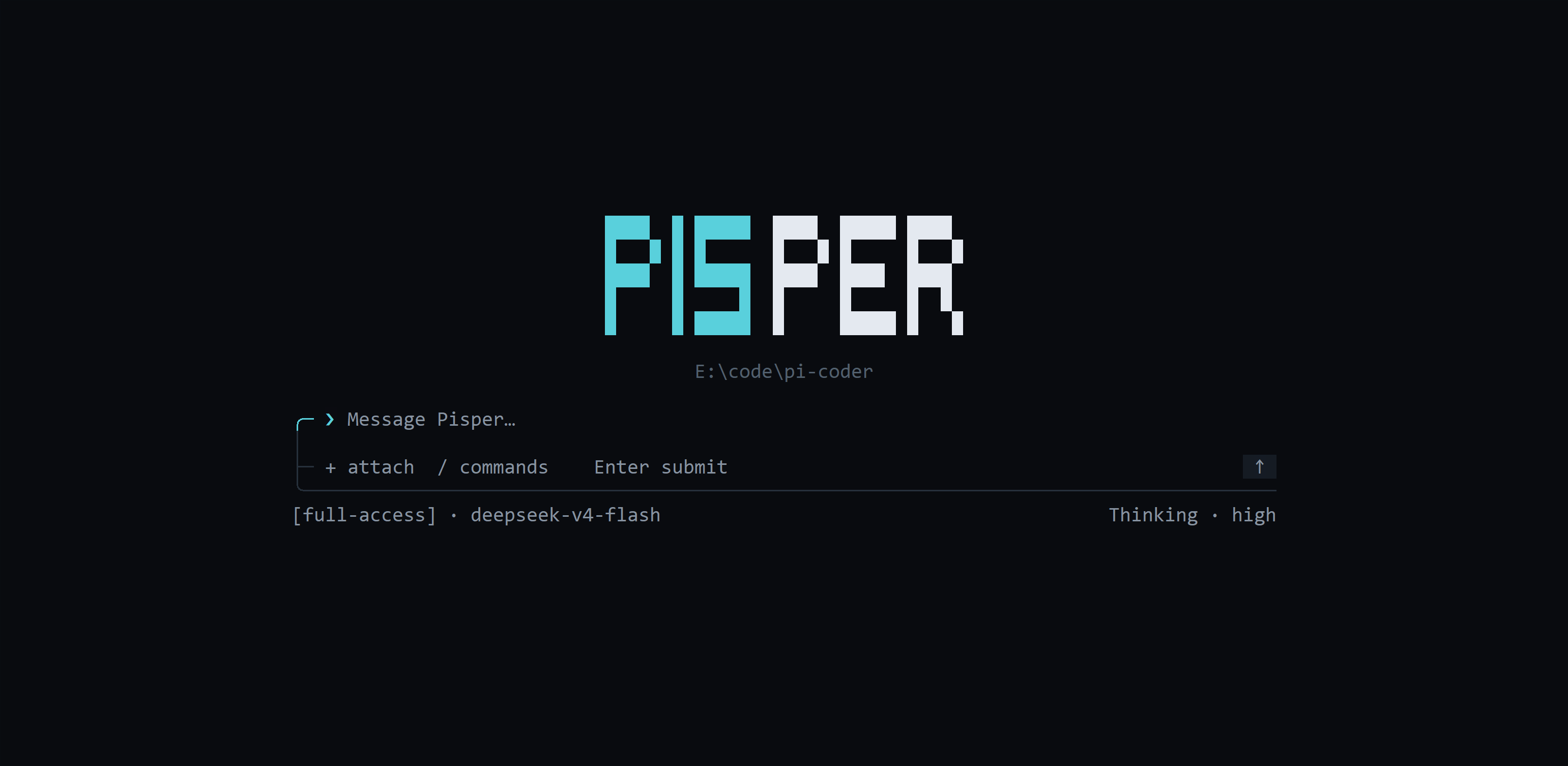
|
|
4
4
|
|
|
5
|
-
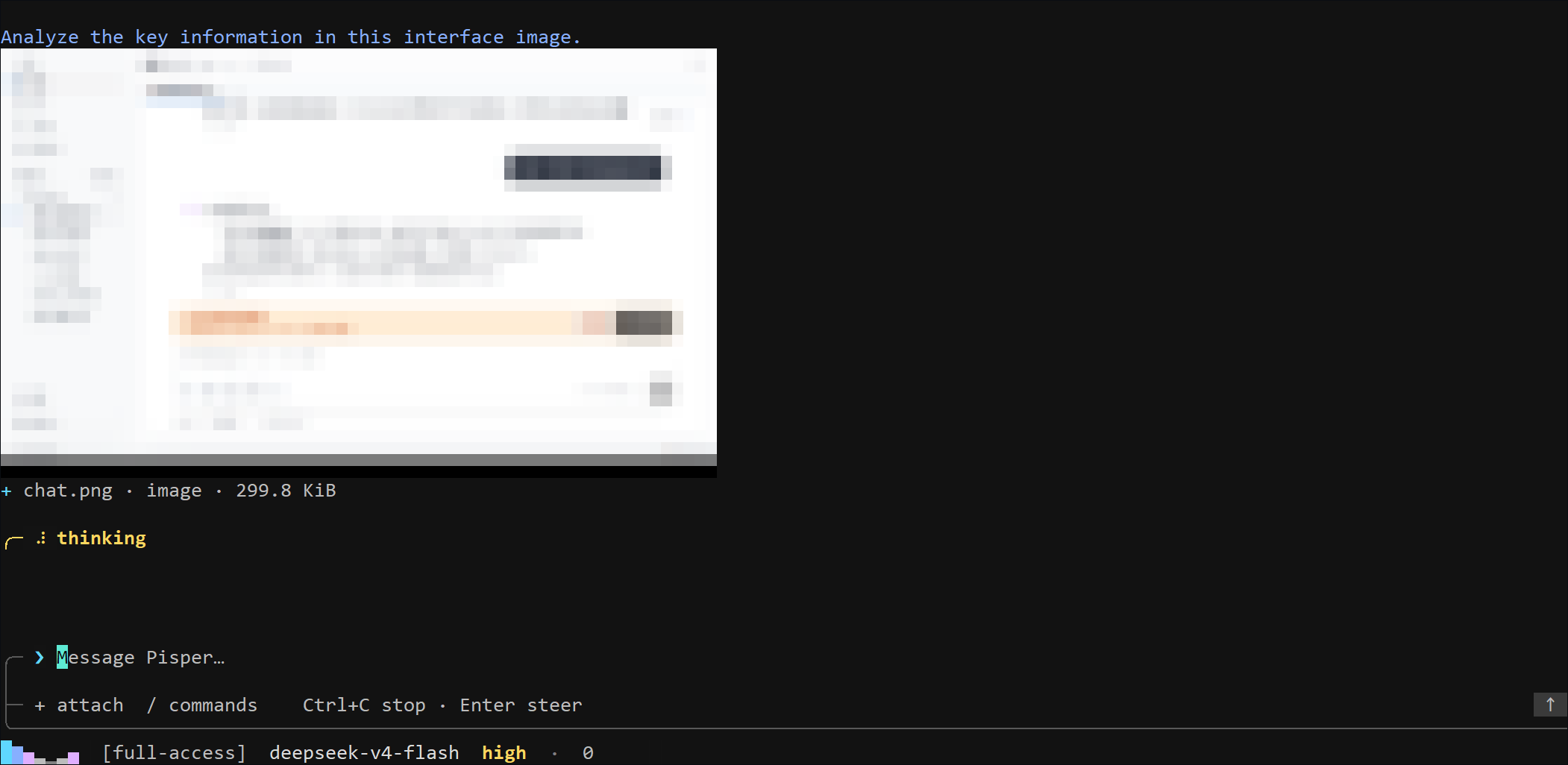
|
|
6
6
|
|
|
7
|
-
[GitHub
|
|
7
|
+
[Project home](https://ling-kong-ran.github.io/pisper/) · [GitHub repository](https://github.com/ling-kong-ran/pisper)
|
|
8
8
|
|
|
9
|
-
[
|
|
9
|
+
[中文指南](https://github.com/ling-kong-ran/pisper/blob/release/src-tui/README.md)
|
|
10
10
|
|
|
11
|
-
##
|
|
11
|
+
## Install the Terminal Command
|
|
12
12
|
|
|
13
|
-
|
|
13
|
+
Requires Node.js 20+. Install Pisper, then run `pisper`:
|
|
14
14
|
|
|
15
15
|
```bash
|
|
16
16
|
npm install -g pisper --progress=true --foreground-scripts
|
|
17
17
|
pisper
|
|
18
18
|
```
|
|
19
19
|
|
|
20
|
-
|
|
20
|
+
Platform packages use the same registry when an npm mirror is configured. `--progress=true` shows npm download progress, while `--foreground-scripts` shows local signature verification and extraction; add `--loglevel=info` only when request and cache details are needed:
|
|
21
21
|
|
|
22
22
|
```bash
|
|
23
23
|
npm install -g pisper --registry=https://registry.npmmirror.com --progress=true --foreground-scripts
|
|
24
24
|
```
|
|
25
25
|
|
|
26
|
-
|
|
26
|
+
After installing the Pisper desktop app, you can alternatively open **Settings → App updates** to install, repair, or uninstall the `pisper` command. Pisper installs it in a current-user directory and manages the matching `PATH` entry without administrator access.
|
|
27
27
|
|
|
28
|
-
|
|
28
|
+
After installing or uninstalling through the desktop app, restart the terminal host. Fully quit and reopen Windows Terminal, or restart the IDE that owns an integrated terminal.
|
|
29
29
|
|
|
30
|
-
|
|
31
|
-
|
|
32
|
-
也可以从源码构建完整发行目录:
|
|
30
|
+
To build the complete distribution from source:
|
|
33
31
|
|
|
34
32
|
```bash
|
|
35
33
|
npm run sidecar:sea
|
|
36
34
|
npm run tui:package
|
|
37
35
|
```
|
|
38
36
|
|
|
39
|
-
|
|
37
|
+
The output is written to:
|
|
40
38
|
|
|
41
39
|
```text
|
|
42
40
|
release/tui/pisper-<version>-<platform>-<arch>/
|
|
@@ -45,176 +43,180 @@ release/tui/pisper-<version>-<platform>-<arch>/
|
|
|
45
43
|
└── sidecar-runtime/
|
|
46
44
|
```
|
|
47
45
|
|
|
48
|
-
##
|
|
46
|
+
## Distribution Updates
|
|
49
47
|
|
|
50
|
-
|
|
48
|
+
Check or update an npm installation of Pisper:
|
|
51
49
|
|
|
52
50
|
```bash
|
|
53
51
|
pisper update --check
|
|
54
52
|
pisper update
|
|
55
53
|
```
|
|
56
54
|
|
|
57
|
-
|
|
55
|
+
The command uses the configured npm registry. Manage desktop updates under **Settings → App updates**.
|
|
58
56
|
|
|
59
|
-
## Provider
|
|
57
|
+
## Provider and Optional Web Configuration
|
|
60
58
|
|
|
61
|
-
|
|
59
|
+
After entering the TUI for the first time, run `/provider` and choose a Provider to edit its protocol, Base URL, and API key. The Base URL is prefilled with the Runtime's effective address: the official default when there is no override, or the custom address when one is configured. Leaving API Key blank preserves the saved secret. Use `Up`/`Down` or `Tab` to move between fields, `Left`/`Right` to choose a protocol, `Enter` to save, and `Esc` to return to the Provider list or cancel. The API key uses a separate masked input, whitespace is removed when pasting, and the secret never enters the composer, Slash history, or ordinary Runtime configuration responses. For a known Provider you can skip the picker with `/provider <id>`, e.g. `/provider deepseek`; `/apikey` remains a compatible alias.
|
|
62
60
|
|
|
63
|
-
|
|
61
|
+
For complete visual configuration, run:
|
|
64
62
|
|
|
65
63
|
```bash
|
|
66
64
|
pisper web
|
|
67
65
|
```
|
|
68
66
|
|
|
69
|
-
|
|
67
|
+
This opens local Provider settings in your default browser. Keep the Pisper terminal process running while using the browser. **Save Provider settings** saves the current connection; **Set as default Provider** changes the default model for later sessions.
|
|
70
68
|
|
|
71
|
-
Web
|
|
69
|
+
After Web is installed, run `/web` in the TUI to reopen the settings page. If it is not installed yet, exit and run `pisper web` first.
|
|
72
70
|
|
|
73
|
-
##
|
|
71
|
+
## Startup and Sessions
|
|
74
72
|
|
|
75
|
-
|
|
73
|
+
Run Pisper from a project directory:
|
|
76
74
|
|
|
77
75
|
```bash
|
|
78
76
|
pisper
|
|
79
77
|
```
|
|
80
78
|
|
|
81
|
-
|
|
79
|
+
Plain `pisper` always creates an empty conversation. It never restores history automatically. Use `resume` explicitly to open an interactive list containing conversations from every workspace; use the arrow keys to select one, press `Enter` to resume, or press `Esc` to exit:
|
|
82
80
|
|
|
83
81
|
```bash
|
|
84
82
|
pisper resume
|
|
85
83
|
```
|
|
86
84
|
|
|
87
|
-
|
|
85
|
+
When no history exists, `pisper resume` reports that condition and exits without creating a conversation. Resuming uses the conversation's saved working directory without rewriting it to the TUI launch directory. After entering a conversation, `/dir <directory>` explicitly changes its working directory; relative paths resolve from the current conversation directory.
|
|
88
86
|
|
|
89
|
-
|
|
87
|
+
Create a new conversation for another workspace:
|
|
90
88
|
|
|
91
89
|
```bash
|
|
92
90
|
pisper --cwd /path/to/project
|
|
93
91
|
```
|
|
94
92
|
|
|
95
|
-
|
|
93
|
+
Inspect sidecar, authentication, and capability status:
|
|
96
94
|
|
|
97
95
|
```bash
|
|
98
96
|
pisper doctor
|
|
99
97
|
```
|
|
100
98
|
|
|
101
|
-
|
|
99
|
+
The diagnostic output reports the sidecar connection source, TUI launch workspace, sidecar runtime fallback workspace, and the latest matching session workspace so directory inheritance failures are visible.
|
|
100
|
+
|
|
101
|
+
## Composer and Message Stream
|
|
102
102
|
|
|
103
|
-
|
|
103
|
+
- `Enter`: submit a message. Plain text submitted during an active run is appended immediately through the same Runtime `steer` queue as the desktop app. Messages with attachments wait until the active run finishes so their attachments are preserved.
|
|
104
|
+
- `/`: open the combined list of runtime Tools, enabled Skills, and built-in commands.
|
|
105
|
+
- `Up` / `Down`: move through Slash, session, model, thinking-level, or file choices.
|
|
106
|
+
- `Tab`: complete the highlighted candidate only while the Slash list is open.
|
|
107
|
+
- `Esc`: close a picker, clear a Slash draft, or return from Changes to Chat.
|
|
108
|
+
- `↑` / `↓`: scroll the conversation one row at a time; `PageUp` / `PageDown`: move eight rows. History loads on demand; the TUI keeps at most 160 messages in memory and evicts back to the latest 80 after an idle period.
|
|
109
|
+
- `Home` / `End`, `Left` / `Right`, `Backspace` / `Delete`: edit the composer draft.
|
|
110
|
+
- `Ctrl+C`: abort the active or approval-blocked run (if the Agent hangs without responding, the Runtime force-settles the run after a timeout); a second `Ctrl+C` while still running force-quits the TUI; exits only while idle.
|
|
104
111
|
|
|
105
|
-
-
|
|
106
|
-
- `/`:打开由 runtime Tools、已启用 Skills 和内置命令合并而成的 Slash 列表。
|
|
107
|
-
- `Up` / `Down`:移动 Slash、会话、模型、思考等级或文件选择器中的选中项。
|
|
108
|
-
- `Tab`:仅在 Slash 列表打开时补全当前候选。
|
|
109
|
-
- `Esc`:关闭当前选择器、清空 Slash 草稿,或从 Changes 返回 Chat。
|
|
110
|
-
- `↑` / `↓`:逐行翻阅消息;`PageUp` / `PageDown`:每次翻阅 8 行。TUI 仅保留最新 100 条消息,避免长会话持续占用内存。
|
|
111
|
-
- `Home` / `End`、`Left` / `Right`、`Backspace` / `Delete`:编辑 composer 草稿。
|
|
112
|
-
- `Ctrl+C`:Agent 运行或等待审批时中止当前 run(若 Agent 卡住未在超时窗口内响应,Runtime 会强制结束该次运行);运行中再次 `Ctrl+C` 强制退出 TUI;空闲时退出 TUI。
|
|
112
|
+
The bottom status bar is left-aligned. While a session is running, a single breathing light (a glyph that cycles from dim to bright and back, e.g. `○ ◔ ◑ ◕ ●`) appears at the far left instead of phase labels such as `Thinking` or `Responding`. Execution mode, model, thinking level, and metrics follow, for example `● [full-access] gpt-5.6-sol high · 88M · cache 79%`. Queue and approval positions follow the metrics. The values remain isolated per conversation.
|
|
113
113
|
|
|
114
|
-
|
|
114
|
+
The TUI uses terminal truecolor by default and automatically falls back when `TERM` advertises only 256 colors. Set `PISPER_TUI_THEME=ansi256` to force the 256-color palette, or use `PISPER_TUI_THEME=monochrome` / `NO_COLOR=1` for monochrome output. `PISPER_TUI_REDUCED_MOTION=1` disables decorative animation and reveals streamed text immediately; scrolling through history also pauses incremental reveal.
|
|
115
115
|
|
|
116
|
-
|
|
116
|
+
Long or multiline bracketed pastes render as a compact `[Pasted text · …]` token. The complete original text, including line breaks, is still submitted to the Agent. The token can be moved across or deleted as one unit.
|
|
117
117
|
|
|
118
|
-
##
|
|
118
|
+
## Built-in Commands
|
|
119
119
|
|
|
120
|
-
|
|
|
120
|
+
| Command | Action |
|
|
121
121
|
| :--- | :--- |
|
|
122
|
-
| `/init` |
|
|
123
|
-
| `/new` |
|
|
124
|
-
| `/sessions` |
|
|
125
|
-
| `/dir
|
|
126
|
-
| `/changes` |
|
|
127
|
-
| `/changes commit <message>` |
|
|
128
|
-
| `/chat` |
|
|
129
|
-
| `/model` |
|
|
130
|
-
| `/thinking` |
|
|
131
|
-
| `/provider` |
|
|
132
|
-
| `/web` |
|
|
133
|
-
| `/compact` |
|
|
134
|
-
| `/attach` |
|
|
135
|
-
| `/mode` |
|
|
136
|
-
| `/mode read-only` |
|
|
137
|
-
| `/mode full-access` |
|
|
138
|
-
| `/quit` |
|
|
122
|
+
| `/init` | Analyze the current project and create or improve `AGENTS.md` at the workspace root. |
|
|
123
|
+
| `/new` | Create an empty conversation in the TUI launch workspace; unavailable during a run. |
|
|
124
|
+
| `/sessions` | Open the history picker across every workspace; press `Enter` to resume. Unavailable during a run. |
|
|
125
|
+
| `/dir <directory>` | Explicitly change the active conversation directory. Relative paths resolve from its current directory; unavailable during a run. |
|
|
126
|
+
| `/changes` | Inspect Git or SVN workspace changes. In the changes view, `R` refreshes, `C` commits, `P` pushes Git, and `V` twice reverts; SVN has no push operation. |
|
|
127
|
+
| `/changes commit <message>` | Commit current Git/SVN workspace changes with an explicit message. |
|
|
128
|
+
| `/chat` | Return to the Chat message stream. |
|
|
129
|
+
| `/model` | Open the model picker and switch the active session model; only models from configured Providers are listed, and switching is unavailable during a run. |
|
|
130
|
+
| `/thinking` | Refresh and open thinking levels supported by the active model; unsupported/error states explain why and can be retried. Unavailable during a run. |
|
|
131
|
+
| `/provider` | Edit a Provider's protocol, effective Base URL, and masked API key; `/provider <id>` targets a Provider directly and `/apikey` remains a compatible alias. |
|
|
132
|
+
| `/web` | Open the authenticated local settings page in the default browser using the installed Web frontend. |
|
|
133
|
+
| `/compact` | Summarize older context immediately; available only for idle sessions with enough history. |
|
|
134
|
+
| `/attach` | Open the workspace file picker. |
|
|
135
|
+
| `/mode` | Show the active execution mode and accepted values; it can be changed during a run. |
|
|
136
|
+
| `/mode read-only` | Expose low-risk analysis tools only. |
|
|
137
|
+
| `/mode full-access` | Allow unrestricted local files, network, and Shell access. |
|
|
138
|
+
| `/quit` | Exit the TUI. |
|
|
139
139
|
|
|
140
|
-
|
|
140
|
+
Candidates are sorted by prefix match and local usage frequency. `Tab` completes a command without executing a Tool; press `Enter` to select a built-in command.
|
|
141
141
|
|
|
142
|
-
`/init`
|
|
142
|
+
`/init` asks the Agent to inspect the project structure, commands, and conventions before writing repository-specific guidance instead of a fixed template. It carefully preserves useful content in an existing `AGENTS.md` and does not modify other project files. The command is unavailable in `read-only` mode and runs with current-user permissions in `full-access` mode. After it completes, use `/new` to start a session that loads the generated project guidance at startup.
|
|
143
143
|
|
|
144
|
-
Agent
|
|
144
|
+
When the Agent creates a structured Plan, the TUI updates its items, owners, dependencies, and statuses in place between the transcript and Composer. Narrow terminals keep only the current item, with `Plan completed/total` in the thin top divider.
|
|
145
145
|
|
|
146
|
-
##
|
|
146
|
+
## Attachments
|
|
147
147
|
|
|
148
|
-
|
|
148
|
+
Open the attachment picker with any of these controls:
|
|
149
149
|
|
|
150
|
-
- composer
|
|
151
|
-
- `Ctrl+O`
|
|
152
|
-
- `/attach`
|
|
150
|
+
- type `+` while the composer is empty
|
|
151
|
+
- press `Ctrl+O`
|
|
152
|
+
- run `/attach`
|
|
153
153
|
|
|
154
|
-
|
|
154
|
+
File picker controls:
|
|
155
155
|
|
|
156
|
-
- `Up` / `Down
|
|
157
|
-
- `Enter` / `Right
|
|
158
|
-
- `Left
|
|
159
|
-
- `Delete
|
|
160
|
-
- `Esc
|
|
156
|
+
- `Up` / `Down`: select a file or directory.
|
|
157
|
+
- `Enter` / `Right`: enter a directory or add a file.
|
|
158
|
+
- `Left`: move to the parent without leaving the active workspace.
|
|
159
|
+
- `Delete`: remove the selected attachment.
|
|
160
|
+
- `Esc`: close the picker while preserving the composer draft.
|
|
161
161
|
|
|
162
|
-
|
|
162
|
+
The desktop attachment boundary is shared by the TUI: up to 8 files, 10 MiB per file, and 20 MiB total. Files must be workspace-local images, UTF-8 text/code, or supported documents. Images become visual input only when the active model explicitly supports images.
|
|
163
163
|
|
|
164
|
-
##
|
|
164
|
+
## Tools and Skills
|
|
165
165
|
|
|
166
|
-
|
|
166
|
+
After typing `/`, `T` marks runtime Tools and `S` marks enabled, model-invocable Skills.
|
|
167
167
|
|
|
168
|
-
Tool
|
|
168
|
+
Tool examples:
|
|
169
169
|
|
|
170
170
|
```text
|
|
171
171
|
/read README.md
|
|
172
172
|
/bash npm test
|
|
173
173
|
/web_search Pisper latest release
|
|
174
|
-
/mcp_pencil_get_editor_state_f9837b9b
|
|
174
|
+
/mcp_pencil_get_editor_state_f9837b9b inspect the current Pencil canvas
|
|
175
175
|
```
|
|
176
176
|
|
|
177
|
-
TUI
|
|
177
|
+
The TUI sends the first Slash token through the structured `requestedToolNames` field. The Agent still generates arguments and performs the call. Slash selection never bypasses Tool settings or the active execution mode; attachments remain limited to the current workspace.
|
|
178
178
|
|
|
179
|
-
Skill
|
|
179
|
+
Skill example:
|
|
180
180
|
|
|
181
181
|
```text
|
|
182
|
-
/skill:docs-search
|
|
182
|
+
/skill:docs-search find the Tauri updater signing requirements
|
|
183
183
|
```
|
|
184
184
|
|
|
185
|
-
|
|
185
|
+
The active Slash list is authoritative for Skill names. The runtime loads the matching `SKILL.md`, scripts, and references on demand. Tools invoked by a Skill follow the same permission chain.
|
|
186
|
+
|
|
187
|
+
`read-only` does not expose write or Shell capabilities. `full-access` means the user explicitly allows unrestricted access as the current operating-system user.
|
|
186
188
|
|
|
187
|
-
|
|
189
|
+
## Local Development
|
|
188
190
|
|
|
189
|
-
|
|
191
|
+
Building the TUI from source requires Rust 1.88 or newer.
|
|
190
192
|
|
|
191
|
-
|
|
193
|
+
Run from source in the current directory:
|
|
192
194
|
|
|
193
195
|
```bash
|
|
194
196
|
npm run tui:dev
|
|
195
197
|
```
|
|
196
198
|
|
|
197
|
-
|
|
199
|
+
Choose another workspace:
|
|
198
200
|
|
|
199
201
|
```bash
|
|
200
202
|
npm run tui:dev -- --cwd /path/to/project
|
|
201
203
|
```
|
|
202
204
|
|
|
203
|
-
|
|
205
|
+
Development runs `runtime/sidecar.mjs` by default. To connect an isolated running sidecar:
|
|
204
206
|
|
|
205
207
|
```text
|
|
206
208
|
PISPER_TUI_URL=http://127.0.0.1:<port>
|
|
207
209
|
PISPER_TUI_TOKEN=<desktop token>
|
|
208
210
|
```
|
|
209
211
|
|
|
210
|
-
|
|
212
|
+
Or specify a sidecar executable and runtime:
|
|
211
213
|
|
|
212
214
|
```text
|
|
213
215
|
PISPER_SIDECAR_PATH=/path/to/pisper-sidecar
|
|
214
216
|
PISPER_APP_ROOT=/path/to/sidecar-runtime
|
|
215
217
|
```
|
|
216
218
|
|
|
217
|
-
##
|
|
219
|
+
## Verification
|
|
218
220
|
|
|
219
221
|
```bash
|
|
220
222
|
npm run tui:test
|
|
@@ -0,0 +1 @@
|
|
|
1
|
+
dW50cnVzdGVkIGNvbW1lbnQ6IHNpZ25hdHVyZSBmcm9tIHRhdXJpIHNlY3JldCBrZXkKUlVTa3p5NWdvVExsOE5aQjhQQmZhdEV2OTl2VlhhSEc3M1B4L1FtTFV5SGpjcVE4S0ZZTjd6VWVZWDBwQXUwMUhhY3I5dHJ5aTJjUWJBRDBUOXlyYWpkdGFPTGxteHg5SWdFPQp0cnVzdGVkIGNvbW1lbnQ6IHRpbWVzdGFtcDoxNzg3MDc2NzY0CWZpbGU6UGlzcGVyX1J1bnRpbWVfTm9kZV8wLjUuN19kYXJ3aW5fYWFyY2g2NC50YXIuZ3oKN1VOK0h0MWJYbEJsU2JVQzh2bjBJeXd0Sk1ZOC9HZlJBUTc1SUZrbzJQbk4wQXZ3Q1NwUExoWmkreEhlWGVlMmloZmUrYnpTUzUvbnFTWXNITlRFQnc9PQo=
|
|
Binary file
|
|
@@ -0,0 +1 @@
|
|
|
1
|
+
dW50cnVzdGVkIGNvbW1lbnQ6IHNpZ25hdHVyZSBmcm9tIHRhdXJpIHNlY3JldCBrZXkKUlVTa3p5NWdvVExsOEdCcEJvVlRUdGNrRFl5MDNxVUZ4WnplY2h6V1I0bWk5S3J5Y0pVMk9VcXdKQXhPVHgxSUZQVHdvZ2s2dXMrRlYwNGd5cHZONWk4Nzh1dnc5WnhFV0FNPQp0cnVzdGVkIGNvbW1lbnQ6IHRpbWVzdGFtcDoxNzg3MDc2MzcwCWZpbGU6UGlzcGVyX1RVSV9Db21wb25lbnRfMC41LjVfZGFyd2luX2FhcmNoNjQudGFyLmd6ClhOVENieFl6RXdyaDV0aml3QUZrUGdobll0aTBEQjhNUGJ4WU82QXNaWXNiTk43UkZkMWdOMnN6U2ZwRzlVOUtTM2ZKeFYyR24vWWNFMTVwK0I0aEFRPT0K
|
package/package.json
CHANGED
|
@@ -1,57 +1,35 @@
|
|
|
1
1
|
{
|
|
2
2
|
"name": "pisper",
|
|
3
|
-
"version": "0.5.
|
|
4
|
-
"description": "Pisper
|
|
3
|
+
"version": "0.5.7-darwin-arm64.0",
|
|
4
|
+
"description": "Pisper signed TUI and Node Runtime bundle for darwin-arm64.",
|
|
5
5
|
"license": "MIT",
|
|
6
6
|
"author": {
|
|
7
7
|
"name": "ling-kong-ran",
|
|
8
8
|
"email": "65328093+ling-kong-ran@users.noreply.github.com",
|
|
9
9
|
"url": "https://github.com/ling-kong-ran"
|
|
10
10
|
},
|
|
11
|
-
"type": "module",
|
|
12
|
-
"homepage": "https://github.com/ling-kong-ran/pisper#readme",
|
|
13
11
|
"repository": {
|
|
14
12
|
"type": "git",
|
|
15
13
|
"url": "git+https://github.com/ling-kong-ran/pisper.git"
|
|
16
14
|
},
|
|
17
|
-
"
|
|
18
|
-
"
|
|
19
|
-
|
|
20
|
-
"
|
|
21
|
-
"
|
|
22
|
-
|
|
23
|
-
"bin": {
|
|
24
|
-
"pisper": "bin/pisper.mjs"
|
|
25
|
-
},
|
|
26
|
-
"scripts": {
|
|
27
|
-
"postinstall": "node lib/postinstall.mjs"
|
|
28
|
-
},
|
|
15
|
+
"os": [
|
|
16
|
+
"darwin"
|
|
17
|
+
],
|
|
18
|
+
"cpu": [
|
|
19
|
+
"arm64"
|
|
20
|
+
],
|
|
29
21
|
"files": [
|
|
30
|
-
"
|
|
31
|
-
"lib/",
|
|
32
|
-
"web/",
|
|
33
|
-
"updater.pubkey",
|
|
22
|
+
"components/",
|
|
34
23
|
"README.md",
|
|
35
|
-
"README.en.md",
|
|
36
24
|
"LICENSE"
|
|
37
25
|
],
|
|
38
|
-
"dependencies": {
|
|
39
|
-
"@threema/wasm-minisign-verify": "0.1.3",
|
|
40
|
-
"tar": "7.5.22"
|
|
41
|
-
},
|
|
42
|
-
"pisper": {
|
|
43
|
-
"repository": "ling-kong-ran/pisper",
|
|
44
|
-
"tuiVersion": "0.5.4",
|
|
45
|
-
"runtimeVersion": "0.5.6"
|
|
46
|
-
},
|
|
47
|
-
"optionalDependencies": {
|
|
48
|
-
"pisper-binary-win32-x64": "npm:pisper@0.5.6-win32-x64.0",
|
|
49
|
-
"pisper-binary-darwin-x64": "npm:pisper@0.5.6-darwin-x64.0",
|
|
50
|
-
"pisper-binary-darwin-arm64": "npm:pisper@0.5.6-darwin-arm64.0",
|
|
51
|
-
"pisper-binary-linux-x64": "npm:pisper@0.5.6-linux-x64.0"
|
|
52
|
-
},
|
|
53
26
|
"publishConfig": {
|
|
54
27
|
"access": "public",
|
|
55
28
|
"provenance": true
|
|
29
|
+
},
|
|
30
|
+
"pisperBundle": {
|
|
31
|
+
"target": "darwin_aarch64",
|
|
32
|
+
"tuiVersion": "0.5.5",
|
|
33
|
+
"runtimeVersion": "0.5.7"
|
|
56
34
|
}
|
|
57
35
|
}
|
package/README.en.md
DELETED
|
@@ -1,224 +0,0 @@
|
|
|
1
|
-
# Pisper TUI
|
|
2
|
-
|
|
3
|
-

|
|
4
|
-
|
|
5
|
-

|
|
6
|
-
|
|
7
|
-
[GitHub project home](https://github.com/ling-kong-ran/pisper)
|
|
8
|
-
|
|
9
|
-
[中文指南](https://github.com/ling-kong-ran/pisper/blob/release/src-tui/README.md)
|
|
10
|
-
|
|
11
|
-
## Install the Terminal Command
|
|
12
|
-
|
|
13
|
-
With Node.js 20+, install the Pisper CLI through npm. npm obtains the lightweight launcher, bundled Web frontend, and signed TUI and Runtime packages for the current platform from the configured registry, without downloading from GitHub Releases. Installation completes local signature verification and extraction so Pisper is ready when the command returns; it does not include the desktop shell:
|
|
14
|
-
|
|
15
|
-
```bash
|
|
16
|
-
npm install -g pisper --progress=true --foreground-scripts
|
|
17
|
-
pisper
|
|
18
|
-
```
|
|
19
|
-
|
|
20
|
-
Platform packages use the same registry when an npm mirror is configured. `--progress=true` shows npm download progress, while `--foreground-scripts` shows local signature verification and extraction; add `--loglevel=info` only when request and cache details are needed:
|
|
21
|
-
|
|
22
|
-
```bash
|
|
23
|
-
npm install -g pisper --registry=https://registry.npmmirror.com --progress=true --foreground-scripts
|
|
24
|
-
```
|
|
25
|
-
|
|
26
|
-
Run `pisper --help` in the npm distribution for complete first-run, resume, diagnostics, complete npm updates, and Web configuration guidance without consulting a separate README.
|
|
27
|
-
|
|
28
|
-
After installing the Pisper desktop app, you can alternatively open **Settings → App updates** to install, repair, or uninstall the `pisper` command. Pisper installs it in a current-user directory and manages the matching `PATH` entry without administrator access.
|
|
29
|
-
|
|
30
|
-
After installing or uninstalling through the desktop app, restart the terminal host. Fully quit and reopen Windows Terminal, or restart the IDE that owns an integrated terminal.
|
|
31
|
-
|
|
32
|
-
To build the complete distribution from source:
|
|
33
|
-
|
|
34
|
-
```bash
|
|
35
|
-
npm run sidecar:sea
|
|
36
|
-
npm run tui:package
|
|
37
|
-
```
|
|
38
|
-
|
|
39
|
-
The output is written to:
|
|
40
|
-
|
|
41
|
-
```text
|
|
42
|
-
release/tui/pisper-<version>-<platform>-<arch>/
|
|
43
|
-
├── pisper[.exe]
|
|
44
|
-
├── pisper-sidecar[.exe]
|
|
45
|
-
└── sidecar-runtime/
|
|
46
|
-
```
|
|
47
|
-
|
|
48
|
-
## Distribution Updates
|
|
49
|
-
|
|
50
|
-
The npm distribution provides one complete update entry point without TUI, Runtime, or Web component selection:
|
|
51
|
-
|
|
52
|
-
```bash
|
|
53
|
-
pisper update --check
|
|
54
|
-
pisper update
|
|
55
|
-
```
|
|
56
|
-
|
|
57
|
-
This command uses the configured npm registry to update the launcher, bundled Web frontend, and signed TUI and Runtime platform packages. npm installation completes local signature verification and extraction so Pisper is ready when the command returns. The standalone TUI exposes no component-update command or background update check; the desktop distribution is managed through **Settings → App updates**. A standalone thin TUI without a bundled sidecar can still install its required signed Runtime so its first startup succeeds.
|
|
58
|
-
|
|
59
|
-
## Provider and Optional Web Configuration
|
|
60
|
-
|
|
61
|
-
After entering the TUI for the first time, run `/provider` and choose a Provider to edit its protocol, Base URL, and API key. The Base URL is prefilled with the Runtime's effective address: the official default when there is no override, or the custom address when one is configured. Leaving API Key blank preserves the saved secret. Use `Up`/`Down` or `Tab` to move between fields, `Left`/`Right` to choose a protocol, `Enter` to save, and `Esc` to return to the Provider list or cancel. The API key uses a separate masked input, whitespace is removed when pasting, and the secret never enters the composer, Slash history, or ordinary Runtime configuration responses. For a known Provider you can skip the picker with `/provider <id>`, e.g. `/provider deepseek`; `/apikey` remains a compatible alias.
|
|
62
|
-
|
|
63
|
-
For complete visual configuration, run:
|
|
64
|
-
|
|
65
|
-
```bash
|
|
66
|
-
pisper web
|
|
67
|
-
```
|
|
68
|
-
|
|
69
|
-
The npm distribution uses its bundled Web frontend directly; a standalone TUI installs the signed Web component only when no local Web frontend exists. This command starts a Runtime bound only to `127.0.0.1` and opens Provider settings through a one-time authenticated entry point in your default browser. Keep the Pisper terminal process running while using the browser. **Save Provider settings** saves only the current connection; only **Set as default Provider** changes the default model for later sessions. Saving configuration or switching the default does not interrupt an actively running session.
|
|
70
|
-
|
|
71
|
-
After Web is installed, run `/web` in the TUI to reopen the settings page. If it is not installed yet, exit and run `pisper web` first.
|
|
72
|
-
|
|
73
|
-
## Startup and Sessions
|
|
74
|
-
|
|
75
|
-
Run Pisper from a project directory:
|
|
76
|
-
|
|
77
|
-
```bash
|
|
78
|
-
pisper
|
|
79
|
-
```
|
|
80
|
-
|
|
81
|
-
Plain `pisper` always creates an empty conversation. It never restores history automatically. Use `resume` explicitly to open an interactive list containing conversations from every workspace; use the arrow keys to select one, press `Enter` to resume, or press `Esc` to exit:
|
|
82
|
-
|
|
83
|
-
```bash
|
|
84
|
-
pisper resume
|
|
85
|
-
```
|
|
86
|
-
|
|
87
|
-
When no history exists, `pisper resume` reports that condition and exits without creating a conversation. Resuming uses the conversation's saved working directory without rewriting it to the TUI launch directory. After entering a conversation, `/dir <directory>` explicitly changes its working directory; relative paths resolve from the current conversation directory.
|
|
88
|
-
|
|
89
|
-
Create a new conversation for another workspace:
|
|
90
|
-
|
|
91
|
-
```bash
|
|
92
|
-
pisper --cwd /path/to/project
|
|
93
|
-
```
|
|
94
|
-
|
|
95
|
-
Inspect sidecar, authentication, and capability status:
|
|
96
|
-
|
|
97
|
-
```bash
|
|
98
|
-
pisper doctor
|
|
99
|
-
```
|
|
100
|
-
|
|
101
|
-
The diagnostic output reports the sidecar connection source, TUI launch workspace, sidecar runtime fallback workspace, and the latest matching session workspace so directory inheritance failures are visible.
|
|
102
|
-
|
|
103
|
-
## Composer and Message Stream
|
|
104
|
-
|
|
105
|
-
- `Enter`: submit a message. Plain text submitted during an active run is appended immediately through the same Runtime `steer` queue as the desktop app. Messages with attachments wait until the active run finishes so their attachments are preserved.
|
|
106
|
-
- `/`: open the combined list of runtime Tools, enabled Skills, and built-in commands.
|
|
107
|
-
- `Up` / `Down`: move through Slash, session, model, thinking-level, or file choices.
|
|
108
|
-
- `Tab`: complete the highlighted candidate only while the Slash list is open.
|
|
109
|
-
- `Esc`: close a picker, clear a Slash draft, or return from Changes to Chat.
|
|
110
|
-
- `↑` / `↓`: scroll the conversation one row at a time; `PageUp` / `PageDown`: move eight rows. The TUI retains only the latest 100 messages so long sessions stay memory-bounded.
|
|
111
|
-
- `Home` / `End`, `Left` / `Right`, `Backspace` / `Delete`: edit the composer draft.
|
|
112
|
-
- `Ctrl+C`: abort the active or approval-blocked run (if the Agent hangs without responding, the Runtime force-settles the run after a timeout); a second `Ctrl+C` while still running force-quits the TUI; exits only while idle.
|
|
113
|
-
|
|
114
|
-
The bottom status bar shows the active session's provider-reported token total and cache hit rate in the compact form `token: 88M cache 79%`. The values remain isolated per conversation.
|
|
115
|
-
|
|
116
|
-
Long or multiline bracketed pastes render as a compact `[Pasted text · …]` token. The complete original text, including line breaks, is still submitted to the Agent. The token can be moved across or deleted as one unit.
|
|
117
|
-
|
|
118
|
-
## Built-in Commands
|
|
119
|
-
|
|
120
|
-
| Command | Action |
|
|
121
|
-
| :--- | :--- |
|
|
122
|
-
| `/init` | Analyze the current project and create or improve `AGENTS.md` at the workspace root. |
|
|
123
|
-
| `/new` | Create an empty conversation in the TUI launch workspace; unavailable during a run. |
|
|
124
|
-
| `/sessions` | Open the history picker across every workspace; press `Enter` to resume. Unavailable during a run. |
|
|
125
|
-
| `/dir <directory>` | Explicitly change the active conversation directory. Relative paths resolve from its current directory; unavailable during a run. |
|
|
126
|
-
| `/changes` | Inspect Git or SVN workspace changes. In the changes view, `R` refreshes, `C` commits, `P` pushes Git, and `V` twice reverts; SVN has no push operation. |
|
|
127
|
-
| `/changes commit <message>` | Commit current Git/SVN workspace changes with an explicit message. |
|
|
128
|
-
| `/chat` | Return to the Chat message stream. |
|
|
129
|
-
| `/model` | Open the model picker and switch the active session model; only models from configured Providers are listed, and switching is unavailable during a run. |
|
|
130
|
-
| `/thinking` | Refresh and open thinking levels supported by the active model; unsupported/error states explain why and can be retried. Unavailable during a run. |
|
|
131
|
-
| `/provider` | Edit a Provider's protocol, effective Base URL, and masked API key; `/provider <id>` targets a Provider directly and `/apikey` remains a compatible alias. |
|
|
132
|
-
| `/web` | Open the authenticated local settings page in the default browser using the installed Web frontend. |
|
|
133
|
-
| `/compact` | Summarize older context immediately; available only for idle sessions with enough history. |
|
|
134
|
-
| `/attach` | Open the workspace file picker. |
|
|
135
|
-
| `/mode` | Show the active execution mode and accepted values; it can be changed during a run. |
|
|
136
|
-
| `/mode read-only` | Expose low-risk analysis tools only. |
|
|
137
|
-
| `/mode full-access` | Allow unrestricted local files, network, and Shell access. |
|
|
138
|
-
| `/quit` | Exit the TUI. |
|
|
139
|
-
|
|
140
|
-
Candidates are sorted by prefix match and local usage frequency. `Tab` completes a command without executing a Tool; press `Enter` to select a built-in command.
|
|
141
|
-
|
|
142
|
-
`/init` asks the Agent to inspect the project structure, commands, and conventions before writing repository-specific guidance instead of a fixed template. It carefully preserves useful content in an existing `AGENTS.md` and does not modify other project files. The command is unavailable in `read-only` mode and runs with current-user permissions in `full-access` mode. After it completes, use `/new` to start a session that loads the generated project guidance at startup.
|
|
143
|
-
|
|
144
|
-
When the Agent creates a structured Plan, the TUI updates its items, owners, dependencies, and statuses in place between the transcript and Composer. Narrow terminals fold completed items and retain `Plan · completed/total` in the footer.
|
|
145
|
-
|
|
146
|
-
## Attachments
|
|
147
|
-
|
|
148
|
-
Open the attachment picker with any of these controls:
|
|
149
|
-
|
|
150
|
-
- type `+` while the composer is empty
|
|
151
|
-
- press `Ctrl+O`
|
|
152
|
-
- run `/attach`
|
|
153
|
-
|
|
154
|
-
File picker controls:
|
|
155
|
-
|
|
156
|
-
- `Up` / `Down`: select a file or directory.
|
|
157
|
-
- `Enter` / `Right`: enter a directory or add a file.
|
|
158
|
-
- `Left`: move to the parent without leaving the active workspace.
|
|
159
|
-
- `Delete`: remove the selected attachment.
|
|
160
|
-
- `Esc`: close the picker while preserving the composer draft.
|
|
161
|
-
|
|
162
|
-
The desktop attachment boundary is shared by the TUI: up to 8 files, 10 MiB per file, and 20 MiB total. Files must be workspace-local images, UTF-8 text/code, or supported documents. Images become visual input only when the active model explicitly supports images.
|
|
163
|
-
|
|
164
|
-
## Tools and Skills
|
|
165
|
-
|
|
166
|
-
After typing `/`, `T` marks runtime Tools and `S` marks enabled, model-invocable Skills.
|
|
167
|
-
|
|
168
|
-
Tool examples:
|
|
169
|
-
|
|
170
|
-
```text
|
|
171
|
-
/read README.md
|
|
172
|
-
/bash npm test
|
|
173
|
-
/web_search Pisper latest release
|
|
174
|
-
/mcp_pencil_get_editor_state_f9837b9b inspect the current Pencil canvas
|
|
175
|
-
```
|
|
176
|
-
|
|
177
|
-
The TUI sends the first Slash token through the structured `requestedToolNames` field. The Agent still generates arguments and performs the call. Slash selection never bypasses Tool settings or the active execution mode; attachments remain limited to the current workspace.
|
|
178
|
-
|
|
179
|
-
Skill example:
|
|
180
|
-
|
|
181
|
-
```text
|
|
182
|
-
/skill:docs-search find the Tauri updater signing requirements
|
|
183
|
-
```
|
|
184
|
-
|
|
185
|
-
The active Slash list is authoritative for Skill names. The runtime loads the matching `SKILL.md`, scripts, and references on demand. Tools invoked by a Skill follow the same permission chain.
|
|
186
|
-
|
|
187
|
-
`read-only` does not expose write or Shell capabilities. `full-access` means the user explicitly allows unrestricted access as the current operating-system user.
|
|
188
|
-
|
|
189
|
-
## Local Development
|
|
190
|
-
|
|
191
|
-
Run from source in the current directory:
|
|
192
|
-
|
|
193
|
-
```bash
|
|
194
|
-
npm run tui:dev
|
|
195
|
-
```
|
|
196
|
-
|
|
197
|
-
Choose another workspace:
|
|
198
|
-
|
|
199
|
-
```bash
|
|
200
|
-
npm run tui:dev -- --cwd /path/to/project
|
|
201
|
-
```
|
|
202
|
-
|
|
203
|
-
Development runs `runtime/sidecar.mjs` by default. To connect an isolated running sidecar:
|
|
204
|
-
|
|
205
|
-
```text
|
|
206
|
-
PISPER_TUI_URL=http://127.0.0.1:<port>
|
|
207
|
-
PISPER_TUI_TOKEN=<desktop token>
|
|
208
|
-
```
|
|
209
|
-
|
|
210
|
-
Or specify a sidecar executable and runtime:
|
|
211
|
-
|
|
212
|
-
```text
|
|
213
|
-
PISPER_SIDECAR_PATH=/path/to/pisper-sidecar
|
|
214
|
-
PISPER_APP_ROOT=/path/to/sidecar-runtime
|
|
215
|
-
```
|
|
216
|
-
|
|
217
|
-
## Verification
|
|
218
|
-
|
|
219
|
-
```bash
|
|
220
|
-
npm run tui:test
|
|
221
|
-
npm run tui:check
|
|
222
|
-
cargo clippy --manifest-path src-tui/Cargo.toml --all-targets -- -D warnings
|
|
223
|
-
cargo build --manifest-path src-tui/Cargo.toml --release
|
|
224
|
-
```
|