pisper 0.5.13 → 0.5.14-darwin-x64.0
This diff represents the content of publicly available package versions that have been released to one of the supported registries. The information contained in this diff is provided for informational purposes only and reflects changes between package versions as they appear in their respective public registries.
- package/README.md +48 -221
- package/components/runtime/Pisper_Runtime_Node_0.5.13_darwin_x86_64.tar.gz +0 -0
- package/components/runtime/Pisper_Runtime_Node_0.5.13_darwin_x86_64.tar.gz.sig +1 -0
- package/components/tui/Pisper_TUI_Component_0.5.9_darwin_x86_64.tar.gz +0 -0
- package/components/tui/Pisper_TUI_Component_0.5.9_darwin_x86_64.tar.gz.sig +1 -0
- package/package.json +14 -36
- package/README.en.md +0 -226
- package/bin/pisper.mjs +0 -48
- package/lib/install.mjs +0 -392
- package/lib/npm-platform.mjs +0 -41
- package/lib/npm-update.mjs +0 -165
- package/lib/platform.mjs +0 -43
- package/lib/postinstall.mjs +0 -3
- package/updater.pubkey +0 -1
- package/web/.vite/manifest.json +0 -2248
- package/web/assets/AnimatedContent-BiVNqD3m.js +0 -1
- package/web/assets/AnimatedList-CJTx-B8I.js +0 -1
- package/web/assets/AppOverlays-C2Ah7oL7.js +0 -1
- package/web/assets/AppSelect-C31aArme.js +0 -1
- package/web/assets/AssetsPage-0mh8UdNf.js +0 -1
- package/web/assets/ChannelsPage-DggaYnBh.js +0 -1
- package/web/assets/ChatHistoryPage-DfYozFip.js +0 -1
- package/web/assets/ChatPage-CXC2G5r0.js +0 -9
- package/web/assets/ClickSpark-BhxL8WOQ.js +0 -1
- package/web/assets/ConfigPage-C4TdRH-k.js +0 -1
- package/web/assets/KaTeX_AMS-Regular-BQhdFMY1.woff2 +0 -0
- package/web/assets/KaTeX_AMS-Regular-DMm9YOAa.woff +0 -0
- package/web/assets/KaTeX_AMS-Regular-DRggAlZN.ttf +0 -0
- package/web/assets/KaTeX_Caligraphic-Bold-ATXxdsX0.ttf +0 -0
- package/web/assets/KaTeX_Caligraphic-Bold-BEiXGLvX.woff +0 -0
- package/web/assets/KaTeX_Caligraphic-Bold-Dq_IR9rO.woff2 +0 -0
- package/web/assets/KaTeX_Caligraphic-Regular-CTRA-rTL.woff +0 -0
- package/web/assets/KaTeX_Caligraphic-Regular-Di6jR-x-.woff2 +0 -0
- package/web/assets/KaTeX_Caligraphic-Regular-wX97UBjC.ttf +0 -0
- package/web/assets/KaTeX_Fraktur-Bold-BdnERNNW.ttf +0 -0
- package/web/assets/KaTeX_Fraktur-Bold-BsDP51OF.woff +0 -0
- package/web/assets/KaTeX_Fraktur-Bold-CL6g_b3V.woff2 +0 -0
- package/web/assets/KaTeX_Fraktur-Regular-CB_wures.ttf +0 -0
- package/web/assets/KaTeX_Fraktur-Regular-CTYiF6lA.woff2 +0 -0
- package/web/assets/KaTeX_Fraktur-Regular-Dxdc4cR9.woff +0 -0
- package/web/assets/KaTeX_Main-Bold-Cx986IdX.woff2 +0 -0
- package/web/assets/KaTeX_Main-Bold-Jm3AIy58.woff +0 -0
- package/web/assets/KaTeX_Main-Bold-waoOVXN0.ttf +0 -0
- package/web/assets/KaTeX_Main-BoldItalic-DxDJ3AOS.woff2 +0 -0
- package/web/assets/KaTeX_Main-BoldItalic-DzxPMmG6.ttf +0 -0
- package/web/assets/KaTeX_Main-BoldItalic-SpSLRI95.woff +0 -0
- package/web/assets/KaTeX_Main-Italic-3WenGoN9.ttf +0 -0
- package/web/assets/KaTeX_Main-Italic-BMLOBm91.woff +0 -0
- package/web/assets/KaTeX_Main-Italic-NWA7e6Wa.woff2 +0 -0
- package/web/assets/KaTeX_Main-Regular-B22Nviop.woff2 +0 -0
- package/web/assets/KaTeX_Main-Regular-Dr94JaBh.woff +0 -0
- package/web/assets/KaTeX_Main-Regular-ypZvNtVU.ttf +0 -0
- package/web/assets/KaTeX_Math-BoldItalic-B3XSjfu4.ttf +0 -0
- package/web/assets/KaTeX_Math-BoldItalic-CZnvNsCZ.woff2 +0 -0
- package/web/assets/KaTeX_Math-BoldItalic-iY-2wyZ7.woff +0 -0
- package/web/assets/KaTeX_Math-Italic-DA0__PXp.woff +0 -0
- package/web/assets/KaTeX_Math-Italic-flOr_0UB.ttf +0 -0
- package/web/assets/KaTeX_Math-Italic-t53AETM-.woff2 +0 -0
- package/web/assets/KaTeX_SansSerif-Bold-CFMepnvq.ttf +0 -0
- package/web/assets/KaTeX_SansSerif-Bold-D1sUS0GD.woff2 +0 -0
- package/web/assets/KaTeX_SansSerif-Bold-DbIhKOiC.woff +0 -0
- package/web/assets/KaTeX_SansSerif-Italic-C3H0VqGB.woff2 +0 -0
- package/web/assets/KaTeX_SansSerif-Italic-DN2j7dab.woff +0 -0
- package/web/assets/KaTeX_SansSerif-Italic-YYjJ1zSn.ttf +0 -0
- package/web/assets/KaTeX_SansSerif-Regular-BNo7hRIc.ttf +0 -0
- package/web/assets/KaTeX_SansSerif-Regular-CS6fqUqJ.woff +0 -0
- package/web/assets/KaTeX_SansSerif-Regular-DDBCnlJ7.woff2 +0 -0
- package/web/assets/KaTeX_Script-Regular-C5JkGWo-.ttf +0 -0
- package/web/assets/KaTeX_Script-Regular-D3wIWfF6.woff2 +0 -0
- package/web/assets/KaTeX_Script-Regular-D5yQViql.woff +0 -0
- package/web/assets/KaTeX_Size1-Regular-C195tn64.woff +0 -0
- package/web/assets/KaTeX_Size1-Regular-Dbsnue_I.ttf +0 -0
- package/web/assets/KaTeX_Size1-Regular-mCD8mA8B.woff2 +0 -0
- package/web/assets/KaTeX_Size2-Regular-B7gKUWhC.ttf +0 -0
- package/web/assets/KaTeX_Size2-Regular-Dy4dx90m.woff2 +0 -0
- package/web/assets/KaTeX_Size2-Regular-oD1tc_U0.woff +0 -0
- package/web/assets/KaTeX_Size3-Regular-CTq5MqoE.woff +0 -0
- package/web/assets/KaTeX_Size3-Regular-DgpXs0kz.ttf +0 -0
- package/web/assets/KaTeX_Size4-Regular-BF-4gkZK.woff +0 -0
- package/web/assets/KaTeX_Size4-Regular-DWFBv043.ttf +0 -0
- package/web/assets/KaTeX_Size4-Regular-Dl5lxZxV.woff2 +0 -0
- package/web/assets/KaTeX_Typewriter-Regular-C0xS9mPB.woff +0 -0
- package/web/assets/KaTeX_Typewriter-Regular-CO6r4hn1.woff2 +0 -0
- package/web/assets/KaTeX_Typewriter-Regular-D3Ib7_Hf.ttf +0 -0
- package/web/assets/MarkdownMessage-Qlm2GKd9.js +0 -1
- package/web/assets/MemoryPage-CuMu3xO6.js +0 -1
- package/web/assets/PageHeader-pm_Faea_.js +0 -1
- package/web/assets/PluginsPage-BE58-xBC.js +0 -1
- package/web/assets/PreviewPages-DQZg9e3Q.js +0 -1
- package/web/assets/SchedulesPage-D5230V_M.js +0 -1
- package/web/assets/ShinyText-fuaKxKqJ.js +0 -1
- package/web/assets/SkillsPage-uk4fVUON.js +0 -1
- package/web/assets/StarOrbit-BlI6MhVr.js +0 -1
- package/web/assets/TerminalPanel-BrP-ENHg.css +0 -1
- package/web/assets/TerminalPanel-CTwNy7j5.js +0 -18
- package/web/assets/Threads-DskDSsK6.js +0 -1
- package/web/assets/WelcomeEffects-DTdnAdJD.js +0 -1
- package/web/assets/WorkflowsPage-ROYjAN97.js +0 -1
- package/web/assets/WorkspacePicker-nC9FXgh7.js +0 -1
- package/web/assets/alert-B7D8joCd.js +0 -1
- package/web/assets/alert-dialog-C34TKN83.js +0 -1
- package/web/assets/andromeeda-vGVdxbeo.js +0 -1
- package/web/assets/angular-html-17rlCfBS.js +0 -1
- package/web/assets/angular-ts-it3MaXWH.js +0 -1
- package/web/assets/astro-BEVDzCov.js +0 -1
- package/web/assets/aurora-x-CDeNXAV0.js +0 -1
- package/web/assets/ayu-dark-DluEY0Gj.js +0 -1
- package/web/assets/ayu-light-C3h-C4tm.js +0 -1
- package/web/assets/ayu-mirage-Bqwy1Gya.js +0 -1
- package/web/assets/blade-B3yUZIOx.js +0 -1
- package/web/assets/brand-CFOXmGdd.js +0 -1
- package/web/assets/button-CDkfouZn.js +0 -1
- package/web/assets/c-aGSZMVdM.js +0 -1
- package/web/assets/catppuccin-frappe-C9Q5zVZY.js +0 -1
- package/web/assets/catppuccin-latte-CtsyrtPq.js +0 -1
- package/web/assets/catppuccin-macchiato-R8nAf1vR.js +0 -1
- package/web/assets/catppuccin-mocha-DjuaAJKi.js +0 -1
- package/web/assets/chevron-down-Cb6bnqQ4.js +0 -1
- package/web/assets/circle-dot-D28dfrea.js +0 -1
- package/web/assets/coffee-ouOQ86EC.js +0 -1
- package/web/assets/copy-BqjQWrFh.js +0 -1
- package/web/assets/cpp-Bm3vm43L.js +0 -1
- package/web/assets/css-CWcS1xXm.js +0 -1
- package/web/assets/csv-Dx-8-gkx.js +0 -1
- package/web/assets/dark-plus-Cs2F2srj.js +0 -1
- package/web/assets/dist-BwTidasF.js +0 -1
- package/web/assets/dist-DAyD2Kf6.js +0 -1
- package/web/assets/dracula-BHWKrbxM.js +0 -1
- package/web/assets/dracula-soft-5eyTD99u.js +0 -1
- package/web/assets/earth-EOGCuCPR.js +0 -1
- package/web/assets/es2015-BhXS8JEs.js +0 -41
- package/web/assets/everforest-dark-sB-x3p7T.js +0 -1
- package/web/assets/everforest-light-Df2xbC6M.js +0 -1
- package/web/assets/field-DsAM6lRR.js +0 -1
- package/web/assets/file-D4w8IUw4.js +0 -1
- package/web/assets/file-code-corner-Dqjb0Cug.js +0 -1
- package/web/assets/geist-cyrillic-ext-wght-normal-DjL33-gN.woff2 +0 -0
- package/web/assets/geist-cyrillic-wght-normal-BEAKL7Jp.woff2 +0 -0
- package/web/assets/geist-latin-ext-wght-normal-DC-KSUi6.woff2 +0 -0
- package/web/assets/geist-latin-wght-normal-BgDaEnEv.woff2 +0 -0
- package/web/assets/geist-vietnamese-wght-normal-6IgcOCM7.woff2 +0 -0
- package/web/assets/github-dark-C-LZuMrd.js +0 -1
- package/web/assets/github-dark-default-DXG-b-1a.js +0 -1
- package/web/assets/github-dark-dimmed-Bx1FflLF.js +0 -1
- package/web/assets/github-dark-high-contrast-B_tTalzw.js +0 -1
- package/web/assets/github-light-EUqPIrTm.js +0 -1
- package/web/assets/github-light-default-BXViO-2h.js +0 -1
- package/web/assets/github-light-high-contrast-B68TUdTA.js +0 -1
- package/web/assets/glsl-TOBAB6bO.js +0 -1
- package/web/assets/graphql-BEmIBNve.js +0 -1
- package/web/assets/gruvbox-dark-hard-C820rvS2.js +0 -1
- package/web/assets/gruvbox-dark-medium-BPjhmG05.js +0 -1
- package/web/assets/gruvbox-dark-soft-MrdJrrXF.js +0 -1
- package/web/assets/gruvbox-light-hard-BC_s9l72.js +0 -1
- package/web/assets/gruvbox-light-medium-BAWPOn9u.js +0 -1
- package/web/assets/gruvbox-light-soft-BSMLrYjP.js +0 -1
- package/web/assets/haml-CDWtFtU9.js +0 -1
- package/web/assets/handlebars-BNtjo3pL.js +0 -1
- package/web/assets/horizon-CE9ld1lL.js +0 -1
- package/web/assets/horizon-bright-DSNQnXHK.js +0 -1
- package/web/assets/houston-CsvMBhTu.js +0 -1
- package/web/assets/html-BVyvp26C.js +0 -1
- package/web/assets/html-derivative-BseLpURQ.js +0 -1
- package/web/assets/http-CkCfSMV9.js +0 -1
- package/web/assets/hurl-syYMt6Rn.js +0 -1
- package/web/assets/image-DfmT5l79.js +0 -1
- package/web/assets/imba-DsUTQ-LC.js +0 -1
- package/web/assets/index-5_Mm9BFd.js +0 -41
- package/web/assets/index-CtjPR5TT.css +0 -2
- package/web/assets/java-duG_UTKe.js +0 -1
- package/web/assets/javascript-DWVbOe4X.js +0 -1
- package/web/assets/jinja-Boj4niAz.js +0 -1
- package/web/assets/jison-CHwnC1Pv.js +0 -1
- package/web/assets/json-qhed-kSA.js +0 -1
- package/web/assets/json5-BR5RXkoi.js +0 -1
- package/web/assets/jsonc-CYpm1nAK.js +0 -1
- package/web/assets/jsonl-CmCQp5Yx.js +0 -1
- package/web/assets/jsx-fcCEM_-L.js +0 -1
- package/web/assets/julia-VoF7UKfw.js +0 -1
- package/web/assets/kanagawa-dragon-Bozd7klA.js +0 -1
- package/web/assets/kanagawa-lotus-BmuOG9ZW.js +0 -1
- package/web/assets/kanagawa-wave-BML5mF2J.js +0 -1
- package/web/assets/laserwave-C_8bwKvT.js +0 -1
- package/web/assets/less-DVTAwKKz.js +0 -1
- package/web/assets/light-plus-DVQuIRkW.js +0 -1
- package/web/assets/link-2-CDKitOSW.js +0 -1
- package/web/assets/loader-circle-XRCZj0q4.js +0 -1
- package/web/assets/markdown-BYOwaDjH.js +0 -1
- package/web/assets/marko-Cupn1xhw.js +0 -1
- package/web/assets/material-theme-Bm3Qr25_.js +0 -1
- package/web/assets/material-theme-darker-2IIEA8gg.js +0 -1
- package/web/assets/material-theme-lighter-uhdI0v04.js +0 -1
- package/web/assets/material-theme-ocean-CHQ94UKr.js +0 -1
- package/web/assets/material-theme-palenight-B5W6OYN7.js +0 -1
- package/web/assets/mdc-4FfK5iWR.js +0 -1
- package/web/assets/mdx-DQZ5AkYe.js +0 -1
- package/web/assets/message-circle-BW-CPcmG.js +0 -1
- package/web/assets/min-dark-BSWPekZh.js +0 -1
- package/web/assets/min-light-DDpmG2fV.js +0 -1
- package/web/assets/monokai-B_bV9PQ9.js +0 -1
- package/web/assets/network-KzJTl7t7.js +0 -1
- package/web/assets/night-owl-DhmEMT88.js +0 -1
- package/web/assets/night-owl-light-eJ-hLW7d.js +0 -1
- package/web/assets/nord-Cb4Vim4T.js +0 -1
- package/web/assets/one-dark-pro-CLwyXe_n.js +0 -1
- package/web/assets/one-light-D7Lr4KcI.js +0 -1
- package/web/assets/panel-top-DByYVkbw.js +0 -1
- package/web/assets/paperclip-CI8irkCX.js +0 -1
- package/web/assets/pencil-C67WdsWU.js +0 -1
- package/web/assets/php-CUREQQ7f.js +0 -1
- package/web/assets/pick-system-directory-BnIFt85A.js +0 -1
- package/web/assets/plastic-DQwYfKfQ.js +0 -1
- package/web/assets/play-CRwfAjca.js +0 -1
- package/web/assets/poimandres-DRFjx7u4.js +0 -1
- package/web/assets/postcss-BXeXVLqQ.js +0 -1
- package/web/assets/progress-DOArAQPW.js +0 -6
- package/web/assets/pug-CQyGKZpv.js +0 -1
- package/web/assets/python-gzcpVVnB.js +0 -1
- package/web/assets/r-C5FwQflr.js +0 -1
- package/web/assets/react-bits-DQli9s7O.css +0 -1
- package/web/assets/red-DX1BQOs8.js +0 -1
- package/web/assets/regexp--aR2_iz7.js +0 -1
- package/web/assets/rolldown-runtime-B0Z9INg1.js +0 -1
- package/web/assets/rose-pine-aMsaMD1D.js +0 -1
- package/web/assets/rose-pine-dawn-8PwUyIlP.js +0 -1
- package/web/assets/rose-pine-moon-DO-qXg-I.js +0 -1
- package/web/assets/sass-DXrisJhu.js +0 -1
- package/web/assets/save-DAkFWHyI.js +0 -1
- package/web/assets/scss-Davl4E3T.js +0 -1
- package/web/assets/search-CAq4c_43.js +0 -1
- package/web/assets/shellscript-CLZ0U2zV.js +0 -1
- package/web/assets/shield-check-C62jDUnP.js +0 -1
- package/web/assets/slack-dark-DnToyrRv.js +0 -1
- package/web/assets/slack-ochin-B2OO5cIa.js +0 -1
- package/web/assets/smithy-Dgaz7aur.js +0 -1
- package/web/assets/snazzy-light-4G7pJPwS.js +0 -1
- package/web/assets/solarized-dark-UdsmMDCL.js +0 -1
- package/web/assets/solarized-light-C1IUL_tW.js +0 -1
- package/web/assets/sql-b92rrcVl.js +0 -1
- package/web/assets/square-D2anbrZz.js +0 -1
- package/web/assets/square-terminal-Pww63y-M.js +0 -1
- package/web/assets/stylus-B6D30XZt.js +0 -1
- package/web/assets/sun-BcZVxVDx.js +0 -1
- package/web/assets/svelte-BfstjgUc.js +0 -1
- package/web/assets/synthwave-84-nFMaYfgc.js +0 -1
- package/web/assets/tag-CqZUIGvX.js +0 -1
- package/web/assets/tokyo-night-oM2G3aXe.js +0 -1
- package/web/assets/trash-2-CsljwZ9-.js +0 -1
- package/web/assets/ts-tags-Cckpt1jI.js +0 -1
- package/web/assets/tsx-JMDX3aQ7.js +0 -1
- package/web/assets/typescript-BAz-bF8J.js +0 -1
- package/web/assets/use-i18n-CI7pHimf.js +0 -1
- package/web/assets/usePagePrimaryAction-Bw0OFTDZ.js +0 -1
- package/web/assets/utils-C8uzG5AZ.js +0 -1
- package/web/assets/vendor-dockview-D5adAaCg.css +0 -1
- package/web/assets/vendor-dockview-yY5mBM3U.js +0 -1
- package/web/assets/vendor-markdown-CWK5AVhB.js +0 -130
- package/web/assets/vendor-markdown-plugins-DCl4I7Pz.js +0 -263
- package/web/assets/vendor-motion-XxgxfZSY.js +0 -9
- package/web/assets/vendor-react-CHuvPdJE.js +0 -9
- package/web/assets/vendor-router-Bw2aAdMs.js +0 -4
- package/web/assets/vendor-shiki-runtime-CxE5QolQ.js +0 -153
- package/web/assets/vendor-state-DE1O_s6m.js +0 -1
- package/web/assets/vendor-ui-DvrYggeS.js +0 -1
- package/web/assets/vendor-xyflow-CnjXtcyK.js +0 -7
- package/web/assets/vendor-xyflow-DLioOiRN.css +0 -1
- package/web/assets/vesper-DdrHHSXu.js +0 -1
- package/web/assets/vitesse-black-fwtXNY1n.js +0 -1
- package/web/assets/vitesse-dark-BZCL-v6S.js +0 -1
- package/web/assets/vitesse-light-VbXTXTou.js +0 -1
- package/web/assets/vue-3H7P6ncC.js +0 -1
- package/web/assets/vue-html-DZGW9MGR.js +0 -1
- package/web/assets/vue-vine-BECt67gq.js +0 -1
- package/web/assets/wasm-BnjxR4X6.js +0 -1
- package/web/assets/wasm-ByWQv1Qj.js +0 -1
- package/web/assets/wgsl-BsKzXJz4.js +0 -1
- package/web/assets/wit-DdvCle-K.js +0 -1
- package/web/assets/wrench-BIgib2eu.js +0 -1
- package/web/assets/xml-CNfvW5JP.js +0 -1
- package/web/assets/yaml-rwi0_p6S.js +0 -1
- package/web/assets/zap-evw8kNGN.js +0 -1
- package/web/connect.html +0 -133
- package/web/connect.js +0 -208
- package/web/favicon.svg +0 -25
- package/web/icons.svg +0 -24
- package/web/index.html +0 -72
- package/web/memory-galaxy-background.webp +0 -0
- package/web/notification-sw.js +0 -13
- package/web/tauri-pet.css +0 -117
- package/web/tauri-pet.html +0 -16
- package/web/tauri-pet.js +0 -117
package/README.md
CHANGED
|
@@ -1,226 +1,53 @@
|
|
|
1
|
-
# Pisper TUI
|
|
1
|
+
# Pisper TUI Command Reference
|
|
2
2
|
|
|
3
|
-
|
|
3
|
+
[Project home](https://ling-kong-ran.github.io/pisper/) · [GitHub repository](https://github.com/ling-kong-ran/pisper) · [中文](./README.md)
|
|
4
4
|
|
|
5
|
-
|
|
5
|
+
Argument notation: `<argument>` is required; `[argument]` is optional.
|
|
6
6
|
|
|
7
|
-
|
|
7
|
+
## CLI Commands
|
|
8
8
|
|
|
9
|
-
|
|
10
|
-
|
|
11
|
-
## 安装终端命令
|
|
12
|
-
|
|
13
|
-
需要 Node.js 20+。安装后直接运行 `pisper`:
|
|
14
|
-
|
|
15
|
-
```bash
|
|
16
|
-
npm install -g pisper --progress=true --foreground-scripts
|
|
17
|
-
pisper
|
|
18
|
-
```
|
|
19
|
-
|
|
20
|
-
使用 npm 镜像时,平台包会走同一个 registry。`--progress=true` 显示 npm 下载进度,`--foreground-scripts` 显示本地验签和解压阶段;需要查看请求和缓存明细时再增加 `--loglevel=info`:
|
|
21
|
-
|
|
22
|
-
```bash
|
|
23
|
-
npm install -g pisper --registry=https://registry.npmmirror.com --progress=true --foreground-scripts
|
|
24
|
-
```
|
|
25
|
-
|
|
26
|
-
安装 Pisper 桌面版后,也可以打开 **设置 → 应用更新**,安装、修复或卸载 `pisper` 命令。Pisper 将可执行文件安装到当前用户目录并管理对应的 `PATH` 项,不需要管理员权限。
|
|
27
|
-
|
|
28
|
-
通过桌面版安装或卸载后需要完全重启终端宿主:Windows Terminal 需退出全部窗口后重开,IDE 内置终端需重启 IDE。
|
|
29
|
-
|
|
30
|
-
也可以从源码构建完整发行目录:
|
|
31
|
-
|
|
32
|
-
```bash
|
|
33
|
-
npm run sidecar:sea
|
|
34
|
-
npm run tui:package
|
|
35
|
-
```
|
|
36
|
-
|
|
37
|
-
产物位于:
|
|
38
|
-
|
|
39
|
-
```text
|
|
40
|
-
release/tui/pisper-<version>-<platform>-<arch>/
|
|
41
|
-
├── pisper[.exe]
|
|
42
|
-
├── pisper-sidecar[.exe]
|
|
43
|
-
└── sidecar-runtime/
|
|
44
|
-
```
|
|
45
|
-
|
|
46
|
-
## 发行版更新
|
|
47
|
-
|
|
48
|
-
检查或更新 npm 安装的 Pisper:
|
|
49
|
-
|
|
50
|
-
```bash
|
|
51
|
-
pisper update --check
|
|
52
|
-
pisper update
|
|
53
|
-
```
|
|
54
|
-
|
|
55
|
-
命令使用当前配置的 npm registry。桌面版更新在 **设置 → 应用更新** 中管理。
|
|
56
|
-
|
|
57
|
-
## Provider 与可选 Web 配置
|
|
58
|
-
|
|
59
|
-
首次进入 TUI 后输入 `/provider` 并选择 Provider,即可编辑协议类型、Base URL 和 API Key。Base URL 会预填 Runtime 当前生效地址:未自定义时显示官方默认地址,已自定义时显示自定义地址;API Key 留空会保留已保存的密钥。使用 `Up`/`Down` 或 `Tab` 切换字段,使用 `Left`/`Right` 选择协议,`Enter` 保存,`Esc` 返回 Provider 列表或取消。API Key 使用独立掩码输入,粘贴时会移除空白字符,且密钥不会进入 composer、Slash 历史或 Runtime 的普通配置响应。已知 Provider 可直接输入 `/provider <id>` 跳过选择,例如 `/provider deepseek`;`/apikey` 保留为兼容别名,功能相同。
|
|
60
|
-
|
|
61
|
-
需要完整可视化配置时运行:
|
|
62
|
-
|
|
63
|
-
```bash
|
|
64
|
-
pisper web
|
|
65
|
-
```
|
|
66
|
-
|
|
67
|
-
该命令在默认浏览器打开本机 Provider 设置;浏览器使用期间需保持终端中的 Pisper 进程运行。**保存 Provider 配置**只保存当前连接,**设为默认 Provider**才会修改后续会话的默认模型。
|
|
68
|
-
|
|
69
|
-
Web 前端已安装时,可在 TUI 中输入 `/web` 再次打开配置页;尚未安装时先退出并运行 `pisper web`。
|
|
70
|
-
|
|
71
|
-
## 启动与会话
|
|
72
|
-
|
|
73
|
-
在项目目录运行:
|
|
74
|
-
|
|
75
|
-
```bash
|
|
76
|
-
pisper
|
|
77
|
-
```
|
|
78
|
-
|
|
79
|
-
普通 `pisper` 始终创建空会话,不会自动打开历史记录。显式使用 `resume` 会打开跨所有目录的交互式会话列表;使用方向键选择,按 `Enter` 恢复,按 `Esc` 退出:
|
|
80
|
-
|
|
81
|
-
```bash
|
|
82
|
-
pisper resume
|
|
83
|
-
```
|
|
84
|
-
|
|
85
|
-
没有历史会话时,`pisper resume` 会提示后退出,不会创建新会话。恢复只使用会话已保存的工作目录,不会将其改写为 TUI 启动目录。进入会话后可通过 `/dir <目录>` 显式修改该会话的工作目录;相对路径以当前会话目录为基准。
|
|
86
|
-
|
|
87
|
-
指定其他工作目录创建新会话:
|
|
88
|
-
|
|
89
|
-
```bash
|
|
90
|
-
pisper --cwd /path/to/project
|
|
91
|
-
```
|
|
92
|
-
|
|
93
|
-
诊断 sidecar、鉴权和能力目录:
|
|
94
|
-
|
|
95
|
-
```bash
|
|
96
|
-
pisper doctor
|
|
97
|
-
```
|
|
98
|
-
|
|
99
|
-
诊断输出会列出 sidecar 连接来源、TUI 启动目录、sidecar runtime fallback 目录,以及该目录下最近的会话,便于定位目录继承问题。
|
|
100
|
-
|
|
101
|
-
## Composer 与消息流
|
|
102
|
-
|
|
103
|
-
- `Enter`:提交消息;Agent 运行期间提交的无附件文本会立即追加到当前 run,与桌面端使用相同的 Runtime `steer` 队列。带附件的消息会保留到当前 run 结束后发送,避免丢失附件。
|
|
104
|
-
- `/`:打开由 runtime Tools、已启用 Skills 和内置命令合并而成的 Slash 列表。
|
|
105
|
-
- `Up` / `Down`:移动 Slash、会话、模型、思考等级或文件选择器中的选中项。
|
|
106
|
-
- `Tab`:仅在 Slash 列表打开时补全当前候选。
|
|
107
|
-
- `Esc`:关闭当前选择器、清空 Slash 草稿,或从 Changes 返回 Chat。
|
|
108
|
-
- `↑` / `↓`:逐行翻阅消息;`PageUp` / `PageDown`:每次翻阅 8 行。历史消息按需分页加载,内存中最多保留 160 条,空闲后回收到最近 80 条,避免长会话持续占用内存。
|
|
109
|
-
- `Home` / `End`、`Left` / `Right`、`Backspace` / `Delete`:编辑 composer 草稿。
|
|
110
|
-
- `Ctrl+C`:Agent 运行或等待审批时中止当前 run(若 Agent 卡住未在超时窗口内响应,Runtime 会强制结束该次运行);运行中再次 `Ctrl+C` 强制退出 TUI;空闲时退出 TUI。
|
|
111
|
-
|
|
112
|
-
最底部状态栏整体左对齐。会话运行期间,最左侧显示一段彩色能量波,波峰沿固定宽度的柱段来回移动,例如 `▁▂▄▆█▆▄`,不再显示 `Thinking`、`Responding` 等阶段文字;之后依次显示执行模式、模型、思考等级和指标,例如 `▁▂▄▆█▆▄ [full-access] gpt-5.6-sol high · 88M · cache 79%`。队列和审批位置追加在指标之后,数据按会话隔离。
|
|
113
|
-
|
|
114
|
-
TUI 默认使用终端真彩色,并在 `TERM` 表明仅支持 256 色时自动降级。可用 `PISPER_TUI_THEME=ansi256` 强制 256 色,或用 `PISPER_TUI_THEME=monochrome` / `NO_COLOR=1` 使用单色模式。设置 `PISPER_TUI_REDUCED_MOTION=1` 会关闭装饰动画并立即显示完整流式文本;翻阅历史消息时也会暂停逐字揭示。
|
|
115
|
-
|
|
116
|
-
长文本或多行 bracketed paste 会在 composer 中折叠为 `[Pasted text · …]`,但提交给 Agent 的仍是包含原始换行的完整文本。摘要可作为整体移动和删除。
|
|
117
|
-
|
|
118
|
-
## 内置命令
|
|
119
|
-
|
|
120
|
-
| 命令 | 作用 |
|
|
9
|
+
| Command | Explanation |
|
|
121
10
|
| :--- | :--- |
|
|
122
|
-
|
|
|
123
|
-
|
|
|
124
|
-
|
|
|
125
|
-
|
|
|
126
|
-
|
|
|
127
|
-
|
|
|
128
|
-
|
|
|
129
|
-
|
|
|
130
|
-
|
|
|
131
|
-
|
|
|
132
|
-
|
|
|
133
|
-
|
|
|
134
|
-
|
|
|
135
|
-
|
|
136
|
-
|
|
137
|
-
|
|
138
|
-
|
|
|
139
|
-
|
|
140
|
-
|
|
141
|
-
|
|
142
|
-
`/
|
|
143
|
-
|
|
144
|
-
|
|
145
|
-
|
|
146
|
-
|
|
147
|
-
|
|
148
|
-
|
|
149
|
-
|
|
150
|
-
|
|
151
|
-
|
|
152
|
-
|
|
153
|
-
|
|
154
|
-
|
|
155
|
-
|
|
156
|
-
-
|
|
157
|
-
|
|
158
|
-
|
|
159
|
-
|
|
160
|
-
|
|
161
|
-
|
|
162
|
-
|
|
163
|
-
|
|
164
|
-
|
|
165
|
-
|
|
166
|
-
输入 `/` 后,前缀 `T` 表示 runtime Tool,前缀 `S` 表示已启用且允许模型调用的 Skill。
|
|
167
|
-
|
|
168
|
-
Tool 示例:
|
|
169
|
-
|
|
170
|
-
```text
|
|
171
|
-
/read README.md
|
|
172
|
-
/bash npm test
|
|
173
|
-
/web_search Pisper latest release
|
|
174
|
-
/mcp_pencil_get_editor_state_f9837b9b 读取当前 Pencil 画布状态
|
|
175
|
-
```
|
|
176
|
-
|
|
177
|
-
TUI 只把首个 Slash token 作为结构化 `requestedToolNames` 请求发送给 runtime。Agent 仍负责生成参数和调用 Tool,Slash 选择不会绕过 Tool 开关或当前执行模式;附件仍限制在当前目录内。
|
|
178
|
-
|
|
179
|
-
Skill 示例:
|
|
180
|
-
|
|
181
|
-
```text
|
|
182
|
-
/skill:docs-search 查找 Tauri updater 的签名要求
|
|
183
|
-
```
|
|
184
|
-
|
|
185
|
-
Skill 名称以当前 Slash 列表为准。runtime 会按需加载对应的 `SKILL.md`、脚本和参考资料,Skill 内触发的 Tool 仍走相同权限链。
|
|
186
|
-
|
|
187
|
-
`read-only` 模式不会开放写入或 Shell 能力;`full-access` 代表用户明确允许以当前系统用户权限完整访问。
|
|
188
|
-
|
|
189
|
-
## 本地开发
|
|
190
|
-
|
|
191
|
-
从源码构建 TUI 需要 Rust 1.88 或更高版本。
|
|
192
|
-
|
|
193
|
-
从源码启动当前目录:
|
|
194
|
-
|
|
195
|
-
```bash
|
|
196
|
-
npm run tui:dev
|
|
197
|
-
```
|
|
198
|
-
|
|
199
|
-
指定工作目录:
|
|
200
|
-
|
|
201
|
-
```bash
|
|
202
|
-
npm run tui:dev -- --cwd /path/to/project
|
|
203
|
-
```
|
|
204
|
-
|
|
205
|
-
开发版默认运行仓库中的 `runtime/sidecar.mjs`。也可以连接已经运行的隔离 sidecar:
|
|
206
|
-
|
|
207
|
-
```text
|
|
208
|
-
PISPER_TUI_URL=http://127.0.0.1:<port>
|
|
209
|
-
PISPER_TUI_TOKEN=<desktop token>
|
|
210
|
-
```
|
|
211
|
-
|
|
212
|
-
或指定 sidecar 可执行文件和 runtime:
|
|
213
|
-
|
|
214
|
-
```text
|
|
215
|
-
PISPER_SIDECAR_PATH=/path/to/pisper-sidecar
|
|
216
|
-
PISPER_APP_ROOT=/path/to/sidecar-runtime
|
|
217
|
-
```
|
|
218
|
-
|
|
219
|
-
## 验证
|
|
220
|
-
|
|
221
|
-
```bash
|
|
222
|
-
npm run tui:test
|
|
223
|
-
npm run tui:check
|
|
224
|
-
cargo clippy --manifest-path src-tui/Cargo.toml --all-targets -- -D warnings
|
|
225
|
-
cargo build --manifest-path src-tui/Cargo.toml --release
|
|
226
|
-
```
|
|
11
|
+
| `pisper` | Start the TUI in the current directory with a new empty conversation. History is not resumed automatically. |
|
|
12
|
+
| `pisper --cwd <directory>` | Start the TUI with a new empty conversation in the specified directory. |
|
|
13
|
+
| `pisper resume` | Open the conversation picker across all workspaces. If no history exists, report it and exit. |
|
|
14
|
+
| `pisper resume --cwd <directory>` | Open the conversation picker from a specified launch directory. A resumed conversation keeps its own saved working directory. |
|
|
15
|
+
| `pisper doctor` | Diagnose Sidecar startup, Runtime authentication, capability catalogs, and the latest conversation directory. |
|
|
16
|
+
| `pisper doctor --cwd <directory>` | Run diagnostics with the specified launch workspace. |
|
|
17
|
+
| `pisper web` | Install or use the Web frontend and open its authenticated local settings page in the default browser. Keep the process running while using the page. |
|
|
18
|
+
| `pisper web --cwd <directory>` | Start the Runtime for a specified directory and open the Web settings page. |
|
|
19
|
+
| `pisper help [COMMAND]` | Show global help. `pisper help web` shows help for the Web subcommand. |
|
|
20
|
+
| `pisper -h` / `pisper --help` | Show command help without starting the Runtime. |
|
|
21
|
+
| `pisper -V` / `pisper --version` | Print the installed TUI version. |
|
|
22
|
+
| `pisper update --check` | Check an npm-installed Pisper for updates without installing them. |
|
|
23
|
+
| `pisper update` | Update an npm-installed Pisper through the active npm registry and verify the components again. |
|
|
24
|
+
|
|
25
|
+
## Slash Commands
|
|
26
|
+
|
|
27
|
+
| Command | Explanation |
|
|
28
|
+
| :--- | :--- |
|
|
29
|
+
| `/init` | Analyze the current project and create or improve `AGENTS.md` at the project root. Existing useful guidance is preserved, and no other project files are changed. |
|
|
30
|
+
| `/new` | Create an empty conversation in the TUI launch directory. Unavailable during an Agent run. |
|
|
31
|
+
| `/sessions` | Open the conversation picker across all directories. Switching is unavailable during an Agent run. |
|
|
32
|
+
| `/dir <directory>` | Change the active conversation's working directory. Relative paths resolve from its current directory. Unavailable during an Agent run. |
|
|
33
|
+
| `/changes` | Open Git or SVN changes. In that view, `R` refreshes, `C` commits, `P` pushes Git, and pressing `V` twice reverts. SVN has no Push operation. |
|
|
34
|
+
| `/changes commit <message>` | Commit the current Git or SVN changes with an explicit message. |
|
|
35
|
+
| `/chat` | Return to the Chat message stream from another view. |
|
|
36
|
+
| `/model` | Open the model picker and switch the active conversation model. Only configured Provider models are listed. Unavailable during an Agent run. |
|
|
37
|
+
| `/thinking` | Refresh and select thinking levels supported by the active model. Unavailable during an Agent run. |
|
|
38
|
+
| `/provider [id]` | Edit a Provider's protocol, effective Base URL, and masked API key. Pass `id` to open a known Provider directly. |
|
|
39
|
+
| `/apikey [id]` | Compatibility alias for `/provider`. |
|
|
40
|
+
| `/web` | Open the authenticated local settings page in the default browser using the installed Web frontend. |
|
|
41
|
+
| `/compact` | Summarize older context immediately. Available only for idle conversations with enough history. |
|
|
42
|
+
| `/attach` | Open the attachment picker rooted at the active conversation directory. |
|
|
43
|
+
| `/mode` | Show the active execution mode and accepted values. The mode can also change during an Agent run. |
|
|
44
|
+
| `/mode read-only` | Expose low-risk analysis tools only and prevent project modifications. |
|
|
45
|
+
| `/mode full-access` | Allow local files, network access, and Shell commands as the current operating-system user. |
|
|
46
|
+
| `/quit` | Exit the TUI. |
|
|
47
|
+
|
|
48
|
+
## Tool and Skill Commands
|
|
49
|
+
|
|
50
|
+
| Form | Explanation |
|
|
51
|
+
| :--- | :--- |
|
|
52
|
+
| `/<tool> [request]` | Request a Runtime Tool, for example `/read README.md`, `/bash npm test`, or `/web_search Pisper`. The Agent still generates arguments and calls the Tool; the active execution mode and Tool settings remain enforced. |
|
|
53
|
+
| `/skill:<name> [request]` | Request an enabled Skill, for example `/skill:docs-search find signing requirements`. Runtime resources load on demand, and Tools invoked by the Skill follow the same permission chain. |
|
|
@@ -0,0 +1 @@
|
|
|
1
|
+
dW50cnVzdGVkIGNvbW1lbnQ6IHNpZ25hdHVyZSBmcm9tIHRhdXJpIHNlY3JldCBrZXkKUlVTa3p5NWdvVExsOENPeVFhRmpTR1NCWVl2aFpXMjZhVWoxU0pEKzFkbU9tem9BVzYzQWF5OUtIbE1oMmJucDBOUGtvTEdVVUMrYjlJekZuVjltckxQRVFRYmZHTzI1MVFFPQp0cnVzdGVkIGNvbW1lbnQ6IHRpbWVzdGFtcDoxNzg3NDc4NjU4CWZpbGU6UGlzcGVyX1J1bnRpbWVfTm9kZV8wLjUuMTNfZGFyd2luX3g4Nl82NC50YXIuZ3oKRER2R2J3bHNMSkJFK0NSSEZsMFFpd1hjU0FJNEQ5QVJxWkdzS2U2endxclZTYUx5eWZwdlRYTVRhb2R0NlUvVklUbXlJSDk3MDRQS3lPRk8wZ3BzREE9PQo=
|
|
Binary file
|
|
@@ -0,0 +1 @@
|
|
|
1
|
+
dW50cnVzdGVkIGNvbW1lbnQ6IHNpZ25hdHVyZSBmcm9tIHRhdXJpIHNlY3JldCBrZXkKUlVTa3p5NWdvVExsOElHYnplVVliQm92THRJV1RCd1JzdXBXSTdJYlZSMEtsWG5zMTJWaW5WQjBpU2NDelBNekhISDVBVWVvbDUzN1pDNTBFb0dzYit3b1dBbGlaTzRUckFrPQp0cnVzdGVkIGNvbW1lbnQ6IHRpbWVzdGFtcDoxNzg3NDc4MDU2CWZpbGU6UGlzcGVyX1RVSV9Db21wb25lbnRfMC41LjlfZGFyd2luX3g4Nl82NC50YXIuZ3oKRjQ4VC9sdCtqRnhFbi9ZNlZIdzl3ZmoxckRQenFCTSt5ZFFVUTFFdW9tNXQrRUcySitRV3V4WXFvOWNvN0pPTGxwL3U1L3JBeU95c3JPQjdpcGRJQUE9PQo=
|
package/package.json
CHANGED
|
@@ -1,57 +1,35 @@
|
|
|
1
1
|
{
|
|
2
2
|
"name": "pisper",
|
|
3
|
-
"version": "0.5.
|
|
4
|
-
"description": "Pisper
|
|
3
|
+
"version": "0.5.14-darwin-x64.0",
|
|
4
|
+
"description": "Pisper signed TUI and Node Runtime bundle for darwin-x64.",
|
|
5
5
|
"license": "MIT",
|
|
6
6
|
"author": {
|
|
7
7
|
"name": "ling-kong-ran",
|
|
8
8
|
"email": "65328093+ling-kong-ran@users.noreply.github.com",
|
|
9
9
|
"url": "https://github.com/ling-kong-ran"
|
|
10
10
|
},
|
|
11
|
-
"type": "module",
|
|
12
|
-
"homepage": "https://github.com/ling-kong-ran/pisper#readme",
|
|
13
11
|
"repository": {
|
|
14
12
|
"type": "git",
|
|
15
13
|
"url": "git+https://github.com/ling-kong-ran/pisper.git"
|
|
16
14
|
},
|
|
17
|
-
"
|
|
18
|
-
"
|
|
19
|
-
|
|
20
|
-
"
|
|
21
|
-
"
|
|
22
|
-
|
|
23
|
-
"bin": {
|
|
24
|
-
"pisper": "bin/pisper.mjs"
|
|
25
|
-
},
|
|
26
|
-
"scripts": {
|
|
27
|
-
"postinstall": "node lib/postinstall.mjs"
|
|
28
|
-
},
|
|
15
|
+
"os": [
|
|
16
|
+
"darwin"
|
|
17
|
+
],
|
|
18
|
+
"cpu": [
|
|
19
|
+
"x64"
|
|
20
|
+
],
|
|
29
21
|
"files": [
|
|
30
|
-
"
|
|
31
|
-
"lib/",
|
|
32
|
-
"web/",
|
|
33
|
-
"updater.pubkey",
|
|
22
|
+
"components/",
|
|
34
23
|
"README.md",
|
|
35
|
-
"README.en.md",
|
|
36
24
|
"LICENSE"
|
|
37
25
|
],
|
|
38
|
-
"dependencies": {
|
|
39
|
-
"@threema/wasm-minisign-verify": "0.1.3",
|
|
40
|
-
"tar": "7.5.22"
|
|
41
|
-
},
|
|
42
|
-
"pisper": {
|
|
43
|
-
"repository": "ling-kong-ran/pisper",
|
|
44
|
-
"tuiVersion": "0.5.8",
|
|
45
|
-
"runtimeVersion": "0.5.12"
|
|
46
|
-
},
|
|
47
|
-
"optionalDependencies": {
|
|
48
|
-
"pisper-binary-win32-x64": "npm:pisper@0.5.13-win32-x64.0",
|
|
49
|
-
"pisper-binary-darwin-x64": "npm:pisper@0.5.13-darwin-x64.0",
|
|
50
|
-
"pisper-binary-darwin-arm64": "npm:pisper@0.5.13-darwin-arm64.0",
|
|
51
|
-
"pisper-binary-linux-x64": "npm:pisper@0.5.13-linux-x64.0"
|
|
52
|
-
},
|
|
53
26
|
"publishConfig": {
|
|
54
27
|
"access": "public",
|
|
55
28
|
"provenance": true
|
|
29
|
+
},
|
|
30
|
+
"pisperBundle": {
|
|
31
|
+
"target": "darwin_x86_64",
|
|
32
|
+
"tuiVersion": "0.5.9",
|
|
33
|
+
"runtimeVersion": "0.5.13"
|
|
56
34
|
}
|
|
57
35
|
}
|
package/README.en.md
DELETED
|
@@ -1,226 +0,0 @@
|
|
|
1
|
-
# Pisper TUI
|
|
2
|
-
|
|
3
|
-
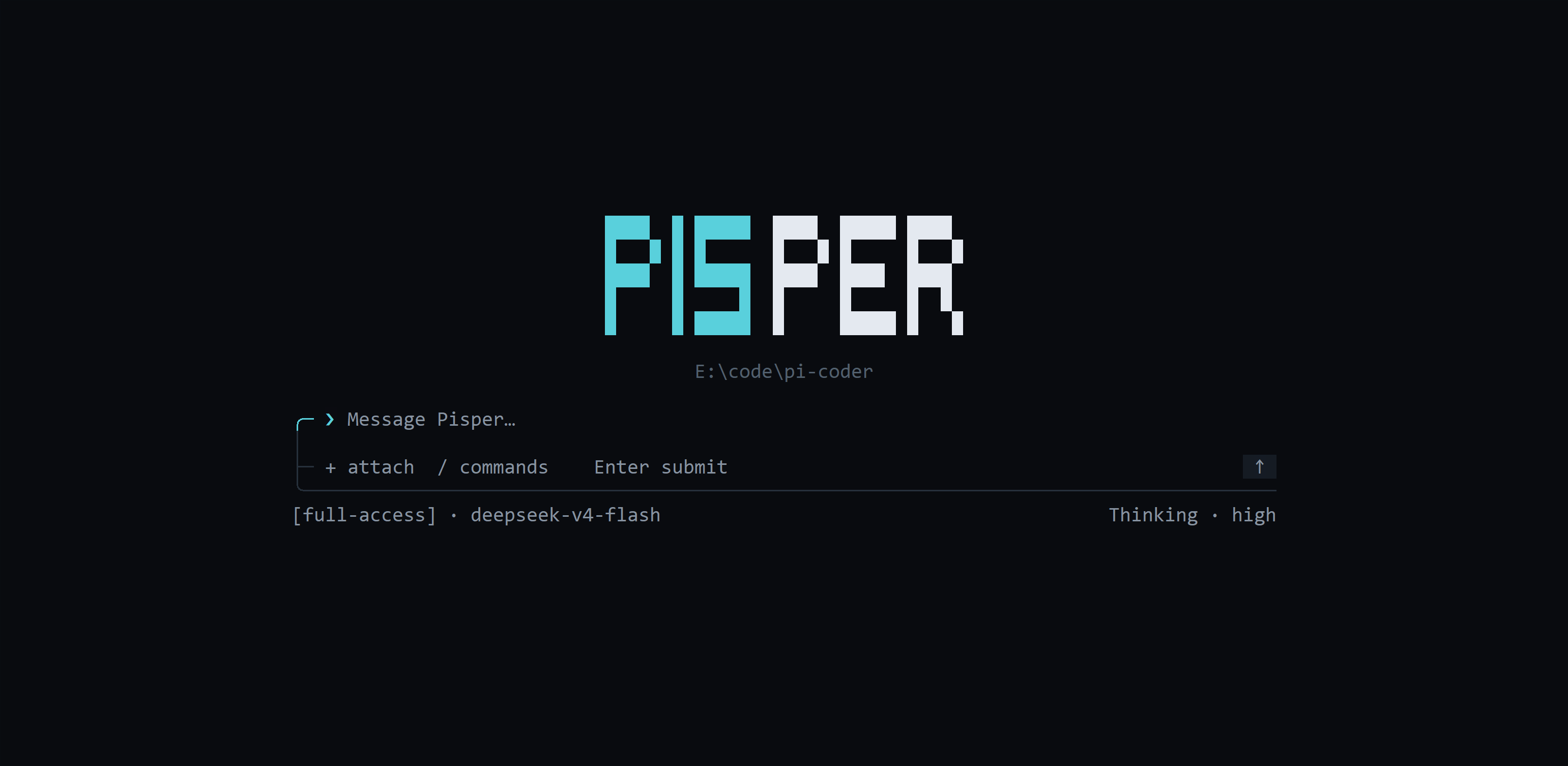
|
|
4
|
-
|
|
5
|
-
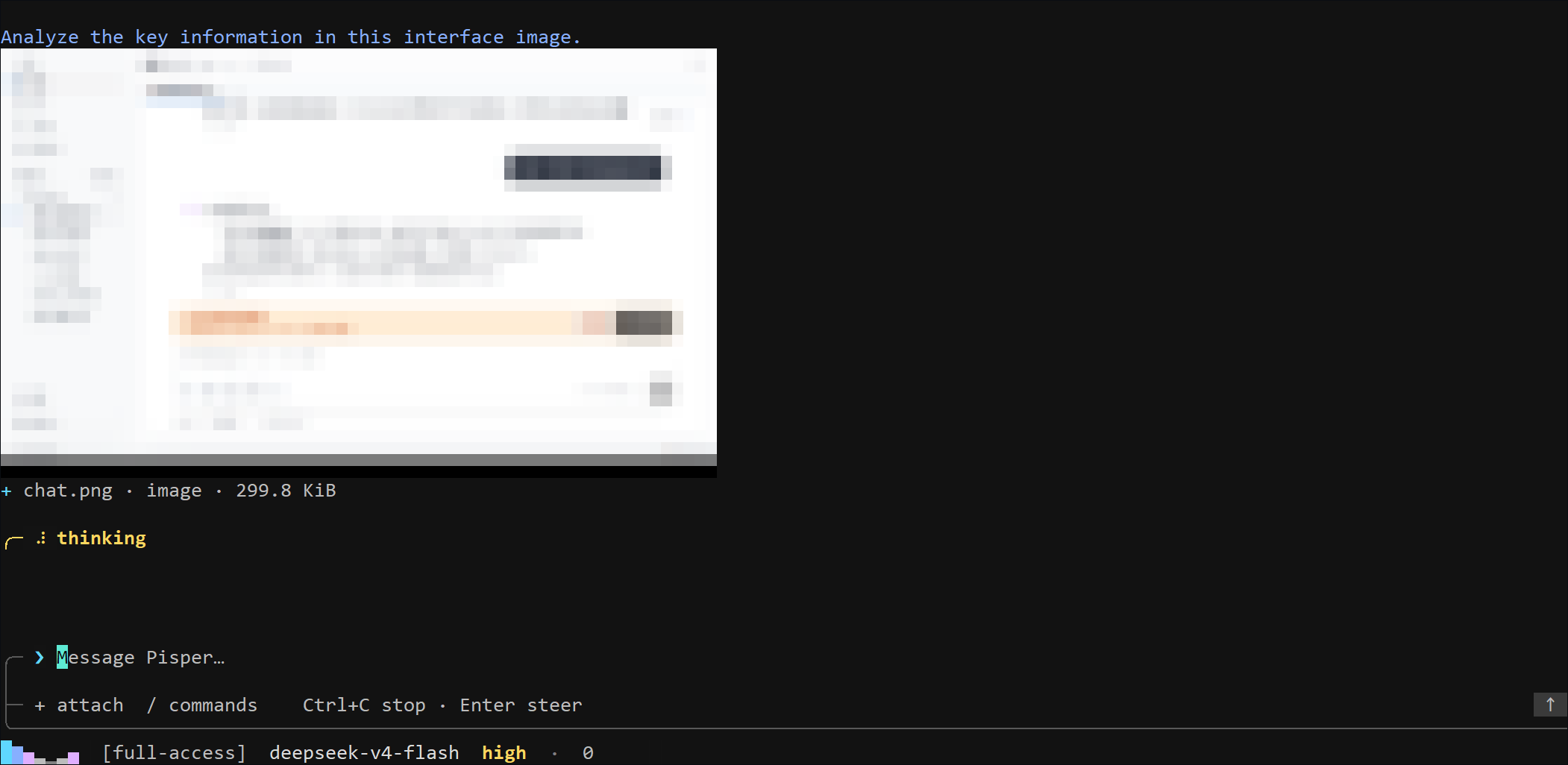
|
|
6
|
-
|
|
7
|
-
[Project home](https://ling-kong-ran.github.io/pisper/) · [GitHub repository](https://github.com/ling-kong-ran/pisper)
|
|
8
|
-
|
|
9
|
-
[中文指南](https://github.com/ling-kong-ran/pisper/blob/release/src-tui/README.md)
|
|
10
|
-
|
|
11
|
-
## Install the Terminal Command
|
|
12
|
-
|
|
13
|
-
Requires Node.js 20+. Install Pisper, then run `pisper`:
|
|
14
|
-
|
|
15
|
-
```bash
|
|
16
|
-
npm install -g pisper --progress=true --foreground-scripts
|
|
17
|
-
pisper
|
|
18
|
-
```
|
|
19
|
-
|
|
20
|
-
Platform packages use the same registry when an npm mirror is configured. `--progress=true` shows npm download progress, while `--foreground-scripts` shows local signature verification and extraction; add `--loglevel=info` only when request and cache details are needed:
|
|
21
|
-
|
|
22
|
-
```bash
|
|
23
|
-
npm install -g pisper --registry=https://registry.npmmirror.com --progress=true --foreground-scripts
|
|
24
|
-
```
|
|
25
|
-
|
|
26
|
-
After installing the Pisper desktop app, you can alternatively open **Settings → App updates** to install, repair, or uninstall the `pisper` command. Pisper installs it in a current-user directory and manages the matching `PATH` entry without administrator access.
|
|
27
|
-
|
|
28
|
-
After installing or uninstalling through the desktop app, restart the terminal host. Fully quit and reopen Windows Terminal, or restart the IDE that owns an integrated terminal.
|
|
29
|
-
|
|
30
|
-
To build the complete distribution from source:
|
|
31
|
-
|
|
32
|
-
```bash
|
|
33
|
-
npm run sidecar:sea
|
|
34
|
-
npm run tui:package
|
|
35
|
-
```
|
|
36
|
-
|
|
37
|
-
The output is written to:
|
|
38
|
-
|
|
39
|
-
```text
|
|
40
|
-
release/tui/pisper-<version>-<platform>-<arch>/
|
|
41
|
-
├── pisper[.exe]
|
|
42
|
-
├── pisper-sidecar[.exe]
|
|
43
|
-
└── sidecar-runtime/
|
|
44
|
-
```
|
|
45
|
-
|
|
46
|
-
## Distribution Updates
|
|
47
|
-
|
|
48
|
-
Check or update an npm installation of Pisper:
|
|
49
|
-
|
|
50
|
-
```bash
|
|
51
|
-
pisper update --check
|
|
52
|
-
pisper update
|
|
53
|
-
```
|
|
54
|
-
|
|
55
|
-
The command uses the configured npm registry. Manage desktop updates under **Settings → App updates**.
|
|
56
|
-
|
|
57
|
-
## Provider and Optional Web Configuration
|
|
58
|
-
|
|
59
|
-
After entering the TUI for the first time, run `/provider` and choose a Provider to edit its protocol, Base URL, and API key. The Base URL is prefilled with the Runtime's effective address: the official default when there is no override, or the custom address when one is configured. Leaving API Key blank preserves the saved secret. Use `Up`/`Down` or `Tab` to move between fields, `Left`/`Right` to choose a protocol, `Enter` to save, and `Esc` to return to the Provider list or cancel. The API key uses a separate masked input, whitespace is removed when pasting, and the secret never enters the composer, Slash history, or ordinary Runtime configuration responses. For a known Provider you can skip the picker with `/provider <id>`, e.g. `/provider deepseek`; `/apikey` remains a compatible alias.
|
|
60
|
-
|
|
61
|
-
For complete visual configuration, run:
|
|
62
|
-
|
|
63
|
-
```bash
|
|
64
|
-
pisper web
|
|
65
|
-
```
|
|
66
|
-
|
|
67
|
-
This opens local Provider settings in your default browser. Keep the Pisper terminal process running while using the browser. **Save Provider settings** saves the current connection; **Set as default Provider** changes the default model for later sessions.
|
|
68
|
-
|
|
69
|
-
After Web is installed, run `/web` in the TUI to reopen the settings page. If it is not installed yet, exit and run `pisper web` first.
|
|
70
|
-
|
|
71
|
-
## Startup and Sessions
|
|
72
|
-
|
|
73
|
-
Run Pisper from a project directory:
|
|
74
|
-
|
|
75
|
-
```bash
|
|
76
|
-
pisper
|
|
77
|
-
```
|
|
78
|
-
|
|
79
|
-
Plain `pisper` always creates an empty conversation. It never restores history automatically. Use `resume` explicitly to open an interactive list containing conversations from every directory; use the arrow keys to select one, press `Enter` to resume, or press `Esc` to exit:
|
|
80
|
-
|
|
81
|
-
```bash
|
|
82
|
-
pisper resume
|
|
83
|
-
```
|
|
84
|
-
|
|
85
|
-
When no history exists, `pisper resume` reports that condition and exits without creating a conversation. Resuming uses the conversation's saved working directory without rewriting it to the TUI launch directory. After entering a conversation, `/dir <directory>` explicitly changes its working directory; relative paths resolve from the current conversation directory.
|
|
86
|
-
|
|
87
|
-
Create a new conversation for another directory:
|
|
88
|
-
|
|
89
|
-
```bash
|
|
90
|
-
pisper --cwd /path/to/project
|
|
91
|
-
```
|
|
92
|
-
|
|
93
|
-
Inspect sidecar, authentication, and capability status:
|
|
94
|
-
|
|
95
|
-
```bash
|
|
96
|
-
pisper doctor
|
|
97
|
-
```
|
|
98
|
-
|
|
99
|
-
The diagnostic output reports the sidecar connection source, TUI launch directory, sidecar runtime fallback directory, and the latest matching session directory so directory inheritance failures are visible.
|
|
100
|
-
|
|
101
|
-
## Composer and Message Stream
|
|
102
|
-
|
|
103
|
-
- `Enter`: submit a message. Plain text submitted during an active run is appended immediately through the same Runtime `steer` queue as the desktop app. Messages with attachments wait until the active run finishes so their attachments are preserved.
|
|
104
|
-
- `/`: open the combined list of runtime Tools, enabled Skills, and built-in commands.
|
|
105
|
-
- `Up` / `Down`: move through Slash, session, model, thinking-level, or file choices.
|
|
106
|
-
- `Tab`: complete the highlighted candidate only while the Slash list is open.
|
|
107
|
-
- `Esc`: close a picker, clear a Slash draft, or return from Changes to Chat.
|
|
108
|
-
- `↑` / `↓`: scroll the conversation one row at a time; `PageUp` / `PageDown`: move eight rows. History loads on demand; the TUI keeps at most 160 messages in memory and evicts back to the latest 80 after an idle period.
|
|
109
|
-
- `Home` / `End`, `Left` / `Right`, `Backspace` / `Delete`: edit the composer draft.
|
|
110
|
-
- `Ctrl+C`: abort the active or approval-blocked run (if the Agent hangs without responding, the Runtime force-settles the run after a timeout); a second `Ctrl+C` while still running force-quits the TUI; exits only while idle.
|
|
111
|
-
|
|
112
|
-
The bottom status bar is left-aligned. While a session is running, a colorful energy wave appears at the far left, with its peak traveling back and forth across a fixed-width set of bars, for example `▁▂▄▆█▆▄`, instead of phase labels such as `Thinking` or `Responding`. Execution mode, model, thinking level, and metrics follow, for example `▁▂▄▆█▆▄ [full-access] gpt-5.6-sol high · 88M · cache 79%`. Queue and approval positions follow the metrics. The values remain isolated per conversation.
|
|
113
|
-
|
|
114
|
-
The TUI uses terminal truecolor by default and automatically falls back when `TERM` advertises only 256 colors. Set `PISPER_TUI_THEME=ansi256` to force the 256-color palette, or use `PISPER_TUI_THEME=monochrome` / `NO_COLOR=1` for monochrome output. `PISPER_TUI_REDUCED_MOTION=1` disables decorative animation and reveals streamed text immediately; scrolling through history also pauses incremental reveal.
|
|
115
|
-
|
|
116
|
-
Long or multiline bracketed pastes render as a compact `[Pasted text · …]` token. The complete original text, including line breaks, is still submitted to the Agent. The token can be moved across or deleted as one unit.
|
|
117
|
-
|
|
118
|
-
## Built-in Commands
|
|
119
|
-
|
|
120
|
-
| Command | Action |
|
|
121
|
-
| :--- | :--- |
|
|
122
|
-
| `/init` | Analyze the current project and create or improve `AGENTS.md` at the project root. |
|
|
123
|
-
| `/new` | Create an empty conversation in the TUI launch directory; unavailable during a run. |
|
|
124
|
-
| `/sessions` | Open the history picker across every directory; press `Enter` to resume. Unavailable during a run. |
|
|
125
|
-
| `/dir <directory>` | Explicitly change the active conversation directory. Relative paths resolve from its current directory; unavailable during a run. |
|
|
126
|
-
| `/changes` | Inspect Git or SVN changes. In the changes view, `R` refreshes, `C` commits, `P` pushes Git, and `V` twice reverts; SVN has no push operation. |
|
|
127
|
-
| `/changes commit <message>` | Commit current Git/SVN changes with an explicit message. |
|
|
128
|
-
| `/chat` | Return to the Chat message stream. |
|
|
129
|
-
| `/model` | Open the model picker and switch the active session model; only models from configured Providers are listed, and switching is unavailable during a run. |
|
|
130
|
-
| `/thinking` | Refresh and open thinking levels supported by the active model; unsupported/error states explain why and can be retried. Unavailable during a run. |
|
|
131
|
-
| `/provider` | Edit a Provider's protocol, effective Base URL, and masked API key; `/provider <id>` targets a Provider directly and `/apikey` remains a compatible alias. |
|
|
132
|
-
| `/web` | Open the authenticated local settings page in the default browser using the installed Web frontend. |
|
|
133
|
-
| `/compact` | Summarize older context immediately; available only for idle sessions with enough history. |
|
|
134
|
-
| `/attach` | Open the file picker for the current directory. |
|
|
135
|
-
| `/mode` | Show the active execution mode and accepted values; it can be changed during a run. |
|
|
136
|
-
| `/mode read-only` | Expose low-risk analysis tools only. |
|
|
137
|
-
| `/mode full-access` | Allow unrestricted local files, network, and Shell access. |
|
|
138
|
-
| `/quit` | Exit the TUI. |
|
|
139
|
-
|
|
140
|
-
Candidates are sorted by prefix match and local usage frequency. `Tab` completes a command without executing a Tool; press `Enter` to select a built-in command.
|
|
141
|
-
|
|
142
|
-
`/init` asks the Agent to inspect the project structure, commands, and conventions before writing repository-specific guidance instead of a fixed template. It carefully preserves useful content in an existing `AGENTS.md` and does not modify other project files. The command is unavailable in `read-only` mode and runs with current-user permissions in `full-access` mode. After it completes, use `/new` to start a session that loads the generated project guidance at startup.
|
|
143
|
-
|
|
144
|
-
When the Agent creates a structured Plan, the TUI updates its items, owners, dependencies, and statuses in place between the transcript and Composer. Narrow terminals keep only the current item, with `Plan completed/total` in the thin top divider.
|
|
145
|
-
|
|
146
|
-
## Attachments
|
|
147
|
-
|
|
148
|
-
Open the attachment picker with any of these controls:
|
|
149
|
-
|
|
150
|
-
- type `+` while the composer is empty
|
|
151
|
-
- press `Ctrl+O`
|
|
152
|
-
- run `/attach`
|
|
153
|
-
|
|
154
|
-
File picker controls:
|
|
155
|
-
|
|
156
|
-
- `Up` / `Down`: select a file or directory.
|
|
157
|
-
- `Enter` / `Right`: enter a directory or add a file.
|
|
158
|
-
- `Left`: move to the parent without leaving the active directory.
|
|
159
|
-
- `Delete`: remove the selected attachment.
|
|
160
|
-
- `Esc`: close the picker while preserving the composer draft.
|
|
161
|
-
|
|
162
|
-
The desktop attachment boundary is shared by the TUI: up to 8 files, 10 MiB per file, and 20 MiB total. Files must be directory-local images, UTF-8 text/code, or supported documents. Images become visual input only when the active model explicitly supports images.
|
|
163
|
-
|
|
164
|
-
## Tools and Skills
|
|
165
|
-
|
|
166
|
-
After typing `/`, `T` marks runtime Tools and `S` marks enabled, model-invocable Skills.
|
|
167
|
-
|
|
168
|
-
Tool examples:
|
|
169
|
-
|
|
170
|
-
```text
|
|
171
|
-
/read README.md
|
|
172
|
-
/bash npm test
|
|
173
|
-
/web_search Pisper latest release
|
|
174
|
-
/mcp_pencil_get_editor_state_f9837b9b inspect the current Pencil canvas
|
|
175
|
-
```
|
|
176
|
-
|
|
177
|
-
The TUI sends the first Slash token through the structured `requestedToolNames` field. The Agent still generates arguments and performs the call. Slash selection never bypasses Tool settings or the active execution mode; attachments remain limited to the current directory.
|
|
178
|
-
|
|
179
|
-
Skill example:
|
|
180
|
-
|
|
181
|
-
```text
|
|
182
|
-
/skill:docs-search find the Tauri updater signing requirements
|
|
183
|
-
```
|
|
184
|
-
|
|
185
|
-
The active Slash list is authoritative for Skill names. The runtime loads the matching `SKILL.md`, scripts, and references on demand. Tools invoked by a Skill follow the same permission chain.
|
|
186
|
-
|
|
187
|
-
`read-only` does not expose write or Shell capabilities. `full-access` means the user explicitly allows unrestricted access as the current operating-system user.
|
|
188
|
-
|
|
189
|
-
## Local Development
|
|
190
|
-
|
|
191
|
-
Building the TUI from source requires Rust 1.88 or newer.
|
|
192
|
-
|
|
193
|
-
Run from source in the current directory:
|
|
194
|
-
|
|
195
|
-
```bash
|
|
196
|
-
npm run tui:dev
|
|
197
|
-
```
|
|
198
|
-
|
|
199
|
-
Choose another directory:
|
|
200
|
-
|
|
201
|
-
```bash
|
|
202
|
-
npm run tui:dev -- --cwd /path/to/project
|
|
203
|
-
```
|
|
204
|
-
|
|
205
|
-
Development runs `runtime/sidecar.mjs` by default. To connect an isolated running sidecar:
|
|
206
|
-
|
|
207
|
-
```text
|
|
208
|
-
PISPER_TUI_URL=http://127.0.0.1:<port>
|
|
209
|
-
PISPER_TUI_TOKEN=<desktop token>
|
|
210
|
-
```
|
|
211
|
-
|
|
212
|
-
Or specify a sidecar executable and runtime:
|
|
213
|
-
|
|
214
|
-
```text
|
|
215
|
-
PISPER_SIDECAR_PATH=/path/to/pisper-sidecar
|
|
216
|
-
PISPER_APP_ROOT=/path/to/sidecar-runtime
|
|
217
|
-
```
|
|
218
|
-
|
|
219
|
-
## Verification
|
|
220
|
-
|
|
221
|
-
```bash
|
|
222
|
-
npm run tui:test
|
|
223
|
-
npm run tui:check
|
|
224
|
-
cargo clippy --manifest-path src-tui/Cargo.toml --all-targets -- -D warnings
|
|
225
|
-
cargo build --manifest-path src-tui/Cargo.toml --release
|
|
226
|
-
```
|
package/bin/pisper.mjs
DELETED
|
@@ -1,48 +0,0 @@
|
|
|
1
|
-
#!/usr/bin/env node
|
|
2
|
-
|
|
3
|
-
import { spawn } from 'node:child_process'
|
|
4
|
-
import process from 'node:process'
|
|
5
|
-
import { fileURLToPath } from 'node:url'
|
|
6
|
-
import { ensurePisperInstallation } from '../lib/install.mjs'
|
|
7
|
-
import { handleNpmHelp, handleNpmUpdate } from '../lib/npm-update.mjs'
|
|
8
|
-
|
|
9
|
-
const frontendRoot = fileURLToPath(new URL('../web', import.meta.url))
|
|
10
|
-
|
|
11
|
-
try {
|
|
12
|
-
const arguments_ = process.argv.slice(2)
|
|
13
|
-
if (!handleNpmHelp(arguments_) && !(await handleNpmUpdate(arguments_))) {
|
|
14
|
-
const installation = await ensurePisperInstallation()
|
|
15
|
-
const child = spawn(installation.executable, arguments_, {
|
|
16
|
-
env: {
|
|
17
|
-
...process.env,
|
|
18
|
-
PISPER_APP_ROOT: installation.appRoot,
|
|
19
|
-
PISPER_DISTRIBUTION: 'npm',
|
|
20
|
-
PISPER_FRONTEND_ROOT: frontendRoot,
|
|
21
|
-
PISPER_RUNTIME_NODE: process.execPath,
|
|
22
|
-
},
|
|
23
|
-
stdio: 'inherit',
|
|
24
|
-
windowsHide: false,
|
|
25
|
-
})
|
|
26
|
-
|
|
27
|
-
for (const signal of ['SIGINT', 'SIGTERM', 'SIGHUP']) {
|
|
28
|
-
process.on(signal, () => {
|
|
29
|
-
if (!child.killed) child.kill(signal)
|
|
30
|
-
})
|
|
31
|
-
}
|
|
32
|
-
|
|
33
|
-
child.once('error', (error) => {
|
|
34
|
-
console.error(`pisper: failed to start the terminal client: ${error.message}`)
|
|
35
|
-
process.exitCode = 1
|
|
36
|
-
})
|
|
37
|
-
child.once('exit', (code, signal) => {
|
|
38
|
-
if (signal) {
|
|
39
|
-
process.kill(process.pid, signal)
|
|
40
|
-
return
|
|
41
|
-
}
|
|
42
|
-
process.exitCode = code ?? 1
|
|
43
|
-
})
|
|
44
|
-
}
|
|
45
|
-
} catch (error) {
|
|
46
|
-
console.error(`pisper: ${error instanceof Error ? error.message : String(error)}`)
|
|
47
|
-
process.exitCode = 1
|
|
48
|
-
}
|