penguins-eggs 9.3.3 → 9.3.7
This diff represents the content of publicly available package versions that have been released to one of the supported registries. The information contained in this diff is provided for informational purposes only and reflects changes between package versions as they appear in their respective public registries.
- package/.oclif.manifest.json +1 -1
- package/README.md +52 -67
- package/addons/eggs/adapt/applications/eggs-adapt.desktop +1 -1
- package/conf/distros/rolling/calamares/modules/packages.yml +1 -4
- package/conf/tools.yaml +11 -12
- package/dist/classes/distro.js +7 -18
- package/dist/classes/incubation/fisherman-helper/packages.js +9 -9
- package/dist/classes/incubation/fisherman.js +2 -2
- package/dist/classes/ovary.js +18 -22
- package/dist/classes/pxe.js +74 -28
- package/dist/commands/export/deb.js +26 -21
- package/dist/commands/export/iso.js +21 -8
- package/dist/commands/tools/stat.js +17 -9
- package/dist/krill/krill-sequence.js +22 -17
- package/dist/krill/modules/bootloader.js +3 -12
- package/dist/krill/modules/initramfs.js +4 -1
- package/dist/krill/modules/mount-vfs.js +1 -1
- package/dist/krill/modules/unpackfs.js +2 -1
- package/dist/lib/dependencies.js +1 -0
- package/mkinitcpio/archlinux/README.md +97 -1
- package/mkinitcpio/archlinux/archinstall/user_configuration.json +42 -0
- package/mkinitcpio/archlinux/archinstall/user_credentials.json +9 -0
- package/mkinitcpio/archlinux/archinstall/user_disk_layout.json +31 -0
- package/mkinitcpio/archlinux/mkinitcpio-install.conf +0 -1
- package/mkinitcpio/archlinux/mkinitcpio-produce.conf +0 -5
- package/mkinitcpio/manjaro/mkinitcpio-produce.conf +4 -2
- package/package.json +21 -22
- package/scripts/_eggs +14 -13
- package/scripts/eggs.bash +4 -4
- package/scripts/mom-cli.sh +1 -9
- package/scripts/{resy.sh → resy} +0 -0
- package/addons/neon/theme/livecd/splash.png +0 -0
- package/assets/penguins-eggs-splash.png +0 -0
- package/dist/commands/export/docs.js +0 -23
- package/scripts/install-eggs-ppa.sh +0 -3
- package/scripts/userexist.sh +0 -6
package/.oclif.manifest.json
CHANGED
|
@@ -1 +1 @@
|
|
|
1
|
-
{"version":"9.3.3","commands":{"adapt":{"id":"adapt","description":"adapt monitor resolution for VM only","strict":true,"pluginName":"penguins-eggs","pluginAlias":"penguins-eggs","pluginType":"core","aliases":[],"flags":{"verbose":{"name":"verbose","type":"boolean","char":"v","allowNo":false},"help":{"name":"help","type":"boolean","char":"h","description":"Show CLI help.","allowNo":false}},"args":[]},"analyze":{"id":"analyze","description":"analyze for syncto","strict":true,"pluginName":"penguins-eggs","pluginAlias":"penguins-eggs","pluginType":"core","aliases":[],"examples":["$ sudo eggs analyze"],"flags":{"help":{"name":"help","type":"boolean","char":"h","description":"Show CLI help.","allowNo":false},"verbose":{"name":"verbose","type":"boolean","char":"v","description":"verbose","allowNo":false}},"args":[]},"calamares":{"id":"calamares","description":"calamares or install or configure it","strict":true,"pluginName":"penguins-eggs","pluginAlias":"penguins-eggs","pluginType":"core","aliases":[],"examples":["~$ sudo eggs calamares \ncreate/renew calamares configuration's files\n","~$ sudo eggs calamares -i \ninstall calamares and create it's configuration's files\n"],"flags":{"help":{"name":"help","type":"boolean","char":"h","description":"Show CLI help.","allowNo":false},"verbose":{"name":"verbose","type":"boolean","char":"v","allowNo":false},"install":{"name":"install","type":"boolean","char":"i","description":"install calamares and it's dependencies","allowNo":false},"release":{"name":"release","type":"boolean","char":"r","description":"release: remove calamares and all it's dependencies after the installation","allowNo":false},"remove":{"name":"remove","type":"boolean","description":"remove calamares and it's dependencies","allowNo":false},"theme":{"name":"theme","type":"option","description":"theme/branding for eggs and calamares","multiple":false}},"args":[]},"config":{"id":"config","description":"Configure and install prerequisites deb packages to run it","strict":true,"pluginName":"penguins-eggs","pluginAlias":"penguins-eggs","pluginType":"core","aliases":[],"examples":["~$ sudo eggs config\nConfigure and install prerequisites deb packages to run it"],"flags":{"nointeractive":{"name":"nointeractive","type":"boolean","char":"n","description":"assume yes","allowNo":false},"clean":{"name":"clean","type":"boolean","char":"c","description":"remove old configuration before to create new one","allowNo":false},"help":{"name":"help","type":"boolean","char":"h","description":"Show CLI help.","allowNo":false},"verbose":{"name":"verbose","type":"boolean","char":"v","description":"verbose","allowNo":false}},"args":[]},"cuckoo":{"id":"cuckoo","description":"PXE start with proxy-dhcp","strict":true,"pluginName":"penguins-eggs","pluginAlias":"penguins-eggs","pluginType":"core","aliases":[],"examples":["$ sudo eggs cuckoo\nstart a PXE server with dhcp-proxy (can coexists with a real dhcp server)\n"],"flags":{"help":{"name":"help","type":"boolean","char":"h","description":"Show CLI help.","allowNo":false}},"args":[]},"dad":{"id":"dad","description":"ask help from daddy - configuration helper","strict":true,"pluginName":"penguins-eggs","pluginAlias":"penguins-eggs","pluginType":"core","aliases":[],"flags":{"help":{"name":"help","type":"boolean","char":"h","description":"Show CLI help.","allowNo":false},"clean":{"name":"clean","type":"boolean","char":"c","description":"remove old configuration before to create","allowNo":false},"default":{"name":"default","type":"boolean","char":"d","description":"remove old configuration and force default","allowNo":false},"verbose":{"name":"verbose","type":"boolean","char":"v","allowNo":false}},"args":[]},"install":{"id":"install","description":"command-line system installer - the egg became a penguin!","strict":true,"pluginName":"penguins-eggs","pluginAlias":"penguins-eggs","pluginType":"core","aliases":[],"examples":["$ eggs install\nInstall the system using krill installer\n"],"flags":{"unattended":{"name":"unattended","type":"boolean","char":"u","description":"Unattended installation","allowNo":false},"ip":{"name":"ip","type":"boolean","char":"i","description":"hostname as ip, eg: ip-192-168-1-33","allowNo":false},"random":{"name":"random","type":"boolean","char":"r","description":"Add random to hostname, eg: colibri-ay412dt","allowNo":false},"domain":{"name":"domain","type":"option","char":"d","description":"Domain name, defult: .local","multiple":false},"suspend":{"name":"suspend","type":"boolean","char":"S","description":"Swap suspend: RAM x 2","allowNo":false},"small":{"name":"small","type":"boolean","char":"s","description":"Swap small: RAM","allowNo":false},"none":{"name":"none","type":"boolean","char":"n","description":"Swap none: 256M","allowNo":false},"crypted":{"name":"crypted","type":"boolean","char":"k","description":"Crypted CLI installation","allowNo":false},"pve":{"name":"pve","type":"boolean","char":"p","description":"Proxmox VE install","allowNo":false},"help":{"name":"help","type":"boolean","char":"h","description":"Show CLI help.","allowNo":false},"verbose":{"name":"verbose","type":"boolean","char":"v","description":"Verbose","allowNo":false}},"args":[]},"kill":{"id":"kill","description":"kill the eggs/free the nest","strict":true,"pluginName":"penguins-eggs","pluginAlias":"penguins-eggs","pluginType":"core","aliases":[],"examples":["$ eggs kill\nkill the eggs/free the nest"],"flags":{"help":{"name":"help","type":"boolean","char":"h","description":"Show CLI help.","allowNo":false},"verbose":{"name":"verbose","type":"boolean","char":"v","description":"verbose","allowNo":false}},"args":[]},"mom":{"id":"mom","description":"ask for mommy - gui helper","strict":true,"pluginName":"penguins-eggs","pluginAlias":"penguins-eggs","pluginType":"core","aliases":[],"flags":{"help":{"name":"help","type":"boolean","char":"h","description":"Show CLI help.","allowNo":false}},"args":[]},"produce":{"id":"produce","description":"produce a live image from your system whithout your data","strict":true,"pluginName":"penguins-eggs","pluginAlias":"penguins-eggs","pluginType":"core","aliases":[],"examples":["$ sudo eggs produce \nproduce an ISO called [hostname]-[arch]-YYYY-MM-DD_HHMM.iso, compressed xz (standard compression).\nIf hostname=ugo and arch=i386 ugo-x86-2020-08-25_1215.iso\n","$ sudo eggs produce -v\nsame as previuos, but with --verbose output\n","$ sudo eggs produce -vf\nsame as previuos, compression zstd, lz4 or gzip (depend from system capability)\n","$ sudo eggs produce -vm\nsame as previuos, compression xz -Xbcj x86 (max compression, about 10%\nmore compressed)\n","$ sudo eggs produce -vf --basename leo --theme debian --addons adapt \nproduce an ISO called leo-i386-2020-08-25_1215.iso compression fast,\nusing Debian theme and link to adapt\n","$ sudo eggs produce -v --basename leo --theme debian --addons rsupport \nproduce an ISO called leo-i386-2020-08-25_1215.iso compression xz,\nusing Debian theme and link to dwagent\n","$ sudo eggs produce -v --basename leo --rsupport \nproduce an ISO called leo-i386-2020-08-25_1215.iso compression xz, using eggs\ntheme and link to dwagent\n","$ sudo eggs produce -vs --basename leo --rsupport \nproduce scripts to build an ISO as the previus example. Scripts can be found\nin /home/eggs/ovarium and you can customize all you need\n"],"flags":{"prefix":{"name":"prefix","type":"option","char":"p","description":"prefix","multiple":false},"basename":{"name":"basename","type":"option","description":"basename","multiple":false},"backup":{"name":"backup","type":"boolean","char":"b","description":"backup mode (CRYPTED)","allowNo":false},"clone":{"name":"clone","type":"boolean","char":"c","description":"clone mode","allowNo":false},"fast":{"name":"fast","type":"boolean","char":"f","description":"fast compression","allowNo":false},"normal":{"name":"normal","type":"boolean","char":"n","description":"normal compression","allowNo":false},"max":{"name":"max","type":"boolean","char":"m","description":"max compression","allowNo":false},"verbose":{"name":"verbose","type":"boolean","char":"v","description":"verbose","allowNo":false},"yolk":{"name":"yolk","type":"boolean","char":"y","description":"-y force yolk renew","allowNo":false},"script":{"name":"script","type":"boolean","char":"s","description":"script mode. Generate scripts to manage iso build","allowNo":false},"help":{"name":"help","type":"boolean","char":"h","description":"Show CLI help.","allowNo":false},"theme":{"name":"theme","type":"option","description":"theme for livecd, calamares branding and partitions","multiple":false},"addons":{"name":"addons","type":"option","description":"addons to be used: adapt, ichoice, pve, rsupport","multiple":true},"release":{"name":"release","type":"boolean","description":"release: max compression, remove penguins-eggs and calamares after installation","allowNo":false}},"args":[]},"status":{"id":"status","description":"informations about eggs status","strict":true,"pluginName":"penguins-eggs","pluginAlias":"penguins-eggs","pluginType":"core","aliases":[],"flags":{"verbose":{"name":"verbose","type":"boolean","char":"v","allowNo":false},"help":{"name":"help","type":"boolean","char":"h","description":"Show CLI help.","allowNo":false}},"args":[]},"syncfrom":{"id":"syncfrom","description":"restore users and user data from a LUKS volumes","strict":true,"pluginName":"penguins-eggs","pluginAlias":"penguins-eggs","pluginType":"core","aliases":[],"examples":["$ sudo eggs restore"],"flags":{"delete":{"name":"delete","type":"option","description":"rsync --delete delete extraneous files from dest dirs","multiple":false},"file":{"name":"file","type":"option","char":"f","description":"file LUKS volume encrypted","multiple":false},"rootdir":{"name":"rootdir","type":"option","char":"r","description":"rootdir of the installed system, when used from live","multiple":false},"help":{"name":"help","type":"boolean","char":"h","description":"Show CLI help.","allowNo":false},"verbose":{"name":"verbose","type":"boolean","char":"v","description":"verbose","allowNo":false}},"args":[]},"syncto":{"id":"syncto","description":"saves users and user data in a LUKS volume inside the iso","strict":true,"pluginName":"penguins-eggs","pluginAlias":"penguins-eggs","pluginType":"core","aliases":[],"examples":["$ sudo eggs syncto"],"flags":{"delete":{"name":"delete","type":"option","description":"rsync --delete delete extraneous files from dest dirs","multiple":false},"file":{"name":"file","type":"option","char":"f","description":"file LUKS volume encrypted","multiple":false},"help":{"name":"help","type":"boolean","char":"h","description":"Show CLI help.","allowNo":false},"verbose":{"name":"verbose","type":"boolean","char":"v","description":"verbose","allowNo":false}},"args":[]},"update":{"id":"update","description":"update the penguin's eggs tool","strict":true,"pluginName":"penguins-eggs","pluginAlias":"penguins-eggs","pluginType":"core","aliases":[],"examples":["$ eggs update\nupdate/upgrade the penguin's eggs tool"],"flags":{"help":{"name":"help","type":"boolean","char":"h","description":"Show CLI help.","allowNo":false},"verbose":{"name":"verbose","type":"boolean","char":"v","description":"verbose","allowNo":false}},"args":[]},"export:deb":{"id":"export:deb","description":"export deb/docs/iso to the destination host","strict":true,"pluginName":"penguins-eggs","pluginAlias":"penguins-eggs","pluginType":"core","aliases":[],"flags":{"help":{"name":"help","type":"boolean","char":"h","description":"Show CLI help.","allowNo":false},"clean":{"name":"clean","type":"boolean","char":"c","description":"remove old .deb before to copy","allowNo":false},"amd64":{"name":"amd64","type":"boolean","description":"export amd64 arch","allowNo":false},"i386":{"name":"i386","type":"boolean","description":"export i386 arch","allowNo":false},"armel":{"name":"armel","type":"boolean","description":"export armel arch","allowNo":false},"arm64":{"name":"arm64","type":"boolean","description":"export arm64 arch","allowNo":false},"all":{"name":"all","type":"boolean","char":"a","description":"export all archs","allowNo":false}},"args":[]},"export:docs":{"id":"export:docs","description":"remove and export docType documentation of the sources in the destination host","strict":true,"pluginName":"penguins-eggs","pluginAlias":"penguins-eggs","pluginType":"core","aliases":[],"flags":{"help":{"name":"help","type":"boolean","char":"h","description":"Show CLI help.","allowNo":false}},"args":[]},"export:iso":{"id":"export:iso","description":"export iso in the destination host","strict":true,"pluginName":"penguins-eggs","pluginAlias":"penguins-eggs","pluginType":"core","aliases":[],"flags":{"help":{"name":"help","type":"boolean","char":"h","description":"Show CLI help.","allowNo":false},"backup":{"name":"backup","type":"boolean","char":"b","description":"export backup ISOs","allowNo":false},"clean":{"name":"clean","type":"boolean","char":"c","description":"delete old ISOs before to copy","allowNo":false}},"args":[]},"tools:clean":{"id":"tools:clean","description":"clean system log, apt, etc","strict":true,"pluginName":"penguins-eggs","pluginAlias":"penguins-eggs","pluginType":"core","aliases":[],"flags":{"help":{"name":"help","type":"boolean","char":"h","description":"Show CLI help.","allowNo":false},"verbose":{"name":"verbose","type":"boolean","char":"v","description":"verbose","allowNo":false}},"args":[]},"tools:ppa":{"id":"tools:ppa","description":"add/remove PPA repositories (Debian family)","strict":true,"pluginName":"penguins-eggs","pluginAlias":"penguins-eggs","pluginType":"core","aliases":[],"flags":{"help":{"name":"help","type":"boolean","char":"h","description":"Show CLI help.","allowNo":false},"add":{"name":"add","type":"boolean","char":"a","description":"add penguins-eggs PPA repository","allowNo":false},"remove":{"name":"remove","type":"boolean","char":"r","description":"remove penguins-eggs PPA repository","allowNo":false},"verbose":{"name":"verbose","type":"boolean","char":"v","description":"verbose","allowNo":false}},"args":[]},"tools:skel":{"id":"tools:skel","description":"update skel from home configuration","strict":true,"pluginName":"penguins-eggs","pluginAlias":"penguins-eggs","pluginType":"core","aliases":[],"examples":["$ eggs skel --user mauro\ndesktop configuration of user mauro will get used as default"],"flags":{"help":{"name":"help","type":"boolean","char":"h","description":"Show CLI help.","allowNo":false},"user":{"name":"user","type":"option","char":"u","description":"user to be used","multiple":false},"verbose":{"name":"verbose","type":"boolean","char":"v","allowNo":false}},"args":[]},"tools:stat":{"id":"tools:stat","description":"get statistics from sourceforge","strict":true,"pluginName":"penguins-eggs","pluginAlias":"penguins-eggs","pluginType":"core","aliases":[],"flags":{"help":{"name":"help","type":"boolean","char":"h","description":"Show CLI help.","allowNo":false},"month":{"name":"month","type":"boolean","char":"m","description":"current month","allowNo":false},"year":{"name":"year","type":"boolean","char":"y","description":"current year","allowNo":false}},"args":[]},"tools:yolk":{"id":"tools:yolk","description":"configure eggs to install without internet","strict":true,"pluginName":"penguins-eggs","pluginAlias":"penguins-eggs","pluginType":"core","aliases":[],"examples":["$ eggs yolk -v"],"flags":{"help":{"name":"help","type":"boolean","char":"h","description":"Show CLI help.","allowNo":false},"verbose":{"name":"verbose","type":"boolean","char":"v","allowNo":false}},"args":[],"dir":"/var/local/yolk"},"wardrobe:get":{"id":"wardrobe:get","description":"get warorobe","strict":true,"pluginName":"penguins-eggs","pluginAlias":"penguins-eggs","pluginType":"core","aliases":[],"flags":{"verbose":{"name":"verbose","type":"boolean","char":"v","allowNo":false},"help":{"name":"help","type":"boolean","char":"h","description":"Show CLI help.","allowNo":false}},"args":[{"name":"repo","description":"repository to get","required":false}]},"wardrobe:ironing":{"id":"wardrobe:ironing","description":"ordered show of costumes or accessories in wardrobe","strict":true,"pluginName":"penguins-eggs","pluginAlias":"penguins-eggs","pluginType":"core","aliases":[],"flags":{"wardrobe":{"name":"wardrobe","type":"option","char":"w","description":"wardrobe","multiple":false},"verbose":{"name":"verbose","type":"boolean","char":"v","allowNo":false},"help":{"name":"help","type":"boolean","char":"h","description":"Show CLI help.","allowNo":false}},"args":[{"name":"costume","description":"costume","required":false}]},"wardrobe:list":{"id":"wardrobe:list","description":"list costumes and accessoires in wardrobe","strict":true,"pluginName":"penguins-eggs","pluginAlias":"penguins-eggs","pluginType":"core","aliases":[],"flags":{"verbose":{"name":"verbose","type":"boolean","char":"v","allowNo":false},"help":{"name":"help","type":"boolean","char":"h","description":"Show CLI help.","allowNo":false}},"args":[{"name":"wardrobe","description":"wardrobe","required":false}]},"wardrobe:show":{"id":"wardrobe:show","description":"show costumes/accessories in wardrobe","strict":true,"pluginName":"penguins-eggs","pluginAlias":"penguins-eggs","pluginType":"core","aliases":[],"flags":{"wardrobe":{"name":"wardrobe","type":"option","char":"w","description":"wardrobe","multiple":false},"json":{"name":"json","type":"boolean","char":"j","description":"output JSON","allowNo":false},"verbose":{"name":"verbose","type":"boolean","char":"v","allowNo":false},"help":{"name":"help","type":"boolean","char":"h","description":"Show CLI help.","allowNo":false}},"args":[{"name":"costume","description":"costume","required":false}]},"wardrobe:wear":{"id":"wardrobe:wear","description":"wear costume/accessories from wardrobe","strict":true,"pluginName":"penguins-eggs","pluginAlias":"penguins-eggs","pluginType":"core","aliases":[],"flags":{"wardrobe":{"name":"wardrobe","type":"option","char":"w","description":"wardrobe","multiple":false},"no_accessories":{"name":"no_accessories","type":"boolean","char":"a","description":"not install accessories","allowNo":false},"no_firmwares":{"name":"no_firmwares","type":"boolean","char":"f","description":"not install firmwares","allowNo":false},"silent":{"name":"silent","type":"boolean","char":"s","allowNo":false},"verbose":{"name":"verbose","type":"boolean","char":"v","allowNo":false},"help":{"name":"help","type":"boolean","char":"h","description":"Show CLI help.","allowNo":false}},"args":[{"name":"costume","description":"costume","required":false}]}}}
|
|
1
|
+
{"version":"9.3.7","commands":{"adapt":{"id":"adapt","description":"adapt monitor resolution for VM only","strict":true,"pluginName":"penguins-eggs","pluginAlias":"penguins-eggs","pluginType":"core","aliases":[],"flags":{"verbose":{"name":"verbose","type":"boolean","char":"v","allowNo":false},"help":{"name":"help","type":"boolean","char":"h","description":"Show CLI help.","allowNo":false}},"args":[]},"analyze":{"id":"analyze","description":"analyze for syncto","strict":true,"pluginName":"penguins-eggs","pluginAlias":"penguins-eggs","pluginType":"core","aliases":[],"examples":["$ sudo eggs analyze"],"flags":{"help":{"name":"help","type":"boolean","char":"h","description":"Show CLI help.","allowNo":false},"verbose":{"name":"verbose","type":"boolean","char":"v","description":"verbose","allowNo":false}},"args":[]},"calamares":{"id":"calamares","description":"calamares or install or configure it","strict":true,"pluginName":"penguins-eggs","pluginAlias":"penguins-eggs","pluginType":"core","aliases":[],"examples":["~$ sudo eggs calamares \ncreate/renew calamares configuration's files\n","~$ sudo eggs calamares -i \ninstall calamares and create it's configuration's files\n"],"flags":{"help":{"name":"help","type":"boolean","char":"h","description":"Show CLI help.","allowNo":false},"verbose":{"name":"verbose","type":"boolean","char":"v","allowNo":false},"install":{"name":"install","type":"boolean","char":"i","description":"install calamares and it's dependencies","allowNo":false},"release":{"name":"release","type":"boolean","char":"r","description":"release: remove calamares and all it's dependencies after the installation","allowNo":false},"remove":{"name":"remove","type":"boolean","description":"remove calamares and it's dependencies","allowNo":false},"theme":{"name":"theme","type":"option","description":"theme/branding for eggs and calamares","multiple":false}},"args":[]},"config":{"id":"config","description":"Configure and install prerequisites deb packages to run it","strict":true,"pluginName":"penguins-eggs","pluginAlias":"penguins-eggs","pluginType":"core","aliases":[],"examples":["~$ sudo eggs config\nConfigure and install prerequisites deb packages to run it"],"flags":{"nointeractive":{"name":"nointeractive","type":"boolean","char":"n","description":"assume yes","allowNo":false},"clean":{"name":"clean","type":"boolean","char":"c","description":"remove old configuration before to create new one","allowNo":false},"help":{"name":"help","type":"boolean","char":"h","description":"Show CLI help.","allowNo":false},"verbose":{"name":"verbose","type":"boolean","char":"v","description":"verbose","allowNo":false}},"args":[]},"cuckoo":{"id":"cuckoo","description":"PXE start with proxy-dhcp","strict":true,"pluginName":"penguins-eggs","pluginAlias":"penguins-eggs","pluginType":"core","aliases":[],"examples":["$ sudo eggs cuckoo\nstart a PXE server with dhcp-proxy (can coexists with a real dhcp server)\n"],"flags":{"help":{"name":"help","type":"boolean","char":"h","description":"Show CLI help.","allowNo":false}},"args":[]},"dad":{"id":"dad","description":"ask help from daddy - configuration helper","strict":true,"pluginName":"penguins-eggs","pluginAlias":"penguins-eggs","pluginType":"core","aliases":[],"flags":{"help":{"name":"help","type":"boolean","char":"h","description":"Show CLI help.","allowNo":false},"clean":{"name":"clean","type":"boolean","char":"c","description":"remove old configuration before to create","allowNo":false},"default":{"name":"default","type":"boolean","char":"d","description":"remove old configuration and force default","allowNo":false},"verbose":{"name":"verbose","type":"boolean","char":"v","allowNo":false}},"args":[]},"install":{"id":"install","description":"command-line system installer - the egg became a penguin!","strict":true,"pluginName":"penguins-eggs","pluginAlias":"penguins-eggs","pluginType":"core","aliases":[],"examples":["$ eggs install\nInstall the system using krill installer\n"],"flags":{"unattended":{"name":"unattended","type":"boolean","char":"u","description":"Unattended installation","allowNo":false},"ip":{"name":"ip","type":"boolean","char":"i","description":"hostname as ip, eg: ip-192-168-1-33","allowNo":false},"random":{"name":"random","type":"boolean","char":"r","description":"Add random to hostname, eg: colibri-ay412dt","allowNo":false},"domain":{"name":"domain","type":"option","char":"d","description":"Domain name, defult: .local","multiple":false},"suspend":{"name":"suspend","type":"boolean","char":"S","description":"Swap suspend: RAM x 2","allowNo":false},"small":{"name":"small","type":"boolean","char":"s","description":"Swap small: RAM","allowNo":false},"none":{"name":"none","type":"boolean","char":"n","description":"Swap none: 256M","allowNo":false},"crypted":{"name":"crypted","type":"boolean","char":"k","description":"Crypted CLI installation","allowNo":false},"pve":{"name":"pve","type":"boolean","char":"p","description":"Proxmox VE install","allowNo":false},"help":{"name":"help","type":"boolean","char":"h","description":"Show CLI help.","allowNo":false},"verbose":{"name":"verbose","type":"boolean","char":"v","description":"Verbose","allowNo":false}},"args":[]},"kill":{"id":"kill","description":"kill the eggs/free the nest","strict":true,"pluginName":"penguins-eggs","pluginAlias":"penguins-eggs","pluginType":"core","aliases":[],"examples":["$ eggs kill\nkill the eggs/free the nest"],"flags":{"help":{"name":"help","type":"boolean","char":"h","description":"Show CLI help.","allowNo":false},"verbose":{"name":"verbose","type":"boolean","char":"v","description":"verbose","allowNo":false}},"args":[]},"mom":{"id":"mom","description":"ask for mommy - gui helper","strict":true,"pluginName":"penguins-eggs","pluginAlias":"penguins-eggs","pluginType":"core","aliases":[],"flags":{"help":{"name":"help","type":"boolean","char":"h","description":"Show CLI help.","allowNo":false}},"args":[]},"produce":{"id":"produce","description":"produce a live image from your system whithout your data","strict":true,"pluginName":"penguins-eggs","pluginAlias":"penguins-eggs","pluginType":"core","aliases":[],"examples":["$ sudo eggs produce \nproduce an ISO called [hostname]-[arch]-YYYY-MM-DD_HHMM.iso, compressed xz (standard compression).\nIf hostname=ugo and arch=i386 ugo-x86-2020-08-25_1215.iso\n","$ sudo eggs produce -v\nsame as previuos, but with --verbose output\n","$ sudo eggs produce -vf\nsame as previuos, compression zstd, lz4 or gzip (depend from system capability)\n","$ sudo eggs produce -vm\nsame as previuos, compression xz -Xbcj x86 (max compression, about 10%\nmore compressed)\n","$ sudo eggs produce -vf --basename leo --theme debian --addons adapt \nproduce an ISO called leo-i386-2020-08-25_1215.iso compression fast,\nusing Debian theme and link to adapt\n","$ sudo eggs produce -v --basename leo --theme debian --addons rsupport \nproduce an ISO called leo-i386-2020-08-25_1215.iso compression xz,\nusing Debian theme and link to dwagent\n","$ sudo eggs produce -v --basename leo --rsupport \nproduce an ISO called leo-i386-2020-08-25_1215.iso compression xz, using eggs\ntheme and link to dwagent\n","$ sudo eggs produce -vs --basename leo --rsupport \nproduce scripts to build an ISO as the previus example. Scripts can be found\nin /home/eggs/ovarium and you can customize all you need\n"],"flags":{"prefix":{"name":"prefix","type":"option","char":"p","description":"prefix","multiple":false},"basename":{"name":"basename","type":"option","description":"basename","multiple":false},"backup":{"name":"backup","type":"boolean","char":"b","description":"backup mode (CRYPTED)","allowNo":false},"clone":{"name":"clone","type":"boolean","char":"c","description":"clone mode","allowNo":false},"fast":{"name":"fast","type":"boolean","char":"f","description":"fast compression","allowNo":false},"normal":{"name":"normal","type":"boolean","char":"n","description":"normal compression","allowNo":false},"max":{"name":"max","type":"boolean","char":"m","description":"max compression","allowNo":false},"verbose":{"name":"verbose","type":"boolean","char":"v","description":"verbose","allowNo":false},"yolk":{"name":"yolk","type":"boolean","char":"y","description":"-y force yolk renew","allowNo":false},"script":{"name":"script","type":"boolean","char":"s","description":"script mode. Generate scripts to manage iso build","allowNo":false},"help":{"name":"help","type":"boolean","char":"h","description":"Show CLI help.","allowNo":false},"theme":{"name":"theme","type":"option","description":"theme for livecd, calamares branding and partitions","multiple":false},"addons":{"name":"addons","type":"option","description":"addons to be used: adapt, ichoice, pve, rsupport","multiple":true},"release":{"name":"release","type":"boolean","description":"release: max compression, remove penguins-eggs and calamares after installation","allowNo":false}},"args":[]},"status":{"id":"status","description":"informations about eggs status","strict":true,"pluginName":"penguins-eggs","pluginAlias":"penguins-eggs","pluginType":"core","aliases":[],"flags":{"verbose":{"name":"verbose","type":"boolean","char":"v","allowNo":false},"help":{"name":"help","type":"boolean","char":"h","description":"Show CLI help.","allowNo":false}},"args":[]},"syncfrom":{"id":"syncfrom","description":"restore users and user data from a LUKS volumes","strict":true,"pluginName":"penguins-eggs","pluginAlias":"penguins-eggs","pluginType":"core","aliases":[],"examples":["$ sudo eggs restore"],"flags":{"delete":{"name":"delete","type":"option","description":"rsync --delete delete extraneous files from dest dirs","multiple":false},"file":{"name":"file","type":"option","char":"f","description":"file LUKS volume encrypted","multiple":false},"rootdir":{"name":"rootdir","type":"option","char":"r","description":"rootdir of the installed system, when used from live","multiple":false},"help":{"name":"help","type":"boolean","char":"h","description":"Show CLI help.","allowNo":false},"verbose":{"name":"verbose","type":"boolean","char":"v","description":"verbose","allowNo":false}},"args":[]},"syncto":{"id":"syncto","description":"saves users and user data in a LUKS volume inside the iso","strict":true,"pluginName":"penguins-eggs","pluginAlias":"penguins-eggs","pluginType":"core","aliases":[],"examples":["$ sudo eggs syncto"],"flags":{"delete":{"name":"delete","type":"option","description":"rsync --delete delete extraneous files from dest dirs","multiple":false},"file":{"name":"file","type":"option","char":"f","description":"file LUKS volume encrypted","multiple":false},"help":{"name":"help","type":"boolean","char":"h","description":"Show CLI help.","allowNo":false},"verbose":{"name":"verbose","type":"boolean","char":"v","description":"verbose","allowNo":false}},"args":[]},"update":{"id":"update","description":"update the penguin's eggs tool","strict":true,"pluginName":"penguins-eggs","pluginAlias":"penguins-eggs","pluginType":"core","aliases":[],"examples":["$ eggs update\nupdate/upgrade the penguin's eggs tool"],"flags":{"help":{"name":"help","type":"boolean","char":"h","description":"Show CLI help.","allowNo":false},"verbose":{"name":"verbose","type":"boolean","char":"v","description":"verbose","allowNo":false}},"args":[]},"export:deb":{"id":"export:deb","description":"export deb/docs/iso to the destination host","strict":true,"pluginName":"penguins-eggs","pluginAlias":"penguins-eggs","pluginType":"core","aliases":[],"flags":{"help":{"name":"help","type":"boolean","char":"h","description":"Show CLI help.","allowNo":false},"all":{"name":"all","type":"boolean","char":"a","description":"export all archs","allowNo":false},"clean":{"name":"clean","type":"boolean","char":"c","description":"remove old .deb before to copy","allowNo":false},"verbose":{"name":"verbose","type":"boolean","char":"v","description":"verbose","allowNo":false}},"args":[]},"export:iso":{"id":"export:iso","description":"export iso in the destination host","strict":true,"pluginName":"penguins-eggs","pluginAlias":"penguins-eggs","pluginType":"core","aliases":[],"flags":{"help":{"name":"help","type":"boolean","char":"h","description":"Show CLI help.","allowNo":false},"backup":{"name":"backup","type":"boolean","char":"b","description":"export backup ISOs","allowNo":false},"clean":{"name":"clean","type":"boolean","char":"c","description":"delete old ISOs before to copy","allowNo":false},"verbose":{"name":"verbose","type":"boolean","char":"v","description":"verbose","allowNo":false}},"args":[]},"tools:clean":{"id":"tools:clean","description":"clean system log, apt, etc","strict":true,"pluginName":"penguins-eggs","pluginAlias":"penguins-eggs","pluginType":"core","aliases":[],"flags":{"help":{"name":"help","type":"boolean","char":"h","description":"Show CLI help.","allowNo":false},"verbose":{"name":"verbose","type":"boolean","char":"v","description":"verbose","allowNo":false}},"args":[]},"tools:ppa":{"id":"tools:ppa","description":"add/remove PPA repositories (Debian family)","strict":true,"pluginName":"penguins-eggs","pluginAlias":"penguins-eggs","pluginType":"core","aliases":[],"flags":{"help":{"name":"help","type":"boolean","char":"h","description":"Show CLI help.","allowNo":false},"add":{"name":"add","type":"boolean","char":"a","description":"add penguins-eggs PPA repository","allowNo":false},"remove":{"name":"remove","type":"boolean","char":"r","description":"remove penguins-eggs PPA repository","allowNo":false},"verbose":{"name":"verbose","type":"boolean","char":"v","description":"verbose","allowNo":false}},"args":[]},"tools:skel":{"id":"tools:skel","description":"update skel from home configuration","strict":true,"pluginName":"penguins-eggs","pluginAlias":"penguins-eggs","pluginType":"core","aliases":[],"examples":["$ eggs skel --user mauro\ndesktop configuration of user mauro will get used as default"],"flags":{"help":{"name":"help","type":"boolean","char":"h","description":"Show CLI help.","allowNo":false},"user":{"name":"user","type":"option","char":"u","description":"user to be used","multiple":false},"verbose":{"name":"verbose","type":"boolean","char":"v","allowNo":false}},"args":[]},"tools:stat":{"id":"tools:stat","description":"get statistics from sourceforge","strict":true,"pluginName":"penguins-eggs","pluginAlias":"penguins-eggs","pluginType":"core","aliases":[],"flags":{"help":{"name":"help","type":"boolean","char":"h","description":"Show CLI help.","allowNo":false},"month":{"name":"month","type":"boolean","char":"m","description":"current month","allowNo":false},"year":{"name":"year","type":"boolean","char":"y","description":"current year","allowNo":false}},"args":[]},"tools:yolk":{"id":"tools:yolk","description":"configure eggs to install without internet","strict":true,"pluginName":"penguins-eggs","pluginAlias":"penguins-eggs","pluginType":"core","aliases":[],"examples":["$ eggs yolk -v"],"flags":{"help":{"name":"help","type":"boolean","char":"h","description":"Show CLI help.","allowNo":false},"verbose":{"name":"verbose","type":"boolean","char":"v","allowNo":false}},"args":[],"dir":"/var/local/yolk"},"wardrobe:get":{"id":"wardrobe:get","description":"get warorobe","strict":true,"pluginName":"penguins-eggs","pluginAlias":"penguins-eggs","pluginType":"core","aliases":[],"flags":{"verbose":{"name":"verbose","type":"boolean","char":"v","allowNo":false},"help":{"name":"help","type":"boolean","char":"h","description":"Show CLI help.","allowNo":false}},"args":[{"name":"repo","description":"repository to get","required":false}]},"wardrobe:ironing":{"id":"wardrobe:ironing","description":"ordered show of costumes or accessories in wardrobe","strict":true,"pluginName":"penguins-eggs","pluginAlias":"penguins-eggs","pluginType":"core","aliases":[],"flags":{"wardrobe":{"name":"wardrobe","type":"option","char":"w","description":"wardrobe","multiple":false},"verbose":{"name":"verbose","type":"boolean","char":"v","allowNo":false},"help":{"name":"help","type":"boolean","char":"h","description":"Show CLI help.","allowNo":false}},"args":[{"name":"costume","description":"costume","required":false}]},"wardrobe:list":{"id":"wardrobe:list","description":"list costumes and accessoires in wardrobe","strict":true,"pluginName":"penguins-eggs","pluginAlias":"penguins-eggs","pluginType":"core","aliases":[],"flags":{"verbose":{"name":"verbose","type":"boolean","char":"v","allowNo":false},"help":{"name":"help","type":"boolean","char":"h","description":"Show CLI help.","allowNo":false}},"args":[{"name":"wardrobe","description":"wardrobe","required":false}]},"wardrobe:show":{"id":"wardrobe:show","description":"show costumes/accessories in wardrobe","strict":true,"pluginName":"penguins-eggs","pluginAlias":"penguins-eggs","pluginType":"core","aliases":[],"flags":{"wardrobe":{"name":"wardrobe","type":"option","char":"w","description":"wardrobe","multiple":false},"json":{"name":"json","type":"boolean","char":"j","description":"output JSON","allowNo":false},"verbose":{"name":"verbose","type":"boolean","char":"v","allowNo":false},"help":{"name":"help","type":"boolean","char":"h","description":"Show CLI help.","allowNo":false}},"args":[{"name":"costume","description":"costume","required":false}]},"wardrobe:wear":{"id":"wardrobe:wear","description":"wear costume/accessories from wardrobe","strict":true,"pluginName":"penguins-eggs","pluginAlias":"penguins-eggs","pluginType":"core","aliases":[],"flags":{"wardrobe":{"name":"wardrobe","type":"option","char":"w","description":"wardrobe","multiple":false},"no_accessories":{"name":"no_accessories","type":"boolean","char":"a","description":"not install accessories","allowNo":false},"no_firmwares":{"name":"no_firmwares","type":"boolean","char":"f","description":"not install firmwares","allowNo":false},"silent":{"name":"silent","type":"boolean","char":"s","allowNo":false},"verbose":{"name":"verbose","type":"boolean","char":"v","allowNo":false},"help":{"name":"help","type":"boolean","char":"h","description":"Show CLI help.","allowNo":false}},"args":[{"name":"costume","description":"costume","required":false}]}}}
|
package/README.md
CHANGED
|
@@ -12,7 +12,6 @@ penguins-eggs
|
|
|
12
12
|
[](https://sourceforge.net/projects/penguins-eggs/files/DEBS)
|
|
13
13
|
[](https://sourceforge.net/projects/penguins-eggs/files/PKGBUILD)
|
|
14
14
|
[](https://sourceforge.net/projects/penguins-eggs/files/ISOS)
|
|
15
|
-
[](https://sourceforge.net/projects/penguins-eggs/files/latest/download)
|
|
16
15
|
|
|
17
16
|
# Index
|
|
18
17
|
<!-- toc -->
|
|
@@ -23,7 +22,7 @@ penguins-eggs
|
|
|
23
22
|
* [Packages](#packages)
|
|
24
23
|
* [Usage](#usage)
|
|
25
24
|
* [Commands](#commands)
|
|
26
|
-
* [
|
|
25
|
+
* [Penguin's eggs official book](#penguins-eggs-official-book)
|
|
27
26
|
* [That's all Folks!](#thats-all-folks)
|
|
28
27
|
<!-- tocstop -->
|
|
29
28
|
|
|
@@ -41,20 +40,24 @@ Thanks to the wardrobe, you can create or use scripts to switch from a "naked" v
|
|
|
41
40
|
|
|
42
41
|
The whole thing is written in pure typescript, so ideally it can be used with different Linux distributions. Yes, there are major differences in terms of the package manager used, but not so much on the way the various programs used to build the isos work. Actually eggs support: Debian, Devuan, Ubuntu, Arch and ManjaroLinux.
|
|
43
42
|
|
|
44
|
-
You can read more on the [blog](https://penguins-eggs.net/2021/11/02/distros-that-can-be-remastered-with-eggs/), some examples of iso images remastered with eggs are in the [sourceforge page of the project](https://sourceforge.net/projects/penguins-eggs/files/
|
|
43
|
+
You can read more on the [blog](https://penguins-eggs.net/2021/11/02/distros-that-can-be-remastered-with-eggs/), some examples of iso images remastered with eggs are in the [sourceforge page of the project](https://sourceforge.net/projects/penguins-eggs/files/ISOS/).
|
|
45
44
|
|
|
46
45
|
# Features
|
|
47
46
|
|
|
48
|
-
##
|
|
49
|
-
|
|
47
|
+
## addons and themes
|
|
48
|
+
Addons are used mostly to let third parties to develop extensions. Note that currently we have an extension for the theme that includes both branding calamares, link and installer icon. In addition, also as an addon has been developed choose between GUI or CLI installation, adapt the video resolution, link to remote support, etc.
|
|
50
49
|
|
|
51
50
|
## backup/clone
|
|
52
51
|
|
|
53
52
|
We have two methods to save in the live system all our data: clone and backup.
|
|
54
53
|
|
|
55
|
-
```eggs produce --fast --clone```
|
|
54
|
+
```eggs produce --fast --clone```
|
|
55
|
+
|
|
56
|
+
saves our users and our data directly in the generated iso. The data will be visible directly from the live and accessible to anyone who gets a copy.
|
|
56
57
|
|
|
57
|
-
```eggs produce --fast --backup```
|
|
58
|
+
```eggs produce --fast --backup```
|
|
59
|
+
|
|
60
|
+
saves our data within the generated iso using a LUKS volume. Our data will NOT be visible in the live system but can be reinstalled automatically with krill installer. Even having the generated image available, our data will be protected by the LUKS passphrase.
|
|
58
61
|
|
|
59
62
|
* ```eggs produce``` this is the default: all private data are removed on the live.
|
|
60
63
|
* ```eggs produce --clone``` include all users data UNCRYPTED directly on the live.
|
|
@@ -62,25 +65,25 @@ We have two methods to save in the live system all our data: clone and backup.
|
|
|
62
65
|
|
|
63
66
|
Using ```sudo eggs install --cli``` will automaticaly restore your CRYPTED backup automatically during the installation.
|
|
64
67
|
|
|
65
|
-
##
|
|
66
|
-
|
|
68
|
+
## calamares and krill
|
|
69
|
+
eggs was developed to use the excellent [calamares](https://calamares.io) as a system installer and allows customization. It also includes its own installer called krill, which allows you to produce and install CLI systems such as servers. krill uses a CLI interface that mimics calamares and uses the same configuration files created by eggs for calamares itself. This results in having "about the same" installation experience from old distros to new ones, desktop or server installations. With krill it is also possible to have unattended installations, simply by adding the ``--unattended`` flag, the configuration values can be changed in ``/etc/penguins-eggs.d/krill.yaml`` and they will be used for the configuration.
|
|
67
70
|
|
|
68
|
-
##
|
|
69
|
-
|
|
71
|
+
## cuckoo
|
|
72
|
+
The cuckoo lays its eggs in the nests of other birds, and the eggs are hatched by the latter. Similarly eggs can start a self-configuring PXE service to allow you to boot and install your iso on third party networked computers. Command cuckoo can be used either to deploy a newly created iso on an installed system or by live booting the iso itself.
|
|
70
73
|
|
|
71
|
-
##
|
|
74
|
+
## mom and dad
|
|
72
75
|
I've added two lightweight assistants integrated with eggs: mom and dad. While mom is a bash script with whiptail - and guides the user to the various commands and documentation, dad started as a short way to create isos. All you have to do is type **sudo eggs dad** and follow simple instructions. You can also shortcut the way to reset the configuration **sudo dad -c** or - even faster - reset the configuration, load defaults, kill created isos: simply type **sudo eggs dad -d** and you will immediately be able to produce the egg in the default /home/eggs nest.
|
|
73
76
|
|
|
74
|
-
|
|
75
|
-
## addons and themes
|
|
76
|
-
Addons are used mostly to let third parties to develop extensions. Note that currently we have an extension for the theme that includes both branding calamares, link and installer icon. In addition, also as an addon has been developed choose between GUI or CLI installation, adapt the video resolution, link to remote support, etc.
|
|
77
|
-
|
|
78
77
|
## wardrobe
|
|
79
78
|
wardrobe was added to eggs on april 2022, it's is a way to guide and consolidate the process of creating a custom version of Linux, starting from a CLI system. All my personal editions are passed to use wardrobe for their convenience, in that way I can organize, consolidate and manage better my work. I used birds names for my customizations, we have: colibri, duck, eagle, owl, wagtail and warbier.
|
|
80
79
|
|
|
81
80
|
I hope peoples will be interested in wardrobe and you will end to fork the main repository and add your customizations: together will be possibile to make great steps impossible for a single developer.
|
|
82
81
|
|
|
83
|
-
You can read more in wardrobe on [penguin's eggs blog](https://penguins-eggs.net/2022/04/12/wardrobe-colibri-duck-eagle-and-owl/). The results of mine customizations are mostly under [Debian bullseye](https://sourceforge.net/projects/penguins-eggs/files/ISOS/debian/bullseye/), [Devuan chimaera](
|
|
82
|
+
You can read more in wardrobe on [penguin's eggs blog](https://penguins-eggs.net/2022/04/12/wardrobe-colibri-duck-eagle-and-owl/). The results of mine customizations are mostly under [Debian bullseye](https://sourceforge.net/projects/penguins-eggs/files/ISOS/debian/bullseye/), [Devuan chimaera](https://sourceforge.net/projects/penguins-eggs/files/ISOS/devuan/chimaera/) and [Ubuntu jammy](https://sourceforge.net/projects/penguins-eggs/files/ISOS/ubuntu/jammy/) on my sourgeforce page.
|
|
83
|
+
|
|
84
|
+
## yolk
|
|
85
|
+
yolk - so called staying on the subject of eggs - is a local repository included in the livecd that contains a minimum of indispensable packages during installation. Thanks to yolk, you can safely install your system without the need of an active internet connection. Yolk, It is used only for Debian families and derivated.
|
|
86
|
+
|
|
84
87
|
|
|
85
88
|
# Packages
|
|
86
89
|
Supporting various distributions, we need to have different packages. Debian, Devuan and Ubuntu share the .deb packages of eggs, while for Arch Linux and ManjaroLinux they use their PKGBUILD.
|
|
@@ -124,12 +127,12 @@ sudo dpkg -i eggs_8.17.17-1_i386.deb
|
|
|
124
127
|
If you are using penguins-eggs-ppa You can ugrade eggs as others packages just: **sudo apt upgrade**, else simply download new versions of eggs from [sourgeforge page](https://sourceforge.net/projects/penguins-eggs/files/DEBS/) and install it with the standard command **sudo dpkg -i eggs_.9.2.2-1_amd64.deb**.
|
|
125
128
|
|
|
126
129
|
## Arch families: Arch and ManjaroLinux
|
|
127
|
-
eggs has been present in AUR for a long time, even without my knowledge thanks the support of Arch peoples. I am currently directly maintaining the AUR version of [penguins-eggs](https://aur.archlinux.org/packages/penguins-eggs) for Arch
|
|
130
|
+
eggs has been present in AUR for a long time, even without my knowledge thanks the support of Arch peoples. I am currently directly maintaining the AUR version of [penguins-eggs](https://aur.archlinux.org/packages/penguins-eggs) for Arch, however you can refer to the versions for Arch and manjaro in their respective repositories on github.
|
|
128
131
|
|
|
129
132
|
To install eggs on Arch, simply ```git clone https://github.com/pieroproietti/penguins-eggs-arch```, ```cd penguins-eggs-arch```, then ```makepkg -si```.
|
|
130
133
|
|
|
131
134
|
|
|
132
|
-
The same for
|
|
135
|
+
The same for manjaro: ```git clone https://github.com/pieroproietti/penguins-eggs-manjaro```, ```cd penguins-eggs-manjaro```, then ```makepkg -si```.
|
|
133
136
|
|
|
134
137
|
# Usage
|
|
135
138
|
|
|
@@ -151,7 +154,7 @@ Once the package has been installed, you can have the new ```eggs``` command. Ty
|
|
|
151
154
|
|
|
152
155
|
Especially during the first trials, you should always use the ```--fast``` flag that will ensure a fast creation of the ISO, later you can use ```--max``` flag and get ISOs more compressed.
|
|
153
156
|
|
|
154
|
-
In addition to the description of the commands in this README, you can consult the [Penguin's eggs official book](
|
|
157
|
+
In addition to the description of the commands in this README, you can consult the [Penguin's eggs official book](#penguins-eggs-official-book).
|
|
155
158
|
|
|
156
159
|
|
|
157
160
|
# Commands
|
|
@@ -164,7 +167,6 @@ In addition to the description of the commands in this README, you can consult t
|
|
|
164
167
|
* [`eggs cuckoo`](#eggs-cuckoo)
|
|
165
168
|
* [`eggs dad`](#eggs-dad)
|
|
166
169
|
* [`eggs export deb`](#eggs-export-deb)
|
|
167
|
-
* [`eggs export docs`](#eggs-export-docs)
|
|
168
170
|
* [`eggs export iso`](#eggs-export-iso)
|
|
169
171
|
* [`eggs help [COMMAND]`](#eggs-help-command)
|
|
170
172
|
* [`eggs install`](#eggs-install)
|
|
@@ -203,7 +205,7 @@ DESCRIPTION
|
|
|
203
205
|
adapt monitor resolution for VM only
|
|
204
206
|
```
|
|
205
207
|
|
|
206
|
-
_See code: [dist/commands/adapt.js](https://github.com/pieroproietti/penguins-eggs/blob/v9.3.
|
|
208
|
+
_See code: [dist/commands/adapt.js](https://github.com/pieroproietti/penguins-eggs/blob/v9.3.7/dist/commands/adapt.js)_
|
|
207
209
|
|
|
208
210
|
## `eggs analyze`
|
|
209
211
|
|
|
@@ -224,7 +226,7 @@ EXAMPLES
|
|
|
224
226
|
$ sudo eggs analyze
|
|
225
227
|
```
|
|
226
228
|
|
|
227
|
-
_See code: [dist/commands/analyze.js](https://github.com/pieroproietti/penguins-eggs/blob/v9.3.
|
|
229
|
+
_See code: [dist/commands/analyze.js](https://github.com/pieroproietti/penguins-eggs/blob/v9.3.7/dist/commands/analyze.js)_
|
|
228
230
|
|
|
229
231
|
## `eggs autocomplete [SHELL]`
|
|
230
232
|
|
|
@@ -253,7 +255,7 @@ EXAMPLES
|
|
|
253
255
|
$ eggs autocomplete --refresh-cache
|
|
254
256
|
```
|
|
255
257
|
|
|
256
|
-
_See code: [@oclif/plugin-autocomplete](https://github.com/oclif/plugin-autocomplete/blob/v1.3.
|
|
258
|
+
_See code: [@oclif/plugin-autocomplete](https://github.com/oclif/plugin-autocomplete/blob/v1.3.3/src/commands/autocomplete/index.ts)_
|
|
257
259
|
|
|
258
260
|
## `eggs calamares`
|
|
259
261
|
|
|
@@ -282,7 +284,7 @@ EXAMPLES
|
|
|
282
284
|
install calamares and create it's configuration's files
|
|
283
285
|
```
|
|
284
286
|
|
|
285
|
-
_See code: [dist/commands/calamares.js](https://github.com/pieroproietti/penguins-eggs/blob/v9.3.
|
|
287
|
+
_See code: [dist/commands/calamares.js](https://github.com/pieroproietti/penguins-eggs/blob/v9.3.7/dist/commands/calamares.js)_
|
|
286
288
|
|
|
287
289
|
## `eggs config`
|
|
288
290
|
|
|
@@ -306,7 +308,7 @@ EXAMPLES
|
|
|
306
308
|
Configure and install prerequisites deb packages to run it
|
|
307
309
|
```
|
|
308
310
|
|
|
309
|
-
_See code: [dist/commands/config.js](https://github.com/pieroproietti/penguins-eggs/blob/v9.3.
|
|
311
|
+
_See code: [dist/commands/config.js](https://github.com/pieroproietti/penguins-eggs/blob/v9.3.7/dist/commands/config.js)_
|
|
310
312
|
|
|
311
313
|
## `eggs cuckoo`
|
|
312
314
|
|
|
@@ -327,7 +329,7 @@ EXAMPLES
|
|
|
327
329
|
start a PXE server with dhcp-proxy (can coexists with a real dhcp server)
|
|
328
330
|
```
|
|
329
331
|
|
|
330
|
-
_See code: [dist/commands/cuckoo.js](https://github.com/pieroproietti/penguins-eggs/blob/v9.3.
|
|
332
|
+
_See code: [dist/commands/cuckoo.js](https://github.com/pieroproietti/penguins-eggs/blob/v9.3.7/dist/commands/cuckoo.js)_
|
|
331
333
|
|
|
332
334
|
## `eggs dad`
|
|
333
335
|
|
|
@@ -347,7 +349,7 @@ DESCRIPTION
|
|
|
347
349
|
ask help from daddy - configuration helper
|
|
348
350
|
```
|
|
349
351
|
|
|
350
|
-
_See code: [dist/commands/dad.js](https://github.com/pieroproietti/penguins-eggs/blob/v9.3.
|
|
352
|
+
_See code: [dist/commands/dad.js](https://github.com/pieroproietti/penguins-eggs/blob/v9.3.7/dist/commands/dad.js)_
|
|
351
353
|
|
|
352
354
|
## `eggs export deb`
|
|
353
355
|
|
|
@@ -355,48 +357,31 @@ export deb/docs/iso to the destination host
|
|
|
355
357
|
|
|
356
358
|
```
|
|
357
359
|
USAGE
|
|
358
|
-
$ eggs export deb [-h] [-
|
|
360
|
+
$ eggs export deb [-h] [-a] [-c] [-v]
|
|
359
361
|
|
|
360
362
|
FLAGS
|
|
361
|
-
-a, --all
|
|
362
|
-
-c, --clean
|
|
363
|
-
-h, --help
|
|
364
|
-
--
|
|
365
|
-
--arm64 export arm64 arch
|
|
366
|
-
--armel export armel arch
|
|
367
|
-
--i386 export i386 arch
|
|
363
|
+
-a, --all export all archs
|
|
364
|
+
-c, --clean remove old .deb before to copy
|
|
365
|
+
-h, --help Show CLI help.
|
|
366
|
+
-v, --verbose verbose
|
|
368
367
|
|
|
369
368
|
DESCRIPTION
|
|
370
369
|
export deb/docs/iso to the destination host
|
|
371
370
|
```
|
|
372
371
|
|
|
373
|
-
## `eggs export docs`
|
|
374
|
-
|
|
375
|
-
remove and export docType documentation of the sources in the destination host
|
|
376
|
-
|
|
377
|
-
```
|
|
378
|
-
USAGE
|
|
379
|
-
$ eggs export docs [-h]
|
|
380
|
-
|
|
381
|
-
FLAGS
|
|
382
|
-
-h, --help Show CLI help.
|
|
383
|
-
|
|
384
|
-
DESCRIPTION
|
|
385
|
-
remove and export docType documentation of the sources in the destination host
|
|
386
|
-
```
|
|
387
|
-
|
|
388
372
|
## `eggs export iso`
|
|
389
373
|
|
|
390
374
|
export iso in the destination host
|
|
391
375
|
|
|
392
376
|
```
|
|
393
377
|
USAGE
|
|
394
|
-
$ eggs export iso [-h] [-b] [-c]
|
|
378
|
+
$ eggs export iso [-h] [-b] [-c] [-v]
|
|
395
379
|
|
|
396
380
|
FLAGS
|
|
397
|
-
-b, --backup
|
|
398
|
-
-c, --clean
|
|
399
|
-
-h, --help
|
|
381
|
+
-b, --backup export backup ISOs
|
|
382
|
+
-c, --clean delete old ISOs before to copy
|
|
383
|
+
-h, --help Show CLI help.
|
|
384
|
+
-v, --verbose verbose
|
|
400
385
|
|
|
401
386
|
DESCRIPTION
|
|
402
387
|
export iso in the destination host
|
|
@@ -420,7 +405,7 @@ DESCRIPTION
|
|
|
420
405
|
Display help for eggs.
|
|
421
406
|
```
|
|
422
407
|
|
|
423
|
-
_See code: [@oclif/plugin-help](https://github.com/oclif/plugin-help/blob/v5.1.
|
|
408
|
+
_See code: [@oclif/plugin-help](https://github.com/oclif/plugin-help/blob/v5.1.16/src/commands/help.ts)_
|
|
424
409
|
|
|
425
410
|
## `eggs install`
|
|
426
411
|
|
|
@@ -451,7 +436,7 @@ EXAMPLES
|
|
|
451
436
|
Install the system using krill installer
|
|
452
437
|
```
|
|
453
438
|
|
|
454
|
-
_See code: [dist/commands/install.js](https://github.com/pieroproietti/penguins-eggs/blob/v9.3.
|
|
439
|
+
_See code: [dist/commands/install.js](https://github.com/pieroproietti/penguins-eggs/blob/v9.3.7/dist/commands/install.js)_
|
|
455
440
|
|
|
456
441
|
## `eggs kill`
|
|
457
442
|
|
|
@@ -473,7 +458,7 @@ EXAMPLES
|
|
|
473
458
|
kill the eggs/free the nest
|
|
474
459
|
```
|
|
475
460
|
|
|
476
|
-
_See code: [dist/commands/kill.js](https://github.com/pieroproietti/penguins-eggs/blob/v9.3.
|
|
461
|
+
_See code: [dist/commands/kill.js](https://github.com/pieroproietti/penguins-eggs/blob/v9.3.7/dist/commands/kill.js)_
|
|
477
462
|
|
|
478
463
|
## `eggs mom`
|
|
479
464
|
|
|
@@ -490,7 +475,7 @@ DESCRIPTION
|
|
|
490
475
|
ask for mommy - gui helper
|
|
491
476
|
```
|
|
492
477
|
|
|
493
|
-
_See code: [dist/commands/mom.js](https://github.com/pieroproietti/penguins-eggs/blob/v9.3.
|
|
478
|
+
_See code: [dist/commands/mom.js](https://github.com/pieroproietti/penguins-eggs/blob/v9.3.7/dist/commands/mom.js)_
|
|
494
479
|
|
|
495
480
|
## `eggs produce`
|
|
496
481
|
|
|
@@ -552,7 +537,7 @@ EXAMPLES
|
|
|
552
537
|
in /home/eggs/ovarium and you can customize all you need
|
|
553
538
|
```
|
|
554
539
|
|
|
555
|
-
_See code: [dist/commands/produce.js](https://github.com/pieroproietti/penguins-eggs/blob/v9.3.
|
|
540
|
+
_See code: [dist/commands/produce.js](https://github.com/pieroproietti/penguins-eggs/blob/v9.3.7/dist/commands/produce.js)_
|
|
556
541
|
|
|
557
542
|
## `eggs status`
|
|
558
543
|
|
|
@@ -570,7 +555,7 @@ DESCRIPTION
|
|
|
570
555
|
informations about eggs status
|
|
571
556
|
```
|
|
572
557
|
|
|
573
|
-
_See code: [dist/commands/status.js](https://github.com/pieroproietti/penguins-eggs/blob/v9.3.
|
|
558
|
+
_See code: [dist/commands/status.js](https://github.com/pieroproietti/penguins-eggs/blob/v9.3.7/dist/commands/status.js)_
|
|
574
559
|
|
|
575
560
|
## `eggs syncfrom`
|
|
576
561
|
|
|
@@ -594,7 +579,7 @@ EXAMPLES
|
|
|
594
579
|
$ sudo eggs restore
|
|
595
580
|
```
|
|
596
581
|
|
|
597
|
-
_See code: [dist/commands/syncfrom.js](https://github.com/pieroproietti/penguins-eggs/blob/v9.3.
|
|
582
|
+
_See code: [dist/commands/syncfrom.js](https://github.com/pieroproietti/penguins-eggs/blob/v9.3.7/dist/commands/syncfrom.js)_
|
|
598
583
|
|
|
599
584
|
## `eggs syncto`
|
|
600
585
|
|
|
@@ -617,7 +602,7 @@ EXAMPLES
|
|
|
617
602
|
$ sudo eggs syncto
|
|
618
603
|
```
|
|
619
604
|
|
|
620
|
-
_See code: [dist/commands/syncto.js](https://github.com/pieroproietti/penguins-eggs/blob/v9.3.
|
|
605
|
+
_See code: [dist/commands/syncto.js](https://github.com/pieroproietti/penguins-eggs/blob/v9.3.7/dist/commands/syncto.js)_
|
|
621
606
|
|
|
622
607
|
## `eggs tools clean`
|
|
623
608
|
|
|
@@ -730,7 +715,7 @@ EXAMPLES
|
|
|
730
715
|
update/upgrade the penguin's eggs tool
|
|
731
716
|
```
|
|
732
717
|
|
|
733
|
-
_See code: [dist/commands/update.js](https://github.com/pieroproietti/penguins-eggs/blob/v9.3.
|
|
718
|
+
_See code: [dist/commands/update.js](https://github.com/pieroproietti/penguins-eggs/blob/v9.3.7/dist/commands/update.js)_
|
|
734
719
|
|
|
735
720
|
## `eggs version`
|
|
736
721
|
|
|
@@ -855,11 +840,11 @@ DESCRIPTION
|
|
|
855
840
|
```
|
|
856
841
|
<!-- commandsstop -->
|
|
857
842
|
|
|
858
|
-
#
|
|
843
|
+
# Penguin's eggs official book
|
|
859
844
|
The original edition of the eggs manual is released in Italian, of course other languages can be accessed using machine translation.
|
|
860
845
|
|
|
861
|
-
* [Manuale in italiano 9.
|
|
862
|
-
* [English manual 9.
|
|
846
|
+
* [Manuale in italiano 9.3.x](https://penguins-eggs.net/book/italiano9.3.html)
|
|
847
|
+
* [English manual 9.3.x](https://penguins--eggs-net.translate.goog/book/italiano9.3?_x_tr_sl=auto&_x_tr_tl=en&_x_tr_hl=en)
|
|
863
848
|
|
|
864
849
|
|
|
865
850
|
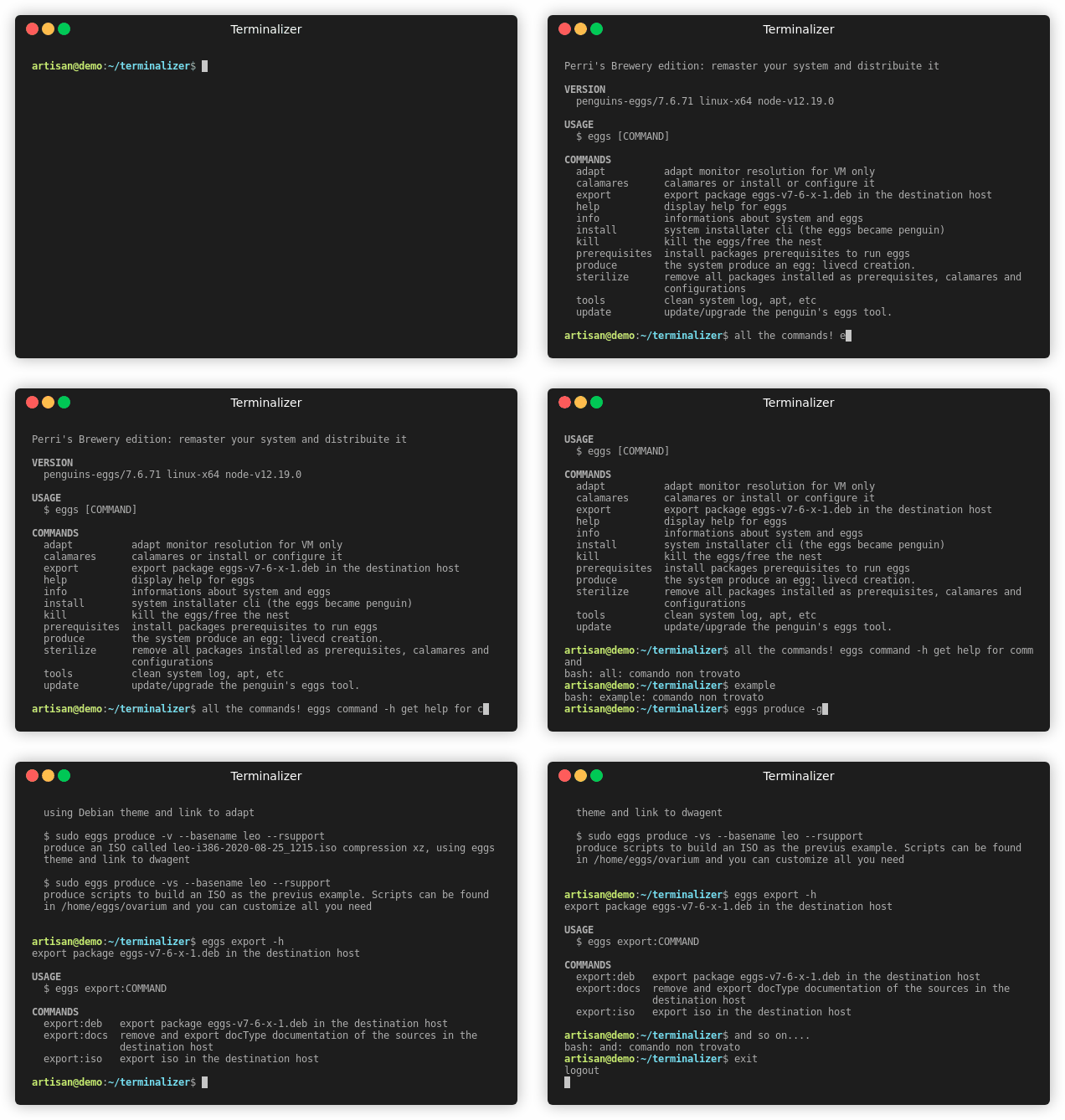
|
package/conf/tools.yaml
CHANGED
|
@@ -1,23 +1,22 @@
|
|
|
1
1
|
# Penguin's eggs
|
|
2
|
-
#
|
|
2
|
+
# tools.yaml
|
|
3
3
|
---
|
|
4
4
|
penguins_eggs_conf: /etc/penguins-eggs.d/eggs.yaml
|
|
5
5
|
|
|
6
6
|
# you can adapt this configuration to your needs
|
|
7
|
-
remoteHost: 192.168.
|
|
7
|
+
remoteHost: 192.168.61.2
|
|
8
8
|
|
|
9
|
-
#
|
|
10
|
-
|
|
11
|
-
|
|
12
|
-
|
|
13
|
-
remotePathDeb: /home/artisan/sourceforge/packages-deb/
|
|
14
|
-
remotePathDoc: /home/artisan/sourceforge/DOCS/
|
|
15
|
-
remotePathIso: /home/artisan/sourceforge/iso/
|
|
9
|
+
# path to remote host
|
|
10
|
+
remotePathDeb: /eggs/
|
|
11
|
+
remotePathDoc: /not-used-more/
|
|
12
|
+
remotePathIso: /var/lib/vz/template/iso/
|
|
16
13
|
|
|
14
|
+
# always root
|
|
15
|
+
remoteUser: root
|
|
17
16
|
|
|
18
|
-
#
|
|
19
|
-
localPathDeb:
|
|
20
|
-
localPathDoc:
|
|
17
|
+
# path to local host
|
|
18
|
+
localPathDeb: /home/artisan/penguins-eggs/perrisbrewery/workdir/
|
|
19
|
+
localPathDoc: /not-used-more/
|
|
21
20
|
localPathIso: /home/eggs
|
|
22
21
|
|
|
23
22
|
# filter package files
|
package/dist/classes/distro.js
CHANGED
|
@@ -50,7 +50,7 @@ class Distro {
|
|
|
50
50
|
this.pxelinuxPath = '';
|
|
51
51
|
this.memdiskPath = '';
|
|
52
52
|
this.liveMediumPath = `/run/live/medium/`;
|
|
53
|
-
this.
|
|
53
|
+
this.squashfs = `live/filesystem.squashfs`;
|
|
54
54
|
this.homeUrl = '';
|
|
55
55
|
this.supportUrl = '';
|
|
56
56
|
this.bugReportUrl = '';
|
|
@@ -294,23 +294,27 @@ class Distro {
|
|
|
294
294
|
}
|
|
295
295
|
/**
|
|
296
296
|
* Arch Linux
|
|
297
|
-
* distroId= "Arch"
|
|
298
297
|
*/
|
|
299
298
|
case 'n/a': {
|
|
300
299
|
this.familyId = 'archlinux';
|
|
301
300
|
this.distroLike = 'Arch';
|
|
302
301
|
this.codenameId = 'rolling';
|
|
303
302
|
this.codenameLikeId = 'rolling';
|
|
303
|
+
this.liveMediumPath = `/run/archiso/copytoram/`;
|
|
304
|
+
this.squashfs = `airootfs.sfs`;
|
|
304
305
|
break;
|
|
305
306
|
}
|
|
306
307
|
/**
|
|
307
308
|
* Manjaro
|
|
308
309
|
*/
|
|
309
310
|
case 'Qonos':
|
|
310
|
-
case 'Ruah':
|
|
311
|
+
case 'Ruah':
|
|
312
|
+
case 'Sikaris': {
|
|
311
313
|
this.familyId = 'archlinux';
|
|
312
314
|
this.distroLike = 'Arch';
|
|
313
315
|
this.codenameLikeId = 'rolling';
|
|
316
|
+
this.liveMediumPath = `/run/miso/bootmnt/`;
|
|
317
|
+
this.squashfs = `manjaro/x86_64/livefs.sfs`;
|
|
314
318
|
break;
|
|
315
319
|
}
|
|
316
320
|
/**
|
|
@@ -351,21 +355,6 @@ class Distro {
|
|
|
351
355
|
this.codenameLikeId = 'buster';
|
|
352
356
|
}
|
|
353
357
|
}
|
|
354
|
-
/**
|
|
355
|
-
* Selezione il mountpoint per squashfs
|
|
356
|
-
*/
|
|
357
|
-
if (this.codenameLikeId === 'jessie' || this.codenameLikeId === 'stretch' || this.codenameLikeId === 'bionic' || this.codenameLikeId === 'xenial') {
|
|
358
|
-
this.mountpointSquashFs = '/lib/live/mount/medium/live/filesystem.squashfs';
|
|
359
|
-
}
|
|
360
|
-
else {
|
|
361
|
-
this.mountpointSquashFs = '/run/live/medium/live/filesystem.squashfs';
|
|
362
|
-
}
|
|
363
|
-
if (this.distroId === "ManjaroLinux") {
|
|
364
|
-
this.mountpointSquashFs = "/run/miso/bootmnt/live/filesystem.squashfs";
|
|
365
|
-
}
|
|
366
|
-
else if (this.distroId === "Arch") {
|
|
367
|
-
this.mountpointSquashFs = "/run/archiso/bootmnt/live/filesystem.squashfs";
|
|
368
|
-
}
|
|
369
358
|
/**
|
|
370
359
|
* setting paths: syslinux, isolinux, usrLib
|
|
371
360
|
*/
|