penguins-eggs 9.1.37 → 9.2.4
This diff represents the content of publicly available package versions that have been released to one of the supported registries. The information contained in this diff is provided for informational purposes only and reflects changes between package versions as they appear in their respective public registries.
- package/README.md +148 -170
- package/addons/eggs/adapt/applications/eggs-adapt.desktop +0 -0
- package/addons/eggs/adapt/bin/adapt +0 -0
- package/addons/eggs/ichoice/bin/eggs-ichoice.sh +0 -0
- package/addons/eggs/pve/applications/eggs-pve.desktop +0 -0
- package/addons/eggs/rsupport/applications/eggs-rsupport.desktop +0 -0
- package/addons/eggs/theme/applications/install-debian.desktop +0 -0
- package/addons/eggs/theme/livecd/isolinux.theme.cfg +36 -41
- package/addons/neon/theme/applications/install-debian.desktop +0 -0
- package/addons/telos/theme/applications/install-debian.desktop +0 -0
- package/addons/ufficiozero/theme/applications/install-debian.desktop +0 -0
- package/addons/waydroid/theme/applications/install-debian.desktop +0 -0
- package/assets/calamares/install-debian +0 -0
- package/assets/penguins-eggs.desktop +0 -0
- package/assets/penguins-krill.desktop +0 -0
- package/assets/penguins-links-add.desktop +0 -0
- package/assets/penguins-live-installer.desktop +0 -0
- package/bin/dev +0 -0
- package/conf/distros/bionic/calamares/calamares-modules/after-bootloader/after-bootloader.sh +0 -0
- package/conf/distros/bionic/calamares/calamares-modules/before-bootloader/before-bootloader.sh +0 -0
- package/conf/distros/bionic/calamares/calamares-modules/before-bootloader-mkdirs/before-bootloader-mkdirs.sh +0 -0
- package/conf/distros/bionic/calamares/calamares-modules/bug/bug.sh +0 -0
- package/conf/distros/bionic/calamares/calamares-modules/grubcfg/main.py +0 -0
- package/conf/distros/bionic/calamares/settings.yml +2 -2
- package/conf/distros/buster/calamares/calamares-modules/cleanup/cleanup.sh +0 -0
- package/conf/distros/buster/calamares/calamares-modules/dpkg-unsafe-io/dpkg-unsafe-io.sh +0 -0
- package/conf/distros/buster/calamares/calamares-modules/sources-yolk/sources-yolk.sh +0 -0
- package/conf/distros/buster/calamares/settings.yml +2 -2
- package/conf/distros/focal/calamares/calamares-modules/automirror/main.py +0 -0
- package/conf/distros/focal/calamares/settings.yml +2 -2
- package/conf/distros/rolling/calamares/modules/machineid.yml +4 -0
- package/conf/distros/rolling/calamares/modules/packages.yml +1 -1
- package/conf/distros/rolling/calamares/modules/shellprocess_removelink.yml +6 -0
- package/conf/distros/rolling/calamares/settings.yml +4 -11
- package/conf/eggs.yaml +41 -73
- package/conf/exclude.list +1 -0
- package/conf/krill.yaml +38 -0
- package/lib/classes/bleach.js +6 -4
- package/lib/classes/daddy.d.ts +2 -2
- package/lib/classes/daddy.js +2 -1
- package/lib/classes/distro.d.ts +2 -0
- package/lib/classes/distro.js +10 -0
- package/lib/classes/family/archlinux.js +8 -4
- package/lib/classes/incubation/distros/bionic.d.ts +1 -1
- package/lib/classes/incubation/distros/bionic.js +1 -1
- package/lib/classes/incubation/distros/buster.d.ts +1 -1
- package/lib/classes/incubation/distros/buster.js +1 -1
- package/lib/classes/incubation/distros/focal.d.ts +1 -1
- package/lib/classes/incubation/distros/focal.js +1 -1
- package/lib/classes/incubation/distros/jessie.d.ts +1 -1
- package/lib/classes/incubation/distros/jessie.js +1 -1
- package/lib/classes/incubation/distros/rolling.d.ts +3 -3
- package/lib/classes/incubation/distros/rolling.js +4 -5
- package/lib/classes/incubation/fisherman-helper/packages.d.ts +4 -0
- package/lib/classes/incubation/fisherman-helper/packages.js +9 -16
- package/lib/classes/incubation/fisherman.d.ts +1 -1
- package/lib/classes/incubation/fisherman.js +24 -10
- package/lib/classes/incubation/incubator.js +26 -22
- package/lib/classes/ovary.d.ts +2 -1
- package/lib/classes/ovary.js +50 -20
- package/lib/classes/pacman.js +8 -7
- package/lib/classes/pxe.d.ts +42 -0
- package/lib/classes/pxe.js +242 -0
- package/lib/classes/settings.d.ts +3 -3
- package/lib/classes/settings.js +2 -1
- package/lib/classes/tools.d.ts +2 -2
- package/lib/classes/utils.d.ts +2 -2
- package/lib/classes/utils.js +4 -4
- package/lib/commands/calamares.js +1 -0
- package/lib/commands/{remove.d.ts → cuckoo.d.ts} +7 -4
- package/lib/commands/cuckoo.js +69 -0
- package/lib/commands/{krill.d.ts → install.d.ts} +2 -3
- package/lib/commands/install.js +53 -0
- package/lib/commands/produce.d.ts +1 -0
- package/lib/commands/produce.js +8 -10
- package/lib/commands/{info.d.ts → status.d.ts} +1 -1
- package/lib/commands/{info.js → status.js} +5 -5
- package/lib/commands/syncfrom.js +1 -1
- package/lib/commands/syncto.js +1 -1
- package/lib/components/summary.d.ts +6 -1
- package/lib/components/summary.js +25 -8
- package/lib/components/users.js +3 -4
- package/lib/interfaces/i-config-tools.d.ts +1 -1
- package/lib/interfaces/i-distro.d.ts +2 -0
- package/lib/interfaces/{i-config.d.ts → i-eggs-config.d.ts} +2 -4
- package/lib/interfaces/{i-config.js → i-eggs-config.js} +0 -0
- package/lib/interfaces/i-krill-config.d.ts +26 -0
- package/lib/interfaces/i-krill-config.js +2 -0
- package/lib/interfaces/i-packages.d.ts +6 -9
- package/lib/interfaces/i-packages.js +3 -0
- package/lib/interfaces/index.d.ts +1 -1
- package/lib/krill/krill-prepare.d.ts +8 -4
- package/lib/krill/krill-prepare.js +166 -36
- package/lib/krill/krill-sequence.d.ts +6 -3
- package/lib/krill/krill-sequence.js +31 -14
- package/lib/krill/modules/fstab.d.ts +5 -0
- package/lib/krill/modules/fstab.js +5 -0
- package/lib/krill/modules/grubcfg.d.ts +5 -0
- package/lib/krill/modules/grubcfg.js +5 -0
- package/lib/krill/modules/hostname.d.ts +5 -0
- package/lib/krill/modules/hostname.js +5 -0
- package/lib/krill/modules/hosts.d.ts +5 -0
- package/lib/krill/modules/hosts.js +5 -0
- package/lib/krill/modules/initramfs-cfg.d.ts +5 -0
- package/lib/krill/modules/initramfs-cfg.js +5 -0
- package/lib/krill/modules/initramfs.d.ts +5 -0
- package/lib/krill/modules/initramfs.js +5 -0
- package/lib/krill/modules/locale-cfg.d.ts +5 -0
- package/lib/krill/modules/locale-cfg.js +5 -0
- package/lib/krill/modules/locale.d.ts +5 -0
- package/lib/krill/modules/locale.js +5 -0
- package/lib/krill/modules/machine-id.d.ts +5 -0
- package/lib/krill/modules/machine-id.js +5 -0
- package/lib/krill/modules/mkfs.d.ts +5 -0
- package/lib/krill/modules/mkfs.js +5 -0
- package/lib/krill/modules/mount-fs.d.ts +5 -0
- package/lib/krill/modules/mount-fs.js +5 -0
- package/lib/krill/modules/mount-vfs.d.ts +5 -0
- package/lib/krill/modules/mount-vfs.js +5 -0
- package/lib/krill/modules/network-cfg.d.ts +5 -0
- package/lib/krill/modules/network-cfg.js +5 -0
- package/lib/krill/modules/packages.d.ts +14 -0
- package/lib/krill/modules/packages.js +65 -0
- package/lib/krill/modules/{partitions.d.ts → partition.d.ts} +5 -0
- package/lib/krill/modules/{partitions.js → partition.js} +5 -0
- package/lib/krill/modules/remove-installer-link.d.ts +5 -0
- package/lib/krill/modules/remove-installer-link.js +5 -0
- package/lib/krill/modules/set-keyboard.d.ts +5 -0
- package/lib/krill/modules/set-keyboard.js +37 -18
- package/lib/krill/modules/set-timezone.d.ts +5 -0
- package/lib/krill/modules/set-timezone.js +5 -0
- package/lib/krill/modules/umount.d.ts +5 -0
- package/lib/krill/modules/umount.js +5 -0
- package/lib/krill/modules/unpackfs.d.ts +5 -0
- package/lib/krill/modules/unpackfs.js +5 -0
- package/manpages/doc/man/eggs.1.gz +0 -0
- package/manpages/doc/man/eggs.html +72 -83
- package/package.json +117 -117
- package/scripts/_eggs +29 -29
- package/scripts/bros/waydroid-helper.sh +0 -0
- package/scripts/eggs-adapt.sh +0 -0
- package/scripts/eggs.bash +6 -6
- package/scripts/install-eggs-ppa.sh +0 -0
- package/scripts/mom-cli.sh +33 -89
- package/scripts/pve-live.service +0 -0
- package/scripts/pve-live.sh +0 -0
- package/scripts/resy.sh +0 -0
- package/scripts/userexist.sh +0 -0
- package/conf/distros/rolling/calamares/calamares-modules/remove-link/module.yml +0 -9
- package/conf/distros/rolling/calamares/calamares-modules/remove-link/remove-link.sh +0 -3
- package/lib/commands/krill.js +0 -77
- package/lib/commands/remove.js +0 -84
- package/manpages/doc/man/eggs.roll.gz +0 -0
package/README.md
CHANGED
|
@@ -4,95 +4,94 @@ penguins-eggs
|
|
|
4
4
|
=============
|
|
5
5
|
|
|
6
6
|
### Penguin's eggs are generated and new birds are ready to fly...
|
|
7
|
-
[](https://github.com/pieroproietti/penguins-eggs)
|
|
8
|
+
[](https://penguins-eggs.net)
|
|
9
|
+
[](https://penguins-eggs.sourceforge.io/)
|
|
10
|
+
[](https://penguins-eggs.net/book/)
|
|
11
11
|
[](https://npmjs.org/package/penguins-eggs)
|
|
12
|
-
[](https://sourceforge.net/projects/penguins-eggs/files/DEBS)
|
|
13
|
+
[](https://sourceforge.net/projects/penguins-eggs/files/PKGBUILD)
|
|
14
|
+
[](https://sourceforge.net/projects/penguins-eggs/files/ISOS)
|
|
14
15
|
|
|
15
16
|
|
|
16
17
|
# Index
|
|
17
18
|
<!-- toc -->
|
|
18
19
|
* [Index](#index)
|
|
19
20
|
* [Presentation](#presentation)
|
|
21
|
+
* [Tecnology](#tecnology)
|
|
22
|
+
* [Features](#features)
|
|
20
23
|
* [Packages](#packages)
|
|
21
24
|
* [Usage](#usage)
|
|
22
25
|
* [Commands](#commands)
|
|
23
|
-
* [
|
|
26
|
+
* [Manual](#manual)
|
|
24
27
|
* [That's all Folks!](#thats-all-folks)
|
|
25
28
|
<!-- tocstop -->
|
|
26
29
|
|
|
27
30
|
# Presentation
|
|
28
|
-
penguins-eggs is a console utility, under continuous development, that allows you to remaster your system and redistribute it as iso images
|
|
31
|
+
penguins-eggs is a console utility, under continuous development, that allows you to remaster your system and redistribute it as iso images.
|
|
29
32
|
|
|
30
|
-
The purpose of this project is to implement the process of remastering your own version of Linux, generate it as an ISO image to burn to a CD/DVD or copy to a USB stick to boot your system.
|
|
33
|
+
The purpose of this project is to implement the process of remastering your own version of Linux, generate it as an ISO image to burn to a CD/DVD or copy to a USB stick to boot your system. The default behavior is total removal of the system's data and users, but it is also possible to remaster the system including the data and accounts of present users, use flag **--clone**. It is also possible to keep the users and files present under an encrypted LUKS file within the same resulting iso file, flag **--backup**.
|
|
31
34
|
|
|
32
|
-
|
|
35
|
+
You can easily install the resulting live system with the calamares installer or the internal TUI krill installer. It is possible to have also unattended installation using --unattended flag.
|
|
33
36
|
|
|
34
|
-
|
|
37
|
+
Thanks to the wardrobe, you can create or use scripts to switch from a "naked" version - with only a CLI interface - and "wear" it with a full GUI or server configurations. See [penguins-wardrobe](https://github.com/pieroproietti/penguins-wardrobe), fork it and adapt it to yours needs.
|
|
35
38
|
|
|
36
|
-
penguins-eggs, as of May 2022, is a mature tool and is extremely powerful: you can easily create your own custom version of Linux for your organization/school and distribute it on your LAN, give it to your friends as a usb key, or post your images on the Internet!
|
|
37
39
|
|
|
38
|
-
|
|
40
|
+
# Tecnology
|
|
39
41
|
|
|
40
|
-
|
|
41
|
-
I've added two lightweight assistants integrated with eggs: mom and dad. While mom is a bash script with whiptail - and guides the user to the various commands and documentation, dad started as a short way to create isos. All you have to do is type **sudo eggs dad** and follow simple instructions. You can also shortcut the way to reset the configuration **sudo dad -c** or - even faster - reset the configuration, load defaults, kill created isos: simply type **sudo eggs dad -d** and you will immediately be able to produce the egg in the default /home/eggs nest.
|
|
42
|
+
The whole thing is written in pure typescript, so ideally it can be used with different Linux distributions. Yes, there are major differences in terms of the package manager used, but not so much on the way the various programs used to build the isos work. Actually eggs support: Debian, Devuan, Ubuntu, Arch and ManjaroLinux.
|
|
42
43
|
|
|
43
|
-
|
|
44
|
-
yolk - so called staying on the subject of eggs - is a local repository included in the livecd that contains a minimum of indispensable packages during installation. Thanks to yolk, you can safely install your system without the need of an active internet connection.
|
|
44
|
+
You can read more on the [blog](https://penguins-eggs.net/2021/11/02/distros-that-can-be-remastered-with-eggs/), some examples of iso images remastered with eggs are in the [sourceforge page of the project](https://sourceforge.net/projects/penguins-eggs/files/iso/).
|
|
45
45
|
|
|
46
|
-
|
|
47
|
-
wardrobe was added to eggs on april 2022, it's is a way to guide and consolidate the process of creating a custom version of Linux, starting from a CLI system. All my personal editions are passed to use wardrobe for their convenience, in that way I can organize, consolidate and manage better my work. I used birds names for my customizations, we have: colibri, duck, eagle, owl, wagtail and warbier.
|
|
46
|
+
# Features
|
|
48
47
|
|
|
49
|
-
|
|
48
|
+
## helper: mom and dad
|
|
49
|
+
I've added two lightweight assistants integrated with eggs: mom and dad. While mom is a bash script with whiptail - and guides the user to the various commands and documentation, dad started as a short way to create isos. All you have to do is type **sudo eggs dad** and follow simple instructions. You can also shortcut the way to reset the configuration **sudo dad -c** or - even faster - reset the configuration, load defaults, kill created isos: simply type **sudo eggs dad -d** and you will immediately be able to produce the egg in the default /home/eggs nest.
|
|
50
50
|
|
|
51
|
-
|
|
51
|
+
## backup/clone
|
|
52
52
|
|
|
53
|
-
|
|
54
|
-
eggs include a CLI installer named krill, this let you to produce and install servers configurations. krill use a nice TUI interface using the same, configuration created by eggs for [calamares](calamares.io). This lead to have "about the same" experience installing, from old distros to new ones and for GUI and CLI. To force using krill in place of calamares in a GUI system just: **sudo eggs install --cli**
|
|
53
|
+
We have two methods to save in the live system all our data: clone and backup.
|
|
55
54
|
|
|
56
|
-
|
|
57
|
-
Addons are used mostly to let third parties to develop extensions. Note that currently we have an extension for the theme that includes both branding calamares, link and installer icon. In addition, also as an addon has been developed choose between GUI or CLI installation, adapt the video resolution, link to remote support, etc.
|
|
55
|
+
```eggs produces --fast --clone``` saves our users and our data directly in the generated iso. The data will be visible directly from the live and accessible to anyone who gets a copy.
|
|
58
56
|
|
|
59
|
-
|
|
60
|
-
You can use the backup mode by simply adding --backup in the produce command. This way eggs will save your users data and accounts and will not add a live user, you will have to log in with the main user of your system with the his password. **Note:** since eggs always configures autologin, you may have a security risk with valuable data. Use this option only for your personal stuff and do not share the iso on the network.
|
|
57
|
+
```eggs produces --fast --backup``` saves our data within the generated iso using a LUKS volume. Our data will NOT be visible in the live system but can be reinstalled automatically with krill installer. Even having the generated image available, our data will be protected by the LUKS passphrase.
|
|
61
58
|
|
|
62
|
-
* ```eggs produce``` just
|
|
63
|
-
* ```eggs produce --
|
|
59
|
+
* ```eggs produce``` just users accounts and homes.
|
|
60
|
+
* ```eggs produce --clone``` include all users data UNCRYPTED directly on the live.
|
|
61
|
+
* ```eggs produce --backup``` include all users data CRYPTED on a LUKS volume inside the iso.
|
|
64
62
|
|
|
65
|
-
|
|
63
|
+
**NOTE:**
|
|
64
|
+
Using ```sudo eggs install``` will automaticaly restore your CRYPTED backup automatically. Of course the original passphrase will be request.
|
|
66
65
|
|
|
67
|
-
|
|
66
|
+
## cuckoo
|
|
67
|
+
The cuckoo lays its eggs in the nests of other birds, and the eggs are hatched by the latter. Similarly eggs can start a self-configuring PXE service to allow you to boot and install your iso on third party networked computers. Command cuckoo can be used either to deploy a newly created iso on an installed system or by live booting the iso itself.
|
|
68
68
|
|
|
69
|
-
|
|
70
|
-
|
|
69
|
+
## yolk
|
|
70
|
+
yolk - so called staying on the subject of eggs - is a local repository included in the livecd that contains a minimum of indispensable packages during installation. Thanks to yolk, you can safely install your system without the need of an active internet connection. Yolk, It is used only for Debian families and derivated.
|
|
71
71
|
|
|
72
|
-
|
|
73
|
-
|
|
74
|
-
* installing with calamares: when installation is finished, you need to mount the rootdir of your installed system and, give the following command: ```sudo eggs syncfrom -f /path/to/luks-eggs-backup -r /path/to/rootdir```
|
|
75
|
-
* it's possbile actually to change the nest directory, editing configuration file ```/etc/penguins-eggs.d/eggs.yaml```. Example: ```set snapshot_dir: '/opt/eggs/'```, but you can't use the following: /etc, /boot, /usr and /var.
|
|
72
|
+
## krill installer
|
|
73
|
+
eggs include a CLI installer named krill, this let you to produce and install servers configurations. krill use a nice TUI interface using the same, configuration created by eggs for [calamares](calamares.io). This lead to have "about the same" experience installing, from old distros to new ones and for GUI and CLI. It's possible with krill to do unattended installations, simply add ```--unattended``` flag and the values in ```/etc/penguins-eggs.d/krill.yaml``` will be used for installation.
|
|
76
74
|
|
|
77
|
-
|
|
78
|
-
|
|
75
|
+
## addons and themes
|
|
76
|
+
Addons are used mostly to let third parties to develop extensions. Note that currently we have an extension for the theme that includes both branding calamares, link and installer icon. In addition, also as an addon has been developed choose between GUI or CLI installation, adapt the video resolution, link to remote support, etc.
|
|
79
77
|
|
|
80
|
-
##
|
|
81
|
-
|
|
78
|
+
## wardrobe
|
|
79
|
+
wardrobe was added to eggs on april 2022, it's is a way to guide and consolidate the process of creating a custom version of Linux, starting from a CLI system. All my personal editions are passed to use wardrobe for their convenience, in that way I can organize, consolidate and manage better my work. I used birds names for my customizations, we have: colibri, duck, eagle, owl, wagtail and warbier.
|
|
82
80
|
|
|
83
|
-
|
|
81
|
+
I hope peoples will be interested in wardrobe and you will end to fork the main repository and add your customizations: together will be possibile to make great steps impossible for a single developer.
|
|
84
82
|
|
|
85
|
-
|
|
86
|
-
Eggs, can be released for differents architectures: **amd64**, **arm64** and **armel**. Actually I'm producing mainly for PCs (amd64) and armel. Someone want to contribute to bring eggs on [raspberrypi](https://www.raspberrypi.org/)?
|
|
83
|
+
You can read more in wardrobe on [penguin's eggs blog](https://penguins-eggs.net/2022/04/12/wardrobe-colibri-duck-eagle-and-owl/). The results of mine customizations are mostly under [Debian bullseye](https://sourceforge.net/projects/penguins-eggs/files/ISOS/debian/bullseye/), [Devuan chimaera](ttps://sourceforge.net/projects/penguins-eggs/files/ISOS/devuan/chimaera/) and [Ubuntu jammy](https://sourceforge.net/projects/penguins-eggs/files/ISOS/ubuntu/jammy/) on my sourgeforce page.
|
|
87
84
|
|
|
88
85
|
# Packages
|
|
89
|
-
|
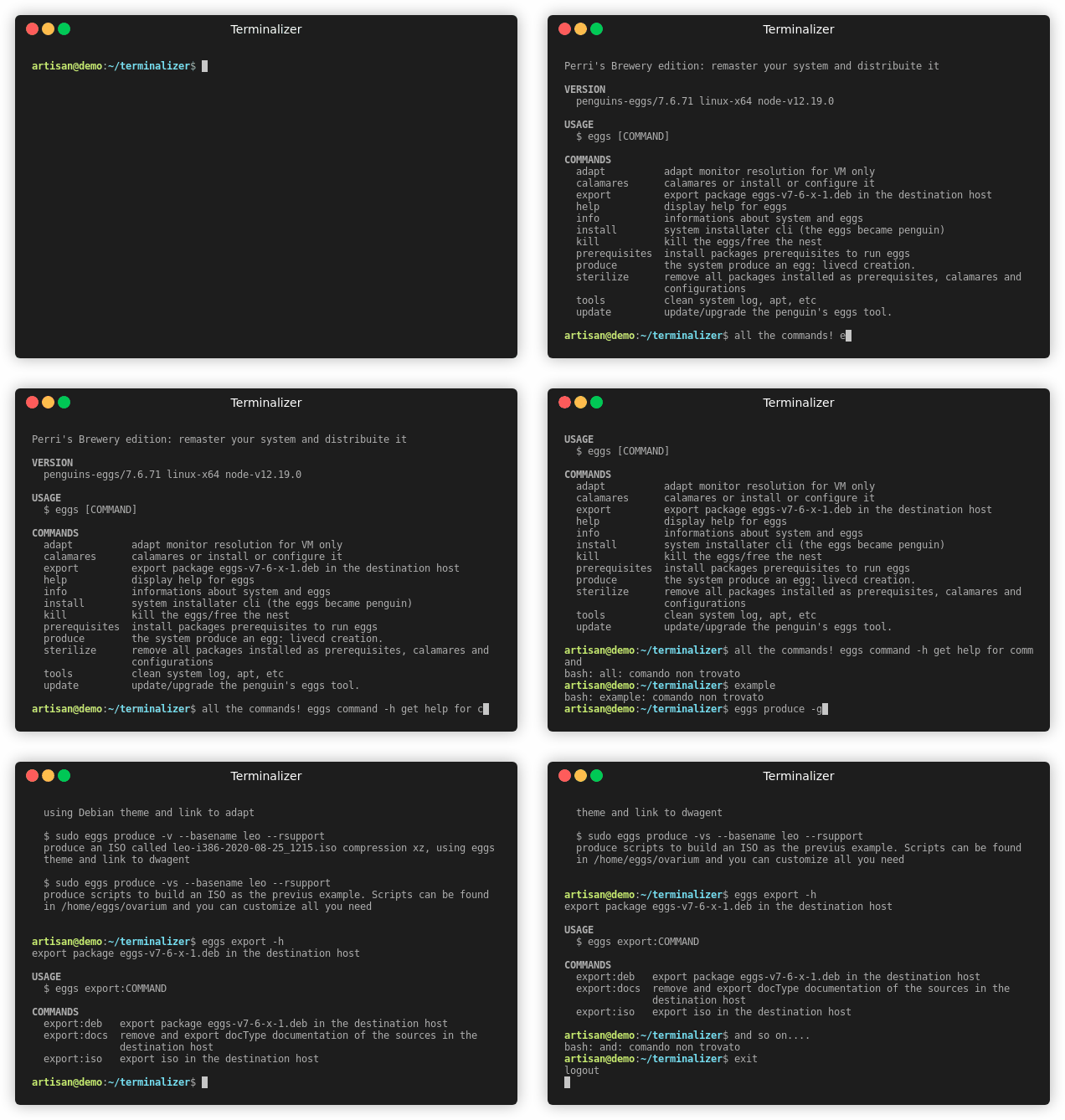
|
90
|
-
The packages usually go before in sourgeforce page of eggs, (unstable version) and later in ppa (stable version).
|
|
86
|
+
Supporting various distributions, we need to have different packages. Debian, Devuan and Ubuntu share the .deb packages of eggs, while for Arch Linux and ManjaroLinux they use their PKGBUILD.
|
|
91
87
|
|
|
92
|
-
##
|
|
93
|
-
|
|
88
|
+
## Debian families
|
|
89
|
+
eggs is released deb packages for amd64, armel and arm64 architectures. Due the characteristic of eggs, they can installed in Debian, Devuan or Ubuntu based distros, withouth worries about different versions, except for the architecture. It include standard scripts for preinst, postinst, prerm and postrm.
|
|
94
90
|
|
|
95
|
-
###
|
|
91
|
+
### Install eggs
|
|
92
|
+
There are more than a way to install eggs as .deb package, the most common it's to add and use penguins-eggs-ppa.
|
|
93
|
+
|
|
94
|
+
#### Using penguins-eggs-ppa (stable version)
|
|
96
95
|
|
|
97
96
|
eggs have it's repository ppa, You can use it, copy and paste in a terminal window the following two lines:
|
|
98
97
|
|
|
@@ -103,12 +102,12 @@ sudo curl -s --compressed -o /etc/apt/sources.list.d/penguins-eggs-ppa.list "htt
|
|
|
103
102
|
|
|
104
103
|
Update your repositories: **sudo apt update** and install eggs: **sudo apt install eggs**.
|
|
105
104
|
|
|
106
|
-
|
|
105
|
+
#### Download the package and install with dpkg
|
|
107
106
|
|
|
108
|
-
The simplest way to install eggs is download the [package eggs](https://sourceforge.net/projects/penguins-eggs/files/
|
|
107
|
+
The simplest way to install eggs is download the [package eggs](https://sourceforge.net/projects/penguins-eggs/files/DEBS/) from [sourceforge page of the project](https://sourceforge.net/projects/penguins-eggs/) and install it
|
|
109
108
|
|
|
110
109
|
```
|
|
111
|
-
sudo dpkg -i eggs_9.
|
|
110
|
+
sudo dpkg -i eggs_9.2.2_amd64.deb
|
|
112
111
|
```
|
|
113
112
|
|
|
114
113
|
or, on a i386 system:
|
|
@@ -116,29 +115,39 @@ or, on a i386 system:
|
|
|
116
115
|
sudo dpkg -i eggs_8.17.17-1_i386.deb
|
|
117
116
|
```
|
|
118
117
|
|
|
119
|
-
|
|
120
|
-
If you are using penguins-eggs-ppa You can ugrade eggs as others packages just: **sudo apt upgrade**.
|
|
118
|
+
### Upgrade eggs
|
|
119
|
+
If you are using penguins-eggs-ppa You can ugrade eggs as others packages just: **sudo apt upgrade**, else simply download new versions of eggs from [sourgeforge page](https://sourceforge.net/projects/penguins-eggs/files/DEBS/) and install it with the standard command **sudo dpkg -i eggs_.9.2.2-1_amd64.deb**.
|
|
120
|
+
|
|
121
|
+
## Arch families: Arch and ManjaroLinux
|
|
122
|
+
eggs has been present in AUR for a long time, even without my knowledge thanks the support of Arch peoples. I am currently directly maintaining the AUR version of [penguins-eggs](https://aur.archlinux.org/packages/penguins-eggs) for Arch linux, however you can refer to the versions for Arch and manjaroLinux in their respective repositories on github.
|
|
123
|
+
|
|
124
|
+
To install eggs on Arch, simply ```git clone https://github.com/pieroproietti/penguins-eggs-arch```, ```cd penguins-eggs-arch```, then ```makepkg -si```.
|
|
121
125
|
|
|
122
|
-
### Manual upgrade
|
|
123
|
-
Simply download new versions of eggs from [sourgeforge page](https://sourceforge.net/projects/penguins-eggs/files/packages-deb/) and install it with the standard command **sudo dpkg -i eggs_8.17.x-1_amd64.deb**.
|
|
124
126
|
|
|
127
|
+
The same for manjaroLinux: ```git clone https://github.com/pieroproietti/penguins-eggs-manjaro```, ```cd penguins-eggs-manjaro```, then ```makepkg -si```.
|
|
125
128
|
|
|
126
129
|
# Usage
|
|
130
|
+
|
|
131
|
+
Once the package has been installed, you can have the new ```eggs``` command. Typing ```eggs``` will get the list of commands, typing ```eggs produces --help``` will get the eggs produce command help screen. You can also use the command autocomplete with the TABS key, you will get the possible choices for each command. In addition, there is a man page, so by typing ```man eggs``` you will get that help as well. A more guided approach can be made usind ```eggs mom```, will present a menu with various commands.
|
|
132
|
+
|
|
133
|
+
## Examples
|
|
134
|
+
|
|
135
|
+
* Create a live system without user data:
|
|
136
|
+
|
|
137
|
+
```sudo eggs produce --fast```
|
|
138
|
+
|
|
139
|
+
* Create a live system with user data uncrypted.
|
|
140
|
+
|
|
141
|
+
```sudo eggs produce --fast --clone```
|
|
142
|
+
|
|
143
|
+
* Create a live system with the encrypted user data.
|
|
144
|
+
|
|
145
|
+
```sudo eggs produce --fast --backup```
|
|
146
|
+
|
|
147
|
+
Especially during the first trials, you should always use the ```--fast``` flag that will ensure a fast creation of the ISO, later you can use ```--max``` flag and get ISOs more compressed.
|
|
148
|
+
|
|
127
149
|
In addition to the description of the commands in this README, you can consult the [Penguin's eggs official book](https://penguins-eggs.net/book/).
|
|
128
150
|
|
|
129
|
-
<!-- usage -->
|
|
130
|
-
```sh-session
|
|
131
|
-
$ npm install -g penguins-eggs
|
|
132
|
-
$ eggs COMMAND
|
|
133
|
-
running command...
|
|
134
|
-
$ eggs (--version|-v)
|
|
135
|
-
penguins-eggs/9.1.37 linux-x64 node-v16.16.0
|
|
136
|
-
$ eggs --help [COMMAND]
|
|
137
|
-
USAGE
|
|
138
|
-
$ eggs COMMAND
|
|
139
|
-
...
|
|
140
|
-
```
|
|
141
|
-
<!-- usagestop -->
|
|
142
151
|
|
|
143
152
|
# Commands
|
|
144
153
|
<!-- commands -->
|
|
@@ -147,18 +156,17 @@ USAGE
|
|
|
147
156
|
* [`eggs autocomplete [SHELL]`](#eggs-autocomplete-shell)
|
|
148
157
|
* [`eggs calamares`](#eggs-calamares)
|
|
149
158
|
* [`eggs config`](#eggs-config)
|
|
159
|
+
* [`eggs cuckoo`](#eggs-cuckoo)
|
|
150
160
|
* [`eggs dad`](#eggs-dad)
|
|
151
161
|
* [`eggs export deb`](#eggs-export-deb)
|
|
152
162
|
* [`eggs export docs`](#eggs-export-docs)
|
|
153
163
|
* [`eggs export iso`](#eggs-export-iso)
|
|
154
164
|
* [`eggs help [COMMAND]`](#eggs-help-command)
|
|
155
|
-
* [`eggs info`](#eggs-info)
|
|
156
165
|
* [`eggs install`](#eggs-install)
|
|
157
166
|
* [`eggs kill`](#eggs-kill)
|
|
158
|
-
* [`eggs krill`](#eggs-krill)
|
|
159
167
|
* [`eggs mom`](#eggs-mom)
|
|
160
168
|
* [`eggs produce`](#eggs-produce)
|
|
161
|
-
* [`eggs
|
|
169
|
+
* [`eggs status`](#eggs-status)
|
|
162
170
|
* [`eggs syncfrom`](#eggs-syncfrom)
|
|
163
171
|
* [`eggs syncto`](#eggs-syncto)
|
|
164
172
|
* [`eggs tools clean`](#eggs-tools-clean)
|
|
@@ -189,7 +197,7 @@ DESCRIPTION
|
|
|
189
197
|
adapt monitor resolution for VM only
|
|
190
198
|
```
|
|
191
199
|
|
|
192
|
-
_See code: [src/commands/adapt.ts](https://github.com/pieroproietti/penguins-eggs/blob/v9.
|
|
200
|
+
_See code: [src/commands/adapt.ts](https://github.com/pieroproietti/penguins-eggs/blob/v9.2.4/src/commands/adapt.ts)_
|
|
193
201
|
|
|
194
202
|
## `eggs analyze`
|
|
195
203
|
|
|
@@ -210,7 +218,7 @@ EXAMPLES
|
|
|
210
218
|
$ sudo eggs analyze
|
|
211
219
|
```
|
|
212
220
|
|
|
213
|
-
_See code: [src/commands/analyze.ts](https://github.com/pieroproietti/penguins-eggs/blob/v9.
|
|
221
|
+
_See code: [src/commands/analyze.ts](https://github.com/pieroproietti/penguins-eggs/blob/v9.2.4/src/commands/analyze.ts)_
|
|
214
222
|
|
|
215
223
|
## `eggs autocomplete [SHELL]`
|
|
216
224
|
|
|
@@ -268,7 +276,7 @@ EXAMPLES
|
|
|
268
276
|
install calamares and create it's configuration's files
|
|
269
277
|
```
|
|
270
278
|
|
|
271
|
-
_See code: [src/commands/calamares.ts](https://github.com/pieroproietti/penguins-eggs/blob/v9.
|
|
279
|
+
_See code: [src/commands/calamares.ts](https://github.com/pieroproietti/penguins-eggs/blob/v9.2.4/src/commands/calamares.ts)_
|
|
272
280
|
|
|
273
281
|
## `eggs config`
|
|
274
282
|
|
|
@@ -292,7 +300,30 @@ EXAMPLES
|
|
|
292
300
|
Configure and install prerequisites deb packages to run it
|
|
293
301
|
```
|
|
294
302
|
|
|
295
|
-
_See code: [src/commands/config.ts](https://github.com/pieroproietti/penguins-eggs/blob/v9.
|
|
303
|
+
_See code: [src/commands/config.ts](https://github.com/pieroproietti/penguins-eggs/blob/v9.2.4/src/commands/config.ts)_
|
|
304
|
+
|
|
305
|
+
## `eggs cuckoo`
|
|
306
|
+
|
|
307
|
+
cuckoo start a PXE boot server serving the live image
|
|
308
|
+
|
|
309
|
+
```
|
|
310
|
+
USAGE
|
|
311
|
+
$ eggs cuckoo [-f] [-h] [-v]
|
|
312
|
+
|
|
313
|
+
FLAGS
|
|
314
|
+
-f, --full
|
|
315
|
+
-h, --help Show CLI help.
|
|
316
|
+
-v, --verbose verbose
|
|
317
|
+
|
|
318
|
+
DESCRIPTION
|
|
319
|
+
cuckoo start a PXE boot server serving the live image
|
|
320
|
+
|
|
321
|
+
EXAMPLES
|
|
322
|
+
$ sudo eggs cuckoo
|
|
323
|
+
start a PXE boot server
|
|
324
|
+
```
|
|
325
|
+
|
|
326
|
+
_See code: [src/commands/cuckoo.ts](https://github.com/pieroproietti/penguins-eggs/blob/v9.2.4/src/commands/cuckoo.ts)_
|
|
296
327
|
|
|
297
328
|
## `eggs dad`
|
|
298
329
|
|
|
@@ -312,7 +343,7 @@ DESCRIPTION
|
|
|
312
343
|
ask help from daddy - configuration helper
|
|
313
344
|
```
|
|
314
345
|
|
|
315
|
-
_See code: [src/commands/dad.ts](https://github.com/pieroproietti/penguins-eggs/blob/v9.
|
|
346
|
+
_See code: [src/commands/dad.ts](https://github.com/pieroproietti/penguins-eggs/blob/v9.2.4/src/commands/dad.ts)_
|
|
316
347
|
|
|
317
348
|
## `eggs export deb`
|
|
318
349
|
|
|
@@ -387,50 +418,31 @@ DESCRIPTION
|
|
|
387
418
|
|
|
388
419
|
_See code: [@oclif/plugin-help](https://github.com/oclif/plugin-help/blob/v5.1.12/src/commands/help.ts)_
|
|
389
420
|
|
|
390
|
-
## `eggs info`
|
|
391
|
-
|
|
392
|
-
informations about eggs configuration
|
|
393
|
-
|
|
394
|
-
```
|
|
395
|
-
USAGE
|
|
396
|
-
$ eggs info [-v] [-h]
|
|
397
|
-
|
|
398
|
-
FLAGS
|
|
399
|
-
-h, --help Show CLI help.
|
|
400
|
-
-v, --verbose
|
|
401
|
-
|
|
402
|
-
DESCRIPTION
|
|
403
|
-
informations about eggs configuration
|
|
404
|
-
```
|
|
405
|
-
|
|
406
|
-
_See code: [src/commands/info.ts](https://github.com/pieroproietti/penguins-eggs/blob/v9.1.37/src/commands/info.ts)_
|
|
407
|
-
|
|
408
421
|
## `eggs install`
|
|
409
422
|
|
|
410
423
|
command-line system installer - the egg became a penguin!
|
|
411
424
|
|
|
412
425
|
```
|
|
413
426
|
USAGE
|
|
414
|
-
$ eggs install [-
|
|
427
|
+
$ eggs install [-u] [-k] [-p] [-h] [-v]
|
|
415
428
|
|
|
416
429
|
FLAGS
|
|
417
|
-
-
|
|
418
|
-
-
|
|
419
|
-
-
|
|
420
|
-
-
|
|
421
|
-
-v, --verbose
|
|
430
|
+
-h, --help Show CLI help.
|
|
431
|
+
-k, --crypted crypted CLI installation
|
|
432
|
+
-p, --pve Proxmox VE install
|
|
433
|
+
-u, --unattended unattended CLI installation
|
|
434
|
+
-v, --verbose verbose
|
|
422
435
|
|
|
423
436
|
DESCRIPTION
|
|
424
437
|
command-line system installer - the egg became a penguin!
|
|
425
438
|
|
|
426
|
-
ALIASES
|
|
427
|
-
$ eggs install
|
|
428
|
-
|
|
429
439
|
EXAMPLES
|
|
430
440
|
$ eggs install
|
|
431
|
-
Install the system using
|
|
441
|
+
Install the system using krill installer
|
|
432
442
|
```
|
|
433
443
|
|
|
444
|
+
_See code: [src/commands/install.ts](https://github.com/pieroproietti/penguins-eggs/blob/v9.2.4/src/commands/install.ts)_
|
|
445
|
+
|
|
434
446
|
## `eggs kill`
|
|
435
447
|
|
|
436
448
|
kill the eggs/free the nest
|
|
@@ -451,35 +463,7 @@ EXAMPLES
|
|
|
451
463
|
kill the eggs/free the nest
|
|
452
464
|
```
|
|
453
465
|
|
|
454
|
-
_See code: [src/commands/kill.ts](https://github.com/pieroproietti/penguins-eggs/blob/v9.
|
|
455
|
-
|
|
456
|
-
## `eggs krill`
|
|
457
|
-
|
|
458
|
-
command-line system installer - the egg became a penguin!
|
|
459
|
-
|
|
460
|
-
```
|
|
461
|
-
USAGE
|
|
462
|
-
$ eggs krill [-c] [-k] [-p] [-h] [-v]
|
|
463
|
-
|
|
464
|
-
FLAGS
|
|
465
|
-
-c, --cli force use CLI installer
|
|
466
|
-
-h, --help Show CLI help.
|
|
467
|
-
-k, --crypted crypted CLI installation
|
|
468
|
-
-p, --pve Proxmox VE install
|
|
469
|
-
-v, --verbose verbose
|
|
470
|
-
|
|
471
|
-
DESCRIPTION
|
|
472
|
-
command-line system installer - the egg became a penguin!
|
|
473
|
-
|
|
474
|
-
ALIASES
|
|
475
|
-
$ eggs install
|
|
476
|
-
|
|
477
|
-
EXAMPLES
|
|
478
|
-
$ eggs install
|
|
479
|
-
Install the system using GUI or CLI installer
|
|
480
|
-
```
|
|
481
|
-
|
|
482
|
-
_See code: [src/commands/krill.ts](https://github.com/pieroproietti/penguins-eggs/blob/v9.1.37/src/commands/krill.ts)_
|
|
466
|
+
_See code: [src/commands/kill.ts](https://github.com/pieroproietti/penguins-eggs/blob/v9.2.4/src/commands/kill.ts)_
|
|
483
467
|
|
|
484
468
|
## `eggs mom`
|
|
485
469
|
|
|
@@ -496,7 +480,7 @@ DESCRIPTION
|
|
|
496
480
|
ask for mommy - gui helper
|
|
497
481
|
```
|
|
498
482
|
|
|
499
|
-
_See code: [src/commands/mom.ts](https://github.com/pieroproietti/penguins-eggs/blob/v9.
|
|
483
|
+
_See code: [src/commands/mom.ts](https://github.com/pieroproietti/penguins-eggs/blob/v9.2.4/src/commands/mom.ts)_
|
|
500
484
|
|
|
501
485
|
## `eggs produce`
|
|
502
486
|
|
|
@@ -504,11 +488,12 @@ produce a live image from your system whithout your data
|
|
|
504
488
|
|
|
505
489
|
```
|
|
506
490
|
USAGE
|
|
507
|
-
$ eggs produce [-p <value>] [--basename <value>] [-b] [-f] [-n] [-m] [-v] [-y] [-s] [-h] [--theme
|
|
508
|
-
[--addons <value>] [--release]
|
|
491
|
+
$ eggs produce [-p <value>] [--basename <value>] [-b] [-c] [-f] [-n] [-m] [-v] [-y] [-s] [-h] [--theme
|
|
492
|
+
<value>] [--addons <value>] [--release]
|
|
509
493
|
|
|
510
494
|
FLAGS
|
|
511
|
-
-b, --backup backup mode
|
|
495
|
+
-b, --backup backup mode (CRYPTED)
|
|
496
|
+
-c, --clone clone mode
|
|
512
497
|
-f, --fast fast compression
|
|
513
498
|
-h, --help Show CLI help.
|
|
514
499
|
-m, --max max compression
|
|
@@ -519,7 +504,7 @@ FLAGS
|
|
|
519
504
|
-y, --yolk -y force yolk renew
|
|
520
505
|
--addons=<value>... addons to be used: adapt, ichoice, pve, rsupport
|
|
521
506
|
--basename=<value> basename
|
|
522
|
-
--release release:
|
|
507
|
+
--release release: max compression, remove penguins-eggs and calamares after installation
|
|
523
508
|
--theme=<value> theme for livecd, calamares branding and partitions
|
|
524
509
|
|
|
525
510
|
DESCRIPTION
|
|
@@ -557,41 +542,29 @@ EXAMPLES
|
|
|
557
542
|
in /home/eggs/ovarium and you can customize all you need
|
|
558
543
|
```
|
|
559
544
|
|
|
560
|
-
_See code: [src/commands/produce.ts](https://github.com/pieroproietti/penguins-eggs/blob/v9.
|
|
545
|
+
_See code: [src/commands/produce.ts](https://github.com/pieroproietti/penguins-eggs/blob/v9.2.4/src/commands/produce.ts)_
|
|
561
546
|
|
|
562
|
-
## `eggs
|
|
547
|
+
## `eggs status`
|
|
563
548
|
|
|
564
|
-
|
|
549
|
+
informations about eggs status
|
|
565
550
|
|
|
566
551
|
```
|
|
567
552
|
USAGE
|
|
568
|
-
$ eggs
|
|
553
|
+
$ eggs status [-v] [-h]
|
|
569
554
|
|
|
570
555
|
FLAGS
|
|
571
|
-
-
|
|
572
|
-
-
|
|
573
|
-
-p, --purge remove eggs configurations files
|
|
574
|
-
-v, --verbose verbose
|
|
556
|
+
-h, --help Show CLI help.
|
|
557
|
+
-v, --verbose
|
|
575
558
|
|
|
576
559
|
DESCRIPTION
|
|
577
|
-
|
|
578
|
-
|
|
579
|
-
EXAMPLES
|
|
580
|
-
$ sudo eggs remove
|
|
581
|
-
remove eggs
|
|
582
|
-
|
|
583
|
-
$ sudo eggs remove --purge
|
|
584
|
-
remove eggs, eggs configurations, configuration's files
|
|
585
|
-
|
|
586
|
-
$ sudo eggs remove --autoremove
|
|
587
|
-
remove eggs, eggs configurations, packages dependencies
|
|
560
|
+
informations about eggs status
|
|
588
561
|
```
|
|
589
562
|
|
|
590
|
-
_See code: [src/commands/
|
|
563
|
+
_See code: [src/commands/status.ts](https://github.com/pieroproietti/penguins-eggs/blob/v9.2.4/src/commands/status.ts)_
|
|
591
564
|
|
|
592
565
|
## `eggs syncfrom`
|
|
593
566
|
|
|
594
|
-
|
|
567
|
+
restore users and user data from a LUKS volumes
|
|
595
568
|
|
|
596
569
|
```
|
|
597
570
|
USAGE
|
|
@@ -605,17 +578,17 @@ FLAGS
|
|
|
605
578
|
--delete=<value> rsync --delete delete extraneous files from dest dirs
|
|
606
579
|
|
|
607
580
|
DESCRIPTION
|
|
608
|
-
|
|
581
|
+
restore users and user data from a LUKS volumes
|
|
609
582
|
|
|
610
583
|
EXAMPLES
|
|
611
584
|
$ sudo eggs restore
|
|
612
585
|
```
|
|
613
586
|
|
|
614
|
-
_See code: [src/commands/syncfrom.ts](https://github.com/pieroproietti/penguins-eggs/blob/v9.
|
|
587
|
+
_See code: [src/commands/syncfrom.ts](https://github.com/pieroproietti/penguins-eggs/blob/v9.2.4/src/commands/syncfrom.ts)_
|
|
615
588
|
|
|
616
589
|
## `eggs syncto`
|
|
617
590
|
|
|
618
|
-
|
|
591
|
+
saves users and user data in a LUKS volume inside the iso
|
|
619
592
|
|
|
620
593
|
```
|
|
621
594
|
USAGE
|
|
@@ -628,13 +601,13 @@ FLAGS
|
|
|
628
601
|
--delete=<value> rsync --delete delete extraneous files from dest dirs
|
|
629
602
|
|
|
630
603
|
DESCRIPTION
|
|
631
|
-
|
|
604
|
+
saves users and user data in a LUKS volume inside the iso
|
|
632
605
|
|
|
633
606
|
EXAMPLES
|
|
634
607
|
$ sudo eggs syncto
|
|
635
608
|
```
|
|
636
609
|
|
|
637
|
-
_See code: [src/commands/syncto.ts](https://github.com/pieroproietti/penguins-eggs/blob/v9.
|
|
610
|
+
_See code: [src/commands/syncto.ts](https://github.com/pieroproietti/penguins-eggs/blob/v9.2.4/src/commands/syncto.ts)_
|
|
638
611
|
|
|
639
612
|
## `eggs tools clean`
|
|
640
613
|
|
|
@@ -729,7 +702,7 @@ EXAMPLES
|
|
|
729
702
|
update/upgrade the penguin's eggs tool
|
|
730
703
|
```
|
|
731
704
|
|
|
732
|
-
_See code: [src/commands/update.ts](https://github.com/pieroproietti/penguins-eggs/blob/v9.
|
|
705
|
+
_See code: [src/commands/update.ts](https://github.com/pieroproietti/penguins-eggs/blob/v9.2.4/src/commands/update.ts)_
|
|
733
706
|
|
|
734
707
|
## `eggs version`
|
|
735
708
|
|
|
@@ -854,7 +827,12 @@ DESCRIPTION
|
|
|
854
827
|
```
|
|
855
828
|
<!-- commandsstop -->
|
|
856
829
|
|
|
857
|
-
#
|
|
830
|
+
# Manual
|
|
831
|
+
The original edition of the eggs manual is released in Italian, of course other languages can be accessed using machine translation.
|
|
832
|
+
|
|
833
|
+
* [Manuale in italiano 9.2.x](https://penguins-eggs.net/book/italiano9.2.html)
|
|
834
|
+
* [English manual 9.2.x](https://penguins--eggs-net.translate.goog/book/italiano9.2?_x_tr_sl=auto&_x_tr_tl=en&_x_tr_hl=en)
|
|
835
|
+
|
|
858
836
|
|
|
859
837
|
|
|
860
838
|
|
|
@@ -866,11 +844,11 @@ There is a [Penguin's eggs official book](https://penguins-eggs.net/book/) and s
|
|
|
866
844
|
|
|
867
845
|
* [blog](https://penguins-eggs.net)
|
|
868
846
|
* [facebook penguin's eggs group](https://www.facebook.com/groups/128861437762355/)
|
|
869
|
-
* [
|
|
870
|
-
* [telegram](telegram.me/PieroProietti)
|
|
847
|
+
* [telegram penguin's eggs channel](https://t.me/penguins_eggs)
|
|
871
848
|
* [twitter](https://twitter.com/pieroproietti)
|
|
849
|
+
* [sources](https://github.com/pieroproietti/penguins-krill)
|
|
872
850
|
|
|
873
851
|
You can contact me at pieroproietti@gmail.com or [meet me](https://meet.jit.si/PenguinsEggsMeeting)
|
|
874
852
|
|
|
875
853
|
## Copyright and licenses
|
|
876
|
-
Copyright (c) 2017,
|
|
854
|
+
Copyright (c) 2017, 2022 [Piero Proietti](https://penguins-eggs.net/about-me.html), dual licensed under the MIT or GPL Version 2 licenses.
|
|
File without changes
|
|
File without changes
|
|
File without changes
|
|
File without changes
|
|
File without changes
|
|
File without changes
|