paraframe 0.0.0-stage → 0.1.0
This diff represents the content of publicly available package versions that have been released to one of the supported registries. The information contained in this diff is provided for informational purposes only and reflects changes between package versions as they appear in their respective public registries.
- package/LICENSE +21 -0
- package/README.md +131 -2
- package/dist/Canvas.svelte +693 -0
- package/dist/Canvas.svelte.d.ts +9 -0
- package/dist/Comments.svelte +48 -0
- package/dist/Comments.svelte.d.ts +13 -0
- package/dist/FrameHost.svelte +135 -0
- package/dist/FrameHost.svelte.d.ts +8 -0
- package/dist/FrameLink.svelte +17 -0
- package/dist/FrameLink.svelte.d.ts +7 -0
- package/dist/Player.svelte +368 -0
- package/dist/Player.svelte.d.ts +8 -0
- package/dist/comments.d.ts +4 -0
- package/dist/comments.js +7 -0
- package/dist/index.d.ts +7 -0
- package/dist/index.js +6 -0
- package/dist/internal/CanvasPreview.svelte +153 -0
- package/dist/internal/CanvasPreview.svelte.d.ts +15 -0
- package/dist/internal/Icon.svelte +44 -0
- package/dist/internal/Icon.svelte.d.ts +29 -0
- package/dist/internal/Menu.svelte +65 -0
- package/dist/internal/Menu.svelte.d.ts +13 -0
- package/dist/internal/MenuItem.svelte +38 -0
- package/dist/internal/MenuItem.svelte.d.ts +12 -0
- package/dist/internal/canvas-frame.d.ts +2 -0
- package/dist/internal/canvas-frame.js +88 -0
- package/dist/internal/canvas-load-queue.d.ts +7 -0
- package/dist/internal/canvas-load-queue.js +69 -0
- package/dist/internal/comments.d.ts +36 -0
- package/dist/internal/comments.js +14 -0
- package/dist/internal/storage.d.ts +3 -0
- package/dist/internal/storage.js +22 -0
- package/dist/messages.d.ts +24 -0
- package/dist/messages.js +20 -0
- package/dist/nav.d.ts +18 -0
- package/dist/nav.js +15 -0
- package/dist/prototype.d.ts +10 -0
- package/dist/prototype.js +77 -0
- package/dist/styles.css +133 -0
- package/dist/types.d.ts +97 -0
- package/dist/types.js +1 -0
- package/package.json +90 -3
package/LICENSE
ADDED
|
@@ -0,0 +1,21 @@
|
|
|
1
|
+
MIT License
|
|
2
|
+
|
|
3
|
+
Copyright (c) 2026 Convex Works
|
|
4
|
+
|
|
5
|
+
Permission is hereby granted, free of charge, to any person obtaining a copy
|
|
6
|
+
of this software and associated documentation files (the "Software"), to deal
|
|
7
|
+
in the Software without restriction, including without limitation the rights
|
|
8
|
+
to use, copy, modify, merge, publish, distribute, sublicense, and/or sell
|
|
9
|
+
copies of the Software, and to permit persons to whom the Software is
|
|
10
|
+
furnished to do so, subject to the following conditions:
|
|
11
|
+
|
|
12
|
+
The above copyright notice and this permission notice shall be included in all
|
|
13
|
+
copies or substantial portions of the Software.
|
|
14
|
+
|
|
15
|
+
THE SOFTWARE IS PROVIDED "AS IS", WITHOUT WARRANTY OF ANY KIND, EXPRESS OR
|
|
16
|
+
IMPLIED, INCLUDING BUT NOT LIMITED TO THE WARRANTIES OF MERCHANTABILITY,
|
|
17
|
+
FITNESS FOR A PARTICULAR PURPOSE AND NONINFRINGEMENT. IN NO EVENT SHALL THE
|
|
18
|
+
AUTHORS OR COPYRIGHT HOLDERS BE LIABLE FOR ANY CLAIM, DAMAGES OR OTHER
|
|
19
|
+
LIABILITY, WHETHER IN AN ACTION OF CONTRACT, TORT OR OTHERWISE, ARISING FROM,
|
|
20
|
+
OUT OF OR IN CONNECTION WITH THE SOFTWARE OR THE USE OR OTHER DEALINGS IN THE
|
|
21
|
+
SOFTWARE.
|
package/README.md
CHANGED
|
@@ -1,3 +1,132 @@
|
|
|
1
|
-
|
|
1
|
+
|
|
2
2
|
|
|
3
|
-
|
|
3
|
+
<p align="center">
|
|
4
|
+
<a href="docs/SETUP.md">Setup</a> ·
|
|
5
|
+
<a href="docs/COMMENTS.md">Comments</a> ·
|
|
6
|
+
<a href="docs/DEVELOPMENT.md">Development</a>
|
|
7
|
+
</p>
|
|
8
|
+
|
|
9
|
+
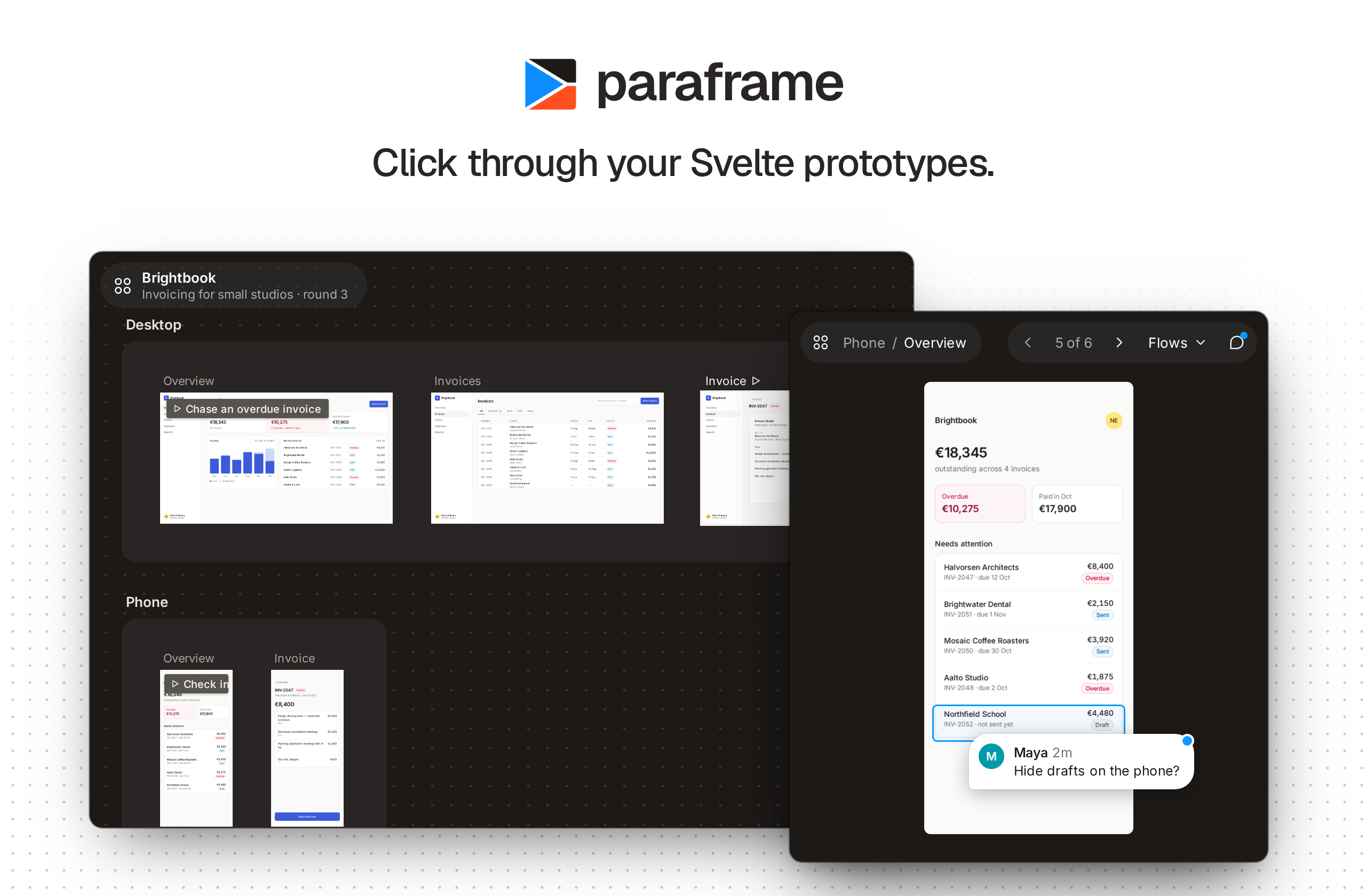
paraframe is a read-only viewer for UI frames, in the style of a design tool's
|
|
10
|
+
prototype preview. You write each frame as a Svelte component, and paraframe
|
|
11
|
+
lays them out on a canvas and plays them one at a time. Frames are real
|
|
12
|
+
components, so anything inside them stays interactive.
|
|
13
|
+
|
|
14
|
+
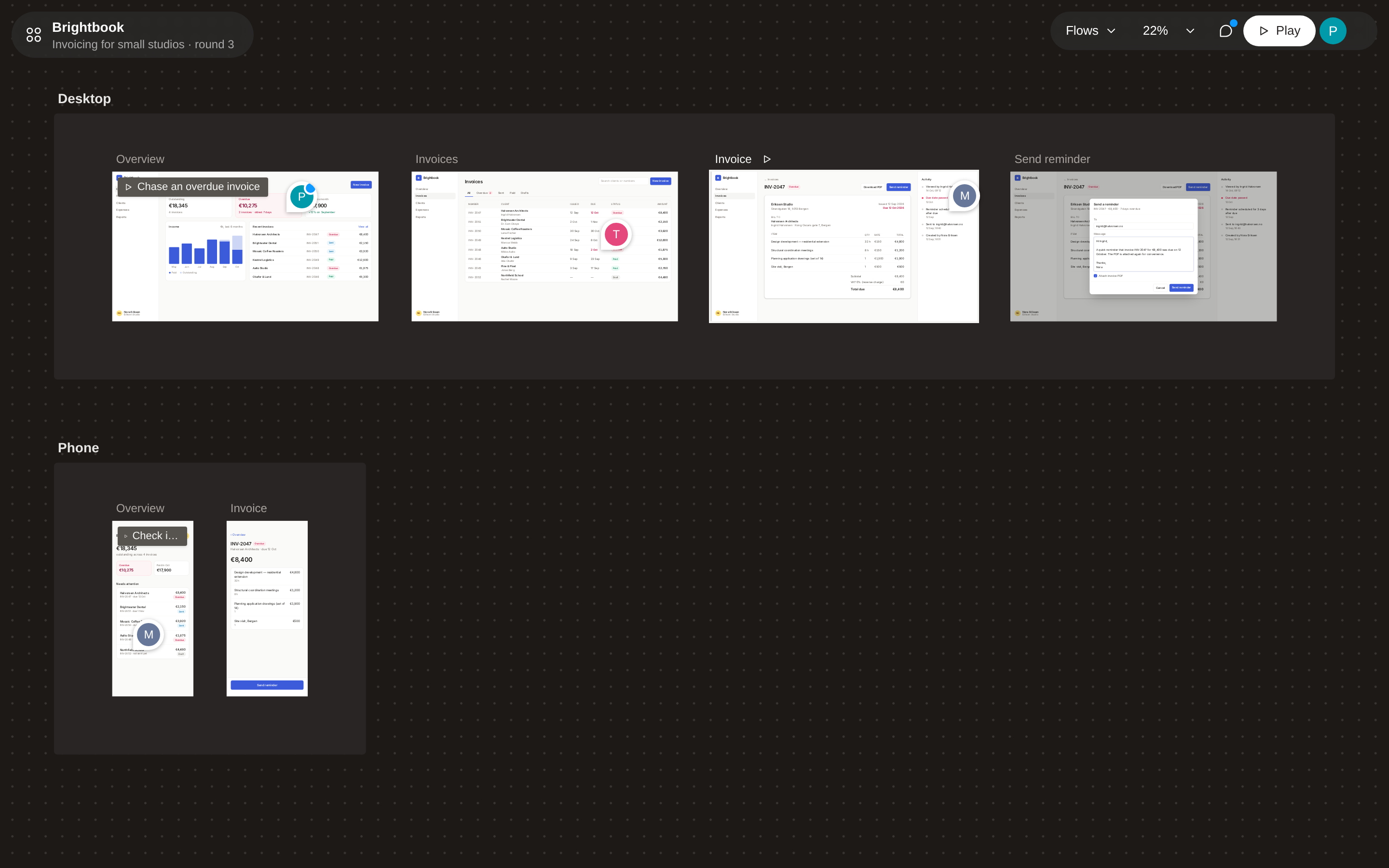
- **Canvas.** Every frame in sections on a board you can pan and zoom.
|
|
15
|
+
- **Player.** One frame at a time, scaled to the window; named flows give you starting points.
|
|
16
|
+
- **Real components in iframes.** Each frame renders at its own size, with its own styles, media queries and fixed elements, isolated from paraframe's chrome.
|
|
17
|
+
- **Frame links.** Links, hotspots on any element, and navigation from code.
|
|
18
|
+
- **Static previews.** Optional images at overview scale that switch to live frames as you zoom in.
|
|
19
|
+
- **Comments.** Optional pinned threads on elements inside frames, through [visual-comments](https://github.com/Convex-Works/visual-comments).
|
|
20
|
+
- **Theming.** `--pf-*` custom properties for the chrome.
|
|
21
|
+
|
|
22
|
+
Requires SvelteKit 3, Svelte 5 and Tailwind 4 (the chrome is built with Tailwind).
|
|
23
|
+
|
|
24
|
+
## Quickstart
|
|
25
|
+
|
|
26
|
+
Add `paraframe` to your SvelteKit app, then define the prototype once:
|
|
27
|
+
|
|
28
|
+
```ts
|
|
29
|
+
// src/lib/prototype.ts
|
|
30
|
+
import { resolve } from '$app/paths';
|
|
31
|
+
import { definePrototype } from 'paraframe';
|
|
32
|
+
|
|
33
|
+
export const prototype = definePrototype({
|
|
34
|
+
title: 'My product',
|
|
35
|
+
size: { width: 1440, height: 900 }, // default frame size
|
|
36
|
+
sections: [
|
|
37
|
+
{
|
|
38
|
+
id: 'onboarding',
|
|
39
|
+
title: 'Onboarding',
|
|
40
|
+
frames: [{ id: 'welcome', title: 'Welcome', load: () => import('./frames/Welcome.svelte') }]
|
|
41
|
+
}
|
|
42
|
+
],
|
|
43
|
+
flows: [{ id: 'signup', title: 'Sign up', start: 'welcome' }],
|
|
44
|
+
paths: {
|
|
45
|
+
canvas: () => resolve(''),
|
|
46
|
+
play: (frame) => resolve(`play/${frame}`),
|
|
47
|
+
frame: (frame) => resolve(`frame/${frame}`)
|
|
48
|
+
}
|
|
49
|
+
});
|
|
50
|
+
```
|
|
51
|
+
|
|
52
|
+
Then add three routes. The canvas and player share a layout that loads
|
|
53
|
+
paraframe's styles; the frame route loads your product's styles instead.
|
|
54
|
+
|
|
55
|
+
```
|
|
56
|
+
src/routes/
|
|
57
|
+
+layout.ts export const prerender = true;
|
|
58
|
+
(viewer)/+layout.svelte import 'paraframe/styles.css'
|
|
59
|
+
(viewer)/+page.svelte <Canvas {prototype} />
|
|
60
|
+
(viewer)/play/[frame]/+page.svelte <Player {prototype} frameId={page.params.frame ?? ''} />
|
|
61
|
+
frame/[frame]/+page.svelte import your app's CSS; <FrameHost {prototype} resolved={data.resolved} />
|
|
62
|
+
```
|
|
63
|
+
|
|
64
|
+
The play and frame routes also need `+page.ts` files; [Setup](https://github.com/Convex-Works/paraframe/blob/main/docs/SETUP.md)
|
|
65
|
+
has the full routes, frame sizes and props, static previews and theming.
|
|
66
|
+
|
|
67
|
+
To see a complete working prototype, clone this repository and run
|
|
68
|
+
`pnpm install && pnpm showcase`.
|
|
69
|
+
|
|
70
|
+
## Linking frames
|
|
71
|
+
|
|
72
|
+
Inside a frame:
|
|
73
|
+
|
|
74
|
+
```svelte
|
|
75
|
+
<script lang="ts">
|
|
76
|
+
import { FrameLink, useFrameNav } from 'paraframe';
|
|
77
|
+
const nav = useFrameNav();
|
|
78
|
+
</script>
|
|
79
|
+
|
|
80
|
+
<FrameLink to="details">Open details</FrameLink>
|
|
81
|
+
|
|
82
|
+
<!-- Any element, e.g. a table row -->
|
|
83
|
+
<tr {@attach nav.hotspot('details')}>…</tr>
|
|
84
|
+
|
|
85
|
+
<!-- From code -->
|
|
86
|
+
<button onclick={() => nav.go('details')}>Save</button>
|
|
87
|
+
```
|
|
88
|
+
|
|
89
|
+
Clicking where there is no link briefly highlights everything that is one.
|
|
90
|
+
Buttons, inputs and links never trigger this. If another element handles
|
|
91
|
+
clicks inside the frame (a selectable table row, say), add `data-pf-interactive` to it.
|
|
92
|
+
|
|
93
|
+
## Keys
|
|
94
|
+
|
|
95
|
+
| View | Keys |
|
|
96
|
+
| --- | --- |
|
|
97
|
+
| Player | ← → previous and next frame, R restart the flow (while one is playing), C comment mode, Esc close the open comment, then leave comment mode |
|
|
98
|
+
| Canvas | Scroll or drag to pan, ⌘/Ctrl + scroll to zoom, ⇧1 fit all, ⇧0 100%, F or ⇧2 center and fit the selection, ← → select previous and next frame, Enter play, C comment mode, Esc close the open comment, then leave comment mode |
|
|
99
|
+
|
|
100
|
+
On the canvas, hover live frames to inspect tooltips and hover states, and
|
|
101
|
+
double-click a frame to play it.
|
|
102
|
+
|
|
103
|
+
## Screenshots
|
|
104
|
+
|
|
105
|
+
|
|
106
|
+
|
|
107
|
+
<table>
|
|
108
|
+
<tr>
|
|
109
|
+
<td width="50%"><img src="https://raw.githubusercontent.com/Convex-Works/paraframe/main/docs/assets/screenshots/canvas-zoom.png" alt="Zoomed in on the canvas, hovering a live frame" /><br />Zoom in and frames are live: hover states and tooltips work.</td>
|
|
110
|
+
<td width="50%"><img src="https://raw.githubusercontent.com/Convex-Works/paraframe/main/docs/assets/screenshots/player.png" alt="The player stepping through a flow" /><br />The player, partway through a flow.</td>
|
|
111
|
+
</tr>
|
|
112
|
+
<tr>
|
|
113
|
+
<td><img src="https://raw.githubusercontent.com/Convex-Works/paraframe/main/docs/assets/screenshots/comments-player.png" alt="Comment threads in the player" /><br />Comments pinned to elements, with the thread list beside the frame.</td>
|
|
114
|
+
<td><img src="https://raw.githubusercontent.com/Convex-Works/paraframe/main/docs/assets/screenshots/comments-canvas.png" alt="Comment mode on the canvas" /><br />Every thread across the prototype, from the canvas.</td>
|
|
115
|
+
</tr>
|
|
116
|
+
</table>
|
|
117
|
+
|
|
118
|
+
The screenshots show an example invoicing prototype; `pnpm showcase` runs a
|
|
119
|
+
smaller one.
|
|
120
|
+
|
|
121
|
+
## Comments
|
|
122
|
+
|
|
123
|
+
Optional. Comments come from a [visual-comments](https://github.com/Convex-Works/visual-comments) server
|
|
124
|
+
through your prototype's own server, which also signs viewers in. Install
|
|
125
|
+
`visual-comments` next to paraframe, wrap the viewer layout in `<Comments>`
|
|
126
|
+
from `paraframe/comments`, and viewers can press **C** to pin threads on
|
|
127
|
+
elements inside frames. Without it, paraframe needs nothing from
|
|
128
|
+
visual-comments. See [Comments](https://github.com/Convex-Works/paraframe/blob/main/docs/COMMENTS.md).
|
|
129
|
+
|
|
130
|
+
## License
|
|
131
|
+
|
|
132
|
+
[MIT](https://github.com/Convex-Works/paraframe/blob/main/LICENSE)
|