overmind-mcp 2.6.1 → 2.8.0
This diff represents the content of publicly available package versions that have been released to one of the supported registries. The information contained in this diff is provided for informational purposes only and reflects changes between package versions as they appear in their respective public registries.
- package/.mcp.json.example +41 -21
- package/README.md +179 -187
- package/bin/README.md +44 -34
- package/bin/install-overmind-windows.bat +56 -12
- package/dist/bin/cli.js +115 -24
- package/dist/bin/cli.js.map +1 -1
- package/dist/bin/overmind-client.d.ts +77 -0
- package/dist/bin/overmind-client.d.ts.map +1 -0
- package/dist/bin/overmind-client.js +221 -0
- package/dist/bin/overmind-client.js.map +1 -0
- package/dist/lib/agent_lifecycle.d.ts +91 -0
- package/dist/lib/agent_lifecycle.d.ts.map +1 -0
- package/dist/lib/agent_lifecycle.js +155 -0
- package/dist/lib/agent_lifecycle.js.map +1 -0
- package/dist/lib/config.d.ts +5 -26
- package/dist/lib/config.d.ts.map +1 -1
- package/dist/lib/config.js +33 -12
- package/dist/lib/config.js.map +1 -1
- package/dist/lib/envUtils.d.ts +1 -1
- package/dist/lib/envUtils.d.ts.map +1 -1
- package/dist/lib/envUtils.js +11 -4
- package/dist/lib/envUtils.js.map +1 -1
- package/dist/lib/loadEnv.d.ts.map +1 -1
- package/dist/lib/loadEnv.js +9 -4
- package/dist/lib/loadEnv.js.map +1 -1
- package/dist/lib/logger.d.ts.map +1 -1
- package/dist/lib/logger.js +20 -4
- package/dist/lib/logger.js.map +1 -1
- package/dist/lib/orchestration/dispatcher.d.ts.map +1 -1
- package/dist/lib/orchestration/dispatcher.js +10 -1
- package/dist/lib/orchestration/dispatcher.js.map +1 -1
- package/dist/lib/orchestration/swarm.d.ts +1 -0
- package/dist/lib/orchestration/swarm.d.ts.map +1 -1
- package/dist/lib/orchestration/swarm.js +11 -9
- package/dist/lib/orchestration/swarm.js.map +1 -1
- package/dist/lib/processRegistry.d.ts +2 -50
- package/dist/lib/processRegistry.d.ts.map +1 -1
- package/dist/lib/processRegistry.js +191 -286
- package/dist/lib/processRegistry.js.map +1 -1
- package/dist/memory/MemoryFactory.d.ts.map +1 -1
- package/dist/memory/MemoryFactory.js +2 -1
- package/dist/memory/MemoryFactory.js.map +1 -1
- package/dist/memory/PostgresMemoryProvider.d.ts +1 -0
- package/dist/memory/PostgresMemoryProvider.d.ts.map +1 -1
- package/dist/memory/PostgresMemoryProvider.js +22 -3
- package/dist/memory/PostgresMemoryProvider.js.map +1 -1
- package/dist/server.d.ts +1 -1
- package/dist/server.d.ts.map +1 -1
- package/dist/server.js +84 -80
- package/dist/server.js.map +1 -1
- package/dist/services/AgentManager.d.ts +1 -0
- package/dist/services/AgentManager.d.ts.map +1 -1
- package/dist/services/AgentManager.js +27 -1
- package/dist/services/AgentManager.js.map +1 -1
- package/dist/services/ClaudeRunner.d.ts +0 -12
- package/dist/services/ClaudeRunner.d.ts.map +1 -1
- package/dist/services/ClaudeRunner.js +26 -132
- package/dist/services/ClaudeRunner.js.map +1 -1
- package/dist/services/ClineRunner.d.ts.map +1 -1
- package/dist/services/ClineRunner.js +16 -7
- package/dist/services/ClineRunner.js.map +1 -1
- package/dist/services/GeminiRunner.d.ts.map +1 -1
- package/dist/services/GeminiRunner.js +13 -6
- package/dist/services/GeminiRunner.js.map +1 -1
- package/dist/services/KiloRunner.d.ts.map +1 -1
- package/dist/services/KiloRunner.js +7 -4
- package/dist/services/KiloRunner.js.map +1 -1
- package/dist/services/NousHermesRunner.d.ts +4 -0
- package/dist/services/NousHermesRunner.d.ts.map +1 -1
- package/dist/services/NousHermesRunner.js +131 -34
- package/dist/services/NousHermesRunner.js.map +1 -1
- package/dist/services/OpenClawRunner.d.ts.map +1 -1
- package/dist/services/OpenClawRunner.js +16 -7
- package/dist/services/OpenClawRunner.js.map +1 -1
- package/dist/services/OpenCodeRunner.d.ts.map +1 -1
- package/dist/services/OpenCodeRunner.js +16 -7
- package/dist/services/OpenCodeRunner.js.map +1 -1
- package/dist/services/PromptManager.d.ts.map +1 -1
- package/dist/services/PromptManager.js +4 -0
- package/dist/services/PromptManager.js.map +1 -1
- package/dist/services/QwenCliRunner.d.ts.map +1 -1
- package/dist/services/QwenCliRunner.js +16 -7
- package/dist/services/QwenCliRunner.js.map +1 -1
- package/dist/tools/agent_control.d.ts +2 -69
- package/dist/tools/agent_control.d.ts.map +1 -1
- package/dist/tools/agent_control.js +191 -275
- package/dist/tools/agent_control.js.map +1 -1
- package/dist/tools/config_example.d.ts +2 -2
- package/dist/tools/config_example.d.ts.map +1 -1
- package/dist/tools/config_example.js +2 -4
- package/dist/tools/config_example.js.map +1 -1
- package/dist/tools/create_agent.d.ts.map +1 -1
- package/dist/tools/create_agent.js +11 -0
- package/dist/tools/create_agent.js.map +1 -1
- package/dist/tools/manage_agents.d.ts.map +1 -1
- package/dist/tools/manage_agents.js +3 -2
- package/dist/tools/manage_agents.js.map +1 -1
- package/dist/tools/memory_store.d.ts +1 -1
- package/dist/tools/run_agent.d.ts +1 -2
- package/dist/tools/run_agent.d.ts.map +1 -1
- package/dist/tools/run_agent.js +1 -13
- package/dist/tools/run_agent.js.map +1 -1
- package/dist/tools/run_agent_cli.d.ts +4 -10
- package/dist/tools/run_agent_cli.d.ts.map +1 -1
- package/dist/tools/run_agent_cli.js +11 -91
- package/dist/tools/run_agent_cli.js.map +1 -1
- package/dist/tools/run_agents_parallel.d.ts +1 -2
- package/dist/tools/run_agents_parallel.d.ts.map +1 -1
- package/dist/tools/run_claude.d.ts +0 -1
- package/dist/tools/run_claude.d.ts.map +1 -1
- package/dist/tools/run_claude.js +1 -9
- package/dist/tools/run_claude.js.map +1 -1
- package/dist/tools/run_hermes.d.ts +1 -0
- package/dist/tools/run_hermes.d.ts.map +1 -1
- package/dist/tools/run_hermes.js +4 -3
- package/dist/tools/run_hermes.js.map +1 -1
- package/docs/agent-http-tutorial.md +527 -0
- package/package.json +114 -112
- package/scripts/postgres-manager.mjs +0 -0
- package/scripts/setup.mjs +0 -0
- package/scripts/uninstall.mjs +0 -0
package/.mcp.json.example
CHANGED
|
@@ -1,21 +1,41 @@
|
|
|
1
|
-
{
|
|
2
|
-
"mcpServers": {
|
|
3
|
-
"
|
|
4
|
-
"
|
|
5
|
-
"
|
|
6
|
-
|
|
7
|
-
|
|
8
|
-
|
|
9
|
-
"
|
|
10
|
-
"
|
|
11
|
-
|
|
12
|
-
|
|
13
|
-
|
|
14
|
-
"
|
|
15
|
-
|
|
16
|
-
|
|
17
|
-
|
|
18
|
-
|
|
19
|
-
|
|
20
|
-
|
|
21
|
-
|
|
1
|
+
{
|
|
2
|
+
"mcpServers": {
|
|
3
|
+
"memory-server": {
|
|
4
|
+
"transport": "httpStream",
|
|
5
|
+
"url": "http://localhost:3099/mcp",
|
|
6
|
+
"description": "OverMind MCP - memory singleton sur port 3099"
|
|
7
|
+
},
|
|
8
|
+
"postgresql": {
|
|
9
|
+
"transport": "httpStream",
|
|
10
|
+
"url": "http://localhost:5433/mcp",
|
|
11
|
+
"description": "PostgreSQL MCP - vector search sur port 5433"
|
|
12
|
+
},
|
|
13
|
+
"discord-server": {
|
|
14
|
+
"transport": "httpStream",
|
|
15
|
+
"url": "http://localhost:3141/mcp",
|
|
16
|
+
"description": "Discord MCP - 88 outils sur port 3141"
|
|
17
|
+
},
|
|
18
|
+
"x-mcp-server": {
|
|
19
|
+
"transport": "httpStream",
|
|
20
|
+
"url": "http://localhost:3142/mcp",
|
|
21
|
+
"description": "X/Twitter MCP - scraping/publish sur port 3142"
|
|
22
|
+
},
|
|
23
|
+
"debats-mcp-server": {
|
|
24
|
+
"transport": "httpStream",
|
|
25
|
+
"url": "http://localhost:3100/mcp",
|
|
26
|
+
"description": "Débats MCP - analyse/arguments sur port 3100"
|
|
27
|
+
},
|
|
28
|
+
"news-btc-mcp": {
|
|
29
|
+
"transport": "httpStream",
|
|
30
|
+
"url": "http://localhost:3143/mcp",
|
|
31
|
+
"description": "News BTC MCP - actualité crypto sur port 3143"
|
|
32
|
+
},
|
|
33
|
+
"news-core-mcp": {
|
|
34
|
+
"transport": "httpStream",
|
|
35
|
+
"url": "http://localhost:3144/mcp",
|
|
36
|
+
"description": "News Core MCP - scraped news sur port 3144"
|
|
37
|
+
}
|
|
38
|
+
},
|
|
39
|
+
"description": "Configuration MCP HTTP Singleton - Anti-Zombie. Tous les serveurs doivent être démarrés.",
|
|
40
|
+
"version": "2.4.0"
|
|
41
|
+
}
|
package/README.md
CHANGED
|
@@ -1,187 +1,179 @@
|
|
|
1
|
-
<p align="center">
|
|
2
|
-
<img src="assets/overmind.png" alt="OverMind-MCP Banner" width="293" height="253">
|
|
3
|
-
</p>
|
|
4
|
-
|
|
5
|
-
<div align="center">
|
|
6
|
-
|
|
7
|
-
# 🧠 OverMind-MCP
|
|
8
|
-
|
|
9
|
-
</div>
|
|
10
|
-
|
|
11
|
-
_Orchestrateur universel agents IA multi-modeles via MCP pour piloter Claude-Code, Gemini-cli, QwenCli, Nous Hermes, Kilo/Cline, OpenClaw, GLM, Minimax, Kimi, Ollama et plus sans limite._
|
|
12
|
-
|
|
13
|
-
<p align="center">
|
|
14
|
-
<a href="https://discord.gg/4AR82phtBz"><img src="https://img.shields.io/badge/Discord-5865F2?style=for-the-badge&logo=discord&logoColor=white" alt="Discord"></a>
|
|
15
|
-
<a href="https://deamondev888.github.io/overmind-mcp/"><img src="https://img.shields.io/badge/Documentation-Live-00fff5?style=for-the-badge&logo=google-chrome&logoColor=white" alt="Live Doc"></a>
|
|
16
|
-
</p>
|
|
17
|
-
|
|
18
|
-
**OverMind-MCP** est une conscience supérieure conçue pour orchestrer, commander et automatiser une flotte illimitée d'agents IA. Compatible avec **Claude-Code, Gemini-cli, QwenCli, Nous Hermes, Kilo/Cline, OpenClaw**, et prêt pour **GLM, Minimax, Kimi, Ollama** et bien d'autres.
|
|
19
|
-
|
|
20
|
-
Il transforme les outils CLI isolés en une force coordonnée, pilotable par API ou par MCP, capable d'exécuter des missions complexes
|
|
21
|
-
|
|
22
|
-
- 🔌 **Contrôle Total** : Lancez des missions complexes via MCP ou directement via le code (Claude, Gemini, QwenCli, Hermes).
|
|
23
|
-
- 🏗️ **Architecture Pro** : Basé sur des services (`AgentManager`, `ClaudeRunner`, `PromptManager`) pour une stabilité maximale.
|
|
24
|
-
- 🧠 **Mémoire Haute-Performance (4096D)** : Système RAG intégré via PostgreSQL + `pgvector
|
|
25
|
-
-
|
|
26
|
-
-
|
|
27
|
-
-
|
|
28
|
-
-
|
|
29
|
-
|
|
30
|
-
|
|
31
|
-
|
|
32
|
-
|
|
33
|
-
|
|
34
|
-
|
|
35
|
-
|
|
36
|
-
|
|
37
|
-
|
|
38
|
-
|
|
39
|
-
|
|
40
|
-
|
|
41
|
-
|
|
42
|
-
|
|
43
|
-
|
|
44
|
-
|
|
45
|
-
|
|
46
|
-
|
|
47
|
-
|
|
48
|
-
|
|
49
|
-
|
|
50
|
-
|
|
51
|
-
|
|
52
|
-
|
|
53
|
-
|
|
54
|
-
|
|
55
|
-
|
|
56
|
-
|
|
57
|
-
|
|
58
|
-
|
|
59
|
-
|
|
60
|
-
|
|
61
|
-
|
|
62
|
-
|
|
63
|
-
|
|
64
|
-
|
|
65
|
-
|
|
66
|
-
|
|
67
|
-
|
|
68
|
-
|
|
69
|
-
|
|
70
|
-
|
|
71
|
-
|
|
72
|
-
|
|
73
|
-
|
|
74
|
-
|
|
75
|
-
|
|
76
|
-
|
|
77
|
-
|
|
78
|
-
|
|
79
|
-
cd
|
|
80
|
-
|
|
81
|
-
|
|
82
|
-
|
|
83
|
-
|
|
84
|
-
|
|
85
|
-
|
|
86
|
-
|
|
87
|
-
|
|
88
|
-
|
|
89
|
-
|
|
90
|
-
|
|
91
|
-
|
|
92
|
-
|
|
93
|
-
|
|
94
|
-
|
|
95
|
-
|
|
96
|
-
|
|
97
|
-
|
|
98
|
-
|
|
99
|
-
|
|
100
|
-
|
|
101
|
-
|
|
102
|
-
|
|
103
|
-
|
|
104
|
-
|
|
105
|
-
|
|
106
|
-
|
|
107
|
-
|
|
108
|
-
|
|
109
|
-
|
|
110
|
-
|
|
111
|
-
|
|
112
|
-
|
|
113
|
-
|
|
114
|
-
|
|
115
|
-
|
|
116
|
-
|
|
117
|
-
|
|
118
|
-
|
|
119
|
-
|
|
120
|
-
|
|
121
|
-
|
|
122
|
-
|
|
123
|
-
|
|
124
|
-
|
|
125
|
-
|
|
126
|
-
|
|
127
|
-
|
|
128
|
-
|
|
129
|
-
|
|
130
|
-
|
|
131
|
-
|
|
132
|
-
|
|
133
|
-
|
|
134
|
-
|
|
135
|
-
|
|
136
|
-
|
|
137
|
-
|
|
138
|
-
|
|
139
|
-
|
|
140
|
-
|
|
141
|
-
|
|
142
|
-
|
|
143
|
-
|
|
144
|
-
|
|
145
|
-
|
|
146
|
-
|
|
147
|
-
|
|
148
|
-
|
|
149
|
-
|
|
150
|
-
|
|
151
|
-
|
|
152
|
-
|
|
153
|
-
|
|
154
|
-
|
|
155
|
-
```
|
|
156
|
-
|
|
157
|
-
|
|
158
|
-
|
|
159
|
-
|
|
160
|
-
|
|
161
|
-
|
|
162
|
-
|
|
163
|
-
|
|
164
|
-
|
|
165
|
-
|
|
166
|
-
|
|
167
|
-
|
|
168
|
-
|
|
169
|
-
|
|
170
|
-
|
|
171
|
-
|
|
172
|
-
|
|
173
|
-
|
|
174
|
-
|
|
175
|
-
|
|
176
|
-
|
|
177
|
-
|
|
178
|
-
|
|
179
|
-
|
|
180
|
-
|
|
181
|
-
---
|
|
182
|
-
|
|
183
|
-
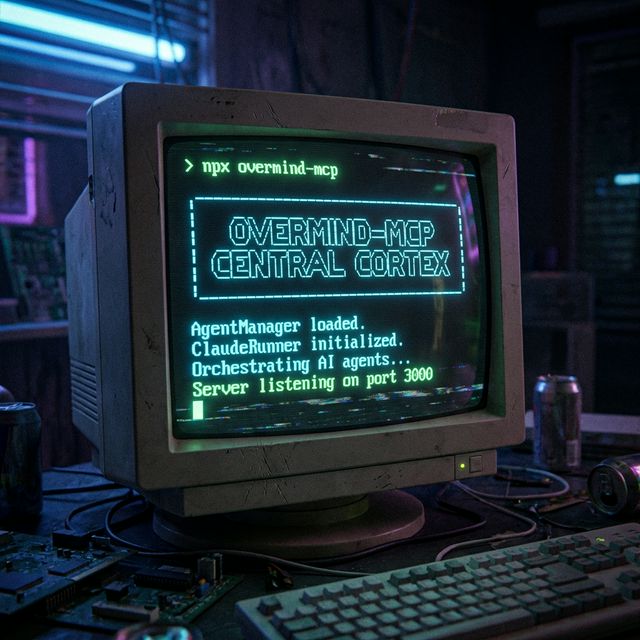
|
|
184
|
-
|
|
185
|
-
_Note : L'**OverMind** punit et martyrise les **OpenClaw** qui n'écoutent pas._ 😈
|
|
186
|
-
|
|
187
|
-
_Projet propulsé par DeaMoN888 - 2026_
|
|
1
|
+
<p align="center">
|
|
2
|
+
<img src="assets/overmind.png" alt="OverMind-MCP Banner" width="293" height="253">
|
|
3
|
+
</p>
|
|
4
|
+
|
|
5
|
+
<div align="center">
|
|
6
|
+
|
|
7
|
+
# 🧠 OverMind-MCP
|
|
8
|
+
|
|
9
|
+
</div>
|
|
10
|
+
|
|
11
|
+
_Orchestrateur universel agents IA multi-modeles via MCP pour piloter Claude-Code, Gemini-cli, QwenCli, Nous Hermes, Kilo/Cline, OpenClaw, GLM, Minimax, Kimi, Ollama et plus sans limite._
|
|
12
|
+
|
|
13
|
+
<p align="center">
|
|
14
|
+
<a href="https://discord.gg/4AR82phtBz"><img src="https://img.shields.io/badge/Discord-5865F2?style=for-the-badge&logo=discord&logoColor=white" alt="Discord"></a>
|
|
15
|
+
<a href="https://deamondev888.github.io/overmind-mcp/"><img src="https://img.shields.io/badge/Documentation-Live-00fff5?style=for-the-badge&logo=google-chrome&logoColor=white" alt="Live Doc"></a>
|
|
16
|
+
</p>
|
|
17
|
+
|
|
18
|
+
**OverMind-MCP** est une conscience supérieure conçue pour orchestrer, commander et automatiser une flotte illimitée d'agents IA. Compatible avec **Claude-Code, Gemini-cli, QwenCli, Nous Hermes, Kilo/Cline, OpenClaw**, et prêt pour **GLM, Minimax, Kimi, Ollama** et bien d'autres.
|
|
19
|
+
|
|
20
|
+
Il transforme les outils CLI isolés en une force coordonnée, pilotable par API ou par MCP, capable d'exécuter des missions complexes. Expert en outils MCP, il peut être scripté pour les faire fonctionner ensemble et les mettre en production.
|
|
21
|
+
|
|
22
|
+
- 🔌 **Contrôle Total** : Lancez des missions complexes via MCP ou directement via le code (Claude, Gemini, QwenCli, Hermes).
|
|
23
|
+
- 🏗️ **Architecture Pro** : Basé sur des services (`AgentManager`, `ClaudeRunner`, `PromptManager`) pour une stabilité maximale.
|
|
24
|
+
- 🧠 **Mémoire Haute-Performance (4096D)** : Système RAG intégré via PostgreSQL + `pgvector`.
|
|
25
|
+
- 🛡️ **Mémoire Ségréguée** : Chaque agent peut posséder ses propres souvenirs isolés tout en ayant accès au socle global.
|
|
26
|
+
- 🤖 **Multi-Agents** : Créez, configurez et gérez des personnalités d'agents isolées (Prompts & Settings dédiés).
|
|
27
|
+
- 📦 **Prêt pour l'Intégration** : Importable comme un module NPM dans vos autres projets.
|
|
28
|
+
- 🅾️ **HTTP Singleton** : Plus de zombies — 1 serveur HTTP partagé par tous les agents.
|
|
29
|
+
|
|
30
|
+
---
|
|
31
|
+
|
|
32
|
+
## 🚀 Installation
|
|
33
|
+
|
|
34
|
+
### Globale via NPM (Recommandé)
|
|
35
|
+
|
|
36
|
+
```bash
|
|
37
|
+
npm install -g overmind-mcp@latest
|
|
38
|
+
```
|
|
39
|
+
|
|
40
|
+
### Configuration MCP (HTTP)
|
|
41
|
+
|
|
42
|
+
Après installation, configurez votre client MCP avec le模式下 :
|
|
43
|
+
|
|
44
|
+
```json
|
|
45
|
+
{
|
|
46
|
+
"mcpServers": {
|
|
47
|
+
"overmind": {
|
|
48
|
+
"transport": "http-stream",
|
|
49
|
+
"url": "http://localhost:3099"
|
|
50
|
+
},
|
|
51
|
+
"memory": {
|
|
52
|
+
"transport": "http-stream",
|
|
53
|
+
"url": "http://localhost:3099"
|
|
54
|
+
},
|
|
55
|
+
"postgresql": {
|
|
56
|
+
"transport": "http-stream",
|
|
57
|
+
"url": "http://localhost:5433",
|
|
58
|
+
"description": "PostgreSQL MCP - Base de données vectorielle"
|
|
59
|
+
}
|
|
60
|
+
}
|
|
61
|
+
}
|
|
62
|
+
```
|
|
63
|
+
|
|
64
|
+
---
|
|
65
|
+
|
|
66
|
+
## 🅾️ Démarrage des Serveurs HTTP
|
|
67
|
+
|
|
68
|
+
Les serveurs doivent être démarrés avant utilisation :
|
|
69
|
+
|
|
70
|
+
```bash
|
|
71
|
+
# Overmind (complet) — port 3099
|
|
72
|
+
node dist/bin/cli.js --transport http-stream --port 3099
|
|
73
|
+
|
|
74
|
+
# PostgreSQL — port 5433
|
|
75
|
+
cd ../serveur_PostGreSQL
|
|
76
|
+
FORCE_COLOR=0 FASTMCP_TRANSPORT=httpStream FASTMCP_PORT=5433 node dist/index.js
|
|
77
|
+
|
|
78
|
+
# Discord — port 3141
|
|
79
|
+
cd ../serveur_discord
|
|
80
|
+
FORCE_COLOR=0 FASTMCP_TRANSPORT=httpStream FASTMCP_PORT=3141 node dist/index.js
|
|
81
|
+
|
|
82
|
+
# X — port 3142
|
|
83
|
+
cd ../X
|
|
84
|
+
FORCE_COLOR=0 FASTMCP_TRANSPORT=httpStream FASTMCP_PORT=3142 node dist/src/server.js
|
|
85
|
+
|
|
86
|
+
# Debats — port 3100
|
|
87
|
+
cd ../debats-mcp-server
|
|
88
|
+
FORCE_COLOR=0 FASTMCP_TRANSPORT=httpStream FASTMCP_PORT=3100 node dist/index.js
|
|
89
|
+
```
|
|
90
|
+
|
|
91
|
+
| Serveur | Port | Outils |
|
|
92
|
+
|---------|------|--------|
|
|
93
|
+
| Overmind | 3099 | 14 (run_agent, create_agent, memory...) |
|
|
94
|
+
| PostgreSQL | 5433 | 30+ (SQL, vectors, search...) |
|
|
95
|
+
| Discord | 3141 | 88 (members, roles, channels, embeds...) |
|
|
96
|
+
| X | 3142 | Outils X/Twitter |
|
|
97
|
+
| Debats | 3100 | Outils débats |
|
|
98
|
+
|
|
99
|
+
---
|
|
100
|
+
|
|
101
|
+
## 🔧 Installation Locale (Dev)
|
|
102
|
+
|
|
103
|
+
```bash
|
|
104
|
+
git clone https://github.com/DeamonDev888/overmind-mcp.git
|
|
105
|
+
cd overmind-mcp
|
|
106
|
+
pnpm install
|
|
107
|
+
pnpm run build
|
|
108
|
+
```
|
|
109
|
+
|
|
110
|
+
---
|
|
111
|
+
|
|
112
|
+
### Utilisation comme Bibliothèque
|
|
113
|
+
|
|
114
|
+
```typescript
|
|
115
|
+
import { runAgent, AgentManager, updateConfig } from 'overmind-mcp';
|
|
116
|
+
|
|
117
|
+
// 1. Initialisation
|
|
118
|
+
updateConfig('./settings.json', './mcp.local.json');
|
|
119
|
+
|
|
120
|
+
// 2. Gestion des agents
|
|
121
|
+
const manager = new AgentManager();
|
|
122
|
+
await manager.createAgent('expert-seo', 'Tu es un expert SEO...', 'claude');
|
|
123
|
+
|
|
124
|
+
// 3. Lancer une exécution
|
|
125
|
+
const { content, isError } = await runAgent({
|
|
126
|
+
runner: 'claude',
|
|
127
|
+
agentName: 'expert-seo',
|
|
128
|
+
prompt: 'Analyse le site example.com',
|
|
129
|
+
autoResume: true,
|
|
130
|
+
});
|
|
131
|
+
|
|
132
|
+
if (!isError) {
|
|
133
|
+
console.log('🤖 Résultat:', content[0].text);
|
|
134
|
+
}
|
|
135
|
+
```
|
|
136
|
+
|
|
137
|
+
---
|
|
138
|
+
|
|
139
|
+
## 📂 Structure du Projet
|
|
140
|
+
|
|
141
|
+
```
|
|
142
|
+
Workflow/
|
|
143
|
+
├── 📦 bin/ # Scripts d'installation
|
|
144
|
+
├── 🐳 docker/ # Configuration Docker
|
|
145
|
+
├── 🗄️ db/ # Scripts base de données
|
|
146
|
+
├── ⚙️ config/ # Configurations MCP
|
|
147
|
+
├── 📚 docs/ # Documentation
|
|
148
|
+
├── 💻 src/ # Code source
|
|
149
|
+
│ ├── bin/ # Points d'entrée CLI
|
|
150
|
+
│ ├── lib/ # Bibliothèques partagées
|
|
151
|
+
│ ├── services/ # Services métier
|
|
152
|
+
│ └── tools/ # Outils MCP
|
|
153
|
+
├── 🧪 tests/ # Tests unitaires
|
|
154
|
+
└── 🔧 scripts/ # Scripts de maintenance
|
|
155
|
+
```
|
|
156
|
+
|
|
157
|
+
---
|
|
158
|
+
|
|
159
|
+
## 🛡️ Anti-Zombie Architecture
|
|
160
|
+
|
|
161
|
+
L'ancien problème : chaque agent spawn son propre node.exe MCP server → zombies.
|
|
162
|
+
|
|
163
|
+
La solution : 1 seul serveur HTTP par service, partagé par tous les agents.
|
|
164
|
+
|
|
165
|
+
```
|
|
166
|
+
Agent 1 ──┐
|
|
167
|
+
Agent 2 ──┼──→ Overmind:3099 (1 process)
|
|
168
|
+
Agent 3 ──┘
|
|
169
|
+
└──→ PostgreSQL:5433 (1 process)
|
|
170
|
+
└──→ Discord:3141 (1 process)
|
|
171
|
+
```
|
|
172
|
+
|
|
173
|
+
Plus de node.exe par agent = plus de zombies.
|
|
174
|
+
|
|
175
|
+
---
|
|
176
|
+
|
|
177
|
+

|
|
178
|
+
|
|
179
|
+
_Projet propulsé par DeaMoN888 - 2026_
|
package/bin/README.md
CHANGED
|
@@ -1,34 +1,44 @@
|
|
|
1
|
-
# 📦 Installation Scripts
|
|
2
|
-
|
|
3
|
-
Ce dossier contient les scripts d'installation d'OverMind MCP.
|
|
4
|
-
|
|
5
|
-
## 📜 Fichiers
|
|
6
|
-
|
|
7
|
-
- **install-overmind-unix.sh** - Script d'installation pour Linux/macOS
|
|
8
|
-
- **install-overmind-windows.bat** - Script d'installation pour Windows
|
|
9
|
-
|
|
10
|
-
## 🚀 Utilisation
|
|
11
|
-
|
|
12
|
-
### Windows
|
|
13
|
-
```batch
|
|
14
|
-
cd bin
|
|
15
|
-
install-overmind-windows.bat
|
|
16
|
-
```
|
|
17
|
-
|
|
18
|
-
### Linux/macOS
|
|
19
|
-
```bash
|
|
20
|
-
cd bin
|
|
21
|
-
chmod +x install-overmind-unix.sh
|
|
22
|
-
./install-overmind-unix.sh
|
|
23
|
-
```
|
|
24
|
-
|
|
25
|
-
## 📋 Ce qui est installé
|
|
26
|
-
|
|
27
|
-
- OverMind MCP (NPM package)
|
|
28
|
-
- PostgreSQL + pgvector (Docker)
|
|
29
|
-
-
|
|
30
|
-
-
|
|
31
|
-
-
|
|
32
|
-
|
|
33
|
-
|
|
34
|
-
|
|
1
|
+
# 📦 Installation Scripts
|
|
2
|
+
|
|
3
|
+
Ce dossier contient les scripts d'installation d'OverMind MCP.
|
|
4
|
+
|
|
5
|
+
## 📜 Fichiers
|
|
6
|
+
|
|
7
|
+
- **install-overmind-unix.sh** - Script d'installation pour Linux/macOS
|
|
8
|
+
- **install-overmind-windows.bat** - Script d'installation pour Windows
|
|
9
|
+
|
|
10
|
+
## 🚀 Utilisation
|
|
11
|
+
|
|
12
|
+
### Windows
|
|
13
|
+
```batch
|
|
14
|
+
cd bin
|
|
15
|
+
install-overmind-windows.bat
|
|
16
|
+
```
|
|
17
|
+
|
|
18
|
+
### Linux/macOS
|
|
19
|
+
```bash
|
|
20
|
+
cd bin
|
|
21
|
+
chmod +x install-overmind-unix.sh
|
|
22
|
+
./install-overmind-unix.sh
|
|
23
|
+
```
|
|
24
|
+
|
|
25
|
+
## 📋 Ce qui est installé
|
|
26
|
+
|
|
27
|
+
- OverMind MCP (NPM package)
|
|
28
|
+
- PostgreSQL + pgvector (Docker)
|
|
29
|
+
- Prometheus (Docker)
|
|
30
|
+
- Grafana (Docker)
|
|
31
|
+
- Jaeger (Docker)
|
|
32
|
+
|
|
33
|
+
## 🅾️ Démarrage des Serveurs HTTP
|
|
34
|
+
|
|
35
|
+
Après installation, lancez les serveurs MCP sur les ports suivants :
|
|
36
|
+
|
|
37
|
+
| Serveur | Port | Commande |
|
|
38
|
+
|---------|------|----------|
|
|
39
|
+
| Overmind (complet) | 3099 | `node dist/bin/cli.js --transport http-stream --port 3099` |
|
|
40
|
+
| Overmind (memory) | 3099 | `node dist/bin/cli.js --memory-tools-only --transport http-stream --port 3099` |
|
|
41
|
+
| PostgreSQL | 5433 | `FORCE_COLOR=0 FASTMCP_TRANSPORT=httpStream FASTMCP_PORT=5433 node dist/index.js` |
|
|
42
|
+
| Discord | 3141 | `FORCE_COLOR=0 FASTMCP_TRANSPORT=httpStream FASTMCP_PORT=3141 node dist/index.js` |
|
|
43
|
+
| X | 3142 | `FORCE_COLOR=0 FASTMCP_TRANSPORT=httpStream FASTMCP_PORT=3142 node dist/src/server.js` |
|
|
44
|
+
| Debats | 3100 | `FORCE_COLOR=0 FASTMCP_TRANSPORT=httpStream FASTMCP_PORT=3100 node dist/index.js` |
|
|
@@ -121,13 +121,57 @@ netstat -an | findstr ":3000 " >nul && echo %ESC%[93m[WARN] Port 3000 utilise%ES
|
|
|
121
121
|
|
|
122
122
|
echo.
|
|
123
123
|
|
|
124
|
-
REM ============================================================
|
|
125
|
-
REM STEP 5:
|
|
126
|
-
REM ============================================================
|
|
127
|
-
echo %ESC%[36m=======================================================%ESC%
|
|
128
|
-
echo %ESC%[36m[ STEP 5/8 ]
|
|
129
|
-
echo %ESC%[36m=======================================================%ESC%
|
|
130
|
-
echo.
|
|
124
|
+
REM ============================================================
|
|
125
|
+
REM STEP 5: Configuration MCP HTTP
|
|
126
|
+
REM ============================================================
|
|
127
|
+
echo %ESC%[36m=======================================================%ESC%
|
|
128
|
+
echo %ESC%[36m[ STEP 5/8 ] CONFIGURATION MCP HTTP%ESC%
|
|
129
|
+
echo %ESC%[36m=======================================================%ESC%
|
|
130
|
+
echo.
|
|
131
|
+
echo [INFO] Creation configuration MCP HTTP singleton...
|
|
132
|
+
if not exist "%USERPROFILE%\.overmind\config" mkdir "%USERPROFILE%\.overmind\config"
|
|
133
|
+
|
|
134
|
+
(
|
|
135
|
+
echo {
|
|
136
|
+
echo "mcpServers": {
|
|
137
|
+
echo "overmind": {
|
|
138
|
+
echo "transport": "http-stream",
|
|
139
|
+
echo "url": "http://localhost:3099"
|
|
140
|
+
echo },
|
|
141
|
+
echo "memory": {
|
|
142
|
+
echo "transport": "http-stream",
|
|
143
|
+
echo "url": "http://localhost:3099"
|
|
144
|
+
echo },
|
|
145
|
+
echo "postgresql": {
|
|
146
|
+
echo "transport": "http-stream",
|
|
147
|
+
echo "url": "http://localhost:5433"
|
|
148
|
+
echo },
|
|
149
|
+
echo "discord": {
|
|
150
|
+
echo "transport": "http-stream",
|
|
151
|
+
echo "url": "http://localhost:3141"
|
|
152
|
+
echo },
|
|
153
|
+
echo "x": {
|
|
154
|
+
echo "transport": "http-stream",
|
|
155
|
+
echo "url": "http://localhost:3142"
|
|
156
|
+
echo }
|
|
157
|
+
echo }
|
|
158
|
+
echo }
|
|
159
|
+
) > "%USERPROFILE%\.overmind\config\mcp-servers.json"
|
|
160
|
+
|
|
161
|
+
echo %ESC%[92m[OK] Configuration MCP creee: %USERPROFILE%\.overmind\config\mcp-servers.json%ESC%
|
|
162
|
+
echo.
|
|
163
|
+
echo [INFO] Ports a lancer manuellement apres installation:
|
|
164
|
+
echo Overmind: node cli.js --transport http-stream --port 3099
|
|
165
|
+
echo PostgreSQL: node dist/index.js (FASTMCP_TRANSPORT=httpStream FASTMCP_PORT=5433)
|
|
166
|
+
echo Discord: node dist/index.js (FASTMCP_TRANSPORT=httpStream FASTMCP_PORT=3141)
|
|
167
|
+
echo X: node dist/src/server.js (FASTMCP_TRANSPORT=httpStream FASTMCP_PORT=3142)
|
|
168
|
+
echo.
|
|
169
|
+
|
|
170
|
+
REM STEP 6: PostgreSQL intelligent
|
|
171
|
+
echo %ESC%[36m=======================================================%ESC%
|
|
172
|
+
echo %ESC%[36m[ STEP 6/8 ] POSTGRESQL INTELLIGENT%ESC%
|
|
173
|
+
echo %ESC%[36m=======================================================%ESC%
|
|
174
|
+
echo.
|
|
131
175
|
|
|
132
176
|
if "%USE_EXTERNAL_POSTGRES%"=="1" (
|
|
133
177
|
echo %ESC%[92m[OK] Utilisation PostgreSQL existant: %POSTGRES_CONTAINER%%ESC%
|
|
@@ -153,10 +197,10 @@ if "%USE_EXTERNAL_POSTGRES%"=="1" (
|
|
|
153
197
|
echo.
|
|
154
198
|
|
|
155
199
|
REM ============================================================
|
|
156
|
-
REM STEP
|
|
200
|
+
REM STEP 7: Configuration MCP .mcp.json
|
|
157
201
|
REM ============================================================
|
|
158
202
|
echo %ESC%[36m=======================================================%ESC%
|
|
159
|
-
echo %ESC%[36m[ STEP
|
|
203
|
+
echo %ESC%[36m[ STEP 7/8 ] CONFIGURATION MCP .MCP.JSON%ESC%
|
|
160
204
|
echo %ESC%[36m=======================================================%ESC%
|
|
161
205
|
echo.
|
|
162
206
|
|
|
@@ -193,10 +237,10 @@ if not exist "%USERPROFILE%\.overmind\.env" (
|
|
|
193
237
|
echo.
|
|
194
238
|
|
|
195
239
|
REM ============================================================
|
|
196
|
-
REM STEP
|
|
240
|
+
REM STEP 8: Telechargement docker-compose
|
|
197
241
|
REM ============================================================
|
|
198
242
|
echo %ESC%[36m=======================================================%ESC%
|
|
199
|
-
echo %ESC%[36m[ STEP
|
|
243
|
+
echo %ESC%[36m[ STEP 8/8 ] TELECHARGEMENT CONFIG%ESC%
|
|
200
244
|
echo %ESC%[36m=======================================================%ESC%
|
|
201
245
|
echo.
|
|
202
246
|
|
|
@@ -282,7 +326,7 @@ REM ============================================================
|
|
|
282
326
|
REM STEP 8: Demarrage intelligent
|
|
283
327
|
REM ============================================================
|
|
284
328
|
echo %ESC%[36m=======================================================%ESC%
|
|
285
|
-
echo %ESC%[36m[ STEP 8/8 ] DEMARRAGE DOCKER%ESC%
|
|
329
|
+
echo %ESC%[36m[ STEP 8/8 ] DEMARRAGE DOCKER ET SERVEURS HTTP%ESC%
|
|
286
330
|
echo %ESC%[36m=======================================================%ESC%
|
|
287
331
|
echo.
|
|
288
332
|
|