openclaw-rocketchat 0.7.6 → 0.7.8
This diff represents the content of publicly available package versions that have been released to one of the supported registries. The information contained in this diff is provided for informational purposes only and reflects changes between package versions as they appear in their respective public registries.
- package/README.en.md +184 -184
- package/install-rc.sh +72 -7
- package/package.json +1 -1
package/README.en.md
CHANGED
|
@@ -1,184 +1,184 @@
|
|
|
1
|
-
<div align="center">
|
|
2
|
-
|
|
3
|
-
# 🦞 openclaw-rocketchat
|
|
4
|
-
|
|
5
|
-
**The Missing Channel for OpenClaw Users in China**
|
|
6
|
-
|
|
7
|
-
[](https://www.npmjs.com/package/openclaw-rocketchat)
|
|
8
|
-
[](LICENSE)
|
|
9
|
-
[](https://github.com/Kxiandaoyan/openclaw-rocketchat)
|
|
10
|
-
[](https://nodejs.org/)
|
|
11
|
-
[](https://www.typescriptlang.org/)
|
|
12
|
-
|
|
13
|
-
[中文](./README.md) | **English**
|
|
14
|
-
|
|
15
|
-
---
|
|
16
|
-
|
|
17
|
-
**Chat with your OpenClaw AI via Rocket.Chat App**
|
|
18
|
-
**Dedicated Space · Dedicated Notifications · Self-Hosted · No VPN Required**
|
|
19
|
-
|
|
20
|
-
</div>
|
|
21
|
-
|
|
22
|
-
> **📖 Docs:** [Guide](docs/GUIDE.en.md) · [FAQ](docs/FAQ.en.md) · [Configuration](docs/CONFIGURATION.en.md) · [Architecture](docs/ARCHITECTURE.en.md) · [Security](docs/SECURITY.en.md)
|
|
23
|
-
|
|
24
|
-
---
|
|
25
|
-
|
|
26
|
-
## The Problem
|
|
27
|
-
|
|
28
|
-
OpenClaw supports Telegram, WhatsApp, Discord, and 10+ other messaging platforms. Users worldwide can chat with their AI assistants through their favorite apps.
|
|
29
|
-
|
|
30
|
-
**But what about users in mainland China?**
|
|
31
|
-
|
|
32
|
-
- Telegram — blocked by the Great Firewall
|
|
33
|
-
- WhatsApp — requires a foreign phone number
|
|
34
|
-
- Discord — completely inaccessible
|
|
35
|
-
- Feishu (Lark) — complex setup, requires enterprise account
|
|
36
|
-
|
|
37
|
-
And there's a deeper problem: **even if these platforms work, your AI conversations get buried in social noise** — friend messages, group chats, channel updates. Important AI responses disappear in the flood.
|
|
38
|
-
|
|
39
|
-
## The Solution
|
|
40
|
-
|
|
41
|
-
> **What is Rocket.Chat?** [Rocket.Chat](https://www.rocket.chat/) is the world's largest open-source enterprise messaging platform, used by 12M+ users globally. Think of it as a self-hosted Slack/Teams you can run on your own server — polished UI, full-featured, multi-platform (phone/desktop/web), and downloadable from China's App Store.
|
|
42
|
-
|
|
43
|
-
This plugin connects OpenClaw to **Rocket.Chat**. One command to deploy. Three steps to start chatting. **Your AI data never passes through third parties.**
|
|
44
|
-
|
|
45
|
-
## Ten Advantages
|
|
46
|
-
|
|
47
|
-
- 🏠 **Dedicated AI Workspace** — Open Rocket.Chat and see only your AI assistants, no social noise
|
|
48
|
-
- 🔔 **Dedicated Push Notifications** — AI messages aren't buried in other app notifications
|
|
49
|
-
- 🔐 **Complete Data Sovereignty** — Messages stay on your server, never touch third parties
|
|
50
|
-
- 🇨🇳 **Works Perfectly in China** — Direct App Store download, no VPN, auto free domain + HTTPS cert
|
|
51
|
-
- ⚡ **One-Command Deployment** — Interactive wizard handles Docker, accounts, and config in one go
|
|
52
|
-
- 🤖 **Multi-Agent, Multi-Bot** — Each Agent maps to a dedicated Rocket.Chat bot
|
|
53
|
-
- 👥 **Team Collaboration** — Share AI across your whole team in the same group
|
|
54
|
-
- 🔒 **Fine-Grained Permissions** — Full access / read-only roles for different team members
|
|
55
|
-
- 📱 **Cross-Platform** — iOS, Android, macOS, Windows, Linux, Web — real-time sync across all devices
|
|
56
|
-
- 🆓 **Free & Open Source** — MIT license, no subscriptions, no message limits, no vendor lock-in
|
|
57
|
-
|
|
58
|
-
### Technical Features (v0.7.1)
|
|
59
|
-
|
|
60
|
-
| Feature | Description |
|
|
61
|
-
|---------|-------------|
|
|
62
|
-
| Typing Indicator | Shows "typing..." on phone while the Agent is thinking |
|
|
63
|
-
| Threaded Replies | Agent replies are linked to the corresponding message thread |
|
|
64
|
-
| Group History Context | When @mentioned, Agent sees recent group conversation for context |
|
|
65
|
-
| Sender Identity | Agent distinguishes who is speaking in group chats |
|
|
66
|
-
| Media File Upload | Agent-sent images/files are actually uploaded to Rocket.Chat |
|
|
67
|
-
| @Mention State | Correctly passes `WasMentioned` field, matching official channel behavior |
|
|
68
|
-
| authToken Compat | Auto-compatible with legacy credential format, no re-add needed |
|
|
69
|
-
| One-Click Upgrade | `openclaw rocketchat upgrade` auto backup/restore config |
|
|
70
|
-
| Security Hardening | Install script auto-generates strong random admin password, eliminating `admin/admin` risk |
|
|
71
|
-
| Install Info Persistence | Install info saved to `.rc-info`, setup auto-reads it — zero manual input |
|
|
72
|
-
|
|
73
|
-
## Comparison
|
|
74
|
-
|
|
75
|
-
| | Feishu | Telegram | WhatsApp | This Plugin |
|
|
76
|
-
|---|---|---|---|---|
|
|
77
|
-
| **China Available** | ✅ | ❌ VPN needed | ❌ Foreign # needed | ✅ |
|
|
78
|
-
| **Setup Complexity** | 🔴 High | 🔴 High | 🔴 High | 🟢 One command |
|
|
79
|
-
| **Data Privacy** | 🟡 Via 3rd party | 🟡 Via 3rd party | 🟡 Via 3rd party | 🟢 Fully local |
|
|
80
|
-
| **Multi-User Team** | Enterprise only | ❌ | ❌ | ✅ One deploy for all |
|
|
81
|
-
| **Free & Open Source** | ❌ | ❌ | ❌ | ✅ MIT |
|
|
82
|
-
|
|
83
|
-
> Full comparison table at [docs/ARCHITECTURE.en.md](docs/ARCHITECTURE.en.md)
|
|
84
|
-
|
|
85
|
-
## Quick Start (3 Steps)
|
|
86
|
-
|
|
87
|
-
> **Full walkthrough with terminal output examples: [Usage Guide](docs/GUIDE.en.md)**
|
|
88
|
-
|
|
89
|
-
### Step 1: Deploy Rocket.Chat
|
|
90
|
-
|
|
91
|
-
```bash
|
|
92
|
-
curl -fsSL https://raw.githubusercontent.com/Kxiandaoyan/openclaw-rocketchat/master/install-rc.sh | bash
|
|
93
|
-
```
|
|
94
|
-
|
|
95
|
-
The script auto-handles Docker deployment, free domain, and HTTPS certificate.
|
|
96
|
-
|
|
97
|
-
### Step 2: Install Plugin + Configure
|
|
98
|
-
|
|
99
|
-
```bash
|
|
100
|
-
openclaw plugins install openclaw-rocketchat
|
|
101
|
-
openclaw rocketchat setup
|
|
102
|
-
```
|
|
103
|
-
|
|
104
|
-
Interactive wizard guides you through connection and account creation. On the same machine, it auto-detects install info.
|
|
105
|
-
|
|
106
|
-
### Step 3: Add an AI Bot
|
|
107
|
-
|
|
108
|
-
```bash
|
|
109
|
-
openclaw rocketchat add-bot
|
|
110
|
-
```
|
|
111
|
-
|
|
112
|
-
Type a bot name, pick an Agent, done.
|
|
113
|
-
|
|
114
|
-
### Step 4: Download Rocket.Chat on Your Phone, Start Chatting
|
|
115
|
-
|
|
116
|
-
1. Search **"Rocket.Chat"** on App Store / Google Play
|
|
117
|
-
2. Open the app, enter server address (e.g. `https://123-45-67-89.sslip.io`)
|
|
118
|
-
3. Login with your credentials from Step 2
|
|
119
|
-
4. Find your bot and start chatting!
|
|
120
|
-
|
|
121
|
-
### 📱 Mobile App Screenshots
|
|
122
|
-
|
|
123
|
-
| Step | Screenshot |
|
|
124
|
-
|------|-----------|
|
|
125
|
-
| Open App, enter server URL | <img src="images/1.jpg" width="280"> |
|
|
126
|
-
| Tap Connect to reach login | <img src="images/2.jpg" width="280"> |
|
|
127
|
-
| Conversation list after login | <img src="images/3.jpg" width="280"> |
|
|
128
|
-
| Chat with your AI bot | <img src="images/4.jpg" width="280"> |
|
|
129
|
-
|
|
130
|
-
> **Highlight**: Code blocks in AI replies are **automatically syntax-highlighted and beautifully formatted** in Rocket.Chat App — unlike WeChat/DingTalk/Slack where code gets squished into unreadable blobs. A much better experience for developers and technical users.
|
|
131
|
-
|
|
132
|
-
## Commands
|
|
133
|
-
|
|
134
|
-
| Command | Description |
|
|
135
|
-
|---|---|
|
|
136
|
-
| `openclaw rocketchat setup` | Connect to Rocket.Chat + create admin + create phone account |
|
|
137
|
-
| `openclaw rocketchat add-bot` | Add bot + bind Agent + create DM |
|
|
138
|
-
| `openclaw rocketchat add-group` | Create private channel (multi-bot group) |
|
|
139
|
-
| `openclaw rocketchat add-user` | Add phone login user |
|
|
140
|
-
| `openclaw rocketchat remove-user` | Remove phone login user |
|
|
141
|
-
| `openclaw rocketchat invite` | Manage group members |
|
|
142
|
-
| `openclaw rocketchat status` | View running status |
|
|
143
|
-
| `openclaw rocketchat upgrade` | **One-click upgrade (auto backup/restore config)** |
|
|
144
|
-
| `openclaw rocketchat uninstall` | Uninstall |
|
|
145
|
-
|
|
146
|
-
All commands are **interactive** — no flags to memorize, just follow the prompts.
|
|
147
|
-
|
|
148
|
-
## Documentation
|
|
149
|
-
|
|
150
|
-
| Document | Content |
|
|
151
|
-
|----------|---------|
|
|
152
|
-
| [Usage Guide](docs/GUIDE.en.md) | Full step-by-step walkthrough, terminal output examples, remote deployment, user management |
|
|
153
|
-
| [FAQ](docs/FAQ.en.md) | Registration disabled, upgrades, reset, Docker commands, certificates, push notifications |
|
|
154
|
-
| [Configuration](docs/CONFIGURATION.en.md) | Full parameter tables, JSON example, manual editing, full reset |
|
|
155
|
-
| [Architecture](docs/ARCHITECTURE.en.md) | Full comparison table, architecture diagrams, tech stack |
|
|
156
|
-
| [Security](docs/SECURITY.en.md) | Password security, credential storage, backup/restore, file permissions |
|
|
157
|
-
|
|
158
|
-
## Contributing
|
|
159
|
-
|
|
160
|
-
Contributions welcome! Whether it's bug reports, feature suggestions, or code:
|
|
161
|
-
|
|
162
|
-
1. Fork this repository
|
|
163
|
-
2. Create your branch (`git checkout -b feature/amazing`)
|
|
164
|
-
3. Commit changes (`git commit -m 'Add amazing feature'`)
|
|
165
|
-
4. Push to remote (`git push origin feature/amazing`)
|
|
166
|
-
5. Create a Pull Request
|
|
167
|
-
|
|
168
|
-
## License
|
|
169
|
-
|
|
170
|
-
[MIT](LICENSE) — Free to use, free to modify.
|
|
171
|
-
|
|
172
|
-
---
|
|
173
|
-
|
|
174
|
-
<div align="center">
|
|
175
|
-
|
|
176
|
-
**If this plugin helps you, please give it a Star ⭐**
|
|
177
|
-
|
|
178
|
-
**Every Star shows support for the Chinese developer community 🇨🇳**
|
|
179
|
-
|
|
180
|
-
[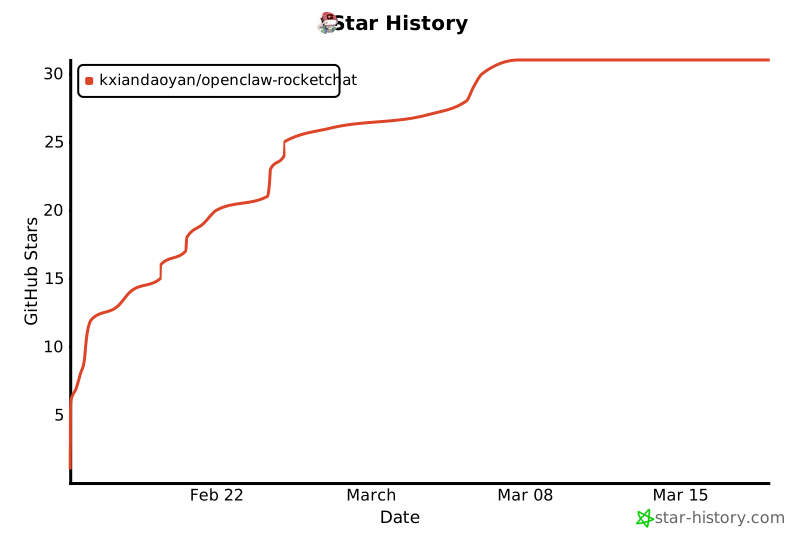](https://star-history.com/#Kxiandaoyan/openclaw-rocketchat&Date)
|
|
181
|
-
|
|
182
|
-
*Making AI assistants accessible to every user in China*
|
|
183
|
-
|
|
184
|
-
</div>
|
|
1
|
+
<div align="center">
|
|
2
|
+
|
|
3
|
+
# 🦞 openclaw-rocketchat
|
|
4
|
+
|
|
5
|
+
**The Missing Channel for OpenClaw Users in China**
|
|
6
|
+
|
|
7
|
+
[](https://www.npmjs.com/package/openclaw-rocketchat)
|
|
8
|
+
[](LICENSE)
|
|
9
|
+
[](https://github.com/Kxiandaoyan/openclaw-rocketchat)
|
|
10
|
+
[](https://nodejs.org/)
|
|
11
|
+
[](https://www.typescriptlang.org/)
|
|
12
|
+
|
|
13
|
+
[中文](./README.md) | **English**
|
|
14
|
+
|
|
15
|
+
---
|
|
16
|
+
|
|
17
|
+
**Chat with your OpenClaw AI via Rocket.Chat App**
|
|
18
|
+
**Dedicated Space · Dedicated Notifications · Self-Hosted · No VPN Required**
|
|
19
|
+
|
|
20
|
+
</div>
|
|
21
|
+
|
|
22
|
+
> **📖 Docs:** [Guide](docs/GUIDE.en.md) · [FAQ](docs/FAQ.en.md) · [Configuration](docs/CONFIGURATION.en.md) · [Architecture](docs/ARCHITECTURE.en.md) · [Security](docs/SECURITY.en.md)
|
|
23
|
+
|
|
24
|
+
---
|
|
25
|
+
|
|
26
|
+
## The Problem
|
|
27
|
+
|
|
28
|
+
OpenClaw supports Telegram, WhatsApp, Discord, and 10+ other messaging platforms. Users worldwide can chat with their AI assistants through their favorite apps.
|
|
29
|
+
|
|
30
|
+
**But what about users in mainland China?**
|
|
31
|
+
|
|
32
|
+
- Telegram — blocked by the Great Firewall
|
|
33
|
+
- WhatsApp — requires a foreign phone number
|
|
34
|
+
- Discord — completely inaccessible
|
|
35
|
+
- Feishu (Lark) — complex setup, requires enterprise account
|
|
36
|
+
|
|
37
|
+
And there's a deeper problem: **even if these platforms work, your AI conversations get buried in social noise** — friend messages, group chats, channel updates. Important AI responses disappear in the flood.
|
|
38
|
+
|
|
39
|
+
## The Solution
|
|
40
|
+
|
|
41
|
+
> **What is Rocket.Chat?** [Rocket.Chat](https://www.rocket.chat/) is the world's largest open-source enterprise messaging platform, used by 12M+ users globally. Think of it as a self-hosted Slack/Teams you can run on your own server — polished UI, full-featured, multi-platform (phone/desktop/web), and downloadable from China's App Store.
|
|
42
|
+
|
|
43
|
+
This plugin connects OpenClaw to **Rocket.Chat**. One command to deploy. Three steps to start chatting. **Your AI data never passes through third parties.**
|
|
44
|
+
|
|
45
|
+
## Ten Advantages
|
|
46
|
+
|
|
47
|
+
- 🏠 **Dedicated AI Workspace** — Open Rocket.Chat and see only your AI assistants, no social noise
|
|
48
|
+
- 🔔 **Dedicated Push Notifications** — AI messages aren't buried in other app notifications
|
|
49
|
+
- 🔐 **Complete Data Sovereignty** — Messages stay on your server, never touch third parties
|
|
50
|
+
- 🇨🇳 **Works Perfectly in China** — Direct App Store download, no VPN, auto free domain + HTTPS cert
|
|
51
|
+
- ⚡ **One-Command Deployment** — Interactive wizard handles Docker, accounts, and config in one go
|
|
52
|
+
- 🤖 **Multi-Agent, Multi-Bot** — Each Agent maps to a dedicated Rocket.Chat bot
|
|
53
|
+
- 👥 **Team Collaboration** — Share AI across your whole team in the same group
|
|
54
|
+
- 🔒 **Fine-Grained Permissions** — Full access / read-only roles for different team members
|
|
55
|
+
- 📱 **Cross-Platform** — iOS, Android, macOS, Windows, Linux, Web — real-time sync across all devices
|
|
56
|
+
- 🆓 **Free & Open Source** — MIT license, no subscriptions, no message limits, no vendor lock-in
|
|
57
|
+
|
|
58
|
+
### Technical Features (v0.7.1)
|
|
59
|
+
|
|
60
|
+
| Feature | Description |
|
|
61
|
+
|---------|-------------|
|
|
62
|
+
| Typing Indicator | Shows "typing..." on phone while the Agent is thinking |
|
|
63
|
+
| Threaded Replies | Agent replies are linked to the corresponding message thread |
|
|
64
|
+
| Group History Context | When @mentioned, Agent sees recent group conversation for context |
|
|
65
|
+
| Sender Identity | Agent distinguishes who is speaking in group chats |
|
|
66
|
+
| Media File Upload | Agent-sent images/files are actually uploaded to Rocket.Chat |
|
|
67
|
+
| @Mention State | Correctly passes `WasMentioned` field, matching official channel behavior |
|
|
68
|
+
| authToken Compat | Auto-compatible with legacy credential format, no re-add needed |
|
|
69
|
+
| One-Click Upgrade | `openclaw rocketchat upgrade` auto backup/restore config |
|
|
70
|
+
| Security Hardening | Install script auto-generates strong random admin password, eliminating `admin/admin` risk |
|
|
71
|
+
| Install Info Persistence | Install info saved to `.rc-info`, setup auto-reads it — zero manual input |
|
|
72
|
+
|
|
73
|
+
## Comparison
|
|
74
|
+
|
|
75
|
+
| | Feishu | Telegram | WhatsApp | This Plugin |
|
|
76
|
+
|---|---|---|---|---|
|
|
77
|
+
| **China Available** | ✅ | ❌ VPN needed | ❌ Foreign # needed | ✅ |
|
|
78
|
+
| **Setup Complexity** | 🔴 High | 🔴 High | 🔴 High | 🟢 One command |
|
|
79
|
+
| **Data Privacy** | 🟡 Via 3rd party | 🟡 Via 3rd party | 🟡 Via 3rd party | 🟢 Fully local |
|
|
80
|
+
| **Multi-User Team** | Enterprise only | ❌ | ❌ | ✅ One deploy for all |
|
|
81
|
+
| **Free & Open Source** | ❌ | ❌ | ❌ | ✅ MIT |
|
|
82
|
+
|
|
83
|
+
> Full comparison table at [docs/ARCHITECTURE.en.md](docs/ARCHITECTURE.en.md)
|
|
84
|
+
|
|
85
|
+
## Quick Start (3 Steps)
|
|
86
|
+
|
|
87
|
+
> **Full walkthrough with terminal output examples: [Usage Guide](docs/GUIDE.en.md)**
|
|
88
|
+
|
|
89
|
+
### Step 1: Deploy Rocket.Chat
|
|
90
|
+
|
|
91
|
+
```bash
|
|
92
|
+
curl -fsSL https://raw.githubusercontent.com/Kxiandaoyan/openclaw-rocketchat/master/install-rc.sh | bash
|
|
93
|
+
```
|
|
94
|
+
|
|
95
|
+
The script auto-handles Docker deployment, free domain, and HTTPS certificate.
|
|
96
|
+
|
|
97
|
+
### Step 2: Install Plugin + Configure
|
|
98
|
+
|
|
99
|
+
```bash
|
|
100
|
+
openclaw plugins install openclaw-rocketchat
|
|
101
|
+
openclaw rocketchat setup
|
|
102
|
+
```
|
|
103
|
+
|
|
104
|
+
Interactive wizard guides you through connection and account creation. On the same machine, it auto-detects install info.
|
|
105
|
+
|
|
106
|
+
### Step 3: Add an AI Bot
|
|
107
|
+
|
|
108
|
+
```bash
|
|
109
|
+
openclaw rocketchat add-bot
|
|
110
|
+
```
|
|
111
|
+
|
|
112
|
+
Type a bot name, pick an Agent, done.
|
|
113
|
+
|
|
114
|
+
### Step 4: Download Rocket.Chat on Your Phone, Start Chatting
|
|
115
|
+
|
|
116
|
+
1. Search **"Rocket.Chat"** on App Store / Google Play
|
|
117
|
+
2. Open the app, enter server address (e.g. `https://123-45-67-89.sslip.io`)
|
|
118
|
+
3. Login with your credentials from Step 2
|
|
119
|
+
4. Find your bot and start chatting!
|
|
120
|
+
|
|
121
|
+
### 📱 Mobile App Screenshots
|
|
122
|
+
|
|
123
|
+
| Step | Screenshot |
|
|
124
|
+
|------|-----------|
|
|
125
|
+
| Open App, enter server URL | <img src="images/1.jpg" width="280"> |
|
|
126
|
+
| Tap Connect to reach login | <img src="images/2.jpg" width="280"> |
|
|
127
|
+
| Conversation list after login | <img src="images/3.jpg" width="280"> |
|
|
128
|
+
| Chat with your AI bot | <img src="images/4.jpg" width="280"> |
|
|
129
|
+
|
|
130
|
+
> **Highlight**: Code blocks in AI replies are **automatically syntax-highlighted and beautifully formatted** in Rocket.Chat App — unlike WeChat/DingTalk/Slack where code gets squished into unreadable blobs. A much better experience for developers and technical users.
|
|
131
|
+
|
|
132
|
+
## Commands
|
|
133
|
+
|
|
134
|
+
| Command | Description |
|
|
135
|
+
|---|---|
|
|
136
|
+
| `openclaw rocketchat setup` | Connect to Rocket.Chat + create admin + create phone account |
|
|
137
|
+
| `openclaw rocketchat add-bot` | Add bot + bind Agent + create DM |
|
|
138
|
+
| `openclaw rocketchat add-group` | Create private channel (multi-bot group) |
|
|
139
|
+
| `openclaw rocketchat add-user` | Add phone login user |
|
|
140
|
+
| `openclaw rocketchat remove-user` | Remove phone login user |
|
|
141
|
+
| `openclaw rocketchat invite` | Manage group members |
|
|
142
|
+
| `openclaw rocketchat status` | View running status |
|
|
143
|
+
| `openclaw rocketchat upgrade` | **One-click upgrade (auto backup/restore config)** |
|
|
144
|
+
| `openclaw rocketchat uninstall` | Uninstall |
|
|
145
|
+
|
|
146
|
+
All commands are **interactive** — no flags to memorize, just follow the prompts.
|
|
147
|
+
|
|
148
|
+
## Documentation
|
|
149
|
+
|
|
150
|
+
| Document | Content |
|
|
151
|
+
|----------|---------|
|
|
152
|
+
| [Usage Guide](docs/GUIDE.en.md) | Full step-by-step walkthrough, terminal output examples, remote deployment, user management |
|
|
153
|
+
| [FAQ](docs/FAQ.en.md) | Registration disabled, upgrades, reset, Docker commands, certificates, push notifications |
|
|
154
|
+
| [Configuration](docs/CONFIGURATION.en.md) | Full parameter tables, JSON example, manual editing, full reset |
|
|
155
|
+
| [Architecture](docs/ARCHITECTURE.en.md) | Full comparison table, architecture diagrams, tech stack |
|
|
156
|
+
| [Security](docs/SECURITY.en.md) | Password security, credential storage, backup/restore, file permissions |
|
|
157
|
+
|
|
158
|
+
## Contributing
|
|
159
|
+
|
|
160
|
+
Contributions welcome! Whether it's bug reports, feature suggestions, or code:
|
|
161
|
+
|
|
162
|
+
1. Fork this repository
|
|
163
|
+
2. Create your branch (`git checkout -b feature/amazing`)
|
|
164
|
+
3. Commit changes (`git commit -m 'Add amazing feature'`)
|
|
165
|
+
4. Push to remote (`git push origin feature/amazing`)
|
|
166
|
+
5. Create a Pull Request
|
|
167
|
+
|
|
168
|
+
## License
|
|
169
|
+
|
|
170
|
+
[MIT](LICENSE) — Free to use, free to modify.
|
|
171
|
+
|
|
172
|
+
---
|
|
173
|
+
|
|
174
|
+
<div align="center">
|
|
175
|
+
|
|
176
|
+
**If this plugin helps you, please give it a Star ⭐**
|
|
177
|
+
|
|
178
|
+
**Every Star shows support for the Chinese developer community 🇨🇳**
|
|
179
|
+
|
|
180
|
+
[](https://star-history.com/#Kxiandaoyan/openclaw-rocketchat&Date)
|
|
181
|
+
|
|
182
|
+
*Making AI assistants accessible to every user in China*
|
|
183
|
+
|
|
184
|
+
</div>
|
package/install-rc.sh
CHANGED
|
@@ -352,6 +352,22 @@ CERT_ISSUED=false
|
|
|
352
352
|
step "申请 Let's Encrypt 证书..."
|
|
353
353
|
info "策略 1: HTTP-01 验证(standalone 模式,使用 80 端口)"
|
|
354
354
|
|
|
355
|
+
# 辅助函数:检查 acme.sh 是否已有此域名的有效证书
|
|
356
|
+
check_existing_cert() {
|
|
357
|
+
local domain="$1"
|
|
358
|
+
local cert_dir
|
|
359
|
+
# acme.sh 证书目录可能是 domain 或 domain_ecc
|
|
360
|
+
for cert_dir in "$HOME/.acme.sh/${domain}" "$HOME/.acme.sh/${domain}_ecc"; do
|
|
361
|
+
if [ -f "${cert_dir}/fullchain.cer" ] && [ -f "${cert_dir}/${domain}.key" ]; then
|
|
362
|
+
# 检查证书是否未过期
|
|
363
|
+
if openssl x509 -checkend 86400 -noout -in "${cert_dir}/fullchain.cer" 2>/dev/null; then
|
|
364
|
+
return 0 # 有效证书存在
|
|
365
|
+
fi
|
|
366
|
+
fi
|
|
367
|
+
done
|
|
368
|
+
return 1 # 没有有效证书
|
|
369
|
+
}
|
|
370
|
+
|
|
355
371
|
if "$ACME_SH" --issue --standalone -d "${RC_DOMAIN}" \
|
|
356
372
|
--server letsencrypt \
|
|
357
373
|
--keylength 2048 \
|
|
@@ -360,6 +376,10 @@ if "$ACME_SH" --issue --standalone -d "${RC_DOMAIN}" \
|
|
|
360
376
|
--post-hook "cd ${INSTALL_DIR} && ${COMPOSE_CMD} start nginx 2>/dev/null || true"; then
|
|
361
377
|
CERT_ISSUED=true
|
|
362
378
|
success "证书获取成功!(HTTP-01 验证)"
|
|
379
|
+
elif check_existing_cert "${RC_DOMAIN}"; then
|
|
380
|
+
# acme.sh 返回非零是因为证书已存在且未到期,无需续期
|
|
381
|
+
CERT_ISSUED=true
|
|
382
|
+
success "证书已存在且有效(未到期,无需续期)"
|
|
363
383
|
else
|
|
364
384
|
warn "HTTP-01 验证失败(80 端口可能不可用),自动切换后备方案..."
|
|
365
385
|
echo ""
|
|
@@ -374,6 +394,9 @@ else
|
|
|
374
394
|
--post-hook "cd ${INSTALL_DIR} && ${COMPOSE_CMD} start nginx 2>/dev/null || true"; then
|
|
375
395
|
CERT_ISSUED=true
|
|
376
396
|
success "证书获取成功!(TLS-ALPN-01 验证)"
|
|
397
|
+
elif check_existing_cert "${RC_DOMAIN}"; then
|
|
398
|
+
CERT_ISSUED=true
|
|
399
|
+
success "证书已存在且有效(未到期,无需续期)"
|
|
377
400
|
fi
|
|
378
401
|
fi
|
|
379
402
|
|
|
@@ -590,10 +613,45 @@ if [ -z "${RC_ADMIN_PASS:-}" ]; then
|
|
|
590
613
|
if [ -f "${INSTALL_DIR}/.rc-info" ]; then
|
|
591
614
|
RC_ADMIN_PASS=$(grep "^ADMIN_PASS=" "${INSTALL_DIR}/.rc-info" 2>/dev/null | cut -d'=' -f2-)
|
|
592
615
|
fi
|
|
593
|
-
#
|
|
616
|
+
# 如果仍然为空(旧版安装),标记为默认密码
|
|
594
617
|
if [ -z "${RC_ADMIN_PASS:-}" ]; then
|
|
595
618
|
RC_ADMIN_PASS="admin"
|
|
596
|
-
|
|
619
|
+
fi
|
|
620
|
+
fi
|
|
621
|
+
|
|
622
|
+
# 如果密码是弱口令 admin,尝试通过 API 自动加固
|
|
623
|
+
if [ "${RC_ADMIN_PASS}" = "admin" ]; then
|
|
624
|
+
step "检测到弱口令 admin/admin,正在自动加固..."
|
|
625
|
+
# 用 admin/admin 登录获取 token
|
|
626
|
+
LOGIN_RESP=$(curl -sk -X POST "https://127.0.0.1/api/v1/login" \
|
|
627
|
+
-H "Content-Type: application/json" \
|
|
628
|
+
-d '{"user":"admin","password":"admin"}' 2>/dev/null || echo "")
|
|
629
|
+
|
|
630
|
+
AUTH_TOKEN=$(echo "$LOGIN_RESP" | grep -o '"authToken":"[^"]*"' | head -1 | cut -d'"' -f4)
|
|
631
|
+
USER_ID=$(echo "$LOGIN_RESP" | grep -o '"userId":"[^"]*"' | head -1 | cut -d'"' -f4)
|
|
632
|
+
|
|
633
|
+
if [ -n "$AUTH_TOKEN" ] && [ -n "$USER_ID" ]; then
|
|
634
|
+
# 生成强密码
|
|
635
|
+
NEW_PASS=$(head -c 18 /dev/urandom | base64 | tr -d '/+=' | head -c 20)
|
|
636
|
+
if [ ${#NEW_PASS} -lt 12 ]; then
|
|
637
|
+
NEW_PASS="RcAdmin$(date +%s | sha256sum | head -c 16)"
|
|
638
|
+
fi
|
|
639
|
+
|
|
640
|
+
# 通过 API 修改密码
|
|
641
|
+
CHANGE_RESP=$(curl -sk -X POST "https://127.0.0.1/api/v1/users.update" \
|
|
642
|
+
-H "Content-Type: application/json" \
|
|
643
|
+
-H "X-Auth-Token: ${AUTH_TOKEN}" \
|
|
644
|
+
-H "X-User-Id: ${USER_ID}" \
|
|
645
|
+
-d "{\"userId\":\"${USER_ID}\",\"data\":{\"password\":\"${NEW_PASS}\"}}" 2>/dev/null || echo "")
|
|
646
|
+
|
|
647
|
+
if echo "$CHANGE_RESP" | grep -q '"success":true'; then
|
|
648
|
+
RC_ADMIN_PASS="${NEW_PASS}"
|
|
649
|
+
success "管理员密码已自动升级为强随机密码"
|
|
650
|
+
else
|
|
651
|
+
warn "自动修改密码失败,保留当前密码。建议运行 openclaw rocketchat setup 后自动加固。"
|
|
652
|
+
fi
|
|
653
|
+
else
|
|
654
|
+
warn "无法使用 admin/admin 登录(可能密码已被修改过)。建议运行 openclaw rocketchat setup。"
|
|
597
655
|
fi
|
|
598
656
|
fi
|
|
599
657
|
|
|
@@ -629,11 +687,18 @@ info "安装目录: ${INSTALL_DIR}"
|
|
|
629
687
|
info "HTTPS: Let's Encrypt 正式证书(acme.sh 自动续期)"
|
|
630
688
|
info "域名: ${RC_DOMAIN}(由 sslip.io 免费提供,无需购买)"
|
|
631
689
|
echo ""
|
|
632
|
-
|
|
633
|
-
|
|
634
|
-
echo -e "
|
|
635
|
-
|
|
636
|
-
info "
|
|
690
|
+
if [ "${RC_ADMIN_PASS}" = "admin" ]; then
|
|
691
|
+
warn "🔑 管理员账号(弱口令,请尽快运行 openclaw rocketchat setup 自动加固):"
|
|
692
|
+
echo -e " 用户名: ${GREEN}admin${NC}"
|
|
693
|
+
echo -e " 密码: ${RED}admin${NC} ← ${RED}安全风险!${NC}"
|
|
694
|
+
info " 运行 openclaw rocketchat setup 会自动将密码升级为强随机密码。"
|
|
695
|
+
else
|
|
696
|
+
info "🔑 管理员账号(已自动生成强密码):"
|
|
697
|
+
echo -e " 用户名: ${GREEN}admin${NC}"
|
|
698
|
+
echo -e " 密码: ${GREEN}${RC_ADMIN_PASS}${NC}"
|
|
699
|
+
info " (已保存到 ${RC_INFO_FILE},setup 时会自动读取。"
|
|
700
|
+
info " 普通用户不需要知道这个账号,仅供服务器管理使用。)"
|
|
701
|
+
fi
|
|
637
702
|
echo ""
|
|
638
703
|
info "📌 接下来的步骤:"
|
|
639
704
|
echo ""
|
package/package.json
CHANGED