openclaw-rocketchat 0.1.0
This diff represents the content of publicly available package versions that have been released to one of the supported registries. The information contained in this diff is provided for informational purposes only and reflects changes between package versions as they appear in their respective public registries.
- package/LICENSE +21 -0
- package/README.en.md +694 -0
- package/README.md +730 -0
- package/dist/cli/add-bot.d.ts +2 -0
- package/dist/cli/add-bot.d.ts.map +1 -0
- package/dist/cli/add-bot.js +138 -0
- package/dist/cli/add-bot.js.map +1 -0
- package/dist/cli/add-group.d.ts +2 -0
- package/dist/cli/add-group.d.ts.map +1 -0
- package/dist/cli/add-group.js +145 -0
- package/dist/cli/add-group.js.map +1 -0
- package/dist/cli/add-user.d.ts +2 -0
- package/dist/cli/add-user.d.ts.map +1 -0
- package/dist/cli/add-user.js +186 -0
- package/dist/cli/add-user.js.map +1 -0
- package/dist/cli/invite.d.ts +2 -0
- package/dist/cli/invite.d.ts.map +1 -0
- package/dist/cli/invite.js +194 -0
- package/dist/cli/invite.js.map +1 -0
- package/dist/cli/prompts.d.ts +24 -0
- package/dist/cli/prompts.d.ts.map +1 -0
- package/dist/cli/prompts.js +134 -0
- package/dist/cli/prompts.js.map +1 -0
- package/dist/cli/remove-user.d.ts +2 -0
- package/dist/cli/remove-user.d.ts.map +1 -0
- package/dist/cli/remove-user.js +108 -0
- package/dist/cli/remove-user.js.map +1 -0
- package/dist/cli/setup.d.ts +2 -0
- package/dist/cli/setup.d.ts.map +1 -0
- package/dist/cli/setup.js +446 -0
- package/dist/cli/setup.js.map +1 -0
- package/dist/cli/status.d.ts +2 -0
- package/dist/cli/status.d.ts.map +1 -0
- package/dist/cli/status.js +161 -0
- package/dist/cli/status.js.map +1 -0
- package/dist/cli/uninstall.d.ts +2 -0
- package/dist/cli/uninstall.d.ts.map +1 -0
- package/dist/cli/uninstall.js +81 -0
- package/dist/cli/uninstall.js.map +1 -0
- package/dist/config/credentials.d.ts +26 -0
- package/dist/config/credentials.d.ts.map +1 -0
- package/dist/config/credentials.js +169 -0
- package/dist/config/credentials.js.map +1 -0
- package/dist/config/writer.d.ts +52 -0
- package/dist/config/writer.d.ts.map +1 -0
- package/dist/config/writer.js +170 -0
- package/dist/config/writer.js.map +1 -0
- package/dist/docker/compose.d.ts +10 -0
- package/dist/docker/compose.d.ts.map +1 -0
- package/dist/docker/compose.js +56 -0
- package/dist/docker/compose.js.map +1 -0
- package/dist/docker/manager.d.ts +38 -0
- package/dist/docker/manager.d.ts.map +1 -0
- package/dist/docker/manager.js +219 -0
- package/dist/docker/manager.js.map +1 -0
- package/dist/index.d.ts +5 -0
- package/dist/index.d.ts.map +1 -0
- package/dist/index.js +203 -0
- package/dist/index.js.map +1 -0
- package/dist/rc-api/rest-client.d.ts +64 -0
- package/dist/rc-api/rest-client.d.ts.map +1 -0
- package/dist/rc-api/rest-client.js +268 -0
- package/dist/rc-api/rest-client.js.map +1 -0
- package/dist/rc-api/types.d.ts +158 -0
- package/dist/rc-api/types.d.ts.map +1 -0
- package/dist/rc-api/types.js +5 -0
- package/dist/rc-api/types.js.map +1 -0
- package/dist/rc-api/ws-client.d.ts +47 -0
- package/dist/rc-api/ws-client.d.ts.map +1 -0
- package/dist/rc-api/ws-client.js +308 -0
- package/dist/rc-api/ws-client.js.map +1 -0
- package/dist/service/bot-manager.d.ts +34 -0
- package/dist/service/bot-manager.d.ts.map +1 -0
- package/dist/service/bot-manager.js +156 -0
- package/dist/service/bot-manager.js.map +1 -0
- package/dist/service/channel.d.ts +35 -0
- package/dist/service/channel.d.ts.map +1 -0
- package/dist/service/channel.js +157 -0
- package/dist/service/channel.js.map +1 -0
- package/dist/service/message-handler.d.ts +45 -0
- package/dist/service/message-handler.d.ts.map +1 -0
- package/dist/service/message-handler.js +207 -0
- package/dist/service/message-handler.js.map +1 -0
- package/openclaw.plugin.json +45 -0
- package/package.json +61 -0
package/README.en.md
ADDED
|
@@ -0,0 +1,694 @@
|
|
|
1
|
+
<div align="center">
|
|
2
|
+
|
|
3
|
+
# 🦞 @openclaw-community/rocketchat
|
|
4
|
+
|
|
5
|
+
**The Missing Channel for OpenClaw Users in China**
|
|
6
|
+
|
|
7
|
+
[](https://www.npmjs.com/package/openclaw-rocketchat)
|
|
8
|
+
[](LICENSE)
|
|
9
|
+
[](https://github.com/Kxiandaoyan/openclaw-rocketchat)
|
|
10
|
+
[](https://nodejs.org/)
|
|
11
|
+
[](https://www.typescriptlang.org/)
|
|
12
|
+
|
|
13
|
+
[中文](./README.md) | **English**
|
|
14
|
+
|
|
15
|
+
---
|
|
16
|
+
|
|
17
|
+
**Chat with your OpenClaw AI via Rocket.Chat App**
|
|
18
|
+
**Dedicated Space · Dedicated Notifications · Self-Hosted · No VPN Required**
|
|
19
|
+
|
|
20
|
+
</div>
|
|
21
|
+
|
|
22
|
+
---
|
|
23
|
+
|
|
24
|
+
## The Problem
|
|
25
|
+
|
|
26
|
+
OpenClaw supports Telegram, WhatsApp, Discord, and 10+ other messaging platforms. Users worldwide can chat with their AI assistants through their favorite apps.
|
|
27
|
+
|
|
28
|
+
**But what about users in mainland China?**
|
|
29
|
+
|
|
30
|
+
- Telegram — blocked by the Great Firewall
|
|
31
|
+
- WhatsApp — requires a foreign phone number
|
|
32
|
+
- Discord — completely inaccessible
|
|
33
|
+
- Feishu (Lark) — complex setup, requires enterprise account
|
|
34
|
+
|
|
35
|
+
And there's a deeper problem: **even if these platforms work, your AI conversations get buried in social noise** — friend messages, group chats, channel updates. Important AI responses disappear in the flood.
|
|
36
|
+
|
|
37
|
+
## The Solution
|
|
38
|
+
|
|
39
|
+
> **What is Rocket.Chat?** [Rocket.Chat](https://www.rocket.chat/) is the world's largest open-source enterprise messaging platform, used by 12M+ users globally. Think of it as a self-hosted Slack/Teams you can run on your own server — polished UI, full-featured, multi-platform (phone/desktop/web), and downloadable from China's App Store.
|
|
40
|
+
|
|
41
|
+
This plugin connects OpenClaw to **Rocket.Chat**.
|
|
42
|
+
|
|
43
|
+
One command to deploy. Three steps to start chatting. Two deployment modes:
|
|
44
|
+
|
|
45
|
+
**Mode A: Co-located (Recommended)**
|
|
46
|
+
|
|
47
|
+
```
|
|
48
|
+
Your Phone (Rocket.Chat App)
|
|
49
|
+
↓ Direct IP Connection
|
|
50
|
+
Your Machine (Rocket.Chat + OpenClaw)
|
|
51
|
+
↓ localhost
|
|
52
|
+
AI Brain (OpenClaw Agent)
|
|
53
|
+
```
|
|
54
|
+
|
|
55
|
+
**Mode B: Split Deployment (Home network / Low-spec server friendly)**
|
|
56
|
+
|
|
57
|
+
```
|
|
58
|
+
Your Phone (Rocket.Chat App)
|
|
59
|
+
↓ Public IP
|
|
60
|
+
Cloud VPS (Rocket.Chat + MongoDB only)
|
|
61
|
+
↑ Plugin connects via public network
|
|
62
|
+
Home / Local (OpenClaw + this plugin)
|
|
63
|
+
↓ localhost
|
|
64
|
+
AI Brain (OpenClaw Agent)
|
|
65
|
+
```
|
|
66
|
+
|
|
67
|
+
> Mode B is great for: OpenClaw on home LAN without public IP, low-memory servers, or companies with existing RC instances.
|
|
68
|
+
> Install RC on remote VPS with one command: `curl -fsSL https://raw.githubusercontent.com/Kxiandaoyan/openclaw-rocketchat/main/install-rc.sh | bash`
|
|
69
|
+
|
|
70
|
+
**Either way, your AI data never passes through third parties.**
|
|
71
|
+
|
|
72
|
+
## Ten Advantages
|
|
73
|
+
|
|
74
|
+
### 1. 🏠 A Dedicated AI Workspace
|
|
75
|
+
|
|
76
|
+
Using Telegram for AI chat? Your AI conversations are sandwiched between friend messages, group spam, and channel noise. Important AI replies get lost.
|
|
77
|
+
|
|
78
|
+
**Rocket.Chat becomes your dedicated AI command center.** Open it, and all you see are your AI assistants — no social distractions, no unrelated messages. One app, one purpose.
|
|
79
|
+
|
|
80
|
+
### 2. 🔔 Dedicated Push Notifications
|
|
81
|
+
|
|
82
|
+
When OpenClaw sends you a message, you get a notification from **Rocket.Chat** — not Telegram's 99th unread, not WeChat's 200th group message.
|
|
83
|
+
|
|
84
|
+
**You never miss an important AI response.**
|
|
85
|
+
|
|
86
|
+
### 3. 🔐 Complete Data Sovereignty
|
|
87
|
+
|
|
88
|
+
| Using Telegram | Using This Plugin |
|
|
89
|
+
|---|---|
|
|
90
|
+
| Messages go through Telegram's servers | Messages stay on your machine |
|
|
91
|
+
| Chat history stored on someone else's cloud | Chat history in your own MongoDB |
|
|
92
|
+
| You can't control where data goes | Docker volume is yours — delete anytime |
|
|
93
|
+
| Terms of service change without notice | You are the terms of service |
|
|
94
|
+
|
|
95
|
+
**Zero trust in third parties. Your AI conversations, private data, and work content stay on your own hard drive.**
|
|
96
|
+
|
|
97
|
+
### 4. 🇨🇳 Works Perfectly in Mainland China
|
|
98
|
+
|
|
99
|
+
- Rocket.Chat App is **directly downloadable** from China App Store / Google Play
|
|
100
|
+
- Server runs on your own machine — **no cross-border traffic**
|
|
101
|
+
- Phone connects directly via IP — **no domain, no SSL, no ICP registration needed**
|
|
102
|
+
- Zero dependency on blocked services
|
|
103
|
+
|
|
104
|
+
### 5. ⚡ One-Command Deployment, Two Modes
|
|
105
|
+
|
|
106
|
+
No 10-page documentation to read. No browser-based admin panels to click through. No manual JSON editing.
|
|
107
|
+
|
|
108
|
+
```bash
|
|
109
|
+
openclaw rocketchat setup
|
|
110
|
+
```
|
|
111
|
+
|
|
112
|
+
An interactive wizard guides you through everything — Docker deployment, account creation, config writing — all in one go.
|
|
113
|
+
|
|
114
|
+
Choose the deployment mode that fits your situation:
|
|
115
|
+
|
|
116
|
+
| | Co-located | Split Deployment |
|
|
117
|
+
|---|---|---|
|
|
118
|
+
| **Who it's for** | Users with a public server | Home network, low-spec servers |
|
|
119
|
+
| **RC runs on** | Same machine as OpenClaw | Separate cloud VPS |
|
|
120
|
+
| **How to install** | `openclaw rocketchat setup` | `install-rc.sh` on VPS, connect locally |
|
|
121
|
+
| **Advantage** | Simplest, one machine | OpenClaw can run at home, RC in the cloud |
|
|
122
|
+
|
|
123
|
+
> Split deployment means even if your OpenClaw is on a **home LAN without a public IP**, a cheap VPS (1 core, 1 GB RAM is enough) lets your phone connect from anywhere.
|
|
124
|
+
|
|
125
|
+
### 6. 🤖 Multi-Agent, Multi-Bot
|
|
126
|
+
|
|
127
|
+
Create multiple Agents in OpenClaw (e.g., "Personal Assistant", "Work Helper", "Code Reviewer"), each appearing as a separate bot in Rocket.Chat:
|
|
128
|
+
|
|
129
|
+
```
|
|
130
|
+
Conversation List
|
|
131
|
+
🦞 Lobster ← DM: Personal assistant
|
|
132
|
+
💼 Work Helper ← DM: Work agent
|
|
133
|
+
🏠 AI Squad ← Group: All bots together
|
|
134
|
+
📝 Code Review ← Group: Dedicated code agent
|
|
135
|
+
```
|
|
136
|
+
|
|
137
|
+
**DMs and group chats coexist** — ask simple questions via DM, tackle complex problems in groups with multiple bots collaborating.
|
|
138
|
+
|
|
139
|
+
### 7. 👥 Team Collaboration — Share AI Across Your Whole Team
|
|
140
|
+
|
|
141
|
+
This isn't just a single-user AI tool — your entire team can use it together.
|
|
142
|
+
|
|
143
|
+
```
|
|
144
|
+
「Product Discussion」
|
|
145
|
+
👤 Alice (Product Manager)
|
|
146
|
+
👤 Bob (Designer)
|
|
147
|
+
👤 Charlie (Developer)
|
|
148
|
+
🤖 Lobster (AI Assistant)
|
|
149
|
+
|
|
150
|
+
Alice: Can you analyze the technical feasibility of this feature?
|
|
151
|
+
🦞 Lobster: Based on the requirements, I've analyzed three aspects...
|
|
152
|
+
Bob: @Lobster Any color scheme suggestions?
|
|
153
|
+
🦞 Lobster: From a UI/UX perspective, I recommend...
|
|
154
|
+
Charlie: How long would this take to implement?
|
|
155
|
+
🦞 Lobster: Based on the current tech stack, estimated...
|
|
156
|
+
```
|
|
157
|
+
|
|
158
|
+
One deployment, the whole team benefits:
|
|
159
|
+
|
|
160
|
+
- **Companies/Teams** — Everyone discusses with AI in the same group, stay aligned, no relay needed
|
|
161
|
+
- **Families** — Add an account for each family member, everyone gets their own AI assistant
|
|
162
|
+
- **Studios** — Different projects get different groups, each with specialized Agents
|
|
163
|
+
- **Education** — Teachers and students in the same group, AI-assisted learning
|
|
164
|
+
|
|
165
|
+
`openclaw rocketchat add-user` adds a new member in one command, `openclaw rocketchat invite` pulls them into any group. **No per-person deployment, no per-person configuration — one service for everyone.**
|
|
166
|
+
|
|
167
|
+
### 8. 🔒 Fine-Grained Permission Control
|
|
168
|
+
|
|
169
|
+
Not everyone needs to talk to AI — some people just need to watch.
|
|
170
|
+
|
|
171
|
+
| Permission | View Messages | Send Messages | DM Bots | Use Case |
|
|
172
|
+
|---|---|---|---|---|
|
|
173
|
+
| **Full Access** | ✅ | ✅ | ✅ | Regular team members |
|
|
174
|
+
| **Read-Only** | ✅ | ❌ | ❌ | Boss monitoring, auditing, observers |
|
|
175
|
+
|
|
176
|
+
Typical scenarios:
|
|
177
|
+
- **Boss/Manager** — Read-only, review team-AI conversations anytime, track project progress
|
|
178
|
+
- **Interns** — Read-only, observe senior staff's AI discussions, learn and grow
|
|
179
|
+
- **Clients** — Read-only, see AI-generated analysis reports without interfering
|
|
180
|
+
- **Audit/Compliance** — Read-only, monitor AI usage for regulatory compliance
|
|
181
|
+
|
|
182
|
+
```bash
|
|
183
|
+
openclaw rocketchat add-user
|
|
184
|
+
# Choose during setup:
|
|
185
|
+
# 1) Full access — can send messages in groups and DM bots
|
|
186
|
+
# 2) Read-only — can only view group messages, no sending or DM
|
|
187
|
+
```
|
|
188
|
+
|
|
189
|
+
**No other platform offers this** — on Telegram or WhatsApp, users either see everything and can say everything, or see nothing at all.
|
|
190
|
+
|
|
191
|
+
### 9. 📱 Cross-Platform
|
|
192
|
+
|
|
193
|
+
Official Rocket.Chat clients: [rocket.chat/download-apps](https://www.rocket.chat/download-apps)
|
|
194
|
+
|
|
195
|
+
| Platform | How to Download |
|
|
196
|
+
|---|---|
|
|
197
|
+
| **iOS** | Search **"Rocket.Chat"** on App Store (developer: Rocket.Chat Technologies Corp)<br>Available in China App Store — no account switching needed |
|
|
198
|
+
| **Android** | Search **"Rocket.Chat"** on Google Play, or download APK from the official site |
|
|
199
|
+
| **macOS** | [Mac App Store](https://apps.apple.com/app/rocket-chat/id1148741252) or [download .dmg](https://www.rocket.chat/download-apps) |
|
|
200
|
+
| **Windows** | [Download installer](https://www.rocket.chat/download-apps) |
|
|
201
|
+
| **Linux** | [Download](https://www.rocket.chat/download-apps) (.deb / .rpm / Snap) |
|
|
202
|
+
| **Web** | No download needed — open `http://YOUR_IP:3000` in any browser |
|
|
203
|
+
|
|
204
|
+
> 💡 **Search tip**: In App Store / Google Play, search "Rocket.Chat" and look for the developer **Rocket.Chat Technologies Corp**.
|
|
205
|
+
|
|
206
|
+
Deploy once, access from phone, computer, tablet, or browser. Messages sync across all devices in real time.
|
|
207
|
+
|
|
208
|
+
### 10. 🆓 Completely Free, Open Source, No Vendor Lock-In
|
|
209
|
+
|
|
210
|
+
- No subscription fees, no message limits, no feature restrictions
|
|
211
|
+
- MIT license — modify as you wish
|
|
212
|
+
- Built on Rocket.Chat's open-source ecosystem with an active community
|
|
213
|
+
- **No vendor lock-in** — export your data anytime (standard MongoDB format)
|
|
214
|
+
- You're running a standard Rocket.Chat server — plug in more features in the future (video calls, file sharing, webhook integrations, etc.)
|
|
215
|
+
|
|
216
|
+
## Comparison
|
|
217
|
+
|
|
218
|
+
| | Feishu | Telegram | WhatsApp | This Plugin |
|
|
219
|
+
|---|---|---|---|---|
|
|
220
|
+
| **China Available** | ✅ | ❌ VPN needed | ❌ Foreign # needed | ✅ |
|
|
221
|
+
| **Setup Complexity** | 🔴 High | 🔴 High (VPN) | 🔴 High | 🟢 One command |
|
|
222
|
+
| **Dedicated AI Space** | ❌ Mixed with work | ❌ Mixed with social | ❌ Mixed with social | ✅ Dedicated |
|
|
223
|
+
| **Dedicated Notifications** | ❌ Mixed | ❌ Buried | ❌ Buried | ✅ Standalone |
|
|
224
|
+
| **Data Privacy** | 🟡 Via Feishu servers | 🟡 Via TG servers | 🟡 Via Meta servers | 🟢 Fully local |
|
|
225
|
+
| **Multi-Agent** | Manual config | Supported | Supported | ✅ Interactive setup |
|
|
226
|
+
| **Group Multi-Bot** | Limited | Supported | Not supported | ✅ Supported |
|
|
227
|
+
| **Multi-User Team** | Enterprise only | ❌ Separate setups | ❌ Separate setups | ✅ One deploy for all |
|
|
228
|
+
| **Permission Control** | Enterprise only | ❌ | ❌ | ✅ Full/Read-Only |
|
|
229
|
+
| **Split Deployment** | ❌ | ❌ | ❌ | ✅ Home LAN works |
|
|
230
|
+
| **Self-Hosted** | ❌ | ❌ | ❌ | ✅ |
|
|
231
|
+
| **Free** | Limited | Yes | Yes | ✅ Completely free |
|
|
232
|
+
| **Open Source** | ❌ | ❌ | ❌ | ✅ MIT |
|
|
233
|
+
|
|
234
|
+
## Quick Start
|
|
235
|
+
|
|
236
|
+
### Prerequisites
|
|
237
|
+
|
|
238
|
+
- [OpenClaw](https://docs.openclaw.ai/) installed (Docker will be auto-guided if not present)
|
|
239
|
+
- A server with a **public IP** (Alibaba Cloud, AWS, etc.), or an existing remote Rocket.Chat server
|
|
240
|
+
- Firewall / security group allows **port 3000** (or your custom port)
|
|
241
|
+
|
|
242
|
+
### Step 1: Install Plugin + Deploy Rocket.Chat
|
|
243
|
+
|
|
244
|
+
```bash
|
|
245
|
+
openclaw plugins install openclaw-rocketchat
|
|
246
|
+
openclaw rocketchat setup
|
|
247
|
+
```
|
|
248
|
+
|
|
249
|
+
First, choose a deployment mode:
|
|
250
|
+
|
|
251
|
+
```
|
|
252
|
+
=== Rocket.Chat Deployment Wizard ===
|
|
253
|
+
|
|
254
|
+
Choose deployment mode:
|
|
255
|
+
1) Local (Docker) — RC and OpenClaw on the same machine
|
|
256
|
+
2) Connect to remote server — RC already deployed elsewhere
|
|
257
|
+
Choose: 1
|
|
258
|
+
```
|
|
259
|
+
|
|
260
|
+
> Option 1 works for most users (everything on one machine).
|
|
261
|
+
> Option 2 is for when OpenClaw is on a home LAN, server is low-spec, or your company already has RC.
|
|
262
|
+
|
|
263
|
+
**After choosing 1 (local), you'll see:**
|
|
264
|
+
|
|
265
|
+
```
|
|
266
|
+
⏳ Checking environment...
|
|
267
|
+
Docker: Installed (v27.1.1)
|
|
268
|
+
Docker Compose: Installed (v2.29.1)
|
|
269
|
+
Port 3000: Available
|
|
270
|
+
|
|
271
|
+
Port [default 3000]: 3000
|
|
272
|
+
|
|
273
|
+
Create your phone login account
|
|
274
|
+
Username: zhangsan
|
|
275
|
+
Password: ********
|
|
276
|
+
Confirm: ********
|
|
277
|
+
|
|
278
|
+
⏳ Generating Docker config...
|
|
279
|
+
✅ Docker config generated
|
|
280
|
+
⏳ Pulling images & starting (first time ~2-5 min)...
|
|
281
|
+
⏳ Waiting for service... (30s)
|
|
282
|
+
✅ Rocket.Chat is ready
|
|
283
|
+
⏳ Creating admin (internal, you don't need to remember)...
|
|
284
|
+
✅ Admin created
|
|
285
|
+
⏳ Creating account zhangsan...
|
|
286
|
+
✅ Account zhangsan created
|
|
287
|
+
⏳ Writing openclaw.json config...
|
|
288
|
+
✅ Config saved
|
|
289
|
+
|
|
290
|
+
╔══════════════════════════════════════════╗
|
|
291
|
+
║ 🎉 Deployment complete! ║
|
|
292
|
+
╚══════════════════════════════════════════╝
|
|
293
|
+
|
|
294
|
+
📱 Phone setup:
|
|
295
|
+
1. Download "Rocket.Chat" from App Store
|
|
296
|
+
2. Server address: http://123.45.67.89:3000
|
|
297
|
+
3. Username: zhangsan
|
|
298
|
+
4. Password: the one you just set
|
|
299
|
+
|
|
300
|
+
💡 Next: openclaw rocketchat add-bot
|
|
301
|
+
```
|
|
302
|
+
|
|
303
|
+
**You only type 3 things: port, username, password. Everything else is automatic.**
|
|
304
|
+
|
|
305
|
+
### Step 2: Add an AI Bot
|
|
306
|
+
|
|
307
|
+
```bash
|
|
308
|
+
openclaw rocketchat add-bot
|
|
309
|
+
```
|
|
310
|
+
|
|
311
|
+
Here's what you'll see:
|
|
312
|
+
|
|
313
|
+
```
|
|
314
|
+
=== Add Rocket.Chat Bot ===
|
|
315
|
+
|
|
316
|
+
Bot username: molty
|
|
317
|
+
Display name [default molty]: Lobster
|
|
318
|
+
|
|
319
|
+
Bind to which Agent?
|
|
320
|
+
Available Agents:
|
|
321
|
+
1) main (default)
|
|
322
|
+
2) work (Work Helper)
|
|
323
|
+
Select: 1
|
|
324
|
+
|
|
325
|
+
⏳ Creating bot user molty...
|
|
326
|
+
✅ Bot user molty created
|
|
327
|
+
⏳ Establishing DM between zhangsan and molty...
|
|
328
|
+
✅ DM ready
|
|
329
|
+
⏳ Writing config + binding...
|
|
330
|
+
✅ Config updated
|
|
331
|
+
|
|
332
|
+
✅ Bot molty (Lobster) created
|
|
333
|
+
Bound to Agent: main
|
|
334
|
+
DM ready
|
|
335
|
+
|
|
336
|
+
📱 Open Rocket.Chat App to see molty — send a message to start!
|
|
337
|
+
```
|
|
338
|
+
|
|
339
|
+
**Type a bot name, pick an Agent number, done.**
|
|
340
|
+
|
|
341
|
+
### Step 3: Download Rocket.Chat on Your Phone, Start Chatting
|
|
342
|
+
|
|
343
|
+
1. Download Rocket.Chat App
|
|
344
|
+
- **iPhone**: Search **"Rocket.Chat"** on App Store
|
|
345
|
+
- **Android**: Search **"Rocket.Chat"** on Google Play, or download APK from the [official site](https://www.rocket.chat/download-apps)
|
|
346
|
+
- **Desktop**: [Download desktop client](https://www.rocket.chat/download-apps), or open `http://YOUR_IP:3000` in your browser
|
|
347
|
+
2. Open the app, tap **"Add Server"**, enter: `http://YOUR_PUBLIC_IP:3000`
|
|
348
|
+
3. Login with the credentials from Step 1
|
|
349
|
+
4. Find the bot, send a message, start chatting!
|
|
350
|
+
|
|
351
|
+
**That's it. 2 commands + download an app. You're done.**
|
|
352
|
+
|
|
353
|
+
---
|
|
354
|
+
|
|
355
|
+
### More Features
|
|
356
|
+
|
|
357
|
+
These commands are optional — use them when you need them:
|
|
358
|
+
|
|
359
|
+
<details>
|
|
360
|
+
<summary><b>Remote Rocket.Chat installation (split deployment)</b></summary>
|
|
361
|
+
|
|
362
|
+
If you chose Mode B (split deployment), run on your remote VPS:
|
|
363
|
+
|
|
364
|
+
```bash
|
|
365
|
+
# SSH into your VPS, then one-click install:
|
|
366
|
+
curl -fsSL https://raw.githubusercontent.com/Kxiandaoyan/openclaw-rocketchat/main/install-rc.sh | bash
|
|
367
|
+
|
|
368
|
+
# Or specify a custom port:
|
|
369
|
+
RC_PORT=4000 bash install-rc.sh
|
|
370
|
+
```
|
|
371
|
+
|
|
372
|
+
The script will automatically:
|
|
373
|
+
- Detect and install Docker (if not present)
|
|
374
|
+
- Pull Rocket.Chat + MongoDB images
|
|
375
|
+
- Start services and wait until ready
|
|
376
|
+
- Output the server address and next steps
|
|
377
|
+
|
|
378
|
+
After installation, go back to your OpenClaw machine and run `openclaw rocketchat setup`, choose "Connect to remote server", and enter the address output by the script.
|
|
379
|
+
|
|
380
|
+
</details>
|
|
381
|
+
|
|
382
|
+
<details>
|
|
383
|
+
<summary><b>Create multi-bot group</b></summary>
|
|
384
|
+
|
|
385
|
+
```bash
|
|
386
|
+
openclaw rocketchat add-group
|
|
387
|
+
```
|
|
388
|
+
|
|
389
|
+
```
|
|
390
|
+
=== Create Rocket.Chat Private Channel ===
|
|
391
|
+
|
|
392
|
+
Channel name: AI Squad
|
|
393
|
+
|
|
394
|
+
Add which bots?
|
|
395
|
+
Available bots:
|
|
396
|
+
1) molty (Lobster) -> Agent: main
|
|
397
|
+
2) work-claw (Work Helper) -> Agent: work
|
|
398
|
+
Select (comma-separated): 1,2
|
|
399
|
+
|
|
400
|
+
Add which users?
|
|
401
|
+
Available users:
|
|
402
|
+
1) zhangsan
|
|
403
|
+
Select (comma-separated, Enter for all):
|
|
404
|
+
|
|
405
|
+
Require @mention to respond? [y/N]: n
|
|
406
|
+
|
|
407
|
+
✅ Channel "AI Squad" created
|
|
408
|
+
Members: zhangsan, molty, work-claw
|
|
409
|
+
```
|
|
410
|
+
|
|
411
|
+
</details>
|
|
412
|
+
|
|
413
|
+
<details>
|
|
414
|
+
<summary><b>Add more phone users (family, colleagues)</b></summary>
|
|
415
|
+
|
|
416
|
+
```bash
|
|
417
|
+
openclaw rocketchat add-user
|
|
418
|
+
```
|
|
419
|
+
|
|
420
|
+
```
|
|
421
|
+
=== Add Phone Login User ===
|
|
422
|
+
|
|
423
|
+
Username: lisi
|
|
424
|
+
Password: ********
|
|
425
|
+
Confirm: ********
|
|
426
|
+
|
|
427
|
+
User permission:
|
|
428
|
+
1) Full access — can send messages in groups and DM bots
|
|
429
|
+
2) Read-only — can only view group messages, no sending or DM
|
|
430
|
+
Choose: 1
|
|
431
|
+
|
|
432
|
+
Join existing groups?
|
|
433
|
+
Available groups:
|
|
434
|
+
1) AI Squad (bots: molty, work-claw)
|
|
435
|
+
Select (comma-separated): 1
|
|
436
|
+
|
|
437
|
+
✅ User lisi created (full access)
|
|
438
|
+
Permission: ✅ Full access
|
|
439
|
+
Joined: AI Squad
|
|
440
|
+
Login: http://123.45.67.89:3000 / Username: lisi
|
|
441
|
+
|
|
442
|
+
📱 Tell lisi to download Rocket.Chat App, server: http://123.45.67.89:3000
|
|
443
|
+
Login with the username and password above, then:
|
|
444
|
+
- Discuss with AI together in "AI Squad" group
|
|
445
|
+
- DM any bot directly for one-on-one AI conversations
|
|
446
|
+
```
|
|
447
|
+
|
|
448
|
+
> **Read-only mode** is great for bosses monitoring progress, auditing, or observing. Read-only users can see all group messages but can't send messages or DM bots.
|
|
449
|
+
|
|
450
|
+
</details>
|
|
451
|
+
|
|
452
|
+
<details>
|
|
453
|
+
<summary><b>Remove a user</b></summary>
|
|
454
|
+
|
|
455
|
+
```bash
|
|
456
|
+
openclaw rocketchat remove-user
|
|
457
|
+
```
|
|
458
|
+
|
|
459
|
+
```
|
|
460
|
+
=== Remove Phone User ===
|
|
461
|
+
|
|
462
|
+
Select user to remove:
|
|
463
|
+
1) lisi
|
|
464
|
+
2) wangwu
|
|
465
|
+
Choose: 1
|
|
466
|
+
|
|
467
|
+
⚠️ About to delete user lisi — this cannot be undone!
|
|
468
|
+
The user will be permanently removed from Rocket.Chat,
|
|
469
|
+
removed from all groups, and DM history will be lost.
|
|
470
|
+
|
|
471
|
+
Confirm delete lisi? [y/N]: y
|
|
472
|
+
|
|
473
|
+
⏳ Removing from "AI Squad"...
|
|
474
|
+
✅ Removed from "AI Squad"
|
|
475
|
+
⏳ Deleting user lisi from Rocket.Chat...
|
|
476
|
+
✅ User lisi deleted from Rocket.Chat
|
|
477
|
+
⏳ Cleaning local records...
|
|
478
|
+
✅ Local records cleaned
|
|
479
|
+
|
|
480
|
+
✅ User lisi completely deleted
|
|
481
|
+
Their Rocket.Chat App will no longer be able to log in.
|
|
482
|
+
```
|
|
483
|
+
|
|
484
|
+
</details>
|
|
485
|
+
|
|
486
|
+
<details>
|
|
487
|
+
<summary><b>Manage group members</b></summary>
|
|
488
|
+
|
|
489
|
+
```bash
|
|
490
|
+
openclaw rocketchat invite
|
|
491
|
+
```
|
|
492
|
+
|
|
493
|
+
```
|
|
494
|
+
=== Group Member Management ===
|
|
495
|
+
|
|
496
|
+
Select group:
|
|
497
|
+
1) AI Squad
|
|
498
|
+
Choose: 1
|
|
499
|
+
|
|
500
|
+
Action:
|
|
501
|
+
1) Invite user to group
|
|
502
|
+
2) Remove user
|
|
503
|
+
3) Set as admin (Moderator)
|
|
504
|
+
4) Set as owner (Owner)
|
|
505
|
+
5) Back
|
|
506
|
+
Choose: 1
|
|
507
|
+
|
|
508
|
+
Invite who?
|
|
509
|
+
1) lisi
|
|
510
|
+
2) wangwu
|
|
511
|
+
Choose: 1
|
|
512
|
+
|
|
513
|
+
⏳ Inviting lisi...
|
|
514
|
+
✅ lisi has joined "AI Squad"
|
|
515
|
+
```
|
|
516
|
+
|
|
517
|
+
</details>
|
|
518
|
+
|
|
519
|
+
<details>
|
|
520
|
+
<summary><b>Check running status</b></summary>
|
|
521
|
+
|
|
522
|
+
```bash
|
|
523
|
+
openclaw rocketchat status
|
|
524
|
+
```
|
|
525
|
+
|
|
526
|
+
```
|
|
527
|
+
=== Rocket.Chat Status ===
|
|
528
|
+
|
|
529
|
+
Server: Running - http://123.45.67.89:3000
|
|
530
|
+
MongoDB: Running
|
|
531
|
+
|
|
532
|
+
Users
|
|
533
|
+
zhangsan lisi 🔒readonly
|
|
534
|
+
|
|
535
|
+
Bots Agent Status
|
|
536
|
+
molty (Lobster) main Online
|
|
537
|
+
work-claw (Work Helper) work Online
|
|
538
|
+
|
|
539
|
+
Private Channels
|
|
540
|
+
AI Squad zhangsan(Owner), lisi, molty(Bot), work-claw(Bot)
|
|
541
|
+
```
|
|
542
|
+
|
|
543
|
+
</details>
|
|
544
|
+
|
|
545
|
+
<details>
|
|
546
|
+
<summary><b>Uninstall</b></summary>
|
|
547
|
+
|
|
548
|
+
```bash
|
|
549
|
+
openclaw rocketchat uninstall
|
|
550
|
+
```
|
|
551
|
+
|
|
552
|
+
</details>
|
|
553
|
+
|
|
554
|
+
## Commands
|
|
555
|
+
|
|
556
|
+
| Command | Description |
|
|
557
|
+
|---|---|
|
|
558
|
+
| `openclaw rocketchat setup` | Deploy Rocket.Chat + create accounts |
|
|
559
|
+
| `openclaw rocketchat add-bot` | Add bot + bind Agent + create DM |
|
|
560
|
+
| `openclaw rocketchat add-group` | Create private channel (multi-bot group) |
|
|
561
|
+
| `openclaw rocketchat add-user` | Add phone login user |
|
|
562
|
+
| `openclaw rocketchat remove-user` | Remove phone login user |
|
|
563
|
+
| `openclaw rocketchat invite` | Manage group members |
|
|
564
|
+
| `openclaw rocketchat status` | View running status (with Agent health check) |
|
|
565
|
+
| `openclaw rocketchat uninstall` | Uninstall Rocket.Chat |
|
|
566
|
+
|
|
567
|
+
All commands are **interactive** — no flags to memorize, just follow the prompts.
|
|
568
|
+
|
|
569
|
+
## Architecture
|
|
570
|
+
|
|
571
|
+
### Mode A: Co-located
|
|
572
|
+
|
|
573
|
+
Everything on one server — simplest setup.
|
|
574
|
+
|
|
575
|
+
```
|
|
576
|
+
┌─────────────────────────────────────────────┐
|
|
577
|
+
│ 📱 Your Phone │
|
|
578
|
+
│ Rocket.Chat App │
|
|
579
|
+
└─────────────┬───────────────────────────────┘
|
|
580
|
+
│ HTTP (Public IP:3000)
|
|
581
|
+
┌─────────────▼───────────────────────────────┐
|
|
582
|
+
│ Your Server (one machine does it all) │
|
|
583
|
+
│ │
|
|
584
|
+
│ ┌─────────────────┐ ┌──────────────────┐ │
|
|
585
|
+
│ │ Rocket.Chat │ │ OpenClaw Gateway │ │
|
|
586
|
+
│ │ (Docker) │ │ │ │
|
|
587
|
+
│ │ │◄─┤ @openclaw/ │ │
|
|
588
|
+
│ │ ┌───────────┐ │ │ rocketchat │ │
|
|
589
|
+
│ │ │ MongoDB │ │ │ plugin │ │
|
|
590
|
+
│ │ └───────────┘ │ │ │ │
|
|
591
|
+
│ └─────────────────┘ │ ┌─────────────┐ │ │
|
|
592
|
+
│ │ │ Agent: main │ │ │
|
|
593
|
+
│ │ │ Agent: work │ │ │
|
|
594
|
+
│ │ └─────────────┘ │ │
|
|
595
|
+
│ └──────────────────┘ │
|
|
596
|
+
└──────────────────────────────────────────────┘
|
|
597
|
+
```
|
|
598
|
+
|
|
599
|
+
### Mode B: Split Deployment
|
|
600
|
+
|
|
601
|
+
RC on a cloud VPS, OpenClaw on home network or low-spec machine. Great when you don't have a public IP or need to save memory.
|
|
602
|
+
|
|
603
|
+
```
|
|
604
|
+
┌─────────────────────────────────────────────┐
|
|
605
|
+
│ 📱 Your Phone │
|
|
606
|
+
│ Rocket.Chat App │
|
|
607
|
+
└─────────────┬───────────────────────────────┘
|
|
608
|
+
│ HTTP (Public IP:3000)
|
|
609
|
+
┌─────────────▼───────────────────────────────┐
|
|
610
|
+
│ Cloud VPS (cheap 1C1G is enough) │
|
|
611
|
+
│ │
|
|
612
|
+
│ ┌─────────────────┐ │
|
|
613
|
+
│ │ Rocket.Chat │ ← install-rc.sh │
|
|
614
|
+
│ │ (Docker) │ one-click install │
|
|
615
|
+
│ │ ┌───────────┐ │ │
|
|
616
|
+
│ │ │ MongoDB │ │ │
|
|
617
|
+
│ │ └───────────┘ │ │
|
|
618
|
+
│ └────────▲────────┘ │
|
|
619
|
+
└───────────┼──────────────────────────────────┘
|
|
620
|
+
│ HTTP/WebSocket (public network)
|
|
621
|
+
┌───────────┼──────────────────────────────────┐
|
|
622
|
+
│ Home Network / Local Machine │
|
|
623
|
+
│ │ │
|
|
624
|
+
│ ┌────────┴─────────────────────────────┐ │
|
|
625
|
+
│ │ OpenClaw Gateway │ │
|
|
626
|
+
│ │ │ │
|
|
627
|
+
│ │ @openclaw/rocketchat plugin │ │
|
|
628
|
+
│ │ (connects to remote RC via internet) │ │
|
|
629
|
+
│ │ │ │
|
|
630
|
+
│ │ ┌─────────────┐ │ │
|
|
631
|
+
│ │ │ Agent: main │ │ │
|
|
632
|
+
│ │ │ Agent: work │ │ │
|
|
633
|
+
│ │ └─────────────┘ │ │
|
|
634
|
+
│ └───────────────────────────────────────┘ │
|
|
635
|
+
└───────────────────────────────────────────────┘
|
|
636
|
+
```
|
|
637
|
+
|
|
638
|
+
> For Mode B, just run `install-rc.sh` on your remote VPS to install Rocket.Chat, then run `openclaw rocketchat setup` locally and choose "Connect to remote server".
|
|
639
|
+
|
|
640
|
+
## FAQ
|
|
641
|
+
|
|
642
|
+
<details>
|
|
643
|
+
<summary><b>Are push notifications reliable in China?</b></summary>
|
|
644
|
+
|
|
645
|
+
When the app is in the foreground, messages arrive via WebSocket in real-time with zero delay. In the background, notifications go through APNs with ~1-5 second delay, occasionally lost — consistent with most apps' push behavior in China.
|
|
646
|
+
</details>
|
|
647
|
+
|
|
648
|
+
<details>
|
|
649
|
+
<summary><b>What message formats are supported?</b></summary>
|
|
650
|
+
|
|
651
|
+
Plain text, Markdown (with syntax highlighting), images, files, and voice messages. Rocket.Chat natively renders Markdown with code block highlighting.
|
|
652
|
+
</details>
|
|
653
|
+
|
|
654
|
+
<details>
|
|
655
|
+
<summary><b>Can multiple people use it?</b></summary>
|
|
656
|
+
|
|
657
|
+
Yes. Use `openclaw rocketchat add-user` to add more phone users (family, colleagues). Each person downloads Rocket.Chat and logs in with their own account.
|
|
658
|
+
</details>
|
|
659
|
+
|
|
660
|
+
## Tech Stack
|
|
661
|
+
|
|
662
|
+
- **TypeScript** — Consistent with the OpenClaw ecosystem
|
|
663
|
+
- **Rocket.Chat REST API** — User/group/message management
|
|
664
|
+
- **Rocket.Chat WebSocket (DDP)** — Real-time message subscription
|
|
665
|
+
- **Docker Compose** — One-click Rocket.Chat + MongoDB deployment
|
|
666
|
+
- **Vitest** — Unit testing
|
|
667
|
+
|
|
668
|
+
## Contributing
|
|
669
|
+
|
|
670
|
+
Contributions welcome! Whether it's bug reports, feature suggestions, or code:
|
|
671
|
+
|
|
672
|
+
1. Fork this repository
|
|
673
|
+
2. Create your branch (`git checkout -b feature/amazing`)
|
|
674
|
+
3. Commit changes (`git commit -m 'Add amazing feature'`)
|
|
675
|
+
4. Push to remote (`git push origin feature/amazing`)
|
|
676
|
+
5. Create a Pull Request
|
|
677
|
+
|
|
678
|
+
## License
|
|
679
|
+
|
|
680
|
+
[MIT](LICENSE) — Free to use, free to modify.
|
|
681
|
+
|
|
682
|
+
---
|
|
683
|
+
|
|
684
|
+
<div align="center">
|
|
685
|
+
|
|
686
|
+
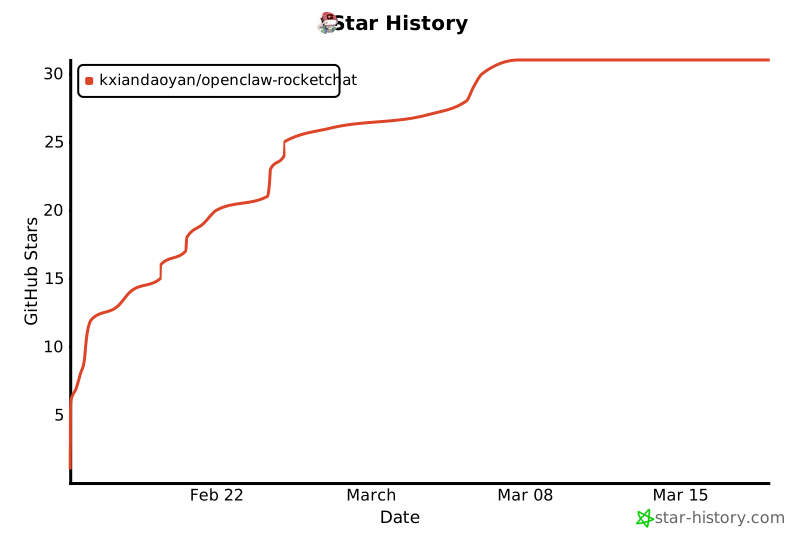
**If this plugin helps you, please give it a Star ⭐**
|
|
687
|
+
|
|
688
|
+
**Every Star shows support for the Chinese developer community 🇨🇳**
|
|
689
|
+
|
|
690
|
+
[](https://star-history.com/#Kxiandaoyan/openclaw-rocketchat&Date)
|
|
691
|
+
|
|
692
|
+
*Making AI assistants accessible to every user in China*
|
|
693
|
+
|
|
694
|
+
</div>
|