node-hp-scan-to 1.6.1 → 1.7.2
This diff represents the content of publicly available package versions that have been released to one of the supported registries. The information contained in this diff is provided for informational purposes only and reflects changes between package versions as they appear in their respective public registries.
- package/README.md +247 -143
- package/dist/Destination.js +17 -7
- package/dist/Destination.js.map +1 -1
- package/dist/DeviceCapabilities.d.ts +2 -0
- package/dist/DeviceCapabilities.js.map +1 -1
- package/dist/DiscoveryTree.js.map +1 -1
- package/dist/Event.js.map +1 -1
- package/dist/EventTable.js.map +1 -1
- package/dist/HPApi.js +23 -15
- package/dist/HPApi.js.map +1 -1
- package/dist/InputSource.js +1 -1
- package/dist/InputSource.js.map +1 -1
- package/dist/Job.js +6 -6
- package/dist/Job.js.map +1 -1
- package/dist/JpegUtil.d.ts +0 -2
- package/dist/JpegUtil.js.map +1 -1
- package/dist/KnownShortcut.js.map +1 -1
- package/dist/PathHelper.js +2 -0
- package/dist/PathHelper.js.map +1 -1
- package/dist/ScanCaps.d.ts +6 -0
- package/dist/ScanCaps.js +18 -0
- package/dist/ScanCaps.js.map +1 -1
- package/dist/ScanContent.js.map +1 -1
- package/dist/ScanJobManifest.js.map +1 -1
- package/dist/ScanJobSettings.js.map +1 -1
- package/dist/ScanStatus.js.map +1 -1
- package/dist/WalkupScanDestination.js.map +1 -1
- package/dist/WalkupScanDestinations.js.map +1 -1
- package/dist/WalkupScanManifest.js.map +1 -1
- package/dist/WalkupScanToCompCaps.js.map +1 -1
- package/dist/WalkupScanToCompDestination.js.map +1 -1
- package/dist/WalkupScanToCompDestinations.js.map +1 -1
- package/dist/WalkupScanToCompEvent.js.map +1 -1
- package/dist/WalkupScanToCompManifest.js.map +1 -1
- package/dist/commitInfo.json +1 -1
- package/dist/delay.js +1 -2
- package/dist/delay.js.map +1 -1
- package/dist/healthcheck.js +1 -2
- package/dist/healthcheck.js.map +1 -1
- package/dist/index.js +22 -12
- package/dist/index.js.map +1 -1
- package/dist/listening.js +5 -6
- package/dist/listening.js.map +1 -1
- package/dist/nextcloud/NextcloudConfig.js.map +1 -1
- package/dist/nextcloud/nextcloud.js +4 -6
- package/dist/nextcloud/nextcloud.js.map +1 -1
- package/dist/paperless/PaperlessConfig.js.map +1 -1
- package/dist/paperless/paperless.js +4 -5
- package/dist/paperless/paperless.js.map +1 -1
- package/dist/pdfProcessing.js +4 -5
- package/dist/pdfProcessing.js.map +1 -1
- package/dist/postProcessing.js +2 -4
- package/dist/postProcessing.js.map +1 -1
- package/dist/readDeviceCapabilities.js +24 -20
- package/dist/readDeviceCapabilities.js.map +1 -1
- package/dist/scanProcessing.d.ts +2 -2
- package/dist/scanProcessing.js +28 -30
- package/dist/scanProcessing.js.map +1 -1
- package/package.json +19 -17
- package/dist/PaperlessCOnfig.d.ts +0 -7
- package/dist/PaperlessCOnfig.js +0 -3
- package/dist/PaperlessCOnfig.js.map +0 -1
- package/dist/PaperlessConfig.d.ts +0 -7
- package/dist/PaperlessConfig.js +0 -3
- package/dist/PaperlessConfig.js.map +0 -1
- package/dist/paperless.d.ts +0 -7
- package/dist/paperless.js +0 -83
- package/dist/paperless.js.map +0 -1
- package/dist/test/DiscoveryTree.test.d.ts +0 -1
- package/dist/test/DiscoveryTree.test.js +0 -68
- package/dist/test/DiscoveryTree.test.js.map +0 -1
- package/dist/test/EtagEventTable.test.d.ts +0 -1
- package/dist/test/EtagEventTable.test.js +0 -93
- package/dist/test/EtagEventTable.test.js.map +0 -1
- package/dist/test/Job.test.d.ts +0 -1
- package/dist/test/Job.test.js +0 -104
- package/dist/test/Job.test.js.map +0 -1
- package/dist/test/JpegUtil.test.d.ts +0 -1
- package/dist/test/JpegUtil.test.js +0 -53
- package/dist/test/JpegUtil.test.js.map +0 -1
- package/dist/test/PathHelper.test.d.ts +0 -1
- package/dist/test/PathHelper.test.js +0 -98
- package/dist/test/PathHelper.test.js.map +0 -1
- package/dist/test/ScanCaps.test.d.ts +0 -1
- package/dist/test/ScanCaps.test.js +0 -96
- package/dist/test/ScanCaps.test.js.map +0 -1
- package/dist/test/ScanJobManifest.test.d.ts +0 -1
- package/dist/test/ScanJobManifest.test.js +0 -56
- package/dist/test/ScanJobManifest.test.js.map +0 -1
- package/dist/test/ScanJobSettings.test.d.ts +0 -1
- package/dist/test/ScanJobSettings.test.js +0 -59
- package/dist/test/ScanJobSettings.test.js.map +0 -1
- package/dist/test/ScanStatus.test.d.ts +0 -1
- package/dist/test/ScanStatus.test.js +0 -75
- package/dist/test/ScanStatus.test.js.map +0 -1
- package/dist/test/WalkupScanDestination.test.d.ts +0 -1
- package/dist/test/WalkupScanDestination.test.js +0 -80
- package/dist/test/WalkupScanDestination.test.js.map +0 -1
- package/dist/test/WalkupScanDestinations.test.d.ts +0 -1
- package/dist/test/WalkupScanDestinations.test.js +0 -68
- package/dist/test/WalkupScanDestinations.test.js.map +0 -1
- package/dist/test/WalkupScanManifest.test.d.ts +0 -1
- package/dist/test/WalkupScanManifest.test.js +0 -46
- package/dist/test/WalkupScanManifest.test.js.map +0 -1
- package/dist/test/WalkupScanToCompCaps.test.d.ts +0 -1
- package/dist/test/WalkupScanToCompCaps.test.js +0 -56
- package/dist/test/WalkupScanToCompCaps.test.js.map +0 -1
- package/dist/test/WalkupScanToCompDestination.test.d.ts +0 -1
- package/dist/test/WalkupScanToCompDestination.test.js +0 -58
- package/dist/test/WalkupScanToCompDestination.test.js.map +0 -1
- package/dist/test/WalkupScanToCompDestinations.test.d.ts +0 -1
- package/dist/test/WalkupScanToCompDestinations.test.js +0 -58
- package/dist/test/WalkupScanToCompDestinations.test.js.map +0 -1
- package/dist/test/WalkupScanToCompEvent.test.d.ts +0 -1
- package/dist/test/WalkupScanToCompEvent.test.js +0 -46
- package/dist/test/WalkupScanToCompEvent.test.js.map +0 -1
- package/dist/test/WalkupScanToCompManifest.test.d.ts +0 -1
- package/dist/test/WalkupScanToCompManifest.test.js +0 -46
- package/dist/test/WalkupScanToCompManifest.test.js.map +0 -1
- package/dist/test/clean.d.ts +0 -1
- package/dist/test/clean.js +0 -21
- package/dist/test/clean.js.map +0 -1
- package/dist/test/nextcloud.test.d.ts +0 -1
- package/dist/test/nextcloud.test.js +0 -165
- package/dist/test/nextcloud.test.js.map +0 -1
- package/dist/test/scanProcessing.test.d.ts +0 -1
- package/dist/test/scanProcessing.test.js +0 -105
- package/dist/test/scanProcessing.test.js.map +0 -1
- package/dist/test-bonjour.d.ts +0 -1
- package/dist/test-bonjour.js +0 -20
- package/dist/test-bonjour.js.map +0 -1
- package/nodemon.json +0 -6
- package/src/Destination.ts +0 -63
- package/src/DeviceCapabilities.ts +0 -8
- package/src/DiscoveryTree.ts +0 -56
- package/src/Event.ts +0 -55
- package/src/EventTable.ts +0 -45
- package/src/HPApi.ts +0 -510
- package/src/InputSource.ts +0 -4
- package/src/Job.ts +0 -134
- package/src/JpegUtil.ts +0 -327
- package/src/KnownShortcut.ts +0 -6
- package/src/PathHelper.ts +0 -106
- package/src/ScanCaps.ts +0 -81
- package/src/ScanContent.ts +0 -15
- package/src/ScanJobManifest.ts +0 -56
- package/src/ScanJobSettings.ts +0 -84
- package/src/ScanStatus.ts +0 -48
- package/src/WalkupScanDestination.ts +0 -74
- package/src/WalkupScanDestinations.ts +0 -46
- package/src/WalkupScanManifest.ts +0 -59
- package/src/WalkupScanToCompCaps.ts +0 -36
- package/src/WalkupScanToCompDestination.ts +0 -79
- package/src/WalkupScanToCompDestinations.ts +0 -47
- package/src/WalkupScanToCompEvent.ts +0 -30
- package/src/WalkupScanToCompManifest.ts +0 -59
- package/src/commitInfo.json +0 -3
- package/src/delay.ts +0 -5
- package/src/healthcheck.ts +0 -17
- package/src/index.ts +0 -588
- package/src/listening.ts +0 -144
- package/src/nextcloud/NextcloudConfig.ts +0 -7
- package/src/nextcloud/nextcloud.ts +0 -146
- package/src/paperless/PaperlessConfig.ts +0 -7
- package/src/paperless/paperless.ts +0 -110
- package/src/pdfProcessing.ts +0 -67
- package/src/postProcessing.ts +0 -165
- package/src/readDeviceCapabilities.ts +0 -52
- package/src/scanProcessing.ts +0 -570
- package/tsconfig.json +0 -34
package/README.md
CHANGED
|
@@ -9,173 +9,270 @@
|
|
|
9
9
|
[](https://www.codefactor.io/repository/github/manuc66/node-hp-scan-to)
|
|
10
10
|
[](https://app.fossa.com/projects/git%2Bgithub.com%2Fmanuc66%2Fnode-hp-scan-to?ref=badge_shield)
|
|
11
11
|
|
|
12
|
-
|
|
12
|
+
**`node-hp-scan-to`** is a Node.js application that replicates HP's "_Scan to Computer_" functionality by [reverse engineering](protocol_doc/HP%20Officejet%206500%20E710n-z.md) the original protocol, allowing you to scan documents directly from your HP printer's scanner to your Linux, Windows, or macOS computer.
|
|
13
|
+
|
|
14
|
+
Unlike the original HP program, `node-hp-scan-to` is cross-platform and can be ran on a bare-metal desktop or server, or in a container on Docker or Kubernetes. It can also be integrated with third-party document management solutions such as [Paperless-ngx](https://docs.paperless-ngx.com/) and [Nextcloud](https://Nextcloud.com/).
|
|
15
|
+
|
|
16
|
+
**Disclaimer:** `node-hp-scan-to` is not endorsed by nor affiliated with HP. The reverse engineering of the original HP Windows application's interaction with the device has been done independently.
|
|
17
|
+
|
|
18
|
+
<!-- TOC -->
|
|
19
|
+
|
|
20
|
+
- [Features](#features)
|
|
21
|
+
- [Supported Devices](#supported-devices)
|
|
22
|
+
- [Supported Functions](#supported-functions)
|
|
23
|
+
- [App Features](#app-features)
|
|
24
|
+
- [Installation](#installation)
|
|
25
|
+
- [Using NodeJS](#using-nodejs)
|
|
26
|
+
- [Using Docker](#using-docker)
|
|
27
|
+
- [Usage](#usage)
|
|
28
|
+
- [Command Line (CLI)](#command-line-cli)
|
|
29
|
+
- [CLI Options](#cli-options)
|
|
30
|
+
- [CLI Commands](#cli-commands)
|
|
31
|
+
- [Run with Docker](#run-with-docker)
|
|
32
|
+
- [Public Pre-Built Docker image](#public-pre-built-docker-image)
|
|
33
|
+
- [Docker Environment Variables](#docker-environment-variables)
|
|
34
|
+
- [Example for Docker](#example-for-docker)
|
|
35
|
+
- [Example for Docker Compose](#example-for-docker-compose)
|
|
36
|
+
- [Run with Kubernetes](#run-with-kubernetes)
|
|
37
|
+
- [Build Source Code](#build-source-code)
|
|
38
|
+
- [Debugging](#debugging)
|
|
39
|
+
- [💖 Support this project](#-support-this-project)
|
|
40
|
+
- [🙏 Special Thanks](#-special-thanks)
|
|
41
|
+
- [License](#license)
|
|
13
42
|
|
|
14
|
-
|
|
43
|
+
<!-- /TOC -->
|
|
15
44
|
|
|
16
|
-
|
|
45
|
+
## Features
|
|
46
|
+
|
|
47
|
+
### Supported Devices
|
|
48
|
+
|
|
49
|
+
This app has been developed and tested with the following HP All-in-One Printers:
|
|
17
50
|
|
|
18
|
-
## Supported devices
|
|
19
|
-
It has been developed and tested with the following HP All-in-One Printers:
|
|
20
51
|
- HP DeskJet 3520
|
|
21
52
|
- HP OfficeJet 6500A Plus
|
|
22
53
|
- HP Smart Tank Plus 570 series
|
|
54
|
+
- HP OfficeJet Pro 9019e
|
|
55
|
+
|
|
56
|
+
Users have reported it also working on:
|
|
23
57
|
|
|
24
|
-
|
|
25
|
-
- HP
|
|
26
|
-
- HP
|
|
27
|
-
- HP DeskJet 4670 All-in-One
|
|
28
|
-
- HP DeskJet 5525
|
|
29
|
-
- HP Envy 4504 All-in-One
|
|
30
|
-
- HP OfficeJet 3830
|
|
31
|
-
- HP OfficeJet 5230
|
|
32
|
-
- HP OfficeJet 5740
|
|
33
|
-
- HP OfficeJet 6700 Premium
|
|
34
|
-
- HP OfficeJet 6950
|
|
35
|
-
- HP OfficeJet 8010 series
|
|
36
|
-
- HP OfficeJet 8012
|
|
37
|
-
- HP OfficeJet 8014
|
|
38
|
-
- HP OfficeJet Pro 7720 Wide Format All-in-One
|
|
39
|
-
- HP OfficeJet Pro 8025e
|
|
40
|
-
- HP OfficeJet Pro 9012e
|
|
58
|
+
- HP DeskJet 3050 (J610a), 3775, 4670, 5525
|
|
59
|
+
- HP Envy 4504, 4520, 7640
|
|
60
|
+
- HP OfficeJet 250 Mobile, 3830, 5230, 5740, 6700 Premium, 6950, 8010 series, 8025e, 9012e
|
|
41
61
|
- HP PageWide 377dw MFP
|
|
42
62
|
|
|
43
|
-
There
|
|
63
|
+
There is a good chance it also works on other unlisted HP All-in-One Printer.
|
|
44
64
|
|
|
45
|
-
|
|
65
|
+
### Supported Functions
|
|
46
66
|
|
|
47
|
-
|
|
48
|
-
- ✔️
|
|
49
|
-
- ✔️
|
|
50
|
-
- ✔️ Scan from automatic document feeder
|
|
51
|
-
- ✔️ Dual side with automatic document feeder
|
|
52
|
-
- ✔️ Multi page from platen
|
|
67
|
+
- ✔️ JPG and PDF document scan output
|
|
68
|
+
- ✔️ Automatic document feeder (ADF) support with dual-side scanning
|
|
69
|
+
- ✔️ Multi-page platen scanning
|
|
53
70
|
- ✔️ Automatic IP address discovery
|
|
54
71
|
|
|
55
|
-
|
|
56
|
-
|
|
57
|
-
- ✔️
|
|
58
|
-
- ✔️
|
|
59
|
-
- ✔️
|
|
60
|
-
- ✔️ Customizable
|
|
61
|
-
- ✔️
|
|
62
|
-
- ✔️
|
|
63
|
-
-
|
|
64
|
-
-
|
|
72
|
+
### App Features
|
|
73
|
+
|
|
74
|
+
- ✔️ Multi-platform: Linux, Windows, and macOS
|
|
75
|
+
- ✔️ Prebuilt Docker images (multi-architecture)
|
|
76
|
+
- ✔️ Command line (CLI) support
|
|
77
|
+
- ✔️ Customizable file names, resolutions, and device labels
|
|
78
|
+
- ✔️ Clear all registered targets
|
|
79
|
+
- ✔️ Mutiple output target support:
|
|
80
|
+
- Local folders
|
|
81
|
+
- [Paperless-ngx API](https://docs.paperless-ngx.com/api/) upload
|
|
82
|
+
- [Nextcloud WebDAV](https://docs.Nextcloud.com/server/latest/user_manual/en/files/access_webdav.html) upload
|
|
83
|
+
|
|
84
|
+
## Installation
|
|
85
|
+
|
|
86
|
+
### Using NodeJS
|
|
87
|
+
|
|
88
|
+
- You must have [NodeJS installed](https://nodejs.org/en/download)
|
|
89
|
+
|
|
90
|
+
- In a Terminal, run: `npm install node-hp-scan-to`
|
|
91
|
+
|
|
92
|
+
### Using Docker
|
|
93
|
+
|
|
94
|
+
- You must have [Docker installed](https://www.docker.com/get-started/)
|
|
95
|
+
|
|
96
|
+
- In a Terminal, run: `docker run -d -e IP="IP_ADDRESS_OF_PRINTER" -e PGID=1000 -e PUID=1000 docker.io/manuc66/node-hp-scan-to`
|
|
97
|
+
|
|
98
|
+
- For more Docker options, see the [Run with Docker](#run-with-docker) section
|
|
99
|
+
|
|
100
|
+
- For running with Docker Compose, see the [Example for Docker Compose](#example-for-docker-compose) section
|
|
65
101
|
|
|
66
102
|
## Usage
|
|
67
103
|
|
|
68
|
-
### Command
|
|
104
|
+
### Command Line (CLI)
|
|
105
|
+
|
|
106
|
+
Running the app with NodeJS using the `npx` command:
|
|
107
|
+
|
|
69
108
|
`npx node-hp-scan-to`
|
|
70
109
|
|
|
71
|
-
|
|
72
|
-
|
|
73
|
-
- `-
|
|
74
|
-
- `-
|
|
75
|
-
|
|
76
|
-
|
|
77
|
-
|
|
78
|
-
|
|
79
|
-
|
|
80
|
-
|
|
81
|
-
|
|
82
|
-
|
|
83
|
-
|
|
84
|
-
|
|
85
|
-
|
|
86
|
-
|
|
87
|
-
|
|
88
|
-
|
|
89
|
-
|
|
90
|
-
|
|
91
|
-
|
|
92
|
-
|
|
93
|
-
|
|
94
|
-
|
|
95
|
-
|
|
96
|
-
|
|
97
|
-
|
|
98
|
-
|
|
99
|
-
|
|
100
|
-
|
|
101
|
-
|
|
102
|
-
|
|
103
|
-
|
|
104
|
-
|
|
105
|
-
|
|
106
|
-
|
|
107
|
-
|
|
108
|
-
|
|
109
|
-
|
|
110
|
-
|
|
111
|
-
|
|
112
|
-
|
|
113
|
-
|
|
114
|
-
|
|
115
|
-
|
|
116
|
-
|
|
117
|
-
|
|
118
|
-
|
|
119
|
-
|
|
120
|
-
|
|
121
|
-
|
|
122
|
-
- `
|
|
123
|
-
|
|
124
|
-
- `
|
|
125
|
-
|
|
126
|
-
|
|
127
|
-
|
|
128
|
-
|
|
129
|
-
|
|
130
|
-
|
|
131
|
-
|
|
132
|
-
|
|
133
|
-
|
|
134
|
-
- `
|
|
135
|
-
|
|
136
|
-
|
|
137
|
-
|
|
138
|
-
|
|
139
|
-
|
|
140
|
-
|
|
141
|
-
|
|
142
|
-
|
|
143
|
-
|
|
144
|
-
|
|
145
|
-
|
|
110
|
+
Main options:
|
|
111
|
+
|
|
112
|
+
- `-a, --address <ip>`: Printer IP (e.g., `192.168.0.5`)
|
|
113
|
+
- `-d, --directory <path>`: Save scans to (e.g., `~/scans`)
|
|
114
|
+
|
|
115
|
+
Example usage:
|
|
116
|
+
|
|
117
|
+
`npx node-hp-scan-to -a 192.168.0.5 -d ~/scans`
|
|
118
|
+
|
|
119
|
+
#### CLI Options
|
|
120
|
+
|
|
121
|
+
Run `npx node-hp-scan-to --help` to see the full list of options below:
|
|
122
|
+
|
|
123
|
+
| Option | Description | Example/Default |
|
|
124
|
+
|---------------------------------|------------------------------------------------------------------------------------------------------------------|------------------------------------------------------|
|
|
125
|
+
| `-a`, `--address` | Printer IP address. | `-a 192.168.0.5` (no default) |
|
|
126
|
+
| `-d`, `--directory` | Directory to save scanned documents. Defaults to `/tmp/scan-to-pc<random value>` if not set. | `-d /tmp/scan-to-pc1234` |
|
|
127
|
+
| `-D`, `--debug` | Enable debug logging. | `-D` (disabled by default) |
|
|
128
|
+
| `-h`, `--height` | Scan height in pixels. Defaults to 3507. | `-h 3507` |
|
|
129
|
+
| `-k`, `--keep-files` | Retain scanned files after uploading to Paperless-ngx or Nextcloud (disabled by default). | `-k` (disabled by default) |
|
|
130
|
+
| `-l`, `--label` | The name of the computer running this app. Defaults to the hostname. | `-l <hostname>` (default: system hostname) |
|
|
131
|
+
| `-n`, `--name` | Printer name (quote if it contains spaces). | `-n "Officejet 6500 E710n-z"` (no default) |
|
|
132
|
+
| `-o`, `--paperless-token` | Paperless-ngx API token. | `-o xxxxxxxxxxxx` (no default) |
|
|
133
|
+
| `-p`, `--pattern` | Filename pattern (no extension). Use quotes for static text, supports date/time masks (see [dateformat docs](https://www.npmjs.com/package/dateformat#mask-options)). Defaults to `scan<increasing number>_page<page number>`. | `-p scan1_page1` |
|
|
134
|
+
| `-r`, `--resolution` | Scan resolution in DPI. Defaults to 200. | `-r 200` |
|
|
135
|
+
| `-s`, `--paperless-post-document-url` | Paperless-ngx API URL for uploading documents. | `-s https://domain.tld/api/documents/post_document/` (no default) |
|
|
136
|
+
| `-t`, `--temp-directory` | Temporary directory for processing. Defaults to `/tmp/scan-to-pc<random value>` if not set. | `-t /tmp/scan-to-pc5678` |
|
|
137
|
+
| `-w`, `--width` | Scan width in pixels. Defaults to 2481. | `-w 2481` |
|
|
138
|
+
| `--device-up-polling-interval` | Polling interval (in milliseconds) to check if the printer is online. | `--device-up-polling-interval 5000` (no default) |
|
|
139
|
+
| `--nextcloud-password` | Nextcloud app password. Required unless `--nextcloud-password-file` is used. Overrides if both are provided. | `--nextcloud-password mypassword` (no default) |
|
|
140
|
+
| `--nextcloud-password-file` | File containing the Nextcloud app password. Required unless `--nextcloud-password` is used. Takes precedence if both are provided. | `--nextcloud-password-file /path/to/file` (no default) |
|
|
141
|
+
| `--nextcloud-upload-folder` | Nextcloud folder for uploads. Defaults to `scan`. | `--nextcloud-upload-folder scan` |
|
|
142
|
+
| `--nextcloud-url` | Nextcloud instance URL. | `--nextcloud-url https://domain.tld` (no default) |
|
|
143
|
+
| `--nextcloud-username` | Nextcloud username with write access to the upload folder. | `--nextcloud-username user` (no default) |
|
|
144
|
+
|
|
145
|
+
**Notes:**
|
|
146
|
+
|
|
147
|
+
- Date/time patterns for `--pattern` follow the [dateformat](https://www.npmjs.com/package/dateformat) library’s “Mask options” section.
|
|
148
|
+
|
|
149
|
+
- Defaults like `/tmp/scan-to-pc<random value>` include a random suffix in practice (e.g., `/tmp/scan-to-pc1234`).
|
|
150
|
+
|
|
151
|
+
#### CLI Commands
|
|
152
|
+
|
|
153
|
+
##### `listen`
|
|
154
|
+
|
|
155
|
+
By default, this app runs the `listen` command as the default mode. It will listen to the print for new job and trigger based on the selection on the device.
|
|
156
|
+
|
|
157
|
+
Run `npx node-hp-scan-to listen --help` to get the full list of command options.
|
|
158
|
+
|
|
159
|
+
##### `adf-autoscan`
|
|
160
|
+
|
|
161
|
+
Running `npx node-hp-scan-to adf-autoscan` will automatically trigger a scan job as soon as the ADF (automatic document feeder) on the printer's scanner is loaded with paper.
|
|
162
|
+
|
|
163
|
+
Run `npx node-hp-scan-to adf-autoscan --help` to get command line usage help.
|
|
164
|
+
|
|
165
|
+
You can also set the environment variable `MAIN_COMMAND="adf-autoscan"` with Docker. Example:
|
|
166
|
+
|
|
167
|
+
```sh
|
|
168
|
+
docker run -e MAIN_COMMAND="adf-autoscan" CMDLINE=--debug docker.io/manuc66/node-hp-scan-to:latest
|
|
169
|
+
```
|
|
170
|
+
|
|
171
|
+
##### `clear-registrations`
|
|
172
|
+
|
|
173
|
+
Running `npx node-hp-scan-to clear-registratons` will clear all registered targets on the device (useful for trial and error and debugging).
|
|
174
|
+
|
|
175
|
+
Run `npx node-hp-scan-to clear-registrations --help` to get command line usage help.
|
|
176
|
+
|
|
177
|
+
You can also set the environment variable `MAIN_COMMAND="clear-registrations"` with Docker. Example:
|
|
178
|
+
|
|
179
|
+
```sh
|
|
180
|
+
docker run -e MAIN_COMMAND="clear-registrations" docker.io/manuc66/node-hp-scan-to:latest
|
|
181
|
+
```
|
|
182
|
+
|
|
183
|
+
### Run with Docker
|
|
184
|
+
|
|
185
|
+
#### Public Pre-Built Docker image
|
|
186
|
+
|
|
187
|
+
- <https://hub.docker.com/repository/docker/manuc66/node-hp-scan-to>
|
|
188
|
+
|
|
189
|
+
Be aware that with Docker you have to specify the IP address of the printer via the `IP` environment variable, because the Bonjour service discovery protocol uses multicast network traffic, which by default doesn't work in Docker.
|
|
190
|
+
|
|
191
|
+
You could however use Docker's [macvlan](https://docs.docker.com/engine/network/drivers/macvlan/) networking, this way you can use service discovery and the `NAME` environment variable.
|
|
192
|
+
|
|
193
|
+
All scanned files are written to the volume `/scan`, the filename can be changed with the `PATTERN` environment variable. For the correct permissions to the volume set the environment variables `PUID` and `PGID` to that of the user running the container (usually `PUID=1000` and `PGID=1000`).
|
|
194
|
+
|
|
195
|
+
#### Docker Environment Variables
|
|
196
|
+
|
|
197
|
+
List of supported environment variables and their meaning, or correspondence with [command-line flags](#cli-options):
|
|
198
|
+
|
|
199
|
+
| Environment Variable | Description | Corresponding CLI Flag or Notes |
|
|
200
|
+
|---------------------------------|----------------------------------------------------------------------------------------------------------|------------------------------------------------------------------------------------------------------------------|
|
|
201
|
+
| `CMDLINE` | Additional command-line flags added at the end of the command | Set to `-D` to enable debug logs |
|
|
202
|
+
| `DIR` | Directory to use | `-d` / `--directory` |
|
|
203
|
+
| `IP` | IP address for the program | `-a` / `--address` |
|
|
204
|
+
| `KEEP_FILES` | If set, scanned files are not deleted after uploading to Paperless-ngx or Nextcloud | |
|
|
205
|
+
| `LABEL` | Label to apply | `-l` / `--label` |
|
|
206
|
+
| `NAME` | Name to set | `-n` / `--name` |
|
|
207
|
+
| `NEXTCLOUD_PASSWORD` | Password of Nextcloud user (either this or `NEXTCLOUD_PASSWORD_FILE` is required; file takes precedence) | |
|
|
208
|
+
| `NEXTCLOUD_PASSWORD_FILE` | File containing Nextcloud user password (either this or `NEXTCLOUD_PASSWORD` is required; takes precedence) | Example: `./nextcloud_password.secret` (preferred for Docker Compose secrets) |
|
|
209
|
+
| `NEXTCLOUD_UPLOAD_FOLDER` | Upload folder for documents or images (user must have write permission; defaults to `scan` if not set) | |
|
|
210
|
+
| `NEXTCLOUD_URL` | Nextcloud URL | Example: `https://nextcloud.example.tld` |
|
|
211
|
+
| `NEXTCLOUD_USERNAME` | Nextcloud username | |
|
|
212
|
+
| `PAPERLESS_POST_DOCUMENT_URL` | Paperless-ngx post document URL (if provided with token, a PDF is uploaded) | Example: `http://<paperless-host>:<port>/api/documents/post_document/` |
|
|
213
|
+
| `PAPERLESS_TOKEN` | Paperless-ngx API token | Example: `xxxxxxxxxxxx...` |
|
|
214
|
+
| `PATTERN` | Pattern to use | `-p` / `--pattern` |
|
|
215
|
+
| `PGID` | ID of the group that will run the program | |
|
|
216
|
+
| `PUID` | ID of the user that will run the program | |
|
|
217
|
+
| `RESOLUTION` | Resolution setting | `-r` / `--resolution` |
|
|
218
|
+
| `TEMP_DIR` | Temporary directory | `-t` / `--temp-directory` |
|
|
219
|
+
|
|
220
|
+
**Additional Notes:**
|
|
221
|
+
|
|
222
|
+
- The name shown on the printer’s display is the hostname of the Docker container, which defaults to a random value. You can override it by setting the `hostname` or using the `LABEL` environment variable.
|
|
223
|
+
|
|
224
|
+
- To enable debug logs set the environment variable `CMDLINE` to `-D`
|
|
225
|
+
|
|
226
|
+
#### Example for Docker
|
|
227
|
+
|
|
228
|
+
To build a local Docker image from this repo:
|
|
229
|
+
|
|
146
230
|
```sh
|
|
147
|
-
git clone
|
|
231
|
+
git clone https://github.com/manuc66/node-hp-scan-to.git
|
|
148
232
|
cd node-hp-scan-to
|
|
149
233
|
docker build . -t node-hp-scan-to
|
|
150
|
-
docker run -e IP=192.168.0.5 -e PGID=1000 -e PUID=1000 --hostname
|
|
234
|
+
docker run -e IP=192.168.0.5 -e PGID=1000 -e PUID=1000 --hostname myComputer node-hp-scan-to
|
|
151
235
|
```
|
|
152
236
|
|
|
153
|
-
#### Example for
|
|
154
|
-
|
|
155
|
-
|
|
156
|
-
version: "3"
|
|
237
|
+
#### Example for Docker Compose
|
|
238
|
+
|
|
239
|
+
Create the following `docker-compose.yml` file into this directory:
|
|
157
240
|
|
|
241
|
+
```yml
|
|
158
242
|
services:
|
|
159
243
|
node-hp-scan-to:
|
|
160
|
-
|
|
161
|
-
|
|
162
|
-
|
|
163
|
-
container_name: node-hp-scan-to
|
|
244
|
+
image: docker.io/manuc66/node-hp-scan-to:latest
|
|
245
|
+
restart: unless-stopped
|
|
246
|
+
hostname: node-hp-scan-to
|
|
164
247
|
environment:
|
|
248
|
+
# REQUIRED - Change the next line to the IP address of your HP printer/scanner:
|
|
165
249
|
- IP=192.168.0.5
|
|
166
|
-
|
|
167
|
-
-
|
|
250
|
+
# Name that your container will appear as to your printer:
|
|
251
|
+
- LABEL=node-hp-scan-to
|
|
252
|
+
# Set the timezone, such as "Europe/London":
|
|
253
|
+
- TZ=UTC
|
|
254
|
+
# Set the created filename pattern:
|
|
255
|
+
- PATTERN="scan"_dd-mm-yyyy_hh-MM-ss
|
|
256
|
+
# Run the Docker container as the same user ID as the host system:
|
|
168
257
|
- PGID=1000
|
|
169
258
|
- PUID=1000
|
|
170
|
-
-
|
|
259
|
+
# Optional - enable autoscanning a document when loaded into the scanner:
|
|
260
|
+
# - MAIN_COMMAND=adf-autoscan
|
|
261
|
+
# If you need to pass additional configuration flag use the CMDLINE env, thy will be appened to the
|
|
262
|
+
# - CMDLINE=--debug --pdf
|
|
263
|
+
# If using Paperless-ngx, you can use its API to upload files:
|
|
264
|
+
# - PAPERLESS_POST_DOCUMENT_URL="http://<paperless-host>:<port>/api/documents/post_document/"
|
|
265
|
+
# - PAPERLESS_TOKEN= "xxxxxxxxxxxx..."
|
|
171
266
|
volumes:
|
|
172
|
-
-
|
|
173
|
-
restart: always
|
|
267
|
+
- ./scan:/scan
|
|
174
268
|
```
|
|
175
|
-
Then run `docker-compose up -d --build`.
|
|
176
269
|
|
|
177
|
-
|
|
178
|
-
|
|
270
|
+
Then run `docker-compose up -d`
|
|
271
|
+
|
|
272
|
+
### Run with Kubernetes
|
|
273
|
+
|
|
274
|
+
Apply the following manifest (the `PersistentVolumeClaim` must also be deployed beforehand):
|
|
275
|
+
|
|
179
276
|
```yml
|
|
180
277
|
apiVersion: apps/v1
|
|
181
278
|
kind: Deployment
|
|
@@ -224,24 +321,30 @@ spec:
|
|
|
224
321
|
claimName: incoming-scans
|
|
225
322
|
```
|
|
226
323
|
|
|
227
|
-
|
|
228
|
-
|
|
324
|
+
## Build Source Code
|
|
325
|
+
|
|
326
|
+
How to build and run the project's source code:
|
|
327
|
+
|
|
229
328
|
```sh
|
|
230
|
-
git clone
|
|
329
|
+
git clone https://github.com/manuc66/node-hp-scan-to.git
|
|
231
330
|
cd node-hp-scan-to
|
|
232
331
|
yarn install -d
|
|
233
332
|
yarn build
|
|
234
|
-
#
|
|
235
|
-
node dist/index.js -a 192.168.1.
|
|
333
|
+
# Start the program with the printer's IP address:
|
|
334
|
+
node dist/index.js -a 192.168.1.5
|
|
335
|
+
# Or start it with the name of the printer:
|
|
336
|
+
# node dist/index.js -n "Officejet 6500 E710n-z"
|
|
236
337
|
```
|
|
237
338
|
|
|
238
|
-
|
|
239
|
-
|
|
240
|
-
|
|
339
|
+
### Debugging
|
|
340
|
+
|
|
341
|
+
I'm using Visual Studio Code to debug this application, so instead of running _ts-node_, just run `code .` and press F5 to start debugging.
|
|
342
|
+
|
|
343
|
+
You may want to set your printers ip or name in `.vscode/launch.json`
|
|
241
344
|
|
|
242
345
|
## 💖 Support this project
|
|
243
346
|
|
|
244
|
-
Thank you so much to everyone who has already supported this project! Your generosity is greatly appreciated and it motivates me to keep improving and maintaining this project.
|
|
347
|
+
Thank you so much to everyone who has already supported this project! Your generosity is greatly appreciated, and it motivates me to keep improving and maintaining this project.
|
|
245
348
|
|
|
246
349
|
If this project has helped you save money or time, or simply made your life easier, you can support me by buying me a cup of coffee:
|
|
247
350
|
|
|
@@ -255,4 +358,5 @@ Thank you for your support!
|
|
|
255
358
|
A special thank you to [JetBrains](https://www.jetbrains.com/) for supporting this project with a free license for their amazing development tools. Their support helps make this project possible.
|
|
256
359
|
|
|
257
360
|
## License
|
|
361
|
+
|
|
258
362
|
[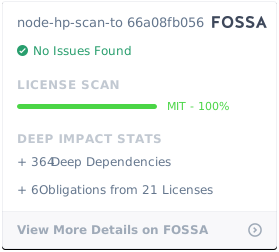](https://app.fossa.com/projects/git%2Bgithub.com%2Fmanuc66%2Fnode-hp-scan-to?ref=badge_large)
|
package/dist/Destination.js
CHANGED
|
@@ -15,13 +15,23 @@ var __setModuleDefault = (this && this.__setModuleDefault) || (Object.create ? (
|
|
|
15
15
|
}) : function(o, v) {
|
|
16
16
|
o["default"] = v;
|
|
17
17
|
});
|
|
18
|
-
var __importStar = (this && this.__importStar) || function (
|
|
19
|
-
|
|
20
|
-
|
|
21
|
-
|
|
22
|
-
|
|
23
|
-
|
|
24
|
-
};
|
|
18
|
+
var __importStar = (this && this.__importStar) || (function () {
|
|
19
|
+
var ownKeys = function(o) {
|
|
20
|
+
ownKeys = Object.getOwnPropertyNames || function (o) {
|
|
21
|
+
var ar = [];
|
|
22
|
+
for (var k in o) if (Object.prototype.hasOwnProperty.call(o, k)) ar[ar.length] = k;
|
|
23
|
+
return ar;
|
|
24
|
+
};
|
|
25
|
+
return ownKeys(o);
|
|
26
|
+
};
|
|
27
|
+
return function (mod) {
|
|
28
|
+
if (mod && mod.__esModule) return mod;
|
|
29
|
+
var result = {};
|
|
30
|
+
if (mod != null) for (var k = ownKeys(mod), i = 0; i < k.length; i++) if (k[i] !== "default") __createBinding(result, mod, k[i]);
|
|
31
|
+
__setModuleDefault(result, mod);
|
|
32
|
+
return result;
|
|
33
|
+
};
|
|
34
|
+
})();
|
|
25
35
|
Object.defineProperty(exports, "__esModule", { value: true });
|
|
26
36
|
const xml2js_1 = require("xml2js");
|
|
27
37
|
const util = __importStar(require("util"));
|
package/dist/Destination.js.map
CHANGED
|
@@ -1 +1 @@
|
|
|
1
|
-
{"version":3,"file":"Destination.js","sourceRoot":"","sources":["../src/Destination.ts"],"names":[],"mappings":"AAAA,YAAY,CAAC
|
|
1
|
+
{"version":3,"file":"Destination.js","sourceRoot":"","sources":["../src/Destination.ts"],"names":[],"mappings":"AAAA,YAAY,CAAC;;;;;;;;;;;;;;;;;;;;;;;;;;;;;;;;;;;AAEb,mCAAyC;AACzC,2CAA6B;AAE7B,MAAM,MAAM,GAAG,IAAI,eAAM,EAAE,CAAC;AAU5B,MAAqB,WAAW;IAM9B,YAAY,IAAY,EAAE,QAAgB,EAAE,MAAe;QACzD,IAAI,CAAC,IAAI,GAAG,IAAI,CAAC;QACjB,IAAI,CAAC,QAAQ,GAAG,QAAQ,CAAC;QACzB,IAAI,CAAC,QAAQ,GAAG,SAAS,CAAC;QAC1B,IAAI,CAAC,MAAM,GAAG,MAAM,CAAC;IACvB,CAAC;IAED,KAAK,CAAC,KAAK;QACT,IAAI,cAAc,GAAW,0CAA0C,CAAC;QACxE,IAAI,IAAI,CAAC,MAAM,EAAE,CAAC;YAChB,cAAc;gBACZ,wJAAwJ;oBACxJ,yGAAyG,CAAC;QAC9G,CAAC;aAAM,CAAC;YACN,cAAc;gBACZ,0JAA0J;oBAC1J,qHAAqH,CAAC;QAC1H,CAAC;QAED,cAAc;YACZ,iGAAiG;gBACjG,mFAAmF;gBACnF,kCAAkC;gBAClC,0BAA0B,CAAC;QAE7B,MAAM,MAAM,GAAG,MAAM,IAAI,CAAC,SAAS,CACjC,MAAM,CAAC,WAAW,CACnB,CAAC,cAAc,CAAC,CAAC;QAElB,MAAM,CAAC,qBAAqB,CAAC,QAAQ,CAAC,CAAC,CAAC,CAAC,CAAC,GAAG,IAAI,CAAC,QAAQ,CAAC;QAC3D,MAAM,CAAC,qBAAqB,CAAC,IAAI,CAAC,CAAC,CAAC,CAAC,CAAC,GAAG,IAAI,CAAC,IAAI,CAAC;QACnD,MAAM,CAAC,qBAAqB,CAAC,QAAQ,CAAC,CAAC,CAAC,GAAG,IAAI,CAAC,QAAQ,CAAC;QAEzD,MAAM,OAAO,GAAG,IAAI,gBAAO,EAAE,CAAC;QAC9B,MAAM,GAAG,GAAG,OAAO,CAAC,WAAW,CAAC,MAAM,CAAC,CAAC;QACxC,IAAI,IAAI,CAAC,MAAM,EAAE,CAAC;YAChB,OAAO,GAAG,CAAC,OAAO,CAAC,aAAa,EAAE,kBAAkB,CAAC,CAAC;QACxD,CAAC;aAAM,CAAC;YACN,OAAO,GAAG,CAAC;QACb,CAAC;IACH,CAAC;CACF;AA/CD,8BA+CC"}
|
|
@@ -1 +1 @@
|
|
|
1
|
-
{"version":3,"file":"DeviceCapabilities.js","sourceRoot":"","sources":["../src/DeviceCapabilities.ts"],"names":[],"mappings":""
|
|
1
|
+
{"version":3,"file":"DeviceCapabilities.js","sourceRoot":"","sources":["../src/DeviceCapabilities.ts"],"names":[],"mappings":""}
|
|
@@ -1 +1 @@
|
|
|
1
|
-
{"version":3,"file":"DiscoveryTree.js","sourceRoot":"","sources":["../src/DiscoveryTree.ts"],"names":[],"mappings":"AAAA,YAAY,CAAC;;AACb,mCAAgC;AAChC,MAAM,MAAM,GAAG,IAAI,eAAM,EAAE,CAAC;AAC5B,+BAAiC;AACjC,MAAM,WAAW,GAAG,IAAA,gBAAS,EAA4B,MAAM,CAAC,WAAW,CAAC,CAAC;AAW7E,MAAqB,aAAa;IAGhC,YAAY,IAAuB;QACjC,IAAI,CAAC,IAAI,GAAG,IAAI,CAAC;IACnB,CAAC;IACD,MAAM,CAAC,KAAK,CAAC,mBAAmB,CAAC,OAAe;QAC9C,MAAM,MAAM,GAAG,MAAM,WAAW,CAAC,OAAO,CAAC,CAAC;QAC1C,OAAO,IAAI,aAAa,CAAC,MAAM,CAAC,CAAC;IACnC,CAAC;IAED,IAAI,2BAA2B;QAC7B,MAAM,8BAA8B,GAAG,IAAI,CAAC,IAAI,CAAC,oBAAoB,CAAC,CACpE,mBAAmB,CACpB,CAAC,IAAI,CACJ,CAAC,CAAC,EAAE,EAAE,CAAC,CAAC,CAAC,iBAAiB,CAAC,CAAC,CAAC,CAAC,KAAK,qCAAqC,CACzE,CAAC;QACF,IAAI,8BAA8B,KAAK,SAAS,EAAE;
|
|
1
|
+
{"version":3,"file":"DiscoveryTree.js","sourceRoot":"","sources":["../src/DiscoveryTree.ts"],"names":[],"mappings":"AAAA,YAAY,CAAC;;AACb,mCAAgC;AAChC,MAAM,MAAM,GAAG,IAAI,eAAM,EAAE,CAAC;AAC5B,+BAAiC;AACjC,MAAM,WAAW,GAAG,IAAA,gBAAS,EAA4B,MAAM,CAAC,WAAW,CAAC,CAAC;AAW7E,MAAqB,aAAa;IAGhC,YAAY,IAAuB;QACjC,IAAI,CAAC,IAAI,GAAG,IAAI,CAAC;IACnB,CAAC;IACD,MAAM,CAAC,KAAK,CAAC,mBAAmB,CAAC,OAAe;QAC9C,MAAM,MAAM,GAAG,MAAM,WAAW,CAAC,OAAO,CAAC,CAAC;QAC1C,OAAO,IAAI,aAAa,CAAC,MAAM,CAAC,CAAC;IACnC,CAAC;IAED,IAAI,2BAA2B;QAC7B,MAAM,8BAA8B,GAAG,IAAI,CAAC,IAAI,CAAC,oBAAoB,CAAC,CACpE,mBAAmB,CACpB,CAAC,IAAI,CACJ,CAAC,CAAC,EAAE,EAAE,CAAC,CAAC,CAAC,iBAAiB,CAAC,CAAC,CAAC,CAAC,KAAK,qCAAqC,CACzE,CAAC;QACF,IAAI,8BAA8B,KAAK,SAAS,EAAE,CAAC;YACjD,OAAO,8BAA8B,CAAC,kBAAkB,CAAC,CAAC,CAAC,CAAC,CAAC;QAC/D,CAAC;QACD,OAAO,IAAI,CAAC;IACd,CAAC;IACD,IAAI,qBAAqB;QACvB,MAAM,8BAA8B,GAAG,IAAI,CAAC,IAAI,CAAC,oBAAoB,CAAC,CACpE,mBAAmB,CACpB,CAAC,IAAI,CAAC,CAAC,CAAC,EAAE,EAAE,CAAC,CAAC,CAAC,iBAAiB,CAAC,CAAC,CAAC,CAAC,KAAK,yBAAyB,CAAC,CAAC;QACrE,IAAI,8BAA8B,KAAK,SAAS,EAAE,CAAC;YACjD,OAAO,IAAI,CAAC;QACd,CAAC;QACD,OAAO,8BAA8B,CAAC,kBAAkB,CAAC,CAAC,CAAC,CAAC,CAAC;IAC/D,CAAC;IACD,IAAI,kBAAkB;QACpB,MAAM,8BAA8B,GAAG,IAAI,CAAC,IAAI,CAAC,oBAAoB,CAAC,CACpE,mBAAmB,CACpB,CAAC,IAAI,CAAC,CAAC,CAAC,EAAE,EAAE,CAAC,CAAC,CAAC,iBAAiB,CAAC,CAAC,CAAC,CAAC,KAAK,4BAA4B,CAAC,CAAC;QACxE,IAAI,8BAA8B,KAAK,SAAS,EAAE,CAAC;YACjD,OAAO,IAAI,CAAC;QACd,CAAC;QACD,OAAO,8BAA8B,CAAC,kBAAkB,CAAC,CAAC,CAAC,CAAC,CAAC;IAC/D,CAAC;CACF;AAxCD,gCAwCC"}
|
package/dist/Event.js.map
CHANGED
|
@@ -1 +1 @@
|
|
|
1
|
-
{"version":3,"file":"Event.js","sourceRoot":"","sources":["../src/Event.ts"],"names":[],"mappings":"AAAA,YAAY,CAAC;;AAeb,MAAqB,KAAK;IAExB,YAAY,IAAe;QACzB,IAAI,CAAC,IAAI,GAAG,IAAI,CAAC;IACnB,CAAC;IAED,IAAI,wBAAwB;QAC1B,OAAO,IAAI,CAAC,IAAI,CAAC,6BAA6B,CAAC,CAAC,CAAC,CAAC,CAAC;IACrD,CAAC;IAED,IAAI,UAAU;QACZ,OAAO,IAAI,CAAC,IAAI,CAAC,eAAe,CAAC,CAAC,CAAC,CAAC,CAAC;IACvC,CAAC;IAED,IAAI,cAAc;QAChB,IAAI,MAAM,CAAC,SAAS,CAAC,cAAc,CAAC,IAAI,CAAC,IAAI,CAAC,IAAI,EAAE,YAAY,CAAC,EAAE;
|
|
1
|
+
{"version":3,"file":"Event.js","sourceRoot":"","sources":["../src/Event.ts"],"names":[],"mappings":"AAAA,YAAY,CAAC;;AAeb,MAAqB,KAAK;IAExB,YAAY,IAAe;QACzB,IAAI,CAAC,IAAI,GAAG,IAAI,CAAC;IACnB,CAAC;IAED,IAAI,wBAAwB;QAC1B,OAAO,IAAI,CAAC,IAAI,CAAC,6BAA6B,CAAC,CAAC,CAAC,CAAC,CAAC;IACrD,CAAC;IAED,IAAI,UAAU;QACZ,OAAO,IAAI,CAAC,IAAI,CAAC,eAAe,CAAC,CAAC,CAAC,CAAC,CAAC;IACvC,CAAC;IAED,IAAI,cAAc;QAChB,IAAI,MAAM,CAAC,SAAS,CAAC,cAAc,CAAC,IAAI,CAAC,IAAI,CAAC,IAAI,EAAE,YAAY,CAAC,EAAE,CAAC;YAClE,MAAM,WAAW,GAAG,IAAI,CAAC,IAAI,CAAC,YAAY,CAAC,CAAC,IAAI,CAAC,CAAC,CAAC,EAAE,EAAE,CACrD,CAAC,CAAC,iBAAiB,CAAC,CAAC,GAAG,CAAC,CAAC,QAAQ,CAAC,aAAa,CAAC,CAClD,CAAC;YAEF,OAAO,WAAW,CAAC,CAAC,CAAC,WAAW,CAAC,gBAAgB,CAAC,CAAC,GAAG,CAAC,CAAC,CAAC,CAAC,SAAS,CAAC;QACtE,CAAC;QACD,OAAO,SAAS,CAAC;IACnB,CAAC;IAED,IAAI,YAAY;QACd,IAAI,MAAM,CAAC,SAAS,CAAC,cAAc,CAAC,IAAI,CAAC,IAAI,CAAC,IAAI,EAAE,YAAY,CAAC,EAAE,CAAC;YAClE,MAAM,SAAS,GAAG,IAAI,CAAC,IAAI,CAAC,YAAY,CAAC,CAAC,IAAI,CAAC,CAAC,CAAC,EAAE,EAAE,CACnD,CAAC,CAAC,iBAAiB,CAAC,CAAC,GAAG,CAAC,CAAC,QAAQ,CAAC,WAAW,CAAC,CAChD,CAAC;YAEF,OAAO,SAAS,CAAC,CAAC,CAAC,SAAS,CAAC,gBAAgB,CAAC,CAAC,GAAG,CAAC,CAAC,CAAC,CAAC,SAAS,CAAC;QAClE,CAAC;QACD,OAAO,SAAS,CAAC;IACnB,CAAC;IAED,IAAI,WAAW;QACb,OAAO,IAAI,CAAC,wBAAwB,KAAK,WAAW,CAAC;IACvD,CAAC;CACF;AAvCD,wBAuCC"}
|
package/dist/EventTable.js.map
CHANGED
|
@@ -1 +1 @@
|
|
|
1
|
-
{"version":3,"file":"EventTable.js","sourceRoot":"","sources":["../src/EventTable.ts"],"names":[],"mappings":"AAAA,YAAY,CAAC;;;;;AAEb,oDAA2C;AAC3C,mCAAgC;AAChC,MAAM,MAAM,GAAG,IAAI,eAAM,EAAE,CAAC;AAC5B,+BAAiC;AACjC,MAAM,WAAW,GAAG,IAAA,gBAAS,EAAyB,MAAM,CAAC,WAAW,CAAC,CAAC;AAa1E,MAAqB,UAAU;IAE7B,YAAY,IAAoB;QAC9B,IAAI,CAAC,IAAI,GAAG,IAAI,CAAC;IACnB,CAAC;IAED,MAAM,CAAC,KAAK,CAAC,oBAAoB,CAC/B,OAAe,EACf,YAAoB;QAEpB,MAAM,MAAM,GAAG,MAAM,WAAW,CAAC,OAAO,CAAC,CAAC;QAC1C,OAAO;YACL,IAAI,EAAE,YAAY;YAClB,UAAU,EAAE,IAAI,UAAU,CAAC,MAAM,CAAC;SACnC,CAAC;IACJ,CAAC;IAED,IAAI,MAAM;QACR,MAAM,UAAU,GAAG,IAAI,CAAC,IAAI,CAAC,eAAe,CAAC,CAAC;QAC9C,IAAI,UAAU,IAAI,IAAI,IAAI,UAAU,CAAC,UAAU,CAAC,IAAI,IAAI,EAAE;
|
|
1
|
+
{"version":3,"file":"EventTable.js","sourceRoot":"","sources":["../src/EventTable.ts"],"names":[],"mappings":"AAAA,YAAY,CAAC;;;;;AAEb,oDAA2C;AAC3C,mCAAgC;AAChC,MAAM,MAAM,GAAG,IAAI,eAAM,EAAE,CAAC;AAC5B,+BAAiC;AACjC,MAAM,WAAW,GAAG,IAAA,gBAAS,EAAyB,MAAM,CAAC,WAAW,CAAC,CAAC;AAa1E,MAAqB,UAAU;IAE7B,YAAY,IAAoB;QAC9B,IAAI,CAAC,IAAI,GAAG,IAAI,CAAC;IACnB,CAAC;IAED,MAAM,CAAC,KAAK,CAAC,oBAAoB,CAC/B,OAAe,EACf,YAAoB;QAEpB,MAAM,MAAM,GAAG,MAAM,WAAW,CAAC,OAAO,CAAC,CAAC;QAC1C,OAAO;YACL,IAAI,EAAE,YAAY;YAClB,UAAU,EAAE,IAAI,UAAU,CAAC,MAAM,CAAC;SACnC,CAAC;IACJ,CAAC;IAED,IAAI,MAAM;QACR,MAAM,UAAU,GAAG,IAAI,CAAC,IAAI,CAAC,eAAe,CAAC,CAAC;QAC9C,IAAI,UAAU,IAAI,IAAI,IAAI,UAAU,CAAC,UAAU,CAAC,IAAI,IAAI,EAAE,CAAC;YACzD,OAAO,UAAU,CAAC,UAAU,CAAC,CAAC,GAAG,CAAC,CAAC,CAAC,EAAE,EAAE,CAAC,IAAI,eAAK,CAAC,CAAC,CAAC,CAAC,CAAC;QACzD,CAAC;aAAM,CAAC;YACN,OAAO,EAAE,CAAC;QACZ,CAAC;IACH,CAAC;CACF;AAzBD,6BAyBC"}
|